

VOTING POWER100.00%
DOWNVOTE POWER100.00%
RESOURCE CREDITS100.00%
REPUTATION PROGRESS8.75%
Net Worth
0.051USD
STEEM
0.004STEEM
SBD
0.035SBD
Effective Power
5.001SP
├── Own SP
0.629SP
└── Incoming DelegationsDeleg
+4.372SP
Detailed Balance
| STEEM | ||
| balance | 0.004STEEM | STEEM |
| market_balance | 0.000STEEM | STEEM |
| savings_balance | 0.000STEEM | STEEM |
| reward_steem_balance | 0.000STEEM | STEEM |
| STEEM POWER | ||
| Own SP | 0.629SP | SP |
| Delegated Out | 0.000SP | SP |
| Delegation In | 4.372SP | SP |
| Effective Power | 5.001SP | SP |
| Reward SP (pending) | 0.167SP | SP |
| SBD | ||
| sbd_balance | 0.000SBD | SBD |
| sbd_conversions | 0.000SBD | SBD |
| sbd_market_balance | 0.000SBD | SBD |
| savings_sbd_balance | 0.000SBD | SBD |
| reward_sbd_balance | 0.035SBD | SBD |
{
  "balance": "0.004 STEEM",
  "savings_balance": "0.000 STEEM",
  "reward_steem_balance": "0.000 STEEM",
  "vesting_shares": "1023.724037 VESTS",
  "delegated_vesting_shares": "0.000000 VESTS",
  "received_vesting_shares": "7119.935769 VESTS",
  "sbd_balance": "0.000 SBD",
  "savings_sbd_balance": "0.000 SBD",
  "reward_sbd_balance": "0.035 SBD",
  "conversions": []
}
Account Info
| name | techmvp |
| id | 609516 |
| rank | 559,184 |
| reputation | 7917897817 |
| created | 2018-01-18T04:36:03 |
| recovery_account | steem |
| proxy | None |
| post_count | 17 |
| comment_count | 0 |
| lifetime_vote_count | 0 |
| witnesses_voted_for | 0 |
| last_post | 2020-05-20T04:22:27 |
| last_root_post | 2020-05-20T04:22:27 |
| last_vote_time | 2019-01-09T11:42:39 |
| proxied_vsf_votes | 0, 0, 0, 0 |
| can_vote | 1 |
| voting_power | 0 |
| delayed_votes | 0 |
| balance | 0.004 STEEM |
| savings_balance | 0.000 STEEM |
| sbd_balance | 0.000 SBD |
| savings_sbd_balance | 0.000 SBD |
| vesting_shares | 1023.724037 VESTS |
| delegated_vesting_shares | 0.000000 VESTS |
| received_vesting_shares | 7119.935769 VESTS |
| reward_vesting_balance | 325.809926 VESTS |
| vesting_balance | 0.000 STEEM |
| vesting_withdraw_rate | 0.000000 VESTS |
| next_vesting_withdrawal | 1969-12-31T23:59:59 |
| withdrawn | 0 |
| to_withdraw | 0 |
| withdraw_routes | 0 |
| savings_withdraw_requests | 0 |
| last_account_recovery | 1970-01-01T00:00:00 |
| reset_account | null |
| last_owner_update | 1970-01-01T00:00:00 |
| last_account_update | 2019-09-21T09:49:51 |
| mined | No |
| sbd_seconds | 0 |
| sbd_last_interest_payment | 1970-01-01T00:00:00 |
| savings_sbd_last_interest_payment | 1970-01-01T00:00:00 |
{
  "id": 609516,
  "name": "techmvp",
  "owner": {
    "weight_threshold": 1,
    "account_auths": [],
    "key_auths": [
      [
        "STM8LFkMYJM5XxKuu3UgPoQs8mgcvANAbm78xxhF4vzz85Xt3Wz2w",
        1
      ]
    ]
  },
  "active": {
    "weight_threshold": 1,
    "account_auths": [],
    "key_auths": [
      [
        "STM8USMQpAZMJgzZ91BtBs9r1LH5Y99ZkZUFoGLFYruSNhT32EaZR",
        1
      ]
    ]
  },
  "posting": {
    "weight_threshold": 1,
    "account_auths": [
      [
        "busy.app",
        1
      ]
    ],
    "key_auths": [
      [
        "STM5NzdC44SvF3SiV9DpEcdbm578ebSWtoaT2HDhbAM1rszCFXsWW",
        1
      ]
    ]
  },
  "memo_key": "STM5GG4nvi5rqAuEctT934STk7Qmoa8euy5FUdEvx8L7tdS2yLPyq",
  "json_metadata": "{\"profile\":{\"profile_image\":\"https://cdn.steemitimages.com/DQmVoVNwbGEE34PzbQo9USVS1AgBENKzSHzTBC4B4w2ZpVq/rollins-duke.png\"}}",
  "posting_json_metadata": "{\"profile\":{\"profile_image\":\"https://cdn.steemitimages.com/DQmVoVNwbGEE34PzbQo9USVS1AgBENKzSHzTBC4B4w2ZpVq/rollins-duke.png\"}}",
  "proxy": "",
  "last_owner_update": "1970-01-01T00:00:00",
  "last_account_update": "2019-09-21T09:49:51",
  "created": "2018-01-18T04:36:03",
  "mined": false,
  "recovery_account": "steem",
  "last_account_recovery": "1970-01-01T00:00:00",
  "reset_account": "null",
  "comment_count": 0,
  "lifetime_vote_count": 0,
  "post_count": 17,
  "can_vote": true,
  "voting_manabar": {
    "current_mana": "8143659806",
    "last_update_time": 1779088506
  },
  "downvote_manabar": {
    "current_mana": 2035914951,
    "last_update_time": 1779088506
  },
  "voting_power": 0,
  "balance": "0.004 STEEM",
  "savings_balance": "0.000 STEEM",
  "sbd_balance": "0.000 SBD",
  "sbd_seconds": "0",
  "sbd_seconds_last_update": "1970-01-01T00:00:00",
  "sbd_last_interest_payment": "1970-01-01T00:00:00",
  "savings_sbd_balance": "0.000 SBD",
  "savings_sbd_seconds": "0",
  "savings_sbd_seconds_last_update": "1970-01-01T00:00:00",
  "savings_sbd_last_interest_payment": "1970-01-01T00:00:00",
  "savings_withdraw_requests": 0,
  "reward_sbd_balance": "0.035 SBD",
  "reward_steem_balance": "0.000 STEEM",
  "reward_vesting_balance": "325.809926 VESTS",
  "reward_vesting_steem": "0.167 STEEM",
  "vesting_shares": "1023.724037 VESTS",
  "delegated_vesting_shares": "0.000000 VESTS",
  "received_vesting_shares": "7119.935769 VESTS",
  "vesting_withdraw_rate": "0.000000 VESTS",
  "next_vesting_withdrawal": "1969-12-31T23:59:59",
  "withdrawn": 0,
  "to_withdraw": 0,
  "withdraw_routes": 0,
  "curation_rewards": 0,
  "posting_rewards": 334,
  "proxied_vsf_votes": [
    0,
    0,
    0,
    0
  ],
  "witnesses_voted_for": 0,
  "last_post": "2020-05-20T04:22:27",
  "last_root_post": "2020-05-20T04:22:27",
  "last_vote_time": "2019-01-09T11:42:39",
  "post_bandwidth": 0,
  "pending_claimed_accounts": 0,
  "vesting_balance": "0.000 STEEM",
  "reputation": "7917897817",
  "transfer_history": [],
  "market_history": [],
  "post_history": [],
  "vote_history": [],
  "other_history": [],
  "witness_votes": [],
  "tags_usage": [],
  "guest_bloggers": [],
  "rank": 559184
}
Withdraw Routes
| Incoming | Outgoing |
|---|---|
Empty | Empty |
{
  "incoming": [],
  "outgoing": []
}From Date
To Date
2026/05/18 07:15:06
2026/05/18 07:15:06
| delegator | steem |
| delegatee | techmvp |
| vesting shares | 7119.935769 VESTS |
| Transaction Info | Block #106151812/Trx da27ad2f73fb99b8060c49471683b64c7fed2929 |
View Raw JSON Data
{
  "trx_id": "da27ad2f73fb99b8060c49471683b64c7fed2929",
  "block": 106151812,
  "trx_in_block": 6,
  "op_in_trx": 0,
  "virtual_op": 0,
  "timestamp": "2026-05-18T07:15:06",
  "op": [
    "delegate_vesting_shares",
    {
      "delegator": "steem",
      "delegatee": "techmvp",
      "vesting_shares": "7119.935769 VESTS"
    }
  ]
}2026/05/13 08:16:24
2026/05/13 08:16:24
| delegator | steem |
| delegatee | techmvp |
| vesting shares | 4407.725364 VESTS |
| Transaction Info | Block #106009751/Trx 5287f182540ff79321aa7a95c73145950a6eb41e |
View Raw JSON Data
{
  "trx_id": "5287f182540ff79321aa7a95c73145950a6eb41e",
  "block": 106009751,
  "trx_in_block": 5,
  "op_in_trx": 0,
  "virtual_op": 0,
  "timestamp": "2026-05-13T08:16:24",
  "op": [
    "delegate_vesting_shares",
    {
      "delegator": "steem",
      "delegatee": "techmvp",
      "vesting_shares": "4407.725364 VESTS"
    }
  ]
}2026/04/26 06:25:33
2026/04/26 06:25:33
| delegator | steem |
| delegatee | techmvp |
| vesting shares | 7132.451525 VESTS |
| Transaction Info | Block #105519269/Trx 76f5bc65aaa565887866952cc854309d00b719ea |
View Raw JSON Data
{
  "trx_id": "76f5bc65aaa565887866952cc854309d00b719ea",
  "block": 105519269,
  "trx_in_block": 0,
  "op_in_trx": 0,
  "virtual_op": 0,
  "timestamp": "2026-04-26T06:25:33",
  "op": [
    "delegate_vesting_shares",
    {
      "delegator": "steem",
      "delegatee": "techmvp",
      "vesting_shares": "7132.451525 VESTS"
    }
  ]
}2026/01/24 02:38:42
2026/01/24 02:38:42
| delegator | steem |
| delegatee | techmvp |
| vesting shares | 4449.272183 VESTS |
| Transaction Info | Block #102874376/Trx ed50a996b8a37015ef1cad055ef790c1ec49e61e |
View Raw JSON Data
{
  "trx_id": "ed50a996b8a37015ef1cad055ef790c1ec49e61e",
  "block": 102874376,
  "trx_in_block": 3,
  "op_in_trx": 0,
  "virtual_op": 0,
  "timestamp": "2026-01-24T02:38:42",
  "op": [
    "delegate_vesting_shares",
    {
      "delegator": "steem",
      "delegatee": "techmvp",
      "vesting_shares": "4449.272183 VESTS"
    }
  ]
}alberttaylorreplied to @techmvp / t6opf62025/12/03 08:11:36
alberttaylorreplied to @techmvp / t6opf6
2025/12/03 08:11:36
| parent author | techmvp |
| parent permlink | aol-backup-tool-to-save-aol-emails-to-computer-in-pst-msg-eml |
| author | alberttaylor |
| permlink | t6opf6 |
| title | |
| body | Shoviv IMAP Backup and Restore is a reliable backup tool to save AOL emails to your computer in PST, MSG, and EML formats ensures secure and organized email management. Such tools allow users to quickly export inbox, sent items, drafts, and attachments without data loss. With an intuitive interface and fast processing, they simplify archiving, migration, or recovery needs. Whether for personal safety or business continuity, these tools provide a convenient way to safeguard important AOL mailbox data. More info - https://www.shoviv.com/blog/export-aol-email-to-pst/ |
| json metadata | {"links":["https://www.shoviv.com/blog/export-aol-email-to-pst/"],"app":"steemit/0.2"} |
| Transaction Info | Block #101387145/Trx 03179a4b4a1be162969ee4f5adf39f6d7d41a36d |
View Raw JSON Data
{
  "trx_id": "03179a4b4a1be162969ee4f5adf39f6d7d41a36d",
  "block": 101387145,
  "trx_in_block": 0,
  "op_in_trx": 0,
  "virtual_op": 0,
  "timestamp": "2025-12-03T08:11:36",
  "op": [
    "comment",
    {
      "parent_author": "techmvp",
      "parent_permlink": "aol-backup-tool-to-save-aol-emails-to-computer-in-pst-msg-eml",
      "author": "alberttaylor",
      "permlink": "t6opf6",
      "title": "",
      "body": "Shoviv IMAP Backup and Restore is a reliable backup tool to save AOL emails to your computer in PST, MSG, and EML formats ensures secure and organized email management. Such tools allow users to quickly export inbox, sent items, drafts, and attachments without data loss. With an intuitive interface and fast processing, they simplify archiving, migration, or recovery needs. Whether for personal safety or business continuity, these tools provide a convenient way to safeguard important AOL mailbox data.\n\nMore info - https://www.shoviv.com/blog/export-aol-email-to-pst/",
      "json_metadata": "{\"links\":[\"https://www.shoviv.com/blog/export-aol-email-to-pst/\"],\"app\":\"steemit/0.2\"}"
    }
  ]
}2024/12/17 21:47:30
2024/12/17 21:47:30
| delegator | steem |
| delegatee | techmvp |
| vesting shares | 4613.491380 VESTS |
| Transaction Info | Block #91320572/Trx a8f53efbc015e93da22b47ffb018916bc61d158a |
View Raw JSON Data
{
  "trx_id": "a8f53efbc015e93da22b47ffb018916bc61d158a",
  "block": 91320572,
  "trx_in_block": 7,
  "op_in_trx": 0,
  "virtual_op": 0,
  "timestamp": "2024-12-17T21:47:30",
  "op": [
    "delegate_vesting_shares",
    {
      "delegator": "steem",
      "delegatee": "techmvp",
      "vesting_shares": "4613.491380 VESTS"
    }
  ]
}2023/11/14 13:26:42
2023/11/14 13:26:42
| delegator | steem |
| delegatee | techmvp |
| vesting shares | 4782.624912 VESTS |
| Transaction Info | Block #79874677/Trx 32dad505c79e198346176f8f17798dd65afa4639 |
View Raw JSON Data
{
  "trx_id": "32dad505c79e198346176f8f17798dd65afa4639",
  "block": 79874677,
  "trx_in_block": 3,
  "op_in_trx": 0,
  "virtual_op": 0,
  "timestamp": "2023-11-14T13:26:42",
  "op": [
    "delegate_vesting_shares",
    {
      "delegator": "steem",
      "delegatee": "techmvp",
      "vesting_shares": "4782.624912 VESTS"
    }
  ]
}2023/09/22 11:32:06
2023/09/22 11:32:06
| delegator | steem |
| delegatee | techmvp |
| vesting shares | 7719.533698 VESTS |
| Transaction Info | Block #78364232/Trx 74c49c2e8cfc52f75650c7eeaf5bf5ce7eeefef6 |
View Raw JSON Data
{
  "trx_id": "74c49c2e8cfc52f75650c7eeaf5bf5ce7eeefef6",
  "block": 78364232,
  "trx_in_block": 2,
  "op_in_trx": 0,
  "virtual_op": 0,
  "timestamp": "2023-09-22T11:32:06",
  "op": [
    "delegate_vesting_shares",
    {
      "delegator": "steem",
      "delegatee": "techmvp",
      "vesting_shares": "7719.533698 VESTS"
    }
  ]
}2022/12/19 10:41:54
2022/12/19 10:41:54
| parent author | techmvp |
| parent permlink | mdaemon-converter-for-mdaemon-mailbox-migration |
| author | bellaswan |
| permlink | rn4wdo |
| title | |
| body | Thank you for the helpful post. I would also like to suggest another application that I used to convert my MDaemon mailboxes to Office 365. You can use it to migrate MDaemon data to PST, PDF, EML, MSG, MBOX, HTML, RTF, DOC, CSV, ICS, vCard, Office 365, Exchange, Gmail, Yahoo, IMAP Server etc. It is simple to use and is also available as a free trial edition for evaluation purpose. Read more >> https://www.cubexsoft.com/mdaemon/ |
| json metadata | {"links":["https://www.cubexsoft.com/mdaemon/"],"app":"steemit/0.2"} |
| Transaction Info | Block #70428431/Trx 4a8a840784f414cfecbd61f1f10f7bf7d129e809 |
View Raw JSON Data
{
  "trx_id": "4a8a840784f414cfecbd61f1f10f7bf7d129e809",
  "block": 70428431,
  "trx_in_block": 3,
  "op_in_trx": 0,
  "virtual_op": 0,
  "timestamp": "2022-12-19T10:41:54",
  "op": [
    "comment",
    {
      "parent_author": "techmvp",
      "parent_permlink": "mdaemon-converter-for-mdaemon-mailbox-migration",
      "author": "bellaswan",
      "permlink": "rn4wdo",
      "title": "",
      "body": "Thank you for the helpful post. I would also like to suggest another application that I used to convert my MDaemon mailboxes to Office 365. You can use it to migrate MDaemon data to PST, PDF, EML, MSG, MBOX, HTML, RTF, DOC, CSV, ICS, vCard, Office 365, Exchange, Gmail, Yahoo, IMAP Server etc. It is simple to use and is also available as a free trial edition for evaluation purpose.\nRead more >> https://www.cubexsoft.com/mdaemon/",
      "json_metadata": "{\"links\":[\"https://www.cubexsoft.com/mdaemon/\"],\"app\":\"steemit/0.2\"}"
    }
  ]
}2022/11/03 18:51:27
2022/11/03 18:51:27
| delegator | steem |
| delegatee | techmvp |
| vesting shares | 7941.585136 VESTS |
| Transaction Info | Block #69121805/Trx 3c89ddb26d6f89f0cfea018f903520eb6da27e48 |
View Raw JSON Data
{
  "trx_id": "3c89ddb26d6f89f0cfea018f903520eb6da27e48",
  "block": 69121805,
  "trx_in_block": 1,
  "op_in_trx": 0,
  "virtual_op": 0,
  "timestamp": "2022-11-03T18:51:27",
  "op": [
    "delegate_vesting_shares",
    {
      "delegator": "steem",
      "delegatee": "techmvp",
      "vesting_shares": "7941.585136 VESTS"
    }
  ]
}2022/07/15 06:32:30
2022/07/15 06:32:30
| parent author | techmvp |
| parent permlink | get-imap-mail-backup-tool-when-convenience-is-all-you-need |
| author | aryan26 |
| permlink | rf1u65 |
| title | |
| body | Yes, I acknowledge the fact that one should opt for a secure and reliable <a href='https://www.migrateclouddata.com/imap-backup/'>IMAP Mail Backup Tool</a> to backup and migrate the emails of different IMAP-supported email clients. It also provides some advanced features that helped me to optimize the entire backup process. |
| json metadata | {"links":["https://www.migrateclouddata.com/imap-backup/"],"app":"steemit/0.2"} |
| Transaction Info | Block #65929917/Trx bb81580367ee40e8b3b8b2bd286c1564e62081a1 |
View Raw JSON Data
{
  "trx_id": "bb81580367ee40e8b3b8b2bd286c1564e62081a1",
  "block": 65929917,
  "trx_in_block": 5,
  "op_in_trx": 0,
  "virtual_op": 0,
  "timestamp": "2022-07-15T06:32:30",
  "op": [
    "comment",
    {
      "parent_author": "techmvp",
      "parent_permlink": "get-imap-mail-backup-tool-when-convenience-is-all-you-need",
      "author": "aryan26",
      "permlink": "rf1u65",
      "title": "",
      "body": "Yes, I acknowledge the fact that one should opt for a secure and reliable <a href='https://www.migrateclouddata.com/imap-backup/'>IMAP Mail Backup Tool</a> to backup and migrate the emails of different IMAP-supported email clients. It also provides some advanced features that helped me to optimize the entire backup process.",
      "json_metadata": "{\"links\":[\"https://www.migrateclouddata.com/imap-backup/\"],\"app\":\"steemit/0.2\"}"
    }
  ]
}2022/01/17 23:57:24
2022/01/17 23:57:24
| delegator | steem |
| delegatee | techmvp |
| vesting shares | 8161.692737 VESTS |
| Transaction Info | Block #60824938/Trx 95bbd22c960676bce841f194044f68c67e07b07f |
View Raw JSON Data
{
  "trx_id": "95bbd22c960676bce841f194044f68c67e07b07f",
  "block": 60824938,
  "trx_in_block": 26,
  "op_in_trx": 0,
  "virtual_op": 0,
  "timestamp": "2022-01-17T23:57:24",
  "op": [
    "delegate_vesting_shares",
    {
      "delegator": "steem",
      "delegatee": "techmvp",
      "vesting_shares": "8161.692737 VESTS"
    }
  ]
}2022/01/05 07:58:57
2022/01/05 07:58:57
| parent author | techmvp |
| parent permlink | g-suite-backup-tool-to-download-g-suite-google-apps-backup-in-multiple-formats |
| author | cigatisol |
| permlink | r588u8 |
| title | |
| body | You can try Cigati <a href="https://www.cigatisolutions.com/g-suite-backup/">G Suite Backup Tool</a> that can offers the best way to download G Suite mailboxes, appointments, & Google Hangouts/Chats to local systems safely. This tool can Backup and Save emails to PST, MSG, DOCX, DOC, PDF, EML, etc. |
| json metadata | {"links":["https://www.cigatisolutions.com/g-suite-backup/"],"app":"steemit/0.2"} |
| Transaction Info | Block #60462240/Trx 54097e5a16f6c208671d25ecacae1acdc5aee69c |
View Raw JSON Data
{
  "trx_id": "54097e5a16f6c208671d25ecacae1acdc5aee69c",
  "block": 60462240,
  "trx_in_block": 23,
  "op_in_trx": 0,
  "virtual_op": 0,
  "timestamp": "2022-01-05T07:58:57",
  "op": [
    "comment",
    {
      "parent_author": "techmvp",
      "parent_permlink": "g-suite-backup-tool-to-download-g-suite-google-apps-backup-in-multiple-formats",
      "author": "cigatisol",
      "permlink": "r588u8",
      "title": "",
      "body": "You can try Cigati <a href=\"https://www.cigatisolutions.com/g-suite-backup/\">G Suite Backup Tool</a> that can offers the best way to download G Suite mailboxes, appointments, & Google Hangouts/Chats to local systems safely. This tool can Backup and Save emails to PST, MSG, DOCX, DOC, PDF, EML, etc.",
      "json_metadata": "{\"links\":[\"https://www.cigatisolutions.com/g-suite-backup/\"],\"app\":\"steemit/0.2\"}"
    }
  ]
}2021/11/29 13:07:21
2021/11/29 13:07:21
| parent author | techmvp |
| parent permlink | mbox-to-eml-converter-for-mac-os-x-users-product-review |
| author | cigatisol |
| permlink | r3c4g1 |
| title | |
| body | To Convert MBOX file into EML file format, you can use the most recommended utility Cigati <a href="https://www.cigatisolutions.com/mbox-converter/">MBOX Converter</a> Tool. using this software, you can save your MBOX file into different file formats and email clients. This tool is available for both Windows and Mac OS. |
| json metadata | {"links":["https://www.cigatisolutions.com/mbox-converter/"],"app":"steemit/0.2"} |
| Transaction Info | Block #59414181/Trx f0cf401aa32248664c4c309050ec83eb5a344da6 |
View Raw JSON Data
{
  "trx_id": "f0cf401aa32248664c4c309050ec83eb5a344da6",
  "block": 59414181,
  "trx_in_block": 7,
  "op_in_trx": 0,
  "virtual_op": 0,
  "timestamp": "2021-11-29T13:07:21",
  "op": [
    "comment",
    {
      "parent_author": "techmvp",
      "parent_permlink": "mbox-to-eml-converter-for-mac-os-x-users-product-review",
      "author": "cigatisol",
      "permlink": "r3c4g1",
      "title": "",
      "body": "To Convert MBOX file into EML file format, you can use the most recommended utility Cigati <a href=\"https://www.cigatisolutions.com/mbox-converter/\">MBOX Converter</a> Tool. using this software, you can save your MBOX file into different file formats and email clients. This tool is available for both Windows and Mac OS.",
      "json_metadata": "{\"links\":[\"https://www.cigatisolutions.com/mbox-converter/\"],\"app\":\"steemit/0.2\"}"
    }
  ]
}2021/11/27 09:52:15
2021/11/27 09:52:15
| parent author | techmvp |
| parent permlink | how-to-convert-msg-to-eml-files-in-batch-with-email-attachments |
| author | cigatisol |
| permlink | r38630 |
| title | |
| body | If you are looking for a solution to convert MSG files into EML file format with email attachments, then you can try the most professional utility Cigati <a href="https://www.cigatisolutions.com/msg-converter-tool/">MSG File Converter</a> Tool to Export MSG File to EML file format. Also, using this software you can save all your files into different file formats such as PST, EMLX, MBOX, HTML, TXT, PDF, CSV, etc. |
| json metadata | {"links":["https://www.cigatisolutions.com/msg-converter-tool/"],"app":"steemit/0.2"} |
| Transaction Info | Block #59356023/Trx 53a5387eab150860c83b2cf241dd14dc4389b5c2 |
View Raw JSON Data
{
  "trx_id": "53a5387eab150860c83b2cf241dd14dc4389b5c2",
  "block": 59356023,
  "trx_in_block": 2,
  "op_in_trx": 0,
  "virtual_op": 0,
  "timestamp": "2021-11-27T09:52:15",
  "op": [
    "comment",
    {
      "parent_author": "techmvp",
      "parent_permlink": "how-to-convert-msg-to-eml-files-in-batch-with-email-attachments",
      "author": "cigatisol",
      "permlink": "r38630",
      "title": "",
      "body": "If you are looking for a solution to convert MSG files into EML file format with email attachments, then you can try the most professional utility Cigati <a href=\"https://www.cigatisolutions.com/msg-converter-tool/\">MSG File Converter</a> Tool to Export MSG File to EML file format. Also, using this software you can save all your files into different file formats such as PST, EMLX, MBOX, HTML, TXT, PDF, CSV, etc.",
      "json_metadata": "{\"links\":[\"https://www.cigatisolutions.com/msg-converter-tool/\"],\"app\":\"steemit/0.2\"}"
    }
  ]
}2021/11/27 09:24:45
2021/11/27 09:24:45
| parent author | techmvp |
| parent permlink | do-you-want-to-convert-msg-to-mbox-try-simple-tricks |
| author | cigatisol |
| permlink | r384t7 |
| title | |
| body | I am here with a solution that will help you out to perform MSG file conversion without hassle. Use Cigati <a href="https://www.cigatisolutions.com/msg-converter-tool/">MSG Converter</a> Tool to perform conversion of MSG file into MBOX file formats with all its attachments. Also, it can allows you to export MSG files to various file format such as EML, EMLX, PDF, PST, MHT HTML, TXT. |
| json metadata | {"links":["https://www.cigatisolutions.com/msg-converter-tool/"],"app":"steemit/0.2"} |
| Transaction Info | Block #59355503/Trx b0c15d78054d442073eeb5250f81a54d6a3b5c04 |
View Raw JSON Data
{
  "trx_id": "b0c15d78054d442073eeb5250f81a54d6a3b5c04",
  "block": 59355503,
  "trx_in_block": 2,
  "op_in_trx": 0,
  "virtual_op": 0,
  "timestamp": "2021-11-27T09:24:45",
  "op": [
    "comment",
    {
      "parent_author": "techmvp",
      "parent_permlink": "do-you-want-to-convert-msg-to-mbox-try-simple-tricks",
      "author": "cigatisol",
      "permlink": "r384t7",
      "title": "",
      "body": "I am here with a solution that will help you out to perform MSG file conversion without hassle. Use Cigati <a href=\"https://www.cigatisolutions.com/msg-converter-tool/\">MSG Converter</a> Tool to perform conversion of MSG file into MBOX file formats with all its attachments. Also, it can allows you to export MSG files to various file format such as EML, EMLX, PDF, PST,  MHT HTML, TXT.",
      "json_metadata": "{\"links\":[\"https://www.cigatisolutions.com/msg-converter-tool/\"],\"app\":\"steemit/0.2\"}"
    }
  ]
}2021/11/11 12:42:27
2021/11/11 12:42:27
| parent author | techmvp |
| parent permlink | aol-backup-tool-to-save-aol-emails-to-computer-in-pst-msg-eml |
| author | cigatisol |
| permlink | r2erao |
| title | |
| body | Download Cigati <a href="https://www.cigatisolutions.com/backup-aol-email/">AOL Mail Backup Tool</a> one of the best utility that can save all your AOL Mail to Computer/PC. It can backup and convert AOL Emails to EML, PST, MSG, MBOX, PDF, etc. Using this tool, you can migrate AOL Mail to popular email clients such as Gmail, Yahoo mail, Hotmail, Office 365, etc. |
| json metadata | {"links":["https://www.cigatisolutions.com/backup-aol-email/"],"app":"steemit/0.2"} |
| Transaction Info | Block #58904384/Trx 1d698354049e5b2c79039490aef3062764d30107 |
View Raw JSON Data
{
  "trx_id": "1d698354049e5b2c79039490aef3062764d30107",
  "block": 58904384,
  "trx_in_block": 0,
  "op_in_trx": 0,
  "virtual_op": 0,
  "timestamp": "2021-11-11T12:42:27",
  "op": [
    "comment",
    {
      "parent_author": "techmvp",
      "parent_permlink": "aol-backup-tool-to-save-aol-emails-to-computer-in-pst-msg-eml",
      "author": "cigatisol",
      "permlink": "r2erao",
      "title": "",
      "body": "Download Cigati <a href=\"https://www.cigatisolutions.com/backup-aol-email/\">AOL Mail Backup Tool</a> one of the best utility that can save all your AOL Mail to Computer/PC. It can backup and convert AOL Emails to EML, PST, MSG, MBOX, PDF, etc. Using this tool, you can migrate AOL Mail to popular email clients such as Gmail, Yahoo mail, Hotmail, Office 365, etc.",
      "json_metadata": "{\"links\":[\"https://www.cigatisolutions.com/backup-aol-email/\"],\"app\":\"steemit/0.2\"}"
    }
  ]
}2021/06/14 07:05:54
2021/06/14 07:05:54
| delegator | steem |
| delegatee | techmvp |
| vesting shares | 8345.887025 VESTS |
| Transaction Info | Block #54615208/Trx da52cb33bbd6820af506ec7e6fd243fdb55c88ba |
View Raw JSON Data
{
  "trx_id": "da52cb33bbd6820af506ec7e6fd243fdb55c88ba",
  "block": 54615208,
  "trx_in_block": 1,
  "op_in_trx": 0,
  "virtual_op": 0,
  "timestamp": "2021-06-14T07:05:54",
  "op": [
    "delegate_vesting_shares",
    {
      "delegator": "steem",
      "delegatee": "techmvp",
      "vesting_shares": "8345.887025 VESTS"
    }
  ]
}jaketaylorreplied to @techmvp / qp14mo2021/02/24 10:47:09
jaketaylorreplied to @techmvp / qp14mo
2021/02/24 10:47:09
| parent author | techmvp |
| parent permlink | convert-outlook-pst-to-gmail-g-suite-account-with-just-few-clicks |
| author | jaketaylor |
| permlink | qp14mo |
| title | |
| body |  If you want to import PST file format into Gmail Account server then you are very right place because here I would like to recommend you this brilliant PST to Gmail Migration Tool that enable to import single or multiple PST files into Gmail account server at once. It also migrate all Outlook emails into Gmail account along with all attachments. It maintain the data integrity and will not change any thing in original formatting. It GUI is very simple and easy to use for all users. Use it free demo version first to understand the software functionalities. Visit here:- https://www.emailsoftwares.com/products/pst/gsuite/index.html |
| json metadata | {"image":["https://cdn.steemitimages.com/DQmbByQm8ENQ2c3EbQau7A6CTSLQhvuYRd4vKuC69GmzRPH/Featured-image-pst-to-g-suite.jpg"],"links":["https://www.emailsoftwares.com/products/pst/gsuite/index.html"],"app":"steemit/0.2"} |
| Transaction Info | Block #51487565/Trx 3fc771b40168b8caa8f104d2e800ba26fed89284 |
View Raw JSON Data
{
"trx_id": "3fc771b40168b8caa8f104d2e800ba26fed89284",
"block": 51487565,
"trx_in_block": 2,
"op_in_trx": 0,
"virtual_op": 0,
"timestamp": "2021-02-24T10:47:09",
"op": [
"comment",
{
"parent_author": "techmvp",
"parent_permlink": "convert-outlook-pst-to-gmail-g-suite-account-with-just-few-clicks",
"author": "jaketaylor",
"permlink": "qp14mo",
"title": "",
"body": "\n\n\nIf you want to import PST file format into Gmail Account server then you are very right place because here I would like to recommend you this brilliant PST to Gmail Migration Tool that enable to import single or multiple PST files into Gmail account server at once. It also migrate all Outlook emails into Gmail account along with all attachments. It maintain the data integrity and will not change any thing in original formatting. It GUI is very simple and easy to use for all users. Use it free demo version first to understand the software functionalities. \n\nVisit here:- https://www.emailsoftwares.com/products/pst/gsuite/index.html",
"json_metadata": "{\"image\":[\"https://cdn.steemitimages.com/DQmbByQm8ENQ2c3EbQau7A6CTSLQhvuYRd4vKuC69GmzRPH/Featured-image-pst-to-g-suite.jpg\"],\"links\":[\"https://www.emailsoftwares.com/products/pst/gsuite/index.html\"],\"app\":\"steemit/0.2\"}"
}
]
}2020/12/29 07:20:27
2020/12/29 07:20:27
| parent author | techmvp |
| parent permlink | get-imap-mail-backup-tool-when-convenience-is-all-you-need |
| author | cigatisol |
| permlink | qm3b20 |
| title | |
| body | You can also try the <a href="https://www.cigatisolutions.com/imap-mail-backup/">Cigati IMAP Backup Tool</a> to take Backup of IMAP Emails from IMAP Server effectively. This Tool can backup of your IMAP emails from the exchange server with all the attachments with no issue. Using the IMAP Backup Tool, you can backup IMAP emails as PST, EML, EMLX, OST, PDF, MSG, MBOX, and various other file formats. It offers the user demo version of the software to check its effeciency and working. |
| json metadata | {"links":["https://www.cigatisolutions.com/imap-mail-backup/"],"app":"steemit/0.2"} |
| Transaction Info | Block #49861813/Trx e4b7f759f2d84f7402c909c9c8f6eb19d3555c30 |
View Raw JSON Data
{
  "trx_id": "e4b7f759f2d84f7402c909c9c8f6eb19d3555c30",
  "block": 49861813,
  "trx_in_block": 1,
  "op_in_trx": 0,
  "virtual_op": 0,
  "timestamp": "2020-12-29T07:20:27",
  "op": [
    "comment",
    {
      "parent_author": "techmvp",
      "parent_permlink": "get-imap-mail-backup-tool-when-convenience-is-all-you-need",
      "author": "cigatisol",
      "permlink": "qm3b20",
      "title": "",
      "body": "You can also try the <a href=\"https://www.cigatisolutions.com/imap-mail-backup/\">Cigati IMAP Backup Tool</a> to take Backup of IMAP Emails from IMAP Server effectively. This Tool can backup of your IMAP emails from the exchange server with all the attachments with no issue. Using the IMAP Backup Tool, you can backup IMAP emails as PST, EML, EMLX, OST, PDF, MSG, MBOX, and various other file formats. It offers the user demo version of the software to check its effeciency and working.",
      "json_metadata": "{\"links\":[\"https://www.cigatisolutions.com/imap-mail-backup/\"],\"app\":\"steemit/0.2\"}"
    }
  ]
}blurtofficialsent 0.001 STEEM to @techmvp- "CONGRATS! You have a 1:1 BLURT AIRDROP of 0.003 BLURT and 0.524000 BLURT POWER waiting for you. Check out https://blurtwallet.com/@techmvp and https://blurt.blog/ TODAY!"2020/12/18 11:55:12
blurtofficialsent 0.001 STEEM to @techmvp- "CONGRATS! You have a 1:1 BLURT AIRDROP of 0.003 BLURT and 0.524000 BLURT POWER waiting for you. Check out https://blurtwallet.com/@techmvp and https://blurt.blog/ TODAY!"
2020/12/18 11:55:12
| from | blurtofficial |
| to | techmvp |
| amount | 0.001 STEEM |
| memo | CONGRATS! You have a 1:1 BLURT AIRDROP of 0.003 BLURT and 0.524000 BLURT POWER waiting for you. Check out https://blurtwallet.com/@techmvp and https://blurt.blog/ TODAY! |
| Transaction Info | Block #49554229/Trx 41f0a7dcd5aaadb2abce778a999064e90bdc5b1c |
View Raw JSON Data
{
  "trx_id": "41f0a7dcd5aaadb2abce778a999064e90bdc5b1c",
  "block": 49554229,
  "trx_in_block": 0,
  "op_in_trx": 0,
  "virtual_op": 0,
  "timestamp": "2020-12-18T11:55:12",
  "op": [
    "transfer",
    {
      "from": "blurtofficial",
      "to": "techmvp",
      "amount": "0.001 STEEM",
      "memo": "CONGRATS! You have a 1:1 BLURT AIRDROP of 0.003 BLURT and 0.524000 BLURT POWER waiting for you. Check out https://blurtwallet.com/@techmvp and https://blurt.blog/ TODAY!"
    }
  ]
}2020/12/11 17:17:21
2020/12/11 17:17:21
| delegator | steem |
| delegatee | techmvp |
| vesting shares | 8533.308999 VESTS |
| Transaction Info | Block #49362446/Trx bde78980028a591567b4d694b4ecf6649651e36c |
View Raw JSON Data
{
  "trx_id": "bde78980028a591567b4d694b4ecf6649651e36c",
  "block": 49362446,
  "trx_in_block": 0,
  "op_in_trx": 0,
  "virtual_op": 0,
  "timestamp": "2020-12-11T17:17:21",
  "op": [
    "delegate_vesting_shares",
    {
      "delegator": "steem",
      "delegatee": "techmvp",
      "vesting_shares": "8533.308999 VESTS"
    }
  ]
}2020/12/06 10:52:42
2020/12/06 10:52:42
| delegator | steem |
| delegatee | techmvp |
| vesting shares | 1912.543513 VESTS |
| Transaction Info | Block #49213957/Trx 93b2b7b464d795438de79cb648bf669c36479a61 |
View Raw JSON Data
{
  "trx_id": "93b2b7b464d795438de79cb648bf669c36479a61",
  "block": 49213957,
  "trx_in_block": 3,
  "op_in_trx": 0,
  "virtual_op": 0,
  "timestamp": "2020-12-06T10:52:42",
  "op": [
    "delegate_vesting_shares",
    {
      "delegator": "steem",
      "delegatee": "techmvp",
      "vesting_shares": "1912.543513 VESTS"
    }
  ]
}2020/12/05 20:55:15
2020/12/05 20:55:15
| delegator | steem |
| delegatee | techmvp |
| vesting shares | 8539.516853 VESTS |
| Transaction Info | Block #49197529/Trx cf4ef01b29d74815ddd8f53986582da44548ec47 |
View Raw JSON Data
{
  "trx_id": "cf4ef01b29d74815ddd8f53986582da44548ec47",
  "block": 49197529,
  "trx_in_block": 2,
  "op_in_trx": 0,
  "virtual_op": 0,
  "timestamp": "2020-12-05T20:55:15",
  "op": [
    "delegate_vesting_shares",
    {
      "delegator": "steem",
      "delegatee": "techmvp",
      "vesting_shares": "8539.516853 VESTS"
    }
  ]
}2020/11/03 04:27:30
2020/11/03 04:27:30
| delegator | steem |
| delegatee | techmvp |
| vesting shares | 1920.017158 VESTS |
| Transaction Info | Block #48272893/Trx 81f648fd0a3460d2afbd22e6b8b1aba0aca411a6 |
View Raw JSON Data
{
  "trx_id": "81f648fd0a3460d2afbd22e6b8b1aba0aca411a6",
  "block": 48272893,
  "trx_in_block": 0,
  "op_in_trx": 0,
  "virtual_op": 0,
  "timestamp": "2020-11-03T04:27:30",
  "op": [
    "delegate_vesting_shares",
    {
      "delegator": "steem",
      "delegatee": "techmvp",
      "vesting_shares": "1920.017158 VESTS"
    }
  ]
}2020/08/21 21:02:24
2020/08/21 21:02:24
| delegator | steem |
| delegatee | techmvp |
| vesting shares | 8657.597893 VESTS |
| Transaction Info | Block #46190040/Trx 9b7d7d407753f24c783f52f050626b5a206f40d9 |
View Raw JSON Data
{
  "trx_id": "9b7d7d407753f24c783f52f050626b5a206f40d9",
  "block": 46190040,
  "trx_in_block": 0,
  "op_in_trx": 0,
  "virtual_op": 0,
  "timestamp": "2020-08-21T21:02:24",
  "op": [
    "delegate_vesting_shares",
    {
      "delegator": "steem",
      "delegatee": "techmvp",
      "vesting_shares": "8657.597893 VESTS"
    }
  ]
}jansmithsmthreplied to @techmvp / qfb80s2020/08/19 12:00:30
jansmithsmthreplied to @techmvp / qfb80s
2020/08/19 12:00:30
| parent author | techmvp |
| parent permlink | move-eml-to-lotus-notes |
| author | jansmithsmth |
| permlink | qfb80s |
| title | |
| body | <b>eSoftTools <a href="https://www.esofttools.com/eml-to-nsf-converter/">EML to NSF Converter</a> Software</b> designed to instantly migrate all of your EML files to NSF file format within a minute. By this tool, you can simply extract email items from the EML and can easily transfer selective single or multiple EML file to NSF file format to access the EML emails with Lotus Notes. Get a free trial version of this which will allow you to convert 25 EML files to NSF file format free of cost. <b>Get More Info:- <a href="https://www.esofttools.com/eml-to-nsf-converter/">Convert EML files into NSF</a></b> https://www.esofttools.com/imagesnew/box/emltonsf.png |
| json metadata | {"image":["https://www.esofttools.com/imagesnew/box/emltonsf.png"],"links":["https://www.esofttools.com/eml-to-nsf-converter/"],"app":"steemit/0.2"} |
| Transaction Info | Block #46122556/Trx 5de6f7b94cd691baa738c2a459364d563c01b4cc |
View Raw JSON Data
{
  "trx_id": "5de6f7b94cd691baa738c2a459364d563c01b4cc",
  "block": 46122556,
  "trx_in_block": 4,
  "op_in_trx": 0,
  "virtual_op": 0,
  "timestamp": "2020-08-19T12:00:30",
  "op": [
    "comment",
    {
      "parent_author": "techmvp",
      "parent_permlink": "move-eml-to-lotus-notes",
      "author": "jansmithsmth",
      "permlink": "qfb80s",
      "title": "",
      "body": "<b>eSoftTools <a href=\"https://www.esofttools.com/eml-to-nsf-converter/\">EML to NSF Converter</a> Software</b> designed to instantly migrate all of your EML files to NSF file format within a minute. By this tool, you can simply extract email items from the EML and can easily transfer selective single or multiple EML file to NSF file format to access the EML emails with Lotus Notes. Get a free trial version of this which will allow you to convert 25 EML files to NSF file format free of cost.\n\n<b>Get More Info:- <a href=\"https://www.esofttools.com/eml-to-nsf-converter/\">Convert EML files into NSF</a></b>\n\nhttps://www.esofttools.com/imagesnew/box/emltonsf.png",
      "json_metadata": "{\"image\":[\"https://www.esofttools.com/imagesnew/box/emltonsf.png\"],\"links\":[\"https://www.esofttools.com/eml-to-nsf-converter/\"],\"app\":\"steemit/0.2\"}"
    }
  ]
}2020/07/31 11:23:30
2020/07/31 11:23:30
| delegator | steem |
| delegatee | techmvp |
| vesting shares | 28590.167590 VESTS |
| Transaction Info | Block #45581939/Trx 7d031925f198fdebb57ccc10b8a9ce07c4370a3b |
View Raw JSON Data
{
  "trx_id": "7d031925f198fdebb57ccc10b8a9ce07c4370a3b",
  "block": 45581939,
  "trx_in_block": 5,
  "op_in_trx": 0,
  "virtual_op": 0,
  "timestamp": "2020-07-31T11:23:30",
  "op": [
    "delegate_vesting_shares",
    {
      "delegator": "steem",
      "delegatee": "techmvp",
      "vesting_shares": "28590.167590 VESTS"
    }
  ]
}techmvpcustom json: notify2020/06/30 07:44:27
techmvpcustom json: notify
2020/06/30 07:44:27
| required auths | [] |
| required posting auths | ["techmvp"] |
| id | notify |
| json | ["setLastRead",{"date":"2020-06-30T07:44:23"}] |
| Transaction Info | Block #44692841/Trx 176d77e70e8984143ebd72f7cc3299f1a4f8275d |
View Raw JSON Data
{
  "trx_id": "176d77e70e8984143ebd72f7cc3299f1a4f8275d",
  "block": 44692841,
  "trx_in_block": 2,
  "op_in_trx": 0,
  "virtual_op": 0,
  "timestamp": "2020-06-30T07:44:27",
  "op": [
    "custom_json",
    {
      "required_auths": [],
      "required_posting_auths": [
        "techmvp"
      ],
      "id": "notify",
      "json": "[\"setLastRead\",{\"date\":\"2020-06-30T07:44:23\"}]"
    }
  ]
}2020/06/16 04:56:57
2020/06/16 04:56:57
| parent author | techmvp |
| parent permlink | mbox-email-extractor-extract-emails-from-large-mbox-files |
| author | somit |
| permlink | qc05qv |
| title | |
| body | I would like to refer to the best email extractor tool that not convert MBOX mail but also protect the folder hierarchy. MailsDaddy <a href="https://www.mailsdaddy.com/mbox-to-pst-converter/">MBOX to PST Converter</a> is designed to migrate MBOX file in PST, Office 365, EML, MSG, HTML, Live Exchange, MHTML & RTF format. The user has many features that allow the user to convert and extract the MBOX file in a different format. The user can run the program on Windows based operating system and convert data from MBOX to PST & other different format. Get more information: <a href="https://www.mailsdaddy.com/mbox-to-pst-converter/">Convert MBOX to PST</a> |
| json metadata | {"links":["https://www.mailsdaddy.com/mbox-to-pst-converter/"],"app":"steemit/0.2"} |
| Transaction Info | Block #44290548/Trx bb648a5db8cff0c02b8d1445d469a55abcaa43ab |
View Raw JSON Data
{
  "trx_id": "bb648a5db8cff0c02b8d1445d469a55abcaa43ab",
  "block": 44290548,
  "trx_in_block": 4,
  "op_in_trx": 0,
  "virtual_op": 0,
  "timestamp": "2020-06-16T04:56:57",
  "op": [
    "comment",
    {
      "parent_author": "techmvp",
      "parent_permlink": "mbox-email-extractor-extract-emails-from-large-mbox-files",
      "author": "somit",
      "permlink": "qc05qv",
      "title": "",
      "body": "I would like to refer to the best email extractor tool that not convert MBOX mail but also protect the folder hierarchy. MailsDaddy <a href=\"https://www.mailsdaddy.com/mbox-to-pst-converter/\">MBOX to PST Converter</a> is designed to migrate MBOX file in PST, Office 365, EML, MSG, HTML, Live Exchange, MHTML & RTF format. The user has many features that allow the user to convert and extract the MBOX file in a different format. The user can run the program on Windows based operating system and convert data from MBOX to PST & other different format.\n\nGet more information: <a href=\"https://www.mailsdaddy.com/mbox-to-pst-converter/\">Convert MBOX to PST</a>",
      "json_metadata": "{\"links\":[\"https://www.mailsdaddy.com/mbox-to-pst-converter/\"],\"app\":\"steemit/0.2\"}"
    }
  ]
}techmvpreceived 0.035 SBD, 0.200 SP author reward for @techmvp / do-you-want-to-convert-msg-to-mbox-try-simple-tricks2020/05/27 04:22:27
techmvpreceived 0.035 SBD, 0.200 SP author reward for @techmvp / do-you-want-to-convert-msg-to-mbox-try-simple-tricks
2020/05/27 04:22:27
| author | techmvp |
| permlink | do-you-want-to-convert-msg-to-mbox-try-simple-tricks |
| sbd payout | 0.035 SBD |
| steem payout | 0.000 STEEM |
| vesting payout | 325.809926 VESTS |
| Transaction Info | Block #43722716/Virtual Operation #4 |
View Raw JSON Data
{
  "trx_id": "0000000000000000000000000000000000000000",
  "block": 43722716,
  "trx_in_block": 4294967295,
  "op_in_trx": 0,
  "virtual_op": 4,
  "timestamp": "2020-05-27T04:22:27",
  "op": [
    "author_reward",
    {
      "author": "techmvp",
      "permlink": "do-you-want-to-convert-msg-to-mbox-try-simple-tricks",
      "sbd_payout": "0.035 SBD",
      "steem_payout": "0.000 STEEM",
      "vesting_payout": "325.809926 VESTS"
    }
  ]
}melipupvoted (20.00%) @techmvp / do-you-want-to-convert-msg-to-mbox-try-simple-tricks2020/05/20 04:42:39
melipupvoted (20.00%) @techmvp / do-you-want-to-convert-msg-to-mbox-try-simple-tricks
2020/05/20 04:42:39
| voter | melip |
| author | techmvp |
| permlink | do-you-want-to-convert-msg-to-mbox-try-simple-tricks |
| weight | 2000 (20.00%) |
| Transaction Info | Block #43525422/Trx 1f5a5d638fc09b5f82d44912c9d25df60d2e070a |
View Raw JSON Data
{
  "trx_id": "1f5a5d638fc09b5f82d44912c9d25df60d2e070a",
  "block": 43525422,
  "trx_in_block": 12,
  "op_in_trx": 0,
  "virtual_op": 0,
  "timestamp": "2020-05-20T04:42:39",
  "op": [
    "vote",
    {
      "voter": "melip",
      "author": "techmvp",
      "permlink": "do-you-want-to-convert-msg-to-mbox-try-simple-tricks",
      "weight": 2000
    }
  ]
}ceskyupvoted (100.00%) @techmvp / do-you-want-to-convert-msg-to-mbox-try-simple-tricks2020/05/20 04:28:21
ceskyupvoted (100.00%) @techmvp / do-you-want-to-convert-msg-to-mbox-try-simple-tricks
2020/05/20 04:28:21
| voter | cesky |
| author | techmvp |
| permlink | do-you-want-to-convert-msg-to-mbox-try-simple-tricks |
| weight | 10000 (100.00%) |
| Transaction Info | Block #43525145/Trx 56be19cb8c7a986636f1fddfa15bc29b9fe96e88 |
View Raw JSON Data
{
  "trx_id": "56be19cb8c7a986636f1fddfa15bc29b9fe96e88",
  "block": 43525145,
  "trx_in_block": 3,
  "op_in_trx": 0,
  "virtual_op": 0,
  "timestamp": "2020-05-20T04:28:21",
  "op": [
    "vote",
    {
      "voter": "cesky",
      "author": "techmvp",
      "permlink": "do-you-want-to-convert-msg-to-mbox-try-simple-tricks",
      "weight": 10000
    }
  ]
}techmvppublished a new post: do-you-want-to-convert-msg-to-mbox-try-simple-tricks2020/05/20 04:22:27
techmvppublished a new post: do-you-want-to-convert-msg-to-mbox-try-simple-tricks
2020/05/20 04:22:27
| parent author | |
| parent permlink | convert |
| author | techmvp |
| permlink | do-you-want-to-convert-msg-to-mbox-try-simple-tricks |
| title | Do you want to Convert MSG to MBOX? Try Simple Tricks |
| body | <p>Convert all your Outlook MSG files to MOX format with the expert solution in one click. As we all know, MSG and MBOX both are famous and widely used file formats. But somehow, if users want to change their email clients according to their needs then this blog will helpful for them.</p> <p>Here we discussed a simple and convenient software to convert your entire Outlook email message to MBOX format without any extra effort. Keep reading, without any breaks, and learn the best way to convert MSG files to MBOX format.</p> https://www.msgconverter.com/img/msg-to-mbox-converter-box.png <h1>Solution to Convert MSG to MBOX</h1> <p>Download the <a href="https://www.msgconverter.com/mbox.html">MSG to MBOX Converter</a> and perform MSG to MBOX conversion without reporting an error. The software provides accurate and fastest conversion in some simple clicks. Also, it enables users to convert entire MSG folder having multiple MSG files. The software has the capability to convert unlimited MSG files along with the attachments. The tool has numerous advanced highlighted features that make the conversion unique and robust. It is a trustworthy application which is widely used over the world.<p> <h2>How to Convert MSG to MBOX?</h2> https://youtu.be/yNH6TB_uKCI <ol> <li>Install the recommended software on your Windows System.</li> <li>Now, choose Select file or Select folder option to load Outlook MSG file.</li> <li>Enable the required Outlook message file or folder and click on the Next button.</li> <li>Select MBOX as a saving option from the list of various file naming options.</li> <li>Thereafter, choose a destination location to store the resultant MBOX data file.</li> <li>Finally, click on the Next button to start the MSG to MBOX conversion process.</li> </ol> <p>Now, it will display an instant message that shows your data has been successfully converted.</p> <h3>Why do we need to convert MSG to MBOX?</h3> <p>One of the most common reasons is the reliability. Everyone wants to use advanced technology with ease. But nobody wants to come out of their comfort. So that’s why we introduce this amazing converter tool to convert MSG files into MBOX format. Using this software users can easily convert a large number of MSG files into MBOX format at once.</p> <p>Most of the users prefer Outlook since a long time but it cannot be afforded by the home users for their personal use. So that MBOX is one of the best file formats that are compatible with so many email clients. This is another reason for converting MSG files to MBOX format.</p> <h3>Some regularly asked queries</h3> <p><strong>Que 1 - Does the software convert multiple MSG files to MBOX format?</strong></p> <p>Yes, the software able to convert multiple Outlook MSG files to MBOX format at once.</p> <p> <strong>Que 2 - Can I download the application on Windows Operating System?</strong></p> <p>Yes, the software is completely run-able on all editions of Windows OS.</p> <p><strong>Que 3 - How many MSG files can be converted to MBOX format at once?</strong></p> <p>You can convert unlimited Outlook MSG files to MBOX format at once with a single operation.</p> <h3>Some key features of this software</h3> <ul> <li>Provide complete and accurate MSG to MBOX conversion results with ease.</li> <li>Offer dual option to select MSG file with a single operation.</li> <li>Support bulk conversion of MSG to MBOX along with the attachments.</li> <li>Preserve key elements of the Outlook message file during the conversion process.</li> </ul> <h4>Conclusion</h4> <p>In this blog we described the expert solution to convert Outlook MSG files to MBOX format. Also, explained the common reason for converting MSG to MBOX. This mentioned application ensures the accurate conversion without any trouble. You can blindly trust this software, it will never disappoint you. In such a case, if you have any query then you can contact us 24 * 7.</p> |
| json metadata | {"tags":["convert","msg","to","mbox"],"image":["https://www.msgconverter.com/img/msg-to-mbox-converter-box.png","https://img.youtube.com/vi/yNH6TB_uKCI/0.jpg"],"links":["https://www.msgconverter.com/mbox.html","https://youtu.be/yNH6TB_uKCI"],"app":"steemit/0.2","format":"markdown"} |
| Transaction Info | Block #43525031/Trx db73cb207545282e591b996ab13a4ada4041fcd8 |
View Raw JSON Data
{
  "trx_id": "db73cb207545282e591b996ab13a4ada4041fcd8",
  "block": 43525031,
  "trx_in_block": 6,
  "op_in_trx": 0,
  "virtual_op": 0,
  "timestamp": "2020-05-20T04:22:27",
  "op": [
    "comment",
    {
      "parent_author": "",
      "parent_permlink": "convert",
      "author": "techmvp",
      "permlink": "do-you-want-to-convert-msg-to-mbox-try-simple-tricks",
      "title": "Do you want to Convert MSG to MBOX? Try Simple Tricks",
      "body": "<p>Convert all your Outlook MSG files to MOX format with the expert solution in one click. As we all know, MSG and MBOX both are famous and widely used file formats. But somehow, if users want to change their email clients according to their needs then this blog will helpful for them.</p>\n<p>Here we discussed a simple and convenient software to convert your entire Outlook email message to MBOX format without any extra effort. Keep reading, without any breaks, and learn the best way to convert MSG files to MBOX format.</p>\nhttps://www.msgconverter.com/img/msg-to-mbox-converter-box.png\n<h1>Solution to Convert MSG to MBOX</h1>\n<p>Download the <a href=\"https://www.msgconverter.com/mbox.html\">MSG to MBOX Converter</a> and perform MSG to MBOX conversion without reporting an error. The software provides accurate and fastest conversion in some simple clicks. Also, it enables users to convert entire MSG folder having multiple MSG files. The software has the capability to convert unlimited MSG files along with the attachments.  The tool has numerous advanced highlighted features that make the conversion unique and robust. It is a trustworthy application which is widely used over the world.<p>\n<h2>How to Convert MSG to MBOX?</h2>\nhttps://youtu.be/yNH6TB_uKCI\n<ol>\n<li>Install the recommended software on your Windows System.</li>\n<li>Now, choose Select file or Select folder option to load Outlook MSG file.</li>\n<li>Enable the required Outlook message file or folder and click on the Next button.</li>\n<li>Select MBOX as a saving option from the list of various file naming options.</li>\n<li>Thereafter, choose a destination location to store the resultant MBOX data file.</li>\n<li>Finally, click on the Next button to start the MSG to MBOX conversion process.</li>\n</ol>\n<p>Now, it will display an instant message that shows your data has been successfully converted.</p>\n<h3>Why do we need to convert MSG to MBOX?</h3>\n<p>One of the most common reasons is the reliability. Everyone wants to use advanced technology with ease. But nobody wants to come out of their comfort. So that’s why we introduce this amazing converter tool to convert MSG files into MBOX format. Using this software users can easily convert a large number of MSG files into MBOX format at once.</p>\n \n<p>Most of the users prefer Outlook since a long time but it cannot be afforded by the home users for their personal use. So that MBOX is one of the best file formats that are compatible with so many email clients. This is another reason for converting MSG files to MBOX format.</p>\n \n<h3>Some regularly asked queries</h3>\n \n<p><strong>Que 1 - Does the software convert multiple MSG files to MBOX format?</strong></p>\n<p>Yes, the software able to convert multiple Outlook MSG files to MBOX format at once.</p>\n<p> <strong>Que 2 - Can I download the application on Windows Operating System?</strong></p>\n<p>Yes, the software is completely run-able on all editions of Windows OS.</p>\n<p><strong>Que 3 - How many MSG files can be converted to MBOX format at once?</strong></p>\n<p>You can convert unlimited Outlook MSG files to MBOX format at once with a single operation.</p>\n\n<h3>Some key features of this software</h3>\n<ul>\n<li>Provide complete and accurate MSG to MBOX conversion results with ease.</li>\n<li>Offer dual option to select MSG file with a single operation.</li>\n<li>Support bulk conversion of MSG to MBOX along with the attachments.</li>\n<li>Preserve key elements of the Outlook message file during the conversion process.</li>\n</ul>\n<h4>Conclusion</h4>\n<p>In this blog we described the expert solution to convert Outlook MSG files to MBOX format. Also, explained the common reason for converting MSG to MBOX. This mentioned application ensures the accurate conversion without any trouble. You can blindly trust this software, it will never disappoint you. In such a case, if you have any query then you can contact us 24 * 7.</p>",
      "json_metadata": "{\"tags\":[\"convert\",\"msg\",\"to\",\"mbox\"],\"image\":[\"https://www.msgconverter.com/img/msg-to-mbox-converter-box.png\",\"https://img.youtube.com/vi/yNH6TB_uKCI/0.jpg\"],\"links\":[\"https://www.msgconverter.com/mbox.html\",\"https://youtu.be/yNH6TB_uKCI\"],\"app\":\"steemit/0.2\",\"format\":\"markdown\"}"
    }
  ]
}2020/05/09 11:56:39
2020/05/09 11:56:39
| delegator | steem |
| delegatee | techmvp |
| vesting shares | 28786.276729 VESTS |
| Transaction Info | Block #43224301/Trx 5a24059d3d1f49942d5234df3337ac564a1b9265 |
View Raw JSON Data
{
  "trx_id": "5a24059d3d1f49942d5234df3337ac564a1b9265",
  "block": 43224301,
  "trx_in_block": 3,
  "op_in_trx": 0,
  "virtual_op": 0,
  "timestamp": "2020-05-09T11:56:39",
  "op": [
    "delegate_vesting_shares",
    {
      "delegator": "steem",
      "delegatee": "techmvp",
      "vesting_shares": "28786.276729 VESTS"
    }
  ]
}2020/05/08 16:28:24
2020/05/08 16:28:24
| delegator | steem |
| delegatee | techmvp |
| vesting shares | 5348.071403 VESTS |
| Transaction Info | Block #43201493/Trx 907cfe0dcd488945131771af4e8f5b7d05d239fb |
View Raw JSON Data
{
  "trx_id": "907cfe0dcd488945131771af4e8f5b7d05d239fb",
  "block": 43201493,
  "trx_in_block": 4,
  "op_in_trx": 0,
  "virtual_op": 0,
  "timestamp": "2020-05-08T16:28:24",
  "op": [
    "delegate_vesting_shares",
    {
      "delegator": "steem",
      "delegatee": "techmvp",
      "vesting_shares": "5348.071403 VESTS"
    }
  ]
}rubinkaupvoted (100.00%) @techmvp / how-to-convert-msg-to-eml-files-in-batch-with-email-attachments2020/04/09 17:37:15
rubinkaupvoted (100.00%) @techmvp / how-to-convert-msg-to-eml-files-in-batch-with-email-attachments
2020/04/09 17:37:15
| voter | rubinka |
| author | techmvp |
| permlink | how-to-convert-msg-to-eml-files-in-batch-with-email-attachments |
| weight | 10000 (100.00%) |
| Transaction Info | Block #42389085/Trx aa1cb2b6cc6ceccc1d664f719609325fe6a444bf |
View Raw JSON Data
{
  "trx_id": "aa1cb2b6cc6ceccc1d664f719609325fe6a444bf",
  "block": 42389085,
  "trx_in_block": 2,
  "op_in_trx": 0,
  "virtual_op": 0,
  "timestamp": "2020-04-09T17:37:15",
  "op": [
    "vote",
    {
      "voter": "rubinka",
      "author": "techmvp",
      "permlink": "how-to-convert-msg-to-eml-files-in-batch-with-email-attachments",
      "weight": 10000
    }
  ]
}beemenginesent 0.001 STEEM to @techmvp- "💎 Awesome Community Offer: auto post booster, 10+ of extra votes 24/24, passive earnings and more.
Checkout https://www.steembeem.com 🤙 or try it one month FOR ONLY 1 STEEM 🤯 to @beemengine with me..."2020/04/09 15:43:15
beemenginesent 0.001 STEEM to @techmvp- "💎 Awesome Community Offer: auto post booster, 10+ of extra votes 24/24, passive earnings and more.
Checkout https://www.steembeem.com 🤙 or try it one month FOR ONLY 1 STEEM 🤯 to @beemengine with me..."
2020/04/09 15:43:15
| from | beemengine |
| to | techmvp |
| amount | 0.001 STEEM |
| memo | 💎 Awesome Community Offer: auto post booster, 10+ of extra votes 24/24, passive earnings and more. Checkout https://www.steembeem.com 🤙 or try it one month FOR ONLY 1 STEEM 🤯 to @beemengine with memo: subscribe |
| Transaction Info | Block #42386854/Trx 7051c2c29ce1c9b5fb1405ea234f802d2e03b13c |
View Raw JSON Data
{
  "trx_id": "7051c2c29ce1c9b5fb1405ea234f802d2e03b13c",
  "block": 42386854,
  "trx_in_block": 7,
  "op_in_trx": 0,
  "virtual_op": 0,
  "timestamp": "2020-04-09T15:43:15",
  "op": [
    "transfer",
    {
      "from": "beemengine",
      "to": "techmvp",
      "amount": "0.001 STEEM",
      "memo": "💎 Awesome Community Offer: auto post booster, 10+ of extra votes 24/24, passive earnings and more.\nCheckout https://www.steembeem.com 🤙 or try it one month FOR ONLY 1 STEEM 🤯 to @beemengine with memo: subscribe"
    }
  ]
}techmvppublished a new post: how-to-convert-msg-to-eml-files-in-batch-with-email-attachments2020/04/09 15:42:00
techmvppublished a new post: how-to-convert-msg-to-eml-files-in-batch-with-email-attachments
2020/04/09 15:42:00
| parent author | |
| parent permlink | convert |
| author | techmvp |
| permlink | how-to-convert-msg-to-eml-files-in-batch-with-email-attachments |
| title | How to Convert MSG to EML Files in Batch with Email Attachments? |
| body | <p>A lot of users are looking for a solution for solving “how to convert MSG to EML files” related queries. If you are also one of them then after reading this article anyone can store Outlook messages in EML emails in the easiest way. After convert .msg to .eml extension, you can import resultant EML files in Windows Live Mail, eM Client, Zoho Mail, Mac Mail, The BAT, etc.</p> <p><strong>User’s Query </strong></p> <p>Before a few years ago, I have exported Microsoft Outlook 2016 email messages in *.msg file extension. But now I want to save Outlook MSG to EML format to import them in eM Client. If you know a professional method to convert MSG to EML then please suggest it to me.</p> <p>- James Rock</p> <h2>Convert Outlook MSG to EML – Step-by-Step</h2> <ol> <li>First of all, download the <strong><a href="https://www.msgconverter.com/eml.html">best MSG to EML Converter</a> </strong>and after that install the product setup on your Windows Computer.</li> <li>Start .msg to .eml converter and upload Outlook messages in the software interface using Select Files or Select Folders button.</li> <li>Select Outlook messages from a software interface and click on the Next button to continue.</li> <li>Choose EML from saving formats and after that select file naming option as per your need.</li> <li>Browse a destination path to store resultant data and click on the Convert button to start the conversion process.</li> <li>MSG to EML conversion process is running, kindly wait for a while.</li> <li>After receiving the message of completion, you can get output EML files from the selected location.</li> <li>Now you can import resultant EML files in several email clients and services like Windows Live Mail, eM Client, Zoho Mail, Apple Mail, Zarafa, etc.</li> </ol> <h2>MSG to EML Converter Features & Benefits</h2> <ul> <li>MSG to EML Converter is authorized to export Outlook MSG to EML format in batch. It is the most important feature because users can save their valuable time and effort.</li> <li>It is able to convert .msg to .eml format together with email attachments like PDF, DOC, XLS, PNG, GIF, JPEG, XPS, PPT, BMP, TXT, etc.</li> <li>.MSG to .EML Converter generates standard resultant EML files. Users can use converted EML files with several email client i.e. Windows Live Mail, eM Client, Zarafa, Mac Mail, etc.</li> <li>After uploading Outlook messages in the software panel, you can choose only specific MSG files to convert them into EML file extension.</li> <li>Best MSG to EML Converter offers several file naming conversion options so that users can manage resultant EML files in several styles by date, time, year, subject, etc.</li> <li>It preserves all email items and components during the completion of the task like To, Cc, Bcc, From, Date, Time, Year, Subject, Signature, Inline Images, Internet Header, etc.</li> <li>.MSG to EML Converter is a standalone software that is capable to convert MSG files in EML format without Microsoft Outlook installation.</li> <li>The tool is able to convert MSG of MS Outlook 2019, 2016, 2013, 2010, 2007, 2003, etc. into EML format inclusive of attachments.</li> <li>Outlook MSG to EML Converter has dual options for uploading Outlook messages in the software panel like Select Files or Select Folders.</li> <li>This application gives freedom to store output EML files at selected destination path even you can connect external storage devices to save converted emails.</li> <li>You can install this software on all latest as well as old Windows OS like Windows 10, 8.1, 8, 7, Vista, XP, Windows Server 2019, 2016, 2012, 2008, 2003, etc.</li> </ul> <h3>Convert MSG to EML with Free Demo</h3> <p>MSG to EML Converter is available with free demo edition so that users can check its functionality before upgrading to pro edition. Free trial version permits to convert 25 Outlook messages in EML format from each folder so that users can get complete satisfaction before purchasing the license keys. </p> |
| json metadata | {"tags":["convert","msg","to","eml","converter"],"links":["https://www.msgconverter.com/eml.html"],"app":"steemit/0.2","format":"markdown"} |
| Transaction Info | Block #42386830/Trx 8a3eed43e731363e4a953141a55e880676255d15 |
View Raw JSON Data
{
  "trx_id": "8a3eed43e731363e4a953141a55e880676255d15",
  "block": 42386830,
  "trx_in_block": 21,
  "op_in_trx": 0,
  "virtual_op": 0,
  "timestamp": "2020-04-09T15:42:00",
  "op": [
    "comment",
    {
      "parent_author": "",
      "parent_permlink": "convert",
      "author": "techmvp",
      "permlink": "how-to-convert-msg-to-eml-files-in-batch-with-email-attachments",
      "title": "How to Convert MSG to EML Files in Batch with Email Attachments?",
      "body": "<p>A lot of users are looking for a solution for solving “how to convert MSG to EML files” related queries. If you are also one of them then after reading this article anyone can store Outlook messages in EML emails in the easiest way. After convert .msg to .eml extension, you can import resultant EML files in Windows Live Mail, eM Client, Zoho Mail, Mac Mail, The BAT, etc.</p>\n<p><strong>User’s Query </strong></p>\n<p>Before a few years ago, I have exported Microsoft Outlook 2016 email messages in *.msg file extension. But now I want to save Outlook MSG to EML format to import them in eM Client. If you know a professional method to convert MSG to EML then please suggest it to me.</p>\n<p>-\tJames Rock</p>\n<h2>Convert Outlook MSG to EML – Step-by-Step</h2>\n<ol>\n<li>First of all, download the <strong><a href=\"https://www.msgconverter.com/eml.html\">best MSG to EML Converter</a> </strong>and after that install the product setup on your Windows Computer.</li>\n<li>Start .msg to .eml converter and upload Outlook messages in the software interface using Select Files or Select Folders button.</li>\n<li>Select Outlook messages from a software interface and click on the Next button to continue.</li>\n<li>Choose EML from saving formats and after that select file naming option as per your need.</li>\n<li>Browse a destination path to store resultant data and click on the Convert button to start the conversion process.</li>\n<li>MSG to EML conversion process is running, kindly wait for a while.</li>\n<li>After receiving the message of completion, you can get output EML files from the selected location.</li>\n<li>Now you can import resultant EML files in several email clients and services like Windows Live Mail, eM Client, Zoho Mail, Apple Mail, Zarafa, etc.</li>\n</ol>\n<h2>MSG to EML Converter Features & Benefits</h2>\n<ul>\n<li>MSG to EML Converter is authorized to export Outlook MSG to EML format in batch. It is the most important feature because users can save their valuable time and effort.</li>\n<li>It is able to convert .msg to .eml format together with email attachments like PDF, DOC, XLS, PNG, GIF, JPEG, XPS, PPT, BMP, TXT, etc.</li>\n<li>.MSG to .EML Converter generates standard resultant EML files. Users can use converted EML files with several email client i.e. Windows Live Mail, eM Client, Zarafa, Mac Mail, etc.</li>\n<li>After uploading Outlook messages in the software panel, you can choose only specific MSG files to convert them into EML file extension.</li>\n<li>Best MSG to EML Converter offers several file naming conversion options so that users can manage resultant EML files in several styles by date, time, year, subject, etc.</li>\n<li>It preserves all email items and components during the completion of the task like To, Cc, Bcc, From, Date, Time, Year, Subject, Signature, Inline Images, Internet Header, etc.</li>\n<li>.MSG to EML Converter is a standalone software that is capable to convert MSG files in EML format without Microsoft Outlook installation.</li>\n<li>The tool is able to convert MSG of MS Outlook 2019, 2016, 2013, 2010, 2007, 2003, etc. into EML format inclusive of attachments.</li>\n<li>Outlook MSG to EML Converter has dual options for uploading Outlook messages in the software panel like Select Files or Select Folders.</li>\n<li>This application gives freedom to store output EML files at selected destination path even you can connect external storage devices to save converted emails.</li>\n<li>You can install this software on all latest as well as old Windows OS like Windows 10, 8.1, 8, 7, Vista, XP, Windows Server 2019, 2016, 2012, 2008, 2003, etc.</li>\n</ul>\n<h3>Convert MSG to EML with Free Demo</h3>\n<p>MSG to EML Converter is available with free demo edition so that users can check its functionality before upgrading to pro edition. Free trial version permits to convert 25 Outlook messages in EML format from each folder so that users can get complete satisfaction before purchasing the license keys. </p>",
      "json_metadata": "{\"tags\":[\"convert\",\"msg\",\"to\",\"eml\",\"converter\"],\"links\":[\"https://www.msgconverter.com/eml.html\"],\"app\":\"steemit/0.2\",\"format\":\"markdown\"}"
    }
  ]
}2020/01/18 05:51:27
2020/01/18 05:51:27
| parent author | techmvp |
| parent permlink | mbox-to-eml-converter-for-mac-os-x-users-product-review |
| author | steemitboard |
| permlink | steemitboard-notify-techmvp-20200118t055126000z |
| title | |
| body | Congratulations @techmvp! You received a personal award! <table><tr><td>https://steemitimages.com/70x70/http://steemitboard.com/@techmvp/birthday2.png</td><td>Happy Birthday! - You are on the Steem blockchain for 2 years!</td></tr></table> <sub>_You can view [your badges on your Steem Board](https://steemitboard.com/@techmvp) and compare to others on the [Steem Ranking](https://steemitboard.com/ranking/index.php?name=techmvp)_</sub> ###### [Vote for @Steemitboard as a witness](https://v2.steemconnect.com/sign/account-witness-vote?witness=steemitboard&approve=1) to get one more award and increased upvotes! |
| json metadata | {"image":["https://steemitboard.com/img/notify.png"]} |
| Transaction Info | Block #40028003/Trx b792b53360d1c550adda0d1c339b5eca4efa6636 |
View Raw JSON Data
{
  "trx_id": "b792b53360d1c550adda0d1c339b5eca4efa6636",
  "block": 40028003,
  "trx_in_block": 5,
  "op_in_trx": 0,
  "virtual_op": 0,
  "timestamp": "2020-01-18T05:51:27",
  "op": [
    "comment",
    {
      "parent_author": "techmvp",
      "parent_permlink": "mbox-to-eml-converter-for-mac-os-x-users-product-review",
      "author": "steemitboard",
      "permlink": "steemitboard-notify-techmvp-20200118t055126000z",
      "title": "",
      "body": "Congratulations @techmvp! You received a personal award!\n\n<table><tr><td>https://steemitimages.com/70x70/http://steemitboard.com/@techmvp/birthday2.png</td><td>Happy Birthday! - You are on the Steem blockchain for 2 years!</td></tr></table>\n\n<sub>_You can view [your badges on your Steem Board](https://steemitboard.com/@techmvp) and compare to others on the [Steem Ranking](https://steemitboard.com/ranking/index.php?name=techmvp)_</sub>\n\n\n###### [Vote for @Steemitboard as a witness](https://v2.steemconnect.com/sign/account-witness-vote?witness=steemitboard&approve=1) to get one more award and increased upvotes!",
      "json_metadata": "{\"image\":[\"https://steemitboard.com/img/notify.png\"]}"
    }
  ]
}2020/01/16 12:29:27
2020/01/16 12:29:27
| delegator | steem |
| delegatee | techmvp |
| vesting shares | 28970.794917 VESTS |
| Transaction Info | Block #39978457/Trx 96816d6d17a849c03a032ee6ab06e914f337c088 |
View Raw JSON Data
{
  "trx_id": "96816d6d17a849c03a032ee6ab06e914f337c088",
  "block": 39978457,
  "trx_in_block": 6,
  "op_in_trx": 0,
  "virtual_op": 0,
  "timestamp": "2020-01-16T12:29:27",
  "op": [
    "delegate_vesting_shares",
    {
      "delegator": "steem",
      "delegatee": "techmvp",
      "vesting_shares": "28970.794917 VESTS"
    }
  ]
}2020/01/16 10:35:12
2020/01/16 10:35:12
| from | steembeem |
| to | techmvp |
| amount | 0.001 STEEM |
| memo | ✨ Awesome Community Service Offer: automated post booster and passive curation earning and more, for only 1 STEEM per month 🤯 checkout http://www.steembeem.com 🤙 |
| Transaction Info | Block #39976179/Trx db2e346c6a8cdc3f3ebc38be5c724d54fe89fa45 |
View Raw JSON Data
{
  "trx_id": "db2e346c6a8cdc3f3ebc38be5c724d54fe89fa45",
  "block": 39976179,
  "trx_in_block": 1,
  "op_in_trx": 0,
  "virtual_op": 0,
  "timestamp": "2020-01-16T10:35:12",
  "op": [
    "transfer",
    {
      "from": "steembeem",
      "to": "techmvp",
      "amount": "0.001 STEEM",
      "memo": "✨ Awesome Community Service Offer: automated post booster and passive curation earning and more, for only 1 STEEM per month 🤯 checkout http://www.steembeem.com 🤙"
    }
  ]
}techmvppublished a new post: mbox-to-eml-converter-for-mac-os-x-users-product-review2020/01/16 10:33:57
techmvppublished a new post: mbox-to-eml-converter-for-mac-os-x-users-product-review
2020/01/16 10:33:57
| parent author | |
| parent permlink | mbox |
| author | techmvp |
| permlink | mbox-to-eml-converter-for-mac-os-x-users-product-review |
| title | MBOX to EML Converter for Mac OS X Users – Product Review |
| body | <p>It is interesting how <a href="https://www.macuncle.com/mbox/eml/">MacUncle MBOX to EML Converter for Mac</a> effortlessly converts MBOX files to EML format. I have used the product. To be honest, I started converting MBOX to EML and don't know when it gets finished because I was involved in another task. This is one of the best things about the program. You select the MBOX files, set EML as the saving option and exit your place. When all of your MBOX files are converted to EML for Mac, a full conversion message will appear on your screen. Isn't it helpful?</p> <p>Well, there are some things I loved about MBOX to EML Converter for Mac. That's why I came up with the software review. So let's get started.</p> <p><strong>Overview:</strong></p> <p>Best MBOX to EML Converter for Mac enables the transfer of bulk MBOX files to EML format with attachments. Fortunately, there is no need to install an email client for the MBOX to EML converter for Mac. You can move MBOX files from Thunderbird, Apple Mail, Google Takeout and many other. The program supports the MBOX file from all common email clients. You can easily export MBOX mailbox to EML files.</p> <h2>The Only Steps to Convert MBOX to EML for Mac</h2> <ol> <li> Download & install free MBOX to EML converter on the Mac machine.</li> <li>Click on Add Files/ Add Folders to load .mbox files and press Next.</li> <li>Check the required MBOX mailbox for the conversion and hit Next.</li> <li>Pick EML as the Saving option from the list. Browse destination location.</li> <li> At last, click on the Export tab to start Mac MBOX to EML conversion.</li> </ol> <p>Finished! You will receive a complete conversion message on your system shortly. It declares all your MBOX files exported into EML format with attachments.</p> <p><strong>Take a Test Drive</p></strong> <p>You can also try the MBOX to EML Converter Mac download free. The demo version of the application allows moving 25 limited MBOX files to EML for MacOS. For converting bulk MBOX to EML at once, hit the Buy button. Then, pick the required edition for your needs.</p> <h2>MBOX to EML Converter for Mac - Detailed Insights & Ratings</h2> <p>I want to give this valuable utility 5 by 5 ratings. My Thunderbird MBOX files are converted to EML without any loss. I also recommended this tool to one of my colleagues. Let's take a look at his reviews:</p> <p>I was quite worried because I need to convert MBOX files to EML for macOS High Sierra. I tried many solutions, but they didn't meet my needs. Then one of my colleagues suggested the MacUncle MBOX to EML Converter. I was like Yippee after using the program. It directly transfers MBOX to EML for Mac. WOW! It is a saviour for me.</p> <p><strong>Read More About the Program...</p></strong> <p>This MBOX to EML conversion tool provides the greatest advantage for users to convert selected MBOX file to EML format. Also, it’s GUI is simple and consistent. This MBOX to EML Mac Converter is capable of all the available macOS. If you want to convert bulk Mac MBOX file to EML then this application works best for you as there is no file size limitation.</p> <h3>Key Features of Mac MBOX to EML Converter software</h3> <ol> <li>Save multiple MBOX files to EML with respective email attachments.</li> <li>Convert MBOX to EML file along with email items and attributes.</li> <li>Create an individual EML file for each Mac MBOX file.</li> <li>Easily split large MBOX database files into single EML emails.</li> <li>MBOX mailbox conversion into EML format without any loss.</li> <li>Provides multiple file naming conventions for EML file management.</li> <li>Convert MBOX files from Google Takeout, Apple, Thunderbird to EML.</li> <li> Open EML files in Windows Live Mail, eM Client, Thunderbird, etc.</li> <li>The users have the choice to pick any location as the destination path.</li> <li>Maintains the email structure and folder hierarchy during the process.</li> </ol> <p><strong>Bringing it All Together</p></strong> <p>In the end, I would like to say if you want to convert MBOX to EML for Mac without any efforts, trust Mac MBOX to EML program. It also supports UNICODE Text formatting that allows to convert Non-English emails. It is designed to transfer MBOX files into EML in the simplest way. You can also test the free trial version to convert some MBOX files to EML for Mac.</p> |
| json metadata | {"tags":["mbox","to","eml","converter","for","mac"],"links":["https://www.macuncle.com/mbox/eml/"],"app":"steemit/0.1","format":"markdown"} |
| Transaction Info | Block #39976154/Trx 1f884b33be4e35492e5e7dde04be07303188f40c |
View Raw JSON Data
{
  "trx_id": "1f884b33be4e35492e5e7dde04be07303188f40c",
  "block": 39976154,
  "trx_in_block": 34,
  "op_in_trx": 0,
  "virtual_op": 0,
  "timestamp": "2020-01-16T10:33:57",
  "op": [
    "comment",
    {
      "parent_author": "",
      "parent_permlink": "mbox",
      "author": "techmvp",
      "permlink": "mbox-to-eml-converter-for-mac-os-x-users-product-review",
      "title": "MBOX to EML Converter for Mac OS X Users – Product Review",
      "body": "<p>It is interesting how <a href=\"https://www.macuncle.com/mbox/eml/\">MacUncle MBOX to EML Converter for Mac</a> effortlessly converts MBOX files to EML format. I have used the product. To be honest, I started converting MBOX to EML and don't know when it gets finished because I was involved in another task. This is one of the best things about the program. You select the MBOX files, set EML as the saving option and exit your place. When all of your MBOX files are converted to EML for Mac, a full conversion message will appear on your screen. Isn't it helpful?</p>\n\n<p>Well, there are some things I loved about MBOX to EML Converter for Mac. That's why I came up with the software review. So let's get started.</p>\n\n<p><strong>Overview:</strong></p>\n<p>Best MBOX to EML Converter for Mac enables the transfer of bulk MBOX files to EML format with attachments. Fortunately, there is no need to install an email client for the MBOX to EML converter for Mac. You can move MBOX files from Thunderbird, Apple Mail, Google Takeout and many other. The program supports the MBOX file from all common email clients. You can easily export MBOX mailbox to EML files.</p>\n\n<h2>The Only Steps to Convert MBOX to EML for Mac</h2>\n<ol>\n<li> Download & install free MBOX to EML converter on the Mac machine.</li>\n<li>Click on Add Files/ Add Folders to load .mbox files and press Next.</li>\n<li>Check the required MBOX mailbox for the conversion and hit Next.</li>\n<li>Pick EML as the Saving option from the list. Browse destination location.</li>\n<li> At last, click on the Export tab to start Mac MBOX to EML conversion.</li>\n</ol>\n<p>Finished! You will receive a complete conversion message on your system shortly. It declares all your MBOX files exported into EML format with attachments.</p>\n\n<p><strong>Take a Test Drive</p></strong>\n<p>You can also try the MBOX to EML Converter Mac download free. The demo version of the application allows moving 25 limited MBOX files to EML for MacOS. For converting bulk MBOX to EML at once, hit the Buy button. Then, pick the required edition for your needs.</p>\n\n<h2>MBOX to EML Converter for Mac - Detailed Insights & Ratings</h2>\n\n<p>I want to give this valuable utility 5 by 5 ratings. My Thunderbird MBOX files are converted to EML without any loss. I also recommended this tool to one of my colleagues. Let's take a look at his reviews:</p>\n\n<p>I was quite worried because I need to convert MBOX files to EML for macOS High Sierra. I tried many solutions, but they didn't meet my needs. Then one of my colleagues suggested the MacUncle MBOX to EML Converter. I was like Yippee after using the program. It directly transfers MBOX to EML for Mac. WOW! It is a saviour for me.</p>\n\n<p><strong>Read More About the Program...</p></strong>\n<p>This MBOX to EML conversion tool provides the greatest advantage for users to convert selected MBOX file to EML format. Also, it’s GUI is simple and consistent. This MBOX to EML Mac Converter is capable of all the available macOS. If you want to convert bulk Mac MBOX file to EML then this application works best for you as there is no file size limitation.</p>\n\n<h3>Key Features of Mac MBOX to EML Converter software</h3>\n<ol>\n<li>Save multiple MBOX files to EML with respective email attachments.</li>\n<li>Convert MBOX to EML file along with email items and attributes.</li>\n<li>Create an individual EML file for each Mac MBOX file.</li>\n<li>Easily split large MBOX database files into single EML emails.</li>\n<li>MBOX mailbox conversion into EML format without any loss.</li>\n<li>Provides multiple file naming conventions for EML file management.</li>\n<li>Convert MBOX files from Google Takeout, Apple, Thunderbird to EML.</li>\n<li> Open EML files in Windows Live Mail, eM Client, Thunderbird, etc.</li>\n<li>The users have the choice to pick any location as the destination path.</li>\n<li>Maintains the email structure and folder hierarchy during the process.</li>\n</ol>\n<p><strong>Bringing it All Together</p></strong>\n<p>In the end, I would like to say if you want to convert MBOX to EML for Mac without any efforts, trust Mac MBOX to EML program. It also supports UNICODE Text formatting that allows to convert Non-English emails. It is designed to transfer MBOX files into EML in the simplest way. You can also test the free trial version to convert some MBOX files to EML for Mac.</p>",
      "json_metadata": "{\"tags\":[\"mbox\",\"to\",\"eml\",\"converter\",\"for\",\"mac\"],\"links\":[\"https://www.macuncle.com/mbox/eml/\"],\"app\":\"steemit/0.1\",\"format\":\"markdown\"}"
    }
  ]
}techmvpupdated their account properties2019/09/21 09:49:51
techmvpupdated their account properties
2019/09/21 09:49:51
| account | techmvp |
| posting | {"weight_threshold":1,"account_auths":[["busy.app",1]],"key_auths":[["STM5NzdC44SvF3SiV9DpEcdbm578ebSWtoaT2HDhbAM1rszCFXsWW",1]]} |
| memo key | STM5GG4nvi5rqAuEctT934STk7Qmoa8euy5FUdEvx8L7tdS2yLPyq |
| json metadata | {"profile":{"profile_image":"https://cdn.steemitimages.com/DQmVoVNwbGEE34PzbQo9USVS1AgBENKzSHzTBC4B4w2ZpVq/rollins-duke.png"}} |
| Transaction Info | Block #36612183/Trx 3b34791d206c2436681c790e4fe9fbc180f72062 |
View Raw JSON Data
{
  "trx_id": "3b34791d206c2436681c790e4fe9fbc180f72062",
  "block": 36612183,
  "trx_in_block": 3,
  "op_in_trx": 0,
  "virtual_op": 0,
  "timestamp": "2019-09-21T09:49:51",
  "op": [
    "account_update",
    {
      "account": "techmvp",
      "posting": {
        "weight_threshold": 1,
        "account_auths": [
          [
            "busy.app",
            1
          ]
        ],
        "key_auths": [
          [
            "STM5NzdC44SvF3SiV9DpEcdbm578ebSWtoaT2HDhbAM1rszCFXsWW",
            1
          ]
        ]
      },
      "memo_key": "STM5GG4nvi5rqAuEctT934STk7Qmoa8euy5FUdEvx8L7tdS2yLPyq",
      "json_metadata": "{\"profile\":{\"profile_image\":\"https://cdn.steemitimages.com/DQmVoVNwbGEE34PzbQo9USVS1AgBENKzSHzTBC4B4w2ZpVq/rollins-duke.png\"}}"
    }
  ]
}2019/04/16 20:53:42
2019/04/16 20:53:42
| delegator | steem |
| delegatee | techmvp |
| vesting shares | 8965.950211 VESTS |
| Transaction Info | Block #32104286/Trx bf9a0cc4b5333960a3d828bf5b5f02d93f18d3f8 |
View Raw JSON Data
{
  "trx_id": "bf9a0cc4b5333960a3d828bf5b5f02d93f18d3f8",
  "block": 32104286,
  "trx_in_block": 2,
  "op_in_trx": 0,
  "virtual_op": 0,
  "timestamp": "2019-04-16T20:53:42",
  "op": [
    "delegate_vesting_shares",
    {
      "delegator": "steem",
      "delegatee": "techmvp",
      "vesting_shares": "8965.950211 VESTS"
    }
  ]
}2019/02/26 01:59:03
2019/02/26 01:59:03
| parent author | techmvp |
| parent permlink | move-eml-to-lotus-notes |
| author | partiko |
| permlink | partiko-re-techmvp-move-eml-to-lotus-notes-20190226t015903147z |
| title | |
| body | Hello @techmvp! This is a friendly reminder that you have 3000 Partiko Points unclaimed in your Partiko account! Partiko is a fast and beautiful mobile app for Steem, and it’s the most popular Steem mobile app out there! Download Partiko using the link below and login using SteemConnect to claim your 3000 Partiko points! You can easily convert them into Steem token! https://partiko.app/referral/partiko |
| json metadata | {"app":"partiko"} |
| Transaction Info | Block #30672903/Trx 252da20fa4fc290d3b5e797a4654d8e4c95fafe5 |
View Raw JSON Data
{
  "trx_id": "252da20fa4fc290d3b5e797a4654d8e4c95fafe5",
  "block": 30672903,
  "trx_in_block": 18,
  "op_in_trx": 0,
  "virtual_op": 0,
  "timestamp": "2019-02-26T01:59:03",
  "op": [
    "comment",
    {
      "parent_author": "techmvp",
      "parent_permlink": "move-eml-to-lotus-notes",
      "author": "partiko",
      "permlink": "partiko-re-techmvp-move-eml-to-lotus-notes-20190226t015903147z",
      "title": "",
      "body": "Hello @techmvp! This is a friendly reminder that you have 3000 Partiko Points unclaimed in your Partiko account!\n\nPartiko is a fast and beautiful mobile app for Steem, and it’s the most popular Steem mobile app out there! Download Partiko using the link below and login using SteemConnect to claim your 3000 Partiko points! You can easily convert them into Steem token!\n\nhttps://partiko.app/referral/partiko",
      "json_metadata": "{\"app\":\"partiko\"}"
    }
  ]
}2019/02/13 11:03:33
2019/02/13 11:03:33
| delegator | steem |
| delegatee | techmvp |
| vesting shares | 29052.682875 VESTS |
| Transaction Info | Block #30309668/Trx a070e87008da3628c1a1295ec3fed51d5bca4a65 |
View Raw JSON Data
{
  "trx_id": "a070e87008da3628c1a1295ec3fed51d5bca4a65",
  "block": 30309668,
  "trx_in_block": 55,
  "op_in_trx": 0,
  "virtual_op": 0,
  "timestamp": "2019-02-13T11:03:33",
  "op": [
    "delegate_vesting_shares",
    {
      "delegator": "steem",
      "delegatee": "techmvp",
      "vesting_shares": "29052.682875 VESTS"
    }
  ]
}2019/01/18 05:50:54
2019/01/18 05:50:54
| parent author | techmvp |
| parent permlink | move-eml-to-lotus-notes |
| author | steemitboard |
| permlink | steemitboard-notify-techmvp-20190118t055053000z |
| title | |
| body | Congratulations @techmvp! You received a personal award! <table><tr><td>https://steemitimages.com/70x70/http://steemitboard.com/@techmvp/birthday1.png</td><td>1 Year on Steemit</td></tr></table> <sub>_[Click here to view your Board](https://steemitboard.com/@techmvp)_</sub> > Support [SteemitBoard's project](https://steemit.com/@steemitboard)! **[Vote for its witness](https://v2.steemconnect.com/sign/account-witness-vote?witness=steemitboard&approve=1)** and **get one more award**! |
| json metadata | {"image":["https://steemitboard.com/img/notify.png"]} |
| Transaction Info | Block #29555324/Trx 7e4e377c8afb8c51216adb1512e186b7c2cc4494 |
View Raw JSON Data
{
  "trx_id": "7e4e377c8afb8c51216adb1512e186b7c2cc4494",
  "block": 29555324,
  "trx_in_block": 11,
  "op_in_trx": 0,
  "virtual_op": 0,
  "timestamp": "2019-01-18T05:50:54",
  "op": [
    "comment",
    {
      "parent_author": "techmvp",
      "parent_permlink": "move-eml-to-lotus-notes",
      "author": "steemitboard",
      "permlink": "steemitboard-notify-techmvp-20190118t055053000z",
      "title": "",
      "body": "Congratulations @techmvp! You received a personal award!\n\n<table><tr><td>https://steemitimages.com/70x70/http://steemitboard.com/@techmvp/birthday1.png</td><td>1 Year on Steemit</td></tr></table>\n\n<sub>_[Click here to view your Board](https://steemitboard.com/@techmvp)_</sub>\n\n\n> Support [SteemitBoard's project](https://steemit.com/@steemitboard)! **[Vote for its witness](https://v2.steemconnect.com/sign/account-witness-vote?witness=steemitboard&approve=1)** and **get one more award**!",
      "json_metadata": "{\"image\":[\"https://steemitboard.com/img/notify.png\"]}"
    }
  ]
}techmvpupdated their account properties2019/01/15 11:42:27
techmvpupdated their account properties
2019/01/15 11:42:27
| account | techmvp |
| memo key | STM5GG4nvi5rqAuEctT934STk7Qmoa8euy5FUdEvx8L7tdS2yLPyq |
| json metadata | {"profile":{"profile_image":"https://cdn.steemitimages.com/DQmVoVNwbGEE34PzbQo9USVS1AgBENKzSHzTBC4B4w2ZpVq/rollins-duke.png"}} |
| Transaction Info | Block #29476051/Trx ae1cdc72b26ce3184185934f43f04a8e2707dd20 |
View Raw JSON Data
{
  "trx_id": "ae1cdc72b26ce3184185934f43f04a8e2707dd20",
  "block": 29476051,
  "trx_in_block": 18,
  "op_in_trx": 0,
  "virtual_op": 0,
  "timestamp": "2019-01-15T11:42:27",
  "op": [
    "account_update",
    {
      "account": "techmvp",
      "memo_key": "STM5GG4nvi5rqAuEctT934STk7Qmoa8euy5FUdEvx8L7tdS2yLPyq",
      "json_metadata": "{\"profile\":{\"profile_image\":\"https://cdn.steemitimages.com/DQmVoVNwbGEE34PzbQo9USVS1AgBENKzSHzTBC4B4w2ZpVq/rollins-duke.png\"}}"
    }
  ]
}techmvpupdated their account properties2019/01/15 11:41:12
techmvpupdated their account properties
2019/01/15 11:41:12
| account | techmvp |
| memo key | STM5GG4nvi5rqAuEctT934STk7Qmoa8euy5FUdEvx8L7tdS2yLPyq |
| json metadata | {"profile":{"name":"Tech MVP","profile_image":"https://cdn.steemitimages.com/DQmVoVNwbGEE34PzbQo9USVS1AgBENKzSHzTBC4B4w2ZpVq/rollins-duke.png","about":"Technical Analyst"}} |
| Transaction Info | Block #29476026/Trx 92994422c97ea4d16bc71732845deb5ae7759605 |
View Raw JSON Data
{
  "trx_id": "92994422c97ea4d16bc71732845deb5ae7759605",
  "block": 29476026,
  "trx_in_block": 10,
  "op_in_trx": 0,
  "virtual_op": 0,
  "timestamp": "2019-01-15T11:41:12",
  "op": [
    "account_update",
    {
      "account": "techmvp",
      "memo_key": "STM5GG4nvi5rqAuEctT934STk7Qmoa8euy5FUdEvx8L7tdS2yLPyq",
      "json_metadata": "{\"profile\":{\"name\":\"Tech MVP\",\"profile_image\":\"https://cdn.steemitimages.com/DQmVoVNwbGEE34PzbQo9USVS1AgBENKzSHzTBC4B4w2ZpVq/rollins-duke.png\",\"about\":\"Technical Analyst\"}}"
    }
  ]
}techmvpupdated their account properties2019/01/15 11:39:30
techmvpupdated their account properties
2019/01/15 11:39:30
| account | techmvp |
| memo key | STM5GG4nvi5rqAuEctT934STk7Qmoa8euy5FUdEvx8L7tdS2yLPyq |
| json metadata | {"profile":{"name":"Tech MVP","profile_image":"https://cdn.steemitimages.com/DQmVoVNwbGEE34PzbQo9USVS1AgBENKzSHzTBC4B4w2ZpVq/rollins-duke.png"}} |
| Transaction Info | Block #29475992/Trx 012fb40b2eb48b8d04af73dff0d31972f04bb88c |
View Raw JSON Data
{
  "trx_id": "012fb40b2eb48b8d04af73dff0d31972f04bb88c",
  "block": 29475992,
  "trx_in_block": 2,
  "op_in_trx": 0,
  "virtual_op": 0,
  "timestamp": "2019-01-15T11:39:30",
  "op": [
    "account_update",
    {
      "account": "techmvp",
      "memo_key": "STM5GG4nvi5rqAuEctT934STk7Qmoa8euy5FUdEvx8L7tdS2yLPyq",
      "json_metadata": "{\"profile\":{\"name\":\"Tech MVP\",\"profile_image\":\"https://cdn.steemitimages.com/DQmVoVNwbGEE34PzbQo9USVS1AgBENKzSHzTBC4B4w2ZpVq/rollins-duke.png\"}}"
    }
  ]
}2019/01/15 11:37:15
2019/01/15 11:37:15
| parent author | laurasoft |
| parent permlink | tips-for-easy-and-smooth-opera-mail-export-to-outlook-process |
| author | techmvp |
| permlink | re-laurasoft-tips-for-easy-and-smooth-opera-mail-export-to-outlook-process-20190115t113714526z |
| title | |
| body | I would like to suggest you BitRecover Opera Mail Converter Wizard which is a very good software to export Opera Mail to Microsoft Outlook. The tool permits to export Opera Mail MBS files to PST format and PST file can be easily imported to MS Outlook 2019, 2016, 2013, 2010, 2007, etc. editions. I have tested various tools but it is my favorite as it provides the fastest conversion speed comparing to the other software. For complete details visit – https://www.bitrecover.com/mbox-converter/opera-mail/ |
| json metadata | {"tags":["opera"],"links":["https://www.bitrecover.com/mbox-converter/opera-mail/"],"app":"steemit/0.1"} |
| Transaction Info | Block #29475947/Trx 31bfce1c0e3f7431456a35c6bbf26a1972625a56 |
View Raw JSON Data
{
  "trx_id": "31bfce1c0e3f7431456a35c6bbf26a1972625a56",
  "block": 29475947,
  "trx_in_block": 16,
  "op_in_trx": 0,
  "virtual_op": 0,
  "timestamp": "2019-01-15T11:37:15",
  "op": [
    "comment",
    {
      "parent_author": "laurasoft",
      "parent_permlink": "tips-for-easy-and-smooth-opera-mail-export-to-outlook-process",
      "author": "techmvp",
      "permlink": "re-laurasoft-tips-for-easy-and-smooth-opera-mail-export-to-outlook-process-20190115t113714526z",
      "title": "",
      "body": "I would like to suggest you BitRecover Opera Mail Converter Wizard which is a very good software to export Opera Mail to Microsoft Outlook. The tool permits to export Opera Mail MBS files to PST format and PST file can be easily imported to MS Outlook 2019, 2016, 2013, 2010, 2007, etc. editions. I have tested various tools but it is my favorite as it provides the fastest conversion speed comparing to the other software.\nFor complete details visit – https://www.bitrecover.com/mbox-converter/opera-mail/",
      "json_metadata": "{\"tags\":[\"opera\"],\"links\":[\"https://www.bitrecover.com/mbox-converter/opera-mail/\"],\"app\":\"steemit/0.1\"}"
    }
  ]
}fyrstikkenupvoted (1.00%) @techmvp / move-eml-to-lotus-notes2019/01/09 11:59:45
fyrstikkenupvoted (1.00%) @techmvp / move-eml-to-lotus-notes
2019/01/09 11:59:45
| voter | fyrstikken |
| author | techmvp |
| permlink | move-eml-to-lotus-notes |
| weight | 100 (1.00%) |
| Transaction Info | Block #29303715/Trx f9c6809f73d1b7dc9cd09801aaa8aa568982826e |
View Raw JSON Data
{
  "trx_id": "f9c6809f73d1b7dc9cd09801aaa8aa568982826e",
  "block": 29303715,
  "trx_in_block": 29,
  "op_in_trx": 0,
  "virtual_op": 0,
  "timestamp": "2019-01-09T11:59:45",
  "op": [
    "vote",
    {
      "voter": "fyrstikken",
      "author": "techmvp",
      "permlink": "move-eml-to-lotus-notes",
      "weight": 100
    }
  ]
}techmvppublished a new post: move-eml-to-lotus-notes2019/01/09 11:50:18
techmvppublished a new post: move-eml-to-lotus-notes
2019/01/09 11:50:18
| parent author | |
| parent permlink | move |
| author | techmvp |
| permlink | move-eml-to-lotus-notes |
| title | Move EML to Lotus Notes NSF Format - A Feasible Approach |
| body | @@ -1481,17 +1481,17 @@ .%3C/p%3E%0A%3Ch -1 +2 %3ERespons @@ -1542,17 +1542,17 @@ rsion%3C/h -1 +2 %3E%0A%3Cp%3EEML @@ -3931,25 +3931,25 @@ ctly.%3C/p%3E%0A%3Ch -2 +3 %3E%3Cstrong%3ENot @@ -4005,17 +4005,17 @@ rong%3E%3C/h -2 +3 %3E%0A%3Cul%3E%0A @@ -4533,17 +4533,9 @@ %3E%0A%3Ch -2%3E%3Cstrong +3 %3ESte @@ -4586,19 +4586,10 @@ es%3C/ -strong%3E%3C/h2 +h3 %3E%0A%3Cp @@ -4951,22 +4951,16 @@ option. - %3C/li%3E%0A @@ -5061,23 +5061,16 @@ strong%3E. - %3C/li%3E%0A |
| json metadata | {"tags":["move","eml","to","lotus","notes"],"image":["https://www.onetimesoft.com/blog/wp-content/uploads/2019/01/how-to-import-eml-files-into-lotus-notes.png"],"links":["https://www.onetimesoft.com/blog/import-eml-to-lotus-notes/"],"app":"steemit/0.1","format":"html"} |
| Transaction Info | Block #29303527/Trx 153b1c655f6ec1d1aa778c9382c71281deeeb3ae |
View Raw JSON Data
{
  "trx_id": "153b1c655f6ec1d1aa778c9382c71281deeeb3ae",
  "block": 29303527,
  "trx_in_block": 15,
  "op_in_trx": 0,
  "virtual_op": 0,
  "timestamp": "2019-01-09T11:50:18",
  "op": [
    "comment",
    {
      "parent_author": "",
      "parent_permlink": "move",
      "author": "techmvp",
      "permlink": "move-eml-to-lotus-notes",
      "title": "Move EML to Lotus Notes NSF Format - A Feasible Approach",
      "body": "@@ -1481,17 +1481,17 @@\n .%3C/p%3E%0A%3Ch\n-1\n+2\n %3ERespons\n@@ -1542,17 +1542,17 @@\n rsion%3C/h\n-1\n+2\n %3E%0A%3Cp%3EEML\n@@ -3931,25 +3931,25 @@\n ctly.%3C/p%3E%0A%3Ch\n-2\n+3\n %3E%3Cstrong%3ENot\n@@ -4005,17 +4005,17 @@\n rong%3E%3C/h\n-2\n+3\n %3E%0A%3Cul%3E%0A \n@@ -4533,17 +4533,9 @@\n %3E%0A%3Ch\n-2%3E%3Cstrong\n+3\n %3ESte\n@@ -4586,19 +4586,10 @@\n es%3C/\n-strong%3E%3C/h2\n+h3\n %3E%0A%3Cp\n@@ -4951,22 +4951,16 @@\n  option.\n- \n %3C/li%3E%0A  \n@@ -5061,23 +5061,16 @@\n strong%3E.\n-  \n %3C/li%3E%0A  \n",
      "json_metadata": "{\"tags\":[\"move\",\"eml\",\"to\",\"lotus\",\"notes\"],\"image\":[\"https://www.onetimesoft.com/blog/wp-content/uploads/2019/01/how-to-import-eml-files-into-lotus-notes.png\"],\"links\":[\"https://www.onetimesoft.com/blog/import-eml-to-lotus-notes/\"],\"app\":\"steemit/0.1\",\"format\":\"html\"}"
    }
  ]
}2019/01/09 11:45:09
2019/01/09 11:45:09
| from | allaz |
| to | techmvp |
| amount | 0.001 STEEM |
| memo | Promote your post. Your post will be min. 10 resteemed with over 13000 followers and min. 25 Upvote Different account (5000 STEEM POWER). Your post will be more popular and you will find new friends. Send 0.5 SBD or STEEM to @allaz (post URL as memo ) Service Active. |
| Transaction Info | Block #29303424/Trx 772d91641bb6f0af3eb4ab0ac102f33a8b0dd160 |
View Raw JSON Data
{
  "trx_id": "772d91641bb6f0af3eb4ab0ac102f33a8b0dd160",
  "block": 29303424,
  "trx_in_block": 5,
  "op_in_trx": 0,
  "virtual_op": 0,
  "timestamp": "2019-01-09T11:45:09",
  "op": [
    "transfer",
    {
      "from": "allaz",
      "to": "techmvp",
      "amount": "0.001 STEEM",
      "memo": "Promote your post. Your post will be min. 10  resteemed with over 13000  followers and min. 25  Upvote Different account (5000  STEEM POWER). Your post will be more popular and you will find new friends. Send 0.5 SBD or STEEM to @allaz (post URL as memo ) Service Active."
    }
  ]
}techmvppublished a new post: move-eml-to-lotus-notes2019/01/09 11:44:45
techmvppublished a new post: move-eml-to-lotus-notes
2019/01/09 11:44:45
| parent author | |
| parent permlink | move |
| author | techmvp |
| permlink | move-eml-to-lotus-notes |
| title | Move EML to Lotus Notes NSF Format - A Feasible Approach |
| body | <html> <p>Migration of data from one platform to another is one of the major concerns for many users and organizations. In the emerging technology, availability of several mail clients in the online market has been increased. Importing EML files into IBM Lotus Notes is one such process. Nevertheless, there are several challenges that must be considered in order to perform data migration. It is not so simple to transfer EML files to NSF database. Keeping this in mind, we have brought forth an instant solution to carry out this task accurately. But, first let us consider the user query to understand in a proper and better way: </p> <p><em>"I have multiple EML files that are exported from eM Client and now, I want to transfer EML to Lotus Notes. The reason being, it is the default mail client comes with special security features. How can I move all my messages (.eml) to IBM Notes NSF? Can anyone suggest me a feasible solution for converting emails(.eml) into Notes? Thanks in advance!!"</em> </p> <p>Are you still facing the same issue while importing EML files into Lotus Notes? As many users may get stuck at the point to perform conversion of EML data to NSF database because they don’t know the exact procedure. Thus, if you really want to import .eml files to IBM Notes then, you are at the correct place, read further to learn about a smart precise solution. However, before that, it is important to know the reasons behind EML to NSF conversion.</p> <h1>Responsible Factors behind EML to Lotus Notes Conversion</h1> <p>EML and NSF files belong to desktop email clients that can be worked without opening the browser. Even then, there are several differences between two, which offers rise to need to move EML emails to IBM Notes. Please have a look: </p> <ul> <li>Lotus Notes NSF is the advanced email program as compared to EML that supports different applications, i.e., Mozilla Thunderbird, Outlook Express, etc. The email client that works with .eml files offers only emailing skill while on the other hand, IBM Notes is not just an email client but also known as a collaboration platform that makes data sharing and connecting with user possible. </li> <li>Most of the people want to switch from EML to Lotus Notes due to limited storage space provided by EML. As EML file; the name suggests, an owned capability to save email data. Although, NSF file can save each mailbox folder with calendar, notes, tasks, etc. No matter if you use EML on Thunderbird or Windows Live Mail; you cannot save multiple emails at a time. </li> </ul> <p><em>What's next after understanding all the above reasons. Have you thought about a reliable solution? Learn more here!</em></p> <p>There is no direct method to import EML files into Lotus Notes NSF database. Therefore, users may also use trusted third party tool. One such email application is <a href="https://www.onetimesoft.com/blog/import-eml-to-lotus-notes/"><em><strong>EML to NSF Converter</strong></em></a> that makes the conversion process easy. </p> <h2>EML to NSF Converter Tool: All-in-One Solution</h2> <p>This application is really helpful in converting EML file to Lotus Notes without losing data. It also provides a facility to perform batch conversion. This is a most useful feature, which helps to reduce time and effort during the conversion process. With this application, the user can choose an appropriate name for the resultant NSF file using the naming convention. This tool is a very simple, interactive, and user-friendly interface. Even there is no need for technical skills or knowledge to transfer EML files into Lotus Notes NSF. This tool is operable on all Windows platform to execute the migration process. Tool retains the data integrity in exact form after migration from EML to NSF format. It is a standalone application to execute the data migration process from EML to NSF format directly.</p> <h2><strong>Noteworthy Features of EML to NSF Migration Tool</strong></h2> <ul> <li>Retains HTML formatting during migration from EML to IBM Notes</li> <li>Lotus Notes installation is must to accomplish the file conversion </li> <li>Allows to convert any number of email messages (.eml) into NSF </li> <li>Facility to maintain Meta properties while exporting EML files to NSF </li> <li>Creates a conversion report to understand export process n detail </li> <li>Compatible with all latest versions of Windows operating system </li> </ul> <h2><strong>Step-by-step Procedure to Move EML to Lotus Notes</strong></h2> <p>To move all the messages into NSF file format, users have to follow the steps explained below:</p> <ul> <li>Download, install <em><strong>EML to NSF Converter </strong></em>on your system.</li> <li>Select option <strong>Select Folder</strong>, if you want to transfer your multiple .eml files at a time. Otherwise, simply <strong>Select File</strong> option. </li> <li>Utility will display you the path after uploading .eml files >> click <strong>Next</strong>. </li> <li>Tool will <strong>preview all folders</strong>, check desired one to execute EML to NSF migration.</li> <li>From saving options, choose <strong>Lotus Notes</strong> to save all your EML emails.</li> </ul> <p><img src="https://www.onetimesoft.com/blog/wp-content/uploads/2019/01/how-to-import-eml-files-into-lotus-notes.png" width="700" height="574"/></p> <ul> <li>Select <strong>desired location</strong> to store your moved data in your system >> Click <strong>Next</strong>.</li> <li>Once the procedure is done, you will have a <strong>message of completion</strong>.</li> </ul> <p><strong>Time to Conclude</strong></p> <p>After considering the user’s concern, we have come up with a straightforward solution to import EML files to Lotus Notes application. According to expert’s advice, EML to NSF Converter tool is designed in such a way to perform bulk conversion without any data loss. In this write-up, we have also described several reasons due to which users need to perform data conversion. Furthermore, we have explained all the amazing features of the tool in a better way.</p> <p>For complete information visit - <a href="https://www.onetimesoft.com/blog/import-eml-to-lotus-notes/">https://www.onetimesoft.com/blog/import-eml-to-lotus-notes/</a></p> </html> |
| json metadata | {"tags":["move","eml","to","lotus","notes"],"image":["https://www.onetimesoft.com/blog/wp-content/uploads/2019/01/how-to-import-eml-files-into-lotus-notes.png"],"links":["https://www.onetimesoft.com/blog/import-eml-to-lotus-notes/"],"app":"steemit/0.1","format":"html"} |
| Transaction Info | Block #29303416/Trx 8e46707a257999829a7f4b12542be6e3d8f6d4fe |
View Raw JSON Data
{
"trx_id": "8e46707a257999829a7f4b12542be6e3d8f6d4fe",
"block": 29303416,
"trx_in_block": 13,
"op_in_trx": 0,
"virtual_op": 0,
"timestamp": "2019-01-09T11:44:45",
"op": [
"comment",
{
"parent_author": "",
"parent_permlink": "move",
"author": "techmvp",
"permlink": "move-eml-to-lotus-notes",
"title": "Move EML to Lotus Notes NSF Format - A Feasible Approach",
"body": "<html>\n<p>Migration of data from one platform to another is one of the major concerns for many users and organizations. In the emerging technology, availability of several mail clients in the online market has been increased. Importing EML files into IBM Lotus Notes is one such process. Nevertheless, there are several challenges that must be considered in order to perform data migration. It is not so simple to transfer EML files to NSF database. Keeping this in mind, we have brought forth an instant solution to carry out this task accurately. But, first let us consider the user query to understand in a proper and better way: </p>\n<p><em>\"I have multiple EML files that are exported from eM Client and now, I want to transfer EML to Lotus Notes. The reason being, it is the default mail client comes with special security features. How can I move all my messages (.eml) to IBM Notes NSF? Can anyone suggest me a feasible solution for converting emails(.eml) into Notes? Thanks in advance!!\"</em> </p>\n<p>Are you still facing the same issue while importing EML files into Lotus Notes? As many users may get stuck at the point to perform conversion of EML data to NSF database because they don’t know the exact procedure. Thus, if you really want to import .eml files to IBM Notes then, you are at the correct place, read further to learn about a smart precise solution. However, before that, it is important to know the reasons behind EML to NSF conversion.</p>\n<h1>Responsible Factors behind EML to Lotus Notes Conversion</h1>\n<p>EML and NSF files belong to desktop email clients that can be worked without opening the browser. Even then, there are several differences between two, which offers rise to need to move EML emails to IBM Notes. Please have a look: </p>\n<ul>\n <li>Lotus Notes NSF is the advanced email program as compared to EML that supports different applications, i.e., Mozilla Thunderbird, Outlook Express, etc. The email client that works with .eml files offers only emailing skill while on the other hand, IBM Notes is not just an email client but also known as a collaboration platform that makes data sharing and connecting with user possible. </li>\n <li>Most of the people want to switch from EML to Lotus Notes due to limited storage space provided by EML. As EML file; the name suggests, an owned capability to save email data. Although, NSF file can save each mailbox folder with calendar, notes, tasks, etc. No matter if you use EML on Thunderbird or Windows Live Mail; you cannot save multiple emails at a time. </li>\n</ul>\n<p><em>What's next after understanding all the above reasons. Have you thought about a reliable solution? Learn more here!</em></p>\n<p>There is no direct method to import EML files into Lotus Notes NSF database. Therefore, users may also use trusted third party tool. One such email application is <a href=\"https://www.onetimesoft.com/blog/import-eml-to-lotus-notes/\"><em><strong>EML to NSF Converter</strong></em></a> that makes the conversion process easy. </p>\n<h2>EML to NSF Converter Tool: All-in-One Solution</h2>\n<p>This application is really helpful in converting EML file to Lotus Notes without losing data. It also provides a facility to perform batch conversion. This is a most useful feature, which helps to reduce time and effort during the conversion process. With this application, the user can choose an appropriate name for the resultant NSF file using the naming convention. This tool is a very simple, interactive, and user-friendly interface. Even there is no need for technical skills or knowledge to transfer EML files into Lotus Notes NSF. This tool is operable on all Windows platform to execute the migration process. Tool retains the data integrity in exact form after migration from EML to NSF format. It is a standalone application to execute the data migration process from EML to NSF format directly.</p>\n<h2><strong>Noteworthy Features of EML to NSF Migration Tool</strong></h2>\n<ul>\n <li>Retains HTML formatting during migration from EML to IBM Notes</li>\n <li>Lotus Notes installation is must to accomplish the file conversion </li>\n <li>Allows to convert any number of email messages (.eml) into NSF </li>\n <li>Facility to maintain Meta properties while exporting EML files to NSF </li>\n <li>Creates a conversion report to understand export process n detail </li>\n <li>Compatible with all latest versions of Windows operating system </li>\n</ul>\n<h2><strong>Step-by-step Procedure to Move EML to Lotus Notes</strong></h2>\n<p>To move all the messages into NSF file format, users have to follow the steps explained below:</p>\n<ul>\n <li>Download, install <em><strong>EML to NSF Converter </strong></em>on your system.</li>\n <li>Select option <strong>Select Folder</strong>, if you want to transfer your multiple .eml files at a time. Otherwise, simply <strong>Select File</strong> option. </li>\n <li>Utility will display you the path after uploading .eml files >> click <strong>Next</strong>. </li>\n <li>Tool will <strong>preview all folders</strong>, check desired one to execute EML to NSF migration.</li>\n <li>From saving options, choose <strong>Lotus Notes</strong> to save all your EML emails.</li>\n</ul>\n<p><img src=\"https://www.onetimesoft.com/blog/wp-content/uploads/2019/01/how-to-import-eml-files-into-lotus-notes.png\" width=\"700\" height=\"574\"/></p>\n<ul>\n <li>Select <strong>desired location</strong> to store your moved data in your system >> Click <strong>Next</strong>.</li>\n <li>Once the procedure is done, you will have a <strong>message of completion</strong>.</li>\n</ul>\n<p><strong>Time to Conclude</strong></p>\n<p>After considering the user’s concern, we have come up with a straightforward solution to import EML files to Lotus Notes application. According to expert’s advice, EML to NSF Converter tool is designed in such a way to perform bulk conversion without any data loss. In this write-up, we have also described several reasons due to which users need to perform data conversion. Furthermore, we have explained all the amazing features of the tool in a better way.</p>\n<p>For complete information visit - <a href=\"https://www.onetimesoft.com/blog/import-eml-to-lotus-notes/\">https://www.onetimesoft.com/blog/import-eml-to-lotus-notes/</a></p>\n</html>",
"json_metadata": "{\"tags\":[\"move\",\"eml\",\"to\",\"lotus\",\"notes\"],\"image\":[\"https://www.onetimesoft.com/blog/wp-content/uploads/2019/01/how-to-import-eml-files-into-lotus-notes.png\"],\"links\":[\"https://www.onetimesoft.com/blog/import-eml-to-lotus-notes/\"],\"app\":\"steemit/0.1\",\"format\":\"html\"}"
}
]
}techmvpupvoted (100.00%) @techmvp / move-eml-to-lotus-notes2019/01/09 11:42:39
techmvpupvoted (100.00%) @techmvp / move-eml-to-lotus-notes
2019/01/09 11:42:39
| voter | techmvp |
| author | techmvp |
| permlink | move-eml-to-lotus-notes |
| weight | 10000 (100.00%) |
| Transaction Info | Block #29303374/Trx f3680d0df6e9a5ddbba3bf53c3953f3a32cc85b1 |
View Raw JSON Data
{
  "trx_id": "f3680d0df6e9a5ddbba3bf53c3953f3a32cc85b1",
  "block": 29303374,
  "trx_in_block": 17,
  "op_in_trx": 0,
  "virtual_op": 0,
  "timestamp": "2019-01-09T11:42:39",
  "op": [
    "vote",
    {
      "voter": "techmvp",
      "author": "techmvp",
      "permlink": "move-eml-to-lotus-notes",
      "weight": 10000
    }
  ]
}techmvppublished a new post: move-eml-to-lotus-notes2019/01/09 11:40:42
techmvppublished a new post: move-eml-to-lotus-notes
2019/01/09 11:40:42
| parent author | |
| parent permlink | move |
| author | techmvp |
| permlink | move-eml-to-lotus-notes |
| title | Move EML to Lotus Notes |
| body | <html> <p>Migration of data from one platform to another is one of the major concerns for many users and organizations. In the emerging technology, availability of several mail clients in the online market has been increased. Importing EML files into IBM Lotus Notes is one such process. Nevertheless, there are several challenges that must be considered in order to perform data migration. It is not so simple to transfer EML files to NSF database. Keeping this in mind, we have brought forth an instant solution to carry out this task accurately. But, first let us consider the user query to understand in a proper and better way: </p> <p><em>"I have multiple EML files that are exported from eM Client and now, I want to transfer EML to Lotus Notes. The reason being, it is the default mail client comes with special security features. How can I move all my messages (.eml) to IBM Notes NSF? Can anyone suggest me a feasible solution for converting emails(.eml) into Notes? Thanks in advance!!"</em> </p> <p>Are you still facing the same issue while importing EML files into Lotus Notes? As many users may get stuck at the point to perform conversion of EML data to NSF database because they don’t know the exact procedure. Thus, if you really want to import .eml files to IBM Notes then, you are at the correct place, read further to learn about a smart precise solution. However, before that, it is important to know the reasons behind EML to NSF conversion.</p> <h1>Responsible Factors behind EML to Lotus Notes Conversion</h1> <p>EML and NSF files belong to desktop email clients that can be worked without opening the browser. Even then, there are several differences between two, which offers rise to need to move EML emails to IBM Notes. Please have a look: </p> <ul> <li>Lotus Notes NSF is the advanced email program as compared to EML that supports different applications, i.e., Mozilla Thunderbird, Outlook Express, etc. The email client that works with .eml files offers only emailing skill while on the other hand, IBM Notes is not just an email client but also known as a collaboration platform that makes data sharing and connecting with user possible. </li> <li>Most of the people want to switch from EML to Lotus Notes due to limited storage space provided by EML. As EML file; the name suggests, an owned capability to save email data. Although, NSF file can save each mailbox folder with calendar, notes, tasks, etc. No matter if you use EML on Thunderbird or Windows Live Mail; you cannot save multiple emails at a time. </li> </ul> <p><em>What's next after understanding all the above reasons. Have you thought about a reliable solution? Learn more here!</em></p> <p>There is no direct method to import EML files into Lotus Notes NSF database. Therefore, users may also use trusted third party tool. One such email application is <a href="https://www.onetimesoft.com/blog/import-eml-to-lotus-notes/"><em><strong>EML to NSF Converter</strong></em></a> that makes the conversion process easy. </p> <h2>EML to NSF Converter Tool: All-in-One Solution</h2> <p>This application is really helpful in converting EML file to Lotus Notes without losing data. It also provides a facility to perform batch conversion. This is a most useful feature, which helps to reduce time and effort during the conversion process. With this application, the user can choose an appropriate name for the resultant NSF file using the naming convention. This tool is a very simple, interactive, and user-friendly interface. Even there is no need for technical skills or knowledge to transfer EML files into Lotus Notes NSF. This tool is operable on all Windows platform to execute the migration process. Tool retains the data integrity in exact form after migration from EML to NSF format. It is a standalone application to execute the data migration process from EML to NSF format directly.</p> <h2><strong>Noteworthy Features of EML to NSF Migration Tool</strong></h2> <ul> <li>Retains HTML formatting during migration from EML to IBM Notes</li> <li>Lotus Notes installation is must to accomplish the file conversion </li> <li>Allows to convert any number of email messages (.eml) into NSF </li> <li>Facility to maintain Meta properties while exporting EML files to NSF </li> <li>Creates a conversion report to understand export process n detail </li> <li>Compatible with all latest versions of Windows operating system </li> </ul> <h2><strong>Step-by-step Procedure to Move EML to Lotus Notes</strong></h2> <p>To move all the messages into NSF file format, users have to follow the steps explained below:</p> <ul> <li>Download, install <em><strong>EML to NSF Converter </strong></em>on your system.</li> <li>Select option <strong>Select Folder</strong>, if you want to transfer your multiple .eml files at a time. Otherwise, simply <strong>Select File</strong> option. </li> <li>Utility will display you the path after uploading .eml files >> click <strong>Next</strong>. </li> <li>Tool will <strong>preview all folders</strong>, check desired one to execute EML to NSF migration.</li> <li>From saving options, choose <strong>Lotus Notes</strong> to save all your EML emails.</li> </ul> <p><img src="https://www.onetimesoft.com/blog/wp-content/uploads/2019/01/how-to-import-eml-files-into-lotus-notes.png" width="700" height="574"/></p> <ul> <li>Select <strong>desired location</strong> to store your moved data in your system >> Click <strong>Next</strong>.</li> <li>Once the procedure is done, you will have a <strong>message of completion</strong>.</li> </ul> <p><strong>Time to Conclude</strong></p> <p>After considering the user’s concern, we have come up with a straightforward solution to import EML files to Lotus Notes application. According to expert’s advice, EML to NSF Converter tool is designed in such a way to perform bulk conversion without any data loss. In this write-up, we have also described several reasons due to which users need to perform data conversion. Furthermore, we have explained all the amazing features of the tool in a better way.</p> <p>For complete information visit - <a href="https://www.onetimesoft.com/blog/import-eml-to-lotus-notes/">https://www.onetimesoft.com/blog/import-eml-to-lotus-notes/</a></p> </html> |
| json metadata | {"tags":["move","eml","to","lotus","notes"],"image":["https://www.onetimesoft.com/blog/wp-content/uploads/2019/01/how-to-import-eml-files-into-lotus-notes.png"],"links":["https://www.onetimesoft.com/blog/import-eml-to-lotus-notes/"],"app":"steemit/0.1","format":"html"} |
| Transaction Info | Block #29303335/Trx 707102489e9726915247dc115e8b5c220a469249 |
View Raw JSON Data
{
"trx_id": "707102489e9726915247dc115e8b5c220a469249",
"block": 29303335,
"trx_in_block": 2,
"op_in_trx": 0,
"virtual_op": 0,
"timestamp": "2019-01-09T11:40:42",
"op": [
"comment",
{
"parent_author": "",
"parent_permlink": "move",
"author": "techmvp",
"permlink": "move-eml-to-lotus-notes",
"title": "Move EML to Lotus Notes",
"body": "<html>\n<p>Migration of data from one platform to another is one of the major concerns for many users and organizations. In the emerging technology, availability of several mail clients in the online market has been increased. Importing EML files into IBM Lotus Notes is one such process. Nevertheless, there are several challenges that must be considered in order to perform data migration. It is not so simple to transfer EML files to NSF database. Keeping this in mind, we have brought forth an instant solution to carry out this task accurately. But, first let us consider the user query to understand in a proper and better way: </p>\n<p><em>\"I have multiple EML files that are exported from eM Client and now, I want to transfer EML to Lotus Notes. The reason being, it is the default mail client comes with special security features. How can I move all my messages (.eml) to IBM Notes NSF? Can anyone suggest me a feasible solution for converting emails(.eml) into Notes? Thanks in advance!!\"</em> </p>\n<p>Are you still facing the same issue while importing EML files into Lotus Notes? As many users may get stuck at the point to perform conversion of EML data to NSF database because they don’t know the exact procedure. Thus, if you really want to import .eml files to IBM Notes then, you are at the correct place, read further to learn about a smart precise solution. However, before that, it is important to know the reasons behind EML to NSF conversion.</p>\n<h1>Responsible Factors behind EML to Lotus Notes Conversion</h1>\n<p>EML and NSF files belong to desktop email clients that can be worked without opening the browser. Even then, there are several differences between two, which offers rise to need to move EML emails to IBM Notes. Please have a look: </p>\n<ul>\n <li>Lotus Notes NSF is the advanced email program as compared to EML that supports different applications, i.e., Mozilla Thunderbird, Outlook Express, etc. The email client that works with .eml files offers only emailing skill while on the other hand, IBM Notes is not just an email client but also known as a collaboration platform that makes data sharing and connecting with user possible. </li>\n <li>Most of the people want to switch from EML to Lotus Notes due to limited storage space provided by EML. As EML file; the name suggests, an owned capability to save email data. Although, NSF file can save each mailbox folder with calendar, notes, tasks, etc. No matter if you use EML on Thunderbird or Windows Live Mail; you cannot save multiple emails at a time. </li>\n</ul>\n<p><em>What's next after understanding all the above reasons. Have you thought about a reliable solution? Learn more here!</em></p>\n<p>There is no direct method to import EML files into Lotus Notes NSF database. Therefore, users may also use trusted third party tool. One such email application is <a href=\"https://www.onetimesoft.com/blog/import-eml-to-lotus-notes/\"><em><strong>EML to NSF Converter</strong></em></a> that makes the conversion process easy. </p>\n<h2>EML to NSF Converter Tool: All-in-One Solution</h2>\n<p>This application is really helpful in converting EML file to Lotus Notes without losing data. It also provides a facility to perform batch conversion. This is a most useful feature, which helps to reduce time and effort during the conversion process. With this application, the user can choose an appropriate name for the resultant NSF file using the naming convention. This tool is a very simple, interactive, and user-friendly interface. Even there is no need for technical skills or knowledge to transfer EML files into Lotus Notes NSF. This tool is operable on all Windows platform to execute the migration process. Tool retains the data integrity in exact form after migration from EML to NSF format. It is a standalone application to execute the data migration process from EML to NSF format directly.</p>\n<h2><strong>Noteworthy Features of EML to NSF Migration Tool</strong></h2>\n<ul>\n <li>Retains HTML formatting during migration from EML to IBM Notes</li>\n <li>Lotus Notes installation is must to accomplish the file conversion </li>\n <li>Allows to convert any number of email messages (.eml) into NSF </li>\n <li>Facility to maintain Meta properties while exporting EML files to NSF </li>\n <li>Creates a conversion report to understand export process n detail </li>\n <li>Compatible with all latest versions of Windows operating system </li>\n</ul>\n<h2><strong>Step-by-step Procedure to Move EML to Lotus Notes</strong></h2>\n<p>To move all the messages into NSF file format, users have to follow the steps explained below:</p>\n<ul>\n <li>Download, install <em><strong>EML to NSF Converter </strong></em>on your system.</li>\n <li>Select option <strong>Select Folder</strong>, if you want to transfer your multiple .eml files at a time. Otherwise, simply <strong>Select File</strong> option. </li>\n <li>Utility will display you the path after uploading .eml files >> click <strong>Next</strong>. </li>\n <li>Tool will <strong>preview all folders</strong>, check desired one to execute EML to NSF migration.</li>\n <li>From saving options, choose <strong>Lotus Notes</strong> to save all your EML emails.</li>\n</ul>\n<p><img src=\"https://www.onetimesoft.com/blog/wp-content/uploads/2019/01/how-to-import-eml-files-into-lotus-notes.png\" width=\"700\" height=\"574\"/></p>\n<ul>\n <li>Select <strong>desired location</strong> to store your moved data in your system >> Click <strong>Next</strong>.</li>\n <li>Once the procedure is done, you will have a <strong>message of completion</strong>.</li>\n</ul>\n<p><strong>Time to Conclude</strong></p>\n<p>After considering the user’s concern, we have come up with a straightforward solution to import EML files to Lotus Notes application. According to expert’s advice, EML to NSF Converter tool is designed in such a way to perform bulk conversion without any data loss. In this write-up, we have also described several reasons due to which users need to perform data conversion. Furthermore, we have explained all the amazing features of the tool in a better way.</p>\n<p>For complete information visit - <a href=\"https://www.onetimesoft.com/blog/import-eml-to-lotus-notes/\">https://www.onetimesoft.com/blog/import-eml-to-lotus-notes/</a></p>\n</html>",
"json_metadata": "{\"tags\":[\"move\",\"eml\",\"to\",\"lotus\",\"notes\"],\"image\":[\"https://www.onetimesoft.com/blog/wp-content/uploads/2019/01/how-to-import-eml-files-into-lotus-notes.png\"],\"links\":[\"https://www.onetimesoft.com/blog/import-eml-to-lotus-notes/\"],\"app\":\"steemit/0.1\",\"format\":\"html\"}"
}
]
}2018/12/04 08:41:57
2018/12/04 08:41:57
| parent author | techmvp |
| parent permlink | g-suite-backup-tool-to-download-g-suite-google-apps-backup-in-multiple-formats |
| author | vmartinez |
| permlink | re-techmvp-g-suite-backup-tool-to-download-g-suite-google-apps-backup-in-multiple-formats-20181204t084156067z |
| title | |
| body | Interesante la noticia!!! Buscando en internet encontre una forma de probar Gsuite Gratis y cupones codigos promocionales de descuento. Lo comparto por si a alguien más como a mi le resulta de interes: http://www.diarioya.es/content/g-suite-gratis-y-cup%C3%B3n-c%C3%B3digo-promocional-descuento-en-desamark |
| json metadata | {"tags":["g"],"links":["http://www.diarioya.es/content/g-suite-gratis-y-cup%C3%B3n-c%C3%B3digo-promocional-descuento-en-desamark"],"app":"steemit/0.1"} |
| Transaction Info | Block #28263701/Trx e48b9d8b0eab86fda2e6adea6233a6d1ebf2f79c |
View Raw JSON Data
{
  "trx_id": "e48b9d8b0eab86fda2e6adea6233a6d1ebf2f79c",
  "block": 28263701,
  "trx_in_block": 13,
  "op_in_trx": 0,
  "virtual_op": 0,
  "timestamp": "2018-12-04T08:41:57",
  "op": [
    "comment",
    {
      "parent_author": "techmvp",
      "parent_permlink": "g-suite-backup-tool-to-download-g-suite-google-apps-backup-in-multiple-formats",
      "author": "vmartinez",
      "permlink": "re-techmvp-g-suite-backup-tool-to-download-g-suite-google-apps-backup-in-multiple-formats-20181204t084156067z",
      "title": "",
      "body": "Interesante la noticia!!!\n\nBuscando en internet encontre una forma de probar Gsuite Gratis y cupones codigos promocionales de descuento. Lo comparto por si a alguien más como a mi le resulta de interes: http://www.diarioya.es/content/g-suite-gratis-y-cup%C3%B3n-c%C3%B3digo-promocional-descuento-en-desamark",
      "json_metadata": "{\"tags\":[\"g\"],\"links\":[\"http://www.diarioya.es/content/g-suite-gratis-y-cup%C3%B3n-c%C3%B3digo-promocional-descuento-en-desamark\"],\"app\":\"steemit/0.1\"}"
    }
  ]
}2018/10/16 15:24:30
2018/10/16 15:24:30
| delegator | steem |
| delegatee | techmvp |
| vesting shares | 29253.287595 VESTS |
| Transaction Info | Block #26861439/Trx fde159c5fac4f53950464972bbe2bfd10ac7195d |
View Raw JSON Data
{
  "trx_id": "fde159c5fac4f53950464972bbe2bfd10ac7195d",
  "block": 26861439,
  "trx_in_block": 35,
  "op_in_trx": 0,
  "virtual_op": 0,
  "timestamp": "2018-10-16T15:24:30",
  "op": [
    "delegate_vesting_shares",
    {
      "delegator": "steem",
      "delegatee": "techmvp",
      "vesting_shares": "29253.287595 VESTS"
    }
  ]
}2018/10/16 11:34:27
2018/10/16 11:34:27
| parent author | jamessnow12 |
| parent permlink | convert-outlook-pst-to-msg-files-effortlessly |
| author | techmvp |
| permlink | re-jamessnow12-convert-outlook-pst-to-msg-files-effortlessly-20181016t113425095z |
| title | |
| body | Read this blog post, here steps by step process is described to convert Outlook PST to MSG format. Download PST to MSG Converter which is specially designed to export messages from PST to MSG format including attachments. https://www.onetimesoft.com/blog/convert-pst-to-msg/ |
| json metadata | {"tags":["outlook"],"links":["https://www.onetimesoft.com/blog/convert-pst-to-msg/"],"app":"steemit/0.1"} |
| Transaction Info | Block #26856838/Trx fcaf0405cc5eac300c6f77a293bda51715f55107 |
View Raw JSON Data
{
  "trx_id": "fcaf0405cc5eac300c6f77a293bda51715f55107",
  "block": 26856838,
  "trx_in_block": 5,
  "op_in_trx": 0,
  "virtual_op": 0,
  "timestamp": "2018-10-16T11:34:27",
  "op": [
    "comment",
    {
      "parent_author": "jamessnow12",
      "parent_permlink": "convert-outlook-pst-to-msg-files-effortlessly",
      "author": "techmvp",
      "permlink": "re-jamessnow12-convert-outlook-pst-to-msg-files-effortlessly-20181016t113425095z",
      "title": "",
      "body": "Read this blog post, here steps by step process is described to convert Outlook PST to MSG format. Download PST to MSG Converter which is specially designed to export messages from PST to MSG format including attachments. https://www.onetimesoft.com/blog/convert-pst-to-msg/",
      "json_metadata": "{\"tags\":[\"outlook\"],\"links\":[\"https://www.onetimesoft.com/blog/convert-pst-to-msg/\"],\"app\":\"steemit/0.1\"}"
    }
  ]
}2018/10/08 19:20:00
2018/10/08 19:20:00
| delegator | steem |
| delegatee | techmvp |
| vesting shares | 9072.957554 VESTS |
| Transaction Info | Block #26635923/Trx 6e476515fb4b3fd9208f3e78f5a29fa3d7e9bfcf |
View Raw JSON Data
{
  "trx_id": "6e476515fb4b3fd9208f3e78f5a29fa3d7e9bfcf",
  "block": 26635923,
  "trx_in_block": 5,
  "op_in_trx": 0,
  "virtual_op": 0,
  "timestamp": "2018-10-08T19:20:00",
  "op": [
    "delegate_vesting_shares",
    {
      "delegator": "steem",
      "delegatee": "techmvp",
      "vesting_shares": "9072.957554 VESTS"
    }
  ]
}2018/09/24 10:51:48
2018/09/24 10:51:48
| parent author | techmvp |
| parent permlink | g-suite-backup-tool-to-download-g-suite-google-apps-backup-in-multiple-formats |
| author | rylan08 |
| permlink | re-techmvp-g-suite-backup-tool-to-download-g-suite-google-apps-backup-in-multiple-formats-20180924t105145500z |
| title | |
| body | Looking for an affordable solution to backup G suite email on the local machine. Try ***SysTools [G suite email backup](https://www.systoolsgroup.com/google-apps-email-backup.html)*** Software. Take a trial to test the utility on Windows OS. |
| json metadata | {"tags":["g"],"links":["https://www.systoolsgroup.com/google-apps-email-backup.html"],"app":"steemit/0.1"} |
| Transaction Info | Block #26223028/Trx dc5bd26829e0d7d4e4c9a4406c6a71039e29d3ec |
View Raw JSON Data
{
  "trx_id": "dc5bd26829e0d7d4e4c9a4406c6a71039e29d3ec",
  "block": 26223028,
  "trx_in_block": 1,
  "op_in_trx": 0,
  "virtual_op": 0,
  "timestamp": "2018-09-24T10:51:48",
  "op": [
    "comment",
    {
      "parent_author": "techmvp",
      "parent_permlink": "g-suite-backup-tool-to-download-g-suite-google-apps-backup-in-multiple-formats",
      "author": "rylan08",
      "permlink": "re-techmvp-g-suite-backup-tool-to-download-g-suite-google-apps-backup-in-multiple-formats-20180924t105145500z",
      "title": "",
      "body": "Looking for an affordable solution to backup G suite email on the local machine. Try ***SysTools [G suite email backup](https://www.systoolsgroup.com/google-apps-email-backup.html)*** Software. Take a trial to test the utility on Windows OS.",
      "json_metadata": "{\"tags\":[\"g\"],\"links\":[\"https://www.systoolsgroup.com/google-apps-email-backup.html\"],\"app\":\"steemit/0.1\"}"
    }
  ]
}2018/09/22 01:53:06
2018/09/22 01:53:06
| delegator | steem |
| delegatee | techmvp |
| vesting shares | 29293.448647 VESTS |
| Transaction Info | Block #26154704/Trx fb1d2e6c9966fba750f320653ffb42a5130db0a6 |
View Raw JSON Data
{
  "trx_id": "fb1d2e6c9966fba750f320653ffb42a5130db0a6",
  "block": 26154704,
  "trx_in_block": 21,
  "op_in_trx": 0,
  "virtual_op": 0,
  "timestamp": "2018-09-22T01:53:06",
  "op": [
    "delegate_vesting_shares",
    {
      "delegator": "steem",
      "delegatee": "techmvp",
      "vesting_shares": "29293.448647 VESTS"
    }
  ]
}2018/09/18 04:52:15
2018/09/18 04:52:15
| parent author | techmvp |
| parent permlink | convert-outlook-to-mbox-format-using-pst-to-mbox-software |
| author | somit |
| permlink | re-techmvp-convert-outlook-to-mbox-format-using-pst-to-mbox-software-20180918t045221339z |
| title | |
| body | I suggest<b> MailsDaddy PST to MBOX converter</b>, which is the best GUI based application. the tool has in-bulit lot of features and its interface is user-friendly so there is no technical knowledge required to use it. As well as you can use bulk export option and migrate all data at once. its Demo version is available on official website. Refer: <a href="https://www.mailsdaddy.com/outlook-pst-to-mbox-converter/">https://www.mailsdaddy.com/outlook-pst-to-mbox-converter/</a> |
| json metadata | {"tags":["convert"],"links":["https://www.mailsdaddy.com/outlook-pst-to-mbox-converter/"],"app":"steemit/0.1"} |
| Transaction Info | Block #26043535/Trx ce24466c7c6666970e91448426b50c55d9a8064c |
View Raw JSON Data
{
  "trx_id": "ce24466c7c6666970e91448426b50c55d9a8064c",
  "block": 26043535,
  "trx_in_block": 24,
  "op_in_trx": 0,
  "virtual_op": 0,
  "timestamp": "2018-09-18T04:52:15",
  "op": [
    "comment",
    {
      "parent_author": "techmvp",
      "parent_permlink": "convert-outlook-to-mbox-format-using-pst-to-mbox-software",
      "author": "somit",
      "permlink": "re-techmvp-convert-outlook-to-mbox-format-using-pst-to-mbox-software-20180918t045221339z",
      "title": "",
      "body": "I suggest<b> MailsDaddy PST to MBOX converter</b>, which is the best GUI based application. the tool has in-bulit lot of features and its interface is user-friendly so there is no technical knowledge required to use it. As well as you can use bulk export option and migrate all data at once. its Demo version is available on official website.\nRefer: <a href=\"https://www.mailsdaddy.com/outlook-pst-to-mbox-converter/\">https://www.mailsdaddy.com/outlook-pst-to-mbox-converter/</a>",
      "json_metadata": "{\"tags\":[\"convert\"],\"links\":[\"https://www.mailsdaddy.com/outlook-pst-to-mbox-converter/\"],\"app\":\"steemit/0.1\"}"
    }
  ]
}2018/08/11 12:23:21
2018/08/11 12:23:21
| parent author | techmvp |
| parent permlink | convert-ost-to-pdf-for-legal-use-with-contacts-and-calendars-too |
| author | brendonsmith |
| permlink | re-techmvp-convert-ost-to-pdf-for-legal-use-with-contacts-and-calendars-too-20180811t122400469z |
| title | |
| body | EdbMails [OST to PST Converter](https://www.edbmails.com/pages/ost-to-pst-converter.html) is a reliable OST recovery utility which recovers all the corrupted or damaged ost files without any data loss. This Software performs ost to pst file conversion, office 365 migration and live exchange server migration. EdbMails OST to PST Converter software also saves OST to PST, MSG, HTML, MHT, TXT, RTF and EML format. EdbMails recovers data like inbox , contact, calendar, sent items, note, task etc..without any data loss. [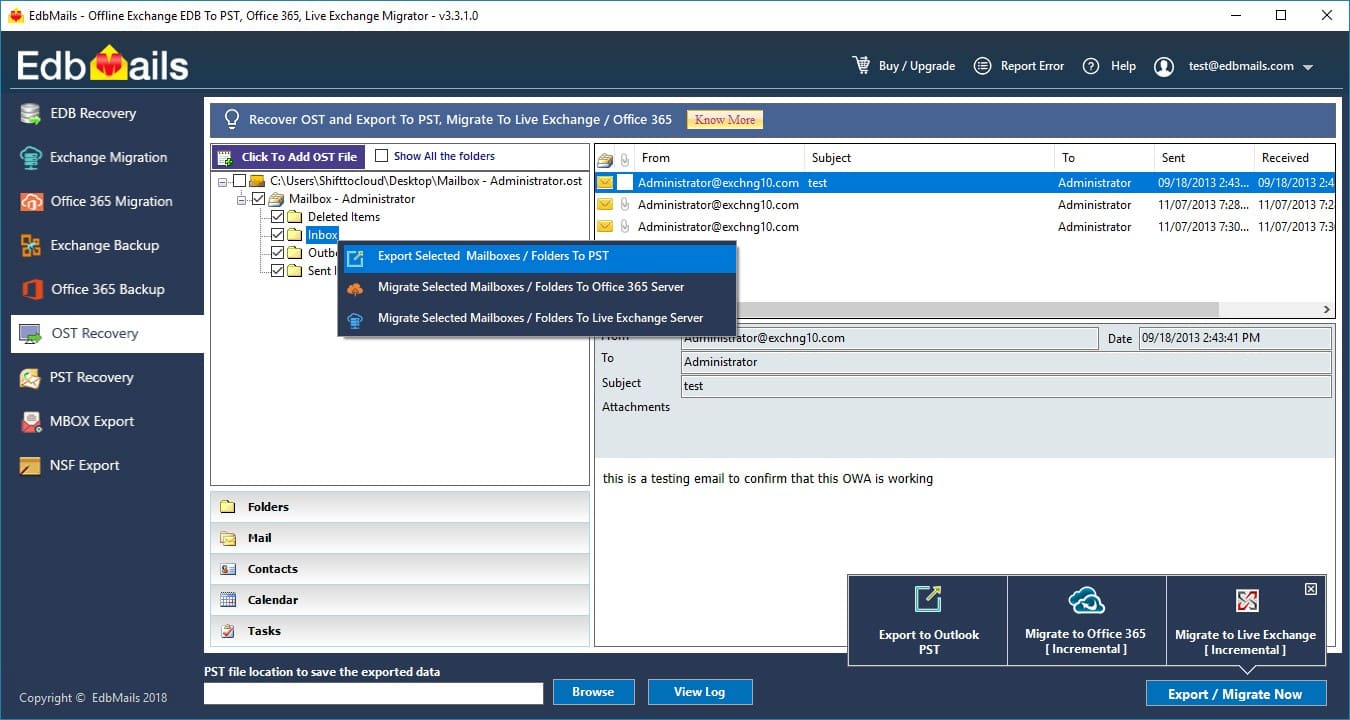](https://www.edbmails.com/pages/ost-to-pst-converter.html) Features of the OST to PST Converter Tool: -Repairs Corrupted OST files -Convert encrypted OST to PST file -Non English Unicode support -No file size limitation -Preview all the items like emails, contacts, calendar before actual export -Conversion of emails, contacts, notes, calendars, Tasks, Journals and Etc... |
| json metadata | {"tags":["ost"],"image":["https://www.edbmails.com/images/ost_trialaccount.jpg"],"links":["https://www.edbmails.com/pages/ost-to-pst-converter.html"],"app":"steemit/0.1"} |
| Transaction Info | Block #24973811/Trx 621b75c4c2dc2f15fcb006dd30db74f65d37224a |
View Raw JSON Data
{
"trx_id": "621b75c4c2dc2f15fcb006dd30db74f65d37224a",
"block": 24973811,
"trx_in_block": 15,
"op_in_trx": 0,
"virtual_op": 0,
"timestamp": "2018-08-11T12:23:21",
"op": [
"comment",
{
"parent_author": "techmvp",
"parent_permlink": "convert-ost-to-pdf-for-legal-use-with-contacts-and-calendars-too",
"author": "brendonsmith",
"permlink": "re-techmvp-convert-ost-to-pdf-for-legal-use-with-contacts-and-calendars-too-20180811t122400469z",
"title": "",
"body": "EdbMails [OST to PST Converter](https://www.edbmails.com/pages/ost-to-pst-converter.html) is a reliable OST recovery utility which recovers all the corrupted or damaged ost files without any data loss. This Software performs ost to pst file conversion, office 365 migration and live exchange server migration. EdbMails OST to PST Converter software also saves OST to PST, MSG, HTML, MHT, TXT, RTF and EML format. EdbMails recovers data like inbox , contact, calendar, sent items, note, task etc..without any data loss.\n[](https://www.edbmails.com/pages/ost-to-pst-converter.html)\nFeatures of the OST to PST Converter Tool: \n \n-Repairs Corrupted OST files\n-Convert encrypted OST to PST file\n-Non English Unicode support\n-No file size limitation\n-Preview all the items like emails, contacts, calendar before actual export\n-Conversion of emails, contacts, notes, calendars, Tasks, Journals and Etc...",
"json_metadata": "{\"tags\":[\"ost\"],\"image\":[\"https://www.edbmails.com/images/ost_trialaccount.jpg\"],\"links\":[\"https://www.edbmails.com/pages/ost-to-pst-converter.html\"],\"app\":\"steemit/0.1\"}"
}
]
}2018/07/25 06:43:06
2018/07/25 06:43:06
| parent author | techmvp |
| parent permlink | re-abrienne3-the-best-guide-for-vhdx-recovery-20180328t133712895z |
| author | lauramathews |
| permlink | re-techmvp-re-abrienne3-the-best-guide-for-vhdx-recovery-20180725t064305361z |
| title | |
| body | Users can use the best VHD file recovery software. It is very easy to understand it working process. Non-technical persons can also use this software. It provides various key features that are very helpful to users for data recovery. It recovers data instantly. For more details, please visit here: http://vhd.filerestoreprogram.com/ |
| json metadata | {"tags":["vhdx"],"links":["http://vhd.filerestoreprogram.com/"],"app":"steemit/0.1"} |
| Transaction Info | Block #24478088/Trx e6ce7c7a6f84a8fdc504a818465759869d26af6b |
View Raw JSON Data
{
  "trx_id": "e6ce7c7a6f84a8fdc504a818465759869d26af6b",
  "block": 24478088,
  "trx_in_block": 44,
  "op_in_trx": 0,
  "virtual_op": 0,
  "timestamp": "2018-07-25T06:43:06",
  "op": [
    "comment",
    {
      "parent_author": "techmvp",
      "parent_permlink": "re-abrienne3-the-best-guide-for-vhdx-recovery-20180328t133712895z",
      "author": "lauramathews",
      "permlink": "re-techmvp-re-abrienne3-the-best-guide-for-vhdx-recovery-20180725t064305361z",
      "title": "",
      "body": "Users can use the best VHD file recovery software.  It is very easy to understand it working process. Non-technical persons can also use this software. It provides various key features that are very helpful to users for data recovery. It recovers data instantly.\nFor more details, please visit here: http://vhd.filerestoreprogram.com/",
      "json_metadata": "{\"tags\":[\"vhdx\"],\"links\":[\"http://vhd.filerestoreprogram.com/\"],\"app\":\"steemit/0.1\"}"
    }
  ]
}2018/07/05 05:00:30
2018/07/05 05:00:30
| parent author | techmvp |
| parent permlink | mbox-email-extractor-extract-emails-from-large-mbox-files |
| author | a-0-1 |
| permlink | re-techmvp-mbox-email-extractor-extract-emails-from-large-mbox-files-20180705t050030237z |
| title | |
| body | # # upvote for me please? https://steemit.com/news/@bible.com/2sysip # |
| json metadata | {"tags":["mbox"],"links":["https://steemit.com/news/@bible.com/2sysip"],"app":"steemit/0.1"} |
| Transaction Info | Block #23900362/Trx 1ee93af65e1433b67932e3e9bfbd9c41dda8874c |
View Raw JSON Data
{
  "trx_id": "1ee93af65e1433b67932e3e9bfbd9c41dda8874c",
  "block": 23900362,
  "trx_in_block": 22,
  "op_in_trx": 0,
  "virtual_op": 0,
  "timestamp": "2018-07-05T05:00:30",
  "op": [
    "comment",
    {
      "parent_author": "techmvp",
      "parent_permlink": "mbox-email-extractor-extract-emails-from-large-mbox-files",
      "author": "a-0-1",
      "permlink": "re-techmvp-mbox-email-extractor-extract-emails-from-large-mbox-files-20180705t050030237z",
      "title": "",
      "body": "#\n# upvote for me please? https://steemit.com/news/@bible.com/2sysip\n#",
      "json_metadata": "{\"tags\":[\"mbox\"],\"links\":[\"https://steemit.com/news/@bible.com/2sysip\"],\"app\":\"steemit/0.1\"}"
    }
  ]
}alphabotupvoted (1.00%) @techmvp / mbox-email-extractor-extract-emails-from-large-mbox-files2018/07/05 05:00:06
alphabotupvoted (1.00%) @techmvp / mbox-email-extractor-extract-emails-from-large-mbox-files
2018/07/05 05:00:06
| voter | alphabot |
| author | techmvp |
| permlink | mbox-email-extractor-extract-emails-from-large-mbox-files |
| weight | 100 (1.00%) |
| Transaction Info | Block #23900354/Trx c9c676365af293bf65ff172bbf137050feef5933 |
View Raw JSON Data
{
  "trx_id": "c9c676365af293bf65ff172bbf137050feef5933",
  "block": 23900354,
  "trx_in_block": 4,
  "op_in_trx": 0,
  "virtual_op": 0,
  "timestamp": "2018-07-05T05:00:06",
  "op": [
    "vote",
    {
      "voter": "alphabot",
      "author": "techmvp",
      "permlink": "mbox-email-extractor-extract-emails-from-large-mbox-files",
      "weight": 100
    }
  ]
}techmvppublished a new post: mbox-email-extractor-extract-emails-from-large-mbox-files2018/07/05 04:59:51
techmvppublished a new post: mbox-email-extractor-extract-emails-from-large-mbox-files
2018/07/05 04:59:51
| parent author | |
| parent permlink | mbox |
| author | techmvp |
| permlink | mbox-email-extractor-extract-emails-from-large-mbox-files |
| title | MBOX Email Extractor - Extract Emails from Large MBOX Files |
| body | <p>Email clients are of various types and categories; some only process emailing services while others offer calendaring, contacts storage, etc. facilities as well. </p> <p>Meanwhile, there are numerous of email clients that support MBOX based email that manages all the email data. However, many times users search for various solutions of their queries like:</p> <ul> <li>How to extract emails from MBOX file?</li> <li>How to extract emails from Large MBOX files?</li> <li><a href="https://www.bitrecover.com/mbox/email-address-extractor.html">How to extract email address from MBOX files?</a></li> </ul> <p>After understanding the user’s requirement, we have come up with a solution to answer all the above queries in an efficient way. </p> <h1>MBOX Email Extractor – Own the Power of Convenient Data Conversion</h1> <p>MBOX email extractor is an extremely accurately built application that serves you with the precise procedure to extract MBOX file contents into EML format mailbox. There are situations when you need to move from your current email client to another depending on the situation or the issues you are experiencing with the present one. With <a href="https://www.bitrecover.com/mbox/extractor.html">MBOX Email Extractor</a> the advantage is that you can extract Thunderbird MBOX as well as MBOX email data from other clients like Apple Mail, Eudora, etc. The application makes easy for the users in a way to easily extract all the emails along with its attributes. It helps an investigator to easily perform investigate on emails from MBOX files. Before using the application you can easily download the freeware trial edition and know how things work with the licensed edition and go for the purchase later.</p> <p><img src="https://www.bitrecover.com/mbox/guides/step8.png" alt="Import" class="img-responsive"></p> <h2>MBOX Email Extractor – Varied And Versatile Features Instilled</h2> <p>The application is designed majorly to favor user convenience hence, it is not only an MBOX email extractor but also allow you to merge MBOX files when large in number into EML format mailbox at once.</p> <ul> <li>The application offers intense technology of extracting your MBOX file data into EML file.</li> <li>An intense level of accuracy is maintained while extracting MBOX format data into .eml formatting so that convenience is not compromised.</li> <li>With the help of this MBOX email extractor users can the easily get through the procedure to extract email from MBOX to EML as the interface has been designed with user-friendly algorithms.</li> <li>While extracting, you will be shown the progress of extraction i.e. current progress, number of files that have been migrated, etc. this way you can be updated with the speed of extraction.</li> <li>Extraction of MBOX mailbox from any of its supportive email client is possible like you can transfer Entourage emails as well as PocoMail, or even Spicebird email messages as smoothly as Thunderbird emails.</li> </ul> <h2>Exclusivity to Extract MBOX to EML</h2> <p>The application offers data count while conversion is in the process and still does not the slowdown in performance as well. Meanwhile, it also offers you with the versatility of transferring emails of MBOX created under any email client into EML.</p> <p><b>Freeware Trial</b></p> <p>You can download the freeware version of the tool and extract the initial 25 email messages from MBOX to EML for free but not more than that.</p> <p><b>Licensed Purchase</b></p> <p>Once the licensed version of MBOX email extractor program has been purchased, you can execute the complete extraction without any restrictions.</p> <p><b>Summing Up</b></p> <p>Readers can get an idea about the way to extract mail files from MBOX files due to the benefiting factors it shares along with the information on the importance of using an external MBOX Email Extractor for it.</p> |
| json metadata | {"tags":["mbox","email","extractor"],"image":["https://www.bitrecover.com/mbox/guides/step8.png"],"links":["https://www.bitrecover.com/mbox/email-address-extractor.html","https://www.bitrecover.com/mbox/extractor.html"],"app":"steemit/0.1","format":"markdown"} |
| Transaction Info | Block #23900349/Trx 98638b35c6e077879d1e67befd8e6959d7bb3319 |
View Raw JSON Data
{
  "trx_id": "98638b35c6e077879d1e67befd8e6959d7bb3319",
  "block": 23900349,
  "trx_in_block": 5,
  "op_in_trx": 0,
  "virtual_op": 0,
  "timestamp": "2018-07-05T04:59:51",
  "op": [
    "comment",
    {
      "parent_author": "",
      "parent_permlink": "mbox",
      "author": "techmvp",
      "permlink": "mbox-email-extractor-extract-emails-from-large-mbox-files",
      "title": "MBOX Email Extractor - Extract Emails from Large MBOX Files",
      "body": "<p>Email clients are of various types and categories; some only process emailing services while others offer calendaring, contacts storage, etc. facilities as well. </p>\n<p>Meanwhile, there are numerous of email clients that support MBOX based email that manages all the email data. However, many times users search for various solutions of their queries like:</p>\n<ul>\n<li>How to extract emails from MBOX file?</li>\n<li>How to extract emails from Large MBOX files?</li>\n<li><a href=\"https://www.bitrecover.com/mbox/email-address-extractor.html\">How to extract email address from MBOX files?</a></li>\n</ul>\n<p>After understanding the user’s requirement, we have come up with a solution to answer all the above queries in an efficient way. </p>\n<h1>MBOX Email Extractor – Own the Power of Convenient Data Conversion</h1>\n<p>MBOX email extractor is an extremely accurately built application that serves you with the precise procedure to extract MBOX file contents into EML format mailbox. There are situations when you need to move from your current email client to another depending on the situation or the issues you are experiencing with the present one. With  <a href=\"https://www.bitrecover.com/mbox/extractor.html\">MBOX Email Extractor</a> the advantage is that you can extract Thunderbird MBOX as well as MBOX email data from other clients like Apple Mail, Eudora, etc. The application makes easy for the users in a way to easily extract all the emails along with its attributes. It helps an investigator to easily perform investigate on emails from MBOX files. Before using the application you can easily download the freeware trial edition and know how things work with the licensed edition and go for the purchase later.</p>\n<p><img src=\"https://www.bitrecover.com/mbox/guides/step8.png\" alt=\"Import\" class=\"img-responsive\"></p>\n<h2>MBOX Email Extractor – Varied And Versatile Features Instilled</h2>\n<p>The application is designed majorly to favor user convenience hence, it is not only an MBOX email extractor but also allow you to merge MBOX files when large in number into EML format mailbox at once.</p>\n<ul>\n<li>The application offers intense technology of extracting your MBOX file data into EML file.</li>\n<li>An intense level of accuracy is maintained while extracting MBOX format data into .eml formatting so that convenience is not compromised.</li>\n<li>With the help of this MBOX email extractor users can the easily get through the procedure to extract email from MBOX to EML as the interface has been designed with user-friendly algorithms.</li>\n<li>While extracting, you will be shown the progress of extraction i.e. current progress, number of files that have been migrated, etc. this way you can be updated with the speed of extraction.</li>\n<li>Extraction of MBOX mailbox from any of its supportive email client is possible like you can transfer Entourage emails as well as PocoMail, or even Spicebird email messages as smoothly as Thunderbird emails.</li>\n</ul>\n<h2>Exclusivity to Extract MBOX to EML</h2>\n<p>The application offers data count while conversion is in the process and still does not the slowdown in performance as well. Meanwhile, it also offers you with the versatility of transferring emails of MBOX created under any email client into EML.</p>\n<p><b>Freeware Trial</b></p>\n<p>You can download the freeware version of the tool and extract the initial 25 email messages from MBOX to EML for free but not more than that.</p>\n<p><b>Licensed Purchase</b></p>\n<p>Once the licensed version of MBOX email extractor program has been purchased, you can execute the complete extraction without any restrictions.</p>\n<p><b>Summing Up</b></p>\n<p>Readers can get an idea about the way to extract mail files from MBOX files due to the benefiting factors it shares along with the information on the importance of using an external MBOX Email Extractor for it.</p>",
      "json_metadata": "{\"tags\":[\"mbox\",\"email\",\"extractor\"],\"image\":[\"https://www.bitrecover.com/mbox/guides/step8.png\"],\"links\":[\"https://www.bitrecover.com/mbox/email-address-extractor.html\",\"https://www.bitrecover.com/mbox/extractor.html\"],\"app\":\"steemit/0.1\",\"format\":\"markdown\"}"
    }
  ]
}2018/06/25 11:49:57
2018/06/25 11:49:57
| parent author | techmvp |
| parent permlink | convert-outlook-pst-to-gmail-g-suite-account-with-just-few-clicks |
| author | aishawinget |
| permlink | re-techmvp-convert-outlook-pst-to-gmail-g-suite-account-with-just-few-clicks-20180625t114838829z |
| title | |
| body | This article is very Useful. You can also refer SysTools Outlook to G Suite converter to move PST emails into Gmail. Refer: https://www.systoolsgroup.com/outlook-to-g-suite/ |
| json metadata | {"tags":["convert"],"links":["https://www.systoolsgroup.com/outlook-to-g-suite/"],"app":"steemit/0.1"} |
| Transaction Info | Block #23630485/Trx 44baf8fdd6d0b7235c5c833e468959aae4b56a27 |
View Raw JSON Data
{
  "trx_id": "44baf8fdd6d0b7235c5c833e468959aae4b56a27",
  "block": 23630485,
  "trx_in_block": 11,
  "op_in_trx": 0,
  "virtual_op": 0,
  "timestamp": "2018-06-25T11:49:57",
  "op": [
    "comment",
    {
      "parent_author": "techmvp",
      "parent_permlink": "convert-outlook-pst-to-gmail-g-suite-account-with-just-few-clicks",
      "author": "aishawinget",
      "permlink": "re-techmvp-convert-outlook-pst-to-gmail-g-suite-account-with-just-few-clicks-20180625t114838829z",
      "title": "",
      "body": "This article is very Useful. You can also refer SysTools Outlook to G Suite converter to move PST emails into Gmail.\n\nRefer: https://www.systoolsgroup.com/outlook-to-g-suite/",
      "json_metadata": "{\"tags\":[\"convert\"],\"links\":[\"https://www.systoolsgroup.com/outlook-to-g-suite/\"],\"app\":\"steemit/0.1\"}"
    }
  ]
}2018/06/13 12:53:48
2018/06/13 12:53:48
| voter | hackerzizon |
| author | techmvp |
| permlink | convert-ost-to-pdf-for-legal-use-with-contacts-and-calendars-too |
| weight | 100 (1.00%) |
| Transaction Info | Block #23286250/Trx 66c27ffd5fb31f679828ca7bd94d2d35eccafa19 |
View Raw JSON Data
{
  "trx_id": "66c27ffd5fb31f679828ca7bd94d2d35eccafa19",
  "block": 23286250,
  "trx_in_block": 21,
  "op_in_trx": 0,
  "virtual_op": 0,
  "timestamp": "2018-06-13T12:53:48",
  "op": [
    "vote",
    {
      "voter": "hackerzizon",
      "author": "techmvp",
      "permlink": "convert-ost-to-pdf-for-legal-use-with-contacts-and-calendars-too",
      "weight": 100
    }
  ]
}2018/06/13 12:51:39
2018/06/13 12:51:39
| parent author | techmvp |
| parent permlink | convert-ost-to-pdf-for-legal-use-with-contacts-and-calendars-too |
| author | biblegateway |
| permlink | re-techmvp-convert-ost-to-pdf-for-legal-use-with-contacts-and-calendars-too-20180613t125140939z |
| title | |
| body | God bless you. @biblegateway |
| json metadata | {"tags":["ost"],"users":["biblegateway"],"app":"steemit/0.1"} |
| Transaction Info | Block #23286207/Trx 34617ffdd2d933a32bcf6c01b6dd37a32aad36af |
View Raw JSON Data
{
  "trx_id": "34617ffdd2d933a32bcf6c01b6dd37a32aad36af",
  "block": 23286207,
  "trx_in_block": 0,
  "op_in_trx": 0,
  "virtual_op": 0,
  "timestamp": "2018-06-13T12:51:39",
  "op": [
    "comment",
    {
      "parent_author": "techmvp",
      "parent_permlink": "convert-ost-to-pdf-for-legal-use-with-contacts-and-calendars-too",
      "author": "biblegateway",
      "permlink": "re-techmvp-convert-ost-to-pdf-for-legal-use-with-contacts-and-calendars-too-20180613t125140939z",
      "title": "",
      "body": "God bless you. @biblegateway",
      "json_metadata": "{\"tags\":[\"ost\"],\"users\":[\"biblegateway\"],\"app\":\"steemit/0.1\"}"
    }
  ]
}techmvppublished a new post: convert-ost-to-pdf-for-legal-use-with-contacts-and-calendars-too2018/06/13 12:51:24
techmvppublished a new post: convert-ost-to-pdf-for-legal-use-with-contacts-and-calendars-too
2018/06/13 12:51:24
| parent author | |
| parent permlink | ost |
| author | techmvp |
| permlink | convert-ost-to-pdf-for-legal-use-with-contacts-and-calendars-too |
| title | Convert OST to PDF for Legal Use with Contacts and Calendars Too |
| body | <p>There are millions of users who depend on Microsoft Outlook client for fulfilling their mailing requirements. As Outlook saves all its data in 2 formats- OST and PST. However, there are a lot of users who still not much satisfied with limits that bound an Outlook user to an Outlook environment. Ultimately, users come to the conclusion to perform OST to PDF migration so that without any restrictions, access of their data is possible. Refer the below part of this segment to know more as to, why and how to create Outlook OST to PDF.</p> <h1>OST Extraction to PDF – How Does It Benefit You</h1> <p>PDF files are the most versatile file formats which can be accessed on any available systems whether it is Windows operating system or a Mac system. With the free of cost Adobe Reader viewing of PDF file contents is made absolutely eased and convenient for the users.</p> <p>Especially, people associated with law firms are the ones who largely make use of PDF format files. And law departments associating with courts accept documents in PDF format only. Hence, if you are supposed to share any document with your law associates then, to create offline Outlook file to PDF that has required attachments is the best available option.</p> <h2>Why PDF Only?</h2> <p>Portable Document Format files are renowned for their versatility and very well-known format of the file for maintaining or archiving data. Have a look at the discussed points that will let you get familiar why choosing PDF format over other document format file is better for saving converted OST data.</p> <ol> <li>Using PDF gives you the freedom of accessing your text data as well as layout of the document with complete accuracy.</li> <li>The portable document offers content search easier within the document, forms much more interactive, and the capability of adding e-comments or electronic comments and digital signatures to the document.</li> <li>Even the software industry has sped up in the creation of applications that offer specialization in preventing and maintaining or recovering PDF data from loss, considering the rise in the usage of PDF format files.</li> <li>With users already making use of PDF and those who create OST to PDF, many companies, and web portals have broadened their acceptance towards .pdf document format files.</li> </ol> <h2>OST to PDF Converter: Solution for the Highfliers</h2> <p>With <a href="https://www.bitrecover.com/ost/pdf/">OST to PDF Converter</a> to add OST emails to PDF you get to convert your data into an extremely mobile and secure file format i.e. PDF with an extreme level of mobility and data security offered. This software supports all versions of Windows Operating system and Adobe Acrobat. So, it becomes versatile along with which it also keeps data secure throughout conversion; resulting in being a safe tool too. The tool performs the complete data migration. The application does not require any external application to perform the data migration process. The tool is simple, easy, and trouble-free to use to perform data migration. Not only this, tool makes easy for users by migrating multiple OST files at once to PDF format.</p> <p><img alt="OST to PDF Converter" class="img-responsive" src="https://www.bitrecover.com/ost/pdf/guide/step4.png"></p> <h3>Noteworthy Features of OST to PDF Converter</h3> <ul> <li>Standalone application to perform data migration process</li> <li>100% safe and error-free solution to migrate the data files</li> <li>Dual mode of data migration is offered by the tool</li> <li>Migrates emails, calendars, and contacts to PDF format</li> <li>Maintains the data integrity in exact form after conversion</li> <li>Operable on all Windows OS both 32 and 64-bit edition</li> </ul> <h3>Wrapping Up</h3> <p>It is not just the security levels of the Outlook OST to PDF Converter program that lets you have your OST data with safety. But, as the PDF file can be encrypted with different sorts of protection, hence it is possible for users keep their data either encrypted with the password or local security. These security advantages are what makes it satisfactory for the users to switch from OST to PDF.</p> |
| json metadata | {"tags":["ost","to","pdf","converter"],"image":["https://www.bitrecover.com/ost/pdf/guide/step4.png"],"links":["https://www.bitrecover.com/ost/pdf/"],"app":"steemit/0.1","format":"markdown"} |
| Transaction Info | Block #23286202/Trx 013afddcb83ebf694b0086279ad19bb972b9190c |
View Raw JSON Data
{
  "trx_id": "013afddcb83ebf694b0086279ad19bb972b9190c",
  "block": 23286202,
  "trx_in_block": 18,
  "op_in_trx": 0,
  "virtual_op": 0,
  "timestamp": "2018-06-13T12:51:24",
  "op": [
    "comment",
    {
      "parent_author": "",
      "parent_permlink": "ost",
      "author": "techmvp",
      "permlink": "convert-ost-to-pdf-for-legal-use-with-contacts-and-calendars-too",
      "title": "Convert OST to PDF for Legal Use with Contacts and Calendars Too",
      "body": "<p>There are millions of users who depend on Microsoft Outlook client for fulfilling their mailing requirements. As Outlook saves all its data in 2 formats- OST and PST. However, there are a lot of users who still not much satisfied with limits that bound an Outlook user to an Outlook environment. Ultimately, users come to the conclusion to perform OST to PDF migration so that without any restrictions, access of their data is possible. Refer the below part of this segment to know more as to, why and how to create Outlook OST to PDF.</p>\n\n<h1>OST Extraction to PDF – How Does It Benefit You</h1>\n\n<p>PDF files are the most versatile file formats which can be accessed on any available systems whether it is Windows operating system or a Mac system. With the free of cost Adobe Reader viewing of PDF file contents is made absolutely eased and convenient for the users.</p>\n<p>Especially, people associated with law firms are the ones who largely make use of PDF format files. And law departments associating with courts accept documents in PDF format only. Hence, if you are supposed to share any document with your law associates then, to create offline Outlook file to PDF that has required attachments is the best available option.</p>\n\n<h2>Why PDF Only?</h2>\n\n<p>Portable Document Format files are renowned for their versatility and very well-known format of the file for maintaining or archiving data. Have a look at the discussed points that will let you get familiar why choosing PDF format over other document format file is better for saving converted OST data.</p>\n<ol>\n<li>Using PDF gives you the freedom of accessing your text data as well as layout of the document with complete accuracy.</li>\n<li>The portable document offers content search easier within the document, forms much more interactive, and the capability of adding e-comments or electronic comments and digital signatures to the document.</li>\n<li>Even the software industry has sped up in the creation of applications that offer specialization in preventing and maintaining or recovering PDF data from loss, considering the rise in the usage of PDF format files.</li>\n<li>With users already making use of PDF and those who create OST to PDF, many companies, and web portals have broadened their acceptance towards .pdf document format files.</li>\n</ol>\n\n<h2>OST to PDF Converter: Solution for the Highfliers</h2>\n\n<p>With <a href=\"https://www.bitrecover.com/ost/pdf/\">OST to PDF Converter</a> to add OST emails to PDF you get to convert your data into an extremely mobile and secure file format i.e. PDF with an extreme level of mobility and data security offered. This software supports all versions of Windows Operating system and Adobe Acrobat. So, it becomes versatile along with which it also keeps data secure throughout conversion; resulting in being a safe tool too. The tool performs the complete data migration. The application does not require any external application to perform the data migration process. The tool is simple, easy, and trouble-free to use to perform data migration. Not only this, tool makes easy for users by migrating multiple OST files at once to PDF format.</p>\n<p><img alt=\"OST to PDF Converter\" class=\"img-responsive\" src=\"https://www.bitrecover.com/ost/pdf/guide/step4.png\"></p>\n\n<h3>Noteworthy Features of OST to PDF Converter</h3>\n<ul>\n<li>Standalone application to perform data migration process</li>\n<li>100% safe and error-free solution to migrate the data files</li>\n<li>Dual mode of data migration is offered by the tool</li>\n<li>Migrates emails, calendars, and contacts to PDF format</li>\n<li>Maintains the data integrity in exact form after conversion</li>\n<li>Operable on all Windows OS both 32 and 64-bit edition</li>\n</ul>\n<h3>Wrapping Up</h3>\n<p>It is not just the security levels of the Outlook OST to PDF Converter program that lets you have your OST data with safety. But, as the PDF file can be encrypted with different sorts of protection, hence it is possible for users keep their data either encrypted with the password or local security. These security advantages are what makes it satisfactory for the users to switch from OST to PDF.</p>",
      "json_metadata": "{\"tags\":[\"ost\",\"to\",\"pdf\",\"converter\"],\"image\":[\"https://www.bitrecover.com/ost/pdf/guide/step4.png\"],\"links\":[\"https://www.bitrecover.com/ost/pdf/\"],\"app\":\"steemit/0.1\",\"format\":\"markdown\"}"
    }
  ]
}2018/06/05 09:20:03
2018/06/05 09:20:03
| parent author | techmvp |
| parent permlink | mdaemon-converter-for-mdaemon-mailbox-migration |
| author | cheetah |
| permlink | cheetah-re-techmvpmdaemon-converter-for-mdaemon-mailbox-migration |
| title | |
| body | Hi! I am a robot. I just upvoted you! I found similar content that readers might be interested in: http://www.birdiesoftware.com/mdaemon-migrator/ |
| json metadata | |
| Transaction Info | Block #23052203/Trx ab92a1e908b6854478c59ba2d3a8d90e7c791bfc |
View Raw JSON Data
{
  "trx_id": "ab92a1e908b6854478c59ba2d3a8d90e7c791bfc",
  "block": 23052203,
  "trx_in_block": 41,
  "op_in_trx": 0,
  "virtual_op": 0,
  "timestamp": "2018-06-05T09:20:03",
  "op": [
    "comment",
    {
      "parent_author": "techmvp",
      "parent_permlink": "mdaemon-converter-for-mdaemon-mailbox-migration",
      "author": "cheetah",
      "permlink": "cheetah-re-techmvpmdaemon-converter-for-mdaemon-mailbox-migration",
      "title": "",
      "body": "Hi! I am a robot. I just upvoted you! I found similar content that readers might be interested in:\nhttp://www.birdiesoftware.com/mdaemon-migrator/",
      "json_metadata": ""
    }
  ]
}Manabar
Voting Power100.00%
Downvote Power100.00%
Resource Credits100.00%
Reputation Progress8.75%
{
  "voting_manabar": {
    "current_mana": "8143659806",
    "last_update_time": 1779088506
  },
  "downvote_manabar": {
    "current_mana": 2035914951,
    "last_update_time": 1779088506
  },
  "rc_account": {
    "account": "techmvp",
    "rc_manabar": {
      "current_mana": "10164408779",
      "last_update_time": 1779088506
    },
    "max_rc_creation_adjustment": {
      "amount": "2020748973",
      "precision": 6,
      "nai": "@@000000037"
    },
    "max_rc": "10164408779"
  }
}
Account Metadata
| POSTING JSON METADATA | |
| profile | {"profile_image":"https://cdn.steemitimages.com/DQmVoVNwbGEE34PzbQo9USVS1AgBENKzSHzTBC4B4w2ZpVq/rollins-duke.png"} |
| JSON METADATA | |
| profile | {"profile_image":"https://cdn.steemitimages.com/DQmVoVNwbGEE34PzbQo9USVS1AgBENKzSHzTBC4B4w2ZpVq/rollins-duke.png"} |
{
  "posting_json_metadata": {
    "profile": {
      "profile_image": "https://cdn.steemitimages.com/DQmVoVNwbGEE34PzbQo9USVS1AgBENKzSHzTBC4B4w2ZpVq/rollins-duke.png"
    }
  },
  "json_metadata": {
    "profile": {
      "profile_image": "https://cdn.steemitimages.com/DQmVoVNwbGEE34PzbQo9USVS1AgBENKzSHzTBC4B4w2ZpVq/rollins-duke.png"
    }
  }
}
Auth Keys
Owner
Single Signature
Public Keys
STM8LFkMYJM5XxKuu3UgPoQs8mgcvANAbm78xxhF4vzz85Xt3Wz2w1/1
Active
Single Signature
Public Keys
STM8USMQpAZMJgzZ91BtBs9r1LH5Y99ZkZUFoGLFYruSNhT32EaZR1/1
Posting
Single Signature
Public Keys
STM5NzdC44SvF3SiV9DpEcdbm578ebSWtoaT2HDhbAM1rszCFXsWW1/1
App Permissions
@busy.app1/1
Memo
STM5GG4nvi5rqAuEctT934STk7Qmoa8euy5FUdEvx8L7tdS2yLPyq
{
  "owner": {
    "weight_threshold": 1,
    "account_auths": [],
    "key_auths": [
      [
        "STM8LFkMYJM5XxKuu3UgPoQs8mgcvANAbm78xxhF4vzz85Xt3Wz2w",
        1
      ]
    ]
  },
  "active": {
    "weight_threshold": 1,
    "account_auths": [],
    "key_auths": [
      [
        "STM8USMQpAZMJgzZ91BtBs9r1LH5Y99ZkZUFoGLFYruSNhT32EaZR",
        1
      ]
    ]
  },
  "posting": {
    "weight_threshold": 1,
    "account_auths": [
      [
        "busy.app",
        1
      ]
    ],
    "key_auths": [
      [
        "STM5NzdC44SvF3SiV9DpEcdbm578ebSWtoaT2HDhbAM1rszCFXsWW",
        1
      ]
    ]
  },
  "memo": "STM5GG4nvi5rqAuEctT934STk7Qmoa8euy5FUdEvx8L7tdS2yLPyq"
}
Witness Votes
0 / 30
No active witness votes.
[]