

@emailconversion
28Guides on all the possible scenarios of email migration and file conversion.
steemit.com/@emailconversionVOTING POWER100.00%
DOWNVOTE POWER100.00%
RESOURCE CREDITS100.00%
REPUTATION PROGRESS69.33%
Net Worth
0.000USD
STEEM
0.006STEEM
SBD
0.000SBD
Effective Power
1.200SP
├── Own SP
0.000SP
└── Incoming DelegationsDeleg
+1.200SP
Detailed Balance
| STEEM | ||
| balance | 0.006STEEM | STEEM |
| market_balance | 0.000STEEM | STEEM |
| savings_balance | 0.000STEEM | STEEM |
| reward_steem_balance | 0.000STEEM | STEEM |
| STEEM POWER | ||
| Own SP | 0.000SP | SP |
| Delegated Out | 0.000SP | SP |
| Delegation In | 1.200SP | SP |
| Effective Power | 1.200SP | SP |
| Reward SP (pending) | 0.000SP | SP |
| SBD | ||
| sbd_balance | 0.000SBD | SBD |
| sbd_conversions | 0.000SBD | SBD |
| sbd_market_balance | 0.000SBD | SBD |
| savings_sbd_balance | 0.000SBD | SBD |
| reward_sbd_balance | 0.000SBD | SBD |
{
  "balance": "0.006 STEEM",
  "savings_balance": "0.000 STEEM",
  "reward_steem_balance": "0.000 STEEM",
  "vesting_shares": "0.000000 VESTS",
  "delegated_vesting_shares": "0.000000 VESTS",
  "received_vesting_shares": "1953.311140 VESTS",
  "sbd_balance": "0.000 SBD",
  "savings_sbd_balance": "0.000 SBD",
  "reward_sbd_balance": "0.000 SBD",
  "conversions": []
}
Account Info
| name | emailconversion |
| id | 1319620 |
| rank | 1,505,595 |
| reputation | 1991859633 |
| created | 2019-09-17T03:36:27 |
| recovery_account | steem |
| proxy | None |
| post_count | 13 |
| comment_count | 0 |
| lifetime_vote_count | 0 |
| witnesses_voted_for | 0 |
| last_post | 2025-03-26T04:22:48 |
| last_root_post | 2025-03-26T04:22:48 |
| last_vote_time | 2025-03-26T04:27:12 |
| proxied_vsf_votes | 0, 0, 0, 0 |
| can_vote | 1 |
| voting_power | 9,799 |
| delayed_votes | 0 |
| balance | 0.006 STEEM |
| savings_balance | 0.000 STEEM |
| sbd_balance | 0.000 SBD |
| savings_sbd_balance | 0.000 SBD |
| vesting_shares | 0.000000 VESTS |
| delegated_vesting_shares | 0.000000 VESTS |
| received_vesting_shares | 1953.311140 VESTS |
| reward_vesting_balance | 0.000000 VESTS |
| vesting_balance | 0.000 STEEM |
| vesting_withdraw_rate | 0.000000 VESTS |
| next_vesting_withdrawal | 1969-12-31T23:59:59 |
| withdrawn | 0 |
| to_withdraw | 0 |
| withdraw_routes | 0 |
| savings_withdraw_requests | 0 |
| last_account_recovery | 1970-01-01T00:00:00 |
| reset_account | null |
| last_owner_update | 1970-01-01T00:00:00 |
| last_account_update | 2019-09-17T03:52:09 |
| mined | No |
| sbd_seconds | 0 |
| sbd_last_interest_payment | 1970-01-01T00:00:00 |
| savings_sbd_last_interest_payment | 1970-01-01T00:00:00 |
{
  "id": 1319620,
  "name": "emailconversion",
  "owner": {
    "weight_threshold": 1,
    "account_auths": [],
    "key_auths": [
      [
        "STM79kN8mqeQUFruR27bhbi9LLs48z7Ts2tFtGYi3M57DgkBQCnP3",
        1
      ]
    ]
  },
  "active": {
    "weight_threshold": 1,
    "account_auths": [],
    "key_auths": [
      [
        "STM5q3ctwnDwSYxB3fWRhbzG9qqSK6fY4zzZKSW2dKDEFcfJ8dCnx",
        1
      ]
    ]
  },
  "posting": {
    "weight_threshold": 1,
    "account_auths": [
      [
        "busy.app",
        1
      ]
    ],
    "key_auths": [
      [
        "STM73yV1svKEhprwAyGrEvgezbc1gH7K5eMiEhym9nt3Wixp1Ripy",
        1
      ]
    ]
  },
  "memo_key": "STM4zD94M7BWEhVLTzqFhkrULBCSLda8ZGp99oE8r544A5QghGRfD",
  "json_metadata": "{\"profile\":{\"name\":\"EmailConversionGuide\",\"about\":\"Guides on all the possible scenarios of email migration and file conversion.\",\"website\":\"https://www.dataforensics.org\",\"profile_image\":\"https://cdn.steemitimages.com/DQmS9WJrDM1iYC86mziHtiAi9BMzYNVEPXEzygG8xXWsQ9g/Email-icon-clipart-kid.png\"}}",
  "posting_json_metadata": "",
  "proxy": "",
  "last_owner_update": "1970-01-01T00:00:00",
  "last_account_update": "2019-09-17T03:52:09",
  "created": "2019-09-17T03:36:27",
  "mined": false,
  "recovery_account": "steem",
  "last_account_recovery": "1970-01-01T00:00:00",
  "reset_account": "null",
  "comment_count": 0,
  "lifetime_vote_count": 0,
  "post_count": 13,
  "can_vote": true,
  "voting_manabar": {
    "current_mana": 1914244917,
    "last_update_time": 1742963232
  },
  "downvote_manabar": {
    "current_mana": 488327785,
    "last_update_time": 1742963232
  },
  "voting_power": 9799,
  "balance": "0.006 STEEM",
  "savings_balance": "0.000 STEEM",
  "sbd_balance": "0.000 SBD",
  "sbd_seconds": "0",
  "sbd_seconds_last_update": "1970-01-01T00:00:00",
  "sbd_last_interest_payment": "1970-01-01T00:00:00",
  "savings_sbd_balance": "0.000 SBD",
  "savings_sbd_seconds": "0",
  "savings_sbd_seconds_last_update": "1970-01-01T00:00:00",
  "savings_sbd_last_interest_payment": "1970-01-01T00:00:00",
  "savings_withdraw_requests": 0,
  "reward_sbd_balance": "0.000 SBD",
  "reward_steem_balance": "0.000 STEEM",
  "reward_vesting_balance": "0.000000 VESTS",
  "reward_vesting_steem": "0.000 STEEM",
  "vesting_shares": "0.000000 VESTS",
  "delegated_vesting_shares": "0.000000 VESTS",
  "received_vesting_shares": "1953.311140 VESTS",
  "vesting_withdraw_rate": "0.000000 VESTS",
  "next_vesting_withdrawal": "1969-12-31T23:59:59",
  "withdrawn": 0,
  "to_withdraw": 0,
  "withdraw_routes": 0,
  "curation_rewards": 0,
  "posting_rewards": 0,
  "proxied_vsf_votes": [
    0,
    0,
    0,
    0
  ],
  "witnesses_voted_for": 0,
  "last_post": "2025-03-26T04:22:48",
  "last_root_post": "2025-03-26T04:22:48",
  "last_vote_time": "2025-03-26T04:27:12",
  "post_bandwidth": 0,
  "pending_claimed_accounts": 0,
  "vesting_balance": "0.000 STEEM",
  "reputation": 1991859633,
  "transfer_history": [],
  "market_history": [],
  "post_history": [],
  "vote_history": [],
  "other_history": [],
  "witness_votes": [],
  "tags_usage": [],
  "guest_bloggers": [],
  "rank": 1505595
}
Withdraw Routes
| Incoming | Outgoing |
|---|---|
Empty | Empty |
{
  "incoming": [],
  "outgoing": []
}From Date
To Date
somitreplied to @emailconversion / ta6jzl2026/02/09 07:11:45
somitreplied to @emailconversion / ta6jzl
2026/02/09 07:11:45
| parent author | emailconversion |
| parent permlink | convert-mbox-to-pst-and-import-into-outlook-2019-2016-2013 |
| author | somit |
| permlink | ta6jzl |
| title | |
| body | Thanks sharing this post but as a solution i would like to share <a href="https://steemit.com/mboxconverter/@somit/convert-mbox-to-outlook-pst-manually-and-best-mbox-file-converter">MailsDaddy MBOX converter tool</a> for all Email clients. It has 7+ different conversion options from MBOX to others. |
| json metadata | {"links":["https://steemit.com/mboxconverter/@somit/convert-mbox-to-outlook-pst-manually-and-best-mbox-file-converter"],"app":"steemit/0.2"} |
| Transaction Info | Block #103339661/Trx a2df72ea838dd4eb994ab010691eb47446764e66 |
View Raw JSON Data
{
  "trx_id": "a2df72ea838dd4eb994ab010691eb47446764e66",
  "block": 103339661,
  "trx_in_block": 6,
  "op_in_trx": 0,
  "virtual_op": 0,
  "timestamp": "2026-02-09T07:11:45",
  "op": [
    "comment",
    {
      "parent_author": "emailconversion",
      "parent_permlink": "convert-mbox-to-pst-and-import-into-outlook-2019-2016-2013",
      "author": "somit",
      "permlink": "ta6jzl",
      "title": "",
      "body": "Thanks sharing this post but as a solution i would like to share <a href=\"https://steemit.com/mboxconverter/@somit/convert-mbox-to-outlook-pst-manually-and-best-mbox-file-converter\">MailsDaddy MBOX converter tool</a> for all Email clients. It has 7+ different conversion options from MBOX to others.",
      "json_metadata": "{\"links\":[\"https://steemit.com/mboxconverter/@somit/convert-mbox-to-outlook-pst-manually-and-best-mbox-file-converter\"],\"app\":\"steemit/0.2\"}"
    }
  ]
}emailconversionupvoted (100.00%) @emailconversion / how-to-resolve-error-0x80040605-in-outlook2025/03/26 04:27:12
emailconversionupvoted (100.00%) @emailconversion / how-to-resolve-error-0x80040605-in-outlook
2025/03/26 04:27:12
| voter | emailconversion |
| author | emailconversion |
| permlink | how-to-resolve-error-0x80040605-in-outlook |
| weight | 10000 (100.00%) |
| Transaction Info | Block #94143818/Trx 2ae511816c1d55bc62df903cd7c0a4465e6d9098 |
View Raw JSON Data
{
  "trx_id": "2ae511816c1d55bc62df903cd7c0a4465e6d9098",
  "block": 94143818,
  "trx_in_block": 1,
  "op_in_trx": 0,
  "virtual_op": 0,
  "timestamp": "2025-03-26T04:27:12",
  "op": [
    "vote",
    {
      "voter": "emailconversion",
      "author": "emailconversion",
      "permlink": "how-to-resolve-error-0x80040605-in-outlook",
      "weight": 10000
    }
  ]
}emailconversionpublished a new post: how-to-resolve-error-0x80040605-in-outlook2025/03/26 04:22:48
emailconversionpublished a new post: how-to-resolve-error-0x80040605-in-outlook
2025/03/26 04:22:48
| parent author | |
| parent permlink | outlook |
| author | emailconversion |
| permlink | how-to-resolve-error-0x80040605-in-outlook |
| title | How to Resolve Error 0x80040605 in Outlook |
| body | Encountering **Error 0x80040605 in Outlook** can be frustrating, especially when it prevents you from sending or receiving emails. This error typically occurs due to corruption in the Outlook data file (PST or OST), incorrect account settings, or issues with the send/receive configuration. In this guide, we’ll walk you through the most effective solutions to fix **Outlook Error 0x80040605** and get your email client back to normal. ## **What Causes Error 0x80040605 in Outlook?** Before diving into the fixes, let’s understand the common causes of this error: - **Corrupt Outlook Data File (PST/OST)** - **Incorrect Email Account Settings** - **Damaged Outlook Profile** - **Antivirus or Firewall Interference** - **Outdated Outlook Version** Now, let’s explore the troubleshooting steps to resolve this issue. ## **Fix 1: Run the Inbox Repair Tool (ScanPST.exe)** Microsoft Outlook includes a built-in repair tool called **ScanPST.exe** that can fix corruption in PST files. 1. **Close Outlook** completely. 2. Navigate to the **ScanPST.exe** location (usually in `C:\Program Files\Microsoft Office\root\OfficeXX`). 3. Run **ScanPST.exe** and browse for your PST file (usually found in `C:\Users\<Username>\AppData\Local\Microsoft\Outlook`). 4. Click **Start** to scan for errors. 5. If errors are found, click **Repair** and wait for the process to complete. 6. Restart Outlook and check if the error persists. ## **Fix 2: Recreate the Outlook Profile** A corrupted Outlook profile can trigger **Error 0x80040605**. Creating a new profile may resolve the issue. 1. Open **Control Panel** > **Mail (32-bit)**. 2. Click **Show Profiles**. 3. Select your current profile and click **Remove**. 4. Click **Add**, enter a new profile name, and reconfigure your email account. 5. Set the new profile as default and restart Outlook. ## **Fix 3: Disable Antivirus/Firewall Temporarily** Sometimes, security software can interfere with Outlook’s operations. 1. **Temporarily disable** your antivirus/firewall. 2. Restart Outlook and check if the error is resolved. 3. If the issue is fixed, consider adding Outlook as an exception in your security software. ## **Fix 4: Update Microsoft Outlook** An outdated version of Outlook may contain bugs that cause errors. 1. Open **Outlook** and go to **File** > **Office Account**. 2. Click **Update Options** > **Update Now**. 3. Restart Outlook after the update completes. This error does not occur in Microsoft Outlook updated to the latest version. ## **Fix 5: Repair Office Installation** If Outlook files are damaged, repairing the Office installation can help. 1. Open **Control Panel** > **Programs and Features**. 2. Select **Microsoft Office** and click **Change**. 3. Choose **Quick Repair** > **Repair** and follow the prompts. 4. If the issue persists, try **Online Repair** for a deeper fix. ## **Fix 6: Check Send/Receive Settings** Incorrect send/receive settings may cause **Error 0x80040605**. 1. Go to **File** > **Options** > **Advanced**. 2. Click **Send/Receive**. 3. Ensure your email account is selected and the correct folders are included. 4. Click **Edit**, verify settings, and save changes. ## **Fix 7: Use a Third-Party PST Repair Tool** If **ScanPST.exe** fails, consider using a specialized **PST repair tool** like **SysTools [Outlook PST Recovery](https://www.systoolsgroup.com/outlook-recovery.html)** This tool can recover severely corrupted PST files and restore emails, contacts, and calendar entries. ## **Final Thoughts** **Error 0x80040605 in Outlook** is usually fixable by repairing the PST file, recreating the profile, or adjusting settings. If the issue persists after trying these methods, consider **contacting Microsoft Support** or using a professional repair tool to [repair corrupt PST files](https://www.systoolsgroup.com/how-to/repair-outlook-pst-files-without-scanpst/). By following these steps, you should be able to resolve the error and regain full functionality in Outlook. ### **FAQs** **Q1. What does Error 0x80040605 mean in Outlook?** This error usually indicates a problem with the Outlook data file (PST/OST) or incorrect send/receive settings. **Q2. Can I recover lost emails after fixing this error?** Yes, using **ScanPST.exe** or a third-party repair tool can help recover lost emails. **Q3. Will recreating my Outlook profile delete my emails?** No, your emails are stored in the PST file. A new profile will reconnect to the same data file. |
| json metadata | {"tags":["outlook","error","error0x80040605","corruption","microsoft","microsoftoutlook","issue"],"links":["https://www.systoolsgroup.com/outlook-recovery.html","https://www.systoolsgroup.com/how-to/repair-outlook-pst-files-without-scanpst/"],"app":"steemit/0.2","format":"markdown"} |
| Transaction Info | Block #94143730/Trx 4cd1771645aa54e8492a7ecf291617b47270c826 |
View Raw JSON Data
{
  "trx_id": "4cd1771645aa54e8492a7ecf291617b47270c826",
  "block": 94143730,
  "trx_in_block": 0,
  "op_in_trx": 0,
  "virtual_op": 0,
  "timestamp": "2025-03-26T04:22:48",
  "op": [
    "comment",
    {
      "parent_author": "",
      "parent_permlink": "outlook",
      "author": "emailconversion",
      "permlink": "how-to-resolve-error-0x80040605-in-outlook",
      "title": "How to Resolve Error 0x80040605 in Outlook",
      "body": "Encountering **Error 0x80040605 in Outlook** can be frustrating, especially when it prevents you from sending or receiving emails. This error typically occurs due to corruption in the Outlook data file (PST or OST), incorrect account settings, or issues with the send/receive configuration.\n\nIn this guide, we’ll walk you through the most effective solutions to fix **Outlook Error 0x80040605** and get your email client back to normal.\n\n\n\n## **What Causes Error 0x80040605 in Outlook?**\n\nBefore diving into the fixes, let’s understand the common causes of this error:\n\n- **Corrupt Outlook Data File (PST/OST)**  \n- **Incorrect Email Account Settings**  \n- **Damaged Outlook Profile**  \n- **Antivirus or Firewall Interference**  \n- **Outdated Outlook Version**  \n\nNow, let’s explore the troubleshooting steps to resolve this issue.\n\n## **Fix 1: Run the Inbox Repair Tool (ScanPST.exe)**  \n\nMicrosoft Outlook includes a built-in repair tool called **ScanPST.exe** that can fix corruption in PST files.  \n\n1. **Close Outlook** completely.  \n2. Navigate to the **ScanPST.exe** location (usually in `C:\\Program Files\\Microsoft Office\\root\\OfficeXX`).  \n3. Run **ScanPST.exe** and browse for your PST file (usually found in `C:\\Users\\<Username>\\AppData\\Local\\Microsoft\\Outlook`).  \n4. Click **Start** to scan for errors.  \n5. If errors are found, click **Repair** and wait for the process to complete.  \n6. Restart Outlook and check if the error persists.\n\n## **Fix 2: Recreate the Outlook Profile**  \n\nA corrupted Outlook profile can trigger **Error 0x80040605**. Creating a new profile may resolve the issue.  \n\n1. Open **Control Panel** > **Mail (32-bit)**.  \n2. Click **Show Profiles**.  \n3. Select your current profile and click **Remove**.  \n4. Click **Add**, enter a new profile name, and reconfigure your email account.  \n5. Set the new profile as default and restart Outlook.\n\n## **Fix 3: Disable Antivirus/Firewall Temporarily**  \n\nSometimes, security software can interfere with Outlook’s operations.  \n\n1. **Temporarily disable** your antivirus/firewall.  \n2. Restart Outlook and check if the error is resolved.  \n3. If the issue is fixed, consider adding Outlook as an exception in your security software.  \n\n## **Fix 4: Update Microsoft Outlook**  \n\nAn outdated version of Outlook may contain bugs that cause errors.  \n\n1. Open **Outlook** and go to **File** > **Office Account**.  \n2. Click **Update Options** > **Update Now**.  \n3. Restart Outlook after the update completes.\n\nThis error does not occur in Microsoft Outlook updated to the latest version.\n\n## **Fix 5: Repair Office Installation**  \n\nIf Outlook files are damaged, repairing the Office installation can help.  \n\n1. Open **Control Panel** > **Programs and Features**.  \n2. Select **Microsoft Office** and click **Change**.  \n3. Choose **Quick Repair** > **Repair** and follow the prompts.  \n4. If the issue persists, try **Online Repair** for a deeper fix. \n\n## **Fix 6: Check Send/Receive Settings**  \n\nIncorrect send/receive settings may cause **Error 0x80040605**.  \n\n1. Go to **File** > **Options** > **Advanced**.  \n2. Click **Send/Receive**.  \n3. Ensure your email account is selected and the correct folders are included.  \n4. Click **Edit**, verify settings, and save changes.  \n\n## **Fix 7: Use a Third-Party PST Repair Tool**  \n\nIf **ScanPST.exe** fails, consider using a specialized **PST repair tool** like **SysTools [Outlook PST Recovery](https://www.systoolsgroup.com/outlook-recovery.html)**  \n\nThis tool can recover severely corrupted PST files and restore emails, contacts, and calendar entries.\n\n## **Final Thoughts**  \n\n**Error 0x80040605 in Outlook** is usually fixable by repairing the PST file, recreating the profile, or adjusting settings. If the issue persists after trying these methods, consider **contacting Microsoft Support** or using a professional repair tool to [repair corrupt PST files](https://www.systoolsgroup.com/how-to/repair-outlook-pst-files-without-scanpst/).\n\nBy following these steps, you should be able to resolve the error and regain full functionality in Outlook.\n\n### **FAQs**  \n\n**Q1. What does Error 0x80040605 mean in Outlook?**  \nThis error usually indicates a problem with the Outlook data file (PST/OST) or incorrect send/receive settings.  \n\n**Q2. Can I recover lost emails after fixing this error?**  \nYes, using **ScanPST.exe** or a third-party repair tool can help recover lost emails.  \n\n**Q3. Will recreating my Outlook profile delete my emails?**  \nNo, your emails are stored in the PST file. A new profile will reconnect to the same data file.",
      "json_metadata": "{\"tags\":[\"outlook\",\"error\",\"error0x80040605\",\"corruption\",\"microsoft\",\"microsoftoutlook\",\"issue\"],\"links\":[\"https://www.systoolsgroup.com/outlook-recovery.html\",\"https://www.systoolsgroup.com/how-to/repair-outlook-pst-files-without-scanpst/\"],\"app\":\"steemit/0.2\",\"format\":\"markdown\"}"
    }
  ]
}emailconversionpublished a new post: understandand-fix-outlook-sending-receiving-error-0x800ccc0f2025/03/05 06:53:54
emailconversionpublished a new post: understandand-fix-outlook-sending-receiving-error-0x800ccc0f
2025/03/05 06:53:54
| parent author | |
| parent permlink | outlook |
| author | emailconversion |
| permlink | understandand-fix-outlook-sending-receiving-error-0x800ccc0f |
| title | Understandand Fix Outlook Sending/Receiving Error 0x800CCC0F |
| body | Microsoft Outlook is one of the most widely used email clients, trusted by millions for personal and professional communication. However, like any software, it can encounter errors that disrupt its functionality. One such common issue is the **Outlook sending/receiving error 0x800CCC0F**, which prevents users from sending or receiving emails. This error is often related to problems with the email server, incorrect settings, or connectivity issues. In this article, we’ll explore the causes of this error and provide step-by-step solutions to resolve it. 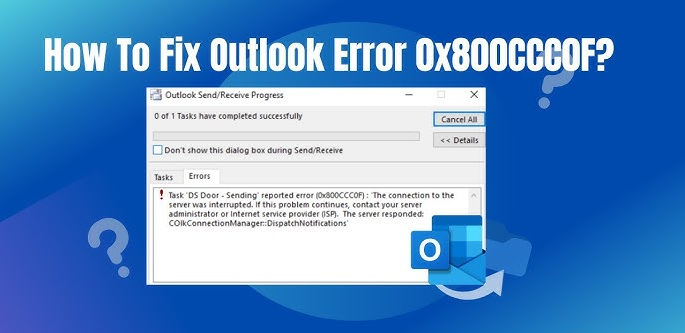 ### **What is Error 0x800CCC0F in Outlook?** Error 0x800CCC0F is a server connection error that typically occurs when Outlook fails to establish a connection with the outgoing (SMTP) or incoming (POP3/IMAP) email server. This error is often accompanied by error messages such as: - *“The connection to the server was interrupted.”* - *“Send/Receive error 0x800CCC0F: Server connection interrupted.”* The error can occur due to various reasons, including incorrect email settings, network issues, or problems with the email server itself. ### **Common Causes of Error 0x800CCC0F** 1. **Incorrect Email Account Settings** If the SMTP or POP3/IMAP settings are misconfigured, Outlook won’t be able to connect to the email server, resulting in error 0x800CCC0F. 2. **Unstable Internet Connection** A weak or unstable internet connection can interrupt the communication between Outlook and the email server. 3. **Firewall or Antivirus Interference** Security software like firewalls or antivirus programs may block Outlook’s access to the email server, causing the error. 4. **Outdated Outlook Version** Using an outdated version of Outlook can lead to compatibility issues with email servers, triggering errors like 0x800CCC0F. 5. **Email Server Issues** Sometimes, the problem lies with the email server itself. Server downtime or maintenance can cause connection interruptions. 6. **Corrupt Outlook Profile** A damaged or corrupt Outlook profile can also lead to sending/receiving errors. > **Note**: If you accidentally deleted some emails, you can **[recover permanently deleted emails from Outlook](https://www.systoolsgroup.com/how-to/recover-deleted-emails-in-outlook/)** via SysTools PST Recovery solution. ### **How to Fix Outlook Error 0x800CCC0F** Here are some proven methods to resolve the error: #### **1. Verify Email Account Settings** - Open Outlook and go to **File > Account Settings**. - Select your email account and click **Change**. - Double-check the incoming (POP3/IMAP) and outgoing (SMTP) server settings. These details can be obtained from your email service provider. - Ensure the port numbers and encryption settings (SSL/TLS) are correct. #### **2. Check Your Internet Connection** - Test your internet connection by opening a website in your browser. - If the connection is unstable, restart your router or contact your ISP. #### **3. Disable Firewall or Antivirus Temporarily** - Temporarily disable your firewall or antivirus software to check if it’s blocking Outlook. - If the error is resolved, add Outlook to the exception list of your security software. #### **4. Update Microsoft Outlook** - Ensure you’re using the latest version of Outlook. - Go to **File > Office Account > Update Options > Update Now** to install any available updates. #### **5. Repair Outlook Profile** - Navigate to **Control Panel > Mail > Show Profiles**. - Select your profile and click **Properties**. - Click **Email Accounts** and repair your account settings. #### **6. Use the Outlook Inbox Repair Tool (SCANPST)** - If your Outlook profile is corrupt, use the built-in SCANPST tool to repair it. - Locate the SCANPST.exe file (usually found in the Office installation directory) and run it to scan and repair your PST file. - If the local scanpst tool fails, opt for the **[Outlook PST Repair Software](https://www.systoolsgroup.com/pst-repair-tool.html)** which is an advanced application to repair high level of corruption in your PST file. #### **7. Contact Your Email Service Provider** - If the issue persists, the problem might be with the email server. - Contact your email provider to check if the server is down or undergoing maintenance. ### **Preventative Measures to Avoid Error 0x800CCC0F** - Regularly update Outlook and your operating system to ensure compatibility. - Double-check email settings when setting up a new account. - Use a reliable internet connection to avoid connectivity issues. - Keep your antivirus and firewall software updated and configure them to allow Outlook. ### **Conclusion** Outlook error 0x800CCC0F can be frustrating, but it’s usually fixable with the right troubleshooting steps. By verifying your email settings, ensuring a stable internet connection, and keeping your software updated, you can resolve this error and get back to sending and receiving emails seamlessly. If the issue persists, don’t hesitate to reach out to your email service provider or IT support for further assistance. By following the steps outlined in this article, you can effectively troubleshoot and resolve the Outlook sending/receiving error 0x800CCC0F, ensuring a smooth email experience. |
| json metadata | {"tags":["outlook","error","outlookerror0x800ccc0f"],"image":["https://cdn.steemitimages.com/DQmQyoyG5Ha4wdHoPXUosrLMMKuyBSU7oLDTABgEWZvCcNT/outlook-error-0x800ccc0f.png"],"links":["https://www.systoolsgroup.com/how-to/recover-deleted-emails-in-outlook/","https://www.systoolsgroup.com/pst-repair-tool.html"],"app":"steemit/0.2","format":"markdown"} |
| Transaction Info | Block #93543370/Trx 76a304c4ec3e49e40f2a042d598533f591c4b8b1 |
View Raw JSON Data
{
"trx_id": "76a304c4ec3e49e40f2a042d598533f591c4b8b1",
"block": 93543370,
"trx_in_block": 1,
"op_in_trx": 0,
"virtual_op": 0,
"timestamp": "2025-03-05T06:53:54",
"op": [
"comment",
{
"parent_author": "",
"parent_permlink": "outlook",
"author": "emailconversion",
"permlink": "understandand-fix-outlook-sending-receiving-error-0x800ccc0f",
"title": "Understandand Fix Outlook Sending/Receiving Error 0x800CCC0F",
"body": "Microsoft Outlook is one of the most widely used email clients, trusted by millions for personal and professional communication. However, like any software, it can encounter errors that disrupt its functionality. One such common issue is the **Outlook sending/receiving error 0x800CCC0F**, which prevents users from sending or receiving emails. This error is often related to problems with the email server, incorrect settings, or connectivity issues. In this article, we’ll explore the causes of this error and provide step-by-step solutions to resolve it.\n\n\n\n### **What is Error 0x800CCC0F in Outlook?**\n\nError 0x800CCC0F is a server connection error that typically occurs when Outlook fails to establish a connection with the outgoing (SMTP) or incoming (POP3/IMAP) email server. This error is often accompanied by error messages such as:\n\n- *“The connection to the server was interrupted.”*\n- *“Send/Receive error 0x800CCC0F: Server connection interrupted.”*\n\nThe error can occur due to various reasons, including incorrect email settings, network issues, or problems with the email server itself.\n\n### **Common Causes of Error 0x800CCC0F**\n\n1. **Incorrect Email Account Settings** \n If the SMTP or POP3/IMAP settings are misconfigured, Outlook won’t be able to connect to the email server, resulting in error 0x800CCC0F.\n\n2. **Unstable Internet Connection** \n A weak or unstable internet connection can interrupt the communication between Outlook and the email server.\n\n3. **Firewall or Antivirus Interference** \n Security software like firewalls or antivirus programs may block Outlook’s access to the email server, causing the error.\n\n4. **Outdated Outlook Version** \n Using an outdated version of Outlook can lead to compatibility issues with email servers, triggering errors like 0x800CCC0F.\n\n5. **Email Server Issues** \n Sometimes, the problem lies with the email server itself. Server downtime or maintenance can cause connection interruptions.\n\n6. **Corrupt Outlook Profile** \n A damaged or corrupt Outlook profile can also lead to sending/receiving errors.\n\n> **Note**: If you accidentally deleted some emails, you can **[recover permanently deleted emails from Outlook](https://www.systoolsgroup.com/how-to/recover-deleted-emails-in-outlook/)** via SysTools PST Recovery solution.\n\n### **How to Fix Outlook Error 0x800CCC0F**\n\nHere are some proven methods to resolve the error:\n\n#### **1. Verify Email Account Settings**\n - Open Outlook and go to **File > Account Settings**.\n - Select your email account and click **Change**.\n - Double-check the incoming (POP3/IMAP) and outgoing (SMTP) server settings. These details can be obtained from your email service provider.\n - Ensure the port numbers and encryption settings (SSL/TLS) are correct.\n\n#### **2. Check Your Internet Connection**\n - Test your internet connection by opening a website in your browser.\n - If the connection is unstable, restart your router or contact your ISP.\n\n#### **3. Disable Firewall or Antivirus Temporarily**\n - Temporarily disable your firewall or antivirus software to check if it’s blocking Outlook.\n - If the error is resolved, add Outlook to the exception list of your security software.\n\n#### **4. Update Microsoft Outlook**\n - Ensure you’re using the latest version of Outlook.\n - Go to **File > Office Account > Update Options > Update Now** to install any available updates.\n\n#### **5. Repair Outlook Profile**\n - Navigate to **Control Panel > Mail > Show Profiles**.\n - Select your profile and click **Properties**.\n - Click **Email Accounts** and repair your account settings.\n\n#### **6. Use the Outlook Inbox Repair Tool (SCANPST)**\n - If your Outlook profile is corrupt, use the built-in SCANPST tool to repair it.\n - Locate the SCANPST.exe file (usually found in the Office installation directory) and run it to scan and repair your PST file.\n - If the local scanpst tool fails, opt for the **[Outlook PST Repair Software](https://www.systoolsgroup.com/pst-repair-tool.html)** which is an advanced application to repair high level of corruption in your PST file.\n\n#### **7. Contact Your Email Service Provider**\n - If the issue persists, the problem might be with the email server.\n - Contact your email provider to check if the server is down or undergoing maintenance.\n\n### **Preventative Measures to Avoid Error 0x800CCC0F**\n\n- Regularly update Outlook and your operating system to ensure compatibility.\n- Double-check email settings when setting up a new account.\n- Use a reliable internet connection to avoid connectivity issues.\n- Keep your antivirus and firewall software updated and configure them to allow Outlook.\n\n### **Conclusion**\n\nOutlook error 0x800CCC0F can be frustrating, but it’s usually fixable with the right troubleshooting steps. By verifying your email settings, ensuring a stable internet connection, and keeping your software updated, you can resolve this error and get back to sending and receiving emails seamlessly. If the issue persists, don’t hesitate to reach out to your email service provider or IT support for further assistance.\n\nBy following the steps outlined in this article, you can effectively troubleshoot and resolve the Outlook sending/receiving error 0x800CCC0F, ensuring a smooth email experience.",
"json_metadata": "{\"tags\":[\"outlook\",\"error\",\"outlookerror0x800ccc0f\"],\"image\":[\"https://cdn.steemitimages.com/DQmQyoyG5Ha4wdHoPXUosrLMMKuyBSU7oLDTABgEWZvCcNT/outlook-error-0x800ccc0f.png\"],\"links\":[\"https://www.systoolsgroup.com/how-to/recover-deleted-emails-in-outlook/\",\"https://www.systoolsgroup.com/pst-repair-tool.html\"],\"app\":\"steemit/0.2\",\"format\":\"markdown\"}"
}
]
}2025/02/20 12:23:06
2025/02/20 12:23:06
| voter | drowningwhale |
| author | emailconversion |
| permlink | how-to-export-xlsm-to-pdf-on-mac-a-comprehensive-guide |
| weight | 5000 (50.00%) |
| Transaction Info | Block #93176469/Trx e70a7766b667732ccc240d7c1bf9757c2b97c5a1 |
View Raw JSON Data
{
  "trx_id": "e70a7766b667732ccc240d7c1bf9757c2b97c5a1",
  "block": 93176469,
  "trx_in_block": 0,
  "op_in_trx": 0,
  "virtual_op": 0,
  "timestamp": "2025-02-20T12:23:06",
  "op": [
    "vote",
    {
      "voter": "drowningwhale",
      "author": "emailconversion",
      "permlink": "how-to-export-xlsm-to-pdf-on-mac-a-comprehensive-guide",
      "weight": 5000
    }
  ]
}yarsb21upvoted (50.00%) @emailconversion / how-to-export-xlsm-to-pdf-on-mac-a-comprehensive-guide2025/02/20 12:22:57
yarsb21upvoted (50.00%) @emailconversion / how-to-export-xlsm-to-pdf-on-mac-a-comprehensive-guide
2025/02/20 12:22:57
| voter | yarsb21 |
| author | emailconversion |
| permlink | how-to-export-xlsm-to-pdf-on-mac-a-comprehensive-guide |
| weight | 5000 (50.00%) |
| Transaction Info | Block #93176466/Trx 207398d8abae39628ec61465430259a334251cc9 |
View Raw JSON Data
{
  "trx_id": "207398d8abae39628ec61465430259a334251cc9",
  "block": 93176466,
  "trx_in_block": 5,
  "op_in_trx": 0,
  "virtual_op": 0,
  "timestamp": "2025-02-20T12:22:57",
  "op": [
    "vote",
    {
      "voter": "yarsb21",
      "author": "emailconversion",
      "permlink": "how-to-export-xlsm-to-pdf-on-mac-a-comprehensive-guide",
      "weight": 5000
    }
  ]
}cheapwhaleupvoted (50.00%) @emailconversion / how-to-export-xlsm-to-pdf-on-mac-a-comprehensive-guide2025/02/20 12:22:51
cheapwhaleupvoted (50.00%) @emailconversion / how-to-export-xlsm-to-pdf-on-mac-a-comprehensive-guide
2025/02/20 12:22:51
| voter | cheapwhale |
| author | emailconversion |
| permlink | how-to-export-xlsm-to-pdf-on-mac-a-comprehensive-guide |
| weight | 5000 (50.00%) |
| Transaction Info | Block #93176464/Trx 91479b1a1363114f1652641b94fd5d23dfa84112 |
View Raw JSON Data
{
  "trx_id": "91479b1a1363114f1652641b94fd5d23dfa84112",
  "block": 93176464,
  "trx_in_block": 2,
  "op_in_trx": 0,
  "virtual_op": 0,
  "timestamp": "2025-02-20T12:22:51",
  "op": [
    "vote",
    {
      "voter": "cheapwhale",
      "author": "emailconversion",
      "permlink": "how-to-export-xlsm-to-pdf-on-mac-a-comprehensive-guide",
      "weight": 5000
    }
  ]
}o2rs2015upvoted (50.00%) @emailconversion / how-to-export-xlsm-to-pdf-on-mac-a-comprehensive-guide2025/02/20 12:22:45
o2rs2015upvoted (50.00%) @emailconversion / how-to-export-xlsm-to-pdf-on-mac-a-comprehensive-guide
2025/02/20 12:22:45
| voter | o2rs2015 |
| author | emailconversion |
| permlink | how-to-export-xlsm-to-pdf-on-mac-a-comprehensive-guide |
| weight | 5000 (50.00%) |
| Transaction Info | Block #93176462/Trx 76ac264d07ccb4b6665a4702a78208468d9e9f3d |
View Raw JSON Data
{
  "trx_id": "76ac264d07ccb4b6665a4702a78208468d9e9f3d",
  "block": 93176462,
  "trx_in_block": 4,
  "op_in_trx": 0,
  "virtual_op": 0,
  "timestamp": "2025-02-20T12:22:45",
  "op": [
    "vote",
    {
      "voter": "o2rs2015",
      "author": "emailconversion",
      "permlink": "how-to-export-xlsm-to-pdf-on-mac-a-comprehensive-guide",
      "weight": 5000
    }
  ]
}wettenupvoted (50.00%) @emailconversion / how-to-export-xlsm-to-pdf-on-mac-a-comprehensive-guide2025/02/20 12:22:39
wettenupvoted (50.00%) @emailconversion / how-to-export-xlsm-to-pdf-on-mac-a-comprehensive-guide
2025/02/20 12:22:39
| voter | wetten |
| author | emailconversion |
| permlink | how-to-export-xlsm-to-pdf-on-mac-a-comprehensive-guide |
| weight | 5000 (50.00%) |
| Transaction Info | Block #93176460/Trx 273f760a6279f88a88012d73189fec333782e19c |
View Raw JSON Data
{
  "trx_id": "273f760a6279f88a88012d73189fec333782e19c",
  "block": 93176460,
  "trx_in_block": 4,
  "op_in_trx": 0,
  "virtual_op": 0,
  "timestamp": "2025-02-20T12:22:39",
  "op": [
    "vote",
    {
      "voter": "wetten",
      "author": "emailconversion",
      "permlink": "how-to-export-xlsm-to-pdf-on-mac-a-comprehensive-guide",
      "weight": 5000
    }
  ]
}elritzeupvoted (50.00%) @emailconversion / how-to-export-xlsm-to-pdf-on-mac-a-comprehensive-guide2025/02/20 12:22:33
elritzeupvoted (50.00%) @emailconversion / how-to-export-xlsm-to-pdf-on-mac-a-comprehensive-guide
2025/02/20 12:22:33
| voter | elritze |
| author | emailconversion |
| permlink | how-to-export-xlsm-to-pdf-on-mac-a-comprehensive-guide |
| weight | 5000 (50.00%) |
| Transaction Info | Block #93176458/Trx 7ff0507416ebbef976c88f41e15b30a1e66d3c04 |
View Raw JSON Data
{
  "trx_id": "7ff0507416ebbef976c88f41e15b30a1e66d3c04",
  "block": 93176458,
  "trx_in_block": 0,
  "op_in_trx": 0,
  "virtual_op": 0,
  "timestamp": "2025-02-20T12:22:33",
  "op": [
    "vote",
    {
      "voter": "elritze",
      "author": "emailconversion",
      "permlink": "how-to-export-xlsm-to-pdf-on-mac-a-comprehensive-guide",
      "weight": 5000
    }
  ]
}rgau1985upvoted (50.00%) @emailconversion / how-to-export-xlsm-to-pdf-on-mac-a-comprehensive-guide2025/02/20 12:22:27
rgau1985upvoted (50.00%) @emailconversion / how-to-export-xlsm-to-pdf-on-mac-a-comprehensive-guide
2025/02/20 12:22:27
| voter | rgau1985 |
| author | emailconversion |
| permlink | how-to-export-xlsm-to-pdf-on-mac-a-comprehensive-guide |
| weight | 5000 (50.00%) |
| Transaction Info | Block #93176456/Trx 3638204007fb9b5f812130cb94df0130c649ab52 |
View Raw JSON Data
{
  "trx_id": "3638204007fb9b5f812130cb94df0130c649ab52",
  "block": 93176456,
  "trx_in_block": 0,
  "op_in_trx": 0,
  "virtual_op": 0,
  "timestamp": "2025-02-20T12:22:27",
  "op": [
    "vote",
    {
      "voter": "rgau1985",
      "author": "emailconversion",
      "permlink": "how-to-export-xlsm-to-pdf-on-mac-a-comprehensive-guide",
      "weight": 5000
    }
  ]
}2025/02/20 12:22:21
2025/02/20 12:22:21
| voter | filthywhale |
| author | emailconversion |
| permlink | how-to-export-xlsm-to-pdf-on-mac-a-comprehensive-guide |
| weight | 5000 (50.00%) |
| Transaction Info | Block #93176454/Trx 41319cd9720fbe4617260196744503d48e064d2c |
View Raw JSON Data
{
  "trx_id": "41319cd9720fbe4617260196744503d48e064d2c",
  "block": 93176454,
  "trx_in_block": 0,
  "op_in_trx": 0,
  "virtual_op": 0,
  "timestamp": "2025-02-20T12:22:21",
  "op": [
    "vote",
    {
      "voter": "filthywhale",
      "author": "emailconversion",
      "permlink": "how-to-export-xlsm-to-pdf-on-mac-a-comprehensive-guide",
      "weight": 5000
    }
  ]
}witnessbotupvoted (50.00%) @emailconversion / how-to-export-xlsm-to-pdf-on-mac-a-comprehensive-guide2025/02/20 12:22:12
witnessbotupvoted (50.00%) @emailconversion / how-to-export-xlsm-to-pdf-on-mac-a-comprehensive-guide
2025/02/20 12:22:12
| voter | witnessbot |
| author | emailconversion |
| permlink | how-to-export-xlsm-to-pdf-on-mac-a-comprehensive-guide |
| weight | 5000 (50.00%) |
| Transaction Info | Block #93176451/Trx 125a35853b2d137e627d46dace61e9d6bbed0f65 |
View Raw JSON Data
{
  "trx_id": "125a35853b2d137e627d46dace61e9d6bbed0f65",
  "block": 93176451,
  "trx_in_block": 0,
  "op_in_trx": 0,
  "virtual_op": 0,
  "timestamp": "2025-02-20T12:22:12",
  "op": [
    "vote",
    {
      "voter": "witnessbot",
      "author": "emailconversion",
      "permlink": "how-to-export-xlsm-to-pdf-on-mac-a-comprehensive-guide",
      "weight": 5000
    }
  ]
}pornwhaleupvoted (50.00%) @emailconversion / how-to-export-xlsm-to-pdf-on-mac-a-comprehensive-guide2025/02/20 12:22:06
pornwhaleupvoted (50.00%) @emailconversion / how-to-export-xlsm-to-pdf-on-mac-a-comprehensive-guide
2025/02/20 12:22:06
| voter | pornwhale |
| author | emailconversion |
| permlink | how-to-export-xlsm-to-pdf-on-mac-a-comprehensive-guide |
| weight | 5000 (50.00%) |
| Transaction Info | Block #93176449/Trx d9e04e776ea929201ba57c03f1905dc8978fdb6f |
View Raw JSON Data
{
  "trx_id": "d9e04e776ea929201ba57c03f1905dc8978fdb6f",
  "block": 93176449,
  "trx_in_block": 1,
  "op_in_trx": 0,
  "virtual_op": 0,
  "timestamp": "2025-02-20T12:22:06",
  "op": [
    "vote",
    {
      "voter": "pornwhale",
      "author": "emailconversion",
      "permlink": "how-to-export-xlsm-to-pdf-on-mac-a-comprehensive-guide",
      "weight": 5000
    }
  ]
}kehrwocheupvoted (50.00%) @emailconversion / how-to-export-xlsm-to-pdf-on-mac-a-comprehensive-guide2025/02/20 12:22:00
kehrwocheupvoted (50.00%) @emailconversion / how-to-export-xlsm-to-pdf-on-mac-a-comprehensive-guide
2025/02/20 12:22:00
| voter | kehrwoche |
| author | emailconversion |
| permlink | how-to-export-xlsm-to-pdf-on-mac-a-comprehensive-guide |
| weight | 5000 (50.00%) |
| Transaction Info | Block #93176447/Trx a0e1883efa5429210f09721995a580be348ac7d5 |
View Raw JSON Data
{
  "trx_id": "a0e1883efa5429210f09721995a580be348ac7d5",
  "block": 93176447,
  "trx_in_block": 0,
  "op_in_trx": 0,
  "virtual_op": 0,
  "timestamp": "2025-02-20T12:22:00",
  "op": [
    "vote",
    {
      "voter": "kehrwoche",
      "author": "emailconversion",
      "permlink": "how-to-export-xlsm-to-pdf-on-mac-a-comprehensive-guide",
      "weight": 5000
    }
  ]
}nanobotupvoted (50.00%) @emailconversion / how-to-export-xlsm-to-pdf-on-mac-a-comprehensive-guide2025/02/20 12:21:57
nanobotupvoted (50.00%) @emailconversion / how-to-export-xlsm-to-pdf-on-mac-a-comprehensive-guide
2025/02/20 12:21:57
| voter | nanobot |
| author | emailconversion |
| permlink | how-to-export-xlsm-to-pdf-on-mac-a-comprehensive-guide |
| weight | 5000 (50.00%) |
| Transaction Info | Block #93176446/Trx b851803469964bf18f02ae301d7f140b9d880c0d |
View Raw JSON Data
{
  "trx_id": "b851803469964bf18f02ae301d7f140b9d880c0d",
  "block": 93176446,
  "trx_in_block": 0,
  "op_in_trx": 0,
  "virtual_op": 0,
  "timestamp": "2025-02-20T12:21:57",
  "op": [
    "vote",
    {
      "voter": "nanobot",
      "author": "emailconversion",
      "permlink": "how-to-export-xlsm-to-pdf-on-mac-a-comprehensive-guide",
      "weight": 5000
    }
  ]
}phoxinusupvoted (50.00%) @emailconversion / how-to-export-xlsm-to-pdf-on-mac-a-comprehensive-guide2025/02/20 12:21:51
phoxinusupvoted (50.00%) @emailconversion / how-to-export-xlsm-to-pdf-on-mac-a-comprehensive-guide
2025/02/20 12:21:51
| voter | phoxinus |
| author | emailconversion |
| permlink | how-to-export-xlsm-to-pdf-on-mac-a-comprehensive-guide |
| weight | 5000 (50.00%) |
| Transaction Info | Block #93176444/Trx 55a87586bc31ddaa9749c4eadd6ad3688c867007 |
View Raw JSON Data
{
  "trx_id": "55a87586bc31ddaa9749c4eadd6ad3688c867007",
  "block": 93176444,
  "trx_in_block": 1,
  "op_in_trx": 0,
  "virtual_op": 0,
  "timestamp": "2025-02-20T12:21:51",
  "op": [
    "vote",
    {
      "voter": "phoxinus",
      "author": "emailconversion",
      "permlink": "how-to-export-xlsm-to-pdf-on-mac-a-comprehensive-guide",
      "weight": 5000
    }
  ]
}fumegiupvoted (50.00%) @emailconversion / how-to-export-xlsm-to-pdf-on-mac-a-comprehensive-guide2025/02/20 12:21:45
fumegiupvoted (50.00%) @emailconversion / how-to-export-xlsm-to-pdf-on-mac-a-comprehensive-guide
2025/02/20 12:21:45
| voter | fumegi |
| author | emailconversion |
| permlink | how-to-export-xlsm-to-pdf-on-mac-a-comprehensive-guide |
| weight | 5000 (50.00%) |
| Transaction Info | Block #93176442/Trx 0cee7907fbcad66e5b9aea558f661bc89c17d44f |
View Raw JSON Data
{
  "trx_id": "0cee7907fbcad66e5b9aea558f661bc89c17d44f",
  "block": 93176442,
  "trx_in_block": 0,
  "op_in_trx": 0,
  "virtual_op": 0,
  "timestamp": "2025-02-20T12:21:45",
  "op": [
    "vote",
    {
      "voter": "fumegi",
      "author": "emailconversion",
      "permlink": "how-to-export-xlsm-to-pdf-on-mac-a-comprehensive-guide",
      "weight": 5000
    }
  ]
}2025/02/20 12:21:39
2025/02/20 12:21:39
| voter | cheapestwhale |
| author | emailconversion |
| permlink | how-to-export-xlsm-to-pdf-on-mac-a-comprehensive-guide |
| weight | 5000 (50.00%) |
| Transaction Info | Block #93176440/Trx 0f8ed041bd1a27028ec350614839f7cd3b556607 |
View Raw JSON Data
{
  "trx_id": "0f8ed041bd1a27028ec350614839f7cd3b556607",
  "block": 93176440,
  "trx_in_block": 2,
  "op_in_trx": 0,
  "virtual_op": 0,
  "timestamp": "2025-02-20T12:21:39",
  "op": [
    "vote",
    {
      "voter": "cheapestwhale",
      "author": "emailconversion",
      "permlink": "how-to-export-xlsm-to-pdf-on-mac-a-comprehensive-guide",
      "weight": 5000
    }
  ]
}microbotupvoted (50.00%) @emailconversion / how-to-export-xlsm-to-pdf-on-mac-a-comprehensive-guide2025/02/20 12:21:33
microbotupvoted (50.00%) @emailconversion / how-to-export-xlsm-to-pdf-on-mac-a-comprehensive-guide
2025/02/20 12:21:33
| voter | microbot |
| author | emailconversion |
| permlink | how-to-export-xlsm-to-pdf-on-mac-a-comprehensive-guide |
| weight | 5000 (50.00%) |
| Transaction Info | Block #93176438/Trx 88664e98faa5c21586dd7fc33374c2bdd9262df4 |
View Raw JSON Data
{
  "trx_id": "88664e98faa5c21586dd7fc33374c2bdd9262df4",
  "block": 93176438,
  "trx_in_block": 2,
  "op_in_trx": 0,
  "virtual_op": 0,
  "timestamp": "2025-02-20T12:21:33",
  "op": [
    "vote",
    {
      "voter": "microbot",
      "author": "emailconversion",
      "permlink": "how-to-export-xlsm-to-pdf-on-mac-a-comprehensive-guide",
      "weight": 5000
    }
  ]
}mutuupvoted (50.00%) @emailconversion / how-to-export-xlsm-to-pdf-on-mac-a-comprehensive-guide2025/02/20 12:21:30
mutuupvoted (50.00%) @emailconversion / how-to-export-xlsm-to-pdf-on-mac-a-comprehensive-guide
2025/02/20 12:21:30
| voter | mutu |
| author | emailconversion |
| permlink | how-to-export-xlsm-to-pdf-on-mac-a-comprehensive-guide |
| weight | 5000 (50.00%) |
| Transaction Info | Block #93176437/Trx e10cfce969243a71940ffcddca57c265cc3c76be |
View Raw JSON Data
{
  "trx_id": "e10cfce969243a71940ffcddca57c265cc3c76be",
  "block": 93176437,
  "trx_in_block": 0,
  "op_in_trx": 0,
  "virtual_op": 0,
  "timestamp": "2025-02-20T12:21:30",
  "op": [
    "vote",
    {
      "voter": "mutu",
      "author": "emailconversion",
      "permlink": "how-to-export-xlsm-to-pdf-on-mac-a-comprehensive-guide",
      "weight": 5000
    }
  ]
}rdstm1985upvoted (50.00%) @emailconversion / how-to-export-xlsm-to-pdf-on-mac-a-comprehensive-guide2025/02/20 12:21:24
rdstm1985upvoted (50.00%) @emailconversion / how-to-export-xlsm-to-pdf-on-mac-a-comprehensive-guide
2025/02/20 12:21:24
| voter | rdstm1985 |
| author | emailconversion |
| permlink | how-to-export-xlsm-to-pdf-on-mac-a-comprehensive-guide |
| weight | 5000 (50.00%) |
| Transaction Info | Block #93176435/Trx ee689d4577e465b92336f43c7049aa8a003de56e |
View Raw JSON Data
{
  "trx_id": "ee689d4577e465b92336f43c7049aa8a003de56e",
  "block": 93176435,
  "trx_in_block": 0,
  "op_in_trx": 0,
  "virtual_op": 0,
  "timestamp": "2025-02-20T12:21:24",
  "op": [
    "vote",
    {
      "voter": "rdstm1985",
      "author": "emailconversion",
      "permlink": "how-to-export-xlsm-to-pdf-on-mac-a-comprehensive-guide",
      "weight": 5000
    }
  ]
}vaironupvoted (50.00%) @emailconversion / how-to-export-xlsm-to-pdf-on-mac-a-comprehensive-guide2025/02/20 12:21:18
vaironupvoted (50.00%) @emailconversion / how-to-export-xlsm-to-pdf-on-mac-a-comprehensive-guide
2025/02/20 12:21:18
| voter | vairon |
| author | emailconversion |
| permlink | how-to-export-xlsm-to-pdf-on-mac-a-comprehensive-guide |
| weight | 5000 (50.00%) |
| Transaction Info | Block #93176433/Trx 033005c1fe14dfe25484f350149cafb5ba934c8d |
View Raw JSON Data
{
  "trx_id": "033005c1fe14dfe25484f350149cafb5ba934c8d",
  "block": 93176433,
  "trx_in_block": 1,
  "op_in_trx": 0,
  "virtual_op": 0,
  "timestamp": "2025-02-20T12:21:18",
  "op": [
    "vote",
    {
      "voter": "vairon",
      "author": "emailconversion",
      "permlink": "how-to-export-xlsm-to-pdf-on-mac-a-comprehensive-guide",
      "weight": 5000
    }
  ]
}millibotupvoted (50.00%) @emailconversion / how-to-export-xlsm-to-pdf-on-mac-a-comprehensive-guide2025/02/20 12:21:12
millibotupvoted (50.00%) @emailconversion / how-to-export-xlsm-to-pdf-on-mac-a-comprehensive-guide
2025/02/20 12:21:12
| voter | millibot |
| author | emailconversion |
| permlink | how-to-export-xlsm-to-pdf-on-mac-a-comprehensive-guide |
| weight | 5000 (50.00%) |
| Transaction Info | Block #93176431/Trx 6e27fc22486f377fb8ca30bfc1b12ca5adfc457a |
View Raw JSON Data
{
  "trx_id": "6e27fc22486f377fb8ca30bfc1b12ca5adfc457a",
  "block": 93176431,
  "trx_in_block": 0,
  "op_in_trx": 0,
  "virtual_op": 0,
  "timestamp": "2025-02-20T12:21:12",
  "op": [
    "vote",
    {
      "voter": "millibot",
      "author": "emailconversion",
      "permlink": "how-to-export-xlsm-to-pdf-on-mac-a-comprehensive-guide",
      "weight": 5000
    }
  ]
}2025/02/20 12:21:03
2025/02/20 12:21:03
| voter | grand.strategy |
| author | emailconversion |
| permlink | how-to-export-xlsm-to-pdf-on-mac-a-comprehensive-guide |
| weight | 5000 (50.00%) |
| Transaction Info | Block #93176428/Trx 000b82740b0b8e5f5374d1812e6d7e7c1a1e5982 |
View Raw JSON Data
{
  "trx_id": "000b82740b0b8e5f5374d1812e6d7e7c1a1e5982",
  "block": 93176428,
  "trx_in_block": 0,
  "op_in_trx": 0,
  "virtual_op": 0,
  "timestamp": "2025-02-20T12:21:03",
  "op": [
    "vote",
    {
      "voter": "grand.strategy",
      "author": "emailconversion",
      "permlink": "how-to-export-xlsm-to-pdf-on-mac-a-comprehensive-guide",
      "weight": 5000
    }
  ]
}isnochysupvoted (50.00%) @emailconversion / how-to-export-xlsm-to-pdf-on-mac-a-comprehensive-guide2025/02/20 12:20:57
isnochysupvoted (50.00%) @emailconversion / how-to-export-xlsm-to-pdf-on-mac-a-comprehensive-guide
2025/02/20 12:20:57
| voter | isnochys |
| author | emailconversion |
| permlink | how-to-export-xlsm-to-pdf-on-mac-a-comprehensive-guide |
| weight | 5000 (50.00%) |
| Transaction Info | Block #93176426/Trx baba0429e4d35f4b0824744bd0d2ade6a656f2a3 |
View Raw JSON Data
{
  "trx_id": "baba0429e4d35f4b0824744bd0d2ade6a656f2a3",
  "block": 93176426,
  "trx_in_block": 2,
  "op_in_trx": 0,
  "virtual_op": 0,
  "timestamp": "2025-02-20T12:20:57",
  "op": [
    "vote",
    {
      "voter": "isnochys",
      "author": "emailconversion",
      "permlink": "how-to-export-xlsm-to-pdf-on-mac-a-comprehensive-guide",
      "weight": 5000
    }
  ]
}2025/02/20 12:20:54
2025/02/20 12:20:54
| voter | cheaperwhale |
| author | emailconversion |
| permlink | how-to-export-xlsm-to-pdf-on-mac-a-comprehensive-guide |
| weight | 5000 (50.00%) |
| Transaction Info | Block #93176425/Trx ddcd194d32bcc26e3ea258840cabda9d3dbb5c51 |
View Raw JSON Data
{
  "trx_id": "ddcd194d32bcc26e3ea258840cabda9d3dbb5c51",
  "block": 93176425,
  "trx_in_block": 0,
  "op_in_trx": 0,
  "virtual_op": 0,
  "timestamp": "2025-02-20T12:20:54",
  "op": [
    "vote",
    {
      "voter": "cheaperwhale",
      "author": "emailconversion",
      "permlink": "how-to-export-xlsm-to-pdf-on-mac-a-comprehensive-guide",
      "weight": 5000
    }
  ]
}dirtywhaleupvoted (50.00%) @emailconversion / how-to-export-xlsm-to-pdf-on-mac-a-comprehensive-guide2025/02/20 12:20:48
dirtywhaleupvoted (50.00%) @emailconversion / how-to-export-xlsm-to-pdf-on-mac-a-comprehensive-guide
2025/02/20 12:20:48
| voter | dirtywhale |
| author | emailconversion |
| permlink | how-to-export-xlsm-to-pdf-on-mac-a-comprehensive-guide |
| weight | 5000 (50.00%) |
| Transaction Info | Block #93176423/Trx 831c630ed43db6364e115b6047ea10d4d5c0efb2 |
View Raw JSON Data
{
  "trx_id": "831c630ed43db6364e115b6047ea10d4d5c0efb2",
  "block": 93176423,
  "trx_in_block": 0,
  "op_in_trx": 0,
  "virtual_op": 0,
  "timestamp": "2025-02-20T12:20:48",
  "op": [
    "vote",
    {
      "voter": "dirtywhale",
      "author": "emailconversion",
      "permlink": "how-to-export-xlsm-to-pdf-on-mac-a-comprehensive-guide",
      "weight": 5000
    }
  ]
}minibotupvoted (50.00%) @emailconversion / how-to-export-xlsm-to-pdf-on-mac-a-comprehensive-guide2025/02/20 12:20:39
minibotupvoted (50.00%) @emailconversion / how-to-export-xlsm-to-pdf-on-mac-a-comprehensive-guide
2025/02/20 12:20:39
| voter | minibot |
| author | emailconversion |
| permlink | how-to-export-xlsm-to-pdf-on-mac-a-comprehensive-guide |
| weight | 5000 (50.00%) |
| Transaction Info | Block #93176420/Trx def29612458a0e639265a59d9472a39ecbe62afc |
View Raw JSON Data
{
  "trx_id": "def29612458a0e639265a59d9472a39ecbe62afc",
  "block": 93176420,
  "trx_in_block": 2,
  "op_in_trx": 0,
  "virtual_op": 0,
  "timestamp": "2025-02-20T12:20:39",
  "op": [
    "vote",
    {
      "voter": "minibot",
      "author": "emailconversion",
      "permlink": "how-to-export-xlsm-to-pdf-on-mac-a-comprehensive-guide",
      "weight": 5000
    }
  ]
}emailconversionpublished a new post: how-to-export-xlsm-to-pdf-on-mac-a-comprehensive-guide2025/02/20 12:19:33
emailconversionpublished a new post: how-to-export-xlsm-to-pdf-on-mac-a-comprehensive-guide
2025/02/20 12:19:33
| parent author | |
| parent permlink | document |
| author | emailconversion |
| permlink | how-to-export-xlsm-to-pdf-on-mac-a-comprehensive-guide |
| title | How to Export XLSM to PDF on Mac: A Comprehensive Guide |
| body | Are you struggling to convert your XLSM files to PDF on your Mac? Whether you’re preparing a report, sharing data, or archiving important spreadsheets, exporting XLSM to PDF is a common need. But let’s face it—Mac users often find themselves scratching their heads when it comes to handling such tasks seamlessly. In this blog, we’ll explore multiple methods to **export XLSM to PDF on Mac**, including a powerful automated solution—**SysTools Document Converter**. Plus, we’ll touch on how to achieve this **offline** for those times when you’re not connected to the internet. Let’s dive in! ## Why Convert XLSM to PDF? Before we get into the *how*, let’s talk about the *why*. XLSM files are Excel spreadsheets that contain macros, which are great for automation and complex calculations. However, they’re not always the best format for sharing or printing. PDFs, on the other hand, are universally compatible, secure, and preserve the formatting of your document. Whether you’re sending a financial report to a client or submitting a project to your professor, converting XLSM to PDF ensures your data looks exactly the way you intended. ## Method 1: Using Microsoft Excel for Mac If you have Microsoft Excel installed on your Mac, this is the most straightforward way to **export XLSM to PDF**. Here’s how: 1. **Open the XLSM File**: Launch Microsoft Excel and open the XLSM file you want to convert. 2. **Go to File > Export**: Click on the “File” menu in the top-left corner and select “Export.” 3. **Choose PDF Format**: In the export options, select “PDF” as the file format. 4. **Customize Settings**: You can choose to export the entire workbook or just the active sheet. Adjust other settings like quality and permissions if needed. 5. **Save the PDF**: Click “Export,” choose a location to save the file, and you’re done! While this method is simple, it’s not always the most efficient, especially if you’re dealing with multiple files or need advanced features like batch conversion. ## Method 2: Using SysTools Document Converter (Automated Solution) If you’re looking for a faster, more efficient way to **export XLSM to PDF on Mac**, **SysTools [Document Converter](https://www.systoolsgroup.com/document/converter/)** is your go-to tool. This software is designed to handle bulk conversions effortlessly, making it perfect for professionals and businesses. ### Why Choose SysTools Document Converter? - **Batch Conversion**: Convert multiple XLSM files to PDF in one go. - **Offline Functionality**: Works without an internet connection, ensuring your data stays secure. - **Preserves Formatting**: Maintains the original layout, formulas, and macros of your XLSM files. - **User-Friendly Interface**: No technical expertise required—just a few clicks and you’re done. ### Steps to Convert XLSM to PDF Using SysTools: 1. **Download and Install**: Get the SysTools Document Converter from their official website and install it on your Mac. 2. **Add XLSM Files**: Launch the software and add the XLSM files you want to convert. 3. **Preview**: Preview the data in the software. 4. **Customize Settings**: Adjust settings like page orientation, margins, and more if needed. 5. **Start Conversion**: Click the “Convert” button and let the software do its magic. With SysTools, you can **export XLSM to PDF offline**, making it a reliable solution for users who prioritize data security and efficiency. https://www.youtube.com/watch?v=UVQogcGAOnc ## Method 3: Using Online Converters If you’re okay with using an internet-based solution, online converters are a quick and easy option. Websites like Smallpdf, Zamzar, and ILovePDF allow you to upload your XLSM file and download the converted PDF. However, keep in mind that online tools have limitations: - **Internet Dependency**: You need a stable connection to use them. - **File Size Restrictions**: Most platforms have limits on the size of files you can upload. - **Privacy Concerns**: Uploading sensitive data to third-party websites can be risky. If you’re looking for an **offline solution**, stick to methods like SysTools or Excel. ## Method 4: Using Preview (For Simple Files) Did you know you can use Mac’s built-in Preview app to convert XLSM to PDF? Here’s how: 1. **Open the XLSM File in Excel**: First, open your file in Microsoft Excel. 2. **Print the File**: Go to File > Print or press `Cmd + P`. 3. **Open in Preview**: In the print dialog, click “PDF” and select “Open in Preview.” 4. **Save as PDF**: Once the file opens in Preview, go to File > Export and save it as a PDF. This method works well for simple files but may not handle complex macros or formatting as effectively as other tools. > All these methods can also be used to [convert XLSX to PDF](https://www.systoolsgroup.com/how-to/convert-xlsx-to-pdf/) and many more. ## Final Thoughts Exporting XLSM to PDF on Mac doesn’t have to be a headache. Whether you prefer the simplicity of Excel, the convenience of online tools, or the power of an automated solution like **SysTools Document Converter**, there’s a method for everyone. For those who value efficiency, security, and offline functionality, **SysTools** stands out as the ultimate choice. It’s fast, reliable, and perfect for handling bulk conversions without breaking a sweat. So, the next time you need to **export XLSM to PDF on Mac**, give these methods a try and pick the one that suits your needs best. Happy converting! **Pro Tip**: If you’re frequently dealing with XLSM files, investing in a tool like SysTools can save you time and effort in the long run. Plus, it’s a great way to ensure your data remains secure and accessible, even when you’re offline. |
| json metadata | {"tags":["document","xlsm","pdf","mac","convert","converter","export"],"image":["https://img.youtube.com/vi/UVQogcGAOnc/0.jpg"],"links":["https://www.systoolsgroup.com/document/converter/","https://www.youtube.com/watch?v=UVQogcGAOnc","https://www.systoolsgroup.com/how-to/convert-xlsx-to-pdf/"],"app":"steemit/0.2","format":"markdown"} |
| Transaction Info | Block #93176398/Trx 4a110c5414fe435dfd2c5732e4d9d7e96d151e8e |
View Raw JSON Data
{
  "trx_id": "4a110c5414fe435dfd2c5732e4d9d7e96d151e8e",
  "block": 93176398,
  "trx_in_block": 5,
  "op_in_trx": 0,
  "virtual_op": 0,
  "timestamp": "2025-02-20T12:19:33",
  "op": [
    "comment",
    {
      "parent_author": "",
      "parent_permlink": "document",
      "author": "emailconversion",
      "permlink": "how-to-export-xlsm-to-pdf-on-mac-a-comprehensive-guide",
      "title": "How to Export XLSM to PDF on Mac: A Comprehensive Guide",
      "body": "Are you struggling to convert your XLSM files to PDF on your Mac? Whether you’re preparing a report, sharing data, or archiving important spreadsheets, exporting XLSM to PDF is a common need. But let’s face it—Mac users often find themselves scratching their heads when it comes to handling such tasks seamlessly.\n\nIn this blog, we’ll explore multiple methods to **export XLSM to PDF on Mac**, including a powerful automated solution—**SysTools Document Converter**. Plus, we’ll touch on how to achieve this **offline** for those times when you’re not connected to the internet. Let’s dive in!\n\n## Why Convert XLSM to PDF?\n\nBefore we get into the *how*, let’s talk about the *why*. XLSM files are Excel spreadsheets that contain macros, which are great for automation and complex calculations. However, they’re not always the best format for sharing or printing. PDFs, on the other hand, are universally compatible, secure, and preserve the formatting of your document.\n\nWhether you’re sending a financial report to a client or submitting a project to your professor, converting XLSM to PDF ensures your data looks exactly the way you intended.\n\n## Method 1: Using Microsoft Excel for Mac\n\nIf you have Microsoft Excel installed on your Mac, this is the most straightforward way to **export XLSM to PDF**. Here’s how:\n\n1. **Open the XLSM File**: Launch Microsoft Excel and open the XLSM file you want to convert.\n2. **Go to File > Export**: Click on the “File” menu in the top-left corner and select “Export.”\n3. **Choose PDF Format**: In the export options, select “PDF” as the file format.\n4. **Customize Settings**: You can choose to export the entire workbook or just the active sheet. Adjust other settings like quality and permissions if needed.\n5. **Save the PDF**: Click “Export,” choose a location to save the file, and you’re done!\n\nWhile this method is simple, it’s not always the most efficient, especially if you’re dealing with multiple files or need advanced features like batch conversion.\n\n## Method 2: Using SysTools Document Converter (Automated Solution)\n\nIf you’re looking for a faster, more efficient way to **export XLSM to PDF on Mac**, **SysTools [Document Converter](https://www.systoolsgroup.com/document/converter/)** is your go-to tool. This software is designed to handle bulk conversions effortlessly, making it perfect for professionals and businesses.\n\n### Why Choose SysTools Document Converter?\n- **Batch Conversion**: Convert multiple XLSM files to PDF in one go.\n- **Offline Functionality**: Works without an internet connection, ensuring your data stays secure.\n- **Preserves Formatting**: Maintains the original layout, formulas, and macros of your XLSM files.\n- **User-Friendly Interface**: No technical expertise required—just a few clicks and you’re done.\n\n### Steps to Convert XLSM to PDF Using SysTools:\n1. **Download and Install**: Get the SysTools Document Converter from their official website and install it on your Mac.\n2. **Add XLSM Files**: Launch the software and add the XLSM files you want to convert.\n3. **Preview**: Preview the data in the software.\n4. **Customize Settings**: Adjust settings like page orientation, margins, and more if needed.\n5. **Start Conversion**: Click the “Convert” button and let the software do its magic.\n\nWith SysTools, you can **export XLSM to PDF offline**, making it a reliable solution for users who prioritize data security and efficiency.\n\nhttps://www.youtube.com/watch?v=UVQogcGAOnc\n\n## Method 3: Using Online Converters\n\nIf you’re okay with using an internet-based solution, online converters are a quick and easy option. Websites like Smallpdf, Zamzar, and ILovePDF allow you to upload your XLSM file and download the converted PDF.\n\nHowever, keep in mind that online tools have limitations:\n- **Internet Dependency**: You need a stable connection to use them.\n- **File Size Restrictions**: Most platforms have limits on the size of files you can upload.\n- **Privacy Concerns**: Uploading sensitive data to third-party websites can be risky.\n\nIf you’re looking for an **offline solution**, stick to methods like SysTools or Excel.\n\n## Method 4: Using Preview (For Simple Files)\n\nDid you know you can use Mac’s built-in Preview app to convert XLSM to PDF? Here’s how:\n\n1. **Open the XLSM File in Excel**: First, open your file in Microsoft Excel.\n2. **Print the File**: Go to File > Print or press `Cmd + P`.\n3. **Open in Preview**: In the print dialog, click “PDF” and select “Open in Preview.”\n4. **Save as PDF**: Once the file opens in Preview, go to File > Export and save it as a PDF.\n\nThis method works well for simple files but may not handle complex macros or formatting as effectively as other tools.\n\n> All these methods can also be used to [convert XLSX to PDF](https://www.systoolsgroup.com/how-to/convert-xlsx-to-pdf/) and many more.\n\n## Final Thoughts\n\nExporting XLSM to PDF on Mac doesn’t have to be a headache. Whether you prefer the simplicity of Excel, the convenience of online tools, or the power of an automated solution like **SysTools Document Converter**, there’s a method for everyone.\n\nFor those who value efficiency, security, and offline functionality, **SysTools** stands out as the ultimate choice. It’s fast, reliable, and perfect for handling bulk conversions without breaking a sweat.\n\nSo, the next time you need to **export XLSM to PDF on Mac**, give these methods a try and pick the one that suits your needs best. Happy converting!\n\n**Pro Tip**: If you’re frequently dealing with XLSM files, investing in a tool like SysTools can save you time and effort in the long run. Plus, it’s a great way to ensure your data remains secure and accessible, even when you’re offline.",
      "json_metadata": "{\"tags\":[\"document\",\"xlsm\",\"pdf\",\"mac\",\"convert\",\"converter\",\"export\"],\"image\":[\"https://img.youtube.com/vi/UVQogcGAOnc/0.jpg\"],\"links\":[\"https://www.systoolsgroup.com/document/converter/\",\"https://www.youtube.com/watch?v=UVQogcGAOnc\",\"https://www.systoolsgroup.com/how-to/convert-xlsx-to-pdf/\"],\"app\":\"steemit/0.2\",\"format\":\"markdown\"}"
    }
  ]
}randolbatchreplied to @emailconversion / sn6nv42024/11/19 06:43:06
randolbatchreplied to @emailconversion / sn6nv4
2024/11/19 06:43:06
| parent author | emailconversion |
| parent permlink | best-mbox-to-outlook-converter-tools-for-2021 |
| author | randolbatch |
| permlink | sn6nv4 |
| title | |
| body | Hey, everybody. I also use the services of converters, but you have to find reliable ones. I can share with you converter oxps to pdf https://onlineconvertfree.com/convert-format/oxps-to-pdf/ . I think it will be useful for you. I often have to work with different types of files. It's good that there are still free tools that can produce the desired format in a couple of clicks. |
| json metadata | {"links":["https://onlineconvertfree.com/convert-format/oxps-to-pdf/"],"app":"steemit/0.2"} |
| Transaction Info | Block #90498029/Trx 35862c14562faf6fd1bcd664f87d02f1721b080d |
View Raw JSON Data
{
  "trx_id": "35862c14562faf6fd1bcd664f87d02f1721b080d",
  "block": 90498029,
  "trx_in_block": 0,
  "op_in_trx": 0,
  "virtual_op": 0,
  "timestamp": "2024-11-19T06:43:06",
  "op": [
    "comment",
    {
      "parent_author": "emailconversion",
      "parent_permlink": "best-mbox-to-outlook-converter-tools-for-2021",
      "author": "randolbatch",
      "permlink": "sn6nv4",
      "title": "",
      "body": "Hey, everybody. I also use the services of converters, but you have to find reliable ones. I can share with you converter oxps to pdf https://onlineconvertfree.com/convert-format/oxps-to-pdf/ . I think it will be useful for you. I often have to work with different types of files. It's good that there are still free tools that can produce the desired format in a couple of clicks.",
      "json_metadata": "{\"links\":[\"https://onlineconvertfree.com/convert-format/oxps-to-pdf/\"],\"app\":\"steemit/0.2\"}"
    }
  ]
}emailconversionpublished a new post: how-to-export-emails-from-outlook-to-thunderbird2022/05/26 13:39:15
emailconversionpublished a new post: how-to-export-emails-from-outlook-to-thunderbird
2022/05/26 13:39:15
| parent author | |
| parent permlink | outlook |
| author | emailconversion |
| permlink | how-to-export-emails-from-outlook-to-thunderbird |
| title | How to Export Emails from Outlook to Thunderbird |
| body | Cases of email migration appears on a daily basis. You may feel the need to change your email client based on many circumstances and modifications. In general, people migrate Outlook mailbox to Thunderbird because their professional organization wants it. The process of transferring emails from Outlook to Thunderbird becomes difficult because both email services support different file formats. Because emails are the most important part of communication, this conversion must be done carefully. If any individual attributes are compromised then you might face some difficulties and inconvenience when importing Outlook mail to Thunderbird. Let's see how to export emails from Outlook to Thunderbird. ## Method to Transfer Emails from Outlook to Thunderbird There are two methods by which we can easily export emails from Outlook to Thunderbird. - Manual Method - Automated Method With the manual method, you can perform the full migration for free. However, In automated solution you can completely transfer data without any data loss. ### Using Manual Method 1. Create new Gmail Account and enable IMAP. 2. Open Outlook and choose File option. 3. Then, click on Add Account. 4. Click on Manual setup or additional server types and press on Next button. 5. Now, go to the Choose Service and select POP or IMAP option, and click on Next button. 6. POP and IMAP for Account Settings, enter the Mail server settings for your account. - **For Incoming Mail (IMAP) SERVER** - IMAP SERVER: imap.gmail.com - Username: Your Gmail email account - Password: Your Gmail email Password - **For Outgoing Mail (SMTP) SERVER** - SMTP SERVER: smtp.gmail.com - Username: Your Gmail email account - Password: Your Gmail email Password 7. Click on More Settings and select “Outgoing server”, and set your My Outgoing server (SMTP) requires authentication. 8. Then, set your Advanced setting. - INCOMING Server (IMAP): 993, Encrypted Connection: SSL - OUTGOING SERVER (SMTP): 587, Encrypted Connection: TLS Then, click on OK button. 9. After that, click on Next button. 10. Outlook successfully tests the Account Setting, click on Close button. 11. When you are all set, click on Finish button. Once your Gmail account is set up in Outlook. To configure the same account in Thunderbird, then follow the steps given below: 1. Open “Thunderbird”, and choose “Local Folder” and click on “Email”. 2. Now, Set Up an Existing Email Account, where you can insert your “Your name”, “Email address”, & “Password”, then click on Continue button. 3. You must have to select IMAP(remote folders), then click on “Done”. 4. Now, your Gmail Account is configured in Thunderbird. Then you can see all your Outlook emails in Thunderbird. ### Limitations of Manual Method - Long Process: Manual Method take a lot of steps to move data from Outlook to Thunderbird. It creates a problem in users busy schedule. - Time-Consuming Process: At least 2 times we have to synchronized the data. So, its a very complicated and time consuming process. - Data loss: If you skip any step or perform the method carelessly then their is a chance of data loss permanently. ### Using Automated Method To overcome the limitations of the manual method, users can opt for an automated tool such as **SysTools PST to MBOX Converter**. It can easily **[convert PST files to MBOX](https://www.systoolsgroup.com/outlook-to-mbox.html)**, thus, it is used for moving emails from Outlook to Thunderbird. It also gives some advanced features to its users like, - Import ANSI & UNICODE PST file to Thunderbird - There is no data loss in the entire process - It Maintain folder structure after the conversion - It supported Windows 10 and lower versions #### Steps to Export Emails from Outlook to Thunderbird 1. Open the tool on your system. 2. Click on the Open button and choose PST file that you want to import into Thunderbird. 3. After conversion, select the location to save the MBOX file. 4. To Maintain the folder hierarchy, choose the additional option. 5. Now, hit on the Export button and the tool starts displaying the count details like current folder, folder count, and email count. 6. Once done, click on OK button. #### Wrapping up In the blog above, we explained different methods for exporting emails from Outlook to Thunderbird. Users can request any solution based on their needs. We talked about two options, the manual and the automated method. Transferring email from Outlook to Thunderbird is more reliable. Therefore, this informative blog greatly helps users migrate data. |
| json metadata | {"tags":["outlook","thunderbird"],"links":["https://www.systoolsgroup.com/outlook-to-mbox.html"],"app":"steemit/0.2","format":"markdown"} |
| Transaction Info | Block #64507115/Trx 57daa3bbf77ccc16b0341dc5b7bb6d39424a0300 |
View Raw JSON Data
{
  "trx_id": "57daa3bbf77ccc16b0341dc5b7bb6d39424a0300",
  "block": 64507115,
  "trx_in_block": 2,
  "op_in_trx": 0,
  "virtual_op": 0,
  "timestamp": "2022-05-26T13:39:15",
  "op": [
    "comment",
    {
      "parent_author": "",
      "parent_permlink": "outlook",
      "author": "emailconversion",
      "permlink": "how-to-export-emails-from-outlook-to-thunderbird",
      "title": "How to Export Emails from Outlook to Thunderbird",
      "body": "Cases of email migration appears on a daily basis. You may feel the need to change your email client based on many circumstances and modifications. In general, people migrate Outlook mailbox to Thunderbird because their professional organization wants it.\n\nThe process of transferring emails from Outlook to Thunderbird becomes difficult because both email services support different file formats. Because emails are the most important part of communication, this conversion must be done carefully. If any individual attributes are compromised then you might face some difficulties and inconvenience when importing Outlook mail to Thunderbird. Let's see how to export emails from Outlook to Thunderbird.\n\n## Method to Transfer Emails from Outlook to Thunderbird\n\nThere are two methods by which we can easily export emails from Outlook to Thunderbird.\n- Manual Method\n- Automated Method\n\nWith the manual method, you can perform the full migration for free. However, In automated solution you can completely transfer data without any data loss.\n\n### Using Manual Method\n1. Create new Gmail Account and enable IMAP.\n2. Open Outlook and choose File option.\n3. Then, click on Add Account.\n4. Click on Manual setup or additional server types and press on Next button.\n5. Now, go to the Choose Service and select POP or IMAP option, and click on Next button.\n6. POP and IMAP for Account Settings, enter the Mail server settings for your account.\n     - **For Incoming Mail (IMAP) SERVER**\n            - IMAP SERVER: imap.gmail.com\n            - Username: Your Gmail email account\n            - Password: Your Gmail email Password\n     - **For Outgoing Mail (SMTP) SERVER**\n            - SMTP SERVER: smtp.gmail.com\n            - Username: Your Gmail email account\n            - Password: Your Gmail email Password\n\n7. Click on More Settings and select “Outgoing server”, and set your My Outgoing server (SMTP) requires authentication.\n8. Then, set your Advanced setting.\n     - INCOMING Server (IMAP): 993, Encrypted Connection: SSL\n     - OUTGOING SERVER (SMTP): 587, Encrypted Connection: TLS       \n     Then, click on OK button.\n9. After that, click on Next button.\n10. Outlook successfully tests the Account Setting, click on Close button.\n11. When you are all set, click on Finish button.\n\nOnce your Gmail account is set up in Outlook. To configure the same account in Thunderbird, then follow the steps given below:\n\n1. Open “Thunderbird”, and choose “Local Folder” and click on “Email”.\n2. Now, Set Up an Existing Email Account, where you can insert your “Your name”, “Email address”, & “Password”, then click on Continue button.\n3. You must have to select IMAP(remote folders), then click on “Done”.\n4. Now, your Gmail Account is configured in Thunderbird. Then you can see all your Outlook emails in Thunderbird.\n\n### Limitations of Manual Method\n- Long Process: Manual Method take a lot of steps to move data from Outlook to Thunderbird. It creates a problem in users busy schedule.\n- Time-Consuming Process: At least 2 times we have to synchronized the data. So, its a very complicated and time consuming process.\n- Data loss: If you skip any step or perform the method carelessly then their is a chance of data loss permanently. \n\n### Using Automated Method\nTo overcome the limitations of the manual method, users can opt for an automated tool such as **SysTools PST to MBOX Converter**. It can easily **[convert PST files to MBOX](https://www.systoolsgroup.com/outlook-to-mbox.html)**, thus, it is used for moving emails from Outlook to Thunderbird. It also gives some advanced features to its users like,\n\n- Import ANSI & UNICODE PST file to Thunderbird\n- There is no data loss in the entire process\n- It Maintain folder structure after the conversion\n- It supported Windows 10 and lower versions\n#### Steps to Export Emails from Outlook to Thunderbird\n1. Open the tool on your system.\n2. Click on the Open button and choose PST file that you want to import into Thunderbird. \n3. After conversion, select the location to save the MBOX file.\n4. To Maintain the folder hierarchy, choose the additional option.\n5. Now, hit on the Export button and the tool starts displaying the count details like current folder, folder count, and email count.  \n6. Once done, click on OK button.\n\n#### Wrapping up \nIn the blog above, we explained different methods for exporting emails from Outlook to Thunderbird. Users can request any solution based on their needs. We talked about two options, the manual and the automated method. Transferring email from Outlook to Thunderbird is more reliable. Therefore, this informative blog greatly helps users migrate data.",
      "json_metadata": "{\"tags\":[\"outlook\",\"thunderbird\"],\"links\":[\"https://www.systoolsgroup.com/outlook-to-mbox.html\"],\"app\":\"steemit/0.2\",\"format\":\"markdown\"}"
    }
  ]
}emailconversionpublished a new post: use-of-dedicated-servers-top-trends2022/01/19 14:06:33
emailconversionpublished a new post: use-of-dedicated-servers-top-trends
2022/01/19 14:06:33
| parent author | |
| parent permlink | hosting |
| author | emailconversion |
| permlink | use-of-dedicated-servers-top-trends |
| title | Use of Dedicated Servers - Top Trends |
| body | Can a day go by without hearing of something new being brought forth to the market? As human beings, we are always looking at ways in which we can improve our lives, thus why there is still growth in every industry. The same does apply to the use of dedicated servers. Concerning the ever-changing digital world, we have decided to tackle some of the top trends in the use of dedicated servers. ## Reduced prices of dedicated servers In the past, the cost of owning or hosting your website was enormous. It could discourage any small business from investing in dedicated servers. However, the good news is that dedicated servers, including NetForChoice servers, have become economical and can fit into any small business. Do you desire to get [cheap Windows dedicated servers in India](https://www.netforchoice.com/windows-dedicated-hosting.php)? Then do not let the price tag discourage you from getting to buy these dedicated servers. ## More focus on cybersecurity It is estimated that cybersecurity by 2021 is running a cost of around $ 6 trillion. From the $ 6 trillion estimations, you will get to understand that cybersecurity will take over the world from the sale of illegal drugs Companies are investing a lot of their resources into cybersecurity. For that reason, when seeking a dedicated server, you need to check on cybersecurity measures. Today's NFC servers are fitted with the latest software to ensure that cyber theft or even link does not occur. NetForChoice servers zero in on furnishing more grounded security highlights with the devoted workers and other web facilitating plans. For example, some of them offer free SSL endorsements and standard DDoS assault insurance, while others provide such security highlights at an expense. ## Electronic gaming The advanced web-based games can be played best when facilitated with the use of the best dedicated server. Envision a game that heaps moderate drops associations and slacks in execution from time to time. It tends to be disappointing for clients. That is why the gamers are currently going to commit workers to play their preferred games with no effect on execution and solidness. ## Storage changes In the past, servers would employ the use of Hard-circle drives (HDDs). However, in recent times dedicated servers have started using strong state drives (SDDs) to store the information. The reason lies in the speed of the two. HDD is known to have ample storage; however, they lack speed. On the other hand, SDDs can store the same amount of data without comprising the dedicated servers' speed. The use of HDD on servers can operate with 200Mbps. On the other hand, SSD can run at speeds of up to 3500 Mbps. Servers such as NFC servers have incorporated the use of SDD as a storage option. |
| json metadata | {"links":["https://www.netforchoice.com/windows-dedicated-hosting.php"],"app":"steemit/0.2","format":"markdown"} |
| Transaction Info | Block #60870469/Trx 83d677e06e17963dec5b7e40faeb43d27b85bcf0 |
View Raw JSON Data
{
  "trx_id": "83d677e06e17963dec5b7e40faeb43d27b85bcf0",
  "block": 60870469,
  "trx_in_block": 3,
  "op_in_trx": 0,
  "virtual_op": 0,
  "timestamp": "2022-01-19T14:06:33",
  "op": [
    "comment",
    {
      "parent_author": "",
      "parent_permlink": "hosting",
      "author": "emailconversion",
      "permlink": "use-of-dedicated-servers-top-trends",
      "title": "Use of Dedicated Servers - Top Trends",
      "body": "Can a day go by without hearing of something new being brought forth to the market? As human beings, we are always looking at ways in which we can improve our lives, thus why there is still growth in every industry. The same does apply to the use of dedicated servers. Concerning the ever-changing digital world, we have decided to tackle some of the top trends in the use of dedicated servers.\n## Reduced prices of dedicated servers\nIn the past, the cost of owning or hosting your website was enormous. It could discourage any small business from investing in dedicated servers. However, the good news is that dedicated servers, including NetForChoice servers, have become economical and can fit into any small business. Do you desire to get [cheap Windows dedicated servers in India](https://www.netforchoice.com/windows-dedicated-hosting.php)? Then do not let the price tag discourage you from getting to buy these dedicated servers.\n## More focus on cybersecurity\nIt is estimated that cybersecurity by 2021 is running a cost of around $ 6 trillion. From the $ 6 trillion estimations, you will get to understand that cybersecurity will take over the world from the sale of illegal drugs\nCompanies are investing a lot of their resources into cybersecurity. For that reason, when seeking a dedicated server, you need to check on cybersecurity measures. Today's NFC servers are fitted with the latest software to ensure that cyber theft or even link does not occur.\n\nNetForChoice servers zero in on furnishing more grounded security highlights with the devoted workers and other web facilitating plans. For example, some of them offer free SSL endorsements and standard DDoS assault insurance, while others provide such security highlights at an expense.\n## Electronic gaming\nThe advanced web-based games can be played best when facilitated with the use of the best dedicated server. Envision a game that heaps moderate drops associations and slacks in execution from time to time. It tends to be disappointing for clients. That is why the gamers are currently going to commit workers to play their preferred games with no effect on execution and solidness.\n## Storage changes\nIn the past, servers would employ the use of Hard-circle drives (HDDs). However, in recent times dedicated servers have started using strong state drives (SDDs) to store the information. The reason lies in the speed of the two. HDD is known to have ample storage; however, they lack speed. On the other hand, SDDs can store the same amount of data without comprising the dedicated servers' speed. The use of HDD on servers can operate with 200Mbps. On the other hand, SSD can run at speeds of up to 3500 Mbps. Servers such as NFC servers have incorporated the use of SDD as a storage option.",
      "json_metadata": "{\"links\":[\"https://www.netforchoice.com/windows-dedicated-hosting.php\"],\"app\":\"steemit/0.2\",\"format\":\"markdown\"}"
    }
  ]
}emailconversionpublished a new post: use-of-dedicated-servers-top-trends2022/01/19 14:05:48
emailconversionpublished a new post: use-of-dedicated-servers-top-trends
2022/01/19 14:05:48
| parent author | |
| parent permlink | hosting |
| author | emailconversion |
| permlink | use-of-dedicated-servers-top-trends |
| title | Use of Dedicated Servers - Top Trends |
| body | Can a day go by without hearing of something new being brought forth to the market? As human beings, we are always looking at ways in which we can improve our lives, thus why there is still growth in every industry. The same does apply to the use of dedicated servers. Concerning the ever-changing digital world, we have decided to tackle some of the top trends in the use of dedicated servers. ## Reduced prices of dedicated servers In the past, the cost of owning or hosting your website was enormous. It could discourage any small business from investing in dedicated servers. However, the good news is that dedicated servers, including NetForChoice servers, have become economical and can fit into any small business. Do you desire to get [cheap Windows dedicated servers in India](https://www.netforchoice.com/windows-dedicated-hosting.php)? Then do not let the price tag discourage you from getting to buy these dedicated servers. ## More focus on cybersecurity It is estimated that cybersecurity by 2021 is running a cost of around $ 6 trillion. From the $ 6 trillion estimations, you will get to understand that cybersecurity will take over the world from the sale of illegal drugs Companies are investing a lot of their resources into cybersecurity. For that reason, when seeking a dedicated server, you need to check on cybersecurity measures. Today's NFC servers are fitted with the latest software to ensure that cyber theft or even link does not occur. NetForChoice servers zero in on furnishing more grounded security highlights with the devoted workers and other web facilitating plans. For example, some of them offer free SSL endorsements and standard DDoS assault insurance, while others provide such security highlights at an expense. ## Electronic gaming The advanced web-based games can be played best when facilitated with the use of the best dedicated server. Envision a game that heaps moderate drops associations and slacks in execution from time to time. It tends to be disappointing for clients. That is why the gamers are currently going to commit workers to play their preferred games with no effect on execution and solidness. ## Storage changes In the past, servers would employ the use of Hard-circle drives (HDDs). However, in recent times dedicated servers have started using strong state drives (SDDs) to store the information. The reason lies in the speed of the two. HDD is known to have ample storage; however, they lack speed. On the other hand, SDDs can store the same amount of data without comprising the dedicated servers' speed. The use of HDD on servers can operate with 200Mbps. On the other hand, SSD can run at speeds of up to 3500 Mbps. Servers such as NFC servers have incorporated the use of SDD as a storage option. |
| json metadata | {"tags":["hosting"],"links":["https://www.netforchoice.com/windows-dedicated-hosting.php"],"app":"steemit/0.2","format":"markdown"} |
| Transaction Info | Block #60870454/Trx 52023c289ae04bb7c719145ec60f96c086699c7e |
View Raw JSON Data
{
  "trx_id": "52023c289ae04bb7c719145ec60f96c086699c7e",
  "block": 60870454,
  "trx_in_block": 16,
  "op_in_trx": 0,
  "virtual_op": 0,
  "timestamp": "2022-01-19T14:05:48",
  "op": [
    "comment",
    {
      "parent_author": "",
      "parent_permlink": "hosting",
      "author": "emailconversion",
      "permlink": "use-of-dedicated-servers-top-trends",
      "title": "Use of Dedicated Servers - Top Trends",
      "body": "Can a day go by without hearing of something new being brought forth to the market? As human beings, we are always looking at ways in which we can improve our lives, thus why there is still growth in every industry. The same does apply to the use of dedicated servers. Concerning the ever-changing digital world, we have decided to tackle some of the top trends in the use of dedicated servers.\n## Reduced prices of dedicated servers\nIn the past, the cost of owning or hosting your website was enormous. It could discourage any small business from investing in dedicated servers. However, the good news is that dedicated servers, including NetForChoice servers, have become economical and can fit into any small business. Do you desire to get [cheap Windows dedicated servers in India](https://www.netforchoice.com/windows-dedicated-hosting.php)? Then do not let the price tag discourage you from getting to buy these dedicated servers.\n## More focus on cybersecurity\nIt is estimated that cybersecurity by 2021 is running a cost of around $ 6 trillion. From the $ 6 trillion estimations, you will get to understand that cybersecurity will take over the world from the sale of illegal drugs\nCompanies are investing a lot of their resources into cybersecurity. For that reason, when seeking a dedicated server, you need to check on cybersecurity measures. Today's NFC servers are fitted with the latest software to ensure that cyber theft or even link does not occur.\n\nNetForChoice servers zero in on furnishing more grounded security highlights with the devoted workers and other web facilitating plans. For example, some of them offer free SSL endorsements and standard DDoS assault insurance, while others provide such security highlights at an expense.\n## Electronic gaming\nThe advanced web-based games can be played best when facilitated with the use of the best dedicated server. Envision a game that heaps moderate drops associations and slacks in execution from time to time. It tends to be disappointing for clients. That is why the gamers are currently going to commit workers to play their preferred games with no effect on execution and solidness.\n## Storage changes\nIn the past, servers would employ the use of Hard-circle drives (HDDs). However, in recent times dedicated servers have started using strong state drives (SDDs) to store the information. The reason lies in the speed of the two. HDD is known to have ample storage; however, they lack speed. On the other hand, SDDs can store the same amount of data without comprising the dedicated servers' speed. The use of HDD on servers can operate with 200Mbps. On the other hand, SSD can run at speeds of up to 3500 Mbps. Servers such as NFC servers have incorporated the use of SDD as a storage option.",
      "json_metadata": "{\"tags\":[\"hosting\"],\"links\":[\"https://www.netforchoice.com/windows-dedicated-hosting.php\"],\"app\":\"steemit/0.2\",\"format\":\"markdown\"}"
    }
  ]
}cigatisolreplied to @emailconversion / r387sm2021/11/27 10:29:12
cigatisolreplied to @emailconversion / r387sm
2021/11/27 10:29:12
| parent author | emailconversion |
| parent permlink | best-mbox-to-outlook-converter-tools-for-2021 |
| author | cigatisol |
| permlink | r387sm |
| title | |
| body | Download Cigati <a href="https://www.cigatisolutions.com/mbox-converter/">MBOX Converter</a> Tool that will simply transfer all your MBOX files data to Outlook PST and other file formats such as EML, MSG, HTML, MBOX, and EMLX, together with all its attachments such as emails, body, attachments, and many more. |
| json metadata | {"links":["https://www.cigatisolutions.com/mbox-converter/"],"app":"steemit/0.2"} |
| Transaction Info | Block #59356718/Trx ab15aec31da89ace3e3169c6f17cb3828af16b71 |
View Raw JSON Data
{
  "trx_id": "ab15aec31da89ace3e3169c6f17cb3828af16b71",
  "block": 59356718,
  "trx_in_block": 3,
  "op_in_trx": 0,
  "virtual_op": 0,
  "timestamp": "2021-11-27T10:29:12",
  "op": [
    "comment",
    {
      "parent_author": "emailconversion",
      "parent_permlink": "best-mbox-to-outlook-converter-tools-for-2021",
      "author": "cigatisol",
      "permlink": "r387sm",
      "title": "",
      "body": "Download Cigati <a href=\"https://www.cigatisolutions.com/mbox-converter/\">MBOX Converter</a> Tool that will simply transfer all your MBOX files data to Outlook PST and other file formats such as EML, MSG, HTML, MBOX, and EMLX, together with all its attachments such as emails, body, attachments, and many more.",
      "json_metadata": "{\"links\":[\"https://www.cigatisolutions.com/mbox-converter/\"],\"app\":\"steemit/0.2\"}"
    }
  ]
}somitreplied to @emailconversion / r37ym72021/11/27 07:10:57
somitreplied to @emailconversion / r37ym7
2021/11/27 07:10:57
| parent author | emailconversion |
| parent permlink | how-to-repair-pst-file-in-windows-8-assured-solutions |
| author | somit |
| permlink | r37ym7 |
| title | |
| body | MailsDaddy Outlook PST Repair is a great application designed for Windows to recover damaged PST data. It allows repairing and moving of the corrupted PST file into many format. A secure tool for complete Outlook PST Recovery that always give quality solution. It never alter any of the item of the PST file while repairing PST. It even sustains the folder structure, Inline images, HTML formatting, signature, etc. of the PST file. More Info- https://www.mailsdaddy.com/outlook-pst-repair/ |
| json metadata | {"links":["https://www.mailsdaddy.com/outlook-pst-repair/"],"app":"steemit/0.2"} |
| Transaction Info | Block #59352978/Trx 953200b4687194b52321d61aebc7eb8e93ae61b9 |
View Raw JSON Data
{
  "trx_id": "953200b4687194b52321d61aebc7eb8e93ae61b9",
  "block": 59352978,
  "trx_in_block": 2,
  "op_in_trx": 0,
  "virtual_op": 0,
  "timestamp": "2021-11-27T07:10:57",
  "op": [
    "comment",
    {
      "parent_author": "emailconversion",
      "parent_permlink": "how-to-repair-pst-file-in-windows-8-assured-solutions",
      "author": "somit",
      "permlink": "r37ym7",
      "title": "",
      "body": "MailsDaddy Outlook PST Repair is a great application designed for Windows to recover damaged PST data. It allows repairing and moving of the corrupted PST file into many format. A secure tool for complete Outlook PST Recovery that always give quality solution. It never alter any of the item of the PST file while repairing PST. It even sustains the folder structure, Inline images, HTML formatting, signature, etc. of the PST file.\n\nMore Info- https://www.mailsdaddy.com/outlook-pst-repair/",
      "json_metadata": "{\"links\":[\"https://www.mailsdaddy.com/outlook-pst-repair/\"],\"app\":\"steemit/0.2\"}"
    }
  ]
}somitreplied to @emailconversion / r36hxr2021/11/26 12:13:06
somitreplied to @emailconversion / r36hxr
2021/11/26 12:13:06
| parent author | emailconversion |
| parent permlink | best-mbox-to-outlook-converter-tools-for-2021 |
| author | somit |
| permlink | r36hxr |
| title | |
| body | If you don't want to damage your file and folder structure then I would highly recommend you to try MailsDaddy MBOX to PST Converter Tool. It is the top GUI-based application software to easily migrate single or multiple mailboxes from MBOX to Outlook PST format. Users can use the software on multiple email clients and export MBOX to PST, Office 365, EML, etc. Get more detail: <a href="https://www.mailsdaddy.com/blogs/import-mbox-outlook-full-accuracy/">Import MBOX to Outlook</a> |
| json metadata | {"links":["https://www.mailsdaddy.com/blogs/import-mbox-outlook-full-accuracy/"],"app":"steemit/0.2"} |
| Transaction Info | Block #59331253/Trx b88e5f25ec680a33f34a93d1a5cfb4809d7dcb35 |
View Raw JSON Data
{
  "trx_id": "b88e5f25ec680a33f34a93d1a5cfb4809d7dcb35",
  "block": 59331253,
  "trx_in_block": 7,
  "op_in_trx": 0,
  "virtual_op": 0,
  "timestamp": "2021-11-26T12:13:06",
  "op": [
    "comment",
    {
      "parent_author": "emailconversion",
      "parent_permlink": "best-mbox-to-outlook-converter-tools-for-2021",
      "author": "somit",
      "permlink": "r36hxr",
      "title": "",
      "body": "If you don't want to damage your file and folder structure then I would highly recommend you to try MailsDaddy MBOX to PST Converter Tool. It is the top GUI-based application software to easily migrate single or multiple mailboxes from MBOX to Outlook PST format. Users can use the software on multiple email clients and export MBOX to PST, Office 365, EML, etc.\n\nGet more detail: <a href=\"https://www.mailsdaddy.com/blogs/import-mbox-outlook-full-accuracy/\">Import MBOX to Outlook</a>",
      "json_metadata": "{\"links\":[\"https://www.mailsdaddy.com/blogs/import-mbox-outlook-full-accuracy/\"],\"app\":\"steemit/0.2\"}"
    }
  ]
}crypto.piotrsent 0.003 STEEM to @emailconversion- "Regarding the latest information and development of Steemauto. Old SteemAuto is already being switched off. Today, I would like to introduce you to new version of SteemAuto launched by one of most rep..."2021/06/12 10:23:33
crypto.piotrsent 0.003 STEEM to @emailconversion- "Regarding the latest information and development of Steemauto. Old SteemAuto is already being switched off. Today, I would like to introduce you to new version of SteemAuto launched by one of most rep..."
2021/06/12 10:23:33
| from | crypto.piotr |
| to | emailconversion |
| amount | 0.003 STEEM |
| memo | Regarding the latest information and development of Steemauto. Old SteemAuto is already being switched off. Today, I would like to introduce you to new version of SteemAuto launched by one of most reputable witness. You can find it here: https://worldofxpilar.com/dash.php . I've helped testing it and it's WORKING GREAT so far (In case if you would have any questions, consider joining their discord channel: https://discord.com/invite/VAHHsmnNaJ ) |
| Transaction Info | Block #54561959/Trx 5ff4a85d8465ee28c98136e872d82a4dc31ea976 |
View Raw JSON Data
{
  "trx_id": "5ff4a85d8465ee28c98136e872d82a4dc31ea976",
  "block": 54561959,
  "trx_in_block": 0,
  "op_in_trx": 0,
  "virtual_op": 0,
  "timestamp": "2021-06-12T10:23:33",
  "op": [
    "transfer",
    {
      "from": "crypto.piotr",
      "to": "emailconversion",
      "amount": "0.003 STEEM",
      "memo": "Regarding the latest information and development of Steemauto. Old SteemAuto is already being switched off. Today, I would like to introduce you to new version of SteemAuto launched by one of most reputable witness. You can find it here: https://worldofxpilar.com/dash.php . I've helped testing it and it's WORKING GREAT so far (In case if you would have any questions, consider joining their discord channel: https://discord.com/invite/VAHHsmnNaJ )"
    }
  ]
}imkellyrosereplied to @emailconversion / quhj3x2021/06/10 12:09:36
imkellyrosereplied to @emailconversion / quhj3x
2021/06/10 12:09:36
| parent author | emailconversion |
| parent permlink | best-mbox-to-outlook-converter-tools-for-2021 |
| author | imkellyrose |
| permlink | quhj3x |
| title | |
| body | Download the best professional tool known as Stellar Converter for MBOX (https://www.stellarinfo.com/email-tools/mbox-to-pst-converter.php). This MBOX to PST Conversion Software exports MBOX files to PST file format. Supports Outlook 2019, 2016, 2013, 2010, and older versions. The program offers direct and secure conversion of MBOX emails into PST files with associated attachments. There is no modification to MBOX database internal structure after the conversion. Also, email properties and email formatting is well preserved throughout the MBOX to Outlook PST conversion process. For more information, you can check out the official product page. |
| json metadata | {"links":["https://www.stellarinfo.com/email-tools/mbox-to-pst-converter.php"],"app":"steemit/0.2"} |
| Transaction Info | Block #54506889/Trx 3219c2d9e73bd7af25dd497b9c62ea7a0a3640a3 |
View Raw JSON Data
{
  "trx_id": "3219c2d9e73bd7af25dd497b9c62ea7a0a3640a3",
  "block": 54506889,
  "trx_in_block": 16,
  "op_in_trx": 0,
  "virtual_op": 0,
  "timestamp": "2021-06-10T12:09:36",
  "op": [
    "comment",
    {
      "parent_author": "emailconversion",
      "parent_permlink": "best-mbox-to-outlook-converter-tools-for-2021",
      "author": "imkellyrose",
      "permlink": "quhj3x",
      "title": "",
      "body": "Download the best professional tool known as Stellar Converter for MBOX (https://www.stellarinfo.com/email-tools/mbox-to-pst-converter.php). This MBOX to PST Conversion Software exports MBOX files to PST file format. Supports Outlook 2019, 2016, 2013, 2010, and older versions. The program offers direct and secure conversion of MBOX emails into PST files with associated attachments. There is no modification to MBOX database internal structure after the conversion. Also, email properties and email formatting is well preserved throughout the MBOX to Outlook PST conversion process.\n\nFor more information, you can check out the official product page.",
      "json_metadata": "{\"links\":[\"https://www.stellarinfo.com/email-tools/mbox-to-pst-converter.php\"],\"app\":\"steemit/0.2\"}"
    }
  ]
}emailconversionupdated options for mbox-pst2021/05/27 02:23:48
emailconversionupdated options for mbox-pst
2021/05/27 02:23:48
| author | emailconversion |
| permlink | mbox-pst |
| max accepted payout | 1000000.000 SBD |
| percent steem dollars | 10000 |
| allow votes | true |
| allow curation rewards | true |
| extensions | [[0,{"beneficiaries":[{"account":"steemkr","weight":1500}]}]] |
| Transaction Info | Block #54095062/Trx 59551ec2dd704929085dcc4202612d5c14ddcf54 |
View Raw JSON Data
{
  "trx_id": "59551ec2dd704929085dcc4202612d5c14ddcf54",
  "block": 54095062,
  "trx_in_block": 23,
  "op_in_trx": 0,
  "virtual_op": 0,
  "timestamp": "2021-05-27T02:23:48",
  "op": [
    "comment_options",
    {
      "author": "emailconversion",
      "permlink": "mbox-pst",
      "max_accepted_payout": "1000000.000 SBD",
      "percent_steem_dollars": 10000,
      "allow_votes": true,
      "allow_curation_rewards": true,
      "extensions": [
        [
          0,
          {
            "beneficiaries": [
              {
                "account": "steemkr",
                "weight": 1500
              }
            ]
          }
        ]
      ]
    }
  ]
}emailconversionpublished a new post: mbox-pst2021/05/27 02:23:48
emailconversionpublished a new post: mbox-pst
2021/05/27 02:23:48
| parent author | |
| parent permlink | mbox |
| author | emailconversion |
| permlink | mbox-pst |
| title | MBOX를 PST로 변환하는 방법 |
| body | Mozilla Thunderbird는 Windows 및 Mac과 같은 다양한 운영 체제에서 실행할 수있는 무료 오픈 소스 이메일 클라이언트입니다. MBOX 파일을 사용하여 이메일 메시지를 보관합니다. 따라서 Thunderbird 사용자가 Outlook에서 이메일에 액세스하려면 MBOX 파일을 PST로 변환해야합니다. MBOX 파일 형식 (20 개 이상의 이메일 클라이언트)을 사용하는 유사하게 여러 이메일 애플리케이션이 있습니다. 그리고 많은 사람들이 여러 가지 이유로 Outlook으로 전환합니다. MBOX를 PST로 변환하는시기, 이유 및 방법에 대한 답변을 찾으려면이 블로그를 자세히 읽으십시오. 시작하기 전에 두 파일 형식을 모두 살펴 보겠습니다. MBOX 파일은 일반 파일 형식입니다. 전자 메일 메시지와 첨부 파일을 연결된 방식으로 저장합니다. 또한 이메일을 보관하는 데 가장 많이 사용되는 파일입니다. Thunderbird, Eudora, Entourage, Apple Mail, Spicebird, The Bat !, Becky Internet Mail 등을 포함한 20 개 이상의 이메일 클라이언트 그러나 개인과 기업이 가장 선호하는 이메일 클라이언트 인 Microsoft Outlook은 MBOX 파일을 지원하지 않습니다. PST와 같은 고급 파일 형식을 사용하여 이메일 메시지, 첨부 파일, 연락처, 캘린더, 작업, 메모 및 저널을 저장합니다. 따라서 Outlook을 사용하여 전문적이고 효율적으로 이메일을 관리하려면 먼저 MBOX 파일을 PST로 변환해야합니다. ## MBOX에서 PST 로의 변환에 대한 사용자 쿼리 “Outlook으로 가져 오려는 오래된 MBOX 파일이 있습니다. 그러나 MBOX를 Outlook으로 가져 오려고 할 때마다 "지원되지 않는 파일 형식"메시지가 계속 표시됩니다. 약간의 연구에 따르면 먼저 MBOX를 PST로 변환해야합니다. 어떻게해야합니까? " “지난 5 년 동안 Thunderbird를 사용했습니다. 그러나 소규모 비즈니스는 크게 성장했으며 더 안전하고 안정적인 Outlook 응용 프로그램으로 이동하고 있습니다. 지금 알아야 할 것은 Thunderbird MBOX 파일을 PST로 직접 변환 할 수 있는지 여부입니다. 그렇지 않다면 무엇을 사용해야할까요. " “안녕하세요, 제 조직은 10 년 동안 Mac 플랫폼을 사용했지만 최근에는 Windows 플랫폼으로 전환하기로 결정했습니다. 문제는 Mac 시스템에서는 Apple Mail을 사용했지만 Windows에서는 Outlook을 사용한다는 것입니다. MBOX 파일을 Mac에서 Windows Outlook 용 PST로 변환하는 방법이 있습니까? " ## MBOX 파일을 PST로 내 보내야하는 이유 효율성, 강력한 데이터 관리 시스템 및 보안 기능을 갖춘 Outlook이 다른 전자 메일 응용 프로그램에서 많은 사용자를 끌어 들인다는 것은 사용자로부터 분명합니다. MBOX는 여러 이메일 클라이언트에서 사용되기 때문에 대부분의 쿼리는 MBOX 파일을 PST 형식으로 변환합니다. 다음은 사용자가 MBOX를 PST로 내보낼 수밖에없는 몇 가지 이유입니다. - Outlook에서 액세스하려는 오래된 MBOX 파일이있는 경우 먼저 PST 형식으로 변환해야합니다. - 한 조직 (MBOX 이메일 클라이언트 사용)에서 다른 조직 (Outlook 사용)으로 이동했고 새 조직의 Outlook 애플리케이션에서 이전 데이터에 액세스하려는 경우. 사서함을 PST 형식으로 변환해야합니다. - Gmail 테이크 아웃 또는 Google Vault를 사용하여 클라우드 데이터를 백업하고이 MBOX 파일을 PST로 변환하려는 경우. ### MBOX를 PST로 변환하는 방법 모든 이메일 변환 시나리오에는 작업을 수행하는 두 가지 방법이 있습니다. 1. 수동 방법 2. 자동화 솔루션 ### 수동 방법 MBOX 파일을 PST 형식으로 내보내는 직접적인 방법은 없습니다. MS Outlook은 MBOX 파일 가져 오기를 지원하지 않습니다. 그리고 실제로 작동하는 수동 방법에는 데이터 손실과 같은 많은 한계가 있습니다. 따라서 전 세계 수백만 명의 사람들이 신뢰하는 빠른 자동화 소프트웨어를 선택하는 것이 가장 좋습니다. ### 자동화 된 방법 자동 변환을 수행하려면 **[MBOX to PST 변환기와](https://lettoknow.com/mbox-to-pst-converter/)** 같은 전문 솔루션을 사용하십시오. MBOX 파일을 PST 파일로 매우 빠르게 내보낼 수있는 간단하고 효율적인 프로그램입니다. 주요 기능 중 일부는 다음과 같습니다. - 여러 MBOX 파일을 PST로 변환 할 수 있습니다. - MBOX 파일을 검색 할 필요없이 Thunderbird 데이터베이스를 자동으로 감지합니다. - 변환 프로세스에는 Outlook이 필요하지 않습니다. - 이 도구는 크기와 수에 관계없이 MBOX 파일을 지원합니다. - 모든 MBOX 파일을 단일 PST로 병합하는 기능이 있습니다. - Outlook 2019, 2016, 2013, 2007 및 2003에서 쉽게 액세스 할 수있는 PST 파일을 만듭니다. - Windows 10을 포함한 모든 최신 버전의 Windows에서 원활하게 작동합니다. 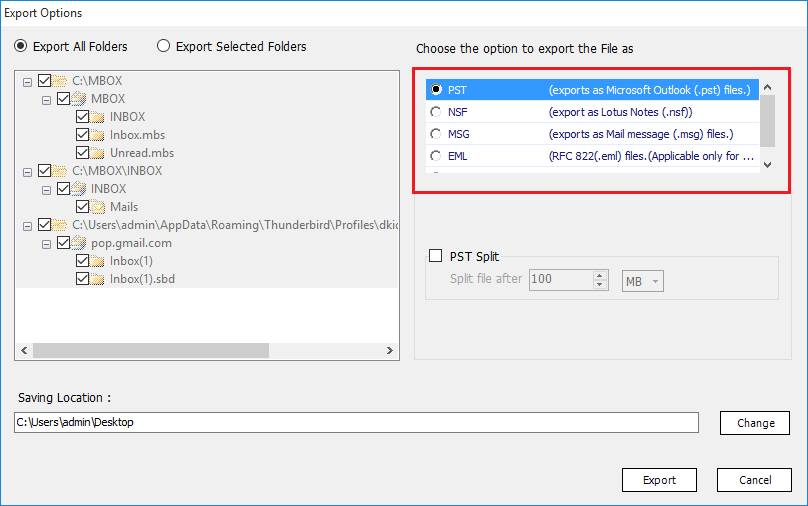 ### 결론 Outlook은 현재 가장 널리 사용되는 데스크톱 이메일 클라이언트입니다. 고급 기능과 작업 용이성으로 다양한 이메일 응용 프로그램의 사용자를 끌어들입니다. 이 사용자가 MBOX 이메일 클라이언트를 사용할 때마다 MBOX를 PST로 변환해야합니다. 사용자는 수동 및 자동의 두 가지 솔루션을 찾습니다. 공식적인 수동 방법이없고 자동화 된 솔루션을 선택해야하는 대체 압력의 사용자 데이터 손실을 보장합니다. 소프트웨어를 사용하면 데이터 손실이없고 마이그레이션이 단시간에 완료됩니다. |
| json metadata | {"tags":["mbox","pst"],"image":["https://cdn.steemitimages.com/DQmP3fQKEMdJ4cumYUtFnzVfi6UxYQ7g8e2yT2eyM5dgwCM/mbox.png"],"links":["https://lettoknow.com/mbox-to-pst-converter/"],"app":"steemkr/0.1","format":"markdown"} |
| Transaction Info | Block #54095062/Trx 59551ec2dd704929085dcc4202612d5c14ddcf54 |
View Raw JSON Data
{
"trx_id": "59551ec2dd704929085dcc4202612d5c14ddcf54",
"block": 54095062,
"trx_in_block": 23,
"op_in_trx": 0,
"virtual_op": 0,
"timestamp": "2021-05-27T02:23:48",
"op": [
"comment",
{
"parent_author": "",
"parent_permlink": "mbox",
"author": "emailconversion",
"permlink": "mbox-pst",
"title": "MBOX를 PST로 변환하는 방법",
"body": "Mozilla Thunderbird는 Windows 및 Mac과 같은 다양한 운영 체제에서 실행할 수있는 무료 오픈 소스 이메일 클라이언트입니다. MBOX 파일을 사용하여 이메일 메시지를 보관합니다. 따라서 Thunderbird 사용자가 Outlook에서 이메일에 액세스하려면 MBOX 파일을 PST로 변환해야합니다. MBOX 파일 형식 (20 개 이상의 이메일 클라이언트)을 사용하는 유사하게 여러 이메일 애플리케이션이 있습니다. 그리고 많은 사람들이 여러 가지 이유로 Outlook으로 전환합니다.\n\nMBOX를 PST로 변환하는시기, 이유 및 방법에 대한 답변을 찾으려면이 블로그를 자세히 읽으십시오. 시작하기 전에 두 파일 형식을 모두 살펴 보겠습니다.\n\nMBOX 파일은 일반 파일 형식입니다. 전자 메일 메시지와 첨부 파일을 연결된 방식으로 저장합니다. 또한 이메일을 보관하는 데 가장 많이 사용되는 파일입니다. Thunderbird, Eudora, Entourage, Apple Mail, Spicebird, The Bat !, Becky Internet Mail 등을 포함한 20 개 이상의 이메일 클라이언트 그러나 개인과 기업이 가장 선호하는 이메일 클라이언트 인 Microsoft Outlook은 MBOX 파일을 지원하지 않습니다. PST와 같은 고급 파일 형식을 사용하여 이메일 메시지, 첨부 파일, 연락처, 캘린더, 작업, 메모 및 저널을 저장합니다. 따라서 Outlook을 사용하여 전문적이고 효율적으로 이메일을 관리하려면 먼저 MBOX 파일을 PST로 변환해야합니다.\n\n\n## MBOX에서 PST 로의 변환에 대한 사용자 쿼리\n\n“Outlook으로 가져 오려는 오래된 MBOX 파일이 있습니다. 그러나 MBOX를 Outlook으로 가져 오려고 할 때마다 \"지원되지 않는 파일 형식\"메시지가 계속 표시됩니다. 약간의 연구에 따르면 먼저 MBOX를 PST로 변환해야합니다. 어떻게해야합니까? \"\n\n“지난 5 년 동안 Thunderbird를 사용했습니다. 그러나 소규모 비즈니스는 크게 성장했으며 더 안전하고 안정적인 Outlook 응용 프로그램으로 이동하고 있습니다. 지금 알아야 할 것은 Thunderbird MBOX 파일을 PST로 직접 변환 할 수 있는지 여부입니다. 그렇지 않다면 무엇을 사용해야할까요. \"\n\n“안녕하세요, 제 조직은 10 년 동안 Mac 플랫폼을 사용했지만 최근에는 Windows 플랫폼으로 전환하기로 결정했습니다. 문제는 Mac 시스템에서는 Apple Mail을 사용했지만 Windows에서는 Outlook을 사용한다는 것입니다. MBOX 파일을 Mac에서 Windows Outlook 용 PST로 변환하는 방법이 있습니까? \"\n\n## MBOX 파일을 PST로 내 보내야하는 이유\n효율성, 강력한 데이터 관리 시스템 및 보안 기능을 갖춘 Outlook이 다른 전자 메일 응용 프로그램에서 많은 사용자를 끌어 들인다는 것은 사용자로부터 분명합니다. MBOX는 여러 이메일 클라이언트에서 사용되기 때문에 대부분의 쿼리는 MBOX 파일을 PST 형식으로 변환합니다. 다음은 사용자가 MBOX를 PST로 내보낼 수밖에없는 몇 가지 이유입니다.\n\n- Outlook에서 액세스하려는 오래된 MBOX 파일이있는 경우 먼저 PST 형식으로 변환해야합니다.\n- 한 조직 (MBOX 이메일 클라이언트 사용)에서 다른 조직 (Outlook 사용)으로 이동했고 새 조직의 Outlook 애플리케이션에서 이전 데이터에 액세스하려는 경우. 사서함을 PST 형식으로 변환해야합니다.\n- Gmail 테이크 아웃 또는 Google Vault를 사용하여 클라우드 데이터를 백업하고이 MBOX 파일을 PST로 변환하려는 경우.\n\n### MBOX를 PST로 변환하는 방법\n모든 이메일 변환 시나리오에는 작업을 수행하는 두 가지 방법이 있습니다.\n\n1. 수동 방법\n2. 자동화 솔루션\n\n### 수동 방법\nMBOX 파일을 PST 형식으로 내보내는 직접적인 방법은 없습니다. MS Outlook은 MBOX 파일 가져 오기를 지원하지 않습니다. 그리고 실제로 작동하는 수동 방법에는 데이터 손실과 같은 많은 한계가 있습니다. 따라서 전 세계 수백만 명의 사람들이 신뢰하는 빠른 자동화 소프트웨어를 선택하는 것이 가장 좋습니다.\n\n### 자동화 된 방법\n자동 변환을 수행하려면 **[MBOX to PST 변환기와](https://lettoknow.com/mbox-to-pst-converter/)** 같은 전문 솔루션을 사용하십시오. MBOX 파일을 PST 파일로 매우 빠르게 내보낼 수있는 간단하고 효율적인 프로그램입니다. 주요 기능 중 일부는 다음과 같습니다. \n\n- 여러 MBOX 파일을 PST로 변환 할 수 있습니다.\n- MBOX 파일을 검색 할 필요없이 Thunderbird 데이터베이스를 자동으로 감지합니다.\n- 변환 프로세스에는 Outlook이 필요하지 않습니다.\n- 이 도구는 크기와 수에 관계없이 MBOX 파일을 지원합니다.\n- 모든 MBOX 파일을 단일 PST로 병합하는 기능이 있습니다.\n- Outlook 2019, 2016, 2013, 2007 및 2003에서 쉽게 액세스 할 수있는 PST 파일을 만듭니다.\n- Windows 10을 포함한 모든 최신 버전의 Windows에서 원활하게 작동합니다.\n\n\n\n### 결론\nOutlook은 현재 가장 널리 사용되는 데스크톱 이메일 클라이언트입니다. 고급 기능과 작업 용이성으로 다양한 이메일 응용 프로그램의 사용자를 끌어들입니다. 이 사용자가 MBOX 이메일 클라이언트를 사용할 때마다 MBOX를 PST로 변환해야합니다. 사용자는 수동 및 자동의 두 가지 솔루션을 찾습니다. 공식적인 수동 방법이없고 자동화 된 솔루션을 선택해야하는 대체 압력의 사용자 데이터 손실을 보장합니다. 소프트웨어를 사용하면 데이터 손실이없고 마이그레이션이 단시간에 완료됩니다.",
"json_metadata": "{\"tags\":[\"mbox\",\"pst\"],\"image\":[\"https://cdn.steemitimages.com/DQmP3fQKEMdJ4cumYUtFnzVfi6UxYQ7g8e2yT2eyM5dgwCM/mbox.png\"],\"links\":[\"https://lettoknow.com/mbox-to-pst-converter/\"],\"app\":\"steemkr/0.1\",\"format\":\"markdown\"}"
}
]
}emailconversionpublished a new post: most-reliable-mbox-to-outlook-converter2021/04/23 14:06:12
emailconversionpublished a new post: most-reliable-mbox-to-outlook-converter
2021/04/23 14:06:12
| parent author | |
| parent permlink | mbox |
| author | emailconversion |
| permlink | most-reliable-mbox-to-outlook-converter |
| title | Most Reliable MBOX to Outlook Converter |
| body | <p><em>Know how to migrate MBOX files into Outlook without losing attributes. Join millions of users in trusting the most reliable MBOX to Outlook Converter with your important data.</em></p> <p>Email clients have been around for a while now. They are available in a range of email applications like Mozilla Thunderbird, Outlook, eM Client, The Bat, and so on. Each with its own distinct advantages and capabilities. With so many options to choose from, each individual or organization always seeks something better. Which results in the cycle of email migration. And in this cycle MBOX to Outlook conversion take the top spot.</p> <p>Be it Mozilla Thunderbird, Opera mail, Apple Mail, Eudora or any other email client which supports MBOX format. They all can be migrated to MS Outlook platform without any inconvenience. All with this flexible freeware solution by EmailDoctor.</p> <p>With the vision to simplify technology and provide users with nothing but exceptional solutions. Here we are, with yet another reliable utility called <strong>MBOX to Outlook Converter</strong>.</p> <h2>Why Reliability is Required to Migrate MBOX file into Outlook?</h2> <p>A quick search on Google reveals n number of ways to go through this conversion. But all ends with some third-party software. For the conversion of MBOX files, it has become mandatory to use a specialized software solution. The online portal is full of such utilities. But there is always a difference in the quality and efficiency of products.</p> <p>The process of migrating MBOX files into Outlook is a complex one. It involves changing the encoding of files which may cause loss of important data. That is why it is always better to opt the more reliable and trustful solutions instead of just plain conversion tools. That is exactly what <a href="https://www.emaildoctor.org/convert/mbox-pst.html"><strong>MBOX to PST Converter</strong></a> is all about.</p> <p>With features that excel in providing users with safe and sound migration, this utility allows loss-free conversion in a matter of minutes. All you need to do is follow 4 simple steps and voila, the emails are yours to access in Outlook. The impressive set of features in the next section will further support why this tool is among the most trusted ones.</p> <h2>Prominent Features of MBOX to Outlook Converter</h2> <p><strong>Conversion of Bulk MBOX files</strong>: The utility allows users to convert MBOX files in bulk. One can select multiple files irrespective of their size and export them to Outlook PST format all at once.</p> <p><strong>Ability to Auto Detect Email Applications</strong>: Users can even select the appropriate email client from the tool's interface and follow through the conversion without having to look for mailbox files. (Configured email client is required to be present on the system)</p> <p><strong>Migrate MBOX file into Outlook with proper attachments</strong>: The software changes the encoding in such a manner that each email and attachment is converted without skips. Users will find all the email messages with unchanged attachments and properties.</p> <p><strong>Support for MBOX, MBS, MBX, SBD files</strong>: Unlike some other software which specifically require .mbox extension file, EmailDoctor product work on all its variants. It has been tested to successfully convert MBOX files(with or without extension), Opera MBS files, Eudora & Pocomail MBX database, and Thunderbird SBD files.</p> <p><strong>Generation of UNICODE PST file</strong>: With the purpose of migrating MBOX file into Outlook, the software generates PST files of UNICODE type. This allows users to import this PST file in Outlook irrespective of what version(2019, 2016, 2013, and below) or platform(Mac/Windows) it is being used on.</p> <p><strong>Accuracy over Everything Else</strong>: The reliability of this MBOX to Outlook Converter lies in the fact that it does not play around with your data. The algorithms used are strictly aimed at the conversion of files while making sure that no property is tinkered with. In short, be it email messages, formatting, inline images, hyperlinks, addresses, header information or any other part of email – Everything is kept original even after process completion.</p> <p><strong>Split feature on user demand</strong>: After analyzing the queries of users, a unique splitting feature was added to this software. This option allows users to break the source file in n number of smaller files. Thus countering the 2GB mailbox limit in certain Outlook versions.</p> <p><strong>Smooth Working on Windows OS</strong>: The tool is not hindered by Windows OS versions. It has been developed to migrate MBOX file into Outlook on all versions of Windows, be it Windows 10, 8.1, 8, 7, XP, Vista or lower versions.</p> <p><strong>Availability for Mac</strong>: Another variant of this incredible utility is also featured for the Mac users. It focuses on performing the said conversion on Mac platform specifically.</p> <p> </p> <h3>Simple Steps to Migrate MBOX file into Outlook</h3> <p><strong>EmailDoctor MBOX to Outlook Converter</strong> allows users to perform migration in just 4 simple steps:</p> <ol> <li>Launch the utility on Windows system</li> <li>Choose source MBOX file or email client</li> <li>Scan & Preview MBOX emails along with attachments</li> <li>Perform MBOX to Outlook migration in one click.</li> </ol> https://cdn.steemitimages.com/DQmWFZqZTWAv7pyLS7rJKthVHmtgW9TvdzxhF76YLjsAiUs/mbox-to-pst.png <h3>Bottom Line</h3> <p>Instead of just plain or blatant file conversion, MBOX to Outlook converter covers all aspects while migrating MBOX file into Outlook data file. Retaining the properties of emails and attachments without any data loss is among the top priorities of this software. You can simply download its freeware version and see for yourself how reliable it can be.</p> |
| json metadata | {"tags":["mbox"],"image":["https://cdn.steemitimages.com/DQmWFZqZTWAv7pyLS7rJKthVHmtgW9TvdzxhF76YLjsAiUs/mbox-to-pst.png"],"links":["https://www.emaildoctor.org/convert/mbox-pst.html"],"app":"steemit/0.2","format":"markdown"} |
| Transaction Info | Block #53137946/Trx 2da36eb755b43be654c6d427ea66178a8658ec4a |
View Raw JSON Data
{
"trx_id": "2da36eb755b43be654c6d427ea66178a8658ec4a",
"block": 53137946,
"trx_in_block": 10,
"op_in_trx": 0,
"virtual_op": 0,
"timestamp": "2021-04-23T14:06:12",
"op": [
"comment",
{
"parent_author": "",
"parent_permlink": "mbox",
"author": "emailconversion",
"permlink": "most-reliable-mbox-to-outlook-converter",
"title": "Most Reliable MBOX to Outlook Converter",
"body": "<p><em>Know how to migrate MBOX files into Outlook without losing attributes. Join millions of users in trusting the most reliable MBOX to Outlook Converter with your important data.</em></p>\n<p>Email clients have been around for a while now. They are available in a range of email applications like Mozilla Thunderbird, Outlook, eM Client, The Bat, and so on. Each with its own distinct advantages and capabilities. With so many options to choose from, each individual or organization always seeks something better. Which results in the cycle of email migration. And in this cycle MBOX to Outlook conversion take the top spot.</p>\n<p>Be it Mozilla Thunderbird, Opera mail, Apple Mail, Eudora or any other email client which supports MBOX format. They all can be migrated to MS Outlook platform without any inconvenience. All with this flexible freeware solution by EmailDoctor.</p>\n<p>With the vision to simplify technology and provide users with nothing but exceptional solutions. Here we are, with yet another reliable utility called <strong>MBOX to Outlook Converter</strong>.</p>\n<h2>Why Reliability is Required to Migrate MBOX file into Outlook?</h2>\n<p>A quick search on Google reveals n number of ways to go through this conversion. But all ends with some third-party software. For the conversion of MBOX files, it has become mandatory to use a specialized software solution. The online portal is full of such utilities. But there is always a difference in the quality and efficiency of products.</p>\n<p>The process of migrating MBOX files into Outlook is a complex one. It involves changing the encoding of files which may cause loss of important data. That is why it is always better to opt the more reliable and trustful solutions instead of just plain conversion tools. That is exactly what <a href=\"https://www.emaildoctor.org/convert/mbox-pst.html\"><strong>MBOX to PST Converter</strong></a> is all about.</p>\n<p>With features that excel in providing users with safe and sound migration, this utility allows loss-free conversion in a matter of minutes. All you need to do is follow 4 simple steps and voila, the emails are yours to access in Outlook. The impressive set of features in the next section will further support why this tool is among the most trusted ones.</p>\n<h2>Prominent Features of MBOX to Outlook Converter</h2>\n<p><strong>Conversion of Bulk MBOX files</strong>: The utility allows users to convert MBOX files in bulk. One can select multiple files irrespective of their size and export them to Outlook PST format all at once.</p>\n<p><strong>Ability to Auto Detect Email Applications</strong>: Users can even select the appropriate email client from the tool's interface and follow through the conversion without having to look for mailbox files. (Configured email client is required to be present on the system)</p>\n<p><strong>Migrate MBOX file into Outlook with proper attachments</strong>: The software changes the encoding in such a manner that each email and attachment is converted without skips. Users will find all the email messages with unchanged attachments and properties.</p>\n<p><strong>Support for MBOX, MBS, MBX, SBD files</strong>: Unlike some other software which specifically require .mbox extension file, EmailDoctor product work on all its variants. It has been tested to successfully convert MBOX files(with or without extension), Opera MBS files, Eudora & Pocomail MBX database, and Thunderbird SBD files.</p>\n<p><strong>Generation of UNICODE PST file</strong>: With the purpose of migrating MBOX file into Outlook, the software generates PST files of UNICODE type. This allows users to import this PST file in Outlook irrespective of what version(2019, 2016, 2013, and below) or platform(Mac/Windows) it is being used on.</p>\n<p><strong>Accuracy over Everything Else</strong>: The reliability of this MBOX to Outlook Converter lies in the fact that it does not play around with your data. The algorithms used are strictly aimed at the conversion of files while making sure that no property is tinkered with. In short, be it email messages, formatting, inline images, hyperlinks, addresses, header information or any other part of email – Everything is kept original even after process completion.</p>\n<p><strong>Split feature on user demand</strong>: After analyzing the queries of users, a unique splitting feature was added to this software. This option allows users to break the source file in n number of smaller files. Thus countering the 2GB mailbox limit in certain Outlook versions.</p>\n<p><strong>Smooth Working on Windows OS</strong>: The tool is not hindered by Windows OS versions. It has been developed to migrate MBOX file into Outlook on all versions of Windows, be it Windows 10, 8.1, 8, 7, XP, Vista or lower versions.</p>\n<p><strong>Availability for Mac</strong>: Another variant of this incredible utility is also featured for the Mac users. It focuses on performing the said conversion on Mac platform specifically.</p>\n<p> </p>\n<h3>Simple Steps to Migrate MBOX file into Outlook</h3>\n<p><strong>EmailDoctor MBOX to Outlook Converter</strong> allows users to perform migration in just 4 simple steps:</p>\n<ol>\n<li>Launch the utility on Windows system</li>\n<li>Choose source MBOX file or email client</li>\n<li>Scan & Preview MBOX emails along with attachments</li>\n<li>Perform MBOX to Outlook migration in one click.</li>\n</ol>\n\nhttps://cdn.steemitimages.com/DQmWFZqZTWAv7pyLS7rJKthVHmtgW9TvdzxhF76YLjsAiUs/mbox-to-pst.png\n\n<h3>Bottom Line</h3>\n<p>Instead of just plain or blatant file conversion, MBOX to Outlook converter covers all aspects while migrating MBOX file into Outlook data file. Retaining the properties of emails and attachments without any data loss is among the top priorities of this software. You can simply download its freeware version and see for yourself how reliable it can be.</p>",
"json_metadata": "{\"tags\":[\"mbox\"],\"image\":[\"https://cdn.steemitimages.com/DQmWFZqZTWAv7pyLS7rJKthVHmtgW9TvdzxhF76YLjsAiUs/mbox-to-pst.png\"],\"links\":[\"https://www.emaildoctor.org/convert/mbox-pst.html\"],\"app\":\"steemit/0.2\",\"format\":\"markdown\"}"
}
]
}emailconversionpublished a new post: best-mbox-to-outlook-converter-tools-for-20212021/03/31 05:20:48
emailconversionpublished a new post: best-mbox-to-outlook-converter-tools-for-2021
2021/03/31 05:20:48
| parent author | |
| parent permlink | best |
| author | emailconversion |
| permlink | best-mbox-to-outlook-converter-tools-for-2021 |
| title | Best MBOX to Outlook Converter Tools for 2021 |
| body | @@ -2380,24 +2380,27 @@ low:%0A%0A** -SysTools +EmailDoctor %5BMBOX t @@ -4130,16 +4130,19 @@ be -SysTools +EmailDoctor . Th |
| json metadata | {"tags":["mbox","to","outlook","converter"],"links":["https://www.emaildoctor.org/convert/mbox-pst.html"],"app":"steemit/0.2","format":"markdown"} |
| Transaction Info | Block #52471879/Trx 84928e8edab3e306b1b68ebe43851af807906a10 |
View Raw JSON Data
{
  "trx_id": "84928e8edab3e306b1b68ebe43851af807906a10",
  "block": 52471879,
  "trx_in_block": 3,
  "op_in_trx": 0,
  "virtual_op": 0,
  "timestamp": "2021-03-31T05:20:48",
  "op": [
    "comment",
    {
      "parent_author": "",
      "parent_permlink": "best",
      "author": "emailconversion",
      "permlink": "best-mbox-to-outlook-converter-tools-for-2021",
      "title": "Best MBOX to Outlook Converter Tools for 2021",
      "body": "@@ -2380,24 +2380,27 @@\n low:%0A%0A**\n-SysTools\n+EmailDoctor\n  %5BMBOX t\n@@ -4130,16 +4130,19 @@\n  be \n-SysTools\n+EmailDoctor\n . Th\n",
      "json_metadata": "{\"tags\":[\"mbox\",\"to\",\"outlook\",\"converter\"],\"links\":[\"https://www.emaildoctor.org/convert/mbox-pst.html\"],\"app\":\"steemit/0.2\",\"format\":\"markdown\"}"
    }
  ]
}emailconversionpublished a new post: best-mbox-to-outlook-converter-tools-for-20212021/03/31 05:20:18
emailconversionpublished a new post: best-mbox-to-outlook-converter-tools-for-2021
2021/03/31 05:20:18
| parent author | |
| parent permlink | best |
| author | emailconversion |
| permlink | best-mbox-to-outlook-converter-tools-for-2021 |
| title | Best MBOX to Outlook Converter Tools for 2021 |
| body | @@ -2390,39 +2390,35 @@ sTools %5BMBOX to -Outlook +PST Converter%5D(http |
| json metadata | {"tags":["mbox","to","outlook","converter"],"links":["https://www.emaildoctor.org/convert/mbox-pst.html"],"app":"steemit/0.2","format":"markdown"} |
| Transaction Info | Block #52471869/Trx b496607d3e7df80e7a2a28d846484e9275b479c2 |
View Raw JSON Data
{
  "trx_id": "b496607d3e7df80e7a2a28d846484e9275b479c2",
  "block": 52471869,
  "trx_in_block": 45,
  "op_in_trx": 0,
  "virtual_op": 0,
  "timestamp": "2021-03-31T05:20:18",
  "op": [
    "comment",
    {
      "parent_author": "",
      "parent_permlink": "best",
      "author": "emailconversion",
      "permlink": "best-mbox-to-outlook-converter-tools-for-2021",
      "title": "Best MBOX to Outlook Converter Tools for 2021",
      "body": "@@ -2390,39 +2390,35 @@\n sTools %5BMBOX to \n-Outlook\n+PST\n  Converter%5D(http\n",
      "json_metadata": "{\"tags\":[\"mbox\",\"to\",\"outlook\",\"converter\"],\"links\":[\"https://www.emaildoctor.org/convert/mbox-pst.html\"],\"app\":\"steemit/0.2\",\"format\":\"markdown\"}"
    }
  ]
}emailconversioncustom json: follow2021/03/31 05:19:18
emailconversioncustom json: follow
2021/03/31 05:19:18
| required auths | [] |
| required posting auths | ["emailconversion"] |
| id | follow |
| json | ["reblog",{"account":"emailconversion","author":"emailconversion","permlink":"best-mbox-to-outlook-converter-tools-for-2021"}] |
| Transaction Info | Block #52471849/Trx f98323417796b3a401617bcc4d3bb43fde8127da |
View Raw JSON Data
{
  "trx_id": "f98323417796b3a401617bcc4d3bb43fde8127da",
  "block": 52471849,
  "trx_in_block": 3,
  "op_in_trx": 0,
  "virtual_op": 0,
  "timestamp": "2021-03-31T05:19:18",
  "op": [
    "custom_json",
    {
      "required_auths": [],
      "required_posting_auths": [
        "emailconversion"
      ],
      "id": "follow",
      "json": "[\"reblog\",{\"account\":\"emailconversion\",\"author\":\"emailconversion\",\"permlink\":\"best-mbox-to-outlook-converter-tools-for-2021\"}]"
    }
  ]
}emailconversionupvoted (100.00%) @emailconversion / best-mbox-to-outlook-converter-tools-for-20212021/03/31 05:16:27
emailconversionupvoted (100.00%) @emailconversion / best-mbox-to-outlook-converter-tools-for-2021
2021/03/31 05:16:27
| voter | emailconversion |
| author | emailconversion |
| permlink | best-mbox-to-outlook-converter-tools-for-2021 |
| weight | 10000 (100.00%) |
| Transaction Info | Block #52471792/Trx 7ee8b3715c6a88a324f3a5ec7bdfcaeb577a915e |
View Raw JSON Data
{
  "trx_id": "7ee8b3715c6a88a324f3a5ec7bdfcaeb577a915e",
  "block": 52471792,
  "trx_in_block": 16,
  "op_in_trx": 0,
  "virtual_op": 0,
  "timestamp": "2021-03-31T05:16:27",
  "op": [
    "vote",
    {
      "voter": "emailconversion",
      "author": "emailconversion",
      "permlink": "best-mbox-to-outlook-converter-tools-for-2021",
      "weight": 10000
    }
  ]
}emailconversionupdated options for best-mbox-to-outlook-converter-tools-for-20212021/03/31 05:11:24
emailconversionupdated options for best-mbox-to-outlook-converter-tools-for-2021
2021/03/31 05:11:24
| author | emailconversion |
| permlink | best-mbox-to-outlook-converter-tools-for-2021 |
| max accepted payout | 1000000.000 SBD |
| percent steem dollars | 10000 |
| allow votes | true |
| allow curation rewards | true |
| extensions | [[0,{"beneficiaries":[{"account":"steemkr","weight":1500}]}]] |
| Transaction Info | Block #52471693/Trx 637819b82f6d5c181f5670b87b89f56a570a497b |
View Raw JSON Data
{
  "trx_id": "637819b82f6d5c181f5670b87b89f56a570a497b",
  "block": 52471693,
  "trx_in_block": 7,
  "op_in_trx": 0,
  "virtual_op": 0,
  "timestamp": "2021-03-31T05:11:24",
  "op": [
    "comment_options",
    {
      "author": "emailconversion",
      "permlink": "best-mbox-to-outlook-converter-tools-for-2021",
      "max_accepted_payout": "1000000.000 SBD",
      "percent_steem_dollars": 10000,
      "allow_votes": true,
      "allow_curation_rewards": true,
      "extensions": [
        [
          0,
          {
            "beneficiaries": [
              {
                "account": "steemkr",
                "weight": 1500
              }
            ]
          }
        ]
      ]
    }
  ]
}emailconversionpublished a new post: best-mbox-to-outlook-converter-tools-for-20212021/03/31 05:11:24
emailconversionpublished a new post: best-mbox-to-outlook-converter-tools-for-2021
2021/03/31 05:11:24
| parent author | |
| parent permlink | best |
| author | emailconversion |
| permlink | best-mbox-to-outlook-converter-tools-for-2021 |
| title | Best MBOX to Outlook Converter Tools for 2021 |
| body | In this article, we won’t be talking about errors and reasons, but limit ourselves to providing you with the 5 best MBOX to Outlook converter tools. These will help you easily convert your MBOX files into PST format on the Windows platform and later access them in Microsoft Outlook. Below are some user queries, which compelled us to find the top converter tools for you. *"Hello, I recently switched from Mozilla Thunderbird to Outlook in the hope of increasing my work productivity. But, it turned out to be a bad decision as I do not have a means of importing my thousand of emails from Thunderbird to MS Outlook 2016. Is there any solution that I could find for such a task?"* *“Hi, our organization has decided to switch from Mac to Windows. And after careful evaluation, using MS Outlook seems to be the best choice for us. Now, comes the task of converting all those Mac Mail MBOX files into Windows Outlook in bulk. I would like to get recommendations on the software application we could use for such large scale migration (we have around 100 users data to migrate).”* *“I downloaded all my Gmail data through Google Takeout service. And what they gave me inside the compressed file is an MBOX file. Unfortunately, I am an Outlook user and my Outlook application always generates an error whenever I try to open this MBOX file. The web results provide hundreds of software, that I do not quite understand and would like your recommendation on.”* *“As you can clearly see, the queries are totally different from each other. But in the end, the question is the same, a way to access the MBOX data in Outlook. If you look into it, you will find that there is no direct approach available to carry out this task. And the manual workarounds not only take a lot of time to execute but also carry a significant risk factor which renders them useless from a professional point of view.”* ## Best MBOX to Outlook Converter Tools of 2021 So the only answer that remains is third-party software. We searched and tried different tools that can convert MBOX files to PST. But it turned out to be a difficult task. Most tools were fine with moving small files but started hanging up once large MBOX files were used. Many were slow and lacked some basic functionalities. But don’t worry, we finally were able to deduce the 5 best MBOX to Outlook Converter tools as mentioned below: **SysTools [MBOX to Outlook Converter](https://www.emaildoctor.org/convert/mbox-pst.html)**: A top-tier tool with many advanced features like mailbox auto-detection, dual scanning and export options with capabilities to perform large MBOX migration smoothly and accurately. This software tool is quickly becoming the favorite among its counterparts. **Datahelp MBOX to Outlook**: Simple, small and to-the-point, this MBOX converter tool does not mess around with your data. Developed to perform bulk MBOX to Outlook conversion, this tool surely is a well-deserved name in the top 5 categories. **Shoviv MBOX Converter**: With extra export capabilities, this tool has quickly evolved into a great MBOX to Outlook Converter application. It makes up the lack of email preview with its varied set of features and accurate conversion. **Stellar Converter for MBOX**: An in-house name in the data recovery sector, Stellar also develops a powerful range of file converters. Its MBOX converter is bound to be a great addition in its arsenal and provides users with productive results. **Aryson MBOX to Outlook Converter**: An upcoming name in this list with a good variety of features. Apart from the Split PST file feature, this tool supports all functionalities with other email converters on this list. It surely is a good addition and quite deserving in the top category section. Some honorable mentions would be *Kernel for MBOX*, *Mailsdaddy*, *ForensikSoft* and *Advik MBOX Converter*. ## Convert MBOX to Outlook in 2021 The launch of Outlook 2019 has added yet another reason to migrate from MBOX based email client to Outlook. And among the provided software solutions, if we were to select one on the overall performance basis, it would be SysTools. This software can import MBOX files to Outlook PST at a faster rate and the variety of features it provides gives users a sense of control over the whole export process. It really does deliver on its tagline of ‘Simplifying Technology’. So, if you want to convert the MBOX files of Thunderbird, Apple Mail, Eudora, Pocomail, Gmail Takeout, and more than 20 email clients, go for the best software. And access all your data in MS Outlook with ease. |
| json metadata | {"tags":["best","mbox","to","outlook","converter"],"links":["https://www.emaildoctor.org/convert/mbox-pst.html"],"app":"steemkr/0.1","format":"markdown"} |
| Transaction Info | Block #52471693/Trx 637819b82f6d5c181f5670b87b89f56a570a497b |
View Raw JSON Data
{
  "trx_id": "637819b82f6d5c181f5670b87b89f56a570a497b",
  "block": 52471693,
  "trx_in_block": 7,
  "op_in_trx": 0,
  "virtual_op": 0,
  "timestamp": "2021-03-31T05:11:24",
  "op": [
    "comment",
    {
      "parent_author": "",
      "parent_permlink": "best",
      "author": "emailconversion",
      "permlink": "best-mbox-to-outlook-converter-tools-for-2021",
      "title": "Best MBOX to Outlook Converter Tools for 2021",
      "body": "In this article, we won’t be talking about errors and reasons, but limit ourselves to providing you with the 5 best MBOX to Outlook converter tools. These will help you easily convert your MBOX files into PST format on the Windows platform and later access them in Microsoft Outlook.\n\nBelow are some user queries, which compelled us to find the top converter tools for you.\n\n*\"Hello, I recently switched from Mozilla Thunderbird to Outlook in the hope of increasing my work productivity. But, it turned out to be a bad decision as I do not have a means of importing my thousand of emails from Thunderbird to MS Outlook 2016. Is there any solution that I could find for such a task?\"*\n\n*“Hi, our organization has decided to switch from Mac to Windows. And after careful evaluation, using MS Outlook seems to be the best choice for us. Now, comes the task of converting all those Mac Mail MBOX files into Windows Outlook in bulk. I would like to get recommendations on the software application we could use for such large scale migration (we have around 100 users data to migrate).”*\n\n*“I downloaded all my Gmail data through Google Takeout service. And what they gave me inside the compressed file is an MBOX file. Unfortunately, I am an Outlook user and my Outlook application always generates an error whenever I try to open this MBOX file. The web results provide hundreds of software, that I do not quite understand and would like your recommendation on.”*\n\n*“As you can clearly see, the queries are totally different from each other. But in the end, the question is the same, a way to access the MBOX data in Outlook. If you look into it, you will find that there is no direct approach available to carry out this task. And the manual workarounds not only take a lot of time to execute but also carry a significant risk factor which renders them useless from a professional point of view.”*\n\n## Best MBOX to Outlook Converter Tools of 2021\n\nSo the only answer that remains is third-party software. We searched and tried different tools that can convert MBOX files to PST. But it turned out to be a difficult task. Most tools were fine with moving small files but started hanging up once large MBOX files were used. Many were slow and lacked some basic functionalities. But don’t worry, we finally were able to deduce the 5 best MBOX to Outlook Converter tools as mentioned below:\n\n**SysTools [MBOX to Outlook Converter](https://www.emaildoctor.org/convert/mbox-pst.html)**: A top-tier tool with many advanced features like mailbox auto-detection, dual scanning and export options with capabilities to perform large MBOX migration smoothly and accurately. This software tool is quickly becoming the favorite among its counterparts.\n\n**Datahelp MBOX to Outlook**: Simple, small and to-the-point, this MBOX converter tool does not mess around with your data. Developed to perform bulk MBOX to Outlook conversion, this tool surely is a well-deserved name in the top 5 categories.\n\n**Shoviv MBOX Converter**: With extra export capabilities, this tool has quickly evolved into a great MBOX to Outlook Converter application. It makes up the lack of email preview with its varied set of features and accurate conversion.\n\n**Stellar Converter for MBOX**: An in-house name in the data recovery sector, Stellar also develops a powerful range of file converters. Its MBOX converter is bound to be a great addition in its arsenal and provides users with productive results.\n\n**Aryson MBOX to Outlook Converter**: An upcoming name in this list with a good variety of features. Apart from the Split PST file feature, this tool supports all functionalities with other email converters on this list. It surely is a good addition and quite deserving in the top category section.\n\nSome honorable mentions would be *Kernel for MBOX*, *Mailsdaddy*, *ForensikSoft* and *Advik MBOX Converter*.\n\n## Convert MBOX to Outlook in 2021\n\nThe launch of Outlook 2019 has added yet another reason to migrate from MBOX based email client to Outlook. And among the provided software solutions, if we were to select one on the overall performance basis, it would be SysTools. This software can import MBOX files to Outlook PST at a faster rate and the variety of features it provides gives users a sense of control over the whole export process. It really does deliver on its tagline of ‘Simplifying Technology’. So, if you want to convert the MBOX files of Thunderbird, Apple Mail, Eudora, Pocomail, Gmail Takeout, and more than 20 email clients, go for the best software. And access all your data in MS Outlook with ease.",
      "json_metadata": "{\"tags\":[\"best\",\"mbox\",\"to\",\"outlook\",\"converter\"],\"links\":[\"https://www.emaildoctor.org/convert/mbox-pst.html\"],\"app\":\"steemkr/0.1\",\"format\":\"markdown\"}"
    }
  ]
}future.witnesssent 0.001 STEEM to @emailconversion- "⚠️ Please be careful with any website or discord link that you receive from other users, those are mostly phishing attempts."2020/09/28 13:55:09
future.witnesssent 0.001 STEEM to @emailconversion- "⚠️ Please be careful with any website or discord link that you receive from other users, those are mostly phishing attempts."
2020/09/28 13:55:09
| from | future.witness |
| to | emailconversion |
| amount | 0.001 STEEM |
| memo | ⚠️ Please be careful with any website or discord link that you receive from other users, those are mostly phishing attempts. |
| Transaction Info | Block #47262748/Trx 7bd383e6b429ed44e8079111234a7fba11882e22 |
View Raw JSON Data
{
  "trx_id": "7bd383e6b429ed44e8079111234a7fba11882e22",
  "block": 47262748,
  "trx_in_block": 13,
  "op_in_trx": 0,
  "virtual_op": 0,
  "timestamp": "2020-09-28T13:55:09",
  "op": [
    "transfer",
    {
      "from": "future.witness",
      "to": "emailconversion",
      "amount": "0.001 STEEM",
      "memo": "⚠️ Please be careful with any website or discord link that you receive from other users, those are mostly phishing attempts."
    }
  ]
}executive-boardsent 0.001 STEEM to @emailconversion- "❗ Hello emailconversion, great that you are using the STEEM blockchain. The Executive Board hereby invites you to https://discord.gg/KyBbmhh where you will get some insider infos on how you will earn ..."2020/09/28 05:05:03
executive-boardsent 0.001 STEEM to @emailconversion- "❗ Hello emailconversion, great that you are using the STEEM blockchain. The Executive Board hereby invites you to https://discord.gg/KyBbmhh where you will get some insider infos on how you will earn ..."
2020/09/28 05:05:03
| from | executive-board |
| to | emailconversion |
| amount | 0.001 STEEM |
| memo | ❗ Hello emailconversion, great that you are using the STEEM blockchain. The Executive Board hereby invites you to https://discord.gg/KyBbmhh where you will get some insider infos on how you will earn the most coins. It's easy, just follow the instructions. Warm regards, The Executive Board. |
| Transaction Info | Block #47252269/Trx d474420366847b8592d9b3213102759d7472f28f |
View Raw JSON Data
{
  "trx_id": "d474420366847b8592d9b3213102759d7472f28f",
  "block": 47252269,
  "trx_in_block": 3,
  "op_in_trx": 0,
  "virtual_op": 0,
  "timestamp": "2020-09-28T05:05:03",
  "op": [
    "transfer",
    {
      "from": "executive-board",
      "to": "emailconversion",
      "amount": "0.001 STEEM",
      "memo": "❗ Hello emailconversion, great that you are using the STEEM blockchain. The Executive Board hereby invites you to https://discord.gg/KyBbmhh where you will get some insider infos on how you will earn the most coins. It's easy, just follow the instructions. Warm regards, The Executive Board."
    }
  ]
}beemenginesent 0.001 STEEM to @emailconversion- "🚀 The Best Blockchain Companion, Promoting all your upcoming posts 24/24. Subscribe today and we do all the rest for you, checkout it out on http://beemengine.live"2020/09/28 05:04:18
beemenginesent 0.001 STEEM to @emailconversion- "🚀 The Best Blockchain Companion, Promoting all your upcoming posts 24/24. Subscribe today and we do all the rest for you, checkout it out on http://beemengine.live"
2020/09/28 05:04:18
| from | beemengine |
| to | emailconversion |
| amount | 0.001 STEEM |
| memo | 🚀 The Best Blockchain Companion, Promoting all your upcoming posts 24/24. Subscribe today and we do all the rest for you, checkout it out on http://beemengine.live |
| Transaction Info | Block #47252254/Trx 16dfead47992001112e6a57e1e08def31080136a |
View Raw JSON Data
{
  "trx_id": "16dfead47992001112e6a57e1e08def31080136a",
  "block": 47252254,
  "trx_in_block": 4,
  "op_in_trx": 0,
  "virtual_op": 0,
  "timestamp": "2020-09-28T05:04:18",
  "op": [
    "transfer",
    {
      "from": "beemengine",
      "to": "emailconversion",
      "amount": "0.001 STEEM",
      "memo": "🚀 The Best Blockchain Companion, Promoting all your upcoming posts 24/24. Subscribe today and we do all the rest for you, checkout it out on  http://beemengine.live"
    }
  ]
}2020/09/28 05:03:27
2020/09/28 05:03:27
| voter | emailconversion |
| author | emailconversion |
| permlink | why-companies-are-switching-from-google-apps-to-office-365 |
| weight | 10000 (100.00%) |
| Transaction Info | Block #47252237/Trx 4588ced1fca43595f41ee420a29fede034b8889c |
View Raw JSON Data
{
  "trx_id": "4588ced1fca43595f41ee420a29fede034b8889c",
  "block": 47252237,
  "trx_in_block": 3,
  "op_in_trx": 0,
  "virtual_op": 0,
  "timestamp": "2020-09-28T05:03:27",
  "op": [
    "vote",
    {
      "voter": "emailconversion",
      "author": "emailconversion",
      "permlink": "why-companies-are-switching-from-google-apps-to-office-365",
      "weight": 10000
    }
  ]
}emailconversionpublished a new post: why-companies-are-switching-from-google-apps-to-office-3652020/09/28 05:03:15
emailconversionpublished a new post: why-companies-are-switching-from-google-apps-to-office-365
2020/09/28 05:03:15
| parent author | |
| parent permlink | |
| author | emailconversion |
| permlink | why-companies-are-switching-from-google-apps-to-office-365 |
| title | Why Companies Are Switching from Google Apps to Office 365? |
| body | <p>Maybe your company has compared Google Apps and Office 365 and concluded that Office is the best fit for your business, or you're still not sure which productivity suite has the required features and need more information before any kind of migration.</p> <blockquote><em><strong>Note:</strong> Google Apps has been rebranded to G Suite. These two names refer to the same technology.</em></blockquote> <p>In this article, we've shared 6 real reasons why companies are switching from Google Apps to Office 365.</p> <ol> <li>Use SharePoint to protect files and data</li> <li>Improve productivity anytime, anywhere</li> <li>Flexible and scalable solutions that adapt to business evolution</li> <li>Family industry standards</li> <li>Powerful feature set, suitable for advanced users</li> <li>Tariff plans tailored to your business</li> </ol> <p>If you decide on switching from Google Apps to Office 365, you can use the most trusted DIY methods to <strong><a href="https://www.dataforensics.org/migrate-g-suite-to-office-365/">Migrate G Suite to Office 365</a></strong>. It comprises of three most used DIY methods for IT admin to switch to Office 365 seamlessly.</p> <img src="https://cdn.steemitimages.com/DQmbrnKVkbY36d4FpZBGhzUhKs2bUYGc42csbR51LQwg1wi/why%20companies%20switch%20from%20google%20apps%20to%20office%20365.png" alt="why companies switch from google apps to office 365"> <h2>1. Use SharePoint to protect files and data</h2> <p>Each Google Apps user has their own Google Drive storage area, and the ability to share and collaborate on documents is recognized as one of Google Apps' most powerful features. However, Google Drive doesn't provide structured file storage, which puts your business at risk of losing important documents and data, especially when these files are shared with multiple users.</p> <p>Also, if one of your employees accidentally deletes shared files, Google Apps can't provide in-situ file recovery, so your employees will need a lengthy and time-consuming file recovery process.</p> <p>Similar to Google Apps, Office 365 users have their own personal storage area provided by OneDrive, but secure storage is provided by SharePoint. SharePoint is a powerful document management system that can help protect shared files, but if a file is accidentally deleted or damaged, Office 365 also provides an in-situ file recovery solution, so there should be no problem getting the files back.</p> <h2>2. Improve productivity anytime, anywhere</h2> <p>Offline support is one of the key differences between Office 365 and Google Apps. You can only access Google Apps applications through a web browser, and Office 365 provides a desktop copy of each of its core cloud-based applications and services.</p> <p>Some Google Apps applications support offline editing, but this requires you to explicitly make each document available for offline editing before you lose your internet connection. It's easy to find yourself in a situation where you lose your internet connection while processing an important document, only to realize that you are not using the document for offline editing!</p> <p>If your employees often travel or work in places without a strong and reliable internet connection, they may often have difficulty accessing Google Apps documents and data, which could have a serious and lasting impact on their overall productivity.</p> <p>If you need to ensure that employees stay productive regardless of whether they're online or offline, your business could benefit from Office 365 desktop applications and offline support.</p> <h3>3. Flexible and scalable solutions that adapt to business evolution</h3> <p>Cloud-based software is designed to be flexible and extensible, especially when compared to traditional on-premises systems. However, Office 365's centralized management center and integrated integration with Azure make it ideal for on-demand expansion.</p> <p>Whether your business is growing or your needs fluctuate, Office 365 can provide the flexibility and scalability you need to support changing business needs.</p> <h3>4. Family industry standards</h3> <p>Resistance to change is one of the biggest challenges companies face when implementing something new. This resilience and a temporary drop in productivity as employees speed up their work often prevent companies from making changes and benefiting them in the long run.</p> <p>If you choose to switch from Google Apps to Office 365, some annoying problems will inevitably arise. However, you may find that your employees already have some experience with Office, particularly with core applications like Microsoft Word, Excel, and PowerPoint, which have long been industry standards and have been used extensively in the workplace and at home.</p> <p>If your business is based on the Windows operating system, even if your business always has a Google Apps subscription, your employees should already be familiar with some Office 365 applications and services. If Google Apps no longer meets all of your requirements and you're looking for a new cloud-based productivity suite, Office 365 is a professional and powerful alternative with a lower learning curve than you might expect.</p> <h3>5. Powerful feature set, suitable for advanced users</h3> <p>On a higher level, Google Apps is known for being fast and easy to use, while Office 365 is known as an advanced productivity suite with a complex and powerful feature set.</p> <p>If you need to perform advanced tasks or process large amounts of data, Google Apps may not have the features or capabilities your business needs. For example, many companies report a noticeable slowdown in processing large amounts of data using Google Sheets. In contrast, Microsoft Excel can usually process large amounts of information with zero latency, especially when using a desktop client.</p> <h3>6. Tariff plans tailored to your business</h3> <p>Most cloud service providers offer a range of pricing plans that allow you to freely choose a plan that meets all your business needs while still representing the best value for money.</p> <p>Google offers three Google Apps pricing plans (Basic, Commercial, and Enterprise), but if you're limited by these options or if they're no longer a good fit for your business, Microsoft offers a wider range of pricing plans.</p> <p>If you need a license for 300 or fewer employees, you can choose from Business Essentials, Business, Business Premium, or Microsoft 365 Business. If you need more than 300 licenses, you can choose from the following options:</p> <ul> <li>Microsoft Office 365 Enterprise F1.</li> <li>Microsoft Office 365 Enterprise Edition E3.</li> <li>Microsoft Office 365 Enterprise Edition E5.</li> <li>Microsoft 365 Enterprise F1.</li> <li>Microsoft 365 Enterprise Edition E3.</li> <li>Microsoft 365 Enterprise Edition E5.</li> </ul> <p>Have you finally decided on <a href="https://steemit.com/googleapps/@emailconversion/step-by-step-manual-method-for-google-apps-to-office-365-migration" target="_blank">Google Apps to Office 365 migration</a>? Then, drop a message to SysTools Cloud experts and we will help your company to switch from Google Apps to Office 365 with our migration tool or service. The choice is yours!</p> |
| json metadata | {"tags":["google","microsoft"],"image":["https://cdn.steemitimages.com/DQmbrnKVkbY36d4FpZBGhzUhKs2bUYGc42csbR51LQwg1wi/why%20companies%20switch%20from%20google%20apps%20to%20office%20365.png"],"links":["https://www.dataforensics.org/migrate-g-suite-to-office-365/","https://steemit.com/googleapps/@emailconversion/step-by-step-manual-method-for-google-apps-to-office-365-migration"],"app":"steemit/0.2","format":"markdown"} |
| Transaction Info | Block #47252233/Trx 8560950a3f8bf1e2cba548c2eccc63ce57c41a6a |
View Raw JSON Data
{
  "trx_id": "8560950a3f8bf1e2cba548c2eccc63ce57c41a6a",
  "block": 47252233,
  "trx_in_block": 8,
  "op_in_trx": 0,
  "virtual_op": 0,
  "timestamp": "2020-09-28T05:03:15",
  "op": [
    "comment",
    {
      "parent_author": "",
      "parent_permlink": "google",
      "author": "emailconversion",
      "permlink": "why-companies-are-switching-from-google-apps-to-office-365",
      "title": "Why Companies Are Switching from Google Apps to Office 365?",
      "body": "<p>Maybe your company has compared Google Apps and Office 365 and concluded that Office is the best fit for your business, or you're still not sure which productivity suite has the required features and need more information before any kind of migration.</p>\n<blockquote><em><strong>Note:</strong> Google Apps has been rebranded to G Suite. These two names refer to the same technology.</em></blockquote>\n<p>In this article, we've shared 6 real reasons why companies are switching from Google Apps to Office 365.</p>\n<ol>\n<li>Use SharePoint to protect files and data</li>\n<li>Improve productivity anytime, anywhere</li>\n<li>Flexible and scalable solutions that adapt to business evolution</li>\n<li>Family industry standards</li>\n<li>Powerful feature set, suitable for advanced users</li>\n<li>Tariff plans tailored to your business</li>\n</ol>\n<p>If you decide on switching from Google Apps to Office 365, you can use the most trusted DIY methods to <strong><a href=\"https://www.dataforensics.org/migrate-g-suite-to-office-365/\">Migrate G Suite to Office 365</a></strong>. It comprises of three most used DIY methods for IT admin to switch to Office 365 seamlessly.</p>\n\n<img src=\"https://cdn.steemitimages.com/DQmbrnKVkbY36d4FpZBGhzUhKs2bUYGc42csbR51LQwg1wi/why%20companies%20switch%20from%20google%20apps%20to%20office%20365.png\" alt=\"why companies switch from google apps to office 365\">\n\n<h2>1. Use SharePoint to protect files and data</h2>\n<p>Each Google Apps user has their own Google Drive storage area, and the ability to share and collaborate on documents is recognized as one of Google Apps' most powerful features. However, Google Drive doesn't provide structured file storage, which puts your business at risk of losing important documents and data, especially when these files are shared with multiple users.</p>\n<p>Also, if one of your employees accidentally deletes shared files, Google Apps can't provide in-situ file recovery, so your employees will need a lengthy and time-consuming file recovery process.</p>\n<p>Similar to Google Apps, Office 365 users have their own personal storage area provided by OneDrive, but secure storage is provided by SharePoint. SharePoint is a powerful document management system that can help protect shared files, but if a file is accidentally deleted or damaged, Office 365 also provides an in-situ file recovery solution, so there should be no problem getting the files back.</p>\n<h2>2. Improve productivity anytime, anywhere</h2>\n<p>Offline support is one of the key differences between Office 365 and Google Apps. You can only access Google Apps applications through a web browser, and Office 365 provides a desktop copy of each of its core cloud-based applications and services.</p>\n<p>Some Google Apps applications support offline editing, but this requires you to explicitly make each document available for offline editing before you lose your internet connection. It's easy to find yourself in a situation where you lose your internet connection while processing an important document, only to realize that you are not using the document for offline editing!</p>\n<p>If your employees often travel or work in places without a strong and reliable internet connection, they may often have difficulty accessing Google Apps documents and data, which could have a serious and lasting impact on their overall productivity.</p>\n<p>If you need to ensure that employees stay productive regardless of whether they're online or offline, your business could benefit from Office 365 desktop applications and offline support.</p>\n<h3>3. Flexible and scalable solutions that adapt to business evolution</h3>\n<p>Cloud-based software is designed to be flexible and extensible, especially when compared to traditional on-premises systems. However, Office 365's centralized management center and integrated integration with Azure make it ideal for on-demand expansion.</p>\n<p>Whether your business is growing or your needs fluctuate, Office 365 can provide the flexibility and scalability you need to support changing business needs.</p>\n<h3>4. Family industry standards</h3>\n<p>Resistance to change is one of the biggest challenges companies face when implementing something new. This resilience and a temporary drop in productivity as employees speed up their work often prevent companies from making changes and benefiting them in the long run.</p>\n<p>If you choose to switch from Google Apps to Office 365, some annoying problems will inevitably arise. However, you may find that your employees already have some experience with Office, particularly with core applications like Microsoft Word, Excel, and PowerPoint, which have long been industry standards and have been used extensively in the workplace and at home.</p>\n<p>If your business is based on the Windows operating system, even if your business always has a Google Apps subscription, your employees should already be familiar with some Office 365 applications and services.\nIf Google Apps no longer meets all of your requirements and you're looking for a new cloud-based productivity suite, Office 365 is a professional and powerful alternative with a lower learning curve than you might expect.</p>\n<h3>5. Powerful feature set, suitable for advanced users</h3>\n<p>On a higher level, Google Apps is known for being fast and easy to use, while Office 365 is known as an advanced productivity suite with a complex and powerful feature set.</p>\n<p>If you need to perform advanced tasks or process large amounts of data, Google Apps may not have the features or capabilities your business needs. For example, many companies report a noticeable slowdown in processing large amounts of data using Google Sheets. In contrast, Microsoft Excel can usually process large amounts of information with zero latency, especially when using a desktop client.</p>\n<h3>6. Tariff plans tailored to your business</h3>\n<p>Most cloud service providers offer a range of pricing plans that allow you to freely choose a plan that meets all your business needs while still representing the best value for money.</p>\n<p>Google offers three Google Apps pricing plans (Basic, Commercial, and Enterprise), but if you're limited by these options or if they're no longer a good fit for your business, Microsoft offers a wider range of pricing plans.</p>\n<p>If you need a license for 300 or fewer employees, you can choose from Business Essentials, Business, Business Premium, or Microsoft 365 Business. If you need more than 300 licenses, you can choose from the following options:</p>\n<ul>\n<li>Microsoft Office 365 Enterprise F1.</li>\n<li>Microsoft Office 365 Enterprise Edition E3.</li>\n<li>Microsoft Office 365 Enterprise Edition E5.</li>\n<li>Microsoft 365 Enterprise F1.</li>\n<li>Microsoft 365 Enterprise Edition E3.</li>\n<li>Microsoft 365 Enterprise Edition E5.</li>\n</ul>\n<p>Have you finally decided on <a href=\"https://steemit.com/googleapps/@emailconversion/step-by-step-manual-method-for-google-apps-to-office-365-migration\" target=\"_blank\">Google Apps to Office 365 migration</a>? Then, drop a message to SysTools Cloud experts and we will help your company to switch from Google Apps to Office 365 with our migration tool or service. The choice is yours!</p>",
      "json_metadata": "{\"tags\":[\"google\",\"microsoft\"],\"image\":[\"https://cdn.steemitimages.com/DQmbrnKVkbY36d4FpZBGhzUhKs2bUYGc42csbR51LQwg1wi/why%20companies%20switch%20from%20google%20apps%20to%20office%20365.png\"],\"links\":[\"https://www.dataforensics.org/migrate-g-suite-to-office-365/\",\"https://steemit.com/googleapps/@emailconversion/step-by-step-manual-method-for-google-apps-to-office-365-migration\"],\"app\":\"steemit/0.2\",\"format\":\"markdown\"}"
    }
  ]
}steemdelegated 1.200 SP to @emailconversion2020/05/08 08:59:51
steemdelegated 1.200 SP to @emailconversion
2020/05/08 08:59:51
| delegator | steem |
| delegatee | emailconversion |
| vesting shares | 1953.311140 VESTS |
| Transaction Info | Block #43192730/Trx cdc218d7d4f7280571f92f02e79729a783b0d557 |
View Raw JSON Data
{
  "trx_id": "cdc218d7d4f7280571f92f02e79729a783b0d557",
  "block": 43192730,
  "trx_in_block": 14,
  "op_in_trx": 0,
  "virtual_op": 0,
  "timestamp": "2020-05-08T08:59:51",
  "op": [
    "delegate_vesting_shares",
    {
      "delegator": "steem",
      "delegatee": "emailconversion",
      "vesting_shares": "1953.311140 VESTS"
    }
  ]
}somitreplied to @emailconversion / q8q2jm2020/04/13 10:31:00
somitreplied to @emailconversion / q8q2jm
2020/04/13 10:31:00
| parent author | emailconversion |
| parent permlink | how-do-i-import-multiple-pst-files-into-office-365-account-free-guide |
| author | somit |
| permlink | q8q2jm |
| title | |
| body | <b>MailsDaddy PST to Office 365 Migration Tool</b> is a correct approach towards importing the PST file to Office 365 account. It is one of the swift and secure Office 365 Import PST tool used all over the globe to upload PST to Exchange Online. The software designed with an understand interface so that they easily flow the working process of PST to Office 365 conversion. One can download this tool in Windows OS and it even does not takes much space of your system drive. A lightweight and effective solution to import PST to Office 365 mailbox. Know more: http://www.psttooffice365.com/ |
| json metadata | {"links":["http://www.psttooffice365.com/"],"app":"steemit/0.2"} |
| Transaction Info | Block #42493331/Trx 1661a5052b21df082e1f68e7c3d6540729717c03 |
View Raw JSON Data
{
  "trx_id": "1661a5052b21df082e1f68e7c3d6540729717c03",
  "block": 42493331,
  "trx_in_block": 12,
  "op_in_trx": 0,
  "virtual_op": 0,
  "timestamp": "2020-04-13T10:31:00",
  "op": [
    "comment",
    {
      "parent_author": "emailconversion",
      "parent_permlink": "how-do-i-import-multiple-pst-files-into-office-365-account-free-guide",
      "author": "somit",
      "permlink": "q8q2jm",
      "title": "",
      "body": "<b>MailsDaddy PST to Office 365 Migration Tool</b> is a correct approach towards importing the PST file to Office 365 account. It is one of the swift and secure Office 365 Import PST tool used all over the globe to upload PST to Exchange Online. The software designed with an understand interface so that they easily flow the working process of PST to Office 365 conversion. One can download this tool in Windows OS and it even does not takes much space of your system drive. A lightweight and effective solution to import PST to Office 365 mailbox. \n\nKnow more: http://www.psttooffice365.com/",
      "json_metadata": "{\"links\":[\"http://www.psttooffice365.com/\"],\"app\":\"steemit/0.2\"}"
    }
  ]
}steemdelegated 6.012 SP to @emailconversion2020/03/23 08:37:51
steemdelegated 6.012 SP to @emailconversion
2020/03/23 08:37:51
| delegator | steem |
| delegatee | emailconversion |
| vesting shares | 9790.844473 VESTS |
| Transaction Info | Block #41897269/Trx 5469da661a6ff786939dbb29eff9501711b2b684 |
View Raw JSON Data
{
  "trx_id": "5469da661a6ff786939dbb29eff9501711b2b684",
  "block": 41897269,
  "trx_in_block": 6,
  "op_in_trx": 0,
  "virtual_op": 0,
  "timestamp": "2020-03-23T08:37:51",
  "op": [
    "delegate_vesting_shares",
    {
      "delegator": "steem",
      "delegatee": "emailconversion",
      "vesting_shares": "9790.844473 VESTS"
    }
  ]
}steemdelegated 18.116 SP to @emailconversion2020/01/06 03:50:15
steemdelegated 18.116 SP to @emailconversion
2020/01/06 03:50:15
| delegator | steem |
| delegatee | emailconversion |
| vesting shares | 29500.891758 VESTS |
| Transaction Info | Block #39680680/Trx 010ab044e10b629037efd17c4c9002e1efb1ed92 |
View Raw JSON Data
{
  "trx_id": "010ab044e10b629037efd17c4c9002e1efb1ed92",
  "block": 39680680,
  "trx_in_block": 16,
  "op_in_trx": 0,
  "virtual_op": 0,
  "timestamp": "2020-01-06T03:50:15",
  "op": [
    "delegate_vesting_shares",
    {
      "delegator": "steem",
      "delegatee": "emailconversion",
      "vesting_shares": "29500.891758 VESTS"
    }
  ]
}emailconversionpublished a new post: step-by-step-manual-method-for-google-apps-to-office-365-migration2019/12/23 07:09:30
emailconversionpublished a new post: step-by-step-manual-method-for-google-apps-to-office-365-migration
2019/12/23 07:09:30
| parent author | |
| parent permlink | googleapps |
| author | emailconversion |
| permlink | step-by-step-manual-method-for-google-apps-to-office-365-migration |
| title | Step by Step Manual Method for Google Apps to Office 365 Migration |
| body | <p>There are several things that one must take care of while migrating Google Apps data into Office 365 account. The plan should be detailed, step by step that flows in a smooth manner. Here, we provide you with a technical guide for the same using manual method. But first, let us take a look at some things to keep in mind before starting the migration process.</p> <h2>Things to Consider Before Migration</h2> <p>One must keep in mind that, he/she can</p> <ul> <li>Migrate only User’s mailbox as the official method is not supported for contacts, calendars, etc. One has to migrate them separately.</li> <li>Transfer maximum of 500,000 items in the order of newest to oldest from the user mailbox folder.</li> <li>Transfer an email message with maximum size of 35 MB.</li> <li>It is mandatory for users to generate an app password as Google considers <a href="https://steemit.com/fix/@alphy123/outlook-failed-to-launch-in-safe-mode-do-you-want-to-start-repair-pst">Outlook</a> as a less secure app. Do not forget to enable the 2 step verification as well.</li> <li>Once you understand all the above considerations, it is time start the migration process.</li> </ul> <blockquote><strong>Tool Tip:</strong> If you want to migrate emails, contacts, calendars and/or documents from Google Apps into the Office 365 account, you can consider using <strong><a href="https://www.systoolsgroup.com/google-apps-to-office-365/">G Suite to Office 365 Migration tool</a></strong>. It will reduce the time, effort and complexity of the entire migration process significantly and also provide filters and user mapping options for an effortless migration.</blockquote> <h2>Steps to Migrate Google Apps to Office 365</h2> <img src="https://cdn.steemitimages.com/DQmYWbq9W1VJ9DngWhvXWnC1sTuWKugBzTU51AF339Qgwn6/google%20apps%20to%20office%20365%20migration.png" alt="step by step manual google apps to office 365 migration guide"> <h3>#1. Verify your domain</h3> <p>Before executing any of the processes, the admin must verify that the organization has a domain linked to its Google Enterprise or Google for Business account. If that's a problem, companies can choose to use companyname.onmicrosoft.com as their domain, which is part of their Office 365 subscription, and add users to Office 365.</p> <p>If your organization chooses domain verification, during the Office 365 installation process you will be asked to complete the operation by adding a TXT record provided by your company's domain hosting service provider through the Add Installation Wizard. The steps to complete this step are defined here. TXT records will be executed in different ways depending on the DNS hosting provider. For those who use Google as a provider, instructions are available <a href="https://support.office.com/article/f1369214-9880-48c0-923c-d28eb795ef7b">here</a>. For users using alternative providers, these steps are available <a href="https://support.office.com/article/b0f3fdca-8a80-4e8e-9ef3-61e8a2a9ab23.aspx">here</a>.</p> <h3>#2. Add users</h3> <p>You can add users in batches or one at a time. In both cases, the license will be added to each user. To successfully add users who can also migrate their email to Office 365, each of them must have their own mailbox and a license that includes an Exchange Online plan.</p> <p>After completing this step, admin must pause the configuration wizard before proceeding with the "set up domain" step. Only after migrating your Gmail mailbox can you complete the rest of the configuration process.</p> <h3>#3. Create a list of mailboxes</h3> <p>After pausing the installation wizard, you can begin the migration process of your Gmail mailboxes. Before you start, you need to list each Gmail mailbox in a migration file that can be migrated to Office 365: the best choice is MS Excel.</p> <p>Admin must also reset all user passwords and create a temporary password, which is then included in the migration file. This can only be done by a Google Apps administrator.</p> <p>The list itself can be migrated simultaneously or in batches, but a single file can only be imported into 50,000 mailboxes, the file size must be 10 MB or less and each user must have their own line. Here are the steps to create a list:</p> <ul> <li>Sign in to the Google Apps Admin Console.</li> <li>Select “user”. Keep the Google Apps console open.</li> <li>Sign in to the Office 365 admin center and select “Users”, then select “Active Users”.</li> <li>Leave the Office 365 admin center open and open Excel.</li> <li>In Excel, mark A1 as "EmailAddress" (Office 365 mailbox), B1 as "UserName" (Gmail mailbox username) and C1 as "Password" (Gmail mail app password / reset temporary password).</li> <li>Using the Google Apps "Users" list, select each user, then enter an email address, username and password, and each mailbox in its own row.</li> <li>Save the file as a “CSV file” type.</li></ul> <h3>#4. Connect Office 365 to Gmail</h3> <p>To create a connection between the Gmail mailbox and <a href="https://steemit.com/import/@emailconversion/how-do-i-import-multiple-pst-files-into-office-365-account-free-guide">Office 365</a>, Admin must enter the following appropriate migration endpoint settings:</p> <ul><li>Open the Exchange admin center.</li> <li>Go to "Recipients", "Migration", "More" and select "Migration endpoint".</li> <li>Select “+” to add a migration endpoint.</li> <li>On the Select Migration Endpoint Type page, select “IMAP”.</li> <li>On the "IMAP migration configuration" page, leave the default settings and enter "imap.gmail.com" as the IMAP server. Select “Next”.</li> <li>On the Enter General Information page, enter any “Migration Endpoint Name” and leave the other boxes blank unless you want to use the default input.<li> <li>Select New</li></ul> <h3>#5. Create a migration batch</h3> <p>It's time to migrate a batch of Gmail mailboxes to Office365. To ensure that the process runs smoothly, it may be helpful to migrate a test batch with a limited number of mailboxes first. Specify exactly how long it will take to migrate all mailboxes so that the Admin can run test batches at the same time of day, they will migrate the entire batch and then multiply the time period by the size difference.</p> <p>To migrate batches:</p> <ul><li>Open the Office 365 admin center, then select “Admin center” followed by “Exchange”.</li> <li>Click on "Recipients" followed by "Migration".</li> <li>Select New +, then select Migrate to Exchange Online.</li> <li>Select "IMAP migration" and then "Next".</li> <li>Now, select "Browse" and then the Excel migration file (CSV file). Office 365 will then scan the file for verification.</li> <li>Verify that the number of users identified by Office 365 is the correct number and choose “Next”.</li> <li>On the Set Migration Endpoint page, select the migration endpoint created earlier, then select “Next”.</li> <li>In the IMAP migration configuration section, accept the defaults and select Next.</li> <li>In the Move configuration section, enter the name of the migration batch. Also, add the names of the folders that should not be migrated (e.g. spam, deleted emails, etc.). Choose the Next button.</li> <li>Select “Browse” to send the migration report to others. Select "Start batch automatically" and then "New". This will start the migration.</li> <li>Select "Recipients", "Migration", then check the migration in the Exchange admin center, then check if the status of the batch name is "Synchronized" in the migration information center.</li> <li>If an error occurs, specific information will be present in the status report of the associated mailbox.</li> <li>Users can log in with their username and password. They should create a new password and set the correct time zone. Finally, they must send a test email to the Admin and make sure their mailbox contains the correct email and folders.</li></ul> <h3>#6. Update DNS</h3> <p>After verifying the migration, the Admin needs to edit the MX records to point to Office 365, not Gmail. The instructions for doing it are <a href="https://docs.microsoft.com/en-us/office365/admin/get-help-with-domains/create-dns-records-at-any-dns-hosting-provider?view=o365-worldwide">here</a>.</p> <p>Now, it's time to complete the domain setup. To do this:</p> <ul><li>Sign in to Office 365, then select “Settings” and then “Domain”.</li> <li>Select the domain, then select “Fix”. Then follow the instructions after clicking on "What do I fix?".</li></ul> <h3>#7. Stop synchronization</h3> <p>Since external email systems can take up to 3 days to recognize changed MX records, Admin should wait a long time to stop syncing with Gmail. During these 72 hours, the Admin should ensure that all users send email exclusively to Office 365. After deleting the migration batch, users will no longer have access to the email in their Gmail inbox.</p> <p>Once the Admin has confirmed that all mail has been routed to the Office 365 mailbox, it's time to drop the migration batch and stop synchronization. You can do the following: Login to the Exchange admin center, select Recipients, then Migrate. Select the batch and then select Delete.</p> <h4>Conclusion:</h4> <p>This concludes the Google Apps to Office 365 migration process. Feel free to comment regarding any edits or issues with the migration guide.</p> |
| json metadata | {"tags":["googleapps","gsuite","office365","o365","migration"],"image":["https://cdn.steemitimages.com/DQmYWbq9W1VJ9DngWhvXWnC1sTuWKugBzTU51AF339Qgwn6/google%20apps%20to%20office%20365%20migration.png"],"links":["https://steemit.com/fix/@alphy123/outlook-failed-to-launch-in-safe-mode-do-you-want-to-start-repair-pst","https://www.systoolsgroup.com/google-apps-to-office-365/","https://support.office.com/article/f1369214-9880-48c0-923c-d28eb795ef7b","https://support.office.com/article/b0f3fdca-8a80-4e8e-9ef3-61e8a2a9ab23.aspx","https://steemit.com/import/@emailconversion/how-do-i-import-multiple-pst-files-into-office-365-account-free-guide","https://docs.microsoft.com/en-us/office365/admin/get-help-with-domains/create-dns-records-at-any-dns-hosting-provider?view=o365-worldwide"],"app":"steemit/0.1","format":"markdown"} |
| Transaction Info | Block #39282164/Trx 8fd337082b4a37c117463fa239d32871da88d130 |
View Raw JSON Data
{
  "trx_id": "8fd337082b4a37c117463fa239d32871da88d130",
  "block": 39282164,
  "trx_in_block": 14,
  "op_in_trx": 0,
  "virtual_op": 0,
  "timestamp": "2019-12-23T07:09:30",
  "op": [
    "comment",
    {
      "parent_author": "",
      "parent_permlink": "googleapps",
      "author": "emailconversion",
      "permlink": "step-by-step-manual-method-for-google-apps-to-office-365-migration",
      "title": "Step by Step Manual Method for Google Apps to Office 365 Migration",
      "body": "<p>There are several things that one must take care of while migrating Google Apps data into Office 365 account. The plan should be detailed, step by step that flows in a smooth manner. Here, we provide you with a technical guide for the same using manual method. But first, let us take a look at some things to keep in mind before starting the migration process.</p>\n\n<h2>Things to Consider Before Migration</h2>\n<p>One must keep in mind that, he/she can</p>\n<ul>\n<li>Migrate only User’s mailbox as the official method is not supported for contacts, calendars, etc. One has to migrate them separately.</li>\n<li>Transfer maximum of 500,000 items in the order of newest to oldest from the user mailbox folder.</li>\n<li>Transfer an email message with maximum size of 35 MB.</li>\n<li>It is mandatory for users to generate an app password as Google considers <a href=\"https://steemit.com/fix/@alphy123/outlook-failed-to-launch-in-safe-mode-do-you-want-to-start-repair-pst\">Outlook</a> as a less secure app. Do not forget to enable the 2 step verification as well.</li>\n<li>Once you understand all the above considerations, it is time start the migration process.</li>\n</ul>\n<blockquote><strong>Tool Tip:</strong> If you want to migrate emails, contacts, calendars and/or documents from Google Apps into the Office 365 account, you can consider using <strong><a href=\"https://www.systoolsgroup.com/google-apps-to-office-365/\">G Suite to Office 365 Migration tool</a></strong>. It will reduce the time, effort and complexity of the entire migration process significantly and also provide filters and user mapping options for an effortless migration.</blockquote>\n<h2>Steps to Migrate Google Apps to Office 365</h2>\n<img src=\"https://cdn.steemitimages.com/DQmYWbq9W1VJ9DngWhvXWnC1sTuWKugBzTU51AF339Qgwn6/google%20apps%20to%20office%20365%20migration.png\" alt=\"step by step manual google apps to office 365 migration guide\">\n<h3>#1. Verify your domain</h3>\n<p>Before executing any of the processes, the admin must verify that the organization has a domain linked to its Google Enterprise or Google for Business account. If that's a problem, companies can choose to use companyname.onmicrosoft.com as their domain, which is part of their Office 365 subscription, and add users to Office 365.</p>\n<p>If your organization chooses domain verification, during the Office 365 installation process you will be asked to complete the operation by adding a TXT record provided by your company's domain hosting service provider through the Add Installation Wizard. The steps to complete this step are defined here. TXT records will be executed in different ways depending on the DNS hosting provider. For those who use Google as a provider, instructions are available <a href=\"https://support.office.com/article/f1369214-9880-48c0-923c-d28eb795ef7b\">here</a>. For users using alternative providers, these steps are available <a href=\"https://support.office.com/article/b0f3fdca-8a80-4e8e-9ef3-61e8a2a9ab23.aspx\">here</a>.</p>\n<h3>#2. Add users</h3>\n<p>You can add users in batches or one at a time. In both cases, the license will be added to each user. To successfully add users who can also migrate their email to Office 365, each of them must have their own mailbox and a license that includes an Exchange Online plan.</p>\n<p>After completing this step, admin must pause the configuration wizard before proceeding with the \"set up domain\" step. Only after migrating your Gmail mailbox can you complete the rest of the configuration process.</p>\n<h3>#3. Create a list of mailboxes</h3>\n<p>After pausing the installation wizard, you can begin the migration process of your Gmail mailboxes. Before you start, you need to list each Gmail mailbox in a migration file that can be migrated to Office 365: the best choice is MS Excel.</p>\n<p>Admin must also reset all user passwords and create a temporary password, which is then included in the migration file. This can only be done by a Google Apps administrator.</p>\n<p>The list itself can be migrated simultaneously or in batches, but a single file can only be imported into 50,000 mailboxes, the file size must be 10 MB or less and each user must have their own line. Here are the steps to create a list:</p>\n<ul>\n<li>Sign in to the Google Apps Admin Console.</li>\n<li>Select “user”. Keep the Google Apps console open.</li>\n<li>Sign in to the Office 365 admin center and select “Users”, then select “Active Users”.</li>\n<li>Leave the Office 365 admin center open and open Excel.</li>\n<li>In Excel, mark A1 as \"EmailAddress\" (Office 365 mailbox), B1 as \"UserName\" (Gmail mailbox username) and C1 as \"Password\" (Gmail mail app password / reset temporary password).</li>\n<li>Using the Google Apps \"Users\" list, select each user, then enter an email address, username and password, and each mailbox in its own row.</li>\n<li>Save the file as a “CSV file” type.</li></ul>\n<h3>#4. Connect Office 365 to Gmail</h3>\n<p>To create a connection between the Gmail mailbox and <a href=\"https://steemit.com/import/@emailconversion/how-do-i-import-multiple-pst-files-into-office-365-account-free-guide\">Office 365</a>, Admin must enter the following appropriate migration endpoint settings:</p>\n<ul><li>Open the Exchange admin center.</li>\n<li>Go to \"Recipients\", \"Migration\", \"More\" and select \"Migration endpoint\".</li>\n<li>Select “+” to add a migration endpoint.</li>\n<li>On the Select Migration Endpoint Type page, select “IMAP”.</li>\n<li>On the \"IMAP migration configuration\" page, leave the default settings and enter \"imap.gmail.com\" as the IMAP server. Select “Next”.</li>\n<li>On the Enter General Information page, enter any “Migration Endpoint Name” and leave the other boxes blank unless you want to use the default input.<li>\n<li>Select New</li></ul>\n<h3>#5. Create a migration batch</h3>\n<p>It's time to migrate a batch of Gmail mailboxes to Office365. To ensure that the process runs smoothly, it may be helpful to migrate a test batch with a limited number of mailboxes first. Specify exactly how long it will take to migrate all mailboxes so that the Admin can run test batches at the same time of day, they will migrate the entire batch and then multiply the time period by the size difference.</p>\n<p>To migrate batches:</p>\n<ul><li>Open the Office 365 admin center, then select “Admin center” followed by “Exchange”.</li>\n<li>Click on \"Recipients\" followed by \"Migration\".</li>\n<li>Select New +, then select Migrate to Exchange Online.</li>\n<li>Select \"IMAP migration\" and then \"Next\".</li>\n<li>Now, select \"Browse\" and then the Excel migration file (CSV file). Office 365 will then scan the file for verification.</li>\n<li>Verify that the number of users identified by Office 365 is the correct number and choose “Next”.</li>\n<li>On the Set Migration Endpoint page, select the migration endpoint created earlier, then select “Next”.</li>\n<li>In the IMAP migration configuration section, accept the defaults and select Next.</li>\n<li>In the Move configuration section, enter the name of the migration batch. Also, add the names of the folders that should not be migrated (e.g. spam, deleted emails, etc.). Choose the Next button.</li>\n<li>Select “Browse” to send the migration report to others. Select \"Start batch automatically\" and then \"New\". This will start the migration.</li>\n<li>Select \"Recipients\", \"Migration\", then check the migration in the Exchange admin center, then check if the status of the batch name is \"Synchronized\" in the migration information center.</li>\n<li>If an error occurs, specific information will be present in the status report of the associated mailbox.</li>\n<li>Users can log in with their username and password. They should create a new password and set the correct time zone. Finally, they must send a test email to the Admin and make sure their mailbox contains the correct email and folders.</li></ul>\n<h3>#6. Update DNS</h3>\n<p>After verifying the migration, the Admin needs to edit the MX records to point to Office 365, not Gmail. The instructions for doing it are <a href=\"https://docs.microsoft.com/en-us/office365/admin/get-help-with-domains/create-dns-records-at-any-dns-hosting-provider?view=o365-worldwide\">here</a>.</p>\n<p>Now, it's time to complete the domain setup. To do this:</p>\n<ul><li>Sign in to Office 365, then select “Settings” and then “Domain”.</li>\n<li>Select the domain, then select “Fix”. Then follow the instructions after clicking on \"What do I fix?\".</li></ul>\n<h3>#7. Stop synchronization</h3>\n<p>Since external email systems can take up to 3 days to recognize changed MX records, Admin should wait a long time to stop syncing with Gmail. During these 72 hours, the Admin should ensure that all users send email exclusively to Office 365. After deleting the migration batch, users will no longer have access to the email in their Gmail inbox.</p>\n<p>Once the Admin has confirmed that all mail has been routed to the Office 365 mailbox, it's time to drop the migration batch and stop synchronization. You can do the following: Login to the Exchange admin center, select Recipients, then Migrate. Select the batch and then select Delete.</p>\n<h4>Conclusion:</h4>\n<p>This concludes the Google Apps to Office 365 migration process. Feel free to comment regarding any edits or issues with the migration guide.</p>",
      "json_metadata": "{\"tags\":[\"googleapps\",\"gsuite\",\"office365\",\"o365\",\"migration\"],\"image\":[\"https://cdn.steemitimages.com/DQmYWbq9W1VJ9DngWhvXWnC1sTuWKugBzTU51AF339Qgwn6/google%20apps%20to%20office%20365%20migration.png\"],\"links\":[\"https://steemit.com/fix/@alphy123/outlook-failed-to-launch-in-safe-mode-do-you-want-to-start-repair-pst\",\"https://www.systoolsgroup.com/google-apps-to-office-365/\",\"https://support.office.com/article/f1369214-9880-48c0-923c-d28eb795ef7b\",\"https://support.office.com/article/b0f3fdca-8a80-4e8e-9ef3-61e8a2a9ab23.aspx\",\"https://steemit.com/import/@emailconversion/how-do-i-import-multiple-pst-files-into-office-365-account-free-guide\",\"https://docs.microsoft.com/en-us/office365/admin/get-help-with-domains/create-dns-records-at-any-dns-hosting-provider?view=o365-worldwide\"],\"app\":\"steemit/0.1\",\"format\":\"markdown\"}"
    }
  ]
}emailconversionpublished a new post: how-do-i-import-multiple-pst-files-into-office-365-account-free-guide2019/11/13 10:48:03
emailconversionpublished a new post: how-do-i-import-multiple-pst-files-into-office-365-account-free-guide
2019/11/13 10:48:03
| parent author | |
| parent permlink | import |
| author | emailconversion |
| permlink | how-do-i-import-multiple-pst-files-into-office-365-account-free-guide |
| title | How Do I Import Multiple PST Files into Office 365 Account? - Free Guide |
| body | <html> <p><strong>Are you looking for a method to Import Outlook PST file into Office 365 Webmail?</strong> If yes, then you are the right place. In this blog, we will explain to you the method to transfer PST file to Office 365 account in easy steps. There are multiple users all over the globe who face difficulty while migrating from Outlook to Office 365 Online. As there is no direct method to import your email in O365. But to help those users, we found a method to accounts. This method is by using an automated tool for migration, which is much better than a traditional method like Network Upload.</p> <p> <strong>User Scenario:</strong></p> <p><strong>Amanda Bynes on Reddit Asks - </strong> <em>“I am a Manager in my company and recently we decided to Purchase MS Office Enterprise edition. Now, I have to transfer PST file to Office 365 Online account. We have 200+ .pst files and it’s impossible to export Outlook PST file to Office 365 account using network upload method. So please suggest me a fast and simple method to perform the same task. Thanks in advance for the help!!” </em> </p> <h2>How to use Office 365 Importer for Fast Migration</h2> <p>Whenever somebody thinks about the basic solution to import multiple PST files into Office 365 Online, then the first method that comes in mind is Network Upload. However, the manual method takes too much time and it requires too much technical knowledge also. Let’s consider the problem where a user needs to transfer multiple PST files at a time. Network upload takes too much time for it. But, using automated approach this task becomes simple. The best software we come up with to <a href="https://www.systoolsgroup.com/import-to-office-365/"><strong>import PST to Office 365</strong></a><a href="https://systoolsgroup.com/import-to-office-365/"> </a>is <strong>SysTools Office 365 Import tool</strong>. It one of the top migration tool which allows its users to transfer multiple PST into multiple accounts at a time. It can export emails, contacts, calendars, and documents also in Office 365 Online. This tool is also available for the Free demo version which allows you to move 25 Items / Folder from PST file to O365 webmail. </p> <h2>What are the benefits of Automated tool over Network upload Method</h2> <p>Now, the question comes why anybody will use the automated tool method instead of Network upload. In this section, we will explain the user, the importance of automated tools over the manual method. And what is the importance of using to Import Multiple PST Files into Office 365 Online? </p> <ol> <li>The manual method using network upload takes too much time and technical knowledge. It also requires so much permission by Admin before migration. With Admin credentials it is not possible to perform the migration. </li> <li>Using the manual method, the user needs to complete a long procedure that is too technical and mind scratching. However, by using an automated tool to Import Outlook PST file to Office 365, this task becomes simple. It requires only a few clicks to transfer files without any problem. </li> <li>The traditional method takes too much time to simply migrate each terabyte of PST file data in Azure storage. After that, that data needs to be imported to Office 365 mailbox from Azure directive. The problems come, if there is a loss of internet connection during the migration procedure, user need to begin the migration from scratch. Whereas, the Office 365 Import tool takes a lesser amount of time and also provides an option to Pause and Resume ongoing migration. It helps in handling problems like Intenet Connection loss. </li> <li>Network Upload procedure can not tackle 300 or above-nested folders during migration. Whereas, Office 365 Import wizard ensures to maintain hierarchy while importing Outlook PST file data to Office 365 Webmail. </li> <li>In such a scenario, where PST file size is larger than 150 MB, then it is not possible to migrate using the Network Upload procedure. Also, this method is only available for a limited number of countries. On the other hand, Office 365 import tool available user all over the globe. </li> <li>Using Import wizard one can also remove the ‘<strong>Deleted & Sent</strong>’ folder while migrating the PST file to Office 365 OWA. </li> </ol> <h3>Steps to Export Outlook PST File to Office 365</h3> <p>1. <strong>Download</strong> & <strong>Launch</strong> PST to Office 365 Import Tool </p> <p><img src="https://www.systoolsgroup.com/img/how-it-work/office-365/import/imp_1.png" width="800" height="601"/></p> <p>2. Enter your Office 365 <strong>Admin / User credentials </strong>for login</p> <p><strong>Note:</strong> By clicking on the check-box beside ‘Is Admin’, you can import multiple PST files into multiple Office 365 user accounts simultaneously. However, if you want to import multiple PST to a single O365 webmail account then you don’t require admin credentials. </p> <p><img src="https://www.systoolsgroup.com/img/how-it-work/office-365/import/imper2.png" width="800" height="601"/></p> <p>3. Click on <strong>Add File / Folder</strong> to import multiple PST into Office 365 Webmail </p> <p><img src="https://www.systoolsgroup.com/img/how-it-work/office-365/import/imper5.png" width="800" height="601"/></p> <p>4. Choose <strong>Category</strong> & <strong>Apply Date filter</strong> to transfer selective data from PST file </p> <p><img src="https://www.systoolsgroup.com/img/how-it-work/office-365/import/imper12.png" width="800" height="601"/></p> <p>5. Click on the <strong>Import</strong> button to transfer Outlook PST to O365 OWA </p> <p><img src="https://www.systoolsgroup.com/img/how-it-work/office-365/import/imper23.png" width="800" height="601"/></p> <h2>Conclusion</h2> <p>After considering multiple queries of organizations about "<em><strong>how do I import multiple PST files into Office 365 Webmail"</strong></em>, we come up with an automated solution. It is a simple and reliable tool, which allow you to transfer emails, contacts, calendar from PST file to O365 Online. Also, it provides various features which help users while migrating multiple PST file into Office 365 OWA account.<br> </p> </html> |
| json metadata | {"tags":["import","outlook","pst","office365"],"image":["https://www.systoolsgroup.com/img/how-it-work/office-365/import/imp_1.png","https://www.systoolsgroup.com/img/how-it-work/office-365/import/imper2.png","https://www.systoolsgroup.com/img/how-it-work/office-365/import/imper5.png","https://www.systoolsgroup.com/img/how-it-work/office-365/import/imper12.png","https://www.systoolsgroup.com/img/how-it-work/office-365/import/imper23.png"],"links":["https://www.systoolsgroup.com/import-to-office-365/","https://systoolsgroup.com/import-to-office-365/"],"app":"steemit/0.1","format":"html"} |
| Transaction Info | Block #38136686/Trx bb8af145ec16f06d0ceb7a66dfc9d06347e30060 |
View Raw JSON Data
{
"trx_id": "bb8af145ec16f06d0ceb7a66dfc9d06347e30060",
"block": 38136686,
"trx_in_block": 2,
"op_in_trx": 0,
"virtual_op": 0,
"timestamp": "2019-11-13T10:48:03",
"op": [
"comment",
{
"parent_author": "",
"parent_permlink": "import",
"author": "emailconversion",
"permlink": "how-do-i-import-multiple-pst-files-into-office-365-account-free-guide",
"title": "How Do I Import Multiple PST Files into Office 365 Account? - Free Guide",
"body": "<html>\n<p><strong>Are you looking for a method to Import Outlook PST file into Office 365 Webmail?</strong> If yes, then you are the right place. In this blog, we will explain to you the method to transfer PST file to Office 365 account in easy steps. There are multiple users all over the globe who face difficulty while migrating from Outlook to Office 365 Online. As there is no direct method to import your email in O365. But to help those users, we found a method to accounts. This method is by using an automated tool for migration, which is much better than a traditional method like Network Upload.</p>\n<p> <strong>User Scenario:</strong></p>\n<p><strong>Amanda Bynes on Reddit Asks - </strong> <em>“I am a Manager in my company and recently we decided to Purchase MS Office Enterprise edition. Now, I have to transfer PST file to Office 365 Online account. We have 200+ .pst files and it’s impossible to export Outlook PST file to Office 365 account using network upload method. So please suggest me a fast and simple method to perform the same task. Thanks in advance for the help!!” </em> </p>\n<h2>How to use Office 365 Importer for Fast Migration</h2>\n<p>Whenever somebody thinks about the basic solution to import multiple PST files into Office 365 Online, then the first method that comes in mind is Network Upload. However, the manual method takes too much time and it requires too much technical knowledge also. Let’s consider the problem where a user needs to transfer multiple PST files at a time. Network upload takes too much time for it. But, using automated approach this task becomes simple. The best software we come up with to <a href=\"https://www.systoolsgroup.com/import-to-office-365/\"><strong>import PST to Office 365</strong></a><a href=\"https://systoolsgroup.com/import-to-office-365/\"> </a>is <strong>SysTools Office 365 Import tool</strong>. It one of the top migration tool which allows its users to transfer multiple PST into multiple accounts at a time. It can export emails, contacts, calendars, and documents also in Office 365 Online. This tool is also available for the Free demo version which allows you to move 25 Items / Folder from PST file to O365 webmail. </p>\n<h2>What are the benefits of Automated tool over Network upload Method</h2>\n<p>Now, the question comes why anybody will use the automated tool method instead of Network upload. In this section, we will explain the user, the importance of automated tools over the manual method. And what is the importance of using to Import Multiple PST Files into Office 365 Online? </p>\n<ol>\n <li>The manual method using network upload takes too much time and technical knowledge. It also requires so much permission by Admin before migration. With Admin credentials it is not possible to perform the migration. </li>\n <li>Using the manual method, the user needs to complete a long procedure that is too technical and mind scratching. However, by using an automated tool to Import Outlook PST file to Office 365, this task becomes simple. It requires only a few clicks to transfer files without any problem. </li>\n <li>The traditional method takes too much time to simply migrate each terabyte of PST file data in Azure storage. After that, that data needs to be imported to Office 365 mailbox from Azure directive. The problems come, if there is a loss of internet connection during the migration procedure, user need to begin the migration from scratch. Whereas, the Office 365 Import tool takes a lesser amount of time and also provides an option to Pause and Resume ongoing migration. It helps in handling problems like Intenet Connection loss. </li>\n <li>Network Upload procedure can not tackle 300 or above-nested folders during migration. Whereas, Office 365 Import wizard ensures to maintain hierarchy while importing Outlook PST file data to Office 365 Webmail. </li>\n <li>In such a scenario, where PST file size is larger than 150 MB, then it is not possible to migrate using the Network Upload procedure. Also, this method is only available for a limited number of countries. On the other hand, Office 365 import tool available user all over the globe. </li>\n <li>Using Import wizard one can also remove the ‘<strong>Deleted & Sent</strong>’ folder while migrating the PST file to Office 365 OWA. </li>\n</ol>\n<h3>Steps to Export Outlook PST File to Office 365</h3>\n<p>1. <strong>Download</strong> & <strong>Launch</strong> PST to Office 365 Import Tool </p>\n<p><img src=\"https://www.systoolsgroup.com/img/how-it-work/office-365/import/imp_1.png\" width=\"800\" height=\"601\"/></p>\n<p>2. Enter your Office 365 <strong>Admin / User credentials </strong>for login</p>\n<p><strong>Note:</strong> By clicking on the check-box beside ‘Is Admin’, you can import multiple PST files into multiple Office 365 user accounts simultaneously. However, if you want to import multiple PST to a single O365 webmail account then you don’t require admin credentials. </p>\n<p><img src=\"https://www.systoolsgroup.com/img/how-it-work/office-365/import/imper2.png\" width=\"800\" height=\"601\"/></p>\n<p>3. Click on <strong>Add File / Folder</strong> to import multiple PST into Office 365 Webmail </p>\n<p><img src=\"https://www.systoolsgroup.com/img/how-it-work/office-365/import/imper5.png\" width=\"800\" height=\"601\"/></p>\n<p>4. Choose <strong>Category</strong> & <strong>Apply Date filter</strong> to transfer selective data from PST file </p>\n<p><img src=\"https://www.systoolsgroup.com/img/how-it-work/office-365/import/imper12.png\" width=\"800\" height=\"601\"/></p>\n<p>5. Click on the <strong>Import</strong> button to transfer Outlook PST to O365 OWA </p>\n<p><img src=\"https://www.systoolsgroup.com/img/how-it-work/office-365/import/imper23.png\" width=\"800\" height=\"601\"/></p>\n<h2>Conclusion</h2>\n<p>After considering multiple queries of organizations about \"<em><strong>how do I import multiple PST files into Office 365 Webmail\"</strong></em>, we come up with an automated solution. It is a simple and reliable tool, which allow you to transfer emails, contacts, calendar from PST file to O365 Online. Also, it provides various features which help users while migrating multiple PST file into Office 365 OWA account.<br>\n </p>\n</html>",
"json_metadata": "{\"tags\":[\"import\",\"outlook\",\"pst\",\"office365\"],\"image\":[\"https://www.systoolsgroup.com/img/how-it-work/office-365/import/imp_1.png\",\"https://www.systoolsgroup.com/img/how-it-work/office-365/import/imper2.png\",\"https://www.systoolsgroup.com/img/how-it-work/office-365/import/imper5.png\",\"https://www.systoolsgroup.com/img/how-it-work/office-365/import/imper12.png\",\"https://www.systoolsgroup.com/img/how-it-work/office-365/import/imper23.png\"],\"links\":[\"https://www.systoolsgroup.com/import-to-office-365/\",\"https://systoolsgroup.com/import-to-office-365/\"],\"app\":\"steemit/0.1\",\"format\":\"html\"}"
}
]
}emailconversionpublished a new post: how-to-repair-pst-file-in-windows-8-assured-solutions2019/11/06 12:37:54
emailconversionpublished a new post: how-to-repair-pst-file-in-windows-8-assured-solutions
2019/11/06 12:37:54
| parent author | |
| parent permlink | repair |
| author | emailconversion |
| permlink | how-to-repair-pst-file-in-windows-8-assured-solutions |
| title | How to Repair PST File in Windows 8? Assured Solutions |
| body | ***Description**: The write-up explains a hassle-free approach on how to repair PST file in Windows 8 system. Use the solutions for Outlook 2019, 2016, 2013, 2010, 2007 & 2003.*  Microsoft Outlook is a globally used email client preferred by over 650 million users that include both home and office users. And a bulk of these users use Outlook on Windows systems. In this article, we have secluded ourselves to only Windows 8 Operating systems and will be discussing solutions to repair PST file in Windows 8 or 8.1. Outlook undoubtedly sits at the top of the “desktop” email client list. With features and functionalities that cover almost every aspect of user requirements, it deserves the #1 tag more than any other email client. Despite all this, it is not free from its share of issues. Outlook users typically face one issue the most i.e., PST corruption. There are many reasons that can damage the Outlook PST files. But the below-given reasons are the most common cause behind PST corruption: * Abrupt termination of Microsoft Outlook. * Accessing PST file on Shared Networks. * Faulty Storage devices having bad sectors. * Virus & Malware attack * Oversized PST File Although the reasons behind PST errors differ, the fact remains that the user is on the verge of losing his/her data forever. Fortunately, there are methods that can repair PST file in Windows 8, 8.1, 10 easily. These are via using the **Microsoft Inbox Repair Tool** and the **PCVITA [Outlook PST Repair Tool](https://www.pcvita.com/outlook-pst-repair.html)**. ### How to Restore PST File with ScanPST (Inbox Repair Tool) This is the official and free method to repair Outlook PST file on your Windows system. But to be able to use this method, you must locate the Scanpst.exe file on your system. This location varies according to the Operating system and Outlook version. You can either search for it on your system Start menu or directly locate it at one of the following paths: **Outlook (32-bit)** *C:\Program Files\ Microsoft Office\Office16* **Outlook (64-bit)** *C:\Program Files(x86)\ Microsoft Office\Office16* ***Note:** For different versions of Outlook, the number at the end will vary. For example, for Outlook 2013, the folder name is Office15, etc.* Once the file is located, open the scanPST.exe and click on **Browse** to add the corrupted PST file. 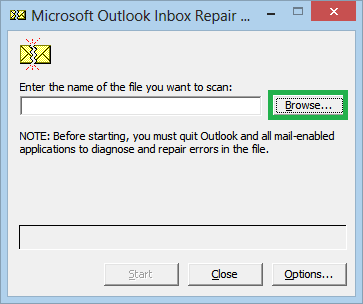 If you do not know the location of the PST file, In Outlook, go to **Account Settings > Data Files**, select the **Outlook data file** and click on **Open File Location**. 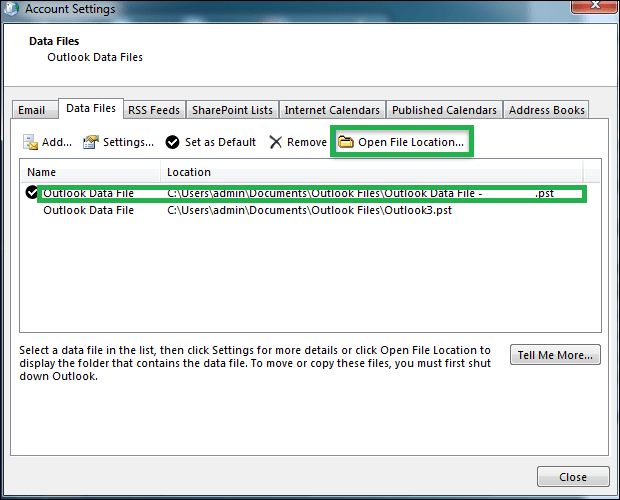 After adding the PST file location in ScanPST, click on **Start** to start the scanning process. 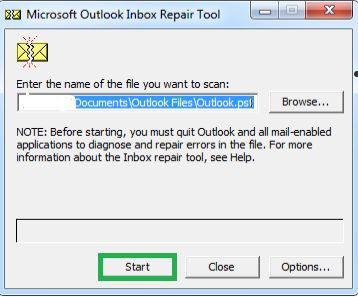 Once the scan process ends, the tool will notify you of the errors found in the PST file. Click on **Repair** to start the repair process. 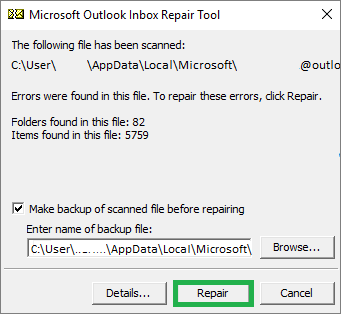 This will take some time depending upon the size of the PST file. You may need to repeat the steps a few more times to completely cure the PST file of all errors. ***Note:** The Inbox Repair Tool only works if the corruption level is low/minor. It cannot identify complex corruption and fails to repair heavily damaged PST files. So if it is not working for you, simply move to the next solution.* ### Advanced Outlook PST Repair Tool by PCVITA solutions PCVITA PST Repair tool is an advanced utility that can both identify and cure the PST files irrespective of the corruption level. It is a flexible program that can both repair and recover data items from Outlook PST file. It’s list of features include: <a href="https://systoolskart.com/download/SYS0O0R8S/18"><img src="https://cdn.steemitimages.com/DQmVJ5rK6q37t5K4JvXAf3YEiUJNKEwtASXtvQjs9SZZJkU/download-button.png"></a> * Ability to repair PST file in Windows 8, 8.1, 10, 7. * Option to restore emails, attachments, calendars, tasks, notes, and journals. * Retrieve deleted emails from Outlooks * Repair both minor and major corruption of multiple PST files. * Support for All Outlook versions: 2019, 2016, 2013, 2010, 2007 & 2003. 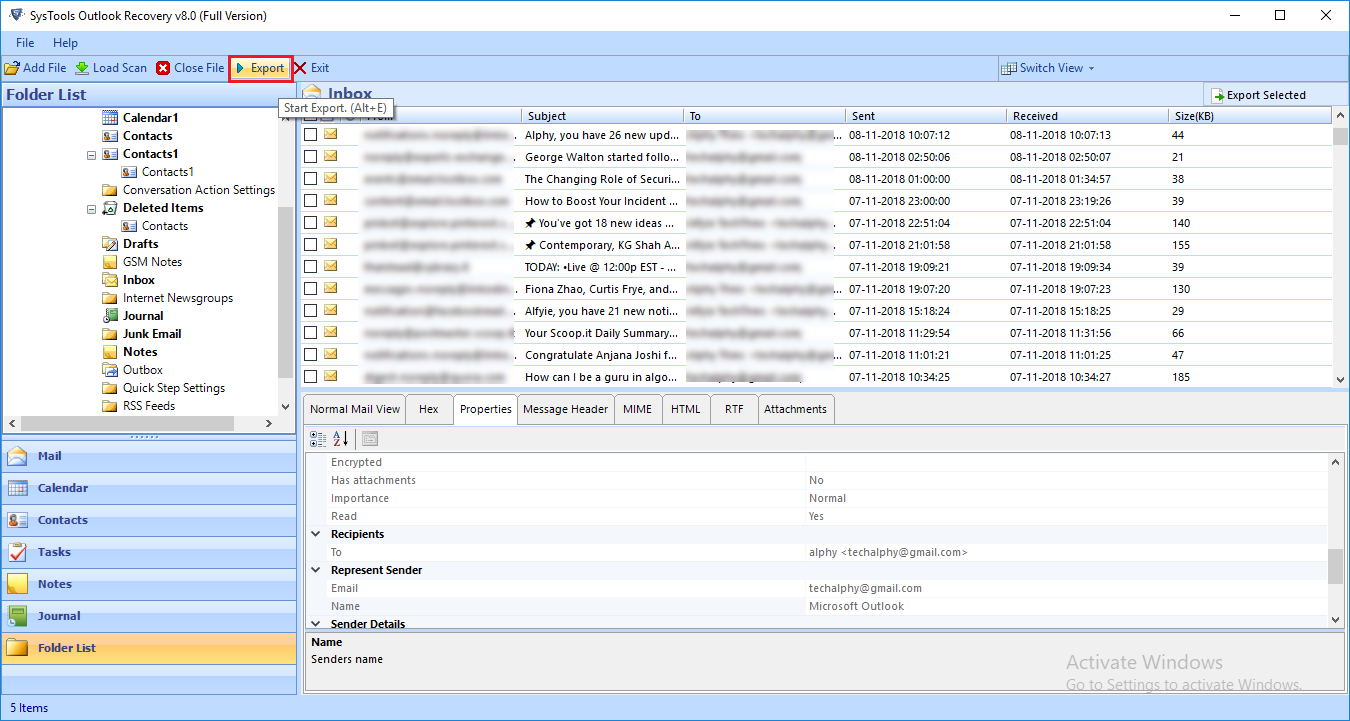] ### Final Words In Windows 8 or 8.1 system, all versions of MS Outlook can be configured and used. If the MS Outlook faces any corruption in PST file, it will start acting indifferently and generate errors such as [Outlook failed to launch in safe mode](https://steemit.com/fix/@alphy123/outlook-failed-to-launch-in-safe-mode-do-you-want-to-start-repair-pst). To resolve such issues, manual or automated methods can be used to repair PST file in Windows 8. The manual method uses Inbox Repair Tool which only sorts out minor corruption. To restore heavily damaged files, using PCVITA Repair Tool is recommended. This software has advanced capabilities that help it repair and recover PST files irrespective of the damage level. |
| json metadata | {"tags":["repair","pst","windows"],"image":["https://cdn.steemitimages.com/DQmdYyRh4Dw1bN8GMsYRYBysSaVnYYoaEzDSUD71LbR5ZDm/repair%20pst%20file%20in%20windows%208.png","https://cdn.steemitimages.com/DQmRM2XfpuLdeZMrsQzRQXiyAknQxBKxEkAKwj8Sn8YQYyV/1.png","https://cdn.steemitimages.com/DQmWeHiyPGRyQrKVsh8eDcBnbjUMYWEoeFvMtxNWoj6MuED/2.png","https://cdn.steemitimages.com/DQmYT2rynwHHWWHwc88YsbfENW9gWrN7CpQE1gh3wMBTyDm/3.png","https://cdn.steemitimages.com/DQmTahNn1wr4fGsEgN6WtnyE2ciukBKUES28EAbim1zLDRX/4.png","https://cdn.steemitimages.com/DQmVJ5rK6q37t5K4JvXAf3YEiUJNKEwtASXtvQjs9SZZJkU/download-button.png","https://cdn.steemitimages.com/DQmWS11Tw3QXFKXwWtihgdE6KBLtiRgFyf6HmKRW9NCCm6N/2019-6.png"],"links":["https://www.pcvita.com/outlook-pst-repair.html","https://systoolskart.com/download/SYS0O0R8S/18","https://steemit.com/fix/@alphy123/outlook-failed-to-launch-in-safe-mode-do-you-want-to-start-repair-pst"],"app":"steemit/0.1","format":"markdown"} |
| Transaction Info | Block #37937652/Trx ccf28ad2b1a0b53f353740668b5e387f645d6ced |
View Raw JSON Data
{
"trx_id": "ccf28ad2b1a0b53f353740668b5e387f645d6ced",
"block": 37937652,
"trx_in_block": 6,
"op_in_trx": 0,
"virtual_op": 0,
"timestamp": "2019-11-06T12:37:54",
"op": [
"comment",
{
"parent_author": "",
"parent_permlink": "repair",
"author": "emailconversion",
"permlink": "how-to-repair-pst-file-in-windows-8-assured-solutions",
"title": "How to Repair PST File in Windows 8? Assured Solutions",
"body": "***Description**: The write-up explains a hassle-free approach on how to repair PST file in Windows 8 system. Use the solutions for Outlook 2019, 2016, 2013, 2010, 2007 & 2003.*\n\n\n\nMicrosoft Outlook is a globally used email client preferred by over 650 million users that include both home and office users. And a bulk of these users use Outlook on Windows systems. In this article, we have secluded ourselves to only Windows 8 Operating systems and will be discussing solutions to repair PST file in Windows 8 or 8.1.\n\nOutlook undoubtedly sits at the top of the “desktop” email client list. With features and functionalities that cover almost every aspect of user requirements, it deserves the #1 tag more than any other email client. Despite all this, it is not free from its share of issues. Outlook users typically face one issue the most i.e., PST corruption. There are many reasons that can damage the Outlook PST files. But the below-given reasons are the most common cause behind PST corruption:\n\n* Abrupt termination of Microsoft Outlook.\n* Accessing PST file on Shared Networks.\n* Faulty Storage devices having bad sectors.\n* Virus & Malware attack\n* Oversized PST File\n\nAlthough the reasons behind PST errors differ, the fact remains that the user is on the verge of losing his/her data forever. Fortunately, there are methods that can repair PST file in Windows 8, 8.1, 10 easily. These are via using the **Microsoft Inbox Repair Tool** and the **PCVITA [Outlook PST Repair Tool](https://www.pcvita.com/outlook-pst-repair.html)**.\n\n### How to Restore PST File with ScanPST (Inbox Repair Tool)\n\nThis is the official and free method to repair Outlook PST file on your Windows system. But to be able to use this method, you must locate the Scanpst.exe file on your system. This location varies according to the Operating system and Outlook version. You can either search for it on your system Start menu or directly locate it at one of the following paths:\n\n**Outlook (32-bit)**\n*C:\\Program Files\\ Microsoft Office\\Office16*\n**Outlook (64-bit)**\n*C:\\Program Files(x86)\\ Microsoft Office\\Office16*\n\n***Note:** For different versions of Outlook, the number at the end will vary. For example, for Outlook 2013, the folder name is Office15, etc.*\n\nOnce the file is located, open the scanPST.exe and click on **Browse** to add the corrupted PST file.\n\n\nIf you do not know the location of the PST file, In Outlook, go to **Account Settings > Data Files**, select the **Outlook data file** and click on **Open File Location**.\n\n\nAfter adding the PST file location in ScanPST, click on **Start** to start the scanning process.\n\n\nOnce the scan process ends, the tool will notify you of the errors found in the PST file. Click on **Repair** to start the repair process.\n\n\nThis will take some time depending upon the size of the PST file. You may need to repeat the steps a few more times to completely cure the PST file of all errors.\n\n***Note:** The Inbox Repair Tool only works if the corruption level is low/minor. It cannot identify complex corruption and fails to repair heavily damaged PST files. So if it is not working for you, simply move to the next solution.*\n\n### Advanced Outlook PST Repair Tool by PCVITA solutions\n\nPCVITA PST Repair tool is an advanced utility that can both identify and cure the PST files irrespective of the corruption level. It is a flexible program that can both repair and recover data items from Outlook PST file. It’s list of features include:\n\n<a href=\"https://systoolskart.com/download/SYS0O0R8S/18\"><img src=\"https://cdn.steemitimages.com/DQmVJ5rK6q37t5K4JvXAf3YEiUJNKEwtASXtvQjs9SZZJkU/download-button.png\"></a>\n\n* Ability to repair PST file in Windows 8, 8.1, 10, 7.\n* Option to restore emails, attachments, calendars, tasks, notes, and journals.\n* Retrieve deleted emails from Outlooks\n* Repair both minor and major corruption of multiple PST files.\n* Support for All Outlook versions: 2019, 2016, 2013, 2010, 2007 & 2003.\n\n]\n\n### Final Words\n\nIn Windows 8 or 8.1 system, all versions of MS Outlook can be configured and used. If the MS Outlook faces any corruption in PST file, it will start acting indifferently and generate errors such as [Outlook failed to launch in safe mode](https://steemit.com/fix/@alphy123/outlook-failed-to-launch-in-safe-mode-do-you-want-to-start-repair-pst). To resolve such issues, manual or automated methods can be used to repair PST file in Windows 8. The manual method uses Inbox Repair Tool which only sorts out minor corruption. To restore heavily damaged files, using PCVITA Repair Tool is recommended. This software has advanced capabilities that help it repair and recover PST files irrespective of the damage level.",
"json_metadata": "{\"tags\":[\"repair\",\"pst\",\"windows\"],\"image\":[\"https://cdn.steemitimages.com/DQmdYyRh4Dw1bN8GMsYRYBysSaVnYYoaEzDSUD71LbR5ZDm/repair%20pst%20file%20in%20windows%208.png\",\"https://cdn.steemitimages.com/DQmRM2XfpuLdeZMrsQzRQXiyAknQxBKxEkAKwj8Sn8YQYyV/1.png\",\"https://cdn.steemitimages.com/DQmWeHiyPGRyQrKVsh8eDcBnbjUMYWEoeFvMtxNWoj6MuED/2.png\",\"https://cdn.steemitimages.com/DQmYT2rynwHHWWHwc88YsbfENW9gWrN7CpQE1gh3wMBTyDm/3.png\",\"https://cdn.steemitimages.com/DQmTahNn1wr4fGsEgN6WtnyE2ciukBKUES28EAbim1zLDRX/4.png\",\"https://cdn.steemitimages.com/DQmVJ5rK6q37t5K4JvXAf3YEiUJNKEwtASXtvQjs9SZZJkU/download-button.png\",\"https://cdn.steemitimages.com/DQmWS11Tw3QXFKXwWtihgdE6KBLtiRgFyf6HmKRW9NCCm6N/2019-6.png\"],\"links\":[\"https://www.pcvita.com/outlook-pst-repair.html\",\"https://systoolskart.com/download/SYS0O0R8S/18\",\"https://steemit.com/fix/@alphy123/outlook-failed-to-launch-in-safe-mode-do-you-want-to-start-repair-pst\"],\"app\":\"steemit/0.1\",\"format\":\"markdown\"}"
}
]
}2019/09/17 08:04:51
2019/09/17 08:04:51
| parent author | emailconversion |
| parent permlink | convert-mbox-to-pst-and-import-into-outlook-2019-2016-2013 |
| author | steemitboard |
| permlink | steemitboard-notify-emailconversion-20190917t080452000z |
| title | |
| body | Congratulations @emailconversion! You have completed the following achievement on the Steem blockchain and have been rewarded with new badge(s) : <table><tr><td><img src="https://steemitimages.com/60x60/http://steemitboard.com/img/notifications/firstpost.png"></td><td>You published your First Post</td></tr> <tr><td><img src="https://steemitimages.com/60x60/http://steemitboard.com/img/notifications/firstvoted.png"></td><td>You got a First Vote</td></tr> </table> <sub>_You can view [your badges on your Steem Board](https://steemitboard.com/@emailconversion) and compare to others on the [Steem Ranking](https://steemitboard.com/ranking/index.php?name=emailconversion)_</sub> <sub>_If you no longer want to receive notifications, reply to this comment with the word_ `STOP`</sub> ###### [Vote for @Steemitboard as a witness](https://v2.steemconnect.com/sign/account-witness-vote?witness=steemitboard&approve=1) to get one more award and increased upvotes! |
| json metadata | {"image":["https://steemitboard.com/img/notify.png"]} |
| Transaction Info | Block #36495132/Trx 9ab11cd779fefbc353d2d67c3c764acf230ef47b |
View Raw JSON Data
{
  "trx_id": "9ab11cd779fefbc353d2d67c3c764acf230ef47b",
  "block": 36495132,
  "trx_in_block": 24,
  "op_in_trx": 0,
  "virtual_op": 0,
  "timestamp": "2019-09-17T08:04:51",
  "op": [
    "comment",
    {
      "parent_author": "emailconversion",
      "parent_permlink": "convert-mbox-to-pst-and-import-into-outlook-2019-2016-2013",
      "author": "steemitboard",
      "permlink": "steemitboard-notify-emailconversion-20190917t080452000z",
      "title": "",
      "body": "Congratulations @emailconversion! You have completed the following achievement on the Steem blockchain and have been rewarded with new badge(s) :\n\n<table><tr><td><img src=\"https://steemitimages.com/60x60/http://steemitboard.com/img/notifications/firstpost.png\"></td><td>You published your First Post</td></tr>\n<tr><td><img src=\"https://steemitimages.com/60x60/http://steemitboard.com/img/notifications/firstvoted.png\"></td><td>You got a First Vote</td></tr>\n</table>\n\n<sub>_You can view [your badges on your Steem Board](https://steemitboard.com/@emailconversion) and compare to others on the [Steem Ranking](https://steemitboard.com/ranking/index.php?name=emailconversion)_</sub>\n<sub>_If you no longer want to receive notifications, reply to this comment with the word_ `STOP`</sub>\n\n\n\n###### [Vote for @Steemitboard as a witness](https://v2.steemconnect.com/sign/account-witness-vote?witness=steemitboard&approve=1) to get one more award and increased upvotes!",
      "json_metadata": "{\"image\":[\"https://steemitboard.com/img/notify.png\"]}"
    }
  ]
}2019/09/17 07:16:21
2019/09/17 07:16:21
| voter | webdeals |
| author | emailconversion |
| permlink | convert-mbox-to-pst-and-import-into-outlook-2019-2016-2013 |
| weight | 100 (1.00%) |
| Transaction Info | Block #36494162/Trx be273c2fa69f515481c97a1dff653a44c6234020 |
View Raw JSON Data
{
  "trx_id": "be273c2fa69f515481c97a1dff653a44c6234020",
  "block": 36494162,
  "trx_in_block": 38,
  "op_in_trx": 0,
  "virtual_op": 0,
  "timestamp": "2019-09-17T07:16:21",
  "op": [
    "vote",
    {
      "voter": "webdeals",
      "author": "emailconversion",
      "permlink": "convert-mbox-to-pst-and-import-into-outlook-2019-2016-2013",
      "weight": 100
    }
  ]
}emailconversionupdated options for convert-mbox-to-pst-and-import-into-outlook-2019-2016-20132019/09/17 07:08:21
emailconversionupdated options for convert-mbox-to-pst-and-import-into-outlook-2019-2016-2013
2019/09/17 07:08:21
| author | emailconversion |
| permlink | convert-mbox-to-pst-and-import-into-outlook-2019-2016-2013 |
| max accepted payout | 1000000.000 SBD |
| percent steem dollars | 10000 |
| allow votes | true |
| allow curation rewards | true |
| extensions | [[0,{"beneficiaries":[{"account":"busy.org","weight":1000}]}]] |
| Transaction Info | Block #36494003/Trx 6bf238c37ab24c20ee4f98fb5bf25147b635196a |
View Raw JSON Data
{
  "trx_id": "6bf238c37ab24c20ee4f98fb5bf25147b635196a",
  "block": 36494003,
  "trx_in_block": 26,
  "op_in_trx": 0,
  "virtual_op": 0,
  "timestamp": "2019-09-17T07:08:21",
  "op": [
    "comment_options",
    {
      "author": "emailconversion",
      "permlink": "convert-mbox-to-pst-and-import-into-outlook-2019-2016-2013",
      "max_accepted_payout": "1000000.000 SBD",
      "percent_steem_dollars": 10000,
      "allow_votes": true,
      "allow_curation_rewards": true,
      "extensions": [
        [
          0,
          {
            "beneficiaries": [
              {
                "account": "busy.org",
                "weight": 1000
              }
            ]
          }
        ]
      ]
    }
  ]
}emailconversionpublished a new post: convert-mbox-to-pst-and-import-into-outlook-2019-2016-20132019/09/17 07:08:21
emailconversionpublished a new post: convert-mbox-to-pst-and-import-into-outlook-2019-2016-2013
2019/09/17 07:08:21
| parent author | |
| parent permlink | mbox |
| author | emailconversion |
| permlink | convert-mbox-to-pst-and-import-into-outlook-2019-2016-2013 |
| title | Convert MBOX to PST & Import Into Outlook 2019/2016/2013 |
| body | <p>Every email client user has heard (if not know) about the MBOX file format. After all, it is the most common format used by 30 email applications across Linux, Windows, and Mac. Even many webmail services provide its users with their mailbox data in MBOX format. Here, the term ‘Mailbox data’ signifies emails and attachments of the associated email application. </p> <p>Sometimes, for reasons both professional and personal, users look to import MBOX files in Outlook. Generally, it leads the users to convert MBOX to PST and then import it in Outlook 2019/2016 or other versions.</p> https://ipfs.busy.org/ipfs/QmXDizjhCY4UsaaYPKH2DmDywxCcpoF7HApoXVYY69BzRj <h2>Two Mailbox Formats – MBOX & PST</h2> <p>MBOX & PST – Two mailbox formats which are same in terms of storing emails and attachments of the associated email clients. But still different in framework and usage.</p> <ul><li>While MBOX only stores emails, attachments, PST can save emails, attachments, contacts, calendars, tasks, etc.</li> <li>While MBOX is easily accessible to almost 30 different emails clients- both old and new, PST is the sole property of Microsoft and accessible to only the Outlook email client.</li></ul> <p>It is clear that MBOX and PST differs a lot in framework, and therefore, it is not a surprise that MS Outlook does not have the option to import MBOX file. With no direct solution available, the user needs to convert MBOX to PST and then use the built-in option of Outlook 2019/2016 to import the PST files.</p> <h2>How to Convert MBOX to PST Files?</h2> <p>It entirely depends on the situation of the user. Every factor counts, be it the number of MBOX files, size of MBOX files, the origin and associated email client of MBOX file, even the installation of certain applications count.</p> <p><b>Manual solution</b> does exist but it only works if the MBOX files are of Thunderbird and Mozilla Thunderbird and MS Outlook are installed on the same system. If this fits your criteria, go ahead and follow the steps given below:</p> <ol><li>Launch the MBOX email client and create a new folder.</li> <li>Select all the emails that you wish to import in Outlook and move them into the new folder.</li> <li>Now, select the folder and save all its emails in EML format.</li> <li>Open Microsoft Outlook and import the Eml files into it. You can also use drag and drop option to import MBOX emails in Outlook 2019/2016.</li></ol> <p>The problem with this method is the loss of structure and in many cases, issues with the formatting and inner attributes of MBOX emails. It is also clear that this method is only suitable for small number of emails. Else there are chances of hanging issues and email corruption.</p> <p>That’s why you will see most experts recommending the use of “trusted” third-party software applications. Among the MBOX to PST converter tools, the one that stands out is SysTools MBOX Converter.</p> <h3>Why Use MBOX to PST Converter to Import MBOX Emails in Outlook?</h3> <p>In the previous section, we recommended <b>SysTools <a href="https://www.systoolsgroup.com/mbox-to-outlook-converter.html">MBOX to PST converter</a></b> for the task of importing MBOX emails in Outlook 2019/2016. There are various practical reasons behind this.</p> <p>First of all, from a general perspective, there are so many phony and incompetent tools in the market that choosing the best one among them is a task next to impossible. And from the few trusted names, not all have powerful features to fulfill certain user requirements. We have also seen many tools that bargain features for performance and accuracy. But this SysTools product is not the same as them.</p> <p>With this software, you get easy to understand interface packed with powerful features without compromising the accuracy and performance of the tool. Due to its flexibility and ease, hundreds of users join its client-base each month. Having a 24x7 technical support team to help is an added benefit.</p> <h3>Steps to Convert MBOX to PST using software</h3> <blockquote><b>Note:</b> The steps given below are strictly for Windows users. If you wish to convert MBOX to PST on Mac system, opt for <a href="https://www.systoolsgroup.com/mac/mbox-converter/">Mac MBOX Converter</a>.</blockquote> <p>1. Start the <b>SysTools MBOX to PST Converter</b> program on your Windows system. The user interface looks like the below screenshot.</p> https://ipfs.busy.org/ipfs/QmZDoZRT4V87ey7fPfFqAtnf1axYb45zVvFDLJyXAPnBTN <p>2. Hitting on the <b>Add file</b> button will open a new window. Here, simply click on the <b>Next</b> button and import all the MBOX files into the software.</p> https://ipfs.busy.org/ipfs/Qmcu2rrXnTDGJ1FnWW6dSJMJe2g8bo8ULp3ec4HZbZ7itP <blockquote><b>Note:</b> If you have Thunderbird, Eudora, Netscape, Spicebird, PocoMail, SeaMonkey, or Spicebird installed, you can choose the email client and software will automatically import its entire database.</blockquote> <p>3. The software will now <b>preview</b> all the emails along with their attachments, header information, RTF view, etc. Here, you can either select the emails and <b>right-click</b> to export them into PST. Or, you can simply hit the <b>Export</b> button on the top menu and proceed with batch conversion.</p> https://ipfs.busy.org/ipfs/QmQ2vSRi9UeZTcfjfCN3WN3ivjPwpfjrs3k3feYhXZb5uZ <p>4. Now select the options given in the screenshot as per preference. Make sure to choose <b>PST</b> as the <b>Export type</b>.</p> https://ipfs.busy.org/ipfs/QmV68TVK8xzHjGRLBJqiSSoZo1FpeoSFyugWY4kMeXCWxL <p>5. Start converting MBOX files into PST with the <b>Export</b> button. The software will generate a confirmation message at the process completion.</p> <p>Finally, locate and import the converted PST files into Microsoft Outlook 2019/2016. There you have it. All MBOX emails successfully imported in Outlook without the loss of formatting, header, and other metadata properties.</p> https://ipfs.busy.org/ipfs/QmXQAki1x7MNez5uzhuPCaUnD2ej3zTrTxBYQWzrrwEicd <p>The MBOX to PST converter freely converts 25 emails from each MBOX folder into PST format. You can preview all the emails to ensure that the information is correctly shown. With the full version, every user can easily convert MBOX to PST and <a href="https://www.systoolsgroup.com/updates/import-mbox-to-outlook-2016-2013-2010-2007/">import MBOX in Outlook</a> 2019/2016 without compromising the accuracy and email properties.</p> |
| json metadata | {"community":"busy","app":"busy/2.5.6","format":"markdown","tags":["mbox","pst","convert","converter","outlook","import"],"users":[],"links":["https://www.systoolsgroup.com/mbox-to-outlook-converter.html","https://www.systoolsgroup.com/mac/mbox-converter/","https://www.systoolsgroup.com/updates/import-mbox-to-outlook-2016-2013-2010-2007/"],"image":["https://ipfs.busy.org/ipfs/QmXDizjhCY4UsaaYPKH2DmDywxCcpoF7HApoXVYY69BzRj","https://ipfs.busy.org/ipfs/QmZDoZRT4V87ey7fPfFqAtnf1axYb45zVvFDLJyXAPnBTN","https://ipfs.busy.org/ipfs/Qmcu2rrXnTDGJ1FnWW6dSJMJe2g8bo8ULp3ec4HZbZ7itP","https://ipfs.busy.org/ipfs/QmQ2vSRi9UeZTcfjfCN3WN3ivjPwpfjrs3k3feYhXZb5uZ","https://ipfs.busy.org/ipfs/QmV68TVK8xzHjGRLBJqiSSoZo1FpeoSFyugWY4kMeXCWxL","https://ipfs.busy.org/ipfs/QmXQAki1x7MNez5uzhuPCaUnD2ej3zTrTxBYQWzrrwEicd"]} |
| Transaction Info | Block #36494003/Trx 6bf238c37ab24c20ee4f98fb5bf25147b635196a |
View Raw JSON Data
{
  "trx_id": "6bf238c37ab24c20ee4f98fb5bf25147b635196a",
  "block": 36494003,
  "trx_in_block": 26,
  "op_in_trx": 0,
  "virtual_op": 0,
  "timestamp": "2019-09-17T07:08:21",
  "op": [
    "comment",
    {
      "parent_author": "",
      "parent_permlink": "mbox",
      "author": "emailconversion",
      "permlink": "convert-mbox-to-pst-and-import-into-outlook-2019-2016-2013",
      "title": "Convert MBOX to PST & Import Into Outlook 2019/2016/2013",
      "body": "<p>Every email client user has heard (if not know) about the MBOX file format. After all, it is the most common format used by 30 email applications across Linux, Windows, and Mac. Even many webmail services provide its users with their mailbox data in MBOX format. Here, the term ‘Mailbox data’ signifies emails and attachments of the associated email application. </p>\n<p>Sometimes, for reasons both professional and personal, users look to import MBOX files in Outlook. Generally, it leads the users to convert MBOX to PST and then import it in Outlook 2019/2016 or other versions.</p>\nhttps://ipfs.busy.org/ipfs/QmXDizjhCY4UsaaYPKH2DmDywxCcpoF7HApoXVYY69BzRj\n\n<h2>Two Mailbox Formats – MBOX & PST</h2>\n<p>MBOX & PST – Two mailbox formats which are same in terms of storing emails and attachments of the associated email clients. But still different in framework and usage.</p>\n<ul><li>While MBOX only stores emails, attachments, PST can save emails, attachments, contacts, calendars, tasks, etc.</li>\n<li>While MBOX is easily accessible to almost 30 different emails clients- both old and new, PST is the sole property of Microsoft and accessible to only the Outlook email client.</li></ul>\n\n<p>It is clear that MBOX and PST differs a lot in framework, and therefore, it is not a surprise that MS Outlook does not have the option to import MBOX file. With no direct solution available, the user needs to convert MBOX to PST and then use the built-in option of Outlook 2019/2016 to import the PST files.</p>\n<h2>How to Convert MBOX to PST Files?</h2>\n<p>It entirely depends on the situation of the user. Every factor counts, be it the number of MBOX files, size of MBOX files, the origin and associated email client of MBOX file, even the installation of certain applications count.</p>\n<p><b>Manual solution</b> does exist but it only works if the MBOX files are of Thunderbird and Mozilla Thunderbird and MS Outlook are installed on the same system. If this fits your criteria, go ahead and follow the steps given below:</p>\n<ol><li>Launch the MBOX email client and create a new folder.</li>\n<li>Select all the emails that you wish to import in Outlook and move them into the new folder.</li>\n<li>Now, select the folder and save all its emails in EML format.</li>\n<li>Open Microsoft Outlook and import the Eml files into it. You can also use drag and drop option to import MBOX emails in Outlook 2019/2016.</li></ol>\n<p>The problem with this method is the loss of structure and in many cases, issues with the formatting and inner attributes of MBOX emails. It is also clear that this method is only suitable for small number of emails. Else there are chances of hanging issues and email corruption.</p>\n<p>That’s why you will see most experts recommending the use of “trusted” third-party software applications. Among the MBOX to PST converter tools, the one that stands out is SysTools MBOX Converter.</p>\n<h3>Why Use MBOX to PST Converter to Import MBOX Emails in Outlook?</h3>\n<p>In the previous section, we recommended <b>SysTools <a href=\"https://www.systoolsgroup.com/mbox-to-outlook-converter.html\">MBOX to PST converter</a></b> for the task of importing MBOX emails in Outlook 2019/2016. There are various practical reasons behind this.</p>\n<p>First of all, from a general perspective, there are so many phony and incompetent tools in the market that choosing the best one among them is a task next to impossible. And from the few trusted names, not all have powerful features to fulfill certain user requirements. We have also seen many tools that bargain features for performance and accuracy. But this SysTools product is not the same as them.</p>\n<p>With this software, you get easy to understand interface packed with powerful features without compromising the accuracy and performance of the tool. Due to its flexibility and ease, hundreds of users join its client-base each month. Having a 24x7 technical support team to help is an added benefit.</p>\n<h3>Steps to Convert MBOX to PST using software</h3>\n<blockquote><b>Note:</b> The steps given below are strictly for Windows users. If you wish to convert MBOX to PST on Mac system, opt for <a href=\"https://www.systoolsgroup.com/mac/mbox-converter/\">Mac MBOX Converter</a>.</blockquote>\n<p>1. Start the <b>SysTools MBOX to PST Converter</b> program on your Windows system. The user interface looks like the below screenshot.</p>\nhttps://ipfs.busy.org/ipfs/QmZDoZRT4V87ey7fPfFqAtnf1axYb45zVvFDLJyXAPnBTN\n\n<p>2. Hitting on the <b>Add file</b> button will open a new window. Here, simply click on the <b>Next</b> button and import all the MBOX files into the software.</p>\nhttps://ipfs.busy.org/ipfs/Qmcu2rrXnTDGJ1FnWW6dSJMJe2g8bo8ULp3ec4HZbZ7itP\n\n<blockquote><b>Note:</b> If you have Thunderbird, Eudora, Netscape, Spicebird, PocoMail, SeaMonkey, or Spicebird installed, you can choose the email client and software will automatically import its entire database.</blockquote>\n<p>3. The software will now <b>preview</b> all the emails along with their attachments, header information, RTF view, etc. Here, you can either select the emails and <b>right-click</b> to export them into PST. Or, you can simply hit the <b>Export</b> button on the top menu and proceed with batch conversion.</p>\nhttps://ipfs.busy.org/ipfs/QmQ2vSRi9UeZTcfjfCN3WN3ivjPwpfjrs3k3feYhXZb5uZ\n\n<p>4. Now select the options given in the screenshot as per preference. Make sure to choose <b>PST</b> as the <b>Export type</b>.</p>\nhttps://ipfs.busy.org/ipfs/QmV68TVK8xzHjGRLBJqiSSoZo1FpeoSFyugWY4kMeXCWxL\n\n<p>5. Start converting MBOX files into PST with the <b>Export</b> button. The software will generate a confirmation message at the process completion.</p>\n\n<p>Finally, locate and import the converted PST files into Microsoft Outlook 2019/2016. There you have it. All MBOX emails successfully imported in Outlook without the loss of formatting, header, and other metadata properties.</p>\nhttps://ipfs.busy.org/ipfs/QmXQAki1x7MNez5uzhuPCaUnD2ej3zTrTxBYQWzrrwEicd\n\n<p>The MBOX to PST converter freely converts 25 emails from each MBOX folder into PST format. You can preview all the emails to ensure that the information is correctly shown. With the full version, every user can easily convert MBOX to PST and <a href=\"https://www.systoolsgroup.com/updates/import-mbox-to-outlook-2016-2013-2010-2007/\">import MBOX in Outlook</a> 2019/2016 without compromising the accuracy and email properties.</p>",
      "json_metadata": "{\"community\":\"busy\",\"app\":\"busy/2.5.6\",\"format\":\"markdown\",\"tags\":[\"mbox\",\"pst\",\"convert\",\"converter\",\"outlook\",\"import\"],\"users\":[],\"links\":[\"https://www.systoolsgroup.com/mbox-to-outlook-converter.html\",\"https://www.systoolsgroup.com/mac/mbox-converter/\",\"https://www.systoolsgroup.com/updates/import-mbox-to-outlook-2016-2013-2010-2007/\"],\"image\":[\"https://ipfs.busy.org/ipfs/QmXDizjhCY4UsaaYPKH2DmDywxCcpoF7HApoXVYY69BzRj\",\"https://ipfs.busy.org/ipfs/QmZDoZRT4V87ey7fPfFqAtnf1axYb45zVvFDLJyXAPnBTN\",\"https://ipfs.busy.org/ipfs/Qmcu2rrXnTDGJ1FnWW6dSJMJe2g8bo8ULp3ec4HZbZ7itP\",\"https://ipfs.busy.org/ipfs/QmQ2vSRi9UeZTcfjfCN3WN3ivjPwpfjrs3k3feYhXZb5uZ\",\"https://ipfs.busy.org/ipfs/QmV68TVK8xzHjGRLBJqiSSoZo1FpeoSFyugWY4kMeXCWxL\",\"https://ipfs.busy.org/ipfs/QmXQAki1x7MNez5uzhuPCaUnD2ej3zTrTxBYQWzrrwEicd\"]}"
    }
  ]
}steemdelegated 18.237 SP to @emailconversion2019/09/17 05:51:30
steemdelegated 18.237 SP to @emailconversion
2019/09/17 05:51:30
| delegator | steem |
| delegatee | emailconversion |
| vesting shares | 29697.679633 VESTS |
| Transaction Info | Block #36492468/Trx 75e5212043cf70b945322a5b1ed8dd2f12cecaf5 |
View Raw JSON Data
{
  "trx_id": "75e5212043cf70b945322a5b1ed8dd2f12cecaf5",
  "block": 36492468,
  "trx_in_block": 10,
  "op_in_trx": 0,
  "virtual_op": 0,
  "timestamp": "2019-09-17T05:51:30",
  "op": [
    "delegate_vesting_shares",
    {
      "delegator": "steem",
      "delegatee": "emailconversion",
      "vesting_shares": "29697.679633 VESTS"
    }
  ]
}emailconversionupdated their account properties2019/09/17 03:52:09
emailconversionupdated their account properties
2019/09/17 03:52:09
| account | emailconversion |
| posting | {"weight_threshold":1,"account_auths":[["busy.app",1]],"key_auths":[["STM73yV1svKEhprwAyGrEvgezbc1gH7K5eMiEhym9nt3Wixp1Ripy",1]]} |
| memo key | STM4zD94M7BWEhVLTzqFhkrULBCSLda8ZGp99oE8r544A5QghGRfD |
| json metadata | {"profile":{"name":"EmailConversionGuide","about":"Guides on all the possible scenarios of email migration and file conversion.","website":"https://www.dataforensics.org","profile_image":"https://cdn.steemitimages.com/DQmS9WJrDM1iYC86mziHtiAi9BMzYNVEPXEzygG8xXWsQ9g/Email-icon-clipart-kid.png"}} |
| Transaction Info | Block #36490087/Trx fe804ba67963268949ee7c6adf0e5133e4975ae2 |
View Raw JSON Data
{
  "trx_id": "fe804ba67963268949ee7c6adf0e5133e4975ae2",
  "block": 36490087,
  "trx_in_block": 28,
  "op_in_trx": 0,
  "virtual_op": 0,
  "timestamp": "2019-09-17T03:52:09",
  "op": [
    "account_update",
    {
      "account": "emailconversion",
      "posting": {
        "weight_threshold": 1,
        "account_auths": [
          [
            "busy.app",
            1
          ]
        ],
        "key_auths": [
          [
            "STM73yV1svKEhprwAyGrEvgezbc1gH7K5eMiEhym9nt3Wixp1Ripy",
            1
          ]
        ]
      },
      "memo_key": "STM4zD94M7BWEhVLTzqFhkrULBCSLda8ZGp99oE8r544A5QghGRfD",
      "json_metadata": "{\"profile\":{\"name\":\"EmailConversionGuide\",\"about\":\"Guides on all the possible scenarios of email migration and file conversion.\",\"website\":\"https://www.dataforensics.org\",\"profile_image\":\"https://cdn.steemitimages.com/DQmS9WJrDM1iYC86mziHtiAi9BMzYNVEPXEzygG8xXWsQ9g/Email-icon-clipart-kid.png\"}}"
    }
  ]
}emailconversionupdated their account properties2019/09/17 03:39:54
emailconversionupdated their account properties
2019/09/17 03:39:54
| account | emailconversion |
| memo key | STM4zD94M7BWEhVLTzqFhkrULBCSLda8ZGp99oE8r544A5QghGRfD |
| json metadata | {"profile":{"name":"EmailConversionGuide","about":"Guides on all the possible scenarios of email migration and file conversion.","website":"https://www.dataforensics.org","profile_image":"https://cdn.steemitimages.com/DQmS9WJrDM1iYC86mziHtiAi9BMzYNVEPXEzygG8xXWsQ9g/Email-icon-clipart-kid.png"}} |
| Transaction Info | Block #36489843/Trx cefa210251fa62434f980f35afc292126832760e |
View Raw JSON Data
{
  "trx_id": "cefa210251fa62434f980f35afc292126832760e",
  "block": 36489843,
  "trx_in_block": 44,
  "op_in_trx": 0,
  "virtual_op": 0,
  "timestamp": "2019-09-17T03:39:54",
  "op": [
    "account_update",
    {
      "account": "emailconversion",
      "memo_key": "STM4zD94M7BWEhVLTzqFhkrULBCSLda8ZGp99oE8r544A5QghGRfD",
      "json_metadata": "{\"profile\":{\"name\":\"EmailConversionGuide\",\"about\":\"Guides on all the possible scenarios of email migration and file conversion.\",\"website\":\"https://www.dataforensics.org\",\"profile_image\":\"https://cdn.steemitimages.com/DQmS9WJrDM1iYC86mziHtiAi9BMzYNVEPXEzygG8xXWsQ9g/Email-icon-clipart-kid.png\"}}"
    }
  ]
}steemdelegated 18.607 SP to @emailconversion2019/09/17 03:36:27
steemdelegated 18.607 SP to @emailconversion
2019/09/17 03:36:27
| delegator | steem |
| delegatee | emailconversion |
| vesting shares | 30300.000000 VESTS |
| Transaction Info | Block #36489774/Trx 0a162c69f773683fb6679f7aba800ff0180d2dbd |
View Raw JSON Data
{
  "trx_id": "0a162c69f773683fb6679f7aba800ff0180d2dbd",
  "block": 36489774,
  "trx_in_block": 2,
  "op_in_trx": 0,
  "virtual_op": 0,
  "timestamp": "2019-09-17T03:36:27",
  "op": [
    "delegate_vesting_shares",
    {
      "delegator": "steem",
      "delegatee": "emailconversion",
      "vesting_shares": "30300.000000 VESTS"
    }
  ]
}steemcreated a new account: @emailconversion2019/09/17 03:36:27
steemcreated a new account: @emailconversion
2019/09/17 03:36:27
| creator | steem |
| new account name | emailconversion |
| owner | {"weight_threshold":1,"account_auths":[],"key_auths":[["STM79kN8mqeQUFruR27bhbi9LLs48z7Ts2tFtGYi3M57DgkBQCnP3",1]]} |
| active | {"weight_threshold":1,"account_auths":[],"key_auths":[["STM5q3ctwnDwSYxB3fWRhbzG9qqSK6fY4zzZKSW2dKDEFcfJ8dCnx",1]]} |
| posting | {"weight_threshold":1,"account_auths":[],"key_auths":[["STM73yV1svKEhprwAyGrEvgezbc1gH7K5eMiEhym9nt3Wixp1Ripy",1]]} |
| memo key | STM4zD94M7BWEhVLTzqFhkrULBCSLda8ZGp99oE8r544A5QghGRfD |
| json metadata | {} |
| extensions | [] |
| Transaction Info | Block #36489774/Trx 0a162c69f773683fb6679f7aba800ff0180d2dbd |
View Raw JSON Data
{
  "trx_id": "0a162c69f773683fb6679f7aba800ff0180d2dbd",
  "block": 36489774,
  "trx_in_block": 2,
  "op_in_trx": 0,
  "virtual_op": 0,
  "timestamp": "2019-09-17T03:36:27",
  "op": [
    "create_claimed_account",
    {
      "creator": "steem",
      "new_account_name": "emailconversion",
      "owner": {
        "weight_threshold": 1,
        "account_auths": [],
        "key_auths": [
          [
            "STM79kN8mqeQUFruR27bhbi9LLs48z7Ts2tFtGYi3M57DgkBQCnP3",
            1
          ]
        ]
      },
      "active": {
        "weight_threshold": 1,
        "account_auths": [],
        "key_auths": [
          [
            "STM5q3ctwnDwSYxB3fWRhbzG9qqSK6fY4zzZKSW2dKDEFcfJ8dCnx",
            1
          ]
        ]
      },
      "posting": {
        "weight_threshold": 1,
        "account_auths": [],
        "key_auths": [
          [
            "STM73yV1svKEhprwAyGrEvgezbc1gH7K5eMiEhym9nt3Wixp1Ripy",
            1
          ]
        ]
      },
      "memo_key": "STM4zD94M7BWEhVLTzqFhkrULBCSLda8ZGp99oE8r544A5QghGRfD",
      "json_metadata": "{}",
      "extensions": []
    }
  ]
}Manabar
Voting Power100.00%
Downvote Power100.00%
Resource Credits100.00%
Reputation Progress69.33%
{
  "voting_manabar": {
    "current_mana": 1914244917,
    "last_update_time": 1742963232
  },
  "downvote_manabar": {
    "current_mana": 488327785,
    "last_update_time": 1742963232
  },
  "rc_account": {
    "account": "emailconversion",
    "rc_manabar": {
      "current_mana": "5337436860",
      "last_update_time": 1742963232
    },
    "max_rc_creation_adjustment": {
      "amount": "5939568867",
      "precision": 6,
      "nai": "@@000000037"
    },
    "max_rc": "7892880007"
  }
}
Account Metadata
| POSTING JSON METADATA | |
| None | |
| JSON METADATA | |
| profile | {"name":"EmailConversionGuide","about":"Guides on all the possible scenarios of email migration and file conversion.","website":"https://www.dataforensics.org","profile_image":"https://cdn.steemitimages.com/DQmS9WJrDM1iYC86mziHtiAi9BMzYNVEPXEzygG8xXWsQ9g/Email-icon-clipart-kid.png"} |
{
  "posting_json_metadata": {},
  "json_metadata": {
    "profile": {
      "name": "EmailConversionGuide",
      "about": "Guides on all the possible scenarios of email migration and file conversion.",
      "website": "https://www.dataforensics.org",
      "profile_image": "https://cdn.steemitimages.com/DQmS9WJrDM1iYC86mziHtiAi9BMzYNVEPXEzygG8xXWsQ9g/Email-icon-clipart-kid.png"
    }
  }
}
Auth Keys
Owner
Single Signature
Public Keys
STM79kN8mqeQUFruR27bhbi9LLs48z7Ts2tFtGYi3M57DgkBQCnP31/1
Active
Single Signature
Public Keys
STM5q3ctwnDwSYxB3fWRhbzG9qqSK6fY4zzZKSW2dKDEFcfJ8dCnx1/1
Posting
Single Signature
Public Keys
STM73yV1svKEhprwAyGrEvgezbc1gH7K5eMiEhym9nt3Wixp1Ripy1/1
App Permissions
@busy.app1/1
Memo
STM4zD94M7BWEhVLTzqFhkrULBCSLda8ZGp99oE8r544A5QghGRfD
{
  "owner": {
    "weight_threshold": 1,
    "account_auths": [],
    "key_auths": [
      [
        "STM79kN8mqeQUFruR27bhbi9LLs48z7Ts2tFtGYi3M57DgkBQCnP3",
        1
      ]
    ]
  },
  "active": {
    "weight_threshold": 1,
    "account_auths": [],
    "key_auths": [
      [
        "STM5q3ctwnDwSYxB3fWRhbzG9qqSK6fY4zzZKSW2dKDEFcfJ8dCnx",
        1
      ]
    ]
  },
  "posting": {
    "weight_threshold": 1,
    "account_auths": [
      [
        "busy.app",
        1
      ]
    ],
    "key_auths": [
      [
        "STM73yV1svKEhprwAyGrEvgezbc1gH7K5eMiEhym9nt3Wixp1Ripy",
        1
      ]
    ]
  },
  "memo": "STM4zD94M7BWEhVLTzqFhkrULBCSLda8ZGp99oE8r544A5QghGRfD"
}
Witness Votes
0 / 30
No active witness votes.
[]