

@veryutils
33VeryUtils is a Digital Product Trading Platform that sells Software Products, Digital Downloads and Subscriptions Online.
steemit.com/@veryutilsVOTING POWER100.00%
DOWNVOTE POWER100.00%
RESOURCE CREDITS100.00%
REPUTATION PROGRESS1.26%
Net Worth
0.023USD
STEEM
0.410STEEM
SBD
0.001SBD
Effective Power
3.357SP
├── Own SP
0.000SP
└── Incoming DelegationsDeleg
+3.357SP
Detailed Balance
| STEEM | ||
| balance | 0.175STEEM | STEEM |
| market_balance | 0.000STEEM | STEEM |
| savings_balance | 0.000STEEM | STEEM |
| reward_steem_balance | 0.235STEEM | STEEM |
| STEEM POWER | ||
| Own SP | 0.000SP | SP |
| Delegated Out | 0.000SP | SP |
| Delegation In | 3.357SP | SP |
| Effective Power | 3.357SP | SP |
| Reward SP (pending) | 0.244SP | SP |
| SBD | ||
| sbd_balance | 0.000SBD | SBD |
| sbd_conversions | 0.000SBD | SBD |
| sbd_market_balance | 0.000SBD | SBD |
| savings_sbd_balance | 0.000SBD | SBD |
| reward_sbd_balance | 0.001SBD | SBD |
{
  "balance": "0.175 STEEM",
  "savings_balance": "0.000 STEEM",
  "reward_steem_balance": "0.235 STEEM",
  "vesting_shares": "0.000000 VESTS",
  "delegated_vesting_shares": "0.000000 VESTS",
  "received_vesting_shares": "5466.711267 VESTS",
  "sbd_balance": "0.000 SBD",
  "savings_sbd_balance": "0.000 SBD",
  "reward_sbd_balance": "0.001 SBD",
  "conversions": []
}
Account Info
| name | veryutils |
| id | 1734024 |
| rank | 1,108,405 |
| reputation | 7767605266 |
| created | 2022-07-31T09:29:57 |
| recovery_account | steemcurator01 |
| proxy | None |
| post_count | 162 |
| comment_count | 0 |
| lifetime_vote_count | 0 |
| witnesses_voted_for | 0 |
| last_post | 2026-04-28T13:02:30 |
| last_root_post | 2026-04-28T13:02:30 |
| last_vote_time | 2022-11-30T09:45:03 |
| proxied_vsf_votes | 0, 0, 0, 0 |
| can_vote | 1 |
| voting_power | 0 |
| delayed_votes | 0 |
| balance | 0.175 STEEM |
| savings_balance | 0.000 STEEM |
| sbd_balance | 0.000 SBD |
| savings_sbd_balance | 0.000 SBD |
| vesting_shares | 0.000000 VESTS |
| delegated_vesting_shares | 0.000000 VESTS |
| received_vesting_shares | 5466.711267 VESTS |
| reward_vesting_balance | 431.541819 VESTS |
| vesting_balance | 0.000 STEEM |
| vesting_withdraw_rate | 0.000000 VESTS |
| next_vesting_withdrawal | 1969-12-31T23:59:59 |
| withdrawn | 0 |
| to_withdraw | 0 |
| withdraw_routes | 0 |
| savings_withdraw_requests | 0 |
| last_account_recovery | 1970-01-01T00:00:00 |
| reset_account | null |
| last_owner_update | 1970-01-01T00:00:00 |
| last_account_update | 2022-11-06T16:35:03 |
| mined | No |
| sbd_seconds | 0 |
| sbd_last_interest_payment | 1970-01-01T00:00:00 |
| savings_sbd_last_interest_payment | 1970-01-01T00:00:00 |
{
  "id": 1734024,
  "name": "veryutils",
  "owner": {
    "weight_threshold": 1,
    "account_auths": [],
    "key_auths": [
      [
        "STM7gyQTDYZB9g5wSemtsi7yFPiNDf48VH1Cy9BBgRAUGenXJFZL8",
        1
      ]
    ]
  },
  "active": {
    "weight_threshold": 1,
    "account_auths": [],
    "key_auths": [
      [
        "STM5BoFfAmFpVnFYcRPmZwWKgSZNyTKcKoYD8KaiWkJNqgKsepwDt",
        1
      ]
    ]
  },
  "posting": {
    "weight_threshold": 1,
    "account_auths": [],
    "key_auths": [
      [
        "STM7iHG1TiCdkb8eqSnxuYAR1bWwSifC3YaYYLdiML8uavY8ZDadq",
        1
      ]
    ]
  },
  "memo_key": "STM7i49NVyyATw3i4cWiAwCm9g1dz1uvpAh7mCK9KH9b1AbD7ZyPu",
  "json_metadata": "{}",
  "posting_json_metadata": "{\"profile\":{\"profile_image\":\"https://cdn.steemitimages.com/DQmUfxKuJosvUL2uhvSy7zr24EM8f8eakJL2UnJVJhgf8E6/logo4.png\",\"name\":\"VeryUtils\",\"about\":\"VeryUtils is a Digital Product Trading Platform that sells Software Products, Digital Downloads and Subscriptions Online.\",\"location\":\"https://veryutils.com\",\"website\":\"https://veryutils.com\",\"version\":2}}",
  "proxy": "",
  "last_owner_update": "1970-01-01T00:00:00",
  "last_account_update": "2022-11-06T16:35:03",
  "created": "2022-07-31T09:29:57",
  "mined": false,
  "recovery_account": "steemcurator01",
  "last_account_recovery": "1970-01-01T00:00:00",
  "reset_account": "null",
  "comment_count": 0,
  "lifetime_vote_count": 0,
  "post_count": 162,
  "can_vote": true,
  "voting_manabar": {
    "current_mana": "5466711267",
    "last_update_time": 1770522459
  },
  "downvote_manabar": {
    "current_mana": 1366677816,
    "last_update_time": 1770522459
  },
  "voting_power": 0,
  "balance": "0.175 STEEM",
  "savings_balance": "0.000 STEEM",
  "sbd_balance": "0.000 SBD",
  "sbd_seconds": "0",
  "sbd_seconds_last_update": "1970-01-01T00:00:00",
  "sbd_last_interest_payment": "1970-01-01T00:00:00",
  "savings_sbd_balance": "0.000 SBD",
  "savings_sbd_seconds": "0",
  "savings_sbd_seconds_last_update": "1970-01-01T00:00:00",
  "savings_sbd_last_interest_payment": "1970-01-01T00:00:00",
  "savings_withdraw_requests": 0,
  "reward_sbd_balance": "0.001 SBD",
  "reward_steem_balance": "0.235 STEEM",
  "reward_vesting_balance": "431.541819 VESTS",
  "reward_vesting_steem": "0.244 STEEM",
  "vesting_shares": "0.000000 VESTS",
  "delegated_vesting_shares": "0.000000 VESTS",
  "received_vesting_shares": "5466.711267 VESTS",
  "vesting_withdraw_rate": "0.000000 VESTS",
  "next_vesting_withdrawal": "1969-12-31T23:59:59",
  "withdrawn": 0,
  "to_withdraw": 0,
  "withdraw_routes": 0,
  "curation_rewards": 0,
  "posting_rewards": 484,
  "proxied_vsf_votes": [
    0,
    0,
    0,
    0
  ],
  "witnesses_voted_for": 0,
  "last_post": "2026-04-28T13:02:30",
  "last_root_post": "2026-04-28T13:02:30",
  "last_vote_time": "2022-11-30T09:45:03",
  "post_bandwidth": 0,
  "pending_claimed_accounts": 0,
  "vesting_balance": "0.000 STEEM",
  "reputation": "7767605266",
  "transfer_history": [],
  "market_history": [],
  "post_history": [],
  "vote_history": [],
  "other_history": [],
  "witness_votes": [],
  "tags_usage": [],
  "guest_bloggers": [],
  "rank": 1108405
}
Withdraw Routes
| Incoming | Outgoing |
|---|---|
Empty | Empty |
{
  "incoming": [],
  "outgoing": []
}From Date
To Date
veryutilspublished a new post: virtual-printer-saas-cloud-the-future-of-enterprise-document-workflow2026/04/28 13:02:30
veryutilspublished a new post: virtual-printer-saas-cloud-the-future-of-enterprise-document-workflow
2026/04/28 13:02:30
| parent author | |
| parent permlink | veryutils |
| author | veryutils |
| permlink | virtual-printer-saas-cloud-the-future-of-enterprise-document-workflow |
| title | 📌 Virtual Printer + SaaS Cloud: The Future of Enterprise Document Workflow |
| body | Are you still using the traditional workflow? Print → Save PDF → Email → Upload to system → Manual filing In 2026, this process is simply too slow, too fragmented, and too risky. A new model is emerging: 👉 VeryPDF Virtual Printer + SaaS Cloud integration 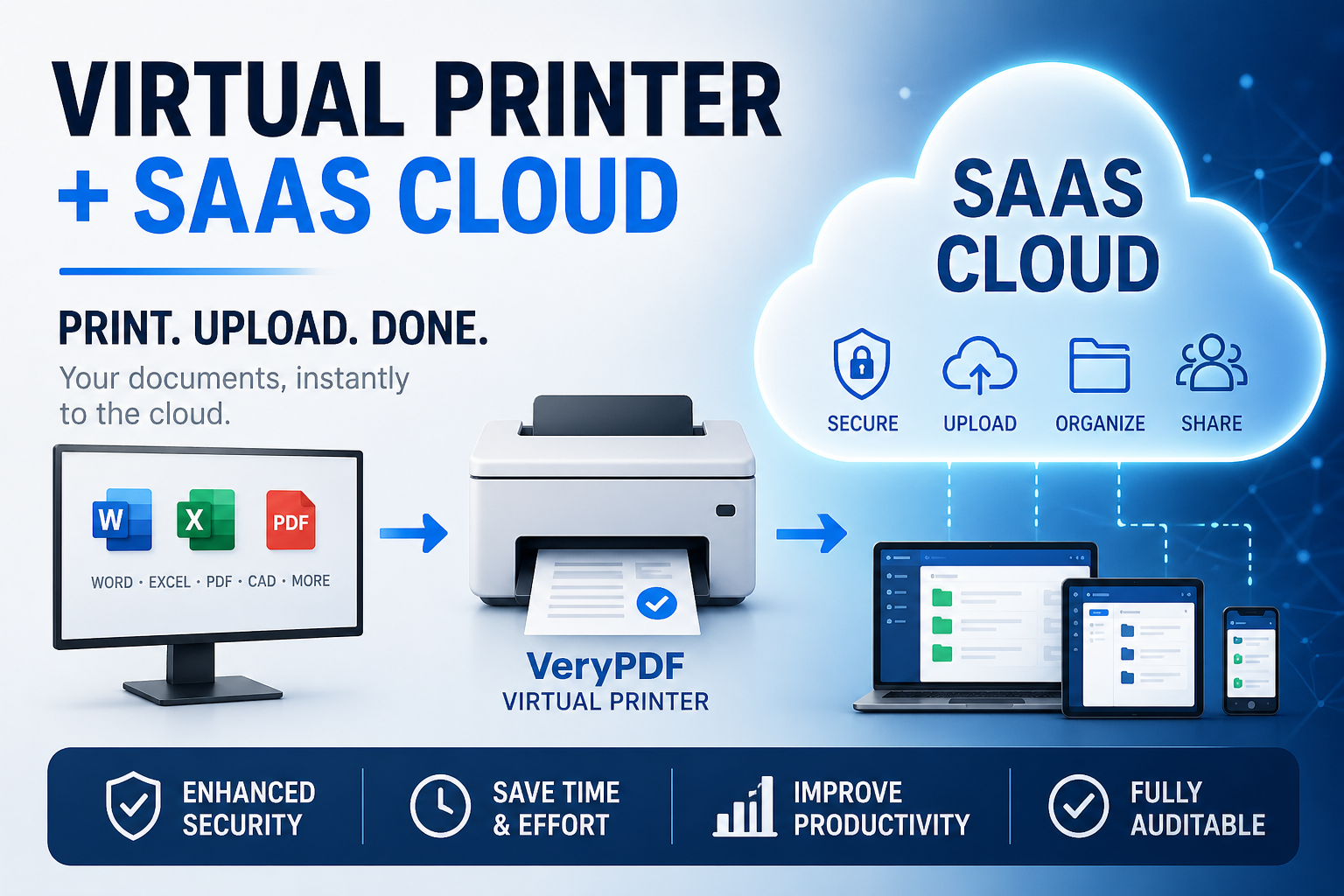 --- 🖨️ What is it exactly? It’s surprisingly simple from a user perspective: You click “Print” from any application (Word, Excel, ERP, CAD, Browser…) ⬇️ Select VeryPDF Virtual Printer ⬇️ The document is automatically: ☁️ Converted ☁️ Encrypted (optional) ☁️ Uploaded to your SaaS Cloud platform ☁️ Routed to the right system or user No manual upload. No file handling. No leakage via local storage. --- 🚀 Why this approach is gaining traction Modern enterprises are struggling with: * Document sprawl across email, chat, and local drives * Security risks from uncontrolled file sharing * Inefficient manual uploads and classification * Lack of audit trails for compliance * Version chaos across departments The “print-to-cloud” model solves this at the source: 👉 One action = one controlled document pipeline --- 🔐 Key advantages of VeryPDF approach 1. Zero learning curve Users continue to “print” as usual 2. Universal compatibility Works with almost any application that supports printing 3. Secure by design * AES encryption support * Dynamic watermarking * Access control policies * Download/print restrictions 4. Native SaaS integration Direct upload to cloud platforms, APIs, or enterprise systems 5. Full traceability Every document action can be logged and audited --- 🧩 Real-world use case Imagine an education platform: Teachers create materials in Word → Print via Virtual Printer → Automatically uploaded to SaaS platform → Students access content online only → No downloading, no forwarding → Each user can have personalized watermarking Result: 📉 Reduced content leakage 📈 Improved monetization control 📊 Centralized document governance --- 💡 More than a printer — it’s a document gateway This is not just a “virtual printer”. It is a document intake layer for enterprise systems. Whoever controls the document entry point controls: * Data flow * Security boundaries * Content distribution * Compliance logging --- 🌍 Ideal for: * SaaS platforms * Education content providers * Financial institutions * Manufacturing (CAD / drawings) * Government and compliance systems * Enterprise document management systems --- 📌 Final thought The future of enterprise documents is not about moving files around. It’s about: 👉 capturing documents at the moment of creation and sending them directly into the cloud workflow VeryPDF Virtual Printer + SaaS Cloud is exactly built for that transition. --- If you're building a SaaS product or enterprise workflow system, this architecture might completely reshape how you think about document ingestion. |
| json metadata | {"tags":["veryutils"],"image":["https://cdn.steemitimages.com/DQmPx4kSiBgvavMkzBkQeq732n37WaMq42tr9iRGoZ71J2U/8b55b073-e4eb-4bb8-a9d7-092af409abfc.png"],"app":"steemit/0.2","format":"markdown"} |
| Transaction Info | Block #105584631/Trx 3ec0acf6c79a3ac4cca918acf7a88e2fc9d3e242 |
View Raw JSON Data
{
"trx_id": "3ec0acf6c79a3ac4cca918acf7a88e2fc9d3e242",
"block": 105584631,
"trx_in_block": 4,
"op_in_trx": 0,
"virtual_op": 0,
"timestamp": "2026-04-28T13:02:30",
"op": [
"comment",
{
"parent_author": "",
"parent_permlink": "veryutils",
"author": "veryutils",
"permlink": "virtual-printer-saas-cloud-the-future-of-enterprise-document-workflow",
"title": "📌 Virtual Printer + SaaS Cloud: The Future of Enterprise Document Workflow",
"body": "Are you still using the traditional workflow?\nPrint → Save PDF → Email → Upload to system → Manual filing\nIn 2026, this process is simply too slow, too fragmented, and too risky.\nA new model is emerging:\n👉 VeryPDF Virtual Printer + SaaS Cloud integration\n\n\n\n---\n🖨️ What is it exactly?\nIt’s surprisingly simple from a user perspective:\nYou click “Print” from any application\n(Word, Excel, ERP, CAD, Browser…)\n⬇️\nSelect VeryPDF Virtual Printer\n⬇️\nThe document is automatically:\n☁️ Converted\n☁️ Encrypted (optional)\n☁️ Uploaded to your SaaS Cloud platform\n☁️ Routed to the right system or user\nNo manual upload. No file handling. No leakage via local storage.\n---\n🚀 Why this approach is gaining traction\nModern enterprises are struggling with:\n* Document sprawl across email, chat, and local drives\n* Security risks from uncontrolled file sharing\n* Inefficient manual uploads and classification\n* Lack of audit trails for compliance\n* Version chaos across departments\nThe “print-to-cloud” model solves this at the source:\n👉 One action = one controlled document pipeline\n---\n🔐 Key advantages of VeryPDF approach\n1. Zero learning curve\nUsers continue to “print” as usual\n2. Universal compatibility\nWorks with almost any application that supports printing\n3. Secure by design\n* AES encryption support\n* Dynamic watermarking\n* Access control policies\n* Download/print restrictions\n4. Native SaaS integration\nDirect upload to cloud platforms, APIs, or enterprise systems\n5. Full traceability\nEvery document action can be logged and audited\n---\n🧩 Real-world use case\nImagine an education platform:\nTeachers create materials in Word\n→ Print via Virtual Printer\n→ Automatically uploaded to SaaS platform\n→ Students access content online only\n→ No downloading, no forwarding\n→ Each user can have personalized watermarking\nResult:\n📉 Reduced content leakage\n📈 Improved monetization control\n📊 Centralized document governance\n---\n💡 More than a printer — it’s a document gateway\nThis is not just a “virtual printer”.\nIt is a document intake layer for enterprise systems.\nWhoever controls the document entry point controls:\n* Data flow\n* Security boundaries\n* Content distribution\n* Compliance logging\n---\n🌍 Ideal for:\n* SaaS platforms\n* Education content providers\n* Financial institutions\n* Manufacturing (CAD / drawings)\n* Government and compliance systems\n* Enterprise document management systems\n---\n📌 Final thought\nThe future of enterprise documents is not about moving files around.\nIt’s about:\n👉 capturing documents at the moment of creation and sending them directly into the cloud workflow\nVeryPDF Virtual Printer + SaaS Cloud is exactly built for that transition.\n---\nIf you're building a SaaS product or enterprise workflow system, this architecture might completely reshape how you think about document ingestion.",
"json_metadata": "{\"tags\":[\"veryutils\"],\"image\":[\"https://cdn.steemitimages.com/DQmPx4kSiBgvavMkzBkQeq732n37WaMq42tr9iRGoZ71J2U/8b55b073-e4eb-4bb8-a9d7-092af409abfc.png\"],\"app\":\"steemit/0.2\",\"format\":\"markdown\"}"
}
]
}2026/04/20 09:56:45
2026/04/20 09:56:45
| parent author | |
| parent permlink | veryutils |
| author | veryutils |
| permlink | how-i-turned-usd250-into-usd2-300-month-in-passive-income-with-a-simple-pdf-file-and-how-i-secured-it-scaled-it-and-turned-it |
| title | How I Turned $250 into $2,300/Month in Passive Income with a Simple PDF File, and How I Secured It, Scaled It, and Turned It into a Real Business |
| body | A year ago, I was in the same position as many people searching for financial independence: constantly looking for a realistic, scalable source of passive income that didn't require a huge upfront investment or consume all of my time. I had already experimented with several popular online business models, dropshipping, print-on-demand, cryptocurrency trading, but none of them gave me the combination of simplicity, control, and sustainability I was looking for. Most of them required constant attention, ongoing costs, or carried risks that didn't align with my long-term vision. Then something unexpected happened. I discovered a business model that seemed almost too simple to be true: selling a single PDF file. 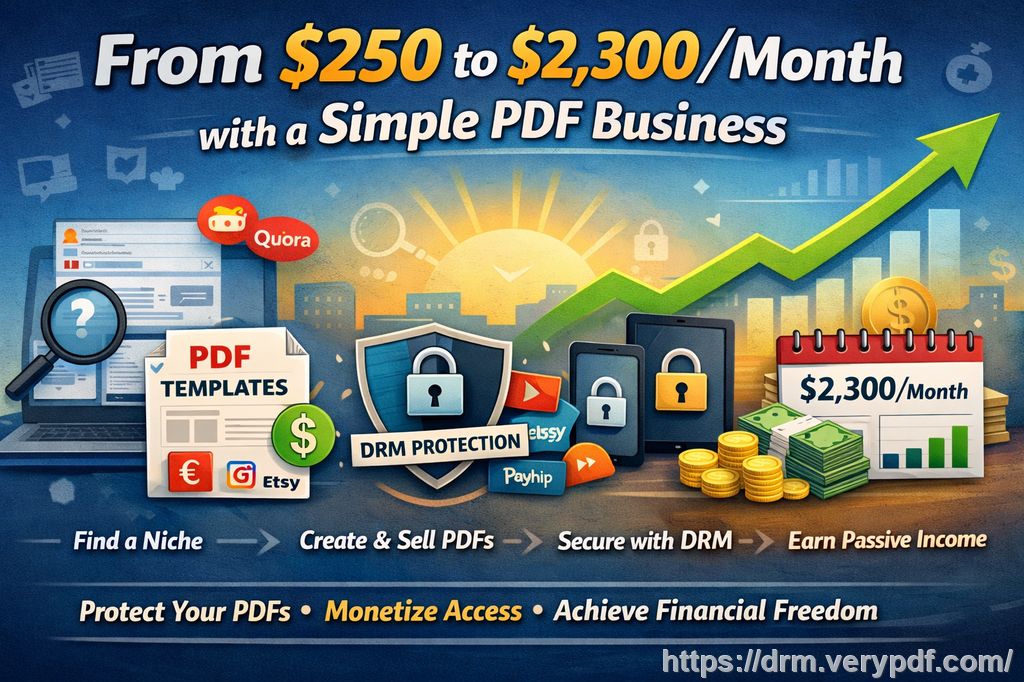 At first, I dismissed the idea. How could a basic digital document generate consistent income? There was no inventory, no shipping, no physical product, nothing tangible. But that simplicity turned out to be the biggest advantage. Today, that same idea generates around $2,300 per month in passive income, and it requires very little ongoing effort. This is the complete story of how I built it, how I scaled it, and most importantly, how I protected and monetized it effectively using the right tools, especially VeryPDF DRM Protector, which became a critical part of turning a simple file into a controlled, revenue-generating digital asset. The Starting Point: Searching for a Real Opportunity Like many aspiring entrepreneurs, I had a strong desire to build something meaningful. I am naturally driven by the need to create, to test ideas, and to succeed. Over the years, I tried multiple ventures. Some worked temporarily, most didn't. That's part of the process. At the time, I was balancing several responsibilities: a full-time job in the environmental sector, investments in rental real estate, crypto trading, ETF portfolios, and small digital marketing experiments. My wife had also been building her own business for over 10 years, and I supported her along the way. Despite all of this activity, I still wanted a reliable stream of passive income, something scalable, something that didn't require constant operational effort. That's when I shifted my thinking. Instead of asking, “What business should I start?” I asked a more precise question: "What problem can I solve with information that people are willing to pay for?" Step 1: Finding a Real, Specific Problem Rather than creating a random product, I focused on identifying a clear demand. I spent time analyzing discussions on platforms like Reddit, Quora, and Facebook groups. I wasn't looking for trends, I was looking for repeated frustrations. What I found was surprisingly consistent: people were constantly searching for practical documents, contract templates, administrative forms, structured guides, especially in niche areas like freelancing, real estate, and small business operations. The key insight was this: People don't just want information. They want organized, ready-to-use solutions. That was my entry point. Step 2: Creating a Simple but Valuable Product I dedicated a single weekend to creating my first product. It wasn't complicated. I compiled high-quality information from reliable sources, structured it clearly, and transformed it into a set of practical templates and guides. The goal was usability, not perfection. I formatted everything into a clean, professional PDF. The focus was on clarity, structure, and immediate value. I didn't need to be the world's leading expert. I needed to be someone who could organize information better than the average person and present it in a way that saved others time. That distinction is important. Step 3: Selling Without Building a Website Instead of spending weeks building a website, I used existing platforms: ◾ Etsy ◾ Gumroad ◾ Payhip These platforms allowed me to start selling immediately without technical complexity or upfront costs. This approach eliminated friction. I could validate the idea quickly and focus on what mattered: whether people would actually buy the product. Step 4: Generating Traffic with Free Strategies With the product live, the next challenge was visibility. I didn't have a marketing budget at the beginning, so I relied on organic strategies: ◾ I created a Reddit post targeting specific communities where my product was relevant. ◾ I answered questions on Quora, subtly integrating my solution where appropriate. ◾ I used Pinterest to create simple visuals that linked back to my listings. These weren't aggressive sales tactics. They were targeted contributions to existing conversations. The goal was simple: be useful first, visible second. Step 5: Automation and Scaling Once I saw initial traction, I started optimizing: ◾ I created additional documents within the same niche ◾ I tested small paid ads (starting at just $5/day) ◾ I improved product descriptions using better keywords ◾ I refined visuals to increase conversion rates The system began to stabilize. Sales became consistent. But then I encountered a critical issue. The Problem I Didn't Anticipate: File Sharing and Piracy As sales increased, I realized something concerning. Customers could easily share the PDF file with others. There was nothing preventing redistribution. No control over access. No way to limit usage. This is the hidden weakness of digital products. Without protection, one sale can turn into unlimited unauthorized distribution. If I wanted to build a long-term, sustainable business, I needed control over how my content was used. The Turning Point: Implementing VeryPDF DRM Protector This is where everything changed. I started using VeryPDF DRM Protector to secure my PDF files, and it fundamentally transformed my business model. Instead of simply selling a file, I began selling controlled access. Here's what that allowed me to do: 1. Prevent Unauthorized Sharing With DRM protection, my PDFs could no longer be freely copied or redistributed. Access was restricted to authorized users only. This immediately protected my revenue. 2. Control How Content Is Used I could define exactly what users were allowed to do: ◾ Disable copying ◾ Prevent screenshots ◾ Restrict printing ◾ Block downloads in certain cases This level of control ensured that my intellectual property remained protected. 3. Charge Based on Usage One of the most powerful features was the ability to monetize access differently: ◾ Charge per user ◾ Charge per device ◾ Limit the number of views ◾ Set expiration dates This allowed me to experiment with subscription-style access, not just one-time purchases. 4. Track User Activity I gained visibility into how my documents were being used. This helped me understand customer behavior and improve my offerings. 5. Build a Sustainable Model Instead of a one-time sale, my PDF became a recurring revenue asset. This was the shift from a simple side hustle to a real business. Results After 6 Months The numbers speak for themselves: ◾ Initial investment: $250 (ads and tools) ◾ Monthly income: ~$2,300 ◾ Time required: minimal ongoing effort ◾ Logistics: none ◾ Customer service: almost zero More importantly, the business became stable. Why This Model Works There are three core reasons: 1. People Pay for Clarity Information is everywhere, but structured, actionable content is rare. People are willing to pay to save time and reduce uncertainty. 2. Digital Products Scale Infinitely A PDF can be sold an unlimited number of times without additional production cost. 3. Control Enables Monetization Without DRM, you're selling a file. With DRM, you're selling access, experience, and value over time. That distinction is everything. Expanding Beyond a Single Product Once the foundation was in place, I began thinking bigger. ◾ Additional document packs ◾ Higher-value training programs (€49 to €299) ◾ Personalized support services (around €1000) I also began exploring: ◾ Affiliate programs ◾ Customer loyalty strategies ◾ Referral systems The goal was not just income, but long-term growth. The Reality Behind the Success I want to be clear about something. This didn't happen overnight. I've spent years trying different business models. I've failed multiple times. I've invested time, energy, and money into ideas that didn't work. That's part of the process. Today, at 46 years old, I'm finally seeing the results of consistent effort. All the actions I've taken over the years are starting to compound. What It Takes to Succeed with This Model If you want to replicate this approach, there are essential elements you need to develop: Demonstrated Expertise You don't need to be the best, but you must provide real value. Show results, share insights, and build credibility. Professional Online Presence Your profiles, visuals, and product pages must inspire trust. Understanding Platforms Each platform has its own dynamics. Learn how they work and adapt your strategy accordingly. Marketing Skills You must know how to target the right audience and communicate effectively. Communication Ability Building trust requires connection. Listen, respond, and engage. Clear Offer Your product must solve a specific problem. The value must be obvious. Content Creation You need to produce content that attracts attention and delivers value. Community Building A loyal audience is one of the most powerful assets you can have. Authenticity People connect with real stories. Be transparent about your journey. The Importance of Support Systems One lesson I've learned is that success is rarely achieved alone. Having the right people around you makes a significant difference: ◾ A good banker ◾ A reliable accountant ◾ A solid insurance advisor ◾ A knowledgeable mentor These are investments, not expenses. Final Thoughts: Writing Your Own Story I am not here to sell you something. At least not yet. I'm sharing a real experience, one that worked for me because I approached it with consistency, curiosity, and a willingness to adapt. The opportunity is real, but it requires effort. You have to test, learn, adjust, and keep going even when things don't work. My goal is clear: to build enough passive income streams to achieve financial independence by the age of 50. I am on that path now. And if there's one thing I can leave you with, it's this: The next chapters of your life are still unwritten. You decide the direction. You decide the effort. You decide whether you act or wait. For me, it started with a simple PDF. But what made the difference wasn't the file itself, it was how I structured it, how I marketed it, and most importantly, how I protected and monetized it using the right tools. That's what turned a basic idea into a scalable, sustainable source of income. |
| json metadata | {"tags":["veryutils"],"image":["https://cdn.steemitimages.com/DQmX8YfTnKy7zd3LNfRm78aaDaQQko9TnN5H6i14hUmWGR2/d3503799-e2b4-48ba-b5d4-06d16a2f2fdc.jpg"],"app":"steemit/0.2","format":"markdown"} |
| Transaction Info | Block #105351075/Trx ba96ddc80d66d85600a10cd651b8aab785284877 |
View Raw JSON Data
{
"trx_id": "ba96ddc80d66d85600a10cd651b8aab785284877",
"block": 105351075,
"trx_in_block": 0,
"op_in_trx": 0,
"virtual_op": 0,
"timestamp": "2026-04-20T09:56:45",
"op": [
"comment",
{
"parent_author": "",
"parent_permlink": "veryutils",
"author": "veryutils",
"permlink": "how-i-turned-usd250-into-usd2-300-month-in-passive-income-with-a-simple-pdf-file-and-how-i-secured-it-scaled-it-and-turned-it",
"title": "How I Turned $250 into $2,300/Month in Passive Income with a Simple PDF File, and How I Secured It, Scaled It, and Turned It into a Real Business",
"body": "A year ago, I was in the same position as many people searching for financial independence: constantly looking for a realistic, scalable source of passive income that didn't require a huge upfront investment or consume all of my time. I had already experimented with several popular online business models, dropshipping, print-on-demand, cryptocurrency trading, but none of them gave me the combination of simplicity, control, and sustainability I was looking for. Most of them required constant attention, ongoing costs, or carried risks that didn't align with my long-term vision.\n\nThen something unexpected happened. I discovered a business model that seemed almost too simple to be true: selling a single PDF file.\n\n\n\nAt first, I dismissed the idea. How could a basic digital document generate consistent income? There was no inventory, no shipping, no physical product, nothing tangible. But that simplicity turned out to be the biggest advantage. Today, that same idea generates around $2,300 per month in passive income, and it requires very little ongoing effort.\n\nThis is the complete story of how I built it, how I scaled it, and most importantly, how I protected and monetized it effectively using the right tools, especially VeryPDF DRM Protector, which became a critical part of turning a simple file into a controlled, revenue-generating digital asset.\n\nThe Starting Point: Searching for a Real Opportunity \n\nLike many aspiring entrepreneurs, I had a strong desire to build something meaningful. I am naturally driven by the need to create, to test ideas, and to succeed. Over the years, I tried multiple ventures. Some worked temporarily, most didn't. That's part of the process.\n\nAt the time, I was balancing several responsibilities: a full-time job in the environmental sector, investments in rental real estate, crypto trading, ETF portfolios, and small digital marketing experiments. My wife had also been building her own business for over 10 years, and I supported her along the way.\n\nDespite all of this activity, I still wanted a reliable stream of passive income, something scalable, something that didn't require constant operational effort.\n\nThat's when I shifted my thinking.\n\nInstead of asking, “What business should I start?” I asked a more precise question:\n\n\"What problem can I solve with information that people are willing to pay for?\"\n\nStep 1: Finding a Real, Specific Problem \nRather than creating a random product, I focused on identifying a clear demand.\n\nI spent time analyzing discussions on platforms like Reddit, Quora, and Facebook groups. I wasn't looking for trends, I was looking for repeated frustrations.\n\nWhat I found was surprisingly consistent: people were constantly searching for practical documents, contract templates, administrative forms, structured guides, especially in niche areas like freelancing, real estate, and small business operations.\n\nThe key insight was this:\n\nPeople don't just want information. They want organized, ready-to-use solutions.\n\nThat was my entry point.\n\nStep 2: Creating a Simple but Valuable Product \nI dedicated a single weekend to creating my first product.\n\nIt wasn't complicated. I compiled high-quality information from reliable sources, structured it clearly, and transformed it into a set of practical templates and guides. The goal was usability, not perfection.\n\nI formatted everything into a clean, professional PDF. The focus was on clarity, structure, and immediate value.\n\nI didn't need to be the world's leading expert. I needed to be someone who could organize information better than the average person and present it in a way that saved others time.\n\nThat distinction is important.\n\nStep 3: Selling Without Building a Website \nInstead of spending weeks building a website, I used existing platforms:\n◾ Etsy\n◾ Gumroad\n◾ Payhip\n\nThese platforms allowed me to start selling immediately without technical complexity or upfront costs.\n\nThis approach eliminated friction. I could validate the idea quickly and focus on what mattered: whether people would actually buy the product.\n\nStep 4: Generating Traffic with Free Strategies \nWith the product live, the next challenge was visibility.\n\nI didn't have a marketing budget at the beginning, so I relied on organic strategies:\n◾ I created a Reddit post targeting specific communities where my product was relevant.\n◾ I answered questions on Quora, subtly integrating my solution where appropriate.\n◾ I used Pinterest to create simple visuals that linked back to my listings.\n\nThese weren't aggressive sales tactics. They were targeted contributions to existing conversations.\n\nThe goal was simple: be useful first, visible second.\n\nStep 5: Automation and Scaling \nOnce I saw initial traction, I started optimizing:\n◾ I created additional documents within the same niche\n◾ I tested small paid ads (starting at just $5/day)\n◾ I improved product descriptions using better keywords\n◾ I refined visuals to increase conversion rates\n\nThe system began to stabilize. Sales became consistent.\n\nBut then I encountered a critical issue.\n\nThe Problem I Didn't Anticipate: File Sharing and Piracy \nAs sales increased, I realized something concerning.\n\nCustomers could easily share the PDF file with others. There was nothing preventing redistribution. No control over access. No way to limit usage.\n\nThis is the hidden weakness of digital products.\n\nWithout protection, one sale can turn into unlimited unauthorized distribution.\n\nIf I wanted to build a long-term, sustainable business, I needed control over how my content was used.\n\nThe Turning Point: Implementing VeryPDF DRM Protector \nThis is where everything changed.\n\nI started using VeryPDF DRM Protector to secure my PDF files, and it fundamentally transformed my business model.\n\nInstead of simply selling a file, I began selling controlled access.\n\nHere's what that allowed me to do:\n1. Prevent Unauthorized Sharing \nWith DRM protection, my PDFs could no longer be freely copied or redistributed. Access was restricted to authorized users only.\n\nThis immediately protected my revenue.\n2. Control How Content Is Used \nI could define exactly what users were allowed to do:\n◾ Disable copying\n◾ Prevent screenshots\n◾ Restrict printing\n◾ Block downloads in certain cases\n\nThis level of control ensured that my intellectual property remained protected.\n3. Charge Based on Usage \nOne of the most powerful features was the ability to monetize access differently:\n◾ Charge per user\n◾ Charge per device\n◾ Limit the number of views\n◾ Set expiration dates\n\nThis allowed me to experiment with subscription-style access, not just one-time purchases.\n4. Track User Activity \nI gained visibility into how my documents were being used. This helped me understand customer behavior and improve my offerings.\n5. Build a Sustainable Model \nInstead of a one-time sale, my PDF became a recurring revenue asset.\n\nThis was the shift from a simple side hustle to a real business.\n\nResults After 6 Months \nThe numbers speak for themselves:\n◾ Initial investment: $250 (ads and tools)\n◾ Monthly income: ~$2,300\n◾ Time required: minimal ongoing effort\n◾ Logistics: none\n◾ Customer service: almost zero\n\nMore importantly, the business became stable.\n\nWhy This Model Works \nThere are three core reasons:\n1. People Pay for Clarity \nInformation is everywhere, but structured, actionable content is rare. People are willing to pay to save time and reduce uncertainty.\n2. Digital Products Scale Infinitely \nA PDF can be sold an unlimited number of times without additional production cost.\n3. Control Enables Monetization \nWithout DRM, you're selling a file.\nWith DRM, you're selling access, experience, and value over time.\n\nThat distinction is everything.\n\nExpanding Beyond a Single Product \nOnce the foundation was in place, I began thinking bigger.\n◾ Additional document packs\n◾ Higher-value training programs (€49 to €299)\n◾ Personalized support services (around €1000)\n\nI also began exploring:\n◾ Affiliate programs\n◾ Customer loyalty strategies\n◾ Referral systems\n\nThe goal was not just income, but long-term growth.\n\nThe Reality Behind the Success \nI want to be clear about something.\n\nThis didn't happen overnight.\n\nI've spent years trying different business models. I've failed multiple times. I've invested time, energy, and money into ideas that didn't work.\n\nThat's part of the process.\n\nToday, at 46 years old, I'm finally seeing the results of consistent effort. All the actions I've taken over the years are starting to compound.\n\nWhat It Takes to Succeed with This Model \nIf you want to replicate this approach, there are essential elements you need to develop:\nDemonstrated Expertise \nYou don't need to be the best, but you must provide real value. Show results, share insights, and build credibility.\nProfessional Online Presence \nYour profiles, visuals, and product pages must inspire trust.\nUnderstanding Platforms \nEach platform has its own dynamics. Learn how they work and adapt your strategy accordingly.\nMarketing Skills \nYou must know how to target the right audience and communicate effectively.\nCommunication Ability \nBuilding trust requires connection. Listen, respond, and engage.\nClear Offer \nYour product must solve a specific problem. The value must be obvious.\nContent Creation \nYou need to produce content that attracts attention and delivers value.\nCommunity Building \nA loyal audience is one of the most powerful assets you can have.\nAuthenticity \nPeople connect with real stories. Be transparent about your journey.\n\nThe Importance of Support Systems \nOne lesson I've learned is that success is rarely achieved alone.\n\nHaving the right people around you makes a significant difference:\n◾ A good banker\n◾ A reliable accountant\n◾ A solid insurance advisor\n◾ A knowledgeable mentor\n\nThese are investments, not expenses.\n\nFinal Thoughts: Writing Your Own Story \nI am not here to sell you something. At least not yet.\n\nI'm sharing a real experience, one that worked for me because I approached it with consistency, curiosity, and a willingness to adapt.\n\nThe opportunity is real, but it requires effort.\n\nYou have to test, learn, adjust, and keep going even when things don't work.\n\nMy goal is clear: to build enough passive income streams to achieve financial independence by the age of 50.\n\nI am on that path now.\n\nAnd if there's one thing I can leave you with, it's this:\n\nThe next chapters of your life are still unwritten.\n\nYou decide the direction.\n\nYou decide the effort.\n\nYou decide whether you act or wait.\n\nFor me, it started with a simple PDF.\n\nBut what made the difference wasn't the file itself, it was how I structured it, how I marketed it, and most importantly, how I protected and monetized it using the right tools.\n\nThat's what turned a basic idea into a scalable, sustainable source of income.",
"json_metadata": "{\"tags\":[\"veryutils\"],\"image\":[\"https://cdn.steemitimages.com/DQmX8YfTnKy7zd3LNfRm78aaDaQQko9TnN5H6i14hUmWGR2/d3503799-e2b4-48ba-b5d4-06d16a2f2fdc.jpg\"],\"app\":\"steemit/0.2\",\"format\":\"markdown\"}"
}
]
}2026/04/13 10:44:57
2026/04/13 10:44:57
| parent author | |
| parent permlink | veryutils |
| author | veryutils |
| permlink | unlock-powerful-document-intelligence-with-verypdf-drm-protector-advanced-pdf-reading-analytics-and-heartbeat-tracking |
| title | Unlock Powerful Document Intelligence with VeryPDF DRM Protector: Advanced PDF Reading Analytics & Heartbeat Tracking |
| body | Unlock Powerful Document Intelligence with VeryPDF DRM Protector: Advanced PDF Reading Analytics & Heartbeat Tracking https://drm.verypdf.com/ In today’s digital-first environment, PDF documents are at the core of education, corporate training, legal contracts, financial reports, and premium digital content distribution. Organizations distribute millions of PDFs every day—but there is a critical blind spot: They don’t truly know whether users are actually reading the content. A PDF being opened does not mean it is read. A download does not mean engagement. Even page scrolling does not guarantee attention or understanding. 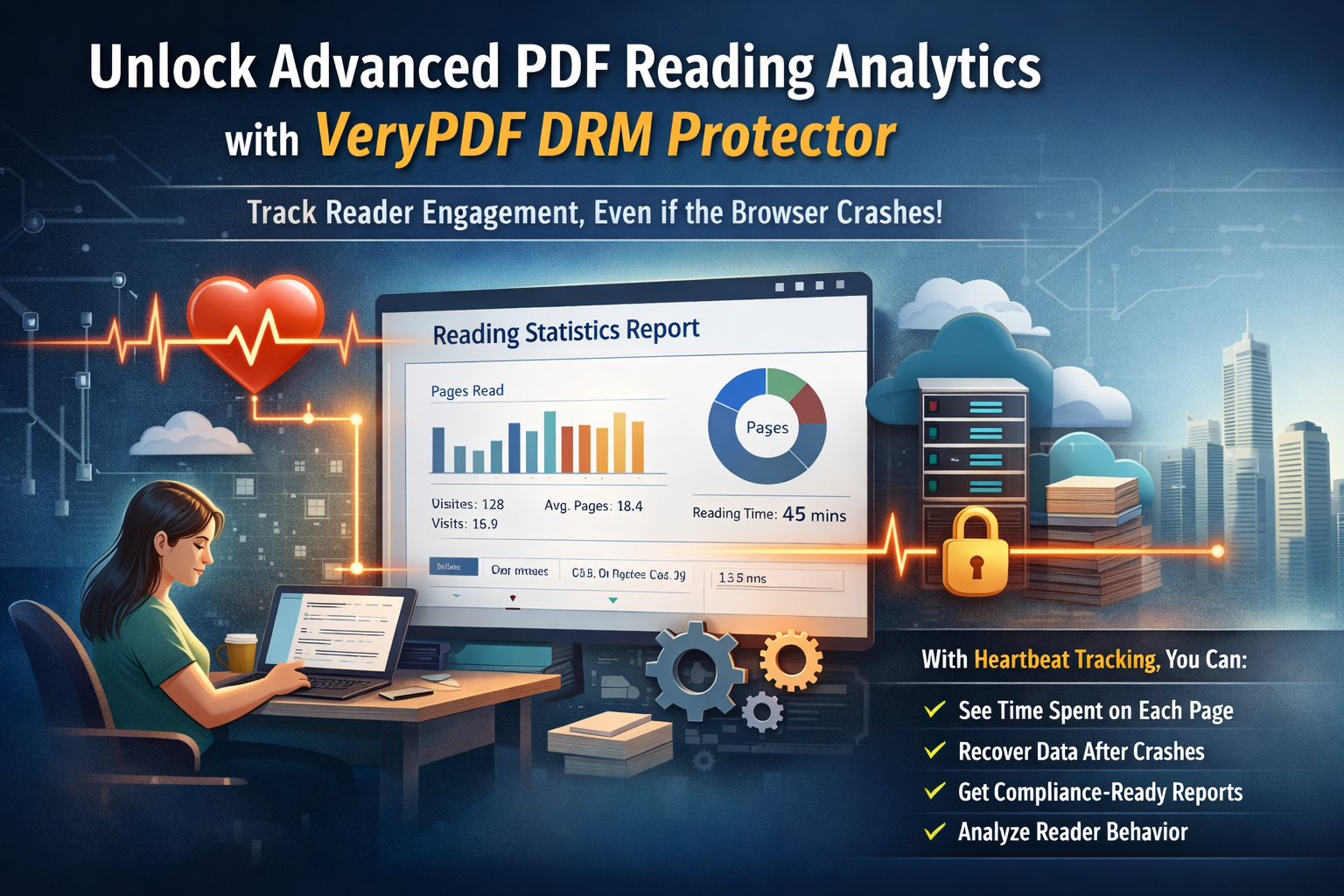 -- The Problem with Traditional PDF Analytics Most existing systems rely on basic metrics such as downloads, open events, or simple time-on-file tracking. These methods are misleading because they cannot answer key questions: * Which pages were actually read? * How long did the user stay engaged? * Did the user skip important sections? * Was the document truly reviewed or just opened briefly? Even worse, traditional tracking systems depend on unreliable “exit events” like closing a tab or clicking a finish button. In real-world usage, users may suddenly close browsers, lose connectivity, or experience crashes—resulting in lost data and incomplete insights. -- Introducing Heartbeat-Based Reading Analytics VeryPDF DRM Protector solves this problem with a Heartbeat Tracking System that continuously records reading activity at fixed intervals during document usage. Instead of waiting for a final “close event,” the system collects behavioral data throughout the entire reading session, including: * Page-by-page viewing activity * Time spent on each page * Reading flow and navigation patterns * Session continuity and interruptions * Partial recovery after unexpected shutdowns Even if a browser crashes or a user leaves unexpectedly, most of the reading data is already safely captured. -- How It Works Heartbeat tracking is configured via an advanced parameter: AdvancedOptions_HeartbeatInterval = 60 (seconds) This means the system sends reading activity updates every 60 seconds. Administrators can adjust this interval depending on their needs. To ensure system stability: * Minimum effective interval: > 10 seconds * Recommended production setting: 60 seconds or higher * Short intervals may increase server load and traffic Each heartbeat event is logged and visible in the Activity Details dashboard, where administrators can view detailed reading statistics and behavioral reports. -- Key Benefits 1. True Reading Insight Understand exactly how users interact with content—what they read, skip, and revisit. 2. Reliable Data Recovery Even if sessions are interrupted, reading progress and page activity remain intact. 3. Page-Level Engagement Analysis Identify high-interest pages, weak sections, and content that needs improvement. 4. Compliance & Audit Readiness Generate verifiable proof of document reading for legal, financial, and regulatory requirements. 5. Near Real-Time Monitoring Track active reading sessions and engagement trends as they happen. -- Business Impact Heartbeat-based analytics transforms PDFs from static documents into intelligent content assets. Organizations can move beyond assumptions and gain real behavioral insights that improve: * Learning outcomes in education * Training effectiveness in enterprises * Compliance verification in regulated industries * Engagement and revenue in digital publishing -- Conclusion VeryPDF DRM Protector’s Heartbeat Reading Analytics redefines how organizations understand document usage. It bridges the gap between “document opened” and “document truly read.” With continuous tracking, resilient data capture, and page-level intelligence, organizations can finally move from guesswork to evidence-based content strategy. This is more than document protection—it is document intelligence in action. |
| json metadata | {"tags":["veryutils"],"image":["https://cdn.steemitimages.com/DQmYZkmLi6FQkRGmwSaXq61LowJQKmQn2wAafNiTwiNPABK/b44621ca-b080-4ac4-8032-8e57740c2c26.png"],"links":["https://drm.verypdf.com/"],"app":"steemit/0.2","format":"markdown"} |
| Transaction Info | Block #105150909/Trx e07f1d23a6fa6eef4f662556c2b2732da56513ac |
View Raw JSON Data
{
"trx_id": "e07f1d23a6fa6eef4f662556c2b2732da56513ac",
"block": 105150909,
"trx_in_block": 0,
"op_in_trx": 0,
"virtual_op": 0,
"timestamp": "2026-04-13T10:44:57",
"op": [
"comment",
{
"parent_author": "",
"parent_permlink": "veryutils",
"author": "veryutils",
"permlink": "unlock-powerful-document-intelligence-with-verypdf-drm-protector-advanced-pdf-reading-analytics-and-heartbeat-tracking",
"title": "Unlock Powerful Document Intelligence with VeryPDF DRM Protector: Advanced PDF Reading Analytics & Heartbeat Tracking",
"body": "Unlock Powerful Document Intelligence with VeryPDF DRM Protector: Advanced PDF Reading Analytics & Heartbeat Tracking\n\nhttps://drm.verypdf.com/\n\nIn today’s digital-first environment, PDF documents are at the core of education, corporate training, legal contracts, financial reports, and premium digital content distribution. Organizations distribute millions of PDFs every day—but there is a critical blind spot:\n\nThey don’t truly know whether users are actually reading the content.\n\nA PDF being opened does not mean it is read. A download does not mean engagement. Even page scrolling does not guarantee attention or understanding.\n\n\n\n-- The Problem with Traditional PDF Analytics\n\nMost existing systems rely on basic metrics such as downloads, open events, or simple time-on-file tracking. These methods are misleading because they cannot answer key questions:\n\n* Which pages were actually read?\n* How long did the user stay engaged?\n* Did the user skip important sections?\n* Was the document truly reviewed or just opened briefly?\n\nEven worse, traditional tracking systems depend on unreliable “exit events” like closing a tab or clicking a finish button. In real-world usage, users may suddenly close browsers, lose connectivity, or experience crashes—resulting in lost data and incomplete insights.\n\n-- Introducing Heartbeat-Based Reading Analytics\n\nVeryPDF DRM Protector solves this problem with a Heartbeat Tracking System that continuously records reading activity at fixed intervals during document usage.\n\nInstead of waiting for a final “close event,” the system collects behavioral data throughout the entire reading session, including:\n\n* Page-by-page viewing activity\n* Time spent on each page\n* Reading flow and navigation patterns\n* Session continuity and interruptions\n* Partial recovery after unexpected shutdowns\n\nEven if a browser crashes or a user leaves unexpectedly, most of the reading data is already safely captured.\n\n-- How It Works\n\nHeartbeat tracking is configured via an advanced parameter:\n\nAdvancedOptions_HeartbeatInterval = 60 (seconds)\n\nThis means the system sends reading activity updates every 60 seconds. Administrators can adjust this interval depending on their needs.\n\nTo ensure system stability:\n\n* Minimum effective interval: > 10 seconds\n* Recommended production setting: 60 seconds or higher\n* Short intervals may increase server load and traffic\n\nEach heartbeat event is logged and visible in the Activity Details dashboard, where administrators can view detailed reading statistics and behavioral reports.\n\n-- Key Benefits\n\n1. True Reading Insight\nUnderstand exactly how users interact with content—what they read, skip, and revisit.\n\n2. Reliable Data Recovery\nEven if sessions are interrupted, reading progress and page activity remain intact.\n\n3. Page-Level Engagement Analysis\nIdentify high-interest pages, weak sections, and content that needs improvement.\n\n4. Compliance & Audit Readiness\nGenerate verifiable proof of document reading for legal, financial, and regulatory requirements.\n\n5. Near Real-Time Monitoring\nTrack active reading sessions and engagement trends as they happen.\n\n-- Business Impact\n\nHeartbeat-based analytics transforms PDFs from static documents into intelligent content assets. Organizations can move beyond assumptions and gain real behavioral insights that improve:\n\n* Learning outcomes in education\n* Training effectiveness in enterprises\n* Compliance verification in regulated industries\n* Engagement and revenue in digital publishing\n\n-- Conclusion\n\nVeryPDF DRM Protector’s Heartbeat Reading Analytics redefines how organizations understand document usage. It bridges the gap between “document opened” and “document truly read.”\n\nWith continuous tracking, resilient data capture, and page-level intelligence, organizations can finally move from guesswork to evidence-based content strategy.\n\nThis is more than document protection—it is document intelligence in action.",
"json_metadata": "{\"tags\":[\"veryutils\"],\"image\":[\"https://cdn.steemitimages.com/DQmYZkmLi6FQkRGmwSaXq61LowJQKmQn2wAafNiTwiNPABK/b44621ca-b080-4ac4-8032-8e57740c2c26.png\"],\"links\":[\"https://drm.verypdf.com/\"],\"app\":\"steemit/0.2\",\"format\":\"markdown\"}"
}
]
}2026/03/14 10:45:45
2026/03/14 10:45:45
| parent author | |
| parent permlink | verypdf |
| author | veryutils |
| permlink | how-pdf-analytics-helps-marketers-protect-business-reports-and-track-client-engagement |
| title | How PDF Analytics Helps Marketers Protect Business Reports and Track Client Engagement |
| body | How PDF Analytics Helps Marketers Protect Business Reports and Track Client Engagement Try the free online demo now: https://drm.verypdf.com Protect confidential business reports and market research while tracking exactly how clients engage with your PDFs. 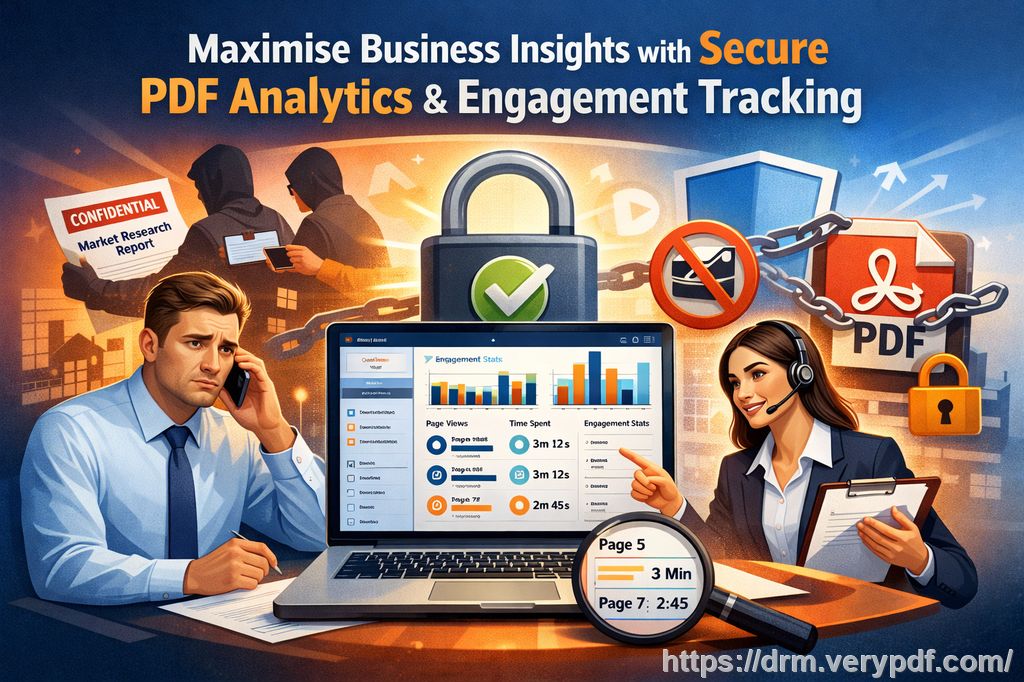 As a business owner, I often felt uneasy sending detailed market research reports or internal strategy documents to clients and partners. What if someone shared them without permission? What if my carefully crafted insights ended up in the hands of competitors? I wasn't just worried about leaks; I wanted to understand how my clients were interacting with the materials I sent. Were they actually reading them, or just skimming through? Many professionals face the same dilemma. PDFs are convenient for sharing content, but without control, they can be easily copied, printed, or forwarded. On top of that, businesses often lack insight into how recipients engage with the content. That's where VeryPDF's DRM Protector and PDF Analytics come into play, giving you both security and intelligence in one solution. Common Business Challenges 1. Unauthorized Sharing of Sensitive Reports Market research reports, sales proposals, or strategic plans are often shared via email or cloud storage. Once they leave your hands, you lose control. Sensitive insights can end up circulating outside your intended audience, potentially harming competitive advantage. 2. Copying, Printing, and File Conversion Even with password protection, PDFs can be printed, copied, or converted into Word, Excel, or image formats. This opens doors for unauthorized distribution, making it nearly impossible to enforce confidentiality or track document use. 3. Limited Insight into Client Engagement Traditional PDF sharing leaves you in the dark about how your clients interact with your content. Did they read the pricing page carefully? Did they skip important sections of your proposal? Without this insight, sales and marketing teams struggle to prioritise follow-ups and tailor messaging effectively. The Solution: PDF Analytics for Sales by VeryPDF DRM Protector VeryPDF DRM Protector combines PDF security with advanced analytics, addressing these challenges in real-world business scenarios. Here's how: Restrict Access to Authorized Users You can define exactly who can open a PDF—whether it's a specific client, department, or partner. This ensures that confidential reports stay within the intended audience. Prevent Copying, Printing, Forwarding, and DRM Removal With DRM protection, unauthorized users cannot copy text, print the document, or remove DRM restrictions. The tool also prevents conversion to Word, Excel, or image formats, keeping your intellectual property secure. Track Engagement with PDF Analytics Gain actionable insight into client behavior: * Which pages were viewed * Time spent on each page * Total reading duration This allows sales teams to prioritise follow-ups based on actual interest, improving lead nurturing and closing rates. Protect Your Business Reports and Market Research Whether it's a quarterly research report, financial analysis, or competitive strategy document, PDF Analytics ensures your content is used only by authorized individuals, maintaining confidentiality and compliance. Real-World Scenarios * Preventing Data Leaks: A client once tried forwarding a strategic report to their entire department. DRM restrictions prevented unauthorized access, keeping sensitive insights safe. * Sales Insight: During a proposal process, PDF Analytics showed that a prospect spent considerable time on the pricing page, indicating strong purchase intent. This prompted a timely call, ultimately securing the deal. * Efficiency Gains: Instead of guessing client interest, I could see exactly which sections were being read and focus my follow-up communication on topics that mattered most. Step-by-Step Guidance for Implementing PDF Analytics 1. Apply DRM Protection + Restrict access by email or department + Disable printing, copying, forwarding, and DRM removal 2. Distribute Secure PDFs + Send reports or research directly to authorized clients or partners + Ensure only intended recipients can open the document 3. Monitor Engagement + Access real-time analytics + Identify high-interest sections + Adjust sales or marketing strategy accordingly 4. Take Action Based on Insights + Follow up with prospects who show strong engagement + Offer additional information for sections that were skimmed + Reduce time spent on unengaged recipients Anti-Piracy and Engagement Benefits * Stops Unauthorized Sharing: DRM ensures only authorized users can open the PDF. * Prevents Format Conversion: No exporting to Word, Excel, or images, keeping content secure. * Actionable Sales Insights: Understand what clients focus on, enabling smarter engagement strategies. * Full Control Over Distribution: Track every interaction and maintain a complete history of document use. Why I Recommend VeryPDF DRM Protector Using PDF Analytics for Sales by VeryPDF DRM Protector has transformed how I handle confidential documents. Not only does it prevent unauthorized access, but it also reveals invaluable insights about client engagement. I can now tailor my follow-ups, protect proprietary research, and confidently share reports without fear of leaks. I highly recommend this to anyone distributing confidential business documents and wanting insight into client behavior. Try it now and protect your business reports: https://drm.verypdf.com. Start your free trial today, secure your market research, and track PDF engagement. Frequently Asked Questions 1. How can I limit access to confidential business documents? You can restrict PDFs to specific users, departments, or email addresses, ensuring only authorized recipients can open them. 2. Can I prevent others from copying, printing, or converting my reports? Yes, DRM protection disables printing, copying, forwarding, and conversion to Word, Excel, or images. 3. How do I track which pages my clients are reading and how long they spend? PDF Analytics provides real-time insights, showing page views, reading duration per page, and total time spent on the document. 4. Does DRM technology prevent unauthorized sharing of PDFs? Absolutely. DRM restricts access to authorized users and prevents forwarding or bypassing of security measures. 5. How easy is it to distribute protected business reports to clients or colleagues? Distribution is straightforward: send the DRM-protected PDF via email or secure cloud links to authorized users. Recipients can access the document seamlessly, while security remains intact. 6. Can I see which sections of a report clients are most interested in? Yes, PDF Analytics tracks page-level engagement, revealing which sections clients linger on the most, helping you prioritize follow-ups. 7. Will this help me close deals faster? Definitely. By understanding which content resonates with prospects, you can target conversations more effectively and act on real engagement signals. Tags/Keywords protect business reports, secure market research, prevent PDF piracy, stop unauthorized access, track PDF engagement, protect confidential data, monitor PDF reading, PDF DRM protection, client engagement insights, secure business documents |
| json metadata | {"tags":["verypdf"],"image":["https://cdn.steemitimages.com/DQmPs8VjGGxen35Db5Q9w6pTDKTgzvfM7FkjcQrfMZoMQ2B/9e840827-6c5a-4ed6-a587-83b3f5191b63.jpg"],"links":["https://drm.verypdf.com"],"app":"steemit/0.2","format":"markdown"} |
| Transaction Info | Block #104291890/Trx 39cef2c6dd87950345f2d5006705a33f75ba481a |
View Raw JSON Data
{
"trx_id": "39cef2c6dd87950345f2d5006705a33f75ba481a",
"block": 104291890,
"trx_in_block": 0,
"op_in_trx": 0,
"virtual_op": 0,
"timestamp": "2026-03-14T10:45:45",
"op": [
"comment",
{
"parent_author": "",
"parent_permlink": "verypdf",
"author": "veryutils",
"permlink": "how-pdf-analytics-helps-marketers-protect-business-reports-and-track-client-engagement",
"title": "How PDF Analytics Helps Marketers Protect Business Reports and Track Client Engagement",
"body": "How PDF Analytics Helps Marketers Protect Business Reports and Track Client Engagement\n\nTry the free online demo now: https://drm.verypdf.com\n\nProtect confidential business reports and market research while tracking exactly how clients engage with your PDFs.\n\n\n\nAs a business owner, I often felt uneasy sending detailed market research reports or internal strategy documents to clients and partners. What if someone shared them without permission? What if my carefully crafted insights ended up in the hands of competitors? I wasn't just worried about leaks; I wanted to understand how my clients were interacting with the materials I sent. Were they actually reading them, or just skimming through?\n\nMany professionals face the same dilemma. PDFs are convenient for sharing content, but without control, they can be easily copied, printed, or forwarded. On top of that, businesses often lack insight into how recipients engage with the content. That's where VeryPDF's DRM Protector and PDF Analytics come into play, giving you both security and intelligence in one solution.\n\nCommon Business Challenges\n\n1. Unauthorized Sharing of Sensitive Reports\nMarket research reports, sales proposals, or strategic plans are often shared via email or cloud storage. Once they leave your hands, you lose control. Sensitive insights can end up circulating outside your intended audience, potentially harming competitive advantage.\n\n2. Copying, Printing, and File Conversion\nEven with password protection, PDFs can be printed, copied, or converted into Word, Excel, or image formats. This opens doors for unauthorized distribution, making it nearly impossible to enforce confidentiality or track document use.\n\n3. Limited Insight into Client Engagement\nTraditional PDF sharing leaves you in the dark about how your clients interact with your content. Did they read the pricing page carefully? Did they skip important sections of your proposal? Without this insight, sales and marketing teams struggle to prioritise follow-ups and tailor messaging effectively.\n\nThe Solution: PDF Analytics for Sales by VeryPDF DRM Protector\n\nVeryPDF DRM Protector combines PDF security with advanced analytics, addressing these challenges in real-world business scenarios. Here's how:\n\nRestrict Access to Authorized Users\nYou can define exactly who can open a PDF—whether it's a specific client, department, or partner. This ensures that confidential reports stay within the intended audience.\n\nPrevent Copying, Printing, Forwarding, and DRM Removal\nWith DRM protection, unauthorized users cannot copy text, print the document, or remove DRM restrictions. The tool also prevents conversion to Word, Excel, or image formats, keeping your intellectual property secure.\n\nTrack Engagement with PDF Analytics\nGain actionable insight into client behavior:\n\n * Which pages were viewed\n\n * Time spent on each page\n\n * Total reading duration\n\nThis allows sales teams to prioritise follow-ups based on actual interest, improving lead nurturing and closing rates.\n\nProtect Your Business Reports and Market Research\nWhether it's a quarterly research report, financial analysis, or competitive strategy document, PDF Analytics ensures your content is used only by authorized individuals, maintaining confidentiality and compliance.\n\nReal-World Scenarios\n\n * Preventing Data Leaks: A client once tried forwarding a strategic report to their entire department. DRM restrictions prevented unauthorized access, keeping sensitive insights safe.\n\n * Sales Insight: During a proposal process, PDF Analytics showed that a prospect spent considerable time on the pricing page, indicating strong purchase intent. This prompted a timely call, ultimately securing the deal.\n\n * Efficiency Gains: Instead of guessing client interest, I could see exactly which sections were being read and focus my follow-up communication on topics that mattered most.\n\nStep-by-Step Guidance for Implementing PDF Analytics\n\n 1. Apply DRM Protection\n\n + Restrict access by email or department\n\n + Disable printing, copying, forwarding, and DRM removal\n\n 2. Distribute Secure PDFs\n\n + Send reports or research directly to authorized clients or partners\n\n + Ensure only intended recipients can open the document\n\n 3. Monitor Engagement\n\n + Access real-time analytics\n\n + Identify high-interest sections\n\n + Adjust sales or marketing strategy accordingly\n\n 4. Take Action Based on Insights\n\n + Follow up with prospects who show strong engagement\n\n + Offer additional information for sections that were skimmed\n\n + Reduce time spent on unengaged recipients\n\nAnti-Piracy and Engagement Benefits\n\n * Stops Unauthorized Sharing: DRM ensures only authorized users can open the PDF.\n\n * Prevents Format Conversion: No exporting to Word, Excel, or images, keeping content secure.\n\n * Actionable Sales Insights: Understand what clients focus on, enabling smarter engagement strategies.\n\n * Full Control Over Distribution: Track every interaction and maintain a complete history of document use.\n\nWhy I Recommend VeryPDF DRM Protector\n\nUsing PDF Analytics for Sales by VeryPDF DRM Protector has transformed how I handle confidential documents. Not only does it prevent unauthorized access, but it also reveals invaluable insights about client engagement. I can now tailor my follow-ups, protect proprietary research, and confidently share reports without fear of leaks.\n\nI highly recommend this to anyone distributing confidential business documents and wanting insight into client behavior. Try it now and protect your business reports: https://drm.verypdf.com. Start your free trial today, secure your market research, and track PDF engagement.\n\nFrequently Asked Questions\n\n1. How can I limit access to confidential business documents?\nYou can restrict PDFs to specific users, departments, or email addresses, ensuring only authorized recipients can open them.\n\n2. Can I prevent others from copying, printing, or converting my reports?\nYes, DRM protection disables printing, copying, forwarding, and conversion to Word, Excel, or images.\n\n3. How do I track which pages my clients are reading and how long they spend?\nPDF Analytics provides real-time insights, showing page views, reading duration per page, and total time spent on the document.\n\n4. Does DRM technology prevent unauthorized sharing of PDFs?\nAbsolutely. DRM restricts access to authorized users and prevents forwarding or bypassing of security measures.\n\n5. How easy is it to distribute protected business reports to clients or colleagues?\nDistribution is straightforward: send the DRM-protected PDF via email or secure cloud links to authorized users. Recipients can access the document seamlessly, while security remains intact.\n\n6. Can I see which sections of a report clients are most interested in?\nYes, PDF Analytics tracks page-level engagement, revealing which sections clients linger on the most, helping you prioritize follow-ups.\n\n7. Will this help me close deals faster?\nDefinitely. By understanding which content resonates with prospects, you can target conversations more effectively and act on real engagement signals.\n\nTags/Keywords\nprotect business reports, secure market research, prevent PDF piracy, stop unauthorized access, track PDF engagement, protect confidential data, monitor PDF reading, PDF DRM protection, client engagement insights, secure business documents",
"json_metadata": "{\"tags\":[\"verypdf\"],\"image\":[\"https://cdn.steemitimages.com/DQmPs8VjGGxen35Db5Q9w6pTDKTgzvfM7FkjcQrfMZoMQ2B/9e840827-6c5a-4ed6-a587-83b3f5191b63.jpg\"],\"links\":[\"https://drm.verypdf.com\"],\"app\":\"steemit/0.2\",\"format\":\"markdown\"}"
}
]
}veryutilspublished a new post: securing-pdfs-and-stopping-students-from-sharing-homework-in-class2026/03/05 13:41:45
veryutilspublished a new post: securing-pdfs-and-stopping-students-from-sharing-homework-in-class
2026/03/05 13:41:45
| parent author | |
| parent permlink | veryutils |
| author | veryutils |
| permlink | securing-pdfs-and-stopping-students-from-sharing-homework-in-class |
| title | Securing PDFs and Stopping Students from Sharing Homework in Class |
| body | Securing PDFs and Stopping Students from Sharing Homework in Class Try the free online demo now: https://drm.verypdf.com Keeping lecture materials safe has always been a challenge for me. I remember last semester, I spent hours preparing a set of detailed lecture slides for my advanced biology course, only to find out a student had shared them online before the first tutorial even began. It's frustrating and disheartening because you want your students to benefit from your content—but not at the cost of losing control over it. For professors and educators, the struggle of preventing PDF piracy, controlling who accesses course materials, and stopping students from copying or converting files is very real.  One solution that has truly changed the way I distribute content is VeryPDF DRM Protector. It allows you to protect course PDFs, secure lecture materials, and prevent students from sharing homework—all while keeping annotation and interaction features intact. Let me walk you through why this tool has become essential in my teaching workflow. I often face a few recurring pain points in the classroom: * Students sharing PDFs or assignments online. No matter how much you stress academic integrity, some students will share notes or homework with others, or even upload them to forums. This spreads your work beyond your control and can affect your course's credibility. * Unauthorized printing, copying, or converting files. I've seen students try to convert PDFs into Word documents or Excel sheets to manipulate or distribute content. Even when PDFs are password-protected, many conversion tools bypass simple restrictions. * Loss of control over paid or restricted course content. For professors teaching online courses or providing paid PDFs, it's a nightmare to have your hard work accessible without consent. The challenge is distributing content efficiently while maintaining strict access control. This is where VeryPDF DRM Protector becomes a game-changer. It's designed specifically for educators who need to control who sees their PDFs and how they're used. Here's how it helps in real classroom scenarios: * Restrict PDF access to enrolled students or specific users. Each PDF can be locked so only students with a valid account can open it. No more worrying about forwarded emails or unauthorized downloads. * Prevent printing, copying, forwarding, or DRM removal. Students can read, annotate, and engage with the content without being able to steal it. Even if someone tries to bypass the security, DRM protection ensures the file stays secure. * Protect lecture slides, homework, and paid course materials. Whether you're preparing semester-long lecture slides or distributing a paid workbook, the content remains safe from sharing or misuse. The anti-piracy benefits are substantial: * Stops students or hackers from bypassing PDF security. Unlike basic password protections, DRM enforcement ensures no one can remove restrictions without authorization. * Prevents conversion to Word, Excel, or images. Students cannot copy or extract content to reproduce it elsewhere, preserving your intellectual property. * Maintains full control over content distribution. You can decide who sees the materials, how long they can access them, and even track usage if needed. In my own experience, using VeryPDF DRM Protector has saved me countless headaches. Last semester, I rolled out a set of annotated homework PDFs using the tool. I was able to: * Restrict access to only my registered students. * Allow students to highlight and annotate the PDFs within their accounts, without risking unauthorized sharing. * Save annotations for each student, so they could resume their work seamlessly. One student even thanked me because the annotation feature allowed them to review complex diagrams with notes that were preserved across sessions. Meanwhile, I didn't have to worry about the PDFs being leaked online. Setting it up is straightforward. Here's a simple workflow I follow: 1. Open the protected PDF list at VeryPDF DRM Protector's web portal. 2. Select the PDF I want to annotate and click "Edit Settings." 3. Enable toolbar options like highlight, free text, ink, and stamp. 4. Save the settings and launch the enhanced web viewer for students. This setup lets students interact with PDFs safely: they can add highlights, freehand notes, and even signatures, but they cannot copy, print, or export the file. For me, it was a relief to see that even the most tech-savvy students couldn't bypass the system. The annotation system is powerful yet simple: * Highlight, strikeout, and underline text for focused note-taking. * Ink and freehand drawing for diagrams or math equations. * Stamps and custom images for marking important notes or feedback. * Export or save annotations in students' accounts so work is never lost. Mobile support is another big plus. Students can annotate lecture PDFs directly on tablets or phones during lectures, which enhances engagement without compromising security. I also love how DRM Protector handles step-by-step classroom use: * Upload PDFs to the DRM system. * Configure access restrictions and annotation tools. * Share links securely with students. * Monitor usage and engagement without exposing files to piracy. Overall, the tool has streamlined my workflow. I spend less time worrying about security, and more time focusing on teaching. Students get interactive PDFs they can work with safely, and I maintain full control over my materials. It's a win-win. I highly recommend this to anyone distributing PDFs to students, whether for classroom lectures, homework, or paid online courses. Protecting course PDFs, securing lecture materials, and stopping students from sharing homework has never been easier. Try it now and protect your course materials: https://drm.verypdf.com Start your free trial today and regain control over your PDFs. FAQs Q: How can I limit student access to PDFs? A: VeryPDF DRM Protector allows you to restrict access to specific users or enrolled students. Only authorized accounts can open the protected PDFs. Q: Can students still read PDFs without copying, printing, or converting them? A: Yes. Students can view and annotate the PDFs, but all copying, printing, forwarding, or converting actions are blocked by DRM. Q: How can I track who accessed my files? A: The platform provides usage monitoring, so you can see which students opened the PDFs and when. Q: Does it prevent PDF piracy and unauthorized sharing? A: Absolutely. DRM protection ensures PDFs cannot be shared, converted, or modified outside of the system. Q: How easy is it to distribute protected lecture slides and homework? A: Very easy. Upload your PDFs, configure restrictions and annotation settings, and share secure links with students. No complicated setup required. Q: Can annotations be saved and reused by students? A: Yes. Students can save their highlights, notes, and drawings in their accounts, and resume work anytime without losing progress. Q: Is it compatible with mobile devices? A: Yes. Students can annotate PDFs on tablets or smartphones while maintaining full security. Tags or Keywords: protect course PDFs, prevent PDF piracy, stop students sharing homework, secure lecture materials, prevent DRM removal, anti-conversion PDF DRM, protect online course materials, secure homework PDFs, PDF annotation security, DRM protected lecture slides |
| json metadata | {"tags":["veryutils"],"image":["https://cdn.steemitimages.com/DQmPLfAHqEvEAs17XnguEqYBMk1PqAmFMm1qcxYpjJ4fvVv/69c5ce31-3c53-41ad-9d95-3f43160963b3.jpg"],"links":["https://drm.verypdf.com"],"app":"steemit/0.2","format":"markdown"} |
| Transaction Info | Block #104036766/Trx 3bd3ef44667af0618ffc5860c4249781396ff411 |
View Raw JSON Data
{
"trx_id": "3bd3ef44667af0618ffc5860c4249781396ff411",
"block": 104036766,
"trx_in_block": 0,
"op_in_trx": 0,
"virtual_op": 0,
"timestamp": "2026-03-05T13:41:45",
"op": [
"comment",
{
"parent_author": "",
"parent_permlink": "veryutils",
"author": "veryutils",
"permlink": "securing-pdfs-and-stopping-students-from-sharing-homework-in-class",
"title": "Securing PDFs and Stopping Students from Sharing Homework in Class",
"body": "Securing PDFs and Stopping Students from Sharing Homework in Class\n\nTry the free online demo now: https://drm.verypdf.com\n\nKeeping lecture materials safe has always been a challenge for me. I remember last semester, I spent hours preparing a set of detailed lecture slides for my advanced biology course, only to find out a student had shared them online before the first tutorial even began. It's frustrating and disheartening because you want your students to benefit from your content—but not at the cost of losing control over it. For professors and educators, the struggle of preventing PDF piracy, controlling who accesses course materials, and stopping students from copying or converting files is very real.\n\n\n\nOne solution that has truly changed the way I distribute content is VeryPDF DRM Protector. It allows you to protect course PDFs, secure lecture materials, and prevent students from sharing homework—all while keeping annotation and interaction features intact. Let me walk you through why this tool has become essential in my teaching workflow.\n\nI often face a few recurring pain points in the classroom:\n\n * Students sharing PDFs or assignments online. No matter how much you stress academic integrity, some students will share notes or homework with others, or even upload them to forums. This spreads your work beyond your control and can affect your course's credibility.\n\n * Unauthorized printing, copying, or converting files. I've seen students try to convert PDFs into Word documents or Excel sheets to manipulate or distribute content. Even when PDFs are password-protected, many conversion tools bypass simple restrictions.\n\n * Loss of control over paid or restricted course content. For professors teaching online courses or providing paid PDFs, it's a nightmare to have your hard work accessible without consent. The challenge is distributing content efficiently while maintaining strict access control.\n\nThis is where VeryPDF DRM Protector becomes a game-changer. It's designed specifically for educators who need to control who sees their PDFs and how they're used. Here's how it helps in real classroom scenarios:\n\n * Restrict PDF access to enrolled students or specific users. Each PDF can be locked so only students with a valid account can open it. No more worrying about forwarded emails or unauthorized downloads.\n\n * Prevent printing, copying, forwarding, or DRM removal. Students can read, annotate, and engage with the content without being able to steal it. Even if someone tries to bypass the security, DRM protection ensures the file stays secure.\n\n * Protect lecture slides, homework, and paid course materials. Whether you're preparing semester-long lecture slides or distributing a paid workbook, the content remains safe from sharing or misuse.\n\nThe anti-piracy benefits are substantial:\n\n * Stops students or hackers from bypassing PDF security. Unlike basic password protections, DRM enforcement ensures no one can remove restrictions without authorization.\n\n * Prevents conversion to Word, Excel, or images. Students cannot copy or extract content to reproduce it elsewhere, preserving your intellectual property.\n\n * Maintains full control over content distribution. You can decide who sees the materials, how long they can access them, and even track usage if needed.\n\nIn my own experience, using VeryPDF DRM Protector has saved me countless headaches. Last semester, I rolled out a set of annotated homework PDFs using the tool. I was able to:\n\n * Restrict access to only my registered students.\n\n * Allow students to highlight and annotate the PDFs within their accounts, without risking unauthorized sharing.\n\n * Save annotations for each student, so they could resume their work seamlessly.\n\nOne student even thanked me because the annotation feature allowed them to review complex diagrams with notes that were preserved across sessions. Meanwhile, I didn't have to worry about the PDFs being leaked online.\n\nSetting it up is straightforward. Here's a simple workflow I follow:\n\n 1. Open the protected PDF list at VeryPDF DRM Protector's web portal.\n\n 2. Select the PDF I want to annotate and click \"Edit Settings.\"\n\n 3. Enable toolbar options like highlight, free text, ink, and stamp.\n\n 4. Save the settings and launch the enhanced web viewer for students.\n\nThis setup lets students interact with PDFs safely: they can add highlights, freehand notes, and even signatures, but they cannot copy, print, or export the file. For me, it was a relief to see that even the most tech-savvy students couldn't bypass the system.\n\nThe annotation system is powerful yet simple:\n\n * Highlight, strikeout, and underline text for focused note-taking.\n\n * Ink and freehand drawing for diagrams or math equations.\n\n * Stamps and custom images for marking important notes or feedback.\n\n * Export or save annotations in students' accounts so work is never lost.\n\nMobile support is another big plus. Students can annotate lecture PDFs directly on tablets or phones during lectures, which enhances engagement without compromising security.\n\nI also love how DRM Protector handles step-by-step classroom use:\n\n * Upload PDFs to the DRM system.\n\n * Configure access restrictions and annotation tools.\n\n * Share links securely with students.\n\n * Monitor usage and engagement without exposing files to piracy.\n\nOverall, the tool has streamlined my workflow. I spend less time worrying about security, and more time focusing on teaching. Students get interactive PDFs they can work with safely, and I maintain full control over my materials. It's a win-win.\n\nI highly recommend this to anyone distributing PDFs to students, whether for classroom lectures, homework, or paid online courses. Protecting course PDFs, securing lecture materials, and stopping students from sharing homework has never been easier.\n\nTry it now and protect your course materials: https://drm.verypdf.com\nStart your free trial today and regain control over your PDFs.\n\nFAQs\n\nQ: How can I limit student access to PDFs?\nA: VeryPDF DRM Protector allows you to restrict access to specific users or enrolled students. Only authorized accounts can open the protected PDFs.\n\nQ: Can students still read PDFs without copying, printing, or converting them?\nA: Yes. Students can view and annotate the PDFs, but all copying, printing, forwarding, or converting actions are blocked by DRM.\n\nQ: How can I track who accessed my files?\nA: The platform provides usage monitoring, so you can see which students opened the PDFs and when.\n\nQ: Does it prevent PDF piracy and unauthorized sharing?\nA: Absolutely. DRM protection ensures PDFs cannot be shared, converted, or modified outside of the system.\n\nQ: How easy is it to distribute protected lecture slides and homework?\nA: Very easy. Upload your PDFs, configure restrictions and annotation settings, and share secure links with students. No complicated setup required.\n\nQ: Can annotations be saved and reused by students?\nA: Yes. Students can save their highlights, notes, and drawings in their accounts, and resume work anytime without losing progress.\n\nQ: Is it compatible with mobile devices?\nA: Yes. Students can annotate PDFs on tablets or smartphones while maintaining full security.\n\nTags or Keywords:\nprotect course PDFs, prevent PDF piracy, stop students sharing homework, secure lecture materials, prevent DRM removal, anti-conversion PDF DRM, protect online course materials, secure homework PDFs, PDF annotation security, DRM protected lecture slides",
"json_metadata": "{\"tags\":[\"veryutils\"],\"image\":[\"https://cdn.steemitimages.com/DQmPLfAHqEvEAs17XnguEqYBMk1PqAmFMm1qcxYpjJ4fvVv/69c5ce31-3c53-41ad-9d95-3f43160963b3.jpg\"],\"links\":[\"https://drm.verypdf.com\"],\"app\":\"steemit/0.2\",\"format\":\"markdown\"}"
}
]
}2026/03/05 13:29:45
2026/03/05 13:29:45
| parent author | |
| parent permlink | verypdf |
| author | veryutils |
| permlink | how-to-add-arrows-cloud-lines-and-connecting-shapes-in-protected-pdfs-for-workflow-documentation |
| title | How to Add Arrows, Cloud Lines, and Connecting Shapes in Protected PDFs for Workflow Documentation |
| body | As a professor, I never imagined that something as simple as a lecture PDF could turn into a long-term headache. I work hard to protect course PDFs, carefully designing diagrams, workflow charts, and visual explanations so students can truly understand the material. Yet within weeks, I started seeing my slides shared in group chats, annotated screenshots floating online, and even entire lessons copied into documents I never approved. That was the moment I realized I needed a way to secure lecture materials without making learning harder. Try the free online demo now: https://drm.verypdf.com 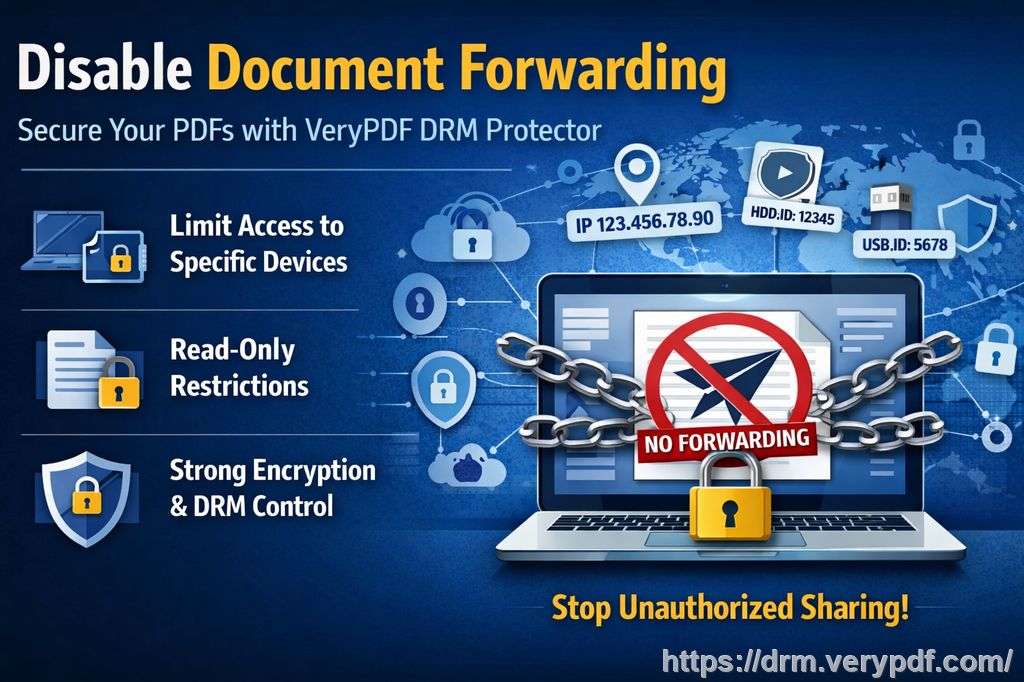 In modern teaching, visual explanations matter more than ever. I rely on arrows, cloud lines, and connecting shapes to explain workflows, research methods, and complex processes. Whether I'm teaching engineering, business, or education theory, those visual connections help students see how ideas flow. But how do you allow meaningful annotation and interaction while still preventing PDF piracy and unauthorized sharing? This is exactly where my experience with VeryPDF DRM Protector changed how I teach. Teaching today means balancing openness with control Every educator I know faces the same tension. We want students to engage deeply with content, ask questions, and interact with materials. At the same time, we need to stop students sharing homework, prevent unauthorized printing, and avoid our paid or restricted content ending up in the wrong hands. In my own classes, three pain points kept coming up again and again. First, students shared PDFs far beyond the classroom. A single lecture slide deck could be forwarded to friends, uploaded to forums, or reused in other courses without my knowledge. Once that happened, I lost all control. Second, annotations became a problem. I encouraged students to mark up PDFs, draw arrows, add comments, and connect ideas visually. Unfortunately, those annotated files were easy to export, copy, or convert into Word or image formats. The more interactive my materials became, the easier they were to misuse. Third, I struggled with workflow documentation. When I explained research methods or project steps, I needed arrows, cloud shapes, and connectors to show sequences clearly. Static PDFs felt limiting, but open annotation tools usually meant sacrificing security. I knew I needed a solution that allowed interaction without opening the door to misuse. Why simple PDF passwords were not enough Like many teachers, I started with basic PDF protection. Passwords, disabled copy options, and watermarking felt reassuring at first. But it didn't take long to realize how fragile those measures were. Students found ways to bypass restrictions. Some converted PDFs to Word files. Others printed to virtual printers or used screen capture tools. In a few cases, DRM removal tools made all my protections meaningless. The reality is that basic PDF security does very little to prevent DRM removal or determined misuse. That's when I began looking for something built specifically to stop PDF piracy while still supporting real teaching workflows. Discovering a practical DRM solution for educators What drew me to VeryPDF DRM Protector wasn't just the promise of security. It was the focus on real-world use cases like lecture slides, homework PDFs, and workflow documentation. VeryPDF DRM Protector allows me to restrict access to enrolled students only. Each user logs in, views protected PDFs in a secure browser-based viewer, and interacts with the content without ever receiving an unprotected file. That alone solved a huge part of my problem. But what truly impressed me was how annotation works inside a protected environment. Annotating protected PDFs without losing control One of my biggest concerns was whether I could still add arrows, cloud lines, and connecting shapes in protected PDFs. Visual explanations are central to my teaching style. I didn't want to trade clarity for security. With VeryPDF DRM Protector's annotation features, I didn't have to. Inside the secure viewer, I can add arrows to show process flow, cloud shapes to highlight key ideas, and connecting lines to link concepts across pages. Students can also annotate in ways I explicitly allow, without ever being able to copy or export the original content. Here's what that looks like in practice. When I explain a workflow, I draw arrows between steps directly on the protected PDF. If I want to emphasize uncertainty or brainstorming stages, I use cloud lines. When concepts relate across diagrams, connecting lines make relationships obvious. All of this happens inside the DRM environment. Annotations are saved per user and per document. That means my personal teaching notes stay private, and each student's annotations are visible only to them. No more shared annotated PDFs floating around messaging apps. How this changed my classroom workflow Before using DRM-based annotation, I constantly revised materials to limit what students could do. I removed details, avoided full workflows, or split content across platforms. Teaching felt fragmented. Now, my workflow is simpler and more confident. I upload a lecture PDF once. I enable annotation tools like arrows, cloud shapes, free text, and stamps. I decide exactly which actions are allowed: view-only access, no printing, no copying, no converting. Students log in, learn, and annotate within clear boundaries. I no longer worry about screenshots turning into shared study guides. I don't stress about homework being reused semester after semester. I can finally secure lecture materials while still encouraging active learning. Real classroom examples that made the difference In one graduate-level course, I teach research methodology. Students often struggle to understand how different stages connect. Previously, I used PowerPoint screenshots pasted into PDFs, which were easy to copy. With VeryPDF DRM Protector, I now provide a single protected PDF. During lectures, I add arrows live to show progression. I use cloud annotations to mark optional paths. Students follow along and add their own notes using free text or highlights. At the end of the semester, none of that content leaks. No unauthorized printing. No converted files. No shared copies. The learning stays inside the classroom where it belongs. Another example came from an online course I sell to external learners. Those materials represent months of work and a significant income stream. Before DRM, I saw my content reposted on file-sharing sites within weeks. After switching to DRM-protected PDFs, the problem stopped. Students could still read and annotate, but they couldn't download, forward, or repurpose the files. That alone justified the change. Step-by-step: enabling annotations securely Setting up annotation features sounds technical, but in practice it's straightforward. I start by uploading my PDF into the VeryPDF DRM Protector dashboard. From there, I open the advanced settings and enable the annotation tools I want students to use. Options like highlights, free text, ink, stamps, arrows, and cloud lines are easy to toggle. Once saved, I open the PDF in the enhanced web viewer. Everything happens in the browser. There's no software to install, which makes it accessible for students on different devices, including tablets and touch screens. Because annotations are tied to user accounts, I never worry about one student seeing another's notes unless I explicitly allow it. Preventing conversion and DRM removal One question colleagues often ask me is whether DRM really prevents conversion to Word or images. Based on my experience, yes, it does. Because users never receive the original file, traditional conversion tools simply don't work. There's nothing to convert. Even if someone tries to capture content, the DRM environment limits what they can do, and access can be revoked instantly if misuse is detected. This level of control is what truly helps prevent PDF piracy. It's not about punishing students. It's about protecting the integrity of educational materials and respecting the effort that goes into creating them. Why this matters for modern educators Teaching today extends far beyond the classroom. We distribute PDFs through learning management systems, email, and online portals. Once content leaves our hands, control usually disappears. VeryPDF DRM Protector gave me that control back. I can confidently share detailed workflows, diagrams, and visual explanations knowing they won't be misused. I can stop students sharing homework answers. I can protect paid course content without adding friction to learning. Most importantly, I can focus on teaching instead of policing file sharing. Common questions I hear from other professors How can I limit student access to PDFs without blocking learning? You can restrict access to enrolled users only while still allowing viewing and annotation. Students read everything they need, but can't copy, print, or share files. Can students still read and annotate without copying or converting? Yes. They can view protected PDFs in the browser and use annotation tools like arrows, highlights, and notes, all without exporting the content. Is it possible to track who accessed my lecture materials? Yes. Access is tied to user accounts, so you always know who viewed which files and when. Does this really prevent PDF piracy and unauthorized sharing? In my experience, it does. Because files aren't downloadable, traditional piracy methods simply don't apply. How easy is it to distribute protected lecture slides and homework? Once set up, distribution is simple. Share access links, and students log in to view content securely. Can I use this for paid courses or online programs? Absolutely. This is one of the strongest use cases. It protects revenue while keeping materials accessible. What about visual teaching tools like arrows and connectors? They're fully supported. You can add arrows, cloud lines, shapes, and connecting lines directly inside protected PDFs. Why I recommend this to fellow educators After years of struggling with content misuse, I finally feel confident sharing my work. VeryPDF DRM Protector doesn't just lock files; it supports how teachers actually teach. It lets me explain workflows visually, encourage annotation, and still prevent DRM removal and unauthorized conversion. If you distribute PDFs to students, whether for free or as part of a paid course, I genuinely recommend trying it. It helped me protect course PDFs, secure lecture materials, and stop students sharing homework without turning my classroom into a fortress. Try it now and protect your course materials: https://drm.verypdf.com Start your free trial today and regain control over your PDFs, because teaching should be about learning, not worrying about piracy. protect course PDFs, prevent PDF piracy, stop students sharing homework, secure lecture materials, prevent DRM removal, anti-conversion PDF DRM |
| json metadata | {"tags":["verypdf"],"image":["https://cdn.steemitimages.com/DQmZFf6sRExrxotb1dFEMkDWA5714uRLYbTYzJErzfYNZZD/53d878a9-7912-4b68-b53d-74751763546f.jpg"],"links":["https://drm.verypdf.com"],"app":"steemit/0.2","format":"markdown"} |
| Transaction Info | Block #104036526/Trx 788694f3d94fafc28a1b659aa4222dd1cc556380 |
View Raw JSON Data
{
"trx_id": "788694f3d94fafc28a1b659aa4222dd1cc556380",
"block": 104036526,
"trx_in_block": 1,
"op_in_trx": 0,
"virtual_op": 0,
"timestamp": "2026-03-05T13:29:45",
"op": [
"comment",
{
"parent_author": "",
"parent_permlink": "verypdf",
"author": "veryutils",
"permlink": "how-to-add-arrows-cloud-lines-and-connecting-shapes-in-protected-pdfs-for-workflow-documentation",
"title": "How to Add Arrows, Cloud Lines, and Connecting Shapes in Protected PDFs for Workflow Documentation",
"body": "As a professor, I never imagined that something as simple as a lecture PDF could turn into a long-term headache. I work hard to protect course PDFs, carefully designing diagrams, workflow charts, and visual explanations so students can truly understand the material. Yet within weeks, I started seeing my slides shared in group chats, annotated screenshots floating online, and even entire lessons copied into documents I never approved. That was the moment I realized I needed a way to secure lecture materials without making learning harder.\n\nTry the free online demo now: https://drm.verypdf.com\n\n\n\nIn modern teaching, visual explanations matter more than ever. I rely on arrows, cloud lines, and connecting shapes to explain workflows, research methods, and complex processes. Whether I'm teaching engineering, business, or education theory, those visual connections help students see how ideas flow. But how do you allow meaningful annotation and interaction while still preventing PDF piracy and unauthorized sharing?\n\nThis is exactly where my experience with VeryPDF DRM Protector changed how I teach.\n\nTeaching today means balancing openness with control\nEvery educator I know faces the same tension. We want students to engage deeply with content, ask questions, and interact with materials. At the same time, we need to stop students sharing homework, prevent unauthorized printing, and avoid our paid or restricted content ending up in the wrong hands.\n\nIn my own classes, three pain points kept coming up again and again.\n\nFirst, students shared PDFs far beyond the classroom. A single lecture slide deck could be forwarded to friends, uploaded to forums, or reused in other courses without my knowledge. Once that happened, I lost all control.\n\nSecond, annotations became a problem. I encouraged students to mark up PDFs, draw arrows, add comments, and connect ideas visually. Unfortunately, those annotated files were easy to export, copy, or convert into Word or image formats. The more interactive my materials became, the easier they were to misuse.\n\nThird, I struggled with workflow documentation. When I explained research methods or project steps, I needed arrows, cloud shapes, and connectors to show sequences clearly. Static PDFs felt limiting, but open annotation tools usually meant sacrificing security.\n\nI knew I needed a solution that allowed interaction without opening the door to misuse.\n\nWhy simple PDF passwords were not enough\nLike many teachers, I started with basic PDF protection. Passwords, disabled copy options, and watermarking felt reassuring at first. But it didn't take long to realize how fragile those measures were.\n\nStudents found ways to bypass restrictions. Some converted PDFs to Word files. Others printed to virtual printers or used screen capture tools. In a few cases, DRM removal tools made all my protections meaningless. The reality is that basic PDF security does very little to prevent DRM removal or determined misuse.\n\nThat's when I began looking for something built specifically to stop PDF piracy while still supporting real teaching workflows.\n\nDiscovering a practical DRM solution for educators\nWhat drew me to VeryPDF DRM Protector wasn't just the promise of security. It was the focus on real-world use cases like lecture slides, homework PDFs, and workflow documentation.\n\nVeryPDF DRM Protector allows me to restrict access to enrolled students only. Each user logs in, views protected PDFs in a secure browser-based viewer, and interacts with the content without ever receiving an unprotected file. That alone solved a huge part of my problem.\n\nBut what truly impressed me was how annotation works inside a protected environment.\n\nAnnotating protected PDFs without losing control\nOne of my biggest concerns was whether I could still add arrows, cloud lines, and connecting shapes in protected PDFs. Visual explanations are central to my teaching style. I didn't want to trade clarity for security.\n\nWith VeryPDF DRM Protector's annotation features, I didn't have to.\n\nInside the secure viewer, I can add arrows to show process flow, cloud shapes to highlight key ideas, and connecting lines to link concepts across pages. Students can also annotate in ways I explicitly allow, without ever being able to copy or export the original content.\n\nHere's what that looks like in practice.\n\nWhen I explain a workflow, I draw arrows between steps directly on the protected PDF. If I want to emphasize uncertainty or brainstorming stages, I use cloud lines. When concepts relate across diagrams, connecting lines make relationships obvious. All of this happens inside the DRM environment.\n\nAnnotations are saved per user and per document. That means my personal teaching notes stay private, and each student's annotations are visible only to them. No more shared annotated PDFs floating around messaging apps.\n\nHow this changed my classroom workflow\nBefore using DRM-based annotation, I constantly revised materials to limit what students could do. I removed details, avoided full workflows, or split content across platforms. Teaching felt fragmented.\n\nNow, my workflow is simpler and more confident.\n\nI upload a lecture PDF once. I enable annotation tools like arrows, cloud shapes, free text, and stamps. I decide exactly which actions are allowed: view-only access, no printing, no copying, no converting. Students log in, learn, and annotate within clear boundaries.\n\nI no longer worry about screenshots turning into shared study guides. I don't stress about homework being reused semester after semester. I can finally secure lecture materials while still encouraging active learning.\n\nReal classroom examples that made the difference\nIn one graduate-level course, I teach research methodology. Students often struggle to understand how different stages connect. Previously, I used PowerPoint screenshots pasted into PDFs, which were easy to copy.\n\nWith VeryPDF DRM Protector, I now provide a single protected PDF. During lectures, I add arrows live to show progression. I use cloud annotations to mark optional paths. Students follow along and add their own notes using free text or highlights.\n\nAt the end of the semester, none of that content leaks. No unauthorized printing. No converted files. No shared copies. The learning stays inside the classroom where it belongs.\n\nAnother example came from an online course I sell to external learners. Those materials represent months of work and a significant income stream. Before DRM, I saw my content reposted on file-sharing sites within weeks.\n\nAfter switching to DRM-protected PDFs, the problem stopped. Students could still read and annotate, but they couldn't download, forward, or repurpose the files. That alone justified the change.\n\nStep-by-step: enabling annotations securely\nSetting up annotation features sounds technical, but in practice it's straightforward.\n\nI start by uploading my PDF into the VeryPDF DRM Protector dashboard. From there, I open the advanced settings and enable the annotation tools I want students to use. Options like highlights, free text, ink, stamps, arrows, and cloud lines are easy to toggle.\n\nOnce saved, I open the PDF in the enhanced web viewer. Everything happens in the browser. There's no software to install, which makes it accessible for students on different devices, including tablets and touch screens.\n\nBecause annotations are tied to user accounts, I never worry about one student seeing another's notes unless I explicitly allow it.\n\nPreventing conversion and DRM removal\nOne question colleagues often ask me is whether DRM really prevents conversion to Word or images. Based on my experience, yes, it does.\n\nBecause users never receive the original file, traditional conversion tools simply don't work. There's nothing to convert. Even if someone tries to capture content, the DRM environment limits what they can do, and access can be revoked instantly if misuse is detected.\n\nThis level of control is what truly helps prevent PDF piracy. It's not about punishing students. It's about protecting the integrity of educational materials and respecting the effort that goes into creating them.\n\nWhy this matters for modern educators\nTeaching today extends far beyond the classroom. We distribute PDFs through learning management systems, email, and online portals. Once content leaves our hands, control usually disappears.\n\nVeryPDF DRM Protector gave me that control back. I can confidently share detailed workflows, diagrams, and visual explanations knowing they won't be misused. I can stop students sharing homework answers. I can protect paid course content without adding friction to learning.\n\nMost importantly, I can focus on teaching instead of policing file sharing.\n\nCommon questions I hear from other professors\n\nHow can I limit student access to PDFs without blocking learning?\nYou can restrict access to enrolled users only while still allowing viewing and annotation. Students read everything they need, but can't copy, print, or share files.\n\nCan students still read and annotate without copying or converting?\nYes. They can view protected PDFs in the browser and use annotation tools like arrows, highlights, and notes, all without exporting the content.\n\nIs it possible to track who accessed my lecture materials?\nYes. Access is tied to user accounts, so you always know who viewed which files and when.\n\nDoes this really prevent PDF piracy and unauthorized sharing?\nIn my experience, it does. Because files aren't downloadable, traditional piracy methods simply don't apply.\n\nHow easy is it to distribute protected lecture slides and homework?\nOnce set up, distribution is simple. Share access links, and students log in to view content securely.\n\nCan I use this for paid courses or online programs?\nAbsolutely. This is one of the strongest use cases. It protects revenue while keeping materials accessible.\n\nWhat about visual teaching tools like arrows and connectors?\nThey're fully supported. You can add arrows, cloud lines, shapes, and connecting lines directly inside protected PDFs.\n\nWhy I recommend this to fellow educators\nAfter years of struggling with content misuse, I finally feel confident sharing my work. VeryPDF DRM Protector doesn't just lock files; it supports how teachers actually teach. It lets me explain workflows visually, encourage annotation, and still prevent DRM removal and unauthorized conversion.\n\nIf you distribute PDFs to students, whether for free or as part of a paid course, I genuinely recommend trying it. It helped me protect course PDFs, secure lecture materials, and stop students sharing homework without turning my classroom into a fortress.\n\nTry it now and protect your course materials: https://drm.verypdf.com\nStart your free trial today and regain control over your PDFs, because teaching should be about learning, not worrying about piracy.\n\nprotect course PDFs, prevent PDF piracy, stop students sharing homework, secure lecture materials, prevent DRM removal, anti-conversion PDF DRM",
"json_metadata": "{\"tags\":[\"verypdf\"],\"image\":[\"https://cdn.steemitimages.com/DQmZFf6sRExrxotb1dFEMkDWA5714uRLYbTYzJErzfYNZZD/53d878a9-7912-4b68-b53d-74751763546f.jpg\"],\"links\":[\"https://drm.verypdf.com\"],\"app\":\"steemit/0.2\",\"format\":\"markdown\"}"
}
]
}steemdelegated 3.357 SP to @veryutils2026/02/08 03:47:39
steemdelegated 3.357 SP to @veryutils
2026/02/08 03:47:39
| delegator | steem |
| delegatee | veryutils |
| vesting shares | 5466.711267 VESTS |
| Transaction Info | Block #103306839/Trx ed3a62432141a2269edb9aaad5e6c02c3f7649e2 |
View Raw JSON Data
{
  "trx_id": "ed3a62432141a2269edb9aaad5e6c02c3f7649e2",
  "block": 103306839,
  "trx_in_block": 0,
  "op_in_trx": 0,
  "virtual_op": 0,
  "timestamp": "2026-02-08T03:47:39",
  "op": [
    "delegate_vesting_shares",
    {
      "delegator": "steem",
      "delegatee": "veryutils",
      "vesting_shares": "5466.711267 VESTS"
    }
  ]
}emmaparkersreplied to @veryutils / t84lrc2025/12/31 08:47:36
emmaparkersreplied to @veryutils / t84lrc
2025/12/31 08:47:36
| parent author | veryutils |
| parent permlink | veryutils-url-shortener-is-a-php-source-code-for-shorten-long-url-into-a-tiny-url |
| author | emmaparkers |
| permlink | t84lrc |
| title | |
| body | It’s cool to see a PHP‑based URL shortener like this being shared — lightweight tools like that are great for learning how web apps work — and when you’re building or customizing projects in <a href="https://devcom.com/tech-blog/php-code-review/">PHP</a> practices like reviewing your source code carefully (as discussed in that article about PHP code review) can really help you catch logic issues, improve security, and make the app more maintainable as it grows. |
| json metadata | {"links":["https://devcom.com/tech-blog/php-code-review/"],"app":"steemit/0.2"} |
| Transaction Info | Block #102192223/Trx 469ddf3a0d131662d13d46fbba245030f9665392 |
View Raw JSON Data
{
  "trx_id": "469ddf3a0d131662d13d46fbba245030f9665392",
  "block": 102192223,
  "trx_in_block": 6,
  "op_in_trx": 0,
  "virtual_op": 0,
  "timestamp": "2025-12-31T08:47:36",
  "op": [
    "comment",
    {
      "parent_author": "veryutils",
      "parent_permlink": "veryutils-url-shortener-is-a-php-source-code-for-shorten-long-url-into-a-tiny-url",
      "author": "emmaparkers",
      "permlink": "t84lrc",
      "title": "",
      "body": "It’s cool to see a PHP‑based URL shortener like this being shared — lightweight tools like that are great for learning how web apps work — and when you’re building or customizing projects in <a href=\"https://devcom.com/tech-blog/php-code-review/\">PHP</a> practices like reviewing your source code carefully (as discussed in that article about PHP code review) can really help you catch logic issues, improve security, and make the app more maintainable as it grows.",
      "json_metadata": "{\"links\":[\"https://devcom.com/tech-blog/php-code-review/\"],\"app\":\"steemit/0.2\"}"
    }
  ]
}2025/07/17 03:01:42
2025/07/17 03:01:42
| parent author | |
| parent permlink | veryutils |
| author | veryutils |
| permlink | how-to-capture-and-upload-print-jobs-as-pdf-files-to-ftp-while-automatically-forwarding-to-a-physical-printer-with-veryutils |
| title | How to Capture and Upload Print Jobs as PDF Files to FTP While Automatically Forwarding to a Physical Printer with VeryUtils HookPrinter SDK |
| body | How to Capture and Upload Print Jobs as PDF Files to FTP While Automatically Forwarding to a Physical Printer with VeryUtils HookPrinter SDK https://veryutils.com/hookprinter-sdk A Real-World Use Case for HookPrinter SDK on Windows XP, 7, 10 and 11 Many companies rely on industrial systems that generate print jobs through third-party software, with no way to customize or modify how those jobs are created. In these environments, having a tool that can capture every print job, save it as a PDF, and automatically forward the job to the printer—without disrupting the workflow—is essential. One such solution is VeryPDF HookPrinter SDK, which allows seamless integration into existing Windows environments to capture and manage print jobs. Below is a detailed overview of a real-world use case and how HookPrinter SDK fits in. 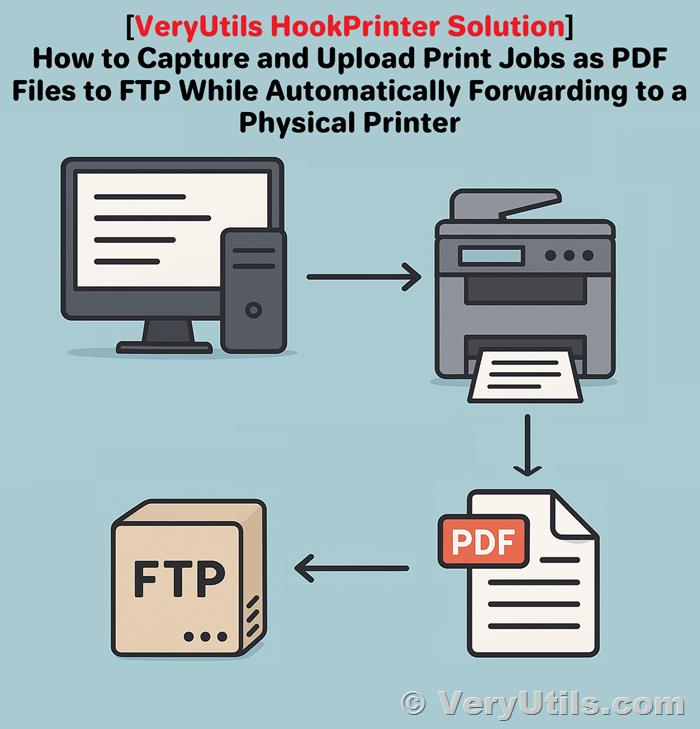 ✅ Use Case Overview A company approached us with the following scenario: • Environment: Six Windows laptops, each controlling a different industrial machine and connected to a local or network printer. • Operating Systems: Windows XP (SP3, 32-bit), Windows 7 (64-bit), and Windows 10 Enterprise (64-bit). • Software Constraints: Print jobs are initiated by third-party applications, which cannot be modified or reprogrammed. • Primary Goal: 1. Intercept all print jobs and save them as PDF files 2. Upload the captured PDFs to a remote cloud server via FTP 3. Forward each print job to the laptop’s default printer, maintaining an uninterrupted user experience Two Critical Features Needed To meet their objectives, the customer required the following features: 1. FTP Upload of Captured Print Files Automatically send the intercepted PDF files to a cloud server using the FTP protocol. 2. Print Forwarding to Default Printer Ensure that every print job, once captured, is sent to the printer so the end-user’s workflow remains unchanged. ❓ Frequently Asked Questions ✅ Does HookPrinter SDK support this type of behavior across Windows XP, 7, and 10? Yes. HookPrinter SDK works reliably across all the platforms mentioned: • Windows XP (SP3, 32-bit) • Windows 7 (64-bit) • Windows 10 Enterprise (64-bit) • Windows 11 (64-bit) The SDK can capture print jobs from any application without requiring changes to the third-party software generating them. ✅ Does the free trial version allow us to test this full workflow? Partially. The trial version of HookPrinter SDK lets you test the basic print job capture functionality—saving printed content as PDF files. However, the two essential features—FTP upload and print forwarding—are not included in the trial. These capabilities require a custom-built extension to the SDK. ✅ Can we get FTP upload and print forwarding developed for our environment? Yes. We can provide a fully integrated solution that includes: • Automatic FTP upload of each PDF to your server • Transparent forwarding of the print job to your local or network printer These features will be tailored to your setup to ensure seamless performance across all six workstations and operating systems. Please contact us for a quote for this custom development. Next Steps If you're evaluating HookPrinter SDK for your industrial workflow: 1. Try the free version to confirm that it can reliably capture print jobs as PDF files on your systems. 2. Contact us if you would like to move forward with enabling FTP upload and print forwarding. We will be happy to provide a quote and discuss implementation details. Contact Us For pricing, custom development inquiries, and technical support, please reach out to: VeryPDF Support Team https://support.verypdf.com/ By combining the powerful print interception features of HookPrinter SDK with customized FTP and print forwarding modules, you can streamline document capture and maintain a smooth printing workflow without modifying your existing software stack. Let us help you build a solution that works quietly and efficiently in the background—so your team doesn’t even notice it’s there. |
| json metadata | {"tags":["veryutils"],"image":["https://cdn.steemitimages.com/DQmdgJNeS7oXrf5GWZgvoxHFRE6b5PRwa18vhgUX1jbrKJR/hook-printer-sdk.png"],"links":["https://veryutils.com/hookprinter-sdk","https://support.verypdf.com/"],"app":"steemit/0.2","format":"markdown"} |
| Transaction Info | Block #97387383/Trx 361e93e2ea4891319fe4988bb40ba391991f8881 |
View Raw JSON Data
{
"trx_id": "361e93e2ea4891319fe4988bb40ba391991f8881",
"block": 97387383,
"trx_in_block": 5,
"op_in_trx": 0,
"virtual_op": 0,
"timestamp": "2025-07-17T03:01:42",
"op": [
"comment",
{
"parent_author": "",
"parent_permlink": "veryutils",
"author": "veryutils",
"permlink": "how-to-capture-and-upload-print-jobs-as-pdf-files-to-ftp-while-automatically-forwarding-to-a-physical-printer-with-veryutils",
"title": "How to Capture and Upload Print Jobs as PDF Files to FTP While Automatically Forwarding to a Physical Printer with VeryUtils HookPrinter SDK",
"body": "How to Capture and Upload Print Jobs as PDF Files to FTP While Automatically Forwarding to a Physical Printer with VeryUtils HookPrinter SDK\n\nhttps://veryutils.com/hookprinter-sdk\n\nA Real-World Use Case for HookPrinter SDK on Windows XP, 7, 10 and 11\n\nMany companies rely on industrial systems that generate print jobs through third-party software, with no way to customize or modify how those jobs are created. In these environments, having a tool that can capture every print job, save it as a PDF, and automatically forward the job to the printer—without disrupting the workflow—is essential.\n\nOne such solution is VeryPDF HookPrinter SDK, which allows seamless integration into existing Windows environments to capture and manage print jobs. Below is a detailed overview of a real-world use case and how HookPrinter SDK fits in.\n\n\n\n✅ Use Case Overview\nA company approached us with the following scenario:\n•\tEnvironment: Six Windows laptops, each controlling a different industrial machine and connected to a local or network printer.\n•\tOperating Systems: Windows XP (SP3, 32-bit), Windows 7 (64-bit), and Windows 10 Enterprise (64-bit).\n•\tSoftware Constraints: Print jobs are initiated by third-party applications, which cannot be modified or reprogrammed.\n•\tPrimary Goal:\n1.\tIntercept all print jobs and save them as PDF files\n2.\tUpload the captured PDFs to a remote cloud server via FTP\n3.\tForward each print job to the laptop’s default printer, maintaining an uninterrupted user experience\n\nTwo Critical Features Needed\n\nTo meet their objectives, the customer required the following features:\n\n1.\tFTP Upload of Captured Print Files\nAutomatically send the intercepted PDF files to a cloud server using the FTP protocol.\n\n2.\tPrint Forwarding to Default Printer\nEnsure that every print job, once captured, is sent to the printer so the end-user’s workflow remains unchanged.\n\n❓ Frequently Asked Questions\n\n✅ Does HookPrinter SDK support this type of behavior across Windows XP, 7, and 10?\n\nYes.\n\nHookPrinter SDK works reliably across all the platforms mentioned:\n•\tWindows XP (SP3, 32-bit)\n•\tWindows 7 (64-bit)\n•\tWindows 10 Enterprise (64-bit)\n•\tWindows 11 (64-bit)\nThe SDK can capture print jobs from any application without requiring changes to the third-party software generating them.\n\n✅ Does the free trial version allow us to test this full workflow?\n\nPartially.\n\nThe trial version of HookPrinter SDK lets you test the basic print job capture functionality—saving printed content as PDF files.\n\nHowever, the two essential features—FTP upload and print forwarding—are not included in the trial. These capabilities require a custom-built extension to the SDK.\n\n✅ Can we get FTP upload and print forwarding developed for our environment?\n\nYes.\n\nWe can provide a fully integrated solution that includes:\n•\tAutomatic FTP upload of each PDF to your server\n•\tTransparent forwarding of the print job to your local or network printer\n\nThese features will be tailored to your setup to ensure seamless performance across all six workstations and operating systems. Please contact us for a quote for this custom development.\n\nNext Steps\nIf you're evaluating HookPrinter SDK for your industrial workflow:\n1.\tTry the free version to confirm that it can reliably capture print jobs as PDF files on your systems.\n2.\tContact us if you would like to move forward with enabling FTP upload and print forwarding.\n\nWe will be happy to provide a quote and discuss implementation details.\n\nContact Us\nFor pricing, custom development inquiries, and technical support, please reach out to:\nVeryPDF Support Team\nhttps://support.verypdf.com/\n\nBy combining the powerful print interception features of HookPrinter SDK with customized FTP and print forwarding modules, you can streamline document capture and maintain a smooth printing workflow without modifying your existing software stack.\n\nLet us help you build a solution that works quietly and efficiently in the background—so your team doesn’t even notice it’s there.",
"json_metadata": "{\"tags\":[\"veryutils\"],\"image\":[\"https://cdn.steemitimages.com/DQmdgJNeS7oXrf5GWZgvoxHFRE6b5PRwa18vhgUX1jbrKJR/hook-printer-sdk.png\"],\"links\":[\"https://veryutils.com/hookprinter-sdk\",\"https://support.verypdf.com/\"],\"app\":\"steemit/0.2\",\"format\":\"markdown\"}"
}
]
}2025/05/27 10:49:24
2025/05/27 10:49:24
| parent author | |
| parent permlink | verypdf |
| author | veryutils |
| permlink | how-to-stop-pdf-document-sharing-online-without-compromising-data-privacy-and-security |
| title | How to Stop PDF Document Sharing Online Without Compromising Data Privacy and Security |
| body | @@ -785,16 +785,44 @@ ector.%0A%0A +!%5BUploading image #1...%5D()%0A%0A What is |
| json metadata | {"links":["https://drm.verypdf.com/","http://support.verypdf.com/"],"app":"steemit/0.2","format":"markdown"} |
| Transaction Info | Block #95931972/Trx 2dbc8f5ba9238ed882037236c7f7dbde910063d3 |
View Raw JSON Data
{
  "trx_id": "2dbc8f5ba9238ed882037236c7f7dbde910063d3",
  "block": 95931972,
  "trx_in_block": 0,
  "op_in_trx": 0,
  "virtual_op": 0,
  "timestamp": "2025-05-27T10:49:24",
  "op": [
    "comment",
    {
      "parent_author": "",
      "parent_permlink": "verypdf",
      "author": "veryutils",
      "permlink": "how-to-stop-pdf-document-sharing-online-without-compromising-data-privacy-and-security",
      "title": "How to Stop PDF Document Sharing Online Without Compromising Data Privacy and Security",
      "body": "@@ -785,16 +785,44 @@\n ector.%0A%0A\n+!%5BUploading image #1...%5D()%0A%0A\n What is \n",
      "json_metadata": "{\"links\":[\"https://drm.verypdf.com/\",\"http://support.verypdf.com/\"],\"app\":\"steemit/0.2\",\"format\":\"markdown\"}"
    }
  ]
}2025/05/27 10:48:51
2025/05/27 10:48:51
| parent author | |
| parent permlink | verypdf |
| author | veryutils |
| permlink | how-to-stop-pdf-document-sharing-online-without-compromising-data-privacy-and-security |
| title | How to Stop PDF Document Sharing Online Without Compromising Data Privacy and Security |
| body | How to Stop PDF Document Sharing Online Without Compromising Data Privacy and Security https://drm.verypdf.com/ Discover how to protect and control your PDFs online using VeryPDF Cloud DRM Protector without giving up security or flexibility. Every time I sent a client a PDF contract, I felt like I was handing them a stack of papers with no lock. I couldn’t tell who printed it, who forwarded it, or worse—if it ended up in the wrong hands. It was like playing Russian roulette with sensitive data. Sure, you can slap a password on a PDF. But let’s be real: how hard is it to share a password or strip security with the right tools? I needed something better. Something that didn’t just “secure” my PDF but controlled it after I sent it. That’s when I found VeryPDF Cloud DRM Protector. What is VeryPDF Cloud DRM Protector? It’s like a digital bouncer for your PDF files. It doesn’t just lock the front door—it follows the file everywhere and controls what users can actually do with it. I’m talking about stopping: • Forwarding • Copy-pasting • Screenshots • Printing • Access after a certain date or number of views This isn’t your grandma’s PDF password protection. This is enterprise-grade, government-level encryption with real-time revocation powers. Who Really Needs This? If you're sending confidential documents and you must keep control, this is for you. • Law firms sending sensitive case files • HR departments sharing employment contracts or salary info • Startups distributing pitch decks and internal reports • Authors and eLearning providers protecting IP from piracy • Freelancers and consultants sending client deliverables they don’t want leaked Honestly, anyone who values privacy, compliance, and control can benefit. Here’s How It Changed the Game for Me Before VeryPDF, I used passwords and relied on hope. After VeryPDF, I had a control panel that let me lock, track, and revoke access like a boss. Here’s what blew my mind: 1. Expiry Dates That Actually Work I send proposals that are valid for 10 days. Now, I set the PDF to self-destruct on day 11. No manual follow-up. No “Sorry, I didn’t see it in time—can you resend?” It’s either on time or not at all. You can even expire by: • Number of views • Number of prints • Time since first open Game-changer. 2. Revoke Access Even After It’s Been Downloaded Let’s say you sent a PDF, then had second thoughts. With one click, I can cut off access—immediately, no matter where that file ended up. A rogue ex-employee? Revoke access. Client changed their mind on a deal? Revoke access. Total control, even after delivery. 3. Lock Files to Specific Devices and Locations Someone forwards your PDF to a friend? Tough luck—if their device isn’t on the whitelist, they can’t open it. I had a situation where a competitor got hold of one of my documents (long story). After switching to device-locking with VeryPDF, that hasn’t happened again. You can lock by: • Device ID • IP address • Geo-location It’s airtight. 4. Add Dynamic Watermarks Automatically No more manually stamping names or dates on pages. VeryPDF does it for you—per user. So when Bob from Finance prints a doc, his name, email, and company are burned into the page. That little nudge of accountability? Stops leaks cold. It supports: • Date/time • User name • Email address • Company name You don’t even have to think about it—just set it once. 5. Track Everything in Real Time You ever wonder if someone actually opened your document? With VeryPDF, you’ll know: • Who opened it • When • On what device • Whether they printed it • How many times It’s like having a built-in analytics dashboard for your PDFs. You can even log all interactions for audit or compliance purposes. Why It’s Better Than the Alternatives I’ve tried some of the other big-name DRM tools. But they all fell into one of three traps: 1. Too complicated to use 2. Only worked on certain platforms 3. Didn’t let me revoke files once downloaded VeryPDF? None of those issues. It’s cloud-based, so there’s no clunky desktop software. Plus, it doesn’t force me to jump through 10 steps just to lock down a single doc. I protect it once, then customise access per user. Done. Bonus: It Doesn’t Compromise User Privacy A lot of DRM tools demand crazy levels of user data. VeryPDF keeps it simple. You don’t need to compromise your client’s trust just to protect a file. And yeah, the encryption is the same level used by the US government. You’re not just protecting—you’re fortifying. What Problems This Solves • Sharing PDFs without fear of leaks • Ensuring confidential docs expire on time • Preventing unauthorised downloads, edits, screenshots, and printing • Protecting intellectual property and increasing revenue • Staying compliant with privacy and audit requirements I’ve saved hours chasing files, lost zero sleep over leaked docs, and impressed more clients by handling privacy seriously. That peace of mind? Worth every penny. My Verdict If you’re dealing with any sensitive PDF files—client reports, training materials, contracts, product specs—you need VeryPDF Cloud DRM Protector. Not want. Need. You’ll control how your documents are viewed, printed, or shared. And more importantly, you can take it all back if you have to. I highly recommend giving it a shot. Start your free trial here: https://drm.verypdf.com/ Custom Development Services by VeryPDF Sometimes off-the-shelf isn’t enough. That’s where VeryPDF’s custom dev services come in. They build tailored solutions for PDF processing across Windows, macOS, Linux, and server environments. From virtual printer drivers that convert print jobs into secure PDFs, to OCR, barcode generation, layout analysis, and digital signing—they’ve got it covered. Need to intercept Windows API calls or analyse PRN, PCL, PostScript, or Office docs? They do that. Want to deploy barcode-enabled document workflows or custom DRM systems for your company? They do that too. They work in Python, C++, C#, Java, HTML5, Windows API, and more. If you’ve got a complex doc-handling problem, hit them up at http://support.verypdf.com/ FAQs 1. Can I stop someone from forwarding my PDF? Yes. With device-locking and user-specific licensing, forwarded files won’t open on unauthorised devices. 2. What happens if someone tries to screenshot the document? VeryPDF blocks screen grab tools and even screen sharing through apps like Zoom or WebEx. 3. Can I set a document to expire after 3 days? Absolutely. You can expire by date, number of views, number of prints, or time since first open. 4. Will I know if someone prints or views my file? Yes. You’ll get logs of every view and print, including device and time data. 5. Does it work on macOS and Windows? Yes. It’s cloud-based and works across platforms, making it ideal for remote and hybrid teams. Tags/Keywords PDF DRM, prevent PDF sharing, secure PDF files online, digital rights management PDF, expire PDF documents, PDF anti-copy solution, stop printing PDFs, protect PDF intellectual property, cloud-based DRM software, track PDF usage logs |
| json metadata | {"tags":["verypdf"],"links":["https://drm.verypdf.com/","http://support.verypdf.com/"],"app":"steemit/0.2","format":"markdown"} |
| Transaction Info | Block #95931961/Trx cae072f52adfb215e875907d57bba1bf5261f9bb |
View Raw JSON Data
{
  "trx_id": "cae072f52adfb215e875907d57bba1bf5261f9bb",
  "block": 95931961,
  "trx_in_block": 1,
  "op_in_trx": 0,
  "virtual_op": 0,
  "timestamp": "2025-05-27T10:48:51",
  "op": [
    "comment",
    {
      "parent_author": "",
      "parent_permlink": "verypdf",
      "author": "veryutils",
      "permlink": "how-to-stop-pdf-document-sharing-online-without-compromising-data-privacy-and-security",
      "title": "How to Stop PDF Document Sharing Online Without Compromising Data Privacy and Security",
      "body": "How to Stop PDF Document Sharing Online Without Compromising Data Privacy and Security\n\nhttps://drm.verypdf.com/\n\nDiscover how to protect and control your PDFs online using VeryPDF Cloud DRM Protector without giving up security or flexibility.\n\nEvery time I sent a client a PDF contract, I felt like I was handing them a stack of papers with no lock.\nI couldn’t tell who printed it, who forwarded it, or worse—if it ended up in the wrong hands.\nIt was like playing Russian roulette with sensitive data.\nSure, you can slap a password on a PDF. But let’s be real: how hard is it to share a password or strip security with the right tools?\nI needed something better. Something that didn’t just “secure” my PDF but controlled it after I sent it.\nThat’s when I found VeryPDF Cloud DRM Protector.\n\nWhat is VeryPDF Cloud DRM Protector?\nIt’s like a digital bouncer for your PDF files.\nIt doesn’t just lock the front door—it follows the file everywhere and controls what users can actually do with it.\nI’m talking about stopping:\n•\tForwarding\n•\tCopy-pasting\n•\tScreenshots\n•\tPrinting\n•\tAccess after a certain date or number of views\nThis isn’t your grandma’s PDF password protection. This is enterprise-grade, government-level encryption with real-time revocation powers.\n\nWho Really Needs This?\nIf you're sending confidential documents and you must keep control, this is for you.\n•\tLaw firms sending sensitive case files\n•\tHR departments sharing employment contracts or salary info\n•\tStartups distributing pitch decks and internal reports\n•\tAuthors and eLearning providers protecting IP from piracy\n•\tFreelancers and consultants sending client deliverables they don’t want leaked\nHonestly, anyone who values privacy, compliance, and control can benefit.\n\nHere’s How It Changed the Game for Me\nBefore VeryPDF, I used passwords and relied on hope.\nAfter VeryPDF, I had a control panel that let me lock, track, and revoke access like a boss.\nHere’s what blew my mind:\n\n1. Expiry Dates That Actually Work\nI send proposals that are valid for 10 days. Now, I set the PDF to self-destruct on day 11.\nNo manual follow-up. No “Sorry, I didn’t see it in time—can you resend?”\nIt’s either on time or not at all. You can even expire by:\n•\tNumber of views\n•\tNumber of prints\n•\tTime since first open\nGame-changer.\n\n2. Revoke Access Even After It’s Been Downloaded\nLet’s say you sent a PDF, then had second thoughts.\nWith one click, I can cut off access—immediately, no matter where that file ended up.\nA rogue ex-employee? Revoke access.\nClient changed their mind on a deal? Revoke access.\nTotal control, even after delivery.\n\n3. Lock Files to Specific Devices and Locations\nSomeone forwards your PDF to a friend?\nTough luck—if their device isn’t on the whitelist, they can’t open it.\nI had a situation where a competitor got hold of one of my documents (long story).\nAfter switching to device-locking with VeryPDF, that hasn’t happened again.\nYou can lock by:\n•\tDevice ID\n•\tIP address\n•\tGeo-location\nIt’s airtight.\n\n4. Add Dynamic Watermarks Automatically\nNo more manually stamping names or dates on pages.\nVeryPDF does it for you—per user.\nSo when Bob from Finance prints a doc, his name, email, and company are burned into the page.\nThat little nudge of accountability? Stops leaks cold.\nIt supports:\n•\tDate/time\n•\tUser name\n•\tEmail address\n•\tCompany name\nYou don’t even have to think about it—just set it once.\n\n5. Track Everything in Real Time\nYou ever wonder if someone actually opened your document?\nWith VeryPDF, you’ll know:\n•\tWho opened it\n•\tWhen\n•\tOn what device\n•\tWhether they printed it\n•\tHow many times\nIt’s like having a built-in analytics dashboard for your PDFs.\nYou can even log all interactions for audit or compliance purposes.\n\nWhy It’s Better Than the Alternatives\nI’ve tried some of the other big-name DRM tools.\nBut they all fell into one of three traps:\n1.\tToo complicated to use\n2.\tOnly worked on certain platforms\n3.\tDidn’t let me revoke files once downloaded\nVeryPDF?\nNone of those issues. It’s cloud-based, so there’s no clunky desktop software.\nPlus, it doesn’t force me to jump through 10 steps just to lock down a single doc.\nI protect it once, then customise access per user. Done.\n\nBonus: It Doesn’t Compromise User Privacy\nA lot of DRM tools demand crazy levels of user data.\nVeryPDF keeps it simple. You don’t need to compromise your client’s trust just to protect a file.\nAnd yeah, the encryption is the same level used by the US government.\nYou’re not just protecting—you’re fortifying.\n\nWhat Problems This Solves\n•\tSharing PDFs without fear of leaks\n•\tEnsuring confidential docs expire on time\n•\tPreventing unauthorised downloads, edits, screenshots, and printing\n•\tProtecting intellectual property and increasing revenue\n•\tStaying compliant with privacy and audit requirements\nI’ve saved hours chasing files, lost zero sleep over leaked docs, and impressed more clients by handling privacy seriously.\nThat peace of mind? Worth every penny.\n\nMy Verdict\nIf you’re dealing with any sensitive PDF files—client reports, training materials, contracts, product specs—you need VeryPDF Cloud DRM Protector.\nNot want. Need.\nYou’ll control how your documents are viewed, printed, or shared.\nAnd more importantly, you can take it all back if you have to.\nI highly recommend giving it a shot.\nStart your free trial here: https://drm.verypdf.com/\n\nCustom Development Services by VeryPDF\nSometimes off-the-shelf isn’t enough. That’s where VeryPDF’s custom dev services come in.\nThey build tailored solutions for PDF processing across Windows, macOS, Linux, and server environments.\nFrom virtual printer drivers that convert print jobs into secure PDFs, to OCR, barcode generation, layout analysis, and digital signing—they’ve got it covered.\nNeed to intercept Windows API calls or analyse PRN, PCL, PostScript, or Office docs?\nThey do that.\nWant to deploy barcode-enabled document workflows or custom DRM systems for your company?\nThey do that too.\nThey work in Python, C++, C#, Java, HTML5, Windows API, and more.\nIf you’ve got a complex doc-handling problem, hit them up at http://support.verypdf.com/\n\nFAQs\n1. Can I stop someone from forwarding my PDF?\nYes. With device-locking and user-specific licensing, forwarded files won’t open on unauthorised devices.\n2. What happens if someone tries to screenshot the document?\nVeryPDF blocks screen grab tools and even screen sharing through apps like Zoom or WebEx.\n3. Can I set a document to expire after 3 days?\nAbsolutely. You can expire by date, number of views, number of prints, or time since first open.\n4. Will I know if someone prints or views my file?\nYes. You’ll get logs of every view and print, including device and time data.\n5. Does it work on macOS and Windows?\nYes. It’s cloud-based and works across platforms, making it ideal for remote and hybrid teams.\n\nTags/Keywords\nPDF DRM, prevent PDF sharing, secure PDF files online, digital rights management PDF, expire PDF documents, PDF anti-copy solution, stop printing PDFs, protect PDF intellectual property, cloud-based DRM software, track PDF usage logs",
      "json_metadata": "{\"tags\":[\"verypdf\"],\"links\":[\"https://drm.verypdf.com/\",\"http://support.verypdf.com/\"],\"app\":\"steemit/0.2\",\"format\":\"markdown\"}"
    }
  ]
}veryutilspublished a new post: verypdf-cloud-rest-api-best-online-pdf-processing-and-conversion-api2025/02/19 14:01:36
veryutilspublished a new post: verypdf-cloud-rest-api-best-online-pdf-processing-and-conversion-api
2025/02/19 14:01:36
| parent author | |
| parent permlink | veryutils |
| author | veryutils |
| permlink | verypdf-cloud-rest-api-best-online-pdf-processing-and-conversion-api |
| title | VeryPDF Cloud REST API: Best Online PDF Processing & Conversion API |
| body | VeryPDF Cloud REST API: Best Online PDF Processing & Conversion API In today's digital world, handling PDF documents efficiently is crucial for businesses, developers, and organizations. VeryPDF Cloud REST API is a powerful, reliable, and feature-rich service that enables seamless integration of PDF processing capabilities into your applications and workflows. Built using trusted Adobe® PDF Library™ technology, this API simplifies PDF management while maintaining high-quality output and security. Visit the home page: [VeryPDF Cloud REST API] https://www.verypdf.com/online/cloud-api/  Why Choose VeryPDF Cloud REST API? VeryPDF Cloud REST API is one of the world's most advanced PDF processing services, developed by digital document experts with over 55 years of experience. With its extensive set of tools, it allows users to convert, optimize, modify, extract, and secure PDFs effortlessly. Key Features of VeryPDF Cloud REST API 1. Powerful PDF Conversion Easily convert files between formats while maintaining high accuracy and compliance with PDF standards. - PDF to Word – Convert PDFs into fully editable Microsoft Word documents. - PDF to Excel – Extract tabular data and convert PDFs into Excel spreadsheets. - PDF to PowerPoint – Create editable PowerPoint presentations from PDF slides. - Convert to PDF – Transform Word, Excel, PowerPoint, BMP, TIF, PNG, JPG, HTML, and PostScript into standardized PDFs. - Convert to PDF/X – Ensure compliance with print-ready PDF/X formats. - Convert to PDF/A – Convert PDFs to PDF/A formats for long-term document preservation. - PDF to Images – Generate high-quality images (JPG, BMP, PNG, GIF, TIF) from PDFs while preserving color fidelity. 2. PDF Optimization Enhance PDFs for specific use cases with powerful optimization tools. - Rasterize PDF – Convert each page into a rasterized image for consistent printing and display. - Convert PDF Colors – Adjust color profiles for optimal display on different screens or printing. - Compress PDF – Reduce file size while maintaining document quality. - Linearize PDF – Enable fast web viewing by optimizing document structure. - Flatten Transparencies – Improve printing performance by flattening transparent objects. - Flatten Layers & Annotations – Merge layers and annotations into the document for better compatibility. 3. PDF Modification Tools Edit and customize your PDFs to fit your needs. - Add to PDF – Insert text, images, and attachments without altering the original content. - Merge PDFs – Combine multiple PDF documents into one. - Split PDF – Divide a single PDF into multiple files as needed. 4. Advanced PDF Forms Processing Manage static and dynamic PDF forms with ease. - XFA to AcroForms – Convert XFA forms to AcroForms for broader compatibility. - Flatten Forms – Lock form field values to create uneditable PDFs. - Import Form Data – Populate forms with external data. - Export Form Data – Extract form data for external processing. 5. Intelligent Data Extraction Extract valuable content from PDFs for data analysis and processing. - Extract Images – Retrieve high-quality embedded images from PDFs. - OCR PDF – Apply Optical Character Recognition (OCR) to make scanned PDFs searchable. - Extract Text – Extract structured text data with style and position details. - Query PDF – Retrieve document metadata and content insights. 6. Secure Your Documents Protect sensitive information and prevent unauthorized access. - Watermark PDF – Apply visible watermarks using text or images. - Encrypt PDF – Use strong encryption to protect documents with passwords. - Restrict PDF – Set access restrictions to control printing, editing, and content extraction. Get Started with VeryPDF Cloud REST API VeryPDF Cloud REST API offers a free trial to help you explore its features and seamlessly integrate them into your applications. With an intuitive interface and detailed documentation, developers can quickly implement PDF processing capabilities into their projects. Take your PDF handling to the next level with VeryPDF Cloud REST API**—the ultimate solution for converting, optimizing, modifying, extracting, and securing PDFs effortlessly. [Start Using VeryPDF Cloud REST API Today!] https://www.verypdf.com/online/cloud-api/ |
| json metadata | {"tags":["veryutils"],"image":["https://cdn.steemitimages.com/DQmajPmaPz9gFcJrcGxhYUbGbyh3yWQ2FSi9bLxcjP6ML3G/VeryPDF%20Cloud%20REST%20API%20Best%20Online%20PDF%20Processing%20Conversion%20API.png"],"links":["https://www.verypdf.com/online/cloud-api/"],"app":"steemit/0.2","format":"markdown"} |
| Transaction Info | Block #93149707/Trx 6b0316adecf1e041aede918b902f59142064b2e4 |
View Raw JSON Data
{
"trx_id": "6b0316adecf1e041aede918b902f59142064b2e4",
"block": 93149707,
"trx_in_block": 9,
"op_in_trx": 0,
"virtual_op": 0,
"timestamp": "2025-02-19T14:01:36",
"op": [
"comment",
{
"parent_author": "",
"parent_permlink": "veryutils",
"author": "veryutils",
"permlink": "verypdf-cloud-rest-api-best-online-pdf-processing-and-conversion-api",
"title": "VeryPDF Cloud REST API: Best Online PDF Processing & Conversion API",
"body": "VeryPDF Cloud REST API: Best Online PDF Processing & Conversion API\n\nIn today's digital world, handling PDF documents efficiently is crucial for businesses, developers, and organizations. VeryPDF Cloud REST API is a powerful, reliable, and feature-rich service that enables seamless integration of PDF processing capabilities into your applications and workflows. Built using trusted Adobe® PDF Library™ technology, this API simplifies PDF management while maintaining high-quality output and security.\n\nVisit the home page: [VeryPDF Cloud REST API]\nhttps://www.verypdf.com/online/cloud-api/\n\n\n\nWhy Choose VeryPDF Cloud REST API?\nVeryPDF Cloud REST API is one of the world's most advanced PDF processing services, developed by digital document experts with over 55 years of experience. With its extensive set of tools, it allows users to convert, optimize, modify, extract, and secure PDFs effortlessly.\n\nKey Features of VeryPDF Cloud REST API\n1. Powerful PDF Conversion\nEasily convert files between formats while maintaining high accuracy and compliance with PDF standards.\n- PDF to Word – Convert PDFs into fully editable Microsoft Word documents.\n- PDF to Excel – Extract tabular data and convert PDFs into Excel spreadsheets.\n- PDF to PowerPoint – Create editable PowerPoint presentations from PDF slides.\n- Convert to PDF – Transform Word, Excel, PowerPoint, BMP, TIF, PNG, JPG, HTML, and PostScript into standardized PDFs.\n- Convert to PDF/X – Ensure compliance with print-ready PDF/X formats.\n- Convert to PDF/A – Convert PDFs to PDF/A formats for long-term document preservation.\n- PDF to Images – Generate high-quality images (JPG, BMP, PNG, GIF, TIF) from PDFs while preserving color fidelity.\n\n2. PDF Optimization\nEnhance PDFs for specific use cases with powerful optimization tools.\n- Rasterize PDF – Convert each page into a rasterized image for consistent printing and display.\n- Convert PDF Colors – Adjust color profiles for optimal display on different screens or printing.\n- Compress PDF – Reduce file size while maintaining document quality.\n- Linearize PDF – Enable fast web viewing by optimizing document structure.\n- Flatten Transparencies – Improve printing performance by flattening transparent objects.\n- Flatten Layers & Annotations – Merge layers and annotations into the document for better compatibility.\n\n3. PDF Modification Tools\nEdit and customize your PDFs to fit your needs.\n- Add to PDF – Insert text, images, and attachments without altering the original content.\n- Merge PDFs – Combine multiple PDF documents into one.\n- Split PDF – Divide a single PDF into multiple files as needed.\n\n4. Advanced PDF Forms Processing\nManage static and dynamic PDF forms with ease.\n- XFA to AcroForms – Convert XFA forms to AcroForms for broader compatibility.\n- Flatten Forms – Lock form field values to create uneditable PDFs.\n- Import Form Data – Populate forms with external data.\n- Export Form Data – Extract form data for external processing.\n\n5. Intelligent Data Extraction\nExtract valuable content from PDFs for data analysis and processing.\n- Extract Images – Retrieve high-quality embedded images from PDFs.\n- OCR PDF – Apply Optical Character Recognition (OCR) to make scanned PDFs searchable.\n- Extract Text – Extract structured text data with style and position details.\n- Query PDF – Retrieve document metadata and content insights.\n\n6. Secure Your Documents\nProtect sensitive information and prevent unauthorized access.\n- Watermark PDF – Apply visible watermarks using text or images.\n- Encrypt PDF – Use strong encryption to protect documents with passwords.\n- Restrict PDF – Set access restrictions to control printing, editing, and content extraction.\n\nGet Started with VeryPDF Cloud REST API\nVeryPDF Cloud REST API offers a free trial to help you explore its features and seamlessly integrate them into your applications. With an intuitive interface and detailed documentation, developers can quickly implement PDF processing capabilities into their projects.\n\nTake your PDF handling to the next level with VeryPDF Cloud REST API**—the ultimate solution for converting, optimizing, modifying, extracting, and securing PDFs effortlessly.\n\n[Start Using VeryPDF Cloud REST API Today!]\nhttps://www.verypdf.com/online/cloud-api/",
"json_metadata": "{\"tags\":[\"veryutils\"],\"image\":[\"https://cdn.steemitimages.com/DQmajPmaPz9gFcJrcGxhYUbGbyh3yWQ2FSi9bLxcjP6ML3G/VeryPDF%20Cloud%20REST%20API%20Best%20Online%20PDF%20Processing%20Conversion%20API.png\"],\"links\":[\"https://www.verypdf.com/online/cloud-api/\"],\"app\":\"steemit/0.2\",\"format\":\"markdown\"}"
}
]
}steemdelegated 3.458 SP to @veryutils2025/01/01 13:14:48
steemdelegated 3.458 SP to @veryutils
2025/01/01 13:14:48
| delegator | steem |
| delegatee | veryutils |
| vesting shares | 5630.731351 VESTS |
| Transaction Info | Block #91741256/Trx b3c8b0a788f9c7a8f40f4f911a6b3e5ad71cbffe |
View Raw JSON Data
{
  "trx_id": "b3c8b0a788f9c7a8f40f4f911a6b3e5ad71cbffe",
  "block": 91741256,
  "trx_in_block": 19,
  "op_in_trx": 0,
  "virtual_op": 0,
  "timestamp": "2025-01-01T13:14:48",
  "op": [
    "delegate_vesting_shares",
    {
      "delegator": "steem",
      "delegatee": "veryutils",
      "vesting_shares": "5630.731351 VESTS"
    }
  ]
}steemdelegated 10.382 SP to @veryutils2024/12/20 21:21:21
steemdelegated 10.382 SP to @veryutils
2024/12/20 21:21:21
| delegator | steem |
| delegatee | veryutils |
| vesting shares | 16906.590303 VESTS |
| Transaction Info | Block #91406213/Trx 5acee11bc851b1115479acc763e6fd6f2d00bbce |
View Raw JSON Data
{
  "trx_id": "5acee11bc851b1115479acc763e6fd6f2d00bbce",
  "block": 91406213,
  "trx_in_block": 0,
  "op_in_trx": 0,
  "virtual_op": 0,
  "timestamp": "2024-12-20T21:21:21",
  "op": [
    "delegate_vesting_shares",
    {
      "delegator": "steem",
      "delegatee": "veryutils",
      "vesting_shares": "16906.590303 VESTS"
    }
  ]
}2024/10/02 10:54:57
2024/10/02 10:54:57
| parent author | |
| parent permlink | veryutils |
| author | veryutils |
| permlink | 57owmf |
| title | 免费的人工智能在线证件照片生成器(无需注册) |
| body | ✅ 免费的人工智能在线证件照片生成器(无需注册) 使用免费的人工智能在线证件照片生成器,在家轻松免费制作专业质量的证件照片。只需上传您的照片,我们的AI工具将其转换为符合官方要求的完美护照、签证或身份证照片——无需注册! https://veryutils.com/ai-free-online-passport-photo-maker .png) ✅ 主要特点: • 全球护照支持:为美国、英国、澳大利亚、加拿大、德国、巴西及许多其他国家制作护照照片。 • AI驱动的精确度:自动调整您的照片以符合不同国家的护照、签证和其他身份证件要求。 • 无需注册或费用:完全免费使用,无隐藏费用或注册要求。 • 超高清分辨率:生成600x600像素的高质量图像,适合以300 dpi打印。 • 在家或商店打印:下载您的照片并在家中或任何方便的地方打印。 ✅ 支持的国家: 使用免费的人工智能在线证件照片生成器,您可以为以下国家制作照片: • 美国护照照片 • 英国护照照片 • 澳大利亚护照照片 • 加拿大护照照片 • 德国护照照片 • 巴西护照照片 • 以及更多…… ✅ 如何使用免费的人工智能在线证件照片生成器: 1. 准备拍摄环境:站在一个简单背景旁边,例如一堵平墙。 2. 拍摄照片:使用相机或智能手机,保持镜头与眼睛平齐。 3. 上传照片:在我们的平台上提交您的照片,AI将自动优化它。 4. 下载并打印:生成的照片为600x600像素,适合以2x2英寸和300 dpi打印。 ✅ 为什么选择免费的人工智能在线证件照片生成器? • 省钱:避免专业影楼的费用。自己制作证件照片,并在家中或本地商店打印。 • 节省时间:只需三步——上传、增强、下载——5分钟内您的照片即准备就绪。 • 背景增强功能:我们的AI技术可优化背景,以符合大多数国家对白色或中性色背景的要求。 • 支持超过50个国家:符合美国、英国、爱尔兰、澳大利亚、德国、巴西、中国、新加坡、俄罗斯等国家的规定。 ✅ 满足所有护照照片要求: 此工具确保您的护照照片符合您所在国家的确切标准。无论是护照、签证还是其他身份证件,免费的人工智能在线证件照片生成器都确保您符合每一项要求,包括尺寸、背景和面部位置。 ✅ 免费且高清的结果: 为什么还要去影楼,当您可以在家中仅需1分钟即可获得相同的专业效果?我们的证件照片生成器确保高清、合规的照片,让您的申请过程更加顺利。 ✅ 先进的AI, 自动裁剪和背景移除: 无需手动调整!我们的AI工具会自动裁剪、居中您的面部并移除背景,必要时将其替换为白色,以确保符合全球护照照片标准。 ✅ 常见问题: 问:免费的人工智能在线证件照片生成器真的免费吗? 答:是的,此服务100%免费。无需注册或隐藏费用。 问:AI如何处理背景调整? 答:我们的AI工具会自动检测并调整背景,将其替换为符合护照照片标准的白色背景。 问:护照照片的尺寸是多少? 答:通常,护照照片为2x2英寸(51x51毫米)。从下巴到头顶,头部大小应介于1到1.4英寸(25-35毫米)之间。 问:我应该穿什么拍护照照片? • 衣物:避免穿白色衣服,以防与背景混淆。 • 发型:确保您的面部清晰可见,发型不要超过照片边界。 • 配饰:建议少戴配饰。珠宝可以,但避免任何可能产生反光的物品。 • 眼镜和头饰:通常不允许佩戴,除非出于医疗或宗教原因。 问:护照照片可以微笑吗? 答:不可以,您应保持中性表情,不要微笑。微笑可能会干扰生物识别,因此最好保持嘴闭着,眼睛睁开。 问:我可以自己拍摄护照照片吗? 答:是的,只需合适的照明和简单的背景,您可以轻松拍摄自己的护照照片。我们的工具将帮助其格式化为所需规格。 问:AI证件照片生成器如何保护我的数据? 答:我们使用加密技术确保您的数据安全。此外,我们不会存储任何照片或个人信息。 ✅ 立即创建您的护照照片! 使用免费的人工智能在线证件照片生成器,您可以快速轻松地免费创建专业质量的护照照片。立即开始创建您的照片,享受在家打印的便利! |
| json metadata | {"tags":["veryutils"],"image":["https://cdn.steemitimages.com/DQmS4PdDon2GNzEEdU69GfqWGaPfvcmVeCb7qjdkbqZERZK/VeryUtils%20AI%20Free%20Online%20Passport%20Photo%20Maker%20(No%20Sign-Up).png"],"links":["https://veryutils.com/ai-free-online-passport-photo-maker"],"app":"steemit/0.2","format":"markdown"} |
| Transaction Info | Block #89126216/Trx aaf48a0b0eab53f63a7a9d9998deb83e9099d846 |
View Raw JSON Data
{
"trx_id": "aaf48a0b0eab53f63a7a9d9998deb83e9099d846",
"block": 89126216,
"trx_in_block": 0,
"op_in_trx": 0,
"virtual_op": 0,
"timestamp": "2024-10-02T10:54:57",
"op": [
"comment",
{
"parent_author": "",
"parent_permlink": "veryutils",
"author": "veryutils",
"permlink": "57owmf",
"title": "免费的人工智能在线证件照片生成器(无需注册)",
"body": "✅ 免费的人工智能在线证件照片生成器(无需注册)\n使用免费的人工智能在线证件照片生成器,在家轻松免费制作专业质量的证件照片。只需上传您的照片,我们的AI工具将其转换为符合官方要求的完美护照、签证或身份证照片——无需注册!\n\nhttps://veryutils.com/ai-free-online-passport-photo-maker\n \n.png)\n\n✅ 主要特点:\n• 全球护照支持:为美国、英国、澳大利亚、加拿大、德国、巴西及许多其他国家制作护照照片。\n• AI驱动的精确度:自动调整您的照片以符合不同国家的护照、签证和其他身份证件要求。\n• 无需注册或费用:完全免费使用,无隐藏费用或注册要求。\n• 超高清分辨率:生成600x600像素的高质量图像,适合以300 dpi打印。\n• 在家或商店打印:下载您的照片并在家中或任何方便的地方打印。\n\n✅ 支持的国家:\n使用免费的人工智能在线证件照片生成器,您可以为以下国家制作照片:\n• 美国护照照片\n• 英国护照照片\n• 澳大利亚护照照片\n• 加拿大护照照片\n• 德国护照照片\n• 巴西护照照片\n• 以及更多……\n\n✅ 如何使用免费的人工智能在线证件照片生成器:\n1. 准备拍摄环境:站在一个简单背景旁边,例如一堵平墙。\n2. 拍摄照片:使用相机或智能手机,保持镜头与眼睛平齐。\n3. 上传照片:在我们的平台上提交您的照片,AI将自动优化它。\n4. 下载并打印:生成的照片为600x600像素,适合以2x2英寸和300 dpi打印。\n\n✅ 为什么选择免费的人工智能在线证件照片生成器?\n• 省钱:避免专业影楼的费用。自己制作证件照片,并在家中或本地商店打印。\n• 节省时间:只需三步——上传、增强、下载——5分钟内您的照片即准备就绪。\n• 背景增强功能:我们的AI技术可优化背景,以符合大多数国家对白色或中性色背景的要求。\n• 支持超过50个国家:符合美国、英国、爱尔兰、澳大利亚、德国、巴西、中国、新加坡、俄罗斯等国家的规定。\n\n✅ 满足所有护照照片要求:\n此工具确保您的护照照片符合您所在国家的确切标准。无论是护照、签证还是其他身份证件,免费的人工智能在线证件照片生成器都确保您符合每一项要求,包括尺寸、背景和面部位置。\n\n✅ 免费且高清的结果:\n为什么还要去影楼,当您可以在家中仅需1分钟即可获得相同的专业效果?我们的证件照片生成器确保高清、合规的照片,让您的申请过程更加顺利。\n\n✅ 先进的AI, 自动裁剪和背景移除:\n无需手动调整!我们的AI工具会自动裁剪、居中您的面部并移除背景,必要时将其替换为白色,以确保符合全球护照照片标准。\n\n✅ 常见问题:\n问:免费的人工智能在线证件照片生成器真的免费吗?\n答:是的,此服务100%免费。无需注册或隐藏费用。\n\n问:AI如何处理背景调整?\n答:我们的AI工具会自动检测并调整背景,将其替换为符合护照照片标准的白色背景。\n\n问:护照照片的尺寸是多少?\n答:通常,护照照片为2x2英寸(51x51毫米)。从下巴到头顶,头部大小应介于1到1.4英寸(25-35毫米)之间。\n\n问:我应该穿什么拍护照照片?\n• 衣物:避免穿白色衣服,以防与背景混淆。\n• 发型:确保您的面部清晰可见,发型不要超过照片边界。\n• 配饰:建议少戴配饰。珠宝可以,但避免任何可能产生反光的物品。\n• 眼镜和头饰:通常不允许佩戴,除非出于医疗或宗教原因。\n\n问:护照照片可以微笑吗?\n答:不可以,您应保持中性表情,不要微笑。微笑可能会干扰生物识别,因此最好保持嘴闭着,眼睛睁开。\n\n问:我可以自己拍摄护照照片吗?\n答:是的,只需合适的照明和简单的背景,您可以轻松拍摄自己的护照照片。我们的工具将帮助其格式化为所需规格。\n\n问:AI证件照片生成器如何保护我的数据?\n答:我们使用加密技术确保您的数据安全。此外,我们不会存储任何照片或个人信息。\n\n✅ 立即创建您的护照照片!\n使用免费的人工智能在线证件照片生成器,您可以快速轻松地免费创建专业质量的护照照片。立即开始创建您的照片,享受在家打印的便利!",
"json_metadata": "{\"tags\":[\"veryutils\"],\"image\":[\"https://cdn.steemitimages.com/DQmS4PdDon2GNzEEdU69GfqWGaPfvcmVeCb7qjdkbqZERZK/VeryUtils%20AI%20Free%20Online%20Passport%20Photo%20Maker%20(No%20Sign-Up).png\"],\"links\":[\"https://veryutils.com/ai-free-online-passport-photo-maker\"],\"app\":\"steemit/0.2\",\"format\":\"markdown\"}"
}
]
}veryutilspublished a new post: veryutils-ai-free-online-passport-photo-maker-no-sign-up2024/10/01 18:13:03
veryutilspublished a new post: veryutils-ai-free-online-passport-photo-maker-no-sign-up
2024/10/01 18:13:03
| parent author | |
| parent permlink | veryutils |
| author | veryutils |
| permlink | veryutils-ai-free-online-passport-photo-maker-no-sign-up |
| title | VeryUtils AI Free Online Passport Photo Maker (No Sign-Up) |
| body | ✅ VeryUtils AI Free Online Passport Photo Maker (No Sign-Up) https://veryutils.com/ai-free-online-passport-photo-maker .png) Create professional-quality passport photos easily and for free from the comfort of your home with VeryUtils AI Free Online Passport Photo Maker. Simply upload your photo, and our AI-powered tool will convert it into a perfect passport, visa, or ID photo that meets official requirements—no sign-up needed! ✅ VeryUtils AI Free Online Passport Photo Maker Key Features: • Global Passport Support: Make passport photos for the USA, UK, Australia, Canada, Germany, Brazil, and many other countries. • AI-Driven Precision: Automatically adjusts your photo to meet specific country requirements for passports, visas, and other ID documents. • No Sign-Up or Fees: Completely free to use, with no hidden costs or registration required. • Ultra-High Resolution: Produces high-quality 600x600 pixel images, perfect for printing at 300 dpi. • Print at Home or Store: Download your photo and print at home or any convenient location. ✅ Supported Countries: With VeryUtils AI Free Online Passport Photo Maker, you can create photos for: • US Passport Photos • UK Passport Photos • Australian Passport Photos • Canadian Passport Photos • German Passport Photos • Brazilian Passport Photos • And many more… ✅ How to Use VeryUtils AI Free Online Passport Photo Maker: 1. Prepare Your Setup: Stand next to a solid background, such as a plain wall. 2. Capture Your Photo: Use a camera or smartphone, keeping it at eye-level. 3. Upload the Photo: Submit your photo on our platform, and our AI will automatically enhance it. 4. Download and Print: Photos are produced at 600x600 pixels, ready to print at 2x2 inches and 300 dpi. ✅ Why Choose VeryUtils AI Free Online Passport Photo Maker? • Save Money: Avoid the cost of professional studios. Create passport photos yourself and print them at home or a local store. • Save Time: With just three simple steps—upload, enhance, download—your photo will be ready in under 5 minutes. • White Background Enhancement: Our AI technology enhances backgrounds to meet most countries’ requirements for passport photos with a white or neutral background. • Over 50 Countries Supported: Compatible with regulations from countries like the USA, UK, Ireland, Australia, Germany, Brazil, China, Singapore, Russia, and many more. ✅ Meet All Passport Photo Requirements: The tool ensures that your passport photo meets the exact standards for your country. Whether you need it for a passport, visa, or other identification document, VeryUtils AI Free Online Passport Photo Maker ensures you meet every requirement, including size, background, and facial positioning. ✅ Free and High-Definition Results: Why go to a studio when you can get the same professional results at home in just 1 minute? Our passport photo maker ensures high-definition, compliant photos that make your application process smoother. ✅ Advanced AI: Auto Crop & Background Removal: No need for manual adjustments! Our AI-based tool automatically crops, centers your face, and removes the background, replacing it with white if needed, to ensure compliance with global passport photo standards. ✅ Frequently Asked Questions: Q: Is VeryUtils AI Free Online Passport Photo Maker truly free? A: Yes, the service is 100% free. There’s no sign-up or hidden fees. Q: How does the AI handle background adjustments? A: Our AI tool automatically detects and adjusts the background, replacing it with a plain white background to meet passport photo standards. Q: What size is a passport photo? A: Typically, passport photos are 2x2 inches (51x51 mm). The head size should be between 1 and 1.4 inches (25-35 mm), from the chin to the top of the head. Q: What should I wear for a passport photo? • Clothing: Avoid white clothing to prevent blending with the background. • Hair: Ensure your face is clearly visible, and your hairstyle doesn’t exceed the photo boundaries. • Accessories: Minimal accessories are recommended. Jewelry is fine, but avoid anything that could cause glare. • Glasses and Headgear: These are generally not allowed unless for medical or religious reasons. Q: Can I smile in my passport photo? A: No, you should maintain a neutral expression without smiling. Smiling may interfere with biometric recognition, so it's best to keep your mouth closed and eyes open. Q: Can I take my own passport photo? A: Yes, with proper lighting and a plain background, you can easily take your own passport photo. Our tool will help format it to the required specifications. Q: How does AI Passport Photo Maker protect my data? A: We use encryption technology to ensure the security of your data. Additionally, we do not store any photos or personal information. ✅ Create Your Passport Photo Now! With VeryUtils AI Free Online Passport Photo Maker, you can quickly and easily create professional-quality passport photos at no cost. Start creating your photo today and enjoy the convenience of printing at home! |
| json metadata | {"tags":["veryutils"],"image":["https://cdn.steemitimages.com/DQmXy5TbgsbCmMgSFqVfaqQkvp4LDmwqtuaThS38LUh42aT/VeryUtils%20AI%20Free%20Online%20Passport%20Photo%20Maker%20(No%20Sign-Up).png"],"links":["https://veryutils.com/ai-free-online-passport-photo-maker"],"app":"steemit/0.2","format":"markdown"} |
| Transaction Info | Block #89106251/Trx fd56ddc5c21a7930593e1efd8bd92afb161e5a38 |
View Raw JSON Data
{
"trx_id": "fd56ddc5c21a7930593e1efd8bd92afb161e5a38",
"block": 89106251,
"trx_in_block": 2,
"op_in_trx": 0,
"virtual_op": 0,
"timestamp": "2024-10-01T18:13:03",
"op": [
"comment",
{
"parent_author": "",
"parent_permlink": "veryutils",
"author": "veryutils",
"permlink": "veryutils-ai-free-online-passport-photo-maker-no-sign-up",
"title": "VeryUtils AI Free Online Passport Photo Maker (No Sign-Up)",
"body": "✅ VeryUtils AI Free Online Passport Photo Maker (No Sign-Up)\n\nhttps://veryutils.com/ai-free-online-passport-photo-maker\n\n.png)\n\nCreate professional-quality passport photos easily and for free from the comfort of your home with VeryUtils AI Free Online Passport Photo Maker. Simply upload your photo, and our AI-powered tool will convert it into a perfect passport, visa, or ID photo that meets official requirements—no sign-up needed!\n \n✅ VeryUtils AI Free Online Passport Photo Maker Key Features:\n• Global Passport Support: Make passport photos for the USA, UK, Australia, Canada, Germany, Brazil, and many other countries.\n• AI-Driven Precision: Automatically adjusts your photo to meet specific country requirements for passports, visas, and other ID documents.\n• No Sign-Up or Fees: Completely free to use, with no hidden costs or registration required.\n• Ultra-High Resolution: Produces high-quality 600x600 pixel images, perfect for printing at 300 dpi.\n• Print at Home or Store: Download your photo and print at home or any convenient location.\n\n✅ Supported Countries:\nWith VeryUtils AI Free Online Passport Photo Maker, you can create photos for:\n• US Passport Photos\n• UK Passport Photos\n• Australian Passport Photos\n• Canadian Passport Photos\n• German Passport Photos\n• Brazilian Passport Photos\n• And many more…\n\n✅ How to Use VeryUtils AI Free Online Passport Photo Maker:\n1. Prepare Your Setup: Stand next to a solid background, such as a plain wall.\n2. Capture Your Photo: Use a camera or smartphone, keeping it at eye-level.\n3. Upload the Photo: Submit your photo on our platform, and our AI will automatically enhance it.\n4. Download and Print: Photos are produced at 600x600 pixels, ready to print at 2x2 inches and 300 dpi.\n\n✅ Why Choose VeryUtils AI Free Online Passport Photo Maker?\n• Save Money: Avoid the cost of professional studios. Create passport photos yourself and print them at home or a local store.\n• Save Time: With just three simple steps—upload, enhance, download—your photo will be ready in under 5 minutes.\n• White Background Enhancement: Our AI technology enhances backgrounds to meet most countries’ requirements for passport photos with a white or neutral background.\n• Over 50 Countries Supported: Compatible with regulations from countries like the USA, UK, Ireland, Australia, Germany, Brazil, China, Singapore, Russia, and many more.\n\n✅ Meet All Passport Photo Requirements:\nThe tool ensures that your passport photo meets the exact standards for your country. Whether you need it for a passport, visa, or other identification document, VeryUtils AI Free Online Passport Photo Maker ensures you meet every requirement, including size, background, and facial positioning.\n\n✅ Free and High-Definition Results:\nWhy go to a studio when you can get the same professional results at home in just 1 minute? Our passport photo maker ensures high-definition, compliant photos that make your application process smoother.\n\n✅ Advanced AI: Auto Crop & Background Removal:\nNo need for manual adjustments! Our AI-based tool automatically crops, centers your face, and removes the background, replacing it with white if needed, to ensure compliance with global passport photo standards.\n\n✅ Frequently Asked Questions:\nQ: Is VeryUtils AI Free Online Passport Photo Maker truly free?\nA: Yes, the service is 100% free. There’s no sign-up or hidden fees.\n\nQ: How does the AI handle background adjustments?\nA: Our AI tool automatically detects and adjusts the background, replacing it with a plain white background to meet passport photo standards.\n\nQ: What size is a passport photo?\nA: Typically, passport photos are 2x2 inches (51x51 mm). The head size should be between 1 and 1.4 inches (25-35 mm), from the chin to the top of the head.\n\nQ: What should I wear for a passport photo?\n• Clothing: Avoid white clothing to prevent blending with the background.\n• Hair: Ensure your face is clearly visible, and your hairstyle doesn’t exceed the photo boundaries.\n• Accessories: Minimal accessories are recommended. Jewelry is fine, but avoid anything that could cause glare.\n• Glasses and Headgear: These are generally not allowed unless for medical or religious reasons.\n\nQ: Can I smile in my passport photo?\nA: No, you should maintain a neutral expression without smiling. Smiling may interfere with biometric recognition, so it's best to keep your mouth closed and eyes open.\n\nQ: Can I take my own passport photo?\nA: Yes, with proper lighting and a plain background, you can easily take your own passport photo. Our tool will help format it to the required specifications.\n\nQ: How does AI Passport Photo Maker protect my data?\nA: We use encryption technology to ensure the security of your data. Additionally, we do not store any photos or personal information.\n\n✅ Create Your Passport Photo Now!\nWith VeryUtils AI Free Online Passport Photo Maker, you can quickly and easily create professional-quality passport photos at no cost. Start creating your photo today and enjoy the convenience of printing at home!",
"json_metadata": "{\"tags\":[\"veryutils\"],\"image\":[\"https://cdn.steemitimages.com/DQmXy5TbgsbCmMgSFqVfaqQkvp4LDmwqtuaThS38LUh42aT/VeryUtils%20AI%20Free%20Online%20Passport%20Photo%20Maker%20(No%20Sign-Up).png\"],\"links\":[\"https://veryutils.com/ai-free-online-passport-photo-maker\"],\"app\":\"steemit/0.2\",\"format\":\"markdown\"}"
}
]
}veryutilspublished a new post: veryutils-javascript-barcode-scanner-sdk-for-web-and-mobile-apps2024/09/24 10:29:24
veryutilspublished a new post: veryutils-javascript-barcode-scanner-sdk-for-web-and-mobile-apps
2024/09/24 10:29:24
| parent author | |
| parent permlink | veryutils |
| author | veryutils |
| permlink | veryutils-javascript-barcode-scanner-sdk-for-web-and-mobile-apps |
| title | VeryUtils JavaScript Barcode Scanner SDK for Web and Mobile Apps |
| body | VeryUtils JavaScript Barcode Scanner SDK for Web and Mobile Apps https://veryutils.com/javascript-barcode-scanner-sdk  The VeryUtils JavaScript Barcode Scanner SDK is a powerful tool that enables real-time localization and decoding of barcodes and QR codes directly in web browsers on mobile or laptop devices. With just a few lines of JavaScript code, you can transform any camera-equipped device into a reliable barcode scanner, making it an ideal solution for both web and app development. Designed for Developers, Built for Users This SDK is crafted with developers in mind while ensuring a seamless user experience. It provides enterprise-level features without the significant development effort typically required for such capabilities. Turn Web Apps into Barcode Scanning Machines Empower your users with the ability to scan up to 20 barcodes per second with 99% accuracy, even in challenging conditions such as damaged codes or low light. All of this is achievable within the browser, making it highly accessible for users. Performance-Optimized Features in One Library The VeryUtils JavaScript Barcode Scanner SDK combines user-friendly components with ultra-fast decoding capabilities. You can easily customize features to meet your business requirements: User Guidance: Enhanced user experience with visual aids, audio, and haptic feedback to assist in the scanning process. * Multiple Barcode Support: Efficiently batch scan barcodes quickly and accurately, streamlining operations. * Deploy Anywhere: Compatible with public websites and internal-only private networks, offering flexible deployment options. * Work Offline: Progressive Web App (PWA) support allows users to work with minimal or no internet connectivity, ensuring a smooth experience even in low-connectivity environments. A JavaScript Barcode Scanner You Don't Have to Worry About Leveraging WebAssembly technology, our JavaScript library provides users with an enterprise-ready barcode scanner without the need for any setup or app downloads. Key advantages include: * No Setup Required: Users can start scanning immediately, without the hassle of installations. * Best-in-Class Security: The SDK adheres to stringent security and privacy compliance standards, ensuring data safety. * Continuous Updates: Benefit from ongoing feature enhancements and performance improvements. Exceptional Recognition Rate and Accuracy The VeryUtils JavaScript Barcode Scanner SDK boasts industry-leading accuracy with its advanced barcode detection algorithm. It includes Optical Character Recognition (OCR) capabilities and camera-enhancing functionality, ensuring optimal scanning performance. Unmatched Speed When Decoding from Video Streams Experience unparalleled speed, with the capability to scan over 500 barcodes per minute—significantly faster than other solutions in the market. A Full-Capability Barcode Web SDK This SDK supports comprehensive barcode and QR code scanning from any image files, captured images, or real-time scanning. It is optimized for various challenging scenarios: * Optimized for QR and DataMatrix Codes: Employs advanced techniques to decode difficult QR codes and DataMatrix symbols, including those that are wrinkled, glared, or missing borders. * Decode from Images and Video Streams: Capable of processing barcodes from diverse inputs, such as images, base64 strings, raw image data, and importantly, video streams. ✅ Supported Symbologies and Barcodes Linear Barcodes (1D) Code 11, Code 39 (including Code 39 Extended), Code 93, Code 128, UCC 128, 2 of 5 Interleaved, Codabar, Patch Code, Pharmacode, EAN-8, EAN-13, UPC-A, UPC-E, Add 2, Add 5, GS1 DataBar/RSS-14, GS1 DataBar/RSS Limited, GS1 DataBar/RSS Expanded, GS1 DataBar/RSS Expanded Stacked 2D Barcodes PDF417 (including Compact PDF417), Data Matrix, QR Code (including Micro QR Code) Postal Codes PostNet, Planet, RM4SCC, Australia Post, Intelligent Mail Barcode (IMB) With the VeryUtils JavaScript Barcode Scanner SDK, you can effortlessly integrate robust barcode scanning capabilities into your web applications and mobile apps, providing users with a fast, accurate, and secure scanning experience. |
| json metadata | {"tags":["veryutils"],"image":["https://cdn.steemitimages.com/DQmWgdrW4YWrktukhoJoFHkvKK7J41vdDFko2GiAC3ihfPo/JavaScript%20Barcode%20Scanner%20SDK.png"],"links":["https://veryutils.com/javascript-barcode-scanner-sdk"],"app":"steemit/0.2","format":"markdown"} |
| Transaction Info | Block #88895848/Trx 917de89501097245d3d1ac3a5b9578ebdec411ab |
View Raw JSON Data
{
"trx_id": "917de89501097245d3d1ac3a5b9578ebdec411ab",
"block": 88895848,
"trx_in_block": 1,
"op_in_trx": 0,
"virtual_op": 0,
"timestamp": "2024-09-24T10:29:24",
"op": [
"comment",
{
"parent_author": "",
"parent_permlink": "veryutils",
"author": "veryutils",
"permlink": "veryutils-javascript-barcode-scanner-sdk-for-web-and-mobile-apps",
"title": "VeryUtils JavaScript Barcode Scanner SDK for Web and Mobile Apps",
"body": "VeryUtils JavaScript Barcode Scanner SDK for Web and Mobile Apps\n\nhttps://veryutils.com/javascript-barcode-scanner-sdk\n\n\n\nThe VeryUtils JavaScript Barcode Scanner SDK is a powerful tool that enables real-time localization and decoding of barcodes and QR codes directly in web browsers on mobile or laptop devices. With just a few lines of JavaScript code, you can transform any camera-equipped device into a reliable barcode scanner, making it an ideal solution for both web and app development.\n\nDesigned for Developers, Built for Users\nThis SDK is crafted with developers in mind while ensuring a seamless user experience. It provides enterprise-level features without the significant development effort typically required for such capabilities.\n\nTurn Web Apps into Barcode Scanning Machines\nEmpower your users with the ability to scan up to 20 barcodes per second with 99% accuracy, even in challenging conditions such as damaged codes or low light. All of this is achievable within the browser, making it highly accessible for users.\n\nPerformance-Optimized Features in One Library\nThe VeryUtils JavaScript Barcode Scanner SDK combines user-friendly components with ultra-fast decoding capabilities. You can easily customize features to meet your business requirements:\n\nUser Guidance: Enhanced user experience with visual aids, audio, and haptic feedback to assist in the scanning process.\n* Multiple Barcode Support: Efficiently batch scan barcodes quickly and accurately, streamlining operations.\n* Deploy Anywhere: Compatible with public websites and internal-only private networks, offering flexible deployment options.\n* Work Offline: Progressive Web App (PWA) support allows users to work with minimal or no internet connectivity, ensuring a smooth experience even in low-connectivity environments.\n\nA JavaScript Barcode Scanner You Don't Have to Worry About\nLeveraging WebAssembly technology, our JavaScript library provides users with an enterprise-ready barcode scanner without the need for any setup or app downloads. Key advantages include:\n* No Setup Required: Users can start scanning immediately, without the hassle of installations.\n* Best-in-Class Security: The SDK adheres to stringent security and privacy compliance standards, ensuring data safety.\n* Continuous Updates: Benefit from ongoing feature enhancements and performance improvements.\n\nExceptional Recognition Rate and Accuracy\nThe VeryUtils JavaScript Barcode Scanner SDK boasts industry-leading accuracy with its advanced barcode detection algorithm. It includes Optical Character Recognition (OCR) capabilities and camera-enhancing functionality, ensuring optimal scanning performance.\n\nUnmatched Speed When Decoding from Video Streams\nExperience unparalleled speed, with the capability to scan over 500 barcodes per minute—significantly faster than other solutions in the market.\n\nA Full-Capability Barcode Web SDK\nThis SDK supports comprehensive barcode and QR code scanning from any image files, captured images, or real-time scanning. It is optimized for various challenging scenarios:\n* Optimized for QR and DataMatrix Codes: Employs advanced techniques to decode difficult QR codes and DataMatrix symbols, including those that are wrinkled, glared, or missing borders.\n* Decode from Images and Video Streams: Capable of processing barcodes from diverse inputs, such as images, base64 strings, raw image data, and importantly, video streams.\n\n✅ Supported Symbologies and Barcodes\n\nLinear Barcodes (1D)\nCode 11, Code 39 (including Code 39 Extended), Code 93, Code 128, UCC 128, 2 of 5 Interleaved, Codabar, Patch Code, Pharmacode, EAN-8, EAN-13, UPC-A, UPC-E, Add 2, Add 5, GS1 DataBar/RSS-14, GS1 DataBar/RSS Limited, GS1 DataBar/RSS Expanded, GS1 DataBar/RSS Expanded Stacked\n\n2D Barcodes\nPDF417 (including Compact PDF417), Data Matrix, QR Code (including Micro QR Code)\n\nPostal Codes\nPostNet, Planet, RM4SCC, Australia Post, Intelligent Mail Barcode (IMB)\n\nWith the VeryUtils JavaScript Barcode Scanner SDK, you can effortlessly integrate robust barcode scanning capabilities into your web applications and mobile apps, providing users with a fast, accurate, and secure scanning experience.",
"json_metadata": "{\"tags\":[\"veryutils\"],\"image\":[\"https://cdn.steemitimages.com/DQmWgdrW4YWrktukhoJoFHkvKK7J41vdDFko2GiAC3ihfPo/JavaScript%20Barcode%20Scanner%20SDK.png\"],\"links\":[\"https://veryutils.com/javascript-barcode-scanner-sdk\"],\"app\":\"steemit/0.2\",\"format\":\"markdown\"}"
}
]
}xpilar.witnessreplied to @veryutils / re-veryutils-17255417158752024/09/05 13:08:36
xpilar.witnessreplied to @veryutils / re-veryutils-1725541715875
2024/09/05 13:08:36
| parent author | veryutils |
| parent permlink | how-to-download-youtube-videos-for-free-with-veryutils-youtube-video-downloader |
| author | xpilar.witness |
| permlink | re-veryutils-1725541715875 |
| title | |
| body | "Wow, this post is a game-changer! 🤩 Thanks for sharing the ultimate guide on how to download YouTube videos for free using VeryUtils YouTube Video Downloader! 😊 I've been searching for a reliable tool like this for ages. Can't wait to try it out and start downloading my favorite vids offline! 📹 Do you have any other tips or tricks to share? Let's keep the conversation going in the comments below! 💬 And don't forget to vote for our witness 'xpilar.witness' by heading over to https://steemitwallet.com/~witnesses - we're always working hard to improve and expand the Steem ecosystem 🌟" |
| json metadata | {"tags":["upvote","community"],"app":"upex-app"} |
| Transaction Info | Block #88353161/Trx 67b372809fbb63b86a893e70354fe6cb1e1d5837 |
View Raw JSON Data
{
  "trx_id": "67b372809fbb63b86a893e70354fe6cb1e1d5837",
  "block": 88353161,
  "trx_in_block": 0,
  "op_in_trx": 0,
  "virtual_op": 0,
  "timestamp": "2024-09-05T13:08:36",
  "op": [
    "comment",
    {
      "parent_author": "veryutils",
      "parent_permlink": "how-to-download-youtube-videos-for-free-with-veryutils-youtube-video-downloader",
      "author": "xpilar.witness",
      "permlink": "re-veryutils-1725541715875",
      "title": "",
      "body": "\"Wow, this post is a game-changer! 🤩 Thanks for sharing the ultimate guide on how to download YouTube videos for free using VeryUtils YouTube Video Downloader! 😊 I've been searching for a reliable tool like this for ages. Can't wait to try it out and start downloading my favorite vids offline! 📹 Do you have any other tips or tricks to share? Let's keep the conversation going in the comments below! 💬 And don't forget to vote for our witness 'xpilar.witness' by heading over to https://steemitwallet.com/~witnesses - we're always working hard to improve and expand the Steem ecosystem 🌟\"",
      "json_metadata": "{\"tags\":[\"upvote\",\"community\"],\"app\":\"upex-app\"}"
    }
  ]
}veryutilspublished a new post: how-to-download-youtube-videos-for-free-with-veryutils-youtube-video-downloader2024/09/02 18:01:54
veryutilspublished a new post: how-to-download-youtube-videos-for-free-with-veryutils-youtube-video-downloader
2024/09/02 18:01:54
| parent author | |
| parent permlink | veryutils |
| author | veryutils |
| permlink | how-to-download-youtube-videos-for-free-with-veryutils-youtube-video-downloader |
| title | How to Download YouTube Videos for Free with VeryUtils YouTube Video Downloader? |
| body | @@ -117,16 +117,205 @@ loader%0A%0A +!%5BHow to Download Youtube Videos for Free!-2.png%5D(https://cdn.steemitimages.com/DQmSVVV8J9tETQvFtptKUTBPEMLyZkD7XujZfgVZcf4Gi9Y/How%2520to%2520Download%2520Youtube%2520Videos%2520for%2520Free!-2.png)%0A%0A Download |
| json metadata | {"links":["https://veryutils.com/youtube-downloader"],"app":"steemit/0.2","format":"markdown","image":["https://cdn.steemitimages.com/DQmSVVV8J9tETQvFtptKUTBPEMLyZkD7XujZfgVZcf4Gi9Y/How%20to%20Download%20Youtube%20Videos%20for%20Free!-2.png"]} |
| Transaction Info | Block #88273020/Trx ae9ab74bbd4b7830f3859e326976717fcd8998b5 |
View Raw JSON Data
{
  "trx_id": "ae9ab74bbd4b7830f3859e326976717fcd8998b5",
  "block": 88273020,
  "trx_in_block": 6,
  "op_in_trx": 0,
  "virtual_op": 0,
  "timestamp": "2024-09-02T18:01:54",
  "op": [
    "comment",
    {
      "parent_author": "",
      "parent_permlink": "veryutils",
      "author": "veryutils",
      "permlink": "how-to-download-youtube-videos-for-free-with-veryutils-youtube-video-downloader",
      "title": "How to Download YouTube Videos for Free with VeryUtils YouTube Video Downloader?",
      "body": "@@ -117,16 +117,205 @@\n loader%0A%0A\n+!%5BHow to Download Youtube Videos for Free!-2.png%5D(https://cdn.steemitimages.com/DQmSVVV8J9tETQvFtptKUTBPEMLyZkD7XujZfgVZcf4Gi9Y/How%2520to%2520Download%2520Youtube%2520Videos%2520for%2520Free!-2.png)%0A%0A\n Download\n",
      "json_metadata": "{\"links\":[\"https://veryutils.com/youtube-downloader\"],\"app\":\"steemit/0.2\",\"format\":\"markdown\",\"image\":[\"https://cdn.steemitimages.com/DQmSVVV8J9tETQvFtptKUTBPEMLyZkD7XujZfgVZcf4Gi9Y/How%20to%20Download%20Youtube%20Videos%20for%20Free!-2.png\"]}"
    }
  ]
}veryutilspublished a new post: how-to-download-youtube-videos-for-free-with-veryutils-youtube-video-downloader2024/09/02 17:58:42
veryutilspublished a new post: how-to-download-youtube-videos-for-free-with-veryutils-youtube-video-downloader
2024/09/02 17:58:42
| parent author | |
| parent permlink | veryutils |
| author | veryutils |
| permlink | how-to-download-youtube-videos-for-free-with-veryutils-youtube-video-downloader |
| title | How to Download YouTube Videos for Free with VeryUtils YouTube Video Downloader? |
| body | How to Download YouTube Videos for Free with VeryUtils YouTube Video Downloader? https://veryutils.com/youtube-downloader Downloading YouTube videos for offline viewing has become increasingly popular, especially for those who want to enjoy content without the need for an internet connection. VeryUtils YouTube Video Downloader is a powerful and easy-to-use tool that allows you to download YouTube videos for free. This article will guide you through the process of using this software to save your favorite videos effortlessly. Why Choose VeryUtils YouTube Video Downloader? VeryUtils YouTube Video Downloader is a versatile software that stands out for its simplicity and efficiency. Here’s why it’s the ideal choice for downloading YouTube videos: 1. Free and Easy to Use: The software is completely free, offering a user-friendly interface that makes downloading videos a breeze, even for beginners. 2. High-Quality Downloads: VeryUtils ensures that you can download videos in the highest quality available, including HD and 4K resolutions. 3. Multiple Format Support: You can download videos in various formats such as MP4, AVI, and more, ensuring compatibility with different devices. 4. Batch Downloading: Save time by downloading multiple videos simultaneously with the batch download feature. 5. No Registration Required: Start downloading videos instantly without the hassle of creating an account or providing personal information. Step-by-Step Guide to Download YouTube Videos Here’s a simple guide to downloading YouTube videos using VeryUtils YouTube Video Downloader: Step 1: Download and Install the Software - Visit the official VeryUtils website and download the YouTube Video Downloader software. - Once the download is complete, follow the on-screen instructions to install the software on your computer. Step 2: Copy the YouTube Video URL - Open your web browser and navigate to the YouTube video you wish to download. - Copy the video’s URL from the address bar. Step 3: Paste the URL into VeryUtils YouTube Video Downloader - Launch the VeryUtils YouTube Video Downloader software. - In the software interface, you’ll find a field labeled “Enter URL.” Paste the copied YouTube video URL into this field. Step 4: Select Your Preferred Video Format and Quality - After pasting the URL, the software will automatically fetch the video details. - You can then choose the desired format (e.g., MP4, AVI) and quality (e.g., 720p, 1080p, 4K) for the download. Step 5: Download the Video - Once you’ve selected your preferred format and quality, click on the “Download” button. - The software will start downloading the video. You can monitor the progress in the download queue. Step 6: Enjoy Your Downloaded Video - After the download is complete, the video will be saved to your specified folder on your computer. - You can now watch the video offline anytime, anywhere, without needing an internet connection. Additional Features VeryUtils YouTube Video Downloader also offers some additional features to enhance your experience: - Playlist Downloading: Download entire playlists with a single click, perfect for saving a series of videos at once. - Audio Extraction: Extract audio from YouTube videos and save it as MP3 or other audio formats, ideal for creating music libraries. - Integrated Video Player: The software includes a built-in video player, allowing you to preview videos before downloading them. Conclusion VeryUtils YouTube Video Downloader is a reliable and efficient tool for downloading YouTube videos for free. Whether you need videos for offline viewing, educational purposes, or personal use, this software provides a straightforward solution. With its high-quality downloads, batch processing, and ease of use, VeryUtils YouTube Video Downloader is an essential tool for anyone looking to save YouTube content with just a few clicks. Download it today and start enjoying your favorite videos offline! |
| json metadata | {"tags":["veryutils"],"links":["https://veryutils.com/youtube-downloader"],"app":"steemit/0.2","format":"markdown"} |
| Transaction Info | Block #88272956/Trx 523f737eafd5b71bd2c9f87ac0a3307022f54024 |
View Raw JSON Data
{
  "trx_id": "523f737eafd5b71bd2c9f87ac0a3307022f54024",
  "block": 88272956,
  "trx_in_block": 3,
  "op_in_trx": 0,
  "virtual_op": 0,
  "timestamp": "2024-09-02T17:58:42",
  "op": [
    "comment",
    {
      "parent_author": "",
      "parent_permlink": "veryutils",
      "author": "veryutils",
      "permlink": "how-to-download-youtube-videos-for-free-with-veryutils-youtube-video-downloader",
      "title": "How to Download YouTube Videos for Free with VeryUtils YouTube Video Downloader?",
      "body": "How to Download YouTube Videos for Free with VeryUtils YouTube Video Downloader?\n\nhttps://veryutils.com/youtube-downloader\n\nDownloading YouTube videos for offline viewing has become increasingly popular, especially for those who want to enjoy content without the need for an internet connection. VeryUtils YouTube Video Downloader is a powerful and easy-to-use tool that allows you to download YouTube videos for free. This article will guide you through the process of using this software to save your favorite videos effortlessly.\n\nWhy Choose VeryUtils YouTube Video Downloader?\n\nVeryUtils YouTube Video Downloader is a versatile software that stands out for its simplicity and efficiency. Here’s why it’s the ideal choice for downloading YouTube videos:\n\n1. Free and Easy to Use: The software is completely free, offering a user-friendly interface that makes downloading videos a breeze, even for beginners.\n\n2. High-Quality Downloads: VeryUtils ensures that you can download videos in the highest quality available, including HD and 4K resolutions.\n\n3. Multiple Format Support: You can download videos in various formats such as MP4, AVI, and more, ensuring compatibility with different devices.\n\n4. Batch Downloading: Save time by downloading multiple videos simultaneously with the batch download feature.\n\n5. No Registration Required: Start downloading videos instantly without the hassle of creating an account or providing personal information.\n\nStep-by-Step Guide to Download YouTube Videos\n\nHere’s a simple guide to downloading YouTube videos using VeryUtils YouTube Video Downloader:\n\nStep 1: Download and Install the Software\n- Visit the official VeryUtils website and download the YouTube Video Downloader software.\n- Once the download is complete, follow the on-screen instructions to install the software on your computer.\n\nStep 2: Copy the YouTube Video URL\n- Open your web browser and navigate to the YouTube video you wish to download.\n- Copy the video’s URL from the address bar.\n\nStep 3: Paste the URL into VeryUtils YouTube Video Downloader\n- Launch the VeryUtils YouTube Video Downloader software.\n- In the software interface, you’ll find a field labeled “Enter URL.” Paste the copied YouTube video URL into this field.\n\nStep 4: Select Your Preferred Video Format and Quality\n- After pasting the URL, the software will automatically fetch the video details.\n- You can then choose the desired format (e.g., MP4, AVI) and quality (e.g., 720p, 1080p, 4K) for the download.\n\nStep 5: Download the Video\n- Once you’ve selected your preferred format and quality, click on the “Download” button.\n- The software will start downloading the video. You can monitor the progress in the download queue.\n\nStep 6: Enjoy Your Downloaded Video\n- After the download is complete, the video will be saved to your specified folder on your computer.\n- You can now watch the video offline anytime, anywhere, without needing an internet connection.\n\nAdditional Features\n\nVeryUtils YouTube Video Downloader also offers some additional features to enhance your experience:\n\n- Playlist Downloading: Download entire playlists with a single click, perfect for saving a series of videos at once.\n- Audio Extraction: Extract audio from YouTube videos and save it as MP3 or other audio formats, ideal for creating music libraries.\n- Integrated Video Player: The software includes a built-in video player, allowing you to preview videos before downloading them.\n\nConclusion\n\nVeryUtils YouTube Video Downloader is a reliable and efficient tool for downloading YouTube videos for free. Whether you need videos for offline viewing, educational purposes, or personal use, this software provides a straightforward solution. With its high-quality downloads, batch processing, and ease of use, VeryUtils YouTube Video Downloader is an essential tool for anyone looking to save YouTube content with just a few clicks. Download it today and start enjoying your favorite videos offline!",
      "json_metadata": "{\"tags\":[\"veryutils\"],\"links\":[\"https://veryutils.com/youtube-downloader\"],\"app\":\"steemit/0.2\",\"format\":\"markdown\"}"
    }
  ]
}2024/08/30 12:43:39
2024/08/30 12:43:39
| parent author | |
| parent permlink | veryutils |
| author | veryutils |
| permlink | how-to-download-youtube-videos-for-free-using-veryutils-youtube-downloader-software |
| title | How to Download YouTube Videos for Free Using VeryUtils YouTube Downloader Software? |
| body | How to Download YouTube Videos for Free Using VeryUtils YouTube Downloader Software? https://veryutils.com/youtube-downloader  Downloading YouTube videos for offline viewing is easy and free with VeryUtils YouTube Downloader Software. Follow these simple steps to get started. Step 1: Download and Install VeryUtils YouTube Downloader 1. Visit the Official Website: Go to the VeryUtils website and download the appropriate version of the software for your operating system (Windows, Mac, or Linux). 2. Download the Installer: Click on the download link, then open the installer file to begin the installation process. 3. Install the Software: Follow the on-screen instructions to complete the installation. Step 2: Launch the VeryUtils YouTube Downloader After installation, launch the software. The interface is straightforward and easy to navigate. Step 3: Copy the YouTube Video URL 1. Open YouTube: Find the video you want to download. 2. Copy the Video URL: Copy the URL from the browser's address bar. Step 4: Paste the URL in VeryUtils YouTube Downloader 1. Paste the URL: In the downloader interface, paste the copied URL into the provided field. 2. Choose Format and Quality: Select the desired format (e.g., MP4, AVI) and quality (e.g., HD, SD). Step 5: Start Downloading 1. Click "Download": Start the download by clicking the “Download” button. 2. Monitor the Download: Watch the progress in the software. The download time depends on the video size and your internet speed. Step 6: Access Your Downloaded Video 1. Locate the Video: The downloaded video is saved in the location specified during setup, typically in the "Downloads" folder. 2. Play the Video: Open the video with your media player to watch it offline. Additional Features - Batch Downloading: Download multiple videos simultaneously. - Playlist Download: Easily download entire playlists by pasting the playlist URL. - Convert Videos: Convert downloaded videos into different formats for various devices. - Built-in Search: Search and download YouTube videos directly within the software. Conclusion VeryUtils YouTube Downloader makes it simple to download YouTube videos for free. By following the steps above, you can quickly save your favorite videos for offline viewing. |
| json metadata | {"tags":["veryutils"],"image":["https://cdn.steemitimages.com/DQmNfWhzqx5ij64gPEefVYup6Tp1cYnW9u1bb2GaAx9afwx/How%20to%20Download%20Youtube%20Videos%20for%20Free!.png"],"links":["https://veryutils.com/youtube-downloader"],"app":"steemit/0.2","format":"markdown"} |
| Transaction Info | Block #88181052/Trx 4cf5849c8fdc7c21ae3f7a321fdfb046606f740c |
View Raw JSON Data
{
"trx_id": "4cf5849c8fdc7c21ae3f7a321fdfb046606f740c",
"block": 88181052,
"trx_in_block": 0,
"op_in_trx": 0,
"virtual_op": 0,
"timestamp": "2024-08-30T12:43:39",
"op": [
"comment",
{
"parent_author": "",
"parent_permlink": "veryutils",
"author": "veryutils",
"permlink": "how-to-download-youtube-videos-for-free-using-veryutils-youtube-downloader-software",
"title": "How to Download YouTube Videos for Free Using VeryUtils YouTube Downloader Software?",
"body": "How to Download YouTube Videos for Free Using VeryUtils YouTube Downloader Software?\n\nhttps://veryutils.com/youtube-downloader\n\n\n\nDownloading YouTube videos for offline viewing is easy and free with VeryUtils YouTube Downloader Software. Follow these simple steps to get started.\n\nStep 1: Download and Install VeryUtils YouTube Downloader\n\n1. Visit the Official Website: Go to the VeryUtils website and download the appropriate version of the software for your operating system (Windows, Mac, or Linux).\n2. Download the Installer: Click on the download link, then open the installer file to begin the installation process.\n3. Install the Software: Follow the on-screen instructions to complete the installation.\n\nStep 2: Launch the VeryUtils YouTube Downloader\n\nAfter installation, launch the software. The interface is straightforward and easy to navigate.\n\nStep 3: Copy the YouTube Video URL\n\n1. Open YouTube: Find the video you want to download.\n2. Copy the Video URL: Copy the URL from the browser's address bar.\n\nStep 4: Paste the URL in VeryUtils YouTube Downloader\n\n1. Paste the URL: In the downloader interface, paste the copied URL into the provided field.\n2. Choose Format and Quality: Select the desired format (e.g., MP4, AVI) and quality (e.g., HD, SD).\n\nStep 5: Start Downloading\n\n1. Click \"Download\": Start the download by clicking the “Download” button.\n2. Monitor the Download: Watch the progress in the software. The download time depends on the video size and your internet speed.\n\nStep 6: Access Your Downloaded Video\n\n1. Locate the Video: The downloaded video is saved in the location specified during setup, typically in the \"Downloads\" folder.\n2. Play the Video: Open the video with your media player to watch it offline.\n\nAdditional Features\n\n- Batch Downloading: Download multiple videos simultaneously.\n- Playlist Download: Easily download entire playlists by pasting the playlist URL.\n- Convert Videos: Convert downloaded videos into different formats for various devices.\n- Built-in Search: Search and download YouTube videos directly within the software.\n\nConclusion\n\nVeryUtils YouTube Downloader makes it simple to download YouTube videos for free. By following the steps above, you can quickly save your favorite videos for offline viewing.",
"json_metadata": "{\"tags\":[\"veryutils\"],\"image\":[\"https://cdn.steemitimages.com/DQmNfWhzqx5ij64gPEefVYup6Tp1cYnW9u1bb2GaAx9afwx/How%20to%20Download%20Youtube%20Videos%20for%20Free!.png\"],\"links\":[\"https://veryutils.com/youtube-downloader\"],\"app\":\"steemit/0.2\",\"format\":\"markdown\"}"
}
]
}veryutilsreceived 0.044 STEEM, 0.047 SP author reward for @veryutils / integrate-veryutils-jpdfkit-command-line-software-into-your-document-workflows2024/08/20 12:59:30
veryutilsreceived 0.044 STEEM, 0.047 SP author reward for @veryutils / integrate-veryutils-jpdfkit-command-line-software-into-your-document-workflows
2024/08/20 12:59:30
| author | veryutils |
| permlink | integrate-veryutils-jpdfkit-command-line-software-into-your-document-workflows |
| sbd payout | 0.000 SBD |
| steem payout | 0.044 STEEM |
| vesting payout | 76.776932 VESTS |
| Transaction Info | Block #87894140/Virtual Operation #3 |
View Raw JSON Data
{
  "trx_id": "0000000000000000000000000000000000000000",
  "block": 87894140,
  "trx_in_block": 4294967295,
  "op_in_trx": 0,
  "virtual_op": 3,
  "timestamp": "2024-08-20T12:59:30",
  "op": [
    "author_reward",
    {
      "author": "veryutils",
      "permlink": "integrate-veryutils-jpdfkit-command-line-software-into-your-document-workflows",
      "sbd_payout": "0.000 SBD",
      "steem_payout": "0.044 STEEM",
      "vesting_payout": "76.776932 VESTS"
    }
  ]
}2024/08/19 10:38:21
2024/08/19 10:38:21
| parent author | |
| parent permlink | veryutils |
| author | veryutils |
| permlink | unlock-interactive-mapping-potential-with-veryutils-interactive-svg-map-now-at-a-special-discount |
| title | Unlock Interactive Mapping Potential with VeryUtils Interactive SVG Map – Now at a Special Discount! |
| body | Unlock Interactive Mapping Potential with VeryUtils Interactive SVG Map – Now at a Special Discount! Creating interactive, engaging visual content has never been more important. Whether you're a developer, designer, or business professional, the ability to add dynamic, responsive maps to your projects can set your work apart. VeryUtils Interactive SVG Map is here to help you achieve just that, and now, for a limited time, you can get this powerful JavaScript tool at a special discounted price. https://veryutils.com/interactive-svg-map  ✅ Transform Your Visuals with Ease VeryUtils Interactive SVG Map is an innovative JavaScript tool designed to turn any SVG file into an interactive and fully customizable map or floorplan. With access to a comprehensive library of over 180 built-in geo-calibrated SVG maps, you can easily find the perfect map to meet your needs, whether it's a world map, a detailed country layout, or even a custom floorplan. ✅ Key Features That Make a Difference What sets VeryUtils Interactive SVG Map apart is its combination of powerful features and user-friendly design. Here are just a few reasons why this tool is a must-have: • Responsive Design: The maps automatically adjust to different screen sizes and devices, ensuring your content looks great everywhere. You also have the option to disable responsiveness if it's not needed. • Pure JavaScript: No Flash is required, making it compatible with all modern devices, including iPads and iPhones. • Easy Customization: Modify colors, text areas, and state activations through an XML file, allowing for quick and effortless changes. • Interactive Features: Add pins, vector shapes, and tooltips without any coding knowledge, making it easy to create engaging, interactive visuals. • Advanced Control Panel: Enjoy a feature-rich web app with live preview capabilities, allowing you to fine-tune your maps before they go live. • Versatility: Create not just maps, but also interactive floorplans, village plans, and even vector images that display statistical data. ✅ Compatible with All Devices and Browsers One of the best aspects of VeryUtils Interactive SVG Map is its compatibility. It works seamlessly across all modern browsers and devices, ensuring your interactive maps are accessible to all users. Plus, with the ability to embed multiple maps on the same website across different pages, you have the flexibility to incorporate interactive maps wherever you need them. ✅ Unbeatable Value with a Special Discount Originally priced at USD $49.95, VeryUtils Interactive SVG Map is now available for just USD $39.95. This special discount offers incredible value, making it an ideal time to invest in a tool that can significantly enhance your visual content. Whether you're creating educational tools, corporate presentations, or interactive websites, this tool provides the functionality and flexibility you need at an unbeatable price. ✅ Don't Miss Out on This Limited-Time Offer The VeryUtils Interactive SVG Map is more than just a mapping tool—it's a gateway to creating dynamic, interactive experiences that engage and inform your audience. With this special discount, there's no better time to add this powerful tool to your toolkit. Unlock the potential of your visuals and create stunning interactive maps that captivate and inform. Get your VeryUtils Interactive SVG Map today at the special price of USD $39.95 and take your projects to the next level! |
| json metadata | {"tags":["veryutils"],"image":["https://cdn.steemitimages.com/DQmUGGuMbRBdRFnHhWQUURAHb5t2iaq3Qsm7WyaEUHvP3zN/VeryUtils%20Interactive%20SVG%20Map.png"],"links":["https://veryutils.com/interactive-svg-map"],"app":"steemit/0.2","format":"markdown"} |
| Transaction Info | Block #87862749/Trx 6162313ed6df916a7396acf410bf0170b1a602f2 |
View Raw JSON Data
{
"trx_id": "6162313ed6df916a7396acf410bf0170b1a602f2",
"block": 87862749,
"trx_in_block": 3,
"op_in_trx": 0,
"virtual_op": 0,
"timestamp": "2024-08-19T10:38:21",
"op": [
"comment",
{
"parent_author": "",
"parent_permlink": "veryutils",
"author": "veryutils",
"permlink": "unlock-interactive-mapping-potential-with-veryutils-interactive-svg-map-now-at-a-special-discount",
"title": "Unlock Interactive Mapping Potential with VeryUtils Interactive SVG Map – Now at a Special Discount!",
"body": "Unlock Interactive Mapping Potential with VeryUtils Interactive SVG Map – Now at a Special Discount!\n\nCreating interactive, engaging visual content has never been more important. Whether you're a developer, designer, or business professional, the ability to add dynamic, responsive maps to your projects can set your work apart. VeryUtils Interactive SVG Map is here to help you achieve just that, and now, for a limited time, you can get this powerful JavaScript tool at a special discounted price.\n\nhttps://veryutils.com/interactive-svg-map\n \n\n\n✅ Transform Your Visuals with Ease\n\nVeryUtils Interactive SVG Map is an innovative JavaScript tool designed to turn any SVG file into an interactive and fully customizable map or floorplan. With access to a comprehensive library of over 180 built-in geo-calibrated SVG maps, you can easily find the perfect map to meet your needs, whether it's a world map, a detailed country layout, or even a custom floorplan.\n\n✅ Key Features That Make a Difference\n\nWhat sets VeryUtils Interactive SVG Map apart is its combination of powerful features and user-friendly design. Here are just a few reasons why this tool is a must-have:\n•\tResponsive Design: The maps automatically adjust to different screen sizes and devices, ensuring your content looks great everywhere. You also have the option to disable responsiveness if it's not needed.\n•\tPure JavaScript: No Flash is required, making it compatible with all modern devices, including iPads and iPhones.\n•\tEasy Customization: Modify colors, text areas, and state activations through an XML file, allowing for quick and effortless changes.\n•\tInteractive Features: Add pins, vector shapes, and tooltips without any coding knowledge, making it easy to create engaging, interactive visuals.\n•\tAdvanced Control Panel: Enjoy a feature-rich web app with live preview capabilities, allowing you to fine-tune your maps before they go live.\n•\tVersatility: Create not just maps, but also interactive floorplans, village plans, and even vector images that display statistical data.\n\n✅ Compatible with All Devices and Browsers\n\nOne of the best aspects of VeryUtils Interactive SVG Map is its compatibility. It works seamlessly across all modern browsers and devices, ensuring your interactive maps are accessible to all users. Plus, with the ability to embed multiple maps on the same website across different pages, you have the flexibility to incorporate interactive maps wherever you need them.\n\n✅ Unbeatable Value with a Special Discount\n\nOriginally priced at USD $49.95, VeryUtils Interactive SVG Map is now available for just USD $39.95. This special discount offers incredible value, making it an ideal time to invest in a tool that can significantly enhance your visual content. Whether you're creating educational tools, corporate presentations, or interactive websites, this tool provides the functionality and flexibility you need at an unbeatable price.\n\n✅ Don't Miss Out on This Limited-Time Offer\n\nThe VeryUtils Interactive SVG Map is more than just a mapping tool—it's a gateway to creating dynamic, interactive experiences that engage and inform your audience. With this special discount, there's no better time to add this powerful tool to your toolkit.\n\nUnlock the potential of your visuals and create stunning interactive maps that captivate and inform. Get your VeryUtils Interactive SVG Map today at the special price of USD $39.95 and take your projects to the next level!",
"json_metadata": "{\"tags\":[\"veryutils\"],\"image\":[\"https://cdn.steemitimages.com/DQmUGGuMbRBdRFnHhWQUURAHb5t2iaq3Qsm7WyaEUHvP3zN/VeryUtils%20Interactive%20SVG%20Map.png\"],\"links\":[\"https://veryutils.com/interactive-svg-map\"],\"app\":\"steemit/0.2\",\"format\":\"markdown\"}"
}
]
}fulireplied to @veryutils / 20240813t130914794z2024/08/13 13:09:15
fulireplied to @veryutils / 20240813t130914794z
2024/08/13 13:09:15
| parent author | veryutils |
| parent permlink | integrate-veryutils-jpdfkit-command-line-software-into-your-document-workflows |
| author | fuli |
| permlink | 20240813t130914794z |
| title | upvoted |
| body | You've got a free upvote from <a href='https://steemitwallet.com/~witnesses'>witness fuli</a>. <br /> Peace & Love! <br /> |
| json metadata | {} |
| Transaction Info | Block #87693349/Trx 1b195315024697c954d2b7771652918db8cb2dbf |
View Raw JSON Data
{
  "trx_id": "1b195315024697c954d2b7771652918db8cb2dbf",
  "block": 87693349,
  "trx_in_block": 1,
  "op_in_trx": 0,
  "virtual_op": 0,
  "timestamp": "2024-08-13T13:09:15",
  "op": [
    "comment",
    {
      "parent_author": "veryutils",
      "parent_permlink": "integrate-veryutils-jpdfkit-command-line-software-into-your-document-workflows",
      "author": "fuli",
      "permlink": "20240813t130914794z",
      "title": "upvoted",
      "body": "You've got a free upvote from <a href='https://steemitwallet.com/~witnesses'>witness fuli</a>. <br /> Peace & Love! <br />",
      "json_metadata": "{}"
    }
  ]
}2024/08/13 13:09:12
2024/08/13 13:09:12
| voter | fuli |
| author | veryutils |
| permlink | integrate-veryutils-jpdfkit-command-line-software-into-your-document-workflows |
| weight | 4000 (40.00%) |
| Transaction Info | Block #87693348/Trx cd8879a490e4a15aa917ce0201abc9ce2771f0b2 |
View Raw JSON Data
{
  "trx_id": "cd8879a490e4a15aa917ce0201abc9ce2771f0b2",
  "block": 87693348,
  "trx_in_block": 2,
  "op_in_trx": 0,
  "virtual_op": 0,
  "timestamp": "2024-08-13T13:09:12",
  "op": [
    "vote",
    {
      "voter": "fuli",
      "author": "veryutils",
      "permlink": "integrate-veryutils-jpdfkit-command-line-software-into-your-document-workflows",
      "weight": 4000
    }
  ]
}veryutilspublished a new post: integrate-veryutils-jpdfkit-command-line-software-into-your-document-workflows2024/08/13 12:59:30
veryutilspublished a new post: integrate-veryutils-jpdfkit-command-line-software-into-your-document-workflows
2024/08/13 12:59:30
| parent author | |
| parent permlink | veryutils |
| author | veryutils |
| permlink | integrate-veryutils-jpdfkit-command-line-software-into-your-document-workflows |
| title | Integrate VeryUtils jPDFKit Command Line Software into your document workflows |
| body | Integrate VeryUtils jPDFKit Command Line Software into your document workflows. In today's digital world, working with PDFs is more crucial than ever. Whether you're managing documents for business, education, or personal use, the ability to efficiently handle PDFs can make a significant difference. VeryUtils is proud to introduce the jPDFKit Command Line Software, a comprehensive solution designed to meet all your PDF needs across Windows, macOS, and Linux platforms. https://veryutils.com/java-pdf-toolkit-jpdfkit  Comprehensive PDF Management VeryUtils jPDFKit offers a robust suite of tools tailored to tackle a wide array of PDF-related tasks. Whether you need to create, convert, or optimize PDFs, our software provides high-fidelity rendering and printing, digital signatures, text extraction, redaction, and more. Our advanced capabilities ensure you can handle various aspects of PDF management with ease, from high-quality font and image rendering to sophisticated color space handling. Proven PDF Technology At VeryUtils, we pride ourselves on our proprietary PDF technology. Our libraries and components are trusted by numerous enterprises across different industries. Our flagship desktop PDF editor, PDF Studio, is widely used by professionals for daily document tasks. With this extensive experience, our solutions are built on a stable and reliable code base, offering deep feature support and exceptional performance. Quality and Reliability Our commitment to quality is reflected in our development process. We maintain rigorous quality control standards to ensure our software is not only feature-rich but also stable and high-performing. The integrated code base of our solutions provides a consistent and reliable experience, backed by our dedication to quality in-house development. Exceptional Technical Support VeryUtils stands out for its professional technical support. Our team of experts is dedicated to providing fast and effective solutions to your questions. We prioritize customer satisfaction and aim to respond within 24 hours to ensure you receive the assistance you need promptly. jPDFKit Command Line Software Features The jPDFKit Command Line Software is designed to cater to various PDF needs with a set of specialized products: • Java PDF Library Products: • jPDFImages: Convert PDFs to images with ease. • jPDFOptimizer: Optimize PDFs to reduce file size and improve performance. • jPDFPrint: Print PDFs efficiently. • jPDFProcess: Create and manipulate PDFs with advanced features. • jPDFWeb: Convert PDFs to HTML for web integration. • jPDFWriter: Create PDFs from scratch. • Java PDF SDK: Comprehensive SDK for Windows, Mac, and Linux developers. • Java PDF Component Products: • jPDFEditor: View and edit PDFs seamlessly. • jPDFNotes: View and annotate PDFs for better document management. • jPDFViewer: View and print PDFs with ease. • PDF Applications: • Free PDF Reader: Access and read PDF files for free. • PDF Studio: An advanced PDF editor for professional use. • PDF Automation Server: Automate your PDF processing tasks efficiently. Industry Applications Our PDF solutions are versatile and cater to a wide range of industries, including: • Banks & Financial Institutions • Insurance Companies & Organizations • Web Development • Document Management • Education • Printing, Media & Publishing PDF Solutions and Capabilities VeryUtils jPDFKit offers a variety of solutions for your PDF needs: • Assemble, Merge, Split PDF • Convert PDF to HTML and Images • Convert Word to PDF • Digitally Sign PDFs • Edit Content in PDFs • Fill PDF Forms & Extract Data • OCR PDF Documents • Optimize and Preflight PDF Documents • Print and Redact PDFs • View, Annotate, and Add Watermarks to PDFs With our extensive range of tools and solutions, VeryUtils jPDFKit Command Line Software is designed to meet all your PDF-related needs with efficiency and precision. Whether you're looking to integrate PDF functionality into your applications or streamline your document management processes, VeryUtils has the right tools to help you succeed. Explore the power of VeryUtils jPDFKit today and take control of your PDF management like never before. Java PDF Toolkit (jpdfkit), https://veryutils.com/java-pdf-toolkit-jpdfkit Java PDFTools GUI, https://veryutils.com/java-pdftools-gui Java PDFTools (jpdftools.jar) Command Line, https://veryutils.com/java-pdftools Java PDF Reader Custom Build Service, https://veryutils.com/java-pdf-reader-custom-build-service |
| json metadata | {"tags":["veryutils"],"image":["https://cdn.steemitimages.com/DQmUWrLw6TFYpW1zzUfrMd3dSBgecf1s3Hy8yHpWcpJyz8u/VeryUtils%20jPDFKit%20Command%20Line.png"],"links":["https://veryutils.com/java-pdf-toolkit-jpdfkit","https://veryutils.com/java-pdftools-gui","https://veryutils.com/java-pdftools","https://veryutils.com/java-pdf-reader-custom-build-service"],"app":"steemit/0.2","format":"markdown"} |
| Transaction Info | Block #87693154/Trx 9b3d9706b4f7ebbd8fc47508f08d4eb932d8000a |
View Raw JSON Data
{
"trx_id": "9b3d9706b4f7ebbd8fc47508f08d4eb932d8000a",
"block": 87693154,
"trx_in_block": 1,
"op_in_trx": 0,
"virtual_op": 0,
"timestamp": "2024-08-13T12:59:30",
"op": [
"comment",
{
"parent_author": "",
"parent_permlink": "veryutils",
"author": "veryutils",
"permlink": "integrate-veryutils-jpdfkit-command-line-software-into-your-document-workflows",
"title": "Integrate VeryUtils jPDFKit Command Line Software into your document workflows",
"body": "Integrate VeryUtils jPDFKit Command Line Software into your document workflows.\n\nIn today's digital world, working with PDFs is more crucial than ever. Whether you're managing documents for business, education, or personal use, the ability to efficiently handle PDFs can make a significant difference. VeryUtils is proud to introduce the jPDFKit Command Line Software, a comprehensive solution designed to meet all your PDF needs across Windows, macOS, and Linux platforms.\n\nhttps://veryutils.com/java-pdf-toolkit-jpdfkit\n \n\n\nComprehensive PDF Management\nVeryUtils jPDFKit offers a robust suite of tools tailored to tackle a wide array of PDF-related tasks. Whether you need to create, convert, or optimize PDFs, our software provides high-fidelity rendering and printing, digital signatures, text extraction, redaction, and more. Our advanced capabilities ensure you can handle various aspects of PDF management with ease, from high-quality font and image rendering to sophisticated color space handling.\n\nProven PDF Technology\nAt VeryUtils, we pride ourselves on our proprietary PDF technology. Our libraries and components are trusted by numerous enterprises across different industries. Our flagship desktop PDF editor, PDF Studio, is widely used by professionals for daily document tasks. With this extensive experience, our solutions are built on a stable and reliable code base, offering deep feature support and exceptional performance.\n\nQuality and Reliability\nOur commitment to quality is reflected in our development process. We maintain rigorous quality control standards to ensure our software is not only feature-rich but also stable and high-performing. The integrated code base of our solutions provides a consistent and reliable experience, backed by our dedication to quality in-house development.\n\nExceptional Technical Support\nVeryUtils stands out for its professional technical support. Our team of experts is dedicated to providing fast and effective solutions to your questions. We prioritize customer satisfaction and aim to respond within 24 hours to ensure you receive the assistance you need promptly.\n\njPDFKit Command Line Software Features\n\nThe jPDFKit Command Line Software is designed to cater to various PDF needs with a set of specialized products:\n• Java PDF Library Products:\n• jPDFImages: Convert PDFs to images with ease.\n• jPDFOptimizer: Optimize PDFs to reduce file size and improve performance.\n• jPDFPrint: Print PDFs efficiently.\n• jPDFProcess: Create and manipulate PDFs with advanced features.\n• jPDFWeb: Convert PDFs to HTML for web integration.\n• jPDFWriter: Create PDFs from scratch.\n• Java PDF SDK: Comprehensive SDK for Windows, Mac, and Linux developers.\n• Java PDF Component Products:\n• jPDFEditor: View and edit PDFs seamlessly.\n• jPDFNotes: View and annotate PDFs for better document management.\n• jPDFViewer: View and print PDFs with ease.\n• PDF Applications:\n• Free PDF Reader: Access and read PDF files for free.\n• PDF Studio: An advanced PDF editor for professional use.\n• PDF Automation Server: Automate your PDF processing tasks efficiently.\n\nIndustry Applications\nOur PDF solutions are versatile and cater to a wide range of industries, including:\n• Banks & Financial Institutions\n• Insurance Companies & Organizations\n• Web Development\n• Document Management\n• Education\n• Printing, Media & Publishing\n\nPDF Solutions and Capabilities\nVeryUtils jPDFKit offers a variety of solutions for your PDF needs:\n• Assemble, Merge, Split PDF\n• Convert PDF to HTML and Images\n• Convert Word to PDF\n• Digitally Sign PDFs\n• Edit Content in PDFs\n• Fill PDF Forms & Extract Data\n• OCR PDF Documents\n• Optimize and Preflight PDF Documents\n• Print and Redact PDFs\n• View, Annotate, and Add Watermarks to PDFs\n\nWith our extensive range of tools and solutions, VeryUtils jPDFKit Command Line Software is designed to meet all your PDF-related needs with efficiency and precision. Whether you're looking to integrate PDF functionality into your applications or streamline your document management processes, VeryUtils has the right tools to help you succeed.\n\nExplore the power of VeryUtils jPDFKit today and take control of your PDF management like never before.\n\nJava PDF Toolkit (jpdfkit),\nhttps://veryutils.com/java-pdf-toolkit-jpdfkit\n\nJava PDFTools GUI,\nhttps://veryutils.com/java-pdftools-gui\n\nJava PDFTools (jpdftools.jar) Command Line,\nhttps://veryutils.com/java-pdftools\n\nJava PDF Reader Custom Build Service,\nhttps://veryutils.com/java-pdf-reader-custom-build-service",
"json_metadata": "{\"tags\":[\"veryutils\"],\"image\":[\"https://cdn.steemitimages.com/DQmUWrLw6TFYpW1zzUfrMd3dSBgecf1s3Hy8yHpWcpJyz8u/VeryUtils%20jPDFKit%20Command%20Line.png\"],\"links\":[\"https://veryutils.com/java-pdf-toolkit-jpdfkit\",\"https://veryutils.com/java-pdftools-gui\",\"https://veryutils.com/java-pdftools\",\"https://veryutils.com/java-pdf-reader-custom-build-service\"],\"app\":\"steemit/0.2\",\"format\":\"markdown\"}"
}
]
}2024/08/12 15:17:33
2024/08/12 15:17:33
| parent author | |
| parent permlink | veryutils |
| author | veryutils |
| permlink | veryutils-ai-image-background-remover-command-line-software-for-windows-developers-royalty-free |
| title | VeryUtils AI Image Background Remover Command Line Software for Windows Developers Royalty Free |
| body | VeryUtils AI Image Background Remover Command Line Software for Windows Developers Royalty Free. In today's fast-paced digital world, creating visually appealing content is crucial for businesses and developers alike. However, removing backgrounds from images can be a time-consuming and labor-intensive task. Enter the VeryUtils AI Image Background Remover Command Line Software—an innovative solution that leverages the power of artificial intelligence and automation to streamline this process. https://veryutils.com/ai-image-background-remover-command-line  ✅ What is VeryUtils AI Image Background Remover Command Line Software? The VeryUtils AI Image Background Remover is a command line tool designed specifically for Windows developers. It provides an efficient way to remove image backgrounds automatically, allowing you to focus on what really matters—creating stunning visuals for your projects. This software is offered as a royalty-free tool, meaning it can be redistributed as part of your own applications without additional licensing fees. ✅ VeryUtils AI Image Background Remover Command Line Key Features: * AI-Powered Background Removal: Utilizing advanced AI algorithms, this tool can accurately detect and remove backgrounds from images, leaving you with clean, professional results. * Command Line Interface: Ideal for developers, this software operates through a command line interface, making it easy to integrate into existing scripts or web applications. This flexibility allows for batch processing of thousands of images in one go. * Versatile Usage: Whether you want to remove the background from a single image or batch process images stored across multiple directories, the VeryUtils AI Image Background Remover has you covered. ✅ How to Use the VeryUtils AI Image Background Remover Command Line Software? The VeryUtils AI Image Background Remover is designed for ease of use. Below are some examples of how to utilize this tool effectively: ✅ Removing Background from a Single Image To remove the background from a single image file, use the following command: removebg.exe -$ XXXXXXXXXXXXXXXX -i test.jpg -o out.png This command processes test.jpg and saves the output with the background removed as out.png. ✅ Batch Processing of Images If you have a folder full of images, you can easily batch process them with a simple loop command: for %F in (D:\temp\*.jpg) do removebg.exe -$ XXXXXXXXXXXXXXXX -i "%F" -o "%~dpnF.png" This command will remove the background from all JPEG images in the D:\temp directory and save them with the same name and location, but with a .png extension. ✅ Recursive Batch Processing To process images in a folder and all its sub-folders, use the following command: for /r D:\temp %F in (*.jpg) do removebg.exe -$ XXXXXXXXXXXXXXXX -i "%F" -o "%~dpnF.png" This command processes all JPEG files recursively within D:\temp and its subfolders. ✅ Using a Batch File for Automation For more complex or repeated tasks, you can create a batch file (.bat) using the following format: for %%F in (D:\temp\*.jpg) do removebg.exe -$ XXXXXXXXXXXXXXXX -i "%%F" -o "D:\out\_out_%%~nF.png" This script will automate the background removal process for all images in the specified directory. ✅ Get Started Today The VeryUtils AI Image Background Remover Command Line Software is available for a free trial, allowing you to test its capabilities on your desktop. Its flexibility and ease of integration make it an invaluable tool for developers who need to process large volumes of images quickly and efficiently. Whether you're developing web applications, creating marketing materials, or simply looking to streamline your image processing tasks, the VeryUtils AI Image Background Remover Command Line Software offers a powerful solution that saves time and enhances productivity. Start your free trial today and see the difference AI-powered automation can make! |
| json metadata | {"tags":["veryutils"],"image":["https://cdn.steemitimages.com/DQmWrvCkujGGESTemXGTRfySEEXzcMAbP8XJhjrkstyWV4p/VeryUtils%20AI%20Image%20Background%20Remover%20Command%20Line.png"],"links":["https://veryutils.com/ai-image-background-remover-command-line"],"app":"steemit/0.2","format":"markdown"} |
| Transaction Info | Block #87667190/Trx 6855afbaa9814047cbe7ac518cd105545576d747 |
View Raw JSON Data
{
"trx_id": "6855afbaa9814047cbe7ac518cd105545576d747",
"block": 87667190,
"trx_in_block": 1,
"op_in_trx": 0,
"virtual_op": 0,
"timestamp": "2024-08-12T15:17:33",
"op": [
"comment",
{
"parent_author": "",
"parent_permlink": "veryutils",
"author": "veryutils",
"permlink": "veryutils-ai-image-background-remover-command-line-software-for-windows-developers-royalty-free",
"title": "VeryUtils AI Image Background Remover Command Line Software for Windows Developers Royalty Free",
"body": "VeryUtils AI Image Background Remover Command Line Software for Windows Developers Royalty Free.\n\nIn today's fast-paced digital world, creating visually appealing content is crucial for businesses and developers alike. However, removing backgrounds from images can be a time-consuming and labor-intensive task. Enter the VeryUtils AI Image Background Remover Command Line Software—an innovative solution that leverages the power of artificial intelligence and automation to streamline this process.\n\nhttps://veryutils.com/ai-image-background-remover-command-line\n\n\n\n✅ What is VeryUtils AI Image Background Remover Command Line Software?\n\nThe VeryUtils AI Image Background Remover is a command line tool designed specifically for Windows developers. It provides an efficient way to remove image backgrounds automatically, allowing you to focus on what really matters—creating stunning visuals for your projects. This software is offered as a royalty-free tool, meaning it can be redistributed as part of your own applications without additional licensing fees.\n\n✅ VeryUtils AI Image Background Remover Command Line Key Features:\n\n* AI-Powered Background Removal: Utilizing advanced AI algorithms, this tool can accurately detect and remove backgrounds from images, leaving you with clean, professional results.\n* Command Line Interface: Ideal for developers, this software operates through a command line interface, making it easy to integrate into existing scripts or web applications. This flexibility allows for batch processing of thousands of images in one go.\n* Versatile Usage: Whether you want to remove the background from a single image or batch process images stored across multiple directories, the VeryUtils AI Image Background Remover has you covered.\n\n✅ How to Use the VeryUtils AI Image Background Remover Command Line Software?\n\nThe VeryUtils AI Image Background Remover is designed for ease of use. Below are some examples of how to utilize this tool effectively:\n\n✅ Removing Background from a Single Image\n\nTo remove the background from a single image file, use the following command:\n\nremovebg.exe -$ XXXXXXXXXXXXXXXX -i test.jpg -o out.png\n\nThis command processes test.jpg and saves the output with the background removed as out.png.\n\n✅ Batch Processing of Images\n\nIf you have a folder full of images, you can easily batch process them with a simple loop command:\n\nfor %F in (D:\\temp\\*.jpg) do removebg.exe -$ XXXXXXXXXXXXXXXX -i \"%F\" -o \"%~dpnF.png\"\n\nThis command will remove the background from all JPEG images in the D:\\temp directory and save them with the same name and location, but with a .png extension.\n\n✅ Recursive Batch Processing\n\nTo process images in a folder and all its sub-folders, use the following command:\n\nfor /r D:\\temp %F in (*.jpg) do removebg.exe -$ XXXXXXXXXXXXXXXX -i \"%F\" -o \"%~dpnF.png\"\n\nThis command processes all JPEG files recursively within D:\\temp and its subfolders.\n\n✅ Using a Batch File for Automation\n\nFor more complex or repeated tasks, you can create a batch file (.bat) using the following format:\n\nfor %%F in (D:\\temp\\*.jpg) do removebg.exe -$ XXXXXXXXXXXXXXXX -i \"%%F\" -o \"D:\\out\\_out_%%~nF.png\"\n\nThis script will automate the background removal process for all images in the specified directory.\n\n✅ Get Started Today\n\nThe VeryUtils AI Image Background Remover Command Line Software is available for a free trial, allowing you to test its capabilities on your desktop. Its flexibility and ease of integration make it an invaluable tool for developers who need to process large volumes of images quickly and efficiently.\n\nWhether you're developing web applications, creating marketing materials, or simply looking to streamline your image processing tasks, the VeryUtils AI Image Background Remover Command Line Software offers a powerful solution that saves time and enhances productivity. Start your free trial today and see the difference AI-powered automation can make!",
"json_metadata": "{\"tags\":[\"veryutils\"],\"image\":[\"https://cdn.steemitimages.com/DQmWrvCkujGGESTemXGTRfySEEXzcMAbP8XJhjrkstyWV4p/VeryUtils%20AI%20Image%20Background%20Remover%20Command%20Line.png\"],\"links\":[\"https://veryutils.com/ai-image-background-remover-command-line\"],\"app\":\"steemit/0.2\",\"format\":\"markdown\"}"
}
]
}steemdelegated 10.486 SP to @veryutils2024/08/06 03:29:24
steemdelegated 10.486 SP to @veryutils
2024/08/06 03:29:24
| delegator | steem |
| delegatee | veryutils |
| vesting shares | 17075.678695 VESTS |
| Transaction Info | Block #87480784/Trx c1acb97adcffe4f4c60268606294851b51a2ce58 |
View Raw JSON Data
{
  "trx_id": "c1acb97adcffe4f4c60268606294851b51a2ce58",
  "block": 87480784,
  "trx_in_block": 3,
  "op_in_trx": 0,
  "virtual_op": 0,
  "timestamp": "2024-08-06T03:29:24",
  "op": [
    "delegate_vesting_shares",
    {
      "delegator": "steem",
      "delegatee": "veryutils",
      "vesting_shares": "17075.678695 VESTS"
    }
  ]
}bluesniperupvoted (100.00%) @veryutils / veryutils-dwg-to-pdf-converter-sdk-for-developers-royalty-free2024/08/05 14:28:51
bluesniperupvoted (100.00%) @veryutils / veryutils-dwg-to-pdf-converter-sdk-for-developers-royalty-free
2024/08/05 14:28:51
| voter | bluesniper |
| author | veryutils |
| permlink | veryutils-dwg-to-pdf-converter-sdk-for-developers-royalty-free |
| weight | 10000 (100.00%) |
| Transaction Info | Block #87465258/Trx 9c6fa304e919580ac5b610534a704d96887f94fd |
View Raw JSON Data
{
  "trx_id": "9c6fa304e919580ac5b610534a704d96887f94fd",
  "block": 87465258,
  "trx_in_block": 2,
  "op_in_trx": 0,
  "virtual_op": 0,
  "timestamp": "2024-08-05T14:28:51",
  "op": [
    "vote",
    {
      "voter": "bluesniper",
      "author": "veryutils",
      "permlink": "veryutils-dwg-to-pdf-converter-sdk-for-developers-royalty-free",
      "weight": 10000
    }
  ]
}veryutilspublished a new post: veryutils-dwg-to-pdf-converter-sdk-for-developers-royalty-free2024/08/05 14:23:39
veryutilspublished a new post: veryutils-dwg-to-pdf-converter-sdk-for-developers-royalty-free
2024/08/05 14:23:39
| parent author | |
| parent permlink | veryutils |
| author | veryutils |
| permlink | veryutils-dwg-to-pdf-converter-sdk-for-developers-royalty-free |
| title | VeryUtils DWG to PDF Converter SDK for Developers Royalty Free |
| body | VeryUtils DWG to PDF Converter SDK for Developers Royalty Free. https://veryutils.com/dwg-to-pdf-converter-sdk  VeryUtils AutoCAD DWG to PDF Converter SDK is a DWG, DXF and DWF to PDF Conversion DLL Library for Developers. You can use it to convert DWG to PDF, DXF to PDF and DWF to PDF directly without the need for AutoCAD. This software swiftly and effortlessly converts DWG, DXF and DWF files into high-quality PDF files. VeryUtils DWG to PDF Converter SDK is a SDK that you can integrate it into your software for redistribution after purchasing the royalty-free license. VeryUtils DWG to PDF Converter SDK provides you with flexibility and robust functionality to convert DWG, DXF and DWG files to PDF files on the fly. It's the best SDK software for converting AutoCAD files to PDF files on server and client systems. AutoCAD VeryUtils DWG to PDF Converter SDK is a control component that allows you to convert DWG to PDF, DXF to PDF, and DWF to PDF directly, without requiring AutoCAD. ✅ VeryUtils DWG to PDF Converter SDK Key Features: • Convert thousands of files while maintaining folder structure. • Batch combine multiple DWG files into a single PDF (requires PDF Split-Merge Software). • Create a .bat file to reuse conversion settings. • Send prompts directly within the SDK environment. • Stand-alone software; AutoCAD is NOT required. • Supports all versions of AutoCAD DWG, DXF, DWF files. • PDF encryption and password protection. • Supports SDK operation; you can call it from a script or your application. • Batch conversion supported; you can call it from a .bat file. • Supports all Windows systems, including both 32-bit and 64-bit systems. • Convert all DWG and DXF files to PDF files in a folder and its sub-folders recursively with one SDK. • Support for all versions of DWG, DXF and DWF formats. • Set page size directly or choose predefined sizes quickly. • Support for AutoCAD pen sets file (*.ctb). • Automatically adjust output paper size with layout settings. • Export layer and raster image objects to PDF. • Support for 3D objects hidden line removal. • Support for searchable text entities and hyperlinks. • Export arc/circle objects to true arc/circle objects in PDF. • Support for pen width and destination colors settings; settings can be exported/imported. • Convert model space, all layouts, all paper space, or the last active layout to PDF. • Export to compressed PDF file format. • Automatically create bookmarks with layout and file names. • Adjust PDF file quality with DPI parameter. • Encrypt outputted PDF files with PDF security options. • Support for "true colors," "gray," and "white/black" color modes. • Easy-to-use and powerful software. • Supports DWG, DXF, and DWF versions from R2.5 to 2019. • Create PDF files with or without model space. • Create individual PDF files per layout. • Support for all standard and customizable output paper sizes. • Batch mode supported. Stand-alone utility - AutoCAD NOT required: This full-featured DWG to PDF Control Component is a completely standalone utility and does not require any products from AutoDesk to use this converter. Embedding Control to Your Own Product: AutoCAD VeryUtils DWG to PDF Converter SDK is a DLL Library that you can embed into your software to add the feature to convert DWG, DXF, and DWF files to PDF files. With a distribution license, you can distribute the software to other users. Supports Multiple Programming Languages: The AutoCAD VeryUtils DWG to PDF Converter SDK is a standard Windows DLL Library developed in VC++. It is compatible with all Windows-based development environments, such as Visual C++, VB, C#, VB.NET, ASP.NET, Delphi, FoxPro, VBScript, JavaScript, etc. Batch Process: This control allows you to convert a single drawing file (DWG, DXF, or DWF) to a PDF file directly. Even complete folders can be converted in one go; batch processing is available. |
| json metadata | {"tags":["veryutils"],"image":["https://cdn.steemitimages.com/DQmNbFKVusYCaivPiC3K7jBbWBobyCapb37WMkCrS3zwizp/VeryUtils%20DWG%20to%20PDF%20Converter%20SDK.png"],"links":["https://veryutils.com/dwg-to-pdf-converter-sdk"],"app":"steemit/0.2","format":"markdown"} |
| Transaction Info | Block #87465158/Trx 61791d97efb3aea0c2c9879a3490053d0b9710b1 |
View Raw JSON Data
{
"trx_id": "61791d97efb3aea0c2c9879a3490053d0b9710b1",
"block": 87465158,
"trx_in_block": 13,
"op_in_trx": 0,
"virtual_op": 0,
"timestamp": "2024-08-05T14:23:39",
"op": [
"comment",
{
"parent_author": "",
"parent_permlink": "veryutils",
"author": "veryutils",
"permlink": "veryutils-dwg-to-pdf-converter-sdk-for-developers-royalty-free",
"title": "VeryUtils DWG to PDF Converter SDK for Developers Royalty Free",
"body": "VeryUtils DWG to PDF Converter SDK for Developers Royalty Free.\n\nhttps://veryutils.com/dwg-to-pdf-converter-sdk\n\n\n\nVeryUtils AutoCAD DWG to PDF Converter SDK is a DWG, DXF and DWF to PDF Conversion DLL Library for Developers. You can use it to convert DWG to PDF, DXF to PDF and DWF to PDF directly without the need for AutoCAD. This software swiftly and effortlessly converts DWG, DXF and DWF files into high-quality PDF files. VeryUtils DWG to PDF Converter SDK is a SDK that you can integrate it into your software for redistribution after purchasing the royalty-free license.\n\nVeryUtils DWG to PDF Converter SDK provides you with flexibility and robust functionality to convert DWG, DXF and DWG files to PDF files on the fly. It's the best SDK software for converting AutoCAD files to PDF files on server and client systems.\nAutoCAD VeryUtils DWG to PDF Converter SDK is a control component that allows you to convert DWG to PDF, DXF to PDF, and DWF to PDF directly, without requiring AutoCAD.\n\n✅ VeryUtils DWG to PDF Converter SDK Key Features:\n• Convert thousands of files while maintaining folder structure.\n• Batch combine multiple DWG files into a single PDF (requires PDF Split-Merge Software).\n• Create a .bat file to reuse conversion settings.\n• Send prompts directly within the SDK environment.\n• Stand-alone software; AutoCAD is NOT required.\n• Supports all versions of AutoCAD DWG, DXF, DWF files.\n• PDF encryption and password protection.\n• Supports SDK operation; you can call it from a script or your application.\n• Batch conversion supported; you can call it from a .bat file.\n• Supports all Windows systems, including both 32-bit and 64-bit systems.\n• Convert all DWG and DXF files to PDF files in a folder and its sub-folders recursively with one SDK.\n• Support for all versions of DWG, DXF and DWF formats.\n• Set page size directly or choose predefined sizes quickly.\n• Support for AutoCAD pen sets file (*.ctb).\n• Automatically adjust output paper size with layout settings.\n• Export layer and raster image objects to PDF.\n• Support for 3D objects hidden line removal.\n• Support for searchable text entities and hyperlinks.\n• Export arc/circle objects to true arc/circle objects in PDF.\n• Support for pen width and destination colors settings; settings can be exported/imported.\n• Convert model space, all layouts, all paper space, or the last active layout to PDF.\n• Export to compressed PDF file format.\n• Automatically create bookmarks with layout and file names.\n• Adjust PDF file quality with DPI parameter.\n• Encrypt outputted PDF files with PDF security options.\n• Support for \"true colors,\" \"gray,\" and \"white/black\" color modes.\n• Easy-to-use and powerful software.\n• Supports DWG, DXF, and DWF versions from R2.5 to 2019.\n• Create PDF files with or without model space.\n• Create individual PDF files per layout.\n• Support for all standard and customizable output paper sizes.\n• Batch mode supported.\n\nStand-alone utility - AutoCAD NOT required: This full-featured DWG to PDF Control Component is a completely standalone utility and does not require any products from AutoDesk to use this converter.\n\nEmbedding Control to Your Own Product: AutoCAD VeryUtils DWG to PDF Converter SDK is a DLL Library that you can embed into your software to add the feature to convert DWG, DXF, and DWF files to PDF files. With a distribution license, you can distribute the software to other users.\n\nSupports Multiple Programming Languages: The AutoCAD VeryUtils DWG to PDF Converter SDK is a standard Windows DLL Library developed in VC++. It is compatible with all Windows-based development environments, such as Visual C++, VB, C#, VB.NET, ASP.NET, Delphi, FoxPro, VBScript, JavaScript, etc.\n\nBatch Process: This control allows you to convert a single drawing file (DWG, DXF, or DWF) to a PDF file directly. Even complete folders can be converted in one go; batch processing is available.",
"json_metadata": "{\"tags\":[\"veryutils\"],\"image\":[\"https://cdn.steemitimages.com/DQmNbFKVusYCaivPiC3K7jBbWBobyCapb37WMkCrS3zwizp/VeryUtils%20DWG%20to%20PDF%20Converter%20SDK.png\"],\"links\":[\"https://veryutils.com/dwg-to-pdf-converter-sdk\"],\"app\":\"steemit/0.2\",\"format\":\"markdown\"}"
}
]
}bluesniperupvoted (100.00%) @veryutils / veryutils-pdf-to-word-converter-sdk-for-developers-royalty-free2024/08/05 07:45:12
bluesniperupvoted (100.00%) @veryutils / veryutils-pdf-to-word-converter-sdk-for-developers-royalty-free
2024/08/05 07:45:12
| voter | bluesniper |
| author | veryutils |
| permlink | veryutils-pdf-to-word-converter-sdk-for-developers-royalty-free |
| weight | 10000 (100.00%) |
| Transaction Info | Block #87457253/Trx a3b7bf09b60a7d586c2acc08013885ec8da32389 |
View Raw JSON Data
{
  "trx_id": "a3b7bf09b60a7d586c2acc08013885ec8da32389",
  "block": 87457253,
  "trx_in_block": 1,
  "op_in_trx": 0,
  "virtual_op": 0,
  "timestamp": "2024-08-05T07:45:12",
  "op": [
    "vote",
    {
      "voter": "bluesniper",
      "author": "veryutils",
      "permlink": "veryutils-pdf-to-word-converter-sdk-for-developers-royalty-free",
      "weight": 10000
    }
  ]
}veryutilspublished a new post: veryutils-pdf-to-word-converter-sdk-for-developers-royalty-free2024/08/05 07:39:00
veryutilspublished a new post: veryutils-pdf-to-word-converter-sdk-for-developers-royalty-free
2024/08/05 07:39:00
| parent author | |
| parent permlink | veryutils |
| author | veryutils |
| permlink | veryutils-pdf-to-word-converter-sdk-for-developers-royalty-free |
| title | VeryUtils PDF to Word Converter SDK for Developers Royalty Free |
| body | VeryUtils PDF to Word Converter SDK for Developers Royalty Free. https://veryutils.com/pdf2word  ✅ VeryUtils PDF to Word Converter SDK/CLI VeryUtils PDF to Word Converter SDK enables programmers and system administrators to seamlessly integrate powerful VeryUtils PDF to Word conversion functions into applications and server environments. VeryUtils PDF to Word Converter SDK allows software developers or professional users to batch convert VeryUtils PDF to Word documents silently, giving you simple but incredibly powerful PDF conversion capabilities and workflow solutions. You can integrate VeryUtils PDF to Word Conversion functions to your workflow or software, allowing your users to edit PDF contents, tables, text, or images as Word files. You can easily to integrate using C#, VB.NET, Java, PHP, Python. With VeryUtils PDF to Word Converter SDK software, you can convert and edit Adobe PDF Documents in MS Word easily, just convert PDF files to Word files, then you can modify text, font, bullet lists, tables, images and more in MS Word application. ✅ VeryUtils PDF to Word SDK supports Command Line VeryUtils PDF to Word SDK can be used as a VeryUtils PDF to Word Converter Command Line Tool. The Command Line Tool enables users to easily automate VeryUtils PDF to Word conversion tasks. Users can convert specific page ranges, entire PDF files, or even multiple PDFs at once to one of three output formats: DOCX (Microsoft Word 2007 and later), RTF, and DOC. VeryUtils PDF to Word SDK offers different ways to integrate SDK into your projects using the native (C) or COM interfaces as well as .Net, Python, Java, C++, C proxy libraries. ✅ What is VeryUtils PDF to Word ActiveX DLL? VeryUtils PDF to Word ActiveX DLL is a standalone ActiveX DLL/Component that facilitates the conversion of PDF files into Microsoft Word documents (RTF, DOC, DOCX formats). Unlike many other solutions, this component does not require Adobe Acrobat or Acrobat Reader to function, making it a lightweight and independent choice for developers. ✅ VeryUtils PDF to Word Converter SDK/CLI features: • PDF to Microsoft Word (DOC, DOCX, RTF). • Use Command Line to batch convert PDF files to Word documents. • Native support for batch conversions (bash, cmd, PS, sh). • Output file format customization and precise formatting options. • Specifying passwords for encrypted PDF files. • Subset conversion: define page range for conversion. • Scheduled conversion: automate VeryUtils PDF to Word conversion. • Batch PDF Conversion: convert multiple PDF files to Word documents quickly. • Three output formats: DOCX (Microsoft Word 2007 and later), RTF (rich text format), and DOC. • Reconstruct Word and RTF documents from PDF files. • Standalone software and don't require MS Word and Adobe Acrobat installed. • Quick extract values from PDFs. • Integrate VeryUtils PDF to Word conversion to your workflow or software easily. • Edit PDF contents, tables, text, or images in MS Word application. • Accurate VeryUtils PDF to Word conversion that preserves fonts, columns, tables, images, lists and page layouts. • Directly convert VeryUtils PDF to Word without needing any MS Office software or third-party software. • Multi-threaded conversion allows you to handle millions of document conversions. • Able to integrate into server and web applications. • Data mining PDF documents. • Folder watchers. • Populating databases from PDF. • Publishing PDF documents in Word. • Call the tool from script files with ease using the command line interface. • Batch PDF Conversion: convert multiple PDF files in a directory path with a single command. ✅ VeryUtils PDF to Word SDK Licensing: The VeryUtils PDF to Word Conversion SDK is licensed as a Developer License and OEM Distribution License. A Developer License allows the deployment of the licensed software to one (1) client computer (for internal usage only). It does not include the right for access by concurrent users. A desktop computer is a computer that is designed for and is used by a single user. To distribute the developed software outside your organization you will need an OEM License. ✅ VeryUtils PDF to Word Converter SDK/CLI Advanced Features: • Accurate Conversion of Complex Documents: This DLL ensures that even complex PDF documents, including those with intricate layouts and designs, are accurately converted into Word format. • Support for Images and PDF Drawing Primitives: It efficiently handles the conversion of images and most drawing elements like lines, curves, and polygons found in PDFs. • Table Recognition: One of its standout features is the ability to recognize and convert tables, maintaining the structure and data integrity during the conversion. • Optimization Modes: Developers can choose between two conversion modes—preserving the original layout (Exact Mode) or preserving text flow (Flowing Mode). This flexibility allows for optimized outputs depending on the document's complexity and the need for editability. • Comprehensive Language Support: The component supports all Unicode languages in PDF files, making it suitable for global applications. • Standalone Operation: Since it doesn't rely on external software like Adobe Acrobat, it reduces dependencies and streamlines the development process. • Multi-Language Support: It’s compatible with a wide range of development languages including VB Script, Javascript, Perl, PHP, Python, ASP, ASP.Net, VB.Net, C#, VB, Delphi, VC++, and Java. This makes it a versatile tool across different programming environments. • Wide OS Compatibility: The DLL supports a broad spectrum of Windows versions, including Windows XP through to Windows 11, as well as Windows Server editions from 2003 to 2016 (including R2 versions). • Royalty-Free Distribution: Developers can integrate this DLL into their applications without worrying about additional distribution fees, offering a cost-effective solution for both commercial and non-commercial applications. • Unlimited Usage: There are no restrictions on the number of applications you can build with this DLL, providing developers with unlimited potential. |
| json metadata | {"tags":["veryutils"],"image":["https://cdn.steemitimages.com/DQmdLxcAGsYdT2ZhEiULgKvjqqGmMcqhNPN3GE7hjw3xDDj/VeryUtils%20PDF%20to%20Word%20Converter%20SDK.png"],"links":["https://veryutils.com/pdf2word"],"app":"steemit/0.2","format":"markdown"} |
| Transaction Info | Block #87457131/Trx 4b2a28ac02347f1974a7bae2d84fae5d26e7a641 |
View Raw JSON Data
{
"trx_id": "4b2a28ac02347f1974a7bae2d84fae5d26e7a641",
"block": 87457131,
"trx_in_block": 0,
"op_in_trx": 0,
"virtual_op": 0,
"timestamp": "2024-08-05T07:39:00",
"op": [
"comment",
{
"parent_author": "",
"parent_permlink": "veryutils",
"author": "veryutils",
"permlink": "veryutils-pdf-to-word-converter-sdk-for-developers-royalty-free",
"title": "VeryUtils PDF to Word Converter SDK for Developers Royalty Free",
"body": "VeryUtils PDF to Word Converter SDK for Developers Royalty Free.\n\nhttps://veryutils.com/pdf2word\n\n\n\n✅ VeryUtils PDF to Word Converter SDK/CLI\nVeryUtils PDF to Word Converter SDK enables programmers and system administrators to seamlessly integrate powerful VeryUtils PDF to Word conversion functions into applications and server environments. VeryUtils PDF to Word Converter SDK allows software developers or professional users to batch convert VeryUtils PDF to Word documents silently, giving you simple but incredibly powerful PDF conversion capabilities and workflow solutions.\n\nYou can integrate VeryUtils PDF to Word Conversion functions to your workflow or software, allowing your users to edit PDF contents, tables, text, or images as Word files. You can easily to integrate using C#, VB.NET, Java, PHP, Python.\n\nWith VeryUtils PDF to Word Converter SDK software, you can convert and edit Adobe PDF Documents in MS Word easily, just convert PDF files to Word files, then you can modify text, font, bullet lists, tables, images and more in MS Word application.\n\n✅ VeryUtils PDF to Word SDK supports Command Line\n\nVeryUtils PDF to Word SDK can be used as a VeryUtils PDF to Word Converter Command Line Tool. The Command Line Tool enables users to easily automate VeryUtils PDF to Word conversion tasks. Users can convert specific page ranges, entire PDF files, or even multiple PDFs at once to one of three output formats: DOCX (Microsoft Word 2007 and later), RTF, and DOC.\n\nVeryUtils PDF to Word SDK offers different ways to integrate SDK into your projects using the native (C) or COM interfaces as well as .Net, Python, Java, C++, C proxy libraries.\n\n✅ What is VeryUtils PDF to Word ActiveX DLL?\n\nVeryUtils PDF to Word ActiveX DLL is a standalone ActiveX DLL/Component that facilitates the conversion of PDF files into Microsoft Word documents (RTF, DOC, DOCX formats). Unlike many other solutions, this component does not require Adobe Acrobat or Acrobat Reader to function, making it a lightweight and independent choice for developers.\n\n✅ VeryUtils PDF to Word Converter SDK/CLI features:\n• PDF to Microsoft Word (DOC, DOCX, RTF).\n• Use Command Line to batch convert PDF files to Word documents.\n• Native support for batch conversions (bash, cmd, PS, sh).\n• Output file format customization and precise formatting options.\n• Specifying passwords for encrypted PDF files.\n• Subset conversion: define page range for conversion.\n• Scheduled conversion: automate VeryUtils PDF to Word conversion.\n• Batch PDF Conversion: convert multiple PDF files to Word documents quickly.\n• Three output formats: DOCX (Microsoft Word 2007 and later), RTF (rich text format), and DOC.\n• Reconstruct Word and RTF documents from PDF files.\n• Standalone software and don't require MS Word and Adobe Acrobat installed.\n• Quick extract values from PDFs.\n• Integrate VeryUtils PDF to Word conversion to your workflow or software easily.\n• Edit PDF contents, tables, text, or images in MS Word application.\n• Accurate VeryUtils PDF to Word conversion that preserves fonts, columns, tables, images, lists and page layouts.\n• Directly convert VeryUtils PDF to Word without needing any MS Office software or third-party software.\n• Multi-threaded conversion allows you to handle millions of document conversions.\n• Able to integrate into server and web applications.\n• Data mining PDF documents.\n• Folder watchers.\n• Populating databases from PDF.\n• Publishing PDF documents in Word.\n• Call the tool from script files with ease using the command line interface.\n• Batch PDF Conversion: convert multiple PDF files in a directory path with a single command.\n\n✅ VeryUtils PDF to Word SDK Licensing:\n\nThe VeryUtils PDF to Word Conversion SDK is licensed as a Developer License and OEM Distribution License.\n\nA Developer License allows the deployment of the licensed software to one (1) client computer (for internal usage only). It does not include the right for access by concurrent users. A desktop computer is a computer that is designed for and is used by a single user.\n\nTo distribute the developed software outside your organization you will need an OEM License.\n\n✅ VeryUtils PDF to Word Converter SDK/CLI Advanced Features:\n\n• Accurate Conversion of Complex Documents: This DLL ensures that even complex PDF documents, including those with intricate layouts and designs, are accurately converted into Word format.\n• Support for Images and PDF Drawing Primitives: It efficiently handles the conversion of images and most drawing elements like lines, curves, and polygons found in PDFs.\n• Table Recognition: One of its standout features is the ability to recognize and convert tables, maintaining the structure and data integrity during the conversion.\n• Optimization Modes: Developers can choose between two conversion modes—preserving the original layout (Exact Mode) or preserving text flow (Flowing Mode). This flexibility allows for optimized outputs depending on the document's complexity and the need for editability.\n• Comprehensive Language Support: The component supports all Unicode languages in PDF files, making it suitable for global applications.\n• Standalone Operation: Since it doesn't rely on external software like Adobe Acrobat, it reduces dependencies and streamlines the development process.\n• Multi-Language Support: It’s compatible with a wide range of development languages including VB Script, Javascript, Perl, PHP, Python, ASP, ASP.Net, VB.Net, C#, VB, Delphi, VC++, and Java. This makes it a versatile tool across different programming environments.\n• Wide OS Compatibility: The DLL supports a broad spectrum of Windows versions, including Windows XP through to Windows 11, as well as Windows Server editions from 2003 to 2016 (including R2 versions).\n• Royalty-Free Distribution: Developers can integrate this DLL into their applications without worrying about additional distribution fees, offering a cost-effective solution for both commercial and non-commercial applications.\n• Unlimited Usage: There are no restrictions on the number of applications you can build with this DLL, providing developers with unlimited potential.",
"json_metadata": "{\"tags\":[\"veryutils\"],\"image\":[\"https://cdn.steemitimages.com/DQmdLxcAGsYdT2ZhEiULgKvjqqGmMcqhNPN3GE7hjw3xDDj/VeryUtils%20PDF%20to%20Word%20Converter%20SDK.png\"],\"links\":[\"https://veryutils.com/pdf2word\"],\"app\":\"steemit/0.2\",\"format\":\"markdown\"}"
}
]
}klaisreplied to @veryutils / shkpq72024/08/02 04:27:42
klaisreplied to @veryutils / shkpq7
2024/08/02 04:27:42
| parent author | veryutils |
| parent permlink | email-scraping-with-veryutils-ai-marketing-tools |
| author | klais |
| permlink | shkpq7 |
| title | |
| body | For start-ups, every connection counts. This is invaluable tool https://snov.io/email-verifier for ensuring that your email campaigns are hitting the mark. By validating email addresses, you can avoid the pitfalls of outdated or incorrect contact information, ensuring your messages reach potential clients and investors. This tool supports start-ups in building credible and effective communication channels, crucial for growth and establishing a strong market presence. |
| json metadata | {"links":["https://snov.io/email-verifier"],"app":"steemit/0.2"} |
| Transaction Info | Block #87367556/Trx 31d61df7ecb067362d11fbc45cdc857e3f2493e2 |
View Raw JSON Data
{
  "trx_id": "31d61df7ecb067362d11fbc45cdc857e3f2493e2",
  "block": 87367556,
  "trx_in_block": 4,
  "op_in_trx": 0,
  "virtual_op": 0,
  "timestamp": "2024-08-02T04:27:42",
  "op": [
    "comment",
    {
      "parent_author": "veryutils",
      "parent_permlink": "email-scraping-with-veryutils-ai-marketing-tools",
      "author": "klais",
      "permlink": "shkpq7",
      "title": "",
      "body": "For start-ups, every connection counts. This is invaluable tool https://snov.io/email-verifier for ensuring that your email campaigns are hitting the mark. By validating email addresses, you can avoid the pitfalls of outdated or incorrect contact information, ensuring your messages reach potential clients and investors. This tool supports start-ups in building credible and effective communication channels, crucial for growth and establishing a strong market presence.",
      "json_metadata": "{\"links\":[\"https://snov.io/email-verifier\"],\"app\":\"steemit/0.2\"}"
    }
  ]
}klaisreplied to @veryutils / shkppx2024/08/02 04:27:33
klaisreplied to @veryutils / shkppx
2024/08/02 04:27:33
| parent author | veryutils |
| parent permlink | email-scraping-with-veryutils-ai-marketing-tools |
| author | klais |
| permlink | shkppx |
| title | |
| body | thanks for info |
| json metadata | {"app":"steemit/0.2"} |
| Transaction Info | Block #87367553/Trx 70d5c873b453ceff48a90e768c914cdc08a5490b |
View Raw JSON Data
{
  "trx_id": "70d5c873b453ceff48a90e768c914cdc08a5490b",
  "block": 87367553,
  "trx_in_block": 1,
  "op_in_trx": 0,
  "virtual_op": 0,
  "timestamp": "2024-08-02T04:27:33",
  "op": [
    "comment",
    {
      "parent_author": "veryutils",
      "parent_permlink": "email-scraping-with-veryutils-ai-marketing-tools",
      "author": "klais",
      "permlink": "shkppx",
      "title": "",
      "body": "thanks for info",
      "json_metadata": "{\"app\":\"steemit/0.2\"}"
    }
  ]
}bluesniperupvoted (100.00%) @veryutils / veryutils-excel-converter-command-line2024/07/22 11:45:27
bluesniperupvoted (100.00%) @veryutils / veryutils-excel-converter-command-line
2024/07/22 11:45:27
| voter | bluesniper |
| author | veryutils |
| permlink | veryutils-excel-converter-command-line |
| weight | 10000 (100.00%) |
| Transaction Info | Block #87061765/Trx c30dae715d920d80f9ab220daaa556057c0ebd54 |
View Raw JSON Data
{
  "trx_id": "c30dae715d920d80f9ab220daaa556057c0ebd54",
  "block": 87061765,
  "trx_in_block": 4,
  "op_in_trx": 0,
  "virtual_op": 0,
  "timestamp": "2024-07-22T11:45:27",
  "op": [
    "vote",
    {
      "voter": "bluesniper",
      "author": "veryutils",
      "permlink": "veryutils-excel-converter-command-line",
      "weight": 10000
    }
  ]
}veryutilspublished a new post: veryutils-excel-converter-command-line2024/07/22 11:40:03
veryutilspublished a new post: veryutils-excel-converter-command-line
2024/07/22 11:40:03
| parent author | |
| parent permlink | veryutils |
| author | veryutils |
| permlink | veryutils-excel-converter-command-line |
| title | VeryUtils Excel Converter Command Line |
| body | VeryUtils Excel Converter Command Line can batch convert Excel spreadsheets to a raw format such as CSV, DSV or other text file, without the need for Microsoft Office. In the fast-paced world of data management, efficiency and flexibility are paramount. Introducing VeryUtils Excel Converter Command Line, a robust and highly customizable tool designed to streamline the process of converting Microsoft Excel spreadsheets into various raw formats such as CSV, DSV, and other text files, all without the need for Microsoft Office. This versatile application is perfect for both simple and advanced conversion schemes, ensuring your data is exactly how you need it, when you need it. https://veryutils.com/excel-converter-command-line  Key Features of VeryUtils Excel Converter: VeryUtils Excel Converter stands out with a comprehensive set of features designed to meet the diverse needs of its users. Here are the key features that make this tool indispensable: EXTENSIVE FORMAT SUPPORT • Supports Multiple Excel Formats: Convert spreadsheets from a wide range of Excel formats including XLS, XLSX, XLSM, and XLSB. FLEXIBLE SHEET SELECTION • Selective Sheet Conversion: Include or exclude specific sheets based on their names, with support for wildcards to simplify the selection process. CUSTOMIZABLE DATA RANGE • Define Conversion Range: Set the range for conversion using fixed parameters or dynamic keyword searches, allowing precise control over the data extracted. ADVANCED CUSTOMIZATION OPTIONS • Delimiter and Character Customization: Customize delimiters, quote characters, newline characters, and modes to fit your specific requirements. • Output File Formatting: Adjust the formatting of date, numeric, decimal, currency, accounting, and boolean cells to ensure the output matches your needs. • Encoding Options: Choose the output file encoding to maintain compatibility with various systems. COMPLIANCE AND NORMALIZATION • Official Rules Compliance: Built-in support ensures compliance with official CSV, DSV, and Excel-import rules. • Newline Normalization: Normalize newline characters for cross-platform compatibility, ensuring your files work seamlessly on different operating systems. DIRECTORY STRUCTURE CUSTOMIZATION • Organized Output: Customize the directory structure of the output files and create advanced structures based on source folders and workbook names for better organization. INTEGRATION AND AUTOMATION • Command-Line Interface (CLI): Integrate the powerful conversion engine into your own applications using the command-line interface, enabling automation and integration into existing workflows. USER-FRIENDLY PROFILE MANAGEMENT • Profile Manager: The profile manager assists users in configuring the appropriate profiles for any conversion task, simplifying the setup process. COMPREHENSIVE SUPPORT AND UPDATES • Context-Sensitive Help: Access extensive, context-sensitive, and up-to-date online help to resolve any issues quickly. • Update Checker: Stay updated with the latest and most stable version of the software through the built-in update checker. PERFORMANCE AND RELIABILITY • Logging Options: Enable logging to capture errors and ensure no issues go unnoticed. • Fast and Ad-Free: Enjoy a fast, efficient conversion process with no ads to interrupt your workflow. Experience the Convenience of VeryUtils Excel Converter Whether you're a data analyst, a developer, or a business professional, VeryUtils Excel Converter Command Line is tailored to make your data conversion tasks easier and more efficient. Its powerful features, combined with a high level of customization, ensure that you can handle any conversion scenario with confidence. Don't just take our word for it. Explore all the features yourself or download the latest version today to see how VeryUtils Excel Converter can transform the way you manage your data. For more information and to download the latest version, visit our web page at https://veryutils.com/excel-converter-command-line |
| json metadata | {"tags":["veryutils"],"image":["https://cdn.steemitimages.com/DQmZpwog5c71brdRm52fTZaBx7dQh7xWd3Hf3NLj39PXMKM/VeryUtils%20Excel%20Converter%20Command%20Line.png"],"links":["https://veryutils.com/excel-converter-command-line"],"app":"steemit/0.2","format":"markdown"} |
| Transaction Info | Block #87061658/Trx 9da90499efc22e474faf4e1d961d907b591ee17a |
View Raw JSON Data
{
"trx_id": "9da90499efc22e474faf4e1d961d907b591ee17a",
"block": 87061658,
"trx_in_block": 2,
"op_in_trx": 0,
"virtual_op": 0,
"timestamp": "2024-07-22T11:40:03",
"op": [
"comment",
{
"parent_author": "",
"parent_permlink": "veryutils",
"author": "veryutils",
"permlink": "veryutils-excel-converter-command-line",
"title": "VeryUtils Excel Converter Command Line",
"body": "VeryUtils Excel Converter Command Line can batch convert Excel spreadsheets to a raw format such as CSV, DSV or other text file, without the need for Microsoft Office.\n\nIn the fast-paced world of data management, efficiency and flexibility are paramount. Introducing VeryUtils Excel Converter Command Line, a robust and highly customizable tool designed to streamline the process of converting Microsoft Excel spreadsheets into various raw formats such as CSV, DSV, and other text files, all without the need for Microsoft Office. This versatile application is perfect for both simple and advanced conversion schemes, ensuring your data is exactly how you need it, when you need it.\n\nhttps://veryutils.com/excel-converter-command-line\n \n\n\nKey Features of VeryUtils Excel Converter:\n\nVeryUtils Excel Converter stands out with a comprehensive set of features designed to meet the diverse needs of its users. Here are the key features that make this tool indispensable:\n\nEXTENSIVE FORMAT SUPPORT\n• Supports Multiple Excel Formats: Convert spreadsheets from a wide range of Excel formats including XLS, XLSX, XLSM, and XLSB.\n\nFLEXIBLE SHEET SELECTION\n• Selective Sheet Conversion: Include or exclude specific sheets based on their names, with support for wildcards to simplify the selection process.\n\nCUSTOMIZABLE DATA RANGE\n• Define Conversion Range: Set the range for conversion using fixed parameters or dynamic keyword searches, allowing precise control over the data extracted.\n\nADVANCED CUSTOMIZATION OPTIONS\n• Delimiter and Character Customization: Customize delimiters, quote characters, newline characters, and modes to fit your specific requirements.\n• Output File Formatting: Adjust the formatting of date, numeric, decimal, currency, accounting, and boolean cells to ensure the output matches your needs.\n• Encoding Options: Choose the output file encoding to maintain compatibility with various systems.\n\nCOMPLIANCE AND NORMALIZATION\n• Official Rules Compliance: Built-in support ensures compliance with official CSV, DSV, and Excel-import rules.\n• Newline Normalization: Normalize newline characters for cross-platform compatibility, ensuring your files work seamlessly on different operating systems.\n\nDIRECTORY STRUCTURE CUSTOMIZATION\n• Organized Output: Customize the directory structure of the output files and create advanced structures based on source folders and workbook names for better organization.\n\nINTEGRATION AND AUTOMATION\n• Command-Line Interface (CLI): Integrate the powerful conversion engine into your own applications using the command-line interface, enabling automation and integration into existing workflows.\n\nUSER-FRIENDLY PROFILE MANAGEMENT\n• Profile Manager: The profile manager assists users in configuring the appropriate profiles for any conversion task, simplifying the setup process.\n\nCOMPREHENSIVE SUPPORT AND UPDATES\n• Context-Sensitive Help: Access extensive, context-sensitive, and up-to-date online help to resolve any issues quickly.\n• Update Checker: Stay updated with the latest and most stable version of the software through the built-in update checker.\n\nPERFORMANCE AND RELIABILITY\n• Logging Options: Enable logging to capture errors and ensure no issues go unnoticed.\n• Fast and Ad-Free: Enjoy a fast, efficient conversion process with no ads to interrupt your workflow.\n\nExperience the Convenience of VeryUtils Excel Converter\n\nWhether you're a data analyst, a developer, or a business professional, VeryUtils Excel Converter Command Line is tailored to make your data conversion tasks easier and more efficient. Its powerful features, combined with a high level of customization, ensure that you can handle any conversion scenario with confidence.\n\nDon't just take our word for it. Explore all the features yourself or download the latest version today to see how VeryUtils Excel Converter can transform the way you manage your data.\n\nFor more information and to download the latest version, visit our web page at https://veryutils.com/excel-converter-command-line",
"json_metadata": "{\"tags\":[\"veryutils\"],\"image\":[\"https://cdn.steemitimages.com/DQmZpwog5c71brdRm52fTZaBx7dQh7xWd3Hf3NLj39PXMKM/VeryUtils%20Excel%20Converter%20Command%20Line.png\"],\"links\":[\"https://veryutils.com/excel-converter-command-line\"],\"app\":\"steemit/0.2\",\"format\":\"markdown\"}"
}
]
}2024/07/15 07:25:57
2024/07/15 07:25:57
| voter | bluesniper |
| author | veryutils |
| permlink | veryutils-excel-converter-command-line-can-convert-excel-files-via-command-line |
| weight | 10000 (100.00%) |
| Transaction Info | Block #86855804/Trx a5fa974fd0ed8804e4e7f2638162ea509413c2d3 |
View Raw JSON Data
{
  "trx_id": "a5fa974fd0ed8804e4e7f2638162ea509413c2d3",
  "block": 86855804,
  "trx_in_block": 6,
  "op_in_trx": 0,
  "virtual_op": 0,
  "timestamp": "2024-07-15T07:25:57",
  "op": [
    "vote",
    {
      "voter": "bluesniper",
      "author": "veryutils",
      "permlink": "veryutils-excel-converter-command-line-can-convert-excel-files-via-command-line",
      "weight": 10000
    }
  ]
}veryutilspublished a new post: veryutils-excel-converter-command-line-can-convert-excel-files-via-command-line2024/07/15 07:20:27
veryutilspublished a new post: veryutils-excel-converter-command-line-can-convert-excel-files-via-command-line
2024/07/15 07:20:27
| parent author | |
| parent permlink | veryutils |
| author | veryutils |
| permlink | veryutils-excel-converter-command-line-can-convert-excel-files-via-command-line |
| title | VeryUtils Excel Converter Command Line can Convert Excel files via command line |
| body | VeryUtils Excel Converter Command Line can Convert Excel files via command line. In today's data-driven world, efficiently managing and converting spreadsheet files across various formats is crucial for businesses and individuals alike. VeryUtils Excel Converter Command Line is an all-encompassing tool designed to handle this challenge with ease, offering robust functionality, speed, and a wide range of supported formats. Whether you need to convert Excel spreadsheets, CSV files, or OpenOffice documents, this powerful software ensures seamless and accurate conversions without the need for Microsoft Excel. https://veryutils.com/excel-converter-command-line  Comprehensive Format Support VeryUtils Excel Converter Command Line is equipped to convert an extensive list of input formats including Excel (XLS, XLSX, XLSM, XLT, XLTM), OpenOffice (ODS), XML, SQL, WK2, WKS, WAB, DBF, TEX, and DIF. This versatility means you no longer need multiple converters for different file types. The output formats are equally impressive, ranging from DOC, DOCX, PDF, HTML, and TXT to ODT, ODS, XML, SQL, CSV, Lotus, DBF, TEX, DIFF, SYLK, and LaTeX. Key Features and Benefits Wide Range of Conversions • Excel to Multiple Formats: Convert Excel spreadsheets to PDF, HTML, TXT, DOC, and more. • CSV Conversion: Batch convert CSV files to DOC, PDF, HTML, TXT, XLS, DBF, and XML. • OpenOffice Compatibility: Easily convert ODS files to Microsoft XLS documents, ensuring compatibility across different software. Preserves Document Layout VeryUtils Excel Converter Command Line strictly maintains the layout of the original document, delivering an exact copy in the new format. This ensures that all tables, charts, and formatting remain intact after conversion. Customization Options The software includes a range of customization options: • Sheet Conversion: Convert each sheet into a separate file. • PDF User Permissions: Set permissions to protect PDF files from being modified or copied. • CSV to TXT: Choose encoding options during batch conversion. • Header and Column Formatting: Make headers bold and autofit columns when exporting CSV to XLS. Performance and Efficiency • Fast Batch Conversion: Convert large volumes of files quickly with minimal effort. • Command Line Automation: Automate conversions using command line or COM/ActiveX interfaces, enhancing workflow efficiency. • File Management: Move or delete files after processing, skip already processed files, and specify sheets or ranges to convert. Secure and Protected PDFs When converting Excel to PDF, you can set user permissions, password-protect files, and even sign documents with a digital signature. The software supports PDF, PDF/A, and non-searchable PDFs upon request. Easy Integration and Usage VeryUtils Excel Converter Command Line is designed for ease of use and integration: • No GUI: The command line interface allows for seamless integration into other applications and automation scripts. • Developer License: With a Developer or Redistribution License, you can integrate this software into your own products and distribute it royalty-free. Command Line Examples Here are some examples of how you can use the VeryUtils Excel Converter Command Line: ConvertExcel.exe --export-options "separator=; format=raw" sample.xlsx _out_sample-xlsx2txt.txt ConvertExcel.exe sample.xlsx _out_sample-xlsx2csv.csv ConvertExcel.exe sample.xlsx _out_sample-xlsx2xls.xls ConvertExcel.exe sample.xlsx _out_sample-xlsx2pdf.pdf ConvertExcel.exe _out_sample.csv _out_sample-csv2xls.xls ConvertExcel.exe _out_sample.csv _out_sample-csv2xlsx.xlsx ConvertExcel.exe sample.xlsx _out_sample-xlsx2html.html ConvertExcel.exe sample.xlsx _out_sample-xlsx2ods.ods ConvertExcel.exe --merge-to=_out_merged.xls _out_sample-xlsx2csv.csv sample.xlsx _out_sample-xlsx2xls.xls ConvertExcel.exe --export-options "paper=iso_a2_420x594mm" sample.xlsx _out_sample-xlsx2pdf-paper-size.pdf ConvertExcel.exe --export-file-per-sheet _out_merged.xls _out_files-per-sheet-%n-%s.csv Conclusion VeryUtils Excel Converter Command Line stands out as a comprehensive and efficient solution for all your spreadsheet conversion needs. With its extensive format support, robust performance, and user-friendly command line interface, it simplifies the process of managing and converting spreadsheet files. Whether you're a business looking to streamline data processing or an individual needing reliable file conversions, VeryUtils Excel Converter Command Line is the perfect tool for the job. Download it today and experience the convenience of having all your spreadsheet conversions handled by one powerful tool. |
| json metadata | {"tags":["veryutils"],"image":["https://cdn.steemitimages.com/DQmUHcaELan7KCbo5uBFo7ukMnodz6yu8KekqRpU4Lo5JPx/VeryUtils%20Excel%20Converter%20Command%20Line.png"],"links":["https://veryutils.com/excel-converter-command-line"],"app":"steemit/0.2","format":"markdown"} |
| Transaction Info | Block #86855696/Trx e6b12fb92b95a84116408b1d63d464e274a501f9 |
View Raw JSON Data
{
"trx_id": "e6b12fb92b95a84116408b1d63d464e274a501f9",
"block": 86855696,
"trx_in_block": 1,
"op_in_trx": 0,
"virtual_op": 0,
"timestamp": "2024-07-15T07:20:27",
"op": [
"comment",
{
"parent_author": "",
"parent_permlink": "veryutils",
"author": "veryutils",
"permlink": "veryutils-excel-converter-command-line-can-convert-excel-files-via-command-line",
"title": "VeryUtils Excel Converter Command Line can Convert Excel files via command line",
"body": "VeryUtils Excel Converter Command Line can Convert Excel files via command line.\nIn today's data-driven world, efficiently managing and converting spreadsheet files across various formats is crucial for businesses and individuals alike. VeryUtils Excel Converter Command Line is an all-encompassing tool designed to handle this challenge with ease, offering robust functionality, speed, and a wide range of supported formats. Whether you need to convert Excel spreadsheets, CSV files, or OpenOffice documents, this powerful software ensures seamless and accurate conversions without the need for Microsoft Excel.\n\nhttps://veryutils.com/excel-converter-command-line\n \n\n\nComprehensive Format Support\nVeryUtils Excel Converter Command Line is equipped to convert an extensive list of input formats including Excel (XLS, XLSX, XLSM, XLT, XLTM), OpenOffice (ODS), XML, SQL, WK2, WKS, WAB, DBF, TEX, and DIF. This versatility means you no longer need multiple converters for different file types. The output formats are equally impressive, ranging from DOC, DOCX, PDF, HTML, and TXT to ODT, ODS, XML, SQL, CSV, Lotus, DBF, TEX, DIFF, SYLK, and LaTeX.\n\nKey Features and Benefits\nWide Range of Conversions\n• Excel to Multiple Formats: Convert Excel spreadsheets to PDF, HTML, TXT, DOC, and more.\n• CSV Conversion: Batch convert CSV files to DOC, PDF, HTML, TXT, XLS, DBF, and XML.\n• OpenOffice Compatibility: Easily convert ODS files to Microsoft XLS documents, ensuring compatibility across different software.\n\nPreserves Document Layout\nVeryUtils Excel Converter Command Line strictly maintains the layout of the original document, delivering an exact copy in the new format. This ensures that all tables, charts, and formatting remain intact after conversion.\n\nCustomization Options\nThe software includes a range of customization options:\n• Sheet Conversion: Convert each sheet into a separate file.\n• PDF User Permissions: Set permissions to protect PDF files from being modified or copied.\n• CSV to TXT: Choose encoding options during batch conversion.\n• Header and Column Formatting: Make headers bold and autofit columns when exporting CSV to XLS.\n\nPerformance and Efficiency\n• Fast Batch Conversion: Convert large volumes of files quickly with minimal effort.\n• Command Line Automation: Automate conversions using command line or COM/ActiveX interfaces, enhancing workflow efficiency.\n• File Management: Move or delete files after processing, skip already processed files, and specify sheets or ranges to convert.\n\nSecure and Protected PDFs\nWhen converting Excel to PDF, you can set user permissions, password-protect files, and even sign documents with a digital signature. The software supports PDF, PDF/A, and non-searchable PDFs upon request.\n\nEasy Integration and Usage\nVeryUtils Excel Converter Command Line is designed for ease of use and integration:\n• No GUI: The command line interface allows for seamless integration into other applications and automation scripts.\n• Developer License: With a Developer or Redistribution License, you can integrate this software into your own products and distribute it royalty-free.\n\nCommand Line Examples\nHere are some examples of how you can use the VeryUtils Excel Converter Command Line:\nConvertExcel.exe --export-options \"separator=; format=raw\" sample.xlsx _out_sample-xlsx2txt.txt\nConvertExcel.exe sample.xlsx _out_sample-xlsx2csv.csv\nConvertExcel.exe sample.xlsx _out_sample-xlsx2xls.xls\nConvertExcel.exe sample.xlsx _out_sample-xlsx2pdf.pdf\nConvertExcel.exe _out_sample.csv _out_sample-csv2xls.xls\nConvertExcel.exe _out_sample.csv _out_sample-csv2xlsx.xlsx\nConvertExcel.exe sample.xlsx _out_sample-xlsx2html.html\nConvertExcel.exe sample.xlsx _out_sample-xlsx2ods.ods\nConvertExcel.exe --merge-to=_out_merged.xls _out_sample-xlsx2csv.csv sample.xlsx _out_sample-xlsx2xls.xls\nConvertExcel.exe --export-options \"paper=iso_a2_420x594mm\" sample.xlsx _out_sample-xlsx2pdf-paper-size.pdf\nConvertExcel.exe --export-file-per-sheet _out_merged.xls _out_files-per-sheet-%n-%s.csv\n\nConclusion\nVeryUtils Excel Converter Command Line stands out as a comprehensive and efficient solution for all your spreadsheet conversion needs. With its extensive format support, robust performance, and user-friendly command line interface, it simplifies the process of managing and converting spreadsheet files. Whether you're a business looking to streamline data processing or an individual needing reliable file conversions, VeryUtils Excel Converter Command Line is the perfect tool for the job. Download it today and experience the convenience of having all your spreadsheet conversions handled by one powerful tool.",
"json_metadata": "{\"tags\":[\"veryutils\"],\"image\":[\"https://cdn.steemitimages.com/DQmUHcaELan7KCbo5uBFo7ukMnodz6yu8KekqRpU4Lo5JPx/VeryUtils%20Excel%20Converter%20Command%20Line.png\"],\"links\":[\"https://veryutils.com/excel-converter-command-line\"],\"app\":\"steemit/0.2\",\"format\":\"markdown\"}"
}
]
}2024/07/03 14:48:42
2024/07/03 14:48:42
| voter | bluesniper |
| author | veryutils |
| permlink | video-and-audio-downloader-software-for-youtube-using-veryutils-youtube-video-downloader-software |
| weight | 10000 (100.00%) |
| Transaction Info | Block #86520544/Trx 964aa2a70682e0c521db5a62f8ecc1bf050938e0 |
View Raw JSON Data
{
  "trx_id": "964aa2a70682e0c521db5a62f8ecc1bf050938e0",
  "block": 86520544,
  "trx_in_block": 8,
  "op_in_trx": 0,
  "virtual_op": 0,
  "timestamp": "2024-07-03T14:48:42",
  "op": [
    "vote",
    {
      "voter": "bluesniper",
      "author": "veryutils",
      "permlink": "video-and-audio-downloader-software-for-youtube-using-veryutils-youtube-video-downloader-software",
      "weight": 10000
    }
  ]
}2024/07/03 14:43:21
2024/07/03 14:43:21
| parent author | |
| parent permlink | veryutils |
| author | veryutils |
| permlink | video-and-audio-downloader-software-for-youtube-using-veryutils-youtube-video-downloader-software |
| title | Video and Audio Downloader software for YouTube using VeryUtils YouTube Video Downloader software |
| body | Video and Audio Downloader software for YouTube using VeryUtils YouTube Video Downloader software, download your favorite YouTube videos as MP4 video or MP3 audio, lifetime license, computer program compatible with Windows 11, 10, 8 and 7. In today's digital age, the ability to download and enjoy YouTube videos offline is a valuable convenience for many users. Whether you're archiving your favorite videos, saving educational content, or simply want to enjoy entertainment without relying on an internet connection, VeryUtils YouTube Video Downloader for Windows 11 offers a reliable and efficient solution. https://veryutils.com/youtube-downloader  VeryUtils YouTube Video Downloader Key Features: VeryUtils YouTube Video Downloader simplifies the process of downloading YouTube videos directly to your local system. Here's what makes it a standout choice: • Download Videos in MP4: Easily download YouTube videos in MP4 format, ensuring compatibility across various devices and platforms. • Extract Audio as MP3: Convert YouTube videos to MP3 audio files, perfect for creating playlists or enjoying your favorite music offline. • High-Speed Downloads: Enjoy accelerated download speeds, supporting resolutions up to 4K and 8K, ensuring crisp and high-quality video playback. • Lifetime License: Purchase once and enjoy unrestricted access with no subscriptions required, providing long-term value and peace of mind. • Compatibility: Compatible with Windows 11, as well as Windows 10, 8.1, 8, and 7, ensuring accessibility across a wide range of operating systems. How It Works? Using VeryUtils YouTube Video Downloader is straightforward: 1. Copy and Paste URL: Simply copy the URL of the YouTube video you wish to download. 2. Select Download Quality: Choose your desired video quality, whether it's standard definition or up to stunning 8K resolution. 3. Download Video or Audio: Click "Download" and let the software handle the rest. It allows you to download the video file as MP4 and optionally extract the audio as MP3 simultaneously. Benefits • Offline Enjoyment: Save YouTube videos directly to your computer for offline viewing, ensuring you have entertainment at your fingertips wherever you go. • Ease of Use: With a user-friendly interface, VeryUtils YouTube Video Downloader streamlines the downloading process, making it accessible even for beginners. • Versatile: Whether you're downloading videos for personal use, educational purposes, or professional projects, this tool caters to a wide range of needs. Conclusion VeryUtils YouTube Video Downloader for Windows 11 is your go-to software for downloading and enjoying YouTube videos offline. With its comprehensive features, high-speed downloads, and lifetime license, it offers exceptional value without the hassle of subscriptions. Whether you're a casual viewer or a content creator, this tool ensures you always have access to your favorite YouTube content at your convenience. Experience the convenience of VeryUtils YouTube Video Downloader for Windows 11 today. Visit https://veryutils.com/youtube-downloader to learn more and start downloading your favorite YouTube videos effortlessly. |
| json metadata | {"tags":["veryutils"],"image":["https://cdn.steemitimages.com/DQmdTK3nktD9BGKktU3RV1reZEpF1P9CWs8DD1od7xPskNM/VeryUtils%20YouTube%20Video%20Downloader.png"],"links":["https://veryutils.com/youtube-downloader"],"app":"steemit/0.2","format":"markdown"} |
| Transaction Info | Block #86520437/Trx e2b201760bd5707d58953ba506fa2a37bb8a2f0b |
View Raw JSON Data
{
"trx_id": "e2b201760bd5707d58953ba506fa2a37bb8a2f0b",
"block": 86520437,
"trx_in_block": 3,
"op_in_trx": 0,
"virtual_op": 0,
"timestamp": "2024-07-03T14:43:21",
"op": [
"comment",
{
"parent_author": "",
"parent_permlink": "veryutils",
"author": "veryutils",
"permlink": "video-and-audio-downloader-software-for-youtube-using-veryutils-youtube-video-downloader-software",
"title": "Video and Audio Downloader software for YouTube using VeryUtils YouTube Video Downloader software",
"body": "Video and Audio Downloader software for YouTube using VeryUtils YouTube Video Downloader software, download your favorite YouTube videos as MP4 video or MP3 audio, lifetime license, computer program compatible with Windows 11, 10, 8 and 7.\n\nIn today's digital age, the ability to download and enjoy YouTube videos offline is a valuable convenience for many users. Whether you're archiving your favorite videos, saving educational content, or simply want to enjoy entertainment without relying on an internet connection, VeryUtils YouTube Video Downloader for Windows 11 offers a reliable and efficient solution.\n\nhttps://veryutils.com/youtube-downloader\n\n\n\nVeryUtils YouTube Video Downloader Key Features:\n\nVeryUtils YouTube Video Downloader simplifies the process of downloading YouTube videos directly to your local system. Here's what makes it a standout choice:\n• Download Videos in MP4: Easily download YouTube videos in MP4 format, ensuring compatibility across various devices and platforms.\n• Extract Audio as MP3: Convert YouTube videos to MP3 audio files, perfect for creating playlists or enjoying your favorite music offline.\n• High-Speed Downloads: Enjoy accelerated download speeds, supporting resolutions up to 4K and 8K, ensuring crisp and high-quality video playback.\n• Lifetime License: Purchase once and enjoy unrestricted access with no subscriptions required, providing long-term value and peace of mind.\n• Compatibility: Compatible with Windows 11, as well as Windows 10, 8.1, 8, and 7, ensuring accessibility across a wide range of operating systems.\n\nHow It Works?\nUsing VeryUtils YouTube Video Downloader is straightforward:\n1. Copy and Paste URL: Simply copy the URL of the YouTube video you wish to download.\n2. Select Download Quality: Choose your desired video quality, whether it's standard definition or up to stunning 8K resolution.\n3. Download Video or Audio: Click \"Download\" and let the software handle the rest. It allows you to download the video file as MP4 and optionally extract the audio as MP3 simultaneously.\n\nBenefits\n• Offline Enjoyment: Save YouTube videos directly to your computer for offline viewing, ensuring you have entertainment at your fingertips wherever you go.\n• Ease of Use: With a user-friendly interface, VeryUtils YouTube Video Downloader streamlines the downloading process, making it accessible even for beginners.\n• Versatile: Whether you're downloading videos for personal use, educational purposes, or professional projects, this tool caters to a wide range of needs.\n\nConclusion\nVeryUtils YouTube Video Downloader for Windows 11 is your go-to software for downloading and enjoying YouTube videos offline. With its comprehensive features, high-speed downloads, and lifetime license, it offers exceptional value without the hassle of subscriptions. Whether you're a casual viewer or a content creator, this tool ensures you always have access to your favorite YouTube content at your convenience.\n\nExperience the convenience of VeryUtils YouTube Video Downloader for Windows 11 today. Visit https://veryutils.com/youtube-downloader to learn more and start downloading your favorite YouTube videos effortlessly.",
"json_metadata": "{\"tags\":[\"veryutils\"],\"image\":[\"https://cdn.steemitimages.com/DQmdTK3nktD9BGKktU3RV1reZEpF1P9CWs8DD1od7xPskNM/VeryUtils%20YouTube%20Video%20Downloader.png\"],\"links\":[\"https://veryutils.com/youtube-downloader\"],\"app\":\"steemit/0.2\",\"format\":\"markdown\"}"
}
]
}bluesnipersent 0.010 STEEM to @veryutils- "Hello. Good to see you on Steem. To maximize your rewards, publish your post also on Hive ( hive.blog ) and Blurt ( blurt.blog ) blockchains. Use upvu, jsup or ctime and get instant upvotes"2024/06/10 15:29:03
bluesnipersent 0.010 STEEM to @veryutils- "Hello. Good to see you on Steem. To maximize your rewards, publish your post also on Hive ( hive.blog ) and Blurt ( blurt.blog ) blockchains. Use upvu, jsup or ctime and get instant upvotes"
2024/06/10 15:29:03
| from | bluesniper |
| to | veryutils |
| amount | 0.010 STEEM |
| memo | Hello. Good to see you on Steem. To maximize your rewards, publish your post also on Hive ( hive.blog ) and Blurt ( blurt.blog ) blockchains. Use upvu, jsup or ctime and get instant upvotes |
| Transaction Info | Block #85861171/Trx 3d89b1f576b88a9897630c7177a0829980d7a2fd |
View Raw JSON Data
{
  "trx_id": "3d89b1f576b88a9897630c7177a0829980d7a2fd",
  "block": 85861171,
  "trx_in_block": 7,
  "op_in_trx": 0,
  "virtual_op": 0,
  "timestamp": "2024-06-10T15:29:03",
  "op": [
    "transfer",
    {
      "from": "bluesniper",
      "to": "veryutils",
      "amount": "0.010 STEEM",
      "memo": "Hello. Good to see you on Steem. To maximize your rewards, publish your post also on Hive ( hive.blog ) and Blurt ( blurt.blog ) blockchains. Use upvu, jsup or ctime and get instant upvotes"
    }
  ]
}2024/06/10 15:28:42
2024/06/10 15:28:42
| voter | bluesniper |
| author | veryutils |
| permlink | free-veryutils-ai-photo-enhancer-register-now-and-get-1-month-free-subscription |
| weight | 10000 (100.00%) |
| Transaction Info | Block #85861164/Trx 08b69bfe37d88b7aee9310e19b3d1dabe5776f92 |
View Raw JSON Data
{
  "trx_id": "08b69bfe37d88b7aee9310e19b3d1dabe5776f92",
  "block": 85861164,
  "trx_in_block": 4,
  "op_in_trx": 0,
  "virtual_op": 0,
  "timestamp": "2024-06-10T15:28:42",
  "op": [
    "vote",
    {
      "voter": "bluesniper",
      "author": "veryutils",
      "permlink": "free-veryutils-ai-photo-enhancer-register-now-and-get-1-month-free-subscription",
      "weight": 10000
    }
  ]
}veryutilspublished a new post: free-veryutils-ai-photo-enhancer-register-now-and-get-1-month-free-subscription2024/06/10 15:23:15
veryutilspublished a new post: free-veryutils-ai-photo-enhancer-register-now-and-get-1-month-free-subscription
2024/06/10 15:23:15
| parent author | |
| parent permlink | veryutils |
| author | veryutils |
| permlink | free-veryutils-ai-photo-enhancer-register-now-and-get-1-month-free-subscription |
| title | Free VeryUtils AI Photo Enhancer: Register Now & Get 1 Month Free Subscription! |
| body | Free VeryUtils AI Photo Enhancer: Register Now & Get 1 Month Free Subscription! Are you looking to take your photo editing skills to the next level? Do you want your images to look professionally enhanced with minimal effort? Look no further! We are excited to announce a special promotion for our state-of-the-art VeryUtils AI Photo Enhancer software. For a limited time, new users can register now and receive a one-month free subscription! https://veryutils.com/ai-photo-enhancer  ✅ What is VeryUtils AI Photo Enhancer? VeryUtils AI Photo Enhancer is an advanced software that utilizes artificial intelligence to enhance your photos automatically. Whether you are a professional photographer or a hobbyist, this software is designed to make your images stand out. With a suite of powerful tools and features, VeryUtils AI Photo Enhancer allows you to: - Automatically Enhance Photos: Let the AI do the heavy lifting. Our software analyzes and enhances your photos, improving color balance, sharpness, and overall quality. - Noise Reduction: Say goodbye to grainy images. The noise reduction feature cleans up your photos, making them look crisp and clear. - Detail Enhancement: Bring out the finest details in your photos. The software sharpens and refines your images, ensuring every detail pops. - Batch Processing: Save time by processing multiple photos at once. Our batch processing feature allows you to enhance entire albums with just a few clicks. ✅ Why Choose VeryUtils AI Photo Enhancer? - User-Friendly Interface: Our software is designed to be intuitive and easy to use, even for beginners. You don't need to be a tech expert to achieve professional results. - High-Quality Output: With VeryUtils AI Photo Enhancer, you can expect top-tier results every time. Our AI algorithms are trained to deliver exceptional quality enhancements. - Versatility: Suitable for a wide range of photo editing needs, from personal snapshots to professional photography projects. ✅ Promotion Details: One Month Free Subscription To celebrate the launch of our latest version, we are offering a special promotion. Here’s how you can take advantage of this offer: 1. Register: Register Now & Get 1 Month Free Subscription on following web page, https://veryutils.com/ai-photo-enhancer 2. Download: Once registered, download the VeryUtils AI Photo Enhancer software. https://veryutils.com/dl2.php/VeryUtils-Photo-Enhancer.exe 3. Activate: Use the promotion code provided upon registration to activate your one-month free subscription. This limited-time offer allows you to explore all the premium features of VeryUtils AI Photo Enhancer without any cost for the first month. Experience the difference that AI-powered photo enhancement can make! ✅ How to Get Started? Getting started with VeryUtils AI Photo Enhancer is easy: 1. Visit our registration page https://veryutils.com/ai-photo-enhancer 2. Fill in your details to Register Now & Get 1 Month Free Subscription. 3. Download and install the software. 4. Enter the promo code to unlock your free one-month subscription. Don't miss out on this incredible opportunity to elevate your photo editing game. Whether you want to enhance family photos, create stunning social media content, or improve your professional photography portfolio, VeryUtils AI Photo Enhancer is the tool you need. ✅ Terms and Conditions - The promotion is valid for new users only. - The one-month free subscription begins upon activation of the promo code. - After the promotional period, standard subscription rates will apply. - This offer is available for a limited time only, so be sure to register soon. For more information, please contact our customer support team at https://veryutils.com/contact Register now and take advantage of this amazing offer. Enhance your photos effortlessly with VeryUtils AI Photo Enhancer and see the world through a clearer, more vibrant lens! VeryUtils AI Photo Enhancer – Bringing Your Images to Life with the Power of AI. |
| json metadata | {"tags":["veryutils"],"image":["https://cdn.steemitimages.com/DQmSEJN8xpEH77KGgUG5PvgRjdhvEtK6CVUJEdhcW4WvbPd/Free%20VeryUtils%20AI%20Photo%20Enhancer.png"],"links":["https://veryutils.com/ai-photo-enhancer","https://veryutils.com/contact"],"app":"steemit/0.2","format":"markdown"} |
| Transaction Info | Block #85861055/Trx 97f87a7a1e09b3e6b2c76ea42c7848f8ff598fee |
View Raw JSON Data
{
"trx_id": "97f87a7a1e09b3e6b2c76ea42c7848f8ff598fee",
"block": 85861055,
"trx_in_block": 1,
"op_in_trx": 0,
"virtual_op": 0,
"timestamp": "2024-06-10T15:23:15",
"op": [
"comment",
{
"parent_author": "",
"parent_permlink": "veryutils",
"author": "veryutils",
"permlink": "free-veryutils-ai-photo-enhancer-register-now-and-get-1-month-free-subscription",
"title": "Free VeryUtils AI Photo Enhancer: Register Now & Get 1 Month Free Subscription!",
"body": "Free VeryUtils AI Photo Enhancer: Register Now & Get 1 Month Free Subscription!\n\nAre you looking to take your photo editing skills to the next level? Do you want your images to look professionally enhanced with minimal effort? Look no further! We are excited to announce a special promotion for our state-of-the-art VeryUtils AI Photo Enhancer software. For a limited time, new users can register now and receive a one-month free subscription!\n\nhttps://veryutils.com/ai-photo-enhancer\n \n\n\n✅ What is VeryUtils AI Photo Enhancer?\n\nVeryUtils AI Photo Enhancer is an advanced software that utilizes artificial intelligence to enhance your photos automatically. Whether you are a professional photographer or a hobbyist, this software is designed to make your images stand out. With a suite of powerful tools and features, VeryUtils AI Photo Enhancer allows you to:\n\n- Automatically Enhance Photos: Let the AI do the heavy lifting. Our software analyzes and enhances your photos, improving color balance, sharpness, and overall quality.\n\n- Noise Reduction: Say goodbye to grainy images. The noise reduction feature cleans up your photos, making them look crisp and clear.\n\n- Detail Enhancement: Bring out the finest details in your photos. The software sharpens and refines your images, ensuring every detail pops.\n\n- Batch Processing: Save time by processing multiple photos at once. Our batch processing feature allows you to enhance entire albums with just a few clicks.\n\n✅ Why Choose VeryUtils AI Photo Enhancer?\n\n- User-Friendly Interface: Our software is designed to be intuitive and easy to use, even for beginners. You don't need to be a tech expert to achieve professional results.\n\n- High-Quality Output: With VeryUtils AI Photo Enhancer, you can expect top-tier results every time. Our AI algorithms are trained to deliver exceptional quality enhancements.\n\n- Versatility: Suitable for a wide range of photo editing needs, from personal snapshots to professional photography projects.\n\n✅ Promotion Details: One Month Free Subscription\n\nTo celebrate the launch of our latest version, we are offering a special promotion. Here’s how you can take advantage of this offer:\n\n1. Register: Register Now & Get 1 Month Free Subscription on following web page,\n\nhttps://veryutils.com/ai-photo-enhancer\n\n2. Download: Once registered, download the VeryUtils AI Photo Enhancer software.\n\nhttps://veryutils.com/dl2.php/VeryUtils-Photo-Enhancer.exe\n\n3. Activate: Use the promotion code provided upon registration to activate your one-month free subscription.\n\nThis limited-time offer allows you to explore all the premium features of VeryUtils AI Photo Enhancer without any cost for the first month. Experience the difference that AI-powered photo enhancement can make!\n\n✅ How to Get Started?\n\nGetting started with VeryUtils AI Photo Enhancer is easy:\n\n1. Visit our registration page https://veryutils.com/ai-photo-enhancer\n2. Fill in your details to Register Now & Get 1 Month Free Subscription.\n3. Download and install the software.\n4. Enter the promo code to unlock your free one-month subscription.\n\nDon't miss out on this incredible opportunity to elevate your photo editing game. Whether you want to enhance family photos, create stunning social media content, or improve your professional photography portfolio, VeryUtils AI Photo Enhancer is the tool you need.\n\n✅ Terms and Conditions\n\n- The promotion is valid for new users only.\n- The one-month free subscription begins upon activation of the promo code.\n- After the promotional period, standard subscription rates will apply.\n- This offer is available for a limited time only, so be sure to register soon.\n\nFor more information, please contact our customer support team at https://veryutils.com/contact\n\nRegister now and take advantage of this amazing offer. Enhance your photos effortlessly with VeryUtils AI Photo Enhancer and see the world through a clearer, more vibrant lens!\nVeryUtils AI Photo Enhancer – Bringing Your Images to Life with the Power of AI.",
"json_metadata": "{\"tags\":[\"veryutils\"],\"image\":[\"https://cdn.steemitimages.com/DQmSEJN8xpEH77KGgUG5PvgRjdhvEtK6CVUJEdhcW4WvbPd/Free%20VeryUtils%20AI%20Photo%20Enhancer.png\"],\"links\":[\"https://veryutils.com/ai-photo-enhancer\",\"https://veryutils.com/contact\"],\"app\":\"steemit/0.2\",\"format\":\"markdown\"}"
}
]
}2024/05/29 14:15:30
2024/05/29 14:15:30
| parent author | |
| parent permlink | veryutils |
| author | veryutils |
| permlink | veryutils-youtube-downloader-has-a-welcome-gift-just-for-you-register-now-and-get-1-month-free-subscription |
| title | VeryUtils YouTube Downloader Has a Welcome Gift Just for You! Register Now & Get 1 Month Free Subscription |
| body | VeryUtils YouTube Downloader Has a Welcome Gift Just for You! Register Now & Get 1 Month Free Subscription. https://veryutils.com/youtube-downloader Dear Valued User, We are thrilled to introduce you to VeryUtils YouTube Downloader, the ultimate tool designed to meet all your video downloading needs! As a token of our appreciation for joining our community, we are delighted to offer you an exclusive welcome gift: a 1-month free subscription. 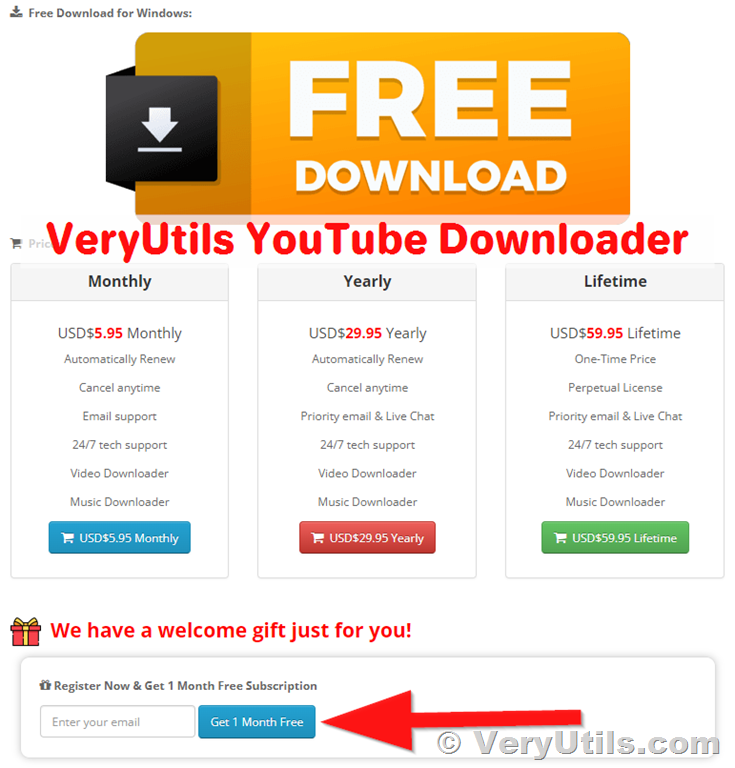 Why Choose VeryUtils YouTube Downloader? 1. Blazing Fast Downloads: Enjoy lightning-fast download speeds, allowing you to access your favorite content instantly. 2. Multi-Format Support: Whether you need MP4, MP3, or any other format, VeryUtils has you covered, ensuring seamless playback on any device. 3. High-Quality Output: From 480p to 1080p, and even 4K, we guarantee the best quality for your videos. 4. Batch Downloading: Download multiple videos at once, saving you time and increasing efficiency. 5. User-Friendly Interface: Our intuitive and straightforward interface makes the downloading process a breeze, perfect for users of all levels. How to Claim Your Free Subscription? 1. Register: Visit our website and quickly sign up for your VeryUtils account. 2. Activate: Log in to your account, enter the exclusive welcome gift code, and activate your 1-month free subscription. 3. Download: Start using VeryUtils YouTube Downloader to download and manage your video content, enjoying unparalleled convenience. Enjoy Special Benefits with Your Subscription 1. Regular Updates: Receive the latest version updates and improvements, ensuring you always have the best experience. 2. Premium Support: Access our professional customer support anytime, anywhere, to resolve any issues you may encounter. Don’t Miss Out! Visit our website now to register your VeryUtils account, activate your 1-month free subscription, and experience the most powerful YouTube video downloading tool. Take advantage of this opportunity, join our community, and enjoy a seamless video downloading experience. https://veryutils.com/youtube-downloader Thank you for your support and trust. We look forward to providing you with the best service. Best regards, The VeryUtils Team --- We look forward to having you on board and are always here to provide assistance and support. For any inquiries, please feel free to contact us. Contact Us: - Website: [https://veryutils.com/youtube-downloader](https://veryutils.com/youtube-downloader) - Email: [email protected] Join us and explore the endless possibilities of video downloading! |
| json metadata | {"tags":["veryutils"],"image":["https://cdn.steemitimages.com/DQmPri9nvthNJfDXXww3zRXHDxLm8SAm5KpKBfsnbvPssqp/VeryUtils%20YouTube%20Downloader-Welcome-Gift-Free.png"],"links":["https://veryutils.com/youtube-downloader"],"app":"steemit/0.2","format":"markdown"} |
| Transaction Info | Block #85515399/Trx b09696393e0a3491688c64a68fbd433d2257fcff |
View Raw JSON Data
{
"trx_id": "b09696393e0a3491688c64a68fbd433d2257fcff",
"block": 85515399,
"trx_in_block": 2,
"op_in_trx": 0,
"virtual_op": 0,
"timestamp": "2024-05-29T14:15:30",
"op": [
"comment",
{
"parent_author": "",
"parent_permlink": "veryutils",
"author": "veryutils",
"permlink": "veryutils-youtube-downloader-has-a-welcome-gift-just-for-you-register-now-and-get-1-month-free-subscription",
"title": "VeryUtils YouTube Downloader Has a Welcome Gift Just for You! Register Now & Get 1 Month Free Subscription",
"body": "VeryUtils YouTube Downloader Has a Welcome Gift Just for You! Register Now & Get 1 Month Free Subscription.\n\nhttps://veryutils.com/youtube-downloader\n\nDear Valued User,\n\nWe are thrilled to introduce you to VeryUtils YouTube Downloader, the ultimate tool designed to meet all your video downloading needs! As a token of our appreciation for joining our community, we are delighted to offer you an exclusive welcome gift: a 1-month free subscription.\n\n\n\nWhy Choose VeryUtils YouTube Downloader?\n\n1. Blazing Fast Downloads: Enjoy lightning-fast download speeds, allowing you to access your favorite content instantly.\n2. Multi-Format Support: Whether you need MP4, MP3, or any other format, VeryUtils has you covered, ensuring seamless playback on any device.\n3. High-Quality Output: From 480p to 1080p, and even 4K, we guarantee the best quality for your videos.\n4. Batch Downloading: Download multiple videos at once, saving you time and increasing efficiency.\n5. User-Friendly Interface: Our intuitive and straightforward interface makes the downloading process a breeze, perfect for users of all levels.\n\nHow to Claim Your Free Subscription?\n\n1. Register: Visit our website and quickly sign up for your VeryUtils account.\n2. Activate: Log in to your account, enter the exclusive welcome gift code, and activate your 1-month free subscription.\n3. Download: Start using VeryUtils YouTube Downloader to download and manage your video content, enjoying unparalleled convenience.\n\nEnjoy Special Benefits with Your Subscription\n\n1. Regular Updates: Receive the latest version updates and improvements, ensuring you always have the best experience.\n2. Premium Support: Access our professional customer support anytime, anywhere, to resolve any issues you may encounter.\n\nDon’t Miss Out!\n\nVisit our website now to register your VeryUtils account, activate your 1-month free subscription, and experience the most powerful YouTube video downloading tool. Take advantage of this opportunity, join our community, and enjoy a seamless video downloading experience.\n\nhttps://veryutils.com/youtube-downloader\n\nThank you for your support and trust. We look forward to providing you with the best service.\n\nBest regards,\n\nThe VeryUtils Team\n\n---\n\nWe look forward to having you on board and are always here to provide assistance and support. For any inquiries, please feel free to contact us.\n\nContact Us:\n- Website: [https://veryutils.com/youtube-downloader](https://veryutils.com/youtube-downloader)\n- Email: [email protected]\n\nJoin us and explore the endless possibilities of video downloading!",
"json_metadata": "{\"tags\":[\"veryutils\"],\"image\":[\"https://cdn.steemitimages.com/DQmPri9nvthNJfDXXww3zRXHDxLm8SAm5KpKBfsnbvPssqp/VeryUtils%20YouTube%20Downloader-Welcome-Gift-Free.png\"],\"links\":[\"https://veryutils.com/youtube-downloader\"],\"app\":\"steemit/0.2\",\"format\":\"markdown\"}"
}
]
}bluesnipersent 0.010 STEEM to @veryutils- "Hello. Good to see you on Steem. To maximize your rewards, publish your post also on Hive ( hive.blog ) and Blurt ( blurt.blog ) blockchains. Use upvu, jsup or ctime and get instant upvotes"2024/05/29 11:33:15
bluesnipersent 0.010 STEEM to @veryutils- "Hello. Good to see you on Steem. To maximize your rewards, publish your post also on Hive ( hive.blog ) and Blurt ( blurt.blog ) blockchains. Use upvu, jsup or ctime and get instant upvotes"
2024/05/29 11:33:15
| from | bluesniper |
| to | veryutils |
| amount | 0.010 STEEM |
| memo | Hello. Good to see you on Steem. To maximize your rewards, publish your post also on Hive ( hive.blog ) and Blurt ( blurt.blog ) blockchains. Use upvu, jsup or ctime and get instant upvotes |
| Transaction Info | Block #85512164/Trx 8a0e0c30822c17196fae20aa248ddb7ba7bd3750 |
View Raw JSON Data
{
  "trx_id": "8a0e0c30822c17196fae20aa248ddb7ba7bd3750",
  "block": 85512164,
  "trx_in_block": 6,
  "op_in_trx": 0,
  "virtual_op": 0,
  "timestamp": "2024-05-29T11:33:15",
  "op": [
    "transfer",
    {
      "from": "bluesniper",
      "to": "veryutils",
      "amount": "0.010 STEEM",
      "memo": "Hello. Good to see you on Steem. To maximize your rewards, publish your post also on Hive ( hive.blog ) and Blurt ( blurt.blog ) blockchains. Use upvu, jsup or ctime and get instant upvotes"
    }
  ]
}2024/05/29 11:32:54
2024/05/29 11:32:54
| voter | bluesniper |
| author | veryutils |
| permlink | elevate-your-art-with-veryutils-image-enhancer-limited-time-offer-inside |
| weight | 10000 (100.00%) |
| Transaction Info | Block #85512157/Trx 9ff86c58fcdd5357ba5b6cf948d39b187a854b86 |
View Raw JSON Data
{
  "trx_id": "9ff86c58fcdd5357ba5b6cf948d39b187a854b86",
  "block": 85512157,
  "trx_in_block": 5,
  "op_in_trx": 0,
  "virtual_op": 0,
  "timestamp": "2024-05-29T11:32:54",
  "op": [
    "vote",
    {
      "voter": "bluesniper",
      "author": "veryutils",
      "permlink": "elevate-your-art-with-veryutils-image-enhancer-limited-time-offer-inside",
      "weight": 10000
    }
  ]
}veryutilspublished a new post: elevate-your-art-with-veryutils-image-enhancer-limited-time-offer-inside2024/05/29 11:27:30
veryutilspublished a new post: elevate-your-art-with-veryutils-image-enhancer-limited-time-offer-inside
2024/05/29 11:27:30
| parent author | |
| parent permlink | veryutils |
| author | veryutils |
| permlink | elevate-your-art-with-veryutils-image-enhancer-limited-time-offer-inside |
| title | Elevate Your Art with VeryUtils Image Enhancer – Limited Time Offer Inside! |
| body | Elevate Your Art with VeryUtils Image Enhancer – Limited Time Offer Inside! We are thrilled to introduce you to the ground breaking capabilities of VeryUtils Image Enhancer! As a token of our gratitude for joining our community, we are delighted to offer you an exclusive welcome gift: 10,000 free copies for our debut launch. VeryUtils Image Enhancer is not your ordinary photo enhancement tool; it's a powerhouse designed specifically for AI art. Say goodbye to blurry, pixelated creations, and hello to print-ready masterpieces with lifelike details that astound the eye. https://veryutils.com/ai-photo-enhancer  Here's what sets VeryUtils apart: 1. 4-in-1 Process: Deblur, denoise, dejpeg, and upscale your images with a single click. No more toggling between complicated settings; just seamless enhancement. 2. Up to 8x Upscaling: Transform your images into high-resolution wonders suitable for prints, wallpapers, posters, and more. Whether you need 2x, 4x, or even 8x upscaling, VeryUtils has you covered with resolutions up to 4K, 8K, or even 32K. 3. Lifelike Details: Watch as VeryUtils generates the finest hair, fur, and skin texture, breathing new life into your artwork. 4. Efficient Processing: Optimized AI models ensure the best details with minimal CPU/GPU resources, making the enhancement process swift and hassle-free. Here's how it works: Step 1: Import your AI images into VeryUtils Image Enhancer. Step 2: Let our AI technology auto infer and enhance your artwork based on your preferences. Step 3: Export your upscaled AI images, ready to dazzle viewers with their newfound clarity and detail. Experience the magic of VeryUtils AI Photo Enhancer for yourself. Whether you're a seasoned artist or a novice exploring the world of AI art, achieving stunning quality has never been easier. Don't miss out on this special offer! Claim your free copy of VeryUtils Image Enhancer today and elevate your art to new heights. https://veryutils.com/ai-photo-enhancer |
| json metadata | {"tags":["veryutils"],"image":["https://cdn.steemitimages.com/DQmPQTbhrrhdRyZmVUodS2pLTvADmaAkgH2j5VVjs8J6Wan/VeryUtils%20Image%20Enhancer-Welcome-Free-Gift.png"],"links":["https://veryutils.com/ai-photo-enhancer"],"app":"steemit/0.2","format":"markdown"} |
| Transaction Info | Block #85512051/Trx 44f78e6a3abad568a227ae0265e163f96d25f847 |
View Raw JSON Data
{
"trx_id": "44f78e6a3abad568a227ae0265e163f96d25f847",
"block": 85512051,
"trx_in_block": 2,
"op_in_trx": 0,
"virtual_op": 0,
"timestamp": "2024-05-29T11:27:30",
"op": [
"comment",
{
"parent_author": "",
"parent_permlink": "veryutils",
"author": "veryutils",
"permlink": "elevate-your-art-with-veryutils-image-enhancer-limited-time-offer-inside",
"title": "Elevate Your Art with VeryUtils Image Enhancer – Limited Time Offer Inside!",
"body": "Elevate Your Art with VeryUtils Image Enhancer – Limited Time Offer Inside!\n\nWe are thrilled to introduce you to the ground breaking capabilities of VeryUtils Image Enhancer! As a token of our gratitude for joining our community, we are delighted to offer you an exclusive welcome gift: 10,000 free copies for our debut launch.\n\nVeryUtils Image Enhancer is not your ordinary photo enhancement tool; it's a powerhouse designed specifically for AI art. Say goodbye to blurry, pixelated creations, and hello to print-ready masterpieces with lifelike details that astound the eye.\n\nhttps://veryutils.com/ai-photo-enhancer\n\n\n\nHere's what sets VeryUtils apart:\n\n1. 4-in-1 Process: Deblur, denoise, dejpeg, and upscale your images with a single click. No more toggling between complicated settings; just seamless enhancement.\n\n2. Up to 8x Upscaling: Transform your images into high-resolution wonders suitable for prints, wallpapers, posters, and more. Whether you need 2x, 4x, or even 8x upscaling, VeryUtils has you covered with resolutions up to 4K, 8K, or even 32K.\n\n3. Lifelike Details: Watch as VeryUtils generates the finest hair, fur, and skin texture, breathing new life into your artwork.\n\n4. Efficient Processing: Optimized AI models ensure the best details with minimal CPU/GPU resources, making the enhancement process swift and hassle-free.\n\nHere's how it works:\n\nStep 1: Import your AI images into VeryUtils Image Enhancer.\n\nStep 2: Let our AI technology auto infer and enhance your artwork based on your preferences.\n\nStep 3: Export your upscaled AI images, ready to dazzle viewers with their newfound clarity and detail.\n\nExperience the magic of VeryUtils AI Photo Enhancer for yourself. Whether you're a seasoned artist or a novice exploring the world of AI art, achieving stunning quality has never been easier.\n\nDon't miss out on this special offer! Claim your free copy of VeryUtils Image Enhancer today and elevate your art to new heights.\n\nhttps://veryutils.com/ai-photo-enhancer",
"json_metadata": "{\"tags\":[\"veryutils\"],\"image\":[\"https://cdn.steemitimages.com/DQmPQTbhrrhdRyZmVUodS2pLTvADmaAkgH2j5VVjs8J6Wan/VeryUtils%20Image%20Enhancer-Welcome-Free-Gift.png\"],\"links\":[\"https://veryutils.com/ai-photo-enhancer\"],\"app\":\"steemit/0.2\",\"format\":\"markdown\"}"
}
]
}bluesnipersent 0.010 STEEM to @veryutils- "Hello. Good to see you on Steem. To maximize your rewards, publish your post also on Hive ( hive.blog ) and Blurt ( blurt.blog ) blockchains. Use upvu, jsup or ctime and get instant upvotes"2024/05/22 18:34:54
bluesnipersent 0.010 STEEM to @veryutils- "Hello. Good to see you on Steem. To maximize your rewards, publish your post also on Hive ( hive.blog ) and Blurt ( blurt.blog ) blockchains. Use upvu, jsup or ctime and get instant upvotes"
2024/05/22 18:34:54
| from | bluesniper |
| to | veryutils |
| amount | 0.010 STEEM |
| memo | Hello. Good to see you on Steem. To maximize your rewards, publish your post also on Hive ( hive.blog ) and Blurt ( blurt.blog ) blockchains. Use upvu, jsup or ctime and get instant upvotes |
| Transaction Info | Block #85319591/Trx a90f7752541f09fc94b3e4d599bd648c5ffae56f |
View Raw JSON Data
{
  "trx_id": "a90f7752541f09fc94b3e4d599bd648c5ffae56f",
  "block": 85319591,
  "trx_in_block": 0,
  "op_in_trx": 0,
  "virtual_op": 0,
  "timestamp": "2024-05-22T18:34:54",
  "op": [
    "transfer",
    {
      "from": "bluesniper",
      "to": "veryutils",
      "amount": "0.010 STEEM",
      "memo": "Hello. Good to see you on Steem. To maximize your rewards, publish your post also on Hive ( hive.blog ) and Blurt ( blurt.blog ) blockchains. Use upvu, jsup or ctime and get instant upvotes"
    }
  ]
}2024/05/22 18:34:30
2024/05/22 18:34:30
| voter | bluesniper |
| author | veryutils |
| permlink | how-to-download-youtube-videos-as-mp3-music-using-veryutils-youtube-mp3-downloader |
| weight | 10000 (100.00%) |
| Transaction Info | Block #85319583/Trx 041953e0a35358c6c1ddba6cb8ab9c53020a6583 |
View Raw JSON Data
{
  "trx_id": "041953e0a35358c6c1ddba6cb8ab9c53020a6583",
  "block": 85319583,
  "trx_in_block": 0,
  "op_in_trx": 0,
  "virtual_op": 0,
  "timestamp": "2024-05-22T18:34:30",
  "op": [
    "vote",
    {
      "voter": "bluesniper",
      "author": "veryutils",
      "permlink": "how-to-download-youtube-videos-as-mp3-music-using-veryutils-youtube-mp3-downloader",
      "weight": 10000
    }
  ]
}2024/05/22 18:28:51
2024/05/22 18:28:51
| parent author | |
| parent permlink | veryutils |
| author | veryutils |
| permlink | how-to-download-youtube-videos-as-mp3-music-using-veryutils-youtube-mp3-downloader |
| title | How to Download YouTube Videos as MP3 Music Using VeryUtils YouTube MP3 Downloader? |
| body | How to Download YouTube Videos as MP3 Music Using VeryUtils YouTube MP3 Downloader? In the era of digital media, YouTube has become a primary source for discovering and enjoying a vast array of music and audio content. Sometimes, we might want to convert our favorite YouTube videos into MP3 format so we can listen to them offline, on the go, or on devices that don't support video playback. VeryUtils YouTube MP3 Downloader is a powerful software that can help you achieve this easily. Here’s a step-by-step guide on how to use VeryUtils YouTube MP3 Downloader to download YouTube videos as MP3 files. https://veryutils.com/youtube-downloader 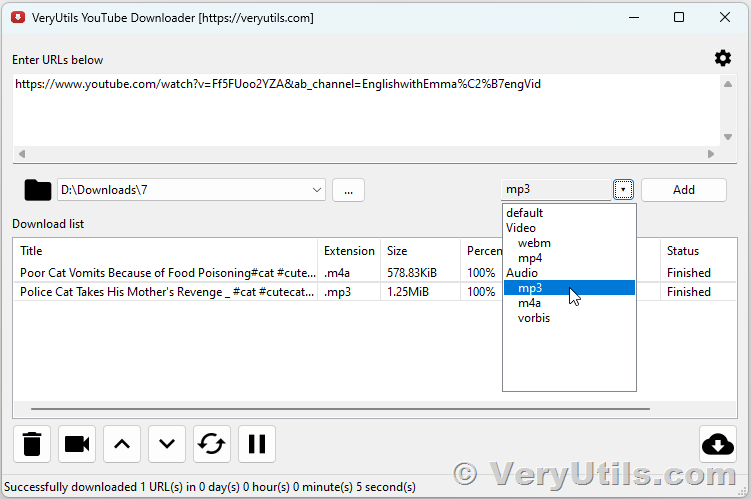 ✅ Step-by-Step Guide to Using VeryUtils YouTube MP3 Downloader Step 1: Download and Install VeryUtils YouTube MP3 Downloader First, you need to download and install the VeryUtils YouTube MP3 Downloader software on your computer. Follow these steps: 1. Visit the VeryUtils official website. https://veryutils.com/youtube-downloader 2. Navigate to the YouTube MP3 Downloader section. 3. Download the installation file and run it. 4. Follow the on-screen instructions to complete the installation process. Step 2: Launch the Software Once installed, open the VeryUtils YouTube MP3 Downloader by double-clicking the icon on your desktop or finding it in your Start menu. Step 3: Copy the YouTube Video URL Go to YouTube and find the video you want to convert to MP3. Copy the video's URL from the address bar of your browser. Step 4: Paste the URL into the Software In the VeryUtils YouTube MP3 Downloader interface, look for the input field where you can paste the YouTube video URL. Click on the field and press `Ctrl + V` (or right-click and select 'Paste') to paste the copied URL. Step 5: Select MP3 as the Output Format The software allows you to choose the output format for the downloaded file. Since you want to download the video as MP3, select MP3 as your desired output format. You may also have the option to choose the audio quality (e.g., 128kbps, 192kbps, 320kbps). Higher quality means better sound but larger file size. Step 6: Start the Download Process Once you’ve pasted the URL and selected MP3 as the output format, click on the "Download" or "Convert" button to begin the download process. The software will fetch the video from YouTube and convert it to MP3 format. Step 7: Save the MP3 File After the download and conversion are complete, you will be prompted to choose a location on your computer to save the MP3 file. Select your preferred folder and click "Save." Step 8: Enjoy Your MP3 Music Your YouTube video has now been successfully converted to an MP3 file and saved on your computer. You can transfer it to your smartphone, MP3 player, or any other device and enjoy your music offline. ✅ Tips for Using VeryUtils YouTube MP3 Downloader - Batch Downloads: If you have multiple videos to convert, check if the software supports batch downloading to save time. - Playlist Downloads: Some versions may allow downloading entire playlists in one go. - Regular Updates: Ensure your software is up-to-date to benefit from the latest features and improvements. - Legal Considerations: Always respect copyright laws and the terms of service of YouTube when downloading and using media content. By following these steps, you can easily convert your favorite YouTube videos to MP3 files using VeryUtils YouTube MP3 Downloader, allowing you to enjoy your music anytime, anywhere. |
| json metadata | {"tags":["veryutils"],"image":["https://cdn.steemitimages.com/DQmXQpMD417Fhr9rfGfYYNpACHztj5tXyCrwaNL8GgH7LDe/VeryUtils%20YouTube%20MP3%20Downloader.png"],"links":["https://veryutils.com/youtube-downloader"],"app":"steemit/0.2","format":"markdown"} |
| Transaction Info | Block #85319471/Trx 3c2f9cb698ae05060a59b3343ae596c59face569 |
View Raw JSON Data
{
"trx_id": "3c2f9cb698ae05060a59b3343ae596c59face569",
"block": 85319471,
"trx_in_block": 0,
"op_in_trx": 0,
"virtual_op": 0,
"timestamp": "2024-05-22T18:28:51",
"op": [
"comment",
{
"parent_author": "",
"parent_permlink": "veryutils",
"author": "veryutils",
"permlink": "how-to-download-youtube-videos-as-mp3-music-using-veryutils-youtube-mp3-downloader",
"title": "How to Download YouTube Videos as MP3 Music Using VeryUtils YouTube MP3 Downloader?",
"body": "How to Download YouTube Videos as MP3 Music Using VeryUtils YouTube MP3 Downloader?\n\nIn the era of digital media, YouTube has become a primary source for discovering and enjoying a vast array of music and audio content. Sometimes, we might want to convert our favorite YouTube videos into MP3 format so we can listen to them offline, on the go, or on devices that don't support video playback. VeryUtils YouTube MP3 Downloader is a powerful software that can help you achieve this easily. Here’s a step-by-step guide on how to use VeryUtils YouTube MP3 Downloader to download YouTube videos as MP3 files.\n\nhttps://veryutils.com/youtube-downloader\n\n\n\n✅ Step-by-Step Guide to Using VeryUtils YouTube MP3 Downloader\n\nStep 1: Download and Install VeryUtils YouTube MP3 Downloader\nFirst, you need to download and install the VeryUtils YouTube MP3 Downloader software on your computer. Follow these steps:\n\n1. Visit the VeryUtils official website.\n\nhttps://veryutils.com/youtube-downloader\n\n2. Navigate to the YouTube MP3 Downloader section.\n3. Download the installation file and run it.\n4. Follow the on-screen instructions to complete the installation process.\n\nStep 2: Launch the Software\nOnce installed, open the VeryUtils YouTube MP3 Downloader by double-clicking the icon on your desktop or finding it in your Start menu.\n\nStep 3: Copy the YouTube Video URL\nGo to YouTube and find the video you want to convert to MP3. Copy the video's URL from the address bar of your browser.\n\nStep 4: Paste the URL into the Software\nIn the VeryUtils YouTube MP3 Downloader interface, look for the input field where you can paste the YouTube video URL. Click on the field and press `Ctrl + V` (or right-click and select 'Paste') to paste the copied URL.\n\nStep 5: Select MP3 as the Output Format\nThe software allows you to choose the output format for the downloaded file. Since you want to download the video as MP3, select MP3 as your desired output format. You may also have the option to choose the audio quality (e.g., 128kbps, 192kbps, 320kbps). Higher quality means better sound but larger file size.\n\nStep 6: Start the Download Process\nOnce you’ve pasted the URL and selected MP3 as the output format, click on the \"Download\" or \"Convert\" button to begin the download process. The software will fetch the video from YouTube and convert it to MP3 format.\n\nStep 7: Save the MP3 File\nAfter the download and conversion are complete, you will be prompted to choose a location on your computer to save the MP3 file. Select your preferred folder and click \"Save.\"\n\nStep 8: Enjoy Your MP3 Music\nYour YouTube video has now been successfully converted to an MP3 file and saved on your computer. You can transfer it to your smartphone, MP3 player, or any other device and enjoy your music offline.\n\n✅ Tips for Using VeryUtils YouTube MP3 Downloader\n\n- Batch Downloads: If you have multiple videos to convert, check if the software supports batch downloading to save time.\n- Playlist Downloads: Some versions may allow downloading entire playlists in one go.\n- Regular Updates: Ensure your software is up-to-date to benefit from the latest features and improvements.\n- Legal Considerations: Always respect copyright laws and the terms of service of YouTube when downloading and using media content.\n\nBy following these steps, you can easily convert your favorite YouTube videos to MP3 files using VeryUtils YouTube MP3 Downloader, allowing you to enjoy your music anytime, anywhere.",
"json_metadata": "{\"tags\":[\"veryutils\"],\"image\":[\"https://cdn.steemitimages.com/DQmXQpMD417Fhr9rfGfYYNpACHztj5tXyCrwaNL8GgH7LDe/VeryUtils%20YouTube%20MP3%20Downloader.png\"],\"links\":[\"https://veryutils.com/youtube-downloader\"],\"app\":\"steemit/0.2\",\"format\":\"markdown\"}"
}
]
}bluesnipersent 0.010 STEEM to @veryutils- "Hello. Good to see you on Steem. To maximize your rewards, publish your post also on Hive ( hive.blog ) and Blurt ( blurt.blog ) blockchains. Use upvu, jsup or ctime and get instant upvotes"2024/05/22 13:42:21
bluesnipersent 0.010 STEEM to @veryutils- "Hello. Good to see you on Steem. To maximize your rewards, publish your post also on Hive ( hive.blog ) and Blurt ( blurt.blog ) blockchains. Use upvu, jsup or ctime and get instant upvotes"
2024/05/22 13:42:21
| from | bluesniper |
| to | veryutils |
| amount | 0.010 STEEM |
| memo | Hello. Good to see you on Steem. To maximize your rewards, publish your post also on Hive ( hive.blog ) and Blurt ( blurt.blog ) blockchains. Use upvu, jsup or ctime and get instant upvotes |
| Transaction Info | Block #85313764/Trx baff78659f15bba6c70271a2387ec3100880a21f |
View Raw JSON Data
{
  "trx_id": "baff78659f15bba6c70271a2387ec3100880a21f",
  "block": 85313764,
  "trx_in_block": 0,
  "op_in_trx": 0,
  "virtual_op": 0,
  "timestamp": "2024-05-22T13:42:21",
  "op": [
    "transfer",
    {
      "from": "bluesniper",
      "to": "veryutils",
      "amount": "0.010 STEEM",
      "memo": "Hello. Good to see you on Steem. To maximize your rewards, publish your post also on Hive ( hive.blog ) and Blurt ( blurt.blog ) blockchains. Use upvu, jsup or ctime and get instant upvotes"
    }
  ]
}2024/05/22 13:41:57
2024/05/22 13:41:57
| voter | bluesniper |
| author | veryutils |
| permlink | how-to-batch-download-facebook-videos-offline-with-veryutils-facebook-video-downloader |
| weight | 10000 (100.00%) |
| Transaction Info | Block #85313756/Trx 31ab33fb9fdffe1b27b5d6abefc533e958e7d797 |
View Raw JSON Data
{
  "trx_id": "31ab33fb9fdffe1b27b5d6abefc533e958e7d797",
  "block": 85313756,
  "trx_in_block": 5,
  "op_in_trx": 0,
  "virtual_op": 0,
  "timestamp": "2024-05-22T13:41:57",
  "op": [
    "vote",
    {
      "voter": "bluesniper",
      "author": "veryutils",
      "permlink": "how-to-batch-download-facebook-videos-offline-with-veryutils-facebook-video-downloader",
      "weight": 10000
    }
  ]
}2024/05/22 13:36:24
2024/05/22 13:36:24
| parent author | |
| parent permlink | veryutils |
| author | veryutils |
| permlink | how-to-batch-download-facebook-videos-offline-with-veryutils-facebook-video-downloader |
| title | How to Batch Download Facebook Videos Offline with VeryUtils Facebook Video Downloader? |
| body | How to Batch Download Facebook Videos Offline with VeryUtils Facebook Video Downloader? In today's digital age, videos on social media platforms like Facebook have become a significant part of our daily entertainment and information intake. Whether it's tutorials, funny clips, or memorable moments shared by friends and family, having the ability to download these videos for offline viewing can be incredibly useful. VeryUtils Facebook Video Downloader is a powerful tool that allows users to batch download Facebook videos effortlessly. This guide will walk you through the process of using this software to download multiple Facebook videos at once, without the need to log into your Facebook account. 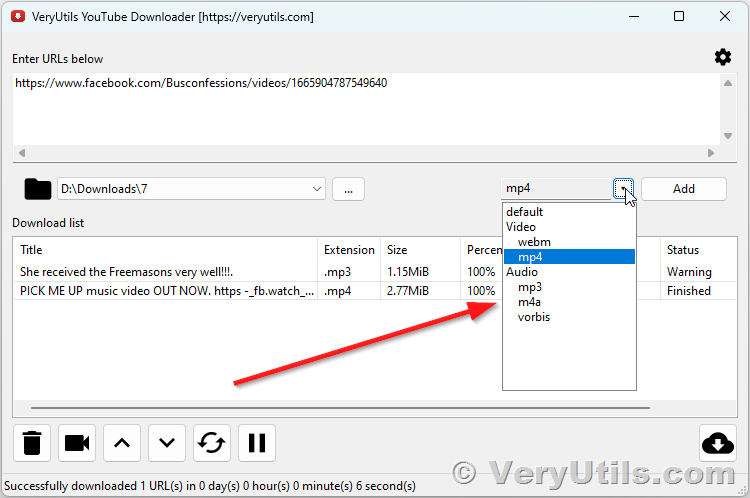 ✅ What is VeryUtils Facebook Video Downloader? VeryUtils Facebook Video Downloader is a user-friendly software designed to help users download videos from Facebook in bulk. It supports downloading videos in various formats and resolutions, ensuring that you get the best quality available. With its intuitive interface and robust features, it simplifies the process of saving your favorite Facebook videos for offline viewing. ✅ Features of VeryUtils Facebook Video Downloader - Batch Downloading: Download multiple videos at once, saving time and effort. - High-Quality Downloads: Choose from various resolutions to get the best video quality. - User-Friendly Interface: Easy to navigate, making it accessible even for beginners. - Multiple Formats: Supports various video formats to suit your needs. - Fast Download Speed: Optimized for quick downloads without compromising quality. - No Facebook Login Required: Download videos without needing to log into your Facebook account. ✅ How to Use VeryUtils Facebook Video Downloader? Here's a step-by-step guide on how to use VeryUtils Facebook Video Downloader to batch download Facebook videos: 1. Download and Install the Software - Visit the VeryUtils website and download the Facebook Video Downloader. - Follow the on-screen instructions to install the software on your computer. https://veryutils.com/youtube-downloader 2. Launch the Software - Open the VeryUtils Facebook Video Downloader from your desktop or start menu. 3. Add Facebook Video URLs - Copy the URLs of the Facebook videos you want to download. You can get these URLs by right-clicking on the video and selecting "Copy video URL" or by using the share option to copy the link. - In the VeryUtils Facebook Video Downloader, paste the copied URLs into the designated field. You can add multiple URLs to batch download videos. image 4. Select Videos for Download - After pasting the URLs, the software will automatically detect and list the videos. Confirm the videos you want to download by selecting them from the list. 5. Choose Download Settings - Choose the desired format and resolution for your downloads. The software offers various options, allowing you to pick the quality that suits your needs. 6. Start the Download Process - Click on the "Download" button to start the batch downloading process. The software will begin downloading the selected videos to your designated folder. 7. Monitor the Download Progress - You can monitor the download progress in real-time. The software provides updates on the status of each video being downloaded. 8. Access Your Downloaded Videos - Once the download is complete, you can access your videos from the specified download folder on your computer. Enjoy watching your favorite Facebook videos offline at your convenience. ✅ Tips for Using VeryUtils Facebook Video Downloader - Stable Internet Connection: Ensure you have a stable internet connection to avoid interruptions during the download process. - Storage Space: Make sure you have enough storage space on your device to accommodate the downloaded videos. - Update Software: Regularly check for software updates to benefit from the latest features and improvements. ✅ Conclusion VeryUtils Facebook Video Downloader is an excellent tool for anyone looking to save Facebook videos for offline viewing. Its ability to batch download videos in various formats and resolutions makes it a versatile and efficient choice. By following the steps outlined in this guide, you can easily download your favorite Facebook videos and enjoy them anytime, anywhere. Whether you're saving tutorials, entertainment clips, or personal memories, VeryUtils Facebook Video Downloader has you covered. |
| json metadata | {"tags":["veryutils"],"image":["https://cdn.steemitimages.com/DQmSFrnYrtzDPTxXQs7jhBUG4o7hRza9y1xTBeuLHvkifBT/VeryUtils%20Facebook%20Video%20Downloader.png"],"links":["https://veryutils.com/youtube-downloader"],"app":"steemit/0.2","format":"markdown"} |
| Transaction Info | Block #85313645/Trx 839c41af50d220f1647c9eeae9c22676bb6c6b1d |
View Raw JSON Data
{
"trx_id": "839c41af50d220f1647c9eeae9c22676bb6c6b1d",
"block": 85313645,
"trx_in_block": 0,
"op_in_trx": 0,
"virtual_op": 0,
"timestamp": "2024-05-22T13:36:24",
"op": [
"comment",
{
"parent_author": "",
"parent_permlink": "veryutils",
"author": "veryutils",
"permlink": "how-to-batch-download-facebook-videos-offline-with-veryutils-facebook-video-downloader",
"title": "How to Batch Download Facebook Videos Offline with VeryUtils Facebook Video Downloader?",
"body": "How to Batch Download Facebook Videos Offline with VeryUtils Facebook Video Downloader?\n\nIn today's digital age, videos on social media platforms like Facebook have become a significant part of our daily entertainment and information intake. Whether it's tutorials, funny clips, or memorable moments shared by friends and family, having the ability to download these videos for offline viewing can be incredibly useful. VeryUtils Facebook Video Downloader is a powerful tool that allows users to batch download Facebook videos effortlessly. This guide will walk you through the process of using this software to download multiple Facebook videos at once, without the need to log into your Facebook account.\n\n\n\n✅ What is VeryUtils Facebook Video Downloader?\n\nVeryUtils Facebook Video Downloader is a user-friendly software designed to help users download videos from Facebook in bulk. It supports downloading videos in various formats and resolutions, ensuring that you get the best quality available. With its intuitive interface and robust features, it simplifies the process of saving your favorite Facebook videos for offline viewing.\n\n✅ Features of VeryUtils Facebook Video Downloader\n\n- Batch Downloading: Download multiple videos at once, saving time and effort.\n- High-Quality Downloads: Choose from various resolutions to get the best video quality.\n- User-Friendly Interface: Easy to navigate, making it accessible even for beginners.\n- Multiple Formats: Supports various video formats to suit your needs.\n- Fast Download Speed: Optimized for quick downloads without compromising quality.\n- No Facebook Login Required: Download videos without needing to log into your Facebook account.\n\n✅ How to Use VeryUtils Facebook Video Downloader?\n\nHere's a step-by-step guide on how to use VeryUtils Facebook Video Downloader to batch download Facebook videos:\n\n1. Download and Install the Software\n - Visit the VeryUtils website and download the Facebook Video Downloader.\n - Follow the on-screen instructions to install the software on your computer.\n\nhttps://veryutils.com/youtube-downloader\n\n2. Launch the Software\n - Open the VeryUtils Facebook Video Downloader from your desktop or start menu.\n\n3. Add Facebook Video URLs\n - Copy the URLs of the Facebook videos you want to download. You can get these URLs by right-clicking on the video and selecting \"Copy video URL\" or by using the share option to copy the link.\n - In the VeryUtils Facebook Video Downloader, paste the copied URLs into the designated field. You can add multiple URLs to batch download videos.\n\nimage\n\n4. Select Videos for Download\n - After pasting the URLs, the software will automatically detect and list the videos. Confirm the videos you want to download by selecting them from the list.\n\n5. Choose Download Settings\n - Choose the desired format and resolution for your downloads. The software offers various options, allowing you to pick the quality that suits your needs.\n\n6. Start the Download Process\n - Click on the \"Download\" button to start the batch downloading process. The software will begin downloading the selected videos to your designated folder.\n\n7. Monitor the Download Progress\n - You can monitor the download progress in real-time. The software provides updates on the status of each video being downloaded.\n\n8. Access Your Downloaded Videos\n - Once the download is complete, you can access your videos from the specified download folder on your computer. Enjoy watching your favorite Facebook videos offline at your convenience.\n\n✅ Tips for Using VeryUtils Facebook Video Downloader\n\n- Stable Internet Connection: Ensure you have a stable internet connection to avoid interruptions during the download process.\n- Storage Space: Make sure you have enough storage space on your device to accommodate the downloaded videos.\n- Update Software: Regularly check for software updates to benefit from the latest features and improvements.\n\n✅ Conclusion\n\nVeryUtils Facebook Video Downloader is an excellent tool for anyone looking to save Facebook videos for offline viewing. Its ability to batch download videos in various formats and resolutions makes it a versatile and efficient choice. By following the steps outlined in this guide, you can easily download your favorite Facebook videos and enjoy them anytime, anywhere. Whether you're saving tutorials, entertainment clips, or personal memories, VeryUtils Facebook Video Downloader has you covered.",
"json_metadata": "{\"tags\":[\"veryutils\"],\"image\":[\"https://cdn.steemitimages.com/DQmSFrnYrtzDPTxXQs7jhBUG4o7hRza9y1xTBeuLHvkifBT/VeryUtils%20Facebook%20Video%20Downloader.png\"],\"links\":[\"https://veryutils.com/youtube-downloader\"],\"app\":\"steemit/0.2\",\"format\":\"markdown\"}"
}
]
}2024/05/06 16:18:30
2024/05/06 16:18:30
| voter | bluesniper |
| author | veryutils |
| permlink | veryutils-google-maps-scraper-is-a-scraping-tool-for-business-leads-to-extract-data-from-google-maps-and-export-to-csv-json |
| weight | 10000 (100.00%) |
| Transaction Info | Block #84859207/Trx 59566553605dd7888a777871c2981b161b7dcd43 |
View Raw JSON Data
{
  "trx_id": "59566553605dd7888a777871c2981b161b7dcd43",
  "block": 84859207,
  "trx_in_block": 4,
  "op_in_trx": 0,
  "virtual_op": 0,
  "timestamp": "2024-05-06T16:18:30",
  "op": [
    "vote",
    {
      "voter": "bluesniper",
      "author": "veryutils",
      "permlink": "veryutils-google-maps-scraper-is-a-scraping-tool-for-business-leads-to-extract-data-from-google-maps-and-export-to-csv-json",
      "weight": 10000
    }
  ]
}2024/05/06 16:13:15
2024/05/06 16:13:15
| parent author | |
| parent permlink | veryutils |
| author | veryutils |
| permlink | veryutils-google-maps-scraper-is-a-scraping-tool-for-business-leads-to-extract-data-from-google-maps-and-export-to-csv-json |
| title | VeryUtils Google Maps Scraper is a scraping tool for business leads to extract data from Google Maps and export to CSV/JSON/EXCEL file |
| body | VeryUtils Google Maps Scraper is a scraping tool for business leads to extract data from Google Maps and export to CSV/JSON/EXCEL file, includes reviews, images, phone number, email address and social media profiles. In the fast-paced world of business, having access to accurate and up-to-date information is crucial for success. Whether you're a marketer looking to reach new clients, a sales professional aiming to expand your customer base, or a business owner seeking to stay ahead of the competition, the ability to gather valuable leads efficiently can make all the difference. Enter VeryUtils Google Maps Scraper, a powerful tool designed to revolutionize the way you extract business data from Google Maps. https://veryutils.com/ai-marketing-tools  What is Google Maps Scraper? Google Maps Scraper is a cutting-edge solution for capturing business leads and extracting data from Google Maps with unparalleled ease. With just a single click, you can retrieve a wealth of information, including business names, addresses, photos, coordinates, websites, emails, phone numbers, social media profiles, and more. This data can then be exported to CSV, JSON, Excel, or other file formats, allowing for seamless integration with your existing tools and workflows. Google Maps Scraper Key Features: Let's delve into some of the key features that make VeryUtils Google Maps Scraper a must-have tool for businesses of all sizes: 1. Efficient Data Extraction: Quickly search and extract business information from Google Maps, saving valuable time and effort. 2. Comprehensive Lead Generation: Gather leads including website URLs, email addresses, and social media profiles to build a robust database of potential customers. 3. Flexible Export Options: Export data to Excel or CSV files for easy analysis and integration with other marketing and CRM tools. 4. Streamlined Workflow: Simplify lead generation processes and enhance productivity across your marketing, sales, and outreach teams. Who Can Benefit? VeryUtils Google Maps Scraper is designed to cater to a wide range of users, including: 1. B2B Marketers: Find quality email addresses and essential features to attract your next major client. 2. SaaS Companies: Enhance your outreach teams' effectiveness in expanding and retaining your customer base. 3. Sales Teams: Utilize our comprehensive tool suite to reach a larger customer base and close more deals. 4. Growth Hackers: Achieve accurate and efficient user base growth without dedicating all your time to outreach efforts. Conclusion In conclusion, VeryUtils Google Maps Scraper is more than just a tool – it's a game-changer for businesses looking to stay ahead in today's competitive landscape. With its advanced features, user-friendly interface, and unparalleled efficiency, it's your ultimate solution for lead generation and business growth. Whether you're a seasoned marketer or a budding entrepreneur, make VeryUtils Google Maps Scraper your go-to tool for unlocking new opportunities and driving success. Try it today and experience the difference for yourself! |
| json metadata | {"tags":["veryutils"],"image":["https://cdn.steemitimages.com/DQmYtD7bNeELrfN1Fb8AakavkrAzy1FA2R258SDqGaP1LsM/VeryUtils-Google-Maps-Scraper.png"],"links":["https://veryutils.com/ai-marketing-tools"],"app":"steemit/0.2","format":"markdown"} |
| Transaction Info | Block #84859102/Trx dd1a5d2e4e72d033ed485b085504de2e27b53bca |
View Raw JSON Data
{
"trx_id": "dd1a5d2e4e72d033ed485b085504de2e27b53bca",
"block": 84859102,
"trx_in_block": 8,
"op_in_trx": 0,
"virtual_op": 0,
"timestamp": "2024-05-06T16:13:15",
"op": [
"comment",
{
"parent_author": "",
"parent_permlink": "veryutils",
"author": "veryutils",
"permlink": "veryutils-google-maps-scraper-is-a-scraping-tool-for-business-leads-to-extract-data-from-google-maps-and-export-to-csv-json",
"title": "VeryUtils Google Maps Scraper is a scraping tool for business leads to extract data from Google Maps and export to CSV/JSON/EXCEL file",
"body": "VeryUtils Google Maps Scraper is a scraping tool for business leads to extract data from Google Maps and export to CSV/JSON/EXCEL file, includes reviews, images, phone number, email address and social media profiles.\n\nIn the fast-paced world of business, having access to accurate and up-to-date information is crucial for success. Whether you're a marketer looking to reach new clients, a sales professional aiming to expand your customer base, or a business owner seeking to stay ahead of the competition, the ability to gather valuable leads efficiently can make all the difference. Enter VeryUtils Google Maps Scraper, a powerful tool designed to revolutionize the way you extract business data from Google Maps.\n\nhttps://veryutils.com/ai-marketing-tools\n\n\n\nWhat is Google Maps Scraper?\n\nGoogle Maps Scraper is a cutting-edge solution for capturing business leads and extracting data from Google Maps with unparalleled ease. With just a single click, you can retrieve a wealth of information, including business names, addresses, photos, coordinates, websites, emails, phone numbers, social media profiles, and more. This data can then be exported to CSV, JSON, Excel, or other file formats, allowing for seamless integration with your existing tools and workflows.\n\nGoogle Maps Scraper Key Features:\n\nLet's delve into some of the key features that make VeryUtils Google Maps Scraper a must-have tool for businesses of all sizes:\n\n1. Efficient Data Extraction: Quickly search and extract business information from Google Maps, saving valuable time and effort.\n \n2. Comprehensive Lead Generation: Gather leads including website URLs, email addresses, and social media profiles to build a robust database of potential customers.\n\n3. Flexible Export Options: Export data to Excel or CSV files for easy analysis and integration with other marketing and CRM tools.\n\n4. Streamlined Workflow: Simplify lead generation processes and enhance productivity across your marketing, sales, and outreach teams.\n\nWho Can Benefit?\n\nVeryUtils Google Maps Scraper is designed to cater to a wide range of users, including:\n\n1. B2B Marketers: Find quality email addresses and essential features to attract your next major client.\n\n2. SaaS Companies: Enhance your outreach teams' effectiveness in expanding and retaining your customer base.\n\n3. Sales Teams: Utilize our comprehensive tool suite to reach a larger customer base and close more deals.\n\n4. Growth Hackers: Achieve accurate and efficient user base growth without dedicating all your time to outreach efforts.\n\nConclusion\n\nIn conclusion, VeryUtils Google Maps Scraper is more than just a tool – it's a game-changer for businesses looking to stay ahead in today's competitive landscape. With its advanced features, user-friendly interface, and unparalleled efficiency, it's your ultimate solution for lead generation and business growth. Whether you're a seasoned marketer or a budding entrepreneur, make VeryUtils Google Maps Scraper your go-to tool for unlocking new opportunities and driving success. Try it today and experience the difference for yourself!",
"json_metadata": "{\"tags\":[\"veryutils\"],\"image\":[\"https://cdn.steemitimages.com/DQmYtD7bNeELrfN1Fb8AakavkrAzy1FA2R258SDqGaP1LsM/VeryUtils-Google-Maps-Scraper.png\"],\"links\":[\"https://veryutils.com/ai-marketing-tools\"],\"app\":\"steemit/0.2\",\"format\":\"markdown\"}"
}
]
}bluesnipersent 0.010 STEEM to @veryutils- "Hello. Good to see you on Steem. To maximize your rewards, publish your post also on Hive ( hive.blog ) and Blurt ( blurt.blog ) blockchains. Use upvu, jsup or ctime and get instant upvotes"2024/05/03 10:48:39
bluesnipersent 0.010 STEEM to @veryutils- "Hello. Good to see you on Steem. To maximize your rewards, publish your post also on Hive ( hive.blog ) and Blurt ( blurt.blog ) blockchains. Use upvu, jsup or ctime and get instant upvotes"
2024/05/03 10:48:39
| from | bluesniper |
| to | veryutils |
| amount | 0.010 STEEM |
| memo | Hello. Good to see you on Steem. To maximize your rewards, publish your post also on Hive ( hive.blog ) and Blurt ( blurt.blog ) blockchains. Use upvu, jsup or ctime and get instant upvotes |
| Transaction Info | Block #84766541/Trx 116d062b1faddbfe38e3a0cb1a15b40c39cb8c0c |
View Raw JSON Data
{
  "trx_id": "116d062b1faddbfe38e3a0cb1a15b40c39cb8c0c",
  "block": 84766541,
  "trx_in_block": 0,
  "op_in_trx": 0,
  "virtual_op": 0,
  "timestamp": "2024-05-03T10:48:39",
  "op": [
    "transfer",
    {
      "from": "bluesniper",
      "to": "veryutils",
      "amount": "0.010 STEEM",
      "memo": "Hello. Good to see you on Steem. To maximize your rewards, publish your post also on Hive ( hive.blog ) and Blurt ( blurt.blog ) blockchains. Use upvu, jsup or ctime and get instant upvotes"
    }
  ]
}bluesniperupvoted (100.00%) @veryutils / email-scraping-with-veryutils-ai-marketing-tools2024/05/03 10:48:15
bluesniperupvoted (100.00%) @veryutils / email-scraping-with-veryutils-ai-marketing-tools
2024/05/03 10:48:15
| voter | bluesniper |
| author | veryutils |
| permlink | email-scraping-with-veryutils-ai-marketing-tools |
| weight | 10000 (100.00%) |
| Transaction Info | Block #84766533/Trx 3d93e8d368521c5ad7dc3145b0526682145e1f5d |
View Raw JSON Data
{
  "trx_id": "3d93e8d368521c5ad7dc3145b0526682145e1f5d",
  "block": 84766533,
  "trx_in_block": 2,
  "op_in_trx": 0,
  "virtual_op": 0,
  "timestamp": "2024-05-03T10:48:15",
  "op": [
    "vote",
    {
      "voter": "bluesniper",
      "author": "veryutils",
      "permlink": "email-scraping-with-veryutils-ai-marketing-tools",
      "weight": 10000
    }
  ]
}veryutilspublished a new post: email-scraping-with-veryutils-ai-marketing-tools2024/05/03 10:43:03
veryutilspublished a new post: email-scraping-with-veryutils-ai-marketing-tools
2024/05/03 10:43:03
| parent author | |
| parent permlink | veryutils |
| author | veryutils |
| permlink | email-scraping-with-veryutils-ai-marketing-tools |
| title | Email Scraping with VeryUtils AI Marketing Tools |
| body | @@ -1669,16 +1669,175 @@ bsite.%0A%0A +!%5BAI-Marketing-Tools-Email-Scraping.png%5D(https://cdn.steemitimages.com/DQmUhfz45unpMQ3qc6w69DAucBaVPiSig7H7QALA1B9MdgE/AI-Marketing-Tools-Email-Scraping.png)%0A%0A The Lega |
| json metadata | {"links":["https://veryutils.com/ai-marketing-tools"],"app":"steemit/0.2","format":"markdown","image":["https://cdn.steemitimages.com/DQmUhfz45unpMQ3qc6w69DAucBaVPiSig7H7QALA1B9MdgE/AI-Marketing-Tools-Email-Scraping.png"]} |
| Transaction Info | Block #84766429/Trx 44a79f9f3ebc5d51499df3b9427c78cd537532c0 |
View Raw JSON Data
{
  "trx_id": "44a79f9f3ebc5d51499df3b9427c78cd537532c0",
  "block": 84766429,
  "trx_in_block": 3,
  "op_in_trx": 0,
  "virtual_op": 0,
  "timestamp": "2024-05-03T10:43:03",
  "op": [
    "comment",
    {
      "parent_author": "",
      "parent_permlink": "veryutils",
      "author": "veryutils",
      "permlink": "email-scraping-with-veryutils-ai-marketing-tools",
      "title": "Email Scraping with VeryUtils AI Marketing Tools",
      "body": "@@ -1669,16 +1669,175 @@\n bsite.%0A%0A\n+!%5BAI-Marketing-Tools-Email-Scraping.png%5D(https://cdn.steemitimages.com/DQmUhfz45unpMQ3qc6w69DAucBaVPiSig7H7QALA1B9MdgE/AI-Marketing-Tools-Email-Scraping.png)%0A%0A\n The Lega\n",
      "json_metadata": "{\"links\":[\"https://veryutils.com/ai-marketing-tools\"],\"app\":\"steemit/0.2\",\"format\":\"markdown\",\"image\":[\"https://cdn.steemitimages.com/DQmUhfz45unpMQ3qc6w69DAucBaVPiSig7H7QALA1B9MdgE/AI-Marketing-Tools-Email-Scraping.png\"]}"
    }
  ]
}veryutilspublished a new post: email-scraping-with-veryutils-ai-marketing-tools2024/05/03 10:42:39
veryutilspublished a new post: email-scraping-with-veryutils-ai-marketing-tools
2024/05/03 10:42:39
| parent author | |
| parent permlink | veryutils |
| author | veryutils |
| permlink | email-scraping-with-veryutils-ai-marketing-tools |
| title | Email Scraping with VeryUtils AI Marketing Tools |
| body | Email Scraping with VeryUtils AI Marketing Tools. In today's digital age, email remains a cornerstone of communication, making it a valuable asset for businesses looking to expand their reach and engage with their audience. However, building a comprehensive email list can be a daunting task. Enter email scraping, a process that automates the extraction of email addresses from various sources, revolutionizing the way businesses gather contact information for their marketing campaigns. Understanding Email Scraping Email scraping involves automatically extracting email addresses from a variety of sources, including websites, business directories, and social media platforms. The choice of data source depends on the intended use of the data, whether it's for digital marketing campaigns, lead generation, or CRM purposes. How Email Scraping Works? To scrape email addresses from websites, the process typically involves defining a list of target websites, crawling these websites, and extracting the email addresses found within. With VeryUtils AI Marketing Tools, this process becomes seamless and efficient. Here's how it works: 1. Download and Install VeryUtils AI Marketing Tools: Start by downloading and installing VeryUtils AI Marketing Tools from the provided web page. https://veryutils.com/ai-marketing-tools 2. Access Email Hunter: Launch the software and navigate to the "Email Hunter #0" tab. 3. Enter Website URL: Input the URL of the website from which you want to scrape email addresses. 4. Initiate Email Hunter: Click the "Email Hunter" button, and the software will automatically search and extract email addresses from the entire website. The Legality of Email Scraping While email scraping from public sources for personal purposes is generally legal, there are important considerations to keep in mind. Compliance with regulations such as GDPR is crucial, especially when dealing with the data of individual users. It's essential to familiarize yourself with website policies and ensure that your use of the scraped data aligns with its intended purpose and does not violate any laws or regulations. Conclusion Email scraping offers businesses a powerful tool for building targeted email lists and reaching their audience more effectively. With VeryUtils AI Marketing Tools, the process becomes straightforward and efficient, empowering businesses to gather valuable contact information for their marketing efforts. Unlock the power of email scraping today with VeryUtils AI Marketing Tools and take your marketing campaigns to the next level. |
| json metadata | {"tags":["veryutils"],"links":["https://veryutils.com/ai-marketing-tools"],"app":"steemit/0.2","format":"markdown"} |
| Transaction Info | Block #84766421/Trx 4e0ab480042573da3ceb2f398cee830f9bff736d |
View Raw JSON Data
{
  "trx_id": "4e0ab480042573da3ceb2f398cee830f9bff736d",
  "block": 84766421,
  "trx_in_block": 5,
  "op_in_trx": 0,
  "virtual_op": 0,
  "timestamp": "2024-05-03T10:42:39",
  "op": [
    "comment",
    {
      "parent_author": "",
      "parent_permlink": "veryutils",
      "author": "veryutils",
      "permlink": "email-scraping-with-veryutils-ai-marketing-tools",
      "title": "Email Scraping with VeryUtils AI Marketing Tools",
      "body": "Email Scraping with VeryUtils AI Marketing Tools.\n\nIn today's digital age, email remains a cornerstone of communication, making it a valuable asset for businesses looking to expand their reach and engage with their audience. However, building a comprehensive email list can be a daunting task. Enter email scraping, a process that automates the extraction of email addresses from various sources, revolutionizing the way businesses gather contact information for their marketing campaigns.\n\nUnderstanding Email Scraping\n\nEmail scraping involves automatically extracting email addresses from a variety of sources, including websites, business directories, and social media platforms. The choice of data source depends on the intended use of the data, whether it's for digital marketing campaigns, lead generation, or CRM purposes.\n\nHow Email Scraping Works?\n\nTo scrape email addresses from websites, the process typically involves defining a list of target websites, crawling these websites, and extracting the email addresses found within. With VeryUtils AI Marketing Tools, this process becomes seamless and efficient.\n\nHere's how it works:\n\n1. Download and Install VeryUtils AI Marketing Tools: Start by downloading and installing VeryUtils AI Marketing Tools from the provided web page.\n\nhttps://veryutils.com/ai-marketing-tools\n\n2. Access Email Hunter: Launch the software and navigate to the \"Email Hunter #0\" tab.\n\n3. Enter Website URL: Input the URL of the website from which you want to scrape email addresses.\n\n4. Initiate Email Hunter: Click the \"Email Hunter\" button, and the software will automatically search and extract email addresses from the entire website.\n\nThe Legality of Email Scraping\n\nWhile email scraping from public sources for personal purposes is generally legal, there are important considerations to keep in mind. Compliance with regulations such as GDPR is crucial, especially when dealing with the data of individual users. It's essential to familiarize yourself with website policies and ensure that your use of the scraped data aligns with its intended purpose and does not violate any laws or regulations.\n\nConclusion\n\nEmail scraping offers businesses a powerful tool for building targeted email lists and reaching their audience more effectively. With VeryUtils AI Marketing Tools, the process becomes straightforward and efficient, empowering businesses to gather valuable contact information for their marketing efforts.\n\nUnlock the power of email scraping today with VeryUtils AI Marketing Tools and take your marketing campaigns to the next level.",
      "json_metadata": "{\"tags\":[\"veryutils\"],\"links\":[\"https://veryutils.com/ai-marketing-tools\"],\"app\":\"steemit/0.2\",\"format\":\"markdown\"}"
    }
  ]
}bluesnipersent 0.010 STEEM to @veryutils- "Hello. Good to see you on Steem. To maximize your rewards, publish your post also on Hive ( hive.blog ) and Blurt ( blurt.blog ) blockchains. Use upvu, jsup or ctime and get instant upvotes"2024/04/25 13:01:36
bluesnipersent 0.010 STEEM to @veryutils- "Hello. Good to see you on Steem. To maximize your rewards, publish your post also on Hive ( hive.blog ) and Blurt ( blurt.blog ) blockchains. Use upvu, jsup or ctime and get instant upvotes"
2024/04/25 13:01:36
| from | bluesniper |
| to | veryutils |
| amount | 0.010 STEEM |
| memo | Hello. Good to see you on Steem. To maximize your rewards, publish your post also on Hive ( hive.blog ) and Blurt ( blurt.blog ) blockchains. Use upvu, jsup or ctime and get instant upvotes |
| Transaction Info | Block #84540232/Trx a8cba45b1081cd3df266f02d712c0d9ad4fc340b |
View Raw JSON Data
{
  "trx_id": "a8cba45b1081cd3df266f02d712c0d9ad4fc340b",
  "block": 84540232,
  "trx_in_block": 3,
  "op_in_trx": 0,
  "virtual_op": 0,
  "timestamp": "2024-04-25T13:01:36",
  "op": [
    "transfer",
    {
      "from": "bluesniper",
      "to": "veryutils",
      "amount": "0.010 STEEM",
      "memo": "Hello. Good to see you on Steem. To maximize your rewards, publish your post also on Hive ( hive.blog ) and Blurt ( blurt.blog ) blockchains. Use upvu, jsup or ctime and get instant upvotes"
    }
  ]
}bluesniperupvoted (100.00%) @veryutils / veryutils-ai-marketing-tools-and-software-for-every-business2024/04/25 13:01:15
bluesniperupvoted (100.00%) @veryutils / veryutils-ai-marketing-tools-and-software-for-every-business
2024/04/25 13:01:15
| voter | bluesniper |
| author | veryutils |
| permlink | veryutils-ai-marketing-tools-and-software-for-every-business |
| weight | 10000 (100.00%) |
| Transaction Info | Block #84540225/Trx 82fd6e2a7908c3b6e77dc44a2fa8311ca23e2623 |
View Raw JSON Data
{
  "trx_id": "82fd6e2a7908c3b6e77dc44a2fa8311ca23e2623",
  "block": 84540225,
  "trx_in_block": 2,
  "op_in_trx": 0,
  "virtual_op": 0,
  "timestamp": "2024-04-25T13:01:15",
  "op": [
    "vote",
    {
      "voter": "bluesniper",
      "author": "veryutils",
      "permlink": "veryutils-ai-marketing-tools-and-software-for-every-business",
      "weight": 10000
    }
  ]
}veryutilspublished a new post: veryutils-ai-marketing-tools-and-software-for-every-business2024/04/25 12:55:33
veryutilspublished a new post: veryutils-ai-marketing-tools-and-software-for-every-business
2024/04/25 12:55:33
| parent author | |
| parent permlink | veryutils |
| author | veryutils |
| permlink | veryutils-ai-marketing-tools-and-software-for-every-business |
| title | VeryUtils AI Marketing Tools and Software for Every Business. |
| body | VeryUtils AI Marketing Tools and Software for Every Business. Unlocking Your Marketing Potential with VeryUtils AI Marketing Tools. In today's digital age, effective marketing strategies are the cornerstone of business success. Whether you're a startup or a seasoned enterprise, reaching your target audience and engaging them effectively is paramount. This is where VeryUtils AI Marketing Tools come into play, offering a comprehensive suite of solutions to elevate your marketing efforts to new heights. https://veryutils.com/ai-marketing-tools  VeryUtils AI Marketing Tools is a Holistic Marketing Platform. VeryUtils AI Marketing Tools serve as your one-stop solution for all your marketing needs. From email scraping to social media automation, SMS marketing to SEO tools, our platform encompasses a wide range of features designed to empower businesses of all sizes. Let's delve into some of the key components: 1. Email Marketing: Craft compelling email campaigns, manage email lists, and track performance effortlessly with our email marketing tools. 2. Email Collection Tool: Utilize AI-powered email collection to gather addresses from various sources, expanding your reach and potential customer base. 3. Email Automation Tool: Streamline your email workflows with automated sending and personalized content to engage your audience effectively. 4. Phone Number Collection Tool: Enhance your outreach efforts by collecting phone numbers of potential leads for targeted communication. 5. SMS Marketing: Leverage the power of SMS marketing with high open rates and engagement levels to connect with customers on-the-go. 6. WhatsApp Automation Tool: Stay ahead of the curve with automated WhatsApp messaging to engage with your audience on their preferred platform. 7. Social Media Marketing: Automate content publishing across multiple platforms, boost your online presence, and drive engagement with our social media tools. 8. Video Marketing: Capture your audience's attention with compelling video content and leverage our video marketing tools to distribute and track performance effectively. 9. Search Engine Optimization (SEO) Tools: Optimize your website for search engines and drive organic traffic with our suite of SEO tools. 10. Direct Mail Marketing: Design, send, and track direct mail campaigns efficiently to reach your target audience effectively. 11. Big Data Mining Tools: Stay informed about industry trends, track customer interests, and uncover new opportunities with our big data mining tools. 12. Online Form Tools: Collect customer feedback, conduct surveys, and automate data collection processes with our online form tools. 13. QR Code Generation: Generate QR codes for various document types to facilitate easy sharing and access for your customers. 14. Loyalty and Rewards Programs: Encourage repeat purchases and customer loyalty with automated loyalty and rewards programs. 15. Competitor Tracking: Stay informed about your competitors' activities and receive real-time alerts to adapt your strategies accordingly. 16. Influencer and Affiliate Marketing: Identify and connect with influencers to promote your products to their audience effectively. Experience the Power of VeryUtils AI Marketing Tools Ready to take your marketing efforts to the next level? Visit our website and download the trial version of VeryUtils AI Marketing Tools today. With our comprehensive suite of features, customizable options, and unparalleled efficiency, you'll unlock new opportunities for growth and success in the competitive landscape of digital marketing. At VeryUtils, we also offer custom development services to tailor our tools to your specific requirements, ensuring you get the most out of our platform. Elevate your marketing strategy, expand your reach, and engage your audience like never before with VeryUtils AI Marketing Tools. |
| json metadata | {"tags":["veryutils"],"image":["https://cdn.steemitimages.com/DQmUQzVchQ6hewtDUoxt4ai6jGgh9guSCkbq9KM8JfHrd6i/VeryUtils-AI-Marketing-Tools.png"],"links":["https://veryutils.com/ai-marketing-tools"],"app":"steemit/0.2","format":"markdown"} |
| Transaction Info | Block #84540111/Trx 350e4db6e6f709239b3099ffdfca0c94d06fbcfa |
View Raw JSON Data
{
"trx_id": "350e4db6e6f709239b3099ffdfca0c94d06fbcfa",
"block": 84540111,
"trx_in_block": 1,
"op_in_trx": 0,
"virtual_op": 0,
"timestamp": "2024-04-25T12:55:33",
"op": [
"comment",
{
"parent_author": "",
"parent_permlink": "veryutils",
"author": "veryutils",
"permlink": "veryutils-ai-marketing-tools-and-software-for-every-business",
"title": "VeryUtils AI Marketing Tools and Software for Every Business.",
"body": "VeryUtils AI Marketing Tools and Software for Every Business.\n\nUnlocking Your Marketing Potential with VeryUtils AI Marketing Tools. \n\nIn today's digital age, effective marketing strategies are the cornerstone of business success. Whether you're a startup or a seasoned enterprise, reaching your target audience and engaging them effectively is paramount. This is where VeryUtils AI Marketing Tools come into play, offering a comprehensive suite of solutions to elevate your marketing efforts to new heights.\n\nhttps://veryutils.com/ai-marketing-tools\n \n\n\nVeryUtils AI Marketing Tools is a Holistic Marketing Platform. VeryUtils AI Marketing Tools serve as your one-stop solution for all your marketing needs. From email scraping to social media automation, SMS marketing to SEO tools, our platform encompasses a wide range of features designed to empower businesses of all sizes. Let's delve into some of the key components:\n\n1.\tEmail Marketing: Craft compelling email campaigns, manage email lists, and track performance effortlessly with our email marketing tools.\n2.\tEmail Collection Tool: Utilize AI-powered email collection to gather addresses from various sources, expanding your reach and potential customer base.\n3.\tEmail Automation Tool: Streamline your email workflows with automated sending and personalized content to engage your audience effectively.\n4.\tPhone Number Collection Tool: Enhance your outreach efforts by collecting phone numbers of potential leads for targeted communication.\n5.\tSMS Marketing: Leverage the power of SMS marketing with high open rates and engagement levels to connect with customers on-the-go.\n6.\tWhatsApp Automation Tool: Stay ahead of the curve with automated WhatsApp messaging to engage with your audience on their preferred platform.\n7.\tSocial Media Marketing: Automate content publishing across multiple platforms, boost your online presence, and drive engagement with our social media tools.\n8.\tVideo Marketing: Capture your audience's attention with compelling video content and leverage our video marketing tools to distribute and track performance effectively.\n9.\tSearch Engine Optimization (SEO) Tools: Optimize your website for search engines and drive organic traffic with our suite of SEO tools.\n10.\tDirect Mail Marketing: Design, send, and track direct mail campaigns efficiently to reach your target audience effectively.\n11.\tBig Data Mining Tools: Stay informed about industry trends, track customer interests, and uncover new opportunities with our big data mining tools.\n12.\tOnline Form Tools: Collect customer feedback, conduct surveys, and automate data collection processes with our online form tools.\n13.\tQR Code Generation: Generate QR codes for various document types to facilitate easy sharing and access for your customers.\n14.\tLoyalty and Rewards Programs: Encourage repeat purchases and customer loyalty with automated loyalty and rewards programs.\n15.\tCompetitor Tracking: Stay informed about your competitors' activities and receive real-time alerts to adapt your strategies accordingly.\n16.\tInfluencer and Affiliate Marketing: Identify and connect with influencers to promote your products to their audience effectively.\n\nExperience the Power of VeryUtils AI Marketing Tools\n\nReady to take your marketing efforts to the next level? Visit our website and download the trial version of VeryUtils AI Marketing Tools today. With our comprehensive suite of features, customizable options, and unparalleled efficiency, you'll unlock new opportunities for growth and success in the competitive landscape of digital marketing.\n\nAt VeryUtils, we also offer custom development services to tailor our tools to your specific requirements, ensuring you get the most out of our platform. Elevate your marketing strategy, expand your reach, and engage your audience like never before with VeryUtils AI Marketing Tools.",
"json_metadata": "{\"tags\":[\"veryutils\"],\"image\":[\"https://cdn.steemitimages.com/DQmUQzVchQ6hewtDUoxt4ai6jGgh9guSCkbq9KM8JfHrd6i/VeryUtils-AI-Marketing-Tools.png\"],\"links\":[\"https://veryutils.com/ai-marketing-tools\"],\"app\":\"steemit/0.2\",\"format\":\"markdown\"}"
}
]
}bluesnipersent 0.010 STEEM to @veryutils- "Hello. Good to see you on Steem. To maximize your rewards, publish your post also on Hive ( hive.blog ) and Blurt ( blurt.blog ) blockchains. Use upvu, jsup or ctime and get instant upvotes"2024/04/24 13:29:33
bluesnipersent 0.010 STEEM to @veryutils- "Hello. Good to see you on Steem. To maximize your rewards, publish your post also on Hive ( hive.blog ) and Blurt ( blurt.blog ) blockchains. Use upvu, jsup or ctime and get instant upvotes"
2024/04/24 13:29:33
| from | bluesniper |
| to | veryutils |
| amount | 0.010 STEEM |
| memo | Hello. Good to see you on Steem. To maximize your rewards, publish your post also on Hive ( hive.blog ) and Blurt ( blurt.blog ) blockchains. Use upvu, jsup or ctime and get instant upvotes |
| Transaction Info | Block #84512084/Trx 87c41cce48c887557ab57bb8035256e4bda0d632 |
View Raw JSON Data
{
  "trx_id": "87c41cce48c887557ab57bb8035256e4bda0d632",
  "block": 84512084,
  "trx_in_block": 7,
  "op_in_trx": 0,
  "virtual_op": 0,
  "timestamp": "2024-04-24T13:29:33",
  "op": [
    "transfer",
    {
      "from": "bluesniper",
      "to": "veryutils",
      "amount": "0.010 STEEM",
      "memo": "Hello. Good to see you on Steem. To maximize your rewards, publish your post also on Hive ( hive.blog ) and Blurt ( blurt.blog ) blockchains. Use upvu, jsup or ctime and get instant upvotes"
    }
  ]
}2024/04/24 13:29:12
2024/04/24 13:29:12
| voter | bluesniper |
| author | veryutils |
| permlink | veryutils-youtube-video-downloader-can-download-videos-from-10-000-sites-for-free |
| weight | 10000 (100.00%) |
| Transaction Info | Block #84512077/Trx 84b0c0c3eef1273524ca4fc8199d3c0d4356c7b8 |
View Raw JSON Data
{
  "trx_id": "84b0c0c3eef1273524ca4fc8199d3c0d4356c7b8",
  "block": 84512077,
  "trx_in_block": 1,
  "op_in_trx": 0,
  "virtual_op": 0,
  "timestamp": "2024-04-24T13:29:12",
  "op": [
    "vote",
    {
      "voter": "bluesniper",
      "author": "veryutils",
      "permlink": "veryutils-youtube-video-downloader-can-download-videos-from-10-000-sites-for-free",
      "weight": 10000
    }
  ]
}2024/04/24 13:23:42
2024/04/24 13:23:42
| parent author | |
| parent permlink | veryutils |
| author | veryutils |
| permlink | veryutils-youtube-video-downloader-can-download-videos-from-10-000-sites-for-free |
| title | VeryUtils YouTube Video Downloader can Download Videos from 10,000 Sites for Free |
| body | VeryUtils YouTube Video Downloader can Download Videos from 10,000 Sites for Free. In today's digital age, online videos have become an integral part of our daily lives. Whether it's entertainment, education, or professional development, the wealth of content available on platforms like YouTube is astounding. However, what if you want to watch these videos offline or save them for later? That's where VeryUtils YouTube Video Downloader comes into play. Just copy the video's URL and paste it into VeryUtils YouTube Video Downloader. Our efficient ripper handles the rest! Download and Enjoy YouTube Offline! https://veryutils.com/youtube-downloader  Download Videos from 10,000 Sites for Free With VeryUtils Video Downloader, you gain access to an extensive library of online content beyond just YouTube. In fact, it supports over 10,000 websites, including popular platforms like Facebook, Vimeo, Dailymotion, Twitch, and more. Whether it's a tutorial, a favorite song, or a captivating documentary, you can download it directly to your PC in various formats such as HD, MP4, AVI, 3GP, FLV, and more. Unmatched Quality and Reliability One of the standout features of VeryUtils Video Downloader is its commitment to providing the best quality possible. For over a decade, it has been recognized as the #1 free YouTube downloader, trusted by millions of users worldwide. With its intuitive interface and seamless functionality, downloading your favorite videos has never been easier. Versatile Format Options Whether you prefer to watch videos on your PC, smartphone, tablet, or any other device, VeryUtils Video Downloader has you covered. It supports a wide range of formats, including MP4, WebM, 3GP, and Flash FLV, ensuring compatibility across various platforms. Additionally, you can save videos in formats optimized for specific devices like iPhones, Android phones, PSPs, Amazon Kindle Fire, and more. Speed and Efficiency Time is of the essence, and VeryUtils Video Downloader understands that. With its lightning-fast download speeds, you can save even the longest Full HD videos in a matter of minutes. Plus, you have the option to download multiple videos simultaneously, further enhancing your efficiency. Customizable Options VeryUtils Video Downloader puts you in control of your downloading experience. You can choose from a variety of video qualities, including 4K, 1440p, 1080p, 720p, and more, ensuring that you get the perfect balance of quality and file size. Additionally, you can set default download quality preferences or adjust them on a case-by-case basis. Additional Features Beyond its core functionality, VeryUtils Video Downloader offers a range of advanced features to enhance your experience. These include the ability to limit download speeds for slower internet connections, utilize proxy and parental control settings, and even upload downloaded videos directly to cloud storage services like Dropbox, Google Drive, and OneDrive. Conclusion In summary, VeryUtils YouTube Video Downloader is a versatile and reliable tool that empowers you to take control of your online video experience. Whether you're a casual viewer looking to save your favorite clips or a content creator seeking inspiration, VeryUtils has everything you need to make the most of the vast digital landscape. Best of all, it's completely free to use, making it accessible to everyone. Try VeryUtils Video Downloader today and unlock a world of endless possibilities. |
| json metadata | {"tags":["veryutils"],"image":["https://cdn.steemitimages.com/DQma9oFLmSXnMPcc5tCC6hKnK9w7TcdS2so7dbKtz7DhRuA/VeryUtils%20YouTube%20Video%20Downloader.png"],"links":["https://veryutils.com/youtube-downloader"],"app":"steemit/0.2","format":"markdown"} |
| Transaction Info | Block #84511967/Trx 0bda9fac5bfca0b7ea3e3d4d1ad03061b1b99a28 |
View Raw JSON Data
{
"trx_id": "0bda9fac5bfca0b7ea3e3d4d1ad03061b1b99a28",
"block": 84511967,
"trx_in_block": 0,
"op_in_trx": 0,
"virtual_op": 0,
"timestamp": "2024-04-24T13:23:42",
"op": [
"comment",
{
"parent_author": "",
"parent_permlink": "veryutils",
"author": "veryutils",
"permlink": "veryutils-youtube-video-downloader-can-download-videos-from-10-000-sites-for-free",
"title": "VeryUtils YouTube Video Downloader can Download Videos from 10,000 Sites for Free",
"body": "VeryUtils YouTube Video Downloader can Download Videos from 10,000 Sites for Free.\n\nIn today's digital age, online videos have become an integral part of our daily lives. Whether it's entertainment, education, or professional development, the wealth of content available on platforms like YouTube is astounding. However, what if you want to watch these videos offline or save them for later? That's where VeryUtils YouTube Video Downloader comes into play.\n\nJust copy the video's URL and paste it into VeryUtils YouTube Video Downloader. Our efficient ripper handles the rest!\n\nDownload and Enjoy YouTube Offline!\n\nhttps://veryutils.com/youtube-downloader\n\n\n\nDownload Videos from 10,000 Sites for Free\n\nWith VeryUtils Video Downloader, you gain access to an extensive library of online content beyond just YouTube. In fact, it supports over 10,000 websites, including popular platforms like Facebook, Vimeo, Dailymotion, Twitch, and more. Whether it's a tutorial, a favorite song, or a captivating documentary, you can download it directly to your PC in various formats such as HD, MP4, AVI, 3GP, FLV, and more.\n\nUnmatched Quality and Reliability\n\nOne of the standout features of VeryUtils Video Downloader is its commitment to providing the best quality possible. For over a decade, it has been recognized as the #1 free YouTube downloader, trusted by millions of users worldwide. With its intuitive interface and seamless functionality, downloading your favorite videos has never been easier.\n\nVersatile Format Options\n\nWhether you prefer to watch videos on your PC, smartphone, tablet, or any other device, VeryUtils Video Downloader has you covered. It supports a wide range of formats, including MP4, WebM, 3GP, and Flash FLV, ensuring compatibility across various platforms. Additionally, you can save videos in formats optimized for specific devices like iPhones, Android phones, PSPs, Amazon Kindle Fire, and more.\n\nSpeed and Efficiency\n\nTime is of the essence, and VeryUtils Video Downloader understands that. With its lightning-fast download speeds, you can save even the longest Full HD videos in a matter of minutes. Plus, you have the option to download multiple videos simultaneously, further enhancing your efficiency.\n\nCustomizable Options\n\nVeryUtils Video Downloader puts you in control of your downloading experience. You can choose from a variety of video qualities, including 4K, 1440p, 1080p, 720p, and more, ensuring that you get the perfect balance of quality and file size. Additionally, you can set default download quality preferences or adjust them on a case-by-case basis.\n\nAdditional Features\n\nBeyond its core functionality, VeryUtils Video Downloader offers a range of advanced features to enhance your experience. These include the ability to limit download speeds for slower internet connections, utilize proxy and parental control settings, and even upload downloaded videos directly to cloud storage services like Dropbox, Google Drive, and OneDrive.\n\nConclusion\n\nIn summary, VeryUtils YouTube Video Downloader is a versatile and reliable tool that empowers you to take control of your online video experience. Whether you're a casual viewer looking to save your favorite clips or a content creator seeking inspiration, VeryUtils has everything you need to make the most of the vast digital landscape. Best of all, it's completely free to use, making it accessible to everyone. Try VeryUtils Video Downloader today and unlock a world of endless possibilities.",
"json_metadata": "{\"tags\":[\"veryutils\"],\"image\":[\"https://cdn.steemitimages.com/DQma9oFLmSXnMPcc5tCC6hKnK9w7TcdS2so7dbKtz7DhRuA/VeryUtils%20YouTube%20Video%20Downloader.png\"],\"links\":[\"https://veryutils.com/youtube-downloader\"],\"app\":\"steemit/0.2\",\"format\":\"markdown\"}"
}
]
}bluesnipersent 0.010 STEEM to @veryutils- "Hello. Good to see you on Steem. To maximize your rewards, publish your post also on Hive ( hive.blog ) and Blurt ( blurt.blog ) blockchains. Use upvu, jsup or ctime and get instant upvotes"2024/04/22 17:30:27
bluesnipersent 0.010 STEEM to @veryutils- "Hello. Good to see you on Steem. To maximize your rewards, publish your post also on Hive ( hive.blog ) and Blurt ( blurt.blog ) blockchains. Use upvu, jsup or ctime and get instant upvotes"
2024/04/22 17:30:27
| from | bluesniper |
| to | veryutils |
| amount | 0.010 STEEM |
| memo | Hello. Good to see you on Steem. To maximize your rewards, publish your post also on Hive ( hive.blog ) and Blurt ( blurt.blog ) blockchains. Use upvu, jsup or ctime and get instant upvotes |
| Transaction Info | Block #84459474/Trx 0cc604e8c6f4892291da16e89fa59c3878d0b05b |
View Raw JSON Data
{
  "trx_id": "0cc604e8c6f4892291da16e89fa59c3878d0b05b",
  "block": 84459474,
  "trx_in_block": 1,
  "op_in_trx": 0,
  "virtual_op": 0,
  "timestamp": "2024-04-22T17:30:27",
  "op": [
    "transfer",
    {
      "from": "bluesniper",
      "to": "veryutils",
      "amount": "0.010 STEEM",
      "memo": "Hello. Good to see you on Steem. To maximize your rewards, publish your post also on Hive ( hive.blog ) and Blurt ( blurt.blog ) blockchains. Use upvu, jsup or ctime and get instant upvotes"
    }
  ]
}2024/04/22 17:30:03
2024/04/22 17:30:03
| voter | bluesniper |
| author | veryutils |
| permlink | 4jcu16-veryutils-ai-marketing-tools-is-your-all-in-one-marketing-platform-veryutils-ai-marketing-tools-includes-email-scraper-email |
| weight | 10000 (100.00%) |
| Transaction Info | Block #84459466/Trx 55a896a50b08e910d2ab474d100105ab77f57ba5 |
View Raw JSON Data
{
  "trx_id": "55a896a50b08e910d2ab474d100105ab77f57ba5",
  "block": 84459466,
  "trx_in_block": 10,
  "op_in_trx": 0,
  "virtual_op": 0,
  "timestamp": "2024-04-22T17:30:03",
  "op": [
    "vote",
    {
      "voter": "bluesniper",
      "author": "veryutils",
      "permlink": "4jcu16-veryutils-ai-marketing-tools-is-your-all-in-one-marketing-platform-veryutils-ai-marketing-tools-includes-email-scraper-email",
      "weight": 10000
    }
  ]
}2024/04/22 17:24:45
2024/04/22 17:24:45
| parent author | |
| parent permlink | veryutils |
| author | veryutils |
| permlink | 4jcu16-veryutils-ai-marketing-tools-is-your-all-in-one-marketing-platform-veryutils-ai-marketing-tools-includes-email-scraper-email |
| title | VeryUtils AI Marketing Tools is your all-in-one Marketing platform. VeryUtils AI Marketing Tools includes Email Scraper, Email Sender, Email Verifier, Whatsapp Sender, SMS Sender, Social Media Marketing etc. tools. |
| body | Are you ready to take your marketing game to the next level? Look no further than VeryUtils AI Marketing Tools – your all-in-one solution for turbocharging your marketing efforts. https://veryutils.com/ai-marketing-tools 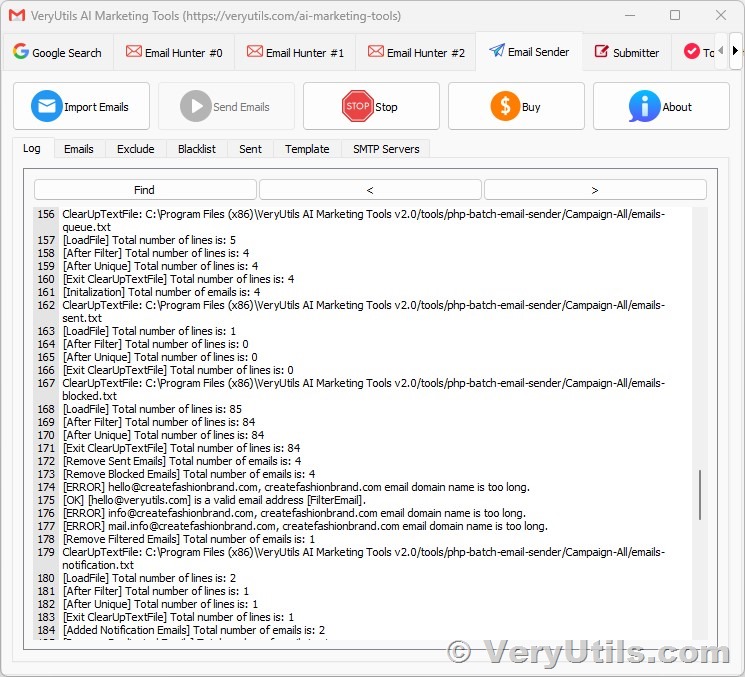 With a comprehensive suite of features, VeryUtils AI Marketing Tools empowers you to streamline your marketing workflow and maximize your impact. From Email Scraper to Social Media Marketing, our platform covers every aspect of modern marketing, helping you reach your target audience with precision and efficiency. One of the key advantages of VeryUtils AI Marketing Tools is its AI-driven insights. By analyzing data from various sources, including search engines, social media platforms, and emails, our platform provides invaluable insights into consumer behavior and preferences. This enables you to tailor your marketing campaigns to resonate with your audience, increasing engagement and driving conversions. But that's not all – VeryUtils AI Marketing Tools also offers seamless integration with social media platforms, allowing you to publish articles and posts directly from the platform. This simplifies your workflow and enables you to create and distribute compelling content to engage your audience and drive traffic to your website or landing pages. Furthermore, our platform includes a Todo List feature, enabling you to organize and prioritize your marketing tasks with ease. Whether it's planning upcoming campaigns, scheduling social media posts, or following up with leads, our Todo List keeps you on track and ensures that no opportunity is missed. Whether you're a small startup or a large corporation, VeryUtils AI Marketing Tools has something to offer. Our customizable development options allow you to tailor the platform to suit your specific needs and preferences, ensuring that you get the most out of your marketing efforts. So why wait? Revolutionize your marketing strategy today with VeryUtils AI Marketing Tools. Download a trial version now and see the difference for yourself! |
| json metadata | {"tags":["veryutils"],"image":["https://cdn.steemitimages.com/DQmeJ197eyMhZ5g7t4moVFMNocqQg6udWsBGMY4oqaHmkDy/VeryUtils-AI-Marketing-Tools.png"],"links":["https://veryutils.com/ai-marketing-tools"],"app":"steemit/0.2","format":"markdown"} |
| Transaction Info | Block #84459361/Trx 0308fddfe642e0544c51c2e781026597d0ed646d |
View Raw JSON Data
{
"trx_id": "0308fddfe642e0544c51c2e781026597d0ed646d",
"block": 84459361,
"trx_in_block": 6,
"op_in_trx": 0,
"virtual_op": 0,
"timestamp": "2024-04-22T17:24:45",
"op": [
"comment",
{
"parent_author": "",
"parent_permlink": "veryutils",
"author": "veryutils",
"permlink": "4jcu16-veryutils-ai-marketing-tools-is-your-all-in-one-marketing-platform-veryutils-ai-marketing-tools-includes-email-scraper-email",
"title": "VeryUtils AI Marketing Tools is your all-in-one Marketing platform. VeryUtils AI Marketing Tools includes Email Scraper, Email Sender, Email Verifier, Whatsapp Sender, SMS Sender, Social Media Marketing etc. tools.",
"body": "Are you ready to take your marketing game to the next level? Look no further than VeryUtils AI Marketing Tools – your all-in-one solution for turbocharging your marketing efforts.\n\nhttps://veryutils.com/ai-marketing-tools\n\n\n\nWith a comprehensive suite of features, VeryUtils AI Marketing Tools empowers you to streamline your marketing workflow and maximize your impact. From Email Scraper to Social Media Marketing, our platform covers every aspect of modern marketing, helping you reach your target audience with precision and efficiency.\n\nOne of the key advantages of VeryUtils AI Marketing Tools is its AI-driven insights. By analyzing data from various sources, including search engines, social media platforms, and emails, our platform provides invaluable insights into consumer behavior and preferences. This enables you to tailor your marketing campaigns to resonate with your audience, increasing engagement and driving conversions.\n\nBut that's not all – VeryUtils AI Marketing Tools also offers seamless integration with social media platforms, allowing you to publish articles and posts directly from the platform. This simplifies your workflow and enables you to create and distribute compelling content to engage your audience and drive traffic to your website or landing pages.\n\nFurthermore, our platform includes a Todo List feature, enabling you to organize and prioritize your marketing tasks with ease. Whether it's planning upcoming campaigns, scheduling social media posts, or following up with leads, our Todo List keeps you on track and ensures that no opportunity is missed.\n\nWhether you're a small startup or a large corporation, VeryUtils AI Marketing Tools has something to offer. Our customizable development options allow you to tailor the platform to suit your specific needs and preferences, ensuring that you get the most out of your marketing efforts.\n\nSo why wait? Revolutionize your marketing strategy today with VeryUtils AI Marketing Tools. Download a trial version now and see the difference for yourself!",
"json_metadata": "{\"tags\":[\"veryutils\"],\"image\":[\"https://cdn.steemitimages.com/DQmeJ197eyMhZ5g7t4moVFMNocqQg6udWsBGMY4oqaHmkDy/VeryUtils-AI-Marketing-Tools.png\"],\"links\":[\"https://veryutils.com/ai-marketing-tools\"],\"app\":\"steemit/0.2\",\"format\":\"markdown\"}"
}
]
}bluesnipersent 0.010 STEEM to @veryutils- "Hello. Good to see you on Steem. To maximize your rewards, publish your post also on Hive ( hive.blog ) and Blurt ( blurt.blog ) blockchains. Use upvu, jsup or ctime and get instant upvotes"2024/04/11 12:08:09
bluesnipersent 0.010 STEEM to @veryutils- "Hello. Good to see you on Steem. To maximize your rewards, publish your post also on Hive ( hive.blog ) and Blurt ( blurt.blog ) blockchains. Use upvu, jsup or ctime and get instant upvotes"
2024/04/11 12:08:09
| from | bluesniper |
| to | veryutils |
| amount | 0.010 STEEM |
| memo | Hello. Good to see you on Steem. To maximize your rewards, publish your post also on Hive ( hive.blog ) and Blurt ( blurt.blog ) blockchains. Use upvu, jsup or ctime and get instant upvotes |
| Transaction Info | Block #84137352/Trx 91ae72e01798b9219dbd354053a61f779589ca56 |
View Raw JSON Data
{
  "trx_id": "91ae72e01798b9219dbd354053a61f779589ca56",
  "block": 84137352,
  "trx_in_block": 5,
  "op_in_trx": 0,
  "virtual_op": 0,
  "timestamp": "2024-04-11T12:08:09",
  "op": [
    "transfer",
    {
      "from": "bluesniper",
      "to": "veryutils",
      "amount": "0.010 STEEM",
      "memo": "Hello. Good to see you on Steem. To maximize your rewards, publish your post also on Hive ( hive.blog ) and Blurt ( blurt.blog ) blockchains. Use upvu, jsup or ctime and get instant upvotes"
    }
  ]
}2024/04/11 12:07:48
2024/04/11 12:07:48
| voter | bluesniper |
| author | veryutils |
| permlink | veryutils-ai-marketing-tools-is-your-all-in-one-marketing-platform-veryutils-ai-marketing-tools-includes-email-scraper-email |
| weight | 10000 (100.00%) |
| Transaction Info | Block #84137345/Trx 3391916b37518e3b98df4feefab852020ebd70ee |
View Raw JSON Data
{
  "trx_id": "3391916b37518e3b98df4feefab852020ebd70ee",
  "block": 84137345,
  "trx_in_block": 11,
  "op_in_trx": 0,
  "virtual_op": 0,
  "timestamp": "2024-04-11T12:07:48",
  "op": [
    "vote",
    {
      "voter": "bluesniper",
      "author": "veryutils",
      "permlink": "veryutils-ai-marketing-tools-is-your-all-in-one-marketing-platform-veryutils-ai-marketing-tools-includes-email-scraper-email",
      "weight": 10000
    }
  ]
}2024/04/11 12:02:21
2024/04/11 12:02:21
| parent author | |
| parent permlink | veryutils |
| author | veryutils |
| permlink | veryutils-ai-marketing-tools-is-your-all-in-one-marketing-platform-veryutils-ai-marketing-tools-includes-email-scraper-email |
| title | VeryUtils AI Marketing Tools is your all-in-one Marketing platform. VeryUtils AI Marketing Tools includes Email Scraper, Email Sender, Email Verifier, Whatsapp Sender, SMS Sender, Social Media Marketing etc. tools. |
| body | VeryUtils AI Marketing Tools is your all-in-one Marketing platform. VeryUtils AI Marketing Tools includes Email Scraper, Email Sender, Email Verifier, Whatsapp Sender, SMS Sender, Social Media Marketing etc. tools. You can use VeryUtils AI Marketing Tools to find and connect with the people that matter to your business. Artificial Intelligence (AI) Marketing Tools are revolutionizing almost every field, including marketing. Many companies of various scales rely on VeryUtils AI Marketing Tools to promote their brands and businesses. They should be a part of any business plan, whether you're an individual or an organization, and they have the potential to elevate your marketing strategy to a new level. https://veryutils.com/ai-marketing-tools 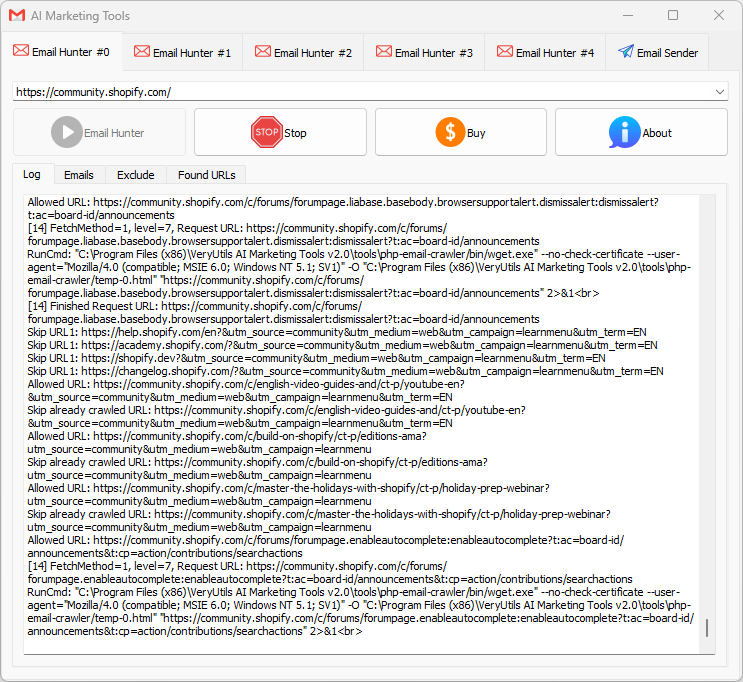 VeryUtils AI Marketing Tools are software platforms that help automate decision-making based on collected and analyzed data, making it easier to target buyers and increase sales. VeryUtils AI Marketing Tools can handle vast amounts of information from various sources like search engines, social media, and email. Everyone knows that data is key to marketing, and AI takes it a step further while also saving a significant amount of money and time. ✅ Types of marketing tools The different types of marketing tools you'll need fall under the following categories: - Email marketing - Social media marketing - Content marketing - SEO - Direct mail - Lead generation - Lead capture and conversion - Live chat - Design and visuals - Project management - SMS marketing - Analytics and tracking - Brand marketing - Influencer and affiliate marketing - Loyalty and rewards ✅ VeryUtils AI Marketing Tools for Every Business. VeryUtils AI Marketing Tools include the following components: 1. Email Collection Tools (Hunt email addresses from Google, Bing, Yahoo, LinkedIn, Facebook, Amazon, Instagram, Google Maps, etc.) 2. Email Sending Automation Tools 3. Phone Number Collection Tools 4. WhatsApp Automation Tools (coming soon) 5. Social Media Auto Posting Robot (coming soon) 6. SMS Marketing (upon request) 7. Custom Development of any tools to best meet your specific requirements. VeryUtils AI Marketing Tools can help you tackle the manual parts of marketing, precisely locate your customers from the vast internet, and promote your products to these customers. ✅ 1. Email Collection Tools Do you need to scrape email addresses from web pages, and don’t know how to do it or don’t have a tool capable? VeryUtils AI Marketing Tools has a powerful multi-threaded email scraper which can harvest email addresses from webpages, it also has proxy support so each request is randomly assigned a proxy from from your list to keep your identity hidden or prevent sites blocking your by IP address due to too many queries. The VeryUtils AI Marketing Tools email harvester also works with https URL’s so it can work with sites like FaceBook and Twitter that require a secure connection. It also has an adjustable user-agent option, so you can set your user-agent to Googlebot to work with sites like SoundCloud.com or you can set it as a regular browser or even mobile device for compatibility with most sites. When exporting you also have the option to save the URL along with the scraped email address so you know where each email came from as well as filter options to extract only specific emails. Because the Email Grabber function is multi-threaded, you can also select the number of simultaneous connections as well as the timeout so you can configure it for any connection type regardless if you have a powerful server or a home connection. Another unique thing the email grabber can do is extract emails from files stored locally on your computer, if you have a .txt file or .sql database which contains various information along with emails you can simply load the file in to VeryUtils AI Marketing Tools and it will extract all emails from the file! If you need to harvest URL’s to scrape email addresses from, then VeryUtils AI Marketing Tools has a powerful Search Engine Harvester with 30 different search engines such as Google, Bing, Yahoo, AOL, Blekko, Lycos, AltaVista as well as numerous other features to extract URL lists such as the Internal External Link Extractor and the Sitemap Scraper. Also recently added is an option to scrape emails by crawling a site. What this does is allows you to enter a domain name and select how many levels deep you wish to crawl the site, for example 4 levels. It will then fetch the emails and all internal links on the site homepage, then visit each of those pages finding all the emails and fetching the internal links from those pages and so on. This allows you to drill down exacting emails from a specific website. So this makes it a great email finder software for extracting published emails. If the emails are not published on the pages, you can use the included Whois Scraper Addon to scrape the domains registrant email and contact details. Find email addresses & automatically send AI-personalized cold emails Use our search email address tool to find emails and turn your contacts into deals with the right cold emailing. * Easy setup with your current email provider * Deep AI-personalization with Chat GPT (soon) * Safe sending until reply * High deliverability * Smart scheduling of email sequences * Complete A/B testing for best results * Create and edit templates * Email tracking and analytics -- Bulk Email Verifier Make cold mailing more effective with email verification process that will guarantee 97% deliverability -- Collect email addresses from Internet Email Collection Tools can automatically collect email addresses of your target customers from platforms like Google, Bing, Yahoo, LinkedIn, Facebook, Amazon, Instagram, Google Maps, etc., making it convenient to reach out to these potential clients. -- Collect email addresses from email clients Email Collection Tools can also extract email addresses from email clients like Microsoft Outlook, Thunderbird, Mailbird, Mailbird, Foxmail, Gmail, etc. -- Collect email addresses from various file formats Email Collection Tools can extract email addresses from various file formats such as Text, PDF, Word, Excel, PowerPoint, ZIP, 7Z, HTML, EML, EMLX, ICS, MSG, MBOX, PST, VCF. -- Various tools and custom development services -- Domain Search Find the best person to contact from a company name or website. -- Email Finder Type a name, get a verified email address. Our high match rate helps you get the most from your lists. -- Email Verifier Avoid bounces and protect your sender reputation. -- Find emails by domain Find all email addresses on any domain in a matter of minutes. -- Find emails by company Use VeryUtils AI Marketing Tools to find just the companies you need by industry, company size, location, name and more. -- Get emails from names Know your lead's name and company domain but not their email? We can find it for you. Use this feature to complete your prospects lists with quality contacts. -- Find potential customers based on information Use key parameters like prospect's job position, location, industry or skills to find only relevant leads for your business. ✅ 2. Email Marketing Tools VeryUtils AI Marketing Tools provides Fast and Easy Email Sender software to help you winning the business. All the email tools you need to hit the inbox. Discover our easy-to-use software for sending your email marketing campaigns, newsletters, and automated emails. -- Easy to use Only two steps, importing a mail list file, select email account and template, the software will start email sending automatically. -- Fast to run The software will automatically adjust the number of threads according to the network situation, to maximize the use of network resources. -- Real-time display email sending status 1. Displaying the number of total emails 2. Displaying the number of sent emails 3. Displaying the number of success emails 4. Displaying the number of failure emails 5. Displaying the different sending results through different colors. 6. Displaying the time used of email sending. -- Enhance ROI with the industry-leading email marketing platform Take your email marketing to a new level, and deliver your next major campaign and drive sales in less time. -- Easy for beginners, powerful for professional marketers Our email marketing platform makes it easy for marketers of any type of business to effortlessly send professional, engaging marketing emails. VeryUtils AI Marketing Tools are designed to help you sell more products - regardless of the complexity of your business. -- Being a leader in deliverability means your emails get seen Unlike other platforms, VeryUtils AI Marketing Tools ensure your marketing emails are delivered. We rank high in email deliverability, meaning more of your emails reach your customers, not just their spam folders. -- Leverage our powerful AI and data tools to make your marketing more impactful The AI in VeryUtils AI Marketing Tools can be the next expert marketer on your team. VeryUtils AI Marketing Tools analyze your product information and then generate better-performing email content for you. Generate professionally written, brand-consistent marketing emails with just a click of a button. -- Get started easily with personalized onboarding services Receive guidance and support from an onboarding specialist. It's real-time, hands-on, and already included with your subscription. -- We offer friendly 24/7 customer service Our customer service team is available at all times, ready to support you. -- Collaborate with our experts to launch your next major campaign Bring your questions to our expert community and find the perfect advice for your campaigns. We also offer exclusive customer success services. ✅ FAQs: - What is email marketing software? Email marketing software is a marketing tool companies use to communicate commercial information to customers. Companies may use email marketing services to introduce new products to customers, promote upcoming sales events, share content, or perform any other action aimed at promoting their brand and engaging with customers. - What does an email marketing platform do? Email marketing platforms like VeryUtils AI Marketing Tools simplify the process of creating and sending email marketing campaigns. Using email marketing tools can help you create and manage audience groups, configure email marketing campaigns, and monitor their performance, all on one platform. - How effective is email marketing? Email marketing can be a powerful part of any company's marketing strategy. By leveraging effective email marketing tools, you can interact with your audience by creating personalized messages tailored to their interests. Additionally, using email marketing tools is a very cost-effective way of marketing your business. - What are the types of email marketing campaigns? There are many types of email marketing campaigns. However, there are four main types of marketing emails, including: • Promotional emails: These emails promote a company's products or services, often by advertising sales, discounts, seasonal events, company events, etc. • Product update emails: These emails inform customers about new or updated products. • Digital newsletters: Digital newsletters are regularly sent to a company's email list to inform customers of company or industry updates by providing interesting articles or relevant news. • Transactional emails: These emails are typically triggered by a customer's action. For example, if a customer purchases a product, they may receive a confirmation email or a follow-up email requesting their feedback. - How to optimize email marketing campaigns? When executing a successful email marketing strategy, there are several best practices to follow: • Create short, attention-grabbing subject lines: The subject line is the first copy your reader will see, so ensure it's enticing and meaningful. Spend time optimizing your subject line to improve click-through rates. • Keep it concise: When writing the email body, it's important to keep the content concise. You may only have your reader's attention for a short time, so it's crucial to craft a message that is clear, concise, and to the point. • Make it easy to read: Utilize headings, subheadings, bold text, font, and short paragraphs to make your email skimmable and easy to digest. • Fast loading visuals and images: Including images and visuals make email content more interesting and help break up the text. However, it's important that all elements load properly. • Include a call to action (CTA): Every email marketing content should include a call to action, whether you want the reader to shop the sale on your website or read your latest blog post. - How to start email marketing? Email marketing can serve as a cornerstone of any company's digital marketing strategy. If you don't already have an email marketing strategy in place or you're interested in improving your company's email marketing campaigns, use VeryUtils AI Marketing Tools. With our email marketing services, you can quickly and easily organize audience groups, segment customers, write and design emails, set timing preferences and triggers, and evaluate your performance. |
| json metadata | {"tags":["veryutils"],"image":["https://cdn.steemitimages.com/DQmUedXqHVD5SzmvjjWF41r6JPMQNmu2AnywVhEDhyHSMrY/VeryUtils%20AI%20Marketing%20Tools.png"],"links":["https://veryutils.com/ai-marketing-tools"],"app":"steemit/0.2","format":"markdown"} |
| Transaction Info | Block #84137241/Trx 4cef785be52034d5bb0581ab5997e28553a46066 |
View Raw JSON Data
{
"trx_id": "4cef785be52034d5bb0581ab5997e28553a46066",
"block": 84137241,
"trx_in_block": 10,
"op_in_trx": 0,
"virtual_op": 0,
"timestamp": "2024-04-11T12:02:21",
"op": [
"comment",
{
"parent_author": "",
"parent_permlink": "veryutils",
"author": "veryutils",
"permlink": "veryutils-ai-marketing-tools-is-your-all-in-one-marketing-platform-veryutils-ai-marketing-tools-includes-email-scraper-email",
"title": "VeryUtils AI Marketing Tools is your all-in-one Marketing platform. VeryUtils AI Marketing Tools includes Email Scraper, Email Sender, Email Verifier, Whatsapp Sender, SMS Sender, Social Media Marketing etc. tools.",
"body": "VeryUtils AI Marketing Tools is your all-in-one Marketing platform. VeryUtils AI Marketing Tools includes Email Scraper, Email Sender, Email Verifier, Whatsapp Sender, SMS Sender, Social Media Marketing etc. tools. You can use VeryUtils AI Marketing Tools to find and connect with the people that matter to your business.\n\nArtificial Intelligence (AI) Marketing Tools are revolutionizing almost every field, including marketing. Many companies of various scales rely on VeryUtils AI Marketing Tools to promote their brands and businesses. They should be a part of any business plan, whether you're an individual or an organization, and they have the potential to elevate your marketing strategy to a new level.\n\nhttps://veryutils.com/ai-marketing-tools\n\n\n\nVeryUtils AI Marketing Tools are software platforms that help automate decision-making based on collected and analyzed data, making it easier to target buyers and increase sales.\n\nVeryUtils AI Marketing Tools can handle vast amounts of information from various sources like search engines, social media, and email. Everyone knows that data is key to marketing, and AI takes it a step further while also saving a significant amount of money and time.\n\n✅ Types of marketing tools\nThe different types of marketing tools you'll need fall under the following categories:\n- Email marketing\n- Social media marketing\n- Content marketing\n- SEO\n- Direct mail\n- Lead generation\n- Lead capture and conversion\n- Live chat\n- Design and visuals\n- Project management\n- SMS marketing\n- Analytics and tracking\n- Brand marketing\n- Influencer and affiliate marketing\n- Loyalty and rewards\n\n✅ VeryUtils AI Marketing Tools for Every Business. VeryUtils AI Marketing Tools include the following components:\n1. Email Collection Tools (Hunt email addresses from Google, Bing, Yahoo, LinkedIn, Facebook, Amazon, Instagram, Google Maps, etc.)\n2. Email Sending Automation Tools\n3. Phone Number Collection Tools\n4. WhatsApp Automation Tools (coming soon)\n5. Social Media Auto Posting Robot (coming soon)\n6. SMS Marketing (upon request)\n7. Custom Development of any tools to best meet your specific requirements.\n\nVeryUtils AI Marketing Tools can help you tackle the manual parts of marketing, precisely locate your customers from the vast internet, and promote your products to these customers.\n\n✅ 1. Email Collection Tools\nDo you need to scrape email addresses from web pages, and don’t know how to do it or don’t have a tool capable?\n\nVeryUtils AI Marketing Tools has a powerful multi-threaded email scraper which can harvest email addresses from webpages, it also has proxy support so each request is randomly assigned a proxy from from your list to keep your identity hidden or prevent sites blocking your by IP address due to too many queries.\n\nThe VeryUtils AI Marketing Tools email harvester also works with https URL’s so it can work with sites like FaceBook and Twitter that require a secure connection. It also has an adjustable user-agent option, so you can set your user-agent to Googlebot to work with sites like SoundCloud.com or you can set it as a regular browser or even mobile device for compatibility with most sites. When exporting you also have the option to save the URL along with the scraped email address so you know where each email came from as well as filter options to extract only specific emails.\n\nBecause the Email Grabber function is multi-threaded, you can also select the number of simultaneous connections as well as the timeout so you can configure it for any connection type regardless if you have a powerful server or a home connection. Another unique thing the email grabber can do is extract emails from files stored locally on your computer, if you have a .txt file or .sql database which contains various information along with emails you can simply load the file in to VeryUtils AI Marketing Tools and it will extract all emails from the file!\n\nIf you need to harvest URL’s to scrape email addresses from, then VeryUtils AI Marketing Tools has a powerful Search Engine Harvester with 30 different search engines such as Google, Bing, Yahoo, AOL, Blekko, Lycos, AltaVista as well as numerous other features to extract URL lists such as the Internal External Link Extractor and the Sitemap Scraper.\n\nAlso recently added is an option to scrape emails by crawling a site. What this does is allows you to enter a domain name and select how many levels deep you wish to crawl the site, for example 4 levels. It will then fetch the emails and all internal links on the site homepage, then visit each of those pages finding all the emails and fetching the internal links from those pages and so on. This allows you to drill down exacting emails from a specific website.\n\nSo this makes it a great email finder software for extracting published emails. If the emails are not published on the pages, you can use the included Whois Scraper Addon to scrape the domains registrant email and contact details.\n\nFind email addresses & automatically send AI-personalized cold emails\n\nUse our search email address tool to find emails and turn your contacts into deals with the right cold emailing.\n* Easy setup with your current email provider\n* Deep AI-personalization with Chat GPT (soon)\n* Safe sending until reply\n* High deliverability\n* Smart scheduling of email sequences\n* Complete A/B testing for best results\n* Create and edit templates\n* Email tracking and analytics\n\n-- Bulk Email Verifier\nMake cold mailing more effective with email verification process that will guarantee 97% deliverability\n\n-- Collect email addresses from Internet\nEmail Collection Tools can automatically collect email addresses of your target customers from platforms like Google, Bing, Yahoo, LinkedIn, Facebook, Amazon, Instagram, Google Maps, etc., making it convenient to reach out to these potential clients.\n\n-- Collect email addresses from email clients\nEmail Collection Tools can also extract email addresses from email clients like Microsoft Outlook, Thunderbird, Mailbird, Mailbird, Foxmail, Gmail, etc.\n\n-- Collect email addresses from various file formats\nEmail Collection Tools can extract email addresses from various file formats such as Text, PDF, Word, Excel, PowerPoint, ZIP, 7Z, HTML, EML, EMLX, ICS, MSG, MBOX, PST, VCF.\n\n-- Various tools and custom development services\n\n-- Domain Search\nFind the best person to contact from a company name or website.\n\n-- Email Finder\nType a name, get a verified email address. Our high match rate helps you get the most from your lists.\n\n-- Email Verifier\nAvoid bounces and protect your sender reputation.\n\n-- Find emails by domain\nFind all email addresses on any domain in a matter of minutes.\n\n-- Find emails by company\nUse VeryUtils AI Marketing Tools to find just the companies you need by industry, company size, location, name and more.\n\n-- Get emails from names\nKnow your lead's name and company domain but not their email? We can find it for you. Use this feature to complete your prospects lists with quality contacts.\n\n-- Find potential customers based on information\nUse key parameters like prospect's job position, location, industry or skills to find only relevant leads for your business.\n\n✅ 2. Email Marketing Tools\n\nVeryUtils AI Marketing Tools provides Fast and Easy Email Sender software to help you winning the business. All the email tools you need to hit the inbox. Discover our easy-to-use software for sending your email marketing campaigns, newsletters, and automated emails.\n\n-- Easy to use\nOnly two steps, importing a mail list file, select email account and template, the software will start email sending automatically.\n\n-- Fast to run\nThe software will automatically adjust the number of threads according to the network situation, to maximize the use of network resources.\n\n-- Real-time display email sending status\n1. Displaying the number of total emails\n2. Displaying the number of sent emails\n3. Displaying the number of success emails\n4. Displaying the number of failure emails\n5. Displaying the different sending results through different colors.\n6. Displaying the time used of email sending.\n\n-- Enhance ROI with the industry-leading email marketing platform\nTake your email marketing to a new level, and deliver your next major campaign and drive sales in less time.\n\n-- Easy for beginners, powerful for professional marketers\nOur email marketing platform makes it easy for marketers of any type of business to effortlessly send professional, engaging marketing emails. VeryUtils AI Marketing Tools are designed to help you sell more products - regardless of the complexity of your business.\n\n-- Being a leader in deliverability means your emails get seen\nUnlike other platforms, VeryUtils AI Marketing Tools ensure your marketing emails are delivered. We rank high in email deliverability, meaning more of your emails reach your customers, not just their spam folders.\n\n-- Leverage our powerful AI and data tools to make your marketing more impactful\nThe AI in VeryUtils AI Marketing Tools can be the next expert marketer on your team. VeryUtils AI Marketing Tools analyze your product information and then generate better-performing email content for you. Generate professionally written, brand-consistent marketing emails with just a click of a button.\n\n-- Get started easily with personalized onboarding services\nReceive guidance and support from an onboarding specialist. It's real-time, hands-on, and already included with your subscription.\n\n-- We offer friendly 24/7 customer service\nOur customer service team is available at all times, ready to support you.\n\n-- Collaborate with our experts to launch your next major campaign\nBring your questions to our expert community and find the perfect advice for your campaigns. We also offer exclusive customer success services.\n\n✅ FAQs:\n\n- What is email marketing software?\nEmail marketing software is a marketing tool companies use to communicate commercial information to customers. Companies may use email marketing services to introduce new products to customers, promote upcoming sales events, share content, or perform any other action aimed at promoting their brand and engaging with customers.\n\n- What does an email marketing platform do?\nEmail marketing platforms like VeryUtils AI Marketing Tools simplify the process of creating and sending email marketing campaigns. Using email marketing tools can help you create and manage audience groups, configure email marketing campaigns, and monitor their performance, all on one platform.\n\n- How effective is email marketing?\nEmail marketing can be a powerful part of any company's marketing strategy. By leveraging effective email marketing tools, you can interact with your audience by creating personalized messages tailored to their interests. Additionally, using email marketing tools is a very cost-effective way of marketing your business.\n\n- What are the types of email marketing campaigns?\nThere are many types of email marketing campaigns. However, there are four main types of marketing emails, including:\n• Promotional emails: These emails promote a company's products or services, often by advertising sales, discounts, seasonal events, company events, etc.\n• Product update emails: These emails inform customers about new or updated products.\n• Digital newsletters: Digital newsletters are regularly sent to a company's email list to inform customers of company or industry updates by providing interesting articles or relevant news.\n• Transactional emails: These emails are typically triggered by a customer's action. For example, if a customer purchases a product, they may receive a confirmation email or a follow-up email requesting their feedback.\n\n- How to optimize email marketing campaigns?\nWhen executing a successful email marketing strategy, there are several best practices to follow:\n• Create short, attention-grabbing subject lines: The subject line is the first copy your reader will see, so ensure it's enticing and meaningful. Spend time optimizing your subject line to improve click-through rates.\n• Keep it concise: When writing the email body, it's important to keep the content concise. You may only have your reader's attention for a short time, so it's crucial to craft a message that is clear, concise, and to the point.\n• Make it easy to read: Utilize headings, subheadings, bold text, font, and short paragraphs to make your email skimmable and easy to digest.\n• Fast loading visuals and images: Including images and visuals make email content more interesting and help break up the text. However, it's important that all elements load properly.\n• Include a call to action (CTA): Every email marketing content should include a call to action, whether you want the reader to shop the sale on your website or read your latest blog post.\n\n- How to start email marketing?\nEmail marketing can serve as a cornerstone of any company's digital marketing strategy. If you don't already have an email marketing strategy in place or you're interested in improving your company's email marketing campaigns, use VeryUtils AI Marketing Tools. With our email marketing services, you can quickly and easily organize audience groups, segment customers, write and design emails, set timing preferences and triggers, and evaluate your performance.",
"json_metadata": "{\"tags\":[\"veryutils\"],\"image\":[\"https://cdn.steemitimages.com/DQmUedXqHVD5SzmvjjWF41r6JPMQNmu2AnywVhEDhyHSMrY/VeryUtils%20AI%20Marketing%20Tools.png\"],\"links\":[\"https://veryutils.com/ai-marketing-tools\"],\"app\":\"steemit/0.2\",\"format\":\"markdown\"}"
}
]
}bluesnipersent 0.010 STEEM to @veryutils- "Hello. Good to see you on Steem. To maximize your rewards, publish your post also on Hive ( hive.blog ) and Blurt ( blurt.blog ) blockchains. Use upvu, jsup or ctime and get instant upvotes"2024/04/04 16:14:18
bluesnipersent 0.010 STEEM to @veryutils- "Hello. Good to see you on Steem. To maximize your rewards, publish your post also on Hive ( hive.blog ) and Blurt ( blurt.blog ) blockchains. Use upvu, jsup or ctime and get instant upvotes"
2024/04/04 16:14:18
| from | bluesniper |
| to | veryutils |
| amount | 0.010 STEEM |
| memo | Hello. Good to see you on Steem. To maximize your rewards, publish your post also on Hive ( hive.blog ) and Blurt ( blurt.blog ) blockchains. Use upvu, jsup or ctime and get instant upvotes |
| Transaction Info | Block #83943785/Trx 0ae9c258fbfc6765932b4987766eef4e0a01257f |
View Raw JSON Data
{
  "trx_id": "0ae9c258fbfc6765932b4987766eef4e0a01257f",
  "block": 83943785,
  "trx_in_block": 0,
  "op_in_trx": 0,
  "virtual_op": 0,
  "timestamp": "2024-04-04T16:14:18",
  "op": [
    "transfer",
    {
      "from": "bluesniper",
      "to": "veryutils",
      "amount": "0.010 STEEM",
      "memo": "Hello. Good to see you on Steem. To maximize your rewards, publish your post also on Hive ( hive.blog ) and Blurt ( blurt.blog ) blockchains. Use upvu, jsup or ctime and get instant upvotes"
    }
  ]
}2024/04/04 16:13:54
2024/04/04 16:13:54
| voter | bluesniper |
| author | veryutils |
| permlink | veryutils-eml-to-pdf-converter-is-a-highly-powerful-tool-to-convert-eml-files-to-pdf-with-all-attachments |
| weight | 10000 (100.00%) |
| Transaction Info | Block #83943777/Trx da3c10771191992c3c543a97b4ea8a5979205c72 |
View Raw JSON Data
{
  "trx_id": "da3c10771191992c3c543a97b4ea8a5979205c72",
  "block": 83943777,
  "trx_in_block": 2,
  "op_in_trx": 0,
  "virtual_op": 0,
  "timestamp": "2024-04-04T16:13:54",
  "op": [
    "vote",
    {
      "voter": "bluesniper",
      "author": "veryutils",
      "permlink": "veryutils-eml-to-pdf-converter-is-a-highly-powerful-tool-to-convert-eml-files-to-pdf-with-all-attachments",
      "weight": 10000
    }
  ]
}2024/04/04 16:08:15
2024/04/04 16:08:15
| parent author | |
| parent permlink | veryutils |
| author | veryutils |
| permlink | veryutils-eml-to-pdf-converter-is-a-highly-powerful-tool-to-convert-eml-files-to-pdf-with-all-attachments |
| title | VeryUtils EML to PDF Converter is a highly powerful tool to Convert EML files to PDF with all attachments |
| body | VeryUtils EML to PDF Converter is a highly powerful tool to Convert EML files to PDF with all attachments. VeryUtils EML to PDF Converter is Your Ultimate Solution for Seamless Email Data to PDF Conversion. In the realm of digital communication, managing email data efficiently is paramount for both personal and professional endeavors. However, dealing with diverse file formats can pose challenges, especially when it comes to archiving and sharing information. Enter VeryUtils EML to PDF Converter – an innovative software designed to streamline the conversion process while ensuring the integrity and security of your email data. https://veryutils.com/eml-to-pdf-converter  ✅ VeryUtils EML to PDF Converter Key Features: 1. Swift and Error-Free Conversion: VeryUtils EML to PDF Converter facilitates rapid and 100% accurate conversion of EML files to PDF format, both individually and in batch mode. With its intuitive interface and robust algorithms, users can seamlessly migrate their email data without the risk of data loss or corruption. 2. Batch Printing Capabilities: Say goodbye to the hassle of converting EML files one by one. With batch processing capabilities, users can effortlessly convert entire directories of EML data into PDF format, enhancing productivity and efficiency without requiring an internet connection. 3. Preservation of Email Components: Rest assured that your email components and EML file structure remain intact throughout the conversion process. VeryUtils ensures that key elements such as sender details, recipient information, subject lines, hyperlinks, and more are accurately preserved, maintaining the integrity of your email content. 4. Wide Compatibility: Whether you're using Thunderbird, Windows Live Mail, Outlook Express, or other email clients, VeryUtils supports the seamless transfer of EML files across various platforms. Additionally, the software is compatible with all versions of Windows OS, ensuring versatility and ease of use for all users. 5. Attachment Handling: VeryUtils EML to PDF Converter allows users to export attachments separately to a designated folder, ensuring comprehensive data migration without sacrificing file organization or integrity. 6. No Dependency on Adobe Reader or Additional Software: Bid farewell to dependencies on external applications. VeryUtils operates independently, eliminating the need for Adobe Acrobat or any other software installations. Users can seamlessly convert EML files to PDF format without any extra hassle or overhead. ✅ Why Choose EML to PDF Conversion? Portability and Independence of PDF Files: PDF files offer unparalleled portability and independence, allowing users to access and view their content across multiple devices without the need for specific software installations. By converting EML files to PDF format, users can ensure seamless accessibility and convenience for their archived data. Enhanced Security and Sharing Capabilities: With PDF files, users can apply strong passwords to protect their sensitive data from unauthorized access, ensuring enhanced security and privacy. Additionally, PDF files are easily shareable, allowing for seamless collaboration and communication across various platforms. Effortless Printing: PDF files are renowned for their compatibility and ease of printing, making them the preferred choice for document output. By converting EML files to PDF format, users can simplify the printing process and ensure consistent, high-quality output across different devices and platforms. Backup Multiple EML Files in One PDF: VeryUtils EML to PDF Converter enables users to efficiently backup multiple EML files into a single PDF document, ensuring comprehensive data management and organization. With its user-friendly interface and advanced features, the software simplifies the migration process while maintaining data safety and integrity. ✅ Conclusion: In conclusion, VeryUtils EML to PDF Converter stands as a reliable and efficient solution for seamlessly converting EML files to PDF format. With its robust features, wide compatibility, and user-friendly interface, the software empowers users to streamline their data migration processes while ensuring the security and integrity of their email content. Experience the convenience and efficiency of EML to PDF conversion with VeryUtils – your ultimate solution for hassle-free data management. |
| json metadata | {"tags":["veryutils"],"image":["https://cdn.steemitimages.com/DQmSesGapZtc6jGbt6s25qxizVofqefNXVWLoEpiAAKEyu8/eml-to-pdf.png"],"links":["https://veryutils.com/eml-to-pdf-converter"],"app":"steemit/0.2","format":"markdown"} |
| Transaction Info | Block #83943664/Trx eb20108ae0dc9b3b80eebc056089f8cebafe93c0 |
View Raw JSON Data
{
"trx_id": "eb20108ae0dc9b3b80eebc056089f8cebafe93c0",
"block": 83943664,
"trx_in_block": 2,
"op_in_trx": 0,
"virtual_op": 0,
"timestamp": "2024-04-04T16:08:15",
"op": [
"comment",
{
"parent_author": "",
"parent_permlink": "veryutils",
"author": "veryutils",
"permlink": "veryutils-eml-to-pdf-converter-is-a-highly-powerful-tool-to-convert-eml-files-to-pdf-with-all-attachments",
"title": "VeryUtils EML to PDF Converter is a highly powerful tool to Convert EML files to PDF with all attachments",
"body": "VeryUtils EML to PDF Converter is a highly powerful tool to Convert EML files to PDF with all attachments.\n\nVeryUtils EML to PDF Converter is Your Ultimate Solution for Seamless Email Data to PDF Conversion.\n\nIn the realm of digital communication, managing email data efficiently is paramount for both personal and professional endeavors. However, dealing with diverse file formats can pose challenges, especially when it comes to archiving and sharing information. Enter VeryUtils EML to PDF Converter – an innovative software designed to streamline the conversion process while ensuring the integrity and security of your email data.\n\nhttps://veryutils.com/eml-to-pdf-converter\n\n\n\n✅ VeryUtils EML to PDF Converter Key Features:\n\n1. Swift and Error-Free Conversion:\nVeryUtils EML to PDF Converter facilitates rapid and 100% accurate conversion of EML files to PDF format, both individually and in batch mode. With its intuitive interface and robust algorithms, users can seamlessly migrate their email data without the risk of data loss or corruption.\n\n2. Batch Printing Capabilities:\nSay goodbye to the hassle of converting EML files one by one. With batch processing capabilities, users can effortlessly convert entire directories of EML data into PDF format, enhancing productivity and efficiency without requiring an internet connection.\n\n3. Preservation of Email Components:\nRest assured that your email components and EML file structure remain intact throughout the conversion process. VeryUtils ensures that key elements such as sender details, recipient information, subject lines, hyperlinks, and more are accurately preserved, maintaining the integrity of your email content.\n\n4. Wide Compatibility:\nWhether you're using Thunderbird, Windows Live Mail, Outlook Express, or other email clients, VeryUtils supports the seamless transfer of EML files across various platforms. Additionally, the software is compatible with all versions of Windows OS, ensuring versatility and ease of use for all users.\n\n5. Attachment Handling:\nVeryUtils EML to PDF Converter allows users to export attachments separately to a designated folder, ensuring comprehensive data migration without sacrificing file organization or integrity.\n\n6. No Dependency on Adobe Reader or Additional Software:\nBid farewell to dependencies on external applications. VeryUtils operates independently, eliminating the need for Adobe Acrobat or any other software installations. Users can seamlessly convert EML files to PDF format without any extra hassle or overhead.\n\n✅ Why Choose EML to PDF Conversion?\n\nPortability and Independence of PDF Files:\nPDF files offer unparalleled portability and independence, allowing users to access and view their content across multiple devices without the need for specific software installations. By converting EML files to PDF format, users can ensure seamless accessibility and convenience for their archived data.\n\nEnhanced Security and Sharing Capabilities:\nWith PDF files, users can apply strong passwords to protect their sensitive data from unauthorized access, ensuring enhanced security and privacy. Additionally, PDF files are easily shareable, allowing for seamless collaboration and communication across various platforms.\n\nEffortless Printing:\nPDF files are renowned for their compatibility and ease of printing, making them the preferred choice for document output. By converting EML files to PDF format, users can simplify the printing process and ensure consistent, high-quality output across different devices and platforms.\n\nBackup Multiple EML Files in One PDF:\nVeryUtils EML to PDF Converter enables users to efficiently backup multiple EML files into a single PDF document, ensuring comprehensive data management and organization. With its user-friendly interface and advanced features, the software simplifies the migration process while maintaining data safety and integrity.\n\n✅ Conclusion:\nIn conclusion, VeryUtils EML to PDF Converter stands as a reliable and efficient solution for seamlessly converting EML files to PDF format. With its robust features, wide compatibility, and user-friendly interface, the software empowers users to streamline their data migration processes while ensuring the security and integrity of their email content. Experience the convenience and efficiency of EML to PDF conversion with VeryUtils – your ultimate solution for hassle-free data management.",
"json_metadata": "{\"tags\":[\"veryutils\"],\"image\":[\"https://cdn.steemitimages.com/DQmSesGapZtc6jGbt6s25qxizVofqefNXVWLoEpiAAKEyu8/eml-to-pdf.png\"],\"links\":[\"https://veryutils.com/eml-to-pdf-converter\"],\"app\":\"steemit/0.2\",\"format\":\"markdown\"}"
}
]
}bluesnipersent 0.010 STEEM to @veryutils- "Hello. Good to see you on Steem. To maximize your rewards, publish your post also on Hive ( hive.blog ) and Blurt ( blurt.blog ) blockchains. Use upvu, jsup or ctime and get instant upvotes"2024/04/03 17:20:15
bluesnipersent 0.010 STEEM to @veryutils- "Hello. Good to see you on Steem. To maximize your rewards, publish your post also on Hive ( hive.blog ) and Blurt ( blurt.blog ) blockchains. Use upvu, jsup or ctime and get instant upvotes"
2024/04/03 17:20:15
| from | bluesniper |
| to | veryutils |
| amount | 0.010 STEEM |
| memo | Hello. Good to see you on Steem. To maximize your rewards, publish your post also on Hive ( hive.blog ) and Blurt ( blurt.blog ) blockchains. Use upvu, jsup or ctime and get instant upvotes |
| Transaction Info | Block #83916380/Trx 5cf840c5e6966345c8d90190d75457d06683455c |
View Raw JSON Data
{
  "trx_id": "5cf840c5e6966345c8d90190d75457d06683455c",
  "block": 83916380,
  "trx_in_block": 0,
  "op_in_trx": 0,
  "virtual_op": 0,
  "timestamp": "2024-04-03T17:20:15",
  "op": [
    "transfer",
    {
      "from": "bluesniper",
      "to": "veryutils",
      "amount": "0.010 STEEM",
      "memo": "Hello. Good to see you on Steem. To maximize your rewards, publish your post also on Hive ( hive.blog ) and Blurt ( blurt.blog ) blockchains. Use upvu, jsup or ctime and get instant upvotes"
    }
  ]
}Manabar
Voting Power100.00%
Downvote Power100.00%
Resource Credits100.00%
Reputation Progress1.26%
{
  "voting_manabar": {
    "current_mana": "5466711267",
    "last_update_time": 1770522459
  },
  "downvote_manabar": {
    "current_mana": 1366677816,
    "last_update_time": 1770522459
  },
  "rc_account": {
    "account": "veryutils",
    "rc_manabar": {
      "current_mana": "8677698346",
      "last_update_time": 1777381350
    },
    "max_rc_creation_adjustment": {
      "amount": "5421442361",
      "precision": 6,
      "nai": "@@000000037"
    },
    "max_rc": "10888153628"
  }
}
Account Metadata
| POSTING JSON METADATA | |
| profile | {"profile_image":"https://cdn.steemitimages.com/DQmUfxKuJosvUL2uhvSy7zr24EM8f8eakJL2UnJVJhgf8E6/logo4.png","name":"VeryUtils","about":"VeryUtils is a Digital Product Trading Platform that sells Software Products, Digital Downloads and Subscriptions Online.","location":"https://veryutils.com","website":"https://veryutils.com","version":2} |
| JSON METADATA | |
| None | |
{
  "posting_json_metadata": {
    "profile": {
      "profile_image": "https://cdn.steemitimages.com/DQmUfxKuJosvUL2uhvSy7zr24EM8f8eakJL2UnJVJhgf8E6/logo4.png",
      "name": "VeryUtils",
      "about": "VeryUtils is a Digital Product Trading Platform that sells Software Products, Digital Downloads and Subscriptions Online.",
      "location": "https://veryutils.com",
      "website": "https://veryutils.com",
      "version": 2
    }
  },
  "json_metadata": {}
}
Auth Keys
Owner
Single Signature
Public Keys
STM7gyQTDYZB9g5wSemtsi7yFPiNDf48VH1Cy9BBgRAUGenXJFZL81/1
Active
Single Signature
Public Keys
STM5BoFfAmFpVnFYcRPmZwWKgSZNyTKcKoYD8KaiWkJNqgKsepwDt1/1
Posting
Single Signature
Public Keys
STM7iHG1TiCdkb8eqSnxuYAR1bWwSifC3YaYYLdiML8uavY8ZDadq1/1
Memo
STM7i49NVyyATw3i4cWiAwCm9g1dz1uvpAh7mCK9KH9b1AbD7ZyPu
{
  "owner": {
    "weight_threshold": 1,
    "account_auths": [],
    "key_auths": [
      [
        "STM7gyQTDYZB9g5wSemtsi7yFPiNDf48VH1Cy9BBgRAUGenXJFZL8",
        1
      ]
    ]
  },
  "active": {
    "weight_threshold": 1,
    "account_auths": [],
    "key_auths": [
      [
        "STM5BoFfAmFpVnFYcRPmZwWKgSZNyTKcKoYD8KaiWkJNqgKsepwDt",
        1
      ]
    ]
  },
  "posting": {
    "weight_threshold": 1,
    "account_auths": [],
    "key_auths": [
      [
        "STM7iHG1TiCdkb8eqSnxuYAR1bWwSifC3YaYYLdiML8uavY8ZDadq",
        1
      ]
    ]
  },
  "memo": "STM7i49NVyyATw3i4cWiAwCm9g1dz1uvpAh7mCK9KH9b1AbD7ZyPu"
}
Witness Votes
0 / 30
No active witness votes.
[]