

VOTING POWER100.00%
DOWNVOTE POWER100.00%
RESOURCE CREDITS100.00%
REPUTATION PROGRESS0.00%
Net Worth
0.085USD
STEEM
0.000STEEM
SBD
0.101SBD
Effective Power
5.007SP
├── Own SP
0.630SP
└── Incoming DelegationsDeleg
+4.378SP
Detailed Balance
| STEEM | ||
| balance | 0.000STEEM | STEEM |
| market_balance | 0.000STEEM | STEEM |
| savings_balance | 0.000STEEM | STEEM |
| reward_steem_balance | 0.000STEEM | STEEM |
| STEEM POWER | ||
| Own SP | 0.630SP | SP |
| Delegated Out | 0.000SP | SP |
| Delegation In | 4.378SP | SP |
| Effective Power | 5.007SP | SP |
| Reward SP (pending) | 0.020SP | SP |
| SBD | ||
| sbd_balance | 0.000SBD | SBD |
| sbd_conversions | 0.000SBD | SBD |
| sbd_market_balance | 0.000SBD | SBD |
| savings_sbd_balance | 0.000SBD | SBD |
| reward_sbd_balance | 0.101SBD | SBD |
{
  "balance": "0.000 STEEM",
  "savings_balance": "0.000 STEEM",
  "reward_steem_balance": "0.000 STEEM",
  "vesting_shares": "1024.251011 VESTS",
  "delegated_vesting_shares": "0.000000 VESTS",
  "received_vesting_shares": "7119.408795 VESTS",
  "sbd_balance": "0.000 SBD",
  "savings_sbd_balance": "0.000 SBD",
  "reward_sbd_balance": "0.101 SBD",
  "conversions": []
}
Account Info
| name | thecryptolog |
| id | 577741 |
| rank | 714,085 |
| reputation | 425177830 |
| created | 2018-01-07T17:22:33 |
| recovery_account | steem |
| proxy | None |
| post_count | 18 |
| comment_count | 0 |
| lifetime_vote_count | 0 |
| witnesses_voted_for | 0 |
| last_post | 2018-02-21T05:05:42 |
| last_root_post | 2018-02-21T05:05:42 |
| last_vote_time | 2018-01-23T01:01:30 |
| proxied_vsf_votes | 0, 0, 0, 0 |
| can_vote | 1 |
| voting_power | 0 |
| delayed_votes | 0 |
| balance | 0.000 STEEM |
| savings_balance | 0.000 STEEM |
| sbd_balance | 0.000 SBD |
| savings_sbd_balance | 0.000 SBD |
| vesting_shares | 1024.251011 VESTS |
| delegated_vesting_shares | 0.000000 VESTS |
| received_vesting_shares | 7119.408795 VESTS |
| reward_vesting_balance | 40.928845 VESTS |
| vesting_balance | 0.000 STEEM |
| vesting_withdraw_rate | 0.000000 VESTS |
| next_vesting_withdrawal | 1969-12-31T23:59:59 |
| withdrawn | 0 |
| to_withdraw | 0 |
| withdraw_routes | 0 |
| savings_withdraw_requests | 0 |
| last_account_recovery | 1970-01-01T00:00:00 |
| reset_account | null |
| last_owner_update | 1970-01-01T00:00:00 |
| last_account_update | 2018-02-07T03:29:18 |
| mined | No |
| sbd_seconds | 0 |
| sbd_last_interest_payment | 1970-01-01T00:00:00 |
| savings_sbd_last_interest_payment | 1970-01-01T00:00:00 |
{
  "active": {
    "account_auths": [],
    "key_auths": [
      [
        "STM4uLUtMDMBkTmdyki1sEPWMzbdEuavGpbSGHtMPu3ehJbLotCFV",
        1
      ]
    ],
    "weight_threshold": 1
  },
  "balance": "0.000 STEEM",
  "can_vote": true,
  "comment_count": 0,
  "created": "2018-01-07T17:22:33",
  "curation_rewards": 0,
  "delegated_vesting_shares": "0.000000 VESTS",
  "downvote_manabar": {
    "current_mana": 2035914951,
    "last_update_time": 1779088887
  },
  "guest_bloggers": [],
  "id": 577741,
  "json_metadata": "{\"profile\":{\"profile_image\":\"http://2.gravatar.com/avatar/eb1e8614834c0c3b64a9c4fe82aba9f4?s=192&d=mm&r=g\",\"name\":\"thecryptolog\",\"website\":\"http://thecryptolog.com\"}}",
  "last_account_recovery": "1970-01-01T00:00:00",
  "last_account_update": "2018-02-07T03:29:18",
  "last_owner_update": "1970-01-01T00:00:00",
  "last_post": "2018-02-21T05:05:42",
  "last_root_post": "2018-02-21T05:05:42",
  "last_vote_time": "2018-01-23T01:01:30",
  "lifetime_vote_count": 0,
  "market_history": [],
  "memo_key": "STM8idPNxFytzxvY38RP6cfy1gRSptNXeYsxvu6oV9CBRuuD3GkYk",
  "mined": false,
  "name": "thecryptolog",
  "next_vesting_withdrawal": "1969-12-31T23:59:59",
  "other_history": [],
  "owner": {
    "account_auths": [],
    "key_auths": [
      [
        "STM8UrCK15FZ3py9GYqyCHDRbwdr8wp1JkJZYob7653BuWh8RvWQ4",
        1
      ]
    ],
    "weight_threshold": 1
  },
  "pending_claimed_accounts": 0,
  "post_bandwidth": 0,
  "post_count": 18,
  "post_history": [],
  "posting": {
    "account_auths": [],
    "key_auths": [
      [
        "STM5dCtFutBNWfuRDgtQu5qNEGYrGc9fGnJNyrSXXCgAYL89ai2Tn",
        1
      ]
    ],
    "weight_threshold": 1
  },
  "posting_json_metadata": "{\"profile\":{\"profile_image\":\"http://2.gravatar.com/avatar/eb1e8614834c0c3b64a9c4fe82aba9f4?s=192&d=mm&r=g\",\"name\":\"thecryptolog\",\"website\":\"http://thecryptolog.com\"}}",
  "posting_rewards": 38,
  "proxied_vsf_votes": [
    0,
    0,
    0,
    0
  ],
  "proxy": "",
  "received_vesting_shares": "7119.408795 VESTS",
  "recovery_account": "steem",
  "reputation": 425177830,
  "reset_account": "null",
  "reward_sbd_balance": "0.101 SBD",
  "reward_steem_balance": "0.000 STEEM",
  "reward_vesting_balance": "40.928845 VESTS",
  "reward_vesting_steem": "0.020 STEEM",
  "savings_balance": "0.000 STEEM",
  "savings_sbd_balance": "0.000 SBD",
  "savings_sbd_last_interest_payment": "1970-01-01T00:00:00",
  "savings_sbd_seconds": "0",
  "savings_sbd_seconds_last_update": "1970-01-01T00:00:00",
  "savings_withdraw_requests": 0,
  "sbd_balance": "0.000 SBD",
  "sbd_last_interest_payment": "1970-01-01T00:00:00",
  "sbd_seconds": "0",
  "sbd_seconds_last_update": "1970-01-01T00:00:00",
  "tags_usage": [],
  "to_withdraw": 0,
  "transfer_history": [],
  "vesting_balance": "0.000 STEEM",
  "vesting_shares": "1024.251011 VESTS",
  "vesting_withdraw_rate": "0.000000 VESTS",
  "vote_history": [],
  "voting_manabar": {
    "current_mana": "8143659806",
    "last_update_time": 1779088887
  },
  "voting_power": 0,
  "withdraw_routes": 0,
  "withdrawn": 0,
  "witness_votes": [],
  "witnesses_voted_for": 0,
  "rank": 714085
}
Withdraw Routes
| Incoming | Outgoing |
|---|---|
Empty | Empty |
{
  "incoming": [],
  "outgoing": []
}From Date
To Date
steemdelegated 4.378 SP to @thecryptolog2026/05/18 07:21:27
steemdelegated 4.378 SP to @thecryptolog
2026/05/18 07:21:27
| delegatee | thecryptolog |
| delegator | steem |
| vesting shares | 7119.408795 VESTS |
| Transaction Info | Block #106151939/Trx 34016078dd0e38a75a5e0e3ff0f32f78deb0febb |
View Raw JSON Data
{
  "block": 106151939,
  "op": [
    "delegate_vesting_shares",
    {
      "delegatee": "thecryptolog",
      "delegator": "steem",
      "vesting_shares": "7119.408795 VESTS"
    }
  ],
  "op_in_trx": 0,
  "timestamp": "2026-05-18T07:21:27",
  "trx_id": "34016078dd0e38a75a5e0e3ff0f32f78deb0febb",
  "trx_in_block": 0,
  "virtual_op": 0
}steemdelegated 2.710 SP to @thecryptolog2026/05/13 08:41:33
steemdelegated 2.710 SP to @thecryptolog
2026/05/13 08:41:33
| delegatee | thecryptolog |
| delegator | steem |
| vesting shares | 4407.198390 VESTS |
| Transaction Info | Block #106010253/Trx 760b17ab9e47ee7ff83c951cb0538fec39e0c420 |
View Raw JSON Data
{
  "block": 106010253,
  "op": [
    "delegate_vesting_shares",
    {
      "delegatee": "thecryptolog",
      "delegator": "steem",
      "vesting_shares": "4407.198390 VESTS"
    }
  ],
  "op_in_trx": 0,
  "timestamp": "2026-05-13T08:41:33",
  "trx_id": "760b17ab9e47ee7ff83c951cb0538fec39e0c420",
  "trx_in_block": 1,
  "virtual_op": 0
}steemdelegated 4.385 SP to @thecryptolog2026/04/26 06:31:48
steemdelegated 4.385 SP to @thecryptolog
2026/04/26 06:31:48
| delegatee | thecryptolog |
| delegator | steem |
| vesting shares | 7131.924551 VESTS |
| Transaction Info | Block #105519394/Trx ca579fa644fdd1236575291e6de3f4c06c5f2d47 |
View Raw JSON Data
{
  "block": 105519394,
  "op": [
    "delegate_vesting_shares",
    {
      "delegatee": "thecryptolog",
      "delegator": "steem",
      "vesting_shares": "7131.924551 VESTS"
    }
  ],
  "op_in_trx": 0,
  "timestamp": "2026-04-26T06:31:48",
  "trx_id": "ca579fa644fdd1236575291e6de3f4c06c5f2d47",
  "trx_in_block": 1,
  "virtual_op": 0
}steemdelegated 2.735 SP to @thecryptolog2026/01/24 02:55:15
steemdelegated 2.735 SP to @thecryptolog
2026/01/24 02:55:15
| delegatee | thecryptolog |
| delegator | steem |
| vesting shares | 4448.745209 VESTS |
| Transaction Info | Block #102874706/Trx b34ba846e72929e262d2629ec422aee11b743bd0 |
View Raw JSON Data
{
  "block": 102874706,
  "op": [
    "delegate_vesting_shares",
    {
      "delegatee": "thecryptolog",
      "delegator": "steem",
      "vesting_shares": "4448.745209 VESTS"
    }
  ],
  "op_in_trx": 0,
  "timestamp": "2026-01-24T02:55:15",
  "trx_id": "b34ba846e72929e262d2629ec422aee11b743bd0",
  "trx_in_block": 1,
  "virtual_op": 0
}steemdelegated 2.836 SP to @thecryptolog2024/12/17 22:03:57
steemdelegated 2.836 SP to @thecryptolog
2024/12/17 22:03:57
| delegatee | thecryptolog |
| delegator | steem |
| vesting shares | 4612.964406 VESTS |
| Transaction Info | Block #91320901/Trx 9a16bc0ca9647f9b1559bc0e8f6f326617db3f43 |
View Raw JSON Data
{
  "block": 91320901,
  "op": [
    "delegate_vesting_shares",
    {
      "delegatee": "thecryptolog",
      "delegator": "steem",
      "vesting_shares": "4612.964406 VESTS"
    }
  ],
  "op_in_trx": 0,
  "timestamp": "2024-12-17T22:03:57",
  "trx_id": "9a16bc0ca9647f9b1559bc0e8f6f326617db3f43",
  "trx_in_block": 4,
  "virtual_op": 0
}steemdelegated 2.940 SP to @thecryptolog2023/11/14 13:43:06
steemdelegated 2.940 SP to @thecryptolog
2023/11/14 13:43:06
| delegatee | thecryptolog |
| delegator | steem |
| vesting shares | 4782.097938 VESTS |
| Transaction Info | Block #79875002/Trx 941e6805050329417f21d3e483ae687da360afa4 |
View Raw JSON Data
{
  "block": 79875002,
  "op": [
    "delegate_vesting_shares",
    {
      "delegatee": "thecryptolog",
      "delegator": "steem",
      "vesting_shares": "4782.097938 VESTS"
    }
  ],
  "op_in_trx": 0,
  "timestamp": "2023-11-14T13:43:06",
  "trx_id": "941e6805050329417f21d3e483ae687da360afa4",
  "trx_in_block": 1,
  "virtual_op": 0
}steemdelegated 4.746 SP to @thecryptolog2023/09/22 11:39:24
steemdelegated 4.746 SP to @thecryptolog
2023/09/22 11:39:24
| delegatee | thecryptolog |
| delegator | steem |
| vesting shares | 7719.006724 VESTS |
| Transaction Info | Block #78364378/Trx cbd94a5b4eae8e17ea75b0b9213d398c813b8227 |
View Raw JSON Data
{
  "block": 78364378,
  "op": [
    "delegate_vesting_shares",
    {
      "delegatee": "thecryptolog",
      "delegator": "steem",
      "vesting_shares": "7719.006724 VESTS"
    }
  ],
  "op_in_trx": 0,
  "timestamp": "2023-09-22T11:39:24",
  "trx_id": "cbd94a5b4eae8e17ea75b0b9213d398c813b8227",
  "trx_in_block": 0,
  "virtual_op": 0
}steemdelegated 4.883 SP to @thecryptolog2022/11/03 18:58:06
steemdelegated 4.883 SP to @thecryptolog
2022/11/03 18:58:06
| delegatee | thecryptolog |
| delegator | steem |
| vesting shares | 7941.058162 VESTS |
| Transaction Info | Block #69121936/Trx 36f6f4d94a87f62efb600631a253c4b94ee9cc97 |
View Raw JSON Data
{
  "block": 69121936,
  "op": [
    "delegate_vesting_shares",
    {
      "delegatee": "thecryptolog",
      "delegator": "steem",
      "vesting_shares": "7941.058162 VESTS"
    }
  ],
  "op_in_trx": 0,
  "timestamp": "2022-11-03T18:58:06",
  "trx_id": "36f6f4d94a87f62efb600631a253c4b94ee9cc97",
  "trx_in_block": 1,
  "virtual_op": 0
}steemdelegated 5.018 SP to @thecryptolog2022/01/18 00:03:27
steemdelegated 5.018 SP to @thecryptolog
2022/01/18 00:03:27
| delegatee | thecryptolog |
| delegator | steem |
| vesting shares | 8161.165763 VESTS |
| Transaction Info | Block #60825057/Trx f8308ada318544ba27d5fa4b3e5d2b28807ac6ad |
View Raw JSON Data
{
  "block": 60825057,
  "op": [
    "delegate_vesting_shares",
    {
      "delegatee": "thecryptolog",
      "delegator": "steem",
      "vesting_shares": "8161.165763 VESTS"
    }
  ],
  "op_in_trx": 0,
  "timestamp": "2022-01-18T00:03:27",
  "trx_id": "f8308ada318544ba27d5fa4b3e5d2b28807ac6ad",
  "trx_in_block": 10,
  "virtual_op": 0
}steemdelegated 5.131 SP to @thecryptolog2021/06/14 07:11:39
steemdelegated 5.131 SP to @thecryptolog
2021/06/14 07:11:39
| delegatee | thecryptolog |
| delegator | steem |
| vesting shares | 8345.360051 VESTS |
| Transaction Info | Block #54615322/Trx 25f72cf7e00acdd472c822ac5f633f8dfc63fda2 |
View Raw JSON Data
{
  "block": 54615322,
  "op": [
    "delegate_vesting_shares",
    {
      "delegatee": "thecryptolog",
      "delegator": "steem",
      "vesting_shares": "8345.360051 VESTS"
    }
  ],
  "op_in_trx": 0,
  "timestamp": "2021-06-14T07:11:39",
  "trx_id": "25f72cf7e00acdd472c822ac5f633f8dfc63fda2",
  "trx_in_block": 2,
  "virtual_op": 0
}steemdelegated 5.247 SP to @thecryptolog2020/12/11 17:22:57
steemdelegated 5.247 SP to @thecryptolog
2020/12/11 17:22:57
| delegatee | thecryptolog |
| delegator | steem |
| vesting shares | 8532.782025 VESTS |
| Transaction Info | Block #49362555/Trx 9b773f599815595e7c38f839b7eab98f2faf6d44 |
View Raw JSON Data
{
  "block": 49362555,
  "op": [
    "delegate_vesting_shares",
    {
      "delegatee": "thecryptolog",
      "delegator": "steem",
      "vesting_shares": "8532.782025 VESTS"
    }
  ],
  "op_in_trx": 0,
  "timestamp": "2020-12-11T17:22:57",
  "trx_id": "9b773f599815595e7c38f839b7eab98f2faf6d44",
  "trx_in_block": 1,
  "virtual_op": 0
}steemdelegated 1.176 SP to @thecryptolog2020/12/06 10:58:15
steemdelegated 1.176 SP to @thecryptolog
2020/12/06 10:58:15
| delegatee | thecryptolog |
| delegator | steem |
| vesting shares | 1912.543513 VESTS |
| Transaction Info | Block #49214067/Trx 8ead602f8d82c7f13976af7319cbd3ccf2593c28 |
View Raw JSON Data
{
  "block": 49214067,
  "op": [
    "delegate_vesting_shares",
    {
      "delegatee": "thecryptolog",
      "delegator": "steem",
      "vesting_shares": "1912.543513 VESTS"
    }
  ],
  "op_in_trx": 0,
  "timestamp": "2020-12-06T10:58:15",
  "trx_id": "8ead602f8d82c7f13976af7319cbd3ccf2593c28",
  "trx_in_block": 16,
  "virtual_op": 0
}steemdelegated 5.250 SP to @thecryptolog2020/12/05 21:00:51
steemdelegated 5.250 SP to @thecryptolog
2020/12/05 21:00:51
| delegatee | thecryptolog |
| delegator | steem |
| vesting shares | 8538.989879 VESTS |
| Transaction Info | Block #49197639/Trx ebae6701f315a6e74a499e99363bbe824750755a |
View Raw JSON Data
{
  "block": 49197639,
  "op": [
    "delegate_vesting_shares",
    {
      "delegatee": "thecryptolog",
      "delegator": "steem",
      "vesting_shares": "8538.989879 VESTS"
    }
  ],
  "op_in_trx": 0,
  "timestamp": "2020-12-05T21:00:51",
  "trx_id": "ebae6701f315a6e74a499e99363bbe824750755a",
  "trx_in_block": 5,
  "virtual_op": 0
}steemdelegated 1.181 SP to @thecryptolog2020/11/03 04:38:24
steemdelegated 1.181 SP to @thecryptolog
2020/11/03 04:38:24
| delegatee | thecryptolog |
| delegator | steem |
| vesting shares | 1920.017158 VESTS |
| Transaction Info | Block #48273107/Trx 5ec6287eb80b9f3e908b7d62a7e23863961f5b4e |
View Raw JSON Data
{
  "block": 48273107,
  "op": [
    "delegate_vesting_shares",
    {
      "delegatee": "thecryptolog",
      "delegator": "steem",
      "vesting_shares": "1920.017158 VESTS"
    }
  ],
  "op_in_trx": 0,
  "timestamp": "2020-11-03T04:38:24",
  "trx_id": "5ec6287eb80b9f3e908b7d62a7e23863961f5b4e",
  "trx_in_block": 4,
  "virtual_op": 0
}steemdelegated 5.375 SP to @thecryptolog2020/05/09 12:02:21
steemdelegated 5.375 SP to @thecryptolog
2020/05/09 12:02:21
| delegatee | thecryptolog |
| delegator | steem |
| vesting shares | 8741.795238 VESTS |
| Transaction Info | Block #43224415/Trx 4eef751c504e0617058a0ecc0c0ef4f300ec182b |
View Raw JSON Data
{
  "block": 43224415,
  "op": [
    "delegate_vesting_shares",
    {
      "delegatee": "thecryptolog",
      "delegator": "steem",
      "vesting_shares": "8741.795238 VESTS"
    }
  ],
  "op_in_trx": 0,
  "timestamp": "2020-05-09T12:02:21",
  "trx_id": "4eef751c504e0617058a0ecc0c0ef4f300ec182b",
  "trx_in_block": 9,
  "virtual_op": 0
}steemdelegated 1.201 SP to @thecryptolog2020/05/08 16:35:00
steemdelegated 1.201 SP to @thecryptolog
2020/05/08 16:35:00
| delegatee | thecryptolog |
| delegator | steem |
| vesting shares | 1953.311140 VESTS |
| Transaction Info | Block #43201620/Trx b8c9da608a12fe0f1c97df82bd46464a2e4f1b14 |
View Raw JSON Data
{
  "block": 43201620,
  "op": [
    "delegate_vesting_shares",
    {
      "delegatee": "thecryptolog",
      "delegator": "steem",
      "vesting_shares": "1953.311140 VESTS"
    }
  ],
  "op_in_trx": 0,
  "timestamp": "2020-05-08T16:35:00",
  "trx_id": "b8c9da608a12fe0f1c97df82bd46464a2e4f1b14",
  "trx_in_block": 12,
  "virtual_op": 0
}steemdelegated 5.381 SP to @thecryptolog2020/04/21 20:53:51
steemdelegated 5.381 SP to @thecryptolog
2020/04/21 20:53:51
| delegatee | thecryptolog |
| delegator | steem |
| vesting shares | 8751.530905 VESTS |
| Transaction Info | Block #42729427/Trx db4c00908a0c465e2d4c644507b529a129210a02 |
View Raw JSON Data
{
  "block": 42729427,
  "op": [
    "delegate_vesting_shares",
    {
      "delegatee": "thecryptolog",
      "delegator": "steem",
      "vesting_shares": "8751.530905 VESTS"
    }
  ],
  "op_in_trx": 0,
  "timestamp": "2020-04-21T20:53:51",
  "trx_id": "db4c00908a0c465e2d4c644507b529a129210a02",
  "trx_in_block": 8,
  "virtual_op": 0
}2020/01/07 18:08:33
2020/01/07 18:08:33
| author | steemitboard |
| body | Congratulations @thecryptolog! You received a personal award! <table><tr><td>https://steemitimages.com/70x70/http://steemitboard.com/@thecryptolog/birthday2.png</td><td>Happy Birthday! - You are on the Steem blockchain for 2 years!</td></tr></table> <sub>_You can view [your badges on your Steem Board](https://steemitboard.com/@thecryptolog) and compare to others on the [Steem Ranking](https://steemitboard.com/ranking/index.php?name=thecryptolog)_</sub> ###### [Vote for @Steemitboard as a witness](https://v2.steemconnect.com/sign/account-witness-vote?witness=steemitboard&approve=1) to get one more award and increased upvotes! |
| json metadata | {"image":["https://steemitboard.com/img/notify.png"]} |
| parent author | thecryptolog |
| parent permlink | how-to-sell-your-crypto-walkthrough-coinbase |
| permlink | steemitboard-notify-thecryptolog-20200107t180833000z |
| title | |
| Transaction Info | Block #39726545/Trx bf71eec186764c0534c2239112795815f18350db |
View Raw JSON Data
{
  "block": 39726545,
  "op": [
    "comment",
    {
      "author": "steemitboard",
      "body": "Congratulations @thecryptolog! You received a personal award!\n\n<table><tr><td>https://steemitimages.com/70x70/http://steemitboard.com/@thecryptolog/birthday2.png</td><td>Happy Birthday! - You are on the Steem blockchain for 2 years!</td></tr></table>\n\n<sub>_You can view [your badges on your Steem Board](https://steemitboard.com/@thecryptolog) and compare to others on the [Steem Ranking](https://steemitboard.com/ranking/index.php?name=thecryptolog)_</sub>\n\n\n###### [Vote for @Steemitboard as a witness](https://v2.steemconnect.com/sign/account-witness-vote?witness=steemitboard&approve=1) to get one more award and increased upvotes!",
      "json_metadata": "{\"image\":[\"https://steemitboard.com/img/notify.png\"]}",
      "parent_author": "thecryptolog",
      "parent_permlink": "how-to-sell-your-crypto-walkthrough-coinbase",
      "permlink": "steemitboard-notify-thecryptolog-20200107t180833000z",
      "title": ""
    }
  ],
  "op_in_trx": 0,
  "timestamp": "2020-01-07T18:08:33",
  "trx_id": "bf71eec186764c0534c2239112795815f18350db",
  "trx_in_block": 6,
  "virtual_op": 0
}steemdelegated 5.501 SP to @thecryptolog2019/05/18 05:21:45
steemdelegated 5.501 SP to @thecryptolog
2019/05/18 05:21:45
| delegatee | thecryptolog |
| delegator | steem |
| vesting shares | 8947.073126 VESTS |
| Transaction Info | Block #33006735/Trx 0bdd55daa4d2a15b482384554913d83a73ce79af |
View Raw JSON Data
{
  "block": 33006735,
  "op": [
    "delegate_vesting_shares",
    {
      "delegatee": "thecryptolog",
      "delegator": "steem",
      "vesting_shares": "8947.073126 VESTS"
    }
  ],
  "op_in_trx": 0,
  "timestamp": "2019-05-18T05:21:45",
  "trx_id": "0bdd55daa4d2a15b482384554913d83a73ce79af",
  "trx_in_block": 33,
  "virtual_op": 0
}2019/01/07 19:30:33
2019/01/07 19:30:33
| author | steemitboard |
| body | Congratulations @thecryptolog! You received a personal award! <table><tr><td>https://steemitimages.com/70x70/http://steemitboard.com/@thecryptolog/birthday1.png</td><td>1 Year on Steemit</td></tr></table> <sub>_[Click here to view your Board](https://steemitboard.com/@thecryptolog)_</sub> **Do not miss the last post from @steemitboard:** <table><tr><td><a href="https://steemit.com/steemitboard/@steemitboard/steemitboard-witness-update-2019-01-07"><img src="https://steemitimages.com/64x128/http://i.cubeupload.com/7CiQEO.png"></a></td><td><a href="https://steemit.com/steemitboard/@steemitboard/steemitboard-witness-update-2019-01-07">SteemitBoard - Witness Update</a></td></tr></table> > Support [SteemitBoard's project](https://steemit.com/@steemitboard)! **[Vote for its witness](https://v2.steemconnect.com/sign/account-witness-vote?witness=steemitboard&approve=1)** and **get one more award**! |
| json metadata | {"image":["https://steemitboard.com/img/notify.png"]} |
| parent author | thecryptolog |
| parent permlink | how-to-sell-your-crypto-walkthrough-coinbase |
| permlink | steemitboard-notify-thecryptolog-20190107t193032000z |
| title | |
| Transaction Info | Block #29255158/Trx 847893474535a4bc1c85c258f5c6d53da05e4430 |
View Raw JSON Data
{
  "block": 29255158,
  "op": [
    "comment",
    {
      "author": "steemitboard",
      "body": "Congratulations @thecryptolog! You received a personal award!\n\n<table><tr><td>https://steemitimages.com/70x70/http://steemitboard.com/@thecryptolog/birthday1.png</td><td>1 Year on Steemit</td></tr></table>\n\n<sub>_[Click here to view your Board](https://steemitboard.com/@thecryptolog)_</sub>\n\n\n**Do not miss the last post from @steemitboard:**\n<table><tr><td><a href=\"https://steemit.com/steemitboard/@steemitboard/steemitboard-witness-update-2019-01-07\"><img src=\"https://steemitimages.com/64x128/http://i.cubeupload.com/7CiQEO.png\"></a></td><td><a href=\"https://steemit.com/steemitboard/@steemitboard/steemitboard-witness-update-2019-01-07\">SteemitBoard - Witness Update</a></td></tr></table>\n\n> Support [SteemitBoard's project](https://steemit.com/@steemitboard)! **[Vote for its witness](https://v2.steemconnect.com/sign/account-witness-vote?witness=steemitboard&approve=1)** and **get one more award**!",
      "json_metadata": "{\"image\":[\"https://steemitboard.com/img/notify.png\"]}",
      "parent_author": "thecryptolog",
      "parent_permlink": "how-to-sell-your-crypto-walkthrough-coinbase",
      "permlink": "steemitboard-notify-thecryptolog-20190107t193032000z",
      "title": ""
    }
  ],
  "op_in_trx": 0,
  "timestamp": "2019-01-07T19:30:33",
  "trx_id": "847893474535a4bc1c85c258f5c6d53da05e4430",
  "trx_in_block": 2,
  "virtual_op": 0
}steemdelegated 5.624 SP to @thecryptolog2018/05/23 06:22:18
steemdelegated 5.624 SP to @thecryptolog
2018/05/23 06:22:18
| delegatee | thecryptolog |
| delegator | steem |
| vesting shares | 9146.546994 VESTS |
| Transaction Info | Block #22674713/Trx 1f7dd453cb57a7af75eb4bb2d64787fdb9b41d65 |
View Raw JSON Data
{
  "block": 22674713,
  "op": [
    "delegate_vesting_shares",
    {
      "delegatee": "thecryptolog",
      "delegator": "steem",
      "vesting_shares": "9146.546994 VESTS"
    }
  ],
  "op_in_trx": 0,
  "timestamp": "2018-05-23T06:22:18",
  "trx_id": "1f7dd453cb57a7af75eb4bb2d64787fdb9b41d65",
  "trx_in_block": 33,
  "virtual_op": 0
}steemdelegated 18.136 SP to @thecryptolog2018/05/18 21:06:24
steemdelegated 18.136 SP to @thecryptolog
2018/05/18 21:06:24
| delegatee | thecryptolog |
| delegator | steem |
| vesting shares | 29495.268914 VESTS |
| Transaction Info | Block #22548419/Trx 5aaaf859382f20d07bc4b4d9e895383f76a8a2d2 |
View Raw JSON Data
{
  "block": 22548419,
  "op": [
    "delegate_vesting_shares",
    {
      "delegatee": "thecryptolog",
      "delegator": "steem",
      "vesting_shares": "29495.268914 VESTS"
    }
  ],
  "op_in_trx": 0,
  "timestamp": "2018-05-18T21:06:24",
  "trx_id": "5aaaf859382f20d07bc4b4d9e895383f76a8a2d2",
  "trx_in_block": 3,
  "virtual_op": 0
}dtubixupvoted (50.00%) @thecryptolog / how-to-sell-your-crypto-walkthrough-coinbase2018/02/21 22:03:09
dtubixupvoted (50.00%) @thecryptolog / how-to-sell-your-crypto-walkthrough-coinbase
2018/02/21 22:03:09
| author | thecryptolog |
| permlink | how-to-sell-your-crypto-walkthrough-coinbase |
| voter | dtubix |
| weight | 5000 (50.00%) |
| Transaction Info | Block #20075294/Trx 348d132b47f4643a5dc82e9136d0429708c6653d |
View Raw JSON Data
{
  "block": 20075294,
  "op": [
    "vote",
    {
      "author": "thecryptolog",
      "permlink": "how-to-sell-your-crypto-walkthrough-coinbase",
      "voter": "dtubix",
      "weight": 5000
    }
  ],
  "op_in_trx": 0,
  "timestamp": "2018-02-21T22:03:09",
  "trx_id": "348d132b47f4643a5dc82e9136d0429708c6653d",
  "trx_in_block": 40,
  "virtual_op": 0
}thecryptologpublished a new post: how-to-sell-your-crypto-walkthrough-coinbase2018/02/21 05:05:42
thecryptologpublished a new post: how-to-sell-your-crypto-walkthrough-coinbase
2018/02/21 05:05:42
| author | thecryptolog |
| body | I'm assuming you're here because you've either made amazing returns and want to lock in some profits, or you want to avoid further losses. Whatever the case, let's get you started on how to cash out your coins, and turn it into your fiat currency on [Coinbase's](https://www.coinbase.com/join/57204d81e1764839990004ac) platform. This is the beginner tutorial, soon we will launch a more advanced tutorial to avoid fees. Let's get to it. 1. The first thing you'll want to do is to ensure you have a [Coinbase](https://www.coinbase.com/join/57204d81e1764839990004ac) account. If you don't have one, you can follow our "[How to join Coinbase exchange](http://thecryptolog.com/2018/01/24/how-to-join-coinbase-exchange-walkthrough/)" walkthrough. Once you are on [Coinbase](https://www.coinbase.com/join/57204d81e1764839990004ac) home page, click on Sign In on the top right corner. 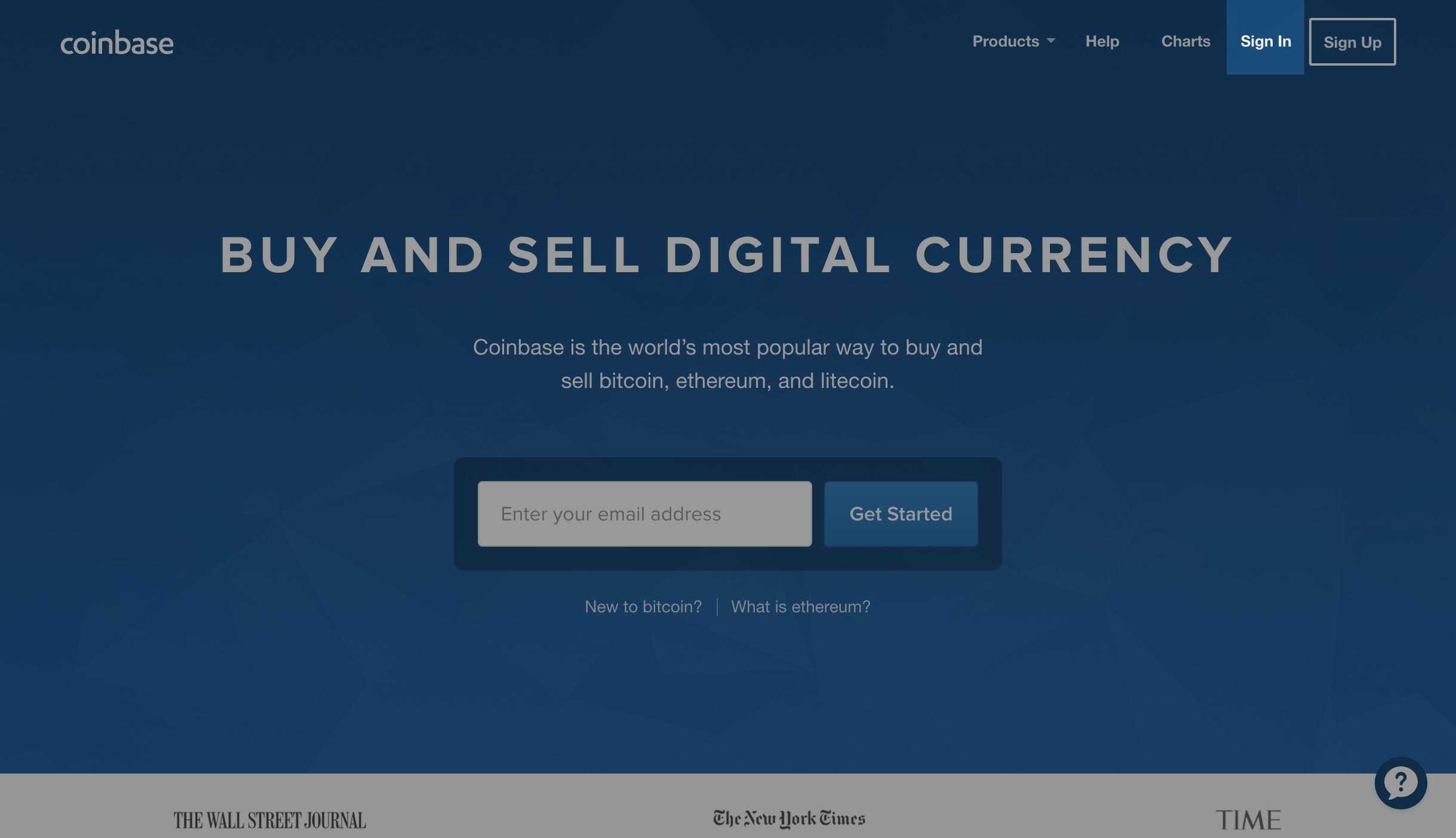 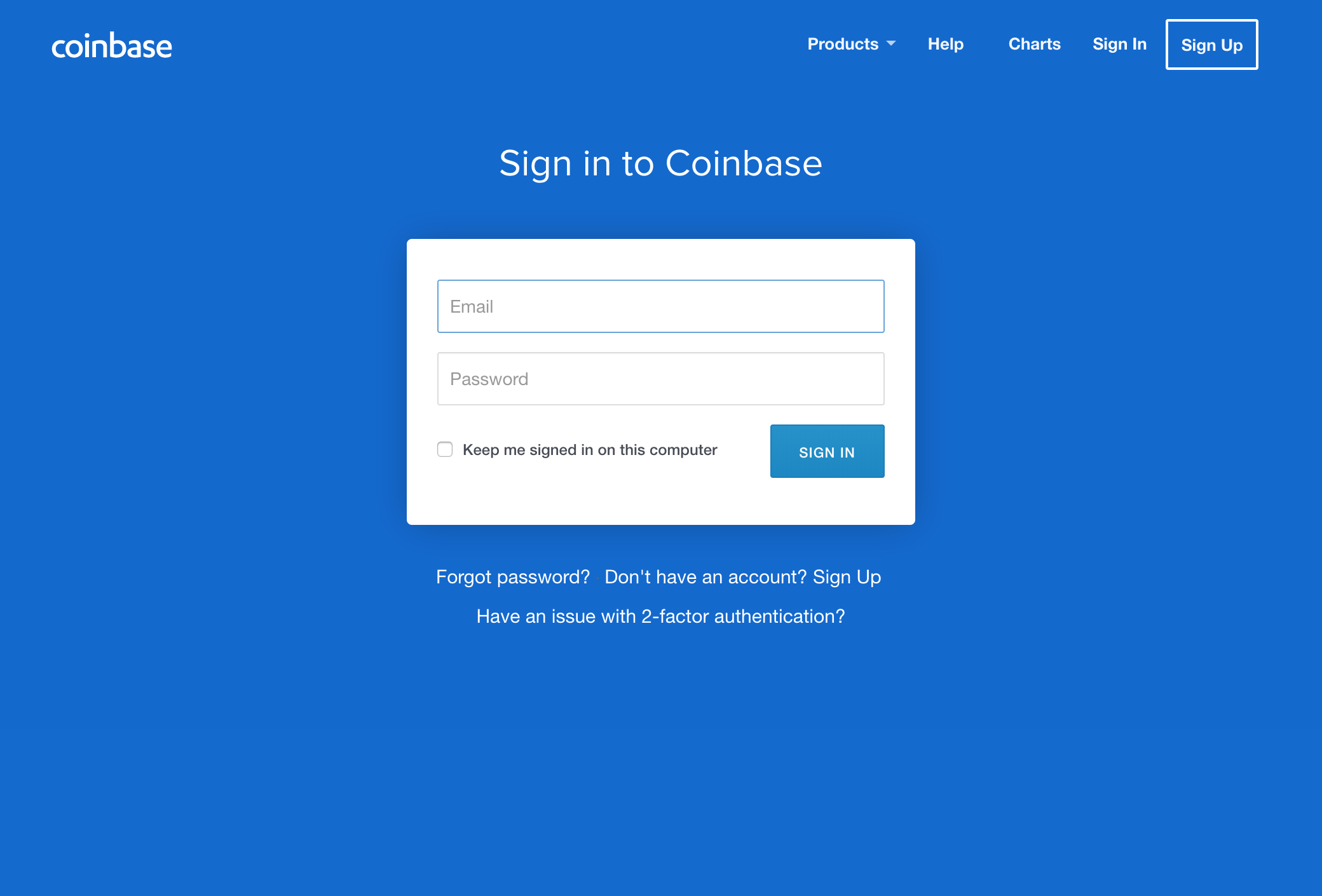 2. [Coinbase](https://www.coinbase.com/join/57204d81e1764839990004ac), as of today's writing, only supports Bitcoin, Ethereum, Litecoin and Bitcoin Cash. If you don't have any of these four currencies, you will need to trade it into Bitcoin (BTC), Ethereum (ETH), Litecoin (LTC) or Bitcoin Cash (BCH). [Click to here for a walkthrough on how to trade coins on an exchange](http://thecryptolog.com/2018/01/24/how-to-join-coinbase-exchange-walkthrough/). Once you've traded your coins to one of the supported coins by [Coinbase](https://www.coinbase.com/join/57204d81e1764839990004ac), go to the next step. 3. Once you are logged in, you will want to send coins to your [Coinbase](https://www.coinbase.com/join/57204d81e1764839990004ac) account. Go to the "Accounts" tab where you will have the option to deposit coins to your account. 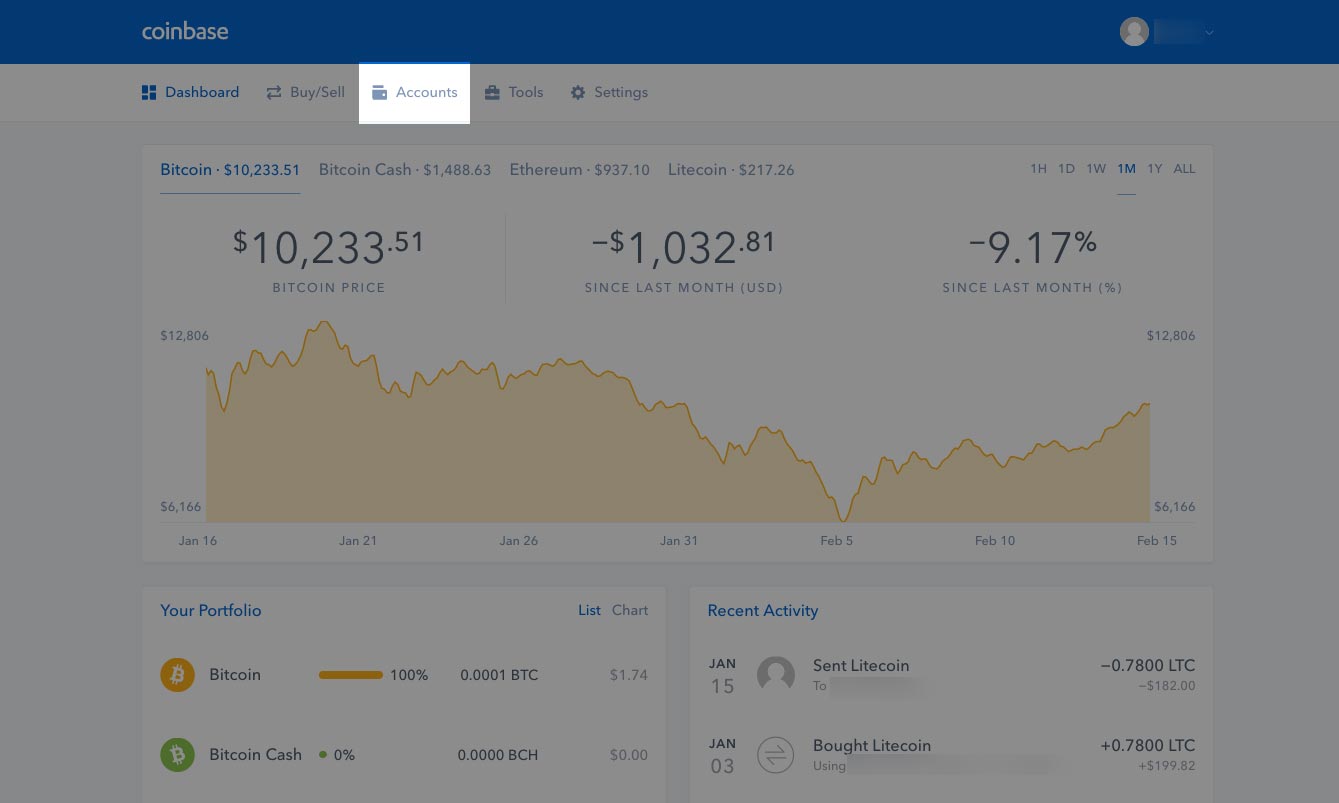 4. Once on the Accounts page, you will be able to select which coin you want to deposit into your account so you can sell. Click on "Receive" button of the currency of your preference to deposit coins into your coin address. 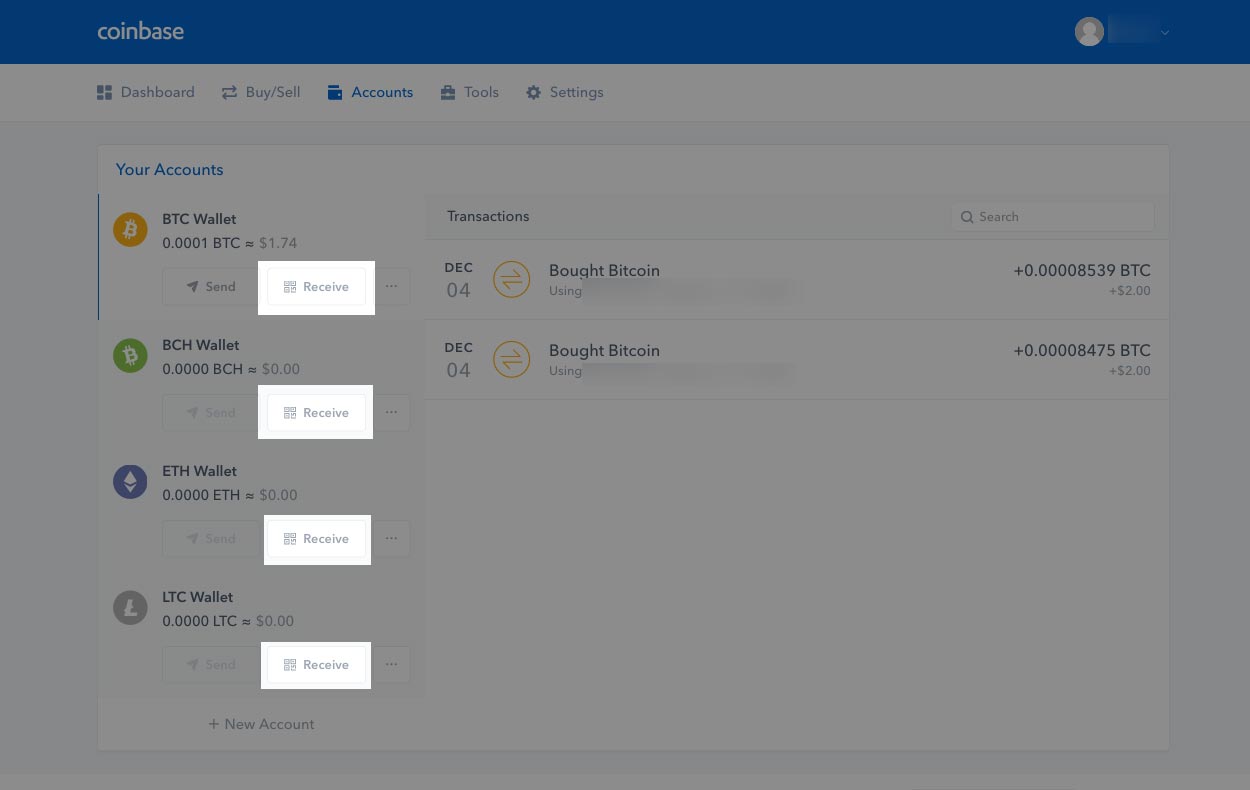 5. You will notice that a dialog pops up warning you to only send the coin you selected to that address. Click on "Show Address" to view the address you will be sending your coins to. If you don't know how to send coins with either Litecoin, Ethereum or Bitcoin, check out our walkthroughs under "[How To Send Cryptos](http://thecryptolog.com/category/how-to-send-crypto/)". 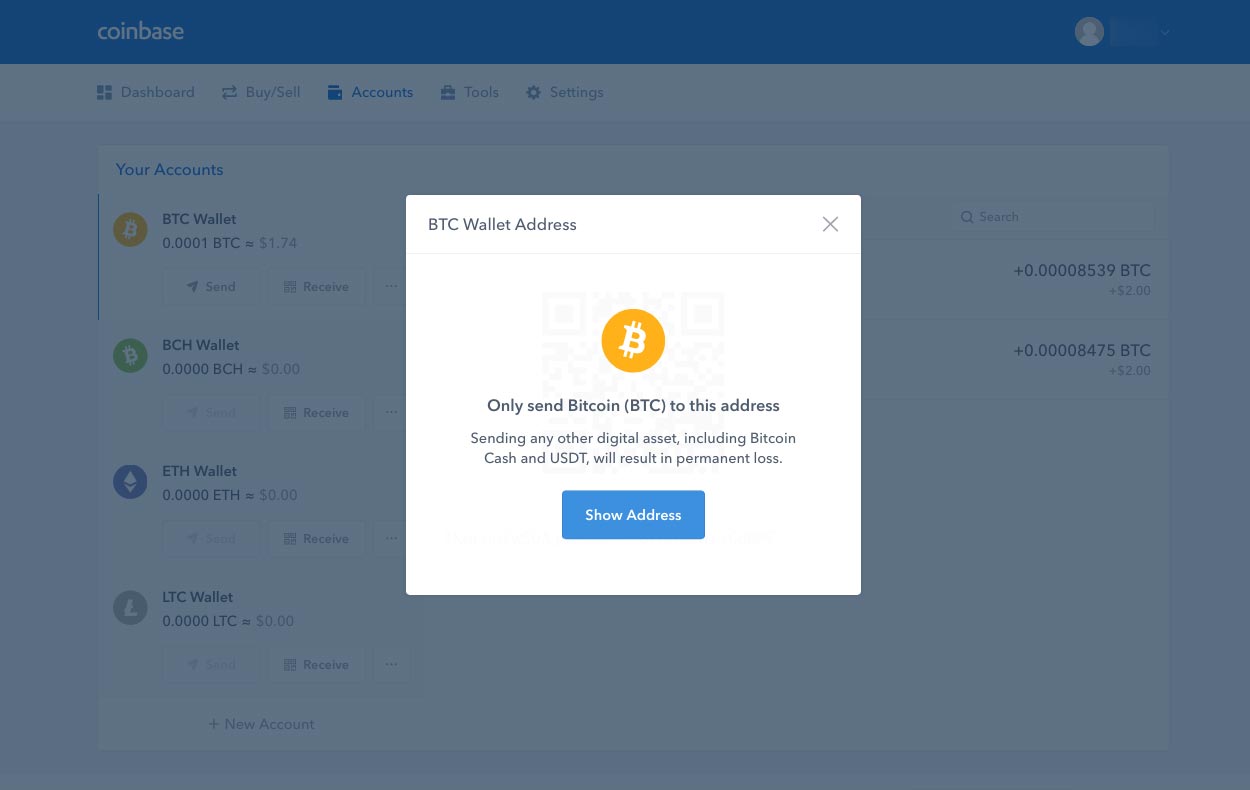 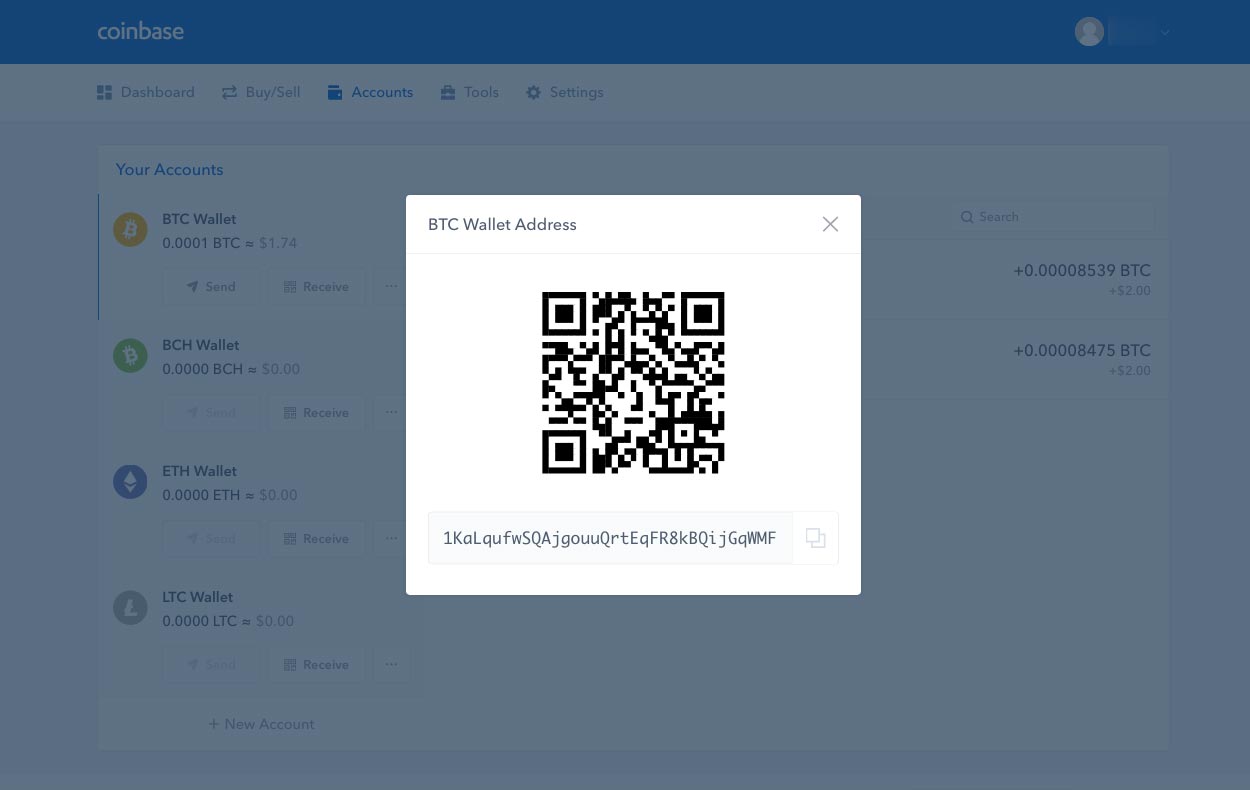 6. Once you've deposited the coins you would like to sell for USD, click on the "Buy/Sell" button in the navigation bar. 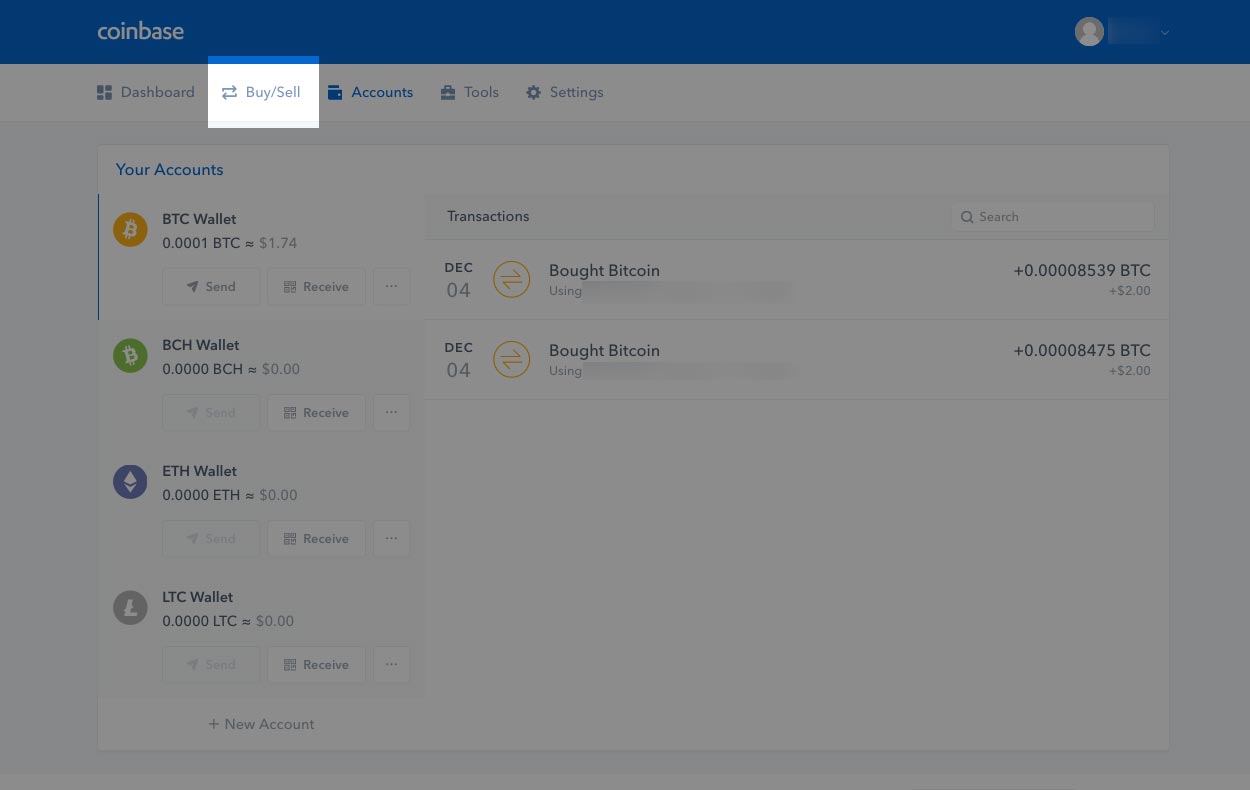 7. Once you're on the "Buy/Sell" page, click on the "Sell" button. 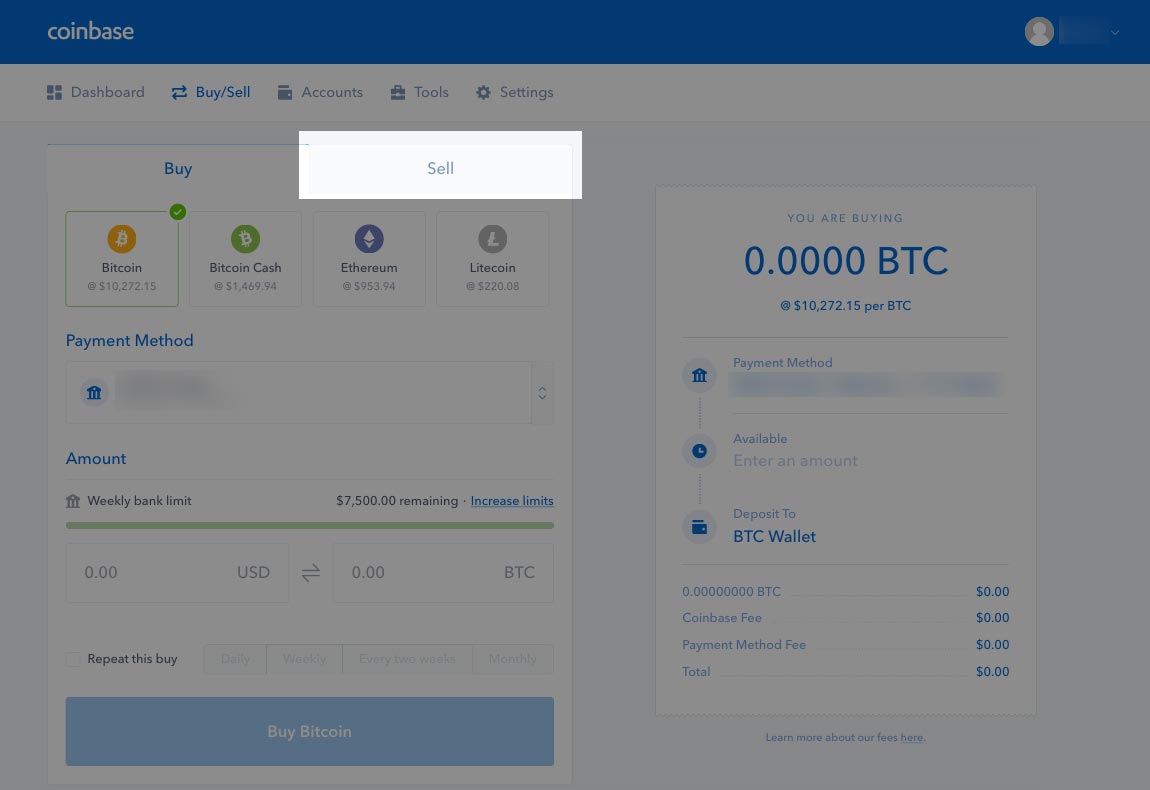 8. Once on the Sell tab, you will have the option to choose what coin to sell (if you have multiple coins you have deposited or hold), what bank to deposit to (if you have multiple linked accounts), and how much USD to sell. 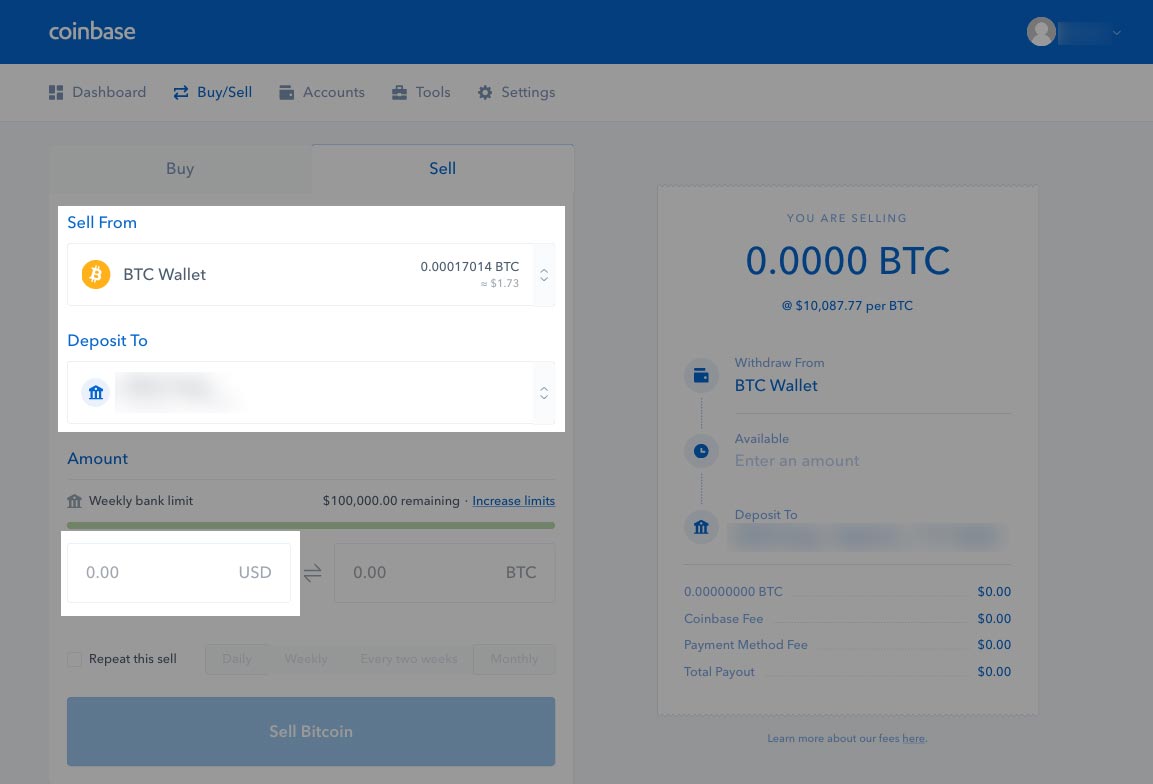 9. Fill the fields to your preferences. Once you complete filling your options, you'll notice on the right hand side a summary of how much you'll be paid out, what fees will be deducted and when you will see them in your bank account. Since we are selling Bitcoin, click on "Sell Bitcoin" button to confirm you are content with the amount of coins you will be selling. 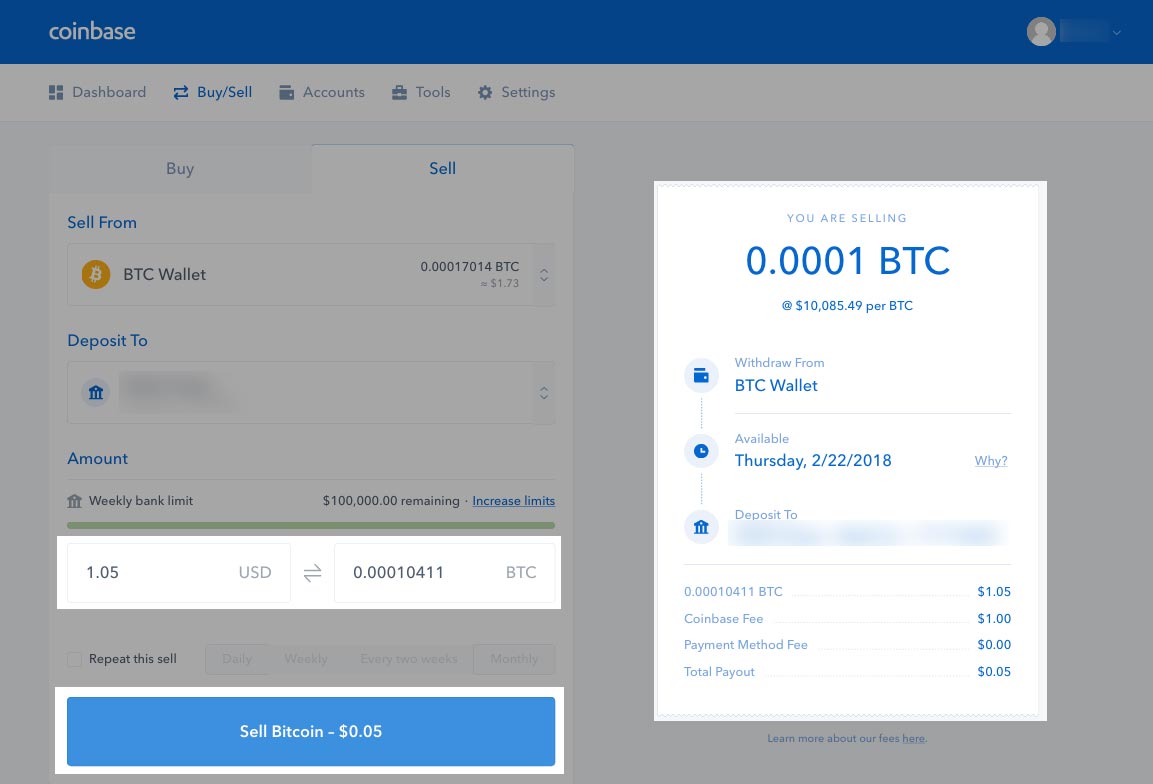 10. You will be redirected to a Confirm page, where you will have one last chance to review the amount of coins you are selling. Click on the "Confirm Sell" to redeem your gains! .... Or avoid further losses... 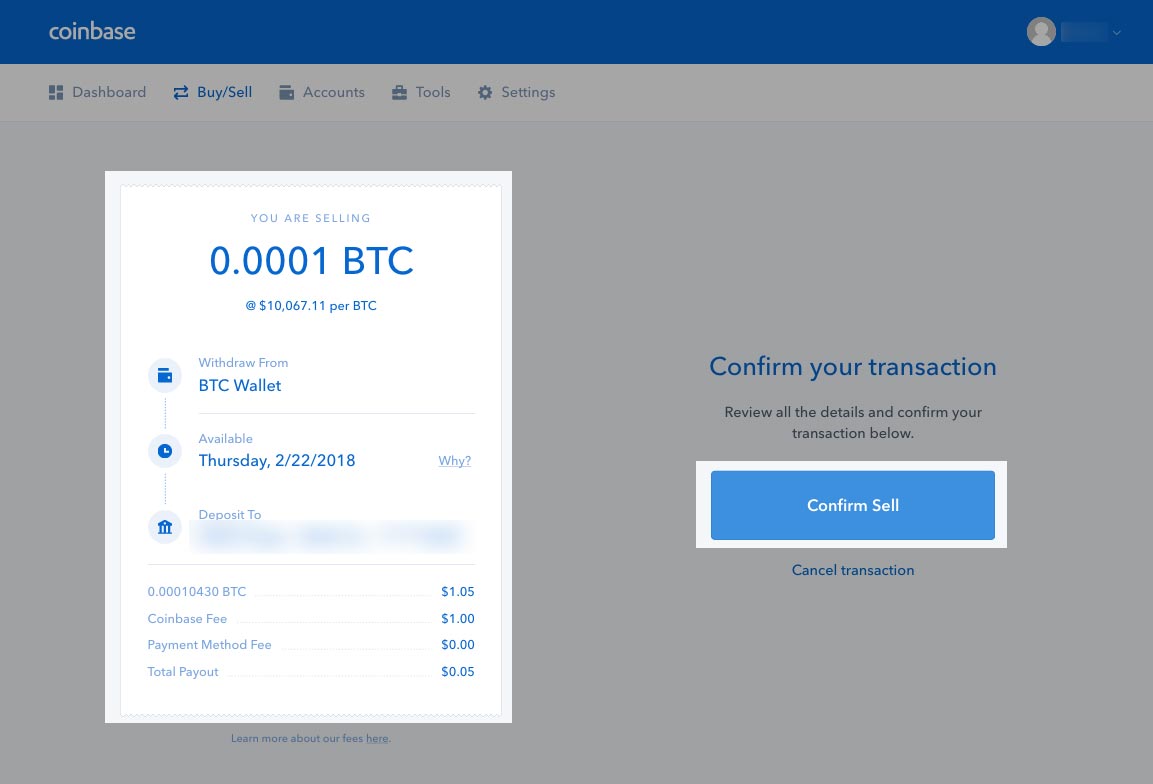 11. Once you've confirmed the sell, you will get a confirmation message that your coins have been sold! You can then click on the "View Dashboard" button to notice your coins have been sold in your Recent Activity section. Congrats! You've learned how to sell your coins back to fiat currencies! 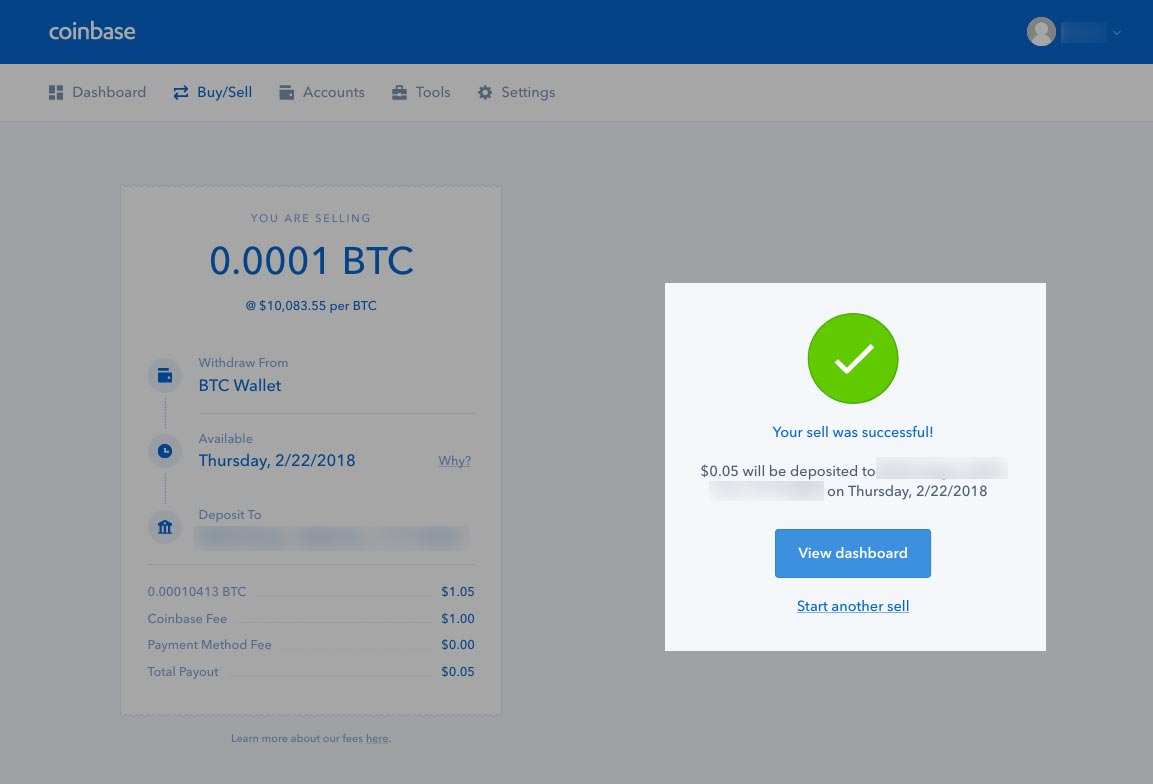 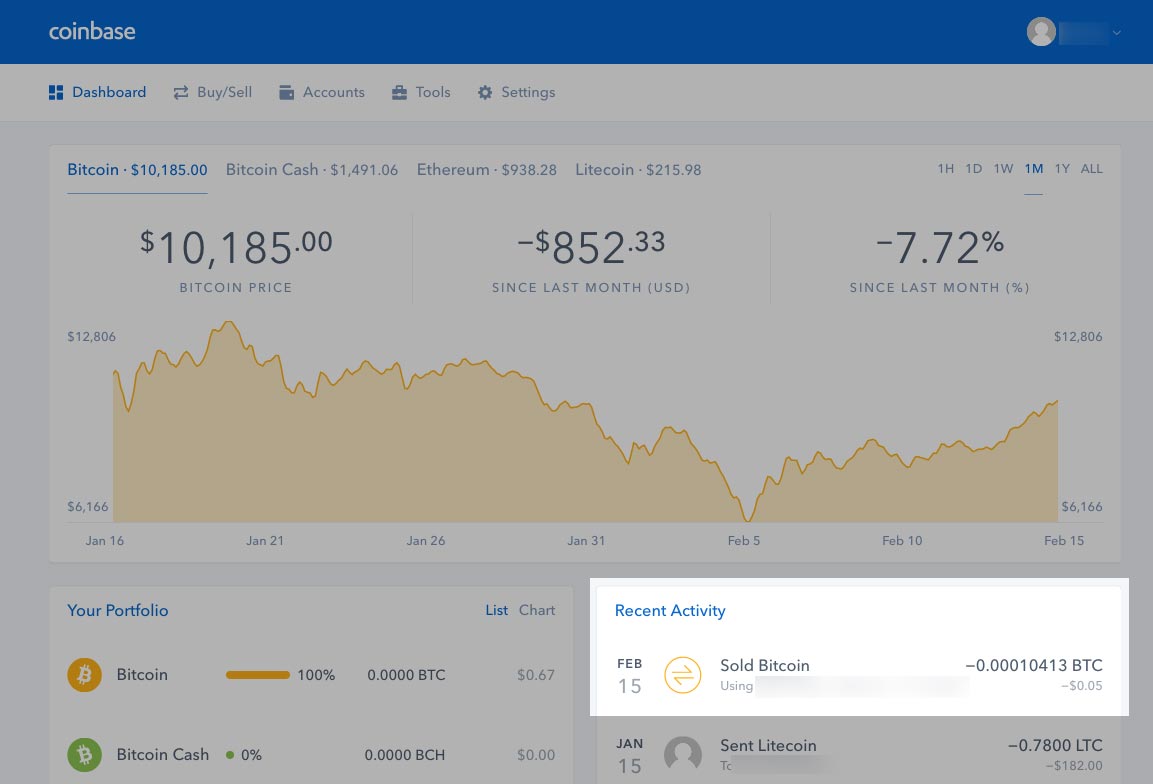 |
| json metadata | {"tags":["cryptocurrency","sellcrypto","coinbase","bitcoin","crypto"],"image":["https://steemitimages.com/DQmarTFykrQeAe7uugVfJoBzoRhiESs5WeMxZ1Z6q8jMcwK/coinbase-signin.jpg","https://steemitimages.com/DQmRhRhYoSiRCbRdxv6wH7CXrQKAz9HdiKYzBWue3Hy4zdb/login.png","https://steemitimages.com/DQmdwnGsaGBFjv7M7HSKeTC9G4dAE4RtyUwdMRjYgzoRAhY/account-home-click-account.png","https://steemitimages.com/DQmVcHptBe3DpJdXRJBhFaQoEagXxXCL1rnCVuME77beXhz/account-receive-click.jpg","https://steemitimages.com/DQmb8k9vT3KZcgTVqzf89NT8NLykF7vTmiEQg8nwWMvECyL/recieve-coin-warning.jpg","https://steemitimages.com/DQmbndys5i9PychjG9pmSQ2J5p5EEVXsft1rSHE7g8mDAKL/receive-address.jpg","https://steemitimages.com/DQmXa1GLmnUK8vKFttwHYTz3zYtF8VdQeEnq7299RiagXU6/click-buy-sell.jpg","https://steemitimages.com/DQmdb9YmhzhnWwFFe6ywyve28HdwhzLkYNqfEBbend5hNFh/click-sell-tab.jpg","https://steemitimages.com/DQmY3wMpBoCYo6wKHpMLGBd163mnQA4a5XjEXuDAwY6zNbk/sell-options.jpg","https://steemitimages.com/DQmSbZedc7qgoGU5LM3ufbM8geZWVaaosVdwUrazACQTHbC/sell-options-filled.jpg","https://steemitimages.com/DQmVEKGmXwxgc3QH7SCAZRiu3r8SRnhNxpJCHHYSmVwi8Kn/confirm-sell.jpg","https://steemitimages.com/DQmS96y8zZ2hKPEoDUEfc9ixH6Mc44TT9QVgrfrQNdhib7U/sell-success.jpg","https://steemitimages.com/DQmcJ9fydCF5k9BcYbwVL6cnjivhg4g8dTQ31P4c3AHum9M/sold-accounts-page.jpg"],"links":["https://www.coinbase.com/join/57204d81e1764839990004ac","http://thecryptolog.com/2018/01/24/how-to-join-coinbase-exchange-walkthrough/","http://thecryptolog.com/category/how-to-send-crypto/"],"app":"steemit/0.1","format":"markdown"} |
| parent author | |
| parent permlink | cryptocurrency |
| permlink | how-to-sell-your-crypto-walkthrough-coinbase |
| title | How to Sell Your Crypto - Walkthrough - Coinbase |
| Transaction Info | Block #20054950/Trx ed53d3caa1127e8e603c4aa223d98577ce19db7e |
View Raw JSON Data
{
"block": 20054950,
"op": [
"comment",
{
"author": "thecryptolog",
"body": "I'm assuming you're here because you've either made amazing returns and want to lock in some profits, or you want to avoid further losses. Whatever the case, let's get you started on how to cash out your coins, and turn it into your fiat currency on [Coinbase's](https://www.coinbase.com/join/57204d81e1764839990004ac) platform. This is the beginner tutorial, soon we will launch a more advanced tutorial to avoid fees. Let's get to it.\n\n1. The first thing you'll want to do is to ensure you have a [Coinbase](https://www.coinbase.com/join/57204d81e1764839990004ac) account. If you don't have one, you can follow our \"[How to join Coinbase exchange](http://thecryptolog.com/2018/01/24/how-to-join-coinbase-exchange-walkthrough/)\" walkthrough. Once you are on [Coinbase](https://www.coinbase.com/join/57204d81e1764839990004ac) home page, click on Sign In on the top right corner.\n \n \n\n2. [Coinbase](https://www.coinbase.com/join/57204d81e1764839990004ac), as of today's writing, only supports Bitcoin, Ethereum, Litecoin and Bitcoin Cash. If you don't have any of these four currencies, you will need to trade it into Bitcoin (BTC), Ethereum (ETH), Litecoin (LTC) or Bitcoin Cash (BCH). [Click to here for a walkthrough on how to trade coins on an exchange](http://thecryptolog.com/2018/01/24/how-to-join-coinbase-exchange-walkthrough/). Once you've traded your coins to one of the supported coins by [Coinbase](https://www.coinbase.com/join/57204d81e1764839990004ac), go to the next step.\n\n3. Once you are logged in, you will want to send coins to your [Coinbase](https://www.coinbase.com/join/57204d81e1764839990004ac) account. Go to the \"Accounts\" tab where you will have the option to deposit coins to your account.\n \n\n4. Once on the Accounts page, you will be able to select which coin you want to deposit into your account so you can sell. Click on \"Receive\" button of the currency of your preference to deposit coins into your coin address.\n \n\n5. You will notice that a dialog pops up warning you to only send the coin you selected to that address. Click on \"Show Address\" to view the address you will be sending your coins to. If you don't know how to send coins with either Litecoin, Ethereum or Bitcoin, check out our walkthroughs under \"[How To Send Cryptos](http://thecryptolog.com/category/how-to-send-crypto/)\".\n \n \n\n6. Once you've deposited the coins you would like to sell for USD, click on the \"Buy/Sell\" button in the navigation bar.\n \n\n7. Once you're on the \"Buy/Sell\" page, click on the \"Sell\" button.\n \n\n8. Once on the Sell tab, you will have the option to choose what coin to sell (if you have multiple coins you have deposited or hold), what bank to deposit to (if you have multiple linked accounts), and how much USD to sell.\n \n\n9. Fill the fields to your preferences. Once you complete filling your options, you'll notice on the right hand side a summary of how much you'll be paid out, what fees will be deducted and when you will see them in your bank account. Since we are selling Bitcoin, click on \"Sell Bitcoin\" button to confirm you are content with the amount of coins you will be selling.\n \n\n10. You will be redirected to a Confirm page, where you will have one last chance to review the amount of coins you are selling. Click on the \"Confirm Sell\" to redeem your gains! .... Or avoid further losses...\n \n\n11. Once you've confirmed the sell, you will get a confirmation message that your coins have been sold! You can then click on the \"View Dashboard\" button to notice your coins have been sold in your Recent Activity section. Congrats! You've learned how to sell your coins back to fiat currencies!\n \n ",
"json_metadata": "{\"tags\":[\"cryptocurrency\",\"sellcrypto\",\"coinbase\",\"bitcoin\",\"crypto\"],\"image\":[\"https://steemitimages.com/DQmarTFykrQeAe7uugVfJoBzoRhiESs5WeMxZ1Z6q8jMcwK/coinbase-signin.jpg\",\"https://steemitimages.com/DQmRhRhYoSiRCbRdxv6wH7CXrQKAz9HdiKYzBWue3Hy4zdb/login.png\",\"https://steemitimages.com/DQmdwnGsaGBFjv7M7HSKeTC9G4dAE4RtyUwdMRjYgzoRAhY/account-home-click-account.png\",\"https://steemitimages.com/DQmVcHptBe3DpJdXRJBhFaQoEagXxXCL1rnCVuME77beXhz/account-receive-click.jpg\",\"https://steemitimages.com/DQmb8k9vT3KZcgTVqzf89NT8NLykF7vTmiEQg8nwWMvECyL/recieve-coin-warning.jpg\",\"https://steemitimages.com/DQmbndys5i9PychjG9pmSQ2J5p5EEVXsft1rSHE7g8mDAKL/receive-address.jpg\",\"https://steemitimages.com/DQmXa1GLmnUK8vKFttwHYTz3zYtF8VdQeEnq7299RiagXU6/click-buy-sell.jpg\",\"https://steemitimages.com/DQmdb9YmhzhnWwFFe6ywyve28HdwhzLkYNqfEBbend5hNFh/click-sell-tab.jpg\",\"https://steemitimages.com/DQmY3wMpBoCYo6wKHpMLGBd163mnQA4a5XjEXuDAwY6zNbk/sell-options.jpg\",\"https://steemitimages.com/DQmSbZedc7qgoGU5LM3ufbM8geZWVaaosVdwUrazACQTHbC/sell-options-filled.jpg\",\"https://steemitimages.com/DQmVEKGmXwxgc3QH7SCAZRiu3r8SRnhNxpJCHHYSmVwi8Kn/confirm-sell.jpg\",\"https://steemitimages.com/DQmS96y8zZ2hKPEoDUEfc9ixH6Mc44TT9QVgrfrQNdhib7U/sell-success.jpg\",\"https://steemitimages.com/DQmcJ9fydCF5k9BcYbwVL6cnjivhg4g8dTQ31P4c3AHum9M/sold-accounts-page.jpg\"],\"links\":[\"https://www.coinbase.com/join/57204d81e1764839990004ac\",\"http://thecryptolog.com/2018/01/24/how-to-join-coinbase-exchange-walkthrough/\",\"http://thecryptolog.com/category/how-to-send-crypto/\"],\"app\":\"steemit/0.1\",\"format\":\"markdown\"}",
"parent_author": "",
"parent_permlink": "cryptocurrency",
"permlink": "how-to-sell-your-crypto-walkthrough-coinbase",
"title": "How to Sell Your Crypto - Walkthrough - Coinbase"
}
],
"op_in_trx": 0,
"timestamp": "2018-02-21T05:05:42",
"trx_id": "ed53d3caa1127e8e603c4aa223d98577ce19db7e",
"trx_in_block": 2,
"virtual_op": 0
}thecryptologpublished a new post: how-to-trade-coins-on-binance-exchange-walkthrough2018/02/21 04:46:15
thecryptologpublished a new post: how-to-trade-coins-on-binance-exchange-walkthrough
2018/02/21 04:46:15
| author | thecryptolog |
| body | In this walkthrough, we will be trading Litecoin (LTC) into Binance Coin (BNB). The same steps can be applied to trade vice versa, or to trade any other coin on the the exchange as long as there is a pairing between the two currencies. This walkthrough assumes you already have coins on Binance. If you don't have any coins on Binance yet, learn how to deposit coins in our "[How To Deposit Coins in to Binance](http://thecryptolog.com/2018/01/14/how-to-deposit-coins-to-binance/)" walkthrough. There will be times where you will need to do two or more trades to get the coin that you want. For example, on the [Binance exchange](https://www.binance.com/?ref=11519709), if you had Binance Coin and wanted to trade it to ZCash, you would first have to trade Binance Coin to Bitcoin since there is only Zcash to Bitcoin pairing. You can use the following steps to trade between any coins on the [Binance platform](https://www.binance.com/?ref=11519709), and the same similar steps can be used on other exchanges. Let's get to it. 1. The first thing you'll want to do is ensure you have a [Binance](https://www.binance.com/?ref=11519709) account. [If you don't, you'll need to create an account, click here to go to Binance](https://www.binance.com/?ref=11519709). If you're not sure what the steps are to open a [Binance](https://www.binance.com/?ref=11519709) account, [click here to read our walkthrough on how to join the Binance exchange](http://thecryptolog.com/2018/01/15/how-to-join-the-binance-exchange/). If you already have an account, log in with the link on the top right corner of the page. 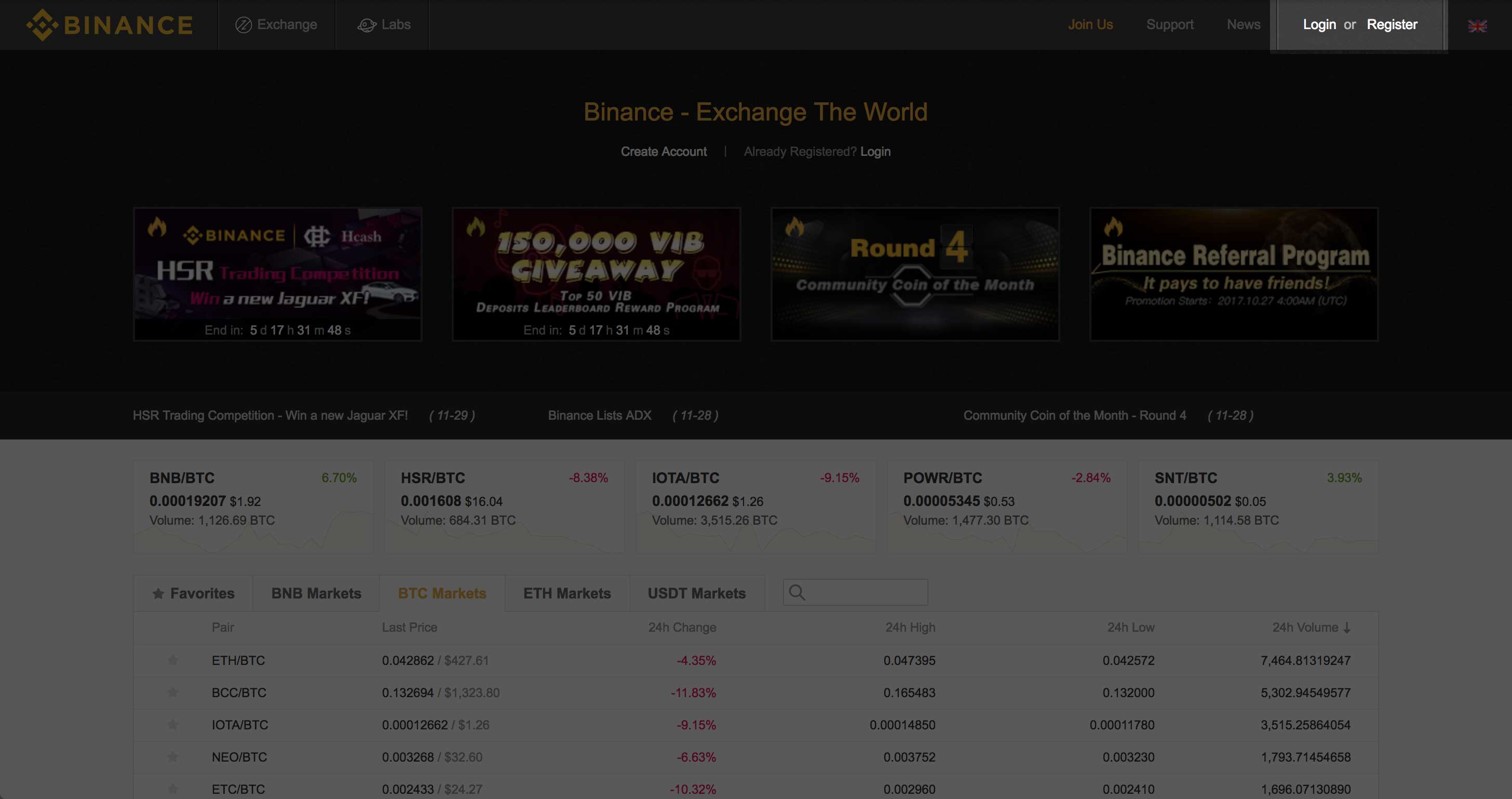 2. You will want to log into your account where you'll be taken to your account page. 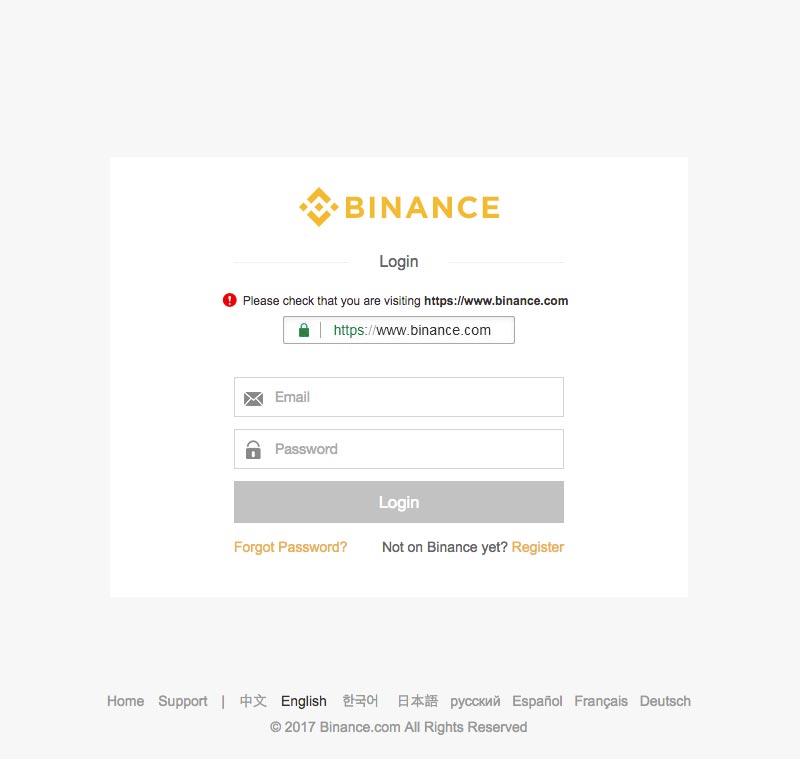 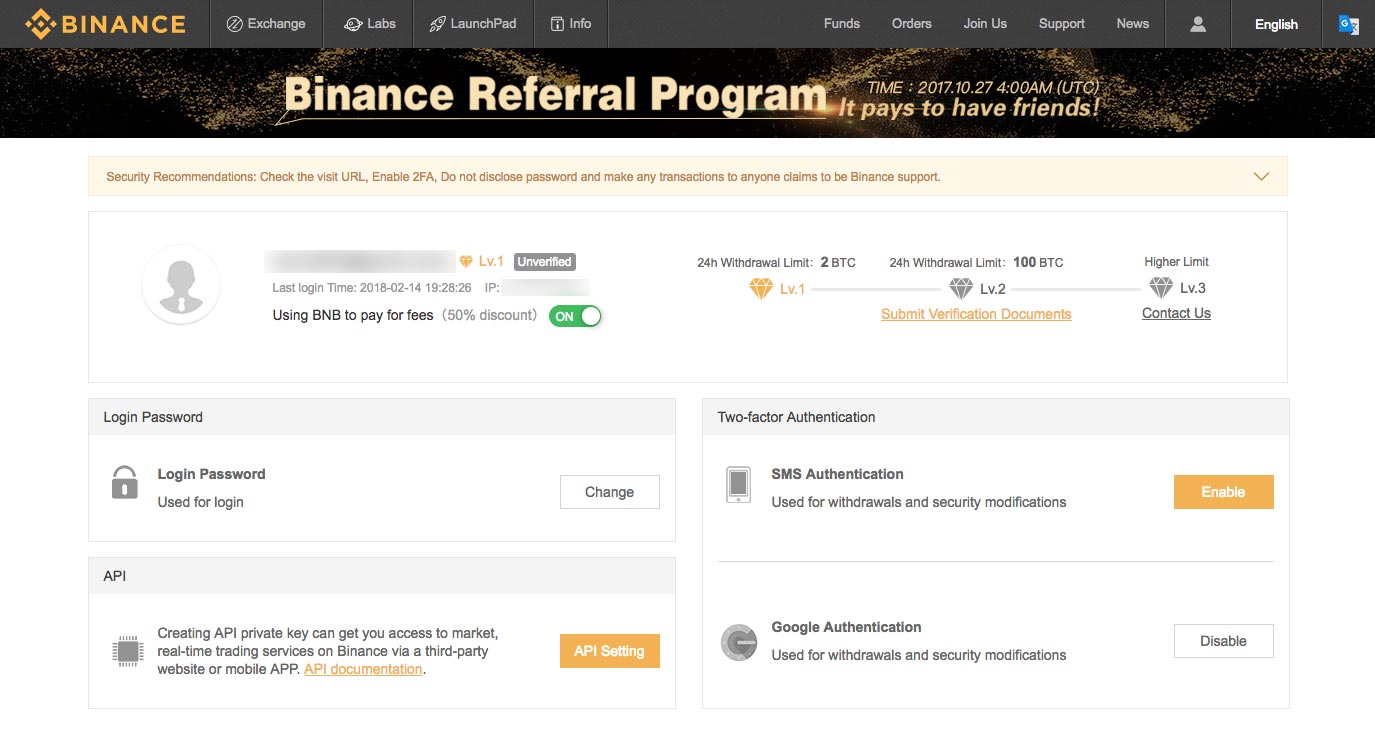 3. This step assumes you already have Litecoin in your account, if you don't have any Litecoin in your account yet, [click here to learn how to deposit coins into Binance](http://thecryptolog.com/2018/01/14/how-to-deposit-coins-to-binance/). Once you've confirmed your coins - Litecoin in this case - are available to trade into your account, rollover the "Exchange" button, and click on "Basic." 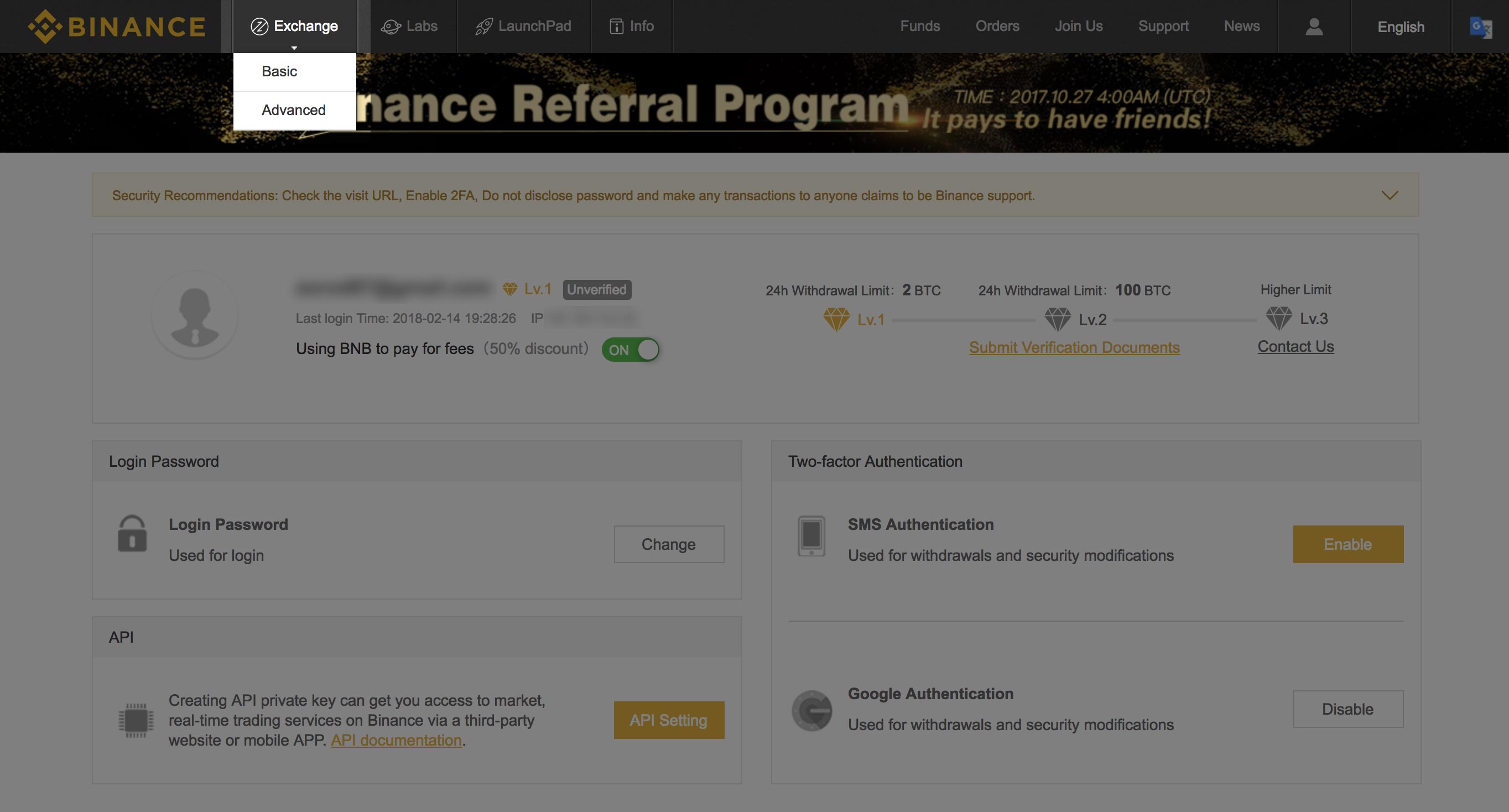 4. Once you're on the exchange page, click on the BNB button on the right hand side of the page. You'll see a list of coins pairs for BNB. I deposited Litecoin, so I clicked on the LTC/BNB pair. 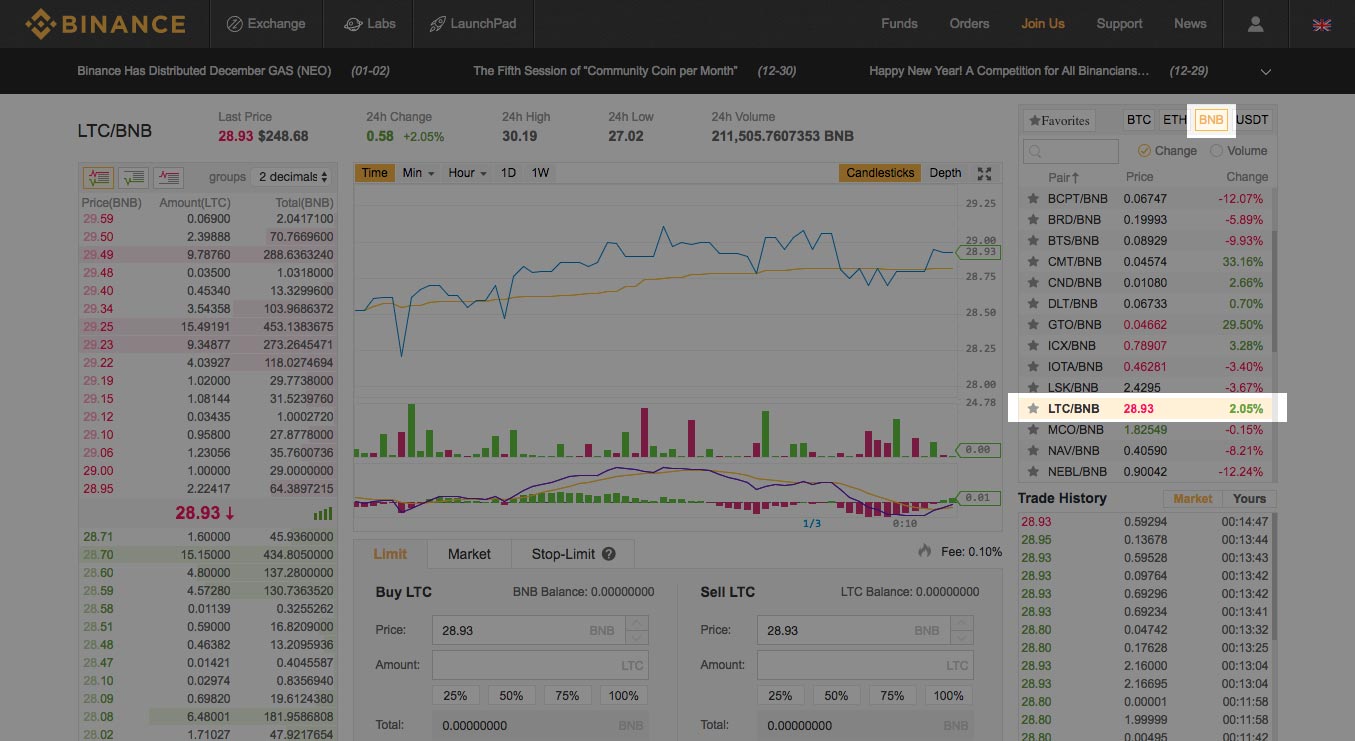 5. Next, you'll want to click the icon on the far left for the "Buy order". You will see the column below filled with green buy orders. To get the best bang for your buck on the trade, click on the trade at the very top of the green column. You'll now see the Price form field filled in the Sell LTC box. Type the amount of LTC you'd like to sell - [Binance](https://www.binance.com/?ref=11519709) let's you know the maximum amount of coins you have to sell. Once you're content with the trade, click on the Sell LTC button. 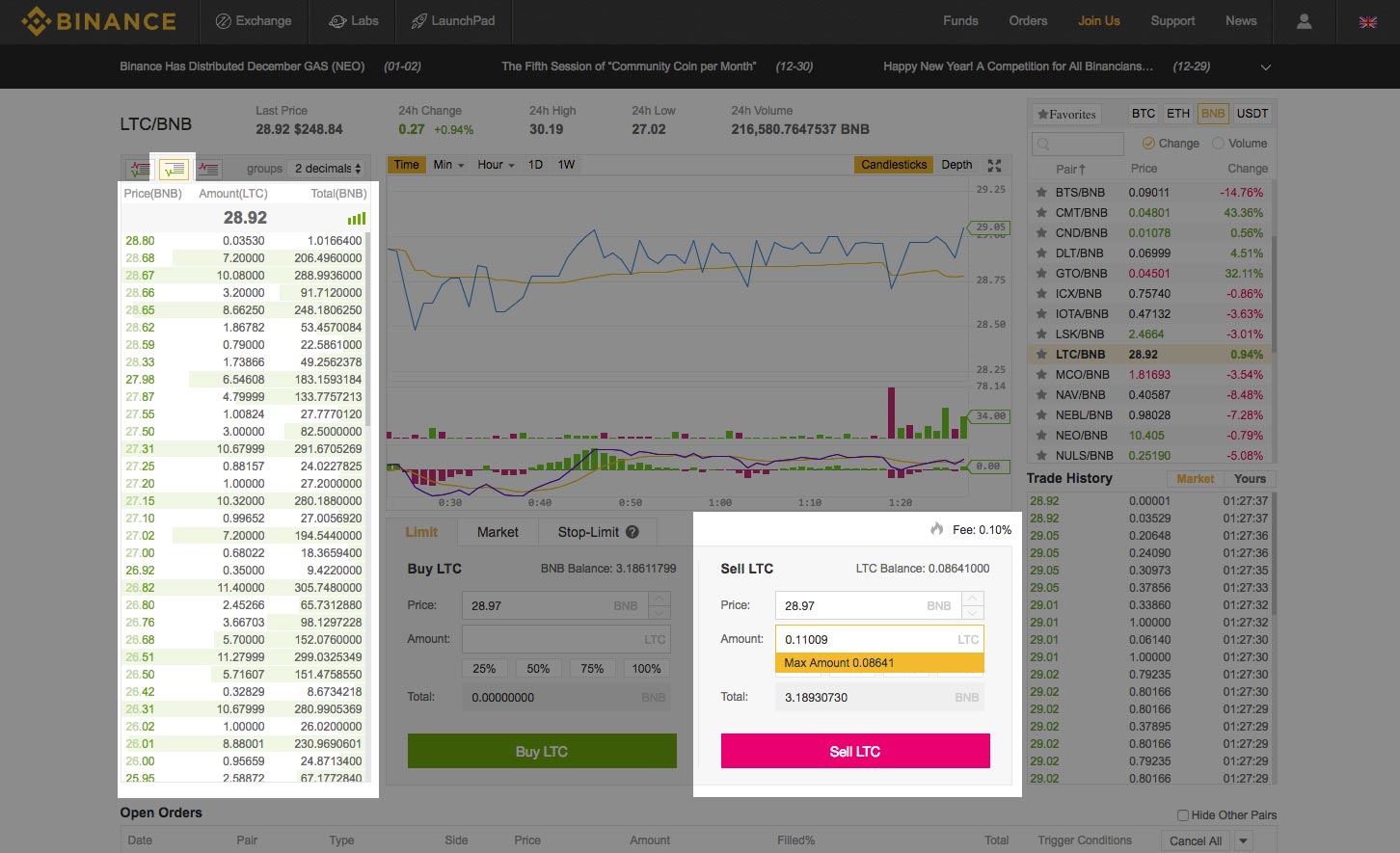 6. You should see the order filled in fairly quickly. Rollover on the funds tab, and click on the "Deposits Withdrawals" buttons to view your balances. 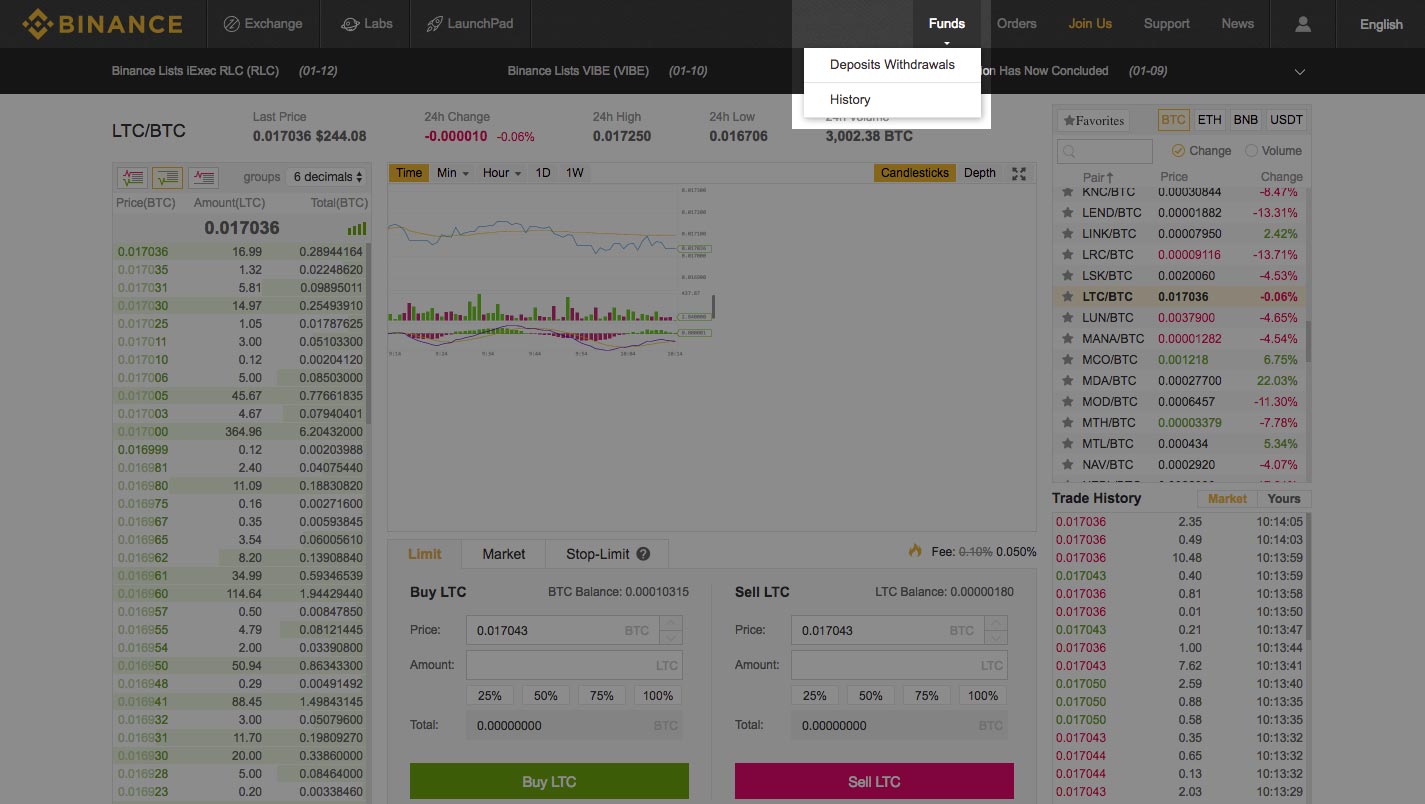 7. On this page you should now see your Binance Coin (BNB) balance updated. The above steps can be applied to trade any currency pairs supported on the [Binance exchange](https://www.binance.com/?ref=11519709) and is also similar on other exchanges. Have fun and trade away! 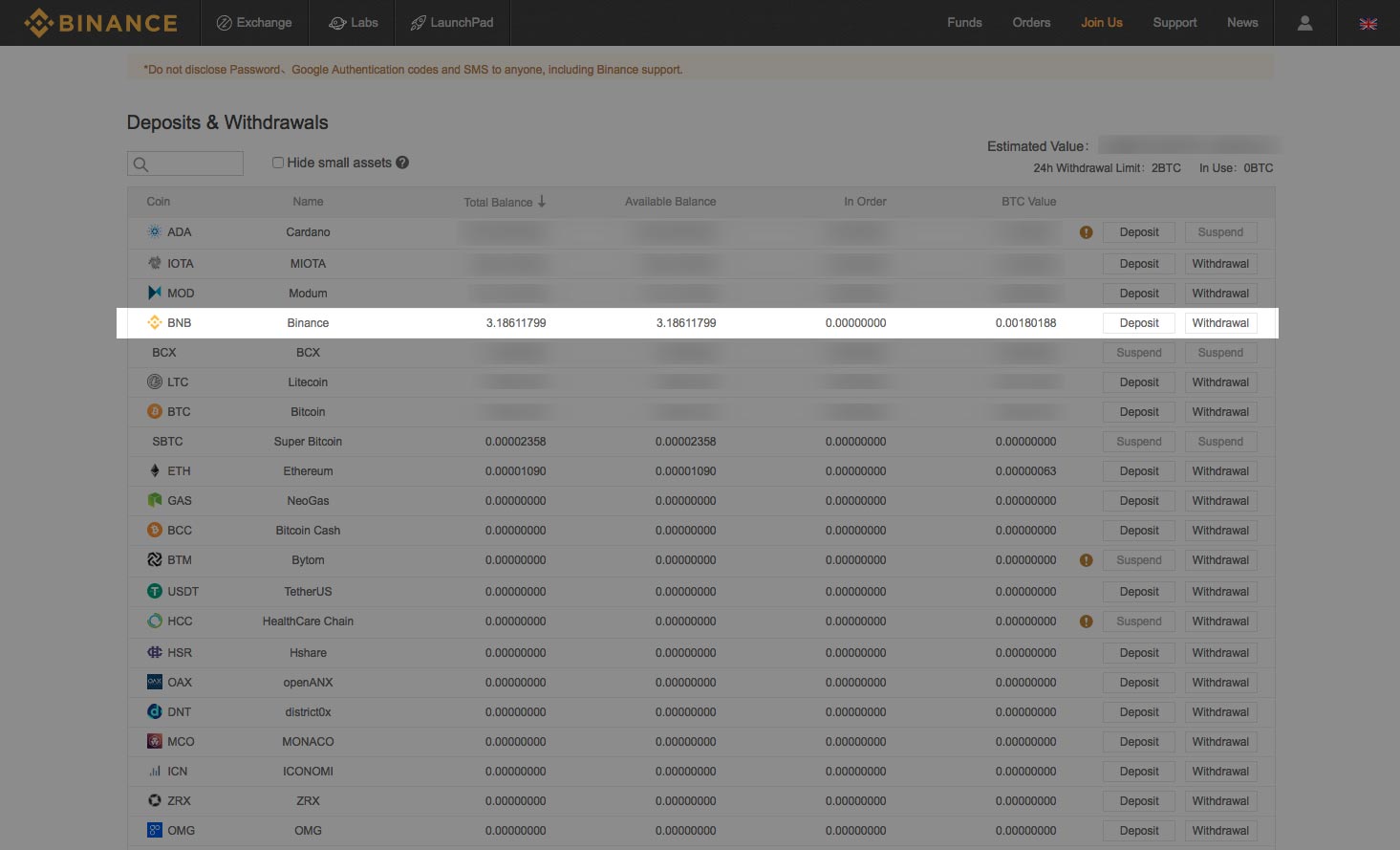 |
| json metadata | {"tags":["cryptocurrency","binance","crypto","litecoin","tradecrypto"],"image":["https://steemitimages.com/DQmVo6g2KiPLbJ5BTrHWN7Ek3qrd5PtpSwTLAjRooicS6ZN/signup.jpg","https://steemitimages.com/DQmeAvMpHWybG74zPi4mKcxdcbCVSrBehkS39wh5MEsFka6/sign-in.jpg","https://steemitimages.com/DQmQRj5e8iQpTqiTPugna3ooY5zR7J1tbd99EBBmv8uUvfk/logged-in.jpg","https://steemitimages.com/DQmeAj7b2oLadFRsLSZ2R8Zpnk5SHxJgxPES6QGmA2QAJQA/exchange-basic-link.jpg","https://steemitimages.com/DQmXhR7ktwjJrPArgxNcKzPsetEEpU5kk9tSsQCecZdCgFj/ltc-to-bnb-pair.jpg","https://steemitimages.com/DQmZdUXLH7JZkPW4cPAn4ZVBNWmHKxCBt9qKYWCkQMA6M1N/max-ltc-sale.jpg","https://steemitimages.com/DQmNofZHHyDJRU2a5WDhWr2AySE57km3LjKb8igRktpQZkf/deposits-withdrawals.jpg","https://steemitimages.com/DQmcZKubCP2xQ4gkpb7AezxWju6VcJELiDsWabwhvtSjZfz/check-bnb-balance.jpg"],"links":["http://thecryptolog.com/2018/01/14/how-to-deposit-coins-to-binance/","https://www.binance.com/?ref=11519709","http://thecryptolog.com/2018/01/15/how-to-join-the-binance-exchange/"],"app":"steemit/0.1","format":"markdown"} |
| parent author | |
| parent permlink | cryptocurrency |
| permlink | how-to-trade-coins-on-binance-exchange-walkthrough |
| title | How to trade coins on Binance Exchange - Walkthrough |
| Transaction Info | Block #20054561/Trx 307e4fb48622c25abe5dc2e3d2326d03c30a0bc6 |
View Raw JSON Data
{
"block": 20054561,
"op": [
"comment",
{
"author": "thecryptolog",
"body": "In this walkthrough, we will be trading Litecoin (LTC) into Binance Coin (BNB). The same steps can be applied to trade vice versa, or to trade any other coin on the the exchange as long as there is a pairing between the two currencies. This walkthrough assumes you already have coins on Binance. If you don't have any coins on Binance yet, learn how to deposit coins in our \"[How To Deposit Coins in to Binance](http://thecryptolog.com/2018/01/14/how-to-deposit-coins-to-binance/)\" walkthrough.\n\nThere will be times where you will need to do two or more trades to get the coin that you want. For example, on the [Binance exchange](https://www.binance.com/?ref=11519709), if you had Binance Coin and wanted to trade it to ZCash, you would first have to trade Binance Coin to Bitcoin since there is only Zcash to Bitcoin pairing. You can use the following steps to trade between any coins on the [Binance platform](https://www.binance.com/?ref=11519709), and the same similar steps can be used on other exchanges. Let's get to it.\n\n1. The first thing you'll want to do is ensure you have a [Binance](https://www.binance.com/?ref=11519709) account. [If you don't, you'll need to create an account, click here to go to Binance](https://www.binance.com/?ref=11519709). If you're not sure what the steps are to open a [Binance](https://www.binance.com/?ref=11519709) account, [click here to read our walkthrough on how to join the Binance exchange](http://thecryptolog.com/2018/01/15/how-to-join-the-binance-exchange/). If you already have an account, log in with the link on the top right corner of the page.\n \n\n2. You will want to log into your account where you'll be taken to your account page.\n \n \n\n3. This step assumes you already have Litecoin in your account, if you don't have any Litecoin in your account yet, [click here to learn how to deposit coins into Binance](http://thecryptolog.com/2018/01/14/how-to-deposit-coins-to-binance/). Once you've confirmed your coins - Litecoin in this case - are available to trade into your account, rollover the \"Exchange\" button, and click on \"Basic.\"\n \n\n4. Once you're on the exchange page, click on the BNB button on the right hand side of the page. You'll see a list of coins pairs for BNB. I deposited Litecoin, so I clicked on the LTC/BNB pair.\n \n\n5. Next, you'll want to click the icon on the far left for the \"Buy order\". You will see the column below filled with green buy orders. To get the best bang for your buck on the trade, click on the trade at the very top of the green column. You'll now see the Price form field filled in the Sell LTC box. Type the amount of LTC you'd like to sell - [Binance](https://www.binance.com/?ref=11519709) let's you know the maximum amount of coins you have to sell. Once you're content with the trade, click on the Sell LTC button.\n \n\n6. You should see the order filled in fairly quickly. Rollover on the funds tab, and click on the \"Deposits Withdrawals\" buttons to view your balances.\n \n\n7. On this page you should now see your Binance Coin (BNB) balance updated. The above steps can be applied to trade any currency pairs supported on the [Binance exchange](https://www.binance.com/?ref=11519709) and is also similar on other exchanges. Have fun and trade away!\n ",
"json_metadata": "{\"tags\":[\"cryptocurrency\",\"binance\",\"crypto\",\"litecoin\",\"tradecrypto\"],\"image\":[\"https://steemitimages.com/DQmVo6g2KiPLbJ5BTrHWN7Ek3qrd5PtpSwTLAjRooicS6ZN/signup.jpg\",\"https://steemitimages.com/DQmeAvMpHWybG74zPi4mKcxdcbCVSrBehkS39wh5MEsFka6/sign-in.jpg\",\"https://steemitimages.com/DQmQRj5e8iQpTqiTPugna3ooY5zR7J1tbd99EBBmv8uUvfk/logged-in.jpg\",\"https://steemitimages.com/DQmeAj7b2oLadFRsLSZ2R8Zpnk5SHxJgxPES6QGmA2QAJQA/exchange-basic-link.jpg\",\"https://steemitimages.com/DQmXhR7ktwjJrPArgxNcKzPsetEEpU5kk9tSsQCecZdCgFj/ltc-to-bnb-pair.jpg\",\"https://steemitimages.com/DQmZdUXLH7JZkPW4cPAn4ZVBNWmHKxCBt9qKYWCkQMA6M1N/max-ltc-sale.jpg\",\"https://steemitimages.com/DQmNofZHHyDJRU2a5WDhWr2AySE57km3LjKb8igRktpQZkf/deposits-withdrawals.jpg\",\"https://steemitimages.com/DQmcZKubCP2xQ4gkpb7AezxWju6VcJELiDsWabwhvtSjZfz/check-bnb-balance.jpg\"],\"links\":[\"http://thecryptolog.com/2018/01/14/how-to-deposit-coins-to-binance/\",\"https://www.binance.com/?ref=11519709\",\"http://thecryptolog.com/2018/01/15/how-to-join-the-binance-exchange/\"],\"app\":\"steemit/0.1\",\"format\":\"markdown\"}",
"parent_author": "",
"parent_permlink": "cryptocurrency",
"permlink": "how-to-trade-coins-on-binance-exchange-walkthrough",
"title": "How to trade coins on Binance Exchange - Walkthrough"
}
],
"op_in_trx": 0,
"timestamp": "2018-02-21T04:46:15",
"trx_id": "307e4fb48622c25abe5dc2e3d2326d03c30a0bc6",
"trx_in_block": 59,
"virtual_op": 0
}coin.infoupvoted (6.94%) @thecryptolog / what-is-ark-ark-an-ark-summary2018/02/07 06:15:51
coin.infoupvoted (6.94%) @thecryptolog / what-is-ark-ark-an-ark-summary
2018/02/07 06:15:51
| author | thecryptolog |
| permlink | what-is-ark-ark-an-ark-summary |
| voter | coin.info |
| weight | 694 (6.94%) |
| Transaction Info | Block #19653636/Trx 88bfaafaaaa606b96c0d6978b3b86c5fbe25a91f |
View Raw JSON Data
{
  "block": 19653636,
  "op": [
    "vote",
    {
      "author": "thecryptolog",
      "permlink": "what-is-ark-ark-an-ark-summary",
      "voter": "coin.info",
      "weight": 694
    }
  ],
  "op_in_trx": 0,
  "timestamp": "2018-02-07T06:15:51",
  "trx_id": "88bfaafaaaa606b96c0d6978b3b86c5fbe25a91f",
  "trx_in_block": 12,
  "virtual_op": 0
}2018/02/07 06:15:48
2018/02/07 06:15:48
| author | coin.info |
| body | **Coins mentioned in post:** Coin | | Price (USD) | 📈 24h | 📉 7d - | - | - | - | - **ARK** | Ark | 3.600$ | _34.68%_ | _-33.53%_ **BTC** | Bitcoin | 7423.610$ | _18.35%_ | _-26.48%_ **ETH** | Ethereum | 748.698$ | _24.98%_ | _-30.77%_ **LTC** | Litecoin | 138.764$ | _23.72%_ | _-14.78%_ |
| json metadata | {"app":"coininfo/1.0.0","format":"markdown"} |
| parent author | thecryptolog |
| parent permlink | what-is-ark-ark-an-ark-summary |
| permlink | re-thecryptolog-what-is-ark-ark-an-ark-summary-20180207t061549624z |
| title | |
| Transaction Info | Block #19653635/Trx 9c3c7ea5e4a7a576743d9b6311b616d8d8890d5d |
View Raw JSON Data
{
  "block": 19653635,
  "op": [
    "comment",
    {
      "author": "coin.info",
      "body": "**Coins mentioned in post:**\n\nCoin | | Price (USD) | 📈 24h | 📉 7d\n- | - | - | - | -\n**ARK** | Ark | 3.600$ | _34.68%_ | _-33.53%_\n**BTC** | Bitcoin | 7423.610$ | _18.35%_ | _-26.48%_\n**ETH** | Ethereum | 748.698$ | _24.98%_ | _-30.77%_\n**LTC** | Litecoin | 138.764$ | _23.72%_ | _-14.78%_",
      "json_metadata": "{\"app\":\"coininfo/1.0.0\",\"format\":\"markdown\"}",
      "parent_author": "thecryptolog",
      "parent_permlink": "what-is-ark-ark-an-ark-summary",
      "permlink": "re-thecryptolog-what-is-ark-ark-an-ark-summary-20180207t061549624z",
      "title": ""
    }
  ],
  "op_in_trx": 0,
  "timestamp": "2018-02-07T06:15:48",
  "trx_id": "9c3c7ea5e4a7a576743d9b6311b616d8d8890d5d",
  "trx_in_block": 38,
  "virtual_op": 0
}daspeltupvoted (100.00%) @thecryptolog / what-is-ark-ark-an-ark-summary2018/02/07 03:49:06
daspeltupvoted (100.00%) @thecryptolog / what-is-ark-ark-an-ark-summary
2018/02/07 03:49:06
| author | thecryptolog |
| permlink | what-is-ark-ark-an-ark-summary |
| voter | daspelt |
| weight | 10000 (100.00%) |
| Transaction Info | Block #19650705/Trx 028cd9ab1a6c5eda287ccb14746f42741be85b78 |
View Raw JSON Data
{
  "block": 19650705,
  "op": [
    "vote",
    {
      "author": "thecryptolog",
      "permlink": "what-is-ark-ark-an-ark-summary",
      "voter": "daspelt",
      "weight": 10000
    }
  ],
  "op_in_trx": 0,
  "timestamp": "2018-02-07T03:49:06",
  "trx_id": "028cd9ab1a6c5eda287ccb14746f42741be85b78",
  "trx_in_block": 80,
  "virtual_op": 0
}2018/02/07 03:43:57
2018/02/07 03:43:57
| author | marcuswahl |
| body | I liked the description of ark, what they set out to accomplish, I'm sure it's getting beaten up in price because bit coin is, quick check: $3.51 I used to follow it around 7.50 ish |
| json metadata | {"tags":["cryptocurrency"],"app":"steemit/0.1"} |
| parent author | thecryptolog |
| parent permlink | what-is-ark-ark-an-ark-summary |
| permlink | re-thecryptolog-what-is-ark-ark-an-ark-summary-20180207t034358864z |
| title | |
| Transaction Info | Block #19650603/Trx 786814252f4bd72f955acb16198510f77835959b |
View Raw JSON Data
{
  "block": 19650603,
  "op": [
    "comment",
    {
      "author": "marcuswahl",
      "body": "I liked the description of ark, what they set out to accomplish, I'm sure it's getting beaten up in price because bit coin is, quick check: $3.51 I used to follow it around 7.50 ish",
      "json_metadata": "{\"tags\":[\"cryptocurrency\"],\"app\":\"steemit/0.1\"}",
      "parent_author": "thecryptolog",
      "parent_permlink": "what-is-ark-ark-an-ark-summary",
      "permlink": "re-thecryptolog-what-is-ark-ark-an-ark-summary-20180207t034358864z",
      "title": ""
    }
  ],
  "op_in_trx": 0,
  "timestamp": "2018-02-07T03:43:57",
  "trx_id": "786814252f4bd72f955acb16198510f77835959b",
  "trx_in_block": 46,
  "virtual_op": 0
}thecryptologupdated their account properties2018/02/07 03:29:18
thecryptologupdated their account properties
2018/02/07 03:29:18
| account | thecryptolog |
| json metadata | {"profile":{"profile_image":"http://2.gravatar.com/avatar/eb1e8614834c0c3b64a9c4fe82aba9f4?s=192&d=mm&r=g","name":"thecryptolog","website":"http://thecryptolog.com"}} |
| memo key | STM8idPNxFytzxvY38RP6cfy1gRSptNXeYsxvu6oV9CBRuuD3GkYk |
| Transaction Info | Block #19650311/Trx 8ccada44992c752c7f9049f796d7cbd2c747f204 |
View Raw JSON Data
{
  "block": 19650311,
  "op": [
    "account_update",
    {
      "account": "thecryptolog",
      "json_metadata": "{\"profile\":{\"profile_image\":\"http://2.gravatar.com/avatar/eb1e8614834c0c3b64a9c4fe82aba9f4?s=192&d=mm&r=g\",\"name\":\"thecryptolog\",\"website\":\"http://thecryptolog.com\"}}",
      "memo_key": "STM8idPNxFytzxvY38RP6cfy1gRSptNXeYsxvu6oV9CBRuuD3GkYk"
    }
  ],
  "op_in_trx": 0,
  "timestamp": "2018-02-07T03:29:18",
  "trx_id": "8ccada44992c752c7f9049f796d7cbd2c747f204",
  "trx_in_block": 29,
  "virtual_op": 0
}sami100upvoted (100.00%) @thecryptolog / what-is-ark-ark-an-ark-summary2018/02/07 03:26:27
sami100upvoted (100.00%) @thecryptolog / what-is-ark-ark-an-ark-summary
2018/02/07 03:26:27
| author | thecryptolog |
| permlink | what-is-ark-ark-an-ark-summary |
| voter | sami100 |
| weight | 10000 (100.00%) |
| Transaction Info | Block #19650254/Trx 8f9bc32045f406ca9cffb30b091b2b52a4801b26 |
View Raw JSON Data
{
  "block": 19650254,
  "op": [
    "vote",
    {
      "author": "thecryptolog",
      "permlink": "what-is-ark-ark-an-ark-summary",
      "voter": "sami100",
      "weight": 10000
    }
  ],
  "op_in_trx": 0,
  "timestamp": "2018-02-07T03:26:27",
  "trx_id": "8f9bc32045f406ca9cffb30b091b2b52a4801b26",
  "trx_in_block": 41,
  "virtual_op": 0
}thecryptologpublished a new post: what-is-ark-ark-an-ark-summary2018/02/07 03:25:51
thecryptologpublished a new post: what-is-ark-ark-an-ark-summary
2018/02/07 03:25:51
| author | thecryptolog |
| body | Welcome to a brief summary of Ark, this is meant to be short and to the point to give you an idea of what you are investing in. I alway recommend you read the [Whitepaper](https://ark.io/Whitepaper.pdf) for a more detailed explanation of the cryptocurrency you are interested in. What is Ark? Ark is a blockchain that came into existence in March of 2017. It was created with the purpose of being an "all-in-one" blockchain solution. Ark acts as intermediary between blockchains, allowing a user to interact with multiple blockchains such Ethereum, Bitcoin, Litecoin. Ark calls this a Smartbridge. Smartbridge opens up great possibilities and flexibility, as now you can make transactions or enable smart contracts on other networks without having to actually download the blockchain's software or wallet. The applications are endless depending on what developers create in their ecosystem. As far as technology running Ark, Ark is based on a Delegated-Proof-Of-Stake (DPoS) system. What this means is that the are 51 users who help secure the network and help the network run 24/7. These delegates are incentivized via transaction fees and Ark payouts. All Ark coin holders are allowed to vote for a delegate to represent them. Voters who voted for their delegate then get a payout from the delegate's earnings depending how much they contributed; the terms of payout vary by delegate. If a delegate is not fulfilling their duties or their system is down not helping secure the network, then a new delegate replaces them. Ark is an inflationary coin, with no coin limit cap. Inflation will decrease over time, but here is a rough time table for the next 10 years. The first year will have an inflation rate of about 6.3%, 5.9% in the second year, and will continue to decrease to about 4% by the the 10th year. Ark is an ambitious project and aims to be an ecosystem for multiple blockchains that can unite the cryptocurrency community. Learn more about Ark at https://ark.io/ . |
| json metadata | {"tags":["cryptocurrency","crypto","ark","smartbridge","cryptosummary"],"links":["https://ark.io/Whitepaper.pdf","https://ark.io/"],"app":"steemit/0.1","format":"markdown"} |
| parent author | |
| parent permlink | cryptocurrency |
| permlink | what-is-ark-ark-an-ark-summary |
| title | What is Ark (ARK)? An Ark summary. |
| Transaction Info | Block #19650242/Trx 9aee1742a6a666abac813df978e0d9c4923370a7 |
View Raw JSON Data
{
  "block": 19650242,
  "op": [
    "comment",
    {
      "author": "thecryptolog",
      "body": "Welcome to a brief summary of Ark, this is meant to be short and to the point to give you an idea of what you are investing in. I alway recommend you read the [Whitepaper](https://ark.io/Whitepaper.pdf) for a more detailed explanation of the cryptocurrency you are interested in.\n\nWhat is Ark? Ark is a blockchain that came into existence in March of 2017. It was created with the purpose of being an \"all-in-one\" blockchain solution. Ark acts as intermediary between blockchains, allowing a user to interact with multiple blockchains such Ethereum, Bitcoin, Litecoin. Ark calls this a Smartbridge. Smartbridge opens up great possibilities and flexibility, as now you can make transactions or enable smart contracts on other networks without having to actually download the blockchain's software or wallet. The applications are endless depending on what developers create in their ecosystem.\n\nAs far as technology running Ark, Ark is based on a Delegated-Proof-Of-Stake (DPoS) system. What this means is that the are 51 users who help secure the network and help the network run 24/7. These delegates are incentivized via transaction fees and Ark payouts. All Ark coin holders are allowed to vote for a delegate to represent them. Voters who voted for their delegate then get a payout from the delegate's earnings depending  how much they contributed; the terms of payout vary by delegate. If a delegate is not fulfilling their duties or their system is down not helping secure the network, then a new delegate replaces them.\n\nArk is an inflationary coin, with no coin limit cap. Inflation will decrease over time,  but here is a rough time table for the next 10 years. The first year will have an inflation rate of about 6.3%, 5.9% in the second year, and will continue to decrease to about 4% by the the 10th year.\n\nArk is an ambitious project and aims to be an ecosystem for multiple blockchains that can unite the cryptocurrency community. Learn more about Ark at https://ark.io/ .",
      "json_metadata": "{\"tags\":[\"cryptocurrency\",\"crypto\",\"ark\",\"smartbridge\",\"cryptosummary\"],\"links\":[\"https://ark.io/Whitepaper.pdf\",\"https://ark.io/\"],\"app\":\"steemit/0.1\",\"format\":\"markdown\"}",
      "parent_author": "",
      "parent_permlink": "cryptocurrency",
      "permlink": "what-is-ark-ark-an-ark-summary",
      "title": "What is Ark (ARK)? An Ark summary."
    }
  ],
  "op_in_trx": 0,
  "timestamp": "2018-02-07T03:25:51",
  "trx_id": "9aee1742a6a666abac813df978e0d9c4923370a7",
  "trx_in_block": 49,
  "virtual_op": 0
}thecryptologreceived 0.085 SBD, 0.020 SP author reward for @thecryptolog / how-to-join-the-cryptopia-exchange2018/01/31 04:40:00
thecryptologreceived 0.085 SBD, 0.020 SP author reward for @thecryptolog / how-to-join-the-cryptopia-exchange
2018/01/31 04:40:00
| author | thecryptolog |
| permlink | how-to-join-the-cryptopia-exchange |
| sbd payout | 0.085 SBD |
| steem payout | 0.000 STEEM |
| vesting payout | 32.737843 VESTS |
| Transaction Info | Block #19450401/Virtual Operation #12 |
View Raw JSON Data
{
  "block": 19450401,
  "op": [
    "author_reward",
    {
      "author": "thecryptolog",
      "permlink": "how-to-join-the-cryptopia-exchange",
      "sbd_payout": "0.085 SBD",
      "steem_payout": "0.000 STEEM",
      "vesting_payout": "32.737843 VESTS"
    }
  ],
  "op_in_trx": 0,
  "timestamp": "2018-01-31T04:40:00",
  "trx_id": "0000000000000000000000000000000000000000",
  "trx_in_block": 4294967295,
  "virtual_op": 12
}thecryptologpublished a new post: how-to-join-coinbase-exchange-walkthrough2018/01/26 04:51:00
thecryptologpublished a new post: how-to-join-coinbase-exchange-walkthrough
2018/01/26 04:51:00
| author | thecryptolog |
| body | I'm sure by this time, if you've heard of Bitcoin, you must have heard of the [Coinbase exchange](https://www.coinbase.com/join/57204d81e1764839990004ac). Why else would you be here? Let's walk you through the sign up process for [Coinbase](https://www.coinbase.com/join/57204d81e1764839990004ac), where as of writing, you can purchase Bitcoin, Litecoin, Ethereum and Bitcoin Cash with US dollars. 1. The first thing you'll want to do is go to [Coinbase](https://www.coinbase.com/join/57204d81e1764839990004ac) and click on the sign up link on the top right corner. 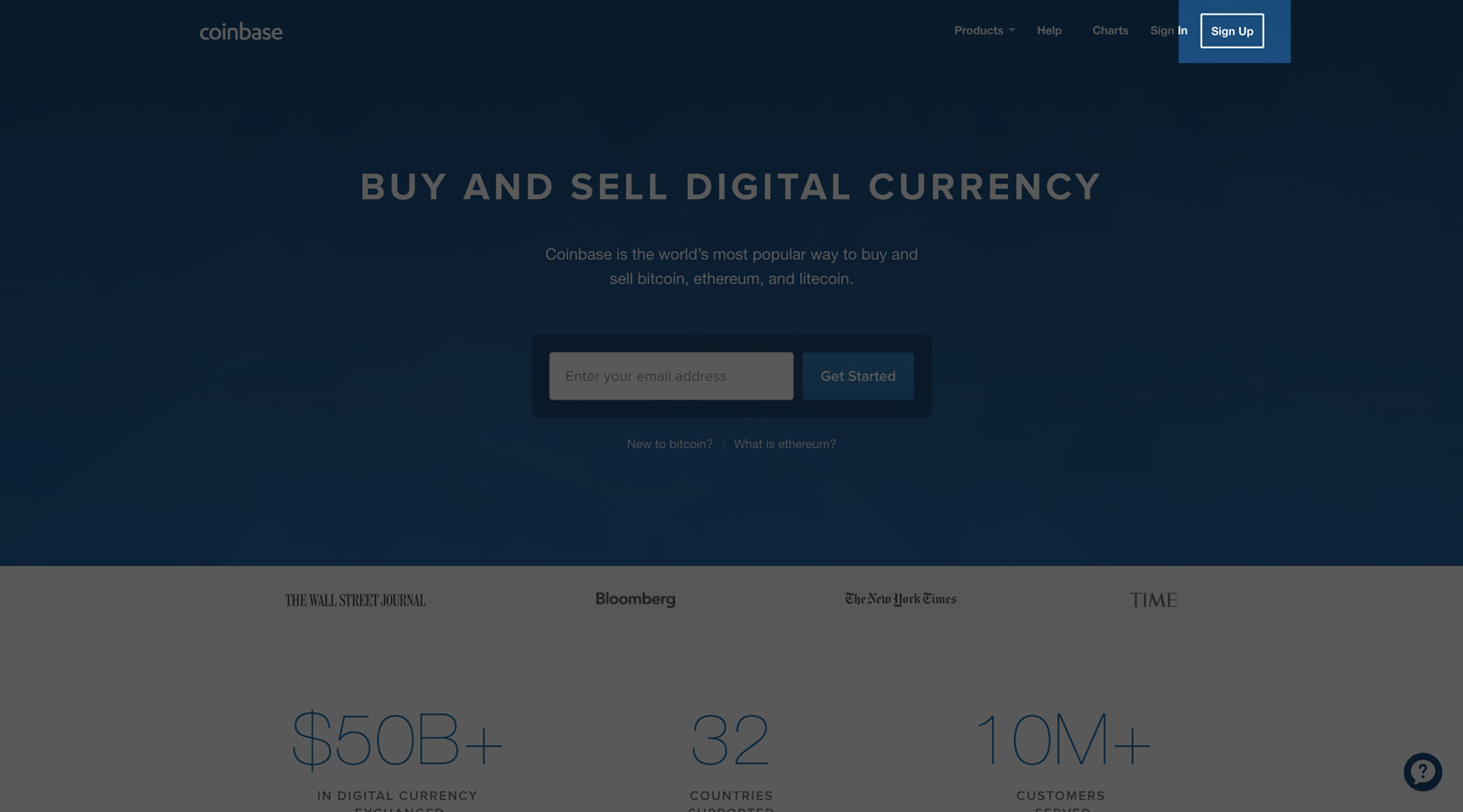 2. You'll be taken to a page where you will fill out the standard new account form that is typical of other websites. 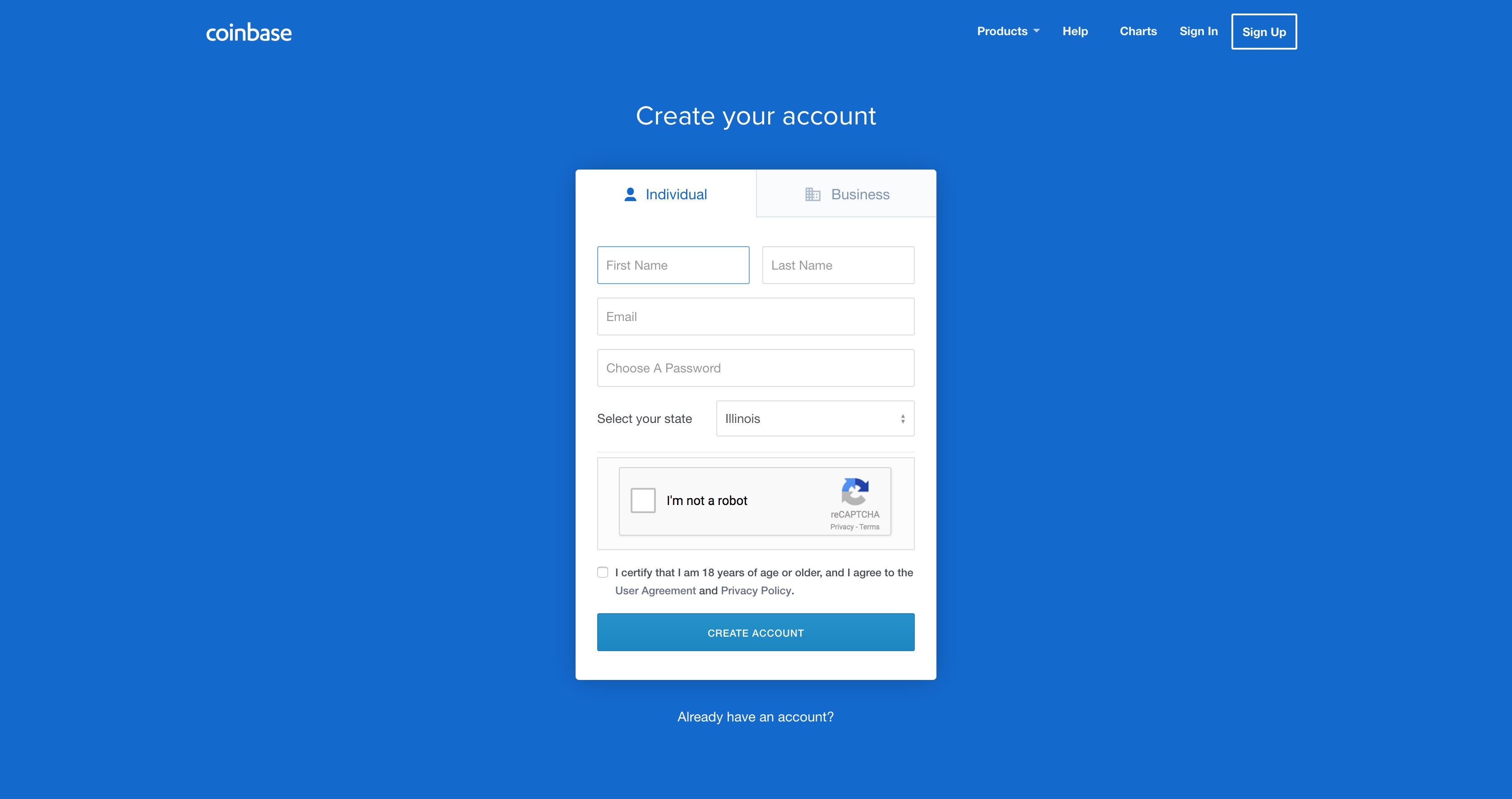 3. They'll be sending you an email to the email address you provide, so don't put in a fake email address. 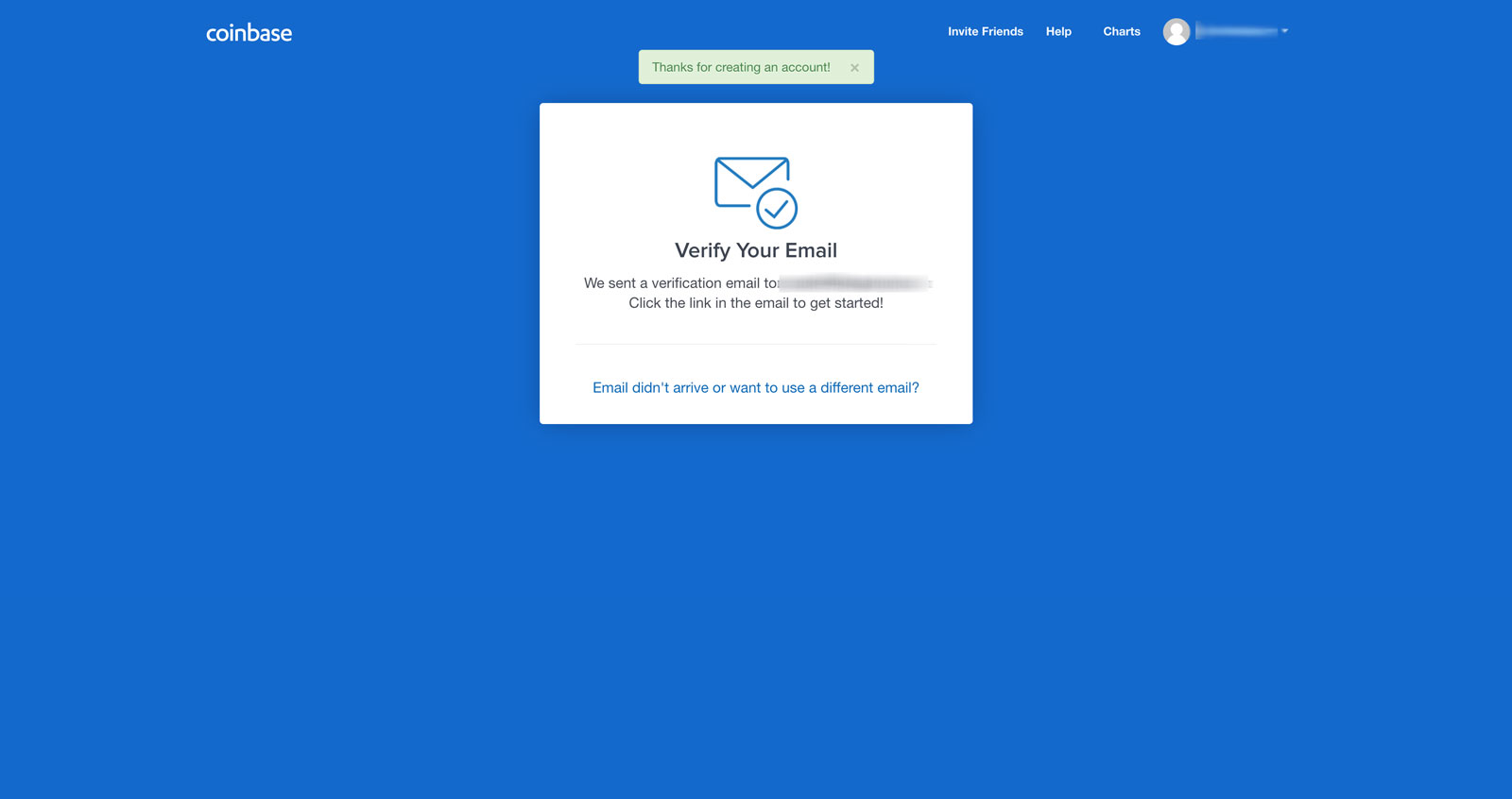 4. Check your inbox or spam folder and then click on the "Verify Email Address" button in the email. Make sure you're in the same browser you are using to create your account.  5. After verifying your email address, you'll be taken back to the website and prompted to enter your phone number so you can verify transactions. Do not enter a fake phone number, you'll need it in the next step. 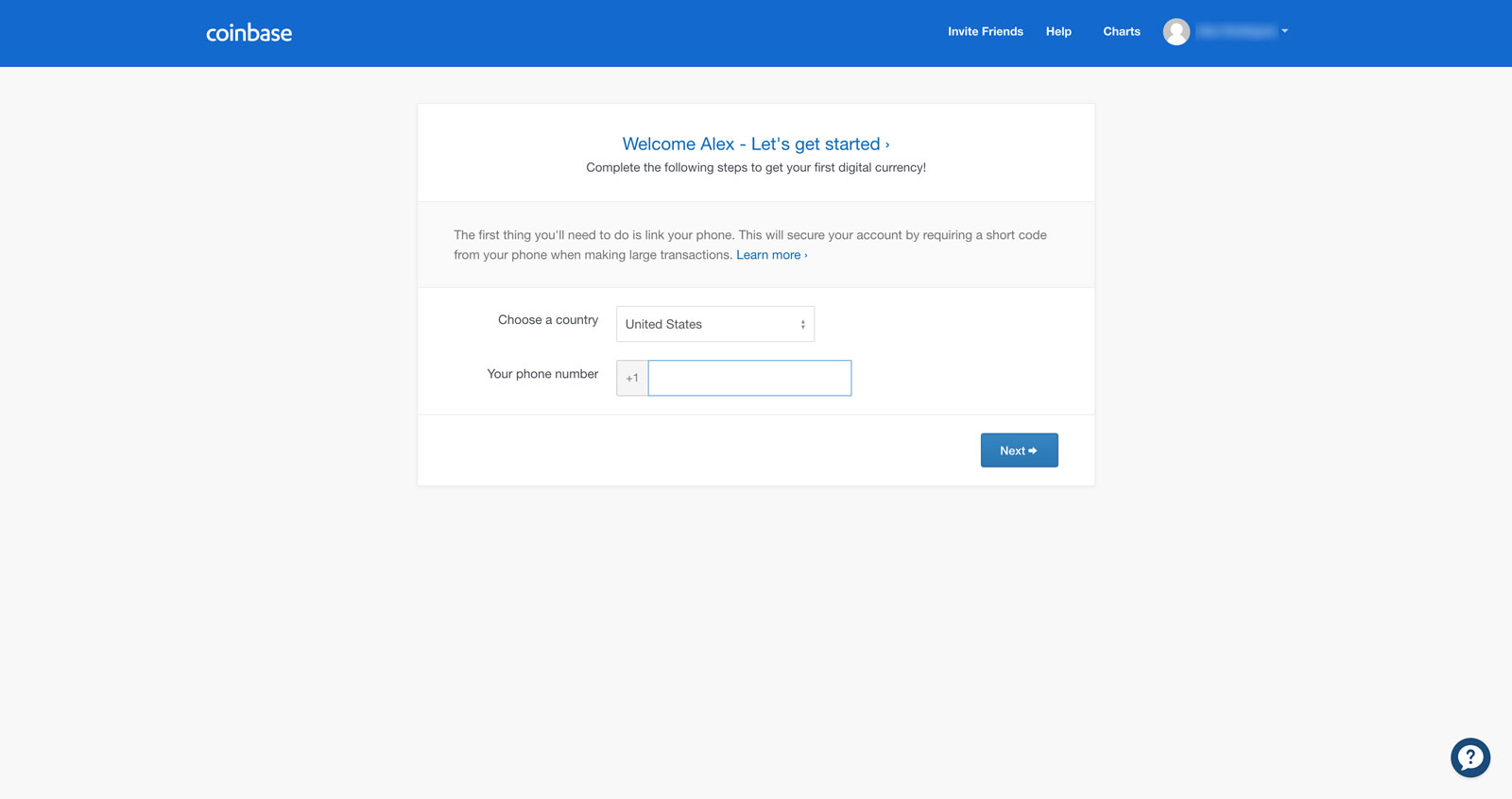 6. Right after, you'll have to enter a code was texted to your phone number to verify you are the owner of the phone. 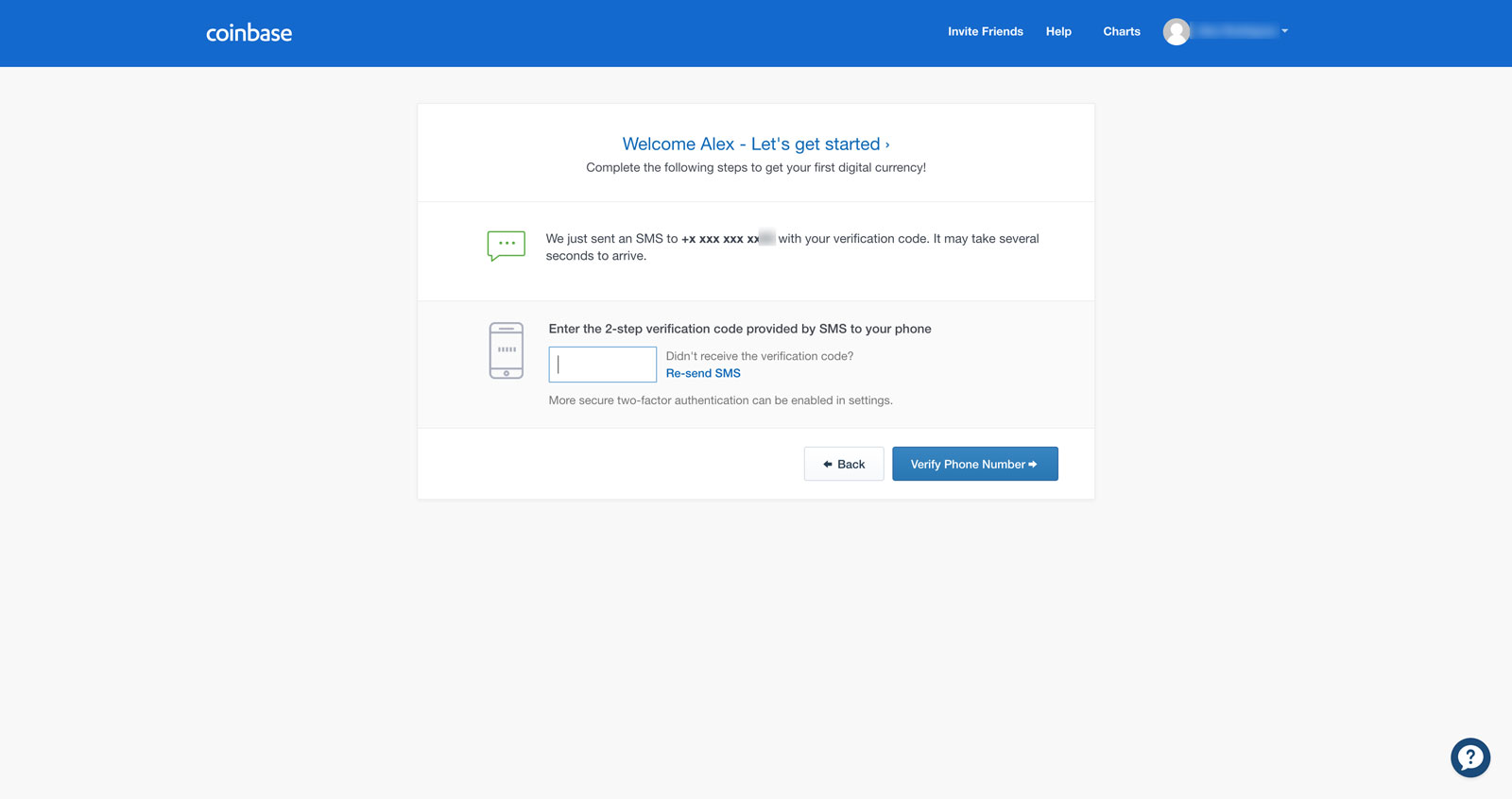 7. After verifying your number, you'll be taken to your account home page where you will have the option to view price charts, add money to your account or purchase coins. Click on our articles listed below on how to purchase either Ether, Litecoin or Bitcoin on [Coinbase](https://www.coinbase.com/join/57204d81e1764839990004ac). - [How to buy Bitcoin](https://steemit.com/buycrypto/@thecryptolog/how-to-buy-bitcoin-btc-walkthrough-coinbase) - [How to buy Litecoin](https://steemit.com/buycrypto/@thecryptolog/how-to-buy-litecoin-ltc-coinbase) - [How to buy Ether](https://steemit.com/buycrypto/@thecryptolog/how-to-buy-ethereum-eth-coinbase) 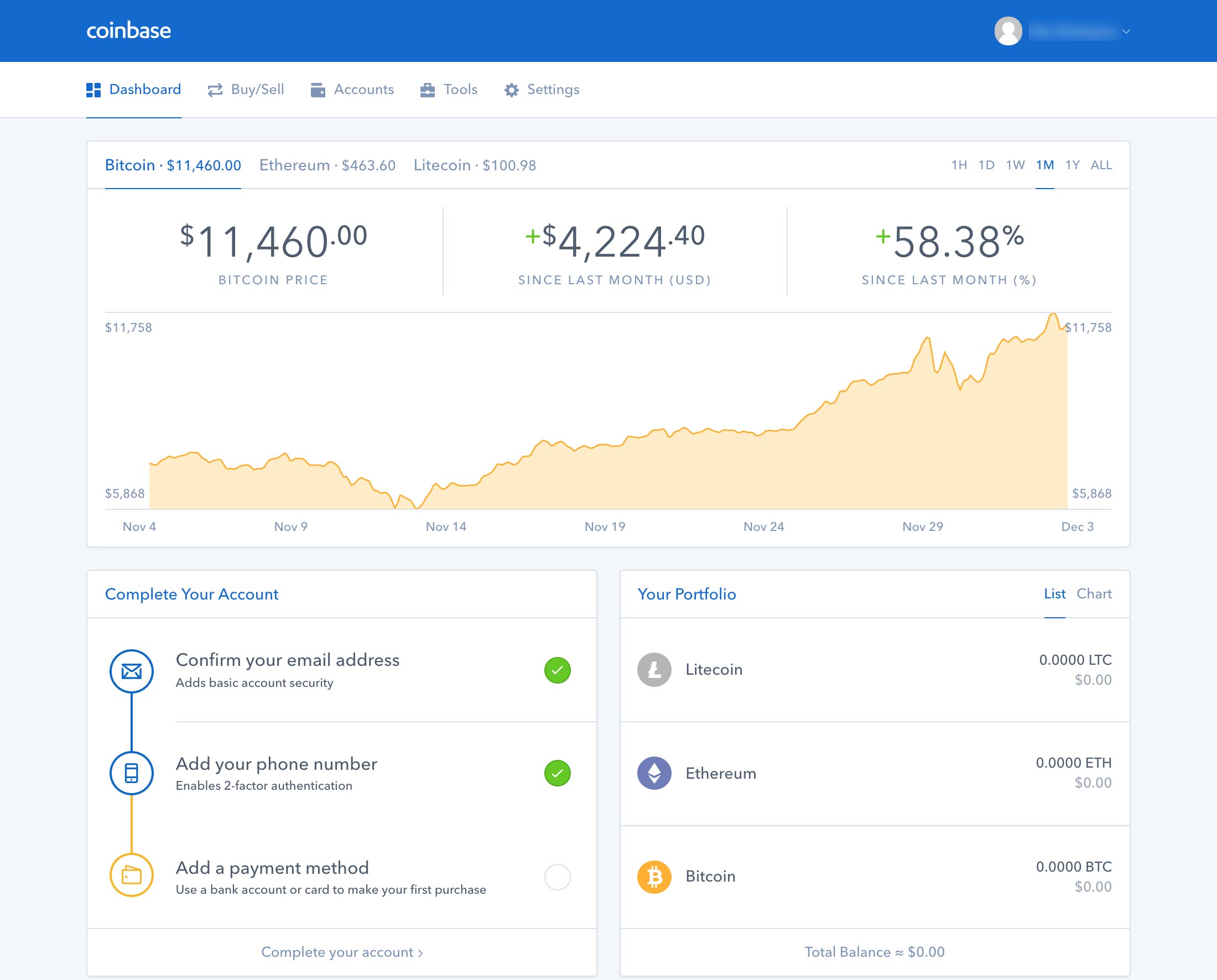 |
| json metadata | {"tags":["cryptocurrency","coinbase","crypto","walkthrough","bitcoin"],"image":["https://steemitimages.com/DQmQyDoTisy8DkWfHj3vM7hobFSUhgJAL1JZKvetK6w3mHp/coinbase-home.jpg","https://steemitimages.com/DQmQQYaNnmFuzAUQyf8YWgLkNVxJ2cGHJavSyFpAuXXYL61/create-acct.png","https://steemitimages.com/DQmPxLw3hFNUJ8dxkpcUyMqBFbn55QbcxihqyHNHT1vY3H4/verify-email.jpg","https://steemitimages.com/DQmP5RaL1gW2JUZurPgvTDe3mBE9ooVjpGeX5ZN9Bt3STjP/email-click.jpg","https://steemitimages.com/DQmXQrSLJd6xHtoQkM7d2v44BVKkDr43Ev4gwaKcrwjwcgE/enter-phone-num.jpg","https://steemitimages.com/DQmXNszU2Apii5Z9CaoWpNiaZcTspmJemsKyFvVuVsqqjdt/enter-phone-num-2.jpg","https://steemitimages.com/DQmXdZYZ3EwnCAgDTGJ4NpfMxYjpGqE6NgPCnMUS43Luz3i/coinbase-home.jpg"],"links":["https://www.coinbase.com/join/57204d81e1764839990004ac","https://steemit.com/buycrypto/@thecryptolog/how-to-buy-bitcoin-btc-walkthrough-coinbase","https://steemit.com/buycrypto/@thecryptolog/how-to-buy-litecoin-ltc-coinbase","https://steemit.com/buycrypto/@thecryptolog/how-to-buy-ethereum-eth-coinbase"],"app":"steemit/0.1","format":"markdown"} |
| parent author | |
| parent permlink | cryptocurrency |
| permlink | how-to-join-coinbase-exchange-walkthrough |
| title | How to join Coinbase exchange - Walkthrough |
| Transaction Info | Block #19306731/Trx 52a9bf7847d09011ee6de609d5629f59bb6b7d00 |
View Raw JSON Data
{
"block": 19306731,
"op": [
"comment",
{
"author": "thecryptolog",
"body": "I'm sure by this time, if you've heard of Bitcoin, you must have heard of the [Coinbase exchange](https://www.coinbase.com/join/57204d81e1764839990004ac). Why else would you be here? Let's walk you through the sign up process for [Coinbase](https://www.coinbase.com/join/57204d81e1764839990004ac), where as of writing, you can purchase Bitcoin, Litecoin, Ethereum and Bitcoin Cash with US dollars.\n\n1. The first thing you'll want to do is go to [Coinbase](https://www.coinbase.com/join/57204d81e1764839990004ac) and click on the sign up link on the top right corner.\n \n\n2. You'll be taken to a page where you will fill out the standard new account form that is typical of other websites.\n \n\n3. They'll be sending you an email to the email address you provide, so don't put in a fake email address.\n \n\n4. Check your inbox or spam folder and then click on the \"Verify Email Address\" button in the email. Make sure you're in the same browser you are using to create your account.\n \n\n5. After verifying your email address, you'll be taken back to the website and prompted to enter your phone number so you can verify transactions. Do not enter a fake phone number, you'll need it in the next step.\n\n\n6. Right after, you'll have to enter a code was texted to your phone number to verify you are the owner of the phone.\n \n\n7. After verifying your number, you'll be taken to your account home page where you will have the option to view price charts, add money to your account or purchase coins. Click on our articles listed below on how to purchase either Ether, Litecoin or Bitcoin on [Coinbase](https://www.coinbase.com/join/57204d81e1764839990004ac).\n\n- [How to buy Bitcoin](https://steemit.com/buycrypto/@thecryptolog/how-to-buy-bitcoin-btc-walkthrough-coinbase)\n- [How to buy Litecoin](https://steemit.com/buycrypto/@thecryptolog/how-to-buy-litecoin-ltc-coinbase)\n- [How to buy Ether](https://steemit.com/buycrypto/@thecryptolog/how-to-buy-ethereum-eth-coinbase)\n\n ",
"json_metadata": "{\"tags\":[\"cryptocurrency\",\"coinbase\",\"crypto\",\"walkthrough\",\"bitcoin\"],\"image\":[\"https://steemitimages.com/DQmQyDoTisy8DkWfHj3vM7hobFSUhgJAL1JZKvetK6w3mHp/coinbase-home.jpg\",\"https://steemitimages.com/DQmQQYaNnmFuzAUQyf8YWgLkNVxJ2cGHJavSyFpAuXXYL61/create-acct.png\",\"https://steemitimages.com/DQmPxLw3hFNUJ8dxkpcUyMqBFbn55QbcxihqyHNHT1vY3H4/verify-email.jpg\",\"https://steemitimages.com/DQmP5RaL1gW2JUZurPgvTDe3mBE9ooVjpGeX5ZN9Bt3STjP/email-click.jpg\",\"https://steemitimages.com/DQmXQrSLJd6xHtoQkM7d2v44BVKkDr43Ev4gwaKcrwjwcgE/enter-phone-num.jpg\",\"https://steemitimages.com/DQmXNszU2Apii5Z9CaoWpNiaZcTspmJemsKyFvVuVsqqjdt/enter-phone-num-2.jpg\",\"https://steemitimages.com/DQmXdZYZ3EwnCAgDTGJ4NpfMxYjpGqE6NgPCnMUS43Luz3i/coinbase-home.jpg\"],\"links\":[\"https://www.coinbase.com/join/57204d81e1764839990004ac\",\"https://steemit.com/buycrypto/@thecryptolog/how-to-buy-bitcoin-btc-walkthrough-coinbase\",\"https://steemit.com/buycrypto/@thecryptolog/how-to-buy-litecoin-ltc-coinbase\",\"https://steemit.com/buycrypto/@thecryptolog/how-to-buy-ethereum-eth-coinbase\"],\"app\":\"steemit/0.1\",\"format\":\"markdown\"}",
"parent_author": "",
"parent_permlink": "cryptocurrency",
"permlink": "how-to-join-coinbase-exchange-walkthrough",
"title": "How to join Coinbase exchange - Walkthrough"
}
],
"op_in_trx": 0,
"timestamp": "2018-01-26T04:51:00",
"trx_id": "52a9bf7847d09011ee6de609d5629f59bb6b7d00",
"trx_in_block": 36,
"virtual_op": 0
}jimmy147upvoted (100.00%) @thecryptolog / how-to-join-the-cryptopia-exchange2018/01/24 04:52:06
jimmy147upvoted (100.00%) @thecryptolog / how-to-join-the-cryptopia-exchange
2018/01/24 04:52:06
| author | thecryptolog |
| permlink | how-to-join-the-cryptopia-exchange |
| voter | jimmy147 |
| weight | 10000 (100.00%) |
| Transaction Info | Block #19249172/Trx 1dc9d64eca733d7a02e34861441404b38b005bb4 |
View Raw JSON Data
{
  "block": 19249172,
  "op": [
    "vote",
    {
      "author": "thecryptolog",
      "permlink": "how-to-join-the-cryptopia-exchange",
      "voter": "jimmy147",
      "weight": 10000
    }
  ],
  "op_in_trx": 0,
  "timestamp": "2018-01-24T04:52:06",
  "trx_id": "1dc9d64eca733d7a02e34861441404b38b005bb4",
  "trx_in_block": 37,
  "virtual_op": 0
}thecryptologpublished a new post: how-to-join-the-cryptopia-exchange2018/01/24 04:40:33
thecryptologpublished a new post: how-to-join-the-cryptopia-exchange
2018/01/24 04:40:33
| author | thecryptolog |
| body | Looking to open an account with [Cryptopia](https://www.cryptopia.co.nz/Register?referrer=crypt0l0g), but don't know if it's reliable? Opening an account at a new exchange can be daunting. Especially if you're opening the account for a particular cryptocurrency. As daunting as it may be, getting a coin before it hits a bigger exchange can put you at an advantage in terms of returns in the long run. Let's get you started on the lesser known exchange, [Cryptopia](https://www.cryptopia.co.nz/Register?referrer=crypt0l0g). 1. The first thing you're going to want to do is visit the official [Cryptopia](https://www.cryptopia.co.nz/Register?referrer=crypt0l0g) website, once you're there, click on the **Register** button on the top right. 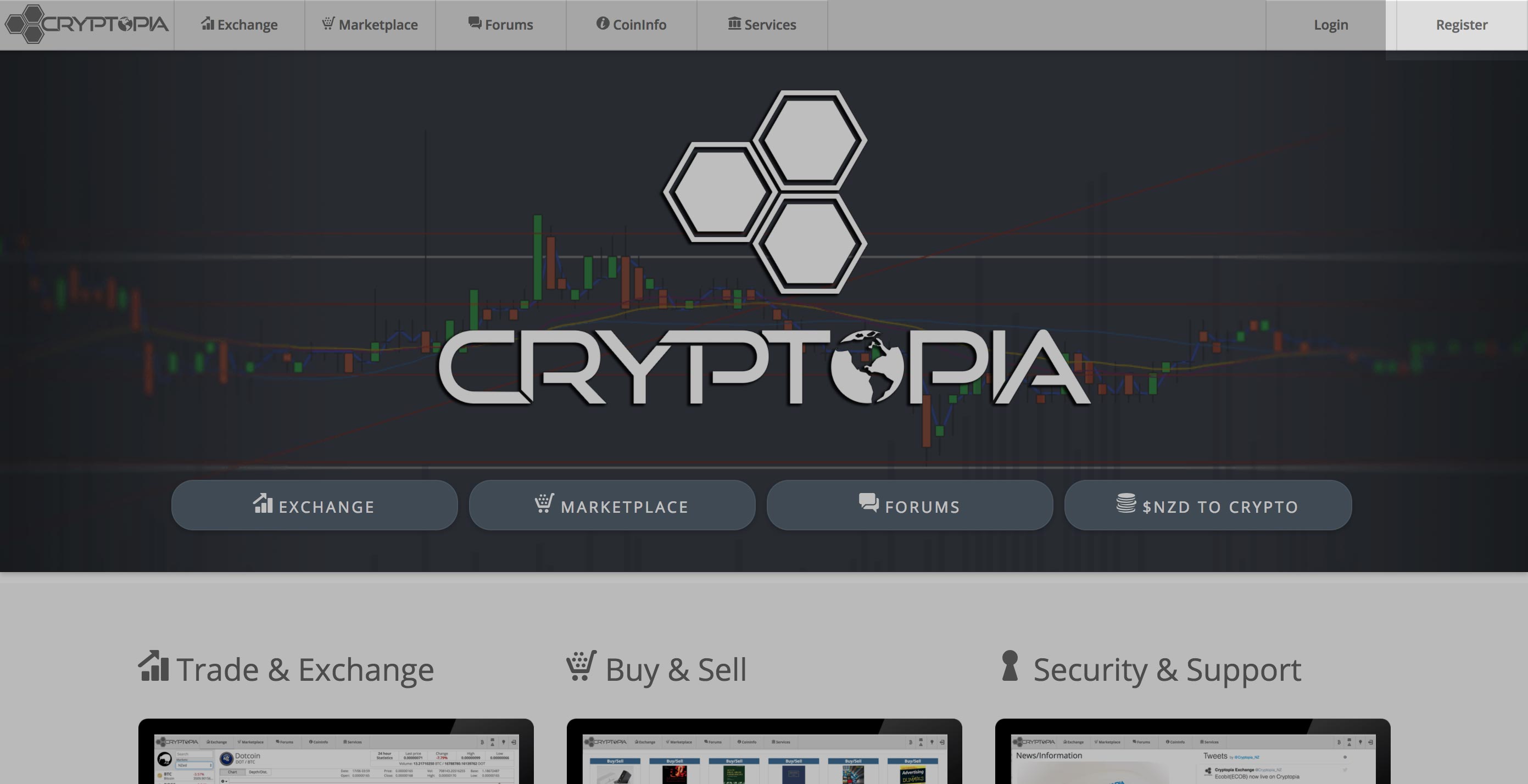 2. You'll be redirected the registration page where you'll have to fill out the standard new account form that is typical of other websites. Use a valid email, as you will need to confirm your account via email verification. Click on **Register** to proceed to the next step. 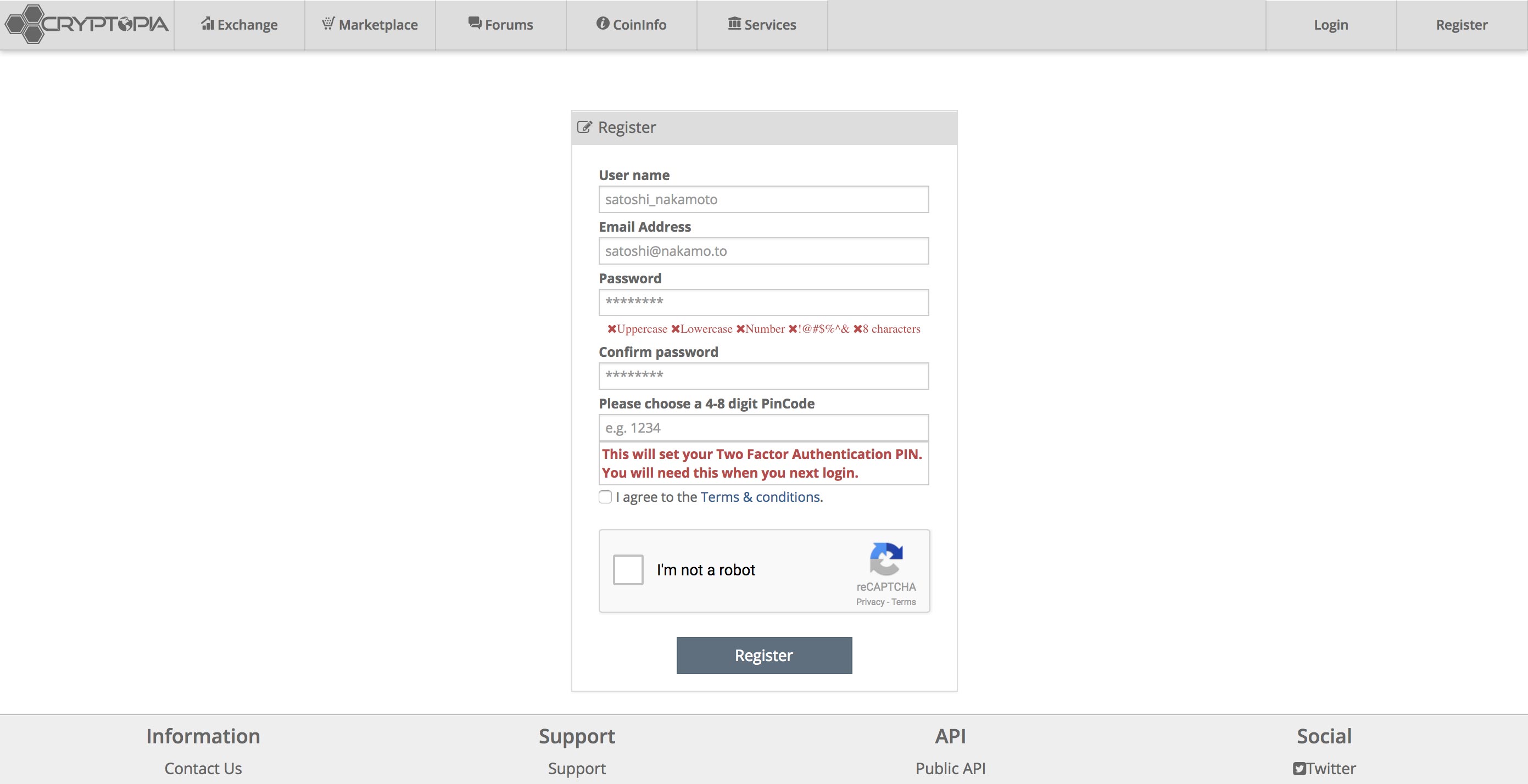 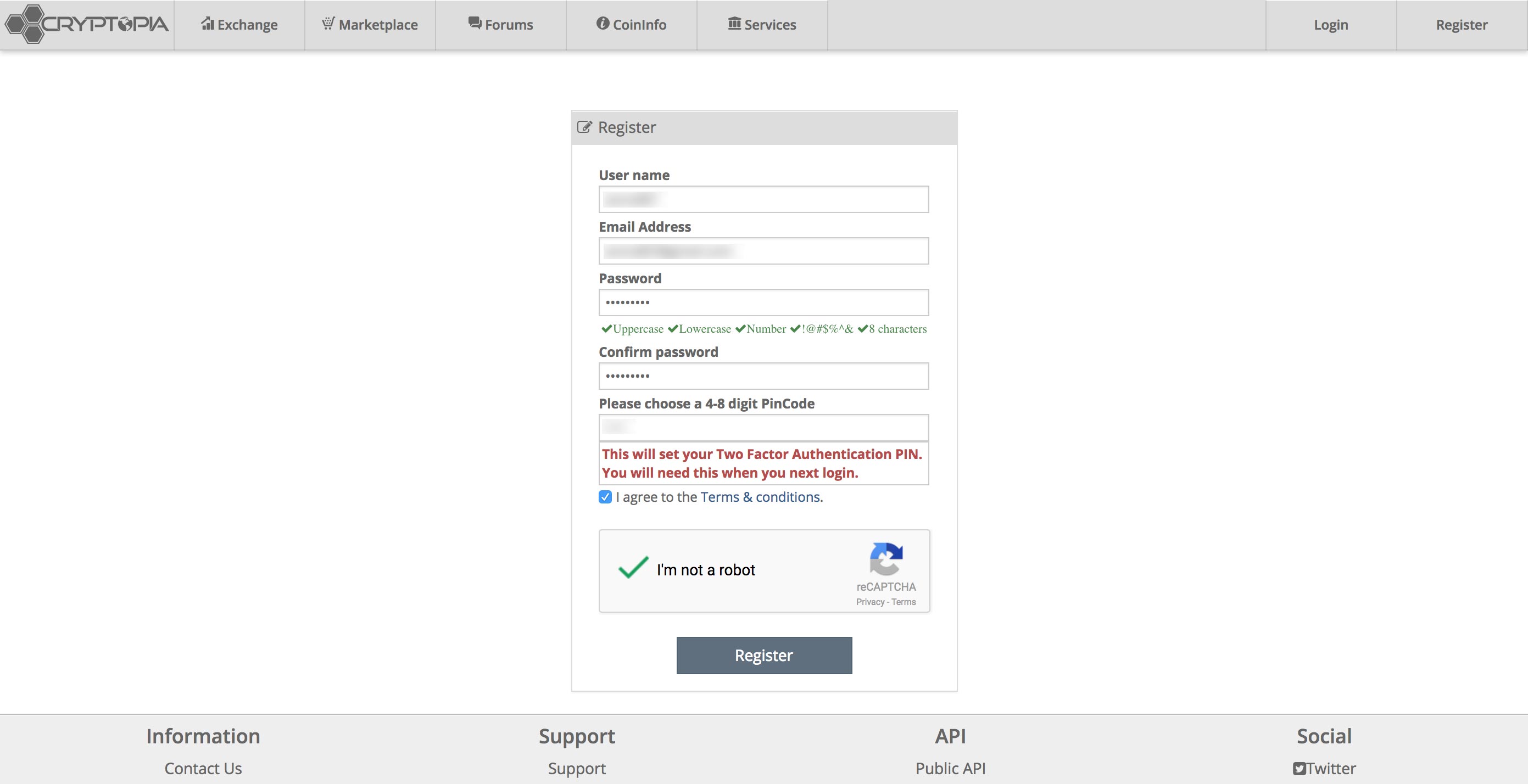 3. Once the form is submitted, you'll be notified that they have sent you an email to verify your account. 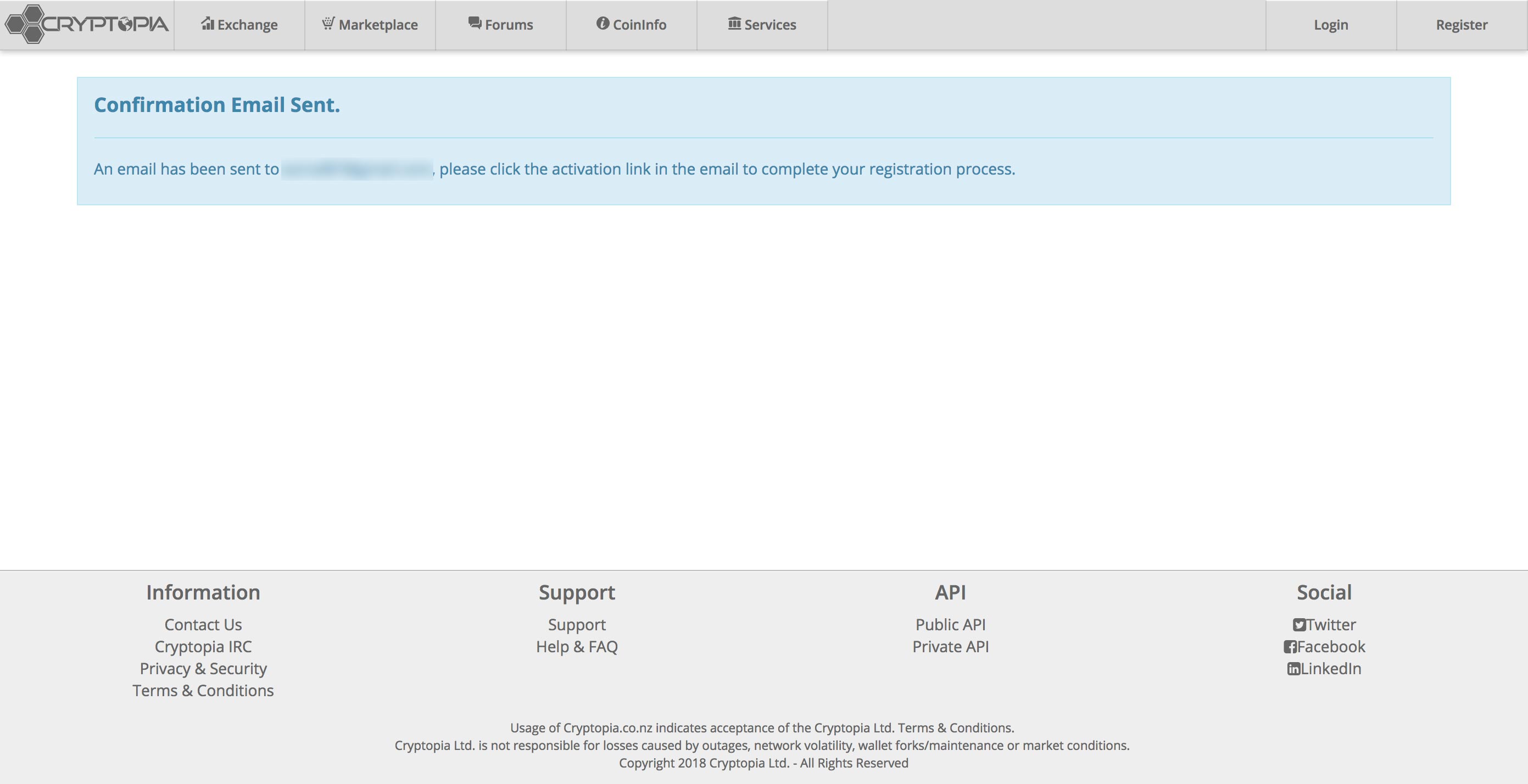 4. Check your inbox for the email that was sent to you. Once you've opened your email, click on **Verify My Email Address** button. 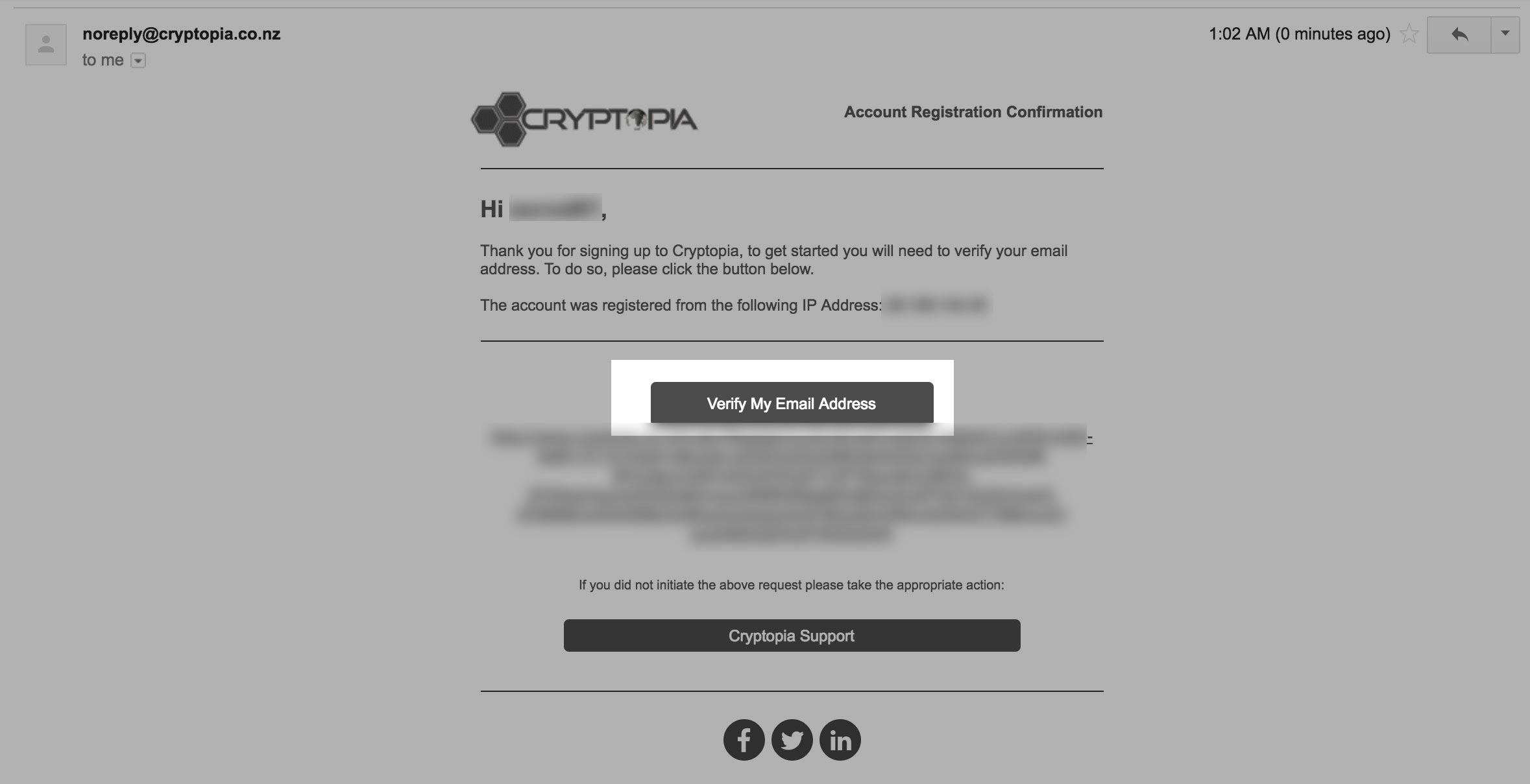 5. You'll be redirected to [Cryptopia](https://www.cryptopia.co.nz/Register?referrer=crypt0l0g) where you'll get a green notification stating you account has been verified. Click on the **Login** button next to sign in with your newly created account. 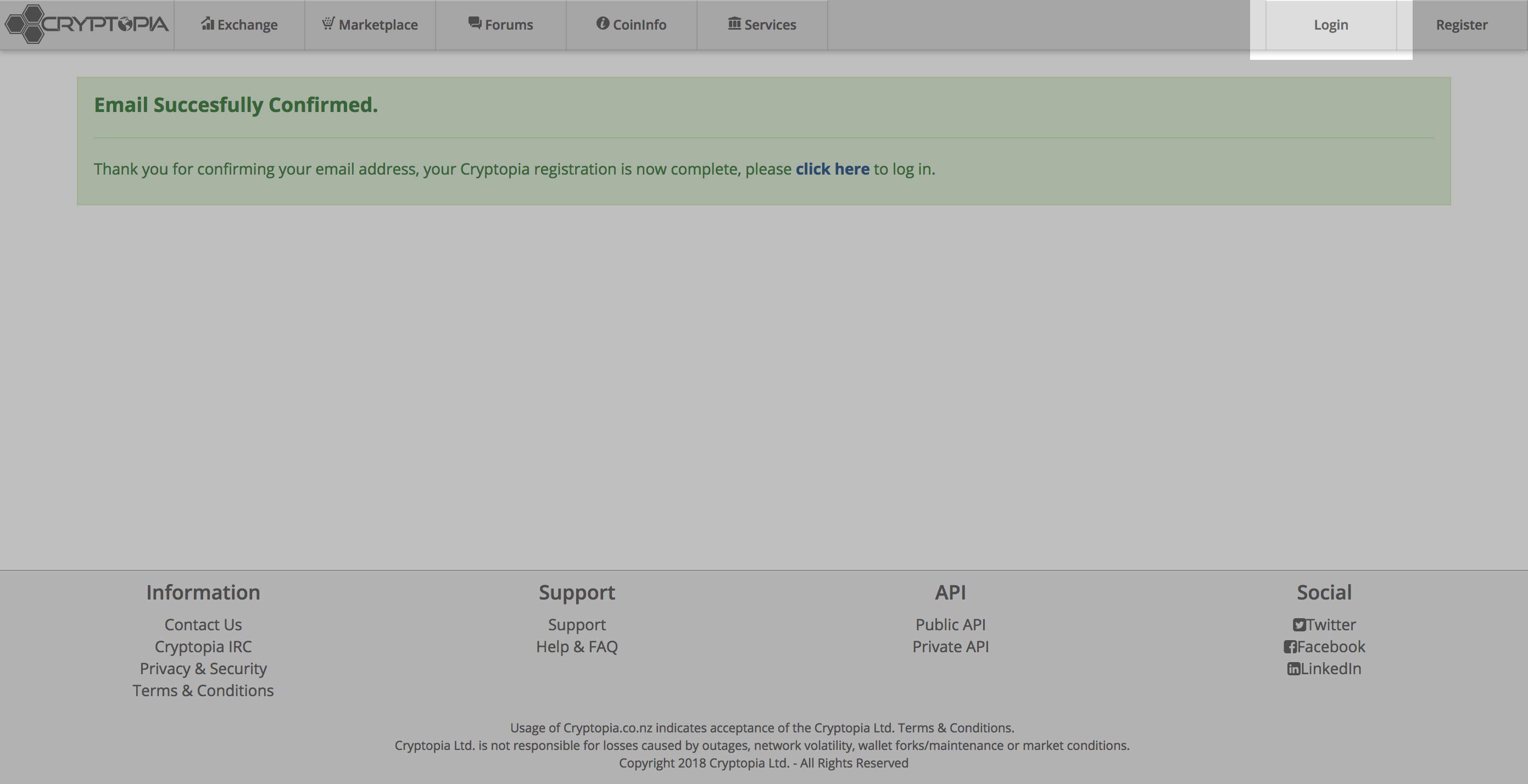 6. You'll be taken to the standard sign in form where you can put in your credentials. Click on **Log In** once your credentials are filled in. 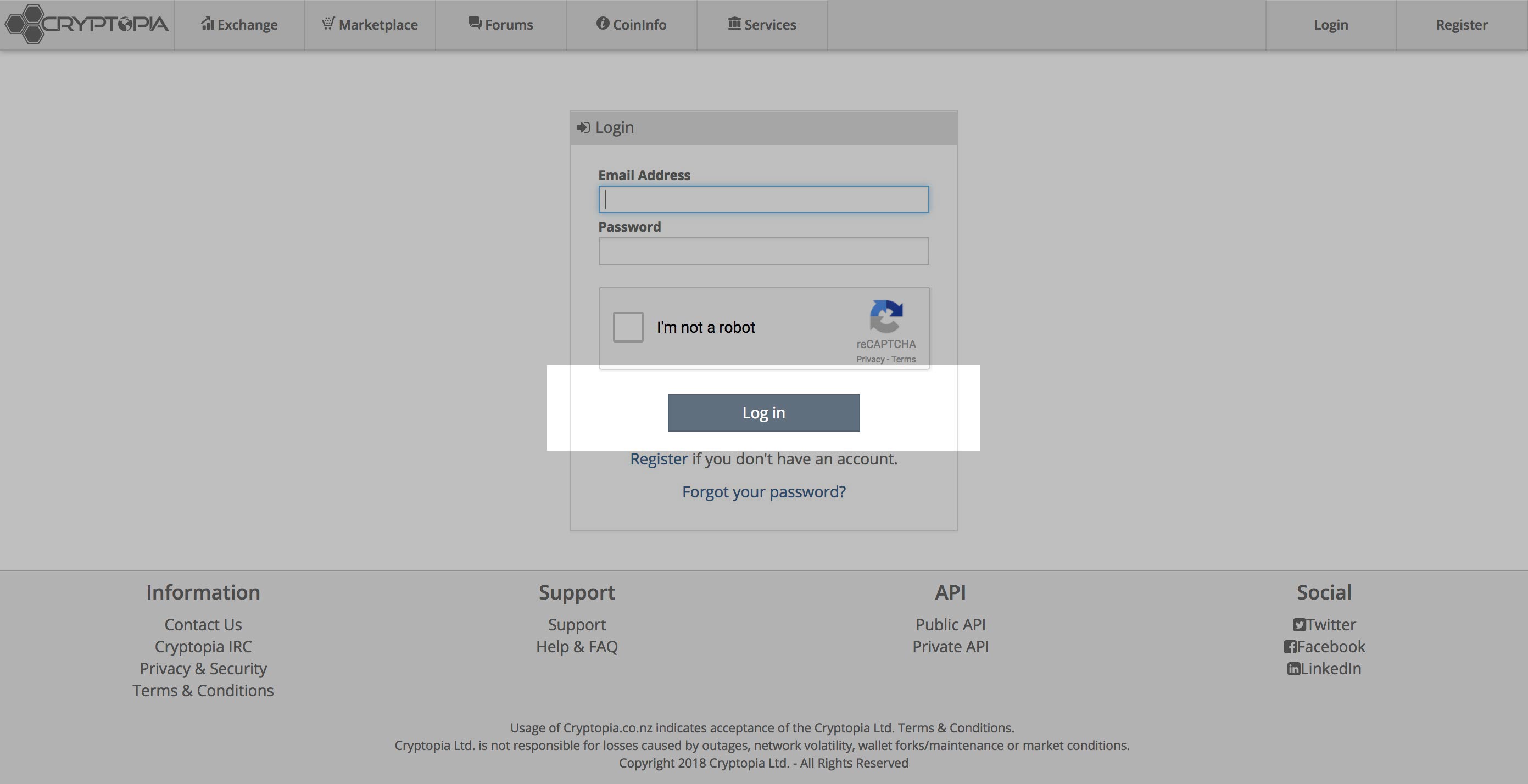 7. Once that form is submitted, you'll be taken to [Cryptopia's](https://www.cryptopia.co.nz/Register?referrer=crypt0l0g) home page. Congrats! You can now start trading on [Cryptopia](https://www.cryptopia.co.nz/Register?referrer=crypt0l0g). 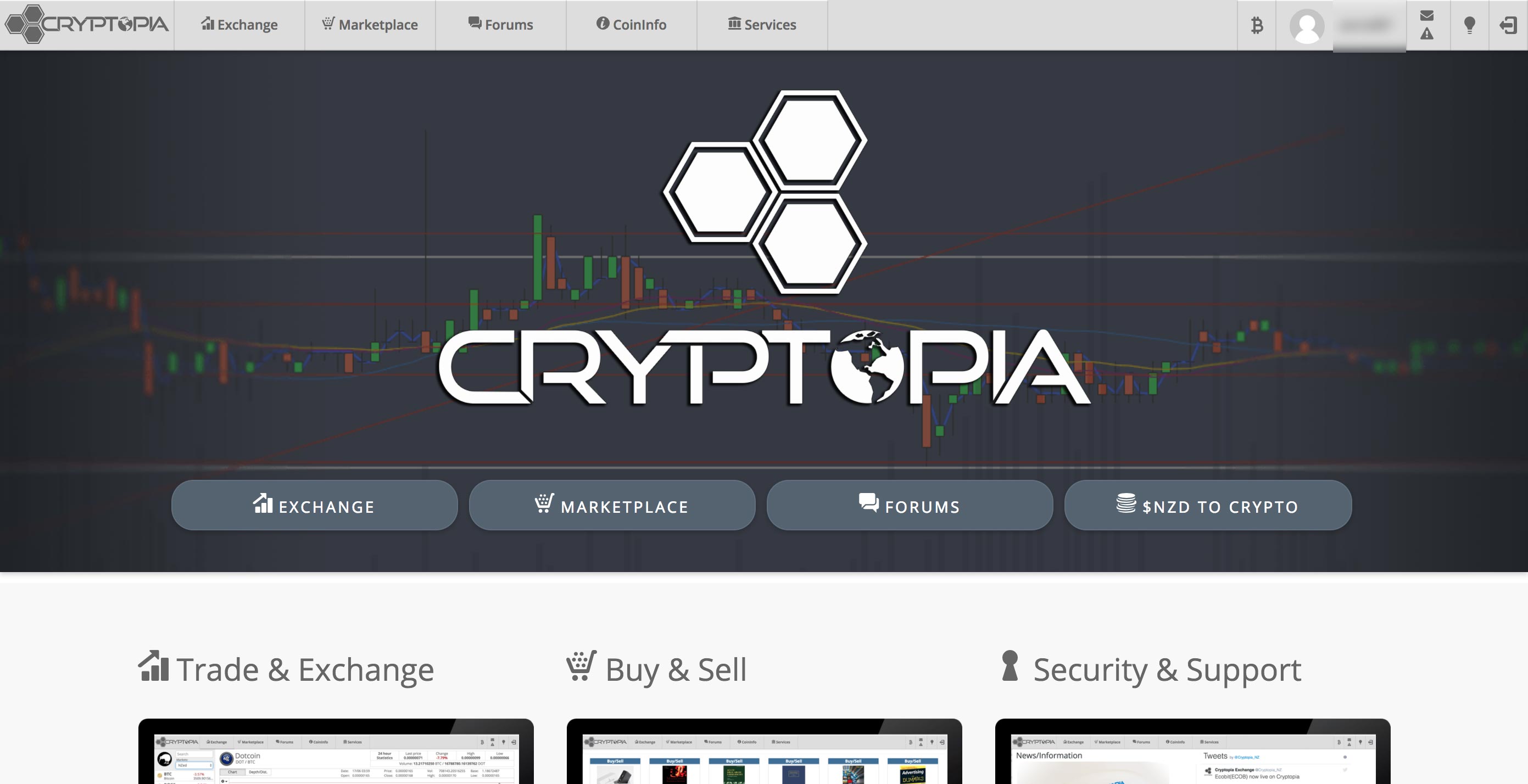 |
| json metadata | {"tags":["cryptocurrency","cryptopia","exchange","crypto","walkthrough"],"image":["https://steemitimages.com/DQmYUynzWbT9LF9eLT3rNQSh5GaTm13jtjBGRu7cCKi3V8C/01-home.jpg","https://steemitimages.com/DQmTs8xkRP7snmzNHJjPuid9w6rVFannceRQSSi4e7xnWcF/2-register-page.jpg","https://steemitimages.com/DQmUiBPs1wQoZNPvAgDmyEnfb4DW2wpCX3T2rkis5EUyWS1/3-register-page.jpg","https://steemitimages.com/DQmRjnAMTYGdsBJGf5vZcuv1TniYrqbEvSAu4GoGvkJZdtQ/4-confirmation-email-sent.jpg","https://steemitimages.com/DQmfWxD3VucozuVg7SoktQcTkEACmNKvwjcY5of1rwwxPf8/5-register-email.jpg","https://steemitimages.com/DQmPWgkbXgUA8EdscRLj5zJp32sHBcQYDFGtqQec2z27JML/6-email-verified.jpg","https://steemitimages.com/DQmVz3BjDoDAzHtvstvZ4qXNovUiHPSX6mgzJqPGh876njC/7-login.jpg","https://steemitimages.com/DQmbBnT3c1f8EYAYBZuBiqy9cWvsVwr1cWNYEA87Mu95dEy/8-logged-in.jpg"],"links":["https://www.cryptopia.co.nz/Register?referrer=crypt0l0g"],"app":"steemit/0.1","format":"markdown"} |
| parent author | |
| parent permlink | cryptocurrency |
| permlink | how-to-join-the-cryptopia-exchange |
| title | How to join the Cryptopia exchange - Walkthrough |
| Transaction Info | Block #19248941/Trx 301c2d53c320e94ce931c1e50c18c3790351397c |
View Raw JSON Data
{
"block": 19248941,
"op": [
"comment",
{
"author": "thecryptolog",
"body": "Looking to open an account with [Cryptopia](https://www.cryptopia.co.nz/Register?referrer=crypt0l0g), but don't know if it's reliable? Opening an account at a new exchange can be daunting. Especially if you're opening the account for a particular cryptocurrency. As daunting as it may be, getting a coin before it hits a bigger exchange can put you at an advantage in terms of returns in the long run. Let's get you started on the lesser known exchange, [Cryptopia](https://www.cryptopia.co.nz/Register?referrer=crypt0l0g).\n\n1. The first thing you're going to want to do is visit the official [Cryptopia](https://www.cryptopia.co.nz/Register?referrer=crypt0l0g) website, once you're there, click on the **Register** button on the top right.\n \n\n2. You'll be redirected the registration page where you'll have to fill out the standard new account form that is typical of other websites. Use a valid email, as you will need to confirm your account via email verification. Click on **Register** to proceed to the next step.\n \n\n \n \n3. Once the form is submitted, you'll be notified that they have sent you an email to verify your account.\n \n\n4. Check your inbox for the email that was sent to you. Once you've opened your email, click on **Verify My Email Address** button.\n \n\n5. You'll be redirected to [Cryptopia](https://www.cryptopia.co.nz/Register?referrer=crypt0l0g) where you'll get a green notification stating you account has been verified. Click on the **Login** button next to sign in with your newly created account.\n \n\n6. You'll be taken to the standard sign in form where you can put in your credentials. Click on **Log In** once your credentials are filled in.\n \n\n7. Once that form is submitted, you'll be taken to [Cryptopia's](https://www.cryptopia.co.nz/Register?referrer=crypt0l0g) home page. Congrats! You can now start trading on [Cryptopia](https://www.cryptopia.co.nz/Register?referrer=crypt0l0g).\n ",
"json_metadata": "{\"tags\":[\"cryptocurrency\",\"cryptopia\",\"exchange\",\"crypto\",\"walkthrough\"],\"image\":[\"https://steemitimages.com/DQmYUynzWbT9LF9eLT3rNQSh5GaTm13jtjBGRu7cCKi3V8C/01-home.jpg\",\"https://steemitimages.com/DQmTs8xkRP7snmzNHJjPuid9w6rVFannceRQSSi4e7xnWcF/2-register-page.jpg\",\"https://steemitimages.com/DQmUiBPs1wQoZNPvAgDmyEnfb4DW2wpCX3T2rkis5EUyWS1/3-register-page.jpg\",\"https://steemitimages.com/DQmRjnAMTYGdsBJGf5vZcuv1TniYrqbEvSAu4GoGvkJZdtQ/4-confirmation-email-sent.jpg\",\"https://steemitimages.com/DQmfWxD3VucozuVg7SoktQcTkEACmNKvwjcY5of1rwwxPf8/5-register-email.jpg\",\"https://steemitimages.com/DQmPWgkbXgUA8EdscRLj5zJp32sHBcQYDFGtqQec2z27JML/6-email-verified.jpg\",\"https://steemitimages.com/DQmVz3BjDoDAzHtvstvZ4qXNovUiHPSX6mgzJqPGh876njC/7-login.jpg\",\"https://steemitimages.com/DQmbBnT3c1f8EYAYBZuBiqy9cWvsVwr1cWNYEA87Mu95dEy/8-logged-in.jpg\"],\"links\":[\"https://www.cryptopia.co.nz/Register?referrer=crypt0l0g\"],\"app\":\"steemit/0.1\",\"format\":\"markdown\"}",
"parent_author": "",
"parent_permlink": "cryptocurrency",
"permlink": "how-to-join-the-cryptopia-exchange",
"title": "How to join the Cryptopia exchange - Walkthrough"
}
],
"op_in_trx": 0,
"timestamp": "2018-01-24T04:40:33",
"trx_id": "301c2d53c320e94ce931c1e50c18c3790351397c",
"trx_in_block": 9,
"virtual_op": 0
}roelirupvoted (100.00%) @thecryptolog / how-to-join-the-cryptopia-exchange2018/01/24 04:40:27
roelirupvoted (100.00%) @thecryptolog / how-to-join-the-cryptopia-exchange
2018/01/24 04:40:27
| author | thecryptolog |
| permlink | how-to-join-the-cryptopia-exchange |
| voter | roelir |
| weight | 10000 (100.00%) |
| Transaction Info | Block #19248939/Trx b7031e6e20624c395a853c449fe108894a62115f |
View Raw JSON Data
{
  "block": 19248939,
  "op": [
    "vote",
    {
      "author": "thecryptolog",
      "permlink": "how-to-join-the-cryptopia-exchange",
      "voter": "roelir",
      "weight": 10000
    }
  ],
  "op_in_trx": 0,
  "timestamp": "2018-01-24T04:40:27",
  "trx_id": "b7031e6e20624c395a853c449fe108894a62115f",
  "trx_in_block": 64,
  "virtual_op": 0
}thecryptologpublished a new post: how-to-join-the-cryptopia-exchange2018/01/24 04:40:00
thecryptologpublished a new post: how-to-join-the-cryptopia-exchange
2018/01/24 04:40:00
| author | thecryptolog |
| body | Looking to open an account with [Cryptopia](https://www.cryptopia.co.nz/Register?referrer=crypt0l0g), but don't know if it's reliable? Opening an account at a new exchange can be daunting. Especially if you're opening the account for a particular cryptocurrency. As daunting as it may be, getting a coin before it hits a bigger exchange can put you at an advantage in terms of returns in the long run. Let's get you started on the lesser known exchange, [Cryptopia](https://www.cryptopia.co.nz/Register?referrer=crypt0l0g). 1. The first thing you're going to want to do is visit the official [Cryptopia](https://www.cryptopia.co.nz/Register?referrer=crypt0l0g) website, once you're there, click on the **Register** button on the top right.  2. You'll be redirected the registration page where you'll have to fill out the standard new account form that is typical of other websites. Use a valid email, as you will need to confirm your account via email verification. Click on **Register** to proceed to the next step.   3. Once the form is submitted, you'll be notified that they have sent you an email to verify your account.  4. Check your inbox for the email that was sent to you. Once you've opened your email, click on **Verify My Email Address** button.  5. You'll be redirected to [Cryptopia](https://www.cryptopia.co.nz/Register?referrer=crypt0l0g) where you'll get a green notification stating you account has been verified. Click on the **Login** button next to sign in with your newly created account.  6. You'll be taken to the standard sign in form where you can put in your credentials. Click on **Log In** once your credentials are filled in.  7. Once that form is submitted, you'll be taken to [Cryptopia's](https://www.cryptopia.co.nz/Register?referrer=crypt0l0g) home page. Congrats! You can now start trading on [Cryptopia](https://www.cryptopia.co.nz/Register?referrer=crypt0l0g).  |
| json metadata | {"tags":["cryptocurrency","cryptopia","exchange","crypto","walkthrough"],"image":["https://steemitimages.com/DQmYUynzWbT9LF9eLT3rNQSh5GaTm13jtjBGRu7cCKi3V8C/01-home.jpg","https://steemitimages.com/DQmTs8xkRP7snmzNHJjPuid9w6rVFannceRQSSi4e7xnWcF/2-register-page.jpg","https://steemitimages.com/DQmUiBPs1wQoZNPvAgDmyEnfb4DW2wpCX3T2rkis5EUyWS1/3-register-page.jpg","https://steemitimages.com/DQmRjnAMTYGdsBJGf5vZcuv1TniYrqbEvSAu4GoGvkJZdtQ/4-confirmation-email-sent.jpg","https://steemitimages.com/DQmfWxD3VucozuVg7SoktQcTkEACmNKvwjcY5of1rwwxPf8/5-register-email.jpg","https://steemitimages.com/DQmPWgkbXgUA8EdscRLj5zJp32sHBcQYDFGtqQec2z27JML/6-email-verified.jpg","https://steemitimages.com/DQmVz3BjDoDAzHtvstvZ4qXNovUiHPSX6mgzJqPGh876njC/7-login.jpg","https://steemitimages.com/DQmbBnT3c1f8EYAYBZuBiqy9cWvsVwr1cWNYEA87Mu95dEy/8-logged-in.jpg"],"links":["https://www.cryptopia.co.nz/Register?referrer=crypt0l0g"],"app":"steemit/0.1","format":"markdown"} |
| parent author | |
| parent permlink | cryptocurrency |
| permlink | how-to-join-the-cryptopia-exchange |
| title | How to join the Cryptopia exchange |
| Transaction Info | Block #19248930/Trx 31179dba9e203adbd6db12052c3865cccf4c7a55 |
View Raw JSON Data
{
"block": 19248930,
"op": [
"comment",
{
"author": "thecryptolog",
"body": "Looking to open an account with [Cryptopia](https://www.cryptopia.co.nz/Register?referrer=crypt0l0g), but don't know if it's reliable? Opening an account at a new exchange can be daunting. Especially if you're opening the account for a particular cryptocurrency. As daunting as it may be, getting a coin before it hits a bigger exchange can put you at an advantage in terms of returns in the long run. Let's get you started on the lesser known exchange, [Cryptopia](https://www.cryptopia.co.nz/Register?referrer=crypt0l0g).\n\n1. The first thing you're going to want to do is visit the official [Cryptopia](https://www.cryptopia.co.nz/Register?referrer=crypt0l0g) website, once you're there, click on the **Register** button on the top right.\n \n\n2. You'll be redirected the registration page where you'll have to fill out the standard new account form that is typical of other websites. Use a valid email, as you will need to confirm your account via email verification. Click on **Register** to proceed to the next step.\n \n\n \n \n3. Once the form is submitted, you'll be notified that they have sent you an email to verify your account.\n \n\n4. Check your inbox for the email that was sent to you. Once you've opened your email, click on **Verify My Email Address** button.\n \n\n5. You'll be redirected to [Cryptopia](https://www.cryptopia.co.nz/Register?referrer=crypt0l0g) where you'll get a green notification stating you account has been verified. Click on the **Login** button next to sign in with your newly created account.\n \n\n6. You'll be taken to the standard sign in form where you can put in your credentials. Click on **Log In** once your credentials are filled in.\n \n\n7. Once that form is submitted, you'll be taken to [Cryptopia's](https://www.cryptopia.co.nz/Register?referrer=crypt0l0g) home page. Congrats! You can now start trading on [Cryptopia](https://www.cryptopia.co.nz/Register?referrer=crypt0l0g).\n ",
"json_metadata": "{\"tags\":[\"cryptocurrency\",\"cryptopia\",\"exchange\",\"crypto\",\"walkthrough\"],\"image\":[\"https://steemitimages.com/DQmYUynzWbT9LF9eLT3rNQSh5GaTm13jtjBGRu7cCKi3V8C/01-home.jpg\",\"https://steemitimages.com/DQmTs8xkRP7snmzNHJjPuid9w6rVFannceRQSSi4e7xnWcF/2-register-page.jpg\",\"https://steemitimages.com/DQmUiBPs1wQoZNPvAgDmyEnfb4DW2wpCX3T2rkis5EUyWS1/3-register-page.jpg\",\"https://steemitimages.com/DQmRjnAMTYGdsBJGf5vZcuv1TniYrqbEvSAu4GoGvkJZdtQ/4-confirmation-email-sent.jpg\",\"https://steemitimages.com/DQmfWxD3VucozuVg7SoktQcTkEACmNKvwjcY5of1rwwxPf8/5-register-email.jpg\",\"https://steemitimages.com/DQmPWgkbXgUA8EdscRLj5zJp32sHBcQYDFGtqQec2z27JML/6-email-verified.jpg\",\"https://steemitimages.com/DQmVz3BjDoDAzHtvstvZ4qXNovUiHPSX6mgzJqPGh876njC/7-login.jpg\",\"https://steemitimages.com/DQmbBnT3c1f8EYAYBZuBiqy9cWvsVwr1cWNYEA87Mu95dEy/8-logged-in.jpg\"],\"links\":[\"https://www.cryptopia.co.nz/Register?referrer=crypt0l0g\"],\"app\":\"steemit/0.1\",\"format\":\"markdown\"}",
"parent_author": "",
"parent_permlink": "cryptocurrency",
"permlink": "how-to-join-the-cryptopia-exchange",
"title": "How to join the Cryptopia exchange"
}
],
"op_in_trx": 0,
"timestamp": "2018-01-24T04:40:00",
"trx_id": "31179dba9e203adbd6db12052c3865cccf4c7a55",
"trx_in_block": 15,
"virtual_op": 0
}daviddivergentupvoted (100.00%) @thecryptolog / what-is-ripple-xrp-a-ripple-summary2018/01/23 01:38:48
daviddivergentupvoted (100.00%) @thecryptolog / what-is-ripple-xrp-a-ripple-summary
2018/01/23 01:38:48
| author | thecryptolog |
| permlink | what-is-ripple-xrp-a-ripple-summary |
| voter | daviddivergent |
| weight | 10000 (100.00%) |
| Transaction Info | Block #19216524/Trx a74ada94821d63cff91cc1518f66ec142b5018c7 |
View Raw JSON Data
{
  "block": 19216524,
  "op": [
    "vote",
    {
      "author": "thecryptolog",
      "permlink": "what-is-ripple-xrp-a-ripple-summary",
      "voter": "daviddivergent",
      "weight": 10000
    }
  ],
  "op_in_trx": 0,
  "timestamp": "2018-01-23T01:38:48",
  "trx_id": "a74ada94821d63cff91cc1518f66ec142b5018c7",
  "trx_in_block": 29,
  "virtual_op": 0
}2018/01/23 01:01:30
2018/01/23 01:01:30
| author | memesteemit |
| permlink | re-thecryptolog-what-is-ripple-xrp-a-ripple-summary-20180123t004300833z |
| voter | thecryptolog |
| weight | 10000 (100.00%) |
| Transaction Info | Block #19215778/Trx b671c9d60bef8413f81120ca6525bd409b28cee3 |
View Raw JSON Data
{
  "block": 19215778,
  "op": [
    "vote",
    {
      "author": "memesteemit",
      "permlink": "re-thecryptolog-what-is-ripple-xrp-a-ripple-summary-20180123t004300833z",
      "voter": "thecryptolog",
      "weight": 10000
    }
  ],
  "op_in_trx": 0,
  "timestamp": "2018-01-23T01:01:30",
  "trx_id": "b671c9d60bef8413f81120ca6525bd409b28cee3",
  "trx_in_block": 27,
  "virtual_op": 0
}2018/01/23 00:43:00
2018/01/23 00:43:00
| author | memesteemit |
| body | Thanks for the info on Ripple. I have been considering investing in this...well written! |
| json metadata | {"tags":["cryptocurrency"],"app":"steemit/0.1"} |
| parent author | thecryptolog |
| parent permlink | what-is-ripple-xrp-a-ripple-summary |
| permlink | re-thecryptolog-what-is-ripple-xrp-a-ripple-summary-20180123t004300833z |
| title | |
| Transaction Info | Block #19215409/Trx df83bc886ebe8863aab62d3f23a506c83a1e27a3 |
View Raw JSON Data
{
  "block": 19215409,
  "op": [
    "comment",
    {
      "author": "memesteemit",
      "body": "Thanks for the info on Ripple.  I have been considering investing in this...well written!",
      "json_metadata": "{\"tags\":[\"cryptocurrency\"],\"app\":\"steemit/0.1\"}",
      "parent_author": "thecryptolog",
      "parent_permlink": "what-is-ripple-xrp-a-ripple-summary",
      "permlink": "re-thecryptolog-what-is-ripple-xrp-a-ripple-summary-20180123t004300833z",
      "title": ""
    }
  ],
  "op_in_trx": 0,
  "timestamp": "2018-01-23T00:43:00",
  "trx_id": "df83bc886ebe8863aab62d3f23a506c83a1e27a3",
  "trx_in_block": 35,
  "virtual_op": 0
}thecryptologpublished a new post: what-is-ripple-xrp-a-ripple-summary2018/01/23 00:41:33
thecryptologpublished a new post: what-is-ripple-xrp-a-ripple-summary
2018/01/23 00:41:33
| author | thecryptolog |
| body | Welcome to a brief summary of Ripple (XRP), this is meant to be short and to the point to give you an idea of what you are investing in. I always recommend you read the Whitepaper for a more detailed explanation of the cryptocurrency you are interested in. Ripple, unlike bitcoin and litecoin, is centralized and owned by a single company called Ripple. The company's main objective is to have its RippleNet blockchain network be an enterprise solution for global payments. What exactly doest that mean? It means that using the blockchain, they are working on reducing bank transactions costs by about 50%. Some of their clients include big names such as BMO, American Express, BBVA and Moneygram. The company initially created 100 billion ripple coins, of which about 39 billion are in circulation. Ripple has 55 billion an escrow that will release 1 billion coins into the circulation supply for 55 months. Ripple claims that the amount that makes into circulation will be much less, but only time will tell. For more information on the remaining 55 billion ripple, [click here](https://ripple.com/dev-blog/explanation-ripples-xrp-escrow/). |
| json metadata | {"tags":["cryptocurrency","ripple","xrp","crypto","cryptosummary"],"links":["https://ripple.com/dev-blog/explanation-ripples-xrp-escrow/"],"app":"steemit/0.1","format":"markdown"} |
| parent author | |
| parent permlink | cryptocurrency |
| permlink | what-is-ripple-xrp-a-ripple-summary |
| title | What is Ripple (XRP)? A Ripple summary |
| Transaction Info | Block #19215380/Trx 0afc9243ebe1de2ce65c6e8c0ba0eee7763ff6f9 |
View Raw JSON Data
{
  "block": 19215380,
  "op": [
    "comment",
    {
      "author": "thecryptolog",
      "body": "Welcome to a brief summary of Ripple (XRP), this is meant to be short and to the point to give you an idea of what you are investing in. I always recommend you read the Whitepaper for a more detailed explanation of the cryptocurrency you are interested in.\n\nRipple, unlike bitcoin and litecoin, is centralized and owned by a single company called Ripple. The company's main objective is to have its RippleNet blockchain network be an enterprise solution for global payments. What exactly doest that mean? It means that using the blockchain, they are working on reducing bank transactions costs by about 50%. Some of their clients include big names such as BMO, American Express, BBVA and Moneygram.\n\nThe company initially created 100 billion ripple coins, of which about 39 billion are in circulation. Ripple has 55 billion an escrow that will release 1 billion coins into the circulation supply for 55 months. Ripple claims that the amount that makes into circulation will be much less, but only time will tell. For more information on the remaining 55 billion ripple, [click here](https://ripple.com/dev-blog/explanation-ripples-xrp-escrow/).",
      "json_metadata": "{\"tags\":[\"cryptocurrency\",\"ripple\",\"xrp\",\"crypto\",\"cryptosummary\"],\"links\":[\"https://ripple.com/dev-blog/explanation-ripples-xrp-escrow/\"],\"app\":\"steemit/0.1\",\"format\":\"markdown\"}",
      "parent_author": "",
      "parent_permlink": "cryptocurrency",
      "permlink": "what-is-ripple-xrp-a-ripple-summary",
      "title": "What is Ripple (XRP)? A Ripple summary"
    }
  ],
  "op_in_trx": 0,
  "timestamp": "2018-01-23T00:41:33",
  "trx_id": "0afc9243ebe1de2ce65c6e8c0ba0eee7763ff6f9",
  "trx_in_block": 1,
  "virtual_op": 0
}thecryptologpublished a new post: what-is-bitcoin-btc-a-bitcoin-summary2018/01/20 21:44:30
thecryptologpublished a new post: what-is-bitcoin-btc-a-bitcoin-summary
2018/01/20 21:44:30
| author | thecryptolog |
| body | @@ -1012,16 +1012,41 @@ r, gold, + real estate, technology, diamond @@ -1080,16 +1080,237 @@ y value. + So why is it worth so much? Well, it could be the fact this monetary system is not in the control of a single entity, and that people can trade it as they please in the hopes of avoiding using the global fiat currencies. %0A%0AThere @@ -1735,21 +1735,17 @@ any -fiat purchase +s on @@ -1758,12 +1758,15 @@ rce -stor +purchas es, @@ -1804,17 +1804,18 @@ rchases. - +%0A%0A Where wi |
| json metadata | {"tags":["cryptocurrency","bitcoin","btc","cryptosummary","whatiscrypto"],"app":"steemit/0.1","format":"markdown"} |
| parent author | |
| parent permlink | cryptocurrency |
| permlink | what-is-bitcoin-btc-a-bitcoin-summary |
| title | What is Bitcoin (BTC)? A Bitcoin Summary |
| Transaction Info | Block #19154259/Trx b68d18babcf82a8767554571acde192dfa49c028 |
View Raw JSON Data
{
  "block": 19154259,
  "op": [
    "comment",
    {
      "author": "thecryptolog",
      "body": "@@ -1012,16 +1012,41 @@\n r, gold,\n+ real estate, technology,\n  diamond\n@@ -1080,16 +1080,237 @@\n y value.\n+ So why is it worth so much? Well, it could be the fact this monetary system is not in the control of a single entity, and that people can trade it as they please in the hopes of avoiding using the global fiat currencies.\n %0A%0AThere \n@@ -1735,21 +1735,17 @@\n any \n-fiat \n purchase\n+s\n  on \n@@ -1758,12 +1758,15 @@\n rce \n-stor\n+purchas\n es, \n@@ -1804,17 +1804,18 @@\n rchases.\n- \n+%0A%0A\n Where wi\n",
      "json_metadata": "{\"tags\":[\"cryptocurrency\",\"bitcoin\",\"btc\",\"cryptosummary\",\"whatiscrypto\"],\"app\":\"steemit/0.1\",\"format\":\"markdown\"}",
      "parent_author": "",
      "parent_permlink": "cryptocurrency",
      "permlink": "what-is-bitcoin-btc-a-bitcoin-summary",
      "title": "What is Bitcoin (BTC)? A Bitcoin Summary"
    }
  ],
  "op_in_trx": 0,
  "timestamp": "2018-01-20T21:44:30",
  "trx_id": "b68d18babcf82a8767554571acde192dfa49c028",
  "trx_in_block": 31,
  "virtual_op": 0
}mirkmarvelupvoted (1.00%) @thecryptolog / what-is-bitcoin-btc-a-bitcoin-summary2018/01/20 21:19:45
mirkmarvelupvoted (1.00%) @thecryptolog / what-is-bitcoin-btc-a-bitcoin-summary
2018/01/20 21:19:45
| author | thecryptolog |
| permlink | what-is-bitcoin-btc-a-bitcoin-summary |
| voter | mirkmarvel |
| weight | 100 (1.00%) |
| Transaction Info | Block #19153764/Trx 15d7134acdb572ccf83a062c6556da9311713967 |
View Raw JSON Data
{
  "block": 19153764,
  "op": [
    "vote",
    {
      "author": "thecryptolog",
      "permlink": "what-is-bitcoin-btc-a-bitcoin-summary",
      "voter": "mirkmarvel",
      "weight": 100
    }
  ],
  "op_in_trx": 0,
  "timestamp": "2018-01-20T21:19:45",
  "trx_id": "15d7134acdb572ccf83a062c6556da9311713967",
  "trx_in_block": 23,
  "virtual_op": 0
}thecryptologpublished a new post: what-is-bitcoin-btc-a-bitcoin-summary2018/01/20 21:19:27
thecryptologpublished a new post: what-is-bitcoin-btc-a-bitcoin-summary
2018/01/20 21:19:27
| author | thecryptolog |
| body | Welcome to a brief summary of Bitcoin, this is meant to be short and to the point to give you an idea of what you are investing in. I alway recommend you read the Whitepaper for a more detailed explanation of the cryptocurrency you are interested in. What is bitcoin? Bitcoin, or BTC as the coin symbol, is the first ever cryptocurrency to be created. It was created in 2009, shortly after the worldwide financial crisis by a person using the alias Satoshi Nakamoto. To this day, no one knows who Satoshi Nakamoto really is. Bitcoin was originally created to be used as a form of digital currency, much like the numbers you see when you log into your bank account. The difference between your money and bitcoin is that bitcion is decentralized, meaning no single entity controls the bitcoin network, versus your country's money, that is controlled by your government. So what give Bitcoin its value? Well, in reality, nothing does, only what the people perceive it to be. The same perception that gives silver, gold, diamonds, or you government's money value. There will only ever be 21 million coins. Each coin can be divisible by 8 decimal places. A price of 0.00000001 is considered by many to be 1 satoshi unit. As of the time of writing, making transactions on the network is slow and expensive . Transaction times should increase soon with the implementation of the Lightning Network on Bitcoin's codebase. Bitcoin is almost a decade old and has been used as a substitute for many fiat purchase on ecommerce stores, trades, and even real estate purchases. Where will the value of Bitcoin in the future? No one knows, but what we do know is that it's being traded and used by millions of people worldwide in business and out of business, 24/7. |
| json metadata | {"tags":["cryptocurrency","bitcoin","btc","cryptosummary","whatiscrypto"],"app":"steemit/0.1","format":"markdown"} |
| parent author | |
| parent permlink | cryptocurrency |
| permlink | what-is-bitcoin-btc-a-bitcoin-summary |
| title | What is Bitcoin (BTC)? A Bitcoin Summary |
| Transaction Info | Block #19153758/Trx 3c449b5a2b9f17a53e524ff489a24c36e049b390 |
View Raw JSON Data
{
  "block": 19153758,
  "op": [
    "comment",
    {
      "author": "thecryptolog",
      "body": "Welcome to a brief summary of Bitcoin, this is meant to be short and to the point to give you an idea of what you are investing in. I alway recommend you read the Whitepaper for a more detailed explanation of the cryptocurrency you are interested in.\n\nWhat is bitcoin? Bitcoin, or BTC as the coin symbol, is the first ever cryptocurrency to be created. It was created in 2009, shortly after the worldwide financial crisis by a person using the alias Satoshi Nakamoto. To this day, no one knows who Satoshi Nakamoto really is.\n\nBitcoin was originally created to be used as a form of digital currency, much like the numbers you see when you log into your bank account. The difference between your money and bitcoin is that bitcion is decentralized, meaning no single entity controls the bitcoin network, versus your country's money, that is controlled by your government.\n\nSo what give Bitcoin its value? Well, in reality, nothing does, only what the people perceive it to be. The same perception that gives silver, gold, diamonds, or you government's money value.\n\nThere will only ever be 21 million coins. Each coin can be divisible by 8 decimal places. A price of 0.00000001 is considered by many to be 1 satoshi unit. As of the time of writing, making transactions on the network is slow and expensive . Transaction times should increase soon with the implementation of the Lightning Network on Bitcoin's codebase.\n\nBitcoin is almost a decade old and has been used as a substitute for many fiat purchase on ecommerce stores, trades, and even real estate purchases. Where will the value of Bitcoin in the future? No one knows, but what we do know is that it's being traded and used by millions of people worldwide in business and out of business, 24/7.",
      "json_metadata": "{\"tags\":[\"cryptocurrency\",\"bitcoin\",\"btc\",\"cryptosummary\",\"whatiscrypto\"],\"app\":\"steemit/0.1\",\"format\":\"markdown\"}",
      "parent_author": "",
      "parent_permlink": "cryptocurrency",
      "permlink": "what-is-bitcoin-btc-a-bitcoin-summary",
      "title": "What is Bitcoin (BTC)? A Bitcoin Summary"
    }
  ],
  "op_in_trx": 0,
  "timestamp": "2018-01-20T21:19:27",
  "trx_id": "3c449b5a2b9f17a53e524ff489a24c36e049b390",
  "trx_in_block": 8,
  "virtual_op": 0
}2018/01/20 07:24:39
2018/01/20 07:24:39
| author | steemitboard |
| body | Congratulations @thecryptolog! You have completed some achievement on Steemit and have been rewarded with new badge(s) : [](http://steemitboard.com/@thecryptolog) Award for the number of posts published Click on any badge to view your own Board of Honor on SteemitBoard. For more information about SteemitBoard, click [here](https://steemit.com/@steemitboard) If you no longer want to receive notifications, reply to this comment with the word `STOP` > By upvoting this notification, you can help all Steemit users. Learn how [here](https://steemit.com/steemitboard/@steemitboard/http-i-cubeupload-com-7ciqeo-png)! |
| json metadata | {"image":["https://steemitboard.com/img/notifications.png"]} |
| parent author | thecryptolog |
| parent permlink | what-is-litecoin-ltc-a-litecoin-summary |
| permlink | steemitboard-notify-thecryptolog-20180120t072441000z |
| title | |
| Transaction Info | Block #19137068/Trx ab65ae61c56b211af92962a76fdf8feb7ac0d334 |
View Raw JSON Data
{
"block": 19137068,
"op": [
"comment",
{
"author": "steemitboard",
"body": "Congratulations @thecryptolog! You have completed some achievement on Steemit and have been rewarded with new badge(s) :\n\n[](http://steemitboard.com/@thecryptolog) Award for the number of posts published\n\nClick on any badge to view your own Board of Honor on SteemitBoard.\nFor more information about SteemitBoard, click [here](https://steemit.com/@steemitboard)\n\nIf you no longer want to receive notifications, reply to this comment with the word `STOP`\n\n> By upvoting this notification, you can help all Steemit users. Learn how [here](https://steemit.com/steemitboard/@steemitboard/http-i-cubeupload-com-7ciqeo-png)!",
"json_metadata": "{\"image\":[\"https://steemitboard.com/img/notifications.png\"]}",
"parent_author": "thecryptolog",
"parent_permlink": "what-is-litecoin-ltc-a-litecoin-summary",
"permlink": "steemitboard-notify-thecryptolog-20180120t072441000z",
"title": ""
}
],
"op_in_trx": 0,
"timestamp": "2018-01-20T07:24:39",
"trx_id": "ab65ae61c56b211af92962a76fdf8feb7ac0d334",
"trx_in_block": 48,
"virtual_op": 0
}2018/01/19 14:13:21
2018/01/19 14:13:21
| author | cannavarocanva46 |
| permlink | re-thecryptolog-what-is-litecoin-ltc-a-litecoin-summary-20180119t062742103z |
| voter | thecryptolog |
| weight | 10000 (100.00%) |
| Transaction Info | Block #19116467/Trx ca87cd6dd6bed64ffeb0744b6e7d6e614023fb15 |
View Raw JSON Data
{
  "block": 19116467,
  "op": [
    "vote",
    {
      "author": "cannavarocanva46",
      "permlink": "re-thecryptolog-what-is-litecoin-ltc-a-litecoin-summary-20180119t062742103z",
      "voter": "thecryptolog",
      "weight": 10000
    }
  ],
  "op_in_trx": 0,
  "timestamp": "2018-01-19T14:13:21",
  "trx_id": "ca87cd6dd6bed64ffeb0744b6e7d6e614023fb15",
  "trx_in_block": 18,
  "virtual_op": 0
}2018/01/19 06:27:42
2018/01/19 06:27:42
| author | cannavarocanva46 |
| body | Good job, Thank you for posting. |
| json metadata | {"tags":["cryptocurrency"],"app":"steemit/0.1"} |
| parent author | thecryptolog |
| parent permlink | what-is-litecoin-ltc-a-litecoin-summary |
| permlink | re-thecryptolog-what-is-litecoin-ltc-a-litecoin-summary-20180119t062742103z |
| title | |
| Transaction Info | Block #19107157/Trx 7d14e663f39eeadb426d986ce8666b4e9a27c032 |
View Raw JSON Data
{
  "block": 19107157,
  "op": [
    "comment",
    {
      "author": "cannavarocanva46",
      "body": "Good job, Thank you for posting.",
      "json_metadata": "{\"tags\":[\"cryptocurrency\"],\"app\":\"steemit/0.1\"}",
      "parent_author": "thecryptolog",
      "parent_permlink": "what-is-litecoin-ltc-a-litecoin-summary",
      "permlink": "re-thecryptolog-what-is-litecoin-ltc-a-litecoin-summary-20180119t062742103z",
      "title": ""
    }
  ],
  "op_in_trx": 0,
  "timestamp": "2018-01-19T06:27:42",
  "trx_id": "7d14e663f39eeadb426d986ce8666b4e9a27c032",
  "trx_in_block": 23,
  "virtual_op": 0
}thecryptologpublished a new post: what-is-litecoin-ltc-a-litecoin-summary2018/01/19 06:26:24
thecryptologpublished a new post: what-is-litecoin-ltc-a-litecoin-summary
2018/01/19 06:26:24
| author | thecryptolog |
| body | Welcome to a brief summary of Litecoin, these are meant to be short and to the point to give you an idea of what you are investing in. I alway recommend you read the whitepaper for a more detailed explanation of the coin. Let's get to it. The first thing you should know about Litecoin is that it has a "face" to put behind the coin, Charlie Lee. While Bitcoin's founder, Satoshi Nakamoto still remains anonymous. Litecoin, is in fact, a "fork" of Bitcoin. This fork occurred in 2011 by Charlie Lee. If Bitcoin is considered digital gold, Litecoin is considered digital silver. Compared to Bitcoin, it's has faster transaction times, and cheaper transaction fees, with a total coin supply of 84 million versus Bitcoin's 21 million. Litecoin transactions takes 2.5 minutes, versus Bitcoin's 10 minute. While Litecoin is faster then Bitcoin, it will soon become faster as it will be implementing a scaling solution called the Lightning Network. This scaling solution will significantly increase speed times of transactions and make transactions cheaper. |
| json metadata | {"tags":["cryptocurrency","litecoin","ltc","cryptosummary","whatiscrypto"],"app":"steemit/0.1","format":"markdown"} |
| parent author | |
| parent permlink | cryptocurrency |
| permlink | what-is-litecoin-ltc-a-litecoin-summary |
| title | What is Litecoin (LTC)? A Litecoin Summary |
| Transaction Info | Block #19107131/Trx b6bc9d5e69affd4b3ad15d989ad574937c53c753 |
View Raw JSON Data
{
  "block": 19107131,
  "op": [
    "comment",
    {
      "author": "thecryptolog",
      "body": "Welcome to a brief summary of Litecoin, these are meant to be short and to the point to give you an idea of what you are investing in. I alway recommend you read the whitepaper for a more detailed explanation of the coin. Let's get to it.\n\nThe first thing you should know about Litecoin is that it has a \"face\" to put behind the coin, Charlie Lee. While Bitcoin's founder, Satoshi Nakamoto still remains anonymous.\n\nLitecoin, is in fact, a \"fork\" of Bitcoin. This fork occurred in 2011 by Charlie Lee. If Bitcoin is considered digital gold, Litecoin is considered digital silver. Compared to Bitcoin, it's has faster transaction times, and cheaper transaction fees, with a total coin supply of 84 million versus Bitcoin's 21 million. Litecoin transactions takes 2.5 minutes, versus Bitcoin's 10 minute.\n\nWhile Litecoin is faster then Bitcoin, it will soon become faster as it will be implementing a scaling solution called the Lightning Network. This scaling solution will significantly increase speed times of transactions and make transactions cheaper.",
      "json_metadata": "{\"tags\":[\"cryptocurrency\",\"litecoin\",\"ltc\",\"cryptosummary\",\"whatiscrypto\"],\"app\":\"steemit/0.1\",\"format\":\"markdown\"}",
      "parent_author": "",
      "parent_permlink": "cryptocurrency",
      "permlink": "what-is-litecoin-ltc-a-litecoin-summary",
      "title": "What is Litecoin (LTC)? A Litecoin Summary"
    }
  ],
  "op_in_trx": 0,
  "timestamp": "2018-01-19T06:26:24",
  "trx_id": "b6bc9d5e69affd4b3ad15d989ad574937c53c753",
  "trx_in_block": 1,
  "virtual_op": 0
}2018/01/17 04:28:54
2018/01/17 04:28:54
| author | daviddivergent |
| permlink | re-thecryptolog-how-crypto-markets-work-20180117t042814857z |
| voter | thecryptolog |
| weight | 10000 (100.00%) |
| Transaction Info | Block #19047202/Trx a8d7951d6a750447ffb24752a9f00ada0edaf2c6 |
View Raw JSON Data
{
  "block": 19047202,
  "op": [
    "vote",
    {
      "author": "daviddivergent",
      "permlink": "re-thecryptolog-how-crypto-markets-work-20180117t042814857z",
      "voter": "thecryptolog",
      "weight": 10000
    }
  ],
  "op_in_trx": 0,
  "timestamp": "2018-01-17T04:28:54",
  "trx_id": "a8d7951d6a750447ffb24752a9f00ada0edaf2c6",
  "trx_in_block": 6,
  "virtual_op": 0
}2018/01/17 04:28:15
2018/01/17 04:28:15
| author | daviddivergent |
| body | Nicely stated! Good share! |
| json metadata | {"tags":["cryptocurrency"],"app":"steemit/0.1"} |
| parent author | thecryptolog |
| parent permlink | how-crypto-markets-work |
| permlink | re-thecryptolog-how-crypto-markets-work-20180117t042814857z |
| title | |
| Transaction Info | Block #19047189/Trx 0c0804f53f9d4d8817bca2975528624c33cc4c38 |
View Raw JSON Data
{
  "block": 19047189,
  "op": [
    "comment",
    {
      "author": "daviddivergent",
      "body": "Nicely stated! Good share!",
      "json_metadata": "{\"tags\":[\"cryptocurrency\"],\"app\":\"steemit/0.1\"}",
      "parent_author": "thecryptolog",
      "parent_permlink": "how-crypto-markets-work",
      "permlink": "re-thecryptolog-how-crypto-markets-work-20180117t042814857z",
      "title": ""
    }
  ],
  "op_in_trx": 0,
  "timestamp": "2018-01-17T04:28:15",
  "trx_id": "0c0804f53f9d4d8817bca2975528624c33cc4c38",
  "trx_in_block": 5,
  "virtual_op": 0
}thecryptologpublished a new post: how-crypto-markets-work2018/01/17 04:24:48
thecryptologpublished a new post: how-crypto-markets-work
2018/01/17 04:24:48
| author | thecryptolog |
| body | There are ups and downs! It's volatile! Remember, don't invest if you're not willing to lose 100% of your investment!  |
| json metadata | {"tags":["cryptocurrency","bitcoin","crypto","investment","marketcap"],"image":["https://steemitimages.com/DQmQaSfAyZvbTefExHvnUDGZrGx7rKL6bmYveJa5jx9aRKZ/bcoinrollercoaster.gif"],"app":"steemit/0.1","format":"markdown"} |
| parent author | |
| parent permlink | cryptocurrency |
| permlink | how-crypto-markets-work |
| title | How Crypto Markets work |
| Transaction Info | Block #19047120/Trx b6e2e458e8b0df585c145a1984b3b0eb4c0f7a66 |
View Raw JSON Data
{
"block": 19047120,
"op": [
"comment",
{
"author": "thecryptolog",
"body": "There are ups and downs! It's volatile! Remember, don't invest if you're not willing to lose 100% of your investment!\n\n",
"json_metadata": "{\"tags\":[\"cryptocurrency\",\"bitcoin\",\"crypto\",\"investment\",\"marketcap\"],\"image\":[\"https://steemitimages.com/DQmQaSfAyZvbTefExHvnUDGZrGx7rKL6bmYveJa5jx9aRKZ/bcoinrollercoaster.gif\"],\"app\":\"steemit/0.1\",\"format\":\"markdown\"}",
"parent_author": "",
"parent_permlink": "cryptocurrency",
"permlink": "how-crypto-markets-work",
"title": "How Crypto Markets work"
}
],
"op_in_trx": 0,
"timestamp": "2018-01-17T04:24:48",
"trx_id": "b6e2e458e8b0df585c145a1984b3b0eb4c0f7a66",
"trx_in_block": 9,
"virtual_op": 0
}thecryptologpublished a new post: how-to-join-the-binance-exchange2018/01/15 23:22:45
thecryptologpublished a new post: how-to-join-the-binance-exchange
2018/01/15 23:22:45
| author | thecryptolog |
| body | So you've purchased Ethereum, Bitcoin, Litecoin and all the major cryptos that you can typically get with fiat currencies. But what about those "exotic" currencies like Ripple (XRP), Stellar (XLM), Binance Coin (BNB)? Opening up a new account at an exchange sounds scary. You've heard of the hacks, the scams, the difficulty, the unknowns. Well, let's get you going on [Binance exchange](https://www.binance.com/?ref=11519709) so you can trade a variety of different coin pairs. 1. First visit the official [Binance website](https://www.binance.com/?ref=11519709), click here to go to [Binance](https://www.binance.com/?ref=11519709). Once you're there, click on the Register button on the top right hand corner.  2. You'll be taken to a page where you'll have to fill out the standard new account form that is typical of other websites. 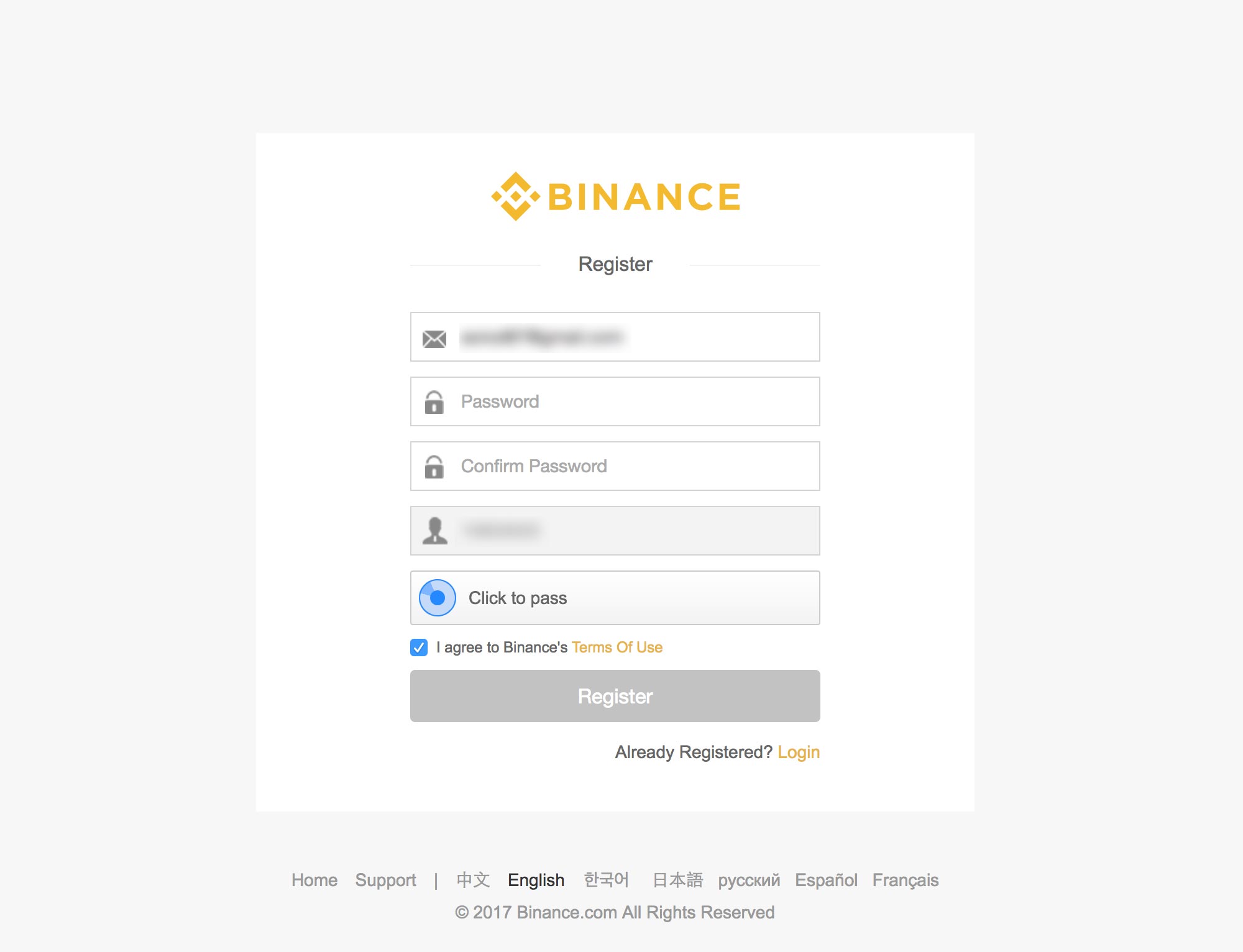 3. Once you've filled in the form and submitted, you'll be prompted to verify your email. 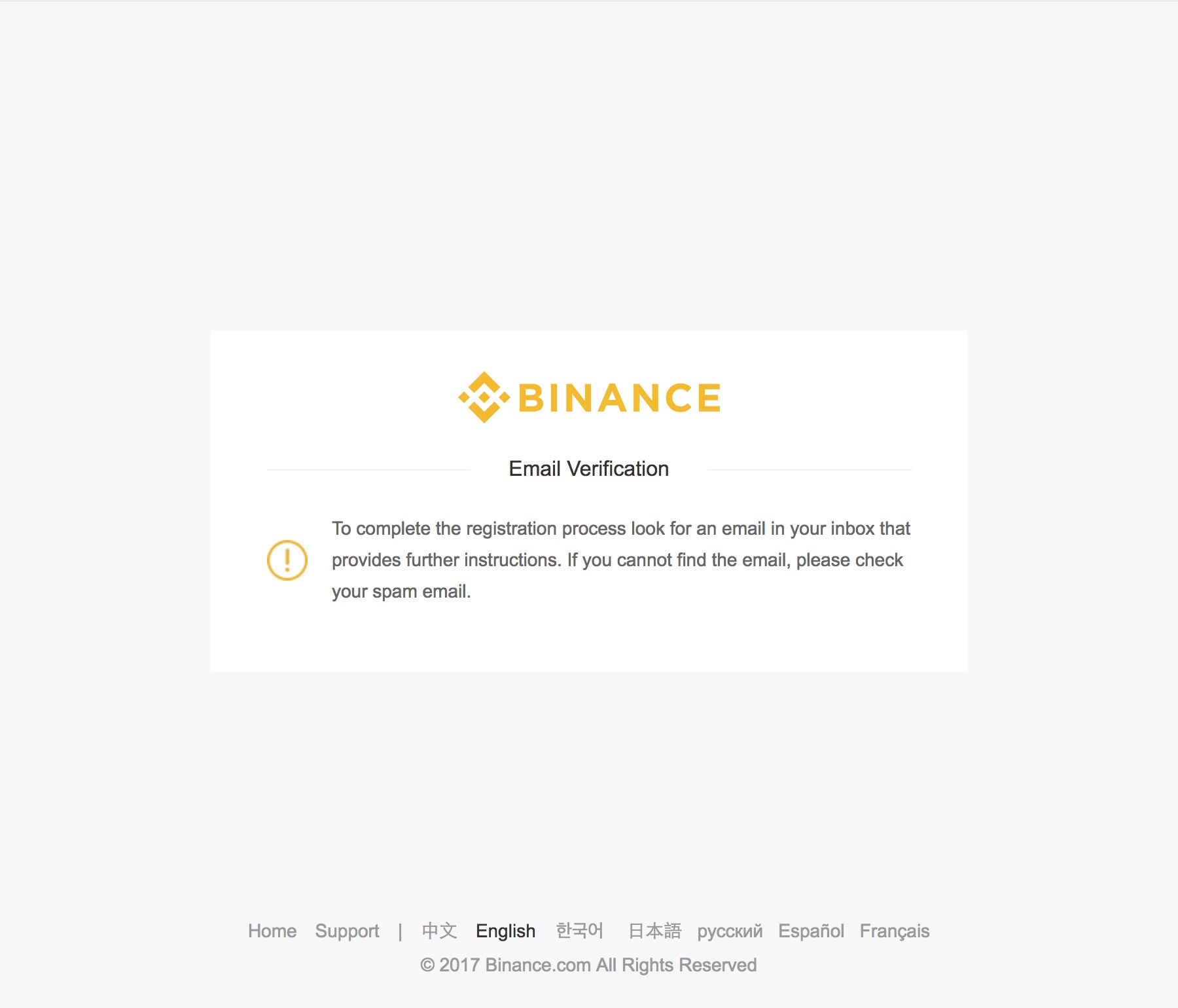 4. Check out your email, and click on the Verify Email button. Once you click on Verify Email your email, you will be sent back to [Binance](https://www.binance.com/?ref=11519709) where you'll have a link to login. 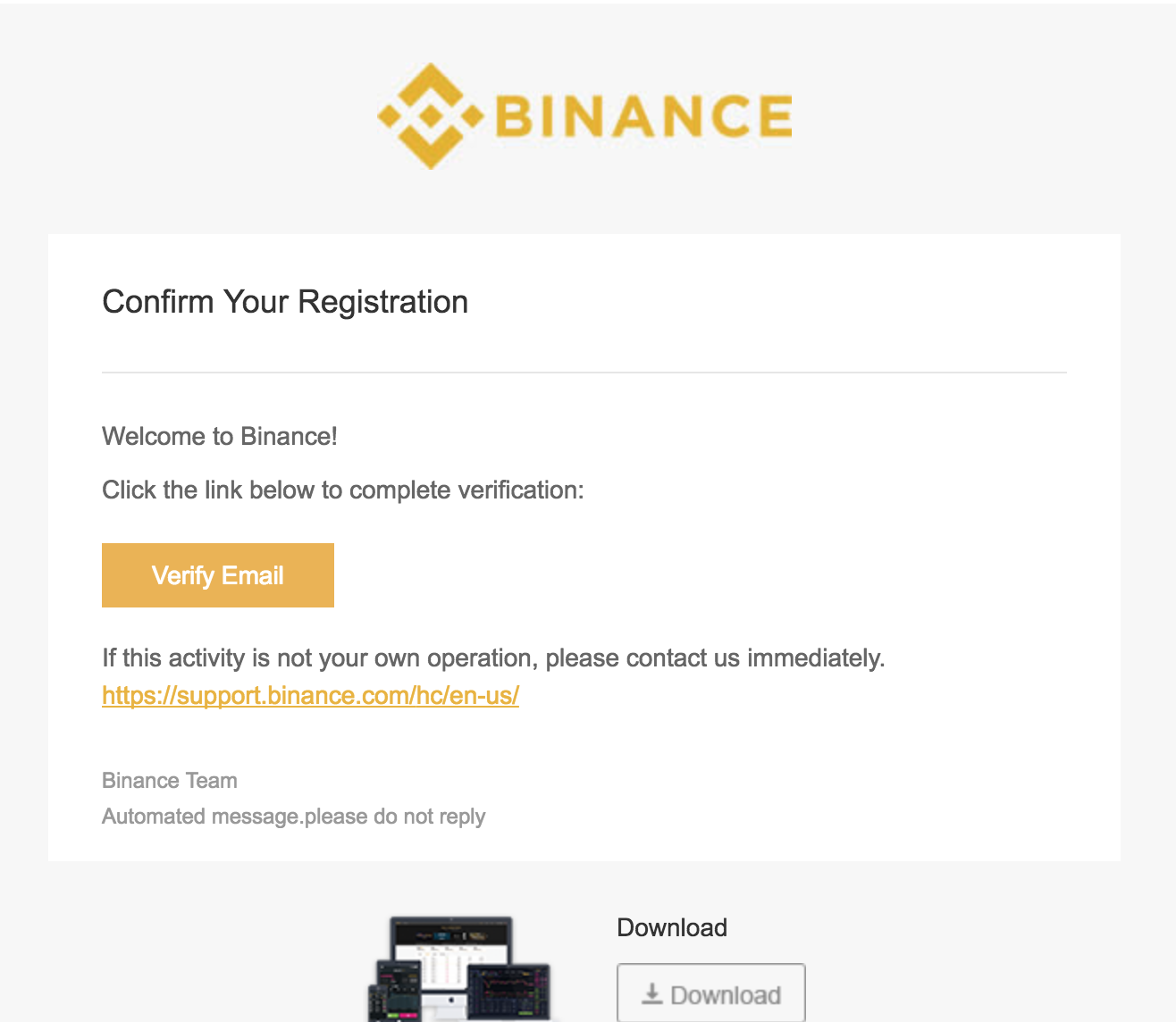 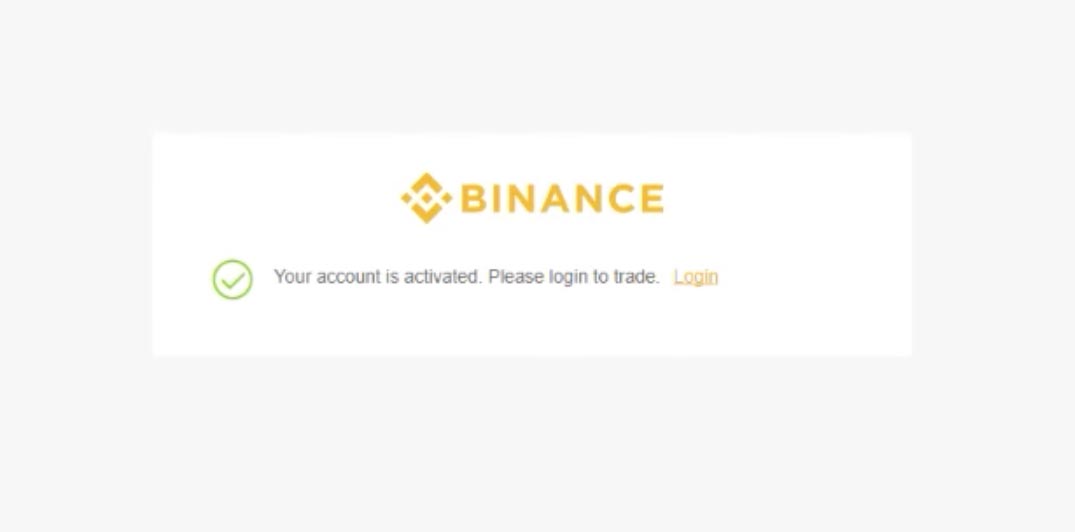 5. Login using your login details. You'll be asked to take a puzzle as soon as you enter your credentials.  6. As soon as you login, you will be taken to your account page where you'll be asked if you want enable 2 factor authentication. I recommend you add 2 factor authentication to be less vulnerable for hacks. And that's it! You're ready to deposit and trade for exotic currencies. 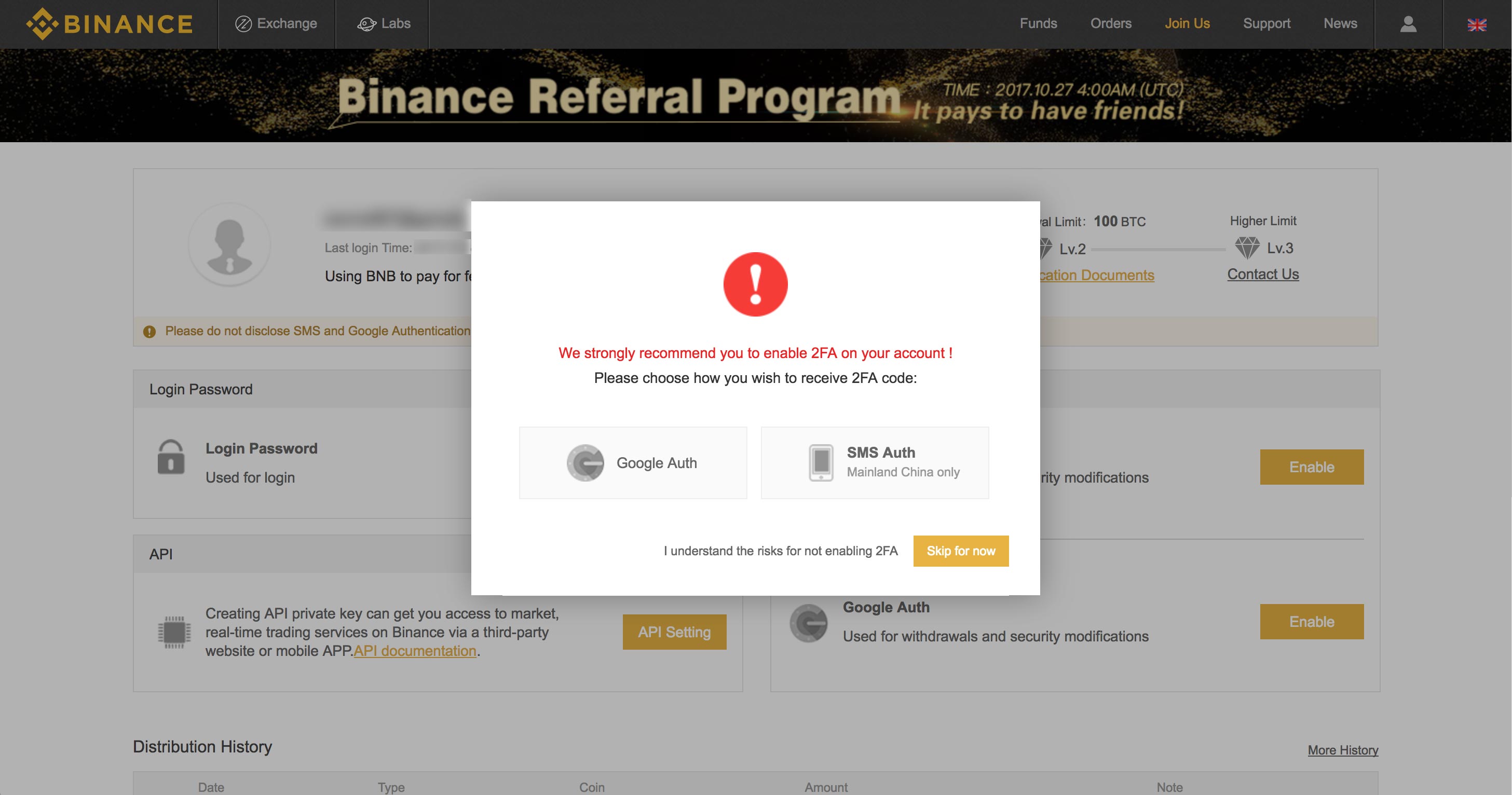 |
| json metadata | {"tags":["cryptocurrency","binance","walkthrough","exchange","howto"],"image":["https://steemitimages.com/DQmVo6g2KiPLbJ5BTrHWN7Ek3qrd5PtpSwTLAjRooicS6ZN/signup.jpg","https://steemitimages.com/DQmYEryscJh5tm6p9ABYx9EmVF4qetdG7jaxDz1FYmkz3XB/signup.jpg","https://steemitimages.com/DQmSNFAHXkD4UYVfSYD7Lv4XjWes1Q93dT6RYtJvRZCUzqR/verify-email.jpg","https://steemitimages.com/DQmUdVGWgWo7EBeK1r3KAw37AH3mVBr28dpmfrds1eA8wM6/email.png","https://steemitimages.com/DQmVZkT1a1wRzpUiZNkw1N9qavRpVZKYnpLP8t4e8Mm2suu/verified-signin.jpg","https://steemitimages.com/DQmeAvMpHWybG74zPi4mKcxdcbCVSrBehkS39wh5MEsFka6/sign-in.jpg","https://steemitimages.com/DQmYjRdjzewEDxmFE5UQN78BzmdZZAb8cv4cqZYWDJ3tTea/logged-in.jpg"],"links":["https://www.binance.com/?ref=11519709"],"app":"steemit/0.1","format":"markdown"} |
| parent author | |
| parent permlink | cryptocurrency |
| permlink | how-to-join-the-binance-exchange |
| title | How to join the Binance exchange |
| Transaction Info | Block #19012285/Trx 55e03454482b44092be137bed29304b0ec08a467 |
View Raw JSON Data
{
"block": 19012285,
"op": [
"comment",
{
"author": "thecryptolog",
"body": "So you've purchased Ethereum, Bitcoin, Litecoin and all the major cryptos that you can typically get with fiat currencies. But what about those \"exotic\" currencies like Ripple (XRP), Stellar (XLM), Binance Coin (BNB)? Opening up a new account at an exchange sounds scary. You've heard of the hacks, the scams, the difficulty, the unknowns. Well, let's get you going on [Binance exchange](https://www.binance.com/?ref=11519709) so you can trade a variety of different coin pairs.\n\n1. First visit the official [Binance website](https://www.binance.com/?ref=11519709), click here to go to [Binance](https://www.binance.com/?ref=11519709). Once you're there, click on the Register button on the top right hand corner.\n \n\n2. You'll be taken to a page where you'll have to fill out the standard new account form that is typical of other websites.\n \n\n3. Once you've filled in the form and submitted, you'll be prompted to verify your email.\n \n\n4. Check out your email, and click on the Verify Email button. Once you click on Verify Email your email, you will be sent back to [Binance](https://www.binance.com/?ref=11519709) where you'll have a link to login.\n \n\n \n\n5. Login using your login details. You'll be asked to take a puzzle as soon as you enter your credentials.\n \n\n6. As soon as you login, you will be taken to your account page where you'll be asked if you want enable 2 factor authentication. I recommend you add 2 factor authentication to be less vulnerable for hacks. And that's it! You're ready to deposit and trade for exotic currencies.\n ",
"json_metadata": "{\"tags\":[\"cryptocurrency\",\"binance\",\"walkthrough\",\"exchange\",\"howto\"],\"image\":[\"https://steemitimages.com/DQmVo6g2KiPLbJ5BTrHWN7Ek3qrd5PtpSwTLAjRooicS6ZN/signup.jpg\",\"https://steemitimages.com/DQmYEryscJh5tm6p9ABYx9EmVF4qetdG7jaxDz1FYmkz3XB/signup.jpg\",\"https://steemitimages.com/DQmSNFAHXkD4UYVfSYD7Lv4XjWes1Q93dT6RYtJvRZCUzqR/verify-email.jpg\",\"https://steemitimages.com/DQmUdVGWgWo7EBeK1r3KAw37AH3mVBr28dpmfrds1eA8wM6/email.png\",\"https://steemitimages.com/DQmVZkT1a1wRzpUiZNkw1N9qavRpVZKYnpLP8t4e8Mm2suu/verified-signin.jpg\",\"https://steemitimages.com/DQmeAvMpHWybG74zPi4mKcxdcbCVSrBehkS39wh5MEsFka6/sign-in.jpg\",\"https://steemitimages.com/DQmYjRdjzewEDxmFE5UQN78BzmdZZAb8cv4cqZYWDJ3tTea/logged-in.jpg\"],\"links\":[\"https://www.binance.com/?ref=11519709\"],\"app\":\"steemit/0.1\",\"format\":\"markdown\"}",
"parent_author": "",
"parent_permlink": "cryptocurrency",
"permlink": "how-to-join-the-binance-exchange",
"title": "How to join the Binance exchange"
}
],
"op_in_trx": 0,
"timestamp": "2018-01-15T23:22:45",
"trx_id": "55e03454482b44092be137bed29304b0ec08a467",
"trx_in_block": 6,
"virtual_op": 0
}thecryptologupvoted (100.00%) @sift666 / re-mageewp-re-sift666-steemit-vs-wordpress-20161011t181711408z2018/01/15 23:03:09
thecryptologupvoted (100.00%) @sift666 / re-mageewp-re-sift666-steemit-vs-wordpress-20161011t181711408z
2018/01/15 23:03:09
| author | sift666 |
| permlink | re-mageewp-re-sift666-steemit-vs-wordpress-20161011t181711408z |
| voter | thecryptolog |
| weight | 10000 (100.00%) |
| Transaction Info | Block #19011893/Trx b096cabf0a2b79e8c4d9581c78d6d94fdcba5635 |
View Raw JSON Data
{
  "block": 19011893,
  "op": [
    "vote",
    {
      "author": "sift666",
      "permlink": "re-mageewp-re-sift666-steemit-vs-wordpress-20161011t181711408z",
      "voter": "thecryptolog",
      "weight": 10000
    }
  ],
  "op_in_trx": 0,
  "timestamp": "2018-01-15T23:03:09",
  "trx_id": "b096cabf0a2b79e8c4d9581c78d6d94fdcba5635",
  "trx_in_block": 44,
  "virtual_op": 0
}pacman1upvoted (100.00%) @thecryptolog / how-to-deposit-coins-to-binance2018/01/15 22:54:51
pacman1upvoted (100.00%) @thecryptolog / how-to-deposit-coins-to-binance
2018/01/15 22:54:51
| author | thecryptolog |
| permlink | how-to-deposit-coins-to-binance |
| voter | pacman1 |
| weight | 10000 (100.00%) |
| Transaction Info | Block #19011727/Trx 0655a554682b3304be8870db8bd8b96e4617f64f |
View Raw JSON Data
{
  "block": 19011727,
  "op": [
    "vote",
    {
      "author": "thecryptolog",
      "permlink": "how-to-deposit-coins-to-binance",
      "voter": "pacman1",
      "weight": 10000
    }
  ],
  "op_in_trx": 0,
  "timestamp": "2018-01-15T22:54:51",
  "trx_id": "0655a554682b3304be8870db8bd8b96e4617f64f",
  "trx_in_block": 19,
  "virtual_op": 0
}thecryptologpublished a new post: how-to-deposit-coins-to-binance2018/01/15 22:53:09
thecryptologpublished a new post: how-to-deposit-coins-to-binance
2018/01/15 22:53:09
| author | thecryptolog |
| body | So you've got a coin you'd like to get, but it's only on [Binance](https://www.binance.com/?ref=11519709). First you'll need to send money into the exchange. Walkthrough below. 1. Assuming you're already logged in, rollover the Funds tab, and click on **Deposits Withdrawals**. 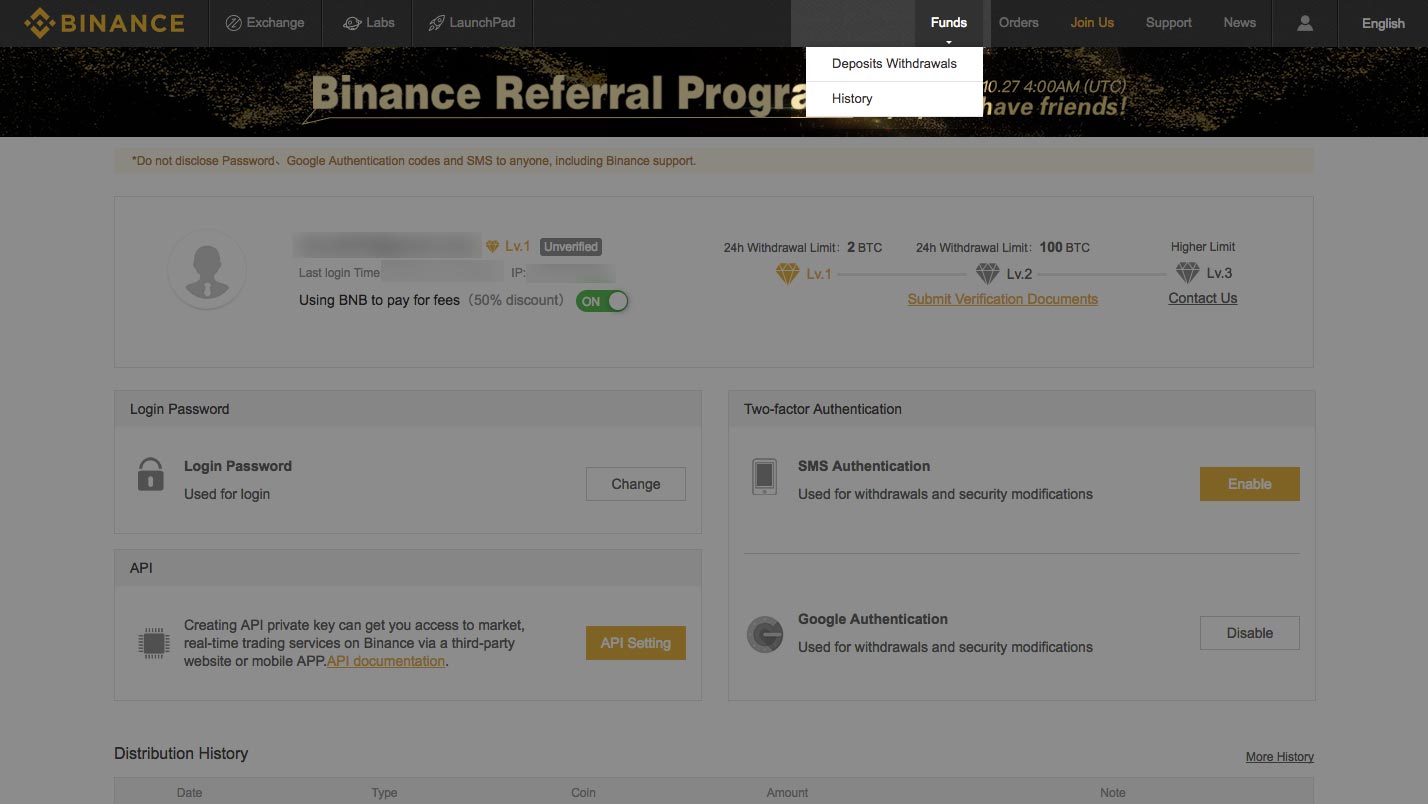 2. You'll arrive at the **Deposit & Withdrawals** tab, which will show balances for all the coins you may have on the exchange. 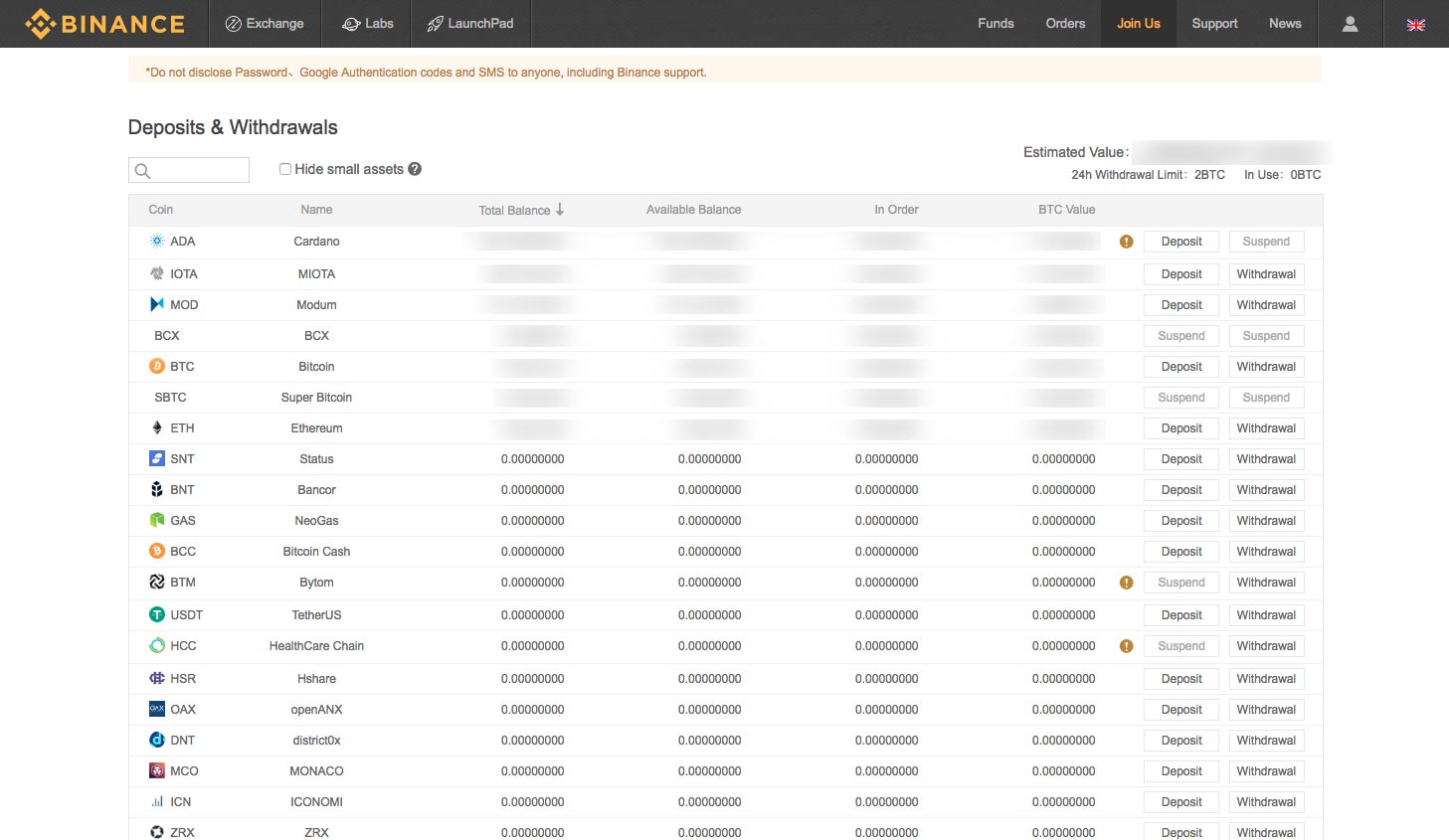 3. Scroll down to the coin you'd like to deposit. I'm personally going to deposit Litecoin, as I wanted to purchase the LTC to BNB pair. Once you've found the coin you'd like to put coins into, click on the **Deposit** button. 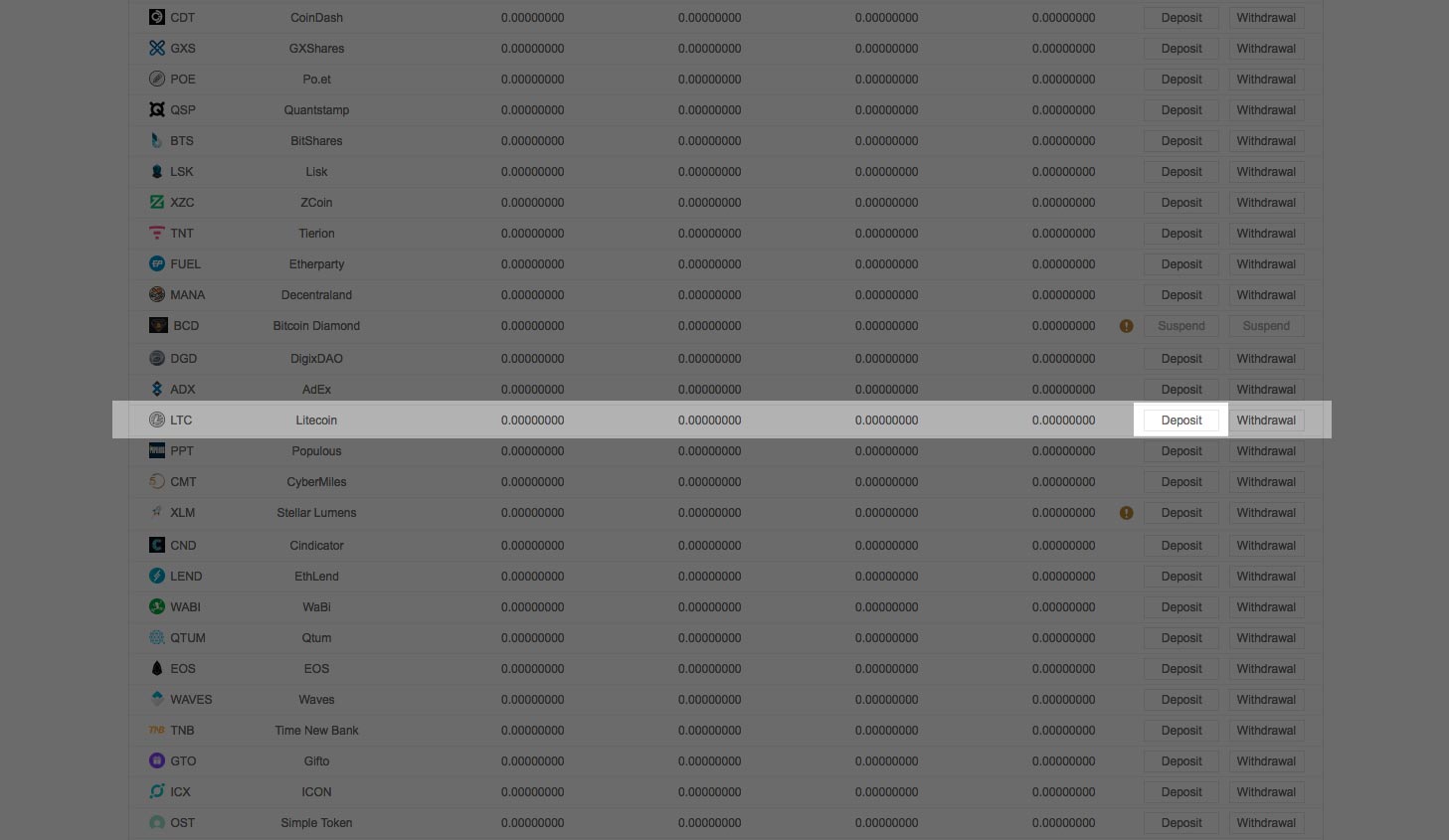 4. Once you've clicked on the deposit button, you'll see that [Binance](https://www.binance.com/?ref=11519709) gives you a deposit address. Click on the copy button so that the address is copied to your computer's clipboard. 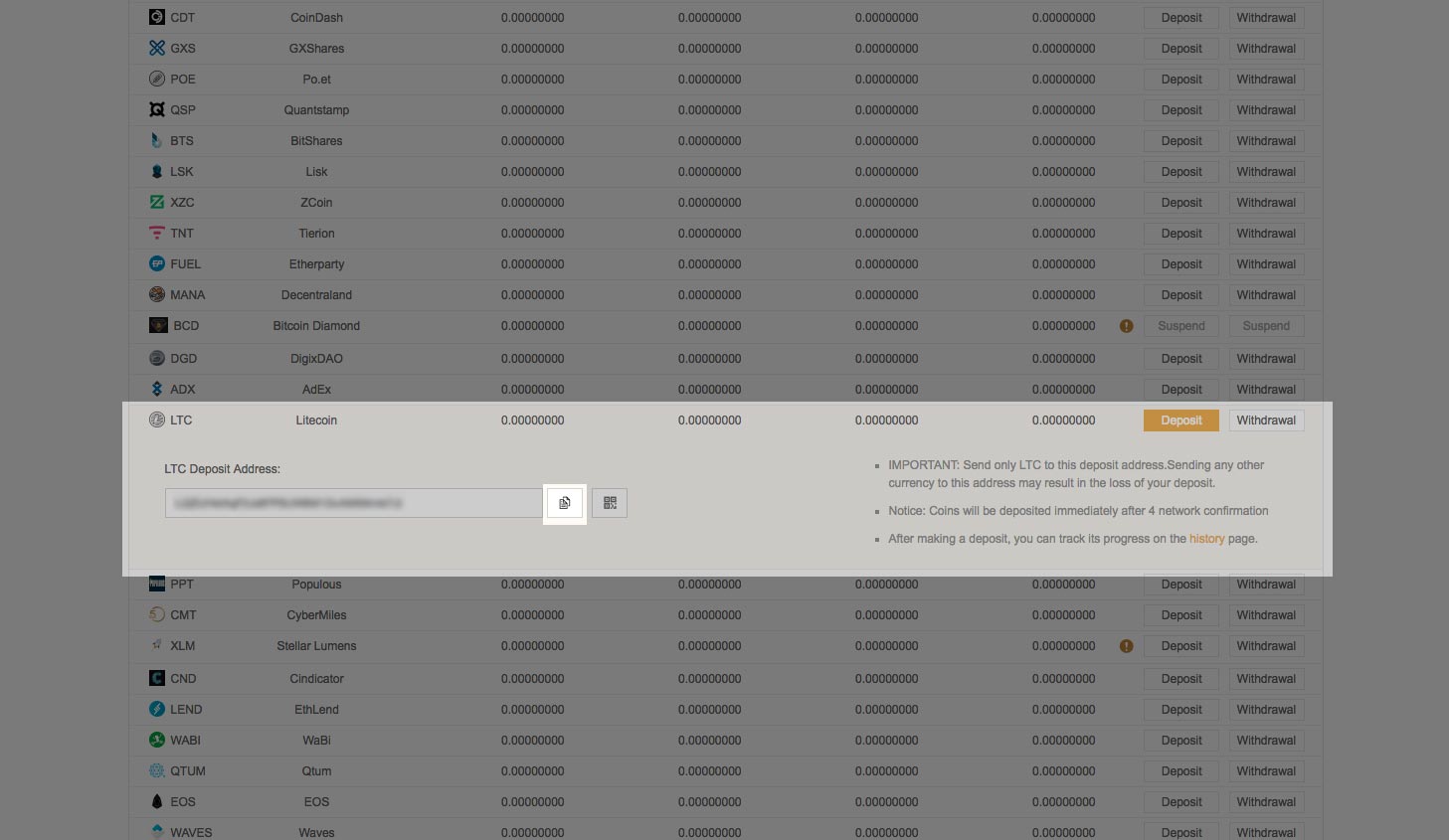 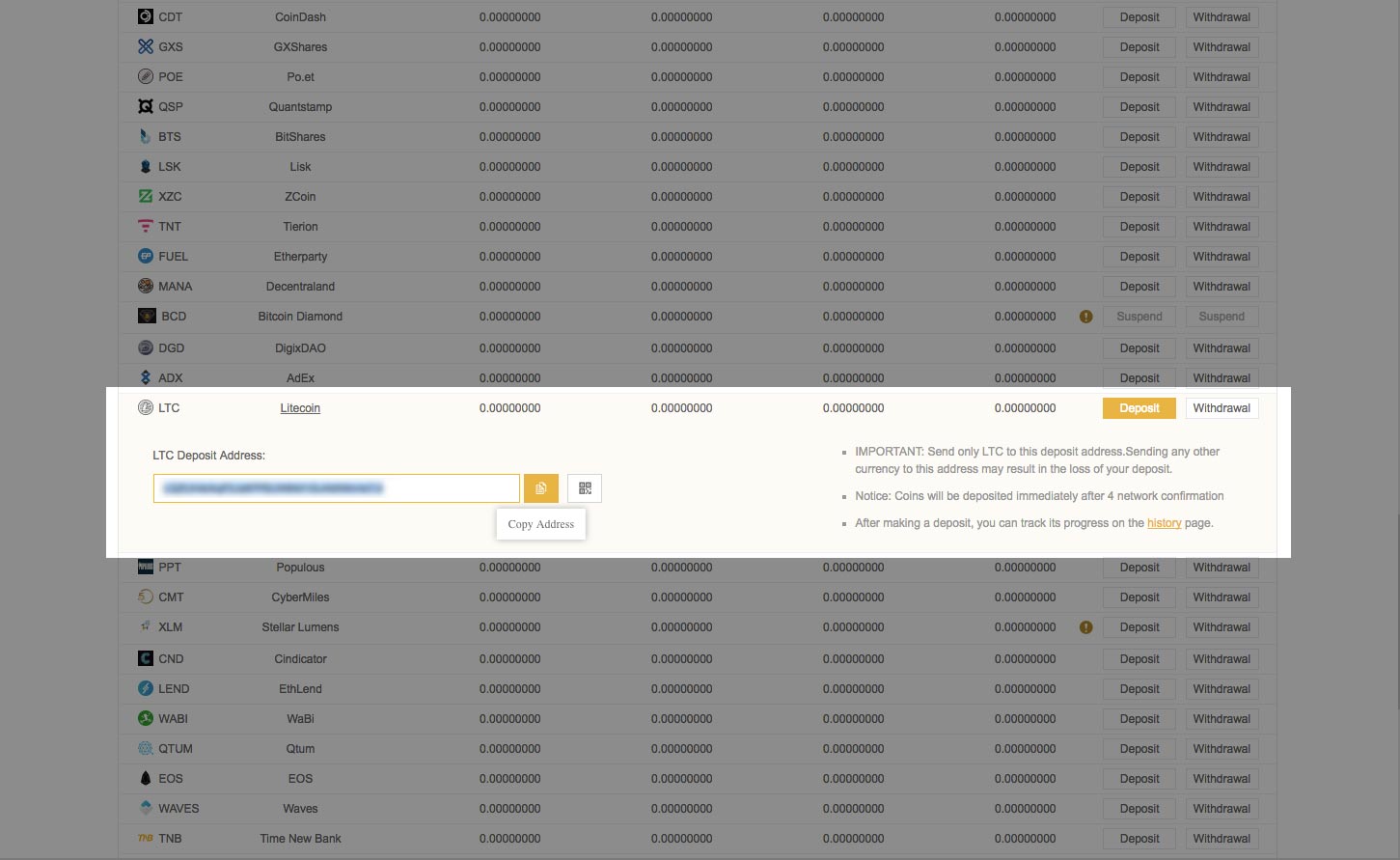 5. We'll use the copied address to send Litecoins to. [Click here to learn how to send Litecoin (LTC)](https://steemit.com/cryptocurrency/@thecryptolog/how-to-send-litecoin-ltc). Once you've sent your coins to the deposit address and have received enough confirmations (described under the Deposit button) you can refresh the **Deposits Withdrawals** page and will see your new coin balance. Congrats, you are now ready to trade it! 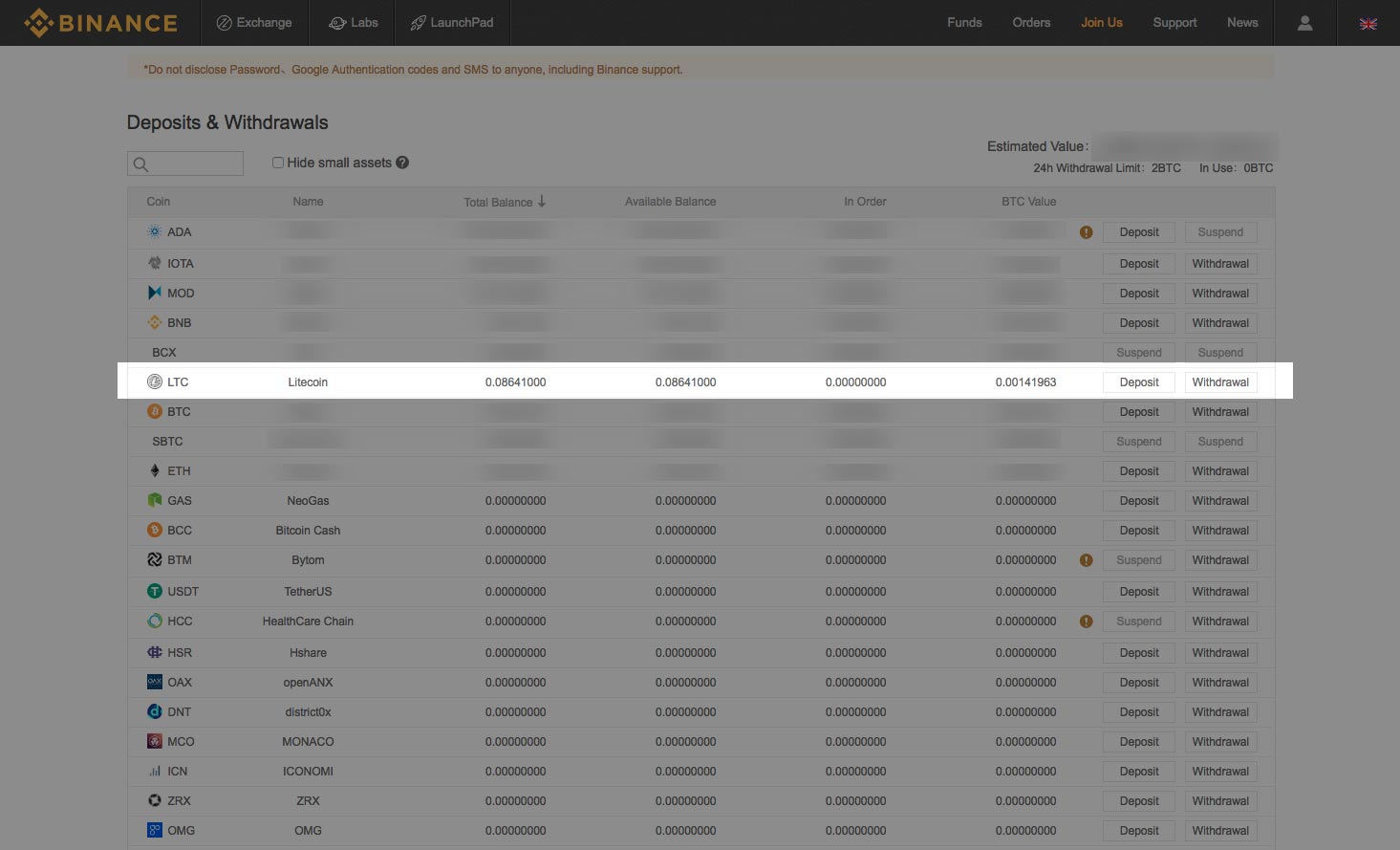 |
| json metadata | {"tags":["cryptocurrency","binance","buycrypto","howto","walkthrough"],"image":["https://steemitimages.com/DQmRKL4QbVwJ3b3H3JH7v91MSQxx93NXUTtyutreoTTihtB/deposits-withdrawals.jpg","https://steemitimages.com/DQmW45DR42ZLkBB8nBTat9A99SXGwa4kKPWGjMfaobaW4gt/deposit-withdrawals-tab.jpg","https://steemitimages.com/DQmeNqukiBUKFxDZYTkjHeeiV7b4gE4pu1kzKRywVDZaNqB/select-litecoin.jpg","https://steemitimages.com/DQme3Cas7K7vgyLzihKpf1cVqjb5pG6Qr9QAKYj3dFypRpV/select-deposit-litecoin.jpg","https://steemitimages.com/DQmPyguBacjHoRZvq7m7R9oG1fhD6h7H7fq3vQGVexXw3BZ/select-deposit-litecoin-copy-btn.jpg","https://steemitimages.com/DQmb2WiY6cJYq1ovLrpnfqTkN5b9AahtKoj7JNf4EyGLH3W/check-bnb-balance.jpg"],"links":["https://www.binance.com/?ref=11519709","https://steemit.com/cryptocurrency/@thecryptolog/how-to-send-litecoin-ltc"],"app":"steemit/0.1","format":"markdown"} |
| parent author | |
| parent permlink | cryptocurrency |
| permlink | how-to-deposit-coins-to-binance |
| title | How to deposit coins to Binance |
| Transaction Info | Block #19011693/Trx 593f82ddc83978ed4431185e1edb0d5642f5ab7a |
View Raw JSON Data
{
"block": 19011693,
"op": [
"comment",
{
"author": "thecryptolog",
"body": "So you've got a coin you'd like to get, but it's only on [Binance](https://www.binance.com/?ref=11519709). First you'll need to send money into the exchange. Walkthrough below.\n\n1. Assuming you're already logged in, rollover the Funds tab, and click on **Deposits Withdrawals**.\n \n\n2. You'll arrive at the **Deposit & Withdrawals** tab, which will show balances for all the coins you may have on the exchange.\n \n\n3. Scroll down to the coin you'd like to deposit. I'm personally going to deposit Litecoin, as I wanted to purchase the LTC to BNB pair. Once you've found the coin you'd like to put coins into, click on the **Deposit** button.\n \n\n4. Once you've clicked on the deposit button, you'll see that [Binance](https://www.binance.com/?ref=11519709) gives you a deposit address. Click on the copy button so that the address is copied to your computer's clipboard.\n \n\n \n\n5. We'll use the copied address to send Litecoins to. [Click here to learn how to send Litecoin (LTC)](https://steemit.com/cryptocurrency/@thecryptolog/how-to-send-litecoin-ltc). Once you've sent your coins to the deposit address and have received enough confirmations (described under the Deposit button) you can refresh the **Deposits Withdrawals** page and will see your new coin balance. Congrats, you are now ready to trade it!\n ",
"json_metadata": "{\"tags\":[\"cryptocurrency\",\"binance\",\"buycrypto\",\"howto\",\"walkthrough\"],\"image\":[\"https://steemitimages.com/DQmRKL4QbVwJ3b3H3JH7v91MSQxx93NXUTtyutreoTTihtB/deposits-withdrawals.jpg\",\"https://steemitimages.com/DQmW45DR42ZLkBB8nBTat9A99SXGwa4kKPWGjMfaobaW4gt/deposit-withdrawals-tab.jpg\",\"https://steemitimages.com/DQmeNqukiBUKFxDZYTkjHeeiV7b4gE4pu1kzKRywVDZaNqB/select-litecoin.jpg\",\"https://steemitimages.com/DQme3Cas7K7vgyLzihKpf1cVqjb5pG6Qr9QAKYj3dFypRpV/select-deposit-litecoin.jpg\",\"https://steemitimages.com/DQmPyguBacjHoRZvq7m7R9oG1fhD6h7H7fq3vQGVexXw3BZ/select-deposit-litecoin-copy-btn.jpg\",\"https://steemitimages.com/DQmb2WiY6cJYq1ovLrpnfqTkN5b9AahtKoj7JNf4EyGLH3W/check-bnb-balance.jpg\"],\"links\":[\"https://www.binance.com/?ref=11519709\",\"https://steemit.com/cryptocurrency/@thecryptolog/how-to-send-litecoin-ltc\"],\"app\":\"steemit/0.1\",\"format\":\"markdown\"}",
"parent_author": "",
"parent_permlink": "cryptocurrency",
"permlink": "how-to-deposit-coins-to-binance",
"title": "How to deposit coins to Binance"
}
],
"op_in_trx": 0,
"timestamp": "2018-01-15T22:53:09",
"trx_id": "593f82ddc83978ed4431185e1edb0d5642f5ab7a",
"trx_in_block": 33,
"virtual_op": 0
}darius1993upvoted (100.00%) @thecryptolog / how-to-send-litecoin-ltc2018/01/15 22:32:39
darius1993upvoted (100.00%) @thecryptolog / how-to-send-litecoin-ltc
2018/01/15 22:32:39
| author | thecryptolog |
| permlink | how-to-send-litecoin-ltc |
| voter | darius1993 |
| weight | 10000 (100.00%) |
| Transaction Info | Block #19011283/Trx 4a9bd2e0925f4503f60b2d580af7436e2bd65fa1 |
View Raw JSON Data
{
  "block": 19011283,
  "op": [
    "vote",
    {
      "author": "thecryptolog",
      "permlink": "how-to-send-litecoin-ltc",
      "voter": "darius1993",
      "weight": 10000
    }
  ],
  "op_in_trx": 0,
  "timestamp": "2018-01-15T22:32:39",
  "trx_id": "4a9bd2e0925f4503f60b2d580af7436e2bd65fa1",
  "trx_in_block": 35,
  "virtual_op": 0
}thecryptologpublished a new post: how-to-send-litecoin-ltc2018/01/15 22:32:15
thecryptologpublished a new post: how-to-send-litecoin-ltc
2018/01/15 22:32:15
| author | thecryptolog |
| body | So you've purchased your Litecoin because you heard it's faster then Bitcoin, congrats! Now what? The following steps are for sending Litecoin out of [Coinbase](https://www.coinbase.com/join/57204d81e1764839990004ac) and receiving it on the [Binance exchange](https://www.binance.com/?ref=11519709). The guidelines can be applied to any Litecoin address. whether it's a Litecoin address on a cryptocurrency exchange, software wallet, or hardware wallet. Let's get to it! 1. Before sending LTC, you'll need an address to send to, this address is likely coming from an ecommerce store, a friend, or an exchange. In my case, I'm sending Litecoin to [Binance](https://www.binance.com/?ref=11519709) so I can trade LTC. 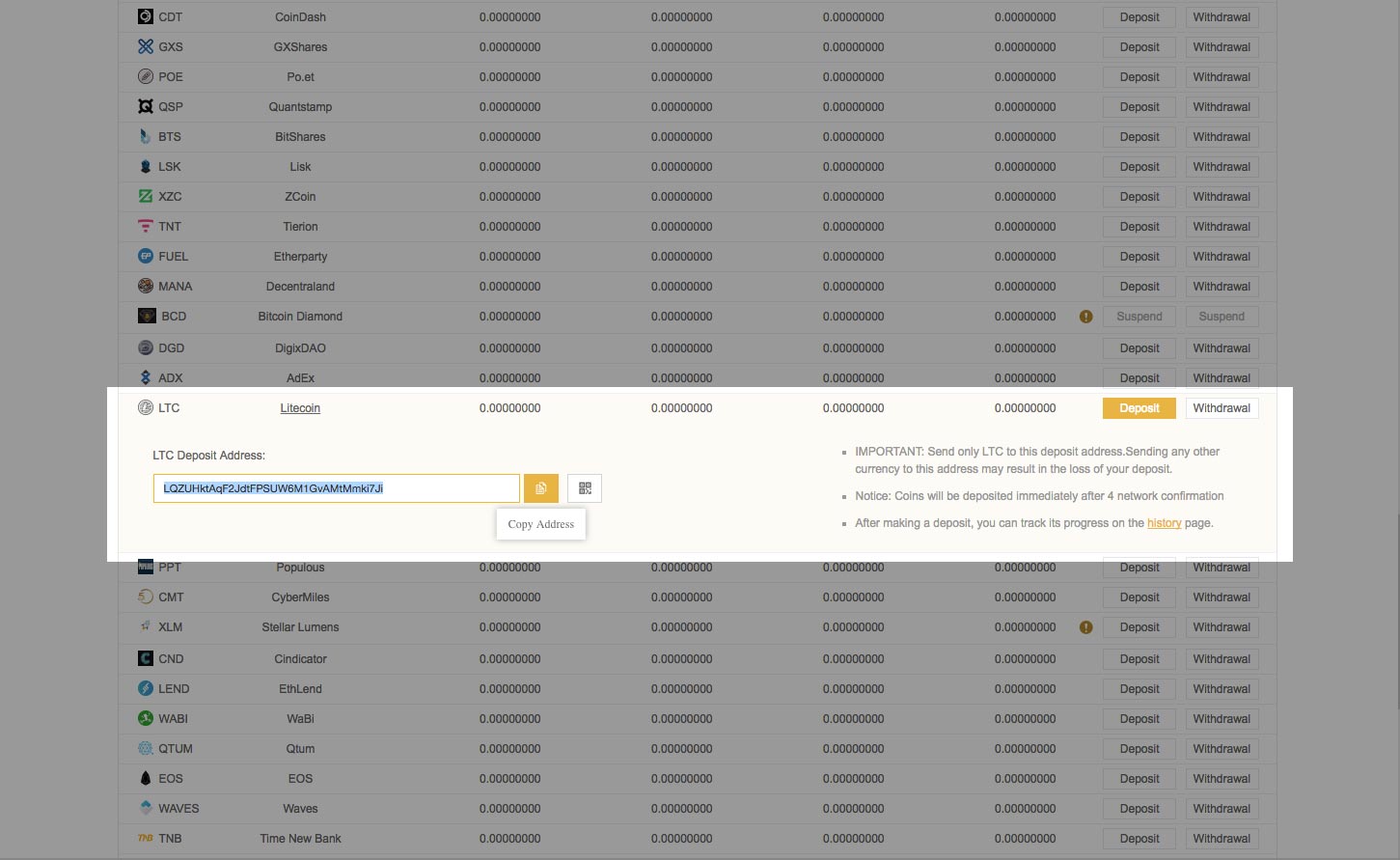 2. Once you have an address, you'll want to sign into your [Coinbase](https://www.coinbase.com/join/57204d81e1764839990004ac) account and log in to see your dashboard. Click on your Accounts tab. 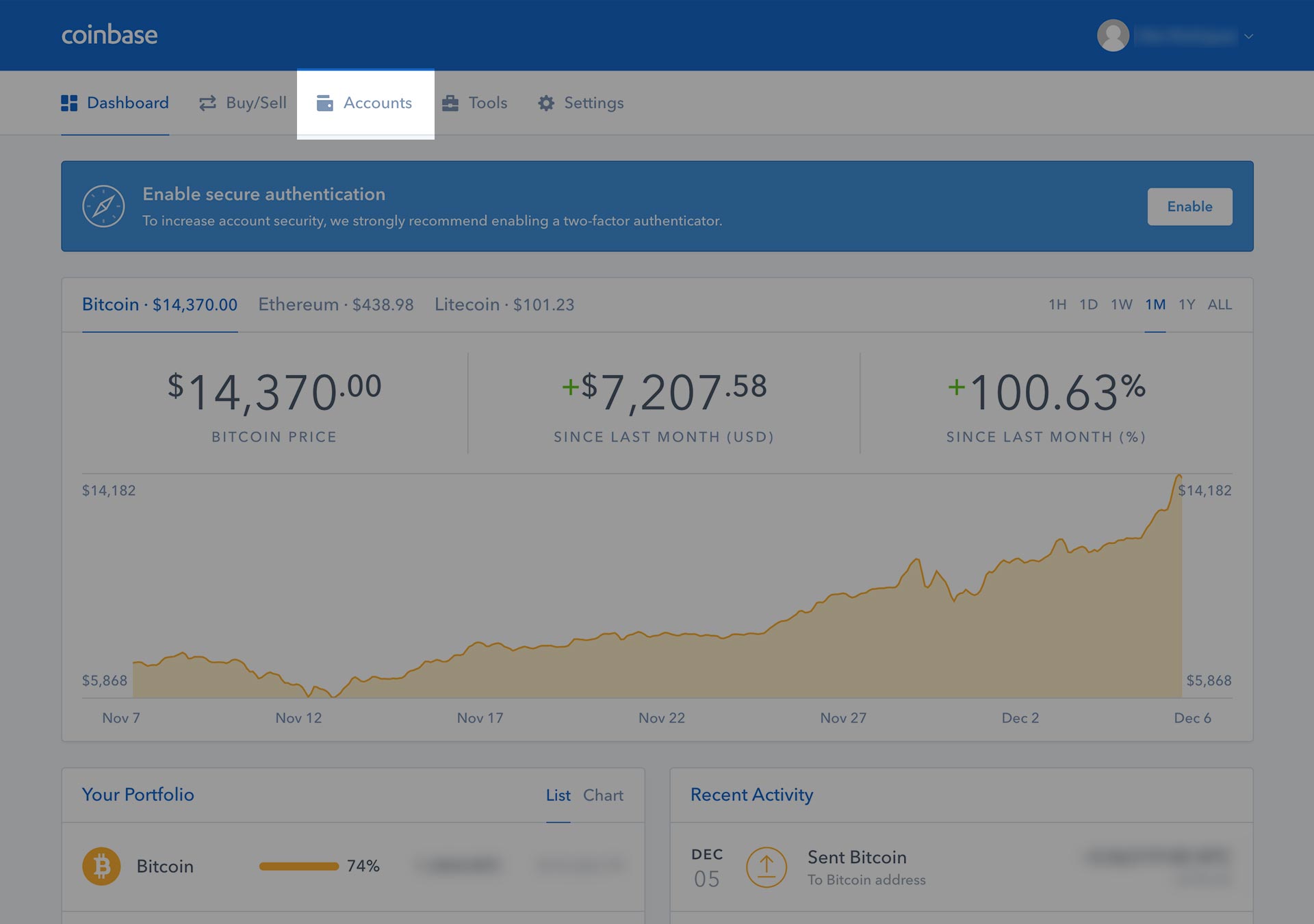 3. On the account tab, you'll see your wallets on the left hand side. Your Litecoin wallet might not be visible, but roll your mouse over the My Accounts area, and scroll down to view your Litecoin (LTC) wallet. If you click anywhere on the Litecoin box area, you'll see your transaction history on your right. You'll want to click on the SEND button to send Litecoin to another address. 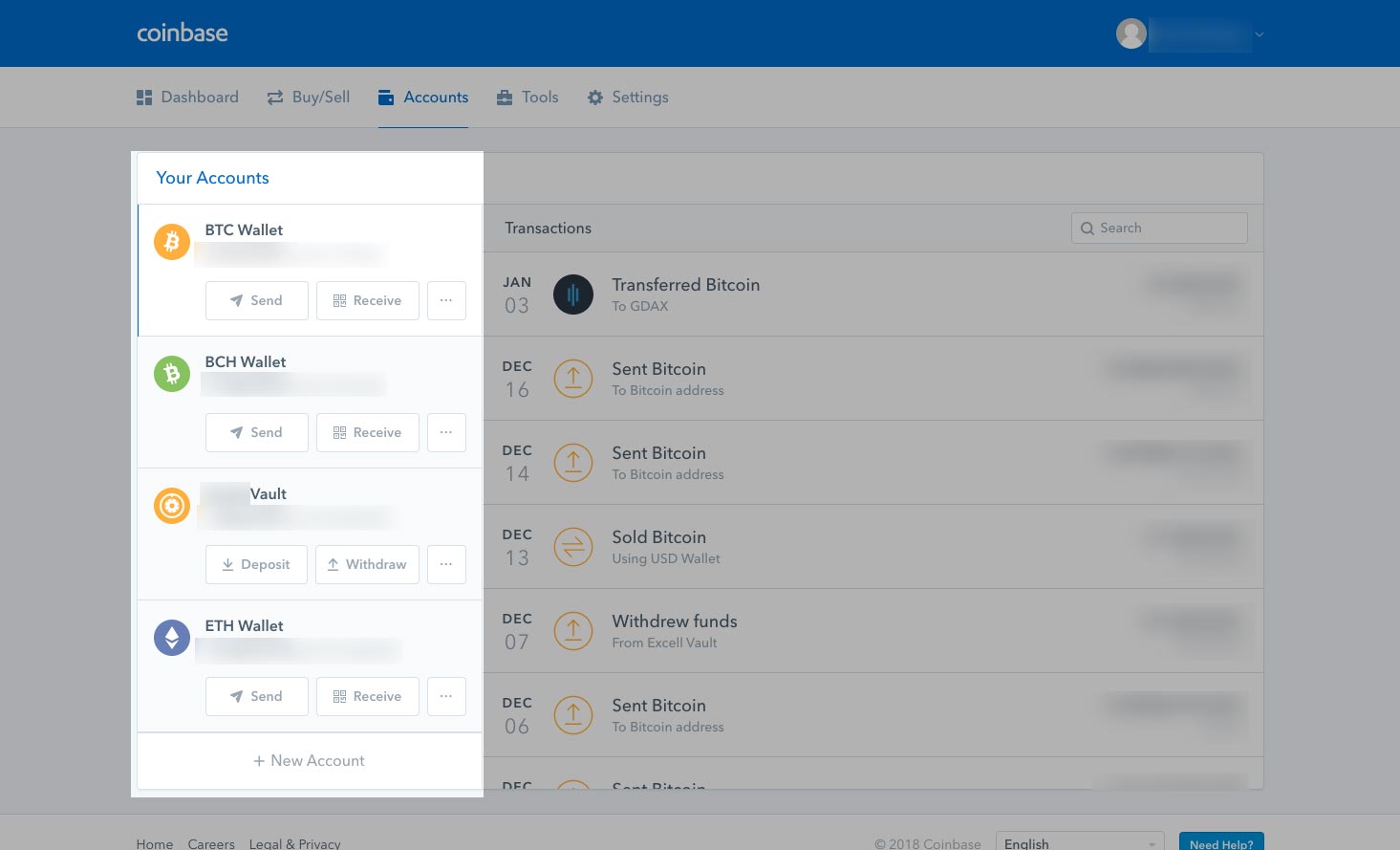 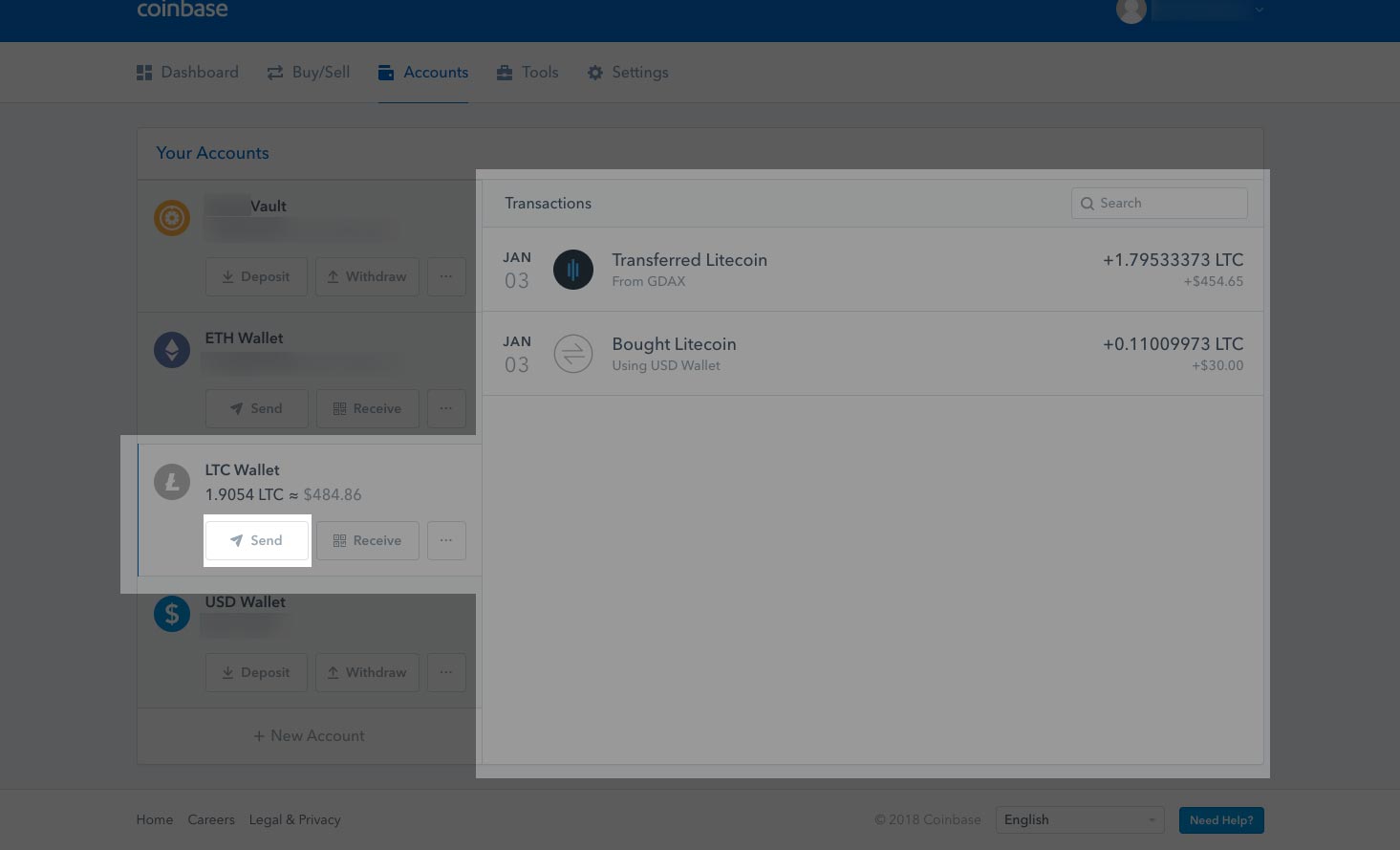 4. A pop up box should come up where you can insert the Litecoin address and amount of Litecoin (LTC) you want to send. Always double check the amount and address you are sending it to. I'll be using the address from Step 1. Once you've filled in the details, you'll notice at the bottom a Network Fee. The network fee is what is used to pay the network to send your money. Every transaction you make with Litecoin will require a network fee. Depending on where you are sending your Litecoin from, you can adjust your Network fee. If you want your transaction to be processed faster, you can pay a priority fee, likewise if you don't mind how long it will take, you can choose a more economical fee. In this case, [Coinbase](https://www.coinbase.com/join/57204d81e1764839990004ac) automatically chooses what tier we are put in. Click on the Continue button. 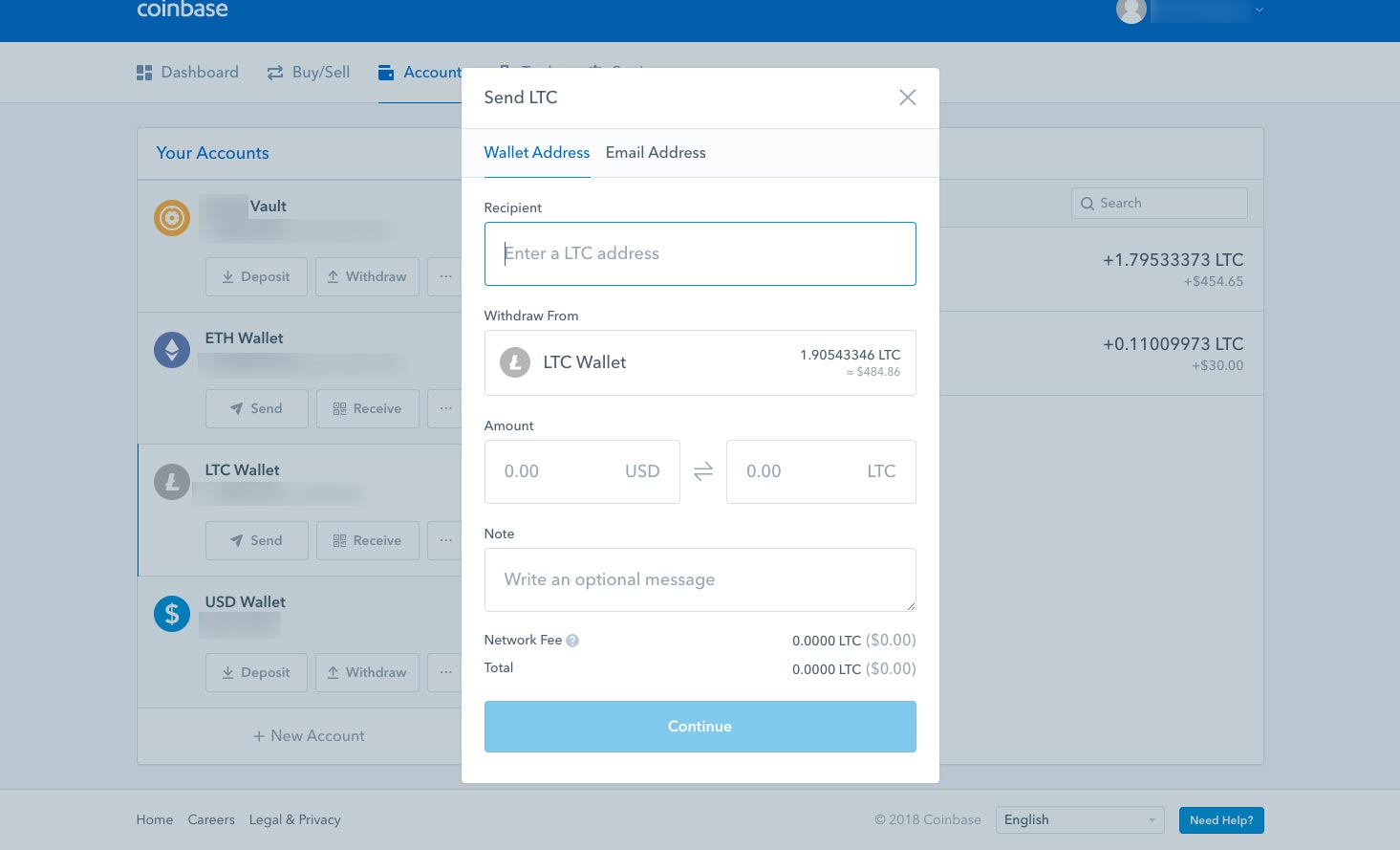 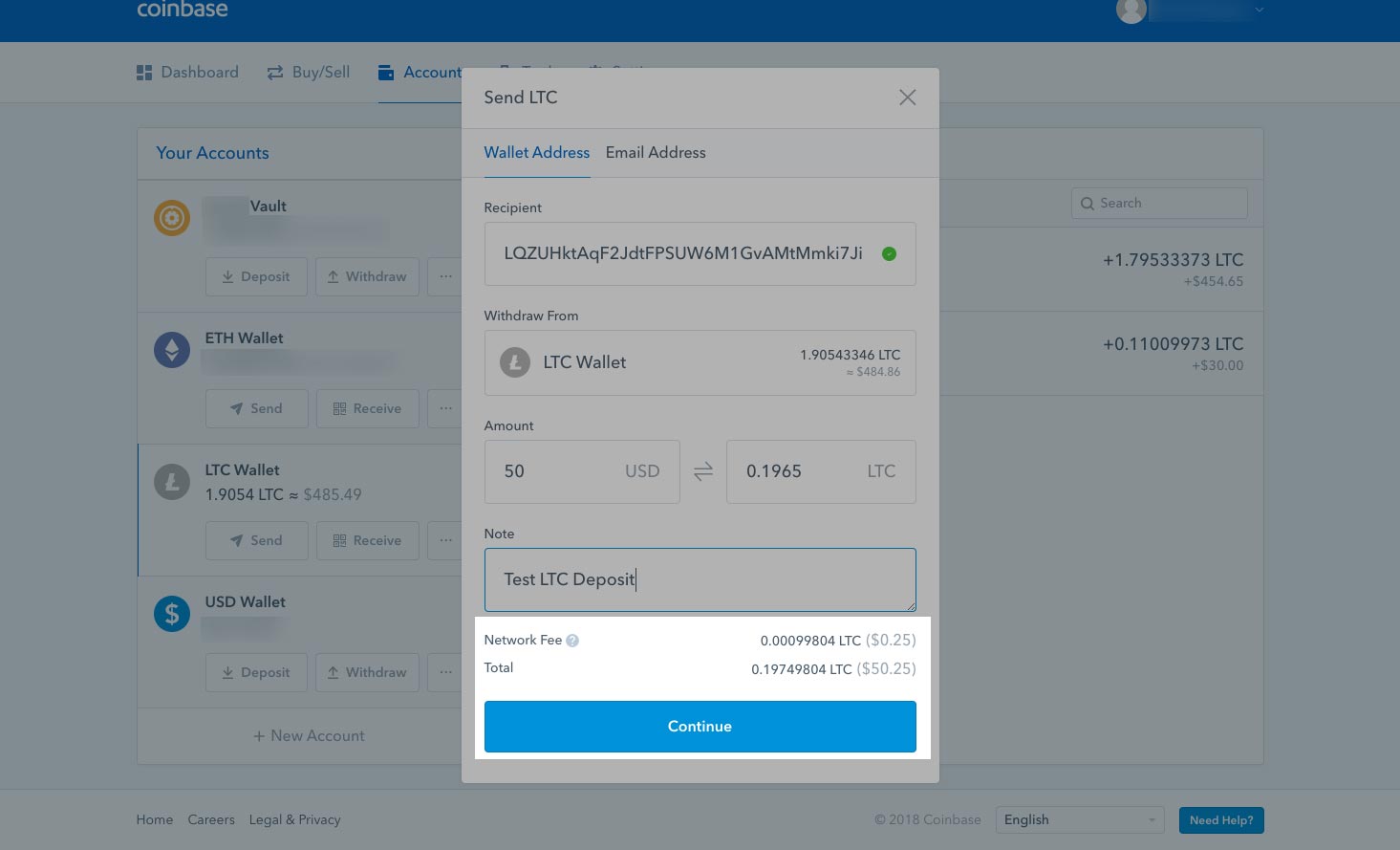 5. Once you've clicked on the continue button, you'll get another pop up box that will ask you to confirm the address and amount you're sending your Litecoin to. Click on the Confirm button. 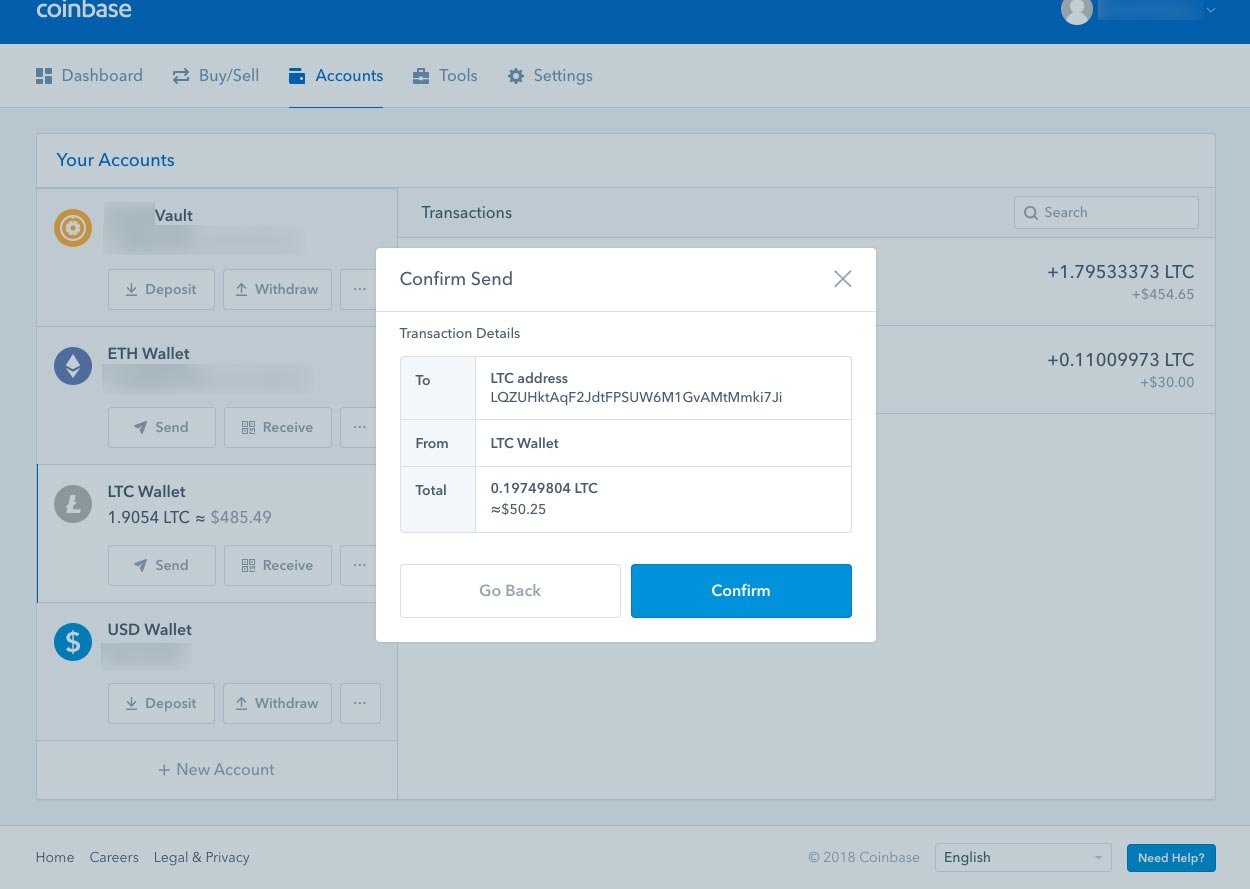 6. Once you've confirmed, you will get yet another dialog box. Click on the View Details button to view more information about the Litecoin you have sent. 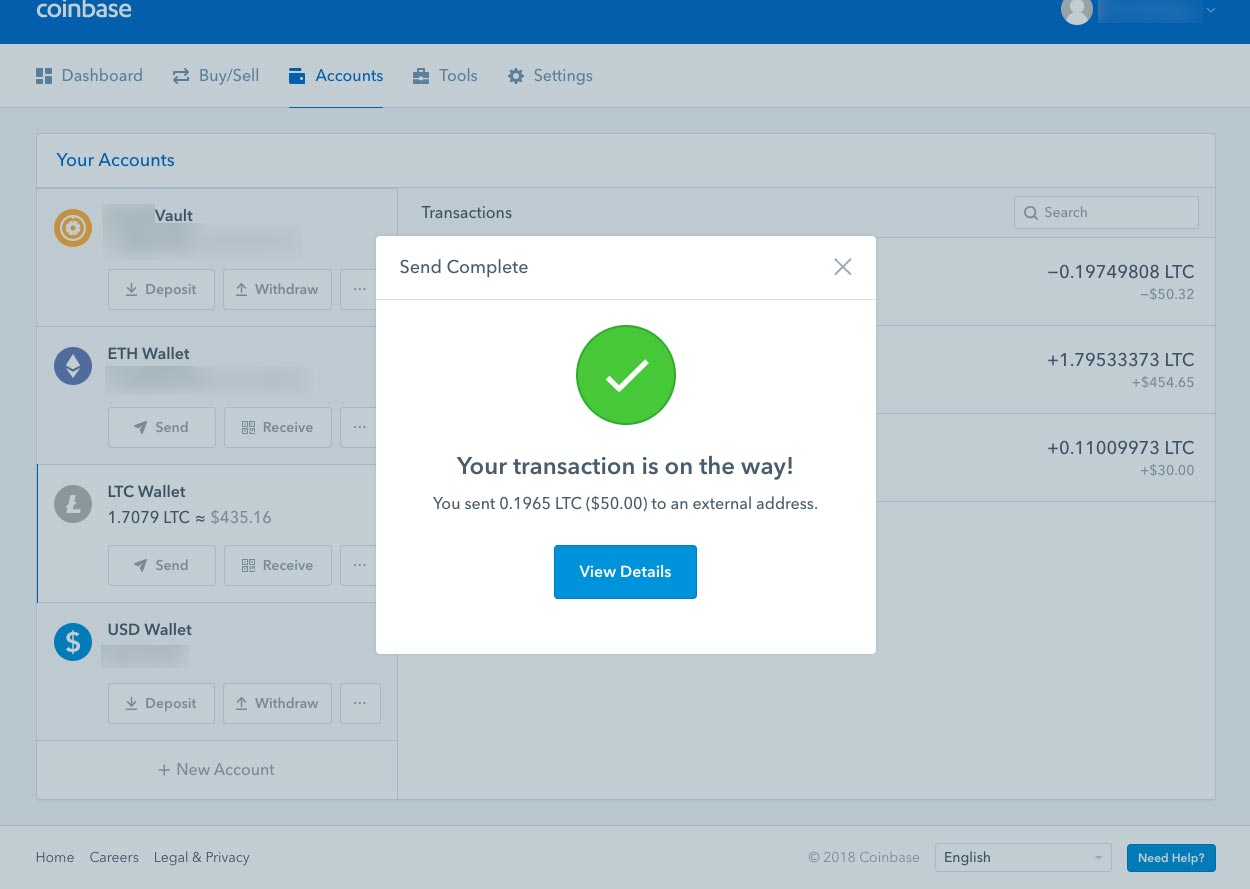 7. You will arrive at yet another pop up box with a summary of the transaction you just made. What you should notice here is the number of Confirmations, and the View transaction link. Click on the View transaction link 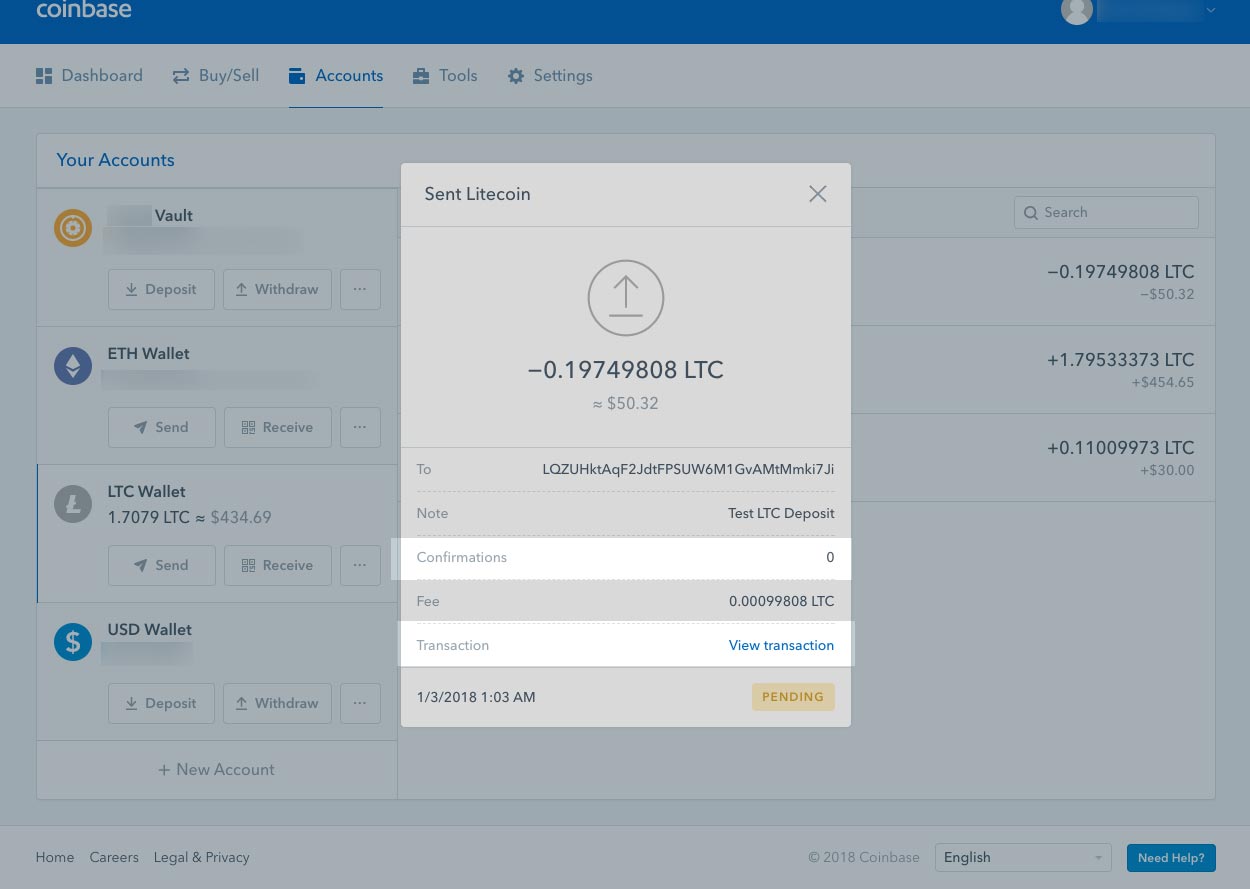 8. You will be redirected to Litecoin's blockchain explorer. Notice the confirmations box that says 0/6. This means that the network has not verified the transaction has occurred yet. Once 6/6 has been reached, the transaction will have arrived at your address. Depending on where you are sending your Litecoin to, you may need less then 6 confirmations. The amount of time to reach 6 confirmations depends on how busy the network is, in my case it took roughly 15 minutes. To view your transaction history, simply type in your personal address at the top of LTC Blockchain explorer. 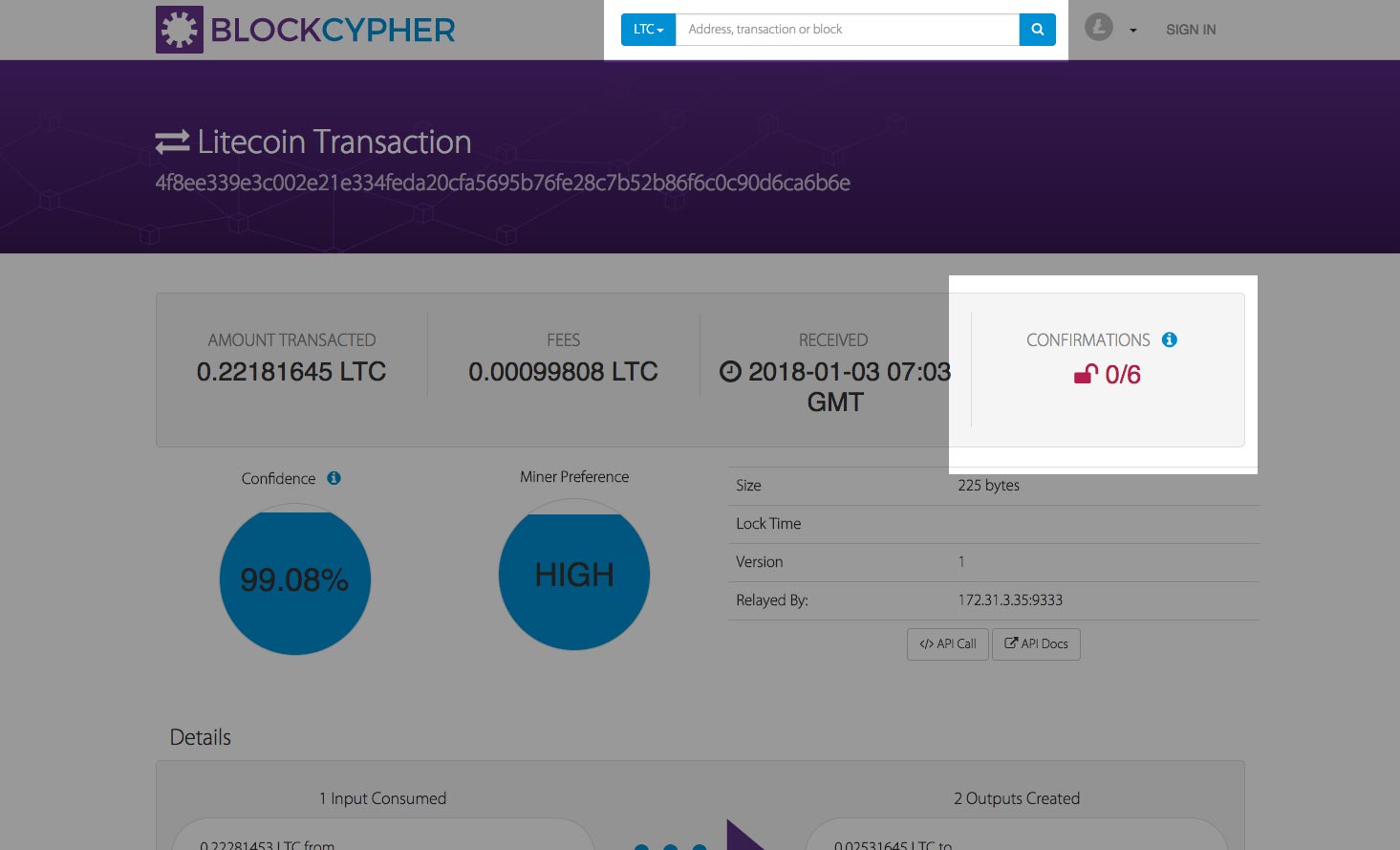 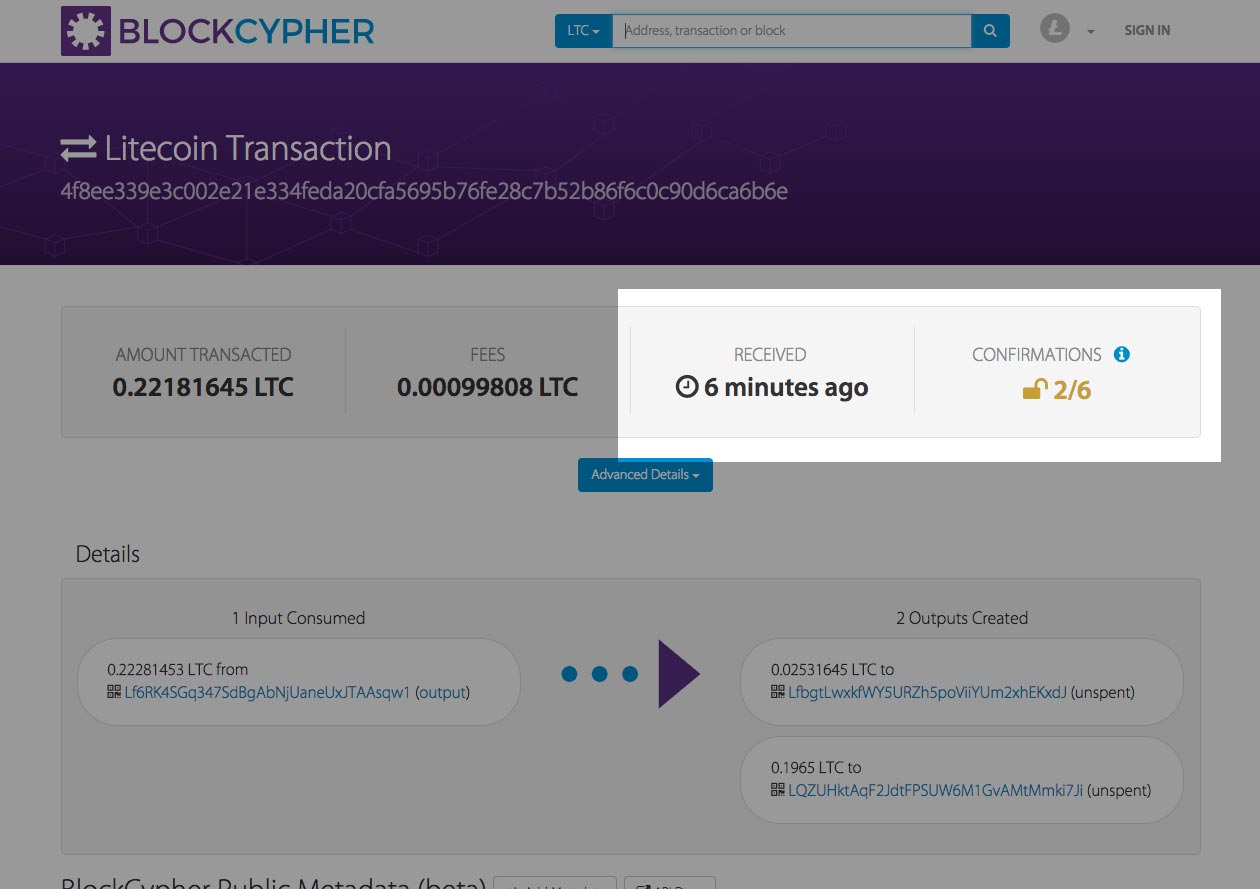 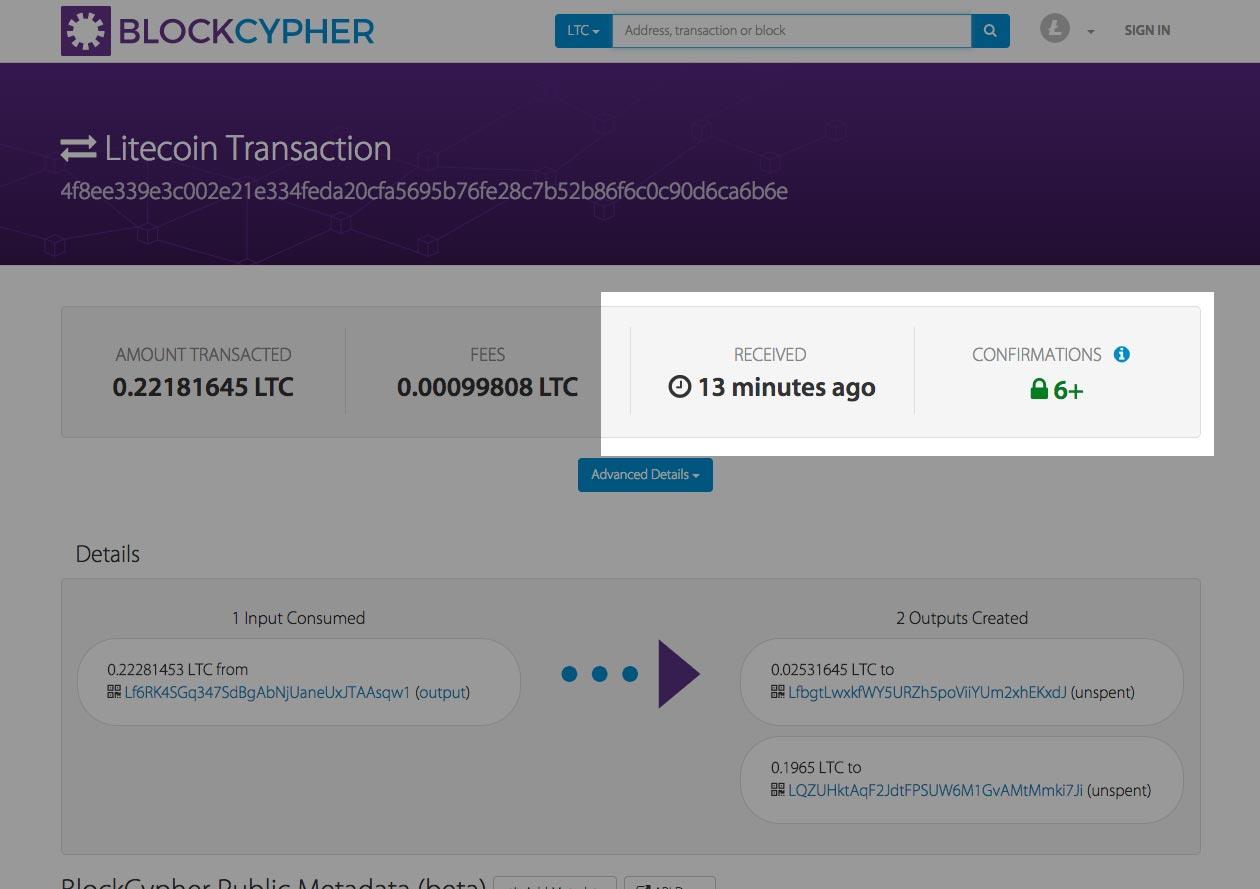 9. After the transactions have been verified, you should now see the funds at the address you sent it to. Congrats, you're done! 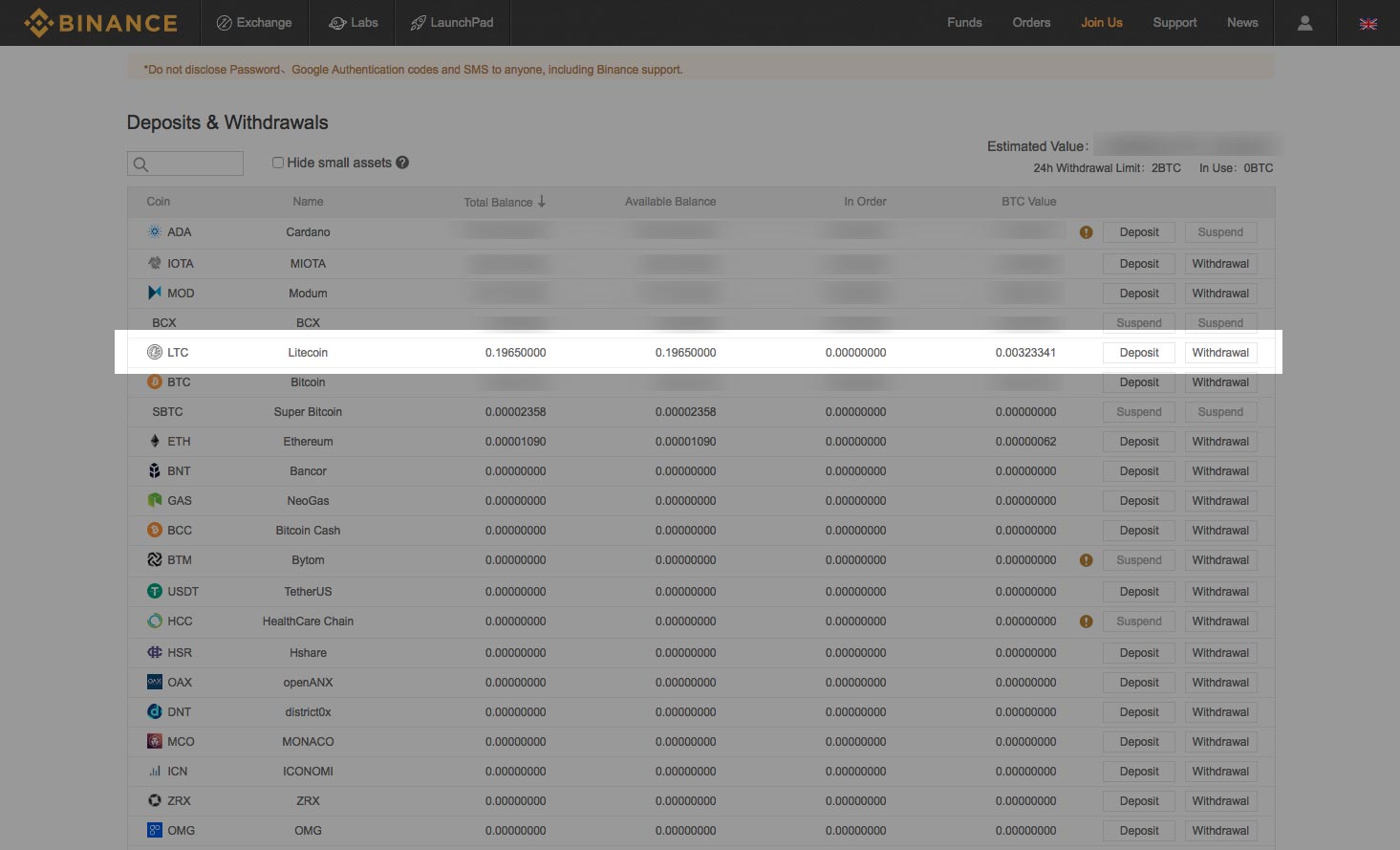 |
| json metadata | {"tags":["cryptocurrency","litecoin","howto","walkthrough","ltc"],"image":["https://steemitimages.com/DQmRvKCSs1yFHPbMLLjo95mY6yx9BNzaS95GocMvgaXdrfN/deposit-address.jpg","https://steemitimages.com/DQmbapHD7SCCzrWx7aUYGLNxXmid3vN5xCFS2sWeqxJYstN/dashboard.jpg","https://steemitimages.com/DQmaDB6b6GaUhKYAWteDqepFetJSsVmapUExFiT9hUGcW2s/account-tab1.jpg","https://steemitimages.com/DQmYEq31BS27eapn5uyjApnuK2uMHojCCrEj3Ye2MGusgE1/select-litecoin-account-tab4.jpg","https://steemitimages.com/DQmf5nxHJLteAgY7jeF7RMtd94iLAfmfF4Ay3cEoPLLzbkd/select-send-ltc.jpg","https://steemitimages.com/DQmZKqBM5mbecSidam5DqDyVZNPKKaBud6s7TDd88fUoeM5/select-litecoin-account-tab-filled1.jpg","https://steemitimages.com/DQmRhtSMP2FNuyMvLcRRipQL7jFDpHk194s1pzDgdYtJmN1/confirm-ltc-send.jpg","https://steemitimages.com/DQmNoHAafioZL3WJ4kaV3GXC5aY6Zv9pcRvtRcafH2xqHpa/ltc-sent-confirmed.jpg","https://steemitimages.com/DQmPGrSXZfECKQk4UrVVL1vmNSzTPj9pk83FMC3p47stx2B/ltc-sent-details.jpg","https://steemitimages.com/DQmZao97bSKMCFVxLqD7yAdWtidWcA3yNrKWY1zuc3WR9WL/litecoin-transaction-status1.jpg","https://steemitimages.com/DQmU5MqwgVoyRoDWfKiAuVqHtxfbLwYzz3fAUEA7UcJek8S/litecoin-tx-status-continued.jpg","https://steemitimages.com/DQmPJsStFL2qU7CN5tTfTR7GrXsrnsgF9aok1zRGqqxrQBp/litecoin-sent-confirmed-6plus.jpg","https://steemitimages.com/DQmNnDmsqyisA7Tx8iaBaw5uxRyY2M1s4ni2dxfsSkjgPvp/litecoin-arrived-binance.jpg"],"links":["https://www.coinbase.com/join/57204d81e1764839990004ac","https://www.binance.com/?ref=11519709"],"app":"steemit/0.1","format":"markdown"} |
| parent author | |
| parent permlink | cryptocurrency |
| permlink | how-to-send-litecoin-ltc |
| title | How to send Litecoin (LTC) |
| Transaction Info | Block #19011275/Trx bf4a8b7b50f75bbcc4c10f347a9b371f4f864c52 |
View Raw JSON Data
{
"block": 19011275,
"op": [
"comment",
{
"author": "thecryptolog",
"body": "So you've purchased your Litecoin because you heard it's faster then Bitcoin, congrats! Now what? The following steps are for sending Litecoin out of [Coinbase](https://www.coinbase.com/join/57204d81e1764839990004ac) and receiving it on the [Binance exchange](https://www.binance.com/?ref=11519709). The guidelines can be applied to any Litecoin address. whether it's a Litecoin address on a cryptocurrency exchange, software wallet, or hardware wallet. Let's get to it!\n\n1. Before sending LTC, you'll need an address to send to, this address is likely coming from an ecommerce store, a friend, or an exchange. In my case, I'm sending Litecoin to [Binance](https://www.binance.com/?ref=11519709) so I can trade LTC.\n \n\n2. Once you have an address, you'll want to sign into your [Coinbase](https://www.coinbase.com/join/57204d81e1764839990004ac) account and log in to see your dashboard. Click on your Accounts tab.\n \n\n3. On the account tab, you'll see your wallets on the left hand side. Your Litecoin wallet might not be visible, but roll your mouse over the My Accounts area, and scroll down to view your Litecoin (LTC) wallet. If you click anywhere on the Litecoin box area, you'll see your transaction history on your right. You'll want to click on the SEND button to send Litecoin to another address.\n \n\n \n \n4. A pop up box should come up where you can insert the Litecoin address and amount of Litecoin (LTC) you want to send. Always double check the amount and address you are sending it to. I'll be using the address from Step 1. Once you've filled in the details, you'll notice at the bottom a Network Fee. The network fee is what is used to pay the network to send your money. Every transaction you make with Litecoin will require a network fee. Depending on where you are sending your Litecoin from, you can adjust your Network fee. If you want your transaction to be processed faster, you can pay a priority fee, likewise if you don't mind how long it will take, you can choose a more economical fee. In this case, [Coinbase](https://www.coinbase.com/join/57204d81e1764839990004ac) automatically chooses what tier we are put in. Click on the Continue button.\n \n\n \n\n5. Once you've clicked on the continue button, you'll get another pop up box that will ask you to confirm the address and amount you're sending your Litecoin to. Click on the Confirm button.\n \n\n6. Once you've confirmed, you will get yet another dialog box. Click on the View Details button to view more information about the Litecoin you have sent.\n \n\n7. You will arrive at yet another pop up box with a summary of the transaction you just made. What you should notice here is the number of Confirmations, and the View transaction link. Click on the View transaction link\n \n\n8. You will be redirected to Litecoin's blockchain explorer. Notice the confirmations box that says 0/6. This means that the network has not verified the transaction has occurred yet. Once 6/6 has been reached, the transaction will have arrived at your address. Depending on where you are sending your Litecoin to, you may need less then 6 confirmations. The amount of time to reach 6 confirmations depends on how busy the network is, in my case it took roughly 15 minutes. To view your transaction history, simply type in your personal address at the top of LTC Blockchain explorer.\n \n\n \n\n \n\n9. After the transactions have been verified, you should now see the funds at the address you sent it to. Congrats, you're done!\n ",
"json_metadata": "{\"tags\":[\"cryptocurrency\",\"litecoin\",\"howto\",\"walkthrough\",\"ltc\"],\"image\":[\"https://steemitimages.com/DQmRvKCSs1yFHPbMLLjo95mY6yx9BNzaS95GocMvgaXdrfN/deposit-address.jpg\",\"https://steemitimages.com/DQmbapHD7SCCzrWx7aUYGLNxXmid3vN5xCFS2sWeqxJYstN/dashboard.jpg\",\"https://steemitimages.com/DQmaDB6b6GaUhKYAWteDqepFetJSsVmapUExFiT9hUGcW2s/account-tab1.jpg\",\"https://steemitimages.com/DQmYEq31BS27eapn5uyjApnuK2uMHojCCrEj3Ye2MGusgE1/select-litecoin-account-tab4.jpg\",\"https://steemitimages.com/DQmf5nxHJLteAgY7jeF7RMtd94iLAfmfF4Ay3cEoPLLzbkd/select-send-ltc.jpg\",\"https://steemitimages.com/DQmZKqBM5mbecSidam5DqDyVZNPKKaBud6s7TDd88fUoeM5/select-litecoin-account-tab-filled1.jpg\",\"https://steemitimages.com/DQmRhtSMP2FNuyMvLcRRipQL7jFDpHk194s1pzDgdYtJmN1/confirm-ltc-send.jpg\",\"https://steemitimages.com/DQmNoHAafioZL3WJ4kaV3GXC5aY6Zv9pcRvtRcafH2xqHpa/ltc-sent-confirmed.jpg\",\"https://steemitimages.com/DQmPGrSXZfECKQk4UrVVL1vmNSzTPj9pk83FMC3p47stx2B/ltc-sent-details.jpg\",\"https://steemitimages.com/DQmZao97bSKMCFVxLqD7yAdWtidWcA3yNrKWY1zuc3WR9WL/litecoin-transaction-status1.jpg\",\"https://steemitimages.com/DQmU5MqwgVoyRoDWfKiAuVqHtxfbLwYzz3fAUEA7UcJek8S/litecoin-tx-status-continued.jpg\",\"https://steemitimages.com/DQmPJsStFL2qU7CN5tTfTR7GrXsrnsgF9aok1zRGqqxrQBp/litecoin-sent-confirmed-6plus.jpg\",\"https://steemitimages.com/DQmNnDmsqyisA7Tx8iaBaw5uxRyY2M1s4ni2dxfsSkjgPvp/litecoin-arrived-binance.jpg\"],\"links\":[\"https://www.coinbase.com/join/57204d81e1764839990004ac\",\"https://www.binance.com/?ref=11519709\"],\"app\":\"steemit/0.1\",\"format\":\"markdown\"}",
"parent_author": "",
"parent_permlink": "cryptocurrency",
"permlink": "how-to-send-litecoin-ltc",
"title": "How to send Litecoin (LTC)"
}
],
"op_in_trx": 0,
"timestamp": "2018-01-15T22:32:15",
"trx_id": "bf4a8b7b50f75bbcc4c10f347a9b371f4f864c52",
"trx_in_block": 0,
"virtual_op": 0
}thumperdieselupvoted (100.00%) @thecryptolog / how-to-send-bitcoin-btc2018/01/15 22:15:06
thumperdieselupvoted (100.00%) @thecryptolog / how-to-send-bitcoin-btc
2018/01/15 22:15:06
| author | thecryptolog |
| permlink | how-to-send-bitcoin-btc |
| voter | thumperdiesel |
| weight | 10000 (100.00%) |
| Transaction Info | Block #19010932/Trx b29aaad34943378ee15e30eae0ebff659ea9c7ef |
View Raw JSON Data
{
  "block": 19010932,
  "op": [
    "vote",
    {
      "author": "thecryptolog",
      "permlink": "how-to-send-bitcoin-btc",
      "voter": "thumperdiesel",
      "weight": 10000
    }
  ],
  "op_in_trx": 0,
  "timestamp": "2018-01-15T22:15:06",
  "trx_id": "b29aaad34943378ee15e30eae0ebff659ea9c7ef",
  "trx_in_block": 66,
  "virtual_op": 0
}thecryptologpublished a new post: how-to-send-bitcoin-btc2018/01/15 22:13:24
thecryptologpublished a new post: how-to-send-bitcoin-btc
2018/01/15 22:13:24
| author | thecryptolog |
| body | So you've purchased your first Bitcoin, congratulations! Now what? You've heard of how amazing it is, how no one controls it, how it's decentralized and how can you can send BTC across the world without going through a 3rd party. Well yes, it's all true! The following steps are for sending Bitcoin out of [Coinbase](https://www.coinbase.com/join/57204d81e1764839990004ac) and receiving it on my Exodus wallet, but the guidelines can be applied to any Bitcoin address, whether it's a Bitcoin address on a cryptocurrency exchange, software wallet, or hardware wallet. Let's get to it! 1. You'll want to sign into your [Coinbase](https://www.coinbase.com/join/57204d81e1764839990004ac) account and log in to see your dashboard. You'll want to click on your Accounts tab.  2. After arriving at the Accounts page, you'll want to click on the Send button underneath your BTC Wallet section. 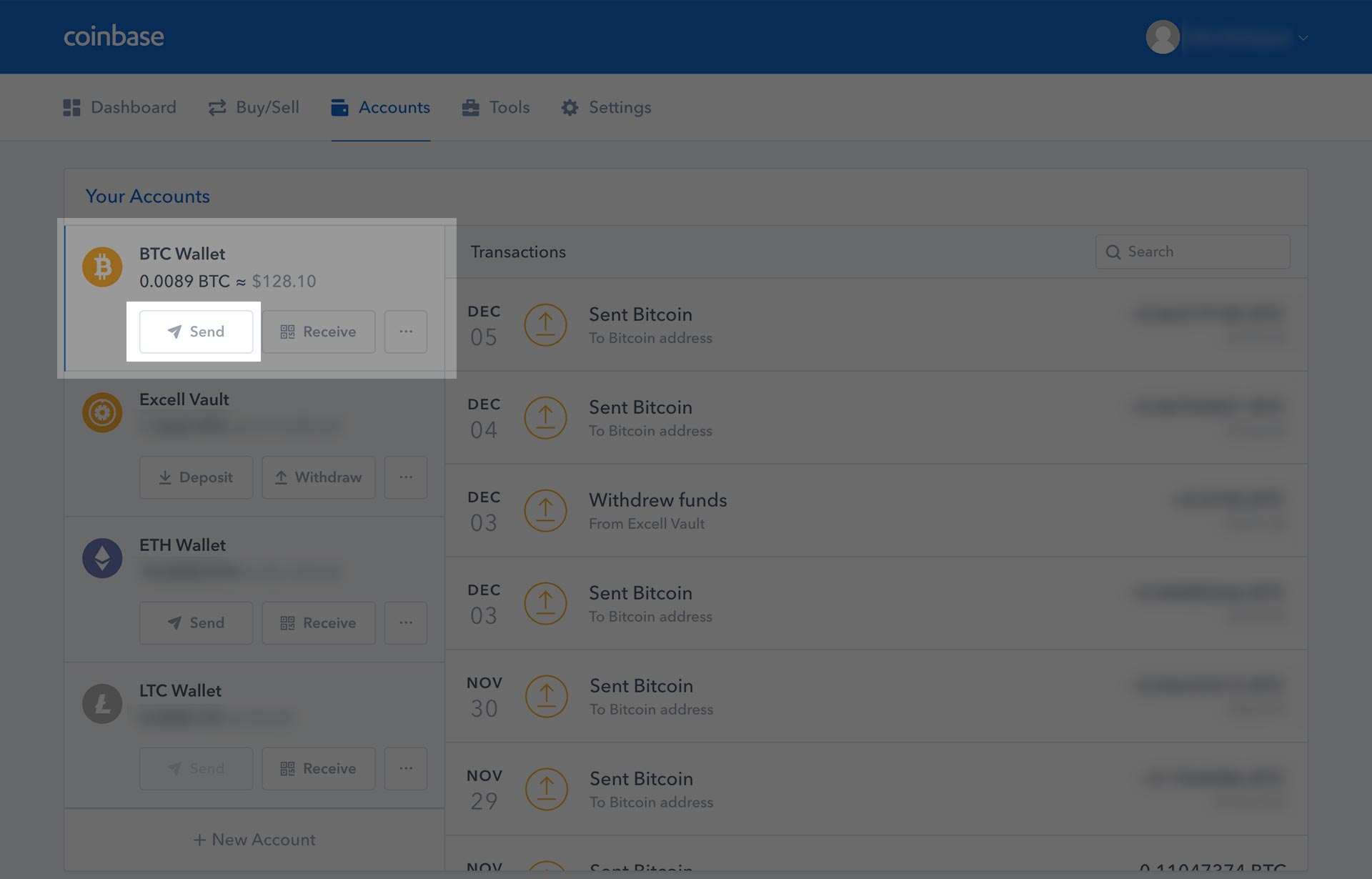 3. A pop-up box should now show up where we will fill out the form with the Recipient's Bitcoin Address, how much Bitcoin we want to send, and an optional memo for your future reference. 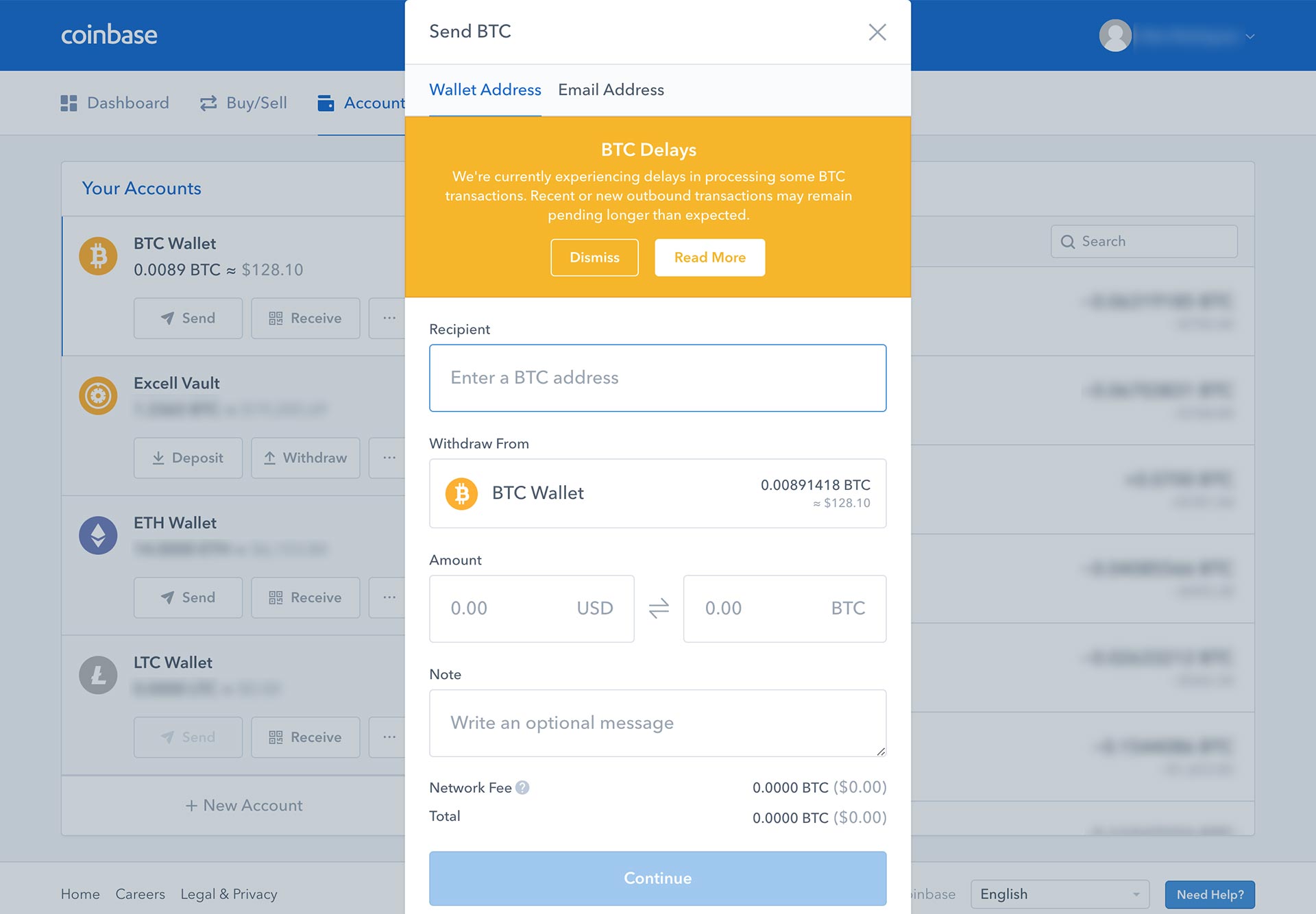 4. I'll be sending my Bitcoin (BTC) out to my Exodus wallet. On my Exodus wallet, I'll want to check what my Bitcoin Address is, so I'll click on Receive. 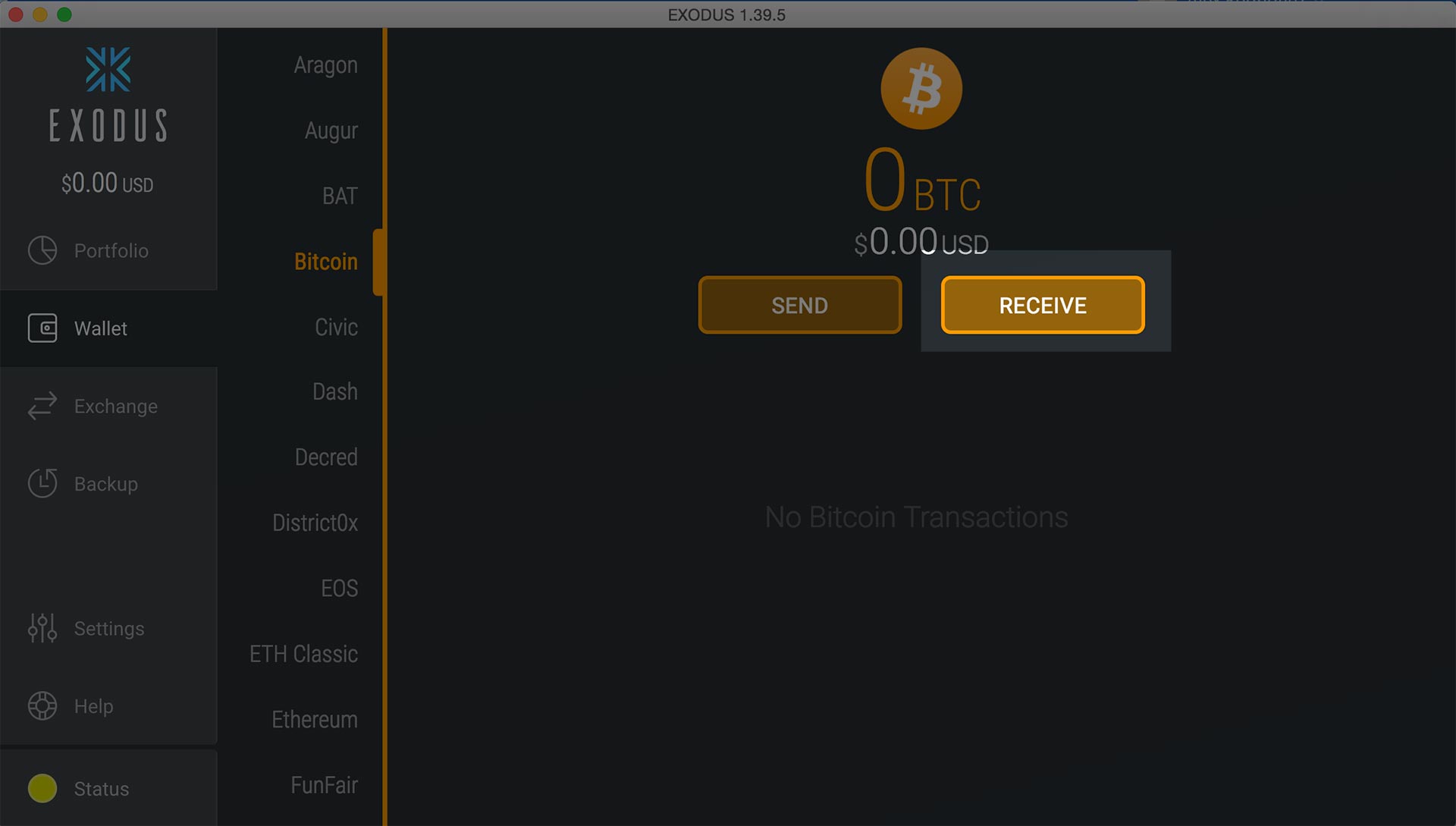 5. A popup will show up with the Bitcoin address of my Exodus wallet. A trading exchange would give you a Bitcoin address, or a friend, family member would give you a Bitcoin (BTC) address to send it to. On the Exodus wallet, you can either copy the text string, in this case being "18oSrMDoP72XBrkztnvx53Gi3FbTcA1kxv" (feel free to donate), or you can click the button on bottom left. 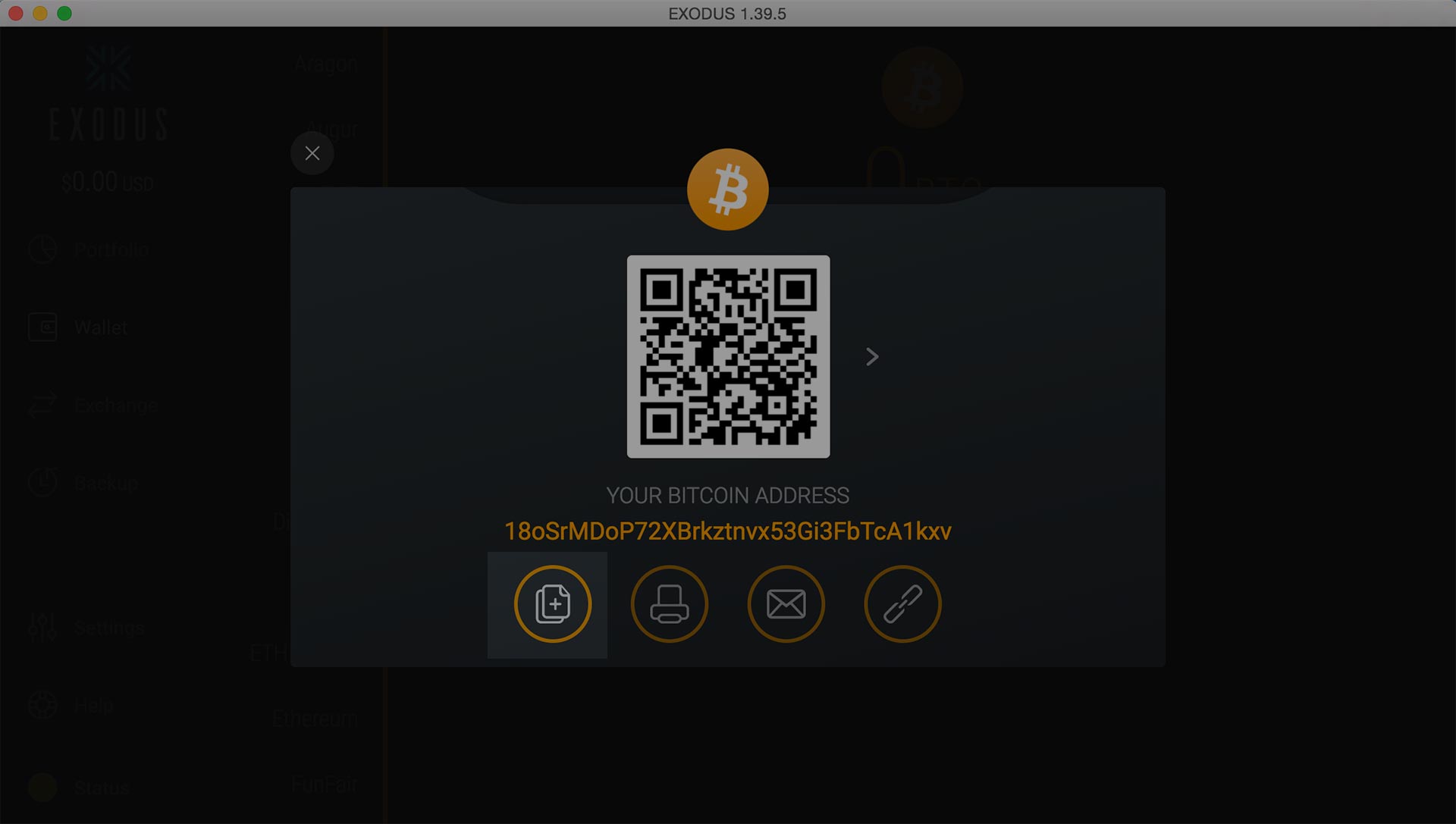 6. Now that we have a Bitcoin address to where we will send BTC too, let's go back to [Coinbase](https://www.coinbase.com/join/57204d81e1764839990004ac) and fill out our form. Fill out the recipient section with the Bitcoin address we just copied (or given from a friend), and fill out how much BTC you would like to send. In my case, I'm sending .00007 Bitcoin. You'll notice at the bottom a Network Fee. The network fee is what is used to pay the network to send your money. Every transaction you make on Bitcoin will require a network fee. Depending on where you are sending your Bitcoin from, you can adjust your Network fee. If you want your transaction to be processed faster, you can pay a priority fee, likewise if you don't mind how long it will take, you can choose a more economical fee. In this case, [Coinbase](https://www.coinbase.com/join/57204d81e1764839990004ac) automatically chooses what tier we are put in, thus unfortunately high USD price mark to send it out. If you plan on sending Bitcoin back and forth many times, I recommend putting your Bitcoin into another wallet (blog post regarding wallets to be published soon) 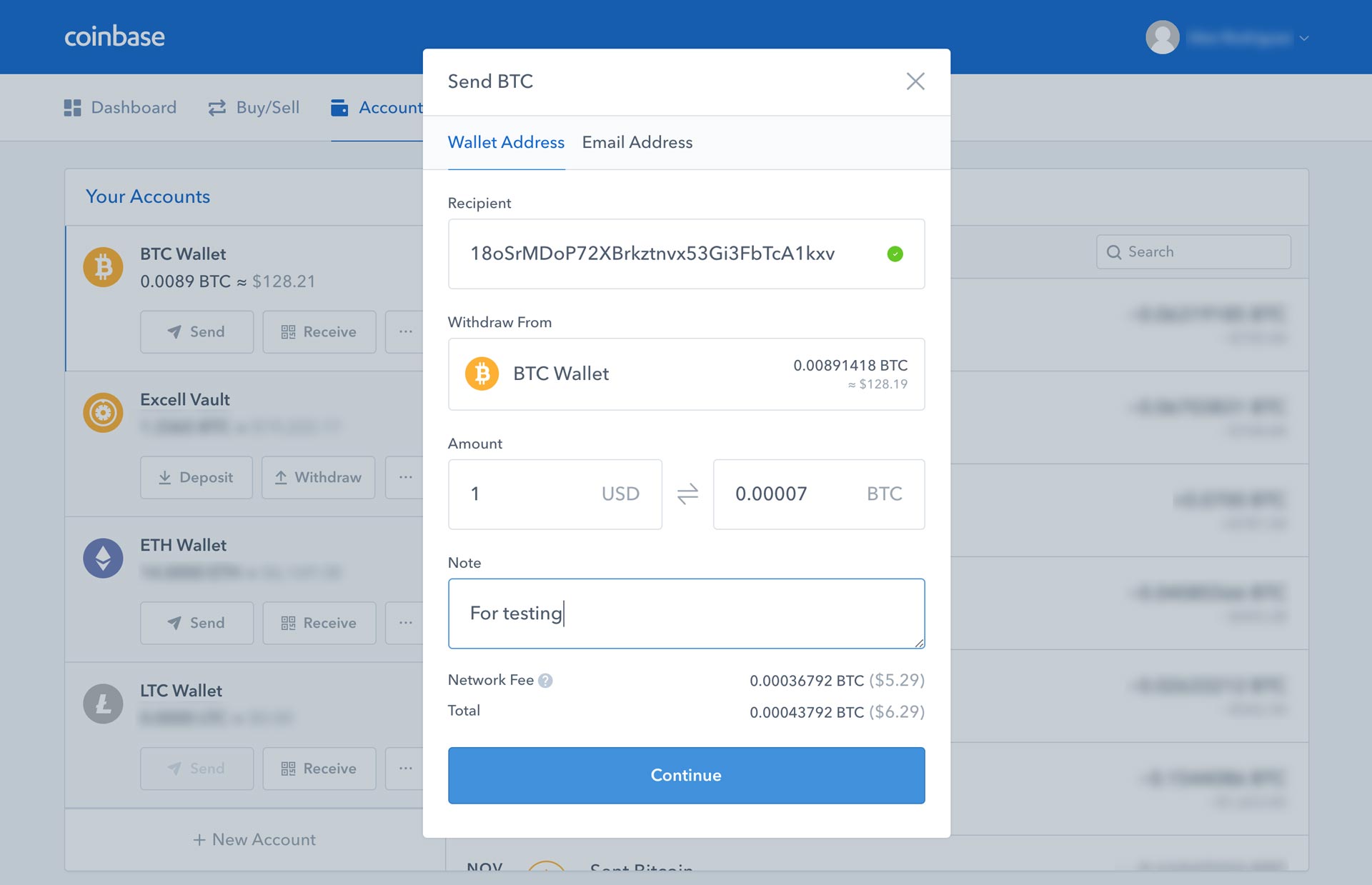 7. On [Coinbase](https://www.coinbase.com/join/57204d81e1764839990004ac), you'll be ask to Confirm your transaction details. Details such as the amount of BTC you are sending out and the Recipient Bitcoin Address. Please, ALWAYS double or triple check you have put in the correct Recipient wallet address as not all wallets ask for a confirmation. If you enter an incorrect address, your Bitcoin will be lost forever. Let me repeat that again, LOST FOREVER. I personally always send out a test amount, before sending a large amount of Bitcoin. 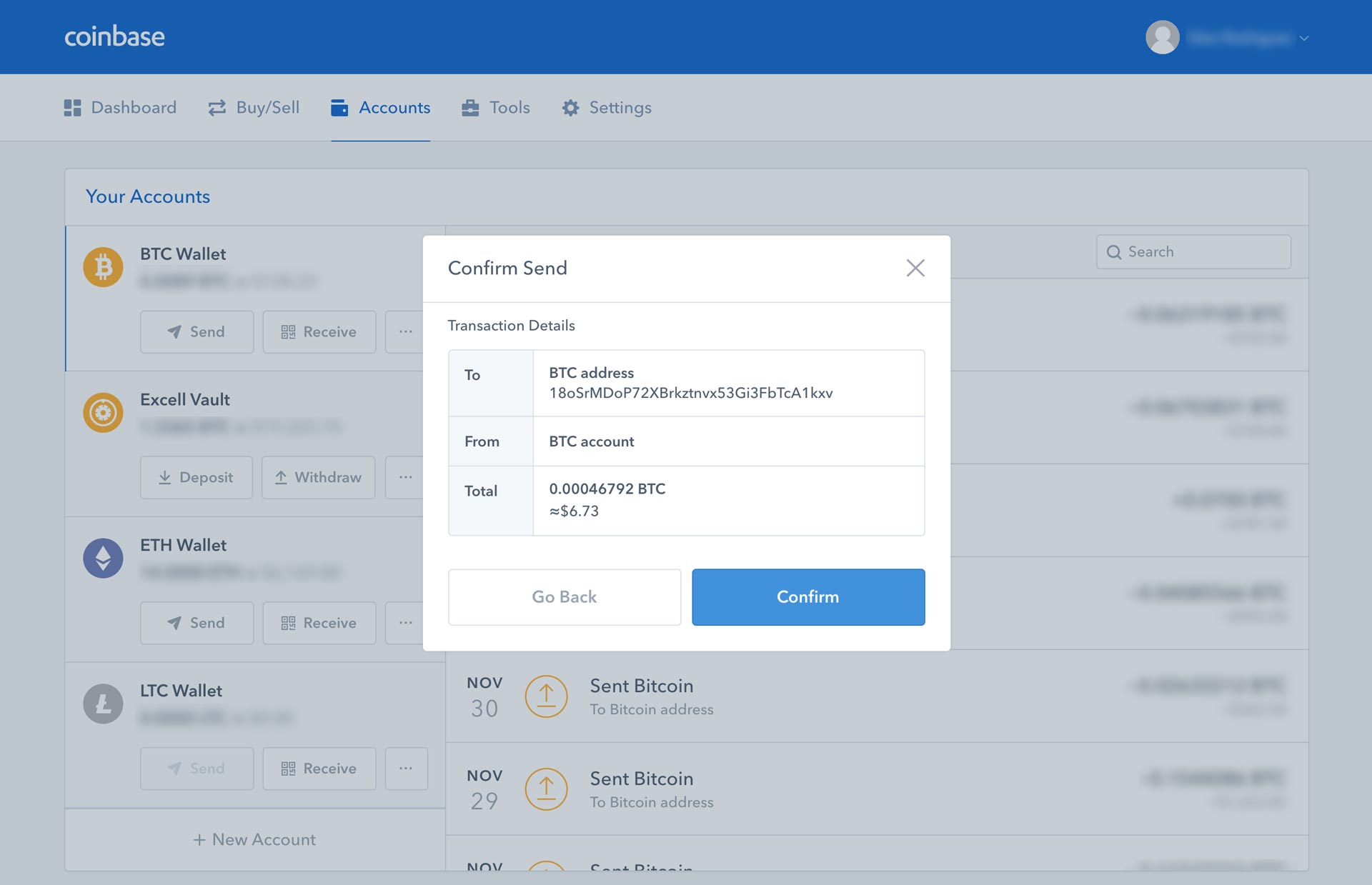 8. You'll now see a success message and you can click on View Details for more information regarding the transaction. 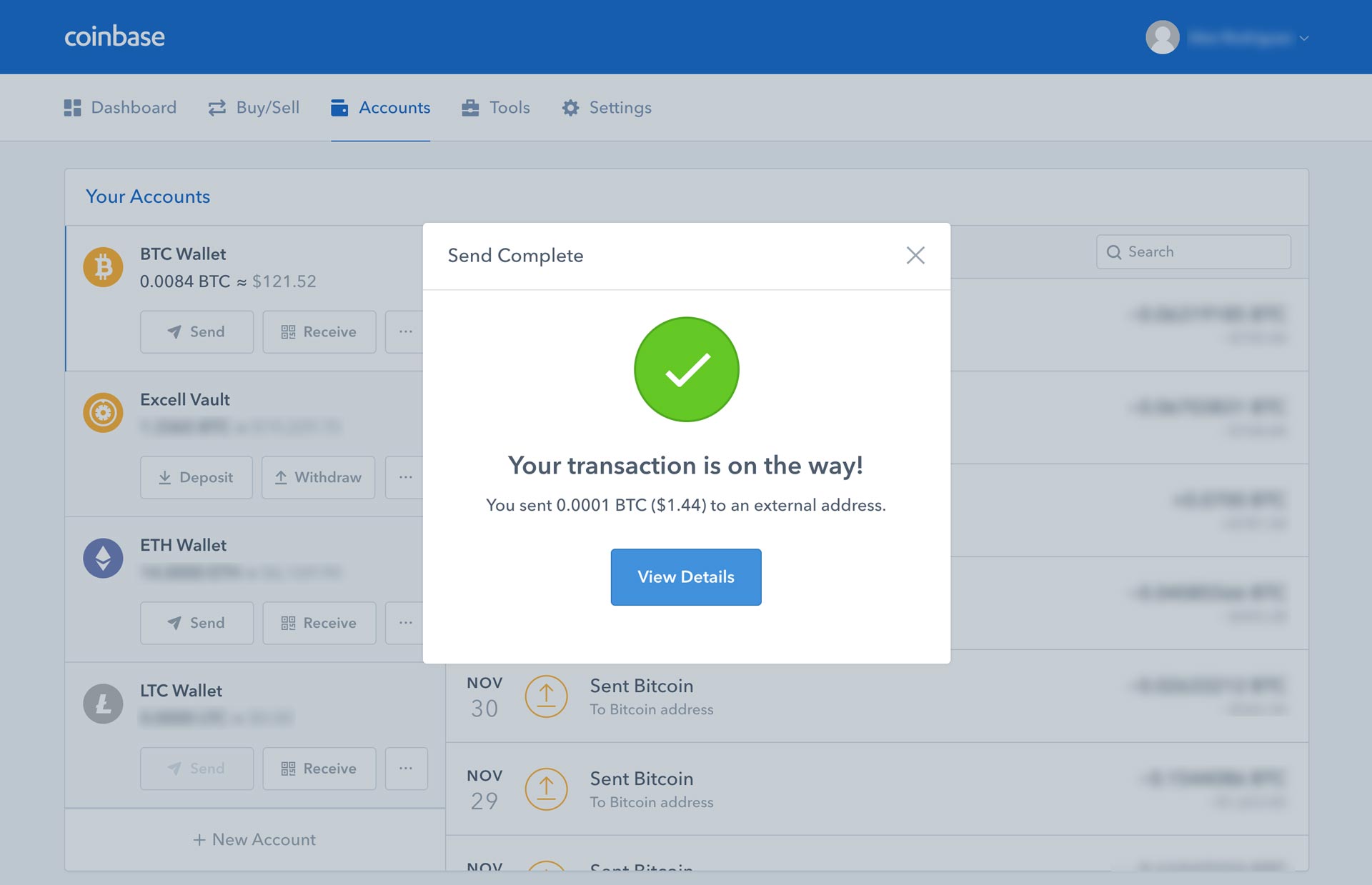 9. You'll see that there are 0 confirmations. Depending on where you send your Bitcoin, you'll need a certain amount of transactions to make it official for the recipient. You can close out the details for now. Typically the Bitcoin blockchain itself requires 6 to make it officially part of the blockchain. 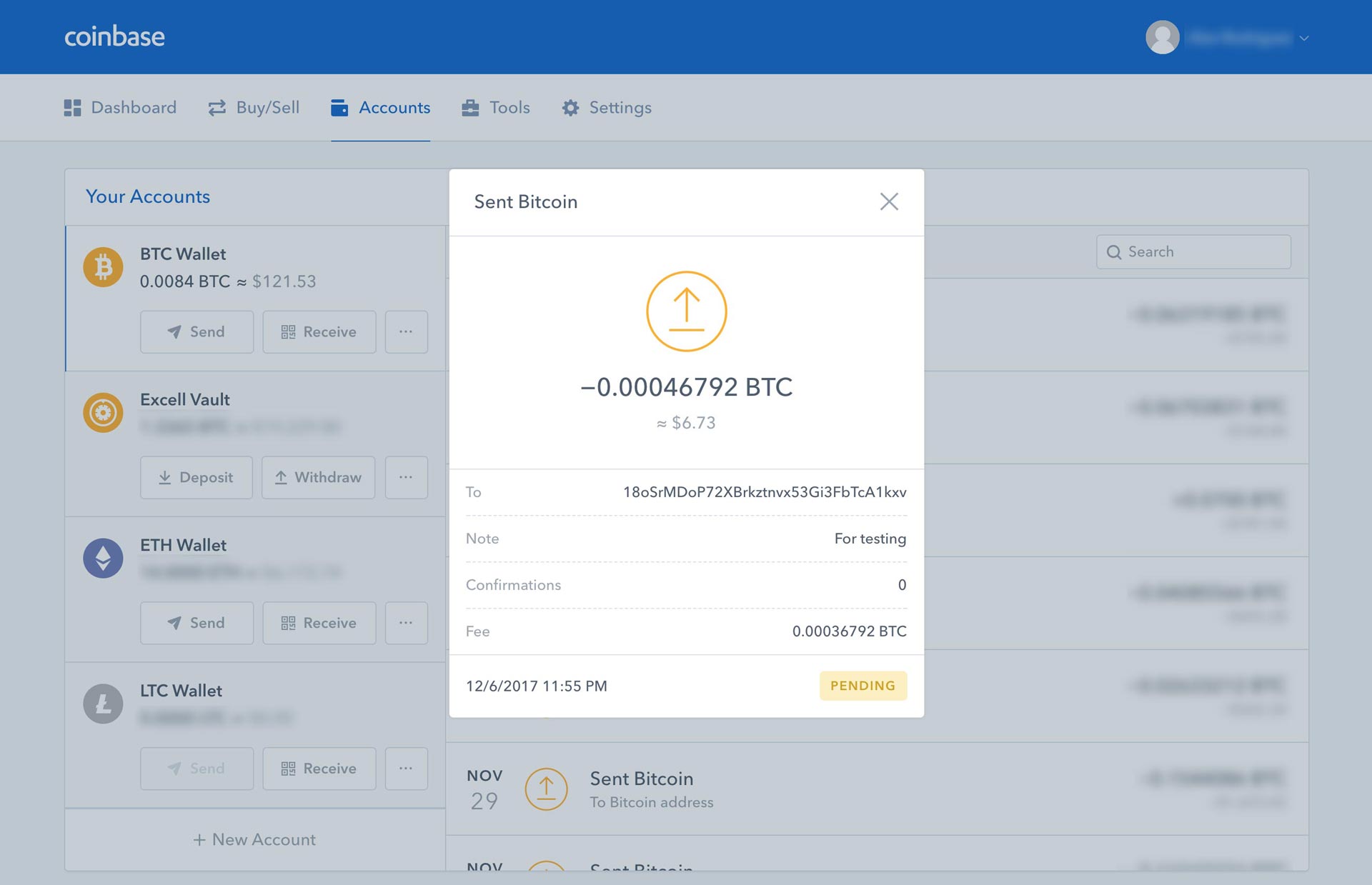 10. Once closed out, you'll also see a pending state for under your Transactions. To view the details again, you can click on the transaction. 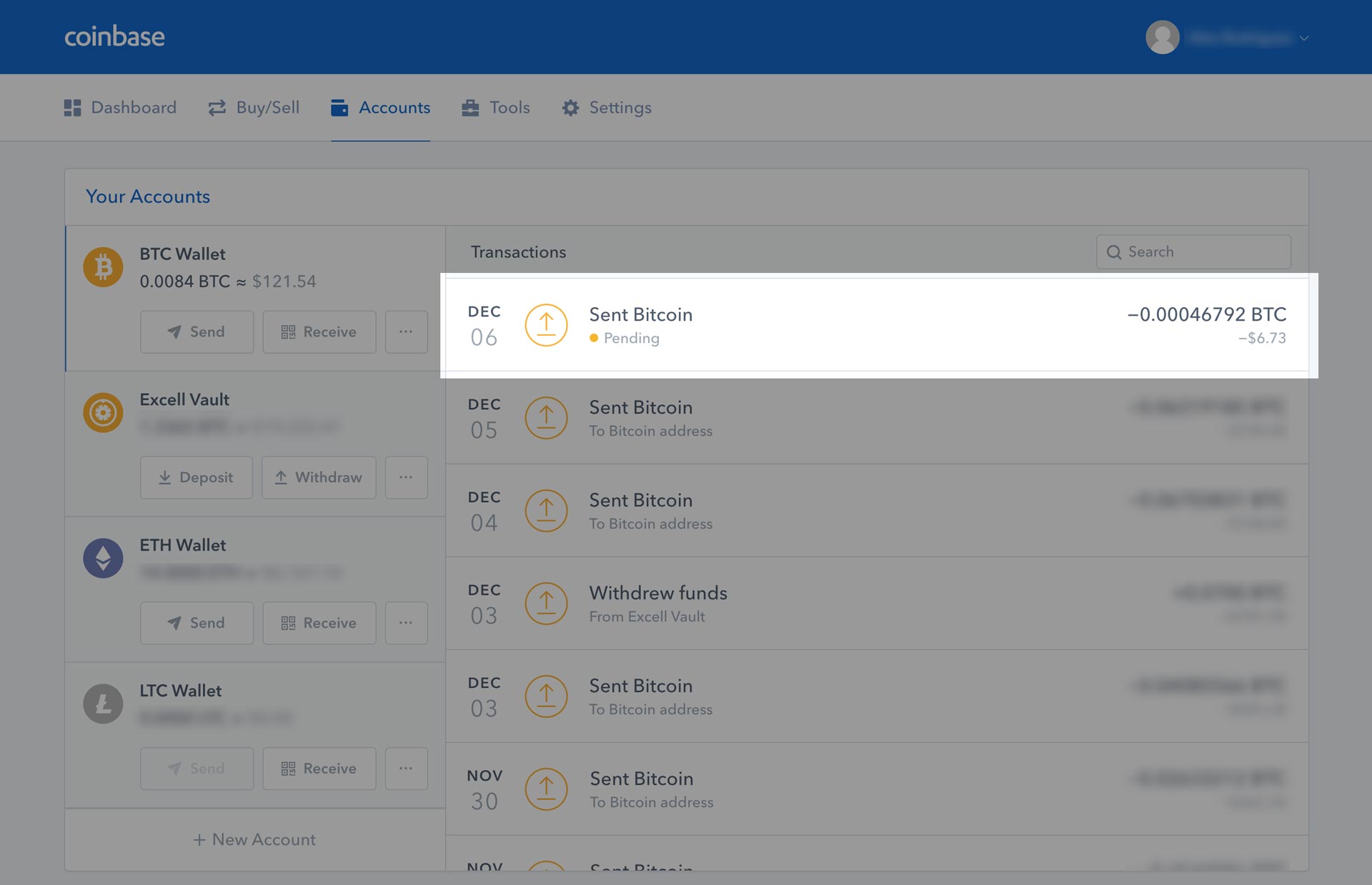 11. You'll now see that the View Details box will read that there are a certain amount of transactions, and a "View transaction" link. Clicking on the View Transaction link will allow you to see your transaction on the Bitcoin blockchain explorer. 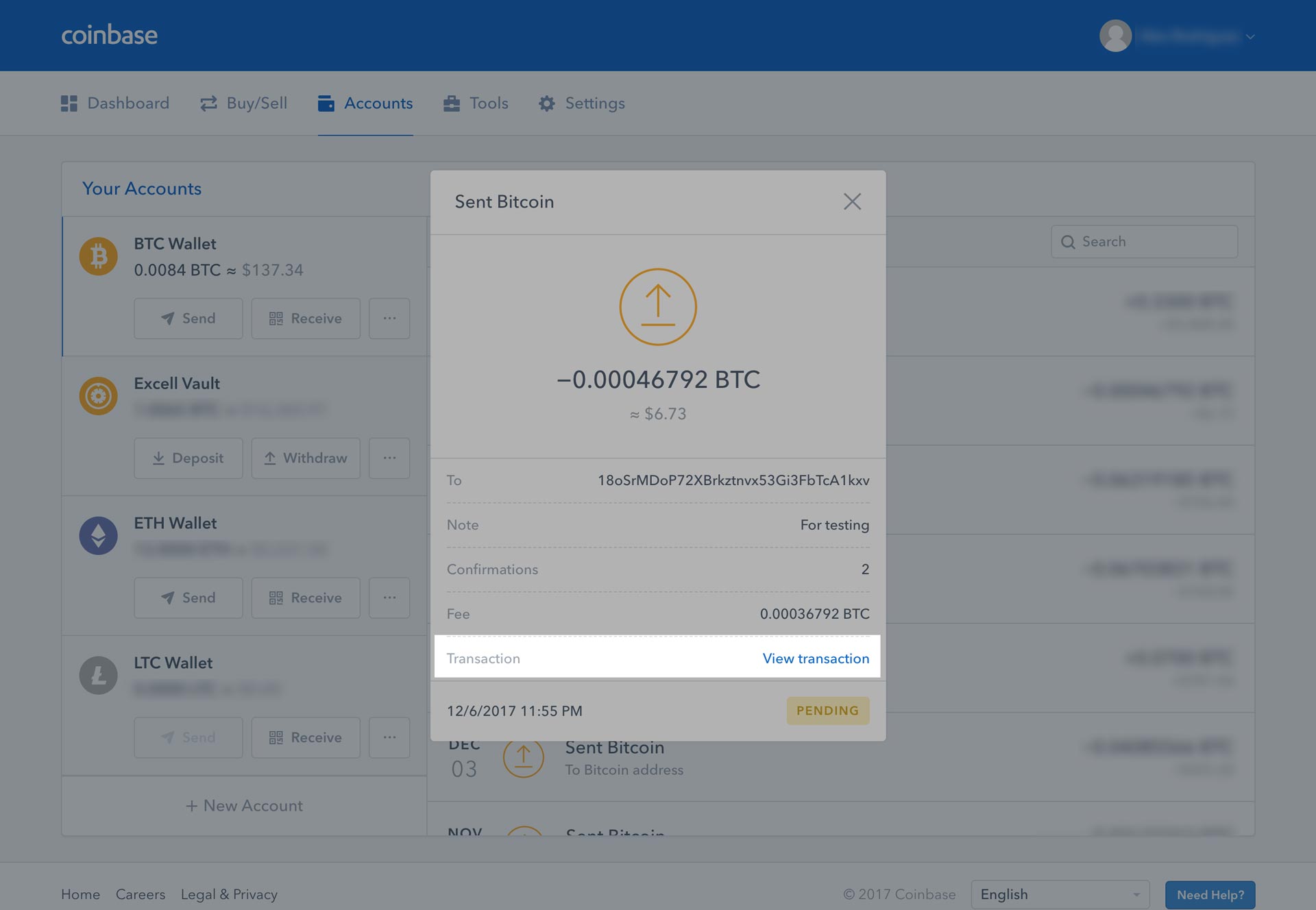 12. On the explorer, you can type in any transaction ID or wallet to get details of it. As you can see below, only 2 confirmations have occurred. 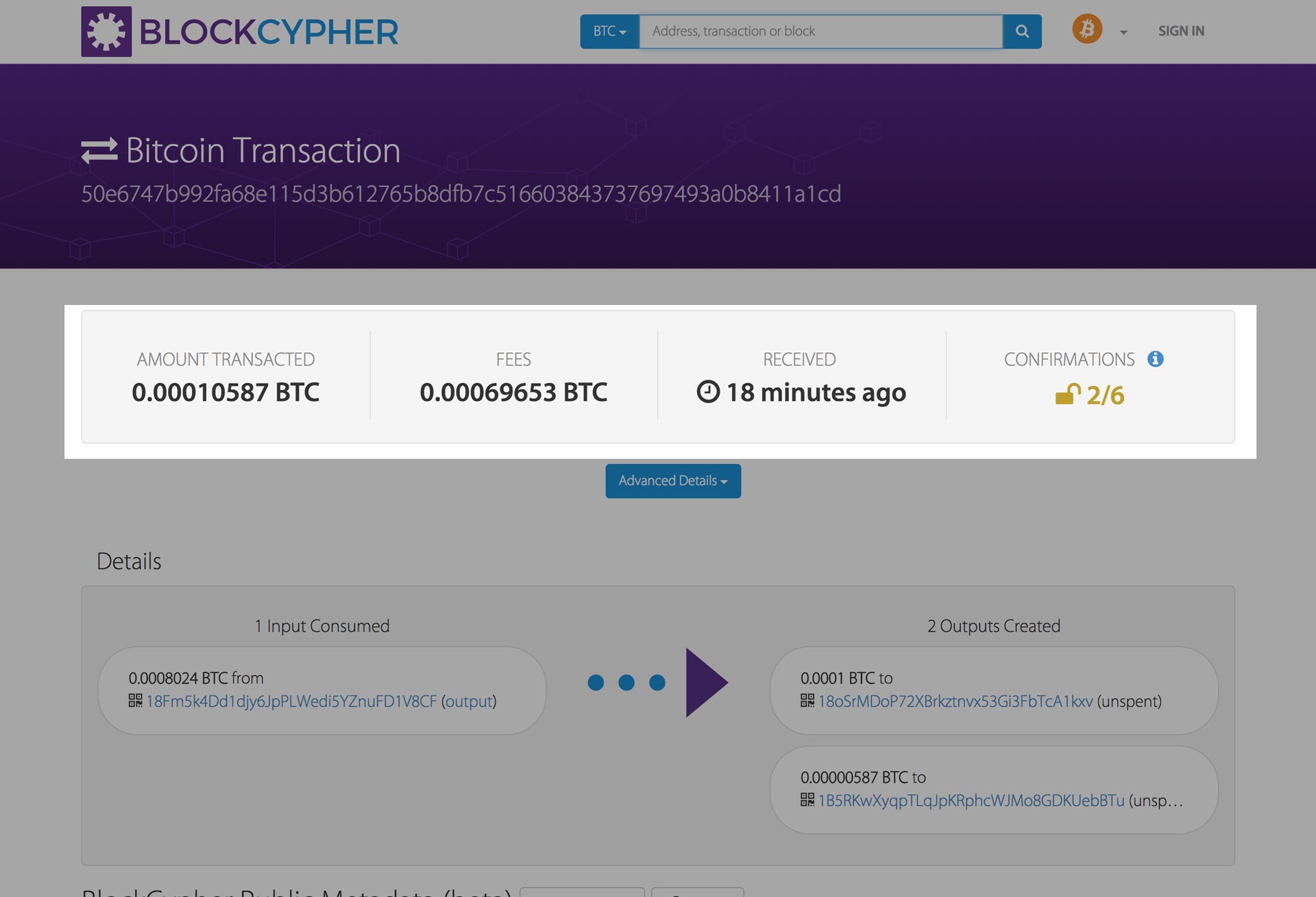 13. Once you start seeing confirmations, typically it's only a matter of time before your confirmation is official on the blockchain. And you're done! You've officially sent Bitcoin, as you can see below, once it's confirmed 6 times, your [Coinbase](https://www.coinbase.com/join/57204d81e1764839990004ac) account will say success, and you're receiving wallet will now have the funds. (You may need to refresh your wallet/page of where you are receiving the funds to view it) 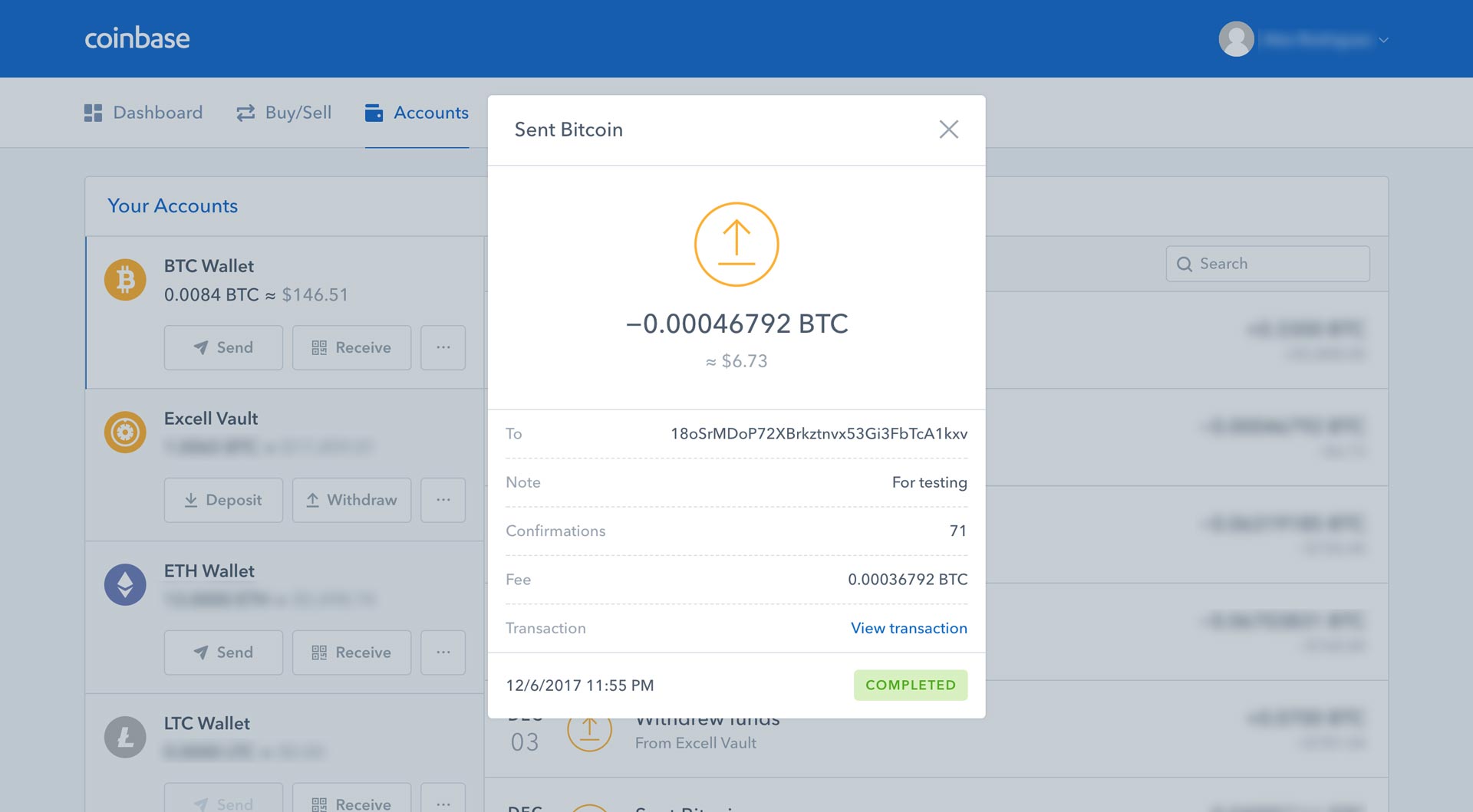 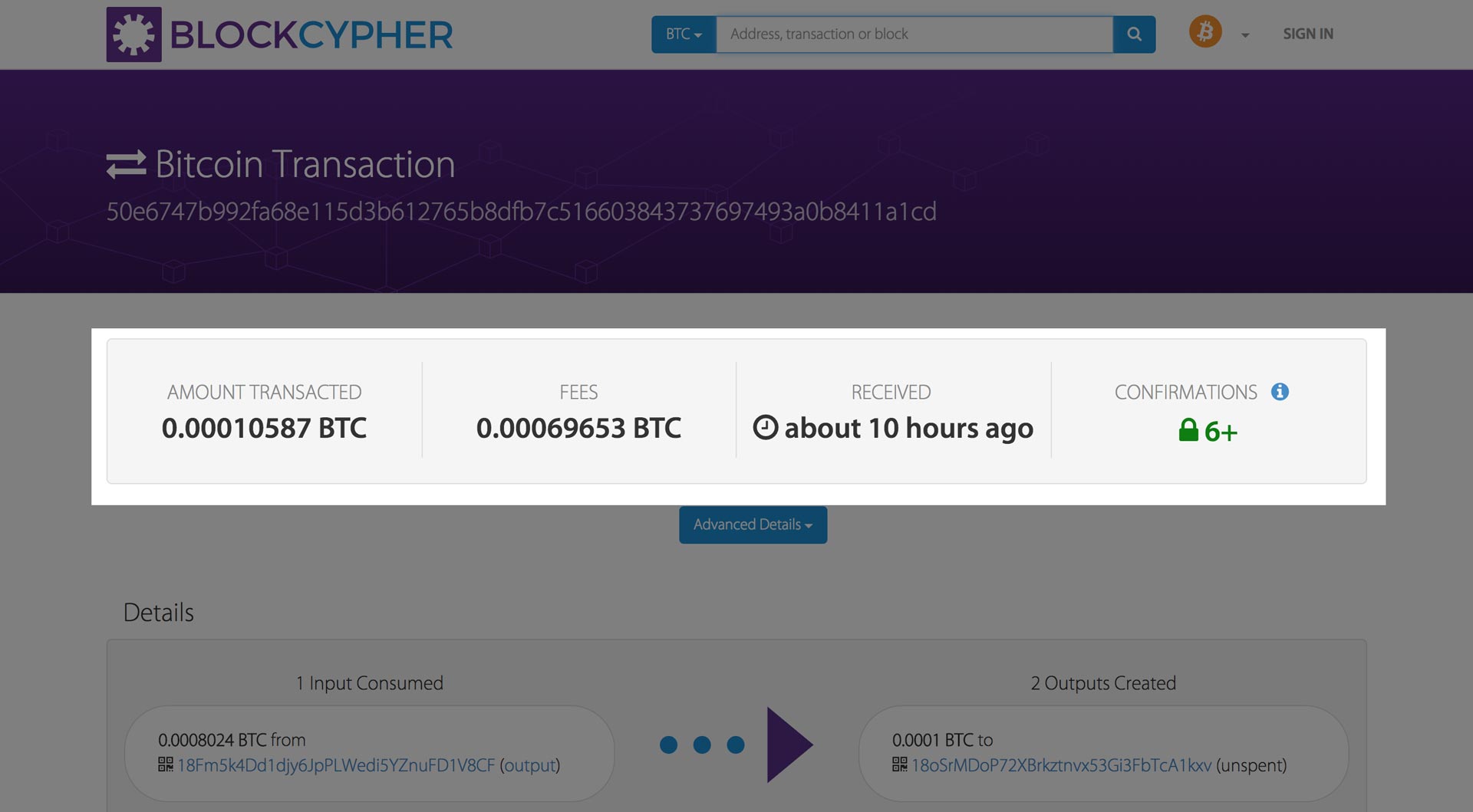 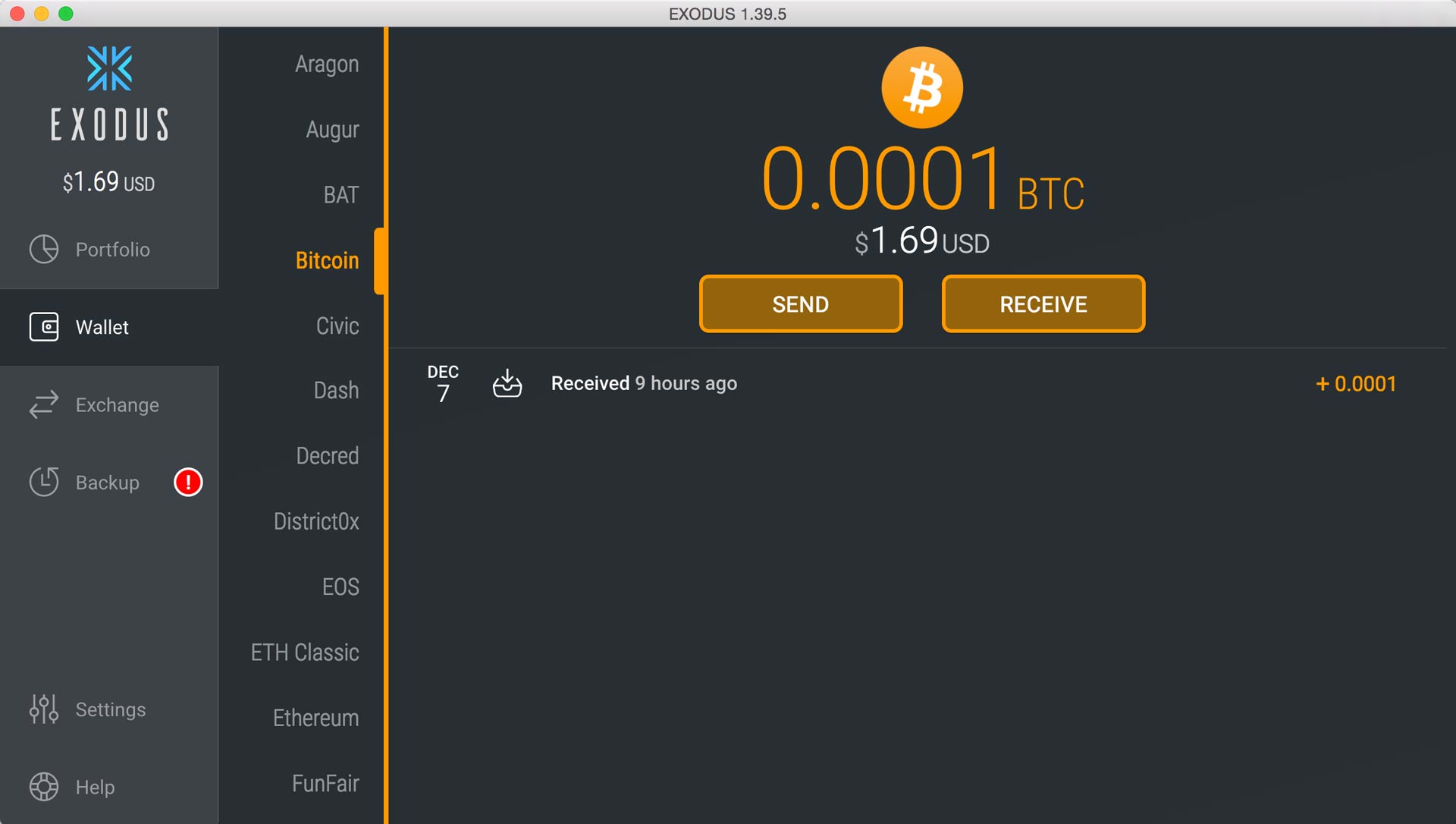 |
| json metadata | {"tags":["cryptocurrency","bitcoin","howto","walkthrough","btc"],"image":["https://steemitimages.com/DQmbapHD7SCCzrWx7aUYGLNxXmid3vN5xCFS2sWeqxJYstN/dashboard.jpg","https://steemitimages.com/DQmeSSTFzXXqs8Qv8GFVrqvVCa1pEz5vrpGKLbkXwSSv6TD/accounts-tab.jpg","https://steemitimages.com/DQmXd9hqHdptBcNcuuZMu7zHx7oZfwffpxhUAQX81q3SodN/send-popup.jpg","https://steemitimages.com/DQmV5vX7mZKnCezDSzZ91Y3vFdDx5H62MgBnnt8p6dQxwm8/exodus-wallet.jpg","https://steemitimages.com/DQmeV6VUnDF87QQmXDpryXp4kUGmAy6Mr3ohEfoVJngyYg1/exodus-my-address.jpg","https://steemitimages.com/DQmPn7QyHP7mmkdLRFjTNMA8x4Z1KUcLWEhAuabhcTDrV7D/enter-amount.jpg","https://steemitimages.com/DQmcvio8ks6vFgq9XYH2fz2XYApUjZeGij7NuS86V9ZYGdF/confirm-withdrawal.jpg","https://steemitimages.com/DQmTnrngTVjtoXyUnXQWK9QPBHk64YrPQfihNTc78QgnMTX/on-way.jpg","https://steemitimages.com/DQmTmajAoUtaMgTVrgcNf8xDeanpe1H3AJJp7Fg5WhMZ23H/pending-2.jpg","https://steemitimages.com/DQmaQ4a1NJYNGjWr2bp4TPUhWSkjqhB49P1ECQyJqKveNet/pending.jpg","https://steemitimages.com/DQmbhxS2RYsmxCNCCSUDBiopRYtDa6QbCw5hCLqCod5GvaV/pending-confirmations.jpg","https://steemitimages.com/DQmaiHrmigdG9V6CzEtu4JLaFM8vGooPsKFKV424eGrcENW/networkingconfirmations.jpg","https://steemitimages.com/DQmea4zCf1bmg2TNMS2Vg1GJfA15gDJWYfhoRdouzBrZeDV/confirmed-coinbase.jpg","https://steemitimages.com/DQmSYBaWaaJS5rwMMC9F37ot29z9t4GrrXA2amaxF95NNZf/confirmed-in-blockchain.jpg","https://steemitimages.com/DQmSvu7acxQGQvu99W1TnVUgTB6UjjSsM9siHcU9659qHqn/exodus-wallet-success.jpg"],"links":["https://www.coinbase.com/join/57204d81e1764839990004ac"],"app":"steemit/0.1","format":"markdown"} |
| parent author | |
| parent permlink | cryptocurrency |
| permlink | how-to-send-bitcoin-btc |
| title | How to send Bitcoin (BTC) |
| Transaction Info | Block #19010898/Trx 6b13ed87c4b0a1d4998f26ece77f3baf32124618 |
View Raw JSON Data
{
"block": 19010898,
"op": [
"comment",
{
"author": "thecryptolog",
"body": "So you've purchased your first Bitcoin, congratulations! Now what? You've heard of how amazing it is, how no one controls it, how it's decentralized and how can you can send BTC across the world without going through a 3rd party. Well yes, it's all true!\n\nThe following steps are for sending Bitcoin out of [Coinbase](https://www.coinbase.com/join/57204d81e1764839990004ac) and receiving it on my Exodus wallet, but the guidelines can be applied to any Bitcoin address, whether it's a Bitcoin address on a cryptocurrency exchange, software wallet, or hardware wallet. Let's get to it!\n\n1. You'll want to sign into your [Coinbase](https://www.coinbase.com/join/57204d81e1764839990004ac) account and log in to see your dashboard. You'll want to click on your Accounts tab.\n \n\n2. After arriving at the Accounts page, you'll want to click on the Send button underneath your BTC Wallet section.\n \n\n3. A pop-up box should now show up where we will fill out the form with the Recipient's Bitcoin Address, how much Bitcoin we want to send, and an optional memo for your future reference.\n \n\n4. I'll be sending my Bitcoin (BTC) out to my Exodus wallet. On my Exodus wallet, I'll want to check what my Bitcoin Address is, so I'll click on Receive.\n \n\n5. A popup will show up with the Bitcoin address of my Exodus wallet. A trading exchange would give you a Bitcoin address, or a friend, family member would give you a Bitcoin (BTC) address to send it to. On the Exodus wallet, you can either copy the text string, in this case being \"18oSrMDoP72XBrkztnvx53Gi3FbTcA1kxv\" (feel free to donate), or you can click the button on bottom left.\n \n\n6. Now that we have a Bitcoin address to where we will send BTC too, let's go back to [Coinbase](https://www.coinbase.com/join/57204d81e1764839990004ac) and fill out our form. Fill out the recipient section with the Bitcoin address we just copied (or given from a friend), and fill out how much BTC you would like to send. In my case, I'm sending .00007 Bitcoin. You'll notice at the bottom a Network Fee. The network fee is what is used to pay the network to send your money. Every transaction you make on Bitcoin will require a network fee. Depending on where you are sending your Bitcoin from, you can adjust your Network fee. If you want your transaction to be processed faster, you can pay a priority fee, likewise if you don't mind how long it will take, you can choose a more economical fee. In this case, [Coinbase](https://www.coinbase.com/join/57204d81e1764839990004ac) automatically chooses what tier we are put in, thus unfortunately high USD price mark to send it out. If you plan on sending Bitcoin back and forth many times, I recommend putting your Bitcoin into another wallet (blog post regarding wallets to be published soon)\n \n\n7. On [Coinbase](https://www.coinbase.com/join/57204d81e1764839990004ac), you'll be ask to Confirm your transaction details. Details such as the amount of BTC you are sending out and the Recipient Bitcoin Address. Please, ALWAYS double or triple check you have put in the correct Recipient wallet address as not all wallets ask for a confirmation. If you enter an incorrect address, your Bitcoin will be lost forever. Let me repeat that again, LOST FOREVER. I personally always send out a test amount, before sending a large amount of Bitcoin. \n \n\n8. You'll now see a success message and you can click on View Details for more information regarding the transaction.\n \n\n9. You'll see that there are 0 confirmations. Depending on where you send your Bitcoin, you'll need a certain amount of transactions to make it official for the recipient. You can close out the details for now. Typically the Bitcoin blockchain itself requires 6 to make it officially part of the blockchain.\n \n\n10. Once closed out, you'll also see a pending state for under your Transactions. To view the details again, you can click on the transaction.\n \n\n11. You'll now see that the View Details box will read that there are a certain amount of transactions, and a \"View transaction\" link. Clicking on the View Transaction link will allow you to see your transaction on the Bitcoin blockchain explorer.\n \n\n12. On the explorer, you can type in any transaction ID or wallet to get details of it. As you can see below, only 2 confirmations have occurred.\n \n\n13. Once you start seeing confirmations, typically it's only a matter of time before your confirmation is official on the blockchain. And you're done! You've officially sent Bitcoin, as you can see below, once it's confirmed 6 times, your [Coinbase](https://www.coinbase.com/join/57204d81e1764839990004ac) account will say success, and you're receiving wallet will now have the funds. (You may need to refresh your wallet/page of where you are receiving the funds to view it)\n \n\n \n\n ",
"json_metadata": "{\"tags\":[\"cryptocurrency\",\"bitcoin\",\"howto\",\"walkthrough\",\"btc\"],\"image\":[\"https://steemitimages.com/DQmbapHD7SCCzrWx7aUYGLNxXmid3vN5xCFS2sWeqxJYstN/dashboard.jpg\",\"https://steemitimages.com/DQmeSSTFzXXqs8Qv8GFVrqvVCa1pEz5vrpGKLbkXwSSv6TD/accounts-tab.jpg\",\"https://steemitimages.com/DQmXd9hqHdptBcNcuuZMu7zHx7oZfwffpxhUAQX81q3SodN/send-popup.jpg\",\"https://steemitimages.com/DQmV5vX7mZKnCezDSzZ91Y3vFdDx5H62MgBnnt8p6dQxwm8/exodus-wallet.jpg\",\"https://steemitimages.com/DQmeV6VUnDF87QQmXDpryXp4kUGmAy6Mr3ohEfoVJngyYg1/exodus-my-address.jpg\",\"https://steemitimages.com/DQmPn7QyHP7mmkdLRFjTNMA8x4Z1KUcLWEhAuabhcTDrV7D/enter-amount.jpg\",\"https://steemitimages.com/DQmcvio8ks6vFgq9XYH2fz2XYApUjZeGij7NuS86V9ZYGdF/confirm-withdrawal.jpg\",\"https://steemitimages.com/DQmTnrngTVjtoXyUnXQWK9QPBHk64YrPQfihNTc78QgnMTX/on-way.jpg\",\"https://steemitimages.com/DQmTmajAoUtaMgTVrgcNf8xDeanpe1H3AJJp7Fg5WhMZ23H/pending-2.jpg\",\"https://steemitimages.com/DQmaQ4a1NJYNGjWr2bp4TPUhWSkjqhB49P1ECQyJqKveNet/pending.jpg\",\"https://steemitimages.com/DQmbhxS2RYsmxCNCCSUDBiopRYtDa6QbCw5hCLqCod5GvaV/pending-confirmations.jpg\",\"https://steemitimages.com/DQmaiHrmigdG9V6CzEtu4JLaFM8vGooPsKFKV424eGrcENW/networkingconfirmations.jpg\",\"https://steemitimages.com/DQmea4zCf1bmg2TNMS2Vg1GJfA15gDJWYfhoRdouzBrZeDV/confirmed-coinbase.jpg\",\"https://steemitimages.com/DQmSYBaWaaJS5rwMMC9F37ot29z9t4GrrXA2amaxF95NNZf/confirmed-in-blockchain.jpg\",\"https://steemitimages.com/DQmSvu7acxQGQvu99W1TnVUgTB6UjjSsM9siHcU9659qHqn/exodus-wallet-success.jpg\"],\"links\":[\"https://www.coinbase.com/join/57204d81e1764839990004ac\"],\"app\":\"steemit/0.1\",\"format\":\"markdown\"}",
"parent_author": "",
"parent_permlink": "cryptocurrency",
"permlink": "how-to-send-bitcoin-btc",
"title": "How to send Bitcoin (BTC)"
}
],
"op_in_trx": 0,
"timestamp": "2018-01-15T22:13:24",
"trx_id": "6b13ed87c4b0a1d4998f26ece77f3baf32124618",
"trx_in_block": 50,
"virtual_op": 0
}thecryptologreceived 0.005 SBD, 0.003 SP author reward for @thecryptolog / how-to-buy-ethereum-eth-coinbase2018/01/15 06:53:03
thecryptologreceived 0.005 SBD, 0.003 SP author reward for @thecryptolog / how-to-buy-ethereum-eth-coinbase
2018/01/15 06:53:03
| author | thecryptolog |
| permlink | how-to-buy-ethereum-eth-coinbase |
| sbd payout | 0.005 SBD |
| steem payout | 0.000 STEEM |
| vesting payout | 4.095499 VESTS |
| Transaction Info | Block #18992507/Virtual Operation #3 |
View Raw JSON Data
{
  "block": 18992507,
  "op": [
    "author_reward",
    {
      "author": "thecryptolog",
      "permlink": "how-to-buy-ethereum-eth-coinbase",
      "sbd_payout": "0.005 SBD",
      "steem_payout": "0.000 STEEM",
      "vesting_payout": "4.095499 VESTS"
    }
  ],
  "op_in_trx": 0,
  "timestamp": "2018-01-15T06:53:03",
  "trx_id": "0000000000000000000000000000000000000000",
  "trx_in_block": 4294967295,
  "virtual_op": 3
}thecryptologreceived 0.011 SBD, 0.003 SP author reward for @thecryptolog / how-to-buy-bitcoin-btc-walkthrough-coinbase2018/01/15 06:23:00
thecryptologreceived 0.011 SBD, 0.003 SP author reward for @thecryptolog / how-to-buy-bitcoin-btc-walkthrough-coinbase
2018/01/15 06:23:00
| author | thecryptolog |
| permlink | how-to-buy-bitcoin-btc-walkthrough-coinbase |
| sbd payout | 0.011 SBD |
| steem payout | 0.000 STEEM |
| vesting payout | 4.095503 VESTS |
| Transaction Info | Block #18991908/Virtual Operation #2 |
View Raw JSON Data
{
  "block": 18991908,
  "op": [
    "author_reward",
    {
      "author": "thecryptolog",
      "permlink": "how-to-buy-bitcoin-btc-walkthrough-coinbase",
      "sbd_payout": "0.011 SBD",
      "steem_payout": "0.000 STEEM",
      "vesting_payout": "4.095503 VESTS"
    }
  ],
  "op_in_trx": 0,
  "timestamp": "2018-01-15T06:23:00",
  "trx_id": "0000000000000000000000000000000000000000",
  "trx_in_block": 4294967295,
  "virtual_op": 2
}ubgupvoted (1.00%) @thecryptolog / how-to-buy-bitcoin-btc-walkthrough-coinbase2018/01/11 15:37:18
ubgupvoted (1.00%) @thecryptolog / how-to-buy-bitcoin-btc-walkthrough-coinbase
2018/01/11 15:37:18
| author | thecryptolog |
| permlink | how-to-buy-bitcoin-btc-walkthrough-coinbase |
| voter | ubg |
| weight | 100 (1.00%) |
| Transaction Info | Block #18887918/Trx 3e056082da2ac1eb54cb73141087110eea2f6931 |
View Raw JSON Data
{
  "block": 18887918,
  "op": [
    "vote",
    {
      "author": "thecryptolog",
      "permlink": "how-to-buy-bitcoin-btc-walkthrough-coinbase",
      "voter": "ubg",
      "weight": 100
    }
  ],
  "op_in_trx": 0,
  "timestamp": "2018-01-11T15:37:18",
  "trx_id": "3e056082da2ac1eb54cb73141087110eea2f6931",
  "trx_in_block": 3,
  "virtual_op": 0
}thecryptologpublished a new post: how-to-buy-bitcoin-btc-walkthrough-coinbase2018/01/11 15:34:21
thecryptologpublished a new post: how-to-buy-bitcoin-btc-walkthrough-coinbase
2018/01/11 15:34:21
| author | thecryptolog |
| body | There are many ways to purchase Bitcoin, but for a newcomer, my personal favorite is [Coinbase](https://www.coinbase.com/join/57204d81e1764839990004ac). [Coinbase](https://www.coinbase.com/join/57204d81e1764839990004ac) is based out of San Fransisco, CA and has been around for several years now. If you use my referral link to [buy Bitcoin at Coinbase](https://www.coinbase.com/join/57204d81e1764839990004ac) you'll get $10 too! (you'll need to purchase at least $100 worth of Bitcoin). [Click here to go to Coinbase](https://www.coinbase.com/join/57204d81e1764839990004ac). As of now you can purchase Litecoin and Ether(eum) as well, but you're here for Bitcoin. Let's go through the steps on how to buy Bitcoin on [Coinbase](https://www.coinbase.com/join/57204d81e1764839990004ac) with your bank account. If you follow the following steps, you'll be able to purchase a maximum amount of $2500 once you're all set up (number may vary depending your bank account). 1. The first thing you'll want to do is go to [Coinbase](https://www.coinbase.com/join/57204d81e1764839990004ac) and click on the sign up link on the top right corner.  2. You'll have to fill out the standard new account form that is typical of other websites.  3. They'll be sending you an email to the email address you provide, so don't fake it!  4. Check your inbox or spam folder and then click on the "Verify Email Address" button in the email. Make sure you're in the same browser you are using to create your account. 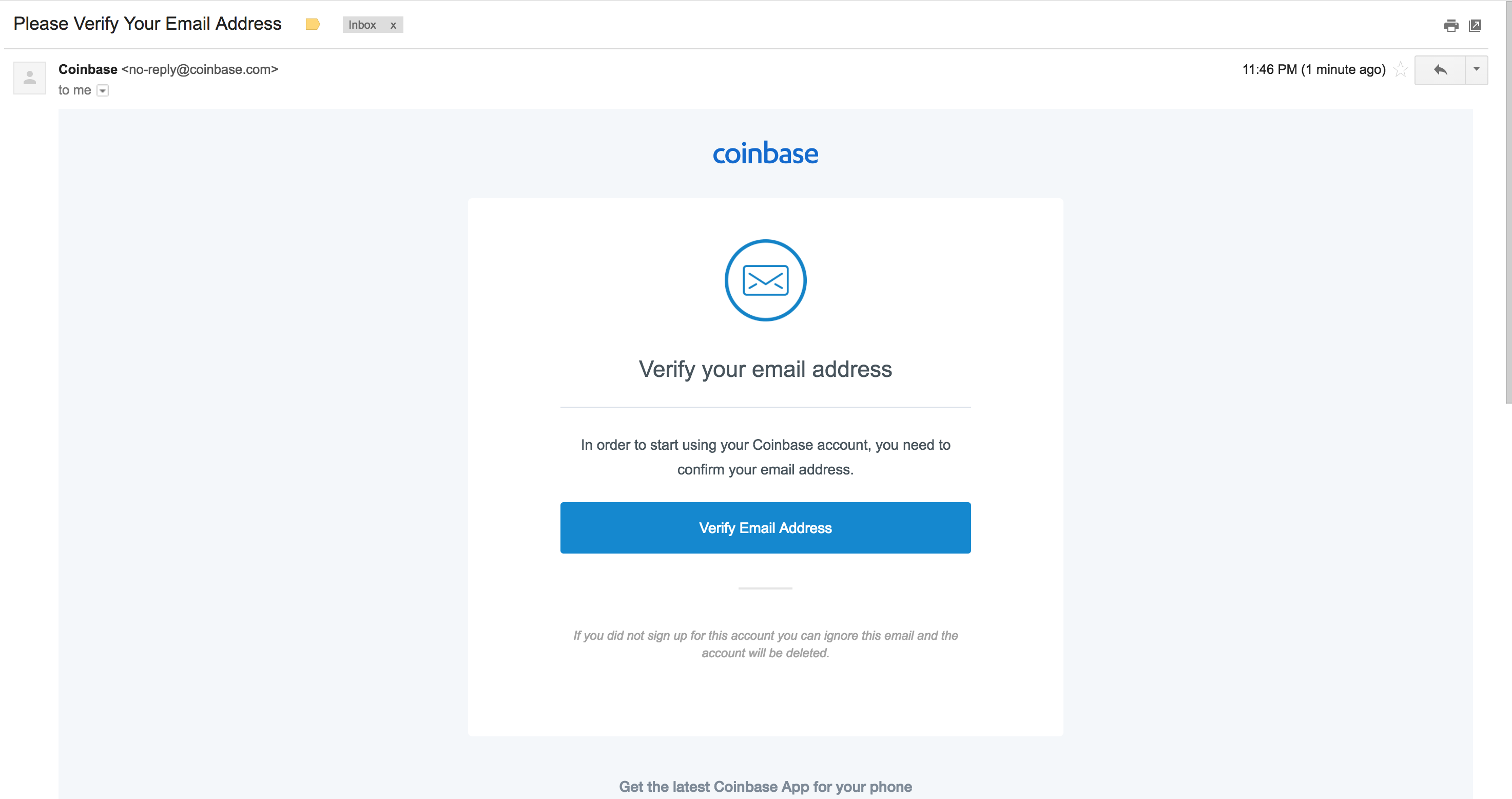 5. After verifying your email address, you'll be taken back to the website and prompted to enter your phone number so you can verify transactions. Do not enter a fake phone number, you'll need it in the next step.  6. Right after, you'll have to enter a code was texted to your phone number to verify you are the owner of the phone.  7. You'll be redirected to the home page where you will now have to set up your payment method to purchase Bitcoin. Click on the Add a payment method. 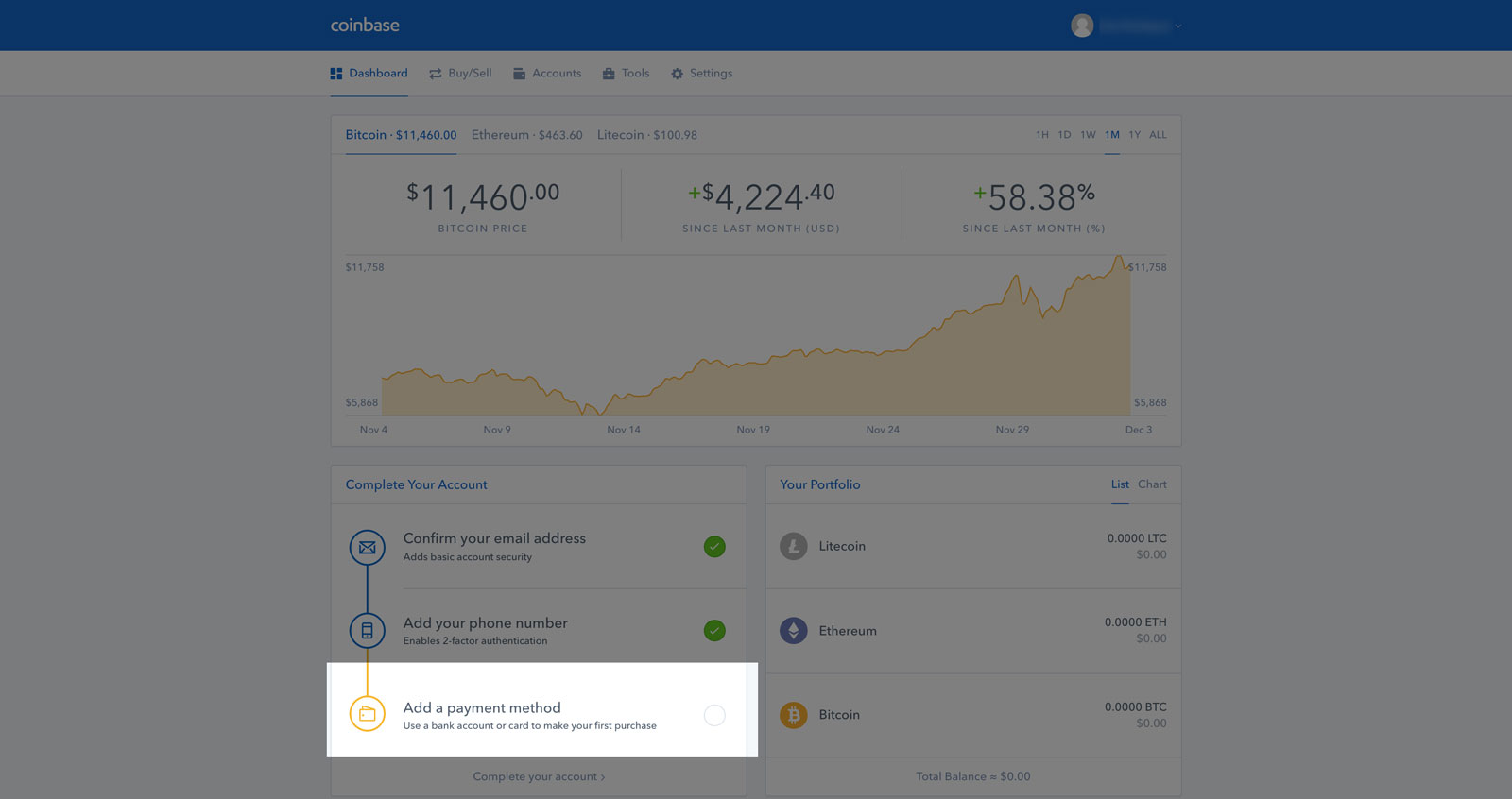 8. You'll be prompted to choose between setting up a Bank Account, using a Credit Card or adding a Wire Transfer account. We'll choose bank account in this walk through.  9. You'll have the option to select many well known banks where you'll use your online login credentials to have access to your checking or savings account.    10. Once you've completed the bank selection process, you'll be taken back to the home page, where you can now Buy Bitcoin. You'll want to click on the Buy/Sell tab. 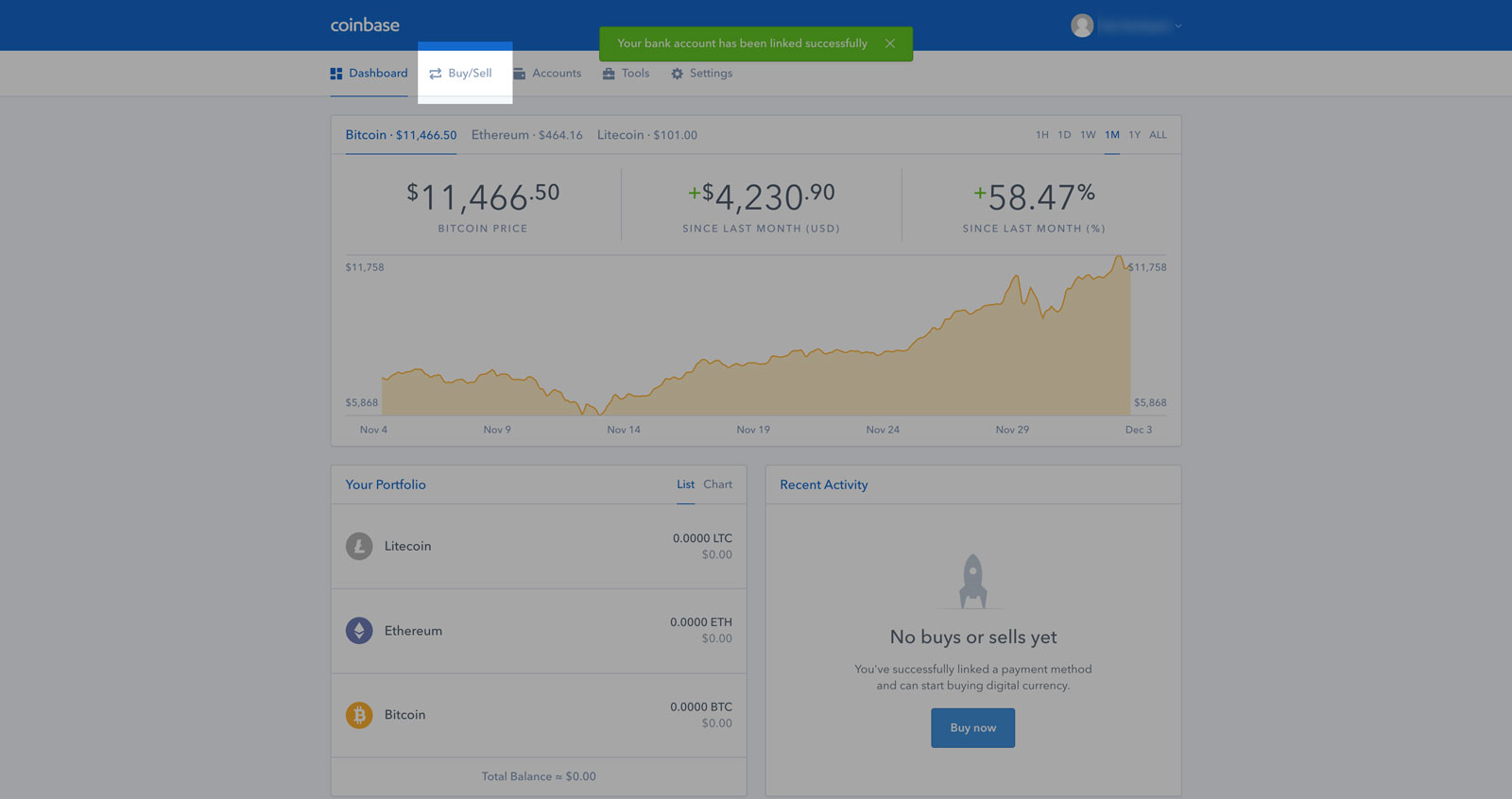 11. You'll be taken to a new page where you'll now see the price of Bitcoin / Ethereum / Litecoin. Bitcoin will be selected by default. Below the selected option, you'll see how much USD you can purchase, and how much BTC you will receive. On the right hand side you will see the number rounded up and details regarding fees and totals. Click on the Buy Bitcoin button to proceed to the next step. 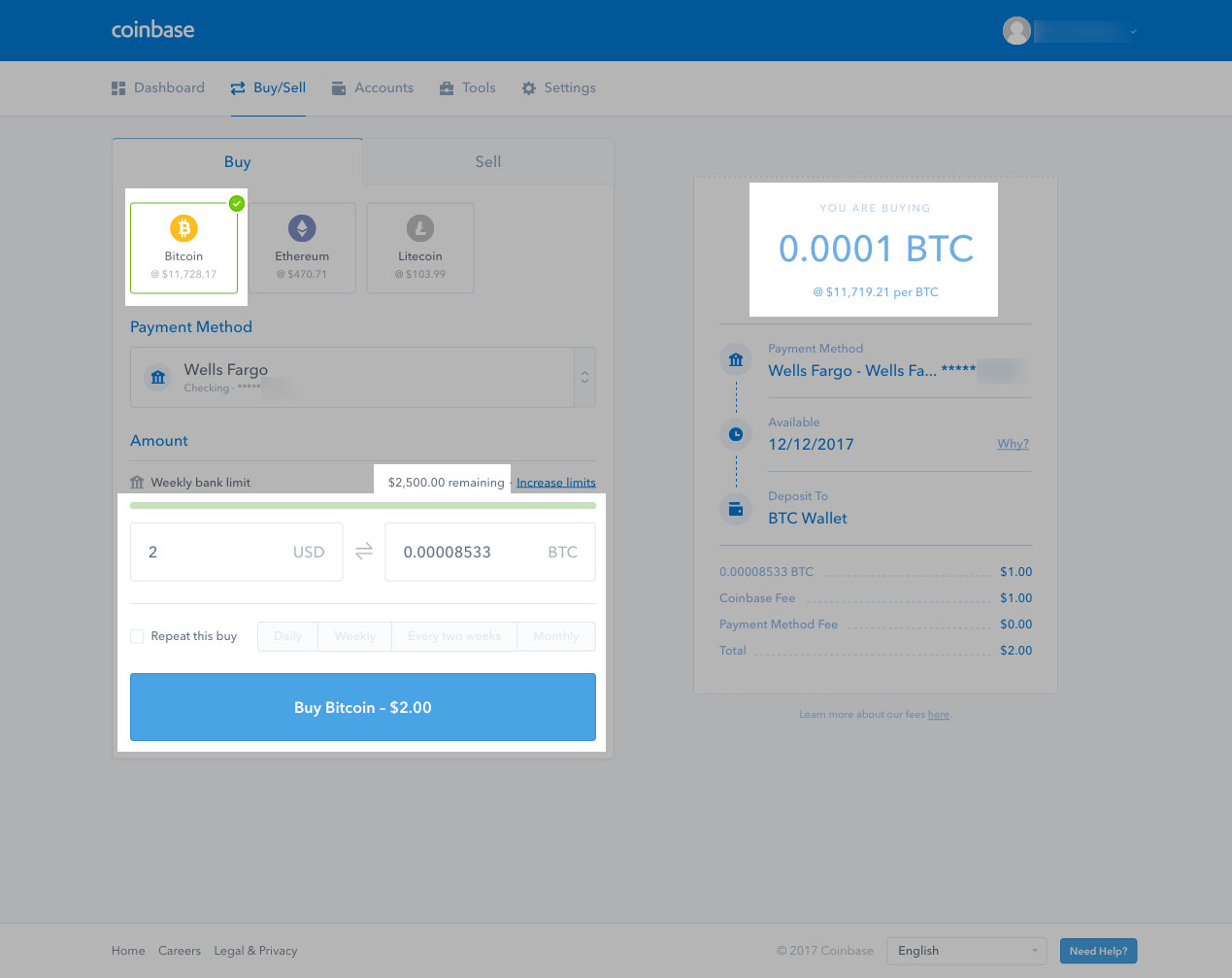 12. You'll be prompted to confirm this transaction in the next steps. All sales are final, so ensure everything is correct. Once you confirm your buy, you'll get a success screen! 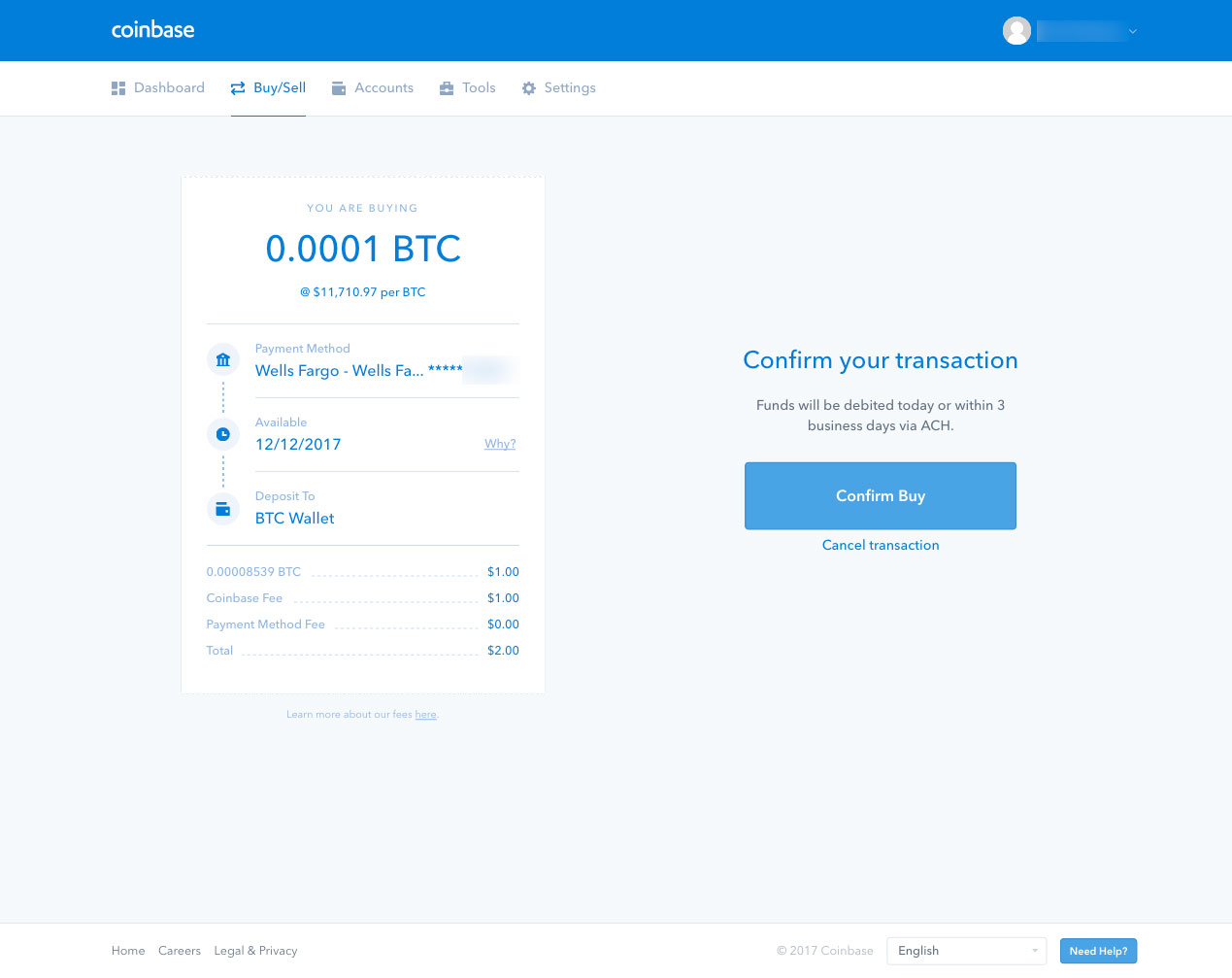 13. Congrats! You have now purchased Bitcoin! Click on the dashboard to take you back to the [Coinbase](https://www.coinbase.com/join/57204d81e1764839990004ac) main page. 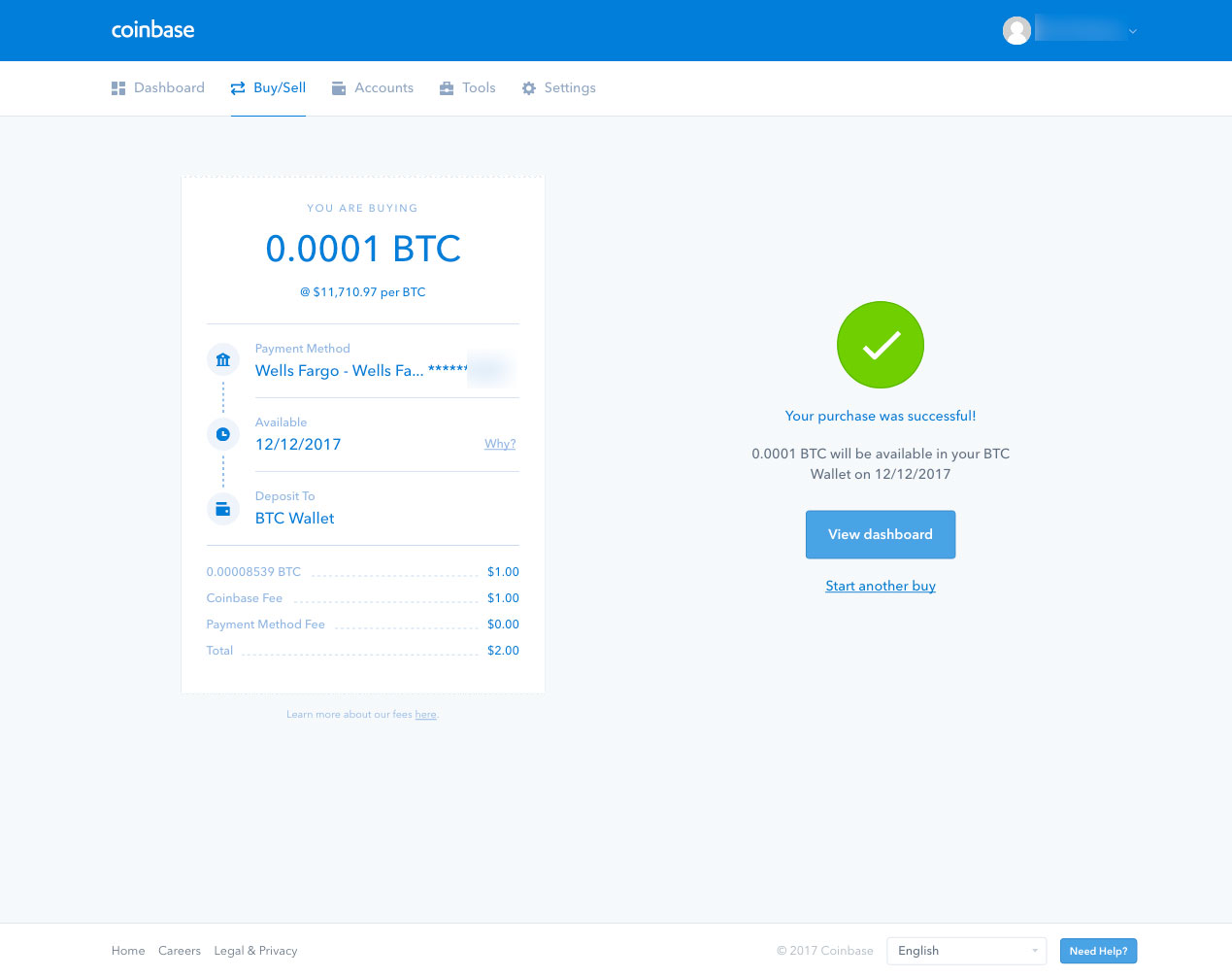 14. Once you are back on the home dashboard, you'll notice in your "Recent Activity" the Bitcoin that will be arriving in your account. Bitcoin arrival time varies by bank and account type. I recommend adding a large amount of money if you would like to buy other coins besides Bitcoin because you typically need Bitcoin or Ethereum to purchase other coins on exchanges. 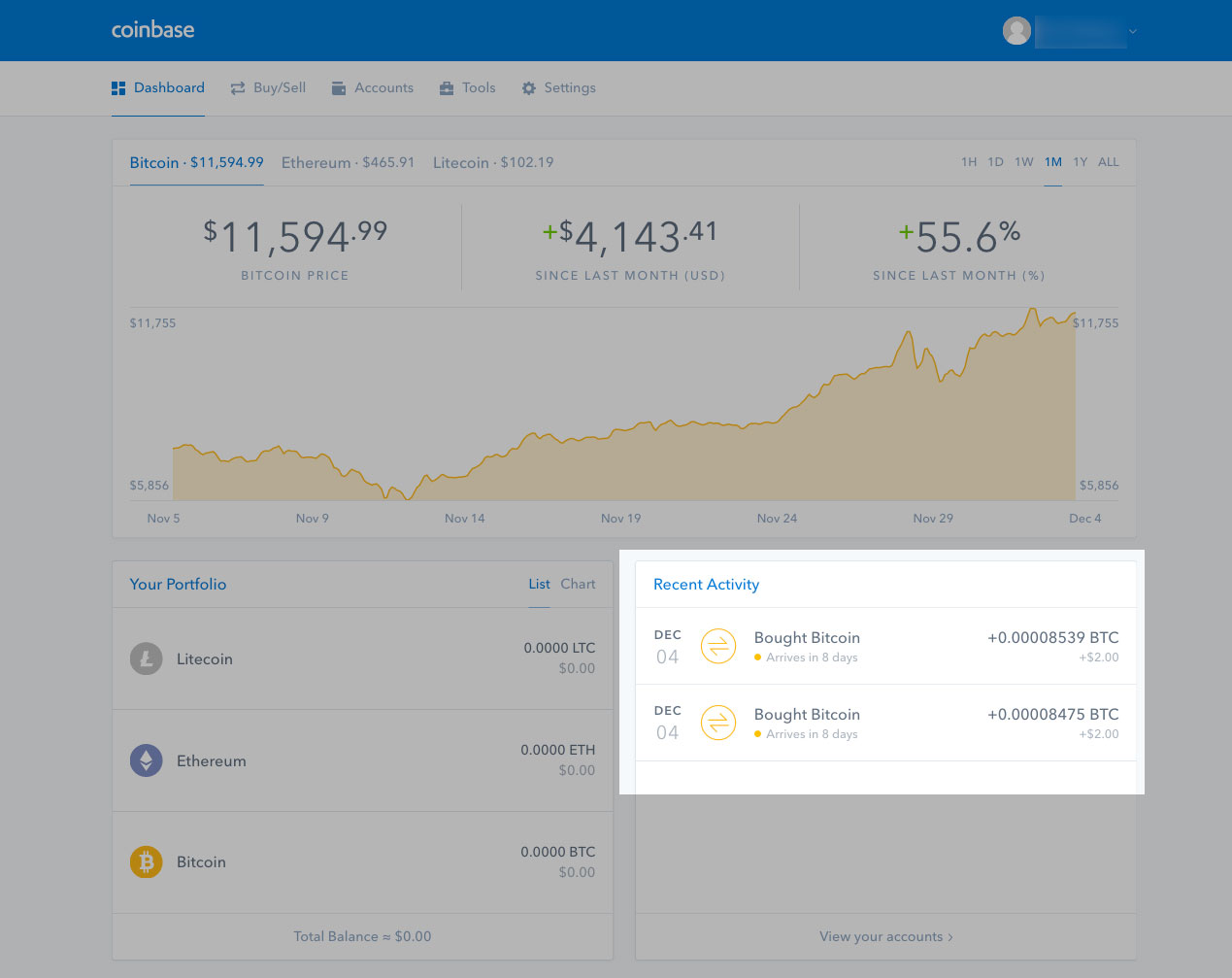 |
| json metadata | {"tags":["cryptocurrency","bitcoin","howto","buycrypto"],"image":["https://steemitimages.com/DQmQyDoTisy8DkWfHj3vM7hobFSUhgJAL1JZKvetK6w3mHp/coinbase-home.jpg","https://steemitimages.com/DQmQQYaNnmFuzAUQyf8YWgLkNVxJ2cGHJavSyFpAuXXYL61/create-acct.png","https://steemitimages.com/DQmPxLw3hFNUJ8dxkpcUyMqBFbn55QbcxihqyHNHT1vY3H4/verify-email.jpg","https://steemitimages.com/DQmZ8TmTSB8bNBAqyzH8RByrEAPab9BPyLTbC2MyYudAfoj/email-click.png","https://steemitimages.com/DQmXQrSLJd6xHtoQkM7d2v44BVKkDr43Ev4gwaKcrwjwcgE/enter-phone-num.jpg","https://steemitimages.com/DQmXNszU2Apii5Z9CaoWpNiaZcTspmJemsKyFvVuVsqqjdt/enter-phone-num-2.jpg","https://steemitimages.com/DQmb524tJtsBkg5nDNDXXx9acUXWTW4qWnaVqDf2Rdj4KDK/coinbase-home-acct.jpg","https://steemitimages.com/DQmNRujo4DDNAexKy15uMhuS4d7Z2mXUDHCE581CSZbZ8G7/add-payment.jpg","https://steemitimages.com/DQmSh3j94sJoLh8gsqkELrXVhLNESoXKvWwGCUgRZqbenH7/select-bank.jpg","https://steemitimages.com/DQmR5jGhtFwo86W7M5ekFsSYJnP7fJxS2rmb9cF3ELYTQGA/add-payment-2.jpg","https://steemitimages.com/DQmS3oLX6Ekc8EoVHiXrLpaKAAPtPJpGYqKkhitmD6gfD5W/add-bank-3.jpg","https://steemitimages.com/DQmdUnwEshjmwrhQLyDyEZNhxx8imBhDd5zwcm53pxkpPf7/bank-added.jpg","https://steemitimages.com/DQmNRHkXthNeDqYCkwU81jmmRXj4ujFNSZxHYDcDT5kXuMf/buy-tab.jpg","https://steemitimages.com/DQmRcpP6tU5x9eByCsL6yo9vZN3HDp7bw6hv2UAJJ8KdHPu/confirm-buy.jpg","https://steemitimages.com/DQmPMZsANkkPYUiHR4VjdxYPxSzcLBLPFLvd8SdygZaR41y/purchase-success.jpg","https://steemitimages.com/DQmdZuUVQtt4i9AYWVN1XYYJTKb59jXqFD5zHXUqUiTxfXL/complete.jpg"],"links":["https://www.coinbase.com/join/57204d81e1764839990004ac"],"app":"steemit/0.1","format":"markdown"} |
| parent author | |
| parent permlink | buycrypto |
| permlink | how-to-buy-bitcoin-btc-walkthrough-coinbase |
| title | How to buy Bitcoin (BTC) Walkthrough - Coinbase |
| Transaction Info | Block #18887859/Trx db8909736255b4823981f2652bf150eb9afd7c6f |
View Raw JSON Data
{
"block": 18887859,
"op": [
"comment",
{
"author": "thecryptolog",
"body": "There are many ways to purchase Bitcoin, but for a newcomer, my personal favorite is [Coinbase](https://www.coinbase.com/join/57204d81e1764839990004ac). [Coinbase](https://www.coinbase.com/join/57204d81e1764839990004ac) is based out of San Fransisco, CA and has been around for several years now. If you use my referral link to [buy Bitcoin at Coinbase](https://www.coinbase.com/join/57204d81e1764839990004ac) you'll get $10 too! (you'll need to purchase at least $100 worth of Bitcoin). [Click here to go to Coinbase](https://www.coinbase.com/join/57204d81e1764839990004ac). As of now you can purchase Litecoin and Ether(eum) as well, but you're here for Bitcoin.\n\nLet's go through the steps on how to buy Bitcoin on [Coinbase](https://www.coinbase.com/join/57204d81e1764839990004ac) with your bank account. If you follow the following steps, you'll be able to purchase a maximum amount of $2500 once you're all set up (number may vary depending your bank account).\n\n1. The first thing you'll want to do is go to [Coinbase](https://www.coinbase.com/join/57204d81e1764839990004ac) and click on the sign up link on the top right corner.\n\n \n\n2. You'll have to fill out the standard new account form that is typical of other websites.\n \n\n3. They'll be sending you an email to the email address you provide, so don't fake it!\n \n\n4. Check your inbox or spam folder and then click on the \"Verify Email Address\" button in the email. Make sure you're in the same browser you are using to create your account.\n \n\n5. After verifying your email address, you'll be taken back to the website and prompted to enter your phone number so you can verify transactions. Do not enter a fake phone number, you'll need it in the next step.\n \n\n6. Right after, you'll have to enter a code was texted to your phone number to verify you are the owner of the phone.\n \n\n7. You'll be redirected to the home page where you will now have to set up your payment method to purchase Bitcoin. Click on the Add a payment method.\n \n\n8. You'll be prompted to choose between setting up a Bank Account, using a Credit Card or adding a Wire Transfer account. We'll choose bank account in this walk through.\n \n\n9. You'll have the option to select many well known banks where you'll use your online login credentials to have access to your checking or savings account.\n \n\n \n\n \n\n10. Once you've completed the bank selection process, you'll be taken back to the home page, where you can now Buy Bitcoin. You'll want to click on the Buy/Sell tab.\n \n\n11. You'll be taken to a new page where you'll now see the price of Bitcoin / Ethereum / Litecoin. Bitcoin will be selected by default. Below the selected option, you'll see how much USD you can purchase, and how much BTC you will receive. On the right hand side you will see the number rounded up and details regarding fees and totals. Click on the Buy Bitcoin button to proceed to the next step.\n \n\n12. You'll be prompted to confirm this transaction in the next steps. All sales are final, so ensure everything is correct. Once you confirm your buy, you'll get a success screen!\n \n\n13. Congrats! You have now purchased Bitcoin! Click on the dashboard to take you back to the [Coinbase](https://www.coinbase.com/join/57204d81e1764839990004ac) main page.\n \n\n14. Once you are back on the home dashboard, you'll notice in your \"Recent Activity\" the Bitcoin that will be arriving in your account. Bitcoin arrival time varies by bank and account type. I recommend adding a large amount of money if you would like to buy other coins besides Bitcoin because you typically need Bitcoin or Ethereum to purchase other coins on exchanges.\n ",
"json_metadata": "{\"tags\":[\"cryptocurrency\",\"bitcoin\",\"howto\",\"buycrypto\"],\"image\":[\"https://steemitimages.com/DQmQyDoTisy8DkWfHj3vM7hobFSUhgJAL1JZKvetK6w3mHp/coinbase-home.jpg\",\"https://steemitimages.com/DQmQQYaNnmFuzAUQyf8YWgLkNVxJ2cGHJavSyFpAuXXYL61/create-acct.png\",\"https://steemitimages.com/DQmPxLw3hFNUJ8dxkpcUyMqBFbn55QbcxihqyHNHT1vY3H4/verify-email.jpg\",\"https://steemitimages.com/DQmZ8TmTSB8bNBAqyzH8RByrEAPab9BPyLTbC2MyYudAfoj/email-click.png\",\"https://steemitimages.com/DQmXQrSLJd6xHtoQkM7d2v44BVKkDr43Ev4gwaKcrwjwcgE/enter-phone-num.jpg\",\"https://steemitimages.com/DQmXNszU2Apii5Z9CaoWpNiaZcTspmJemsKyFvVuVsqqjdt/enter-phone-num-2.jpg\",\"https://steemitimages.com/DQmb524tJtsBkg5nDNDXXx9acUXWTW4qWnaVqDf2Rdj4KDK/coinbase-home-acct.jpg\",\"https://steemitimages.com/DQmNRujo4DDNAexKy15uMhuS4d7Z2mXUDHCE581CSZbZ8G7/add-payment.jpg\",\"https://steemitimages.com/DQmSh3j94sJoLh8gsqkELrXVhLNESoXKvWwGCUgRZqbenH7/select-bank.jpg\",\"https://steemitimages.com/DQmR5jGhtFwo86W7M5ekFsSYJnP7fJxS2rmb9cF3ELYTQGA/add-payment-2.jpg\",\"https://steemitimages.com/DQmS3oLX6Ekc8EoVHiXrLpaKAAPtPJpGYqKkhitmD6gfD5W/add-bank-3.jpg\",\"https://steemitimages.com/DQmdUnwEshjmwrhQLyDyEZNhxx8imBhDd5zwcm53pxkpPf7/bank-added.jpg\",\"https://steemitimages.com/DQmNRHkXthNeDqYCkwU81jmmRXj4ujFNSZxHYDcDT5kXuMf/buy-tab.jpg\",\"https://steemitimages.com/DQmRcpP6tU5x9eByCsL6yo9vZN3HDp7bw6hv2UAJJ8KdHPu/confirm-buy.jpg\",\"https://steemitimages.com/DQmPMZsANkkPYUiHR4VjdxYPxSzcLBLPFLvd8SdygZaR41y/purchase-success.jpg\",\"https://steemitimages.com/DQmdZuUVQtt4i9AYWVN1XYYJTKb59jXqFD5zHXUqUiTxfXL/complete.jpg\"],\"links\":[\"https://www.coinbase.com/join/57204d81e1764839990004ac\"],\"app\":\"steemit/0.1\",\"format\":\"markdown\"}",
"parent_author": "",
"parent_permlink": "buycrypto",
"permlink": "how-to-buy-bitcoin-btc-walkthrough-coinbase",
"title": "How to buy Bitcoin (BTC) Walkthrough - Coinbase"
}
],
"op_in_trx": 0,
"timestamp": "2018-01-11T15:34:21",
"trx_id": "db8909736255b4823981f2652bf150eb9afd7c6f",
"trx_in_block": 15,
"virtual_op": 0
}thecryptologpublished a new post: how-to-buy-bitcoin-btc-walkthrough-coinbase2018/01/11 15:34:03
thecryptologpublished a new post: how-to-buy-bitcoin-btc-walkthrough-coinbase
2018/01/11 15:34:03
| author | thecryptolog |
| body | There are many ways to purchase Bitcoin, but for a newcomer, my personal favorite is [Coinbase](https://www.coinbase.com/join/57204d81e1764839990004ac). [Coinbase](https://www.coinbase.com/join/57204d81e1764839990004ac) is based out of San Fransisco, CA and has been around for several years now. If you use my referral link to [buy Bitcoin at Coinbase](https://www.coinbase.com/join/57204d81e1764839990004ac) you'll get $10 too! (you'll need to purchase at least $100 worth of Bitcoin). [Click here to go to Coinbase](https://www.coinbase.com/join/57204d81e1764839990004ac). As of now you can purchase Litecoin and Ether(eum) as well, but you're here for Bitcoin. Let's go through the steps on how to buy Bitcoin on [Coinbase](https://www.coinbase.com/join/57204d81e1764839990004ac) with your bank account. If you follow the following steps, you'll be able to purchase a maximum amount of $2500 once you're all set up (number may vary depending your bank account). 1. The first thing you'll want to do is go to [Coinbase](https://www.coinbase.com/join/57204d81e1764839990004ac) and click on the sign up link on the top right corner.  2. You'll have to fill out the standard new account form that is typical of other websites.  3. They'll be sending you an email to the email address you provide, so don't fake it!  4. Check your inbox or spam folder and then click on the "Verify Email Address" button in the email. Make sure you're in the same browser you are using to create your account.  5. After verifying your email address, you'll be taken back to the website and prompted to enter your phone number so you can verify transactions. Do not enter a fake phone number, you'll need it in the next step.  6. Right after, you'll have to enter a code was texted to your phone number to verify you are the owner of the phone.  7. You'll be redirected to the home page where you will now have to set up your payment method to purchase Bitcoin. Click on the Add a payment method.  8. You'll be prompted to choose between setting up a Bank Account, using a Credit Card or adding a Wire Transfer account. We'll choose bank account in this walk through.  9. You'll have the option to select many well known banks where you'll use your online login credentials to have access to your checking or savings account.    10. Once you've completed the bank selection process, you'll be taken back to the home page, where you can now Buy Bitcoin. You'll want to click on the Buy/Sell tab.  11. You'll be taken to a new page where you'll now see the price of Bitcoin / Ethereum / Litecoin. Bitcoin will be selected by default. Below the selected option, you'll see how much USD you can purchase, and how much BTC you will receive. On the right hand side you will see the number rounded up and details regarding fees and totals. Click on the Buy Bitcoin button to proceed to the next step.  12. You'll be prompted to confirm this transaction in the next steps. All sales are final, so ensure everything is correct. Once you confirm your buy, you'll get a success screen!  13. Congrats! You have now purchased Bitcoin! Click on the dashboard to take you back to the [Coinbase](https://www.coinbase.com/join/57204d81e1764839990004ac) main page.  14. Once you are back on the home dashboard, you'll notice in your "Recent Activity" the Bitcoin that will be arriving in your account. Bitcoin arrival time varies by bank and account type. I recommend adding a large amount of money if you would like to buy other coins besides Bitcoin because you typically need Bitcoin or Ethereum to purchase other coins on exchanges.  |
| json metadata | {"tags":["cryptocurrency","bitcoin","howto","buycrypto"],"image":["https://steemitimages.com/DQmQyDoTisy8DkWfHj3vM7hobFSUhgJAL1JZKvetK6w3mHp/coinbase-home.jpg","https://steemitimages.com/DQmQQYaNnmFuzAUQyf8YWgLkNVxJ2cGHJavSyFpAuXXYL61/create-acct.png","https://steemitimages.com/DQmPxLw3hFNUJ8dxkpcUyMqBFbn55QbcxihqyHNHT1vY3H4/verify-email.jpg","https://steemitimages.com/DQmZ8TmTSB8bNBAqyzH8RByrEAPab9BPyLTbC2MyYudAfoj/email-click.png","https://steemitimages.com/DQmXQrSLJd6xHtoQkM7d2v44BVKkDr43Ev4gwaKcrwjwcgE/enter-phone-num.jpg","https://steemitimages.com/DQmXNszU2Apii5Z9CaoWpNiaZcTspmJemsKyFvVuVsqqjdt/enter-phone-num-2.jpg","https://steemitimages.com/DQmb524tJtsBkg5nDNDXXx9acUXWTW4qWnaVqDf2Rdj4KDK/coinbase-home-acct.jpg","https://steemitimages.com/DQmNRujo4DDNAexKy15uMhuS4d7Z2mXUDHCE581CSZbZ8G7/add-payment.jpg","https://steemitimages.com/DQmSh3j94sJoLh8gsqkELrXVhLNESoXKvWwGCUgRZqbenH7/select-bank.jpg","https://steemitimages.com/DQmR5jGhtFwo86W7M5ekFsSYJnP7fJxS2rmb9cF3ELYTQGA/add-payment-2.jpg","https://steemitimages.com/DQmS3oLX6Ekc8EoVHiXrLpaKAAPtPJpGYqKkhitmD6gfD5W/add-bank-3.jpg","https://steemitimages.com/DQmdUnwEshjmwrhQLyDyEZNhxx8imBhDd5zwcm53pxkpPf7/bank-added.jpg","https://steemitimages.com/DQmNRHkXthNeDqYCkwU81jmmRXj4ujFNSZxHYDcDT5kXuMf/buy-tab.jpg","https://steemitimages.com/DQmRcpP6tU5x9eByCsL6yo9vZN3HDp7bw6hv2UAJJ8KdHPu/confirm-buy.jpg","https://steemitimages.com/DQmPMZsANkkPYUiHR4VjdxYPxSzcLBLPFLvd8SdygZaR41y/purchase-success.jpg","https://steemitimages.com/DQmdZuUVQtt4i9AYWVN1XYYJTKb59jXqFD5zHXUqUiTxfXL/complete.jpg"],"links":["https://www.coinbase.com/join/57204d81e1764839990004ac"],"app":"steemit/0.1","format":"markdown"} |
| parent author | |
| parent permlink | buycrypto |
| permlink | how-to-buy-bitcoin-btc-walkthrough-coinbase |
| title | How to buy Bitcoin (BTC) Walkthrough - Coinbase |
| Transaction Info | Block #18887853/Trx 4e5c32e5d4d4ec94f6a00cacaf98b3c0e9694ff0 |
View Raw JSON Data
{
"block": 18887853,
"op": [
"comment",
{
"author": "thecryptolog",
"body": "There are many ways to purchase Bitcoin, but for a newcomer, my personal favorite is [Coinbase](https://www.coinbase.com/join/57204d81e1764839990004ac). [Coinbase](https://www.coinbase.com/join/57204d81e1764839990004ac) is based out of San Fransisco, CA and has been around for several years now. If you use my referral link to [buy Bitcoin at Coinbase](https://www.coinbase.com/join/57204d81e1764839990004ac) you'll get $10 too! (you'll need to purchase at least $100 worth of Bitcoin). [Click here to go to Coinbase](https://www.coinbase.com/join/57204d81e1764839990004ac). As of now you can purchase Litecoin and Ether(eum) as well, but you're here for Bitcoin.\n\nLet's go through the steps on how to buy Bitcoin on [Coinbase](https://www.coinbase.com/join/57204d81e1764839990004ac) with your bank account. If you follow the following steps, you'll be able to purchase a maximum amount of $2500 once you're all set up (number may vary depending your bank account).\n\n1. The first thing you'll want to do is go to [Coinbase](https://www.coinbase.com/join/57204d81e1764839990004ac) and click on the sign up link on the top right corner.\n\n \n\n2. You'll have to fill out the standard new account form that is typical of other websites.\n \n\n3. They'll be sending you an email to the email address you provide, so don't fake it!\n \n\n4. Check your inbox or spam folder and then click on the \"Verify Email Address\" button in the email. Make sure you're in the same browser you are using to create your account.\n \n\n5. After verifying your email address, you'll be taken back to the website and prompted to enter your phone number so you can verify transactions. Do not enter a fake phone number, you'll need it in the next step.\n \n\n6. Right after, you'll have to enter a code was texted to your phone number to verify you are the owner of the phone.\n \n\n7. You'll be redirected to the home page where you will now have to set up your payment method to purchase Bitcoin. Click on the Add a payment method.\n \n\n8. You'll be prompted to choose between setting up a Bank Account, using a Credit Card or adding a Wire Transfer account. We'll choose bank account in this walk through.\n \n\n9. You'll have the option to select many well known banks where you'll use your online login credentials to have access to your checking or savings account.\n \n\n \n\n \n\n10. Once you've completed the bank selection process, you'll be taken back to the home page, where you can now Buy Bitcoin. You'll want to click on the Buy/Sell tab.\n \n\n11. You'll be taken to a new page where you'll now see the price of Bitcoin / Ethereum / Litecoin. Bitcoin will be selected by default. Below the selected option, you'll see how much USD you can purchase, and how much BTC you will receive. On the right hand side you will see the number rounded up and details regarding fees and totals. Click on the Buy Bitcoin button to proceed to the next step.\n \n\n12. You'll be prompted to confirm this transaction in the next steps. All sales are final, so ensure everything is correct. Once you confirm your buy, you'll get a success screen!\n \n\n13. Congrats! You have now purchased Bitcoin! Click on the dashboard to take you back to the [Coinbase](https://www.coinbase.com/join/57204d81e1764839990004ac) main page.\n \n\n14. Once you are back on the home dashboard, you'll notice in your \"Recent Activity\" the Bitcoin that will be arriving in your account. Bitcoin arrival time varies by bank and account type. I recommend adding a large amount of money if you would like to buy other coins besides Bitcoin because you typically need Bitcoin or Ethereum to purchase other coins on exchanges.\n ",
"json_metadata": "{\"tags\":[\"cryptocurrency\",\"bitcoin\",\"howto\",\"buycrypto\"],\"image\":[\"https://steemitimages.com/DQmQyDoTisy8DkWfHj3vM7hobFSUhgJAL1JZKvetK6w3mHp/coinbase-home.jpg\",\"https://steemitimages.com/DQmQQYaNnmFuzAUQyf8YWgLkNVxJ2cGHJavSyFpAuXXYL61/create-acct.png\",\"https://steemitimages.com/DQmPxLw3hFNUJ8dxkpcUyMqBFbn55QbcxihqyHNHT1vY3H4/verify-email.jpg\",\"https://steemitimages.com/DQmZ8TmTSB8bNBAqyzH8RByrEAPab9BPyLTbC2MyYudAfoj/email-click.png\",\"https://steemitimages.com/DQmXQrSLJd6xHtoQkM7d2v44BVKkDr43Ev4gwaKcrwjwcgE/enter-phone-num.jpg\",\"https://steemitimages.com/DQmXNszU2Apii5Z9CaoWpNiaZcTspmJemsKyFvVuVsqqjdt/enter-phone-num-2.jpg\",\"https://steemitimages.com/DQmb524tJtsBkg5nDNDXXx9acUXWTW4qWnaVqDf2Rdj4KDK/coinbase-home-acct.jpg\",\"https://steemitimages.com/DQmNRujo4DDNAexKy15uMhuS4d7Z2mXUDHCE581CSZbZ8G7/add-payment.jpg\",\"https://steemitimages.com/DQmSh3j94sJoLh8gsqkELrXVhLNESoXKvWwGCUgRZqbenH7/select-bank.jpg\",\"https://steemitimages.com/DQmR5jGhtFwo86W7M5ekFsSYJnP7fJxS2rmb9cF3ELYTQGA/add-payment-2.jpg\",\"https://steemitimages.com/DQmS3oLX6Ekc8EoVHiXrLpaKAAPtPJpGYqKkhitmD6gfD5W/add-bank-3.jpg\",\"https://steemitimages.com/DQmdUnwEshjmwrhQLyDyEZNhxx8imBhDd5zwcm53pxkpPf7/bank-added.jpg\",\"https://steemitimages.com/DQmNRHkXthNeDqYCkwU81jmmRXj4ujFNSZxHYDcDT5kXuMf/buy-tab.jpg\",\"https://steemitimages.com/DQmRcpP6tU5x9eByCsL6yo9vZN3HDp7bw6hv2UAJJ8KdHPu/confirm-buy.jpg\",\"https://steemitimages.com/DQmPMZsANkkPYUiHR4VjdxYPxSzcLBLPFLvd8SdygZaR41y/purchase-success.jpg\",\"https://steemitimages.com/DQmdZuUVQtt4i9AYWVN1XYYJTKb59jXqFD5zHXUqUiTxfXL/complete.jpg\"],\"links\":[\"https://www.coinbase.com/join/57204d81e1764839990004ac\"],\"app\":\"steemit/0.1\",\"format\":\"markdown\"}",
"parent_author": "",
"parent_permlink": "buycrypto",
"permlink": "how-to-buy-bitcoin-btc-walkthrough-coinbase",
"title": "How to buy Bitcoin (BTC) Walkthrough - Coinbase"
}
],
"op_in_trx": 0,
"timestamp": "2018-01-11T15:34:03",
"trx_id": "4e5c32e5d4d4ec94f6a00cacaf98b3c0e9694ff0",
"trx_in_block": 43,
"virtual_op": 0
}thecryptologpublished a new post: how-to-buy-bitcoin-btc-walkthrough-coinbase2018/01/11 15:32:57
thecryptologpublished a new post: how-to-buy-bitcoin-btc-walkthrough-coinbase
2018/01/11 15:32:57
| author | thecryptolog |
| body | There are many ways to purchase Bitcoin, but for a newcomer, my personal favorite is [Coinbase](https://www.coinbase.com/join/57204d81e1764839990004ac). [Coinbase](https://www.coinbase.com/join/57204d81e1764839990004ac) is based out of San Fransisco, CA and has been around for several years now. If you use my referral link to [buy Bitcoin at Coinbase](https://www.coinbase.com/join/57204d81e1764839990004ac) you'll get $10 too! (you'll need to purchase at least $100 worth of Bitcoin). [Click here to go to Coinbase](https://www.coinbase.com/join/57204d81e1764839990004ac). As of now you can purchase Litecoin and Ether(eum) as well, but you're here for Bitcoin. Let's go through the steps on how to buy Bitcoin on [Coinbase](https://www.coinbase.com/join/57204d81e1764839990004ac) with your bank account. If you follow the following steps, you'll be able to purchase a maximum amount of $2500 once you're all set up (number may vary depending your bank account). 1. The first thing you'll want to do is go to [Coinbase](https://www.coinbase.com/join/57204d81e1764839990004ac) and click on the sign up link on the top right corner.  2. You'll have to fill out the standard new account form that is typical of other websites.  3. They'll be sending you an email to the email address you provide, so don't fake it!  4. Check your inbox or spam folder and then click on the "Verify Email Address" button in the email. Make sure you're in the same browser you are using to create your account.  5. After verifying your email address, you'll be taken back to the website and prompted to enter your phone number so you can verify transactions. Do not enter a fake phone number, you'll need it in the next step.  6. Right after, you'll have to enter a code was texted to your phone number to verify you are the owner of the phone.  7. You'll be redirected to the home page where you will now have to set up your payment method to purchase Bitcoin. Click on the Add a payment method.  8. You'll be prompted to choose between setting up a Bank Account, using a Credit Card or adding a Wire Transfer account. We'll choose bank account in this walk through.  9. You'll have the option to select many well known banks where you'll use your online login credentials to have access to your checking or savings account.    10. Once you've completed the bank selection process, you'll be taken back to the home page, where you can now Buy Bitcoin. You'll want to click on the Buy/Sell tab.  11. You'll be taken to a new page where you'll now see the price of Bitcoin / Ethereum / Litecoin. Bitcoin will be selected by default. Below the selected option, you'll see how much USD you can purchase, and how much BTC you will receive. On the right hand side you will see the number rounded up and details regarding fees and totals. Click on the Buy Bitcoin button to proceed to the next step.  12. You'll be prompted to confirm this transaction in the next steps. All sales are final, so ensure everything is correct. Once you confirm your buy, you'll get a success screen!  13. Congrats! You have now purchased Bitcoin! Click on the dashboard to take you back to the [Coinbase](https://www.coinbase.com/join/57204d81e1764839990004ac) main page.  14. Once you are back on the home dashboard, you'll notice in your "Recent Activity" the Bitcoin that will be arriving in your account. Bitcoin arrival time varies by bank and account type. I recommend adding a large amount of money if you would like to buy other coins besides Bitcoin because you typically need Bitcoin or Ethereum to purchase other coins on exchanges.  |
| json metadata | {"tags":["cryptocurrency","buycrypto","cryptowalkthrough","cryptohelp","bitcoin"],"image":["https://steemitimages.com/DQmQyDoTisy8DkWfHj3vM7hobFSUhgJAL1JZKvetK6w3mHp/coinbase-home.jpg","https://steemitimages.com/DQmQQYaNnmFuzAUQyf8YWgLkNVxJ2cGHJavSyFpAuXXYL61/create-acct.png","https://steemitimages.com/DQmPxLw3hFNUJ8dxkpcUyMqBFbn55QbcxihqyHNHT1vY3H4/verify-email.jpg","https://steemitimages.com/DQmZ8TmTSB8bNBAqyzH8RByrEAPab9BPyLTbC2MyYudAfoj/email-click.png","https://steemitimages.com/DQmXQrSLJd6xHtoQkM7d2v44BVKkDr43Ev4gwaKcrwjwcgE/enter-phone-num.jpg","https://steemitimages.com/DQmXNszU2Apii5Z9CaoWpNiaZcTspmJemsKyFvVuVsqqjdt/enter-phone-num-2.jpg","https://steemitimages.com/DQmb524tJtsBkg5nDNDXXx9acUXWTW4qWnaVqDf2Rdj4KDK/coinbase-home-acct.jpg","https://steemitimages.com/DQmNRujo4DDNAexKy15uMhuS4d7Z2mXUDHCE581CSZbZ8G7/add-payment.jpg","https://steemitimages.com/DQmSh3j94sJoLh8gsqkELrXVhLNESoXKvWwGCUgRZqbenH7/select-bank.jpg","https://steemitimages.com/DQmR5jGhtFwo86W7M5ekFsSYJnP7fJxS2rmb9cF3ELYTQGA/add-payment-2.jpg","https://steemitimages.com/DQmS3oLX6Ekc8EoVHiXrLpaKAAPtPJpGYqKkhitmD6gfD5W/add-bank-3.jpg","https://steemitimages.com/DQmdUnwEshjmwrhQLyDyEZNhxx8imBhDd5zwcm53pxkpPf7/bank-added.jpg","https://steemitimages.com/DQmNRHkXthNeDqYCkwU81jmmRXj4ujFNSZxHYDcDT5kXuMf/buy-tab.jpg","https://steemitimages.com/DQmRcpP6tU5x9eByCsL6yo9vZN3HDp7bw6hv2UAJJ8KdHPu/confirm-buy.jpg","https://steemitimages.com/DQmPMZsANkkPYUiHR4VjdxYPxSzcLBLPFLvd8SdygZaR41y/purchase-success.jpg","https://steemitimages.com/DQmdZuUVQtt4i9AYWVN1XYYJTKb59jXqFD5zHXUqUiTxfXL/complete.jpg"],"links":["https://www.coinbase.com/join/57204d81e1764839990004ac"],"app":"steemit/0.1","format":"markdown"} |
| parent author | |
| parent permlink | buycrypto |
| permlink | how-to-buy-bitcoin-btc-walkthrough-coinbase |
| title | How to buy Bitcoin (BTC) Walkthrough - Coinbase |
| Transaction Info | Block #18887831/Trx 09c93253822a432d1924fb20f75d44413b92f595 |
View Raw JSON Data
{
"block": 18887831,
"op": [
"comment",
{
"author": "thecryptolog",
"body": "There are many ways to purchase Bitcoin, but for a newcomer, my personal favorite is [Coinbase](https://www.coinbase.com/join/57204d81e1764839990004ac). [Coinbase](https://www.coinbase.com/join/57204d81e1764839990004ac) is based out of San Fransisco, CA and has been around for several years now. If you use my referral link to [buy Bitcoin at Coinbase](https://www.coinbase.com/join/57204d81e1764839990004ac) you'll get $10 too! (you'll need to purchase at least $100 worth of Bitcoin). [Click here to go to Coinbase](https://www.coinbase.com/join/57204d81e1764839990004ac). As of now you can purchase Litecoin and Ether(eum) as well, but you're here for Bitcoin.\n\nLet's go through the steps on how to buy Bitcoin on [Coinbase](https://www.coinbase.com/join/57204d81e1764839990004ac) with your bank account. If you follow the following steps, you'll be able to purchase a maximum amount of $2500 once you're all set up (number may vary depending your bank account).\n\n1. The first thing you'll want to do is go to [Coinbase](https://www.coinbase.com/join/57204d81e1764839990004ac) and click on the sign up link on the top right corner.\n\n \n\n2. You'll have to fill out the standard new account form that is typical of other websites.\n \n\n3. They'll be sending you an email to the email address you provide, so don't fake it!\n \n\n4. Check your inbox or spam folder and then click on the \"Verify Email Address\" button in the email. Make sure you're in the same browser you are using to create your account.\n \n\n5. After verifying your email address, you'll be taken back to the website and prompted to enter your phone number so you can verify transactions. Do not enter a fake phone number, you'll need it in the next step.\n \n\n6. Right after, you'll have to enter a code was texted to your phone number to verify you are the owner of the phone.\n \n\n7. You'll be redirected to the home page where you will now have to set up your payment method to purchase Bitcoin. Click on the Add a payment method.\n \n\n8. You'll be prompted to choose between setting up a Bank Account, using a Credit Card or adding a Wire Transfer account. We'll choose bank account in this walk through.\n \n\n9. You'll have the option to select many well known banks where you'll use your online login credentials to have access to your checking or savings account.\n \n\n \n\n \n\n10. Once you've completed the bank selection process, you'll be taken back to the home page, where you can now Buy Bitcoin. You'll want to click on the Buy/Sell tab.\n \n\n11. You'll be taken to a new page where you'll now see the price of Bitcoin / Ethereum / Litecoin. Bitcoin will be selected by default. Below the selected option, you'll see how much USD you can purchase, and how much BTC you will receive. On the right hand side you will see the number rounded up and details regarding fees and totals. Click on the Buy Bitcoin button to proceed to the next step.\n \n\n12. You'll be prompted to confirm this transaction in the next steps. All sales are final, so ensure everything is correct. Once you confirm your buy, you'll get a success screen!\n \n\n13. Congrats! You have now purchased Bitcoin! Click on the dashboard to take you back to the [Coinbase](https://www.coinbase.com/join/57204d81e1764839990004ac) main page.\n \n\n14. Once you are back on the home dashboard, you'll notice in your \"Recent Activity\" the Bitcoin that will be arriving in your account. Bitcoin arrival time varies by bank and account type. I recommend adding a large amount of money if you would like to buy other coins besides Bitcoin because you typically need Bitcoin or Ethereum to purchase other coins on exchanges.\n ",
"json_metadata": "{\"tags\":[\"cryptocurrency\",\"buycrypto\",\"cryptowalkthrough\",\"cryptohelp\",\"bitcoin\"],\"image\":[\"https://steemitimages.com/DQmQyDoTisy8DkWfHj3vM7hobFSUhgJAL1JZKvetK6w3mHp/coinbase-home.jpg\",\"https://steemitimages.com/DQmQQYaNnmFuzAUQyf8YWgLkNVxJ2cGHJavSyFpAuXXYL61/create-acct.png\",\"https://steemitimages.com/DQmPxLw3hFNUJ8dxkpcUyMqBFbn55QbcxihqyHNHT1vY3H4/verify-email.jpg\",\"https://steemitimages.com/DQmZ8TmTSB8bNBAqyzH8RByrEAPab9BPyLTbC2MyYudAfoj/email-click.png\",\"https://steemitimages.com/DQmXQrSLJd6xHtoQkM7d2v44BVKkDr43Ev4gwaKcrwjwcgE/enter-phone-num.jpg\",\"https://steemitimages.com/DQmXNszU2Apii5Z9CaoWpNiaZcTspmJemsKyFvVuVsqqjdt/enter-phone-num-2.jpg\",\"https://steemitimages.com/DQmb524tJtsBkg5nDNDXXx9acUXWTW4qWnaVqDf2Rdj4KDK/coinbase-home-acct.jpg\",\"https://steemitimages.com/DQmNRujo4DDNAexKy15uMhuS4d7Z2mXUDHCE581CSZbZ8G7/add-payment.jpg\",\"https://steemitimages.com/DQmSh3j94sJoLh8gsqkELrXVhLNESoXKvWwGCUgRZqbenH7/select-bank.jpg\",\"https://steemitimages.com/DQmR5jGhtFwo86W7M5ekFsSYJnP7fJxS2rmb9cF3ELYTQGA/add-payment-2.jpg\",\"https://steemitimages.com/DQmS3oLX6Ekc8EoVHiXrLpaKAAPtPJpGYqKkhitmD6gfD5W/add-bank-3.jpg\",\"https://steemitimages.com/DQmdUnwEshjmwrhQLyDyEZNhxx8imBhDd5zwcm53pxkpPf7/bank-added.jpg\",\"https://steemitimages.com/DQmNRHkXthNeDqYCkwU81jmmRXj4ujFNSZxHYDcDT5kXuMf/buy-tab.jpg\",\"https://steemitimages.com/DQmRcpP6tU5x9eByCsL6yo9vZN3HDp7bw6hv2UAJJ8KdHPu/confirm-buy.jpg\",\"https://steemitimages.com/DQmPMZsANkkPYUiHR4VjdxYPxSzcLBLPFLvd8SdygZaR41y/purchase-success.jpg\",\"https://steemitimages.com/DQmdZuUVQtt4i9AYWVN1XYYJTKb59jXqFD5zHXUqUiTxfXL/complete.jpg\"],\"links\":[\"https://www.coinbase.com/join/57204d81e1764839990004ac\"],\"app\":\"steemit/0.1\",\"format\":\"markdown\"}",
"parent_author": "",
"parent_permlink": "buycrypto",
"permlink": "how-to-buy-bitcoin-btc-walkthrough-coinbase",
"title": "How to buy Bitcoin (BTC) Walkthrough - Coinbase"
}
],
"op_in_trx": 0,
"timestamp": "2018-01-11T15:32:57",
"trx_id": "09c93253822a432d1924fb20f75d44413b92f595",
"trx_in_block": 50,
"virtual_op": 0
}steemdelegated 18.262 SP to @thecryptolog2018/01/08 19:31:15
steemdelegated 18.262 SP to @thecryptolog
2018/01/08 19:31:15
| delegatee | thecryptolog |
| delegator | steem |
| vesting shares | 29700.748989 VESTS |
| Transaction Info | Block #18806247/Trx fd3979ace86875baa228d1cfd0a679c7bd56e63d |
View Raw JSON Data
{
  "block": 18806247,
  "op": [
    "delegate_vesting_shares",
    {
      "delegatee": "thecryptolog",
      "delegator": "steem",
      "vesting_shares": "29700.748989 VESTS"
    }
  ],
  "op_in_trx": 0,
  "timestamp": "2018-01-08T19:31:15",
  "trx_id": "fd3979ace86875baa228d1cfd0a679c7bd56e63d",
  "trx_in_block": 36,
  "virtual_op": 0
}thecryptologfollowed @hannahlicious2018/01/08 15:41:15
thecryptologfollowed @hannahlicious
2018/01/08 15:41:15
| id | follow |
| json | ["follow",{"follower":"thecryptolog","following":"hannahlicious","what":["blog"]}] |
| required auths | [] |
| required posting auths | ["thecryptolog"] |
| Transaction Info | Block #18801654/Trx 3ed6320ca59a12215043f16a7186051386247622 |
View Raw JSON Data
{
  "block": 18801654,
  "op": [
    "custom_json",
    {
      "id": "follow",
      "json": "[\"follow\",{\"follower\":\"thecryptolog\",\"following\":\"hannahlicious\",\"what\":[\"blog\"]}]",
      "required_auths": [],
      "required_posting_auths": [
        "thecryptolog"
      ]
    }
  ],
  "op_in_trx": 0,
  "timestamp": "2018-01-08T15:41:15",
  "trx_id": "3ed6320ca59a12215043f16a7186051386247622",
  "trx_in_block": 28,
  "virtual_op": 0
}thecryptologfollowed @cheetah2018/01/08 07:55:15
thecryptologfollowed @cheetah
2018/01/08 07:55:15
| id | follow |
| json | ["follow",{"follower":"thecryptolog","following":"cheetah","what":["blog"]}] |
| required auths | [] |
| required posting auths | ["thecryptolog"] |
| Transaction Info | Block #18792361/Trx d809a7d87f4a772d330485c50ede9ce64ee9bcb4 |
View Raw JSON Data
{
  "block": 18792361,
  "op": [
    "custom_json",
    {
      "id": "follow",
      "json": "[\"follow\",{\"follower\":\"thecryptolog\",\"following\":\"cheetah\",\"what\":[\"blog\"]}]",
      "required_auths": [],
      "required_posting_auths": [
        "thecryptolog"
      ]
    }
  ],
  "op_in_trx": 0,
  "timestamp": "2018-01-08T07:55:15",
  "trx_id": "d809a7d87f4a772d330485c50ede9ce64ee9bcb4",
  "trx_in_block": 41,
  "virtual_op": 0
}thecryptologupvoted (100.00%) @cheetah / cheetah-re-thecryptologhow-to-buy-ethereum-eth-coinbase2018/01/08 07:55:06
thecryptologupvoted (100.00%) @cheetah / cheetah-re-thecryptologhow-to-buy-ethereum-eth-coinbase
2018/01/08 07:55:06
| author | cheetah |
| permlink | cheetah-re-thecryptologhow-to-buy-ethereum-eth-coinbase |
| voter | thecryptolog |
| weight | 10000 (100.00%) |
| Transaction Info | Block #18792358/Trx 5f7d14c7b3fe30d6d047ab5118ed54f6f848cce4 |
View Raw JSON Data
{
  "block": 18792358,
  "op": [
    "vote",
    {
      "author": "cheetah",
      "permlink": "cheetah-re-thecryptologhow-to-buy-ethereum-eth-coinbase",
      "voter": "thecryptolog",
      "weight": 10000
    }
  ],
  "op_in_trx": 0,
  "timestamp": "2018-01-08T07:55:06",
  "trx_id": "5f7d14c7b3fe30d6d047ab5118ed54f6f848cce4",
  "trx_in_block": 36,
  "virtual_op": 0
}2018/01/08 07:54:42
2018/01/08 07:54:42
| author | cheetah |
| body | Hi! I am a robot. I just upvoted you! I found similar content that readers might be interested in: http://thecryptolog.com/2017/12/28/how-to-buy-ethereum-coinbase/ |
| json metadata | |
| parent author | thecryptolog |
| parent permlink | how-to-buy-ethereum-eth-coinbase |
| permlink | cheetah-re-thecryptologhow-to-buy-ethereum-eth-coinbase |
| title | |
| Transaction Info | Block #18792351/Trx c9671144346f1213519b7753672661e32a3683b9 |
View Raw JSON Data
{
  "block": 18792351,
  "op": [
    "comment",
    {
      "author": "cheetah",
      "body": "Hi! I am a robot. I just upvoted you! I found similar content that readers might be interested in:\nhttp://thecryptolog.com/2017/12/28/how-to-buy-ethereum-coinbase/",
      "json_metadata": "",
      "parent_author": "thecryptolog",
      "parent_permlink": "how-to-buy-ethereum-eth-coinbase",
      "permlink": "cheetah-re-thecryptologhow-to-buy-ethereum-eth-coinbase",
      "title": ""
    }
  ],
  "op_in_trx": 0,
  "timestamp": "2018-01-08T07:54:42",
  "trx_id": "c9671144346f1213519b7753672661e32a3683b9",
  "trx_in_block": 4,
  "virtual_op": 0
}2018/01/08 07:54:39
2018/01/08 07:54:39
| author | allnatural |
| permlink | re-thecryptolog-how-to-buy-bitcoin-btc-walkthrough-coinbase-20180108t062307114z |
| voter | thecryptolog |
| weight | 10000 (100.00%) |
| Transaction Info | Block #18792350/Trx 677a1bb85eadcba8fc2749e715f96cfdca0bbc38 |
View Raw JSON Data
{
  "block": 18792350,
  "op": [
    "vote",
    {
      "author": "allnatural",
      "permlink": "re-thecryptolog-how-to-buy-bitcoin-btc-walkthrough-coinbase-20180108t062307114z",
      "voter": "thecryptolog",
      "weight": 10000
    }
  ],
  "op_in_trx": 0,
  "timestamp": "2018-01-08T07:54:39",
  "trx_id": "677a1bb85eadcba8fc2749e715f96cfdca0bbc38",
  "trx_in_block": 31,
  "virtual_op": 0
}cheetahupvoted (0.08%) @thecryptolog / how-to-buy-ethereum-eth-coinbase2018/01/08 07:54:36
cheetahupvoted (0.08%) @thecryptolog / how-to-buy-ethereum-eth-coinbase
2018/01/08 07:54:36
| author | thecryptolog |
| permlink | how-to-buy-ethereum-eth-coinbase |
| voter | cheetah |
| weight | 8 (0.08%) |
| Transaction Info | Block #18792349/Trx 726a1b1ee0eed0f28597079809904ec819f92e5a |
View Raw JSON Data
{
  "block": 18792349,
  "op": [
    "vote",
    {
      "author": "thecryptolog",
      "permlink": "how-to-buy-ethereum-eth-coinbase",
      "voter": "cheetah",
      "weight": 8
    }
  ],
  "op_in_trx": 0,
  "timestamp": "2018-01-08T07:54:36",
  "trx_id": "726a1b1ee0eed0f28597079809904ec819f92e5a",
  "trx_in_block": 28,
  "virtual_op": 0
}thecryptologupvoted (100.00%) @a-a-a / l-a-marzulli-ufo-s-are-real2018/01/08 07:54:15
thecryptologupvoted (100.00%) @a-a-a / l-a-marzulli-ufo-s-are-real
2018/01/08 07:54:15
| author | a-a-a |
| permlink | l-a-marzulli-ufo-s-are-real |
| voter | thecryptolog |
| weight | 10000 (100.00%) |
| Transaction Info | Block #18792342/Trx 212210f18acdd3124fe6d3c6bbb1da06616d02c0 |
View Raw JSON Data
{
  "block": 18792342,
  "op": [
    "vote",
    {
      "author": "a-a-a",
      "permlink": "l-a-marzulli-ufo-s-are-real",
      "voter": "thecryptolog",
      "weight": 10000
    }
  ],
  "op_in_trx": 0,
  "timestamp": "2018-01-08T07:54:15",
  "trx_id": "212210f18acdd3124fe6d3c6bbb1da06616d02c0",
  "trx_in_block": 10,
  "virtual_op": 0
}2018/01/08 07:53:30
2018/01/08 07:53:30
| author | cheetah |
| permlink | cheetah-re-thecryptologhow-to-buy-bitcoin-btc-walkthrough-coinbase |
| voter | thecryptolog |
| weight | 10000 (100.00%) |
| Transaction Info | Block #18792327/Trx 230bd8358a21fe9195f53c07a979c7d142d4ffab |
View Raw JSON Data
{
  "block": 18792327,
  "op": [
    "vote",
    {
      "author": "cheetah",
      "permlink": "cheetah-re-thecryptologhow-to-buy-bitcoin-btc-walkthrough-coinbase",
      "voter": "thecryptolog",
      "weight": 10000
    }
  ],
  "op_in_trx": 0,
  "timestamp": "2018-01-08T07:53:30",
  "trx_id": "230bd8358a21fe9195f53c07a979c7d142d4ffab",
  "trx_in_block": 37,
  "virtual_op": 0
}Manabar
Voting Power100.00%
Downvote Power100.00%
Resource Credits100.00%
Reputation Progress0.00%
{
  "voting_manabar": {
    "current_mana": "8143659806",
    "last_update_time": 1779088887
  },
  "downvote_manabar": {
    "current_mana": 2035914951,
    "last_update_time": 1779088887
  },
  "rc_account": {
    "account": "thecryptolog",
    "max_rc": "10164408779",
    "max_rc_creation_adjustment": {
      "amount": "2020748973",
      "nai": "@@000000037",
      "precision": 6
    },
    "rc_manabar": {
      "current_mana": "10164408779",
      "last_update_time": 1779088887
    }
  }
}
Account Metadata
| POSTING JSON METADATA | |
| profile | {"profile_image":"http://2.gravatar.com/avatar/eb1e8614834c0c3b64a9c4fe82aba9f4?s=192&d=mm&r=g","name":"thecryptolog","website":"http://thecryptolog.com"} |
| JSON METADATA | |
| profile | {"profile_image":"http://2.gravatar.com/avatar/eb1e8614834c0c3b64a9c4fe82aba9f4?s=192&d=mm&r=g","name":"thecryptolog","website":"http://thecryptolog.com"} |
{
  "posting_json_metadata": {
    "profile": {
      "profile_image": "http://2.gravatar.com/avatar/eb1e8614834c0c3b64a9c4fe82aba9f4?s=192&d=mm&r=g",
      "name": "thecryptolog",
      "website": "http://thecryptolog.com"
    }
  },
  "json_metadata": {
    "profile": {
      "profile_image": "http://2.gravatar.com/avatar/eb1e8614834c0c3b64a9c4fe82aba9f4?s=192&d=mm&r=g",
      "name": "thecryptolog",
      "website": "http://thecryptolog.com"
    }
  }
}
Auth Keys
Owner
Single Signature
Public Keys
STM8UrCK15FZ3py9GYqyCHDRbwdr8wp1JkJZYob7653BuWh8RvWQ41/1
Active
Single Signature
Public Keys
STM4uLUtMDMBkTmdyki1sEPWMzbdEuavGpbSGHtMPu3ehJbLotCFV1/1
Posting
Single Signature
Public Keys
STM5dCtFutBNWfuRDgtQu5qNEGYrGc9fGnJNyrSXXCgAYL89ai2Tn1/1
Memo
STM8idPNxFytzxvY38RP6cfy1gRSptNXeYsxvu6oV9CBRuuD3GkYk
{
  "owner": {
    "account_auths": [],
    "key_auths": [
      [
        "STM8UrCK15FZ3py9GYqyCHDRbwdr8wp1JkJZYob7653BuWh8RvWQ4",
        1
      ]
    ],
    "weight_threshold": 1
  },
  "active": {
    "account_auths": [],
    "key_auths": [
      [
        "STM4uLUtMDMBkTmdyki1sEPWMzbdEuavGpbSGHtMPu3ehJbLotCFV",
        1
      ]
    ],
    "weight_threshold": 1
  },
  "posting": {
    "account_auths": [],
    "key_auths": [
      [
        "STM5dCtFutBNWfuRDgtQu5qNEGYrGc9fGnJNyrSXXCgAYL89ai2Tn",
        1
      ]
    ],
    "weight_threshold": 1
  },
  "memo": "STM8idPNxFytzxvY38RP6cfy1gRSptNXeYsxvu6oV9CBRuuD3GkYk"
}
Witness Votes
0 / 30
No active witness votes.
[]