

VOTING POWER100.00%
DOWNVOTE POWER100.00%
RESOURCE CREDITS100.00%
REPUTATION PROGRESS8.98%
Net Worth
0.216USD
STEEM
1.079STEEM
SBD
0.295SBD
Effective Power
5.001SP
├── Own SP
0.240SP
└── Incoming DelegationsDeleg
+4.761SP
Detailed Balance
| STEEM | ||
| balance | 1.079STEEM | STEEM |
| market_balance | 0.000STEEM | STEEM |
| savings_balance | 0.000STEEM | STEEM |
| reward_steem_balance | 0.000STEEM | STEEM |
| STEEM POWER | ||
| Own SP | 0.240SP | SP |
| Delegated Out | 0.000SP | SP |
| Delegation In | 4.761SP | SP |
| Effective Power | 5.001SP | SP |
| Reward SP (pending) | 0.000SP | SP |
| SBD | ||
| sbd_balance | 0.295SBD | SBD |
| sbd_conversions | 0.000SBD | SBD |
| sbd_market_balance | 0.000SBD | SBD |
| savings_sbd_balance | 0.000SBD | SBD |
| reward_sbd_balance | 0.000SBD | SBD |
{
  "balance": "1.079 STEEM",
  "savings_balance": "0.000 STEEM",
  "reward_steem_balance": "0.000 STEEM",
  "vesting_shares": "391.027798 VESTS",
  "delegated_vesting_shares": "0.000000 VESTS",
  "received_vesting_shares": "7752.632008 VESTS",
  "sbd_balance": "0.295 SBD",
  "savings_sbd_balance": "0.000 SBD",
  "reward_sbd_balance": "0.000 SBD",
  "conversions": []
}
Account Info
| name | scortan |
| id | 955924 |
| rank | 388,116 |
| reputation | 2847215947 |
| created | 2018-04-21T14:48:27 |
| recovery_account | steem |
| proxy | None |
| post_count | 68 |
| comment_count | 0 |
| lifetime_vote_count | 0 |
| witnesses_voted_for | 0 |
| last_post | 2019-05-04T09:11:42 |
| last_root_post | 2019-05-04T09:11:42 |
| last_vote_time | 2019-05-04T09:17:48 |
| proxied_vsf_votes | 0, 0, 0, 0 |
| can_vote | 1 |
| voting_power | 0 |
| delayed_votes | 0 |
| balance | 1.079 STEEM |
| savings_balance | 0.000 STEEM |
| sbd_balance | 0.295 SBD |
| savings_sbd_balance | 0.000 SBD |
| vesting_shares | 391.027798 VESTS |
| delegated_vesting_shares | 0.000000 VESTS |
| received_vesting_shares | 7752.632008 VESTS |
| reward_vesting_balance | 0.000000 VESTS |
| vesting_balance | 0.000 STEEM |
| vesting_withdraw_rate | 0.000000 VESTS |
| next_vesting_withdrawal | 1969-12-31T23:59:59 |
| withdrawn | 0 |
| to_withdraw | 0 |
| withdraw_routes | 0 |
| savings_withdraw_requests | 0 |
| last_account_recovery | 1970-01-01T00:00:00 |
| reset_account | null |
| last_owner_update | 1970-01-01T00:00:00 |
| last_account_update | 2018-04-26T08:03:48 |
| mined | No |
| sbd_seconds | 252,035,292 |
| sbd_last_interest_payment | 2018-04-26T23:17:00 |
| savings_sbd_last_interest_payment | 1970-01-01T00:00:00 |
{
  "id": 955924,
  "name": "scortan",
  "owner": {
    "weight_threshold": 1,
    "account_auths": [],
    "key_auths": [
      [
        "STM6mh4UCr9MUYmoLcZdMbTq53DU36Ztbax5CobAGiDBCnkT5GUYL",
        1
      ]
    ]
  },
  "active": {
    "weight_threshold": 1,
    "account_auths": [],
    "key_auths": [
      [
        "STM59GXzsKAu7Ay3NVVZYxMQyUtW3XRDKZ98uJkBkYEznB8N3WyZs",
        1
      ]
    ]
  },
  "posting": {
    "weight_threshold": 1,
    "account_auths": [],
    "key_auths": [
      [
        "STM85ybpUeCiveeni3gaz8WmNYkB1QrYNJ9ZxXndRquxxUb4BujZV",
        1
      ]
    ]
  },
  "memo_key": "STM678wxwjGqAVRHd5eVyzJCacSKPDsGdXhL5RDpCQCzmjNAfnY6g",
  "json_metadata": "{\"profile\":{\"profile_image\":\"http://autismconnect.ro/wp-content/uploads/2015/11/Profile-picture.jpg\",\"name\":\"Costa-Teodor Scorțan\",\"about\":\"Psychologist\",\"location\":\"Bucharest, Romania\",\"website\":\"https://scortanteodor.wordpress.com/\",\"cover_image\":\"https://images.unsplash.com/photo-1444703686981-a3abbc4d4fe3?ixlib=rb-0.3.5&ixid=eyJhcHBfaWQiOjEyMDd9&s=6c18d87b91cee85cbe63912304dba923&w=1000&q=80\"}}",
  "posting_json_metadata": "{\"profile\":{\"profile_image\":\"http://autismconnect.ro/wp-content/uploads/2015/11/Profile-picture.jpg\",\"name\":\"Costa-Teodor Scorțan\",\"about\":\"Psychologist\",\"location\":\"Bucharest, Romania\",\"website\":\"https://scortanteodor.wordpress.com/\",\"cover_image\":\"https://images.unsplash.com/photo-1444703686981-a3abbc4d4fe3?ixlib=rb-0.3.5&ixid=eyJhcHBfaWQiOjEyMDd9&s=6c18d87b91cee85cbe63912304dba923&w=1000&q=80\"}}",
  "proxy": "",
  "last_owner_update": "1970-01-01T00:00:00",
  "last_account_update": "2018-04-26T08:03:48",
  "created": "2018-04-21T14:48:27",
  "mined": false,
  "recovery_account": "steem",
  "last_account_recovery": "1970-01-01T00:00:00",
  "reset_account": "null",
  "comment_count": 0,
  "lifetime_vote_count": 0,
  "post_count": 68,
  "can_vote": true,
  "voting_manabar": {
    "current_mana": "8143659806",
    "last_update_time": 1779084888
  },
  "downvote_manabar": {
    "current_mana": 2035914951,
    "last_update_time": 1779084888
  },
  "voting_power": 0,
  "balance": "1.079 STEEM",
  "savings_balance": "0.000 STEEM",
  "sbd_balance": "0.295 SBD",
  "sbd_seconds": "252035292",
  "sbd_seconds_last_update": "2018-05-22T12:55:33",
  "sbd_last_interest_payment": "2018-04-26T23:17:00",
  "savings_sbd_balance": "0.000 SBD",
  "savings_sbd_seconds": "0",
  "savings_sbd_seconds_last_update": "1970-01-01T00:00:00",
  "savings_sbd_last_interest_payment": "1970-01-01T00:00:00",
  "savings_withdraw_requests": 0,
  "reward_sbd_balance": "0.000 SBD",
  "reward_steem_balance": "0.000 STEEM",
  "reward_vesting_balance": "0.000000 VESTS",
  "reward_vesting_steem": "0.000 STEEM",
  "vesting_shares": "391.027798 VESTS",
  "delegated_vesting_shares": "0.000000 VESTS",
  "received_vesting_shares": "7752.632008 VESTS",
  "vesting_withdraw_rate": "0.000000 VESTS",
  "next_vesting_withdrawal": "1969-12-31T23:59:59",
  "withdrawn": 0,
  "to_withdraw": 0,
  "withdraw_routes": 0,
  "curation_rewards": 3,
  "posting_rewards": 174,
  "proxied_vsf_votes": [
    0,
    0,
    0,
    0
  ],
  "witnesses_voted_for": 0,
  "last_post": "2019-05-04T09:11:42",
  "last_root_post": "2019-05-04T09:11:42",
  "last_vote_time": "2019-05-04T09:17:48",
  "post_bandwidth": 0,
  "pending_claimed_accounts": 0,
  "vesting_balance": "0.000 STEEM",
  "reputation": 2847215947,
  "transfer_history": [],
  "market_history": [],
  "post_history": [],
  "vote_history": [],
  "other_history": [],
  "witness_votes": [],
  "tags_usage": [],
  "guest_bloggers": [],
  "rank": 388116
}
Withdraw Routes
| Incoming | Outgoing |
|---|---|
Empty | Empty |
{
  "incoming": [],
  "outgoing": []
}From Date
To Date
2026/05/18 06:14:48
2026/05/18 06:14:48
| delegator | steem |
| delegatee | scortan |
| vesting shares | 7752.632008 VESTS |
| Transaction Info | Block #106150609/Trx 19cf0cc6395a929f3492c10a0205d2806a99cfeb |
View Raw JSON Data
{
  "trx_id": "19cf0cc6395a929f3492c10a0205d2806a99cfeb",
  "block": 106150609,
  "trx_in_block": 0,
  "op_in_trx": 0,
  "virtual_op": 0,
  "timestamp": "2026-05-18T06:14:48",
  "op": [
    "delegate_vesting_shares",
    {
      "delegator": "steem",
      "delegatee": "scortan",
      "vesting_shares": "7752.632008 VESTS"
    }
  ]
}2026/05/13 04:13:18
2026/05/13 04:13:18
| delegator | steem |
| delegatee | scortan |
| vesting shares | 5040.421603 VESTS |
| Transaction Info | Block #106004901/Trx 83e14000c9a7902157e1622f50f9c07aa63a3691 |
View Raw JSON Data
{
  "trx_id": "83e14000c9a7902157e1622f50f9c07aa63a3691",
  "block": 106004901,
  "trx_in_block": 0,
  "op_in_trx": 0,
  "virtual_op": 0,
  "timestamp": "2026-05-13T04:13:18",
  "op": [
    "delegate_vesting_shares",
    {
      "delegator": "steem",
      "delegatee": "scortan",
      "vesting_shares": "5040.421603 VESTS"
    }
  ]
}2026/04/26 05:26:33
2026/04/26 05:26:33
| delegator | steem |
| delegatee | scortan |
| vesting shares | 7765.147764 VESTS |
| Transaction Info | Block #105518093/Trx e34d13f150f9bd5c6c8fc8cbab2bca7313d6d756 |
View Raw JSON Data
{
  "trx_id": "e34d13f150f9bd5c6c8fc8cbab2bca7313d6d756",
  "block": 105518093,
  "trx_in_block": 0,
  "op_in_trx": 0,
  "virtual_op": 0,
  "timestamp": "2026-04-26T05:26:33",
  "op": [
    "delegate_vesting_shares",
    {
      "delegator": "steem",
      "delegatee": "scortan",
      "vesting_shares": "7765.147764 VESTS"
    }
  ]
}2026/01/23 23:56:57
2026/01/23 23:56:57
| delegator | steem |
| delegatee | scortan |
| vesting shares | 5081.968422 VESTS |
| Transaction Info | Block #102871154/Trx 7af78f4ecb1566fcc2e3500163295bfb854765ee |
View Raw JSON Data
{
  "trx_id": "7af78f4ecb1566fcc2e3500163295bfb854765ee",
  "block": 102871154,
  "trx_in_block": 2,
  "op_in_trx": 0,
  "virtual_op": 0,
  "timestamp": "2026-01-23T23:56:57",
  "op": [
    "delegate_vesting_shares",
    {
      "delegator": "steem",
      "delegatee": "scortan",
      "vesting_shares": "5081.968422 VESTS"
    }
  ]
}2024/12/17 19:06:45
2024/12/17 19:06:45
| delegator | steem |
| delegatee | scortan |
| vesting shares | 5246.187619 VESTS |
| Transaction Info | Block #91317364/Trx 8c19c4742f52198b30b2f2cfc74d5077f2976fa3 |
View Raw JSON Data
{
  "trx_id": "8c19c4742f52198b30b2f2cfc74d5077f2976fa3",
  "block": 91317364,
  "trx_in_block": 0,
  "op_in_trx": 0,
  "virtual_op": 0,
  "timestamp": "2024-12-17T19:06:45",
  "op": [
    "delegate_vesting_shares",
    {
      "delegator": "steem",
      "delegatee": "scortan",
      "vesting_shares": "5246.187619 VESTS"
    }
  ]
}2023/11/14 10:48:09
2023/11/14 10:48:09
| delegator | steem |
| delegatee | scortan |
| vesting shares | 5415.321151 VESTS |
| Transaction Info | Block #79871518/Trx 78ba207005fcfbd62dd3dc76b0f79dda9ed69bc2 |
View Raw JSON Data
{
  "trx_id": "78ba207005fcfbd62dd3dc76b0f79dda9ed69bc2",
  "block": 79871518,
  "trx_in_block": 0,
  "op_in_trx": 0,
  "virtual_op": 0,
  "timestamp": "2023-11-14T10:48:09",
  "op": [
    "delegate_vesting_shares",
    {
      "delegator": "steem",
      "delegatee": "scortan",
      "vesting_shares": "5415.321151 VESTS"
    }
  ]
}2023/09/22 10:21:12
2023/09/22 10:21:12
| delegator | steem |
| delegatee | scortan |
| vesting shares | 8352.229937 VESTS |
| Transaction Info | Block #78362819/Trx 0cf567550ae1184b659d66ab1c98b4cfeab3ce6b |
View Raw JSON Data
{
  "trx_id": "0cf567550ae1184b659d66ab1c98b4cfeab3ce6b",
  "block": 78362819,
  "trx_in_block": 3,
  "op_in_trx": 0,
  "virtual_op": 0,
  "timestamp": "2023-09-22T10:21:12",
  "op": [
    "delegate_vesting_shares",
    {
      "delegator": "steem",
      "delegatee": "scortan",
      "vesting_shares": "8352.229937 VESTS"
    }
  ]
}2022/11/03 17:48:48
2022/11/03 17:48:48
| delegator | steem |
| delegatee | scortan |
| vesting shares | 8574.281375 VESTS |
| Transaction Info | Block #69120559/Trx 5a8ea82a5ebaed984fe14531f914137a28734846 |
View Raw JSON Data
{
  "trx_id": "5a8ea82a5ebaed984fe14531f914137a28734846",
  "block": 69120559,
  "trx_in_block": 3,
  "op_in_trx": 0,
  "virtual_op": 0,
  "timestamp": "2022-11-03T17:48:48",
  "op": [
    "delegate_vesting_shares",
    {
      "delegator": "steem",
      "delegatee": "scortan",
      "vesting_shares": "8574.281375 VESTS"
    }
  ]
}2022/11/03 17:48:48
2022/11/03 17:48:48
| delegator | steem |
| delegatee | scortan |
| vesting shares | 8574.281375 VESTS |
| Transaction Info | Block #69120559/Trx 5a8ea82a5ebaed984fe14531f914137a28734846 |
View Raw JSON Data
{
  "trx_id": "5a8ea82a5ebaed984fe14531f914137a28734846",
  "block": 69120559,
  "trx_in_block": 3,
  "op_in_trx": 0,
  "virtual_op": 0,
  "timestamp": "2022-11-03T17:48:48",
  "op": [
    "delegate_vesting_shares",
    {
      "delegator": "steem",
      "delegatee": "scortan",
      "vesting_shares": "8574.281375 VESTS"
    }
  ]
}2022/01/17 23:00:33
2022/01/17 23:00:33
| delegator | steem |
| delegatee | scortan |
| vesting shares | 8794.388976 VESTS |
| Transaction Info | Block #60823804/Trx bae09b26137a08f8af9e6b564793f5d7b1bf8f71 |
View Raw JSON Data
{
  "trx_id": "bae09b26137a08f8af9e6b564793f5d7b1bf8f71",
  "block": 60823804,
  "trx_in_block": 35,
  "op_in_trx": 0,
  "virtual_op": 0,
  "timestamp": "2022-01-17T23:00:33",
  "op": [
    "delegate_vesting_shares",
    {
      "delegator": "steem",
      "delegatee": "scortan",
      "vesting_shares": "8794.388976 VESTS"
    }
  ]
}2021/06/14 06:11:45
2021/06/14 06:11:45
| delegator | steem |
| delegatee | scortan |
| vesting shares | 8978.583264 VESTS |
| Transaction Info | Block #54614133/Trx 65016442d726a3f9f53e1080c89a1ce457f5e0ce |
View Raw JSON Data
{
  "trx_id": "65016442d726a3f9f53e1080c89a1ce457f5e0ce",
  "block": 54614133,
  "trx_in_block": 1,
  "op_in_trx": 0,
  "virtual_op": 0,
  "timestamp": "2021-06-14T06:11:45",
  "op": [
    "delegate_vesting_shares",
    {
      "delegator": "steem",
      "delegatee": "scortan",
      "vesting_shares": "8978.583264 VESTS"
    }
  ]
}2020/12/11 16:24:03
2020/12/11 16:24:03
| delegator | steem |
| delegatee | scortan |
| vesting shares | 9166.005238 VESTS |
| Transaction Info | Block #49361401/Trx 47dc4b7fe6ae793d34aab8efc12b20c108f78409 |
View Raw JSON Data
{
  "trx_id": "47dc4b7fe6ae793d34aab8efc12b20c108f78409",
  "block": 49361401,
  "trx_in_block": 10,
  "op_in_trx": 0,
  "virtual_op": 0,
  "timestamp": "2020-12-11T16:24:03",
  "op": [
    "delegate_vesting_shares",
    {
      "delegator": "steem",
      "delegatee": "scortan",
      "vesting_shares": "9166.005238 VESTS"
    }
  ]
}2020/12/06 09:59:48
2020/12/06 09:59:48
| delegator | steem |
| delegatee | scortan |
| vesting shares | 1912.543513 VESTS |
| Transaction Info | Block #49212922/Trx 758b5bfe0ed473109ee8ee366afcc46e764fe9da |
View Raw JSON Data
{
  "trx_id": "758b5bfe0ed473109ee8ee366afcc46e764fe9da",
  "block": 49212922,
  "trx_in_block": 0,
  "op_in_trx": 0,
  "virtual_op": 0,
  "timestamp": "2020-12-06T09:59:48",
  "op": [
    "delegate_vesting_shares",
    {
      "delegator": "steem",
      "delegatee": "scortan",
      "vesting_shares": "1912.543513 VESTS"
    }
  ]
}2020/12/05 20:01:54
2020/12/05 20:01:54
| delegator | steem |
| delegatee | scortan |
| vesting shares | 9172.213092 VESTS |
| Transaction Info | Block #49196484/Trx f47b32fb0e55c0c1186e96b353e2e767c64cac23 |
View Raw JSON Data
{
  "trx_id": "f47b32fb0e55c0c1186e96b353e2e767c64cac23",
  "block": 49196484,
  "trx_in_block": 1,
  "op_in_trx": 0,
  "virtual_op": 0,
  "timestamp": "2020-12-05T20:01:54",
  "op": [
    "delegate_vesting_shares",
    {
      "delegator": "steem",
      "delegatee": "scortan",
      "vesting_shares": "9172.213092 VESTS"
    }
  ]
}2020/11/03 02:34:45
2020/11/03 02:34:45
| delegator | steem |
| delegatee | scortan |
| vesting shares | 1920.017158 VESTS |
| Transaction Info | Block #48270683/Trx c1371f8b93230b28f16c7470a8fc9aa14c326897 |
View Raw JSON Data
{
  "trx_id": "c1371f8b93230b28f16c7470a8fc9aa14c326897",
  "block": 48270683,
  "trx_in_block": 3,
  "op_in_trx": 0,
  "virtual_op": 0,
  "timestamp": "2020-11-03T02:34:45",
  "op": [
    "delegate_vesting_shares",
    {
      "delegator": "steem",
      "delegatee": "scortan",
      "vesting_shares": "1920.017158 VESTS"
    }
  ]
}2020/05/09 11:02:45
2020/05/09 11:02:45
| delegator | steem |
| delegatee | scortan |
| vesting shares | 9375.018451 VESTS |
| Transaction Info | Block #43223248/Trx 0dbd358beb4e45fc32a4c73a89f2dc33091aae2a |
View Raw JSON Data
{
  "trx_id": "0dbd358beb4e45fc32a4c73a89f2dc33091aae2a",
  "block": 43223248,
  "trx_in_block": 6,
  "op_in_trx": 0,
  "virtual_op": 0,
  "timestamp": "2020-05-09T11:02:45",
  "op": [
    "delegate_vesting_shares",
    {
      "delegator": "steem",
      "delegatee": "scortan",
      "vesting_shares": "9375.018451 VESTS"
    }
  ]
}2020/05/08 15:26:39
2020/05/08 15:26:39
| delegator | steem |
| delegatee | scortan |
| vesting shares | 1953.311140 VESTS |
| Transaction Info | Block #43200285/Trx 547919ca389565f562dfd53463288f1de89e3e6c |
View Raw JSON Data
{
  "trx_id": "547919ca389565f562dfd53463288f1de89e3e6c",
  "block": 43200285,
  "trx_in_block": 6,
  "op_in_trx": 0,
  "virtual_op": 0,
  "timestamp": "2020-05-08T15:26:39",
  "op": [
    "delegate_vesting_shares",
    {
      "delegator": "steem",
      "delegatee": "scortan",
      "vesting_shares": "1953.311140 VESTS"
    }
  ]
}2019/08/03 09:20:48
2019/08/03 09:20:48
| delegator | steem |
| delegatee | scortan |
| vesting shares | 9535.002822 VESTS |
| Transaction Info | Block #35225882/Trx 0e05f75ba2d809bb7460dc0cfb4d913a688b59ab |
View Raw JSON Data
{
  "trx_id": "0e05f75ba2d809bb7460dc0cfb4d913a688b59ab",
  "block": 35225882,
  "trx_in_block": 9,
  "op_in_trx": 0,
  "virtual_op": 0,
  "timestamp": "2019-08-03T09:20:48",
  "op": [
    "delegate_vesting_shares",
    {
      "delegator": "steem",
      "delegatee": "scortan",
      "vesting_shares": "9535.002822 VESTS"
    }
  ]
}2019/05/07 21:53:24
2019/05/07 21:53:24
| parent author | scortan |
| parent permlink | phone-collector |
| author | steemcleaners |
| permlink | re-scortan-phone-collector-20190507t215324192z |
| title | |
| body | [Source](https://en.wikipedia.org/wiki/Nokia_9000_Communicator) [Plagiarism](http://www.plagiarism.org/plagiarism-101/what-is-plagiarism/) is the copying & pasting of others work without giving credit to the original author or artist. Plagiarized posts are considered spam. Spam is discouraged by the community, and may result in action from the [cheetah bot](https://steemit.com/faq.html#What_is__cheetah). [More information and tips on sharing content.](https://steemcleaners.org/copy-paste-plagiarism/) If you believe this comment is in error, please contact us in [#disputes on Discord](https://discord.gg/YR2Wy5A) |
| json metadata | {"app":"steemcleaners/0.3","format":"markdown+html","community":"steemcleaners"} |
| Transaction Info | Block #32709919/Trx f2c07f9386c3694c893778bb05d6a1ae42969c64 |
View Raw JSON Data
{
  "trx_id": "f2c07f9386c3694c893778bb05d6a1ae42969c64",
  "block": 32709919,
  "trx_in_block": 21,
  "op_in_trx": 0,
  "virtual_op": 0,
  "timestamp": "2019-05-07T21:53:24",
  "op": [
    "comment",
    {
      "parent_author": "scortan",
      "parent_permlink": "phone-collector",
      "author": "steemcleaners",
      "permlink": "re-scortan-phone-collector-20190507t215324192z",
      "title": "",
      "body": "[Source](https://en.wikipedia.org/wiki/Nokia_9000_Communicator)\n[Plagiarism](http://www.plagiarism.org/plagiarism-101/what-is-plagiarism/) is the copying & pasting of others work without giving credit to the original author or artist. Plagiarized posts are considered spam. \r\n\r\nSpam is discouraged by the community, and may result in action from the [cheetah bot](https://steemit.com/faq.html#What_is__cheetah).\r\n\r\n[More information and tips on sharing content.](https://steemcleaners.org/copy-paste-plagiarism/)\r\n\r\nIf you believe this comment is in error, please contact us in [#disputes on Discord](https://discord.gg/YR2Wy5A)",
      "json_metadata": "{\"app\":\"steemcleaners/0.3\",\"format\":\"markdown+html\",\"community\":\"steemcleaners\"}"
    }
  ]
}2019/05/04 09:55:51
2019/05/04 09:55:51
| delegator | steem |
| delegatee | scortan |
| vesting shares | 29547.320091 VESTS |
| Transaction Info | Block #32609219/Trx 769a4e0ba073d62755212ff0dbe96c9fbe7ef729 |
View Raw JSON Data
{
  "trx_id": "769a4e0ba073d62755212ff0dbe96c9fbe7ef729",
  "block": 32609219,
  "trx_in_block": 20,
  "op_in_trx": 0,
  "virtual_op": 0,
  "timestamp": "2019-05-04T09:55:51",
  "op": [
    "delegate_vesting_shares",
    {
      "delegator": "steem",
      "delegatee": "scortan",
      "vesting_shares": "29547.320091 VESTS"
    }
  ]
}scortanupvoted (100.00%) @scortan / phone-collector2019/05/04 09:17:48
scortanupvoted (100.00%) @scortan / phone-collector
2019/05/04 09:17:48
| voter | scortan |
| author | scortan |
| permlink | phone-collector |
| weight | 10000 (100.00%) |
| Transaction Info | Block #32608459/Trx f820a6f9d75d60a7941a1745615211ab972cc564 |
View Raw JSON Data
{
  "trx_id": "f820a6f9d75d60a7941a1745615211ab972cc564",
  "block": 32608459,
  "trx_in_block": 8,
  "op_in_trx": 0,
  "virtual_op": 0,
  "timestamp": "2019-05-04T09:17:48",
  "op": [
    "vote",
    {
      "voter": "scortan",
      "author": "scortan",
      "permlink": "phone-collector",
      "weight": 10000
    }
  ]
}cheetahreplied to @scortan / cheetah-re-scortanphone-collector2019/05/04 09:11:57
cheetahreplied to @scortan / cheetah-re-scortanphone-collector
2019/05/04 09:11:57
| parent author | scortan |
| parent permlink | phone-collector |
| author | cheetah |
| permlink | cheetah-re-scortanphone-collector |
| title | |
| body | Hi! I am a robot. I just upvoted you! I found similar content that readers might be interested in: https://en.wikipedia.org/wiki/Nokia_9000_Communicator |
| json metadata | |
| Transaction Info | Block #32608342/Trx 0f99d5091f3f6224889244ea36df2f1a2ec9d654 |
View Raw JSON Data
{
  "trx_id": "0f99d5091f3f6224889244ea36df2f1a2ec9d654",
  "block": 32608342,
  "trx_in_block": 33,
  "op_in_trx": 0,
  "virtual_op": 0,
  "timestamp": "2019-05-04T09:11:57",
  "op": [
    "comment",
    {
      "parent_author": "scortan",
      "parent_permlink": "phone-collector",
      "author": "cheetah",
      "permlink": "cheetah-re-scortanphone-collector",
      "title": "",
      "body": "Hi! I am a robot. I just upvoted you! I found similar content that readers might be interested in:\nhttps://en.wikipedia.org/wiki/Nokia_9000_Communicator",
      "json_metadata": ""
    }
  ]
}cheetahupvoted (0.08%) @scortan / phone-collector2019/05/04 09:11:54
cheetahupvoted (0.08%) @scortan / phone-collector
2019/05/04 09:11:54
| voter | cheetah |
| author | scortan |
| permlink | phone-collector |
| weight | 8 (0.08%) |
| Transaction Info | Block #32608341/Trx 14360a06252697d2a5776679c444efbc24c16ecf |
View Raw JSON Data
{
  "trx_id": "14360a06252697d2a5776679c444efbc24c16ecf",
  "block": 32608341,
  "trx_in_block": 22,
  "op_in_trx": 0,
  "virtual_op": 0,
  "timestamp": "2019-05-04T09:11:54",
  "op": [
    "vote",
    {
      "voter": "cheetah",
      "author": "scortan",
      "permlink": "phone-collector",
      "weight": 8
    }
  ]
}scortanpublished a new post: phone-collector2019/05/04 09:11:42
scortanpublished a new post: phone-collector
2019/05/04 09:11:42
| parent author | |
| parent permlink | retrophone |
| author | scortan |
| permlink | phone-collector |
| title | Phone collector. |
| body | I have a passion for mobile phones. I collect a lot of them and I am going to start a series of posts in witch I will show you the phones of your youth or childhood. I hope this will strike some emotional cords. 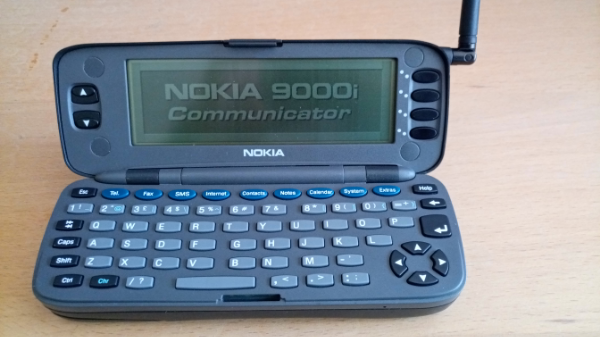 The first phone I will present is an old classic Nokia 9000 Communicator, for the smartphone enthusiasts around here. 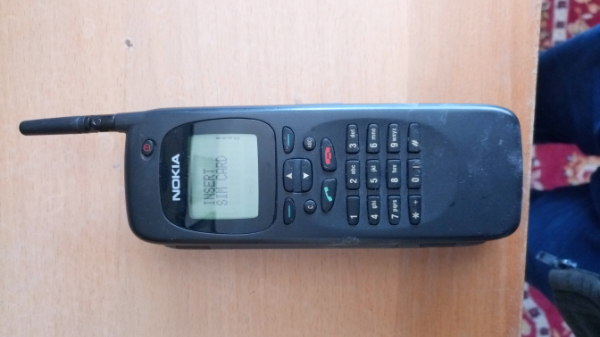 Next is the internal menu. 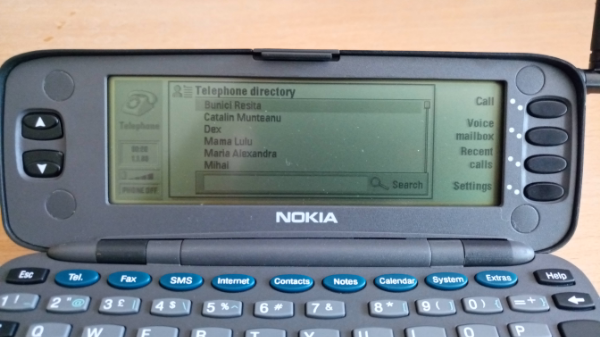 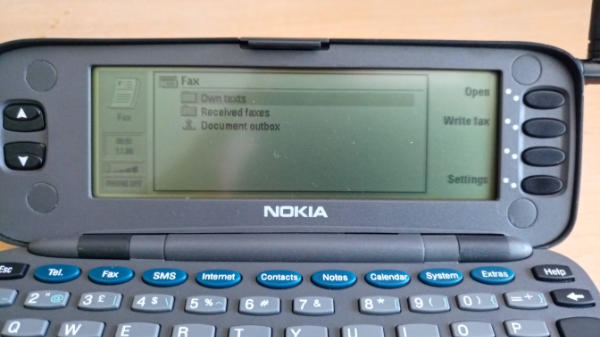 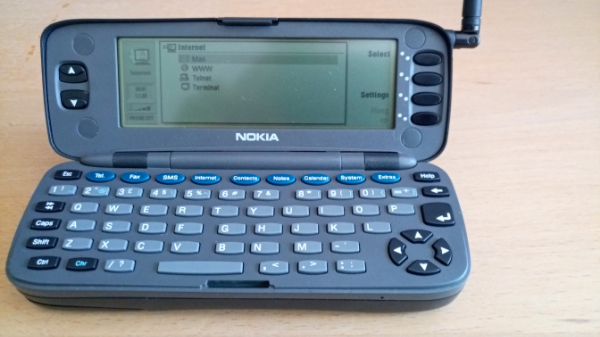 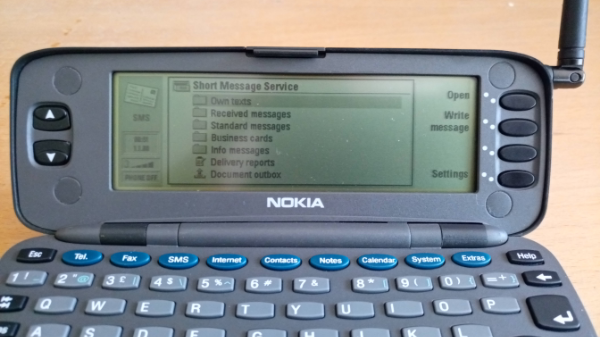 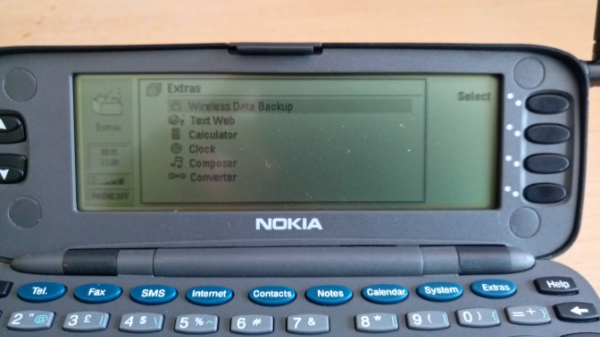 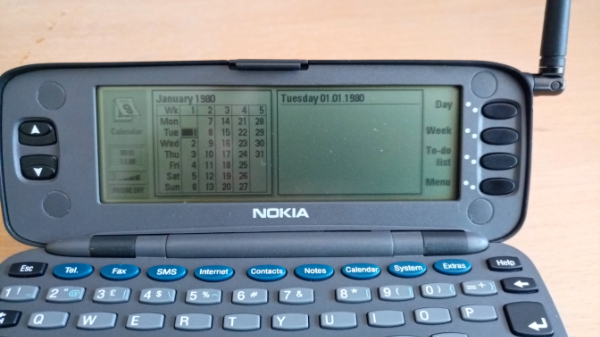 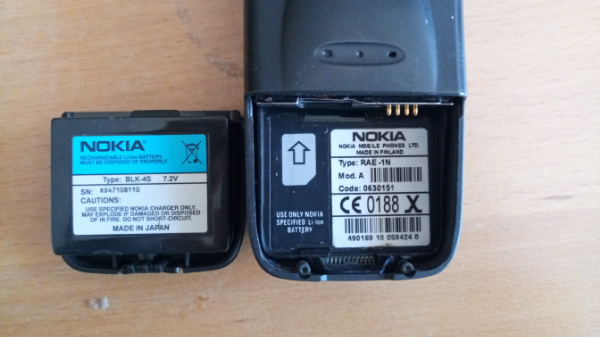 The Nokia 9000 Communicator was the first product in Nokia's Communicator series, announced at CeBIT 1996 and introduced into the market on 15 August 1996. The phone was large and heavy 397 grams (14.0 oz) but powerful at the time. It is powered by an Intel 24 MHz i386 CPU[1] and has 8 MB of memory, which is divided between applications (4 MB), program memory (2 MB) and user data (2 MB). The operating system is PEN/GEOS 3.0. The Communicator is considered to be the second smartphone on the market,[2] following the HP OmniGo 700LX, a DOS-based palmtop PC with integrated cradle for the Nokia 2110 cellular phone announced in late 1995 and shipping in March 1996. Price: 2 ETH postage included. I decided to show you every Nokia Communicator made. In the next post I will continue with Nokia 9110. All phones in collection? Aprox 50... |
| json metadata | {"tags":["retrophone"],"image":["https://cdn.steemitimages.com/DQmZv38jaXjZW2arNDRXQyVdSPm1pWweGieA5rKasHZwkYY/96cd8b08-ffed-44e2-ab54-aa0744f5099b.png","https://cdn.steemitimages.com/DQmRWneYmoCkLfbLRNAm3PE2C2jqrBSDWjWzmjecKkF75vN/70050c97-bf34-4c38-8e77-b6a2395a2fe8.png","https://cdn.steemitimages.com/DQmf7NDVJaMAMUz4aGozrebxXomkshmNSgADmFBqnaYdjfQ/7248b0eb-4411-4299-9d7c-a9275dde353b.png","https://cdn.steemitimages.com/DQmSdRYkqUSt7XDYkji961YH5Bj8frWweVm2v3EJyE7punA/7441ff0c-8951-4748-b46f-02847b1ebdf0.png","https://cdn.steemitimages.com/DQmabBRMuAveSM3H4fBgkgqG5JjuyuNLCM2tF74VSL6QvZe/f7d205e2-0201-4e55-9b1f-ce68349e0643.png","https://cdn.steemitimages.com/DQmQuAMzsE4TNatJMgFWMEJd87ak8Q8UEc8wQGoXJUFUe9b/d8399ac1-7a04-4e44-ba12-eba86eb003f8.png","https://cdn.steemitimages.com/DQmYRRi3DwtzvaxXVQaoV81A3D9sveE8AnWNAz5bhmm9UKR/379e7240-c6bf-4195-9577-b4729ebce2ec.png","https://cdn.steemitimages.com/DQmbrch2AF8WXT4o8qweAbhGBBfwLjFVGMAYX95EAhG1tAr/1ff84720-29c3-4cb4-93f6-d744043b2d6e.png","https://cdn.steemitimages.com/DQmau8FCbMgAgAiXtcFLTYYXPDaSBesgyksufDZ2mSQdEj6/5076a0d7-a9a4-4883-9a29-61fa1e923232.png"],"app":"steemit/0.1","format":"markdown"} |
| Transaction Info | Block #32608337/Trx 788cbfc51d277294aac5f52b1f6ffc21e8cb1d16 |
View Raw JSON Data
{
"trx_id": "788cbfc51d277294aac5f52b1f6ffc21e8cb1d16",
"block": 32608337,
"trx_in_block": 20,
"op_in_trx": 0,
"virtual_op": 0,
"timestamp": "2019-05-04T09:11:42",
"op": [
"comment",
{
"parent_author": "",
"parent_permlink": "retrophone",
"author": "scortan",
"permlink": "phone-collector",
"title": "Phone collector.",
"body": "I have a passion for mobile phones. I collect a lot of them and I am going to start a series of posts in witch I will show you the phones of your youth or childhood. I hope this will strike some emotional cords.\n\n\n\n\nThe first phone I will present is an old classic Nokia 9000 Communicator, for the smartphone enthusiasts around here.\n\n\n\nNext is the internal menu.\n\n\n\n\n\n\n\n\n\n\n\n\n\n\n\nThe Nokia 9000 Communicator was the first product in Nokia's Communicator series, announced at CeBIT 1996 and introduced into the market on 15 August 1996. The phone was large and heavy 397 grams (14.0 oz) but powerful at the time. It is powered by an Intel 24 MHz i386 CPU[1] and has 8 MB of memory, which is divided between applications (4 MB), program memory (2 MB) and user data (2 MB). The operating system is PEN/GEOS 3.0. The Communicator is considered to be the second smartphone on the market,[2] following the HP OmniGo 700LX, a DOS-based palmtop PC with integrated cradle for the Nokia 2110 cellular phone announced in late 1995 and shipping in March 1996.\n\nPrice: 2 ETH postage included.\n\nI decided to show you every Nokia Communicator made.\n\nIn the next post I will continue with Nokia 9110.\n\nAll phones in collection?\n\nAprox 50...",
"json_metadata": "{\"tags\":[\"retrophone\"],\"image\":[\"https://cdn.steemitimages.com/DQmZv38jaXjZW2arNDRXQyVdSPm1pWweGieA5rKasHZwkYY/96cd8b08-ffed-44e2-ab54-aa0744f5099b.png\",\"https://cdn.steemitimages.com/DQmRWneYmoCkLfbLRNAm3PE2C2jqrBSDWjWzmjecKkF75vN/70050c97-bf34-4c38-8e77-b6a2395a2fe8.png\",\"https://cdn.steemitimages.com/DQmf7NDVJaMAMUz4aGozrebxXomkshmNSgADmFBqnaYdjfQ/7248b0eb-4411-4299-9d7c-a9275dde353b.png\",\"https://cdn.steemitimages.com/DQmSdRYkqUSt7XDYkji961YH5Bj8frWweVm2v3EJyE7punA/7441ff0c-8951-4748-b46f-02847b1ebdf0.png\",\"https://cdn.steemitimages.com/DQmabBRMuAveSM3H4fBgkgqG5JjuyuNLCM2tF74VSL6QvZe/f7d205e2-0201-4e55-9b1f-ce68349e0643.png\",\"https://cdn.steemitimages.com/DQmQuAMzsE4TNatJMgFWMEJd87ak8Q8UEc8wQGoXJUFUe9b/d8399ac1-7a04-4e44-ba12-eba86eb003f8.png\",\"https://cdn.steemitimages.com/DQmYRRi3DwtzvaxXVQaoV81A3D9sveE8AnWNAz5bhmm9UKR/379e7240-c6bf-4195-9577-b4729ebce2ec.png\",\"https://cdn.steemitimages.com/DQmbrch2AF8WXT4o8qweAbhGBBfwLjFVGMAYX95EAhG1tAr/1ff84720-29c3-4cb4-93f6-d744043b2d6e.png\",\"https://cdn.steemitimages.com/DQmau8FCbMgAgAiXtcFLTYYXPDaSBesgyksufDZ2mSQdEj6/5076a0d7-a9a4-4883-9a29-61fa1e923232.png\"],\"app\":\"steemit/0.1\",\"format\":\"markdown\"}"
}
]
}2019/04/21 15:17:42
2019/04/21 15:17:42
| parent author | scortan |
| parent permlink | how-to-create-the-smart-contract-for-your-token-and-crowdsale-in-a-matter-of-minutes-tokengen-in-depth-tutorial |
| author | steemitboard |
| permlink | steemitboard-notify-scortan-20190421t151741000z |
| title | |
| body | Congratulations @scortan! You received a personal award! <table><tr><td>https://steemitimages.com/70x70/http://steemitboard.com/@scortan/birthday1.png</td><td>Happy Birthday! - You are on the Steem blockchain for 1 year!</td></tr></table> <sub>_You can view [your badges on your Steem Board](https://steemitboard.com/@scortan) and compare to others on the [Steem Ranking](http://steemitboard.com/ranking/index.php?name=scortan)_</sub> ###### [Vote for @Steemitboard as a witness](https://v2.steemconnect.com/sign/account-witness-vote?witness=steemitboard&approve=1) to get one more award and increased upvotes! |
| json metadata | {"image":["https://steemitboard.com/img/notify.png"]} |
| Transaction Info | Block #32241480/Trx 8e67cf4ba76567c174ab07f5dadb9e902e3aef8e |
View Raw JSON Data
{
  "trx_id": "8e67cf4ba76567c174ab07f5dadb9e902e3aef8e",
  "block": 32241480,
  "trx_in_block": 11,
  "op_in_trx": 0,
  "virtual_op": 0,
  "timestamp": "2019-04-21T15:17:42",
  "op": [
    "comment",
    {
      "parent_author": "scortan",
      "parent_permlink": "how-to-create-the-smart-contract-for-your-token-and-crowdsale-in-a-matter-of-minutes-tokengen-in-depth-tutorial",
      "author": "steemitboard",
      "permlink": "steemitboard-notify-scortan-20190421t151741000z",
      "title": "",
      "body": "Congratulations @scortan! You received a personal award!\n\n<table><tr><td>https://steemitimages.com/70x70/http://steemitboard.com/@scortan/birthday1.png</td><td>Happy Birthday! - You are on the Steem blockchain for 1 year!</td></tr></table>\n\n<sub>_You can view [your badges on your Steem Board](https://steemitboard.com/@scortan) and compare to others on the [Steem Ranking](http://steemitboard.com/ranking/index.php?name=scortan)_</sub>\n\n\n###### [Vote for @Steemitboard as a witness](https://v2.steemconnect.com/sign/account-witness-vote?witness=steemitboard&approve=1) to get one more award and increased upvotes!",
      "json_metadata": "{\"image\":[\"https://steemitboard.com/img/notify.png\"]}"
    }
  ]
}scortanupvoted (100.00%) @mannacurrency / basic-income-cryptocurrencies-are-necessary2019/02/10 15:46:51
scortanupvoted (100.00%) @mannacurrency / basic-income-cryptocurrencies-are-necessary
2019/02/10 15:46:51
| voter | scortan |
| author | mannacurrency |
| permlink | basic-income-cryptocurrencies-are-necessary |
| weight | 10000 (100.00%) |
| Transaction Info | Block #30228993/Trx 86f66056acf7a288f8b8d598af0319dfc570c5b2 |
View Raw JSON Data
{
  "trx_id": "86f66056acf7a288f8b8d598af0319dfc570c5b2",
  "block": 30228993,
  "trx_in_block": 15,
  "op_in_trx": 0,
  "virtual_op": 0,
  "timestamp": "2019-02-10T15:46:51",
  "op": [
    "vote",
    {
      "voter": "scortan",
      "author": "mannacurrency",
      "permlink": "basic-income-cryptocurrencies-are-necessary",
      "weight": 10000
    }
  ]
}scortanupvoted (100.00%) @mannacurrency / what-is-blockchain-a-basic-overview2019/02/10 15:46:39
scortanupvoted (100.00%) @mannacurrency / what-is-blockchain-a-basic-overview
2019/02/10 15:46:39
| voter | scortan |
| author | mannacurrency |
| permlink | what-is-blockchain-a-basic-overview |
| weight | 10000 (100.00%) |
| Transaction Info | Block #30228989/Trx e70f1802d561b0a8a84299d023adb342ec734c39 |
View Raw JSON Data
{
  "trx_id": "e70f1802d561b0a8a84299d023adb342ec734c39",
  "block": 30228989,
  "trx_in_block": 31,
  "op_in_trx": 0,
  "virtual_op": 0,
  "timestamp": "2019-02-10T15:46:39",
  "op": [
    "vote",
    {
      "voter": "scortan",
      "author": "mannacurrency",
      "permlink": "what-is-blockchain-a-basic-overview",
      "weight": 10000
    }
  ]
}2019/02/10 15:46:33
2019/02/10 15:46:33
| voter | scortan |
| author | mannacurrency |
| permlink | humanity-can-t-survive-digital-age-without-crypto-circle-ceo-jeremy-allaire |
| weight | 10000 (100.00%) |
| Transaction Info | Block #30228987/Trx 931a99724584fea563ee833aeae4d67fc0bd56a9 |
View Raw JSON Data
{
  "trx_id": "931a99724584fea563ee833aeae4d67fc0bd56a9",
  "block": 30228987,
  "trx_in_block": 12,
  "op_in_trx": 0,
  "virtual_op": 0,
  "timestamp": "2019-02-10T15:46:33",
  "op": [
    "vote",
    {
      "voter": "scortan",
      "author": "mannacurrency",
      "permlink": "humanity-can-t-survive-digital-age-without-crypto-circle-ceo-jeremy-allaire",
      "weight": 10000
    }
  ]
}2018/09/22 01:39:06
2018/09/22 01:39:06
| delegator | steem |
| delegatee | scortan |
| vesting shares | 9714.696430 VESTS |
| Transaction Info | Block #26154424/Trx 812bf89018295e1e40fd387aa585696029be467d |
View Raw JSON Data
{
  "trx_id": "812bf89018295e1e40fd387aa585696029be467d",
  "block": 26154424,
  "trx_in_block": 3,
  "op_in_trx": 0,
  "virtual_op": 0,
  "timestamp": "2018-09-22T01:39:06",
  "op": [
    "delegate_vesting_shares",
    {
      "delegator": "steem",
      "delegatee": "scortan",
      "vesting_shares": "9714.696430 VESTS"
    }
  ]
}2018/07/30 19:45:48
2018/07/30 19:45:48
| from | hoxly |
| to | scortan |
| amount | 0.001 STEEM |
| memo | Get your DTube, AskSteem, eSteem and more swag at the Steem Store! https://store.asksteem.com 😊 |
| Transaction Info | Block #24637205/Trx e74530d97456b93364c449c42b3114ab0ffe509e |
View Raw JSON Data
{
  "trx_id": "e74530d97456b93364c449c42b3114ab0ffe509e",
  "block": 24637205,
  "trx_in_block": 24,
  "op_in_trx": 0,
  "virtual_op": 0,
  "timestamp": "2018-07-30T19:45:48",
  "op": [
    "transfer",
    {
      "from": "hoxly",
      "to": "scortan",
      "amount": "0.001 STEEM",
      "memo": "Get your DTube, AskSteem, eSteem and more swag at the Steem Store! https://store.asksteem.com 😊"
    }
  ]
}scortanupvoted (100.00%) @mannacurrency / announcing-our-new-advisor-paul-lamb2018/06/22 19:24:30
scortanupvoted (100.00%) @mannacurrency / announcing-our-new-advisor-paul-lamb
2018/06/22 19:24:30
| voter | scortan |
| author | mannacurrency |
| permlink | announcing-our-new-advisor-paul-lamb |
| weight | 10000 (100.00%) |
| Transaction Info | Block #23553187/Trx 672a5865ac47d5c4c066c377ddf7feddfe92e598 |
View Raw JSON Data
{
  "trx_id": "672a5865ac47d5c4c066c377ddf7feddfe92e598",
  "block": 23553187,
  "trx_in_block": 28,
  "op_in_trx": 0,
  "virtual_op": 0,
  "timestamp": "2018-06-22T19:24:30",
  "op": [
    "vote",
    {
      "voter": "scortan",
      "author": "mannacurrency",
      "permlink": "announcing-our-new-advisor-paul-lamb",
      "weight": 10000
    }
  ]
}scortanupvoted (100.00%) @octavianfeodot / 6w5spa2018/06/20 22:44:24
scortanupvoted (100.00%) @octavianfeodot / 6w5spa
2018/06/20 22:44:24
| voter | scortan |
| author | octavianfeodot |
| permlink | 6w5spa |
| weight | 10000 (100.00%) |
| Transaction Info | Block #23499590/Trx a6c78c50a0928ac10247becc84a5ab05c2a940d3 |
View Raw JSON Data
{
  "trx_id": "a6c78c50a0928ac10247becc84a5ab05c2a940d3",
  "block": 23499590,
  "trx_in_block": 19,
  "op_in_trx": 0,
  "virtual_op": 0,
  "timestamp": "2018-06-20T22:44:24",
  "op": [
    "vote",
    {
      "voter": "scortan",
      "author": "octavianfeodot",
      "permlink": "6w5spa",
      "weight": 10000
    }
  ]
}2018/06/08 16:54:33
2018/06/08 16:54:33
| voter | sensation |
| author | scortan |
| permlink | how-to-create-the-smart-contract-for-your-token-and-crowdsale-in-a-matter-of-minutes-tokengen-in-depth-tutorial |
| weight | 10000 (100.00%) |
| Transaction Info | Block #23147658/Trx fdec8873f86908e7cc48fb465127f5ff4abc1f16 |
View Raw JSON Data
{
  "trx_id": "fdec8873f86908e7cc48fb465127f5ff4abc1f16",
  "block": 23147658,
  "trx_in_block": 30,
  "op_in_trx": 0,
  "virtual_op": 0,
  "timestamp": "2018-06-08T16:54:33",
  "op": [
    "vote",
    {
      "voter": "sensation",
      "author": "scortan",
      "permlink": "how-to-create-the-smart-contract-for-your-token-and-crowdsale-in-a-matter-of-minutes-tokengen-in-depth-tutorial",
      "weight": 10000
    }
  ]
}2018/06/08 15:20:51
2018/06/08 15:20:51
| parent author | |
| parent permlink | blockchain |
| author | scortan |
| permlink | how-to-create-the-smart-contract-for-your-token-and-crowdsale-in-a-matter-of-minutes-tokengen-in-depth-tutorial |
| title | How to Create the Smart Contract for Your Token & Crowdsale in a Matter of Minutes – TokenGen In-Depth Tutorial |
| body | Blockchain is an emerging industry and new projects spring into existence almost on an hourly basis. However, the majority of them don’t even get to their ICO and even if they do, most of the the ICOs are a complete disaster. Furthermore, even projects with a relatively successful ICO tend to have a high chance of failing not long after the ICO is concluded. While the reason for all of that is certainly not one-fold, a big part of it, especially concerning the early stage failures, is the difficulty of blockchain development and the high costs that come with hiring specialists that can write the code necessary for a project to take off the ground – its token and crowdsale smart contract. Today, we are more than happy to present the new version of TokenGen to the blockchain industry. TokenGen allows anyone, regardless of their technical background, to easily create the smart contract necessary to establish and then sell an ERC20 token on the ETH blockchain – in a matter of minutes. So, if you have a great idea about a blockchain-based startup, but you have gotten scared by the current unwelcoming blockchain development landscape, worry not as TokenGen will come to your rescue. Now let me back up all of that. How to Use TokenGen to Create Your Token & Crowdsale Smart Contract First of all, let’s lay the foundation of what you will need in order to use TokenGen: MetaMask – you will need to install MetaMask in your browser (currently supports Chrome, Firefox, Opera, and Brave). MetaMask is used to login to TokenGen and make payments. Detailed instructions on using MetaMask can be found on their website. Fabric Tokens – the only way to pay when using TokenGen is with FT. That means that you will not be able to get access to your smart contract unless you pay in Fabric Tokens in the end. If you don’t know where to purchase FT, refer to this page: https://fabrictoken.io/fabric/ Ether – you will need to have some ETH in your MetaMask account in order to pay the transaction fees. And that’s it. So, once you install MetaMask, you need to create a vault and then create at least one address in it. Send some FT and ETH to that address and you are ready to use TokenGen. Let me show you how. Logging In The first step to using TokenGen is logging into the tool: 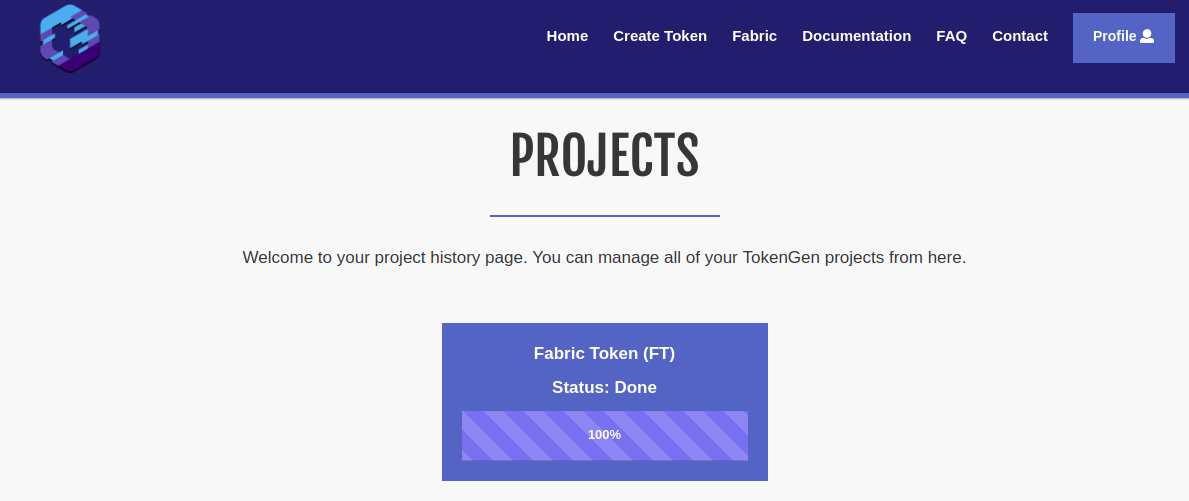 As you can see, I already have a project created for the purposes of this tutorial. But, when you login with a MetaMask account that hasn’t yet used TokenGen, you will see a message telling you that you still don’t have any TokenGen projects and where you can go to create your first one i.e. the Create Token page. Creating Your First Token Using TokenGen You will see in a second just how easy it is to create your very own custom token using TokenGen. First thing, go to the Create Token page and click the Begin button. On a quick side note, we strongly recommend reading through the Documentation and FAQ pages before proceeding with the token creation process: 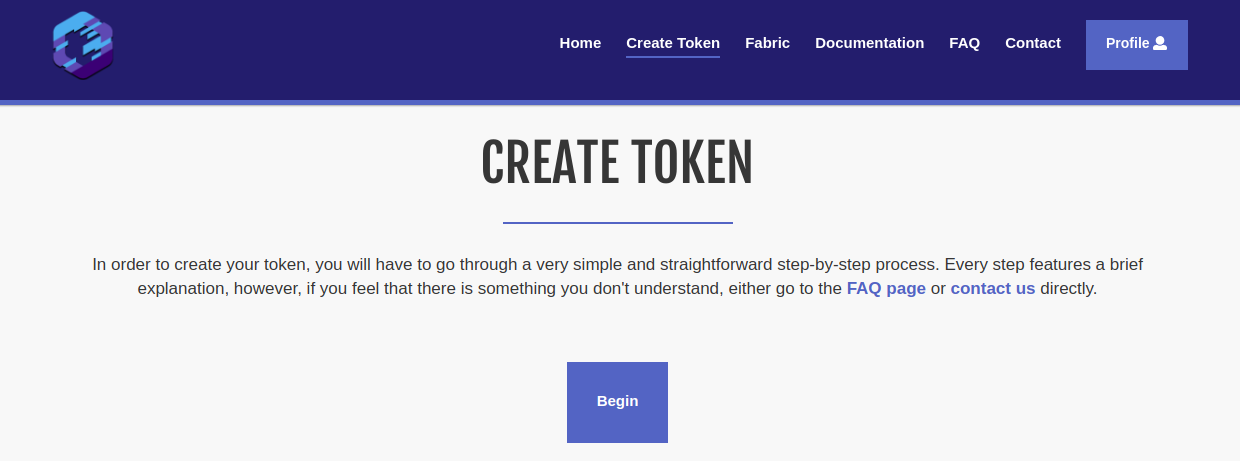 Once you click the Begin button, well, the token creation process will begin and you will be redirected to step 1 – choosing your token features: 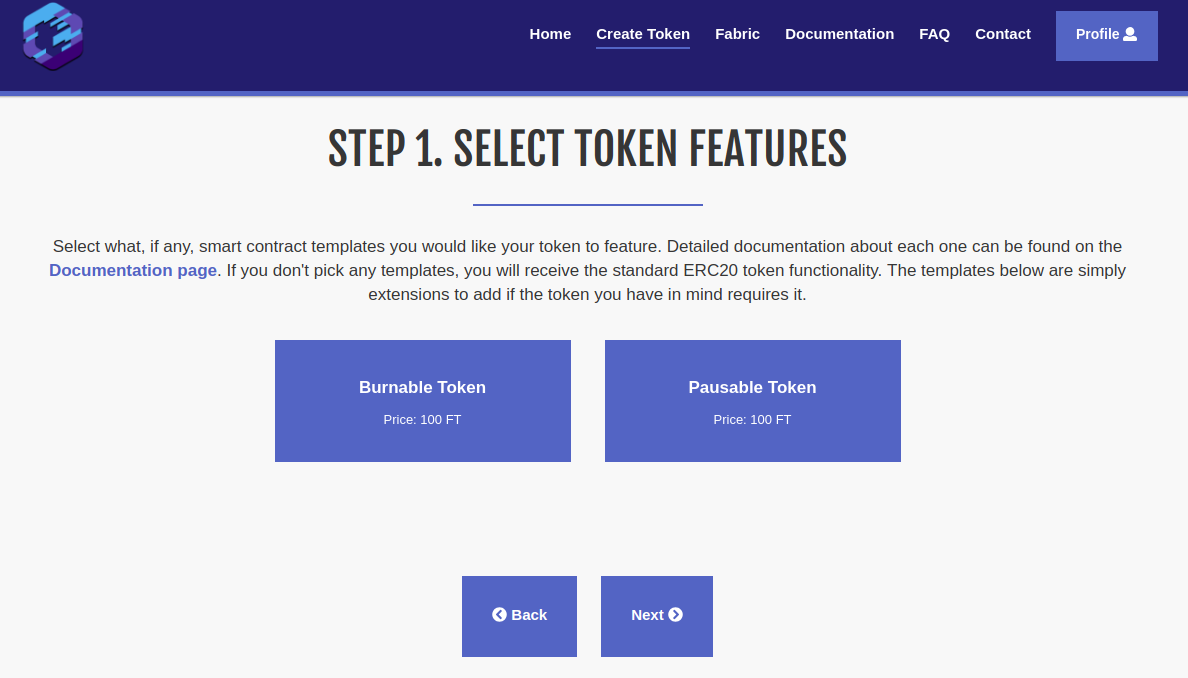 As you can see, you can choose from two token features – Burnable Token and Pausable Token. Both are self-explanatory in the functionality they will provide for your token but again, if there is anything unclear, hover over each feature for a quick tooltip, refer to the TokenGen Documentation page, or send us a message via the form on the Contact page. Another thing to note here is the individual prices of each feature. As explained when TokenGen was announced, the standard fee for a project is 10 EUR worth of FT, which will provide you with a very basic ERC20 token and a simple fundraiser to sell that token. However, each feature that further expands the functionality of your smart contract will have its own individual price mainly based on its complexity. Now, once you have selected your token features (if any), you can move onto step 2 – the selection of your fundraiser features: 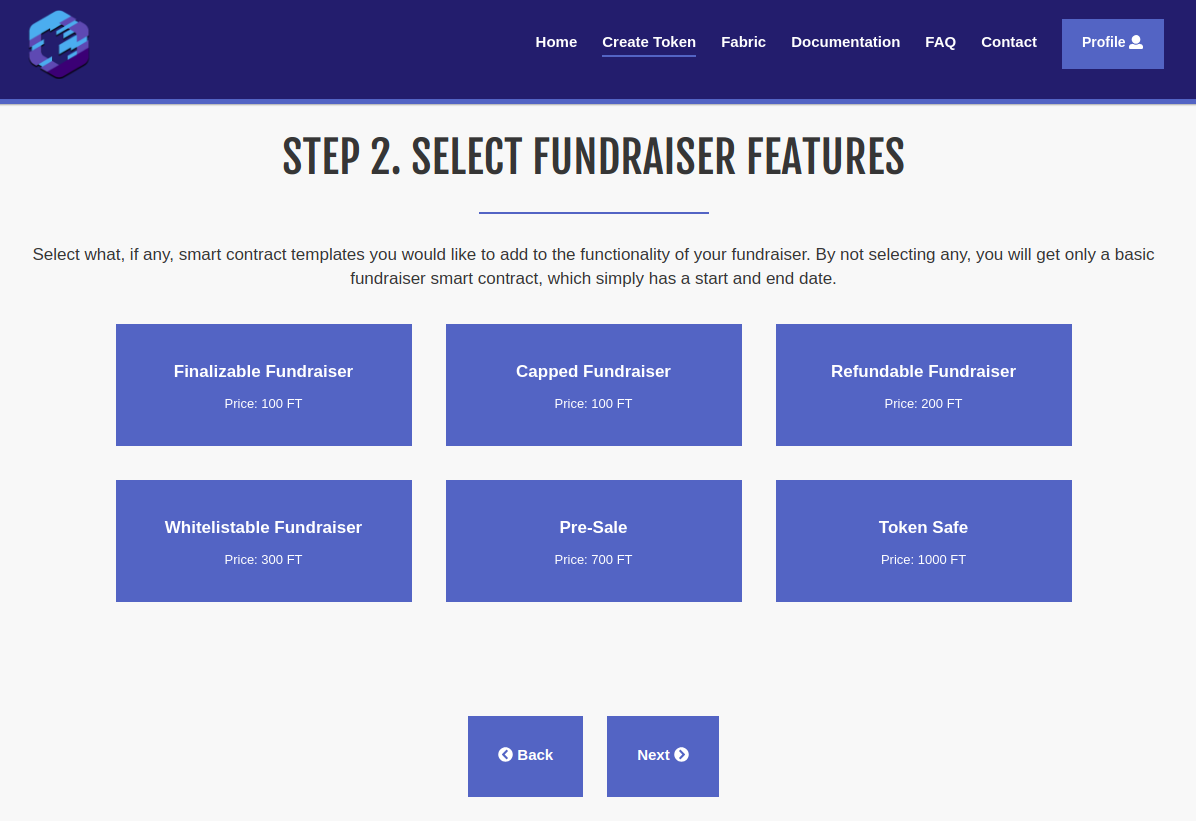 As you can see, there are a lot more features for the fundraiser than the token, which is completely natural. Again, all of these are pretty self-explanatory in what they do, but do take a look at the tooltips for each one or the Documentation page if you want to make sure you are not mistaken about something. For this first example, I will not select any features, just to show you what TokenGen will provide you with by default, if no features are selected. So, moving on to step 3 – providing project details: 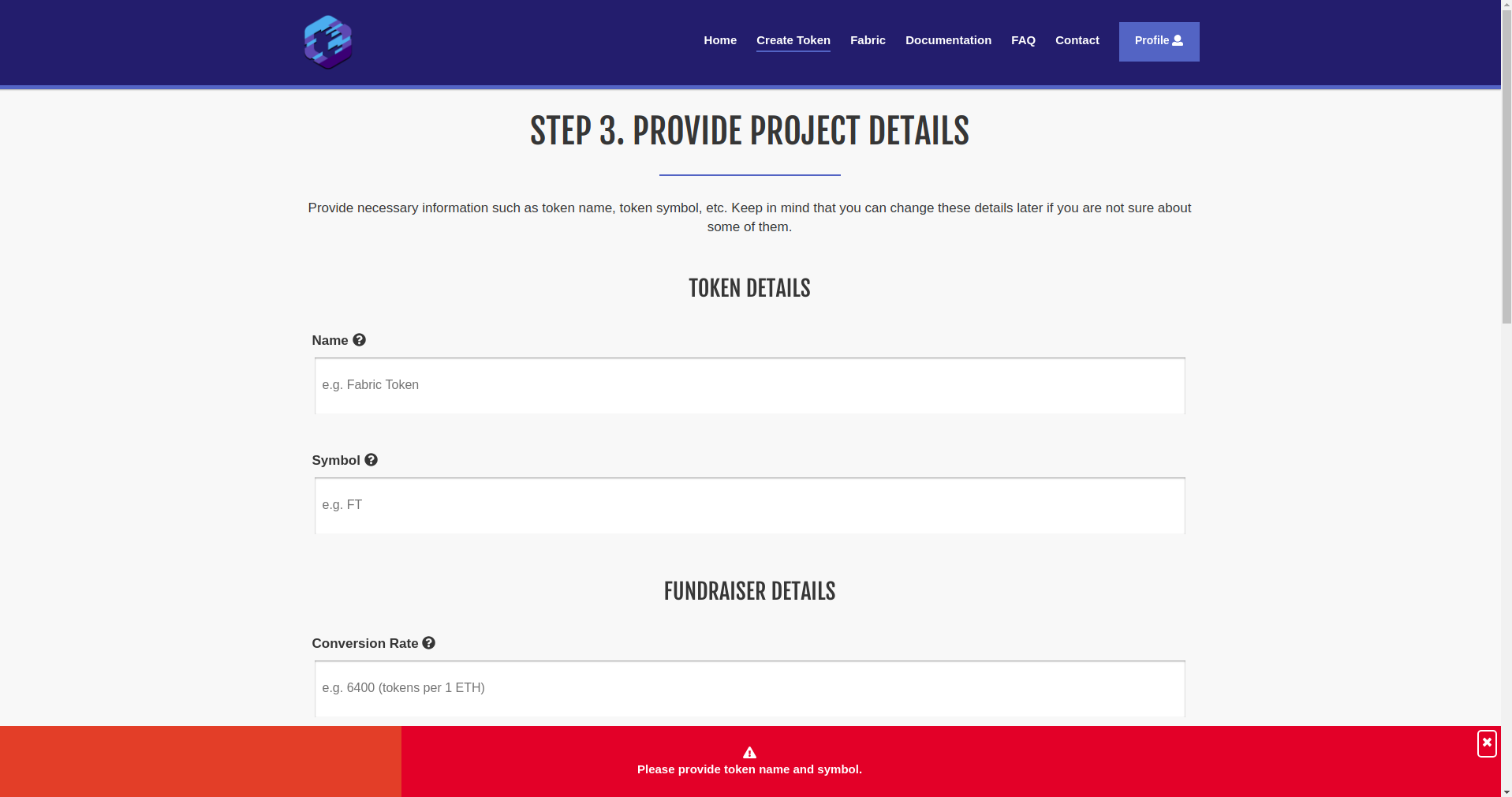 As you can see, all you need to do is provide the necessary details about your project features. Currently, only token name and symbol are mandatory in order to proceed with the process as you are able to add/edit the rest later on via your Projects page. Why so? Well, because you might not yet be certain of your fundraiser start or end date, or the conversion rate of your token, etc. Thus, you can leave them blank while you are going through the token creation process and then fill them out later on (we will show how you can do that as well in a bit). An important thing to note here is that, each project input has a tooltip that briefly explains what that field represents. As you cannot see by the screenshot above, by default, if no additional features are selected, the following details are present: Token Name Symbol Fundraiser Conversion rate Start date Start time End date End time Beneficiary – the address where funds gathered in the crowdsale will be sent. Min. Contribution Max. Contribution Gas Price Limit Now onto the next and final step of the token creation process – the payment: 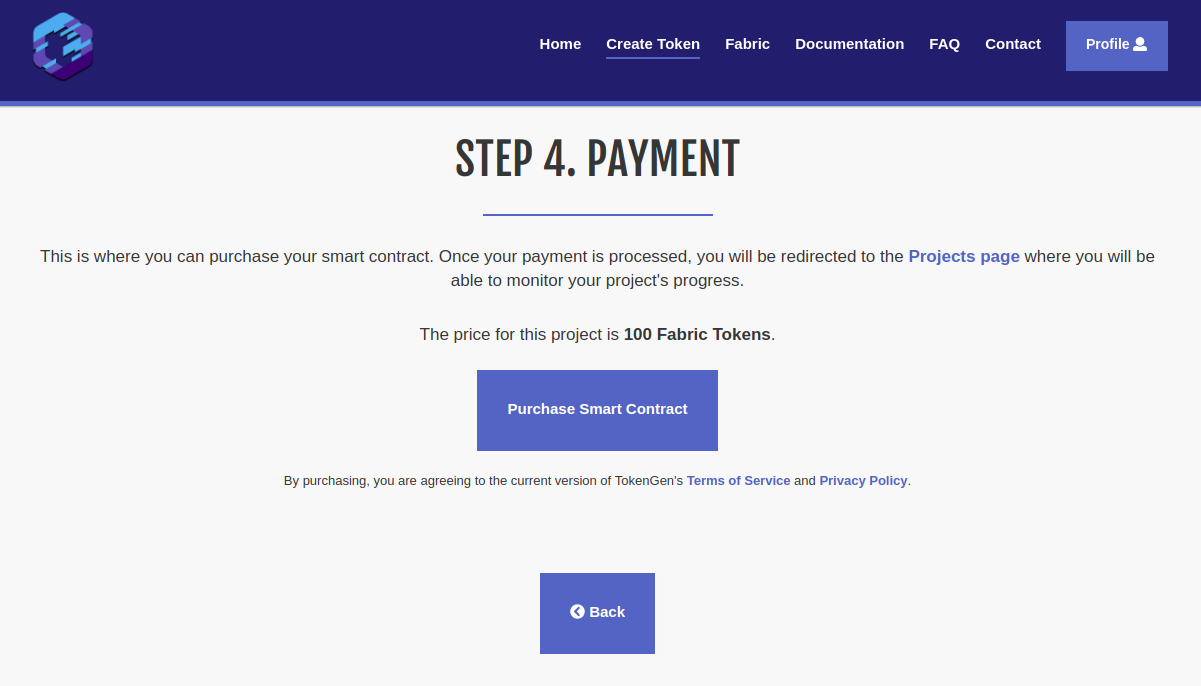 As already mentioned, if no additional features are selected, the project cost will be 10 EUR worth of FT. In this instance, we have set it to 100 FT. The payment page is pretty simple, displaying the cost of your project and a purchase button. Of course, you can always go back and change something if you think you’ve overlooked a thing or two. But if you think you’ve selected the right features for your token and fundraiser (if any), you can proceed and click on the Purchase Smart Contract button. If you have enough FT in your currently selected MetaMask account, a window will pop up asking you to confirm the payment. Once you do, the transaction will become pending and TokenGen will wait until it is delegated to the ETH network. Keep in mind that you must not refresh the page while TokenGen is waiting for the transaction to be confirmed. If you do so by mistake or whatever the case is, you will need to contact support via the Contact page and ask how you can verify your payment and proceed with the progress of your project. MetaMask allows you to set the gas price you are willing to pay for the transaction, so if you set a low gas price, for instance 1 gwei, you might wait a while until it is picked up by a miner and included in a block. So we recommend having some patience – it can take up to several minutes or even a day or so if you set a very low gas price and the ETH network is experiencing heavy load. We recommend looking at https://ethstats.net/ before making payment via TokenGen, so that you set a decent gas price on the transaction and it goes through relatively fast. Recently, gas prices of around 10 gwei are standard. Now, if there are no issues with the transaction, once it is delegated to the ETH blockchain i.e. it is included in a block, you will be redirected back to the Projects page where you will see your brand new project: 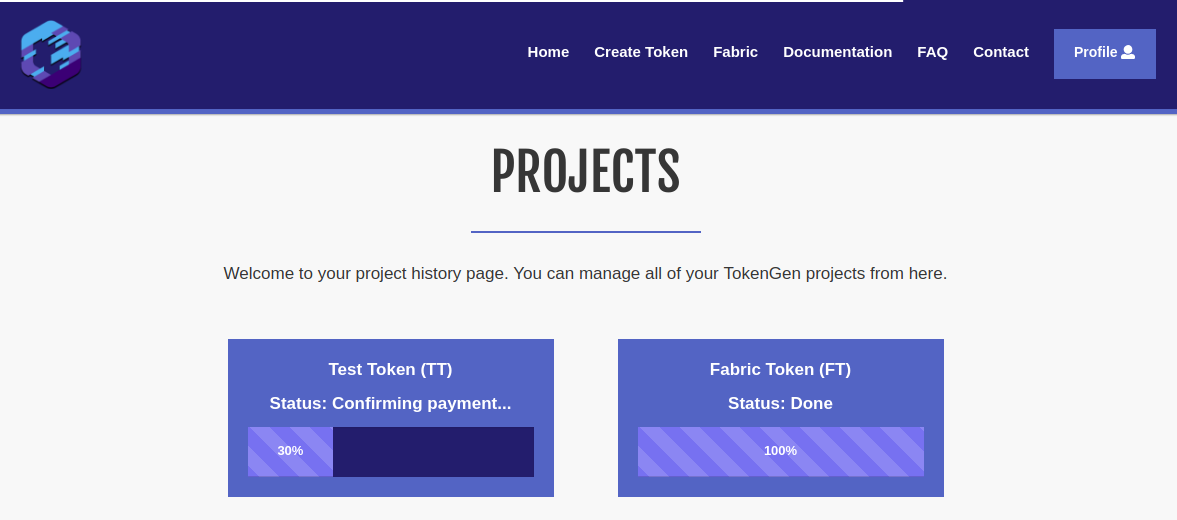 There are a few steps that a TokenGen project goes through until it gets to a 100%. Those include: Confirming payment – TokenGen is waiting for the payment transaction to get at least 12 confirmations before it will consider it valid. 12 confirmations take, on average, around 3 minutes to complete. Building the smart contract – TokenGen is building your smart contract based on the features you selected and on the project details you provided. Testing the smart contract – TokenGen is testing the smart contract built on the previous step as it goes through various scenarios in order to ensure smart contract validity. The build log will be visible on the Manage Project page for each individual project and all tests will appear there so you can see for yourself what scenarios are covered. Done – the smart contract package is ready for use. At this point, all you have to do is wait until your new project reaches 100% and then you will be able to use the smart contract and fill any project details that you left empty during the token creation process i.e. introducing the Manage Project page: 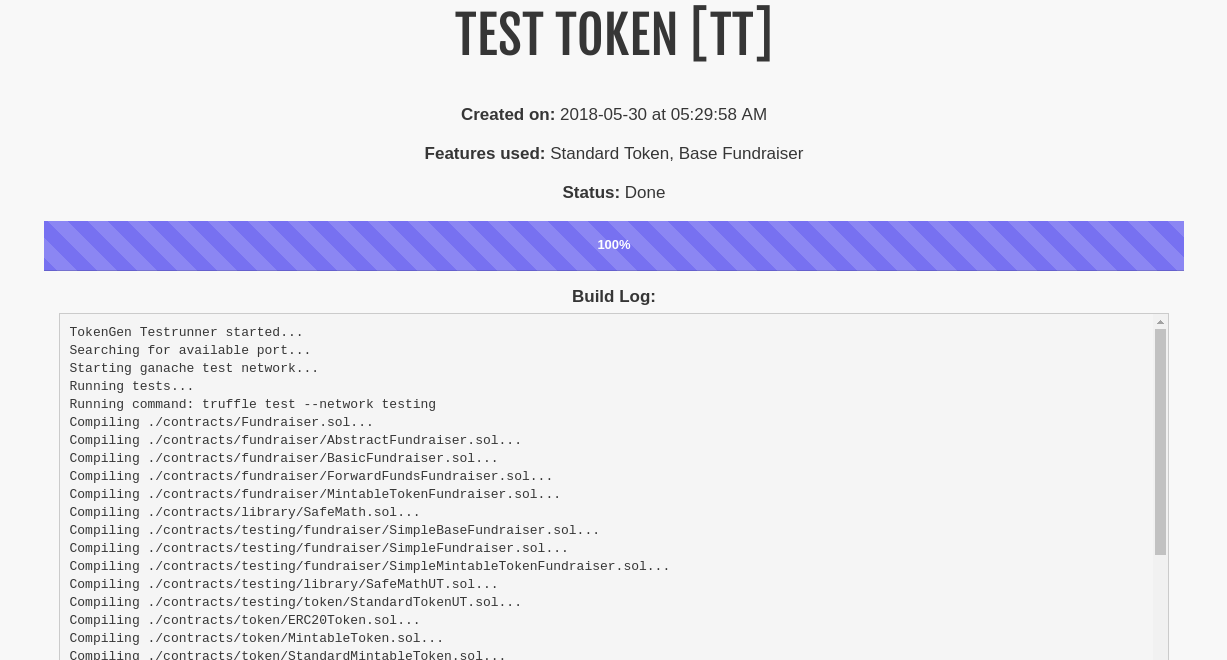 Blockchain is an emerging industry and new projects spring into existence almost on an hourly basis. However, the majority of them don’t even get to their ICO and even if they do, most of the the ICOs are a complete disaster. Furthermore, even projects with a relatively successful ICO tend to have a high chance of failing not long after the ICO is concluded. While the reason for all of that is certainly not one-fold, a big part of it, especially concerning the early stage failures, is the difficulty of blockchain development and the high costs that come with hiring specialists that can write the code necessary for a project to take off the ground – its token and crowdsale smart contract. Today, we are more than happy to present the new version of TokenGen to the blockchain industry. TokenGen allows anyone, regardless of their technical background, to easily create the smart contract necessary to establish and then sell an ERC20 token on the ETH blockchain – in a matter of minutes. So, if you have a great idea about a blockchain-based startup, but you have gotten scared by the current unwelcoming blockchain development landscape, worry not as TokenGen will come to your rescue. Now let me back up all of that. How to Use TokenGen to Create Your Token & Crowdsale Smart Contract First of all, let’s lay the foundation of what you will need in order to use TokenGen: MetaMask – you will need to install MetaMask in your browser (currently supports Chrome, Firefox, Opera, and Brave). MetaMask is used to login to TokenGen and make payments. Detailed instructions on using MetaMask can be found on their website. Fabric Tokens – the only way to pay when using TokenGen is with FT. That means that you will not be able to get access to your smart contract unless you pay in Fabric Tokens in the end. If you don’t know where to purchase FT, refer to this page: https://fabrictoken.io/fabric/ Ether – you will need to have some ETH in your MetaMask account in order to pay the transaction fees. And that’s it. So, once you install MetaMask, you need to create a vault and then create at least one address in it. Send some FT and ETH to that address and you are ready to use TokenGen. Let me show you how. Logging In The first step to using TokenGen is logging into the tool: TokenGen Login Page Once you click the Login button, a MetaMask window will open up asking you to sign a simple message with a unique identifier. This is done in order to prove that you are actually the owner of the address with which you are logging into TokenGen. Once you sign the message, you will be redirected to your personal Projects page: TokenGen Projects Page As you can see, I already have a project created for the purposes of this tutorial. But, when you login with a MetaMask account that hasn’t yet used TokenGen, you will see a message telling you that you still don’t have any TokenGen projects and where you can go to create your first one i.e. the Create Token page. Creating Your First Token Using TokenGen You will see in a second just how easy it is to create your very own custom token using TokenGen. First thing, go to the Create Token page and click the Begin button. On a quick side note, we strongly recommend reading through the Documentation and FAQ pages before proceeding with the token creation process: TokenGen Create Token Page Once you click the Begin button, well, the token creation process will begin and you will be redirected to step 1 – choosing your token features: TokenGen Create Token Select Token Features As you can see, you can choose from two token features – Burnable Token and Pausable Token. Both are self-explanatory in the functionality they will provide for your token but again, if there is anything unclear, hover over each feature for a quick tooltip, refer to the TokenGen Documentation page, or send us a message via the form on the Contact page. Another thing to note here is the individual prices of each feature. As explained when TokenGen was announced, the standard fee for a project is 10 EUR worth of FT, which will provide you with a very basic ERC20 token and a simple fundraiser to sell that token. However, each feature that further expands the functionality of your smart contract will have its own individual price mainly based on its complexity. Now, once you have selected your token features (if any), you can move onto step 2 – the selection of your fundraiser features: TokenGen Create Token Select Fundraiser Features As you can see, there are a lot more features for the fundraiser than the token, which is completely natural. Again, all of these are pretty self-explanatory in what they do, but do take a look at the tooltips for each one or the Documentation page if you want to make sure you are not mistaken about something. For this first example, I will not select any features, just to show you what TokenGen will provide you with by default, if no features are selected. So, moving on to step 3 – providing project details: TokenGen Create Token Provide Project Details As you can see, all you need to do is provide the necessary details about your project features. Currently, only token name and symbol are mandatory in order to proceed with the process as you are able to add/edit the rest later on via your Projects page. Why so? Well, because you might not yet be certain of your fundraiser start or end date, or the conversion rate of your token, etc. Thus, you can leave them blank while you are going through the token creation process and then fill them out later on (we will show how you can do that as well in a bit). An important thing to note here is that, each project input has a tooltip that briefly explains what that field represents. As you cannot see by the screenshot above, by default, if no additional features are selected, the following details are present: Token Name Symbol Fundraiser Conversion rate Start date Start time End date End time Beneficiary – the address where funds gathered in the crowdsale will be sent. Min. Contribution Max. Contribution Gas Price Limit Now onto the next and final step of the token creation process – the payment: TokenGen Create Token Payment As already mentioned, if no additional features are selected, the project cost will be 10 EUR worth of FT. In this instance, we have set it to 100 FT. The payment page is pretty simple, displaying the cost of your project and a purchase button. Of course, you can always go back and change something if you think you’ve overlooked a thing or two. But if you think you’ve selected the right features for your token and fundraiser (if any), you can proceed and click on the Purchase Smart Contract button. If you have enough FT in your currently selected MetaMask account, a window will pop up asking you to confirm the payment. Once you do, the transaction will become pending and TokenGen will wait until it is delegated to the ETH network. Keep in mind that you must not refresh the page while TokenGen is waiting for the transaction to be confirmed. If you do so by mistake or whatever the case is, you will need to contact support via the Contact page and ask how you can verify your payment and proceed with the progress of your project. MetaMask allows you to set the gas price you are willing to pay for the transaction, so if you set a low gas price, for instance 1 gwei, you might wait a while until it is picked up by a miner and included in a block. So we recommend having some patience – it can take up to several minutes or even a day or so if you set a very low gas price and the ETH network is experiencing heavy load. We recommend looking at https://ethstats.net/ before making payment via TokenGen, so that you set a decent gas price on the transaction and it goes through relatively fast. Recently, gas prices of around 10 gwei are standard. Now, if there are no issues with the transaction, once it is delegated to the ETH blockchain i.e. it is included in a block, you will be redirected back to the Projects page where you will see your brand new project: TokenGen Projects There are a few steps that a TokenGen project goes through until it gets to a 100%. Those include: Confirming payment – TokenGen is waiting for the payment transaction to get at least 12 confirmations before it will consider it valid. 12 confirmations take, on average, around 3 minutes to complete. Building the smart contract – TokenGen is building your smart contract based on the features you selected and on the project details you provided. Testing the smart contract – TokenGen is testing the smart contract built on the previous step as it goes through various scenarios in order to ensure smart contract validity. The build log will be visible on the Manage Project page for each individual project and all tests will appear there so you can see for yourself what scenarios are covered. Done – the smart contract package is ready for use. At this point, all you have to do is wait until your new project reaches 100% and then you will be able to use the smart contract and fill any project details that you left empty during the token creation process i.e. introducing the Manage Project page: TokenGen Test Token Manage Project As you can see, the Test Token we created has been generated by TokenGen and we can even see the build log with all of the tests that the tool has performed on the smart contract. Naturally, at the moment, the tests fail as we haven’t provided some necessary details such as start and end date, conversion rate, etc. So, as mentioned earlier, we don’t need to add all details at the time of the token creation process. You can edit and add the ones you are not sure about later via the Manage Project page. So, let’s go ahead and do so: 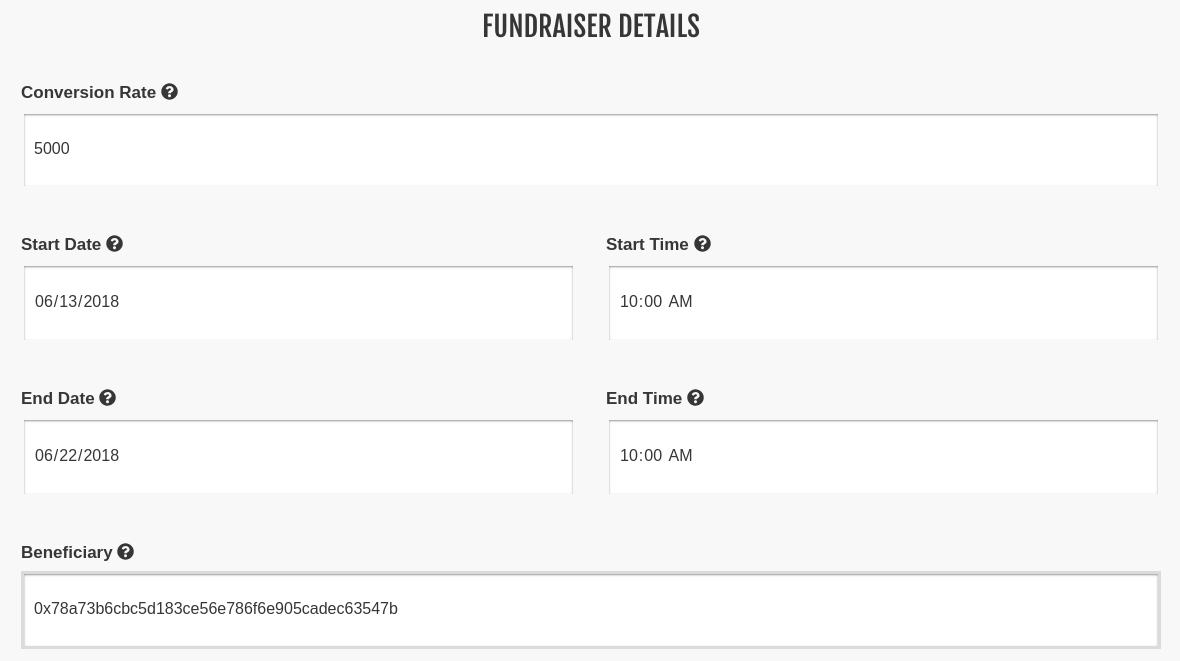 Once we add these details, we can go ahead and click the Save & Rebuild button at the bottom of the page. TokenGen will then save the new project details and begin to re-build the smart contract package. Once finished, the tool will display the full build log with all of the tests, provided all of the required details aren’t missing. Here is the build log for our little Test Token (remember that we haven’t selected any additional features at all): ”TokenGen Testrunner started… Searching for available port… Starting ganache test network… Running tests… Running command: truffle test –network testing Compiling ./contracts/Fundraiser.sol… Compiling ./contracts/fundraiser/AbstractFundraiser.sol… Compiling ./contracts/fundraiser/BasicFundraiser.sol… Compiling ./contracts/fundraiser/ForwardFundsFundraiser.sol… Compiling ./contracts/fundraiser/MintableTokenFundraiser.sol… Compiling ./contracts/library/SafeMath.sol… Compiling ./contracts/testing/fundraiser/SimpleBaseFundraiser.sol… Compiling ./contracts/testing/fundraiser/SimpleFundraiser.sol… Compiling ./contracts/testing/fundraiser/SimpleMintableTokenFundraiser.sol… Compiling ./contracts/testing/library/SafeMathUT.sol… Compiling ./contracts/testing/token/StandardTokenUT.sol… Compiling ./contracts/token/ERC20Token.sol… Compiling ./contracts/token/MintableToken.sol… Compiling ./contracts/token/StandardMintableToken.sol… Compiling ./contracts/token/StandardToken.sol… Compiling ./contracts/trait/HasOwner.sol… Compilation warnings encountered: /tmp/tg-test-15ppg2i3.qbw/contracts/Fundraiser.sol:51:7: Warning: This looks like an address but has an invalid checksum. If this is not used as an address, please prepend ’00’. Correct checksummed address: ‘0x78a73B6CBc5D183CE56e786f6e905CaDEC63547B’. For more information please see https://solidity.readthedocs.io/en/develop/types.html#address-literals 0x78a73b6cbc5d183ce56e786f6e905cadec63547b // Beneficiary ^—————————————-^ // Project parameters { “StandardToken”: { “Name”: “Test Token”, “Symbol”: “TT” }, “BurnableToken”: null, “PausableToken”: null, “BaseFundraiser”: { “ConversionRate”: 5000, “StartDate”: “2018-06-13”, “StartTime”: “10:00”, “EndDate”: “2018-06-22”, “EndTime”: “10:00”, “Beneficiary”: “0x78a73b6cbc5d183ce56e786f6e905cadec63547b”, “MinContribution”: null, “MaxContribution”: null, “StartDateTime”: “2018-06-13T10:00:00Z”, “StartTimestamp”: 1528884000, “EndDateTime”: “2018-06-22T10:00:00Z”, “EndTimestamp”: 1529661600, “HasIndividualCaps”: false }, “PreSale”: null, “CappedFundraiser”: null, “FinalizableFundraiser”: null, “RefundableFundraiser”: null, “WhitelistableFundraiser”: null, “TokenSafe”: null } Contract: SafeMathUT [SafeMath, library] ✓ should be able to add numbers correctly ✓ should throw an exception when overflow on addition ✓ should be able to subtract numbers correctly ✓ should not allow the subtraction a – b if a < b, i.e. underflow ✓ should be able to multiple numbers correctly ✓ should be able to multiple by zero correctly, e.g. 0 * 3 == 0 ✓ should be able to multiple by zero correctly, e.g. 3 * 0 == 0 ✓ should throw an exception when overflow on multiplication ✓ should be able to divide numbers correctly ✓ should return the integer value of the division if there is reminder ✓ should return zero if divider is larger than the dividend ✓ should throw an exception when dividing by zero Contract: StandardTokenUT [StandardToken, token] ✓ should return the correct totalSupply after construction transfer operations ✓ should emit event after successful transfer (61ms) ✓ should return correct balances after transfer (93ms) ✓ should return correct balances after transfer (87ms) ✓ should fail when trying to transfer more than balance ✓ should not allow zero tokens transfer ✓ should not allow to transfer to address zero (burn) delegated transfer operations (allowance, approve and transferFrom) ✓ should emit event after successful approval (41ms) ✓ should return the correct allowance after approval (59ms) ✓ should emit event after successful delegated transfer (75ms) ✓ should return correct token balances after transfering from another account (127ms) ✓ should return an error when trying to transfer more than allowed (62ms) ✓ should return an error when trying to transfer more than the balance (71ms) ✓ should not allow zero tokens transferFrom (61ms) ✓ should not allow to burn delegated tokens (58ms) Contract: StandardMintableToken [MintableToken, token] ✓ should return zero totalSupply after construction minting operations ✓ should allow owner to mint tokens (67ms) ✓ should not allow other than the owner to mint tokens (71ms) ✓ should allow no other than the owner to disable minting (56ms) ✓ should be able to disable minting only once (60ms) ✓ should not allow minting after it is disabled (62ms) Contract: StandardMintableToken [StandardToken, token] ✓ should return the correct totalSupply after construction transfer operations ✓ should emit event after successful transfer ✓ should return correct balances after transfer (69ms) ✓ should return correct balances after transfer (64ms) ✓ should fail when trying to transfer more than balance ✓ should not allow zero tokens transfer ✓ should not allow to transfer to address zero (burn) delegated transfer operations (allowance, approve and transferFrom) ✓ should emit event after successful approval ✓ should return the correct allowance after approval (50ms) ✓ should emit event after successful delegated transfer (75ms) ✓ should return correct token balances after transfering from another account (114ms) ✓ should return an error when trying to transfer more than allowed (51ms) ✓ should return an error when trying to transfer more than the balance (55ms) ✓ should not allow zero tokens transferFrom (47ms) ✓ should not allow to burn delegated tokens (51ms) Contract: HasOwner [HasOwner, trait] ✓ should have an owner ✓ should be able to transfer ownership to a new owner (99ms) ✓ should not start transfer from different account than the owner ✓ should not accept ownership from different account than the newOwner (67ms) Contract: SimpleFundraiser [SimpleFundraiser, fundraiser] contract creation ✓ should have all token parameters set correctly (130ms) ✓ should not allow zero address beneficiary ✓ should not allow zero conversion rate (42ms) ✓ should not allow the start to be after the end (42ms) handling the beneficiary ✓ should return the proper beneficiary when created ✓ should not allow to set zero address beneficiary ✓ should allow to change beneficiary (49ms) ✓ should not allow anyone other than the owner to change beneficiary before the fundraiser begin ✓ should not be ended conversion rate ✓ should allow to change conversion rate by the owner (50ms) ✓ should not allow to change conversion rate to zero ✓ should not allow to change conversion rate by someone other than the owner funds and assets ✓ should not allow anyone to create tokens by sending ether to contract during the fundraiser ✓ should not be ended conversion rate ✓ should not allow owner to change conversion rate (51ms) ✓ should not allow anyone else to change conversion rate funds and token assets ✓ should transfer the correct amount of ether to the beneficiary (1006ms) ✓ should not allow transfers with zero amount ✓ should allow to create tokens by sending ether to contract (84ms) after the fundraiser ✓ should have ended Contract: SimpleMintableTokenFundraiser [SimpleFundraiser, fundraiser] contract creation ✓ should have all token parameters set correctly (133ms) ✓ should not allow zero address beneficiary (38ms) ✓ should not allow zero conversion rate (116ms) ✓ should not allow the start to be after the end (48ms) handling the beneficiary ✓ should return the proper beneficiary when created ✓ should not allow to set zero address beneficiary ✓ should allow to change beneficiary (45ms) ✓ should not allow anyone other than the owner to change beneficiary before the fundraiser begin ✓ should not be ended conversion rate ✓ should allow to change conversion rate by the owner (40ms) ✓ should not allow to change conversion rate to zero ✓ should not allow to change conversion rate by someone other than the owner funds and assets ✓ should not allow anyone to create tokens by sending ether to contract during the fundraiser ✓ should not be ended conversion rate ✓ should not allow owner to change conversion rate (47ms) ✓ should not allow anyone else to change conversion rate funds and token assets ✓ should transfer the correct amount of ether to the beneficiary (1158ms) ✓ should not allow transfers with zero amount ✓ should allow to create tokens by sending ether to contract (93ms) after the fundraiser ✓ should have ended Contract: TestTokenFundraiser Parameters ✓ ERC20 [Name=”Test Token”, Symbol=”TT”, Decimals=18] (66ms) ✓ Start/End [StartTime=2018-06-13T10:00:00Z (1528884000), EndTime=2018-06-22T10:00:00Z (1529661600)] (44ms) ✓ Funds [ConversionRate=5000, Beneficiary=0x78a73b6cbc5d183ce56e786f6e905cadec63547b] Beneficiary ✓ Correct beneficiary set [address=0x78a73b6cbc5d183ce56e786f6e905cadec63547b] ✓ Owner/Creator can change beneficiary (42ms) ✓ Non-owner cannot change beneficiary Conversion Rate ✓ Correct conversion rate set [ConversionRate=5000] ✓ Owner can change conversion rate (47ms) ✓ Non-owner cannot change conversion rate Contract: TestTokenFundraiser [Ethereum network tests] ✓ Contract requires less than ‘7000000’ gas (708ms) 102 passing (23s)” As you can see, TokenGen tests all kinds of scenarios regarding the smart contract in order to make sure there are no bugs in the code. Bugs in deployed smart contracts are a menace and we have done our best to ensure that TokenGen delivers a flawless smart contract package. It is imperative that you make sure each of your projects has a perfect build log i.e. all tests are passing and none are failing. If some are failing, you might have provided incorrect project details or you might have missed some required ones as a whole. So make sure the build log is perfect before downloading and using your smart contract package. Now, let’s create another token, but this time, add some of the advanced features. Blockchain is an emerging industry and new projects spring into existence almost on an hourly basis. However, the majority of them don’t even get to their ICO and even if they do, most of the the ICOs are a complete disaster. Furthermore, even projects with a relatively successful ICO tend to have a high chance of failing not long after the ICO is concluded. While the reason for all of that is certainly not one-fold, a big part of it, especially concerning the early stage failures, is the difficulty of blockchain development and the high costs that come with hiring specialists that can write the code necessary for a project to take off the ground – its token and crowdsale smart contract. Today, we are more than happy to present the new version of TokenGen to the blockchain industry. TokenGen allows anyone, regardless of their technical background, to easily create the smart contract necessary to establish and then sell an ERC20 token on the ETH blockchain – in a matter of minutes. So, if you have a great idea about a blockchain-based startup, but you have gotten scared by the current unwelcoming blockchain development landscape, worry not as TokenGen will come to your rescue. Now let me back up all of that. How to Use TokenGen to Create Your Token & Crowdsale Smart Contract First of all, let’s lay the foundation of what you will need in order to use TokenGen: MetaMask – you will need to install MetaMask in your browser (currently supports Chrome, Firefox, Opera, and Brave). MetaMask is used to login to TokenGen and make payments. Detailed instructions on using MetaMask can be found on their website. Fabric Tokens – the only way to pay when using TokenGen is with FT. That means that you will not be able to get access to your smart contract unless you pay in Fabric Tokens in the end. If you don’t know where to purchase FT, refer to this page: https://fabrictoken.io/fabric/ Ether – you will need to have some ETH in your MetaMask account in order to pay the transaction fees. And that’s it. So, once you install MetaMask, you need to create a vault and then create at least one address in it. Send some FT and ETH to that address and you are ready to use TokenGen. Let me show you how. Logging In The first step to using TokenGen is logging into the tool: TokenGen Login Page Once you click the Login button, a MetaMask window will open up asking you to sign a simple message with a unique identifier. This is done in order to prove that you are actually the owner of the address with which you are logging into TokenGen. Once you sign the message, you will be redirected to your personal Projects page: TokenGen Projects Page As you can see, I already have a project created for the purposes of this tutorial. But, when you login with a MetaMask account that hasn’t yet used TokenGen, you will see a message telling you that you still don’t have any TokenGen projects and where you can go to create your first one i.e. the Create Token page. Creating Your First Token Using TokenGen You will see in a second just how easy it is to create your very own custom token using TokenGen. First thing, go to the Create Token page and click the Begin button. On a quick side note, we strongly recommend reading through the Documentation and FAQ pages before proceeding with the token creation process: TokenGen Create Token Page Once you click the Begin button, well, the token creation process will begin and you will be redirected to step 1 – choosing your token features: TokenGen Create Token Select Token Features As you can see, you can choose from two token features – Burnable Token and Pausable Token. Both are self-explanatory in the functionality they will provide for your token but again, if there is anything unclear, hover over each feature for a quick tooltip, refer to the TokenGen Documentation page, or send us a message via the form on the Contact page. Another thing to note here is the individual prices of each feature. As explained when TokenGen was announced, the standard fee for a project is 10 EUR worth of FT, which will provide you with a very basic ERC20 token and a simple fundraiser to sell that token. However, each feature that further expands the functionality of your smart contract will have its own individual price mainly based on its complexity. Now, once you have selected your token features (if any), you can move onto step 2 – the selection of your fundraiser features: TokenGen Create Token Select Fundraiser Features As you can see, there are a lot more features for the fundraiser than the token, which is completely natural. Again, all of these are pretty self-explanatory in what they do, but do take a look at the tooltips for each one or the Documentation page if you want to make sure you are not mistaken about something. For this first example, I will not select any features, just to show you what TokenGen will provide you with by default, if no features are selected. So, moving on to step 3 – providing project details: TokenGen Create Token Provide Project Details As you can see, all you need to do is provide the necessary details about your project features. Currently, only token name and symbol are mandatory in order to proceed with the process as you are able to add/edit the rest later on via your Projects page. Why so? Well, because you might not yet be certain of your fundraiser start or end date, or the conversion rate of your token, etc. Thus, you can leave them blank while you are going through the token creation process and then fill them out later on (we will show how you can do that as well in a bit). An important thing to note here is that, each project input has a tooltip that briefly explains what that field represents. As you cannot see by the screenshot above, by default, if no additional features are selected, the following details are present: Token Name Symbol Fundraiser Conversion rate Start date Start time End date End time Beneficiary – the address where funds gathered in the crowdsale will be sent. Min. Contribution Max. Contribution Gas Price Limit Now onto the next and final step of the token creation process – the payment: TokenGen Create Token Payment As already mentioned, if no additional features are selected, the project cost will be 10 EUR worth of FT. In this instance, we have set it to 100 FT. The payment page is pretty simple, displaying the cost of your project and a purchase button. Of course, you can always go back and change something if you think you’ve overlooked a thing or two. But if you think you’ve selected the right features for your token and fundraiser (if any), you can proceed and click on the Purchase Smart Contract button. If you have enough FT in your currently selected MetaMask account, a window will pop up asking you to confirm the payment. Once you do, the transaction will become pending and TokenGen will wait until it is delegated to the ETH network. Keep in mind that you must not refresh the page while TokenGen is waiting for the transaction to be confirmed. If you do so by mistake or whatever the case is, you will need to contact support via the Contact page and ask how you can verify your payment and proceed with the progress of your project. MetaMask allows you to set the gas price you are willing to pay for the transaction, so if you set a low gas price, for instance 1 gwei, you might wait a while until it is picked up by a miner and included in a block. So we recommend having some patience – it can take up to several minutes or even a day or so if you set a very low gas price and the ETH network is experiencing heavy load. We recommend looking at https://ethstats.net/ before making payment via TokenGen, so that you set a decent gas price on the transaction and it goes through relatively fast. Recently, gas prices of around 10 gwei are standard. Now, if there are no issues with the transaction, once it is delegated to the ETH blockchain i.e. it is included in a block, you will be redirected back to the Projects page where you will see your brand new project: TokenGen Projects There are a few steps that a TokenGen project goes through until it gets to a 100%. Those include: Confirming payment – TokenGen is waiting for the payment transaction to get at least 12 confirmations before it will consider it valid. 12 confirmations take, on average, around 3 minutes to complete. Building the smart contract – TokenGen is building your smart contract based on the features you selected and on the project details you provided. Testing the smart contract – TokenGen is testing the smart contract built on the previous step as it goes through various scenarios in order to ensure smart contract validity. The build log will be visible on the Manage Project page for each individual project and all tests will appear there so you can see for yourself what scenarios are covered. Done – the smart contract package is ready for use. At this point, all you have to do is wait until your new project reaches 100% and then you will be able to use the smart contract and fill any project details that you left empty during the token creation process i.e. introducing the Manage Project page: TokenGen Test Token Manage Project As you can see, the Test Token we created has been generated by TokenGen and we can even see the build log with all of the tests that the tool has performed on the smart contract. Naturally, at the moment, the tests fail as we haven’t provided some necessary details such as start and end date, conversion rate, etc. So, as mentioned earlier, we don’t need to add all details at the time of the token creation process. You can edit and add the ones you are not sure about later via the Manage Project page. So, let’s go ahead and do so: TokenGen Manage Project Page Edit Project Details Once we add these details, we can go ahead and click the Save & Rebuild button at the bottom of the page. TokenGen will then save the new project details and begin to re-build the smart contract package. Once finished, the tool will display the full build log with all of the tests, provided all of the required details aren’t missing. Here is the build log for our little Test Token (remember that we haven’t selected any additional features at all): TokenGen Testrunner started… Searching for available port… Starting ganache test network… Running tests… Running command: truffle test –network testing Compiling ./contracts/Fundraiser.sol… Compiling ./contracts/fundraiser/AbstractFundraiser.sol… Compiling ./contracts/fundraiser/BasicFundraiser.sol… Compiling ./contracts/fundraiser/ForwardFundsFundraiser.sol… Compiling ./contracts/fundraiser/MintableTokenFundraiser.sol… Compiling ./contracts/library/SafeMath.sol… Compiling ./contracts/testing/fundraiser/SimpleBaseFundraiser.sol… Compiling ./contracts/testing/fundraiser/SimpleFundraiser.sol… Compiling ./contracts/testing/fundraiser/SimpleMintableTokenFundraiser.sol… Compiling ./contracts/testing/library/SafeMathUT.sol… Compiling ./contracts/testing/token/StandardTokenUT.sol… Compiling ./contracts/token/ERC20Token.sol… Compiling ./contracts/token/MintableToken.sol… Compiling ./contracts/token/StandardMintableToken.sol… Compiling ./contracts/token/StandardToken.sol… Compiling ./contracts/trait/HasOwner.sol… Compilation warnings encountered: /tmp/tg-test-15ppg2i3.qbw/contracts/Fundraiser.sol:51:7: Warning: This looks like an address but has an invalid checksum. If this is not used as an address, please prepend ’00’. Correct checksummed address: ‘0x78a73B6CBc5D183CE56e786f6e905CaDEC63547B’. For more information please see https://solidity.readthedocs.io/en/develop/types.html#address-literals 0x78a73b6cbc5d183ce56e786f6e905cadec63547b // Beneficiary ^—————————————-^ // Project parameters { “StandardToken”: { “Name”: “Test Token”, “Symbol”: “TT” }, “BurnableToken”: null, “PausableToken”: null, “BaseFundraiser”: { “ConversionRate”: 5000, “StartDate”: “2018-06-13”, “StartTime”: “10:00”, “EndDate”: “2018-06-22”, “EndTime”: “10:00”, “Beneficiary”: “0x78a73b6cbc5d183ce56e786f6e905cadec63547b”, “MinContribution”: null, “MaxContribution”: null, “StartDateTime”: “2018-06-13T10:00:00Z”, “StartTimestamp”: 1528884000, “EndDateTime”: “2018-06-22T10:00:00Z”, “EndTimestamp”: 1529661600, “HasIndividualCaps”: false }, “PreSale”: null, “CappedFundraiser”: null, “FinalizableFundraiser”: null, “RefundableFundraiser”: null, “WhitelistableFundraiser”: null, “TokenSafe”: null } Contract: SafeMathUT [SafeMath, library] ✓ should be able to add numbers correctly ✓ should throw an exception when overflow on addition ✓ should be able to subtract numbers correctly ✓ should not allow the subtraction a – b if a < b, i.e. underflow ✓ should be able to multiple numbers correctly ✓ should be able to multiple by zero correctly, e.g. 0 * 3 == 0 ✓ should be able to multiple by zero correctly, e.g. 3 * 0 == 0 ✓ should throw an exception when overflow on multiplication ✓ should be able to divide numbers correctly ✓ should return the integer value of the division if there is reminder ✓ should return zero if divider is larger than the dividend ✓ should throw an exception when dividing by zero Contract: StandardTokenUT [StandardToken, token] ✓ should return the correct totalSupply after construction transfer operations ✓ should emit event after successful transfer (61ms) ✓ should return correct balances after transfer (93ms) ✓ should return correct balances after transfer (87ms) ✓ should fail when trying to transfer more than balance ✓ should not allow zero tokens transfer ✓ should not allow to transfer to address zero (burn) delegated transfer operations (allowance, approve and transferFrom) ✓ should emit event after successful approval (41ms) ✓ should return the correct allowance after approval (59ms) ✓ should emit event after successful delegated transfer (75ms) ✓ should return correct token balances after transfering from another account (127ms) ✓ should return an error when trying to transfer more than allowed (62ms) ✓ should return an error when trying to transfer more than the balance (71ms) ✓ should not allow zero tokens transferFrom (61ms) ✓ should not allow to burn delegated tokens (58ms) Contract: StandardMintableToken [MintableToken, token] ✓ should return zero totalSupply after construction minting operations ✓ should allow owner to mint tokens (67ms) ✓ should not allow other than the owner to mint tokens (71ms) ✓ should allow no other than the owner to disable minting (56ms) ✓ should be able to disable minting only once (60ms) ✓ should not allow minting after it is disabled (62ms) Contract: StandardMintableToken [StandardToken, token] ✓ should return the correct totalSupply after construction transfer operations ✓ should emit event after successful transfer ✓ should return correct balances after transfer (69ms) ✓ should return correct balances after transfer (64ms) ✓ should fail when trying to transfer more than balance ✓ should not allow zero tokens transfer ✓ should not allow to transfer to address zero (burn) delegated transfer operations (allowance, approve and transferFrom) ✓ should emit event after successful approval ✓ should return the correct allowance after approval (50ms) ✓ should emit event after successful delegated transfer (75ms) ✓ should return correct token balances after transfering from another account (114ms) ✓ should return an error when trying to transfer more than allowed (51ms) ✓ should return an error when trying to transfer more than the balance (55ms) ✓ should not allow zero tokens transferFrom (47ms) ✓ should not allow to burn delegated tokens (51ms) Contract: HasOwner [HasOwner, trait] ✓ should have an owner ✓ should be able to transfer ownership to a new owner (99ms) ✓ should not start transfer from different account than the owner ✓ should not accept ownership from different account than the newOwner (67ms) Contract: SimpleFundraiser [SimpleFundraiser, fundraiser] contract creation ✓ should have all token parameters set correctly (130ms) ✓ should not allow zero address beneficiary ✓ should not allow zero conversion rate (42ms) ✓ should not allow the start to be after the end (42ms) handling the beneficiary ✓ should return the proper beneficiary when created ✓ should not allow to set zero address beneficiary ✓ should allow to change beneficiary (49ms) ✓ should not allow anyone other than the owner to change beneficiary before the fundraiser begin ✓ should not be ended conversion rate ✓ should allow to change conversion rate by the owner (50ms) ✓ should not allow to change conversion rate to zero ✓ should not allow to change conversion rate by someone other than the owner funds and assets ✓ should not allow anyone to create tokens by sending ether to contract during the fundraiser ✓ should not be ended conversion rate ✓ should not allow owner to change conversion rate (51ms) ✓ should not allow anyone else to change conversion rate funds and token assets ✓ should transfer the correct amount of ether to the beneficiary (1006ms) ✓ should not allow transfers with zero amount ✓ should allow to create tokens by sending ether to contract (84ms) after the fundraiser ✓ should have ended Contract: SimpleMintableTokenFundraiser [SimpleFundraiser, fundraiser] contract creation ✓ should have all token parameters set correctly (133ms) ✓ should not allow zero address beneficiary (38ms) ✓ should not allow zero conversion rate (116ms) ✓ should not allow the start to be after the end (48ms) handling the beneficiary ✓ should return the proper beneficiary when created ✓ should not allow to set zero address beneficiary ✓ should allow to change beneficiary (45ms) ✓ should not allow anyone other than the owner to change beneficiary before the fundraiser begin ✓ should not be ended conversion rate ✓ should allow to change conversion rate by the owner (40ms) ✓ should not allow to change conversion rate to zero ✓ should not allow to change conversion rate by someone other than the owner funds and assets ✓ should not allow anyone to create tokens by sending ether to contract during the fundraiser ✓ should not be ended conversion rate ✓ should not allow owner to change conversion rate (47ms) ✓ should not allow anyone else to change conversion rate funds and token assets ✓ should transfer the correct amount of ether to the beneficiary (1158ms) ✓ should not allow transfers with zero amount ✓ should allow to create tokens by sending ether to contract (93ms) after the fundraiser ✓ should have ended Contract: TestTokenFundraiser Parameters ✓ ERC20 [Name=”Test Token”, Symbol=”TT”, Decimals=18] (66ms) ✓ Start/End [StartTime=2018-06-13T10:00:00Z (1528884000), EndTime=2018-06-22T10:00:00Z (1529661600)] (44ms) ✓ Funds [ConversionRate=5000, Beneficiary=0x78a73b6cbc5d183ce56e786f6e905cadec63547b] Beneficiary ✓ Correct beneficiary set [address=0x78a73b6cbc5d183ce56e786f6e905cadec63547b] ✓ Owner/Creator can change beneficiary (42ms) ✓ Non-owner cannot change beneficiary Conversion Rate ✓ Correct conversion rate set [ConversionRate=5000] ✓ Owner can change conversion rate (47ms) ✓ Non-owner cannot change conversion rate Contract: TestTokenFundraiser [Ethereum network tests] ✓ Contract requires less than ‘7000000’ gas (708ms) 102 passing (23s) As you can see, TokenGen tests all kinds of scenarios regarding the smart contract in order to make sure there are no bugs in the code. Bugs in deployed smart contracts are a menace and we have done our best to ensure that TokenGen delivers a flawless smart contract package. It is imperative that you make sure each of your projects has a perfect build log i.e. all tests are passing and none are failing. If some are failing, you might have provided incorrect project details or you might have missed some required ones as a whole. So make sure the build log is perfect before downloading and using your smart contract package. Now, let’s create another token, but this time, add some of the advanced features. Creating a More Advanced Smart Contract The Test Token we created in the previous example is just the basic smart contract that can be generated using TokenGen. It involves a simple ERC20 token with a basic fundraiser that only has a start and end date. But, TokenGen offers so much more than that. Let’s now create a project that uses a lot of the features provided by the tool. For this new example, we will use the following additional features: Token Burnable Token – allows token holders to burn i.e. destroy tokens for whatever reason. Pausable Token – allows you to pause/unpause transfers on your token. Fundraiser Capped Fundraiser – adds a hard cap to your fundraiser. Whitelistable Fundraiser – allows only whitelisted addresses to participate in the fundraiser (also applies to the pre-sale if the feature is selected). Pre-Sale – adds a pre-sale period to your fundraiser. Token Safe – adds a token safe where tokens can be locked for specific groups of people i.e. core team, advisors, etc. Again, we follow the exact same steps as with the Test Token example – we just provide the project details and then we move onto the payment step. However, this time, the project will cost 2400 FT. Let’s name this one Suppoman Token (ST) and proceed with the payment. Once the payment is confirmed, TokenGen will begin building and testing the smart contract. However, as opposed to the Test Token we created in the previous example, the Suppoman Token will have a lot more tests due to the fact that we have selected a number of custom features: ”details in link bottom page” As you can see, this smart contract has close to double the tests compared to the previous one. Testing each smart contract is one of the main parts of TokenGen and it is something we are looking to improve on a weekly basis by adding newer and newer tests that cover an ever-increasing number of scenarios. It is important to note here that, as we add new features to TokenGen, we will always first test them extensively before allowing users to take advantage of them. Now, we have seen two examples of projects created using TokenGen, but we have not yet seen what the smart contract package looks like. So, it’s about time we did that. TokenGen Smart Contract Package For this portrayal, we will use the Suppoman Token we created in the previous segment. Getting the smart contract package generated by TokenGen is extremely simple – just go to the project page for the specific project, and click the Download Package button. Keep in mind that the button will not show if the project does not have a status of Done. Once you click the Download Package button, an archive will be downloaded to your computer with the following structure: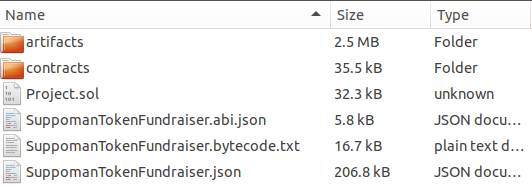 A quick explanation of each of these files and folders: artifacts – contains JSON files for all of the features used by your project. contracts – contains all of the .sol files that TokenGen used in order to build your project. Project.sol – contains the entire code for your project in one place i.e. all of the individual contracts that are used to make up your token and its fundraiser. ExampleToken.abi.json – contains the application binary interface (ABI) for the token contract. You can check out what the ABI is and how it is used to interact with smart contracts here. ExampleTokenFundraiser.abi.json – contains the ABI of your fundraiser smart contract. ExampleTokenFundraiser.bytecode.txt – contains the bytecode of your entire smart contract. ExampleTokenFundraiser.json – contains the compiled code for the entire smart contract. Now, let me show you how easy it is to actually deploy a TokenGen smart contract to the Ropsten testnet for example. How to Deploy a TokenGen Smart Contract The easiest way to do it is via MyEtherWallet as it will not require you to download the ETH blockchain locally. However, if you do have a Mist wallet fully synced with the Ethereum network, you can also deploy the smart contract from there. I will show you how to do both. Deploying via MyEtherWallet We are going to use this scenario to deploy another Suppoman Token to the Ropsten testnet and here’s how we will do it. First off, I will create a new project to only use the following features (simple is almost always better, especially in the case of ICOs): Pausable Token Burnable Token Pre-Sale I have also provided the following project details: Fundraiser Conversion Rate – 10000 Start Date – 07/01/2018 Start Time – 10:00 A.M. End Date – 12/31/2018 End Time – 10:00 A.M. Beneficiary – 0x01E092F64f400EC5a03cE7e9F22EE2503a130a8D Pre-Sale Total Supply – 50000000 (50 million ST) Conversion Rate – 20000 Start Date – 06/07/2018 Start Time – 12:00 A.M. End Date – 06/30/2018 End Time – 10:00 A.M. We then pay for the project and wait for TokenGen to build and test the smart contract package. Finally, we open up MEW and go to the Contracts page. Then we click on the Deploy Contract link: 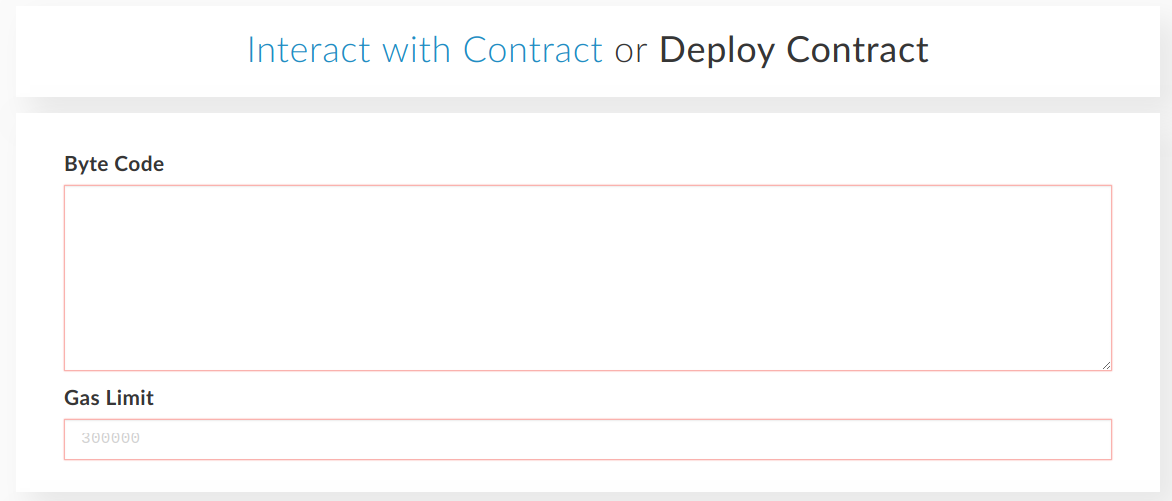 More here: https://fabrictoken.io/how-to-create-the-smart-contract-for-your-token-crowdsale-in-a-matter-of-minutes-tokengen-in-depth-tutorial/ |
| json metadata | {"tags":["blockchain"],"image":["https://cdn.steemitimages.com/DQmQ3goc28KkHLFCMZjEEDSapPzdETqMyPjkrXospdRWQse/TokenGen-Projects-Page.png","https://cdn.steemitimages.com/DQmRmfsjjRbLte21yhBiAN7qqKLMepRP3fqhoBtxsBLXAoy/TokenGen-Create-Token-Page.png","https://cdn.steemitimages.com/DQmPQfjLiCeUFPb2AxiCQSDoijCLXpTTFSAY19UWoHSDtaa/TokenGen-Create-Token-Select-Token-Features.png","https://cdn.steemitimages.com/DQmUmaygyWBvZFzPeZ7ttHrCkDGnpmSrWUiaSATrgGVvX8c/TokenGen-Create-Token-Select-Fundraiser-Features.png","https://cdn.steemitimages.com/DQma7SRnjnkWECczRxQYY3XNibgaQwCRtWSTvM41DdwLU2f/TokenGen-Create-Token-Provide-Project-Details.png","https://cdn.steemitimages.com/DQmbkB3tEH3GBVYsyguKFu8hHSeo12neg7NXDTYQsiXz4xq/TokenGen-Create-Token-Payment.png","https://cdn.steemitimages.com/DQmeXnKEViZ1HoBatqwiQ4foq8DxpfTvrsPzh4Wfbyb4A6h/TokenGen-Projects.png","https://cdn.steemitimages.com/DQmSnwXXhzduvZhLnNCsMctEC71zNuqM11StCK4DXeBnsJk/TokenGen-Test-Token-Manage-Project.png","https://cdn.steemitimages.com/DQmdkra5BsFvcwnh6jSCXkhFVK9C27hWtnx43jNPwmzDezZ/TokenGen-Manage-Project-Page-Edit-Project-Details.png","https://cdn.steemitimages.com/DQmVHxYXgFCXwBLEPEN98Qj365wSFVRchdFc36eQoPrnX9j/TokenGen-End-Package-Structure.png","https://cdn.steemitimages.com/DQmRmSmDt34f2CepwwKRQyNbT3nZgAx1Eg3X8vY8n153bYr/MyEtherWallet-Deploy-Contract-Page.png"],"links":["https://fabrictoken.io/fabric/","https://ethstats.net/","https://solidity.readthedocs.io/en/develop/types.html#address-literals","https://fabrictoken.io/how-to-create-the-smart-contract-for-your-token-crowdsale-in-a-matter-of-minutes-tokengen-in-depth-tutorial/"],"app":"steemit/0.1","format":"markdown"} |
| Transaction Info | Block #23145784/Trx e5a175cf8fdb23d73b8187647bf343b069854c67 |
View Raw JSON Data
{
"trx_id": "e5a175cf8fdb23d73b8187647bf343b069854c67",
"block": 23145784,
"trx_in_block": 4,
"op_in_trx": 0,
"virtual_op": 0,
"timestamp": "2018-06-08T15:20:51",
"op": [
"comment",
{
"parent_author": "",
"parent_permlink": "blockchain",
"author": "scortan",
"permlink": "how-to-create-the-smart-contract-for-your-token-and-crowdsale-in-a-matter-of-minutes-tokengen-in-depth-tutorial",
"title": "How to Create the Smart Contract for Your Token & Crowdsale in a Matter of Minutes – TokenGen In-Depth Tutorial",
"body": "Blockchain is an emerging industry and new projects spring into existence almost on an hourly basis. However, the majority of them don’t even get to their ICO and even if they do, most of the the ICOs are a complete disaster. Furthermore, even projects with a relatively successful ICO tend to have a high chance of failing not long after the ICO is concluded.\n\nWhile the reason for all of that is certainly not one-fold, a big part of it, especially concerning the early stage failures, is the difficulty of blockchain development and the high costs that come with hiring specialists that can write the code necessary for a project to take off the ground – its token and crowdsale smart contract.\n\nToday, we are more than happy to present the new version of TokenGen to the blockchain industry. TokenGen allows anyone, regardless of their technical background, to easily create the smart contract necessary to establish and then sell an ERC20 token on the ETH blockchain – in a matter of minutes.\n\nSo, if you have a great idea about a blockchain-based startup, but you have gotten scared by the current unwelcoming blockchain development landscape, worry not as TokenGen will come to your rescue. Now let me back up all of that.\n\nHow to Use TokenGen to Create Your Token & Crowdsale Smart Contract\nFirst of all, let’s lay the foundation of what you will need in order to use TokenGen:\n\nMetaMask – you will need to install MetaMask in your browser (currently supports Chrome, Firefox, Opera, and Brave). MetaMask is used to login to TokenGen and make payments. Detailed instructions on using MetaMask can be found on their website.\nFabric Tokens – the only way to pay when using TokenGen is with FT. That means that you will not be able to get access to your smart contract unless you pay in Fabric Tokens in the end. If you don’t know where to purchase FT, refer to this page: https://fabrictoken.io/fabric/\nEther – you will need to have some ETH in your MetaMask account in order to pay the transaction fees.\nAnd that’s it. So, once you install MetaMask, you need to create a vault and then create at least one address in it. Send some FT and ETH to that address and you are ready to use TokenGen. Let me show you how.\n\nLogging In\nThe first step to using TokenGen is logging into the tool:\n\n\nAs you can see, I already have a project created for the purposes of this tutorial. But, when you login with a MetaMask account that hasn’t yet used TokenGen, you will see a message telling you that you still don’t have any TokenGen projects and where you can go to create your first one i.e. the Create Token page.\n\nCreating Your First Token Using TokenGen\nYou will see in a second just how easy it is to create your very own custom token using TokenGen. First thing, go to the Create Token page and click the Begin button. On a quick side note, we strongly recommend reading through the Documentation and FAQ pages before proceeding with the token creation process:\n\n\n\nOnce you click the Begin button, well, the token creation process will begin and you will be redirected to step 1 – choosing your token features:\n\n\n\nAs you can see, you can choose from two token features – Burnable Token and Pausable Token. Both are self-explanatory in the functionality they will provide for your token but again, if there is anything unclear, hover over each feature for a quick tooltip, refer to the TokenGen Documentation page, or send us a message via the form on the Contact page.\n\nAnother thing to note here is the individual prices of each feature. As explained when TokenGen was announced, the standard fee for a project is 10 EUR worth of FT, which will provide you with a very basic ERC20 token and a simple fundraiser to sell that token. However, each feature that further expands the functionality of your smart contract will have its own individual price mainly based on its complexity.\n\nNow, once you have selected your token features (if any), you can move onto step 2 – the selection of your fundraiser features:\n\n\n\nAs you can see, there are a lot more features for the fundraiser than the token, which is completely natural. Again, all of these are pretty self-explanatory in what they do, but do take a look at the tooltips for each one or the Documentation page if you want to make sure you are not mistaken about something.\n\nFor this first example, I will not select any features, just to show you what TokenGen will provide you with by default, if no features are selected. So, moving on to step 3 – providing project details:\n\n\n\nAs you can see, all you need to do is provide the necessary details about your project features. Currently, only token name and symbol are mandatory in order to proceed with the process as you are able to add/edit the rest later on via your Projects page. Why so?\n\nWell, because you might not yet be certain of your fundraiser start or end date, or the conversion rate of your token, etc. Thus, you can leave them blank while you are going through the token creation process and then fill them out later on (we will show how you can do that as well in a bit).\n\nAn important thing to note here is that, each project input has a tooltip that briefly explains what that field represents. As you cannot see by the screenshot above, by default, if no additional features are selected, the following details are present:\n\nToken\nName\nSymbol\n Fundraiser\nConversion rate\nStart date\nStart time\nEnd date\nEnd time\nBeneficiary – the address where funds gathered in the crowdsale will be sent.\nMin. Contribution\nMax. Contribution\nGas Price Limit\nNow onto the next and final step of the token creation process – the payment:\n\n\n\nAs already mentioned, if no additional features are selected, the project cost will be 10 EUR worth of FT. In this instance, we have set it to 100 FT. The payment page is pretty simple, displaying the cost of your project and a purchase button. Of course, you can always go back and change something if you think you’ve overlooked a thing or two.\n\nBut if you think you’ve selected the right features for your token and fundraiser (if any), you can proceed and click on the Purchase Smart Contract button.\n\nIf you have enough FT in your currently selected MetaMask account, a window will pop up asking you to confirm the payment. Once you do, the transaction will become pending and TokenGen will wait until it is delegated to the ETH network.\n\nKeep in mind that you must not refresh the page while TokenGen is waiting for the transaction to be confirmed. If you do so by mistake or whatever the case is, you will need to contact support via the Contact page and ask how you can verify your payment and proceed with the progress of your project.\n\nMetaMask allows you to set the gas price you are willing to pay for the transaction, so if you set a low gas price, for instance 1 gwei, you might wait a while until it is picked up by a miner and included in a block. So we recommend having some patience – it can take up to several minutes or even a day or so if you set a very low gas price and the ETH network is experiencing heavy load.\n\nWe recommend looking at https://ethstats.net/ before making payment via TokenGen, so that you set a decent gas price on the transaction and it goes through relatively fast. Recently, gas prices of around 10 gwei are standard.\n\nNow, if there are no issues with the transaction, once it is delegated to the ETH blockchain i.e. it is included in a block, you will be redirected back to the Projects page where you will see your brand new project:\n\n\n\nThere are a few steps that a TokenGen project goes through until it gets to a 100%. Those include:\n\nConfirming payment – TokenGen is waiting for the payment transaction to get at least 12 confirmations before it will consider it valid. 12 confirmations take, on average, around 3 minutes to complete.\nBuilding the smart contract – TokenGen is building your smart contract based on the features you selected and on the project details you provided.\nTesting the smart contract – TokenGen is testing the smart contract built on the previous step as it goes through various scenarios in order to ensure smart contract validity. The build log will be visible on the Manage Project page for each individual project and all tests will appear there so you can see for yourself what scenarios are covered.\nDone – the smart contract package is ready for use.\nAt this point, all you have to do is wait until your new project reaches 100% and then you will be able to use the smart contract and fill any project details that you left empty during the token creation process i.e. introducing the Manage Project page:\n\n\n\nBlockchain is an emerging industry and new projects spring into existence almost on an hourly basis. However, the majority of them don’t even get to their ICO and even if they do, most of the the ICOs are a complete disaster. Furthermore, even projects with a relatively successful ICO tend to have a high chance of failing not long after the ICO is concluded.\n\nWhile the reason for all of that is certainly not one-fold, a big part of it, especially concerning the early stage failures, is the difficulty of blockchain development and the high costs that come with hiring specialists that can write the code necessary for a project to take off the ground – its token and crowdsale smart contract.\n\nToday, we are more than happy to present the new version of TokenGen to the blockchain industry. TokenGen allows anyone, regardless of their technical background, to easily create the smart contract necessary to establish and then sell an ERC20 token on the ETH blockchain – in a matter of minutes.\n\nSo, if you have a great idea about a blockchain-based startup, but you have gotten scared by the current unwelcoming blockchain development landscape, worry not as TokenGen will come to your rescue. Now let me back up all of that.\n\nHow to Use TokenGen to Create Your Token & Crowdsale Smart Contract\nFirst of all, let’s lay the foundation of what you will need in order to use TokenGen:\n\nMetaMask – you will need to install MetaMask in your browser (currently supports Chrome, Firefox, Opera, and Brave). MetaMask is used to login to TokenGen and make payments. Detailed instructions on using MetaMask can be found on their website.\nFabric Tokens – the only way to pay when using TokenGen is with FT. That means that you will not be able to get access to your smart contract unless you pay in Fabric Tokens in the end. If you don’t know where to purchase FT, refer to this page: https://fabrictoken.io/fabric/\nEther – you will need to have some ETH in your MetaMask account in order to pay the transaction fees.\nAnd that’s it. So, once you install MetaMask, you need to create a vault and then create at least one address in it. Send some FT and ETH to that address and you are ready to use TokenGen. Let me show you how.\n\nLogging In\nThe first step to using TokenGen is logging into the tool:\n\nTokenGen Login Page\n\nOnce you click the Login button, a MetaMask window will open up asking you to sign a simple message with a unique identifier. This is done in order to prove that you are actually the owner of the address with which you are logging into TokenGen. Once you sign the message, you will be redirected to your personal Projects page:\n\nTokenGen Projects Page\n\nAs you can see, I already have a project created for the purposes of this tutorial. But, when you login with a MetaMask account that hasn’t yet used TokenGen, you will see a message telling you that you still don’t have any TokenGen projects and where you can go to create your first one i.e. the Create Token page.\n\nCreating Your First Token Using TokenGen\nYou will see in a second just how easy it is to create your very own custom token using TokenGen. First thing, go to the Create Token page and click the Begin button. On a quick side note, we strongly recommend reading through the Documentation and FAQ pages before proceeding with the token creation process:\n\nTokenGen Create Token Page\n\nOnce you click the Begin button, well, the token creation process will begin and you will be redirected to step 1 – choosing your token features:\n\nTokenGen Create Token Select Token Features\n\nAs you can see, you can choose from two token features – Burnable Token and Pausable Token. Both are self-explanatory in the functionality they will provide for your token but again, if there is anything unclear, hover over each feature for a quick tooltip, refer to the TokenGen Documentation page, or send us a message via the form on the Contact page.\n\nAnother thing to note here is the individual prices of each feature. As explained when TokenGen was announced, the standard fee for a project is 10 EUR worth of FT, which will provide you with a very basic ERC20 token and a simple fundraiser to sell that token. However, each feature that further expands the functionality of your smart contract will have its own individual price mainly based on its complexity.\n\nNow, once you have selected your token features (if any), you can move onto step 2 – the selection of your fundraiser features:\n\nTokenGen Create Token Select Fundraiser Features\n\nAs you can see, there are a lot more features for the fundraiser than the token, which is completely natural. Again, all of these are pretty self-explanatory in what they do, but do take a look at the tooltips for each one or the Documentation page if you want to make sure you are not mistaken about something.\n\nFor this first example, I will not select any features, just to show you what TokenGen will provide you with by default, if no features are selected. So, moving on to step 3 – providing project details:\n\nTokenGen Create Token Provide Project Details\n\nAs you can see, all you need to do is provide the necessary details about your project features. Currently, only token name and symbol are mandatory in order to proceed with the process as you are able to add/edit the rest later on via your Projects page. Why so?\n\nWell, because you might not yet be certain of your fundraiser start or end date, or the conversion rate of your token, etc. Thus, you can leave them blank while you are going through the token creation process and then fill them out later on (we will show how you can do that as well in a bit).\n\nAn important thing to note here is that, each project input has a tooltip that briefly explains what that field represents. As you cannot see by the screenshot above, by default, if no additional features are selected, the following details are present:\n\nToken\nName\nSymbol\n Fundraiser\nConversion rate\nStart date\nStart time\nEnd date\nEnd time\nBeneficiary – the address where funds gathered in the crowdsale will be sent.\nMin. Contribution\nMax. Contribution\nGas Price Limit\nNow onto the next and final step of the token creation process – the payment:\n\nTokenGen Create Token Payment\n\nAs already mentioned, if no additional features are selected, the project cost will be 10 EUR worth of FT. In this instance, we have set it to 100 FT. The payment page is pretty simple, displaying the cost of your project and a purchase button. Of course, you can always go back and change something if you think you’ve overlooked a thing or two.\n\nBut if you think you’ve selected the right features for your token and fundraiser (if any), you can proceed and click on the Purchase Smart Contract button.\n\nIf you have enough FT in your currently selected MetaMask account, a window will pop up asking you to confirm the payment. Once you do, the transaction will become pending and TokenGen will wait until it is delegated to the ETH network.\n\nKeep in mind that you must not refresh the page while TokenGen is waiting for the transaction to be confirmed. If you do so by mistake or whatever the case is, you will need to contact support via the Contact page and ask how you can verify your payment and proceed with the progress of your project.\n\nMetaMask allows you to set the gas price you are willing to pay for the transaction, so if you set a low gas price, for instance 1 gwei, you might wait a while until it is picked up by a miner and included in a block. So we recommend having some patience – it can take up to several minutes or even a day or so if you set a very low gas price and the ETH network is experiencing heavy load.\n\nWe recommend looking at https://ethstats.net/ before making payment via TokenGen, so that you set a decent gas price on the transaction and it goes through relatively fast. Recently, gas prices of around 10 gwei are standard.\n\nNow, if there are no issues with the transaction, once it is delegated to the ETH blockchain i.e. it is included in a block, you will be redirected back to the Projects page where you will see your brand new project:\n\nTokenGen Projects\n\nThere are a few steps that a TokenGen project goes through until it gets to a 100%. Those include:\n\nConfirming payment – TokenGen is waiting for the payment transaction to get at least 12 confirmations before it will consider it valid. 12 confirmations take, on average, around 3 minutes to complete.\nBuilding the smart contract – TokenGen is building your smart contract based on the features you selected and on the project details you provided.\nTesting the smart contract – TokenGen is testing the smart contract built on the previous step as it goes through various scenarios in order to ensure smart contract validity. The build log will be visible on the Manage Project page for each individual project and all tests will appear there so you can see for yourself what scenarios are covered.\nDone – the smart contract package is ready for use.\nAt this point, all you have to do is wait until your new project reaches 100% and then you will be able to use the smart contract and fill any project details that you left empty during the token creation process i.e. introducing the Manage Project page:\n\nTokenGen Test Token Manage Project\n\nAs you can see, the Test Token we created has been generated by TokenGen and we can even see the build log with all of the tests that the tool has performed on the smart contract. Naturally, at the moment, the tests fail as we haven’t provided some necessary details such as start and end date, conversion rate, etc.\n\nSo, as mentioned earlier, we don’t need to add all details at the time of the token creation process. You can edit and add the ones you are not sure about later via the Manage Project page. So, let’s go ahead and do so:\n\n\n\nOnce we add these details, we can go ahead and click the Save & Rebuild button at the bottom of the page. TokenGen will then save the new project details and begin to re-build the smart contract package. Once finished, the tool will display the full build log with all of the tests, provided all of the required details aren’t missing. Here is the build log for our little Test Token (remember that we haven’t selected any additional features at all):\n\n”TokenGen Testrunner started…\nSearching for available port…\nStarting ganache test network…\nRunning tests…\nRunning command: truffle test –network testing\nCompiling ./contracts/Fundraiser.sol…\nCompiling ./contracts/fundraiser/AbstractFundraiser.sol…\nCompiling ./contracts/fundraiser/BasicFundraiser.sol…\nCompiling ./contracts/fundraiser/ForwardFundsFundraiser.sol…\nCompiling ./contracts/fundraiser/MintableTokenFundraiser.sol…\nCompiling ./contracts/library/SafeMath.sol…\nCompiling ./contracts/testing/fundraiser/SimpleBaseFundraiser.sol…\nCompiling ./contracts/testing/fundraiser/SimpleFundraiser.sol…\nCompiling ./contracts/testing/fundraiser/SimpleMintableTokenFundraiser.sol…\nCompiling ./contracts/testing/library/SafeMathUT.sol…\nCompiling ./contracts/testing/token/StandardTokenUT.sol…\nCompiling ./contracts/token/ERC20Token.sol…\nCompiling ./contracts/token/MintableToken.sol…\nCompiling ./contracts/token/StandardMintableToken.sol…\nCompiling ./contracts/token/StandardToken.sol…\nCompiling ./contracts/trait/HasOwner.sol…\n\nCompilation warnings encountered:\n\n/tmp/tg-test-15ppg2i3.qbw/contracts/Fundraiser.sol:51:7: Warning: This looks like an address but has an invalid checksum. If this is not used as an address, please prepend ’00’. Correct checksummed address: ‘0x78a73B6CBc5D183CE56e786f6e905CaDEC63547B’. For more information please see https://solidity.readthedocs.io/en/develop/types.html#address-literals\n0x78a73b6cbc5d183ce56e786f6e905cadec63547b // Beneficiary\n^—————————————-^\n\n// Project parameters\n{\n“StandardToken”: {\n“Name”: “Test Token”,\n“Symbol”: “TT”\n},\n“BurnableToken”: null,\n“PausableToken”: null,\n“BaseFundraiser”: {\n“ConversionRate”: 5000,\n“StartDate”: “2018-06-13”,\n“StartTime”: “10:00”,\n“EndDate”: “2018-06-22”,\n“EndTime”: “10:00”,\n“Beneficiary”: “0x78a73b6cbc5d183ce56e786f6e905cadec63547b”,\n“MinContribution”: null,\n“MaxContribution”: null,\n“StartDateTime”: “2018-06-13T10:00:00Z”,\n“StartTimestamp”: 1528884000,\n“EndDateTime”: “2018-06-22T10:00:00Z”,\n“EndTimestamp”: 1529661600,\n“HasIndividualCaps”: false\n},\n“PreSale”: null,\n“CappedFundraiser”: null,\n“FinalizableFundraiser”: null,\n“RefundableFundraiser”: null,\n“WhitelistableFundraiser”: null,\n“TokenSafe”: null\n}\n\nContract: SafeMathUT [SafeMath, library]\n✓ should be able to add numbers correctly\n✓ should throw an exception when overflow on addition\n✓ should be able to subtract numbers correctly\n✓ should not allow the subtraction a – b if a < b, i.e. underflow\n✓ should be able to multiple numbers correctly\n✓ should be able to multiple by zero correctly, e.g. 0 * 3 == 0\n✓ should be able to multiple by zero correctly, e.g. 3 * 0 == 0\n✓ should throw an exception when overflow on multiplication\n✓ should be able to divide numbers correctly\n✓ should return the integer value of the division if there is reminder\n✓ should return zero if divider is larger than the dividend\n✓ should throw an exception when dividing by zero\n\nContract: StandardTokenUT [StandardToken, token]\n✓ should return the correct totalSupply after construction\ntransfer operations\n✓ should emit event after successful transfer (61ms)\n✓ should return correct balances after transfer (93ms)\n✓ should return correct balances after transfer (87ms)\n✓ should fail when trying to transfer more than balance\n✓ should not allow zero tokens transfer\n✓ should not allow to transfer to address zero (burn)\ndelegated transfer operations (allowance, approve and transferFrom)\n✓ should emit event after successful approval (41ms)\n✓ should return the correct allowance after approval (59ms)\n✓ should emit event after successful delegated transfer (75ms)\n✓ should return correct token balances after transfering from another account (127ms)\n✓ should return an error when trying to transfer more than allowed (62ms)\n✓ should return an error when trying to transfer more than the balance (71ms)\n✓ should not allow zero tokens transferFrom (61ms)\n✓ should not allow to burn delegated tokens (58ms)\n\nContract: StandardMintableToken [MintableToken, token]\n✓ should return zero totalSupply after construction\nminting operations\n✓ should allow owner to mint tokens (67ms)\n✓ should not allow other than the owner to mint tokens (71ms)\n✓ should allow no other than the owner to disable minting (56ms)\n✓ should be able to disable minting only once (60ms)\n✓ should not allow minting after it is disabled (62ms)\n\nContract: StandardMintableToken [StandardToken, token]\n✓ should return the correct totalSupply after construction\ntransfer operations\n✓ should emit event after successful transfer\n✓ should return correct balances after transfer (69ms)\n✓ should return correct balances after transfer (64ms)\n✓ should fail when trying to transfer more than balance\n✓ should not allow zero tokens transfer\n✓ should not allow to transfer to address zero (burn)\ndelegated transfer operations (allowance, approve and transferFrom)\n✓ should emit event after successful approval\n✓ should return the correct allowance after approval (50ms)\n✓ should emit event after successful delegated transfer (75ms)\n✓ should return correct token balances after transfering from another account (114ms)\n✓ should return an error when trying to transfer more than allowed (51ms)\n✓ should return an error when trying to transfer more than the balance (55ms)\n✓ should not allow zero tokens transferFrom (47ms)\n✓ should not allow to burn delegated tokens (51ms)\n\nContract: HasOwner [HasOwner, trait]\n✓ should have an owner\n✓ should be able to transfer ownership to a new owner (99ms)\n✓ should not start transfer from different account than the owner\n✓ should not accept ownership from different account than the newOwner (67ms)\n\nContract: SimpleFundraiser [SimpleFundraiser, fundraiser]\ncontract creation\n✓ should have all token parameters set correctly (130ms)\n✓ should not allow zero address beneficiary\n✓ should not allow zero conversion rate (42ms)\n✓ should not allow the start to be after the end (42ms)\nhandling the beneficiary\n✓ should return the proper beneficiary when created\n✓ should not allow to set zero address beneficiary\n✓ should allow to change beneficiary (49ms)\n✓ should not allow anyone other than the owner to change beneficiary\nbefore the fundraiser begin\n✓ should not be ended\nconversion rate\n✓ should allow to change conversion rate by the owner (50ms)\n✓ should not allow to change conversion rate to zero\n✓ should not allow to change conversion rate by someone other than the owner\nfunds and assets\n✓ should not allow anyone to create tokens by sending ether to contract\nduring the fundraiser\n✓ should not be ended\nconversion rate\n✓ should not allow owner to change conversion rate (51ms)\n✓ should not allow anyone else to change conversion rate\nfunds and token assets\n✓ should transfer the correct amount of ether to the beneficiary (1006ms)\n✓ should not allow transfers with zero amount\n✓ should allow to create tokens by sending ether to contract (84ms)\nafter the fundraiser\n✓ should have ended\n\nContract: SimpleMintableTokenFundraiser [SimpleFundraiser, fundraiser]\ncontract creation\n✓ should have all token parameters set correctly (133ms)\n✓ should not allow zero address beneficiary (38ms)\n✓ should not allow zero conversion rate (116ms)\n✓ should not allow the start to be after the end (48ms)\nhandling the beneficiary\n✓ should return the proper beneficiary when created\n✓ should not allow to set zero address beneficiary\n✓ should allow to change beneficiary (45ms)\n✓ should not allow anyone other than the owner to change beneficiary\nbefore the fundraiser begin\n✓ should not be ended\nconversion rate\n✓ should allow to change conversion rate by the owner (40ms)\n✓ should not allow to change conversion rate to zero\n✓ should not allow to change conversion rate by someone other than the owner\nfunds and assets\n✓ should not allow anyone to create tokens by sending ether to contract\nduring the fundraiser\n✓ should not be ended\nconversion rate\n✓ should not allow owner to change conversion rate (47ms)\n✓ should not allow anyone else to change conversion rate\nfunds and token assets\n✓ should transfer the correct amount of ether to the beneficiary (1158ms)\n✓ should not allow transfers with zero amount\n✓ should allow to create tokens by sending ether to contract (93ms)\nafter the fundraiser\n✓ should have ended\n\nContract: TestTokenFundraiser\nParameters\n✓ ERC20 [Name=”Test Token”, Symbol=”TT”, Decimals=18] (66ms)\n✓ Start/End [StartTime=2018-06-13T10:00:00Z (1528884000), EndTime=2018-06-22T10:00:00Z (1529661600)] (44ms)\n✓ Funds [ConversionRate=5000, Beneficiary=0x78a73b6cbc5d183ce56e786f6e905cadec63547b]\nBeneficiary\n✓ Correct beneficiary set [address=0x78a73b6cbc5d183ce56e786f6e905cadec63547b]\n✓ Owner/Creator can change beneficiary (42ms)\n✓ Non-owner cannot change beneficiary\nConversion Rate\n✓ Correct conversion rate set [ConversionRate=5000]\n✓ Owner can change conversion rate (47ms)\n✓ Non-owner cannot change conversion rate\n\nContract: TestTokenFundraiser [Ethereum network tests]\n✓ Contract requires less than ‘7000000’ gas (708ms)\n\n102 passing (23s)”\n\nAs you can see, TokenGen tests all kinds of scenarios regarding the smart contract in order to make sure there are no bugs in the code. Bugs in deployed smart contracts are a menace and we have done our best to ensure that TokenGen delivers a flawless smart contract package.\n\nIt is imperative that you make sure each of your projects has a perfect build log i.e. all tests are passing and none are failing. If some are failing, you might have provided incorrect project details or you might have missed some required ones as a whole. So make sure the build log is perfect before downloading and using your smart contract package.\n\nNow, let’s create another token, but this time, add some of the advanced features.\n\nBlockchain is an emerging industry and new projects spring into existence almost on an hourly basis. However, the majority of them don’t even get to their ICO and even if they do, most of the the ICOs are a complete disaster. Furthermore, even projects with a relatively successful ICO tend to have a high chance of failing not long after the ICO is concluded.\n\nWhile the reason for all of that is certainly not one-fold, a big part of it, especially concerning the early stage failures, is the difficulty of blockchain development and the high costs that come with hiring specialists that can write the code necessary for a project to take off the ground – its token and crowdsale smart contract.\n\nToday, we are more than happy to present the new version of TokenGen to the blockchain industry. TokenGen allows anyone, regardless of their technical background, to easily create the smart contract necessary to establish and then sell an ERC20 token on the ETH blockchain – in a matter of minutes.\n\nSo, if you have a great idea about a blockchain-based startup, but you have gotten scared by the current unwelcoming blockchain development landscape, worry not as TokenGen will come to your rescue. Now let me back up all of that.\n\nHow to Use TokenGen to Create Your Token & Crowdsale Smart Contract\nFirst of all, let’s lay the foundation of what you will need in order to use TokenGen:\n\nMetaMask – you will need to install MetaMask in your browser (currently supports Chrome, Firefox, Opera, and Brave). MetaMask is used to login to TokenGen and make payments. Detailed instructions on using MetaMask can be found on their website.\nFabric Tokens – the only way to pay when using TokenGen is with FT. That means that you will not be able to get access to your smart contract unless you pay in Fabric Tokens in the end. If you don’t know where to purchase FT, refer to this page: https://fabrictoken.io/fabric/\nEther – you will need to have some ETH in your MetaMask account in order to pay the transaction fees.\nAnd that’s it. So, once you install MetaMask, you need to create a vault and then create at least one address in it. Send some FT and ETH to that address and you are ready to use TokenGen. Let me show you how.\n\nLogging In\nThe first step to using TokenGen is logging into the tool:\n\nTokenGen Login Page\n\nOnce you click the Login button, a MetaMask window will open up asking you to sign a simple message with a unique identifier. This is done in order to prove that you are actually the owner of the address with which you are logging into TokenGen. Once you sign the message, you will be redirected to your personal Projects page:\n\nTokenGen Projects Page\n\nAs you can see, I already have a project created for the purposes of this tutorial. But, when you login with a MetaMask account that hasn’t yet used TokenGen, you will see a message telling you that you still don’t have any TokenGen projects and where you can go to create your first one i.e. the Create Token page.\n\nCreating Your First Token Using TokenGen\nYou will see in a second just how easy it is to create your very own custom token using TokenGen. First thing, go to the Create Token page and click the Begin button. On a quick side note, we strongly recommend reading through the Documentation and FAQ pages before proceeding with the token creation process:\n\nTokenGen Create Token Page\n\nOnce you click the Begin button, well, the token creation process will begin and you will be redirected to step 1 – choosing your token features:\n\nTokenGen Create Token Select Token Features\n\nAs you can see, you can choose from two token features – Burnable Token and Pausable Token. Both are self-explanatory in the functionality they will provide for your token but again, if there is anything unclear, hover over each feature for a quick tooltip, refer to the TokenGen Documentation page, or send us a message via the form on the Contact page.\n\nAnother thing to note here is the individual prices of each feature. As explained when TokenGen was announced, the standard fee for a project is 10 EUR worth of FT, which will provide you with a very basic ERC20 token and a simple fundraiser to sell that token. However, each feature that further expands the functionality of your smart contract will have its own individual price mainly based on its complexity.\n\nNow, once you have selected your token features (if any), you can move onto step 2 – the selection of your fundraiser features:\n\nTokenGen Create Token Select Fundraiser Features\n\nAs you can see, there are a lot more features for the fundraiser than the token, which is completely natural. Again, all of these are pretty self-explanatory in what they do, but do take a look at the tooltips for each one or the Documentation page if you want to make sure you are not mistaken about something.\n\nFor this first example, I will not select any features, just to show you what TokenGen will provide you with by default, if no features are selected. So, moving on to step 3 – providing project details:\n\nTokenGen Create Token Provide Project Details\n\nAs you can see, all you need to do is provide the necessary details about your project features. Currently, only token name and symbol are mandatory in order to proceed with the process as you are able to add/edit the rest later on via your Projects page. Why so?\n\nWell, because you might not yet be certain of your fundraiser start or end date, or the conversion rate of your token, etc. Thus, you can leave them blank while you are going through the token creation process and then fill them out later on (we will show how you can do that as well in a bit).\n\nAn important thing to note here is that, each project input has a tooltip that briefly explains what that field represents. As you cannot see by the screenshot above, by default, if no additional features are selected, the following details are present:\n\nToken\nName\nSymbol\n Fundraiser\nConversion rate\nStart date\nStart time\nEnd date\nEnd time\nBeneficiary – the address where funds gathered in the crowdsale will be sent.\nMin. Contribution\nMax. Contribution\nGas Price Limit\nNow onto the next and final step of the token creation process – the payment:\n\nTokenGen Create Token Payment\n\nAs already mentioned, if no additional features are selected, the project cost will be 10 EUR worth of FT. In this instance, we have set it to 100 FT. The payment page is pretty simple, displaying the cost of your project and a purchase button. Of course, you can always go back and change something if you think you’ve overlooked a thing or two.\n\nBut if you think you’ve selected the right features for your token and fundraiser (if any), you can proceed and click on the Purchase Smart Contract button.\n\nIf you have enough FT in your currently selected MetaMask account, a window will pop up asking you to confirm the payment. Once you do, the transaction will become pending and TokenGen will wait until it is delegated to the ETH network.\n\nKeep in mind that you must not refresh the page while TokenGen is waiting for the transaction to be confirmed. If you do so by mistake or whatever the case is, you will need to contact support via the Contact page and ask how you can verify your payment and proceed with the progress of your project.\n\nMetaMask allows you to set the gas price you are willing to pay for the transaction, so if you set a low gas price, for instance 1 gwei, you might wait a while until it is picked up by a miner and included in a block. So we recommend having some patience – it can take up to several minutes or even a day or so if you set a very low gas price and the ETH network is experiencing heavy load.\n\nWe recommend looking at https://ethstats.net/ before making payment via TokenGen, so that you set a decent gas price on the transaction and it goes through relatively fast. Recently, gas prices of around 10 gwei are standard.\n\nNow, if there are no issues with the transaction, once it is delegated to the ETH blockchain i.e. it is included in a block, you will be redirected back to the Projects page where you will see your brand new project:\n\nTokenGen Projects\n\nThere are a few steps that a TokenGen project goes through until it gets to a 100%. Those include:\n\nConfirming payment – TokenGen is waiting for the payment transaction to get at least 12 confirmations before it will consider it valid. 12 confirmations take, on average, around 3 minutes to complete.\nBuilding the smart contract – TokenGen is building your smart contract based on the features you selected and on the project details you provided.\nTesting the smart contract – TokenGen is testing the smart contract built on the previous step as it goes through various scenarios in order to ensure smart contract validity. The build log will be visible on the Manage Project page for each individual project and all tests will appear there so you can see for yourself what scenarios are covered.\nDone – the smart contract package is ready for use.\nAt this point, all you have to do is wait until your new project reaches 100% and then you will be able to use the smart contract and fill any project details that you left empty during the token creation process i.e. introducing the Manage Project page:\n\nTokenGen Test Token Manage Project\n\nAs you can see, the Test Token we created has been generated by TokenGen and we can even see the build log with all of the tests that the tool has performed on the smart contract. Naturally, at the moment, the tests fail as we haven’t provided some necessary details such as start and end date, conversion rate, etc.\n\nSo, as mentioned earlier, we don’t need to add all details at the time of the token creation process. You can edit and add the ones you are not sure about later via the Manage Project page. So, let’s go ahead and do so:\n\nTokenGen Manage Project Page Edit Project Details\n\nOnce we add these details, we can go ahead and click the Save & Rebuild button at the bottom of the page. TokenGen will then save the new project details and begin to re-build the smart contract package. Once finished, the tool will display the full build log with all of the tests, provided all of the required details aren’t missing. Here is the build log for our little Test Token (remember that we haven’t selected any additional features at all):\n\nTokenGen Testrunner started…\nSearching for available port…\nStarting ganache test network…\nRunning tests…\nRunning command: truffle test –network testing\nCompiling ./contracts/Fundraiser.sol…\nCompiling ./contracts/fundraiser/AbstractFundraiser.sol…\nCompiling ./contracts/fundraiser/BasicFundraiser.sol…\nCompiling ./contracts/fundraiser/ForwardFundsFundraiser.sol…\nCompiling ./contracts/fundraiser/MintableTokenFundraiser.sol…\nCompiling ./contracts/library/SafeMath.sol…\nCompiling ./contracts/testing/fundraiser/SimpleBaseFundraiser.sol…\nCompiling ./contracts/testing/fundraiser/SimpleFundraiser.sol…\nCompiling ./contracts/testing/fundraiser/SimpleMintableTokenFundraiser.sol…\nCompiling ./contracts/testing/library/SafeMathUT.sol…\nCompiling ./contracts/testing/token/StandardTokenUT.sol…\nCompiling ./contracts/token/ERC20Token.sol…\nCompiling ./contracts/token/MintableToken.sol…\nCompiling ./contracts/token/StandardMintableToken.sol…\nCompiling ./contracts/token/StandardToken.sol…\nCompiling ./contracts/trait/HasOwner.sol…\n\nCompilation warnings encountered:\n\n/tmp/tg-test-15ppg2i3.qbw/contracts/Fundraiser.sol:51:7: Warning: This looks like an address but has an invalid checksum. If this is not used as an address, please prepend ’00’. Correct checksummed address: ‘0x78a73B6CBc5D183CE56e786f6e905CaDEC63547B’. For more information please see https://solidity.readthedocs.io/en/develop/types.html#address-literals\n0x78a73b6cbc5d183ce56e786f6e905cadec63547b // Beneficiary\n^—————————————-^\n\n// Project parameters\n{\n“StandardToken”: {\n“Name”: “Test Token”,\n“Symbol”: “TT”\n},\n“BurnableToken”: null,\n“PausableToken”: null,\n“BaseFundraiser”: {\n“ConversionRate”: 5000,\n“StartDate”: “2018-06-13”,\n“StartTime”: “10:00”,\n“EndDate”: “2018-06-22”,\n“EndTime”: “10:00”,\n“Beneficiary”: “0x78a73b6cbc5d183ce56e786f6e905cadec63547b”,\n“MinContribution”: null,\n“MaxContribution”: null,\n“StartDateTime”: “2018-06-13T10:00:00Z”,\n“StartTimestamp”: 1528884000,\n“EndDateTime”: “2018-06-22T10:00:00Z”,\n“EndTimestamp”: 1529661600,\n“HasIndividualCaps”: false\n},\n“PreSale”: null,\n“CappedFundraiser”: null,\n“FinalizableFundraiser”: null,\n“RefundableFundraiser”: null,\n“WhitelistableFundraiser”: null,\n“TokenSafe”: null\n}\n\nContract: SafeMathUT [SafeMath, library]\n✓ should be able to add numbers correctly\n✓ should throw an exception when overflow on addition\n✓ should be able to subtract numbers correctly\n✓ should not allow the subtraction a – b if a < b, i.e. underflow\n✓ should be able to multiple numbers correctly\n✓ should be able to multiple by zero correctly, e.g. 0 * 3 == 0\n✓ should be able to multiple by zero correctly, e.g. 3 * 0 == 0\n✓ should throw an exception when overflow on multiplication\n✓ should be able to divide numbers correctly\n✓ should return the integer value of the division if there is reminder\n✓ should return zero if divider is larger than the dividend\n✓ should throw an exception when dividing by zero\n\nContract: StandardTokenUT [StandardToken, token]\n✓ should return the correct totalSupply after construction\ntransfer operations\n✓ should emit event after successful transfer (61ms)\n✓ should return correct balances after transfer (93ms)\n✓ should return correct balances after transfer (87ms)\n✓ should fail when trying to transfer more than balance\n✓ should not allow zero tokens transfer\n✓ should not allow to transfer to address zero (burn)\ndelegated transfer operations (allowance, approve and transferFrom)\n✓ should emit event after successful approval (41ms)\n✓ should return the correct allowance after approval (59ms)\n✓ should emit event after successful delegated transfer (75ms)\n✓ should return correct token balances after transfering from another account (127ms)\n✓ should return an error when trying to transfer more than allowed (62ms)\n✓ should return an error when trying to transfer more than the balance (71ms)\n✓ should not allow zero tokens transferFrom (61ms)\n✓ should not allow to burn delegated tokens (58ms)\n\nContract: StandardMintableToken [MintableToken, token]\n✓ should return zero totalSupply after construction\nminting operations\n✓ should allow owner to mint tokens (67ms)\n✓ should not allow other than the owner to mint tokens (71ms)\n✓ should allow no other than the owner to disable minting (56ms)\n✓ should be able to disable minting only once (60ms)\n✓ should not allow minting after it is disabled (62ms)\n\nContract: StandardMintableToken [StandardToken, token]\n✓ should return the correct totalSupply after construction\ntransfer operations\n✓ should emit event after successful transfer\n✓ should return correct balances after transfer (69ms)\n✓ should return correct balances after transfer (64ms)\n✓ should fail when trying to transfer more than balance\n✓ should not allow zero tokens transfer\n✓ should not allow to transfer to address zero (burn)\ndelegated transfer operations (allowance, approve and transferFrom)\n✓ should emit event after successful approval\n✓ should return the correct allowance after approval (50ms)\n✓ should emit event after successful delegated transfer (75ms)\n✓ should return correct token balances after transfering from another account (114ms)\n✓ should return an error when trying to transfer more than allowed (51ms)\n✓ should return an error when trying to transfer more than the balance (55ms)\n✓ should not allow zero tokens transferFrom (47ms)\n✓ should not allow to burn delegated tokens (51ms)\n\nContract: HasOwner [HasOwner, trait]\n✓ should have an owner\n✓ should be able to transfer ownership to a new owner (99ms)\n✓ should not start transfer from different account than the owner\n✓ should not accept ownership from different account than the newOwner (67ms)\n\nContract: SimpleFundraiser [SimpleFundraiser, fundraiser]\ncontract creation\n✓ should have all token parameters set correctly (130ms)\n✓ should not allow zero address beneficiary\n✓ should not allow zero conversion rate (42ms)\n✓ should not allow the start to be after the end (42ms)\nhandling the beneficiary\n✓ should return the proper beneficiary when created\n✓ should not allow to set zero address beneficiary\n✓ should allow to change beneficiary (49ms)\n✓ should not allow anyone other than the owner to change beneficiary\nbefore the fundraiser begin\n✓ should not be ended\nconversion rate\n✓ should allow to change conversion rate by the owner (50ms)\n✓ should not allow to change conversion rate to zero\n✓ should not allow to change conversion rate by someone other than the owner\nfunds and assets\n✓ should not allow anyone to create tokens by sending ether to contract\nduring the fundraiser\n✓ should not be ended\nconversion rate\n✓ should not allow owner to change conversion rate (51ms)\n✓ should not allow anyone else to change conversion rate\nfunds and token assets\n✓ should transfer the correct amount of ether to the beneficiary (1006ms)\n✓ should not allow transfers with zero amount\n✓ should allow to create tokens by sending ether to contract (84ms)\nafter the fundraiser\n✓ should have ended\n\nContract: SimpleMintableTokenFundraiser [SimpleFundraiser, fundraiser]\ncontract creation\n✓ should have all token parameters set correctly (133ms)\n✓ should not allow zero address beneficiary (38ms)\n✓ should not allow zero conversion rate (116ms)\n✓ should not allow the start to be after the end (48ms)\nhandling the beneficiary\n✓ should return the proper beneficiary when created\n✓ should not allow to set zero address beneficiary\n✓ should allow to change beneficiary (45ms)\n✓ should not allow anyone other than the owner to change beneficiary\nbefore the fundraiser begin\n✓ should not be ended\nconversion rate\n✓ should allow to change conversion rate by the owner (40ms)\n✓ should not allow to change conversion rate to zero\n✓ should not allow to change conversion rate by someone other than the owner\nfunds and assets\n✓ should not allow anyone to create tokens by sending ether to contract\nduring the fundraiser\n✓ should not be ended\nconversion rate\n✓ should not allow owner to change conversion rate (47ms)\n✓ should not allow anyone else to change conversion rate\nfunds and token assets\n✓ should transfer the correct amount of ether to the beneficiary (1158ms)\n✓ should not allow transfers with zero amount\n✓ should allow to create tokens by sending ether to contract (93ms)\nafter the fundraiser\n✓ should have ended\n\nContract: TestTokenFundraiser\nParameters\n✓ ERC20 [Name=”Test Token”, Symbol=”TT”, Decimals=18] (66ms)\n✓ Start/End [StartTime=2018-06-13T10:00:00Z (1528884000), EndTime=2018-06-22T10:00:00Z (1529661600)] (44ms)\n✓ Funds [ConversionRate=5000, Beneficiary=0x78a73b6cbc5d183ce56e786f6e905cadec63547b]\nBeneficiary\n✓ Correct beneficiary set [address=0x78a73b6cbc5d183ce56e786f6e905cadec63547b]\n✓ Owner/Creator can change beneficiary (42ms)\n✓ Non-owner cannot change beneficiary\nConversion Rate\n✓ Correct conversion rate set [ConversionRate=5000]\n✓ Owner can change conversion rate (47ms)\n✓ Non-owner cannot change conversion rate\n\nContract: TestTokenFundraiser [Ethereum network tests]\n✓ Contract requires less than ‘7000000’ gas (708ms)\n\n102 passing (23s)\n\nAs you can see, TokenGen tests all kinds of scenarios regarding the smart contract in order to make sure there are no bugs in the code. Bugs in deployed smart contracts are a menace and we have done our best to ensure that TokenGen delivers a flawless smart contract package.\n\nIt is imperative that you make sure each of your projects has a perfect build log i.e. all tests are passing and none are failing. If some are failing, you might have provided incorrect project details or you might have missed some required ones as a whole. So make sure the build log is perfect before downloading and using your smart contract package.\n\nNow, let’s create another token, but this time, add some of the advanced features.\n\nCreating a More Advanced Smart Contract\nThe Test Token we created in the previous example is just the basic smart contract that can be generated using TokenGen. It involves a simple ERC20 token with a basic fundraiser that only has a start and end date.\n\nBut, TokenGen offers so much more than that. Let’s now create a project that uses a lot of the features provided by the tool. For this new example, we will use the following additional features:\n\nToken\nBurnable Token – allows token holders to burn i.e. destroy tokens for whatever reason.\nPausable Token – allows you to pause/unpause transfers on your token.\nFundraiser\nCapped Fundraiser – adds a hard cap to your fundraiser.\nWhitelistable Fundraiser – allows only whitelisted addresses to participate in the fundraiser (also applies to the pre-sale if the feature is selected).\nPre-Sale – adds a pre-sale period to your fundraiser.\nToken Safe – adds a token safe where tokens can be locked for specific groups of people i.e. core team, advisors, etc.\nAgain, we follow the exact same steps as with the Test Token example – we just provide the project details and then we move onto the payment step. However, this time, the project will cost 2400 FT. Let’s name this one Suppoman Token (ST) and proceed with the payment.\n\nOnce the payment is confirmed, TokenGen will begin building and testing the smart contract. However, as opposed to the Test Token we created in the previous example, the Suppoman Token will have a lot more tests due to the fact that we have selected a number of custom features:\n\n”details in link bottom page”\n\nAs you can see, this smart contract has close to double the tests compared to the previous one. Testing each smart contract is one of the main parts of TokenGen and it is something we are looking to improve on a weekly basis by adding newer and newer tests that cover an ever-increasing number of scenarios.\n\nIt is important to note here that, as we add new features to TokenGen, we will always first test them extensively before allowing users to take advantage of them. Now, we have seen two examples of projects created using TokenGen, but we have not yet seen what the smart contract package looks like. So, it’s about time we did that.\n\nTokenGen Smart Contract Package\nFor this portrayal, we will use the Suppoman Token we created in the previous segment. Getting the smart contract package generated by TokenGen is extremely simple – just go to the project page for the specific project, and click the Download Package button. Keep in mind that the button will not show if the project does not have a status of Done.\n\nOnce you click the Download Package button, an archive will be downloaded to your computer with the following structure:\n\nA quick explanation of each of these files and folders:\n\nartifacts – contains JSON files for all of the features used by your project.\ncontracts – contains all of the .sol files that TokenGen used in order to build your project.\nProject.sol – contains the entire code for your project in one place i.e. all of the individual contracts that are used to make up your token and its fundraiser.\nExampleToken.abi.json – contains the application binary interface (ABI) for the token contract. You can check out what the ABI is and how it is used to interact with smart contracts here.\nExampleTokenFundraiser.abi.json – contains the ABI of your fundraiser smart contract.\nExampleTokenFundraiser.bytecode.txt – contains the bytecode of your entire smart contract.\nExampleTokenFundraiser.json – contains the compiled code for the entire smart contract.\nNow, let me show you how easy it is to actually deploy a TokenGen smart contract to the Ropsten testnet for example.\n\nHow to Deploy a TokenGen Smart Contract\nThe easiest way to do it is via MyEtherWallet as it will not require you to download the ETH blockchain locally. However, if you do have a Mist wallet fully synced with the Ethereum network, you can also deploy the smart contract from there. I will show you how to do both.\n\nDeploying via MyEtherWallet\nWe are going to use this scenario to deploy another Suppoman Token to the Ropsten testnet and here’s how we will do it. First off, I will create a new project to only use the following features (simple is almost always better, especially in the case of ICOs):\n\nPausable Token\nBurnable Token\nPre-Sale\nI have also provided the following project details:\n\nFundraiser\nConversion Rate – 10000\nStart Date – 07/01/2018\nStart Time – 10:00 A.M.\nEnd Date – 12/31/2018\nEnd Time – 10:00 A.M.\nBeneficiary – 0x01E092F64f400EC5a03cE7e9F22EE2503a130a8D\nPre-Sale\nTotal Supply – 50000000 (50 million ST)\nConversion Rate – 20000\nStart Date – 06/07/2018\nStart Time – 12:00 A.M.\nEnd Date – 06/30/2018\nEnd Time – 10:00 A.M.\nWe then pay for the project and wait for TokenGen to build and test the smart contract package. Finally, we open up MEW and go to the Contracts page. Then we click on the Deploy Contract link:\n\n\n\nMore here:\n\nhttps://fabrictoken.io/how-to-create-the-smart-contract-for-your-token-crowdsale-in-a-matter-of-minutes-tokengen-in-depth-tutorial/",
"json_metadata": "{\"tags\":[\"blockchain\"],\"image\":[\"https://cdn.steemitimages.com/DQmQ3goc28KkHLFCMZjEEDSapPzdETqMyPjkrXospdRWQse/TokenGen-Projects-Page.png\",\"https://cdn.steemitimages.com/DQmRmfsjjRbLte21yhBiAN7qqKLMepRP3fqhoBtxsBLXAoy/TokenGen-Create-Token-Page.png\",\"https://cdn.steemitimages.com/DQmPQfjLiCeUFPb2AxiCQSDoijCLXpTTFSAY19UWoHSDtaa/TokenGen-Create-Token-Select-Token-Features.png\",\"https://cdn.steemitimages.com/DQmUmaygyWBvZFzPeZ7ttHrCkDGnpmSrWUiaSATrgGVvX8c/TokenGen-Create-Token-Select-Fundraiser-Features.png\",\"https://cdn.steemitimages.com/DQma7SRnjnkWECczRxQYY3XNibgaQwCRtWSTvM41DdwLU2f/TokenGen-Create-Token-Provide-Project-Details.png\",\"https://cdn.steemitimages.com/DQmbkB3tEH3GBVYsyguKFu8hHSeo12neg7NXDTYQsiXz4xq/TokenGen-Create-Token-Payment.png\",\"https://cdn.steemitimages.com/DQmeXnKEViZ1HoBatqwiQ4foq8DxpfTvrsPzh4Wfbyb4A6h/TokenGen-Projects.png\",\"https://cdn.steemitimages.com/DQmSnwXXhzduvZhLnNCsMctEC71zNuqM11StCK4DXeBnsJk/TokenGen-Test-Token-Manage-Project.png\",\"https://cdn.steemitimages.com/DQmdkra5BsFvcwnh6jSCXkhFVK9C27hWtnx43jNPwmzDezZ/TokenGen-Manage-Project-Page-Edit-Project-Details.png\",\"https://cdn.steemitimages.com/DQmVHxYXgFCXwBLEPEN98Qj365wSFVRchdFc36eQoPrnX9j/TokenGen-End-Package-Structure.png\",\"https://cdn.steemitimages.com/DQmRmSmDt34f2CepwwKRQyNbT3nZgAx1Eg3X8vY8n153bYr/MyEtherWallet-Deploy-Contract-Page.png\"],\"links\":[\"https://fabrictoken.io/fabric/\",\"https://ethstats.net/\",\"https://solidity.readthedocs.io/en/develop/types.html#address-literals\",\"https://fabrictoken.io/how-to-create-the-smart-contract-for-your-token-crowdsale-in-a-matter-of-minutes-tokengen-in-depth-tutorial/\"],\"app\":\"steemit/0.1\",\"format\":\"markdown\"}"
}
]
}scortanupvoted (100.00%) @mannacurrency / a-vision-of-life-one-of-the-best-ubi-talks2018/06/06 08:31:12
scortanupvoted (100.00%) @mannacurrency / a-vision-of-life-one-of-the-best-ubi-talks
2018/06/06 08:31:12
| voter | scortan |
| author | mannacurrency |
| permlink | a-vision-of-life-one-of-the-best-ubi-talks |
| weight | 10000 (100.00%) |
| Transaction Info | Block #23080017/Trx e824700d1a55cacbd1cb094a4fd0b8f55d041aa6 |
View Raw JSON Data
{
  "trx_id": "e824700d1a55cacbd1cb094a4fd0b8f55d041aa6",
  "block": 23080017,
  "trx_in_block": 0,
  "op_in_trx": 0,
  "virtual_op": 0,
  "timestamp": "2018-06-06T08:31:12",
  "op": [
    "vote",
    {
      "voter": "scortan",
      "author": "mannacurrency",
      "permlink": "a-vision-of-life-one-of-the-best-ubi-talks",
      "weight": 10000
    }
  ]
}scortanupvoted (100.00%) @mannacurrency / a-classic-example-of-the-reaction-by-many-at-hearing-about-ubi2018/06/06 08:31:06
scortanupvoted (100.00%) @mannacurrency / a-classic-example-of-the-reaction-by-many-at-hearing-about-ubi
2018/06/06 08:31:06
| voter | scortan |
| author | mannacurrency |
| permlink | a-classic-example-of-the-reaction-by-many-at-hearing-about-ubi |
| weight | 10000 (100.00%) |
| Transaction Info | Block #23080015/Trx 83cc40cb58a9a2b5aa326bfba85d9f5a081def9c |
View Raw JSON Data
{
  "trx_id": "83cc40cb58a9a2b5aa326bfba85d9f5a081def9c",
  "block": 23080015,
  "trx_in_block": 25,
  "op_in_trx": 0,
  "virtual_op": 0,
  "timestamp": "2018-06-06T08:31:06",
  "op": [
    "vote",
    {
      "voter": "scortan",
      "author": "mannacurrency",
      "permlink": "a-classic-example-of-the-reaction-by-many-at-hearing-about-ubi",
      "weight": 10000
    }
  ]
}2018/06/06 08:31:00
2018/06/06 08:31:00
| voter | scortan |
| author | mannacurrency |
| permlink | are-people-waking-up-to-the-fact-that-technological-unemployment-is-a-real-thing |
| weight | 10000 (100.00%) |
| Transaction Info | Block #23080013/Trx 1482949a6feb8bc68fda3683ea86870ff6f6c9cd |
View Raw JSON Data
{
  "trx_id": "1482949a6feb8bc68fda3683ea86870ff6f6c9cd",
  "block": 23080013,
  "trx_in_block": 24,
  "op_in_trx": 0,
  "virtual_op": 0,
  "timestamp": "2018-06-06T08:31:00",
  "op": [
    "vote",
    {
      "voter": "scortan",
      "author": "mannacurrency",
      "permlink": "are-people-waking-up-to-the-fact-that-technological-unemployment-is-a-real-thing",
      "weight": 10000
    }
  ]
}scortanupvoted (100.00%) @mannacurrency / work-is-no-longer-a-defense-against-poverty2018/06/06 08:30:57
scortanupvoted (100.00%) @mannacurrency / work-is-no-longer-a-defense-against-poverty
2018/06/06 08:30:57
| voter | scortan |
| author | mannacurrency |
| permlink | work-is-no-longer-a-defense-against-poverty |
| weight | 10000 (100.00%) |
| Transaction Info | Block #23080012/Trx a933ce0e1eec4effd43de1abea40a71bb1aacad9 |
View Raw JSON Data
{
  "trx_id": "a933ce0e1eec4effd43de1abea40a71bb1aacad9",
  "block": 23080012,
  "trx_in_block": 38,
  "op_in_trx": 0,
  "virtual_op": 0,
  "timestamp": "2018-06-06T08:30:57",
  "op": [
    "vote",
    {
      "voter": "scortan",
      "author": "mannacurrency",
      "permlink": "work-is-no-longer-a-defense-against-poverty",
      "weight": 10000
    }
  ]
}scortanupvoted (100.00%) @mannacurrency / universal-basic-income-questions-and-discussion2018/06/06 08:29:57
scortanupvoted (100.00%) @mannacurrency / universal-basic-income-questions-and-discussion
2018/06/06 08:29:57
| voter | scortan |
| author | mannacurrency |
| permlink | universal-basic-income-questions-and-discussion |
| weight | 10000 (100.00%) |
| Transaction Info | Block #23079992/Trx 261efc98847672c28a34d6e3ce3c86803f082157 |
View Raw JSON Data
{
  "trx_id": "261efc98847672c28a34d6e3ce3c86803f082157",
  "block": 23079992,
  "trx_in_block": 54,
  "op_in_trx": 0,
  "virtual_op": 0,
  "timestamp": "2018-06-06T08:29:57",
  "op": [
    "vote",
    {
      "voter": "scortan",
      "author": "mannacurrency",
      "permlink": "universal-basic-income-questions-and-discussion",
      "weight": 10000
    }
  ]
}scortanupvoted (100.00%) @mannacurrency / bulls-t-jobs-questioning-the-nature-of-work2018/06/06 08:29:54
scortanupvoted (100.00%) @mannacurrency / bulls-t-jobs-questioning-the-nature-of-work
2018/06/06 08:29:54
| voter | scortan |
| author | mannacurrency |
| permlink | bulls-t-jobs-questioning-the-nature-of-work |
| weight | 10000 (100.00%) |
| Transaction Info | Block #23079991/Trx 0e0e20fb0a321a7915cf714c7f1be1d78179205f |
View Raw JSON Data
{
  "trx_id": "0e0e20fb0a321a7915cf714c7f1be1d78179205f",
  "block": 23079991,
  "trx_in_block": 50,
  "op_in_trx": 0,
  "virtual_op": 0,
  "timestamp": "2018-06-06T08:29:54",
  "op": [
    "vote",
    {
      "voter": "scortan",
      "author": "mannacurrency",
      "permlink": "bulls-t-jobs-questioning-the-nature-of-work",
      "weight": 10000
    }
  ]
}scortanupvoted (100.00%) @mannacurrency / another-basic-income-initiative-announced2018/06/06 08:29:51
scortanupvoted (100.00%) @mannacurrency / another-basic-income-initiative-announced
2018/06/06 08:29:51
| voter | scortan |
| author | mannacurrency |
| permlink | another-basic-income-initiative-announced |
| weight | 10000 (100.00%) |
| Transaction Info | Block #23079990/Trx 1922c508d624a344aecfc7e2b3f765cbe1f0bc50 |
View Raw JSON Data
{
  "trx_id": "1922c508d624a344aecfc7e2b3f765cbe1f0bc50",
  "block": 23079990,
  "trx_in_block": 14,
  "op_in_trx": 0,
  "virtual_op": 0,
  "timestamp": "2018-06-06T08:29:51",
  "op": [
    "vote",
    {
      "voter": "scortan",
      "author": "mannacurrency",
      "permlink": "another-basic-income-initiative-announced",
      "weight": 10000
    }
  ]
}scortanpublished a new post: the-future-of-smart-contracts2018/06/06 07:25:42
scortanpublished a new post: the-future-of-smart-contracts
2018/06/06 07:25:42
| parent author | |
| parent permlink | blockchain |
| author | scortan |
| permlink | the-future-of-smart-contracts |
| title | The future of smart contracts |
| body | https://www.youtube.com/watch?v=qP0CT3gAAXk&app=desktop |
| json metadata | {"tags":["blockchain"],"image":["https://img.youtube.com/vi/qP0CT3gAAXk/0.jpg"],"links":["https://www.youtube.com/watch?v=qP0CT3gAAXk&app=desktop"],"app":"steemit/0.1","format":"markdown"} |
| Transaction Info | Block #23078707/Trx b97e3871f231857b379fbf7600b0fb4365c94b36 |
View Raw JSON Data
{
  "trx_id": "b97e3871f231857b379fbf7600b0fb4365c94b36",
  "block": 23078707,
  "trx_in_block": 2,
  "op_in_trx": 0,
  "virtual_op": 0,
  "timestamp": "2018-06-06T07:25:42",
  "op": [
    "comment",
    {
      "parent_author": "",
      "parent_permlink": "blockchain",
      "author": "scortan",
      "permlink": "the-future-of-smart-contracts",
      "title": "The future of smart contracts",
      "body": "https://www.youtube.com/watch?v=qP0CT3gAAXk&app=desktop",
      "json_metadata": "{\"tags\":[\"blockchain\"],\"image\":[\"https://img.youtube.com/vi/qP0CT3gAAXk/0.jpg\"],\"links\":[\"https://www.youtube.com/watch?v=qP0CT3gAAXk&app=desktop\"],\"app\":\"steemit/0.1\",\"format\":\"markdown\"}"
    }
  ]
}scortanupvoted (100.00%) @mannacurrency / another-donation-and-more-community-involvement2018/05/28 15:01:03
scortanupvoted (100.00%) @mannacurrency / another-donation-and-more-community-involvement
2018/05/28 15:01:03
| voter | scortan |
| author | mannacurrency |
| permlink | another-donation-and-more-community-involvement |
| weight | 10000 (100.00%) |
| Transaction Info | Block #22828692/Trx 15ed0c563102a1d98d7057abc5ac5b06136364f6 |
View Raw JSON Data
{
  "trx_id": "15ed0c563102a1d98d7057abc5ac5b06136364f6",
  "block": 22828692,
  "trx_in_block": 44,
  "op_in_trx": 0,
  "virtual_op": 0,
  "timestamp": "2018-05-28T15:01:03",
  "op": [
    "vote",
    {
      "voter": "scortan",
      "author": "mannacurrency",
      "permlink": "another-donation-and-more-community-involvement",
      "weight": 10000
    }
  ]
}scortancustom json: follow2018/05/27 17:10:30
scortancustom json: follow
2018/05/27 17:10:30
| required auths | [] |
| required posting auths | ["scortan"] |
| id | follow |
| json | ["reblog",{"account":"scortan","author":"cryptocenter","permlink":"electroneum-to-be-a-dominant-crypto-after-blockchain-updates-imminent-10x-commercial-companies-and-mobile-miner"}] |
| Transaction Info | Block #22802483/Trx 0d9c4a5ec8248dc8fd2947b7f2ba0b4ad102f8dc |
View Raw JSON Data
{
  "trx_id": "0d9c4a5ec8248dc8fd2947b7f2ba0b4ad102f8dc",
  "block": 22802483,
  "trx_in_block": 56,
  "op_in_trx": 0,
  "virtual_op": 0,
  "timestamp": "2018-05-27T17:10:30",
  "op": [
    "custom_json",
    {
      "required_auths": [],
      "required_posting_auths": [
        "scortan"
      ],
      "id": "follow",
      "json": "[\"reblog\",{\"account\":\"scortan\",\"author\":\"cryptocenter\",\"permlink\":\"electroneum-to-be-a-dominant-crypto-after-blockchain-updates-imminent-10x-commercial-companies-and-mobile-miner\"}]"
    }
  ]
}2018/05/27 17:10:24
2018/05/27 17:10:24
| voter | scortan |
| author | cryptocenter |
| permlink | electroneum-to-be-a-dominant-crypto-after-blockchain-updates-imminent-10x-commercial-companies-and-mobile-miner |
| weight | 10000 (100.00%) |
| Transaction Info | Block #22802481/Trx ba96b6aef4a3b22df028add9bf00534f6ec30a79 |
View Raw JSON Data
{
  "trx_id": "ba96b6aef4a3b22df028add9bf00534f6ec30a79",
  "block": 22802481,
  "trx_in_block": 34,
  "op_in_trx": 0,
  "virtual_op": 0,
  "timestamp": "2018-05-27T17:10:24",
  "op": [
    "vote",
    {
      "voter": "scortan",
      "author": "cryptocenter",
      "permlink": "electroneum-to-be-a-dominant-crypto-after-blockchain-updates-imminent-10x-commercial-companies-and-mobile-miner",
      "weight": 10000
    }
  ]
}scortanupvoted (100.00%) @mannacurrency / another-startup-using-cryptocurrency-for-ubi2018/05/26 22:30:18
scortanupvoted (100.00%) @mannacurrency / another-startup-using-cryptocurrency-for-ubi
2018/05/26 22:30:18
| voter | scortan |
| author | mannacurrency |
| permlink | another-startup-using-cryptocurrency-for-ubi |
| weight | 10000 (100.00%) |
| Transaction Info | Block #22780084/Trx 02b0dd3e1cab0a794190ee057c19bfeb14104d7e |
View Raw JSON Data
{
  "trx_id": "02b0dd3e1cab0a794190ee057c19bfeb14104d7e",
  "block": 22780084,
  "trx_in_block": 17,
  "op_in_trx": 0,
  "virtual_op": 0,
  "timestamp": "2018-05-26T22:30:18",
  "op": [
    "vote",
    {
      "voter": "scortan",
      "author": "mannacurrency",
      "permlink": "another-startup-using-cryptocurrency-for-ubi",
      "weight": 10000
    }
  ]
}scortanupvoted (100.00%) @michellerhey / you-can-sell-your-stuff-for-crypto-on-these-sites2018/05/26 17:56:21
scortanupvoted (100.00%) @michellerhey / you-can-sell-your-stuff-for-crypto-on-these-sites
2018/05/26 17:56:21
| voter | scortan |
| author | michellerhey |
| permlink | you-can-sell-your-stuff-for-crypto-on-these-sites |
| weight | 10000 (100.00%) |
| Transaction Info | Block #22774606/Trx 3d54925dcbe05820243fb626ab26acf9a6b3247d |
View Raw JSON Data
{
  "trx_id": "3d54925dcbe05820243fb626ab26acf9a6b3247d",
  "block": 22774606,
  "trx_in_block": 48,
  "op_in_trx": 0,
  "virtual_op": 0,
  "timestamp": "2018-05-26T17:56:21",
  "op": [
    "vote",
    {
      "voter": "scortan",
      "author": "michellerhey",
      "permlink": "you-can-sell-your-stuff-for-crypto-on-these-sites",
      "weight": 10000
    }
  ]
}scortancustom json: follow2018/05/26 07:20:00
scortancustom json: follow
2018/05/26 07:20:00
| required auths | [] |
| required posting auths | ["scortan"] |
| id | follow |
| json | ["reblog",{"account":"scortan","author":"mannacurrency","permlink":"mannacurrency-is-now-a-minnow"}] |
| Transaction Info | Block #22761881/Trx c0e79d62f5c8c253a4efed5e70ba17170e8665d5 |
View Raw JSON Data
{
  "trx_id": "c0e79d62f5c8c253a4efed5e70ba17170e8665d5",
  "block": 22761881,
  "trx_in_block": 53,
  "op_in_trx": 0,
  "virtual_op": 0,
  "timestamp": "2018-05-26T07:20:00",
  "op": [
    "custom_json",
    {
      "required_auths": [],
      "required_posting_auths": [
        "scortan"
      ],
      "id": "follow",
      "json": "[\"reblog\",{\"account\":\"scortan\",\"author\":\"mannacurrency\",\"permlink\":\"mannacurrency-is-now-a-minnow\"}]"
    }
  ]
}scortanupvoted (100.00%) @mannacurrency / mannacurrency-is-now-a-minnow2018/05/26 07:19:54
scortanupvoted (100.00%) @mannacurrency / mannacurrency-is-now-a-minnow
2018/05/26 07:19:54
| voter | scortan |
| author | mannacurrency |
| permlink | mannacurrency-is-now-a-minnow |
| weight | 10000 (100.00%) |
| Transaction Info | Block #22761879/Trx eba0b6063063531348e5b6d7cdb0a5435a578fbf |
View Raw JSON Data
{
  "trx_id": "eba0b6063063531348e5b6d7cdb0a5435a578fbf",
  "block": 22761879,
  "trx_in_block": 59,
  "op_in_trx": 0,
  "virtual_op": 0,
  "timestamp": "2018-05-26T07:19:54",
  "op": [
    "vote",
    {
      "voter": "scortan",
      "author": "mannacurrency",
      "permlink": "mannacurrency-is-now-a-minnow",
      "weight": 10000
    }
  ]
}scortancustom json: follow2018/05/25 22:15:57
scortancustom json: follow
2018/05/25 22:15:57
| required auths | [] |
| required posting auths | ["scortan"] |
| id | follow |
| json | ["reblog",{"account":"scortan","author":"dobartim","permlink":"pzhjd-donation-competition-win-the-lap-top-and-donate-it-prize-10-sbd-donation-10-days-day-7"}] |
| Transaction Info | Block #22751001/Trx 4c056e583bdb063f291e376ad42541a2eef3eba9 |
View Raw JSON Data
{
  "trx_id": "4c056e583bdb063f291e376ad42541a2eef3eba9",
  "block": 22751001,
  "trx_in_block": 11,
  "op_in_trx": 0,
  "virtual_op": 0,
  "timestamp": "2018-05-25T22:15:57",
  "op": [
    "custom_json",
    {
      "required_auths": [],
      "required_posting_auths": [
        "scortan"
      ],
      "id": "follow",
      "json": "[\"reblog\",{\"account\":\"scortan\",\"author\":\"dobartim\",\"permlink\":\"pzhjd-donation-competition-win-the-lap-top-and-donate-it-prize-10-sbd-donation-10-days-day-7\"}]"
    }
  ]
}scortancustom json: follow2018/05/25 22:11:51
scortancustom json: follow
2018/05/25 22:11:51
| required auths | [] |
| required posting auths | ["scortan"] |
| id | follow |
| json | ["reblog",{"account":"scortan","author":"mattmonarch","permlink":"ukc11gdt"}] |
| Transaction Info | Block #22750919/Trx 94de484396e4f72da2f467780558c6b832cf4572 |
View Raw JSON Data
{
  "trx_id": "94de484396e4f72da2f467780558c6b832cf4572",
  "block": 22750919,
  "trx_in_block": 47,
  "op_in_trx": 0,
  "virtual_op": 0,
  "timestamp": "2018-05-25T22:11:51",
  "op": [
    "custom_json",
    {
      "required_auths": [],
      "required_posting_auths": [
        "scortan"
      ],
      "id": "follow",
      "json": "[\"reblog\",{\"account\":\"scortan\",\"author\":\"mattmonarch\",\"permlink\":\"ukc11gdt\"}]"
    }
  ]
}scortancustom json: follow2018/05/25 22:11:33
scortancustom json: follow
2018/05/25 22:11:33
| required auths | [] |
| required posting auths | ["scortan"] |
| id | follow |
| json | ["reblog",{"account":"scortan","author":"arhitekt","permlink":"what-are-cryptocurrencies-part-1-5-tutorial-for-beginners"}] |
| Transaction Info | Block #22750913/Trx bcbb2555ad6f14e996d0e2aa9a0f590db3f51244 |
View Raw JSON Data
{
  "trx_id": "bcbb2555ad6f14e996d0e2aa9a0f590db3f51244",
  "block": 22750913,
  "trx_in_block": 5,
  "op_in_trx": 0,
  "virtual_op": 0,
  "timestamp": "2018-05-25T22:11:33",
  "op": [
    "custom_json",
    {
      "required_auths": [],
      "required_posting_auths": [
        "scortan"
      ],
      "id": "follow",
      "json": "[\"reblog\",{\"account\":\"scortan\",\"author\":\"arhitekt\",\"permlink\":\"what-are-cryptocurrencies-part-1-5-tutorial-for-beginners\"}]"
    }
  ]
}scortancustom json: follow2018/05/23 15:56:18
scortancustom json: follow
2018/05/23 15:56:18
| required auths | [] |
| required posting auths | ["scortan"] |
| id | follow |
| json | ["reblog",{"account":"scortan","author":"mannacurrency","permlink":"manna-team-meets-with-andrew-yang"}] |
| Transaction Info | Block #22686180/Trx 4784c46c6afec3303e3d244ebf24fbbbbaf03429 |
View Raw JSON Data
{
  "trx_id": "4784c46c6afec3303e3d244ebf24fbbbbaf03429",
  "block": 22686180,
  "trx_in_block": 44,
  "op_in_trx": 0,
  "virtual_op": 0,
  "timestamp": "2018-05-23T15:56:18",
  "op": [
    "custom_json",
    {
      "required_auths": [],
      "required_posting_auths": [
        "scortan"
      ],
      "id": "follow",
      "json": "[\"reblog\",{\"account\":\"scortan\",\"author\":\"mannacurrency\",\"permlink\":\"manna-team-meets-with-andrew-yang\"}]"
    }
  ]
}scortanupvoted (100.00%) @mannacurrency / manna-team-meets-with-andrew-yang2018/05/23 15:56:12
scortanupvoted (100.00%) @mannacurrency / manna-team-meets-with-andrew-yang
2018/05/23 15:56:12
| voter | scortan |
| author | mannacurrency |
| permlink | manna-team-meets-with-andrew-yang |
| weight | 10000 (100.00%) |
| Transaction Info | Block #22686178/Trx e0bfd896d44ceae4636043349801327b9425c329 |
View Raw JSON Data
{
  "trx_id": "e0bfd896d44ceae4636043349801327b9425c329",
  "block": 22686178,
  "trx_in_block": 51,
  "op_in_trx": 0,
  "virtual_op": 0,
  "timestamp": "2018-05-23T15:56:12",
  "op": [
    "vote",
    {
      "voter": "scortan",
      "author": "mannacurrency",
      "permlink": "manna-team-meets-with-andrew-yang",
      "weight": 10000
    }
  ]
}2018/05/22 16:48:03
2018/05/22 16:48:03
| voter | scortan |
| author | dyablohunter |
| permlink | why-electroneum-will-be-a-top-5-coin-in-1-2-years-the-secret-behind-richard-ells-s-brilliant-idea |
| weight | 10000 (100.00%) |
| Transaction Info | Block #22658433/Trx ed30c29a0454289a14c1e8eaa83fdc1facd4e975 |
View Raw JSON Data
{
  "trx_id": "ed30c29a0454289a14c1e8eaa83fdc1facd4e975",
  "block": 22658433,
  "trx_in_block": 1,
  "op_in_trx": 0,
  "virtual_op": 0,
  "timestamp": "2018-05-22T16:48:03",
  "op": [
    "vote",
    {
      "voter": "scortan",
      "author": "dyablohunter",
      "permlink": "why-electroneum-will-be-a-top-5-coin-in-1-2-years-the-secret-behind-richard-ells-s-brilliant-idea",
      "weight": 10000
    }
  ]
}2018/05/22 16:09:33
2018/05/22 16:09:33
| delegator | steem |
| delegatee | scortan |
| vesting shares | 30122.321285 VESTS |
| Transaction Info | Block #22657663/Trx 0e3e9b17538c5f56bcc8b79e08882c5d657f5ffd |
View Raw JSON Data
{
  "trx_id": "0e3e9b17538c5f56bcc8b79e08882c5d657f5ffd",
  "block": 22657663,
  "trx_in_block": 0,
  "op_in_trx": 0,
  "virtual_op": 0,
  "timestamp": "2018-05-22T16:09:33",
  "op": [
    "delegate_vesting_shares",
    {
      "delegator": "steem",
      "delegatee": "scortan",
      "vesting_shares": "30122.321285 VESTS"
    }
  ]
}scortancustom json: follow2018/05/22 15:57:18
scortancustom json: follow
2018/05/22 15:57:18
| required auths | [] |
| required posting auths | ["scortan"] |
| id | follow |
| json | ["reblog",{"account":"scortan","author":"mannacurrency","permlink":"manna-areas-of-focus-for-growth"}] |
| Transaction Info | Block #22657418/Trx 50ce4d18e2b2707d2f71c0b879a5893f12f25d07 |
View Raw JSON Data
{
  "trx_id": "50ce4d18e2b2707d2f71c0b879a5893f12f25d07",
  "block": 22657418,
  "trx_in_block": 12,
  "op_in_trx": 0,
  "virtual_op": 0,
  "timestamp": "2018-05-22T15:57:18",
  "op": [
    "custom_json",
    {
      "required_auths": [],
      "required_posting_auths": [
        "scortan"
      ],
      "id": "follow",
      "json": "[\"reblog\",{\"account\":\"scortan\",\"author\":\"mannacurrency\",\"permlink\":\"manna-areas-of-focus-for-growth\"}]"
    }
  ]
}scortanupvoted (100.00%) @mannacurrency / manna-areas-of-focus-for-growth2018/05/22 15:57:12
scortanupvoted (100.00%) @mannacurrency / manna-areas-of-focus-for-growth
2018/05/22 15:57:12
| voter | scortan |
| author | mannacurrency |
| permlink | manna-areas-of-focus-for-growth |
| weight | 10000 (100.00%) |
| Transaction Info | Block #22657416/Trx 211d72ad34f06b91c4781449ee6b6518cf6d0c9c |
View Raw JSON Data
{
  "trx_id": "211d72ad34f06b91c4781449ee6b6518cf6d0c9c",
  "block": 22657416,
  "trx_in_block": 15,
  "op_in_trx": 0,
  "virtual_op": 0,
  "timestamp": "2018-05-22T15:57:12",
  "op": [
    "vote",
    {
      "voter": "scortan",
      "author": "mannacurrency",
      "permlink": "manna-areas-of-focus-for-growth",
      "weight": 10000
    }
  ]
}scortanupvoted (100.00%) @mannacurrency / introducing-the-manna-marketplace-merchant-of-manna2018/05/22 15:56:21
scortanupvoted (100.00%) @mannacurrency / introducing-the-manna-marketplace-merchant-of-manna
2018/05/22 15:56:21
| voter | scortan |
| author | mannacurrency |
| permlink | introducing-the-manna-marketplace-merchant-of-manna |
| weight | 10000 (100.00%) |
| Transaction Info | Block #22657399/Trx 45c489a10a740b39bfc8d2f573c9f026b94f97e0 |
View Raw JSON Data
{
  "trx_id": "45c489a10a740b39bfc8d2f573c9f026b94f97e0",
  "block": 22657399,
  "trx_in_block": 8,
  "op_in_trx": 0,
  "virtual_op": 0,
  "timestamp": "2018-05-22T15:56:21",
  "op": [
    "vote",
    {
      "voter": "scortan",
      "author": "mannacurrency",
      "permlink": "introducing-the-manna-marketplace-merchant-of-manna",
      "weight": 10000
    }
  ]
}scortanclaimed reward balance: 0.130 SBD, 0.061 SP2018/05/22 12:55:33
scortanclaimed reward balance: 0.130 SBD, 0.061 SP
2018/05/22 12:55:33
| account | scortan |
| reward steem | 0.000 STEEM |
| reward sbd | 0.130 SBD |
| reward vests | 99.721738 VESTS |
| Transaction Info | Block #22653784/Trx baeede8aca1dc5d1c6a17dffcf56042970771b59 |
View Raw JSON Data
{
  "trx_id": "baeede8aca1dc5d1c6a17dffcf56042970771b59",
  "block": 22653784,
  "trx_in_block": 42,
  "op_in_trx": 0,
  "virtual_op": 0,
  "timestamp": "2018-05-22T12:55:33",
  "op": [
    "claim_reward_balance",
    {
      "account": "scortan",
      "reward_steem": "0.000 STEEM",
      "reward_sbd": "0.130 SBD",
      "reward_vests": "99.721738 VESTS"
    }
  ]
}2018/05/21 09:35:03
2018/05/21 09:35:03
| parent author | scortan |
| parent permlink | it-s-okay |
| author | catalinmunteanu |
| permlink | re-scortan-it-s-okay-20180521t093501390z |
| title | |
| body | Nice man! |
| json metadata | {"tags":["poetry"],"app":"steemit/0.1"} |
| Transaction Info | Block #22620980/Trx 62790365fd6c78af81d1cc8b0ed2540a016b3962 |
View Raw JSON Data
{
  "trx_id": "62790365fd6c78af81d1cc8b0ed2540a016b3962",
  "block": 22620980,
  "trx_in_block": 17,
  "op_in_trx": 0,
  "virtual_op": 0,
  "timestamp": "2018-05-21T09:35:03",
  "op": [
    "comment",
    {
      "parent_author": "scortan",
      "parent_permlink": "it-s-okay",
      "author": "catalinmunteanu",
      "permlink": "re-scortan-it-s-okay-20180521t093501390z",
      "title": "",
      "body": "Nice man!",
      "json_metadata": "{\"tags\":[\"poetry\"],\"app\":\"steemit/0.1\"}"
    }
  ]
}catalinmunteanuupvoted (100.00%) @scortan / it-s-okay2018/05/21 09:34:45
catalinmunteanuupvoted (100.00%) @scortan / it-s-okay
2018/05/21 09:34:45
| voter | catalinmunteanu |
| author | scortan |
| permlink | it-s-okay |
| weight | 10000 (100.00%) |
| Transaction Info | Block #22620974/Trx 597d4db8733d983f999b6fcaf9e4233a87307012 |
View Raw JSON Data
{
  "trx_id": "597d4db8733d983f999b6fcaf9e4233a87307012",
  "block": 22620974,
  "trx_in_block": 34,
  "op_in_trx": 0,
  "virtual_op": 0,
  "timestamp": "2018-05-21T09:34:45",
  "op": [
    "vote",
    {
      "voter": "catalinmunteanu",
      "author": "scortan",
      "permlink": "it-s-okay",
      "weight": 10000
    }
  ]
}scortanupvoted (100.00%) @mannacurrency / manna-starting-to-gain-momentum2018/05/20 13:39:09
scortanupvoted (100.00%) @mannacurrency / manna-starting-to-gain-momentum
2018/05/20 13:39:09
| voter | scortan |
| author | mannacurrency |
| permlink | manna-starting-to-gain-momentum |
| weight | 10000 (100.00%) |
| Transaction Info | Block #22597065/Trx 5610172b8a1041fcb079840c2ef4d443f886c35e |
View Raw JSON Data
{
  "trx_id": "5610172b8a1041fcb079840c2ef4d443f886c35e",
  "block": 22597065,
  "trx_in_block": 45,
  "op_in_trx": 0,
  "virtual_op": 0,
  "timestamp": "2018-05-20T13:39:09",
  "op": [
    "vote",
    {
      "voter": "scortan",
      "author": "mannacurrency",
      "permlink": "manna-starting-to-gain-momentum",
      "weight": 10000
    }
  ]
}scortanupvoted (100.00%) @pedora / cryptocurrency-is-property-in-russia-justice-minister-confirms2018/05/20 07:54:48
scortanupvoted (100.00%) @pedora / cryptocurrency-is-property-in-russia-justice-minister-confirms
2018/05/20 07:54:48
| voter | scortan |
| author | pedora |
| permlink | cryptocurrency-is-property-in-russia-justice-minister-confirms |
| weight | 10000 (100.00%) |
| Transaction Info | Block #22590179/Trx ae06e4c5e7943f28e6b3c1623b7cd459cc992cf2 |
View Raw JSON Data
{
  "trx_id": "ae06e4c5e7943f28e6b3c1623b7cd459cc992cf2",
  "block": 22590179,
  "trx_in_block": 35,
  "op_in_trx": 0,
  "virtual_op": 0,
  "timestamp": "2018-05-20T07:54:48",
  "op": [
    "vote",
    {
      "voter": "scortan",
      "author": "pedora",
      "permlink": "cryptocurrency-is-property-in-russia-justice-minister-confirms",
      "weight": 10000
    }
  ]
}scortanupvoted (100.00%) @aafra / you-mean-you-can-t-feel2018/05/20 07:53:54
scortanupvoted (100.00%) @aafra / you-mean-you-can-t-feel
2018/05/20 07:53:54
| voter | scortan |
| author | aafra |
| permlink | you-mean-you-can-t-feel |
| weight | 10000 (100.00%) |
| Transaction Info | Block #22590161/Trx 7a52e3942d187de145b038338ad1e186557d1dba |
View Raw JSON Data
{
  "trx_id": "7a52e3942d187de145b038338ad1e186557d1dba",
  "block": 22590161,
  "trx_in_block": 85,
  "op_in_trx": 0,
  "virtual_op": 0,
  "timestamp": "2018-05-20T07:53:54",
  "op": [
    "vote",
    {
      "voter": "scortan",
      "author": "aafra",
      "permlink": "you-mean-you-can-t-feel",
      "weight": 10000
    }
  ]
}scortanupvoted (100.00%) @mannacurrency / 20180519t212222603z2018/05/20 07:51:42
scortanupvoted (100.00%) @mannacurrency / 20180519t212222603z
2018/05/20 07:51:42
| voter | scortan |
| author | mannacurrency |
| permlink | 20180519t212222603z |
| weight | 10000 (100.00%) |
| Transaction Info | Block #22590117/Trx 5778266acf6710289247ac6bba291b9834c8c5fa |
View Raw JSON Data
{
  "trx_id": "5778266acf6710289247ac6bba291b9834c8c5fa",
  "block": 22590117,
  "trx_in_block": 46,
  "op_in_trx": 0,
  "virtual_op": 0,
  "timestamp": "2018-05-20T07:51:42",
  "op": [
    "vote",
    {
      "voter": "scortan",
      "author": "mannacurrency",
      "permlink": "20180519t212222603z",
      "weight": 10000
    }
  ]
}raise-me-upupvoted (0.60%) @scortan / lsd-research-in-the-19502018/05/20 07:48:06
raise-me-upupvoted (0.60%) @scortan / lsd-research-in-the-1950
2018/05/20 07:48:06
| voter | raise-me-up |
| author | scortan |
| permlink | lsd-research-in-the-1950 |
| weight | 60 (0.60%) |
| Transaction Info | Block #22590045/Trx 67c4f93d339e2c754aaa75f93cfed9aab818ee80 |
View Raw JSON Data
{
  "trx_id": "67c4f93d339e2c754aaa75f93cfed9aab818ee80",
  "block": 22590045,
  "trx_in_block": 43,
  "op_in_trx": 0,
  "virtual_op": 0,
  "timestamp": "2018-05-20T07:48:06",
  "op": [
    "vote",
    {
      "voter": "raise-me-up",
      "author": "scortan",
      "permlink": "lsd-research-in-the-1950",
      "weight": 60
    }
  ]
}scortanpublished a new post: lsd-research-in-the-19502018/05/20 07:47:54
scortanpublished a new post: lsd-research-in-the-1950
2018/05/20 07:47:54
| parent author | |
| parent permlink | lsd |
| author | scortan |
| permlink | lsd-research-in-the-1950 |
| title | LSD Research in the 1950 |
| body | https://www.youtube.com/watch?v=V5d4wWGK4Ig&t=11s |
| json metadata | {"tags":["lsd"],"image":["https://img.youtube.com/vi/V5d4wWGK4Ig/0.jpg"],"links":["https://www.youtube.com/watch?v=V5d4wWGK4Ig&t=11s"],"app":"steemit/0.1","format":"markdown"} |
| Transaction Info | Block #22590041/Trx 1dc25c0f52e7dbefa16a77ecf762471f172dd864 |
View Raw JSON Data
{
  "trx_id": "1dc25c0f52e7dbefa16a77ecf762471f172dd864",
  "block": 22590041,
  "trx_in_block": 47,
  "op_in_trx": 0,
  "virtual_op": 0,
  "timestamp": "2018-05-20T07:47:54",
  "op": [
    "comment",
    {
      "parent_author": "",
      "parent_permlink": "lsd",
      "author": "scortan",
      "permlink": "lsd-research-in-the-1950",
      "title": "LSD Research in the 1950",
      "body": "https://www.youtube.com/watch?v=V5d4wWGK4Ig&t=11s",
      "json_metadata": "{\"tags\":[\"lsd\"],\"image\":[\"https://img.youtube.com/vi/V5d4wWGK4Ig/0.jpg\"],\"links\":[\"https://www.youtube.com/watch?v=V5d4wWGK4Ig&t=11s\"],\"app\":\"steemit/0.1\",\"format\":\"markdown\"}"
    }
  ]
}cheetahreplied to @scortan / cheetah-re-scortanit-s-okay2018/05/19 20:50:42
cheetahreplied to @scortan / cheetah-re-scortanit-s-okay
2018/05/19 20:50:42
| parent author | scortan |
| parent permlink | it-s-okay |
| author | cheetah |
| permlink | cheetah-re-scortanit-s-okay |
| title | |
| body | Hi! I am a robot. I just upvoted you! I found similar content that readers might be interested in: http://www.worldprayers.org/archive/prayers/meditations/its_okay_that_i_dont_know.html |
| json metadata | |
| Transaction Info | Block #22576899/Trx 7191233fe3336ae4460adbd2041599de5d1a649b |
View Raw JSON Data
{
  "trx_id": "7191233fe3336ae4460adbd2041599de5d1a649b",
  "block": 22576899,
  "trx_in_block": 6,
  "op_in_trx": 0,
  "virtual_op": 0,
  "timestamp": "2018-05-19T20:50:42",
  "op": [
    "comment",
    {
      "parent_author": "scortan",
      "parent_permlink": "it-s-okay",
      "author": "cheetah",
      "permlink": "cheetah-re-scortanit-s-okay",
      "title": "",
      "body": "Hi! I am a robot. I just upvoted you! I found similar content that readers might be interested in:\nhttp://www.worldprayers.org/archive/prayers/meditations/its_okay_that_i_dont_know.html",
      "json_metadata": ""
    }
  ]
}2018/05/19 20:50:36
2018/05/19 20:50:36
| voter | cheetah |
| author | scortan |
| permlink | it-s-okay |
| weight | 8 (0.08%) |
| Transaction Info | Block #22576897/Trx 16bb949e0f012e449c8e392927c3958c62aa4503 |
View Raw JSON Data
{
  "trx_id": "16bb949e0f012e449c8e392927c3958c62aa4503",
  "block": 22576897,
  "trx_in_block": 44,
  "op_in_trx": 0,
  "virtual_op": 0,
  "timestamp": "2018-05-19T20:50:36",
  "op": [
    "vote",
    {
      "voter": "cheetah",
      "author": "scortan",
      "permlink": "it-s-okay",
      "weight": 8
    }
  ]
}2018/05/19 20:50:27
2018/05/19 20:50:27
| parent author | |
| parent permlink | poetry |
| author | scortan |
| permlink | it-s-okay |
| title | It's okay... |
| body | It's okay that I don't know where I am going it's okay if I don't know where I came from it's okay if I don't know where I am it's okay that false thoughts linger in my mind and that I cannot always rise above them or win a fight it's okay that I am human it's okay to feel fear it's okay to feel angry it's okay to feel tired it's okay to feel sad it's okay to feel despair it's okay to lose myself it's okay to fall it's okay to lose my mind it's okay to lose touch with the ground it's okay to doubt my existence it's okay to feel imperfect it's okay to feel weak it's okay to feel shame it's okay to feel guilt it's okay to feel stuck in pain it's okay to feel suffering even when I choose dark, light breathes through me, truth holds me together prayer speaks through my heart, I am still a child of earth I am a free soul I am never standing still My soul moves forward I don't need to understand love Love finds me, comes out of me, love is faith, faith is hope, hope is light, light fills me into every atom of my being light is everything I rise above all dark matter and of every event in my human life I am not my failures, I am not my mistakes, I am not my feelings or my thoughts I am not dark, I am not right or wrong Light will not elude me Light will not elude life Light will not elude eternity Light will not elude life I am rooted and intertwined with all life, all life's cycles, all complex matters, all divine wisdom I am a being of light May I slowly begin to detach myself from self-hatred May I slowly begin to detach myself from self-destructiveness May I slowly begin to detach myself from false thoughts May I slowly begin to detach myself from defining myself out of lies May I slowly begin to be gentle and kind with myself as I always have to those around me with ease May I slowly begin to detach myself from my old failures May I slowly begin to detach myself from my old beliefs May I slowly begin to detach myself from everything that has ever hurt me in my whole life Light does not define me by my thoughts, by my pains or by my failures Light vibrates unconditionally Love is not conditional Light gives itself to me Light breathes through me Light never leaves Light does not hold me responsible Light does not judge me May I slowly begin to detach myself from self-punishment and self-hurt May I slowly learn forgiveness May I not define myself out of things that happen or that happened to me May I be open to heal May I truly want my own healing May I truly want truth to alter me May I truly want truth to set me free May I hope, May I believe, May I love, May I let my light shine May I be vibrant and radiant May I see the light in me not with my eyes but with my heart May I feel compassion towards myself May I have the knowledge and wisdom that life always unfolds as it should May I slowly begin to detach myself from self-doubt May I slowly begin to embrace myself with forgiveness May I learn through life's lessons May my soul go where I am supposed to go May I find in myself courage and strength to rise above all false stories about myself May I rise May I keep breathing May I keep living May I meet myself May I be amazed May I be in love May I be in light May I be in freedom may i want my own healing - sofie jansson - 5th of january 2012 |
| json metadata | {"tags":["poetry"],"app":"steemit/0.1","format":"markdown"} |
| Transaction Info | Block #22576894/Trx 028ad8ad6938a88dc22d4758d185ed8cecc0cd4f |
View Raw JSON Data
{
  "trx_id": "028ad8ad6938a88dc22d4758d185ed8cecc0cd4f",
  "block": 22576894,
  "trx_in_block": 35,
  "op_in_trx": 0,
  "virtual_op": 0,
  "timestamp": "2018-05-19T20:50:27",
  "op": [
    "comment",
    {
      "parent_author": "",
      "parent_permlink": "poetry",
      "author": "scortan",
      "permlink": "it-s-okay",
      "title": "It's okay...",
      "body": "It's okay that I don't know where I am going\nit's okay if I don't know where I came from\nit's okay if I don't know where I am\nit's okay that false thoughts linger in my mind and that I cannot always rise above them or win a fight\nit's okay that I am human\nit's okay to feel fear\nit's okay to feel angry\nit's okay to feel tired\nit's okay to feel sad\nit's okay to feel despair\nit's okay to lose myself\nit's okay to fall\nit's okay to lose my mind\nit's okay to lose touch with the ground\nit's okay to doubt my existence\nit's okay to feel imperfect\nit's okay to feel weak\nit's okay to feel shame\nit's okay to feel guilt\nit's okay to feel stuck in pain\nit's okay to feel suffering\neven when I choose dark, light breathes through me, truth holds me together\nprayer speaks through my heart, I am still a child of earth\nI am a free soul\nI am never standing still\nMy soul moves forward\nI don't need to understand love\nLove finds me, comes out of me, love is faith, faith is hope, hope is light, light fills me into every atom of my being\nlight is everything\nI rise above all dark matter and of every event in my human life\nI am not my failures, I am not my mistakes, I am not my feelings or my thoughts\nI am not dark, I am not right or wrong\nLight will not elude me\nLight will not elude life\nLight will not elude eternity\nLight will not elude life\nI am rooted and intertwined with all life, all life's cycles, all complex matters, all divine wisdom\nI am a being of light\nMay I slowly begin to detach myself from self-hatred\nMay I slowly begin to detach myself from self-destructiveness\nMay I slowly begin to detach myself from false thoughts\nMay I slowly begin to detach myself from defining myself out of lies\nMay I slowly begin to be gentle and kind with myself as I always have to those around me with ease\nMay I slowly begin to detach myself from my old failures\nMay I slowly begin to detach myself from my old beliefs\nMay I slowly begin to detach myself from everything that has ever hurt me in my whole life\nLight does not define me by my thoughts, by my pains or by my failures\nLight vibrates unconditionally\nLove is not conditional\nLight gives itself to me\nLight breathes through me\nLight never leaves\nLight does not hold me responsible\nLight does not judge me\nMay I slowly begin to detach myself from self-punishment and self-hurt\nMay I slowly learn forgiveness\nMay I not define myself out of things that happen or that happened to me\nMay I be open to heal\nMay I truly want my own healing\nMay I truly want truth to alter me\nMay I truly want truth to set me free\nMay I hope, May I believe, May I love, May I let my light shine\nMay I be vibrant and radiant\nMay I see the light in me not with my eyes but with my heart\nMay I feel compassion towards myself\nMay I have the knowledge and wisdom that life always unfolds as it should\nMay I slowly begin to detach myself from self-doubt\nMay I slowly begin to embrace myself with forgiveness\nMay I learn through life's lessons\nMay my soul go where I am supposed to go\nMay I find in myself courage and strength to rise above all false stories about myself\nMay I rise\nMay I keep breathing\nMay I keep living\nMay I meet myself\nMay I be amazed\nMay I be in love\nMay I be in light\nMay I be in freedom\n\nmay i want my own healing - sofie jansson - 5th of january 2012",
      "json_metadata": "{\"tags\":[\"poetry\"],\"app\":\"steemit/0.1\",\"format\":\"markdown\"}"
    }
  ]
}2018/05/19 20:45:03
2018/05/19 20:45:03
| parent author | scortan |
| parent permlink | 5-legal-herbs-that-will-expand-your-consciousness-and-alter-your-dreams |
| author | cheetah |
| permlink | cheetah-re-scortan5-legal-herbs-that-will-expand-your-consciousness-and-alter-your-dreams |
| title | |
| body | Hi! I am a robot. I just upvoted you! I found similar content that readers might be interested in: http://realfarmacy.com/herbs-expand-consciousness/ |
| json metadata | |
| Transaction Info | Block #22576786/Trx 130843d1db4e4aa6f47cbb9956e419a2e779d308 |
View Raw JSON Data
{
  "trx_id": "130843d1db4e4aa6f47cbb9956e419a2e779d308",
  "block": 22576786,
  "trx_in_block": 61,
  "op_in_trx": 0,
  "virtual_op": 0,
  "timestamp": "2018-05-19T20:45:03",
  "op": [
    "comment",
    {
      "parent_author": "scortan",
      "parent_permlink": "5-legal-herbs-that-will-expand-your-consciousness-and-alter-your-dreams",
      "author": "cheetah",
      "permlink": "cheetah-re-scortan5-legal-herbs-that-will-expand-your-consciousness-and-alter-your-dreams",
      "title": "",
      "body": "Hi! I am a robot. I just upvoted you! I found similar content that readers might be interested in:\nhttp://realfarmacy.com/herbs-expand-consciousness/",
      "json_metadata": ""
    }
  ]
}2018/05/19 20:45:00
2018/05/19 20:45:00
| voter | cheetah |
| author | scortan |
| permlink | 5-legal-herbs-that-will-expand-your-consciousness-and-alter-your-dreams |
| weight | 8 (0.08%) |
| Transaction Info | Block #22576785/Trx 468ae0775c9d17714db8eafb2acb13c0301a392d |
View Raw JSON Data
{
  "trx_id": "468ae0775c9d17714db8eafb2acb13c0301a392d",
  "block": 22576785,
  "trx_in_block": 57,
  "op_in_trx": 0,
  "virtual_op": 0,
  "timestamp": "2018-05-19T20:45:00",
  "op": [
    "vote",
    {
      "voter": "cheetah",
      "author": "scortan",
      "permlink": "5-legal-herbs-that-will-expand-your-consciousness-and-alter-your-dreams",
      "weight": 8
    }
  ]
}scortanpublished a new post: 5-legal-herbs-that-will-expand-your-consciousness-and-alter-your-dreams2018/05/19 20:44:45
scortanpublished a new post: 5-legal-herbs-that-will-expand-your-consciousness-and-alter-your-dreams
2018/05/19 20:44:45
| parent author | |
| parent permlink | botany |
| author | scortan |
| permlink | 5-legal-herbs-that-will-expand-your-consciousness-and-alter-your-dreams |
| title | 5 Legal Herbs That Will Expand Your Consciousness And Alter Your Dreams |
| body |  1. Mugwort.  Mugwort is a commonly used herb in Europe. It’s believed to help settle the stomach and treat digestive troubles, and it can also be used as a dream augmenter. Mugwort can be smoked, burned as an incense, or used as a tea. It can help you achieve lucid and meaningful dreams. 2. Mexican Tarragon.  Tarragon is another dream enhancing herb. It’s commonly used in Mexican dishes and is frequently used in traditional Dia De Los Muertos observances for its powers of inducing lucid dreaming. This can be used as a tea or incense as well. 3. African Dream Bean.  Off the coast of Madagascar, as well as in some parts of Australia and Asia, you’ll find this rather common bean growing. It’s used sometimes as a skin treatment and is also great for teething babies. It’s most interesting use is its power to induce not just lucid dreams, but dreams that purportedly connect you with the spirit realm. The bean itself is eaten for this effect. 4. Wild Asparagus Root.  Wild asparagus root, which is fairly widespread, is legendary for allowing your consciousness to soar during sleep. It purportedly helps you achieve dreams of other dimensions and places as you sleep. It can also help relieve stress and help keep your lungs and kidneys healthy. 5. Blue Lotus.  For Egyptians of yestermillennia, the Blue Lotus was among the most sacred of plants. It was associated with life origins and divine perspectives. It was also used to stimulate sex drive and fertility. The ancients believed it could slow down the process of aging. Many believe that this flower was soaked in water or wine and could be used as an intoxicant. It helped its user achieve visionary states. |
| json metadata | {"tags":["botany"],"image":["https://steemitimages.com/DQmWgdD11LnVorjHsqhL7xTrvoVwLtdYBppibTFooZx9TaF/cagr-700x376.png","https://steemitimages.com/DQmcY1ai5oxVpf483eGHZmA92kpPfPxNF3hiQif69Q8s64y/5992704509_b859210440_z.jpg","https://steemitimages.com/DQmRD9WbTxvvzDUWQAXEHidRLKCR9rSU4EBiXyMgY81uVmN/4901460035_80fe7fb346_z.jpg","https://steemitimages.com/DQmNdVK26YMYRzxfeP3WH6FGRAjvgv9P5cbybQmBJzaGhyf/318363683_6a0a32a0ab_z.jpg","https://steemitimages.com/DQmfKBajBSL6THmNdMWcC9GD7tVVY8Rf52cT1HKb8KBA4ES/14285130280_6377131f70_z.jpg","https://steemitimages.com/DQmeaTKSd9E8AisU3et4f4uDHZdUvGZuQ8TtgPt66ZChozm/5520900648_a001ba1b6d_z.jpg"],"app":"steemit/0.1","format":"markdown"} |
| Transaction Info | Block #22576780/Trx fd7da64a50c388911cdaf87ec7eb9120101ff5fd |
View Raw JSON Data
{
"trx_id": "fd7da64a50c388911cdaf87ec7eb9120101ff5fd",
"block": 22576780,
"trx_in_block": 20,
"op_in_trx": 0,
"virtual_op": 0,
"timestamp": "2018-05-19T20:44:45",
"op": [
"comment",
{
"parent_author": "",
"parent_permlink": "botany",
"author": "scortan",
"permlink": "5-legal-herbs-that-will-expand-your-consciousness-and-alter-your-dreams",
"title": "5 Legal Herbs That Will Expand Your Consciousness And Alter Your Dreams",
"body": "\n\n1. Mugwort.\n\nMugwort is a commonly used herb in Europe. It’s believed to help settle the stomach and treat digestive troubles, and it can also be used as a dream augmenter. Mugwort can be smoked, burned as an incense, or used as a tea. It can help you achieve lucid and meaningful dreams.\n\n2. Mexican Tarragon.\n\nTarragon is another dream enhancing herb. It’s commonly used in Mexican dishes and is frequently used in traditional Dia De Los Muertos observances for its powers of inducing lucid dreaming. This can be used as a tea or incense as well.\n\n3. African Dream Bean.\n\nOff the coast of Madagascar, as well as in some parts of Australia and Asia, you’ll find this rather common bean growing. It’s used sometimes as a skin treatment and is also great for teething babies. It’s most interesting use is its power to induce not just lucid dreams, but dreams that purportedly connect you with the spirit realm. The bean itself is eaten for this effect.\n\n4. Wild Asparagus Root.\n\nWild asparagus root, which is fairly widespread, is legendary for allowing your consciousness to soar during sleep. It purportedly helps you achieve dreams of other dimensions and places as you sleep. It can also help relieve stress and help keep your lungs and kidneys healthy.\n\n5. Blue Lotus.\n\nFor Egyptians of yestermillennia, the Blue Lotus was among the most sacred of plants. It was associated with life origins and divine perspectives. It was also used to stimulate sex drive and fertility. The ancients believed it could slow down the process of aging. Many believe that this flower was soaked in water or wine and could be used as an intoxicant. It helped its user achieve visionary states.",
"json_metadata": "{\"tags\":[\"botany\"],\"image\":[\"https://steemitimages.com/DQmWgdD11LnVorjHsqhL7xTrvoVwLtdYBppibTFooZx9TaF/cagr-700x376.png\",\"https://steemitimages.com/DQmcY1ai5oxVpf483eGHZmA92kpPfPxNF3hiQif69Q8s64y/5992704509_b859210440_z.jpg\",\"https://steemitimages.com/DQmRD9WbTxvvzDUWQAXEHidRLKCR9rSU4EBiXyMgY81uVmN/4901460035_80fe7fb346_z.jpg\",\"https://steemitimages.com/DQmNdVK26YMYRzxfeP3WH6FGRAjvgv9P5cbybQmBJzaGhyf/318363683_6a0a32a0ab_z.jpg\",\"https://steemitimages.com/DQmfKBajBSL6THmNdMWcC9GD7tVVY8Rf52cT1HKb8KBA4ES/14285130280_6377131f70_z.jpg\",\"https://steemitimages.com/DQmeaTKSd9E8AisU3et4f4uDHZdUvGZuQ8TtgPt66ZChozm/5520900648_a001ba1b6d_z.jpg\"],\"app\":\"steemit/0.1\",\"format\":\"markdown\"}"
}
]
}scortanupvoted (100.00%) @mannacurrency / the-grim-reality-of-employment2018/05/19 20:38:39
scortanupvoted (100.00%) @mannacurrency / the-grim-reality-of-employment
2018/05/19 20:38:39
| voter | scortan |
| author | mannacurrency |
| permlink | the-grim-reality-of-employment |
| weight | 10000 (100.00%) |
| Transaction Info | Block #22576658/Trx af3e9876fc2f96c85d17f05bb7488ab7299ebda7 |
View Raw JSON Data
{
  "trx_id": "af3e9876fc2f96c85d17f05bb7488ab7299ebda7",
  "block": 22576658,
  "trx_in_block": 4,
  "op_in_trx": 0,
  "virtual_op": 0,
  "timestamp": "2018-05-19T20:38:39",
  "op": [
    "vote",
    {
      "voter": "scortan",
      "author": "mannacurrency",
      "permlink": "the-grim-reality-of-employment",
      "weight": 10000
    }
  ]
}Manabar
Voting Power100.00%
Downvote Power100.00%
Resource Credits100.00%
Reputation Progress8.98%
{
  "voting_manabar": {
    "current_mana": "8143659806",
    "last_update_time": 1779084888
  },
  "downvote_manabar": {
    "current_mana": 2035914951,
    "last_update_time": 1779084888
  },
  "rc_account": {
    "account": "scortan",
    "rc_manabar": {
      "current_mana": "10164408779",
      "last_update_time": 1779084888
    },
    "max_rc_creation_adjustment": {
      "amount": "2020748973",
      "precision": 6,
      "nai": "@@000000037"
    },
    "max_rc": "10164408779"
  }
}
Account Metadata
| POSTING JSON METADATA | |
| profile | {"profile_image":"http://autismconnect.ro/wp-content/uploads/2015/11/Profile-picture.jpg","name":"Costa-Teodor Scorțan","about":"Psychologist","location":"Bucharest, Romania","website":"https://scortanteodor.wordpress.com/","cover_image":"https://images.unsplash.com/photo-1444703686981-a3abbc4d4fe3?ixlib=rb-0.3.5&ixid=eyJhcHBfaWQiOjEyMDd9&s=6c18d87b91cee85cbe63912304dba923&w=1000&q=80"} |
| JSON METADATA | |
| profile | {"profile_image":"http://autismconnect.ro/wp-content/uploads/2015/11/Profile-picture.jpg","name":"Costa-Teodor Scorțan","about":"Psychologist","location":"Bucharest, Romania","website":"https://scortanteodor.wordpress.com/","cover_image":"https://images.unsplash.com/photo-1444703686981-a3abbc4d4fe3?ixlib=rb-0.3.5&ixid=eyJhcHBfaWQiOjEyMDd9&s=6c18d87b91cee85cbe63912304dba923&w=1000&q=80"} |
{
  "posting_json_metadata": {
    "profile": {
      "profile_image": "http://autismconnect.ro/wp-content/uploads/2015/11/Profile-picture.jpg",
      "name": "Costa-Teodor Scorțan",
      "about": "Psychologist",
      "location": "Bucharest, Romania",
      "website": "https://scortanteodor.wordpress.com/",
      "cover_image": "https://images.unsplash.com/photo-1444703686981-a3abbc4d4fe3?ixlib=rb-0.3.5&ixid=eyJhcHBfaWQiOjEyMDd9&s=6c18d87b91cee85cbe63912304dba923&w=1000&q=80"
    }
  },
  "json_metadata": {
    "profile": {
      "profile_image": "http://autismconnect.ro/wp-content/uploads/2015/11/Profile-picture.jpg",
      "name": "Costa-Teodor Scorțan",
      "about": "Psychologist",
      "location": "Bucharest, Romania",
      "website": "https://scortanteodor.wordpress.com/",
      "cover_image": "https://images.unsplash.com/photo-1444703686981-a3abbc4d4fe3?ixlib=rb-0.3.5&ixid=eyJhcHBfaWQiOjEyMDd9&s=6c18d87b91cee85cbe63912304dba923&w=1000&q=80"
    }
  }
}
Auth Keys
Owner
Single Signature
Public Keys
STM6mh4UCr9MUYmoLcZdMbTq53DU36Ztbax5CobAGiDBCnkT5GUYL1/1
Active
Single Signature
Public Keys
STM59GXzsKAu7Ay3NVVZYxMQyUtW3XRDKZ98uJkBkYEznB8N3WyZs1/1
Posting
Single Signature
Public Keys
STM85ybpUeCiveeni3gaz8WmNYkB1QrYNJ9ZxXndRquxxUb4BujZV1/1
Memo
STM678wxwjGqAVRHd5eVyzJCacSKPDsGdXhL5RDpCQCzmjNAfnY6g
{
  "owner": {
    "weight_threshold": 1,
    "account_auths": [],
    "key_auths": [
      [
        "STM6mh4UCr9MUYmoLcZdMbTq53DU36Ztbax5CobAGiDBCnkT5GUYL",
        1
      ]
    ]
  },
  "active": {
    "weight_threshold": 1,
    "account_auths": [],
    "key_auths": [
      [
        "STM59GXzsKAu7Ay3NVVZYxMQyUtW3XRDKZ98uJkBkYEznB8N3WyZs",
        1
      ]
    ]
  },
  "posting": {
    "weight_threshold": 1,
    "account_auths": [],
    "key_auths": [
      [
        "STM85ybpUeCiveeni3gaz8WmNYkB1QrYNJ9ZxXndRquxxUb4BujZV",
        1
      ]
    ]
  },
  "memo": "STM678wxwjGqAVRHd5eVyzJCacSKPDsGdXhL5RDpCQCzmjNAfnY6g"
}
Witness Votes
0 / 30
No active witness votes.
[]