

VOTING POWER100.00%
DOWNVOTE POWER100.00%
RESOURCE CREDITS100.00%
REPUTATION PROGRESS0.00%
Net Worth
0.036USD
STEEM
0.007STEEM
SBD
0.004SBD
Effective Power
5.001SP
├── Own SP
0.630SP
└── Incoming DelegationsDeleg
+4.371SP
Detailed Balance
| STEEM | ||
| balance | 0.000STEEM | STEEM |
| market_balance | 0.000STEEM | STEEM |
| savings_balance | 0.000STEEM | STEEM |
| reward_steem_balance | 0.007STEEM | STEEM |
| STEEM POWER | ||
| Own SP | 0.630SP | SP |
| Delegated Out | 0.000SP | SP |
| Delegation In | 4.371SP | SP |
| Effective Power | 5.001SP | SP |
| Reward SP (pending) | 0.010SP | SP |
| SBD | ||
| sbd_balance | 0.000SBD | SBD |
| sbd_conversions | 0.000SBD | SBD |
| sbd_market_balance | 0.000SBD | SBD |
| savings_sbd_balance | 0.000SBD | SBD |
| reward_sbd_balance | 0.004SBD | SBD |
{
  "balance": "0.000 STEEM",
  "savings_balance": "0.000 STEEM",
  "reward_steem_balance": "0.007 STEEM",
  "vesting_shares": "1026.091849 VESTS",
  "delegated_vesting_shares": "0.000000 VESTS",
  "received_vesting_shares": "7117.567957 VESTS",
  "sbd_balance": "0.000 SBD",
  "savings_sbd_balance": "0.000 SBD",
  "reward_sbd_balance": "0.004 SBD",
  "conversions": []
}
Account Info
| name | orangeflash81 |
| id | 473461 |
| rank | 801,271 |
| reputation | 352907969 |
| created | 2017-12-02T17:59:09 |
| recovery_account | steem |
| proxy | None |
| post_count | 5 |
| comment_count | 0 |
| lifetime_vote_count | 0 |
| witnesses_voted_for | 0 |
| last_post | 2018-11-10T22:08:45 |
| last_root_post | 2018-11-10T22:08:45 |
| last_vote_time | 2018-05-24T06:58:30 |
| proxied_vsf_votes | 0, 0, 0, 0 |
| can_vote | 1 |
| voting_power | 0 |
| delayed_votes | 0 |
| balance | 0.000 STEEM |
| savings_balance | 0.000 STEEM |
| sbd_balance | 0.000 SBD |
| savings_sbd_balance | 0.000 SBD |
| vesting_shares | 1026.091849 VESTS |
| delegated_vesting_shares | 0.000000 VESTS |
| received_vesting_shares | 7117.567957 VESTS |
| reward_vesting_balance | 20.271973 VESTS |
| vesting_balance | 0.000 STEEM |
| vesting_withdraw_rate | 0.000000 VESTS |
| next_vesting_withdrawal | 1969-12-31T23:59:59 |
| withdrawn | 0 |
| to_withdraw | 0 |
| withdraw_routes | 0 |
| savings_withdraw_requests | 0 |
| last_account_recovery | 1970-01-01T00:00:00 |
| reset_account | null |
| last_owner_update | 1970-01-01T00:00:00 |
| last_account_update | 2018-05-22T14:46:36 |
| mined | No |
| sbd_seconds | 0 |
| sbd_last_interest_payment | 1970-01-01T00:00:00 |
| savings_sbd_last_interest_payment | 1970-01-01T00:00:00 |
{
  "id": 473461,
  "name": "orangeflash81",
  "owner": {
    "weight_threshold": 1,
    "account_auths": [],
    "key_auths": [
      [
        "STM6CtxPsoUQiUkuwuTRS5ahw1FJ3Rt62ocTKyAjbtjiYE9A29xCD",
        1
      ]
    ]
  },
  "active": {
    "weight_threshold": 1,
    "account_auths": [],
    "key_auths": [
      [
        "STM5dE49qUTDq3KKRcM24M8QwUY5W9ZLqYeqWKn6ewsb9RcYNrZzA",
        1
      ]
    ]
  },
  "posting": {
    "weight_threshold": 1,
    "account_auths": [],
    "key_auths": [
      [
        "STM5rTVM1xwicSpt8dqLv1HsDNpDxNqZUJBZpTPbmYa1JoBgNxhTf",
        1
      ]
    ]
  },
  "memo_key": "STM66prD2xpaJrqQkSGkEBzStDBWQ9oXvn2mtiqyPjR3RTLZQsVrU",
  "json_metadata": "{\"profile\":{\"profile_image\":\"https://steemitimages.com/DQmV4eUJFg3LxGjW6eMTQDzVQFYAULh9ootciiAgUCbw1Te/Profile%20Icon.png\"}}",
  "posting_json_metadata": "{\"profile\":{\"profile_image\":\"https://steemitimages.com/DQmV4eUJFg3LxGjW6eMTQDzVQFYAULh9ootciiAgUCbw1Te/Profile%20Icon.png\"}}",
  "proxy": "",
  "last_owner_update": "1970-01-01T00:00:00",
  "last_account_update": "2018-05-22T14:46:36",
  "created": "2017-12-02T17:59:09",
  "mined": false,
  "recovery_account": "steem",
  "last_account_recovery": "1970-01-01T00:00:00",
  "reset_account": "null",
  "comment_count": 0,
  "lifetime_vote_count": 0,
  "post_count": 5,
  "can_vote": true,
  "voting_manabar": {
    "current_mana": "8143659806",
    "last_update_time": 1779079665
  },
  "downvote_manabar": {
    "current_mana": 2035914951,
    "last_update_time": 1779079665
  },
  "voting_power": 0,
  "balance": "0.000 STEEM",
  "savings_balance": "0.000 STEEM",
  "sbd_balance": "0.000 SBD",
  "sbd_seconds": "0",
  "sbd_seconds_last_update": "1970-01-01T00:00:00",
  "sbd_last_interest_payment": "1970-01-01T00:00:00",
  "savings_sbd_balance": "0.000 SBD",
  "savings_sbd_seconds": "0",
  "savings_sbd_seconds_last_update": "1970-01-01T00:00:00",
  "savings_sbd_last_interest_payment": "1970-01-01T00:00:00",
  "savings_withdraw_requests": 0,
  "reward_sbd_balance": "0.004 SBD",
  "reward_steem_balance": "0.007 STEEM",
  "reward_vesting_balance": "20.271973 VESTS",
  "reward_vesting_steem": "0.010 STEEM",
  "vesting_shares": "1026.091849 VESTS",
  "delegated_vesting_shares": "0.000000 VESTS",
  "received_vesting_shares": "7117.567957 VESTS",
  "vesting_withdraw_rate": "0.000000 VESTS",
  "next_vesting_withdrawal": "1969-12-31T23:59:59",
  "withdrawn": 0,
  "to_withdraw": 0,
  "withdraw_routes": 0,
  "curation_rewards": 0,
  "posting_rewards": 20,
  "proxied_vsf_votes": [
    0,
    0,
    0,
    0
  ],
  "witnesses_voted_for": 0,
  "last_post": "2018-11-10T22:08:45",
  "last_root_post": "2018-11-10T22:08:45",
  "last_vote_time": "2018-05-24T06:58:30",
  "post_bandwidth": 0,
  "pending_claimed_accounts": 0,
  "vesting_balance": "0.000 STEEM",
  "reputation": 352907969,
  "transfer_history": [],
  "market_history": [],
  "post_history": [],
  "vote_history": [],
  "other_history": [],
  "witness_votes": [],
  "tags_usage": [],
  "guest_bloggers": [],
  "rank": 801271
}
Withdraw Routes
| Incoming | Outgoing |
|---|---|
Empty | Empty |
{
  "incoming": [],
  "outgoing": []
}From Date
To Date
steemdelegated 4.371 SP to @orangeflash812026/05/18 04:47:45
steemdelegated 4.371 SP to @orangeflash81
2026/05/18 04:47:45
| delegator | steem |
| delegatee | orangeflash81 |
| vesting shares | 7117.567957 VESTS |
| Transaction Info | Block #106148873/Trx 4fc2b9294b9756ebfcfa1b414765beed3ede933d |
View Raw JSON Data
{
  "trx_id": "4fc2b9294b9756ebfcfa1b414765beed3ede933d",
  "block": 106148873,
  "trx_in_block": 5,
  "op_in_trx": 0,
  "virtual_op": 0,
  "timestamp": "2026-05-18T04:47:45",
  "op": [
    "delegate_vesting_shares",
    {
      "delegator": "steem",
      "delegatee": "orangeflash81",
      "vesting_shares": "7117.567957 VESTS"
    }
  ]
}steemdelegated 2.705 SP to @orangeflash812026/05/12 22:16:21
steemdelegated 2.705 SP to @orangeflash81
2026/05/12 22:16:21
| delegator | steem |
| delegatee | orangeflash81 |
| vesting shares | 4405.357552 VESTS |
| Transaction Info | Block #105997780/Trx af317141dcb06134ca3b10c376cf6b280162b698 |
View Raw JSON Data
{
  "trx_id": "af317141dcb06134ca3b10c376cf6b280162b698",
  "block": 105997780,
  "trx_in_block": 2,
  "op_in_trx": 0,
  "virtual_op": 0,
  "timestamp": "2026-05-12T22:16:21",
  "op": [
    "delegate_vesting_shares",
    {
      "delegator": "steem",
      "delegatee": "orangeflash81",
      "vesting_shares": "4405.357552 VESTS"
    }
  ]
}steemdelegated 4.379 SP to @orangeflash812026/04/26 04:01:45
steemdelegated 4.379 SP to @orangeflash81
2026/04/26 04:01:45
| delegator | steem |
| delegatee | orangeflash81 |
| vesting shares | 7130.083713 VESTS |
| Transaction Info | Block #105516400/Trx 13fc2ab01e38ffd91e6a2e045bde5227c041feb7 |
View Raw JSON Data
{
  "trx_id": "13fc2ab01e38ffd91e6a2e045bde5227c041feb7",
  "block": 105516400,
  "trx_in_block": 0,
  "op_in_trx": 0,
  "virtual_op": 0,
  "timestamp": "2026-04-26T04:01:45",
  "op": [
    "delegate_vesting_shares",
    {
      "delegator": "steem",
      "delegatee": "orangeflash81",
      "vesting_shares": "7130.083713 VESTS"
    }
  ]
}steemdelegated 2.731 SP to @orangeflash812026/01/23 20:00:42
steemdelegated 2.731 SP to @orangeflash81
2026/01/23 20:00:42
| delegator | steem |
| delegatee | orangeflash81 |
| vesting shares | 4446.904371 VESTS |
| Transaction Info | Block #102866439/Trx d4b8d8dbc8b79aeee74b80258e8c7d699af8e0f8 |
View Raw JSON Data
{
  "trx_id": "d4b8d8dbc8b79aeee74b80258e8c7d699af8e0f8",
  "block": 102866439,
  "trx_in_block": 0,
  "op_in_trx": 0,
  "virtual_op": 0,
  "timestamp": "2026-01-23T20:00:42",
  "op": [
    "delegate_vesting_shares",
    {
      "delegator": "steem",
      "delegatee": "orangeflash81",
      "vesting_shares": "4446.904371 VESTS"
    }
  ]
}steemdelegated 2.832 SP to @orangeflash812024/12/17 15:12:03
steemdelegated 2.832 SP to @orangeflash81
2024/12/17 15:12:03
| delegator | steem |
| delegatee | orangeflash81 |
| vesting shares | 4611.123568 VESTS |
| Transaction Info | Block #91312680/Trx 90505b57752897fc95a73f57d939941bf46187e7 |
View Raw JSON Data
{
  "trx_id": "90505b57752897fc95a73f57d939941bf46187e7",
  "block": 91312680,
  "trx_in_block": 10,
  "op_in_trx": 0,
  "virtual_op": 0,
  "timestamp": "2024-12-17T15:12:03",
  "op": [
    "delegate_vesting_shares",
    {
      "delegator": "steem",
      "delegatee": "orangeflash81",
      "vesting_shares": "4611.123568 VESTS"
    }
  ]
}steemdelegated 2.936 SP to @orangeflash812023/11/14 06:53:12
steemdelegated 2.936 SP to @orangeflash81
2023/11/14 06:53:12
| delegator | steem |
| delegatee | orangeflash81 |
| vesting shares | 4780.257100 VESTS |
| Transaction Info | Block #79866835/Trx 4dcf53ccc9680b9ed2ee8933aca36f77549409e4 |
View Raw JSON Data
{
  "trx_id": "4dcf53ccc9680b9ed2ee8933aca36f77549409e4",
  "block": 79866835,
  "trx_in_block": 0,
  "op_in_trx": 0,
  "virtual_op": 0,
  "timestamp": "2023-11-14T06:53:12",
  "op": [
    "delegate_vesting_shares",
    {
      "delegator": "steem",
      "delegatee": "orangeflash81",
      "vesting_shares": "4780.257100 VESTS"
    }
  ]
}steemdelegated 4.739 SP to @orangeflash812023/09/22 08:37:18
steemdelegated 4.739 SP to @orangeflash81
2023/09/22 08:37:18
| delegator | steem |
| delegatee | orangeflash81 |
| vesting shares | 7717.165886 VESTS |
| Transaction Info | Block #78360749/Trx 50aec0b29d79594191385e1d848364c03f2b5545 |
View Raw JSON Data
{
  "trx_id": "50aec0b29d79594191385e1d848364c03f2b5545",
  "block": 78360749,
  "trx_in_block": 0,
  "op_in_trx": 0,
  "virtual_op": 0,
  "timestamp": "2023-09-22T08:37:18",
  "op": [
    "delegate_vesting_shares",
    {
      "delegator": "steem",
      "delegatee": "orangeflash81",
      "vesting_shares": "7717.165886 VESTS"
    }
  ]
}steemdelegated 4.875 SP to @orangeflash812022/11/03 16:18:54
steemdelegated 4.875 SP to @orangeflash81
2022/11/03 16:18:54
| delegator | steem |
| delegatee | orangeflash81 |
| vesting shares | 7939.217324 VESTS |
| Transaction Info | Block #69118770/Trx 4e67a86e7abc32b5f1f75b9485801b874f16ab1d |
View Raw JSON Data
{
  "trx_id": "4e67a86e7abc32b5f1f75b9485801b874f16ab1d",
  "block": 69118770,
  "trx_in_block": 4,
  "op_in_trx": 0,
  "virtual_op": 0,
  "timestamp": "2022-11-03T16:18:54",
  "op": [
    "delegate_vesting_shares",
    {
      "delegator": "steem",
      "delegatee": "orangeflash81",
      "vesting_shares": "7939.217324 VESTS"
    }
  ]
}steemdelegated 5.011 SP to @orangeflash812022/01/17 21:39:36
steemdelegated 5.011 SP to @orangeflash81
2022/01/17 21:39:36
| delegator | steem |
| delegatee | orangeflash81 |
| vesting shares | 8159.324925 VESTS |
| Transaction Info | Block #60822191/Trx 350b843ae42b9f94dd412564a2ea03dc5cc1a173 |
View Raw JSON Data
{
  "trx_id": "350b843ae42b9f94dd412564a2ea03dc5cc1a173",
  "block": 60822191,
  "trx_in_block": 29,
  "op_in_trx": 0,
  "virtual_op": 0,
  "timestamp": "2022-01-17T21:39:36",
  "op": [
    "delegate_vesting_shares",
    {
      "delegator": "steem",
      "delegatee": "orangeflash81",
      "vesting_shares": "8159.324925 VESTS"
    }
  ]
}steemdelegated 5.124 SP to @orangeflash812021/06/14 04:54:18
steemdelegated 5.124 SP to @orangeflash81
2021/06/14 04:54:18
| delegator | steem |
| delegatee | orangeflash81 |
| vesting shares | 8343.519213 VESTS |
| Transaction Info | Block #54612596/Trx 4aaebe205262c2c2241819d5fb2caf986047a9cc |
View Raw JSON Data
{
  "trx_id": "4aaebe205262c2c2241819d5fb2caf986047a9cc",
  "block": 54612596,
  "trx_in_block": 3,
  "op_in_trx": 0,
  "virtual_op": 0,
  "timestamp": "2021-06-14T04:54:18",
  "op": [
    "delegate_vesting_shares",
    {
      "delegator": "steem",
      "delegatee": "orangeflash81",
      "vesting_shares": "8343.519213 VESTS"
    }
  ]
}steemdelegated 5.239 SP to @orangeflash812020/12/11 15:08:00
steemdelegated 5.239 SP to @orangeflash81
2020/12/11 15:08:00
| delegator | steem |
| delegatee | orangeflash81 |
| vesting shares | 8530.941187 VESTS |
| Transaction Info | Block #49359905/Trx dff08ff4edf639ef3faf3f1f3dcc357ae8b9aa38 |
View Raw JSON Data
{
  "trx_id": "dff08ff4edf639ef3faf3f1f3dcc357ae8b9aa38",
  "block": 49359905,
  "trx_in_block": 3,
  "op_in_trx": 0,
  "virtual_op": 0,
  "timestamp": "2020-12-11T15:08:00",
  "op": [
    "delegate_vesting_shares",
    {
      "delegator": "steem",
      "delegatee": "orangeflash81",
      "vesting_shares": "8530.941187 VESTS"
    }
  ]
}steemdelegated 1.174 SP to @orangeflash812020/12/06 08:44:18
steemdelegated 1.174 SP to @orangeflash81
2020/12/06 08:44:18
| delegator | steem |
| delegatee | orangeflash81 |
| vesting shares | 1912.543513 VESTS |
| Transaction Info | Block #49211443/Trx cb89a1a3beb5ed183a5fca3e0208ba01ce3221dc |
View Raw JSON Data
{
  "trx_id": "cb89a1a3beb5ed183a5fca3e0208ba01ce3221dc",
  "block": 49211443,
  "trx_in_block": 0,
  "op_in_trx": 0,
  "virtual_op": 0,
  "timestamp": "2020-12-06T08:44:18",
  "op": [
    "delegate_vesting_shares",
    {
      "delegator": "steem",
      "delegatee": "orangeflash81",
      "vesting_shares": "1912.543513 VESTS"
    }
  ]
}steemdelegated 5.243 SP to @orangeflash812020/12/05 18:45:45
steemdelegated 5.243 SP to @orangeflash81
2020/12/05 18:45:45
| delegator | steem |
| delegatee | orangeflash81 |
| vesting shares | 8537.149041 VESTS |
| Transaction Info | Block #49194985/Trx bc299e1e4c942d6d25a9f2b1ecc330c70b55e96f |
View Raw JSON Data
{
  "trx_id": "bc299e1e4c942d6d25a9f2b1ecc330c70b55e96f",
  "block": 49194985,
  "trx_in_block": 11,
  "op_in_trx": 0,
  "virtual_op": 0,
  "timestamp": "2020-12-05T18:45:45",
  "op": [
    "delegate_vesting_shares",
    {
      "delegator": "steem",
      "delegatee": "orangeflash81",
      "vesting_shares": "8537.149041 VESTS"
    }
  ]
}steemdelegated 1.179 SP to @orangeflash812020/11/02 23:57:12
steemdelegated 1.179 SP to @orangeflash81
2020/11/02 23:57:12
| delegator | steem |
| delegatee | orangeflash81 |
| vesting shares | 1920.017158 VESTS |
| Transaction Info | Block #48267591/Trx 34328a39f234e0f553f6c451d0eef451c104578b |
View Raw JSON Data
{
  "trx_id": "34328a39f234e0f553f6c451d0eef451c104578b",
  "block": 48267591,
  "trx_in_block": 0,
  "op_in_trx": 0,
  "virtual_op": 0,
  "timestamp": "2020-11-02T23:57:12",
  "op": [
    "delegate_vesting_shares",
    {
      "delegator": "steem",
      "delegatee": "orangeflash81",
      "vesting_shares": "1920.017158 VESTS"
    }
  ]
}steemdelegated 5.367 SP to @orangeflash812020/05/09 09:45:39
steemdelegated 5.367 SP to @orangeflash81
2020/05/09 09:45:39
| delegator | steem |
| delegatee | orangeflash81 |
| vesting shares | 8739.954400 VESTS |
| Transaction Info | Block #43221746/Trx 7021a159eda36e2b70b56ff038540511f24d94e8 |
View Raw JSON Data
{
  "trx_id": "7021a159eda36e2b70b56ff038540511f24d94e8",
  "block": 43221746,
  "trx_in_block": 2,
  "op_in_trx": 0,
  "virtual_op": 0,
  "timestamp": "2020-05-09T09:45:39",
  "op": [
    "delegate_vesting_shares",
    {
      "delegator": "steem",
      "delegatee": "orangeflash81",
      "vesting_shares": "8739.954400 VESTS"
    }
  ]
}steemdelegated 1.200 SP to @orangeflash812020/05/08 13:58:00
steemdelegated 1.200 SP to @orangeflash81
2020/05/08 13:58:00
| delegator | steem |
| delegatee | orangeflash81 |
| vesting shares | 1953.311140 VESTS |
| Transaction Info | Block #43198551/Trx e3204bf9e1900feb0912909c13460150db11b457 |
View Raw JSON Data
{
  "trx_id": "e3204bf9e1900feb0912909c13460150db11b457",
  "block": 43198551,
  "trx_in_block": 22,
  "op_in_trx": 0,
  "virtual_op": 0,
  "timestamp": "2020-05-08T13:58:00",
  "op": [
    "delegate_vesting_shares",
    {
      "delegator": "steem",
      "delegatee": "orangeflash81",
      "vesting_shares": "1953.311140 VESTS"
    }
  ]
}steemdelegated 5.407 SP to @orangeflash812020/01/10 22:15:39
steemdelegated 5.407 SP to @orangeflash81
2020/01/10 22:15:39
| delegator | steem |
| delegatee | orangeflash81 |
| vesting shares | 8804.741118 VESTS |
| Transaction Info | Block #39817703/Trx 16b939de07e3e32bbde449b2b3290d5f0f50fbca |
View Raw JSON Data
{
  "trx_id": "16b939de07e3e32bbde449b2b3290d5f0f50fbca",
  "block": 39817703,
  "trx_in_block": 32,
  "op_in_trx": 0,
  "virtual_op": 0,
  "timestamp": "2020-01-10T22:15:39",
  "op": [
    "delegate_vesting_shares",
    {
      "delegator": "steem",
      "delegatee": "orangeflash81",
      "vesting_shares": "8804.741118 VESTS"
    }
  ]
}2019/12/02 19:31:09
2019/12/02 19:31:09
| parent author | orangeflash81 |
| parent permlink | using-a-particle-xenon-offline |
| author | steemitboard |
| permlink | steemitboard-notify-orangeflash81-20191202t193108000z |
| title | |
| body | Congratulations @orangeflash81! You received a personal award! <table><tr><td>https://steemitimages.com/70x70/http://steemitboard.com/@orangeflash81/birthday2.png</td><td>Happy Birthday! - You are on the Steem blockchain for 2 years!</td></tr></table> <sub>_You can view [your badges on your Steem Board](https://steemitboard.com/@orangeflash81) and compare to others on the [Steem Ranking](https://steemitboard.com/ranking/index.php?name=orangeflash81)_</sub> ###### [Vote for @Steemitboard as a witness](https://v2.steemconnect.com/sign/account-witness-vote?witness=steemitboard&approve=1) to get one more award and increased upvotes! |
| json metadata | {"image":["https://steemitboard.com/img/notify.png"]} |
| Transaction Info | Block #38693285/Trx f691595d6776f4fe051bc1c76cea16df0305caef |
View Raw JSON Data
{
  "trx_id": "f691595d6776f4fe051bc1c76cea16df0305caef",
  "block": 38693285,
  "trx_in_block": 10,
  "op_in_trx": 0,
  "virtual_op": 0,
  "timestamp": "2019-12-02T19:31:09",
  "op": [
    "comment",
    {
      "parent_author": "orangeflash81",
      "parent_permlink": "using-a-particle-xenon-offline",
      "author": "steemitboard",
      "permlink": "steemitboard-notify-orangeflash81-20191202t193108000z",
      "title": "",
      "body": "Congratulations @orangeflash81! You received a personal award!\n\n<table><tr><td>https://steemitimages.com/70x70/http://steemitboard.com/@orangeflash81/birthday2.png</td><td>Happy Birthday! - You are on the Steem blockchain for 2 years!</td></tr></table>\n\n<sub>_You can view [your badges on your Steem Board](https://steemitboard.com/@orangeflash81) and compare to others on the [Steem Ranking](https://steemitboard.com/ranking/index.php?name=orangeflash81)_</sub>\n\n\n###### [Vote for @Steemitboard as a witness](https://v2.steemconnect.com/sign/account-witness-vote?witness=steemitboard&approve=1) to get one more award and increased upvotes!",
      "json_metadata": "{\"image\":[\"https://steemitboard.com/img/notify.png\"]}"
    }
  ]
}steemdelegated 5.528 SP to @orangeflash812019/02/09 23:47:30
steemdelegated 5.528 SP to @orangeflash81
2019/02/09 23:47:30
| delegator | steem |
| delegatee | orangeflash81 |
| vesting shares | 9001.403413 VESTS |
| Transaction Info | Block #30209813/Trx 6ecc76ec4f10d552e4d92e342964e5376d9b8355 |
View Raw JSON Data
{
  "trx_id": "6ecc76ec4f10d552e4d92e342964e5376d9b8355",
  "block": 30209813,
  "trx_in_block": 5,
  "op_in_trx": 0,
  "virtual_op": 0,
  "timestamp": "2019-02-09T23:47:30",
  "op": [
    "delegate_vesting_shares",
    {
      "delegator": "steem",
      "delegatee": "orangeflash81",
      "vesting_shares": "9001.403413 VESTS"
    }
  ]
}2018/12/02 19:02:48
2018/12/02 19:02:48
| parent author | orangeflash81 |
| parent permlink | using-a-particle-xenon-offline |
| author | steemitboard |
| permlink | steemitboard-notify-orangeflash81-20181202t190248000z |
| title | |
| body | Congratulations @orangeflash81! You received a personal award! <table><tr><td>https://steemitimages.com/70x70/http://steemitboard.com/@orangeflash81/birthday1.png</td><td>1 Year on Steemit</td></tr></table> <sub>_[Click here to view your Board of Honor](https://steemitboard.com/@orangeflash81)_</sub> > Support [SteemitBoard's project](https://steemit.com/@steemitboard)! **[Vote for its witness](https://v2.steemconnect.com/sign/account-witness-vote?witness=steemitboard&approve=1)** and **get one more award**! |
| json metadata | {"image":["https://steemitboard.com/img/notify.png"]} |
| Transaction Info | Block #28218534/Trx 12ec3a0b9329ac44627941047a4674df8ebd3a90 |
View Raw JSON Data
{
  "trx_id": "12ec3a0b9329ac44627941047a4674df8ebd3a90",
  "block": 28218534,
  "trx_in_block": 9,
  "op_in_trx": 0,
  "virtual_op": 0,
  "timestamp": "2018-12-02T19:02:48",
  "op": [
    "comment",
    {
      "parent_author": "orangeflash81",
      "parent_permlink": "using-a-particle-xenon-offline",
      "author": "steemitboard",
      "permlink": "steemitboard-notify-orangeflash81-20181202t190248000z",
      "title": "",
      "body": "Congratulations @orangeflash81! You received a personal award!\n\n<table><tr><td>https://steemitimages.com/70x70/http://steemitboard.com/@orangeflash81/birthday1.png</td><td>1 Year on Steemit</td></tr></table>\n\n<sub>_[Click here to view your Board of Honor](https://steemitboard.com/@orangeflash81)_</sub>\n\n\n> Support [SteemitBoard's project](https://steemit.com/@steemitboard)! **[Vote for its witness](https://v2.steemconnect.com/sign/account-witness-vote?witness=steemitboard&approve=1)** and **get one more award**!",
      "json_metadata": "{\"image\":[\"https://steemitboard.com/img/notify.png\"]}"
    }
  ]
}steemdelegated 17.922 SP to @orangeflash812018/11/26 18:56:00
steemdelegated 17.922 SP to @orangeflash81
2018/11/26 18:56:00
| delegator | steem |
| delegatee | orangeflash81 |
| vesting shares | 29183.670279 VESTS |
| Transaction Info | Block #28045661/Trx 7227f31dfc9dea7ff5cc74deea96f723acadd662 |
View Raw JSON Data
{
  "trx_id": "7227f31dfc9dea7ff5cc74deea96f723acadd662",
  "block": 28045661,
  "trx_in_block": 6,
  "op_in_trx": 0,
  "virtual_op": 0,
  "timestamp": "2018-11-26T18:56:00",
  "op": [
    "delegate_vesting_shares",
    {
      "delegator": "steem",
      "delegatee": "orangeflash81",
      "vesting_shares": "29183.670279 VESTS"
    }
  ]
}ilovecodingreplied to @orangeflash81 / 20181110t220900000z2018/11/10 22:09:00
ilovecodingreplied to @orangeflash81 / 20181110t220900000z
2018/11/10 22:09:00
| parent author | orangeflash81 |
| parent permlink | using-a-particle-xenon-offline |
| author | ilovecoding |
| permlink | 20181110t220900000z |
| title | |
| body | Hello! Your post has been resteemed and upvoted by @ilovecoding because **we love coding**! Keep up good work! Consider upvoting this comment to support the @ilovecoding and increase your future rewards! ^_^ Steem On!  *Reply !stop to disable the comment. Thanks!* |
| json metadata | {"tags":["ilovecoding"],"app":"ilovecoding"} |
| Transaction Info | Block #27588997/Trx 0a9979aa6f8e1e06f504863c58f542ef59507569 |
View Raw JSON Data
{
"trx_id": "0a9979aa6f8e1e06f504863c58f542ef59507569",
"block": 27588997,
"trx_in_block": 22,
"op_in_trx": 0,
"virtual_op": 0,
"timestamp": "2018-11-10T22:09:00",
"op": [
"comment",
{
"parent_author": "orangeflash81",
"parent_permlink": "using-a-particle-xenon-offline",
"author": "ilovecoding",
"permlink": "20181110t220900000z",
"title": "",
"body": "Hello! Your post has been resteemed and upvoted by @ilovecoding because **we love coding**! Keep up good work! Consider upvoting this comment to support the @ilovecoding and increase your future rewards! ^_^ Steem On! \n  \n*Reply !stop to disable the comment. Thanks!*",
"json_metadata": "{\"tags\":[\"ilovecoding\"],\"app\":\"ilovecoding\"}"
}
]
}ilovecodingupvoted (10.00%) @orangeflash81 / using-a-particle-xenon-offline2018/11/10 22:08:57
ilovecodingupvoted (10.00%) @orangeflash81 / using-a-particle-xenon-offline
2018/11/10 22:08:57
| voter | ilovecoding |
| author | orangeflash81 |
| permlink | using-a-particle-xenon-offline |
| weight | 1000 (10.00%) |
| Transaction Info | Block #27588996/Trx cc7bd6f2bd9ae67519f114b6264260e78b519333 |
View Raw JSON Data
{
  "trx_id": "cc7bd6f2bd9ae67519f114b6264260e78b519333",
  "block": 27588996,
  "trx_in_block": 22,
  "op_in_trx": 0,
  "virtual_op": 0,
  "timestamp": "2018-11-10T22:08:57",
  "op": [
    "vote",
    {
      "voter": "ilovecoding",
      "author": "orangeflash81",
      "permlink": "using-a-particle-xenon-offline",
      "weight": 1000
    }
  ]
}orangeflash81published a new post: using-a-particle-xenon-offline2018/11/10 22:08:45
orangeflash81published a new post: using-a-particle-xenon-offline
2018/11/10 22:08:45
| parent author | |
| parent permlink | particle |
| author | orangeflash81 |
| permlink | using-a-particle-xenon-offline |
| title | Using a Particle Xenon offline |
| body | Particle's new Mesh development boards are fantastic. They can communicate amongst each other, and use a gateway device to communicate with the Internet. I preordered a Particle Xenon, which has no Wi-Fi or cellular connectivity, meaning that it *cannot* connect to the Internet without a gateway. (The Particle Boron and Argon have cellular and Wi-Fi respectively, so may be used as a gateway.) An oversight in the Particle setup process seems to be that it's not made clear how you can use the Xenon without a gateway. Admittedly, there's not much point in using a Xenon without a gateway or mesh network; you're effectively using a slightly glorified Arduino. However, it is possible to use a Xenon standalone, and isn't too difficult once you know what you're doing. 1. **Install the Particle CLI.** You'll need this to allow your computer to communicate with the Xenon over USB. You can [download it from Particle's website](https://docs.particle.io/tutorials/developer-tools/cli/). 2. **Connect the Xenon to your computer using USB.** Apparently there are issues using USB 3 ports for some people, so use a USB 2 port if you can. 3. **Place the Xenon in DFU mode.** DFU mode allows new programs to be flashed to memory over USB, rather than over wireless like you might do if you were using Particle Device Cloud with a gateway. This is done as follows: a. Press and hold both the RESET and MODE buttons together. The status LED should turn white. b. Release the RESET button but keep holding MODE. The status LED should turn off, then blink purple, then blink yellow. c. Release the MODE button once the status LED is blinking yellow. 4. **If you don't already have a Particle project, create one.** Using the CLI, run `particle project create name`, replacing `name` with the name of your project. You'll also be asked to enter a project name again, in which case you enter the same name as earlier. 5. **Write some code!** You can use everything you would use in a standard Particle Device Cloud project, except the methods which require an Internet connection, such as those to broadcast events or variables to the Device Cloud. There's a simple "blink-an-LED" program at the end of this post for you to use if you like. 6. **Instruct the bootloader how to run your code.** This is a key step which I missed initially. By default, the Particle bootloader won't run `setup` or `loop` until your device has an Internet connection. The whole point is that we don't *want* to use an Internet connection! To resolve this, add the following calls near the top of your program, outside your `setup` or `loop` functions (i.e. at the top level): `SYSTEM_THREAD(ENABLED); SYSTEM_MODE(MANUAL);` 7. **Build the program.** This requires sending the program to Particle Device Cloud to build it. (You might be asked to sign in; if so, follow the instructions which the CLI gives you.) To build the program, run `particle compile xenon name --saveTo firmware.bin`, again replacing `name` with the name of your project. 8. **Finally, flash the new binary.** Run `particle flash --usb firmware.bin` to flash the new firmware onto your device. That's it! Please leave a comment if you have any questions. ------- Blinking an LED: ``` int LED = D7; SYSTEM_THREAD(ENABLED); SYSTEM_MODE(MANUAL); // setup() runs once, when the device is first turned on. void setup() { // Put initialization like pinMode and begin functions here. pinMode(LED, OUTPUT); // sets pin as output } void loop() { digitalWrite(LED, HIGH); // sets the LED on delay(200); // waits for 200mS digitalWrite(LED, LOW); // sets the LED off delay(200); // waits for 200mS } ``` |
| json metadata | {"tags":["particle","iot","programming","science","electronics"],"links":["https://docs.particle.io/tutorials/developer-tools/cli/"],"app":"steemit/0.1","format":"markdown"} |
| Transaction Info | Block #27588992/Trx 1ea3780d50a51873f03ccbf482f8a46f19240042 |
View Raw JSON Data
{
  "trx_id": "1ea3780d50a51873f03ccbf482f8a46f19240042",
  "block": 27588992,
  "trx_in_block": 4,
  "op_in_trx": 0,
  "virtual_op": 0,
  "timestamp": "2018-11-10T22:08:45",
  "op": [
    "comment",
    {
      "parent_author": "",
      "parent_permlink": "particle",
      "author": "orangeflash81",
      "permlink": "using-a-particle-xenon-offline",
      "title": "Using a Particle Xenon offline",
      "body": "Particle's new Mesh development boards are fantastic. They can communicate amongst each other, and use a gateway device to communicate with the Internet.\n\nI preordered a Particle Xenon, which has no Wi-Fi or cellular connectivity, meaning that it *cannot* connect to the Internet without a gateway. (The Particle  Boron and Argon have cellular and Wi-Fi respectively, so may be used as a gateway.)\n\nAn oversight in the Particle setup process seems to be that it's not made clear how you can use the Xenon without a gateway. Admittedly, there's not much point in using a Xenon without a gateway or mesh network; you're effectively using a slightly glorified Arduino. However, it is possible to use a Xenon standalone, and isn't too difficult once you know what you're doing.\n\n  1. **Install the Particle CLI.** You'll need this to allow your computer to communicate with the Xenon over USB. You can [download it from Particle's website](https://docs.particle.io/tutorials/developer-tools/cli/).\n  2. **Connect the Xenon to your computer using USB.** Apparently there are issues using USB 3 ports for some people, so use a USB 2 port if you can.\n  3. **Place the Xenon in DFU mode.** DFU mode allows new programs to be flashed to memory over USB, rather than over wireless like you might do if you were using Particle Device Cloud with a gateway. This is done as follows:\n     a. Press and hold both the RESET and MODE buttons together. The status LED should turn white.\n     b. Release the RESET button but keep holding MODE. The status LED should turn off, then blink purple, then blink yellow.\n     c. Release the MODE button once the status LED is blinking yellow.\n  4. **If you don't already have a Particle project, create one.** Using the CLI, run `particle project create name`, replacing `name` with the name of your project. You'll also be asked to enter a project name again, in which case you enter the same name as earlier.\n  5. **Write some code!** You can use everything you would use in a standard Particle Device Cloud project, except the methods which require an Internet connection, such as those to broadcast events or variables to the Device Cloud. There's a simple \"blink-an-LED\" program at the end of this post for you to use if you like.\n  6. **Instruct the bootloader how to run your code.** This is a key step which I missed initially. By default, the Particle bootloader won't run `setup` or `loop` until your device has an Internet connection. The whole point is that we don't *want* to use an Internet connection!\nTo resolve this, add the following calls near the top of your program, outside your `setup` or `loop` functions (i.e. at the top level): `SYSTEM_THREAD(ENABLED); SYSTEM_MODE(MANUAL);`\n  7. **Build the program.** This requires sending the program to Particle Device Cloud to build it. (You might be asked to sign in; if so, follow the instructions which the CLI gives you.) To build the program, run `particle compile xenon name --saveTo firmware.bin`, again replacing `name` with the name of your project.\n  8. **Finally, flash the new binary.** Run `particle flash --usb firmware.bin` to flash the new firmware onto your device.\n\nThat's it! Please leave a comment if you have any questions.\n\n-------\n\nBlinking an LED:\n\n```\n\nint LED = D7;\n\nSYSTEM_THREAD(ENABLED);\nSYSTEM_MODE(MANUAL);\n\n// setup() runs once, when the device is first turned on.\nvoid setup() {\n  // Put initialization like pinMode and begin functions here.\n  pinMode(LED, OUTPUT);    // sets pin as output\n}\n\nvoid loop()\n{\n  digitalWrite(LED, HIGH); // sets the LED on\n  delay(200);              // waits for 200mS\n  digitalWrite(LED, LOW);  // sets the LED off\n  delay(200);              // waits for 200mS\n}\n```",
      "json_metadata": "{\"tags\":[\"particle\",\"iot\",\"programming\",\"science\",\"electronics\"],\"links\":[\"https://docs.particle.io/tutorials/developer-tools/cli/\"],\"app\":\"steemit/0.1\",\"format\":\"markdown\"}"
    }
  ]
}steemdelegated 5.566 SP to @orangeflash812018/10/19 22:35:45
steemdelegated 5.566 SP to @orangeflash81
2018/10/19 22:35:45
| delegator | steem |
| delegatee | orangeflash81 |
| vesting shares | 9064.450211 VESTS |
| Transaction Info | Block #26956393/Trx 118c82cd55c64cb10df20c985fc6a43d311b0fef |
View Raw JSON Data
{
  "trx_id": "118c82cd55c64cb10df20c985fc6a43d311b0fef",
  "block": 26956393,
  "trx_in_block": 17,
  "op_in_trx": 0,
  "virtual_op": 0,
  "timestamp": "2018-10-19T22:35:45",
  "op": [
    "delegate_vesting_shares",
    {
      "delegator": "steem",
      "delegatee": "orangeflash81",
      "vesting_shares": "9064.450211 VESTS"
    }
  ]
}steemdelegated 17.986 SP to @orangeflash812018/09/23 16:42:18
steemdelegated 17.986 SP to @orangeflash81
2018/09/23 16:42:18
| delegator | steem |
| delegatee | orangeflash81 |
| vesting shares | 29288.296304 VESTS |
| Transaction Info | Block #26201239/Trx 781d5b9cd04a0f7c8465acfa46fb8670b96fe479 |
View Raw JSON Data
{
  "trx_id": "781d5b9cd04a0f7c8465acfa46fb8670b96fe479",
  "block": 26201239,
  "trx_in_block": 3,
  "op_in_trx": 0,
  "virtual_op": 0,
  "timestamp": "2018-09-23T16:42:18",
  "op": [
    "delegate_vesting_shares",
    {
      "delegator": "steem",
      "delegatee": "orangeflash81",
      "vesting_shares": "29288.296304 VESTS"
    }
  ]
}orangeflash81received 0.007 STEEM, 0.004 SBD, 0.012 SP author reward for @orangeflash81 / using-rubygems-commands-from-ruby2018/07/27 21:07:24
orangeflash81received 0.007 STEEM, 0.004 SBD, 0.012 SP author reward for @orangeflash81 / using-rubygems-commands-from-ruby
2018/07/27 21:07:24
| author | orangeflash81 |
| permlink | using-rubygems-commands-from-ruby |
| sbd payout | 0.004 SBD |
| steem payout | 0.007 STEEM |
| vesting payout | 20.271973 VESTS |
| Transaction Info | Block #24552891/Virtual Operation #3 |
View Raw JSON Data
{
  "trx_id": "0000000000000000000000000000000000000000",
  "block": 24552891,
  "trx_in_block": 4294967295,
  "op_in_trx": 0,
  "virtual_op": 3,
  "timestamp": "2018-07-27T21:07:24",
  "op": [
    "author_reward",
    {
      "author": "orangeflash81",
      "permlink": "using-rubygems-commands-from-ruby",
      "sbd_payout": "0.004 SBD",
      "steem_payout": "0.007 STEEM",
      "vesting_payout": "20.271973 VESTS"
    }
  ]
}jacekw.devupvoted (100.00%) @orangeflash81 / using-rubygems-commands-from-ruby2018/07/21 20:33:48
jacekw.devupvoted (100.00%) @orangeflash81 / using-rubygems-commands-from-ruby
2018/07/21 20:33:48
| voter | jacekw.dev |
| author | orangeflash81 |
| permlink | using-rubygems-commands-from-ruby |
| weight | 10000 (100.00%) |
| Transaction Info | Block #24379581/Trx 7b5964bb84e3fcc2439c70c7a31d5981842dde31 |
View Raw JSON Data
{
  "trx_id": "7b5964bb84e3fcc2439c70c7a31d5981842dde31",
  "block": 24379581,
  "trx_in_block": 19,
  "op_in_trx": 0,
  "virtual_op": 0,
  "timestamp": "2018-07-21T20:33:48",
  "op": [
    "vote",
    {
      "voter": "jacekw.dev",
      "author": "orangeflash81",
      "permlink": "using-rubygems-commands-from-ruby",
      "weight": 10000
    }
  ]
}2018/07/20 21:37:33
2018/07/20 21:37:33
| parent author | orangeflash81 |
| parent permlink | using-rubygems-commands-from-ruby |
| author | introduce.bot |
| permlink | introduce-bot-re-orangeflash81using-rubygems-commands-from-ruby |
| title | |
| body | ✅ @orangeflash81, I gave you an upvote on your post! **Please give me a follow** and I will give you a follow in return and possible future votes!<br><br>Thank you in advance! |
| json metadata | |
| Transaction Info | Block #24352078/Trx 5b220df14188e86d8aae5db7afa33d14ed6ddd1a |
View Raw JSON Data
{
  "trx_id": "5b220df14188e86d8aae5db7afa33d14ed6ddd1a",
  "block": 24352078,
  "trx_in_block": 42,
  "op_in_trx": 0,
  "virtual_op": 0,
  "timestamp": "2018-07-20T21:37:33",
  "op": [
    "comment",
    {
      "parent_author": "orangeflash81",
      "parent_permlink": "using-rubygems-commands-from-ruby",
      "author": "introduce.bot",
      "permlink": "introduce-bot-re-orangeflash81using-rubygems-commands-from-ruby",
      "title": "",
      "body": "✅  @orangeflash81, I gave you an upvote on your post! **Please give me a follow** and I will give you a follow in return and possible future votes!<br><br>Thank you in advance!",
      "json_metadata": ""
    }
  ]
}introduce.botupvoted (2.00%) @orangeflash81 / using-rubygems-commands-from-ruby2018/07/20 21:37:30
introduce.botupvoted (2.00%) @orangeflash81 / using-rubygems-commands-from-ruby
2018/07/20 21:37:30
| voter | introduce.bot |
| author | orangeflash81 |
| permlink | using-rubygems-commands-from-ruby |
| weight | 200 (2.00%) |
| Transaction Info | Block #24352077/Trx 31f4076a52fd90e21f98b0ff1a06be89c61b8d8e |
View Raw JSON Data
{
  "trx_id": "31f4076a52fd90e21f98b0ff1a06be89c61b8d8e",
  "block": 24352077,
  "trx_in_block": 1,
  "op_in_trx": 0,
  "virtual_op": 0,
  "timestamp": "2018-07-20T21:37:30",
  "op": [
    "vote",
    {
      "voter": "introduce.bot",
      "author": "orangeflash81",
      "permlink": "using-rubygems-commands-from-ruby",
      "weight": 200
    }
  ]
}orangeflash81published a new post: using-rubygems-commands-from-ruby2018/07/20 21:12:42
orangeflash81published a new post: using-rubygems-commands-from-ruby
2018/07/20 21:12:42
| parent author | |
| parent permlink | programming |
| author | orangeflash81 |
| permlink | using-rubygems-commands-from-ruby |
| title | Using RubyGems commands from Ruby |
| body | @@ -1,16 +1,119 @@ +!%5Bthumb.png%5D(https://cdn.steemitimages.com/DQmYj5rB9Sb68eLYi8XdfnRemMcq9eye75dPCWrDEM8bWBV/thumb.png)%0A%0A RubyGems, or jus |
| json metadata | {"tags":["programming","ruby","science","coding","rubygems"],"links":["https://github.com/OrangeFlash81/ultitool","https://stackoverflow.com/questions/1496019/suppresing-output-to-console-with-ruby","https://github.com/ruby/ruby/tree/trunk/lib/rubygems/commands"],"app":"steemit/0.1","format":"markdown","image":["https://cdn.steemitimages.com/DQmYj5rB9Sb68eLYi8XdfnRemMcq9eye75dPCWrDEM8bWBV/thumb.png"]} |
| Transaction Info | Block #24351581/Trx dd2ffb3ccaa800dd2060925cec5428e304132297 |
View Raw JSON Data
{
  "trx_id": "dd2ffb3ccaa800dd2060925cec5428e304132297",
  "block": 24351581,
  "trx_in_block": 0,
  "op_in_trx": 0,
  "virtual_op": 0,
  "timestamp": "2018-07-20T21:12:42",
  "op": [
    "comment",
    {
      "parent_author": "",
      "parent_permlink": "programming",
      "author": "orangeflash81",
      "permlink": "using-rubygems-commands-from-ruby",
      "title": "Using RubyGems commands from Ruby",
      "body": "@@ -1,16 +1,119 @@\n+!%5Bthumb.png%5D(https://cdn.steemitimages.com/DQmYj5rB9Sb68eLYi8XdfnRemMcq9eye75dPCWrDEM8bWBV/thumb.png)%0A%0A\n RubyGems, or jus\n",
      "json_metadata": "{\"tags\":[\"programming\",\"ruby\",\"science\",\"coding\",\"rubygems\"],\"links\":[\"https://github.com/OrangeFlash81/ultitool\",\"https://stackoverflow.com/questions/1496019/suppresing-output-to-console-with-ruby\",\"https://github.com/ruby/ruby/tree/trunk/lib/rubygems/commands\"],\"app\":\"steemit/0.1\",\"format\":\"markdown\",\"image\":[\"https://cdn.steemitimages.com/DQmYj5rB9Sb68eLYi8XdfnRemMcq9eye75dPCWrDEM8bWBV/thumb.png\"]}"
    }
  ]
}alphabotupvoted (1.00%) @orangeflash81 / using-rubygems-commands-from-ruby2018/07/20 21:10:21
alphabotupvoted (1.00%) @orangeflash81 / using-rubygems-commands-from-ruby
2018/07/20 21:10:21
| voter | alphabot |
| author | orangeflash81 |
| permlink | using-rubygems-commands-from-ruby |
| weight | 100 (1.00%) |
| Transaction Info | Block #24351534/Trx 9afb95f4c0e390a6b5493930f4f0359b005d72b1 |
View Raw JSON Data
{
  "trx_id": "9afb95f4c0e390a6b5493930f4f0359b005d72b1",
  "block": 24351534,
  "trx_in_block": 28,
  "op_in_trx": 0,
  "virtual_op": 0,
  "timestamp": "2018-07-20T21:10:21",
  "op": [
    "vote",
    {
      "voter": "alphabot",
      "author": "orangeflash81",
      "permlink": "using-rubygems-commands-from-ruby",
      "weight": 100
    }
  ]
}orangeflash81published a new post: using-rubygems-commands-from-ruby2018/07/20 21:10:12
orangeflash81published a new post: using-rubygems-commands-from-ruby
2018/07/20 21:10:12
| parent author | |
| parent permlink | programming |
| author | orangeflash81 |
| permlink | using-rubygems-commands-from-ruby |
| title | Using RubyGems commands from Ruby |
| body | @@ -3425,18 +3425,19 @@ ations w -it +hic h hook i |
| json metadata | {"tags":["programming","ruby","science","coding","rubygems"],"links":["https://github.com/OrangeFlash81/ultitool","https://stackoverflow.com/questions/1496019/suppresing-output-to-console-with-ruby","https://github.com/ruby/ruby/tree/trunk/lib/rubygems/commands"],"app":"steemit/0.1","format":"markdown"} |
| Transaction Info | Block #24351531/Trx da25a269d54dd66403c9e2d373a7a4da34393909 |
View Raw JSON Data
{
  "trx_id": "da25a269d54dd66403c9e2d373a7a4da34393909",
  "block": 24351531,
  "trx_in_block": 3,
  "op_in_trx": 0,
  "virtual_op": 0,
  "timestamp": "2018-07-20T21:10:12",
  "op": [
    "comment",
    {
      "parent_author": "",
      "parent_permlink": "programming",
      "author": "orangeflash81",
      "permlink": "using-rubygems-commands-from-ruby",
      "title": "Using RubyGems commands from Ruby",
      "body": "@@ -3425,18 +3425,19 @@\n ations w\n-it\n+hic\n h hook i\n",
      "json_metadata": "{\"tags\":[\"programming\",\"ruby\",\"science\",\"coding\",\"rubygems\"],\"links\":[\"https://github.com/OrangeFlash81/ultitool\",\"https://stackoverflow.com/questions/1496019/suppresing-output-to-console-with-ruby\",\"https://github.com/ruby/ruby/tree/trunk/lib/rubygems/commands\"],\"app\":\"steemit/0.1\",\"format\":\"markdown\"}"
    }
  ]
}fastresteemupvoted (1.00%) @orangeflash81 / using-rubygems-commands-from-ruby2018/07/20 21:07:33
fastresteemupvoted (1.00%) @orangeflash81 / using-rubygems-commands-from-ruby
2018/07/20 21:07:33
| voter | fastresteem |
| author | orangeflash81 |
| permlink | using-rubygems-commands-from-ruby |
| weight | 100 (1.00%) |
| Transaction Info | Block #24351478/Trx 9a32f74add4640e3a6dd7373956781ce2dca43ac |
View Raw JSON Data
{
  "trx_id": "9a32f74add4640e3a6dd7373956781ce2dca43ac",
  "block": 24351478,
  "trx_in_block": 31,
  "op_in_trx": 0,
  "virtual_op": 0,
  "timestamp": "2018-07-20T21:07:33",
  "op": [
    "vote",
    {
      "voter": "fastresteem",
      "author": "orangeflash81",
      "permlink": "using-rubygems-commands-from-ruby",
      "weight": 100
    }
  ]
}orangeflash81published a new post: using-rubygems-commands-from-ruby2018/07/20 21:07:24
orangeflash81published a new post: using-rubygems-commands-from-ruby
2018/07/20 21:07:24
| parent author | |
| parent permlink | programming |
| author | orangeflash81 |
| permlink | using-rubygems-commands-from-ruby |
| title | Using RubyGems commands from Ruby |
| body | RubyGems, or just `gem`, is Ruby's excellent package manager. It's got a pretty good command-line interface... but what if you want to interact with RubyGems from Ruby? I ran into the need to do this when creating a RubyGems tool for my new universal build system, [UltiTool](https://github.com/OrangeFlash81/ultitool), where each tool package is written in Ruby. I needed a method of building and installing gems from Ruby code. The obvious solution is to invoke the `gem` command line tool, but this isn't a great idea. For example, you're assuming that the user will have `gem` on their path, but they might not if they're using a portable build of Ruby. In addition to this, throwing random strings at the command line is never a great idea. ## Introducing `rubygems/commands` Fortunately, RubyGems itself provides a rather elegant solution to this problem. RubyGems exposes a number of `Command` objects, which allow each action to be invoked from Ruby almost as you would invoke it using the `gem` command line tool. > Note: You *might* need to `require 'rubygems'` if you're using a **really** old version of Ruby. For example, suppose I wanted to build a gem. I need to first require the relevant command and instantiate it: ```ruby require 'rubygems/commands/build_command' build_cmd = Gem::Commands::BuildCommand.new ``` Once this is done, you can pass the `Command` object arguments, then finally execute the command: ```ruby build_cmd.handle_options ['example.gemspec'] build_cmd.execute ``` This will do exactly the same as `gem build example.gemspec`, while using a friendly Ruby API which is nice and portable. Neat! ## Making RubyGems shut up As just stated, this does **exactly** the same thing as `gem build example.gemspec`. That includes printing information and status about the build. If you're trying to run the build as part of a different project, you might not want this output. Unfortunately, making RubyGems be quiet isn't as easy as one might first think. The classic Ruby trick for silencing methods is to [temporarily replace the `$stdout` and `$stderr` variables with a 'sinkhole' stream.](https://stackoverflow.com/questions/1496019/suppresing-output-to-console-with-ruby), but this doesn't work with RubyGems. Instead, RubyGems uses an impressively complex `UserInteraction` object heirarchy for handling command line operations. This allows the RubyGems interface to be modular. What we need to do is create a `UserInteraction` which just stores the output given in strings instead, rather than printing it. This is rather easy using the `StringIO` class: ```ruby class CustomUI < Gem::StreamUI def initialize super(StringIO.new, StringIO.new, StringIO.new, false) end end ``` Once we've created this custom user interaction class, we can simply tell RubyGems to use that as the default one: ```ruby Gem::DefaultUserInteraction.ui = CustomUI.new ``` Now RubyGems will run silently! You can also retrieve the `StringIO` values by calling `CustomUI#outs`, `CustomUI#errs` and `CustomUI#ins` if you need to. ## Making RubyGems not close your entire program unexpectedly There's one more issue with using RubyGems like this. If the 'commands' portion of RubyGems encounters an error, then rather than throwing an exception like an ordinary library, it will just *close your program*. On the command line, this is usually what you want, but it makes developing applications with hook into RubyGems a real pain. To rectify this, you can simply override RubyGems' `terminate_interaction` method to throw an exception instead. Note that this method is passed an error code as a parameter, and if this code is zero, then everything went OK and you shouldn't throw an error. Here's an example of how to do this by modifiying our `CustomUI` class created earlier: ```ruby class CustomUI < Gem::StreamUI def initialize super(StringIO.new, StringIO.new, StringIO.new, false) end def terminate_interaction(exit_code = 0) raise "Gem encountered fatal errors:\n#{errs.string}" if exit_code != 0 end end ``` ## That's it! You're all done! You can now start using RubyGems commands right from your project. In this example, I've just used the `build` command, but there are loads more. It really helped me to [skim through the source](https://github.com/ruby/ruby/tree/trunk/lib/rubygems/commands) to find what commands were available and what I needed to `require` to use them. |
| json metadata | {"tags":["programming","ruby","science","coding","rubygems"],"links":["https://github.com/OrangeFlash81/ultitool","https://stackoverflow.com/questions/1496019/suppresing-output-to-console-with-ruby","https://github.com/ruby/ruby/tree/trunk/lib/rubygems/commands"],"app":"steemit/0.1","format":"markdown"} |
| Transaction Info | Block #24351475/Trx 2218cacaef41c5abcc8b055475641d1337eba945 |
View Raw JSON Data
{
  "trx_id": "2218cacaef41c5abcc8b055475641d1337eba945",
  "block": 24351475,
  "trx_in_block": 18,
  "op_in_trx": 0,
  "virtual_op": 0,
  "timestamp": "2018-07-20T21:07:24",
  "op": [
    "comment",
    {
      "parent_author": "",
      "parent_permlink": "programming",
      "author": "orangeflash81",
      "permlink": "using-rubygems-commands-from-ruby",
      "title": "Using RubyGems commands from Ruby",
      "body": "RubyGems, or just `gem`, is Ruby's excellent package manager. It's got a pretty good command-line interface... but what if you want to interact with RubyGems from Ruby?\n\nI ran into the need to do this when creating a RubyGems tool for my new universal build system, [UltiTool](https://github.com/OrangeFlash81/ultitool), where each tool package is written in Ruby. I needed a method of building and installing gems from Ruby code.\n\nThe obvious solution is to invoke the `gem` command line tool, but this isn't a great idea. For example, you're assuming that the user will have `gem` on their path, but they might not if they're using a portable build of Ruby. In addition to this, throwing random strings at the command line is never a great idea.\n\n## Introducing `rubygems/commands`\n\nFortunately, RubyGems itself provides a rather elegant solution to this problem. RubyGems exposes a number of `Command` objects, which allow each action to be invoked from Ruby almost as you would invoke it using the `gem` command line tool.\n\n> Note: You *might* need to `require 'rubygems'` if you're using a **really** old version of Ruby.\n\nFor example, suppose I wanted to build a gem. I need to first require the relevant command and instantiate it:\n\n```ruby\nrequire 'rubygems/commands/build_command'\nbuild_cmd = Gem::Commands::BuildCommand.new\n```\n\nOnce this is done, you can pass the `Command` object arguments, then finally execute the command:\n\n```ruby\nbuild_cmd.handle_options ['example.gemspec']\nbuild_cmd.execute\n```\n\nThis will do exactly the same as `gem build example.gemspec`, while using a friendly Ruby API which is nice and portable. Neat!\n\n## Making RubyGems shut up\nAs just stated, this does **exactly** the same thing as `gem build example.gemspec`. That includes printing information and status about the build. If you're trying to run the build as part of a different project, you might not want this output. Unfortunately, making RubyGems be quiet isn't as easy as one might first think.\n\nThe classic Ruby trick for silencing methods is to [temporarily replace the `$stdout` and `$stderr` variables with a 'sinkhole' stream.](https://stackoverflow.com/questions/1496019/suppresing-output-to-console-with-ruby), but this doesn't work with RubyGems.\n\nInstead, RubyGems uses an impressively complex `UserInteraction` object heirarchy for handling command line operations. This allows the RubyGems interface to be modular.\n\nWhat we need to do is create a `UserInteraction` which just stores the output given in strings instead, rather than printing it. This is rather easy using the `StringIO` class:\n\n```ruby\nclass CustomUI < Gem::StreamUI\n  def initialize\n    super(StringIO.new, StringIO.new, StringIO.new, false)\n  end\nend\n```\n\nOnce we've created this custom user interaction class, we can simply tell RubyGems to use that as the default one:\n\n```ruby\nGem::DefaultUserInteraction.ui = CustomUI.new\n```\n\nNow RubyGems will run silently! You can also retrieve the `StringIO` values by calling `CustomUI#outs`, `CustomUI#errs` and `CustomUI#ins` if you need to.\n\n## Making RubyGems not close your entire program unexpectedly\nThere's one more issue with using RubyGems like this. If the 'commands' portion of RubyGems encounters an error, then rather than throwing an exception like an ordinary library, it will just *close your program*. On the command line, this is usually what you want, but it makes developing applications with hook into RubyGems a real pain.\n\nTo rectify this, you can simply override RubyGems' `terminate_interaction` method to throw an exception instead. Note that this method is passed an error code as a parameter, and if this code is zero, then everything went OK and you shouldn't throw an error.\n\nHere's an example of how to do this by modifiying our `CustomUI` class created earlier:\n\n```ruby\nclass CustomUI < Gem::StreamUI\n  def initialize\n    super(StringIO.new, StringIO.new, StringIO.new, false)\n  end\n\n  def terminate_interaction(exit_code = 0)\n    raise \"Gem encountered fatal errors:\\n#{errs.string}\" if exit_code != 0\n  end\nend\n```\n\n## That's it!\nYou're all done! You can now start using RubyGems commands right from your project. In this example, I've just used the `build` command, but there are loads more. It really helped me to [skim through the source](https://github.com/ruby/ruby/tree/trunk/lib/rubygems/commands) to find what commands were available and what I needed to `require` to use them.",
      "json_metadata": "{\"tags\":[\"programming\",\"ruby\",\"science\",\"coding\",\"rubygems\"],\"links\":[\"https://github.com/OrangeFlash81/ultitool\",\"https://stackoverflow.com/questions/1496019/suppresing-output-to-console-with-ruby\",\"https://github.com/ruby/ruby/tree/trunk/lib/rubygems/commands\"],\"app\":\"steemit/0.1\",\"format\":\"markdown\"}"
    }
  ]
}orangeflash81published a new post: dynamic-memory-allocation-on-windows-in-nasm2018/06/28 09:34:12
orangeflash81published a new post: dynamic-memory-allocation-on-windows-in-nasm
2018/06/28 09:34:12
| parent author | |
| parent permlink | programming |
| author | orangeflash81 |
| permlink | dynamic-memory-allocation-on-windows-in-nasm |
| title | Dynamic Memory Allocation on Windows in NASM |
| body | @@ -46,52 +46,52 @@ /DQm -WACwF4bGq6Fk66we46eM3SXaA4ng2gE3ReSzwhbCV3fe +bVJsXKXRtyG1fXWPPBBK7q6vdX6KGerdkfjye8tXJAdZ /Unt |
| json metadata | {"tags":["programming","assembly","asm","nasm","computing"],"links":["https://msdn.microsoft.com/en-us/library/windows/desktop/aa366569(v=vs.85).aspx","https://msdn.microsoft.com/en-us/library/windows/desktop/aa366597(v=vs.85).aspx","https://msdn.microsoft.com/en-us/library/windows/desktop/ms645505(v=vs.85).aspx"],"app":"steemit/0.1","format":"markdown","image":["https://cdn.steemitimages.com/DQmbVJsXKXRtyG1fXWPPBBK7q6vdX6KGerdkfjye8tXJAdZ/Untitled.png"]} |
| Transaction Info | Block #23714154/Trx 9ed2318a2adf17754277661956d7ab7c612ca9eb |
View Raw JSON Data
{
  "trx_id": "9ed2318a2adf17754277661956d7ab7c612ca9eb",
  "block": 23714154,
  "trx_in_block": 21,
  "op_in_trx": 0,
  "virtual_op": 0,
  "timestamp": "2018-06-28T09:34:12",
  "op": [
    "comment",
    {
      "parent_author": "",
      "parent_permlink": "programming",
      "author": "orangeflash81",
      "permlink": "dynamic-memory-allocation-on-windows-in-nasm",
      "title": "Dynamic Memory Allocation on Windows in NASM",
      "body": "@@ -46,52 +46,52 @@\n /DQm\n-WACwF4bGq6Fk66we46eM3SXaA4ng2gE3ReSzwhbCV3fe\n+bVJsXKXRtyG1fXWPPBBK7q6vdX6KGerdkfjye8tXJAdZ\n /Unt\n",
      "json_metadata": "{\"tags\":[\"programming\",\"assembly\",\"asm\",\"nasm\",\"computing\"],\"links\":[\"https://msdn.microsoft.com/en-us/library/windows/desktop/aa366569(v=vs.85).aspx\",\"https://msdn.microsoft.com/en-us/library/windows/desktop/aa366597(v=vs.85).aspx\",\"https://msdn.microsoft.com/en-us/library/windows/desktop/ms645505(v=vs.85).aspx\"],\"app\":\"steemit/0.1\",\"format\":\"markdown\",\"image\":[\"https://cdn.steemitimages.com/DQmbVJsXKXRtyG1fXWPPBBK7q6vdX6KGerdkfjye8tXJAdZ/Untitled.png\"]}"
    }
  ]
}orangeflash81published a new post: dynamic-memory-allocation-on-windows-in-nasm2018/06/28 09:33:24
orangeflash81published a new post: dynamic-memory-allocation-on-windows-in-nasm
2018/06/28 09:33:24
| parent author | |
| parent permlink | programming |
| author | orangeflash81 |
| permlink | dynamic-memory-allocation-on-windows-in-nasm |
| title | Dynamic Memory Allocation on Windows in NASM |
| body | @@ -1,8 +1,117 @@ +!%5BUntitled.png%5D(https://cdn.steemitimages.com/DQmWACwF4bGq6Fk66we46eM3SXaA4ng2gE3ReSzwhbCV3fe/Untitled.png)%0A%0A I'm curr |
| json metadata | {"tags":["programming","assembly","asm","nasm","computing"],"links":["https://msdn.microsoft.com/en-us/library/windows/desktop/aa366569(v=vs.85).aspx","https://msdn.microsoft.com/en-us/library/windows/desktop/aa366597(v=vs.85).aspx","https://msdn.microsoft.com/en-us/library/windows/desktop/ms645505(v=vs.85).aspx"],"app":"steemit/0.1","format":"markdown","image":["https://cdn.steemitimages.com/DQmWACwF4bGq6Fk66we46eM3SXaA4ng2gE3ReSzwhbCV3fe/Untitled.png"]} |
| Transaction Info | Block #23714138/Trx 7fb2bce42a14d7f58d67212e68960bbfb0fd9ffa |
View Raw JSON Data
{
  "trx_id": "7fb2bce42a14d7f58d67212e68960bbfb0fd9ffa",
  "block": 23714138,
  "trx_in_block": 3,
  "op_in_trx": 0,
  "virtual_op": 0,
  "timestamp": "2018-06-28T09:33:24",
  "op": [
    "comment",
    {
      "parent_author": "",
      "parent_permlink": "programming",
      "author": "orangeflash81",
      "permlink": "dynamic-memory-allocation-on-windows-in-nasm",
      "title": "Dynamic Memory Allocation on Windows in NASM",
      "body": "@@ -1,8 +1,117 @@\n+!%5BUntitled.png%5D(https://cdn.steemitimages.com/DQmWACwF4bGq6Fk66we46eM3SXaA4ng2gE3ReSzwhbCV3fe/Untitled.png)%0A%0A\n I'm curr\n",
      "json_metadata": "{\"tags\":[\"programming\",\"assembly\",\"asm\",\"nasm\",\"computing\"],\"links\":[\"https://msdn.microsoft.com/en-us/library/windows/desktop/aa366569(v=vs.85).aspx\",\"https://msdn.microsoft.com/en-us/library/windows/desktop/aa366597(v=vs.85).aspx\",\"https://msdn.microsoft.com/en-us/library/windows/desktop/ms645505(v=vs.85).aspx\"],\"app\":\"steemit/0.1\",\"format\":\"markdown\",\"image\":[\"https://cdn.steemitimages.com/DQmWACwF4bGq6Fk66we46eM3SXaA4ng2gE3ReSzwhbCV3fe/Untitled.png\"]}"
    }
  ]
}orangeflash81published a new post: dynamic-memory-allocation-on-windows-in-nasm2018/06/28 09:29:48
orangeflash81published a new post: dynamic-memory-allocation-on-windows-in-nasm
2018/06/28 09:29:48
| parent author | |
| parent permlink | programming |
| author | orangeflash81 |
| permlink | dynamic-memory-allocation-on-windows-in-nasm |
| title | Dynamic Memory Allocation on Windows in NASM |
| body | I'm currently learning how to write programs in Assembly, specifically NASM, with the intention of writing a "high-level to Assembly" code compiler. One of the earliest challenges I encountered was allocating more memory during runtime which can be used for data storage. In most languages, data is placed either on the *heap* or the *stack*. The stack follows a strict structure of "last in, first out", whereas the heap is very flexible regarding the order in which data is allocated and freed. Stack allocation is trivial in Assembly and there are an abundance of tutorials about it, so I'll be focusing on heap allocation. I've chosen to use the Windows API for convenience, though I believe you could link against the C standard libraries to gain access to platform-agnostic POSIX functions like `malloc`. ## Getting the Heap Handle Windows automatically gives every process its own heap, which we can access using the Windows API's [`GetProcessHeap` function](https://msdn.microsoft.com/en-us/library/windows/desktop/aa366569(v=vs.85).aspx). This function takes no arguments, so in NASM its name is `_GetProcessHeap@0`. Upon being called, it places a "handle" representing the process' heap in the EAX register. There's not much we can do with the handle alone, but all other heap functions require this handle as a parameter. Here is a code example of obtaining the heap handle: ``` global _main extern _ExitProcess@4 extern _GetProcessHeap@0 section .text _main: ; Place heap in eax call _GetProcessHeap@0 ; Successfully exit push 0 call _ExitProcess@4 ``` When linking this, you must link kernel32.lib, which on my machine was located at: > C:\Program Files (x86)\Windows Kits\8.1\Lib\winv6.3\um\x86\kernel32.lib I used the following commands in Command Prompt to assemble my code: ``` nasm -fwin32 program.asm link /subsystem:console /entry:main program.obj path/to/kernel32.lib ``` ## Allocating Memory Allocating memory is done by a different function, the [`HeapAlloc` function](https://msdn.microsoft.com/en-us/library/windows/desktop/aa366597(v=vs.85).aspx). This takes 3 DWORD (4-byte) arguments, so in NASM is called `_HeapAlloc@12`. It places the starting location of the newly allocated memory in EAX, or places null (0) there instead if memory couldn't be allocated. The arguments are as follows (in left-to-right order): - `hHeap`: The handle of the heap to allocate on, obtained with `GetProcessHeap`. - `dwFlags`: Flags to modify how this function behaves. For more information, see [the table on the `HeapAlloc` MSDN page](https://msdn.microsoft.com/en-us/library/windows/desktop/aa366597(v=vs.85).aspx). - `dwBytes`: The number of bytes to allocate. We need to push these arguments to the stack in right-to-left order, in other words beginning with the number of bytes. So, to allocate 6 bytes on the heap whose handle is EAX and make all bytes zero: ``` push 6 ; dwBytes push 8 ; dwFlags push eax ; hHeap call _HeapAlloc@12 ``` ## Putting it All Together This example program uses the two functions detailed above to dynamically allocate 6 bytes, then writes the null-terminated string "Hello" to this new memory. It displays this string in a message box using the [`MessageBoxA` function](https://msdn.microsoft.com/en-us/library/windows/desktop/ms645505(v=vs.85).aspx). ``` global _main extern _ExitProcess@4 extern _MessageBoxA@16 extern _GetProcessHeap@0 extern _HeapAlloc@12 section .text _main: ; Set EAX to heap handle call _GetProcessHeap@0 ; Allocate 6 bytes push 6 push 8 push eax call _HeapAlloc@12 ; Write string mov byte [eax], "H" mov byte [eax+1], "e" mov byte [eax+2], "l" mov byte [eax+3], "l" mov byte [eax+4], "o" mov byte [eax+5], 0 ; Display message push 0 push eax push eax push 0 call _MessageBoxA@16 push 0 call _ExitProcess@4 ``` ----- *Note: This is a republished, slightly modified version of a post on my old blog.* |
| json metadata | {"tags":["programming","assembly","asm","nasm","computing"],"links":["https://msdn.microsoft.com/en-us/library/windows/desktop/aa366569(v=vs.85).aspx","https://msdn.microsoft.com/en-us/library/windows/desktop/aa366597(v=vs.85).aspx","https://msdn.microsoft.com/en-us/library/windows/desktop/ms645505(v=vs.85).aspx"],"app":"steemit/0.1","format":"markdown"} |
| Transaction Info | Block #23714066/Trx 92587b685ce62e1a8078dd6ab5fb07025dc4a9a1 |
View Raw JSON Data
{
  "trx_id": "92587b685ce62e1a8078dd6ab5fb07025dc4a9a1",
  "block": 23714066,
  "trx_in_block": 16,
  "op_in_trx": 0,
  "virtual_op": 0,
  "timestamp": "2018-06-28T09:29:48",
  "op": [
    "comment",
    {
      "parent_author": "",
      "parent_permlink": "programming",
      "author": "orangeflash81",
      "permlink": "dynamic-memory-allocation-on-windows-in-nasm",
      "title": "Dynamic Memory Allocation on Windows in NASM",
      "body": "I'm currently learning how to write programs in Assembly, specifically NASM, with the intention of writing a \"high-level to Assembly\" code compiler. One of the earliest challenges I encountered was allocating more memory during runtime which can be used for data storage.\n\nIn most languages, data is placed either on the *heap* or the *stack*. The stack follows a strict structure of \"last in, first out\", whereas the heap is very flexible regarding the order in which data is allocated and freed. Stack allocation is trivial in Assembly and there are an abundance of tutorials about it, so I'll be focusing on heap allocation.\n\nI've chosen to use the Windows API for convenience,  though I believe you could link against the C standard libraries to gain access to platform-agnostic POSIX functions like `malloc`.\n\n## Getting the Heap Handle\nWindows automatically gives every process its own heap, which we can access using the Windows API's [`GetProcessHeap` function](https://msdn.microsoft.com/en-us/library/windows/desktop/aa366569(v=vs.85).aspx). This function takes no arguments, so in NASM its name is `_GetProcessHeap@0`. Upon being called, it places a \"handle\" representing the process' heap in the EAX register. There's not much we can do with the handle alone, but all other heap functions require this handle as a parameter.\n\nHere is a code example of obtaining the heap handle:\n\n```\nglobal _main\n    extern _ExitProcess@4\n    extern _GetProcessHeap@0\n\n    section .text\n\n_main:\n    ; Place heap in eax\n    call _GetProcessHeap@0\n\n    ; Successfully exit\n    push 0\n    call _ExitProcess@4\n```\n\nWhen linking this, you must link kernel32.lib, which on my machine was located at: \n\n> C:\\Program Files (x86)\\Windows Kits\\8.1\\Lib\\winv6.3\\um\\x86\\kernel32.lib\n\nI used the following commands in Command Prompt to assemble my code:\n\n```\nnasm -fwin32 program.asm\nlink /subsystem:console /entry:main program.obj path/to/kernel32.lib\n```\n\n## Allocating Memory\nAllocating memory is done by a different function, the [`HeapAlloc` function](https://msdn.microsoft.com/en-us/library/windows/desktop/aa366597(v=vs.85).aspx). This takes 3 DWORD (4-byte) arguments, so in NASM is called `_HeapAlloc@12`. It places the starting location of the newly allocated memory in EAX, or places null (0) there instead if memory couldn't be allocated. The arguments are as follows (in left-to-right order):\n\n- `hHeap`: The handle of the heap to allocate on, obtained with `GetProcessHeap`.\n- `dwFlags`: Flags to modify how this function behaves. For more information, see [the table on the `HeapAlloc` MSDN page](https://msdn.microsoft.com/en-us/library/windows/desktop/aa366597(v=vs.85).aspx).\n- `dwBytes`: The number of bytes to allocate.\n\nWe need to push these arguments to the stack in right-to-left order, in other words beginning with the number of bytes. So, to allocate 6 bytes on the heap whose handle is EAX and make all bytes zero:\n\n```\npush 6   ; dwBytes\npush 8   ; dwFlags\npush eax ; hHeap\ncall _HeapAlloc@12\n```\n\n## Putting it All Together\nThis example program uses the two functions detailed above to dynamically allocate 6 bytes, then writes the null-terminated string \"Hello\" to this new memory. It displays this string in a message box using the [`MessageBoxA` function](https://msdn.microsoft.com/en-us/library/windows/desktop/ms645505(v=vs.85).aspx).\n\n```\nglobal _main\n    extern _ExitProcess@4\n    extern _MessageBoxA@16\n    extern _GetProcessHeap@0\n    extern _HeapAlloc@12\n\n    section .text\n\n_main:\n    ; Set EAX to heap handle\n    call _GetProcessHeap@0\n\n    ; Allocate 6 bytes\n    push 6\n    push 8\n    push eax\n    call _HeapAlloc@12\n\n    ; Write string\n    mov byte [eax], \"H\"\n    mov byte [eax+1], \"e\"\n    mov byte [eax+2], \"l\"\n    mov byte [eax+3], \"l\"\n    mov byte [eax+4], \"o\"\n    mov byte [eax+5], 0\n\n    ; Display message\n    push 0\n    push eax\n    push eax\n    push 0\n    call _MessageBoxA@16\n\n    push 0\n    call _ExitProcess@4\n```\n\n-----\n\n*Note: This is a republished, slightly modified version of a post on my old blog.*",
      "json_metadata": "{\"tags\":[\"programming\",\"assembly\",\"asm\",\"nasm\",\"computing\"],\"links\":[\"https://msdn.microsoft.com/en-us/library/windows/desktop/aa366569(v=vs.85).aspx\",\"https://msdn.microsoft.com/en-us/library/windows/desktop/aa366597(v=vs.85).aspx\",\"https://msdn.microsoft.com/en-us/library/windows/desktop/ms645505(v=vs.85).aspx\"],\"app\":\"steemit/0.1\",\"format\":\"markdown\"}"
    }
  ]
}orangeflash81published a new post: dynamic-memory-allocation-on-windows-in-nasm2018/06/28 09:26:09
orangeflash81published a new post: dynamic-memory-allocation-on-windows-in-nasm
2018/06/28 09:26:09
| parent author | |
| parent permlink | programming |
| author | orangeflash81 |
| permlink | dynamic-memory-allocation-on-windows-in-nasm |
| title | Dynamic Memory Allocation on Windows in NASM |
| body | I'm currently learning how to write programs in Assembly, specifically NASM, with the intention of writing a "high-level to Assembly" code compiler. One of the earliest challenges I encountered was allocating more memory during runtime which can be used for data storage. In most languages, data is placed either on the *heap* or the *stack*. The stack follows a strict structure of "last in, first out", whereas the heap is very flexible regarding the order in which data is allocated and freed. Stack allocation is trivial in Assembly and there are an abundance of tutorials about it, so I'll be focusing on heap allocation. I've chosen to use the Windows API for convenience, though I believe you could link against the C standard libraries to gain access to platform-agnostic POSIX functions like `malloc`. ## Getting the Heap Handle Windows automatically gives every process its own heap, which we can access using the Windows API's [`GetProcessHeap` function](https://msdn.microsoft.com/en-us/library/windows/desktop/aa366569(v=vs.85).aspx). This function takes no arguments, so in NASM its name is `_GetProcessHeap@0`. Upon being called, it places a "handle" representing the process' heap in the EAX register. There's not much we can do with the handle alone, but all other heap functions require this handle as a parameter. Here is a code example of obtaining the heap handle: ``` global _main extern _ExitProcess@4 extern _GetProcessHeap@0 section .text _main: ; Place heap in eax call _GetProcessHeap@0 ; Successfully exit push 0 call _ExitProcess@4 ``` When linking this, you must link kernel32.lib, which on my machine was located at: > C:\Program Files (x86)\Windows Kits\8.1\Lib\winv6.3\um\x86\kernel32.lib I used the following commands in Command Prompt to assemble my code: ``` nasm -fwin32 program.asm link /subsystem:console /entry:main program.obj path/to/kernel32.lib ``` ## Allocating Memory Allocating memory is done by a different function, the [`HeapAlloc` function](https://msdn.microsoft.com/en-us/library/windows/desktop/aa366597(v=vs.85).aspx). This takes 3 DWORD (4-byte) arguments, so in NASM is called `_HeapAlloc@12`. It places the starting location of the newly allocated memory in EAX, or places null (0) there instead if memory couldn't be allocated. The arguments are as follows (in left-to-right order): - `hHeap`: The handle of the heap to allocate on, obtained with `GetProcessHeap`. - `dwFlags`: Flags to modify how this function behaves. For more information, see [the table on the `HeapAlloc` MSDN page](https://msdn.microsoft.com/en-us/library/windows/desktop/aa366597(v=vs.85).aspx). - `dwBytes`: The number of bytes to allocate. We need to push these arguments to the stack in right-to-left order, in other words beginning with the number of bytes. So, to allocate 6 bytes on the heap whose handle is EAX and make all bytes zero: ``` push 6 ; dwBytes push 8 ; dwFlags push eax ; hHeap call _HeapAlloc@12 ``` ## Putting it All Together This example program uses the two functions detailed above to dynamically allocate 6 bytes, then writes the null-terminated string "Hello" to this new memory. It displays this string in a message box using the [`MessageBoxA` function](https://msdn.microsoft.com/en-us/library/windows/desktop/ms645505(v=vs.85).aspx). ``` global _main extern _ExitProcess@4 extern _MessageBoxA@16 extern _GetProcessHeap@0 extern _HeapAlloc@12 section .text _main: ; Set EAX to heap handle call _GetProcessHeap@0 ; Allocate 6 bytes push 6 push 8 push eax call _HeapAlloc@12 ; Write string mov byte [eax], "H" mov byte [eax+1], "e" mov byte [eax+2], "l" mov byte [eax+3], "l" mov byte [eax+4], "o" mov byte [eax+5], 0 ; Display message push 0 push eax push eax push 0 call _MessageBoxA@16 push 0 call _ExitProcess@4 ``` ----- *Note: This is a republished, slightly modified version of a post on my old blog.* |
| json metadata | {"tags":["programming","assembly","asm","nasm","computing"],"links":["https://msdn.microsoft.com/en-us/library/windows/desktop/aa366569(v=vs.85).aspx","https://msdn.microsoft.com/en-us/library/windows/desktop/aa366597(v=vs.85).aspx","https://msdn.microsoft.com/en-us/library/windows/desktop/ms645505(v=vs.85).aspx"],"app":"steemit/0.1","format":"markdown"} |
| Transaction Info | Block #23713993/Trx 22909e78ed45482e5f9624a200969dcc0cab1433 |
View Raw JSON Data
{
  "trx_id": "22909e78ed45482e5f9624a200969dcc0cab1433",
  "block": 23713993,
  "trx_in_block": 12,
  "op_in_trx": 0,
  "virtual_op": 0,
  "timestamp": "2018-06-28T09:26:09",
  "op": [
    "comment",
    {
      "parent_author": "",
      "parent_permlink": "programming",
      "author": "orangeflash81",
      "permlink": "dynamic-memory-allocation-on-windows-in-nasm",
      "title": "Dynamic Memory Allocation on Windows in NASM",
      "body": "I'm currently learning how to write programs in Assembly, specifically NASM, with the intention of writing a \"high-level to Assembly\" code compiler. One of the earliest challenges I encountered was allocating more memory during runtime which can be used for data storage.\n\nIn most languages, data is placed either on the *heap* or the *stack*. The stack follows a strict structure of \"last in, first out\", whereas the heap is very flexible regarding the order in which data is allocated and freed. Stack allocation is trivial in Assembly and there are an abundance of tutorials about it, so I'll be focusing on heap allocation.\n\nI've chosen to use the Windows API for convenience,  though I believe you could link against the C standard libraries to gain access to platform-agnostic POSIX functions like `malloc`.\n\n## Getting the Heap Handle\nWindows automatically gives every process its own heap, which we can access using the Windows API's [`GetProcessHeap` function](https://msdn.microsoft.com/en-us/library/windows/desktop/aa366569(v=vs.85).aspx). This function takes no arguments, so in NASM its name is `_GetProcessHeap@0`. Upon being called, it places a \"handle\" representing the process' heap in the EAX register. There's not much we can do with the handle alone, but all other heap functions require this handle as a parameter.\n\nHere is a code example of obtaining the heap handle:\n\n```\nglobal _main\n    extern _ExitProcess@4\n    extern _GetProcessHeap@0\n\n    section .text\n\n_main:\n    ; Place heap in eax\n    call _GetProcessHeap@0\n\n    ; Successfully exit\n    push 0\n    call _ExitProcess@4\n```\n\nWhen linking this, you must link kernel32.lib, which on my machine was located at: \n\n> C:\\Program Files (x86)\\Windows Kits\\8.1\\Lib\\winv6.3\\um\\x86\\kernel32.lib\n\nI used the following commands in Command Prompt to assemble my code:\n\n```\nnasm -fwin32 program.asm\nlink /subsystem:console /entry:main program.obj path/to/kernel32.lib\n```\n\n## Allocating Memory\nAllocating memory is done by a different function, the [`HeapAlloc` function](https://msdn.microsoft.com/en-us/library/windows/desktop/aa366597(v=vs.85).aspx). This takes 3 DWORD (4-byte) arguments, so in NASM is called `_HeapAlloc@12`. It places the starting location of the newly allocated memory in EAX, or places null (0) there instead if memory couldn't be allocated. The arguments are as follows (in left-to-right order):\n\n- `hHeap`: The handle of the heap to allocate on, obtained with `GetProcessHeap`.\n- `dwFlags`: Flags to modify how this function behaves. For more information, see [the table on the `HeapAlloc` MSDN page](https://msdn.microsoft.com/en-us/library/windows/desktop/aa366597(v=vs.85).aspx).\n- `dwBytes`: The number of bytes to allocate.\n\nWe need to push these arguments to the stack in right-to-left order, in other words beginning with the number of bytes. So, to allocate 6 bytes on the heap whose handle is EAX and make all bytes zero:\n\n```\npush 6   ; dwBytes\npush 8   ; dwFlags\npush eax ; hHeap\ncall _HeapAlloc@12\n```\n\n## Putting it All Together\nThis example program uses the two functions detailed above to dynamically allocate 6 bytes, then writes the null-terminated string \"Hello\" to this new memory. It displays this string in a message box using the [`MessageBoxA` function](https://msdn.microsoft.com/en-us/library/windows/desktop/ms645505(v=vs.85).aspx).\n\n```\nglobal _main\n    extern _ExitProcess@4\n    extern _MessageBoxA@16\n    extern _GetProcessHeap@0\n    extern _HeapAlloc@12\n\n    section .text\n\n_main:\n    ; Set EAX to heap handle\n    call _GetProcessHeap@0\n\n    ; Allocate 6 bytes\n    push 6\n    push 8\n    push eax\n    call _HeapAlloc@12\n\n    ; Write string\n    mov byte [eax], \"H\"\n    mov byte [eax+1], \"e\"\n    mov byte [eax+2], \"l\"\n    mov byte [eax+3], \"l\"\n    mov byte [eax+4], \"o\"\n    mov byte [eax+5], 0\n\n    ; Display message\n    push 0\n    push eax\n    push eax\n    push 0\n    call _MessageBoxA@16\n\n    push 0\n    call _ExitProcess@4\n```\n\n-----\n\n*Note: This is a republished, slightly modified version of a post on my old blog.*",
      "json_metadata": "{\"tags\":[\"programming\",\"assembly\",\"asm\",\"nasm\",\"computing\"],\"links\":[\"https://msdn.microsoft.com/en-us/library/windows/desktop/aa366569(v=vs.85).aspx\",\"https://msdn.microsoft.com/en-us/library/windows/desktop/aa366597(v=vs.85).aspx\",\"https://msdn.microsoft.com/en-us/library/windows/desktop/ms645505(v=vs.85).aspx\"],\"app\":\"steemit/0.1\",\"format\":\"markdown\"}"
    }
  ]
}orangeflash81followed @makerhacks2018/05/24 06:58:48
orangeflash81followed @makerhacks
2018/05/24 06:58:48
| required auths | [] |
| required posting auths | ["orangeflash81"] |
| id | follow |
| json | ["follow",{"follower":"orangeflash81","following":"makerhacks","what":["blog"]}] |
| Transaction Info | Block #22704229/Trx 9f82b05880928deeb82a2ff54cf55c0a8df74b84 |
View Raw JSON Data
{
  "trx_id": "9f82b05880928deeb82a2ff54cf55c0a8df74b84",
  "block": 22704229,
  "trx_in_block": 27,
  "op_in_trx": 0,
  "virtual_op": 0,
  "timestamp": "2018-05-24T06:58:48",
  "op": [
    "custom_json",
    {
      "required_auths": [],
      "required_posting_auths": [
        "orangeflash81"
      ],
      "id": "follow",
      "json": "[\"follow\",{\"follower\":\"orangeflash81\",\"following\":\"makerhacks\",\"what\":[\"blog\"]}]"
    }
  ]
}orangeflash81followed @makerhacks2018/05/24 06:58:39
orangeflash81followed @makerhacks
2018/05/24 06:58:39
| required auths | [] |
| required posting auths | ["orangeflash81"] |
| id | follow |
| json | ["follow",{"follower":"orangeflash81","following":"makerhacks","what":["blog"]}] |
| Transaction Info | Block #22704226/Trx 06fde5827d7a331eee0c688ebc56912fc279fa97 |
View Raw JSON Data
{
  "trx_id": "06fde5827d7a331eee0c688ebc56912fc279fa97",
  "block": 22704226,
  "trx_in_block": 12,
  "op_in_trx": 0,
  "virtual_op": 0,
  "timestamp": "2018-05-24T06:58:39",
  "op": [
    "custom_json",
    {
      "required_auths": [],
      "required_posting_auths": [
        "orangeflash81"
      ],
      "id": "follow",
      "json": "[\"follow\",{\"follower\":\"orangeflash81\",\"following\":\"makerhacks\",\"what\":[\"blog\"]}]"
    }
  ]
}orangeflash81upvoted (100.00%) @makerhacks / even-bill-gates-is-not-always-a-windows-fan2018/05/24 06:58:30
orangeflash81upvoted (100.00%) @makerhacks / even-bill-gates-is-not-always-a-windows-fan
2018/05/24 06:58:30
| voter | orangeflash81 |
| author | makerhacks |
| permlink | even-bill-gates-is-not-always-a-windows-fan |
| weight | 10000 (100.00%) |
| Transaction Info | Block #22704223/Trx 97c021ffbb8070730f71ab579b13d8f6a82ac419 |
View Raw JSON Data
{
  "trx_id": "97c021ffbb8070730f71ab579b13d8f6a82ac419",
  "block": 22704223,
  "trx_in_block": 6,
  "op_in_trx": 0,
  "virtual_op": 0,
  "timestamp": "2018-05-24T06:58:30",
  "op": [
    "vote",
    {
      "voter": "orangeflash81",
      "author": "makerhacks",
      "permlink": "even-bill-gates-is-not-always-a-windows-fan",
      "weight": 10000
    }
  ]
}orangeflash81followed @johannlilly2018/05/24 06:58:03
orangeflash81followed @johannlilly
2018/05/24 06:58:03
| required auths | [] |
| required posting auths | ["orangeflash81"] |
| id | follow |
| json | ["follow",{"follower":"orangeflash81","following":"johannlilly","what":["blog"]}] |
| Transaction Info | Block #22704214/Trx 69896dd3c67912e537b662d0b7142a9ff5c1f80d |
View Raw JSON Data
{
  "trx_id": "69896dd3c67912e537b662d0b7142a9ff5c1f80d",
  "block": 22704214,
  "trx_in_block": 37,
  "op_in_trx": 0,
  "virtual_op": 0,
  "timestamp": "2018-05-24T06:58:03",
  "op": [
    "custom_json",
    {
      "required_auths": [],
      "required_posting_auths": [
        "orangeflash81"
      ],
      "id": "follow",
      "json": "[\"follow\",{\"follower\":\"orangeflash81\",\"following\":\"johannlilly\",\"what\":[\"blog\"]}]"
    }
  ]
}2018/05/24 06:56:54
2018/05/24 06:56:54
| voter | orangeflash81 |
| author | johannlilly |
| permlink | executing-functions-on-other-contracts-with-multisig-wallets-or-multisig-functions-on-ethereum |
| weight | 10000 (100.00%) |
| Transaction Info | Block #22704191/Trx 661ec9f37a49bf852c2161a512d9a6d62d800cc3 |
View Raw JSON Data
{
  "trx_id": "661ec9f37a49bf852c2161a512d9a6d62d800cc3",
  "block": 22704191,
  "trx_in_block": 27,
  "op_in_trx": 0,
  "virtual_op": 0,
  "timestamp": "2018-05-24T06:56:54",
  "op": [
    "vote",
    {
      "voter": "orangeflash81",
      "author": "johannlilly",
      "permlink": "executing-functions-on-other-contracts-with-multisig-wallets-or-multisig-functions-on-ethereum",
      "weight": 10000
    }
  ]
}orangeflash81upvoted (100.00%) @truthsfinder / iot-internet-of-things2018/05/24 06:51:24
orangeflash81upvoted (100.00%) @truthsfinder / iot-internet-of-things
2018/05/24 06:51:24
| voter | orangeflash81 |
| author | truthsfinder |
| permlink | iot-internet-of-things |
| weight | 10000 (100.00%) |
| Transaction Info | Block #22704081/Trx f1c4b02d81cef909ac2256e03e7c9445892f271f |
View Raw JSON Data
{
  "trx_id": "f1c4b02d81cef909ac2256e03e7c9445892f271f",
  "block": 22704081,
  "trx_in_block": 42,
  "op_in_trx": 0,
  "virtual_op": 0,
  "timestamp": "2018-05-24T06:51:24",
  "op": [
    "vote",
    {
      "voter": "orangeflash81",
      "author": "truthsfinder",
      "permlink": "iot-internet-of-things",
      "weight": 10000
    }
  ]
}orangeflash81removed vote from (0.00%) @orangeflash81 / quick-fire-tips-for-snapchat-s-lens-studio2018/05/22 18:07:27
orangeflash81removed vote from (0.00%) @orangeflash81 / quick-fire-tips-for-snapchat-s-lens-studio
2018/05/22 18:07:27
| voter | orangeflash81 |
| author | orangeflash81 |
| permlink | quick-fire-tips-for-snapchat-s-lens-studio |
| weight | 0 (0.00%) |
| Transaction Info | Block #22660021/Trx 1236c73020f019b1ccd142a662ccb4fb14b30a73 |
View Raw JSON Data
{
  "trx_id": "1236c73020f019b1ccd142a662ccb4fb14b30a73",
  "block": 22660021,
  "trx_in_block": 18,
  "op_in_trx": 0,
  "virtual_op": 0,
  "timestamp": "2018-05-22T18:07:27",
  "op": [
    "vote",
    {
      "voter": "orangeflash81",
      "author": "orangeflash81",
      "permlink": "quick-fire-tips-for-snapchat-s-lens-studio",
      "weight": 0
    }
  ]
}orangeflash81upvoted (100.00%) @orangeflash81 / quick-fire-tips-for-snapchat-s-lens-studio2018/05/22 18:07:18
orangeflash81upvoted (100.00%) @orangeflash81 / quick-fire-tips-for-snapchat-s-lens-studio
2018/05/22 18:07:18
| voter | orangeflash81 |
| author | orangeflash81 |
| permlink | quick-fire-tips-for-snapchat-s-lens-studio |
| weight | 10000 (100.00%) |
| Transaction Info | Block #22660018/Trx 5ea36db006975907571af124dc78feff4456b875 |
View Raw JSON Data
{
  "trx_id": "5ea36db006975907571af124dc78feff4456b875",
  "block": 22660018,
  "trx_in_block": 4,
  "op_in_trx": 0,
  "virtual_op": 0,
  "timestamp": "2018-05-22T18:07:18",
  "op": [
    "vote",
    {
      "voter": "orangeflash81",
      "author": "orangeflash81",
      "permlink": "quick-fire-tips-for-snapchat-s-lens-studio",
      "weight": 10000
    }
  ]
}orangeflash81updated their account properties2018/05/22 14:46:36
orangeflash81updated their account properties
2018/05/22 14:46:36
| account | orangeflash81 |
| memo key | STM66prD2xpaJrqQkSGkEBzStDBWQ9oXvn2mtiqyPjR3RTLZQsVrU |
| json metadata | {"profile":{"profile_image":"https://steemitimages.com/DQmV4eUJFg3LxGjW6eMTQDzVQFYAULh9ootciiAgUCbw1Te/Profile%20Icon.png"}} |
| Transaction Info | Block #22656005/Trx cdcee8f4bb44dfefeec619f424ca9644286faa5b |
View Raw JSON Data
{
  "trx_id": "cdcee8f4bb44dfefeec619f424ca9644286faa5b",
  "block": 22656005,
  "trx_in_block": 10,
  "op_in_trx": 0,
  "virtual_op": 0,
  "timestamp": "2018-05-22T14:46:36",
  "op": [
    "account_update",
    {
      "account": "orangeflash81",
      "memo_key": "STM66prD2xpaJrqQkSGkEBzStDBWQ9oXvn2mtiqyPjR3RTLZQsVrU",
      "json_metadata": "{\"profile\":{\"profile_image\":\"https://steemitimages.com/DQmV4eUJFg3LxGjW6eMTQDzVQFYAULh9ootciiAgUCbw1Te/Profile%20Icon.png\"}}"
    }
  ]
}orangeflash81followed @truthsfinder2018/05/22 08:36:39
orangeflash81followed @truthsfinder
2018/05/22 08:36:39
| required auths | [] |
| required posting auths | ["orangeflash81"] |
| id | follow |
| json | ["follow",{"follower":"orangeflash81","following":"truthsfinder","what":["blog"]}] |
| Transaction Info | Block #22648609/Trx 3570aae4faa84a4dff5f4d1ad4cb210abae95d2e |
View Raw JSON Data
{
  "trx_id": "3570aae4faa84a4dff5f4d1ad4cb210abae95d2e",
  "block": 22648609,
  "trx_in_block": 37,
  "op_in_trx": 0,
  "virtual_op": 0,
  "timestamp": "2018-05-22T08:36:39",
  "op": [
    "custom_json",
    {
      "required_auths": [],
      "required_posting_auths": [
        "orangeflash81"
      ],
      "id": "follow",
      "json": "[\"follow\",{\"follower\":\"orangeflash81\",\"following\":\"truthsfinder\",\"what\":[\"blog\"]}]"
    }
  ]
}2018/05/21 15:47:57
2018/05/21 15:47:57
| parent author | themarkymark |
| parent permlink | python-tips-getting-help |
| author | orangeflash81 |
| permlink | re-themarkymark-python-tips-getting-help-20180521t154758284z |
| title | |
| body | This is really good! It's also worth knowing that you can also call `help` without an argument to enter an interactive help menu. |
| json metadata | {"tags":["programming"],"app":"steemit/0.1"} |
| Transaction Info | Block #22628437/Trx 446bf1d7b1787b5dca6f982a6a847fc2345998cb |
View Raw JSON Data
{
  "trx_id": "446bf1d7b1787b5dca6f982a6a847fc2345998cb",
  "block": 22628437,
  "trx_in_block": 32,
  "op_in_trx": 0,
  "virtual_op": 0,
  "timestamp": "2018-05-21T15:47:57",
  "op": [
    "comment",
    {
      "parent_author": "themarkymark",
      "parent_permlink": "python-tips-getting-help",
      "author": "orangeflash81",
      "permlink": "re-themarkymark-python-tips-getting-help-20180521t154758284z",
      "title": "",
      "body": "This is really good! It's also worth knowing that you can also call `help` without an argument to enter an interactive help menu.",
      "json_metadata": "{\"tags\":[\"programming\"],\"app\":\"steemit/0.1\"}"
    }
  ]
}orangeflash81upvoted (100.00%) @themarkymark / python-tips-getting-help2018/05/21 15:46:24
orangeflash81upvoted (100.00%) @themarkymark / python-tips-getting-help
2018/05/21 15:46:24
| voter | orangeflash81 |
| author | themarkymark |
| permlink | python-tips-getting-help |
| weight | 10000 (100.00%) |
| Transaction Info | Block #22628406/Trx e5475b02003bea443189b55fc22ae324831da478 |
View Raw JSON Data
{
  "trx_id": "e5475b02003bea443189b55fc22ae324831da478",
  "block": 22628406,
  "trx_in_block": 42,
  "op_in_trx": 0,
  "virtual_op": 0,
  "timestamp": "2018-05-21T15:46:24",
  "op": [
    "vote",
    {
      "voter": "orangeflash81",
      "author": "themarkymark",
      "permlink": "python-tips-getting-help",
      "weight": 10000
    }
  ]
}2018/05/21 10:59:18
2018/05/21 10:59:18
| voter | orangeflash81 |
| author | pal |
| permlink | re-calamus056-curation-rewards-explained-in-great-detail-20170616t025733494z |
| weight | 10000 (100.00%) |
| Transaction Info | Block #22622665/Trx 07cb33526387f1573fab4b68568383c30697c746 |
View Raw JSON Data
{
  "trx_id": "07cb33526387f1573fab4b68568383c30697c746",
  "block": 22622665,
  "trx_in_block": 22,
  "op_in_trx": 0,
  "virtual_op": 0,
  "timestamp": "2018-05-21T10:59:18",
  "op": [
    "vote",
    {
      "voter": "orangeflash81",
      "author": "pal",
      "permlink": "re-calamus056-curation-rewards-explained-in-great-detail-20170616t025733494z",
      "weight": 10000
    }
  ]
}2018/05/21 10:52:15
2018/05/21 10:52:15
| voter | orangeflash81 |
| author | deeplearning |
| permlink | tensorflow-js-equivalent-of-the-popular-tensorflow-library-for-the-javascript-language |
| weight | 10000 (100.00%) |
| Transaction Info | Block #22622524/Trx 97faedb3a9e74093c5b0b860754257980b369629 |
View Raw JSON Data
{
  "trx_id": "97faedb3a9e74093c5b0b860754257980b369629",
  "block": 22622524,
  "trx_in_block": 29,
  "op_in_trx": 0,
  "virtual_op": 0,
  "timestamp": "2018-05-21T10:52:15",
  "op": [
    "vote",
    {
      "voter": "orangeflash81",
      "author": "deeplearning",
      "permlink": "tensorflow-js-equivalent-of-the-popular-tensorflow-library-for-the-javascript-language",
      "weight": 10000
    }
  ]
}deeplearningupvoted (100.00%) @orangeflash81 / quick-fire-tips-for-snapchat-s-lens-studio2018/05/21 07:05:21
deeplearningupvoted (100.00%) @orangeflash81 / quick-fire-tips-for-snapchat-s-lens-studio
2018/05/21 07:05:21
| voter | deeplearning |
| author | orangeflash81 |
| permlink | quick-fire-tips-for-snapchat-s-lens-studio |
| weight | 10000 (100.00%) |
| Transaction Info | Block #22617987/Trx daf9c29c95da0516b06945671a7746f36bdfc3b5 |
View Raw JSON Data
{
  "trx_id": "daf9c29c95da0516b06945671a7746f36bdfc3b5",
  "block": 22617987,
  "trx_in_block": 22,
  "op_in_trx": 0,
  "virtual_op": 0,
  "timestamp": "2018-05-21T07:05:21",
  "op": [
    "vote",
    {
      "voter": "deeplearning",
      "author": "orangeflash81",
      "permlink": "quick-fire-tips-for-snapchat-s-lens-studio",
      "weight": 10000
    }
  ]
}2018/05/21 03:14:51
2018/05/21 03:14:51
| parent author | orangeflash81 |
| parent permlink | quick-fire-tips-for-snapchat-s-lens-studio |
| author | steemitboard |
| permlink | steemitboard-notify-orangeflash81-20180521t031451000z |
| title | |
| body | Congratulations @orangeflash81! You have completed some achievement on Steemit and have been rewarded with new badge(s) : [](http://steemitboard.com/@orangeflash81) You published your First Post [](http://steemitboard.com/@orangeflash81) You got a First Vote Click on any badge to view your own Board of Honor on SteemitBoard. For more information about SteemitBoard, click [here](https://steemit.com/@steemitboard) If you no longer want to receive notifications, reply to this comment with the word `STOP` > Upvote this notification to help all Steemit users. Learn why [here](https://steemit.com/steemitboard/@steemitboard/http-i-cubeupload-com-7ciqeo-png)! |
| json metadata | {"image":["https://steemitboard.com/img/notifications.png"]} |
| Transaction Info | Block #22613377/Trx c83869683fb91478965272ea712012c483da4ca5 |
View Raw JSON Data
{
"trx_id": "c83869683fb91478965272ea712012c483da4ca5",
"block": 22613377,
"trx_in_block": 9,
"op_in_trx": 0,
"virtual_op": 0,
"timestamp": "2018-05-21T03:14:51",
"op": [
"comment",
{
"parent_author": "orangeflash81",
"parent_permlink": "quick-fire-tips-for-snapchat-s-lens-studio",
"author": "steemitboard",
"permlink": "steemitboard-notify-orangeflash81-20180521t031451000z",
"title": "",
"body": "Congratulations @orangeflash81! You have completed some achievement on Steemit and have been rewarded with new badge(s) :\n\n[](http://steemitboard.com/@orangeflash81) You published your First Post\n[](http://steemitboard.com/@orangeflash81) You got a First Vote\n\nClick on any badge to view your own Board of Honor on SteemitBoard.\nFor more information about SteemitBoard, click [here](https://steemit.com/@steemitboard)\n\nIf you no longer want to receive notifications, reply to this comment with the word `STOP`\n\n> Upvote this notification to help all Steemit users. Learn why [here](https://steemit.com/steemitboard/@steemitboard/http-i-cubeupload-com-7ciqeo-png)!",
"json_metadata": "{\"image\":[\"https://steemitboard.com/img/notifications.png\"]}"
}
]
}steemdelegated 18.110 SP to @orangeflash812018/05/20 14:21:39
steemdelegated 18.110 SP to @orangeflash81
2018/05/20 14:21:39
| delegator | steem |
| delegatee | orangeflash81 |
| vesting shares | 29490.545932 VESTS |
| Transaction Info | Block #22597915/Trx 9781a43b5ea17b97307264207ca5eae2649596f5 |
View Raw JSON Data
{
  "trx_id": "9781a43b5ea17b97307264207ca5eae2649596f5",
  "block": 22597915,
  "trx_in_block": 15,
  "op_in_trx": 0,
  "virtual_op": 0,
  "timestamp": "2018-05-20T14:21:39",
  "op": [
    "delegate_vesting_shares",
    {
      "delegator": "steem",
      "delegatee": "orangeflash81",
      "vesting_shares": "29490.545932 VESTS"
    }
  ]
}orangeflash81published a new post: quick-fire-tips-for-snapchat-s-lens-studio2018/05/20 13:55:42
orangeflash81published a new post: quick-fire-tips-for-snapchat-s-lens-studio
2018/05/20 13:55:42
| parent author | |
| parent permlink | programming |
| author | orangeflash81 |
| permlink | quick-fire-tips-for-snapchat-s-lens-studio |
| title | Quick-fire tips for Snapchat's Lens Studio |
| body | @@ -630,16 +630,15 @@ an i -t should +s ideal . On @@ -1670,15 +1670,24 @@ ook -*awful* +very low quality .** @@ -1874,22 +1874,27 @@ ked -truly dreadful +significantly worse , wi |
| json metadata | {"tags":["programming","snapchat","lens","studio","javascript"],"image":["https://steemitimages.com/DQmTKEoNC85rH3NbHSLgcnjvGMfoZfTBrxjjVY2h6ZdGjnu/image.png","https://steemitimages.com/DQmWTgJYExfPXTZYuD7kmAz93xEqtaMhaFjq7yLnJewnmgu/image.png","https://steemitimages.com/DQma9GAtL2JiSnLEtJNth2V2EG3S3XPk23BhiSrFEi54cjp/image.png","https://steemitimages.com/DQmfFpjbEFQTnWJo8fVMbgfatazQhYJEGnFBQTuM8jVnxKz/image.png","https://steemitimages.com/DQmPNuQMsVdRLcW2gfGYhq2nw3p7B6eZLSpc37XJpkzMESZ/image.png"],"links":["https://lensstudio.snapchat.com/api/classes/ScriptComponent/","https://lensstudio.snapchat.com/guides/general/pairing-to-snapchat/","https://lensstudio.snapchat.com/api/"],"app":"steemit/0.1","format":"markdown"} |
| Transaction Info | Block #22597396/Trx 40b22c0384d6c51c6ba7cd33ffc44149d3ff2eda |
View Raw JSON Data
{
  "trx_id": "40b22c0384d6c51c6ba7cd33ffc44149d3ff2eda",
  "block": 22597396,
  "trx_in_block": 9,
  "op_in_trx": 0,
  "virtual_op": 0,
  "timestamp": "2018-05-20T13:55:42",
  "op": [
    "comment",
    {
      "parent_author": "",
      "parent_permlink": "programming",
      "author": "orangeflash81",
      "permlink": "quick-fire-tips-for-snapchat-s-lens-studio",
      "title": "Quick-fire tips for Snapchat's Lens Studio",
      "body": "@@ -630,16 +630,15 @@\n an i\n-t should\n+s ideal\n . On\n@@ -1670,15 +1670,24 @@\n ook \n-*awful*\n+very low quality\n .** \n@@ -1874,22 +1874,27 @@\n ked \n-truly dreadful\n+significantly worse\n , wi\n",
      "json_metadata": "{\"tags\":[\"programming\",\"snapchat\",\"lens\",\"studio\",\"javascript\"],\"image\":[\"https://steemitimages.com/DQmTKEoNC85rH3NbHSLgcnjvGMfoZfTBrxjjVY2h6ZdGjnu/image.png\",\"https://steemitimages.com/DQmWTgJYExfPXTZYuD7kmAz93xEqtaMhaFjq7yLnJewnmgu/image.png\",\"https://steemitimages.com/DQma9GAtL2JiSnLEtJNth2V2EG3S3XPk23BhiSrFEi54cjp/image.png\",\"https://steemitimages.com/DQmfFpjbEFQTnWJo8fVMbgfatazQhYJEGnFBQTuM8jVnxKz/image.png\",\"https://steemitimages.com/DQmPNuQMsVdRLcW2gfGYhq2nw3p7B6eZLSpc37XJpkzMESZ/image.png\"],\"links\":[\"https://lensstudio.snapchat.com/api/classes/ScriptComponent/\",\"https://lensstudio.snapchat.com/guides/general/pairing-to-snapchat/\",\"https://lensstudio.snapchat.com/api/\"],\"app\":\"steemit/0.1\",\"format\":\"markdown\"}"
    }
  ]
}orangeflash81followed @introduce.bot2018/05/20 13:49:45
orangeflash81followed @introduce.bot
2018/05/20 13:49:45
| required auths | [] |
| required posting auths | ["orangeflash81"] |
| id | follow |
| json | ["follow",{"follower":"orangeflash81","following":"introduce.bot","what":["blog"]}] |
| Transaction Info | Block #22597277/Trx c73c32426ac3f1628123f8604b327ed5f4fa518d |
View Raw JSON Data
{
  "trx_id": "c73c32426ac3f1628123f8604b327ed5f4fa518d",
  "block": 22597277,
  "trx_in_block": 22,
  "op_in_trx": 0,
  "virtual_op": 0,
  "timestamp": "2018-05-20T13:49:45",
  "op": [
    "custom_json",
    {
      "required_auths": [],
      "required_posting_auths": [
        "orangeflash81"
      ],
      "id": "follow",
      "json": "[\"follow\",{\"follower\":\"orangeflash81\",\"following\":\"introduce.bot\",\"what\":[\"blog\"]}]"
    }
  ]
}orangeflash81published a new post: quick-fire-tips-for-snapchat-s-lens-studio2018/05/20 13:47:54
orangeflash81published a new post: quick-fire-tips-for-snapchat-s-lens-studio
2018/05/20 13:47:54
| parent author | |
| parent permlink | programming |
| author | orangeflash81 |
| permlink | quick-fire-tips-for-snapchat-s-lens-studio |
| title | Quick-fire tips for Snapchat's Lens Studio |
| body | @@ -1767,21 +1767,16 @@ stically - well , lookin |
| json metadata | {"tags":["programming","snapchat","lens","studio","javascript"],"image":["https://steemitimages.com/DQmTKEoNC85rH3NbHSLgcnjvGMfoZfTBrxjjVY2h6ZdGjnu/image.png","https://steemitimages.com/DQmWTgJYExfPXTZYuD7kmAz93xEqtaMhaFjq7yLnJewnmgu/image.png","https://steemitimages.com/DQma9GAtL2JiSnLEtJNth2V2EG3S3XPk23BhiSrFEi54cjp/image.png","https://steemitimages.com/DQmfFpjbEFQTnWJo8fVMbgfatazQhYJEGnFBQTuM8jVnxKz/image.png","https://steemitimages.com/DQmPNuQMsVdRLcW2gfGYhq2nw3p7B6eZLSpc37XJpkzMESZ/image.png"],"links":["https://lensstudio.snapchat.com/api/classes/ScriptComponent/","https://lensstudio.snapchat.com/guides/general/pairing-to-snapchat/","https://lensstudio.snapchat.com/api/"],"app":"steemit/0.1","format":"markdown"} |
| Transaction Info | Block #22597240/Trx 6a2b9076e0216c904bdb6f1f7b9a1a773c14f0e1 |
View Raw JSON Data
{
  "trx_id": "6a2b9076e0216c904bdb6f1f7b9a1a773c14f0e1",
  "block": 22597240,
  "trx_in_block": 53,
  "op_in_trx": 0,
  "virtual_op": 0,
  "timestamp": "2018-05-20T13:47:54",
  "op": [
    "comment",
    {
      "parent_author": "",
      "parent_permlink": "programming",
      "author": "orangeflash81",
      "permlink": "quick-fire-tips-for-snapchat-s-lens-studio",
      "title": "Quick-fire tips for Snapchat's Lens Studio",
      "body": "@@ -1767,21 +1767,16 @@\n stically\n- well\n , lookin\n",
      "json_metadata": "{\"tags\":[\"programming\",\"snapchat\",\"lens\",\"studio\",\"javascript\"],\"image\":[\"https://steemitimages.com/DQmTKEoNC85rH3NbHSLgcnjvGMfoZfTBrxjjVY2h6ZdGjnu/image.png\",\"https://steemitimages.com/DQmWTgJYExfPXTZYuD7kmAz93xEqtaMhaFjq7yLnJewnmgu/image.png\",\"https://steemitimages.com/DQma9GAtL2JiSnLEtJNth2V2EG3S3XPk23BhiSrFEi54cjp/image.png\",\"https://steemitimages.com/DQmfFpjbEFQTnWJo8fVMbgfatazQhYJEGnFBQTuM8jVnxKz/image.png\",\"https://steemitimages.com/DQmPNuQMsVdRLcW2gfGYhq2nw3p7B6eZLSpc37XJpkzMESZ/image.png\"],\"links\":[\"https://lensstudio.snapchat.com/api/classes/ScriptComponent/\",\"https://lensstudio.snapchat.com/guides/general/pairing-to-snapchat/\",\"https://lensstudio.snapchat.com/api/\"],\"app\":\"steemit/0.1\",\"format\":\"markdown\"}"
    }
  ]
}2018/05/20 13:47:03
2018/05/20 13:47:03
| parent author | orangeflash81 |
| parent permlink | quick-fire-tips-for-snapchat-s-lens-studio |
| author | introduce.bot |
| permlink | introduce-bot-re-orangeflash81quick-fire-tips-for-snapchat-s-lens-studio |
| title | |
| body | ✅ @orangeflash81, I gave you an upvote on your first post! **Please give me a follow** and I will give you a follow in return!<br><br>Please also take a moment to read [this post](https://steemit.com/spam/@pleasestop/introducing-pleasestop-here-to-reduce-comment-spam) regarding bad behavior on Steemit. |
| json metadata | |
| Transaction Info | Block #22597223/Trx 7848893be2fc163188ae1e5d563f187731eda425 |
View Raw JSON Data
{
  "trx_id": "7848893be2fc163188ae1e5d563f187731eda425",
  "block": 22597223,
  "trx_in_block": 39,
  "op_in_trx": 0,
  "virtual_op": 0,
  "timestamp": "2018-05-20T13:47:03",
  "op": [
    "comment",
    {
      "parent_author": "orangeflash81",
      "parent_permlink": "quick-fire-tips-for-snapchat-s-lens-studio",
      "author": "introduce.bot",
      "permlink": "introduce-bot-re-orangeflash81quick-fire-tips-for-snapchat-s-lens-studio",
      "title": "",
      "body": "✅  @orangeflash81, I gave you an upvote on your first post! **Please give me a follow** and I will give you a follow in return!<br><br>Please also take a moment to read [this post](https://steemit.com/spam/@pleasestop/introducing-pleasestop-here-to-reduce-comment-spam) regarding bad behavior on Steemit.",
      "json_metadata": ""
    }
  ]
}introduce.botupvoted (0.58%) @orangeflash81 / quick-fire-tips-for-snapchat-s-lens-studio2018/05/20 13:47:03
introduce.botupvoted (0.58%) @orangeflash81 / quick-fire-tips-for-snapchat-s-lens-studio
2018/05/20 13:47:03
| voter | introduce.bot |
| author | orangeflash81 |
| permlink | quick-fire-tips-for-snapchat-s-lens-studio |
| weight | 58 (0.58%) |
| Transaction Info | Block #22597223/Trx c562c1add2254a3c6a6b62706c325315d439e70c |
View Raw JSON Data
{
  "trx_id": "c562c1add2254a3c6a6b62706c325315d439e70c",
  "block": 22597223,
  "trx_in_block": 4,
  "op_in_trx": 0,
  "virtual_op": 0,
  "timestamp": "2018-05-20T13:47:03",
  "op": [
    "vote",
    {
      "voter": "introduce.bot",
      "author": "orangeflash81",
      "permlink": "quick-fire-tips-for-snapchat-s-lens-studio",
      "weight": 58
    }
  ]
}ax3upvoted (1.00%) @orangeflash81 / quick-fire-tips-for-snapchat-s-lens-studio2018/05/20 13:47:00
ax3upvoted (1.00%) @orangeflash81 / quick-fire-tips-for-snapchat-s-lens-studio
2018/05/20 13:47:00
| voter | ax3 |
| author | orangeflash81 |
| permlink | quick-fire-tips-for-snapchat-s-lens-studio |
| weight | 100 (1.00%) |
| Transaction Info | Block #22597222/Trx 91df90e03d405c1c1ff47f5c96bb9b7c03fcee6c |
View Raw JSON Data
{
  "trx_id": "91df90e03d405c1c1ff47f5c96bb9b7c03fcee6c",
  "block": 22597222,
  "trx_in_block": 9,
  "op_in_trx": 0,
  "virtual_op": 0,
  "timestamp": "2018-05-20T13:47:00",
  "op": [
    "vote",
    {
      "voter": "ax3",
      "author": "orangeflash81",
      "permlink": "quick-fire-tips-for-snapchat-s-lens-studio",
      "weight": 100
    }
  ]
}orangeflash81published a new post: quick-fire-tips-for-snapchat-s-lens-studio2018/05/20 13:46:48
orangeflash81published a new post: quick-fire-tips-for-snapchat-s-lens-studio
2018/05/20 13:46:48
| parent author | |
| parent permlink | programming |
| author | orangeflash81 |
| permlink | quick-fire-tips-for-snapchat-s-lens-studio |
| title | Quick-fire tips for Snapchat's Lens Studio |
| body | I recently worked on a few Snapchat lenses with a friend for an event. This was my first time creating a set of real lenses which other people would use, as opposed to just messing around with the software. There were a few features which I really wish I'd known about before I got to work on the lens, and not knowing they were there certainly caused a few headaches, or made my life much harder than it needed to be. Without further ado, here are some short, simple tips and tricks for working with Lens Studio. 1. **Lens Studio crashes quite easily, so save often.** For a non-beta piece of software, it crashes far more than it should. On my Windows 10 laptop, Lens Studio would reproducably crash when I tried to print a non-string object from a script, or if I imported many files at once. In fairness, Lens Studio does have a project backup feature which runs automatically every few minutes, but I wouldn't rely on it. 2. **The `script` object does *way* more than just holding your `@input` variables.** It's actually an instance of [`ScriptComponent`](https://lensstudio.snapchat.com/api/classes/ScriptComponent/), and as such can be used to get the `SceneObject` or `Transform` which the script is attached to, using `script.getSceneObject()` and `script.getTransform()` respectively. You can also use it to dynamically create and attach events to your objects: ```javascript script.createEvent("TouchStartEvent").bind(function() { print("Touch started."); }); ``` This is really handy for quick prototyping if you only want to use one Script asset for several events. 3. **By default, your imported animations will look *awful*.** We used After Effects CC to create animations for the lenses, and it worked fantastically well, looking really crisp. But, as soon as the animation was imported into Lens Studio, it looked truly dreadful, with blurry edges as a result of heavy compression. The reason for this is that Lens Studio uses sprite sheets for animations. A sprite sheet is an image where every frame of an animation is laid out as a grid. To play the animation, the software you're using effectively pans through the sprite sheet frame-by-frame. This results in much better performance than loading images individually. In Lens Studio, every sprite sheet has a cap on its size, which means that the frames of your animation will be *scaled down* to fit in the sprite sheet. You can see the effect of this by looking at the Animation asset's properties in Lens Studio; my beautiful 1500x600 animation had been squished to an ugly 113x282:  Fortunately, there's an easy fix. When importing your animation, you can *increase the number of sprite sheets* which your animation is spread across:  Don't go too high though, since there's a 4MB size limit on every lens. You can check the current size of your lens in *Project Info*:  4. **Test the lens on a real device often.** There can be huge differences between the preview and an actual device, most notably in animation quality and speed. Remember that you don't have to publish your lens to test it on a device; you can just [pair your phone to Lens Studio](https://lensstudio.snapchat.com/guides/general/pairing-to-snapchat/). 5. **If you're a gamer and you have Plays.tv, I'd recommend disabling it whilst creating lenses.** It thinks Lens Studio is a game, but as I'm sure you already know, lens creation is a much more serious business. Worse still, it doesn't really understand the UI; my work in Lens Studio was regularly interrupted by this monstrosity:  6. **Stuck while scripting? The API documentation is *excellent*.** The tutorials on Snap's website are pretty useful, but once you get into more advanced scripting, you'll want to refer to the [API documentation](https://lensstudio.snapchat.com/api/) all the time. It's well written and laid out, and there are examples for working with most of the classes which Lens Studio offers. 7. **For creating headwear, learn about Face Occluder.** This is an object which hides other 3D objects behind it, and is automatically attached to a Head Binding. It's difficult to describe, but basically, it's the magic object which means your lens' glasses don't stab you in the eye. You should fiddle with positioning so that your headwear looks *just* right when you tilt your head. 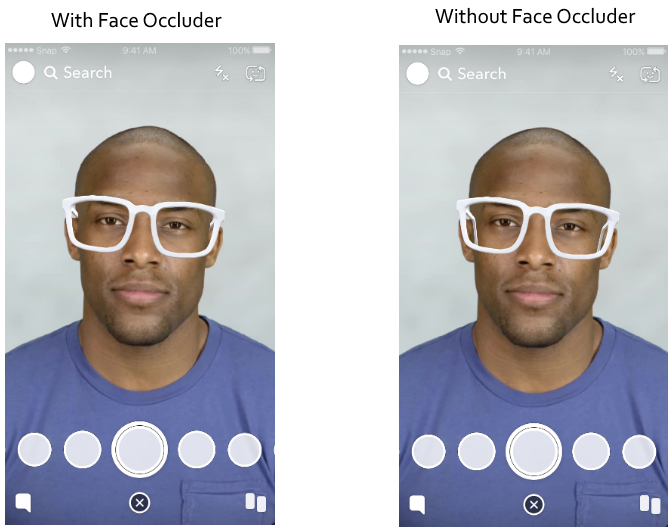 I hope these tips have helped you! If you've got any other hints for Lens Studio, or improvements to any of mine, then leave them in the comments. |
| json metadata | {"tags":["programming","snapchat","lens","studio","javascript"],"image":["https://steemitimages.com/DQmTKEoNC85rH3NbHSLgcnjvGMfoZfTBrxjjVY2h6ZdGjnu/image.png","https://steemitimages.com/DQmWTgJYExfPXTZYuD7kmAz93xEqtaMhaFjq7yLnJewnmgu/image.png","https://steemitimages.com/DQma9GAtL2JiSnLEtJNth2V2EG3S3XPk23BhiSrFEi54cjp/image.png","https://steemitimages.com/DQmfFpjbEFQTnWJo8fVMbgfatazQhYJEGnFBQTuM8jVnxKz/image.png","https://steemitimages.com/DQmPNuQMsVdRLcW2gfGYhq2nw3p7B6eZLSpc37XJpkzMESZ/image.png"],"links":["https://lensstudio.snapchat.com/api/classes/ScriptComponent/","https://lensstudio.snapchat.com/guides/general/pairing-to-snapchat/","https://lensstudio.snapchat.com/api/"],"app":"steemit/0.1","format":"markdown"} |
| Transaction Info | Block #22597218/Trx ed07003eba1feacf31b3beef33bf2044c5dfc837 |
View Raw JSON Data
{
"trx_id": "ed07003eba1feacf31b3beef33bf2044c5dfc837",
"block": 22597218,
"trx_in_block": 17,
"op_in_trx": 0,
"virtual_op": 0,
"timestamp": "2018-05-20T13:46:48",
"op": [
"comment",
{
"parent_author": "",
"parent_permlink": "programming",
"author": "orangeflash81",
"permlink": "quick-fire-tips-for-snapchat-s-lens-studio",
"title": "Quick-fire tips for Snapchat's Lens Studio",
"body": "I recently worked on a few Snapchat lenses with a friend for an event. This was my first time creating a set of real lenses which other people would use, as opposed to just messing around with the software.\n\nThere were a few features which I really wish I'd known about before I got to work on the lens, and not knowing they were there certainly caused a few headaches, or made my life much harder than it needed to be.\n\nWithout further ado, here are some short, simple tips and tricks for working with Lens Studio.\n\n1. **Lens Studio crashes quite easily, so save often.** For a non-beta piece of software, it crashes far more than it should. On my Windows 10 laptop, Lens Studio would reproducably crash when I tried to print a non-string object from a script, or if I imported many files at once.\n\n In fairness, Lens Studio does have a project backup feature which runs automatically every few minutes, but I wouldn't rely on it.\n\n2. **The `script` object does *way* more than just holding your `@input` variables.** It's actually an instance of [`ScriptComponent`](https://lensstudio.snapchat.com/api/classes/ScriptComponent/), and as such can be used to get the `SceneObject` or `Transform` which the script is attached to, using `script.getSceneObject()` and `script.getTransform()` respectively. \n\n You can also use it to dynamically create and attach events to your objects:\n ```javascript\n script.createEvent(\"TouchStartEvent\").bind(function() {\n print(\"Touch started.\");\n });\n ```\n This is really handy for quick prototyping if you only want to use one Script asset for several events.\n\n3. **By default, your imported animations will look *awful*.** We used After Effects CC to create animations for the lenses, and it worked fantastically well, looking really crisp. But, as soon as the animation was imported into Lens Studio, it looked truly dreadful, with blurry edges as a result of heavy compression.\n\n The reason for this is that Lens Studio uses sprite sheets for animations. A sprite sheet is an image where every frame of an animation is laid out as a grid. To play the animation, the software you're using effectively pans through the sprite sheet frame-by-frame. This results in much better performance than loading images individually.\n\n In Lens Studio, every sprite sheet has a cap on its size, which means that the frames of your animation will be *scaled down* to fit in the sprite sheet. You can see the effect of this by looking at the Animation asset's properties in Lens Studio; my beautiful 1500x600 animation had been squished to an ugly 113x282:\n\n\n Fortunately, there's an easy fix. When importing your animation, you can *increase the number of sprite sheets* which your animation is spread across:\n\n\n Don't go too high though, since there's a 4MB size limit on every lens. You can check the current size of your lens in *Project Info*:\n\n\n4. **Test the lens on a real device often.** There can be huge differences between the preview and an actual device, most notably in animation quality and speed. Remember that you don't have to publish your lens to test it on a device; you can just [pair your phone to Lens Studio](https://lensstudio.snapchat.com/guides/general/pairing-to-snapchat/).\n\n5. **If you're a gamer and you have Plays.tv, I'd recommend disabling it whilst creating lenses.** It thinks Lens Studio is a game, but as I'm sure you already know, lens creation is a much more serious business. Worse still, it doesn't really understand the UI; my work in Lens Studio was regularly interrupted by this monstrosity:\n\n\n6. **Stuck while scripting? The API documentation is *excellent*.** The tutorials on Snap's website are pretty useful, but once you get into more advanced scripting, you'll want to refer to the [API documentation](https://lensstudio.snapchat.com/api/) all the time. It's well written and laid out, and there are examples for working with most of the classes which Lens Studio offers.\n\n7. **For creating headwear, learn about Face Occluder.** This is an object which hides other 3D objects behind it, and is automatically attached to a Head Binding. It's difficult to describe, but basically, it's the magic object which means your lens' glasses don't stab you in the eye. You should fiddle with positioning so that your headwear looks *just* right when you tilt your head.\n\n\nI hope these tips have helped you! If you've got any other hints for Lens Studio, or improvements to any of mine, then leave them in the comments.",
"json_metadata": "{\"tags\":[\"programming\",\"snapchat\",\"lens\",\"studio\",\"javascript\"],\"image\":[\"https://steemitimages.com/DQmTKEoNC85rH3NbHSLgcnjvGMfoZfTBrxjjVY2h6ZdGjnu/image.png\",\"https://steemitimages.com/DQmWTgJYExfPXTZYuD7kmAz93xEqtaMhaFjq7yLnJewnmgu/image.png\",\"https://steemitimages.com/DQma9GAtL2JiSnLEtJNth2V2EG3S3XPk23BhiSrFEi54cjp/image.png\",\"https://steemitimages.com/DQmfFpjbEFQTnWJo8fVMbgfatazQhYJEGnFBQTuM8jVnxKz/image.png\",\"https://steemitimages.com/DQmPNuQMsVdRLcW2gfGYhq2nw3p7B6eZLSpc37XJpkzMESZ/image.png\"],\"links\":[\"https://lensstudio.snapchat.com/api/classes/ScriptComponent/\",\"https://lensstudio.snapchat.com/guides/general/pairing-to-snapchat/\",\"https://lensstudio.snapchat.com/api/\"],\"app\":\"steemit/0.1\",\"format\":\"markdown\"}"
}
]
}steemdelegated 5.618 SP to @orangeflash812018/05/16 23:31:18
steemdelegated 5.618 SP to @orangeflash81
2018/05/16 23:31:18
| delegator | steem |
| delegatee | orangeflash81 |
| vesting shares | 9148.069529 VESTS |
| Transaction Info | Block #22493727/Trx ac7cff9e24f1e040cd15672123127e6f4060f002 |
View Raw JSON Data
{
  "trx_id": "ac7cff9e24f1e040cd15672123127e6f4060f002",
  "block": 22493727,
  "trx_in_block": 21,
  "op_in_trx": 0,
  "virtual_op": 0,
  "timestamp": "2018-05-16T23:31:18",
  "op": [
    "delegate_vesting_shares",
    {
      "delegator": "steem",
      "delegatee": "orangeflash81",
      "vesting_shares": "9148.069529 VESTS"
    }
  ]
}steemdelegated 18.138 SP to @orangeflash812018/04/21 20:49:57
steemdelegated 18.138 SP to @orangeflash81
2018/04/21 20:49:57
| delegator | steem |
| delegatee | orangeflash81 |
| vesting shares | 29536.076099 VESTS |
| Transaction Info | Block #21771287/Trx 715a6fa8437ea12482a264766e73b6e60db54f50 |
View Raw JSON Data
{
  "trx_id": "715a6fa8437ea12482a264766e73b6e60db54f50",
  "block": 21771287,
  "trx_in_block": 21,
  "op_in_trx": 0,
  "virtual_op": 0,
  "timestamp": "2018-04-21T20:49:57",
  "op": [
    "delegate_vesting_shares",
    {
      "delegator": "steem",
      "delegatee": "orangeflash81",
      "vesting_shares": "29536.076099 VESTS"
    }
  ]
}steemdelegated 18.263 SP to @orangeflash812017/12/12 22:19:09
steemdelegated 18.263 SP to @orangeflash81
2017/12/12 22:19:09
| delegator | steem |
| delegatee | orangeflash81 |
| vesting shares | 29739.908151 VESTS |
| Transaction Info | Block #18032566/Trx 15e8ff2c8a70d0e30eefd1ad226ad8e8b4cd78da |
View Raw JSON Data
{
  "trx_id": "15e8ff2c8a70d0e30eefd1ad226ad8e8b4cd78da",
  "block": 18032566,
  "trx_in_block": 22,
  "op_in_trx": 0,
  "virtual_op": 0,
  "timestamp": "2017-12-12T22:19:09",
  "op": [
    "delegate_vesting_shares",
    {
      "delegator": "steem",
      "delegatee": "orangeflash81",
      "vesting_shares": "29739.908151 VESTS"
    }
  ]
}2017/12/02 18:01:18
2017/12/02 18:01:18
| voter | orangeflash81 |
| author | brittuf |
| permlink | bitb-bitbean-its-time-to-buy-we-may-have-hit-rock-bottom-lets-buy |
| weight | 10000 (100.00%) |
| Transaction Info | Block #17739577/Trx f59bd9364e149a3e511e22cbdbb48052bcd55dc6 |
View Raw JSON Data
{
  "trx_id": "f59bd9364e149a3e511e22cbdbb48052bcd55dc6",
  "block": 17739577,
  "trx_in_block": 14,
  "op_in_trx": 0,
  "virtual_op": 0,
  "timestamp": "2017-12-02T18:01:18",
  "op": [
    "vote",
    {
      "voter": "orangeflash81",
      "author": "brittuf",
      "permlink": "bitb-bitbean-its-time-to-buy-we-may-have-hit-rock-bottom-lets-buy",
      "weight": 10000
    }
  ]
}steemcreated a new account: @orangeflash812017/12/02 17:59:09
steemcreated a new account: @orangeflash81
2017/12/02 17:59:09
| fee | 0.500 STEEM |
| delegation | 57000.000000 VESTS |
| creator | steem |
| new account name | orangeflash81 |
| owner | {"weight_threshold":1,"account_auths":[],"key_auths":[["STM6CtxPsoUQiUkuwuTRS5ahw1FJ3Rt62ocTKyAjbtjiYE9A29xCD",1]]} |
| active | {"weight_threshold":1,"account_auths":[],"key_auths":[["STM5dE49qUTDq3KKRcM24M8QwUY5W9ZLqYeqWKn6ewsb9RcYNrZzA",1]]} |
| posting | {"weight_threshold":1,"account_auths":[],"key_auths":[["STM5rTVM1xwicSpt8dqLv1HsDNpDxNqZUJBZpTPbmYa1JoBgNxhTf",1]]} |
| memo key | STM66prD2xpaJrqQkSGkEBzStDBWQ9oXvn2mtiqyPjR3RTLZQsVrU |
| json metadata | |
| extensions | [] |
| Transaction Info | Block #17739534/Trx 058ed2f8692ba2d566209b5ab66cc064add85519 |
View Raw JSON Data
{
  "trx_id": "058ed2f8692ba2d566209b5ab66cc064add85519",
  "block": 17739534,
  "trx_in_block": 11,
  "op_in_trx": 0,
  "virtual_op": 0,
  "timestamp": "2017-12-02T17:59:09",
  "op": [
    "account_create_with_delegation",
    {
      "fee": "0.500 STEEM",
      "delegation": "57000.000000 VESTS",
      "creator": "steem",
      "new_account_name": "orangeflash81",
      "owner": {
        "weight_threshold": 1,
        "account_auths": [],
        "key_auths": [
          [
            "STM6CtxPsoUQiUkuwuTRS5ahw1FJ3Rt62ocTKyAjbtjiYE9A29xCD",
            1
          ]
        ]
      },
      "active": {
        "weight_threshold": 1,
        "account_auths": [],
        "key_auths": [
          [
            "STM5dE49qUTDq3KKRcM24M8QwUY5W9ZLqYeqWKn6ewsb9RcYNrZzA",
            1
          ]
        ]
      },
      "posting": {
        "weight_threshold": 1,
        "account_auths": [],
        "key_auths": [
          [
            "STM5rTVM1xwicSpt8dqLv1HsDNpDxNqZUJBZpTPbmYa1JoBgNxhTf",
            1
          ]
        ]
      },
      "memo_key": "STM66prD2xpaJrqQkSGkEBzStDBWQ9oXvn2mtiqyPjR3RTLZQsVrU",
      "json_metadata": "",
      "extensions": []
    }
  ]
}Manabar
Voting Power100.00%
Downvote Power100.00%
Resource Credits100.00%
Reputation Progress0.00%
{
  "voting_manabar": {
    "current_mana": "8143659806",
    "last_update_time": 1779079665
  },
  "downvote_manabar": {
    "current_mana": 2035914951,
    "last_update_time": 1779079665
  },
  "rc_account": {
    "account": "orangeflash81",
    "rc_manabar": {
      "current_mana": "10164408779",
      "last_update_time": 1779079665
    },
    "max_rc_creation_adjustment": {
      "amount": "2020748973",
      "precision": 6,
      "nai": "@@000000037"
    },
    "max_rc": "10164408779"
  }
}
Account Metadata
| POSTING JSON METADATA | |
| profile | {"profile_image":"https://steemitimages.com/DQmV4eUJFg3LxGjW6eMTQDzVQFYAULh9ootciiAgUCbw1Te/Profile%20Icon.png"} |
| JSON METADATA | |
| profile | {"profile_image":"https://steemitimages.com/DQmV4eUJFg3LxGjW6eMTQDzVQFYAULh9ootciiAgUCbw1Te/Profile%20Icon.png"} |
{
  "posting_json_metadata": {
    "profile": {
      "profile_image": "https://steemitimages.com/DQmV4eUJFg3LxGjW6eMTQDzVQFYAULh9ootciiAgUCbw1Te/Profile%20Icon.png"
    }
  },
  "json_metadata": {
    "profile": {
      "profile_image": "https://steemitimages.com/DQmV4eUJFg3LxGjW6eMTQDzVQFYAULh9ootciiAgUCbw1Te/Profile%20Icon.png"
    }
  }
}
Auth Keys
Owner
Single Signature
Public Keys
STM6CtxPsoUQiUkuwuTRS5ahw1FJ3Rt62ocTKyAjbtjiYE9A29xCD1/1
Active
Single Signature
Public Keys
STM5dE49qUTDq3KKRcM24M8QwUY5W9ZLqYeqWKn6ewsb9RcYNrZzA1/1
Posting
Single Signature
Public Keys
STM5rTVM1xwicSpt8dqLv1HsDNpDxNqZUJBZpTPbmYa1JoBgNxhTf1/1
Memo
STM66prD2xpaJrqQkSGkEBzStDBWQ9oXvn2mtiqyPjR3RTLZQsVrU
{
  "owner": {
    "weight_threshold": 1,
    "account_auths": [],
    "key_auths": [
      [
        "STM6CtxPsoUQiUkuwuTRS5ahw1FJ3Rt62ocTKyAjbtjiYE9A29xCD",
        1
      ]
    ]
  },
  "active": {
    "weight_threshold": 1,
    "account_auths": [],
    "key_auths": [
      [
        "STM5dE49qUTDq3KKRcM24M8QwUY5W9ZLqYeqWKn6ewsb9RcYNrZzA",
        1
      ]
    ]
  },
  "posting": {
    "weight_threshold": 1,
    "account_auths": [],
    "key_auths": [
      [
        "STM5rTVM1xwicSpt8dqLv1HsDNpDxNqZUJBZpTPbmYa1JoBgNxhTf",
        1
      ]
    ]
  },
  "memo": "STM66prD2xpaJrqQkSGkEBzStDBWQ9oXvn2mtiqyPjR3RTLZQsVrU"
}
Witness Votes
0 / 30
No active witness votes.
[]