

VOTING POWER100.00%
DOWNVOTE POWER100.00%
RESOURCE CREDITS100.00%
REPUTATION PROGRESS0.00%
Net Worth
0.007USD
STEEM
0.000STEEM
SBD
0.000SBD
Effective Power
5.007SP
├── Own SP
0.125SP
└── Incoming DelegationsDeleg
+4.883SP
Detailed Balance
| STEEM | ||
| balance | 0.000STEEM | STEEM |
| market_balance | 0.000STEEM | STEEM |
| savings_balance | 0.000STEEM | STEEM |
| reward_steem_balance | 0.000STEEM | STEEM |
| STEEM POWER | ||
| Own SP | 0.125SP | SP |
| Delegated Out | 0.000SP | SP |
| Delegation In | 4.883SP | SP |
| Effective Power | 5.007SP | SP |
| Reward SP (pending) | 0.000SP | SP |
| SBD | ||
| sbd_balance | 0.000SBD | SBD |
| sbd_conversions | 0.000SBD | SBD |
| sbd_market_balance | 0.000SBD | SBD |
| savings_sbd_balance | 0.000SBD | SBD |
| reward_sbd_balance | 0.000SBD | SBD |
{
  "balance": "0.000 STEEM",
  "savings_balance": "0.000 STEEM",
  "reward_steem_balance": "0.000 STEEM",
  "vesting_shares": "202.525518 VESTS",
  "delegated_vesting_shares": "0.000000 VESTS",
  "received_vesting_shares": "7941.134288 VESTS",
  "sbd_balance": "0.000 SBD",
  "savings_sbd_balance": "0.000 SBD",
  "reward_sbd_balance": "0.000 SBD",
  "conversions": []
}
Account Info
| name | mrnear |
| id | 1105171 |
| rank | 222,207 |
| reputation | 57418256 |
| created | 2018-08-14T16:50:21 |
| recovery_account | steem |
| proxy | None |
| post_count | 5 |
| comment_count | 0 |
| lifetime_vote_count | 0 |
| witnesses_voted_for | 0 |
| last_post | 2018-08-14T23:46:03 |
| last_root_post | 2018-08-14T23:46:03 |
| last_vote_time | 2018-08-14T23:52:57 |
| proxied_vsf_votes | 0, 0, 0, 0 |
| can_vote | 1 |
| voting_power | 0 |
| delayed_votes | 0 |
| balance | 0.000 STEEM |
| savings_balance | 0.000 STEEM |
| sbd_balance | 0.000 SBD |
| savings_sbd_balance | 0.000 SBD |
| vesting_shares | 202.525518 VESTS |
| delegated_vesting_shares | 0.000000 VESTS |
| received_vesting_shares | 7941.134288 VESTS |
| reward_vesting_balance | 0.000000 VESTS |
| vesting_balance | 0.000 STEEM |
| vesting_withdraw_rate | 0.000000 VESTS |
| next_vesting_withdrawal | 1969-12-31T23:59:59 |
| withdrawn | 0 |
| to_withdraw | 0 |
| withdraw_routes | 0 |
| savings_withdraw_requests | 0 |
| last_account_recovery | 1970-01-01T00:00:00 |
| reset_account | null |
| last_owner_update | 1970-01-01T00:00:00 |
| last_account_update | 2018-08-14T23:17:48 |
| mined | No |
| sbd_seconds | 0 |
| sbd_last_interest_payment | 1970-01-01T00:00:00 |
| savings_sbd_last_interest_payment | 1970-01-01T00:00:00 |
{
  "active": {
    "account_auths": [],
    "key_auths": [
      [
        "STM6SuZYfsknRhdcxhLPMuvUE9DJhBRmYB3FrMeHrs9GLn4icTUzL",
        1
      ]
    ],
    "weight_threshold": 1
  },
  "balance": "0.000 STEEM",
  "can_vote": true,
  "comment_count": 0,
  "created": "2018-08-14T16:50:21",
  "curation_rewards": 0,
  "delegated_vesting_shares": "0.000000 VESTS",
  "downvote_manabar": {
    "current_mana": 2035914951,
    "last_update_time": 1779077127
  },
  "guest_bloggers": [],
  "id": 1105171,
  "json_metadata": "{\"profile\":{\"profile_image\":\"https://cdn.steemitimages.com/DQmWyNmPYpU2CZ9rH5EebmwQxzCSTTsGtLMutdwxoEHXpkH/184060.jpg\",\"about\":\"Lover of the Aesthetics\"}}",
  "last_account_recovery": "1970-01-01T00:00:00",
  "last_account_update": "2018-08-14T23:17:48",
  "last_owner_update": "1970-01-01T00:00:00",
  "last_post": "2018-08-14T23:46:03",
  "last_root_post": "2018-08-14T23:46:03",
  "last_vote_time": "2018-08-14T23:52:57",
  "lifetime_vote_count": 0,
  "market_history": [],
  "memo_key": "STM5CGMDr12meV6QXJBb7QoYw5HwkpwccPm3UfHGKtQ5z9bbZsvNY",
  "mined": false,
  "name": "mrnear",
  "next_vesting_withdrawal": "1969-12-31T23:59:59",
  "other_history": [],
  "owner": {
    "account_auths": [],
    "key_auths": [
      [
        "STM7w78n28ErTySzjviura7C9wx9QHhX4uEEX2uDuFy9sxboKPhkB",
        1
      ]
    ],
    "weight_threshold": 1
  },
  "pending_claimed_accounts": 0,
  "post_bandwidth": 0,
  "post_count": 5,
  "post_history": [],
  "posting": {
    "account_auths": [],
    "key_auths": [
      [
        "STM73eP46YqnnmLrowq6EwNtHQNTdT6x6Ujn8F9vHBnPJ4KAr21zo",
        1
      ]
    ],
    "weight_threshold": 1
  },
  "posting_json_metadata": "{\"profile\":{\"profile_image\":\"https://cdn.steemitimages.com/DQmWyNmPYpU2CZ9rH5EebmwQxzCSTTsGtLMutdwxoEHXpkH/184060.jpg\",\"about\":\"Lover of the Aesthetics\"}}",
  "posting_rewards": 0,
  "proxied_vsf_votes": [
    0,
    0,
    0,
    0
  ],
  "proxy": "",
  "received_vesting_shares": "7941.134288 VESTS",
  "recovery_account": "steem",
  "reputation": 57418256,
  "reset_account": "null",
  "reward_sbd_balance": "0.000 SBD",
  "reward_steem_balance": "0.000 STEEM",
  "reward_vesting_balance": "0.000000 VESTS",
  "reward_vesting_steem": "0.000 STEEM",
  "savings_balance": "0.000 STEEM",
  "savings_sbd_balance": "0.000 SBD",
  "savings_sbd_last_interest_payment": "1970-01-01T00:00:00",
  "savings_sbd_seconds": "0",
  "savings_sbd_seconds_last_update": "1970-01-01T00:00:00",
  "savings_withdraw_requests": 0,
  "sbd_balance": "0.000 SBD",
  "sbd_last_interest_payment": "1970-01-01T00:00:00",
  "sbd_seconds": "0",
  "sbd_seconds_last_update": "1970-01-01T00:00:00",
  "tags_usage": [],
  "to_withdraw": 0,
  "transfer_history": [],
  "vesting_balance": "0.000 STEEM",
  "vesting_shares": "202.525518 VESTS",
  "vesting_withdraw_rate": "0.000000 VESTS",
  "vote_history": [],
  "voting_manabar": {
    "current_mana": "8143659806",
    "last_update_time": 1779077127
  },
  "voting_power": 0,
  "withdraw_routes": 0,
  "withdrawn": 0,
  "witness_votes": [],
  "witnesses_voted_for": 0,
  "rank": 222207
}
Withdraw Routes
| Incoming | Outgoing |
|---|---|
Empty | Empty |
{
  "incoming": [],
  "outgoing": []
}From Date
To Date
2026/05/18 04:05:27
2026/05/18 04:05:27
| delegatee | mrnear |
| delegator | steem |
| vesting shares | 7941.134288 VESTS |
| Transaction Info | Block #106148031/Trx 393619d990daf44f92f782214f0b5b5e999fb557 |
View Raw JSON Data
{
  "block": 106148031,
  "op": [
    "delegate_vesting_shares",
    {
      "delegatee": "mrnear",
      "delegator": "steem",
      "vesting_shares": "7941.134288 VESTS"
    }
  ],
  "op_in_trx": 0,
  "timestamp": "2026-05-18T04:05:27",
  "trx_id": "393619d990daf44f92f782214f0b5b5e999fb557",
  "trx_in_block": 1,
  "virtual_op": 0
}2026/05/12 19:24:03
2026/05/12 19:24:03
| delegatee | mrnear |
| delegator | steem |
| vesting shares | 5228.923883 VESTS |
| Transaction Info | Block #105994342/Trx b4ef0d29a428e44b9f51520c421a130f0bcc1837 |
View Raw JSON Data
{
  "block": 105994342,
  "op": [
    "delegate_vesting_shares",
    {
      "delegatee": "mrnear",
      "delegator": "steem",
      "vesting_shares": "5228.923883 VESTS"
    }
  ],
  "op_in_trx": 0,
  "timestamp": "2026-05-12T19:24:03",
  "trx_id": "b4ef0d29a428e44b9f51520c421a130f0bcc1837",
  "trx_in_block": 3,
  "virtual_op": 0
}2026/04/26 03:20:18
2026/04/26 03:20:18
| delegatee | mrnear |
| delegator | steem |
| vesting shares | 7953.650044 VESTS |
| Transaction Info | Block #105515574/Trx f68f1b35842f7a702e9daece5738ef93fbea7663 |
View Raw JSON Data
{
  "block": 105515574,
  "op": [
    "delegate_vesting_shares",
    {
      "delegatee": "mrnear",
      "delegator": "steem",
      "vesting_shares": "7953.650044 VESTS"
    }
  ],
  "op_in_trx": 0,
  "timestamp": "2026-04-26T03:20:18",
  "trx_id": "f68f1b35842f7a702e9daece5738ef93fbea7663",
  "trx_in_block": 2,
  "virtual_op": 0
}2026/01/23 18:05:57
2026/01/23 18:05:57
| delegatee | mrnear |
| delegator | steem |
| vesting shares | 5270.470702 VESTS |
| Transaction Info | Block #102864150/Trx 74597079d19ead34ff1871e580af533fc29f6d12 |
View Raw JSON Data
{
  "block": 102864150,
  "op": [
    "delegate_vesting_shares",
    {
      "delegatee": "mrnear",
      "delegator": "steem",
      "vesting_shares": "5270.470702 VESTS"
    }
  ],
  "op_in_trx": 0,
  "timestamp": "2026-01-23T18:05:57",
  "trx_id": "74597079d19ead34ff1871e580af533fc29f6d12",
  "trx_in_block": 0,
  "virtual_op": 0
}2024/12/17 13:18:15
2024/12/17 13:18:15
| delegatee | mrnear |
| delegator | steem |
| vesting shares | 5434.689899 VESTS |
| Transaction Info | Block #91310408/Trx 3581c7bbceff4fd8c6fade970a827b0524efc5d8 |
View Raw JSON Data
{
  "block": 91310408,
  "op": [
    "delegate_vesting_shares",
    {
      "delegatee": "mrnear",
      "delegator": "steem",
      "vesting_shares": "5434.689899 VESTS"
    }
  ],
  "op_in_trx": 0,
  "timestamp": "2024-12-17T13:18:15",
  "trx_id": "3581c7bbceff4fd8c6fade970a827b0524efc5d8",
  "trx_in_block": 4,
  "virtual_op": 0
}2023/11/14 05:00:06
2023/11/14 05:00:06
| delegatee | mrnear |
| delegator | steem |
| vesting shares | 5603.823431 VESTS |
| Transaction Info | Block #79864581/Trx 0e278457b4943f090d1ed07ab6ab88c092cb4e33 |
View Raw JSON Data
{
  "block": 79864581,
  "op": [
    "delegate_vesting_shares",
    {
      "delegatee": "mrnear",
      "delegator": "steem",
      "vesting_shares": "5603.823431 VESTS"
    }
  ],
  "op_in_trx": 0,
  "timestamp": "2023-11-14T05:00:06",
  "trx_id": "0e278457b4943f090d1ed07ab6ab88c092cb4e33",
  "trx_in_block": 6,
  "virtual_op": 0
}2023/09/22 07:46:57
2023/09/22 07:46:57
| delegatee | mrnear |
| delegator | steem |
| vesting shares | 8540.732217 VESTS |
| Transaction Info | Block #78359745/Trx 68941c0acd46ae96956c2364be496a5b25b96c0f |
View Raw JSON Data
{
  "block": 78359745,
  "op": [
    "delegate_vesting_shares",
    {
      "delegatee": "mrnear",
      "delegator": "steem",
      "vesting_shares": "8540.732217 VESTS"
    }
  ],
  "op_in_trx": 0,
  "timestamp": "2023-09-22T07:46:57",
  "trx_id": "68941c0acd46ae96956c2364be496a5b25b96c0f",
  "trx_in_block": 0,
  "virtual_op": 0
}2022/11/03 15:35:18
2022/11/03 15:35:18
| delegatee | mrnear |
| delegator | steem |
| vesting shares | 8762.783655 VESTS |
| Transaction Info | Block #69117900/Trx 14c3f726db538a774435c300170f32b9b8f83b07 |
View Raw JSON Data
{
  "block": 69117900,
  "op": [
    "delegate_vesting_shares",
    {
      "delegatee": "mrnear",
      "delegator": "steem",
      "vesting_shares": "8762.783655 VESTS"
    }
  ],
  "op_in_trx": 0,
  "timestamp": "2022-11-03T15:35:18",
  "trx_id": "14c3f726db538a774435c300170f32b9b8f83b07",
  "trx_in_block": 8,
  "virtual_op": 0
}2022/01/17 20:59:42
2022/01/17 20:59:42
| delegatee | mrnear |
| delegator | steem |
| vesting shares | 8982.891256 VESTS |
| Transaction Info | Block #60821399/Trx 2931b83c9445ab4d02a996294e7c21f2fb52101e |
View Raw JSON Data
{
  "block": 60821399,
  "op": [
    "delegate_vesting_shares",
    {
      "delegatee": "mrnear",
      "delegator": "steem",
      "vesting_shares": "8982.891256 VESTS"
    }
  ],
  "op_in_trx": 0,
  "timestamp": "2022-01-17T20:59:42",
  "trx_id": "2931b83c9445ab4d02a996294e7c21f2fb52101e",
  "trx_in_block": 14,
  "virtual_op": 0
}2021/06/14 04:16:33
2021/06/14 04:16:33
| delegatee | mrnear |
| delegator | steem |
| vesting shares | 9167.085544 VESTS |
| Transaction Info | Block #54611850/Trx d118edc9d30c11d0b82ac1bff61b7d20b72669af |
View Raw JSON Data
{
  "block": 54611850,
  "op": [
    "delegate_vesting_shares",
    {
      "delegatee": "mrnear",
      "delegator": "steem",
      "vesting_shares": "9167.085544 VESTS"
    }
  ],
  "op_in_trx": 0,
  "timestamp": "2021-06-14T04:16:33",
  "trx_id": "d118edc9d30c11d0b82ac1bff61b7d20b72669af",
  "trx_in_block": 5,
  "virtual_op": 0
}2020/12/11 14:30:57
2020/12/11 14:30:57
| delegatee | mrnear |
| delegator | steem |
| vesting shares | 9354.507518 VESTS |
| Transaction Info | Block #49359176/Trx 36b45c21c432e975bbdf5dd4bc2f90118630c8dc |
View Raw JSON Data
{
  "block": 49359176,
  "op": [
    "delegate_vesting_shares",
    {
      "delegatee": "mrnear",
      "delegator": "steem",
      "vesting_shares": "9354.507518 VESTS"
    }
  ],
  "op_in_trx": 0,
  "timestamp": "2020-12-11T14:30:57",
  "trx_id": "36b45c21c432e975bbdf5dd4bc2f90118630c8dc",
  "trx_in_block": 9,
  "virtual_op": 0
}2020/12/06 08:07:21
2020/12/06 08:07:21
| delegatee | mrnear |
| delegator | steem |
| vesting shares | 1912.543513 VESTS |
| Transaction Info | Block #49210717/Trx 79fc668a50a1a083866d92a08a2dee20750b12f5 |
View Raw JSON Data
{
  "block": 49210717,
  "op": [
    "delegate_vesting_shares",
    {
      "delegatee": "mrnear",
      "delegator": "steem",
      "vesting_shares": "1912.543513 VESTS"
    }
  ],
  "op_in_trx": 0,
  "timestamp": "2020-12-06T08:07:21",
  "trx_id": "79fc668a50a1a083866d92a08a2dee20750b12f5",
  "trx_in_block": 0,
  "virtual_op": 0
}2020/12/05 18:08:42
2020/12/05 18:08:42
| delegatee | mrnear |
| delegator | steem |
| vesting shares | 9360.715372 VESTS |
| Transaction Info | Block #49194262/Trx 71d4821f5586c170715712dbc4d4f0f85b77d676 |
View Raw JSON Data
{
  "block": 49194262,
  "op": [
    "delegate_vesting_shares",
    {
      "delegatee": "mrnear",
      "delegator": "steem",
      "vesting_shares": "9360.715372 VESTS"
    }
  ],
  "op_in_trx": 0,
  "timestamp": "2020-12-05T18:08:42",
  "trx_id": "71d4821f5586c170715712dbc4d4f0f85b77d676",
  "trx_in_block": 3,
  "virtual_op": 0
}2020/11/02 22:39:15
2020/11/02 22:39:15
| delegatee | mrnear |
| delegator | steem |
| vesting shares | 1920.017158 VESTS |
| Transaction Info | Block #48266065/Trx 06bd331191fd62b2991f6492bcf90bfaf837279d |
View Raw JSON Data
{
  "block": 48266065,
  "op": [
    "delegate_vesting_shares",
    {
      "delegatee": "mrnear",
      "delegator": "steem",
      "vesting_shares": "1920.017158 VESTS"
    }
  ],
  "op_in_trx": 0,
  "timestamp": "2020-11-02T22:39:15",
  "trx_id": "06bd331191fd62b2991f6492bcf90bfaf837279d",
  "trx_in_block": 11,
  "virtual_op": 0
}2020/05/09 09:08:03
2020/05/09 09:08:03
| delegatee | mrnear |
| delegator | steem |
| vesting shares | 9563.520731 VESTS |
| Transaction Info | Block #43221011/Trx 278afa77ce98d5d38c34cc79f8e5abd1517f5d38 |
View Raw JSON Data
{
  "block": 43221011,
  "op": [
    "delegate_vesting_shares",
    {
      "delegatee": "mrnear",
      "delegator": "steem",
      "vesting_shares": "9563.520731 VESTS"
    }
  ],
  "op_in_trx": 0,
  "timestamp": "2020-05-09T09:08:03",
  "trx_id": "278afa77ce98d5d38c34cc79f8e5abd1517f5d38",
  "trx_in_block": 27,
  "virtual_op": 0
}2020/05/08 13:15:09
2020/05/08 13:15:09
| delegatee | mrnear |
| delegator | steem |
| vesting shares | 1953.311140 VESTS |
| Transaction Info | Block #43197719/Trx 31cd7225540b052cde5f9f11c6520e3d27351c7e |
View Raw JSON Data
{
  "block": 43197719,
  "op": [
    "delegate_vesting_shares",
    {
      "delegatee": "mrnear",
      "delegator": "steem",
      "vesting_shares": "1953.311140 VESTS"
    }
  ],
  "op_in_trx": 0,
  "timestamp": "2020-05-08T13:15:09",
  "trx_id": "31cd7225540b052cde5f9f11c6520e3d27351c7e",
  "trx_in_block": 30,
  "virtual_op": 0
}2019/11/01 08:48:06
2019/11/01 08:48:06
| delegatee | mrnear |
| delegator | steem |
| vesting shares | 9669.919814 VESTS |
| Transaction Info | Block #37789343/Trx 4bd8ea1cf48266d680376d957f2db2754e7ad3a9 |
View Raw JSON Data
{
  "block": 37789343,
  "op": [
    "delegate_vesting_shares",
    {
      "delegatee": "mrnear",
      "delegator": "steem",
      "vesting_shares": "9669.919814 VESTS"
    }
  ],
  "op_in_trx": 0,
  "timestamp": "2019-11-01T08:48:06",
  "trx_id": "4bd8ea1cf48266d680376d957f2db2754e7ad3a9",
  "trx_in_block": 20,
  "virtual_op": 0
}2019/08/14 20:08:30
2019/08/14 20:08:30
| author | steemitboard |
| body | Congratulations @mrnear! You received a personal award! <table><tr><td>https://steemitimages.com/70x70/http://steemitboard.com/@mrnear/birthday1.png</td><td>Happy Birthday! - You are on the Steem blockchain for 1 year!</td></tr></table> <sub>_You can view [your badges on your Steem Board](https://steemitboard.com/@mrnear) and compare to others on the [Steem Ranking](https://steemitboard.com/ranking/index.php?name=mrnear)_</sub> ###### [Vote for @Steemitboard as a witness](https://v2.steemconnect.com/sign/account-witness-vote?witness=steemitboard&approve=1) to get one more award and increased upvotes! |
| json metadata | {"image":["https://steemitboard.com/img/notify.png"]} |
| parent author | mrnear |
| parent permlink | how-to-exchange-trade-crypto-guide |
| permlink | steemitboard-notify-mrnear-20190814t200830000z |
| title | |
| Transaction Info | Block #35554163/Trx c8504b39ed8a81e0c860908839764a23d8579505 |
View Raw JSON Data
{
  "block": 35554163,
  "op": [
    "comment",
    {
      "author": "steemitboard",
      "body": "Congratulations @mrnear! You received a personal award!\n\n<table><tr><td>https://steemitimages.com/70x70/http://steemitboard.com/@mrnear/birthday1.png</td><td>Happy Birthday! - You are on the Steem blockchain for 1 year!</td></tr></table>\n\n<sub>_You can view [your badges on your Steem Board](https://steemitboard.com/@mrnear) and compare to others on the [Steem Ranking](https://steemitboard.com/ranking/index.php?name=mrnear)_</sub>\n\n\n###### [Vote for @Steemitboard as a witness](https://v2.steemconnect.com/sign/account-witness-vote?witness=steemitboard&approve=1) to get one more award and increased upvotes!",
      "json_metadata": "{\"image\":[\"https://steemitboard.com/img/notify.png\"]}",
      "parent_author": "mrnear",
      "parent_permlink": "how-to-exchange-trade-crypto-guide",
      "permlink": "steemitboard-notify-mrnear-20190814t200830000z",
      "title": ""
    }
  ],
  "op_in_trx": 0,
  "timestamp": "2019-08-14T20:08:30",
  "trx_id": "c8504b39ed8a81e0c860908839764a23d8579505",
  "trx_in_block": 5,
  "virtual_op": 0
}2018/11/26 18:42:33
2018/11/26 18:42:33
| delegatee | mrnear |
| delegator | steem |
| vesting shares | 9867.395191 VESTS |
| Transaction Info | Block #28045392/Trx 62ba1db93ca35fd38c75581d28c3530e64c9f068 |
View Raw JSON Data
{
  "block": 28045392,
  "op": [
    "delegate_vesting_shares",
    {
      "delegatee": "mrnear",
      "delegator": "steem",
      "vesting_shares": "9867.395191 VESTS"
    }
  ],
  "op_in_trx": 0,
  "timestamp": "2018-11-26T18:42:33",
  "trx_id": "62ba1db93ca35fd38c75581d28c3530e64c9f068",
  "trx_in_block": 43,
  "virtual_op": 0
}sensationupvoted (100.00%) @mrnear / how-to-exchange-trade-crypto-guide2018/08/15 00:56:27
sensationupvoted (100.00%) @mrnear / how-to-exchange-trade-crypto-guide
2018/08/15 00:56:27
| author | mrnear |
| permlink | how-to-exchange-trade-crypto-guide |
| voter | sensation |
| weight | 10000 (100.00%) |
| Transaction Info | Block #25075244/Trx c312cba6bb646db126507abb0729c90dcfe00ff4 |
View Raw JSON Data
{
  "block": 25075244,
  "op": [
    "vote",
    {
      "author": "mrnear",
      "permlink": "how-to-exchange-trade-crypto-guide",
      "voter": "sensation",
      "weight": 10000
    }
  ],
  "op_in_trx": 0,
  "timestamp": "2018-08-15T00:56:27",
  "trx_id": "c312cba6bb646db126507abb0729c90dcfe00ff4",
  "trx_in_block": 5,
  "virtual_op": 0
}mrnearupvoted (100.00%) @mrnear / aesthetic-kr2018/08/14 23:52:57
mrnearupvoted (100.00%) @mrnear / aesthetic-kr
2018/08/14 23:52:57
| author | mrnear |
| permlink | aesthetic-kr |
| voter | mrnear |
| weight | 10000 (100.00%) |
| Transaction Info | Block #25073974/Trx 0b06fc1fc1cecafab61ce42117881af64ad6852e |
View Raw JSON Data
{
  "block": 25073974,
  "op": [
    "vote",
    {
      "author": "mrnear",
      "permlink": "aesthetic-kr",
      "voter": "mrnear",
      "weight": 10000
    }
  ],
  "op_in_trx": 0,
  "timestamp": "2018-08-14T23:52:57",
  "trx_id": "0b06fc1fc1cecafab61ce42117881af64ad6852e",
  "trx_in_block": 14,
  "virtual_op": 0
}mrnearupvoted (100.00%) @mrnear / how-to-exchange-trade-crypto-guide2018/08/14 23:46:48
mrnearupvoted (100.00%) @mrnear / how-to-exchange-trade-crypto-guide
2018/08/14 23:46:48
| author | mrnear |
| permlink | how-to-exchange-trade-crypto-guide |
| voter | mrnear |
| weight | 10000 (100.00%) |
| Transaction Info | Block #25073851/Trx 5b8cd6669066140219ab6286cb54d1e6499787a3 |
View Raw JSON Data
{
  "block": 25073851,
  "op": [
    "vote",
    {
      "author": "mrnear",
      "permlink": "how-to-exchange-trade-crypto-guide",
      "voter": "mrnear",
      "weight": 10000
    }
  ],
  "op_in_trx": 0,
  "timestamp": "2018-08-14T23:46:48",
  "trx_id": "5b8cd6669066140219ab6286cb54d1e6499787a3",
  "trx_in_block": 28,
  "virtual_op": 0
}mrnearpublished a new post: how-to-exchange-trade-crypto-guide2018/08/14 23:46:03
mrnearpublished a new post: how-to-exchange-trade-crypto-guide
2018/08/14 23:46:03
| author | mrnear |
| body | What is Binance Exchange? 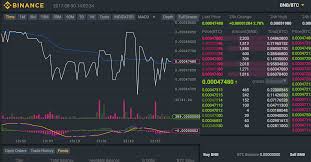 By now, you must be knowing that there are many coins apart from Bitcoin on which you can invest and start trading. These coins also known as Altcoins can be bought from various Cryptocurrency exchanges. Binance is one of the best exchanges out there. It is trusted, reliable, fast and has a good number of coins. More than that, it also has an Android App using which you can trade altcoins directly from your smartphones. Getting Started with Binance Binance is one of the fastest and easiest exchange to get started. You don’t even have to wait for your account to get approved. The steps to make an account on Binance are: • Go to Binance Website and Click on Register. • Here is my referral link: https://www.binance.com/?ref=35565774 (If you dont mind) • On the next page, enter your email, password and create an account. • You will get a verification email to your inbox. Make sure to verify your account to get started. Voila, your account is now ready !!! You can do a daily withdrawal of up to 2 BTC. However, you can submit your verification documents to increase that limit to upto 100 BTC. The verification documents include: • Passport Number • Passport Image • Photo holding your national ID card It’s up to you whether you want to increase the daily BTC limit or not. Once your account is ready, you will have to enable some security measures in order to keep your account safe from hackers. Just go to your account and Enable Google Authentication. When you enable Google Authentication, you will be given a private key to keep it a safe place. Make sure to copy and save the key at a safe location. Anyways, once you are done with the verification, your account will be fully ready to start trading. How to Deposit Funds into your Binance Account Now that your account is ready, you can transfer Bitcoin from any BTC exchange to Binance account. You will have to add funds to Binance in order to buy coins from it. To transfer/add funds (BTC) to your Binance account, simply head over to Deposits page on Binance. The page looks like this; If you want to Add Bitcoin to your Binance account, simply select Bitcoin from the Deposit List. It will show you the Deposit Address. That’s the address where you will have to transfer your BTC. If you have your BTC on Zebpay (Indian BTC exchange), simply go to “SEND BTC” option on Zebpay and send any amount of BTC to the Address given by Binance. Always copy the address or use Scan QR code feature. Typing it can cause errors and you may lose your money. Anyways, just send the BTC from your Wallet or private exchange to your Binance account and wait for it gets processed. Usually, BTC transaction can take up to 30-40 minutes depending on the block. You can see funds added to your Binance account after 2 Confirmations. To check confirmations, simply open blockchain.info and enter your Binance BTC wallet address or your transaction ID. Anyways, once you have the funds in your Binance account, you can start buying coins. Note: You can also deposit ETH (Ethereum) to your Binance account. Note: You can also Deposit other Altcoins to your Binance account. However, you can buy altcoins only using BTC or ETH on Binance. So if you transfer any other coin to Binance, you will first have to sell that coin for BTC or ETH. How to Buy Altcoins on Binance Now that you have funds in the form of BTC or ETH, you can start trading altcoins. Binance has 2 different types of exchanges. One is Basic and the other one is Advanced. Normally that doesn’t make any big difference, and you can start with any of them. Understanding Binance Basic Exchange In this article, I will be showing how to Buy Altcoins using the Basic Exchange on Binance. Head over to the Basic Exchange; Once you open the exchange, it will look like this; In the search bar, you can type any altcoin letters and it will show up. Note: If you want to purchase an altcoin using BTC, then make sure to use COINLETTERS/BTC Pair and if you want to buy altcoins using ETH, use the Coin/ETH Pair. The snapshot shows CND/BTC Pair. Apart from the search bar with a list of coins, there are many other things for you to understand. • Last Price: It Shows the Last Trade Price. • 24h Change: It shows the change in the last 24 hours. It shows the change in Satoshis as well as in percentage. • 24h High: Shows the Highest price for the last 24 hours. • 24h Low: Shows the lowest price of the last 24 hours. • Order Book: Shows the Buy and Sell orders along with the quantity and the price. The Red part shows Sell orders, while the green color shows buy orders. • Graph: Shows a Candlestick graph of the price. • Buy Coin Option: Shows 3 Ways to Place a buy order for the coin. (Limit, Market, Stop-Limit) • Sell Coin: Shows 3 Ways to place a sell order for the coin. So, that’s pretty much about the basics of the exchange. Now let’s learn how to buy an altcoin. 3 Ways to Buy a Coin from Binance So, first of all, use the search bar and open the coin that you want to buy. Make sure to open its BTC pair if you want to buy it using BTC. In this tutorial, I will be showing CND/BTC pair. Once you open the Altcoin pair, you can see all the info about it. (Things that I mentioned under the previous subheading). Now There are basically 3 ways to place a Buy Order for a Coin on Binance. Not only Binance, you will get similar options on almost every big exchange. How to Buy Coins Using Limit Order on Binance Basically, a Limit Buy order means, you specify the rate at which you want to buy the coin. Let me quote an answer from a forum; In a limit order, you specify how much of the asset (in this case the Altcoin you want) you want to buy, and the price you want. If there are matching orders on the book (e.g. someone who wants to sell at the same price, or lower, as the price at which you want to buy), your order will be filled immediately. If not, your order will stay on the book until matching orders arrive (which could be never). Simple, right? This means I can literally enter the Price at which I want the coin along with the number of coins I need. If the price of the coin reaches my specified price, my order will be fulfilled. If not, my order will remain in the open order book. So, enter the Price in BTC. You can see the last price, 24h high, 24h low and enter the price accordingly. In the amount field, Enter the number of coins you need. You can also click on 25%, 50%, 75% or 100% to select the amount. Its the percentage of available BTC you wish to spend in buying the coin. Anyways, once you enter the data, click on BUY CND. The Buy order will be placed and will be fulfilled once the price of the coin hits your specified price. How to Buy Coins Using Market Order There are times when you want to buy the coin immediately. Well, at such times, a market order is used. By using Market buy order, you will be getting the coin instantly at the current market price. Simply enter the number of coins you want to buy and hit the Buy button. The coins will be immediately bought and added to your coin balance. How to Buy Altcoins using Stop-Limit on Binance This can be confusing but it is one of the most used types among professional traders. You don’t really have to use this in order to buy a coin, but if you know what you are doing, then this is probably the best way. What is this basically?? In simple words, stop limit are condition based orders. Well, there are times when we would want to buy a coin only when it hits or crosses a certain price. In such cases, a stop-limit order can be used. A stop-limit order will be executed at a specified (or potentially better) price, after a given stop price has been reached. Once the stop price is reached, the stop-limit order becomes a limit order to buy at the limit price or better. So it’s like telling Binance, “If a coin reaches X value, place a buy order at Y value” X is the Stop Price, while Y is the Limit Price. Here’s the example, Suppose CND Coin is at 0.00002400 and but has a good resistance at 0.00002450. You feel that it will go higher once it reaches its resistance level, so what you can do is, put a stop value at 0.00002500 with a limit value at 0.00002505. This way, as soon as CND touches 0.00002500, a buy order will be placed at 0.00002505. The benefit of this method is, you don’t have to keep on watching the coin to cross its resistance level. In Binance, you can place at max 2 Stop-Limit orders for a coin. Note: If you are still confused with Stop-Limit, I strongly recommend you to watch some YouTube videos related to it. So that’s how you can buy coins on Binance. You can always head over to the Funds page to check the total number of each Altcoin that you have. Now that you have coins in your account, you may want to sell them whenever they give you a profit. Let’s move onto the next topic!!! How to Sell Coins on Binance Selling Coins on Binance is as easy as buying coins!! First of all, open the coin in the basic exchange that you want to sell. Now there are 3 ways to sell a coin on Binance. I will be explaining all 3 of them in this article; Follow each subheading for a step by step guide; How to Sell an Altcoin using Limit order on Binance A Limit Sell order means, you specify the rate at which you want to sell the coin. The coins get sold as soon as the value of the coin reaches your specified rate. To Limit sell, you have to specify the value of the coin and the number of coins you want to sell. The snap shows an example; The snap shows that I am placing an order to sell 50 Lend Coins at a rate of 0.00002500 BTC. Whenever the market value reaches 0.00002500, my order will be fulfilled. Moving onto the next method now. How to Sell Coins using Market Order If you wish to sell the coin immediately at the current rate of the coin, you can use a market order. You just have to specify the number of coins you want to sell. Your coins will be sold instantly at the market rate. Note: If a coin is falling badly, then I prefer using a market order. While if a coin is rising, I prefer Limit Order. How to Sell Coins using Stop-Limit on Binance As mentioned before, stop-limit orders are triggered as soon as the value of a coin reaches a stop value. The limit value specifies the value at which the order gets placed. Usually, Stop-Limit Sell order is used to stop-losses. Stop-loss!!! I guess you have heard this word before. Right?? Well, a Stop-Loss is a sell order placed to avoid losses. Example of Stop-Loss Order Suppose you buy a coin at the rate of $1 and it goes on increasing. You get happy seeing the rise and simply go to sleep thinking that you will wake up on Moon. But, Next morning you see that the same coin fell down to $0.3 and you simply start panicking. That’s a loss/dip of $0.7. Would you like that to happen?? No!! Well, to save your investment from such losses you can set up a Stop-Loss. Before sleeping, you can place a Stop-Loss order specifying that if the value of a coin falls back to $0.9, your coins get’s sold at $0.9 automatically. So in this case, next morning, you won’t see a big loss. Your Stop-Loss order saved you and you can again buy the coin at the dip. Understood the concept?? That’s how Stop-Losses work. Note: There can be many uses of Stop-Limit order on Binance. How to Set up a Stop-Loss on Binance Let me show how you can set up a stop-limit sell order or a stop loss order on Binance. Select the Stop-Limit option firstly. Once you click on it, you will see 3 fields. • Stop: The Condition that you specify • Limit: The value at which the order must be placed after hitting the condition • Amount: The number of coins to be sold In Simple language; The STOP is conditional. When the price is whatever you say in STOP, it will place your order at the price you set in LIMIT. So in the above example, I have specified that whenever the value of LEND Hits 0.00001400 BTC, place a sell order at 0.00001400. Once you click the sell Button, Binance will show you a confirmation box telling you about your order in a simple language. If a coin is falling at a very fast rate, enter the LIMIT value slightly lower than the Stop Value. This way your order will be easily triggered. That’s how you can set a stop-loss on Binance. So, you have learned all the ways to buy and sell altcoins on Binance. Always make sure to double check the value before placing an order. A small decimal mistake can cause a big loss. Now that you know how to buy and sell coins, you can start trading yourself. But before that, do read the next heading where you will see how you can book a profit easily. How to Book Profit in an altcoin on Binance First of all, “You Book Profit on a coin only when you sell it.” So if you are holding coin a profit, its good, but it’s not called BOOKING PROFIT. Anyways, getting back to the topic; Many times it becomes difficult and hectic to manually keep a track on the prices. You cannot be awake for 24 hours and at the same time, you would not want to lose your profits. That’s where you must start using the different type of orders. For example, If you want to book a 10% profit on a coin, you can simply place a LIMIT SELL Order at a rate 10% higher than your buying rate. This way, whenever the coin reaches that rate, your Limit sell order will be triggered and you will book profit. You don’t have to be awake at 4 Am to do all this. You can set multiple Limit Sell orders for portions of your coin. You can put a limit sell order for 25% coins when it reaches 10% profit, another limit sell order for 25% of your coins when it reaches 20% profit and so on. In this way, you can book profits at different levels. Got the point?? In the same manner, you can use the STOP-LIMIT orders to stop your losses. For example, If your coin is 20% above your buying rate (that is, at a 20% profit) and you wish not to lose money on it, then you can simply put a STOP-LIMIT SELL order putting a stop at 15% (or more). This way, if the coin start falling, it automatically sells at 15% profit before falling back to the initial buying rate or even worse. I hope you Understood the point. Using these orders you can literally do better trades. Moreover, if you are into day trading or swing trading, then such type of orders are a must. You cannot always buy and sell coins at market order. You will eventually have to start using limit orders to make your trading easy. If you are still confused then do the following; • Watch some YouTube videos explaining LIMIT and STOP-LIMIT on Binance. • Start Trading and experience yourself. • Read this article multiple times. 😛 And, that’s pretty much about How to use Binance to Buy and Sell Altcoins. Almost every exchange offers you the same set of features so it won’t be tough for you to understand other exchanges. Final Things You Must Know Before Using Binance Here are some final tips and points that you must know before you start trading on Binance exchange; • Every Exchange charges a Fee whenever you buy or sell an altcoin. On Binance that fee can be either in BTC or in Binance coin (BNB). Using BNB as a Fee will save you 50% of the Transactions Fees. To enable BNB as Transaction Fees, simply log in to your account and Turn on BNB as Fees option as shown in the snap. • Enable Google Authentication to keep your account safe • Always login to Binance by directly typing the URL in the address bar. There are many phishing (scam/hacking/clone) sites that can hack your credentials. • Use Binance Desktop Client for a Smooth Experience. During heavy load, the Desktop software is very smooth and fast compared to the website. You can buy and sell coins easily on Binance desktop software. • You can also use Binance Mobile App to Trade altcoins. • Never buy a coin in a hurry, always double check the values before placing any type of limit order. That’s it for now!!! You now know how to Buy a coin, how to sell a coin and most importantly how to set stop losses on Binance exchange. Let me know if you have any more questions regarding Binance Exchange. I will be writing more guides very soon. |
| json metadata | {"tags":["crypto","blockchain","bitcoin","trading","exchanging"],"image":["https://cdn.steemitimages.com/DQmf6jvQWC1TEgf5JYr3YDbLhGN3btRrs3oxNQ5VytQhdpf/download.jpg"],"links":["https://www.binance.com/?ref=35565774"],"app":"steemit/0.1","format":"markdown"} |
| parent author | |
| parent permlink | crypto |
| permlink | how-to-exchange-trade-crypto-guide |
| title | How to Exchange/Trade Crypto (Guide) |
| Transaction Info | Block #25073836/Trx 6f7930e2895c6c04e8753170fb986085a94d0fc3 |
View Raw JSON Data
{
"block": 25073836,
"op": [
"comment",
{
"author": "mrnear",
"body": "What is Binance Exchange?\n\nBy now, you must be knowing that there are many coins apart from Bitcoin on which you can invest and start trading.\nThese coins also known as Altcoins can be bought from various Cryptocurrency exchanges. Binance is one of the best exchanges out there.\nIt is trusted, reliable, fast and has a good number of coins.\nMore than that, it also has an Android App using which you can trade altcoins directly from your smartphones.\nGetting Started with Binance\nBinance is one of the fastest and easiest exchange to get started. You don’t even have to wait for your account to get approved.\nThe steps to make an account on Binance are:\n•\tGo to Binance Website and Click on Register. \n•\tHere is my referral link: https://www.binance.com/?ref=35565774 (If you dont mind)\n \n•\tOn the next page, enter your email, password and create an account.\n•\tYou will get a verification email to your inbox. Make sure to verify your account to get started.\nVoila, your account is now ready !!!\nYou can do a daily withdrawal of up to 2 BTC. However, you can submit your verification documents to increase that limit to upto 100 BTC.\n \nThe verification documents include:\n•\tPassport Number\n•\tPassport Image\n•\tPhoto holding your national ID card\nIt’s up to you whether you want to increase the daily BTC limit or not.\nOnce your account is ready, you will have to enable some security measures in order to keep your account safe from hackers.\nJust go to your account and Enable Google Authentication. \n \nWhen you enable Google Authentication, you will be given a private key to keep it a safe place. Make sure to copy and save the key at a safe location.\nAnyways, once you are done with the verification, your account will be fully ready to start trading.\nHow to Deposit Funds into your Binance Account\nNow that your account is ready, you can transfer Bitcoin from any BTC exchange to Binance account.\nYou will have to add funds to Binance in order to buy coins from it. \nTo transfer/add funds (BTC) to your Binance account, simply head over to Deposits page on Binance. The page looks like this;\n \nIf you want to Add Bitcoin to your Binance account, simply select Bitcoin from the Deposit List.\nIt will show you the Deposit Address. \nThat’s the address where you will have to transfer your BTC. If you have your BTC on Zebpay (Indian BTC exchange), simply go to “SEND BTC” option on Zebpay and send any amount of BTC to the Address given by Binance.\nAlways copy the address or use Scan QR code feature. Typing it can cause errors and you may lose your money. \nAnyways, just send the BTC from your Wallet or private exchange to your Binance account and wait for it gets processed.\nUsually, BTC transaction can take up to 30-40 minutes depending on the block. You can see funds added to your Binance account after 2 Confirmations.\nTo check confirmations, simply open blockchain.info and enter your Binance BTC wallet address or your transaction ID. \nAnyways, once you have the funds in your Binance account, you can start buying coins.\nNote: You can also deposit ETH (Ethereum) to your Binance account.\nNote: You can also Deposit other Altcoins to your Binance account.\nHowever, you can buy altcoins only using BTC or ETH on Binance. So if you transfer any other coin to Binance, you will first have to sell that coin for BTC or ETH. \n\nHow to Buy Altcoins on Binance\nNow that you have funds in the form of BTC or ETH, you can start trading altcoins.\nBinance has 2 different types of exchanges. One is Basic and the other one is Advanced. Normally that doesn’t make any big difference, and you can start with any of them.\nUnderstanding Binance Basic Exchange\nIn this article, I will be showing how to Buy Altcoins using the Basic Exchange on Binance.\nHead over to the Basic Exchange;\n \nOnce you open the exchange, it will look like this;\n \nIn the search bar, you can type any altcoin letters and it will show up.\nNote: If you want to purchase an altcoin using BTC, then make sure to use COINLETTERS/BTC Pair and if you want to buy altcoins using ETH, use the Coin/ETH Pair. The snapshot shows CND/BTC Pair.\nApart from the search bar with a list of coins, there are many other things for you to understand.\n•\tLast Price: It Shows the Last Trade Price.\n•\t24h Change: It shows the change in the last 24 hours. It shows the change in Satoshis as well as in percentage.\n•\t24h High: Shows the Highest price for the last 24 hours.\n•\t24h Low: Shows the lowest price of the last 24 hours.\n•\tOrder Book: Shows the Buy and Sell orders along with the quantity and the price. The Red part shows Sell orders, while the green color shows buy orders.\n \n•\tGraph: Shows a Candlestick graph of the price.\n•\tBuy Coin Option: Shows 3 Ways to Place a buy order for the coin. (Limit, Market, Stop-Limit)\n•\tSell Coin: Shows 3 Ways to place a sell order for the coin.\nSo, that’s pretty much about the basics of the exchange. Now let’s learn how to buy an altcoin.\n3 Ways to Buy a Coin from Binance\nSo, first of all, use the search bar and open the coin that you want to buy. Make sure to open its BTC pair if you want to buy it using BTC.\n \nIn this tutorial, I will be showing CND/BTC pair. \nOnce you open the Altcoin pair, you can see all the info about it. (Things that I mentioned under the previous subheading).\nNow There are basically 3 ways to place a Buy Order for a Coin on Binance. Not only Binance, you will get similar options on almost every big exchange.\nHow to Buy Coins Using Limit Order on Binance\nBasically, a Limit Buy order means, you specify the rate at which you want to buy the coin. \nLet me quote an answer from a forum;\nIn a limit order, you specify how much of the asset (in this case the Altcoin you want) you want to buy, and the price you want. If there are matching orders on the book (e.g. someone who wants to sell at the same price, or lower, as the price at which you want to buy), your order will be filled immediately. If not, your order will stay on the book until matching orders arrive (which could be never).\nSimple, right?\nThis means I can literally enter the Price at which I want the coin along with the number of coins I need. If the price of the coin reaches my specified price, my order will be fulfilled. If not, my order will remain in the open order book.\nSo, enter the Price in BTC. You can see the last price, 24h high, 24h low and enter the price accordingly.\nIn the amount field, Enter the number of coins you need. You can also click on 25%, 50%, 75% or 100% to select the amount.\nIts the percentage of available BTC you wish to spend in buying the coin.\n \nAnyways, once you enter the data, click on BUY CND. The Buy order will be placed and will be fulfilled once the price of the coin hits your specified price.\nHow to Buy Coins Using Market Order\nThere are times when you want to buy the coin immediately. Well, at such times, a market order is used.\nBy using Market buy order, you will be getting the coin instantly at the current market price.\nSimply enter the number of coins you want to buy and hit the Buy button. The coins will be immediately bought and added to your coin balance.\n \nHow to Buy Altcoins using Stop-Limit on Binance\nThis can be confusing but it is one of the most used types among professional traders.\nYou don’t really have to use this in order to buy a coin, but if you know what you are doing, then this is probably the best way.\nWhat is this basically?? In simple words, stop limit are condition based orders.\nWell, there are times when we would want to buy a coin only when it hits or crosses a certain price. In such cases, a stop-limit order can be used.\nA stop-limit order will be executed at a specified (or potentially better) price, after a given stop price has been reached. Once the stop price is reached, the stop-limit order becomes a limit order to buy at the limit price or better.\nSo it’s like telling Binance, “If a coin reaches X value, place a buy order at Y value”\nX is the Stop Price, while Y is the Limit Price. \nHere’s the example,\nSuppose CND Coin is at 0.00002400 and but has a good resistance at 0.00002450. You feel that it will go higher once it reaches its resistance level, so what you can do is, put a stop value at 0.00002500 with a limit value at 0.00002505. This way, as soon as CND touches 0.00002500, a buy order will be placed at 0.00002505.\nThe benefit of this method is, you don’t have to keep on watching the coin to cross its resistance level.\n \nIn Binance, you can place at max 2 Stop-Limit orders for a coin.\nNote: If you are still confused with Stop-Limit, I strongly recommend you to watch some YouTube videos related to it. \nSo that’s how you can buy coins on Binance. You can always head over to the Funds page to check the total number of each Altcoin that you have.\nNow that you have coins in your account, you may want to sell them whenever they give you a profit.\nLet’s move onto the next topic!!!\nHow to Sell Coins on Binance\nSelling Coins on Binance is as easy as buying coins!!\nFirst of all, open the coin in the basic exchange that you want to sell.\n \nNow there are 3 ways to sell a coin on Binance. I will be explaining all 3 of them in this article;\nFollow each subheading for a step by step guide;\nHow to Sell an Altcoin using Limit order on Binance\nA Limit Sell order means, you specify the rate at which you want to sell the coin. The coins get sold as soon as the value of the coin reaches your specified rate.\nTo Limit sell, you have to specify the value of the coin and the number of coins you want to sell. The snap shows an example;\n \nThe snap shows that I am placing an order to sell 50 Lend Coins at a rate of 0.00002500 BTC. Whenever the market value reaches 0.00002500, my order will be fulfilled.\nMoving onto the next method now.\nHow to Sell Coins using Market Order\nIf you wish to sell the coin immediately at the current rate of the coin, you can use a market order.\nYou just have to specify the number of coins you want to sell. Your coins will be sold instantly at the market rate.\nNote: If a coin is falling badly, then I prefer using a market order. While if a coin is rising, I prefer Limit Order.\n \nHow to Sell Coins using Stop-Limit on Binance\nAs mentioned before, stop-limit orders are triggered as soon as the value of a coin reaches a stop value. The limit value specifies the value at which the order gets placed.\nUsually, Stop-Limit Sell order is used to stop-losses.\nStop-loss!!!\nI guess you have heard this word before. Right??\nWell, a Stop-Loss is a sell order placed to avoid losses.\nExample of Stop-Loss Order\nSuppose you buy a coin at the rate of $1 and it goes on increasing. You get happy seeing the rise and simply go to sleep thinking that you will wake up on Moon. But, Next morning you see that the same coin fell down to $0.3 and you simply start panicking. That’s a loss/dip of $0.7. \n Would you like that to happen?? \nNo!!\nWell, to save your investment from such losses you can set up a Stop-Loss. \nBefore sleeping, you can place a Stop-Loss order specifying that if the value of a coin falls back to $0.9, your coins get’s sold at $0.9 automatically. \nSo in this case, next morning, you won’t see a big loss. Your Stop-Loss order saved you and you can again buy the coin at the dip. \nUnderstood the concept?? \nThat’s how Stop-Losses work.\nNote: There can be many uses of Stop-Limit order on Binance. \nHow to Set up a Stop-Loss on Binance\nLet me show how you can set up a stop-limit sell order or a stop loss order on Binance.\nSelect the Stop-Limit option firstly. Once you click on it, you will see 3 fields.\n•\tStop: The Condition that you specify\n•\tLimit: The value at which the order must be placed after hitting the condition\n•\tAmount: The number of coins to be sold\n \nIn Simple language;\nThe STOP is conditional. When the price is whatever you say in STOP, it will place your order at the price you set in LIMIT. \nSo in the above example, I have specified that whenever the value of LEND Hits 0.00001400 BTC, place a sell order at 0.00001400.\nOnce you click the sell Button, Binance will show you a confirmation box telling you about your order in a simple language.\n \nIf a coin is falling at a very fast rate, enter the LIMIT value slightly lower than the Stop Value. This way your order will be easily triggered. \nThat’s how you can set a stop-loss on Binance.\nSo, you have learned all the ways to buy and sell altcoins on Binance. Always make sure to double check the value before placing an order. A small decimal mistake can cause a big loss. \nNow that you know how to buy and sell coins, you can start trading yourself.\nBut before that, do read the next heading where you will see how you can book a profit easily.\nHow to Book Profit in an altcoin on Binance\nFirst of all, “You Book Profit on a coin only when you sell it.” \nSo if you are holding coin a profit, its good, but it’s not called BOOKING PROFIT.\nAnyways, getting back to the topic;\nMany times it becomes difficult and hectic to manually keep a track on the prices. You cannot be awake for 24 hours and at the same time, you would not want to lose your profits.\nThat’s where you must start using the different type of orders.\nFor example,\nIf you want to book a 10% profit on a coin, you can simply place a LIMIT SELL Order at a rate 10% higher than your buying rate. This way, whenever the coin reaches that rate, your Limit sell order will be triggered and you will book profit. You don’t have to be awake at 4 Am to do all this. \nYou can set multiple Limit Sell orders for portions of your coin. You can put a limit sell order for 25% coins when it reaches 10% profit, another limit sell order for 25% of your coins when it reaches 20% profit and so on.\nIn this way, you can book profits at different levels.\nGot the point??\nIn the same manner, you can use the STOP-LIMIT orders to stop your losses.\nFor example, \nIf your coin is 20% above your buying rate (that is, at a 20% profit) and you wish not to lose money on it, then you can simply put a STOP-LIMIT SELL order putting a stop at 15% (or more).\nThis way, if the coin start falling, it automatically sells at 15% profit before falling back to the initial buying rate or even worse. \nI hope you Understood the point.\nUsing these orders you can literally do better trades. Moreover, if you are into day trading or swing trading, then such type of orders are a must. You cannot always buy and sell coins at market order. You will eventually have to start using limit orders to make your trading easy. \nIf you are still confused then do the following;\n•\tWatch some YouTube videos explaining LIMIT and STOP-LIMIT on Binance.\n•\tStart Trading and experience yourself.\n•\tRead this article multiple times. 😛\nAnd, that’s pretty much about How to use Binance to Buy and Sell Altcoins.\nAlmost every exchange offers you the same set of features so it won’t be tough for you to understand other exchanges.\nFinal Things You Must Know Before Using Binance\nHere are some final tips and points that you must know before you start trading on Binance exchange;\n•\tEvery Exchange charges a Fee whenever you buy or sell an altcoin. On Binance that fee can be either in BTC or in Binance coin (BNB). Using BNB as a Fee will save you 50% of the Transactions Fees. \nTo enable BNB as Transaction Fees, simply log in to your account and Turn on BNB as Fees option as shown in the snap.\n \n•\tEnable Google Authentication to keep your account safe\n•\tAlways login to Binance by directly typing the URL in the address bar. There are many phishing (scam/hacking/clone) sites that can hack your credentials.\n•\tUse Binance Desktop Client for a Smooth Experience. During heavy load, the Desktop software is very smooth and fast compared to the website. You can buy and sell coins easily on Binance desktop software.\n•\tYou can also use Binance Mobile App to Trade altcoins.\n•\tNever buy a coin in a hurry, always double check the values before placing any type of limit order.\nThat’s it for now!!!\nYou now know how to Buy a coin, how to sell a coin and most importantly how to set stop losses on Binance exchange.\nLet me know if you have any more questions regarding Binance Exchange. I will be writing more guides very soon.",
"json_metadata": "{\"tags\":[\"crypto\",\"blockchain\",\"bitcoin\",\"trading\",\"exchanging\"],\"image\":[\"https://cdn.steemitimages.com/DQmf6jvQWC1TEgf5JYr3YDbLhGN3btRrs3oxNQ5VytQhdpf/download.jpg\"],\"links\":[\"https://www.binance.com/?ref=35565774\"],\"app\":\"steemit/0.1\",\"format\":\"markdown\"}",
"parent_author": "",
"parent_permlink": "crypto",
"permlink": "how-to-exchange-trade-crypto-guide",
"title": "How to Exchange/Trade Crypto (Guide)"
}
],
"op_in_trx": 0,
"timestamp": "2018-08-14T23:46:03",
"trx_id": "6f7930e2895c6c04e8753170fb986085a94d0fc3",
"trx_in_block": 18,
"virtual_op": 0
}2018/08/14 23:45:09
2018/08/14 23:45:09
| author | makesushi |
| body | # wow📸 what a great art![star_80_anim_gif[1].gif](https://cdn.steemitimages.com/DQmU5ijsdeXn9cdqDK9Kk594mSfKsPHAbTTiz7o8ZYvV6Tx/star_80_anim_gif[1].gif) |
| json metadata | {"tags":["kr"],"image":["https://cdn.steemitimages.com/DQmU5ijsdeXn9cdqDK9Kk594mSfKsPHAbTTiz7o8ZYvV6Tx/star_80_anim_gif[1].gif"],"app":"steemit/0.1"} |
| parent author | mrnear |
| parent permlink | aesthetic-kr |
| permlink | re-mrnear-aesthetic-kr-20180814t234510899z |
| title | |
| Transaction Info | Block #25073818/Trx 0f2866c00ab5498de72b182abd7ab4db330d0c78 |
View Raw JSON Data
{
  "block": 25073818,
  "op": [
    "comment",
    {
      "author": "makesushi",
      "body": "# wow📸 what a great art![star_80_anim_gif[1].gif](https://cdn.steemitimages.com/DQmU5ijsdeXn9cdqDK9Kk594mSfKsPHAbTTiz7o8ZYvV6Tx/star_80_anim_gif[1].gif)",
      "json_metadata": "{\"tags\":[\"kr\"],\"image\":[\"https://cdn.steemitimages.com/DQmU5ijsdeXn9cdqDK9Kk594mSfKsPHAbTTiz7o8ZYvV6Tx/star_80_anim_gif[1].gif\"],\"app\":\"steemit/0.1\"}",
      "parent_author": "mrnear",
      "parent_permlink": "aesthetic-kr",
      "permlink": "re-mrnear-aesthetic-kr-20180814t234510899z",
      "title": ""
    }
  ],
  "op_in_trx": 0,
  "timestamp": "2018-08-14T23:45:09",
  "trx_id": "0f2866c00ab5498de72b182abd7ab4db330d0c78",
  "trx_in_block": 19,
  "virtual_op": 0
}alphabotupvoted (1.00%) @mrnear / aesthetic-kr2018/08/14 23:20:21
alphabotupvoted (1.00%) @mrnear / aesthetic-kr
2018/08/14 23:20:21
| author | mrnear |
| permlink | aesthetic-kr |
| voter | alphabot |
| weight | 100 (1.00%) |
| Transaction Info | Block #25073322/Trx 414b3a51fe4ce831eeffcd2b0bcb8ac88c02c7dd |
View Raw JSON Data
{
  "block": 25073322,
  "op": [
    "vote",
    {
      "author": "mrnear",
      "permlink": "aesthetic-kr",
      "voter": "alphabot",
      "weight": 100
    }
  ],
  "op_in_trx": 0,
  "timestamp": "2018-08-14T23:20:21",
  "trx_id": "414b3a51fe4ce831eeffcd2b0bcb8ac88c02c7dd",
  "trx_in_block": 22,
  "virtual_op": 0
}mrnearpublished a new post: aesthetic-kr2018/08/14 23:19:39
mrnearpublished a new post: aesthetic-kr
2018/08/14 23:19:39
| author | mrnear |
| body | 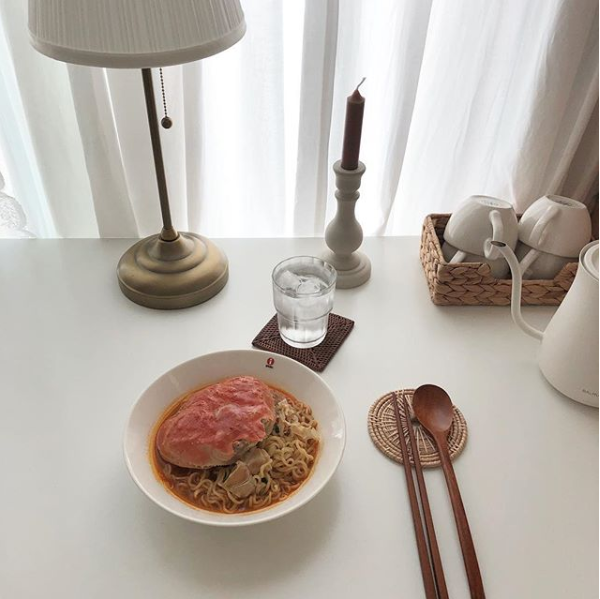 |
| json metadata | {"tags":["kr","korea","aesthetic","aeshetics","food"],"image":["https://cdn.steemitimages.com/DQmZrHHHnYtrCQ2WwQ5rpuATRfk6sYtiraPA6sBxxqb8YAf/Capture.PNG"],"app":"steemit/0.1","format":"markdown"} |
| parent author | |
| parent permlink | kr |
| permlink | aesthetic-kr |
| title | Aesthetic KR |
| Transaction Info | Block #25073308/Trx abae4ac28e2e6b200a389f46557eb71980fd2ba3 |
View Raw JSON Data
{
"block": 25073308,
"op": [
"comment",
{
"author": "mrnear",
"body": "",
"json_metadata": "{\"tags\":[\"kr\",\"korea\",\"aesthetic\",\"aeshetics\",\"food\"],\"image\":[\"https://cdn.steemitimages.com/DQmZrHHHnYtrCQ2WwQ5rpuATRfk6sYtiraPA6sBxxqb8YAf/Capture.PNG\"],\"app\":\"steemit/0.1\",\"format\":\"markdown\"}",
"parent_author": "",
"parent_permlink": "kr",
"permlink": "aesthetic-kr",
"title": "Aesthetic KR"
}
],
"op_in_trx": 0,
"timestamp": "2018-08-14T23:19:39",
"trx_id": "abae4ac28e2e6b200a389f46557eb71980fd2ba3",
"trx_in_block": 15,
"virtual_op": 0
}mrnearupdated their account properties2018/08/14 23:17:48
mrnearupdated their account properties
2018/08/14 23:17:48
| account | mrnear |
| json metadata | {"profile":{"profile_image":"https://cdn.steemitimages.com/DQmWyNmPYpU2CZ9rH5EebmwQxzCSTTsGtLMutdwxoEHXpkH/184060.jpg","about":"Lover of the Aesthetics"}} |
| memo key | STM5CGMDr12meV6QXJBb7QoYw5HwkpwccPm3UfHGKtQ5z9bbZsvNY |
| Transaction Info | Block #25073271/Trx 87a4c66fbc955712ce418239de85fab198e84f3f |
View Raw JSON Data
{
  "block": 25073271,
  "op": [
    "account_update",
    {
      "account": "mrnear",
      "json_metadata": "{\"profile\":{\"profile_image\":\"https://cdn.steemitimages.com/DQmWyNmPYpU2CZ9rH5EebmwQxzCSTTsGtLMutdwxoEHXpkH/184060.jpg\",\"about\":\"Lover of the Aesthetics\"}}",
      "memo_key": "STM5CGMDr12meV6QXJBb7QoYw5HwkpwccPm3UfHGKtQ5z9bbZsvNY"
    }
  ],
  "op_in_trx": 0,
  "timestamp": "2018-08-14T23:17:48",
  "trx_id": "87a4c66fbc955712ce418239de85fab198e84f3f",
  "trx_in_block": 23,
  "virtual_op": 0
}mrnearupdated their account properties2018/08/14 23:15:03
mrnearupdated their account properties
2018/08/14 23:15:03
| account | mrnear |
| json metadata | {"profile":{"profile_image":"https://cdn.steemitimages.com/DQmWyNmPYpU2CZ9rH5EebmwQxzCSTTsGtLMutdwxoEHXpkH/184060.jpg"}} |
| memo key | STM5CGMDr12meV6QXJBb7QoYw5HwkpwccPm3UfHGKtQ5z9bbZsvNY |
| Transaction Info | Block #25073216/Trx 04649c121d9eb420d1705ce12ea98d18ad5ccf83 |
View Raw JSON Data
{
  "block": 25073216,
  "op": [
    "account_update",
    {
      "account": "mrnear",
      "json_metadata": "{\"profile\":{\"profile_image\":\"https://cdn.steemitimages.com/DQmWyNmPYpU2CZ9rH5EebmwQxzCSTTsGtLMutdwxoEHXpkH/184060.jpg\"}}",
      "memo_key": "STM5CGMDr12meV6QXJBb7QoYw5HwkpwccPm3UfHGKtQ5z9bbZsvNY"
    }
  ],
  "op_in_trx": 0,
  "timestamp": "2018-08-14T23:15:03",
  "trx_id": "04649c121d9eb420d1705ce12ea98d18ad5ccf83",
  "trx_in_block": 20,
  "virtual_op": 0
}mrnearupvoted (100.00%) @mrnear / reminder-not-to-gamble-hodl-your-crypto-lost-a-lot-today2018/08/14 23:14:24
mrnearupvoted (100.00%) @mrnear / reminder-not-to-gamble-hodl-your-crypto-lost-a-lot-today
2018/08/14 23:14:24
| author | mrnear |
| permlink | reminder-not-to-gamble-hodl-your-crypto-lost-a-lot-today |
| voter | mrnear |
| weight | 10000 (100.00%) |
| Transaction Info | Block #25073203/Trx 80193c025449c3f10a98bc45553bcee6f16f02a1 |
View Raw JSON Data
{
  "block": 25073203,
  "op": [
    "vote",
    {
      "author": "mrnear",
      "permlink": "reminder-not-to-gamble-hodl-your-crypto-lost-a-lot-today",
      "voter": "mrnear",
      "weight": 10000
    }
  ],
  "op_in_trx": 0,
  "timestamp": "2018-08-14T23:14:24",
  "trx_id": "80193c025449c3f10a98bc45553bcee6f16f02a1",
  "trx_in_block": 13,
  "virtual_op": 0
}fastresteemupvoted (1.00%) @mrnear / reminder-not-to-gamble-hodl-your-crypto-lost-a-lot-today2018/08/14 23:13:45
fastresteemupvoted (1.00%) @mrnear / reminder-not-to-gamble-hodl-your-crypto-lost-a-lot-today
2018/08/14 23:13:45
| author | mrnear |
| permlink | reminder-not-to-gamble-hodl-your-crypto-lost-a-lot-today |
| voter | fastresteem |
| weight | 100 (1.00%) |
| Transaction Info | Block #25073190/Trx dbfb655cfe30f91e40dff2a5972f92941cdbe112 |
View Raw JSON Data
{
  "block": 25073190,
  "op": [
    "vote",
    {
      "author": "mrnear",
      "permlink": "reminder-not-to-gamble-hodl-your-crypto-lost-a-lot-today",
      "voter": "fastresteem",
      "weight": 100
    }
  ],
  "op_in_trx": 0,
  "timestamp": "2018-08-14T23:13:45",
  "trx_id": "dbfb655cfe30f91e40dff2a5972f92941cdbe112",
  "trx_in_block": 29,
  "virtual_op": 0
}mrnearpublished a new post: reminder-not-to-gamble-hodl-your-crypto-lost-a-lot-today2018/08/14 23:13:36
mrnearpublished a new post: reminder-not-to-gamble-hodl-your-crypto-lost-a-lot-today
2018/08/14 23:13:36
| author | mrnear |
| body | Just lost over $1,000 in crypto From now on ill no longer gamble it would be appreciated if you upvote obaku |
| json metadata | {"tags":["obaku","crypto","gambling","betting"],"app":"steemit/0.1","format":"markdown"} |
| parent author | |
| parent permlink | obaku |
| permlink | reminder-not-to-gamble-hodl-your-crypto-lost-a-lot-today |
| title | Reminder not to gamble, HODL YOUR CRYPTO (Lost a lot today) |
| Transaction Info | Block #25073187/Trx 205a2f18ae79cede784519dbc931023147c0f220 |
View Raw JSON Data
{
  "block": 25073187,
  "op": [
    "comment",
    {
      "author": "mrnear",
      "body": "Just lost over $1,000 in crypto\nFrom now on ill no longer gamble\nit would be appreciated if you upvote\nobaku",
      "json_metadata": "{\"tags\":[\"obaku\",\"crypto\",\"gambling\",\"betting\"],\"app\":\"steemit/0.1\",\"format\":\"markdown\"}",
      "parent_author": "",
      "parent_permlink": "obaku",
      "permlink": "reminder-not-to-gamble-hodl-your-crypto-lost-a-lot-today",
      "title": "Reminder not to gamble, HODL YOUR CRYPTO (Lost a lot today)"
    }
  ],
  "op_in_trx": 0,
  "timestamp": "2018-08-14T23:13:36",
  "trx_id": "205a2f18ae79cede784519dbc931023147c0f220",
  "trx_in_block": 23,
  "virtual_op": 0
}2018/08/14 23:11:57
2018/08/14 23:11:57
| id | follow |
| json | ["follow",{"follower":"mrnear","following":"obaku","what":["blog"]}] |
| required auths | [] |
| required posting auths | ["mrnear"] |
| Transaction Info | Block #25073154/Trx 2e2de9aa1daf60d4ffa754ff23e84020a3db1d63 |
View Raw JSON Data
{
  "block": 25073154,
  "op": [
    "custom_json",
    {
      "id": "follow",
      "json": "[\"follow\",{\"follower\":\"mrnear\",\"following\":\"obaku\",\"what\":[\"blog\"]}]",
      "required_auths": [],
      "required_posting_auths": [
        "mrnear"
      ]
    }
  ],
  "op_in_trx": 0,
  "timestamp": "2018-08-14T23:11:57",
  "trx_id": "2e2de9aa1daf60d4ffa754ff23e84020a3db1d63",
  "trx_in_block": 5,
  "virtual_op": 0
}dogfactreplied to @mrnear / 20180814t180006261z2018/08/14 18:00:09
dogfactreplied to @mrnear / 20180814t180006261z
2018/08/14 18:00:09
| author | dogfact |
| body | There are almost 5 million dog bites per year; children are the main victims. Dog bites cause losses of over $1 billion a year. |
| json metadata | {"tags":["dog"]} |
| parent author | mrnear |
| parent permlink | breakfast-with-a-dog |
| permlink | 20180814t180006261z |
| title | |
| Transaction Info | Block #25066920/Trx 50e77a6e0254e512bf67aafbce04dbb6cfec4a26 |
View Raw JSON Data
{
  "block": 25066920,
  "op": [
    "comment",
    {
      "author": "dogfact",
      "body": "There are almost 5 million dog bites per year; children are the main victims. Dog bites cause losses of over $1 billion a year.",
      "json_metadata": "{\"tags\":[\"dog\"]}",
      "parent_author": "mrnear",
      "parent_permlink": "breakfast-with-a-dog",
      "permlink": "20180814t180006261z",
      "title": ""
    }
  ],
  "op_in_trx": 0,
  "timestamp": "2018-08-14T18:00:09",
  "trx_id": "50e77a6e0254e512bf67aafbce04dbb6cfec4a26",
  "trx_in_block": 0,
  "virtual_op": 0
}mrnearupvoted (100.00%) @mrnear / breakfast-with-a-dog2018/08/14 17:42:57
mrnearupvoted (100.00%) @mrnear / breakfast-with-a-dog
2018/08/14 17:42:57
| author | mrnear |
| permlink | breakfast-with-a-dog |
| voter | mrnear |
| weight | 10000 (100.00%) |
| Transaction Info | Block #25066576/Trx 21505af55644ce9fa0cc13d36500b2449fb4cbbf |
View Raw JSON Data
{
  "block": 25066576,
  "op": [
    "vote",
    {
      "author": "mrnear",
      "permlink": "breakfast-with-a-dog",
      "voter": "mrnear",
      "weight": 10000
    }
  ],
  "op_in_trx": 0,
  "timestamp": "2018-08-14T17:42:57",
  "trx_id": "21505af55644ce9fa0cc13d36500b2449fb4cbbf",
  "trx_in_block": 24,
  "virtual_op": 0
}mrnearpublished a new post: breakfast-with-a-dog2018/08/14 17:42:30
mrnearpublished a new post: breakfast-with-a-dog
2018/08/14 17:42:30
| author | mrnear |
| body |  |
| json metadata | {"tags":["dog","breakfast","coffee","crossaint"],"image":["https://cdn.steemitimages.com/DQmQGX3JJzzyV1x5SqZ6dMmeMsMziCv7jS7aFbVKxcSwup3/3D05E01E-9A6E-4474-9DCF-B644C60F212C.jpeg"],"app":"steemit/0.1","format":"markdown"} |
| parent author | |
| parent permlink | dog |
| permlink | breakfast-with-a-dog |
| title | Breakfast with a dog |
| Transaction Info | Block #25066567/Trx 5ea8ec3778052fbe86b3cfb8d16d8f375fd7f629 |
View Raw JSON Data
{
"block": 25066567,
"op": [
"comment",
{
"author": "mrnear",
"body": "",
"json_metadata": "{\"tags\":[\"dog\",\"breakfast\",\"coffee\",\"crossaint\"],\"image\":[\"https://cdn.steemitimages.com/DQmQGX3JJzzyV1x5SqZ6dMmeMsMziCv7jS7aFbVKxcSwup3/3D05E01E-9A6E-4474-9DCF-B644C60F212C.jpeg\"],\"app\":\"steemit/0.1\",\"format\":\"markdown\"}",
"parent_author": "",
"parent_permlink": "dog",
"permlink": "breakfast-with-a-dog",
"title": "Breakfast with a dog"
}
],
"op_in_trx": 0,
"timestamp": "2018-08-14T17:42:30",
"trx_id": "5ea8ec3778052fbe86b3cfb8d16d8f375fd7f629",
"trx_in_block": 3,
"virtual_op": 0
}2018/08/14 17:11:36
2018/08/14 17:11:36
| delegatee | mrnear |
| delegator | steem |
| vesting shares | 30176.326563 VESTS |
| Transaction Info | Block #25065949/Trx c3fac2397a884c0e39ddd082129e1e17c9142c2e |
View Raw JSON Data
{
  "block": 25065949,
  "op": [
    "delegate_vesting_shares",
    {
      "delegatee": "mrnear",
      "delegator": "steem",
      "vesting_shares": "30176.326563 VESTS"
    }
  ],
  "op_in_trx": 0,
  "timestamp": "2018-08-14T17:11:36",
  "trx_id": "c3fac2397a884c0e39ddd082129e1e17c9142c2e",
  "trx_in_block": 28,
  "virtual_op": 0
}2018/08/14 16:58:27
2018/08/14 16:58:27
| id | follow |
| json | ["follow",{"follower":"mrnear","following":"avilsd","what":["blog"]}] |
| required auths | [] |
| required posting auths | ["mrnear"] |
| Transaction Info | Block #25065686/Trx 5c7f46410d9d613a0272440b56c66443fe37e6fa |
View Raw JSON Data
{
  "block": 25065686,
  "op": [
    "custom_json",
    {
      "id": "follow",
      "json": "[\"follow\",{\"follower\":\"mrnear\",\"following\":\"avilsd\",\"what\":[\"blog\"]}]",
      "required_auths": [],
      "required_posting_auths": [
        "mrnear"
      ]
    }
  ],
  "op_in_trx": 0,
  "timestamp": "2018-08-14T16:58:27",
  "trx_id": "5c7f46410d9d613a0272440b56c66443fe37e6fa",
  "trx_in_block": 3,
  "virtual_op": 0
}luisrodriupvoted (100.00%) @mrnear / korea-aesthetic-blog-new-to-steem2018/08/14 16:57:42
luisrodriupvoted (100.00%) @mrnear / korea-aesthetic-blog-new-to-steem
2018/08/14 16:57:42
| author | mrnear |
| permlink | korea-aesthetic-blog-new-to-steem |
| voter | luisrodri |
| weight | 10000 (100.00%) |
| Transaction Info | Block #25065671/Trx e5756d70c0e189190466dd0f484ef547e3c1c291 |
View Raw JSON Data
{
  "block": 25065671,
  "op": [
    "vote",
    {
      "author": "mrnear",
      "permlink": "korea-aesthetic-blog-new-to-steem",
      "voter": "luisrodri",
      "weight": 10000
    }
  ],
  "op_in_trx": 0,
  "timestamp": "2018-08-14T16:57:42",
  "trx_id": "e5756d70c0e189190466dd0f484ef547e3c1c291",
  "trx_in_block": 28,
  "virtual_op": 0
}mrnearupvoted (100.00%) @mrnear / korea-aesthetic-blog-new-to-steem2018/08/14 16:57:33
mrnearupvoted (100.00%) @mrnear / korea-aesthetic-blog-new-to-steem
2018/08/14 16:57:33
| author | mrnear |
| permlink | korea-aesthetic-blog-new-to-steem |
| voter | mrnear |
| weight | 10000 (100.00%) |
| Transaction Info | Block #25065668/Trx 240321a13ebe1212962cb79d953d3f2bc6a9184a |
View Raw JSON Data
{
  "block": 25065668,
  "op": [
    "vote",
    {
      "author": "mrnear",
      "permlink": "korea-aesthetic-blog-new-to-steem",
      "voter": "mrnear",
      "weight": 10000
    }
  ],
  "op_in_trx": 0,
  "timestamp": "2018-08-14T16:57:33",
  "trx_id": "240321a13ebe1212962cb79d953d3f2bc6a9184a",
  "trx_in_block": 3,
  "virtual_op": 0
}mrnearpublished a new post: korea-aesthetic-blog-new-to-steem2018/08/14 16:57:06
mrnearpublished a new post: korea-aesthetic-blog-new-to-steem
2018/08/14 16:57:06
| author | mrnear |
| body | Hey guys I’m new to steem, please tell me anything I have to keep in mind when posting or reposting. Thanks 😄 Also I’ll be doing an aesthetic blog, so stay tuned 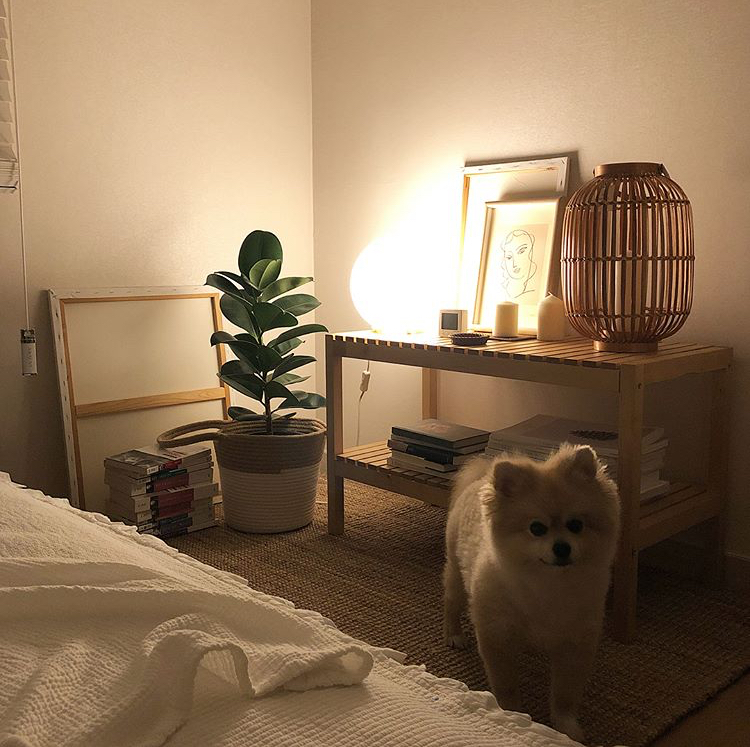 |
| json metadata | {"tags":["new","newtosteem"],"image":["https://cdn.steemitimages.com/DQmbVtFLbu6V5ywyVtt1HqUZErRKfpmVSV9tLbHEQkXBeLp/0FB847CF-8773-42E6-BFD7-03FF52D9D692.jpeg"],"app":"steemit/0.1","format":"markdown"} |
| parent author | |
| parent permlink | new |
| permlink | korea-aesthetic-blog-new-to-steem |
| title | Korea Aesthetic Blog (New to Steem!) |
| Transaction Info | Block #25065659/Trx 3f7731c18d2d3a59c8e0084dced04e83305633b1 |
View Raw JSON Data
{
"block": 25065659,
"op": [
"comment",
{
"author": "mrnear",
"body": "Hey guys I’m new to steem, please tell me anything I have to keep in mind when posting or reposting. Thanks 😄\n\nAlso I’ll be doing an aesthetic blog, so stay tuned\n\n",
"json_metadata": "{\"tags\":[\"new\",\"newtosteem\"],\"image\":[\"https://cdn.steemitimages.com/DQmbVtFLbu6V5ywyVtt1HqUZErRKfpmVSV9tLbHEQkXBeLp/0FB847CF-8773-42E6-BFD7-03FF52D9D692.jpeg\"],\"app\":\"steemit/0.1\",\"format\":\"markdown\"}",
"parent_author": "",
"parent_permlink": "new",
"permlink": "korea-aesthetic-blog-new-to-steem",
"title": "Korea Aesthetic Blog (New to Steem!)"
}
],
"op_in_trx": 0,
"timestamp": "2018-08-14T16:57:06",
"trx_id": "3f7731c18d2d3a59c8e0084dced04e83305633b1",
"trx_in_block": 19,
"virtual_op": 0
}mrnearupdated their account properties2018/08/14 16:54:48
mrnearupdated their account properties
2018/08/14 16:54:48
| account | mrnear |
| json metadata | {"profile":{"profile_image":"https://cdn.steemitimages.com/DQmNpczMu7fstdsbGJtJwbGGDvxdhZnz87fefycDQJP6ukY/363670D4-4548-44A6-A3A4-E2638AD9999B.jpeg"}} |
| memo key | STM5CGMDr12meV6QXJBb7QoYw5HwkpwccPm3UfHGKtQ5z9bbZsvNY |
| Transaction Info | Block #25065613/Trx ec100c9e9398df9fae35ab2d815e6d2ec6b82936 |
View Raw JSON Data
{
  "block": 25065613,
  "op": [
    "account_update",
    {
      "account": "mrnear",
      "json_metadata": "{\"profile\":{\"profile_image\":\"https://cdn.steemitimages.com/DQmNpczMu7fstdsbGJtJwbGGDvxdhZnz87fefycDQJP6ukY/363670D4-4548-44A6-A3A4-E2638AD9999B.jpeg\"}}",
      "memo_key": "STM5CGMDr12meV6QXJBb7QoYw5HwkpwccPm3UfHGKtQ5z9bbZsvNY"
    }
  ],
  "op_in_trx": 0,
  "timestamp": "2018-08-14T16:54:48",
  "trx_id": "ec100c9e9398df9fae35ab2d815e6d2ec6b82936",
  "trx_in_block": 29,
  "virtual_op": 0
}2018/08/14 16:50:21
2018/08/14 16:50:21
| active | {"account_auths":[],"key_auths":[["STM6SuZYfsknRhdcxhLPMuvUE9DJhBRmYB3FrMeHrs9GLn4icTUzL",1]],"weight_threshold":1} |
| creator | steem |
| delegation | 30690.000000 VESTS |
| extensions | [] |
| fee | 0.100 STEEM |
| json metadata | {} |
| memo key | STM5CGMDr12meV6QXJBb7QoYw5HwkpwccPm3UfHGKtQ5z9bbZsvNY |
| new account name | mrnear |
| owner | {"account_auths":[],"key_auths":[["STM7w78n28ErTySzjviura7C9wx9QHhX4uEEX2uDuFy9sxboKPhkB",1]],"weight_threshold":1} |
| posting | {"account_auths":[],"key_auths":[["STM73eP46YqnnmLrowq6EwNtHQNTdT6x6Ujn8F9vHBnPJ4KAr21zo",1]],"weight_threshold":1} |
| Transaction Info | Block #25065524/Trx bd696cf93d30f73ad8f8348cdc4c51be0edd0bd7 |
View Raw JSON Data
{
  "block": 25065524,
  "op": [
    "account_create_with_delegation",
    {
      "active": {
        "account_auths": [],
        "key_auths": [
          [
            "STM6SuZYfsknRhdcxhLPMuvUE9DJhBRmYB3FrMeHrs9GLn4icTUzL",
            1
          ]
        ],
        "weight_threshold": 1
      },
      "creator": "steem",
      "delegation": "30690.000000 VESTS",
      "extensions": [],
      "fee": "0.100 STEEM",
      "json_metadata": "{}",
      "memo_key": "STM5CGMDr12meV6QXJBb7QoYw5HwkpwccPm3UfHGKtQ5z9bbZsvNY",
      "new_account_name": "mrnear",
      "owner": {
        "account_auths": [],
        "key_auths": [
          [
            "STM7w78n28ErTySzjviura7C9wx9QHhX4uEEX2uDuFy9sxboKPhkB",
            1
          ]
        ],
        "weight_threshold": 1
      },
      "posting": {
        "account_auths": [],
        "key_auths": [
          [
            "STM73eP46YqnnmLrowq6EwNtHQNTdT6x6Ujn8F9vHBnPJ4KAr21zo",
            1
          ]
        ],
        "weight_threshold": 1
      }
    }
  ],
  "op_in_trx": 0,
  "timestamp": "2018-08-14T16:50:21",
  "trx_id": "bd696cf93d30f73ad8f8348cdc4c51be0edd0bd7",
  "trx_in_block": 28,
  "virtual_op": 0
}Manabar
Voting Power100.00%
Downvote Power100.00%
Resource Credits100.00%
Reputation Progress0.00%
{
  "voting_manabar": {
    "current_mana": "8143659806",
    "last_update_time": 1779077127
  },
  "downvote_manabar": {
    "current_mana": 2035914951,
    "last_update_time": 1779077127
  },
  "rc_account": {
    "account": "mrnear",
    "max_rc": "10164408779",
    "max_rc_creation_adjustment": {
      "amount": "2020748973",
      "nai": "@@000000037",
      "precision": 6
    },
    "rc_manabar": {
      "current_mana": "10164408779",
      "last_update_time": 1779077127
    }
  }
}
Account Metadata
| POSTING JSON METADATA | |
| profile | {"profile_image":"https://cdn.steemitimages.com/DQmWyNmPYpU2CZ9rH5EebmwQxzCSTTsGtLMutdwxoEHXpkH/184060.jpg","about":"Lover of the Aesthetics"} |
| JSON METADATA | |
| profile | {"profile_image":"https://cdn.steemitimages.com/DQmWyNmPYpU2CZ9rH5EebmwQxzCSTTsGtLMutdwxoEHXpkH/184060.jpg","about":"Lover of the Aesthetics"} |
{
  "posting_json_metadata": {
    "profile": {
      "profile_image": "https://cdn.steemitimages.com/DQmWyNmPYpU2CZ9rH5EebmwQxzCSTTsGtLMutdwxoEHXpkH/184060.jpg",
      "about": "Lover of the Aesthetics"
    }
  },
  "json_metadata": {
    "profile": {
      "profile_image": "https://cdn.steemitimages.com/DQmWyNmPYpU2CZ9rH5EebmwQxzCSTTsGtLMutdwxoEHXpkH/184060.jpg",
      "about": "Lover of the Aesthetics"
    }
  }
}
Auth Keys
Owner
Single Signature
Public Keys
STM7w78n28ErTySzjviura7C9wx9QHhX4uEEX2uDuFy9sxboKPhkB1/1
Active
Single Signature
Public Keys
STM6SuZYfsknRhdcxhLPMuvUE9DJhBRmYB3FrMeHrs9GLn4icTUzL1/1
Posting
Single Signature
Public Keys
STM73eP46YqnnmLrowq6EwNtHQNTdT6x6Ujn8F9vHBnPJ4KAr21zo1/1
Memo
STM5CGMDr12meV6QXJBb7QoYw5HwkpwccPm3UfHGKtQ5z9bbZsvNY
{
  "owner": {
    "account_auths": [],
    "key_auths": [
      [
        "STM7w78n28ErTySzjviura7C9wx9QHhX4uEEX2uDuFy9sxboKPhkB",
        1
      ]
    ],
    "weight_threshold": 1
  },
  "active": {
    "account_auths": [],
    "key_auths": [
      [
        "STM6SuZYfsknRhdcxhLPMuvUE9DJhBRmYB3FrMeHrs9GLn4icTUzL",
        1
      ]
    ],
    "weight_threshold": 1
  },
  "posting": {
    "account_auths": [],
    "key_auths": [
      [
        "STM73eP46YqnnmLrowq6EwNtHQNTdT6x6Ujn8F9vHBnPJ4KAr21zo",
        1
      ]
    ],
    "weight_threshold": 1
  },
  "memo": "STM5CGMDr12meV6QXJBb7QoYw5HwkpwccPm3UfHGKtQ5z9bbZsvNY"
}
Witness Votes
0 / 30
No active witness votes.
[]