

VOTING POWER100.00%
DOWNVOTE POWER100.00%
RESOURCE CREDITS100.00%
REPUTATION PROGRESS3.82%
Net Worth
0.677USD
STEEM
0.005STEEM
SBD
1.242SBD
Effective Power
5.001SP
├── Own SP
1.182SP
└── Incoming DelegationsDeleg
+3.819SP
Detailed Balance
| STEEM | ||
| balance | 0.005STEEM | STEEM |
| market_balance | 0.000STEEM | STEEM |
| savings_balance | 0.000STEEM | STEEM |
| reward_steem_balance | 0.000STEEM | STEEM |
| STEEM POWER | ||
| Own SP | 1.182SP | SP |
| Delegated Out | 0.000SP | SP |
| Delegation In | 3.819SP | SP |
| Effective Power | 5.001SP | SP |
| Reward SP (pending) | 0.000SP | SP |
| SBD | ||
| sbd_balance | 1.242SBD | SBD |
| sbd_conversions | 0.000SBD | SBD |
| sbd_market_balance | 0.000SBD | SBD |
| savings_sbd_balance | 0.000SBD | SBD |
| reward_sbd_balance | 0.000SBD | SBD |
{
  "balance": "0.005 STEEM",
  "savings_balance": "0.000 STEEM",
  "reward_steem_balance": "0.000 STEEM",
  "vesting_shares": "1924.295027 VESTS",
  "delegated_vesting_shares": "0.000000 VESTS",
  "received_vesting_shares": "6219.364779 VESTS",
  "sbd_balance": "1.242 SBD",
  "savings_sbd_balance": "0.000 SBD",
  "reward_sbd_balance": "0.000 SBD",
  "conversions": []
}
Account Info
| name | mdaminul |
| id | 932846 |
| rank | 407,394 |
| reputation | 16844989530 |
| created | 2018-04-11T04:38:21 |
| recovery_account | steem |
| proxy | None |
| post_count | 45 |
| comment_count | 0 |
| lifetime_vote_count | 0 |
| witnesses_voted_for | 1 |
| last_post | 2018-08-08T10:47:21 |
| last_root_post | 2018-08-08T10:47:21 |
| last_vote_time | 2018-05-20T08:54:45 |
| proxied_vsf_votes | 0, 0, 0, 0 |
| can_vote | 1 |
| voting_power | 0 |
| delayed_votes | 0 |
| balance | 0.005 STEEM |
| savings_balance | 0.000 STEEM |
| sbd_balance | 1.242 SBD |
| savings_sbd_balance | 0.000 SBD |
| vesting_shares | 1924.295027 VESTS |
| delegated_vesting_shares | 0.000000 VESTS |
| received_vesting_shares | 6219.364779 VESTS |
| reward_vesting_balance | 0.000000 VESTS |
| vesting_balance | 0.000 STEEM |
| vesting_withdraw_rate | 0.000000 VESTS |
| next_vesting_withdrawal | 1969-12-31T23:59:59 |
| withdrawn | 0 |
| to_withdraw | 0 |
| withdraw_routes | 0 |
| savings_withdraw_requests | 0 |
| last_account_recovery | 1970-01-01T00:00:00 |
| reset_account | null |
| last_owner_update | 1970-01-01T00:00:00 |
| last_account_update | 2018-05-13T01:15:51 |
| mined | No |
| sbd_seconds | 360,190,611 |
| sbd_last_interest_payment | 2018-05-23T11:58:03 |
| savings_sbd_last_interest_payment | 1970-01-01T00:00:00 |
{
  "id": 932846,
  "name": "mdaminul",
  "owner": {
    "weight_threshold": 1,
    "account_auths": [],
    "key_auths": [
      [
        "STM7ZVMjisP5uh4LqKvz3HFPxSPDwvWQtwKN9461bYRMXkqfnYk7F",
        1
      ]
    ]
  },
  "active": {
    "weight_threshold": 1,
    "account_auths": [],
    "key_auths": [
      [
        "STM7EkyS2qokhL9iugy8qMcf3USj8kKaTryrpfoE4XuY83MWby8Us",
        1
      ]
    ]
  },
  "posting": {
    "weight_threshold": 1,
    "account_auths": [
      [
        "busy.app",
        1
      ],
      [
        "steem-plus-app",
        1
      ],
      [
        "steem.app",
        1
      ],
      [
        "steemdunk",
        1
      ]
    ],
    "key_auths": [
      [
        "STM52KPf1RATCdZxZDiZKJifRUoQu5AEY6tt5saES94GsHyz3UrZm",
        1
      ]
    ]
  },
  "memo_key": "STM4vcLzso8iwr4eR9bVAp9iCr7dMWXx4zTC1L818su5xw3NXWuBV",
  "json_metadata": "{\"profile\":{\"cover_image\":\"http://www.the-blockchain.com/2016/10/07/steemit-rising-100000-users-half-million-monthly-uniques/\",\"profile_image\":\"https://img.esteem.ws/sxc43m20u1.jpg\",\"name\":\"Aminul Islam Bulbul\",\"location\":\"Dhamrai,Dhaka,Bangladesh\"}}",
  "posting_json_metadata": "{\"profile\":{\"cover_image\":\"http://www.the-blockchain.com/2016/10/07/steemit-rising-100000-users-half-million-monthly-uniques/\",\"profile_image\":\"https://img.esteem.ws/sxc43m20u1.jpg\",\"name\":\"Aminul Islam Bulbul\",\"location\":\"Dhamrai,Dhaka,Bangladesh\"}}",
  "proxy": "",
  "last_owner_update": "1970-01-01T00:00:00",
  "last_account_update": "2018-05-13T01:15:51",
  "created": "2018-04-11T04:38:21",
  "mined": false,
  "recovery_account": "steem",
  "last_account_recovery": "1970-01-01T00:00:00",
  "reset_account": "null",
  "comment_count": 0,
  "lifetime_vote_count": 0,
  "post_count": 45,
  "can_vote": true,
  "voting_manabar": {
    "current_mana": "8143659806",
    "last_update_time": 1779075387
  },
  "downvote_manabar": {
    "current_mana": 2035914951,
    "last_update_time": 1779075387
  },
  "voting_power": 0,
  "balance": "0.005 STEEM",
  "savings_balance": "0.000 STEEM",
  "sbd_balance": "1.242 SBD",
  "sbd_seconds": "360190611",
  "sbd_seconds_last_update": "2018-05-27T06:08:39",
  "sbd_last_interest_payment": "2018-05-23T11:58:03",
  "savings_sbd_balance": "0.000 SBD",
  "savings_sbd_seconds": "0",
  "savings_sbd_seconds_last_update": "1970-01-01T00:00:00",
  "savings_sbd_last_interest_payment": "1970-01-01T00:00:00",
  "savings_withdraw_requests": 0,
  "reward_sbd_balance": "0.000 SBD",
  "reward_steem_balance": "0.000 STEEM",
  "reward_vesting_balance": "0.000000 VESTS",
  "reward_vesting_steem": "0.000 STEEM",
  "vesting_shares": "1924.295027 VESTS",
  "delegated_vesting_shares": "0.000000 VESTS",
  "received_vesting_shares": "6219.364779 VESTS",
  "vesting_withdraw_rate": "0.000000 VESTS",
  "next_vesting_withdrawal": "1969-12-31T23:59:59",
  "withdrawn": 0,
  "to_withdraw": 0,
  "withdraw_routes": 0,
  "curation_rewards": 2,
  "posting_rewards": 1454,
  "proxied_vsf_votes": [
    0,
    0,
    0,
    0
  ],
  "witnesses_voted_for": 1,
  "last_post": "2018-08-08T10:47:21",
  "last_root_post": "2018-08-08T10:47:21",
  "last_vote_time": "2018-05-20T08:54:45",
  "post_bandwidth": 0,
  "pending_claimed_accounts": 0,
  "vesting_balance": "0.000 STEEM",
  "reputation": "16844989530",
  "transfer_history": [],
  "market_history": [],
  "post_history": [],
  "vote_history": [],
  "other_history": [],
  "witness_votes": [
    "stoodkev"
  ],
  "tags_usage": [],
  "guest_bloggers": [],
  "rank": 407394
}
Withdraw Routes
| Incoming | Outgoing |
|---|---|
Empty | Empty |
{
  "incoming": [],
  "outgoing": []
}From Date
To Date
2026/05/18 03:36:27
2026/05/18 03:36:27
| delegator | steem |
| delegatee | mdaminul |
| vesting shares | 6219.364779 VESTS |
| Transaction Info | Block #106147453/Trx 80457649c333ad83412e121237a71e05f9bb895b |
View Raw JSON Data
{
  "trx_id": "80457649c333ad83412e121237a71e05f9bb895b",
  "block": 106147453,
  "trx_in_block": 6,
  "op_in_trx": 0,
  "virtual_op": 0,
  "timestamp": "2026-05-18T03:36:27",
  "op": [
    "delegate_vesting_shares",
    {
      "delegator": "steem",
      "delegatee": "mdaminul",
      "vesting_shares": "6219.364779 VESTS"
    }
  ]
}2026/05/12 17:25:45
2026/05/12 17:25:45
| delegator | steem |
| delegatee | mdaminul |
| vesting shares | 3507.154374 VESTS |
| Transaction Info | Block #105991983/Trx 345b7f9a74575f08d4ce1649ab65d2d19e4b3125 |
View Raw JSON Data
{
  "trx_id": "345b7f9a74575f08d4ce1649ab65d2d19e4b3125",
  "block": 105991983,
  "trx_in_block": 0,
  "op_in_trx": 0,
  "virtual_op": 0,
  "timestamp": "2026-05-12T17:25:45",
  "op": [
    "delegate_vesting_shares",
    {
      "delegator": "steem",
      "delegatee": "mdaminul",
      "vesting_shares": "3507.154374 VESTS"
    }
  ]
}2026/04/26 02:52:06
2026/04/26 02:52:06
| delegator | steem |
| delegatee | mdaminul |
| vesting shares | 6231.880535 VESTS |
| Transaction Info | Block #105515010/Trx efd6aeebdbcfeac13d65ff1fe90e2b7e730df8e1 |
View Raw JSON Data
{
  "trx_id": "efd6aeebdbcfeac13d65ff1fe90e2b7e730df8e1",
  "block": 105515010,
  "trx_in_block": 0,
  "op_in_trx": 0,
  "virtual_op": 0,
  "timestamp": "2026-04-26T02:52:06",
  "op": [
    "delegate_vesting_shares",
    {
      "delegator": "steem",
      "delegatee": "mdaminul",
      "vesting_shares": "6231.880535 VESTS"
    }
  ]
}2026/01/23 16:47:39
2026/01/23 16:47:39
| delegator | steem |
| delegatee | mdaminul |
| vesting shares | 3548.701193 VESTS |
| Transaction Info | Block #102862586/Trx adffd31974d99b45940b193b90ecf86cf1d9d99e |
View Raw JSON Data
{
  "trx_id": "adffd31974d99b45940b193b90ecf86cf1d9d99e",
  "block": 102862586,
  "trx_in_block": 0,
  "op_in_trx": 0,
  "virtual_op": 0,
  "timestamp": "2026-01-23T16:47:39",
  "op": [
    "delegate_vesting_shares",
    {
      "delegator": "steem",
      "delegatee": "mdaminul",
      "vesting_shares": "3548.701193 VESTS"
    }
  ]
}2024/12/17 12:00:42
2024/12/17 12:00:42
| delegator | steem |
| delegatee | mdaminul |
| vesting shares | 3712.920390 VESTS |
| Transaction Info | Block #91308861/Trx bc0d4c260cda14fe6481949b0b9f76267edcdd5a |
View Raw JSON Data
{
  "trx_id": "bc0d4c260cda14fe6481949b0b9f76267edcdd5a",
  "block": 91308861,
  "trx_in_block": 2,
  "op_in_trx": 0,
  "virtual_op": 0,
  "timestamp": "2024-12-17T12:00:42",
  "op": [
    "delegate_vesting_shares",
    {
      "delegator": "steem",
      "delegatee": "mdaminul",
      "vesting_shares": "3712.920390 VESTS"
    }
  ]
}2023/11/14 03:42:48
2023/11/14 03:42:48
| delegator | steem |
| delegatee | mdaminul |
| vesting shares | 3882.053922 VESTS |
| Transaction Info | Block #79863039/Trx 87a10cd299b1c7f15af34058c7d8397cc1422dee |
View Raw JSON Data
{
  "trx_id": "87a10cd299b1c7f15af34058c7d8397cc1422dee",
  "block": 79863039,
  "trx_in_block": 3,
  "op_in_trx": 0,
  "virtual_op": 0,
  "timestamp": "2023-11-14T03:42:48",
  "op": [
    "delegate_vesting_shares",
    {
      "delegator": "steem",
      "delegatee": "mdaminul",
      "vesting_shares": "3882.053922 VESTS"
    }
  ]
}2023/09/22 01:46:12
2023/09/22 01:46:12
| delegator | steem |
| delegatee | mdaminul |
| vesting shares | 6819.332708 VESTS |
| Transaction Info | Block #78352546/Trx 51ebdd9fbecd286ed03a1ec07415e2f6d61efd44 |
View Raw JSON Data
{
  "trx_id": "51ebdd9fbecd286ed03a1ec07415e2f6d61efd44",
  "block": 78352546,
  "trx_in_block": 4,
  "op_in_trx": 0,
  "virtual_op": 0,
  "timestamp": "2023-09-22T01:46:12",
  "op": [
    "delegate_vesting_shares",
    {
      "delegator": "steem",
      "delegatee": "mdaminul",
      "vesting_shares": "6819.332708 VESTS"
    }
  ]
}2022/11/03 15:05:03
2022/11/03 15:05:03
| delegator | steem |
| delegatee | mdaminul |
| vesting shares | 7041.014146 VESTS |
| Transaction Info | Block #69117297/Trx 6fe22982178e81d82d3f7527d1548907929621d4 |
View Raw JSON Data
{
  "trx_id": "6fe22982178e81d82d3f7527d1548907929621d4",
  "block": 69117297,
  "trx_in_block": 0,
  "op_in_trx": 0,
  "virtual_op": 0,
  "timestamp": "2022-11-03T15:05:03",
  "op": [
    "delegate_vesting_shares",
    {
      "delegator": "steem",
      "delegatee": "mdaminul",
      "vesting_shares": "7041.014146 VESTS"
    }
  ]
}2022/01/17 20:32:24
2022/01/17 20:32:24
| delegator | steem |
| delegatee | mdaminul |
| vesting shares | 7261.121747 VESTS |
| Transaction Info | Block #60820854/Trx e81201ababa2ee2283d931e6a223ce6ea61c11ea |
View Raw JSON Data
{
  "trx_id": "e81201ababa2ee2283d931e6a223ce6ea61c11ea",
  "block": 60820854,
  "trx_in_block": 25,
  "op_in_trx": 0,
  "virtual_op": 0,
  "timestamp": "2022-01-17T20:32:24",
  "op": [
    "delegate_vesting_shares",
    {
      "delegator": "steem",
      "delegatee": "mdaminul",
      "vesting_shares": "7261.121747 VESTS"
    }
  ]
}2021/06/14 03:50:27
2021/06/14 03:50:27
| delegator | steem |
| delegatee | mdaminul |
| vesting shares | 7445.316035 VESTS |
| Transaction Info | Block #54611334/Trx 8c38648ea2e46653cf7ce46562ea59cd5b3e0501 |
View Raw JSON Data
{
  "trx_id": "8c38648ea2e46653cf7ce46562ea59cd5b3e0501",
  "block": 54611334,
  "trx_in_block": 0,
  "op_in_trx": 0,
  "virtual_op": 0,
  "timestamp": "2021-06-14T03:50:27",
  "op": [
    "delegate_vesting_shares",
    {
      "delegator": "steem",
      "delegatee": "mdaminul",
      "vesting_shares": "7445.316035 VESTS"
    }
  ]
}2020/12/11 14:05:39
2020/12/11 14:05:39
| delegator | steem |
| delegatee | mdaminul |
| vesting shares | 7632.738009 VESTS |
| Transaction Info | Block #49358680/Trx fe6409d0be6cd0ef73c9d635e970da223f750dfc |
View Raw JSON Data
{
  "trx_id": "fe6409d0be6cd0ef73c9d635e970da223f750dfc",
  "block": 49358680,
  "trx_in_block": 1,
  "op_in_trx": 0,
  "virtual_op": 0,
  "timestamp": "2020-12-11T14:05:39",
  "op": [
    "delegate_vesting_shares",
    {
      "delegator": "steem",
      "delegatee": "mdaminul",
      "vesting_shares": "7632.738009 VESTS"
    }
  ]
}2020/12/06 07:41:39
2020/12/06 07:41:39
| delegator | steem |
| delegatee | mdaminul |
| vesting shares | 1912.543513 VESTS |
| Transaction Info | Block #49210215/Trx 51abc6e072e2fad334b53c329240545e11a30d98 |
View Raw JSON Data
{
  "trx_id": "51abc6e072e2fad334b53c329240545e11a30d98",
  "block": 49210215,
  "trx_in_block": 8,
  "op_in_trx": 0,
  "virtual_op": 0,
  "timestamp": "2020-12-06T07:41:39",
  "op": [
    "delegate_vesting_shares",
    {
      "delegator": "steem",
      "delegatee": "mdaminul",
      "vesting_shares": "1912.543513 VESTS"
    }
  ]
}2020/12/05 17:43:18
2020/12/05 17:43:18
| delegator | steem |
| delegatee | mdaminul |
| vesting shares | 7638.945863 VESTS |
| Transaction Info | Block #49193764/Trx 10ca061e1a28d1f3dc2a151b403b569bb36abc8a |
View Raw JSON Data
{
  "trx_id": "10ca061e1a28d1f3dc2a151b403b569bb36abc8a",
  "block": 49193764,
  "trx_in_block": 5,
  "op_in_trx": 0,
  "virtual_op": 0,
  "timestamp": "2020-12-05T17:43:18",
  "op": [
    "delegate_vesting_shares",
    {
      "delegator": "steem",
      "delegatee": "mdaminul",
      "vesting_shares": "7638.945863 VESTS"
    }
  ]
}2020/11/02 21:48:45
2020/11/02 21:48:45
| delegator | steem |
| delegatee | mdaminul |
| vesting shares | 1920.017158 VESTS |
| Transaction Info | Block #48265074/Trx a83437563d064fcca6134b8a4d074375522a2cdd |
View Raw JSON Data
{
  "trx_id": "a83437563d064fcca6134b8a4d074375522a2cdd",
  "block": 48265074,
  "trx_in_block": 6,
  "op_in_trx": 0,
  "virtual_op": 0,
  "timestamp": "2020-11-02T21:48:45",
  "op": [
    "delegate_vesting_shares",
    {
      "delegator": "steem",
      "delegatee": "mdaminul",
      "vesting_shares": "1920.017158 VESTS"
    }
  ]
}2020/05/09 08:42:21
2020/05/09 08:42:21
| delegator | steem |
| delegatee | mdaminul |
| vesting shares | 7841.751222 VESTS |
| Transaction Info | Block #43220509/Trx e4d136bb13bba1734617eb3b1984ec7055751c55 |
View Raw JSON Data
{
  "trx_id": "e4d136bb13bba1734617eb3b1984ec7055751c55",
  "block": 43220509,
  "trx_in_block": 2,
  "op_in_trx": 0,
  "virtual_op": 0,
  "timestamp": "2020-05-09T08:42:21",
  "op": [
    "delegate_vesting_shares",
    {
      "delegator": "steem",
      "delegatee": "mdaminul",
      "vesting_shares": "7841.751222 VESTS"
    }
  ]
}2020/05/08 12:45:36
2020/05/08 12:45:36
| delegator | steem |
| delegatee | mdaminul |
| vesting shares | 1953.311140 VESTS |
| Transaction Info | Block #43197139/Trx 946a68733a573ae4e352d2b4971bcafed6366a0a |
View Raw JSON Data
{
  "trx_id": "946a68733a573ae4e352d2b4971bcafed6366a0a",
  "block": 43197139,
  "trx_in_block": 2,
  "op_in_trx": 0,
  "virtual_op": 0,
  "timestamp": "2020-05-08T12:45:36",
  "op": [
    "delegate_vesting_shares",
    {
      "delegator": "steem",
      "delegatee": "mdaminul",
      "vesting_shares": "1953.311140 VESTS"
    }
  ]
}2019/11/01 08:39:15
2019/11/01 08:39:15
| delegator | steem |
| delegatee | mdaminul |
| vesting shares | 7948.150305 VESTS |
| Transaction Info | Block #37789166/Trx df31feb48bc52e42ad3195224828bb4ef776026c |
View Raw JSON Data
{
  "trx_id": "df31feb48bc52e42ad3195224828bb4ef776026c",
  "block": 37789166,
  "trx_in_block": 21,
  "op_in_trx": 0,
  "virtual_op": 0,
  "timestamp": "2019-11-01T08:39:15",
  "op": [
    "delegate_vesting_shares",
    {
      "delegator": "steem",
      "delegatee": "mdaminul",
      "vesting_shares": "7948.150305 VESTS"
    }
  ]
}2019/04/11 07:46:51
2019/04/11 07:46:51
| parent author | mdaminul |
| parent permlink | 29ueba-space-probe-what-and-how-does-it-work-how-does-billionaires-communicate-with-the-earth |
| author | steemitboard |
| permlink | steemitboard-notify-mdaminul-20190411t074651000z |
| title | |
| body | Congratulations @mdaminul! You received a personal award! <table><tr><td>https://steemitimages.com/70x70/http://steemitboard.com/@mdaminul/birthday1.png</td><td>Happy Birthday! - You are on the Steem blockchain for 1 year!</td></tr></table> <sub>_You can view [your badges on your Steem Board](https://steemitboard.com/@mdaminul) and compare to others on the [Steem Ranking](http://steemitboard.com/ranking/index.php?name=mdaminul)_</sub> ###### [Vote for @Steemitboard as a witness](https://v2.steemconnect.com/sign/account-witness-vote?witness=steemitboard&approve=1) to get one more award and increased upvotes! |
| json metadata | {"image":["https://steemitboard.com/img/notify.png"]} |
| Transaction Info | Block #31945852/Trx 7700ab91224d40fcfdd9191bda033117b427f5e3 |
View Raw JSON Data
{
  "trx_id": "7700ab91224d40fcfdd9191bda033117b427f5e3",
  "block": 31945852,
  "trx_in_block": 13,
  "op_in_trx": 0,
  "virtual_op": 0,
  "timestamp": "2019-04-11T07:46:51",
  "op": [
    "comment",
    {
      "parent_author": "mdaminul",
      "parent_permlink": "29ueba-space-probe-what-and-how-does-it-work-how-does-billionaires-communicate-with-the-earth",
      "author": "steemitboard",
      "permlink": "steemitboard-notify-mdaminul-20190411t074651000z",
      "title": "",
      "body": "Congratulations @mdaminul! You received a personal award!\n\n<table><tr><td>https://steemitimages.com/70x70/http://steemitboard.com/@mdaminul/birthday1.png</td><td>Happy Birthday! - You are on the Steem blockchain for 1 year!</td></tr></table>\n\n<sub>_You can view [your badges on your Steem Board](https://steemitboard.com/@mdaminul) and compare to others on the [Steem Ranking](http://steemitboard.com/ranking/index.php?name=mdaminul)_</sub>\n\n\n###### [Vote for @Steemitboard as a witness](https://v2.steemconnect.com/sign/account-witness-vote?witness=steemitboard&approve=1) to get one more award and increased upvotes!",
      "json_metadata": "{\"image\":[\"https://steemitboard.com/img/notify.png\"]}"
    }
  ]
}2018/11/26 18:33:21
2018/11/26 18:33:21
| delegator | steem |
| delegatee | mdaminul |
| vesting shares | 8145.625682 VESTS |
| Transaction Info | Block #28045208/Trx 52cb6b94551a013f9a6913edf84da18c43ec5a8b |
View Raw JSON Data
{
  "trx_id": "52cb6b94551a013f9a6913edf84da18c43ec5a8b",
  "block": 28045208,
  "trx_in_block": 16,
  "op_in_trx": 0,
  "virtual_op": 0,
  "timestamp": "2018-11-26T18:33:21",
  "op": [
    "delegate_vesting_shares",
    {
      "delegator": "steem",
      "delegatee": "mdaminul",
      "vesting_shares": "8145.625682 VESTS"
    }
  ]
}2018/10/08 17:36:03
2018/10/08 17:36:03
| delegator | steem |
| delegatee | mdaminul |
| vesting shares | 28365.749745 VESTS |
| Transaction Info | Block #26633845/Trx 395736269bf2375bb3eaa70d09190fa21a270f75 |
View Raw JSON Data
{
  "trx_id": "395736269bf2375bb3eaa70d09190fa21a270f75",
  "block": 26633845,
  "trx_in_block": 38,
  "op_in_trx": 0,
  "virtual_op": 0,
  "timestamp": "2018-10-08T17:36:03",
  "op": [
    "delegate_vesting_shares",
    {
      "delegator": "steem",
      "delegatee": "mdaminul",
      "vesting_shares": "28365.749745 VESTS"
    }
  ]
}steemdunkreplied to @mdaminul / steemdunk-reply-15337726413182018/08/08 23:57:21
steemdunkreplied to @mdaminul / steemdunk-reply-1533772641318
2018/08/08 23:57:21
| parent author | mdaminul |
| parent permlink | 29ueba-space-probe-what-and-how-does-it-work-how-does-billionaires-communicate-with-the-earth |
| author | steemdunk |
| permlink | steemdunk-reply-1533772641318 |
| title | steemdunk-reply-1533772641318 |
| body | <div class="pull-left"> <img src="https://steemitimages.com/DQmUPMtijhGPhMzWGPewaCwyGhAkpEmakB5vEEiUDEeEHw7/steemdunk-logo-100x.png"> </div> Hello, as a member of @steemdunk you have received a free courtesy boost! Steemdunk is an automated curation platform that is easy to use and built for the community. Join us at https://steemdunk.xyz Upvote this comment to support the bot and increase your future rewards! |
| json metadata | {} |
| Transaction Info | Block #24901317/Trx 1e25c401aa6ba15b0e10a35ffea3e3bb2b11dae1 |
View Raw JSON Data
{
  "trx_id": "1e25c401aa6ba15b0e10a35ffea3e3bb2b11dae1",
  "block": 24901317,
  "trx_in_block": 19,
  "op_in_trx": 0,
  "virtual_op": 0,
  "timestamp": "2018-08-08T23:57:21",
  "op": [
    "comment",
    {
      "parent_author": "mdaminul",
      "parent_permlink": "29ueba-space-probe-what-and-how-does-it-work-how-does-billionaires-communicate-with-the-earth",
      "author": "steemdunk",
      "permlink": "steemdunk-reply-1533772641318",
      "title": "steemdunk-reply-1533772641318",
      "body": "<div class=\"pull-left\">\n  <img src=\"https://steemitimages.com/DQmUPMtijhGPhMzWGPewaCwyGhAkpEmakB5vEEiUDEeEHw7/steemdunk-logo-100x.png\">\n</div>\n\nHello, as a member of @steemdunk you have received a free courtesy boost! Steemdunk is an automated curation platform that is easy to use and built for the community. Join us at https://steemdunk.xyz\n\nUpvote this comment to support the bot and increase your future rewards!\n",
      "json_metadata": "{}"
    }
  ]
}2018/08/08 23:57:18
2018/08/08 23:57:18
| voter | steemdunk |
| author | mdaminul |
| permlink | 29ueba-space-probe-what-and-how-does-it-work-how-does-billionaires-communicate-with-the-earth |
| weight | 2500 (25.00%) |
| Transaction Info | Block #24901316/Trx c48e556b19ac28aece12c62076ecb5884f57e1f1 |
View Raw JSON Data
{
  "trx_id": "c48e556b19ac28aece12c62076ecb5884f57e1f1",
  "block": 24901316,
  "trx_in_block": 12,
  "op_in_trx": 0,
  "virtual_op": 0,
  "timestamp": "2018-08-08T23:57:18",
  "op": [
    "vote",
    {
      "voter": "steemdunk",
      "author": "mdaminul",
      "permlink": "29ueba-space-probe-what-and-how-does-it-work-how-does-billionaires-communicate-with-the-earth",
      "weight": 2500
    }
  ]
}chnakreplied to @mdaminul / 20180808t113031627z2018/08/08 11:30:30
chnakreplied to @mdaminul / 20180808t113031627z
2018/08/08 11:30:30
| parent author | mdaminul |
| parent permlink | 29ueba-space-probe-what-and-how-does-it-work-how-does-billionaires-communicate-with-the-earth |
| author | chnak |
| permlink | 20180808t113031627z |
| title | |
| body | This game is very fun. https://reurl.cc/9EGMj |
| json metadata | {"tags":["hot"],"app":"foliko.com"} |
| Transaction Info | Block #24886399/Trx 6f9ca7826555c7e34ee1c5c36f648eb280c2e7bd |
View Raw JSON Data
{
  "trx_id": "6f9ca7826555c7e34ee1c5c36f648eb280c2e7bd",
  "block": 24886399,
  "trx_in_block": 18,
  "op_in_trx": 0,
  "virtual_op": 0,
  "timestamp": "2018-08-08T11:30:30",
  "op": [
    "comment",
    {
      "parent_author": "mdaminul",
      "parent_permlink": "29ueba-space-probe-what-and-how-does-it-work-how-does-billionaires-communicate-with-the-earth",
      "author": "chnak",
      "permlink": "20180808t113031627z",
      "title": "",
      "body": "This game is very fun. https://reurl.cc/9EGMj",
      "json_metadata": "{\"tags\":[\"hot\"],\"app\":\"foliko.com\"}"
    }
  ]
}2018/08/08 10:47:48
2018/08/08 10:47:48
| voter | fastresteem |
| author | mdaminul |
| permlink | 29ueba-space-probe-what-and-how-does-it-work-how-does-billionaires-communicate-with-the-earth |
| weight | 100 (1.00%) |
| Transaction Info | Block #24885548/Trx c8adb1c926daa804c9ece900692a48f0c9327116 |
View Raw JSON Data
{
  "trx_id": "c8adb1c926daa804c9ece900692a48f0c9327116",
  "block": 24885548,
  "trx_in_block": 24,
  "op_in_trx": 0,
  "virtual_op": 0,
  "timestamp": "2018-08-08T10:47:48",
  "op": [
    "vote",
    {
      "voter": "fastresteem",
      "author": "mdaminul",
      "permlink": "29ueba-space-probe-what-and-how-does-it-work-how-does-billionaires-communicate-with-the-earth",
      "weight": 100
    }
  ]
}2018/08/08 10:47:21
2018/08/08 10:47:21
| parent author | |
| parent permlink | technology |
| author | mdaminul |
| permlink | 29ueba-space-probe-what-and-how-does-it-work-how-does-billionaires-communicate-with-the-earth |
| title | Space probe: what and how does it work? How does billionaires communicate with the Earth? |
| body | [source](https://www.google.com/url?sa=i&rct=j&q=&esrc=s&source=images&cd=&cad=rja&uact=8&ved=2ahUKEwioq97u3c3cAhXLQY8KHVwRBYoQjRx6BAgBEAU&url=https%3A%2F%2Fwww.thetimes.co.uk%2Farticle%2Fshare-of-the-week-satellite-solutions-worldwide-xsj8tkh57&psig=AOvVaw0nnMvS41ZrYDVJ_KHWgbQG&ust=1533277477886657) ### If you are interested in NASA and its Space missions and keep a lot of information about the space, you may have heard the space probe name many times. NASA uses this space probe for almost every space mission. Without space probes, NASA is no longer possible to miss any space missions. But what is this space probe actually? Why is it launching in space? How does this space probe work? How do they communicate with NASA in the world? I will discuss these issues related to the space probe today. ### The pictures given here are only some space-related stock images of spacecraft. They typically do not reprint or mimic any space program or any spacecraft or any space probe. # What is space probe Simply put, space probe is a non-human spacecraft that is sent to space to research on specific issues. When we need to know something from space or our solar system, such as the need to capture the close image of the moon or any planet-satellite or any other comet, we need to collect information from the information collection and research, then we To send a space probe near. As we send, you or I do not send, send NASA or send another suitable institution. Space probes carry special high quality cameras and other instruments with them so that they can take photos and research if needed. Some space probes fly from targeted planet or satellite to zyacara photos and collect other information. However, most space probes enter the target of its target and rotate it around and gives us the necessary information to research about them. For example, its close-up picture, temperature, etc., which are generally not available in the world. There is no man in these space probes. These space probes work only to collect data and return these data to people in the world. # Space probe history The first probe sent to space was called Sputnik-1 which was launched on October 4, 1957. The Soviet Union launched the Sputnik-1. Then on January 31, 1958, United States launched another space probe, called Space Explorer, which was named Xplorer-1. Space probes launched earlier this year were not sent to research on any planet or satellite outside the Earth. Rather, these space probes were launched to monitor the Earth from outside the Earth. They were also launched for some kind of testing, to see if they were kept in spaces or whether there was any problem and they could work properly. After launching this space probe, the competition started unexpectedly going on between the United States and the Soviet Union. Then, when the space began to move to the probe space, the US and the Soviet Union sent the country's frequent space probes out of the world. The space probe named Mariner-2 revolves around Earth's satellites and other planets in the space of the first space. This Mariner-2 first studied with other planets. On December 14, 1962, it came near Venus and gave us different information about this planet. This probe ensures that the planet's temperature is much higher. However, this space probe did not capture any image of the planet. Then the Space probe named Mariner-4 was the first probe that took pictures of a planet and sent it to the people. On July 14, 1965, the probe went near Mars and sent pictures of this planet to humans. Looking at the pictures taken by this probe, it can be ensured that the atmosphere of the planet Mars is cold and like a lot of moon. Then the mariner-9 space probe entered the planet Mars orbiting the first planet. It was the first space probe to enter the planet's orbit and research the planet. # Space probe development The probes that have been sent in space in the first place have only circulated our neighboring planets within our solar system and have studied them. But with the development of technology, these space probes have become increasingly advanced and more functional and are still underway. Most space probes collect information about only the Earth and other surrounding planets. However, some space probes are launched with telescope and other such devices, so that they can be researched from our galaxy far too far and very far away from the constellation. Occasionally on TV we see many news about new planets or satellites in a galaxy far away. They are basically credit for such space probes. We know the names of such advanced technologies and space probes. For example, SpaceCraft, Orbiter, Lander, Rover etc. However, the most famous and the most high-powered space probe is the name of the Voyager-1. This is the only man-made spacecraft that has been able to travel so far in space, as did not find any other space. This space probe was launched in 1977 and already it has crossed Jupiter and Saturn. It is currently moving towards the end of our solar system. According to the February 1, 2010, this space probe is about 16.8 billion kilometers away from our planet. For more details on this space probe, please read our article below- → Billion kilometer journey journey! - Voices 1 [Objects sent by humans to the nearest distance!] # How do space probes communicate? First of all, we can not understand all the details of the space probes using what technology uses and communicate with the world and in what way the information is sent. Because, NASA does not publish all the details of all their technologies. But the main concept, which everyone knows, is that radioover technology is used for communication. But not at all. Some of the spaces that are doing research on the outer space in Orbital, some of those information are physically returned to the Earth. For example, about 382 kg of Lunar Samples were brought back to the world in Apollo missions for research. These types of information that are physically returned are one of the most valuable information among space programs. However, Nissan has thought of using lasers instead of radio waves for such communication. Using these high frequency lasers will make communication faster and easier with space probes. Communication is time consuming with those space probes currently located millions of kilometers away from Earth. For example, to communicate with Mars about the rover that was sent to communicate via radio, it can take several minutes or hours to send commands and receive response from SpaceCraft. As mentioned earlier, NASA does not communicate exactly with the spaces probe using any technology and publishes very detailed information about it, but it can be assumed from the general radio communication system that this is how it is possible. Of course, space probes are both radio transmitters and radio antennas, see detailed information about radio transmitters and antennas. Space probes must use certain radio frequencies, and as long as they have to send signals from millions or billion kilometers away, there must be many high energy radio waves. Digital data is encoded in radio waves, which is the radio receiver located in the world, to find those specific frequency channels. Similarly, the antenna, which is equipped with a space probe, will scan the signal in a specific frequency, the space probe is easily detectable and space probes are working. The same technology is used when using radio in space, like two points in our world, but since the distance is very large, so many high frequencies have to be used. But the signals on the radio communication system are somewhat lost or lost somewhere, then the signal is transmitted again. Although it takes a few milliseconds to re-transmit the radio at any point of the globe, but it can take up to several minutes to several hours in a million kilometer of space. However, instead of using the high frequency laser for communication instead of radio-wave, it can be reduced to a great extent. If this is really possible, then it will be a breakthrough imprint in space science. > So this was a small explanation about the space probe and its history. Here's the end of today Hope you enjoy the article today. If there are any questions or opinions, please tell in the comments section. |
| json metadata | {"tags":["technology","space","spacecraft","steemit"],"links":["https://www.google.com/url?sa=i&rct=j&q=&esrc=s&source=images&cd=&cad=rja&uact=8&ved=2ahUKEwioq97u3c3cAhXLQY8KHVwRBYoQjRx6BAgBEAU&url=https%3A%2F%2Fwww.thetimes.co.uk%2Farticle%2Fshare-of-the-week-satellite-solutions-worldwide-xsj8tkh57&psig=AOvVaw0nnMvS41ZrYDVJ_KHWgbQG&ust=1533277477886657"],"app":"steemit/0.1","format":"markdown"} |
| Transaction Info | Block #24885539/Trx 5556b1d72d67201ce61092c529a811c74cac04de |
View Raw JSON Data
{
  "trx_id": "5556b1d72d67201ce61092c529a811c74cac04de",
  "block": 24885539,
  "trx_in_block": 16,
  "op_in_trx": 0,
  "virtual_op": 0,
  "timestamp": "2018-08-08T10:47:21",
  "op": [
    "comment",
    {
      "parent_author": "",
      "parent_permlink": "technology",
      "author": "mdaminul",
      "permlink": "29ueba-space-probe-what-and-how-does-it-work-how-does-billionaires-communicate-with-the-earth",
      "title": "Space probe: what and how does it work? How does billionaires communicate with the Earth?",
      "body": "[source](https://www.google.com/url?sa=i&rct=j&q=&esrc=s&source=images&cd=&cad=rja&uact=8&ved=2ahUKEwioq97u3c3cAhXLQY8KHVwRBYoQjRx6BAgBEAU&url=https%3A%2F%2Fwww.thetimes.co.uk%2Farticle%2Fshare-of-the-week-satellite-solutions-worldwide-xsj8tkh57&psig=AOvVaw0nnMvS41ZrYDVJ_KHWgbQG&ust=1533277477886657)\n\n### If you are interested in NASA and its Space missions and keep a lot of information about the space, you may have heard the space probe name many times. NASA uses this space probe for almost every space mission. Without space probes, NASA is no longer possible to miss any space missions. But what is this space probe actually? Why is it launching in space? How does this space probe work? How do they communicate with NASA in the world? I will discuss these issues related to the space probe today.\n\n### The pictures given here are only some space-related stock images of spacecraft. They typically do not reprint or mimic any space program or any spacecraft or any space probe.\n\n# What is space probe\nSimply put, space probe is a non-human spacecraft that is sent to space to research on specific issues. When we need to know something from space or our solar system, such as the need to capture the close image of the moon or any planet-satellite or any other comet, we need to collect information from the information collection and research, then we To send a space probe near. As we send, you or I do not send, send NASA or send another suitable institution. Space probes carry special high quality cameras and other instruments with them so that they can take photos and research if needed.\n\nSome space probes fly from targeted planet or satellite to zyacara photos and collect other information. However, most space probes enter the target of its target and rotate it around and gives us the necessary information to research about them. For example, its close-up picture, temperature, etc., which are generally not available in the world. There is no man in these space probes. These space probes work only to collect data and return these data to people in the world.\n\n# Space probe history\nThe first probe sent to space was called Sputnik-1 which was launched on October 4, 1957. The Soviet Union launched the Sputnik-1. Then on January 31, 1958, United States launched another space probe, called Space Explorer, which was named Xplorer-1. Space probes launched earlier this year were not sent to research on any planet or satellite outside the Earth. Rather, these space probes were launched to monitor the Earth from outside the Earth. They were also launched for some kind of testing, to see if they were kept in spaces or whether there was any problem and they could work properly. After launching this space probe, the competition started unexpectedly going on between the United States and the Soviet Union.\n\nThen, when the space began to move to the probe space, the US and the Soviet Union sent the country's frequent space probes out of the world. The space probe named Mariner-2 revolves around Earth's satellites and other planets in the space of the first space. This Mariner-2 first studied with other planets. On December 14, 1962, it came near Venus and gave us different information about this planet. This probe ensures that the planet's temperature is much higher. However, this space probe did not capture any image of the planet.\n\nThen the Space probe named Mariner-4 was the first probe that took pictures of a planet and sent it to the people. On July 14, 1965, the probe went near Mars and sent pictures of this planet to humans. Looking at the pictures taken by this probe, it can be ensured that the atmosphere of the planet Mars is cold and like a lot of moon. Then the mariner-9 space probe entered the planet Mars orbiting the first planet. It was the first space probe to enter the planet's orbit and research the planet.\n\n# Space probe development\nThe probes that have been sent in space in the first place have only circulated our neighboring planets within our solar system and have studied them. But with the development of technology, these space probes have become increasingly advanced and more functional and are still underway. Most space probes collect information about only the Earth and other surrounding planets. However, some space probes are launched with telescope and other such devices, so that they can be researched from our galaxy far too far and very far away from the constellation. Occasionally on TV we see many news about new planets or satellites in a galaxy far away. They are basically credit for such space probes. We know the names of such advanced technologies and space probes. For example, SpaceCraft, Orbiter, Lander, Rover etc.\n\nHowever, the most famous and the most high-powered space probe is the name of the Voyager-1. This is the only man-made spacecraft that has been able to travel so far in space, as did not find any other space. This space probe was launched in 1977 and already it has crossed Jupiter and Saturn. It is currently moving towards the end of our solar system. According to the February 1, 2010, this space probe is about 16.8 billion kilometers away from our planet. For more details on this space probe, please read our article below-\n\n→ Billion kilometer journey journey! - Voices 1 [Objects sent by humans to the nearest distance!]\n\n# How do space probes communicate?\nFirst of all, we can not understand all the details of the space probes using what technology uses and communicate with the world and in what way the information is sent. Because, NASA does not publish all the details of all their technologies. But the main concept, which everyone knows, is that radioover technology is used for communication. But not at all. Some of the spaces that are doing research on the outer space in Orbital, some of those information are physically returned to the Earth. For example, about 382 kg of Lunar Samples were brought back to the world in Apollo missions for research. These types of information that are physically returned are one of the most valuable information among space programs.\n\nHowever, Nissan has thought of using lasers instead of radio waves for such communication. Using these high frequency lasers will make communication faster and easier with space probes. Communication is time consuming with those space probes currently located millions of kilometers away from Earth. For example, to communicate with Mars about the rover that was sent to communicate via radio, it can take several minutes or hours to send commands and receive response from SpaceCraft.\n\nAs mentioned earlier, NASA does not communicate exactly with the spaces probe using any technology and publishes very detailed information about it, but it can be assumed from the general radio communication system that this is how it is possible. Of course, space probes are both radio transmitters and radio antennas, see detailed information about radio transmitters and antennas. Space probes must use certain radio frequencies, and as long as they have to send signals from millions or billion kilometers away, there must be many high energy radio waves. Digital data is encoded in radio waves, which is the radio receiver located in the world, to find those specific frequency channels.\n\nSimilarly, the antenna, which is equipped with a space probe, will scan the signal in a specific frequency, the space probe is easily detectable and space probes are working. The same technology is used when using radio in space, like two points in our world, but since the distance is very large, so many high frequencies have to be used. But the signals on the radio communication system are somewhat lost or lost somewhere, then the signal is transmitted again. Although it takes a few milliseconds to re-transmit the radio at any point of the globe, but it can take up to several minutes to several hours in a million kilometer of space.\n\nHowever, instead of using the high frequency laser for communication instead of radio-wave, it can be reduced to a great extent. If this is really possible, then it will be a breakthrough imprint in space science.\n\n> So this was a small explanation about the space probe and its history. Here's the end of today Hope you enjoy the article today. If there are any questions or opinions, please tell in the comments section.",
      "json_metadata": "{\"tags\":[\"technology\",\"space\",\"spacecraft\",\"steemit\"],\"links\":[\"https://www.google.com/url?sa=i&rct=j&q=&esrc=s&source=images&cd=&cad=rja&uact=8&ved=2ahUKEwioq97u3c3cAhXLQY8KHVwRBYoQjRx6BAgBEAU&url=https%3A%2F%2Fwww.thetimes.co.uk%2Farticle%2Fshare-of-the-week-satellite-solutions-worldwide-xsj8tkh57&psig=AOvVaw0nnMvS41ZrYDVJ_KHWgbQG&ust=1533277477886657\"],\"app\":\"steemit/0.1\",\"format\":\"markdown\"}"
    }
  ]
}2018/05/30 06:46:03
2018/05/30 06:46:03
| voter | moby-dick |
| author | mdaminul |
| permlink | 3iwksi-ethical-hacking-free-courses-episode-1-bigener-to-gek-startup |
| weight | 10000 (100.00%) |
| Transaction Info | Block #22876389/Trx d9e1b74c923c5a0656575b842d2752824ddab46e |
View Raw JSON Data
{
  "trx_id": "d9e1b74c923c5a0656575b842d2752824ddab46e",
  "block": 22876389,
  "trx_in_block": 3,
  "op_in_trx": 0,
  "virtual_op": 0,
  "timestamp": "2018-05-30T06:46:03",
  "op": [
    "vote",
    {
      "voter": "moby-dick",
      "author": "mdaminul",
      "permlink": "3iwksi-ethical-hacking-free-courses-episode-1-bigener-to-gek-startup",
      "weight": 10000
    }
  ]
}2018/05/30 06:43:18
2018/05/30 06:43:18
| voter | pinoy |
| author | mdaminul |
| permlink | 3iwksi-ethical-hacking-free-courses-episode-1-bigener-to-gek-startup |
| weight | 1000 (10.00%) |
| Transaction Info | Block #22876334/Trx 14c3d76f80cd18c38c8f0735ab43be948f55f872 |
View Raw JSON Data
{
  "trx_id": "14c3d76f80cd18c38c8f0735ab43be948f55f872",
  "block": 22876334,
  "trx_in_block": 59,
  "op_in_trx": 0,
  "virtual_op": 0,
  "timestamp": "2018-05-30T06:43:18",
  "op": [
    "vote",
    {
      "voter": "pinoy",
      "author": "mdaminul",
      "permlink": "3iwksi-ethical-hacking-free-courses-episode-1-bigener-to-gek-startup",
      "weight": 1000
    }
  ]
}2018/05/30 06:23:03
2018/05/30 06:23:03
| voter | vectorle |
| author | mdaminul |
| permlink | 3iwksi-ethical-hacking-free-courses-episode-1-bigener-to-gek-startup |
| weight | 10000 (100.00%) |
| Transaction Info | Block #22875929/Trx f85b871fc8e0df93b7abd6bbd4a6642eb79ce40f |
View Raw JSON Data
{
  "trx_id": "f85b871fc8e0df93b7abd6bbd4a6642eb79ce40f",
  "block": 22875929,
  "trx_in_block": 75,
  "op_in_trx": 0,
  "virtual_op": 0,
  "timestamp": "2018-05-30T06:23:03",
  "op": [
    "vote",
    {
      "voter": "vectorle",
      "author": "mdaminul",
      "permlink": "3iwksi-ethical-hacking-free-courses-episode-1-bigener-to-gek-startup",
      "weight": 10000
    }
  ]
}mdaminulpublished a new post: 3iwksi-ethical-hacking-free-courses-episode-1-bigener-to-gek-startup2018/05/30 06:09:15
mdaminulpublished a new post: 3iwksi-ethical-hacking-free-courses-episode-1-bigener-to-gek-startup
2018/05/30 06:09:15
| parent author | |
| parent permlink | cryptography |
| author | mdaminul |
| permlink | 3iwksi-ethical-hacking-free-courses-episode-1-bigener-to-gek-startup |
| title | Ethical Hacking Free Courses: Episode 1; Bigener to Gek! - Startup |
| body |  [source](https://techubs.net/wp-content/uploads/2017/08/ethical-hacking-free-techubs-370x222.jpg) ### The love of computing is increasing day after day. Not just love, the computer is becoming more and more necessary, gradually. But nothing can be found only from the advantages, there will be no problem, it can not be so, is not it? So #cybercrime, black hat hacking,# diet_attacks, #ransomware, #malware-related issues have spread far more than ever before in the computing world. Just like the social regimes require crime in society, just as cyber world requires security specialist or ethical hackers. The best thing is that, to become an ethical hacker you have to study for years, such as a school college, then do not have to worry about qualification or occupation. By acquiring proper knowledge and training, you will soon be able to develop yourself as a skilled ethical hacker. - For the first time in the first class of the school, know the name and identity of the day, the end of the day, the article will end in the same way. When I posted the first cyber security in the year 2, I did mention about ethical hacking, and since then I have noticed a lot of interest among you. So finally I decided to release the entire course, and see today's 1st class of that decision! Many people want to be a hacker, it's great - but before learning hacking you must have a good idea about Ethical Hacking. I am #moral_hacking; I have already published a detailed article to explain the matter, requesting it to be read first. However, in this introductory phase I will discuss what we are going to learn in this free course, and what will be our goals. ## Ethical Hacking Free Courses  [source](https://techubs.net/wp-content/uploads/2017/08/hacker-th-a.jpg) - If you are involved with this blog for a long time, you must know that Techhabs never made any money for sharing knowledge, and will not do it in the future. And if I say that, I love to share knowledge, and certainly love to create quality content. I'm not a Certified Ethical Hacker, I have been practicing hacking since 2010. Everything that we have learned till today, with the help of online help, never paid a paid course. In fact, if you know the basics, in that case you will get so much more on the open web, you will not need to join the paid course, but the paid course for the certificate may be necessary. In this free ethical hacking course, I will be posting a subject from Beginner to the GIC type. In reality, there is no end to acquiring knowledge, so there is no guarantee that when this course will end, we will continue to post the episodes here. And yes, as much as it is taught in this course, it has already been stored on the internet, but if you learn directly from the internet, you will be shuffled. I'll describe everything here by stap-by-step. But do not compare this free course with any paid courses, trained by many big specialists and experts in the paid course, I am not an expert, but as much knowledge as I am, I will try to pour all of this into this course. So let's know, let's know, what are you actually learning from this Ethical Hacking Free Course ... ## What is this free course?  [source](https://techubs.net/wp-content/uploads/2017/08/hacker-course-techubs.jpg) -Website Hacking - The biggest box to store information on the Internet is the websites of various websites. High traffic, Huge database-rich websites can easily be the target of Black Hat. And not just website but website. Today, we do not know how many types of languages and types of scripts are used to create websites. The platform to create the most popular website today is CMS, such as Wordpress, Joomla etc. And the websites created using these CMSs do not end the error. In this course we will learn how to find errors in various types of websites and fix patch fixes. We will also know about the things that will make a case study on how to target a website. In the course I will try to talk about the simplest things too, maybe for those who already know them, they can get annoyed, but here I have to think about all the readers. - Hacking and Security Testing in the Hand - The screen that will be required to show the practical hacking directly will be made screenshots or video and will be displayed in the hand. In this free hacking course, I will understand the theory a little bit, will show more accuracy. Many online free ethical hacking courses can be seen in the course of the theorem only, it will not be done here. I have already shared many basic knowledge here, if you do not know anything, then read them first. (All the necessary article links are provided below!) If necessary, the basic issues will be highlighted, but the prevalence will be given more prominence. - Ink Linux (AZ) - Talking about hacking will not be the question of ink linux, what can it be? If you have a concern about cyber security expertise and if you are very serious with this thought, you must have mastered the ink Linux AZ. This operating system is specifically designed to provide cyber security. I will not say anything more about this here, but I am saying that, without the ink linux, you should never be known as a hacker. Free course has been done, there will be aj-knowledge about the ink here! - Social engineering - I have mentioned several times in this line, "Hacking people is far easier than computers" and social engineering means hacking people's brain. Many hack attacks would not have been possible if there were no help of social engineering. After setting up a large system and after coding multiple lines, it is not as easy to hack a system, as easily as fooling someone to pass the password. From the first stage of social engineering, try to discuss the intermediate stage. Although I'm not a social engineering expert, but I will still try writing some articles by the Social Engineering Expert. Complete Network Testing and Hacking - Hacking and Networking Two Brothers of a Mother's Stomach Hacking will be as easy as possible for you as you are better at networking. Trying to cover every corner of networking, at least the necessary things. We will learn about any network security testing, find errors, know how to access network access. This course will share a complete guide bypassing the full network of errors, but it will also be discussed in detail about the problem of fixing errors. Starting from firewall testing, packet capture, packet analysis, WiFi testing, nothing can be missed in this course. - Cryptography - Encryption is not a comparison for online data cq. Cryptography is a technique that is impossible to adapt to a normal reading language. Since cryptography provides security to our required data, but if there is a weakness in cryptography, then it can fill the entire data error. The most advances level articles on this course will be on this cryptography. We will learn about finding errors in encryption and learn how to make encryption stronger. These Ethical Hacking Free Courses include all the most widely used encryption methods such as AES (Advanced Encryption Standard), DES (Data Encryption Standard), RSA (Name of the creators), MD5 (Message Digest-5), SHA (Secure Hash Algorithm) , The SSL (Secure Socket Layer) - will be discussed in detail. - Hacking With Android - Do not Think Like Your Android Mobile, If You Do not Have a Computer At this time, of course you can learn a lot using Android phones or tablets. In this course, you will leave your Android device on a complete hacking machine. I will also talk about hacking using Rasbari-Pi. - Programming (BASIC) - Certainly the plus point for you to master the programming. Since I am not a good programmer myself, so Advance programming can not be shared here. But with the basics everything will be posted here. Especially here, more emphasis will be on Python. - Database testing and hacking - Many companies currently install their database on a local computer, or access the database from the Internet server. And hackers first target the database to run a bigger attack. Database errors may leak up the entire database information, so it is important that you have detailed knowledge about patching database testing and database errors. In this course we will learn the security checks in MySQL and Oracle Database, along with a database attack, database data collection, web-based database security and more details. ## Something about you  [source](https://techubs.net/wp-content/uploads/2017/08/attention-techubs-e1502804763927.jpg) - You are reading this article and are encouraged for the upcoming episodes, very good. But I or any other thousand dollar paid courses will never make you a good hacker / security expert, unless you try yourself. You have to practice all the things right. Let's say, if you know a lot of things or you have a good influence on any of the hacking issues, then help Techhabs to take this course forward. So many huge costumes of ethical hacking, cover me a little more by covering my acre, but with lots of hard work. Although I'm not afraid to work or work. But then your help will move this course forward. If you have the will and ability to work with this course, please mail me; techubs [dot] net [at] gmail.com. - And no hacking technique of this course can be used in Black Hat. For hacking websites, databases, mobile operating system hacks, computer access, etc, I will provide the website or database where you can test. But hack attacks on other websites can not be executed. Never forget the basic mantra of Ethical Hacking, you must always be 100% honest. And if you use the hacked methods taught in this course for any evil purpose, in that case it will be your door. - I will publish all the courses free of charge and you will not do anything, but it can not be done. Of course you also have to do something here, all of us have to do. Of course you must share the course articles as much as possible. I will publish all the episodes as fast as possible from you. My inspiration is that you And I have the responsibility to give you inspiration. - Of course, read all the posts from the Computing, Internet, Security, Mobile, Hardware, Tech Expired categories of this blog. Do not miss a post, you will get a lot of basic knowledge here. And remember, you can be as good as the specialist, the better you can make the strong. If you make a comment on the website security testing episode, "What is the IP address of brother?" But it will not be accepted. So before reading the posts of this blog as much as possible, it will become your basic fan. I will discuss those other basic things in that episode. > So diameter was that today's introductory episode, you've got a clear idea of what we are going to get a detailed knowledge of. This is a blog, so of course you have the benefit to express any questions in your mind. Of course, share any of your opinions with us. And yes, I will publish the course articles for a few days in the week, give your opinion about this. But I will try to publish three episodes in the week. You must also subscribe to the article's notification by pressing the bell icon, so that you never miss new articles. Very soon the second episode of the course will be published, so always be with you! Thanks! |
| json metadata | {"tags":["cryptography","interner","busy","steemit","cybercrime"],"image":["https://cdn.steemitimages.com/DQmNPBFATwUhtA7R8gxN13aYXfds9zbeWvMucYd9jj11NUn/ethical-hacking-free-techubs-370x222.jpg","https://cdn.steemitimages.com/DQmdNYJBWn6mLjisun4d7ENqRTQHMcpocDA6vHp7FBRd7pE/hacker-th-a.jpg","https://cdn.steemitimages.com/DQmPyjpu7RZpNDupSqea8zkVEx1JB1fcTH1xeQg7Y9ztKAG/hacker-course-techubs.jpg","https://cdn.steemitimages.com/DQmRWWC9o8v1yea7pg1TS2s5zWD1FT331deEZZw83v78C7A/attention-techubs-e1502804763927.jpg"],"links":["https://techubs.net/wp-content/uploads/2017/08/ethical-hacking-free-techubs-370x222.jpg","https://techubs.net/wp-content/uploads/2017/08/hacker-th-a.jpg","https://techubs.net/wp-content/uploads/2017/08/hacker-course-techubs.jpg","https://techubs.net/wp-content/uploads/2017/08/attention-techubs-e1502804763927.jpg"],"app":"steemit/0.1","format":"markdown"} |
| Transaction Info | Block #22875653/Trx 9a2c476087696fdd1390637eee375e66b96811b2 |
View Raw JSON Data
{
"trx_id": "9a2c476087696fdd1390637eee375e66b96811b2",
"block": 22875653,
"trx_in_block": 30,
"op_in_trx": 0,
"virtual_op": 0,
"timestamp": "2018-05-30T06:09:15",
"op": [
"comment",
{
"parent_author": "",
"parent_permlink": "cryptography",
"author": "mdaminul",
"permlink": "3iwksi-ethical-hacking-free-courses-episode-1-bigener-to-gek-startup",
"title": "Ethical Hacking Free Courses: Episode 1; Bigener to Gek! - Startup",
"body": "\n[source](https://techubs.net/wp-content/uploads/2017/08/ethical-hacking-free-techubs-370x222.jpg)\n\n### The love of computing is increasing day after day. Not just love, the computer is becoming more and more necessary, gradually. But nothing can be found only from the advantages, there will be no problem, it can not be so, is not it? So #cybercrime, black hat hacking,# diet_attacks, #ransomware, #malware-related issues have spread far more than ever before in the computing world. Just like the social regimes require crime in society, just as cyber world requires security specialist or ethical hackers. The best thing is that, to become an ethical hacker you have to study for years, such as a school college, then do not have to worry about qualification or occupation. By acquiring proper knowledge and training, you will soon be able to develop yourself as a skilled ethical hacker.\n- For the first time in the first class of the school, know the name and identity of the day, the end of the day, the article will end in the same way. When I posted the first cyber security in the year 2, I did mention about ethical hacking, and since then I have noticed a lot of interest among you. So finally I decided to release the entire course, and see today's 1st class of that decision! Many people want to be a hacker, it's great - but before learning hacking you must have a good idea about Ethical Hacking. I am #moral_hacking; I have already published a detailed article to explain the matter, requesting it to be read first. However, in this introductory phase I will discuss what we are going to learn in this free course, and what will be our goals.\n## Ethical Hacking Free Courses\n\n[source](https://techubs.net/wp-content/uploads/2017/08/hacker-th-a.jpg)\n\n- If you are involved with this blog for a long time, you must know that Techhabs never made any money for sharing knowledge, and will not do it in the future. And if I say that, I love to share knowledge, and certainly love to create quality content. I'm not a Certified Ethical Hacker, I have been practicing hacking since 2010. Everything that we have learned till today, with the help of online help, never paid a paid course. In fact, if you know the basics, in that case you will get so much more on the open web, you will not need to join the paid course, but the paid course for the certificate may be necessary. In this free ethical hacking course, I will be posting a subject from Beginner to the GIC type. In reality, there is no end to acquiring knowledge, so there is no guarantee that when this course will end, we will continue to post the episodes here. And yes, as much as it is taught in this course, it has already been stored on the internet, but if you learn directly from the internet, you will be shuffled. I'll describe everything here by stap-by-step. But do not compare this free course with any paid courses, trained by many big specialists and experts in the paid course, I am not an expert, but as much knowledge as I am, I will try to pour all of this into this course. So let's know, let's know, what are you actually learning from this Ethical Hacking Free Course ...\n\n## What is this free course?\n\n[source](https://techubs.net/wp-content/uploads/2017/08/hacker-course-techubs.jpg)\n\n-Website Hacking - The biggest box to store information on the Internet is the websites of various websites. High traffic, Huge database-rich websites can easily be the target of Black Hat. And not just website but website. Today, we do not know how many types of languages and types of scripts are used to create websites. The platform to create the most popular website today is CMS, such as Wordpress, Joomla etc. And the websites created using these CMSs do not end the error. In this course we will learn how to find errors in various types of websites and fix patch fixes. We will also know about the things that will make a case study on how to target a website. In the course I will try to talk about the simplest things too, maybe for those who already know them, they can get annoyed, but here I have to think about all the readers.\n\n- Hacking and Security Testing in the Hand - The screen that will be required to show the practical hacking directly will be made screenshots or video and will be displayed in the hand. In this free hacking course, I will understand the theory a little bit, will show more accuracy. Many online free ethical hacking courses can be seen in the course of the theorem only, it will not be done here. I have already shared many basic knowledge here, if you do not know anything, then read them first. (All the necessary article links are provided below!) If necessary, the basic issues will be highlighted, but the prevalence will be given more prominence.\n\n- Ink Linux (AZ) - Talking about hacking will not be the question of ink linux, what can it be? If you have a concern about cyber security expertise and if you are very serious with this thought, you must have mastered the ink Linux AZ. This operating system is specifically designed to provide cyber security. I will not say anything more about this here, but I am saying that, without the ink linux, you should never be known as a hacker. Free course has been done, there will be aj-knowledge about the ink here!\n\n- Social engineering - I have mentioned several times in this line, \"Hacking people is far easier than computers\" and social engineering means hacking people's brain. Many hack attacks would not have been possible if there were no help of social engineering. After setting up a large system and after coding multiple lines, it is not as easy to hack a system, as easily as fooling someone to pass the password. From the first stage of social engineering, try to discuss the intermediate stage. Although I'm not a social engineering expert, but I will still try writing some articles by the Social Engineering Expert.\nComplete Network Testing and Hacking - Hacking and Networking Two Brothers of a Mother's Stomach Hacking will be as easy as possible for you as you are better at networking. Trying to cover every corner of networking, at least the necessary things. We will learn about any network security testing, find errors, know how to access network access. This course will share a complete guide bypassing the full network of errors, but it will also be discussed in detail about the problem of fixing errors. Starting from firewall testing, packet capture, packet analysis, WiFi testing, nothing can be missed in this course.\n\n- Cryptography - Encryption is not a comparison for online data cq. Cryptography is a technique that is impossible to adapt to a normal reading language. Since cryptography provides security to our required data, but if there is a weakness in cryptography, then it can fill the entire data error. The most advances level articles on this course will be on this cryptography. We will learn about finding errors in encryption and learn how to make encryption stronger. These Ethical Hacking Free Courses include all the most widely used encryption methods such as AES (Advanced Encryption Standard), DES (Data Encryption Standard), RSA (Name of the creators), MD5 (Message Digest-5), SHA (Secure Hash Algorithm) , The SSL (Secure Socket Layer) - will be discussed in detail.\n\n- Hacking With Android - Do not Think Like Your Android Mobile, If You Do not Have a Computer At this time, of course you can learn a lot using Android phones or tablets. In this course, you will leave your Android device on a complete hacking machine. I will also talk about hacking using Rasbari-Pi.\n\n- Programming (BASIC) - Certainly the plus point for you to master the programming. Since I am not a good programmer myself, so Advance programming can not be shared here. But with the basics everything will be posted here. Especially here, more emphasis will be on Python.\n\n- Database testing and hacking - Many companies currently install their database on a local computer, or access the database from the Internet server. And hackers first target the database to run a bigger attack. Database errors may leak up the entire database information, so it is important that you have detailed knowledge about patching database testing and database errors. In this course we will learn the security checks in MySQL and Oracle Database, along with a database attack, database data collection, web-based database security and more details.\n\n## Something about you\n\n[source](https://techubs.net/wp-content/uploads/2017/08/attention-techubs-e1502804763927.jpg)\n\n- You are reading this article and are encouraged for the upcoming episodes, very good. But I or any other thousand dollar paid courses will never make you a good hacker / security expert, unless you try yourself. You have to practice all the things right. Let's say, if you know a lot of things or you have a good influence on any of the hacking issues, then help Techhabs to take this course forward. So many huge costumes of ethical hacking, cover me a little more by covering my acre, but with lots of hard work. Although I'm not afraid to work or work. But then your help will move this course forward. If you have the will and ability to work with this course, please mail me; techubs [dot] net [at] gmail.com.\n\n- And no hacking technique of this course can be used in Black Hat. For hacking websites, databases, mobile operating system hacks, computer access, etc, I will provide the website or database where you can test. But hack attacks on other websites can not be executed. Never forget the basic mantra of Ethical Hacking, you must always be 100% honest. And if you use the hacked methods taught in this course for any evil purpose, in that case it will be your door.\n\n- I will publish all the courses free of charge and you will not do anything, but it can not be done. Of course you also have to do something here, all of us have to do. Of course you must share the course articles as much as possible. I will publish all the episodes as fast as possible from you. My inspiration is that you And I have the responsibility to give you inspiration.\n\n- Of course, read all the posts from the Computing, Internet, Security, Mobile, Hardware, Tech Expired categories of this blog. Do not miss a post, you will get a lot of basic knowledge here. And remember, you can be as good as the specialist, the better you can make the strong. If you make a comment on the website security testing episode, \"What is the IP address of brother?\" But it will not be accepted. So before reading the posts of this blog as much as possible, it will become your basic fan. I will discuss those other basic things in that episode.\n\n> So diameter was that today's introductory episode, you've got a clear idea of what we are going to get a detailed knowledge of. This is a blog, so of course you have the benefit to express any questions in your mind. Of course, share any of your opinions with us. And yes, I will publish the course articles for a few days in the week, give your opinion about this. But I will try to publish three episodes in the week. You must also subscribe to the article's notification by pressing the bell icon, so that you never miss new articles. Very soon the second episode of the course will be published, so always be with you! Thanks!",
"json_metadata": "{\"tags\":[\"cryptography\",\"interner\",\"busy\",\"steemit\",\"cybercrime\"],\"image\":[\"https://cdn.steemitimages.com/DQmNPBFATwUhtA7R8gxN13aYXfds9zbeWvMucYd9jj11NUn/ethical-hacking-free-techubs-370x222.jpg\",\"https://cdn.steemitimages.com/DQmdNYJBWn6mLjisun4d7ENqRTQHMcpocDA6vHp7FBRd7pE/hacker-th-a.jpg\",\"https://cdn.steemitimages.com/DQmPyjpu7RZpNDupSqea8zkVEx1JB1fcTH1xeQg7Y9ztKAG/hacker-course-techubs.jpg\",\"https://cdn.steemitimages.com/DQmRWWC9o8v1yea7pg1TS2s5zWD1FT331deEZZw83v78C7A/attention-techubs-e1502804763927.jpg\"],\"links\":[\"https://techubs.net/wp-content/uploads/2017/08/ethical-hacking-free-techubs-370x222.jpg\",\"https://techubs.net/wp-content/uploads/2017/08/hacker-th-a.jpg\",\"https://techubs.net/wp-content/uploads/2017/08/hacker-course-techubs.jpg\",\"https://techubs.net/wp-content/uploads/2017/08/attention-techubs-e1502804763927.jpg\"],\"app\":\"steemit/0.1\",\"format\":\"markdown\"}"
}
]
}2018/05/27 17:54:45
2018/05/27 17:54:45
| delegator | steem |
| delegatee | mdaminul |
| vesting shares | 28581.061664 VESTS |
| Transaction Info | Block #22803368/Trx 5e7ada7a83d009fa9243b7262a56dc33dd322bc0 |
View Raw JSON Data
{
  "trx_id": "5e7ada7a83d009fa9243b7262a56dc33dd322bc0",
  "block": 22803368,
  "trx_in_block": 54,
  "op_in_trx": 0,
  "virtual_op": 0,
  "timestamp": "2018-05-27T17:54:45",
  "op": [
    "delegate_vesting_shares",
    {
      "delegator": "steem",
      "delegatee": "mdaminul",
      "vesting_shares": "28581.061664 VESTS"
    }
  ]
}mdaminulclaimed reward balance: 0.094 SBD, 0.044 SP2018/05/27 06:08:39
mdaminulclaimed reward balance: 0.094 SBD, 0.044 SP
2018/05/27 06:08:39
| account | mdaminul |
| reward steem | 0.000 STEEM |
| reward sbd | 0.094 SBD |
| reward vests | 71.181361 VESTS |
| Transaction Info | Block #22789249/Trx 1ee82f71dba79fe22559354af1723a103bbd2756 |
View Raw JSON Data
{
  "trx_id": "1ee82f71dba79fe22559354af1723a103bbd2756",
  "block": 22789249,
  "trx_in_block": 77,
  "op_in_trx": 0,
  "virtual_op": 0,
  "timestamp": "2018-05-27T06:08:39",
  "op": [
    "claim_reward_balance",
    {
      "account": "mdaminul",
      "reward_steem": "0.000 STEEM",
      "reward_sbd": "0.094 SBD",
      "reward_vests": "71.181361 VESTS"
    }
  ]
}mdaminulreceived 0.094 SBD, 0.044 SP author reward for @mdaminul / windows-10-tricks-5-windows-10-tricks-you-should-know2018/05/27 06:08:39
mdaminulreceived 0.094 SBD, 0.044 SP author reward for @mdaminul / windows-10-tricks-5-windows-10-tricks-you-should-know
2018/05/27 06:08:39
| author | mdaminul |
| permlink | windows-10-tricks-5-windows-10-tricks-you-should-know |
| sbd payout | 0.094 SBD |
| steem payout | 0.000 STEEM |
| vesting payout | 71.181361 VESTS |
| Transaction Info | Block #22789248/Virtual Operation #7 |
View Raw JSON Data
{
  "trx_id": "0000000000000000000000000000000000000000",
  "block": 22789248,
  "trx_in_block": 4294967295,
  "op_in_trx": 0,
  "virtual_op": 7,
  "timestamp": "2018-05-27T06:08:39",
  "op": [
    "author_reward",
    {
      "author": "mdaminul",
      "permlink": "windows-10-tricks-5-windows-10-tricks-you-should-know",
      "sbd_payout": "0.094 SBD",
      "steem_payout": "0.000 STEEM",
      "vesting_payout": "71.181361 VESTS"
    }
  ]
}mdaminulclaimed reward balance: 0.053 SBD, 0.022 SP2018/05/26 05:26:12
mdaminulclaimed reward balance: 0.053 SBD, 0.022 SP
2018/05/26 05:26:12
| account | mdaminul |
| reward steem | 0.000 STEEM |
| reward sbd | 0.053 SBD |
| reward vests | 36.611034 VESTS |
| Transaction Info | Block #22759605/Trx 0e5dd4672f1f2c8fec336ff5f237dd6266612d20 |
View Raw JSON Data
{
  "trx_id": "0e5dd4672f1f2c8fec336ff5f237dd6266612d20",
  "block": 22759605,
  "trx_in_block": 12,
  "op_in_trx": 0,
  "virtual_op": 0,
  "timestamp": "2018-05-26T05:26:12",
  "op": [
    "claim_reward_balance",
    {
      "account": "mdaminul",
      "reward_steem": "0.000 STEEM",
      "reward_sbd": "0.053 SBD",
      "reward_vests": "36.611034 VESTS"
    }
  ]
}mdaminulreceived 0.053 SBD, 0.022 SP author reward for @mdaminul / forgot-your-password-bypassing-any-windows-7-8-1-10-or-linux-password2018/05/25 10:20:12
mdaminulreceived 0.053 SBD, 0.022 SP author reward for @mdaminul / forgot-your-password-bypassing-any-windows-7-8-1-10-or-linux-password
2018/05/25 10:20:12
| author | mdaminul |
| permlink | forgot-your-password-bypassing-any-windows-7-8-1-10-or-linux-password |
| sbd payout | 0.053 SBD |
| steem payout | 0.000 STEEM |
| vesting payout | 36.611034 VESTS |
| Transaction Info | Block #22736691/Virtual Operation #13 |
View Raw JSON Data
{
  "trx_id": "0000000000000000000000000000000000000000",
  "block": 22736691,
  "trx_in_block": 4294967295,
  "op_in_trx": 0,
  "virtual_op": 13,
  "timestamp": "2018-05-25T10:20:12",
  "op": [
    "author_reward",
    {
      "author": "mdaminul",
      "permlink": "forgot-your-password-bypassing-any-windows-7-8-1-10-or-linux-password",
      "sbd_payout": "0.053 SBD",
      "steem_payout": "0.000 STEEM",
      "vesting_payout": "36.611034 VESTS"
    }
  ]
}aminulislam0upvoted (100.00%) @mdaminul / make-your-personal-vpn-server-with-windows-pc-complete-guide2018/05/25 09:45:18
aminulislam0upvoted (100.00%) @mdaminul / make-your-personal-vpn-server-with-windows-pc-complete-guide
2018/05/25 09:45:18
| voter | aminulislam0 |
| author | mdaminul |
| permlink | make-your-personal-vpn-server-with-windows-pc-complete-guide |
| weight | 10000 (100.00%) |
| Transaction Info | Block #22735994/Trx d9b19b9f9a18f8aa7c25131a081f090c2b6c116b |
View Raw JSON Data
{
  "trx_id": "d9b19b9f9a18f8aa7c25131a081f090c2b6c116b",
  "block": 22735994,
  "trx_in_block": 3,
  "op_in_trx": 0,
  "virtual_op": 0,
  "timestamp": "2018-05-25T09:45:18",
  "op": [
    "vote",
    {
      "voter": "aminulislam0",
      "author": "mdaminul",
      "permlink": "make-your-personal-vpn-server-with-windows-pc-complete-guide",
      "weight": 10000
    }
  ]
}2018/05/24 17:24:00
2018/05/24 17:24:00
| voter | security101 |
| author | mdaminul |
| permlink | make-your-personal-vpn-server-with-windows-pc-complete-guide |
| weight | 100 (1.00%) |
| Transaction Info | Block #22716374/Trx 0b317d94e86ade1bcb9f1fcee6dece802f3e9678 |
View Raw JSON Data
{
  "trx_id": "0b317d94e86ade1bcb9f1fcee6dece802f3e9678",
  "block": 22716374,
  "trx_in_block": 1,
  "op_in_trx": 0,
  "virtual_op": 0,
  "timestamp": "2018-05-24T17:24:00",
  "op": [
    "vote",
    {
      "voter": "security101",
      "author": "mdaminul",
      "permlink": "make-your-personal-vpn-server-with-windows-pc-complete-guide",
      "weight": 100
    }
  ]
}sensationupvoted (100.00%) @mdaminul / make-your-personal-vpn-server-with-windows-pc-complete-guide2018/05/24 06:54:12
sensationupvoted (100.00%) @mdaminul / make-your-personal-vpn-server-with-windows-pc-complete-guide
2018/05/24 06:54:12
| voter | sensation |
| author | mdaminul |
| permlink | make-your-personal-vpn-server-with-windows-pc-complete-guide |
| weight | 10000 (100.00%) |
| Transaction Info | Block #22704137/Trx f786b1cccf1b4a1827123682008cb0cac6c04b9b |
View Raw JSON Data
{
  "trx_id": "f786b1cccf1b4a1827123682008cb0cac6c04b9b",
  "block": 22704137,
  "trx_in_block": 12,
  "op_in_trx": 0,
  "virtual_op": 0,
  "timestamp": "2018-05-24T06:54:12",
  "op": [
    "vote",
    {
      "voter": "sensation",
      "author": "mdaminul",
      "permlink": "make-your-personal-vpn-server-with-windows-pc-complete-guide",
      "weight": 10000
    }
  ]
}filipinoupvoted (10.00%) @mdaminul / make-your-personal-vpn-server-with-windows-pc-complete-guide2018/05/24 06:31:48
filipinoupvoted (10.00%) @mdaminul / make-your-personal-vpn-server-with-windows-pc-complete-guide
2018/05/24 06:31:48
| voter | filipino |
| author | mdaminul |
| permlink | make-your-personal-vpn-server-with-windows-pc-complete-guide |
| weight | 1000 (10.00%) |
| Transaction Info | Block #22703689/Trx 921c2b4a29f87946fbf68b46ceaca58a6e93b9c9 |
View Raw JSON Data
{
  "trx_id": "921c2b4a29f87946fbf68b46ceaca58a6e93b9c9",
  "block": 22703689,
  "trx_in_block": 0,
  "op_in_trx": 0,
  "virtual_op": 0,
  "timestamp": "2018-05-24T06:31:48",
  "op": [
    "vote",
    {
      "voter": "filipino",
      "author": "mdaminul",
      "permlink": "make-your-personal-vpn-server-with-windows-pc-complete-guide",
      "weight": 1000
    }
  ]
}mdaminulpublished a new post: make-your-personal-vpn-server-with-windows-pc-complete-guide2018/05/24 05:57:12
mdaminulpublished a new post: make-your-personal-vpn-server-with-windows-pc-complete-guide
2018/05/24 05:57:12
| parent author | |
| parent permlink | windows |
| author | mdaminul |
| permlink | make-your-personal-vpn-server-with-windows-pc-complete-guide |
| title | Make your personal VPN server with Windows PC! (Complete guide!) |
| body |  [source](https://storage.googleapis.com/techubs-cdn/2017/12/vpn-network-privacy-th-img-740x493.jpg) ### There is no comparison between Virtual Private Network or VPN to protect your privacy. Someone will track you next, your own internet service provider will not be able to know, what websites you are visiting or what you are doing on the internet. If you talk about getting a VPN service, there are many free and paid options available in the market. Free service providers also provide unlimited service and encrypt everything between the device and the internet. But the problem is, you can not rely on free providers, whether they are saving your private data. Kenona goes to VPN Provider but all your browsing history goes from Internet activity. So how do you make your home computer (Windows PC) VPN server? ### From this article, show you how you can create your own VPN server without installing a separate software on your Windows PC! So let's get started ... ## Own VPN Server If you want to host VPN on your own computer and you want to connect VPN to different devices, then your host computer must always be kept on-the-go. You can create a VPN server through any operating system. Mac, Linux, Windows - There are different methods for each operating system, to set up your server. But in this article I will just teach you how to create VPN from Windows operating system. Kona Windows operating system has build-system, making its own VPN. If you do not want your computer to be always on the go, but you can host your VPN by purchasing Rasbari Pi and installing the open VPN server there. Rasbari Pi is a mini computer, which can be worth 4 thousand rupees. You can also host your VPN server by renting a server from the web hosting provider, if you want, to save some money from the Traditional VPN service. And yes, before starting the work, you want to say another thing, you should install your VPN server right now, when you know more about network, router, network security, firewall etc. If not, then your VPN server is likely to be hacked. ## Windows PC made VPN server! You can create a Point-to-Point Trial Protocol (PPTP) type VPN server using the Windows operating system's build feature. This trick will support Windows 10, Windows 8.1, Windows 7. But those who have updated their computers with Windows 10 Creator updates, this trick will not work. The VPN server does not work in the Windows 10 Creator Update, the Kano Routing and Remote Access Service fails to run in Windows 10 Creator Update. Although everyone knows this problem, but Microsoft has not yet provided updates. But there are lots of tricks, such as by editing the registry, it can be fixed, yet I will be late for receiving an official update. And those who have Windows 10 or 8.1, or 7 of any earlier version, can complete this trick successfully. ## VPN server setup guide To create a VPN server on Windows computer, first you have to go to the "Network Connections" window. The fastest way to go there is to open the search open or open Windows 10 kernel, then type "ncpa.cpl" from the search result, you can move to that window. 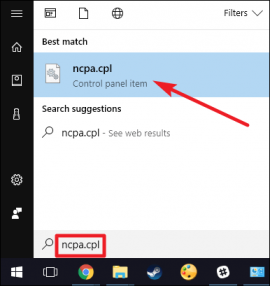 [source](https://storage.googleapis.com/techubs-cdn/2017/12/xvsw_1-270x286.png) Press the "alt" key in the Network Selection window, so that all the menus are stacked. Now go to "File" from the menu and then select the option "New Incoming Connection". 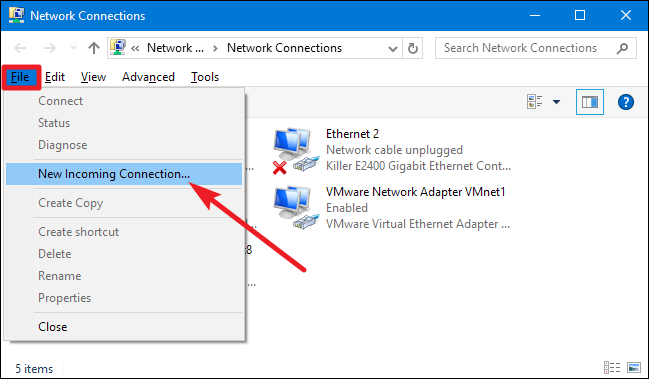 [source](https://storage.googleapis.com/techubs-cdn/2017/12/xvsw_2.png) Now you have to select the user account where you will be able to access it remotely. Here you can add a different user by clicking the "add someone" button. However, if you want to run a VPN server using the user account, use a very strong password in the account, if possible, create a server from a limited account, which does not have admin permissions. 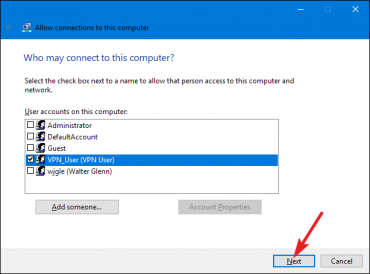 [source](https://storage.googleapis.com/techubs-cdn/2017/12/xvsw_3-370x274.png) After selecting user you will need to press next button. On the next page, the "Through the Internet" option should be marked and started, so that the VPN server can be transmitted through the Internet. Although only one option is available here, but if you use the Internet using the modem, then the VPN server can also be made live on the Internet from the modem. 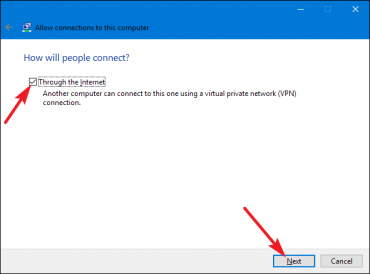 [source](https://storage.googleapis.com/techubs-cdn/2017/12/xvsw_4-370x274.png) Then after pressing the next button, the following page will appear where you have to set up the network protocol. Select the IPv4 here and uncheck the file and print share, you do not want to be able to connect with your computer, either access your files or print a print command on your computer. Once everything is set up properly, click on the "Allow Access" button. 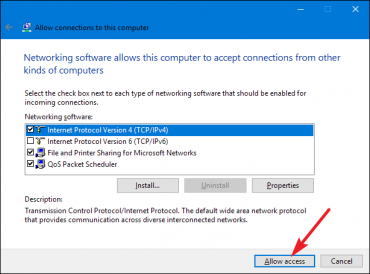 [source](https://storage.googleapis.com/techubs-cdn/2017/12/xvsw_5-370x274.png) There is no work, Windows will automatically start installing VPN under your selected user account. Slow down for a few seconds, this will work out. After that your VPN server will be up and running. In Windows 10 Creator Update, your process will end here, which means that VPN service can not be started. 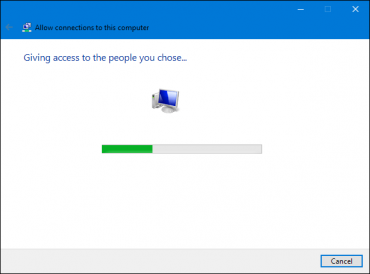 [source](https://storage.googleapis.com/techubs-cdn/2017/12/vsw_6-370x274.png) Diameter, this is how your VPN server was created. If you want to disable or delete the server, go to the "Network Connections" window and delete the "Incoming Connections" item and finish the job. ## Router setup Your VPN server will start running under the local network, connecting with the same IP address will connect the user. But if you want to access your server from the Internet, then forward the port to your router. Login to your router setup page (since the setup process for different modular router is different, do not give the screenshot) and forward the IP address of the computer to the 1723 port of the VPN server installed. Diameter work done (if there is a problem while forwarding the port, you can comment below). For security only, the router will only connect the VPN to the partition using the firewall, just keep the inbound traffic aloud of its IP address. Of course, you must have a public IP and you can also set up your DNS server on your computer. VPN can connect with domain name in it. ## Now the connection to the server to connect! Now go to the option of connecting VPN to a separate computer, go to the search for the Windows computer and enter the "VPN" result. Now the IP address that you will be asked for. If there is a server IP address, then you can enter the domain name if you have set up the DNS server. Diameter, then your computer will be comfortably connected to your own VPN server! 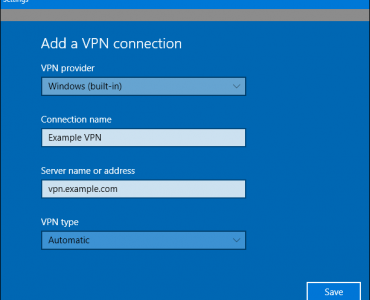 [source](https://storage.googleapis.com/techubs-cdn/2017/12/vsw_7-370x300.png) > - So, see how easy it is to set up your own VPN server. Yes, easy to water! However, you can install different software in Linux and create a more advanced VPN server, and if you do not want to host the server on the computer, then you can setup VPN using Raspberry Pie. If you want Linux tutorial in the next article, then please comment me below. |
| json metadata | {"tags":["windows","security","internet","steemit"],"image":["https://cdn.steemitimages.com/DQmaVPyfih9AingEsmDwNXreEsoHX3gkN45rEhXy7Arzmar/vpn-network-privacy-th-img-740x493.jpg","https://cdn.steemitimages.com/DQmRYRBnPfsdi3fPqowd1DvhzNmQbFCGYNda2xxi3mMovAj/xvsw_1-270x286.png","https://cdn.steemitimages.com/DQmYFTuPoSRhqwrdjPCMjR2KrpwvGkDAUdhDKf1QxE4WvrC/xvsw_2.png","https://cdn.steemitimages.com/DQmW9haCMfTBgPHK3kpsyuf9NCxxEMHS5Jw8WeAUSYr687B/xvsw_3-370x274.png","https://cdn.steemitimages.com/DQmYKh8D6ed5xvsvuMRAdmxyCsugJoB56xpQHrfuZfQrdgX/xvsw_4-370x274.png","https://cdn.steemitimages.com/DQmfWaeZAHzbrEi9bXBRR6gfVVdLWpVb1jrWqFt8vXJ9EcQ/xvsw_5-370x274.png","https://cdn.steemitimages.com/DQmdr7t9tmT7gREACL4ZcVfML5aAfd14LpmsTK4tp8CZvsn/vsw_6-370x274.png","https://cdn.steemitimages.com/DQmb5Y3HZ85Nv3zh7qwJKwA3h2MDyjyQoy8gahcndy1mNeN/vsw_7-370x300.png"],"links":["https://storage.googleapis.com/techubs-cdn/2017/12/vpn-network-privacy-th-img-740x493.jpg","https://storage.googleapis.com/techubs-cdn/2017/12/xvsw_1-270x286.png","https://storage.googleapis.com/techubs-cdn/2017/12/xvsw_2.png","https://storage.googleapis.com/techubs-cdn/2017/12/xvsw_3-370x274.png","https://storage.googleapis.com/techubs-cdn/2017/12/xvsw_4-370x274.png","https://storage.googleapis.com/techubs-cdn/2017/12/xvsw_5-370x274.png","https://storage.googleapis.com/techubs-cdn/2017/12/vsw_6-370x274.png","https://storage.googleapis.com/techubs-cdn/2017/12/vsw_7-370x300.png"],"app":"steemit/0.1","format":"markdown"} |
| Transaction Info | Block #22702997/Trx 0d0d4cfa5cb43d95b0f4a6184c88b660cd282899 |
View Raw JSON Data
{
"trx_id": "0d0d4cfa5cb43d95b0f4a6184c88b660cd282899",
"block": 22702997,
"trx_in_block": 8,
"op_in_trx": 0,
"virtual_op": 0,
"timestamp": "2018-05-24T05:57:12",
"op": [
"comment",
{
"parent_author": "",
"parent_permlink": "windows",
"author": "mdaminul",
"permlink": "make-your-personal-vpn-server-with-windows-pc-complete-guide",
"title": "Make your personal VPN server with Windows PC! (Complete guide!)",
"body": "\n[source](https://storage.googleapis.com/techubs-cdn/2017/12/vpn-network-privacy-th-img-740x493.jpg)\n\n### There is no comparison between Virtual Private Network or VPN to protect your privacy. Someone will track you next, your own internet service provider will not be able to know, what websites you are visiting or what you are doing on the internet. If you talk about getting a VPN service, there are many free and paid options available in the market. Free service providers also provide unlimited service and encrypt everything between the device and the internet. But the problem is, you can not rely on free providers, whether they are saving your private data. Kenona goes to VPN Provider but all your browsing history goes from Internet activity. So how do you make your home computer (Windows PC) VPN server?\n\n### From this article, show you how you can create your own VPN server without installing a separate software on your Windows PC! So let's get started ...\n\n## Own VPN Server\n\nIf you want to host VPN on your own computer and you want to connect VPN to different devices, then your host computer must always be kept on-the-go. You can create a VPN server through any operating system. Mac, Linux, Windows - There are different methods for each operating system, to set up your server. But in this article I will just teach you how to create VPN from Windows operating system. Kona Windows operating system has build-system, making its own VPN.\n\nIf you do not want your computer to be always on the go, but you can host your VPN by purchasing Rasbari Pi and installing the open VPN server there. Rasbari Pi is a mini computer, which can be worth 4 thousand rupees. You can also host your VPN server by renting a server from the web hosting provider, if you want, to save some money from the Traditional VPN service.\n\n\n \nAnd yes, before starting the work, you want to say another thing, you should install your VPN server right now, when you know more about network, router, network security, firewall etc. If not, then your VPN server is likely to be hacked.\n\n## Windows PC made VPN server!\n\nYou can create a Point-to-Point Trial Protocol (PPTP) type VPN server using the Windows operating system's build feature. This trick will support Windows 10, Windows 8.1, Windows 7. But those who have updated their computers with Windows 10 Creator updates, this trick will not work.\n\nThe VPN server does not work in the Windows 10 Creator Update, the Kano Routing and Remote Access Service fails to run in Windows 10 Creator Update. Although everyone knows this problem, but Microsoft has not yet provided updates. But there are lots of tricks, such as by editing the registry, it can be fixed, yet I will be late for receiving an official update. And those who have Windows 10 or 8.1, or 7 of any earlier version, can complete this trick successfully.\n\n## VPN server setup guide\n\nTo create a VPN server on Windows computer, first you have to go to the \"Network Connections\" window. The fastest way to go there is to open the search open or open Windows 10 kernel, then type \"ncpa.cpl\" from the search result, you can move to that window.\n\n\n[source](https://storage.googleapis.com/techubs-cdn/2017/12/xvsw_1-270x286.png)\n\nPress the \"alt\" key in the Network Selection window, so that all the menus are stacked. Now go to \"File\" from the menu and then select the option \"New Incoming Connection\".\n\n\n[source](https://storage.googleapis.com/techubs-cdn/2017/12/xvsw_2.png)\n\nNow you have to select the user account where you will be able to access it remotely. Here you can add a different user by clicking the \"add someone\" button. However, if you want to run a VPN server using the user account, use a very strong password in the account, if possible, create a server from a limited account, which does not have admin permissions.\n\n\n[source](https://storage.googleapis.com/techubs-cdn/2017/12/xvsw_3-370x274.png)\n\nAfter selecting user you will need to press next button. On the next page, the \"Through the Internet\" option should be marked and started, so that the VPN server can be transmitted through the Internet. Although only one option is available here, but if you use the Internet using the modem, then the VPN server can also be made live on the Internet from the modem.\n\n\n[source](https://storage.googleapis.com/techubs-cdn/2017/12/xvsw_4-370x274.png)\n\nThen after pressing the next button, the following page will appear where you have to set up the network protocol. Select the IPv4 here and uncheck the file and print share, you do not want to be able to connect with your computer, either access your files or print a print command on your computer.\n\nOnce everything is set up properly, click on the \"Allow Access\" button.\n\n\n[source](https://storage.googleapis.com/techubs-cdn/2017/12/xvsw_5-370x274.png)\n\nThere is no work, Windows will automatically start installing VPN under your selected user account. Slow down for a few seconds, this will work out. After that your VPN server will be up and running. In Windows 10 Creator Update, your process will end here, which means that VPN service can not be started.\n\n\n[source](https://storage.googleapis.com/techubs-cdn/2017/12/vsw_6-370x274.png)\n\nDiameter, this is how your VPN server was created. If you want to disable or delete the server, go to the \"Network Connections\" window and delete the \"Incoming Connections\" item and finish the job.\n\n## Router setup\n\nYour VPN server will start running under the local network, connecting with the same IP address will connect the user. But if you want to access your server from the Internet, then forward the port to your router. Login to your router setup page (since the setup process for different modular router is different, do not give the screenshot) and forward the IP address of the computer to the 1723 port of the VPN server installed. Diameter work done (if there is a problem while forwarding the port, you can comment below).\n\nFor security only, the router will only connect the VPN to the partition using the firewall, just keep the inbound traffic aloud of its IP address. Of course, you must have a public IP and you can also set up your DNS server on your computer. VPN can connect with domain name in it.\n\n## Now the connection to the server to connect!\n\nNow go to the option of connecting VPN to a separate computer, go to the search for the Windows computer and enter the \"VPN\" result. Now the IP address that you will be asked for. If there is a server IP address, then you can enter the domain name if you have set up the DNS server. Diameter, then your computer will be comfortably connected to your own VPN server!\n\n\n[source](https://storage.googleapis.com/techubs-cdn/2017/12/vsw_7-370x300.png)\n\n> - So, see how easy it is to set up your own VPN server. Yes, easy to water! However, you can install different software in Linux and create a more advanced VPN server, and if you do not want to host the server on the computer, then you can setup VPN using Raspberry Pie. If you want Linux tutorial in the next article, then please comment me below.",
"json_metadata": "{\"tags\":[\"windows\",\"security\",\"internet\",\"steemit\"],\"image\":[\"https://cdn.steemitimages.com/DQmaVPyfih9AingEsmDwNXreEsoHX3gkN45rEhXy7Arzmar/vpn-network-privacy-th-img-740x493.jpg\",\"https://cdn.steemitimages.com/DQmRYRBnPfsdi3fPqowd1DvhzNmQbFCGYNda2xxi3mMovAj/xvsw_1-270x286.png\",\"https://cdn.steemitimages.com/DQmYFTuPoSRhqwrdjPCMjR2KrpwvGkDAUdhDKf1QxE4WvrC/xvsw_2.png\",\"https://cdn.steemitimages.com/DQmW9haCMfTBgPHK3kpsyuf9NCxxEMHS5Jw8WeAUSYr687B/xvsw_3-370x274.png\",\"https://cdn.steemitimages.com/DQmYKh8D6ed5xvsvuMRAdmxyCsugJoB56xpQHrfuZfQrdgX/xvsw_4-370x274.png\",\"https://cdn.steemitimages.com/DQmfWaeZAHzbrEi9bXBRR6gfVVdLWpVb1jrWqFt8vXJ9EcQ/xvsw_5-370x274.png\",\"https://cdn.steemitimages.com/DQmdr7t9tmT7gREACL4ZcVfML5aAfd14LpmsTK4tp8CZvsn/vsw_6-370x274.png\",\"https://cdn.steemitimages.com/DQmb5Y3HZ85Nv3zh7qwJKwA3h2MDyjyQoy8gahcndy1mNeN/vsw_7-370x300.png\"],\"links\":[\"https://storage.googleapis.com/techubs-cdn/2017/12/vpn-network-privacy-th-img-740x493.jpg\",\"https://storage.googleapis.com/techubs-cdn/2017/12/xvsw_1-270x286.png\",\"https://storage.googleapis.com/techubs-cdn/2017/12/xvsw_2.png\",\"https://storage.googleapis.com/techubs-cdn/2017/12/xvsw_3-370x274.png\",\"https://storage.googleapis.com/techubs-cdn/2017/12/xvsw_4-370x274.png\",\"https://storage.googleapis.com/techubs-cdn/2017/12/xvsw_5-370x274.png\",\"https://storage.googleapis.com/techubs-cdn/2017/12/vsw_6-370x274.png\",\"https://storage.googleapis.com/techubs-cdn/2017/12/vsw_7-370x300.png\"],\"app\":\"steemit/0.1\",\"format\":\"markdown\"}"
}
]
}mdaminulclaimed reward balance: 0.115 SBD, 0.049 SP2018/05/23 11:58:03
mdaminulclaimed reward balance: 0.115 SBD, 0.049 SP
2018/05/23 11:58:03
| account | mdaminul |
| reward steem | 0.000 STEEM |
| reward sbd | 0.115 SBD |
| reward vests | 79.332659 VESTS |
| Transaction Info | Block #22681416/Trx a631931311c18dbc050821a28cdc46673fe7ccbf |
View Raw JSON Data
{
  "trx_id": "a631931311c18dbc050821a28cdc46673fe7ccbf",
  "block": 22681416,
  "trx_in_block": 46,
  "op_in_trx": 0,
  "virtual_op": 0,
  "timestamp": "2018-05-23T11:58:03",
  "op": [
    "claim_reward_balance",
    {
      "account": "mdaminul",
      "reward_steem": "0.000 STEEM",
      "reward_sbd": "0.115 SBD",
      "reward_vests": "79.332659 VESTS"
    }
  ]
}mdaminulreceived 0.115 SBD, 0.049 SP author reward for @mdaminul / some-tech-innovation-that-has-made-our-online-life-even-better2018/05/23 07:09:03
mdaminulreceived 0.115 SBD, 0.049 SP author reward for @mdaminul / some-tech-innovation-that-has-made-our-online-life-even-better
2018/05/23 07:09:03
| author | mdaminul |
| permlink | some-tech-innovation-that-has-made-our-online-life-even-better |
| sbd payout | 0.115 SBD |
| steem payout | 0.000 STEEM |
| vesting payout | 79.332659 VESTS |
| Transaction Info | Block #22675646/Virtual Operation #13 |
View Raw JSON Data
{
  "trx_id": "0000000000000000000000000000000000000000",
  "block": 22675646,
  "trx_in_block": 4294967295,
  "op_in_trx": 0,
  "virtual_op": 13,
  "timestamp": "2018-05-23T07:09:03",
  "op": [
    "author_reward",
    {
      "author": "mdaminul",
      "permlink": "some-tech-innovation-that-has-made-our-online-life-even-better",
      "sbd_payout": "0.115 SBD",
      "steem_payout": "0.000 STEEM",
      "vesting_payout": "79.332659 VESTS"
    }
  ]
}steeming-hotupvoted (7.50%) @mdaminul / 5-best-free-online-music-streaming-service2018/05/22 08:48:06
steeming-hotupvoted (7.50%) @mdaminul / 5-best-free-online-music-streaming-service
2018/05/22 08:48:06
| voter | steeming-hot |
| author | mdaminul |
| permlink | 5-best-free-online-music-streaming-service |
| weight | 750 (7.50%) |
| Transaction Info | Block #22648838/Trx 62f15279b5f08fe9706d77fcfe13466014798d62 |
View Raw JSON Data
{
  "trx_id": "62f15279b5f08fe9706d77fcfe13466014798d62",
  "block": 22648838,
  "trx_in_block": 18,
  "op_in_trx": 0,
  "virtual_op": 0,
  "timestamp": "2018-05-22T08:48:06",
  "op": [
    "vote",
    {
      "voter": "steeming-hot",
      "author": "mdaminul",
      "permlink": "5-best-free-online-music-streaming-service",
      "weight": 750
    }
  ]
}mdaminulpublished a new post: 5-best-free-online-music-streaming-service2018/05/22 08:46:51
mdaminulpublished a new post: 5-best-free-online-music-streaming-service
2018/05/22 08:46:51
| parent author | |
| parent permlink | internet |
| author | mdaminul |
| permlink | 5-best-free-online-music-streaming-service |
| title | 5 Best Free Online Music Streaming Service! |
| body |  [source](https://storage.googleapis.com/techubs-cdn/2018/03/21ee1c0c-mobile-616012_1920-740x491.jpg) ### We all hear the song. Someone hear the phone, someone on the TV, on the radio, and almost all of them listen to the music. However, most of the songs are heard on our smartphones. More than 90% of our smartphone users are doing it, go to Google and download the music file from any one of the websites by downloading the favorite song and play it with any music player. This results in two profits. For the first time, listening to the song is not going to cost any internet bandwidth and it is offline even if the song is not an internet connection. But many do not know the fact that all the music downloaded in this way is pirated music or unauthorized music. Here comes the basics of online music streaming services. The music that you listen to most popular online music streaming platform, you can listen to music 100% legitimate or valid. But there is some disadvantage of this too. Firstly, in most cases you have to buy a subscription for that, ie spend money. And if you do not want to spend, you have to compromise some features such as offline listening, ads etc Although there are many free music streaming services. Besides, if you are a limited internet user, or if you are using a data pack by purchasing mobile operator, then you must not listen to the music stream online. Because, this will cost you data. I will not recommend online music streaming services for them.  [source](https://storage.googleapis.com/techubs-cdn/2018/03/61fad0d8-mobile-605422_1920-1024x680.jpg) But if you are a broadband internet user and there is no limit to data, then I think it is good for you to use these online music streaming services if you do not want to enjoy the music on the legal ground to go to piracy. I do not have any profits in comparison to pirated music in legal music, but if you have an unlimited Internet, and most importantly, think about mental conditioning, then listen to the sound of the classic music. However, today we will discuss five online music streaming services and apps that you must use to see if you are an unlimited internet user. ## 1. Soundcloud Speaking of free online music streaming service, the first thing to say about SoundCloud is to say. Firstly, you do not have to use VPN to use soundcloud. Because there is no country restriction like the spoofing. All you have to do is make a user account using your Facebook account or Google account or email address in SoundCloud. Then you can listen to any of the songs by visiting the SoundCloud website and downloading a soundcloud app on your smartphone. But SoundCloud's Music Library is a little smaller than the music library of this list. So you can not get all the songs here. But the soundcloud is specially due to the fact that, if you search the song here, you will not only get the artist's own songs, but instead you will find many more covers, remakes, and more that have sung other talented artists whose names you have not heard. If you can not find the main artist's song, these covers and remakes must be available. So one of the apps for discovering new music is soundcloud. - SoundCloud Website / Web Player: https://soundcloud.com/ - SoundCloud Android App: https://play.google.com/store/apps/details?id=com.soundcloud.android&hl=en 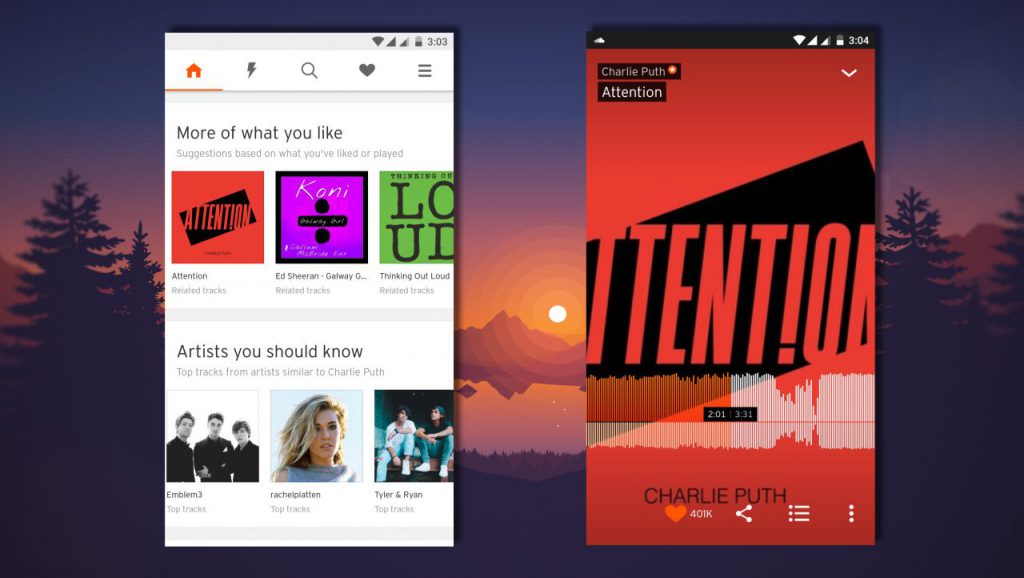 [source](https://storage.googleapis.com/techubs-cdn/2018/03/c8cf75e2-1-1024x578.jpg) ## 2. Saavn This service is also very good as online music streaming service. By listening to the name, it may be understood that it originally intended to be the Indian Region. But just because you are here you will not only get Indian music. Saavn's music library is too big. Here you will find almost all the songs you need. Here are some Bengali songs from English songs, Bollywood music. But if you expect all Bangla songs then you will not get it. But almost all of the English songs and Bollywood music will be found here. The user interface of this app is very beautiful. But in my opinion Saavn's biggest drawback is AIDS. This app is not even close to Adfree. You will see a 20 second add-on after every 4-5 songs, which can be conceded by Saavn's music collection. But if you take Saavn's premium subscription, you will not see an add-on and you can listen to every song offline. Also get more Better Music Quality. But if you want to get a premium subscription, you will have to count around 400 rupees every month. But I will recommend it free version. - Saavn website / web player: https://gaana.com/ - Saavn Android App: https://play.google.com/store/apps/details?id=com.gaana&hl=en  [source](https://storage.googleapis.com/techubs-cdn/2018/03/67b5f1dc-2-1024x578.jpg) ## 3. Gaana After hearing its name, you can understand that it is also intended for India Region and you can get Bollywood music here too. But here also it has been included as an alternative to Saavn. Because it's just like Saavn's features and music composition. Here you also get all the popular English songs and Bollywood music. But if you use it, you will get more of a benefit that will not be available at Saavn. It's a little less adds. This app shows comparatively less ads than Saavn, which makes its user interface much cleaner. Besides, if you want to take a premium membership here, then its cost is somewhat lower than Saavn. But all the premium subscription features are almost like Saavn. - Gaana website / web player: https://gaana.com/ - Gaana Android App: https://play.google.com/store/apps/details?id=com.gaana&hl=en  [source](https://play.google.com/store/apps/details?id=com.gaana&hl=en) ## 4. Yonder Music (Robi) After hearing the name, it is understood that this is a major telecom operator in our country, Robi's Music Streaming Service. And yes, this is my favorite music streaming app in this list. Why? That's what I say. First of all, this is the free streaming service for all Robi 2G / 3G / 4G subscribers. That means that you will not have any kind of data consume to use it if you are a Robi subscriber. And even if you are a Robi subscriber you can also listen to any music offline you can stay here. And the second reason is its music collection. You do not have to distribute, its music library is too big. You will find almost all the popular English and Bengali (Bengali) songs you need. But finding Bollywood music here does not get much. Saavn Best for Bollywood Music However, there is one more interesting feature at Yonder Music. It is Karaoke, which allows you to create a video of yourself with some selected song music and share it with social media. Besides, its user interface is also very interesting. Yes, it is primarily for Robi subscribers, but if you are an Airtel subscriber, you can also enjoy all the features of this app free of cost. ### Yonder Music Android App : - Robi : https://play.google.com/store/apps/details?id=com.yonder.robi&hl=en - Airtel : https://play.google.com/store/apps/details?id=com.yonder.airtel&hl=en  [source](https://storage.googleapis.com/techubs-cdn/2018/03/0d843fda-3-1024x578.jpg) ## 5. Spotify I do not think there is anything new about Music Streaming Service, Spottyfe. To say this, World's Most Popular and Most Premium Music Streaming Platform. Many of you may know about it and many tried to use it but could not. Because Spottifi is not officially universal in Bangladesh. You will not find the Spotify app on the Play Store. And if you go to the website then you will see that it is not universal in Bangladesh. However, you can still use free version of Spottyfe in Bangladesh. But there is no guarantee that the trick will work for everyone. However, it is expected that most users will work. So you only have to get a free US VPN. You are a regular reader of Takehbah, I can take for granted that you have a very clear idea about what VPN is and how it is used. But where to get free VPN? BetterNet can use Google Chrome extension for this(https://chrome.google.com/webstore/detail/betternet-unlimited-free/gjknjjomckknofjidppipffbpoekiipm?hl=en). It will take us just a little bit. Now select the US from the BetterNet country and VPN activate it. Let's go to the website of the Spotify website ie (https://spotify.com/us) at this link. Now go here and create your own user account with your email address. Now come on your smartphone. Before downloading this feature(https://www.apkmirror.com/apk/spotify-ltd/), please download the appropriate SpeakyPhone for your phone. Install it now, but do not open it. Go directly to Google Play store and download a free VPN app that will give you a US server. If you do not get it, then I will recoil TurboVPN(https://play.google.com/store/apps/details?id=free.vpn.unblock.proxy.turbovpn&hl=en) to use. Because, it will give the US server. Not that it's the best VPN. But we need just for a short time. So we're using it. Then open the VPN app and select Country US and connect to the US VPN. Once connected, open the SpottyPay app installed. Login with your created account's email and password. If the method works, then it is a smooth login. Diameter Finish the job Now you can use Spottifi as you wish. Now you can disables VPN and uninstall the VPN app. Because, after that you will not need VPN to listen to the songs as long as you are logged in. But when logging out, VPN will be needed to login again. And yes, you can go from PC to https://open.spotify.com by logging into your SpottyPay account and using the SpottyPefe Web Player to stream music from your PC. In this case you will not need any VPN.  [source](https://storage.googleapis.com/techubs-cdn/2018/03/71b3d99a-5-1024x578.jpg) > So this was the best online music streaming service you can use if you are an unlimited internet user. Here's the end of today Hope you like today's article. If there are any questions or opinions, please tell in the comments section.! |
| json metadata | {"tags":["internet","android","tricks","steemit"],"image":["https://steemitimages.com/DQmTL41j63fea4JkGeKPwS6ocCnPwZ7Q6c74cMJL1FoTsnc/21ee1c0c-mobile-616012_1920-740x491.jpg","https://steemitimages.com/DQmX1qtt4DR3gEW2zE7mcMq2Fjavhpz2MFiURHnQeLzbBiy/61fad0d8-mobile-605422_1920-1024x680.jpg","https://steemitimages.com/DQmVocrEg5n3M3vg3jnegV9qZugwALsr28JtKWW9F1bnD9m/c8cf75e2-1-1024x578.jpg","https://steemitimages.com/DQmRKZrkCZPGTHodGSjRPiL4usUcUCak9i3FXKuMovfUp6j/67b5f1dc-2-1024x578.jpg","https://steemitimages.com/DQmWT1qWhKHm19e7n16pwiKEUrAVFgJpRSK3wsaPLawzt3x/a159a1a4-4-1024x578.jpg","https://steemitimages.com/DQmPkr7yjpJym75dABf7oHcEzcQQfzzEJA5NCiUuEHDa5iy/0d843fda-3-1024x578.jpg","https://steemitimages.com/DQmYs7S966RWt4QojnwGRLHv4RnhTgMM7wHicGKehfRicze/71b3d99a-5-1024x578.jpg"],"links":["https://storage.googleapis.com/techubs-cdn/2018/03/21ee1c0c-mobile-616012_1920-740x491.jpg","https://storage.googleapis.com/techubs-cdn/2018/03/61fad0d8-mobile-605422_1920-1024x680.jpg","https://soundcloud.com/","https://play.google.com/store/apps/details?id=com.soundcloud.android&hl=en","https://storage.googleapis.com/techubs-cdn/2018/03/c8cf75e2-1-1024x578.jpg","https://gaana.com/","https://play.google.com/store/apps/details?id=com.gaana&hl=en","https://storage.googleapis.com/techubs-cdn/2018/03/67b5f1dc-2-1024x578.jpg","https://play.google.com/store/apps/details?id=com.gaana&hl=en","https://play.google.com/store/apps/details?id=com.yonder.robi&hl=en","https://play.google.com/store/apps/details?id=com.yonder.airtel&hl=en","https://storage.googleapis.com/techubs-cdn/2018/03/0d843fda-3-1024x578.jpg","https://chrome.google.com/webstore/detail/betternet-unlimited-free/gjknjjomckknofjidppipffbpoekiipm?hl=en","https://spotify.com/us","https://www.apkmirror.com/apk/spotify-ltd/","https://play.google.com/store/apps/details?id=free.vpn.unblock.proxy.turbovpn&hl=en","https://open.spotify.com","https://storage.googleapis.com/techubs-cdn/2018/03/71b3d99a-5-1024x578.jpg"],"app":"steemit/0.1","format":"markdown"} |
| Transaction Info | Block #22648813/Trx 0eea219c977590a5681325f60ee0c39dbf70e77d |
View Raw JSON Data
{
"trx_id": "0eea219c977590a5681325f60ee0c39dbf70e77d",
"block": 22648813,
"trx_in_block": 8,
"op_in_trx": 0,
"virtual_op": 0,
"timestamp": "2018-05-22T08:46:51",
"op": [
"comment",
{
"parent_author": "",
"parent_permlink": "internet",
"author": "mdaminul",
"permlink": "5-best-free-online-music-streaming-service",
"title": "5 Best Free Online Music Streaming Service!",
"body": "\n[source](https://storage.googleapis.com/techubs-cdn/2018/03/21ee1c0c-mobile-616012_1920-740x491.jpg)\n\n\n### We all hear the song. Someone hear the phone, someone on the TV, on the radio, and almost all of them listen to the music. However, most of the songs are heard on our smartphones. More than 90% of our smartphone users are doing it, go to Google and download the music file from any one of the websites by downloading the favorite song and play it with any music player. This results in two profits. For the first time, listening to the song is not going to cost any internet bandwidth and it is offline even if the song is not an internet connection. But many do not know the fact that all the music downloaded in this way is pirated music or unauthorized music.\n\nHere comes the basics of online music streaming services. The music that you listen to most popular online music streaming platform, you can listen to music 100% legitimate or valid. But there is some disadvantage of this too. Firstly, in most cases you have to buy a subscription for that, ie spend money. And if you do not want to spend, you have to compromise some features such as offline listening, ads etc Although there are many free music streaming services. Besides, if you are a limited internet user, or if you are using a data pack by purchasing mobile operator, then you must not listen to the music stream online. Because, this will cost you data. I will not recommend online music streaming services for them.\n\n\n[source](https://storage.googleapis.com/techubs-cdn/2018/03/61fad0d8-mobile-605422_1920-1024x680.jpg)\n\nBut if you are a broadband internet user and there is no limit to data, then I think it is good for you to use these online music streaming services if you do not want to enjoy the music on the legal ground to go to piracy. I do not have any profits in comparison to pirated music in legal music, but if you have an unlimited Internet, and most importantly, think about mental conditioning, then listen to the sound of the classic music. However, today we will discuss five online music streaming services and apps that you must use to see if you are an unlimited internet user.\n\n## 1. Soundcloud\n\nSpeaking of free online music streaming service, the first thing to say about SoundCloud is to say. Firstly, you do not have to use VPN to use soundcloud. Because there is no country restriction like the spoofing. All you have to do is make a user account using your Facebook account or Google account or email address in SoundCloud. Then you can listen to any of the songs by visiting the SoundCloud website and downloading a soundcloud app on your smartphone. But SoundCloud's Music Library is a little smaller than the music library of this list. So you can not get all the songs here. But the soundcloud is specially due to the fact that, if you search the song here, you will not only get the artist's own songs, but instead you will find many more covers, remakes, and more that have sung other talented artists whose names you have not heard. If you can not find the main artist's song, these covers and remakes must be available. So one of the apps for discovering new music is soundcloud.\n\n- SoundCloud Website / Web Player: https://soundcloud.com/\n- SoundCloud Android App: https://play.google.com/store/apps/details?id=com.soundcloud.android&hl=en\n\n\n[source](https://storage.googleapis.com/techubs-cdn/2018/03/c8cf75e2-1-1024x578.jpg)\n\n## 2. Saavn\n\nThis service is also very good as online music streaming service. By listening to the name, it may be understood that it originally intended to be the Indian Region. But just because you are here you will not only get Indian music. Saavn's music library is too big. Here you will find almost all the songs you need. Here are some Bengali songs from English songs, Bollywood music. But if you expect all Bangla songs then you will not get it. But almost all of the English songs and Bollywood music will be found here. The user interface of this app is very beautiful. But in my opinion Saavn's biggest drawback is AIDS. This app is not even close to Adfree. You will see a 20 second add-on after every 4-5 songs, which can be conceded by Saavn's music collection. But if you take Saavn's premium subscription, you will not see an add-on and you can listen to every song offline. Also get more Better Music Quality. But if you want to get a premium subscription, you will have to count around 400 rupees every month. But I will recommend it free version.\n\n- Saavn website / web player: https://gaana.com/\n- Saavn Android App: https://play.google.com/store/apps/details?id=com.gaana&hl=en\n\n\n[source](https://storage.googleapis.com/techubs-cdn/2018/03/67b5f1dc-2-1024x578.jpg)\n\n## 3. Gaana\n\nAfter hearing its name, you can understand that it is also intended for India Region and you can get Bollywood music here too. But here also it has been included as an alternative to Saavn. Because it's just like Saavn's features and music composition. Here you also get all the popular English songs and Bollywood music. But if you use it, you will get more of a benefit that will not be available at Saavn. It's a little less adds. This app shows comparatively less ads than Saavn, which makes its user interface much cleaner. Besides, if you want to take a premium membership here, then its cost is somewhat lower than Saavn. But all the premium subscription features are almost like Saavn.\n\n- Gaana website / web player: https://gaana.com/\n\n- Gaana Android App: https://play.google.com/store/apps/details?id=com.gaana&hl=en\n\n\n[source](https://play.google.com/store/apps/details?id=com.gaana&hl=en)\n\n## 4. Yonder Music (Robi)\n\nAfter hearing the name, it is understood that this is a major telecom operator in our country, Robi's Music Streaming Service. And yes, this is my favorite music streaming app in this list. Why? That's what I say. First of all, this is the free streaming service for all Robi 2G / 3G / 4G subscribers. That means that you will not have any kind of data consume to use it if you are a Robi subscriber. And even if you are a Robi subscriber you can also listen to any music offline you can stay here. And the second reason is its music collection. You do not have to distribute, its music library is too big. You will find almost all the popular English and Bengali (Bengali) songs you need. But finding Bollywood music here does not get much. Saavn Best for Bollywood Music However, there is one more interesting feature at Yonder Music. It is Karaoke, which allows you to create a video of yourself with some selected song music and share it with social media. Besides, its user interface is also very interesting. Yes, it is primarily for Robi subscribers, but if you are an Airtel subscriber, you can also enjoy all the features of this app free of cost.\n\n### Yonder Music Android App : \n- Robi : https://play.google.com/store/apps/details?id=com.yonder.robi&hl=en\n- Airtel : https://play.google.com/store/apps/details?id=com.yonder.airtel&hl=en\n\n\n[source](https://storage.googleapis.com/techubs-cdn/2018/03/0d843fda-3-1024x578.jpg)\n\n## 5. Spotify\n\nI do not think there is anything new about Music Streaming Service, Spottyfe. To say this, World's Most Popular and Most Premium Music Streaming Platform. Many of you may know about it and many tried to use it but could not. Because Spottifi is not officially universal in Bangladesh. You will not find the Spotify app on the Play Store. And if you go to the website then you will see that it is not universal in Bangladesh. However, you can still use free version of Spottyfe in Bangladesh. But there is no guarantee that the trick will work for everyone. However, it is expected that most users will work.\n\nSo you only have to get a free US VPN. You are a regular reader of Takehbah, I can take for granted that you have a very clear idea about what VPN is and how it is used. But where to get free VPN? BetterNet can use Google Chrome extension for this(https://chrome.google.com/webstore/detail/betternet-unlimited-free/gjknjjomckknofjidppipffbpoekiipm?hl=en). It will take us just a little bit. Now select the US from the BetterNet country and VPN activate it. Let's go to the website of the Spotify website ie (https://spotify.com/us) at this link. Now go here and create your own user account with your email address.\n\nNow come on your smartphone. Before downloading this feature(https://www.apkmirror.com/apk/spotify-ltd/), please download the appropriate SpeakyPhone for your phone. Install it now, but do not open it. Go directly to Google Play store and download a free VPN app that will give you a US server. If you do not get it, then I will recoil TurboVPN(https://play.google.com/store/apps/details?id=free.vpn.unblock.proxy.turbovpn&hl=en) to use. Because, it will give the US server. Not that it's the best VPN. But we need just for a short time. So we're using it. Then open the VPN app and select Country US and connect to the US VPN. Once connected, open the SpottyPay app installed. Login with your created account's email and password. If the method works, then it is a smooth login. Diameter Finish the job Now you can use Spottifi as you wish. Now you can disables VPN and uninstall the VPN app. Because, after that you will not need VPN to listen to the songs as long as you are logged in. But when logging out, VPN will be needed to login again.\n\nAnd yes, you can go from PC to https://open.spotify.com by logging into your SpottyPay account and using the SpottyPefe Web Player to stream music from your PC. In this case you will not need any VPN.\n\n[source](https://storage.googleapis.com/techubs-cdn/2018/03/71b3d99a-5-1024x578.jpg)\n\n> So this was the best online music streaming service you can use if you are an unlimited internet user. Here's the end of today Hope you like today's article. If there are any questions or opinions, please tell in the comments section.!",
"json_metadata": "{\"tags\":[\"internet\",\"android\",\"tricks\",\"steemit\"],\"image\":[\"https://steemitimages.com/DQmTL41j63fea4JkGeKPwS6ocCnPwZ7Q6c74cMJL1FoTsnc/21ee1c0c-mobile-616012_1920-740x491.jpg\",\"https://steemitimages.com/DQmX1qtt4DR3gEW2zE7mcMq2Fjavhpz2MFiURHnQeLzbBiy/61fad0d8-mobile-605422_1920-1024x680.jpg\",\"https://steemitimages.com/DQmVocrEg5n3M3vg3jnegV9qZugwALsr28JtKWW9F1bnD9m/c8cf75e2-1-1024x578.jpg\",\"https://steemitimages.com/DQmRKZrkCZPGTHodGSjRPiL4usUcUCak9i3FXKuMovfUp6j/67b5f1dc-2-1024x578.jpg\",\"https://steemitimages.com/DQmWT1qWhKHm19e7n16pwiKEUrAVFgJpRSK3wsaPLawzt3x/a159a1a4-4-1024x578.jpg\",\"https://steemitimages.com/DQmPkr7yjpJym75dABf7oHcEzcQQfzzEJA5NCiUuEHDa5iy/0d843fda-3-1024x578.jpg\",\"https://steemitimages.com/DQmYs7S966RWt4QojnwGRLHv4RnhTgMM7wHicGKehfRicze/71b3d99a-5-1024x578.jpg\"],\"links\":[\"https://storage.googleapis.com/techubs-cdn/2018/03/21ee1c0c-mobile-616012_1920-740x491.jpg\",\"https://storage.googleapis.com/techubs-cdn/2018/03/61fad0d8-mobile-605422_1920-1024x680.jpg\",\"https://soundcloud.com/\",\"https://play.google.com/store/apps/details?id=com.soundcloud.android&hl=en\",\"https://storage.googleapis.com/techubs-cdn/2018/03/c8cf75e2-1-1024x578.jpg\",\"https://gaana.com/\",\"https://play.google.com/store/apps/details?id=com.gaana&hl=en\",\"https://storage.googleapis.com/techubs-cdn/2018/03/67b5f1dc-2-1024x578.jpg\",\"https://play.google.com/store/apps/details?id=com.gaana&hl=en\",\"https://play.google.com/store/apps/details?id=com.yonder.robi&hl=en\",\"https://play.google.com/store/apps/details?id=com.yonder.airtel&hl=en\",\"https://storage.googleapis.com/techubs-cdn/2018/03/0d843fda-3-1024x578.jpg\",\"https://chrome.google.com/webstore/detail/betternet-unlimited-free/gjknjjomckknofjidppipffbpoekiipm?hl=en\",\"https://spotify.com/us\",\"https://www.apkmirror.com/apk/spotify-ltd/\",\"https://play.google.com/store/apps/details?id=free.vpn.unblock.proxy.turbovpn&hl=en\",\"https://open.spotify.com\",\"https://storage.googleapis.com/techubs-cdn/2018/03/71b3d99a-5-1024x578.jpg\"],\"app\":\"steemit/0.1\",\"format\":\"markdown\"}"
}
]
}syb3rpunktvupvoted (100.00%) @mdaminul / windows-10-tricks-5-windows-10-tricks-you-should-know2018/05/21 10:57:18
syb3rpunktvupvoted (100.00%) @mdaminul / windows-10-tricks-5-windows-10-tricks-you-should-know
2018/05/21 10:57:18
| voter | syb3rpunktv |
| author | mdaminul |
| permlink | windows-10-tricks-5-windows-10-tricks-you-should-know |
| weight | 10000 (100.00%) |
| Transaction Info | Block #22622625/Trx 5b865a6ac8ea8c75dbf5176e5ef31cd7df9c0d69 |
View Raw JSON Data
{
  "trx_id": "5b865a6ac8ea8c75dbf5176e5ef31cd7df9c0d69",
  "block": 22622625,
  "trx_in_block": 41,
  "op_in_trx": 0,
  "virtual_op": 0,
  "timestamp": "2018-05-21T10:57:18",
  "op": [
    "vote",
    {
      "voter": "syb3rpunktv",
      "author": "mdaminul",
      "permlink": "windows-10-tricks-5-windows-10-tricks-you-should-know",
      "weight": 10000
    }
  ]
}mdaminulupvoted (100.00%) @nainaztengra / the-4000-years-old-cypress-tree2018/05/20 08:54:45
mdaminulupvoted (100.00%) @nainaztengra / the-4000-years-old-cypress-tree
2018/05/20 08:54:45
| voter | mdaminul |
| author | nainaztengra |
| permlink | the-4000-years-old-cypress-tree |
| weight | 10000 (100.00%) |
| Transaction Info | Block #22591378/Trx a59a4869b2c386f948ca4bd3b86005451ad8fb4d |
View Raw JSON Data
{
  "trx_id": "a59a4869b2c386f948ca4bd3b86005451ad8fb4d",
  "block": 22591378,
  "trx_in_block": 5,
  "op_in_trx": 0,
  "virtual_op": 0,
  "timestamp": "2018-05-20T08:54:45",
  "op": [
    "vote",
    {
      "voter": "mdaminul",
      "author": "nainaztengra",
      "permlink": "the-4000-years-old-cypress-tree",
      "weight": 10000
    }
  ]
}aminulislam0upvoted (100.00%) @mdaminul / windows-10-tricks-5-windows-10-tricks-you-should-know2018/05/20 08:34:57
aminulislam0upvoted (100.00%) @mdaminul / windows-10-tricks-5-windows-10-tricks-you-should-know
2018/05/20 08:34:57
| voter | aminulislam0 |
| author | mdaminul |
| permlink | windows-10-tricks-5-windows-10-tricks-you-should-know |
| weight | 10000 (100.00%) |
| Transaction Info | Block #22590982/Trx 895188c180d29896bb3ca532ff8b5abc174e0def |
View Raw JSON Data
{
  "trx_id": "895188c180d29896bb3ca532ff8b5abc174e0def",
  "block": 22590982,
  "trx_in_block": 59,
  "op_in_trx": 0,
  "virtual_op": 0,
  "timestamp": "2018-05-20T08:34:57",
  "op": [
    "vote",
    {
      "voter": "aminulislam0",
      "author": "mdaminul",
      "permlink": "windows-10-tricks-5-windows-10-tricks-you-should-know",
      "weight": 10000
    }
  ]
}sensationupvoted (100.00%) @mdaminul / windows-10-tricks-5-windows-10-tricks-you-should-know2018/05/20 06:53:27
sensationupvoted (100.00%) @mdaminul / windows-10-tricks-5-windows-10-tricks-you-should-know
2018/05/20 06:53:27
| voter | sensation |
| author | mdaminul |
| permlink | windows-10-tricks-5-windows-10-tricks-you-should-know |
| weight | 10000 (100.00%) |
| Transaction Info | Block #22588952/Trx bba25be2ba1fb4a30d383a478be515283c5d2116 |
View Raw JSON Data
{
  "trx_id": "bba25be2ba1fb4a30d383a478be515283c5d2116",
  "block": 22588952,
  "trx_in_block": 4,
  "op_in_trx": 0,
  "virtual_op": 0,
  "timestamp": "2018-05-20T06:53:27",
  "op": [
    "vote",
    {
      "voter": "sensation",
      "author": "mdaminul",
      "permlink": "windows-10-tricks-5-windows-10-tricks-you-should-know",
      "weight": 10000
    }
  ]
}moby-dickupvoted (100.00%) @mdaminul / windows-10-tricks-5-windows-10-tricks-you-should-know2018/05/20 06:42:33
moby-dickupvoted (100.00%) @mdaminul / windows-10-tricks-5-windows-10-tricks-you-should-know
2018/05/20 06:42:33
| voter | moby-dick |
| author | mdaminul |
| permlink | windows-10-tricks-5-windows-10-tricks-you-should-know |
| weight | 10000 (100.00%) |
| Transaction Info | Block #22588734/Trx 35fd8329ed019f4df7180b98ffc66f799e081680 |
View Raw JSON Data
{
  "trx_id": "35fd8329ed019f4df7180b98ffc66f799e081680",
  "block": 22588734,
  "trx_in_block": 22,
  "op_in_trx": 0,
  "virtual_op": 0,
  "timestamp": "2018-05-20T06:42:33",
  "op": [
    "vote",
    {
      "voter": "moby-dick",
      "author": "mdaminul",
      "permlink": "windows-10-tricks-5-windows-10-tricks-you-should-know",
      "weight": 10000
    }
  ]
}pinoyupvoted (10.00%) @mdaminul / windows-10-tricks-5-windows-10-tricks-you-should-know2018/05/20 06:41:39
pinoyupvoted (10.00%) @mdaminul / windows-10-tricks-5-windows-10-tricks-you-should-know
2018/05/20 06:41:39
| voter | pinoy |
| author | mdaminul |
| permlink | windows-10-tricks-5-windows-10-tricks-you-should-know |
| weight | 1000 (10.00%) |
| Transaction Info | Block #22588716/Trx 5c67687054a3064aee06d79130fd029e930fc733 |
View Raw JSON Data
{
  "trx_id": "5c67687054a3064aee06d79130fd029e930fc733",
  "block": 22588716,
  "trx_in_block": 16,
  "op_in_trx": 0,
  "virtual_op": 0,
  "timestamp": "2018-05-20T06:41:39",
  "op": [
    "vote",
    {
      "voter": "pinoy",
      "author": "mdaminul",
      "permlink": "windows-10-tricks-5-windows-10-tricks-you-should-know",
      "weight": 1000
    }
  ]
}mdaminulremoved vote from (0.00%) @trlotto / promotional-post-win-big-over-2000-sbds-given-away-so-far2018/05/20 06:40:48
mdaminulremoved vote from (0.00%) @trlotto / promotional-post-win-big-over-2000-sbds-given-away-so-far
2018/05/20 06:40:48
| voter | mdaminul |
| author | trlotto |
| permlink | promotional-post-win-big-over-2000-sbds-given-away-so-far |
| weight | 0 (0.00%) |
| Transaction Info | Block #22588699/Trx 01a0e3023973afefee1056d1b0f711593beb6751 |
View Raw JSON Data
{
  "trx_id": "01a0e3023973afefee1056d1b0f711593beb6751",
  "block": 22588699,
  "trx_in_block": 1,
  "op_in_trx": 0,
  "virtual_op": 0,
  "timestamp": "2018-05-20T06:40:48",
  "op": [
    "vote",
    {
      "voter": "mdaminul",
      "author": "trlotto",
      "permlink": "promotional-post-win-big-over-2000-sbds-given-away-so-far",
      "weight": 0
    }
  ]
}mdaminulupvoted (100.00%) @trlotto / promotional-post-win-big-over-2000-sbds-given-away-so-far2018/05/20 06:39:51
mdaminulupvoted (100.00%) @trlotto / promotional-post-win-big-over-2000-sbds-given-away-so-far
2018/05/20 06:39:51
| voter | mdaminul |
| author | trlotto |
| permlink | promotional-post-win-big-over-2000-sbds-given-away-so-far |
| weight | 10000 (100.00%) |
| Transaction Info | Block #22588680/Trx 996851446e1d8766fe12636dd60f72071b06c99b |
View Raw JSON Data
{
  "trx_id": "996851446e1d8766fe12636dd60f72071b06c99b",
  "block": 22588680,
  "trx_in_block": 11,
  "op_in_trx": 0,
  "virtual_op": 0,
  "timestamp": "2018-05-20T06:39:51",
  "op": [
    "vote",
    {
      "voter": "mdaminul",
      "author": "trlotto",
      "permlink": "promotional-post-win-big-over-2000-sbds-given-away-so-far",
      "weight": 10000
    }
  ]
}mdaminulupvoted (100.00%) @janusface / colorchallenge-fridayblue-by-janusface2018/05/20 06:38:57
mdaminulupvoted (100.00%) @janusface / colorchallenge-fridayblue-by-janusface
2018/05/20 06:38:57
| voter | mdaminul |
| author | janusface |
| permlink | colorchallenge-fridayblue-by-janusface |
| weight | 10000 (100.00%) |
| Transaction Info | Block #22588662/Trx 9b4bebf6856c85997857638c48699ab308ded91b |
View Raw JSON Data
{
  "trx_id": "9b4bebf6856c85997857638c48699ab308ded91b",
  "block": 22588662,
  "trx_in_block": 3,
  "op_in_trx": 0,
  "virtual_op": 0,
  "timestamp": "2018-05-20T06:38:57",
  "op": [
    "vote",
    {
      "voter": "mdaminul",
      "author": "janusface",
      "permlink": "colorchallenge-fridayblue-by-janusface",
      "weight": 10000
    }
  ]
}hr1upvoted (0.02%) @mdaminul / windows-10-tricks-5-windows-10-tricks-you-should-know2018/05/20 06:38:42
hr1upvoted (0.02%) @mdaminul / windows-10-tricks-5-windows-10-tricks-you-should-know
2018/05/20 06:38:42
| voter | hr1 |
| author | mdaminul |
| permlink | windows-10-tricks-5-windows-10-tricks-you-should-know |
| weight | 2 (0.02%) |
| Transaction Info | Block #22588657/Trx 057a9e2be3ac9f40a890f46160ded07675a67688 |
View Raw JSON Data
{
  "trx_id": "057a9e2be3ac9f40a890f46160ded07675a67688",
  "block": 22588657,
  "trx_in_block": 48,
  "op_in_trx": 0,
  "virtual_op": 0,
  "timestamp": "2018-05-20T06:38:42",
  "op": [
    "vote",
    {
      "voter": "hr1",
      "author": "mdaminul",
      "permlink": "windows-10-tricks-5-windows-10-tricks-you-should-know",
      "weight": 2
    }
  ]
}mdaminulremoved vote from (0.00%) @mdaminul / windows-10-tricks-5-windows-10-tricks-you-should-know2018/05/20 06:36:12
mdaminulremoved vote from (0.00%) @mdaminul / windows-10-tricks-5-windows-10-tricks-you-should-know
2018/05/20 06:36:12
| voter | mdaminul |
| author | mdaminul |
| permlink | windows-10-tricks-5-windows-10-tricks-you-should-know |
| weight | 0 (0.00%) |
| Transaction Info | Block #22588607/Trx aa03780757d5a9faeacd84f287cc44496e71114f |
View Raw JSON Data
{
  "trx_id": "aa03780757d5a9faeacd84f287cc44496e71114f",
  "block": 22588607,
  "trx_in_block": 90,
  "op_in_trx": 0,
  "virtual_op": 0,
  "timestamp": "2018-05-20T06:36:12",
  "op": [
    "vote",
    {
      "voter": "mdaminul",
      "author": "mdaminul",
      "permlink": "windows-10-tricks-5-windows-10-tricks-you-should-know",
      "weight": 0
    }
  ]
}mdaminulupvoted (100.00%) @chetanpadliya / mango-coconut-ice-cream-vegan2018/05/20 06:25:39
mdaminulupvoted (100.00%) @chetanpadliya / mango-coconut-ice-cream-vegan
2018/05/20 06:25:39
| voter | mdaminul |
| author | chetanpadliya |
| permlink | mango-coconut-ice-cream-vegan |
| weight | 10000 (100.00%) |
| Transaction Info | Block #22588396/Trx 68a330a64b66bf99423a6cd9552fba3fb4056ca1 |
View Raw JSON Data
{
  "trx_id": "68a330a64b66bf99423a6cd9552fba3fb4056ca1",
  "block": 22588396,
  "trx_in_block": 4,
  "op_in_trx": 0,
  "virtual_op": 0,
  "timestamp": "2018-05-20T06:25:39",
  "op": [
    "vote",
    {
      "voter": "mdaminul",
      "author": "chetanpadliya",
      "permlink": "mango-coconut-ice-cream-vegan",
      "weight": 10000
    }
  ]
}mdaminulupvoted (100.00%) @learnguitar / eye-on-artists-led-zeppelin2018/05/20 06:24:18
mdaminulupvoted (100.00%) @learnguitar / eye-on-artists-led-zeppelin
2018/05/20 06:24:18
| voter | mdaminul |
| author | learnguitar |
| permlink | eye-on-artists-led-zeppelin |
| weight | 10000 (100.00%) |
| Transaction Info | Block #22588369/Trx ac1c30aee785a107ea7eb8f91dc6128e660c6c50 |
View Raw JSON Data
{
  "trx_id": "ac1c30aee785a107ea7eb8f91dc6128e660c6c50",
  "block": 22588369,
  "trx_in_block": 39,
  "op_in_trx": 0,
  "virtual_op": 0,
  "timestamp": "2018-05-20T06:24:18",
  "op": [
    "vote",
    {
      "voter": "mdaminul",
      "author": "learnguitar",
      "permlink": "eye-on-artists-led-zeppelin",
      "weight": 10000
    }
  ]
}mdaminulupvoted (100.00%) @fatkat / cereal-problems-in-venezuela2018/05/20 06:23:51
mdaminulupvoted (100.00%) @fatkat / cereal-problems-in-venezuela
2018/05/20 06:23:51
| voter | mdaminul |
| author | fatkat |
| permlink | cereal-problems-in-venezuela |
| weight | 10000 (100.00%) |
| Transaction Info | Block #22588360/Trx 76ce71385ad129b2955efdf6157363da02e19b67 |
View Raw JSON Data
{
  "trx_id": "76ce71385ad129b2955efdf6157363da02e19b67",
  "block": 22588360,
  "trx_in_block": 32,
  "op_in_trx": 0,
  "virtual_op": 0,
  "timestamp": "2018-05-20T06:23:51",
  "op": [
    "vote",
    {
      "voter": "mdaminul",
      "author": "fatkat",
      "permlink": "cereal-problems-in-venezuela",
      "weight": 10000
    }
  ]
}mdaminulupvoted (100.00%) @mahdiyari / daily-steem-and-steemdollars-sbd-price-report-201805191900012018/05/20 06:19:24
mdaminulupvoted (100.00%) @mahdiyari / daily-steem-and-steemdollars-sbd-price-report-20180519190001
2018/05/20 06:19:24
| voter | mdaminul |
| author | mahdiyari |
| permlink | daily-steem-and-steemdollars-sbd-price-report-20180519190001 |
| weight | 10000 (100.00%) |
| Transaction Info | Block #22588271/Trx d405611b5b5dead54c90141bd40dbf9fe231d426 |
View Raw JSON Data
{
  "trx_id": "d405611b5b5dead54c90141bd40dbf9fe231d426",
  "block": 22588271,
  "trx_in_block": 7,
  "op_in_trx": 0,
  "virtual_op": 0,
  "timestamp": "2018-05-20T06:19:24",
  "op": [
    "vote",
    {
      "voter": "mdaminul",
      "author": "mahdiyari",
      "permlink": "daily-steem-and-steemdollars-sbd-price-report-20180519190001",
      "weight": 10000
    }
  ]
}mdaminulupvoted (100.00%) @mdaminul / windows-10-tricks-5-windows-10-tricks-you-should-know2018/05/20 06:11:54
mdaminulupvoted (100.00%) @mdaminul / windows-10-tricks-5-windows-10-tricks-you-should-know
2018/05/20 06:11:54
| voter | mdaminul |
| author | mdaminul |
| permlink | windows-10-tricks-5-windows-10-tricks-you-should-know |
| weight | 10000 (100.00%) |
| Transaction Info | Block #22588121/Trx ba72a9e9fb286629aa3b7dd803fad284d23409e8 |
View Raw JSON Data
{
  "trx_id": "ba72a9e9fb286629aa3b7dd803fad284d23409e8",
  "block": 22588121,
  "trx_in_block": 29,
  "op_in_trx": 0,
  "virtual_op": 0,
  "timestamp": "2018-05-20T06:11:54",
  "op": [
    "vote",
    {
      "voter": "mdaminul",
      "author": "mdaminul",
      "permlink": "windows-10-tricks-5-windows-10-tricks-you-should-know",
      "weight": 10000
    }
  ]
}2018/05/20 06:11:27
2018/05/20 06:11:27
| voter | slimwhale |
| author | mdaminul |
| permlink | forgot-your-password-bypassing-any-windows-7-8-1-10-or-linux-password |
| weight | 1676 (16.76%) |
| Transaction Info | Block #22588112/Trx 152c4b805f30a6cc083de745c0c4f4898aa4c18e |
View Raw JSON Data
{
  "trx_id": "152c4b805f30a6cc083de745c0c4f4898aa4c18e",
  "block": 22588112,
  "trx_in_block": 48,
  "op_in_trx": 0,
  "virtual_op": 0,
  "timestamp": "2018-05-20T06:11:27",
  "op": [
    "vote",
    {
      "voter": "slimwhale",
      "author": "mdaminul",
      "permlink": "forgot-your-password-bypassing-any-windows-7-8-1-10-or-linux-password",
      "weight": 1676
    }
  ]
}2018/05/20 06:11:27
2018/05/20 06:11:27
| parent author | mdaminul |
| parent permlink | forgot-your-password-bypassing-any-windows-7-8-1-10-or-linux-password |
| author | slimwhale |
| permlink | re-mdaminul-forgot-your-password-bypassing-any-windows-7-8-1-10-or-linux-password-20180520t061127671z |
| title | re-mdaminul-forgot-your-password-bypassing-any-windows-7-8-1-10-or-linux-password-20180520t061127671z |
| body | You got a 16.76% upvote from @slimwhale courtesy of @mdaminul! >Did you know you can make a passive income by simply **delegating** steem power? >@slimwhale offers the best return on your investment, sharing **100%** of the bidding pool rewards, daily, proportional to your investment. >Let's grow together, start earning now by clicking the following links: [10SP](https://v2.steemconnect.com/sign/delegateVestingShares?delegator=&delegatee=slimwhale&vesting_shares=10%20SP), | [50SP](https://v2.steemconnect.com/sign/delegateVestingShares?delegator=&delegatee=slimwhale&vesting_shares=50%20SP) | [500SP](https://v2.steemconnect.com/sign/delegateVestingShares?delegator=&delegatee=slimwhale&vesting_shares=500%20SP), | [any amount](https://steembottracker.com/delegation.html) | >For more information, see [here](https://steemit.com/investment/@slimwhale/slimwhale-now-shares-100-of-the-voting-pool-with-delegators-or-important-bot-updates) or join me on [Discord](discord.gg/F9fCSny) |
| json metadata | {"app":"postpromoter/2.0.0"} |
| Transaction Info | Block #22588112/Trx f8e449229400b900f56a2fb613617fadaae06149 |
View Raw JSON Data
{
  "trx_id": "f8e449229400b900f56a2fb613617fadaae06149",
  "block": 22588112,
  "trx_in_block": 45,
  "op_in_trx": 0,
  "virtual_op": 0,
  "timestamp": "2018-05-20T06:11:27",
  "op": [
    "comment",
    {
      "parent_author": "mdaminul",
      "parent_permlink": "forgot-your-password-bypassing-any-windows-7-8-1-10-or-linux-password",
      "author": "slimwhale",
      "permlink": "re-mdaminul-forgot-your-password-bypassing-any-windows-7-8-1-10-or-linux-password-20180520t061127671z",
      "title": "re-mdaminul-forgot-your-password-bypassing-any-windows-7-8-1-10-or-linux-password-20180520t061127671z",
      "body": "You got a 16.76% upvote from @slimwhale courtesy of @mdaminul!\n\n>Did you know you can make a passive income by simply **delegating**  steem power?\n>@slimwhale offers the best return on your investment, sharing **100%** of the bidding pool rewards, daily, proportional to your investment.\n>Let's grow together, start earning now by clicking the following links: [10SP](https://v2.steemconnect.com/sign/delegateVestingShares?delegator=&delegatee=slimwhale&vesting_shares=10%20SP), | [50SP](https://v2.steemconnect.com/sign/delegateVestingShares?delegator=&delegatee=slimwhale&vesting_shares=50%20SP) |  [500SP](https://v2.steemconnect.com/sign/delegateVestingShares?delegator=&delegatee=slimwhale&vesting_shares=500%20SP), | [any amount](https://steembottracker.com/delegation.html) |\n>For more information, see [here](https://steemit.com/investment/@slimwhale/slimwhale-now-shares-100-of-the-voting-pool-with-delegators-or-important-bot-updates) or join me on [Discord](discord.gg/F9fCSny)\n",
      "json_metadata": "{\"app\":\"postpromoter/2.0.0\"}"
    }
  ]
}mdaminulsent 0.030 SBD to @slimwhale- "https://steemit.com/windows/@mdaminul/forgot-your-password-bypassing-any-windows-7-8-1-10-or-linux-password"2018/05/20 06:10:21
mdaminulsent 0.030 SBD to @slimwhale- "https://steemit.com/windows/@mdaminul/forgot-your-password-bypassing-any-windows-7-8-1-10-or-linux-password"
2018/05/20 06:10:21
| from | mdaminul |
| to | slimwhale |
| amount | 0.030 SBD |
| memo | https://steemit.com/windows/@mdaminul/forgot-your-password-bypassing-any-windows-7-8-1-10-or-linux-password |
| Transaction Info | Block #22588090/Trx b1150968291fadf03f4f6c92aec3a71e67428679 |
View Raw JSON Data
{
  "trx_id": "b1150968291fadf03f4f6c92aec3a71e67428679",
  "block": 22588090,
  "trx_in_block": 28,
  "op_in_trx": 0,
  "virtual_op": 0,
  "timestamp": "2018-05-20T06:10:21",
  "op": [
    "transfer",
    {
      "from": "mdaminul",
      "to": "slimwhale",
      "amount": "0.030 SBD",
      "memo": "https://steemit.com/windows/@mdaminul/forgot-your-password-bypassing-any-windows-7-8-1-10-or-linux-password"
    }
  ]
}mdaminulpublished a new post: windows-10-tricks-5-windows-10-tricks-you-should-know2018/05/20 06:08:39
mdaminulpublished a new post: windows-10-tricks-5-windows-10-tricks-you-should-know
2018/05/20 06:08:39
| parent author | |
| parent permlink | windows |
| author | mdaminul |
| permlink | windows-10-tricks-5-windows-10-tricks-you-should-know |
| title | Windows 10 Tricks: 5 Windows 10 Tricks You Should Know |
| body |  [source](https://techubs.net/wp-content/uploads/2018/02/5c5ffad9-windows-10-laptop-img-th-feature-740x494.jpg) ### In Windows 10, we all use Windows PCs or laptops. At present, very few Windows 10 PCs are seen in the end of 2017-18, in which there is a version below Windows 10. Microsoft has always claimed that Windows 10 is still the best Windows version of their build. In their claim, Windows 10 has much more features than previous Windows versions, and it is much faster than before and Reliable. ### However, today I will discuss five tricks of Windows 10 that you should know if you are a Windows 10 user. Maybe there are many of these tricks you already know and have been using for a long time. You may not have noticed and used even after they have been on Windows 10 for a long time. However, let's start by saying no. <iframe width="560" height="315" src="https://www.youtube.com/embed/zEHdn-OQZ4w" frameborder="0" allow="autoplay; encrypted-media" allowfullscreen></iframe> ## Night light - This feature is quite familiar to smartphone users. Night lights are basically a feature or a setting that will protect your eyes while using your device at night or help lower pressure on your eyes. If you go to the Display section from the settings menu of Windows 10 PC then you will get the Night Light option. From there, Night Light will be available on your display. You will see an array of colored shades on your display which will give your eyes light on the night while using the device. If you want, this shade will be deep or light, you can set it yourself as well. - If you have a hat for using a PC or laptop at night like me, then I would say you must use the light lights. As a result of this, you will have pain in your eye after looking at the screen or even if it is too short. If you want, you can set your routine as well so that the night lights will be automatically activated at your convenience and will be deactivated. But this feature is only available in Windows 10's latest Creators update. However, if you do not want to make any updates to the creator or if your Windows 10 version is a bit older and you do not want to upgrade, then you can activate Night Light using the F.lux software. 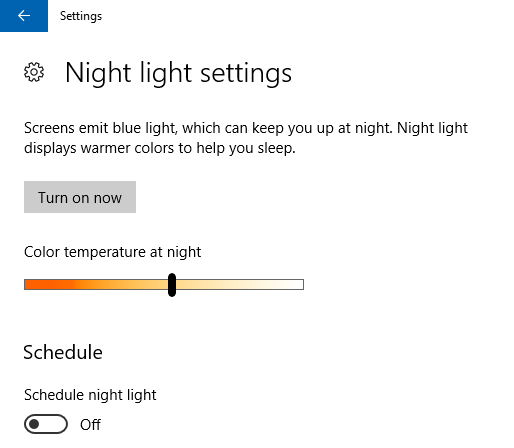 [source](https://techubs.net/wp-content/uploads/2018/02/27dd2676-capture-e1519234434860.png) ## Smartphone Notification Sync - You may be able to mirror or synchronize your smartphones' notification PCs or laptops using many third-party software, such as using AirDroid, PushBullet etc. But you may not know much like a Windows device user that there is a default option for Windows 10 to sync notifications from the smartphone. And it must be aware that for any work, if it is built-in solution from third party software, it works better and is more relaxed. - To sync all the notifications live from your smartphone to your PC, you only have to install the Android version of Microsoft Cortana on your smartphone and the Microsoft account that is logged in to your PC, the same Microsoft account will be required to login to your phone at the karta. After that you have to go to the settings menu of Windows 10 on the PC and go to the cortana settings. There will be an option in the cortana settings whose name is notification settings. Now you need to enable the Just Send Notification Between Devices option from notification settings. - Then you will get all the notifications that come to your PC at the same time. You can also reply to any notification message from your smartphone from PC. This feature is much more useful when you do any work on the PC and your phone will not be in the hands of your hands. And yes, for this feature to work, you have to have internet connection on both PCs and smartphones. For this feature, you also need the latest version of Windows 10. - And yes, you will not find the cortana app in the Play Store. Because, it is not officially universal in Bangladesh. If you want, you can download the Cortana app from this link. 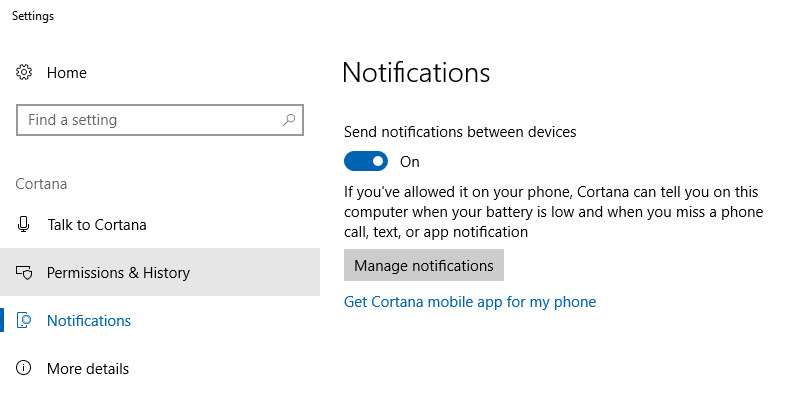 [source](https://techubs.net/wp-content/uploads/2018/02/a4d00da5-capture-e1519234365469.png) ## Built In Disk Cleaner - Many of us use a variety of third party programs to scan and delete unnecessary files on the PC. Many more such junk cleaner applications such as sicliner, pc cleaner etc. But such programs should not always be used. In many cases, these are necessary, but they are not suitable solutions to clean the files because they are third party programs. Because, many do not know that Windows 10 already has a built-in disc cleaner. You just have to go to the Settings menu of Windows 10 and go to the storage option from System Settings. Here you will find an option called Storage Sense. - If you enable this option, you will never have to worry about cleansing the disk. Whenever the number of unnecessary files increases on your PC, Windows itself will clean the disk and clean all unnecessary cache files and temporal files. And if you want to manually clean the disk, there is also a default tool in Windows. You just have to click the Start button and search for it by typing Disk Cleanup. Then you will be able to open the disk cleanup tool and you can select any drive from there to clean the file. 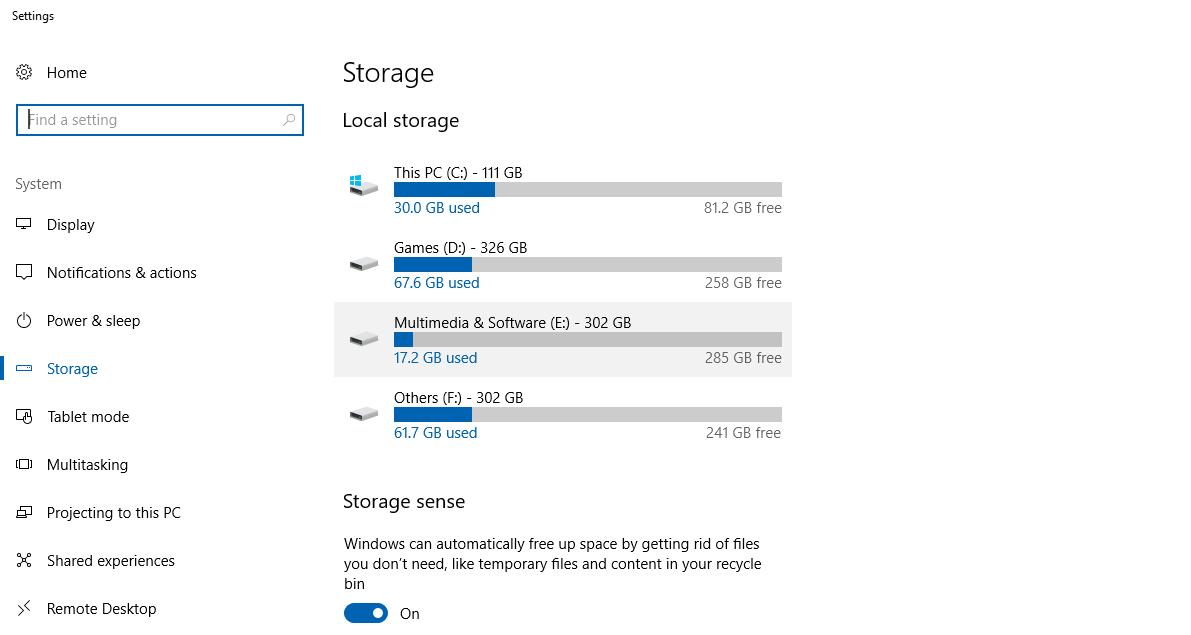 https://techubs.net/wp-content/uploads/2018/02/8b576e2f-capture.png0 ## Desktop screenshot - I do not think there is a need to say anything about what the screenshot is and why it is needed. We all know what the screenshot is and what the requirements are. Although taking screenshots on a smartphone is a lot easier, but it is not as easy as the desktop / PC. Yes, taking screenshots on the desktop makes it easier to install a third partitionscreen program (eg: Greenshot). But there are also Windows's default First Party programs for taking screenshots, although many PC users do not know about this program. - Yes, you may know that the screenshots can be taken at any time by pressing the Insert PrintScreen button on the keyboard. However, you can not resize the screenshot or select a small area and take a screenshot. Your screenshot is copied to the clipboard and you have to paste the screenshot again into an image editor program, then edit it again or save it. To finish this whole work, it can be seen that taking a screenshot and taking small tasks like cropping takes more than 5 minutes. - But taking screenshots and simultaneously screenshots or select specific areas, there is another default program for screenshots called Snipping Tool. You will not always get this program in front of your eyes. So before you take a screenshot, you will need to open the program by searching from the Windows Start menu. Once you have written the Snipping Word in the search bar, you will find the program in the search result above. Then the program will open in a small Wide window. - Clicking on the New option will tell you to select an area with the mouse cursor, which you want to take screenshot of. Next, after selecting the area, the dialog box will be provided to save the screenshot and you can save the screenshot wherever you want. This program does not have much features like third party screenshots programs, but if you need to quickly make a Quicky screenshot this default program is best.  [source](https://techubs.net/wp-content/uploads/2018/02/6ce80672-2017-12-21-04_15_23-.png) ## Built-in emoji input - While using Windows PCs or laptops, there are fewer people who have never had trouble with interacting with emoji in a text field. Because, there is no option to interact emoji in the Windows device that we use when using the traditional hardware keyboard. So in order to emoji input in any text field in Windows, there was no way to paste emoji copy paste from anywhere. But many people do not know that the latest version of Windows 10 is the option to create the built-in updates for creatives update, and it works on Facebook, Twitter and all the websites or programs all over the world. - In simple words, wherever you can find some type of place in Windows, it will work. For this you only need to press the Windows key and the flower stop key while typing. Meaning while holding the Windows logo button on the keyboard, press the flower stop button. Then a small popup window will open in front of you, where all the emoji will be there and you can choose any emoji from there to enter text field. If you want, you can search the emoji emoji search by entering the name of this popup window.  [source](https://techubs.net/wp-content/uploads/2018/02/8004ddd1-1-e1519234510265.png) > So this was the 5 Windows 10 tricks you should know if you're a Windows 10 user. There are many more tricks that can be discussed any other time. Here's the end of today Hope you like today's article. If there are any questions or opinions, please tell in the comments section. |
| json metadata | {"tags":["windows","tips","tricks","software","steemit"],"image":["https://steemitimages.com/DQmPAuToo6bNbwmYtr4YQa7vXN2W1YMHCCgXftCY6BDP7Hu/5c5ffad9-windows-10-laptop-img-th-feature-740x494.jpg","https://img.youtube.com/vi/zEHdn-OQZ4w/0.jpg","https://steemitimages.com/DQmcbZKftVaEmDNY3szJbVSsRnCdyv7Y3CCtV3e5VWhhQ2L/27dd2676-capture-e1519234434860.png","https://steemitimages.com/DQmQmJKE5SKAfiXsgBkEij7MqgvgBuebhEa9EC7wnXMw4HP/a4d00da5-capture-e1519234365469.png","https://steemitimages.com/DQmZMVaMu47ZWpxoYf9A1RYbaiVePnoa5yA9gNMqcvSt76f/8b576e2f-capture.png","https://techubs.net/wp-content/uploads/2018/02/8b576e2f-capture.png0","https://steemitimages.com/DQmPqtudFS5LQTkp8xhLdaqpwKCLspCBAmpaWfj4uDnv3mk/8004ddd1-1-e1519234510265.png"],"links":["https://techubs.net/wp-content/uploads/2018/02/5c5ffad9-windows-10-laptop-img-th-feature-740x494.jpg","https://www.youtube.com/embed/zEHdn-OQZ4w","https://techubs.net/wp-content/uploads/2018/02/27dd2676-capture-e1519234434860.png","https://techubs.net/wp-content/uploads/2018/02/a4d00da5-capture-e1519234365469.png","https://techubs.net/wp-content/uploads/2018/02/6ce80672-2017-12-21-04_15_23-.png","https://techubs.net/wp-content/uploads/2018/02/8004ddd1-1-e1519234510265.png"],"app":"steemit/0.1","format":"markdown"} |
| Transaction Info | Block #22588056/Trx 16fb7abea5fd854d8c1ea4bfdd953f25674f7659 |
View Raw JSON Data
{
"trx_id": "16fb7abea5fd854d8c1ea4bfdd953f25674f7659",
"block": 22588056,
"trx_in_block": 59,
"op_in_trx": 0,
"virtual_op": 0,
"timestamp": "2018-05-20T06:08:39",
"op": [
"comment",
{
"parent_author": "",
"parent_permlink": "windows",
"author": "mdaminul",
"permlink": "windows-10-tricks-5-windows-10-tricks-you-should-know",
"title": "Windows 10 Tricks: 5 Windows 10 Tricks You Should Know",
"body": "\n[source](https://techubs.net/wp-content/uploads/2018/02/5c5ffad9-windows-10-laptop-img-th-feature-740x494.jpg)\n\n\n### In Windows 10, we all use Windows PCs or laptops. At present, very few Windows 10 PCs are seen in the end of 2017-18, in which there is a version below Windows 10. Microsoft has always claimed that Windows 10 is still the best Windows version of their build. In their claim, Windows 10 has much more features than previous Windows versions, and it is much faster than before and Reliable.\n\n### However, today I will discuss five tricks of Windows 10 that you should know if you are a Windows 10 user. Maybe there are many of these tricks you already know and have been using for a long time. You may not have noticed and used even after they have been on Windows 10 for a long time. However, let's start by saying no.\n<iframe width=\"560\" height=\"315\" src=\"https://www.youtube.com/embed/zEHdn-OQZ4w\" frameborder=\"0\" allow=\"autoplay; encrypted-media\" allowfullscreen></iframe>\n\n\n## Night light\n\n- This feature is quite familiar to smartphone users. Night lights are basically a feature or a setting that will protect your eyes while using your device at night or help lower pressure on your eyes. If you go to the Display section from the settings menu of Windows 10 PC then you will get the Night Light option. From there, Night Light will be available on your display. You will see an array of colored shades on your display which will give your eyes light on the night while using the device. If you want, this shade will be deep or light, you can set it yourself as well.\n\n- If you have a hat for using a PC or laptop at night like me, then I would say you must use the light lights. As a result of this, you will have pain in your eye after looking at the screen or even if it is too short. If you want, you can set your routine as well so that the night lights will be automatically activated at your convenience and will be deactivated. But this feature is only available in Windows 10's latest Creators update. However, if you do not want to make any updates to the creator or if your Windows 10 version is a bit older and you do not want to upgrade, then you can activate Night Light using the F.lux software.\n\n\n[source](https://techubs.net/wp-content/uploads/2018/02/27dd2676-capture-e1519234434860.png)\n\n## Smartphone Notification Sync\n\n- You may be able to mirror or synchronize your smartphones' notification PCs or laptops using many third-party software, such as using AirDroid, PushBullet etc. But you may not know much like a Windows device user that there is a default option for Windows 10 to sync notifications from the smartphone. And it must be aware that for any work, if it is built-in solution from third party software, it works better and is more relaxed.\n\n- To sync all the notifications live from your smartphone to your PC, you only have to install the Android version of Microsoft Cortana on your smartphone and the Microsoft account that is logged in to your PC, the same Microsoft account will be required to login to your phone at the karta. After that you have to go to the settings menu of Windows 10 on the PC and go to the cortana settings. There will be an option in the cortana settings whose name is notification settings. Now you need to enable the Just Send Notification Between Devices option from notification settings.\n\n\n- Then you will get all the notifications that come to your PC at the same time. You can also reply to any notification message from your smartphone from PC. This feature is much more useful when you do any work on the PC and your phone will not be in the hands of your hands. And yes, for this feature to work, you have to have internet connection on both PCs and smartphones. For this feature, you also need the latest version of Windows 10.\n\n- And yes, you will not find the cortana app in the Play Store. Because, it is not officially universal in Bangladesh. If you want, you can download the Cortana app from this link.\n\n\n[source](https://techubs.net/wp-content/uploads/2018/02/a4d00da5-capture-e1519234365469.png)\n\n## Built In Disk Cleaner\n\n- Many of us use a variety of third party programs to scan and delete unnecessary files on the PC. Many more such junk cleaner applications such as sicliner, pc cleaner etc. But such programs should not always be used. In many cases, these are necessary, but they are not suitable solutions to clean the files because they are third party programs. Because, many do not know that Windows 10 already has a built-in disc cleaner. You just have to go to the Settings menu of Windows 10 and go to the storage option from System Settings. Here you will find an option called Storage Sense.\n\n- If you enable this option, you will never have to worry about cleansing the disk. Whenever the number of unnecessary files increases on your PC, Windows itself will clean the disk and clean all unnecessary cache files and temporal files. And if you want to manually clean the disk, there is also a default tool in Windows. You just have to click the Start button and search for it by typing Disk Cleanup. Then you will be able to open the disk cleanup tool and you can select any drive from there to clean the file.\n\n https://techubs.net/wp-content/uploads/2018/02/8b576e2f-capture.png0\n\n## Desktop screenshot\n\n- I do not think there is a need to say anything about what the screenshot is and why it is needed. We all know what the screenshot is and what the requirements are. Although taking screenshots on a smartphone is a lot easier, but it is not as easy as the desktop / PC. Yes, taking screenshots on the desktop makes it easier to install a third partitionscreen program (eg: Greenshot). But there are also Windows's default First Party programs for taking screenshots, although many PC users do not know about this program.\n\n- Yes, you may know that the screenshots can be taken at any time by pressing the Insert PrintScreen button on the keyboard. However, you can not resize the screenshot or select a small area and take a screenshot. Your screenshot is copied to the clipboard and you have to paste the screenshot again into an image editor program, then edit it again or save it. To finish this whole work, it can be seen that taking a screenshot and taking small tasks like cropping takes more than 5 minutes.\n\n- But taking screenshots and simultaneously screenshots or select specific areas, there is another default program for screenshots called Snipping Tool. You will not always get this program in front of your eyes. So before you take a screenshot, you will need to open the program by searching from the Windows Start menu. Once you have written the Snipping Word in the search bar, you will find the program in the search result above. Then the program will open in a small Wide window.\n\n- Clicking on the New option will tell you to select an area with the mouse cursor, which you want to take screenshot of. Next, after selecting the area, the dialog box will be provided to save the screenshot and you can save the screenshot wherever you want. This program does not have much features like third party screenshots programs, but if you need to quickly make a Quicky screenshot this default program is best.\n\n\n[source](https://techubs.net/wp-content/uploads/2018/02/6ce80672-2017-12-21-04_15_23-.png)\n\n## Built-in emoji input\n\n- While using Windows PCs or laptops, there are fewer people who have never had trouble with interacting with emoji in a text field. Because, there is no option to interact emoji in the Windows device that we use when using the traditional hardware keyboard. So in order to emoji input in any text field in Windows, there was no way to paste emoji copy paste from anywhere. But many people do not know that the latest version of Windows 10 is the option to create the built-in updates for creatives update, and it works on Facebook, Twitter and all the websites or programs all over the world.\n\n- In simple words, wherever you can find some type of place in Windows, it will work. For this you only need to press the Windows key and the flower stop key while typing. Meaning while holding the Windows logo button on the keyboard, press the flower stop button. Then a small popup window will open in front of you, where all the emoji will be there and you can choose any emoji from there to enter text field. If you want, you can search the emoji emoji search by entering the name of this popup window.\n\n\n[source](https://techubs.net/wp-content/uploads/2018/02/8004ddd1-1-e1519234510265.png)\n\n> So this was the 5 Windows 10 tricks you should know if you're a Windows 10 user. There are many more tricks that can be discussed any other time. Here's the end of today Hope you like today's article. If there are any questions or opinions, please tell in the comments section.",
"json_metadata": "{\"tags\":[\"windows\",\"tips\",\"tricks\",\"software\",\"steemit\"],\"image\":[\"https://steemitimages.com/DQmPAuToo6bNbwmYtr4YQa7vXN2W1YMHCCgXftCY6BDP7Hu/5c5ffad9-windows-10-laptop-img-th-feature-740x494.jpg\",\"https://img.youtube.com/vi/zEHdn-OQZ4w/0.jpg\",\"https://steemitimages.com/DQmcbZKftVaEmDNY3szJbVSsRnCdyv7Y3CCtV3e5VWhhQ2L/27dd2676-capture-e1519234434860.png\",\"https://steemitimages.com/DQmQmJKE5SKAfiXsgBkEij7MqgvgBuebhEa9EC7wnXMw4HP/a4d00da5-capture-e1519234365469.png\",\"https://steemitimages.com/DQmZMVaMu47ZWpxoYf9A1RYbaiVePnoa5yA9gNMqcvSt76f/8b576e2f-capture.png\",\"https://techubs.net/wp-content/uploads/2018/02/8b576e2f-capture.png0\",\"https://steemitimages.com/DQmPqtudFS5LQTkp8xhLdaqpwKCLspCBAmpaWfj4uDnv3mk/8004ddd1-1-e1519234510265.png\"],\"links\":[\"https://techubs.net/wp-content/uploads/2018/02/5c5ffad9-windows-10-laptop-img-th-feature-740x494.jpg\",\"https://www.youtube.com/embed/zEHdn-OQZ4w\",\"https://techubs.net/wp-content/uploads/2018/02/27dd2676-capture-e1519234434860.png\",\"https://techubs.net/wp-content/uploads/2018/02/a4d00da5-capture-e1519234365469.png\",\"https://techubs.net/wp-content/uploads/2018/02/6ce80672-2017-12-21-04_15_23-.png\",\"https://techubs.net/wp-content/uploads/2018/02/8004ddd1-1-e1519234510265.png\"],\"app\":\"steemit/0.1\",\"format\":\"markdown\"}"
}
]
}2018/05/20 06:02:45
2018/05/20 06:02:45
| parent author | mdaminul |
| parent permlink | forgot-your-password-bypassing-any-windows-7-8-1-10-or-linux-password |
| author | megabot |
| permlink | re-mdaminul-forgot-your-password-bypassing-any-windows-7-8-1-10-or-linux-password-20180520t060244326z |
| title | re-mdaminul-forgot-your-password-bypassing-any-windows-7-8-1-10-or-linux-password-20180520t060244326z |
| body | #### In the fight of _Humans vs Bots_, @megabot defended you with 11.11% upvote courtesy of @mdaminul! <center></center> Support @Megabot by delegating SP to the bot and get a part of 98% of @Megabot's profit. Direct delegation links : [10 SP](https://steemconnect.com/sign/delegateVestingShares?delegator=username&delegatee=megabot&vesting_shares=20428.7500%20VESTS) || [50 SP](https://steemconnect.com/sign/delegateVestingShares?delegator=username&delegatee=megabot&vesting_shares=102143.7502%20VESTS) || [100 SP](https://steemconnect.com/sign/delegateVestingShares?delegator=username&delegatee=megabot&vesting_shares=204287.5004%20VESTS) || [500 SP](https://steemconnect.com/sign/delegateVestingShares?delegator=username&delegatee=megabot&vesting_shares=1021437.5019%20VESTS) || [1000 SP](https://steemconnect.com/sign/delegateVestingShares?delegator=username&delegatee=megabot&vesting_shares=2042875.0039%20VESTS) || [Any other amount of SP](https://steembottracker.com/delegation.html?delegatee=megabot&amount) Join our discord group [here](https://discord.gg/HrZR3BE). Thank You ! |
| json metadata | {"app":"postpromoter/1.8.7"} |
| Transaction Info | Block #22587939/Trx 840efa2a28354bd2298275370759f7d84e56365d |
View Raw JSON Data
{
"trx_id": "840efa2a28354bd2298275370759f7d84e56365d",
"block": 22587939,
"trx_in_block": 24,
"op_in_trx": 0,
"virtual_op": 0,
"timestamp": "2018-05-20T06:02:45",
"op": [
"comment",
{
"parent_author": "mdaminul",
"parent_permlink": "forgot-your-password-bypassing-any-windows-7-8-1-10-or-linux-password",
"author": "megabot",
"permlink": "re-mdaminul-forgot-your-password-bypassing-any-windows-7-8-1-10-or-linux-password-20180520t060244326z",
"title": "re-mdaminul-forgot-your-password-bypassing-any-windows-7-8-1-10-or-linux-password-20180520t060244326z",
"body": "#### In the fight of _Humans vs Bots_, @megabot defended you with 11.11% upvote courtesy of @mdaminul!\n\n<center></center>\n\nSupport @Megabot by delegating SP to the bot and get a part of 98% of @Megabot's profit.\n\nDirect delegation links : [10 SP](https://steemconnect.com/sign/delegateVestingShares?delegator=username&delegatee=megabot&vesting_shares=20428.7500%20VESTS) || [50 SP](https://steemconnect.com/sign/delegateVestingShares?delegator=username&delegatee=megabot&vesting_shares=102143.7502%20VESTS) || [100 SP](https://steemconnect.com/sign/delegateVestingShares?delegator=username&delegatee=megabot&vesting_shares=204287.5004%20VESTS) || [500 SP](https://steemconnect.com/sign/delegateVestingShares?delegator=username&delegatee=megabot&vesting_shares=1021437.5019%20VESTS) || [1000 SP](https://steemconnect.com/sign/delegateVestingShares?delegator=username&delegatee=megabot&vesting_shares=2042875.0039%20VESTS) || [Any other amount of SP](https://steembottracker.com/delegation.html?delegatee=megabot&amount)\n\nJoin our discord group [here](https://discord.gg/HrZR3BE).\n\nThank You !\n",
"json_metadata": "{\"app\":\"postpromoter/1.8.7\"}"
}
]
}2018/05/20 06:00:39
2018/05/20 06:00:39
| voter | megabot |
| author | mdaminul |
| permlink | forgot-your-password-bypassing-any-windows-7-8-1-10-or-linux-password |
| weight | 1111 (11.11%) |
| Transaction Info | Block #22587897/Trx 43560807c6e973bc523ef4893ca8229275cd6dc9 |
View Raw JSON Data
{
  "trx_id": "43560807c6e973bc523ef4893ca8229275cd6dc9",
  "block": 22587897,
  "trx_in_block": 20,
  "op_in_trx": 0,
  "virtual_op": 0,
  "timestamp": "2018-05-20T06:00:39",
  "op": [
    "vote",
    {
      "voter": "megabot",
      "author": "mdaminul",
      "permlink": "forgot-your-password-bypassing-any-windows-7-8-1-10-or-linux-password",
      "weight": 1111
    }
  ]
}2018/05/20 05:57:33
2018/05/20 05:57:33
| from | mdaminul |
| to | megabot |
| amount | 0.010 SBD |
| memo | https://steemit.com/windows/@mdaminul/forgot-your-password-bypassing-any-windows-7-8-1-10-or-linux-password |
| Transaction Info | Block #22587835/Trx fbffc005cab922e8e9eea7e8170885e765b37e58 |
View Raw JSON Data
{
  "trx_id": "fbffc005cab922e8e9eea7e8170885e765b37e58",
  "block": 22587835,
  "trx_in_block": 47,
  "op_in_trx": 0,
  "virtual_op": 0,
  "timestamp": "2018-05-20T05:57:33",
  "op": [
    "transfer",
    {
      "from": "mdaminul",
      "to": "megabot",
      "amount": "0.010 SBD",
      "memo": "https://steemit.com/windows/@mdaminul/forgot-your-password-bypassing-any-windows-7-8-1-10-or-linux-password"
    }
  ]
}mdaminulclaimed reward balance: 0.141 SBD, 0.061 SP2018/05/20 05:33:06
mdaminulclaimed reward balance: 0.141 SBD, 0.061 SP
2018/05/20 05:33:06
| account | mdaminul |
| reward steem | 0.000 STEEM |
| reward sbd | 0.141 SBD |
| reward vests | 99.690331 VESTS |
| Transaction Info | Block #22587346/Trx 740c61afb36302cdd4f85bfd3698cae88e64819b |
View Raw JSON Data
{
  "trx_id": "740c61afb36302cdd4f85bfd3698cae88e64819b",
  "block": 22587346,
  "trx_in_block": 3,
  "op_in_trx": 0,
  "virtual_op": 0,
  "timestamp": "2018-05-20T05:33:06",
  "op": [
    "claim_reward_balance",
    {
      "account": "mdaminul",
      "reward_steem": "0.000 STEEM",
      "reward_sbd": "0.141 SBD",
      "reward_vests": "99.690331 VESTS"
    }
  ]
}mdaminulreceived 0.141 SBD, 0.061 SP author reward for @mdaminul / some-websites-of-the-dark-web-you-will-never-find-google2018/05/20 05:18:51
mdaminulreceived 0.141 SBD, 0.061 SP author reward for @mdaminul / some-websites-of-the-dark-web-you-will-never-find-google
2018/05/20 05:18:51
| author | mdaminul |
| permlink | some-websites-of-the-dark-web-you-will-never-find-google |
| sbd payout | 0.141 SBD |
| steem payout | 0.000 STEEM |
| vesting payout | 99.690331 VESTS |
| Transaction Info | Block #22587060/Virtual Operation #5 |
View Raw JSON Data
{
  "trx_id": "0000000000000000000000000000000000000000",
  "block": 22587060,
  "trx_in_block": 4294967295,
  "op_in_trx": 0,
  "virtual_op": 5,
  "timestamp": "2018-05-20T05:18:51",
  "op": [
    "author_reward",
    {
      "author": "mdaminul",
      "permlink": "some-websites-of-the-dark-web-you-will-never-find-google",
      "sbd_payout": "0.141 SBD",
      "steem_payout": "0.000 STEEM",
      "vesting_payout": "99.690331 VESTS"
    }
  ]
}2018/05/19 09:54:24
2018/05/19 09:54:24
| voter | sensation |
| author | mdaminul |
| permlink | do-not-use-your-headphones-wrongly-or-some-easy-tips-for-increasing-the-life-of-headphones |
| weight | 10000 (100.00%) |
| Transaction Info | Block #22563777/Trx 940cbdb4fcac03be1006659a7e07c00ca1c7d9af |
View Raw JSON Data
{
  "trx_id": "940cbdb4fcac03be1006659a7e07c00ca1c7d9af",
  "block": 22563777,
  "trx_in_block": 63,
  "op_in_trx": 0,
  "virtual_op": 0,
  "timestamp": "2018-05-19T09:54:24",
  "op": [
    "vote",
    {
      "voter": "sensation",
      "author": "mdaminul",
      "permlink": "do-not-use-your-headphones-wrongly-or-some-easy-tips-for-increasing-the-life-of-headphones",
      "weight": 10000
    }
  ]
}2018/05/19 08:18:33
2018/05/19 08:18:33
| voter | mdaminul |
| author | mdaminul |
| permlink | do-not-use-your-headphones-wrongly-or-some-easy-tips-for-increasing-the-life-of-headphones |
| weight | 10000 (100.00%) |
| Transaction Info | Block #22561860/Trx 721dc64ab86c8fe592a1862da63c8b721e05de5c |
View Raw JSON Data
{
  "trx_id": "721dc64ab86c8fe592a1862da63c8b721e05de5c",
  "block": 22561860,
  "trx_in_block": 61,
  "op_in_trx": 0,
  "virtual_op": 0,
  "timestamp": "2018-05-19T08:18:33",
  "op": [
    "vote",
    {
      "voter": "mdaminul",
      "author": "mdaminul",
      "permlink": "do-not-use-your-headphones-wrongly-or-some-easy-tips-for-increasing-the-life-of-headphones",
      "weight": 10000
    }
  ]
}2018/05/19 08:17:09
2018/05/19 08:17:09
| parent author | |
| parent permlink | education |
| author | mdaminul |
| permlink | do-not-use-your-headphones-wrongly-or-some-easy-tips-for-increasing-the-life-of-headphones |
| title | Do not use your headphones wrongly? | Some easy tips for increasing the life of headphones |
| body |  [source](https://storage.googleapis.com/techubs-cdn/2018/05/4fe635be-headphone-man-img-th-feature-sd-740x493.jpg) ### I know, many of you use cheap headphones, because headphones or earbuds are one thing that can be broken. No one can tell when the headphones will start from Rs 120 to Rs 2,000 or more. Maybe there is a problem with wire or the sound quality is damaged, or in most cases it is playing one ear, but the other ear is damaged or the entire headphones are dead! ### But why does this always happen with headphones? Or is it happening to use your headphones incorrectly? You are not responsible for damaging your headphones? Or how to increase your headphone's life? - From this article you are going to know about some important information about headphone damage and headphone care! ## Cable problem - 90% of the headphones have problems with wire, especially Achanak is lost or he is trapped with a jap of plugged jack or within a few days next to the speaker. Most of the time this problem arises due to your own mistakes. We often release indecision with headphones, we put them in the pocket, and then we put the headphones out of the pockets and try to open the pelvis in the pantry, so much so that the barrels of the bar are often played. - Those who use the Wireless Headphones are different, they do not have to deal with the wire at all, but it's not always strange to have problems in the headphones, even in the case of the expensive headphones. Now if you have a little sealing experience, then it is possible to replace the old easily. There are many headphones that have a removable cable system, even though they are a bit more expensive than the model, yet you do not want to turn the cable back on forever. - Now it is talking, why is it cut off to earpiece, or 3.5mm jack? Now it is very difficult to manage the quality of the cable if it is really bad, but I will never assume that you will not be left in the 90-degree angle near your 3.5mm jack or the earpiece. After this, a lot of tension in the inside can cause the connection to open from the plug or from the earpiece, and also the wire insulator of the pressure can be cut off. Besides, spraying gitto with wire can also cause problems. ## Headphone case - The better and the type of headphones or earphones, if you put them in the pocket, even if you put them in the bag, how can they get automatic gittu in the wire! And since the paragraph above from above is not a good thing to know, the best method is to use a good headphone case. The case is available from many headphones since the purchase, and if you want you can buy a case itself. - The Headphones case protects headphones in many ways, especially Better cable management, providing protection to your earpieces, earcaps, and headphones to avoid damage. Using the case, the headphones can be protected from external dust, which is important for increasing headphones life. ## Keep the headphones clean - Keeping the headphones clean is a very important factor, just a few days ago, my earphone reduced the sudden sound, so I thought that the life of the earphones would seem to be the last one. So I started thinking about buying a new earphone, I thought once in a while, "Well, how well do you clean the yarpies?" - After cleaning the earpiece, the sound was backed up to 100. - Especially in the case of earphones, earrings in the ears of the ear, in the ears of the ears, the sound of the sound is bad and the sound is just normal. Besides, while many people use earphones while riding, while cycling, headphones can cause sweating easily. - Earlier, I told earphone earphones that they needed to be cleaned, which could reduce the sound quality of 50% or more. There are YEAFFone cleansing toolkits that may be able to buy from online websites, but do not want to clean it with some water or liquids, which can cause the speaker to be damaged. ## High volume - Not only all the time, but often the headphone driver fails to play music on high volumes, the sound quality in the speaker gets worse or starts to make a consistent soundtrack. If there is such problem with headphones, then listening to music is a lot of fun. When the driver is damaged, many generic music is completely destroyed, such as the Deep Base effect is not available. Know here, your smartphone is not responsible for giving headphones the sound? - Using a headphone in a mobile device is not always the problem of the driver, but the problem may always be if you play music at high volume. Moreover, laptops, desktops, studio quality assessments can easily make headphones drivers damaged, because they can create high quality and high volume. - To avoid this problem, I will give advice always to play music on low or medium volume. Once you listen to low volume, you will have to think that this is the best method, with the risk of headphone driver damages will be reduced in many parts! And what will be the benefit of bonus as well? - You will be able to protect your ears from twelve o'clock. ## IP rating - Now many are becoming aware of buying headphones. Wherever you are afraid to buy 100 rupees headphones, many of them are spending 10 thousand rupees to headphones. The expensive headphones are especially water registers. But here's the problem, there is a great difference between water proof and water registers. And it is not possible to make 100% water proof especially in electronic dishes. Know the authenticity of the water proof device from here! - No headphones can resist the water at any stage, it can be understood from the IP rating. The IP rating consists of two digits after the IP is written, the first digit implies how much the partition is protected from solid things such as dust. If 0 is used here then there is no protection from solid, if 6 is rated, it means there is total protection from solid. Again X is used, that means the company did not think of the need to test solid protection, or according to many, having an X rating means there are some type of protection and at least it is better than 0. - The second digit of IP rating usually ranges from 0 to 8 (8), and the second digit describes liquid protection. Here also, 0 does not contain any protection from liquid, and having 8 ratings means there is a top-down protection from liquid. Now if your headphone IP rating is IPX8, it means that there is some protection from its solid, which has a Better Better and Anti-Tipped Protection from 0. - If there is no headphone if the water is registered but there is no IP rating then it can cause problems. If the rating is IPX4 then there will be no problem with normal water flowing, but your headphones are not safe from heavy rain, high pressure water, or sweat. So if you need Better Protection, that means, if you live or play, then I would recommend that you buy headphones with IPX7 or IPX8 rating. ## Cheap Headphones - How long your headphones will be stored, depending on your care, as well as another factor is that you have really bought quality products. If you think of getting all-in-one convenience and long-loading features by buying a headphone of 100 rupees, it will work like a fool. - You have to admit cheap prices are available at low prices, but they are used in low-quality materials, as well as speaker, driver quality, build quality, and no build quality. However, this is exactly the headphone of the same range headphones with many quality quality sound from the 00-300-2012 headphones. The sound quality of the earphones of the previous 700-1000 headphones is now seen on the headphones of 300 rupees. - But do not forget to compare 300 rupees headphones with 3,000 rupees, because there is a difference of sky between two, especially in build quality and long life. But it is also true, no electronic device will not be lifelong, nor does it mean that you can not increase your life time. You do not have the problem to buy budget products, but buy quality products and brand sense, headphones will be long pending. You have to be careful, but the other factor is that you can buy Better Quality Products as much as you spend. - The general factor is to keep your headphones regularly clean, just as headphones can increase the life time, so the sound quality is fine. With as much care as possible to the wire, the better it can be. - Hopefully, the article will prove to be a lot more important for you, because no one who does not use headphones / earphones will be able to find at least this planet. If I miss any points, please tell me in the comment section below! |
| json metadata | {"tags":["education","trick","effect","steemit"],"image":["https://steemitimages.com/DQmTgDmsDva6CTv2k2USATVLEenC7K3CPwjYR3xd83cLXVx/4fe635be-headphone-man-img-th-feature-sd-740x493.jpg"],"links":["https://storage.googleapis.com/techubs-cdn/2018/05/4fe635be-headphone-man-img-th-feature-sd-740x493.jpg"],"app":"steemit/0.1","format":"markdown"} |
| Transaction Info | Block #22561832/Trx 4e46fd90560a8d78a7f1676a7432d559b9afcd84 |
View Raw JSON Data
{
"trx_id": "4e46fd90560a8d78a7f1676a7432d559b9afcd84",
"block": 22561832,
"trx_in_block": 25,
"op_in_trx": 0,
"virtual_op": 0,
"timestamp": "2018-05-19T08:17:09",
"op": [
"comment",
{
"parent_author": "",
"parent_permlink": "education",
"author": "mdaminul",
"permlink": "do-not-use-your-headphones-wrongly-or-some-easy-tips-for-increasing-the-life-of-headphones",
"title": "Do not use your headphones wrongly? | Some easy tips for increasing the life of headphones",
"body": "\n[source](https://storage.googleapis.com/techubs-cdn/2018/05/4fe635be-headphone-man-img-th-feature-sd-740x493.jpg)\n### I know, many of you use cheap headphones, because headphones or earbuds are one thing that can be broken. No one can tell when the headphones will start from Rs 120 to Rs 2,000 or more. Maybe there is a problem with wire or the sound quality is damaged, or in most cases it is playing one ear, but the other ear is damaged or the entire headphones are dead!\n\n### But why does this always happen with headphones? Or is it happening to use your headphones incorrectly? You are not responsible for damaging your headphones? Or how to increase your headphone's life? - From this article you are going to know about some important information about headphone damage and headphone care!\n\n## Cable problem\n\n- 90% of the headphones have problems with wire, especially Achanak is lost or he is trapped with a jap of plugged jack or within a few days next to the speaker. Most of the time this problem arises due to your own mistakes. We often release indecision with headphones, we put them in the pocket, and then we put the headphones out of the pockets and try to open the pelvis in the pantry, so much so that the barrels of the bar are often played.\n\n- Those who use the Wireless Headphones are different, they do not have to deal with the wire at all, but it's not always strange to have problems in the headphones, even in the case of the expensive headphones. Now if you have a little sealing experience, then it is possible to replace the old easily. There are many headphones that have a removable cable system, even though they are a bit more expensive than the model, yet you do not want to turn the cable back on forever.\n \n- Now it is talking, why is it cut off to earpiece, or 3.5mm jack? Now it is very difficult to manage the quality of the cable if it is really bad, but I will never assume that you will not be left in the 90-degree angle near your 3.5mm jack or the earpiece. After this, a lot of tension in the inside can cause the connection to open from the plug or from the earpiece, and also the wire insulator of the pressure can be cut off. Besides, spraying gitto with wire can also cause problems.\n\n## Headphone case\n\n- The better and the type of headphones or earphones, if you put them in the pocket, even if you put them in the bag, how can they get automatic gittu in the wire! And since the paragraph above from above is not a good thing to know, the best method is to use a good headphone case. The case is available from many headphones since the purchase, and if you want you can buy a case itself.\n\n- The Headphones case protects headphones in many ways, especially Better cable management, providing protection to your earpieces, earcaps, and headphones to avoid damage. Using the case, the headphones can be protected from external dust, which is important for increasing headphones life.\n\n## Keep the headphones clean\n\n- Keeping the headphones clean is a very important factor, just a few days ago, my earphone reduced the sudden sound, so I thought that the life of the earphones would seem to be the last one. So I started thinking about buying a new earphone, I thought once in a while, \"Well, how well do you clean the yarpies?\" - After cleaning the earpiece, the sound was backed up to 100.\n\n- Especially in the case of earphones, earrings in the ears of the ear, in the ears of the ears, the sound of the sound is bad and the sound is just normal. Besides, while many people use earphones while riding, while cycling, headphones can cause sweating easily.\n\n- Earlier, I told earphone earphones that they needed to be cleaned, which could reduce the sound quality of 50% or more. There are YEAFFone cleansing toolkits that may be able to buy from online websites, but do not want to clean it with some water or liquids, which can cause the speaker to be damaged.\n\n## High volume\n\n- Not only all the time, but often the headphone driver fails to play music on high volumes, the sound quality in the speaker gets worse or starts to make a consistent soundtrack. If there is such problem with headphones, then listening to music is a lot of fun. When the driver is damaged, many generic music is completely destroyed, such as the Deep Base effect is not available. Know here, your smartphone is not responsible for giving headphones the sound?\n\n- Using a headphone in a mobile device is not always the problem of the driver, but the problem may always be if you play music at high volume. Moreover, laptops, desktops, studio quality assessments can easily make headphones drivers damaged, because they can create high quality and high volume.\n\n- To avoid this problem, I will give advice always to play music on low or medium volume. Once you listen to low volume, you will have to think that this is the best method, with the risk of headphone driver damages will be reduced in many parts! And what will be the benefit of bonus as well? - You will be able to protect your ears from twelve o'clock.\n\n## IP rating\n\n- Now many are becoming aware of buying headphones. Wherever you are afraid to buy 100 rupees headphones, many of them are spending 10 thousand rupees to headphones. The expensive headphones are especially water registers. But here's the problem, there is a great difference between water proof and water registers. And it is not possible to make 100% water proof especially in electronic dishes. Know the authenticity of the water proof device from here!\n\n- No headphones can resist the water at any stage, it can be understood from the IP rating. The IP rating consists of two digits after the IP is written, the first digit implies how much the partition is protected from solid things such as dust. If 0 is used here then there is no protection from solid, if 6 is rated, it means there is total protection from solid. Again X is used, that means the company did not think of the need to test solid protection, or according to many, having an X rating means there are some type of protection and at least it is better than 0.\n\n\n \n- The second digit of IP rating usually ranges from 0 to 8 (8), and the second digit describes liquid protection. Here also, 0 does not contain any protection from liquid, and having 8 ratings means there is a top-down protection from liquid. Now if your headphone IP rating is IPX8, it means that there is some protection from its solid, which has a Better Better and Anti-Tipped Protection from 0.\n\n- If there is no headphone if the water is registered but there is no IP rating then it can cause problems. If the rating is IPX4 then there will be no problem with normal water flowing, but your headphones are not safe from heavy rain, high pressure water, or sweat. So if you need Better Protection, that means, if you live or play, then I would recommend that you buy headphones with IPX7 or IPX8 rating.\n\n## Cheap Headphones\n\n- How long your headphones will be stored, depending on your care, as well as another factor is that you have really bought quality products. If you think of getting all-in-one convenience and long-loading features by buying a headphone of 100 rupees, it will work like a fool.\n\n- You have to admit cheap prices are available at low prices, but they are used in low-quality materials, as well as speaker, driver quality, build quality, and no build quality. However, this is exactly the headphone of the same range headphones with many quality quality sound from the 00-300-2012 headphones. The sound quality of the earphones of the previous 700-1000 headphones is now seen on the headphones of 300 rupees.\n\n- But do not forget to compare 300 rupees headphones with 3,000 rupees, because there is a difference of sky between two, especially in build quality and long life. But it is also true, no electronic device will not be lifelong, nor does it mean that you can not increase your life time. You do not have the problem to buy budget products, but buy quality products and brand sense, headphones will be long pending. You have to be careful, but the other factor is that you can buy Better Quality Products as much as you spend.\n\n- The general factor is to keep your headphones regularly clean, just as headphones can increase the life time, so the sound quality is fine. With as much care as possible to the wire, the better it can be.\n\n- Hopefully, the article will prove to be a lot more important for you, because no one who does not use headphones / earphones will be able to find at least this planet. If I miss any points, please tell me in the comment section below!",
"json_metadata": "{\"tags\":[\"education\",\"trick\",\"effect\",\"steemit\"],\"image\":[\"https://steemitimages.com/DQmTgDmsDva6CTv2k2USATVLEenC7K3CPwjYR3xd83cLXVx/4fe635be-headphone-man-img-th-feature-sd-740x493.jpg\"],\"links\":[\"https://storage.googleapis.com/techubs-cdn/2018/05/4fe635be-headphone-man-img-th-feature-sd-740x493.jpg\"],\"app\":\"steemit/0.1\",\"format\":\"markdown\"}"
}
]
}2018/05/18 13:02:48
2018/05/18 13:02:48
| voter | security101 |
| author | mdaminul |
| permlink | forgot-your-password-bypassing-any-windows-7-8-1-10-or-linux-password |
| weight | 1500 (15.00%) |
| Transaction Info | Block #22538749/Trx 6ecd5c8d67147d0f5a85ebfd8a2b1be1c532593d |
View Raw JSON Data
{
  "trx_id": "6ecd5c8d67147d0f5a85ebfd8a2b1be1c532593d",
  "block": 22538749,
  "trx_in_block": 11,
  "op_in_trx": 0,
  "virtual_op": 0,
  "timestamp": "2018-05-18T13:02:48",
  "op": [
    "vote",
    {
      "voter": "security101",
      "author": "mdaminul",
      "permlink": "forgot-your-password-bypassing-any-windows-7-8-1-10-or-linux-password",
      "weight": 1500
    }
  ]
}2018/05/18 10:36:57
2018/05/18 10:36:57
| voter | aminulislam0 |
| author | mdaminul |
| permlink | forgot-your-password-bypassing-any-windows-7-8-1-10-or-linux-password |
| weight | 10000 (100.00%) |
| Transaction Info | Block #22535832/Trx 9eeec828ec4b5fb4b2488ede463396a480e75d1d |
View Raw JSON Data
{
  "trx_id": "9eeec828ec4b5fb4b2488ede463396a480e75d1d",
  "block": 22535832,
  "trx_in_block": 102,
  "op_in_trx": 0,
  "virtual_op": 0,
  "timestamp": "2018-05-18T10:36:57",
  "op": [
    "vote",
    {
      "voter": "aminulislam0",
      "author": "mdaminul",
      "permlink": "forgot-your-password-bypassing-any-windows-7-8-1-10-or-linux-password",
      "weight": 10000
    }
  ]
}2018/05/18 10:21:42
2018/05/18 10:21:42
| voter | mdaminul |
| author | mdaminul |
| permlink | forgot-your-password-bypassing-any-windows-7-8-1-10-or-linux-password |
| weight | 10000 (100.00%) |
| Transaction Info | Block #22535527/Trx 01702b42e8eaeded949b7f3047aa2243d5d3ac5e |
View Raw JSON Data
{
  "trx_id": "01702b42e8eaeded949b7f3047aa2243d5d3ac5e",
  "block": 22535527,
  "trx_in_block": 5,
  "op_in_trx": 0,
  "virtual_op": 0,
  "timestamp": "2018-05-18T10:21:42",
  "op": [
    "vote",
    {
      "voter": "mdaminul",
      "author": "mdaminul",
      "permlink": "forgot-your-password-bypassing-any-windows-7-8-1-10-or-linux-password",
      "weight": 10000
    }
  ]
}mdaminulpublished a new post: forgot-your-password-bypassing-any-windows-7-8-1-10-or-linux-password2018/05/18 10:20:12
mdaminulpublished a new post: forgot-your-password-bypassing-any-windows-7-8-1-10-or-linux-password
2018/05/18 10:20:12
| parent author | |
| parent permlink | windows |
| author | mdaminul |
| permlink | forgot-your-password-bypassing-any-windows-7-8-1-10-or-linux-password |
| title | Forgot your password? Bypassing any Windows (7, 8.1, 10) or Linux password! |
| body |  [source](https://storage.googleapis.com/techubs-cdn/2018/01/forget-pass-th-img-feature-370x247.jpg) ### Tahmid Burhan 4 months ago 6 comments5 min read First of all, it's not a hacking tutorial, you have the full responsibility for how you use it. I just tried to help them through this article, who have forgotten their PC's password and are locked themselves from their PC. So you are the one who can not remember his computer password? All right, there is no need to think about yourself, something that happens to us all, Kana is born, we must forget anything! -There is no reason for thinking-because it is possible to bypass or reset any operating system password. One minute! "If I can bypass my computer password and reset it, then anyone who passes your computer password will! So where's my security? "-There is no reason, I will show in this article how to pass through the password of any Windows or Linux PC and how to protect your computer from others; So let's jump ## Bypass password by Windows PC - In many styles it is possible to bypass or reset the password for Windows computers. Windows automatically allows you to create a password reset disk or USB, if you forget the password, insert the disc or USB easily by resetting the password as much as you can. If you speak, from Windows 8 to Windows 10, and if you keep your computer logged in with a Microsoft account, then reset your computer password after resetting the Microsoft account password from the Just Microsoft website. That's why working with Microsoft or using an online account using a local account on Windows 10 computer does not work. 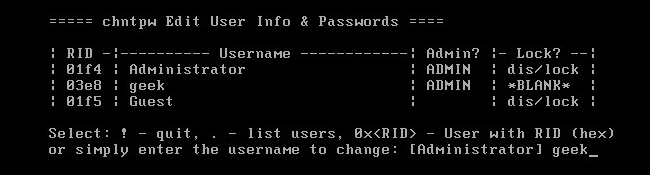 [source](https://storage.googleapis.com/techubs-cdn/2018/01/ximage19.png) - So these were the official method of resetting the Windows computer's password. But you can easily bypass any Windows password using an unauthorized method. Offline NT Password and Registry Editor - Using any tool you can bypass any Windows password. First download the tool and create a bootable disk or USB, then you will have to boot the disk or USB on your computer. This tool can clear your computer's user account password completely. Then you boot your computer normally, login the account, but no password will be asked. Even if you use Windows 8 or 10, and if you log in with a Microsoft account, then bypassing that password will allow your computer to access, by this tool. ## Windows PC Security - The question is, how to prevent anyone from accessing your computer bypassing your computer password? The simplest answer to this question is encryption, you can prevent others from accessing the computer by encrypting the full disk on your computer. If you use the Windows Pro version, you can easily encrypt the whole computer using Windows Default Bit Locker. But to get the complete computer hard drive encryption, the bit locker will look for Trusted Platform Module hardware, if it does not exist on your computer, you can encrypt your entire computer hard drive using Verrukit. 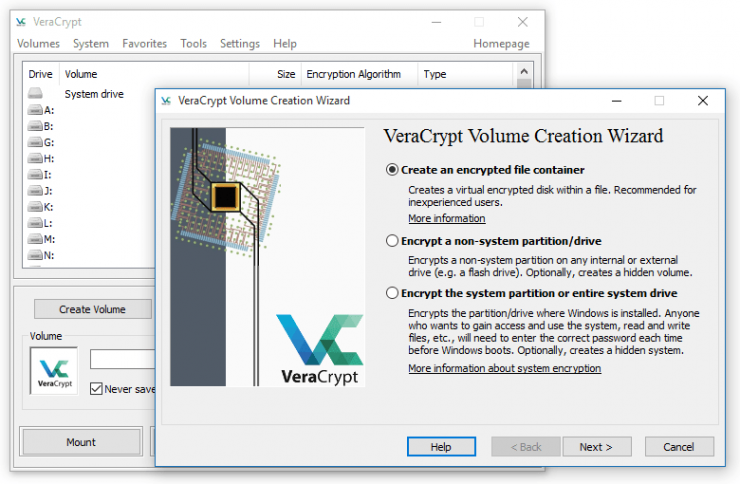 [source](https://storage.googleapis.com/techubs-cdn/2018/01/VeraCrypt_screenshot-740x484.png) - There is no reason to worry, VeraCript is a completely free tool that works like a bit-locker. But yes, of course, the encryption encryption password or the key can not be forgotten. In that case you will be banned from your own system, and there will be no other way than to reinstall Windows. (How to remember but create a hacker-proof password?) ## Linux password password bypass - For Linux, here I will discuss the Ubuntu diff, Kenona Ubuntu for desktop users. However, it is possible to bypass different Linux distro in the same way. There are options for password recovery from Ubuntu's default boot menu. Select the Advance option from the boot menu and you can easily move to Recovery Mode. If you do not see the boot menu on your computer, then the boot menu will come when you press the Shift key and turn on the computer. If you are using a dual operating system, then no key will be pressed, you will automatically get the Linux boot screen every time the computer boots. 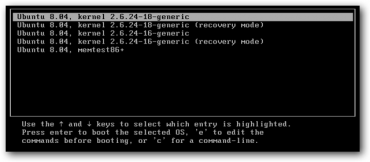 [source](https://storage.googleapis.com/techubs-cdn/2018/01/image34-370x162.png) ### If you want, press "e" from the boot menu and move directly to the root cell prompt menu. Now press the Arya key below to come to the Just kernel option, 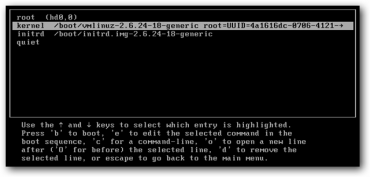 [source](https://storage.googleapis.com/techubs-cdn/2018/01/image35-370x177.png) ### You will see on your computer like the following screen; 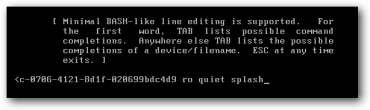 [source](https://storage.googleapis.com/techubs-cdn/2018/01/image36-370x110.png) ### Just removing the "ro quiet splash" part and paste the following command; > rw init = / bin / bash 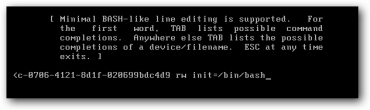 [source](https://storage.googleapis.com/techubs-cdn/2018/01/image37-370x110.png) ### After adjusting the kernel line and then hit Enter, press B to go to the boot menu and select the option. 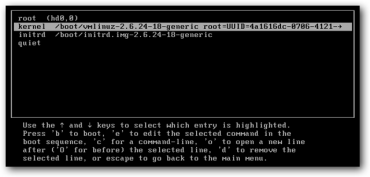 [source](https://storage.googleapis.com/techubs-cdn/2018/01/image38-370x177.png) ### Now the system will run the command prompt very easily, you will have to reset the password by entering the following commands. But remember, if the system forgets username it will be a problem. At least the username must be remembered. > passwd < username > ### You must place your user name in place of the username; > passwd techubs 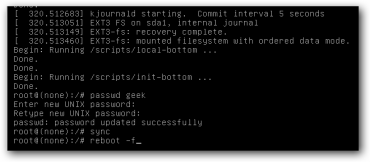 [source](https://storage.googleapis.com/techubs-cdn/2018/01/image39-370x162.png) ### After changing your password, simply reboot your system by entering the following command; > sync reboot -f - Like Linux on Windows, your system needs encryption to protect others from accessing the system bypassing passwords. If you use Ubuntu or Grub on any Linux district, and by setting a Grub password you can prevent anyone from editing the boot menu. - Yes, passwords are possible, and the above paragraphs are a living proof of this, but it is not possible for everyone to pass through the password, as long as they do not know these tricks. But if someone thinks of physically accessing your device and bypassing the password, no one can stop it. Only encryption can save your files or work data in that case. So the phone and the computer, the data must be encrypted! > ### I did not show the typical tutorial on NT Password and Registry Editor in this article, if necessary, you can easily find the tutorial from youtube, if you still want me, then I post another separate article showing it in the details pristel, I can definitely inform me by commenting below . |
| json metadata | {"tags":["windows","password","recovery","steemit"],"image":["https://steemitimages.com/DQmTcdN86pM8qqp2QCRtKRrw1yKUPxBoFseHA3Z2AtPKRy6/forget-pass-th-img-feature-740x494.jpg","https://steemitimages.com/DQmcL3AWftHCQh5jWAHs7GFvhFHBJyvnSmmocyiG3e6LMYc/ximage19.png","https://steemitimages.com/DQmcuigYYGqxNWDsKsH5QfmSYNSHcFSnSBsLfpt7ZzUgUza/VeraCrypt_screenshot-740x484.png","https://steemitimages.com/DQmPpSdxG1E2gAuCHCnLGqQV9Ui12sar4c4Pik1CVyUEzBc/image34-370x162.png","https://steemitimages.com/DQmZhFZkaaEPy8Jjrmf3ctmuotBE7HjEaGL3YiUEwpH6G9e/image35-370x177.png","https://steemitimages.com/DQmbQLXqvPYuTH177xaSQWH1oyT2ct3euk6hznL6QyGrwVV/image36-370x110.png","https://steemitimages.com/DQmPBuefY5X5mFCwex8X38tgpvmEdQrMiUanpJnDLbzsUbR/image37-370x110.png","https://steemitimages.com/DQmcFGqY6tvL2dHSn7FqRjNBovvfx26bxKqabjbtLvNnp9k/image38-370x177.png","https://steemitimages.com/DQmWc24oTrDscJuFpHGrSFPHqmf62DEyj198gJ6ZYDU2Fs8/image39-370x162.png"],"links":["https://storage.googleapis.com/techubs-cdn/2018/01/forget-pass-th-img-feature-370x247.jpg","https://storage.googleapis.com/techubs-cdn/2018/01/ximage19.png","https://storage.googleapis.com/techubs-cdn/2018/01/VeraCrypt_screenshot-740x484.png","https://storage.googleapis.com/techubs-cdn/2018/01/image34-370x162.png","https://storage.googleapis.com/techubs-cdn/2018/01/image35-370x177.png","https://storage.googleapis.com/techubs-cdn/2018/01/image36-370x110.png","https://storage.googleapis.com/techubs-cdn/2018/01/image37-370x110.png","https://storage.googleapis.com/techubs-cdn/2018/01/image38-370x177.png","https://storage.googleapis.com/techubs-cdn/2018/01/image39-370x162.png"],"app":"steemit/0.1","format":"markdown"} |
| Transaction Info | Block #22535497/Trx 15a5199f4db506c966a79ef47e500e505d2c17b9 |
View Raw JSON Data
{
"trx_id": "15a5199f4db506c966a79ef47e500e505d2c17b9",
"block": 22535497,
"trx_in_block": 12,
"op_in_trx": 0,
"virtual_op": 0,
"timestamp": "2018-05-18T10:20:12",
"op": [
"comment",
{
"parent_author": "",
"parent_permlink": "windows",
"author": "mdaminul",
"permlink": "forgot-your-password-bypassing-any-windows-7-8-1-10-or-linux-password",
"title": "Forgot your password? Bypassing any Windows (7, 8.1, 10) or Linux password!",
"body": "\n[source](https://storage.googleapis.com/techubs-cdn/2018/01/forget-pass-th-img-feature-370x247.jpg)\n\n### Tahmid Burhan 4 months ago 6 comments5 min read\nFirst of all, it's not a hacking tutorial, you have the full responsibility for how you use it. I just tried to help them through this article, who have forgotten their PC's password and are locked themselves from their PC. So you are the one who can not remember his computer password? All right, there is no need to think about yourself, something that happens to us all, Kana is born, we must forget anything! -There is no reason for thinking-because it is possible to bypass or reset any operating system password. One minute! \"If I can bypass my computer password and reset it, then anyone who passes your computer password will! So where's my security? \"-There is no reason, I will show in this article how to pass through the password of any Windows or Linux PC and how to protect your computer from others; So let's jump\n\n## Bypass password by Windows PC\n\n- In many styles it is possible to bypass or reset the password for Windows computers. Windows automatically allows you to create a password reset disk or USB, if you forget the password, insert the disc or USB easily by resetting the password as much as you can. If you speak, from Windows 8 to Windows 10, and if you keep your computer logged in with a Microsoft account, then reset your computer password after resetting the Microsoft account password from the Just Microsoft website. That's why working with Microsoft or using an online account using a local account on Windows 10 computer does not work.\n\n[source](https://storage.googleapis.com/techubs-cdn/2018/01/ximage19.png)\n\n\n- So these were the official method of resetting the Windows computer's password. But you can easily bypass any Windows password using an unauthorized method. Offline NT Password and Registry Editor - Using any tool you can bypass any Windows password. First download the tool and create a bootable disk or USB, then you will have to boot the disk or USB on your computer. This tool can clear your computer's user account password completely. Then you boot your computer normally, login the account, but no password will be asked. Even if you use Windows 8 or 10, and if you log in with a Microsoft account, then bypassing that password will allow your computer to access, by this tool.\n\n## Windows PC Security\n\n- The question is, how to prevent anyone from accessing your computer bypassing your computer password? The simplest answer to this question is encryption, you can prevent others from accessing the computer by encrypting the full disk on your computer. If you use the Windows Pro version, you can easily encrypt the whole computer using Windows Default Bit Locker. But to get the complete computer hard drive encryption, the bit locker will look for Trusted Platform Module hardware, if it does not exist on your computer, you can encrypt your entire computer hard drive using Verrukit.\n\n\n[source](https://storage.googleapis.com/techubs-cdn/2018/01/VeraCrypt_screenshot-740x484.png)\n\n\n- There is no reason to worry, VeraCript is a completely free tool that works like a bit-locker. But yes, of course, the encryption encryption password or the key can not be forgotten. In that case you will be banned from your own system, and there will be no other way than to reinstall Windows. (How to remember but create a hacker-proof password?)\n\n## Linux password password bypass\n\n- For Linux, here I will discuss the Ubuntu diff, Kenona Ubuntu for desktop users. However, it is possible to bypass different Linux distro in the same way. There are options for password recovery from Ubuntu's default boot menu. Select the Advance option from the boot menu and you can easily move to Recovery Mode. If you do not see the boot menu on your computer, then the boot menu will come when you press the Shift key and turn on the computer. If you are using a dual operating system, then no key will be pressed, you will automatically get the Linux boot screen every time the computer boots.\n\n\n[source](https://storage.googleapis.com/techubs-cdn/2018/01/image34-370x162.png)\n\n### If you want, press \"e\" from the boot menu and move directly to the root cell prompt menu. Now press the Arya key below to come to the Just kernel option,\n\n[source](https://storage.googleapis.com/techubs-cdn/2018/01/image35-370x177.png)\n\n### You will see on your computer like the following screen;\n\n\n[source](https://storage.googleapis.com/techubs-cdn/2018/01/image36-370x110.png)\n\n### Just removing the \"ro quiet splash\" part and paste the following command;\n\n> rw init = / bin / bash\n\n[source](https://storage.googleapis.com/techubs-cdn/2018/01/image37-370x110.png)\n\n### After adjusting the kernel line and then hit Enter, press B to go to the boot menu and select the option.\n\n[source](https://storage.googleapis.com/techubs-cdn/2018/01/image38-370x177.png)\n\n### Now the system will run the command prompt very easily, you will have to reset the password by entering the following commands. But remember, if the system forgets username it will be a problem. At least the username must be remembered.\n\n> passwd < username >\n\n### You must place your user name in place of the username;\n\n > passwd techubs\n\n[source](https://storage.googleapis.com/techubs-cdn/2018/01/image39-370x162.png)\n\n\n### After changing your password, simply reboot your system by entering the following command;\n\n> sync\nreboot -f\n\n- Like Linux on Windows, your system needs encryption to protect others from accessing the system bypassing passwords. If you use Ubuntu or Grub on any Linux district, and by setting a Grub password you can prevent anyone from editing the boot menu.\n\n- Yes, passwords are possible, and the above paragraphs are a living proof of this, but it is not possible for everyone to pass through the password, as long as they do not know these tricks. But if someone thinks of physically accessing your device and bypassing the password, no one can stop it. Only encryption can save your files or work data in that case. So the phone and the computer, the data must be encrypted!\n\n> ### I did not show the typical tutorial on NT Password and Registry Editor in this article, if necessary, you can easily find the tutorial from youtube, if you still want me, then I post another separate article showing it in the details pristel, I can definitely inform me by commenting below .",
"json_metadata": "{\"tags\":[\"windows\",\"password\",\"recovery\",\"steemit\"],\"image\":[\"https://steemitimages.com/DQmTcdN86pM8qqp2QCRtKRrw1yKUPxBoFseHA3Z2AtPKRy6/forget-pass-th-img-feature-740x494.jpg\",\"https://steemitimages.com/DQmcL3AWftHCQh5jWAHs7GFvhFHBJyvnSmmocyiG3e6LMYc/ximage19.png\",\"https://steemitimages.com/DQmcuigYYGqxNWDsKsH5QfmSYNSHcFSnSBsLfpt7ZzUgUza/VeraCrypt_screenshot-740x484.png\",\"https://steemitimages.com/DQmPpSdxG1E2gAuCHCnLGqQV9Ui12sar4c4Pik1CVyUEzBc/image34-370x162.png\",\"https://steemitimages.com/DQmZhFZkaaEPy8Jjrmf3ctmuotBE7HjEaGL3YiUEwpH6G9e/image35-370x177.png\",\"https://steemitimages.com/DQmbQLXqvPYuTH177xaSQWH1oyT2ct3euk6hznL6QyGrwVV/image36-370x110.png\",\"https://steemitimages.com/DQmPBuefY5X5mFCwex8X38tgpvmEdQrMiUanpJnDLbzsUbR/image37-370x110.png\",\"https://steemitimages.com/DQmcFGqY6tvL2dHSn7FqRjNBovvfx26bxKqabjbtLvNnp9k/image38-370x177.png\",\"https://steemitimages.com/DQmWc24oTrDscJuFpHGrSFPHqmf62DEyj198gJ6ZYDU2Fs8/image39-370x162.png\"],\"links\":[\"https://storage.googleapis.com/techubs-cdn/2018/01/forget-pass-th-img-feature-370x247.jpg\",\"https://storage.googleapis.com/techubs-cdn/2018/01/ximage19.png\",\"https://storage.googleapis.com/techubs-cdn/2018/01/VeraCrypt_screenshot-740x484.png\",\"https://storage.googleapis.com/techubs-cdn/2018/01/image34-370x162.png\",\"https://storage.googleapis.com/techubs-cdn/2018/01/image35-370x177.png\",\"https://storage.googleapis.com/techubs-cdn/2018/01/image36-370x110.png\",\"https://storage.googleapis.com/techubs-cdn/2018/01/image37-370x110.png\",\"https://storage.googleapis.com/techubs-cdn/2018/01/image38-370x177.png\",\"https://storage.googleapis.com/techubs-cdn/2018/01/image39-370x162.png\"],\"app\":\"steemit/0.1\",\"format\":\"markdown\"}"
}
]
}Manabar
Voting Power100.00%
Downvote Power100.00%
Resource Credits100.00%
Reputation Progress3.82%
{
  "voting_manabar": {
    "current_mana": "8143659806",
    "last_update_time": 1779075387
  },
  "downvote_manabar": {
    "current_mana": 2035914951,
    "last_update_time": 1779075387
  },
  "rc_account": {
    "account": "mdaminul",
    "rc_manabar": {
      "current_mana": "10164408779",
      "last_update_time": 1779075387
    },
    "max_rc_creation_adjustment": {
      "amount": "2020748973",
      "precision": 6,
      "nai": "@@000000037"
    },
    "max_rc": "10164408779"
  }
}
Account Metadata
| POSTING JSON METADATA | |
| profile | {"cover_image":"http://www.the-blockchain.com/2016/10/07/steemit-rising-100000-users-half-million-monthly-uniques/","profile_image":"https://img.esteem.ws/sxc43m20u1.jpg","name":"Aminul Islam Bulbul","location":"Dhamrai,Dhaka,Bangladesh"} |
| JSON METADATA | |
| profile | {"cover_image":"http://www.the-blockchain.com/2016/10/07/steemit-rising-100000-users-half-million-monthly-uniques/","profile_image":"https://img.esteem.ws/sxc43m20u1.jpg","name":"Aminul Islam Bulbul","location":"Dhamrai,Dhaka,Bangladesh"} |
{
  "posting_json_metadata": {
    "profile": {
      "cover_image": "http://www.the-blockchain.com/2016/10/07/steemit-rising-100000-users-half-million-monthly-uniques/",
      "profile_image": "https://img.esteem.ws/sxc43m20u1.jpg",
      "name": "Aminul Islam Bulbul",
      "location": "Dhamrai,Dhaka,Bangladesh"
    }
  },
  "json_metadata": {
    "profile": {
      "cover_image": "http://www.the-blockchain.com/2016/10/07/steemit-rising-100000-users-half-million-monthly-uniques/",
      "profile_image": "https://img.esteem.ws/sxc43m20u1.jpg",
      "name": "Aminul Islam Bulbul",
      "location": "Dhamrai,Dhaka,Bangladesh"
    }
  }
}
Auth Keys
Owner
Single Signature
Public Keys
STM7ZVMjisP5uh4LqKvz3HFPxSPDwvWQtwKN9461bYRMXkqfnYk7F1/1
Active
Single Signature
Public Keys
STM7EkyS2qokhL9iugy8qMcf3USj8kKaTryrpfoE4XuY83MWby8Us1/1
Posting
Single Signature
Public Keys
STM52KPf1RATCdZxZDiZKJifRUoQu5AEY6tt5saES94GsHyz3UrZm1/1
Memo
STM4vcLzso8iwr4eR9bVAp9iCr7dMWXx4zTC1L818su5xw3NXWuBV
{
  "owner": {
    "weight_threshold": 1,
    "account_auths": [],
    "key_auths": [
      [
        "STM7ZVMjisP5uh4LqKvz3HFPxSPDwvWQtwKN9461bYRMXkqfnYk7F",
        1
      ]
    ]
  },
  "active": {
    "weight_threshold": 1,
    "account_auths": [],
    "key_auths": [
      [
        "STM7EkyS2qokhL9iugy8qMcf3USj8kKaTryrpfoE4XuY83MWby8Us",
        1
      ]
    ]
  },
  "posting": {
    "weight_threshold": 1,
    "account_auths": [
      [
        "busy.app",
        1
      ],
      [
        "steem-plus-app",
        1
      ],
      [
        "steem.app",
        1
      ],
      [
        "steemdunk",
        1
      ]
    ],
    "key_auths": [
      [
        "STM52KPf1RATCdZxZDiZKJifRUoQu5AEY6tt5saES94GsHyz3UrZm",
        1
      ]
    ]
  },
  "memo": "STM4vcLzso8iwr4eR9bVAp9iCr7dMWXx4zTC1L818su5xw3NXWuBV"
}
Witness Votes
1 / 30
01.stoodkev |
[
  "stoodkev"
]