

VOTING POWER100.00%
DOWNVOTE POWER100.00%
RESOURCE CREDITS100.00%
REPUTATION PROGRESS28.99%
Net Worth
9.621USD
STEEM
3.139STEEM
SBD
0.575SBD
Own SP
170.031SP
Detailed Balance
| STEEM | ||
| balance | 3.139STEEM | STEEM |
| market_balance | 0.000STEEM | STEEM |
| savings_balance | 0.000STEEM | STEEM |
| reward_steem_balance | 0.000STEEM | STEEM |
| STEEM POWER | ||
| Own SP | 170.031SP | SP |
| Delegated Out | 0.000SP | SP |
| Delegation In | 0.000SP | SP |
| Effective Power | 170.031SP | SP |
| Reward SP (pending) | 0.000SP | SP |
| SBD | ||
| sbd_balance | 0.575SBD | SBD |
| sbd_conversions | 0.000SBD | SBD |
| sbd_market_balance | 0.000SBD | SBD |
| savings_sbd_balance | 0.000SBD | SBD |
| reward_sbd_balance | 0.000SBD | SBD |
{
  "balance": "3.139 STEEM",
  "savings_balance": "0.000 STEEM",
  "reward_steem_balance": "0.000 STEEM",
  "vesting_shares": "276879.484846 VESTS",
  "delegated_vesting_shares": "0.000000 VESTS",
  "received_vesting_shares": "0.000000 VESTS",
  "sbd_balance": "0.575 SBD",
  "savings_sbd_balance": "0.000 SBD",
  "reward_sbd_balance": "0.000 SBD",
  "conversions": []
}
Account Info
| name | instazood |
| id | 1258502 |
| rank | 12,322 |
| reputation | 387050053706 |
| created | 2019-04-17T10:20:00 |
| recovery_account | steem |
| proxy | None |
| post_count | 273 |
| comment_count | 0 |
| lifetime_vote_count | 0 |
| witnesses_voted_for | 0 |
| last_post | 2021-02-09T05:31:48 |
| last_root_post | 2021-02-09T05:31:48 |
| last_vote_time | 2020-02-09T07:48:18 |
| proxied_vsf_votes | 0, 0, 0, 0 |
| can_vote | 1 |
| voting_power | 0 |
| delayed_votes | 0 |
| balance | 3.139 STEEM |
| savings_balance | 0.000 STEEM |
| sbd_balance | 0.575 SBD |
| savings_sbd_balance | 0.000 SBD |
| vesting_shares | 276879.484846 VESTS |
| delegated_vesting_shares | 0.000000 VESTS |
| received_vesting_shares | 0.000000 VESTS |
| reward_vesting_balance | 0.000000 VESTS |
| vesting_balance | 0.000 STEEM |
| vesting_withdraw_rate | 0.000000 VESTS |
| next_vesting_withdrawal | 1969-12-31T23:59:59 |
| withdrawn | 0 |
| to_withdraw | 0 |
| withdraw_routes | 0 |
| savings_withdraw_requests | 0 |
| last_account_recovery | 1970-01-01T00:00:00 |
| reset_account | null |
| last_owner_update | 2019-05-12T08:49:45 |
| last_account_update | 2019-05-12T09:49:24 |
| mined | No |
| sbd_seconds | 0 |
| sbd_last_interest_payment | 2024-03-31T20:43:36 |
| savings_sbd_last_interest_payment | 1970-01-01T00:00:00 |
{
  "id": 1258502,
  "name": "instazood",
  "owner": {
    "weight_threshold": 1,
    "account_auths": [],
    "key_auths": [
      [
        "STM5ubQ8rUsTrtCbTvzMyfWNVhVryCCwNiq51Gq1eTMXm4WZ1rfPa",
        1
      ]
    ]
  },
  "active": {
    "weight_threshold": 1,
    "account_auths": [],
    "key_auths": [
      [
        "STM74BVATr4EuY6TNgFnpvHaUFGytkjL9GBySZ2quPBJ7KdmXy6W8",
        1
      ]
    ]
  },
  "posting": {
    "weight_threshold": 1,
    "account_auths": [],
    "key_auths": [
      [
        "STM5ejyT9spRcvEVRvwZFswSX4ANZujySqgGyiP7Cmiby2r98ERfo",
        1
      ]
    ]
  },
  "memo_key": "STM6PN4YZiZd9JtFTFbywMGQCkqqeLBLgFEAvAwdB7otW3UWCZ3vN",
  "json_metadata": "{\"profile\":{\"profile_image\":\"https://cdn.steemitimages.com/DQmf8ngpN8UfaZ9Lgd9HRUqPsFs24yp4u2uGJbJmAAmeJWh/best-Instagram-bot-instazood.jpg\"}}",
  "posting_json_metadata": "{\"profile\":{\"profile_image\":\"https://cdn.steemitimages.com/DQmf8ngpN8UfaZ9Lgd9HRUqPsFs24yp4u2uGJbJmAAmeJWh/best-Instagram-bot-instazood.jpg\"}}",
  "proxy": "",
  "last_owner_update": "2019-05-12T08:49:45",
  "last_account_update": "2019-05-12T09:49:24",
  "created": "2019-04-17T10:20:00",
  "mined": false,
  "recovery_account": "steem",
  "last_account_recovery": "1970-01-01T00:00:00",
  "reset_account": "null",
  "comment_count": 0,
  "lifetime_vote_count": 0,
  "post_count": 273,
  "can_vote": true,
  "voting_manabar": {
    "current_mana": "276879484846",
    "last_update_time": 1711917816
  },
  "downvote_manabar": {
    "current_mana": "69219871210",
    "last_update_time": 1711917816
  },
  "voting_power": 0,
  "balance": "3.139 STEEM",
  "savings_balance": "0.000 STEEM",
  "sbd_balance": "0.575 SBD",
  "sbd_seconds": "0",
  "sbd_seconds_last_update": "2024-03-31T20:43:36",
  "sbd_last_interest_payment": "2024-03-31T20:43:36",
  "savings_sbd_balance": "0.000 SBD",
  "savings_sbd_seconds": "0",
  "savings_sbd_seconds_last_update": "1970-01-01T00:00:00",
  "savings_sbd_last_interest_payment": "1970-01-01T00:00:00",
  "savings_withdraw_requests": 0,
  "reward_sbd_balance": "0.000 SBD",
  "reward_steem_balance": "0.000 STEEM",
  "reward_vesting_balance": "0.000000 VESTS",
  "reward_vesting_steem": "0.000 STEEM",
  "vesting_shares": "276879.484846 VESTS",
  "delegated_vesting_shares": "0.000000 VESTS",
  "received_vesting_shares": "0.000000 VESTS",
  "vesting_withdraw_rate": "0.000000 VESTS",
  "next_vesting_withdrawal": "1969-12-31T23:59:59",
  "withdrawn": 0,
  "to_withdraw": 0,
  "withdraw_routes": 0,
  "curation_rewards": 116,
  "posting_rewards": 15571,
  "proxied_vsf_votes": [
    0,
    0,
    0,
    0
  ],
  "witnesses_voted_for": 0,
  "last_post": "2021-02-09T05:31:48",
  "last_root_post": "2021-02-09T05:31:48",
  "last_vote_time": "2020-02-09T07:48:18",
  "post_bandwidth": 0,
  "pending_claimed_accounts": 0,
  "vesting_balance": "0.000 STEEM",
  "reputation": "387050053706",
  "transfer_history": [],
  "market_history": [],
  "post_history": [],
  "vote_history": [],
  "other_history": [],
  "witness_votes": [],
  "tags_usage": [],
  "guest_bloggers": [],
  "rank": 12322
}
Withdraw Routes
| Incoming | Outgoing |
|---|---|
Empty | Empty |
{
  "incoming": [],
  "outgoing": []
}From Date
To Date
southcidereplied to @instazood / tae9pl2026/02/13 11:10:33
southcidereplied to @instazood / tae9pl
2026/02/13 11:10:33
| parent author | instazood |
| parent permlink | how-to-add-a-swipe-up-on-instagram-story-without-10k-followers |
| author | southcide |
| permlink | tae9pl |
| title | |
| body | This tool technically allows you to view stories from private accounts while remaining completely anonymous. I admit that in situations of strong curiosity or when I need to quietly clarify certain things about people from my past, I sometimes decide to [try private instagram story viewer](https://privatestoryviewer.com/). It provides a sense of control and the opportunity to get answers on my own, without the unnecessary explanations and social awkwardness that come with directly addressing the person or sending an open follow request. |
| json metadata | {"links":["https://privatestoryviewer.com/"],"app":"steemit/0.2"} |
| Transaction Info | Block #103459405/Trx c8812cde06c089e75d627c2f36a2dc0f59e586a1 |
View Raw JSON Data
{
  "trx_id": "c8812cde06c089e75d627c2f36a2dc0f59e586a1",
  "block": 103459405,
  "trx_in_block": 1,
  "op_in_trx": 0,
  "virtual_op": 0,
  "timestamp": "2026-02-13T11:10:33",
  "op": [
    "comment",
    {
      "parent_author": "instazood",
      "parent_permlink": "how-to-add-a-swipe-up-on-instagram-story-without-10k-followers",
      "author": "southcide",
      "permlink": "tae9pl",
      "title": "",
      "body": "This tool technically allows you to view stories from private accounts while remaining completely anonymous. I admit that in situations of strong curiosity or when I need to quietly clarify certain things about people from my past, I sometimes decide to [try private instagram story viewer](https://privatestoryviewer.com/). It provides a sense of control and the opportunity to get answers on my own, without the unnecessary explanations and social awkwardness that come with directly addressing the person or sending an open follow request.",
      "json_metadata": "{\"links\":[\"https://privatestoryviewer.com/\"],\"app\":\"steemit/0.2\"}"
    }
  ]
}southcidereplied to @instazood / t2tv6e2025/09/19 08:49:27
southcidereplied to @instazood / t2tv6e
2025/09/19 08:49:27
| parent author | instazood |
| parent permlink | why-you-should-never-change-your-instagram-username |
| author | southcide |
| permlink | t2tv6e |
| title | |
| body | Changing your Instagram username might seem like a fresh start, but it can lead to broken links, lost traffic, and confusion among followers, as your old handle becomes inactive and any associated content on other platforms may no longer direct to your profile; for example, tools like [recently-followed.com](https://recently-followed.com/) rely on your current username to track recent followers, so a change could disrupt this data and give inaccurate insights, making it important to weigh the impact on visibility, engagement, and audience recognition before deciding to switch your handle. |
| json metadata | {"links":["https://recently-followed.com/"],"app":"steemit/0.2"} |
| Transaction Info | Block #99233366/Trx 5f8c61d249e3be267bcde05506019181795dfbd7 |
View Raw JSON Data
{
  "trx_id": "5f8c61d249e3be267bcde05506019181795dfbd7",
  "block": 99233366,
  "trx_in_block": 0,
  "op_in_trx": 0,
  "virtual_op": 0,
  "timestamp": "2025-09-19T08:49:27",
  "op": [
    "comment",
    {
      "parent_author": "instazood",
      "parent_permlink": "why-you-should-never-change-your-instagram-username",
      "author": "southcide",
      "permlink": "t2tv6e",
      "title": "",
      "body": "Changing your Instagram username might seem like a fresh start, but it can lead to broken links, lost traffic, and confusion among followers, as your old handle becomes inactive and any associated content on other platforms may no longer direct to your profile; for example, tools like [recently-followed.com](https://recently-followed.com/) rely on your current username to track recent followers, so a change could disrupt this data and give inaccurate insights, making it important to weigh the impact on visibility, engagement, and audience recognition before deciding to switch your handle.",
      "json_metadata": "{\"links\":[\"https://recently-followed.com/\"],\"app\":\"steemit/0.2\"}"
    }
  ]
}southcidereplied to @instazood / t1x3xw2025/09/09 12:11:09
southcidereplied to @instazood / t1x3xw
2025/09/09 12:11:09
| parent author | instazood |
| parent permlink | uvcuv-what-are-the-instagram-story-sizes |
| author | southcide |
| permlink | t1x3xw |
| title | |
| body | @@ -78,9 +78,8 @@ for -%5B inst @@ -102,10 +102,11 @@ load -%5D( + - http @@ -130,9 +130,9 @@ com/ -) + , yo |
| json metadata | {"links":["https://mystorysaver.com/"],"app":"steemit/0.2"} |
| Transaction Info | Block #98950068/Trx 1fd4540aa751b56c496310f0475f08144583dbb6 |
View Raw JSON Data
{
  "trx_id": "1fd4540aa751b56c496310f0475f08144583dbb6",
  "block": 98950068,
  "trx_in_block": 0,
  "op_in_trx": 0,
  "virtual_op": 0,
  "timestamp": "2025-09-09T12:11:09",
  "op": [
    "comment",
    {
      "parent_author": "instazood",
      "parent_permlink": "uvcuv-what-are-the-instagram-story-sizes",
      "author": "southcide",
      "permlink": "t1x3xw",
      "title": "",
      "body": "@@ -78,9 +78,8 @@\n for \n-%5B\n inst\n@@ -102,10 +102,11 @@\n load\n-%5D(\n+ - \n http\n@@ -130,9 +130,9 @@\n com/\n-)\n+ \n , yo\n",
      "json_metadata": "{\"links\":[\"https://mystorysaver.com/\"],\"app\":\"steemit/0.2\"}"
    }
  ]
}southcidereplied to @instazood / t1x3xw2025/09/01 16:17:57
southcidereplied to @instazood / t1x3xw
2025/09/01 16:17:57
| parent author | instazood |
| parent permlink | uvcuv-what-are-the-instagram-story-sizes |
| author | southcide |
| permlink | t1x3xw |
| title | |
| body | I found a really handy way to save Instagram stories for later. Using a tool for [instagram story download](https://mystorysaver.com/), you can easily save stories directly to your device without needing to log in or install any apps. Just enter the username, and you’ll have access to all available stories, making it simple to keep your favorite content or archive posts you don’t want to lose. |
| json metadata | {"links":["https://mystorysaver.com/"],"app":"steemit/0.2"} |
| Transaction Info | Block #98725279/Trx 7a925690580a9e3da023a0af2173aed42e5def23 |
View Raw JSON Data
{
  "trx_id": "7a925690580a9e3da023a0af2173aed42e5def23",
  "block": 98725279,
  "trx_in_block": 0,
  "op_in_trx": 0,
  "virtual_op": 0,
  "timestamp": "2025-09-01T16:17:57",
  "op": [
    "comment",
    {
      "parent_author": "instazood",
      "parent_permlink": "uvcuv-what-are-the-instagram-story-sizes",
      "author": "southcide",
      "permlink": "t1x3xw",
      "title": "",
      "body": "I found a really handy way to save Instagram stories for later. Using a tool for [instagram story download](https://mystorysaver.com/), you can easily save stories directly to your device without needing to log in or install any apps. Just enter the username, and you’ll have access to all available stories, making it simple to keep your favorite content or archive posts you don’t want to lose.",
      "json_metadata": "{\"links\":[\"https://mystorysaver.com/\"],\"app\":\"steemit/0.2\"}"
    }
  ]
}seylenreplied to @instazood / t0u17r2025/08/11 13:52:39
seylenreplied to @instazood / t0u17r
2025/08/11 13:52:39
| parent author | instazood |
| parent permlink | how-to-find-someone-on-instagram-search-tool |
| author | seylen |
| permlink | t0u17r |
| title | |
| body | I stumbled across https://x-ray.contact/reverse-username-lookup/ when I needed a free username search tool for a small project. I was surprised at how quickly it worked, just pop in a username and it scans dozens of sites to see where that name is used. No need to hunt around manually or guess which platform someone might be on. It’s been a huge help for everything from casual curiosity to verifying online identities. Honestly, it’s one of those tools you don’t know you need until you use it. |
| json metadata | {"links":["https://x-ray.contact/reverse-username-lookup/"],"app":"steemit/0.2"} |
| Transaction Info | Block #98118939/Trx 5067b1916fa7c655e1be8f393b964e44dc8e3493 |
View Raw JSON Data
{
  "trx_id": "5067b1916fa7c655e1be8f393b964e44dc8e3493",
  "block": 98118939,
  "trx_in_block": 0,
  "op_in_trx": 0,
  "virtual_op": 0,
  "timestamp": "2025-08-11T13:52:39",
  "op": [
    "comment",
    {
      "parent_author": "instazood",
      "parent_permlink": "how-to-find-someone-on-instagram-search-tool",
      "author": "seylen",
      "permlink": "t0u17r",
      "title": "",
      "body": "I stumbled across https://x-ray.contact/reverse-username-lookup/ when I needed a free username search tool for a small project. I was surprised at how quickly it worked, just pop in a username and it scans dozens of sites to see where that name is used. No need to hunt around manually or guess which platform someone might be on. It’s been a huge help for everything from casual curiosity to verifying online identities. Honestly, it’s one of those tools you don’t know you need until you use it.",
      "json_metadata": "{\"links\":[\"https://x-ray.contact/reverse-username-lookup/\"],\"app\":\"steemit/0.2\"}"
    }
  ]
}kurkum33replied to @instazood / t0je4k2025/08/05 19:57:57
kurkum33replied to @instazood / t0je4k
2025/08/05 19:57:57
| parent author | instazood |
| parent permlink | 7-simple-ways-to-get-more-instagram-followers |
| author | kurkum33 |
| permlink | t0je4k |
| title | |
| body | If you’re trying to grow your Instagram and understand your audience better, it helps to know [how to see who someone recently followed on Instagram](https://recently-followed.com/). There are tools out there that let you track this kind of activity, giving you insights into people’s interests and connections. Using these tools can help tailor your content and engagement strategy to attract more followers. Just make sure to pick a reliable service that respects privacy and doesn’t require risky login info. |
| json metadata | {"links":["https://recently-followed.com/"],"app":"steemit/0.2"} |
| Transaction Info | Block #97953846/Trx d3af4a1b27737d3a6290e59130d89e499683e4c4 |
View Raw JSON Data
{
  "trx_id": "d3af4a1b27737d3a6290e59130d89e499683e4c4",
  "block": 97953846,
  "trx_in_block": 0,
  "op_in_trx": 0,
  "virtual_op": 0,
  "timestamp": "2025-08-05T19:57:57",
  "op": [
    "comment",
    {
      "parent_author": "instazood",
      "parent_permlink": "7-simple-ways-to-get-more-instagram-followers",
      "author": "kurkum33",
      "permlink": "t0je4k",
      "title": "",
      "body": "If you’re trying to grow your Instagram and understand your audience better, it helps to know [how to see who someone recently followed on Instagram](https://recently-followed.com/). There are tools out there that let you track this kind of activity, giving you insights into people’s interests and connections. Using these tools can help tailor your content and engagement strategy to attract more followers. Just make sure to pick a reliable service that respects privacy and doesn’t require risky login info.",
      "json_metadata": "{\"links\":[\"https://recently-followed.com/\"],\"app\":\"steemit/0.2\"}"
    }
  ]
}southcidereplied to @instazood / t0jdup2025/08/05 19:52:00
southcidereplied to @instazood / t0jdup
2025/08/05 19:52:00
| parent author | instazood |
| parent permlink | 7-simple-ways-to-get-more-instagram-followers |
| author | southcide |
| permlink | t0jdup |
| title | |
| body | What are some effective ways to increase Instagram followers, and is it helpful to use tools that track who recently followed or unfollowed you to improve your engagement strategy? |
| json metadata | {"app":"steemit/0.2"} |
| Transaction Info | Block #97953728/Trx a65a9ccbb55dac408af70928cad684aac2564c81 |
View Raw JSON Data
{
  "trx_id": "a65a9ccbb55dac408af70928cad684aac2564c81",
  "block": 97953728,
  "trx_in_block": 4,
  "op_in_trx": 0,
  "virtual_op": 0,
  "timestamp": "2025-08-05T19:52:00",
  "op": [
    "comment",
    {
      "parent_author": "instazood",
      "parent_permlink": "7-simple-ways-to-get-more-instagram-followers",
      "author": "southcide",
      "permlink": "t0jdup",
      "title": "",
      "body": "What are some effective ways to increase Instagram followers, and is it helpful to use tools that track who recently followed or unfollowed you to improve your engagement strategy?",
      "json_metadata": "{\"app\":\"steemit/0.2\"}"
    }
  ]
}randalbeyalreplied to @instazood / sy1sb92025/06/18 10:42:15
randalbeyalreplied to @instazood / sy1sb9
2025/06/18 10:42:15
| parent author | instazood |
| parent permlink | top-3-tiktok-viewer-websites-2021 |
| author | randalbeyal |
| permlink | sy1sb9 |
| title | |
| body | @@ -179,72 +179,55 @@ ng %5B -url=https://socialfollowersfree.com/%5Dfree tiktok followers%5B/url%5D +free tiktok followers%5D(socialfollowersfree.com) too |
| json metadata | {"app":"steemit/0.2","links":["socialfollowersfree.com"]} |
| Transaction Info | Block #96563820/Trx cb301a42be9ea938bfb1d1a1fd97e26e4f6300de |
View Raw JSON Data
{
  "trx_id": "cb301a42be9ea938bfb1d1a1fd97e26e4f6300de",
  "block": 96563820,
  "trx_in_block": 4,
  "op_in_trx": 0,
  "virtual_op": 0,
  "timestamp": "2025-06-18T10:42:15",
  "op": [
    "comment",
    {
      "parent_author": "instazood",
      "parent_permlink": "top-3-tiktok-viewer-websites-2021",
      "author": "randalbeyal",
      "permlink": "sy1sb9",
      "title": "",
      "body": "@@ -179,72 +179,55 @@\n ng %5B\n-url=https://socialfollowersfree.com/%5Dfree tiktok followers%5B/url%5D\n+free tiktok followers%5D(socialfollowersfree.com)\n  too\n",
      "json_metadata": "{\"app\":\"steemit/0.2\",\"links\":[\"socialfollowersfree.com\"]}"
    }
  ]
}randalbeyalreplied to @instazood / sy1sb92025/06/18 10:41:39
randalbeyalreplied to @instazood / sy1sb9
2025/06/18 10:41:39
| parent author | instazood |
| parent permlink | top-3-tiktok-viewer-websites-2021 |
| author | randalbeyal |
| permlink | sy1sb9 |
| title | |
| body | @@ -179,16 +179,24 @@ ng %5Burl= +https:// socialfo @@ -210,16 +210,17 @@ free.com +/ %5Dfree ti |
| json metadata | {"app":"steemit/0.2","links":["https://socialfollowersfree.com/"]} |
| Transaction Info | Block #96563808/Trx 63ab3a3b66a23b14d7f0119d411dab1b4ea6dd23 |
View Raw JSON Data
{
  "trx_id": "63ab3a3b66a23b14d7f0119d411dab1b4ea6dd23",
  "block": 96563808,
  "trx_in_block": 1,
  "op_in_trx": 0,
  "virtual_op": 0,
  "timestamp": "2025-06-18T10:41:39",
  "op": [
    "comment",
    {
      "parent_author": "instazood",
      "parent_permlink": "top-3-tiktok-viewer-websites-2021",
      "author": "randalbeyal",
      "permlink": "sy1sb9",
      "title": "",
      "body": "@@ -179,16 +179,24 @@\n ng %5Burl=\n+https://\n socialfo\n@@ -210,16 +210,17 @@\n free.com\n+/\n %5Dfree ti\n",
      "json_metadata": "{\"app\":\"steemit/0.2\",\"links\":[\"https://socialfollowersfree.com/\"]}"
    }
  ]
}randalbeyalreplied to @instazood / sy1sb92025/06/18 10:40:24
randalbeyalreplied to @instazood / sy1sb9
2025/06/18 10:40:24
| parent author | instazood |
| parent permlink | top-3-tiktok-viewer-websites-2021 |
| author | randalbeyal |
| permlink | sy1sb9 |
| title | |
| body | I tried one of the sites mentioned but ended up getting logged out of my account a bunch of times. What actually worked better for growing my page was focusing on content and using [url=socialfollowersfree.com]free tiktok followers[/url] tools now and then to give my posts a little push. Just don’t go overboard. |
| json metadata | {"app":"steemit/0.2"} |
| Transaction Info | Block #96563783/Trx cdaa21c54a11b605eb8ef1d56604555354123fcd |
View Raw JSON Data
{
  "trx_id": "cdaa21c54a11b605eb8ef1d56604555354123fcd",
  "block": 96563783,
  "trx_in_block": 0,
  "op_in_trx": 0,
  "virtual_op": 0,
  "timestamp": "2025-06-18T10:40:24",
  "op": [
    "comment",
    {
      "parent_author": "instazood",
      "parent_permlink": "top-3-tiktok-viewer-websites-2021",
      "author": "randalbeyal",
      "permlink": "sy1sb9",
      "title": "",
      "body": "I tried one of the sites mentioned but ended up getting logged out of my account a bunch of times. What actually worked better for growing my page was focusing on content and using [url=socialfollowersfree.com]free tiktok followers[/url] tools now and then to give my posts a little push. Just don’t go overboard.",
      "json_metadata": "{\"app\":\"steemit/0.2\"}"
    }
  ]
}janevasillasreplied to @instazood / sy1s9r2025/06/18 10:39:30
janevasillasreplied to @instazood / sy1s9r
2025/06/18 10:39:30
| parent author | instazood |
| parent permlink | top-3-tiktok-viewer-websites-2021 |
| author | janevasillas |
| permlink | sy1s9r |
| title | |
| body | I see it's been a while since you've posted, but I was curious if any of you have found tools lately that actually give good analytics and not just fake views. I've been testing a few and most seem to boost numbers but don’t help with real growth or engagement. Anyone using something that actually helps understand what content works best? |
| json metadata | {"app":"steemit/0.2"} |
| Transaction Info | Block #96563765/Trx 88da98ef1fe01443f5ad79928026ccb1b380a78a |
View Raw JSON Data
{
  "trx_id": "88da98ef1fe01443f5ad79928026ccb1b380a78a",
  "block": 96563765,
  "trx_in_block": 2,
  "op_in_trx": 0,
  "virtual_op": 0,
  "timestamp": "2025-06-18T10:39:30",
  "op": [
    "comment",
    {
      "parent_author": "instazood",
      "parent_permlink": "top-3-tiktok-viewer-websites-2021",
      "author": "janevasillas",
      "permlink": "sy1s9r",
      "title": "",
      "body": "I see it's been a while since you've posted, but I was curious if any of you have found tools lately that actually give good analytics and not just fake views. I've been testing a few and most seem to boost numbers but don’t help with real growth or engagement. Anyone using something that actually helps understand what content works best?",
      "json_metadata": "{\"app\":\"steemit/0.2\"}"
    }
  ]
}hauptreplied to @instazood / sy0zl32025/06/18 00:19:51
hauptreplied to @instazood / sy0zl3
2025/06/18 00:19:51
| parent author | instazood |
| parent permlink | 5efd3f-how-to-post-a-tiktok-video-on-instagram |
| author | haupt |
| permlink | sy0zl3 |
| title | |
| body | While TikTok itself doesn’t encourage using third-party downloaders, many users still rely on them for personal backups. My go-to is the downloader available at <a href="https://snaptik.cv">https://snaptik.cv</a>. It’s fast, secure, and doesn’t ask for login details. I just paste the link and download. Perfect if you’re saving clips for personal offline viewing without worrying about watermarks or privacy issues. |
| json metadata | {"links":["https://snaptik.cv"],"app":"steemit/0.2"} |
| Transaction Info | Block #96551419/Trx 6cdb48e8f44ca6422b81142a8be56fc2a747c8fb |
View Raw JSON Data
{
  "trx_id": "6cdb48e8f44ca6422b81142a8be56fc2a747c8fb",
  "block": 96551419,
  "trx_in_block": 4,
  "op_in_trx": 0,
  "virtual_op": 0,
  "timestamp": "2025-06-18T00:19:51",
  "op": [
    "comment",
    {
      "parent_author": "instazood",
      "parent_permlink": "5efd3f-how-to-post-a-tiktok-video-on-instagram",
      "author": "haupt",
      "permlink": "sy0zl3",
      "title": "",
      "body": "While TikTok itself doesn’t encourage using third-party downloaders, many users still rely on them for personal backups. My go-to is the downloader available at <a href=\"https://snaptik.cv\">https://snaptik.cv</a>. It’s fast, secure, and doesn’t ask for login details. I just paste the link and download. Perfect if you’re saving clips for personal offline viewing without worrying about watermarks or privacy issues.",
      "json_metadata": "{\"links\":[\"https://snaptik.cv\"],\"app\":\"steemit/0.2\"}"
    }
  ]
}samantha77replied to @instazood / se19jx2024/05/25 08:43:09
samantha77replied to @instazood / se19jx
2024/05/25 08:43:09
| parent author | instazood |
| parent permlink | 3-best-tiktok-viewer-websites-2021 |
| author | samantha77 |
| permlink | se19jx |
| title | |
| body | Capture and keep your favorite Instagram moments with the storysaver <a href="https://inflact.com/downloader/instagram/stories/">instagram highlight viewer</a> . This free, instant, and anonymous tool from Inflact allows you to save IG Stories directly to your device. With the Inflact Instagram Story Downloader, you can watch your saved stories offline anytime and even reuse them as you wish. Preserve the best moments effortlessly and ensure they last forever with this convenient service. |
| json metadata | {"links":["https://inflact.com/downloader/instagram/stories/"],"app":"steemit/0.2"} |
| Transaction Info | Block #85393928/Trx a332c94788a826cf84a07c1532d38603bddf7afc |
View Raw JSON Data
{
  "trx_id": "a332c94788a826cf84a07c1532d38603bddf7afc",
  "block": 85393928,
  "trx_in_block": 8,
  "op_in_trx": 0,
  "virtual_op": 0,
  "timestamp": "2024-05-25T08:43:09",
  "op": [
    "comment",
    {
      "parent_author": "instazood",
      "parent_permlink": "3-best-tiktok-viewer-websites-2021",
      "author": "samantha77",
      "permlink": "se19jx",
      "title": "",
      "body": "Capture and keep your favorite Instagram moments with the storysaver <a href=\"https://inflact.com/downloader/instagram/stories/\">instagram highlight viewer</a> . This free, instant, and anonymous tool from Inflact allows you to save IG Stories directly to your device. With the Inflact Instagram Story Downloader, you can watch your saved stories offline anytime and even reuse them as you wish. Preserve the best moments effortlessly and ensure they last forever with this convenient service.",
      "json_metadata": "{\"links\":[\"https://inflact.com/downloader/instagram/stories/\"],\"app\":\"steemit/0.2\"}"
    }
  ]
}instazoodclaimed reward balance: 3.096 STEEM, 0.574 SBD, 13.879 SP2024/03/31 20:43:36
instazoodclaimed reward balance: 3.096 STEEM, 0.574 SBD, 13.879 SP
2024/03/31 20:43:36
| account | instazood |
| reward steem | 3.096 STEEM |
| reward sbd | 0.574 SBD |
| reward vests | 22600.236155 VESTS |
| Transaction Info | Block #83834365/Trx 825b808a222fa64afd645803cf3d15cde30d88c9 |
View Raw JSON Data
{
  "trx_id": "825b808a222fa64afd645803cf3d15cde30d88c9",
  "block": 83834365,
  "trx_in_block": 0,
  "op_in_trx": 0,
  "virtual_op": 0,
  "timestamp": "2024-03-31T20:43:36",
  "op": [
    "claim_reward_balance",
    {
      "account": "instazood",
      "reward_steem": "3.096 STEEM",
      "reward_sbd": "0.574 SBD",
      "reward_vests": "22600.236155 VESTS"
    }
  ]
}ph-supportsent 0.001 STEEM to @instazood2022/08/18 03:59:00
ph-supportsent 0.001 STEEM to @instazood
2022/08/18 03:59:00
| from | ph-support |
| to | instazood |
| amount | 0.001 STEEM |
| memo | |
| Transaction Info | Block #66900209/Trx 913316eeb7b2a63e6d0d8df536db20e62caa354c |
View Raw JSON Data
{
  "trx_id": "913316eeb7b2a63e6d0d8df536db20e62caa354c",
  "block": 66900209,
  "trx_in_block": 3,
  "op_in_trx": 0,
  "virtual_op": 0,
  "timestamp": "2022-08-18T03:59:00",
  "op": [
    "transfer",
    {
      "from": "ph-support",
      "to": "instazood",
      "amount": "0.001 STEEM",
      "memo": ""
    }
  ]
}instazoodupvoted (100.00%) @instazood / top-3-tiktok-viewer-websites-20212022/01/02 11:25:06
instazoodupvoted (100.00%) @instazood / top-3-tiktok-viewer-websites-2021
2022/01/02 11:25:06
| voter | instazood |
| author | instazood |
| permlink | top-3-tiktok-viewer-websites-2021 |
| weight | 10000 (100.00%) |
| Transaction Info | Block #60380418/Trx 67946258cc02853a11bb713f9dc66684cf54fa0d |
View Raw JSON Data
{
  "trx_id": "67946258cc02853a11bb713f9dc66684cf54fa0d",
  "block": 60380418,
  "trx_in_block": 6,
  "op_in_trx": 0,
  "virtual_op": 0,
  "timestamp": "2022-01-02T11:25:06",
  "op": [
    "vote",
    {
      "voter": "instazood",
      "author": "instazood",
      "permlink": "top-3-tiktok-viewer-websites-2021",
      "weight": 10000
    }
  ]
}zainabfarmanupvoted (100.00%) @instazood / instagram-won-t-let-me-log-in-on-my-iphone-how-to-fix2021/11/05 13:36:18
zainabfarmanupvoted (100.00%) @instazood / instagram-won-t-let-me-log-in-on-my-iphone-how-to-fix
2021/11/05 13:36:18
| voter | zainabfarman |
| author | instazood |
| permlink | instagram-won-t-let-me-log-in-on-my-iphone-how-to-fix |
| weight | 10000 (100.00%) |
| Transaction Info | Block #58733667/Trx c8783971aea67b38d9c109d10a55287690835839 |
View Raw JSON Data
{
  "trx_id": "c8783971aea67b38d9c109d10a55287690835839",
  "block": 58733667,
  "trx_in_block": 40,
  "op_in_trx": 0,
  "virtual_op": 0,
  "timestamp": "2021-11-05T13:36:18",
  "op": [
    "vote",
    {
      "voter": "zainabfarman",
      "author": "instazood",
      "permlink": "instagram-won-t-let-me-log-in-on-my-iphone-how-to-fix",
      "weight": 10000
    }
  ]
}zainabfarmanupvoted (100.00%) @instazood / 3yt3w7-instagram-rules-restrictions-and-limits2021/11/05 13:36:18
zainabfarmanupvoted (100.00%) @instazood / 3yt3w7-instagram-rules-restrictions-and-limits
2021/11/05 13:36:18
| voter | zainabfarman |
| author | instazood |
| permlink | 3yt3w7-instagram-rules-restrictions-and-limits |
| weight | 10000 (100.00%) |
| Transaction Info | Block #58733667/Trx 4619753f8c98b759d4efba45d67064b71a3ebbe6 |
View Raw JSON Data
{
  "trx_id": "4619753f8c98b759d4efba45d67064b71a3ebbe6",
  "block": 58733667,
  "trx_in_block": 26,
  "op_in_trx": 0,
  "virtual_op": 0,
  "timestamp": "2021-11-05T13:36:18",
  "op": [
    "vote",
    {
      "voter": "zainabfarman",
      "author": "instazood",
      "permlink": "3yt3w7-instagram-rules-restrictions-and-limits",
      "weight": 10000
    }
  ]
}zainabfarmanupvoted (100.00%) @instazood / how-to-see-all-your-instagram-comments2021/11/05 13:36:12
zainabfarmanupvoted (100.00%) @instazood / how-to-see-all-your-instagram-comments
2021/11/05 13:36:12
| voter | zainabfarman |
| author | instazood |
| permlink | how-to-see-all-your-instagram-comments |
| weight | 10000 (100.00%) |
| Transaction Info | Block #58733665/Trx 906486c64092b478930772edcb851f9a7f33eaec |
View Raw JSON Data
{
  "trx_id": "906486c64092b478930772edcb851f9a7f33eaec",
  "block": 58733665,
  "trx_in_block": 22,
  "op_in_trx": 0,
  "virtual_op": 0,
  "timestamp": "2021-11-05T13:36:12",
  "op": [
    "vote",
    {
      "voter": "zainabfarman",
      "author": "instazood",
      "permlink": "how-to-see-all-your-instagram-comments",
      "weight": 10000
    }
  ]
}monicaaaaareplied to @instazood / qxgsa52021/08/07 10:08:36
monicaaaaareplied to @instazood / qxgsa5
2021/08/07 10:08:36
| parent author | instazood |
| parent permlink | instagram-video-calls |
| author | monicaaaaa |
| permlink | qxgsa5 |
| title | |
| body | Thank you so much for this information here! I also love using Instagram and usually <a href="https://twicsy.com/buy-instagram-followers">I use this website to buy Instagram followers</a> because right now I'm trying to promote my business online on the Internet and you know, I need to say that this resource really works. You may also try it there. Good luck |
| json metadata | {"links":["https://twicsy.com/buy-instagram-followers"],"app":"steemit/0.2"} |
| Transaction Info | Block #56154848/Trx 1fa7988e619ae85b0ee1d80f0611e382cdce1887 |
View Raw JSON Data
{
  "trx_id": "1fa7988e619ae85b0ee1d80f0611e382cdce1887",
  "block": 56154848,
  "trx_in_block": 5,
  "op_in_trx": 0,
  "virtual_op": 0,
  "timestamp": "2021-08-07T10:08:36",
  "op": [
    "comment",
    {
      "parent_author": "instazood",
      "parent_permlink": "instagram-video-calls",
      "author": "monicaaaaa",
      "permlink": "qxgsa5",
      "title": "",
      "body": "Thank you so much for this information here! I also love using Instagram and usually  <a href=\"https://twicsy.com/buy-instagram-followers\">I use this website to buy Instagram followers</a> because right now I'm trying to promote my business online on the Internet and you know, I need to say that this resource really works. You may also try it there. Good luck",
      "json_metadata": "{\"links\":[\"https://twicsy.com/buy-instagram-followers\"],\"app\":\"steemit/0.2\"}"
    }
  ]
}ontoyreplied to @instazood / qpt69f2021/03/11 14:15:21
ontoyreplied to @instazood / qpt69f
2021/03/11 14:15:21
| parent author | instazood |
| parent permlink | why-can-t-i-log-into-instagram-on-my-iphone-with-a-guide-to-fix-it |
| author | ontoy |
| permlink | qpt69f |
| title | |
| body | Very important to me |
| json metadata | {"app":"steemit/0.2"} |
| Transaction Info | Block #51914216/Trx bbc0a1e824204e18813faad360ee0bfa55891a34 |
View Raw JSON Data
{
  "trx_id": "bbc0a1e824204e18813faad360ee0bfa55891a34",
  "block": 51914216,
  "trx_in_block": 2,
  "op_in_trx": 0,
  "virtual_op": 0,
  "timestamp": "2021-03-11T14:15:21",
  "op": [
    "comment",
    {
      "parent_author": "instazood",
      "parent_permlink": "why-can-t-i-log-into-instagram-on-my-iphone-with-a-guide-to-fix-it",
      "author": "ontoy",
      "permlink": "qpt69f",
      "title": "",
      "body": "Very important to me",
      "json_metadata": "{\"app\":\"steemit/0.2\"}"
    }
  ]
}ontoyupvoted (100.00%) @instazood / why-can-t-i-log-into-instagram-on-my-iphone-with-a-guide-to-fix-it2021/03/11 14:14:33
ontoyupvoted (100.00%) @instazood / why-can-t-i-log-into-instagram-on-my-iphone-with-a-guide-to-fix-it
2021/03/11 14:14:33
| voter | ontoy |
| author | instazood |
| permlink | why-can-t-i-log-into-instagram-on-my-iphone-with-a-guide-to-fix-it |
| weight | 10000 (100.00%) |
| Transaction Info | Block #51914200/Trx 79fd603ecedca72eb5ac854178dd39a7fa60924a |
View Raw JSON Data
{
  "trx_id": "79fd603ecedca72eb5ac854178dd39a7fa60924a",
  "block": 51914200,
  "trx_in_block": 6,
  "op_in_trx": 0,
  "virtual_op": 0,
  "timestamp": "2021-03-11T14:14:33",
  "op": [
    "vote",
    {
      "voter": "ontoy",
      "author": "instazood",
      "permlink": "why-can-t-i-log-into-instagram-on-my-iphone-with-a-guide-to-fix-it",
      "weight": 10000
    }
  ]
}camillesteemerflagged (-10.00%) @instazood / 3-best-tiktok-viewer-websites-20212021/02/10 06:28:57
camillesteemerflagged (-10.00%) @instazood / 3-best-tiktok-viewer-websites-2021
2021/02/10 06:28:57
| voter | camillesteemer |
| author | instazood |
| permlink | 3-best-tiktok-viewer-websites-2021 |
| weight | -1000 (-10.00%) |
| Transaction Info | Block #51084914/Trx a1675b14d3281466a266796acff27900ee71b3a7 |
View Raw JSON Data
{
  "trx_id": "a1675b14d3281466a266796acff27900ee71b3a7",
  "block": 51084914,
  "trx_in_block": 3,
  "op_in_trx": 0,
  "virtual_op": 0,
  "timestamp": "2021-02-10T06:28:57",
  "op": [
    "vote",
    {
      "voter": "camillesteemer",
      "author": "instazood",
      "permlink": "3-best-tiktok-viewer-websites-2021",
      "weight": -1000
    }
  ]
}instazoodpublished a new post: 3-best-tiktok-viewer-websites-20212021/02/09 05:53:06
instazoodpublished a new post: 3-best-tiktok-viewer-websites-2021
2021/02/09 05:53:06
| parent author | |
| parent permlink | |
| author | instazood |
| permlink | 3-best-tiktok-viewer-websites-2021 |
| title | How to see someone’s Instagram story anonymously |
| body | #How to see someone’s story anonymously Sometimes it is necessary to find a way to watch what someone has posted on Instagram Stories without them knowing that you’re stalking them sitting on the couch waiting for them to update. How to view Instagram stories anonymously As you probably already know, anyone who posts a Story on Instagram has a viewer list. They can view each and every person who has seen their Story. As you can imagine, the situation can get really awkward if an ex-lover or a sworn enemy finds you sneaking a peek at their posts! It is quite embarrassing to be caught watching someone’s Story that you probably should not be watching; that is why you need to do it anonymously. In this article, we suggest a dozen ways to go about it; from creating a Finsta (Instagram fake account) that no one will find out about it to more advanced and creative methods. There are quite a handful of websites that allow you to view Stories anonymously on Instagram. **1. Ingrammer** Ingramer is very easy to use, and you do not have to download a third-party app. Simply type the username in the search bar and view or download their Story. This web app offers a few more features. ** 2. Instastories** You can view and save Stories by searching the usernames on this website. **3. Create a New Account (AKA. Finsta)** You can stay anonymous even with an Instagram account! To achieve this, you must create a fake account and do a few things. First, you want to make sure the username is as disconnected from you or your main account’s username as possible. Do not use a photo of yourself as a profile pic. Perhaps it is best to add a realistic name and bio as well. Make the account private. Most importantly, because you want this account to be unknown, do not add your phone number; that way, your contacts will not be able to find you. Do not use the same email address as your main account. Use a fake email instead. Lastly, make sure none of your accounts on other social platforms like Twitter or Facebook are linked to your Finsta. There are several apps to search and save Stories privately for both Android and IOS users. Here are a few: 4. Story Saver for Android You have to log in to your account. However, it will keep your identity hidden when seeing Stories. You can use this app with multiple accounts. How to view Instagram stories anonymously 5. Storized for IOS This one has pretty similar features as the app above but is available for IOS. 6. Story Reposter for IOS 7. Use IG stories for Instagram or StoriesWatcher Extension This Chrome extension allows you to view stories without an account and being seen. The alternative for Firefox is StoriesWatcher. The second option for Chrome is Hiddengram. 8. View Instagram Stories with Siri Shortcuts If your device is running on IOS 13 or above, you can use the Shortcut app to view stories anonymously, among other things. To do that, open this link with Safari for viewing and downloading Instagram stories. Once you run this shortcut, you will be asked to enter the arbitrary account’s link or username. Then, it will search Instagram to give you a quick preview of all the available stories. You have the option to tap on the Share button to download the Story. 9. Airplane Mode Trick View Instagram Stories Privately This is the ultimate genius trick. To implement it, you need to first open your Instagram account and wait for a few minutes for all the Stories to be loaded. Then turn on your phone’s flight mode and browse Stories. This way, Instagram shows you the pre-loaded stories, and since you are disconnected from the internet, your account will not be shown on the Story’s viewed list. Additionally, if you prefer to add another level of security, exit the app and close it from the background applications while still disconnected from the internet. 10. The small peek If you are not sure about seeing someone’s Story, you can use the “peek” method. Instagram’s Stories appear back to back. To use this trick first, you need to go to the last Story of another account right before your target account’s Story. Then partially swipe left to the next Story but do not swipe all the way! This way, you get a glimpse of your target account’s Story. |
| json metadata | {"tags":["instagramstories","instagramstoryviewer","how"],"app":"steemit/0.2","format":"markdown"} |
| Transaction Info | Block #51055723/Trx a6750de25fef8eddcb6903acb6ff498d0c9d9f61 |
View Raw JSON Data
{
  "trx_id": "a6750de25fef8eddcb6903acb6ff498d0c9d9f61",
  "block": 51055723,
  "trx_in_block": 1,
  "op_in_trx": 0,
  "virtual_op": 0,
  "timestamp": "2021-02-09T05:53:06",
  "op": [
    "comment",
    {
      "parent_author": "",
      "parent_permlink": "instagram",
      "author": "instazood",
      "permlink": "3-best-tiktok-viewer-websites-2021",
      "title": "How to see someone’s Instagram story anonymously",
      "body": "#How to see someone’s story anonymously\n\nSometimes it is necessary to find a way to watch what someone has posted on Instagram Stories without them knowing that you’re stalking them sitting on the couch waiting for them to update.\n\nHow to view Instagram stories anonymously\nAs you probably already know, anyone who posts a Story on Instagram has a viewer list. They can view each and every person who has seen their Story. As you can imagine, the situation can get really awkward if an ex-lover or a sworn enemy finds you sneaking a peek at their posts!\n\nIt is quite embarrassing to be caught watching someone’s Story that you probably should not be watching; that is why you need to do it anonymously. In this article, we suggest a dozen ways to go about it; from creating a Finsta (Instagram fake account) that no one will find out about it to more advanced and creative methods.\n\nThere are quite a handful of websites that allow you to view Stories anonymously on Instagram.\n\n**1. Ingrammer**\nIngramer is very easy to use, and you do not have to download a third-party app. Simply type the username in the search bar and view or download their Story. This web app offers a few more features.\n\n \n\n\n\n** 2. Instastories**\nYou can view and save Stories by searching the usernames on this website.\n \n\n \n\n\n\n**3. Create a New Account (AKA. Finsta)**\n\nYou can stay anonymous even with an Instagram account! To achieve this, you must create a fake account and do a few things.\n\nFirst, you want to make sure the username is as disconnected from you or your main account’s username as possible.\nDo not use a photo of yourself as a profile pic. Perhaps it is best to add a realistic name and bio as well.\nMake the account private.\nMost importantly, because you want this account to be unknown, do not add your phone number; that way, your contacts will not be able to find you. Do not use the same email address as your main account. Use a fake email instead.\nLastly, make sure none of your accounts on other social platforms like Twitter or Facebook are linked to your Finsta.\n \n\nThere are several apps to search and save Stories privately for both Android and IOS users. Here are a few:\n\n4. Story Saver for Android\n\nYou have to log in to your account. However, it will keep your identity hidden when seeing Stories. You can use this app with multiple accounts.\n\nHow to view Instagram stories anonymously\n\n\n\n5. Storized for IOS\n\nThis one has pretty similar features as the app above but is available for IOS.\n\n\n\n6. Story Reposter for IOS\n\n\n\n7. Use IG stories for Instagram or StoriesWatcher Extension\n\n \n\nThis Chrome extension allows you to view stories without an account and being seen. The alternative for Firefox is StoriesWatcher. The second option for Chrome is Hiddengram.\n\n \n\n8. View Instagram Stories with Siri Shortcuts\n\n \n\nIf your device is running on IOS 13 or above, you can use the Shortcut app to view stories anonymously, among other things. To do that, open this link with Safari for viewing and downloading Instagram stories. Once you run this shortcut, you will be asked to enter the arbitrary account’s link or username. Then, it will search Instagram to give you a quick preview of all the available stories. You have the option to tap on the Share button to download the Story.\n\n \n\n9. Airplane Mode Trick View Instagram Stories Privately\n\n \n\nThis is the ultimate genius trick. To implement it, you need to first open your Instagram account and wait for a few minutes for all the Stories to be loaded. Then turn on your phone’s flight mode and browse Stories. This way, Instagram shows you the pre-loaded stories, and since you are disconnected from the internet, your account will not be shown on the Story’s viewed list. Additionally, if you prefer to add another level of security, exit the app and close it from the background applications while still disconnected from the internet.\n\n \n\n10. The small peek\n\n\n\nIf you are not sure about seeing someone’s Story, you can use the “peek” method. Instagram’s Stories appear back to back. To use this trick first, you need to go to the last Story of another account right before your target account’s Story. Then partially swipe left to the next Story but do not swipe all the way! This way, you get a glimpse of your target account’s Story.",
      "json_metadata": "{\"tags\":[\"instagramstories\",\"instagramstoryviewer\",\"how\"],\"app\":\"steemit/0.2\",\"format\":\"markdown\"}"
    }
  ]
}instazoodpublished a new post: 3-best-tiktok-viewer-websites-20212021/02/09 05:31:48
instazoodpublished a new post: 3-best-tiktok-viewer-websites-2021
2021/02/09 05:31:48
| parent author | |
| parent permlink | |
| author | instazood |
| permlink | 3-best-tiktok-viewer-websites-2021 |
| title | 3 Best TikTok Viewer Websites 2021 |
| body | #How to see someone’s story anonymously Sometimes it is necessary to find a way to watch what someone has posted on Instagram Stories without them knowing that you’re stalking them sitting on the couch waiting for them to update. How to view Instagram stories anonymously As you probably already know, anyone who posts a Story on Instagram has a viewer list. They can view each and every person who has seen their Story. As you can imagine, the situation can get really awkward if an ex-lover or a sworn enemy finds you sneaking a peek at their posts! It is quite embarrassing to be caught watching someone’s Story that you probably should not be watching; that is why you need to do it anonymously. In this article, we suggest a dozen ways to go about it; from creating a Finsta (Instagram fake account) that no one will find out about it to more advanced and creative methods. There are quite a handful of websites that allow you to view Stories anonymously on Instagram. **1. Ingrammer** Ingramer is very easy to use, and you do not have to download a third-party app. Simply type the username in the search bar and view or download their Story. This web app offers a few more features. ** 2. Instastories** You can view and save Stories by searching the usernames on this website. **3. Create a New Account (AKA. Finsta)** You can stay anonymous even with an Instagram account! To achieve this, you must create a fake account and do a few things. First, you want to make sure the username is as disconnected from you or your main account’s username as possible. Do not use a photo of yourself as a profile pic. Perhaps it is best to add a realistic name and bio as well. Make the account private. Most importantly, because you want this account to be unknown, do not add your phone number; that way, your contacts will not be able to find you. Do not use the same email address as your main account. Use a fake email instead. Lastly, make sure none of your accounts on other social platforms like Twitter or Facebook are linked to your Finsta. There are several apps to search and save Stories privately for both Android and IOS users. Here are a few: 4. Story Saver for Android You have to log in to your account. However, it will keep your identity hidden when seeing Stories. You can use this app with multiple accounts. How to view Instagram stories anonymously 5. Storized for IOS This one has pretty similar features as the app above but is available for IOS. 6. Story Reposter for IOS 7. Use IG stories for Instagram or StoriesWatcher Extension This Chrome extension allows you to view stories without an account and being seen. The alternative for Firefox is StoriesWatcher. The second option for Chrome is Hiddengram. 8. View Instagram Stories with Siri Shortcuts If your device is running on IOS 13 or above, you can use the Shortcut app to view stories anonymously, among other things. To do that, open this link with Safari for viewing and downloading Instagram stories. Once you run this shortcut, you will be asked to enter the arbitrary account’s link or username. Then, it will search Instagram to give you a quick preview of all the available stories. You have the option to tap on the Share button to download the Story. 9. Airplane Mode Trick View Instagram Stories Privately This is the ultimate genius trick. To implement it, you need to first open your Instagram account and wait for a few minutes for all the Stories to be loaded. Then turn on your phone’s flight mode and browse Stories. This way, Instagram shows you the pre-loaded stories, and since you are disconnected from the internet, your account will not be shown on the Story’s viewed list. Additionally, if you prefer to add another level of security, exit the app and close it from the background applications while still disconnected from the internet. 10. The small peek If you are not sure about seeing someone’s Story, you can use the “peek” method. Instagram’s Stories appear back to back. To use this trick first, you need to go to the last Story of another account right before your target account’s Story. Then partially swipe left to the next Story but do not swipe all the way! This way, you get a glimpse of your target account’s Story. |
| json metadata | {"tags":["instagram","instagramstories","instagramstoryviewer","how"],"app":"steemit/0.2","format":"markdown"} |
| Transaction Info | Block #51055306/Trx c9147781aeaa2fbfdd32ad0f0d792c24375019bd |
View Raw JSON Data
{
  "trx_id": "c9147781aeaa2fbfdd32ad0f0d792c24375019bd",
  "block": 51055306,
  "trx_in_block": 0,
  "op_in_trx": 0,
  "virtual_op": 0,
  "timestamp": "2021-02-09T05:31:48",
  "op": [
    "comment",
    {
      "parent_author": "",
      "parent_permlink": "instagram",
      "author": "instazood",
      "permlink": "3-best-tiktok-viewer-websites-2021",
      "title": "3 Best TikTok Viewer Websites 2021",
      "body": "#How to see someone’s story anonymously\n\nSometimes it is necessary to find a way to watch what someone has posted on Instagram Stories without them knowing that you’re stalking them sitting on the couch waiting for them to update.\n\nHow to view Instagram stories anonymously\nAs you probably already know, anyone who posts a Story on Instagram has a viewer list. They can view each and every person who has seen their Story. As you can imagine, the situation can get really awkward if an ex-lover or a sworn enemy finds you sneaking a peek at their posts!\n\nIt is quite embarrassing to be caught watching someone’s Story that you probably should not be watching; that is why you need to do it anonymously. In this article, we suggest a dozen ways to go about it; from creating a Finsta (Instagram fake account) that no one will find out about it to more advanced and creative methods.\n\nThere are quite a handful of websites that allow you to view Stories anonymously on Instagram.\n\n**1. Ingrammer**\nIngramer is very easy to use, and you do not have to download a third-party app. Simply type the username in the search bar and view or download their Story. This web app offers a few more features.\n\n \n\n\n\n** 2. Instastories**\nYou can view and save Stories by searching the usernames on this website.\n \n\n \n\n\n\n**3. Create a New Account (AKA. Finsta)**\n\nYou can stay anonymous even with an Instagram account! To achieve this, you must create a fake account and do a few things.\n\nFirst, you want to make sure the username is as disconnected from you or your main account’s username as possible.\nDo not use a photo of yourself as a profile pic. Perhaps it is best to add a realistic name and bio as well.\nMake the account private.\nMost importantly, because you want this account to be unknown, do not add your phone number; that way, your contacts will not be able to find you. Do not use the same email address as your main account. Use a fake email instead.\nLastly, make sure none of your accounts on other social platforms like Twitter or Facebook are linked to your Finsta.\n \n\nThere are several apps to search and save Stories privately for both Android and IOS users. Here are a few:\n\n4. Story Saver for Android\n\nYou have to log in to your account. However, it will keep your identity hidden when seeing Stories. You can use this app with multiple accounts.\n\nHow to view Instagram stories anonymously\n\n\n\n5. Storized for IOS\n\nThis one has pretty similar features as the app above but is available for IOS.\n\n\n\n6. Story Reposter for IOS\n\n\n\n7. Use IG stories for Instagram or StoriesWatcher Extension\n\n \n\nThis Chrome extension allows you to view stories without an account and being seen. The alternative for Firefox is StoriesWatcher. The second option for Chrome is Hiddengram.\n\n \n\n8. View Instagram Stories with Siri Shortcuts\n\n \n\nIf your device is running on IOS 13 or above, you can use the Shortcut app to view stories anonymously, among other things. To do that, open this link with Safari for viewing and downloading Instagram stories. Once you run this shortcut, you will be asked to enter the arbitrary account’s link or username. Then, it will search Instagram to give you a quick preview of all the available stories. You have the option to tap on the Share button to download the Story.\n\n \n\n9. Airplane Mode Trick View Instagram Stories Privately\n\n \n\nThis is the ultimate genius trick. To implement it, you need to first open your Instagram account and wait for a few minutes for all the Stories to be loaded. Then turn on your phone’s flight mode and browse Stories. This way, Instagram shows you the pre-loaded stories, and since you are disconnected from the internet, your account will not be shown on the Story’s viewed list. Additionally, if you prefer to add another level of security, exit the app and close it from the background applications while still disconnected from the internet.\n\n \n\n10. The small peek\n\n\n\nIf you are not sure about seeing someone’s Story, you can use the “peek” method. Instagram’s Stories appear back to back. To use this trick first, you need to go to the last Story of another account right before your target account’s Story. Then partially swipe left to the next Story but do not swipe all the way! This way, you get a glimpse of your target account’s Story.",
      "json_metadata": "{\"tags\":[\"instagram\",\"instagramstories\",\"instagramstoryviewer\",\"how\"],\"app\":\"steemit/0.2\",\"format\":\"markdown\"}"
    }
  ]
}instazoodupvoted (100.00%) @instazood / how-to-see-all-your-instagram-comments2021/02/08 07:20:12
instazoodupvoted (100.00%) @instazood / how-to-see-all-your-instagram-comments
2021/02/08 07:20:12
| voter | instazood |
| author | instazood |
| permlink | how-to-see-all-your-instagram-comments |
| weight | 10000 (100.00%) |
| Transaction Info | Block #51029005/Trx d1bb3fec6ad327458257d927ceb59f67951972b0 |
View Raw JSON Data
{
  "trx_id": "d1bb3fec6ad327458257d927ceb59f67951972b0",
  "block": 51029005,
  "trx_in_block": 3,
  "op_in_trx": 0,
  "virtual_op": 0,
  "timestamp": "2021-02-08T07:20:12",
  "op": [
    "vote",
    {
      "voter": "instazood",
      "author": "instazood",
      "permlink": "how-to-see-all-your-instagram-comments",
      "weight": 10000
    }
  ]
}instazoodpublished a new post: top-3-tiktok-viewer-websites-20212021/02/08 07:19:39
instazoodpublished a new post: top-3-tiktok-viewer-websites-2021
2021/02/08 07:19:39
| parent author | |
| parent permlink | instazood |
| author | instazood |
| permlink | top-3-tiktok-viewer-websites-2021 |
| title | Top 3 TikTok Viewer Websites 2021 |
| body | <p>TikTok is among the most, popular social media apps today, specially among youngsters. The platform allows users to apply their creativity by using its video processing software to share entertaining content. </p> <p>TikTok is a free tool, popular accounts and <a href="https://instazood.com/blog/best-instagram-influencers-tips-a-business-needs-to-grow/" title="Best Instagram influencers tips, a business needs to grow" target="_blank" rel="noreferrer noopener">influencers </a>can earn money making TikTok videos, promoting brands. But not all videos get the same attention, you need to know what type of videos gets promoted more than others.</p> <p>The standard way to <a href="https://instazood.com/blog/how-to-see-who-viewed-your-tiktok/" title="How to see who viewed your TikTok?" target="_blank" rel="noreferrer noopener">view TikTok</a> is to download the app on your phone or other devices. But sometimes, you might want to use alternatives to watch your favorite TikToks anonymously or without the trouble of signing up. Perhaps you want to sort out your account, keep track of your favorites, followers, likes and even predict and use TikTok analytics to your advantage. </p> <p>Most of these third party websites offer a new user experience. Plus additional and more organized features such as statistics, followers, likes, the number of times each video has been shared, along with the target demographic. The data can come in handy if you are an influencer or looking for trends and what blows up on TikTok. </p> <h2>Best TikTok viewers</h2> <p>It gives you a general understanding of how the TikTok algorithms work and what type of videos get promoted on the platform. You can also search for content based on hashtags, users, categories, and perhaps the most interesting way, by using trending songs on TikTok. This article will be looking at some of the best TikTok viewer websites on the internet.</p> <ol type="1"><li><strong>urlebird.com</strong></li></ol> <p>URLeBird is a website that lets users browse TikToks based on users, hashtags, and even music! You can also download and share TikToks.</p> <img src="https://instazood.com/blog/wp-content/uploads/2021/02/tiktok-viewer-1024x474.jpg" alt="" class="wp-image-380441"/> <p><strong>2. Vidnice.com</strong></p> <p>On Vindnice, you can sort TikToks by subject, analyze your account's growth -likes, views, followers- download, and even create your lists of videos, all in one place! Another significant aspect of using this website is customization; you can choose different countries and see different results. They also offer a professional analytics service -Tikbuddy- which helps influencers follow trends closely and decide on their marketing style. There is, however, the option of creating an account and personalizing your content.</p> <img src="https://instazood.com/blog/wp-content/uploads/2021/02/tiktok-viewer-2-1024x576.jpg" alt="" class="wp-image-380442"/> <p><strong>3. <a href="https://www.tiktok.com/">TikTok.com</a></strong></p> <p>Yes! The TikTok website also allows you to anonymously browse and enjoy its content without creating an account. You can use most of the website's features this way. However, if you want to make or filter which videos you prefer to watch, there is always the option of signing up. </p> <img src="https://instazood.com/blog/wp-content/uploads/2021/02/tiktok-viewer-3-1024x576.jpg" alt="" class="wp-image-380443"/> |
| json metadata | {"tags":["instazood","tiktokviewer","tiktoktips","tiktoktutorials","tiktokvideos"],"image":["https://instazood.com/blog/wp-content/uploads/2021/02/tiktok-viewer-1024x474.jpg","https://instazood.com/blog/wp-content/uploads/2021/02/tiktok-viewer-2-1024x576.jpg","https://instazood.com/blog/wp-content/uploads/2021/02/tiktok-viewer-3-1024x576.jpg"],"links":["https://instazood.com/blog/best-instagram-influencers-tips-a-business-needs-to-grow/","https://instazood.com/blog/how-to-see-who-viewed-your-tiktok/","https://www.tiktok.com/"],"app":"steemit/0.2","format":"markdown"} |
| Transaction Info | Block #51028994/Trx 54c76985897ba70986887adf44d8d717f667a190 |
View Raw JSON Data
{
  "trx_id": "54c76985897ba70986887adf44d8d717f667a190",
  "block": 51028994,
  "trx_in_block": 6,
  "op_in_trx": 0,
  "virtual_op": 0,
  "timestamp": "2021-02-08T07:19:39",
  "op": [
    "comment",
    {
      "parent_author": "",
      "parent_permlink": "instazood",
      "author": "instazood",
      "permlink": "top-3-tiktok-viewer-websites-2021",
      "title": "Top 3 TikTok Viewer Websites 2021",
      "body": "<p>TikTok is among the most, popular social media apps today, specially among youngsters. The platform allows users to apply their creativity by using its video processing software to share entertaining content. </p>\n\n<p>TikTok is a free tool, popular accounts and <a href=\"https://instazood.com/blog/best-instagram-influencers-tips-a-business-needs-to-grow/\" title=\"Best Instagram influencers tips, a business needs to grow\" target=\"_blank\" rel=\"noreferrer noopener\">influencers </a>can earn money making TikTok videos, promoting brands. But not all videos get the same attention,  you need to know what type of videos gets promoted more than others.</p>\n\n<p>The standard way to <a href=\"https://instazood.com/blog/how-to-see-who-viewed-your-tiktok/\" title=\"How to see who viewed your TikTok?\" target=\"_blank\" rel=\"noreferrer noopener\">view TikTok</a> is to download the app on your phone or other devices. But sometimes, you might want to use alternatives to watch your favorite TikToks anonymously or without the trouble of signing up. Perhaps you want to sort out your account, keep track of your favorites, followers, likes and even predict and use TikTok analytics to your advantage. </p>\n\n<p>Most of these third party websites offer a new user experience. Plus additional and more organized features such as statistics, followers, likes, the number of times each video has been shared, along with the target demographic. The data can come in handy if you are an influencer or looking for trends and what blows up on TikTok. </p>\n\n<h2>Best TikTok viewers</h2>\n\n<p>It gives you a general understanding of how the TikTok algorithms work and what type of videos get promoted on the platform. You can also search for content based on hashtags, users, categories, and perhaps the most interesting way, by using trending songs on TikTok. This article will be looking at some of the best TikTok viewer websites on the internet.</p>\n\n<ol type=\"1\"><li><strong>urlebird.com</strong></li></ol>\n\n<p>URLeBird is a website that lets users browse TikToks based on users, hashtags, and even music! You can also download and share TikToks.</p>\n<img src=\"https://instazood.com/blog/wp-content/uploads/2021/02/tiktok-viewer-1024x474.jpg\" alt=\"\" class=\"wp-image-380441\"/>\n\n<p><strong>2. Vidnice.com</strong></p>\n\n<p>On Vindnice, you can sort TikToks by subject, analyze your account's growth -likes, views, followers- download, and even create your lists of videos, all in one place! Another significant aspect of using this website is customization; you can choose different countries and see different results. They also offer a professional analytics service -Tikbuddy- which helps influencers follow trends closely and decide on their marketing style. There is, however, the option of creating an account and personalizing your content.</p>\n\n<img src=\"https://instazood.com/blog/wp-content/uploads/2021/02/tiktok-viewer-2-1024x576.jpg\" alt=\"\" class=\"wp-image-380442\"/>\n\n<p><strong>3. <a href=\"https://www.tiktok.com/\">TikTok.com</a></strong></p>\n\n<p>Yes! The TikTok website also allows you to anonymously browse and enjoy its content without creating an account. You can use most of the website's features this way. However, if you want to make or filter which videos you prefer to watch, there is always the option of signing up. </p>\n\n<img src=\"https://instazood.com/blog/wp-content/uploads/2021/02/tiktok-viewer-3-1024x576.jpg\" alt=\"\" class=\"wp-image-380443\"/>",
      "json_metadata": "{\"tags\":[\"instazood\",\"tiktokviewer\",\"tiktoktips\",\"tiktoktutorials\",\"tiktokvideos\"],\"image\":[\"https://instazood.com/blog/wp-content/uploads/2021/02/tiktok-viewer-1024x474.jpg\",\"https://instazood.com/blog/wp-content/uploads/2021/02/tiktok-viewer-2-1024x576.jpg\",\"https://instazood.com/blog/wp-content/uploads/2021/02/tiktok-viewer-3-1024x576.jpg\"],\"links\":[\"https://instazood.com/blog/best-instagram-influencers-tips-a-business-needs-to-grow/\",\"https://instazood.com/blog/how-to-see-who-viewed-your-tiktok/\",\"https://www.tiktok.com/\"],\"app\":\"steemit/0.2\",\"format\":\"markdown\"}"
    }
  ]
}bitosazflagged (-10.00%) @instazood / how-to-cut-a-youtube-video-that-s-not-yours2021/02/08 06:24:39
bitosazflagged (-10.00%) @instazood / how-to-cut-a-youtube-video-that-s-not-yours
2021/02/08 06:24:39
| voter | bitosaz |
| author | instazood |
| permlink | how-to-cut-a-youtube-video-that-s-not-yours |
| weight | -1000 (-10.00%) |
| Transaction Info | Block #51027905/Trx 71dcb8e0bd330cd2da8dad21de79714711a4d04b |
View Raw JSON Data
{
  "trx_id": "71dcb8e0bd330cd2da8dad21de79714711a4d04b",
  "block": 51027905,
  "trx_in_block": 6,
  "op_in_trx": 0,
  "virtual_op": 0,
  "timestamp": "2021-02-08T06:24:39",
  "op": [
    "vote",
    {
      "voter": "bitosaz",
      "author": "instazood",
      "permlink": "how-to-cut-a-youtube-video-that-s-not-yours",
      "weight": -1000
    }
  ]
}nynupoflagged (-10.00%) @instazood / how-to-cut-a-youtube-video-that-s-not-yours2021/02/07 21:48:42
nynupoflagged (-10.00%) @instazood / how-to-cut-a-youtube-video-that-s-not-yours
2021/02/07 21:48:42
| voter | nynupo |
| author | instazood |
| permlink | how-to-cut-a-youtube-video-that-s-not-yours |
| weight | -1000 (-10.00%) |
| Transaction Info | Block #51017719/Trx 2bfd7b9e28ede956090a5413b960c8b4fea201e5 |
View Raw JSON Data
{
  "trx_id": "2bfd7b9e28ede956090a5413b960c8b4fea201e5",
  "block": 51017719,
  "trx_in_block": 1,
  "op_in_trx": 0,
  "virtual_op": 0,
  "timestamp": "2021-02-07T21:48:42",
  "op": [
    "vote",
    {
      "voter": "nynupo",
      "author": "instazood",
      "permlink": "how-to-cut-a-youtube-video-that-s-not-yours",
      "weight": -1000
    }
  ]
}instazoodpublished a new post: how-to-cut-a-youtube-video-that-s-not-yours2021/02/07 04:58:54
instazoodpublished a new post: how-to-cut-a-youtube-video-that-s-not-yours
2021/02/07 04:58:54
| parent author | |
| parent permlink | youtube |
| author | instazood |
| permlink | how-to-cut-a-youtube-video-that-s-not-yours |
| title | How to cut a YouTube video that’s not yours |
| body | @@ -214,16 +214,28 @@ shed on +%5BInstazood%5D( https:// @@ -280,16 +280,17 @@ e-video/ +) %0A%0AIt ha @@ -656,24 +656,25 @@ nd trimming +%5B YouTube vide @@ -671,24 +671,87 @@ uTube videos +%5D(https://instazood.com/blog/share-youtube-video-on-instagram/) is a tactic @@ -1143,16 +1143,17 @@ unt and +%5B get more @@ -1172,16 +1172,54 @@ ollowers +%5D(https://instazood.com/instagram-bot) .%0A%0A## Ho |
| json metadata | {"tags":["youtubecutter","ytcropper","instazood","tips","instazoodtips"],"image":["https://cdn.steemitimages.com/DQmarmaz6ftFiJhbEBEuwdBPyhg83chG3CvrKfvdbZk4DY2/cut-utube-video%20(1).jpg","https://cdn.steemitimages.com/DQmQ1j9efKFHqWBaJt2PaPdTi4odb78rQA2im6xrpfNTRQe/cutter%20yt.JPG","https://cdn.steemitimages.com/DQmbe5dzEjwnsZAKGAV9Pvs11K5i1Xrt45ap7GvByFF4jJJ/yt%20cutter.JPG","https://cdn.steemitimages.com/DQmWahXCdQ4uA8J7tAWReKX83wbLUWLXNqrqr6R2AqAjxAd/cutter.JPG"],"links":["https://instazood.com/blog/how-to-cut-a-youtube-video/","https://instazood.com/blog/share-youtube-video-on-instagram/","https://instazood.com/instagram-bot"],"app":"steemit/0.2","format":"markdown"} |
| Transaction Info | Block #50997779/Trx d3809c4dacda84f4afeb6a0bb21263491d3b5134 |
View Raw JSON Data
{
  "trx_id": "d3809c4dacda84f4afeb6a0bb21263491d3b5134",
  "block": 50997779,
  "trx_in_block": 1,
  "op_in_trx": 0,
  "virtual_op": 0,
  "timestamp": "2021-02-07T04:58:54",
  "op": [
    "comment",
    {
      "parent_author": "",
      "parent_permlink": "youtube",
      "author": "instazood",
      "permlink": "how-to-cut-a-youtube-video-that-s-not-yours",
      "title": "How to cut a YouTube video that’s not yours",
      "body": "@@ -214,16 +214,28 @@\n shed on \n+%5BInstazood%5D(\n https://\n@@ -280,16 +280,17 @@\n e-video/\n+)\n  %0A%0AIt ha\n@@ -656,24 +656,25 @@\n nd trimming \n+%5B\n YouTube vide\n@@ -671,24 +671,87 @@\n uTube videos\n+%5D(https://instazood.com/blog/share-youtube-video-on-instagram/)\n  is a tactic\n@@ -1143,16 +1143,17 @@\n unt and \n+%5B\n get more\n@@ -1172,16 +1172,54 @@\n ollowers\n+%5D(https://instazood.com/instagram-bot)\n .%0A%0A## Ho\n",
      "json_metadata": "{\"tags\":[\"youtubecutter\",\"ytcropper\",\"instazood\",\"tips\",\"instazoodtips\"],\"image\":[\"https://cdn.steemitimages.com/DQmarmaz6ftFiJhbEBEuwdBPyhg83chG3CvrKfvdbZk4DY2/cut-utube-video%20(1).jpg\",\"https://cdn.steemitimages.com/DQmQ1j9efKFHqWBaJt2PaPdTi4odb78rQA2im6xrpfNTRQe/cutter%20yt.JPG\",\"https://cdn.steemitimages.com/DQmbe5dzEjwnsZAKGAV9Pvs11K5i1Xrt45ap7GvByFF4jJJ/yt%20cutter.JPG\",\"https://cdn.steemitimages.com/DQmWahXCdQ4uA8J7tAWReKX83wbLUWLXNqrqr6R2AqAjxAd/cutter.JPG\"],\"links\":[\"https://instazood.com/blog/how-to-cut-a-youtube-video/\",\"https://instazood.com/blog/share-youtube-video-on-instagram/\",\"https://instazood.com/instagram-bot\"],\"app\":\"steemit/0.2\",\"format\":\"markdown\"}"
    }
  ]
}instazoodpublished a new post: how-to-cut-a-youtube-video-that-s-not-yours2021/02/07 04:56:18
instazoodpublished a new post: how-to-cut-a-youtube-video-that-s-not-yours
2021/02/07 04:56:18
| parent author | |
| parent permlink | youtube |
| author | instazood |
| permlink | how-to-cut-a-youtube-video-that-s-not-yours |
| title | How to cut a YouTube video that’s not yours |
| body | @@ -66,17 +66,16 @@ (1).jpg%5D -%5B (https:/ @@ -175,65 +175,8 @@ jpg) -%5D https://instazood.com/blog/how-to-cut-a-youtube-video/ %0A%0ATh |
| json metadata | {"tags":["youtubecutter","ytcropper","instazood","tips","instazoodtips"],"image":["https://cdn.steemitimages.com/DQmarmaz6ftFiJhbEBEuwdBPyhg83chG3CvrKfvdbZk4DY2/cut-utube-video%20(1).jpg","https://cdn.steemitimages.com/DQmQ1j9efKFHqWBaJt2PaPdTi4odb78rQA2im6xrpfNTRQe/cutter%20yt.JPG","https://cdn.steemitimages.com/DQmbe5dzEjwnsZAKGAV9Pvs11K5i1Xrt45ap7GvByFF4jJJ/yt%20cutter.JPG","https://cdn.steemitimages.com/DQmWahXCdQ4uA8J7tAWReKX83wbLUWLXNqrqr6R2AqAjxAd/cutter.JPG"],"links":["https://instazood.com/blog/how-to-cut-a-youtube-video/"],"app":"steemit/0.2","format":"markdown"} |
| Transaction Info | Block #50997727/Trx 68b09e6781d037110259306185e5cded6f1dff0e |
View Raw JSON Data
{
  "trx_id": "68b09e6781d037110259306185e5cded6f1dff0e",
  "block": 50997727,
  "trx_in_block": 0,
  "op_in_trx": 0,
  "virtual_op": 0,
  "timestamp": "2021-02-07T04:56:18",
  "op": [
    "comment",
    {
      "parent_author": "",
      "parent_permlink": "youtube",
      "author": "instazood",
      "permlink": "how-to-cut-a-youtube-video-that-s-not-yours",
      "title": "How to cut a YouTube video that’s not yours",
      "body": "@@ -66,17 +66,16 @@\n (1).jpg%5D\n-%5B\n (https:/\n@@ -175,65 +175,8 @@\n jpg)\n-%5D https://instazood.com/blog/how-to-cut-a-youtube-video/ \n %0A%0ATh\n",
      "json_metadata": "{\"tags\":[\"youtubecutter\",\"ytcropper\",\"instazood\",\"tips\",\"instazoodtips\"],\"image\":[\"https://cdn.steemitimages.com/DQmarmaz6ftFiJhbEBEuwdBPyhg83chG3CvrKfvdbZk4DY2/cut-utube-video%20(1).jpg\",\"https://cdn.steemitimages.com/DQmQ1j9efKFHqWBaJt2PaPdTi4odb78rQA2im6xrpfNTRQe/cutter%20yt.JPG\",\"https://cdn.steemitimages.com/DQmbe5dzEjwnsZAKGAV9Pvs11K5i1Xrt45ap7GvByFF4jJJ/yt%20cutter.JPG\",\"https://cdn.steemitimages.com/DQmWahXCdQ4uA8J7tAWReKX83wbLUWLXNqrqr6R2AqAjxAd/cutter.JPG\"],\"links\":[\"https://instazood.com/blog/how-to-cut-a-youtube-video/\"],\"app\":\"steemit/0.2\",\"format\":\"markdown\"}"
    }
  ]
}instazoodpublished a new post: how-to-cut-a-youtube-video-that-s-not-yours2021/02/07 04:55:15
instazoodpublished a new post: how-to-cut-a-youtube-video-that-s-not-yours
2021/02/07 04:55:15
| parent author | |
| parent permlink | youtube |
| author | instazood |
| permlink | how-to-cut-a-youtube-video-that-s-not-yours |
| title | How to cut a YouTube video that’s not yours |
| body | # How to cut a YouTube video that’s not yours ![cut-utube-video (1).jpg][(https://cdn.steemitimages.com/DQmarmaz6ftFiJhbEBEuwdBPyhg83chG3CvrKfvdbZk4DY2/cut-utube-video%20(1).jpg)] https://instazood.com/blog/how-to-cut-a-youtube-video/ This article was originally published on https://instazood.com/blog/how-to-cut-a-youtube-video/ It happened to all of us that we wanted to send a friend or colleague a short and snippet of a YouTube video, but not linking them to the entire thing. You can send a video and link to the specific timestamp of a YouTube. Though, you have to be careful that there are videos, which all devices can not support. Besides sharing video clips with friends, cropping and trimming YouTube videos is a tactic for several viral marketers and influencers to apply. There is a possible situation that a Twitter user, tweeting part of a video and after that, gets thousands of retweets. You may also use the YouTube cutter to grow your Instagram account, repost the short videos (less than 60 seconds) for example. This way, you can just re-share the short YouTube video into your Instagram account and get more Instagram followers. ## How to cut a YouTube video? You can crop and trim a YouTube video with programs like Vegas Pro, and it doesn’t need expertise. You have to choose your favorite video link and find a good video trimming web service. In this article, we will introduce the two best websites. They help you to trim and crop a YouTube video instantly. Also, if you use these websites, there is no need to download any special applications. ### YT Cutter YT cutter is the most favorite web-based YouTube trimmer and downloader. It gives you numerous download options by its clean and intuitive interface. I explain the process step by step. First, paste the URL of the YouTube video you’d choose to trim, then push the Enter key or Start key (on the page). After the video load, you’ll see UI controls on the left side. While you are watching the video, there is an option to click the Start or End keys to produce a range that you would prefer to crop out of the video. In this way, you can cut off before and after this video. It also gives this permission to you to select parts of the video. 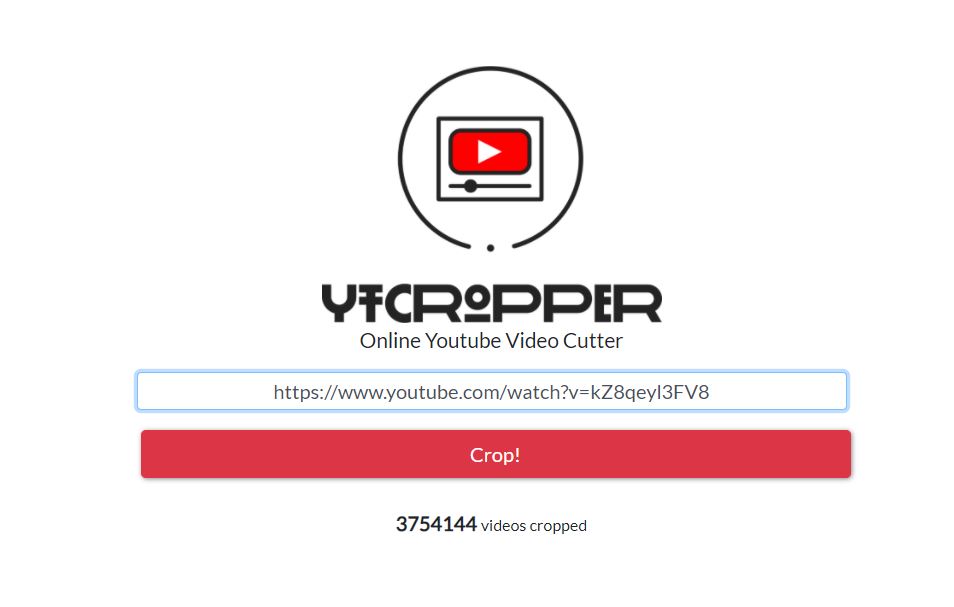 For this item, you have to find the < and > buttons. In this way, you can expand and reduce your chosen paused time. Once you set the start and ends time, you can click the Preview key, and play your selection and see if you want to edit it. In the end, satisfied, it is time to download your selected clip. You can do this in different formats. After you click the Download button, you can see four options: 1. First, a video file means an MP4 file of your clip (with audio) 2. The second one is a GIF animation means n animated GIF image of your clip. 3. The third one is an audio file refers to an MP3 file of your clip (no video). 4. The last one is a screenshot means a high-resolution screenshot of the start of your clip. 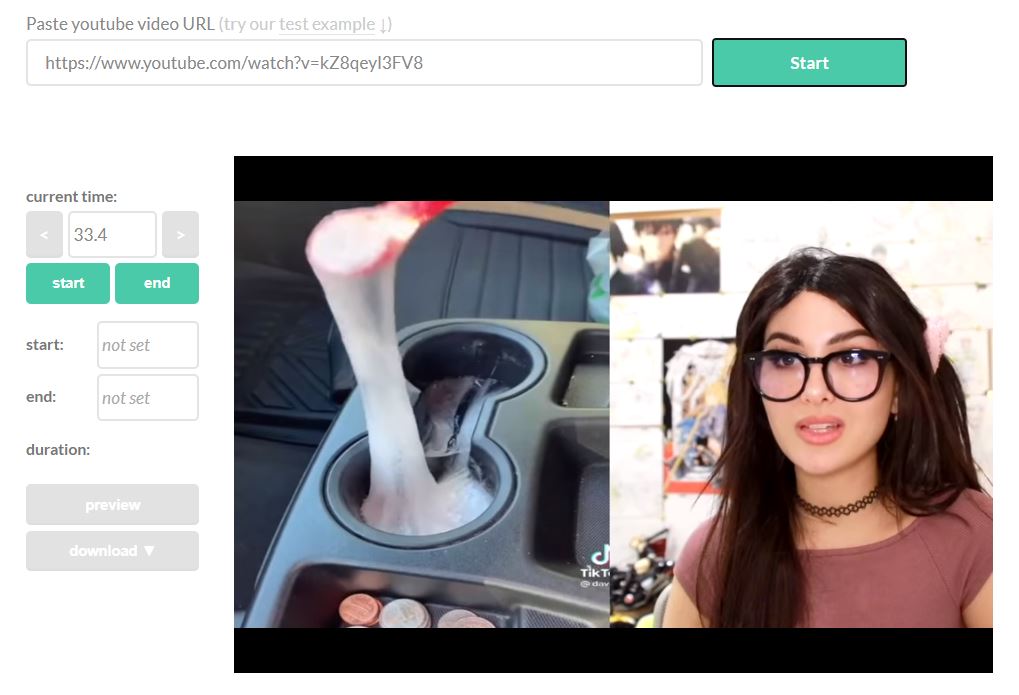 Rarely, you may face a situation that you select a format but get an error saying that YouTube exhausted a rate limit for this video. In these cases, before trying again, wait for some seconds, and your download will start successfully. If it did not happen, wait for some other seconds and try again. ### YTCropper The next site that I want to introduce you is YTCropper. You can work with it a bit differently than YT Cutter. But you may like to experience different alternatives and choices when you want to trim YouTube videos. For trimming a video by the ytCropper website, you have to pass the link of a YouTube video and click the Crop key. After that, the website leads you to a page where you can play and preview your video. If you have experience with video editing applications, working with ytCropper might be familiar for you. 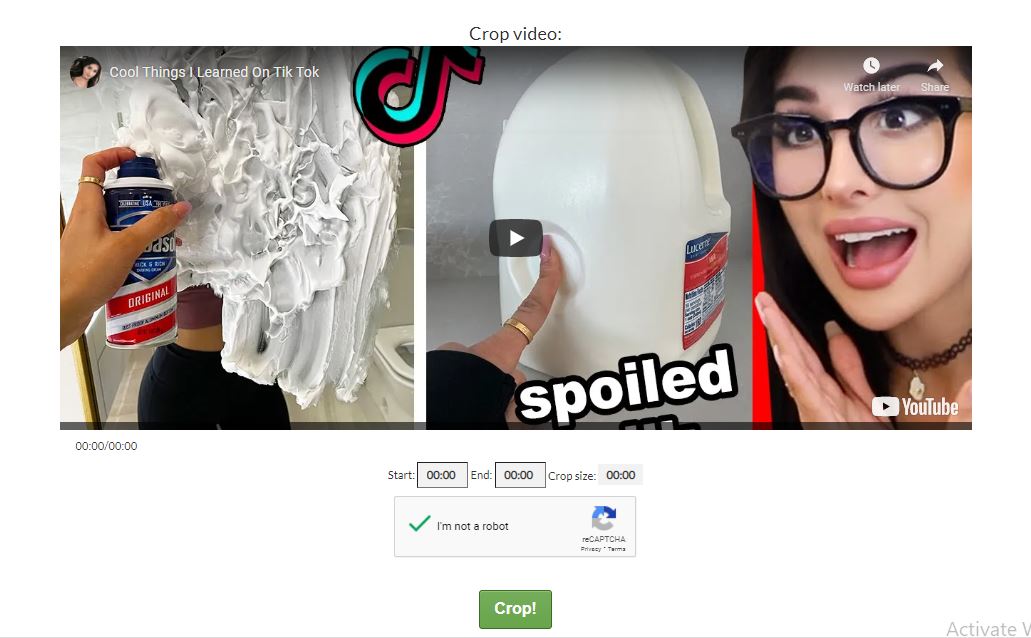 On this website, you can drag the movie and choose the start and endpoints. While in most other websites, you have to click on a button to manage the stop and start points. One of the negative points of cropping videos on ytCropper is that your clip maybe not much precise, as this system does not support fractions of moments. The positive side is that these markers work as visual indicators for you. It helps you to see where your clip locates along the play bar you cropped. This option performs stretching or reducing the reservation very easy. Finally, if you’re happy with your selection, you can choose the next Crop key. Here, you can see your video playing. ## YTCropper not working? If you use ytCropper, it is not possible to download cropped clips. You can see the YouTube video on a page as you choose the start and stop point. There is a fantastic feature for this website called looping. It is useful when you want to crop a song. You can share your produced video through the direct link presented on the page. As a lot of the YouTube trimming assistance are flat-out weak or faulty, there is no other option that I like to present. One example is YouTube Trimmer. It does not update to rearrange the method of deprecating YouTube URL parameters. Another example is Kapwing Video Trimmer. At first, you see it as a useful service. But when you go to the part where you prepare your clips, you will understand that you need to sign up. On the other hand, the provided method of sharing your videos is not sufficient. HeseTube was another option for cutting and downloading YouTube videos until now that you will see the error of can’t process the video. **Conclusion** Fortunately, both sites we’ve listed in this article do particular roles: YT Cutter is useful for downloading and running cropped YouTube videos. YTCropper is another appropriate website that you can use to link the versions of YouTube videos that you cropped. |
| json metadata | {"tags":["youtube","youtubecutter","ytcropper","instazood","tips","instazoodtips"],"image":["https://cdn.steemitimages.com/DQmQ1j9efKFHqWBaJt2PaPdTi4odb78rQA2im6xrpfNTRQe/cutter%20yt.JPG","https://cdn.steemitimages.com/DQmbe5dzEjwnsZAKGAV9Pvs11K5i1Xrt45ap7GvByFF4jJJ/yt%20cutter.JPG","https://cdn.steemitimages.com/DQmWahXCdQ4uA8J7tAWReKX83wbLUWLXNqrqr6R2AqAjxAd/cutter.JPG"],"links":["https://cdn.steemitimages.com/DQmarmaz6ftFiJhbEBEuwdBPyhg83chG3CvrKfvdbZk4DY2/cut-utube-video%20","https://instazood.com/blog/how-to-cut-a-youtube-video/"],"app":"steemit/0.2","format":"markdown"} |
| Transaction Info | Block #50997706/Trx 9e67abe1ab68ca0fc318d07ac90eb97cc674e239 |
View Raw JSON Data
{
"trx_id": "9e67abe1ab68ca0fc318d07ac90eb97cc674e239",
"block": 50997706,
"trx_in_block": 0,
"op_in_trx": 0,
"virtual_op": 0,
"timestamp": "2021-02-07T04:55:15",
"op": [
"comment",
{
"parent_author": "",
"parent_permlink": "youtube",
"author": "instazood",
"permlink": "how-to-cut-a-youtube-video-that-s-not-yours",
"title": "How to cut a YouTube video that’s not yours",
"body": "# How to cut a YouTube video that’s not yours\n\n![cut-utube-video (1).jpg][(https://cdn.steemitimages.com/DQmarmaz6ftFiJhbEBEuwdBPyhg83chG3CvrKfvdbZk4DY2/cut-utube-video%20(1).jpg)] https://instazood.com/blog/how-to-cut-a-youtube-video/ \n\nThis article was originally published on https://instazood.com/blog/how-to-cut-a-youtube-video/ \n\nIt happened to all of us that we wanted to send a friend or colleague a short and snippet of a YouTube video, but not linking them to the entire thing. You can send a video and link to the specific timestamp of a YouTube.\n\nThough, you have to be careful that there are videos, which all devices can not support. Besides sharing video clips with friends, cropping and trimming YouTube videos is a tactic for several viral marketers and influencers to apply. There is a possible situation that a Twitter user, tweeting part of a video and after that, gets thousands of retweets. \n\nYou may also use the YouTube cutter to grow your Instagram account, repost the short videos (less than 60 seconds) for example. This way, you can just re-share the short YouTube video into your Instagram account and get more Instagram followers.\n\n## How to cut a YouTube video?\nYou can crop and trim a YouTube video with programs like Vegas Pro, and it doesn’t need expertise. You have to choose your favorite video link and find a good video trimming web service.\n\nIn this article, we will introduce the two best websites. They help you to trim and crop a YouTube video instantly. Also, if you use these websites, there is no need to download any special applications.\n\n### YT Cutter\nYT cutter is the most favorite web-based YouTube trimmer and downloader. It gives you numerous download options by its clean and intuitive interface.\n\nI explain the process step by step. First, paste the URL of the YouTube video you’d choose to trim, then push the Enter key or Start key (on the page).\n\nAfter the video load, you’ll see UI controls on the left side. While you are watching the video, there is an option to click the Start or End keys to produce a range that you would prefer to crop out of the video. In this way, you can cut off before and after this video.\n\nIt also gives this permission to you to select parts of the video.\n\n\n\n\n\nFor this item, you have to find the < and > buttons. In this way, you can expand and reduce your chosen paused time. \n\nOnce you set the start and ends time, you can click the Preview key, and play your selection and see if you want to edit it. In the end, satisfied, it is time to download your selected clip. You can do this in different formats.\n\nAfter you click the Download button, you can see four options:\n1. First, a video file means an MP4 file of your clip (with audio)\n2. The second one is a GIF animation means n animated GIF image of your clip.\n3. The third one is an audio file refers to an MP3 file of your clip (no video).\n4. The last one is a screenshot means a high-resolution screenshot of the start of your clip.\n\n\n\n\nRarely, you may face a situation that you select a format but get an error saying that YouTube exhausted a rate limit for this video. In these cases, before trying again, wait for some seconds, and your download will start successfully. If it did not happen, wait for some other seconds and try again.\n\n### YTCropper\nThe next site that I want to introduce you is YTCropper. You can work with it a bit differently than YT Cutter. But you may like to experience different alternatives and choices when you want to trim YouTube videos.\n\nFor trimming a video by the ytCropper website, you have to pass the link of a YouTube video and click the Crop key. After that, the website leads you to a page where you can play and preview your video.\n\n If you have experience with video editing applications, working with ytCropper might be familiar for you.\n\n\n\nOn this website, you can drag the movie and choose the start and endpoints. While in most other websites, you have to click on a button to manage the stop and start points.\n\nOne of the negative points of cropping videos on ytCropper is that your clip maybe not much precise, as this system does not support fractions of moments. The positive side is that these markers work as visual indicators for you. It helps you to see where your clip locates along the play bar you cropped. This option performs stretching or reducing the reservation very easy.\n\nFinally, if you’re happy with your selection, you can choose the next Crop key. Here, you can see your video playing.\n\n\n## YTCropper not working?\nIf you use ytCropper, it is not possible to download cropped clips. You can see the YouTube video on a page as you choose the start and stop point.\n\nThere is a fantastic feature for this website called looping. It is useful when you want to crop a song.\n\nYou can share your produced video through the direct link presented on the page.\n\nAs a lot of the YouTube trimming assistance are flat-out weak or faulty, there is no other option that I like to present. One example is YouTube Trimmer. It does not update to rearrange the method of deprecating YouTube URL parameters.\n\nAnother example is Kapwing Video Trimmer. At first, you see it as a useful service. But when you go to the part where you prepare your clips, you will understand that you need to sign up. On the other hand, the provided method of sharing your videos is not sufficient.\n\nHeseTube was another option for cutting and downloading YouTube videos until now that you will see the error of can’t process the video.\n\n**Conclusion**\n\nFortunately, both sites we’ve listed in this article do particular roles: YT Cutter is useful for downloading and running cropped YouTube videos. YTCropper is another appropriate website that you can use to link the versions of YouTube videos that you cropped.",
"json_metadata": "{\"tags\":[\"youtube\",\"youtubecutter\",\"ytcropper\",\"instazood\",\"tips\",\"instazoodtips\"],\"image\":[\"https://cdn.steemitimages.com/DQmQ1j9efKFHqWBaJt2PaPdTi4odb78rQA2im6xrpfNTRQe/cutter%20yt.JPG\",\"https://cdn.steemitimages.com/DQmbe5dzEjwnsZAKGAV9Pvs11K5i1Xrt45ap7GvByFF4jJJ/yt%20cutter.JPG\",\"https://cdn.steemitimages.com/DQmWahXCdQ4uA8J7tAWReKX83wbLUWLXNqrqr6R2AqAjxAd/cutter.JPG\"],\"links\":[\"https://cdn.steemitimages.com/DQmarmaz6ftFiJhbEBEuwdBPyhg83chG3CvrKfvdbZk4DY2/cut-utube-video%20\",\"https://instazood.com/blog/how-to-cut-a-youtube-video/\"],\"app\":\"steemit/0.2\",\"format\":\"markdown\"}"
}
]
}blurtofficialsent 0.001 STEEM to @instazood- "CONGRATS! You have a 1:1 BLURT AIRDROP of 13.528 BLURT and 130.275000 BLURT POWER waiting for you. Check out https://blurtwallet.com/@instazood and https://blurt.blog/ TODAY!"2020/12/16 21:20:45
blurtofficialsent 0.001 STEEM to @instazood- "CONGRATS! You have a 1:1 BLURT AIRDROP of 13.528 BLURT and 130.275000 BLURT POWER waiting for you. Check out https://blurtwallet.com/@instazood and https://blurt.blog/ TODAY!"
2020/12/16 21:20:45
| from | blurtofficial |
| to | instazood |
| amount | 0.001 STEEM |
| memo | CONGRATS! You have a 1:1 BLURT AIRDROP of 13.528 BLURT and 130.275000 BLURT POWER waiting for you. Check out https://blurtwallet.com/@instazood and https://blurt.blog/ TODAY! |
| Transaction Info | Block #49508628/Trx 848ca2f15d169d294f43a6bd14caf9ddde88bca2 |
View Raw JSON Data
{
  "trx_id": "848ca2f15d169d294f43a6bd14caf9ddde88bca2",
  "block": 49508628,
  "trx_in_block": 5,
  "op_in_trx": 0,
  "virtual_op": 0,
  "timestamp": "2020-12-16T21:20:45",
  "op": [
    "transfer",
    {
      "from": "blurtofficial",
      "to": "instazood",
      "amount": "0.001 STEEM",
      "memo": "CONGRATS! You have a 1:1 BLURT AIRDROP of 13.528 BLURT and 130.275000 BLURT POWER waiting for you. Check out https://blurtwallet.com/@instazood and https://blurt.blog/ TODAY!"
    }
  ]
}dristalflagged (-10.00%) @instazood / the-best-christmas-hashtags-for-20212020/12/03 05:07:24
dristalflagged (-10.00%) @instazood / the-best-christmas-hashtags-for-2021
2020/12/03 05:07:24
| voter | dristal |
| author | instazood |
| permlink | the-best-christmas-hashtags-for-2021 |
| weight | -1000 (-10.00%) |
| Transaction Info | Block #49122404/Trx 4b6924d7120613440d0ca3f9192ab45a23337699 |
View Raw JSON Data
{
  "trx_id": "4b6924d7120613440d0ca3f9192ab45a23337699",
  "block": 49122404,
  "trx_in_block": 1,
  "op_in_trx": 0,
  "virtual_op": 0,
  "timestamp": "2020-12-03T05:07:24",
  "op": [
    "vote",
    {
      "voter": "dristal",
      "author": "instazood",
      "permlink": "the-best-christmas-hashtags-for-2021",
      "weight": -1000
    }
  ]
}nitobreflagged (-10.00%) @instazood / the-best-christmas-hashtags-for-20212020/12/02 14:20:45
nitobreflagged (-10.00%) @instazood / the-best-christmas-hashtags-for-2021
2020/12/02 14:20:45
| voter | nitobre |
| author | instazood |
| permlink | the-best-christmas-hashtags-for-2021 |
| weight | -1000 (-10.00%) |
| Transaction Info | Block #49105004/Trx 90a55ae896aae6556a983c99ba0cdcc684e55058 |
View Raw JSON Data
{
  "trx_id": "90a55ae896aae6556a983c99ba0cdcc684e55058",
  "block": 49105004,
  "trx_in_block": 0,
  "op_in_trx": 0,
  "virtual_op": 0,
  "timestamp": "2020-12-02T14:20:45",
  "op": [
    "vote",
    {
      "voter": "nitobre",
      "author": "instazood",
      "permlink": "the-best-christmas-hashtags-for-2021",
      "weight": -1000
    }
  ]
}teamupvoted (20.00%) @instazood / the-best-christmas-hashtags-for-20212020/12/02 08:58:09
teamupvoted (20.00%) @instazood / the-best-christmas-hashtags-for-2021
2020/12/02 08:58:09
| voter | team |
| author | instazood |
| permlink | the-best-christmas-hashtags-for-2021 |
| weight | 2000 (20.00%) |
| Transaction Info | Block #49098670/Trx 67b8890d38b6442d8c37b28bda39aed848875521 |
View Raw JSON Data
{
  "trx_id": "67b8890d38b6442d8c37b28bda39aed848875521",
  "block": 49098670,
  "trx_in_block": 4,
  "op_in_trx": 0,
  "virtual_op": 0,
  "timestamp": "2020-12-02T08:58:09",
  "op": [
    "vote",
    {
      "voter": "team",
      "author": "instazood",
      "permlink": "the-best-christmas-hashtags-for-2021",
      "weight": 2000
    }
  ]
}instazoodpublished a new post: the-best-christmas-hashtags-for-20212020/12/02 08:31:30
instazoodpublished a new post: the-best-christmas-hashtags-for-2021
2020/12/02 08:31:30
| parent author | |
| parent permlink | |
| author | instazood |
| permlink | the-best-christmas-hashtags-for-2021 |
| title | The Best Christmas Hashtags for 2021 |
| body | Source: https://instazood.com/blog/the-best-hashtags-to-use-during-christmas-2019/ The Best Christmas Hashtags for 2021 There are so many things you can post o Instagram, and the hashtags listed below will ring some ideas of what is currently popular on Instagram. If you already have a schedule of subjects to post about but have no idea which hashtags increase the engagement if your Instagram posts, use these hashtags and get on top of Instagram Christmas search results. These are the best Christmas hashtags that can copy to your Instagram captions Frequently used Christmas hashtags (Recommended) #christmas #christmastree #merrychristmas #christmastime #christmaseve #christmasdecor #christmasiscoming #christmaslights #christmasgifts #christmasparty #christmasdecorations #christmasgift #christmas2015 #christmas2017 #christmas2016 #christmas2018 #christmas2019 #christmasspirit #christmasshopping #christmasday #christmasmarket #christmasmood #christmasnails #christmaspresent #christmascookies #christmas2014 #christmasdinner #christmascountdown #christmaspresents #nightmarebeforechristmas Average-used Christmas hashtags #christmas🎄 #christmasseason #christmastime🎄 #christmascards #christmasornaments #christmascake #christmas2013 #christmascheer #christmasgiftideas #christmasdecoration #christmaswreath #christmasfun #christmasinjuly #christmasmorning #christmasvacation #christmasmagic #christmasdog #christmasbreak #christmasjumper #christmasmusic #christmasbaking #christmastree🎄 #christmasgiftsideas #christmastrees #christmasholidays #christmasbaby #christmassale #ilovechristmas #christmaslove #christmasmakeup Rarely-used Christmas hashtags  #christmascandles #christmasisintheair #christmasfeelings #christmasdiy #christmaspup #christmasinnyc #christmasfashion #christmasbows #christmastown #christmashome #christmaspreparations #christmasparties #christmas2015🎄 #christmasevedinner #christmastheme #christmaspresentideas #christmascats #christmassales #christmascakes #christmascalendar #christmasinthecity #christmasspirit🎄 #christmasbreakfast #christmasdo #christmasatmosphere #christmascookie #christmas2019🎄🎅🎁 #christmasstar #christmasmemes #christmaseve2016 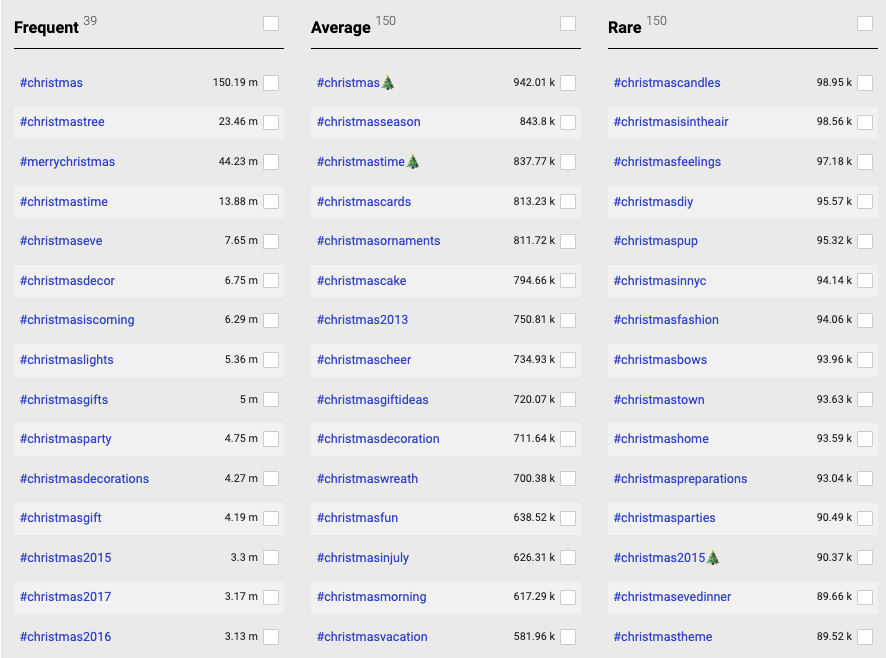 |
| json metadata | {"tags":["instagram","christmas","hashtags","christmastree","merrychristmas","christmastime","christmaseve","christmasdecor"],"image":["https://cdn.steemitimages.com/DQmStowb5Adiq13SnANh7nXTELiMxHRFdUG73RXyQo79ELk/christmas-hashtags.png","https://cdn.steemitimages.com/DQmVK4ucU6EwcJSUBWHf58UtpNntV4L94Yo2Hp1eHbLUpCg/Screen%20Shot%202020-12-02%20at%2009.56.55.png"],"links":["https://instazood.com/blog/the-best-hashtags-to-use-during-christmas-2019/"],"app":"steemit/0.2","format":"markdown"} |
| Transaction Info | Block #49098148/Trx 967eb025248b22b2d33f23bf2feca1a86e998c74 |
View Raw JSON Data
{
"trx_id": "967eb025248b22b2d33f23bf2feca1a86e998c74",
"block": 49098148,
"trx_in_block": 6,
"op_in_trx": 0,
"virtual_op": 0,
"timestamp": "2020-12-02T08:31:30",
"op": [
"comment",
{
"parent_author": "",
"parent_permlink": "instagram",
"author": "instazood",
"permlink": "the-best-christmas-hashtags-for-2021",
"title": "The Best Christmas Hashtags for 2021",
"body": "Source: https://instazood.com/blog/the-best-hashtags-to-use-during-christmas-2019/\n\nThe Best Christmas Hashtags for 2021\nThere are so many things you can post o Instagram, and the hashtags listed below will ring some ideas of what is currently popular on Instagram. If you already have a schedule of subjects to post about but have no idea which hashtags increase the engagement if your Instagram posts, use these hashtags and get on top of Instagram Christmas search results.\n\nThese are the best Christmas hashtags that can copy to your Instagram captions\n\nFrequently used Christmas hashtags (Recommended)\n\n#christmas #christmastree #merrychristmas #christmastime #christmaseve #christmasdecor #christmasiscoming #christmaslights #christmasgifts #christmasparty #christmasdecorations #christmasgift #christmas2015 #christmas2017 #christmas2016 #christmas2018 #christmas2019 #christmasspirit #christmasshopping #christmasday #christmasmarket #christmasmood #christmasnails #christmaspresent #christmascookies #christmas2014 #christmasdinner #christmascountdown #christmaspresents #nightmarebeforechristmas\n\nAverage-used Christmas hashtags\n\n#christmas🎄 #christmasseason #christmastime🎄 #christmascards #christmasornaments #christmascake #christmas2013 #christmascheer #christmasgiftideas #christmasdecoration #christmaswreath #christmasfun #christmasinjuly #christmasmorning #christmasvacation #christmasmagic #christmasdog #christmasbreak #christmasjumper #christmasmusic #christmasbaking #christmastree🎄 #christmasgiftsideas #christmastrees #christmasholidays #christmasbaby #christmassale #ilovechristmas #christmaslove #christmasmakeup\n\nRarely-used Christmas hashtags\n\n\n\n#christmascandles #christmasisintheair #christmasfeelings #christmasdiy #christmaspup #christmasinnyc #christmasfashion #christmasbows #christmastown #christmashome #christmaspreparations #christmasparties #christmas2015🎄 #christmasevedinner #christmastheme #christmaspresentideas #christmascats #christmassales #christmascakes #christmascalendar #christmasinthecity #christmasspirit🎄 #christmasbreakfast #christmasdo #christmasatmosphere #christmascookie #christmas2019🎄🎅🎁 #christmasstar #christmasmemes #christmaseve2016\n\n\n",
"json_metadata": "{\"tags\":[\"instagram\",\"christmas\",\"hashtags\",\"christmastree\",\"merrychristmas\",\"christmastime\",\"christmaseve\",\"christmasdecor\"],\"image\":[\"https://cdn.steemitimages.com/DQmStowb5Adiq13SnANh7nXTELiMxHRFdUG73RXyQo79ELk/christmas-hashtags.png\",\"https://cdn.steemitimages.com/DQmVK4ucU6EwcJSUBWHf58UtpNntV4L94Yo2Hp1eHbLUpCg/Screen%20Shot%202020-12-02%20at%2009.56.55.png\"],\"links\":[\"https://instazood.com/blog/the-best-hashtags-to-use-during-christmas-2019/\"],\"app\":\"steemit/0.2\",\"format\":\"markdown\"}"
}
]
}instazoodpublished a new post: 4z6szr-most-popular-youtube-channels2020/11/30 18:46:48
instazoodpublished a new post: 4z6szr-most-popular-youtube-channels
2020/11/30 18:46:48
| parent author | |
| parent permlink | youtube |
| author | instazood |
| permlink | 4z6szr-most-popular-youtube-channels |
| title | Most popular YouTube channels |
| body | Most popular YouTube channels Source: https://instazood.com/blog/most-popular-youtube-channels/  YouTube is now of the biggest platforms to share videos. Recently, it has added new features, including the live options and also adding to YouTube stories. Users can interact more with each other. What are the most popular YouTube channels? Knowing who is the most famous YouTube channel can give ideas to the new users what to publish. So, here we would introduce the most popular channels on YouTube. The numbers are in millions. 1. T-Series 2. PewDiePie 3. Cocomelon – Nursey Rhymes 4. SET India 5. Minute Crafts 6. WWE 7. Canal KondZilla 8. Zee Music Company 9. Like Nastya 10. Kids Diana Show infographic youtube 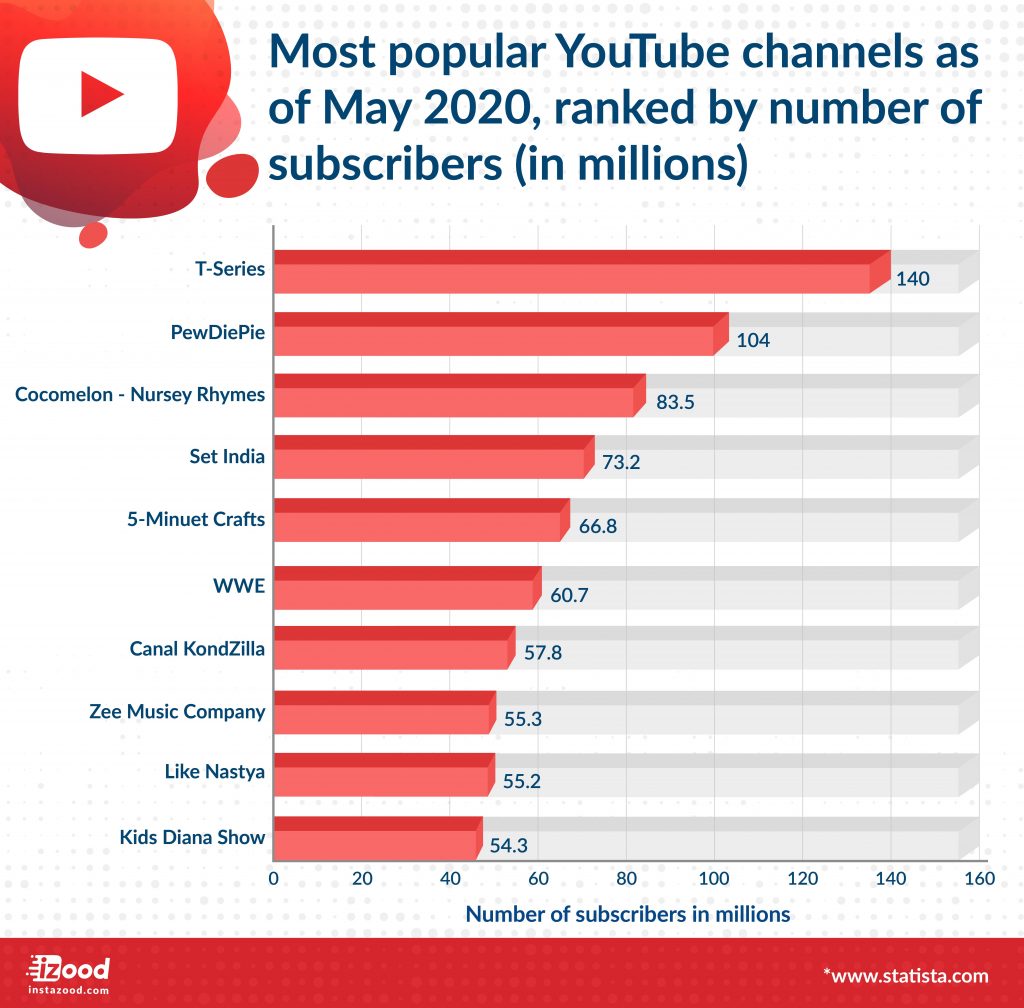 What are the most viewed youtube videos? Here is the list of the top ten most viewed videos on youtube. Baby Shark song is the most viewed youtube video with more than 7 billion views. Top YouTube video views Baby Shark Dance | Most Viewed Video on YouTube | PINKFONG Songs for Children 7.3 Billion views #2 Luis Fonsi – Despacito ft. Daddy Yankee 7 Billion #3 Ed Sheeran – Shape of You [Official Video] 5 Billion #4 Wiz Khalifa – See You Again ft. Charlie Puth [Official Video] Furious 7 Soundtrack 4.8 Billion #5 Masha and The Bear – Recipe for disaster (Episode 17) 4.3 Billion #6 Johny Johny Yes Papa 👶 THE BEST Song for Children | LooLoo Kids 4.3 Billion #7 Mark Ronson – Uptown Funk (Official Video) ft. Bruno Mars 4 Billion #8 22 SURPRISES: L.O.L Dolls. Kinder Chocolate Eggs, Squishy Toys & Incredibles 2 3.9 Billion #9 Justin Bieber – Sorry (PURPOSE : The Movement) 3.3 Billion #10 PSY – GANGNAM STYLE(강남스타일) M/V 3.8 Billion |
| json metadata | {"tags":["youtube","youtubechannels"],"image":["https://cdn.steemitimages.com/DQmavMe9qA13tCgCxgtpu64BhygB5oAU4Ugmj3Qzz8uceeG/YouTube-channels.jpg","https://cdn.steemitimages.com/DQmYyNiunUfF9HV3c2JAxAYqEBNUz76nSAJsRzNdpmaU6K3/infographic-1024x1008.jpg"],"links":["https://instazood.com/blog/most-popular-youtube-channels/"],"app":"steemit/0.2","format":"markdown"} |
| Transaction Info | Block #49053411/Trx 3114b3968658ecd603b7751959dd2ae96534edea |
View Raw JSON Data
{
"trx_id": "3114b3968658ecd603b7751959dd2ae96534edea",
"block": 49053411,
"trx_in_block": 2,
"op_in_trx": 0,
"virtual_op": 0,
"timestamp": "2020-11-30T18:46:48",
"op": [
"comment",
{
"parent_author": "",
"parent_permlink": "youtube",
"author": "instazood",
"permlink": "4z6szr-most-popular-youtube-channels",
"title": "Most popular YouTube channels",
"body": "Most popular YouTube channels\nSource: https://instazood.com/blog/most-popular-youtube-channels/\n\n\nYouTube is now of the biggest platforms to share videos. Recently, it has added new features, including the live options and also adding to YouTube stories. Users can interact more with each other.\n\nWhat are the most popular YouTube channels?\nKnowing who is the most famous YouTube channel can give ideas to the new users what to publish. So, here we would introduce the most popular channels on YouTube. The numbers are in millions.\n\n1. T-Series\n\n2. PewDiePie\n\n3. Cocomelon – Nursey Rhymes\n\n4. SET India\n\n5. Minute Crafts\n\n6. WWE\n\n7. Canal KondZilla\n\n8. Zee Music Company\n\n9. Like Nastya\n\n10. Kids Diana Show\n\ninfographic youtube\n\n\n\nWhat are the most viewed youtube videos?\nHere is the list of the top ten most viewed videos on youtube. Baby Shark song is the most viewed youtube video with more than 7 billion views.\n\nTop YouTube video views\n\nBaby Shark Dance | Most Viewed Video on YouTube | PINKFONG Songs for Children 7.3 Billion views\n\n#2 Luis Fonsi – Despacito ft. Daddy Yankee 7 Billion\n\n\n#3 Ed Sheeran – Shape of You [Official Video] 5 Billion\n\n\n#4 Wiz Khalifa – See You Again ft. Charlie Puth [Official Video] Furious 7 Soundtrack 4.8 Billion\n\n\n#5 Masha and The Bear – Recipe for disaster (Episode 17) 4.3 Billion\n\n\n#6 Johny Johny Yes Papa 👶 THE BEST Song for Children | LooLoo Kids 4.3 Billion\n\n\n#7 Mark Ronson – Uptown Funk (Official Video) ft. Bruno Mars 4 Billion\n\n\n#8 22 SURPRISES: L.O.L Dolls. Kinder Chocolate Eggs, Squishy Toys & Incredibles 2 3.9 Billion\n\n\n#9 Justin Bieber – Sorry (PURPOSE : The Movement) 3.3 Billion\n\n\n#10 PSY – GANGNAM STYLE(강남스타일) M/V 3.8 Billion",
"json_metadata": "{\"tags\":[\"youtube\",\"youtubechannels\"],\"image\":[\"https://cdn.steemitimages.com/DQmavMe9qA13tCgCxgtpu64BhygB5oAU4Ugmj3Qzz8uceeG/YouTube-channels.jpg\",\"https://cdn.steemitimages.com/DQmYyNiunUfF9HV3c2JAxAYqEBNUz76nSAJsRzNdpmaU6K3/infographic-1024x1008.jpg\"],\"links\":[\"https://instazood.com/blog/most-popular-youtube-channels/\"],\"app\":\"steemit/0.2\",\"format\":\"markdown\"}"
}
]
}instazoodpublished a new post: how-to-make-a-gif2020/11/30 18:25:12
instazoodpublished a new post: how-to-make-a-gif
2020/11/30 18:25:12
| parent author | |
| parent permlink | gif |
| author | instazood |
| permlink | how-to-make-a-gif |
| title | How to make a GIF |
| body |  Source: https://instazood.com/blog/how-to-make-a-gif/ GIF is one of the amazing features that is sharable of social media. GIF is a very short video format that repeats over and over. In this blog you will see how to make GIF on mobile, desktop, using YouTube videos. How to make a GIF on mobile You can make a GIF using app on your smart phone and add any text or effect you want. You can directly record a video from your mobile phone. To make a GIF on a mobile phone: Install the GHIPHY app on your mobile phone Open the app Create an account and login to your account Tap the Create on the top right of the screen Record your video, and if you want, you can filter or add stickers Leave the button and wait until it is loaded Tap Share Tap Save the GIF or share wherever you want To create a GIF from a YouTube video: 1. Go to GIPHY.com 2. Create an account and log in 3. Click Create 4. Enter the URL of the YouTube video that you want to create your GIF with it 5. Find the part of the video you’d like to create the GIF 6. Choose the length 7. Customize your GIF (optional) 8. Add hashtags to your GIF (optional) 9. Upload your GIF to GIPHY 10. From there, you can share the GIF you made to your social media by clicking the share button |
| json metadata | {"tags":["gif","giphy"],"image":["https://cdn.steemitimages.com/DQmS9gCXy3zpTfMTPcGNaw4d6yVvD3U6wXsP1FThvrApcLT/mobile_gif-01-scaled.jpg"],"links":["https://instazood.com/blog/how-to-make-a-gif/"],"app":"steemit/0.2","format":"markdown"} |
| Transaction Info | Block #49052986/Trx 1d0b5d6c91ac239e14633d81d2a7a74faa02c60b |
View Raw JSON Data
{
"trx_id": "1d0b5d6c91ac239e14633d81d2a7a74faa02c60b",
"block": 49052986,
"trx_in_block": 0,
"op_in_trx": 0,
"virtual_op": 0,
"timestamp": "2020-11-30T18:25:12",
"op": [
"comment",
{
"parent_author": "",
"parent_permlink": "gif",
"author": "instazood",
"permlink": "how-to-make-a-gif",
"title": "How to make a GIF",
"body": "\nSource: https://instazood.com/blog/how-to-make-a-gif/\n\nGIF is one of the amazing features that is sharable of social media. GIF is a very short video format that repeats over and over. In this blog you will see how to make GIF on mobile, desktop, using YouTube videos.\n\nHow to make a GIF on mobile\nYou can make a GIF using app on your smart phone and add any text or effect you want. You can directly record a video from your mobile phone.\n\nTo make a GIF on a mobile phone:\n\nInstall the GHIPHY app on your mobile phone\nOpen the app\nCreate an account and login to your account\nTap the Create on the top right of the screen\nRecord your video, and if you want, you can filter or add stickers\nLeave the button and wait until it is loaded\nTap Share\nTap Save the GIF or share wherever you want\n\nTo create a GIF from a YouTube video:\n\n1. Go to GIPHY.com\n2. Create an account and log in\n3. Click Create\n4. Enter the URL of the YouTube video that you want to create your GIF with it\n5. Find the part of the video you’d like to create the GIF\n6. Choose the length\n7. Customize your GIF (optional)\n8. Add hashtags to your GIF (optional)\n9. Upload your GIF to GIPHY\n10. From there, you can share the GIF you made to your social media by clicking the share button",
"json_metadata": "{\"tags\":[\"gif\",\"giphy\"],\"image\":[\"https://cdn.steemitimages.com/DQmS9gCXy3zpTfMTPcGNaw4d6yVvD3U6wXsP1FThvrApcLT/mobile_gif-01-scaled.jpg\"],\"links\":[\"https://instazood.com/blog/how-to-make-a-gif/\"],\"app\":\"steemit/0.2\",\"format\":\"markdown\"}"
}
]
}kromlekflagged (-10.00%) @instazood / how-to-deactivate-and-reactivate-facebook-account2020/11/26 03:54:06
kromlekflagged (-10.00%) @instazood / how-to-deactivate-and-reactivate-facebook-account
2020/11/26 03:54:06
| voter | kromlek |
| author | instazood |
| permlink | how-to-deactivate-and-reactivate-facebook-account |
| weight | -1000 (-10.00%) |
| Transaction Info | Block #48922017/Trx a1ab2eb6debe2316bf9250f774d0c670d5c0100e |
View Raw JSON Data
{
  "trx_id": "a1ab2eb6debe2316bf9250f774d0c670d5c0100e",
  "block": 48922017,
  "trx_in_block": 2,
  "op_in_trx": 0,
  "virtual_op": 0,
  "timestamp": "2020-11-26T03:54:06",
  "op": [
    "vote",
    {
      "voter": "kromlek",
      "author": "instazood",
      "permlink": "how-to-deactivate-and-reactivate-facebook-account",
      "weight": -1000
    }
  ]
}limopflagged (-10.00%) @instazood / how-to-deactivate-and-reactivate-facebook-account2020/11/25 15:56:15
limopflagged (-10.00%) @instazood / how-to-deactivate-and-reactivate-facebook-account
2020/11/25 15:56:15
| voter | limop |
| author | instazood |
| permlink | how-to-deactivate-and-reactivate-facebook-account |
| weight | -1000 (-10.00%) |
| Transaction Info | Block #48907852/Trx decbb4cd6648dd13af5ce5025370366f10a6762e |
View Raw JSON Data
{
  "trx_id": "decbb4cd6648dd13af5ce5025370366f10a6762e",
  "block": 48907852,
  "trx_in_block": 3,
  "op_in_trx": 0,
  "virtual_op": 0,
  "timestamp": "2020-11-25T15:56:15",
  "op": [
    "vote",
    {
      "voter": "limop",
      "author": "instazood",
      "permlink": "how-to-deactivate-and-reactivate-facebook-account",
      "weight": -1000
    }
  ]
}instazoodpublished a new post: how-to-deactivate-and-reactivate-facebook-account2020/11/25 07:09:45
instazoodpublished a new post: how-to-deactivate-and-reactivate-facebook-account
2020/11/25 07:09:45
| parent author | |
| parent permlink | |
| author | instazood |
| permlink | how-to-deactivate-and-reactivate-facebook-account |
| title | How to deactivate and reactivate Facebook account? |
| body | Source: https://instazood.com/blog/how-to-deactivate-reactivate-facebook-account/  Facebook is the biggest platform for everything you might need. However, Facebook activities are sometimes complicated and users might need instruction to do some of them. For instance, some may need to close the account permanently, or for some times only. Facebook allow you to deactivate the account for the certain time. Though, you can still use the Facebook messenger with your phone number or email address. Can I disable my Facebook account without logging in? No you cannot deactivate the account without logging in. you should enter the account password within the app or from the desktop and select the reasons why you are closing the account. if you have no access to the account, you should first, reset the password, get a new one, and then disable the account. How to deactivate Facebook account? Remember that you can deactivate the Facebook account from both mobile and desktop. So here I would tell you the desktop version that might be easier for you. If you have access to your laptop, easily you can disable the account. follow the steps. To deactivate the Facebook account on desktop: Open the Facebook website Log in to your account From the home tap triangular icon on top right Select setting and privacy Select setting From the left menu select Your Facebook information Scroll down and find Deactivation and deletion Select deactivation Select a reason Confirm it by entering the password To deactivate the Facebook account on mobile: Open the Facebook app Login in to your account From the menu, select the hamburger icon (three-line icon on the bottom right) Scroll down to find setting and privacy Tap setting and privacy Tap setting Select personal information Choose the manage account Select deactivate Enter the password Done How to reactivate Facebook account? Ho to reactivate on mobile: To reactivate Facebook on mobile phone, open the Facebook app and enter the login info. Once you enter the account it is reactivated. How to reactivate on desktop: Open the Facebook website Log in to your account From the home tap the triangular icon on the top right Select setting and privacy Select setting From the left menu select Your Facebook information Scroll down and find Deactivation and deletion Select deactivation Select a reason Confirm it by entering the password |
| json metadata | {"tags":["facebook","deactivation","reactivation","facebookaccount"],"image":["https://cdn.steemitimages.com/DQmZ6mFr3bQHQH82SrbcAdMzTkpagBwUxHaxWgm781VNdU6/deactive.jpg"],"links":["https://instazood.com/blog/how-to-deactivate-reactivate-facebook-account/"],"app":"steemit/0.2","format":"markdown"} |
| Transaction Info | Block #48897517/Trx 2fe9dcf3ac7f9800df72cb1c6eb49b5db5c5d7d6 |
View Raw JSON Data
{
"trx_id": "2fe9dcf3ac7f9800df72cb1c6eb49b5db5c5d7d6",
"block": 48897517,
"trx_in_block": 2,
"op_in_trx": 0,
"virtual_op": 0,
"timestamp": "2020-11-25T07:09:45",
"op": [
"comment",
{
"parent_author": "",
"parent_permlink": "facebook",
"author": "instazood",
"permlink": "how-to-deactivate-and-reactivate-facebook-account",
"title": "How to deactivate and reactivate Facebook account?",
"body": "Source: https://instazood.com/blog/how-to-deactivate-reactivate-facebook-account/\n\n\n\nFacebook is the biggest platform for everything you might need. However, Facebook activities are sometimes complicated and users might need instruction to do some of them. For instance, some may need to close the account permanently, or for some times only. Facebook allow you to deactivate the account for the certain time. Though, you can still use the Facebook messenger with your phone number or email address.\n\nCan I disable my Facebook account without logging in?\nNo you cannot deactivate the account without logging in. you should enter the account password within the app or from the desktop and select the reasons why you are closing the account. if you have no access to the account, you should first, reset the password, get a new one, and then disable the account.\n\nHow to deactivate Facebook account?\nRemember that you can deactivate the Facebook account from both mobile and desktop.\n\nSo here I would tell you the desktop version that might be easier for you. If you have access to your laptop, easily you can disable the account. follow the steps.\n\nTo deactivate the Facebook account on desktop:\n\nOpen the Facebook website\nLog in to your account\nFrom the home tap triangular icon on top right\nSelect setting and privacy\nSelect setting\nFrom the left menu select Your Facebook information\nScroll down and find Deactivation and deletion\nSelect deactivation\nSelect a reason\nConfirm it by entering the password\nTo deactivate the Facebook account on mobile:\n\nOpen the Facebook app\nLogin in to your account\nFrom the menu, select the hamburger icon (three-line icon on the bottom right)\nScroll down to find setting and privacy\nTap setting and privacy\nTap setting\nSelect personal information\nChoose the manage account\nSelect deactivate\nEnter the password\nDone\n\nHow to reactivate Facebook account?\nHo to reactivate on mobile:\n\nTo reactivate Facebook on mobile phone, open the Facebook app and enter the login info. Once you enter the account it is reactivated.\n\nHow to reactivate on desktop:\n\nOpen the Facebook website\nLog in to your account\nFrom the home tap the triangular icon on the top right\nSelect setting and privacy\nSelect setting\nFrom the left menu select Your Facebook information\nScroll down and find Deactivation and deletion\nSelect deactivation\nSelect a reason\nConfirm it by entering the password",
"json_metadata": "{\"tags\":[\"facebook\",\"deactivation\",\"reactivation\",\"facebookaccount\"],\"image\":[\"https://cdn.steemitimages.com/DQmZ6mFr3bQHQH82SrbcAdMzTkpagBwUxHaxWgm781VNdU6/deactive.jpg\"],\"links\":[\"https://instazood.com/blog/how-to-deactivate-reactivate-facebook-account/\"],\"app\":\"steemit/0.2\",\"format\":\"markdown\"}"
}
]
}amuseitflagged (-10.00%) @instazood / 7s6tky-how-to-fix-unfortunately-instagram-has-stopped2020/11/19 18:25:30
amuseitflagged (-10.00%) @instazood / 7s6tky-how-to-fix-unfortunately-instagram-has-stopped
2020/11/19 18:25:30
| voter | amuseit |
| author | instazood |
| permlink | 7s6tky-how-to-fix-unfortunately-instagram-has-stopped |
| weight | -1000 (-10.00%) |
| Transaction Info | Block #48741283/Trx c08c5980f315683e28c2f9bbe80d63cded4fc41d |
View Raw JSON Data
{
  "trx_id": "c08c5980f315683e28c2f9bbe80d63cded4fc41d",
  "block": 48741283,
  "trx_in_block": 3,
  "op_in_trx": 0,
  "virtual_op": 0,
  "timestamp": "2020-11-19T18:25:30",
  "op": [
    "vote",
    {
      "voter": "amuseit",
      "author": "instazood",
      "permlink": "7s6tky-how-to-fix-unfortunately-instagram-has-stopped",
      "weight": -1000
    }
  ]
}instazoodpublished a new post: 7s6tky-how-to-fix-unfortunately-instagram-has-stopped2020/11/18 09:26:27
instazoodpublished a new post: 7s6tky-how-to-fix-unfortunately-instagram-has-stopped
2020/11/18 09:26:27
| parent author | |
| parent permlink | |
| author | instazood |
| permlink | 7s6tky-how-to-fix-unfortunately-instagram-has-stopped |
| title | How To Fix: «Unfortunately, Instagram has stopped» |
| body | @@ -45,16 +45,216 @@ opped%C2%BB%0A%0A +%0A!%5BHow-to-Fix-%C2%ABUnfortunately-Instagram-Has-Stopped%C2%BB.jpg%5D(https://cdn.steemitimages.com/DQmV3jpWxdkepzfTZBbCyjM5TgtR3uNS2mdigqwRgaYVdQ3/How-to-Fix-%25C2%25ABUnfortunately-Instagram-Has-Stopped%25C2%25BB.jpg)%0A%0A Instagra |
| json metadata | {"tags":["instagramdown","instagramfix"],"links":["https://instazood.com/blog/how-to-fix-unfortunately-instagram-has-stopped/"],"app":"steemit/0.2","format":"markdown","image":["https://cdn.steemitimages.com/DQmV3jpWxdkepzfTZBbCyjM5TgtR3uNS2mdigqwRgaYVdQ3/How-to-Fix-%C2%ABUnfortunately-Instagram-Has-Stopped%C2%BB.jpg"]} |
| Transaction Info | Block #48702447/Trx 73f62fb09fac0212998b4f9708453376aa5c369e |
View Raw JSON Data
{
  "trx_id": "73f62fb09fac0212998b4f9708453376aa5c369e",
  "block": 48702447,
  "trx_in_block": 0,
  "op_in_trx": 0,
  "virtual_op": 0,
  "timestamp": "2020-11-18T09:26:27",
  "op": [
    "comment",
    {
      "parent_author": "",
      "parent_permlink": "instagram",
      "author": "instazood",
      "permlink": "7s6tky-how-to-fix-unfortunately-instagram-has-stopped",
      "title": "How To Fix: «Unfortunately, Instagram has stopped»",
      "body": "@@ -45,16 +45,216 @@\n opped%C2%BB%0A%0A\n+%0A!%5BHow-to-Fix-%C2%ABUnfortunately-Instagram-Has-Stopped%C2%BB.jpg%5D(https://cdn.steemitimages.com/DQmV3jpWxdkepzfTZBbCyjM5TgtR3uNS2mdigqwRgaYVdQ3/How-to-Fix-%25C2%25ABUnfortunately-Instagram-Has-Stopped%25C2%25BB.jpg)%0A%0A\n Instagra\n",
      "json_metadata": "{\"tags\":[\"instagramdown\",\"instagramfix\"],\"links\":[\"https://instazood.com/blog/how-to-fix-unfortunately-instagram-has-stopped/\"],\"app\":\"steemit/0.2\",\"format\":\"markdown\",\"image\":[\"https://cdn.steemitimages.com/DQmV3jpWxdkepzfTZBbCyjM5TgtR3uNS2mdigqwRgaYVdQ3/How-to-Fix-%C2%ABUnfortunately-Instagram-Has-Stopped%C2%BB.jpg\"]}"
    }
  ]
}instazoodpublished a new post: 7s6tky-how-to-fix-unfortunately-instagram-has-stopped2020/11/18 09:25:24
instazoodpublished a new post: 7s6tky-how-to-fix-unfortunately-instagram-has-stopped
2020/11/18 09:25:24
| parent author | |
| parent permlink | |
| author | instazood |
| permlink | 7s6tky-how-to-fix-unfortunately-instagram-has-stopped |
| title | How To Fix: «Unfortunately, Instagram has stopped» |
| body | How To Fix: «Unfortunately, Instagram has stopped» Instagram is one of the most popular apps and can be very frustrating when it won’t work correctly. Sometimes, the app may crash, and you’ll see an error “Unfortunately Instagram has stopped.” We’re going to show you how to get rid of the error and put things in action again. Why my Instagram is not working? Instagram keeps stopping is the common Instagram error that many users report. Why it is happening is because of many reasons including the Instagram bugs, poor network connection, server problem, Instagram app cache. If you are wondering what to do when Instagram is not working is good to restart the network connection, log out of Instagram and log in again, update the Instagram app, clear the app caches, delete the app, and reinstall it, or wait for a couple of hours. You might see the error “Unfortunately, Instagram stopped working,” and you are looking for the reasons why this happens and how to fix it. The reasons can be both from your mobile phone and Instagram itself. So, it is better to follow the instruction to check all the available methods to fix it. The reason Instagram not working can be: The network problems The server is not responding Too many apps are open at the same time Some issues with the Wi-Fi network Weak mobile data network No space on the phone Apps caches Instagram bugs Instagram app is not up-to-date. instagram error If you are using Instagram on PC and you faced the same issue, it can be due to the Instagram app that is not up-to-date (if you are using an app on windows, for example), or browser issues, or even Instagram bugs. What to do if Instagram is not working? Method 1: Restart your Device When you see “unfortunately Instagram has stopped error, ” the first thing you need to do is to restart your device. Restart is one of the primary solutions for all kinds of mobile issues. Press and hold the power button, and tap Restart. Method 2: Clear Data and Cache If the Restart didn’t fix the issue, you should try deleting cache: Go to your mobile Settings Find Instagram on apps and tap on it. Tap Clear cache. To clear your data: Go to your phone settings Apps Tap Instagram and tap clear data Tap force stop. How to Fix: «Unfortunately, Instagram Has Stopped» Note: After choosing Instagram, you might need to tap Storage to access Clear data and cache options. It depends on your device and your OS version Method 3: Update Instagram Make sure that you have the latest version of Instagram installed on your phone. Open Play store, tap on the hamburger icon to open the menu. Now click My apps & games. If there is a new version of Instagram, tap Update. Method 4: Reinstall Instagram app After clearing the cache and data of your Instagram app and updating the app, if the “Unfortunately Instagram has stopped” error showed up again, you should reinstall Instagram. Go to Settings, tap Apps, and choose Instagram. Tap Uninstall. Now restart your phone. Once your device is on again, Install Instagram again. Method 5: Check your internet network It is always great to switch between mobile data and Wi-Fi. You can also turn the internet connection on and off. Then try again and open the Instagram app. In most cases, it works. Method 6: Report to Instagram When you see the error, there is an option to report the issue to Instagram. You can immediately report it, and say that something is wrong. You can also report the problem separately within the Instagram app. To report the problem on Instagram: Open Instagram app Login to your account Go to your profile by tapping the profile picture on bottom right Tap three-lined icon (hamburger icon) Go to Setting Open the Help section Report the issue from there To fix “Unfortunately, Instagram stopped working” on PC or laptop: You can delete the app and install it again Update the windows Use another browser such as Safari, Firefox, etc. Try the creator studio website (if you are posting on Instagram, and it is stopped working). Change the screen to the mobile one using Setting>developer tools on any browsers Hope this helps the issue. If not, you can comment below, what you have done. Instagram app is now an important part of every small or even medium sized business. Even individual might need to be active on Instagram every hour to get more followers, and growing their account. if you are using Instagram bot, so you might not even need the app to check the feed. However, if Instagram feed is important for you, and you want to see the posts, and Instagram keeps stopping, you can follow the instructions to fix it. Conclusion If you are an active Instagram user, it is better to know some methods to fix Instagram when it is down. This can be your network, Instagram app, or giving some time. Source: https://instazood.com/blog/how-to-fix-unfortunately-instagram-has-stopped/ |
| json metadata | {"tags":["instagram","instagramdown","instagramfix"],"links":["https://instazood.com/blog/how-to-fix-unfortunately-instagram-has-stopped/"],"app":"steemit/0.2","format":"markdown"} |
| Transaction Info | Block #48702426/Trx bc08b9c3597cac429147bf8c46716e5d7816313a |
View Raw JSON Data
{
  "trx_id": "bc08b9c3597cac429147bf8c46716e5d7816313a",
  "block": 48702426,
  "trx_in_block": 4,
  "op_in_trx": 0,
  "virtual_op": 0,
  "timestamp": "2020-11-18T09:25:24",
  "op": [
    "comment",
    {
      "parent_author": "",
      "parent_permlink": "instagram",
      "author": "instazood",
      "permlink": "7s6tky-how-to-fix-unfortunately-instagram-has-stopped",
      "title": "How To Fix: «Unfortunately, Instagram has stopped»",
      "body": "How To Fix: «Unfortunately, Instagram has stopped»\n\nInstagram is one of the most popular apps and can be very frustrating when it won’t work correctly. Sometimes, the app may crash, and you’ll see an error “Unfortunately Instagram has stopped.” We’re going to show you how to get rid of the error and put things in action again.\n\nWhy my Instagram is not working?\nInstagram keeps stopping is the common Instagram error that many users report. Why it is happening is because of many reasons including the Instagram bugs, poor network connection, server problem, Instagram app cache. If you are wondering what to do when Instagram is not working is good to restart the network connection, log out of Instagram and log in again, update the Instagram app, clear the app caches, delete the app, and reinstall it, or wait for a couple of hours.\n\nYou might see the error “Unfortunately, Instagram stopped working,” and you are looking for the reasons why this happens and how to fix it. The reasons can be both from your mobile phone and Instagram itself. So, it is better to follow the instruction to check all the available methods to fix it.\n\nThe reason Instagram not working can be:\n\nThe network problems\nThe server is not responding\nToo many apps are open at the same time\nSome issues with the Wi-Fi network\nWeak mobile data network\nNo space on the phone\nApps caches\nInstagram bugs\nInstagram app is not up-to-date.\ninstagram error\nIf you are using Instagram on PC and you faced the same issue, it can be due to the Instagram app that is not up-to-date (if you are using an app on windows, for example), or browser issues, or even Instagram bugs.\n\nWhat to do if Instagram is not working?\nMethod 1: Restart your Device\nWhen you see “unfortunately Instagram has stopped error, ” the first thing you need to do is to restart your device. Restart is one of the primary solutions for all kinds of mobile issues. Press and hold the power button, and tap Restart.\n\nMethod 2: Clear Data and Cache\nIf the Restart didn’t fix the issue, you should try deleting cache:\n\nGo to your mobile Settings\nFind Instagram on apps and tap on it.\nTap Clear cache.\nTo clear your data:\n\nGo to your phone settings\nApps\nTap Instagram and tap clear data\nTap force stop.\nHow to Fix: «Unfortunately, Instagram Has Stopped»\nNote: After choosing Instagram, you might need to tap Storage to access Clear data and cache options. It depends on your device and your OS version\n\nMethod 3: Update Instagram\nMake sure that you have the latest version of Instagram installed on your phone. Open Play store, tap on the hamburger icon to open the menu. Now click My apps & games. If there is a new version of Instagram, tap Update.\n\nMethod 4: Reinstall Instagram app\nAfter clearing the cache and data of your Instagram app and updating the app, if the “Unfortunately Instagram has stopped” error showed up again, you should reinstall Instagram. Go to Settings, tap Apps, and choose Instagram. Tap Uninstall. Now restart your phone. Once your device is on again, Install Instagram again.\n\nMethod 5: Check your internet network\nIt is always great to switch between mobile data and Wi-Fi. You can also turn the internet connection on and off. Then try again and open the Instagram app. In most cases, it works.\n\nMethod 6: Report to Instagram\nWhen you see the error, there is an option to report the issue to Instagram. You can immediately report it, and say that something is wrong. You can also report the problem separately within the Instagram app.\n\nTo report the problem on Instagram:\n\nOpen Instagram app\nLogin to your account\nGo to your profile by tapping the profile picture on bottom right\nTap three-lined icon (hamburger icon)\nGo to Setting\nOpen the Help section\nReport the issue from there \nTo fix “Unfortunately, Instagram stopped working” on PC or laptop:\nYou can delete the app and install it again\nUpdate the windows\nUse another browser such as Safari, Firefox, etc.\nTry the creator studio website (if you are posting on Instagram, and it is stopped working).\nChange the screen to the mobile one using Setting>developer tools on any browsers\nHope this helps the issue. If not, you can comment below, what you have done. Instagram app is now an important part of every small or even medium sized business. Even individual might need to be active on Instagram every hour to get more followers, and growing their account. if you are using Instagram bot, so you might not even need the app to check the feed. However, if Instagram feed is important for you, and you want to see the posts, and Instagram keeps stopping, you can follow the instructions to fix it.\n\nConclusion\n\nIf you are an active Instagram user, it is better to know some methods to fix Instagram when it is down. This can be your network, Instagram app, or giving some time.\n\nSource: https://instazood.com/blog/how-to-fix-unfortunately-instagram-has-stopped/",
      "json_metadata": "{\"tags\":[\"instagram\",\"instagramdown\",\"instagramfix\"],\"links\":[\"https://instazood.com/blog/how-to-fix-unfortunately-instagram-has-stopped/\"],\"app\":\"steemit/0.2\",\"format\":\"markdown\"}"
    }
  ]
}camillesteemerflagged (-10.00%) @instazood / 5efd3f-how-to-post-a-tiktok-video-on-instagram2020/11/10 13:20:45
camillesteemerflagged (-10.00%) @instazood / 5efd3f-how-to-post-a-tiktok-video-on-instagram
2020/11/10 13:20:45
| voter | camillesteemer |
| author | instazood |
| permlink | 5efd3f-how-to-post-a-tiktok-video-on-instagram |
| weight | -1000 (-10.00%) |
| Transaction Info | Block #48481177/Trx e2b214e44b8b581b0edf8c9d8d07f058fd0635f6 |
View Raw JSON Data
{
  "trx_id": "e2b214e44b8b581b0edf8c9d8d07f058fd0635f6",
  "block": 48481177,
  "trx_in_block": 7,
  "op_in_trx": 0,
  "virtual_op": 0,
  "timestamp": "2020-11-10T13:20:45",
  "op": [
    "vote",
    {
      "voter": "camillesteemer",
      "author": "instazood",
      "permlink": "5efd3f-how-to-post-a-tiktok-video-on-instagram",
      "weight": -1000
    }
  ]
}2020/11/09 08:45:27
2020/11/09 08:45:27
| parent author | lucylin |
| parent permlink | qhz7t4 |
| author | instazood |
| permlink | qjitnp |
| title | |
| body | I think so... |
| json metadata | {"app":"steemit/0.2"} |
| Transaction Info | Block #48447514/Trx e96449a6150b665376533082bc2d9c4f293605c9 |
View Raw JSON Data
{
  "trx_id": "e96449a6150b665376533082bc2d9c4f293605c9",
  "block": 48447514,
  "trx_in_block": 1,
  "op_in_trx": 0,
  "virtual_op": 0,
  "timestamp": "2020-11-09T08:45:27",
  "op": [
    "comment",
    {
      "parent_author": "lucylin",
      "parent_permlink": "qhz7t4",
      "author": "instazood",
      "permlink": "qjitnp",
      "title": "",
      "body": "I think so...",
      "json_metadata": "{\"app\":\"steemit/0.2\"}"
    }
  ]
}instazoodpublished a new post: 5efd3f-how-to-post-a-tiktok-video-on-instagram2020/11/09 08:44:36
instazoodpublished a new post: 5efd3f-how-to-post-a-tiktok-video-on-instagram
2020/11/09 08:44:36
| parent author | |
| parent permlink | |
| author | instazood |
| permlink | 5efd3f-how-to-post-a-tiktok-video-on-instagram |
| title | How to Post a TikTok Video on Instagram? |
| body | How to Post a TikTok Video on Instagram?  Posting TikTok videos is a fun way to display a production you created or music video you recorded. People put much effort into TikTok videos, so why not publish them on your Instagram for the world to see? In this article, I am going to show you how to post TikTok videos on Instagram, and also the way you can add your Instagram to TikTok. Connecting Instagram account to TikTok can have lots of advantages for users. They can naturally get more followers and fans by connecting their TikTok and Instagram. How to add Instagram to TikTok? To add an Instagram account to the tiktok app, follow the instruction below: Open TikTok app Tap on the profile icon in the bottom-right corner Go to “Edit Profile” Select “Add Instagram.” You should see the Instagram login page Enter the Instagram login info. Select Save info Tap “Authorize” Done! Now, everyone visiting your tiktok account can see your Instagram profile on TikTok. How to disconnect Instagram from TikTok? Open TikTok app Tap on the profile icon in the bottom-right corner Go to “Edit Profile” Select “Add Instagram.” You should see the Unlink button, tap. How to share TikTok videos on Instagram There are two general ways to share tiktok videos on Instagram. Sharing a Public TikTok video, or a Private TikTok video. Sharing a public TikTok video on Instagram Public TikToks are the videos which are visible to everyone over Musical.ly and TikTok. And they are usually the masterpiece of someone’s work. But how to demonstrate that masterpiece on Instagram? By only following these easy steps: Open your TikTok application and tap on + icon at the bottom TikTok application Hold the red button to record a new video or upload a video from the gallery upload a video on TikTok If you uploaded from the gallery, tap on Next upload a video on TikTok Once you are done with editing the video, tap on Next again Post video on tiktok Select the Public in front of “who can view this video”. Tap on the Instagram icon at the bottom and then Post. Wait for a few seconds. TikTok post to instagram Video uploaded to TikTok Once the video is posted on TikTok, it will redirect you to your Instagram and you will see two options – “Feed” and ” Stories.” choose one tiktok video to instagram The video will show up on your Instagram, edit it or post it creatively based on your choice and share! share video on instagram video on Instagram Sharing a private TikTok video Private TikTok videos are the posts that are not accessible for anyone except the creator. However, to share those videos on Instagram without actually posting it on TikTok is a way too easy step. *Remember that you should first save the TikTok video to your gallery and then post it on Instagram. Repeat step 1 to 4 above Select the Private in front of “who can view this video” and Post. Wait for a few seconds. Go to me and choose the private TikTok video. Tap on the three dots at the right. Tap on “download video.” Open Instagram and Tap on the + icon in the bottom Select the downloaded video from your gallery, Tap on Next Once you are done with editing and writing captions Tap on the Share! Why cannot I share a TikTok on Instagram If you do not see the button, try these few ways: Restart the phone Update the TikTok app Delete the app and reinstall it Clear the cache Check the network connection and try again Try with any other device How to share any TikTok videos to Instagram story There is a button on TikTok in which you can directly share the video to your Instagram story. If you could not try the method #2 which is explained bellow. Make sure that the video is public. If the owner makes it private, or not sharable, you cannot download or share somewhere else. Method #1: Open the TikTok app Open the video you are going to share Tap the share button Select the Instagram icon You should see two option: Instagram stories or feed Select the stories Share! Method #2: If you don’t see the stories button, you can easily download the video, and share it from Instagram. Open the TikTok app Open the video you are going to share Tap share on the right side Tap Save Video Open the Instagram app Tap the profile picture to open the story section Tap the gallery icon on the left corner Select the video Share! How to share long TikTok on Instagram story If you download a long TikTok video, and you share it on Instagram stories, Instagram would divide it automatically before sharing. You no need to do anything. All in all Sharing a tiktok video and repost can have lots of advantages for users. They can get more views on Instagram just by reposting tiktok videos. If you are running a tiktok account, you can add your Instagram to tiktok directly from the tiktok edit profile section. How to Post a TikTok Video on Instagram (infographic) Infographic Source: https://instazood.com/blog/how-to-post-a-tiktok-video-on-instagram/ |
| json metadata | {"tags":["instagram","tiktok","tiktokfamous","instagramaccount","tiktokaccount"],"image":["https://cdn.steemitimages.com/DQmbAEcSFsVt7MyBkY7pFFRDLKPK5hXCHSHb3ZgPVCyGUf1/How-to-Post-a-TikTok-Video-on-Instagram.jpg"],"links":["https://instazood.com/blog/how-to-post-a-tiktok-video-on-instagram/"],"app":"steemit/0.2","format":"markdown"} |
| Transaction Info | Block #48447497/Trx 1421b04f6eb6cd608e5432b003322d6cc6a26a73 |
View Raw JSON Data
{
"trx_id": "1421b04f6eb6cd608e5432b003322d6cc6a26a73",
"block": 48447497,
"trx_in_block": 0,
"op_in_trx": 0,
"virtual_op": 0,
"timestamp": "2020-11-09T08:44:36",
"op": [
"comment",
{
"parent_author": "",
"parent_permlink": "instagram",
"author": "instazood",
"permlink": "5efd3f-how-to-post-a-tiktok-video-on-instagram",
"title": "How to Post a TikTok Video on Instagram?",
"body": "How to Post a TikTok Video on Instagram?\n\n\n\nPosting TikTok videos is a fun way to display a production you created or music video you recorded. People put much effort into TikTok videos, so why not publish them on your Instagram for the world to see?\n\nIn this article, I am going to show you how to post TikTok videos on Instagram, and also the way you can add your Instagram to TikTok.\n\nConnecting Instagram account to TikTok can have lots of advantages for users. They can naturally get more followers and fans by connecting their TikTok and Instagram.\n\nHow to add Instagram to TikTok?\nTo add an Instagram account to the tiktok app, follow the instruction below:\n\nOpen TikTok app\nTap on the profile icon in the bottom-right corner\nGo to “Edit Profile”\nSelect “Add Instagram.”\nYou should see the Instagram login page\nEnter the Instagram login info.\nSelect Save info\nTap “Authorize”\nDone!\n\nNow, everyone visiting your tiktok account can see your Instagram profile on TikTok.\n\nHow to disconnect Instagram from TikTok?\n\nOpen TikTok app\nTap on the profile icon in the bottom-right corner\nGo to “Edit Profile”\nSelect “Add Instagram.”\nYou should see the Unlink button, tap.\nHow to share TikTok videos on Instagram\nThere are two general ways to share tiktok videos on Instagram. Sharing a Public TikTok video, or a Private TikTok video.\n\nSharing a public TikTok video on Instagram\n\nPublic TikToks are the videos which are visible to everyone over Musical.ly and TikTok. And they are usually the masterpiece of someone’s work. But how to demonstrate that masterpiece on Instagram? By only following these easy steps:\n\nOpen your TikTok application and tap on + icon at the bottom\nTikTok application \nHold the red button to record a new video or upload a video from the gallery\nupload a video on TikTok\nIf you uploaded from the gallery, tap on Next\nupload a video on TikTok\nOnce you are done with editing the video, tap on Next again\nPost video on tiktok\nSelect the Public in front of “who can view this video”. Tap on the Instagram icon at the bottom and then Post. Wait for a few seconds.\nTikTok post to instagram\nVideo uploaded to TikTok\nOnce the video is posted on TikTok, it will redirect you to your Instagram and you will see two options – “Feed” and ” Stories.” choose one\ntiktok video to instagram\nThe video will show up on your Instagram, edit it or post it creatively based on your choice and share!\nshare video on instagram\nvideo on Instagram\nSharing a private TikTok video\nPrivate TikTok videos are the posts that are not accessible for anyone except the creator. However, to share those videos on Instagram without actually posting it on TikTok is a way too easy step.\n\n*Remember that you should first save the TikTok video to your gallery and then post it on Instagram.\n\nRepeat step 1 to 4 above\nSelect the Private in front of “who can view this video” and Post. Wait for a few seconds.\nGo to me and choose the private TikTok video.\nTap on the three dots at the right.\nTap on “download video.”\nOpen Instagram and Tap on the + icon in the bottom\nSelect the downloaded video from your gallery, Tap on Next\nOnce you are done with editing and writing captions Tap on the Share!\n\nWhy cannot I share a TikTok on Instagram\nIf you do not see the button, try these few ways:\n\nRestart the phone\nUpdate the TikTok app\nDelete the app and reinstall it\nClear the cache\nCheck the network connection and try again\nTry with any other device\nHow to share any TikTok videos to Instagram story\nThere is a button on TikTok in which you can directly share the video to your Instagram story. If you could not try the method #2 which is explained bellow. Make sure that the video is public. If the owner makes it private, or not sharable, you cannot download or share somewhere else.\n\nMethod #1:\n\nOpen the TikTok app\nOpen the video you are going to share\nTap the share button\nSelect the Instagram icon\nYou should see two option: Instagram stories or feed\nSelect the stories\nShare!\n\nMethod #2:\n\nIf you don’t see the stories button, you can easily download the video, and share it from Instagram.\n\nOpen the TikTok app\nOpen the video you are going to share\nTap share on the right side\nTap Save Video\nOpen the Instagram app\nTap the profile picture to open the story section\nTap the gallery icon on the left corner\nSelect the video\nShare!\nHow to share long TikTok on Instagram story\nIf you download a long TikTok video, and you share it on Instagram stories, Instagram would divide it automatically before sharing. You no need to do anything.\n\nAll in all\n\nSharing a tiktok video and repost can have lots of advantages for users. They can get more views on Instagram just by reposting tiktok videos. If you are running a tiktok account, you can add your Instagram to tiktok directly from the tiktok edit profile section.\n\nHow to Post a TikTok Video on Instagram (infographic)\nInfographic\n\nSource: https://instazood.com/blog/how-to-post-a-tiktok-video-on-instagram/",
"json_metadata": "{\"tags\":[\"instagram\",\"tiktok\",\"tiktokfamous\",\"instagramaccount\",\"tiktokaccount\"],\"image\":[\"https://cdn.steemitimages.com/DQmbAEcSFsVt7MyBkY7pFFRDLKPK5hXCHSHb3ZgPVCyGUf1/How-to-Post-a-TikTok-Video-on-Instagram.jpg\"],\"links\":[\"https://instazood.com/blog/how-to-post-a-tiktok-video-on-instagram/\"],\"app\":\"steemit/0.2\",\"format\":\"markdown\"}"
}
]
}failarmyvideosupvoted (100.00%) @instazood / instagram-growth-tools2020/11/06 05:14:30
failarmyvideosupvoted (100.00%) @instazood / instagram-growth-tools
2020/11/06 05:14:30
| voter | failarmyvideos |
| author | instazood |
| permlink | instagram-growth-tools |
| weight | 10000 (100.00%) |
| Transaction Info | Block #48358590/Trx 0f8d35861b0519460f9d0baf36af2ef0f493e809 |
View Raw JSON Data
{
  "trx_id": "0f8d35861b0519460f9d0baf36af2ef0f493e809",
  "block": 48358590,
  "trx_in_block": 3,
  "op_in_trx": 0,
  "virtual_op": 0,
  "timestamp": "2020-11-06T05:14:30",
  "op": [
    "vote",
    {
      "voter": "failarmyvideos",
      "author": "instazood",
      "permlink": "instagram-growth-tools",
      "weight": 10000
    }
  ]
}instazoodpublished a new post: instagram-growth-tools2020/11/06 04:43:24
instazoodpublished a new post: instagram-growth-tools
2020/11/06 04:43:24
| parent author | |
| parent permlink | instagrambot |
| author | instazood |
| permlink | instagram-growth-tools |
| title | Instagram growth tools |
| body |  You can find out more about amazing Instagram tools on https://instazood.com/instagram-bot/. |
| json metadata | {"tags":["instagrambot","bot","instagramtools","tools","growthtools","instagramgrowth"],"image":["https://cdn.steemitimages.com/DQmZkAX5wttEDJorscutCbjksdQwRMGE4CkPBvQuwc1F6h8/Instagram-Bot-instazood-com.jpg"],"links":["https://instazood.com/instagram-bot/"],"app":"steemit/0.2","format":"markdown"} |
| Transaction Info | Block #48357979/Trx 67d59f86ebe7d03e3f73bde6188b527d62b74551 |
View Raw JSON Data
{
"trx_id": "67d59f86ebe7d03e3f73bde6188b527d62b74551",
"block": 48357979,
"trx_in_block": 6,
"op_in_trx": 0,
"virtual_op": 0,
"timestamp": "2020-11-06T04:43:24",
"op": [
"comment",
{
"parent_author": "",
"parent_permlink": "instagrambot",
"author": "instazood",
"permlink": "instagram-growth-tools",
"title": "Instagram growth tools",
"body": "\n\n\nYou can find out more about amazing Instagram tools on https://instazood.com/instagram-bot/.",
"json_metadata": "{\"tags\":[\"instagrambot\",\"bot\",\"instagramtools\",\"tools\",\"growthtools\",\"instagramgrowth\"],\"image\":[\"https://cdn.steemitimages.com/DQmZkAX5wttEDJorscutCbjksdQwRMGE4CkPBvQuwc1F6h8/Instagram-Bot-instazood-com.jpg\"],\"links\":[\"https://instazood.com/instagram-bot/\"],\"app\":\"steemit/0.2\",\"format\":\"markdown\"}"
}
]
}instazoodpublished a new post: how-to-see-all-your-instagram-comments2020/11/06 04:37:51
instazoodpublished a new post: how-to-see-all-your-instagram-comments
2020/11/06 04:37:51
| parent author | |
| parent permlink | |
| author | instazood |
| permlink | how-to-see-all-your-instagram-comments |
| title | How to see all your Instagram comments? |
| body |  Instagram might just be the most popular social media outlet currently. With hordes of people joining it every day and celebrities choosing it as their primary outlet for connecting with fans, the growth it has seen over the last three years is immense. And there’s no stopping it anytime soon. The Facebook-owned photo and content sharing application have seen an even greater interest directed towards it with the introduction of the Instagram story. Many companies are now focusing more and more on Instagram when it comes to marketing and promotions. It is quickly becoming the one social media outlet that really matters. If you happen to use Instagram, the comments are something you possibly encourage on your posts. They are a great way to interact with your followers and find out about their particular point of view. This is especially true if you happen to have a large number of followers. Being a celebrity means having a lot of passionate fans looking for contact. And Instagram comments provide just that. Hence, keeping that in mind, you need to give more importance to Instagram comments. Apparently, with thousands of comments on your posts, you cannot read each one. It is virtually impossible. What you need to do is track your comments. How to see all your Instagram comments? If you are looking to track your Instagram comments, it’s not something you can just do using some inbuilt functionality in the Instagram application. To see your comments on Instagram you need to download all your data on Instagram. To get all your comments on Instagram: First, open Instagram app and login to your account. Tap on burger icon on top right of Instagram feed Go to setting Open the security Tap on download data Tap on request data Enter the Instagram password Tap on done and check your email address. Open the link, and you will be redirected to the Instagram login page again. Enter the login info, and you can see the Download Data page. Click on the data and download the data into your mobile or desktop. Once your download completed, extract the data into your device. Open the folder, which should be in your username. You can see a number of file. Open the comments. And now, you can see all your comments on Instagram in a text format. How to see my comments on Instagram Infographic Can I track others comments on Instagram? In fact, you are only able to see others comments, in the posts that are visible for you. like what you can do for your own comments, you cannot do for others. you have no way to access others Instagram account data. Or see what they have inserted on Instagram (in full, and one place). There are some written ways on the internet, like searching on Google, but even if you search someone else username on google, you can see some of data related to their posts, or captions. It is not possible to see the others comments on Instagram for now. You can also use some of third-party tools. There are a number of third-party applications built for the express purpose of tracking comments on social media websites and applications. Here are the applications you need to take a look at to take care of the tracking: banner instagrambot Instagram Comment Tools Instazood If you are looking for an all-around application that offers the best Instagram managing and also happens to contain access to every single aspect of Instagram that is manageable, you need to try out Instazood. Instazood is a dedicated Instagram bot that tracks all the data going into and out of an Instagram account and allows the user to manage it as well. This bot not only allows you complete access to Instagram features but also helps you to automate your settings. You can automate direct messages, likes, and even comments. Moreover, it also allows you to schedule posts. With Instazood you can indirectly interact with your followers, making their day without even having to read all the comments and typing in words to answer them. Beyond that, Instazood also offers a thorough comment managing service that allows you to view comments in an orderly manner and answer them as you scroll through. It’s a fast and efficient method of answering your followers, with not a single comment missed. Instazood is a bot built while keeping all aspects of Instagram in mind and it does not lose a single byte of data. Every bite is stored and can be accessed by the user to manage their Instagram account with the utmost efficiency. Furthermore, it happens to be mobile friendly and does not require downloading. It can be integrated right into your application. If you wish to give Instazood a chance, go to instazood.com and get 3-day trial right now. HootSuite You might have heard of HootSuite before. It is one of the most popular applications utilized for managing social media accounts and pages. Available for Facebook, Twitter, Google+, Instagram, LinkedIn, WordPress and more, this application provides the information from your accounts as streams of data displayed in columns. This allows you to keep an eye on all the data easily and helps you manage it as well. You need to get the application and use the “Add a Social Network” option to link your Instagram profile to the application. By using the My Posts options, you can see your posts pop up like they do in Instagram with the comments shown from new to old. Sorting options and compilations are also available. On the negative side, HootSuite does not allow you to reply to the comments, but merely view and sort them. HootSuite is a free application with no fee charged at any time of its use. Iconosquare Another highly popular application, Iconosquar is developed explicitly for Instagram. The app is a full-on Instagram managing experience, with records of everything from comments to the numbers of followers lost or gained. It is free to sign up for its trial version and allows you to manage up to two Instagram accounts. You merely need to link your profile to Iconosquare and wait some time for the application to load all the data from your Instagram profile. After that, you can access the menu for a wide array of features that includes comments. It shows all the unread comments and lets you manage them. After your trial version has ended, you will pay for Iconosquare’s premium features, with the amount being $54 a month. The premium features include the comment feature as well. SproutSocial If you happen to have accounts on multiple social media outlets and wish to manage all of them, you need to check out SproutSocial. Unlike Iconosquare, which only allows you to manage your Instagram account, SproutSocial offers access to a wide variety of social media accounts. Moreover, it happens to be one of the top applications around for managing social media. With its relatively easy features, you can use it to access your Instagram comments and reply to them or manage them with just a single click. However, with so many functions, SproutSocial happens to be on the expensive end. It offers a 30 days free trial after which users need to pay $99 for every single month, making it far more costly than Iconosquare. Source: https://instazood.com/blog/how-do-i-track-instagram-comments/ |
| json metadata | {"tags":["instagram","instagramcomment","instazood","instagrambot","instagramautomation"],"image":["https://cdn.steemitimages.com/DQmbkXfAYgkEU5EXvPeNoeyjk75cdPfiwCSm4oy5J5VLiSy/instazood-14.jpg"],"links":["https://instazood.com/blog/how-do-i-track-instagram-comments/"],"app":"steemit/0.2","format":"markdown"} |
| Transaction Info | Block #48357869/Trx 29e63b81491ea7c314995ed1328998793b19fa50 |
View Raw JSON Data
{
"trx_id": "29e63b81491ea7c314995ed1328998793b19fa50",
"block": 48357869,
"trx_in_block": 11,
"op_in_trx": 0,
"virtual_op": 0,
"timestamp": "2020-11-06T04:37:51",
"op": [
"comment",
{
"parent_author": "",
"parent_permlink": "instagram",
"author": "instazood",
"permlink": "how-to-see-all-your-instagram-comments",
"title": "How to see all your Instagram comments?",
"body": "\n\n\nInstagram might just be the most popular social media outlet currently. With hordes of people joining it every day and celebrities choosing it as their primary outlet for connecting with fans, the growth it has seen over the last three years is immense.\n\nAnd there’s no stopping it anytime soon. The Facebook-owned photo and content sharing application have seen an even greater interest directed towards it with the introduction of the Instagram story.\n\nMany companies are now focusing more and more on Instagram when it comes to marketing and promotions. It is quickly becoming the one social media outlet that really matters.\n\nIf you happen to use Instagram, the comments are something you possibly encourage on your posts. They are a great way to interact with your followers and find out about their particular point of view. This is especially true if you happen to have a large number of followers.\n\nBeing a celebrity means having a lot of passionate fans looking for contact. And Instagram comments provide just that. Hence, keeping that in mind, you need to give more importance to Instagram comments. Apparently, with thousands of comments on your posts, you cannot read each one. It is virtually impossible. What you need to do is track your comments.\n\nHow to see all your Instagram comments?\nIf you are looking to track your Instagram comments, it’s not something you can just do using some inbuilt functionality in the Instagram application.\n\nTo see your comments on Instagram you need to download all your data on Instagram.\n\nTo get all your comments on Instagram:\n\nFirst, open Instagram app and login to your account.\n\nTap on burger icon on top right of Instagram feed\nGo to setting\nOpen the security\nTap on download data\nTap on request data\nEnter the Instagram password\nTap on done and check your email address.\nOpen the link, and you will be redirected to the Instagram login page again.\nEnter the login info, and you can see the Download Data page.\nClick on the data and download the data into your mobile or desktop.\nOnce your download completed, extract the data into your device.\nOpen the folder, which should be in your username.\nYou can see a number of file.\nOpen the comments.\nAnd now, you can see all your comments on Instagram in a text format.\n\n\nHow to see my comments on Instagram\n \n\nInfographic\nCan I track others comments on Instagram?\nIn fact, you are only able to see others comments, in the posts that are visible for you. like what you can do for your own comments, you cannot do for others. you have no way to access others Instagram account data. Or see what they have inserted on Instagram (in full, and one place).\n\nThere are some written ways on the internet, like searching on Google, but even if you search someone else username on google, you can see some of data related to their posts, or captions. It is not possible to see the others comments on Instagram for now.\n\nYou can also use some of third-party tools. There are a number of third-party applications built for the express purpose of tracking comments on social media websites and applications. Here are the applications you need to take a look at to take care of the tracking:\n\nbanner instagrambot\nInstagram Comment Tools\nInstazood\n\nIf you are looking for an all-around application that offers the best Instagram managing and also happens to contain access to every single aspect of Instagram that is manageable, you need to try out Instazood. Instazood is a dedicated Instagram bot that tracks all the data going into and out of an Instagram account and allows the user to manage it as well.\n\nThis bot not only allows you complete access to Instagram features but also helps you to automate your settings. You can automate direct messages, likes, and even comments. Moreover, it also allows you to schedule posts.\n\nWith Instazood you can indirectly interact with your followers, making their day without even having to read all the comments and typing in words to answer them.\n\nBeyond that, Instazood also offers a thorough comment managing service that allows you to view comments in an orderly manner and answer them as you scroll through. It’s a fast and efficient method of answering your followers, with not a single comment missed.\n\nInstazood is a bot built while keeping all aspects of Instagram in mind and it does not lose a single byte of data. Every bite is stored and can be accessed by the user to manage their Instagram account with the utmost efficiency. Furthermore, it happens to be mobile friendly and does not require downloading. It can be integrated right into your application. If you wish to give Instazood a chance, go to instazood.com and get 3-day trial right now.\n\nHootSuite\n\nYou might have heard of HootSuite before. It is one of the most popular applications utilized for managing social media accounts and pages. Available for Facebook, Twitter, Google+, Instagram, LinkedIn, WordPress and more, this application provides the information from your accounts as streams of data displayed in columns.\n\nThis allows you to keep an eye on all the data easily and helps you manage it as well. You need to get the application and use the “Add a Social Network” option to link your Instagram profile to the application. By using the My Posts options, you can see your posts pop up like they do in Instagram with the comments shown from new to old. Sorting options and compilations are also available.\n\nOn the negative side, HootSuite does not allow you to reply to the comments, but merely view and sort them. HootSuite is a free application with no fee charged at any time of its use.\n\nIconosquare\n\nAnother highly popular application, Iconosquar is developed explicitly for Instagram. The app is a full-on Instagram managing experience, with records of everything from comments to the numbers of followers lost or gained. It is free to sign up for its trial version and allows you to manage up to two Instagram accounts. You merely need to link your profile to Iconosquare and wait some time for the application to load all the data from your Instagram profile.\n\nAfter that, you can access the menu for a wide array of features that includes comments. It shows all the unread comments and lets you manage them. After your trial version has ended, you will pay for Iconosquare’s premium features, with the amount being $54 a month. The premium features include the comment feature as well.\n\nSproutSocial\n\nIf you happen to have accounts on multiple social media outlets and wish to manage all of them, you need to check out SproutSocial. Unlike Iconosquare, which only allows you to manage your Instagram account, SproutSocial offers access to a wide variety of social media accounts.\n\nMoreover, it happens to be one of the top applications around for managing social media. With its relatively easy features, you can use it to access your Instagram comments and reply to them or manage them with just a single click. However, with so many functions, SproutSocial happens to be on the expensive end.\n\nIt offers a 30 days free trial after which users need to pay $99 for every single month, making it far more costly than Iconosquare.\n\nSource: https://instazood.com/blog/how-do-i-track-instagram-comments/",
"json_metadata": "{\"tags\":[\"instagram\",\"instagramcomment\",\"instazood\",\"instagrambot\",\"instagramautomation\"],\"image\":[\"https://cdn.steemitimages.com/DQmbkXfAYgkEU5EXvPeNoeyjk75cdPfiwCSm4oy5J5VLiSy/instazood-14.jpg\"],\"links\":[\"https://instazood.com/blog/how-do-i-track-instagram-comments/\"],\"app\":\"steemit/0.2\",\"format\":\"markdown\"}"
}
]
}instazoodpublished a new post: 3yt3w7-instagram-rules-restrictions-and-limits2020/11/06 04:33:51
instazoodpublished a new post: 3yt3w7-instagram-rules-restrictions-and-limits
2020/11/06 04:33:51
| parent author | |
| parent permlink | |
| author | instazood |
| permlink | 3yt3w7-instagram-rules-restrictions-and-limits |
| title | Instagram Rules, Restrictions and Limits |
| body | @@ -164,16 +164,259 @@ s.jpg)%0A%0A +%0AIf you want to keep your Instagram account safe, it is really important to be aware of Instagram%E2%80%99s rules, restrictions, limits, and policies such as Like, Comment, Direct message, Follow, Unfollow latest Instagram algorithm, guideline, etc.%0A%0A As an In @@ -866,19 +866,11491 @@ m limits - on +:%0A%0AInstagram has updated its Ban Policy by pre-ban warning%0AInstagram users used to experience the account ban without getting the ban notification, while some users claimed that they didn%E2%80%99t violate Instagram%E2%80%99s Terms. The good news is that you won%E2%80%99t face the account ban without getting a notification anymore. In July 2019, Instagram made changes to the Instagram account%E2%80%99s disabling policy.%0A%0ANow Instagram only bans the accounts that have violated certain percentage of Instagram%E2%80%99s guidelines, and there is no way to get around it! The process is crystal clear; Instagram sends a pre-ban warning to users who have violated Instagram%E2%80%99s policy and warns them that they are at the risk of being shut down. The notification includes that there was the recent violation and how users should act to prevent Instagram from shutting down their account.%0A%0AFortunately, Instagram is making the platform a safer and more supportive place for all its users. The new change in Instagram%E2%80%99s ban policy might make parents feel relaxed about their children while they are spending time on Instagram.%0A%0A%E2%80%9CWe limit how often you can do certain things on Instagram to protect the community%E2%80%9D%0A%0AThis is an error while you pass the Instagram rules and restriction of Instagram actions including likes, comments, follow, unfollow, and direct message. The truth is that there is no certain limitations for those on Instagram as long as if Instagram does NOT detect your behaviors unusual.%0A%0AIf it does, it will block your actions from like, comment, follow, unfollow, and direct message and in severe cases from post to feed and stories.%0A%0AIf Instagram has limited your actions, you should wait until Instagram removes it. it may take up to two weeks for Instagram to remove the blocked actions.%0A%0AWhat are the forbidden contents on Instagram?%0AThere are some strict rules on Instagram that everyone just has to follow them; let%E2%80%99s know the forbidden content on Instagram that no one should ever use on Instagram:%0A%0ABuying and selling firearm%0ABuying and selling alcohol%0ABuying and selling tobacco%0AAn illegal prescription drug (even if legal in your region)%0ASale of live animals%0AOnline gambling%0ASexual content%0AHate speech%0ABlackmailing or harassing someone%0AEncourage the violence%0AThreats of physical harm, financial harm, vandalism, etc.%0AEncouraging people to embrace self-injury%0AVideos of intense and violence%0Ainfographic%0AAll the mentioned items are forbidden on Instagram that Instagram will remove them, and if the user keeps violating Instagram%E2%80%99s rules, the account will be banned. Drug sales or sexual solicitation are the ones that Instagram is so strict about them and bans the account right after detecting them.%0A%0AInstagram ban account%0AWhat should you do if someone violates Instagram rules?%0AThere is a team on Instagram that reviews reports, and if they notice any violation, they%E2%80%99ll remove the content. So, you should send a report whenever you notice something that violates Instagram%E2%80%99s policy.%0A%0AAlso, Instagram lets users send an appeal to defend themselves and explain the reason that they have shared such content on Instagram directly from the Instagram app and Instagram%E2%80%99s help center.%0A%0AInstagram Introduces New Weight Loss and Cosmetic Surgery Ad Restrictions%0A%0AInstagram is trying to protect the physical and mental health of its users that announced it restricts some ads that would harm people.%0A%0AIf you are an influencer follower, you might have seen the period that your Instagram feed was full of weight loss products advertised by most of the Instagram influencers. Got tired about seeing too much of them? From now on, you will see fewer weight loss products on the Instagram feed because of Instagram%E2%80%99s new rule and policy.%0A%0AAccording to the new guideline, the weight loss products will only be shown to Instagram users who are over 18 years old. Instagram announced it asks users%E2%80%99 age in order to set the posts that you should see or not according to your age. Then Instagram will provide an option to report posts that violate the new guideline.%0A%0AAll Instagram limitations%0ANow let%E2%80%99s talk about Instagram%E2%80%99s Like, Follow/ Unfollow, comment, tag, etc. limits:%0A%0AInstagram rules and restrictions%0AKeep in mind that there are no official statements about Instagram%E2%80%99s follow/ unfollow, like, comment, etc. limits, but according to experiences, we have found Instagram%E2%80%99s limitations. Depending on your account and the previous account activities that Instagram has seen you do, it is all different from different people.%0A%0AIt depends on a lot of factors, and no one knows the specific number of limitations, but it is not impossible to know. These are some important factors that have a significant effect on your actions:%0A%0AThe age of your Instagram account%0AThe number of your followers%0AYour account%E2%80%99s engagement%0AYour account%E2%80%99s activity%0AObviously, the new account%E2%80%99s limitation is way more than aged account. Accounts with higher engagement rate are allowed to do actions more than inactive accounts.%0A%0AJust keep in mind that Instagram is not stupid. They look at your past behaviors on Instagram and then decide whether or not you look natural.%0A%0AInstagram Follow/ unfollow limit%0AFollowing and unfollowing is count as the same actions. The daily limit is 200 a day. 10 follows and unfollows per hour would keep your account safe and saves your account from being suspended. Also, there is no limit on how many people can follow you.%0A%0ARemember to start slow and then gradually increase the number of following and unfollowing week by week.%0A%0AFor example:%0A%0AWeek 1: 50 follow/unfollow per day%0AWeek 2: 100 follow/unfollow per day%0AWeek 3: 150 follow/unfollow per day%0A%0AMake sure that you are not spamming Instagram.%0A%0AInstagram Likes limit%0AThe maximum number is 1000 a day. But it is not the same for all Instagram users. In order to keep your account safe and not locked out, you should be satisfied with less than 700 likes per day.%0A%0AInstagram Comments limit%0AIt is about 180 to 200 per day. Don%E2%80%99t post the same comment over and over. Instagram recognizes duplicate comments, and it would punish your account for what you did. And don%E2%80%99t leave emojis without text as a comment, they look like spam.%0A%0AInstagram Caption/comment character limit%0AInstagram users are free to use 2200 characters in captions and comments.%0A%0AInstagram Direct messages limit%0AAbout 50 to 80 new conversations per day are the safe zone.%0A%0ANote: If you are a new Instagram user, your total action limit is 500 a day. This includes Like, Comment, Follow, unfollow. Also, you can send 20 to 50 direct messages a day.%0A%0ANow by knowing these limits, we are going to know what are the best ways to grow your followers on Instagram.%0A%0AInstagram Hashtag limit%0AChoosing the right hashtag would capture people%E2%80%99s attention, and you%E2%80%99ll get more Likes and Followers. But don%E2%80%99t overuse them. You should use up to 30 hashtags per post.%0A%0AInstagram IGTV limit%0AAs you know, Instagram rolled out IGTV about a year ago which lets you share the video. You can create videos for up to 10 minutes, but some users can post up to one hour long videos.%0A%0AInstagram Story limit%0AThe story limitation is for users who share too many stories. You can add up to 100 stories.%0A%0AInstagram Story highlight limit%0AFortunately, there is no limit for story highlights.%0A%0AInstagram Tag limit%0AIf you are interested in tagging people, you should know that the maximum number is 20.%0A%0AInstagram Mention limit%0AYou can mention up to 10 Instagram users per post.%0A%0AInstagram Account name character limit%0AThere is also a limitation to the number of characters that an Instagram account can have, which is 30 characters.%0A%0ANumber of Instagram bio characters limit%0AThe characters in bio cannot be over 150 characters.%0A%0AInstagram Daily post%E2%80%99s limitation limit%0AAll Instagram users can post as many posts as possible every day, and there is no limitation for daily Instagram posts.%0A%0A Sharing photo and video limit%0ANone of Instagram users are allowed to copy content and share it as their own content. Also, nude images are forbidden on Instagram, but nudity is allowed in painted photos and sculptures.%0A%0AYou may be worried that you are going to spend all day on Instagram for liking and commenting on and off until the account explodes! So that won%E2%80%99t work.%0A%0AHow to get around Instagram%E2%80%99s limits?%0AWith a little bit of creativity, you can easily get around Instagram limits without taking any risk. Imagine how hard would it be to do all actions on Instagram manually and being careful to not breaking Instagram limits and rules at the same time.%0A%0AGet around Instagram%E2%80%99s limits by using an Instagram automation tool%0A%0AWhat if you have more than one Instagram account?! It seems impossible to handle. That%E2%80%99s where Instazood plays its role! Full-service automation, which is the best alternative for doing Instagram actions manually. You can set it and enjoy your day freely. Instazood%E2%80%99s services are Auto direct message, Manage comments, Schedule Instagram posts, Instagram bot, etc. So you can be calm about Instagram limits because Instazood paid attention to them.%0A%0AWhy should you use Instazood?%0A%0AYou need an automation tool that assures you of its progress and doesn%E2%80%99t break Instagram%E2%80%99s limits and rules. By using Instazood automation tool, you won%E2%80%99t worry about breaking Instagram%E2%80%99s rules and limitations. It lets you choose your targets based on hashtag, location, and follower. Instazood automatically engages with people on Instagram according to the chosen targets until you reach the daily Instagram limits.%0A%0AInstazood filters%0A Instazood handles multiple Instagram accounts:%0A%0ACertainly, different accounts contain different content, and they need their own arrangement. So using an automation tool for managing them properly, would be the best choice. By using Instazood automation tool, you can manage several Instagram accounts, send an auto direct message, manage comments, and schedule posts. Also, if you are managing multiple Instagram accounts, certainly you need an Instagram scheduler to accelerate sharing post process.%0A%0AIs it safe to do actions on Instagram manually while using an Instagram bot?%0A%0AInstazood post scheduler gives you the opportunity to share the post at the moment, schedule the post for future and draft your post to schedule for another time.%0A%0AYou should be careful not to like, comment, follow, unfollow, view story, and start a new conversation while the automation is active. Overall, it is better to not log in to your Instagram account in app/web much, because you are using an automation tool to make your job easy and not to check your Instagram and let the bot do the activities. The less you use Instagram, the more the account will be safe.%0A%0AConclusion%0A%0AAlthough everyone should follow Instagram rules, some people don%E2%80%99t! And their account ends up in temporary ban and decrease in engagement. Never underestimate Instagram%E2%80%99s privacy policy; it can easily ban your Instagram account temporarily or even permanently!%0A%0AIf you break Instagram%E2%80%99s rules, it will temporarily ban your account which would take two weeks to restore your account to normal mode. During the shadowban, Instagram won%E2%80%99t let you to do any actions such as Like, Comment, etc. That%E2%80%99s why you should be careful with Instagram limits and choose the best Instagram bot.%0A%0AStay in with your limits, keep it natural, no more than 1000 likes a day, no more than 180 to 200 comments a day, not just emoji, start targeting, the better you target, the better the audience you build.%0A%0ASource: https:/ |
| json metadata | {"tags":["instagramalgorithm","instagramrules","instagramlimitations"],"links":["https://instazood.com/blog/instagram-rules-restrictions-and-limits/"],"app":"steemit/0.2","format":"markdown","image":["https://cdn.steemitimages.com/DQmSappCtbtHGwS4B6JQqw1sk8puWbPXMTSQ5ZeLa9S2uKH/Instagram-Limits-Rules-and-Restrictions.jpg"]} |
| Transaction Info | Block #48357790/Trx f36865774f0a76f0da1728b5bb7623796986a407 |
View Raw JSON Data
{
  "trx_id": "f36865774f0a76f0da1728b5bb7623796986a407",
  "block": 48357790,
  "trx_in_block": 5,
  "op_in_trx": 0,
  "virtual_op": 0,
  "timestamp": "2020-11-06T04:33:51",
  "op": [
    "comment",
    {
      "parent_author": "",
      "parent_permlink": "instagram",
      "author": "instazood",
      "permlink": "3yt3w7-instagram-rules-restrictions-and-limits",
      "title": "Instagram Rules, Restrictions and Limits",
      "body": "@@ -164,16 +164,259 @@\n s.jpg)%0A%0A\n+%0AIf you want to keep your Instagram account safe, it is really important to be aware of Instagram%E2%80%99s rules, restrictions, limits, and policies such as Like, Comment, Direct message, Follow, Unfollow latest Instagram algorithm, guideline, etc.%0A%0A\n As an In\n@@ -866,19 +866,11491 @@\n m limits\n- on\n+:%0A%0AInstagram has updated its Ban Policy by pre-ban warning%0AInstagram users used to experience the account ban without getting the ban notification, while some users claimed that they didn%E2%80%99t violate Instagram%E2%80%99s Terms. The good news is that you won%E2%80%99t face the account ban without getting a notification anymore. In July 2019, Instagram made changes to the Instagram account%E2%80%99s disabling policy.%0A%0ANow Instagram only bans the accounts that have violated certain percentage of Instagram%E2%80%99s guidelines, and there is no way to get around it! The process is crystal clear; Instagram sends a pre-ban warning to users who have violated Instagram%E2%80%99s policy and warns them that they are at the risk of being shut down. The notification includes that there was the recent violation and how users should act to prevent Instagram from shutting down their account.%0A%0AFortunately, Instagram is making the platform a safer and more supportive place for all its users. The new change in Instagram%E2%80%99s ban policy might make parents feel relaxed about their children while they are spending time on Instagram.%0A%0A%E2%80%9CWe limit how often you can do certain things on Instagram to protect the community%E2%80%9D%0A%0AThis is an error while you pass the Instagram rules and restriction of Instagram actions including likes, comments, follow, unfollow, and direct message. The truth is that there is no certain limitations for those on Instagram as long as if Instagram does NOT detect your behaviors unusual.%0A%0AIf it does, it will block your actions from like, comment, follow, unfollow, and direct message and in severe cases from post to feed and stories.%0A%0AIf Instagram has limited your actions, you should wait until Instagram removes it. it may take up to two weeks for Instagram to remove the blocked actions.%0A%0AWhat are the forbidden contents on Instagram?%0AThere are some strict rules on Instagram that everyone just has to follow them; let%E2%80%99s know the forbidden content on Instagram that no one should ever use on Instagram:%0A%0ABuying and selling firearm%0ABuying and selling alcohol%0ABuying and selling tobacco%0AAn illegal prescription drug (even if legal in your region)%0ASale of live animals%0AOnline gambling%0ASexual content%0AHate speech%0ABlackmailing or harassing someone%0AEncourage the violence%0AThreats of physical harm, financial harm, vandalism, etc.%0AEncouraging people to embrace self-injury%0AVideos of intense and violence%0Ainfographic%0AAll the mentioned items are forbidden on Instagram that Instagram will remove them, and if the user keeps violating Instagram%E2%80%99s rules, the account will be banned. Drug sales or sexual solicitation are the ones that Instagram is so strict about them and bans the account right after detecting them.%0A%0AInstagram ban account%0AWhat should you do if someone violates Instagram rules?%0AThere is a team on Instagram that reviews reports, and if they notice any violation, they%E2%80%99ll remove the content. So, you should send a report whenever you notice something that violates Instagram%E2%80%99s policy.%0A%0AAlso, Instagram lets users send an appeal to defend themselves and explain the reason that they have shared such content on Instagram directly from the Instagram app and Instagram%E2%80%99s help center.%0A%0AInstagram Introduces New Weight Loss and Cosmetic Surgery Ad Restrictions%0A%0AInstagram is trying to protect the physical and mental health of its users that announced it restricts some ads that would harm people.%0A%0AIf you are an influencer follower, you might have seen the period that your Instagram feed was full of weight loss products advertised by most of the Instagram influencers. Got tired about seeing too much of them? From now on, you will see fewer weight loss products on the Instagram feed because of Instagram%E2%80%99s new rule and policy.%0A%0AAccording to the new guideline, the weight loss products will only be shown to Instagram users who are over 18 years old. Instagram announced it asks users%E2%80%99 age in order to set the posts that you should see or not according to your age. Then Instagram will provide an option to report posts that violate the new guideline.%0A%0AAll Instagram limitations%0ANow let%E2%80%99s talk about Instagram%E2%80%99s Like, Follow/ Unfollow, comment, tag, etc. limits:%0A%0AInstagram rules and restrictions%0AKeep in mind that there are no official statements about Instagram%E2%80%99s follow/ unfollow, like, comment, etc. limits, but according to experiences, we have found Instagram%E2%80%99s limitations. Depending on your account and the previous account activities that Instagram has seen you do, it is all different from different people.%0A%0AIt depends on a lot of factors, and no one knows the specific number of limitations, but it is not impossible to know. These are some important factors that have a significant effect on your actions:%0A%0AThe age of your Instagram account%0AThe number of your followers%0AYour account%E2%80%99s engagement%0AYour account%E2%80%99s activity%0AObviously, the new account%E2%80%99s limitation is way more than aged account. Accounts with higher engagement rate are allowed to do actions more than inactive accounts.%0A%0AJust keep in mind that Instagram is not stupid. They look at your past behaviors on Instagram and then decide whether or not you look natural.%0A%0AInstagram Follow/ unfollow limit%0AFollowing and unfollowing is count as the same actions. The daily limit is 200 a day. 10 follows and unfollows per hour would keep your account safe and saves your account from being suspended. Also, there is no limit on how many people can follow you.%0A%0ARemember to start slow and then gradually increase the number of following and unfollowing week by week.%0A%0AFor example:%0A%0AWeek 1: 50 follow/unfollow per day%0AWeek 2: 100 follow/unfollow per day%0AWeek 3: 150 follow/unfollow per day%0A%0AMake sure that you are not spamming Instagram.%0A%0AInstagram Likes limit%0AThe maximum number is 1000 a day. But it is not the same for all Instagram users. In order to keep your account safe and not locked out, you should be satisfied with less than 700 likes per day.%0A%0AInstagram Comments limit%0AIt is about 180 to 200 per day. Don%E2%80%99t post the same comment over and over. Instagram recognizes duplicate comments, and it would punish your account for what you did. And don%E2%80%99t leave emojis without text as a comment, they look like spam.%0A%0AInstagram Caption/comment character limit%0AInstagram users are free to use 2200 characters in captions and comments.%0A%0AInstagram Direct messages limit%0AAbout 50 to 80 new conversations per day are the safe zone.%0A%0ANote: If you are a new Instagram user, your total action limit is 500 a day. This includes Like, Comment, Follow, unfollow. Also, you can send 20 to 50 direct messages a day.%0A%0ANow by knowing these limits, we are going to know what are the best ways to grow your followers on Instagram.%0A%0AInstagram Hashtag limit%0AChoosing the right hashtag would capture people%E2%80%99s attention, and you%E2%80%99ll get more Likes and Followers. But don%E2%80%99t overuse them. You should use up to 30 hashtags per post.%0A%0AInstagram IGTV limit%0AAs you know, Instagram rolled out IGTV about a year ago which lets you share the video. You can create videos for up to 10 minutes, but some users can post up to one hour long videos.%0A%0AInstagram Story limit%0AThe story limitation is for users who share too many stories. You can add up to 100 stories.%0A%0AInstagram Story highlight limit%0AFortunately, there is no limit for story highlights.%0A%0AInstagram Tag limit%0AIf you are interested in tagging people, you should know that the maximum number is 20.%0A%0AInstagram Mention limit%0AYou can mention up to 10 Instagram users per post.%0A%0AInstagram Account name character limit%0AThere is also a limitation to the number of characters that an Instagram account can have, which is 30 characters.%0A%0ANumber of Instagram bio characters limit%0AThe characters in bio cannot be over 150 characters.%0A%0AInstagram Daily post%E2%80%99s limitation limit%0AAll Instagram users can post as many posts as possible every day, and there is no limitation for daily Instagram posts.%0A%0A Sharing photo and video limit%0ANone of Instagram users are allowed to copy content and share it as their own content. Also, nude images are forbidden on Instagram, but nudity is allowed in painted photos and sculptures.%0A%0AYou may be worried that you are going to spend all day on Instagram for liking and commenting on and off until the account explodes! So that won%E2%80%99t work.%0A%0AHow to get around Instagram%E2%80%99s limits?%0AWith a little bit of creativity, you can easily get around Instagram limits without taking any risk. Imagine how hard would it be to do all actions on Instagram manually and being careful to not breaking Instagram limits and rules at the same time.%0A%0AGet around Instagram%E2%80%99s limits by using an Instagram automation tool%0A%0AWhat if you have more than one Instagram account?! It seems impossible to handle. That%E2%80%99s where Instazood plays its role! Full-service automation, which is the best alternative for doing Instagram actions manually. You can set it and enjoy your day freely. Instazood%E2%80%99s services are Auto direct message, Manage comments, Schedule Instagram posts, Instagram bot, etc. So you can be calm about Instagram limits because Instazood paid attention to them.%0A%0AWhy should you use Instazood?%0A%0AYou need an automation tool that assures you of its progress and doesn%E2%80%99t break Instagram%E2%80%99s limits and rules. By using Instazood automation tool, you won%E2%80%99t worry about breaking Instagram%E2%80%99s rules and limitations. It lets you choose your targets based on hashtag, location, and follower. Instazood automatically engages with people on Instagram according to the chosen targets until you reach the daily Instagram limits.%0A%0AInstazood filters%0A Instazood handles multiple Instagram accounts:%0A%0ACertainly, different accounts contain different content, and they need their own arrangement. So using an automation tool for managing them properly, would be the best choice. By using Instazood automation tool, you can manage several Instagram accounts, send an auto direct message, manage comments, and schedule posts. Also, if you are managing multiple Instagram accounts, certainly you need an Instagram scheduler to accelerate sharing post process.%0A%0AIs it safe to do actions on Instagram manually while using an Instagram bot?%0A%0AInstazood post scheduler gives you the opportunity to share the post at the moment, schedule the post for future and draft your post to schedule for another time.%0A%0AYou should be careful not to like, comment, follow, unfollow, view story, and start a new conversation while the automation is active. Overall, it is better to not log in to your Instagram account in app/web much, because you are using an automation tool to make your job easy and not to check your Instagram and let the bot do the activities. The less you use Instagram, the more the account will be safe.%0A%0AConclusion%0A%0AAlthough everyone should follow Instagram rules, some people don%E2%80%99t! And their account ends up in temporary ban and decrease in engagement. Never underestimate Instagram%E2%80%99s privacy policy; it can easily ban your Instagram account temporarily or even permanently!%0A%0AIf you break Instagram%E2%80%99s rules, it will temporarily ban your account which would take two weeks to restore your account to normal mode. During the shadowban, Instagram won%E2%80%99t let you to do any actions such as Like, Comment, etc. That%E2%80%99s why you should be careful with Instagram limits and choose the best Instagram bot.%0A%0AStay in with your limits, keep it natural, no more than 1000 likes a day, no more than 180 to 200 comments a day, not just emoji, start targeting, the better you target, the better the audience you build.%0A%0ASource:\n  https:/\n",
      "json_metadata": "{\"tags\":[\"instagramalgorithm\",\"instagramrules\",\"instagramlimitations\"],\"links\":[\"https://instazood.com/blog/instagram-rules-restrictions-and-limits/\"],\"app\":\"steemit/0.2\",\"format\":\"markdown\",\"image\":[\"https://cdn.steemitimages.com/DQmSappCtbtHGwS4B6JQqw1sk8puWbPXMTSQ5ZeLa9S2uKH/Instagram-Limits-Rules-and-Restrictions.jpg\"]}"
    }
  ]
}instazoodpublished a new post: 3yt3w7-instagram-rules-restrictions-and-limits2020/11/06 04:31:48
instazoodpublished a new post: 3yt3w7-instagram-rules-restrictions-and-limits
2020/11/06 04:31:48
| parent author | |
| parent permlink | |
| author | instazood |
| permlink | 3yt3w7-instagram-rules-restrictions-and-limits |
| title | Instagram Rules, Restrictions and Limits |
| body | @@ -1,8 +1,179 @@ +!%5BInstagram-Limits-Rules-and-Restrictions.jpg%5D(https://cdn.steemitimages.com/DQmSappCtbtHGwS4B6JQqw1sk8puWbPXMTSQ5ZeLa9S2uKH/Instagram-Limits-Rules-and-Restrictions.jpg)%0A%0A As an In |
| json metadata | {"tags":["instagramalgorithm","instagramrules","instagramlimitations"],"links":["https://instazood.com/blog/instagram-rules-restrictions-and-limits/"],"app":"steemit/0.2","format":"markdown","image":["https://cdn.steemitimages.com/DQmSappCtbtHGwS4B6JQqw1sk8puWbPXMTSQ5ZeLa9S2uKH/Instagram-Limits-Rules-and-Restrictions.jpg"]} |
| Transaction Info | Block #48357751/Trx 53831da0587d8fef670f716184a3fb41c7134c0c |
View Raw JSON Data
{
  "trx_id": "53831da0587d8fef670f716184a3fb41c7134c0c",
  "block": 48357751,
  "trx_in_block": 0,
  "op_in_trx": 0,
  "virtual_op": 0,
  "timestamp": "2020-11-06T04:31:48",
  "op": [
    "comment",
    {
      "parent_author": "",
      "parent_permlink": "instagram",
      "author": "instazood",
      "permlink": "3yt3w7-instagram-rules-restrictions-and-limits",
      "title": "Instagram Rules, Restrictions and Limits",
      "body": "@@ -1,8 +1,179 @@\n+!%5BInstagram-Limits-Rules-and-Restrictions.jpg%5D(https://cdn.steemitimages.com/DQmSappCtbtHGwS4B6JQqw1sk8puWbPXMTSQ5ZeLa9S2uKH/Instagram-Limits-Rules-and-Restrictions.jpg)%0A%0A\n As an In\n",
      "json_metadata": "{\"tags\":[\"instagramalgorithm\",\"instagramrules\",\"instagramlimitations\"],\"links\":[\"https://instazood.com/blog/instagram-rules-restrictions-and-limits/\"],\"app\":\"steemit/0.2\",\"format\":\"markdown\",\"image\":[\"https://cdn.steemitimages.com/DQmSappCtbtHGwS4B6JQqw1sk8puWbPXMTSQ5ZeLa9S2uKH/Instagram-Limits-Rules-and-Restrictions.jpg\"]}"
    }
  ]
}instazoodpublished a new post: 3yt3w7-instagram-rules-restrictions-and-limits2020/11/06 04:31:21
instazoodpublished a new post: 3yt3w7-instagram-rules-restrictions-and-limits
2020/11/06 04:31:21
| parent author | |
| parent permlink | |
| author | instazood |
| permlink | 3yt3w7-instagram-rules-restrictions-and-limits |
| title | Instagram Rules, Restrictions and Limits |
| body | As an Instagram user, you should be aware of Instagram’s rules and restrictions to get high engagement and avoid getting banned. You might be interested in spending time on Instagram a lot and do lots of actions rapidly, but keep in mind that it may end up you in sorrow! Although some people find Instagram limits annoying, it is for our sake. In other words, Instagram recognizes spams, and it keeps our accounts safe. Now let’s go through Instagram limits on https://instazood.com/blog/instagram-rules-restrictions-and-limits/ |
| json metadata | {"tags":["instagram","instagramalgorithm","instagramrules","instagramlimitations"],"links":["https://instazood.com/blog/instagram-rules-restrictions-and-limits/"],"app":"steemit/0.2","format":"markdown"} |
| Transaction Info | Block #48357742/Trx 73d62fad514f0cd0c7064f74cbb8ecaea8be4f6e |
View Raw JSON Data
{
  "trx_id": "73d62fad514f0cd0c7064f74cbb8ecaea8be4f6e",
  "block": 48357742,
  "trx_in_block": 5,
  "op_in_trx": 0,
  "virtual_op": 0,
  "timestamp": "2020-11-06T04:31:21",
  "op": [
    "comment",
    {
      "parent_author": "",
      "parent_permlink": "instagram",
      "author": "instazood",
      "permlink": "3yt3w7-instagram-rules-restrictions-and-limits",
      "title": "Instagram Rules, Restrictions and Limits",
      "body": "As an Instagram user, you should be aware of Instagram’s rules and restrictions to get high engagement and avoid getting banned. You might be interested in spending time on Instagram a lot and do lots of actions rapidly, but keep in mind that it may end up you in sorrow! Although some people find Instagram limits annoying, it is for our sake. In other words, Instagram recognizes spams, and it keeps our accounts safe.\n\nNow let’s go through Instagram limits on https://instazood.com/blog/instagram-rules-restrictions-and-limits/",
      "json_metadata": "{\"tags\":[\"instagram\",\"instagramalgorithm\",\"instagramrules\",\"instagramlimitations\"],\"links\":[\"https://instazood.com/blog/instagram-rules-restrictions-and-limits/\"],\"app\":\"steemit/0.2\",\"format\":\"markdown\"}"
    }
  ]
}crypto.piotrsent 0.012 STEEM to @instazood- "Dear @instazood, I had quite a long break from publishing my own articles since I've focused my efforts on building Project.hope community and watching it grow. Today however, I would like to share wi..."2020/11/02 10:49:06
crypto.piotrsent 0.012 STEEM to @instazood- "Dear @instazood, I had quite a long break from publishing my own articles since I've focused my efforts on building Project.hope community and watching it grow. Today however, I would like to share wi..."
2020/11/02 10:49:06
| from | crypto.piotr |
| to | instazood |
| amount | 0.012 STEEM |
| memo | Dear @instazood, I had quite a long break from publishing my own articles since I've focused my efforts on building Project.hope community and watching it grow. Today however, I would like to share with you link to my recent publication and I surely hope to read your feedback. All valuable comments will be rewarded with solid upvote. Cheers, Piotr // LINK: https://steemit.com/hive-175254/@crypto.piotr/is-crypto-space-is-mature-enough-for-another-bull-run-i-have-my-concerns |
| Transaction Info | Block #48252130/Trx b4bc6a5578c5414229a7fa92ce8250afea995a62 |
View Raw JSON Data
{
  "trx_id": "b4bc6a5578c5414229a7fa92ce8250afea995a62",
  "block": 48252130,
  "trx_in_block": 9,
  "op_in_trx": 0,
  "virtual_op": 0,
  "timestamp": "2020-11-02T10:49:06",
  "op": [
    "transfer",
    {
      "from": "crypto.piotr",
      "to": "instazood",
      "amount": "0.012 STEEM",
      "memo": "Dear @instazood, I had quite a long break from publishing my own articles since I've focused my efforts on building Project.hope community and watching it grow. Today however, I would like to share with you link to my recent publication and I surely hope to read your feedback. All valuable comments will be rewarded with solid upvote. Cheers, Piotr // LINK: https://steemit.com/hive-175254/@crypto.piotr/is-crypto-space-is-mature-enough-for-another-bull-run-i-have-my-concerns"
    }
  ]
}crictyflagged (-10.00%) @instazood / instagram-won-t-let-me-log-in-on-my-iphone-how-to-fix2020/10/19 16:41:51
crictyflagged (-10.00%) @instazood / instagram-won-t-let-me-log-in-on-my-iphone-how-to-fix
2020/10/19 16:41:51
| voter | cricty |
| author | instazood |
| permlink | instagram-won-t-let-me-log-in-on-my-iphone-how-to-fix |
| weight | -1000 (-10.00%) |
| Transaction Info | Block #47863271/Trx ae5cbab49acbbe3240a8603cd395ddd71a61b3e4 |
View Raw JSON Data
{
  "trx_id": "ae5cbab49acbbe3240a8603cd395ddd71a61b3e4",
  "block": 47863271,
  "trx_in_block": 4,
  "op_in_trx": 0,
  "virtual_op": 0,
  "timestamp": "2020-10-19T16:41:51",
  "op": [
    "vote",
    {
      "voter": "cricty",
      "author": "instazood",
      "permlink": "instagram-won-t-let-me-log-in-on-my-iphone-how-to-fix",
      "weight": -1000
    }
  ]
}instazoodpublished a new post: instagram-won-t-let-me-log-in-on-my-iphone-how-to-fix2020/10/18 08:37:06
instazoodpublished a new post: instagram-won-t-let-me-log-in-on-my-iphone-how-to-fix
2020/10/18 08:37:06
| parent author | |
| parent permlink | |
| author | instazood |
| permlink | instagram-won-t-let-me-log-in-on-my-iphone-how-to-fix |
| title | Instagram won’t let me log in on my iPhone (How to fix) |
| body | Many iOS users have reported that they have trouble logging in through their iPhone/iPad. Here we have investigated the issue, and the possible ways are provided to solve it. <img src="https://instazood.com/wp-content/uploads/2019/07/Cant-I-Log-into-Instagram-on-my-iPhone.jpg"> <center> Recently many iOS users have reported an issue with signing in to Instagram on their devices. Though they might think that there should be some problems with iPhone or Apple ID, the truth is that Instagram has no issue with iPhone or Apple ID. <h3>Why can’t I log in to Instagram on the iPhone?</h3> You might be banned from Instagram due to violating Instagram terms and services through your wifi IP address, or your phone IMEI, email address, phone number. These are the only ways Instagram can detect that you are signing to that particular account. <b>If you cant log in to Instagram on iPhone, is because of:</b> * Your account is disabled * Your iOS needs an update * Your IMEI is banned * Your IP is banned * You have a weak internet connection * This is a bug Perhaps Instagram has detected the phone IMEI and has forbidden it, or another way to identify your account is your IP, which shows the device address you have logged in to your account. To change the IP address, you can use any VPN on your devices. You can more eighth buy or download free VPN (which is not recommended due to security reasons), and activate it on your iPhone main setting page. <img src="https://instazood.com/wp-content/uploads/2019/08/10-324x550.jpg"> <center> <h3>10 ways to fix Instagram login error on iPhone?</h3> There are various ways to this issue though you should try them one by one. If one couldn’t fix the problem, go for the next. <b>Way #1 login with another device</b> To see if it is related to your iPhone, it is a good idea to log in to your account on other devices, including Android or any other phone. If you could log in successfully, it means that there is something wrong with your phone only. <b>Way #2 Use the desktop version</b> It is good to go to Instagram.com and see if you can log in to your account. If you got the same error, there is something wrong with your account. Your account might be disabled. If you could successfully login, to post on Instagram from PC, you can use the Creator Studio, which belongs to Instagram. <b>Way #3 login with Facebook on iPhone</b> Suppose you got trouble logging in to your Instagram account on your iPhone. In that case, the first possible way is to log in through the Facebook account. <img src="https://instazood.com/wp-content/uploads/2019/07/instagram_login_with_facebook-324x550.jpg"> <center> <b>Way #4 Temporarily disable your Instagram account</b> You should log in to your Instagram account from the web. For this, open your browser, log in to your Instagram account. Once you could log in, on your top right, click on your profile icon, go to the edit profile, scroll down, and you would see the temporary disable the account. Give the reason, type in your password again, and deactivate your account. After 3-4 hours login in through your phone, it should be fixed. <img src="https://instazood.com/wp-content/uploads/2019/08/instagram-disable-account.jpg"> <center> <b>Way #5 reset your iPhone network setting</b> The problem would be related to your network, so, by presenting your network setting, it might be solved. To reset your network setting go to Setting> Genaral> Reset> Reset Network Setting. <img src="https://instazood.com/wp-content/uploads/2019/08/reset-network-setting-iphone-324x550.jpg"> <center> <b>Way #6 use mobile data instead of WIFI</b> It might happen that the problem back to the wifi network, and if that address is banned, you can use the cellular data instead. <b>Way #7 change the wifi network</b> It is better you try all the way which is possible for you. You can try changing the wifi network. It might fix the issue. If not, try the next ways. <b>Way #8 change IMEI</b> In this case, you should change the IMEI of the iPhone, which is possible on the jailbroken devices. So, you should first jailbreak using some software like the iPhone with the guide on changing the iPhone’s IMEI number. <b>Way #9 change your IP</b> If Instagram blocks your IP, you can change the IP using VPN, on your iPhone. Buy VPN from third parties, and activate it on your iPhone main setting page, VPN. <img src="https://instazood.com/wp-content/uploads/2019/08/VPN_connection_on_iphone-324x550.jpg"> <center> <b>Way #10 wait for a couple of days or weeks</b> Some of Instagram issues would be solved after sometimes if you are banned from login, it may take 1-2 weeks to back to the normal status. Therefore, if all of the above ways couldn’t fix your issues, wait for some days. You can also contact Instagram within the app. If you have no access, you can use any of your friends’ Instagram app and report the problem through Setting>Help. <b>Conclusion</b> Having trouble with Instagram login on iPhone is reported by many users. There are many ways that Instagram could detect the account and ban it from the login. In order, you should try all of the above ways to fix the issue. If you couldn’t fix the problem, you should wait until it gets fixed. source:<https://instazood.com/blog/why-cant-i-log-into-instagram-on-my-iphone-with-a-guide-to-fix-it/> |
| json metadata | {"tags":["instagram","instagram-down","iphone","ios","fix","instagram-error","facebook","fix-problem"],"image":["https://instazood.com/wp-content/uploads/2019/07/Cant-I-Log-into-Instagram-on-my-iPhone.jpg","https://instazood.com/wp-content/uploads/2019/08/10-324x550.jpg","https://instazood.com/wp-content/uploads/2019/07/instagram_login_with_facebook-324x550.jpg","https://instazood.com/wp-content/uploads/2019/08/instagram-disable-account.jpg","https://instazood.com/wp-content/uploads/2019/08/reset-network-setting-iphone-324x550.jpg","https://instazood.com/wp-content/uploads/2019/08/VPN_connection_on_iphone-324x550.jpg"],"links":["https://instazood.com/blog/why-cant-i-log-into-instagram-on-my-iphone-with-a-guide-to-fix-it/"],"app":"steemit/0.2","format":"markdown"} |
| Transaction Info | Block #47825481/Trx 9cfc10a3ee260c1c8232e3b6b22da4a43a60621e |
View Raw JSON Data
{
  "trx_id": "9cfc10a3ee260c1c8232e3b6b22da4a43a60621e",
  "block": 47825481,
  "trx_in_block": 1,
  "op_in_trx": 0,
  "virtual_op": 0,
  "timestamp": "2020-10-18T08:37:06",
  "op": [
    "comment",
    {
      "parent_author": "",
      "parent_permlink": "instagram",
      "author": "instazood",
      "permlink": "instagram-won-t-let-me-log-in-on-my-iphone-how-to-fix",
      "title": "Instagram won’t let me log in on my iPhone (How to fix)",
      "body": "Many iOS users have reported that they have trouble logging in through their iPhone/iPad. Here we have investigated the issue, and the possible ways are provided to solve it.\n<img src=\"https://instazood.com/wp-content/uploads/2019/07/Cant-I-Log-into-Instagram-on-my-iPhone.jpg\"> \n<center>\n\nRecently many iOS users have reported an issue with signing in to Instagram on their devices. Though they might think that there should be some problems with iPhone or Apple ID, the truth is that Instagram has no issue with iPhone or Apple ID.\n\n<h3>Why can’t I log in to Instagram on the iPhone?</h3>\n\nYou might be banned from Instagram due to violating Instagram terms and services through your wifi IP address, or your phone IMEI, email address, phone number. These are the only ways Instagram can detect that you are signing to that particular account.\n\n<b>If you cant log in to Instagram on iPhone, is because of:</b>\n\n* Your account is disabled\n* Your iOS needs an update\n* Your IMEI is banned\n* Your IP is banned\n* You have a weak internet connection\n* This is a bug\n\nPerhaps Instagram has detected the phone IMEI and has forbidden it, or another way to identify your account is your IP, which shows the device address you have logged in to your account. To change the IP address, you can use any VPN on your devices. You can more eighth buy or download free VPN (which is not recommended due to security reasons), and activate it on your iPhone main setting page.\n<img src=\"https://instazood.com/wp-content/uploads/2019/08/10-324x550.jpg\"> \n<center>\n\n<h3>10 ways to fix Instagram login error on iPhone?</h3>\n\nThere are various ways to this issue though you should try them one by one. If one couldn’t fix the problem, go for the next.\n\n<b>Way #1 login with another device</b>\n\nTo see if it is related to your iPhone, it is a good idea to log in to your account on other devices, including Android or any other phone. If you could log in successfully, it means that there is something wrong with your phone only.\n\n<b>Way #2 Use the desktop version</b>\n\nIt is good to go to Instagram.com and see if you can log in to your account. If you got the same error, there is something wrong with your account. Your account might be disabled. If you could successfully login, to post on Instagram from PC, you can use the Creator Studio, which belongs to Instagram.\n\n<b>Way #3 login with Facebook on iPhone</b>\n\nSuppose you got trouble logging in to your Instagram account on your iPhone. In that case, the first possible way is to log in through the Facebook account.\n<img src=\"https://instazood.com/wp-content/uploads/2019/07/instagram_login_with_facebook-324x550.jpg\"> \n<center>\n\n<b>Way #4 Temporarily disable your Instagram account</b>\n\nYou should log in to your Instagram account from the web. For this, open your browser, log in to your Instagram account. Once you could log in, on your top right, click on your profile icon, go to the edit profile, scroll down, and you would see the temporary disable the account. Give the reason, type in your password again, and deactivate your account. After 3-4 hours login in through your phone, it should be fixed.\n<img src=\"https://instazood.com/wp-content/uploads/2019/08/instagram-disable-account.jpg\"> \n<center>\n\n<b>Way #5 reset your iPhone network setting</b>\n\nThe problem would be related to your network, so, by presenting your network setting, it might be solved. To reset your network setting go to Setting> Genaral> Reset> Reset Network Setting.\n<img src=\"https://instazood.com/wp-content/uploads/2019/08/reset-network-setting-iphone-324x550.jpg\"> \n<center>\n\n<b>Way #6 use mobile data instead of WIFI</b>\n\nIt might happen that the problem back to the wifi network, and if that address is banned, you can use the cellular data instead.\n\n<b>Way #7 change the wifi network</b>\n\nIt is better you try all the way which is possible for you. You can try changing the wifi network. It might fix the issue. If not, try the next ways.\n\n<b>Way #8 change IMEI</b>\n\nIn this case, you should change the IMEI of the iPhone, which is possible on the jailbroken devices. So, you should first jailbreak using some software like the iPhone with the guide on changing the iPhone’s IMEI number.\n\n<b>Way #9 change your IP</b>\n\nIf Instagram blocks your IP, you can change the IP using VPN, on your iPhone. Buy VPN from third parties, and activate it on your iPhone main setting page, VPN.\n<img src=\"https://instazood.com/wp-content/uploads/2019/08/VPN_connection_on_iphone-324x550.jpg\"> \n<center>\n\n<b>Way #10 wait for a couple of days or weeks</b>\n\nSome of Instagram issues would be solved after sometimes if you are banned from login, it may take 1-2 weeks to back to the normal status. Therefore, if all of the above ways couldn’t fix your issues, wait for some days.\n\nYou can also contact Instagram within the app. If you have no access, you can use any of your friends’ Instagram app and report the problem through Setting>Help.\n\n<b>Conclusion</b>\n\nHaving trouble with Instagram login on iPhone is reported by many users. There are many ways that Instagram could detect the account and ban it from the login. In order, you should try all of the above ways to fix the issue. If you couldn’t fix the problem, you should wait until it gets fixed.\n\n\nsource:<https://instazood.com/blog/why-cant-i-log-into-instagram-on-my-iphone-with-a-guide-to-fix-it/>",
      "json_metadata": "{\"tags\":[\"instagram\",\"instagram-down\",\"iphone\",\"ios\",\"fix\",\"instagram-error\",\"facebook\",\"fix-problem\"],\"image\":[\"https://instazood.com/wp-content/uploads/2019/07/Cant-I-Log-into-Instagram-on-my-iPhone.jpg\",\"https://instazood.com/wp-content/uploads/2019/08/10-324x550.jpg\",\"https://instazood.com/wp-content/uploads/2019/07/instagram_login_with_facebook-324x550.jpg\",\"https://instazood.com/wp-content/uploads/2019/08/instagram-disable-account.jpg\",\"https://instazood.com/wp-content/uploads/2019/08/reset-network-setting-iphone-324x550.jpg\",\"https://instazood.com/wp-content/uploads/2019/08/VPN_connection_on_iphone-324x550.jpg\"],\"links\":[\"https://instazood.com/blog/why-cant-i-log-into-instagram-on-my-iphone-with-a-guide-to-fix-it/\"],\"app\":\"steemit/0.2\",\"format\":\"markdown\"}"
    }
  ]
}instazoodpublished a new post: what-is-the-difference-between-hashtags-and-tags2020/10/15 11:10:18
instazoodpublished a new post: what-is-the-difference-between-hashtags-and-tags
2020/10/15 11:10:18
| parent author | |
| parent permlink | social-media |
| author | instazood |
| permlink | what-is-the-difference-between-hashtags-and-tags |
| title | What is the difference between hashtags and tags? |
| body | What is the difference between tags and hashtags? As if that wasn’t confusing enough, there have to be various social media platforms to add on to the complication. How can I use hashtags and tags for Search Engine Optimization? Let us answer each question in details in the following article. <img src="https://instazood.com/wp-content/uploads/2018/10/What-Is-the-Difference-between-Hashtags-and-Tags.jpg"> <center> <h3>What is Hashtag?</h3> The meaning of Hashtag according to dictionary declares that it is: (on social-networking platforms) A word or phrase preceded by a hash mark (#), used inside a message to identify a keyword or subject of interest and facilitate a search for it. <img src="https://instazood.com/wp-content/uploads/2018/10/instazood1-14-768x453.jpg"> <center> <b>How to own a hashtag on Instagram?</b> To own a hashtag on Instagram, you should start introducing a hashtag, then work on it. Use it regularly in every post and everywhere. Then, users will recognize them and use them in their posts. This will make the Hashtag famous, and the number of it will be increased. You can check the number of used hashtags on the Instagram search bar. * Choose a unique hashtag * Keep it short * Monitor who is using it * Write it everywhere * Use it in all your Instagram posts * Use it in all social media * Use it on your website * Make it memorable <img src="https://instazood.com/wp-content/uploads/2018/10/How-to-own-a-hashtag-on-Instagram-infographic-1385x1536.jpg"> <center> <h3>What is tag?</h3> The meaning of Tag according to Webopedia declares that it is: Keyword information to identify images or text within their site as a section or topic. Blogs and web pages with identical tags can then be linked together allowing users to search for related or similar content. Tags can be created using acronyms, words or numbers. <img src="https://instazood.com/wp-content/uploads/2018/10/instazood2-12-768x453.jpg"> <center> <b>Instagram Tags</b> * You can @tagindividuals and businesses in both posts and comments. A list of accounts you follow will show up when you use the tag. When the Instagram account you want to use appears, choose it from the drop-down menu. If you don’t yet follow the account you want to tag, you will either need to follow it first or look up the exact username before tagging * #hashtagswork in both captions and comments; however, the drop-down functionality is different for every mobile device. If you are using a hashtag for the first time, you should look it up in advance to find the right one. Once you have applied a hashtag, it should auto-populate for future use. <h3>The difference between tags and hashtags</h3> Hashtags are branding a topic. When you use a hashtag, you are looking to attach whatever you are talking about to that topic. So for example, I am watching a football game, and I want to comment about a play I will say “Man Ronaldo just crushed that ball #football.” So my comment is being attached to the topic of football. A tag usually applies to a person. This is when you are trying to get the attention of someone who might find what you are talking about important. So for instance, if I make a video talking about a product and I want the brand to know I am talking about it, I will mention or tag them in my post so that they get a notification. <b>Conclusion</b> Make a hashtag for it can help you a lot to get famous on Instagram. Users would mention you or your hashtags on their posts, and this totally will increase your engagements, reach, impressions, etc. You can check out our blogs to know how to use Instagram hashtags and fix tagging problems. source:<https://instazood.com/blog/what-is-the-difference-between-hashtags-and-tags/> |
| json metadata | {"tags":["social-media","hashtags","tags","instagram-hashtags","instagram-tags","social-network","hashtagswork","football"],"users":["tagindividuals"],"image":["https://instazood.com/wp-content/uploads/2018/10/What-Is-the-Difference-between-Hashtags-and-Tags.jpg","https://instazood.com/wp-content/uploads/2018/10/instazood1-14-768x453.jpg","https://instazood.com/wp-content/uploads/2018/10/How-to-own-a-hashtag-on-Instagram-infographic-1385x1536.jpg","https://instazood.com/wp-content/uploads/2018/10/instazood2-12-768x453.jpg"],"links":["https://instazood.com/blog/what-is-the-difference-between-hashtags-and-tags/"],"app":"steemit/0.2","format":"markdown"} |
| Transaction Info | Block #47743319/Trx acb9692b0fdae331a32b0edad5a222231d99d6c8 |
View Raw JSON Data
{
  "trx_id": "acb9692b0fdae331a32b0edad5a222231d99d6c8",
  "block": 47743319,
  "trx_in_block": 1,
  "op_in_trx": 0,
  "virtual_op": 0,
  "timestamp": "2020-10-15T11:10:18",
  "op": [
    "comment",
    {
      "parent_author": "",
      "parent_permlink": "social-media",
      "author": "instazood",
      "permlink": "what-is-the-difference-between-hashtags-and-tags",
      "title": "What is the difference between hashtags and tags?",
      "body": "What is the difference between tags and hashtags? As if that wasn’t confusing enough, there have to be various social media platforms to add on to the complication. How can I use hashtags and tags for Search Engine Optimization? Let us answer each question in details in the following article.\n<img src=\"https://instazood.com/wp-content/uploads/2018/10/What-Is-the-Difference-between-Hashtags-and-Tags.jpg\"> \n<center>\n\n<h3>What is Hashtag?</h3>\n\nThe meaning of Hashtag according to dictionary declares that it is:\n\n(on social-networking platforms) A word or phrase preceded by a hash mark (#), used inside a message to identify a keyword or subject of interest and facilitate a search for it.\n<img src=\"https://instazood.com/wp-content/uploads/2018/10/instazood1-14-768x453.jpg\"> \n<center>\n\n<b>How to own a hashtag on Instagram?</b>\n\nTo own a hashtag on Instagram, you should start introducing a hashtag, then work on it. Use it regularly in every post and everywhere. Then, users will recognize them and use them in their posts. This will make the Hashtag famous, and the number of it will be increased. You can check the number of used hashtags on the Instagram search bar.\n\n* Choose a unique hashtag\n* Keep it short\n* Monitor who is using it\n* Write it everywhere\n* Use it in all your Instagram posts\n* Use it in all social media\n* Use it on your website\n* Make it memorable\n<img src=\"https://instazood.com/wp-content/uploads/2018/10/How-to-own-a-hashtag-on-Instagram-infographic-1385x1536.jpg\"> \n<center>\n\n<h3>What is tag?</h3>\n\nThe meaning of Tag according to Webopedia declares that it is:\n\nKeyword information to identify images or text within their site as a section or topic. Blogs and web pages with identical tags can then be linked together allowing users to search for related or similar content. Tags can be created using acronyms, words or numbers.\n<img src=\"https://instazood.com/wp-content/uploads/2018/10/instazood2-12-768x453.jpg\"> \n<center>\n\n<b>Instagram Tags</b>\n\n* You can @tagindividuals and businesses in both posts and comments. A list of accounts you follow will show up when you use the tag. When the Instagram account you want to use appears, choose it from the drop-down menu. If you don’t yet follow the account you want to tag, you will either need to follow it first or look up the exact username before tagging\n* #hashtagswork in both captions and comments; however, the drop-down functionality is different for every mobile device. If you are using a hashtag for the first time, you should look it up in advance to find the right one. Once you have applied a hashtag, it should auto-populate for future use.\n\n<h3>The difference between tags and hashtags</h3>\n\nHashtags are branding a topic. When you use a hashtag, you are looking to attach whatever you are talking about to that topic. So for example, I am watching a football game, and I want to comment about a play I will say “Man Ronaldo just crushed that ball #football.” So my comment is being attached to the topic of football.\n\nA tag usually applies to a person. This is when you are trying to get the attention of someone who might find what you are talking about important. So for instance, if I make a video talking about a product and I want the brand to know I am talking about it, I will mention or tag them in my post so that they get a notification.\n\n<b>Conclusion</b>\n\nMake a hashtag for it can help you a lot to get famous on Instagram. Users would mention you or your hashtags on their posts, and this totally will increase your engagements, reach, impressions, etc. You can check out our blogs to know how to use Instagram hashtags and fix tagging problems.\n\n\n\nsource:<https://instazood.com/blog/what-is-the-difference-between-hashtags-and-tags/>",
      "json_metadata": "{\"tags\":[\"social-media\",\"hashtags\",\"tags\",\"instagram-hashtags\",\"instagram-tags\",\"social-network\",\"hashtagswork\",\"football\"],\"users\":[\"tagindividuals\"],\"image\":[\"https://instazood.com/wp-content/uploads/2018/10/What-Is-the-Difference-between-Hashtags-and-Tags.jpg\",\"https://instazood.com/wp-content/uploads/2018/10/instazood1-14-768x453.jpg\",\"https://instazood.com/wp-content/uploads/2018/10/How-to-own-a-hashtag-on-Instagram-infographic-1385x1536.jpg\",\"https://instazood.com/wp-content/uploads/2018/10/instazood2-12-768x453.jpg\"],\"links\":[\"https://instazood.com/blog/what-is-the-difference-between-hashtags-and-tags/\"],\"app\":\"steemit/0.2\",\"format\":\"markdown\"}"
    }
  ]
}instazoodpublished a new post: buying-and-selling-instagram-accounts2020/10/13 10:26:48
instazoodpublished a new post: buying-and-selling-instagram-accounts
2020/10/13 10:26:48
| parent author | |
| parent permlink | social-media |
| author | instazood |
| permlink | buying-and-selling-instagram-accounts |
| title | Buying and Selling Instagram Accounts |
| body | Let’s face it, having a huge number of followers on Instagram is very tempting. Everyone once to be famous and popular, so you won’t get surprised when you see some people are buying and selling Instagram accounts. I have gathered some information about selling and buying Instagram accounts that you may want to know. <img src="https://instazood.com/wp-content/uploads/2018/12/instazood.jpg"> <center> <b>Is it legal to buy and sell personal accounts on Instagram? Does Instagram allow it?</b> Instagram terms of service (TOS) forbids the transfer of ownership on Instagram. However, those are just in-house rules of Instagram, and there is nothing illegal about buying and selling your social media accounts. <h3>What you should know before buying Instagram accounts?</h3> Years ago, Instagram announced that hackers wouldn’t enter any Instagram account. Instagram would block the suspicious login activity and let users log in until they get the code from the creator’s email or phone number. So, imagine you have got a new Instagram account from someone else, and you have paid for that. When you want to log in, Instagram can prevent you from login. Before buying an Instagram account, you need more information such as the email address, password, and recovery emails and phone numbers connected to the email address. Because if you buy an Instagram account, the person can easily change the email address information or take the account back using the creator email address. <b>Why do people purchase these accounts?</b> It is very understandable, people and brands use these accounts to advertise their products or websites. They create content related to the account’s niche and share it with their audience. If they can’t advertise their products, they will usually resell the account they bought for a small profit. They also use these accounts to spread the news about their brand to expose themselves without spending much time on it. <img src="https://instazood.com/wp-content/uploads/2018/12/instazood1-768x384.jpg"> <center> <h3>Frequently asked questions of buying and selling Instagram account</h3> <b>What is my Instagram account worth?</b> It is tough to put a price on an Instagram account, so they can’t post any exact price charts. There are many factors to consider such as follower counts, engagement rate, and niche. There are many sites out there that sell fake Instagram followers, but considering the new Instagram purge come up, I don’t recommend buying fake followers, because they will be gone the next morning and you will get shadow-banned. Instead, you can gain organic followers by using Instagram automation tools like Instagram bots. <b>How many followers should I have to be able to sell my Instagram account?</b> You don’t need to have a high amount of followers, as long as they are organic and active, you can sell your account. However, people prefer at least 30k followers. <b>What should be the niche of my Instagram account?</b> It doesn’t matter if your Instagram account is about pets, memes or something like that. No matter how silly your Instagram profile may seem, if you have the necessary factors, there are still some buyers for it. Still, meme accounts are the most common type of properties, so their value might be lower than the others. <b>How do I proceed with the transaction?</b> They pay, and you hand over the username and password, that’s it! For people to pay first, you should own a PayPal account. Again, I don’t recommend buying and selling Instagram accounts because you can’t make sure if they have real followers or good engagement. It is better to build up an Instagram brand exclusively for your brand and promote it manually by engaging with your target audience. But if you don’t have the time, as I said, you can hand it over to an Instagram bot or hire a social media manager for your business. If you have any further questions, you can ask us by commenting below. <b>Conclusion</b> instead of buying an Instagram account from those who cannot trust, you can buy Instagram likes and followers and start growing the account yourself. Once you created an Instagram account, you can sign up for the Instazood dashboard. Order the new likes and followers, and then use the automation tools to grow the account automatically. source:<https://instazood.com/blog/buying-and-selling-instagram-accounts/> |
| json metadata | {"tags":["social-media","instagram","instagram-likes","instagram-followers","instagram-account"],"image":["https://instazood.com/wp-content/uploads/2018/12/instazood.jpg","https://instazood.com/wp-content/uploads/2018/12/instazood1-768x384.jpg"],"links":["https://instazood.com/blog/buying-and-selling-instagram-accounts/"],"app":"steemit/0.2","format":"markdown"} |
| Transaction Info | Block #47685522/Trx af1eec41fb423a168373ae6f99b1c75582c61684 |
View Raw JSON Data
{
  "trx_id": "af1eec41fb423a168373ae6f99b1c75582c61684",
  "block": 47685522,
  "trx_in_block": 1,
  "op_in_trx": 0,
  "virtual_op": 0,
  "timestamp": "2020-10-13T10:26:48",
  "op": [
    "comment",
    {
      "parent_author": "",
      "parent_permlink": "social-media",
      "author": "instazood",
      "permlink": "buying-and-selling-instagram-accounts",
      "title": "Buying and Selling Instagram Accounts",
      "body": "Let’s face it, having a huge number of followers on Instagram is very tempting. Everyone once to be famous and popular, so you won’t get surprised when you see some people are buying and selling Instagram accounts. I have gathered some information about selling and buying Instagram accounts that you may want to know.\n<img src=\"https://instazood.com/wp-content/uploads/2018/12/instazood.jpg\"> \n<center>\n\n<b>Is it legal to buy and sell personal accounts on Instagram? Does Instagram allow it?</b>\n\nInstagram terms of service (TOS) forbids the transfer of ownership on Instagram. However, those are just in-house rules of Instagram, and there is nothing illegal about buying and selling your social media accounts.\n\n<h3>What you should know before buying Instagram accounts?</h3>\n\nYears ago, Instagram announced that hackers wouldn’t enter any Instagram account. Instagram would block the suspicious login activity and let users log in until they get the code from the creator’s email or phone number.\n\nSo, imagine you have got a new Instagram account from someone else, and you have paid for that. When you want to log in, Instagram can prevent you from login. Before buying an Instagram account, you need more information such as the email address, password, and recovery emails and phone numbers connected to the email address.\n\nBecause if you buy an Instagram account, the person can easily change the email address information or take the account back using the creator email address.\n\n<b>Why do people purchase these accounts?</b>\n\nIt is very understandable, people and brands use these accounts to advertise their products or websites. They create content related to the account’s niche and share it with their audience. If they can’t advertise their products, they will usually resell the account they bought for a small profit. They also use these accounts to spread the news about their brand to expose themselves without spending much time on it.\n<img src=\"https://instazood.com/wp-content/uploads/2018/12/instazood1-768x384.jpg\"> \n<center>\n\n<h3>Frequently asked questions of buying and selling Instagram account</h3>\n\n<b>What is my Instagram account worth?</b>\n\nIt is tough to put a price on an Instagram account, so they can’t post any exact price charts. There are many factors to consider such as follower counts, engagement rate, and niche. There are many sites out there that sell fake Instagram followers, but considering the new Instagram purge come up, I don’t recommend buying fake followers, because they will be gone the next morning and you will get shadow-banned. Instead, you can gain organic followers by using Instagram automation tools like Instagram bots.\n\n<b>How many followers should I have to be able to sell my Instagram account?</b>\n\nYou don’t need to have a high amount of followers, as long as they are organic and active, you can sell your account. However, people prefer at least 30k followers.\n\n<b>What should be the niche of my Instagram account?</b>\n\nIt doesn’t matter if your Instagram account is about pets, memes or something like that. No matter how silly your Instagram profile may seem, if you have the necessary factors, there are still some buyers for it. Still, meme accounts are the most common type of properties, so their value might be lower than the others.\n\n<b>How do I proceed with the transaction?</b>\n\nThey pay, and you hand over the username and password, that’s it! For people to pay first, you should own a PayPal account.\n\nAgain, I don’t recommend buying and selling Instagram accounts because you can’t make sure if they have real followers or good engagement.\n\nIt is better to build up an Instagram brand exclusively for your brand and promote it manually by engaging with your target audience. But if you don’t have the time, as I said, you can hand it over to an Instagram bot or hire a social media manager for your business.\n\nIf you have any further questions, you can ask us by commenting below.\n\n<b>Conclusion</b>\n\ninstead of buying an Instagram account from those who cannot trust, you can buy Instagram likes and followers and start growing the account yourself. Once you created an Instagram account, you can sign up for the Instazood dashboard. Order the new likes and followers, and then use the automation tools to grow the account automatically.\n\n\nsource:<https://instazood.com/blog/buying-and-selling-instagram-accounts/>",
      "json_metadata": "{\"tags\":[\"social-media\",\"instagram\",\"instagram-likes\",\"instagram-followers\",\"instagram-account\"],\"image\":[\"https://instazood.com/wp-content/uploads/2018/12/instazood.jpg\",\"https://instazood.com/wp-content/uploads/2018/12/instazood1-768x384.jpg\"],\"links\":[\"https://instazood.com/blog/buying-and-selling-instagram-accounts/\"],\"app\":\"steemit/0.2\",\"format\":\"markdown\"}"
    }
  ]
}lucylinreplied to @instazood / qhz7t42020/10/10 08:05:36
lucylinreplied to @instazood / qhz7t4
2020/10/10 08:05:36
| parent author | instazood |
| parent permlink | social-media-users-statistics |
| author | lucylin |
| permlink | qhz7t4 |
| title | |
| body | maybe social media is a blip in the evolution of comptuing - and people? |
| json metadata | {"app":"steemit/0.2"} |
| Transaction Info | Block #47597332/Trx 086ec5dae7ad26d704d31039f1060260dcc9bfe2 |
View Raw JSON Data
{
  "trx_id": "086ec5dae7ad26d704d31039f1060260dcc9bfe2",
  "block": 47597332,
  "trx_in_block": 4,
  "op_in_trx": 0,
  "virtual_op": 0,
  "timestamp": "2020-10-10T08:05:36",
  "op": [
    "comment",
    {
      "parent_author": "instazood",
      "parent_permlink": "social-media-users-statistics",
      "author": "lucylin",
      "permlink": "qhz7t4",
      "title": "",
      "body": "maybe social media is a blip in the evolution of comptuing - and people?",
      "json_metadata": "{\"app\":\"steemit/0.2\"}"
    }
  ]
}instazoodpublished a new post: social-media-users-statistics2020/10/10 06:10:36
instazoodpublished a new post: social-media-users-statistics
2020/10/10 06:10:36
| parent author | |
| parent permlink | social-media |
| author | instazood |
| permlink | social-media-users-statistics |
| title | Social media users statistics |
| body | Now social media is an inevitable part of everyone life. From young children to adults and older people, all have TikTok, Instagram, Facebook, and some other messaging or video sharing apps. Though, it might be interesting for you, how many people in the world use these social networks. <img src="https://instazood.com/wp-content/uploads/2020/10/Social-media-users-statistics.jpg"> <center> <h3>How many active social media users are there?</h3> Here I would add some infographic images that shows the number of active users for each social network including twitter, Facebook, and Instagram. Of course, the more social network has users, the better it provides the opportunity for you to grow your account. <img src="https://instazood.com/wp-content/uploads/2020/10/Number-of-active-social-media-users-infographic-843x1024.jpg"> <center> source:<https://instazood.com/blog/social-media-users-statistics-2020/> |
| json metadata | {"tags":["social-media","facebook","instagram","twitter","social-network","infographic"],"image":["https://instazood.com/wp-content/uploads/2020/10/Social-media-users-statistics.jpg","https://instazood.com/wp-content/uploads/2020/10/Number-of-active-social-media-users-infographic-843x1024.jpg"],"links":["https://instazood.com/blog/social-media-users-statistics-2020/"],"app":"steemit/0.2","format":"markdown"} |
| Transaction Info | Block #47595059/Trx 8e1c2c394cab142558898fef74eb4f8081c54378 |
View Raw JSON Data
{
  "trx_id": "8e1c2c394cab142558898fef74eb4f8081c54378",
  "block": 47595059,
  "trx_in_block": 1,
  "op_in_trx": 0,
  "virtual_op": 0,
  "timestamp": "2020-10-10T06:10:36",
  "op": [
    "comment",
    {
      "parent_author": "",
      "parent_permlink": "social-media",
      "author": "instazood",
      "permlink": "social-media-users-statistics",
      "title": "Social media users statistics",
      "body": "Now social media is an inevitable part of everyone life. From young children to adults and older people, all have TikTok, Instagram, Facebook, and some other messaging or video sharing apps. Though, it might be interesting for you, how many people in the world use these social networks.\n<img src=\"https://instazood.com/wp-content/uploads/2020/10/Social-media-users-statistics.jpg\"> \n<center>\n\n<h3>How many active social media users are there?</h3>\n\nHere I would add some infographic images that shows the number of active users for each social network including twitter, Facebook, and Instagram. Of course, the more social network has users, the better it provides the opportunity for you to grow your account.\n<img src=\"https://instazood.com/wp-content/uploads/2020/10/Number-of-active-social-media-users-infographic-843x1024.jpg\"> \n<center>\n\n\nsource:<https://instazood.com/blog/social-media-users-statistics-2020/>",
      "json_metadata": "{\"tags\":[\"social-media\",\"facebook\",\"instagram\",\"twitter\",\"social-network\",\"infographic\"],\"image\":[\"https://instazood.com/wp-content/uploads/2020/10/Social-media-users-statistics.jpg\",\"https://instazood.com/wp-content/uploads/2020/10/Number-of-active-social-media-users-infographic-843x1024.jpg\"],\"links\":[\"https://instazood.com/blog/social-media-users-statistics-2020/\"],\"app\":\"steemit/0.2\",\"format\":\"markdown\"}"
    }
  ]
}filipinoupvoted (10.00%) @instazood / how-to-get-an-inactive-instagram-handle2020/10/07 08:31:45
filipinoupvoted (10.00%) @instazood / how-to-get-an-inactive-instagram-handle
2020/10/07 08:31:45
| voter | filipino |
| author | instazood |
| permlink | how-to-get-an-inactive-instagram-handle |
| weight | 1000 (10.00%) |
| Transaction Info | Block #47512449/Trx 0db2456ed02add262bf7430e79b3b888cb1f257a |
View Raw JSON Data
{
  "trx_id": "0db2456ed02add262bf7430e79b3b888cb1f257a",
  "block": 47512449,
  "trx_in_block": 2,
  "op_in_trx": 0,
  "virtual_op": 0,
  "timestamp": "2020-10-07T08:31:45",
  "op": [
    "vote",
    {
      "voter": "filipino",
      "author": "instazood",
      "permlink": "how-to-get-an-inactive-instagram-handle",
      "weight": 1000
    }
  ]
}instazoodpublished a new post: how-to-get-an-inactive-instagram-handle2020/10/07 07:51:54
instazoodpublished a new post: how-to-get-an-inactive-instagram-handle
2020/10/07 07:51:54
| parent author | |
| parent permlink | |
| author | instazood |
| permlink | how-to-get-an-inactive-instagram-handle |
| title | How to Get an Inactive Instagram Handle? |
| body | Have you ever tried to use an inactive Instagram username? There’s a lot of consideration about this on the web, so we did a little research on how to get an inactive Instagram handled. <img src="https://instazood.com/wp-content/uploads/2018/11/instazood-4.jpg"> <center> If you want to get an inactive username handle on Instagram, your account must be considered inactive by Instagram. <h3>Instagram username taken but does not exist</h3> When you search for a username, or you are going to change in your profile, there are two scenarios: first, you own the username but you have no access to the account, and you want to use it in another account. second, it says the username is taken but it does not exist. There are different reasons why taken usernames do not exist. 1. The Instagram account is being deleted 2. The Instagram account is being deactivated 3. Instagram deleted the Instagram account itself 4. Instagram suspended the Instagram account itself Yes, if Instagram suspend or delete an account permanently that username will not be usable anymore. If you delete an Instagram account, you no longer can use its username. <h4>How to request Instagram to delete an inactive account?</h4> If you want to contact Instagram, the only way is sending ticket within the Instagram app. If you have no access to your Instagram account on app, you can use someone else Instagram account to report any problems. To contact Instagram: 1. Open Instagram app 2. Login to the account by entering the username and password 3. From the home, tap profile icon, or small profile picture on bottom right 4. From the profile, tap three-lined icon (on top or bottom right) 5. Tap setting 6. Find Help 7. Choose any options that you want to report <h3>How to Get an Inactive Instagram Handle?</h3> An account is determined to be inactive based on many things, including the date the profile was created and whether it has been sharing posts, liking photos, commenting on pictures or not. Instagram suggests that you may not be able to find out whether an account is currently inactive as you can’t see the account activities. <b>1- Use an alternate version of the username</b> If an inactive account is using your desired username, you should consider using an available version of the username for your account on Instagram. Instagram recommends adding numbers, periods, abbreviations or underscores to help you find an available username. If you are good at branding, you can make it work. If your desired username isn’t currently associated with an account, then it is available for registration. If you like to change your current username, you can edit your Instagram profile. <b>2- Report a Trademark Violation</b> Trademark violations may include using a business or company logo, name or other trademark-protected materials that may confuse or mislead other users about its business or brand association. But Instagram describes that using others’ brand name in a way that has nothing to do with the service or product for which the brand was granted is not a violation of Instagram’s trademark policy. Instagram points out that usernames are administered on a first-come, first served basis and may not be reserved. According to Instagram’s terms of use, users on Instagram should not use someone else’s trademark. The owner of a brand and logo may be able to prevent other users from using its brand or trademark in a way that would confuse costumers into thinking that there is a relationship between the brand owner and the person who is using the mark. The owner of a brand or a trademark can claim rights to a brand through registration with a recognized brand office. In some countries and situations, rights for an unregistered brand may be produced by the actual use of the trademark in business or commerce. <img src="https://instazood.com/wp-content/uploads/2018/11/instazood1-6.jpg"> <center> <h3>Reporting trademark infringements</h3> If you found out someone is using your trademark without permission, you can fill out this form. Remember to include a complete trademark claim in your report and have this in mind that necessarily you don’t need an Instagram account to submit a report. Before submitting a claim of trademark infringement, you should reach out to the person who is using your content. You may be able to solve the problem without reporting it to Instagram. <h3>Copyright</h3> A copyright is a legal right that protects original content, such as images or words. Copyright doesn’t protect things like titles, names, and slogans. Those are the things which are protected by trademark. And that’s it. You can use these steps to get more organic followers after creating your Instagram account with the desired username. We hope you enjoyed reading this article. Please share it if you find it helpful or just leave a comment below and let us know what do you think about it. source:<https://instazood.com/blog/how-to-get-an-inactive-instagram-handle/> |
| json metadata | {"tags":["instagram","instagram-username","social-media","instagood","instagram-account","instagram-profile"],"image":["https://instazood.com/wp-content/uploads/2018/11/instazood-4.jpg","https://instazood.com/wp-content/uploads/2018/11/instazood1-6.jpg"],"links":["https://instazood.com/blog/how-to-get-an-inactive-instagram-handle/"],"app":"steemit/0.2","format":"markdown"} |
| Transaction Info | Block #47511661/Trx 39b978a57c5c9c60f44cea918345d6ab8a3c79c2 |
View Raw JSON Data
{
  "trx_id": "39b978a57c5c9c60f44cea918345d6ab8a3c79c2",
  "block": 47511661,
  "trx_in_block": 3,
  "op_in_trx": 0,
  "virtual_op": 0,
  "timestamp": "2020-10-07T07:51:54",
  "op": [
    "comment",
    {
      "parent_author": "",
      "parent_permlink": "instagram",
      "author": "instazood",
      "permlink": "how-to-get-an-inactive-instagram-handle",
      "title": "How to Get an Inactive Instagram Handle?",
      "body": "Have you ever tried to use an inactive Instagram username? There’s a lot of consideration about this on the web, so we did a little research on how to get an inactive Instagram handled.\n<img src=\"https://instazood.com/wp-content/uploads/2018/11/instazood-4.jpg\"> \n<center>\n\nIf you want to get an inactive username handle on Instagram, your account must be considered inactive by Instagram.\n\n<h3>Instagram username taken but does not exist</h3>\n\nWhen you search for a username, or you are going to change in your profile, there are two scenarios: first, you own the username but you have no access to the account, and you want to use it in another account. second, it says the username is taken but it does not exist. There are different reasons why taken usernames do not exist.\n\n1. The Instagram account is being deleted\n2. The Instagram account is being deactivated\n3. Instagram deleted the Instagram account itself\n4. Instagram suspended the Instagram account itself\n\nYes, if Instagram suspend or delete an account permanently that username will not be usable anymore.\n\nIf you delete an Instagram account, you no longer can use its username.\n\n<h4>How to request Instagram to delete an inactive account?</h4>\n\nIf you want to contact Instagram, the only way is sending ticket within the Instagram app. If you have no access to your Instagram account on app, you can use someone else Instagram account to report any problems.\n\nTo contact Instagram:\n\n1. Open Instagram app\n2. Login to the account by entering the username and password\n3. From the home, tap profile icon, or small profile picture on bottom right\n4. From the profile, tap three-lined icon (on top or bottom right)\n5. Tap setting\n6. Find Help\n7. Choose any options that you want to report\n\n<h3>How to Get an Inactive Instagram Handle?</h3>\n\nAn account is determined to be inactive based on many things, including the date the profile was created and whether it has been sharing posts, liking photos, commenting on pictures or not.\n\nInstagram suggests that you may not be able to find out whether an account is currently inactive as you can’t see the account activities.\n\n<b>1- Use an alternate version of the username</b>\n\nIf an inactive account is using your desired username, you should consider using an available version of the username for your account on Instagram. Instagram recommends adding numbers, periods, abbreviations or underscores to help you find an available username.  If you are good at branding, you can make it work.\n\nIf your desired username isn’t currently associated with an account, then it is available for registration. If you like to change your current username, you can edit your Instagram profile.\n\n<b>2- Report a Trademark Violation</b>\n\nTrademark violations may include using a business or company logo, name or other trademark-protected materials that may confuse or mislead other users about its business or brand association.\n\nBut Instagram describes that using others’ brand name in a way that has nothing to do with the service or product for which the brand was granted is not a violation of Instagram’s trademark policy. Instagram points out that usernames are administered on a first-come, first served basis and may not be reserved.\n\nAccording to Instagram’s terms of use, users on Instagram should not use someone else’s trademark. The owner of a brand and logo may be able to prevent other users from using its brand or trademark in a way that would confuse costumers into thinking that there is a relationship between the brand owner and the person who is using the mark.\n\nThe owner of a brand or a trademark can claim rights to a brand through registration with a recognized brand office. In some countries and situations, rights for an unregistered brand may be produced by the actual use of the trademark in business or commerce.\n<img src=\"https://instazood.com/wp-content/uploads/2018/11/instazood1-6.jpg\"> \n<center>\n\n<h3>Reporting trademark infringements</h3>\n\nIf you found out someone is using your trademark without permission, you can fill out this form. Remember to include a complete trademark claim in your report and have this in mind that necessarily you don’t need an Instagram account to submit a report.\n\nBefore submitting a claim of trademark infringement, you should reach out to the person who is using your content. You may be able to solve the problem without reporting it to Instagram.\n\n<h3>Copyright</h3>\n\nA copyright is a legal right that protects original content, such as images or words. Copyright doesn’t protect things like titles, names, and slogans. Those are the things which are protected by trademark.\n\nAnd that’s it.\n\nYou can use these steps to get more organic followers after creating your Instagram account with the desired username.\nWe hope you enjoyed reading this article. Please share it if you find it helpful or just leave a comment below and let us know what do you think about it.\n\n\n\nsource:<https://instazood.com/blog/how-to-get-an-inactive-instagram-handle/>",
      "json_metadata": "{\"tags\":[\"instagram\",\"instagram-username\",\"social-media\",\"instagood\",\"instagram-account\",\"instagram-profile\"],\"image\":[\"https://instazood.com/wp-content/uploads/2018/11/instazood-4.jpg\",\"https://instazood.com/wp-content/uploads/2018/11/instazood1-6.jpg\"],\"links\":[\"https://instazood.com/blog/how-to-get-an-inactive-instagram-handle/\"],\"app\":\"steemit/0.2\",\"format\":\"markdown\"}"
    }
  ]
}teamupvoted (20.00%) @instazood / how-to-create-a-facebook-page2020/10/05 09:01:12
teamupvoted (20.00%) @instazood / how-to-create-a-facebook-page
2020/10/05 09:01:12
| voter | team |
| author | instazood |
| permlink | how-to-create-a-facebook-page |
| weight | 2000 (20.00%) |
| Transaction Info | Block #47456097/Trx 446cb4b20901179870df57314f11694131915174 |
View Raw JSON Data
{
  "trx_id": "446cb4b20901179870df57314f11694131915174",
  "block": 47456097,
  "trx_in_block": 2,
  "op_in_trx": 0,
  "virtual_op": 0,
  "timestamp": "2020-10-05T09:01:12",
  "op": [
    "vote",
    {
      "voter": "team",
      "author": "instazood",
      "permlink": "how-to-create-a-facebook-page",
      "weight": 2000
    }
  ]
}minibotupvoted (50.00%) @instazood / how-to-create-a-facebook-page2020/10/05 08:26:36
minibotupvoted (50.00%) @instazood / how-to-create-a-facebook-page
2020/10/05 08:26:36
| voter | minibot |
| author | instazood |
| permlink | how-to-create-a-facebook-page |
| weight | 5000 (50.00%) |
| Transaction Info | Block #47455415/Trx ae757a336bd6b33cce8ed855a6f3cc4519bd4390 |
View Raw JSON Data
{
  "trx_id": "ae757a336bd6b33cce8ed855a6f3cc4519bd4390",
  "block": 47455415,
  "trx_in_block": 2,
  "op_in_trx": 0,
  "virtual_op": 0,
  "timestamp": "2020-10-05T08:26:36",
  "op": [
    "vote",
    {
      "voter": "minibot",
      "author": "instazood",
      "permlink": "how-to-create-a-facebook-page",
      "weight": 5000
    }
  ]
}instazoodpublished a new post: how-to-create-a-facebook-page2020/10/05 08:24:54
instazoodpublished a new post: how-to-create-a-facebook-page
2020/10/05 08:24:54
| parent author | |
| parent permlink | |
| author | instazood |
| permlink | how-to-create-a-facebook-page |
| title | How to create a Facebook page? |
| body | Facebook is now an inevitable platform for every business, while you see that it has more than 2 billion active users monthly. Though using Facebook is becoming more detailed than ever. Some may become confused about using Facebook for their business. <img src="https://instazood.com/wp-content/uploads/2019/12/Everything-about-Facebook-business-page.png"> <center> Having a Facebook business page is now a must for all startups and companies at any large or medium size. There would have lots of opportunities that a business can benefit from having a business page and publish about its products or services. <h3>How to create a Facebook page?</h3> As you might have seen on the Facebook website, they are looking for simplicity to invite people more quickly to their community. Here I have written about creating a Facebook business page in seven easy steps so that you can follow these. To create a Facebook business page if you have NOT any account. Remember that you should first create a Facebook personal account. 1. Go to facebook.com/pages/create 2. Select the type of page: business/brand or community/public figure 3. Click the Get Started 4. Enter your business information 5. For category, type a word and Facebook will suggest some options 6. Click Upload Profile Picture 7. Click Upload a Cover Photo 8. Click Create Page @Username in the left menu to set up your URL 9. Your username can be up to 50 characters long only 10. Click Create Username when you’re done 11. From top menu, click Edit Page Info 12. Add your business details 13. Click See more in the left menu 14. Click About 15. Click Our Story on the right-hand side 16. Click Publish 17. Click big green Publish Page button in the left-hand menu. Done! Once you made a page, you can change the cover or profile picture <img src="https://instazood.com/wp-content/uploads/2019/12/facebook_page.JPG.jpg"> <center> <h3>Can I create a Facebook page without a personal account?</h3> No. Indeed, Facebook should be connected to a personal account. You cannot create a Facebook page without a personal account. To create a personal account what you all need is a valid email address that you have access to, and some basic information. To create a Facebook account, follow these 4 simple steps: 1. Go to facebook.com 2. Enter info & a valid email you have access to 3. Accept the rules and 4. Open your email and Confirm the email Once you confirm the email, you can log in to the Facebook account. <h3>How to delete a Facebook business page?</h3> If you want to get rid of your Facebook page, it is possible to remove it with a few clicks. 1. Login to your account 2. Open the page from the top right of the home page 3. Go to Setting on top of the page 4. Find the Remove Page from General section 5. Click on Permanently Delete 6. Click Delete Done! <img src="https://instazood.com/wp-content/uploads/2019/12/delete_facebook_page.JPG.jpg"> <center> However, you should know that if you delete a page, you no longer be able to undo this action, nor you will be able to recover the data from it. So, it would better to delete a page once you have a backup or you no need the data, pictures, or videos. <h3>How to link Instagram to Facebook page?</h3> Sometimes adding a facebook page to an Instagram account is recommended because there are lots of advantages besides that. But you may be wondering how to connect Instagram to the facebook page. Keep in mind that to combine these two, you should log in from the Instagram app first. <h4>Link Instagram to Facebook page</h4> one of the advantages of connecting a facebook page to an Instagram account is that you will be able to post to both at the same time. It means you can directly post on facebook from Instagram. 1. Open your Instagram on mobile 2. Tap Settings. 3. Tap Account, and then tap Linked Accounts. 4. Tap Facebook and enter the Facebook login info. <h4>Unlink Instagram account from facebook page</h4> In case you need to unlink your Facebook account from Instagram follow these steps: 1. Go to your profile and tap. 2. Tap Settings. 3. Tap Account, then tap Linked Accounts. 4. Tap Facebook, and then tap Unlink Account (iPhone) or Unlink (Android). <h3>How to change cover photo on Facebook page?</h3> Keep in mind that the cover photo in both personal account and facebook page is public, and all Facebook users can see it. Follow these simple 6 steps to add or change the cover photo of the page: 1. Login to the facebook account. 2. Go to Facebook Page. 3. Click Add a Cover or Change Cover in the top left. 4. Click Upload Photo or Video to upload from your personal computer. If you have already have a picture you can click Choose From Photos. 5. Click the picture and drag to reposition it if you need it. 6. Click Save. Done! source:<https://instazood.com/blog/everything-about-facebook-business-page/> |
| json metadata | {"tags":["facebook","social-media","business","facebook-page","instagram-account","instagram"],"users":["username"],"image":["https://instazood.com/wp-content/uploads/2019/12/Everything-about-Facebook-business-page.png","https://instazood.com/wp-content/uploads/2019/12/facebook_page.JPG.jpg","https://instazood.com/wp-content/uploads/2019/12/delete_facebook_page.JPG.jpg"],"links":["https://instazood.com/blog/everything-about-facebook-business-page/"],"app":"steemit/0.2","format":"markdown"} |
| Transaction Info | Block #47455382/Trx 60f41f5bbc7ecd6cc6489f459546faeadadd353b |
View Raw JSON Data
{
  "trx_id": "60f41f5bbc7ecd6cc6489f459546faeadadd353b",
  "block": 47455382,
  "trx_in_block": 28,
  "op_in_trx": 0,
  "virtual_op": 0,
  "timestamp": "2020-10-05T08:24:54",
  "op": [
    "comment",
    {
      "parent_author": "",
      "parent_permlink": "facebook",
      "author": "instazood",
      "permlink": "how-to-create-a-facebook-page",
      "title": "How to create a Facebook page?",
      "body": "Facebook is now an inevitable platform for every business, while you see that it has more than 2 billion active users monthly. Though using Facebook is becoming more detailed than ever. Some may become confused about using Facebook for their business.\n<img src=\"https://instazood.com/wp-content/uploads/2019/12/Everything-about-Facebook-business-page.png\"> \n<center>\n\nHaving a Facebook business page is now a must for all startups and companies at any large or medium size.\n\nThere would have lots of opportunities that a business can benefit from having a business page and publish about its products or services.\n\n<h3>How to create a Facebook page?</h3>\n\nAs you might have seen on the Facebook website, they are looking for simplicity to invite people more quickly to their community. Here I have written about creating a Facebook business page in seven easy steps so that you can follow these.\n\nTo create a Facebook business page if you have NOT any account. Remember that you should first create a Facebook personal account.\n\n1. Go to facebook.com/pages/create\n2. Select the type of page: business/brand or community/public figure\n3. Click the Get Started\n4. Enter your business information\n5. For category, type a word and Facebook will suggest some options\n6. Click Upload Profile Picture\n7. Click Upload a Cover Photo\n8. Click Create Page @Username in the left menu to set up your URL\n9. Your username can be up to 50 characters long only\n10. Click Create Username when you’re done\n11. From top menu, click Edit Page Info\n12. Add your business details\n13. Click See more in the left menu\n14. Click About\n15. Click Our Story on the right-hand side\n16. Click Publish\n17. Click big green Publish Page button in the left-hand menu.\n\nDone! Once you made a page, you can change the cover or profile picture\n<img src=\"https://instazood.com/wp-content/uploads/2019/12/facebook_page.JPG.jpg\"> \n<center>\n\n<h3>Can I create a Facebook page without a personal account?</h3>\n\nNo. Indeed, Facebook should be connected to a personal account. You cannot create a Facebook page without a personal account. To create a personal account what you all need is a valid email address that you have access to, and some basic information.\n\nTo create a Facebook account, follow these 4 simple steps:\n\n1. Go to facebook.com\n2. Enter info & a valid email you have access to\n3. Accept the rules and\n4. Open your email and Confirm the email\n\nOnce you confirm the email, you can log in to the Facebook account.\n\n<h3>How to delete a Facebook business page?</h3>\n\nIf you want to get rid of your Facebook page, it is possible to remove it with a few clicks.\n\n1. Login to your account\n2. Open the page from the top right of the home page\n3. Go to Setting on top of the page\n4. Find the Remove Page from General section\n5. Click on Permanently Delete\n6. Click Delete\n\nDone!  \n<img src=\"https://instazood.com/wp-content/uploads/2019/12/delete_facebook_page.JPG.jpg\"> \n<center>\n\nHowever, you should know that if you delete a page, you no longer be able to undo this action, nor you will be able to recover the data from it.\n\nSo, it would better to delete a page once you have a backup or you no need the data, pictures, or videos.\n\n<h3>How to link Instagram to Facebook page?</h3>\n\nSometimes adding a facebook page to an Instagram account is recommended because there are lots of advantages besides that.\n\nBut you may be wondering how to connect Instagram to the facebook page. Keep in mind that to combine these two, you should log in from the Instagram app first.  \n\n<h4>Link Instagram to Facebook page</h4>\n\none of the advantages of connecting a facebook page to an Instagram account is that you will be able to post to both at the same time. It means you can directly post on facebook from Instagram.\n\n1. Open your Instagram on mobile\n2. Tap Settings.\n3. Tap Account, and then tap Linked Accounts.\n4. Tap Facebook and enter the Facebook login info.\n\n<h4>Unlink Instagram account from facebook page</h4>\n\nIn case you need to unlink your Facebook account from Instagram follow these steps:\n\n1. Go to your profile and tap.\n2. Tap Settings.\n3. Tap Account, then tap Linked Accounts.\n4. Tap Facebook, and then tap Unlink Account (iPhone) or Unlink (Android).\n\n<h3>How to change cover photo on Facebook page?</h3>\n\nKeep in mind that the cover photo in both personal account and facebook page is public, and all Facebook users can see it.\n\nFollow these simple 6 steps to add or change the cover photo of the page:\n\n1. Login to the facebook account.\n2. Go to Facebook Page.\n3. Click Add a Cover or Change Cover in the top left.\n4. Click Upload Photo or Video to upload from your personal computer. If you have already have a picture you can click Choose From Photos.\n5. Click the picture and drag to reposition it if you need it.\n6. Click Save.\n\nDone!\n\n\nsource:<https://instazood.com/blog/everything-about-facebook-business-page/>",
      "json_metadata": "{\"tags\":[\"facebook\",\"social-media\",\"business\",\"facebook-page\",\"instagram-account\",\"instagram\"],\"users\":[\"username\"],\"image\":[\"https://instazood.com/wp-content/uploads/2019/12/Everything-about-Facebook-business-page.png\",\"https://instazood.com/wp-content/uploads/2019/12/facebook_page.JPG.jpg\",\"https://instazood.com/wp-content/uploads/2019/12/delete_facebook_page.JPG.jpg\"],\"links\":[\"https://instazood.com/blog/everything-about-facebook-business-page/\"],\"app\":\"steemit/0.2\",\"format\":\"markdown\"}"
    }
  ]
}instazoodpublished a new post: do-you-get-more-instagram-followers-on-private-or-public2020/10/04 11:48:15
instazoodpublished a new post: do-you-get-more-instagram-followers-on-private-or-public
2020/10/04 11:48:15
| parent author | |
| parent permlink | social-media |
| author | instazood |
| permlink | do-you-get-more-instagram-followers-on-private-or-public |
| title | Do you get more Instagram followers on private or public? |
| body | Most of the meme profiles on Instagram make their account private to gain more followers. These big Instagram accounts have millions of followers. So why they choose to hide their posts from other users by being private? <img src="https://instazood.com/wp-content/uploads/2020/09/public-instagram.jpg"> <center> In this article, we want to find out why more Instagram accounts are going private, does it actually work for gaining new followers or not. If you are using any Instagram marketing tools, or Instagram automation tools including Instagram bot, you no need to switch the account to public one. However, to get the better engagement you can make it public. In this way users can visit your profile and like, insert comment, which increase the engagement. <h3>Instagram public account Vs. private</h3> There is basic difference about making an account public or private. In general, it is good to have public account if you are running business, your images are not personal, and you want to receive the Instagram analytics. If you want to have private account, then you should know that you cannot switch the account to a business or creator one. And, those who are in your followers list can comment on your posts or like them. Here is the summary of Instagram public and private account option: <b>Instagram public account</b> * Receive Instagram insight(analytics) * Get more engagement * Switch to business account * Switch to creator account * Apply for Instagram ads * Promote Instagram posts <b>Instagram private account</b> * More privacy * Check users before letting them enter the profile <b>How to make my instagram profile private?</b> To make your account private you should go to the Instagram Setting>Privacy. Here is the complete instruction: 1. Log in to your Instagram account on app 2. From the home, tap profile picture in the bottom right or the profile icon 3. Tap three-lined icon (on top right for iPhone users) 4. Select Setting from the menu 5. Select Privacy 6. The first option in Private account, turn this one on <img src="https://instazood.com/wp-content/uploads/2020/10/4screen-1536x663.jpg"> <center> <b>What happens if my instagram is private and I use hashtag?</b> If you are using hashtag on a private Instagram account, only those who are in your followers list can see the post in the feed. If you want all people see the post on Instagram feed, you should switch the account to a public one. <b>Should I make my instagram public?</b> It depends on what you want from your Instagram account. If you want to get Instagram analytics, knowing how many followers you are getting every day, or which content had the highest rate of engagement, so you should switch it to a public one. <h3>Why many Instagram accounts are going private?</h3> Earlier this year, Instagram meme accounts have begun taking their account private to force the non-followers to request before they can view their content. This is becoming a trend right now! Many people have tweeted against it: “it shouldn’t be legal for Instagram meme accounts to be private” and “Basic Instagram manners: don’t send memes from private accounts.” <img src="https://instazood.com/wp-content/uploads/2018/08/instazood1.png"> <center> Instagram aesthetic and feed is essential, so why going private? <b>These are the reasons why some Instagram accounts are using this strategy:</b> <b>1- They make their Instagram private to gain more followers</b> This is the main reason they went private because this way they can attract new followers. When one of their followers sends a post their friend, that person has to follow them to see it. But if their account is public, that person would only view the post in DM without following. Going private has a mystery factor too. It’s like putting a red rope in front of your Instagram account, so it makes people curious. If someone checks your profile and finds out that you have millions of followers although being private, there will probably hit the follow button thinking “there has to be a reason why this account has so many followers.” So this strategy works! <b>2- They go private on Instagram to keep their existing followers</b> The second reason why a popular account on Instagram would go private is that it helps them keep their audience from hitting the unfollow button. Unfollowing a public account is easy, but when a user wants to unfollow a private account, Instagram will ask you if you really want to take that step by showing: “ if you change your mind, you will have to request to follow the user again “ <img src="https://instazood.com/wp-content/uploads/2018/08/instazood3-2.png"> <center> <b>3- They want to protect their content by taking their Instagram private</b> Another reason is to add a layer of protection to their posts. (copyright) You can not say for sure that this strategy prevents other users from stealing their content or not. But it certainly does give them more control over their account. <b>4- They want to avoid getting reported</b> Instagram is getting more serious about banning users who break their terms of service. So they go private to protect themselves from being banned. This is more common for the accounts that post offensive content. This way their account won’t be reported by people who find their content offensive or indecent. <img src="https://instazood.com/wp-content/uploads/2018/08/instazood5-1.png"> <center> <h3>Should I take my Instagram account private too?</h3> This is complicated. Going private only works for the large Instagram accounts. Because they already have like millions of followers so all they have to do is post good content and they will keep growing. They are too big to fail! It also depends on the type of their content. For example, meme accounts are incredibly shareable. So they grow by encouraging their followers to share their posts with others. <img src="https://instazood.com/wp-content/uploads/2018/08/instazood6-2.png"> <center> So this strategy works for meme accounts but not for other users like brands and businesses, because your post will longer appear on the explore page. So you basically turn away from any other kinds of audience discoveries on Instagram. Therefore, unless you are huge already, you should get new followers by the hashtags you use, Instagram stories and interacting other users or you can merely use Instagram automation tools to save more time while gaining new follower. <b>The final words</b> While going private may be beneficial for large meme accounts, it can be a detrimental strategy for most accounts. If you don’t have a great account on Instagram, you should keep your account public and use other ways to attract new followers! source:<https://instazood.com/blog/will-i-get-more-followers-if-i-change-my-public-instagram-account-to-private/> |
| json metadata | {"tags":["social-media","instagram-account","instagram","instagram-private","instagram-public","instagram-followers"],"image":["https://instazood.com/wp-content/uploads/2020/09/public-instagram.jpg","https://instazood.com/wp-content/uploads/2020/10/4screen-1536x663.jpg","https://instazood.com/wp-content/uploads/2018/08/instazood1.png","https://instazood.com/wp-content/uploads/2018/08/instazood3-2.png","https://instazood.com/wp-content/uploads/2018/08/instazood5-1.png","https://instazood.com/wp-content/uploads/2018/08/instazood6-2.png"],"links":["https://instazood.com/blog/will-i-get-more-followers-if-i-change-my-public-instagram-account-to-private/"],"app":"steemit/0.2","format":"markdown"} |
| Transaction Info | Block #47430942/Trx 4118cc4789397fa5727eed610f1cfff814d5ecac |
View Raw JSON Data
{
  "trx_id": "4118cc4789397fa5727eed610f1cfff814d5ecac",
  "block": 47430942,
  "trx_in_block": 11,
  "op_in_trx": 0,
  "virtual_op": 0,
  "timestamp": "2020-10-04T11:48:15",
  "op": [
    "comment",
    {
      "parent_author": "",
      "parent_permlink": "social-media",
      "author": "instazood",
      "permlink": "do-you-get-more-instagram-followers-on-private-or-public",
      "title": "Do you get more Instagram followers on private or public?",
      "body": "Most of the meme profiles on Instagram make their account private to gain more followers. These big Instagram accounts have millions of followers. So why they choose to hide their posts from other users by being private?\n<img src=\"https://instazood.com/wp-content/uploads/2020/09/public-instagram.jpg\"> \n<center>\n\nIn this article, we want to find out why more Instagram accounts are going private, does it actually work for gaining new followers or not.\n\nIf you are using any Instagram marketing tools, or Instagram automation tools including Instagram bot, you no need to switch the account to public one. However, to get the better engagement you can make it public. In this way users can visit your profile and like, insert comment, which increase the engagement.\n\n<h3>Instagram public account Vs. private</h3>\n\nThere is basic difference about making an account public or private. In general, it is good to have public account if you are running business, your images are not personal, and you want to receive the Instagram analytics. If you want to have private account, then you should know that you cannot switch the account to a business or creator one. And, those who are in your followers list can comment on your posts or like them.\n\nHere is the summary of Instagram public and private account option:\n\n<b>Instagram public account</b>\n\n* Receive Instagram insight(analytics)\n* Get more engagement\n* Switch to business account\n* Switch to creator account\n* Apply for Instagram ads\n* Promote Instagram posts\n\n<b>Instagram private account</b>\n\n* More privacy\n* Check users before letting them enter the profile\n\n<b>How to make my instagram profile private?</b>\n\nTo make your account private you should go to the Instagram Setting>Privacy. Here is the complete instruction:\n\n1. Log in to your Instagram account on app\n2. From the home, tap profile picture in the bottom right or the profile icon\n3. Tap three-lined icon (on top right for iPhone users)\n4. Select Setting from the menu\n5. Select Privacy\n6. The first option in Private account, turn this one on\n<img src=\"https://instazood.com/wp-content/uploads/2020/10/4screen-1536x663.jpg\"> \n<center>\n\n<b>What happens if my instagram is private and I use hashtag?</b>\n\nIf you are using hashtag on a private Instagram account, only those who are in your followers list can see the post in the feed. If you want all people see the post on Instagram feed, you should switch the account to a public one.\n\n<b>Should I make my instagram public?</b>\n\nIt depends on what you want from your Instagram account. If you want to get Instagram analytics, knowing how many followers you are getting every day, or which content had the highest rate of engagement, so you should switch it to a public one.\n\n<h3>Why many Instagram accounts are going private?</h3>\n\nEarlier this year, Instagram meme accounts have begun taking their account private to force the non-followers to request before they can view their content. This is becoming a trend right now!\n\nMany people have tweeted against it: “it shouldn’t be legal for Instagram meme accounts to be private” and “Basic Instagram manners: don’t send memes from private accounts.”\n<img src=\"https://instazood.com/wp-content/uploads/2018/08/instazood1.png\"> \n<center>\n\nInstagram aesthetic and feed is essential, so why going private?\n\n<b>These are the reasons why some Instagram accounts are using this strategy:</b>\n\n<b>1- They make their Instagram private to gain more followers</b>\n\nThis is the main reason they went private because this way they can attract new followers.\n\nWhen one of their followers sends a post their friend, that person has to follow them to see it. But if their account is public, that person would only view the post in DM without following.\n\nGoing private has a mystery factor too. It’s like putting a red rope in front of your Instagram account, so it makes people curious.\n\n\nIf someone checks your profile and finds out that you have millions of followers although being private, there will probably hit the follow button thinking “there has to be a reason why this account has so many followers.”\nSo this strategy works!\n\n<b>2- They go private on Instagram to keep their existing followers</b>\n\nThe second reason why a popular account on Instagram would go private is that it helps them keep their audience from hitting the unfollow button. Unfollowing a public account is easy, but when a user wants to unfollow a private account, Instagram will ask you if you really want to take that step by showing: “ if you change your mind, you will have to request to follow the user again “\n<img src=\"https://instazood.com/wp-content/uploads/2018/08/instazood3-2.png\"> \n<center>\n\n<b>3- They want to protect their content by taking their Instagram private</b>\n\nAnother reason is to add a layer of protection to their posts. (copyright)\n\nYou can not say for sure that this strategy prevents other users from stealing their content or not. But it certainly does give them more control over their account.\n\n<b>4- They want to avoid getting reported</b>\n\nInstagram is getting more serious about banning users who break their terms of service. So they go private to protect themselves from being banned. This is more common for the accounts that post offensive content. This way their account won’t be reported by people who find their content offensive or indecent.\n<img src=\"https://instazood.com/wp-content/uploads/2018/08/instazood5-1.png\"> \n<center>\n\n<h3>Should I take my Instagram account private too?</h3>\n\nThis is complicated. Going private only works for the large Instagram accounts. Because they already have like millions of followers so all they have to do is post good content and they will keep growing. They are too big to fail!\n\nIt also depends on the type of their content. For example, meme accounts are incredibly shareable. So they grow by encouraging their followers to share their posts with others.\n<img src=\"https://instazood.com/wp-content/uploads/2018/08/instazood6-2.png\"> \n<center>\n\nSo this strategy works for meme accounts but not for other users like brands and businesses, because your post will longer appear on the explore page. So you basically turn away from any other kinds of audience discoveries on Instagram.\n\nTherefore, unless you are huge already, you should get new followers by the hashtags you use, Instagram stories and interacting other users or you can merely use Instagram automation tools to save more time while gaining new follower.\n\n<b>The final words</b>\n\nWhile going private may be beneficial for large meme accounts, it can be a  detrimental strategy for most accounts. If you don’t have a great account on Instagram, you should keep your account public and use other ways to attract new followers!\n\nsource:<https://instazood.com/blog/will-i-get-more-followers-if-i-change-my-public-instagram-account-to-private/>",
      "json_metadata": "{\"tags\":[\"social-media\",\"instagram-account\",\"instagram\",\"instagram-private\",\"instagram-public\",\"instagram-followers\"],\"image\":[\"https://instazood.com/wp-content/uploads/2020/09/public-instagram.jpg\",\"https://instazood.com/wp-content/uploads/2020/10/4screen-1536x663.jpg\",\"https://instazood.com/wp-content/uploads/2018/08/instazood1.png\",\"https://instazood.com/wp-content/uploads/2018/08/instazood3-2.png\",\"https://instazood.com/wp-content/uploads/2018/08/instazood5-1.png\",\"https://instazood.com/wp-content/uploads/2018/08/instazood6-2.png\"],\"links\":[\"https://instazood.com/blog/will-i-get-more-followers-if-i-change-my-public-instagram-account-to-private/\"],\"app\":\"steemit/0.2\",\"format\":\"markdown\"}"
    }
  ]
}instazoodpublished a new post: how-to-create-a-youtube-channel2020/10/01 08:13:36
instazoodpublished a new post: how-to-create-a-youtube-channel
2020/10/01 08:13:36
| parent author | |
| parent permlink | social-media |
| author | instazood |
| permlink | how-to-create-a-youtube-channel |
| title | How to create a YouTube channel? |
| body | YouTube is the biggest platform to share short and long videos. This popular platform is of great help for all individual to grow their brand or make money there. Though having a channel is sometimes confusing, and users might think about how to do that. In this blog, we would explain different ways to create the YouTube channel. <img src="https://instazood.com/wp-content/uploads/2020/09/How-to-Create-a-YouTube-Channel.jpg"> <center> <h3>How to create a YouTube channel?</h3> There are two ways to have a YouTube channel. In the first one, the name of the channel is the same as what you have on your Google. If you change the name, the name of google account will change too. The other way is that you create a new channel connected to a google account, which is called a brand account. Then, you will have a different way for your channel. <b>To create a YouTube channel with the same name as a Google account</b> 1. Go to https://www.youtube.com/ 2. Click on SIGN IN 3. Enter the Google account information 4. Click on the profile picture 5. Click on Create a channel 6. Select GET STARTED 7. Select Use your name 8. Complete the information (optional) <img src="https://instazood.com/wp-content/uploads/2020/09/1-4.jpg"> <center> <img src="https://instazood.com/wp-content/uploads/2020/09/2-4.jpg"> <center> <img src="https://instazood.com/wp-content/uploads/2020/09/3-3.jpg"> <center> <img src="https://instazood.com/wp-content/uploads/2020/09/4-1.jpg"> <center> <img src="https://instazood.com/wp-content/uploads/2020/09/5-1.jpg"> <center> <b>To create a YouTube channel with the Custom name as Google account</b> 1. Go to https://www.youtube.com/ 2. Click on SIGN IN 3. Enter the Google account information 4. Click on the profile picture 5. Click on Create a channel 6. Select GET STARTED 7. Select Use a custom name 8. Enter the name 9. Click Create 10. Verify the account if it is needed 11. Complete the information (optional) <b>To create a YouTube channel if you have already one</b> 1. Go to https://www.youtube.com/ 2. Click on SIGN IN & Enter the Google account information 3. Click on the profile picture 4. Click on Your channel 5. Choose Setting from the left menu 6. Select Add or manage your channel(s) 7. Choose Create a new channel 8. Enter the name 9. Click Create Now, you can see the list of your channel if you click on your profile picture>switch account <img src="https://instazood.com/wp-content/uploads/2020/09/6-1.jpg"> <center> <img src="https://instazood.com/wp-content/uploads/2020/09/7-1.jpg"> <center> <img src="https://instazood.com/wp-content/uploads/2020/09/8.jpg"> <center> <img src="https://instazood.com/wp-content/uploads/2020/09/9.jpg"> <center> source:<https://instazood.com/blog/how-to-create-a-youtube-channel/> |
| json metadata | {"tags":["social-media","google-account","videos","youtube","youtube-channel","platform"],"image":["https://instazood.com/wp-content/uploads/2020/09/How-to-Create-a-YouTube-Channel.jpg","https://instazood.com/wp-content/uploads/2020/09/1-4.jpg","https://instazood.com/wp-content/uploads/2020/09/2-4.jpg","https://instazood.com/wp-content/uploads/2020/09/3-3.jpg","https://instazood.com/wp-content/uploads/2020/09/4-1.jpg","https://instazood.com/wp-content/uploads/2020/09/5-1.jpg","https://instazood.com/wp-content/uploads/2020/09/6-1.jpg","https://instazood.com/wp-content/uploads/2020/09/7-1.jpg","https://instazood.com/wp-content/uploads/2020/09/8.jpg","https://instazood.com/wp-content/uploads/2020/09/9.jpg"],"links":["https://www.youtube.com/","https://instazood.com/blog/how-to-create-a-youtube-channel/"],"app":"steemit/0.2","format":"markdown"} |
| Transaction Info | Block #47341290/Trx 1635ba376ce3df011b170cf09d60440b5b8177ae |
View Raw JSON Data
{
  "trx_id": "1635ba376ce3df011b170cf09d60440b5b8177ae",
  "block": 47341290,
  "trx_in_block": 3,
  "op_in_trx": 0,
  "virtual_op": 0,
  "timestamp": "2020-10-01T08:13:36",
  "op": [
    "comment",
    {
      "parent_author": "",
      "parent_permlink": "social-media",
      "author": "instazood",
      "permlink": "how-to-create-a-youtube-channel",
      "title": "How to create a YouTube channel?",
      "body": "YouTube is the biggest platform to share short and long videos. This popular platform is of great help for all individual to grow their brand or make money there. Though having a channel is sometimes confusing, and users might think about how to do that. In this blog, we would explain different ways to create the YouTube channel.\n<img src=\"https://instazood.com/wp-content/uploads/2020/09/How-to-Create-a-YouTube-Channel.jpg\"> \n<center>\n\n<h3>How to create a YouTube channel?</h3>\n\nThere are two ways to have a YouTube channel. In the first one, the name of the channel is the same as what you have on your Google. If you change the name, the name of google account will change too.\n\nThe other way is that you create a new channel connected to a google account, which is called a brand account. Then, you will have a different way for your channel.\n\n<b>To create a YouTube channel with the same name as a Google account</b>\n\n1. Go to https://www.youtube.com/  \n2. Click on SIGN IN\n3. Enter the Google account information\n4. Click on the profile picture\n5. Click on Create a channel\n6. Select GET STARTED\n7. Select Use your name\n8. Complete the information (optional)\n<img src=\"https://instazood.com/wp-content/uploads/2020/09/1-4.jpg\"> \n<center>\n\n<img src=\"https://instazood.com/wp-content/uploads/2020/09/2-4.jpg\"> \n<center>\n\n<img src=\"https://instazood.com/wp-content/uploads/2020/09/3-3.jpg\"> \n<center>\n\n<img src=\"https://instazood.com/wp-content/uploads/2020/09/4-1.jpg\"> \n<center>\n\n<img src=\"https://instazood.com/wp-content/uploads/2020/09/5-1.jpg\"> \n<center>\n\n<b>To create a YouTube channel with the Custom name as Google account</b>\n\n1. Go to https://www.youtube.com/\n2. Click on SIGN IN\n3. Enter the Google account information\n4. Click on the profile picture\n5. Click on Create a channel\n6. Select GET STARTED\n7. Select Use a custom name\n8. Enter the name\n9. Click Create\n10. Verify the account if it is needed\n11. Complete the information (optional)\n\n<b>To create a YouTube channel if you have already one</b>\n\n1. Go to https://www.youtube.com/\n2. Click on SIGN IN & Enter the Google account information\n3. Click on the profile picture\n4. Click on Your channel\n5. Choose Setting from the left menu\n6. Select Add or manage your channel(s)\n7. Choose Create a new channel\n8. Enter the name\n9. Click Create\n\nNow, you can see the list of your channel if you click on your profile picture>switch account  \n<img src=\"https://instazood.com/wp-content/uploads/2020/09/6-1.jpg\"> \n<center>\n\n<img src=\"https://instazood.com/wp-content/uploads/2020/09/7-1.jpg\"> \n<center>\n\n<img src=\"https://instazood.com/wp-content/uploads/2020/09/8.jpg\"> \n<center>\n\n<img src=\"https://instazood.com/wp-content/uploads/2020/09/9.jpg\"> \n<center>\n\n\nsource:<https://instazood.com/blog/how-to-create-a-youtube-channel/>",
      "json_metadata": "{\"tags\":[\"social-media\",\"google-account\",\"videos\",\"youtube\",\"youtube-channel\",\"platform\"],\"image\":[\"https://instazood.com/wp-content/uploads/2020/09/How-to-Create-a-YouTube-Channel.jpg\",\"https://instazood.com/wp-content/uploads/2020/09/1-4.jpg\",\"https://instazood.com/wp-content/uploads/2020/09/2-4.jpg\",\"https://instazood.com/wp-content/uploads/2020/09/3-3.jpg\",\"https://instazood.com/wp-content/uploads/2020/09/4-1.jpg\",\"https://instazood.com/wp-content/uploads/2020/09/5-1.jpg\",\"https://instazood.com/wp-content/uploads/2020/09/6-1.jpg\",\"https://instazood.com/wp-content/uploads/2020/09/7-1.jpg\",\"https://instazood.com/wp-content/uploads/2020/09/8.jpg\",\"https://instazood.com/wp-content/uploads/2020/09/9.jpg\"],\"links\":[\"https://www.youtube.com/\",\"https://instazood.com/blog/how-to-create-a-youtube-channel/\"],\"app\":\"steemit/0.2\",\"format\":\"markdown\"}"
    }
  ]
}instazoodpublished a new post: most-popular-youtube-channels2020/09/30 08:59:48
instazoodpublished a new post: most-popular-youtube-channels
2020/09/30 08:59:48
| parent author | |
| parent permlink | social-media |
| author | instazood |
| permlink | most-popular-youtube-channels |
| title | Most popular YouTube channels |
| body | YouTube is now of the biggest platforms to share videos. Recently, it has added new features, including the live options and also adding to YouTube stories. Users can interact more with each other. <img src="https://instazood.com/wp-content/uploads/2020/09/YouTube-channels.jpg"> <center> <h3>What are the most popular YouTube channels?</h3> Knowing who is the most famous YouTube channel can give ideas to the new users what to publish. So, here we would introduce the most popular channels on YouTube. The numbers are in millions. 1. T-Series 2. PewDiePie 3. Cocomelon – Nursey Rhymes 4. SET India 5. Minute Crafts 6. WWE 7. Canal KondZilla 8. Zee Music Company 9. Like Nastya 10. Kids Diana Show infographic youtube <img src="https://instazood.com/wp-content/uploads/2020/09/infographic-1024x1008.jpg"> <center> source:<https://instazood.com/blog/most-popular-youtube-channels/> |
| json metadata | {"tags":["social-media","youtube","youtube-channels","famous","youtube-stories","infographic"],"image":["https://instazood.com/wp-content/uploads/2020/09/YouTube-channels.jpg","https://instazood.com/wp-content/uploads/2020/09/infographic-1024x1008.jpg"],"links":["https://instazood.com/blog/most-popular-youtube-channels/"],"app":"steemit/0.2","format":"markdown"} |
| Transaction Info | Block #47313731/Trx 20d01e434594d86c0ee6c766fa2ac12aa695682d |
View Raw JSON Data
{
  "trx_id": "20d01e434594d86c0ee6c766fa2ac12aa695682d",
  "block": 47313731,
  "trx_in_block": 4,
  "op_in_trx": 0,
  "virtual_op": 0,
  "timestamp": "2020-09-30T08:59:48",
  "op": [
    "comment",
    {
      "parent_author": "",
      "parent_permlink": "social-media",
      "author": "instazood",
      "permlink": "most-popular-youtube-channels",
      "title": "Most popular YouTube channels",
      "body": "YouTube is now of the biggest platforms to share videos. Recently, it has added new features, including the live options and also adding to YouTube stories. Users can interact more with each other.\n<img src=\"https://instazood.com/wp-content/uploads/2020/09/YouTube-channels.jpg\"> \n<center>\n\n<h3>What are the most popular YouTube channels?</h3>\n\nKnowing who is the most famous YouTube channel can give ideas to the new users what to publish. So, here we would introduce the most popular channels on YouTube. The numbers are in millions.\n\n1. T-Series\n\n2. PewDiePie\n\n3. Cocomelon – Nursey Rhymes\n\n4. SET India\n\n5. Minute Crafts\n\n6. WWE\n\n7. Canal KondZilla\n\n8. Zee Music Company\n\n9. Like Nastya\n\n10. Kids Diana Show\ninfographic youtube\n\n<img src=\"https://instazood.com/wp-content/uploads/2020/09/infographic-1024x1008.jpg\"> \n<center>\n\n\n\nsource:<https://instazood.com/blog/most-popular-youtube-channels/>",
      "json_metadata": "{\"tags\":[\"social-media\",\"youtube\",\"youtube-channels\",\"famous\",\"youtube-stories\",\"infographic\"],\"image\":[\"https://instazood.com/wp-content/uploads/2020/09/YouTube-channels.jpg\",\"https://instazood.com/wp-content/uploads/2020/09/infographic-1024x1008.jpg\"],\"links\":[\"https://instazood.com/blog/most-popular-youtube-channels/\"],\"app\":\"steemit/0.2\",\"format\":\"markdown\"}"
    }
  ]
}instazoodpublished a new post: how-to-download-and-add-social-media-icons2020/09/28 10:52:12
instazoodpublished a new post: how-to-download-and-add-social-media-icons
2020/09/28 10:52:12
| parent author | |
| parent permlink | social-media |
| author | instazood |
| permlink | how-to-download-and-add-social-media-icons |
| title | How to download and add social media icons? |
| body | Social media rules the world these days and any marketing experience is incomplete without social platforms. That’s why it is recommended that we be active on platforms such as Twitter, Instagram and Facebook. So it is necessary to have specific social media icons to use when marketing. <img src="https://instazood.com/wp-content/uploads/2019/12/social-media-icons.jpg"> <center> There are millions of websites all over the huge world of internet, and almost all of them have contact icons which let visitors find a way to contact the site admin for cooperation to asking questions, and we all know that in this modern era of digital life, social media plays a very important role in getting in touch with the people all around the world, so it is clear that one’s social media profiles are the ways to contact them. That’s why when we are looking for contact icons on a website for a specific purpose, our eyes are actually looking for social media icons to help redirect us to their accounts so we can contact them. <h3>How to add social media icons in WordPress?</h3> if you are looking forward to adding social media in the header or WordPress, It is possible with blocks. If you install the theme in WordPress, when customizing it, you should see the social media icons in the main menu of the theme. If you need social icons in other places on your website, you should find the option in the theme setting. If you could not find the option, you can use the instruction given in the WordPress website to create the social media list in a new block when creating a post or page. <img src="https://instazood.com/wp-content/uploads/2019/12/sociallinks2.gif"> <center> If you want to add your social profiles to the block, click on the icon, and a search bar should appear. Then, insert the link of your social profile in the bar. <img src="https://instazood.com/wp-content/uploads/2019/12/sociallinks3.gif"> <center> <b>Social media icons with names</b> if you are looking for all social media with their icons and logos, we have provided the image for you. You may use this image to increase your knowledge about the names of social media and their logos. <img src="https://instazood.com/wp-content/uploads/2020/09/10.jpg"> <center> <h3>What are social media icons, and why they are important?</h3> Social media icons are the small versions of social media logos that are used in websites, brochures, business cards, and much more, as contact ways. If you own a website, or you are responsible for managing a website, it is necessary to choose cool blog icons for the site in order to keep it organized and make it easy for others to contact you. Every business, product, and overall, every website has its own style or theme that you need to pay attention to while choosing your social media icon pack. The logos should fit the website in size and shape to make it look more organized and well-designed. <img src="https://instazood.com/wp-content/uploads/2019/12/social_media_icons_1.gif"> <center> <h3>How should we use social media icons for marketing materials? </h3> As I mentioned above, we should never underestimate the importance of using social media icons on every platform we are marketing our company or business. You might have produced an advertising video which is shown on different channels of TV, or you have just decided to stick to social media marketing but either way, including contact icons, is necessary if you want people to be able to get back to you or follow your social media profiles. Regarding the platform, we add social media logos to, their position and style might need to differ to fit the marketing material. <h4>What are the different types of social media icons?</h4> It is a wrong belief that social media logos should only be used on websites. If you want more followers, a company’s social media channels, and a more successful marketing campaign, contact icons should have a place at every single one of your marketing materials. * <b>Blog Icons</b> The most common platform we all have seen social media icons are surely the websites. A website owner needs to make it available to every audience to feel free and contact them, or to direct them to their social profiles. If social media icons are placed in blogs, they are also known as Blog icons. Blog icons are usually placed either in the header or the footer, but we have seen in so many sites that their social media icons are located at the sides of the website or they even move up and down as you scroll. <img src="https://instazood.com/wp-content/uploads/2019/12/social_media_icons_2-1024x247.png"> <center> * <b>Social media icons on Emails and newsletters</b> It would be very useful to add contact icons in your emails or newsletters. This way, you are giving the audience more ways to contact you other than just replying to the email or read and ignore it. If you want to use social media icons in emails and newsletters, it is better to footnote them or add them at the end of your content, so that you can first follow the specific aim of the email which can, for example, be promoting a business or product, and then provide more ways for the audience to keep track of you by adding cool icons to end the email. * <b>Social media icons on other marketing materials</b> If someone actually aims to run a marketing campaign, he/she will not stick to only one marketing platform and uses all the resources for marketing their business. Other marketing materials such as brochures, print ads, or business cards, TV, and video content should also have your social media icons on them. Note: Keep in mind that on material such as cards, papers, and brochures, you cannot add a contact icon or a link, so you have to write down the proper link to your social media profiled. <img src="https://instazood.com/wp-content/uploads/2019/12/social_media_icons_3.png"> <center> <h3>Where to download social media icons?</h3> As mentioned earlier on the blog, we should choose our social media logos based on the niche of our company and the style of the website. Surely, free social media icons are much more popular. I mean, who would want to pay for things that can be found free? There are a lot of sites offering cool social media icon pack that suit different tastes and subjects, but there are three of such sites that have the best variety of free social media icons and countless wonderful icon styles to choose from. You just need to go through one of these sites and I bet you’ll find the desired social media icon pack you want. <b>1. Flaticon</b> Flaticon is my number one source for free social media icons on any of my marketing materials. It has a very wide variety of different blog icons to choose from, and you just have to head to the search bar and decide what type of icons you wish to choose. The social media category of icons on Flacticon gives you unlimited choices with different shapes and sizes. Decide which icon pack gets your attention more and then click on it to customize its shape, size, and color. The icons come in different download formats as you can see in the screenshot below. <img src="https://instazood.com/wp-content/uploads/2019/12/social_media_icons_4-1024x496.png"> <center> <b>2. Iconfinder</b> Another great source for downloading free social media icons is definably the famous Iconfinder website. Find and download all popular social media icons in vector format. This page features original icons of social networks, such as Facebook icon, Instagram icon, Twitter icon, and more. <img src="https://instazood.com/wp-content/uploads/2019/12/social_media_icons_5-1024x570.png"> <center> <b>3. Freepik</b> Freepik is not only a mere website to download a social media icon pack, but also it is a graphic resource, including lots of wonderful pictures and banners of any subject. You can also use it to find free icon blogs for any website. Just type “social media” in its search box and browse the tons of icon packs that would appear. <h3>How to add social media icons to websites?</h3> Now that you know where to find the social media icon pack which suits your marketing material the best, I think the next step would be to learn how to add these icons to websites. This step requires you to know at least basic knowledge of HTML coding or working with WordPress. The first step in adding blog icons is to browse one of the sites I mentioned and select the social media icon pack that captures your attention the most and download them to computer. From here, the process needs professional coding since you also need to add the right code for each different social network separately. Some sites that provide an ultimate tutorial on how to add social media icons to websites are as below: * My Cyber Universe * Template Monster * In Motion Hosting <h4>Tips for adding social media icons</h4> Although it is very easy to browse sites like Iconfinder to search for contact icons for any of your marketing materials, keep in mind that there are actually some things and guidelines you need to know before adding social media icons to your website. * <b>Consider the Copyright</b> Yes, a social media icon pack also has copyright, and if we violate the term of uses or download them from unreliable sources, we are in trouble. So keep in mind to never violate the Copyright terms of the icon pack you choose. * <b>Don’t overdo it</b> I understand that to have better marketing experience, we need to be active on almost every social media platform out there, but it is not necessary to add all of them to as contact icons to your marketing materials. There sure are between three to five platforms you mostly use and have more credit on, so go on with attaching them and avoid sharing all your social networks. * <b>Keep the icons uniform</b> It would look very awkward if one of the social media icons have different shape or size than the others, or for example imagine a website’s contract icons being bigger than the trademark or other logos, these are really awkward mistakes to do. So avoid doing them and use the icons in a similar shape, size, and style. * <b>Prioritize the icons </b> Regarding what your business or website is about, the icons can be prioritized. Put the icon of the social media platform you mostly use and is more important, in the first place, and order the rest after that. * <b>Use the updates logos</b> Most of the social media logos have changed from time to time, for example, Instagram. Be sure to use the up to date logo of each platform to avoid audiences from thinking you are not keeping up with the latest updates. <img src="https://instazood.com/wp-content/uploads/2019/12/social_media_logos.png"> <center> <b>Conclusion</b> You now know where to find free social media icons, why using them on any marketing material is always recommended, so get down to business and select your preferred contact icons from one of the most reliable sites which provide icon packs, and add them to your website or other stuff, in order to get more traffic and attention to both your website and the social media channels. |
| json metadata | {"tags":["social-media","icons","website","instagram","facebook","twitter","marketing"],"image":["https://instazood.com/wp-content/uploads/2019/12/social-media-icons.jpg","https://instazood.com/wp-content/uploads/2019/12/sociallinks2.gif","https://instazood.com/wp-content/uploads/2019/12/sociallinks3.gif","https://instazood.com/wp-content/uploads/2020/09/10.jpg","https://instazood.com/wp-content/uploads/2019/12/social_media_icons_1.gif","https://instazood.com/wp-content/uploads/2019/12/social_media_icons_2-1024x247.png","https://instazood.com/wp-content/uploads/2019/12/social_media_icons_3.png","https://instazood.com/wp-content/uploads/2019/12/social_media_icons_4-1024x496.png","https://instazood.com/wp-content/uploads/2019/12/social_media_icons_5-1024x570.png","https://instazood.com/wp-content/uploads/2019/12/social_media_logos.png"],"app":"steemit/0.2","format":"markdown"} |
| Transaction Info | Block #47259134/Trx 4d58f3401e9b03103abe367b954631ba704f7a82 |
View Raw JSON Data
{
  "trx_id": "4d58f3401e9b03103abe367b954631ba704f7a82",
  "block": 47259134,
  "trx_in_block": 3,
  "op_in_trx": 0,
  "virtual_op": 0,
  "timestamp": "2020-09-28T10:52:12",
  "op": [
    "comment",
    {
      "parent_author": "",
      "parent_permlink": "social-media",
      "author": "instazood",
      "permlink": "how-to-download-and-add-social-media-icons",
      "title": "How to download and add social media icons?",
      "body": "Social media rules the world these days and any marketing experience is incomplete without social platforms. That’s why it is recommended that we be active on platforms such as Twitter, Instagram and Facebook. So it is necessary to have specific social media icons to use when marketing.\n<img src=\"https://instazood.com/wp-content/uploads/2019/12/social-media-icons.jpg\"> \n<center>\n\nThere are millions of websites all over the huge world of internet, and almost all of them have contact icons which let visitors find a way to contact the site admin for cooperation to asking questions, and we all know that in this modern era of digital life, social media plays a very important role in getting in touch with the people all around the world, so it is clear that one’s social media profiles are the ways to contact them.\n\nThat’s why when we are looking for contact icons on a website for a specific purpose, our eyes are actually looking for social media icons to help redirect us to their accounts so we can contact them.\n\n<h3>How to add social media icons in WordPress?</h3>\n\nif you are looking forward to adding social media in the header or WordPress, It is possible with blocks. If you install the theme in WordPress, when customizing it, you should see the social media icons in the main menu of the theme.\n\nIf you need social icons in other places on your website, you should find the option in the theme setting. If you could not find the option, you can use the instruction given in the WordPress website to create the social media list in a new block when creating a post or page.\n<img src=\"https://instazood.com/wp-content/uploads/2019/12/sociallinks2.gif\"> \n<center>\n\nIf you want to add your social profiles to the block, click on the icon, and a search bar should appear. Then, insert the link of your social profile in the bar.\n<img src=\"https://instazood.com/wp-content/uploads/2019/12/sociallinks3.gif\"> \n<center>\n\n<b>Social media icons with names</b>\n\nif you are looking for all social media with their icons and logos, we have provided the image for you. You may use this image to increase your knowledge about the names of social media and their logos.\n<img src=\"https://instazood.com/wp-content/uploads/2020/09/10.jpg\"> \n<center>\n\n<h3>What are social media icons, and why they are important?</h3>\n\nSocial media icons are the small versions of social media logos that are used in websites, brochures, business cards, and much more, as contact ways.\n\nIf you own a website, or you are responsible for managing a website, it is necessary to choose cool blog icons for the site in order to keep it organized and make it easy for others to contact you.\n\nEvery business, product, and overall, every website has its own style or theme that you need to pay attention to while choosing your social media icon pack. The logos should fit the website in size and shape to make it look more organized and well-designed.\n<img src=\"https://instazood.com/wp-content/uploads/2019/12/social_media_icons_1.gif\"> \n<center>\n\n<h3>How should we use social media icons for marketing materials? </h3>\n\nAs I mentioned above, we should never underestimate the importance of using social media icons on every platform we are marketing our company or business. You might have produced an advertising video which is shown on different channels of TV, or you have just decided to stick to social media marketing but either way, including contact icons, is necessary if you want people to be able to get back to you or follow your social media profiles. Regarding the platform, we add social media logos to, their position and style might need to differ to fit the marketing material.\n\n<h4>What are the different types of social media icons?</h4>\n\nIt is a wrong belief that social media logos should only be used on websites. If you want more followers, a company’s social media channels, and a more successful marketing campaign, contact icons should have a place at every single one of your marketing materials.\n\n* <b>Blog Icons</b>\n\nThe most common platform we all have seen social media icons are surely the websites. A website owner needs to make it available to every audience to feel free and contact them, or to direct them to their social profiles.\n\nIf social media icons are placed in blogs, they are also known as Blog icons. Blog icons are usually placed either in the header or the footer, but we have seen in so many sites that their social media icons are located at the sides of the website or they even move up and down as you scroll.\n<img src=\"https://instazood.com/wp-content/uploads/2019/12/social_media_icons_2-1024x247.png\"> \n<center>\n\n* <b>Social media icons on Emails and newsletters</b>\n\nIt would be very useful to add contact icons in your emails or newsletters. This way, you are giving the audience more ways to contact you other than just replying to the email or read and ignore it.\n\nIf you want to use social media icons in emails and newsletters, it is better to footnote them or add them at the end of your content, so that you can first follow the specific aim of the email which can, for example, be promoting a business or product, and then provide more ways for the audience to keep track of you by adding cool icons to end the email.\n\n* <b>Social media icons on other marketing materials</b> \n\nIf someone actually aims to run a marketing campaign, he/she will not stick to only one marketing platform and uses all the resources for marketing their business. Other marketing materials such as brochures, print ads, or business cards, TV, and video content should also have your social media icons on them.\n\nNote: Keep in mind that on material such as cards, papers, and brochures, you cannot add a contact icon or a link, so you have to write down the proper link to your social media profiled.\n<img src=\"https://instazood.com/wp-content/uploads/2019/12/social_media_icons_3.png\"> \n<center>\n\n<h3>Where to download social media icons?</h3>\n\nAs mentioned earlier on the blog, we should choose our social media logos based on the niche of our company and the style of the website. Surely, free social media icons are much more popular. I mean, who would want to pay for things that can be found free?\n\nThere are a lot of sites offering cool social media icon pack that suit different tastes and subjects, but there are three of such sites that have the best variety of free social media icons and countless wonderful icon styles to choose from. You just need to go through one of these sites and I bet you’ll find the desired social media icon pack you want.\n\n<b>1. Flaticon</b>\n\nFlaticon is my number one source for free social media icons on any of my marketing materials. It has a very wide variety of different blog icons to choose from, and you just have to head to the search bar and decide what type of icons you wish to choose.\n\nThe social media category of icons on Flacticon gives you unlimited choices with different shapes and sizes. Decide which icon pack gets your attention more and then click on it to customize its shape, size, and color. The icons come in different download formats as you can see in the screenshot below.\n<img src=\"https://instazood.com/wp-content/uploads/2019/12/social_media_icons_4-1024x496.png\"> \n<center>\n\n<b>2. Iconfinder</b>\n\nAnother great source for downloading free social media icons is definably the famous Iconfinder website. Find and download all popular social media icons in vector format. This page features original icons of social networks, such as Facebook icon, Instagram icon, Twitter icon, and more.\n<img src=\"https://instazood.com/wp-content/uploads/2019/12/social_media_icons_5-1024x570.png\"> \n<center>\n\n<b>3. Freepik</b>\n\nFreepik is not only a mere website to download a social media icon pack, but also it is a graphic resource, including lots of wonderful pictures and banners of any subject. You can also use it to find free icon blogs for any website. Just type “social media” in its search box and browse the tons of icon packs that would appear.\n\n<h3>How to add social media icons to websites?</h3>\n\nNow that you know where to find the social media icon pack which suits your marketing material the best, I think the next step would be to learn how to add these icons to websites. This step requires you to know at least basic knowledge of HTML coding or working with WordPress.\n\nThe first step in adding blog icons is to browse one of the sites I mentioned and select the social media icon pack that captures your attention the most and download them to computer.\n\nFrom here, the process needs professional coding since you also need to add the right code for each different social network separately. Some sites that provide an ultimate tutorial on how to add social media icons to websites are as below:\n\n* My Cyber Universe\n* Template Monster\n* In Motion Hosting\n\n<h4>Tips for adding social media icons</h4>\n\nAlthough it is very easy to browse sites like Iconfinder to search for contact icons for any of your marketing materials, keep in mind that there are actually some things and guidelines you need to know before adding social media icons to your website.\n\n* <b>Consider the Copyright</b>\n\nYes, a social media icon pack also has copyright, and if we violate the term of uses or download them from unreliable sources, we are in trouble. So keep in mind to never violate the Copyright terms of the icon pack you choose.\n\n* <b>Don’t overdo it</b>\n\nI understand that to have better marketing experience, we need to be active on almost every social media platform out there, but it is not necessary to add all of them to as contact icons to your marketing materials.\n\nThere sure are between three to five platforms you mostly use and have more credit on, so go on with attaching them and avoid sharing all your social networks.\n\n* <b>Keep the icons uniform</b>\n\nIt would look very awkward if one of the social media icons have different shape or size than the others, or for example imagine a website’s contract icons being bigger than the trademark or other logos, these are really awkward mistakes to do. So avoid doing them and use the icons in a similar shape, size, and style.\n\n* <b>Prioritize the icons </b>\n\nRegarding what your business or website is about, the icons can be prioritized. Put the icon of the social media platform you mostly use and is more important, in the first place, and order the rest after that.\n\n* <b>Use the updates logos</b>\n\nMost of the social media logos have changed from time to time, for example, Instagram. Be sure to use the up to date logo of each platform to avoid audiences from thinking you are not keeping up with the latest updates.\n<img src=\"https://instazood.com/wp-content/uploads/2019/12/social_media_logos.png\"> \n<center>\n\n<b>Conclusion</b>\n\nYou now know where to find free social media icons, why using them on any marketing material is always recommended, so get down to business and select your preferred contact icons from one of the most reliable sites which provide icon packs, and add them to your website or other stuff, in order to get more traffic and attention to both your website and the social media channels.",
      "json_metadata": "{\"tags\":[\"social-media\",\"icons\",\"website\",\"instagram\",\"facebook\",\"twitter\",\"marketing\"],\"image\":[\"https://instazood.com/wp-content/uploads/2019/12/social-media-icons.jpg\",\"https://instazood.com/wp-content/uploads/2019/12/sociallinks2.gif\",\"https://instazood.com/wp-content/uploads/2019/12/sociallinks3.gif\",\"https://instazood.com/wp-content/uploads/2020/09/10.jpg\",\"https://instazood.com/wp-content/uploads/2019/12/social_media_icons_1.gif\",\"https://instazood.com/wp-content/uploads/2019/12/social_media_icons_2-1024x247.png\",\"https://instazood.com/wp-content/uploads/2019/12/social_media_icons_3.png\",\"https://instazood.com/wp-content/uploads/2019/12/social_media_icons_4-1024x496.png\",\"https://instazood.com/wp-content/uploads/2019/12/social_media_icons_5-1024x570.png\",\"https://instazood.com/wp-content/uploads/2019/12/social_media_logos.png\"],\"app\":\"steemit/0.2\",\"format\":\"markdown\"}"
    }
  ]
}instazoodpublished a new post: how-to-find-out-about-people-s-personality-based-on-their-instagram2020/09/26 11:01:45
instazoodpublished a new post: how-to-find-out-about-people-s-personality-based-on-their-instagram
2020/09/26 11:01:45
| parent author | |
| parent permlink | social-media |
| author | instazood |
| permlink | how-to-find-out-about-people-s-personality-based-on-their-instagram |
| title | How to Find out About People’s Personality Based on Their Instagram? |
| body | Instagram has become the new diary for everyone. You can find out about your mood changes over time through the quick scroll on your Instagram page. There is psychology analyze behind every picture you post. How you felt, what was on your mind, your needs and your focus at that time. Your subconscious will show itself in your Instagram posts. <img src="https://instazood.com/wp-content/uploads/2018/08/instazood-13.jpg"> <center> Your images can reveal if you are conscientious, famous or even depressed. So if you want to know someone you just met, search their name on Instagram and take a look upon their page. From religion to emotions and diet, Instagram reveals a lot about them. <h3>How to know people on their Instagram page?</h3> * Depressed people post more frequently on Instagram How often they post on Instagram can show their mental health. Researchers from Vermont university analyze 43000 Instagram posts of 166 users, and it turns out users with depression post more frequently than others. They had more faces in their photos without using filters. * People who post a lot about their romantic relationship on Instagram are more likely to have low self-esteem, or they are insecure about their relationships. If they post a lot of pictures with their partner and write their relationship status on their bio, they are too dependent on their partner and cover their low self-esteem with the fact that they are in a relationship! It also can mean that they are insecure about what they have or just don’t feel enough and need other people to see them together and know they are good with each other so that they can believe it as well! * If all you can see on their Instagram photos are selfies in different positions, it shows that they are in love with themselves (narcissists) or they are looking for approval and validation. * If they post a lot of group pictures, they are extroverts and outgoing. But if their profile is full of group photos, they are showing off their popularity, but they are lonely inside. * If they have colorful pictures with a wide smile on their face, they like cooperations. They are cheerful, and they want to share their vibe with others as well. * If they mostly choose black and white filters for their pictures on Instagram, they are neurotic. They might be a little depressed and emotional. Or maybe negative at some points. They see the empty half of the glass. * If they post a lot of food pictures, they want to show how much they are enjoying their lives and create a fancy image of themselves. Or maybe they are just fat or a chef! Lol * If they have a funny account, there are two options for them: 1- They want to hide their problems and show a delightful face to other people out there. They might use humor as a defense mechanism. (like Chandler!) 2- They are so confident, and they don’t care about what people might think about them. 3- They are just funny! * People who post photos with no filter or pose have reached a very stable state of mind and maturity. They don’t need others approval. * People who post a lot of gym selfies are topless photos showing their six-packs, are in fact narcissists. They might have personality issues or emptiness in their souls, so they want to hide their soul and mind behind physical appearance. * Book-grams who post photos of books placed aesthetically have informative and intellectual, they are people with deep thoughts, and they are mostly introverts. * People who post pictures of their pet or cute animals are playful and sentimental. * People who post meaningful quotes either want to pick themselves up or hope to motivate someone else on Instagram. They come in with good intentions. * People who post photos with captions that speak of how much better their life is that everyone else is total narcissists and full of obsessions. * Some people post a lot of happy birthday posts to avoid saying it in person and look better as a friend! <h3>How to show a good Instagram personality?</h3> If you are running your business on Instagram, or you have your account, it is better to know some rules before being much active on Instagram. First of all, you should know that Instagram is looking for healthy communities getting together on Instagram. They have allowed business on Instagram, but not spamming. So, all you do, you should care for users. Here are some rules that you better consider on Instagram: * <b>Don’t do Instagram actions in bulk</b> if you follow, unfollow, like or insert a comment in bulk, you might get action blocked by Instagram. If you have recently opened your Instagram, make sure that you are not showing unusual activities. Try to keep following or unfollowing about 30 per day. And this is true for liking other posts. You can control the Instagram activities using Instagram automation tools. These tools, such as the Instagram bot, can control who you follow, unfollow, and how many likes or comments you insert. They mimic your behaviors on Instagram, but all these actions are in control. * <b>Avoid harassment or bullying</b> Instagram won’t allow users bullying in the comments, posts, or even stories. Instagram can easily detect hate speech and delete your posts. This is also is not suitable for your brand reputation or circle of friends. * <b>Stay positive</b> try to keep your surrounding positive on Instagram. Avoid inserting comments that hurt others. If you keep the environment positive and insert valuable comments, you might get pinned by the account author. If you are using Instagram automation tools, you can set the comment. The bot will automatically send it to you. * <b> Valuable content</b> Please make note that what is worthy of Instagram is unique and valuable content. Instagram has tremendous respect for creators, and it is allocated more space for them to create on Instagram. <b>Conclusion</b> So the next time you got a crush on someone, first check their Instagram account to know their personality and then make your move! source:<https://instazood.com/blog/how-to-find-out-about-peoples-personality-based-on-their-instagram/> |
| json metadata | {"tags":["social-media","instagram","instagram-account","instagram-photos","business","instagram-posts","instagood"],"image":["https://instazood.com/wp-content/uploads/2018/08/instazood-13.jpg"],"links":["https://instazood.com/blog/how-to-find-out-about-peoples-personality-based-on-their-instagram/"],"app":"steemit/0.2","format":"markdown"} |
| Transaction Info | Block #47202374/Trx b5fa5caef98092a60f54e6a1ef60c7570ae1e72a |
View Raw JSON Data
{
  "trx_id": "b5fa5caef98092a60f54e6a1ef60c7570ae1e72a",
  "block": 47202374,
  "trx_in_block": 0,
  "op_in_trx": 0,
  "virtual_op": 0,
  "timestamp": "2020-09-26T11:01:45",
  "op": [
    "comment",
    {
      "parent_author": "",
      "parent_permlink": "social-media",
      "author": "instazood",
      "permlink": "how-to-find-out-about-people-s-personality-based-on-their-instagram",
      "title": "How to Find out About People’s Personality Based on Their Instagram?",
      "body": "Instagram has become the new diary for everyone. You can find out about your mood changes over time through the quick scroll on your Instagram page. There is psychology analyze behind every picture you post. How you felt, what was on your mind, your needs and your focus at that time. Your subconscious will show itself in your Instagram posts.\n<img src=\"https://instazood.com/wp-content/uploads/2018/08/instazood-13.jpg\"> \n<center>\n\nYour images can reveal if you are conscientious, famous or even depressed.\nSo if you want to know someone you just met, search their name on Instagram and take a look upon their page. From religion to emotions and diet, Instagram reveals a lot about them.\n\n<h3>How to know people on their Instagram page?</h3>\n\n* Depressed people post more frequently on Instagram\n\nHow often they post on Instagram can show their mental health. Researchers from Vermont university analyze 43000 Instagram posts of 166 users, and it turns out users with depression post more frequently than others. They had more faces in their photos without using filters.\n\n* People who post a lot about their romantic relationship on Instagram are more likely to have low self-esteem, or they are insecure about their relationships.\n\nIf they post a lot of pictures with their partner and write their relationship status on their bio, they are too dependent on their partner and cover their low self-esteem with the fact that they are in a relationship! It also can mean that they are insecure about what they have or just don’t feel enough and need other people to see them together and know they are good with each other so that they can believe it as well!\n\n* If all you can see on their Instagram photos are selfies in different positions, it shows that they are in love with themselves (narcissists) or they are looking for approval and validation.\n\n\n* If they post a lot of group pictures, they are extroverts and outgoing. But if their profile is full of group photos, they are showing off their popularity, but they are lonely inside.\n\n* If they have colorful pictures with a wide smile on their face, they like cooperations. They are cheerful, and they want to share their vibe with others as well.\n\n* If they mostly choose black and white filters for their pictures on Instagram, they are neurotic. They might be a little depressed and emotional. Or maybe negative at some points. They see the empty half of the glass.\n\n* If they post a lot of food pictures, they want to show how much they are enjoying their lives and create a fancy image of themselves. Or maybe they are just fat or a chef! Lol\n\n* If they have a funny account, there are two options for them:\n\n1- They want to hide their problems and show a delightful face to other people out there. They might use humor as a defense mechanism. (like Chandler!)\n\n2- They are so confident, and they don’t care about what people might think about them.\n\n3- They are just funny!\n\n* People who post photos with no filter or pose have reached a very stable state of mind and maturity. They don’t need others approval.\n\n* People who post a lot of gym selfies are topless photos showing their six-packs, are in fact narcissists. They might have personality issues or emptiness in their souls, so they want to hide their soul and mind behind physical appearance.\n\n* Book-grams who post photos of books placed aesthetically have informative and intellectual, they are people with deep thoughts, and they are mostly introverts.\n\n* People who post pictures of their pet or cute animals are playful and sentimental.\n\n* People who post meaningful quotes either want to pick themselves up or hope to motivate someone else on Instagram. They come in with good intentions.\n\n* People who post photos with captions that speak of how much better their life is that everyone else is total narcissists and full of obsessions.\n    \n* Some people post a lot of happy birthday posts to avoid saying it in person and look better as a friend!\n\n<h3>How to show a good Instagram personality?</h3>\n\nIf you are running your business on Instagram, or you have your account, it is better to know some rules before being much active on Instagram.\n\nFirst of all, you should know that Instagram is looking for healthy communities getting together on Instagram. They have allowed business on Instagram, but not spamming. So, all you do, you should care for users.\n\nHere are some rules that you better consider on Instagram:\n\n* <b>Don’t do Instagram actions in bulk</b>\n\nif you follow, unfollow, like or insert a comment in bulk, you might get action blocked by Instagram. If you have recently opened your Instagram, make sure that you are not showing unusual activities. Try to keep following or unfollowing about 30 per day. And this is true for liking other posts.\n\nYou can control the Instagram activities using Instagram automation tools. These tools, such as the Instagram bot, can control who you follow, unfollow, and how many likes or comments you insert. They mimic your behaviors on Instagram, but all these actions are in control.\n\n* <b>Avoid harassment or bullying</b>\n\nInstagram won’t allow users bullying in the comments, posts, or even stories. Instagram can easily detect hate speech and delete your posts. This is also is not suitable for your brand reputation or circle of friends.\n\n* <b>Stay positive</b>\n\ntry to keep your surrounding positive on Instagram. Avoid inserting comments that hurt others. If you keep the environment positive and insert valuable comments, you might get pinned by the account author. If you are using Instagram automation tools, you can set the comment. The bot will automatically send it to you.\n\n* <b> Valuable content</b>\n\nPlease make note that what is worthy of Instagram is unique and valuable content. Instagram has tremendous respect for creators, and it is allocated more space for them to create on Instagram.\n\n<b>Conclusion</b>\n\nSo the next time you got a crush on someone, first check their Instagram account to know their personality and then make your move!\n\n\nsource:<https://instazood.com/blog/how-to-find-out-about-peoples-personality-based-on-their-instagram/>",
      "json_metadata": "{\"tags\":[\"social-media\",\"instagram\",\"instagram-account\",\"instagram-photos\",\"business\",\"instagram-posts\",\"instagood\"],\"image\":[\"https://instazood.com/wp-content/uploads/2018/08/instazood-13.jpg\"],\"links\":[\"https://instazood.com/blog/how-to-find-out-about-peoples-personality-based-on-their-instagram/\"],\"app\":\"steemit/0.2\",\"format\":\"markdown\"}"
    }
  ]
}lucasrichaudupvoted (100.00%) @instazood / how-to-use-instagram-for-public-relation-pr2020/09/23 15:02:33
lucasrichaudupvoted (100.00%) @instazood / how-to-use-instagram-for-public-relation-pr
2020/09/23 15:02:33
| voter | lucasrichaud |
| author | instazood |
| permlink | how-to-use-instagram-for-public-relation-pr |
| weight | 10000 (100.00%) |
| Transaction Info | Block #47121729/Trx dd1834e70b0a8655413762ada0d4e1f7a5708f46 |
View Raw JSON Data
{
  "trx_id": "dd1834e70b0a8655413762ada0d4e1f7a5708f46",
  "block": 47121729,
  "trx_in_block": 11,
  "op_in_trx": 0,
  "virtual_op": 0,
  "timestamp": "2020-09-23T15:02:33",
  "op": [
    "vote",
    {
      "voter": "lucasrichaud",
      "author": "instazood",
      "permlink": "how-to-use-instagram-for-public-relation-pr",
      "weight": 10000
    }
  ]
}instazoodpublished a new post: how-to-use-instagram-for-public-relation-pr2020/09/23 06:58:24
instazoodpublished a new post: how-to-use-instagram-for-public-relation-pr
2020/09/23 06:58:24
| parent author | |
| parent permlink | |
| author | instazood |
| permlink | how-to-use-instagram-for-public-relation-pr |
| title | How to Use Instagram for Public Relation (PR)? |
| body | With the rapid adoption of mobile internet access, coupled with an average human concentration extent that is decreasing just as quickly, PR professionals and marketers are finding out that visual content is essential if you want to make an impact on your audience. <img src="https://instazood.com/wp-content/uploads/2018/09/instazood-29.jpg"> <center> Many people are using Instagram for recreational goals, but we should know that it can be beneficial as a PR tool as well. What is the definition of PR? PR or Public relations is a strategic communication method that develops mutually beneficial relationships between companies and their publics. <img src="https://instazood.com/wp-content/uploads/2018/09/instazood1-25.jpg"> <center> <h3>What does PR stand for?</h3> PR stands for public relations, which means the relationships between a business and the public. This can be for any organization or company. This relationship is essential because it can affect many ways and increase business branding or even revenue. People usually prefer businesses that they can contact with them quickly or get better support. Public relation is one of the essential factors for businesses during the pandemic because customers or the public may have difficulties accessing the businesses. Social media is now a platform for businesses public relations in which they can connect their fans. Instagram is a must for every small to large-sized business. Though public relations can be different in social media, I this blog, we explain how you can use the Instagram opportunities to perform better on Instagram. At first, you might know to get more followers on Instagram using available tools such as Instagram bot. Then they work on their customer’s support system. <h2>How to use Instagram for PR?</h2> The public Relation on Instagram can be through managing comments, regular content sharing, direct messages, using stories, and IGTV. <b>Direct Message</b> one of the best ways to connect with others, your followers, or even non-followers. Through sending offers, promotions, banners, etc., you can gain a higher reputation or build trust. <b>Managing Comments</b> inserting comment is an easy and convenient way for all Instagram users to ask their questions or give their feedback. Now, Instagram has provided an opportunity to manage the comments, restrict individual accounts, or pin the best comment. <b>Instagram Stories</b> if you have more than 10K followers, you can add a link to your Instagram stories. If you don’t have, you can buy instgaram followers for your account. Then, you can add to the story. This is one of the best ways to connect with the public for your business. <h3>What are the benefits of PR?</h3> Public Relations (PR) specialists help a business or person develop a positive reputation with the public with several unpaid or earned communications, like social media, traditional media, and in-person engagements. They can also help customers defend their status during a crisis that endangers their credibility. <img src="https://instazood.com/wp-content/uploads/2018/09/instazood2-22.jpg"> <center> <h3>PR on Instagram</h3> Instagram has gained attention from the PR and marketing sectors. We all know that Instagram use continues growing while more strong social network platforms have more or less plateaued. Many businesses are using Instagram as part of their PR strategy to share content and information with their target audiences and customers. So if you want to know more about the PR strategies, you should keep reading this article. <h3>PR strategies for Instagram</h3> <b>1- Define Your Goals</b> Defining your goals and discovering your WHY is an excellent point to start. Consider these goals as a starting point: * <b>Develop brand awareness</b> * <b>engage with your audience</b> * <b>Connect with influencers</b> * <b>Boost sale</b> <b>2- Promote your new products or services</b> If you regularly roll out new products or want to let your customers know about your new service updates, Instagram is an excellent platform for these things. You can even use it to produce a flow around a new product launch by posting teasers ahead of time. <b>3- Connect with other businesses for collaborations</b> take your time and Find other brands with relevant content and reach out to cooperate. You can join teams on a giveaway or create a new product together. <b>4- Publish behind the scenes posts</b> Customers like to know what is going on behind the scenes so you can take advantage of this and use Instagram to build a more personal relationship with your consumers. By showing them a closer peek into your creative process, production methods, and office desk or studio life, your brand becomes more successful. <b>5- Holiday posts</b> Holidays are an essential part of any social media content calendar, using hashtags to make you more discoverable is one way to make the most of the celebrated day. Get imaginative, use the day to introduce new products, host a contest, and even for collaborations. There are many things you can do to promote your brand without having to spend much money just by using Instagram wisely. source:<https://instazood.com/blog/how-to-use-instagram-for-pr/> |
| json metadata | {"tags":["instagram","social-media","business","public-relation","instagram-followers","influencers"],"image":["https://instazood.com/wp-content/uploads/2018/09/instazood-29.jpg","https://instazood.com/wp-content/uploads/2018/09/instazood1-25.jpg","https://instazood.com/wp-content/uploads/2018/09/instazood2-22.jpg"],"links":["https://instazood.com/blog/how-to-use-instagram-for-pr/"],"app":"steemit/0.2","format":"markdown"} |
| Transaction Info | Block #47112162/Trx 12dff62b341e9fcd212853f340e67e524584b7c0 |
View Raw JSON Data
{
  "trx_id": "12dff62b341e9fcd212853f340e67e524584b7c0",
  "block": 47112162,
  "trx_in_block": 0,
  "op_in_trx": 0,
  "virtual_op": 0,
  "timestamp": "2020-09-23T06:58:24",
  "op": [
    "comment",
    {
      "parent_author": "",
      "parent_permlink": "instagram",
      "author": "instazood",
      "permlink": "how-to-use-instagram-for-public-relation-pr",
      "title": "How to Use Instagram for Public Relation (PR)?",
      "body": "With the rapid adoption of mobile internet access, coupled with an average human concentration extent that is decreasing just as quickly, PR professionals and marketers are finding out that visual content is essential if you want to make an impact on your audience.\n<img src=\"https://instazood.com/wp-content/uploads/2018/09/instazood-29.jpg\"> \n<center>\n\nMany people are using Instagram for recreational goals, but we should know that it can be beneficial as a PR tool as well. What is the definition of PR? PR or Public relations is a strategic communication method that develops mutually beneficial relationships between companies and their publics.\n<img src=\"https://instazood.com/wp-content/uploads/2018/09/instazood1-25.jpg\"> \n<center>\n\n<h3>What does PR stand for?</h3>\n\nPR stands for public relations, which means the relationships between a business and the public. This can be for any organization or company. This relationship is essential because it can affect many ways and increase business branding or even revenue. People usually prefer businesses that they can contact with them quickly or get better support.\n\nPublic relation is one of the essential factors for businesses during the pandemic because customers or the public may have difficulties accessing the businesses. Social media is now a platform for businesses public relations in which they can connect their fans. Instagram is a must for every small to large-sized business.\n\nThough public relations can be different in social media, I this blog, we explain how you can use the Instagram opportunities to perform better on Instagram. At first, you might know to get more followers on Instagram using available tools such as Instagram bot. Then they work on their customer’s support system.\n\n<h2>How to use Instagram for PR?</h2>\n\nThe public Relation on Instagram can be through managing comments, regular content sharing, direct messages, using stories, and IGTV.\n\n<b>Direct Message</b>\n\none of the best ways to connect with others, your followers, or even non-followers. Through sending offers, promotions, banners, etc., you can gain a higher reputation or build trust.\n\n<b>Managing Comments</b>\n\ninserting comment is an easy and convenient way for all Instagram users to ask their questions or give their feedback. Now, Instagram has provided an opportunity to manage the comments, restrict individual accounts, or pin the best comment.\n\n<b>Instagram Stories</b>\n\nif you have more than 10K followers, you can add a link to your Instagram stories. If you don’t have, you can buy instgaram followers for your account. Then, you can add to the story. This is one of the best ways to connect with the public for your business.\n\n<h3>What are the benefits of PR?</h3>\n\nPublic Relations (PR) specialists help a business or person develop a positive reputation with the public with several unpaid or earned communications, like social media, traditional media, and in-person engagements. They can also help customers defend their status during a crisis that endangers their credibility.\n<img src=\"https://instazood.com/wp-content/uploads/2018/09/instazood2-22.jpg\"> \n<center>\n\n<h3>PR on Instagram</h3>\n\nInstagram has gained attention from the PR and marketing sectors. We all know that Instagram use continues growing while more strong social network platforms have more or less plateaued.\n\nMany businesses are using Instagram as part of their PR strategy to share content and information with their target audiences and customers. So if you want to know more about the PR strategies, you should keep reading this article.\n\n<h3>PR strategies for Instagram</h3>\n\n<b>1- Define Your Goals</b>\n\nDefining your goals and discovering your WHY is an excellent point to start. Consider these goals as a starting point:\n\n* <b>Develop brand awareness</b>\n* <b>engage with your audience</b>\n* <b>Connect with influencers</b>\n* <b>Boost sale</b>\n\n<b>2- Promote your new products or services</b>\n\nIf you regularly roll out new products or want to let your customers know about your new service updates, Instagram is an excellent platform for these things. You can even use it to produce a flow around a new product launch by posting teasers ahead of time.\n\n<b>3- Connect with other businesses for collaborations</b>\n\ntake your time and Find other brands with relevant content and reach out to cooperate. You can join teams on a giveaway or create a new product together.\n\n<b>4- Publish behind the scenes posts</b>\n\nCustomers like to know what is going on behind the scenes so you can take advantage of this and use Instagram to build a more personal relationship with your consumers. By showing them a closer peek into your creative process, production methods, and office desk or studio life, your brand becomes more successful.\n\n<b>5- Holiday posts</b>\n\nHolidays are an essential part of any social media content calendar, using hashtags to make you more discoverable is one way to make the most of the celebrated day. Get imaginative, use the day to introduce new products, host a contest, and even for collaborations.\nThere are many things you can do to promote your brand without having to spend much money just by using Instagram wisely.\n\n\nsource:<https://instazood.com/blog/how-to-use-instagram-for-pr/>",
      "json_metadata": "{\"tags\":[\"instagram\",\"social-media\",\"business\",\"public-relation\",\"instagram-followers\",\"influencers\"],\"image\":[\"https://instazood.com/wp-content/uploads/2018/09/instazood-29.jpg\",\"https://instazood.com/wp-content/uploads/2018/09/instazood1-25.jpg\",\"https://instazood.com/wp-content/uploads/2018/09/instazood2-22.jpg\"],\"links\":[\"https://instazood.com/blog/how-to-use-instagram-for-pr/\"],\"app\":\"steemit/0.2\",\"format\":\"markdown\"}"
    }
  ]
}instazoodreceived 0.059 SBD, 0.429 SP author reward for @instazood / how-to-add-instagram-highlights-without-adding-to-story2020/09/23 04:49:36
instazoodreceived 0.059 SBD, 0.429 SP author reward for @instazood / how-to-add-instagram-highlights-without-adding-to-story
2020/09/23 04:49:36
| author | instazood |
| permlink | how-to-add-instagram-highlights-without-adding-to-story |
| sbd payout | 0.059 SBD |
| steem payout | 0.000 STEEM |
| vesting payout | 698.382386 VESTS |
| Transaction Info | Block #47109619/Virtual Operation #4 |
View Raw JSON Data
{
  "trx_id": "0000000000000000000000000000000000000000",
  "block": 47109619,
  "trx_in_block": 4294967295,
  "op_in_trx": 0,
  "virtual_op": 4,
  "timestamp": "2020-09-23T04:49:36",
  "op": [
    "author_reward",
    {
      "author": "instazood",
      "permlink": "how-to-add-instagram-highlights-without-adding-to-story",
      "sbd_payout": "0.059 SBD",
      "steem_payout": "0.000 STEEM",
      "vesting_payout": "698.382386 VESTS"
    }
  ]
}animadupvoted (100.00%) @instazood / what-is-finstagram-app-and-how-does-it-work2020/09/21 12:03:30
animadupvoted (100.00%) @instazood / what-is-finstagram-app-and-how-does-it-work
2020/09/21 12:03:30
| voter | animad |
| author | instazood |
| permlink | what-is-finstagram-app-and-how-does-it-work |
| weight | 10000 (100.00%) |
| Transaction Info | Block #47061257/Trx 0d5356839f241bafda3f0156ae23f016ddf2b25a |
View Raw JSON Data
{
  "trx_id": "0d5356839f241bafda3f0156ae23f016ddf2b25a",
  "block": 47061257,
  "trx_in_block": 4,
  "op_in_trx": 0,
  "virtual_op": 0,
  "timestamp": "2020-09-21T12:03:30",
  "op": [
    "vote",
    {
      "voter": "animad",
      "author": "instazood",
      "permlink": "what-is-finstagram-app-and-how-does-it-work",
      "weight": 10000
    }
  ]
}Manabar
Voting Power100.00%
Downvote Power100.00%
Resource Credits100.00%
Reputation Progress28.99%
{
  "voting_manabar": {
    "current_mana": "276879484846",
    "last_update_time": 1711917816
  },
  "downvote_manabar": {
    "current_mana": "69219871210",
    "last_update_time": 1711917816
  },
  "rc_account": {
    "account": "instazood",
    "max_rc": "282873090187",
    "max_rc_creation_adjustment": {
      "amount": "5993605341",
      "nai": "@@000000037",
      "precision": 6
    },
    "rc_manabar": {
      "current_mana": "282776622026",
      "last_update_time": 1711917816
    }
  }
}
Account Metadata
| POSTING JSON METADATA | |
| profile | {"profile_image":"https://cdn.steemitimages.com/DQmf8ngpN8UfaZ9Lgd9HRUqPsFs24yp4u2uGJbJmAAmeJWh/best-Instagram-bot-instazood.jpg"} |
| JSON METADATA | |
| profile | {"profile_image":"https://cdn.steemitimages.com/DQmf8ngpN8UfaZ9Lgd9HRUqPsFs24yp4u2uGJbJmAAmeJWh/best-Instagram-bot-instazood.jpg"} |
{
  "posting_json_metadata": {
    "profile": {
      "profile_image": "https://cdn.steemitimages.com/DQmf8ngpN8UfaZ9Lgd9HRUqPsFs24yp4u2uGJbJmAAmeJWh/best-Instagram-bot-instazood.jpg"
    }
  },
  "json_metadata": {
    "profile": {
      "profile_image": "https://cdn.steemitimages.com/DQmf8ngpN8UfaZ9Lgd9HRUqPsFs24yp4u2uGJbJmAAmeJWh/best-Instagram-bot-instazood.jpg"
    }
  }
}
Auth Keys
Owner
Single Signature
Public Keys
STM5ubQ8rUsTrtCbTvzMyfWNVhVryCCwNiq51Gq1eTMXm4WZ1rfPa1/1
Active
Single Signature
Public Keys
STM74BVATr4EuY6TNgFnpvHaUFGytkjL9GBySZ2quPBJ7KdmXy6W81/1
Posting
Single Signature
Public Keys
STM5ejyT9spRcvEVRvwZFswSX4ANZujySqgGyiP7Cmiby2r98ERfo1/1
Memo
STM6PN4YZiZd9JtFTFbywMGQCkqqeLBLgFEAvAwdB7otW3UWCZ3vN
{
  "owner": {
    "weight_threshold": 1,
    "account_auths": [],
    "key_auths": [
      [
        "STM5ubQ8rUsTrtCbTvzMyfWNVhVryCCwNiq51Gq1eTMXm4WZ1rfPa",
        1
      ]
    ]
  },
  "active": {
    "weight_threshold": 1,
    "account_auths": [],
    "key_auths": [
      [
        "STM74BVATr4EuY6TNgFnpvHaUFGytkjL9GBySZ2quPBJ7KdmXy6W8",
        1
      ]
    ]
  },
  "posting": {
    "weight_threshold": 1,
    "account_auths": [],
    "key_auths": [
      [
        "STM5ejyT9spRcvEVRvwZFswSX4ANZujySqgGyiP7Cmiby2r98ERfo",
        1
      ]
    ]
  },
  "memo": "STM6PN4YZiZd9JtFTFbywMGQCkqqeLBLgFEAvAwdB7otW3UWCZ3vN"
}
Witness Votes
0 / 30
No active witness votes.
[]