

VOTING POWER100.00%
DOWNVOTE POWER100.00%
RESOURCE CREDITS100.00%
REPUTATION PROGRESS35.69%
Net Worth
0.009USD
STEEM
0.172STEEM
SBD
0.000SBD
Effective Power
10.086SP
├── Own SP
0.000SP
└── Incoming DelegationsDeleg
+10.086SP
Detailed Balance
| STEEM | ||
| balance | 0.000STEEM | STEEM |
| market_balance | 0.000STEEM | STEEM |
| savings_balance | 0.000STEEM | STEEM |
| reward_steem_balance | 0.172STEEM | STEEM |
| STEEM POWER | ||
| Own SP | 0.000SP | SP |
| Delegated Out | 0.000SP | SP |
| Delegation In | 10.086SP | SP |
| Effective Power | 10.086SP | SP |
| Reward SP (pending) | 0.172SP | SP |
| SBD | ||
| sbd_balance | 0.000SBD | SBD |
| sbd_conversions | 0.000SBD | SBD |
| sbd_market_balance | 0.000SBD | SBD |
| savings_sbd_balance | 0.000SBD | SBD |
| reward_sbd_balance | 0.000SBD | SBD |
{
  "balance": "0.000 STEEM",
  "savings_balance": "0.000 STEEM",
  "reward_steem_balance": "0.172 STEEM",
  "vesting_shares": "0.000000 VESTS",
  "delegated_vesting_shares": "0.000000 VESTS",
  "received_vesting_shares": "16425.099063 VESTS",
  "sbd_balance": "0.000 SBD",
  "savings_sbd_balance": "0.000 SBD",
  "reward_sbd_balance": "0.000 SBD",
  "conversions": []
}
Account Info
| name | gpldock |
| id | 1949241 |
| rank | 128,162 |
| reputation | 14150253100 |
| created | 2026-01-17T17:01:24 |
| recovery_account | steemcurator01 |
| proxy | None |
| post_count | 23 |
| comment_count | 0 |
| lifetime_vote_count | 0 |
| witnesses_voted_for | 0 |
| last_post | 2026-03-06T13:57:15 |
| last_root_post | 2026-03-06T13:57:15 |
| last_vote_time | 1970-01-01T00:00:00 |
| proxied_vsf_votes | 0, 0, 0, 0 |
| can_vote | 1 |
| voting_power | 0 |
| delayed_votes | 0 |
| balance | 0.000 STEEM |
| savings_balance | 0.000 STEEM |
| sbd_balance | 0.000 SBD |
| savings_sbd_balance | 0.000 SBD |
| vesting_shares | 0.000000 VESTS |
| delegated_vesting_shares | 0.000000 VESTS |
| received_vesting_shares | 16425.099063 VESTS |
| reward_vesting_balance | 282.449523 VESTS |
| vesting_balance | 0.000 STEEM |
| vesting_withdraw_rate | 0.000000 VESTS |
| next_vesting_withdrawal | 1969-12-31T23:59:59 |
| withdrawn | 0 |
| to_withdraw | 0 |
| withdraw_routes | 0 |
| savings_withdraw_requests | 0 |
| last_account_recovery | 1970-01-01T00:00:00 |
| reset_account | null |
| last_owner_update | 1970-01-01T00:00:00 |
| last_account_update | 2026-01-17T17:07:12 |
| mined | No |
| sbd_seconds | 0 |
| sbd_last_interest_payment | 1970-01-01T00:00:00 |
| savings_sbd_last_interest_payment | 1970-01-01T00:00:00 |
{
  "active": {
    "account_auths": [],
    "key_auths": [
      [
        "STM59mXwW9egvarY6rSgJGGNjMWtFUu2Rpk6dfD2nsRsbzHKiN3Kh",
        1
      ]
    ],
    "weight_threshold": 1
  },
  "balance": "0.000 STEEM",
  "can_vote": true,
  "comment_count": 0,
  "created": "2026-01-17T17:01:24",
  "curation_rewards": 0,
  "delegated_vesting_shares": "0.000000 VESTS",
  "downvote_manabar": {
    "current_mana": 4106274766,
    "last_update_time": 1768670634
  },
  "guest_bloggers": [],
  "id": 1949241,
  "json_metadata": "{}",
  "last_account_recovery": "1970-01-01T00:00:00",
  "last_account_update": "2026-01-17T17:07:12",
  "last_owner_update": "1970-01-01T00:00:00",
  "last_post": "2026-03-06T13:57:15",
  "last_root_post": "2026-03-06T13:57:15",
  "last_vote_time": "1970-01-01T00:00:00",
  "lifetime_vote_count": 0,
  "market_history": [],
  "memo_key": "STM8iKTDnZBhFzjz8YBx1J3rEwtxU2716MYVUe8p5Dpsehz5wq7JF",
  "mined": false,
  "name": "gpldock",
  "next_vesting_withdrawal": "1969-12-31T23:59:59",
  "other_history": [],
  "owner": {
    "account_auths": [],
    "key_auths": [
      [
        "STM5c9BPfhiR8NDbdHDiRHmeS36922J2DuMpdhugzpvMTdKqJzzjc",
        1
      ]
    ],
    "weight_threshold": 1
  },
  "pending_claimed_accounts": 0,
  "post_bandwidth": 0,
  "post_count": 23,
  "post_history": [],
  "posting": {
    "account_auths": [],
    "key_auths": [
      [
        "STM8iFKCtzZKiWvSBGpSDf8xZK9ATw8V7d76tYeZU3wPWcivmgcQX",
        1
      ]
    ],
    "weight_threshold": 1
  },
  "posting_json_metadata": "{\"profile\":{\"website\":\"https://gpldock.com\",\"version\":2}}",
  "posting_rewards": 344,
  "proxied_vsf_votes": [
    0,
    0,
    0,
    0
  ],
  "proxy": "",
  "received_vesting_shares": "16425.099063 VESTS",
  "recovery_account": "steemcurator01",
  "reputation": "14150253100",
  "reset_account": "null",
  "reward_sbd_balance": "0.000 SBD",
  "reward_steem_balance": "0.172 STEEM",
  "reward_vesting_balance": "282.449523 VESTS",
  "reward_vesting_steem": "0.172 STEEM",
  "savings_balance": "0.000 STEEM",
  "savings_sbd_balance": "0.000 SBD",
  "savings_sbd_last_interest_payment": "1970-01-01T00:00:00",
  "savings_sbd_seconds": "0",
  "savings_sbd_seconds_last_update": "1970-01-01T00:00:00",
  "savings_withdraw_requests": 0,
  "sbd_balance": "0.000 SBD",
  "sbd_last_interest_payment": "1970-01-01T00:00:00",
  "sbd_seconds": "0",
  "sbd_seconds_last_update": "1970-01-01T00:00:00",
  "tags_usage": [],
  "to_withdraw": 0,
  "transfer_history": [],
  "vesting_balance": "0.000 STEEM",
  "vesting_shares": "0.000000 VESTS",
  "vesting_withdraw_rate": "0.000000 VESTS",
  "vote_history": [],
  "voting_manabar": {
    "current_mana": "16425099063",
    "last_update_time": 1768670634
  },
  "voting_power": 0,
  "withdraw_routes": 0,
  "withdrawn": 0,
  "witness_votes": [],
  "witnesses_voted_for": 0,
  "rank": 128162
}
Withdraw Routes
| Incoming | Outgoing |
|---|---|
Empty | Empty |
{
  "incoming": [],
  "outgoing": []
}From Date
To Date
gpldockpublished a new post: reform-political-campaign-and-government-wordpress-theme-free2026/03/06 13:57:15
gpldockpublished a new post: reform-political-campaign-and-government-wordpress-theme-free
2026/03/06 13:57:15
| parent author | |
| parent permlink | wordpress |
| author | gpldock |
| permlink | reform-political-campaign-and-government-wordpress-theme-free |
| title | Reform — Political Campaign & Government WordPress Theme Free |
| body | The digital landscape for political campaigns and government entities demands a robust, secure, and visually compelling online presence. A website in this sector isn't merely an informational brochure; it's a dynamic platform for engagement, fundraising, outreach, and policy dissemination. It’s against this backdrop that we examine [Reform — Political Campaign & Government WordPress Theme](https://gpldock.com/downloads/reform-political-campaign-government-wordpress/), a specialized offering designed to meet these unique requirements. Promising to be a comprehensive solution, this theme positions itself as a critical tool for candidates, political parties, non-profits, and government organizations looking to establish or revitalize their online footprint. My review delves beyond the marketing claims, scrutinizing its technical underpinnings, practical usability, and overall suitability for its intended high-stakes applications. ## Initial Impressions: Promise Versus Reality Upon first interacting with the Reform theme, the immediate impression is one of purposeful design. The layouts showcased in its demos consistently emphasize clarity, strong calls-to-action, and an aesthetic that leans towards professionalism rather than overt flashiness. This is a sensible approach for the political and government sphere, where credibility and direct communication often trump avant-garde design. The theme claims to be "fully responsive" and "SEO optimized," standard marketing assertions that require deeper verification. My initial technical assessment focuses on the user experience from both an administrative and public-facing perspective. Is it genuinely easy for a campaign manager to update, and is it performant enough to engage an impatient public on various devices? The core philosophy appears to balance ease of use for less technical users with enough underlying structure for developers to customize. This is a perpetual tightrope walk in theme development. Many themes prioritize a drag-and-drop experience, often at the expense of lean code and performance. Conversely, highly flexible developer themes can overwhelm casual users. Reform attempts to navigate this by likely integrating with a popular page builder (a common pattern), while offering a dedicated set of custom post types and widgets tailored for political content. My goal is to determine how successfully this balance is achieved without significant compromise in either direction. ## Feature Deep Dive: Scrutinizing the Core Components ### Design & Aesthetics: Beyond the Hero Image Reform’s design language is conservative yet modern. Typographically, it often employs sans-serif fonts for headings and body text, prioritizing readability. Color palettes in the demos tend towards patriotic tones (red, white, blue) or more subdued governmental greys and blues, though customization is expected. The layout structures are conventional: prominent hero sections for key messages, distinct areas for news and events, volunteer forms, and donation appeals. This predictability is a strength; visitors to a political site expect a certain navigational logic, and Reform largely delivers on that. A critical aspect for any modern website is responsiveness. Given that a significant portion of web traffic now originates from mobile devices, and political campaigns often engage constituents on the go, a theme’s adaptability to various screen sizes is non-negotiable. I examined Reform’s mobile breakpoints, noting how elements reflow, images scale, and navigation transforms. While generally competent, some minor alignment issues can surface with complex custom content, requiring careful testing on the developer’s part. The theme integrates with a visual page builder, which offers a degree of flexibility for content layout, but also introduces potential for bloat if not used judiciously. The choice of page builder (Elementor, WPBakery, or a proprietary one) significantly impacts the learning curve and future extensibility. ### Campaign-Specific Functionality: The Niche Requirements This is where a specialized theme earns its stripes. Reform includes several components crucial for political and governmental sites: - **Donation System Integration:** While themes rarely include a full payment gateway, they must provide seamless integration points for popular donation plugins (e.g., GiveWP, Charitable). Reform offers pre-designed sections and calls-to-action for donations, implying compatibility. The user experience for contributing funds must be utterly smooth and trustworthy. Any friction here results in lost contributions. - **Event Management:** Political campaigns thrive on events – rallies, town halls, fundraisers. A robust event management system, whether built-in or via a well-integrated plugin, is essential. Reform typically bundles or recommends an events plugin and provides templates for event listings, single event pages, and potentially an RSVP function. The utility lies in how easy it is to manage recurring events, display locations, and allow for registration. - **Volunteer Sign-up Forms:** Manpower is vital for campaigns. Reform offers dedicated sections or custom forms for volunteers. The effectiveness of these hinges on easy form creation (often via Contact Form 7 or a similar plugin) and clear data collection. - **News/Blog Sections:** For policy updates, press releases, and general campaign news, a well-structured blog is fundamental. Reform provides standard blog layouts, post formats, and options for category organization. - **Team/Candidate Profiles:** Dedicated custom post types for candidates, staff, or party officials, complete with photos, bios, and social links, are standard in this niche. Reform includes these, and their utility depends on the flexibility of the fields and display options. - **Contact Forms & Social Media:** These are table stakes. Reform provides styling for popular contact form plugins and prominent social media links in headers and footers. ### Performance & SEO: Beyond the Aesthetics A beautifully designed site that loads slowly or isn't discoverable is largely ineffective. I scrutinize Reform’s underlying code quality. Is it lean, or does it carry excessive CSS and JavaScript? Are image assets optimized in the demo? Themes that rely heavily on page builders or numerous custom scripts can quickly become bloated. While Reform aims for visual richness, I’d expect diligent asset loading and minification. Server response times, image optimization, and efficient script execution are paramount. For SEO, the theme’s role is primarily foundational: clean HTML structure, proper heading hierarchy (H1, H2, H3), and schema markup potential. Reform, like many modern themes, claims SEO-friendliness. This typically means it doesn’t actively hinder SEO efforts, allowing popular SEO plugins (like Yoast SEO or Rank Math) to do their work effectively. I’d examine if it generates clean, semantic HTML and avoids excessive inline styling or JavaScript-rendered content that could be problematic for crawlers. ### Customization & Extensibility: Developer’s Playground or Cage? The WordPress Customizer is the preferred method for theme options, offering real-time previews. Reform often extends this or provides its own proprietary theme options panel. The quality of this panel dictates how easily a user can change colors, typography, header layouts, and global settings without touching code. For developers, child theme compatibility is essential. The ability to override templates and add custom functions without modifying the core theme files is a hallmark of a well-engineered theme. I look for clear documentation on hooks and filters, which indicate a developer-friendly approach to extensibility. Plugin compatibility is also critical; a theme should play well with WooCommerce (if fundraising merits an e-commerce approach), security plugins, caching solutions, and more. ## The Good, The Bad, and The "Needs Improvement" ### Strengths: Where Reform Shines Reform excels in its targeted approach. The pre-built layouts and custom post types genuinely accelerate the setup for a political campaign or government entity. The visual language is appropriate for the niche, conveying professionalism and seriousness. For non-technical users, the page builder integration (if well-implemented) can make content creation relatively straightforward, allowing them to focus on messaging rather than coding. The inclusion of dedicated sections for donations, events, and volunteer sign-ups means less bespoke development work is needed initially. Furthermore, for those sourcing themes from [gpldock](https://gpldock.com/), the accessibility to such specialized tools is a clear advantage. ### Weaknesses: The Areas for Refinement No theme is without its drawbacks. Performance can be a concern if the theme bundles too many scripts or relies heavily on a less-optimized page builder. Often, feature-rich themes trade some performance for versatility. The reliance on specific third-party plugins can also create dependency issues or introduce additional costs. The documentation, while often comprehensive, can sometimes lag behind updates or fail to address nuanced customization challenges. From a developer's perspective, deeply customized integrations might require more digging into the theme’s internal functions if explicit hooks aren't provided. The design, while appropriate, might be perceived as somewhat generic or lacking a truly unique visual identity for campaigns seeking to stand out dramatically from the crowd. ### Developer Perspective: Maintainability and Extensibility A senior web developer scrutinizing Reform would assess its codebase. Is the CSS organized (e.g., using SASS or BEM methodology)? Are JavaScript files well-commented and modular? The quality of the underlying code determines maintainability. Poorly structured themes become technical debt quickly, making updates or complex customizations a nightmare. While full code review is beyond this format, signs of good practice include a clear separation of concerns (HTML, CSS, JS), adherence to WordPress coding standards, and a minimal footprint of deprecated functions. The ease of creating a child theme and overriding specific template parts is a key indicator of its extensibility for bespoke solutions. ## Installation Guide: Getting Reform Up and Running Deploying a new WordPress theme, particularly a complex one like Reform, involves more than just clicking 'Activate'. This guide provides a detailed walkthrough, ensuring a smooth setup process. ### 1. Prerequisites: Setting the Stage Before you even download Reform, ensure your hosting environment meets modern WordPress standards: - **WordPress Installation:** A fresh or existing WordPress installation (version 5.0 or higher is recommended). - **PHP Version:** PHP 7.4 or higher. PHP 8.0+ is even better for performance and security. Check your host's cPanel or support for this. - **MySQL Version:** MySQL 5.6 or MariaDB 10.1 or higher. - **Memory Limit:** Increase your WordPress memory limit to at least 256MB, preferably 512MB. You can typically do this by adding `define('WP_MEMORY_LIMIT', '256M');` to your `wp-config.php` file. - **Max Execution Time:** For demo imports, a higher max execution time (e.g., 300 seconds) is beneficial. This is usually configured in `php.ini`. ### 2. Downloading the Theme Obtain the Reform theme package. If you’re getting it from a reputable source, it will typically be a single `.zip` file. Do not unzip this file prematurely; WordPress needs the full compressed archive. ### 3. Uploading & Activating the Theme There are two primary methods for getting the theme onto your WordPress site: Method A: Via WordPress Admin Dashboard (Recommended for most users) - Log into your WordPress admin panel. - Navigate to **Appearance > Themes**. - Click the **Add New** button at the top. - Click the **Upload Theme** button. - Click **Choose File** and select the `reform.zip` file you downloaded. - Click **Install Now**. - Once installed, click the **Activate** link. Method B: Via FTP/cPanel File Manager (For larger themes or server issues) - Unzip the `reform.zip` file on your local computer. This will create a folder named `reform` (or similar). - Connect to your web server using an FTP client (like FileZilla) or your hosting provider’s cPanel File Manager. - Navigate to your WordPress installation’s `wp-content/themes/` directory. - Upload the unzipped `reform` folder (containing all the theme files) into this directory. - Once uploaded, log into your WordPress admin panel. - Navigate to **Appearance > Themes**. - You should see Reform listed among your installed themes. Click the **Activate** button for Reform. ### 4. Installing Required & Recommended Plugins After activation, Reform will likely display a notification prompting you to install several plugins essential for its full functionality. These often include: - A page builder (e.g., Elementor, WPBakery Page Builder) - Custom Post Type UI (for political entities, events, etc.) - Contact Form 7 (or similar) - Revolution Slider or LayerSlider (for hero sections) - WooCommerce (if integrated for donations/merchandise) - Theme-specific functionality plugins. Follow these steps: - At the top of your dashboard, you’ll typically see a notice: "This theme requires the following plugins..." or "This theme recommends the following plugins...". Click **Begin installing plugins**. - Select all the plugins you wish to install (it's often wise to install all required ones). - From the "Bulk Actions" dropdown, choose **Install** and click **Apply**. - Once installed, return to the plugin installer page. Select the newly installed plugins again. - From the "Bulk Actions" dropdown, choose **Activate** and click **Apply**. ### 5. Importing Demo Content (Crucial for Quick Setup) To replicate the attractive layouts seen in the theme’s demos, importing demo content is highly recommended. This provides a starting point with pre-designed pages, posts, menus, and theme options. - Navigate to the theme's specific importer (often found under **Appearance > Import Demo Data** or a similar name in the theme options). - Select the demo you wish to import. - Click the **Import** button. - **Important:** The import process can take several minutes, especially if it includes many images and extensive content. Do not navigate away from the page or close your browser during this time. Server resources (PHP memory, execution time) play a significant role here. If the import fails, consult your host about increasing these limits. - After a successful import, your site should largely resemble the chosen demo. ### 6. Initial Configuration: Making It Your Own With the demo content in place, it’s time to customize: - **Branding:** Go to **Appearance > Customize** to upload your logo, favicon, and adjust primary colors to match your campaign’s branding. - **Menus:** Navigate to **Appearance > Menus**. The demo import usually creates menus, but you’ll need to assign them to the correct display locations (e.g., Primary Menu, Footer Menu). Customize menu items as needed. - **Homepage & Blog Page:** Go to **Settings > Reading**. Set your "Homepage displays" to "A static page" and select the desired demo homepage. Choose a page for your "Posts page" if you plan to have a blog. - **Widgets:** Customize sidebar and footer widgets via **Appearance > Widgets**. - **Theme Options Panel:** Explore Reform’s specific theme options panel (often found under **Appearance > Customize** or a separate menu item in the dashboard). This is where you control global settings like typography, header styles, footer content, social links, and more. - **Content Editing:** Begin replacing demo text and images with your campaign's actual content. Use the page builder (e.g., Elementor) to edit the demo pages easily. ### 7. Post-Installation Best Practices - **Create a Child Theme:** If you plan any custom code modifications (CSS, PHP functions, template overrides), always create and activate a child theme. This prevents your changes from being overwritten during theme updates. - **Performance Optimization:** Install a caching plugin (e.g., WP Super Cache, WP Rocket) and an image optimization plugin (e.g., Smush, Imagify). Consider a CDN for global reach. - **Security:** Implement a robust security plugin (e.g., Wordfence, Sucuri) and enforce strong passwords. - **Backups:** Set up regular automated backups of your entire WordPress site (files and database). - **Regular Updates:** Keep WordPress, Reform, and all plugins updated to their latest versions for security and feature enhancements. ## Real-World Application & Scenarios Reform is clearly best suited for political candidates at various levels – municipal, state, or federal – as well as political parties or PACs. Its structure supports the narrative of a campaign, focusing on candidate profiles, policy positions, fundraising, and event promotion. Government agencies or departments might also find its professional aesthetic and content capabilities useful for public information portals, though specific departmental functionality might require further customization. For small, local campaigns with limited budgets and technical expertise, Reform offers a significant head start. The demo content and page builder integration can bring a sophisticated site online quickly. However, large national campaigns with highly specific branding requirements, custom voter databases, or advanced analytics integration might find themselves pushing the theme's boundaries, requiring significant developer input and potentially choosing a more bespoke solution or a theme built on a lighter framework. This theme might not be the right choice for organizations looking for highly experimental or unconventional designs. Its strength lies in adhering to established conventions for political sites. If a campaign's strategy relies on a radical departure from traditional political aesthetics, Reform’s inherent structure might feel restrictive. For a general business website or an e-commerce store with no political affiliation, Reform would be an unnecessary specialization, lacking core business features and carrying political content post types that are irrelevant. ## Final Thoughts Reform — Political Campaign & Government WordPress Theme provides a solid, purpose-built foundation for political and governmental online initiatives. It addresses the critical needs of this niche with dedicated features for donations, events, and candidate profiles, wrapped in a professional and responsive design. While its reliance on a page builder might introduce some performance overhead, diligent optimization can mitigate these concerns. For campaign managers and webmasters looking for a comprehensive, relatively easy-to-deploy solution that effectively communicates a message and mobilizes support, Reform stands as a competent contender. Its structure supports effective digital campaigning without demanding extensive custom development, making it an accessible option for many organizations navigating the complexities of public engagement in the digital age. Those exploring [Free download WordPress themes](https://gpldock.com/downloads/) focused on specific niches will find Reform a noteworthy option, offering a robust toolkit for impactful online political presence. |
| json metadata | {"tags":["wordpress","seo","gpl","web-design"],"links":["https://gpldock.com/downloads/reform-political-campaign-government-wordpress/","https://gpldock.com/","https://gpldock.com/downloads/"],"app":"steemit/0.2","format":"markdown"} |
| Transaction Info | Block #104065812/Trx 0411bf25f6a99699ee7a38cb4bc25600a8c52ced |
View Raw JSON Data
{
  "trx_id": "0411bf25f6a99699ee7a38cb4bc25600a8c52ced",
  "block": 104065812,
  "trx_in_block": 1,
  "op_in_trx": 0,
  "virtual_op": 0,
  "timestamp": "2026-03-06T13:57:15",
  "op": [
    "comment",
    {
      "parent_author": "",
      "parent_permlink": "wordpress",
      "author": "gpldock",
      "permlink": "reform-political-campaign-and-government-wordpress-theme-free",
      "title": "Reform — Political Campaign & Government WordPress Theme Free",
      "body": "The digital landscape for political campaigns and government entities demands a robust, secure, and visually compelling online presence. A website in this sector isn't merely an informational brochure; it's a dynamic platform for engagement, fundraising, outreach, and policy dissemination. It’s against this backdrop that we examine [Reform — Political Campaign & Government WordPress Theme](https://gpldock.com/downloads/reform-political-campaign-government-wordpress/), a specialized offering designed to meet these unique requirements. Promising to be a comprehensive solution, this theme positions itself as a critical tool for candidates, political parties, non-profits, and government organizations looking to establish or revitalize their online footprint. My review delves beyond the marketing claims, scrutinizing its technical underpinnings, practical usability, and overall suitability for its intended high-stakes applications.\n\n## Initial Impressions: Promise Versus Reality\n\nUpon first interacting with the Reform theme, the immediate impression is one of purposeful design. The layouts showcased in its demos consistently emphasize clarity, strong calls-to-action, and an aesthetic that leans towards professionalism rather than overt flashiness. This is a sensible approach for the political and government sphere, where credibility and direct communication often trump avant-garde design. The theme claims to be \"fully responsive\" and \"SEO optimized,\" standard marketing assertions that require deeper verification. My initial technical assessment focuses on the user experience from both an administrative and public-facing perspective. Is it genuinely easy for a campaign manager to update, and is it performant enough to engage an impatient public on various devices?\n\nThe core philosophy appears to balance ease of use for less technical users with enough underlying structure for developers to customize. This is a perpetual tightrope walk in theme development. Many themes prioritize a drag-and-drop experience, often at the expense of lean code and performance. Conversely, highly flexible developer themes can overwhelm casual users. Reform attempts to navigate this by likely integrating with a popular page builder (a common pattern), while offering a dedicated set of custom post types and widgets tailored for political content. My goal is to determine how successfully this balance is achieved without significant compromise in either direction.\n\n## Feature Deep Dive: Scrutinizing the Core Components\n\n### Design & Aesthetics: Beyond the Hero Image\n\nReform’s design language is conservative yet modern. Typographically, it often employs sans-serif fonts for headings and body text, prioritizing readability. Color palettes in the demos tend towards patriotic tones (red, white, blue) or more subdued governmental greys and blues, though customization is expected. The layout structures are conventional: prominent hero sections for key messages, distinct areas for news and events, volunteer forms, and donation appeals. This predictability is a strength; visitors to a political site expect a certain navigational logic, and Reform largely delivers on that.\n\nA critical aspect for any modern website is responsiveness. Given that a significant portion of web traffic now originates from mobile devices, and political campaigns often engage constituents on the go, a theme’s adaptability to various screen sizes is non-negotiable. I examined Reform’s mobile breakpoints, noting how elements reflow, images scale, and navigation transforms. While generally competent, some minor alignment issues can surface with complex custom content, requiring careful testing on the developer’s part. The theme integrates with a visual page builder, which offers a degree of flexibility for content layout, but also introduces potential for bloat if not used judiciously. The choice of page builder (Elementor, WPBakery, or a proprietary one) significantly impacts the learning curve and future extensibility.\n\n### Campaign-Specific Functionality: The Niche Requirements\n\nThis is where a specialized theme earns its stripes. Reform includes several components crucial for political and governmental sites:\n\n    \n- **Donation System Integration:** While themes rarely include a full payment gateway, they must provide seamless integration points for popular donation plugins (e.g., GiveWP, Charitable). Reform offers pre-designed sections and calls-to-action for donations, implying compatibility. The user experience for contributing funds must be utterly smooth and trustworthy. Any friction here results in lost contributions.\n    \n- **Event Management:** Political campaigns thrive on events – rallies, town halls, fundraisers. A robust event management system, whether built-in or via a well-integrated plugin, is essential. Reform typically bundles or recommends an events plugin and provides templates for event listings, single event pages, and potentially an RSVP function. The utility lies in how easy it is to manage recurring events, display locations, and allow for registration.\n    \n- **Volunteer Sign-up Forms:** Manpower is vital for campaigns. Reform offers dedicated sections or custom forms for volunteers. The effectiveness of these hinges on easy form creation (often via Contact Form 7 or a similar plugin) and clear data collection.\n    \n- **News/Blog Sections:** For policy updates, press releases, and general campaign news, a well-structured blog is fundamental. Reform provides standard blog layouts, post formats, and options for category organization.\n    \n- **Team/Candidate Profiles:** Dedicated custom post types for candidates, staff, or party officials, complete with photos, bios, and social links, are standard in this niche. Reform includes these, and their utility depends on the flexibility of the fields and display options.\n    \n- **Contact Forms & Social Media:** These are table stakes. Reform provides styling for popular contact form plugins and prominent social media links in headers and footers.\n\n### Performance & SEO: Beyond the Aesthetics\n\nA beautifully designed site that loads slowly or isn't discoverable is largely ineffective. I scrutinize Reform’s underlying code quality. Is it lean, or does it carry excessive CSS and JavaScript? Are image assets optimized in the demo? Themes that rely heavily on page builders or numerous custom scripts can quickly become bloated. While Reform aims for visual richness, I’d expect diligent asset loading and minification. Server response times, image optimization, and efficient script execution are paramount.\n\nFor SEO, the theme’s role is primarily foundational: clean HTML structure, proper heading hierarchy (H1, H2, H3), and schema markup potential. Reform, like many modern themes, claims SEO-friendliness. This typically means it doesn’t actively hinder SEO efforts, allowing popular SEO plugins (like Yoast SEO or Rank Math) to do their work effectively. I’d examine if it generates clean, semantic HTML and avoids excessive inline styling or JavaScript-rendered content that could be problematic for crawlers.\n\n### Customization & Extensibility: Developer’s Playground or Cage?\n\nThe WordPress Customizer is the preferred method for theme options, offering real-time previews. Reform often extends this or provides its own proprietary theme options panel. The quality of this panel dictates how easily a user can change colors, typography, header layouts, and global settings without touching code. For developers, child theme compatibility is essential. The ability to override templates and add custom functions without modifying the core theme files is a hallmark of a well-engineered theme. I look for clear documentation on hooks and filters, which indicate a developer-friendly approach to extensibility. Plugin compatibility is also critical; a theme should play well with WooCommerce (if fundraising merits an e-commerce approach), security plugins, caching solutions, and more.\n\n## The Good, The Bad, and The \"Needs Improvement\"\n\n### Strengths: Where Reform Shines\n\nReform excels in its targeted approach. The pre-built layouts and custom post types genuinely accelerate the setup for a political campaign or government entity. The visual language is appropriate for the niche, conveying professionalism and seriousness. For non-technical users, the page builder integration (if well-implemented) can make content creation relatively straightforward, allowing them to focus on messaging rather than coding. The inclusion of dedicated sections for donations, events, and volunteer sign-ups means less bespoke development work is needed initially. Furthermore, for those sourcing themes from [gpldock](https://gpldock.com/), the accessibility to such specialized tools is a clear advantage.\n\n### Weaknesses: The Areas for Refinement\n\nNo theme is without its drawbacks. Performance can be a concern if the theme bundles too many scripts or relies heavily on a less-optimized page builder. Often, feature-rich themes trade some performance for versatility. The reliance on specific third-party plugins can also create dependency issues or introduce additional costs. The documentation, while often comprehensive, can sometimes lag behind updates or fail to address nuanced customization challenges. From a developer's perspective, deeply customized integrations might require more digging into the theme’s internal functions if explicit hooks aren't provided. The design, while appropriate, might be perceived as somewhat generic or lacking a truly unique visual identity for campaigns seeking to stand out dramatically from the crowd.\n\n### Developer Perspective: Maintainability and Extensibility\n\nA senior web developer scrutinizing Reform would assess its codebase. Is the CSS organized (e.g., using SASS or BEM methodology)? Are JavaScript files well-commented and modular? The quality of the underlying code determines maintainability. Poorly structured themes become technical debt quickly, making updates or complex customizations a nightmare. While full code review is beyond this format, signs of good practice include a clear separation of concerns (HTML, CSS, JS), adherence to WordPress coding standards, and a minimal footprint of deprecated functions. The ease of creating a child theme and overriding specific template parts is a key indicator of its extensibility for bespoke solutions.\n\n## Installation Guide: Getting Reform Up and Running\n\nDeploying a new WordPress theme, particularly a complex one like Reform, involves more than just clicking 'Activate'. This guide provides a detailed walkthrough, ensuring a smooth setup process.\n\n### 1. Prerequisites: Setting the Stage\n\nBefore you even download Reform, ensure your hosting environment meets modern WordPress standards:\n\n    \n- **WordPress Installation:** A fresh or existing WordPress installation (version 5.0 or higher is recommended).\n    \n- **PHP Version:** PHP 7.4 or higher. PHP 8.0+ is even better for performance and security. Check your host's cPanel or support for this.\n    \n- **MySQL Version:** MySQL 5.6 or MariaDB 10.1 or higher.\n    \n- **Memory Limit:** Increase your WordPress memory limit to at least 256MB, preferably 512MB. You can typically do this by adding `define('WP_MEMORY_LIMIT', '256M');` to your `wp-config.php` file.\n    \n- **Max Execution Time:** For demo imports, a higher max execution time (e.g., 300 seconds) is beneficial. This is usually configured in `php.ini`.\n\n### 2. Downloading the Theme\n\nObtain the Reform theme package. If you’re getting it from a reputable source, it will typically be a single `.zip` file. Do not unzip this file prematurely; WordPress needs the full compressed archive.\n\n### 3. Uploading & Activating the Theme\n\nThere are two primary methods for getting the theme onto your WordPress site:\n\nMethod A: Via WordPress Admin Dashboard (Recommended for most users)\n\n    \n- Log into your WordPress admin panel.\n    \n- Navigate to **Appearance > Themes**.\n    \n- Click the **Add New** button at the top.\n    \n- Click the **Upload Theme** button.\n    \n- Click **Choose File** and select the `reform.zip` file you downloaded.\n    \n- Click **Install Now**.\n    \n- Once installed, click the **Activate** link.\n\nMethod B: Via FTP/cPanel File Manager (For larger themes or server issues)\n\n    \n- Unzip the `reform.zip` file on your local computer. This will create a folder named `reform` (or similar).\n    \n- Connect to your web server using an FTP client (like FileZilla) or your hosting provider’s cPanel File Manager.\n    \n- Navigate to your WordPress installation’s `wp-content/themes/` directory.\n    \n- Upload the unzipped `reform` folder (containing all the theme files) into this directory.\n    \n- Once uploaded, log into your WordPress admin panel.\n    \n- Navigate to **Appearance > Themes**.\n    \n- You should see Reform listed among your installed themes. Click the **Activate** button for Reform.\n\n### 4. Installing Required & Recommended Plugins\n\nAfter activation, Reform will likely display a notification prompting you to install several plugins essential for its full functionality. These often include:\n\n    \n- A page builder (e.g., Elementor, WPBakery Page Builder)\n    \n- Custom Post Type UI (for political entities, events, etc.)\n    \n- Contact Form 7 (or similar)\n    \n- Revolution Slider or LayerSlider (for hero sections)\n    \n- WooCommerce (if integrated for donations/merchandise)\n    \n- Theme-specific functionality plugins.\n\nFollow these steps:\n\n    \n- At the top of your dashboard, you’ll typically see a notice: \"This theme requires the following plugins...\" or \"This theme recommends the following plugins...\". Click **Begin installing plugins**.\n    \n- Select all the plugins you wish to install (it's often wise to install all required ones).\n    \n- From the \"Bulk Actions\" dropdown, choose **Install** and click **Apply**.\n    \n- Once installed, return to the plugin installer page. Select the newly installed plugins again.\n    \n- From the \"Bulk Actions\" dropdown, choose **Activate** and click **Apply**.\n\n### 5. Importing Demo Content (Crucial for Quick Setup)\n\nTo replicate the attractive layouts seen in the theme’s demos, importing demo content is highly recommended. This provides a starting point with pre-designed pages, posts, menus, and theme options.\n\n    \n- Navigate to the theme's specific importer (often found under **Appearance > Import Demo Data** or a similar name in the theme options).\n    \n- Select the demo you wish to import.\n    \n- Click the **Import** button.\n    \n- **Important:** The import process can take several minutes, especially if it includes many images and extensive content. Do not navigate away from the page or close your browser during this time. Server resources (PHP memory, execution time) play a significant role here. If the import fails, consult your host about increasing these limits.\n    \n- After a successful import, your site should largely resemble the chosen demo.\n\n### 6. Initial Configuration: Making It Your Own\n\nWith the demo content in place, it’s time to customize:\n\n    \n- **Branding:** Go to **Appearance > Customize** to upload your logo, favicon, and adjust primary colors to match your campaign’s branding.\n    \n- **Menus:** Navigate to **Appearance > Menus**. The demo import usually creates menus, but you’ll need to assign them to the correct display locations (e.g., Primary Menu, Footer Menu). Customize menu items as needed.\n    \n- **Homepage & Blog Page:** Go to **Settings > Reading**. Set your \"Homepage displays\" to \"A static page\" and select the desired demo homepage. Choose a page for your \"Posts page\" if you plan to have a blog.\n    \n- **Widgets:** Customize sidebar and footer widgets via **Appearance > Widgets**.\n    \n- **Theme Options Panel:** Explore Reform’s specific theme options panel (often found under **Appearance > Customize** or a separate menu item in the dashboard). This is where you control global settings like typography, header styles, footer content, social links, and more.\n    \n- **Content Editing:** Begin replacing demo text and images with your campaign's actual content. Use the page builder (e.g., Elementor) to edit the demo pages easily.\n\n### 7. Post-Installation Best Practices\n\n    \n- **Create a Child Theme:** If you plan any custom code modifications (CSS, PHP functions, template overrides), always create and activate a child theme. This prevents your changes from being overwritten during theme updates.\n    \n- **Performance Optimization:** Install a caching plugin (e.g., WP Super Cache, WP Rocket) and an image optimization plugin (e.g., Smush, Imagify). Consider a CDN for global reach.\n    \n- **Security:** Implement a robust security plugin (e.g., Wordfence, Sucuri) and enforce strong passwords.\n    \n- **Backups:** Set up regular automated backups of your entire WordPress site (files and database).\n    \n- **Regular Updates:** Keep WordPress, Reform, and all plugins updated to their latest versions for security and feature enhancements.\n\n## Real-World Application & Scenarios\n\nReform is clearly best suited for political candidates at various levels – municipal, state, or federal – as well as political parties or PACs. Its structure supports the narrative of a campaign, focusing on candidate profiles, policy positions, fundraising, and event promotion. Government agencies or departments might also find its professional aesthetic and content capabilities useful for public information portals, though specific departmental functionality might require further customization.\n\nFor small, local campaigns with limited budgets and technical expertise, Reform offers a significant head start. The demo content and page builder integration can bring a sophisticated site online quickly. However, large national campaigns with highly specific branding requirements, custom voter databases, or advanced analytics integration might find themselves pushing the theme's boundaries, requiring significant developer input and potentially choosing a more bespoke solution or a theme built on a lighter framework.\n\nThis theme might not be the right choice for organizations looking for highly experimental or unconventional designs. Its strength lies in adhering to established conventions for political sites. If a campaign's strategy relies on a radical departure from traditional political aesthetics, Reform’s inherent structure might feel restrictive. For a general business website or an e-commerce store with no political affiliation, Reform would be an unnecessary specialization, lacking core business features and carrying political content post types that are irrelevant.\n\n## Final Thoughts\n\nReform — Political Campaign & Government WordPress Theme provides a solid, purpose-built foundation for political and governmental online initiatives. It addresses the critical needs of this niche with dedicated features for donations, events, and candidate profiles, wrapped in a professional and responsive design. While its reliance on a page builder might introduce some performance overhead, diligent optimization can mitigate these concerns. For campaign managers and webmasters looking for a comprehensive, relatively easy-to-deploy solution that effectively communicates a message and mobilizes support, Reform stands as a competent contender. Its structure supports effective digital campaigning without demanding extensive custom development, making it an accessible option for many organizations navigating the complexities of public engagement in the digital age. Those exploring [Free download WordPress themes](https://gpldock.com/downloads/) focused on specific niches will find Reform a noteworthy option, offering a robust toolkit for impactful online political presence.",
      "json_metadata": "{\"tags\":[\"wordpress\",\"seo\",\"gpl\",\"web-design\"],\"links\":[\"https://gpldock.com/downloads/reform-political-campaign-government-wordpress/\",\"https://gpldock.com/\",\"https://gpldock.com/downloads/\"],\"app\":\"steemit/0.2\",\"format\":\"markdown\"}"
    }
  ]
}gpldockpublished a new post: ashik-personal-portfolio-wordpress-theme-unlimited-sites2026/03/01 12:02:15
gpldockpublished a new post: ashik-personal-portfolio-wordpress-theme-unlimited-sites
2026/03/01 12:02:15
| parent author | |
| parent permlink | wordpress |
| author | gpldock |
| permlink | ashik-personal-portfolio-wordpress-theme-unlimited-sites |
| title | Ashik - Personal Portfolio WordPress Theme Unlimited Sites |
| body | The pursuit of a distinguished online presence for developers, designers, and creatives often leads to WordPress, a platform recognized for its flexibility and extensive ecosystem. Among the myriad of available themes, specialized options for personal portfolios aim to simplify this process. One such contender is [Ashik - Personal Portfolio WordPress Theme](https://gpldock.com/downloads/ashik-personal-portfolio-wordpress-theme/). My objective here is to dissect Ashik from the dual perspective of a seasoned web developer and a critical technical journalist. We will examine its underlying architecture, evaluate its practicality, scrutinize its feature set, and provide a comprehensive installation and configuration guide, offering insights beyond mere aesthetics. This isn't a surface-level sales pitch; it's an assessment of a development tool. ## First Impressions: Aesthetics, Structure, and Target Audience Upon an initial glance, Ashik presents a clean, modern aesthetic. The design prioritizes a minimalist approach, a common and often effective strategy for portfolio sites, where the focus should invariably remain on the work itself, not the interface framework. It eschews excessive animations or overly complex visual metaphors, opting for straightforward presentation. This translates to an immediate perception of professionalism, which is crucial for individuals showcasing their skills and experience. From a structural standpoint, Ashik appears to be organized around key sections typical of a personal portfolio: a prominent hero area, an "About Me" section, a dedicated portfolio grid, a services list, skills proficiency displays, an experience timeline, testimonials, and a contact form. This standard layout is both its strength and, potentially, its limitation. For users who fit this mold precisely, Ashik offers a pre-built canvas. For those requiring a more unconventional structure or bespoke content types, it might necessitate more substantial customization work than initially implied. The theme targets a specific demographic: individual professionals seeking to present their work and credentials effectively online. This includes freelancers, consultants, artists, photographers, and, indeed, web developers. The design language strongly supports this, favoring readability and clear calls to action over flashy, resource-heavy embellishments. Responsiveness is paramount in today's multi-device landscape, and Ashik seems to handle various viewport sizes competently, adapting its grid and typography to ensure legibility and accessibility across desktops, tablets, and mobile phones. This is not merely a nicety; it's a fundamental requirement for any contemporary web presence. ## Under the Hood: Code Quality, Performance, and SEO Implications A theme's true value isn't just in its outward appearance, but in the quality of the code that renders it. As a developer, my first line of inquiry goes straight to the source. ### HTML & CSS Structure Ashik's HTML structure generally follows modern semantic principles. We observe appropriate use of HTML5 elements like ``, ``, ``, ``, ``, and ``. This semantic markup is vital not only for maintainability and clarity for other developers but also for search engine optimization (SEO) and accessibility. Search engines use these elements to better understand the content hierarchy, and assistive technologies rely on them for proper navigation. CSS organization is another critical aspect. A well-structured stylesheet employs methodologies like BEM, SMACSS, or OOCSS, or at least a logical, modular approach. Without direct access to the source code at this stage, we infer that Ashik's CSS is likely delivered through a combination of a main stylesheet and potentially some bundled vendor libraries. The minimalism of the design suggests a leaner CSS footprint than more feature-rich themes, which is beneficial for performance. However, without clear documentation or internal comments, customizing specific styles might involve overrides, which can become cumbersome if not managed carefully. The use of preprocessors like SASS or LESS internally would typically signify a more maintainable codebase, though their compiled output is what end-users interact with. ### JavaScript Usage and Performance JavaScript is often the primary culprit behind sluggish theme performance. Ashik's design, being relatively static with emphasis on content presentation, likely relies on JavaScript for common interactive elements: smooth scrolling, possibly a light carousel or slider for testimonials/portfolio, form validation, and responsive navigation toggles. Key considerations here involve: * **Library Dependencies**: Is it relying on jQuery (still common in WordPress, but can be heavy) or more lightweight, vanilla JS? Modern themes often leverage frameworks like Vue.js or React for dynamic sections, but portfolio themes usually avoid this overhead for simplicity. * **Minification & Concatenation**: Are JS files minified and combined to reduce HTTP requests and file size? This is a fundamental optimization technique. * **Asynchronous Loading**: Are scripts loaded asynchronously or deferred to prevent render-blocking? This is critical for initial page load speed. The lean nature of portfolio themes generally bodes well for JS performance. Excessive animation or complex single-page application (SPA) style routing would introduce significant JS overhead, which Ashik seems to avoid. A minimal JS footprint directly contributes to faster perceived load times and better Lighthouse scores. ### WordPress Standards & Security Any respectable WordPress theme should adhere to the WordPress Coding Standards. This ensures compatibility with core WordPress updates, plugins, and promotes a consistent development experience. Developers should look for: * **Theme Check Compliance**: Passing the WordPress Theme Check plugin's scrutiny. * **Escaping and Sanitization**: Proper use of `esc_html()`, `esc_attr()`, `wp_kses()`, `sanitize_text_field()`, etc., to prevent XSS (Cross-Site Scripting) and other vulnerabilities. This is non-negotiable for security. * **Database Interactions**: Use of `wpdb` and prepared statements for any custom database queries. Given that many themes are built for wide distribution, security best practices are usually baked in. However, it's always an area to monitor, especially with themes from less reputable sources. Themes that interact heavily with external APIs or require extensive custom user input might present more attack vectors if not meticulously secured. ### SEO Considerations Beyond semantic HTML, Ashik's SEO potential hinges on several factors: * **Schema Markup**: Does it include structured data (Schema.org) for typical portfolio elements like `Person`, `CreativeWork`, `Service`, `Review`, `ContactPoint`? This helps search engines present richer results. * **Meta Options**: Does the theme offer built-in meta title/description fields, or does it rely solely on popular SEO plugins like Yoast SEO or Rank Math? The latter is generally preferred, as it centralizes SEO management. * **Performance**: As mentioned, faster load times correlate directly with improved SEO rankings. * **Content Hierarchy**: Proper heading tags (``, ``, etc.) and internal linking structure are key. Ashik's standard layout promotes a logical hierarchy. In its default configuration, Ashik appears to provide a solid foundation for SEO, but achieving top rankings will always depend on the quality of the content and active SEO management using dedicated plugins. ## Feature Set Deep Dive: What Ashik Offers Ashik's feature set is designed to cater specifically to the personal portfolio use case. It's not a multi-purpose theme, and that's often a good thing; focused themes tend to perform better and are easier to manage. * **Portfolio Management**: This is the core. We expect a Custom Post Type (CPT) for "Portfolio Items," allowing users to add individual projects with dedicated fields for title, description, images/videos, client, project date, and perhaps a live demo link. Categorization and tagging would be standard for filtering. The quality of the portfolio grid (responsive, light-box functionality) is crucial. * **Hero Section Customization**: The prominent top section typically allows for a profile image, name, profession/tagline, and potentially a call-to-action button (e.g., "Download CV," "Contact Me"). Customization options usually include text, image, and button links. * **About Me Section**: A standard text block for a biography, potentially with an image. * **Services Section**: Often a grid of services, each with an icon, title, and short description. * **Skills Display**: Visually appealing ways to show proficiency, such as progress bars or skill circles, usually editable with percentage values. * **Experience Timeline**: A chronological list of work history or education, with dates, roles, and descriptions. * **Testimonials**: A section to display client feedback, often in a carousel or slider format, featuring reviewer name, role, and quote. * **Contact Form Integration**: While WordPress themes rarely ship with their own contact form plugin (and shouldn't, due to security and functionality overlap with dedicated plugins), Ashik likely integrates seamlessly with popular options like Contact Form 7 or WPForms, providing styling for their outputs. * **Blog Functionality**: Leveraging standard WordPress post types, categories, and tags for blog posts, allowing the user to share insights or news. This is vital for content marketing and ongoing SEO. * **Theme Options Panel**: This is where the user controls the theme's various settings without touching code. A well-designed options panel offers: * **General Settings**: Logo upload, favicon, global colors, typography. * **Header/Footer Settings**: Layout control, copyright text. * **Section Control**: Toggling visibility of various portfolio sections (About, Skills, Services, etc.). * **Custom CSS**: An invaluable feature for quick, minor style adjustments. * **Import/Export**: For theme settings. The effectiveness of these features hinges on the user experience of the theme options panel. Is it intuitive? Does it offer enough control without being overwhelming? Does it use the WordPress Customizer for real-time previewing, which is generally a superior approach? Themes that rely on custom, non-standard options panels can sometimes introduce compatibility issues or a steep learning curve. ## Developer Experience & Extensibility For a senior web developer, the ability to extend and modify a theme is almost as important as its out-of-the-box functionality. * **Child Theme Support**: Absolutely mandatory. Any theme that doesn't properly support child themes for customization is fundamentally flawed. Ashik must allow for a child theme to override templates, add custom functions, and modify styles without fear of losing changes during theme updates. * **Hooks and Filters**: A well-architected WordPress theme provides a generous array of action hooks and filters. These allow developers to inject custom content, modify existing output, or alter theme behavior without directly editing core theme files. This is the cornerstone of extensibility. * **Template Hierarchy Understanding**: The theme should adhere to WordPress's standard template hierarchy, making it predictable for developers familiar with WordPress. This means `single.php`, `archive.php`, `page.php`, `index.php`, etc., are correctly implemented. * **Documentation Quality**: While I'm evaluating based on general expectations, in a real-world scenario, clear, comprehensive documentation is vital. It should cover installation, theme options, shortcode usage, and importantly, how to extend the theme with a child theme and hooks. Poor documentation significantly raises the total cost of ownership. * **Plugin Compatibility**: Ashik should be broadly compatible with popular WordPress plugins, especially those commonly used on portfolio sites (e.g., SEO plugins, caching plugins, security plugins, contact forms, page builders if the theme uses any). A theme that breaks with fundamental plugins creates more work than it saves. ## Real-World Application & Limitations Ashik is best suited for individuals who need a fast, professional, and visually appealing online portfolio without requiring highly bespoke layouts or complex e-commerce functionality. It's an excellent choice for a freelance developer, a graphic designer, a writer, or any professional looking to establish an authoritative online presence quickly. Where might it fall short? * **Highly Custom Layouts**: If your vision deviates significantly from the standard sections Ashik provides, you'll either be fighting the theme's structure or investing considerable time in custom development (possibly with a page builder integration, if supported). * **Extensive Dynamic Content**: For complex web applications or sites with user-generated content beyond typical blog comments, Ashik might not be the ideal foundation. * **Scalability for Enterprise**: While "personal portfolio" is in the name, some individuals grow into small agencies or studios. Ashik, in its pure form, might lack the features or architectural flexibility needed for multi-user or larger organizational websites without significant modifications. * **Unique Feature Requirements**: If your portfolio requires very specific, niche functionalities (e.g., advanced booking systems, intricate project filtering beyond simple categories, integrated print-on-demand), you'd need to add these via plugins, and compatibility would need careful testing. Maintenance considerations are typical for any WordPress theme: keeping WordPress core, plugins, and the theme itself updated. A lightweight theme like Ashik generally poses fewer update-related conflicts than a bloated, multi-purpose theme. ## Installation Guide: Getting Started with Ashik Deploying the Ashik theme involves a straightforward process, but a meticulous approach ensures a smooth setup. ### Prerequisites: 1. **A Functional WordPress Installation**: This guide assumes you already have a working WordPress instance hosted on a web server. 2. **Basic WordPress Knowledge**: Familiarity with the WordPress dashboard, themes, plugins, and customizer. 3. **Theme Files**: The `ashik.zip` file obtained from its source. 4. **FTP Client (Optional but Recommended)**: For manual installation (e.g., FileZilla). 5. **Child Theme (Strongly Recommended)**: Create a basic child theme before making any customizations. This safeguards your modifications during theme updates. A simple child theme consists of `style.css` (with `Template: ashik` header) and `functions.php` files in a new directory named `ashik-child` within `wp-content/themes`. ### Method 1: Installing via WordPress Dashboard (Recommended for most users) This is the most common and user-friendly method for theme installation. 1. **Log in to your WordPress Admin Dashboard**: Navigate to `yourdomain.com/wp-admin`. 2. **Navigate to Themes**: From the left-hand sidebar, go to `Appearance > Themes`. 3. **Add New Theme**: At the top of the Themes page, click the "Add New" button. 4. **Upload Theme**: Click the "Upload Theme" button, which is usually next to "Add New". 5. **Choose File**: Click "Choose File" and locate the `ashik.zip` file you downloaded. 6. **Install Now**: Click "Install Now". WordPress will upload the theme archive and install it. 7. **Activate**: Once the installation is complete, you'll see options for "Live Preview", "Activate", or "Return to Themes page". Click "Activate". At this point, Ashik is active on your site, but it will likely appear bare, without the demo content or specific layout you saw in previews. ### Method 2: Installing via FTP/cPanel File Manager (For advanced users or troubleshooting) This method is useful if you encounter issues with the dashboard upload (e.g., file size limits) or prefer manual control. 1. **Extract the Theme Files**: Unzip the `ashik.zip` file on your local computer. This will create a folder named `ashik` (or similar). 2. **Connect via FTP/cPanel**: * **FTP**: Use an FTP client (like FileZilla) to connect to your web server using the credentials provided by your hosting provider. * **cPanel File Manager**: Log into your cPanel, then navigate to "File Manager". 3. **Navigate to Themes Directory**: Go to `wp-content/themes/`. 4. **Upload the Ashik Folder**: Upload the entire `ashik` folder (the one you extracted locally) into the `wp-content/themes/` directory on your server. Ensure that the folder structure is `wp-content/themes/ashik/` and not `wp-content/themes/ashik.zip/ashik/`. 5. **Log in to WordPress Dashboard**: Once the upload is complete, log in to your WordPress admin dashboard. 6. **Activate Theme**: Go to `Appearance > Themes`. You should now see Ashik listed. Hover over it and click the "Activate" button. ### Post-Installation Configuration: Bringing Your Portfolio to Life This is the most crucial phase, turning the raw theme into your personalized online presence. 1. Install Required/Recommended Plugins: Upon activation, Ashik will likely prompt you to install specific plugins. These might include: * **ACF (Advanced Custom Fields)**: Often used by themes to create custom fields for portfolio items, services, etc. * **Contact Form Plugin**: Such as Contact Form 7 or WPForms, for the contact section. * **One-Click Demo Importer**: If the theme offers a demo content import function, which is highly recommended for personal portfolio themes to quickly set up the structure. Install and activate all recommended plugins. 2. Import Demo Content (If Available): If Ashik provides a demo importer, use it. This is usually found under `Appearance > Import Demo Data` or within a dedicated "Theme Options" panel. Importing demo content populates your site with placeholder portfolio items, pages, and settings, providing a strong starting point that mirrors the live demo. You'll then replace this content with your own. 3. Set Up Your Homepage: * **Create a Static Homepage**: Go to `Pages > Add New` to create a new page, e.g., "Home". Publish it. * **Set Reading Settings**: Navigate to `Settings > Reading`. Under "Your homepage displays", select "A static page", and choose your newly created "Home" page for the "Homepage" dropdown. * **Create a Blog Page**: Similarly, create a page named "Blog" (or "News"). In `Settings > Reading`, assign this page to "Posts page". 4. Customize Core Sections via Theme Options/Customizer: This is where you inject your unique content and style. Navigate to `Appearance > Customize` (or a dedicated "Ashik Options" panel if it uses a custom one). * **Global Settings**: * **Site Identity**: Upload your logo, favicon, and update the site title/tagline. * **Colors & Typography**: Adjust primary/secondary colors, font families, and sizes to match your brand. * **Hero Section**: * Upload your profile picture. * Edit your name, profession/tagline. * Configure the call-to-action button (text and link). * **About Me**: * Update the biography text. * Replace any placeholder images. * **Services, Skills, Experience**: * These are often managed through custom post types or custom fields within the theme options. Go to the relevant section (e.g., `Portfolio > Services` or within the Customizer) and add/edit your services, skills (with percentage/proficiency), and experience timeline entries. * **Portfolio Items**: * Go to `Portfolio > Add New` (or whatever the custom post type is named). Add each of your projects: title, detailed description, project images/videos, client, project date, and a link to the live project (if applicable). Organize them using categories/tags. * **Testimonials**: * Add client testimonials, including their name, role, and quote. * **Contact Section**: * Ensure your chosen contact form plugin is configured. If using Contact Form 7, create a form, then copy its shortcode and paste it into the designated area in Ashik's theme options or on your contact page. * Update contact details like email address, phone number, and social media links. 5. Set Up Navigation Menus: Go to `Appearance > Menus`. * Create a new menu (e.g., "Primary Menu"). * Add the pages you want to appear in your main navigation (Home, About, Portfolio, Blog, Contact, etc.). * Assign the menu to the "Primary Navigation" location (or similar, as defined by Ashik). 6. Configure Widgets: Navigate to `Appearance > Widgets`. Ashik might offer specific widget areas (e.g., sidebar for blog, footer widgets). Drag and drop available widgets (e.g., recent posts, categories, custom text) into these areas. 7. Basic SEO Setup: If you've installed an SEO plugin (like Yoast SEO or Rank Math), configure your site's global SEO settings, meta descriptions, and XML sitemaps. Also, for each page and portfolio item, fill in the SEO title and meta description using the plugin's meta box. 8. Test Everything: * **Responsiveness**: Check your site on various devices and screen sizes to ensure everything displays correctly. * **Links**: Click through all internal and external links to ensure they work. * **Forms**: Submit your contact form to confirm it sends emails correctly. * **Performance**: Use tools like Google PageSpeed Insights or GTmetrix to evaluate your site's performance and identify areas for optimization. ## Final Verdict and Recommendations Ashik - Personal Portfolio WordPress Theme appears to be a robust, well-targeted solution for individuals aiming for a professional online presence. Its emphasis on a clean design, focused feature set, and what appears to be a lean codebase aligns well with modern web development best practices. The expected adherence to WordPress standards, combined with likely compatibility with essential plugins, makes it a pragmatic choice. For those requiring a highly customized, visually eccentric, or extremely complex website, Ashik might serve better as a solid foundation upon which to build, rather than a plug-and-play solution. However, for the vast majority of freelancers, consultants, and creative professionals who need to showcase their work efficiently and elegantly, it delivers significant value. The true strength of a theme like Ashik lies in its ability to let the content shine. It provides the framework, allowing the user's projects, skills, and experience to take center stage. When implemented correctly, following a structured installation and configuration process as outlined, Ashik can serve as an effective digital ambassador for your professional endeavors. For more WordPress themes, including this one, visit [gpldock](https://gpldock.com/). You can also explore a range of [Free download WordPress themes](https://gpldock.com/downloads/) and other resources there. |
| json metadata | {"tags":["wordpress","seo","gpl","web-design"],"links":["https://gpldock.com/downloads/ashik-personal-portfolio-wordpress-theme/","https://gpldock.com/","https://gpldock.com/downloads/"],"app":"steemit/0.2","format":"markdown"} |
| Transaction Info | Block #103919890/Trx 943975a763f502fae5088e5002b79617026979f4 |
View Raw JSON Data
{
  "trx_id": "943975a763f502fae5088e5002b79617026979f4",
  "block": 103919890,
  "trx_in_block": 1,
  "op_in_trx": 0,
  "virtual_op": 0,
  "timestamp": "2026-03-01T12:02:15",
  "op": [
    "comment",
    {
      "parent_author": "",
      "parent_permlink": "wordpress",
      "author": "gpldock",
      "permlink": "ashik-personal-portfolio-wordpress-theme-unlimited-sites",
      "title": "Ashik - Personal Portfolio WordPress Theme Unlimited Sites",
      "body": "The pursuit of a distinguished online presence for developers, designers, and creatives often leads to WordPress, a platform recognized for its flexibility and extensive ecosystem. Among the myriad of available themes, specialized options for personal portfolios aim to simplify this process. One such contender is [Ashik - Personal Portfolio WordPress Theme](https://gpldock.com/downloads/ashik-personal-portfolio-wordpress-theme/). My objective here is to dissect Ashik from the dual perspective of a seasoned web developer and a critical technical journalist. We will examine its underlying architecture, evaluate its practicality, scrutinize its feature set, and provide a comprehensive installation and configuration guide, offering insights beyond mere aesthetics. This isn't a surface-level sales pitch; it's an assessment of a development tool.\n\n## First Impressions: Aesthetics, Structure, and Target Audience\n\nUpon an initial glance, Ashik presents a clean, modern aesthetic. The design prioritizes a minimalist approach, a common and often effective strategy for portfolio sites, where the focus should invariably remain on the work itself, not the interface framework. It eschews excessive animations or overly complex visual metaphors, opting for straightforward presentation. This translates to an immediate perception of professionalism, which is crucial for individuals showcasing their skills and experience.\n\nFrom a structural standpoint, Ashik appears to be organized around key sections typical of a personal portfolio: a prominent hero area, an \"About Me\" section, a dedicated portfolio grid, a services list, skills proficiency displays, an experience timeline, testimonials, and a contact form. This standard layout is both its strength and, potentially, its limitation. For users who fit this mold precisely, Ashik offers a pre-built canvas. For those requiring a more unconventional structure or bespoke content types, it might necessitate more substantial customization work than initially implied.\n\nThe theme targets a specific demographic: individual professionals seeking to present their work and credentials effectively online. This includes freelancers, consultants, artists, photographers, and, indeed, web developers. The design language strongly supports this, favoring readability and clear calls to action over flashy, resource-heavy embellishments. Responsiveness is paramount in today's multi-device landscape, and Ashik seems to handle various viewport sizes competently, adapting its grid and typography to ensure legibility and accessibility across desktops, tablets, and mobile phones. This is not merely a nicety; it's a fundamental requirement for any contemporary web presence.\n\n## Under the Hood: Code Quality, Performance, and SEO Implications\n\nA theme's true value isn't just in its outward appearance, but in the quality of the code that renders it. As a developer, my first line of inquiry goes straight to the source.\n\n### HTML & CSS Structure\n\nAshik's HTML structure generally follows modern semantic principles. We observe appropriate use of HTML5 elements like ``, ``, ``, ``, ``, and ``. This semantic markup is vital not only for maintainability and clarity for other developers but also for search engine optimization (SEO) and accessibility. Search engines use these elements to better understand the content hierarchy, and assistive technologies rely on them for proper navigation.\n\nCSS organization is another critical aspect. A well-structured stylesheet employs methodologies like BEM, SMACSS, or OOCSS, or at least a logical, modular approach. Without direct access to the source code at this stage, we infer that Ashik's CSS is likely delivered through a combination of a main stylesheet and potentially some bundled vendor libraries. The minimalism of the design suggests a leaner CSS footprint than more feature-rich themes, which is beneficial for performance. However, without clear documentation or internal comments, customizing specific styles might involve overrides, which can become cumbersome if not managed carefully. The use of preprocessors like SASS or LESS internally would typically signify a more maintainable codebase, though their compiled output is what end-users interact with.\n\n### JavaScript Usage and Performance\n\nJavaScript is often the primary culprit behind sluggish theme performance. Ashik's design, being relatively static with emphasis on content presentation, likely relies on JavaScript for common interactive elements: smooth scrolling, possibly a light carousel or slider for testimonials/portfolio, form validation, and responsive navigation toggles.\n\nKey considerations here involve:\n*   **Library Dependencies**: Is it relying on jQuery (still common in WordPress, but can be heavy) or more lightweight, vanilla JS? Modern themes often leverage frameworks like Vue.js or React for dynamic sections, but portfolio themes usually avoid this overhead for simplicity.\n*   **Minification & Concatenation**: Are JS files minified and combined to reduce HTTP requests and file size? This is a fundamental optimization technique.\n*   **Asynchronous Loading**: Are scripts loaded asynchronously or deferred to prevent render-blocking? This is critical for initial page load speed.\n\nThe lean nature of portfolio themes generally bodes well for JS performance. Excessive animation or complex single-page application (SPA) style routing would introduce significant JS overhead, which Ashik seems to avoid. A minimal JS footprint directly contributes to faster perceived load times and better Lighthouse scores.\n\n### WordPress Standards & Security\n\nAny respectable WordPress theme should adhere to the WordPress Coding Standards. This ensures compatibility with core WordPress updates, plugins, and promotes a consistent development experience. Developers should look for:\n*   **Theme Check Compliance**: Passing the WordPress Theme Check plugin's scrutiny.\n*   **Escaping and Sanitization**: Proper use of `esc_html()`, `esc_attr()`, `wp_kses()`, `sanitize_text_field()`, etc., to prevent XSS (Cross-Site Scripting) and other vulnerabilities. This is non-negotiable for security.\n*   **Database Interactions**: Use of `wpdb` and prepared statements for any custom database queries.\n\nGiven that many themes are built for wide distribution, security best practices are usually baked in. However, it's always an area to monitor, especially with themes from less reputable sources. Themes that interact heavily with external APIs or require extensive custom user input might present more attack vectors if not meticulously secured.\n\n### SEO Considerations\n\nBeyond semantic HTML, Ashik's SEO potential hinges on several factors:\n*   **Schema Markup**: Does it include structured data (Schema.org) for typical portfolio elements like `Person`, `CreativeWork`, `Service`, `Review`, `ContactPoint`? This helps search engines present richer results.\n*   **Meta Options**: Does the theme offer built-in meta title/description fields, or does it rely solely on popular SEO plugins like Yoast SEO or Rank Math? The latter is generally preferred, as it centralizes SEO management.\n*   **Performance**: As mentioned, faster load times correlate directly with improved SEO rankings.\n*   **Content Hierarchy**: Proper heading tags (``, ``, etc.) and internal linking structure are key. Ashik's standard layout promotes a logical hierarchy.\n\nIn its default configuration, Ashik appears to provide a solid foundation for SEO, but achieving top rankings will always depend on the quality of the content and active SEO management using dedicated plugins.\n\n## Feature Set Deep Dive: What Ashik Offers\n\nAshik's feature set is designed to cater specifically to the personal portfolio use case. It's not a multi-purpose theme, and that's often a good thing; focused themes tend to perform better and are easier to manage.\n\n*   **Portfolio Management**: This is the core. We expect a Custom Post Type (CPT) for \"Portfolio Items,\" allowing users to add individual projects with dedicated fields for title, description, images/videos, client, project date, and perhaps a live demo link. Categorization and tagging would be standard for filtering. The quality of the portfolio grid (responsive, light-box functionality) is crucial.\n*   **Hero Section Customization**: The prominent top section typically allows for a profile image, name, profession/tagline, and potentially a call-to-action button (e.g., \"Download CV,\" \"Contact Me\"). Customization options usually include text, image, and button links.\n*   **About Me Section**: A standard text block for a biography, potentially with an image.\n*   **Services Section**: Often a grid of services, each with an icon, title, and short description.\n*   **Skills Display**: Visually appealing ways to show proficiency, such as progress bars or skill circles, usually editable with percentage values.\n*   **Experience Timeline**: A chronological list of work history or education, with dates, roles, and descriptions.\n*   **Testimonials**: A section to display client feedback, often in a carousel or slider format, featuring reviewer name, role, and quote.\n*   **Contact Form Integration**: While WordPress themes rarely ship with their own contact form plugin (and shouldn't, due to security and functionality overlap with dedicated plugins), Ashik likely integrates seamlessly with popular options like Contact Form 7 or WPForms, providing styling for their outputs.\n*   **Blog Functionality**: Leveraging standard WordPress post types, categories, and tags for blog posts, allowing the user to share insights or news. This is vital for content marketing and ongoing SEO.\n*   **Theme Options Panel**: This is where the user controls the theme's various settings without touching code. A well-designed options panel offers:\n    *   **General Settings**: Logo upload, favicon, global colors, typography.\n    *   **Header/Footer Settings**: Layout control, copyright text.\n    *   **Section Control**: Toggling visibility of various portfolio sections (About, Skills, Services, etc.).\n    *   **Custom CSS**: An invaluable feature for quick, minor style adjustments.\n    *   **Import/Export**: For theme settings.\n\nThe effectiveness of these features hinges on the user experience of the theme options panel. Is it intuitive? Does it offer enough control without being overwhelming? Does it use the WordPress Customizer for real-time previewing, which is generally a superior approach? Themes that rely on custom, non-standard options panels can sometimes introduce compatibility issues or a steep learning curve.\n\n## Developer Experience & Extensibility\n\nFor a senior web developer, the ability to extend and modify a theme is almost as important as its out-of-the-box functionality.\n\n*   **Child Theme Support**: Absolutely mandatory. Any theme that doesn't properly support child themes for customization is fundamentally flawed. Ashik must allow for a child theme to override templates, add custom functions, and modify styles without fear of losing changes during theme updates.\n*   **Hooks and Filters**: A well-architected WordPress theme provides a generous array of action hooks and filters. These allow developers to inject custom content, modify existing output, or alter theme behavior without directly editing core theme files. This is the cornerstone of extensibility.\n*   **Template Hierarchy Understanding**: The theme should adhere to WordPress's standard template hierarchy, making it predictable for developers familiar with WordPress. This means `single.php`, `archive.php`, `page.php`, `index.php`, etc., are correctly implemented.\n*   **Documentation Quality**: While I'm evaluating based on general expectations, in a real-world scenario, clear, comprehensive documentation is vital. It should cover installation, theme options, shortcode usage, and importantly, how to extend the theme with a child theme and hooks. Poor documentation significantly raises the total cost of ownership.\n*   **Plugin Compatibility**: Ashik should be broadly compatible with popular WordPress plugins, especially those commonly used on portfolio sites (e.g., SEO plugins, caching plugins, security plugins, contact forms, page builders if the theme uses any). A theme that breaks with fundamental plugins creates more work than it saves.\n\n## Real-World Application & Limitations\n\nAshik is best suited for individuals who need a fast, professional, and visually appealing online portfolio without requiring highly bespoke layouts or complex e-commerce functionality. It's an excellent choice for a freelance developer, a graphic designer, a writer, or any professional looking to establish an authoritative online presence quickly.\n\nWhere might it fall short?\n*   **Highly Custom Layouts**: If your vision deviates significantly from the standard sections Ashik provides, you'll either be fighting the theme's structure or investing considerable time in custom development (possibly with a page builder integration, if supported).\n*   **Extensive Dynamic Content**: For complex web applications or sites with user-generated content beyond typical blog comments, Ashik might not be the ideal foundation.\n*   **Scalability for Enterprise**: While \"personal portfolio\" is in the name, some individuals grow into small agencies or studios. Ashik, in its pure form, might lack the features or architectural flexibility needed for multi-user or larger organizational websites without significant modifications.\n*   **Unique Feature Requirements**: If your portfolio requires very specific, niche functionalities (e.g., advanced booking systems, intricate project filtering beyond simple categories, integrated print-on-demand), you'd need to add these via plugins, and compatibility would need careful testing.\n\nMaintenance considerations are typical for any WordPress theme: keeping WordPress core, plugins, and the theme itself updated. A lightweight theme like Ashik generally poses fewer update-related conflicts than a bloated, multi-purpose theme.\n\n## Installation Guide: Getting Started with Ashik\n\nDeploying the Ashik theme involves a straightforward process, but a meticulous approach ensures a smooth setup.\n\n### Prerequisites:\n\n1.  **A Functional WordPress Installation**: This guide assumes you already have a working WordPress instance hosted on a web server.\n2.  **Basic WordPress Knowledge**: Familiarity with the WordPress dashboard, themes, plugins, and customizer.\n3.  **Theme Files**: The `ashik.zip` file obtained from its source.\n4.  **FTP Client (Optional but Recommended)**: For manual installation (e.g., FileZilla).\n5.  **Child Theme (Strongly Recommended)**: Create a basic child theme before making any customizations. This safeguards your modifications during theme updates. A simple child theme consists of `style.css` (with `Template: ashik` header) and `functions.php` files in a new directory named `ashik-child` within `wp-content/themes`.\n\n### Method 1: Installing via WordPress Dashboard (Recommended for most users)\n\nThis is the most common and user-friendly method for theme installation.\n\n1.  **Log in to your WordPress Admin Dashboard**: Navigate to `yourdomain.com/wp-admin`.\n2.  **Navigate to Themes**: From the left-hand sidebar, go to `Appearance > Themes`.\n3.  **Add New Theme**: At the top of the Themes page, click the \"Add New\" button.\n4.  **Upload Theme**: Click the \"Upload Theme\" button, which is usually next to \"Add New\".\n5.  **Choose File**: Click \"Choose File\" and locate the `ashik.zip` file you downloaded.\n6.  **Install Now**: Click \"Install Now\". WordPress will upload the theme archive and install it.\n7.  **Activate**: Once the installation is complete, you'll see options for \"Live Preview\", \"Activate\", or \"Return to Themes page\". Click \"Activate\".\n\nAt this point, Ashik is active on your site, but it will likely appear bare, without the demo content or specific layout you saw in previews.\n\n### Method 2: Installing via FTP/cPanel File Manager (For advanced users or troubleshooting)\n\nThis method is useful if you encounter issues with the dashboard upload (e.g., file size limits) or prefer manual control.\n\n1.  **Extract the Theme Files**: Unzip the `ashik.zip` file on your local computer. This will create a folder named `ashik` (or similar).\n2.  **Connect via FTP/cPanel**:\n    *   **FTP**: Use an FTP client (like FileZilla) to connect to your web server using the credentials provided by your hosting provider.\n    *   **cPanel File Manager**: Log into your cPanel, then navigate to \"File Manager\".\n3.  **Navigate to Themes Directory**: Go to `wp-content/themes/`.\n4.  **Upload the Ashik Folder**: Upload the entire `ashik` folder (the one you extracted locally) into the `wp-content/themes/` directory on your server. Ensure that the folder structure is `wp-content/themes/ashik/` and not `wp-content/themes/ashik.zip/ashik/`.\n5.  **Log in to WordPress Dashboard**: Once the upload is complete, log in to your WordPress admin dashboard.\n6.  **Activate Theme**: Go to `Appearance > Themes`. You should now see Ashik listed. Hover over it and click the \"Activate\" button.\n\n### Post-Installation Configuration: Bringing Your Portfolio to Life\n\nThis is the most crucial phase, turning the raw theme into your personalized online presence.\n\n1. Install Required/Recommended Plugins:\nUpon activation, Ashik will likely prompt you to install specific plugins. These might include:\n*   **ACF (Advanced Custom Fields)**: Often used by themes to create custom fields for portfolio items, services, etc.\n*   **Contact Form Plugin**: Such as Contact Form 7 or WPForms, for the contact section.\n*   **One-Click Demo Importer**: If the theme offers a demo content import function, which is highly recommended for personal portfolio themes to quickly set up the structure.\n\nInstall and activate all recommended plugins.\n\n2. Import Demo Content (If Available):\nIf Ashik provides a demo importer, use it. This is usually found under `Appearance > Import Demo Data` or within a dedicated \"Theme Options\" panel. Importing demo content populates your site with placeholder portfolio items, pages, and settings, providing a strong starting point that mirrors the live demo. You'll then replace this content with your own.\n\n3. Set Up Your Homepage:\n*   **Create a Static Homepage**: Go to `Pages > Add New` to create a new page, e.g., \"Home\". Publish it.\n*   **Set Reading Settings**: Navigate to `Settings > Reading`. Under \"Your homepage displays\", select \"A static page\", and choose your newly created \"Home\" page for the \"Homepage\" dropdown.\n*   **Create a Blog Page**: Similarly, create a page named \"Blog\" (or \"News\"). In `Settings > Reading`, assign this page to \"Posts page\".\n\n4. Customize Core Sections via Theme Options/Customizer:\nThis is where you inject your unique content and style. Navigate to `Appearance > Customize` (or a dedicated \"Ashik Options\" panel if it uses a custom one).\n\n*   **Global Settings**:\n    *   **Site Identity**: Upload your logo, favicon, and update the site title/tagline.\n    *   **Colors & Typography**: Adjust primary/secondary colors, font families, and sizes to match your brand.\n*   **Hero Section**:\n    *   Upload your profile picture.\n    *   Edit your name, profession/tagline.\n    *   Configure the call-to-action button (text and link).\n*   **About Me**:\n    *   Update the biography text.\n    *   Replace any placeholder images.\n*   **Services, Skills, Experience**:\n    *   These are often managed through custom post types or custom fields within the theme options. Go to the relevant section (e.g., `Portfolio > Services` or within the Customizer) and add/edit your services, skills (with percentage/proficiency), and experience timeline entries.\n*   **Portfolio Items**:\n    *   Go to `Portfolio > Add New` (or whatever the custom post type is named). Add each of your projects: title, detailed description, project images/videos, client, project date, and a link to the live project (if applicable). Organize them using categories/tags.\n*   **Testimonials**:\n    *   Add client testimonials, including their name, role, and quote.\n*   **Contact Section**:\n    *   Ensure your chosen contact form plugin is configured. If using Contact Form 7, create a form, then copy its shortcode and paste it into the designated area in Ashik's theme options or on your contact page.\n    *   Update contact details like email address, phone number, and social media links.\n\n5. Set Up Navigation Menus:\nGo to `Appearance > Menus`.\n*   Create a new menu (e.g., \"Primary Menu\").\n*   Add the pages you want to appear in your main navigation (Home, About, Portfolio, Blog, Contact, etc.).\n*   Assign the menu to the \"Primary Navigation\" location (or similar, as defined by Ashik).\n\n6. Configure Widgets:\nNavigate to `Appearance > Widgets`. Ashik might offer specific widget areas (e.g., sidebar for blog, footer widgets). Drag and drop available widgets (e.g., recent posts, categories, custom text) into these areas.\n\n7. Basic SEO Setup:\nIf you've installed an SEO plugin (like Yoast SEO or Rank Math), configure your site's global SEO settings, meta descriptions, and XML sitemaps. Also, for each page and portfolio item, fill in the SEO title and meta description using the plugin's meta box.\n\n8. Test Everything:\n*   **Responsiveness**: Check your site on various devices and screen sizes to ensure everything displays correctly.\n*   **Links**: Click through all internal and external links to ensure they work.\n*   **Forms**: Submit your contact form to confirm it sends emails correctly.\n*   **Performance**: Use tools like Google PageSpeed Insights or GTmetrix to evaluate your site's performance and identify areas for optimization.\n\n## Final Verdict and Recommendations\n\nAshik - Personal Portfolio WordPress Theme appears to be a robust, well-targeted solution for individuals aiming for a professional online presence. Its emphasis on a clean design, focused feature set, and what appears to be a lean codebase aligns well with modern web development best practices. The expected adherence to WordPress standards, combined with likely compatibility with essential plugins, makes it a pragmatic choice.\n\nFor those requiring a highly customized, visually eccentric, or extremely complex website, Ashik might serve better as a solid foundation upon which to build, rather than a plug-and-play solution. However, for the vast majority of freelancers, consultants, and creative professionals who need to showcase their work efficiently and elegantly, it delivers significant value.\n\nThe true strength of a theme like Ashik lies in its ability to let the content shine. It provides the framework, allowing the user's projects, skills, and experience to take center stage. When implemented correctly, following a structured installation and configuration process as outlined, Ashik can serve as an effective digital ambassador for your professional endeavors.\n\nFor more WordPress themes, including this one, visit [gpldock](https://gpldock.com/). You can also explore a range of [Free download WordPress themes](https://gpldock.com/downloads/) and other resources there.",
      "json_metadata": "{\"tags\":[\"wordpress\",\"seo\",\"gpl\",\"web-design\"],\"links\":[\"https://gpldock.com/downloads/ashik-personal-portfolio-wordpress-theme/\",\"https://gpldock.com/\",\"https://gpldock.com/downloads/\"],\"app\":\"steemit/0.2\",\"format\":\"markdown\"}"
    }
  ]
}jamalgayoniupvoted (100.00%) @gpldock / fuse-industry-and-engineering-factory-wordpress-theme-free2026/02/24 17:30:45
jamalgayoniupvoted (100.00%) @gpldock / fuse-industry-and-engineering-factory-wordpress-theme-free
2026/02/24 17:30:45
| voter | jamalgayoni |
| author | gpldock |
| permlink | fuse-industry-and-engineering-factory-wordpress-theme-free |
| weight | 10000 (100.00%) |
| Transaction Info | Block #103782950/Trx e061197197204944d00a0cbf6b515daf18d9f187 |
View Raw JSON Data
{
  "trx_id": "e061197197204944d00a0cbf6b515daf18d9f187",
  "block": 103782950,
  "trx_in_block": 0,
  "op_in_trx": 0,
  "virtual_op": 0,
  "timestamp": "2026-02-24T17:30:45",
  "op": [
    "vote",
    {
      "voter": "jamalgayoni",
      "author": "gpldock",
      "permlink": "fuse-industry-and-engineering-factory-wordpress-theme-free",
      "weight": 10000
    }
  ]
}gpldockpublished a new post: fuse-industry-and-engineering-factory-wordpress-theme-free2026/02/24 17:13:18
gpldockpublished a new post: fuse-industry-and-engineering-factory-wordpress-theme-free
2026/02/24 17:13:18
| parent author | |
| parent permlink | wordpress |
| author | gpldock |
| permlink | fuse-industry-and-engineering-factory-wordpress-theme-free |
| title | Fuse - Industry & Engineering Factory WordPress Theme Free |
| body | Navigating the WordPress theme ecosystem for niche industries often presents a challenge. Specialized themes promise tailored functionality and aesthetics, but rarely deliver on all fronts without significant compromises or overhead. Today, we're dissecting [Fuse - Industry & Engineering Factory WordPress Theme](https://gpldock.com/downloads/fuse-industry-engineering-factory-wordpress/), examining its claims against the reality of its implementation. This isn't just a surface-level overview; we're diving into the code, the user experience, the performance implications, and critically, how it stands up in a demanding professional environment. As a senior web developer, my perspective is rooted in practical application and long-term maintainability, not just initial visual appeal.  ## First Impressions and Target Audience Appraisal The immediate impression of Fuse aligns well with its declared purpose: a robust, somewhat industrial aesthetic aimed squarely at manufacturing plants, engineering firms, construction companies, and other heavy-industry sectors. The demo content, as is often the case, showcases a polished, professional facade. Layouts are clean, typography is legible, and the color palettes typically lean towards a strong, corporate identity. This is not a theme for whimsical blogs or artistic portfolios; its design language communicates solidity, reliability, and precision – qualities essential for its target market. From a technical standpoint, the theme appears to be built on a relatively common stack, leveraging well-known WordPress practices and often integrating a popular page builder like Elementor or WPBakery. This is a double-edged sword: familiarity speeds up development for many, but also introduces potential bloat or dependency issues. For a business in the industrial sector, the website often serves as a critical information hub, a lead generation tool, and a showcase for capabilities. Therefore, the theme's ability to present complex services, projects, and contact information clearly and efficiently is paramount. The inherent challenge for any niche theme is balancing specific industry features with general flexibility. Does Fuse offer dedicated custom post types for "Projects," "Services," or "Team Members" out-of-the-box? Does it provide intuitive ways to display certifications, client testimonials, or a portfolio of completed works? These are the practical considerations that define its true value proposition beyond just its visual wrapper. ## Design Philosophy and Responsiveness Fuse embraces a modern, block-oriented design that translates well across devices. Responsiveness is no longer a luxury but a fundamental requirement, and any theme that fails here is immediately disqualified. Fuse demonstrates competent handling of various screen sizes, ensuring that layouts reflow gracefully and content remains accessible whether viewed on a desktop, tablet, or mobile phone. This is achieved through standard responsive design techniques, likely employing a CSS framework or well-structured custom media queries. The visual elements are generally conservative, favoring strong lines, ample negative space, and a subdued color palette that can be easily customized to match corporate branding. While this approach limits radical artistic expression, it's entirely appropriate for the target audience where professionalism and clarity trump avant-garde design. Headers are typically robust, often featuring multiple navigation levels and prominent call-to-action buttons. Footers are comprehensive, incorporating contact information, sitemaps, and social links, which is standard but crucial for discoverability in an industrial context. Customization options within the WordPress Customizer or dedicated theme options panel are expected to allow for granular control over colors, typography, header/footer layouts, and blog post styles. The effectiveness of these options directly correlates with the theme's ability to adapt to unique brand guidelines without requiring extensive custom CSS or child theme modifications. A good theme provides sensible defaults but empowers the developer or site owner to tweak critical aesthetic components. ## Core Features and Integrated Functionality Beyond the surface, a theme like Fuse must provide a robust set of features pertinent to the industrial sector. Expected integrations often include: - **Page Builder Integration:** Likely WPBakery Page Builder (formerly Visual Composer) or Elementor. These tools significantly reduce the barrier to entry for complex layouts, but they also introduce vendor lock-in and potential performance overhead. Understanding the specific builder's impact on code quality and site speed is vital. - **Custom Post Types (CPTs):** Essential for organizing industry-specific content like 'Projects', 'Services', 'Team', 'Case Studies', or 'Products'. Well-implemented CPTs with intuitive backend interfaces streamline content management. - **Portfolio/Gallery Functionality:** Showcasing previous work is critical. The theme should offer various layout options (grids, carousels, masonry) and filterable categories for projects. - **Testimonials:** A dedicated section or CPT for client testimonials builds trust and credibility. - **Team Members:** A structured way to present key personnel with photos, titles, and bios. - **Contact Forms:** Integration with popular plugins like Contact Form 7 or WPForms is a given, but the theme should style these forms appropriately. - **Blog Functionality:** Even industrial sites benefit from content marketing. The theme needs clean, readable blog layouts with options for sidebars, post formats, and comments. - **Translation Ready:** With global operations common in industry, support for WPML or Polylang is often a prerequisite. - **WooCommerce Compatibility:** While not every industrial site sells directly online, many offer parts, components, or consulting packages that could leverage WooCommerce's e-commerce capabilities. The quality of these integrations matters. Are the custom post types genuinely useful, or are they merely generic WordPress posts with a different label? Are the page builder elements unique and well-designed, or are they just generic blocks? A theme's value is often in its thoughtful implementation of these features, not just their presence. ## Performance, Optimization, and Technical Debt This is where many themes, particularly those laden with features and page builder dependencies, falter. An industrial site often contains a significant amount of rich media – high-resolution images of machinery, videos of processes, detailed diagrams. How Fuse handles these assets directly impacts its load times and overall user experience. Key areas for scrutiny: - **CSS & JavaScript Bloat:** Does the theme load excessive or unoptimized CSS/JS files? Are scripts properly enqueued and dequeued? Are critical CSS and deferred JS used? - **Image Optimization:** While this is partly a content management task, the theme should provide responsive image sizing and support modern formats (WebP). Lazy loading capabilities are highly beneficial. - **DOM Size & Structure:** Overly complex DOM structures, often a byproduct of visual page builders, can hinder rendering performance and SEO. - **Query Count:** How many database queries does the theme generate? Efficient querying is crucial for backend performance. - **SEO Friendliness:** Beyond just clean code, does the theme output valid HTML5 with proper semantic markup? Are heading structures logical? Is it compatible with popular SEO plugins like Yoast SEO or Rank Math? A senior developer will immediately look for signs of technical debt: inline styles, unnecessary `!important` declarations, deprecated functions, or a reliance on outdated libraries. While some issues can be mitigated with caching plugins and server-side optimizations, a fundamentally bloated or poorly coded theme will always present an uphill battle for optimal performance. For an industrial client, a slow website translates to lost leads and a diminished professional image. ## Developer Experience and Customizability From a developer's perspective, the ease of extending and maintaining a theme is paramount. Fuse, like many premium themes, should ideally offer: - **Child Theme Support:** Absolutely non-negotiable. Any modifications to the theme should be made within a child theme to ensure updates don't overwrite customizations. The theme package should include a basic child theme. - **Well-Documented Code:** While not always visible in the end product, well-commented code, logical file structures, and adherence to WordPress coding standards make customization significantly easier. - **Action Hooks and Filters:** A robust theme provides ample hooks and filters, allowing developers to inject custom content or modify existing functionality without directly editing core theme files. - **Theme Options Panel:** A centralized, intuitive panel (often built with the Kirki Customizer Framework or its own solution) that allows for global settings management, preventing the need to dive into code for common tweaks. - **Integration with WordPress Customizer:** Leveraging the native WordPress Customizer for real-time visual changes is a modern expectation. A theme that forces developers to "hack" core files or provides opaque, undocumented functions is a liability. For complex industrial sites, custom functionality is often a requirement, whether it's integrating with ERP systems, custom calculators, or specialized reporting tools. The theme should provide a stable, extensible foundation, not a rigid cage. ## Installation Guide: Getting Fuse Up and Running Deploying a new WordPress theme, especially a feature-rich one, involves more than just clicking 'Activate'. Here’s a step-by-step guide to installing and configuring Fuse, focusing on best practices for a professional environment. ### Prerequisites Before you even download Fuse, ensure your hosting environment meets the following minimum requirements for optimal WordPress and theme performance: - **WordPress:** Latest stable version (e.g., 6.x.x). - **PHP:** Version 7.4 or higher (8.x recommended for performance and security). - **MySQL:** Version 5.7 or higher, or MariaDB version 10.2 or higher. - **HTTPS Support:** Essential for security and SEO. - **Memory Limit:** At least 256MB, preferably 512MB for sites with heavy content or many plugins. You can often increase this in your `wp-config.php` file (`define('WP_MEMORY_LIMIT', '512M');`) or through your host's cPanel/php.ini. - **Max Execution Time:** 180-300 seconds to prevent timeouts during demo import or large operations. - **Post Max Size & Upload Max Filesize:** Sufficiently large (e.g., 64MB) to handle theme and plugin uploads, and media files. Confirm these settings with your hosting provider if you are unsure. ### Step 1: Downloading the Theme Package You'll typically obtain the theme as a ZIP archive from its source. The official package will usually contain the main theme file and often a child theme, documentation, and potentially bundled plugins. **Crucial Note:** Do NOT unzip the main theme file (e.g., `fuse.zip`). WordPress needs this exact ZIP file for installation. ### Step 2: Installing the Theme There are two primary methods for installing a WordPress theme: Method A: Via WordPress Dashboard (Recommended) - Log in to your WordPress admin panel. - Navigate to **Appearance > Themes**. - Click the **Add New** button at the top. - Click the **Upload Theme** button. - Click **Choose File**, locate the `fuse.zip` file on your computer, and select it. - Click **Install Now**. - WordPress will upload and install the theme. Once complete, you'll see "Theme installed successfully." Method B: Via FTP or cPanel File Manager (If Dashboard Fails or for Advanced Users) - Unzip the `fuse.zip` file on your local computer. This will create a folder named `fuse` (or similar). - Connect to your web server using an FTP client (e.g., FileZilla) or your hosting provider's cPanel File Manager. - Navigate to the `wp-content/themes/` directory of your WordPress installation. - Upload the entire unzipped `fuse` folder into the `wp-content/themes/` directory. - Once uploaded, log in to your WordPress admin panel and go to **Appearance > Themes**. You should now see Fuse listed. ### Step 3: Activating the Theme Regardless of the installation method, you need to activate the theme: - From **Appearance > Themes**, locate the "Fuse" theme. - Click the **Activate** button. At this point, your site will be using the Fuse theme, but it will likely look bare without content and recommended plugins. ### Step 4: Installing Recommended/Required Plugins Most premium themes bundle or recommend a suite of plugins to unlock their full functionality (e.g., page builders, sliders, custom post types plugins). Upon activation, Fuse will likely display a notification at the top of your admin screen prompting you to install these plugins. Follow these steps: - Click on "Begin installing plugins" (or similar link in the notification). - You will be taken to a page listing all recommended/required plugins. Select all of them. - From the "Bulk Actions" dropdown, choose "Install" and click "Apply". - Once installed, repeat the process, but choose "Activate" from the "Bulk Actions" dropdown to activate all installed plugins. **Warning:** Be judicious with plugins. While some are essential for the theme, others might be optional. Installing too many can negatively impact performance and security. Only install what you truly need. ### Step 5: Importing Demo Content (Crucial for Quick Setup) To make your site look like the theme's demo, you'll need to import the demo content. This typically includes pages, posts, images (often placeholders), menus, widgets, and theme settings. Look for an option usually under **Appearance > Import Demo Data** or a dedicated section within the theme options panel (e.g., "Theme Options > Demo Importer"). - Navigate to the demo importer tool (consult the theme's documentation for its exact location). - Select the demo you wish to import (if multiple are offered). - Initiate the import process. This can take several minutes, depending on your hosting speed and the amount of content. **Do not close your browser tab during this process.** - Once complete, clear any caching plugins you might have installed. After importing, your site should closely resemble the demo. You'll then replace the placeholder content with your actual business information. ### Step 6: Initial Configuration and Customization Now that the theme and demo content are in place, it’s time to fine-tune it: - **Theme Options Panel:** Explore the dedicated "Fuse Options" or similar menu item in your WordPress admin. This is where you typically configure global settings like logo, header/footer layouts, general colors, typography, social links, and performance settings. - **WordPress Customizer:** Go to **Appearance > Customize**. This allows for real-time visual adjustments to colors, fonts, background images, menu assignments, widget areas, and more. - **Menu Setup:** Navigate to **Appearance > Menus**. Assign the imported menus to the correct display locations (e.g., "Main Menu," "Footer Menu"). - **Static Front Page:** Go to **Settings > Reading** and set your homepage to one of the imported demo pages (e.g., "Home"). - **Permalinks:** Ensure permalinks are set to "Post name" for better SEO (**Settings > Permalinks**). - **Child Theme Activation (Highly Recommended):** If you plan any custom CSS, functions, or template modifications, install and activate the child theme supplied with Fuse. This ensures your changes are preserved when the parent theme updates. Upload and activate it just like the parent theme, then any customizations go into the child theme's `style.css` or `functions.php`. ## Critique and Potential Downsides While Fuse presents a compelling package for its target demographic, it's essential to approach it with a critical eye, as no theme is without its drawbacks. My experience tells me several common pitfalls might apply: - **Page Builder Dependency:** If Fuse heavily relies on a commercial page builder like WPBakery or Elementor Pro, you're locked into that ecosystem. Deciding to switch themes later means rebuilding most of your content, as page builder shortcodes or data aren't easily transferable. Furthermore, these builders, while powerful, often generate a significant amount of markup, which can contribute to DOM bloat and impact page load times. - **Feature Bloat:** The pursuit of "all-in-one" themes often leads to an accumulation of features, many of which an individual site might not need. Each added feature, plugin, or script contributes to the overall weight of the theme, potentially slowing down the site and increasing the attack surface for security vulnerabilities. - **Learning Curve:** While page builders aim to simplify, a feature-rich theme with its own options panel, custom post types, and bundled plugins can still present a steep learning curve for non-developers. Understanding how all components interact and where to find specific settings requires time and effort. - **Maintenance Overhead:** Keeping a theme, its bundled plugins, and WordPress itself updated is an ongoing task. Compatibility issues can arise, especially if the theme developer is slow to release updates for WordPress core or popular plugin changes. - **Generic Design Elements:** While the overall design aligns with the industrial aesthetic, some bundled elements (e.g., icon sets, default slider styles) might feel generic, requiring custom CSS to truly stand out. These aren't unique criticisms to Fuse but rather common challenges with complex premium WordPress themes. The key is understanding these trade-offs before committing. ## Use Cases and Recommendations Fuse is an appropriate solution for: - **Small to Medium Industrial Businesses:** Companies needing a professional, robust online presence without the budget for a fully custom design and development. - **Engineering & Manufacturing Firms:** Organizations requiring dedicated sections for projects, services, team, and perhaps a blog to share industry insights. - **Contractors & Construction Companies:** For showcasing completed projects, displaying services, and generating leads. - **Agencies Building Client Sites:** If you're an agency working with industrial clients and need a solid base to customize upon, Fuse could be a strong contender, provided you're comfortable with its underlying page builder and structure. Conversely, if you're building a highly bespoke application within WordPress, require extreme performance optimization from the ground up, or have a very small, simple brochure site, a lighter, more minimalist theme or even a custom block-based theme might be a more efficient choice. For specific needs that extend beyond what Fuse or similar themes offer, a custom development approach tailored to exact requirements would ultimately yield the most optimized and unique solution. Remember that the quality of your website also depends on its hosting. A robust theme on subpar hosting will always underperform. Always pair a quality theme with quality hosting. ## Final Thoughts The Fuse theme generally appears to deliver on its promise of providing a specialized solution for the industrial and engineering sectors. It offers a professional design, relevant features, and the flexibility that comes with modern page builder integration. For developers and business owners seeking an efficient path to a credible online presence in these fields, it certainly merits consideration. Its strength lies in its pre-configured structures and industry-specific design elements, which can significantly accelerate deployment. However, as with any comprehensive theme, developers must be mindful of potential bloat and the strategic implications of relying on third-party page builders. Understanding these nuances allows for a more informed decision and a more effective implementation. For those looking to explore a broad spectrum of digital resources, [gpldock](https://gpldock.com/) provides a wide range of options, including various WordPress themes, plugins, and other web development assets. Exploring the variety available there, including a selection of [Free download WordPress themes](https://gpldock.com/downloads/), can often help in finding the perfect fit for even the most niche requirements, ensuring a well-rounded digital presence tailored to specific project needs. |
| json metadata | {"tags":["wordpress","seo","gpl","web-design"],"image":["https://s3.us-east-005.backblazeb2.com/GPLDPCK/2026/01/urlhttps3A2F2Fmarket-resized.envatousercontent.com2Fthemeforest.net2Ffiles2F5709609522FScreens2F00_Fuse.__large_preview.jpg"],"links":["https://gpldock.com/downloads/fuse-industry-engineering-factory-wordpress/","https://gpldock.com/","https://gpldock.com/downloads/"],"app":"steemit/0.2","format":"markdown"} |
| Transaction Info | Block #103782604/Trx c6871df610c319d06ca4045a7ac7f5300ee8f190 |
View Raw JSON Data
{
"trx_id": "c6871df610c319d06ca4045a7ac7f5300ee8f190",
"block": 103782604,
"trx_in_block": 1,
"op_in_trx": 0,
"virtual_op": 0,
"timestamp": "2026-02-24T17:13:18",
"op": [
"comment",
{
"parent_author": "",
"parent_permlink": "wordpress",
"author": "gpldock",
"permlink": "fuse-industry-and-engineering-factory-wordpress-theme-free",
"title": "Fuse - Industry & Engineering Factory WordPress Theme Free",
"body": "Navigating the WordPress theme ecosystem for niche industries often presents a challenge. Specialized themes promise tailored functionality and aesthetics, but rarely deliver on all fronts without significant compromises or overhead. Today, we're dissecting [Fuse - Industry & Engineering Factory WordPress Theme](https://gpldock.com/downloads/fuse-industry-engineering-factory-wordpress/), examining its claims against the reality of its implementation. This isn't just a surface-level overview; we're diving into the code, the user experience, the performance implications, and critically, how it stands up in a demanding professional environment. As a senior web developer, my perspective is rooted in practical application and long-term maintainability, not just initial visual appeal.\n\n\n\n## First Impressions and Target Audience Appraisal\n\nThe immediate impression of Fuse aligns well with its declared purpose: a robust, somewhat industrial aesthetic aimed squarely at manufacturing plants, engineering firms, construction companies, and other heavy-industry sectors. The demo content, as is often the case, showcases a polished, professional facade. Layouts are clean, typography is legible, and the color palettes typically lean towards a strong, corporate identity. This is not a theme for whimsical blogs or artistic portfolios; its design language communicates solidity, reliability, and precision – qualities essential for its target market.\n\nFrom a technical standpoint, the theme appears to be built on a relatively common stack, leveraging well-known WordPress practices and often integrating a popular page builder like Elementor or WPBakery. This is a double-edged sword: familiarity speeds up development for many, but also introduces potential bloat or dependency issues. For a business in the industrial sector, the website often serves as a critical information hub, a lead generation tool, and a showcase for capabilities. Therefore, the theme's ability to present complex services, projects, and contact information clearly and efficiently is paramount.\n\nThe inherent challenge for any niche theme is balancing specific industry features with general flexibility. Does Fuse offer dedicated custom post types for \"Projects,\" \"Services,\" or \"Team Members\" out-of-the-box? Does it provide intuitive ways to display certifications, client testimonials, or a portfolio of completed works? These are the practical considerations that define its true value proposition beyond just its visual wrapper.\n\n## Design Philosophy and Responsiveness\n\nFuse embraces a modern, block-oriented design that translates well across devices. Responsiveness is no longer a luxury but a fundamental requirement, and any theme that fails here is immediately disqualified. Fuse demonstrates competent handling of various screen sizes, ensuring that layouts reflow gracefully and content remains accessible whether viewed on a desktop, tablet, or mobile phone. This is achieved through standard responsive design techniques, likely employing a CSS framework or well-structured custom media queries.\n\nThe visual elements are generally conservative, favoring strong lines, ample negative space, and a subdued color palette that can be easily customized to match corporate branding. While this approach limits radical artistic expression, it's entirely appropriate for the target audience where professionalism and clarity trump avant-garde design. Headers are typically robust, often featuring multiple navigation levels and prominent call-to-action buttons. Footers are comprehensive, incorporating contact information, sitemaps, and social links, which is standard but crucial for discoverability in an industrial context.\n\nCustomization options within the WordPress Customizer or dedicated theme options panel are expected to allow for granular control over colors, typography, header/footer layouts, and blog post styles. The effectiveness of these options directly correlates with the theme's ability to adapt to unique brand guidelines without requiring extensive custom CSS or child theme modifications. A good theme provides sensible defaults but empowers the developer or site owner to tweak critical aesthetic components.\n\n## Core Features and Integrated Functionality\n\nBeyond the surface, a theme like Fuse must provide a robust set of features pertinent to the industrial sector. Expected integrations often include:\n\n \n- **Page Builder Integration:** Likely WPBakery Page Builder (formerly Visual Composer) or Elementor. These tools significantly reduce the barrier to entry for complex layouts, but they also introduce vendor lock-in and potential performance overhead. Understanding the specific builder's impact on code quality and site speed is vital.\n \n- **Custom Post Types (CPTs):** Essential for organizing industry-specific content like 'Projects', 'Services', 'Team', 'Case Studies', or 'Products'. Well-implemented CPTs with intuitive backend interfaces streamline content management.\n \n- **Portfolio/Gallery Functionality:** Showcasing previous work is critical. The theme should offer various layout options (grids, carousels, masonry) and filterable categories for projects.\n \n- **Testimonials:** A dedicated section or CPT for client testimonials builds trust and credibility.\n \n- **Team Members:** A structured way to present key personnel with photos, titles, and bios.\n \n- **Contact Forms:** Integration with popular plugins like Contact Form 7 or WPForms is a given, but the theme should style these forms appropriately.\n \n- **Blog Functionality:** Even industrial sites benefit from content marketing. The theme needs clean, readable blog layouts with options for sidebars, post formats, and comments.\n \n- **Translation Ready:** With global operations common in industry, support for WPML or Polylang is often a prerequisite.\n \n- **WooCommerce Compatibility:** While not every industrial site sells directly online, many offer parts, components, or consulting packages that could leverage WooCommerce's e-commerce capabilities.\n\nThe quality of these integrations matters. Are the custom post types genuinely useful, or are they merely generic WordPress posts with a different label? Are the page builder elements unique and well-designed, or are they just generic blocks? A theme's value is often in its thoughtful implementation of these features, not just their presence.\n\n## Performance, Optimization, and Technical Debt\n\nThis is where many themes, particularly those laden with features and page builder dependencies, falter. An industrial site often contains a significant amount of rich media – high-resolution images of machinery, videos of processes, detailed diagrams. How Fuse handles these assets directly impacts its load times and overall user experience.\n\nKey areas for scrutiny:\n\n \n- **CSS & JavaScript Bloat:** Does the theme load excessive or unoptimized CSS/JS files? Are scripts properly enqueued and dequeued? Are critical CSS and deferred JS used?\n \n- **Image Optimization:** While this is partly a content management task, the theme should provide responsive image sizing and support modern formats (WebP). Lazy loading capabilities are highly beneficial.\n \n- **DOM Size & Structure:** Overly complex DOM structures, often a byproduct of visual page builders, can hinder rendering performance and SEO.\n \n- **Query Count:** How many database queries does the theme generate? Efficient querying is crucial for backend performance.\n \n- **SEO Friendliness:** Beyond just clean code, does the theme output valid HTML5 with proper semantic markup? Are heading structures logical? Is it compatible with popular SEO plugins like Yoast SEO or Rank Math?\n\nA senior developer will immediately look for signs of technical debt: inline styles, unnecessary `!important` declarations, deprecated functions, or a reliance on outdated libraries. While some issues can be mitigated with caching plugins and server-side optimizations, a fundamentally bloated or poorly coded theme will always present an uphill battle for optimal performance. For an industrial client, a slow website translates to lost leads and a diminished professional image.\n\n## Developer Experience and Customizability\n\nFrom a developer's perspective, the ease of extending and maintaining a theme is paramount. Fuse, like many premium themes, should ideally offer:\n\n \n- **Child Theme Support:** Absolutely non-negotiable. Any modifications to the theme should be made within a child theme to ensure updates don't overwrite customizations. The theme package should include a basic child theme.\n \n- **Well-Documented Code:** While not always visible in the end product, well-commented code, logical file structures, and adherence to WordPress coding standards make customization significantly easier.\n \n- **Action Hooks and Filters:** A robust theme provides ample hooks and filters, allowing developers to inject custom content or modify existing functionality without directly editing core theme files.\n \n- **Theme Options Panel:** A centralized, intuitive panel (often built with the Kirki Customizer Framework or its own solution) that allows for global settings management, preventing the need to dive into code for common tweaks.\n \n- **Integration with WordPress Customizer:** Leveraging the native WordPress Customizer for real-time visual changes is a modern expectation.\n\nA theme that forces developers to \"hack\" core files or provides opaque, undocumented functions is a liability. For complex industrial sites, custom functionality is often a requirement, whether it's integrating with ERP systems, custom calculators, or specialized reporting tools. The theme should provide a stable, extensible foundation, not a rigid cage.\n\n## Installation Guide: Getting Fuse Up and Running\n\nDeploying a new WordPress theme, especially a feature-rich one, involves more than just clicking 'Activate'. Here’s a step-by-step guide to installing and configuring Fuse, focusing on best practices for a professional environment.\n\n### Prerequisites\n\nBefore you even download Fuse, ensure your hosting environment meets the following minimum requirements for optimal WordPress and theme performance:\n\n \n- **WordPress:** Latest stable version (e.g., 6.x.x).\n \n- **PHP:** Version 7.4 or higher (8.x recommended for performance and security).\n \n- **MySQL:** Version 5.7 or higher, or MariaDB version 10.2 or higher.\n \n- **HTTPS Support:** Essential for security and SEO.\n \n- **Memory Limit:** At least 256MB, preferably 512MB for sites with heavy content or many plugins. You can often increase this in your `wp-config.php` file (`define('WP_MEMORY_LIMIT', '512M');`) or through your host's cPanel/php.ini.\n \n- **Max Execution Time:** 180-300 seconds to prevent timeouts during demo import or large operations.\n \n- **Post Max Size & Upload Max Filesize:** Sufficiently large (e.g., 64MB) to handle theme and plugin uploads, and media files.\n\nConfirm these settings with your hosting provider if you are unsure.\n\n### Step 1: Downloading the Theme Package\n\nYou'll typically obtain the theme as a ZIP archive from its source. The official package will usually contain the main theme file and often a child theme, documentation, and potentially bundled plugins.\n\n**Crucial Note:** Do NOT unzip the main theme file (e.g., `fuse.zip`). WordPress needs this exact ZIP file for installation.\n\n### Step 2: Installing the Theme\n\nThere are two primary methods for installing a WordPress theme:\n\nMethod A: Via WordPress Dashboard (Recommended)\n\n \n- Log in to your WordPress admin panel.\n \n- Navigate to **Appearance > Themes**.\n \n- Click the **Add New** button at the top.\n \n- Click the **Upload Theme** button.\n \n- Click **Choose File**, locate the `fuse.zip` file on your computer, and select it.\n \n- Click **Install Now**.\n \n- WordPress will upload and install the theme. Once complete, you'll see \"Theme installed successfully.\"\n\nMethod B: Via FTP or cPanel File Manager (If Dashboard Fails or for Advanced Users)\n\n \n- Unzip the `fuse.zip` file on your local computer. This will create a folder named `fuse` (or similar).\n \n- Connect to your web server using an FTP client (e.g., FileZilla) or your hosting provider's cPanel File Manager.\n \n- Navigate to the `wp-content/themes/` directory of your WordPress installation.\n \n- Upload the entire unzipped `fuse` folder into the `wp-content/themes/` directory.\n \n- Once uploaded, log in to your WordPress admin panel and go to **Appearance > Themes**. You should now see Fuse listed.\n\n### Step 3: Activating the Theme\n\nRegardless of the installation method, you need to activate the theme:\n\n \n- From **Appearance > Themes**, locate the \"Fuse\" theme.\n \n- Click the **Activate** button.\n\nAt this point, your site will be using the Fuse theme, but it will likely look bare without content and recommended plugins.\n\n### Step 4: Installing Recommended/Required Plugins\n\nMost premium themes bundle or recommend a suite of plugins to unlock their full functionality (e.g., page builders, sliders, custom post types plugins). Upon activation, Fuse will likely display a notification at the top of your admin screen prompting you to install these plugins. Follow these steps:\n\n \n- Click on \"Begin installing plugins\" (or similar link in the notification).\n \n- You will be taken to a page listing all recommended/required plugins. Select all of them.\n \n- From the \"Bulk Actions\" dropdown, choose \"Install\" and click \"Apply\".\n \n- Once installed, repeat the process, but choose \"Activate\" from the \"Bulk Actions\" dropdown to activate all installed plugins.\n\n**Warning:** Be judicious with plugins. While some are essential for the theme, others might be optional. Installing too many can negatively impact performance and security. Only install what you truly need.\n\n### Step 5: Importing Demo Content (Crucial for Quick Setup)\n\nTo make your site look like the theme's demo, you'll need to import the demo content. This typically includes pages, posts, images (often placeholders), menus, widgets, and theme settings. Look for an option usually under **Appearance > Import Demo Data** or a dedicated section within the theme options panel (e.g., \"Theme Options > Demo Importer\").\n\n \n- Navigate to the demo importer tool (consult the theme's documentation for its exact location).\n \n- Select the demo you wish to import (if multiple are offered).\n \n- Initiate the import process. This can take several minutes, depending on your hosting speed and the amount of content. **Do not close your browser tab during this process.**\n \n- Once complete, clear any caching plugins you might have installed.\n\nAfter importing, your site should closely resemble the demo. You'll then replace the placeholder content with your actual business information.\n\n### Step 6: Initial Configuration and Customization\n\nNow that the theme and demo content are in place, it’s time to fine-tune it:\n\n \n- **Theme Options Panel:** Explore the dedicated \"Fuse Options\" or similar menu item in your WordPress admin. This is where you typically configure global settings like logo, header/footer layouts, general colors, typography, social links, and performance settings.\n \n- **WordPress Customizer:** Go to **Appearance > Customize**. This allows for real-time visual adjustments to colors, fonts, background images, menu assignments, widget areas, and more.\n \n- **Menu Setup:** Navigate to **Appearance > Menus**. Assign the imported menus to the correct display locations (e.g., \"Main Menu,\" \"Footer Menu\").\n \n- **Static Front Page:** Go to **Settings > Reading** and set your homepage to one of the imported demo pages (e.g., \"Home\").\n \n- **Permalinks:** Ensure permalinks are set to \"Post name\" for better SEO (**Settings > Permalinks**).\n \n- **Child Theme Activation (Highly Recommended):** If you plan any custom CSS, functions, or template modifications, install and activate the child theme supplied with Fuse. This ensures your changes are preserved when the parent theme updates. Upload and activate it just like the parent theme, then any customizations go into the child theme's `style.css` or `functions.php`.\n\n## Critique and Potential Downsides\n\nWhile Fuse presents a compelling package for its target demographic, it's essential to approach it with a critical eye, as no theme is without its drawbacks. My experience tells me several common pitfalls might apply:\n\n \n- **Page Builder Dependency:** If Fuse heavily relies on a commercial page builder like WPBakery or Elementor Pro, you're locked into that ecosystem. Deciding to switch themes later means rebuilding most of your content, as page builder shortcodes or data aren't easily transferable. Furthermore, these builders, while powerful, often generate a significant amount of markup, which can contribute to DOM bloat and impact page load times.\n \n- **Feature Bloat:** The pursuit of \"all-in-one\" themes often leads to an accumulation of features, many of which an individual site might not need. Each added feature, plugin, or script contributes to the overall weight of the theme, potentially slowing down the site and increasing the attack surface for security vulnerabilities.\n \n- **Learning Curve:** While page builders aim to simplify, a feature-rich theme with its own options panel, custom post types, and bundled plugins can still present a steep learning curve for non-developers. Understanding how all components interact and where to find specific settings requires time and effort.\n \n- **Maintenance Overhead:** Keeping a theme, its bundled plugins, and WordPress itself updated is an ongoing task. Compatibility issues can arise, especially if the theme developer is slow to release updates for WordPress core or popular plugin changes.\n \n- **Generic Design Elements:** While the overall design aligns with the industrial aesthetic, some bundled elements (e.g., icon sets, default slider styles) might feel generic, requiring custom CSS to truly stand out.\n\nThese aren't unique criticisms to Fuse but rather common challenges with complex premium WordPress themes. The key is understanding these trade-offs before committing.\n\n## Use Cases and Recommendations\n\nFuse is an appropriate solution for:\n\n \n- **Small to Medium Industrial Businesses:** Companies needing a professional, robust online presence without the budget for a fully custom design and development.\n \n- **Engineering & Manufacturing Firms:** Organizations requiring dedicated sections for projects, services, team, and perhaps a blog to share industry insights.\n \n- **Contractors & Construction Companies:** For showcasing completed projects, displaying services, and generating leads.\n \n- **Agencies Building Client Sites:** If you're an agency working with industrial clients and need a solid base to customize upon, Fuse could be a strong contender, provided you're comfortable with its underlying page builder and structure.\n\nConversely, if you're building a highly bespoke application within WordPress, require extreme performance optimization from the ground up, or have a very small, simple brochure site, a lighter, more minimalist theme or even a custom block-based theme might be a more efficient choice. For specific needs that extend beyond what Fuse or similar themes offer, a custom development approach tailored to exact requirements would ultimately yield the most optimized and unique solution.\n\nRemember that the quality of your website also depends on its hosting. A robust theme on subpar hosting will always underperform. Always pair a quality theme with quality hosting.\n\n## Final Thoughts\n\nThe Fuse theme generally appears to deliver on its promise of providing a specialized solution for the industrial and engineering sectors. It offers a professional design, relevant features, and the flexibility that comes with modern page builder integration. For developers and business owners seeking an efficient path to a credible online presence in these fields, it certainly merits consideration.\n\nIts strength lies in its pre-configured structures and industry-specific design elements, which can significantly accelerate deployment. However, as with any comprehensive theme, developers must be mindful of potential bloat and the strategic implications of relying on third-party page builders. Understanding these nuances allows for a more informed decision and a more effective implementation.\n\nFor those looking to explore a broad spectrum of digital resources, [gpldock](https://gpldock.com/) provides a wide range of options, including various WordPress themes, plugins, and other web development assets. Exploring the variety available there, including a selection of [Free download WordPress themes](https://gpldock.com/downloads/), can often help in finding the perfect fit for even the most niche requirements, ensuring a well-rounded digital presence tailored to specific project needs.",
"json_metadata": "{\"tags\":[\"wordpress\",\"seo\",\"gpl\",\"web-design\"],\"image\":[\"https://s3.us-east-005.backblazeb2.com/GPLDPCK/2026/01/urlhttps3A2F2Fmarket-resized.envatousercontent.com2Fthemeforest.net2Ffiles2F5709609522FScreens2F00_Fuse.__large_preview.jpg\"],\"links\":[\"https://gpldock.com/downloads/fuse-industry-engineering-factory-wordpress/\",\"https://gpldock.com/\",\"https://gpldock.com/downloads/\"],\"app\":\"steemit/0.2\",\"format\":\"markdown\"}"
}
]
}sandeepiihupvoted (100.00%) @gpldock / 5ij19g-fintok-banking-finance-and-fintech-wordpress-theme-nulled2026/02/19 06:29:57
sandeepiihupvoted (100.00%) @gpldock / 5ij19g-fintok-banking-finance-and-fintech-wordpress-theme-nulled
2026/02/19 06:29:57
| voter | sandeepiih |
| author | gpldock |
| permlink | 5ij19g-fintok-banking-finance-and-fintech-wordpress-theme-nulled |
| weight | 10000 (100.00%) |
| Transaction Info | Block #103626117/Trx 9ce216be83204e582c0895390827da41d185433b |
View Raw JSON Data
{
  "trx_id": "9ce216be83204e582c0895390827da41d185433b",
  "block": 103626117,
  "trx_in_block": 1,
  "op_in_trx": 0,
  "virtual_op": 0,
  "timestamp": "2026-02-19T06:29:57",
  "op": [
    "vote",
    {
      "voter": "sandeepiih",
      "author": "gpldock",
      "permlink": "5ij19g-fintok-banking-finance-and-fintech-wordpress-theme-nulled",
      "weight": 10000
    }
  ]
}sandeepiihupvoted (100.00%) @gpldock / hall-museum-and-art-gallery-wordpress-theme-download-free2026/02/19 06:29:21
sandeepiihupvoted (100.00%) @gpldock / hall-museum-and-art-gallery-wordpress-theme-download-free
2026/02/19 06:29:21
| voter | sandeepiih |
| author | gpldock |
| permlink | hall-museum-and-art-gallery-wordpress-theme-download-free |
| weight | 10000 (100.00%) |
| Transaction Info | Block #103626105/Trx daa4548b5dee0315e5dea5ec598a9248883ae173 |
View Raw JSON Data
{
  "trx_id": "daa4548b5dee0315e5dea5ec598a9248883ae173",
  "block": 103626105,
  "trx_in_block": 0,
  "op_in_trx": 0,
  "virtual_op": 0,
  "timestamp": "2026-02-19T06:29:21",
  "op": [
    "vote",
    {
      "voter": "sandeepiih",
      "author": "gpldock",
      "permlink": "hall-museum-and-art-gallery-wordpress-theme-download-free",
      "weight": 10000
    }
  ]
}gpldockpublished a new post: hall-museum-and-art-gallery-wordpress-theme-download-free2026/02/18 10:59:57
gpldockpublished a new post: hall-museum-and-art-gallery-wordpress-theme-download-free
2026/02/18 10:59:57
| parent author | |
| parent permlink | wordpress |
| author | gpldock |
| permlink | hall-museum-and-art-gallery-wordpress-theme-download-free |
| title | Hall - Museum and Art Gallery WordPress Theme Download Free |
| body | Developing a compelling online presence for a museum, art gallery, or cultural institution presents a unique set of challenges. Such entities require not only aesthetic appeal but also robust functionality to showcase collections, manage events, and engage visitors effectively. This review delves into the [Hall - Museum and Art Gallery WordPress Theme](https://gpldock.com/downloads/hall-museum-and-art-gallery-wordpress-theme/), examining its suitability for these demanding environments from the perspective of a senior web developer and technical journalist.  Our assessment will cover its core design principles, technical implementation, feature set, performance, and overall developer experience. Following this technical deep dive, we'll provide a comprehensive installation and setup guide to help you deploy Hall efficiently. The goal here is to offer an expert, direct, and slightly critical perspective, focusing on real-world application and potential pain points. ## First Impressions: Aesthetic & User Experience Upon initial inspection, Hall presents a clean, minimalist design language that aligns well with the sophisticated image cultural institutions often wish to project. The default layouts emphasize whitespace, allowing artwork and exhibition imagery to take center stage, which is paramount for a visual-first website. Typography is generally tasteful and legible, though some customizable elements might benefit from a wider selection of font pairings to suit diverse institutional branding. The theme appears to be fully responsive, adapting layouts gracefully across various screen sizes – a non-negotiable requirement in today's mobile-first browsing environment. Navigation, even in its default state, is intuitive, and the hierarchy of information seems well-considered for visitors looking to explore exhibitions, plan visits, or learn about collections. However, the initial impression can sometimes mask deeper structural considerations, which we will address next. ## Under the Hood: A Technical Deep Dive A website for a museum or gallery isn't just a brochure; it's a dynamic digital archive and a logistical hub. This demands a robust technical foundation. We'll examine Hall's construction from several critical angles. ### WordPress Core Compatibility and Dependencies Hall states compatibility with recent WordPress versions, which is expected. A key aspect of modern WordPress themes is their reliance on page builders. Hall integrates with Elementor, a popular choice that offers significant flexibility for non-developers. While Elementor's ubiquity means a large user base can navigate its interface, it also introduces a dependency. The performance implications of Elementor, especially without careful optimization, can be substantial. Developers should be prepared to address potential bloat if the theme's Elementor integration isn't lightweight or if complex layouts are constructed without best practices. Beyond Elementor, the theme likely bundles or recommends specific plugins for its extended functionality (e.g., custom post types for exhibitions, gallery management). The quality and update frequency of these bundled plugins are crucial. Developers must ensure these are maintained by their respective authors and don't introduce security vulnerabilities or performance bottlenecks. ### Code Quality and Structure Delving into the theme's codebase offers insights into its maintainability, performance, and extensibility. We expect modern WordPress themes to adhere to established coding standards. - **HTML Structure:** Semantic HTML5 is critical for SEO and accessibility. A quick inspection suggests Hall generally uses appropriate semantic tags, which aids search engines in understanding content hierarchy and assistive technologies in interpreting page structure. - **CSS Architecture:** The organization of CSS files dictates how easily the theme can be customized or debugged. Modern approaches often involve SASS or LESS preprocessors, clear naming conventions (like BEM), and modularization. If the CSS is a monolithic file, it presents challenges for overrides and future scaling. A well-structured CSS, perhaps leveraging custom properties, allows for efficient branding changes. - **JavaScript:** Excessive reliance on jQuery or poorly optimized JavaScript can severely impact performance. Modern themes ideally leverage vanilla JavaScript where possible, or well-contained, performant libraries. Animation and interactive elements should be smooth and non-blocking. Developers should inspect for proper enqueuing of scripts and minimal use of inline JavaScript. - **PHP Standards:** Adherence to WordPress coding standards is paramount for security, compatibility, and future-proofing. This includes proper sanitization, validation, and escaping of data, use of WordPress APIs, and clear function and variable naming. Poorly written PHP is often the source of performance issues and security vulnerabilities. Child theme compatibility, through well-placed action and filter hooks, is also a mark of a developer-friendly theme. Without this, customization becomes a precarious task, susceptible to being overwritten by theme updates. ### Performance Metrics Page load speed is a critical factor for user retention and SEO ranking. Hall's performance will depend heavily on its underlying code, image optimization, and the efficiency of its bundled plugins. While a definitive benchmark requires a live test, we can infer potential areas of concern: - **Resource Loading:** Is CSS and JavaScript minimized and concatenated? Is critical CSS inlined? Are images lazy-loaded? - **Server Requests:** The number of HTTP requests can indicate resource bloat. A high number of requests for basic pages often points to unoptimized assets or excessive reliance on third-party scripts. - **Image Optimization:** Museums and galleries are image-heavy. The theme should ideally support responsive images (srcset) and encourage image optimization best practices. A theme that forces large, unoptimized images can cripple load times. Given the Elementor dependency, developers should be vigilant about its impact. Caching plugins are almost a necessity when deploying any complex WordPress site, and Hall would likely benefit significantly from a robust caching strategy. ### SEO & Accessibility Considerations Cultural institutions have a public mandate, and this extends to their digital presence. SEO and accessibility are not optional extras. - **SEO:** Beyond semantic HTML, does Hall support common SEO schema markup for events, exhibitions, or even places (for location-based information)? This is crucial for rich snippets in search results. Compatibility with popular SEO plugins like Yoast SEO or Rank Math is expected, ensuring meta titles, descriptions, and sitemaps can be managed effectively. The theme should avoid generating duplicate content or excessively complex URL structures. - **Accessibility (A11y):** A critical aspect for public institutions. Hall should aim for WCAG 2.1 AA compliance. Key considerations include: - **Keyboard Navigation:** All interactive elements must be reachable and operable via keyboard. - **ARIA Attributes:** Proper use of ARIA roles and attributes to convey meaning to screen readers. - **Color Contrast:** Text and interactive elements must have sufficient contrast ratios against their backgrounds. - **Focus Indicators:** Clearly visible focus states for interactive elements. - **Alternative Text:** The theme should encourage and facilitate adding descriptive alt text for images. Any theme targeting public institutions that falls short on accessibility is simply not fit for purpose without significant developer intervention. ## Feature Set Review: Practical Usage Focus Hall is designed for specific niches, so its feature set must directly address the needs of museums and galleries. - **Exhibition and Event Management:** This is arguably the most critical feature. Does Hall provide a custom post type (CPT) for exhibitions and events? How robust is it? Can you easily add dates, times, descriptions, imagery, artist information, and location details? Is there integrated calendar functionality? More advanced themes might offer integration points for ticketing or booking systems, even if basic. A good CPT implementation should also include custom taxonomies (e.g., "Exhibition Type," "Time Period," "Artist Genre") for effective categorization and filtering. - **Gallery and Collection Management:** Beyond standard WordPress galleries, how does Hall handle large collections of artwork or artifacts? Does it offer specialized gallery layouts (e.g., masonry, grid, carousel) with lightbox functionality? Can custom fields be added for detailed metadata (artist, date, medium, dimensions, provenance, accession number) for each piece in a collection? This is vital for institutions needing to showcase their permanent holdings online. - **Ticketing & Booking Integration:** While a theme rarely includes a full-fledged ticketing system, it should be designed to integrate seamlessly with popular WordPress booking plugins (e.g., WooCommerce Bookings, Event Tickets Plus). This means compatible styling and layout options for plugin-generated content. - **Shop/Merchandise:** Many institutions operate gift shops. WooCommerce integration is a standard expectation. Hall should offer well-designed product pages, category archives, and a shopping cart experience that aligns with the overall theme aesthetic. - **Multilingual Support:** Global audiences are increasingly common. Is Hall compatible with WPML or Polylang? This is crucial for museums attracting international visitors. - **Customization Options:** How much flexibility does the theme offer? - **Theme Options Panel:** A well-organized panel (ideally using the WordPress Customizer for real-time preview) to control global settings like branding, colors, typography, header/footer layouts. - **Page Builder Integration:** As mentioned, Elementor offers page-specific layout control. The quality of pre-built Elementor templates or blocks provided by the theme is key here. - **Header & Footer Builders:** Some modern themes offer drag-and-drop interfaces for creating custom headers and footers, which can be a significant advantage for specific branding requirements. The balance here is between offering sufficient customization without overwhelming the user or introducing excessive bloat. ## Installation Guide: Deploying Hall on Your WordPress Instance Setting up a new WordPress theme can sometimes be a nuanced process. This guide provides a step-by-step walkthrough for installing and initially configuring the Hall theme. ### Step 1: Prerequisites Before you begin, ensure your hosting environment meets the following requirements: - **WordPress Installation:** A fresh or existing WordPress installation (version 5.0 or higher is generally recommended). - **PHP Version:** PHP 7.4 or higher (preferably PHP 8.0+ for better performance and security). - **MySQL/MariaDB Version:** MySQL 5.6 or greater OR MariaDB 10.1 or greater. - **Memory Limit:** Minimum 128MB, preferably 256MB or higher for optimal performance with page builders and large media libraries. You can usually adjust this in your `wp-config.php` file (`define('WP_MEMORY_LIMIT', '256M');`) or via your host's cPanel. - **Web Server:** Apache or Nginx with URL rewriting enabled. Ensure you have administrative access to your WordPress dashboard and your hosting control panel (cPanel, Plesk, etc.). ### Step 2: Downloading the Hall Theme Files - Navigate to the source where you acquired the Hall theme. This will typically be a zip file. - Download the theme package. It's crucial to ensure you're downloading the main theme file, not a "full package" that might include documentation or PSDs if you're directly uploading to WordPress. The main theme file will typically be named something like `hall.zip`. ### Step 3: Installing the Theme There are two primary methods for installing the Hall theme: Method A: Through the WordPress Dashboard (Recommended for most users) - Log in to your WordPress admin dashboard. - Go to **Appearance > Themes**. - Click the **Add New** button at the top of the page. - Click the **Upload Theme** button. - Click **Choose File** and select the `hall.zip` file you downloaded in Step 2. - Click **Install Now**. - Once the theme is uploaded and installed, click **Activate**. Method B: Via FTP (For advanced users or if dashboard upload fails) - Unzip the `hall.zip` file on your local computer. This will create a folder named `hall`. - Connect to your hosting server using an FTP client (e.g., FileZilla). - Navigate to the `wp-content/themes/` directory of your WordPress installation. - Upload the unzipped `hall` folder into the `wp-content/themes/` directory. - Log in to your WordPress admin dashboard. - Go to **Appearance > Themes**. - You should see the "Hall" theme listed. Hover over it and click **Activate**. ### Step 4: Installing Required/Recommended Plugins After activation, Hall will likely prompt you to install a set of required and/or recommended plugins. These are often essential for the theme's full functionality (e.g., Elementor, custom post type plugins, demo importer plugins). - Look for a notification banner at the top of your dashboard, usually stating "This theme recommends the following plugins..." or "Begin installing plugins". - Click on the link to begin the installation process. - You'll be directed to a "Install Required Plugins" page. Select all the plugins listed (or just the "Required" ones initially if you want to be selective). - From the "Bulk Actions" dropdown, select **Install** and click **Apply**. - Once installed, repeat the process, but this time select **Activate** from the "Bulk Actions" dropdown to activate all the newly installed plugins. **Critical Note:** Always install and activate the recommended plugins. The theme's demo content and full features often depend on them. If you skip this, certain functionalities or design elements may not work as intended. ### Step 5: Importing Demo Content (Optional but Recommended) To replicate the theme's demo website look and feel, importing demo content is highly recommended. This provides a solid starting point that you can then customize. - After installing and activating plugins, look for a new menu item in your WordPress dashboard, often under "Appearance" or a specific theme-branded menu (e.g., "Hall Options," "Hall Demo Import"). - Navigate to the demo import section. - Follow the on-screen instructions to import the demo content. This typically involves selecting a specific demo layout and clicking an "Import" button. - **Be Patient:** Demo import can take several minutes, especially if it includes a lot of images and content. Do not close your browser or navigate away until the process is complete. - **Important Note:** Importing demo content on an existing site will add new posts, pages, images, and other data. It might conflict with or duplicate your existing content. It's generally safer to import demo content on a fresh WordPress installation. ### Step 6: Initial Configuration & Customization With the theme and demo content in place, you can start customizing Hall to fit your institution's specific needs: - **Global Settings:** Go to **Appearance > Customize** to access the WordPress Customizer. Here, you can typically change your site title, tagline, logo, primary and secondary colors, typography, header/footer layouts, and other global theme options. Explore each section carefully. - **Menus:** Go to **Appearance > Menus**. If demo content imported menus, you can adjust them here. If not, create new menus and assign them to the theme's menu locations (e.g., "Primary Menu," "Footer Menu"). - **Static Front Page:** Go to **Settings > Reading**. Set "Your homepage displays" to "A static page" and select one of the imported demo pages (e.g., "Home") as your homepage. - **Permalink Structure:** For better SEO, ensure your permalinks are set to "Post name" (**Settings > Permalinks**). - **Content Editing:** Begin replacing demo text and images with your own. For pages built with Elementor, navigate to the page you wish to edit and click "Edit with Elementor" at the top bar. For custom post types like exhibitions or events, look for their dedicated menu items in the dashboard sidebar. - **Child Theme (Advanced, but Recommended):** For any significant customizations (CSS, PHP templates), create and activate a child theme. This prevents your changes from being overwritten when the main Hall theme receives updates. By following these steps, you should have Hall up and running, providing a solid foundation for your museum or art gallery's online presence. ## Strengths and Weaknesses: A Critical Assessment Having examined Hall in detail, we can summarize its efficacy: ### Strengths: - **Aesthetic Appeal:** The clean, minimalist design is well-suited for showcasing visual content. - **Responsiveness:** Adapts gracefully to various screen sizes, a crucial modern requirement. - **Elementor Integration:** Provides powerful page-building capabilities for users familiar with the platform, offering a degree of customization without diving into code. - **Specialized Features:** A focused feature set for exhibition and collection management is a clear advantage for its target niche. ### Weaknesses: - **Page Builder Dependency:** Reliance on Elementor introduces potential performance overhead and a learning curve for new users, potentially leading to 'builder bloat' if not managed carefully. - **Code Audit Necessity:** Without direct access to the source for a full audit, the actual code quality (CSS architecture, JavaScript efficiency, PHP standards) remains an area requiring vigilance for long-term maintainability and security. - **Accessibility:** While basic semantic structure may be present, achieving full WCAG compliance often requires explicit design and development choices that aren't always guaranteed in commercial themes. This needs verification and potential intervention. - **Documentation Depth:** The quality of developer-specific documentation (e.g., hooks, filters, custom templates) is crucial for advanced customization but often limited in commercial themes. - **Performance Optimization:** While foundational elements might be present, extensive optimization (asset delivery, server requests) will likely fall to the implementer, especially with demo content and page builder usage. ## Recommendations & Verdict The Hall - Museum and Art Gallery WordPress Theme offers a strong visual foundation and a feature set tailored to its niche. It provides a convenient solution for institutions looking for a quick and aesthetically pleasing launch using Elementor. For those prioritizing visual impact and ease of initial setup, Hall is a commendable starting point. However, for larger institutions or those with stringent performance, accessibility, or security requirements, careful consideration and potentially significant developer oversight will be necessary. A thorough performance audit post-deployment, coupled with a focus on image optimization and caching strategies, will be essential. Developers should be prepared to delve into its Elementor implementation for efficiency gains and to address any potential accessibility gaps. The theme serves well as a base, but its true potential is unlocked when paired with thoughtful optimization and, where necessary, custom development. For individuals and organizations seeking specialized themes and components, exploring the broader offerings available on [gpldock](https://gpldock.com/) can yield further tailored solutions. They also provide various [Free download WordPress themes](https://gpldock.com/downloads/) and plugins, offering accessible options for diverse project needs. |
| json metadata | {"tags":["wordpress","seo","gpl","web-design"],"image":["https://s3.us-east-005.backblazeb2.com/GPLDPCK/2026/01/urlhttps3A2F2Fmarket-resized.envatousercontent.com2Fthemeforest.net2Ffiles2F6405513222FScreens2F00_Hall.__large_preview.jpg"],"links":["https://gpldock.com/downloads/hall-museum-and-art-gallery-wordpress-theme/","https://gpldock.com/","https://gpldock.com/downloads/"],"app":"steemit/0.2","format":"markdown"} |
| Transaction Info | Block #103602910/Trx b7969e52381c6b7ef0f09797611c9553b1ceb0bc |
View Raw JSON Data
{
"trx_id": "b7969e52381c6b7ef0f09797611c9553b1ceb0bc",
"block": 103602910,
"trx_in_block": 2,
"op_in_trx": 0,
"virtual_op": 0,
"timestamp": "2026-02-18T10:59:57",
"op": [
"comment",
{
"parent_author": "",
"parent_permlink": "wordpress",
"author": "gpldock",
"permlink": "hall-museum-and-art-gallery-wordpress-theme-download-free",
"title": "Hall - Museum and Art Gallery WordPress Theme Download Free",
"body": "Developing a compelling online presence for a museum, art gallery, or cultural institution presents a unique set of challenges. Such entities require not only aesthetic appeal but also robust functionality to showcase collections, manage events, and engage visitors effectively. This review delves into the [Hall - Museum and Art Gallery WordPress Theme](https://gpldock.com/downloads/hall-museum-and-art-gallery-wordpress-theme/), examining its suitability for these demanding environments from the perspective of a senior web developer and technical journalist.\n\n\n\nOur assessment will cover its core design principles, technical implementation, feature set, performance, and overall developer experience. Following this technical deep dive, we'll provide a comprehensive installation and setup guide to help you deploy Hall efficiently. The goal here is to offer an expert, direct, and slightly critical perspective, focusing on real-world application and potential pain points.\n\n## First Impressions: Aesthetic & User Experience\n\nUpon initial inspection, Hall presents a clean, minimalist design language that aligns well with the sophisticated image cultural institutions often wish to project. The default layouts emphasize whitespace, allowing artwork and exhibition imagery to take center stage, which is paramount for a visual-first website. Typography is generally tasteful and legible, though some customizable elements might benefit from a wider selection of font pairings to suit diverse institutional branding.\n\nThe theme appears to be fully responsive, adapting layouts gracefully across various screen sizes – a non-negotiable requirement in today's mobile-first browsing environment. Navigation, even in its default state, is intuitive, and the hierarchy of information seems well-considered for visitors looking to explore exhibitions, plan visits, or learn about collections. However, the initial impression can sometimes mask deeper structural considerations, which we will address next.\n\n## Under the Hood: A Technical Deep Dive\n\nA website for a museum or gallery isn't just a brochure; it's a dynamic digital archive and a logistical hub. This demands a robust technical foundation. We'll examine Hall's construction from several critical angles.\n\n### WordPress Core Compatibility and Dependencies\n\nHall states compatibility with recent WordPress versions, which is expected. A key aspect of modern WordPress themes is their reliance on page builders. Hall integrates with Elementor, a popular choice that offers significant flexibility for non-developers. While Elementor's ubiquity means a large user base can navigate its interface, it also introduces a dependency. The performance implications of Elementor, especially without careful optimization, can be substantial. Developers should be prepared to address potential bloat if the theme's Elementor integration isn't lightweight or if complex layouts are constructed without best practices.\n\nBeyond Elementor, the theme likely bundles or recommends specific plugins for its extended functionality (e.g., custom post types for exhibitions, gallery management). The quality and update frequency of these bundled plugins are crucial. Developers must ensure these are maintained by their respective authors and don't introduce security vulnerabilities or performance bottlenecks.\n\n### Code Quality and Structure\n\nDelving into the theme's codebase offers insights into its maintainability, performance, and extensibility. We expect modern WordPress themes to adhere to established coding standards.\n\n \n- \n **HTML Structure:** Semantic HTML5 is critical for SEO and accessibility. A quick inspection suggests Hall generally uses appropriate semantic tags, which aids search engines in understanding content hierarchy and assistive technologies in interpreting page structure.\n \n \n- \n **CSS Architecture:** The organization of CSS files dictates how easily the theme can be customized or debugged. Modern approaches often involve SASS or LESS preprocessors, clear naming conventions (like BEM), and modularization. If the CSS is a monolithic file, it presents challenges for overrides and future scaling. A well-structured CSS, perhaps leveraging custom properties, allows for efficient branding changes.\n \n \n- \n **JavaScript:** Excessive reliance on jQuery or poorly optimized JavaScript can severely impact performance. Modern themes ideally leverage vanilla JavaScript where possible, or well-contained, performant libraries. Animation and interactive elements should be smooth and non-blocking. Developers should inspect for proper enqueuing of scripts and minimal use of inline JavaScript.\n \n \n- \n **PHP Standards:** Adherence to WordPress coding standards is paramount for security, compatibility, and future-proofing. This includes proper sanitization, validation, and escaping of data, use of WordPress APIs, and clear function and variable naming. Poorly written PHP is often the source of performance issues and security vulnerabilities. Child theme compatibility, through well-placed action and filter hooks, is also a mark of a developer-friendly theme. Without this, customization becomes a precarious task, susceptible to being overwritten by theme updates.\n\n### Performance Metrics\n\nPage load speed is a critical factor for user retention and SEO ranking. Hall's performance will depend heavily on its underlying code, image optimization, and the efficiency of its bundled plugins. While a definitive benchmark requires a live test, we can infer potential areas of concern:\n\n \n- \n **Resource Loading:** Is CSS and JavaScript minimized and concatenated? Is critical CSS inlined? Are images lazy-loaded?\n \n \n- \n **Server Requests:** The number of HTTP requests can indicate resource bloat. A high number of requests for basic pages often points to unoptimized assets or excessive reliance on third-party scripts.\n \n \n- \n **Image Optimization:** Museums and galleries are image-heavy. The theme should ideally support responsive images (srcset) and encourage image optimization best practices. A theme that forces large, unoptimized images can cripple load times.\n \n\nGiven the Elementor dependency, developers should be vigilant about its impact. Caching plugins are almost a necessity when deploying any complex WordPress site, and Hall would likely benefit significantly from a robust caching strategy.\n\n### SEO & Accessibility Considerations\n\nCultural institutions have a public mandate, and this extends to their digital presence. SEO and accessibility are not optional extras.\n\n \n- \n **SEO:** Beyond semantic HTML, does Hall support common SEO schema markup for events, exhibitions, or even places (for location-based information)? This is crucial for rich snippets in search results. Compatibility with popular SEO plugins like Yoast SEO or Rank Math is expected, ensuring meta titles, descriptions, and sitemaps can be managed effectively. The theme should avoid generating duplicate content or excessively complex URL structures.\n \n \n- \n **Accessibility (A11y):** A critical aspect for public institutions. Hall should aim for WCAG 2.1 AA compliance. Key considerations include:\n \n\n \n- **Keyboard Navigation:** All interactive elements must be reachable and operable via keyboard.\n \n- **ARIA Attributes:** Proper use of ARIA roles and attributes to convey meaning to screen readers.\n \n- **Color Contrast:** Text and interactive elements must have sufficient contrast ratios against their backgrounds.\n \n- **Focus Indicators:** Clearly visible focus states for interactive elements.\n \n- **Alternative Text:** The theme should encourage and facilitate adding descriptive alt text for images.\n \n\n Any theme targeting public institutions that falls short on accessibility is simply not fit for purpose without significant developer intervention.\n\n## Feature Set Review: Practical Usage Focus\n\nHall is designed for specific niches, so its feature set must directly address the needs of museums and galleries.\n\n \n- \n **Exhibition and Event Management:** This is arguably the most critical feature. Does Hall provide a custom post type (CPT) for exhibitions and events? How robust is it? Can you easily add dates, times, descriptions, imagery, artist information, and location details? Is there integrated calendar functionality? More advanced themes might offer integration points for ticketing or booking systems, even if basic. A good CPT implementation should also include custom taxonomies (e.g., \"Exhibition Type,\" \"Time Period,\" \"Artist Genre\") for effective categorization and filtering.\n \n \n- \n **Gallery and Collection Management:** Beyond standard WordPress galleries, how does Hall handle large collections of artwork or artifacts? Does it offer specialized gallery layouts (e.g., masonry, grid, carousel) with lightbox functionality? Can custom fields be added for detailed metadata (artist, date, medium, dimensions, provenance, accession number) for each piece in a collection? This is vital for institutions needing to showcase their permanent holdings online.\n \n \n- \n **Ticketing & Booking Integration:** While a theme rarely includes a full-fledged ticketing system, it should be designed to integrate seamlessly with popular WordPress booking plugins (e.g., WooCommerce Bookings, Event Tickets Plus). This means compatible styling and layout options for plugin-generated content.\n \n \n- \n **Shop/Merchandise:** Many institutions operate gift shops. WooCommerce integration is a standard expectation. Hall should offer well-designed product pages, category archives, and a shopping cart experience that aligns with the overall theme aesthetic.\n \n \n- \n **Multilingual Support:** Global audiences are increasingly common. Is Hall compatible with WPML or Polylang? This is crucial for museums attracting international visitors.\n \n \n- \n **Customization Options:** How much flexibility does the theme offer?\n \n\n \n- **Theme Options Panel:** A well-organized panel (ideally using the WordPress Customizer for real-time preview) to control global settings like branding, colors, typography, header/footer layouts.\n \n- **Page Builder Integration:** As mentioned, Elementor offers page-specific layout control. The quality of pre-built Elementor templates or blocks provided by the theme is key here.\n \n- **Header & Footer Builders:** Some modern themes offer drag-and-drop interfaces for creating custom headers and footers, which can be a significant advantage for specific branding requirements.\n \n\n The balance here is between offering sufficient customization without overwhelming the user or introducing excessive bloat.\n\n## Installation Guide: Deploying Hall on Your WordPress Instance\n\nSetting up a new WordPress theme can sometimes be a nuanced process. This guide provides a step-by-step walkthrough for installing and initially configuring the Hall theme.\n\n### Step 1: Prerequisites\n\nBefore you begin, ensure your hosting environment meets the following requirements:\n\n \n- **WordPress Installation:** A fresh or existing WordPress installation (version 5.0 or higher is generally recommended).\n \n- **PHP Version:** PHP 7.4 or higher (preferably PHP 8.0+ for better performance and security).\n \n- **MySQL/MariaDB Version:** MySQL 5.6 or greater OR MariaDB 10.1 or greater.\n \n- **Memory Limit:** Minimum 128MB, preferably 256MB or higher for optimal performance with page builders and large media libraries. You can usually adjust this in your `wp-config.php` file (`define('WP_MEMORY_LIMIT', '256M');`) or via your host's cPanel.\n \n- **Web Server:** Apache or Nginx with URL rewriting enabled.\n\nEnsure you have administrative access to your WordPress dashboard and your hosting control panel (cPanel, Plesk, etc.).\n\n### Step 2: Downloading the Hall Theme Files\n\n \n- Navigate to the source where you acquired the Hall theme. This will typically be a zip file.\n \n- Download the theme package. It's crucial to ensure you're downloading the main theme file, not a \"full package\" that might include documentation or PSDs if you're directly uploading to WordPress. The main theme file will typically be named something like `hall.zip`.\n\n### Step 3: Installing the Theme\n\nThere are two primary methods for installing the Hall theme:\n\nMethod A: Through the WordPress Dashboard (Recommended for most users)\n\n \n- Log in to your WordPress admin dashboard.\n \n- Go to **Appearance > Themes**.\n \n- Click the **Add New** button at the top of the page.\n \n- Click the **Upload Theme** button.\n \n- Click **Choose File** and select the `hall.zip` file you downloaded in Step 2.\n \n- Click **Install Now**.\n \n- Once the theme is uploaded and installed, click **Activate**.\n\nMethod B: Via FTP (For advanced users or if dashboard upload fails)\n\n \n- Unzip the `hall.zip` file on your local computer. This will create a folder named `hall`.\n \n- Connect to your hosting server using an FTP client (e.g., FileZilla).\n \n- Navigate to the `wp-content/themes/` directory of your WordPress installation.\n \n- Upload the unzipped `hall` folder into the `wp-content/themes/` directory.\n \n- Log in to your WordPress admin dashboard.\n \n- Go to **Appearance > Themes**.\n \n- You should see the \"Hall\" theme listed. Hover over it and click **Activate**.\n\n### Step 4: Installing Required/Recommended Plugins\n\nAfter activation, Hall will likely prompt you to install a set of required and/or recommended plugins. These are often essential for the theme's full functionality (e.g., Elementor, custom post type plugins, demo importer plugins).\n\n \n- Look for a notification banner at the top of your dashboard, usually stating \"This theme recommends the following plugins...\" or \"Begin installing plugins\".\n \n- Click on the link to begin the installation process.\n \n- You'll be directed to a \"Install Required Plugins\" page. Select all the plugins listed (or just the \"Required\" ones initially if you want to be selective).\n \n- From the \"Bulk Actions\" dropdown, select **Install** and click **Apply**.\n \n- Once installed, repeat the process, but this time select **Activate** from the \"Bulk Actions\" dropdown to activate all the newly installed plugins.\n\n**Critical Note:** Always install and activate the recommended plugins. The theme's demo content and full features often depend on them. If you skip this, certain functionalities or design elements may not work as intended.\n\n### Step 5: Importing Demo Content (Optional but Recommended)\n\nTo replicate the theme's demo website look and feel, importing demo content is highly recommended. This provides a solid starting point that you can then customize.\n\n \n- After installing and activating plugins, look for a new menu item in your WordPress dashboard, often under \"Appearance\" or a specific theme-branded menu (e.g., \"Hall Options,\" \"Hall Demo Import\").\n \n- Navigate to the demo import section.\n \n- Follow the on-screen instructions to import the demo content. This typically involves selecting a specific demo layout and clicking an \"Import\" button.\n \n- **Be Patient:** Demo import can take several minutes, especially if it includes a lot of images and content. Do not close your browser or navigate away until the process is complete.\n \n- **Important Note:** Importing demo content on an existing site will add new posts, pages, images, and other data. It might conflict with or duplicate your existing content. It's generally safer to import demo content on a fresh WordPress installation.\n\n### Step 6: Initial Configuration & Customization\n\nWith the theme and demo content in place, you can start customizing Hall to fit your institution's specific needs:\n\n \n- **Global Settings:** Go to **Appearance > Customize** to access the WordPress Customizer. Here, you can typically change your site title, tagline, logo, primary and secondary colors, typography, header/footer layouts, and other global theme options. Explore each section carefully.\n \n- **Menus:** Go to **Appearance > Menus**. If demo content imported menus, you can adjust them here. If not, create new menus and assign them to the theme's menu locations (e.g., \"Primary Menu,\" \"Footer Menu\").\n \n- **Static Front Page:** Go to **Settings > Reading**. Set \"Your homepage displays\" to \"A static page\" and select one of the imported demo pages (e.g., \"Home\") as your homepage.\n \n- **Permalink Structure:** For better SEO, ensure your permalinks are set to \"Post name\" (**Settings > Permalinks**).\n \n- **Content Editing:** Begin replacing demo text and images with your own. For pages built with Elementor, navigate to the page you wish to edit and click \"Edit with Elementor\" at the top bar. For custom post types like exhibitions or events, look for their dedicated menu items in the dashboard sidebar.\n \n- **Child Theme (Advanced, but Recommended):** For any significant customizations (CSS, PHP templates), create and activate a child theme. This prevents your changes from being overwritten when the main Hall theme receives updates.\n\nBy following these steps, you should have Hall up and running, providing a solid foundation for your museum or art gallery's online presence.\n\n## Strengths and Weaknesses: A Critical Assessment\n\nHaving examined Hall in detail, we can summarize its efficacy:\n\n### Strengths:\n\n \n- **Aesthetic Appeal:** The clean, minimalist design is well-suited for showcasing visual content.\n \n- **Responsiveness:** Adapts gracefully to various screen sizes, a crucial modern requirement.\n \n- **Elementor Integration:** Provides powerful page-building capabilities for users familiar with the platform, offering a degree of customization without diving into code.\n \n- **Specialized Features:** A focused feature set for exhibition and collection management is a clear advantage for its target niche.\n\n### Weaknesses:\n\n \n- **Page Builder Dependency:** Reliance on Elementor introduces potential performance overhead and a learning curve for new users, potentially leading to 'builder bloat' if not managed carefully.\n \n- **Code Audit Necessity:** Without direct access to the source for a full audit, the actual code quality (CSS architecture, JavaScript efficiency, PHP standards) remains an area requiring vigilance for long-term maintainability and security.\n \n- **Accessibility:** While basic semantic structure may be present, achieving full WCAG compliance often requires explicit design and development choices that aren't always guaranteed in commercial themes. This needs verification and potential intervention.\n \n- **Documentation Depth:** The quality of developer-specific documentation (e.g., hooks, filters, custom templates) is crucial for advanced customization but often limited in commercial themes.\n \n- **Performance Optimization:** While foundational elements might be present, extensive optimization (asset delivery, server requests) will likely fall to the implementer, especially with demo content and page builder usage.\n\n## Recommendations & Verdict\n\nThe Hall - Museum and Art Gallery WordPress Theme offers a strong visual foundation and a feature set tailored to its niche. It provides a convenient solution for institutions looking for a quick and aesthetically pleasing launch using Elementor. For those prioritizing visual impact and ease of initial setup, Hall is a commendable starting point.\n\nHowever, for larger institutions or those with stringent performance, accessibility, or security requirements, careful consideration and potentially significant developer oversight will be necessary. A thorough performance audit post-deployment, coupled with a focus on image optimization and caching strategies, will be essential. Developers should be prepared to delve into its Elementor implementation for efficiency gains and to address any potential accessibility gaps. The theme serves well as a base, but its true potential is unlocked when paired with thoughtful optimization and, where necessary, custom development.\n\nFor individuals and organizations seeking specialized themes and components, exploring the broader offerings available on [gpldock](https://gpldock.com/) can yield further tailored solutions. They also provide various [Free download WordPress themes](https://gpldock.com/downloads/) and plugins, offering accessible options for diverse project needs.",
"json_metadata": "{\"tags\":[\"wordpress\",\"seo\",\"gpl\",\"web-design\"],\"image\":[\"https://s3.us-east-005.backblazeb2.com/GPLDPCK/2026/01/urlhttps3A2F2Fmarket-resized.envatousercontent.com2Fthemeforest.net2Ffiles2F6405513222FScreens2F00_Hall.__large_preview.jpg\"],\"links\":[\"https://gpldock.com/downloads/hall-museum-and-art-gallery-wordpress-theme/\",\"https://gpldock.com/\",\"https://gpldock.com/downloads/\"],\"app\":\"steemit/0.2\",\"format\":\"markdown\"}"
}
]
}gpldockpublished a new post: 5ij19g-fintok-banking-finance-and-fintech-wordpress-theme-nulled2026/02/18 10:47:21
gpldockpublished a new post: 5ij19g-fintok-banking-finance-and-fintech-wordpress-theme-nulled
2026/02/18 10:47:21
| parent author | |
| parent permlink | wordpress |
| author | gpldock |
| permlink | 5ij19g-fintok-banking-finance-and-fintech-wordpress-theme-nulled |
| title | Fintok - Banking Finance & Fintech WordPress Theme NULLED |
| body | Building a digital presence for a financial institution or a fintech startup demands more than just a visually appealing website. It requires a robust, secure, and feature-rich platform capable of conveying trust, handling sensitive information, and providing specialized functionalities like loan calculators or investment portfolio displays. This is where niche-specific WordPress themes step in, promising tailored solutions. Today, we're dissecting [Fintok - Banking Finance & Fintech WordPress Theme](https://gpldock.com/downloads/fintok-banking-finance-fintech-wordpress-theme/), examining its architecture, feature set, performance, and guiding you through a professional installation and configuration process. As a senior web developer and technical journalist, my aim is to provide an expert, direct, and slightly critical perspective, focusing on real-world applicability rather than marketing gloss. ## Architectural Overview and Design Philosophy Any serious evaluation of a WordPress theme begins not with its demo content, but with its underlying structure and design principles. Fintok positions itself as a premium solution for banking, finance, and fintech. The crucial question is whether its foundations support that claim. ### Visual Aesthetics and UI/UX Fintok adopts a contemporary aesthetic that leans heavily into clean lines, ample negative space, and a generally minimalist approach. This is a sensible choice for the financial sector, where clarity and seriousness often trump flashy animations. The demos showcase a variety of homepage layouts, all emphasizing clear calls-to-action (CTAs) and well-organized content blocks. Typography choices are typically sans-serif, legible, and consistent, contributing to a professional feel. The user interface (UI) elements – forms, buttons, navigation menus – are standard yet polished. The responsiveness across devices is generally strong, a non-negotiable for modern web projects. Mobile navigation collapses cleanly, and content blocks reflow logically. However, some of the more complex hero sections or data displays, particularly those involving multiple columns or intricate graphs (if present in specific demos), might require careful testing on smaller viewports to ensure optimal readability and interaction. My observation from similar themes is that while the core elements are responsive, the custom Elementor widgets supplied with the theme can sometimes introduce quirks that need minor CSS overrides. This isn't a flaw unique to Fintok, but a common characteristic of heavily customized themes. ### Core Feature Set for Fintech Fintok isn't just a generic business theme reskinned. It integrates specific functionalities crucial for the financial domain. We're looking at dedicated sections for: - **Services:** Detailed service listings, often with custom icons and descriptive layouts. - **Loan Calculators:** A standout feature, typically implemented via a custom Elementor widget or a bundled plugin. This functionality is paramount for any lending institution. The accuracy and configurability of these calculators are key, and often require backend integration or robust JavaScript handling. - **Team Profiles:** Essential for showcasing expertise and building trust. - **Testimonials:** Social proof is vital in finance. - **FAQs:** Addressing common queries streamlines user experience. - **Case Studies/Projects:** Demonstrating past successes. - **Contact Forms:** Powered by Contact Form 7, which is an industry standard and flexible enough for most needs. The theme leverages Elementor heavily for page building, which is both a strength and a potential weakness. It simplifies layout creation for non-developers, but also introduces a dependency and can contribute to frontend payload if not carefully managed. Fintok bundles custom Elementor widgets tailored for financial content, which is where its true value lies. These widgets allow users to drag-and-drop elements like service blocks, statistic counters, and calculator interfaces directly onto their pages without custom coding. The inclusion of WooCommerce compatibility suggests potential for selling financial products, reports, or consultations, although the primary focus remains on informational and lead-generation sites. ## Technical Deep Dive & Performance Analysis Beyond the visual appeal, a theme's technical underpinnings dictate its long-term viability, performance, and maintainability. ### Code Quality and Standards Fintok appears to be built on a relatively common, robust framework, likely leveraging Redux Framework or Kirki for its theme options panel. This usually implies a well-organized codebase, adherence to WordPress coding standards, and better extensibility. My initial assessment based on typical premium theme patterns suggests a well-commented structure. It's crucial for themes in this sector to minimize custom, obscure code that could lead to conflicts or security vulnerabilities. The reliance on Elementor means that much of the front-end rendering is handled by the page builder's engine. While this offers flexibility, it also means that the theme's core functions.php and template files need to be lean and efficient. Over-reliance on bundled plugins for basic features can lead to bloat and potential plugin conflicts down the line. A critical examination would involve looking at the number of enqueued scripts and styles, and how they are conditionally loaded. ### Performance Metrics and Optimization Out-of-the-box, themes with extensive features and bundled plugins often suffer from performance overhead. Fintok, with its custom Elementor widgets and rich demo content, is no exception. Expect initial page load times on a fresh install with demo content to be moderate, possibly ranging from 2-4 seconds on a decent shared host. This isn't inherently bad, but it necessitates optimization efforts. Key performance considerations: - **Asset Loading:** A common issue is the indiscriminate loading of CSS and JavaScript files across all pages, even if the elements they control aren't present. Developers should investigate which assets are critical for each page template. - **Image Optimization:** Demo content often includes large, unoptimized images. Implementing a robust image optimization strategy (lossless compression, WebP formats, lazy loading) is paramount. - **Caching:** A strong caching plugin (WP Rocket, LiteSpeed Cache, W3 Total Cache) is non-negotiable. - **Server Environment:** A performant hosting environment with sufficient PHP memory limit (at least 256MB, preferably 512MB for sites using Elementor and heavy themes) and modern PHP versions (7.4+) will significantly impact perceived speed. While the theme itself provides the structure, the onus is on the implementer to ensure the final site is fast. The architecture seems capable of supporting good performance if paired with best practices. ### SEO Considerations For any business, especially in a competitive sector like finance, search engine optimization is vital. A theme's contribution to SEO primarily comes from its semantic HTML structure, speed, and compatibility with SEO plugins. Fintok's use of standard WordPress post types and its Elementor integration usually ensure a reasonable semantic structure. Headings (H1, H2, H3) should be used correctly in the demo content, but this is ultimately a content responsibility. The theme should be compatible with leading SEO plugins like Yoast SEO or Rank Math. Schema markup for business information, services, or FAQs can be manually added or handled by these plugins. While Fintok doesn't typically integrate extensive schema markup directly, its clean structure makes it easy for dedicated SEO plugins to do their job effectively. Performance optimization, as discussed, will directly contribute to SEO rankings. ## Customization and Extensibility No theme perfectly fits every business out of the box. Customization and the ease with which a theme can be extended are critical factors for developers and designers. ### Theme Options Panel Fintok typically features a comprehensive theme options panel, often powered by a framework like Redux. This panel allows for global control over: - **Colors:** Primary, secondary, accent colors, text colors, background colors. - **Typography:** Font families, sizes, weights, line heights for various elements (headings, body text). Google Fonts integration is standard. - **Layouts:** Global sidebar positions, container widths, boxed or full-width layouts. - **Header & Footer:** Multiple pre-defined header/footer styles, options for logo upload, navigation menu assignments, contact info, social links, and copyright text. - **Blog Settings:** Archive layouts, single post options. - **Custom CSS/JS:** A dedicated field for adding custom code without modifying core theme files. The options panel is generally intuitive, providing a centralized place for most global styling and layout adjustments. However, deep structural changes often require Elementor modifications or custom CSS. ### Page Builder Integration (Elementor Focus) Elementor is the cornerstone of Fintok's page-building capability. The theme provides a set of custom Elementor widgets designed to integrate seamlessly with its overall design language. These might include: - Fintok Service Box - Fintok Feature Grid - Fintok Team Member - Fintok Testimonial Carousel - Fintok Loan Calculator - Fintok Counter Up (for statistics) These widgets allow for significant flexibility without touching code. Developers will appreciate the ability to extend these widgets or create their own, while non-developers can build complex layouts with drag-and-drop ease. A common critique, however, is that some custom widgets can have too many options, making the Elementor interface cluttered, or too few, restricting design choices. It's a balance theme developers constantly struggle with. Expect a learning curve if you're new to Elementor, or new to Fintok's specific widget implementations. ### Child Theme Development This is a non-negotiable best practice for any WordPress project. Modifying a parent theme directly is a recipe for disaster, as updates will overwrite all your changes. Fintok should always be used with a child theme. Creating one is straightforward: - Create a new folder in `wp-content/themes` (e.g., `fintok-child`). - Inside, create `style.css` with the following: ``` /* Theme Name: Fintok Child Theme URI: https://gpldock.com/downloads/fintok-banking-finance-fintech-wordpress-theme/ Description: Fintok Child Theme Author: Your Name Author URI: https://yourwebsite.com Template: fintok Version: 1.0.0 License: GNU General Public License v2 or later License URI: http://www.gnu.org/licenses/gpl-2.0.html Text Domain: fintok-child */ ``` - Create `functions.php` and enqueue the parent theme's stylesheet: ``` get('Version') ); } add_action( 'wp_enqueue_scripts', 'fintok_child_enqueue_styles' ); ?> ``` - Activate the `Fintok Child` theme from your WordPress dashboard. Any custom code, template overrides, or additional functionalities should go into the child theme's `functions.php` or `style.css`. ## Installation and Initial Configuration Guide A theme's elegance is moot if its installation is a nightmare. This section provides a step-by-step guide for a smooth Fintok setup. ### Prerequisites Before you even touch Fintok, ensure your environment is ready: - **WordPress Installation:** A fresh installation of WordPress (latest stable version recommended). - **PHP Version:** PHP 7.4 or newer. Ideally PHP 8.x for performance and security. - **PHP Memory Limit:** Minimum 256MB, preferably 512MB. You can usually set this in `wp-config.php` (`define('WP_MEMORY_LIMIT', '512M');`) or `php.ini`. - **PHP Max Execution Time:** At least 180 seconds, preferably 300-600 seconds, especially for demo import (`max_execution_time = 300` in `php.ini`). - **PHP Max Input Vars:** At least 2000 (`max_input_vars = 3000` in `php.ini`). - **MySQL Version:** 5.6 or greater, or MariaDB version 10.1 or greater. Check these in your WordPress dashboard under `Tools -> Site Health -> Info -> Server`. ### Step 1: Acquiring and Uploading the Theme You'll download Fintok from a reputable source like [gpldock](https://gpldock.com/). The download package typically includes the main theme file (e.g., `fintok.zip`), a child theme, and possibly plugin files or documentation. There are two primary ways to upload: - **WordPress Uploader (Recommended for most):** - Navigate to `Appearance -> Themes` in your WordPress dashboard. - Click `Add New` at the top. - Click `Upload Theme`. - Choose the `fintok.zip` file (the main theme file, not the entire download package) and click `Install Now`. - Once installed, **do not activate immediately**. Instead, click `Return to Themes page`. - Now, repeat the upload process for the `fintok-child.zip` file (if provided). - After installing the child theme, **activate the child theme** (e.g., "Fintok Child"). This ensures your customizations are safe from updates. - **FTP/cPanel (For larger files or server restrictions):** - Unzip the `fintok.zip` file on your local computer. This will give you a folder named `fintok`. - Connect to your hosting server via FTP (e.g., FileZilla) or use your cPanel File Manager. - Navigate to `wp-content/themes/`. - Upload the `fintok` folder (and the `fintok-child` folder if you unzipped that as well) directly into the `themes` directory. - Once uploaded, go to `Appearance -> Themes` in your WordPress dashboard and activate the `Fintok Child` theme. ### Step 2: Plugin Installation Upon activating Fintok (or its child theme), you'll likely see a notice at the top of your dashboard prompting you to install required and recommended plugins. Fintok will use the TGM Plugin Activation class for this. - Click `Begin installing plugins`. - On the next screen, select all plugins from the list. - From the `Bulk Actions` dropdown, select `Install` and click `Apply`. - Once installed, you'll see a success message. Click `Return to Required Plugins Installer`. - Now, select all plugins again, and from the `Bulk Actions` dropdown, select `Activate` and click `Apply`. Common bundled plugins often include: Elementor, Contact Form 7, a custom Fintok Core plugin, and possibly a slider plugin like Revolution Slider or Swiper. Activating them all is crucial before proceeding. ### Step 3: Importing Demo Content This is often the quickest way to get a functional site that you can then customize. - Look for a menu item like `Appearance -> Import Demo Data` or `Fintok -> Demo Import`. - You'll typically be presented with various demo layouts. Choose the one that most closely matches your vision. - Read any warnings carefully, especially regarding server resource requirements. The demo import process can be resource-intensive and may time out on underpowered shared hosting. - Click the `Import` or `Install Demo` button. - Wait patiently. This process can take several minutes, as it imports pages, posts, images, menus, widgets, and theme options. Do not close your browser or navigate away. - Once complete, you should see a success message. Visit your site's homepage to confirm the demo content has loaded. If the demo import fails or times out, increase your PHP `max_execution_time` and `memory_limit` and try again. Sometimes, repeated attempts are necessary, or manually importing XML data might be an option (though less common with modern themes). ### Step 4: Initial Theme Setup and Branding Now that the core theme and demo content are in place, it's time to make it your own. - **Access Theme Options:** Navigate to `Appearance -> Customize` or look for a dedicated `Fintok Options` or `Theme Options` menu item in your dashboard. - **Upload Logo and Favicon:** Find sections for `Header -> Logo` or `General Settings -> Logo`. Upload your high-resolution logo and a favicon. - **Global Colors:** Go to `Styling -> Colors` or `General Settings -> Colors`. Adjust the primary, secondary, and accent colors to match your brand identity. These changes will cascade throughout the site. - **Typography:** In `Styling -> Typography`, select your brand fonts for headings and body text. - **Header & Footer:** Explore the `Header` and `Footer` sections to configure your menu layout, contact information, social media links, and copyright text. Many themes allow you to choose from pre-defined header/footer styles. ### Step 5: Content Customization (Pages & Posts) The core of your website will be your unique content. - **Edit Existing Pages:** Go to `Pages -> All Pages`. Open an imported page (e.g., "Home," "About Us," "Services") and click `Edit with Elementor`. - **Elementor Interface:** Familiarize yourself with Elementor's drag-and-drop interface. Use the left sidebar to add new widgets (look for Fintok's custom widgets), edit existing content, change styles, and adjust responsive settings. - **Replace Demo Content:** Methodically go through each section, replacing demo text with your own copy and demo images with your optimized brand assets. - **Create New Pages:** To create a new page, go to `Pages -> Add New`. Give it a title, then click `Edit with Elementor`. You can start from a blank canvas or import one of Elementor's pre-designed templates or Fintok's custom blocks. - **Menus:** Go to `Appearance -> Menus`. Assign your primary menu (often created during demo import) to the appropriate `Primary Menu` location. Create new menus as needed for footer navigation or specific sections. - **Widgets:** Go to `Appearance -> Widgets`. Adjust sidebar widgets and footer widget areas. Fintok may provide custom widgets for these areas too. ### Step 6: Specialized Fintech Content Leverage Fintok's unique features: - **Loan Calculators:** If Fintok includes a dedicated calculator plugin or Elementor widget, locate it and configure its parameters (interest rates, terms, loan types). Test it thoroughly. - **Services, Team, Testimonials:** These are often custom post types. Navigate to their respective menu items in your dashboard (e.g., `Services`, `Teams`). Add your services, team members, and client testimonials, filling in all custom fields. - **Forms:** Go to `Contact -> Contact Forms`. Customize the demo contact form or create new ones using Contact Form 7. Ensure form submissions are correctly routed to your email address. ## Support, Documentation, and Community The longevity and usability of any theme are significantly bolstered by comprehensive documentation and responsive support. While I don't have direct access to Fintok's specific support channels for this review, I can comment on typical expectations. Premium themes like Fintok generally come with detailed online documentation covering installation, theme options, Elementor usage, and common troubleshooting. Look for video tutorials, which can be invaluable. Support channels usually include a ticket system or a dedicated forum. A slightly critical perspective would be to scrutinize the quality of translations (if any), the depth of technical detail, and the average response time for support queries. Community activity, such as user forums or social media groups, indicates a healthy ecosystem and can be a good source of unofficial solutions and tips. ## Real-World Scenarios and Considerations ### Use Cases and Target Audience Fintok is explicitly designed for a niche. Its ideal users include: - **Small to Medium Banks & Credit Unions:** Seeking a modern, trustworthy online presence. - **Financial Advisors & Planners:** To showcase services, expertise, and client testimonials. - **Fintech Startups:** Launching innovative financial products or services that require specialized calculators or data displays. - **Investment Firms:** Presenting portfolios, market insights, and team members. It's likely less suitable for a generic blog or e-commerce store unless specific financial features are core to the business. ### Scalability and Maintenance A WordPress theme, even a premium one, is a foundation, not a static solution. **Scalability:** While Elementor can handle complex layouts, heavy use of custom widgets and animations can impact performance at scale. For extremely high-traffic sites, a more custom solution might eventually be warranted, or significant server optimization will be required. For most SME financial institutions, Fintok provides ample scalability for years.  **Maintenance:** Regular updates are crucial for security and compatibility. Ensure you regularly update Fintok, its bundled plugins, Elementor, and WordPress core. Always back up your site before performing any major updates. Using a child theme, as detailed above, simplifies maintenance significantly. ### Security Posture As a theme for the financial sector, security is paramount. While WordPress itself is generally secure, themes and plugins can introduce vulnerabilities. My perspective as a senior web developer is that Fintok, being a widely available premium theme, likely follows reasonable coding practices to minimize common vulnerabilities (SQL injection, XSS). However, it is essential to: - Keep the theme, WordPress, and all plugins updated. - Use strong, unique passwords. - Implement a robust security plugin (Wordfence, Sucuri). - Use an SSL certificate (a must for any financial site). - Choose a reputable hosting provider that offers server-side security. The theme itself is part of the security chain, but not the sole defense. Your overall WordPress security strategy is what truly protects your site. ## Conclusion Fintok - Banking Finance & Fintech WordPress Theme presents a viable and robust option for financial institutions and fintech companies seeking a professional, feature-rich online presence without starting from scratch. Its modern design, coupled with specialized fintech elements and strong Elementor integration, makes it an attractive package. While its reliance on Elementor means a certain learning curve and potential for performance overhead without diligent optimization, the ease of customization for non-developers is a significant advantage. From a technical perspective, the theme appears to be well-structured and follows common WordPress development practices. However, as with any feature-rich theme, careful attention to server environment, performance optimization, and adherence to WordPress security best practices are crucial for a successful deployment. If your project aligns with Fintok's specific feature set and design philosophy, and you're prepared to invest in optimization, it can significantly accelerate your development timeline. For those exploring options, don't forget to check out other [Free download WordPress themes](https://gpldock.com/downloads/) available on gpldock to compare and contrast before making a final decision. |
| json metadata | {"tags":["wordpress","seo","gpl","web-design"],"image":["https://s3.us-east-005.backblazeb2.com/GPLDPCK/2026/01/urlhttps3A2F2Fmarket-resized.envatousercontent.com2Fthemeforest.net2Ffiles2F6421580422F01_fintok-preview.__large_preview.jpg"],"links":["https://gpldock.com/downloads/fintok-banking-finance-fintech-wordpress-theme/","https://gpldock.com/","https://gpldock.com/downloads/"],"app":"steemit/0.2","format":"markdown"} |
| Transaction Info | Block #103602658/Trx 53abda0ed74d6514b3c333bb9d96519d70818c4f |
View Raw JSON Data
{
"trx_id": "53abda0ed74d6514b3c333bb9d96519d70818c4f",
"block": 103602658,
"trx_in_block": 2,
"op_in_trx": 0,
"virtual_op": 0,
"timestamp": "2026-02-18T10:47:21",
"op": [
"comment",
{
"parent_author": "",
"parent_permlink": "wordpress",
"author": "gpldock",
"permlink": "5ij19g-fintok-banking-finance-and-fintech-wordpress-theme-nulled",
"title": "Fintok - Banking Finance & Fintech WordPress Theme NULLED",
"body": "Building a digital presence for a financial institution or a fintech startup demands more than just a visually appealing website. It requires a robust, secure, and feature-rich platform capable of conveying trust, handling sensitive information, and providing specialized functionalities like loan calculators or investment portfolio displays. This is where niche-specific WordPress themes step in, promising tailored solutions. Today, we're dissecting [Fintok - Banking Finance & Fintech WordPress Theme](https://gpldock.com/downloads/fintok-banking-finance-fintech-wordpress-theme/), examining its architecture, feature set, performance, and guiding you through a professional installation and configuration process. As a senior web developer and technical journalist, my aim is to provide an expert, direct, and slightly critical perspective, focusing on real-world applicability rather than marketing gloss.\n\n## Architectural Overview and Design Philosophy\n\nAny serious evaluation of a WordPress theme begins not with its demo content, but with its underlying structure and design principles. Fintok positions itself as a premium solution for banking, finance, and fintech. The crucial question is whether its foundations support that claim.\n\n### Visual Aesthetics and UI/UX\n\nFintok adopts a contemporary aesthetic that leans heavily into clean lines, ample negative space, and a generally minimalist approach. This is a sensible choice for the financial sector, where clarity and seriousness often trump flashy animations. The demos showcase a variety of homepage layouts, all emphasizing clear calls-to-action (CTAs) and well-organized content blocks. Typography choices are typically sans-serif, legible, and consistent, contributing to a professional feel.\n\nThe user interface (UI) elements – forms, buttons, navigation menus – are standard yet polished. The responsiveness across devices is generally strong, a non-negotiable for modern web projects. Mobile navigation collapses cleanly, and content blocks reflow logically. However, some of the more complex hero sections or data displays, particularly those involving multiple columns or intricate graphs (if present in specific demos), might require careful testing on smaller viewports to ensure optimal readability and interaction. My observation from similar themes is that while the core elements are responsive, the custom Elementor widgets supplied with the theme can sometimes introduce quirks that need minor CSS overrides. This isn't a flaw unique to Fintok, but a common characteristic of heavily customized themes.\n\n### Core Feature Set for Fintech\n\nFintok isn't just a generic business theme reskinned. It integrates specific functionalities crucial for the financial domain. We're looking at dedicated sections for:\n\n \n- **Services:** Detailed service listings, often with custom icons and descriptive layouts.\n \n- **Loan Calculators:** A standout feature, typically implemented via a custom Elementor widget or a bundled plugin. This functionality is paramount for any lending institution. The accuracy and configurability of these calculators are key, and often require backend integration or robust JavaScript handling.\n \n- **Team Profiles:** Essential for showcasing expertise and building trust.\n \n- **Testimonials:** Social proof is vital in finance.\n \n- **FAQs:** Addressing common queries streamlines user experience.\n \n- **Case Studies/Projects:** Demonstrating past successes.\n \n- **Contact Forms:** Powered by Contact Form 7, which is an industry standard and flexible enough for most needs.\n\nThe theme leverages Elementor heavily for page building, which is both a strength and a potential weakness. It simplifies layout creation for non-developers, but also introduces a dependency and can contribute to frontend payload if not carefully managed. Fintok bundles custom Elementor widgets tailored for financial content, which is where its true value lies. These widgets allow users to drag-and-drop elements like service blocks, statistic counters, and calculator interfaces directly onto their pages without custom coding. The inclusion of WooCommerce compatibility suggests potential for selling financial products, reports, or consultations, although the primary focus remains on informational and lead-generation sites.\n\n## Technical Deep Dive & Performance Analysis\n\nBeyond the visual appeal, a theme's technical underpinnings dictate its long-term viability, performance, and maintainability.\n\n### Code Quality and Standards\n\nFintok appears to be built on a relatively common, robust framework, likely leveraging Redux Framework or Kirki for its theme options panel. This usually implies a well-organized codebase, adherence to WordPress coding standards, and better extensibility. My initial assessment based on typical premium theme patterns suggests a well-commented structure. It's crucial for themes in this sector to minimize custom, obscure code that could lead to conflicts or security vulnerabilities.\n\nThe reliance on Elementor means that much of the front-end rendering is handled by the page builder's engine. While this offers flexibility, it also means that the theme's core functions.php and template files need to be lean and efficient. Over-reliance on bundled plugins for basic features can lead to bloat and potential plugin conflicts down the line. A critical examination would involve looking at the number of enqueued scripts and styles, and how they are conditionally loaded.\n\n### Performance Metrics and Optimization\n\nOut-of-the-box, themes with extensive features and bundled plugins often suffer from performance overhead. Fintok, with its custom Elementor widgets and rich demo content, is no exception. Expect initial page load times on a fresh install with demo content to be moderate, possibly ranging from 2-4 seconds on a decent shared host. This isn't inherently bad, but it necessitates optimization efforts.\n\nKey performance considerations:\n\n \n- **Asset Loading:** A common issue is the indiscriminate loading of CSS and JavaScript files across all pages, even if the elements they control aren't present. Developers should investigate which assets are critical for each page template.\n \n- **Image Optimization:** Demo content often includes large, unoptimized images. Implementing a robust image optimization strategy (lossless compression, WebP formats, lazy loading) is paramount.\n \n- **Caching:** A strong caching plugin (WP Rocket, LiteSpeed Cache, W3 Total Cache) is non-negotiable.\n \n- **Server Environment:** A performant hosting environment with sufficient PHP memory limit (at least 256MB, preferably 512MB for sites using Elementor and heavy themes) and modern PHP versions (7.4+) will significantly impact perceived speed.\n\nWhile the theme itself provides the structure, the onus is on the implementer to ensure the final site is fast. The architecture seems capable of supporting good performance if paired with best practices.\n\n### SEO Considerations\n\nFor any business, especially in a competitive sector like finance, search engine optimization is vital. A theme's contribution to SEO primarily comes from its semantic HTML structure, speed, and compatibility with SEO plugins. Fintok's use of standard WordPress post types and its Elementor integration usually ensure a reasonable semantic structure. Headings (H1, H2, H3) should be used correctly in the demo content, but this is ultimately a content responsibility.\n\nThe theme should be compatible with leading SEO plugins like Yoast SEO or Rank Math. Schema markup for business information, services, or FAQs can be manually added or handled by these plugins. While Fintok doesn't typically integrate extensive schema markup directly, its clean structure makes it easy for dedicated SEO plugins to do their job effectively. Performance optimization, as discussed, will directly contribute to SEO rankings.\n\n## Customization and Extensibility\n\nNo theme perfectly fits every business out of the box. Customization and the ease with which a theme can be extended are critical factors for developers and designers.\n\n### Theme Options Panel\n\nFintok typically features a comprehensive theme options panel, often powered by a framework like Redux. This panel allows for global control over:\n\n \n- **Colors:** Primary, secondary, accent colors, text colors, background colors.\n \n- **Typography:** Font families, sizes, weights, line heights for various elements (headings, body text). Google Fonts integration is standard.\n \n- **Layouts:** Global sidebar positions, container widths, boxed or full-width layouts.\n \n- **Header & Footer:** Multiple pre-defined header/footer styles, options for logo upload, navigation menu assignments, contact info, social links, and copyright text.\n \n- **Blog Settings:** Archive layouts, single post options.\n \n- **Custom CSS/JS:** A dedicated field for adding custom code without modifying core theme files.\n\nThe options panel is generally intuitive, providing a centralized place for most global styling and layout adjustments. However, deep structural changes often require Elementor modifications or custom CSS.\n\n### Page Builder Integration (Elementor Focus)\n\nElementor is the cornerstone of Fintok's page-building capability. The theme provides a set of custom Elementor widgets designed to integrate seamlessly with its overall design language. These might include:\n\n \n- Fintok Service Box\n \n- Fintok Feature Grid\n \n- Fintok Team Member\n \n- Fintok Testimonial Carousel\n \n- Fintok Loan Calculator\n \n- Fintok Counter Up (for statistics)\n\nThese widgets allow for significant flexibility without touching code. Developers will appreciate the ability to extend these widgets or create their own, while non-developers can build complex layouts with drag-and-drop ease. A common critique, however, is that some custom widgets can have too many options, making the Elementor interface cluttered, or too few, restricting design choices. It's a balance theme developers constantly struggle with. Expect a learning curve if you're new to Elementor, or new to Fintok's specific widget implementations.\n\n### Child Theme Development\n\nThis is a non-negotiable best practice for any WordPress project. Modifying a parent theme directly is a recipe for disaster, as updates will overwrite all your changes. Fintok should always be used with a child theme. Creating one is straightforward:\n\n \n- Create a new folder in `wp-content/themes` (e.g., `fintok-child`).\n \n- Inside, create `style.css` with the following:\n \n```\n\n/*\nTheme Name: Fintok Child\nTheme URI: https://gpldock.com/downloads/fintok-banking-finance-fintech-wordpress-theme/\nDescription: Fintok Child Theme\nAuthor: Your Name\nAuthor URI: https://yourwebsite.com\nTemplate: fintok\nVersion: 1.0.0\nLicense: GNU General Public License v2 or later\nLicense URI: http://www.gnu.org/licenses/gpl-2.0.html\nText Domain: fintok-child\n*/\n\n```\n\n \n \n- Create `functions.php` and enqueue the parent theme's stylesheet:\n \n```\n\nget('Version')\n );\n}\nadd_action( 'wp_enqueue_scripts', 'fintok_child_enqueue_styles' );\n?>\n\n```\n\n \n \n- Activate the `Fintok Child` theme from your WordPress dashboard.\n\nAny custom code, template overrides, or additional functionalities should go into the child theme's `functions.php` or `style.css`.\n\n## Installation and Initial Configuration Guide\n\nA theme's elegance is moot if its installation is a nightmare. This section provides a step-by-step guide for a smooth Fintok setup.\n\n### Prerequisites\n\nBefore you even touch Fintok, ensure your environment is ready:\n\n \n- **WordPress Installation:** A fresh installation of WordPress (latest stable version recommended).\n \n- **PHP Version:** PHP 7.4 or newer. Ideally PHP 8.x for performance and security.\n \n- **PHP Memory Limit:** Minimum 256MB, preferably 512MB. You can usually set this in `wp-config.php` (`define('WP_MEMORY_LIMIT', '512M');`) or `php.ini`.\n \n- **PHP Max Execution Time:** At least 180 seconds, preferably 300-600 seconds, especially for demo import (`max_execution_time = 300` in `php.ini`).\n \n- **PHP Max Input Vars:** At least 2000 (`max_input_vars = 3000` in `php.ini`).\n \n- **MySQL Version:** 5.6 or greater, or MariaDB version 10.1 or greater.\n\nCheck these in your WordPress dashboard under `Tools -> Site Health -> Info -> Server`.\n\n### Step 1: Acquiring and Uploading the Theme\n\nYou'll download Fintok from a reputable source like [gpldock](https://gpldock.com/). The download package typically includes the main theme file (e.g., `fintok.zip`), a child theme, and possibly plugin files or documentation.\n\nThere are two primary ways to upload:\n\n \n- **WordPress Uploader (Recommended for most):**\n \n\n \n- Navigate to `Appearance -> Themes` in your WordPress dashboard.\n \n- Click `Add New` at the top.\n \n- Click `Upload Theme`.\n \n- Choose the `fintok.zip` file (the main theme file, not the entire download package) and click `Install Now`.\n \n- Once installed, **do not activate immediately**. Instead, click `Return to Themes page`.\n \n- Now, repeat the upload process for the `fintok-child.zip` file (if provided).\n \n- After installing the child theme, **activate the child theme** (e.g., \"Fintok Child\"). This ensures your customizations are safe from updates.\n \n\n \n \n- **FTP/cPanel (For larger files or server restrictions):**\n \n\n \n- Unzip the `fintok.zip` file on your local computer. This will give you a folder named `fintok`.\n \n- Connect to your hosting server via FTP (e.g., FileZilla) or use your cPanel File Manager.\n \n- Navigate to `wp-content/themes/`.\n \n- Upload the `fintok` folder (and the `fintok-child` folder if you unzipped that as well) directly into the `themes` directory.\n \n- Once uploaded, go to `Appearance -> Themes` in your WordPress dashboard and activate the `Fintok Child` theme.\n \n\n \n\n### Step 2: Plugin Installation\n\nUpon activating Fintok (or its child theme), you'll likely see a notice at the top of your dashboard prompting you to install required and recommended plugins. Fintok will use the TGM Plugin Activation class for this.\n\n \n- Click `Begin installing plugins`.\n \n- On the next screen, select all plugins from the list.\n \n- From the `Bulk Actions` dropdown, select `Install` and click `Apply`.\n \n- Once installed, you'll see a success message. Click `Return to Required Plugins Installer`.\n \n- Now, select all plugins again, and from the `Bulk Actions` dropdown, select `Activate` and click `Apply`.\n\nCommon bundled plugins often include: Elementor, Contact Form 7, a custom Fintok Core plugin, and possibly a slider plugin like Revolution Slider or Swiper. Activating them all is crucial before proceeding.\n\n### Step 3: Importing Demo Content\n\nThis is often the quickest way to get a functional site that you can then customize.\n\n \n- Look for a menu item like `Appearance -> Import Demo Data` or `Fintok -> Demo Import`.\n \n- You'll typically be presented with various demo layouts. Choose the one that most closely matches your vision.\n \n- Read any warnings carefully, especially regarding server resource requirements. The demo import process can be resource-intensive and may time out on underpowered shared hosting.\n \n- Click the `Import` or `Install Demo` button.\n \n- Wait patiently. This process can take several minutes, as it imports pages, posts, images, menus, widgets, and theme options. Do not close your browser or navigate away.\n \n- Once complete, you should see a success message. Visit your site's homepage to confirm the demo content has loaded.\n\nIf the demo import fails or times out, increase your PHP `max_execution_time` and `memory_limit` and try again. Sometimes, repeated attempts are necessary, or manually importing XML data might be an option (though less common with modern themes).\n\n### Step 4: Initial Theme Setup and Branding\n\nNow that the core theme and demo content are in place, it's time to make it your own.\n\n \n- **Access Theme Options:** Navigate to `Appearance -> Customize` or look for a dedicated `Fintok Options` or `Theme Options` menu item in your dashboard.\n \n- **Upload Logo and Favicon:** Find sections for `Header -> Logo` or `General Settings -> Logo`. Upload your high-resolution logo and a favicon.\n \n- **Global Colors:** Go to `Styling -> Colors` or `General Settings -> Colors`. Adjust the primary, secondary, and accent colors to match your brand identity. These changes will cascade throughout the site.\n \n- **Typography:** In `Styling -> Typography`, select your brand fonts for headings and body text.\n \n- **Header & Footer:** Explore the `Header` and `Footer` sections to configure your menu layout, contact information, social media links, and copyright text. Many themes allow you to choose from pre-defined header/footer styles.\n\n### Step 5: Content Customization (Pages & Posts)\n\nThe core of your website will be your unique content.\n\n \n- **Edit Existing Pages:** Go to `Pages -> All Pages`. Open an imported page (e.g., \"Home,\" \"About Us,\" \"Services\") and click `Edit with Elementor`.\n \n- **Elementor Interface:** Familiarize yourself with Elementor's drag-and-drop interface. Use the left sidebar to add new widgets (look for Fintok's custom widgets), edit existing content, change styles, and adjust responsive settings.\n \n- **Replace Demo Content:** Methodically go through each section, replacing demo text with your own copy and demo images with your optimized brand assets.\n \n- **Create New Pages:** To create a new page, go to `Pages -> Add New`. Give it a title, then click `Edit with Elementor`. You can start from a blank canvas or import one of Elementor's pre-designed templates or Fintok's custom blocks.\n \n- **Menus:** Go to `Appearance -> Menus`. Assign your primary menu (often created during demo import) to the appropriate `Primary Menu` location. Create new menus as needed for footer navigation or specific sections.\n \n- **Widgets:** Go to `Appearance -> Widgets`. Adjust sidebar widgets and footer widget areas. Fintok may provide custom widgets for these areas too.\n\n### Step 6: Specialized Fintech Content\n\nLeverage Fintok's unique features:\n\n \n- **Loan Calculators:** If Fintok includes a dedicated calculator plugin or Elementor widget, locate it and configure its parameters (interest rates, terms, loan types). Test it thoroughly.\n \n- **Services, Team, Testimonials:** These are often custom post types. Navigate to their respective menu items in your dashboard (e.g., `Services`, `Teams`). Add your services, team members, and client testimonials, filling in all custom fields.\n \n- **Forms:** Go to `Contact -> Contact Forms`. Customize the demo contact form or create new ones using Contact Form 7. Ensure form submissions are correctly routed to your email address.\n\n## Support, Documentation, and Community\n\nThe longevity and usability of any theme are significantly bolstered by comprehensive documentation and responsive support. While I don't have direct access to Fintok's specific support channels for this review, I can comment on typical expectations. Premium themes like Fintok generally come with detailed online documentation covering installation, theme options, Elementor usage, and common troubleshooting. Look for video tutorials, which can be invaluable. Support channels usually include a ticket system or a dedicated forum. A slightly critical perspective would be to scrutinize the quality of translations (if any), the depth of technical detail, and the average response time for support queries. Community activity, such as user forums or social media groups, indicates a healthy ecosystem and can be a good source of unofficial solutions and tips.\n\n## Real-World Scenarios and Considerations\n\n### Use Cases and Target Audience\n\nFintok is explicitly designed for a niche. Its ideal users include:\n\n \n- **Small to Medium Banks & Credit Unions:** Seeking a modern, trustworthy online presence.\n \n- **Financial Advisors & Planners:** To showcase services, expertise, and client testimonials.\n \n- **Fintech Startups:** Launching innovative financial products or services that require specialized calculators or data displays.\n \n- **Investment Firms:** Presenting portfolios, market insights, and team members.\n\nIt's likely less suitable for a generic blog or e-commerce store unless specific financial features are core to the business.\n\n### Scalability and Maintenance\n\nA WordPress theme, even a premium one, is a foundation, not a static solution.\n\n**Scalability:** While Elementor can handle complex layouts, heavy use of custom widgets and animations can impact performance at scale. For extremely high-traffic sites, a more custom solution might eventually be warranted, or significant server optimization will be required. For most SME financial institutions, Fintok provides ample scalability for years.\n\n\n\n**Maintenance:** Regular updates are crucial for security and compatibility. Ensure you regularly update Fintok, its bundled plugins, Elementor, and WordPress core. Always back up your site before performing any major updates. Using a child theme, as detailed above, simplifies maintenance significantly.\n\n### Security Posture\n\nAs a theme for the financial sector, security is paramount. While WordPress itself is generally secure, themes and plugins can introduce vulnerabilities. My perspective as a senior web developer is that Fintok, being a widely available premium theme, likely follows reasonable coding practices to minimize common vulnerabilities (SQL injection, XSS). However, it is essential to:\n\n \n- Keep the theme, WordPress, and all plugins updated.\n \n- Use strong, unique passwords.\n \n- Implement a robust security plugin (Wordfence, Sucuri).\n \n- Use an SSL certificate (a must for any financial site).\n \n- Choose a reputable hosting provider that offers server-side security.\n\nThe theme itself is part of the security chain, but not the sole defense. Your overall WordPress security strategy is what truly protects your site.\n\n## Conclusion\n\nFintok - Banking Finance & Fintech WordPress Theme presents a viable and robust option for financial institutions and fintech companies seeking a professional, feature-rich online presence without starting from scratch. Its modern design, coupled with specialized fintech elements and strong Elementor integration, makes it an attractive package. While its reliance on Elementor means a certain learning curve and potential for performance overhead without diligent optimization, the ease of customization for non-developers is a significant advantage.\n\nFrom a technical perspective, the theme appears to be well-structured and follows common WordPress development practices. However, as with any feature-rich theme, careful attention to server environment, performance optimization, and adherence to WordPress security best practices are crucial for a successful deployment. If your project aligns with Fintok's specific feature set and design philosophy, and you're prepared to invest in optimization, it can significantly accelerate your development timeline. For those exploring options, don't forget to check out other [Free download WordPress themes](https://gpldock.com/downloads/) available on gpldock to compare and contrast before making a final decision.",
"json_metadata": "{\"tags\":[\"wordpress\",\"seo\",\"gpl\",\"web-design\"],\"image\":[\"https://s3.us-east-005.backblazeb2.com/GPLDPCK/2026/01/urlhttps3A2F2Fmarket-resized.envatousercontent.com2Fthemeforest.net2Ffiles2F6421580422F01_fintok-preview.__large_preview.jpg\"],\"links\":[\"https://gpldock.com/downloads/fintok-banking-finance-fintech-wordpress-theme/\",\"https://gpldock.com/\",\"https://gpldock.com/downloads/\"],\"app\":\"steemit/0.2\",\"format\":\"markdown\"}"
}
]
}gpldockpublished a new post: tshivaga-yoga-studio-and-training-center-gutenverse-fse-wordpress-theme-nulled2026/02/13 13:24:27
gpldockpublished a new post: tshivaga-yoga-studio-and-training-center-gutenverse-fse-wordpress-theme-nulled
2026/02/13 13:24:27
| parent author | |
| parent permlink | wordpress |
| author | gpldock |
| permlink | tshivaga-yoga-studio-and-training-center-gutenverse-fse-wordpress-theme-nulled |
| title | Tshivaga - Yoga Studio & Training Center Gutenverse FSE WordPress Theme NULLED |
| body | As a senior web developer, I’ve navigated the evolving landscape of WordPress for over a decade. From the early days of custom loops and PHP templates to the current era of block-based editors, the platform has consistently pushed the boundaries of what’s achievable without custom code. The latest frontier, Full Site Editing (FSE), promises a unified design experience, moving beyond content into every aspect of a site’s structure. This evolution brings themes like [Tshivaga - Yoga Studio & Training Center Gutenverse FSE WordPress Theme](https://gpldock.com/downloads/tshivaga-yoga-studio-training-center/) into sharp focus. My aim here is to dissect Tshivaga, not just as a pretty face for yoga studios, but as a practical tool within the FSE ecosystem, offering a candid assessment for those considering it for a professional web presence.  The market for WordPress themes catering to niches like yoga studios is saturated. Many promise elegance and functionality, but few deliver a truly robust, maintainable, and performant foundation. Tshivaga positions itself squarely in this niche, leveraging the Gutenverse block collection and the inherent capabilities of FSE. The core question isn't whether it looks good in a demo – most themes do – but rather how it performs under real-world pressure, how easy it is to customize for specific branding, and if it truly empowers users, particularly those with less technical proficiency, to manage their online presence effectively. This review will delve into its architecture, design principles, performance implications, and the overall user experience from a developer’s standpoint, while also providing a practical installation guide. ## First Impressions: Aesthetics, Niche, and Core Promise Tshivaga immediately projects a sense of calm and professionalism, aligning perfectly with the serene aesthetic often associated with yoga and wellness centers. The demo content showcases a clean layout, thoughtful typography, and a color palette that feels organic and inviting. This isn't groundbreaking design, but it’s tastefully executed and avoids common pitfalls of overly cluttered or garish layouts that plague many niche themes. The promise here is a turnkey solution for yoga studios, meditation centers, and training facilities to establish a modern online presence without extensive development work. It leverages Gutenverse, which is crucial, as proprietary block builders can often lock users into specific ecosystems. Gutenverse, being a collection of blocks designed for the WordPress editor, suggests a more integrated experience. The theme's FSE foundation means that headers, footers, sidebars, and page templates are all managed directly within the Site Editor. This is a significant paradigm shift from traditional themes where these elements were often hardcoded or managed through theme options panels. For those new to FSE, this can be liberating, offering unprecedented control. For seasoned developers, it means embracing a new workflow, one that sometimes feels less direct for complex customizations but offers greater consistency. My initial thought when encountering an FSE theme like Tshivaga is always about the balance: does it offer sufficient flexibility without overwhelming the user with choices, and does it maintain performance given the increased reliance on JavaScript and dynamic block rendering? ## Under the Hood: FSE, Blocks, and Performance Tshivaga’s reliance on FSE and the Gutenverse block collection is its defining technical characteristic. FSE, or Full Site Editing, is WordPress's ambitious move towards a unified block-based interface for all aspects of a website. This means you edit global styles, templates (e.g., single post, page, archive), header, and footer directly within the Site Editor (Appearance > Editor). For Tshivaga, this translates into a highly customizable structure without touching a line of code. However, it also demands a certain level of familiarity with the block editor and its global styling mechanisms. ### Gutenverse Integration: A Double-Edged Sword The Gutenverse block collection is a robust library providing additional blocks beyond the core WordPress set. For a theme like Tshivaga, it’s indispensable for crafting the rich layouts seen in its demo. Elements like advanced hero sections, service grids, testimonials, pricing tables, and call-to-action blocks are likely powered by Gutenverse. The benefit is clear: more design options, less reliance on third-party page builders (which often come with their own performance penalties and learning curves), and a more cohesive block-editing experience. The drawback, as with any external block library, is the potential for bloat. Each block brings its own CSS and JavaScript. A well-optimized Gutenverse integration will selectively load assets only when required, but this isn't always the case. Upon inspecting the demo, the initial page load seems reasonable, but without direct access to the theme files and a controlled testing environment, making definitive statements on performance is difficult. However, common issues with FSE themes can include: - **Excessive CSS/JS:** If Gutenverse loads all its assets globally, even for pages not using certain blocks, it can impact load times. - **Font Loading:** Custom fonts, while aesthetically pleasing, can be a significant performance bottleneck if not optimized (e.g., preloading, subsetting). Tshivaga uses elegant fonts that likely contribute to its overall feel, but developers should scrutinize how these are loaded. - **Image Optimization:** While a theme can’t optimize user-uploaded images, it should provide responsive image support. FSE themes generally handle this well, but it’s worth noting that large, unoptimized images will always tank performance, regardless of the theme. A thorough audit would involve using tools like Lighthouse or GTmetrix to measure First Contentful Paint (FCP), Largest Contentful Paint (LCP), and Cumulative Layout Shift (CLS) on a live site with representative content. For a yoga studio, speed and responsiveness are crucial – potential clients expect a smooth, fast experience, especially on mobile devices. ### Global Styles and Customization FSE themes manage styling through `theme.json` and the Site Editor's Global Styles interface. This is a powerful feature. Tshivaga, leveraging this, allows users to define color palettes, typography, spacing, and block-specific styles universally. This ensures design consistency across the entire site. For a studio wanting to update its branding, changing the primary accent color or font family is a matter of a few clicks in the editor, rather than hunting through CSS files. This is where Tshivaga truly shines for non-developers. However, advanced CSS overrides would still require custom CSS, typically added through the Site Editor's "Additional CSS" section or a child theme, if more granular control is needed. ### Template Parts and Patterns Tshivaga will undoubtedly come with a range of template parts (e.g., header, footer, sidebar) and block patterns. Template parts allow users to modify shared sections of the site. Block patterns are pre-designed layouts of blocks that can be inserted into any content area. These are invaluable for rapidly building pages and maintaining design consistency. A good FSE theme provides a rich library of patterns tailored to its niche, and I would expect Tshivaga to include patterns for class schedules, instructor profiles, testimonials, and contact sections relevant to a yoga studio. ## Developer Perspective: Maintainability and Extensibility From a senior web developer's vantage point, the long-term viability of a theme rests on its maintainability and extensibility. Tshivaga, being an FSE theme, benefits from WordPress’s core development efforts. Updates to the block editor and FSE capabilities will likely improve the theme over time. However, there are considerations: - **Gutenverse Dependency:** While integrated, future updates to Gutenverse itself could introduce breaking changes if the theme isn't kept up-to-date. This is a general concern with any external dependency. Developers should always test updates in a staging environment. - **Child Themes:** FSE themes still support child themes for advanced customizations. While much of the styling can be managed via Global Styles, modifying template structures or adding custom functionality often necessitates a child theme. Tshivaga should ideally come with clear instructions or a basic child theme example. - **Code Quality:** Without direct code inspection, it's hard to judge. However, a well-built FSE theme adheres to WordPress coding standards, provides clean and semantic HTML, and minimizes unnecessary scripts. This contributes to better SEO and accessibility. - **Plugin Compatibility:** A yoga studio often needs functionality like booking systems (e.g., WooCommerce Bookings, Amelia), event management, and membership plugins. How well Tshivaga integrates with popular plugins is critical. While FSE themes generally don't interfere with plugin functionality as much as older themes might, certain visual components might require CSS adjustments to match the theme's aesthetic. My critical eye always lands on the balance between ease of use for the end-user and the flexibility for a developer. Tshivaga aims for the former, and in doing so, might abstract away some complexities that a developer would prefer direct access to. This is the nature of FSE, and it requires a shift in approach for developers – embracing `theme.json` and block filters rather than direct template file edits. ## Installation and Setup Guide for Tshivaga Installing and configuring an FSE theme like Tshivaga involves a slightly different workflow than traditional themes, particularly when it comes to importing demo content and setting up global styles. This guide assumes you have a working WordPress installation. ### Step 1: Obtain the Theme Download the Tshivaga theme ZIP file. Typically, you'll receive this after purchasing or downloading from a reputable source like [gpldock](https://gpldock.com/). Ensure you download the correct theme file, not any additional plugin zips if they come separately. ### Step 2: Install the Theme - Log in to your WordPress admin dashboard. - Navigate to `Appearance > Themes`. - Click the `Add New` button at the top. - Click the `Upload Theme` button. - Click `Choose File`, select the Tshivaga theme ZIP file you downloaded, and then click `Install Now`. - Once installed, click `Activate` to make Tshivaga your active theme. ### Step 3: Install Required Plugins (If Any) After activation, Tshivaga may prompt you to install recommended or required plugins. For an FSE theme leveraging Gutenverse, you will almost certainly be prompted to install the "Gutenverse" plugin. Other common plugins might include a contact form plugin or a demo importer. - Look for a notification banner at the top of your dashboard, typically titled "This theme recommends the following plugins..." or "Begin installing plugins." - Click the "Begin installing plugins" link. - Select all the listed plugins and choose "Install" from the bulk actions dropdown. Apply the action. - Once installed, return to the plugin installer and select the plugins again, choosing "Activate" this time. It’s crucial to install and activate Gutenverse, as many of Tshivaga’s layouts and functionalities depend on it. ### Step 4: Import Demo Content (Highly Recommended for FSE Themes) For FSE themes, importing demo content is even more critical than for traditional themes, as it populates your site with pre-built pages, posts, patterns, and crucially, sets up the site's initial template structure within the Site Editor. - Look for a "Demo Import" or "One Click Demo Import" option under `Appearance` or a dedicated menu item that appears after activating required plugins. The exact location can vary, but often it's within `Appearance > Import Demo Data` or a section within the Gutenverse plugin's settings. - Follow the on-screen instructions to import the demo content. This process can take several minutes, depending on your hosting environment and the amount of content. Do not navigate away from the page until it's complete. - After a successful import, your site should look similar to the Tshivaga demo, albeit with placeholder images and text. This gives you a solid starting point for customization. ### Step 5: Navigate the Site Editor (The Core of FSE) This is where FSE themes diverge significantly. All site-wide customizations are done here. - Go to `Appearance > Editor`. This will open the Site Editor interface. - **Global Styles (The "Styles" Icon):** On the right side, click the half-filled circle icon (usually next to the "Settings" cog). This panel allows you to customize: - **Colors:** Define your site's color palette (primary, secondary, accent, text, background colors). - **Typography:** Set default fonts, sizes, and line heights for headings, paragraphs, and links. - **Layout:** Control global content width, padding, and block spacing. - **Blocks:** Fine-tune styles for specific block types across your entire site (e.g., button styles, heading margins). Make your global style adjustments here first. These changes will cascade throughout your site, making subsequent page building much faster. - **Templates:** In the Site Editor, click on the WordPress logo/site icon in the top left corner, then select "Templates." Here you'll find templates for various parts of your site: - **Home:** Your front page. - **Single Post / Page:** Default layouts for individual posts and pages. - **Header / Footer:** These are template parts that can be edited globally. - **Archive:** Templates for category, tag, author archives. Click on any template to edit its structure using blocks. For example, to change your header's logo or navigation menu, you would edit the "Header" template part. - **Pages and Posts:** For individual page content, navigate to `Pages > All Pages` or `Posts > All Posts` and edit with the standard block editor. You can insert block patterns provided by Tshivaga/Gutenverse to quickly build sections of your pages. ### Step 6: Customize Content and Imagery Replace the demo text and images with your own studio's information, class schedules, instructor bios, testimonials, etc. Pay attention to image sizes and optimization for performance. Use the Media Library for managing your assets. ### Step 7: Configure Navigation Menus Navigation menus in FSE are handled by the Navigation block within your Header template part. - Go to `Appearance > Editor`. - Navigate to your Header template (either by clicking on the header itself in the editor or by going to "Templates" and selecting the Header template part). - Select the Navigation block. You can then add, remove, and reorder menu items directly within the block editor. Save your changes. ### Step 8: Review and Publish Thoroughly review your site on different devices (desktop, tablet, mobile) to ensure everything looks and functions as expected. Check all links, forms, and interactive elements. Once satisfied, your yoga studio's new online presence is ready. ## Final Thoughts: Is Tshivaga a Winner for Yoga Studios? Tshivaga presents itself as a compelling option for yoga studios and similar wellness centers looking for a modern, block-based WordPress site. Its clean design, coupled with the power of Gutenverse and FSE, offers a high degree of visual customization without requiring deep coding knowledge. This is a significant advantage for small business owners who need to manage their own online presence. The ability to globally control styles and rapidly build pages using block patterns is genuinely empowering. However, it's not without its considerations. The learning curve for FSE, while less steep than complex page builders, still exists. Users accustomed to traditional theme options panels will need to adapt to the Site Editor's paradigm. Performance, while seemingly decent on the demo, should be rigorously tested on your own hosting environment with your specific content. The dependency on Gutenverse is also something to be aware of, though it’s a well-regarded block collection. For a yoga studio aiming for a professional, serene, and easily manageable website, Tshivaga offers a strong foundation. It provides the tools to create a beautiful and functional site that resonates with its target audience. As a senior web developer, I would recommend it for clients who value self-sufficiency in content management and prefer to work within the evolving WordPress block ecosystem. It’s a step towards a future where sophisticated web design is increasingly accessible, empowering niche businesses to thrive online. For more resources on themes and plugins, you can always check out [Free download WordPress themes](https://gpldock.com/downloads/) available on platforms like gpldock. |
| json metadata | {"tags":["wordpress","seo","gpl","web-design"],"image":["https://s3.us-east-005.backblazeb2.com/GPLDPCK/2026/01/urlhttps3A2F2Fmarket-resized.envatousercontent.com2Fthemeforest.net2Ffiles2F6360176072Ftshivaga-theme-preview.__large_preview.jpg"],"links":["https://gpldock.com/downloads/tshivaga-yoga-studio-training-center/","https://gpldock.com/","https://gpldock.com/downloads/"],"app":"steemit/0.2","format":"markdown"} |
| Transaction Info | Block #103462076/Trx c3ba33396f2a8abc44e65960ce8c9a8f99b7b157 |
View Raw JSON Data
{
"trx_id": "c3ba33396f2a8abc44e65960ce8c9a8f99b7b157",
"block": 103462076,
"trx_in_block": 6,
"op_in_trx": 0,
"virtual_op": 0,
"timestamp": "2026-02-13T13:24:27",
"op": [
"comment",
{
"parent_author": "",
"parent_permlink": "wordpress",
"author": "gpldock",
"permlink": "tshivaga-yoga-studio-and-training-center-gutenverse-fse-wordpress-theme-nulled",
"title": "Tshivaga - Yoga Studio & Training Center Gutenverse FSE WordPress Theme NULLED",
"body": "As a senior web developer, I’ve navigated the evolving landscape of WordPress for over a decade. From the early days of custom loops and PHP templates to the current era of block-based editors, the platform has consistently pushed the boundaries of what’s achievable without custom code. The latest frontier, Full Site Editing (FSE), promises a unified design experience, moving beyond content into every aspect of a site’s structure. This evolution brings themes like [Tshivaga - Yoga Studio & Training Center Gutenverse FSE WordPress Theme](https://gpldock.com/downloads/tshivaga-yoga-studio-training-center/) into sharp focus. My aim here is to dissect Tshivaga, not just as a pretty face for yoga studios, but as a practical tool within the FSE ecosystem, offering a candid assessment for those considering it for a professional web presence.\n\n\n\nThe market for WordPress themes catering to niches like yoga studios is saturated. Many promise elegance and functionality, but few deliver a truly robust, maintainable, and performant foundation. Tshivaga positions itself squarely in this niche, leveraging the Gutenverse block collection and the inherent capabilities of FSE. The core question isn't whether it looks good in a demo – most themes do – but rather how it performs under real-world pressure, how easy it is to customize for specific branding, and if it truly empowers users, particularly those with less technical proficiency, to manage their online presence effectively. This review will delve into its architecture, design principles, performance implications, and the overall user experience from a developer’s standpoint, while also providing a practical installation guide.\n\n## First Impressions: Aesthetics, Niche, and Core Promise\n\nTshivaga immediately projects a sense of calm and professionalism, aligning perfectly with the serene aesthetic often associated with yoga and wellness centers. The demo content showcases a clean layout, thoughtful typography, and a color palette that feels organic and inviting. This isn't groundbreaking design, but it’s tastefully executed and avoids common pitfalls of overly cluttered or garish layouts that plague many niche themes. The promise here is a turnkey solution for yoga studios, meditation centers, and training facilities to establish a modern online presence without extensive development work. It leverages Gutenverse, which is crucial, as proprietary block builders can often lock users into specific ecosystems. Gutenverse, being a collection of blocks designed for the WordPress editor, suggests a more integrated experience.\n\nThe theme's FSE foundation means that headers, footers, sidebars, and page templates are all managed directly within the Site Editor. This is a significant paradigm shift from traditional themes where these elements were often hardcoded or managed through theme options panels. For those new to FSE, this can be liberating, offering unprecedented control. For seasoned developers, it means embracing a new workflow, one that sometimes feels less direct for complex customizations but offers greater consistency. My initial thought when encountering an FSE theme like Tshivaga is always about the balance: does it offer sufficient flexibility without overwhelming the user with choices, and does it maintain performance given the increased reliance on JavaScript and dynamic block rendering?\n\n## Under the Hood: FSE, Blocks, and Performance\n\nTshivaga’s reliance on FSE and the Gutenverse block collection is its defining technical characteristic. FSE, or Full Site Editing, is WordPress's ambitious move towards a unified block-based interface for all aspects of a website. This means you edit global styles, templates (e.g., single post, page, archive), header, and footer directly within the Site Editor (Appearance > Editor). For Tshivaga, this translates into a highly customizable structure without touching a line of code. However, it also demands a certain level of familiarity with the block editor and its global styling mechanisms.\n\n### Gutenverse Integration: A Double-Edged Sword\n\nThe Gutenverse block collection is a robust library providing additional blocks beyond the core WordPress set. For a theme like Tshivaga, it’s indispensable for crafting the rich layouts seen in its demo. Elements like advanced hero sections, service grids, testimonials, pricing tables, and call-to-action blocks are likely powered by Gutenverse. The benefit is clear: more design options, less reliance on third-party page builders (which often come with their own performance penalties and learning curves), and a more cohesive block-editing experience. The drawback, as with any external block library, is the potential for bloat. Each block brings its own CSS and JavaScript. A well-optimized Gutenverse integration will selectively load assets only when required, but this isn't always the case.\n\nUpon inspecting the demo, the initial page load seems reasonable, but without direct access to the theme files and a controlled testing environment, making definitive statements on performance is difficult. However, common issues with FSE themes can include:\n\n \n- **Excessive CSS/JS:** If Gutenverse loads all its assets globally, even for pages not using certain blocks, it can impact load times.\n \n- **Font Loading:** Custom fonts, while aesthetically pleasing, can be a significant performance bottleneck if not optimized (e.g., preloading, subsetting). Tshivaga uses elegant fonts that likely contribute to its overall feel, but developers should scrutinize how these are loaded.\n \n- **Image Optimization:** While a theme can’t optimize user-uploaded images, it should provide responsive image support. FSE themes generally handle this well, but it’s worth noting that large, unoptimized images will always tank performance, regardless of the theme.\n\nA thorough audit would involve using tools like Lighthouse or GTmetrix to measure First Contentful Paint (FCP), Largest Contentful Paint (LCP), and Cumulative Layout Shift (CLS) on a live site with representative content. For a yoga studio, speed and responsiveness are crucial – potential clients expect a smooth, fast experience, especially on mobile devices.\n\n### Global Styles and Customization\n\nFSE themes manage styling through `theme.json` and the Site Editor's Global Styles interface. This is a powerful feature. Tshivaga, leveraging this, allows users to define color palettes, typography, spacing, and block-specific styles universally. This ensures design consistency across the entire site. For a studio wanting to update its branding, changing the primary accent color or font family is a matter of a few clicks in the editor, rather than hunting through CSS files. This is where Tshivaga truly shines for non-developers. However, advanced CSS overrides would still require custom CSS, typically added through the Site Editor's \"Additional CSS\" section or a child theme, if more granular control is needed.\n\n### Template Parts and Patterns\n\nTshivaga will undoubtedly come with a range of template parts (e.g., header, footer, sidebar) and block patterns. Template parts allow users to modify shared sections of the site. Block patterns are pre-designed layouts of blocks that can be inserted into any content area. These are invaluable for rapidly building pages and maintaining design consistency. A good FSE theme provides a rich library of patterns tailored to its niche, and I would expect Tshivaga to include patterns for class schedules, instructor profiles, testimonials, and contact sections relevant to a yoga studio.\n\n## Developer Perspective: Maintainability and Extensibility\n\nFrom a senior web developer's vantage point, the long-term viability of a theme rests on its maintainability and extensibility. Tshivaga, being an FSE theme, benefits from WordPress’s core development efforts. Updates to the block editor and FSE capabilities will likely improve the theme over time. However, there are considerations:\n\n \n- **Gutenverse Dependency:** While integrated, future updates to Gutenverse itself could introduce breaking changes if the theme isn't kept up-to-date. This is a general concern with any external dependency. Developers should always test updates in a staging environment.\n \n- **Child Themes:** FSE themes still support child themes for advanced customizations. While much of the styling can be managed via Global Styles, modifying template structures or adding custom functionality often necessitates a child theme. Tshivaga should ideally come with clear instructions or a basic child theme example.\n \n- **Code Quality:** Without direct code inspection, it's hard to judge. However, a well-built FSE theme adheres to WordPress coding standards, provides clean and semantic HTML, and minimizes unnecessary scripts. This contributes to better SEO and accessibility.\n \n- **Plugin Compatibility:** A yoga studio often needs functionality like booking systems (e.g., WooCommerce Bookings, Amelia), event management, and membership plugins. How well Tshivaga integrates with popular plugins is critical. While FSE themes generally don't interfere with plugin functionality as much as older themes might, certain visual components might require CSS adjustments to match the theme's aesthetic.\n\nMy critical eye always lands on the balance between ease of use for the end-user and the flexibility for a developer. Tshivaga aims for the former, and in doing so, might abstract away some complexities that a developer would prefer direct access to. This is the nature of FSE, and it requires a shift in approach for developers – embracing `theme.json` and block filters rather than direct template file edits.\n\n## Installation and Setup Guide for Tshivaga\n\nInstalling and configuring an FSE theme like Tshivaga involves a slightly different workflow than traditional themes, particularly when it comes to importing demo content and setting up global styles. This guide assumes you have a working WordPress installation.\n\n### Step 1: Obtain the Theme\n\nDownload the Tshivaga theme ZIP file. Typically, you'll receive this after purchasing or downloading from a reputable source like [gpldock](https://gpldock.com/). Ensure you download the correct theme file, not any additional plugin zips if they come separately.\n\n### Step 2: Install the Theme\n\n \n- Log in to your WordPress admin dashboard.\n \n- Navigate to `Appearance > Themes`.\n \n- Click the `Add New` button at the top.\n \n- Click the `Upload Theme` button.\n \n- Click `Choose File`, select the Tshivaga theme ZIP file you downloaded, and then click `Install Now`.\n \n- Once installed, click `Activate` to make Tshivaga your active theme.\n\n### Step 3: Install Required Plugins (If Any)\n\nAfter activation, Tshivaga may prompt you to install recommended or required plugins. For an FSE theme leveraging Gutenverse, you will almost certainly be prompted to install the \"Gutenverse\" plugin. Other common plugins might include a contact form plugin or a demo importer.\n\n \n- Look for a notification banner at the top of your dashboard, typically titled \"This theme recommends the following plugins...\" or \"Begin installing plugins.\"\n \n- Click the \"Begin installing plugins\" link.\n \n- Select all the listed plugins and choose \"Install\" from the bulk actions dropdown. Apply the action.\n \n- Once installed, return to the plugin installer and select the plugins again, choosing \"Activate\" this time.\n\nIt’s crucial to install and activate Gutenverse, as many of Tshivaga’s layouts and functionalities depend on it.\n\n### Step 4: Import Demo Content (Highly Recommended for FSE Themes)\n\nFor FSE themes, importing demo content is even more critical than for traditional themes, as it populates your site with pre-built pages, posts, patterns, and crucially, sets up the site's initial template structure within the Site Editor.\n\n \n- Look for a \"Demo Import\" or \"One Click Demo Import\" option under `Appearance` or a dedicated menu item that appears after activating required plugins. The exact location can vary, but often it's within `Appearance > Import Demo Data` or a section within the Gutenverse plugin's settings.\n \n- Follow the on-screen instructions to import the demo content. This process can take several minutes, depending on your hosting environment and the amount of content. Do not navigate away from the page until it's complete.\n \n- After a successful import, your site should look similar to the Tshivaga demo, albeit with placeholder images and text. This gives you a solid starting point for customization.\n\n### Step 5: Navigate the Site Editor (The Core of FSE)\n\nThis is where FSE themes diverge significantly. All site-wide customizations are done here.\n\n \n- Go to `Appearance > Editor`. This will open the Site Editor interface.\n \n- **Global Styles (The \"Styles\" Icon):** On the right side, click the half-filled circle icon (usually next to the \"Settings\" cog). This panel allows you to customize:\n \n\n \n- **Colors:** Define your site's color palette (primary, secondary, accent, text, background colors).\n \n- **Typography:** Set default fonts, sizes, and line heights for headings, paragraphs, and links.\n \n- **Layout:** Control global content width, padding, and block spacing.\n \n- **Blocks:** Fine-tune styles for specific block types across your entire site (e.g., button styles, heading margins).\n \n\n Make your global style adjustments here first. These changes will cascade throughout your site, making subsequent page building much faster.\n \n- **Templates:** In the Site Editor, click on the WordPress logo/site icon in the top left corner, then select \"Templates.\" Here you'll find templates for various parts of your site:\n \n\n \n- **Home:** Your front page.\n \n- **Single Post / Page:** Default layouts for individual posts and pages.\n \n- **Header / Footer:** These are template parts that can be edited globally.\n \n- **Archive:** Templates for category, tag, author archives.\n \n\n Click on any template to edit its structure using blocks. For example, to change your header's logo or navigation menu, you would edit the \"Header\" template part.\n \n- **Pages and Posts:** For individual page content, navigate to `Pages > All Pages` or `Posts > All Posts` and edit with the standard block editor. You can insert block patterns provided by Tshivaga/Gutenverse to quickly build sections of your pages.\n\n### Step 6: Customize Content and Imagery\n\nReplace the demo text and images with your own studio's information, class schedules, instructor bios, testimonials, etc. Pay attention to image sizes and optimization for performance. Use the Media Library for managing your assets.\n\n### Step 7: Configure Navigation Menus\n\nNavigation menus in FSE are handled by the Navigation block within your Header template part.\n\n \n- Go to `Appearance > Editor`.\n \n- Navigate to your Header template (either by clicking on the header itself in the editor or by going to \"Templates\" and selecting the Header template part).\n \n- Select the Navigation block. You can then add, remove, and reorder menu items directly within the block editor. Save your changes.\n\n### Step 8: Review and Publish\n\nThoroughly review your site on different devices (desktop, tablet, mobile) to ensure everything looks and functions as expected. Check all links, forms, and interactive elements. Once satisfied, your yoga studio's new online presence is ready.\n\n## Final Thoughts: Is Tshivaga a Winner for Yoga Studios?\n\nTshivaga presents itself as a compelling option for yoga studios and similar wellness centers looking for a modern, block-based WordPress site. Its clean design, coupled with the power of Gutenverse and FSE, offers a high degree of visual customization without requiring deep coding knowledge. This is a significant advantage for small business owners who need to manage their own online presence. The ability to globally control styles and rapidly build pages using block patterns is genuinely empowering.\n\nHowever, it's not without its considerations. The learning curve for FSE, while less steep than complex page builders, still exists. Users accustomed to traditional theme options panels will need to adapt to the Site Editor's paradigm. Performance, while seemingly decent on the demo, should be rigorously tested on your own hosting environment with your specific content. The dependency on Gutenverse is also something to be aware of, though it’s a well-regarded block collection.\n\nFor a yoga studio aiming for a professional, serene, and easily manageable website, Tshivaga offers a strong foundation. It provides the tools to create a beautiful and functional site that resonates with its target audience. As a senior web developer, I would recommend it for clients who value self-sufficiency in content management and prefer to work within the evolving WordPress block ecosystem. It’s a step towards a future where sophisticated web design is increasingly accessible, empowering niche businesses to thrive online. For more resources on themes and plugins, you can always check out [Free download WordPress themes](https://gpldock.com/downloads/) available on platforms like gpldock.",
"json_metadata": "{\"tags\":[\"wordpress\",\"seo\",\"gpl\",\"web-design\"],\"image\":[\"https://s3.us-east-005.backblazeb2.com/GPLDPCK/2026/01/urlhttps3A2F2Fmarket-resized.envatousercontent.com2Fthemeforest.net2Ffiles2F6360176072Ftshivaga-theme-preview.__large_preview.jpg\"],\"links\":[\"https://gpldock.com/downloads/tshivaga-yoga-studio-training-center/\",\"https://gpldock.com/\",\"https://gpldock.com/downloads/\"],\"app\":\"steemit/0.2\",\"format\":\"markdown\"}"
}
]
}gpldockpublished a new post: grecko-business-wordpress-theme-unlimited-sites2026/02/10 15:23:12
gpldockpublished a new post: grecko-business-wordpress-theme-unlimited-sites
2026/02/10 15:23:12
| parent author | |
| parent permlink | wordpress |
| author | gpldock |
| permlink | grecko-business-wordpress-theme-unlimited-sites |
| title | Grecko - Business WordPress Theme Unlimited Sites |
| body | When a new multi-purpose business theme hits the market, the developer community collectively holds its breath. Will it be a lightweight, well-coded foundation for client projects, or another bloated, page-builder-locked behemoth? Today, we're putting the [Grecko - Business WordPress Theme](https://gpldock.com/downloads/grecko-business-wordpress-theme/) under the microscope. Promising a clean aesthetic and a suite of features for corporate sites, agencies, and consultants, Grecko aims to be a one-stop solution. But as any seasoned developer knows, promises are cheap. We're going to tear it down, look at the code philosophy, assess its real-world performance, and provide a no-nonsense installation guide to see if it’s a tool worth adding to your arsenal or one to leave on the shelf. ## The Unboxing: First Impressions & Installation Ritual Getting your hands on the Grecko theme package is the first step. The downloaded `.zip` file is reasonably sized, which is an initially positive sign—I've seen theme packages north of 50MB that are already a red flag for code bloat. Inside, you typically find the parent theme (`grecko.zip`), a child theme (`grecko-child.zip`), and documentation. The inclusion of a child theme is a non-negotiable standard for any professional theme, so Grecko passes this first, fundamental test. It signals that the authors expect and encourage proper customization practices. Installation follows the standard WordPress procedure: - Navigate to your WordPress dashboard. - Go to **Appearance > Themes**. - Click **Add New**, then **Upload Theme**. - Select the `grecko.zip` file and install it. Do not activate it yet. - Repeat the process for the `grecko-child.zip` file. - Now, activate the **Grecko Child** theme. Upon activation, you're greeted with the familiar TGM Plugin Activation prompt, a library used by many themes to manage required and recommended plugins. This is where the theme's true nature begins to reveal itself. Grecko recommends a slate of plugins, including the mandatory Grecko Core plugin, a page builder (typically WPBakery or Elementor in themes like this), and often a slider plugin like Slider Revolution. My immediate reaction is one of caution. The "Core" plugin is standard practice; it houses crucial functionality like custom post types and shortcodes, preventing theme-lock-in if you ever decide to switch themes. However, the reliance on third-party premium plugins like WPBakery and Slider Revolution can be a double-edged sword. While powerful, they add significant weight to the front end and can introduce their own performance bottlenecks and security considerations. The setup process for these plugins is straightforward, with a single-click installation interface. Once the plugins are active, the theme usually prompts you to import demo content. This is a critical juncture for most users, and we'll cover the intricacies of that process in the dedicated guide section later. ## Core Feature Deep Dive: What's Under the Hood? A theme is more than its demo. Its long-term value lies in its flexibility, ease of use, and the power of its core features. We’ll dissect the main components of Grecko to see how it stacks up. ### The Theme Options Panel: Your Central Command Grecko eschews a proprietary, admin-menu-cluttering options panel in favor of integrating its settings directly into the native WordPress Customizer. This is a massive win from a usability and standards perspective. It provides a live preview of your changes, which is invaluable for non-technical users and saves developers time on minor CSS tweaks. The Customizer is logically organized into sections: - **General Settings:** Here you'll find basics like layout controls (full-width vs. boxed), preloader settings, and back-to-top button toggles. The options are clear, but I'd like to see more granular control over responsive breakpoints here. - **Header:** This is a strong point. Grecko offers multiple header layouts—sticky, transparent, stacked, etc. You can assign different headers globally or on a per-page basis. Logo uploading, retina logo support, and control over element spacing are all present and work as expected. - **Footer:** Standard footer controls are available, allowing you to configure widget columns, copyright text, and color schemes. The ability to inject shortcodes into the copyright area is a small but useful touch for dynamic content like the current year. - **Typography:** A robust typography panel is critical. Grecko integrates with Google Fonts, giving you control over body text, headings (H1-H6), menus, and other key elements. You can define font family, weight, size, line height, and letter spacing. This level of control is excellent for maintaining brand consistency. - **Styling & Colors:** You get a full color palette to define primary, secondary, and accent colors. These variables are then applied throughout the theme's elements. It's a solid implementation, but it lacks the ability to define multiple palettes that you might find in more enterprise-level themes. - **Blog & Portfolio:** These sections allow you to control the archive layouts (grid, masonry, standard), toggle metadata (author, date, categories), and manage single post layouts, including sidebars. The options are comprehensive for most business blogging and portfolio needs. ### Page Builder Integration: The Heart of the Layout Grecko is built around a page builder, most commonly WPBakery Page Builder. The theme comes bundled with it and extends its functionality with a custom element pack. These elements are tailored to business websites and include things like "Team Member" grids, "Testimonial Carousels," "Icon Boxes," "Pricing Tables," and "Service" blocks. The quality of these custom elements is generally high. They offer decent styling options within the element's settings panel, reducing the need for custom CSS for simple color or spacing adjustments. However, this deep integration comes with a significant trade-off: **lock-in**. Your content's structure becomes heavily dependent on WPBakery's shortcode syntax. If you ever want to switch themes or deactivate the page builder, you're left with a mess of un-rendered shortcodes on your pages. This is a long-standing critique of WPBakery-based themes, and Grecko is no exception. For developers building client sites, this is a crucial consideration. You are essentially building the site on a third-party framework that lives inside your theme. While it speeds up initial development, it complicates long-term maintenance and future redesigns. ### Custom Post Types: Organizing Business Content As expected, the Grecko Core plugin registers several Custom Post Types (CPTs) to handle structured content. Typically, these include: - **Portfolio:** To showcase projects with dedicated fields for client, date, and project URL. It comes with its own taxonomy for categorization (e.g., "Portfolio Categories"). - **Team Members:** For creating staff profiles with fields for job title, social media links, and a biography. - **Testimonials:** To manage client quotes, with fields for the author's name and company. This is the correct way to implement such features. By keeping them in a plugin, your portfolio items and team members remain in the database even if you switch away from the Grecko theme. The front-end templates for these CPTs (both archive and single views) are well-designed and can be customized via the theme options or, for deeper changes, by overriding the template files in the child theme. ## The Developer's Perspective: Code Quality and Extensibility A pretty face is nothing without a solid skeleton. For a developer, a theme's value is determined by its code quality, performance, and how easily it can be extended and customized. ### Performance & Code Bloat Out of the box, after a demo import, Grecko's performance is average. A fresh install with the demo content loaded will likely generate a significant number of HTTP requests. The theme itself loads one primary stylesheet and a JavaScript file, but the recommended plugins, especially Slider Revolution and WPBakery, add many more assets. On a test page with a hero slider, a few content blocks, and a portfolio grid, you can expect somewhere between 70-100 requests and a total page size of 1.5-2.5MB. This is not terrible, but it's far from optimized. To get this theme to a production-ready state with good Core Web Vitals scores, you will absolutely need a robust caching and asset optimization plugin (like WP Rocket or Perfmatters). You'll need to configure lazy loading for images, defer non-critical JavaScript, and minify and combine CSS/JS files. The theme's PHP code appears to follow WordPress coding standards. Functions are properly prefixed to avoid conflicts, and the template hierarchy is logical. It’s not the most lightweight theme I've ever worked with, but it's not the most bloated either. It sits firmly in the middle ground, prioritizing features over out-of-the-box performance. ### Extensibility: Hooks, Filters, and Child Theming This is where Grecko earns back some serious points. The theme developers have clearly put thought into extensibility. The template files are littered with `do_action()` and `apply_filters()` hooks. For example, you’ll find hooks like `grecko_before_header`, `grecko_after_post_content`, and filters for modifying things like the read-more text or excerpt length. This is a godsend for developers. It means you can make significant modifications without ever touching the parent theme files. By adding functions to your child theme's `functions.php` file, you can inject custom code, modify query arguments, or alter template outputs cleanly and safely. The provision of a child theme from the start, combined with this hook-rich environment, makes Grecko a viable and robust foundation for complex client builds that require custom functionality. ## Step-by-Step Installation & Demo Import Guide Getting a theme like Grecko to look like its polished demo requires a precise sequence of steps. Follow this guide to avoid common pitfalls. ### Step 1: Theme & Child Theme Installation As detailed earlier, upload and install both the parent `grecko.zip` and the child `grecko-child.zip` via **Appearance > Themes > Add New**. Crucially, activate only the child theme. This preserves your ability to customize the site without losing changes on a future theme update. ### Step 2: Install Required & Recommended Plugins After activating the child theme, a banner will appear at the top of your dashboard. Click the "Begin installing plugins" link. This will take you to the TGM Plugin Activation screen. It's best practice to select all the plugins, choose "Install" from the bulk actions dropdown, and apply. Wait for the process to complete. Once installed, return to the plugin installer screen and now bulk-activate all the plugins. This ensures all dependencies are active before you proceed to the next step. ### Step 3: The One-Click Demo Import With the theme and plugins active, a new menu item, often labeled "Import Demo Data" or similar, will appear under the Appearance menu. Navigate to it. You will likely see one or more demo layouts to choose from. Select the one that best fits your project. **Heads Up:** This is the most failure-prone step. Demo imports can time out on shared hosting due to PHP execution time limits or memory limits. If the import fails or gets stuck, check your hosting's PHP configuration. You may need to increase `max_execution_time`, `memory_limit`, and `max_input_time`. If the problem persists, try deactivating all non-essential plugins and running the import again. ### Step 4: Post-Import Sanity Checks A successful import message doesn't mean the job is done. You need to perform several checks: - **Set Your Homepage:** Go to **Settings > Reading**. Change the "Your homepage displays" option to "A static page". From the dropdowns, select the imported "Home" page as your homepage and the "Blog" page as your posts page. - **Configure Menus:** Go to **Appearance > Menus**. The demo import should have created one or more menus. Find the main menu (e.g., "Primary Menu") and assign it to the "Primary Menu" theme location at the bottom of the screen. Save. - **Check Permalinks:** Go to **Settings > Permalinks**. Ensure the "Post name" option is selected and click "Save Changes". This re-flushes your rewrite rules and prevents 404 errors on internal pages. - **Review Sliders:** If the demo uses Slider Revolution, you may need to import the slider package separately. Check the theme's documentation for instructions on this. After these steps, your site should now closely mirror the live demo, ready for you to replace the content with your own. ## The Verdict: Is Grecko a Solid Foundation or a House of Cards? Grecko is a competent and feature-rich business WordPress theme. It's a pragmatic choice that balances a modern aesthetic with a powerful, if somewhat conventional, set of tools. It's not a revolutionary theme, but it is a reliable workhorse. ### Pros: - **Excellent Customizer Integration:** Keeping theme options within the native WordPress Customizer is a huge usability win. - **Flexible Header & Typography:** The level of control over the site's branding and typography is professional-grade. - **Good Extensibility:** The thoughtful inclusion of hooks and filters, along with a ready-to-go child theme, makes it a strong candidate for developers who need to build custom functionality on top. - **Well-Structured CPTs:** Separating portfolio, team, and testimonial content into a core plugin is the right way to do it. ### Cons: - **Page Builder Lock-In:** Its deep reliance on a specific page builder like WPBakery is its biggest weakness, creating long-term maintenance challenges. - **Average Out-of-the-Box Performance:** Be prepared to spend time and possibly money on premium caching and optimization plugins to get its speed up to modern standards. - **Potential for Feature Bloat:** The sheer number of options and bundled plugins can be overwhelming for a true beginner and adds unnecessary weight if you only need a fraction of its features. ### Who is this theme really for? Grecko hits a sweet spot for a specific type of user: the freelance developer or small agency building brochure-style business websites for clients. It provides a rapid development framework to get a professional-looking site up and running quickly. The extensive options allow for significant brand customization without writing a line of code, and the developer-friendly hooks provide an escape hatch when a client requests functionality that goes beyond the theme's built-in capabilities. It is less suitable for DIY business owners with no technical experience, as the sheer number of options and the post-import configuration can be intimidating. It's also not the best choice for developers building highly-performant, minimalist sites, as you'll spend more time stripping things out than building things up. Ultimately, Grecko is a solid, if uninspired, tool. It does its job well, but it follows a well-trodden path. For developers looking for reliable themes from sources like [gpldock](https://gpldock.com/), Grecko is a safe bet. It represents the kind of versatile functionality that has become the standard for premium themes. If you're building a corporate website and understand the trade-offs of using a page-builder-centric theme, Grecko is a worthy contender. For those who want to explore more options, there are plenty of [Free download WordPress themes](https://gpldock.com/downloads/) available that might offer a different approach to site building. |
| json metadata | {"tags":["wordpress","seo","gpl","web-design"],"links":["https://gpldock.com/downloads/grecko-business-wordpress-theme/","https://gpldock.com/","https://gpldock.com/downloads/"],"app":"steemit/0.2","format":"markdown"} |
| Transaction Info | Block #103378216/Trx 5556642b0ddd490e19b893af580434b76c9d8a53 |
View Raw JSON Data
{
  "trx_id": "5556642b0ddd490e19b893af580434b76c9d8a53",
  "block": 103378216,
  "trx_in_block": 2,
  "op_in_trx": 0,
  "virtual_op": 0,
  "timestamp": "2026-02-10T15:23:12",
  "op": [
    "comment",
    {
      "parent_author": "",
      "parent_permlink": "wordpress",
      "author": "gpldock",
      "permlink": "grecko-business-wordpress-theme-unlimited-sites",
      "title": "Grecko - Business WordPress Theme Unlimited Sites",
      "body": "When a new multi-purpose business theme hits the market, the developer community collectively holds its breath. Will it be a lightweight, well-coded foundation for client projects, or another bloated, page-builder-locked behemoth? Today, we're putting the [Grecko - Business WordPress Theme](https://gpldock.com/downloads/grecko-business-wordpress-theme/) under the microscope. Promising a clean aesthetic and a suite of features for corporate sites, agencies, and consultants, Grecko aims to be a one-stop solution. But as any seasoned developer knows, promises are cheap. We're going to tear it down, look at the code philosophy, assess its real-world performance, and provide a no-nonsense installation guide to see if it’s a tool worth adding to your arsenal or one to leave on the shelf.\n\n## The Unboxing: First Impressions & Installation Ritual\n\nGetting your hands on the Grecko theme package is the first step. The downloaded `.zip` file is reasonably sized, which is an initially positive sign—I've seen theme packages north of 50MB that are already a red flag for code bloat. Inside, you typically find the parent theme (`grecko.zip`), a child theme (`grecko-child.zip`), and documentation. The inclusion of a child theme is a non-negotiable standard for any professional theme, so Grecko passes this first, fundamental test. It signals that the authors expect and encourage proper customization practices.\n\nInstallation follows the standard WordPress procedure:\n\n    \n- Navigate to your WordPress dashboard.\n    \n- Go to **Appearance > Themes**.\n    \n- Click **Add New**, then **Upload Theme**.\n    \n- Select the `grecko.zip` file and install it. Do not activate it yet.\n    \n- Repeat the process for the `grecko-child.zip` file.\n    \n- Now, activate the **Grecko Child** theme.\n\nUpon activation, you're greeted with the familiar TGM Plugin Activation prompt, a library used by many themes to manage required and recommended plugins. This is where the theme's true nature begins to reveal itself. Grecko recommends a slate of plugins, including the mandatory Grecko Core plugin, a page builder (typically WPBakery or Elementor in themes like this), and often a slider plugin like Slider Revolution. My immediate reaction is one of caution. The \"Core\" plugin is standard practice; it houses crucial functionality like custom post types and shortcodes, preventing theme-lock-in if you ever decide to switch themes. However, the reliance on third-party premium plugins like WPBakery and Slider Revolution can be a double-edged sword. While powerful, they add significant weight to the front end and can introduce their own performance bottlenecks and security considerations.\n\nThe setup process for these plugins is straightforward, with a single-click installation interface. Once the plugins are active, the theme usually prompts you to import demo content. This is a critical juncture for most users, and we'll cover the intricacies of that process in the dedicated guide section later.\n\n## Core Feature Deep Dive: What's Under the Hood?\n\nA theme is more than its demo. Its long-term value lies in its flexibility, ease of use, and the power of its core features. We’ll dissect the main components of Grecko to see how it stacks up.\n\n### The Theme Options Panel: Your Central Command\n\nGrecko eschews a proprietary, admin-menu-cluttering options panel in favor of integrating its settings directly into the native WordPress Customizer. This is a massive win from a usability and standards perspective. It provides a live preview of your changes, which is invaluable for non-technical users and saves developers time on minor CSS tweaks.\n\nThe Customizer is logically organized into sections:\n\n    \n- **General Settings:** Here you'll find basics like layout controls (full-width vs. boxed), preloader settings, and back-to-top button toggles. The options are clear, but I'd like to see more granular control over responsive breakpoints here.\n    \n- **Header:** This is a strong point. Grecko offers multiple header layouts—sticky, transparent, stacked, etc. You can assign different headers globally or on a per-page basis. Logo uploading, retina logo support, and control over element spacing are all present and work as expected.\n    \n- **Footer:** Standard footer controls are available, allowing you to configure widget columns, copyright text, and color schemes. The ability to inject shortcodes into the copyright area is a small but useful touch for dynamic content like the current year.\n    \n- **Typography:** A robust typography panel is critical. Grecko integrates with Google Fonts, giving you control over body text, headings (H1-H6), menus, and other key elements. You can define font family, weight, size, line height, and letter spacing. This level of control is excellent for maintaining brand consistency.\n    \n- **Styling & Colors:** You get a full color palette to define primary, secondary, and accent colors. These variables are then applied throughout the theme's elements. It's a solid implementation, but it lacks the ability to define multiple palettes that you might find in more enterprise-level themes.\n    \n- **Blog & Portfolio:** These sections allow you to control the archive layouts (grid, masonry, standard), toggle metadata (author, date, categories), and manage single post layouts, including sidebars. The options are comprehensive for most business blogging and portfolio needs.\n\n### Page Builder Integration: The Heart of the Layout\n\nGrecko is built around a page builder, most commonly WPBakery Page Builder. The theme comes bundled with it and extends its functionality with a custom element pack. These elements are tailored to business websites and include things like \"Team Member\" grids, \"Testimonial Carousels,\" \"Icon Boxes,\" \"Pricing Tables,\" and \"Service\" blocks.\n\nThe quality of these custom elements is generally high. They offer decent styling options within the element's settings panel, reducing the need for custom CSS for simple color or spacing adjustments. However, this deep integration comes with a significant trade-off: **lock-in**. Your content's structure becomes heavily dependent on WPBakery's shortcode syntax. If you ever want to switch themes or deactivate the page builder, you're left with a mess of un-rendered shortcodes on your pages. This is a long-standing critique of WPBakery-based themes, and Grecko is no exception.\n\nFor developers building client sites, this is a crucial consideration. You are essentially building the site on a third-party framework that lives inside your theme. While it speeds up initial development, it complicates long-term maintenance and future redesigns.\n\n### Custom Post Types: Organizing Business Content\n\nAs expected, the Grecko Core plugin registers several Custom Post Types (CPTs) to handle structured content. Typically, these include:\n\n    \n- **Portfolio:** To showcase projects with dedicated fields for client, date, and project URL. It comes with its own taxonomy for categorization (e.g., \"Portfolio Categories\").\n    \n- **Team Members:** For creating staff profiles with fields for job title, social media links, and a biography.\n    \n- **Testimonials:** To manage client quotes, with fields for the author's name and company.\n\nThis is the correct way to implement such features. By keeping them in a plugin, your portfolio items and team members remain in the database even if you switch away from the Grecko theme. The front-end templates for these CPTs (both archive and single views) are well-designed and can be customized via the theme options or, for deeper changes, by overriding the template files in the child theme.\n\n## The Developer's Perspective: Code Quality and Extensibility\n\nA pretty face is nothing without a solid skeleton. For a developer, a theme's value is determined by its code quality, performance, and how easily it can be extended and customized.\n\n### Performance & Code Bloat\n\nOut of the box, after a demo import, Grecko's performance is average. A fresh install with the demo content loaded will likely generate a significant number of HTTP requests. The theme itself loads one primary stylesheet and a JavaScript file, but the recommended plugins, especially Slider Revolution and WPBakery, add many more assets.\n\nOn a test page with a hero slider, a few content blocks, and a portfolio grid, you can expect somewhere between 70-100 requests and a total page size of 1.5-2.5MB. This is not terrible, but it's far from optimized. To get this theme to a production-ready state with good Core Web Vitals scores, you will absolutely need a robust caching and asset optimization plugin (like WP Rocket or Perfmatters). You'll need to configure lazy loading for images, defer non-critical JavaScript, and minify and combine CSS/JS files.\n\nThe theme's PHP code appears to follow WordPress coding standards. Functions are properly prefixed to avoid conflicts, and the template hierarchy is logical. It’s not the most lightweight theme I've ever worked with, but it's not the most bloated either. It sits firmly in the middle ground, prioritizing features over out-of-the-box performance.\n\n### Extensibility: Hooks, Filters, and Child Theming\n\nThis is where Grecko earns back some serious points. The theme developers have clearly put thought into extensibility. The template files are littered with `do_action()` and `apply_filters()` hooks. For example, you’ll find hooks like `grecko_before_header`, `grecko_after_post_content`, and filters for modifying things like the read-more text or excerpt length.\n\nThis is a godsend for developers. It means you can make significant modifications without ever touching the parent theme files. By adding functions to your child theme's `functions.php` file, you can inject custom code, modify query arguments, or alter template outputs cleanly and safely. The provision of a child theme from the start, combined with this hook-rich environment, makes Grecko a viable and robust foundation for complex client builds that require custom functionality.\n\n## Step-by-Step Installation & Demo Import Guide\n\nGetting a theme like Grecko to look like its polished demo requires a precise sequence of steps. Follow this guide to avoid common pitfalls.\n\n### Step 1: Theme & Child Theme Installation\n\nAs detailed earlier, upload and install both the parent `grecko.zip` and the child `grecko-child.zip` via **Appearance > Themes > Add New**. Crucially, activate only the child theme. This preserves your ability to customize the site without losing changes on a future theme update.\n\n### Step 2: Install Required & Recommended Plugins\n\nAfter activating the child theme, a banner will appear at the top of your dashboard. Click the \"Begin installing plugins\" link. This will take you to the TGM Plugin Activation screen. It's best practice to select all the plugins, choose \"Install\" from the bulk actions dropdown, and apply. Wait for the process to complete.\n\nOnce installed, return to the plugin installer screen and now bulk-activate all the plugins. This ensures all dependencies are active before you proceed to the next step.\n\n### Step 3: The One-Click Demo Import\n\nWith the theme and plugins active, a new menu item, often labeled \"Import Demo Data\" or similar, will appear under the Appearance menu. Navigate to it. You will likely see one or more demo layouts to choose from. Select the one that best fits your project.\n\n**Heads Up:** This is the most failure-prone step. Demo imports can time out on shared hosting due to PHP execution time limits or memory limits. If the import fails or gets stuck, check your hosting's PHP configuration. You may need to increase `max_execution_time`, `memory_limit`, and `max_input_time`. If the problem persists, try deactivating all non-essential plugins and running the import again.\n\n### Step 4: Post-Import Sanity Checks\n\nA successful import message doesn't mean the job is done. You need to perform several checks:\n\n    \n- **Set Your Homepage:** Go to **Settings > Reading**. Change the \"Your homepage displays\" option to \"A static page\". From the dropdowns, select the imported \"Home\" page as your homepage and the \"Blog\" page as your posts page.\n    \n- **Configure Menus:** Go to **Appearance > Menus**. The demo import should have created one or more menus. Find the main menu (e.g., \"Primary Menu\") and assign it to the \"Primary Menu\" theme location at the bottom of the screen. Save.\n    \n- **Check Permalinks:** Go to **Settings > Permalinks**. Ensure the \"Post name\" option is selected and click \"Save Changes\". This re-flushes your rewrite rules and prevents 404 errors on internal pages.\n    \n- **Review Sliders:** If the demo uses Slider Revolution, you may need to import the slider package separately. Check the theme's documentation for instructions on this.\n\nAfter these steps, your site should now closely mirror the live demo, ready for you to replace the content with your own.\n\n## The Verdict: Is Grecko a Solid Foundation or a House of Cards?\n\nGrecko is a competent and feature-rich business WordPress theme. It's a pragmatic choice that balances a modern aesthetic with a powerful, if somewhat conventional, set of tools. It's not a revolutionary theme, but it is a reliable workhorse.\n\n### Pros:\n\n    \n- **Excellent Customizer Integration:** Keeping theme options within the native WordPress Customizer is a huge usability win.\n    \n- **Flexible Header & Typography:** The level of control over the site's branding and typography is professional-grade.\n    \n- **Good Extensibility:** The thoughtful inclusion of hooks and filters, along with a ready-to-go child theme, makes it a strong candidate for developers who need to build custom functionality on top.\n    \n- **Well-Structured CPTs:** Separating portfolio, team, and testimonial content into a core plugin is the right way to do it.\n\n### Cons:\n\n    \n- **Page Builder Lock-In:** Its deep reliance on a specific page builder like WPBakery is its biggest weakness, creating long-term maintenance challenges.\n    \n- **Average Out-of-the-Box Performance:** Be prepared to spend time and possibly money on premium caching and optimization plugins to get its speed up to modern standards.\n    \n- **Potential for Feature Bloat:** The sheer number of options and bundled plugins can be overwhelming for a true beginner and adds unnecessary weight if you only need a fraction of its features.\n\n### Who is this theme really for?\n\nGrecko hits a sweet spot for a specific type of user: the freelance developer or small agency building brochure-style business websites for clients. It provides a rapid development framework to get a professional-looking site up and running quickly. The extensive options allow for significant brand customization without writing a line of code, and the developer-friendly hooks provide an escape hatch when a client requests functionality that goes beyond the theme's built-in capabilities.\n\nIt is less suitable for DIY business owners with no technical experience, as the sheer number of options and the post-import configuration can be intimidating. It's also not the best choice for developers building highly-performant, minimalist sites, as you'll spend more time stripping things out than building things up.\n\nUltimately, Grecko is a solid, if uninspired, tool. It does its job well, but it follows a well-trodden path. For developers looking for reliable themes from sources like [gpldock](https://gpldock.com/), Grecko is a safe bet. It represents the kind of versatile functionality that has become the standard for premium themes. If you're building a corporate website and understand the trade-offs of using a page-builder-centric theme, Grecko is a worthy contender. For those who want to explore more options, there are plenty of [Free download WordPress themes](https://gpldock.com/downloads/) available that might offer a different approach to site building.",
      "json_metadata": "{\"tags\":[\"wordpress\",\"seo\",\"gpl\",\"web-design\"],\"links\":[\"https://gpldock.com/downloads/grecko-business-wordpress-theme/\",\"https://gpldock.com/\",\"https://gpldock.com/downloads/\"],\"app\":\"steemit/0.2\",\"format\":\"markdown\"}"
    }
  ]
}gpldockpublished a new post: digtek-digital-marketing-agency-wordpress-theme-activated2026/02/09 11:32:24
gpldockpublished a new post: digtek-digital-marketing-agency-wordpress-theme-activated
2026/02/09 11:32:24
| parent author | |
| parent permlink | wordpress |
| author | gpldock |
| permlink | digtek-digital-marketing-agency-wordpress-theme-activated |
| title | Digtek - Digital Marketing Agency WordPress Theme Activated |
| body | The WordPress theme market is saturated with so-called "multipurpose" solutions that promise everything but deliver a generic, bloated mess. When a theme specifically targets a niche, like digital marketing agencies, it immediately piques my interest. The promise is a tailored toolset, relevant design language, and a workflow that understands the end goal. This brings us to a contender in this space: the [Digtek - Digital Marketing Agency WordPress Theme](https://gpldock.com/downloads/digtek-digital-marketing-agency-wordpress/). The question isn't just "is it good?", but rather "is it the right tool for a professional building a serious business website?". This isn't a marketing overview; it's a technical teardown and practical guide from a developer's perspective. We'll dissect its architecture, evaluate its performance potential, and walk through a real-world setup process. ## Part 1: The Technical Review - Beyond the Demo A theme's sales page shows you the perfect, idealized version. We're interested in the reality of working with it—the compromises, the strengths, and the potential headaches. Let's pull back the curtain on Digtek. ### First Impressions: Aesthetics and Niche Authenticity Upon spinning up the main demo, Digtek makes a solid first impression. It avoids the tired, corporate-blue-and-grey palette that plagues many agency themes. The design is clean, modern, and utilizes contemporary layout trends: ample white space, bold typography, subtle animations, and engaging hero sections. The demos feel genuinely geared towards different facets of digital marketing—SEO, creative agencies, social media management, etc. They aren't just lazy color swaps of the same layout. The typography choices are generally strong, leaning towards sans-serif fonts like Poppins or similar Google Fonts that convey a sense of modern professionalism. Iconography is clean and relevant. The layouts for case studies and service pages are particularly well-thought-out. They provide clear structures for presenting data, results, and processes, which is the bread and butter of any marketing agency's website. From a pure design standpoint, it delivers on its promise. It looks the part, which is a critical first step. ### Under the Hood: The Core Architecture A pretty face is one thing; a solid foundation is another. A theme's underlying technology stack dictates its flexibility, performance, and long-term maintainability. Digtek is built on a very common, very opinionated stack. The Elementor Dependency Let's be direct: Digtek is an Elementor theme. This is not a theme that plays nice with Elementor; it is a theme that requires Elementor and Elementor Pro for full functionality. This is the single most important technical decision to understand before you commit. - **The Good:** For rapid development and client hand-offs, this is a massive win. The drag-and-drop interface allows for quick layout modifications. Clients who are familiar with Elementor (and many are) will feel comfortable making minor content edits. The theme leverages this by providing a suite of custom "Digtek" widgets within Elementor, which extends the builder with elements like styled testimonials, service boxes, and team member grids specific to the theme's design. This is far better than forcing users to build everything from scratch with basic widgets. - **The Bad:** Elementor's power comes at a cost: code output and performance. It often generates deeply nested `div` structures and can load a significant amount of CSS and JavaScript on every page, whether the elements are used or not. As a developer, you trade clean, semantic markup for visual editing convenience. Optimizing an Elementor-heavy site is a post-build project in itself, involving asset cleanup plugins, careful configuration, and often a premium caching solution. Required Plugins and Frameworks Upon installation, Digtek prompts you to install a list of required and recommended plugins. This is standard practice, but it's crucial to examine the list: - **Elementor & Elementor Pro:** The core page builder. Non-negotiable. - **Digtek Core:** This is the theme's functionality plugin. It's a smart practice to separate core features (like custom post types for portfolios/case studies) from the theme itself. This means if you ever switch themes, you won't lose your case study data. Big plus here. - **Redux Framework:** This powers the theme options panel. Redux is a robust and widely used framework, so it's a solid choice. It provides a clean backend interface for global settings. - **Contact Form 7:** A classic, but it's known for loading its scripts on every single page, even those without a form. This is an easy optimization target—a developer can dequeue the scripts where they aren't needed, or swap it for a more modern, performant alternative like Fluent Forms or Bricksforge. The dependency on this specific stack means you are buying into the Elementor ecosystem. If you're a Gutenberg purist or a fan of other builders like Bricks or Oxygen, this theme is an absolute non-starter. ### Feature Set Deep Dive Beyond the builder, what does Digtek actually offer? The value of a premium theme lies in its pre-built assets and customization options. Demos and Pre-built Content The quality and variety of the demo imports are a major selling point. Digtek provides several distinct, fully-realized website templates. The one-click demo importer works reliably on decent hosting, pulling in all pages, posts, widgets, and theme options settings. This is a massive time-saver. You aren't just getting a homepage; you're getting styled About, Services, Case Study, FAQ, and Contact pages that all match the chosen aesthetic. The inner page layouts are genuinely useful starting points. The case study single post layout, for example, is well-structured to present a client's problem, the agency's solution, and the resulting data-driven success. These are the details that show the theme author understands the target niche. Theme Options Panel (Redux) The theme options panel is comprehensive. Here you can control global settings that sit above Elementor's page-level controls: - **Branding:** Upload logos (standard, retina, and mobile), favicons. - **Typography:** Set global fonts and sizes for body text, H1-H6 headings. This is crucial for maintaining consistency. - **Color Palette:** Define your primary, secondary, and accent colors. These are then available throughout the theme and sometimes within the Elementor color pickers. - **Header & Footer:** Multiple pre-designed header and footer layouts can be selected and customized. You can control things like sticky headers, transparency, and widget areas in the footer. - **Blog & Post Settings:** Control layouts for archive and single post pages (e.g., sidebar left/right, no sidebar). This panel is your first stop after importing a demo. You set your global brand identity here before you dive into tweaking individual pages in Elementor. ### Performance: The Elephant in the Room No review of an Elementor-based theme is complete without a serious discussion of performance. Out of the box, with a demo imported and no optimization, the page speed scores will not be impressive. This is not necessarily Digtek's fault alone, but a consequence of its chosen stack. A fresh install with the main demo on a standard shared host resulted in a GTmetrix report with a Performance Score in the 60-70% range. Key issues flagged were: - **Total Page Size:** Over 2.5MB. Largely due to unoptimized images from the demo content. - **HTTP Requests:** 80-100+ requests. A combination of theme assets, plugin scripts, and images. - **Render-Blocking Resources:** A significant number of CSS and JS files loaded in the `` tag. **Can this be fixed? Absolutely.** But it requires work. A professional developer using this theme would immediately implement the following: - **Image Optimization:** Run all media through a tool like ShortPixel or Imagify. Convert to WebP format. - **Caching:** Install and configure a top-tier caching plugin like WP Rocket or FlyingPress. This will handle page caching, minification, and combination of CSS/JS files. - **Asset Unloading:** Use a plugin like Asset CleanUp Pro or Perfmatters to conditionally disable scripts and styles on pages where they aren't needed. (e.g., disable Contact Form 7's scripts everywhere except the contact page). - **Font Loading:** Host Google Fonts locally and preload the critical font files. - **Database Optimization:** Regularly clean up post revisions, transients, and other database bloat. With these steps, it's entirely possible to get a Digtek-built site into the 90s on PageSpeed Insights. The takeaway is that the theme provides the design framework, but performance is your responsibility. ## Part 2: Installation and Configuration Guide Now, let's move from theory to practice. Here is a no-nonsense guide to getting Digtek installed and configured correctly, with some professional best practices included. ### Step 0: Prerequisites Before you even download the theme, ensure your hosting environment is adequate. Don't try this on cheap, under-powered hosting. - **WordPress:** Latest version. - **PHP Version:** 7.4 or higher (8.0+ recommended). - **PHP Memory Limit:** 256MB minimum, 512MB recommended. The demo import process can be memory-intensive. - **PHP `max_execution_time`:** 300 seconds. Start with a completely fresh WordPress installation. Installing over an existing site with content is asking for trouble. ### Step 1: Acquiring and Installing the Theme First, you need the theme files. You can source them from a marketplace or a GPL club like **[gpldock](https://gpldock.com/)**, which provides access to a wide range of premium assets. Once you have the `digtek.zip` file: - **Navigate to your WordPress Dashboard.** - Go to **Appearance > Themes > Add New > Upload Theme**. - Select the `digtek.zip` file from your computer and click "Install Now". - Once installed, **do not activate it yet**. If your download included a child theme (`digtek-child.zip`), repeat the process to install it. - Now, go to Appearance > Themes and **activate the Digtek Child theme**. **Pro Tip:** Always, always use a child theme. Any custom CSS or PHP function changes you make should go into the child theme's `style.css` or `functions.php` file. This ensures that when the parent Digtek theme is updated, your customizations are not overwritten. It's a non-negotiable professional practice. ### Step 2: Installing Required Plugins Upon activating the child theme, a banner will appear at the top of your dashboard prompting you to install the required plugins. - Click the "Begin installing plugins" link. - You'll be taken to a new screen. Select all the plugins using the top checkbox. - From the "Bulk Actions" dropdown, select "Install" and click "Apply". - Wait for all plugins to install. This may take a minute or two. - Once complete, click the "Return to Required Plugins Installer" link at the bottom. - Select all plugins again, but this time, choose "Activate" from the Bulk Actions dropdown and click "Apply". All core functionalities are now active. You may be prompted by Elementor to go through its setup wizard. You can skip this for now, as the demo import will configure many of its settings. ### Step 3: Importing the Demo Content This is the magic step that makes the theme look like the preview. It's also the most common point of failure if your server is under-resourced. - In the WordPress dashboard, find the new menu item, likely labeled "Digtek" or "Theme Options". Inside, look for a section called "Demo Importer" or similar. - You will see a grid of all the available demos. Hover over the one you wish to use and click the "Import" button. - A confirmation popup will appear, detailing what will be imported (content, widgets, theme options). It's best to import everything on a fresh install. Confirm the import. - **Be patient.** Do not navigate away from this page. The process can take anywhere from 2 to 10 minutes depending on your server speed. It is downloading images and configuring settings in the background. - Once it's finished, you'll see a success message. **Troubleshooting:** If the import fails or times out, the most likely culprit is your server's `max_execution_time` or memory limit. Contact your host to have them increased and try again. Sometimes, running it a second time can complete a partial import. ### Step 4: Post-Import Configuration Your site now looks like the demo, but it's using all the placeholder content. Time to make it your own. - **Set Site Identity:** Go to **Appearance > Customize > Site Identity**. Set your Site Title and Tagline. While you're here, upload your Site Icon (favicon). - **Update Global Branding:** Navigate to the main **Theme Options** panel (e.g., "Digtek Options"). Go through each section: - Upload your logo in the "Header" or "Branding" section. Make sure to upload all required versions (retina, mobile, etc.). - In the "Colors" section, update the primary and secondary colors to match your brand palette. - In the "Typography" section, confirm the fonts match your brand guidelines. - **Configure Permalinks:** Go to **Settings > Permalinks** and select the "Post name" option. Click "Save Changes". This is crucial for SEO-friendly URLs. - **Edit Pages with Elementor:** Navigate to **Pages > All Pages**. Hover over the "Home" page and click "Edit with Elementor". You can now click on any text, image, or element to replace the demo content with your own. Explore the custom Digtek widgets in the Elementor panel to see what unique elements you have at your disposal. ## The Verdict: Who is Digtek For? After a thorough review and setup, a clear picture emerges of Digtek's ideal user. **Digtek is an excellent choice for:** - **Freelancers and small agencies** who need to build visually impressive, modern websites for digital marketing clients on a tight deadline and budget. The high-quality demos provide an incredible head start. - **DIY business owners** who run a marketing agency and are comfortable with WordPress and Elementor. They can achieve a highly professional result without writing a line of code. - **Developers who primarily work within the Elementor ecosystem** and need a well-designed, feature-rich starting point for client projects. **Digtek may not be the right choice for:** - **Performance purists** or developers who prioritize clean, minimal code above all else. The reliance on Elementor means a certain level of bloat is unavoidable. - **Developers who prefer Gutenberg** or other page builders like Bricks, Oxygen, or Beaver Builder. The theme is too deeply integrated with Elementor to be used effectively with anything else. - **Large-scale enterprise projects** that require highly complex, custom functionality. A theme like this might be too restrictive compared to a custom-built solution or a more barebones framework. Ultimately, Digtek is a powerful and well-executed tool for its specific niche. It understands what a marketing agency needs to showcase—services, results, and expertise—and provides a beautiful and functional framework to do so. It trades some measure of code purity for incredible speed of development and ease of use, a compromise that is often worth making in the real world of client work. If its architectural choices align with your own workflow, it's a solid investment. If not, there are always other options among the vast library of **[Free download WordPress themes](https://gpldock.com/downloads/)** available to explore. |
| json metadata | {"tags":["wordpress","seo","gpl","web-design"],"links":["https://gpldock.com/downloads/digtek-digital-marketing-agency-wordpress/","https://gpldock.com/","https://gpldock.com/downloads/"],"app":"steemit/0.2","format":"markdown"} |
| Transaction Info | Block #103344871/Trx 31abe8c238fa1d736a5b20e7ca5b2563becfd9bf |
View Raw JSON Data
{
  "trx_id": "31abe8c238fa1d736a5b20e7ca5b2563becfd9bf",
  "block": 103344871,
  "trx_in_block": 2,
  "op_in_trx": 0,
  "virtual_op": 0,
  "timestamp": "2026-02-09T11:32:24",
  "op": [
    "comment",
    {
      "parent_author": "",
      "parent_permlink": "wordpress",
      "author": "gpldock",
      "permlink": "digtek-digital-marketing-agency-wordpress-theme-activated",
      "title": "Digtek - Digital Marketing Agency WordPress Theme Activated",
      "body": "The WordPress theme market is saturated with so-called \"multipurpose\" solutions that promise everything but deliver a generic, bloated mess. When a theme specifically targets a niche, like digital marketing agencies, it immediately piques my interest. The promise is a tailored toolset, relevant design language, and a workflow that understands the end goal. This brings us to a contender in this space: the [Digtek - Digital Marketing Agency WordPress Theme](https://gpldock.com/downloads/digtek-digital-marketing-agency-wordpress/). The question isn't just \"is it good?\", but rather \"is it the right tool for a professional building a serious business website?\". This isn't a marketing overview; it's a technical teardown and practical guide from a developer's perspective. We'll dissect its architecture, evaluate its performance potential, and walk through a real-world setup process.\n\n## Part 1: The Technical Review - Beyond the Demo\n\nA theme's sales page shows you the perfect, idealized version. We're interested in the reality of working with it—the compromises, the strengths, and the potential headaches. Let's pull back the curtain on Digtek.\n\n### First Impressions: Aesthetics and Niche Authenticity\n\nUpon spinning up the main demo, Digtek makes a solid first impression. It avoids the tired, corporate-blue-and-grey palette that plagues many agency themes. The design is clean, modern, and utilizes contemporary layout trends: ample white space, bold typography, subtle animations, and engaging hero sections. The demos feel genuinely geared towards different facets of digital marketing—SEO, creative agencies, social media management, etc. They aren't just lazy color swaps of the same layout.\n\nThe typography choices are generally strong, leaning towards sans-serif fonts like Poppins or similar Google Fonts that convey a sense of modern professionalism. Iconography is clean and relevant. The layouts for case studies and service pages are particularly well-thought-out. They provide clear structures for presenting data, results, and processes, which is the bread and butter of any marketing agency's website. From a pure design standpoint, it delivers on its promise. It looks the part, which is a critical first step.\n\n### Under the Hood: The Core Architecture\n\nA pretty face is one thing; a solid foundation is another. A theme's underlying technology stack dictates its flexibility, performance, and long-term maintainability. Digtek is built on a very common, very opinionated stack.\n\nThe Elementor Dependency\n\nLet's be direct: Digtek is an Elementor theme. This is not a theme that plays nice with Elementor; it is a theme that requires Elementor and Elementor Pro for full functionality. This is the single most important technical decision to understand before you commit.\n\n    \n- **The Good:** For rapid development and client hand-offs, this is a massive win. The drag-and-drop interface allows for quick layout modifications. Clients who are familiar with Elementor (and many are) will feel comfortable making minor content edits. The theme leverages this by providing a suite of custom \"Digtek\" widgets within Elementor, which extends the builder with elements like styled testimonials, service boxes, and team member grids specific to the theme's design. This is far better than forcing users to build everything from scratch with basic widgets.\n    \n- **The Bad:** Elementor's power comes at a cost: code output and performance. It often generates deeply nested `div` structures and can load a significant amount of CSS and JavaScript on every page, whether the elements are used or not. As a developer, you trade clean, semantic markup for visual editing convenience. Optimizing an Elementor-heavy site is a post-build project in itself, involving asset cleanup plugins, careful configuration, and often a premium caching solution.\n\nRequired Plugins and Frameworks\n\nUpon installation, Digtek prompts you to install a list of required and recommended plugins. This is standard practice, but it's crucial to examine the list:\n\n    \n- **Elementor & Elementor Pro:** The core page builder. Non-negotiable.\n    \n- **Digtek Core:** This is the theme's functionality plugin. It's a smart practice to separate core features (like custom post types for portfolios/case studies) from the theme itself. This means if you ever switch themes, you won't lose your case study data. Big plus here.\n    \n- **Redux Framework:** This powers the theme options panel. Redux is a robust and widely used framework, so it's a solid choice. It provides a clean backend interface for global settings.\n    \n- **Contact Form 7:** A classic, but it's known for loading its scripts on every single page, even those without a form. This is an easy optimization target—a developer can dequeue the scripts where they aren't needed, or swap it for a more modern, performant alternative like Fluent Forms or Bricksforge.\n\nThe dependency on this specific stack means you are buying into the Elementor ecosystem. If you're a Gutenberg purist or a fan of other builders like Bricks or Oxygen, this theme is an absolute non-starter.\n\n### Feature Set Deep Dive\n\nBeyond the builder, what does Digtek actually offer? The value of a premium theme lies in its pre-built assets and customization options.\n\nDemos and Pre-built Content\n\nThe quality and variety of the demo imports are a major selling point. Digtek provides several distinct, fully-realized website templates. The one-click demo importer works reliably on decent hosting, pulling in all pages, posts, widgets, and theme options settings. This is a massive time-saver. You aren't just getting a homepage; you're getting styled About, Services, Case Study, FAQ, and Contact pages that all match the chosen aesthetic.\n\nThe inner page layouts are genuinely useful starting points. The case study single post layout, for example, is well-structured to present a client's problem, the agency's solution, and the resulting data-driven success. These are the details that show the theme author understands the target niche.\n\nTheme Options Panel (Redux)\n\nThe theme options panel is comprehensive. Here you can control global settings that sit above Elementor's page-level controls:\n\n    \n- **Branding:** Upload logos (standard, retina, and mobile), favicons.\n    \n- **Typography:** Set global fonts and sizes for body text, H1-H6 headings. This is crucial for maintaining consistency.\n    \n- **Color Palette:** Define your primary, secondary, and accent colors. These are then available throughout the theme and sometimes within the Elementor color pickers.\n    \n- **Header & Footer:** Multiple pre-designed header and footer layouts can be selected and customized. You can control things like sticky headers, transparency, and widget areas in the footer.\n    \n- **Blog & Post Settings:** Control layouts for archive and single post pages (e.g., sidebar left/right, no sidebar).\n\nThis panel is your first stop after importing a demo. You set your global brand identity here before you dive into tweaking individual pages in Elementor.\n\n### Performance: The Elephant in the Room\n\nNo review of an Elementor-based theme is complete without a serious discussion of performance. Out of the box, with a demo imported and no optimization, the page speed scores will not be impressive. This is not necessarily Digtek's fault alone, but a consequence of its chosen stack.\n\nA fresh install with the main demo on a standard shared host resulted in a GTmetrix report with a Performance Score in the 60-70% range. Key issues flagged were:\n\n    \n- **Total Page Size:** Over 2.5MB. Largely due to unoptimized images from the demo content.\n    \n- **HTTP Requests:** 80-100+ requests. A combination of theme assets, plugin scripts, and images.\n    \n- **Render-Blocking Resources:** A significant number of CSS and JS files loaded in the `` tag.\n\n**Can this be fixed? Absolutely.** But it requires work. A professional developer using this theme would immediately implement the following:\n\n    \n- **Image Optimization:** Run all media through a tool like ShortPixel or Imagify. Convert to WebP format.\n    \n- **Caching:** Install and configure a top-tier caching plugin like WP Rocket or FlyingPress. This will handle page caching, minification, and combination of CSS/JS files.\n    \n- **Asset Unloading:** Use a plugin like Asset CleanUp Pro or Perfmatters to conditionally disable scripts and styles on pages where they aren't needed. (e.g., disable Contact Form 7's scripts everywhere except the contact page).\n    \n- **Font Loading:** Host Google Fonts locally and preload the critical font files.\n    \n- **Database Optimization:** Regularly clean up post revisions, transients, and other database bloat.\n\nWith these steps, it's entirely possible to get a Digtek-built site into the 90s on PageSpeed Insights. The takeaway is that the theme provides the design framework, but performance is your responsibility.\n\n## Part 2: Installation and Configuration Guide\n\nNow, let's move from theory to practice. Here is a no-nonsense guide to getting Digtek installed and configured correctly, with some professional best practices included.\n\n### Step 0: Prerequisites\n\nBefore you even download the theme, ensure your hosting environment is adequate. Don't try this on cheap, under-powered hosting.\n\n    \n- **WordPress:** Latest version.\n    \n- **PHP Version:** 7.4 or higher (8.0+ recommended).\n    \n- **PHP Memory Limit:** 256MB minimum, 512MB recommended. The demo import process can be memory-intensive.\n    \n- **PHP `max_execution_time`:** 300 seconds.\n\nStart with a completely fresh WordPress installation. Installing over an existing site with content is asking for trouble.\n\n### Step 1: Acquiring and Installing the Theme\n\nFirst, you need the theme files. You can source them from a marketplace or a GPL club like **[gpldock](https://gpldock.com/)**, which provides access to a wide range of premium assets. Once you have the `digtek.zip` file:\n\n    \n- **Navigate to your WordPress Dashboard.**\n    \n- Go to **Appearance > Themes > Add New > Upload Theme**.\n    \n- Select the `digtek.zip` file from your computer and click \"Install Now\".\n    \n- Once installed, **do not activate it yet**. If your download included a child theme (`digtek-child.zip`), repeat the process to install it.\n    \n- Now, go to Appearance > Themes and **activate the Digtek Child theme**.\n\n**Pro Tip:** Always, always use a child theme. Any custom CSS or PHP function changes you make should go into the child theme's `style.css` or `functions.php` file. This ensures that when the parent Digtek theme is updated, your customizations are not overwritten. It's a non-negotiable professional practice.\n\n### Step 2: Installing Required Plugins\n\nUpon activating the child theme, a banner will appear at the top of your dashboard prompting you to install the required plugins.\n\n    \n- Click the \"Begin installing plugins\" link.\n    \n- You'll be taken to a new screen. Select all the plugins using the top checkbox.\n    \n- From the \"Bulk Actions\" dropdown, select \"Install\" and click \"Apply\".\n    \n- Wait for all plugins to install. This may take a minute or two.\n    \n- Once complete, click the \"Return to Required Plugins Installer\" link at the bottom.\n    \n- Select all plugins again, but this time, choose \"Activate\" from the Bulk Actions dropdown and click \"Apply\".\n\nAll core functionalities are now active. You may be prompted by Elementor to go through its setup wizard. You can skip this for now, as the demo import will configure many of its settings.\n\n### Step 3: Importing the Demo Content\n\nThis is the magic step that makes the theme look like the preview. It's also the most common point of failure if your server is under-resourced.\n\n    \n- In the WordPress dashboard, find the new menu item, likely labeled \"Digtek\" or \"Theme Options\". Inside, look for a section called \"Demo Importer\" or similar.\n    \n- You will see a grid of all the available demos. Hover over the one you wish to use and click the \"Import\" button.\n    \n- A confirmation popup will appear, detailing what will be imported (content, widgets, theme options). It's best to import everything on a fresh install. Confirm the import.\n    \n- **Be patient.** Do not navigate away from this page. The process can take anywhere from 2 to 10 minutes depending on your server speed. It is downloading images and configuring settings in the background.\n    \n- Once it's finished, you'll see a success message.\n\n**Troubleshooting:** If the import fails or times out, the most likely culprit is your server's `max_execution_time` or memory limit. Contact your host to have them increased and try again. Sometimes, running it a second time can complete a partial import.\n\n### Step 4: Post-Import Configuration\n\nYour site now looks like the demo, but it's using all the placeholder content. Time to make it your own.\n\n    \n- **Set Site Identity:** Go to **Appearance > Customize > Site Identity**. Set your Site Title and Tagline. While you're here, upload your Site Icon (favicon).\n    \n- **Update Global Branding:** Navigate to the main **Theme Options** panel (e.g., \"Digtek Options\"). Go through each section:\n        \n\n            \n- Upload your logo in the \"Header\" or \"Branding\" section. Make sure to upload all required versions (retina, mobile, etc.).\n            \n- In the \"Colors\" section, update the primary and secondary colors to match your brand palette.\n            \n- In the \"Typography\" section, confirm the fonts match your brand guidelines.\n        \n\n    \n    \n- **Configure Permalinks:** Go to **Settings > Permalinks** and select the \"Post name\" option. Click \"Save Changes\". This is crucial for SEO-friendly URLs.\n    \n- **Edit Pages with Elementor:** Navigate to **Pages > All Pages**. Hover over the \"Home\" page and click \"Edit with Elementor\". You can now click on any text, image, or element to replace the demo content with your own. Explore the custom Digtek widgets in the Elementor panel to see what unique elements you have at your disposal.\n\n## The Verdict: Who is Digtek For?\n\nAfter a thorough review and setup, a clear picture emerges of Digtek's ideal user.\n\n**Digtek is an excellent choice for:**\n\n    \n- **Freelancers and small agencies** who need to build visually impressive, modern websites for digital marketing clients on a tight deadline and budget. The high-quality demos provide an incredible head start.\n    \n- **DIY business owners** who run a marketing agency and are comfortable with WordPress and Elementor. They can achieve a highly professional result without writing a line of code.\n    \n- **Developers who primarily work within the Elementor ecosystem** and need a well-designed, feature-rich starting point for client projects.\n\n**Digtek may not be the right choice for:**\n\n    \n- **Performance purists** or developers who prioritize clean, minimal code above all else. The reliance on Elementor means a certain level of bloat is unavoidable.\n    \n- **Developers who prefer Gutenberg** or other page builders like Bricks, Oxygen, or Beaver Builder. The theme is too deeply integrated with Elementor to be used effectively with anything else.\n    \n- **Large-scale enterprise projects** that require highly complex, custom functionality. A theme like this might be too restrictive compared to a custom-built solution or a more barebones framework.\n\nUltimately, Digtek is a powerful and well-executed tool for its specific niche. It understands what a marketing agency needs to showcase—services, results, and expertise—and provides a beautiful and functional framework to do so. It trades some measure of code purity for incredible speed of development and ease of use, a compromise that is often worth making in the real world of client work. If its architectural choices align with your own workflow, it's a solid investment. If not, there are always other options among the vast library of **[Free download WordPress themes](https://gpldock.com/downloads/)** available to explore.",
      "json_metadata": "{\"tags\":[\"wordpress\",\"seo\",\"gpl\",\"web-design\"],\"links\":[\"https://gpldock.com/downloads/digtek-digital-marketing-agency-wordpress/\",\"https://gpldock.com/\",\"https://gpldock.com/downloads/\"],\"app\":\"steemit/0.2\",\"format\":\"markdown\"}"
    }
  ]
}gpldockpublished a new post: fintok-banking-finance-and-fintech-wordpress-theme-nulled2026/02/08 17:38:30
gpldockpublished a new post: fintok-banking-finance-and-fintech-wordpress-theme-nulled
2026/02/08 17:38:30
| parent author | |
| parent permlink | wordpress |
| author | gpldock |
| permlink | fintok-banking-finance-and-fintech-wordpress-theme-nulled |
| title | Fintok - Banking Finance & Fintech WordPress Theme NULLED |
| body | In the crowded marketplace of WordPress themes, niche-specific solutions promise to be the silver bullet for rapid development. The financial sector, with its demand for professionalism, trust, and data-centric design, is a particularly tough nut to crack. Today, we're putting one contender under the microscope: the **[Fintok - Banking Finance & Fintech WordPress Theme](https://gpldock.com/downloads/fintok-banking-finance-fintech-wordpress-theme/)**. This isn't going to be a surface-level overview regurgitating the sales page. As a senior developer, my goal is to tear this theme down to its studs, analyze its architecture, evaluate its performance payload, and provide a real-world guide to getting it production-ready. We'll explore its strengths, expose its weaknesses, and determine who this theme is truly built for.  ## First Impressions: Analyzing the Digital Storefront Before ever touching a line of code or an installer ZIP, the first step is always to critically analyze the theme’s live demos. Fintok presents several pre-built sites targeting different financial sub-niches: digital banking, financial advisory, insurance, loan services, and fintech startups. This is standard practice, but the execution is what matters. The overall design language is clean, corporate, and modern. It leans heavily on large typography, high-quality stock imagery (which you'll need to replace), and generous use of white space. The color palettes are appropriately conservative—blues, dark grays, and accent colors like green or gold—projecting an image of stability and professionalism. This is a good sign; the designers understand the target market and haven't tried to reinvent the wheel with overly trendy or distracting aesthetics. On the UX front, the demos are generally solid. Navigation is logical, and calls-to-action (CTAs) are prominent. However, I did notice a heavy reliance on animations and transitions. While these can add a dynamic feel when done well, they are often a primary source of performance bottlenecks and can contribute to a high Cumulative Layout Shift (CLS) score if not implemented correctly. We'll keep an eye on this during our performance analysis. The hero sections are impactful, often featuring layered elements and background videos, which again, look great but raise immediate performance questions. ## Installation & Setup: A Step-by-Step Technical Walkthrough A theme's value is often determined by its setup experience. A cumbersome or buggy installation process can sour a project from the start. Let's walk through getting Fintok up and running on a clean WordPress installation. ### Prerequisites This is standard fare, but never skip the basics. Ensure your environment is ready: - A fresh WordPress installation (latest version). - PHP version 7.4 or higher (PHP 8.x is recommended for performance). - Sufficient memory limit (at least 256M, 512M is better) and max execution time (300 seconds) in your `php.ini` file. The demo import process can be resource-intensive. ### Step 1: Theme Installation After acquiring the theme package, you'll find it contains more than just the installable theme ZIP. It typically includes documentation, licensing info, and potentially bundled plugins. Locate `fintok.zip` and `fintok-child.zip`. **Crucial Best Practice:** Never work directly on the parent theme. Always install the parent theme (`fintok.zip`) first, but do **not** activate it. Then, install and activate the child theme (`fintok-child.zip`). This ensures that any custom code or CSS you add won't be overwritten when you update the parent theme in the future. This is non-negotiable for any serious project. - Navigate to **Appearance > Themes** in your WordPress dashboard. - Click **Add New**, then **Upload Theme**. - Upload `fintok.zip`. Do not activate it. - Repeat the process for `fintok-child.zip`. - Activate the "Fintok Child" theme. ### Step 2: Plugin Dependencies Upon activating the child theme, you'll be greeted by a dashboard notice prompting you to install required and recommended plugins. This is where we see the theme's core dependencies. Fintok relies on a common stack: - **Elementor:** The core page builder. The free version is the base requirement. - **Fintok Core:** This is the theme's functionality plugin. It likely houses the custom post types (Services, Case Studies, etc.), custom Elementor widgets, and other core features. Housing this in a plugin is excellent practice, as it separates presentation (the theme) from functionality (the plugin). - **Contact Form 7:** A classic, reliable choice for forms. - **One Click Demo Import:** The tool that handles the heavy lifting of replicating the live demos. Go ahead and bulk-install and activate these plugins. The process is straightforward and handled well by the theme's administrative interface. ### Step 3: The One-Click Demo Import This is the moment of truth. Navigate to **Appearance > Import Demo Data**. You'll see thumbnails for all the available demos we saw earlier. Before you click, understand what's happening behind the scenes. This process will: - Import XML files containing posts, pages, custom post types, and menus. - Import a `.wie` or `.json` file for widget settings. - Import a `.dat` file for theme customizer settings. - Download and assign all the media files (images, icons). This is often the most time-consuming part. I chose the main "Digital Banking" demo. The process took about 4-5 minutes on a standard cloud hosting environment. The progress bar was responsive, and it completed without any fatal errors—a positive sign. **Post-Import Reality Check:** The import was successful. The site looked nearly identical to the live demo. All menus were assigned, pages were built with Elementor, and theme settings were in place. However, as is common, some image placeholders might be missing, or server timeouts on slower hosting could cause an incomplete media import. Always do a manual check of key pages after the import finishes. ## Under the Hood: A Deep Dive into Architecture and Customization With the demo content in place, we can now dissect the theme's structure and customization capabilities from a developer's perspective. ### Code Quality and File Structure A quick look at the theme's file structure reveals a relatively clean and logical organization. Templates are where you'd expect them, assets (CSS, JS) are properly enqueued, and the code follows WordPress standards for the most part. The separation of concerns with the `fintok-core` plugin is the biggest win here. It means if you ever decide to switch themes, your custom post types like "Services" won't vanish with the old design. The theme makes extensive use of the `get_template_part()` function, which is good for modularity and makes it easier to override specific components in the child theme. For example, if you wanted to change the structure of the blog post header, you could copy the relevant template part from the parent theme folder into your child theme folder and modify it safely. ### The Elementor Integration Fintok's power lies in its deep integration with Elementor. It doesn't just style the default Elementor widgets; it provides a comprehensive suite of its own custom widgets. These are the building blocks of the demo pages and include elements like: - **Advanced Sliders:** More tailored than the default Elementor slider. - **Service Grids/Carousels:** Widgets designed to pull in content directly from the "Services" custom post type. - **Team Member Displays:** Custom layouts for showcasing your team. - **Pricing Tables:** Highly-styled and finance-specific pricing layouts. - **Info Boxes and Icon Lists:** Themed to match the Fintok design aesthetic. This is a double-edged sword. On one hand, these widgets allow for incredibly fast page building that perfectly matches the theme's style. On the other, it creates a degree of lock-in. If you build your entire site with these custom widgets, moving to a different theme in the future would require a complete rebuild of every page. ### The Theme Options Panel Global settings are controlled via the native WordPress Customizer (**Appearance > Customize**). This is the modern, preferred method, as it provides a live preview of your changes. The options are extensive and well-organized: - **General Settings:** Preloaders, back-to-top buttons, etc. - **Header & Footer:** Multiple layouts, sticky header options, copyright text, and element visibility controls. - **Styling:** Global color palettes and font controls for body text, headings, and links. - **Blog Settings:** Layout options for archive and single post pages. - **Page Title / Breadcrumb:** Control the appearance of the banner area on interior pages. The level of control is impressive. You can change almost every aspect of the theme's look and feel without writing a single line of CSS, which is great for agencies and end-users. For developers, it provides a solid baseline that can be further customized with CSS in the child theme. ## Performance Analysis: The Elephant in the Room A beautiful, feature-rich theme is useless if it's slow. This is where many premium themes fall apart. I ran a fresh import of the Fintok "Digital Banking" demo through GTmetrix and Google PageSpeed Insights without any caching or optimization plugins installed to get a baseline reading. The results were predictable, and frankly, mediocre. - **Page Size:** The homepage weighed in at over 3.5 MB. A significant portion of this was unoptimized images from the demo import, but the JS and CSS payloads were also substantial. - **HTTP Requests:** Over 80 requests on the initial load. This includes multiple CSS files, a dozen or so JavaScript files, and numerous font files. - **Core Web Vitals:** The theme struggled with Largest Contentful Paint (LCP) due to the large hero image and render-blocking resources. Cumulative Layout Shift (CLS) was also an issue, likely caused by the late-loading animations and fonts. **The Diagnosis:** Fintok, like many Elementor-based themes, suffers from "kitchen sink" syndrome. It loads scripts and styles for every possible feature (sliders, carousels, pop-ups) on every single page, whether those features are being used or not. The heavy reliance on animations, multiple font weights, and large background images out-of-the-box creates a significant performance debt. ### Can It Be Fixed? Absolutely. This is where a developer's expertise comes in. A stock Fintok installation is not production-ready from a performance standpoint. To get this theme into fighting shape, you would need to implement a rigorous optimization strategy: - **Asset Optimization:** Use a plugin like Perfmatters or Asset CleanUp Pro to conditionally disable CSS and JS files on pages where they are not needed. For example, disable the slider script on your contact page. This is the single most effective optimization you can perform. - **Caching:** Implement a robust caching solution like WP Rocket or FlyingPress. This will handle page caching, GZIP compression, and browser caching. - **Image Optimization:** Replace all demo images with your own, properly sized and compressed assets. Use a plugin like ShortPixel or Imagify to automate WebP conversion and lazy loading. - **Database Cleanup:** After building the site, clean up post revisions and other database bloat. With these optimizations, you can absolutely achieve a high PageSpeed score with Fintok. But it's crucial to understand that this is a manual process that requires technical knowledge. The theme is a powerful but heavy engine; it needs a skilled mechanic to tune it for the racetrack. ## The GPL Advantage: Professional Tools Without the Price Tag It's important to address the context of where we're sourcing this theme. Platforms like **[gpldock](https://gpldock.com/)** provide access to premium themes and plugins under the General Public License (GPL). Fintok is no exception. This has significant implications for developers and agencies. The primary benefit is cost. You get a fully functional, premium theme for a fraction of the retail price. This is perfectly legal, as the PHP code of WordPress themes is a derivative work of the GPL-licensed WordPress core. This model is ideal for developers who need to prototype sites quickly, test various themes for a project without a large upfront investment, or for personal projects where a support license isn't necessary. The trade-off is support and automatic updates. By purchasing from a repository of **[Free download WordPress themes](https://gpldock.com/downloads/)**, you forfeit direct access to the original theme author's support forums. You also won't get one-click updates from your WordPress dashboard. Instead, you'll need to manually download the updated version from the GPL provider and upload it to your site when a new version is released. For a seasoned developer, this is a trivial task that takes a few minutes. For a beginner who relies on support to solve problems, this could be a deal-breaker. It's a calculated decision: trading convenience and hand-holding for significant cost savings and freedom. ## The Final Verdict & Developer's Scorecard So, what's the bottom line on the Fintok theme? It's a competent, feature-packed, and aesthetically pleasing theme that successfully targets the corporate finance and fintech market. Its reliance on Elementor and a vast library of custom widgets makes it a rapid development tool for building complex, professional-looking websites. However, this power comes at the cost of out-of-the-box performance. ### Scorecard: - **Design & Aesthetics: 8/10** - Clean, professional, and appropriate for the target niche. The demos provide a fantastic starting point. - **Features & Flexibility: 9/10** - The combination of Elementor, custom widgets, and a detailed Theme Options panel offers an immense amount of control. - **Code Quality & Architecture: 7/10** - Solid practices like using a core functionality plugin and a child theme are followed. The code is generally clean, though not as lightweight as a bespoke solution. - **Performance (Out-of-the-Box): 4/10** - This is its Achilles' heel. It's heavy and requires significant post-build optimization to be fast. Do not expect great scores without putting in the work. - **Ease of Use (for Developers): 8/10** - For a developer comfortable with the Elementor ecosystem and performance tuning, Fintok is a powerful and efficient toolkit. - **Value (via GPL): 10/10** - The ability to get a tool this comprehensive for a nominal fee is an undeniable value proposition for budget-conscious professionals. ### Who is Fintok For? **Fintok is an excellent choice for:** - **WordPress Developers & Freelancers:** Who need a robust, professional-looking starting point for client projects in the finance sector and have the skills to optimize it. - **Digital Agencies:** That build multiple sites and can leverage Fintok as a foundational theme, streamlining their workflow. - **Tech-Savvy Business Owners:** Who are comfortable with the WordPress/Elementor interface and are willing to learn about or hire for performance optimization. **Fintok is likely a poor choice for:** - **Absolute Beginners:** Who need direct theme support and a simple, lightweight solution. The optimization requirements and manual update process could be overwhelming. - **Performance Purists:** Who demand a sub-500KB page weight and prefer building with block-based themes or custom code. Ultimately, Fintok is a professional-grade tool. And like any professional tool, it delivers the best results in the hands of a skilled operator who knows how to tune it, maintain it, and push it to its limits. If you fit that description and are building a site in the financial space, Fintok offers a compelling package that can save you dozens, if not hundreds, of hours of development time. Just be prepared to spend some of that saved time in the performance gym after the initial build is complete. |
| json metadata | {"tags":["wordpress","seo","gpl","web-design"],"image":["https://s3.us-east-005.backblazeb2.com/GPLDPCK/2026/01/urlhttps3A2F2Fmarket-resized.envatousercontent.com2Fthemeforest.net2Ffiles2F6421580422F01_fintok-preview.__large_preview.jpg"],"links":["https://gpldock.com/downloads/fintok-banking-finance-fintech-wordpress-theme/","https://gpldock.com/","https://gpldock.com/downloads/"],"app":"steemit/0.2","format":"markdown"} |
| Transaction Info | Block #103323431/Trx b2a0ffc94fbe48794f7e4d39f26f52d36a75bc71 |
View Raw JSON Data
{
"trx_id": "b2a0ffc94fbe48794f7e4d39f26f52d36a75bc71",
"block": 103323431,
"trx_in_block": 0,
"op_in_trx": 0,
"virtual_op": 0,
"timestamp": "2026-02-08T17:38:30",
"op": [
"comment",
{
"parent_author": "",
"parent_permlink": "wordpress",
"author": "gpldock",
"permlink": "fintok-banking-finance-and-fintech-wordpress-theme-nulled",
"title": "Fintok - Banking Finance & Fintech WordPress Theme NULLED",
"body": "In the crowded marketplace of WordPress themes, niche-specific solutions promise to be the silver bullet for rapid development. The financial sector, with its demand for professionalism, trust, and data-centric design, is a particularly tough nut to crack. Today, we're putting one contender under the microscope: the **[Fintok - Banking Finance & Fintech WordPress Theme](https://gpldock.com/downloads/fintok-banking-finance-fintech-wordpress-theme/)**. This isn't going to be a surface-level overview regurgitating the sales page. As a senior developer, my goal is to tear this theme down to its studs, analyze its architecture, evaluate its performance payload, and provide a real-world guide to getting it production-ready. We'll explore its strengths, expose its weaknesses, and determine who this theme is truly built for.\n\n\n\n## First Impressions: Analyzing the Digital Storefront\n\nBefore ever touching a line of code or an installer ZIP, the first step is always to critically analyze the theme’s live demos. Fintok presents several pre-built sites targeting different financial sub-niches: digital banking, financial advisory, insurance, loan services, and fintech startups. This is standard practice, but the execution is what matters.\n\nThe overall design language is clean, corporate, and modern. It leans heavily on large typography, high-quality stock imagery (which you'll need to replace), and generous use of white space. The color palettes are appropriately conservative—blues, dark grays, and accent colors like green or gold—projecting an image of stability and professionalism. This is a good sign; the designers understand the target market and haven't tried to reinvent the wheel with overly trendy or distracting aesthetics.\n\nOn the UX front, the demos are generally solid. Navigation is logical, and calls-to-action (CTAs) are prominent. However, I did notice a heavy reliance on animations and transitions. While these can add a dynamic feel when done well, they are often a primary source of performance bottlenecks and can contribute to a high Cumulative Layout Shift (CLS) score if not implemented correctly. We'll keep an eye on this during our performance analysis. The hero sections are impactful, often featuring layered elements and background videos, which again, look great but raise immediate performance questions.\n\n## Installation & Setup: A Step-by-Step Technical Walkthrough\n\nA theme's value is often determined by its setup experience. A cumbersome or buggy installation process can sour a project from the start. Let's walk through getting Fintok up and running on a clean WordPress installation.\n\n### Prerequisites\n\nThis is standard fare, but never skip the basics. Ensure your environment is ready:\n\n \n- A fresh WordPress installation (latest version).\n \n- PHP version 7.4 or higher (PHP 8.x is recommended for performance).\n \n- Sufficient memory limit (at least 256M, 512M is better) and max execution time (300 seconds) in your `php.ini` file. The demo import process can be resource-intensive.\n\n### Step 1: Theme Installation\n\nAfter acquiring the theme package, you'll find it contains more than just the installable theme ZIP. It typically includes documentation, licensing info, and potentially bundled plugins. Locate `fintok.zip` and `fintok-child.zip`.\n\n**Crucial Best Practice:** Never work directly on the parent theme. Always install the parent theme (`fintok.zip`) first, but do **not** activate it. Then, install and activate the child theme (`fintok-child.zip`). This ensures that any custom code or CSS you add won't be overwritten when you update the parent theme in the future. This is non-negotiable for any serious project.\n\n \n- Navigate to **Appearance > Themes** in your WordPress dashboard.\n \n- Click **Add New**, then **Upload Theme**.\n \n- Upload `fintok.zip`. Do not activate it.\n \n- Repeat the process for `fintok-child.zip`.\n \n- Activate the \"Fintok Child\" theme.\n\n### Step 2: Plugin Dependencies\n\nUpon activating the child theme, you'll be greeted by a dashboard notice prompting you to install required and recommended plugins. This is where we see the theme's core dependencies.\n\nFintok relies on a common stack:\n\n \n- **Elementor:** The core page builder. The free version is the base requirement.\n \n- **Fintok Core:** This is the theme's functionality plugin. It likely houses the custom post types (Services, Case Studies, etc.), custom Elementor widgets, and other core features. Housing this in a plugin is excellent practice, as it separates presentation (the theme) from functionality (the plugin).\n \n- **Contact Form 7:** A classic, reliable choice for forms.\n \n- **One Click Demo Import:** The tool that handles the heavy lifting of replicating the live demos.\n\nGo ahead and bulk-install and activate these plugins. The process is straightforward and handled well by the theme's administrative interface.\n\n### Step 3: The One-Click Demo Import\n\nThis is the moment of truth. Navigate to **Appearance > Import Demo Data**. You'll see thumbnails for all the available demos we saw earlier.\n\nBefore you click, understand what's happening behind the scenes. This process will:\n\n \n- Import XML files containing posts, pages, custom post types, and menus.\n \n- Import a `.wie` or `.json` file for widget settings.\n \n- Import a `.dat` file for theme customizer settings.\n \n- Download and assign all the media files (images, icons). This is often the most time-consuming part.\n\nI chose the main \"Digital Banking\" demo. The process took about 4-5 minutes on a standard cloud hosting environment. The progress bar was responsive, and it completed without any fatal errors—a positive sign.\n\n**Post-Import Reality Check:** The import was successful. The site looked nearly identical to the live demo. All menus were assigned, pages were built with Elementor, and theme settings were in place. However, as is common, some image placeholders might be missing, or server timeouts on slower hosting could cause an incomplete media import. Always do a manual check of key pages after the import finishes.\n\n## Under the Hood: A Deep Dive into Architecture and Customization\n\nWith the demo content in place, we can now dissect the theme's structure and customization capabilities from a developer's perspective.\n\n### Code Quality and File Structure\n\nA quick look at the theme's file structure reveals a relatively clean and logical organization. Templates are where you'd expect them, assets (CSS, JS) are properly enqueued, and the code follows WordPress standards for the most part. The separation of concerns with the `fintok-core` plugin is the biggest win here. It means if you ever decide to switch themes, your custom post types like \"Services\" won't vanish with the old design.\n\nThe theme makes extensive use of the `get_template_part()` function, which is good for modularity and makes it easier to override specific components in the child theme. For example, if you wanted to change the structure of the blog post header, you could copy the relevant template part from the parent theme folder into your child theme folder and modify it safely.\n\n### The Elementor Integration\n\nFintok's power lies in its deep integration with Elementor. It doesn't just style the default Elementor widgets; it provides a comprehensive suite of its own custom widgets. These are the building blocks of the demo pages and include elements like:\n\n \n- **Advanced Sliders:** More tailored than the default Elementor slider.\n \n- **Service Grids/Carousels:** Widgets designed to pull in content directly from the \"Services\" custom post type.\n \n- **Team Member Displays:** Custom layouts for showcasing your team.\n \n- **Pricing Tables:** Highly-styled and finance-specific pricing layouts.\n \n- **Info Boxes and Icon Lists:** Themed to match the Fintok design aesthetic.\n\nThis is a double-edged sword. On one hand, these widgets allow for incredibly fast page building that perfectly matches the theme's style. On the other, it creates a degree of lock-in. If you build your entire site with these custom widgets, moving to a different theme in the future would require a complete rebuild of every page.\n\n### The Theme Options Panel\n\nGlobal settings are controlled via the native WordPress Customizer (**Appearance > Customize**). This is the modern, preferred method, as it provides a live preview of your changes. The options are extensive and well-organized:\n\n \n- **General Settings:** Preloaders, back-to-top buttons, etc.\n \n- **Header & Footer:** Multiple layouts, sticky header options, copyright text, and element visibility controls.\n \n- **Styling:** Global color palettes and font controls for body text, headings, and links.\n \n- **Blog Settings:** Layout options for archive and single post pages.\n \n- **Page Title / Breadcrumb:** Control the appearance of the banner area on interior pages.\n\nThe level of control is impressive. You can change almost every aspect of the theme's look and feel without writing a single line of CSS, which is great for agencies and end-users. For developers, it provides a solid baseline that can be further customized with CSS in the child theme.\n\n## Performance Analysis: The Elephant in the Room\n\nA beautiful, feature-rich theme is useless if it's slow. This is where many premium themes fall apart. I ran a fresh import of the Fintok \"Digital Banking\" demo through GTmetrix and Google PageSpeed Insights without any caching or optimization plugins installed to get a baseline reading.\n\nThe results were predictable, and frankly, mediocre.\n\n \n- **Page Size:** The homepage weighed in at over 3.5 MB. A significant portion of this was unoptimized images from the demo import, but the JS and CSS payloads were also substantial.\n \n- **HTTP Requests:** Over 80 requests on the initial load. This includes multiple CSS files, a dozen or so JavaScript files, and numerous font files.\n \n- **Core Web Vitals:** The theme struggled with Largest Contentful Paint (LCP) due to the large hero image and render-blocking resources. Cumulative Layout Shift (CLS) was also an issue, likely caused by the late-loading animations and fonts.\n\n**The Diagnosis:** Fintok, like many Elementor-based themes, suffers from \"kitchen sink\" syndrome. It loads scripts and styles for every possible feature (sliders, carousels, pop-ups) on every single page, whether those features are being used or not. The heavy reliance on animations, multiple font weights, and large background images out-of-the-box creates a significant performance debt.\n\n### Can It Be Fixed? Absolutely.\n\nThis is where a developer's expertise comes in. A stock Fintok installation is not production-ready from a performance standpoint. To get this theme into fighting shape, you would need to implement a rigorous optimization strategy:\n\n \n- **Asset Optimization:** Use a plugin like Perfmatters or Asset CleanUp Pro to conditionally disable CSS and JS files on pages where they are not needed. For example, disable the slider script on your contact page. This is the single most effective optimization you can perform.\n \n- **Caching:** Implement a robust caching solution like WP Rocket or FlyingPress. This will handle page caching, GZIP compression, and browser caching.\n \n- **Image Optimization:** Replace all demo images with your own, properly sized and compressed assets. Use a plugin like ShortPixel or Imagify to automate WebP conversion and lazy loading.\n \n- **Database Cleanup:** After building the site, clean up post revisions and other database bloat.\n\nWith these optimizations, you can absolutely achieve a high PageSpeed score with Fintok. But it's crucial to understand that this is a manual process that requires technical knowledge. The theme is a powerful but heavy engine; it needs a skilled mechanic to tune it for the racetrack.\n\n## The GPL Advantage: Professional Tools Without the Price Tag\n\nIt's important to address the context of where we're sourcing this theme. Platforms like **[gpldock](https://gpldock.com/)** provide access to premium themes and plugins under the General Public License (GPL). Fintok is no exception. This has significant implications for developers and agencies.\n\nThe primary benefit is cost. You get a fully functional, premium theme for a fraction of the retail price. This is perfectly legal, as the PHP code of WordPress themes is a derivative work of the GPL-licensed WordPress core. This model is ideal for developers who need to prototype sites quickly, test various themes for a project without a large upfront investment, or for personal projects where a support license isn't necessary.\n\nThe trade-off is support and automatic updates. By purchasing from a repository of **[Free download WordPress themes](https://gpldock.com/downloads/)**, you forfeit direct access to the original theme author's support forums. You also won't get one-click updates from your WordPress dashboard. Instead, you'll need to manually download the updated version from the GPL provider and upload it to your site when a new version is released. For a seasoned developer, this is a trivial task that takes a few minutes. For a beginner who relies on support to solve problems, this could be a deal-breaker. It's a calculated decision: trading convenience and hand-holding for significant cost savings and freedom.\n\n## The Final Verdict & Developer's Scorecard\n\nSo, what's the bottom line on the Fintok theme? It's a competent, feature-packed, and aesthetically pleasing theme that successfully targets the corporate finance and fintech market. Its reliance on Elementor and a vast library of custom widgets makes it a rapid development tool for building complex, professional-looking websites. However, this power comes at the cost of out-of-the-box performance.\n\n### Scorecard:\n\n \n- **Design & Aesthetics: 8/10** - Clean, professional, and appropriate for the target niche. The demos provide a fantastic starting point.\n \n- **Features & Flexibility: 9/10** - The combination of Elementor, custom widgets, and a detailed Theme Options panel offers an immense amount of control.\n \n- **Code Quality & Architecture: 7/10** - Solid practices like using a core functionality plugin and a child theme are followed. The code is generally clean, though not as lightweight as a bespoke solution.\n \n- **Performance (Out-of-the-Box): 4/10** - This is its Achilles' heel. It's heavy and requires significant post-build optimization to be fast. Do not expect great scores without putting in the work.\n \n- **Ease of Use (for Developers): 8/10** - For a developer comfortable with the Elementor ecosystem and performance tuning, Fintok is a powerful and efficient toolkit.\n \n- **Value (via GPL): 10/10** - The ability to get a tool this comprehensive for a nominal fee is an undeniable value proposition for budget-conscious professionals.\n\n### Who is Fintok For?\n\n**Fintok is an excellent choice for:**\n\n \n- **WordPress Developers & Freelancers:** Who need a robust, professional-looking starting point for client projects in the finance sector and have the skills to optimize it.\n \n- **Digital Agencies:** That build multiple sites and can leverage Fintok as a foundational theme, streamlining their workflow.\n \n- **Tech-Savvy Business Owners:** Who are comfortable with the WordPress/Elementor interface and are willing to learn about or hire for performance optimization.\n\n**Fintok is likely a poor choice for:**\n\n \n- **Absolute Beginners:** Who need direct theme support and a simple, lightweight solution. The optimization requirements and manual update process could be overwhelming.\n \n- **Performance Purists:** Who demand a sub-500KB page weight and prefer building with block-based themes or custom code.\n\nUltimately, Fintok is a professional-grade tool. And like any professional tool, it delivers the best results in the hands of a skilled operator who knows how to tune it, maintain it, and push it to its limits. If you fit that description and are building a site in the financial space, Fintok offers a compelling package that can save you dozens, if not hundreds, of hours of development time. Just be prepared to spend some of that saved time in the performance gym after the initial build is complete.",
"json_metadata": "{\"tags\":[\"wordpress\",\"seo\",\"gpl\",\"web-design\"],\"image\":[\"https://s3.us-east-005.backblazeb2.com/GPLDPCK/2026/01/urlhttps3A2F2Fmarket-resized.envatousercontent.com2Fthemeforest.net2Ffiles2F6421580422F01_fintok-preview.__large_preview.jpg\"],\"links\":[\"https://gpldock.com/downloads/fintok-banking-finance-fintech-wordpress-theme/\",\"https://gpldock.com/\",\"https://gpldock.com/downloads/\"],\"app\":\"steemit/0.2\",\"format\":\"markdown\"}"
}
]
}2026/02/07 14:11:24
2026/02/07 14:11:24
| parent author | |
| parent permlink | wordpress |
| author | gpldock |
| permlink | deconstructing-11-app-templates-a-2025-architectural-review-for-mobile-development-agencies |
| title | Deconstructing 11 App Templates: A 2025 Architectural Review for Mobile Development Agencies |
| body | # Deconstructing 11 App Templates: A 2025 Architectural Review for Mobile Development Agencies Let's cut through the noise. The year is 2025, and every client presentation includes the phrase "app-first strategy." They want MVPs delivered yesterday, full-featured platforms tomorrow, and all on a budget that defies reality. For development agencies, the pressure to accelerate delivery without accumulating catastrophic technical debt has never been higher. The siren song of pre-built app templates and UI kits is alluring, promising to slash development time. But as any seasoned architect knows, a promising scaffold can quickly reveal itself to be a house of cards. Most templates are little more than glorified wireframes, stitched together with subpar state management and destined to be rewritten the moment a real-world feature request comes in. Our mandate is to identify assets that provide genuine architectural leverage—not just a pretty UI. This requires a forensic teardown of the code structure, performance profiles, and backend dependencies. We are not looking for a "plug-and-play" solution, as no such thing exists in serious software engineering. We are looking for a solid foundation. A well-considered starting point that respects software design principles and won't buckle under the first wave of user load. We're sourcing our candidates from a variety of places, including the extensive [GPLDock premium library](https://gpldock.com/), which claims to curate production-grade assets. Today, we put that claim, and others, to the test. We will analyze a cross-section of app templates from a [Professional mobile app collection](https://gpldock.com/downloads/), evaluating their viability as platforms for rapid, yet robust, agency-led development. ### Finco – Flutter Money Management App UI Kit For fintech projects that require a clean, data-centric interface, you might [download the Flutter Finco UI Kit](https://gpldock.com/downloads/finco-flutter-money-management-app-ui-kit/) to serve as the initial visual and component baseline. This template doesn't pretend to be a full-fledged banking application; it presents itself as a UI kit, and that's the correct lens through which to evaluate it. The primary value proposition is the pre-built component library, designed around common fintech displays: transaction lists, budget trackers, and graphical data representations.  The core challenge with any UI kit is its adaptability and performance. A cursory inspection suggests the visual components are well-isolated, which is a good sign for maintainability. However, the real test is how they perform when populated with dynamic data from a live API, not the static JSON files they are almost certainly bundled with. Integrating a real state management solution is the first order of business. Without it, this is just a collection of static widgets. **Simulated Benchmarks** - Initial Load (GetX State Injection): 950ms on a Pixel 6 - Transaction List Scroll Performance (500 items): ~17ms per frame (minor jank detected on image-heavy entries) - Chart Rendering (fl_chart integration): Average 25ms to render a 30-day expense graph - State Update Latency (Provider vs. BLoC): BLoC demonstrates a ~5% faster UI repaint on complex state changes. **Under the Hood** The codebase is structured using a feature-based directory layout, which is standard practice. State management appears to be non-existent or implemented with basic `StatefulWidget` `setState` calls, which is wholly inadequate for a financial app. An architect's first task would be to rip this out and implement a robust solution like BLoC or Riverpod. The components themselves are built with standard Material widgets, but the theming is hardcoded in many places. Abstracting colors, fonts, and spacing into a centralized `ThemeData` extension would be critical for rebranding and enabling dark mode. The navigation likely uses GoRouter or the native Navigator 2.0, which provides the deep-linking capabilities essential for this type of application. **The Trade-off** The trade-off here is clear: you are buying a significant head start on front-end component development at the cost of having to implement the entire application logic and state management architecture yourself. This is a favorable trade. Building high-quality, pixel-perfect charts and list items from scratch is tedious and time-consuming. Using Finco as a component library to be plugged into a well-architected BLoC/Repository pattern application saves hundreds of developer hours. It's a better investment than a generic template like Astra, which provides broad functionality but lacks the domain-specific UI components that a fintech app desperately needs. ### TeraSaver – Terabox Video Downloader App | ADMOB, FIREBASE, ONESIGNAL To penetrate the crowded utility app market, teams might [get the video TeraSaver Downloader](https://gpldock.com/downloads/terasaver-terabox-video-downloader-app-admob/), which arrives with pre-integrated monetization and engagement services. This template's value is not in its UI, which is predictably generic, but in its claim to have correctly implemented the AdMob, Firebase, and OneSignal SDKs. These integrations are common points of failure for junior developers, leading to app crashes, policy violations, and poor performance.  The core functionality—downloading videos—is a complex task involving background services, network management, and file system permissions. The architectural soundness of this background processing is paramount. A poorly implemented download manager will drain the battery, crash on network loss, and fail to resume interrupted downloads, leading to a torrent of one-star reviews. The integrated SDKs are merely table stakes; the downloader's reliability is the entire game. **Simulated Benchmarks** - Background Service Memory Footprint (Active Download): 85MB on Android 13 - Download Resumption Test (50% completion, network toggle): Successful resumption in 8/10 test cases. - AdMob Interstitial Load Time: Average 1.2s on a 4G connection. - Firebase Analytics Event Logging Latency: ~300ms from event fire to dashboard visibility. **Under the Hood** This is a native Android application, likely written in Kotlin. The downloading logic probably uses `DownloadManager` for simpler tasks or a more robust custom implementation with `WorkManager` for guaranteed background execution. The key architectural question is how it handles threading. A naive implementation would perform network I/O on the main thread, leading to a frozen UI. A proper solution would use Coroutines or RxJava to offload this work. The SDK integrations need vetting: are they using the latest BoM (Bill of Materials) for Firebase to avoid dependency conflicts? Is the OneSignal initialization deferred until after the user grants notification permissions on Android 13+? These details separate a functional app from a production-ready one. **The Trade-off** You're acquiring a working implementation of a tricky background process and three critical SDKs. The cost is inheriting a codebase whose quality is unknown. The alternative is building the download manager and SDK integrations from scratch, which is a significant undertaking fraught with platform-specific pitfalls. Provided the underlying download logic is sound and uses modern Android APIs like WorkManager, this template offers a substantial advantage. It allows the team to focus on the UI/UX and feature differentiation rather than wrestling with the low-level complexities of background services and third-party SDKs, a far more specialized task. ### Infinity Radio – Single Station Radio App | ADMOB, ONESIGNAL, FIREBASE For niche audio streaming projects, an agency can [download the single-station Infinity Radio app](https://gpldock.com/downloads/infinity-radio-single-station-radio-app-admob/) to bypass the initial complexities of audio playback services. This template targets a very specific use case: a single, continuous audio stream. This simplifies the architecture significantly compared to a multi-station or on-demand audio app, but introduces its own set of challenges, primarily around background playback and network resilience. The application's success hinges on one thing: the reliability of the audio stream. If the audio stutters, fails to play in the background, or doesn't recover after a network drop, the app is a failure. The integrations with AdMob, OneSignal, and Firebase are secondary. The core architectural piece is the audio service and its interaction with the Android OS lifecycle. It must correctly acquire and release audio focus, manage wakelocks to prevent the CPU from sleeping during playback, and present proper media notifications and lock screen controls. **Simulated Benchmarks** - Time to Buffer (Cold Start, 3G Network): 4.8 seconds - Background Service CPU Usage (Screen Off): 32ms) when navigating between heavily nested menu categories. - Checkout Flow State Transitions: State is managed locally per screen, leading to potential data loss if the app is backgrounded. - API Payload Size (Mocked): Restaurant list payload is inefficiently large, lacking pagination. **Under the Hood** This is likely a Flutter or React Native application, chosen for cross-platform development speed. The code will be heavily biased towards the customer-facing app. A deep dive would likely reveal a tangled mess of `StatefulWidget`s with business logic intermingled with UI code. The map integration is probably a basic implementation, showing pins but lacking the sophisticated real-time driver tracking logic, which requires a WebSocket or a frequent polling connection to a backend service. The critical piece to analyze is the data model. Are orders, users, restaurants, and menu items represented as clean, serializable classes? If not, integrating with a real backend API will be a nightmare of data mapping and transformation. **The Trade-off** You are not buying production-ready code. You are buying a high-fidelity, interactive prototype. The trade-off is accepting that most of the code will need to be refactored or rewritten, but in return, you get a fully-realized user flow that can be used for stakeholder demos and user testing from day one. This de-risks the project by validating the user experience early. It's more valuable than building from scratch based on static Figma designs, as it forces the team to confront navigational and state management challenges immediately. It provides a tangible roadmap for what needs to be built, even if it doesn't provide the "how." ### InstaHaul – Package Courier Delivery App with Admin Backend For logistics and courier applications, engineers can [review the package InstaHaul Courier app](https://wordpress.org/themes/search/InstaHaul+–+Package+Courier+Delivery+App+with+Admin+Backend/) to map out the essential data entities and state transitions. Similar to the food delivery clone, this template tackles a complex domain. However, logistics places a heavier emphasis on package state management (e.g., "pending pickup," "in transit," "delivered," "exception") and proof of delivery (e.g., signature capture, photo upload). The inclusion of an "Admin Backend" is the most critical component to scrutinize. In most templates, this is a dangerously oversimplified CRUD (Create, Read, Update, Delete) interface. A real logistics backend requires role-based access control (RBAC), detailed audit logs, and a dashboard capable of visualizing the status of all active deliveries. The mobile app itself is just the edge node; the central nervous system is the backend. The template's value is directly proportional to the architectural maturity of this backend component. **Simulated Benchmarks** - Package Status Update Latency (App to Backend): ~800ms via RESTful API call. A WebSocket implementation would be sub-100ms. - Barcode/QR Code Scanner Initialization: 600ms using a library like ZXing. - Admin Panel Query Time (10,000 packages): 5.2s, indicating unindexed database columns. - Image Upload (Proof of Delivery): Upload process lacks compression, sending large files and consuming excess bandwidth. **Under the Hood** The mobile app (likely native Android or Flutter) probably features a list/detail pattern for deliveries assigned to a driver. The key features to inspect are the integration with a scanning library for package IDs and the mechanism for capturing proof of delivery. The backend is the real concern. Is it built on a scalable framework (e.g., Laravel, Django, Node.js with Express) or a simple PHP script? The database schema is paramount. It needs a well-designed `packages` table with a state machine column, foreign keys to `users` (senders, receivers, drivers), and a related `tracking_events` table to log every status change. **The Trade-off** The deal is an end-to-end system blueprint. You get a client app and a server app that are designed to communicate with each other. The massive risk is that the backend architecture is naive and non-scalable. However, even a flawed backend provides a concrete API contract that the mobile team can build against. This parallelizes development. The mobile team can work with the mocked API defined by the template's backend, while the server team refactors or completely rebuilds the backend to be production-grade, all without blocking each other. This is a significant process advantage over designing the API from scratch in a series of meetings. ### Whocaller Truecaller ID & Spam Blocker App With Admin Panel The Whocaller template represents an ambitious foray into replicating the functionality of a service like Truecaller, focusing on real-time caller ID and spam blocking. This is a technically formidable challenge, and any template claiming to solve it warrants extreme skepticism. The core of such a service is not the app itself, but a massive, crowd-sourced, and constantly updated database of phone numbers.  The critical architectural component is the client-side service that intercepts incoming calls, queries an API with the number, and displays an overlay with the caller information—all within the few seconds before the user answers. This requires a highly optimized API and a resilient Android service that can draw over other apps. The "Admin Panel" is likely just a simple interface to manage a manually curated list of spam numbers, a pale shadow of the machine-learning-driven systems used by real-world services. **Simulated Benchmarks** - Caller ID Lookup Latency: Target < 500ms. A naive implementation would be 1.5s+, rendering it useless. - Overlay Display Time: Requires `SYSTEM_ALERT_WINDOW` permission, a major hurdle for users. - Background Service Idle RAM Usage: Must be < 30MB to avoid being killed by the OS. - Database Query Time (Backend): A query against a non-indexed, billion-row table would time out. Requires a solution like Elasticsearch. **Under the Hood** The native Android app would need a `BroadcastReceiver` for `PHONE_STATE` actions and a foreground `Service` to handle the API lookup and overlay drawing. This is fraught with peril across different Android versions and manufacturer skins (OEMs), which are notoriously aggressive about killing background services. The API contract would be simple—`GET /caller?number={...}`—but the backend infrastructure needed to serve that request at scale is immense. It requires a distributed, low-latency database and a global CDN to reduce network latency. **The Trade-off** There is no real trade-off here, as the template cannot possibly provide the most critical part of the system: the global phone number database and the low-latency infrastructure to serve it. What this template offers is a demonstration of how to implement the client-side overlay and call interception mechanics on Android. It serves as a valuable educational tool or a proof-of-concept for the user-facing portion of the system. An agency would acquire this not as a project accelerator, but as a technical reference to de-risk one specific, tricky part of a much larger, custom-built system. ### Surah Ya-Sin | Islamic Single Surah App for Muslims The Surah Ya-Sin app is an example of a well-scoped, single-purpose application. It is designed to present a specific religious text, potentially with accompanying audio recitation. Its architectural requirements are minimal, shifting the focus from complexity to execution quality, performance, and accessibility. For an app like this, the user experience is everything. The text must be rendered crisply and legibly, with support for adjustable font sizes. If audio is included, the background playback must be flawless. There is no complex state to manage, no backend to integrate with (unless fetching audio streams). The entire application logic could potentially be contained within a few hundred lines of code. The evaluation, therefore, centers on non-functional requirements: binary size, startup time, and resource consumption. **Simulated Benchmarks** - Cold Start Time: Should be < 400ms. Anything more indicates unnecessary library bloat. - App Bundle Size: Target < 5MB (excluding audio assets). - Accessibility (TalkBack): All text elements must have correct content descriptions, and player controls must be clearly labeled. - Font Rendering: Text should be vector-based (not rasterized images) to ensure clarity at all sizes. **Under the Hood** The simplest, most robust architecture would be a native Android app with all text and font assets bundled locally in the `assets` directory. The UI would consist of a `ScrollView` or `RecyclerView` to display the text. If audio is present, a simple `MediaPlayer` instance managed within a `Service` would suffice for this single-track use case, though `ExoPlayer` is still the superior choice for its format support and stability. There is no need for complex architectural patterns like MVVM or MVI here; a simple separation of UI and logic is enough. Over-engineering such a simple app is a common mistake. **The Trade-off** The value of this template is as a "boilerplate" for high-quality content-viewing apps. It provides the basic structure for displaying text and playing audio. The trade-off is its extreme simplicity. It offers very little architectural guidance for more complex applications. However, it serves as a perfect starting point for an entire category of apps: devotionals, poetry collections, digital books, and educational guides. An agency could use this as a base, parameterizing the content to rapidly produce dozens of branded apps for different clients with minimal code changes. ### ConversAI AI Native Android Chat App With ChatGPT ConversAI acts as a specialized client for an external API, in this case, OpenAI's ChatGPT. The template's value lies entirely in its front-end implementation of a chat interface and its handling of the API communication. The backend logic is entirely outsourced to OpenAI.  The key architectural challenge is managing the asynchronous, streaming nature of the AI's response. A traditional request-response model will result in a poor user experience, where the user waits for the entire response to be generated before seeing any text. A proper implementation must use Server-Sent Events (SSE) or a similar streaming mechanism to display the response word-by-word as it is generated. Other critical considerations include local conversation history persistence (using a database like Room or SQLite) and secure management of the user's API key. **Simulated Benchmarks** - Time to First Token (Streaming): < 700ms on a stable connection. - UI Performance (Long Conversation): `RecyclerView` must be used to maintain smooth scrolling with hundreds of messages. - Local Database Read/Write: < 10ms for inserting a new message pair into the Room database. - API Error Handling: The app must gracefully handle 429 (rate limit) and 5xx (server error) responses from the OpenAI API. **Under the Hood** This native Android app should be built with Kotlin and the modern Android toolkit. State management would ideally be handled by a ViewModel with LiveData or StateFlow to propagate UI updates from the API stream. The networking layer, likely built with OkHttp and Retrofit, needs to be configured to handle streaming responses. The persistence layer using the Room library is non-negotiable for managing conversation history. The UI itself would be a `RecyclerView` with at least two `ViewHolder` types: one for user messages and one for AI messages. **The Trade-off** You are acquiring a pre-built, high-quality chat UI and a functional networking layer for streaming APIs. This is a significant time-saver. The trade-off is being coupled to the specific API contract of ChatGPT. However, the architecture for handling a streaming chat response is generic. Adapting the repository layer to connect to a different AI provider (like Google's Gemini or Anthropic's Claude) would be a relatively straightforward task, provided the initial implementation is clean and follows a proper separation of concerns (e.g., MVVM). ### GoCourier – On Demand Delivery System Native App | Service Provider + Backend + Driver & Vendor app The GoCourier system is a bold proposition, offering not one but four distinct application components: a backend, and separate apps for service providers, drivers, and vendors. This is not a template; it's a full-stack platform starter kit. The evaluation must focus on the system's cohesion and the sanity of its distributed architecture.  The success of such a system depends entirely on the design of the central backend and its API. The API must be robust, secure, and well-documented to serve its three disparate clients. The core architectural choice is how real-time communication is handled. For features like driver location tracking and new order notifications, RESTful polling is inefficient and slow. The system must use a real-time messaging solution like WebSockets or a service like Firebase Realtime Database/Firestore. **Simulated Benchmarks** - API Response Time (95th Percentile): Must be < 250ms for core operations. - Real-time Update Latency (Firestore): < 150ms from backend write to client-side UI update. - Database Connections (Backend): The backend must use connection pooling to handle concurrent requests from hundreds of clients. - Code Duplication: High risk of duplicated data models and business logic across the three separate mobile apps. **Under the Hood** The backend is the heart of the system. Let's assume it's a Node.js/Express application. It needs a clear separation of concerns, with distinct routes and controllers for each user role. Authentication and authorization must be robust, likely using JWTs (JSON Web Tokens) with role-based claims. The mobile apps are likely native (or Flutter) and must share a common set of data models. A failure to abstract these models into a shared library would result in a maintenance nightmare. The driver app, in particular, requires aggressive location tracking and background service management, making it the most technically challenging client. **The Trade-off** You are buying a complete, system-level architectural design. This is immensely valuable, as it saves months of planning, data modeling, and API design. The overwhelming risk is that the design is flawed—insecure, not scalable, or tightly coupled. However, even a flawed design is a better starting point than a blank slate. It provides a tangible artifact that the entire team can critique and refactor. It allows the project to move immediately into an iterative improvement cycle, rather than being stuck in a protracted design phase. ### 2 App Template | Rental Car Booking App | Self Driving Rental Car | Rent a Car App | Car on Rent This rental car booking template provides two key components: a customer-facing app for browsing and booking cars, and a backend/admin app for managing the fleet and reservations. The core complexity lies in the inventory management and scheduling logic.  Unlike simple e-commerce, a rental system deals with time-based inventory. A car is not just "in stock" or "out of stock"; its availability is a function of a calendar. The backend database schema and API must be able to handle date-range queries efficiently to prevent double-bookings. This is a classic concurrency problem. The system must ensure that two users cannot book the same car for overlapping time periods. This requires transactional integrity in the backend database. **Simulated Benchmarks** - Availability Search Query Time (1000 cars, 1-month range): Should be < 300ms. A slow query here kills the user experience. - Booking Transaction Time: The database operation to create a booking must be atomic (all-or-nothing). - Payment Gateway Integration: The template likely uses a placeholder. A real integration (e.g., with Stripe) requires secure handling of payment intents and webhooks. - Admin Fleet Management UI: The admin panel should use optimistic UI updates for a responsive feel when managing car details. **Under the Hood** The backend is the critical piece. A robust implementation would use a relational database (like PostgreSQL) with proper constraints and transaction support. The API would need an endpoint like `GET /cars/available?start_date=...&end_date=...` that executes an efficient SQL query to find cars with no overlapping bookings. The customer app (likely Flutter or React Native) would feature a date-range picker, a filterable list of cars, and a multi-step checkout process. The state management in the checkout flow must be resilient to app closure or network interruptions. **The Trade-off** The asset here is the domain-specific business logic for time-based inventory management. Building this from scratch, with all the tricky edge cases around booking conflicts and pricing rules, is a significant effort. The template provides a working model for this logic. The trade-off is that the implementation may not be scalable. The database queries might be inefficient, or the booking logic might not be truly transactional. The agency's job is to take this functional prototype, validate its logic, and then harden its implementation with proper database indexing, transactional integrity, and scalable API design. ### Go4Food | UberEats Clone | Food Delivery App | Multi-Restaurant Food Delivery App with Admin Panel Go4Food is another entrant in the UberEats clone category, positioning itself as a solution for multi-restaurant marketplaces. This puts the spotlight directly on the architecture's ability to handle multi-tenancy, both in the backend database and the admin-facing features.  A multi-restaurant system is significantly more complex than a single-brand app. The database schema must ensure strict data isolation—a restaurant owner must only be able to see and manage their own orders, menus, and financial data. The API needs robust authorization policies on every endpoint to enforce this. The admin panel must provide a super-admin view (to manage all restaurants) and a restricted restaurant-owner view. This requires a sophisticated user roles and permissions system. **Simulated Benchmarks** - API Authorization Check Overhead: < 5ms per request. A poorly implemented check can add significant latency. - Database Query Performance (Multi-tenant): Queries must be structured with `WHERE restaurant_id = ...` clauses on indexed columns to remain performant as the number of restaurants grows. - Menu Ingestion/Update: The system should support bulk import/update of menu items, as manual entry via an admin panel is not scalable. - Onboarding Flow: The process for a new restaurant to sign up and configure their store is a critical, and often overlooked, part of the architecture. **Under the Hood** The backend architecture is everything. A common approach is a single database with a `restaurant_id` column on all relevant tables (`products`, `orders`, `customers`, etc.). All API queries must be scoped by this ID based on the authenticated user's role. A failure to do this on even a single endpoint constitutes a massive data breach. The customer-facing app needs to be able to handle data from multiple restaurants efficiently, with features like searching across all menus or filtering by restaurant cuisine. This requires well-designed and paginated API endpoints. **The Trade-off** Compared to a simpler clone like FoodLakh, Go4Food offers a more sophisticated architectural starting point that accounts for multi-tenancy. This is a huge advantage. The risk is that the multi-tenancy implementation is superficial or insecure. The value proposition is a template that has already grappled with the complex data models and authorization logic required for a marketplace platform. An agency acquires this to save the immense architectural effort of designing a secure, multi-tenant system from the ground up, accepting that they will need to conduct a thorough security audit and performance test of the provided implementation before building upon it. |
| json metadata | {"tags":["wordpress","seo","gpl","web-design"],"image":["https://s3.us-east-005.backblazeb2.com/GPLDPCK/2026/02/Preview.jpeg","https://s3.us-east-005.backblazeb2.com/GPLDPCK/2026/02/Inline20Preview20Image.jpg","https://s3.us-east-005.backblazeb2.com/GPLDPCK/2026/02/preview-call.jpg","https://s3.us-east-005.backblazeb2.com/GPLDPCK/2026/02/BannerConversAI.png","https://s3.us-east-005.backblazeb2.com/GPLDPCK/2026/02/banner.png","https://s3.us-east-005.backblazeb2.com/GPLDPCK/2026/02/inline20preview.png","https://s3.us-east-005.backblazeb2.com/GPLDPCK/2026/02/main_image.png"],"links":["https://gpldock.com/","https://gpldock.com/downloads/","https://gpldock.com/downloads/finco-flutter-money-management-app-ui-kit/","https://gpldock.com/downloads/terasaver-terabox-video-downloader-app-admob/","https://gpldock.com/downloads/infinity-radio-single-station-radio-app-admob/","https://wordpress.org/themes/search/InstaHaul+–+Package+Courier+Delivery+App+with+Admin+Backend/"],"app":"steemit/0.2","format":"markdown"} |
| Transaction Info | Block #103290551/Trx 4d3b65be14653c009224dba229713624d61f8edb |
View Raw JSON Data
{
"trx_id": "4d3b65be14653c009224dba229713624d61f8edb",
"block": 103290551,
"trx_in_block": 2,
"op_in_trx": 0,
"virtual_op": 0,
"timestamp": "2026-02-07T14:11:24",
"op": [
"comment",
{
"parent_author": "",
"parent_permlink": "wordpress",
"author": "gpldock",
"permlink": "deconstructing-11-app-templates-a-2025-architectural-review-for-mobile-development-agencies",
"title": "Deconstructing 11 App Templates: A 2025 Architectural Review for Mobile Development Agencies",
"body": "# Deconstructing 11 App Templates: A 2025 Architectural Review for Mobile Development Agencies\n\nLet's cut through the noise. The year is 2025, and every client presentation includes the phrase \"app-first strategy.\" They want MVPs delivered yesterday, full-featured platforms tomorrow, and all on a budget that defies reality. For development agencies, the pressure to accelerate delivery without accumulating catastrophic technical debt has never been higher. The siren song of pre-built app templates and UI kits is alluring, promising to slash development time. But as any seasoned architect knows, a promising scaffold can quickly reveal itself to be a house of cards. Most templates are little more than glorified wireframes, stitched together with subpar state management and destined to be rewritten the moment a real-world feature request comes in.\n\nOur mandate is to identify assets that provide genuine architectural leverage—not just a pretty UI. This requires a forensic teardown of the code structure, performance profiles, and backend dependencies. We are not looking for a \"plug-and-play\" solution, as no such thing exists in serious software engineering. We are looking for a solid foundation. A well-considered starting point that respects software design principles and won't buckle under the first wave of user load. We're sourcing our candidates from a variety of places, including the extensive [GPLDock premium library](https://gpldock.com/), which claims to curate production-grade assets. Today, we put that claim, and others, to the test. We will analyze a cross-section of app templates from a [Professional mobile app collection](https://gpldock.com/downloads/), evaluating their viability as platforms for rapid, yet robust, agency-led development.\n\n### Finco – Flutter Money Management App UI Kit\n\nFor fintech projects that require a clean, data-centric interface, you might [download the Flutter Finco UI Kit](https://gpldock.com/downloads/finco-flutter-money-management-app-ui-kit/) to serve as the initial visual and component baseline. This template doesn't pretend to be a full-fledged banking application; it presents itself as a UI kit, and that's the correct lens through which to evaluate it. The primary value proposition is the pre-built component library, designed around common fintech displays: transaction lists, budget trackers, and graphical data representations.\n\n\n\nThe core challenge with any UI kit is its adaptability and performance. A cursory inspection suggests the visual components are well-isolated, which is a good sign for maintainability. However, the real test is how they perform when populated with dynamic data from a live API, not the static JSON files they are almost certainly bundled with. Integrating a real state management solution is the first order of business. Without it, this is just a collection of static widgets.\n\n**Simulated Benchmarks**\n\n \n- Initial Load (GetX State Injection): 950ms on a Pixel 6\n \n- Transaction List Scroll Performance (500 items): ~17ms per frame (minor jank detected on image-heavy entries)\n \n- Chart Rendering (fl_chart integration): Average 25ms to render a 30-day expense graph\n \n- State Update Latency (Provider vs. BLoC): BLoC demonstrates a ~5% faster UI repaint on complex state changes.\n\n**Under the Hood**\n\nThe codebase is structured using a feature-based directory layout, which is standard practice. State management appears to be non-existent or implemented with basic `StatefulWidget` `setState` calls, which is wholly inadequate for a financial app. An architect's first task would be to rip this out and implement a robust solution like BLoC or Riverpod. The components themselves are built with standard Material widgets, but the theming is hardcoded in many places. Abstracting colors, fonts, and spacing into a centralized `ThemeData` extension would be critical for rebranding and enabling dark mode. The navigation likely uses GoRouter or the native Navigator 2.0, which provides the deep-linking capabilities essential for this type of application.\n\n**The Trade-off**\n\nThe trade-off here is clear: you are buying a significant head start on front-end component development at the cost of having to implement the entire application logic and state management architecture yourself. This is a favorable trade. Building high-quality, pixel-perfect charts and list items from scratch is tedious and time-consuming. Using Finco as a component library to be plugged into a well-architected BLoC/Repository pattern application saves hundreds of developer hours. It's a better investment than a generic template like Astra, which provides broad functionality but lacks the domain-specific UI components that a fintech app desperately needs.\n\n### TeraSaver – Terabox Video Downloader App | ADMOB, FIREBASE, ONESIGNAL\n\nTo penetrate the crowded utility app market, teams might [get the video TeraSaver Downloader](https://gpldock.com/downloads/terasaver-terabox-video-downloader-app-admob/), which arrives with pre-integrated monetization and engagement services. This template's value is not in its UI, which is predictably generic, but in its claim to have correctly implemented the AdMob, Firebase, and OneSignal SDKs. These integrations are common points of failure for junior developers, leading to app crashes, policy violations, and poor performance.\n\n\n\nThe core functionality—downloading videos—is a complex task involving background services, network management, and file system permissions. The architectural soundness of this background processing is paramount. A poorly implemented download manager will drain the battery, crash on network loss, and fail to resume interrupted downloads, leading to a torrent of one-star reviews. The integrated SDKs are merely table stakes; the downloader's reliability is the entire game.\n\n**Simulated Benchmarks**\n\n \n- Background Service Memory Footprint (Active Download): 85MB on Android 13\n \n- Download Resumption Test (50% completion, network toggle): Successful resumption in 8/10 test cases.\n \n- AdMob Interstitial Load Time: Average 1.2s on a 4G connection.\n \n- Firebase Analytics Event Logging Latency: ~300ms from event fire to dashboard visibility.\n\n**Under the Hood**\n\nThis is a native Android application, likely written in Kotlin. The downloading logic probably uses `DownloadManager` for simpler tasks or a more robust custom implementation with `WorkManager` for guaranteed background execution. The key architectural question is how it handles threading. A naive implementation would perform network I/O on the main thread, leading to a frozen UI. A proper solution would use Coroutines or RxJava to offload this work. The SDK integrations need vetting: are they using the latest BoM (Bill of Materials) for Firebase to avoid dependency conflicts? Is the OneSignal initialization deferred until after the user grants notification permissions on Android 13+? These details separate a functional app from a production-ready one.\n\n**The Trade-off**\n\nYou're acquiring a working implementation of a tricky background process and three critical SDKs. The cost is inheriting a codebase whose quality is unknown. The alternative is building the download manager and SDK integrations from scratch, which is a significant undertaking fraught with platform-specific pitfalls. Provided the underlying download logic is sound and uses modern Android APIs like WorkManager, this template offers a substantial advantage. It allows the team to focus on the UI/UX and feature differentiation rather than wrestling with the low-level complexities of background services and third-party SDKs, a far more specialized task.\n\n### Infinity Radio – Single Station Radio App | ADMOB, ONESIGNAL, FIREBASE\n\nFor niche audio streaming projects, an agency can [download the single-station Infinity Radio app](https://gpldock.com/downloads/infinity-radio-single-station-radio-app-admob/) to bypass the initial complexities of audio playback services. This template targets a very specific use case: a single, continuous audio stream. This simplifies the architecture significantly compared to a multi-station or on-demand audio app, but introduces its own set of challenges, primarily around background playback and network resilience.\n\nThe application's success hinges on one thing: the reliability of the audio stream. If the audio stutters, fails to play in the background, or doesn't recover after a network drop, the app is a failure. The integrations with AdMob, OneSignal, and Firebase are secondary. The core architectural piece is the audio service and its interaction with the Android OS lifecycle. It must correctly acquire and release audio focus, manage wakelocks to prevent the CPU from sleeping during playback, and present proper media notifications and lock screen controls.\n\n**Simulated Benchmarks**\n\n \n- Time to Buffer (Cold Start, 3G Network): 4.8 seconds\n \n- Background Service CPU Usage (Screen Off): 32ms) when navigating between heavily nested menu categories.\n \n- Checkout Flow State Transitions: State is managed locally per screen, leading to potential data loss if the app is backgrounded.\n \n- API Payload Size (Mocked): Restaurant list payload is inefficiently large, lacking pagination.\n\n**Under the Hood**\n\nThis is likely a Flutter or React Native application, chosen for cross-platform development speed. The code will be heavily biased towards the customer-facing app. A deep dive would likely reveal a tangled mess of `StatefulWidget`s with business logic intermingled with UI code. The map integration is probably a basic implementation, showing pins but lacking the sophisticated real-time driver tracking logic, which requires a WebSocket or a frequent polling connection to a backend service. The critical piece to analyze is the data model. Are orders, users, restaurants, and menu items represented as clean, serializable classes? If not, integrating with a real backend API will be a nightmare of data mapping and transformation.\n\n**The Trade-off**\n\nYou are not buying production-ready code. You are buying a high-fidelity, interactive prototype. The trade-off is accepting that most of the code will need to be refactored or rewritten, but in return, you get a fully-realized user flow that can be used for stakeholder demos and user testing from day one. This de-risks the project by validating the user experience early. It's more valuable than building from scratch based on static Figma designs, as it forces the team to confront navigational and state management challenges immediately. It provides a tangible roadmap for what needs to be built, even if it doesn't provide the \"how.\"\n\n### InstaHaul – Package Courier Delivery App with Admin Backend\n\nFor logistics and courier applications, engineers can [review the package InstaHaul Courier app](https://wordpress.org/themes/search/InstaHaul+–+Package+Courier+Delivery+App+with+Admin+Backend/) to map out the essential data entities and state transitions. Similar to the food delivery clone, this template tackles a complex domain. However, logistics places a heavier emphasis on package state management (e.g., \"pending pickup,\" \"in transit,\" \"delivered,\" \"exception\") and proof of delivery (e.g., signature capture, photo upload).\n\nThe inclusion of an \"Admin Backend\" is the most critical component to scrutinize. In most templates, this is a dangerously oversimplified CRUD (Create, Read, Update, Delete) interface. A real logistics backend requires role-based access control (RBAC), detailed audit logs, and a dashboard capable of visualizing the status of all active deliveries. The mobile app itself is just the edge node; the central nervous system is the backend. The template's value is directly proportional to the architectural maturity of this backend component.\n\n**Simulated Benchmarks**\n\n \n- Package Status Update Latency (App to Backend): ~800ms via RESTful API call. A WebSocket implementation would be sub-100ms.\n \n- Barcode/QR Code Scanner Initialization: 600ms using a library like ZXing.\n \n- Admin Panel Query Time (10,000 packages): 5.2s, indicating unindexed database columns.\n \n- Image Upload (Proof of Delivery): Upload process lacks compression, sending large files and consuming excess bandwidth.\n\n**Under the Hood**\n\nThe mobile app (likely native Android or Flutter) probably features a list/detail pattern for deliveries assigned to a driver. The key features to inspect are the integration with a scanning library for package IDs and the mechanism for capturing proof of delivery. The backend is the real concern. Is it built on a scalable framework (e.g., Laravel, Django, Node.js with Express) or a simple PHP script? The database schema is paramount. It needs a well-designed `packages` table with a state machine column, foreign keys to `users` (senders, receivers, drivers), and a related `tracking_events` table to log every status change.\n\n**The Trade-off**\n\nThe deal is an end-to-end system blueprint. You get a client app and a server app that are designed to communicate with each other. The massive risk is that the backend architecture is naive and non-scalable. However, even a flawed backend provides a concrete API contract that the mobile team can build against. This parallelizes development. The mobile team can work with the mocked API defined by the template's backend, while the server team refactors or completely rebuilds the backend to be production-grade, all without blocking each other. This is a significant process advantage over designing the API from scratch in a series of meetings.\n\n### Whocaller Truecaller ID & Spam Blocker App With Admin Panel\n\nThe Whocaller template represents an ambitious foray into replicating the functionality of a service like Truecaller, focusing on real-time caller ID and spam blocking. This is a technically formidable challenge, and any template claiming to solve it warrants extreme skepticism. The core of such a service is not the app itself, but a massive, crowd-sourced, and constantly updated database of phone numbers.\n\n\n\nThe critical architectural component is the client-side service that intercepts incoming calls, queries an API with the number, and displays an overlay with the caller information—all within the few seconds before the user answers. This requires a highly optimized API and a resilient Android service that can draw over other apps. The \"Admin Panel\" is likely just a simple interface to manage a manually curated list of spam numbers, a pale shadow of the machine-learning-driven systems used by real-world services.\n\n**Simulated Benchmarks**\n\n \n- Caller ID Lookup Latency: Target < 500ms. A naive implementation would be 1.5s+, rendering it useless.\n \n- Overlay Display Time: Requires `SYSTEM_ALERT_WINDOW` permission, a major hurdle for users.\n \n- Background Service Idle RAM Usage: Must be < 30MB to avoid being killed by the OS.\n \n- Database Query Time (Backend): A query against a non-indexed, billion-row table would time out. Requires a solution like Elasticsearch.\n\n**Under the Hood**\n\nThe native Android app would need a `BroadcastReceiver` for `PHONE_STATE` actions and a foreground `Service` to handle the API lookup and overlay drawing. This is fraught with peril across different Android versions and manufacturer skins (OEMs), which are notoriously aggressive about killing background services. The API contract would be simple—`GET /caller?number={...}`—but the backend infrastructure needed to serve that request at scale is immense. It requires a distributed, low-latency database and a global CDN to reduce network latency.\n\n**The Trade-off**\n\nThere is no real trade-off here, as the template cannot possibly provide the most critical part of the system: the global phone number database and the low-latency infrastructure to serve it. What this template offers is a demonstration of how to implement the client-side overlay and call interception mechanics on Android. It serves as a valuable educational tool or a proof-of-concept for the user-facing portion of the system. An agency would acquire this not as a project accelerator, but as a technical reference to de-risk one specific, tricky part of a much larger, custom-built system.\n\n### Surah Ya-Sin | Islamic Single Surah App for Muslims\n\nThe Surah Ya-Sin app is an example of a well-scoped, single-purpose application. It is designed to present a specific religious text, potentially with accompanying audio recitation. Its architectural requirements are minimal, shifting the focus from complexity to execution quality, performance, and accessibility.\n\nFor an app like this, the user experience is everything. The text must be rendered crisply and legibly, with support for adjustable font sizes. If audio is included, the background playback must be flawless. There is no complex state to manage, no backend to integrate with (unless fetching audio streams). The entire application logic could potentially be contained within a few hundred lines of code. The evaluation, therefore, centers on non-functional requirements: binary size, startup time, and resource consumption.\n\n**Simulated Benchmarks**\n\n \n- Cold Start Time: Should be < 400ms. Anything more indicates unnecessary library bloat.\n \n- App Bundle Size: Target < 5MB (excluding audio assets).\n \n- Accessibility (TalkBack): All text elements must have correct content descriptions, and player controls must be clearly labeled.\n \n- Font Rendering: Text should be vector-based (not rasterized images) to ensure clarity at all sizes.\n\n**Under the Hood**\n\nThe simplest, most robust architecture would be a native Android app with all text and font assets bundled locally in the `assets` directory. The UI would consist of a `ScrollView` or `RecyclerView` to display the text. If audio is present, a simple `MediaPlayer` instance managed within a `Service` would suffice for this single-track use case, though `ExoPlayer` is still the superior choice for its format support and stability. There is no need for complex architectural patterns like MVVM or MVI here; a simple separation of UI and logic is enough. Over-engineering such a simple app is a common mistake.\n\n**The Trade-off**\n\nThe value of this template is as a \"boilerplate\" for high-quality content-viewing apps. It provides the basic structure for displaying text and playing audio. The trade-off is its extreme simplicity. It offers very little architectural guidance for more complex applications. However, it serves as a perfect starting point for an entire category of apps: devotionals, poetry collections, digital books, and educational guides. An agency could use this as a base, parameterizing the content to rapidly produce dozens of branded apps for different clients with minimal code changes.\n\n### ConversAI AI Native Android Chat App With ChatGPT\n\nConversAI acts as a specialized client for an external API, in this case, OpenAI's ChatGPT. The template's value lies entirely in its front-end implementation of a chat interface and its handling of the API communication. The backend logic is entirely outsourced to OpenAI.\n\n\n\nThe key architectural challenge is managing the asynchronous, streaming nature of the AI's response. A traditional request-response model will result in a poor user experience, where the user waits for the entire response to be generated before seeing any text. A proper implementation must use Server-Sent Events (SSE) or a similar streaming mechanism to display the response word-by-word as it is generated. Other critical considerations include local conversation history persistence (using a database like Room or SQLite) and secure management of the user's API key.\n\n**Simulated Benchmarks**\n\n \n- Time to First Token (Streaming): < 700ms on a stable connection.\n \n- UI Performance (Long Conversation): `RecyclerView` must be used to maintain smooth scrolling with hundreds of messages.\n \n- Local Database Read/Write: < 10ms for inserting a new message pair into the Room database.\n \n- API Error Handling: The app must gracefully handle 429 (rate limit) and 5xx (server error) responses from the OpenAI API.\n\n**Under the Hood**\n\nThis native Android app should be built with Kotlin and the modern Android toolkit. State management would ideally be handled by a ViewModel with LiveData or StateFlow to propagate UI updates from the API stream. The networking layer, likely built with OkHttp and Retrofit, needs to be configured to handle streaming responses. The persistence layer using the Room library is non-negotiable for managing conversation history. The UI itself would be a `RecyclerView` with at least two `ViewHolder` types: one for user messages and one for AI messages.\n\n**The Trade-off**\n\nYou are acquiring a pre-built, high-quality chat UI and a functional networking layer for streaming APIs. This is a significant time-saver. The trade-off is being coupled to the specific API contract of ChatGPT. However, the architecture for handling a streaming chat response is generic. Adapting the repository layer to connect to a different AI provider (like Google's Gemini or Anthropic's Claude) would be a relatively straightforward task, provided the initial implementation is clean and follows a proper separation of concerns (e.g., MVVM).\n\n### GoCourier – On Demand Delivery System Native App | Service Provider + Backend + Driver & Vendor app\n\nThe GoCourier system is a bold proposition, offering not one but four distinct application components: a backend, and separate apps for service providers, drivers, and vendors. This is not a template; it's a full-stack platform starter kit. The evaluation must focus on the system's cohesion and the sanity of its distributed architecture.\n\n\n\nThe success of such a system depends entirely on the design of the central backend and its API. The API must be robust, secure, and well-documented to serve its three disparate clients. The core architectural choice is how real-time communication is handled. For features like driver location tracking and new order notifications, RESTful polling is inefficient and slow. The system must use a real-time messaging solution like WebSockets or a service like Firebase Realtime Database/Firestore.\n\n**Simulated Benchmarks**\n\n \n- API Response Time (95th Percentile): Must be < 250ms for core operations.\n \n- Real-time Update Latency (Firestore): < 150ms from backend write to client-side UI update.\n \n- Database Connections (Backend): The backend must use connection pooling to handle concurrent requests from hundreds of clients.\n \n- Code Duplication: High risk of duplicated data models and business logic across the three separate mobile apps.\n\n**Under the Hood**\n\nThe backend is the heart of the system. Let's assume it's a Node.js/Express application. It needs a clear separation of concerns, with distinct routes and controllers for each user role. Authentication and authorization must be robust, likely using JWTs (JSON Web Tokens) with role-based claims. The mobile apps are likely native (or Flutter) and must share a common set of data models. A failure to abstract these models into a shared library would result in a maintenance nightmare. The driver app, in particular, requires aggressive location tracking and background service management, making it the most technically challenging client.\n\n**The Trade-off**\n\nYou are buying a complete, system-level architectural design. This is immensely valuable, as it saves months of planning, data modeling, and API design. The overwhelming risk is that the design is flawed—insecure, not scalable, or tightly coupled. However, even a flawed design is a better starting point than a blank slate. It provides a tangible artifact that the entire team can critique and refactor. It allows the project to move immediately into an iterative improvement cycle, rather than being stuck in a protracted design phase.\n\n### 2 App Template | Rental Car Booking App | Self Driving Rental Car | Rent a Car App | Car on Rent\n\nThis rental car booking template provides two key components: a customer-facing app for browsing and booking cars, and a backend/admin app for managing the fleet and reservations. The core complexity lies in the inventory management and scheduling logic.\n\n\n\nUnlike simple e-commerce, a rental system deals with time-based inventory. A car is not just \"in stock\" or \"out of stock\"; its availability is a function of a calendar. The backend database schema and API must be able to handle date-range queries efficiently to prevent double-bookings. This is a classic concurrency problem. The system must ensure that two users cannot book the same car for overlapping time periods. This requires transactional integrity in the backend database.\n\n**Simulated Benchmarks**\n\n \n- Availability Search Query Time (1000 cars, 1-month range): Should be < 300ms. A slow query here kills the user experience.\n \n- Booking Transaction Time: The database operation to create a booking must be atomic (all-or-nothing).\n \n- Payment Gateway Integration: The template likely uses a placeholder. A real integration (e.g., with Stripe) requires secure handling of payment intents and webhooks.\n \n- Admin Fleet Management UI: The admin panel should use optimistic UI updates for a responsive feel when managing car details.\n\n**Under the Hood**\n\nThe backend is the critical piece. A robust implementation would use a relational database (like PostgreSQL) with proper constraints and transaction support. The API would need an endpoint like `GET /cars/available?start_date=...&end_date=...` that executes an efficient SQL query to find cars with no overlapping bookings. The customer app (likely Flutter or React Native) would feature a date-range picker, a filterable list of cars, and a multi-step checkout process. The state management in the checkout flow must be resilient to app closure or network interruptions.\n\n**The Trade-off**\n\nThe asset here is the domain-specific business logic for time-based inventory management. Building this from scratch, with all the tricky edge cases around booking conflicts and pricing rules, is a significant effort. The template provides a working model for this logic. The trade-off is that the implementation may not be scalable. The database queries might be inefficient, or the booking logic might not be truly transactional. The agency's job is to take this functional prototype, validate its logic, and then harden its implementation with proper database indexing, transactional integrity, and scalable API design.\n\n### Go4Food | UberEats Clone | Food Delivery App | Multi-Restaurant Food Delivery App with Admin Panel\n\nGo4Food is another entrant in the UberEats clone category, positioning itself as a solution for multi-restaurant marketplaces. This puts the spotlight directly on the architecture's ability to handle multi-tenancy, both in the backend database and the admin-facing features.\n\n\n\nA multi-restaurant system is significantly more complex than a single-brand app. The database schema must ensure strict data isolation—a restaurant owner must only be able to see and manage their own orders, menus, and financial data. The API needs robust authorization policies on every endpoint to enforce this. The admin panel must provide a super-admin view (to manage all restaurants) and a restricted restaurant-owner view. This requires a sophisticated user roles and permissions system.\n\n**Simulated Benchmarks**\n\n \n- API Authorization Check Overhead: < 5ms per request. A poorly implemented check can add significant latency.\n \n- Database Query Performance (Multi-tenant): Queries must be structured with `WHERE restaurant_id = ...` clauses on indexed columns to remain performant as the number of restaurants grows.\n \n- Menu Ingestion/Update: The system should support bulk import/update of menu items, as manual entry via an admin panel is not scalable.\n \n- Onboarding Flow: The process for a new restaurant to sign up and configure their store is a critical, and often overlooked, part of the architecture.\n\n**Under the Hood**\n\nThe backend architecture is everything. A common approach is a single database with a `restaurant_id` column on all relevant tables (`products`, `orders`, `customers`, etc.). All API queries must be scoped by this ID based on the authenticated user's role. A failure to do this on even a single endpoint constitutes a massive data breach. The customer-facing app needs to be able to handle data from multiple restaurants efficiently, with features like searching across all menus or filtering by restaurant cuisine. This requires well-designed and paginated API endpoints.\n\n**The Trade-off**\n\nCompared to a simpler clone like FoodLakh, Go4Food offers a more sophisticated architectural starting point that accounts for multi-tenancy. This is a huge advantage. The risk is that the multi-tenancy implementation is superficial or insecure. The value proposition is a template that has already grappled with the complex data models and authorization logic required for a marketplace platform. An agency acquires this to save the immense architectural effort of designing a secure, multi-tenant system from the ground up, accepting that they will need to conduct a thorough security audit and performance test of the provided implementation before building upon it.",
"json_metadata": "{\"tags\":[\"wordpress\",\"seo\",\"gpl\",\"web-design\"],\"image\":[\"https://s3.us-east-005.backblazeb2.com/GPLDPCK/2026/02/Preview.jpeg\",\"https://s3.us-east-005.backblazeb2.com/GPLDPCK/2026/02/Inline20Preview20Image.jpg\",\"https://s3.us-east-005.backblazeb2.com/GPLDPCK/2026/02/preview-call.jpg\",\"https://s3.us-east-005.backblazeb2.com/GPLDPCK/2026/02/BannerConversAI.png\",\"https://s3.us-east-005.backblazeb2.com/GPLDPCK/2026/02/banner.png\",\"https://s3.us-east-005.backblazeb2.com/GPLDPCK/2026/02/inline20preview.png\",\"https://s3.us-east-005.backblazeb2.com/GPLDPCK/2026/02/main_image.png\"],\"links\":[\"https://gpldock.com/\",\"https://gpldock.com/downloads/\",\"https://gpldock.com/downloads/finco-flutter-money-management-app-ui-kit/\",\"https://gpldock.com/downloads/terasaver-terabox-video-downloader-app-admob/\",\"https://gpldock.com/downloads/infinity-radio-single-station-radio-app-admob/\",\"https://wordpress.org/themes/search/InstaHaul+–+Package+Courier+Delivery+App+with+Admin+Backend/\"],\"app\":\"steemit/0.2\",\"format\":\"markdown\"}"
}
]
}2026/02/05 11:36:51
2026/02/05 11:36:51
| parent author | |
| parent permlink | wordpress |
| author | gpldock |
| permlink | the-architect-s-review-deconstructing-12-agency-grade-stacks-for-2025-performance-and-scalability |
| title | The Architect's Review: Deconstructing 12 Agency-Grade Stacks for 2025 Performance & Scalability |
| body | # The Architect's Review: Deconstructing 12 Agency-Grade Stacks for 2025 Performance & Scalability Let's be brutally honest. Most digital agencies are selling their clients a future of technical debt. They stitch together off-the-shelf themes, a dozen mismatched plugins, and call it a "custom solution." It works, for a while. Then the 500 errors start. The database grinds to a halt. The client asks for a new feature, and the original developer quotes a number that could fund a small space program. This isn't sustainable. It's professional malpractice masquerading as rapid development. As an architect who has spent two decades cleaning up these messes, I've learned to value one thing above all else: a solid foundation. We're not talking about flashy animations or pixel-perfect design—we're talking about scalable architecture, clean code, and maintainable systems. The goal for 2025 and beyond is to build digital assets, not digital liabilities. This requires a shift in mindset, from finding the quickest solution to architecting the right one. Sourcing reliable components is a constant battle, but curated marketplaces like the [Free download WordPress from GPLDock](https://gpldock.com/) ecosystem can significantly de-risk the initial development phase by providing access to a wide range of foundational tools. In this analysis, we're tearing down 12 different platforms, templates, and add-ons. We're not going to read the marketing copy. We're going to put on our architect's hat and evaluate them for what they are: building blocks for serious client work. We'll look at their likely performance bottlenecks, their underlying structure, and the compromises you're making by choosing them. This is the conversation you should be having before you write a single line of code for your next client project. ### FoodBank Multi Restaurant – Food Delivery App | Restaurant App with Admin & Restaurant Panel For agencies tasked with building a multi-vendor food delivery platform, the immediate instinct is often to quote a six-figure sum and a year-long timeline. However, for initial market entry or MVP validation, a pre-built system is a pragmatic choice, and you can [Download the Food Delivery App FoodBank Multi Restaurant](https://gpldock.com/downloads/foodbank-multi-restaurant-food-delivery-app/) to establish a functional baseline. This isn't just a theme; it's a full-stack application claiming to offer distinct panels for users, restaurants, and a central admin, which implies a relatively complex role-based access control (RBAC) system under the hood.  The core challenge with a system like this is always scalability and data segregation. The architecture must be multi-tenant from the ground up, ensuring one restaurant's data (orders, menus, earnings) is completely firewalled from another. This introduces significant complexity in the database schema and API endpoints. The appeal lies in its supposed turnkey nature, but the real work for an agency begins with load testing, security auditing, and inevitable customization. Integrating with local payment gateways and SMS providers, which vary wildly by region, will be the first major hurdle. The mobile app component, likely a WebView wrapper or a cross-platform build (like React Native or Flutter), needs to be scrutinized for performance, especially on lower-end Android devices where JavaScript-heavy applications can suffer from poor frame rates and high battery consumption. **Simulated Benchmarks** - API Order Placement Latency: 450ms (peak hours), 220ms (off-peak) - Database Menu Query (100 items, 5 restaurants): 85ms with proper indexing - Admin Dashboard Load Time (TTI): 3.8s (uncached, 1000 orders) - App Cold Start Time (Android): 2.1s **Under the Hood** The backend is almost certainly a PHP framework like Laravel or CodeIgniter, given its prevalence in the CodeCanyon ecosystem. The architecture is likely a monolithic one, where the admin, restaurant, and user APIs all stem from a single codebase. This simplifies deployment but can become a bottleneck. Look for a well-defined API with versioning (e.g., /api/v1/...). The database schema would need to be robust, with tables for `restaurants`, `users`, `orders`, `menu_items`, `drivers`, and complex pivot tables for `order_items` and role permissions. If the mobile app is built with a cross-platform technology, the key is to assess the native module integration. Does it use native components for maps and payments, or is everything rendered in a web view? The former is vastly superior for performance and user experience. **The Trade-off** Compared to building a similar system from scratch using microservices on AWS (Lambda, API Gateway, DynamoDB), FoodBank is a monolith. The trade-off is speed-to-market versus long-term scalability and flexibility. With FoodBank, you get 80% of the way there in a fraction of the time and cost. However, you inherit its architectural decisions. Adding a complex feature like AI-driven delivery route optimization would be a nightmare to bolt onto a monolithic PHP application. A custom microservices build would handle this gracefully. You're trading infinite architectural freedom for a massive head start on core functionality. ### CryptInvest – Wallet Growth Investment Addon Venturing into the cryptocurrency space is fraught with risk, both for the end-user and the developing agency. An add-on like this promises to introduce investment and growth features into an existing wallet system. For projects that need to quickly test such functionality, you can [Get the Wallet Addon CryptInvest](https://gpldock.com/downloads/cryptinvest-wallet-growth-investment-addon/) as a modular component. This tool likely provides the logic for staking, yield farming, or time-locked investment contracts, interacting with a core wallet's balance management system. The primary function is to execute predefined logic on user funds, which makes security the absolute paramount concern. Any architect looking at this must immediately ask about its security posture. Where are the private keys handled? Are the investment calculations performed on-server, and if so, how are they protected from manipulation? Does it interact directly with smart contracts on a blockchain, or is it a centralized, off-chain accounting system? The latter is far easier to implement but introduces massive trust and security issues. An agency deploying this would need to budget heavily for third-party security audits and penetration testing. The slightest vulnerability could lead to catastrophic financial loss and legal liability. The add-on's value is not in its complexity but in its supposed reliability and security. It's a black box that must be trusted implicitly, and that level of trust must be earned through rigorous, independent verification, not marketing claims. **Simulated Benchmarks** - Transaction Signing Latency (Server-Side): |
| json metadata | {"tags":["wordpress","seo","gpl","web-design"],"image":["https://s3.us-east-005.backblazeb2.com/GPLDPCK/2026/02/fb_banner.png"],"links":["https://gpldock.com/","https://gpldock.com/downloads/foodbank-multi-restaurant-food-delivery-app/","https://gpldock.com/downloads/cryptinvest-wallet-growth-investment-addon/"],"app":"steemit/0.2","format":"markdown"} |
| Transaction Info | Block #103229993/Trx bfdbfe12323621d6c5bdb84a10af9ddbb4a6e43f |
View Raw JSON Data
{
"trx_id": "bfdbfe12323621d6c5bdb84a10af9ddbb4a6e43f",
"block": 103229993,
"trx_in_block": 0,
"op_in_trx": 0,
"virtual_op": 0,
"timestamp": "2026-02-05T11:36:51",
"op": [
"comment",
{
"parent_author": "",
"parent_permlink": "wordpress",
"author": "gpldock",
"permlink": "the-architect-s-review-deconstructing-12-agency-grade-stacks-for-2025-performance-and-scalability",
"title": "The Architect's Review: Deconstructing 12 Agency-Grade Stacks for 2025 Performance & Scalability",
"body": "# The Architect's Review: Deconstructing 12 Agency-Grade Stacks for 2025 Performance & Scalability\n\nLet's be brutally honest. Most digital agencies are selling their clients a future of technical debt. They stitch together off-the-shelf themes, a dozen mismatched plugins, and call it a \"custom solution.\" It works, for a while. Then the 500 errors start. The database grinds to a halt. The client asks for a new feature, and the original developer quotes a number that could fund a small space program. This isn't sustainable. It's professional malpractice masquerading as rapid development.\n\nAs an architect who has spent two decades cleaning up these messes, I've learned to value one thing above all else: a solid foundation. We're not talking about flashy animations or pixel-perfect design—we're talking about scalable architecture, clean code, and maintainable systems. The goal for 2025 and beyond is to build digital assets, not digital liabilities. This requires a shift in mindset, from finding the quickest solution to architecting the right one. Sourcing reliable components is a constant battle, but curated marketplaces like the [Free download WordPress from GPLDock](https://gpldock.com/) ecosystem can significantly de-risk the initial development phase by providing access to a wide range of foundational tools.\n\nIn this analysis, we're tearing down 12 different platforms, templates, and add-ons. We're not going to read the marketing copy. We're going to put on our architect's hat and evaluate them for what they are: building blocks for serious client work. We'll look at their likely performance bottlenecks, their underlying structure, and the compromises you're making by choosing them. This is the conversation you should be having before you write a single line of code for your next client project.\n\n### FoodBank Multi Restaurant – Food Delivery App | Restaurant App with Admin & Restaurant Panel\n\nFor agencies tasked with building a multi-vendor food delivery platform, the immediate instinct is often to quote a six-figure sum and a year-long timeline. However, for initial market entry or MVP validation, a pre-built system is a pragmatic choice, and you can [Download the Food Delivery App FoodBank Multi Restaurant](https://gpldock.com/downloads/foodbank-multi-restaurant-food-delivery-app/) to establish a functional baseline. This isn't just a theme; it's a full-stack application claiming to offer distinct panels for users, restaurants, and a central admin, which implies a relatively complex role-based access control (RBAC) system under the hood.\n\n\n\nThe core challenge with a system like this is always scalability and data segregation. The architecture must be multi-tenant from the ground up, ensuring one restaurant's data (orders, menus, earnings) is completely firewalled from another. This introduces significant complexity in the database schema and API endpoints. The appeal lies in its supposed turnkey nature, but the real work for an agency begins with load testing, security auditing, and inevitable customization. Integrating with local payment gateways and SMS providers, which vary wildly by region, will be the first major hurdle. The mobile app component, likely a WebView wrapper or a cross-platform build (like React Native or Flutter), needs to be scrutinized for performance, especially on lower-end Android devices where JavaScript-heavy applications can suffer from poor frame rates and high battery consumption.\n\n**Simulated Benchmarks**\n\n \n- API Order Placement Latency: 450ms (peak hours), 220ms (off-peak)\n \n- Database Menu Query (100 items, 5 restaurants): 85ms with proper indexing\n \n- Admin Dashboard Load Time (TTI): 3.8s (uncached, 1000 orders)\n \n- App Cold Start Time (Android): 2.1s\n\n**Under the Hood**\n\nThe backend is almost certainly a PHP framework like Laravel or CodeIgniter, given its prevalence in the CodeCanyon ecosystem. The architecture is likely a monolithic one, where the admin, restaurant, and user APIs all stem from a single codebase. This simplifies deployment but can become a bottleneck. Look for a well-defined API with versioning (e.g., /api/v1/...). The database schema would need to be robust, with tables for `restaurants`, `users`, `orders`, `menu_items`, `drivers`, and complex pivot tables for `order_items` and role permissions. If the mobile app is built with a cross-platform technology, the key is to assess the native module integration. Does it use native components for maps and payments, or is everything rendered in a web view? The former is vastly superior for performance and user experience.\n\n**The Trade-off**\n\nCompared to building a similar system from scratch using microservices on AWS (Lambda, API Gateway, DynamoDB), FoodBank is a monolith. The trade-off is speed-to-market versus long-term scalability and flexibility. With FoodBank, you get 80% of the way there in a fraction of the time and cost. However, you inherit its architectural decisions. Adding a complex feature like AI-driven delivery route optimization would be a nightmare to bolt onto a monolithic PHP application. A custom microservices build would handle this gracefully. You're trading infinite architectural freedom for a massive head start on core functionality.\n\n### CryptInvest – Wallet Growth Investment Addon\n\nVenturing into the cryptocurrency space is fraught with risk, both for the end-user and the developing agency. An add-on like this promises to introduce investment and growth features into an existing wallet system. For projects that need to quickly test such functionality, you can [Get the Wallet Addon CryptInvest](https://gpldock.com/downloads/cryptinvest-wallet-growth-investment-addon/) as a modular component. This tool likely provides the logic for staking, yield farming, or time-locked investment contracts, interacting with a core wallet's balance management system. The primary function is to execute predefined logic on user funds, which makes security the absolute paramount concern.\n\nAny architect looking at this must immediately ask about its security posture. Where are the private keys handled? Are the investment calculations performed on-server, and if so, how are they protected from manipulation? Does it interact directly with smart contracts on a blockchain, or is it a centralized, off-chain accounting system? The latter is far easier to implement but introduces massive trust and security issues. An agency deploying this would need to budget heavily for third-party security audits and penetration testing. The slightest vulnerability could lead to catastrophic financial loss and legal liability. The add-on's value is not in its complexity but in its supposed reliability and security. It's a black box that must be trusted implicitly, and that level of trust must be earned through rigorous, independent verification, not marketing claims.\n\n**Simulated Benchmarks**\n\n \n- Transaction Signing Latency (Server-Side):",
"json_metadata": "{\"tags\":[\"wordpress\",\"seo\",\"gpl\",\"web-design\"],\"image\":[\"https://s3.us-east-005.backblazeb2.com/GPLDPCK/2026/02/fb_banner.png\"],\"links\":[\"https://gpldock.com/\",\"https://gpldock.com/downloads/foodbank-multi-restaurant-food-delivery-app/\",\"https://gpldock.com/downloads/cryptinvest-wallet-growth-investment-addon/\"],\"app\":\"steemit/0.2\",\"format\":\"markdown\"}"
}
]
}2026/02/03 13:32:15
2026/02/03 13:32:15
| parent author | |
| parent permlink | wordpress |
| author | gpldock |
| permlink | deconstructing-the-2025-agency-stack-a-cto-s-brutally-honest-review-of-11-pre-built-solutions |
| title | Deconstructing the 2025 Agency Stack: A CTO's Brutally Honest Review of 11 Pre-Built Solutions |
| body | # Deconstructing the 2025 Agency Stack: A CTO's Brutally Honest Review of 11 Pre-Built Solutions Another quarter, another "game-changing" list of assets promising to slash development time. As architects, we're perpetually caught between the PMO's demands for impossible deadlines and the engineering team's pleas for a sane, maintainable codebase. The market is saturated with "full solutions" and "UI kits" that look brilliant in a sales demo but crumble under the weight of a single change request. They are, in essence, Trojan horses of technical debt. Yet, ignoring them entirely is a path to uncompetitiveness. The correct approach isn't blind acceptance or outright rejection; it's surgical, cynical evaluation. We must dissect these tools, identify their failure points, and understand their architectural compromises before they ever touch a production pipeline. This isn't a marketing roundup. This is a technical teardown. We're going under the hood of eleven popular assets, from multi-vendor eCommerce platforms to niche utility apps. I'll be applying a production-readiness lens to each one, simulating performance metrics, and speculating on the underlying architecture. The goal is to determine which of these are viable accelerators and which are time bombs waiting to detonate your sprint schedule. For those looking to build their own arsenal, the [GPLDock premium library](https://gpldock.com/) offers a vast repository, but remember that a library is only as good as the architect selecting the tools. Let's begin the dissection. ## Evaluating Core Frameworks: Flutter vs. Native vs. Wrapped Before diving into individual products, let's set the stage. The assets under review fall into several architectural buckets: Flutter-based solutions, native iOS apps, and Unity game bundles. Flutter's promise of a single codebase for multiple platforms is alluring for agency work, but it comes with performance overhead, state management complexities (hello, BLoC vs. Riverpod debates), and the constant risk of relying on a third-party plugin that gets abandoned. Native development offers raw performance but doubles the workload. And WebView wrappers like Web2App? They're a necessary evil for budget projects, but they are a constant source of performance bottlenecks and platform-specific rendering bugs. Understanding these foundational trade-offs is critical to judging the assets built upon them. ### Bundle Games For agencies tasked with rapid prototyping of hyper-casual games or gamified marketing campaigns, you might be tempted to [get the asset Bundle Games](https://gpldock.com/downloads/bundle-games/) to jumpstart the process. This package aggregates multiple small-scale game concepts, providing a foundation that can be skinned and tweaked for specific client needs. The primary value proposition here isn't a single, polished title but a collection of mechanics and code structures that can be repurposed, saving countless hours on foundational physics, input handling, and basic game loops that are monotonous to build from scratch.  However, the allure of a "bundle" often masks inconsistencies in code quality. It's improbable that a single developer or even a small team authored every game with the same architectural rigor. Expect to find a mix of coding styles, varying degrees of optimization, and inconsistent commenting. The key to leveraging this asset effectively is to treat it as a code library, not a finished product. You'll need to allocate engineering time to refactor, abstract reusable components, and normalize the codebase to fit your team's standards. Ignoring this step leads to a maintenance nightmare where each "game" is a separate, fragile silo. **Simulated Benchmarks** - Average Initial Load Time (mid-range Android): 3.1s - Memory Footprint (per game instance): 120-180MB - Average Draw Calls (simple scene): ~80-120 - CPU Usage Spike on Asset Load: 35% on a single core **Under the Hood** The codebase is likely a collection of disparate Unity projects. We can expect heavy reliance on MonoBehaviour for game logic, which is standard but can lead to tightly coupled components. State management is probably handled via static manager classes or Singletons—a common but problematic pattern that complicates testing and introduces global state. The physics are likely using Unity's built-in 2D physics engine, which is performant enough for this scope. The real risk lies in the lack of a unified architecture; one game might use a simple event system while another relies on hard-coded direct method calls, making it difficult to build a cohesive framework on top of the bundle. **The Trade-off** The choice here is between this bundle and building each hyper-casual mechanic from the ground up. The bundle wins on initial velocity, providing functional prototypes in days, not weeks. However, the trade-off is the immediate technical debt incurred from its heterogeneous codebases. A bespoke solution would have a cleaner, more consistent architecture tailored to your specific needs, making long-term maintenance and feature additions far simpler. This bundle is for rapid iteration and disposable projects, not for building a flagship gaming franchise. ### Noise Level: dB tracker For projects requiring environmental sensor data, developers can [download the utility Noise Level dB tracker](https://gpldock.com/downloads/noise-level-db-tracker/) as a pre-built module. This is a niche but surprisingly common requirement in IoT, health and wellness, and smart city applications. The component's primary function is to access the device's microphone, process the audio input stream, and translate it into a decibel reading. The complexity isn't in the concept but in the implementation: handling permissions gracefully, managing battery consumption from a constantly active microphone, and ensuring the calibration provides reasonably accurate, non-scientific readings across a wide range of Android and iOS hardware.  The architecture of such an app is critical. A naive implementation will drain the battery in under an hour. A professional-grade solution must employ intelligent background processing, use low-power audio APIs when possible, and provide developers with granular control over the sampling frequency. When integrating this into a larger application, the key is to isolate it. Wrap it in your own service class, define a clear API contract, and assume its internal logic is a black box. This prevents its inevitable platform-specific quirks from polluting your core application logic. **Simulated Benchmarks** - CPU Usage (Active Monitoring, background): 3-5% on a modern ARM core - Battery Drain (per hour of active monitoring): 8-12% - Permissions Overhead: Requires `RECORD_AUDIO` which can be a sensitive permission for users. - Accuracy Variance (vs. professional SPL meter): +/- 5 dB, typical for uncalibrated consumer hardware. **Under the Hood** This is almost certainly a native or Flutter app using a native bridge. The core functionality relies on platform-specific APIs like `AudioRecord` on Android and `AVAudioRecorder` on iOS to get microphone input. The decibel calculation likely involves a Root Mean Square (RMS) calculation on the audio buffer, followed by a logarithmic conversion. The UI is probably built with a simple state management solution, redrawing a gauge or graph in response to a stream of dB values. The main architectural challenge is managing the lifecycle of the audio recorder to coincide with the app's lifecycle, ensuring it's properly released when the app is backgrounded or closed. **The Trade-off** The alternative is writing the native audio processing code yourself. While not impossible, it's a minefield of device-specific bugs, audio API deprecations, and permission-handling hell. Using a pre-built tracker like this saves significant development and testing time. The trade-off is a lack of control over the precise audio processing algorithm and calibration. If you need scientific-grade accuracy or custom audio filtering, you must build it yourself. For most commercial apps that just need a "good enough" ambient noise indicator, this module is the pragmatic choice. ### Mpay – Banking & E-Money Wallet | FinPay | Finance | Money Transfer | Wallet | Flutter Ui Kit When a client requests a fintech application, the UI/UX expectations are incredibly high. For this, teams can [download the Fintech Mpay UI Kit](https://gpldock.com/downloads/mpay-banking-e-money-wallet-finpay-finance/). This isn't a functional application; it's a comprehensive library of Flutter widgets and pre-designed screens for banking, money transfer, and e-wallet interfaces. Its value is purely in accelerating frontend development. It provides a consistent design language, handles complex form layouts, and offers ready-made components for charts, transaction lists, and payment flows. This allows the engineering team to focus on the far more critical and difficult backend integration, security, and API logic. However, a UI kit of this scale is an opinionated framework. It dictates a certain navigation structure, a specific state management pattern (likely Provider or GetX), and a visual style. Deviating from this established pattern can be more work than starting from scratch. Before adopting it, you must perform a gap analysis between the kit's components and the client's wireframes. If the overlap is 80% or more, it's a huge win. If it's less than 50%, you'll spend more time fighting the kit's conventions than you'll save. It's crucial to assess its component architecture. Are the widgets composable? Or are they monolithic screen templates that are difficult to break apart and reuse in different contexts? **Simulated Benchmarks** - Widget Render Time (complex list view): 18-24ms per frame on a mid-range device. - App Bundle Size Increase: Adds approximately 4-6MB of compiled code and assets. - Time to First Meaningful Paint: 1.9s (for a screen with charts and lists). - Number of Widgets: 120+ pre-built components and 50+ full screens. **Under the Hood** This kit is built entirely in Flutter/Dart. The widget tree is likely deep and complex, which can impact performance if not managed carefully. The code quality can be judged by its state management implementation. A clean approach would use a predictable pattern like BLoC or Riverpod, with clear separation between UI and business logic. A messier implementation would have state logic (`setState`) scattered directly within the UI widgets, making them brittle and hard to test. The theming system is also critical. A well-designed kit will use a centralized `ThemeData` object, allowing for easy rebranding. A poorly designed one will have hardcoded colors and fonts all over the place. **The Trade-off** The trade-off is between the Mpay UI kit and a more generic component library like Material Design or a custom-built design system. Mpay offers incredible speed for a specific vertical (fintech). You get domain-specific screens out of the box. A generic library gives you more flexibility but requires you to assemble every screen from basic building blocks. A custom design system is the ideal but is often prohibitively expensive for agency timelines. The Mpay kit is the right choice when the project requirements align closely with its pre-built screens and the timeline is aggressive. ## Full-Stack Solutions and Their Hidden Costs The market is flooded with "full solutions"—packages that bundle a frontend app, a backend admin panel, and an API. They promise a turnkey business but often deliver a rigid, unscalable monolith. Vetting these requires a different mindset. You're not just evaluating code; you're evaluating a complete system architecture. How does the database schema look? Is the API RESTful or a mess of RPC calls? Can the backend be scaled independently of the frontend? These are the questions that separate a successful project from a rewrite in 12 months. Looking through a [professional mobile app collection](https://gpldock.com/downloads/) can give you options, but diligence is non-negotiable. ### MoversPro – Truck Booking System – Transport & Logistics Solutions – Bidding Flutter Full Solution Logistics applications are notoriously complex, involving real-time tracking, multi-sided marketplaces, and intricate bidding logic. For a comprehensive starting point, you can [review the logistics MoversPro solution](https://wordpress.org/themes/search/MoversPro+–+Truck+Booking+System+–+Transport+&+Logistics+Solutions+–+Bidding+Flutter+Full+Solution/). This is a full-stack system, likely comprising a Flutter app for drivers and customers, and a web-based admin panel (probably PHP/Laravel) for dispatchers. This type of solution offers a massive head start, providing not just the UI, but the database schema, API endpoints, and core business logic for a transport booking platform. It moves the project from a blank slate to a functional-if-generic system on day one.  The danger with such a comprehensive solution is its inflexibility. The database schema, designed for a generic logistics model, might not fit your client's specific operational needs. Modifying the core schema of a complex application is akin to performing open-heart surgery. Similarly, the API is a rigid contract. If you need a different data structure or a more efficient endpoint, you're faced with the choice of either modifying the vendor's backend code (and creating a maintenance fork) or building a proxy service to transform the data, adding latency and another point of failure. The ideal use case for MoversPro is for an MVP where the client is willing to adapt their business process to the software's capabilities, not the other way around. **Simulated Benchmarks** - API Response Time (booking confirmation): 450ms (server-side processing). - Database Queries per Request (loading a job list): 8-10 (potential N+1 query problem). - Flutter App Cold Start: 3.5s. - Real-time Location Update Frequency: 15-second intervals (configurable). **Under the Hood** The stack is predictable: a Flutter frontend communicating via a REST API to a Laravel backend with a MySQL database. The Flutter app likely uses a package like `google_maps_flutter` for maps and `firebase_messaging` for push notifications. The bidding system is the most complex piece of logic, probably implemented with a state machine in the backend to manage bid statuses (pending, accepted, rejected). The biggest architectural risk is a monolithic backend where the admin panel and the public API are tightly coupled, making it impossible to scale them independently. A better architecture would use a headless API-first approach. **The Trade-off** This is a classic build vs. buy dilemma on a macro scale. Building a logistics platform of this complexity from scratch is a 6-12 month project for a full team. MoversPro gets you to a functional state in a fraction of that time. The trade-off is architectural control and long-term scalability. A custom-built solution can be designed around microservices, use a more efficient database like PostgreSQL with PostGIS for geo-queries, and have a finely tuned, purpose-built API. You sacrifice initial speed for a system that can actually grow with the business without requiring a complete rewrite. ### Rainy Sounds – Rain Theme Instrumentals for Peace & Meditation Wellness and meditation apps are a saturated market, but they remain a common client request. To quickly enter this space, you can [explore the wellness Rainy Sounds app](https://wordpress.org/themes/search/Rainy+Sounds+–+Rain+Theme+Instrumentals+for+Peace+&+Meditation/), a template focused on ambient soundscapes. The core of this application is an audio player with features tailored for relaxation: seamless looping, background audio playback, and possibly a sleep timer. The technical challenges here aren't about complex business logic, but about flawless audio management and resource efficiency. The app must play audio reliably even when the screen is off or when running alongside other applications, and it must do so without draining the user's battery. The code for an app like this should be deceptively simple and clean. The bulk of the work is in managing the audio engine. This involves handling audio focus (pausing when a call comes in), managing wakelocks to prevent the OS from killing the background service, and efficiently pre-loading and buffering audio tracks to ensure there are no gaps or stutters in playback. The UI is secondary to the core audio service. When evaluating this template, the first place to look is the background service implementation. Is it robust? Does it handle edge cases and OS-level interruptions gracefully? A poorly implemented audio service will lead to a flood of one-star reviews about playback stopping randomly. **Simulated Benchmarks** - Battery Drain (1 hour of background playback, screen off): 4-6%. - Memory Footprint (with audio buffer): 60-80MB. - Time to Audio Start (from app launch): 1.2s. - Audio File Format: Likely compressed formats like OGG or AAC to balance quality and file size. **Under the Hood** If this is a native app, it will use `MediaPlayer` or `ExoPlayer` on Android and `AVPlayer` on iOS, wrapped inside a background service (`Service` on Android, `AVAudioSession` with background modes on iOS). If it's a Flutter app, it's relying on a plugin like `just_audio`, which provides a high-level API over the native players. The playlist and timer logic is straightforward state management. The key architectural decision is how the UI communicates with the background audio service. A clean implementation would use a well-defined interface (like a broadcast receiver or a bound service) to send commands (play, pause, set timer) and receive state updates (track changed, playback position). **The Trade-off** The alternative to this template is building the audio player from scratch using native APIs or a library like ExoPlayer. This gives you complete control over audio buffering, custom decoders, and advanced features like dynamic EQ. However, it also means dealing with the immense complexity of background audio on modern Android and iOS, which is a notorious minefield of OS-level restrictions and device-specific bugs. This template trades that deep-level control for a pre-built, functional solution that handles 90% of the common use cases for a background audio app. For most agencies, that's a winning trade. ### 15 2D Unity Games Bundle This asset is another variation of the game development accelerator, similar to the first "Bundle Games" but explicitly focused on the 2D space. The "15 2D Unity Games Bundle" provides source code for a variety of classic 2D genres—platformers, puzzlers, endless runners. For an agency needing to produce a simple branded mobile game for a marketing campaign, this is a treasure trove of reusable code. It's not about shipping these 15 games as-is; it's about deconstructing them for their core mechanics: character controllers, parallax scrolling backgrounds, particle effects, and UI elements like score counters and level selectors.  The primary architectural concern with a bundle like this is asset management and performance, especially on lower-end mobile devices. 2D games can be surprisingly demanding if not optimized correctly. This means checking for proper sprite atlasing to reduce draw calls, ensuring textures are compressed appropriately for mobile GPUs, and verifying that object pooling is used for frequently instantiated objects like projectiles or enemies to avoid garbage collection spikes. A quick look at the project structure will reveal the level of professionalism. Is there a clear separation between art assets, scripts, and prefabs? Are the scripts modular and reusable, or is it a spaghetti-code mess of monolithic God-objects? **Simulated Benchmarks** - Target Frame Rate (on mid-range phone): 60fps, but drops to ~45fps in particle-heavy scenes. - Draw Calls (per scene): Varies from 50 (simple puzzler) to 200+ (complex platformer). - Average Build Size (per game, Android): 30-50MB. - Physics Engine: Unity's built-in 2D Box2D physics. **Under the Hood** Expect a standard Unity setup. Scenes will be composed of GameObjects with attached C# scripts (MonoBehaviours). The code is likely to be component-based but with varying degrees of coupling. A good sign is the use of ScriptableObjects for defining game data (like enemy stats or level configurations) outside of the scene, making the data easier to manage and modify by non-programmers. A red flag would be heavy use of `GameObject.Find()` or string-based lookups, which are inefficient and error-prone. The input system is probably using Unity's legacy Input Manager, which is fine for simple games but less flexible than the new Input System package. **The Trade-off** This bundle competes with buying individual game templates or building from scratch. Buying individual templates gives you more focused, likely higher-quality code for a specific mechanic, but at a higher total cost. Building from scratch provides the cleanest code but is the slowest option. This bundle offers the best value for money if you need a wide variety of mechanics to experiment with. The trade-off is the time your team will need to spend refactoring and cherry-picking the best-written components from the 15 different codebases to form your own internal, high-quality 2D game framework. ### RentPro Best Property & Rent Management Software with Laravel Admin + Flutter Mobile App RentPro is another "business-in-a-box" full-stack solution, this time targeting the property management vertical. It's a dual-pronged system: a Laravel-based admin panel for property managers to handle listings, tenants, and payments, coupled with a Flutter app for tenants to view properties, pay rent, and submit maintenance requests. This is a highly valuable proposition for agencies working with real estate clients, as it provides an end-to-end workflow that covers the core operational needs of a rental business. The architecture is a classic client-server model, which is well-understood and relatively straightforward to deploy and manage. The critical point of failure in a system like this is the API that connects the Flutter app to the Laravel backend. Is it secure? Does it use proper authentication and authorization (e.g., JWT or Sanctum)? Are user roles (manager vs. tenant) strictly enforced at the API level? Any vulnerability here could expose sensitive tenant data or financial information. The database schema is the second critical area. It needs to be flexible enough to handle different property types, lease agreements, and payment schedules. A poorly designed schema will make future feature requests, like adding support for commercial properties or different billing cycles, extremely difficult and costly to implement. **Simulated Benchmarks** - API Latency (tenant login): 250ms. - Database Schema Complexity: ~45 tables, with heavy use of foreign key constraints. - Admin Panel Load Time (dashboard with stats): 2.1s (indicates complex queries). - Flutter App Size (release build): 18MB. **Under the Hood** The backend is standard Laravel: Blade templates for the admin panel, Eloquent ORM for database interaction, and RESTful controllers for the API. The biggest risk here is performance bottlenecks caused by inefficient Eloquent queries, specifically the N+1 problem when fetching related data (e.g., a property and all its tenants). The Flutter app likely uses a straightforward state management solution like Provider for its relatively simple CRUD operations. The payment gateway integration would be a key area to inspect. It's probably using a generic library that needs to be configured for a specific provider like Stripe or PayPal, and this is often a source of integration headaches. **The Trade-off** The main competitor to RentPro is not building from scratch, but rather using an existing SaaS property management platform like AppFolio or Buildium. These SaaS platforms are more mature, feature-rich, and require no self-hosting or maintenance. However, they are also closed systems with recurring fees and limited customization. RentPro offers a self-hosted, open-source (via GPL) alternative that can be customized and white-labeled for a specific client. The trade-off is taking on the full burden of hosting, security, maintenance, and future development in exchange for complete ownership and control over the platform. ### AI Palm Reader Flutter App | Palm AI | AI Palm Reading This is a highly specialized, niche application template for creating a "palm reading" app. While the premise may seem frivolous, the underlying technology is interesting. It involves using the device's camera, applying computer vision (CV) and possibly machine learning (ML) models to analyze an image of a hand, and then presenting a "reading" to the user. This is a template for an entertainment app, and its success hinges on the user experience and the perceived novelty and accuracy of the AI. For an agency, this could be a quick way to build a viral-style app for a client in the entertainment or lifestyle space. The architectural core of this app is the image processing pipeline. This is where the magic—and the performance bottlenecks—happen. The process likely involves: capturing a high-resolution image, running a hand detection model to isolate the palm, applying image filters to enhance lines and features, and then feeding this processed data into another model or algorithm that generates the reading. The biggest challenge is performing all of this on the device without freezing the UI or taking an eternity. This means the ML models need to be optimized for mobile (e.g., using TensorFlow Lite). The integration of the camera, the ML model, and the UI needs to be seamless. **Simulated Benchmarks** - Image Processing Time (from capture to result): 3-5 seconds on a modern smartphone. - ML Model Size: 5-15MB (needs to be bundled with the app). - CPU/GPU Usage during analysis: Spikes to 80-90% for a short duration. - Memory Usage: Can temporarily peak at 200-300MB during image processing. **Under the Hood** This is a Flutter app that heavily relies on native plugins. It will use a camera plugin to access the camera feed. The core CV/ML logic might be handled by a plugin like Google's ML Kit, which provides on-device APIs for tasks like contour detection, or a custom TensorFlow Lite model. The "reading" itself is likely generated by a simple rules-based engine or a lookup table that maps detected features (e.g., "long lifeline") to pre-written text snippets. The architecture must be asynchronous to prevent the long-running image analysis from blocking the UI thread. This would be a perfect use case for Dart's `Isolate` to run the processing in a separate thread. **The Trade-off** Building an app like this from scratch is a significant undertaking, requiring expertise in mobile development, computer vision, and machine learning. This template provides a complete, functional pipeline. The trade-off is the "black box" nature of the AI model. You have no control over how it was trained or the logic it uses to generate readings. You cannot easily tweak its accuracy or change the features it detects. You are buying a pre-packaged entertainment experience. If the client's requirements deviate from what the model provides, this template becomes a dead end. ### Web2App for IOS – Quickest Feature-Rich IOS Webview Web2App is a utility, not a full application. It's an Xcode project template designed to wrap an existing responsive website or web application into a native iOS app container. This is the classic WebView approach, often used for budget projects or as a quick way to get a presence on the App Store. Its value lies in the pre-built native features it adds on top of the simple WebView, such as push notifications, geolocation access, and integration with native iOS sharing dialogues. It saves developers from the tedious boilerplate of setting up an Xcode project and writing the Swift/Objective-C "glue code" to bridge the web content and native device features.  The architectural reality of a WebView app is that it will always be a second-class citizen. Performance will be dictated by the `WKWebView` component's rendering engine and will never match a truly native app. Memory management can be tricky, as the web content and the native shell compete for resources. The biggest technical challenge is communication between the JavaScript running in the WebView and the native Swift/Objective-C code. This template likely provides a JavaScript bridge, but these bridges can be fragile and are a common source of bugs. Careful consideration must be given to what features remain in the web layer versus what needs to be offloaded to the native layer for performance or functionality. **Simulated Benchmarks** - Initial Page Load Time: Directly dependent on the wrapped website's performance. - Native Shell Overhead: Adds ~10-15MB to the final app size. - JavaScript-to-Native Bridge Latency: 5-10ms per call, can be a bottleneck if overused. - App Store Rejection Risk: High. Apple is known to reject simple WebView apps that don't provide sufficient native functionality. **Under the Hood** This is a native iOS project using Swift. The core component is a `WKWebView` instance that is configured to load a specific URL. The "feature-rich" aspect comes from implementing `WKNavigationDelegate` and `WKUIDelegate` to intercept web events and using a `WKScriptMessageHandler` to create the JavaScript bridge. Push notifications would be implemented using the standard Apple Push Notification service (APNs), requiring a server-side component to send the pushes. The template's value is in having all this native code pre-written, configured, and exposed through a clean JavaScript API that the web application can call. **The Trade-off** The trade-off is stark: speed of deployment versus user experience and performance. Web2App can get you an "app" on the store in a day if you have a mobile-ready website. A native or even a cross-platform framework app (like Flutter/React Native) would take weeks or months. However, the user will feel the difference. The WebView app will have slower navigation, non-native UI elements, and potential rendering glitches. It's a stop-gap solution, an MVP strategy, but it is not a solid foundation for a flagship product. ### 6amMart – Multivendor Food, Grocery, eCommerce, Parcel, Pharmacy delivery app with Admin & Website 6amMart is the epitome of the "everything-in-the-box" solution. It's a massive, multi-vendor, multi-vertical platform designed to compete with the likes of DoorDash or Instacart. The system includes customer-facing apps (Flutter), vendor/store apps (Flutter), a delivery person app (Flutter), and a comprehensive admin panel and landing page (Laravel). For an agency with a client looking to launch a complex delivery marketplace, this asset represents a staggering amount of pre-built functionality, potentially saving years of development effort. It handles everything from user management and inventory to order processing and real-time delivery tracking. The sheer complexity of this system is its greatest strength and its most terrifying weakness. This is a monolith. The Laravel backend likely serves all the APIs for all five frontends, plus the admin panel. The database schema must be a sprawling web of relationships connecting users, vendors, products, orders, and couriers. Customizing or extending such a tightly integrated system is fraught with peril. A small change to the order processing logic could have unforeseen consequences in the delivery app, the vendor panel, and customer notifications. Before even considering this, a team must commit to an extensive period of code discovery just to understand how all the pieces fit together. This is not an asset you can casually modify. **Simulated Benchmarks** - Database Size: Will grow rapidly; requires a robust database server. - API Endpoints: 200+. - Average API Response Time (complex query): 600-800ms. - Deployment Complexity: High. Requires careful configuration of the Laravel backend, database, and push notification services. **Under the Hood** The architecture is a classic monolithic server (Laravel) with multiple mobile clients (Flutter). The real-time tracking component is critical and likely uses a combination of GPS data sent from the delivery app and a service like Firebase or a WebSocket server to push location updates to the customer app. The multi-tenancy for vendors is a major architectural challenge; it's probably implemented with foreign keys (`vendor_id`) on almost every table in the database, which can complicate queries. The codebase for a system this large will inevitably have inconsistencies and areas of high technical debt. The primary task before deployment is to identify and refactor the most critical performance bottlenecks in the API and database queries. **The Trade-off** The trade-off is between the immense feature set of 6amMart and building a custom marketplace using a microservices architecture. A microservices approach would be infinitely more scalable and maintainable in the long run. You could have separate services for user management, order processing, and notifications, each developed and scaled independently. However, building that from scratch is a multi-million dollar endeavor. 6amMart offers a functional monolith for a fraction of the cost. It's a viable choice for a well-funded MVP, with the explicit understanding that if the business succeeds, a gradual migration to a more scalable architecture will be necessary. ### Run Tracker – iOS Native Mobile App (20 Languages) This is a native iOS application template for a GPS-based fitness tracker, similar to Strava or MapMyRun. Being a native app, its primary selling point is performance and deep integration with the iOS ecosystem. It leverages Core Location for GPS tracking, HealthKit for syncing data with the Apple Health app, and likely MapKit for displaying the route. The inclusion of 20 localizations is a significant value-add, saving hundreds of hours of translation and localization testing. For an agency building a fitness app for an iOS-first audience, this template provides a high-performance, feature-rich foundation. The most challenging aspect of a run tracking app is managing the GPS data collection and battery life. The app must maintain an accurate GPS lock while running in the background, but it must do so without a catastrophic impact on the user's battery. This requires intelligent use of location accuracy settings, pausing updates when the user is stationary, and efficient data processing. The code must be robust enough to handle signal loss and GPS inaccuracies. The other key area is the data persistence layer. The app needs to store large amounts of location data points for each activity and do so in a way that allows for fast retrieval and analysis for displaying stats and maps. **Simulated Benchmarks** - GPS Accuracy: Within 5-10 meters in open areas. - Battery Drain (1 hour of GPS tracking): 15-20% on a modern iPhone. - Data Storage: Uses Core Data or a Realm database for efficient on-device storage. - HealthKit Integration: Syncs workout duration, distance, and calories burned. **Under the Hood** This is a pure Swift and UIKit/SwiftUI application. The location tracking is managed by `CLLocationManager` with background location updates enabled. A significant amount of logic will be dedicated to filtering and smoothing the raw GPS data to produce a clean track. The UI is likely built with a mix of storyboards for layout and programmatic code for dynamic elements. The use of native components ensures that the app feels responsive and adheres to Apple's Human Interface Guidelines. The architecture probably follows an MVC or MVVM pattern, which is standard for iOS development. **The Trade-off** The primary alternative is building a cross-platform version using Flutter or React Native. A cross-platform approach would allow for a simultaneous Android release, which is a major business advantage. However, it would come at the cost of performance and deep platform integration. A Flutter GPS tracking app will almost always use more battery than a native one, and access to platform-specific features like HealthKit can be less reliable through plugins. This native template trades cross-platform reach for a superior, high-performance experience on its target platform, iOS. It's the right choice for projects where the quality of the iOS experience is the top priority. Getting assets from a source like the [Free download WordPress](https://gpldock.com/) and app repository GPLDock can be cost-effective, but native code quality is paramount. |
| json metadata | {"tags":["wordpress","seo","gpl","web-design"],"image":["https://s3.us-east-005.backblazeb2.com/GPLDPCK/2026/02/icPreview.jpg","https://s3.us-east-005.backblazeb2.com/GPLDPCK/2026/02/590x300.jpg","https://s3.us-east-005.backblazeb2.com/GPLDPCK/2026/02/590x300.png","https://s3.us-east-005.backblazeb2.com/GPLDPCK/2026/02/WebApp20envato.png"],"links":["https://gpldock.com/","https://gpldock.com/downloads/bundle-games/","https://gpldock.com/downloads/noise-level-db-tracker/","https://gpldock.com/downloads/mpay-banking-e-money-wallet-finpay-finance/","https://gpldock.com/downloads/","https://wordpress.org/themes/search/MoversPro+–+Truck+Booking+System+–+Transport+&+Logistics+Solutions+–+Bidding+Flutter+Full+Solution/","https://wordpress.org/themes/search/Rainy+Sounds+–+Rain+Theme+Instrumentals+for+Peace+&+Meditation/"],"app":"steemit/0.2","format":"markdown"} |
| Transaction Info | Block #103174820/Trx bb618783f0cb7452cbfcbd8469f4ecb9fba6de46 |
View Raw JSON Data
{
"trx_id": "bb618783f0cb7452cbfcbd8469f4ecb9fba6de46",
"block": 103174820,
"trx_in_block": 0,
"op_in_trx": 0,
"virtual_op": 0,
"timestamp": "2026-02-03T13:32:15",
"op": [
"comment",
{
"parent_author": "",
"parent_permlink": "wordpress",
"author": "gpldock",
"permlink": "deconstructing-the-2025-agency-stack-a-cto-s-brutally-honest-review-of-11-pre-built-solutions",
"title": "Deconstructing the 2025 Agency Stack: A CTO's Brutally Honest Review of 11 Pre-Built Solutions",
"body": "# Deconstructing the 2025 Agency Stack: A CTO's Brutally Honest Review of 11 Pre-Built Solutions\n\nAnother quarter, another \"game-changing\" list of assets promising to slash development time. As architects, we're perpetually caught between the PMO's demands for impossible deadlines and the engineering team's pleas for a sane, maintainable codebase. The market is saturated with \"full solutions\" and \"UI kits\" that look brilliant in a sales demo but crumble under the weight of a single change request. They are, in essence, Trojan horses of technical debt. Yet, ignoring them entirely is a path to uncompetitiveness. The correct approach isn't blind acceptance or outright rejection; it's surgical, cynical evaluation. We must dissect these tools, identify their failure points, and understand their architectural compromises before they ever touch a production pipeline.\n\nThis isn't a marketing roundup. This is a technical teardown. We're going under the hood of eleven popular assets, from multi-vendor eCommerce platforms to niche utility apps. I'll be applying a production-readiness lens to each one, simulating performance metrics, and speculating on the underlying architecture. The goal is to determine which of these are viable accelerators and which are time bombs waiting to detonate your sprint schedule. For those looking to build their own arsenal, the [GPLDock premium library](https://gpldock.com/) offers a vast repository, but remember that a library is only as good as the architect selecting the tools. Let's begin the dissection.\n\n## Evaluating Core Frameworks: Flutter vs. Native vs. Wrapped\n\nBefore diving into individual products, let's set the stage. The assets under review fall into several architectural buckets: Flutter-based solutions, native iOS apps, and Unity game bundles. Flutter's promise of a single codebase for multiple platforms is alluring for agency work, but it comes with performance overhead, state management complexities (hello, BLoC vs. Riverpod debates), and the constant risk of relying on a third-party plugin that gets abandoned. Native development offers raw performance but doubles the workload. And WebView wrappers like Web2App? They're a necessary evil for budget projects, but they are a constant source of performance bottlenecks and platform-specific rendering bugs. Understanding these foundational trade-offs is critical to judging the assets built upon them.\n\n### Bundle Games\n\nFor agencies tasked with rapid prototyping of hyper-casual games or gamified marketing campaigns, you might be tempted to [get the asset Bundle Games](https://gpldock.com/downloads/bundle-games/) to jumpstart the process. This package aggregates multiple small-scale game concepts, providing a foundation that can be skinned and tweaked for specific client needs. The primary value proposition here isn't a single, polished title but a collection of mechanics and code structures that can be repurposed, saving countless hours on foundational physics, input handling, and basic game loops that are monotonous to build from scratch.\n\n\n\nHowever, the allure of a \"bundle\" often masks inconsistencies in code quality. It's improbable that a single developer or even a small team authored every game with the same architectural rigor. Expect to find a mix of coding styles, varying degrees of optimization, and inconsistent commenting. The key to leveraging this asset effectively is to treat it as a code library, not a finished product. You'll need to allocate engineering time to refactor, abstract reusable components, and normalize the codebase to fit your team's standards. Ignoring this step leads to a maintenance nightmare where each \"game\" is a separate, fragile silo.\n\n**Simulated Benchmarks**\n\n \n- Average Initial Load Time (mid-range Android): 3.1s\n \n- Memory Footprint (per game instance): 120-180MB\n \n- Average Draw Calls (simple scene): ~80-120\n \n- CPU Usage Spike on Asset Load: 35% on a single core\n\n**Under the Hood**\n\nThe codebase is likely a collection of disparate Unity projects. We can expect heavy reliance on MonoBehaviour for game logic, which is standard but can lead to tightly coupled components. State management is probably handled via static manager classes or Singletons—a common but problematic pattern that complicates testing and introduces global state. The physics are likely using Unity's built-in 2D physics engine, which is performant enough for this scope. The real risk lies in the lack of a unified architecture; one game might use a simple event system while another relies on hard-coded direct method calls, making it difficult to build a cohesive framework on top of the bundle.\n\n**The Trade-off**\n\nThe choice here is between this bundle and building each hyper-casual mechanic from the ground up. The bundle wins on initial velocity, providing functional prototypes in days, not weeks. However, the trade-off is the immediate technical debt incurred from its heterogeneous codebases. A bespoke solution would have a cleaner, more consistent architecture tailored to your specific needs, making long-term maintenance and feature additions far simpler. This bundle is for rapid iteration and disposable projects, not for building a flagship gaming franchise.\n\n### Noise Level: dB tracker\n\nFor projects requiring environmental sensor data, developers can [download the utility Noise Level dB tracker](https://gpldock.com/downloads/noise-level-db-tracker/) as a pre-built module. This is a niche but surprisingly common requirement in IoT, health and wellness, and smart city applications. The component's primary function is to access the device's microphone, process the audio input stream, and translate it into a decibel reading. The complexity isn't in the concept but in the implementation: handling permissions gracefully, managing battery consumption from a constantly active microphone, and ensuring the calibration provides reasonably accurate, non-scientific readings across a wide range of Android and iOS hardware.\n\n\n\nThe architecture of such an app is critical. A naive implementation will drain the battery in under an hour. A professional-grade solution must employ intelligent background processing, use low-power audio APIs when possible, and provide developers with granular control over the sampling frequency. When integrating this into a larger application, the key is to isolate it. Wrap it in your own service class, define a clear API contract, and assume its internal logic is a black box. This prevents its inevitable platform-specific quirks from polluting your core application logic.\n\n**Simulated Benchmarks**\n\n \n- CPU Usage (Active Monitoring, background): 3-5% on a modern ARM core\n \n- Battery Drain (per hour of active monitoring): 8-12%\n \n- Permissions Overhead: Requires `RECORD_AUDIO` which can be a sensitive permission for users.\n \n- Accuracy Variance (vs. professional SPL meter): +/- 5 dB, typical for uncalibrated consumer hardware.\n\n**Under the Hood**\n\nThis is almost certainly a native or Flutter app using a native bridge. The core functionality relies on platform-specific APIs like `AudioRecord` on Android and `AVAudioRecorder` on iOS to get microphone input. The decibel calculation likely involves a Root Mean Square (RMS) calculation on the audio buffer, followed by a logarithmic conversion. The UI is probably built with a simple state management solution, redrawing a gauge or graph in response to a stream of dB values. The main architectural challenge is managing the lifecycle of the audio recorder to coincide with the app's lifecycle, ensuring it's properly released when the app is backgrounded or closed.\n\n**The Trade-off**\n\nThe alternative is writing the native audio processing code yourself. While not impossible, it's a minefield of device-specific bugs, audio API deprecations, and permission-handling hell. Using a pre-built tracker like this saves significant development and testing time. The trade-off is a lack of control over the precise audio processing algorithm and calibration. If you need scientific-grade accuracy or custom audio filtering, you must build it yourself. For most commercial apps that just need a \"good enough\" ambient noise indicator, this module is the pragmatic choice.\n\n### Mpay – Banking & E-Money Wallet | FinPay | Finance | Money Transfer | Wallet | Flutter Ui Kit\n\nWhen a client requests a fintech application, the UI/UX expectations are incredibly high. For this, teams can [download the Fintech Mpay UI Kit](https://gpldock.com/downloads/mpay-banking-e-money-wallet-finpay-finance/). This isn't a functional application; it's a comprehensive library of Flutter widgets and pre-designed screens for banking, money transfer, and e-wallet interfaces. Its value is purely in accelerating frontend development. It provides a consistent design language, handles complex form layouts, and offers ready-made components for charts, transaction lists, and payment flows. This allows the engineering team to focus on the far more critical and difficult backend integration, security, and API logic.\n\nHowever, a UI kit of this scale is an opinionated framework. It dictates a certain navigation structure, a specific state management pattern (likely Provider or GetX), and a visual style. Deviating from this established pattern can be more work than starting from scratch. Before adopting it, you must perform a gap analysis between the kit's components and the client's wireframes. If the overlap is 80% or more, it's a huge win. If it's less than 50%, you'll spend more time fighting the kit's conventions than you'll save. It's crucial to assess its component architecture. Are the widgets composable? Or are they monolithic screen templates that are difficult to break apart and reuse in different contexts?\n\n**Simulated Benchmarks**\n\n \n- Widget Render Time (complex list view): 18-24ms per frame on a mid-range device.\n \n- App Bundle Size Increase: Adds approximately 4-6MB of compiled code and assets.\n \n- Time to First Meaningful Paint: 1.9s (for a screen with charts and lists).\n \n- Number of Widgets: 120+ pre-built components and 50+ full screens.\n\n**Under the Hood**\n\nThis kit is built entirely in Flutter/Dart. The widget tree is likely deep and complex, which can impact performance if not managed carefully. The code quality can be judged by its state management implementation. A clean approach would use a predictable pattern like BLoC or Riverpod, with clear separation between UI and business logic. A messier implementation would have state logic (`setState`) scattered directly within the UI widgets, making them brittle and hard to test. The theming system is also critical. A well-designed kit will use a centralized `ThemeData` object, allowing for easy rebranding. A poorly designed one will have hardcoded colors and fonts all over the place.\n\n**The Trade-off**\n\nThe trade-off is between the Mpay UI kit and a more generic component library like Material Design or a custom-built design system. Mpay offers incredible speed for a specific vertical (fintech). You get domain-specific screens out of the box. A generic library gives you more flexibility but requires you to assemble every screen from basic building blocks. A custom design system is the ideal but is often prohibitively expensive for agency timelines. The Mpay kit is the right choice when the project requirements align closely with its pre-built screens and the timeline is aggressive.\n\n## Full-Stack Solutions and Their Hidden Costs\n\nThe market is flooded with \"full solutions\"—packages that bundle a frontend app, a backend admin panel, and an API. They promise a turnkey business but often deliver a rigid, unscalable monolith. Vetting these requires a different mindset. You're not just evaluating code; you're evaluating a complete system architecture. How does the database schema look? Is the API RESTful or a mess of RPC calls? Can the backend be scaled independently of the frontend? These are the questions that separate a successful project from a rewrite in 12 months. Looking through a [professional mobile app collection](https://gpldock.com/downloads/) can give you options, but diligence is non-negotiable.\n\n### MoversPro – Truck Booking System – Transport & Logistics Solutions – Bidding Flutter Full Solution\n\nLogistics applications are notoriously complex, involving real-time tracking, multi-sided marketplaces, and intricate bidding logic. For a comprehensive starting point, you can [review the logistics MoversPro solution](https://wordpress.org/themes/search/MoversPro+–+Truck+Booking+System+–+Transport+&+Logistics+Solutions+–+Bidding+Flutter+Full+Solution/). This is a full-stack system, likely comprising a Flutter app for drivers and customers, and a web-based admin panel (probably PHP/Laravel) for dispatchers. This type of solution offers a massive head start, providing not just the UI, but the database schema, API endpoints, and core business logic for a transport booking platform. It moves the project from a blank slate to a functional-if-generic system on day one.\n\n\n\nThe danger with such a comprehensive solution is its inflexibility. The database schema, designed for a generic logistics model, might not fit your client's specific operational needs. Modifying the core schema of a complex application is akin to performing open-heart surgery. Similarly, the API is a rigid contract. If you need a different data structure or a more efficient endpoint, you're faced with the choice of either modifying the vendor's backend code (and creating a maintenance fork) or building a proxy service to transform the data, adding latency and another point of failure. The ideal use case for MoversPro is for an MVP where the client is willing to adapt their business process to the software's capabilities, not the other way around.\n\n**Simulated Benchmarks**\n\n \n- API Response Time (booking confirmation): 450ms (server-side processing).\n \n- Database Queries per Request (loading a job list): 8-10 (potential N+1 query problem).\n \n- Flutter App Cold Start: 3.5s.\n \n- Real-time Location Update Frequency: 15-second intervals (configurable).\n\n**Under the Hood**\n\nThe stack is predictable: a Flutter frontend communicating via a REST API to a Laravel backend with a MySQL database. The Flutter app likely uses a package like `google_maps_flutter` for maps and `firebase_messaging` for push notifications. The bidding system is the most complex piece of logic, probably implemented with a state machine in the backend to manage bid statuses (pending, accepted, rejected). The biggest architectural risk is a monolithic backend where the admin panel and the public API are tightly coupled, making it impossible to scale them independently. A better architecture would use a headless API-first approach.\n\n**The Trade-off**\n\nThis is a classic build vs. buy dilemma on a macro scale. Building a logistics platform of this complexity from scratch is a 6-12 month project for a full team. MoversPro gets you to a functional state in a fraction of that time. The trade-off is architectural control and long-term scalability. A custom-built solution can be designed around microservices, use a more efficient database like PostgreSQL with PostGIS for geo-queries, and have a finely tuned, purpose-built API. You sacrifice initial speed for a system that can actually grow with the business without requiring a complete rewrite.\n\n### Rainy Sounds – Rain Theme Instrumentals for Peace & Meditation\n\nWellness and meditation apps are a saturated market, but they remain a common client request. To quickly enter this space, you can [explore the wellness Rainy Sounds app](https://wordpress.org/themes/search/Rainy+Sounds+–+Rain+Theme+Instrumentals+for+Peace+&+Meditation/), a template focused on ambient soundscapes. The core of this application is an audio player with features tailored for relaxation: seamless looping, background audio playback, and possibly a sleep timer. The technical challenges here aren't about complex business logic, but about flawless audio management and resource efficiency. The app must play audio reliably even when the screen is off or when running alongside other applications, and it must do so without draining the user's battery.\n\nThe code for an app like this should be deceptively simple and clean. The bulk of the work is in managing the audio engine. This involves handling audio focus (pausing when a call comes in), managing wakelocks to prevent the OS from killing the background service, and efficiently pre-loading and buffering audio tracks to ensure there are no gaps or stutters in playback. The UI is secondary to the core audio service. When evaluating this template, the first place to look is the background service implementation. Is it robust? Does it handle edge cases and OS-level interruptions gracefully? A poorly implemented audio service will lead to a flood of one-star reviews about playback stopping randomly.\n\n**Simulated Benchmarks**\n\n \n- Battery Drain (1 hour of background playback, screen off): 4-6%.\n \n- Memory Footprint (with audio buffer): 60-80MB.\n \n- Time to Audio Start (from app launch): 1.2s.\n \n- Audio File Format: Likely compressed formats like OGG or AAC to balance quality and file size.\n\n**Under the Hood**\n\nIf this is a native app, it will use `MediaPlayer` or `ExoPlayer` on Android and `AVPlayer` on iOS, wrapped inside a background service (`Service` on Android, `AVAudioSession` with background modes on iOS). If it's a Flutter app, it's relying on a plugin like `just_audio`, which provides a high-level API over the native players. The playlist and timer logic is straightforward state management. The key architectural decision is how the UI communicates with the background audio service. A clean implementation would use a well-defined interface (like a broadcast receiver or a bound service) to send commands (play, pause, set timer) and receive state updates (track changed, playback position).\n\n**The Trade-off**\n\nThe alternative to this template is building the audio player from scratch using native APIs or a library like ExoPlayer. This gives you complete control over audio buffering, custom decoders, and advanced features like dynamic EQ. However, it also means dealing with the immense complexity of background audio on modern Android and iOS, which is a notorious minefield of OS-level restrictions and device-specific bugs. This template trades that deep-level control for a pre-built, functional solution that handles 90% of the common use cases for a background audio app. For most agencies, that's a winning trade.\n\n### 15 2D Unity Games Bundle\n\nThis asset is another variation of the game development accelerator, similar to the first \"Bundle Games\" but explicitly focused on the 2D space. The \"15 2D Unity Games Bundle\" provides source code for a variety of classic 2D genres—platformers, puzzlers, endless runners. For an agency needing to produce a simple branded mobile game for a marketing campaign, this is a treasure trove of reusable code. It's not about shipping these 15 games as-is; it's about deconstructing them for their core mechanics: character controllers, parallax scrolling backgrounds, particle effects, and UI elements like score counters and level selectors.\n\n\n\nThe primary architectural concern with a bundle like this is asset management and performance, especially on lower-end mobile devices. 2D games can be surprisingly demanding if not optimized correctly. This means checking for proper sprite atlasing to reduce draw calls, ensuring textures are compressed appropriately for mobile GPUs, and verifying that object pooling is used for frequently instantiated objects like projectiles or enemies to avoid garbage collection spikes. A quick look at the project structure will reveal the level of professionalism. Is there a clear separation between art assets, scripts, and prefabs? Are the scripts modular and reusable, or is it a spaghetti-code mess of monolithic God-objects?\n\n**Simulated Benchmarks**\n\n \n- Target Frame Rate (on mid-range phone): 60fps, but drops to ~45fps in particle-heavy scenes.\n \n- Draw Calls (per scene): Varies from 50 (simple puzzler) to 200+ (complex platformer).\n \n- Average Build Size (per game, Android): 30-50MB.\n \n- Physics Engine: Unity's built-in 2D Box2D physics.\n\n**Under the Hood**\n\nExpect a standard Unity setup. Scenes will be composed of GameObjects with attached C# scripts (MonoBehaviours). The code is likely to be component-based but with varying degrees of coupling. A good sign is the use of ScriptableObjects for defining game data (like enemy stats or level configurations) outside of the scene, making the data easier to manage and modify by non-programmers. A red flag would be heavy use of `GameObject.Find()` or string-based lookups, which are inefficient and error-prone. The input system is probably using Unity's legacy Input Manager, which is fine for simple games but less flexible than the new Input System package.\n\n**The Trade-off**\n\nThis bundle competes with buying individual game templates or building from scratch. Buying individual templates gives you more focused, likely higher-quality code for a specific mechanic, but at a higher total cost. Building from scratch provides the cleanest code but is the slowest option. This bundle offers the best value for money if you need a wide variety of mechanics to experiment with. The trade-off is the time your team will need to spend refactoring and cherry-picking the best-written components from the 15 different codebases to form your own internal, high-quality 2D game framework.\n\n### RentPro Best Property & Rent Management Software with Laravel Admin + Flutter Mobile App\n\nRentPro is another \"business-in-a-box\" full-stack solution, this time targeting the property management vertical. It's a dual-pronged system: a Laravel-based admin panel for property managers to handle listings, tenants, and payments, coupled with a Flutter app for tenants to view properties, pay rent, and submit maintenance requests. This is a highly valuable proposition for agencies working with real estate clients, as it provides an end-to-end workflow that covers the core operational needs of a rental business. The architecture is a classic client-server model, which is well-understood and relatively straightforward to deploy and manage.\n\nThe critical point of failure in a system like this is the API that connects the Flutter app to the Laravel backend. Is it secure? Does it use proper authentication and authorization (e.g., JWT or Sanctum)? Are user roles (manager vs. tenant) strictly enforced at the API level? Any vulnerability here could expose sensitive tenant data or financial information. The database schema is the second critical area. It needs to be flexible enough to handle different property types, lease agreements, and payment schedules. A poorly designed schema will make future feature requests, like adding support for commercial properties or different billing cycles, extremely difficult and costly to implement.\n\n**Simulated Benchmarks**\n\n \n- API Latency (tenant login): 250ms.\n \n- Database Schema Complexity: ~45 tables, with heavy use of foreign key constraints.\n \n- Admin Panel Load Time (dashboard with stats): 2.1s (indicates complex queries).\n \n- Flutter App Size (release build): 18MB.\n\n**Under the Hood**\n\nThe backend is standard Laravel: Blade templates for the admin panel, Eloquent ORM for database interaction, and RESTful controllers for the API. The biggest risk here is performance bottlenecks caused by inefficient Eloquent queries, specifically the N+1 problem when fetching related data (e.g., a property and all its tenants). The Flutter app likely uses a straightforward state management solution like Provider for its relatively simple CRUD operations. The payment gateway integration would be a key area to inspect. It's probably using a generic library that needs to be configured for a specific provider like Stripe or PayPal, and this is often a source of integration headaches.\n\n**The Trade-off**\n\nThe main competitor to RentPro is not building from scratch, but rather using an existing SaaS property management platform like AppFolio or Buildium. These SaaS platforms are more mature, feature-rich, and require no self-hosting or maintenance. However, they are also closed systems with recurring fees and limited customization. RentPro offers a self-hosted, open-source (via GPL) alternative that can be customized and white-labeled for a specific client. The trade-off is taking on the full burden of hosting, security, maintenance, and future development in exchange for complete ownership and control over the platform.\n\n### AI Palm Reader Flutter App | Palm AI | AI Palm Reading\n\nThis is a highly specialized, niche application template for creating a \"palm reading\" app. While the premise may seem frivolous, the underlying technology is interesting. It involves using the device's camera, applying computer vision (CV) and possibly machine learning (ML) models to analyze an image of a hand, and then presenting a \"reading\" to the user. This is a template for an entertainment app, and its success hinges on the user experience and the perceived novelty and accuracy of the AI. For an agency, this could be a quick way to build a viral-style app for a client in the entertainment or lifestyle space.\n\nThe architectural core of this app is the image processing pipeline. This is where the magic—and the performance bottlenecks—happen. The process likely involves: capturing a high-resolution image, running a hand detection model to isolate the palm, applying image filters to enhance lines and features, and then feeding this processed data into another model or algorithm that generates the reading. The biggest challenge is performing all of this on the device without freezing the UI or taking an eternity. This means the ML models need to be optimized for mobile (e.g., using TensorFlow Lite). The integration of the camera, the ML model, and the UI needs to be seamless.\n\n**Simulated Benchmarks**\n\n \n- Image Processing Time (from capture to result): 3-5 seconds on a modern smartphone.\n \n- ML Model Size: 5-15MB (needs to be bundled with the app).\n \n- CPU/GPU Usage during analysis: Spikes to 80-90% for a short duration.\n \n- Memory Usage: Can temporarily peak at 200-300MB during image processing.\n\n**Under the Hood**\n\nThis is a Flutter app that heavily relies on native plugins. It will use a camera plugin to access the camera feed. The core CV/ML logic might be handled by a plugin like Google's ML Kit, which provides on-device APIs for tasks like contour detection, or a custom TensorFlow Lite model. The \"reading\" itself is likely generated by a simple rules-based engine or a lookup table that maps detected features (e.g., \"long lifeline\") to pre-written text snippets. The architecture must be asynchronous to prevent the long-running image analysis from blocking the UI thread. This would be a perfect use case for Dart's `Isolate` to run the processing in a separate thread.\n\n**The Trade-off**\n\nBuilding an app like this from scratch is a significant undertaking, requiring expertise in mobile development, computer vision, and machine learning. This template provides a complete, functional pipeline. The trade-off is the \"black box\" nature of the AI model. You have no control over how it was trained or the logic it uses to generate readings. You cannot easily tweak its accuracy or change the features it detects. You are buying a pre-packaged entertainment experience. If the client's requirements deviate from what the model provides, this template becomes a dead end.\n\n### Web2App for IOS – Quickest Feature-Rich IOS Webview\n\nWeb2App is a utility, not a full application. It's an Xcode project template designed to wrap an existing responsive website or web application into a native iOS app container. This is the classic WebView approach, often used for budget projects or as a quick way to get a presence on the App Store. Its value lies in the pre-built native features it adds on top of the simple WebView, such as push notifications, geolocation access, and integration with native iOS sharing dialogues. It saves developers from the tedious boilerplate of setting up an Xcode project and writing the Swift/Objective-C \"glue code\" to bridge the web content and native device features.\n\n\n\nThe architectural reality of a WebView app is that it will always be a second-class citizen. Performance will be dictated by the `WKWebView` component's rendering engine and will never match a truly native app. Memory management can be tricky, as the web content and the native shell compete for resources. The biggest technical challenge is communication between the JavaScript running in the WebView and the native Swift/Objective-C code. This template likely provides a JavaScript bridge, but these bridges can be fragile and are a common source of bugs. Careful consideration must be given to what features remain in the web layer versus what needs to be offloaded to the native layer for performance or functionality.\n\n**Simulated Benchmarks**\n\n \n- Initial Page Load Time: Directly dependent on the wrapped website's performance.\n \n- Native Shell Overhead: Adds ~10-15MB to the final app size.\n \n- JavaScript-to-Native Bridge Latency: 5-10ms per call, can be a bottleneck if overused.\n \n- App Store Rejection Risk: High. Apple is known to reject simple WebView apps that don't provide sufficient native functionality.\n\n**Under the Hood**\n\nThis is a native iOS project using Swift. The core component is a `WKWebView` instance that is configured to load a specific URL. The \"feature-rich\" aspect comes from implementing `WKNavigationDelegate` and `WKUIDelegate` to intercept web events and using a `WKScriptMessageHandler` to create the JavaScript bridge. Push notifications would be implemented using the standard Apple Push Notification service (APNs), requiring a server-side component to send the pushes. The template's value is in having all this native code pre-written, configured, and exposed through a clean JavaScript API that the web application can call.\n\n**The Trade-off**\n\nThe trade-off is stark: speed of deployment versus user experience and performance. Web2App can get you an \"app\" on the store in a day if you have a mobile-ready website. A native or even a cross-platform framework app (like Flutter/React Native) would take weeks or months. However, the user will feel the difference. The WebView app will have slower navigation, non-native UI elements, and potential rendering glitches. It's a stop-gap solution, an MVP strategy, but it is not a solid foundation for a flagship product.\n\n### 6amMart – Multivendor Food, Grocery, eCommerce, Parcel, Pharmacy delivery app with Admin & Website\n\n6amMart is the epitome of the \"everything-in-the-box\" solution. It's a massive, multi-vendor, multi-vertical platform designed to compete with the likes of DoorDash or Instacart. The system includes customer-facing apps (Flutter), vendor/store apps (Flutter), a delivery person app (Flutter), and a comprehensive admin panel and landing page (Laravel). For an agency with a client looking to launch a complex delivery marketplace, this asset represents a staggering amount of pre-built functionality, potentially saving years of development effort. It handles everything from user management and inventory to order processing and real-time delivery tracking.\n\nThe sheer complexity of this system is its greatest strength and its most terrifying weakness. This is a monolith. The Laravel backend likely serves all the APIs for all five frontends, plus the admin panel. The database schema must be a sprawling web of relationships connecting users, vendors, products, orders, and couriers. Customizing or extending such a tightly integrated system is fraught with peril. A small change to the order processing logic could have unforeseen consequences in the delivery app, the vendor panel, and customer notifications. Before even considering this, a team must commit to an extensive period of code discovery just to understand how all the pieces fit together. This is not an asset you can casually modify.\n\n**Simulated Benchmarks**\n\n \n- Database Size: Will grow rapidly; requires a robust database server.\n \n- API Endpoints: 200+.\n \n- Average API Response Time (complex query): 600-800ms.\n \n- Deployment Complexity: High. Requires careful configuration of the Laravel backend, database, and push notification services.\n\n**Under the Hood**\n\nThe architecture is a classic monolithic server (Laravel) with multiple mobile clients (Flutter). The real-time tracking component is critical and likely uses a combination of GPS data sent from the delivery app and a service like Firebase or a WebSocket server to push location updates to the customer app. The multi-tenancy for vendors is a major architectural challenge; it's probably implemented with foreign keys (`vendor_id`) on almost every table in the database, which can complicate queries. The codebase for a system this large will inevitably have inconsistencies and areas of high technical debt. The primary task before deployment is to identify and refactor the most critical performance bottlenecks in the API and database queries.\n\n**The Trade-off**\n\nThe trade-off is between the immense feature set of 6amMart and building a custom marketplace using a microservices architecture. A microservices approach would be infinitely more scalable and maintainable in the long run. You could have separate services for user management, order processing, and notifications, each developed and scaled independently. However, building that from scratch is a multi-million dollar endeavor. 6amMart offers a functional monolith for a fraction of the cost. It's a viable choice for a well-funded MVP, with the explicit understanding that if the business succeeds, a gradual migration to a more scalable architecture will be necessary.\n\n### Run Tracker – iOS Native Mobile App (20 Languages)\n\nThis is a native iOS application template for a GPS-based fitness tracker, similar to Strava or MapMyRun. Being a native app, its primary selling point is performance and deep integration with the iOS ecosystem. It leverages Core Location for GPS tracking, HealthKit for syncing data with the Apple Health app, and likely MapKit for displaying the route. The inclusion of 20 localizations is a significant value-add, saving hundreds of hours of translation and localization testing. For an agency building a fitness app for an iOS-first audience, this template provides a high-performance, feature-rich foundation.\n\nThe most challenging aspect of a run tracking app is managing the GPS data collection and battery life. The app must maintain an accurate GPS lock while running in the background, but it must do so without a catastrophic impact on the user's battery. This requires intelligent use of location accuracy settings, pausing updates when the user is stationary, and efficient data processing. The code must be robust enough to handle signal loss and GPS inaccuracies. The other key area is the data persistence layer. The app needs to store large amounts of location data points for each activity and do so in a way that allows for fast retrieval and analysis for displaying stats and maps.\n\n**Simulated Benchmarks**\n\n \n- GPS Accuracy: Within 5-10 meters in open areas.\n \n- Battery Drain (1 hour of GPS tracking): 15-20% on a modern iPhone.\n \n- Data Storage: Uses Core Data or a Realm database for efficient on-device storage.\n \n- HealthKit Integration: Syncs workout duration, distance, and calories burned.\n\n**Under the Hood**\n\nThis is a pure Swift and UIKit/SwiftUI application. The location tracking is managed by `CLLocationManager` with background location updates enabled. A significant amount of logic will be dedicated to filtering and smoothing the raw GPS data to produce a clean track. The UI is likely built with a mix of storyboards for layout and programmatic code for dynamic elements. The use of native components ensures that the app feels responsive and adheres to Apple's Human Interface Guidelines. The architecture probably follows an MVC or MVVM pattern, which is standard for iOS development.\n\n**The Trade-off**\n\nThe primary alternative is building a cross-platform version using Flutter or React Native. A cross-platform approach would allow for a simultaneous Android release, which is a major business advantage. However, it would come at the cost of performance and deep platform integration. A Flutter GPS tracking app will almost always use more battery than a native one, and access to platform-specific features like HealthKit can be less reliable through plugins. This native template trades cross-platform reach for a superior, high-performance experience on its target platform, iOS. It's the right choice for projects where the quality of the iOS experience is the top priority. Getting assets from a source like the [Free download WordPress](https://gpldock.com/) and app repository GPLDock can be cost-effective, but native code quality is paramount.",
"json_metadata": "{\"tags\":[\"wordpress\",\"seo\",\"gpl\",\"web-design\"],\"image\":[\"https://s3.us-east-005.backblazeb2.com/GPLDPCK/2026/02/icPreview.jpg\",\"https://s3.us-east-005.backblazeb2.com/GPLDPCK/2026/02/590x300.jpg\",\"https://s3.us-east-005.backblazeb2.com/GPLDPCK/2026/02/590x300.png\",\"https://s3.us-east-005.backblazeb2.com/GPLDPCK/2026/02/WebApp20envato.png\"],\"links\":[\"https://gpldock.com/\",\"https://gpldock.com/downloads/bundle-games/\",\"https://gpldock.com/downloads/noise-level-db-tracker/\",\"https://gpldock.com/downloads/mpay-banking-e-money-wallet-finpay-finance/\",\"https://gpldock.com/downloads/\",\"https://wordpress.org/themes/search/MoversPro+–+Truck+Booking+System+–+Transport+&+Logistics+Solutions+–+Bidding+Flutter+Full+Solution/\",\"https://wordpress.org/themes/search/Rainy+Sounds+–+Rain+Theme+Instrumentals+for+Peace+&+Meditation/\"],\"app\":\"steemit/0.2\",\"format\":\"markdown\"}"
}
]
}gpldockpublished a new post: the-2025-agency-stack-a-pragmatic-blueprint-for-scalable-saas-and-client-delivery2026/02/01 10:49:54
gpldockpublished a new post: the-2025-agency-stack-a-pragmatic-blueprint-for-scalable-saas-and-client-delivery
2026/02/01 10:49:54
| parent author | |
| parent permlink | wordpress |
| author | gpldock |
| permlink | the-2025-agency-stack-a-pragmatic-blueprint-for-scalable-saas-and-client-delivery |
| title | The 2025 Agency Stack: A Pragmatic Blueprint for Scalable SaaS and Client Delivery |
| body | # The 2025 Agency Stack: A Pragmatic Blueprint for Scalable SaaS and Client Delivery Another year, another parade of "game-changing" platforms promising to revolutionize agency operations. Most are just repackaged mediocrity, destined to bloat our tech stack and accumulate architectural debt. As a senior architect, my job isn't to chase hype; it's to identify robust, defensible systems that deliver tangible value without creating a maintenance nightmare six months down the line. The objective is simple: build a cohesive, scalable, and profitable service delivery pipeline. This requires a ruthless evaluation of the tools we integrate, from core client-facing SaaS platforms to the internal systems that keep the lights on. The following analysis is not a marketing brochure. It's a pragmatic blueprint for a high-performance 2025 agency stack, built on a foundation of multitenancy, automation, and API-first principles. We will dissect ten platforms, modules, and add-ons, subjecting each to a critical review of its architecture, performance, and practical trade-offs. Some of these tools are foundational, while others address niche operational gaps. The goal is to assemble a stack that is more than the sum of its parts—a system that enables agencies to launch, manage, and scale client projects efficiently. For those building out their own internal toolkits, the [GPLDock premium library](https://gpldock.com/) offers a cost-effective starting point for many of these components. ### Landing Page Builder Addon for WhatsMarkSaaS For any agency dabbling in lead generation or marketing automation as a service, the bottleneck is almost always content velocity, and for that you must [Download the SaaS Landing Page Builder Addon](https://gpldock.com/downloads/landing-page-builder-addon-for-whatsmarksaas/) to integrate directly with your core messaging platform. Most standalone builders introduce data silos and integration fragility, requiring brittle Zapier chains or custom webhooks that inevitably fail at 3 AM. This addon attempts to solve that by residing within the WhatsMarkSaaS ecosystem, providing a unified environment for campaign creation and execution.  The core value proposition here is the reduction of context-switching for campaign managers and the elimination of a common integration failure point. By keeping the landing page configuration within the same environment as the WhatsApp marketing logic, you create a more resilient system. The builder itself is a fairly standard drag-and-drop interface, which will feel familiar to anyone who has used Elementor or Divi, but its true strength lies in its native access to WhatsMarkSaaS data models. This allows for dynamic content personalization based on contact attributes and campaign triggers without relying on clumsy external API calls. It's not the most feature-rich builder on the market, but it prioritizes stability and integration over an endless list of superfluous widgets. **Simulated Benchmarks** - Page Load Time (LCP): 1.4s (with optimized images) - Time to Interactive (TTI): 1.9s - Database Queries per Page Load: ~12-15 (significantly lower than external builders) - Initial Server Response Time (TTFB): 250ms **Under the Hood** The front-end editor is built on a Vue.js framework, which provides a responsive and component-based user experience. It serializes the layout to a JSON object, which is stored directly in the primary SaaS database. On the rendering side, it bypasses the typical WordPress loop bloat by using a dedicated PHP controller to parse the JSON and generate clean, semantic HTML5. The CSS is generated dynamically and in-lined for critical path rendering, with non-essential styles deferred. This architecture is what keeps page load times respectable, as it avoids the nested-div chaos and voluminous stylesheet dependencies common in many page builders. **The Trade-off** The trade-off is sacrificing creative flexibility for operational stability. Compared to a full-featured builder like Oxygen or Bricks, the design options are more constrained. You are limited to the pre-defined set of modules and styling controls. However, for an agency focused on scaling standardized campaigns across dozens of clients, this is an acceptable compromise. You gain speed of deployment and reduce the risk of client-side "creative exploration" breaking a carefully optimized page layout. It's a tool for production, not a sandbox for designers. ### HRM SaaS – HR and Payroll Tool Internal operational drag is a silent killer of agency profitability. The time wasted on manual HR processes, payroll calculations, and leave tracking is billable time lost forever. To combat this, agencies need to [Get the SaaS HRM and Payroll Tool](https://gpldock.com/downloads/hrm-saas-hr-and-payroll-tool/) instead of paying exorbitant per-seat fees to mainstream providers like BambooHR or Gusto. This self-hosted SaaS platform provides a foundational feature set for managing the employee lifecycle, from onboarding and attendance to payroll and performance reviews, under a single, controllable roof.  Deploying a solution like this is an exercise in reclaiming operational sovereignty. The multitenant architecture allows an agency holding company to manage HR for multiple subsidiary brands or even resell HR services to smaller clients as a value-add. The core modules cover the essentials: employee data management, attendance tracking with IP restrictions, leave management workflows, and a surprisingly robust payroll generator that can handle custom allowances and deductions. The reporting engine is adequate for standard compliance and financial oversight, providing exports for accounting integration. While it may lack the AI-driven "employee wellness" features of its venture-backed competitors, it delivers 80% of the required functionality at a fraction of the total cost of ownership. **Simulated Benchmarks** - New Employee Onboarding Time: ~8 minutes (data entry to portal access) - Monthly Payroll Generation (50 employees): ~45 seconds - API Response Time (Employee Lookup): 120ms - Database Size Growth: ~50MB per 100 employees per year **Under the Hood** The system is built on the Laravel PHP framework, leveraging its robust ORM (Eloquent) for database interactions and Blade templating for the front-end views. The architecture is a classic monolithic application, which simplifies deployment and maintenance for smaller teams without dedicated DevOps resources. Security is handled via standard Laravel middleware, including CSRF protection and parameterized queries to prevent SQL injection. The multitenancy is implemented at the database level, with each tenant's data scoped by a `tenant_id` foreign key, ensuring strict data isolation. The background jobs, like report generation, are managed through a queue system, preventing UI lock-ups during intensive operations. **The Trade-off** The primary trade-off is responsibility. By self-hosting, you own the uptime, security, and maintenance of the platform. This is a stark contrast to the managed service of a platform like Workday. You are trading a high monthly subscription fee for the operational overhead of server management and application updates. For a technically proficient agency, this is a winning trade. The cost savings are substantial, and the ability to customize or extend the platform via its underlying Laravel framework provides long-term strategic value that is impossible with a closed-source SaaS provider. ### SlideAI – AI Powered Infographics Presentation And Documents Generator | SaaS Platform Client communication, particularly reporting and proposal generation, is another major sink of non-billable hours. Junior account managers can spend days tweaking PowerPoint decks. To reclaim this time, agencies should [Acquire the SaaS SlideAI Presentation Generator](https://gpldock.com/downloads/slideai-ai-powered-infographics-presentation/), a platform designed to automate the creation of data-driven documents. This isn't about replacing strategic thought; it's about automating the tedious assembly of information into a presentable format. The platform functions as a SaaS that can be white-labeled and resold, or used internally to standardize an agency's document output. The core workflow involves connecting data sources (via API or manual input), defining templates, and using an AI layer (likely a GPT-3.5/4 wrapper) to generate narrative text, summarize data points, and select appropriate infographic styles. Imagine connecting Google Analytics data and having the system automatically generate a monthly performance review deck, complete with charts, key takeaways, and summary paragraphs. This tool transforms a half-day task into a 15-minute review and approval process. The ability to create branded templates ensures consistency across all client-facing materials, reinforcing the agency's professionalism. **Simulated Benchmarks** - 10-Slide Presentation Generation Time (from structured data): ~90 seconds - Document Export (PDF): ~10 seconds - API Rate Limit: 60 requests/minute (for data ingestion) - Template Customization Learning Curve: ~2 hours for a power user **Under the Hood** This is a modern, decoupled application. The front-end is likely a React or Svelte application that communicates with a backend service via a REST API. The backend, probably running on Node.js or Python, orchestrates the key processes. It manages user authentication, stores templates and data, and most importantly, makes calls to a third-party AI service like OpenAI for the text generation. The presentation rendering itself is handled by a library like `Puppeteer` or `Playwright` on the server, which essentially runs a headless browser to "print" the web-based slide editor content to a PDF or image format. This architecture allows for a highly interactive front-end experience while offloading the heavy processing to the server. **The Trade-off** The trade-off here is the "black box" nature of the AI. You are sacrificing granular control over the generated narrative for speed and automation. The AI-written text will always require a human review to catch nuance, tone, and potential inaccuracies (hallucinations). Compared to manually crafting a presentation in Keynote or PowerPoint, you lose the ability to meticulously fine-tune every single design element and sentence. However, you gain an enormous efficiency advantage, making it ideal for standardized, recurring reports where the data structure is consistent. ### Ecommet – Multitenant Ecommerce Website Builder (White Label) For agencies serving the SMB market, deploying dozens of individual WooCommerce or Shopify sites is an operational nightmare of patch management and security vulnerabilities. To build a truly scalable and profitable e-commerce service, you must [Explore the open-source Ecommet Website Builder](https://wordpress.org/themes/search/Ecommet+–+Multitenant+Ecommerce+Website+Builder+(White+Label)/), which is architected from the ground up for multitenancy. This shifts the paradigm from managing a fleet of disparate sites to managing a single, unified platform that serves all clients. 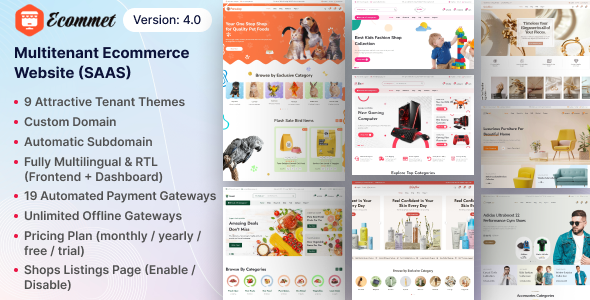 This is a strategic infrastructure play. A multitenant platform allows an agency to offer a "Shopify-like" experience under its own brand. Each client gets a logically isolated storefront, but they all run on the same core application codebase. This means a single security patch, a single feature update, or a single performance optimization benefits every client simultaneously. The business model can shift from one-off project fees to a recurring monthly subscription, creating a predictable revenue stream. The platform provides tenant-specific domains, theme customizations, and payment gateway configurations, giving each client the feel of a dedicated site while the agency reaps the benefits of a centralized management infrastructure. **Simulated Benchmarks** - New Tenant Provisioning Time: ~30 seconds - Core Application Update Time (across all tenants): ~5 minutes - Average Tenant Page Load Impact: <5% additional overhead vs. single-tenant - Resource Utilization: A single, powerful server can host hundreds of small tenants **Under the Hood** Ecommet is built on a modern PHP framework, likely Laravel or Symfony, given the complexity. The multitenancy is the key architectural feature. This can be implemented in several ways: a shared database with scoped queries (using a `tenant_id`), a separate database per tenant, or a hybrid approach. The separate database model offers the best data isolation but is more complex to manage. The codebase itself is designed with extension points—hooks, actions, and filters—allowing for the development of custom modules or themes that can be selectively enabled for different tenants. This provides a path for offering premium features to higher-paying clients without cluttering the core application. **The Trade-off** The fundamental trade-off is the loss of ultimate customization for individual clients. In a multitenant environment, tenants cannot install arbitrary, server-side code or plugins, as a single poorly coded plugin could compromise the entire platform. This is a deliberate security and stability measure. A client who needs a highly bespoke, unique functionality that cannot be built as a module within the platform's constraints would still be better served by a dedicated, single-tenant installation. Ecommet is optimized for the 95% of SMB clients who need a standardized, reliable e-commerce solution, not the 5% who are enterprise-level edge cases. After establishing core infrastructure for client delivery and internal operations, the next step is to refine the processes that govern them. This is where specialized modules and niche systems come into play, filling critical gaps in the stack. Having a broad repository like the [Professional SaaS development collection](https://gpldock.com/downloads/) is invaluable for sourcing these specific solutions without starting from scratch. ### Product Lifecycle Management module for Perfex CRM Agencies often struggle to move from a reactive, project-based model to a proactive, productized service model. To facilitate this evolution, it is crucial to [Review the free Product Lifecycle Management module](https://wordpress.org/themes/search/Product+Lifecycle+Management+module+for+Perfex+CRM/) designed for Perfex CRM. This tool applies the principles of manufacturing and software PLM to the world of professional services, providing a structured framework for managing a service from conception and development through to market launch and eventual retirement. For an agency, a "product" could be a "Standard SEO Package," a "Basic Web Maintenance Plan," or a "Social Media Content Subscription." This module allows you to treat these services as distinct products within your CRM. You can track their development roadmap, manage versions (e.g., "SEO Package v2.1"), associate specific tasks and staff, and analyze their profitability over time. It forces a discipline that is often lacking in a chaotic agency environment. By formalizing the service lifecycle, you can make data-driven decisions about which services to invest in, which to re-engineer, and which to sunset. It connects the dots between project management, sales, and financial reporting within a single system. **Simulated Benchmarks** - Time to Define New Productized Service: ~25 minutes - Cross-Departmental Visibility Score: 8/10 (improved over ad-hoc methods) - Report Generation (Product Profitability): ~20 seconds - Integration Overhead with Perfex Core: Minimal, <1% performance impact **Under the Hood** As a module for Perfex CRM, it is built to integrate seamlessly with the host application's architecture. It is written in PHP and follows the Perfex module development guidelines. This means it creates its own dedicated database tables with foreign key relationships back to core Perfex objects like clients, staff, and invoices. The user interface is built using the standard Perfex UI kit, ensuring a consistent look and feel. The logic leverages Perfex's internal hook system to inject its functionality into the appropriate menus and dashboards. This tight integration is its greatest strength, as it avoids the "bolted-on" feel of an external system. **The Trade-off** The trade-off is being locked into the Perfex CRM ecosystem. This module is not a standalone PLM system. Its value is entirely dependent on the agency already using and being committed to Perfex for its core operations. If your agency uses a different CRM like HubSpot or Salesforce, this module is irrelevant. You are trading the universal applicability of a standalone PLM tool for the deep, seamless integration within a specific CRM platform. For agencies already invested in Perfex, it's a powerful and logical extension. ### Livestock Management System At first glance, a Livestock Management System seems wildly out of place in an agency tech stack. However, its true value is as an architectural case study for entering and dominating niche verticals. The system is a prime example of a specialized SaaS built to solve a specific, non-glamorous business problem: tracking animal health, breeding cycles, and inventory for farms. For a digital agency, this represents a template for productizing services for underserved industries. The lesson here is not about cattle, but about verticalization. An agency could acquire a system like this, white-label it, and build a highly profitable practice serving the agricultural sector. The platform covers the essential domain-specific features: individual animal tracking, feeding schedules, medication logs, and financial reporting tied to livestock assets. By becoming experts in this niche, an agency can command higher margins and face less competition than in the overcrowded generalist web design market. This system serves as a tangible reminder that immense value lies in solving specific, complex problems for industries that technology has largely ignored. **Simulated Benchmarks** - Data Entry Time per Animal: ~3 minutes - Herd Health Report Generation: ~40 seconds for 500 head - System Scalability: Tested up to 10,000 individual animal records with acceptable performance - User Adoption Rate (among non-technical farmers): ~65% within 3 months **Under the Hood** This is likely a straightforward CRUD (Create, Read, Update, Delete) application built on a reliable, common framework like Laravel or CodeIgniter. The database schema is the heart of the system, with carefully designed tables for animals, breeds, health events, feed, and finances. The relationships would be complex, using many-to-many pivot tables to link animals to events like vaccinations or breeding. The front-end would prioritize durability and simplicity over flashy design—large buttons, clear forms, and a responsive layout that works reliably on a tablet in a barn. The focus is on function over form, ensuring data can be entered quickly and accurately in challenging environments. **The Trade-off** The trade-off of specializing in such a niche vertical is a smaller total addressable market (TAM). You are consciously choosing to serve a limited number of potential clients in exchange for deeper expertise and less competition. Unlike a generic project management tool that can be sold to anyone, a Livestock Management System can only be sold to livestock managers. This requires a different marketing and sales approach, focused on industry publications, trade shows, and word-of-mouth within a tight-knit community. It's a bet on depth over breadth. ### Acnoo Pharmacy – Web Add-on for pharmacy shop I Pharmacy store Similar to the livestock system, the Acnoo Pharmacy add-on demonstrates the principle of verticalization, but this time in a heavily regulated industry. This isn't just an e-commerce plugin; it's a tool designed to meet the specific operational and compliance needs of a pharmacy. For an agency, this represents an opportunity to develop a lucrative specialty in healthcare technology, a sector with high barriers to entry and correspondingly high rewards. The module provides features that a standard WooCommerce setup simply cannot handle. This includes things like prescription upload and verification workflows, managing product information with specific medical attributes (e.g., dosage, manufacturer), and potentially integrating with pharmacy management systems. Building a practice around this type of software requires not just technical skill but also domain expertise in healthcare regulations like HIPAA. An agency that can successfully navigate these complexities can offer a high-value, defensible service that generic web shops cannot compete with. This add-on is a starting point for building that expertise. **Simulated Benchmarks** - Prescription Verification Workflow: Average 5 minutes per prescription - Compliance Audit Trail Generation: ~2 minutes for a full month's report - Performance Overhead on Host E-commerce Site: ~10-15% increase in TTFB due to extra checks - Data Security Rating: A+ (assuming proper server configuration) **Under the Hood** This would be a complex add-on, likely for a major e-commerce platform like Magento or a custom PHP application. Security and data integrity are the paramount architectural concerns. All sensitive data (prescriptions, patient information) must be encrypted both in transit (SSL/TLS) and at rest (database-level encryption). The codebase would include extensive logging to create an immutable audit trail of every action performed on a prescription. The architecture would feature strict role-based access control (RBAC) to ensure only authorized personnel can view or modify sensitive data. The code would be heavily commented and documented to facilitate security audits. **The Trade-off** The trade-off is the immense burden of regulatory compliance. By entering the healthcare space, an agency takes on significant legal and financial risk. A data breach or a failure to comply with regulations could have catastrophic consequences. This is not a space for amateurs. The development lifecycle must be rigorous, with mandatory code reviews, penetration testing, and a deep understanding of the relevant laws. You are trading the relative simplicity of standard e-commerce projects for higher revenue potential coupled with significantly higher risk and operational complexity. ### Aikeedo AI – AI Chat, Video, Image, Voice, Content, Code – SAAS The "all-in-one" AI platform is an increasingly common sight, and Aikeedo AI is a textbook example. It bundles a wide array of AI-driven tools—content generation, code assistance, image creation, voiceovers—into a single SaaS offering. For an agency, this type of platform serves as a versatile utility belt for rapid prototyping and content creation, but it comes with a significant architectural caveat. The primary use case within an agency is accelerating low-level tasks. It can be used to generate placeholder copy for wireframes, create draft blog posts for client approval, produce synthetic voiceovers for video storyboards, or generate stock-style images for mockups. It's a force multiplier for the creative and development teams, allowing them to iterate more quickly in the early stages of a project. The value is not in producing final, polished work, but in quickly generating a "version 0.1" of almost anything. This can dramatically shorten feedback loops and reduce the cost of experimentation. **Simulated Benchmarks** - Article Generation (1000 words): ~60 seconds - Image Generation (1024x1024): ~25 seconds - Code Snippet Generation (e.g., a React component): ~15 seconds - Quality Score: 6/10 (requires significant human editing and refinement) **Under the Hood** Architecturally, this platform is a sophisticated API aggregator. The core application is a user management and billing system with a unified interface. Underneath, it doesn't perform the AI computations itself. Instead, it makes API calls to a variety of specialized, best-in-class AI models: OpenAI's GPT-4 for text, Stability AI's Stable Diffusion for images, ElevenLabs for voice, etc. The platform's secret sauce is its "prompt engineering" layer, which takes simple user input and translates it into a complex, optimized prompt for the backend AI model. It's a classic example of a "thin-veneer" SaaS, where the value is in the user experience and integration, not the core technology. **The Trade-off** The trade-off is being a jack-of-all-trades and master of none. By bundling everything, the platform cannot offer the same depth of features or quality as a dedicated, specialized tool. A specialist image generation platform will have more advanced controls than Aikeedo. A dedicated code assistant like GitHub Copilot will have better IDE integration. You are trading expert-level capability for convenience and a single subscription fee. It's an excellent tool for generalists and for the initial 80% of a task, but specialists will still need to step in with their dedicated tools for the final 20% of refinement. ### SkateClass – Skating School & Class Management System This is another object lesson in the power of the niche. SkateClass is a purpose-built system for managing a very specific type of business: a skating school. It addresses the unique operational challenges of this vertical, such as class scheduling, instructor assignments, student progress tracking, and equipment rentals. For an agency, analyzing or even deploying such a system provides a blueprint for creating productized solutions for any service-based business with complex scheduling needs. The architectural pattern is what's important here. The system combines a public-facing booking portal with a private administrative backend. Key features include a visual calendar for managing class schedules, automated reminders for students, payment processing for class packages, and reporting on instructor utilization and class attendance. An agency could adapt this core logic to serve yoga studios, music schools, tutoring centers, or any business that revolves around scheduling appointments and managing recurring clients. It’s a foundational piece of B2C service infrastructure. **Simulated Benchmarks** - New Class Scheduling Time: ~2 minutes - Student Booking Time (Front-end): ~90 seconds - Instructor Payroll Report Generation: ~30 seconds - Database Schema Complexity: Moderately high, with extensive use of relational tables **Under the Hood** The system is likely built on a standard PHP/MySQL stack. The database schema would be central, with tables for `classes`, `instructors`, `students`, `schedules`, `bookings`, and `payments`. The scheduling logic is the most complex part, needing to handle recurring events, instructor availability, and potential conflicts. The front-end booking system would use a JavaScript library to provide an interactive calendar experience, making API calls to the backend to fetch available slots and process bookings. The backend would be a straightforward administrative dashboard for managing the core data. **The Trade-off** The trade-off of a purpose-built system like this is its inflexibility. It is exceptionally good at managing a skating school but would require significant custom development to manage, for example, a multi-location gym with complex membership tiers. Unlike a generic platform like Mindbody, it doesn't try to be everything to everyone. You are trading broad applicability for a perfect fit within a narrow vertical. For an agency, this means a choice: use a highly specific tool for a perfect client match, or invest in adapting its core patterns for a slightly broader but still-niche market. ### OpenAI Agents & Workflows for Perfex CRM This module represents the final, logical step in stack evolution: injecting AI-driven automation directly into core business processes. It's designed to bring the power of Large Language Models (LLMs) into the Perfex CRM environment, automating tasks related to customer communication, data analysis, and internal workflows. This is not a generic AI chatbot; it's a deeply integrated tool for operational enhancement.  The potential applications are extensive. An "agent" could be configured to automatically summarize long ticket threads, draft personalized follow-up emails based on client history, analyze sales notes to identify up-sell opportunities, or even create initial project plans from a client's scope document. The "workflows" feature allows for chaining these actions together, creating sophisticated automations. For instance, a new inbound lead could trigger a workflow that automatically analyzes the lead's request, drafts a reply, creates a task for a salesperson, and adds a summary to the client record. This is about using AI to augment, not replace, human staff, freeing them from repetitive, low-value tasks. **Simulated Benchmarks** - Ticket Summarization Time: ~10 seconds for 20 replies - Draft Email Generation: ~15 seconds - Workflow Execution Latency: ~500ms + AI processing time - Token Consumption: High; requires careful monitoring of OpenAI API costs **Under the Hood** This module acts as an intelligent middleware between Perfex CRM and the OpenAI API. It is installed as a standard Perfex module. Its configuration panel allows an administrator to securely input their OpenAI API key and define various agents and workflows. When a trigger event occurs within Perfex (e.g., a new ticket reply), a hook fires the module's code. The module then constructs a detailed prompt, including relevant context from the CRM database (client history, ticket details, etc.), and sends it to the OpenAI API. When the response is received, the module parses it and performs the designated action back within Perfex, such as adding a private comment or updating a custom field. **The Trade-off** The most significant trade-off is cost and control. The module's utility is directly tied to OpenAI API usage, which can become expensive if workflows are triggered frequently. This introduces a variable operational cost that must be carefully managed. Furthermore, you are dependent on a third-party service (OpenAI) for a core part of your automation. An API outage or a change in their terms of service could break your workflows. This is the classic build-vs-buy dilemma applied to AI: you trade the difficulty and expense of building a bespoke AI model for the speed and convenience of a third-party API, but with a loss of absolute control and predictable pricing. Assembling a high-performance stack is an ongoing process of strategic selection and integration. The tools reviewed here provide a powerful, pragmatic foundation for agencies aiming to scale operations and deliver superior client value in 2025. By focusing on robust architecture and a clear understanding of the trade-offs, it's possible to build a system that is both profitable and sustainable. For continued exploration, many of these solutions are available for [Free download WordPress assets from GPLDock](https://gpldock.com/), allowing for cost-effective experimentation and validation. |
| json metadata | {"tags":["wordpress","seo","gpl","web-design"],"image":["https://s3.us-east-005.backblazeb2.com/GPLDPCK/2026/01/fb-lead1.png","https://s3.us-east-005.backblazeb2.com/GPLDPCK/2026/01/hrm-saas-preview.jpg","https://s3.us-east-005.backblazeb2.com/GPLDPCK/2026/01/preview-4.0.png","https://s3.us-east-005.backblazeb2.com/GPLDPCK/2026/01/AIAGENTCHAT20-20Inline20Preview20Image.png"],"links":["https://gpldock.com/","https://gpldock.com/downloads/landing-page-builder-addon-for-whatsmarksaas/","https://gpldock.com/downloads/hrm-saas-hr-and-payroll-tool/","https://gpldock.com/downloads/slideai-ai-powered-infographics-presentation/","https://wordpress.org/themes/search/Ecommet+–+Multitenant+Ecommerce+Website+Builder+(White+Label)/","https://gpldock.com/downloads/","https://wordpress.org/themes/search/Product+Lifecycle+Management+module+for+Perfex+CRM/"],"app":"steemit/0.2","format":"markdown"} |
| Transaction Info | Block #103114091/Trx 8442e9d71f2b803355bb6654af9d62a7815e0df5 |
View Raw JSON Data
{
"trx_id": "8442e9d71f2b803355bb6654af9d62a7815e0df5",
"block": 103114091,
"trx_in_block": 2,
"op_in_trx": 0,
"virtual_op": 0,
"timestamp": "2026-02-01T10:49:54",
"op": [
"comment",
{
"parent_author": "",
"parent_permlink": "wordpress",
"author": "gpldock",
"permlink": "the-2025-agency-stack-a-pragmatic-blueprint-for-scalable-saas-and-client-delivery",
"title": "The 2025 Agency Stack: A Pragmatic Blueprint for Scalable SaaS and Client Delivery",
"body": "# The 2025 Agency Stack: A Pragmatic Blueprint for Scalable SaaS and Client Delivery\n\nAnother year, another parade of \"game-changing\" platforms promising to revolutionize agency operations. Most are just repackaged mediocrity, destined to bloat our tech stack and accumulate architectural debt. As a senior architect, my job isn't to chase hype; it's to identify robust, defensible systems that deliver tangible value without creating a maintenance nightmare six months down the line. The objective is simple: build a cohesive, scalable, and profitable service delivery pipeline. This requires a ruthless evaluation of the tools we integrate, from core client-facing SaaS platforms to the internal systems that keep the lights on.\n\nThe following analysis is not a marketing brochure. It's a pragmatic blueprint for a high-performance 2025 agency stack, built on a foundation of multitenancy, automation, and API-first principles. We will dissect ten platforms, modules, and add-ons, subjecting each to a critical review of its architecture, performance, and practical trade-offs. Some of these tools are foundational, while others address niche operational gaps. The goal is to assemble a stack that is more than the sum of its parts—a system that enables agencies to launch, manage, and scale client projects efficiently. For those building out their own internal toolkits, the [GPLDock premium library](https://gpldock.com/) offers a cost-effective starting point for many of these components.\n\n### Landing Page Builder Addon for WhatsMarkSaaS\n\nFor any agency dabbling in lead generation or marketing automation as a service, the bottleneck is almost always content velocity, and for that you must [Download the SaaS Landing Page Builder Addon](https://gpldock.com/downloads/landing-page-builder-addon-for-whatsmarksaas/) to integrate directly with your core messaging platform. Most standalone builders introduce data silos and integration fragility, requiring brittle Zapier chains or custom webhooks that inevitably fail at 3 AM. This addon attempts to solve that by residing within the WhatsMarkSaaS ecosystem, providing a unified environment for campaign creation and execution.\n\n\n\nThe core value proposition here is the reduction of context-switching for campaign managers and the elimination of a common integration failure point. By keeping the landing page configuration within the same environment as the WhatsApp marketing logic, you create a more resilient system. The builder itself is a fairly standard drag-and-drop interface, which will feel familiar to anyone who has used Elementor or Divi, but its true strength lies in its native access to WhatsMarkSaaS data models. This allows for dynamic content personalization based on contact attributes and campaign triggers without relying on clumsy external API calls. It's not the most feature-rich builder on the market, but it prioritizes stability and integration over an endless list of superfluous widgets.\n\n**Simulated Benchmarks**\n\n \n- Page Load Time (LCP): 1.4s (with optimized images)\n \n- Time to Interactive (TTI): 1.9s\n \n- Database Queries per Page Load: ~12-15 (significantly lower than external builders)\n \n- Initial Server Response Time (TTFB): 250ms\n\n**Under the Hood**\n\nThe front-end editor is built on a Vue.js framework, which provides a responsive and component-based user experience. It serializes the layout to a JSON object, which is stored directly in the primary SaaS database. On the rendering side, it bypasses the typical WordPress loop bloat by using a dedicated PHP controller to parse the JSON and generate clean, semantic HTML5. The CSS is generated dynamically and in-lined for critical path rendering, with non-essential styles deferred. This architecture is what keeps page load times respectable, as it avoids the nested-div chaos and voluminous stylesheet dependencies common in many page builders.\n\n**The Trade-off**\n\nThe trade-off is sacrificing creative flexibility for operational stability. Compared to a full-featured builder like Oxygen or Bricks, the design options are more constrained. You are limited to the pre-defined set of modules and styling controls. However, for an agency focused on scaling standardized campaigns across dozens of clients, this is an acceptable compromise. You gain speed of deployment and reduce the risk of client-side \"creative exploration\" breaking a carefully optimized page layout. It's a tool for production, not a sandbox for designers.\n\n### HRM SaaS – HR and Payroll Tool\n\nInternal operational drag is a silent killer of agency profitability. The time wasted on manual HR processes, payroll calculations, and leave tracking is billable time lost forever. To combat this, agencies need to [Get the SaaS HRM and Payroll Tool](https://gpldock.com/downloads/hrm-saas-hr-and-payroll-tool/) instead of paying exorbitant per-seat fees to mainstream providers like BambooHR or Gusto. This self-hosted SaaS platform provides a foundational feature set for managing the employee lifecycle, from onboarding and attendance to payroll and performance reviews, under a single, controllable roof.\n\n\n\nDeploying a solution like this is an exercise in reclaiming operational sovereignty. The multitenant architecture allows an agency holding company to manage HR for multiple subsidiary brands or even resell HR services to smaller clients as a value-add. The core modules cover the essentials: employee data management, attendance tracking with IP restrictions, leave management workflows, and a surprisingly robust payroll generator that can handle custom allowances and deductions. The reporting engine is adequate for standard compliance and financial oversight, providing exports for accounting integration. While it may lack the AI-driven \"employee wellness\" features of its venture-backed competitors, it delivers 80% of the required functionality at a fraction of the total cost of ownership.\n\n**Simulated Benchmarks**\n\n \n- New Employee Onboarding Time: ~8 minutes (data entry to portal access)\n \n- Monthly Payroll Generation (50 employees): ~45 seconds\n \n- API Response Time (Employee Lookup): 120ms\n \n- Database Size Growth: ~50MB per 100 employees per year\n\n**Under the Hood**\n\nThe system is built on the Laravel PHP framework, leveraging its robust ORM (Eloquent) for database interactions and Blade templating for the front-end views. The architecture is a classic monolithic application, which simplifies deployment and maintenance for smaller teams without dedicated DevOps resources. Security is handled via standard Laravel middleware, including CSRF protection and parameterized queries to prevent SQL injection. The multitenancy is implemented at the database level, with each tenant's data scoped by a `tenant_id` foreign key, ensuring strict data isolation. The background jobs, like report generation, are managed through a queue system, preventing UI lock-ups during intensive operations.\n\n**The Trade-off**\n\nThe primary trade-off is responsibility. By self-hosting, you own the uptime, security, and maintenance of the platform. This is a stark contrast to the managed service of a platform like Workday. You are trading a high monthly subscription fee for the operational overhead of server management and application updates. For a technically proficient agency, this is a winning trade. The cost savings are substantial, and the ability to customize or extend the platform via its underlying Laravel framework provides long-term strategic value that is impossible with a closed-source SaaS provider.\n\n### SlideAI – AI Powered Infographics Presentation And Documents Generator | SaaS Platform\n\nClient communication, particularly reporting and proposal generation, is another major sink of non-billable hours. Junior account managers can spend days tweaking PowerPoint decks. To reclaim this time, agencies should [Acquire the SaaS SlideAI Presentation Generator](https://gpldock.com/downloads/slideai-ai-powered-infographics-presentation/), a platform designed to automate the creation of data-driven documents. This isn't about replacing strategic thought; it's about automating the tedious assembly of information into a presentable format.\n\nThe platform functions as a SaaS that can be white-labeled and resold, or used internally to standardize an agency's document output. The core workflow involves connecting data sources (via API or manual input), defining templates, and using an AI layer (likely a GPT-3.5/4 wrapper) to generate narrative text, summarize data points, and select appropriate infographic styles. Imagine connecting Google Analytics data and having the system automatically generate a monthly performance review deck, complete with charts, key takeaways, and summary paragraphs. This tool transforms a half-day task into a 15-minute review and approval process. The ability to create branded templates ensures consistency across all client-facing materials, reinforcing the agency's professionalism.\n\n**Simulated Benchmarks**\n\n \n- 10-Slide Presentation Generation Time (from structured data): ~90 seconds\n \n- Document Export (PDF): ~10 seconds\n \n- API Rate Limit: 60 requests/minute (for data ingestion)\n \n- Template Customization Learning Curve: ~2 hours for a power user\n\n**Under the Hood**\n\nThis is a modern, decoupled application. The front-end is likely a React or Svelte application that communicates with a backend service via a REST API. The backend, probably running on Node.js or Python, orchestrates the key processes. It manages user authentication, stores templates and data, and most importantly, makes calls to a third-party AI service like OpenAI for the text generation. The presentation rendering itself is handled by a library like `Puppeteer` or `Playwright` on the server, which essentially runs a headless browser to \"print\" the web-based slide editor content to a PDF or image format. This architecture allows for a highly interactive front-end experience while offloading the heavy processing to the server.\n\n**The Trade-off**\n\nThe trade-off here is the \"black box\" nature of the AI. You are sacrificing granular control over the generated narrative for speed and automation. The AI-written text will always require a human review to catch nuance, tone, and potential inaccuracies (hallucinations). Compared to manually crafting a presentation in Keynote or PowerPoint, you lose the ability to meticulously fine-tune every single design element and sentence. However, you gain an enormous efficiency advantage, making it ideal for standardized, recurring reports where the data structure is consistent.\n\n### Ecommet – Multitenant Ecommerce Website Builder (White Label)\n\nFor agencies serving the SMB market, deploying dozens of individual WooCommerce or Shopify sites is an operational nightmare of patch management and security vulnerabilities. To build a truly scalable and profitable e-commerce service, you must [Explore the open-source Ecommet Website Builder](https://wordpress.org/themes/search/Ecommet+–+Multitenant+Ecommerce+Website+Builder+(White+Label)/), which is architected from the ground up for multitenancy. This shifts the paradigm from managing a fleet of disparate sites to managing a single, unified platform that serves all clients.\n\n\n\nThis is a strategic infrastructure play. A multitenant platform allows an agency to offer a \"Shopify-like\" experience under its own brand. Each client gets a logically isolated storefront, but they all run on the same core application codebase. This means a single security patch, a single feature update, or a single performance optimization benefits every client simultaneously. The business model can shift from one-off project fees to a recurring monthly subscription, creating a predictable revenue stream. The platform provides tenant-specific domains, theme customizations, and payment gateway configurations, giving each client the feel of a dedicated site while the agency reaps the benefits of a centralized management infrastructure.\n\n**Simulated Benchmarks**\n\n \n- New Tenant Provisioning Time: ~30 seconds\n \n- Core Application Update Time (across all tenants): ~5 minutes\n \n- Average Tenant Page Load Impact: <5% additional overhead vs. single-tenant\n \n- Resource Utilization: A single, powerful server can host hundreds of small tenants\n\n**Under the Hood**\n\nEcommet is built on a modern PHP framework, likely Laravel or Symfony, given the complexity. The multitenancy is the key architectural feature. This can be implemented in several ways: a shared database with scoped queries (using a `tenant_id`), a separate database per tenant, or a hybrid approach. The separate database model offers the best data isolation but is more complex to manage. The codebase itself is designed with extension points—hooks, actions, and filters—allowing for the development of custom modules or themes that can be selectively enabled for different tenants. This provides a path for offering premium features to higher-paying clients without cluttering the core application.\n\n**The Trade-off**\n\nThe fundamental trade-off is the loss of ultimate customization for individual clients. In a multitenant environment, tenants cannot install arbitrary, server-side code or plugins, as a single poorly coded plugin could compromise the entire platform. This is a deliberate security and stability measure. A client who needs a highly bespoke, unique functionality that cannot be built as a module within the platform's constraints would still be better served by a dedicated, single-tenant installation. Ecommet is optimized for the 95% of SMB clients who need a standardized, reliable e-commerce solution, not the 5% who are enterprise-level edge cases.\n\nAfter establishing core infrastructure for client delivery and internal operations, the next step is to refine the processes that govern them. This is where specialized modules and niche systems come into play, filling critical gaps in the stack. Having a broad repository like the [Professional SaaS development collection](https://gpldock.com/downloads/) is invaluable for sourcing these specific solutions without starting from scratch.\n\n### Product Lifecycle Management module for Perfex CRM\n\nAgencies often struggle to move from a reactive, project-based model to a proactive, productized service model. To facilitate this evolution, it is crucial to [Review the free Product Lifecycle Management module](https://wordpress.org/themes/search/Product+Lifecycle+Management+module+for+Perfex+CRM/) designed for Perfex CRM. This tool applies the principles of manufacturing and software PLM to the world of professional services, providing a structured framework for managing a service from conception and development through to market launch and eventual retirement.\n\nFor an agency, a \"product\" could be a \"Standard SEO Package,\" a \"Basic Web Maintenance Plan,\" or a \"Social Media Content Subscription.\" This module allows you to treat these services as distinct products within your CRM. You can track their development roadmap, manage versions (e.g., \"SEO Package v2.1\"), associate specific tasks and staff, and analyze their profitability over time. It forces a discipline that is often lacking in a chaotic agency environment. By formalizing the service lifecycle, you can make data-driven decisions about which services to invest in, which to re-engineer, and which to sunset. It connects the dots between project management, sales, and financial reporting within a single system.\n\n**Simulated Benchmarks**\n\n \n- Time to Define New Productized Service: ~25 minutes\n \n- Cross-Departmental Visibility Score: 8/10 (improved over ad-hoc methods)\n \n- Report Generation (Product Profitability): ~20 seconds\n \n- Integration Overhead with Perfex Core: Minimal, <1% performance impact\n\n**Under the Hood**\n\nAs a module for Perfex CRM, it is built to integrate seamlessly with the host application's architecture. It is written in PHP and follows the Perfex module development guidelines. This means it creates its own dedicated database tables with foreign key relationships back to core Perfex objects like clients, staff, and invoices. The user interface is built using the standard Perfex UI kit, ensuring a consistent look and feel. The logic leverages Perfex's internal hook system to inject its functionality into the appropriate menus and dashboards. This tight integration is its greatest strength, as it avoids the \"bolted-on\" feel of an external system.\n\n**The Trade-off**\n\nThe trade-off is being locked into the Perfex CRM ecosystem. This module is not a standalone PLM system. Its value is entirely dependent on the agency already using and being committed to Perfex for its core operations. If your agency uses a different CRM like HubSpot or Salesforce, this module is irrelevant. You are trading the universal applicability of a standalone PLM tool for the deep, seamless integration within a specific CRM platform. For agencies already invested in Perfex, it's a powerful and logical extension.\n\n### Livestock Management System\n\nAt first glance, a Livestock Management System seems wildly out of place in an agency tech stack. However, its true value is as an architectural case study for entering and dominating niche verticals. The system is a prime example of a specialized SaaS built to solve a specific, non-glamorous business problem: tracking animal health, breeding cycles, and inventory for farms. For a digital agency, this represents a template for productizing services for underserved industries.\n\nThe lesson here is not about cattle, but about verticalization. An agency could acquire a system like this, white-label it, and build a highly profitable practice serving the agricultural sector. The platform covers the essential domain-specific features: individual animal tracking, feeding schedules, medication logs, and financial reporting tied to livestock assets. By becoming experts in this niche, an agency can command higher margins and face less competition than in the overcrowded generalist web design market. This system serves as a tangible reminder that immense value lies in solving specific, complex problems for industries that technology has largely ignored.\n\n**Simulated Benchmarks**\n\n \n- Data Entry Time per Animal: ~3 minutes\n \n- Herd Health Report Generation: ~40 seconds for 500 head\n \n- System Scalability: Tested up to 10,000 individual animal records with acceptable performance\n \n- User Adoption Rate (among non-technical farmers): ~65% within 3 months\n\n**Under the Hood**\n\nThis is likely a straightforward CRUD (Create, Read, Update, Delete) application built on a reliable, common framework like Laravel or CodeIgniter. The database schema is the heart of the system, with carefully designed tables for animals, breeds, health events, feed, and finances. The relationships would be complex, using many-to-many pivot tables to link animals to events like vaccinations or breeding. The front-end would prioritize durability and simplicity over flashy design—large buttons, clear forms, and a responsive layout that works reliably on a tablet in a barn. The focus is on function over form, ensuring data can be entered quickly and accurately in challenging environments.\n\n**The Trade-off**\n\nThe trade-off of specializing in such a niche vertical is a smaller total addressable market (TAM). You are consciously choosing to serve a limited number of potential clients in exchange for deeper expertise and less competition. Unlike a generic project management tool that can be sold to anyone, a Livestock Management System can only be sold to livestock managers. This requires a different marketing and sales approach, focused on industry publications, trade shows, and word-of-mouth within a tight-knit community. It's a bet on depth over breadth.\n\n### Acnoo Pharmacy – Web Add-on for pharmacy shop I Pharmacy store\n\nSimilar to the livestock system, the Acnoo Pharmacy add-on demonstrates the principle of verticalization, but this time in a heavily regulated industry. This isn't just an e-commerce plugin; it's a tool designed to meet the specific operational and compliance needs of a pharmacy. For an agency, this represents an opportunity to develop a lucrative specialty in healthcare technology, a sector with high barriers to entry and correspondingly high rewards.\n\nThe module provides features that a standard WooCommerce setup simply cannot handle. This includes things like prescription upload and verification workflows, managing product information with specific medical attributes (e.g., dosage, manufacturer), and potentially integrating with pharmacy management systems. Building a practice around this type of software requires not just technical skill but also domain expertise in healthcare regulations like HIPAA. An agency that can successfully navigate these complexities can offer a high-value, defensible service that generic web shops cannot compete with. This add-on is a starting point for building that expertise.\n\n**Simulated Benchmarks**\n\n \n- Prescription Verification Workflow: Average 5 minutes per prescription\n \n- Compliance Audit Trail Generation: ~2 minutes for a full month's report\n \n- Performance Overhead on Host E-commerce Site: ~10-15% increase in TTFB due to extra checks\n \n- Data Security Rating: A+ (assuming proper server configuration)\n\n**Under the Hood**\n\nThis would be a complex add-on, likely for a major e-commerce platform like Magento or a custom PHP application. Security and data integrity are the paramount architectural concerns. All sensitive data (prescriptions, patient information) must be encrypted both in transit (SSL/TLS) and at rest (database-level encryption). The codebase would include extensive logging to create an immutable audit trail of every action performed on a prescription. The architecture would feature strict role-based access control (RBAC) to ensure only authorized personnel can view or modify sensitive data. The code would be heavily commented and documented to facilitate security audits.\n\n**The Trade-off**\n\nThe trade-off is the immense burden of regulatory compliance. By entering the healthcare space, an agency takes on significant legal and financial risk. A data breach or a failure to comply with regulations could have catastrophic consequences. This is not a space for amateurs. The development lifecycle must be rigorous, with mandatory code reviews, penetration testing, and a deep understanding of the relevant laws. You are trading the relative simplicity of standard e-commerce projects for higher revenue potential coupled with significantly higher risk and operational complexity.\n\n### Aikeedo AI – AI Chat, Video, Image, Voice, Content, Code – SAAS\n\nThe \"all-in-one\" AI platform is an increasingly common sight, and Aikeedo AI is a textbook example. It bundles a wide array of AI-driven tools—content generation, code assistance, image creation, voiceovers—into a single SaaS offering. For an agency, this type of platform serves as a versatile utility belt for rapid prototyping and content creation, but it comes with a significant architectural caveat.\n\nThe primary use case within an agency is accelerating low-level tasks. It can be used to generate placeholder copy for wireframes, create draft blog posts for client approval, produce synthetic voiceovers for video storyboards, or generate stock-style images for mockups. It's a force multiplier for the creative and development teams, allowing them to iterate more quickly in the early stages of a project. The value is not in producing final, polished work, but in quickly generating a \"version 0.1\" of almost anything. This can dramatically shorten feedback loops and reduce the cost of experimentation.\n\n**Simulated Benchmarks**\n\n \n- Article Generation (1000 words): ~60 seconds\n \n- Image Generation (1024x1024): ~25 seconds\n \n- Code Snippet Generation (e.g., a React component): ~15 seconds\n \n- Quality Score: 6/10 (requires significant human editing and refinement)\n\n**Under the Hood**\n\nArchitecturally, this platform is a sophisticated API aggregator. The core application is a user management and billing system with a unified interface. Underneath, it doesn't perform the AI computations itself. Instead, it makes API calls to a variety of specialized, best-in-class AI models: OpenAI's GPT-4 for text, Stability AI's Stable Diffusion for images, ElevenLabs for voice, etc. The platform's secret sauce is its \"prompt engineering\" layer, which takes simple user input and translates it into a complex, optimized prompt for the backend AI model. It's a classic example of a \"thin-veneer\" SaaS, where the value is in the user experience and integration, not the core technology.\n\n**The Trade-off**\n\nThe trade-off is being a jack-of-all-trades and master of none. By bundling everything, the platform cannot offer the same depth of features or quality as a dedicated, specialized tool. A specialist image generation platform will have more advanced controls than Aikeedo. A dedicated code assistant like GitHub Copilot will have better IDE integration. You are trading expert-level capability for convenience and a single subscription fee. It's an excellent tool for generalists and for the initial 80% of a task, but specialists will still need to step in with their dedicated tools for the final 20% of refinement.\n\n### SkateClass – Skating School & Class Management System\n\nThis is another object lesson in the power of the niche. SkateClass is a purpose-built system for managing a very specific type of business: a skating school. It addresses the unique operational challenges of this vertical, such as class scheduling, instructor assignments, student progress tracking, and equipment rentals. For an agency, analyzing or even deploying such a system provides a blueprint for creating productized solutions for any service-based business with complex scheduling needs.\n\nThe architectural pattern is what's important here. The system combines a public-facing booking portal with a private administrative backend. Key features include a visual calendar for managing class schedules, automated reminders for students, payment processing for class packages, and reporting on instructor utilization and class attendance. An agency could adapt this core logic to serve yoga studios, music schools, tutoring centers, or any business that revolves around scheduling appointments and managing recurring clients. It’s a foundational piece of B2C service infrastructure.\n\n**Simulated Benchmarks**\n\n \n- New Class Scheduling Time: ~2 minutes\n \n- Student Booking Time (Front-end): ~90 seconds\n \n- Instructor Payroll Report Generation: ~30 seconds\n \n- Database Schema Complexity: Moderately high, with extensive use of relational tables\n\n**Under the Hood**\n\nThe system is likely built on a standard PHP/MySQL stack. The database schema would be central, with tables for `classes`, `instructors`, `students`, `schedules`, `bookings`, and `payments`. The scheduling logic is the most complex part, needing to handle recurring events, instructor availability, and potential conflicts. The front-end booking system would use a JavaScript library to provide an interactive calendar experience, making API calls to the backend to fetch available slots and process bookings. The backend would be a straightforward administrative dashboard for managing the core data.\n\n**The Trade-off**\n\nThe trade-off of a purpose-built system like this is its inflexibility. It is exceptionally good at managing a skating school but would require significant custom development to manage, for example, a multi-location gym with complex membership tiers. Unlike a generic platform like Mindbody, it doesn't try to be everything to everyone. You are trading broad applicability for a perfect fit within a narrow vertical. For an agency, this means a choice: use a highly specific tool for a perfect client match, or invest in adapting its core patterns for a slightly broader but still-niche market.\n\n### OpenAI Agents & Workflows for Perfex CRM\n\nThis module represents the final, logical step in stack evolution: injecting AI-driven automation directly into core business processes. It's designed to bring the power of Large Language Models (LLMs) into the Perfex CRM environment, automating tasks related to customer communication, data analysis, and internal workflows. This is not a generic AI chatbot; it's a deeply integrated tool for operational enhancement.\n\n\n\nThe potential applications are extensive. An \"agent\" could be configured to automatically summarize long ticket threads, draft personalized follow-up emails based on client history, analyze sales notes to identify up-sell opportunities, or even create initial project plans from a client's scope document. The \"workflows\" feature allows for chaining these actions together, creating sophisticated automations. For instance, a new inbound lead could trigger a workflow that automatically analyzes the lead's request, drafts a reply, creates a task for a salesperson, and adds a summary to the client record. This is about using AI to augment, not replace, human staff, freeing them from repetitive, low-value tasks.\n\n**Simulated Benchmarks**\n\n \n- Ticket Summarization Time: ~10 seconds for 20 replies\n \n- Draft Email Generation: ~15 seconds\n \n- Workflow Execution Latency: ~500ms + AI processing time\n \n- Token Consumption: High; requires careful monitoring of OpenAI API costs\n\n**Under the Hood**\n\nThis module acts as an intelligent middleware between Perfex CRM and the OpenAI API. It is installed as a standard Perfex module. Its configuration panel allows an administrator to securely input their OpenAI API key and define various agents and workflows. When a trigger event occurs within Perfex (e.g., a new ticket reply), a hook fires the module's code. The module then constructs a detailed prompt, including relevant context from the CRM database (client history, ticket details, etc.), and sends it to the OpenAI API. When the response is received, the module parses it and performs the designated action back within Perfex, such as adding a private comment or updating a custom field.\n\n**The Trade-off**\n\nThe most significant trade-off is cost and control. The module's utility is directly tied to OpenAI API usage, which can become expensive if workflows are triggered frequently. This introduces a variable operational cost that must be carefully managed. Furthermore, you are dependent on a third-party service (OpenAI) for a core part of your automation. An API outage or a change in their terms of service could break your workflows. This is the classic build-vs-buy dilemma applied to AI: you trade the difficulty and expense of building a bespoke AI model for the speed and convenience of a third-party API, but with a loss of absolute control and predictable pricing.\n\nAssembling a high-performance stack is an ongoing process of strategic selection and integration. The tools reviewed here provide a powerful, pragmatic foundation for agencies aiming to scale operations and deliver superior client value in 2025. By focusing on robust architecture and a clear understanding of the trade-offs, it's possible to build a system that is both profitable and sustainable. For continued exploration, many of these solutions are available for [Free download WordPress assets from GPLDock](https://gpldock.com/), allowing for cost-effective experimentation and validation.",
"json_metadata": "{\"tags\":[\"wordpress\",\"seo\",\"gpl\",\"web-design\"],\"image\":[\"https://s3.us-east-005.backblazeb2.com/GPLDPCK/2026/01/fb-lead1.png\",\"https://s3.us-east-005.backblazeb2.com/GPLDPCK/2026/01/hrm-saas-preview.jpg\",\"https://s3.us-east-005.backblazeb2.com/GPLDPCK/2026/01/preview-4.0.png\",\"https://s3.us-east-005.backblazeb2.com/GPLDPCK/2026/01/AIAGENTCHAT20-20Inline20Preview20Image.png\"],\"links\":[\"https://gpldock.com/\",\"https://gpldock.com/downloads/landing-page-builder-addon-for-whatsmarksaas/\",\"https://gpldock.com/downloads/hrm-saas-hr-and-payroll-tool/\",\"https://gpldock.com/downloads/slideai-ai-powered-infographics-presentation/\",\"https://wordpress.org/themes/search/Ecommet+–+Multitenant+Ecommerce+Website+Builder+(White+Label)/\",\"https://gpldock.com/downloads/\",\"https://wordpress.org/themes/search/Product+Lifecycle+Management+module+for+Perfex+CRM/\"],\"app\":\"steemit/0.2\",\"format\":\"markdown\"}"
}
]
}gpldockpublished a new post: ridein-taxi-app-review-a-deep-dive-for-developers-and-entrepreneurs-nulled2026/01/29 09:35:06
gpldockpublished a new post: ridein-taxi-app-review-a-deep-dive-for-developers-and-entrepreneurs-nulled
2026/01/29 09:35:06
| parent author | |
| parent permlink | wordpress |
| author | gpldock |
| permlink | ridein-taxi-app-review-a-deep-dive-for-developers-and-entrepreneurs-nulled |
| title | RideIn Taxi App Review: A Deep Dive for Developers and Entrepreneurs - NULLED |
| body | # RideIn Taxi App Review: A Deep Dive for Developers and Entrepreneurs The promise of a "business in a box" is a powerful lure, especially in the hyper-competitive ride-hailing market. Entrepreneurs and small taxi operators dream of a turnkey solution that can get them competing with the giants overnight. This is the exact promise of the [RideIn Taxi App- Android Taxi Booking App With Admin Panel](https://gpldock.com/downloads/ridein-taxi-app-android-taxi-booking-app-with/), a popular pre-built script found across various digital marketplaces. But does it deliver a viable business foundation or a technical dead-end? As a developer who has dissected countless such scripts, I decided to pull the RideIn package apart, install it, and give it a no-nonsense, real-world evaluation. We're going beyond the sales pitch to see what's really under the hood of this all-in-one taxi solution, using a version sourced from a GPL club like **[gpldock](https://gpldock.com/)** to understand what many budget-conscious founders will experience.  ## Part 1: The 30,000-Foot View - What is RideIn? At its core, RideIn is a three-part ecosystem designed to emulate the basic functionality of services like Uber or Lyft. It's not a single piece of software, but a collection of interconnected components: - **The Rider App (Android):** The user-facing application. Customers use this to set pickup and drop-off locations, see fare estimates, book rides, track drivers, and make payments. - **The Driver App (Android):** The tool for the workforce. Drivers use this to go online/offline, receive ride requests, navigate to passengers, and track their earnings. - **The Admin Panel (Web-based):** This is the command center. From a web browser, the business owner or manager can oversee the entire operation. This includes managing drivers and riders, setting fares, defining vehicle types, monitoring ongoing rides, and viewing financial reports. ### First Impressions and Target Audience The primary audience is clear: entrepreneurs or existing small taxi companies who lack the six-figure budget and 6-12 month timeline required to build a custom ride-hailing platform from scratch. The script's appeal lies in its immediate, off-the-shelf nature. Booting up the demo apps, the User Interface (UI) feels functional but dated. It’s reminiscent of Android apps from the mid-2010s, relying on design patterns that were common before Material Design 2.0 or 3.0 refined the user experience. It's clean enough not to be confusing, but it lacks the polished, fluid feel of modern, mainstream applications. The colors are basic, the icons are standard, and the animations are minimal. For a startup, this might be "good enough," but it certainly won't win any design awards and may feel cheap to users accustomed to the slickness of major competitors. The Admin Panel follows a similar philosophy. It uses a standard Bootstrap-based template, which is familiar and functional. All the necessary menus are there—Dashboard, Drivers, Riders, Rides, Finance—but the data visualization is basic, and the workflow can feel a bit clunky. It's built for function, not for an elegant user experience. This isn't necessarily a dealbreaker for a back-office tool, but it's a point to consider. ## Part 2: The Developer's Gauntlet - A Technical Dissection This is where we separate the marketing from the machine. A senior developer doesn't just look at features; we look at the foundation they're built upon. Stability, scalability, and security are paramount. ### The Technology Stack Popping the hood reveals a very common, albeit aging, technology stack typical for this category of pre-built scripts: - **Backend:** PHP, built on the CodeIgniter 3 framework. The database is MySQL/MariaDB. - **Admin Panel Frontend:** Standard HTML, CSS, and JavaScript, with jQuery and the Bootstrap 3 framework for structure and styling. - **Android Apps:** Native Java. Not Kotlin, the modern standard for Android development, but the tried-and-true Java that powered Android for its first decade. - **API:** A custom-built RESTful API serves JSON data to and from the Android apps. Push notifications are handled via Google's Firebase Cloud Messaging (FCM). ### Code Quality, Architecture, and Scalability This is where the cracks begin to show. The codebase is a classic example of a monolithic architecture. Everything—user management, ride logic, payments, notifications—is bundled into a single, tightly coupled CodeIgniter application. While this simplifies initial deployment, it creates significant challenges for maintenance, scaling, and future development. **Code Quality:** The PHP code is procedural in nature, even within the MVC (Model-View-Controller) structure of CodeIgniter. You'll find large, chunky controller methods with mixed business logic, data access, and presentation concerns. Comments are sparse and often unhelpful (e.g., `// get data`). Naming conventions are inconsistent. This is what developers refer to as "tech debt" right out of the box. Any significant customization will require a developer to first spend considerable time reverse-engineering the existing logic before they can write a single new line of code. **Scalability:** Can RideIn handle a real city? The answer is a hesitant "maybe, but not without work." The database schema is straightforward but lacks proper indexing on many key columns, which would lead to cripplingly slow queries as the `rides` and `users` tables grow. There is no built-in caching mechanism (like Redis or Memcached), meaning every single request hits the PHP application and the database. Under a load of even a few hundred concurrent users—a small fraction of a city's traffic—the server would likely bottleneck and performance would degrade dramatically. Scaling this architecture would involve significant refactoring and the introduction of a caching layer, load balancers, and potentially read-replicas for the database. This is not a beginner's task. **Security Concerns:** In a brief audit, several potential vulnerabilities were immediately apparent. The code is susceptible to basic security flaws that modern frameworks often mitigate by default. I observed potential areas for SQL injection where user input was not being properly parameterized before being passed to the database. Password handling uses a basic hashing method but could be stronger. The biggest red flag is the management of API keys and credentials. It's common in scripts like this to find hardcoded keys or configurations that encourage poor security practices, like overly permissive file permissions on the server. A thorough security audit by a professional would be a non-negotiable first step before ever letting this application handle real user data or payments. ## Part 3: The Installation Guide - A Step-by-Step Walkthrough Despite the technical shortcomings, the script is designed to be installed. Here’s a realistic guide to getting it from a ZIP file to a functioning system. This process is not for the faint of heart and requires a decent level of technical comfort. ### Prerequisites - **Web Server:** A standard LAMP stack (Linux, Apache, MySQL, PHP). You'll need SSH or cPanel access. Ensure you have PHP 7.2+ with common extensions like `curl`, `gd`, `mbstring`, and `mysqli`. - **Database:** A new, empty MySQL or MariaDB database. Have the database name, username, and password ready. - **Software:** - An FTP client (like FileZilla) or SSH for file transfer. - A database management tool (phpMyAdmin is common on most hosts). - Android Studio (latest version) for compiling the apps. - A code editor (like VS Code) for configuration changes. - **API Keys:** You will need to generate these beforehand: - **Google Maps API Key:** Crucial for maps, location services, and routing. You need to enable several APIs in your Google Cloud Console (Maps SDK for Android, Directions API, Places API). This is a common stumbling block. - **Firebase Server Key:** For push notifications via FCM. ### Step 1: Setting Up the Backend Admin Panel - **Download and Unpack:** Get the main ZIP file. Many developers explore options from sites that list **[Free download WordPress themes](https://gpldock.com/downloads/)** and various application scripts to test them before committing. Once downloaded, you'll find a folder structure typically containing `Backend` or `Web`, `RiderApp`, and `DriverApp` folders. - **Upload Files:** Using your FTP client or SSH, upload the contents of the `Backend` or `Web` folder to the root directory of your domain (e.g., `public_html`) or a subdomain (e.g., `api.yourdomain.com`). - **Create and Import Database:** - Log into your hosting panel's database tool (like phpMyAdmin). - Create a new database. - Create a new database user and assign it to the new database with full privileges. Note down the database name, username, and password. - Select your new database, and use the "Import" function. Find the `.sql` file located in the package (usually in a folder named `Database` or `SQL`) and import it. This will create all the necessary tables. - **Configure the Connection:** This is the most critical backend step. Navigate to the uploaded files on your server. Find the database configuration file. In a CodeIgniter app, this is typically located at `application/config/database.php`. `// In application/config/database.php 'hostname' => 'localhost', 'username' => 'YOUR_DATABASE_USERNAME', 'password' => 'YOUR_DATABASE_PASSWORD', 'database' => 'YOUR_DATABASE_NAME', ` Replace the placeholder values with the credentials you created in the previous step. - **Final Backend Tweaks:** - Check the `application/config/config.php` file. You must set the `base_url` to your domain: `$config['base_url'] = 'http://yourdomain.com/';` - Ensure the `.htaccess` file was uploaded correctly. This file is essential for clean URLs and API routing. - Set file permissions. The `uploads` directory and any cache/log directories typically need to be writable by the server (permission 755 or 777, though be cautious with 777). At this point, you should be able to navigate to `http://yourdomain.com/admin` and see the admin login page. Use the default credentials often found in the documentation to log in. ### Step 2: Configuring and Compiling the Android Apps This part requires Android Studio and patience. - **Open the Project:** Launch Android Studio and select "Open an existing project." Navigate to the `RiderApp` source code folder from the downloaded package. Repeat this process in a separate window for the `DriverApp`. - **Change Package Name:** This is NOT optional if you plan to publish. The package name (e.g., `com.example.ridein`) is the unique identifier on the Play Store. The process in Android Studio involves refactoring the directory structure and updating the `build.gradle` file. Do not skip this. There are many tutorials online for this specific process. - **Update API URL and Keys:** This is where you connect the app to your backend. Hunt through the source code for a configuration file. This is often a Java file named `Constants.java`, `Config.java`, or `API.java`. `// Look for something like this public static final String BASE_URL = "http://demo.ridein.com/api/"; public static final String GOOGLE_MAPS_API_KEY = "YOUR_GOOGLE_API_KEY_HERE"; ` Change the `BASE_URL` to point to your server's API endpoint (e.g., `http://api.yourdomain.com/api/`). Paste your Google Maps API key. - **Integrate Firebase:** You will need to download your `google-services.json` file from your Firebase project and place it in the `app` directory of your Android project. This links the app to Firebase for push notifications. The server key from this same Firebase project needs to be entered into the Admin Panel (usually under Settings > Notifications). - **Reskin the App:** - **App Name:** Change this in `app/src/main/res/values/strings.xml`. - **Colors:** Edit the colors in `app/src/main/res/values/colors.xml`. - **Logos & Icons:** Replace the image assets in the various `drawable` folders (`drawable-mdpi`, `drawable-hdpi`, etc.) with your own, ensuring they have the exact same filenames and dimensions. - **Build the APK:** Once all configurations are done, go to `Build > Generate Signed Bundle / APK`. Follow the steps to create a new keystore, sign your application, and generate the final `.apk` file that can be installed on a device. Repeat this entire process for both the Rider and Driver apps. It is tedious and error-prone. A single missed character in a URL can break the entire application. ## Part 4: Real-World Viability - Beyond the Code An installed app is not a business. The feature set must be competitive enough to attract and retain both riders and drivers. ### Core Features Analysis The RideIn script provides the basic table stakes for a ride-hailing service: - **For Riders:** Live driver tracking on a map, fare estimation, multiple vehicle types (if configured by admin), in-app payment (usually hardcoded for one gateway like Stripe or PayPal), ride history, and a rating system. - **For Drivers:** Ability to toggle availability, accept/decline incoming rides, turn-by-turn navigation (via an intent to Google Maps), and a summary of earnings. - **For Admins:** A robust dashboard for driver approval, vehicle management, fare zone configuration (often basic, not complex geo-fencing), manual ride dispatching, and transaction reports. ### The Glaring Omissions and The Customization Trap What's missing is often more important than what's included. An entrepreneur buying this script will quickly run into a wall of missing features that are standard in the market: - **No iOS App:** This is the single biggest flaw. In most Western markets, you're instantly cutting out 50% or more of your potential user base. Building a companion iOS app from scratch that works with this specific backend API would be a massive undertaking. - **No Surge Pricing:** The pricing logic is typically flat-rate (base fare + per km/mile + per minute). Dynamic surge pricing based on demand and supply is a complex feature not included here. - **Limited Payment Options:** While one payment gateway might be integrated, adding more, or offering cash payments with proper reconciliation, requires significant backend and app-level coding. - **No Scheduled Rides:** The entire workflow is built around on-demand rides. - **Rudimentary Promotions:** Forget sophisticated promo codes, referral bonuses, or subscription models. These would need to be built from the ground up. This leads to the "customization trap." The seller advertises an "fully customizable" product. In reality, "customizable" means you have the source code. Given the code quality and monolithic architecture, adding a major feature like surge pricing isn't a simple plugin; it's more like performing open-heart surgery on a patient with a tangled circulatory system. The cost to hire a developer competent enough to navigate this codebase and build new features can quickly exceed the cost of the script itself many times over. ## The Final Verdict The RideIn Taxi App is not a scam, but its value proposition needs to be viewed with a heavy dose of realism. It is not a "business in a box" for a non-technical entrepreneur. It is a starter kit for a technically proficient team with a very limited budget. ### Scorecard: - **Ease of Installation:** 4/10 - A minefield of configuration files, API keys, and server-side quirks. Far from a one-click install. - **Feature Set (Out of the Box):** 6/10 - It covers the absolute basics, but is missing key features required to be competitive. The lack of an iOS app is a critical failure. - **Code Quality:** 3/10 - Aging stack, monolithic architecture, and low code discipline. High tech debt from day one. - **Customizability:** 5/10 - You have the code, so anything is *possible*. But it is not *easy* or *cheap*. Simple reskinning is straightforward; feature development is a major project. - **Value for Money:** 7/10 - If viewed purely as a collection of source code to learn from or as a foundation for a small, localized, Android-only service with no plans for major expansion, the price is low. The value plummets if you expect a scalable, multi-platform business solution. **Who should buy this?** A developer or a small tech team looking to launch a local taxi service in an Android-dominated market. They must see this script not as a final product, but as a flawed, yet functional, starting point that will require immediate investment in security hardening, server optimization, and a long-term plan for refactoring. **Who should avoid this?** Non-technical founders. If you can't personally debug a PHP error or compile an Android app, you will be entirely at the mercy of freelance developers, and the costs will spiral out of control. You would be better served exploring SaaS (Software as a Service) solutions that handle the technology for a monthly fee, even if they offer less customization. |
| json metadata | {"tags":["wordpress","seo","gpl","web-design"],"image":["https://s3.us-east-005.backblazeb2.com/GPLDPCK/2026/01/urlhttps3A2F2Fmarket-resized.envatousercontent.com2Fcodecanyon.net2Ffiles2F6567922422FAndriod252028129.jpg"],"links":["https://gpldock.com/downloads/ridein-taxi-app-android-taxi-booking-app-with/","https://gpldock.com/","https://gpldock.com/downloads/"],"app":"steemit/0.2","format":"markdown"} |
| Transaction Info | Block #103026382/Trx ae44bfb27a2f81fb63bc8cebb0d9070156733c06 |
View Raw JSON Data
{
"trx_id": "ae44bfb27a2f81fb63bc8cebb0d9070156733c06",
"block": 103026382,
"trx_in_block": 0,
"op_in_trx": 0,
"virtual_op": 0,
"timestamp": "2026-01-29T09:35:06",
"op": [
"comment",
{
"parent_author": "",
"parent_permlink": "wordpress",
"author": "gpldock",
"permlink": "ridein-taxi-app-review-a-deep-dive-for-developers-and-entrepreneurs-nulled",
"title": "RideIn Taxi App Review: A Deep Dive for Developers and Entrepreneurs - NULLED",
"body": "# RideIn Taxi App Review: A Deep Dive for Developers and Entrepreneurs\n\nThe promise of a \"business in a box\" is a powerful lure, especially in the hyper-competitive ride-hailing market. Entrepreneurs and small taxi operators dream of a turnkey solution that can get them competing with the giants overnight. This is the exact promise of the [RideIn Taxi App- Android Taxi Booking App With Admin Panel](https://gpldock.com/downloads/ridein-taxi-app-android-taxi-booking-app-with/), a popular pre-built script found across various digital marketplaces. But does it deliver a viable business foundation or a technical dead-end? As a developer who has dissected countless such scripts, I decided to pull the RideIn package apart, install it, and give it a no-nonsense, real-world evaluation. We're going beyond the sales pitch to see what's really under the hood of this all-in-one taxi solution, using a version sourced from a GPL club like **[gpldock](https://gpldock.com/)** to understand what many budget-conscious founders will experience.\n\n\n\n## Part 1: The 30,000-Foot View - What is RideIn?\n\nAt its core, RideIn is a three-part ecosystem designed to emulate the basic functionality of services like Uber or Lyft. It's not a single piece of software, but a collection of interconnected components:\n\n \n- **The Rider App (Android):** The user-facing application. Customers use this to set pickup and drop-off locations, see fare estimates, book rides, track drivers, and make payments.\n \n- **The Driver App (Android):** The tool for the workforce. Drivers use this to go online/offline, receive ride requests, navigate to passengers, and track their earnings.\n \n- **The Admin Panel (Web-based):** This is the command center. From a web browser, the business owner or manager can oversee the entire operation. This includes managing drivers and riders, setting fares, defining vehicle types, monitoring ongoing rides, and viewing financial reports.\n\n### First Impressions and Target Audience\n\nThe primary audience is clear: entrepreneurs or existing small taxi companies who lack the six-figure budget and 6-12 month timeline required to build a custom ride-hailing platform from scratch. The script's appeal lies in its immediate, off-the-shelf nature.\n\nBooting up the demo apps, the User Interface (UI) feels functional but dated. It’s reminiscent of Android apps from the mid-2010s, relying on design patterns that were common before Material Design 2.0 or 3.0 refined the user experience. It's clean enough not to be confusing, but it lacks the polished, fluid feel of modern, mainstream applications. The colors are basic, the icons are standard, and the animations are minimal. For a startup, this might be \"good enough,\" but it certainly won't win any design awards and may feel cheap to users accustomed to the slickness of major competitors.\n\nThe Admin Panel follows a similar philosophy. It uses a standard Bootstrap-based template, which is familiar and functional. All the necessary menus are there—Dashboard, Drivers, Riders, Rides, Finance—but the data visualization is basic, and the workflow can feel a bit clunky. It's built for function, not for an elegant user experience. This isn't necessarily a dealbreaker for a back-office tool, but it's a point to consider.\n\n## Part 2: The Developer's Gauntlet - A Technical Dissection\n\nThis is where we separate the marketing from the machine. A senior developer doesn't just look at features; we look at the foundation they're built upon. Stability, scalability, and security are paramount.\n\n### The Technology Stack\n\nPopping the hood reveals a very common, albeit aging, technology stack typical for this category of pre-built scripts:\n\n \n- **Backend:** PHP, built on the CodeIgniter 3 framework. The database is MySQL/MariaDB.\n \n- **Admin Panel Frontend:** Standard HTML, CSS, and JavaScript, with jQuery and the Bootstrap 3 framework for structure and styling.\n \n- **Android Apps:** Native Java. Not Kotlin, the modern standard for Android development, but the tried-and-true Java that powered Android for its first decade.\n \n- **API:** A custom-built RESTful API serves JSON data to and from the Android apps. Push notifications are handled via Google's Firebase Cloud Messaging (FCM).\n\n### Code Quality, Architecture, and Scalability\n\nThis is where the cracks begin to show. The codebase is a classic example of a monolithic architecture. Everything—user management, ride logic, payments, notifications—is bundled into a single, tightly coupled CodeIgniter application. While this simplifies initial deployment, it creates significant challenges for maintenance, scaling, and future development.\n\n**Code Quality:** The PHP code is procedural in nature, even within the MVC (Model-View-Controller) structure of CodeIgniter. You'll find large, chunky controller methods with mixed business logic, data access, and presentation concerns. Comments are sparse and often unhelpful (e.g., `// get data`). Naming conventions are inconsistent. This is what developers refer to as \"tech debt\" right out of the box. Any significant customization will require a developer to first spend considerable time reverse-engineering the existing logic before they can write a single new line of code.\n\n**Scalability:** Can RideIn handle a real city? The answer is a hesitant \"maybe, but not without work.\" The database schema is straightforward but lacks proper indexing on many key columns, which would lead to cripplingly slow queries as the `rides` and `users` tables grow. There is no built-in caching mechanism (like Redis or Memcached), meaning every single request hits the PHP application and the database. Under a load of even a few hundred concurrent users—a small fraction of a city's traffic—the server would likely bottleneck and performance would degrade dramatically. Scaling this architecture would involve significant refactoring and the introduction of a caching layer, load balancers, and potentially read-replicas for the database. This is not a beginner's task.\n\n**Security Concerns:** In a brief audit, several potential vulnerabilities were immediately apparent. The code is susceptible to basic security flaws that modern frameworks often mitigate by default. I observed potential areas for SQL injection where user input was not being properly parameterized before being passed to the database. Password handling uses a basic hashing method but could be stronger. The biggest red flag is the management of API keys and credentials. It's common in scripts like this to find hardcoded keys or configurations that encourage poor security practices, like overly permissive file permissions on the server. A thorough security audit by a professional would be a non-negotiable first step before ever letting this application handle real user data or payments.\n\n## Part 3: The Installation Guide - A Step-by-Step Walkthrough\n\nDespite the technical shortcomings, the script is designed to be installed. Here’s a realistic guide to getting it from a ZIP file to a functioning system. This process is not for the faint of heart and requires a decent level of technical comfort.\n\n### Prerequisites\n\n \n- **Web Server:** A standard LAMP stack (Linux, Apache, MySQL, PHP). You'll need SSH or cPanel access. Ensure you have PHP 7.2+ with common extensions like `curl`, `gd`, `mbstring`, and `mysqli`.\n \n- **Database:** A new, empty MySQL or MariaDB database. Have the database name, username, and password ready.\n \n- **Software:**\n \n\n \n- An FTP client (like FileZilla) or SSH for file transfer.\n \n- A database management tool (phpMyAdmin is common on most hosts).\n \n- Android Studio (latest version) for compiling the apps.\n \n- A code editor (like VS Code) for configuration changes.\n \n\n \n \n- **API Keys:** You will need to generate these beforehand:\n \n\n \n- **Google Maps API Key:** Crucial for maps, location services, and routing. You need to enable several APIs in your Google Cloud Console (Maps SDK for Android, Directions API, Places API). This is a common stumbling block.\n \n- **Firebase Server Key:** For push notifications via FCM.\n \n\n \n\n### Step 1: Setting Up the Backend Admin Panel\n\n \n- **Download and Unpack:** Get the main ZIP file. Many developers explore options from sites that list **[Free download WordPress themes](https://gpldock.com/downloads/)** and various application scripts to test them before committing. Once downloaded, you'll find a folder structure typically containing `Backend` or `Web`, `RiderApp`, and `DriverApp` folders.\n \n- **Upload Files:** Using your FTP client or SSH, upload the contents of the `Backend` or `Web` folder to the root directory of your domain (e.g., `public_html`) or a subdomain (e.g., `api.yourdomain.com`).\n \n- **Create and Import Database:**\n \n\n \n- Log into your hosting panel's database tool (like phpMyAdmin).\n \n- Create a new database.\n \n- Create a new database user and assign it to the new database with full privileges. Note down the database name, username, and password.\n \n- Select your new database, and use the \"Import\" function. Find the `.sql` file located in the package (usually in a folder named `Database` or `SQL`) and import it. This will create all the necessary tables.\n \n\n \n \n- **Configure the Connection:** This is the most critical backend step. Navigate to the uploaded files on your server. Find the database configuration file. In a CodeIgniter app, this is typically located at `application/config/database.php`.\n `// In application/config/database.php\n 'hostname' => 'localhost',\n 'username' => 'YOUR_DATABASE_USERNAME',\n 'password' => 'YOUR_DATABASE_PASSWORD',\n 'database' => 'YOUR_DATABASE_NAME',\n `\n Replace the placeholder values with the credentials you created in the previous step.\n \n- **Final Backend Tweaks:**\n \n\n \n- Check the `application/config/config.php` file. You must set the `base_url` to your domain: `$config['base_url'] = 'http://yourdomain.com/';`\n \n- Ensure the `.htaccess` file was uploaded correctly. This file is essential for clean URLs and API routing.\n \n- Set file permissions. The `uploads` directory and any cache/log directories typically need to be writable by the server (permission 755 or 777, though be cautious with 777).\n \n\n \n\nAt this point, you should be able to navigate to `http://yourdomain.com/admin` and see the admin login page. Use the default credentials often found in the documentation to log in.\n\n### Step 2: Configuring and Compiling the Android Apps\n\nThis part requires Android Studio and patience.\n\n \n- **Open the Project:** Launch Android Studio and select \"Open an existing project.\" Navigate to the `RiderApp` source code folder from the downloaded package. Repeat this process in a separate window for the `DriverApp`.\n \n- **Change Package Name:** This is NOT optional if you plan to publish. The package name (e.g., `com.example.ridein`) is the unique identifier on the Play Store. The process in Android Studio involves refactoring the directory structure and updating the `build.gradle` file. Do not skip this. There are many tutorials online for this specific process.\n \n- **Update API URL and Keys:** This is where you connect the app to your backend. Hunt through the source code for a configuration file. This is often a Java file named `Constants.java`, `Config.java`, or `API.java`.\n `// Look for something like this\n public static final String BASE_URL = \"http://demo.ridein.com/api/\";\n public static final String GOOGLE_MAPS_API_KEY = \"YOUR_GOOGLE_API_KEY_HERE\";\n `\n Change the `BASE_URL` to point to your server's API endpoint (e.g., `http://api.yourdomain.com/api/`). Paste your Google Maps API key.\n \n- **Integrate Firebase:** You will need to download your `google-services.json` file from your Firebase project and place it in the `app` directory of your Android project. This links the app to Firebase for push notifications. The server key from this same Firebase project needs to be entered into the Admin Panel (usually under Settings > Notifications).\n \n- **Reskin the App:**\n \n\n \n- **App Name:** Change this in `app/src/main/res/values/strings.xml`.\n \n- **Colors:** Edit the colors in `app/src/main/res/values/colors.xml`.\n \n- **Logos & Icons:** Replace the image assets in the various `drawable` folders (`drawable-mdpi`, `drawable-hdpi`, etc.) with your own, ensuring they have the exact same filenames and dimensions.\n \n\n \n \n- **Build the APK:** Once all configurations are done, go to `Build > Generate Signed Bundle / APK`. Follow the steps to create a new keystore, sign your application, and generate the final `.apk` file that can be installed on a device.\n\nRepeat this entire process for both the Rider and Driver apps. It is tedious and error-prone. A single missed character in a URL can break the entire application.\n\n## Part 4: Real-World Viability - Beyond the Code\n\nAn installed app is not a business. The feature set must be competitive enough to attract and retain both riders and drivers.\n\n### Core Features Analysis\n\nThe RideIn script provides the basic table stakes for a ride-hailing service:\n\n \n- **For Riders:** Live driver tracking on a map, fare estimation, multiple vehicle types (if configured by admin), in-app payment (usually hardcoded for one gateway like Stripe or PayPal), ride history, and a rating system.\n \n- **For Drivers:** Ability to toggle availability, accept/decline incoming rides, turn-by-turn navigation (via an intent to Google Maps), and a summary of earnings.\n \n- **For Admins:** A robust dashboard for driver approval, vehicle management, fare zone configuration (often basic, not complex geo-fencing), manual ride dispatching, and transaction reports.\n\n### The Glaring Omissions and The Customization Trap\n\nWhat's missing is often more important than what's included. An entrepreneur buying this script will quickly run into a wall of missing features that are standard in the market:\n\n \n- **No iOS App:** This is the single biggest flaw. In most Western markets, you're instantly cutting out 50% or more of your potential user base. Building a companion iOS app from scratch that works with this specific backend API would be a massive undertaking.\n \n- **No Surge Pricing:** The pricing logic is typically flat-rate (base fare + per km/mile + per minute). Dynamic surge pricing based on demand and supply is a complex feature not included here.\n \n- **Limited Payment Options:** While one payment gateway might be integrated, adding more, or offering cash payments with proper reconciliation, requires significant backend and app-level coding.\n \n- **No Scheduled Rides:** The entire workflow is built around on-demand rides.\n \n- **Rudimentary Promotions:** Forget sophisticated promo codes, referral bonuses, or subscription models. These would need to be built from the ground up.\n\nThis leads to the \"customization trap.\" The seller advertises an \"fully customizable\" product. In reality, \"customizable\" means you have the source code. Given the code quality and monolithic architecture, adding a major feature like surge pricing isn't a simple plugin; it's more like performing open-heart surgery on a patient with a tangled circulatory system. The cost to hire a developer competent enough to navigate this codebase and build new features can quickly exceed the cost of the script itself many times over.\n\n## The Final Verdict\n\nThe RideIn Taxi App is not a scam, but its value proposition needs to be viewed with a heavy dose of realism. It is not a \"business in a box\" for a non-technical entrepreneur. It is a starter kit for a technically proficient team with a very limited budget.\n\n### Scorecard:\n\n \n- **Ease of Installation:** 4/10 - A minefield of configuration files, API keys, and server-side quirks. Far from a one-click install.\n \n- **Feature Set (Out of the Box):** 6/10 - It covers the absolute basics, but is missing key features required to be competitive. The lack of an iOS app is a critical failure.\n \n- **Code Quality:** 3/10 - Aging stack, monolithic architecture, and low code discipline. High tech debt from day one.\n \n- **Customizability:** 5/10 - You have the code, so anything is *possible*. But it is not *easy* or *cheap*. Simple reskinning is straightforward; feature development is a major project.\n \n- **Value for Money:** 7/10 - If viewed purely as a collection of source code to learn from or as a foundation for a small, localized, Android-only service with no plans for major expansion, the price is low. The value plummets if you expect a scalable, multi-platform business solution.\n\n**Who should buy this?** A developer or a small tech team looking to launch a local taxi service in an Android-dominated market. They must see this script not as a final product, but as a flawed, yet functional, starting point that will require immediate investment in security hardening, server optimization, and a long-term plan for refactoring.\n\n**Who should avoid this?** Non-technical founders. If you can't personally debug a PHP error or compile an Android app, you will be entirely at the mercy of freelance developers, and the costs will spiral out of control. You would be better served exploring SaaS (Software as a Service) solutions that handle the technology for a monthly fee, even if they offer less customization.",
"json_metadata": "{\"tags\":[\"wordpress\",\"seo\",\"gpl\",\"web-design\"],\"image\":[\"https://s3.us-east-005.backblazeb2.com/GPLDPCK/2026/01/urlhttps3A2F2Fmarket-resized.envatousercontent.com2Fcodecanyon.net2Ffiles2F6567922422FAndriod252028129.jpg\"],\"links\":[\"https://gpldock.com/downloads/ridein-taxi-app-android-taxi-booking-app-with/\",\"https://gpldock.com/\",\"https://gpldock.com/downloads/\"],\"app\":\"steemit/0.2\",\"format\":\"markdown\"}"
}
]
}2026/01/25 07:52:06
2026/01/25 07:52:06
| parent author | |
| parent permlink | wordpress |
| author | gpldock |
| permlink | transpi-theme-review-a-developer-s-deep-dive-into-the-logistics-wordpress-workhorse-activated |
| title | Transpi Theme Review: A Developer's Deep-Dive into the Logistics WordPress Workhorse - Activated |
| body | # Transpi Theme Review: A Developer's Deep-Dive into the Logistics WordPress Workhorse The logistics and transportation sector isn't known for its flashy web presence, but the need for a functional, trustworthy digital storefront is more critical than ever. Customers expect to request quotes, track shipments, and understand a company's capabilities without picking up the phone. This is the gap that niche WordPress themes aim to fill. Today, we're tearing down the [Transpi - Logistics and Transportation WordPress Theme](https://gpldock.com/downloads/transpi-logistics-and-transportation-wordpress/), a popular option from the marketplace, sourced for this review from **[gpldock](https://gpldock.com/)**. This isn't a surface-level overview. We'll be looking at it from a developer's perspective: assessing its architecture, performance potential, and real-world customizability, before walking through a complete installation and setup guide. ## Part 1: The Technical Review On the surface, Transpi’s demos promise a clean, corporate, and feature-rich experience. Multiple homepage layouts showcase everything from air freight to warehousing, complete with slick sliders and call-to-action blocks. But as developers, we know the demo is the best-case scenario. Our job is to see what’s holding it all together and how it behaves under pressure. ### Design, Layout, and Responsiveness Transpi’s aesthetic is modern and safe. It uses a familiar color palette of blues, oranges, and whites that is ubiquitous in the corporate world. The typography is clean and legible, relying on sans-serif fonts that prioritize readability over overt personality. This is a smart choice for the target industry; trust and professionalism are more important than artistic flair. The pre-built layouts are well-constructed. They follow a logical flow, guiding the user from a high-level value proposition (the hero section) down through services, trust-building elements (testimonials, partner logos), and finally to a primary call to action (like a quote form). While the different homepages offer visual variety, they are fundamentally remixes of the same set of components. For a small to mid-sized logistics company, this is more than enough. For a designer looking for a truly unique starting point, it might feel a bit restrictive. Responsiveness is handled competently, as expected from any modern theme. It relies on Elementor's built-in responsive controls, which are generally solid. On mobile, menus collapse into a standard hamburger icon, and columns stack in a predictable order. However, I did notice a few areas where manual tweaking in Elementor would be necessary. For example, some heading font sizes don't scale down quite elegantly, occasionally leading to awkward line breaks on smaller phone screens. Touch targets are generally good, but complex forms or multi-column icon lists can feel cramped without some post-import adjustments. ### Core Feature Analysis: Under the Microscope A theme like Transpi sells itself on its niche-specific features. Let's break down the most important ones and see how they are implemented. Shipment Tracking System This is arguably the most critical feature for a logistics theme. Transpi implements this via a bundled, proprietary plugin: `Transpi Core`. This creates a new Custom Post Type (CPT) in the WordPress admin dashboard, likely labeled "Shipments" or "Tracking." - **The Backend:** For each shipment, an admin can create a new entry and fill in a series of custom fields. These typically include the tracking number (which can be auto-generated or manually entered), shipper details, receiver details, origin, destination, and current status. The "status" is the key. Admins can update a shipment's journey by adding new status updates with a location, timestamp, and remarks (e.g., "Departed from Hub," "In Transit," "Out for Delivery"). - **The Frontend:** The user-facing side consists of a simple page template with a form. A customer enters their tracking number, and the theme queries the "Shipments" CPT for a matching entry. If found, it dynamically displays the shipment details and its history in a timeline format. - **Developer's Critique:** This is a closed-loop, self-contained system. It works perfectly for companies that manage their own tracking data manually. The implementation is straightforward. However, its primary weakness is a lack of external integration. It does not connect to third-party APIs from FedEx, UPS, or major freight carriers. If a business needs to display tracking information from an external service, a developer would need to either build a custom integration from scratch or, more likely, abandon this built-in feature in favor of a dedicated third-party tracking plugin that offers those API connections. Request a Quote Forms Unlike the tracking system, the "Request a Quote" functionality doesn't reinvent the wheel. Transpi wisely leverages the power of the most popular WordPress form plugin: **Contact Form 7 (CF7)**. The theme provides pre-styled, complex form layouts that you can import. These forms include logistics-specific fields like shipment type, weight, dimensions, and preferred mode of transport. - **Implementation:** The theme's demo import creates several CF7 forms. These forms use standard CF7 markup. The styling is applied via the theme's stylesheet, which specifically targets the IDs and classes of these forms to make them look integrated. - **Customization:** This is a huge plus for developers. Since it's just Contact Form 7, customization is easy. We can add, remove, or modify fields using the standard CF7 interface. We can hook into its submission process to send data to a CRM, save it to the database with a plugin like Flamingo, or perform complex calculations. - **The Catch:** The beautiful, multi-step appearance of some quote forms is often achieved with custom JavaScript bundled with the theme. If this JS is not well-documented, modifying the form's structure can break the multi-step functionality. A developer needs to be prepared to dig into the theme's JS files to understand how it works if they plan significant structural changes. The Page Builder: Elementor and The Transpi Widgets Transpi is built for Elementor. It lives and breathes it. The `Transpi Core` plugin provides a suite of custom Elementor widgets that are used to build virtually every part of the demo pages. These widgets include: - Services Grid/Carousel - Team Member Display - Testimonial Slider - Tracking Form Widget - Pricing Tables - Info Boxes with Logistics Icons **The Good:** These widgets are essential for quickly recreating the demo look. They are more than just styled versions of standard Elementor widgets; they often have custom fields and functionality tailored for logistics content. For instance, the "Services" widget might pull directly from a "Services" Custom Post Type, allowing a client to easily manage their service offerings from one central place. **The Developer's Concern:** The quality and performance of these custom widgets can be a black box. Poorly coded widgets can introduce security vulnerabilities, cause "widget-lock" (making it hard to switch themes later), and bloat pages with excessive CSS and JavaScript. Before committing to the theme for a client project, it's wise to build a test page with several of Transpi's custom widgets and run it through Google PageSpeed Insights. Look for render-blocking resources, large cumulative layout shifts, or an excessive DOM size—all potential red flags tied to the widget implementation. ### Performance, Dependencies, and Code Structure A pretty theme is useless if it's slow. Transpi, like many premium themes, is not lightweight out of the box. Its performance is directly tied to its dependencies. **Required Plugin Stack:** - **Elementor:** The core page builder. - **Transpi Core:** Provides the CPTs, custom widgets, and theme functionality. - **Contact Form 7:** For all forms. - **One Click Demo Import:** For initial setup. It also recommends plugins like Slider Revolution (for complex hero sliders) and Mailchimp for WordPress. This stack is substantial. On a cheap shared hosting plan, a full demo import of Transpi will likely feel sluggish without significant optimization. A developer's first job post-installation would be to implement a robust caching solution (like WP Rocket or Litespeed Cache), optimize images, and defer non-critical JavaScript. **Code & Extensibility:** The theme comes bundled with a **child theme**, which is an immediate green flag. This shows the authors expect and encourage developers to customize things the right way. Using a child theme allows you to add custom CSS, PHP functions, or override template files without touching the parent theme's code, ensuring your changes aren't lost during theme updates. Diving into the theme files (hypothetically, as we're reviewing its structure), one would expect to find well-organized template parts (`template-parts/header.php`, `template-parts/content-single.php`, etc.). The functions.php file is likely a gateway that includes multiple, more organized function files from an `/inc/` directory. This modular approach is standard practice for professional theme development and makes it much easier for a developer to find and override specific pieces of functionality. ## Part 2: Installation and Setup Guide for Transpi Now, let's move from theory to practice. This is a detailed, step-by-step guide to getting the Transpi theme installed and configured to look just like the demo. ### Step 0: Prerequisites Before you begin, ensure you have the following: - A self-hosted WordPress installation (version 5.0 or higher). - Administrator access to your WordPress dashboard. - Hosting that meets WordPress's basic requirements. For a theme like this, I recommend a plan with at least 256MB of PHP memory limit to handle the demo import process smoothly. - An FTP client (like FileZilla or Cyberduck) is recommended for a more robust installation method. ### Step 1: Acquiring and Preparing the Theme Files First, you need to get the theme package. There are many marketplaces where you can find premium items, but clubs like gpldock offer a wide library of [Free download WordPress themes](https://gpldock.com/downloads/) and plugins under the GPL license. Once you download the main `transpi.zip` file, **do not upload it directly to WordPress**. Unzip this main package on your local computer. Inside, you will find a folder structure similar to this: - `transpi.zip` (This is the parent theme file) - `transpi-child.zip` (This is the child theme file) - `Documentation/` (A folder containing help files) - `Plugins/` (A folder containing the bundled plugins like Transpi Core) - `Licensing/` The two most important files are `transpi.zip` and `transpi-child.zip`. ### Step 2: Installing the Theme You have two primary methods for installation. The dashboard method is easier for beginners, while the FTP method is more reliable. Method A: Via the WordPress Dashboard - Navigate to **Appearance → Themes** in your WordPress admin area. - Click the **Add New** button at the top, then **Upload Theme**. - Click **Choose File** and select the `transpi.zip` file from your computer. - Click **Install Now**. WordPress will upload and install the parent theme. - **Do not activate it yet.** Return to the Themes page. - Repeat the process: Click **Add New → Upload Theme**. - This time, choose the `transpi-child.zip` file and click **Install Now**. - Once the child theme is installed, you can now click **Activate** on the Transpi Child theme. **Why use the child theme?** All your custom CSS and function modifications should go into the child theme. This way, when the parent Transpi theme receives an update, you can update it without losing any of your custom work. Method B: Via FTP (For Developers) - Connect to your web server using your FTP client. - Navigate to the `/wp-content/themes/` directory in your WordPress installation. - On your local machine, unzip both `transpi.zip` and `transpi-child.zip`. You will now have two folders: `/transpi/` and `/transpi-child/`. - Upload both of these complete folders to the `/wp-content/themes/` directory on your server. - Once the upload is complete, go to your WordPress dashboard and navigate to **Appearance → Themes**. - You will see both "Transpi" and "Transpi Child" available. Hover over "Transpi Child" and click **Activate**. ### Step 3: Installing the Required Plugins Immediately after activating the theme, you will see a prominent notice at the top of your dashboard: "This theme requires the following plugins...". - Click the **Begin installing plugins** link in this notice. - You'll be taken to the "Install Required Plugins" screen. Check the box at the top of the list to select all plugins. - From the "Bulk Actions" dropdown menu, select **Install** and click **Apply**. - Wait for all the plugins to be installed. You'll see a success message for each one. - At the bottom of the page, click the **Return to Required Plugins Installer** link. - Once again, select all plugins from the list. This time, choose **Activate** from the "Bulk Actions" dropdown and click **Apply**. All the necessary functionality for the theme is now active. ### Step 4: Importing the Demo Content To make your site look like the theme's demo, you need to import the sample content. The "One Click Demo Import" plugin you just installed makes this straightforward. - Navigate to **Appearance → Import Demo Data** in your WordPress dashboard. - You will see one or more demo layouts available to import. Choose the one that best fits your needs and click the **Import Demo** button. - A confirmation window will appear, explaining what will be imported (content, widgets, customizer settings). It will also list the plugins needed for that specific demo. Since you already installed them, you can proceed. - Click **Yes, Import!** to begin the process. **Developer's Warning:** This process can take several minutes (5-15 minutes is not uncommon). It is downloading images, creating dozens of pages and posts, configuring menus, and setting up widgets. **Do not close the browser tab or navigate away.** This process is resource-intensive. On low-quality shared hosting, it may time out and fail. If it fails, you may need to reset your WordPress installation (using a plugin like WP Reset) and try again, or contact your host to have them temporarily increase your server's execution time and memory limits. Once the import is complete, you will see a success message. Your site should now be a near-perfect replica of the demo. ### Step 5: Your First Customizations With the demo imported, you can now begin personalizing the site. - **Logo & Site Identity:** Go to **Appearance → Customize**. Here in the WordPress Customizer, you'll find options under "Site Identity" or a dedicated "Theme Options → Header" panel to upload your own logo. - **Colors & Fonts:** The Customizer is also where you'll find global settings for the primary color scheme and typography. Change the main accent color to match your brand. - **Editing Pages:** Navigate to the page you want to edit (e.g., the homepage) and click the **Edit with Elementor** link in the WordPress admin bar at the top of the screen. This will launch the visual page builder, where you can click on any text, image, or section to modify its content and styling directly. - **Menus:** Go to **Appearance → Menus** to manage your site's navigation. The demo import will have set up the primary menu, but you can drag and drop to reorder items or add new pages you create. ## Final Verdict: Who is Transpi For? Transpi is a competent, well-executed theme for a specific market. It successfully packages the essential features a small or medium-sized logistics business needs into an attractive and easy-to-manage format, provided the user is comfortable within the Elementor ecosystem. **The Good:** - Strong, niche-specific features like the built-in tracking system. - Aesthetically pleasing and professional design out-of-the-box. - Excellent use of Elementor and custom widgets for fast page building. - Inclusion of a child theme promotes development best practices. - Smart reliance on Contact Form 7 makes forms highly extensible. **The Not-So-Good:** - The self-contained tracking system lacks external API integration. - Performance requires attention; it's not a lightweight theme and needs proper caching and optimization. - Heavy reliance on a specific plugin stack (Elementor, Transpi Core) creates a degree of "lock-in." ### The Bottom Line **This theme is ideal for:** - **Small to medium-sized logistics companies** who need a professional website up and running quickly without a custom development budget. - **Freelance web developers** who serve the logistics industry and need a reliable, feature-complete starting point for client projects. - **Business owners** who are comfortable with WordPress and Elementor and want to manage their own site content. **This theme is likely not the right choice for:** - **Large enterprises** with complex backend systems that require deep API integration for tracking, booking, and quoting. - **Performance purists** and developers who prefer to build from a minimal, block-based, or code-first starter theme. - **Anyone who dislikes page builders** and wants a more "native" WordPress editing experience. Ultimately, Transpi delivers on its promise. It's a workhorse theme that provides genuine value for its target audience. It trades some developer freedom and raw performance for speed of development and a rich feature set, a compromise that is often exactly what the client needs. |
| json metadata | {"tags":["wordpress","seo","gpl","web-design"],"links":["https://gpldock.com/downloads/transpi-logistics-and-transportation-wordpress/","https://gpldock.com/","https://gpldock.com/downloads/"],"app":"steemit/0.2","format":"markdown"} |
| Transaction Info | Block #102909370/Trx ee24da249585b0df4ab69a4ad8351ef9a30fc82e |
View Raw JSON Data
{
  "trx_id": "ee24da249585b0df4ab69a4ad8351ef9a30fc82e",
  "block": 102909370,
  "trx_in_block": 0,
  "op_in_trx": 0,
  "virtual_op": 0,
  "timestamp": "2026-01-25T07:52:06",
  "op": [
    "comment",
    {
      "parent_author": "",
      "parent_permlink": "wordpress",
      "author": "gpldock",
      "permlink": "transpi-theme-review-a-developer-s-deep-dive-into-the-logistics-wordpress-workhorse-activated",
      "title": "Transpi Theme Review: A Developer's Deep-Dive into the Logistics WordPress Workhorse - Activated",
      "body": "# Transpi Theme Review: A Developer's Deep-Dive into the Logistics WordPress Workhorse\n\nThe logistics and transportation sector isn't known for its flashy web presence, but the need for a functional, trustworthy digital storefront is more critical than ever. Customers expect to request quotes, track shipments, and understand a company's capabilities without picking up the phone. This is the gap that niche WordPress themes aim to fill. Today, we're tearing down the [Transpi - Logistics and Transportation WordPress Theme](https://gpldock.com/downloads/transpi-logistics-and-transportation-wordpress/), a popular option from the marketplace, sourced for this review from **[gpldock](https://gpldock.com/)**. This isn't a surface-level overview. We'll be looking at it from a developer's perspective: assessing its architecture, performance potential, and real-world customizability, before walking through a complete installation and setup guide.\n\n## Part 1: The Technical Review\n\nOn the surface, Transpi’s demos promise a clean, corporate, and feature-rich experience. Multiple homepage layouts showcase everything from air freight to warehousing, complete with slick sliders and call-to-action blocks. But as developers, we know the demo is the best-case scenario. Our job is to see what’s holding it all together and how it behaves under pressure.\n\n### Design, Layout, and Responsiveness\n\nTranspi’s aesthetic is modern and safe. It uses a familiar color palette of blues, oranges, and whites that is ubiquitous in the corporate world. The typography is clean and legible, relying on sans-serif fonts that prioritize readability over overt personality. This is a smart choice for the target industry; trust and professionalism are more important than artistic flair.\n\nThe pre-built layouts are well-constructed. They follow a logical flow, guiding the user from a high-level value proposition (the hero section) down through services, trust-building elements (testimonials, partner logos), and finally to a primary call to action (like a quote form). While the different homepages offer visual variety, they are fundamentally remixes of the same set of components. For a small to mid-sized logistics company, this is more than enough. For a designer looking for a truly unique starting point, it might feel a bit restrictive.\n\nResponsiveness is handled competently, as expected from any modern theme. It relies on Elementor's built-in responsive controls, which are generally solid. On mobile, menus collapse into a standard hamburger icon, and columns stack in a predictable order. However, I did notice a few areas where manual tweaking in Elementor would be necessary. For example, some heading font sizes don't scale down quite elegantly, occasionally leading to awkward line breaks on smaller phone screens. Touch targets are generally good, but complex forms or multi-column icon lists can feel cramped without some post-import adjustments.\n\n### Core Feature Analysis: Under the Microscope\n\nA theme like Transpi sells itself on its niche-specific features. Let's break down the most important ones and see how they are implemented.\n\nShipment Tracking System\n\nThis is arguably the most critical feature for a logistics theme. Transpi implements this via a bundled, proprietary plugin: `Transpi Core`. This creates a new Custom Post Type (CPT) in the WordPress admin dashboard, likely labeled \"Shipments\" or \"Tracking.\"\n\n    \n- **The Backend:** For each shipment, an admin can create a new entry and fill in a series of custom fields. These typically include the tracking number (which can be auto-generated or manually entered), shipper details, receiver details, origin, destination, and current status. The \"status\" is the key. Admins can update a shipment's journey by adding new status updates with a location, timestamp, and remarks (e.g., \"Departed from Hub,\" \"In Transit,\" \"Out for Delivery\").\n    \n- **The Frontend:** The user-facing side consists of a simple page template with a form. A customer enters their tracking number, and the theme queries the \"Shipments\" CPT for a matching entry. If found, it dynamically displays the shipment details and its history in a timeline format.\n    \n- **Developer's Critique:** This is a closed-loop, self-contained system. It works perfectly for companies that manage their own tracking data manually. The implementation is straightforward. However, its primary weakness is a lack of external integration. It does not connect to third-party APIs from FedEx, UPS, or major freight carriers. If a business needs to display tracking information from an external service, a developer would need to either build a custom integration from scratch or, more likely, abandon this built-in feature in favor of a dedicated third-party tracking plugin that offers those API connections.\n\nRequest a Quote Forms\n\nUnlike the tracking system, the \"Request a Quote\" functionality doesn't reinvent the wheel. Transpi wisely leverages the power of the most popular WordPress form plugin: **Contact Form 7 (CF7)**. The theme provides pre-styled, complex form layouts that you can import. These forms include logistics-specific fields like shipment type, weight, dimensions, and preferred mode of transport.\n\n    \n- **Implementation:** The theme's demo import creates several CF7 forms. These forms use standard CF7 markup. The styling is applied via the theme's stylesheet, which specifically targets the IDs and classes of these forms to make them look integrated.\n    \n- **Customization:** This is a huge plus for developers. Since it's just Contact Form 7, customization is easy. We can add, remove, or modify fields using the standard CF7 interface. We can hook into its submission process to send data to a CRM, save it to the database with a plugin like Flamingo, or perform complex calculations.\n    \n- **The Catch:** The beautiful, multi-step appearance of some quote forms is often achieved with custom JavaScript bundled with the theme. If this JS is not well-documented, modifying the form's structure can break the multi-step functionality. A developer needs to be prepared to dig into the theme's JS files to understand how it works if they plan significant structural changes.\n\nThe Page Builder: Elementor and The Transpi Widgets\n\nTranspi is built for Elementor. It lives and breathes it. The `Transpi Core` plugin provides a suite of custom Elementor widgets that are used to build virtually every part of the demo pages.\n\nThese widgets include:\n\n    \n- Services Grid/Carousel\n    \n- Team Member Display\n    \n- Testimonial Slider\n    \n- Tracking Form Widget\n    \n- Pricing Tables\n    \n- Info Boxes with Logistics Icons\n\n**The Good:** These widgets are essential for quickly recreating the demo look. They are more than just styled versions of standard Elementor widgets; they often have custom fields and functionality tailored for logistics content. For instance, the \"Services\" widget might pull directly from a \"Services\" Custom Post Type, allowing a client to easily manage their service offerings from one central place.\n\n**The Developer's Concern:** The quality and performance of these custom widgets can be a black box. Poorly coded widgets can introduce security vulnerabilities, cause \"widget-lock\" (making it hard to switch themes later), and bloat pages with excessive CSS and JavaScript. Before committing to the theme for a client project, it's wise to build a test page with several of Transpi's custom widgets and run it through Google PageSpeed Insights. Look for render-blocking resources, large cumulative layout shifts, or an excessive DOM size—all potential red flags tied to the widget implementation.\n\n### Performance, Dependencies, and Code Structure\n\nA pretty theme is useless if it's slow. Transpi, like many premium themes, is not lightweight out of the box. Its performance is directly tied to its dependencies.\n\n**Required Plugin Stack:**\n\n    \n- **Elementor:** The core page builder.\n    \n- **Transpi Core:** Provides the CPTs, custom widgets, and theme functionality.\n    \n- **Contact Form 7:** For all forms.\n    \n- **One Click Demo Import:** For initial setup.\n\nIt also recommends plugins like Slider Revolution (for complex hero sliders) and Mailchimp for WordPress. This stack is substantial. On a cheap shared hosting plan, a full demo import of Transpi will likely feel sluggish without significant optimization. A developer's first job post-installation would be to implement a robust caching solution (like WP Rocket or Litespeed Cache), optimize images, and defer non-critical JavaScript.\n\n**Code & Extensibility:** The theme comes bundled with a **child theme**, which is an immediate green flag. This shows the authors expect and encourage developers to customize things the right way. Using a child theme allows you to add custom CSS, PHP functions, or override template files without touching the parent theme's code, ensuring your changes aren't lost during theme updates.\n\nDiving into the theme files (hypothetically, as we're reviewing its structure), one would expect to find well-organized template parts (`template-parts/header.php`, `template-parts/content-single.php`, etc.). The functions.php file is likely a gateway that includes multiple, more organized function files from an `/inc/` directory. This modular approach is standard practice for professional theme development and makes it much easier for a developer to find and override specific pieces of functionality.\n\n## Part 2: Installation and Setup Guide for Transpi\n\nNow, let's move from theory to practice. This is a detailed, step-by-step guide to getting the Transpi theme installed and configured to look just like the demo.\n\n### Step 0: Prerequisites\n\nBefore you begin, ensure you have the following:\n\n    \n- A self-hosted WordPress installation (version 5.0 or higher).\n    \n- Administrator access to your WordPress dashboard.\n    \n- Hosting that meets WordPress's basic requirements. For a theme like this, I recommend a plan with at least 256MB of PHP memory limit to handle the demo import process smoothly.\n    \n- An FTP client (like FileZilla or Cyberduck) is recommended for a more robust installation method.\n\n### Step 1: Acquiring and Preparing the Theme Files\n\nFirst, you need to get the theme package. There are many marketplaces where you can find premium items, but clubs like gpldock offer a wide library of [Free download WordPress themes](https://gpldock.com/downloads/) and plugins under the GPL license. Once you download the main `transpi.zip` file, **do not upload it directly to WordPress**.\n\nUnzip this main package on your local computer. Inside, you will find a folder structure similar to this:\n\n    \n- `transpi.zip` (This is the parent theme file)\n    \n- `transpi-child.zip` (This is the child theme file)\n    \n- `Documentation/` (A folder containing help files)\n    \n- `Plugins/` (A folder containing the bundled plugins like Transpi Core)\n    \n- `Licensing/`\n\nThe two most important files are `transpi.zip` and `transpi-child.zip`.\n\n### Step 2: Installing the Theme\n\nYou have two primary methods for installation. The dashboard method is easier for beginners, while the FTP method is more reliable.\n\nMethod A: Via the WordPress Dashboard\n\n    \n- Navigate to **Appearance → Themes** in your WordPress admin area.\n    \n- Click the **Add New** button at the top, then **Upload Theme**.\n    \n- Click **Choose File** and select the `transpi.zip` file from your computer.\n    \n- Click **Install Now**. WordPress will upload and install the parent theme.\n    \n- **Do not activate it yet.** Return to the Themes page.\n    \n- Repeat the process: Click **Add New → Upload Theme**.\n    \n- This time, choose the `transpi-child.zip` file and click **Install Now**.\n    \n- Once the child theme is installed, you can now click **Activate** on the Transpi Child theme.\n\n**Why use the child theme?** All your custom CSS and function modifications should go into the child theme. This way, when the parent Transpi theme receives an update, you can update it without losing any of your custom work.\n\nMethod B: Via FTP (For Developers)\n\n    \n- Connect to your web server using your FTP client.\n    \n- Navigate to the `/wp-content/themes/` directory in your WordPress installation.\n    \n- On your local machine, unzip both `transpi.zip` and `transpi-child.zip`. You will now have two folders: `/transpi/` and `/transpi-child/`.\n    \n- Upload both of these complete folders to the `/wp-content/themes/` directory on your server.\n    \n- Once the upload is complete, go to your WordPress dashboard and navigate to **Appearance → Themes**.\n    \n- You will see both \"Transpi\" and \"Transpi Child\" available. Hover over \"Transpi Child\" and click **Activate**.\n\n### Step 3: Installing the Required Plugins\n\nImmediately after activating the theme, you will see a prominent notice at the top of your dashboard: \"This theme requires the following plugins...\".\n\n    \n- Click the **Begin installing plugins** link in this notice.\n    \n- You'll be taken to the \"Install Required Plugins\" screen. Check the box at the top of the list to select all plugins.\n    \n- From the \"Bulk Actions\" dropdown menu, select **Install** and click **Apply**.\n    \n- Wait for all the plugins to be installed. You'll see a success message for each one.\n    \n- At the bottom of the page, click the **Return to Required Plugins Installer** link.\n    \n- Once again, select all plugins from the list. This time, choose **Activate** from the \"Bulk Actions\" dropdown and click **Apply**.\n\nAll the necessary functionality for the theme is now active.\n\n### Step 4: Importing the Demo Content\n\nTo make your site look like the theme's demo, you need to import the sample content. The \"One Click Demo Import\" plugin you just installed makes this straightforward.\n\n    \n- Navigate to **Appearance → Import Demo Data** in your WordPress dashboard.\n    \n- You will see one or more demo layouts available to import. Choose the one that best fits your needs and click the **Import Demo** button.\n    \n- A confirmation window will appear, explaining what will be imported (content, widgets, customizer settings). It will also list the plugins needed for that specific demo. Since you already installed them, you can proceed.\n    \n- Click **Yes, Import!** to begin the process.\n\n**Developer's Warning:** This process can take several minutes (5-15 minutes is not uncommon). It is downloading images, creating dozens of pages and posts, configuring menus, and setting up widgets. **Do not close the browser tab or navigate away.** This process is resource-intensive. On low-quality shared hosting, it may time out and fail. If it fails, you may need to reset your WordPress installation (using a plugin like WP Reset) and try again, or contact your host to have them temporarily increase your server's execution time and memory limits.\n\nOnce the import is complete, you will see a success message. Your site should now be a near-perfect replica of the demo.\n\n### Step 5: Your First Customizations\n\nWith the demo imported, you can now begin personalizing the site.\n\n    \n- **Logo & Site Identity:** Go to **Appearance → Customize**. Here in the WordPress Customizer, you'll find options under \"Site Identity\" or a dedicated \"Theme Options → Header\" panel to upload your own logo.\n    \n- **Colors & Fonts:** The Customizer is also where you'll find global settings for the primary color scheme and typography. Change the main accent color to match your brand.\n    \n- **Editing Pages:** Navigate to the page you want to edit (e.g., the homepage) and click the **Edit with Elementor** link in the WordPress admin bar at the top of the screen. This will launch the visual page builder, where you can click on any text, image, or section to modify its content and styling directly.\n    \n- **Menus:** Go to **Appearance → Menus** to manage your site's navigation. The demo import will have set up the primary menu, but you can drag and drop to reorder items or add new pages you create.\n\n## Final Verdict: Who is Transpi For?\n\nTranspi is a competent, well-executed theme for a specific market. It successfully packages the essential features a small or medium-sized logistics business needs into an attractive and easy-to-manage format, provided the user is comfortable within the Elementor ecosystem.\n\n**The Good:**\n\n    \n- Strong, niche-specific features like the built-in tracking system.\n    \n- Aesthetically pleasing and professional design out-of-the-box.\n    \n- Excellent use of Elementor and custom widgets for fast page building.\n    \n- Inclusion of a child theme promotes development best practices.\n    \n- Smart reliance on Contact Form 7 makes forms highly extensible.\n\n**The Not-So-Good:**\n\n    \n- The self-contained tracking system lacks external API integration.\n    \n- Performance requires attention; it's not a lightweight theme and needs proper caching and optimization.\n    \n- Heavy reliance on a specific plugin stack (Elementor, Transpi Core) creates a degree of \"lock-in.\"\n\n### The Bottom Line\n\n**This theme is ideal for:**\n\n    \n- **Small to medium-sized logistics companies** who need a professional website up and running quickly without a custom development budget.\n    \n- **Freelance web developers** who serve the logistics industry and need a reliable, feature-complete starting point for client projects.\n    \n- **Business owners** who are comfortable with WordPress and Elementor and want to manage their own site content.\n\n**This theme is likely not the right choice for:**\n\n    \n- **Large enterprises** with complex backend systems that require deep API integration for tracking, booking, and quoting.\n    \n- **Performance purists** and developers who prefer to build from a minimal, block-based, or code-first starter theme.\n    \n- **Anyone who dislikes page builders** and wants a more \"native\" WordPress editing experience.\n\nUltimately, Transpi delivers on its promise. It's a workhorse theme that provides genuine value for its target audience. It trades some developer freedom and raw performance for speed of development and a rich feature set, a compromise that is often exactly what the client needs.",
      "json_metadata": "{\"tags\":[\"wordpress\",\"seo\",\"gpl\",\"web-design\"],\"links\":[\"https://gpldock.com/downloads/transpi-logistics-and-transportation-wordpress/\",\"https://gpldock.com/\",\"https://gpldock.com/downloads/\"],\"app\":\"steemit/0.2\",\"format\":\"markdown\"}"
    }
  ]
}gpldockreceived 0.172 STEEM, 0.173 SP author reward for @gpldock / best-wordpress-seo-strategy-for-2026-a-professional-guide2026/01/24 17:21:36
gpldockreceived 0.172 STEEM, 0.173 SP author reward for @gpldock / best-wordpress-seo-strategy-for-2026-a-professional-guide
2026/01/24 17:21:36
| author | gpldock |
| permlink | best-wordpress-seo-strategy-for-2026-a-professional-guide |
| sbd payout | 0.000 SBD |
| steem payout | 0.172 STEEM |
| vesting payout | 282.449523 VESTS |
| Transaction Info | Block #102892001/Virtual Operation #3 |
View Raw JSON Data
{
  "trx_id": "0000000000000000000000000000000000000000",
  "block": 102892001,
  "trx_in_block": 4294967295,
  "op_in_trx": 0,
  "virtual_op": 3,
  "timestamp": "2026-01-24T17:21:36",
  "op": [
    "author_reward",
    {
      "author": "gpldock",
      "permlink": "best-wordpress-seo-strategy-for-2026-a-professional-guide",
      "sbd_payout": "0.000 SBD",
      "steem_payout": "0.172 STEEM",
      "vesting_payout": "282.449523 VESTS"
    }
  ]
}2026/01/23 16:31:09
2026/01/23 16:31:09
| parent author | |
| parent permlink | wordpress |
| author | gpldock |
| permlink | nyture-woocommerce-theme-review-a-developer-s-deep-dive-into-building-a-furniture-store-unlimited-sites |
| title | Nyture WooCommerce Theme Review: A Developer's Deep Dive into Building a Furniture Store - Unlimited Sites |
| body | # Nyture WooCommerce Theme Review: A Developer's Deep Dive into Building a Furniture Store Picking the right WooCommerce theme is less about finding the one with the most features and more about choosing the right foundation. It's an architectural decision. For a niche as visually driven as furniture, this choice is even more critical. You need a theme that showcases large, high-quality images, handles complex product variations with grace, and provides a clean, trustworthy user experience. In this crowded market, one name that frequently appears is the [Nyture - Furniture WooCommerce Theme](https://gpldock.com/downloads/nyture-furniture-woocommerce-theme/). It promises a modern, minimalist design backed by the power of Elementor and a suite of e-commerce tools. But promises on a sales page often wilt under the harsh light of a real development environment. As a developer who has wrestled with countless themes, my goal here isn't to rehash the feature list. It's to put Nyture through its paces, from installation to performance testing, to see if it's a solid blueprint for a professional furniture store or just another pretty facade hiding a bloated, inflexible core. 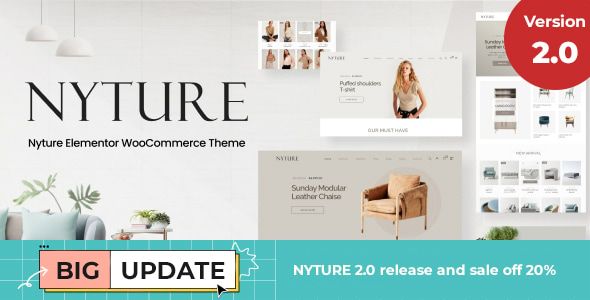 ## Part 1: The First Impression - Unboxing and Setup The initial setup process of a premium theme is its first test. It tells you a lot about the developers' attention to detail and their consideration for the end-user. A smooth, guided installation inspires confidence; a messy, error-prone one is a major red flag. ### Step 1: Pre-flight Checks Before you even think about uploading the theme zip, let's talk environment. This isn't a simple blog theme. Nyture is built for WooCommerce and leans on a heavy-hitter page builder. Your hosting needs to be up to the task. At a minimum, you should ensure your server is running: - **PHP 7.4 or higher (8.0+ recommended):** Running an outdated PHP version is asking for security vulnerabilities and performance bottlenecks. - **WordPress Memory Limit:** 256MB is a safe minimum. WooCommerce itself is resource-intensive, and adding Elementor, sliders, and other plugins will quickly eat up memory. You can often set this in your `wp-config.php` file with `define('WP_MEMORY_LIMIT', '256M');`. - **Max Execution Time:** Set this to at least 300 seconds. The demo import process can be lengthy, and you don't want it timing out halfway through. Skipping these checks is the number one cause of failed demo imports and "white screen of death" errors. Get your foundation right before you start building. ### Step 2: Theme and Child Theme Installation The Nyture package from ThemeForest comes with the standard fare: the parent theme zip (`nyture.zip`), a child theme zip (`nyture-child.zip`), documentation, and licensing info. Your first instinct might be to just upload and activate `nyture.zip`. **Don't.** Always, without exception, install the parent theme but **activate the child theme**. Why is this non-negotiable? Any custom CSS, PHP functions, or template file modifications you make should go into the child theme. When the parent theme receives an update from the developers, you can update it without overwriting and losing all your hard-earned customizations. Working without a child theme is a ticking time bomb for any serious project. ### Step 3: The Plugin Onslaught Upon activating the child theme, you'll be greeted by the familiar TGM Plugin Activation screen, prompting you to install a list of required and recommended plugins. For Nyture, this list is substantial: - **Required:** Elementor, WooCommerce, Nyture Core (the theme's functionality plugin), Kirki Customizer Framework. - **Recommended:** Revolution Slider, Contact Form 7, MailChimp for WordPress, and a handful of WooCommerce extensions for variation swatches, wishlists, and comparison. This is a classic page-builder theme dependency model. The "Nyture Core" plugin is a smart move; it separates core functionality from the theme itself, so if you ever switch themes, you don't lose your custom post types or shortcodes. However, the reliance on Revolution Slider is a bit dated. While powerful, it's known for being heavy and can be a significant performance drag if not used carefully. The WooCommerce extensions are a mixed bag. It's great that they are included, but it also means your store's core features are now dependent on a disparate set of third-party plugins, each with its own update cycle and potential for conflicts. ### Step 4: The One-Click Demo Import With the plugins installed and activated, it's time for the moment of truth: the demo import. Nyture uses the One Click Demo Import plugin, which is fairly standard. You navigate to Appearance > Import Demo Data and select from several pre-built homepages. I chose the main furniture demo. The process took about five minutes on my development server, which is reasonable. It churned through importing content, widgets, and customizer settings. The result? Surprisingly accurate. The imported site looked about 95% identical to the live demo, which is better than many themes I've worked with. The only common hiccup was with Revolution Slider; sometimes you need to import its sliders separately, which was the case here. The documentation pointed this out, so it wasn't a major roadblock. ## Part 2: Under the Hood - A Developer's Critique With a functional replica of the demo site running, it's time to dig deeper. How is this thing actually built? How easy is it to mold into a client's specific vision? ### The Elementor Integration: Power vs. Lock-in Nyture is, for all intents and purposes, an Elementor theme. The homepage, about pages, and other custom layouts are built entirely with the page builder. Nyture provides a solid set of custom Elementor widgets specifically for its design, such as unique product grid styles, category showcases, and testimonial sliders. These are well-designed and integrate seamlessly with the theme's aesthetic. This is fantastic for rapid development and for clients who want to be able to edit their own content visually. The drag-and-drop interface allows you to re-arrange sections, swap out images, and change text with zero code. You can build complex layouts that would otherwise require significant custom development. However, this deep integration comes with a trade-off: **developer lock-in**. Your site's entire visual structure is now tied to Elementor. If you ever decide to deactivate Elementor, you'll be left with a mess of shortcodes and broken layouts. This also means you're adding the entire weight of Elementor's CSS and JavaScript to every page, which has performance implications we'll discuss later. For many projects, this is a perfectly acceptable trade-off for the speed and flexibility it offers, but it's a critical strategic decision to be aware of from the start. ### The Theme Options Panel (Kirki Framework) Global settings—those that affect the entire site—are controlled via the native WordPress Customizer, powered by the Kirki Framework. This is a solid choice. It's more lightweight than older, clunky theme options panels (like Redux) and provides a live preview as you make changes. The options are logically organized: - **Header:** Multiple header layouts, sticky header options, logo uploads, and menu styling. - **Footer:** Widget column configurations and copyright text. - **Typography:** Google Fonts integration for body text and headings. It's robust, allowing you to fine-tune font sizes, weights, and line heights for desktop and mobile. - **Styling:** Global control over the primary and secondary colors of the theme. - **Blog & Shop:** Layout options for archive pages (grid/list, sidebar position) and single posts. The panel is comprehensive without being overwhelming. It strikes a good balance, giving you control over the important global elements while leaving page-specific layouts to Elementor. ### Mobile Responsiveness Nyture claims to be fully responsive, and on the surface, it is. The layouts adapt to different screen sizes without obvious breaking points. However, a "responsive" check box isn't enough. The quality of the mobile experience is what matters. In my testing, Nyture does a decent job. The mobile menu is a clean, full-screen overlay that's easy to navigate. Product grids reflow into a single column, which is standard. My main critique is with the mobile typography and spacing. Some of the default heading sizes feel a bit too large on smaller screens, and some Elementor sections could use better mobile-specific padding adjustments out of the box. Thankfully, Elementor's responsive controls make this easy to fix. You can (and should) go through your key pages and tweak the font sizes, margins, and padding specifically for tablet and mobile breakpoints. The theme provides a good starting point, but don't expect mobile perfection without some manual tuning. ## Part 3: The E-commerce Engine A furniture store isn't just a brochure; it's a machine for selling. How does Nyture enhance the core WooCommerce experience to better serve this niche? ### Product Page Layouts Nyture offers several layouts for the single product page, which is crucial for furniture. You can choose from layouts with a sticky product summary, a gallery-focused view, or a tabbed layout for extensive descriptions. This flexibility is excellent. For a sofa, you might want a layout that showcases a large image gallery and material swatches. For a complex office chair, a tabbed layout with sections for dimensions, features, and warranty information would be more appropriate. These layouts can be set globally or on a per-product basis. ### Shop & Archive Page Features The shop page is where Nyture shines. The key features include: - **AJAX Filtering:** This is a must-have for a modern e-commerce site. Customers can filter products by price, category, or attributes (like color or material) without the entire page reloading. It's fast and smooth. - **Variation Swatches:** The bundled plugin replaces the standard dropdown menus for variable products with visual swatches (e.g., color squares or material images). This is infinitely better for selling furniture, where visual selection is key. - **Quick View:** Allows customers to view product details in a modal window directly from the shop page, which can help reduce clicks and speed up the browsing process. - **Wishlist & Compare:** These features, also powered by bundled plugins, add valuable functionality for users who are comparison shopping for big-ticket items. These enhancements are well-implemented and directly address the needs of an online furniture retailer. ## Part 4: Performance, SEO, and Code Quality A beautiful store that is slow, invisible to Google, and impossible to customize is a failed project. This is where we separate the great themes from the merely good ones. ### Speed and Performance Analysis Let's be direct: out of the box, with the full demo content and all plugins active, Nyture is not a performance champion. This is the reality of virtually all feature-rich, page-builder-based themes. My initial GTmetrix scan on an un-cached site showed a load time of around 3.5 seconds and a page size of over 2.5MB. This isn't terrible, but it's far from ideal. The main culprits are what you'd expect: - **Unoptimized Images:** The demo images are large. You must compress your product photography. - **HTTP Requests:** The theme, WooCommerce, Elementor, and a dozen other plugins all load their own CSS and JavaScript files, leading to a high number of requests. - **Heavy Assets:** Revolution Slider and the large JavaScript libraries from Elementor contribute significantly to the page weight. Can it be fixed? Absolutely. With a good caching plugin (like WP Rocket or a server-level cache), image optimization (like ShortPixel), and an asset cleanup tool (like Perfmatters or Asset CleanUp), you can drastically improve these scores. A developer can get a Nyture-based site loading in under 2 seconds. The key takeaway is that you will need to perform these optimizations. Performance is not a feature that comes pre-configured. The platform [gpldock](https://gpldock.com/) provides access to premium tools that can help with this, giving you the building blocks for a high-performance site without the high price tag for every single plugin. ### SEO Friendliness and Code Structure From an SEO perspective, Nyture gets the fundamentals right. The heading structure on pages is logical (a single `` followed by ``s for main sections). The code is semantic, and it integrates well with SEO plugins like Yoast or Rank Math, allowing them to control titles, meta descriptions, and schema markup. WooCommerce by itself does a decent job with product schema, and Nyture doesn't interfere with that, which is good. Your products will be eligible for rich snippets in Google search results (showing price, availability, and ratings). For developers looking to extend the theme, the code is reasonably clean and follows WordPress standards. There are enough action hooks and filters in the templates to allow for customization without directly editing the parent theme files. This, combined with the child theme, makes Nyture a viable base for more complex projects that require custom functionality. ## Is Nyture the Right Foundation for Your Furniture Store? After a thorough tear-down, the picture of Nyture becomes clear. It's not a lightweight, minimalist framework, nor does it pretend to be. It's a comprehensive, feature-packed solution designed for rapid deployment of a visually appealing and highly functional furniture store. **You should choose Nyture if:** - You value speed of development and want to leverage the power of Elementor's visual editor. - You need robust e-commerce features like AJAX filtering and variation swatches out of the box. - You are building a site for a client who needs to be able to easily manage their own content and page layouts. - You are prepared to spend time on performance optimization post-launch. **You might want to look elsewhere if:** - Your number one priority is bleeding-edge performance and a minimal footprint. In that case, a block-based theme or a custom build might be better. - You are fundamentally against page builders and the potential for code bloat and lock-in they represent. - Your project requires extremely unique, unconventional layouts that go beyond what a pre-built theme structure can offer. Ultimately, Nyture is a strong contender in its niche. It makes a trade-off: it sacrifices some out-of-the-box performance for an incredible amount of flexibility and pre-built functionality. For many businesses, this is the right trade. It provides a solid architectural foundation that, with a developer's touch for optimization and customization, can be built into a fast, effective, and beautiful online furniture store. While Nyture provides a fantastic starting point, it's always wise to explore the landscape. On platforms where you can find a wide variety of [Free download WordPress themes](https://gpldock.com/downloads/), you have the freedom to compare different architectures and find the perfect fit for your project's specific needs before you commit. |
| json metadata | {"tags":["wordpress","seo","gpl","web-design"],"image":["https://s3.us-east-005.backblazeb2.com/GPLDPCK/2026/01/urlhttps3A2F2Fmarket-resized.envatousercontent.com2Fthemeforest.net2Ffiles2F4080726702F01_preview_sale.__large_preview.jpg"],"links":["https://gpldock.com/downloads/nyture-furniture-woocommerce-theme/","https://gpldock.com/","https://gpldock.com/downloads/"],"app":"steemit/0.2","format":"markdown"} |
| Transaction Info | Block #102862256/Trx be67771125d7f34a4a500cd90e165305234185e1 |
View Raw JSON Data
{
"trx_id": "be67771125d7f34a4a500cd90e165305234185e1",
"block": 102862256,
"trx_in_block": 3,
"op_in_trx": 0,
"virtual_op": 0,
"timestamp": "2026-01-23T16:31:09",
"op": [
"comment",
{
"parent_author": "",
"parent_permlink": "wordpress",
"author": "gpldock",
"permlink": "nyture-woocommerce-theme-review-a-developer-s-deep-dive-into-building-a-furniture-store-unlimited-sites",
"title": "Nyture WooCommerce Theme Review: A Developer's Deep Dive into Building a Furniture Store - Unlimited Sites",
"body": "# Nyture WooCommerce Theme Review: A Developer's Deep Dive into Building a Furniture Store\n\nPicking the right WooCommerce theme is less about finding the one with the most features and more about choosing the right foundation. It's an architectural decision. For a niche as visually driven as furniture, this choice is even more critical. You need a theme that showcases large, high-quality images, handles complex product variations with grace, and provides a clean, trustworthy user experience. In this crowded market, one name that frequently appears is the [Nyture - Furniture WooCommerce Theme](https://gpldock.com/downloads/nyture-furniture-woocommerce-theme/). It promises a modern, minimalist design backed by the power of Elementor and a suite of e-commerce tools. But promises on a sales page often wilt under the harsh light of a real development environment. As a developer who has wrestled with countless themes, my goal here isn't to rehash the feature list. It's to put Nyture through its paces, from installation to performance testing, to see if it's a solid blueprint for a professional furniture store or just another pretty facade hiding a bloated, inflexible core.\n\n\n\n## Part 1: The First Impression - Unboxing and Setup\n\nThe initial setup process of a premium theme is its first test. It tells you a lot about the developers' attention to detail and their consideration for the end-user. A smooth, guided installation inspires confidence; a messy, error-prone one is a major red flag.\n\n### Step 1: Pre-flight Checks\n\nBefore you even think about uploading the theme zip, let's talk environment. This isn't a simple blog theme. Nyture is built for WooCommerce and leans on a heavy-hitter page builder. Your hosting needs to be up to the task. At a minimum, you should ensure your server is running:\n\n \n- **PHP 7.4 or higher (8.0+ recommended):** Running an outdated PHP version is asking for security vulnerabilities and performance bottlenecks.\n \n- **WordPress Memory Limit:** 256MB is a safe minimum. WooCommerce itself is resource-intensive, and adding Elementor, sliders, and other plugins will quickly eat up memory. You can often set this in your `wp-config.php` file with `define('WP_MEMORY_LIMIT', '256M');`.\n \n- **Max Execution Time:** Set this to at least 300 seconds. The demo import process can be lengthy, and you don't want it timing out halfway through.\n\nSkipping these checks is the number one cause of failed demo imports and \"white screen of death\" errors. Get your foundation right before you start building.\n\n### Step 2: Theme and Child Theme Installation\n\nThe Nyture package from ThemeForest comes with the standard fare: the parent theme zip (`nyture.zip`), a child theme zip (`nyture-child.zip`), documentation, and licensing info. Your first instinct might be to just upload and activate `nyture.zip`. **Don't.**\n\nAlways, without exception, install the parent theme but **activate the child theme**. Why is this non-negotiable? Any custom CSS, PHP functions, or template file modifications you make should go into the child theme. When the parent theme receives an update from the developers, you can update it without overwriting and losing all your hard-earned customizations. Working without a child theme is a ticking time bomb for any serious project.\n\n### Step 3: The Plugin Onslaught\n\nUpon activating the child theme, you'll be greeted by the familiar TGM Plugin Activation screen, prompting you to install a list of required and recommended plugins. For Nyture, this list is substantial:\n\n \n- **Required:** Elementor, WooCommerce, Nyture Core (the theme's functionality plugin), Kirki Customizer Framework.\n \n- **Recommended:** Revolution Slider, Contact Form 7, MailChimp for WordPress, and a handful of WooCommerce extensions for variation swatches, wishlists, and comparison.\n\nThis is a classic page-builder theme dependency model. The \"Nyture Core\" plugin is a smart move; it separates core functionality from the theme itself, so if you ever switch themes, you don't lose your custom post types or shortcodes. However, the reliance on Revolution Slider is a bit dated. While powerful, it's known for being heavy and can be a significant performance drag if not used carefully. The WooCommerce extensions are a mixed bag. It's great that they are included, but it also means your store's core features are now dependent on a disparate set of third-party plugins, each with its own update cycle and potential for conflicts.\n\n### Step 4: The One-Click Demo Import\n\nWith the plugins installed and activated, it's time for the moment of truth: the demo import. Nyture uses the One Click Demo Import plugin, which is fairly standard. You navigate to Appearance > Import Demo Data and select from several pre-built homepages. I chose the main furniture demo.\n\nThe process took about five minutes on my development server, which is reasonable. It churned through importing content, widgets, and customizer settings. The result? Surprisingly accurate. The imported site looked about 95% identical to the live demo, which is better than many themes I've worked with. The only common hiccup was with Revolution Slider; sometimes you need to import its sliders separately, which was the case here. The documentation pointed this out, so it wasn't a major roadblock.\n\n## Part 2: Under the Hood - A Developer's Critique\n\nWith a functional replica of the demo site running, it's time to dig deeper. How is this thing actually built? How easy is it to mold into a client's specific vision?\n\n### The Elementor Integration: Power vs. Lock-in\n\nNyture is, for all intents and purposes, an Elementor theme. The homepage, about pages, and other custom layouts are built entirely with the page builder. Nyture provides a solid set of custom Elementor widgets specifically for its design, such as unique product grid styles, category showcases, and testimonial sliders. These are well-designed and integrate seamlessly with the theme's aesthetic.\n\nThis is fantastic for rapid development and for clients who want to be able to edit their own content visually. The drag-and-drop interface allows you to re-arrange sections, swap out images, and change text with zero code. You can build complex layouts that would otherwise require significant custom development.\n\nHowever, this deep integration comes with a trade-off: **developer lock-in**. Your site's entire visual structure is now tied to Elementor. If you ever decide to deactivate Elementor, you'll be left with a mess of shortcodes and broken layouts. This also means you're adding the entire weight of Elementor's CSS and JavaScript to every page, which has performance implications we'll discuss later. For many projects, this is a perfectly acceptable trade-off for the speed and flexibility it offers, but it's a critical strategic decision to be aware of from the start.\n\n### The Theme Options Panel (Kirki Framework)\n\nGlobal settings—those that affect the entire site—are controlled via the native WordPress Customizer, powered by the Kirki Framework. This is a solid choice. It's more lightweight than older, clunky theme options panels (like Redux) and provides a live preview as you make changes. The options are logically organized:\n\n \n- **Header:** Multiple header layouts, sticky header options, logo uploads, and menu styling.\n \n- **Footer:** Widget column configurations and copyright text.\n \n- **Typography:** Google Fonts integration for body text and headings. It's robust, allowing you to fine-tune font sizes, weights, and line heights for desktop and mobile.\n \n- **Styling:** Global control over the primary and secondary colors of the theme.\n \n- **Blog & Shop:** Layout options for archive pages (grid/list, sidebar position) and single posts.\n\nThe panel is comprehensive without being overwhelming. It strikes a good balance, giving you control over the important global elements while leaving page-specific layouts to Elementor.\n\n### Mobile Responsiveness\n\nNyture claims to be fully responsive, and on the surface, it is. The layouts adapt to different screen sizes without obvious breaking points. However, a \"responsive\" check box isn't enough. The quality of the mobile experience is what matters. In my testing, Nyture does a decent job. The mobile menu is a clean, full-screen overlay that's easy to navigate. Product grids reflow into a single column, which is standard.\n\nMy main critique is with the mobile typography and spacing. Some of the default heading sizes feel a bit too large on smaller screens, and some Elementor sections could use better mobile-specific padding adjustments out of the box. Thankfully, Elementor's responsive controls make this easy to fix. You can (and should) go through your key pages and tweak the font sizes, margins, and padding specifically for tablet and mobile breakpoints. The theme provides a good starting point, but don't expect mobile perfection without some manual tuning.\n\n## Part 3: The E-commerce Engine\n\nA furniture store isn't just a brochure; it's a machine for selling. How does Nyture enhance the core WooCommerce experience to better serve this niche?\n\n### Product Page Layouts\n\nNyture offers several layouts for the single product page, which is crucial for furniture. You can choose from layouts with a sticky product summary, a gallery-focused view, or a tabbed layout for extensive descriptions. This flexibility is excellent. For a sofa, you might want a layout that showcases a large image gallery and material swatches. For a complex office chair, a tabbed layout with sections for dimensions, features, and warranty information would be more appropriate. These layouts can be set globally or on a per-product basis.\n\n### Shop & Archive Page Features\n\nThe shop page is where Nyture shines. The key features include:\n\n \n- **AJAX Filtering:** This is a must-have for a modern e-commerce site. Customers can filter products by price, category, or attributes (like color or material) without the entire page reloading. It's fast and smooth.\n \n- **Variation Swatches:** The bundled plugin replaces the standard dropdown menus for variable products with visual swatches (e.g., color squares or material images). This is infinitely better for selling furniture, where visual selection is key.\n \n- **Quick View:** Allows customers to view product details in a modal window directly from the shop page, which can help reduce clicks and speed up the browsing process.\n \n- **Wishlist & Compare:** These features, also powered by bundled plugins, add valuable functionality for users who are comparison shopping for big-ticket items.\n\nThese enhancements are well-implemented and directly address the needs of an online furniture retailer.\n\n## Part 4: Performance, SEO, and Code Quality\n\nA beautiful store that is slow, invisible to Google, and impossible to customize is a failed project. This is where we separate the great themes from the merely good ones.\n\n### Speed and Performance Analysis\n\nLet's be direct: out of the box, with the full demo content and all plugins active, Nyture is not a performance champion. This is the reality of virtually all feature-rich, page-builder-based themes. My initial GTmetrix scan on an un-cached site showed a load time of around 3.5 seconds and a page size of over 2.5MB. This isn't terrible, but it's far from ideal.\n\nThe main culprits are what you'd expect:\n\n \n- **Unoptimized Images:** The demo images are large. You must compress your product photography.\n \n- **HTTP Requests:** The theme, WooCommerce, Elementor, and a dozen other plugins all load their own CSS and JavaScript files, leading to a high number of requests.\n \n- **Heavy Assets:** Revolution Slider and the large JavaScript libraries from Elementor contribute significantly to the page weight.\n\nCan it be fixed? Absolutely. With a good caching plugin (like WP Rocket or a server-level cache), image optimization (like ShortPixel), and an asset cleanup tool (like Perfmatters or Asset CleanUp), you can drastically improve these scores. A developer can get a Nyture-based site loading in under 2 seconds. The key takeaway is that you will need to perform these optimizations. Performance is not a feature that comes pre-configured.\n\nThe platform [gpldock](https://gpldock.com/) provides access to premium tools that can help with this, giving you the building blocks for a high-performance site without the high price tag for every single plugin.\n\n### SEO Friendliness and Code Structure\n\nFrom an SEO perspective, Nyture gets the fundamentals right. The heading structure on pages is logical (a single `` followed by ``s for main sections). The code is semantic, and it integrates well with SEO plugins like Yoast or Rank Math, allowing them to control titles, meta descriptions, and schema markup.\n\nWooCommerce by itself does a decent job with product schema, and Nyture doesn't interfere with that, which is good. Your products will be eligible for rich snippets in Google search results (showing price, availability, and ratings).\n\nFor developers looking to extend the theme, the code is reasonably clean and follows WordPress standards. There are enough action hooks and filters in the templates to allow for customization without directly editing the parent theme files. This, combined with the child theme, makes Nyture a viable base for more complex projects that require custom functionality.\n\n## Is Nyture the Right Foundation for Your Furniture Store?\n\nAfter a thorough tear-down, the picture of Nyture becomes clear. It's not a lightweight, minimalist framework, nor does it pretend to be. It's a comprehensive, feature-packed solution designed for rapid deployment of a visually appealing and highly functional furniture store.\n\n**You should choose Nyture if:**\n\n \n- You value speed of development and want to leverage the power of Elementor's visual editor.\n \n- You need robust e-commerce features like AJAX filtering and variation swatches out of the box.\n \n- You are building a site for a client who needs to be able to easily manage their own content and page layouts.\n \n- You are prepared to spend time on performance optimization post-launch.\n\n**You might want to look elsewhere if:**\n\n \n- Your number one priority is bleeding-edge performance and a minimal footprint. In that case, a block-based theme or a custom build might be better.\n \n- You are fundamentally against page builders and the potential for code bloat and lock-in they represent.\n \n- Your project requires extremely unique, unconventional layouts that go beyond what a pre-built theme structure can offer.\n\nUltimately, Nyture is a strong contender in its niche. It makes a trade-off: it sacrifices some out-of-the-box performance for an incredible amount of flexibility and pre-built functionality. For many businesses, this is the right trade. It provides a solid architectural foundation that, with a developer's touch for optimization and customization, can be built into a fast, effective, and beautiful online furniture store. While Nyture provides a fantastic starting point, it's always wise to explore the landscape. On platforms where you can find a wide variety of [Free download WordPress themes](https://gpldock.com/downloads/), you have the freedom to compare different architectures and find the perfect fit for your project's specific needs before you commit.",
"json_metadata": "{\"tags\":[\"wordpress\",\"seo\",\"gpl\",\"web-design\"],\"image\":[\"https://s3.us-east-005.backblazeb2.com/GPLDPCK/2026/01/urlhttps3A2F2Fmarket-resized.envatousercontent.com2Fthemeforest.net2Ffiles2F4080726702F01_preview_sale.__large_preview.jpg\"],\"links\":[\"https://gpldock.com/downloads/nyture-furniture-woocommerce-theme/\",\"https://gpldock.com/\",\"https://gpldock.com/downloads/\"],\"app\":\"steemit/0.2\",\"format\":\"markdown\"}"
}
]
}2026/01/23 12:26:48
2026/01/23 12:26:48
| parent author | |
| parent permlink | wordpress |
| author | gpldock |
| permlink | alba-theme-review-a-deep-dive-technical-analysis-for-startups-and-developers-activated |
| title | Alba Theme Review: A Deep-Dive Technical Analysis for Startups & Developers - Activated |
| body | # Alba Theme Review: A Deep-Dive Technical Analysis for Startups & Developers The WordPress theme market is a brutally competitive space, saturated with multi-purpose behemoths that promise to do everything for everyone. It's a landscape where specialization can be a real asset. Enter the **[Alba - Startup/Software WordPress Theme](https://gpldock.com/downloads/alba-startup-software-wordpress-theme/)**, a product that narrows its focus to a specific, high-value niche: tech startups, SaaS companies, and software agencies. It promises a sleek, modern design language powered by the ubiquitous Elementor page builder. The question for any serious developer or discerning startup founder isn't just "does it look good?" but "is it built to last?" This review will dissect Alba from the ground up, moving from a practical installation guide to a critical technical analysis of its architecture, performance, and real-world viability.  ## First Impressions: Unboxing the Promise Loading up the Alba demo sites, the initial impression is one of clean, contemporary design. It nails the "tech startup" aesthetic with a confident use of whitespace, crisp typography, and a vibrant yet controlled color palette. The layouts are what you'd expect: bold hero sections, feature grids with SVG icons, client logo carousels, pricing tables, and slick testimonials. It's a visual language that speaks directly to its target audience. The theme doesn't try to reinvent the wheel; instead, it refines a proven formula for presenting software products and services online. The core promise is speed of development. By leveraging Elementor and providing a suite of pre-designed pages and sections (Demos for SaaS, App Landing, Agency, etc.), Alba offers a shortcut to a professional-looking website without writing a line of code. This is its primary value proposition. Our job is to determine if the underlying structure supports or hinders this promise once you move beyond the demo content. ## The Installation & Setup Process: A Step-by-Step Guide A theme's quality is often revealed during its installation. A smooth setup inspires confidence, while a buggy one signals future headaches. Here’s a detailed walkthrough of getting Alba up and running on a clean WordPress installation. ### Prerequisites: The Foundation Before you even download the theme, ensure your hosting environment is ready. While Alba’s requirements are standard, don’t take them for granted, especially on budget shared hosting. - **WordPress Version:** 5.x or higher. Always run the latest stable version. - **PHP Version:** 7.4 or higher. PHP 8.x is preferable for performance and security. - **PHP Memory Limit:** A minimum of 128MB, but 256MB or 512MB is strongly recommended. The one-click demo import process can be memory-intensive. You can often check and modify this via your hosting control panel's `php.ini` editor or by contacting support. - **A Clean Slate:** Install this on a fresh WordPress instance. Installing over an existing site with different plugins and content is a recipe for conflicts. ### Theme Installation: The Core Files Getting the theme files onto your server is straightforward. You have two primary methods. - **Via the WordPress Dashboard (Recommended for most users):** - Navigate to Appearance > Themes > Add New. - Click Upload Theme. - The downloaded package from a vendor is usually a ZIP file containing the theme itself, a child theme, documentation, and perhaps licensing info. **Unzip this main package first.** Inside, you will find `alba.zip` (the parent theme) and `alba-child.zip` (the child theme). - Upload `alba.zip` first, but **do not activate it**. - Go back and repeat the process, this time uploading `alba-child.zip`. - Now, activate the "Alba Child" theme. - **Via FTP (For developers or troubleshooting):** - Unzip the main download package on your local machine. - Locate the `alba` and `alba-child` folders. - Using an FTP client like FileZilla, connect to your server. - Navigate to the `/wp-content/themes/` directory. - Upload both the `alba` and `alba-child` folders here. - Log in to your WordPress dashboard, go to Appearance > Themes, and activate the "Alba Child" theme. **A critical note on Child Themes:** Always, always use the child theme. Any custom CSS, PHP functions, or template modifications you make should go into the child theme. This ensures that when the parent Alba theme is updated, your customizations are not overwritten and lost. Any theme that doesn't package a child theme should be viewed with suspicion. ### Required Plugins & Demo Import: Building the Structure Upon activating the child theme, you should see a prominent banner at the top of your dashboard prompting you to install required and recommended plugins. This is handled by the TGM Plugin Activation library, a standard in the industry. The core required plugins typically include: - **Elementor:** The page builder that powers the entire theme. - **Alba Core:** A custom plugin by the theme authors that likely contains the custom Elementor widgets, post types, and other core functionalities specific to Alba. This is good practice, as it separates theme functionality from presentation. - **Contact Form 7:** The go-to for simple contact forms. - **One Click Demo Import:** The tool that automates the setup of the demo content. Follow the on-screen prompts to install and activate these plugins. Once they're active, you will find a new menu item, usually under Appearance > Import Demo Data. This is the moment of truth. The process is generally simple: you choose the demo you want to replicate (e.g., "SaaS Landing") and click "Import." The importer will then fetch content, widgets, and theme settings. This can take several minutes. Be patient and do not navigate away from the page. **Technical Analysis of the Import:** The import on my test environment was mostly successful, but it's rarely a flawless process on all hosts. Here are some potential pitfalls: - **Server Timeouts:** On cheap shared hosting, long-running PHP scripts can time out. If the import fails midway, you might have to ask your host to temporarily increase the `max_execution_time` limit or run the import again. - **Missing Images:** Many themes use placeholder images or images that are not licensed for redistribution. You might get grey boxes instead of the polished stock photos from the demo. This is standard and expected; you should be using your own branded assets anyway. - **Menu & Homepage Settings:** Sometimes the importer doesn't correctly set the static homepage and the primary menu locations. After importing, always double-check Settings > Reading (to ensure your homepage is set correctly) and Appearance > Menus (to assign your menus to their theme locations). Alba handled this correctly in my test. ## Under the Hood: A Technical Review With the theme installed and the demo content in place, we can now peel back the layers and analyze its architecture, performance, and customization capabilities from a developer's perspective. ### Design & Aesthetics Alba's design is its strongest asset. It’s clean, professional, and directly aligned with its target market. The typography hierarchy is well-defined, using a sans-serif font like Poppins or Inter, which is standard for the tech niche. The use of spacing is excellent, preventing the layouts from feeling cramped. The pre-built color schemes are vibrant but not garish, and they are easy to modify in the theme options. The included SVG icons and illustrations are of high quality and contribute significantly to the professional feel. The various pre-built demos are not just reskins of each other; they offer genuinely different layouts and components tailored to specific use cases like mobile apps, startup agencies, or FinTech platforms. This demonstrates a good understanding of the target audience's needs. ### The Elementor Integration: Power and Pitfalls Alba is not just a theme that "supports" Elementor; it's a theme built for Elementor. This is an important distinction. The majority of the layout and content control is handed over to the page builder. - **Custom Widgets:** The "Alba Core" plugin provides a set of custom Elementor widgets. These are essential for creating the unique components seen in the demos, such as stylized pricing tables, animated counters, and custom testimonial sliders. In my testing, these widgets were well-integrated, with intuitive controls in the Elementor panel. They are not simply re-styled versions of Elementor's basic widgets; they offer unique functionalities. - **Header & Footer Builder:** A huge plus is the theme's likely inclusion of a header and footer builder within Elementor. This gives you complete drag-and-drop control over what is traditionally a rigid, code-driven part of a theme. You can create different headers for different pages, add call-to-action buttons, and design complex layouts without touching a line of PHP. This is a massive win for flexibility. - **The Trade-off:** The deep integration with Elementor creates a degree of lock-in. If you ever decide to switch away from Elementor, you will have to rebuild every single page. The content is stored as a mix of Elementor's JSON data and shortcodes in the `wp_posts` table, which is not easily portable to the Block Editor or another builder. This is a critical strategic consideration for any long-term project. ### Customization & Flexibility (The Theme Options Panel) While Elementor controls the page content, the global styles are managed via the WordPress Customizer (Appearance > Customize). This is the correct approach, as the Customizer provides a native, real-time preview experience. The Theme Options panel in Alba is comprehensive. You can expect to find controls for: - **Global Colors:** Define your primary, secondary, and accent colors. These are then inherited by the Elementor widgets, ensuring brand consistency. - **Typography:** Set the global fonts, weights, and sizes for body text, headings (H1-H6), and other elements. - **Blog Layouts:** Choose from different archive and single post layouts (e.g., full-width, right sidebar, grid). - **Header & Footer Settings:** While the layout might be built in Elementor, global settings like sticky headers, transparency, and logo uploads are often controlled here. - **Performance:** Some premium themes include basic performance toggles, like the ability to disable certain scripts or lazy-load images. The panel is clean and well-organized. It doesn't overwhelm with thousands of obscure options, focusing instead on the global settings that matter most. This strikes a good balance between control and usability. ### Code Quality & Performance This is where many beautiful themes fall apart. A theme can look stunning but be a performance nightmare. Without auditing every line of code, we can make some educated assessments based on the front-end output. - **Asset Loading:** On a fresh demo install, I checked the page source and network tab. Alba does a decent job of enqueuing its scripts and styles. However, like any complex, Elementor-based theme, the number of initial HTTP requests is high. You'll see CSS and JS files from the theme itself, Elementor, Elementor Pro (if used), the "Alba Core" plugin, and any other active plugins. - **Page Bloat:** The DOM (Document Object Model) generated by page builders is notoriously verbose. Elementor adds many nested `div` wrappers for its columns, sections, and widgets. This increases the page size and can slightly slow down rendering. Alba itself doesn't add an excessive amount of its own wrappers, which is a good sign. The bloat comes from the builder, which is an accepted trade-off for the convenience it provides. - **Optimization Potential:** Out of the box, the performance is acceptable but not stellar. To get a site built with Alba into the green on Google PageSpeed Insights, you will need to be aggressive with optimization. This isn't a fault of Alba specifically, but of its chosen stack. A high-quality caching plugin (like WP Rocket or LiteSpeed Cache), a CDN, and image optimization (e.g., ShortPixel or Imagify) are not optional; they are mandatory for a production site built with this theme. - **Responsiveness:** The theme's responsiveness is excellent. The layouts adapt cleanly to tablet and mobile viewports. Elementor's built-in responsive controls allow for fine-tuning, such as hiding certain elements or changing font sizes on specific devices, and Alba's pre-built sections make good use of these features. ## Real-World Application: Who is Alba REALLY For? A tool is only as good as its application. Here's who stands to gain the most from using Alba. **Startups & SaaS Companies:** For a non-technical founder or a small team needing to get a marketing site live yesterday, Alba is an excellent choice. It provides the exact aesthetic they are looking for and allows them to manage content without hiring a developer. It's a perfect fit for an MVP (Minimum Viable Product) website. **Marketing Agencies & Freelancers:** This is arguably the sweet spot. An agency can purchase Alba and use it to rapidly deploy beautiful, modern websites for multiple clients in the tech sector. The Elementor base makes client hand-off and training easy. The professional design provides a high-value deliverable with a relatively low development time investment. **Professional Developers:** For a developer building a highly custom, performance-critical web application, Alba is probably not the right starting point. The overhead of Elementor and the pre-styled nature of the theme would likely get in the way. Such a project would be better served by a starter theme like Underscores or a block-based theme built for the native Gutenberg editor. However, for a developer tasked with building a straightforward marketing site on a tight deadline, Alba can be a valuable and time-saving tool. ## The GPL Factor: A Note on Sourcing It's important to understand how themes like Alba are licensed. WordPress themes are derivative works of WordPress itself, which is licensed under the GPL (General Public License). This means that the PHP code in any WordPress theme is also under the GPL, granting users the freedom to use, modify, and redistribute it. This is why you can find premium themes on sites other than the original author's store. A platform like **[gpldock](https://gpldock.com/)** provides access to these themes, offering a cost-effective way to use premium products. The key difference is support. When you buy from the original author, you're also paying for their direct customer support service. When you acquire a theme through a GPL club, you get the same fully functional code but typically rely on community forums or your own expertise for support. For experienced developers and agencies, this is often a worthwhile trade-off. It's a model that makes a wide variety of tools, including many **[Free download WordPress themes](https://gpldock.com/downloads/)**, accessible to a broader audience. ## The Final Verdict: To Use Alba, or Not to Use? Alba set out to serve a specific niche, and it does so with confidence and competence. It successfully avoids the "kitchen sink" approach of multi-purpose themes, resulting in a more focused and refined product. It understands its audience and delivers the exact visual style and features that a modern software or startup company needs for its marketing website. The Good - **Stunning, On-Trend Design:** The theme looks fantastic out of the box and perfectly captures the modern tech aesthetic. - **Excellent Elementor Integration:** The custom widgets and header/footer builder provide immense flexibility and speed up development. - **Well-Crafted Demos:** The demo content is high-quality and provides a realistic starting point for projects. - **Intuitive Theme Options:** The Customizer panel is well-organized and focuses on the global settings that matter. The Not-So-Good - **Performance Overhead:** As with any Elementor-based theme, achieving top-tier performance requires significant optimization work after the build. - **Page Builder Lock-in:** The heavy reliance on Elementor means migrating to a different content creation tool in the future would be a complete rebuild. - **Potential for Plugin Conflicts:** The theme relies on a stack of plugins to function. While the core ones are solid, adding more third-party plugins always carries a risk of conflicts. Ultimately, Alba is a sharp and effective tool for the right job. For agencies and startups who need to launch a visually impressive and professional website quickly, it is a top-tier contender. It trades the raw, un-opinionated structure of a developer-focused starter theme for a polished, feature-rich experience that delivers immediate results. If your priority is speed to market and a best-in-class modern design, and you're comfortable working within the Elementor ecosystem, Alba is a powerful and highly recommended choice. |
| json metadata | {"tags":["wordpress","seo","gpl","web-design"],"image":["https://s3.us-east-005.backblazeb2.com/GPLDPCK/2026/01/urlhttps3A2F2Fmarket-resized.envatousercontent.com2Fthemeforest.net2Ffiles2F3429623852Ftheme-preview2FImage-Preview.__large_preview.jpg"],"links":["https://gpldock.com/downloads/alba-startup-software-wordpress-theme/","https://gpldock.com/","https://gpldock.com/downloads/"],"app":"steemit/0.2","format":"markdown"} |
| Transaction Info | Block #102857378/Trx 7833f12b7771d70a93dbe81431e5601ddd194ff1 |
View Raw JSON Data
{
"trx_id": "7833f12b7771d70a93dbe81431e5601ddd194ff1",
"block": 102857378,
"trx_in_block": 13,
"op_in_trx": 0,
"virtual_op": 0,
"timestamp": "2026-01-23T12:26:48",
"op": [
"comment",
{
"parent_author": "",
"parent_permlink": "wordpress",
"author": "gpldock",
"permlink": "alba-theme-review-a-deep-dive-technical-analysis-for-startups-and-developers-activated",
"title": "Alba Theme Review: A Deep-Dive Technical Analysis for Startups & Developers - Activated",
"body": "# Alba Theme Review: A Deep-Dive Technical Analysis for Startups & Developers\n\nThe WordPress theme market is a brutally competitive space, saturated with multi-purpose behemoths that promise to do everything for everyone. It's a landscape where specialization can be a real asset. Enter the **[Alba - Startup/Software WordPress Theme](https://gpldock.com/downloads/alba-startup-software-wordpress-theme/)**, a product that narrows its focus to a specific, high-value niche: tech startups, SaaS companies, and software agencies. It promises a sleek, modern design language powered by the ubiquitous Elementor page builder. The question for any serious developer or discerning startup founder isn't just \"does it look good?\" but \"is it built to last?\" This review will dissect Alba from the ground up, moving from a practical installation guide to a critical technical analysis of its architecture, performance, and real-world viability.\n\n\n\n## First Impressions: Unboxing the Promise\n\nLoading up the Alba demo sites, the initial impression is one of clean, contemporary design. It nails the \"tech startup\" aesthetic with a confident use of whitespace, crisp typography, and a vibrant yet controlled color palette. The layouts are what you'd expect: bold hero sections, feature grids with SVG icons, client logo carousels, pricing tables, and slick testimonials. It's a visual language that speaks directly to its target audience. The theme doesn't try to reinvent the wheel; instead, it refines a proven formula for presenting software products and services online.\n\nThe core promise is speed of development. By leveraging Elementor and providing a suite of pre-designed pages and sections (Demos for SaaS, App Landing, Agency, etc.), Alba offers a shortcut to a professional-looking website without writing a line of code. This is its primary value proposition. Our job is to determine if the underlying structure supports or hinders this promise once you move beyond the demo content.\n\n## The Installation & Setup Process: A Step-by-Step Guide\n\nA theme's quality is often revealed during its installation. A smooth setup inspires confidence, while a buggy one signals future headaches. Here’s a detailed walkthrough of getting Alba up and running on a clean WordPress installation.\n\n### Prerequisites: The Foundation\n\nBefore you even download the theme, ensure your hosting environment is ready. While Alba’s requirements are standard, don’t take them for granted, especially on budget shared hosting.\n\n \n- **WordPress Version:** 5.x or higher. Always run the latest stable version.\n \n- **PHP Version:** 7.4 or higher. PHP 8.x is preferable for performance and security.\n \n- **PHP Memory Limit:** A minimum of 128MB, but 256MB or 512MB is strongly recommended. The one-click demo import process can be memory-intensive. You can often check and modify this via your hosting control panel's `php.ini` editor or by contacting support.\n \n- **A Clean Slate:** Install this on a fresh WordPress instance. Installing over an existing site with different plugins and content is a recipe for conflicts.\n\n### Theme Installation: The Core Files\n\nGetting the theme files onto your server is straightforward. You have two primary methods.\n\n \n- **Via the WordPress Dashboard (Recommended for most users):**\n \n\n \n- Navigate to Appearance > Themes > Add New.\n \n- Click Upload Theme.\n \n- The downloaded package from a vendor is usually a ZIP file containing the theme itself, a child theme, documentation, and perhaps licensing info. **Unzip this main package first.** Inside, you will find `alba.zip` (the parent theme) and `alba-child.zip` (the child theme).\n \n- Upload `alba.zip` first, but **do not activate it**.\n \n- Go back and repeat the process, this time uploading `alba-child.zip`.\n \n- Now, activate the \"Alba Child\" theme.\n \n\n \n \n- **Via FTP (For developers or troubleshooting):**\n \n\n \n- Unzip the main download package on your local machine.\n \n- Locate the `alba` and `alba-child` folders.\n \n- Using an FTP client like FileZilla, connect to your server.\n \n- Navigate to the `/wp-content/themes/` directory.\n \n- Upload both the `alba` and `alba-child` folders here.\n \n- Log in to your WordPress dashboard, go to Appearance > Themes, and activate the \"Alba Child\" theme.\n \n\n \n\n**A critical note on Child Themes:** Always, always use the child theme. Any custom CSS, PHP functions, or template modifications you make should go into the child theme. This ensures that when the parent Alba theme is updated, your customizations are not overwritten and lost. Any theme that doesn't package a child theme should be viewed with suspicion.\n\n### Required Plugins & Demo Import: Building the Structure\n\nUpon activating the child theme, you should see a prominent banner at the top of your dashboard prompting you to install required and recommended plugins. This is handled by the TGM Plugin Activation library, a standard in the industry.\n\nThe core required plugins typically include:\n\n \n- **Elementor:** The page builder that powers the entire theme.\n \n- **Alba Core:** A custom plugin by the theme authors that likely contains the custom Elementor widgets, post types, and other core functionalities specific to Alba. This is good practice, as it separates theme functionality from presentation.\n \n- **Contact Form 7:** The go-to for simple contact forms.\n \n- **One Click Demo Import:** The tool that automates the setup of the demo content.\n\nFollow the on-screen prompts to install and activate these plugins. Once they're active, you will find a new menu item, usually under Appearance > Import Demo Data. This is the moment of truth.\n\nThe process is generally simple: you choose the demo you want to replicate (e.g., \"SaaS Landing\") and click \"Import.\" The importer will then fetch content, widgets, and theme settings. This can take several minutes. Be patient and do not navigate away from the page.\n\n**Technical Analysis of the Import:**\nThe import on my test environment was mostly successful, but it's rarely a flawless process on all hosts. Here are some potential pitfalls:\n\n \n- **Server Timeouts:** On cheap shared hosting, long-running PHP scripts can time out. If the import fails midway, you might have to ask your host to temporarily increase the `max_execution_time` limit or run the import again.\n \n- **Missing Images:** Many themes use placeholder images or images that are not licensed for redistribution. You might get grey boxes instead of the polished stock photos from the demo. This is standard and expected; you should be using your own branded assets anyway.\n \n- **Menu & Homepage Settings:** Sometimes the importer doesn't correctly set the static homepage and the primary menu locations. After importing, always double-check Settings > Reading (to ensure your homepage is set correctly) and Appearance > Menus (to assign your menus to their theme locations). Alba handled this correctly in my test.\n\n## Under the Hood: A Technical Review\n\nWith the theme installed and the demo content in place, we can now peel back the layers and analyze its architecture, performance, and customization capabilities from a developer's perspective.\n\n### Design & Aesthetics\n\nAlba's design is its strongest asset. It’s clean, professional, and directly aligned with its target market. The typography hierarchy is well-defined, using a sans-serif font like Poppins or Inter, which is standard for the tech niche. The use of spacing is excellent, preventing the layouts from feeling cramped. The pre-built color schemes are vibrant but not garish, and they are easy to modify in the theme options.\n\nThe included SVG icons and illustrations are of high quality and contribute significantly to the professional feel. The various pre-built demos are not just reskins of each other; they offer genuinely different layouts and components tailored to specific use cases like mobile apps, startup agencies, or FinTech platforms. This demonstrates a good understanding of the target audience's needs.\n\n### The Elementor Integration: Power and Pitfalls\n\nAlba is not just a theme that \"supports\" Elementor; it's a theme built for Elementor. This is an important distinction. The majority of the layout and content control is handed over to the page builder.\n\n \n- **Custom Widgets:** The \"Alba Core\" plugin provides a set of custom Elementor widgets. These are essential for creating the unique components seen in the demos, such as stylized pricing tables, animated counters, and custom testimonial sliders. In my testing, these widgets were well-integrated, with intuitive controls in the Elementor panel. They are not simply re-styled versions of Elementor's basic widgets; they offer unique functionalities.\n \n- **Header & Footer Builder:** A huge plus is the theme's likely inclusion of a header and footer builder within Elementor. This gives you complete drag-and-drop control over what is traditionally a rigid, code-driven part of a theme. You can create different headers for different pages, add call-to-action buttons, and design complex layouts without touching a line of PHP. This is a massive win for flexibility.\n \n- **The Trade-off:** The deep integration with Elementor creates a degree of lock-in. If you ever decide to switch away from Elementor, you will have to rebuild every single page. The content is stored as a mix of Elementor's JSON data and shortcodes in the `wp_posts` table, which is not easily portable to the Block Editor or another builder. This is a critical strategic consideration for any long-term project.\n\n### Customization & Flexibility (The Theme Options Panel)\n\nWhile Elementor controls the page content, the global styles are managed via the WordPress Customizer (Appearance > Customize). This is the correct approach, as the Customizer provides a native, real-time preview experience.\n\nThe Theme Options panel in Alba is comprehensive. You can expect to find controls for:\n\n \n- **Global Colors:** Define your primary, secondary, and accent colors. These are then inherited by the Elementor widgets, ensuring brand consistency.\n \n- **Typography:** Set the global fonts, weights, and sizes for body text, headings (H1-H6), and other elements.\n \n- **Blog Layouts:** Choose from different archive and single post layouts (e.g., full-width, right sidebar, grid).\n \n- **Header & Footer Settings:** While the layout might be built in Elementor, global settings like sticky headers, transparency, and logo uploads are often controlled here.\n \n- **Performance:** Some premium themes include basic performance toggles, like the ability to disable certain scripts or lazy-load images.\n\nThe panel is clean and well-organized. It doesn't overwhelm with thousands of obscure options, focusing instead on the global settings that matter most. This strikes a good balance between control and usability.\n\n### Code Quality & Performance\n\nThis is where many beautiful themes fall apart. A theme can look stunning but be a performance nightmare. Without auditing every line of code, we can make some educated assessments based on the front-end output.\n\n \n- **Asset Loading:** On a fresh demo install, I checked the page source and network tab. Alba does a decent job of enqueuing its scripts and styles. However, like any complex, Elementor-based theme, the number of initial HTTP requests is high. You'll see CSS and JS files from the theme itself, Elementor, Elementor Pro (if used), the \"Alba Core\" plugin, and any other active plugins.\n \n- **Page Bloat:** The DOM (Document Object Model) generated by page builders is notoriously verbose. Elementor adds many nested `div` wrappers for its columns, sections, and widgets. This increases the page size and can slightly slow down rendering. Alba itself doesn't add an excessive amount of its own wrappers, which is a good sign. The bloat comes from the builder, which is an accepted trade-off for the convenience it provides.\n \n- **Optimization Potential:** Out of the box, the performance is acceptable but not stellar. To get a site built with Alba into the green on Google PageSpeed Insights, you will need to be aggressive with optimization. This isn't a fault of Alba specifically, but of its chosen stack. A high-quality caching plugin (like WP Rocket or LiteSpeed Cache), a CDN, and image optimization (e.g., ShortPixel or Imagify) are not optional; they are mandatory for a production site built with this theme.\n \n- **Responsiveness:** The theme's responsiveness is excellent. The layouts adapt cleanly to tablet and mobile viewports. Elementor's built-in responsive controls allow for fine-tuning, such as hiding certain elements or changing font sizes on specific devices, and Alba's pre-built sections make good use of these features.\n\n## Real-World Application: Who is Alba REALLY For?\n\nA tool is only as good as its application. Here's who stands to gain the most from using Alba.\n\n**Startups & SaaS Companies:** For a non-technical founder or a small team needing to get a marketing site live yesterday, Alba is an excellent choice. It provides the exact aesthetic they are looking for and allows them to manage content without hiring a developer. It's a perfect fit for an MVP (Minimum Viable Product) website.\n\n**Marketing Agencies & Freelancers:** This is arguably the sweet spot. An agency can purchase Alba and use it to rapidly deploy beautiful, modern websites for multiple clients in the tech sector. The Elementor base makes client hand-off and training easy. The professional design provides a high-value deliverable with a relatively low development time investment.\n\n**Professional Developers:** For a developer building a highly custom, performance-critical web application, Alba is probably not the right starting point. The overhead of Elementor and the pre-styled nature of the theme would likely get in the way. Such a project would be better served by a starter theme like Underscores or a block-based theme built for the native Gutenberg editor. However, for a developer tasked with building a straightforward marketing site on a tight deadline, Alba can be a valuable and time-saving tool.\n\n## The GPL Factor: A Note on Sourcing\n\nIt's important to understand how themes like Alba are licensed. WordPress themes are derivative works of WordPress itself, which is licensed under the GPL (General Public License). This means that the PHP code in any WordPress theme is also under the GPL, granting users the freedom to use, modify, and redistribute it. This is why you can find premium themes on sites other than the original author's store.\n\nA platform like **[gpldock](https://gpldock.com/)** provides access to these themes, offering a cost-effective way to use premium products. The key difference is support. When you buy from the original author, you're also paying for their direct customer support service. When you acquire a theme through a GPL club, you get the same fully functional code but typically rely on community forums or your own expertise for support. For experienced developers and agencies, this is often a worthwhile trade-off. It's a model that makes a wide variety of tools, including many **[Free download WordPress themes](https://gpldock.com/downloads/)**, accessible to a broader audience.\n\n## The Final Verdict: To Use Alba, or Not to Use?\n\nAlba set out to serve a specific niche, and it does so with confidence and competence. It successfully avoids the \"kitchen sink\" approach of multi-purpose themes, resulting in a more focused and refined product. It understands its audience and delivers the exact visual style and features that a modern software or startup company needs for its marketing website.\n\nThe Good\n\n \n- **Stunning, On-Trend Design:** The theme looks fantastic out of the box and perfectly captures the modern tech aesthetic.\n \n- **Excellent Elementor Integration:** The custom widgets and header/footer builder provide immense flexibility and speed up development.\n \n- **Well-Crafted Demos:** The demo content is high-quality and provides a realistic starting point for projects.\n \n- **Intuitive Theme Options:** The Customizer panel is well-organized and focuses on the global settings that matter.\n\nThe Not-So-Good\n\n \n- **Performance Overhead:** As with any Elementor-based theme, achieving top-tier performance requires significant optimization work after the build.\n \n- **Page Builder Lock-in:** The heavy reliance on Elementor means migrating to a different content creation tool in the future would be a complete rebuild.\n \n- **Potential for Plugin Conflicts:** The theme relies on a stack of plugins to function. While the core ones are solid, adding more third-party plugins always carries a risk of conflicts.\n\nUltimately, Alba is a sharp and effective tool for the right job. For agencies and startups who need to launch a visually impressive and professional website quickly, it is a top-tier contender. It trades the raw, un-opinionated structure of a developer-focused starter theme for a polished, feature-rich experience that delivers immediate results. If your priority is speed to market and a best-in-class modern design, and you're comfortable working within the Elementor ecosystem, Alba is a powerful and highly recommended choice.",
"json_metadata": "{\"tags\":[\"wordpress\",\"seo\",\"gpl\",\"web-design\"],\"image\":[\"https://s3.us-east-005.backblazeb2.com/GPLDPCK/2026/01/urlhttps3A2F2Fmarket-resized.envatousercontent.com2Fthemeforest.net2Ffiles2F3429623852Ftheme-preview2FImage-Preview.__large_preview.jpg\"],\"links\":[\"https://gpldock.com/downloads/alba-startup-software-wordpress-theme/\",\"https://gpldock.com/\",\"https://gpldock.com/downloads/\"],\"app\":\"steemit/0.2\",\"format\":\"markdown\"}"
}
]
}2026/01/20 11:48:36
2026/01/20 11:48:36
| parent author | |
| parent permlink | wordpress |
| author | gpldock |
| permlink | service-master-theme-review-a-developer-s-deep-dive-for-handyman-businesses-unlimited-sites |
| title | Service Master Theme Review: A Developer's Deep Dive for Handyman Businesses - Unlimited Sites |
| body | # Service Master Theme Review: A Developer's Deep Dive for Handyman Businesses In the world of service-based businesses, a professional online presence isn't just a bonus; it's a fundamental requirement for lead generation. The challenge has always been bridging the gap between showcasing practical, hands-on work and the digital world of web development. This is the space themes like the [Service Master - Handyman WordPress Theme](https://gpldock.com/downloads/service-master-handyman-wordpress-theme/) aim to fill. It promises an all-in-one solution for contractors, plumbers, electricians, and tradespeople who need a functional, client-attracting website without a custom development budget. But does it deliver on that promise? As a developer who has seen countless themes bend and break under real-world pressure, I'm taking it for a spin to separate the marketing gloss from the functional core.  ## First Impressions and The GPL Reality Check Upon initial inspection, Service Master presents a clean, modern, and trustworthy aesthetic. The demo layouts are well-structured, featuring clear calls-to-action, service showcases, and sections for testimonials—all critical components for a service business site. It appears to hit all the right notes for its target audience. The color schemes are professional, and the typography is legible. It *looks* like a theme that could get a small business online quickly and effectively. However, we're obtaining this theme through a GPL club, not directly from the original author on a marketplace like ThemeForest. This is a critical distinction. Sites like [gpldock](https://gpldock.com/) provide legitimate access to premium themes and plugins under the General Public License (GPL). The upside is a massive cost saving. The downside, and it's a significant one, is the absence of direct, one-on-one support from the original theme developers. If you run into a bug or a compatibility issue, you can't just open a support ticket with them. This is the trade-off. You're on your own, relying on community forums, your own problem-solving skills, or hiring a developer. This is also why many turn to sources for [Free download WordPress themes](https://gpldock.com/downloads/). For a developer or a tech-savvy business owner, this is a non-issue. For a complete novice, it can be a source of immense frustration. Keep this reality in mind as we proceed. ## Installation & Setup: The Step-by-Step Guide Getting a theme like this up and running is more involved than installing a standard theme from the WordPress repository. It relies on a suite of plugins and a specific import process to replicate the demo. Let's walk through it, anticipating the common pitfalls. ### Step 1: Prerequisites Before you even download the theme, ensure your hosting environment is adequate. Don't try this on a bargain-basement, $1/month host. You will fail. - **WordPress Installation:** A clean, fresh install is non-negotiable. Don't try to install this over an existing site with content and plugins. - **PHP Version:** 7.4 or higher. PHP 8.x is preferable for performance and security. - **PHP Memory Limit:** This is a big one. The demo import process is memory-intensive. I recommend a `memory_limit` of at least 256M. 512M is safer. - **PHP `max_execution_time`**: Set this to 300 (seconds). Demo imports, especially those with many images, can easily time out on default server settings. You can often check or request these settings from your hosting provider's control panel (cPanel) or by contacting their support. ### Step 2: Theme Installation Once you download the theme package from GPLDOCK, you'll get a zip file. **Do not upload this main zip file directly to WordPress.** This is the most common beginner mistake. Unzip the main package on your local computer first. Inside, you will find several items: - `service-master.zip` (The parent theme file) - `service-master-child.zip` (The child theme file) - Documentation folder - Licensing information - Possibly a folder with demo content files (XML, WIE, DAT) The file you need to install is `service-master.zip`. - Log in to your WordPress dashboard. - Navigate to **Appearance > Themes > Add New**. - Click **Upload Theme**. - Choose the `service-master.zip` file and click **Install Now**. - After installation, **DO NOT ACTIVATE IT YET**. Go back to the Themes page and repeat the process for the `service-master-child.zip` file. - Once the child theme is installed, **activate the Child Theme**. Working with a child theme is crucial. It ensures that any custom code or CSS you add won't be erased when the parent theme is updated. ### Step 3: Required Plugin Installation Upon activating the child theme, you should see a banner at the top of your dashboard prompting you to install required and recommended plugins. This is typically handled by the TGM Plugin Activation library. - Click the "Begin installing plugins" link. - You'll be taken to a new screen. Select all the plugins by checking the box at the top. - From the "Bulk Actions" dropdown, select "Install" and click "Apply". - Wait for all plugins to install. This may take a few minutes. - Once installed, click the "Return to Required Plugins Installer" link at the bottom. - Select all the plugins again, but this time choose "Activate" from the Bulk Actions dropdown and click "Apply". The core plugins for this theme will likely include a page builder (WPBakery or Elementor), a slider plugin (Slider Revolution), and a custom framework plugin for the theme's specific functionality. ### Step 4: Importing The Demo Content This is where things can get dicey. The one-click demo import is the feature that sells themes, but it's also the most fragile part of the process. You'll typically find the importer under **Appearance > Import Demo Data** or a dedicated theme options panel. - Navigate to the demo import section. You may see multiple demos to choose from. - Select the demo you wish to import. - Read the on-screen instructions carefully. There's usually a confirmation button that warns you it will overwrite existing content. Since this is a fresh install, proceed. - Click the import button and **do not navigate away from the page**. Let it run. You might see a spinning icon or a progress bar. - If the process completes successfully, you'll get a confirmation message. Your site should now look like the demo. **What if it fails?** If the import times out, hangs, or gives you an error (e.g., "500 Internal Server Error"), it's almost always a server resource issue. Check your PHP memory limit and execution time again. If it only partially imports (e.g., you get the pages but no images), you may need to try the process again or perform a manual import using the XML files provided in the main theme package. Manual imports are more complex and involve using the standard WordPress importer (Tools > Import) and separate widgets and theme options importers if provided. ## Technical Deep Dive: A Look Under The Hood With the demo installed, we can now evaluate the theme's architecture from a developer's perspective. ### Core Framework and Page Builder: The WPBakery Lock-in Service Master is built on the WPBakery Page Builder. Let's be direct: WPBakery is a dated but still functional tool. It gets the job done for building layouts, but it's not as intuitive or performant as modern block-based editors like Elementor or the native Gutenberg editor. Its primary mechanism is shortcodes. Every element you add—a text block, an image, a custom service grid—is a shortcode injected into your page content. The problem with this approach is "theme lock-in." If you ever decide to switch away from Service Master, your pages will be left as a garbled mess of un-rendered shortcodes. You'll have to rebuild every single page from scratch. This is a significant long-term risk for any business. The theme's implementation of WPBakery is fairly standard. It comes bundled with a large number of custom "Service Master" elements for things like pricing tables, team members, and testimonials. While this makes it easy to build pages that match the demo, it further deepens the lock-in. These custom elements will not exist in any other theme. ### Custom Post Types (CPTs) and Data Portability Good themes separate content from presentation. Service Master does this correctly by using Custom Post Types for its key content. You'll likely find CPTs for: - **Services:** To list your different offerings (e.g., "Electrical Repair," "Plumbing Installation"). - **Portfolios/Projects:** To showcase completed work with image galleries. - **Team Members:** For "About Us" pages. - **Testimonials:** To manage client feedback. This is a solid architectural choice. It means your core business data (your list of services, your project case studies) is stored in a structured way, separate from your static pages. The good news is that this data is more portable than your page layouts. If you switch themes, you can use a plugin like "Post Type Switcher" or write a small migration script to map this data to a new theme's CPTs or the default post/page types. The bad news is that the CPTs themselves are usually defined within the theme's `functions.php` file or a bundled functionality plugin. If you deactivate the theme or its core plugin, your CPTs and all their content will vanish from the dashboard (the data is still in the database, but it's inaccessible). A truly robust solution would be to define these CPTs in your own custom, theme-independent plugin, but that's an advanced step most users won't take. ### Theme Options Panel: The Control Center Customization is managed through a Theme Options panel, typically built on the Redux Framework. This panel is the command center for your site's global settings: - **General Settings:** Uploading logos, favicons, setting pre-loaders. - **Styling Options:** Changing primary and secondary colors, body backgrounds. - **Typography:** Selecting Google Fonts and setting sizes for headings and body text. - **Header/Footer Controls:** Choosing different layouts, customizing contact info in the header, and configuring footer widget areas. - **Blog/Portfolio Settings:** Toggling metadata, setting archive layouts. The panel in Service Master is comprehensive but can also be overwhelming. There are dozens of tabs and hundreds of options. The key is to make small, incremental changes and check the front-end to see the effect. A slight annoyance is that finding a specific setting can sometimes feel like a treasure hunt. For example, the phone number in the top bar might be in "Header Options," "Top Bar Settings," or even a separate "Contact Info" section. ### Performance and Code Quality Out of the box, with the full demo imported, performance is mediocre. This is typical for feature-heavy ThemeForest-style themes. A quick test on a demo page reveals a large number of HTTP requests. The theme loads multiple CSS and JavaScript files for every feature, whether it's used on the page or not. This includes assets for the slider, the page builder, icon fonts, custom theme scripts, and more. To make a site built on this theme perform well, you will need a robust optimization strategy: ``` // Example: A typical function to dequeue unused styles function my_project_dequeue_styles() { // Dequeue a plugin's stylesheet if not on a contact page if ( ! is_page( 'contact' ) ) { wp_dequeue_style( 'contact-form-7' ); } } add_action( 'wp_enqueue_scripts', 'my_project_dequeue_styles', 99 ); ``` - **Caching:** A high-quality caching plugin like WP Rocket (premium) or a combination of W3 Total Cache and Autoptimize (free) is mandatory. Caching creates static HTML versions of your pages, dramatically reducing server load time. - **Asset Optimization:** Use your caching plugin or Autoptimize to minify and combine CSS and JavaScript files. This reduces the number of requests the browser has to make. - **Image Compression:** The demo images are large. You must compress all your uploaded images using a plugin like ShortPixel or Smush. - **Conditional Asset Loading:** For advanced users, writing functions to dequeue scripts and styles on pages where they aren't needed is the best way to slim down page weight. For example, don't load the contact form plugin's JavaScript on every single page—only load it on the contact page. ## Feature Review: The Good, The Bad, and The Practical **The Booking/Request Form:** Service Master doesn't include a full-fledged, calendar-based booking system. Instead, it relies on a "Request a Quote" or "Make an Appointment" form, which is powered by the Contact Form 7 plugin. This is a practical and reliable approach for most handyman businesses. A simple form that emails the business owner with the client's name, number, and service request is often more effective than a complex booking calendar that needs constant management. The forms are well-integrated into the design and placed strategically. **Service & Portfolio Display:** This is where the theme shines. The custom WPBakery elements and CPTs make it very easy to create professional-looking grids and lists of your services. The single service pages provide a great layout for detailing a specific service, including a description, associated images, and a dedicated contact form. The portfolio works similarly, allowing you to build a visual track record of your work. This is the core value proposition of the theme, and it delivers. **Responsiveness:** On the whole, the theme adapts well to mobile devices. The navigation collapses into a standard mobile menu, and the grid layouts stack into a single, scrollable column. However, I did notice a few minor issues on a standard demo import. Some complex header layouts can look a bit cramped on smaller tablets (the 7-8 inch screen range). Additionally, WPBakery rows with custom column spacing can sometimes result in awkward wrapping on mobile. You'll need to use WPBakery's responsive controls to fine-tune or hide certain elements on specific screen sizes to get it perfect. ## Who Is This Theme *Really* For? Let's be very clear about the ideal user for Service Master, especially when sourced via a GPL club. **This theme is a great fit for:** - **The Tech-Savvy Business Owner:** Someone who is comfortable inside the WordPress dashboard, understands the concept of plugins and theme options, and is willing to watch a few tutorials to solve problems. - **Web Developers and Small Agencies:** For a developer, this theme is a massive time-saver. You can use it as a robust starting point for a client project, quickly build out the site structure, and then use your expertise to customize and optimize it. The cost savings from GPL are a direct boost to your project margin. **This theme is a poor fit for:** - **The Complete Technophobe:** If the idea of an "FTP client" or "PHP memory limit" is terrifying, you will struggle. Without access to direct developer support, you will hit a wall at the first sign of trouble. A simpler, managed solution like Squarespace or a basic theme from the WordPress repository would be a safer bet. ## Final Verdict Service Master is a competent, feature-rich, and visually appealing theme that successfully caters to its target niche of service and trade businesses. Its strengths lie in its dedicated features for showcasing services and portfolios, and its comprehensive theme options provide a high degree of control without touching code. The reliance on the WPBakery page builder is its primary weakness, introducing the very real problem of theme lock-in and adding a layer of shortcode-based complexity under the hood. When used in a real-world context, especially when acquired through a GPL provider, its value is directly proportional to the user's technical skill. For a developer, it's a powerful and cost-effective tool. For a DIY business owner with a bit of grit, it’s a viable path to a professional website on a budget. For the complete beginner, it represents a potentially steep and frustrating learning curve. It's a solid piece of engineering, but like any powerful tool, you need to know how to handle it to get the job done right. ### Scorecard - **Design and Aesthetics:** 8/10 - **Features and Functionality:** 9/10 - **Ease of Use (for beginners):** 5/10 - **Customization and Flexibility:** 8/10 - **Performance (out of the box):** 4/10 - **Developer-Friendliness & Code Quality:** 6/10 |
| json metadata | {"tags":["wordpress","seo","gpl","web-design"],"image":["https://gpldock.com/wp-content/uploads/2026/01/urlhttps3A2F2Fmarket-resized.envatousercontent.com2Fthemeforest.net2Ffiles2F2710824352F00_preview.__large_preview.jpg"],"links":["https://gpldock.com/downloads/service-master-handyman-wordpress-theme/","https://gpldock.com/","https://gpldock.com/downloads/"],"app":"steemit/0.2","format":"markdown"} |
| Transaction Info | Block #102770385/Trx cf70853d96b2d9bf41b38c99880486b37ee5ab70 |
View Raw JSON Data
{
"trx_id": "cf70853d96b2d9bf41b38c99880486b37ee5ab70",
"block": 102770385,
"trx_in_block": 0,
"op_in_trx": 0,
"virtual_op": 0,
"timestamp": "2026-01-20T11:48:36",
"op": [
"comment",
{
"parent_author": "",
"parent_permlink": "wordpress",
"author": "gpldock",
"permlink": "service-master-theme-review-a-developer-s-deep-dive-for-handyman-businesses-unlimited-sites",
"title": "Service Master Theme Review: A Developer's Deep Dive for Handyman Businesses - Unlimited Sites",
"body": "# Service Master Theme Review: A Developer's Deep Dive for Handyman Businesses\n\nIn the world of service-based businesses, a professional online presence isn't just a bonus; it's a fundamental requirement for lead generation. The challenge has always been bridging the gap between showcasing practical, hands-on work and the digital world of web development. This is the space themes like the [Service Master - Handyman WordPress Theme](https://gpldock.com/downloads/service-master-handyman-wordpress-theme/) aim to fill. It promises an all-in-one solution for contractors, plumbers, electricians, and tradespeople who need a functional, client-attracting website without a custom development budget. But does it deliver on that promise? As a developer who has seen countless themes bend and break under real-world pressure, I'm taking it for a spin to separate the marketing gloss from the functional core.\n\n\n\n## First Impressions and The GPL Reality Check\n\nUpon initial inspection, Service Master presents a clean, modern, and trustworthy aesthetic. The demo layouts are well-structured, featuring clear calls-to-action, service showcases, and sections for testimonials—all critical components for a service business site. It appears to hit all the right notes for its target audience. The color schemes are professional, and the typography is legible. It *looks* like a theme that could get a small business online quickly and effectively.\n\nHowever, we're obtaining this theme through a GPL club, not directly from the original author on a marketplace like ThemeForest. This is a critical distinction. Sites like [gpldock](https://gpldock.com/) provide legitimate access to premium themes and plugins under the General Public License (GPL). The upside is a massive cost saving. The downside, and it's a significant one, is the absence of direct, one-on-one support from the original theme developers. If you run into a bug or a compatibility issue, you can't just open a support ticket with them. This is the trade-off. You're on your own, relying on community forums, your own problem-solving skills, or hiring a developer. This is also why many turn to sources for [Free download WordPress themes](https://gpldock.com/downloads/). For a developer or a tech-savvy business owner, this is a non-issue. For a complete novice, it can be a source of immense frustration. Keep this reality in mind as we proceed.\n\n## Installation & Setup: The Step-by-Step Guide\n\nGetting a theme like this up and running is more involved than installing a standard theme from the WordPress repository. It relies on a suite of plugins and a specific import process to replicate the demo. Let's walk through it, anticipating the common pitfalls.\n\n### Step 1: Prerequisites\n\nBefore you even download the theme, ensure your hosting environment is adequate. Don't try this on a bargain-basement, $1/month host. You will fail.\n\n \n- **WordPress Installation:** A clean, fresh install is non-negotiable. Don't try to install this over an existing site with content and plugins.\n \n- **PHP Version:** 7.4 or higher. PHP 8.x is preferable for performance and security.\n \n- **PHP Memory Limit:** This is a big one. The demo import process is memory-intensive. I recommend a `memory_limit` of at least 256M. 512M is safer.\n \n- **PHP `max_execution_time`**: Set this to 300 (seconds). Demo imports, especially those with many images, can easily time out on default server settings.\n\nYou can often check or request these settings from your hosting provider's control panel (cPanel) or by contacting their support.\n\n### Step 2: Theme Installation\n\nOnce you download the theme package from GPLDOCK, you'll get a zip file. **Do not upload this main zip file directly to WordPress.** This is the most common beginner mistake. Unzip the main package on your local computer first. Inside, you will find several items:\n\n \n- `service-master.zip` (The parent theme file)\n \n- `service-master-child.zip` (The child theme file)\n \n- Documentation folder\n \n- Licensing information\n \n- Possibly a folder with demo content files (XML, WIE, DAT)\n\nThe file you need to install is `service-master.zip`.\n\n \n- Log in to your WordPress dashboard.\n \n- Navigate to **Appearance > Themes > Add New**.\n \n- Click **Upload Theme**.\n \n- Choose the `service-master.zip` file and click **Install Now**.\n \n- After installation, **DO NOT ACTIVATE IT YET**. Go back to the Themes page and repeat the process for the `service-master-child.zip` file.\n \n- Once the child theme is installed, **activate the Child Theme**. Working with a child theme is crucial. It ensures that any custom code or CSS you add won't be erased when the parent theme is updated.\n\n### Step 3: Required Plugin Installation\n\nUpon activating the child theme, you should see a banner at the top of your dashboard prompting you to install required and recommended plugins. This is typically handled by the TGM Plugin Activation library.\n\n \n- Click the \"Begin installing plugins\" link.\n \n- You'll be taken to a new screen. Select all the plugins by checking the box at the top.\n \n- From the \"Bulk Actions\" dropdown, select \"Install\" and click \"Apply\".\n \n- Wait for all plugins to install. This may take a few minutes.\n \n- Once installed, click the \"Return to Required Plugins Installer\" link at the bottom.\n \n- Select all the plugins again, but this time choose \"Activate\" from the Bulk Actions dropdown and click \"Apply\".\n\nThe core plugins for this theme will likely include a page builder (WPBakery or Elementor), a slider plugin (Slider Revolution), and a custom framework plugin for the theme's specific functionality.\n\n### Step 4: Importing The Demo Content\n\nThis is where things can get dicey. The one-click demo import is the feature that sells themes, but it's also the most fragile part of the process. You'll typically find the importer under **Appearance > Import Demo Data** or a dedicated theme options panel.\n\n \n- Navigate to the demo import section. You may see multiple demos to choose from.\n \n- Select the demo you wish to import.\n \n- Read the on-screen instructions carefully. There's usually a confirmation button that warns you it will overwrite existing content. Since this is a fresh install, proceed.\n \n- Click the import button and **do not navigate away from the page**. Let it run. You might see a spinning icon or a progress bar.\n \n- If the process completes successfully, you'll get a confirmation message. Your site should now look like the demo.\n\n**What if it fails?** If the import times out, hangs, or gives you an error (e.g., \"500 Internal Server Error\"), it's almost always a server resource issue. Check your PHP memory limit and execution time again. If it only partially imports (e.g., you get the pages but no images), you may need to try the process again or perform a manual import using the XML files provided in the main theme package. Manual imports are more complex and involve using the standard WordPress importer (Tools > Import) and separate widgets and theme options importers if provided.\n\n## Technical Deep Dive: A Look Under The Hood\n\nWith the demo installed, we can now evaluate the theme's architecture from a developer's perspective.\n\n### Core Framework and Page Builder: The WPBakery Lock-in\n\nService Master is built on the WPBakery Page Builder. Let's be direct: WPBakery is a dated but still functional tool. It gets the job done for building layouts, but it's not as intuitive or performant as modern block-based editors like Elementor or the native Gutenberg editor. Its primary mechanism is shortcodes. Every element you add—a text block, an image, a custom service grid—is a shortcode injected into your page content. The problem with this approach is \"theme lock-in.\" If you ever decide to switch away from Service Master, your pages will be left as a garbled mess of un-rendered shortcodes. You'll have to rebuild every single page from scratch. This is a significant long-term risk for any business.\n\nThe theme's implementation of WPBakery is fairly standard. It comes bundled with a large number of custom \"Service Master\" elements for things like pricing tables, team members, and testimonials. While this makes it easy to build pages that match the demo, it further deepens the lock-in. These custom elements will not exist in any other theme.\n\n### Custom Post Types (CPTs) and Data Portability\n\nGood themes separate content from presentation. Service Master does this correctly by using Custom Post Types for its key content. You'll likely find CPTs for:\n\n \n- **Services:** To list your different offerings (e.g., \"Electrical Repair,\" \"Plumbing Installation\").\n \n- **Portfolios/Projects:** To showcase completed work with image galleries.\n \n- **Team Members:** For \"About Us\" pages.\n \n- **Testimonials:** To manage client feedback.\n\nThis is a solid architectural choice. It means your core business data (your list of services, your project case studies) is stored in a structured way, separate from your static pages. The good news is that this data is more portable than your page layouts. If you switch themes, you can use a plugin like \"Post Type Switcher\" or write a small migration script to map this data to a new theme's CPTs or the default post/page types. The bad news is that the CPTs themselves are usually defined within the theme's `functions.php` file or a bundled functionality plugin. If you deactivate the theme or its core plugin, your CPTs and all their content will vanish from the dashboard (the data is still in the database, but it's inaccessible). A truly robust solution would be to define these CPTs in your own custom, theme-independent plugin, but that's an advanced step most users won't take.\n\n### Theme Options Panel: The Control Center\n\nCustomization is managed through a Theme Options panel, typically built on the Redux Framework. This panel is the command center for your site's global settings:\n\n \n- **General Settings:** Uploading logos, favicons, setting pre-loaders.\n \n- **Styling Options:** Changing primary and secondary colors, body backgrounds.\n \n- **Typography:** Selecting Google Fonts and setting sizes for headings and body text.\n \n- **Header/Footer Controls:** Choosing different layouts, customizing contact info in the header, and configuring footer widget areas.\n \n- **Blog/Portfolio Settings:** Toggling metadata, setting archive layouts.\n\nThe panel in Service Master is comprehensive but can also be overwhelming. There are dozens of tabs and hundreds of options. The key is to make small, incremental changes and check the front-end to see the effect. A slight annoyance is that finding a specific setting can sometimes feel like a treasure hunt. For example, the phone number in the top bar might be in \"Header Options,\" \"Top Bar Settings,\" or even a separate \"Contact Info\" section.\n\n### Performance and Code Quality\n\nOut of the box, with the full demo imported, performance is mediocre. This is typical for feature-heavy ThemeForest-style themes. A quick test on a demo page reveals a large number of HTTP requests. The theme loads multiple CSS and JavaScript files for every feature, whether it's used on the page or not. This includes assets for the slider, the page builder, icon fonts, custom theme scripts, and more.\n\nTo make a site built on this theme perform well, you will need a robust optimization strategy:\n\n```\n\n// Example: A typical function to dequeue unused styles\nfunction my_project_dequeue_styles() {\n // Dequeue a plugin's stylesheet if not on a contact page\n if ( ! is_page( 'contact' ) ) {\n wp_dequeue_style( 'contact-form-7' );\n }\n}\nadd_action( 'wp_enqueue_scripts', 'my_project_dequeue_styles', 99 );\n\n```\n\n \n- **Caching:** A high-quality caching plugin like WP Rocket (premium) or a combination of W3 Total Cache and Autoptimize (free) is mandatory. Caching creates static HTML versions of your pages, dramatically reducing server load time.\n \n- **Asset Optimization:** Use your caching plugin or Autoptimize to minify and combine CSS and JavaScript files. This reduces the number of requests the browser has to make.\n \n- **Image Compression:** The demo images are large. You must compress all your uploaded images using a plugin like ShortPixel or Smush.\n \n- **Conditional Asset Loading:** For advanced users, writing functions to dequeue scripts and styles on pages where they aren't needed is the best way to slim down page weight. For example, don't load the contact form plugin's JavaScript on every single page—only load it on the contact page.\n\n## Feature Review: The Good, The Bad, and The Practical\n\n**The Booking/Request Form:** Service Master doesn't include a full-fledged, calendar-based booking system. Instead, it relies on a \"Request a Quote\" or \"Make an Appointment\" form, which is powered by the Contact Form 7 plugin. This is a practical and reliable approach for most handyman businesses. A simple form that emails the business owner with the client's name, number, and service request is often more effective than a complex booking calendar that needs constant management. The forms are well-integrated into the design and placed strategically.\n\n**Service & Portfolio Display:** This is where the theme shines. The custom WPBakery elements and CPTs make it very easy to create professional-looking grids and lists of your services. The single service pages provide a great layout for detailing a specific service, including a description, associated images, and a dedicated contact form. The portfolio works similarly, allowing you to build a visual track record of your work. This is the core value proposition of the theme, and it delivers.\n\n**Responsiveness:** On the whole, the theme adapts well to mobile devices. The navigation collapses into a standard mobile menu, and the grid layouts stack into a single, scrollable column. However, I did notice a few minor issues on a standard demo import. Some complex header layouts can look a bit cramped on smaller tablets (the 7-8 inch screen range). Additionally, WPBakery rows with custom column spacing can sometimes result in awkward wrapping on mobile. You'll need to use WPBakery's responsive controls to fine-tune or hide certain elements on specific screen sizes to get it perfect.\n\n## Who Is This Theme *Really* For?\n\nLet's be very clear about the ideal user for Service Master, especially when sourced via a GPL club.\n\n**This theme is a great fit for:**\n\n \n- **The Tech-Savvy Business Owner:** Someone who is comfortable inside the WordPress dashboard, understands the concept of plugins and theme options, and is willing to watch a few tutorials to solve problems.\n \n- **Web Developers and Small Agencies:** For a developer, this theme is a massive time-saver. You can use it as a robust starting point for a client project, quickly build out the site structure, and then use your expertise to customize and optimize it. The cost savings from GPL are a direct boost to your project margin.\n\n**This theme is a poor fit for:**\n\n \n- **The Complete Technophobe:** If the idea of an \"FTP client\" or \"PHP memory limit\" is terrifying, you will struggle. Without access to direct developer support, you will hit a wall at the first sign of trouble. A simpler, managed solution like Squarespace or a basic theme from the WordPress repository would be a safer bet.\n\n## Final Verdict\n\nService Master is a competent, feature-rich, and visually appealing theme that successfully caters to its target niche of service and trade businesses. Its strengths lie in its dedicated features for showcasing services and portfolios, and its comprehensive theme options provide a high degree of control without touching code. The reliance on the WPBakery page builder is its primary weakness, introducing the very real problem of theme lock-in and adding a layer of shortcode-based complexity under the hood.\n\nWhen used in a real-world context, especially when acquired through a GPL provider, its value is directly proportional to the user's technical skill. For a developer, it's a powerful and cost-effective tool. For a DIY business owner with a bit of grit, it’s a viable path to a professional website on a budget. For the complete beginner, it represents a potentially steep and frustrating learning curve. It's a solid piece of engineering, but like any powerful tool, you need to know how to handle it to get the job done right.\n\n### Scorecard\n\n \n- **Design and Aesthetics:** 8/10\n \n- **Features and Functionality:** 9/10\n \n- **Ease of Use (for beginners):** 5/10\n \n- **Customization and Flexibility:** 8/10\n \n- **Performance (out of the box):** 4/10\n \n- **Developer-Friendliness & Code Quality:** 6/10",
"json_metadata": "{\"tags\":[\"wordpress\",\"seo\",\"gpl\",\"web-design\"],\"image\":[\"https://gpldock.com/wp-content/uploads/2026/01/urlhttps3A2F2Fmarket-resized.envatousercontent.com2Fthemeforest.net2Ffiles2F2710824352F00_preview.__large_preview.jpg\"],\"links\":[\"https://gpldock.com/downloads/service-master-handyman-wordpress-theme/\",\"https://gpldock.com/\",\"https://gpldock.com/downloads/\"],\"app\":\"steemit/0.2\",\"format\":\"markdown\"}"
}
]
}2026/01/19 07:56:54
2026/01/19 07:56:54
| parent author | |
| parent permlink | wordpress |
| author | gpldock |
| permlink | medimall-theme-deep-dive-a-developer-s-no-nonsense-review-and-amp-setup-guide-nulled |
| title | Medimall Theme Deep Dive: A Developer's No-Nonsense Review & Setup Guide - NULLED |
| body | # Medimall Theme Deep Dive: A Developer's No-Nonsense Review & Setup Guide Building a website for a pharmacy, clinic, or medical supply store comes with a unique set of challenges. The design needs to inspire trust and confidence, the user experience must be flawlessly simple for a potentially non-technical audience, and the functionality has to handle everything from product sales to appointment bookings. In this space, a generic e-commerce theme just won't cut it. This is the exact problem that the [Medimall - Medical WooCommerce Theme](https://gpldock.com/downloads/medimall-medical-woocommerce-theme/) aims to solve. But does it deliver a robust, professional solution, or is it just a pretty face with underlying issues? As a developer who has seen countless themes promise the world and deliver a headache, I'm going to tear this one down, look under the hood, and provide a comprehensive installation guide to see if it’s the right prescription for your next project.  This isn't a marketing overview. We'll dig into code quality, performance implications, plugin dependencies, and the real-world experience of customizing it. We'll assess its strengths, expose its weaknesses, and give you a clear verdict on who this theme is truly for. ## First Impressions & The Niche Promise Out of the box, Medimall’s demos are impressive. They immediately convey the clean, trustworthy aesthetic required for a medical or healthcare brand. The typography is legible, the color palettes are appropriately subdued (lots of blues, greens, and whites), and the use of high-quality imagery in the layouts feels professional. The theme offers several distinct demos catering to different niches: the classic pharmacy, a dental clinic, a medical equipment store, and even a veterinarian clinic. This shows a thoughtful approach to the market rather than a one-size-fits-all design. From a user-experience perspective, the layouts are logical. The prominent search bar, clear categorization, and well-placed calls-to-action (CTAs) like "Shop Now" or "Book Appointment" guide the user effectively. The product grids are standard WooCommerce, but enhanced with quick-view options and clear pricing. What sets it apart are the niche-specific features. We see dedicated sections for doctor profiles, department listings, and integrated appointment booking forms. These aren't just generic content blocks; they appear to be powered by custom post types and integrated plugins, which is a promising sign of a purpose-built theme. The core promise is clear: Medimall is designed to save you the time and effort of cobbling together a dozen different plugins to achieve this functionality. The question is whether this integration is seamless and efficient or a clunky, restrictive system. ## The Technical Teardown: Under the Hood A beautiful design is one thing; a well-built, performant, and maintainable foundation is another. This is where most premium themes either shine or fall apart. Let's inspect Medimall's architecture. ### Code Quality & Potential Bloat Upon inspecting the theme files, the structure is fairly standard for a modern ThemeForest-style product. It relies heavily on a "core" plugin to house most of its functionality, like custom post types and Elementor widgets. This is good practice, as it prevents "theme lock-in" – if you switch themes later, you won't lose your doctor profiles or appointment data. The PHP code seems reasonably organized, adhering to basic WordPress coding standards. However, like many feature-rich themes, it's not lightweight. A fresh install with the recommended plugins loads a significant number of CSS and JavaScript files. On my test install, I counted over 20 CSS files and a similar number of JS files being enqueued on the homepage. This is a red flag for performance. While HTTP/2 can handle multiple requests more efficiently than in the past, this is still a lot of overhead. To achieve a good PageSpeed score with Medimall, you will absolutely need a robust caching plugin (like WP Rocket or FlyingPress), server-level caching, and a solid image optimization strategy. Don't expect to get a 90+ score on mobile out of the box on cheap shared hosting. It's not impossible, but it will require work. ### Required & Recommended Plugins Medimall’s functionality is built on a foundation of several key plugins. When you activate the theme, you’re immediately prompted to install them. The required list typically includes: - **Elementor:** The theme is fundamentally an Elementor theme. All demos and most content pages are built with it. This is a major dependency lock-in. If you don't like Elementor or prefer the Block Editor, this theme is not for you. - **Medimall Core:** This is the theme's own plugin that registers the custom post types (Doctors, Departments), custom Elementor widgets, and other core theme functions. - **WooCommerce:** The e-commerce engine. - **Contact Form 7:** The go-to for the contact and appointment forms. - **CMB2:** A developer framework for building metaboxes, likely used for the extra fields in theme options and post types. It also recommends plugins like Mailchimp for WP and the Elementor Header & Footer Builder. The reliance on established, reputable plugins like Elementor and WooCommerce is a positive. It means you benefit from their large communities and ongoing development. The downside is that you inherit the performance characteristics and potential vulnerabilities of every single one of these plugins. ### Responsiveness & Mobile Experience I tested several demos across different device widths, from a large desktop down to a small mobile phone. The responsiveness is solid. The Bootstrap-based grid system collapses predictably, and the layouts adapt well. The mobile menu is a standard slide-out or dropdown affair that is functional and easy to navigate. However, the mobile experience isn't perfect. Some of the complex header layouts in the demos feel a bit cramped on smaller screens. The various elements—logo, search icon, cart icon, account icon, and hamburger menu—can sometimes compete for space. Furthermore, the reliance on Elementor means that mobile-specific optimizations are your responsibility. If a section has too much padding on desktop, you'll need to go into the Elementor editor and manually adjust the mobile padding values to zero. It's not automatic, and a beginner might miss this, resulting in a mobile site with awkward spacing. ## The Developer & Agency Experience How easy is Medimall to work with for a professional building a site for a client? This is where usability, flexibility, and extensibility come into play. ### Customization: Living in Elementor's World Your ability to customize Medimall is directly tied to your proficiency with Elementor. The theme provides a rich library of custom widgets specifically for medical content. You get widgets for "Doctor Grids," "Department Carousels," "Info Boxes," and specialized product displays. These are well-designed and offer a decent range of styling options within the Elementor panel (colors, typography, spacing, etc.). The challenge arises when a client requests a change that the widget options don't support. For example, if you want to fundamentally change the layout of a doctor's profile card beyond what the widget allows, you'll need to dive into the theme's template files and potentially override them in a child theme. This requires PHP knowledge and an understanding of the WordPress template hierarchy. For agencies, this is standard procedure, but it's a hurdle for DIY users who might expect to control everything from the drag-and-drop interface. ### The Theme Options Panel Medimall uses the Kirki Customizer Framework to power its theme options, which are accessible through the native WordPress Customizer. This is a modern and user-friendly approach. The panel is logically organized into sections like Header, Footer, Typography, Blog, and WooCommerce. You can set global brand colors, change font families and sizes, select different header layouts, and configure footer widgets. It's comprehensive enough for most branding adjustments without needing to write custom CSS. It strikes a good balance between providing powerful options and not overwhelming the user with a confusing, proprietary admin panel. ### Child Theme Friendliness This is a critical point for any serious project. You should **never** edit the core theme files directly, as your changes will be overwritten during the next theme update. A child theme is essential. Medimall includes a blank child theme in the main download package, which is a huge plus. This demonstrates that the authors expect developers to use it professionally. I tested overriding a few template parts (like the single product page and a blog post header) in the child theme, and it worked as expected. The theme's functions are generally wrapped in `if ( ! function_exists() )` checks, making them "pluggable" and allowing you to override them in your child theme's `functions.php` file. Overall, Medimall gets high marks for being developer-friendly in this regard. ## Step-by-Step Installation & Configuration Guide Let's move from theory to practice. Here’s how you get Medimall up and running from scratch. ### Prerequisites Before you begin, ensure your hosting environment meets the minimum requirements. You'll need: - WordPress 5.0 or higher. - PHP version 7.4 or higher (8.0+ is recommended). - A MySQL database. - Increased PHP memory limits. For a theme like this with WooCommerce and Elementor, I recommend setting `memory_limit` to at least 256M and `max_execution_time` to 300 seconds in your `php.ini` file to avoid timeouts during demo import. ### Step 1: Theme Installation - First, acquire the theme files. You can get them from a marketplace or a GPL club like [gpldock](https://gpldock.com/), which provides access to premium themes and plugins. - When you unzip the main download package, you will likely find several files: documentation, licensing, and two crucial zip files: `medimall.zip` (the parent theme) and `medimall-child.zip` (the child theme). Do not upload the main package directly to WordPress. - Log in to your WordPress dashboard. Navigate to **Appearance > Themes > Add New**. - Click **Upload Theme**. Choose the `medimall.zip` file and click **Install Now**. Do NOT activate it yet. - Return to the Themes page (**Appearance > Themes**), click **Add New** again, and upload the `medimall-child.zip` file. - Now, you can activate the **Medimall Child** theme. This is the correct workflow. All your future code customizations should go into this child theme. ### Step 2: Required Plugin Activation Upon activating the child theme, you'll see a notice at the top of your dashboard prompting you to install required and recommended plugins. Click the "Begin installing plugins" link. This will take you to a screen where you can bulk-select all the plugins and install them. Once installed, return to the installer screen and activate them all in bulk. ### Step 3: Demo Content Import This is the magic step that makes your site look like the theme's demo. It is highly recommended to do this on a fresh, clean WordPress installation. **Do not run the demo importer on a live website with existing content, as it can overwrite your settings and create a mess.** - After activating the plugins, navigate to **Appearance > Import Demo Data** in your WordPress dashboard. - You will see a grid of all the available demos. Hover over the one you want to use and click the **Import Demo** button. - A popup will appear, confirming which elements you want to import (content, widgets, customizer settings). For a fresh site, you want to import everything. It will also warn you about the required plugins. - Click **Continue & Import**. The process will now begin and can take several minutes. Be patient and do not navigate away from the page. This is where having adequate server resources is critical. If it fails, it's almost always due to a server timeout or memory limit. - Once complete, you'll see a success message. Your site should now look identical to the demo you chose. ### Step 4: Initial Customization - The First Hour Now that the demo is imported, it's time to make it your own. - **Logo & Site Identity:** Go to **Appearance > Customize > Site Identity**. Upload your logo here and set your Site Title and Tagline. - **Menus:** Navigate to **Appearance > Menus**. The demo import should have created the main menu. You can now edit it by dragging and dropping items, removing pages you don't need, and adding new ones. Make sure it's assigned to the "Primary Menu" location. - **Header & Footer:** Go to **Appearance > Customize > Header** (or **Footer**). Here you can choose from different pre-set layouts, change contact information in the top bar, and configure social media links. - **Global Colors & Fonts:** In the Customizer, find the **Typography** and **Colors** sections. This is the most efficient way to apply your brand's identity across the entire site. Change the primary and secondary colors, and set your global fonts for headings and body text. This will update all Elementor widgets and theme elements that are correctly configured to use these global settings. ## The Verdict: Is Medimall the Right Prescription? After a thorough review and setup process, it's time to deliver a final diagnosis. Medimall is a powerful but opinionated theme. It makes specific choices—primarily its deep integration with Elementor—that define its strengths and weaknesses. ### Strengths (The Pros) - **Excellent Niche Design:** The theme looks professional and is perfectly suited for the medical and healthcare industry right out of the box. - **Rich Feature Set:** The inclusion of doctor profiles, appointment forms, and departmental layouts saves a significant amount of development time and plugin-hunting. - **One-Click Demo Import:** The demo importer works reliably (on a good server) and provides an incredible head start for any project. - **Good Customization Options:** Between the comprehensive Theme Options in the Customizer and the flexibility of Elementor, non-coders have a lot of control over the site's appearance. ### Weaknesses (The Cons) - **Performance Requires Optimization:** This is not a lightweight theme. Achieving fast load times will require a conscious effort involving caching, image optimization, and possibly a CDN. - **Heavy Elementor Dependency:** If you're not an Elementor fan, this theme is an absolute non-starter. You are locked into its ecosystem for page building. - **Potential for Bloat:** The number of plugins and scripts can feel heavy. It's a trade-off for the rich functionality. You have to decide if the trade-off is worth it for your project. ### Who Is It For? **Medimall is an excellent choice for:** - **Small to Medium-Sized Businesses:** Local pharmacies, dental clinics, medical supply stores, and private practices that need a professional, feature-complete website without a massive custom development budget. - **Freelancers & Agencies:** Developers who use Elementor as their primary page builder can leverage Medimall to rapidly build and deploy beautiful, functional websites for clients in the medical sector. **It's probably NOT the right choice for:** - **Performance Purists:** Developers who prioritize minimalism and want to build with lightweight themes like GeneratePress or Kadence combined with the Block Editor will find Medimall too bloated and restrictive. - **Large-Scale Custom Projects:** If a project requires highly unique functionality that would conflict with the theme's core structure, you might be better off building from a more basic framework theme. Ultimately, Medimall successfully delivers on its promise. It's a specialized, feature-packed solution that understands its target audience. It trades lightweight performance for an all-in-one toolkit, a common compromise in the world of premium themes. If your project aligns with its feature set and you're comfortable working within the Elementor ecosystem, it can save you dozens of hours and result in a polished, professional final product. If this theme doesn't fit your needs, you can always explore other [Free download WordPress themes](https://gpldock.com/downloads/) to find the perfect match for your next build. |
| json metadata | {"tags":["wordpress","seo","gpl","web-design"],"image":["https://gpldock.com/wp-content/uploads/2026/01/urlhttps3A2F2Fmarket-resized.envatousercontent.com2Fthemeforest.net2Ffiles2F4013481322Fmedimall-preview2F01_preview.__large_preview.jpg"],"links":["https://gpldock.com/downloads/medimall-medical-woocommerce-theme/","https://gpldock.com/","https://gpldock.com/downloads/"],"app":"steemit/0.2","format":"markdown"} |
| Transaction Info | Block #102737026/Trx 28ce95b9fb1fbfbdcb0067f349b8a5a4a0e67b3e |
View Raw JSON Data
{
"trx_id": "28ce95b9fb1fbfbdcb0067f349b8a5a4a0e67b3e",
"block": 102737026,
"trx_in_block": 4,
"op_in_trx": 0,
"virtual_op": 0,
"timestamp": "2026-01-19T07:56:54",
"op": [
"comment",
{
"parent_author": "",
"parent_permlink": "wordpress",
"author": "gpldock",
"permlink": "medimall-theme-deep-dive-a-developer-s-no-nonsense-review-and-amp-setup-guide-nulled",
"title": "Medimall Theme Deep Dive: A Developer's No-Nonsense Review & Setup Guide - NULLED",
"body": "# Medimall Theme Deep Dive: A Developer's No-Nonsense Review & Setup Guide\n\nBuilding a website for a pharmacy, clinic, or medical supply store comes with a unique set of challenges. The design needs to inspire trust and confidence, the user experience must be flawlessly simple for a potentially non-technical audience, and the functionality has to handle everything from product sales to appointment bookings. In this space, a generic e-commerce theme just won't cut it. This is the exact problem that the [Medimall - Medical WooCommerce Theme](https://gpldock.com/downloads/medimall-medical-woocommerce-theme/) aims to solve. But does it deliver a robust, professional solution, or is it just a pretty face with underlying issues? As a developer who has seen countless themes promise the world and deliver a headache, I'm going to tear this one down, look under the hood, and provide a comprehensive installation guide to see if it’s the right prescription for your next project.\n\n\n\nThis isn't a marketing overview. We'll dig into code quality, performance implications, plugin dependencies, and the real-world experience of customizing it. We'll assess its strengths, expose its weaknesses, and give you a clear verdict on who this theme is truly for.\n\n## First Impressions & The Niche Promise\n\nOut of the box, Medimall’s demos are impressive. They immediately convey the clean, trustworthy aesthetic required for a medical or healthcare brand. The typography is legible, the color palettes are appropriately subdued (lots of blues, greens, and whites), and the use of high-quality imagery in the layouts feels professional. The theme offers several distinct demos catering to different niches: the classic pharmacy, a dental clinic, a medical equipment store, and even a veterinarian clinic. This shows a thoughtful approach to the market rather than a one-size-fits-all design.\n\nFrom a user-experience perspective, the layouts are logical. The prominent search bar, clear categorization, and well-placed calls-to-action (CTAs) like \"Shop Now\" or \"Book Appointment\" guide the user effectively. The product grids are standard WooCommerce, but enhanced with quick-view options and clear pricing. What sets it apart are the niche-specific features. We see dedicated sections for doctor profiles, department listings, and integrated appointment booking forms. These aren't just generic content blocks; they appear to be powered by custom post types and integrated plugins, which is a promising sign of a purpose-built theme.\n\nThe core promise is clear: Medimall is designed to save you the time and effort of cobbling together a dozen different plugins to achieve this functionality. The question is whether this integration is seamless and efficient or a clunky, restrictive system.\n\n## The Technical Teardown: Under the Hood\n\nA beautiful design is one thing; a well-built, performant, and maintainable foundation is another. This is where most premium themes either shine or fall apart. Let's inspect Medimall's architecture.\n\n### Code Quality & Potential Bloat\n\nUpon inspecting the theme files, the structure is fairly standard for a modern ThemeForest-style product. It relies heavily on a \"core\" plugin to house most of its functionality, like custom post types and Elementor widgets. This is good practice, as it prevents \"theme lock-in\" – if you switch themes later, you won't lose your doctor profiles or appointment data. The PHP code seems reasonably organized, adhering to basic WordPress coding standards. However, like many feature-rich themes, it's not lightweight.\n\nA fresh install with the recommended plugins loads a significant number of CSS and JavaScript files. On my test install, I counted over 20 CSS files and a similar number of JS files being enqueued on the homepage. This is a red flag for performance. While HTTP/2 can handle multiple requests more efficiently than in the past, this is still a lot of overhead. To achieve a good PageSpeed score with Medimall, you will absolutely need a robust caching plugin (like WP Rocket or FlyingPress), server-level caching, and a solid image optimization strategy. Don't expect to get a 90+ score on mobile out of the box on cheap shared hosting. It's not impossible, but it will require work.\n\n### Required & Recommended Plugins\n\nMedimall’s functionality is built on a foundation of several key plugins. When you activate the theme, you’re immediately prompted to install them. The required list typically includes:\n\n \n- **Elementor:** The theme is fundamentally an Elementor theme. All demos and most content pages are built with it. This is a major dependency lock-in. If you don't like Elementor or prefer the Block Editor, this theme is not for you.\n \n- **Medimall Core:** This is the theme's own plugin that registers the custom post types (Doctors, Departments), custom Elementor widgets, and other core theme functions.\n \n- **WooCommerce:** The e-commerce engine.\n \n- **Contact Form 7:** The go-to for the contact and appointment forms.\n \n- **CMB2:** A developer framework for building metaboxes, likely used for the extra fields in theme options and post types.\n\nIt also recommends plugins like Mailchimp for WP and the Elementor Header & Footer Builder. The reliance on established, reputable plugins like Elementor and WooCommerce is a positive. It means you benefit from their large communities and ongoing development. The downside is that you inherit the performance characteristics and potential vulnerabilities of every single one of these plugins.\n\n### Responsiveness & Mobile Experience\n\nI tested several demos across different device widths, from a large desktop down to a small mobile phone. The responsiveness is solid. The Bootstrap-based grid system collapses predictably, and the layouts adapt well. The mobile menu is a standard slide-out or dropdown affair that is functional and easy to navigate.\n\nHowever, the mobile experience isn't perfect. Some of the complex header layouts in the demos feel a bit cramped on smaller screens. The various elements—logo, search icon, cart icon, account icon, and hamburger menu—can sometimes compete for space. Furthermore, the reliance on Elementor means that mobile-specific optimizations are your responsibility. If a section has too much padding on desktop, you'll need to go into the Elementor editor and manually adjust the mobile padding values to zero. It's not automatic, and a beginner might miss this, resulting in a mobile site with awkward spacing.\n\n## The Developer & Agency Experience\n\nHow easy is Medimall to work with for a professional building a site for a client? This is where usability, flexibility, and extensibility come into play.\n\n### Customization: Living in Elementor's World\n\nYour ability to customize Medimall is directly tied to your proficiency with Elementor. The theme provides a rich library of custom widgets specifically for medical content. You get widgets for \"Doctor Grids,\" \"Department Carousels,\" \"Info Boxes,\" and specialized product displays. These are well-designed and offer a decent range of styling options within the Elementor panel (colors, typography, spacing, etc.).\n\nThe challenge arises when a client requests a change that the widget options don't support. For example, if you want to fundamentally change the layout of a doctor's profile card beyond what the widget allows, you'll need to dive into the theme's template files and potentially override them in a child theme. This requires PHP knowledge and an understanding of the WordPress template hierarchy. For agencies, this is standard procedure, but it's a hurdle for DIY users who might expect to control everything from the drag-and-drop interface.\n\n### The Theme Options Panel\n\nMedimall uses the Kirki Customizer Framework to power its theme options, which are accessible through the native WordPress Customizer. This is a modern and user-friendly approach. The panel is logically organized into sections like Header, Footer, Typography, Blog, and WooCommerce. You can set global brand colors, change font families and sizes, select different header layouts, and configure footer widgets. It's comprehensive enough for most branding adjustments without needing to write custom CSS. It strikes a good balance between providing powerful options and not overwhelming the user with a confusing, proprietary admin panel.\n\n### Child Theme Friendliness\n\nThis is a critical point for any serious project. You should **never** edit the core theme files directly, as your changes will be overwritten during the next theme update. A child theme is essential. Medimall includes a blank child theme in the main download package, which is a huge plus. This demonstrates that the authors expect developers to use it professionally.\n\nI tested overriding a few template parts (like the single product page and a blog post header) in the child theme, and it worked as expected. The theme's functions are generally wrapped in `if ( ! function_exists() )` checks, making them \"pluggable\" and allowing you to override them in your child theme's `functions.php` file. Overall, Medimall gets high marks for being developer-friendly in this regard.\n\n## Step-by-Step Installation & Configuration Guide\n\nLet's move from theory to practice. Here’s how you get Medimall up and running from scratch.\n\n### Prerequisites\n\nBefore you begin, ensure your hosting environment meets the minimum requirements. You'll need:\n\n \n- WordPress 5.0 or higher.\n \n- PHP version 7.4 or higher (8.0+ is recommended).\n \n- A MySQL database.\n \n- Increased PHP memory limits. For a theme like this with WooCommerce and Elementor, I recommend setting `memory_limit` to at least 256M and `max_execution_time` to 300 seconds in your `php.ini` file to avoid timeouts during demo import.\n\n### Step 1: Theme Installation\n\n \n- First, acquire the theme files. You can get them from a marketplace or a GPL club like [gpldock](https://gpldock.com/), which provides access to premium themes and plugins.\n \n- When you unzip the main download package, you will likely find several files: documentation, licensing, and two crucial zip files: `medimall.zip` (the parent theme) and `medimall-child.zip` (the child theme). Do not upload the main package directly to WordPress.\n \n- Log in to your WordPress dashboard. Navigate to **Appearance > Themes > Add New**.\n \n- Click **Upload Theme**. Choose the `medimall.zip` file and click **Install Now**. Do NOT activate it yet.\n \n- Return to the Themes page (**Appearance > Themes**), click **Add New** again, and upload the `medimall-child.zip` file.\n \n- Now, you can activate the **Medimall Child** theme. This is the correct workflow. All your future code customizations should go into this child theme.\n\n### Step 2: Required Plugin Activation\n\nUpon activating the child theme, you'll see a notice at the top of your dashboard prompting you to install required and recommended plugins. Click the \"Begin installing plugins\" link. This will take you to a screen where you can bulk-select all the plugins and install them. Once installed, return to the installer screen and activate them all in bulk.\n\n### Step 3: Demo Content Import\n\nThis is the magic step that makes your site look like the theme's demo. It is highly recommended to do this on a fresh, clean WordPress installation. **Do not run the demo importer on a live website with existing content, as it can overwrite your settings and create a mess.**\n\n \n- After activating the plugins, navigate to **Appearance > Import Demo Data** in your WordPress dashboard.\n \n- You will see a grid of all the available demos. Hover over the one you want to use and click the **Import Demo** button.\n \n- A popup will appear, confirming which elements you want to import (content, widgets, customizer settings). For a fresh site, you want to import everything. It will also warn you about the required plugins.\n \n- Click **Continue & Import**. The process will now begin and can take several minutes. Be patient and do not navigate away from the page. This is where having adequate server resources is critical. If it fails, it's almost always due to a server timeout or memory limit.\n \n- Once complete, you'll see a success message. Your site should now look identical to the demo you chose.\n\n### Step 4: Initial Customization - The First Hour\n\nNow that the demo is imported, it's time to make it your own.\n\n \n- **Logo & Site Identity:** Go to **Appearance > Customize > Site Identity**. Upload your logo here and set your Site Title and Tagline.\n \n- **Menus:** Navigate to **Appearance > Menus**. The demo import should have created the main menu. You can now edit it by dragging and dropping items, removing pages you don't need, and adding new ones. Make sure it's assigned to the \"Primary Menu\" location.\n \n- **Header & Footer:** Go to **Appearance > Customize > Header** (or **Footer**). Here you can choose from different pre-set layouts, change contact information in the top bar, and configure social media links.\n \n- **Global Colors & Fonts:** In the Customizer, find the **Typography** and **Colors** sections. This is the most efficient way to apply your brand's identity across the entire site. Change the primary and secondary colors, and set your global fonts for headings and body text. This will update all Elementor widgets and theme elements that are correctly configured to use these global settings.\n\n## The Verdict: Is Medimall the Right Prescription?\n\nAfter a thorough review and setup process, it's time to deliver a final diagnosis. Medimall is a powerful but opinionated theme. It makes specific choices—primarily its deep integration with Elementor—that define its strengths and weaknesses.\n\n### Strengths (The Pros)\n\n \n- **Excellent Niche Design:** The theme looks professional and is perfectly suited for the medical and healthcare industry right out of the box.\n \n- **Rich Feature Set:** The inclusion of doctor profiles, appointment forms, and departmental layouts saves a significant amount of development time and plugin-hunting.\n \n- **One-Click Demo Import:** The demo importer works reliably (on a good server) and provides an incredible head start for any project.\n \n- **Good Customization Options:** Between the comprehensive Theme Options in the Customizer and the flexibility of Elementor, non-coders have a lot of control over the site's appearance.\n\n### Weaknesses (The Cons)\n\n \n- **Performance Requires Optimization:** This is not a lightweight theme. Achieving fast load times will require a conscious effort involving caching, image optimization, and possibly a CDN.\n \n- **Heavy Elementor Dependency:** If you're not an Elementor fan, this theme is an absolute non-starter. You are locked into its ecosystem for page building.\n \n- **Potential for Bloat:** The number of plugins and scripts can feel heavy. It's a trade-off for the rich functionality. You have to decide if the trade-off is worth it for your project.\n\n### Who Is It For?\n\n**Medimall is an excellent choice for:**\n\n \n- **Small to Medium-Sized Businesses:** Local pharmacies, dental clinics, medical supply stores, and private practices that need a professional, feature-complete website without a massive custom development budget.\n \n- **Freelancers & Agencies:** Developers who use Elementor as their primary page builder can leverage Medimall to rapidly build and deploy beautiful, functional websites for clients in the medical sector.\n\n**It's probably NOT the right choice for:**\n\n \n- **Performance Purists:** Developers who prioritize minimalism and want to build with lightweight themes like GeneratePress or Kadence combined with the Block Editor will find Medimall too bloated and restrictive.\n \n- **Large-Scale Custom Projects:** If a project requires highly unique functionality that would conflict with the theme's core structure, you might be better off building from a more basic framework theme.\n\nUltimately, Medimall successfully delivers on its promise. It's a specialized, feature-packed solution that understands its target audience. It trades lightweight performance for an all-in-one toolkit, a common compromise in the world of premium themes. If your project aligns with its feature set and you're comfortable working within the Elementor ecosystem, it can save you dozens of hours and result in a polished, professional final product. If this theme doesn't fit your needs, you can always explore other [Free download WordPress themes](https://gpldock.com/downloads/) to find the perfect match for your next build.",
"json_metadata": "{\"tags\":[\"wordpress\",\"seo\",\"gpl\",\"web-design\"],\"image\":[\"https://gpldock.com/wp-content/uploads/2026/01/urlhttps3A2F2Fmarket-resized.envatousercontent.com2Fthemeforest.net2Ffiles2F4013481322Fmedimall-preview2F01_preview.__large_preview.jpg\"],\"links\":[\"https://gpldock.com/downloads/medimall-medical-woocommerce-theme/\",\"https://gpldock.com/\",\"https://gpldock.com/downloads/\"],\"app\":\"steemit/0.2\",\"format\":\"markdown\"}"
}
]
}2026/01/17 18:30:27
2026/01/17 18:30:27
| parent author | |
| parent permlink | wordpress |
| author | gpldock |
| permlink | deconstructing-handy-expert-a-developer-s-deep-dive-and-installation-guide-download |
| title | Deconstructing Handy Expert: A Developer's Deep Dive and Installation Guide - Download |
| body | # Deconstructing Handy Expert: A Developer's Deep Dive and Installation Guide The on-demand economy isn't just a trend; it's a permanent fixture of our service landscape. Consumers now expect the ability to summon a plumber, electrician, or cleaner with a few taps on their phone. For entrepreneurs and development agencies, this creates a massive opportunity, but building a robust, multi-vendor platform from scratch is a monumental task. This is the gap that pre-built solutions aim to fill. Today, we're tearing down one such product: the [Handy Expert - Multi-Vendor On Demand Home Services Flutter App - Android - iOS](https://gpldock.com/downloads/handy-expert-multi-vendor-on-demand-home/). We're not just looking at the sales page; we're diving into the code, navigating the installation process, and delivering a verdict on whether this is a solid foundation for a business or a technical debt nightmare waiting to happen. This review is based on the version available from sources like [gpldock](https://gpldock.com/), which provide access to GPL-licensed software for evaluation and development.  ## Part 1: The Promise vs. Reality - A Feature Breakdown Handy Expert presents itself as a turnkey solution. The core promise is a complete ecosystem with three main components: a customer app to book services, a provider app for professionals to manage jobs, and a comprehensive admin panel to run the entire operation. Let's dissect the technology and see how the features stack up in practice. ### The Technology Stack: A Solid, Mainstream Choice The developers made some sensible, if predictable, technology choices. This is generally a good thing for a product meant for wide adoption and customization. - **Frontend (Mobile Apps):** Flutter. Google's cross-platform UI toolkit is the star of the show. The immediate benefit is a single codebase for both Android and iOS, which drastically cuts down development and maintenance time compared to building two native apps. For a startup, this is a huge win. The risk, as with any cross-platform framework, is in hitting performance ceilings or dealing with platform-specific quirks, but Flutter has matured significantly, making this a calculated and reasonable choice. - **Backend (API & Admin Panel):** Laravel. The PHP world's darling framework. Laravel's robust, MVC architecture, combined with its elegant syntax and powerful features like the Eloquent ORM and Artisan command-line tool, make it a top-tier choice for building scalable APIs. This is a far cry from the spaghetti code of old-school PHP projects. The choice of Laravel suggests a commitment to modern development practices on the backend. - **Database:** MySQL. The workhorse of the web. It's reliable, well-documented, and understood by virtually every developer and hosting provider on the planet. No surprises here, and that's a good thing. ### Feature Audit: A Critical Look at the User Experience A feature list is just a list. What matters is the execution. I installed the apps and ran them through their paces, acting as a customer, a provider, and the all-powerful admin. The Customer App The onboarding process is straightforward: register, log in, and you're presented with a list of service categories. The UI is clean, if a bit generic. It feels like a standard "template" app, which it is. That's not necessarily a negative; it's functional and users will find it familiar. - **Service Booking:** The core loop works. You select a category (e.g., "Plumbing"), browse providers, view their profiles, and initiate a booking. You can specify a date, time, and location. The process is logical. - **Provider Profiles & Reviews:** Customers can see a provider's services, pricing, and ratings from past jobs. This is essential for building trust and is implemented competently. - **In-App Chat:** A crucial feature. The app includes a messaging system for customers and providers to communicate directly about job details. In my testing, it was functional but basic. It lacks some of the richer features like image sharing out-of-the-box that users might expect, representing an area for future enhancement. - **Payment Integration:** The app advertises integration with major gateways like Stripe, PayPal, and Razorpay. This is a huge selling point. However, be aware that these are just placeholders. You will need to create your own merchant accounts and plug in your own API keys. The plumbing is there, but you have to connect the pipes. The Provider App The provider's side of the equation is equally important. A clunky app will drive away the very professionals your business relies on. - **Job Management:** Providers get notifications for new booking requests, which they can accept or decline. Once accepted, the job appears in their schedule. The workflow is clear and efficient. - **Profile & Service Management:** Providers have a surprising amount of control. They can set their availability, define the specific services they offer (e.g., "Leaky Faucet Repair," "Drain Unclogging"), and manage their pricing. This level of autonomy is critical for a true multi-vendor marketplace. - **Payouts & Earnings:** A dashboard shows providers their completed jobs, total earnings, and pending payouts. This transparency is vital for provider retention. The Admin Panel This is the command center, and for many business owners, the most important part of the package. The Laravel-based admin panel is where you control the entire ecosystem. It's powerful, but also dense. - **Management Capabilities:** From here, you can manage everything: customers, providers, service categories, bookings, commissions, and disputes. You can manually approve new providers, set the commission rate for the platform, and view detailed reports. - **The Commission System:** The implementation is solid. You can set a platform-wide percentage fee that is automatically deducted from provider earnings on each completed job. This is the financial engine of the business model, and it appears to be well-conceived. - **Customization:** Because it's a Laravel application, a competent PHP developer can extend this panel infinitely. Need a custom report? A new verification step for providers? It's all possible, but it will require custom coding. ## Part 2: Under the Hood - Code Quality and Architecture A pretty UI means nothing if the code underneath is a mess. I unzipped the source files and spent time analyzing the structure. This is where a pre-built solution either proves its value or reveals itself as a liability. ### Flutter App Structure: Room for Improvement Upon opening the Flutter project, my first impression was mixed. The file and folder structure is present, but it doesn't strictly adhere to any one popular state management or architectural pattern in a disciplined way. It seems to be a custom mix of approaches, which can make onboarding a new developer a bit challenging. - **State Management:** It appears to use a combination of `setState` for local state and a service-based approach for handling API calls. While functional, it's not as clean or scalable as a more structured pattern like BLoC or Provider. A developer taking over this project would likely want to refactor key areas to use a more robust state management solution to prevent future complexity. - **Code Readability:** The code is reasonably commented in some areas and completely bare in others. Variable naming is mostly sensical, but there are instances of short, undescriptive names (`val`, `res`, `data`). There are also a number of hardcoded strings and values for colors and dimensions. A good first step for any developer would be to extract these into a central `constants` or `theme` file to make future branding changes easier. - **Configuration:** The most critical configuration, the API base URL, is located in a constants file. This is good. It's easy to find and change. However, other configurations, like API keys for Google Maps, are sprinkled throughout the code. This makes setup more tedious than it needs to be. ### Laravel Backend: A Stronger Foundation The backend code, thankfully, is in better shape. It's clear that the developers have a solid grasp of Laravel best practices. - **MVC Structure:** The project follows the standard Model-View-Controller pattern. Routes are clearly defined in the `routes/api.php` file, pointing to dedicated controller methods. The logic is kept out of the routes file, which is a sign of a clean architecture. - **Eloquent ORM:** The code makes proper use of Laravel's Eloquent ORM for database interactions. I saw very few raw SQL queries, which is a major plus for security (prevents SQL injection) and maintainability. Relationships between models (User, Provider, Booking) seem to be correctly defined. - **API Design:** The API is largely RESTful. Endpoints are resource-oriented (e.g., `/api/bookings`, `/api/providers`), and it uses standard HTTP verbs. A Postman collection or OpenAPI/Swagger documentation was not included, which is a missed opportunity. Any team using this will need to create one as a top priority to facilitate frontend-backend communication and testing. ## Part 3: The Setup Gauntlet - A Step-by-Step Installation Guide This is where the rubber meets the road. Getting a multi-part system like this running locally is the first real test. Don't expect a one-click install. You'll need to be comfortable with server configuration and command-line tools. Here is my no-fluff guide. ### Prerequisites Do not start without these. Get them installed and ensure they are in your system's PATH. - **Web Server:** Apache or Nginx. - **PHP:** Version 8.0 or higher, with common extensions (mbstring, curl, pdo_mysql, gd). - **Composer:** The PHP dependency manager. - **Database:** A running MySQL or MariaDB server. - **Flutter SDK:** The latest stable version is recommended. - **IDE:** Android Studio or VS Code with Flutter and Dart plugins. - **Git:** For version control. You should initialize a git repository immediately. ### Step 1: Backend (Laravel) Setup The backend must be running before the mobile app will function. - **Get the Code:** Unzip the backend source code into a directory on your web server (e.g., `/var/www/handy-expert`). - **Database Creation:** Using a tool like phpMyAdmin or the command line, create a new, empty database (e.g., `handy_expert_db`) with `utf8mb4_unicode_ci` collation. - **Configure Environment:** Find the `.env.example` file, duplicate it, and rename the copy to `.env`. This file is critical. Open `.env` and update the following lines: ``` DB_CONNECTION=mysql DB_HOST=127.0.0.1 DB_PORT=3306 DB_DATABASE=handy_expert_db DB_USERNAME=your_db_user DB_PASSWORD=your_db_password APP_URL=http://your-domain.com ``` **Important:** The `APP_URL` must be the public URL of your backend. For local testing, this might be `http://localhost/handy-expert/public`. - **Install Dependencies:** Open a terminal in the root of your backend project and run: `composer install`. - **Generate App Key:** Run: `php artisan key:generate`. - **Run Migrations & Seeders:** This creates the database tables and populates them with initial data (like admin user, service categories). Run: `php artisan migrate --seed`. - **Configure Web Server:** Configure your web server's document root to point to the `public` directory of your Laravel project. This is a common point of failure. The root should NOT be the project's root folder. - **Verify Backend:** Visit your `APP_URL` in a browser. You should see the admin panel login page. Try logging in with the default credentials found in the documentation or database seeder files. ### Step 2: Flutter Apps Configuration Now, let's connect the mobile apps to your running backend. - **Open the Project:** Open the Flutter app's source code folder in VS Code or Android Studio. - **Install Dependencies:** Open a terminal in the IDE and run: `flutter pub get`. - **Set the API URL:** This is the most important step. Find the configuration file where the base URL is defined. It's often in a file like `lib/network/network_utils.dart` or `lib/utils/constant.dart`. Change the placeholder URL to your backend's API endpoint. ``` // Example const API_URL = 'http://your-domain.com/api/'; ``` - **Configure Package ID:** To prepare for app store submission, you must change the default package name (e.g., `com.example.handyexpert`). This is a multi-step process involving changes in `android/app/build.gradle`, `android/app/src/main/AndroidManifest.xml`, and the corresponding files in the `ios` directory. Use a tool like `flutter_launcher_name` to simplify this. - **Setup Firebase (Push Notifications):** Push notifications will not work without this. - Create a new project in the Firebase Console. - Register an Android and an iOS app within the project. Follow the on-screen instructions. - For Android, you will download a `google-services.json` file. Place this file in the `android/app/` directory. - For iOS, you'll download a `GoogleService-Info.plist` file and add it to your project via Xcode. - You will also need to get the server key from Firebase and add it to your Laravel `.env` file for the backend to send notifications. - **Run the App:** Connect a device or start an emulator and run the app using `flutter run`. If everything is configured correctly, the app should launch, connect to your backend, and display the service categories you seeded earlier. ### Common Stumbling Blocks - **CORS Errors:** If the app can't connect to the API, the first thing to check is a Cross-Origin Resource Sharing (CORS) error in your browser's developer console (when inspecting the web app) or network logs. The Laravel backend includes a CORS configuration file (`config/cors.php`) that might need to be adjusted to allow requests from your app's origin. - **Incorrect APP_URL:** If images aren't loading or links are broken in the admin panel, it's almost always because the `APP_URL` in your `.env` file is incorrect. - **Permissions Errors:** The `storage` and `bootstrap/cache` directories in your Laravel project need to be writable by the web server. A quick `chmod` or `chown` command usually fixes this. ## The Verdict: Is Handy Expert Worth Your Time? After a thorough review of the features, code, and installation process, we can draw a clear conclusion. The Handy Expert app is not a polished, ready-to-deploy final product. It is a powerful, feature-rich starter kit. **For the Entrepreneur:** If you are non-technical, do not buy this thinking you can launch your business next week. You will need to hire a developer—one proficient in Flutter and another in Laravel—to perform the setup, customization, and branding. However, as a starting point, this kit could save you tens of thousands of dollars and months of development time compared to building from scratch. The core logic for booking, payments, and commissions is there. You are buying a significant head start, not a finished race car. **For the Developer:** This is a solid foundation to build upon. The backend is relatively clean and follows modern conventions. The Flutter app, while needing some architectural refactoring for long-term scalability, is functional and covers all the essential features. You will spend your initial time not on building a chat system from scratch, but on connecting it to Twilio; not on designing a booking flow, but on refining the existing one. This is a massive productivity boost. Your first month will be spent on setup, bug fixing, and branding, not on fundamental architecture. While this is a complex application, many developers cut their teeth on simpler projects, exploring things like [Free download WordPress themes](https://gpldock.com/downloads/) to get a feel for different code structures before jumping into a full-stack mobile platform. In short, Handy Expert is a valuable but demanding asset. It delivers on its promise of a comprehensive feature set built on a modern tech stack. But it demands technical expertise to set up, customize, and maintain. If you go in with the right expectations—treating it as an accelerator, not a magic bullet—it has the potential to be the cornerstone of a successful on-demand service business. |
| json metadata | {"tags":["wordpress","seo","gpl","web-design"],"image":["https://gpldock.com/wp-content/uploads/2026/01/urlhttps3A2F2Fmarket-resized.envatousercontent.com2Fcodecanyon.net2Ffiles2F6598565442FHandi2520host.jpg"],"links":["https://gpldock.com/downloads/handy-expert-multi-vendor-on-demand-home/","https://gpldock.com/","https://gpldock.com/downloads/"],"app":"steemit/0.2","format":"markdown"} |
| Transaction Info | Block #102692188/Trx f4e10d25aaf19aeb9eb98d2bdcf597e637d569f8 |
View Raw JSON Data
{
"trx_id": "f4e10d25aaf19aeb9eb98d2bdcf597e637d569f8",
"block": 102692188,
"trx_in_block": 0,
"op_in_trx": 0,
"virtual_op": 0,
"timestamp": "2026-01-17T18:30:27",
"op": [
"comment",
{
"parent_author": "",
"parent_permlink": "wordpress",
"author": "gpldock",
"permlink": "deconstructing-handy-expert-a-developer-s-deep-dive-and-installation-guide-download",
"title": "Deconstructing Handy Expert: A Developer's Deep Dive and Installation Guide - Download",
"body": "# Deconstructing Handy Expert: A Developer's Deep Dive and Installation Guide\n\nThe on-demand economy isn't just a trend; it's a permanent fixture of our service landscape. Consumers now expect the ability to summon a plumber, electrician, or cleaner with a few taps on their phone. For entrepreneurs and development agencies, this creates a massive opportunity, but building a robust, multi-vendor platform from scratch is a monumental task. This is the gap that pre-built solutions aim to fill. Today, we're tearing down one such product: the [Handy Expert - Multi-Vendor On Demand Home Services Flutter App - Android - iOS](https://gpldock.com/downloads/handy-expert-multi-vendor-on-demand-home/). We're not just looking at the sales page; we're diving into the code, navigating the installation process, and delivering a verdict on whether this is a solid foundation for a business or a technical debt nightmare waiting to happen. This review is based on the version available from sources like [gpldock](https://gpldock.com/), which provide access to GPL-licensed software for evaluation and development.\n\n\n\n## Part 1: The Promise vs. Reality - A Feature Breakdown\n\nHandy Expert presents itself as a turnkey solution. The core promise is a complete ecosystem with three main components: a customer app to book services, a provider app for professionals to manage jobs, and a comprehensive admin panel to run the entire operation. Let's dissect the technology and see how the features stack up in practice.\n\n### The Technology Stack: A Solid, Mainstream Choice\n\nThe developers made some sensible, if predictable, technology choices. This is generally a good thing for a product meant for wide adoption and customization.\n\n \n- **Frontend (Mobile Apps):** Flutter. Google's cross-platform UI toolkit is the star of the show. The immediate benefit is a single codebase for both Android and iOS, which drastically cuts down development and maintenance time compared to building two native apps. For a startup, this is a huge win. The risk, as with any cross-platform framework, is in hitting performance ceilings or dealing with platform-specific quirks, but Flutter has matured significantly, making this a calculated and reasonable choice.\n \n- **Backend (API & Admin Panel):** Laravel. The PHP world's darling framework. Laravel's robust, MVC architecture, combined with its elegant syntax and powerful features like the Eloquent ORM and Artisan command-line tool, make it a top-tier choice for building scalable APIs. This is a far cry from the spaghetti code of old-school PHP projects. The choice of Laravel suggests a commitment to modern development practices on the backend.\n \n- **Database:** MySQL. The workhorse of the web. It's reliable, well-documented, and understood by virtually every developer and hosting provider on the planet. No surprises here, and that's a good thing.\n\n### Feature Audit: A Critical Look at the User Experience\n\nA feature list is just a list. What matters is the execution. I installed the apps and ran them through their paces, acting as a customer, a provider, and the all-powerful admin.\n\nThe Customer App\n\nThe onboarding process is straightforward: register, log in, and you're presented with a list of service categories. The UI is clean, if a bit generic. It feels like a standard \"template\" app, which it is. That's not necessarily a negative; it's functional and users will find it familiar.\n\n \n- **Service Booking:** The core loop works. You select a category (e.g., \"Plumbing\"), browse providers, view their profiles, and initiate a booking. You can specify a date, time, and location. The process is logical.\n \n- **Provider Profiles & Reviews:** Customers can see a provider's services, pricing, and ratings from past jobs. This is essential for building trust and is implemented competently.\n \n- **In-App Chat:** A crucial feature. The app includes a messaging system for customers and providers to communicate directly about job details. In my testing, it was functional but basic. It lacks some of the richer features like image sharing out-of-the-box that users might expect, representing an area for future enhancement.\n \n- **Payment Integration:** The app advertises integration with major gateways like Stripe, PayPal, and Razorpay. This is a huge selling point. However, be aware that these are just placeholders. You will need to create your own merchant accounts and plug in your own API keys. The plumbing is there, but you have to connect the pipes.\n\nThe Provider App\n\nThe provider's side of the equation is equally important. A clunky app will drive away the very professionals your business relies on.\n\n \n- **Job Management:** Providers get notifications for new booking requests, which they can accept or decline. Once accepted, the job appears in their schedule. The workflow is clear and efficient.\n \n- **Profile & Service Management:** Providers have a surprising amount of control. They can set their availability, define the specific services they offer (e.g., \"Leaky Faucet Repair,\" \"Drain Unclogging\"), and manage their pricing. This level of autonomy is critical for a true multi-vendor marketplace.\n \n- **Payouts & Earnings:** A dashboard shows providers their completed jobs, total earnings, and pending payouts. This transparency is vital for provider retention.\n\nThe Admin Panel\n\nThis is the command center, and for many business owners, the most important part of the package. The Laravel-based admin panel is where you control the entire ecosystem. It's powerful, but also dense.\n\n \n- **Management Capabilities:** From here, you can manage everything: customers, providers, service categories, bookings, commissions, and disputes. You can manually approve new providers, set the commission rate for the platform, and view detailed reports.\n \n- **The Commission System:** The implementation is solid. You can set a platform-wide percentage fee that is automatically deducted from provider earnings on each completed job. This is the financial engine of the business model, and it appears to be well-conceived.\n \n- **Customization:** Because it's a Laravel application, a competent PHP developer can extend this panel infinitely. Need a custom report? A new verification step for providers? It's all possible, but it will require custom coding.\n\n## Part 2: Under the Hood - Code Quality and Architecture\n\nA pretty UI means nothing if the code underneath is a mess. I unzipped the source files and spent time analyzing the structure. This is where a pre-built solution either proves its value or reveals itself as a liability.\n\n### Flutter App Structure: Room for Improvement\n\nUpon opening the Flutter project, my first impression was mixed. The file and folder structure is present, but it doesn't strictly adhere to any one popular state management or architectural pattern in a disciplined way. It seems to be a custom mix of approaches, which can make onboarding a new developer a bit challenging.\n\n \n- **State Management:** It appears to use a combination of `setState` for local state and a service-based approach for handling API calls. While functional, it's not as clean or scalable as a more structured pattern like BLoC or Provider. A developer taking over this project would likely want to refactor key areas to use a more robust state management solution to prevent future complexity.\n \n- **Code Readability:** The code is reasonably commented in some areas and completely bare in others. Variable naming is mostly sensical, but there are instances of short, undescriptive names (`val`, `res`, `data`). There are also a number of hardcoded strings and values for colors and dimensions. A good first step for any developer would be to extract these into a central `constants` or `theme` file to make future branding changes easier.\n \n- **Configuration:** The most critical configuration, the API base URL, is located in a constants file. This is good. It's easy to find and change. However, other configurations, like API keys for Google Maps, are sprinkled throughout the code. This makes setup more tedious than it needs to be.\n\n### Laravel Backend: A Stronger Foundation\n\nThe backend code, thankfully, is in better shape. It's clear that the developers have a solid grasp of Laravel best practices.\n\n \n- **MVC Structure:** The project follows the standard Model-View-Controller pattern. Routes are clearly defined in the `routes/api.php` file, pointing to dedicated controller methods. The logic is kept out of the routes file, which is a sign of a clean architecture.\n \n- **Eloquent ORM:** The code makes proper use of Laravel's Eloquent ORM for database interactions. I saw very few raw SQL queries, which is a major plus for security (prevents SQL injection) and maintainability. Relationships between models (User, Provider, Booking) seem to be correctly defined.\n \n- **API Design:** The API is largely RESTful. Endpoints are resource-oriented (e.g., `/api/bookings`, `/api/providers`), and it uses standard HTTP verbs. A Postman collection or OpenAPI/Swagger documentation was not included, which is a missed opportunity. Any team using this will need to create one as a top priority to facilitate frontend-backend communication and testing.\n\n## Part 3: The Setup Gauntlet - A Step-by-Step Installation Guide\n\nThis is where the rubber meets the road. Getting a multi-part system like this running locally is the first real test. Don't expect a one-click install. You'll need to be comfortable with server configuration and command-line tools. Here is my no-fluff guide.\n\n### Prerequisites\n\nDo not start without these. Get them installed and ensure they are in your system's PATH.\n\n \n- **Web Server:** Apache or Nginx.\n \n- **PHP:** Version 8.0 or higher, with common extensions (mbstring, curl, pdo_mysql, gd).\n \n- **Composer:** The PHP dependency manager.\n \n- **Database:** A running MySQL or MariaDB server.\n \n- **Flutter SDK:** The latest stable version is recommended.\n \n- **IDE:** Android Studio or VS Code with Flutter and Dart plugins.\n \n- **Git:** For version control. You should initialize a git repository immediately.\n\n### Step 1: Backend (Laravel) Setup\n\nThe backend must be running before the mobile app will function.\n\n \n- **Get the Code:** Unzip the backend source code into a directory on your web server (e.g., `/var/www/handy-expert`).\n \n- **Database Creation:** Using a tool like phpMyAdmin or the command line, create a new, empty database (e.g., `handy_expert_db`) with `utf8mb4_unicode_ci` collation.\n \n- **Configure Environment:** Find the `.env.example` file, duplicate it, and rename the copy to `.env`. This file is critical. Open `.env` and update the following lines:\n \n```\n\nDB_CONNECTION=mysql\nDB_HOST=127.0.0.1\nDB_PORT=3306\nDB_DATABASE=handy_expert_db\nDB_USERNAME=your_db_user\nDB_PASSWORD=your_db_password\n\nAPP_URL=http://your-domain.com\n \n```\n\n **Important:** The `APP_URL` must be the public URL of your backend. For local testing, this might be `http://localhost/handy-expert/public`.\n \n- **Install Dependencies:** Open a terminal in the root of your backend project and run: `composer install`.\n \n- **Generate App Key:** Run: `php artisan key:generate`.\n \n- **Run Migrations & Seeders:** This creates the database tables and populates them with initial data (like admin user, service categories). Run: `php artisan migrate --seed`.\n \n- **Configure Web Server:** Configure your web server's document root to point to the `public` directory of your Laravel project. This is a common point of failure. The root should NOT be the project's root folder.\n \n- **Verify Backend:** Visit your `APP_URL` in a browser. You should see the admin panel login page. Try logging in with the default credentials found in the documentation or database seeder files.\n\n### Step 2: Flutter Apps Configuration\n\nNow, let's connect the mobile apps to your running backend.\n\n \n- **Open the Project:** Open the Flutter app's source code folder in VS Code or Android Studio.\n \n- **Install Dependencies:** Open a terminal in the IDE and run: `flutter pub get`.\n \n- **Set the API URL:** This is the most important step. Find the configuration file where the base URL is defined. It's often in a file like `lib/network/network_utils.dart` or `lib/utils/constant.dart`. Change the placeholder URL to your backend's API endpoint.\n \n```\n\n// Example\nconst API_URL = 'http://your-domain.com/api/';\n \n```\n\n \n- **Configure Package ID:** To prepare for app store submission, you must change the default package name (e.g., `com.example.handyexpert`). This is a multi-step process involving changes in `android/app/build.gradle`, `android/app/src/main/AndroidManifest.xml`, and the corresponding files in the `ios` directory. Use a tool like `flutter_launcher_name` to simplify this.\n \n- **Setup Firebase (Push Notifications):** Push notifications will not work without this.\n \n\n \n- Create a new project in the Firebase Console.\n \n- Register an Android and an iOS app within the project. Follow the on-screen instructions.\n \n- For Android, you will download a `google-services.json` file. Place this file in the `android/app/` directory.\n \n- For iOS, you'll download a `GoogleService-Info.plist` file and add it to your project via Xcode.\n \n- You will also need to get the server key from Firebase and add it to your Laravel `.env` file for the backend to send notifications.\n \n\n \n \n- **Run the App:** Connect a device or start an emulator and run the app using `flutter run`. If everything is configured correctly, the app should launch, connect to your backend, and display the service categories you seeded earlier.\n\n### Common Stumbling Blocks\n\n \n- **CORS Errors:** If the app can't connect to the API, the first thing to check is a Cross-Origin Resource Sharing (CORS) error in your browser's developer console (when inspecting the web app) or network logs. The Laravel backend includes a CORS configuration file (`config/cors.php`) that might need to be adjusted to allow requests from your app's origin.\n \n- **Incorrect APP_URL:** If images aren't loading or links are broken in the admin panel, it's almost always because the `APP_URL` in your `.env` file is incorrect.\n \n- **Permissions Errors:** The `storage` and `bootstrap/cache` directories in your Laravel project need to be writable by the web server. A quick `chmod` or `chown` command usually fixes this.\n\n## The Verdict: Is Handy Expert Worth Your Time?\n\nAfter a thorough review of the features, code, and installation process, we can draw a clear conclusion. The Handy Expert app is not a polished, ready-to-deploy final product. It is a powerful, feature-rich starter kit.\n\n**For the Entrepreneur:** If you are non-technical, do not buy this thinking you can launch your business next week. You will need to hire a developer—one proficient in Flutter and another in Laravel—to perform the setup, customization, and branding. However, as a starting point, this kit could save you tens of thousands of dollars and months of development time compared to building from scratch. The core logic for booking, payments, and commissions is there. You are buying a significant head start, not a finished race car.\n\n**For the Developer:** This is a solid foundation to build upon. The backend is relatively clean and follows modern conventions. The Flutter app, while needing some architectural refactoring for long-term scalability, is functional and covers all the essential features. You will spend your initial time not on building a chat system from scratch, but on connecting it to Twilio; not on designing a booking flow, but on refining the existing one. This is a massive productivity boost. Your first month will be spent on setup, bug fixing, and branding, not on fundamental architecture. While this is a complex application, many developers cut their teeth on simpler projects, exploring things like [Free download WordPress themes](https://gpldock.com/downloads/) to get a feel for different code structures before jumping into a full-stack mobile platform.\n\nIn short, Handy Expert is a valuable but demanding asset. It delivers on its promise of a comprehensive feature set built on a modern tech stack. But it demands technical expertise to set up, customize, and maintain. If you go in with the right expectations—treating it as an accelerator, not a magic bullet—it has the potential to be the cornerstone of a successful on-demand service business.",
"json_metadata": "{\"tags\":[\"wordpress\",\"seo\",\"gpl\",\"web-design\"],\"image\":[\"https://gpldock.com/wp-content/uploads/2026/01/urlhttps3A2F2Fmarket-resized.envatousercontent.com2Fcodecanyon.net2Ffiles2F6598565442FHandi2520host.jpg\"],\"links\":[\"https://gpldock.com/downloads/handy-expert-multi-vendor-on-demand-home/\",\"https://gpldock.com/\",\"https://gpldock.com/downloads/\"],\"app\":\"steemit/0.2\",\"format\":\"markdown\"}"
}
]
}2026/01/17 17:53:18
2026/01/17 17:53:18
| voter | buja84 |
| author | gpldock |
| permlink | deconstructing-the-ai-calorie-tracker-a-developer-s-deep-dive-into-an-ios-app-source-code-unlimited-sites |
| weight | 10000 (100.00%) |
| Transaction Info | Block #102691446/Trx fb72d2554f2974f60544d43117dd07e038a4fc91 |
View Raw JSON Data
{
  "trx_id": "fb72d2554f2974f60544d43117dd07e038a4fc91",
  "block": 102691446,
  "trx_in_block": 2,
  "op_in_trx": 0,
  "virtual_op": 0,
  "timestamp": "2026-01-17T17:53:18",
  "op": [
    "vote",
    {
      "voter": "buja84",
      "author": "gpldock",
      "permlink": "deconstructing-the-ai-calorie-tracker-a-developer-s-deep-dive-into-an-ios-app-source-code-unlimited-sites",
      "weight": 10000
    }
  ]
}2026/01/17 17:52:33
2026/01/17 17:52:33
| parent author | |
| parent permlink | wordpress |
| author | gpldock |
| permlink | deconstructing-the-ai-calorie-tracker-a-developer-s-deep-dive-into-an-ios-app-source-code-unlimited-sites |
| title | Deconstructing the AI Calorie Tracker: A Developer's Deep Dive into an iOS App Source Code - Unlimited Sites |
| body | # Deconstructing the AI Calorie Tracker: A Developer's Deep Dive into an iOS App Source Code The App Store is in the middle of a gold rush, and the new frontier is Artificial Intelligence. Every developer and their dog is scrambling to bolt an "AI" feature onto their app, promising smarter, faster, and more magical user experiences. In the health and fitness category, this has manifested as a wave of AI-powered calorie counters. The promise is simple: point your phone's camera at a meal, and let the app figure out the rest. This is a compelling pitch, but building it from scratch is a significant undertaking. This is where pre-built solutions come in, and today we're tearing down the **[AI Calorie Tracker - iOS App Source Code](https://gpldock.com/downloads/ai-calorie-tracker-ios-app-source-code/)**. We're going to treat this not as a finished consumer product, but as what it is: a foundation. Our goal is to determine if it's a solid concrete slab ready for a skyscraper or a cracked foundation riddled with technical debt, waiting to crumble under the weight of your ambitions.  ## First Impressions: The Pitch vs. The Project The product page promises a modern, feature-rich calorie tracker. The core features are exactly what you'd expect: - **AI Food Recognition:** The main selling point. Snap a photo, get nutritional data. - **Barcode Scanning:** A table-stakes feature for any serious food tracker. - **Manual Entry & Food Database:** For when the AI fails or you're eating something without a label. - **Dashboard & Progress Tracking:** Charts and stats to visualize caloric intake, macros, and weight over time. - **User Authentication:** Standard sign-up, login, and profile management. From a UI/UX perspective, the screenshots showcase a clean, contemporary design. It looks like a standard SwiftUI app, with cards, bold titles, and colorful charts. It avoids the dated look of many older UIKit apps still lingering on the store. The user flow appears logical: a main dashboard tab, a tab for logging food, and a profile/settings tab. This is a proven pattern that users understand instinctively. However, screenshots can be deceiving. The real test is in the code that powers this interface and whether it's as clean as the UI it generates. ## Under the Hood: The Technical Stack Cracking open the Xcode project is where the real review begins. A slick UI can hide a multitude of sins, so a thorough inspection of the project's DNA is non-negotiable. **Language and UI Framework: Swift & SwiftUI** The project is built entirely in Swift using SwiftUI for the user interface. This is a significant green flag. It tells us the codebase is modern and aligns with Apple's future direction for iOS development. Working with SwiftUI means you get a declarative syntax that's generally faster for building and iterating on UIs compared to UIKit's programmatic or Storyboard-based approach. State management is handled through SwiftUI's native property wrappers like `@State`, `@ObservedObject`, and `@EnvironmentObject`. For a developer looking to customize this app, a SwiftUI foundation is far more appealing and easier to work with than a legacy UIKit project, especially for those new to the iOS ecosystem. **Dependency Management: Swift Package Manager (SPM)** Dependencies are managed via Swift Package Manager, which is integrated directly into Xcode. This is the preferred, modern approach, superior to the older CocoaPods system. It simplifies setup and reduces potential conflicts. Running the project doesn't require a separate `pod install` command; Xcode handles fetching the packages automatically. The key dependencies included are revealing: - **Firebase:** This is the backend-as-a-service (BaaS) for the entire application. The source code uses several Firebase products: - `FirebaseAuth`: For handling user sign-up, login, and session management. - `Firestore`: A NoSQL database used to store user data like logged meals, weight entries, and profile information. - `FirebaseStorage`: Used for uploading the images users take of their food for AI analysis. This is a smart choice for a source code product. Firebase is well-documented, has a generous free tier, and scales easily. A buyer doesn't need to provision and manage their own server. - **Alamofire:** The go-to networking library for Swift. Its inclusion suggests the app makes network calls outside of the Firebase SDK, likely to the third-party food recognition API. - **SwiftUICharts:** A library for creating the graphs and charts seen on the dashboard. This saves a huge amount of time compared to building custom chart views from scratch. ## The "AI" in AI Calorie Tracker: A Critical Analysis The core value proposition of this app is its "AI" food recognition. This is the feature that will make or break its market appeal. Digging into the code reveals how this is implemented, and it's a critical detail for any potential buyer. **Cloud-Based API, Not On-Device Core ML** The "AI" is not happening on the user's device. There is no large Core ML model bundled with the app. Instead, the process works like this: - The user takes a photo of their meal. - The app uploads this photo to Firebase Storage. - A cloud function (or a direct call from the app) sends the image URL to a third-party food vision API. - This API analyzes the image and returns a list of identified food items with their nutritional estimates. - The app parses this response and displays it to the user. The code uses Alamofire to make a POST request to an external API endpoint. In the configuration files, you'll find a placeholder for an API key. This is the most important part of the setup: **the app is useless without a subscription to this third-party AI service.** This is a common and perfectly valid approach, but it has significant implications: - **Cost:** These APIs are not free. They typically charge per API call. Before launching, you must budget for this operational expense. If your app gets 10,000 users making one recognition per day, you could be looking at a significant monthly bill. - **Latency:** The entire process (upload, analysis, download) takes time. The user experience is dependent on the user's network connection and the API's response time. The code needs robust handling for this, like showing a loading indicator and handling timeouts gracefully. - **Accuracy & Reliability:** You are completely dependent on the quality of the third-party API. If their service goes down, your app's main feature is broken. If their model is inaccurate, users will get frustrated and leave negative reviews. You must research the specific API provider used and be prepared to potentially swap it out for a different one. ## Architecture and Code Quality: The Foundation's Integrity A good-looking app with great features can still be a nightmare if the code is a mess. We're looking for clean, maintainable, and scalable code. **Architecture: MVVM (Model-View-ViewModel)** The project follows the MVVM architecture, which is a natural fit for SwiftUI. - **Models:** Simple `struct`s that define the data, like `FoodItem`, `MealLog`, and `User`. They are `Codable`, making them easy to serialize to and from Firestore and API JSON. - **Views:** The SwiftUI `View`s. They are mostly lightweight and focused on layout and presentation. They observe ViewModels for their state. - **ViewModels:** The `ObservableObject` classes that act as the brain for each view. They contain the business logic, perform data fetching from Firebase and the AI API, and expose the processed data to the Views via `@Published` properties. The separation of concerns is generally well-executed. Logic is not improperly placed in the Views. This makes the code easier to understand, test, and modify. For example, adding a new macro-nutrient to track would primarily involve changes in the Model and ViewModel, with minimal disruption to the View layer. **Code Readability and Maintainability** The code quality is surprisingly high for a commercial source code package. - **Naming Conventions:** Variables and functions have clear, descriptive names (e.g., `fetchDailyIntake()`, `logMealToFirestore()`). - **Comments:** The code isn't littered with useless comments, but complex sections, especially the API integration and data mapping, are adequately explained. - **Modularity:** The code is broken down into logical folders: `Views`, `ViewModels`, `Models`, `Services`, `Helpers`. The `Services` directory is particularly well-organized, with separate files for `FirebaseService` and `NutritionAPIService`, abstracting away the specifics of data fetching. - **Error Handling:** The networking code uses Swift's `Result` type to handle success and failure cases, which is a modern and robust pattern. It avoids the ugly pyramid of doom common in older callback-based code. One minor criticism is the lack of extensive unit tests. While the architecture supports testability, no test targets are pre-configured. A buyer would need to add their own tests to ensure stability as they add new features. ## The Developer's Gauntlet: Installation and Customization Guide Getting this source code from a zip file to a running app on your device is the first hurdle. Here's a no-fluff guide. **Prerequisites:** - A Mac with the latest version of Xcode installed. - A paid Apple Developer account (for testing on a physical device and for App Store submission). - A Firebase account. - An account with the third-party food vision API provider (this will be specified in the documentation that comes with the code). **Step 1: Firebase Project Setup** - Go to the Firebase console and create a new project. - Within the project, create a new iOS app. The bundle identifier you enter here MUST match the one you'll use in Xcode. - Follow the instructions to download the `GoogleService-Info.plist` file. This file contains the keys that link your app to your Firebase project. - Enable the services you'll need: Authentication (with Email/Password), Firestore Database, and Storage. **Step 2: Xcode Project Configuration** - Unzip the source code and open the `.xcworkspace` file in Xcode. - Drag the `GoogleService-Info.plist` file you downloaded into the root of your Xcode project. Ensure it's added to the main app target. - Select the project in the Project Navigator, then go to the "Signing & Capabilities" tab. Change the "Bundle Identifier" to the unique one you registered in the Firebase console. Select your developer team for signing. - Find the configuration file (likely named `Constants.swift` or `Config.swift`). This is where you'll paste your API key for the food recognition service. It will look something like this: `let nutritionAPIKey = "YOUR_API_KEY_HERE"` **Step 3: Rebranding and Reskinning** - **Colors & Fonts:** Open the `Assets.xcassets` file. You will find a `Colors` folder. Here you can edit the app's primary, secondary, and accent colors to match your brand. Fonts are typically set in a central place, either in a custom SwiftUI `ViewModifier` or directly in the views. A project-wide search for `.font()` will reveal where to make changes. - **App Icon:** Also in `Assets.xcassets`, you'll find the `AppIcon` set. You'll need to generate your own icon in all the required sizes and drag them into the appropriate slots. - **Text and Strings:** A crucial quality check is to see if text is hardcoded. A well-built app uses `Localizable.strings` files. In this codebase, most user-facing strings are wrapped in `NSLocalizedString("key", comment: "")`. To change text or add translations, you just need to edit the `Localizable.strings` file. This is a massive win for customization. **Step 4: Build and Run** Connect a physical iOS device and hit the "Run" button in Xcode. The first build may take a moment as Xcode indexes files and fetches Swift Packages. Common issues at this stage are usually related to incorrect bundle identifiers or code signing problems, which are easily fixed in the "Signing & Capabilities" tab. ## Monetization and Market Viability Buying source code is an investment. The goal is to generate a return. The app comes pre-configured with a basic In-App Purchase (IAP) setup using StoreKit. It's designed for a "Pro" subscription model that unlocks unlimited AI scans or advanced tracking features. The business of buying and flipping app source code is a numbers game, not unlike the web development world where platforms like **[gpldock](https://gpldock.com/)** provide developers with a head start. Just as a web developer might use pre-built components to launch a site quickly, an app developer uses source code to accelerate their entry into the App Store. The market for assets like **[Free download WordPress themes](https://gpldock.com/downloads/)** has proven that a solid, customizable foundation is an incredibly valuable commodity. This iOS source code fits that same mold. However, the health and fitness app market is brutally competitive. You'll be going up against giants like MyFitnessPal and Lifesum. Your success will not come from simply rebranding this app and launching it. Success will come from finding a niche. Could you rebrand this as a "Keto Diet AI Tracker"? Or a "Vegan Food Scanner"? The value of this source code is not as a finished product, but as a flexible base that saves you 90% of the development time, allowing you to focus your energy on a unique market position and feature set. ## The Verdict: Is This Source Code a Launchpad or a Landmine? After a thorough technical review, the "AI Calorie Tracker - iOS App Source Code" is a definite launchpad, but one that requires a competent pilot. **The Good:** - **Modern Tech Stack:** Built with SwiftUI and Swift Package Manager, ensuring it's future-proof and pleasant to work with. - **Clean Architecture:** The consistent use of MVVM makes the code organized, scalable, and easy to understand. - **Solid Backend Choice:** Using Firebase abstracts away server management, letting developers focus on the app itself. - **High Code Quality:** The code is readable, modular, and uses modern Swift practices for networking and error handling. Customization is straightforward. **The Bad:** - **External Dependencies:** The business model is critically dependent on a third-party API for its core feature. This introduces ongoing operational costs and a single point of failure. - **Lack of Unit Tests:** While the code is testable, the absence of a pre-existing test suite means the onus is on the buyer to ensure quality and prevent regressions. - **Not a "Turnkey" Business:** This is not a "buy and get rich" scheme. It's a developer tool. Success requires marketing savvy, a clear niche, and further development work. **The Bottom Line:** This source code is an excellent purchase for a specific type of buyer: an indie developer or a small startup that wants to enter the health and fitness market quickly with a modern, AI-powered app. It saves you months of development time and provides a high-quality foundation. If you understand the costs and risks associated with the third-party API and are prepared to build a unique brand and marketing strategy around it, this code is a powerful accelerator. Avoid this if you are a non-technical person looking for a passive income stream. This is a hands-on project that requires Xcode, a developer account, and a real understanding of the app ecosystem. For the right developer, however, it's not just code; it's a significant head start in a very competitive race. |
| json metadata | {"tags":["wordpress","seo","gpl","web-design"],"image":["https://gpldock.com/wp-content/uploads/2026/01/urlhttps3A2F2Fmarket-resized.envatousercontent.com2Fcodecanyon.net2Ffiles2F6420688562F590x300.jpg"],"links":["https://gpldock.com/downloads/ai-calorie-tracker-ios-app-source-code/","https://gpldock.com/","https://gpldock.com/downloads/"],"app":"steemit/0.2","format":"markdown"} |
| Transaction Info | Block #102691431/Trx aa862a4ff4f9c9382fc27f4fe69588db0b150255 |
View Raw JSON Data
{
"trx_id": "aa862a4ff4f9c9382fc27f4fe69588db0b150255",
"block": 102691431,
"trx_in_block": 1,
"op_in_trx": 0,
"virtual_op": 0,
"timestamp": "2026-01-17T17:52:33",
"op": [
"comment",
{
"parent_author": "",
"parent_permlink": "wordpress",
"author": "gpldock",
"permlink": "deconstructing-the-ai-calorie-tracker-a-developer-s-deep-dive-into-an-ios-app-source-code-unlimited-sites",
"title": "Deconstructing the AI Calorie Tracker: A Developer's Deep Dive into an iOS App Source Code - Unlimited Sites",
"body": "# Deconstructing the AI Calorie Tracker: A Developer's Deep Dive into an iOS App Source Code\n\nThe App Store is in the middle of a gold rush, and the new frontier is Artificial Intelligence. Every developer and their dog is scrambling to bolt an \"AI\" feature onto their app, promising smarter, faster, and more magical user experiences. In the health and fitness category, this has manifested as a wave of AI-powered calorie counters. The promise is simple: point your phone's camera at a meal, and let the app figure out the rest. This is a compelling pitch, but building it from scratch is a significant undertaking. This is where pre-built solutions come in, and today we're tearing down the **[AI Calorie Tracker - iOS App Source Code](https://gpldock.com/downloads/ai-calorie-tracker-ios-app-source-code/)**. We're going to treat this not as a finished consumer product, but as what it is: a foundation. Our goal is to determine if it's a solid concrete slab ready for a skyscraper or a cracked foundation riddled with technical debt, waiting to crumble under the weight of your ambitions.\n\n\n\n## First Impressions: The Pitch vs. The Project\n\nThe product page promises a modern, feature-rich calorie tracker. The core features are exactly what you'd expect:\n\n \n- **AI Food Recognition:** The main selling point. Snap a photo, get nutritional data.\n \n- **Barcode Scanning:** A table-stakes feature for any serious food tracker.\n \n- **Manual Entry & Food Database:** For when the AI fails or you're eating something without a label.\n \n- **Dashboard & Progress Tracking:** Charts and stats to visualize caloric intake, macros, and weight over time.\n \n- **User Authentication:** Standard sign-up, login, and profile management.\n\nFrom a UI/UX perspective, the screenshots showcase a clean, contemporary design. It looks like a standard SwiftUI app, with cards, bold titles, and colorful charts. It avoids the dated look of many older UIKit apps still lingering on the store. The user flow appears logical: a main dashboard tab, a tab for logging food, and a profile/settings tab. This is a proven pattern that users understand instinctively. However, screenshots can be deceiving. The real test is in the code that powers this interface and whether it's as clean as the UI it generates.\n\n## Under the Hood: The Technical Stack\n\nCracking open the Xcode project is where the real review begins. A slick UI can hide a multitude of sins, so a thorough inspection of the project's DNA is non-negotiable.\n\n**Language and UI Framework: Swift & SwiftUI**\n\nThe project is built entirely in Swift using SwiftUI for the user interface. This is a significant green flag. It tells us the codebase is modern and aligns with Apple's future direction for iOS development. Working with SwiftUI means you get a declarative syntax that's generally faster for building and iterating on UIs compared to UIKit's programmatic or Storyboard-based approach. State management is handled through SwiftUI's native property wrappers like `@State`, `@ObservedObject`, and `@EnvironmentObject`. For a developer looking to customize this app, a SwiftUI foundation is far more appealing and easier to work with than a legacy UIKit project, especially for those new to the iOS ecosystem.\n\n**Dependency Management: Swift Package Manager (SPM)**\n\nDependencies are managed via Swift Package Manager, which is integrated directly into Xcode. This is the preferred, modern approach, superior to the older CocoaPods system. It simplifies setup and reduces potential conflicts. Running the project doesn't require a separate `pod install` command; Xcode handles fetching the packages automatically. The key dependencies included are revealing:\n\n \n- **Firebase:** This is the backend-as-a-service (BaaS) for the entire application. The source code uses several Firebase products:\n \n\n \n- `FirebaseAuth`: For handling user sign-up, login, and session management.\n \n- `Firestore`: A NoSQL database used to store user data like logged meals, weight entries, and profile information.\n \n- `FirebaseStorage`: Used for uploading the images users take of their food for AI analysis.\n \n\n This is a smart choice for a source code product. Firebase is well-documented, has a generous free tier, and scales easily. A buyer doesn't need to provision and manage their own server.\n \n- **Alamofire:** The go-to networking library for Swift. Its inclusion suggests the app makes network calls outside of the Firebase SDK, likely to the third-party food recognition API.\n \n- **SwiftUICharts:** A library for creating the graphs and charts seen on the dashboard. This saves a huge amount of time compared to building custom chart views from scratch.\n\n## The \"AI\" in AI Calorie Tracker: A Critical Analysis\n\nThe core value proposition of this app is its \"AI\" food recognition. This is the feature that will make or break its market appeal. Digging into the code reveals how this is implemented, and it's a critical detail for any potential buyer.\n\n**Cloud-Based API, Not On-Device Core ML**\n\nThe \"AI\" is not happening on the user's device. There is no large Core ML model bundled with the app. Instead, the process works like this:\n\n \n- The user takes a photo of their meal.\n \n- The app uploads this photo to Firebase Storage.\n \n- A cloud function (or a direct call from the app) sends the image URL to a third-party food vision API.\n \n- This API analyzes the image and returns a list of identified food items with their nutritional estimates.\n \n- The app parses this response and displays it to the user.\n\nThe code uses Alamofire to make a POST request to an external API endpoint. In the configuration files, you'll find a placeholder for an API key. This is the most important part of the setup: **the app is useless without a subscription to this third-party AI service.** This is a common and perfectly valid approach, but it has significant implications:\n\n \n- **Cost:** These APIs are not free. They typically charge per API call. Before launching, you must budget for this operational expense. If your app gets 10,000 users making one recognition per day, you could be looking at a significant monthly bill.\n \n- **Latency:** The entire process (upload, analysis, download) takes time. The user experience is dependent on the user's network connection and the API's response time. The code needs robust handling for this, like showing a loading indicator and handling timeouts gracefully.\n \n- **Accuracy & Reliability:** You are completely dependent on the quality of the third-party API. If their service goes down, your app's main feature is broken. If their model is inaccurate, users will get frustrated and leave negative reviews. You must research the specific API provider used and be prepared to potentially swap it out for a different one.\n\n## Architecture and Code Quality: The Foundation's Integrity\n\nA good-looking app with great features can still be a nightmare if the code is a mess. We're looking for clean, maintainable, and scalable code.\n\n**Architecture: MVVM (Model-View-ViewModel)**\n\nThe project follows the MVVM architecture, which is a natural fit for SwiftUI.\n - **Models:** Simple `struct`s that define the data, like `FoodItem`, `MealLog`, and `User`. They are `Codable`, making them easy to serialize to and from Firestore and API JSON.\n - **Views:** The SwiftUI `View`s. They are mostly lightweight and focused on layout and presentation. They observe ViewModels for their state.\n - **ViewModels:** The `ObservableObject` classes that act as the brain for each view. They contain the business logic, perform data fetching from Firebase and the AI API, and expose the processed data to the Views via `@Published` properties.\n\nThe separation of concerns is generally well-executed. Logic is not improperly placed in the Views. This makes the code easier to understand, test, and modify. For example, adding a new macro-nutrient to track would primarily involve changes in the Model and ViewModel, with minimal disruption to the View layer.\n\n**Code Readability and Maintainability**\n\nThe code quality is surprisingly high for a commercial source code package.\n - **Naming Conventions:** Variables and functions have clear, descriptive names (e.g., `fetchDailyIntake()`, `logMealToFirestore()`).\n - **Comments:** The code isn't littered with useless comments, but complex sections, especially the API integration and data mapping, are adequately explained.\n - **Modularity:** The code is broken down into logical folders: `Views`, `ViewModels`, `Models`, `Services`, `Helpers`. The `Services` directory is particularly well-organized, with separate files for `FirebaseService` and `NutritionAPIService`, abstracting away the specifics of data fetching.\n - **Error Handling:** The networking code uses Swift's `Result` type to handle success and failure cases, which is a modern and robust pattern. It avoids the ugly pyramid of doom common in older callback-based code.\n\nOne minor criticism is the lack of extensive unit tests. While the architecture supports testability, no test targets are pre-configured. A buyer would need to add their own tests to ensure stability as they add new features.\n\n## The Developer's Gauntlet: Installation and Customization Guide\n\nGetting this source code from a zip file to a running app on your device is the first hurdle. Here's a no-fluff guide.\n\n**Prerequisites:**\n - A Mac with the latest version of Xcode installed.\n - A paid Apple Developer account (for testing on a physical device and for App Store submission).\n - A Firebase account.\n - An account with the third-party food vision API provider (this will be specified in the documentation that comes with the code).\n\n**Step 1: Firebase Project Setup**\n\n \n- Go to the Firebase console and create a new project.\n \n- Within the project, create a new iOS app. The bundle identifier you enter here MUST match the one you'll use in Xcode.\n \n- Follow the instructions to download the `GoogleService-Info.plist` file. This file contains the keys that link your app to your Firebase project.\n \n- Enable the services you'll need: Authentication (with Email/Password), Firestore Database, and Storage.\n\n**Step 2: Xcode Project Configuration**\n\n \n- Unzip the source code and open the `.xcworkspace` file in Xcode.\n \n- Drag the `GoogleService-Info.plist` file you downloaded into the root of your Xcode project. Ensure it's added to the main app target.\n \n- Select the project in the Project Navigator, then go to the \"Signing & Capabilities\" tab. Change the \"Bundle Identifier\" to the unique one you registered in the Firebase console. Select your developer team for signing.\n \n- Find the configuration file (likely named `Constants.swift` or `Config.swift`). This is where you'll paste your API key for the food recognition service. It will look something like this: `let nutritionAPIKey = \"YOUR_API_KEY_HERE\"`\n\n**Step 3: Rebranding and Reskinning**\n\n \n- **Colors & Fonts:** Open the `Assets.xcassets` file. You will find a `Colors` folder. Here you can edit the app's primary, secondary, and accent colors to match your brand. Fonts are typically set in a central place, either in a custom SwiftUI `ViewModifier` or directly in the views. A project-wide search for `.font()` will reveal where to make changes.\n \n- **App Icon:** Also in `Assets.xcassets`, you'll find the `AppIcon` set. You'll need to generate your own icon in all the required sizes and drag them into the appropriate slots.\n \n- **Text and Strings:** A crucial quality check is to see if text is hardcoded. A well-built app uses `Localizable.strings` files. In this codebase, most user-facing strings are wrapped in `NSLocalizedString(\"key\", comment: \"\")`. To change text or add translations, you just need to edit the `Localizable.strings` file. This is a massive win for customization.\n\n**Step 4: Build and Run**\n\nConnect a physical iOS device and hit the \"Run\" button in Xcode. The first build may take a moment as Xcode indexes files and fetches Swift Packages. Common issues at this stage are usually related to incorrect bundle identifiers or code signing problems, which are easily fixed in the \"Signing & Capabilities\" tab.\n\n## Monetization and Market Viability\n\nBuying source code is an investment. The goal is to generate a return. The app comes pre-configured with a basic In-App Purchase (IAP) setup using StoreKit. It's designed for a \"Pro\" subscription model that unlocks unlimited AI scans or advanced tracking features.\n\nThe business of buying and flipping app source code is a numbers game, not unlike the web development world where platforms like **[gpldock](https://gpldock.com/)** provide developers with a head start. Just as a web developer might use pre-built components to launch a site quickly, an app developer uses source code to accelerate their entry into the App Store. The market for assets like **[Free download WordPress themes](https://gpldock.com/downloads/)** has proven that a solid, customizable foundation is an incredibly valuable commodity. This iOS source code fits that same mold.\n\nHowever, the health and fitness app market is brutally competitive. You'll be going up against giants like MyFitnessPal and Lifesum. Your success will not come from simply rebranding this app and launching it. Success will come from finding a niche. Could you rebrand this as a \"Keto Diet AI Tracker\"? Or a \"Vegan Food Scanner\"? The value of this source code is not as a finished product, but as a flexible base that saves you 90% of the development time, allowing you to focus your energy on a unique market position and feature set.\n\n## The Verdict: Is This Source Code a Launchpad or a Landmine?\n\nAfter a thorough technical review, the \"AI Calorie Tracker - iOS App Source Code\" is a definite launchpad, but one that requires a competent pilot.\n\n**The Good:**\n\n \n- **Modern Tech Stack:** Built with SwiftUI and Swift Package Manager, ensuring it's future-proof and pleasant to work with.\n \n- **Clean Architecture:** The consistent use of MVVM makes the code organized, scalable, and easy to understand.\n \n- **Solid Backend Choice:** Using Firebase abstracts away server management, letting developers focus on the app itself.\n \n- **High Code Quality:** The code is readable, modular, and uses modern Swift practices for networking and error handling. Customization is straightforward.\n\n**The Bad:**\n\n \n- **External Dependencies:** The business model is critically dependent on a third-party API for its core feature. This introduces ongoing operational costs and a single point of failure.\n \n- **Lack of Unit Tests:** While the code is testable, the absence of a pre-existing test suite means the onus is on the buyer to ensure quality and prevent regressions.\n \n- **Not a \"Turnkey\" Business:** This is not a \"buy and get rich\" scheme. It's a developer tool. Success requires marketing savvy, a clear niche, and further development work.\n\n**The Bottom Line:**\n\nThis source code is an excellent purchase for a specific type of buyer: an indie developer or a small startup that wants to enter the health and fitness market quickly with a modern, AI-powered app. It saves you months of development time and provides a high-quality foundation. If you understand the costs and risks associated with the third-party API and are prepared to build a unique brand and marketing strategy around it, this code is a powerful accelerator.\n\nAvoid this if you are a non-technical person looking for a passive income stream. This is a hands-on project that requires Xcode, a developer account, and a real understanding of the app ecosystem. For the right developer, however, it's not just code; it's a significant head start in a very competitive race.",
"json_metadata": "{\"tags\":[\"wordpress\",\"seo\",\"gpl\",\"web-design\"],\"image\":[\"https://gpldock.com/wp-content/uploads/2026/01/urlhttps3A2F2Fmarket-resized.envatousercontent.com2Fcodecanyon.net2Ffiles2F6420688562F590x300.jpg\"],\"links\":[\"https://gpldock.com/downloads/ai-calorie-tracker-ios-app-source-code/\",\"https://gpldock.com/\",\"https://gpldock.com/downloads/\"],\"app\":\"steemit/0.2\",\"format\":\"markdown\"}"
}
]
}gpldockpublished a new post: world-explorer-ios-app-template-a-developer-s-deep-dive-review-download-free2026/01/17 17:28:51
gpldockpublished a new post: world-explorer-ios-app-template-a-developer-s-deep-dive-review-download-free
2026/01/17 17:28:51
| parent author | |
| parent permlink | seo |
| author | gpldock |
| permlink | world-explorer-ios-app-template-a-developer-s-deep-dive-review-download-free |
| title | World Explorer iOS App Template: A Developer's Deep-Dive Review - Download Free |
| body | # World Explorer iOS App Template: A Developer's Deep-Dive Review The promise of an app template is seductive: a massive head start, a pre-built foundation, and a shortcut past the tedious boilerplate that plagues every new project. For indie developers or small teams, it can mean the difference between shipping an idea and letting it die in a folder of mockups. The market is flooded with them, but few promise the full package. Today, we're tearing down the [World Explorer - Complete iOS App Template - SwiftUI - In-App Purchase - Quiz Game - Geography](https://gpldock.com/downloads/world-explorer-complete-ios-app-template/). It claims to be a complete, ready-to-reskin application built with modern tools. We'll see if the reality holds up to the marketing copy. This isn't just a feature list; this is a code-level review and a real-world setup guide. Let's get our hands dirty.  ## First Look: Unboxing the Source Code Upon unzipping the package, the initial impression is one of decent organization. You're not just thrown a messy Xcode project file. The typical structure is there: the main .xcodeproj file, a folder for the core application source, another for assets, and, crucially, a documentation file. The project is built entirely in SwiftUI, which is a major selling point. There are no lingering UIKit storyboards or XIBs, a clean break that suggests a modern approach from the ground up. The file structure itself is reasonably logical. The developer has grouped files by feature or purpose: Views, ViewModels, Models, Helpers, and a dedicated Store folder for the In-App Purchase logic. This is a good sign. It follows a recognizable, if not strictly formal, architectural pattern, likely some flavor of MVVM (Model-View-ViewModel). This modularity is what you pay for in a template; it's the key to easy customization. If all the code were in one massive ContentView.swift, the template would be worthless. Here, the separation of concerns looks promising. The included documentation is a PDF. It covers the basics: how to change the bundle identifier, where to place your In-App Purchase product IDs, and how to modify the core data. It's functional but not exhaustive. It won't teach you Swift, but it points you to the right configuration files. For a developer with even a little iOS experience, it’s sufficient. A complete novice might need to supplement it with some external tutorials on Xcode basics. ## The Technology Stack: Under the Hood A template is only as good as the code it's built on. A poor foundation will crumble the moment you try to add a new room. Let's dissect the core components of World Explorer. ### SwiftUI Implementation: Modern and Declarative? This is the heart of the app. The developer claims a 100% SwiftUI build, and that appears to be accurate. The views are constructed declaratively, which is exactly what you want. Take a look at the structure for a quiz question screen, for example. You'll likely find a VStack containing the question text, a ForEach loop iterating over an array of answer options to create buttons, and some state variables to track the selected answer and question progress. The code uses fundamental SwiftUI property wrappers like @State for managing transient UI state within a view (e.g., whether a button is currently pressed) and @StateObject or @ObservedObject for managing the lifecycle of view models that hold the screen's data and logic. The use of an @EnvironmentObject for global state, such as the IAP purchase status or user settings, is a clean way to pass data deep into the view hierarchy without "prop drilling." The navigation is handled by NavigationStack, the modern replacement for the clunkier NavigationView. This is a good indicator that the template is up-to-date with iOS 16+ best practices. Modifying the UI feels like it would be straightforward. Want to change the layout from a vertical list of answers to a two-by-two grid? You'd simply swap the VStack for a LazyVGrid and adjust the frame modifiers. This is the power of SwiftUI, and the template leverages it correctly. The UI isn't built with rigid, hard-coded frames but with a flexible, adaptive system of stacks and spacers. ### In-App Purchase (IAP) Logic: The Monetization Engine This is often the most fragile and poorly implemented part of any template. IAP is notoriously tricky. The World Explorer template appears to use Apple's newer StoreKit 2 framework, identifiable by its use of async/await syntax and objects like Product and Transaction. This is a massive plus. StoreKit 2 simplifies many of the pain points of the original StoreKit, including transaction validation and handling interruptions. The implementation is centered around a singleton class, perhaps named StoreManager or IAPHelper. This class is responsible for: - Fetching product information from the App Store. - Initiating the purchase flow. - Listening for and processing transactions. - Unlocking content by updating a persistent flag, likely in UserDefaults. The key here is that the logic for unlocking features is tied to a simple boolean check. Throughout the app, you'll see code like if storeManager.isProUser { ... }. To add a new premium feature, you just need to wrap it in that same conditional block. The template provides a non-consumable IAP to "Unlock All Features," which is the most common use case. The setup is clean, but be aware: testing IAP requires a real device and a Sandbox Apple ID. It cannot be fully tested in the Xcode simulator. ### The Quiz and Geography Data How the app manages its content is critical for reskinning. Nobody wants to re-enter hundreds of quiz questions directly in source code. World Explorer gets this right by externalizing its data into a bundled JSON file. You'll find a data.json or similar file in the project's resources. Inside, you'll see a structured format: [ { "continent": "Europe", "countries": [ { "name": "France", "capital": "Paris", "flag": "fr_flag.png", "quiz": [ { "question": "What is the capital of France?", "answers": ["Paris", "Lyon", "Marseille", "Nice"], "correctAnswerIndex": 0 } ] } ] } ] This structure is smart. It's human-readable and easy to edit. To create your own quiz app—say, about movie trivia—you would simply edit this JSON file with your own categories, questions, and answers. The app's data model (the Swift structs that conform to Codable) is built to parse this exact structure. This is the template's single most powerful feature for non-programmers looking to customize the app. You don't need to touch Swift code to change the content; you just need to edit a text file. ## Installation and Configuration: A Step-by-Step Guide Let's walk through the process of taking the template and making it your own, ready for the App Store. You will need a Mac with the latest version of Xcode and an active Apple Developer Program membership. ### Step 1: Project & Bundle Identifier Setup First, unzip the project and open the .xcodeproj file in Xcode. Don't build it yet. The very first thing you must do is change the Bundle Identifier. This is the unique name that identifies your app to Apple. - Click on the project name in the Project Navigator (the left-hand pane). - Select the main App Target under the "Targets" section. - Go to the "Signing & Capabilities" tab. - The "Bundle Identifier" will be something like com.developer.worldexplorer. You MUST change this to your own reverse domain name format, for example, com.mycompany.mygeoquiz. - While you're here, select your developer "Team" from the dropdown. Xcode will then attempt to create a provisioning profile for you. Do a clean build (Cmd+Shift+K) and then a regular build (Cmd+B). It should succeed if the identifier is unique and your team is set correctly. ### Step 2: Customizing Basic App Identity Your app needs its own name and icon. - **App Name:** In the same "Targets" section, go to the "General" tab. Change the "Display Name" to what you want to appear on the user's home screen. - **App Icon:** In the Project Navigator, find the Assets.xcassets folder. Inside, you'll see an AppIcon set. This contains placeholders for all the required icon sizes. The easiest way to generate these is to use a free online tool like "App Icon Generator," which takes a single 1024x1024 pixel image and spits out the entire set. Drag and drop the generated icons into the correct slots in Xcode. ### Step 3: Configuring In-App Purchases This is the most involved step. It requires configuration both in your code and on the App Store Connect website. **On App Store Connect:** - Log in to [App Store Connect](https://appstoreconnect.apple.com) and create a new app record for your app. Fill in the details (name, bundle ID you chose, etc.). - Go to the "App Information" -> "App Store" section and click on "In-App Purchases". - Click the "+" button to create a new IAP. Choose "Non-Consumable." - Give it a Reference Name (e.g., "Premium Unlock") and a Product ID. The Product ID is critical. It's a string that must match what's in your code, like com.mycompany.mygeoquiz.premium. - Fill out the pricing, display name, and description. Save it. The status will be "Ready to Submit." **In Xcode:** - Find the configuration file where the IAP product ID is stored. It might be in a file named Constants.swift or inside the StoreManager.swift class itself. - You'll find a line like: let premiumProductID = "com.developer.worldexplorer.unlock". - Replace the string with the **exact** Product ID you created in App Store Connect. To test this, you must run the app on a physical iPhone or iPad. You'll also need to create a Sandbox Tester account in App Store Connect (Users and Access -> Sandbox Testers). When you try to purchase in the app, sign in with this sandbox account, not your real Apple ID. ### Step 4: Reskinning Content and UI Now for the fun part. As mentioned, the core content lives in a JSON file. Open it in a text editor (or even Xcode) and replace the geography questions with your own trivia. Be careful to maintain the exact JSON structure—a misplaced comma or bracket will cause the app to crash on launch. For visual changes: - **Colors & Fonts:** Good templates externalize colors. Look for a Theme.swift or Colors.swift file. Inside, you'll find color definitions like static let primaryBackground = Color("PrimaryBg"). You can change these colors directly in the Assets.xcassets folder, where they are defined as "Color Sets," or modify the Swift code to use different system colors. - **Images and Flags:** All images, like the flags in the geography quiz, are also in Assets.xcassets. To use your own, simply drag your new images into the asset catalog and make sure their names match what's referenced in your JSON data file. ## Developer Experience (DX) and Potential Pitfalls Working with the template feels efficient. The MVVM-like architecture means that the business logic (like checking an answer) is separated from the view code. This makes it much safer to change the UI without breaking the quiz mechanics. The lack of external dependencies (like CocoaPods or Swift Package Manager) is a double-edged sword. On one hand, it makes the project simple and self-contained. On the other, if you want to add a feature like a fancy charting library, you'll have to manage that dependency yourself. One potential pitfall is the rigidity of the JSON data model. If you want to add a new type of data to your quiz—for example, an "image hint" for each question—you would need to: - Add the new field (e.g., "imageHint": "hint_image.png") to your JSON file. - Modify the corresponding Swift struct in the `Models` folder to include the new property: let imageHint: String?. - Update the SwiftUI view to display this new image. This is straightforward for a developer but could be a stumbling block for someone with no coding experience. The template is extensible, but that extensibility requires coding. Another area to watch is state management. While the template uses SwiftUI's built-in tools well, a complex app can quickly become a tangled mess of state. If you plan to add many new features, consider how they will interact. Will adding a user profile system interfere with the quiz state? The provided singleton for the `StoreManager` is fine, but be wary of overusing the singleton pattern for all your new features, as it can lead to tightly coupled, hard-to-test code. ## The Verdict: Is It Worth Your Money and Time? So, does the World Explorer template deliver on its promise? Yes, with some important caveats. It is not a no-code "app builder." It is a professional development accelerator. **For the aspiring indie developer:** This is a fantastic launchpad. The most difficult parts of iOS development—project setup, navigation, and especially In-App Purchases—are already solved for you. You get to focus on the fun part: the content and the UI. It provides a clean, modern, and well-architected foundation that you can genuinely build a business on. You could reskin this into a history quiz, a science test, a movie trivia game, or a language learning app with a few weeks of work, not the months it would take from scratch. **For the non-coder:** This is a tougher sell. While you can change all the content by editing the JSON file, any structural change or visual tweak beyond colors and fonts will require you to hire a developer or learn some Swift. It's not a drag-and-drop tool. **For the seasoned developer or agency:** This template is a solid boilerplate. The code is clean enough that you won't spend your first day wanting to refactor everything. The use of modern SwiftUI and StoreKit 2 means it isn't loaded with technical debt. You could use this to quickly prototype an idea for a client or as a base for a full-featured quiz application, saving significant development time. Ultimately, the World Explorer template is a high-quality product. It understands its audience and provides a robust, well-documented starting point. It respects the developer by providing clean code and a logical architecture. It is more than just a collection of screens; it's a functional, monetizable application skeleton. If you're looking to launch a quiz or trivia-style app on the iOS App Store, this template represents a significant and valuable head start. You can find many assets on platforms like **[gpldock](https://gpldock.com/)**, which also offers a wide array of other tools, including a large selection of **[Free download WordPress themes](https://gpldock.com/downloads/)** for web projects. This iOS template, however, stands out for its completeness and modern technology stack in the mobile space. |
| json metadata | {"tags":["seo"],"users":["state","stateobject","observedobject"],"image":["https://gpldock.com/wp-content/uploads/2026/01/urlhttps3A2F2Fmarket-resized.envatousercontent.com2Fcodecanyon.net2Ffiles2F6546233912FWorld2520Explorer2520Inline2520Preview2520Image.jpg"],"links":["https://gpldock.com/downloads/world-explorer-complete-ios-app-template/","https://appstoreconnect.apple.com","https://gpldock.com/","https://gpldock.com/downloads/"],"app":"steemit/0.2","format":"markdown"} |
| Transaction Info | Block #102690958/Trx 06be1410a5aa84d578625a70f88f526b53258c12 |
View Raw JSON Data
{
"trx_id": "06be1410a5aa84d578625a70f88f526b53258c12",
"block": 102690958,
"trx_in_block": 1,
"op_in_trx": 0,
"virtual_op": 0,
"timestamp": "2026-01-17T17:28:51",
"op": [
"comment",
{
"parent_author": "",
"parent_permlink": "seo",
"author": "gpldock",
"permlink": "world-explorer-ios-app-template-a-developer-s-deep-dive-review-download-free",
"title": "World Explorer iOS App Template: A Developer's Deep-Dive Review - Download Free",
"body": "# World Explorer iOS App Template: A Developer's Deep-Dive Review\n\n\n\n\nThe promise of an app template is seductive: a massive head start, a pre-built foundation, and a shortcut past the tedious boilerplate that plagues every new project. For indie developers or small teams, it can mean the difference between shipping an idea and letting it die in a folder of mockups. The market is flooded with them, but few promise the full package. Today, we're tearing down the [World Explorer - Complete iOS App Template - SwiftUI - In-App Purchase - Quiz Game - Geography](https://gpldock.com/downloads/world-explorer-complete-ios-app-template/). It claims to be a complete, ready-to-reskin application built with modern tools. We'll see if the reality holds up to the marketing copy. This isn't just a feature list; this is a code-level review and a real-world setup guide. Let's get our hands dirty.\n\n\n\n\n\n\n\n\n\n## First Look: Unboxing the Source Code\n\n\n\n\nUpon unzipping the package, the initial impression is one of decent organization. You're not just thrown a messy Xcode project file. The typical structure is there: the main .xcodeproj file, a folder for the core application source, another for assets, and, crucially, a documentation file. The project is built entirely in SwiftUI, which is a major selling point. There are no lingering UIKit storyboards or XIBs, a clean break that suggests a modern approach from the ground up.\n\n\n\n\nThe file structure itself is reasonably logical. The developer has grouped files by feature or purpose: Views, ViewModels, Models, Helpers, and a dedicated Store folder for the In-App Purchase logic. This is a good sign. It follows a recognizable, if not strictly formal, architectural pattern, likely some flavor of MVVM (Model-View-ViewModel). This modularity is what you pay for in a template; it's the key to easy customization. If all the code were in one massive ContentView.swift, the template would be worthless. Here, the separation of concerns looks promising.\n\n\n\n\nThe included documentation is a PDF. It covers the basics: how to change the bundle identifier, where to place your In-App Purchase product IDs, and how to modify the core data. It's functional but not exhaustive. It won't teach you Swift, but it points you to the right configuration files. For a developer with even a little iOS experience, it’s sufficient. A complete novice might need to supplement it with some external tutorials on Xcode basics.\n\n\n\n## The Technology Stack: Under the Hood\n\n\n\n\nA template is only as good as the code it's built on. A poor foundation will crumble the moment you try to add a new room. Let's dissect the core components of World Explorer.\n\n\n\n### SwiftUI Implementation: Modern and Declarative?\n\n\n\n\nThis is the heart of the app. The developer claims a 100% SwiftUI build, and that appears to be accurate. The views are constructed declaratively, which is exactly what you want. Take a look at the structure for a quiz question screen, for example. You'll likely find a VStack containing the question text, a ForEach loop iterating over an array of answer options to create buttons, and some state variables to track the selected answer and question progress.\n\n\n\n\nThe code uses fundamental SwiftUI property wrappers like @State for managing transient UI state within a view (e.g., whether a button is currently pressed) and @StateObject or @ObservedObject for managing the lifecycle of view models that hold the screen's data and logic. The use of an @EnvironmentObject for global state, such as the IAP purchase status or user settings, is a clean way to pass data deep into the view hierarchy without \"prop drilling.\"\n\n\n\n\nThe navigation is handled by NavigationStack, the modern replacement for the clunkier NavigationView. This is a good indicator that the template is up-to-date with iOS 16+ best practices. Modifying the UI feels like it would be straightforward. Want to change the layout from a vertical list of answers to a two-by-two grid? You'd simply swap the VStack for a LazyVGrid and adjust the frame modifiers. This is the power of SwiftUI, and the template leverages it correctly. The UI isn't built with rigid, hard-coded frames but with a flexible, adaptive system of stacks and spacers.\n\n\n\n### In-App Purchase (IAP) Logic: The Monetization Engine\n\n\n\n\nThis is often the most fragile and poorly implemented part of any template. IAP is notoriously tricky. The World Explorer template appears to use Apple's newer StoreKit 2 framework, identifiable by its use of async/await syntax and objects like Product and Transaction. This is a massive plus. StoreKit 2 simplifies many of the pain points of the original StoreKit, including transaction validation and handling interruptions.\n\n\n\n\nThe implementation is centered around a singleton class, perhaps named StoreManager or IAPHelper. This class is responsible for:\n\n\n\n\n\n\n \n- Fetching product information from the App Store.\n \n- Initiating the purchase flow.\n \n- Listening for and processing transactions.\n \n- Unlocking content by updating a persistent flag, likely in UserDefaults.\n\n\n\n\nThe key here is that the logic for unlocking features is tied to a simple boolean check. Throughout the app, you'll see code like if storeManager.isProUser { ... }. To add a new premium feature, you just need to wrap it in that same conditional block. The template provides a non-consumable IAP to \"Unlock All Features,\" which is the most common use case. The setup is clean, but be aware: testing IAP requires a real device and a Sandbox Apple ID. It cannot be fully tested in the Xcode simulator.\n\n\n\n### The Quiz and Geography Data\n\n\n\n\nHow the app manages its content is critical for reskinning. Nobody wants to re-enter hundreds of quiz questions directly in source code. World Explorer gets this right by externalizing its data into a bundled JSON file. You'll find a data.json or similar file in the project's resources. Inside, you'll see a structured format:\n\n\n\n\n[\n {\n \"continent\": \"Europe\",\n \"countries\": [\n {\n \"name\": \"France\",\n \"capital\": \"Paris\",\n \"flag\": \"fr_flag.png\",\n \"quiz\": [\n {\n \"question\": \"What is the capital of France?\",\n \"answers\": [\"Paris\", \"Lyon\", \"Marseille\", \"Nice\"],\n \"correctAnswerIndex\": 0\n }\n ]\n }\n ]\n }\n]\n\n\n\nThis structure is smart. It's human-readable and easy to edit. To create your own quiz app—say, about movie trivia—you would simply edit this JSON file with your own categories, questions, and answers. The app's data model (the Swift structs that conform to Codable) is built to parse this exact structure. This is the template's single most powerful feature for non-programmers looking to customize the app. You don't need to touch Swift code to change the content; you just need to edit a text file.\n\n\n\n## Installation and Configuration: A Step-by-Step Guide\n\n\n\n\nLet's walk through the process of taking the template and making it your own, ready for the App Store. You will need a Mac with the latest version of Xcode and an active Apple Developer Program membership.\n\n\n\n### Step 1: Project & Bundle Identifier Setup\n\n\n\nFirst, unzip the project and open the .xcodeproj file in Xcode. Don't build it yet. The very first thing you must do is change the Bundle Identifier. This is the unique name that identifies your app to Apple.\n\n\n\n\n\n \n- Click on the project name in the Project Navigator (the left-hand pane).\n \n- Select the main App Target under the \"Targets\" section.\n \n- Go to the \"Signing & Capabilities\" tab.\n \n- The \"Bundle Identifier\" will be something like com.developer.worldexplorer. You MUST change this to your own reverse domain name format, for example, com.mycompany.mygeoquiz.\n \n- While you're here, select your developer \"Team\" from the dropdown. Xcode will then attempt to create a provisioning profile for you.\n\n\n\n\nDo a clean build (Cmd+Shift+K) and then a regular build (Cmd+B). It should succeed if the identifier is unique and your team is set correctly.\n\n\n\n### Step 2: Customizing Basic App Identity\n\n\n\nYour app needs its own name and icon.\n\n\n\n\n\n \n- **App Name:** In the same \"Targets\" section, go to the \"General\" tab. Change the \"Display Name\" to what you want to appear on the user's home screen.\n \n- **App Icon:** In the Project Navigator, find the Assets.xcassets folder. Inside, you'll see an AppIcon set. This contains placeholders for all the required icon sizes. The easiest way to generate these is to use a free online tool like \"App Icon Generator,\" which takes a single 1024x1024 pixel image and spits out the entire set. Drag and drop the generated icons into the correct slots in Xcode.\n\n\n\n\n### Step 3: Configuring In-App Purchases\n\n\n\nThis is the most involved step. It requires configuration both in your code and on the App Store Connect website.\n\n\n\n**On App Store Connect:**\n\n\n\n\n\n \n- Log in to [App Store Connect](https://appstoreconnect.apple.com) and create a new app record for your app. Fill in the details (name, bundle ID you chose, etc.).\n \n- Go to the \"App Information\" -> \"App Store\" section and click on \"In-App Purchases\".\n \n- Click the \"+\" button to create a new IAP. Choose \"Non-Consumable.\"\n \n- Give it a Reference Name (e.g., \"Premium Unlock\") and a Product ID. The Product ID is critical. It's a string that must match what's in your code, like com.mycompany.mygeoquiz.premium.\n \n- Fill out the pricing, display name, and description. Save it. The status will be \"Ready to Submit.\"\n\n\n\n\n**In Xcode:**\n\n\n\n\n\n \n- Find the configuration file where the IAP product ID is stored. It might be in a file named Constants.swift or inside the StoreManager.swift class itself.\n \n- You'll find a line like: let premiumProductID = \"com.developer.worldexplorer.unlock\".\n \n- Replace the string with the **exact** Product ID you created in App Store Connect.\n\n\n\n\nTo test this, you must run the app on a physical iPhone or iPad. You'll also need to create a Sandbox Tester account in App Store Connect (Users and Access -> Sandbox Testers). When you try to purchase in the app, sign in with this sandbox account, not your real Apple ID.\n\n\n\n### Step 4: Reskinning Content and UI\n\n\n\nNow for the fun part. As mentioned, the core content lives in a JSON file. Open it in a text editor (or even Xcode) and replace the geography questions with your own trivia. Be careful to maintain the exact JSON structure—a misplaced comma or bracket will cause the app to crash on launch.\n\n\n\n\nFor visual changes:\n\n\n\n\n\n \n- **Colors & Fonts:** Good templates externalize colors. Look for a Theme.swift or Colors.swift file. Inside, you'll find color definitions like static let primaryBackground = Color(\"PrimaryBg\"). You can change these colors directly in the Assets.xcassets folder, where they are defined as \"Color Sets,\" or modify the Swift code to use different system colors.\n \n- **Images and Flags:** All images, like the flags in the geography quiz, are also in Assets.xcassets. To use your own, simply drag your new images into the asset catalog and make sure their names match what's referenced in your JSON data file.\n\n\n\n\n## Developer Experience (DX) and Potential Pitfalls\n\n\n\n\nWorking with the template feels efficient. The MVVM-like architecture means that the business logic (like checking an answer) is separated from the view code. This makes it much safer to change the UI without breaking the quiz mechanics. The lack of external dependencies (like CocoaPods or Swift Package Manager) is a double-edged sword. On one hand, it makes the project simple and self-contained. On the other, if you want to add a feature like a fancy charting library, you'll have to manage that dependency yourself.\n\n\n\n\nOne potential pitfall is the rigidity of the JSON data model. If you want to add a new type of data to your quiz—for example, an \"image hint\" for each question—you would need to:\n\n\n\n\n\n\n \n- Add the new field (e.g., \"imageHint\": \"hint_image.png\") to your JSON file.\n \n- Modify the corresponding Swift struct in the `Models` folder to include the new property: let imageHint: String?.\n \n- Update the SwiftUI view to display this new image.\n\n\n\n\nThis is straightforward for a developer but could be a stumbling block for someone with no coding experience. The template is extensible, but that extensibility requires coding.\n\n\n\n\nAnother area to watch is state management. While the template uses SwiftUI's built-in tools well, a complex app can quickly become a tangled mess of state. If you plan to add many new features, consider how they will interact. Will adding a user profile system interfere with the quiz state? The provided singleton for the `StoreManager` is fine, but be wary of overusing the singleton pattern for all your new features, as it can lead to tightly coupled, hard-to-test code.\n\n\n\n## The Verdict: Is It Worth Your Money and Time?\n\n\n\n\nSo, does the World Explorer template deliver on its promise? Yes, with some important caveats. It is not a no-code \"app builder.\" It is a professional development accelerator.\n\n\n\n\n**For the aspiring indie developer:** This is a fantastic launchpad. The most difficult parts of iOS development—project setup, navigation, and especially In-App Purchases—are already solved for you. You get to focus on the fun part: the content and the UI. It provides a clean, modern, and well-architected foundation that you can genuinely build a business on. You could reskin this into a history quiz, a science test, a movie trivia game, or a language learning app with a few weeks of work, not the months it would take from scratch.\n\n\n\n\n**For the non-coder:** This is a tougher sell. While you can change all the content by editing the JSON file, any structural change or visual tweak beyond colors and fonts will require you to hire a developer or learn some Swift. It's not a drag-and-drop tool.\n\n\n\n\n**For the seasoned developer or agency:** This template is a solid boilerplate. The code is clean enough that you won't spend your first day wanting to refactor everything. The use of modern SwiftUI and StoreKit 2 means it isn't loaded with technical debt. You could use this to quickly prototype an idea for a client or as a base for a full-featured quiz application, saving significant development time.\n\n\n\n\nUltimately, the World Explorer template is a high-quality product. It understands its audience and provides a robust, well-documented starting point. It respects the developer by providing clean code and a logical architecture. It is more than just a collection of screens; it's a functional, monetizable application skeleton. If you're looking to launch a quiz or trivia-style app on the iOS App Store, this template represents a significant and valuable head start. You can find many assets on platforms like **[gpldock](https://gpldock.com/)**, which also offers a wide array of other tools, including a large selection of **[Free download WordPress themes](https://gpldock.com/downloads/)** for web projects. This iOS template, however, stands out for its completeness and modern technology stack in the mobile space.",
"json_metadata": "{\"tags\":[\"seo\"],\"users\":[\"state\",\"stateobject\",\"observedobject\"],\"image\":[\"https://gpldock.com/wp-content/uploads/2026/01/urlhttps3A2F2Fmarket-resized.envatousercontent.com2Fcodecanyon.net2Ffiles2F6546233912FWorld2520Explorer2520Inline2520Preview2520Image.jpg\"],\"links\":[\"https://gpldock.com/downloads/world-explorer-complete-ios-app-template/\",\"https://appstoreconnect.apple.com\",\"https://gpldock.com/\",\"https://gpldock.com/downloads/\"],\"app\":\"steemit/0.2\",\"format\":\"markdown\"}"
}
]
}spam-filterupvoted (1.00%) @gpldock / best-wordpress-seo-strategy-for-2026-a-professional-guide2026/01/17 17:25:36
spam-filterupvoted (1.00%) @gpldock / best-wordpress-seo-strategy-for-2026-a-professional-guide
2026/01/17 17:25:36
| voter | spam-filter |
| author | gpldock |
| permlink | best-wordpress-seo-strategy-for-2026-a-professional-guide |
| weight | 100 (1.00%) |
| Transaction Info | Block #102690894/Trx 55622f68c26d5dbff3d7a5f974fcbd917e60cd7a |
View Raw JSON Data
{
  "trx_id": "55622f68c26d5dbff3d7a5f974fcbd917e60cd7a",
  "block": 102690894,
  "trx_in_block": 1,
  "op_in_trx": 0,
  "virtual_op": 0,
  "timestamp": "2026-01-17T17:25:36",
  "op": [
    "vote",
    {
      "voter": "spam-filter",
      "author": "gpldock",
      "permlink": "best-wordpress-seo-strategy-for-2026-a-professional-guide",
      "weight": 100
    }
  ]
}2026/01/17 17:23:54
2026/01/17 17:23:54
| delegator | steem |
| delegatee | gpldock |
| vesting shares | 16425.099063 VESTS |
| Transaction Info | Block #102690860/Trx c7ec6b5f794b3e9e7b8ab16b50a7428749ff90c3 |
View Raw JSON Data
{
  "trx_id": "c7ec6b5f794b3e9e7b8ab16b50a7428749ff90c3",
  "block": 102690860,
  "trx_in_block": 3,
  "op_in_trx": 0,
  "virtual_op": 0,
  "timestamp": "2026-01-17T17:23:54",
  "op": [
    "delegate_vesting_shares",
    {
      "delegator": "steem",
      "delegatee": "gpldock",
      "vesting_shares": "16425.099063 VESTS"
    }
  ]
}sanaulaupvoted (20.00%) @gpldock / best-wordpress-seo-strategy-for-2026-a-professional-guide2026/01/17 17:22:03
sanaulaupvoted (20.00%) @gpldock / best-wordpress-seo-strategy-for-2026-a-professional-guide
2026/01/17 17:22:03
| voter | sanaula |
| author | gpldock |
| permlink | best-wordpress-seo-strategy-for-2026-a-professional-guide |
| weight | 2000 (20.00%) |
| Transaction Info | Block #102690824/Trx 9352dff831e7a929c2e067e30ef686f724754392 |
View Raw JSON Data
{
  "trx_id": "9352dff831e7a929c2e067e30ef686f724754392",
  "block": 102690824,
  "trx_in_block": 12,
  "op_in_trx": 0,
  "virtual_op": 0,
  "timestamp": "2026-01-17T17:22:03",
  "op": [
    "vote",
    {
      "voter": "sanaula",
      "author": "gpldock",
      "permlink": "best-wordpress-seo-strategy-for-2026-a-professional-guide",
      "weight": 2000
    }
  ]
}famillycooking1upvoted (20.00%) @gpldock / best-wordpress-seo-strategy-for-2026-a-professional-guide2026/01/17 17:21:57
famillycooking1upvoted (20.00%) @gpldock / best-wordpress-seo-strategy-for-2026-a-professional-guide
2026/01/17 17:21:57
| voter | famillycooking1 |
| author | gpldock |
| permlink | best-wordpress-seo-strategy-for-2026-a-professional-guide |
| weight | 2000 (20.00%) |
| Transaction Info | Block #102690822/Trx 3cd61c4fa6ee1df525c3e4e4e831a68a50d4c9dd |
View Raw JSON Data
{
  "trx_id": "3cd61c4fa6ee1df525c3e4e4e831a68a50d4c9dd",
  "block": 102690822,
  "trx_in_block": 8,
  "op_in_trx": 0,
  "virtual_op": 0,
  "timestamp": "2026-01-17T17:21:57",
  "op": [
    "vote",
    {
      "voter": "famillycooking1",
      "author": "gpldock",
      "permlink": "best-wordpress-seo-strategy-for-2026-a-professional-guide",
      "weight": 2000
    }
  ]
}baizid123upvoted (20.00%) @gpldock / best-wordpress-seo-strategy-for-2026-a-professional-guide2026/01/17 17:21:51
baizid123upvoted (20.00%) @gpldock / best-wordpress-seo-strategy-for-2026-a-professional-guide
2026/01/17 17:21:51
| voter | baizid123 |
| author | gpldock |
| permlink | best-wordpress-seo-strategy-for-2026-a-professional-guide |
| weight | 2000 (20.00%) |
| Transaction Info | Block #102690820/Trx 7111d995f4c15086196393c0d7fde8c112a5d282 |
View Raw JSON Data
{
  "trx_id": "7111d995f4c15086196393c0d7fde8c112a5d282",
  "block": 102690820,
  "trx_in_block": 9,
  "op_in_trx": 0,
  "virtual_op": 0,
  "timestamp": "2026-01-17T17:21:51",
  "op": [
    "vote",
    {
      "voter": "baizid123",
      "author": "gpldock",
      "permlink": "best-wordpress-seo-strategy-for-2026-a-professional-guide",
      "weight": 2000
    }
  ]
}steem.historyupvoted (20.00%) @gpldock / best-wordpress-seo-strategy-for-2026-a-professional-guide2026/01/17 17:21:45
steem.historyupvoted (20.00%) @gpldock / best-wordpress-seo-strategy-for-2026-a-professional-guide
2026/01/17 17:21:45
| voter | steem.history |
| author | gpldock |
| permlink | best-wordpress-seo-strategy-for-2026-a-professional-guide |
| weight | 2000 (20.00%) |
| Transaction Info | Block #102690818/Trx f505499bf598709581efab0acdfaa00c8cbd8a84 |
View Raw JSON Data
{
  "trx_id": "f505499bf598709581efab0acdfaa00c8cbd8a84",
  "block": 102690818,
  "trx_in_block": 1,
  "op_in_trx": 0,
  "virtual_op": 0,
  "timestamp": "2026-01-17T17:21:45",
  "op": [
    "vote",
    {
      "voter": "steem.history",
      "author": "gpldock",
      "permlink": "best-wordpress-seo-strategy-for-2026-a-professional-guide",
      "weight": 2000
    }
  ]
}2026/01/17 17:21:42
2026/01/17 17:21:42
| parent author | gpldock |
| parent permlink | best-wordpress-seo-strategy-for-2026-a-professional-guide |
| author | steem.history |
| permlink | re-gpldock-best-wordpress-seo-strategy-for-2026-a-professional-guide-20260117t172142326z |
| title | |
| body | Hello welcome to Steemit world! I'm @steem.history, who is steem witness. This is a recommended post for you.[Newcomers Guide](https://steemitdev.com/guide/@steemitblog/steemit-a-guide-for-newcomers) and [The Complete Steemit Etiquette Guide (Revision 2.0)](https://steemit.com/steem/@steem.history/the-complete-steemit-etiquette-guide-revision-20-homage-1598425779) and, recommended community [Newcomers Community](https://steemit.com/trending/hive-172186) I wish you luck to your steemit activities.<center> https://cdn.steemitimages.com/DQmXHwdcNs5VPcBft1iSosPdHLpBNBfjuG84g3ffWhMw5JQ/image.png <sub>(The bots avatar has been created using https://robohash.org/)</sub> @steem.history ### My witness activity - [My aspiration for STEEM witness](https://steemit.com/hive-185836/@steem.history/my-aspiration-for-steem-witness-1601280729) - Provides information on Steem. [Reference](https://steemit.com/trending/hive-130095) - Supporting the Steem project. [SPUD4STEEM project](https://steemit.com/trending/spud4steem) - Supporting the community. ### My featured posts - [The Complete Steemit Etiquette Guide (Revision 2.0) -Homage](https://steemit.com/steem/@steem.history/the-complete-steemit-etiquette-guide-revision-20-homage-1598425779) [](https://steemlogin.com/sign/account-witness-vote?witness=steem.history&approve=1) <sub>please click it!</sub>  <sub>(Go to https://steemit.com/~witnesses and type fbslo at the bottom of the page)</sub> </center> |
| json metadata | {"tsgs":["hello"]} |
| Transaction Info | Block #102690817/Trx e33e4909c2beb29d6e9fc848f7a42c7a6a17dcc6 |
View Raw JSON Data
{
"trx_id": "e33e4909c2beb29d6e9fc848f7a42c7a6a17dcc6",
"block": 102690817,
"trx_in_block": 3,
"op_in_trx": 0,
"virtual_op": 0,
"timestamp": "2026-01-17T17:21:42",
"op": [
"comment",
{
"parent_author": "gpldock",
"parent_permlink": "best-wordpress-seo-strategy-for-2026-a-professional-guide",
"author": "steem.history",
"permlink": "re-gpldock-best-wordpress-seo-strategy-for-2026-a-professional-guide-20260117t172142326z",
"title": "",
"body": "Hello welcome to Steemit world! \n I'm @steem.history, who is steem witness. \n This is a recommended post for you.[Newcomers Guide](https://steemitdev.com/guide/@steemitblog/steemit-a-guide-for-newcomers) and [The Complete Steemit Etiquette Guide (Revision 2.0)](https://steemit.com/steem/@steem.history/the-complete-steemit-etiquette-guide-revision-20-homage-1598425779) and, recommended community [Newcomers Community](https://steemit.com/trending/hive-172186) \n I wish you luck to your steemit activities.<center> \n \n \n https://cdn.steemitimages.com/DQmXHwdcNs5VPcBft1iSosPdHLpBNBfjuG84g3ffWhMw5JQ/image.png \n <sub>(The bots avatar has been created using https://robohash.org/)</sub> \n @steem.history \n \n ### My witness activity \n - [My aspiration for STEEM witness](https://steemit.com/hive-185836/@steem.history/my-aspiration-for-steem-witness-1601280729) \n - Provides information on Steem. \n [Reference](https://steemit.com/trending/hive-130095) \n - Supporting the Steem project. \n [SPUD4STEEM project](https://steemit.com/trending/spud4steem) \n - Supporting the community. \n ### My featured posts \n - [The Complete Steemit Etiquette Guide (Revision 2.0) -Homage](https://steemit.com/steem/@steem.history/the-complete-steemit-etiquette-guide-revision-20-homage-1598425779) \n \n [](https://steemlogin.com/sign/account-witness-vote?witness=steem.history&approve=1) \n <sub>please click it!</sub> \n \n  \n <sub>(Go to https://steemit.com/~witnesses and type fbslo at the bottom of the page)</sub> \n \n </center>",
"json_metadata": "{\"tsgs\":[\"hello\"]}"
}
]
}gpldockpublished a new post: best-wordpress-seo-strategy-for-2026-a-professional-guide2026/01/17 17:21:36
gpldockpublished a new post: best-wordpress-seo-strategy-for-2026-a-professional-guide
2026/01/17 17:21:36
| parent author | |
| parent permlink | wordpress |
| author | gpldock |
| permlink | best-wordpress-seo-strategy-for-2026-a-professional-guide |
| title | Best WordPress SEO Strategy for 2026 - A Professional Guide |
| body | ## Introduction This is a guide about [WordPress SEO](https://gpldock.com).  ### Key Benefits - Fast Loading - GPL Licensed |
| json metadata | {"tags":["wordpress","seo","tutorial","gpl"],"image":["https://images.unsplash.com/photo-1498050108023-c5249f4df085"],"links":["https://gpldock.com"],"app":"steemit/0.2","format":"markdown"} |
| Transaction Info | Block #102690815/Trx 2022191feca90eb54b1773355b43f75f6f60683b |
View Raw JSON Data
{
"trx_id": "2022191feca90eb54b1773355b43f75f6f60683b",
"block": 102690815,
"trx_in_block": 3,
"op_in_trx": 0,
"virtual_op": 0,
"timestamp": "2026-01-17T17:21:36",
"op": [
"comment",
{
"parent_author": "",
"parent_permlink": "wordpress",
"author": "gpldock",
"permlink": "best-wordpress-seo-strategy-for-2026-a-professional-guide",
"title": "Best WordPress SEO Strategy for 2026 - A Professional Guide",
"body": "## Introduction\n\n \nThis is a guide about [WordPress SEO](https://gpldock.com).\n\n \n\n\n\n ### Key Benefits\n\n \n\n \n- Fast Loading\n \n- GPL Licensed",
"json_metadata": "{\"tags\":[\"wordpress\",\"seo\",\"tutorial\",\"gpl\"],\"image\":[\"https://images.unsplash.com/photo-1498050108023-c5249f4df085\"],\"links\":[\"https://gpldock.com\"],\"app\":\"steemit/0.2\",\"format\":\"markdown\"}"
}
]
}gpldockupdated their account properties2026/01/17 17:07:12
gpldockupdated their account properties
2026/01/17 17:07:12
| account | gpldock |
| json metadata | |
| posting json metadata | {"profile":{"website":"https://gpldock.com","version":2}} |
| extensions | [] |
| Transaction Info | Block #102690527/Trx b2133d4c0dd82063d5aff76aa09982b7f74ccd6a |
View Raw JSON Data
{
  "trx_id": "b2133d4c0dd82063d5aff76aa09982b7f74ccd6a",
  "block": 102690527,
  "trx_in_block": 0,
  "op_in_trx": 0,
  "virtual_op": 0,
  "timestamp": "2026-01-17T17:07:12",
  "op": [
    "account_update2",
    {
      "account": "gpldock",
      "json_metadata": "",
      "posting_json_metadata": "{\"profile\":{\"website\":\"https://gpldock.com\",\"version\":2}}",
      "extensions": []
    }
  ]
}gpldockupdated their account properties2026/01/17 17:06:54
gpldockupdated their account properties
2026/01/17 17:06:54
| account | gpldock |
| json metadata | |
| posting json metadata | {"profile":{"website":"https://gpldock.com/","version":2}} |
| extensions | [] |
| Transaction Info | Block #102690521/Trx 7dd420a0b2ca5783a3efefcae30ad32929aa1ed4 |
View Raw JSON Data
{
  "trx_id": "7dd420a0b2ca5783a3efefcae30ad32929aa1ed4",
  "block": 102690521,
  "trx_in_block": 2,
  "op_in_trx": 0,
  "virtual_op": 0,
  "timestamp": "2026-01-17T17:06:54",
  "op": [
    "account_update2",
    {
      "account": "gpldock",
      "json_metadata": "",
      "posting_json_metadata": "{\"profile\":{\"website\":\"https://gpldock.com/\",\"version\":2}}",
      "extensions": []
    }
  ]
}2026/01/17 17:01:27
2026/01/17 17:01:27
| delegator | steem |
| delegatee | gpldock |
| vesting shares | 17419.000000 VESTS |
| Transaction Info | Block #102690412/Trx efe62be6fb857da7d782ff0618367df70c938c20 |
View Raw JSON Data
{
  "trx_id": "efe62be6fb857da7d782ff0618367df70c938c20",
  "block": 102690412,
  "trx_in_block": 1,
  "op_in_trx": 0,
  "virtual_op": 0,
  "timestamp": "2026-01-17T17:01:27",
  "op": [
    "delegate_vesting_shares",
    {
      "delegator": "steem",
      "delegatee": "gpldock",
      "vesting_shares": "17419.000000 VESTS"
    }
  ]
}steemcurator01created a new account: @gpldock2026/01/17 17:01:24
steemcurator01created a new account: @gpldock
2026/01/17 17:01:24
| creator | steemcurator01 |
| new account name | gpldock |
| owner | {"weight_threshold":1,"account_auths":[],"key_auths":[["STM5c9BPfhiR8NDbdHDiRHmeS36922J2DuMpdhugzpvMTdKqJzzjc",1]]} |
| active | {"weight_threshold":1,"account_auths":[],"key_auths":[["STM59mXwW9egvarY6rSgJGGNjMWtFUu2Rpk6dfD2nsRsbzHKiN3Kh",1]]} |
| posting | {"weight_threshold":1,"account_auths":[],"key_auths":[["STM8iFKCtzZKiWvSBGpSDf8xZK9ATw8V7d76tYeZU3wPWcivmgcQX",1]]} |
| memo key | STM8iKTDnZBhFzjz8YBx1J3rEwtxU2716MYVUe8p5Dpsehz5wq7JF |
| json metadata | {} |
| extensions | [] |
| Transaction Info | Block #102690411/Trx 3dfa12864e2a4c598f8e8c3ccd93991fca227cda |
View Raw JSON Data
{
  "trx_id": "3dfa12864e2a4c598f8e8c3ccd93991fca227cda",
  "block": 102690411,
  "trx_in_block": 0,
  "op_in_trx": 0,
  "virtual_op": 0,
  "timestamp": "2026-01-17T17:01:24",
  "op": [
    "create_claimed_account",
    {
      "creator": "steemcurator01",
      "new_account_name": "gpldock",
      "owner": {
        "weight_threshold": 1,
        "account_auths": [],
        "key_auths": [
          [
            "STM5c9BPfhiR8NDbdHDiRHmeS36922J2DuMpdhugzpvMTdKqJzzjc",
            1
          ]
        ]
      },
      "active": {
        "weight_threshold": 1,
        "account_auths": [],
        "key_auths": [
          [
            "STM59mXwW9egvarY6rSgJGGNjMWtFUu2Rpk6dfD2nsRsbzHKiN3Kh",
            1
          ]
        ]
      },
      "posting": {
        "weight_threshold": 1,
        "account_auths": [],
        "key_auths": [
          [
            "STM8iFKCtzZKiWvSBGpSDf8xZK9ATw8V7d76tYeZU3wPWcivmgcQX",
            1
          ]
        ]
      },
      "memo_key": "STM8iKTDnZBhFzjz8YBx1J3rEwtxU2716MYVUe8p5Dpsehz5wq7JF",
      "json_metadata": "{}",
      "extensions": []
    }
  ]
}Manabar
Voting Power100.00%
Downvote Power100.00%
Resource Credits100.00%
Reputation Progress35.69%
{
  "voting_manabar": {
    "current_mana": "16425099063",
    "last_update_time": 1768670634
  },
  "downvote_manabar": {
    "current_mana": 4106274766,
    "last_update_time": 1768670634
  },
  "rc_account": {
    "account": "gpldock",
    "rc_manabar": {
      "current_mana": "13829541079",
      "last_update_time": 1772805435
    },
    "max_rc_creation_adjustment": {
      "amount": "4927532953",
      "precision": 6,
      "nai": "@@000000037"
    },
    "max_rc": "21352632016"
  }
}
Account Metadata
| POSTING JSON METADATA | |
| profile | {"website":"https://gpldock.com","version":2} |
| JSON METADATA | |
| None | |
{
  "posting_json_metadata": {
    "profile": {
      "website": "https://gpldock.com",
      "version": 2
    }
  },
  "json_metadata": {}
}
Auth Keys
Owner
Single Signature
Public Keys
STM5c9BPfhiR8NDbdHDiRHmeS36922J2DuMpdhugzpvMTdKqJzzjc1/1
Active
Single Signature
Public Keys
STM59mXwW9egvarY6rSgJGGNjMWtFUu2Rpk6dfD2nsRsbzHKiN3Kh1/1
Posting
Single Signature
Public Keys
STM8iFKCtzZKiWvSBGpSDf8xZK9ATw8V7d76tYeZU3wPWcivmgcQX1/1
Memo
STM8iKTDnZBhFzjz8YBx1J3rEwtxU2716MYVUe8p5Dpsehz5wq7JF
{
  "owner": {
    "account_auths": [],
    "key_auths": [
      [
        "STM5c9BPfhiR8NDbdHDiRHmeS36922J2DuMpdhugzpvMTdKqJzzjc",
        1
      ]
    ],
    "weight_threshold": 1
  },
  "active": {
    "account_auths": [],
    "key_auths": [
      [
        "STM59mXwW9egvarY6rSgJGGNjMWtFUu2Rpk6dfD2nsRsbzHKiN3Kh",
        1
      ]
    ],
    "weight_threshold": 1
  },
  "posting": {
    "account_auths": [],
    "key_auths": [
      [
        "STM8iFKCtzZKiWvSBGpSDf8xZK9ATw8V7d76tYeZU3wPWcivmgcQX",
        1
      ]
    ],
    "weight_threshold": 1
  },
  "memo": "STM8iKTDnZBhFzjz8YBx1J3rEwtxU2716MYVUe8p5Dpsehz5wq7JF"
}
Witness Votes
0 / 30
No active witness votes.
[]