

VOTING POWER100.00%
DOWNVOTE POWER100.00%
RESOURCE CREDITS100.00%
REPUTATION PROGRESS63.05%
Net Worth
0.024USD
STEEM
0.002STEEM
SBD
0.029SBD
Effective Power
5.008SP
├── Own SP
0.177SP
└── Incoming DelegationsDeleg
+4.831SP
Detailed Balance
| STEEM | ||
| balance | 0.002STEEM | STEEM |
| market_balance | 0.000STEEM | STEEM |
| savings_balance | 0.000STEEM | STEEM |
| reward_steem_balance | 0.000STEEM | STEEM |
| STEEM POWER | ||
| Own SP | 0.177SP | SP |
| Delegated Out | 0.000SP | SP |
| Delegation In | 4.831SP | SP |
| Effective Power | 5.008SP | SP |
| Reward SP (pending) | 0.000SP | SP |
| SBD | ||
| sbd_balance | 0.029SBD | SBD |
| sbd_conversions | 0.000SBD | SBD |
| sbd_market_balance | 0.000SBD | SBD |
| savings_sbd_balance | 0.000SBD | SBD |
| reward_sbd_balance | 0.000SBD | SBD |
{
  "balance": "0.002 STEEM",
  "savings_balance": "0.000 STEEM",
  "reward_steem_balance": "0.000 STEEM",
  "vesting_shares": "287.777348 VESTS",
  "delegated_vesting_shares": "0.000000 VESTS",
  "received_vesting_shares": "7855.882458 VESTS",
  "sbd_balance": "0.029 SBD",
  "savings_sbd_balance": "0.000 SBD",
  "reward_sbd_balance": "0.000 SBD",
  "conversions": []
}
Account Info
| name | duomly |
| id | 1326477 |
| rank | 1,086,371 |
| reputation | 5454102704 |
| created | 2019-10-08T15:01:12 |
| recovery_account | steem |
| proxy | None |
| post_count | 8 |
| comment_count | 0 |
| lifetime_vote_count | 0 |
| witnesses_voted_for | 0 |
| last_post | 2020-06-29T07:56:30 |
| last_root_post | 2020-06-29T07:56:30 |
| last_vote_time | 2019-10-12T11:26:45 |
| proxied_vsf_votes | 0, 0, 0, 0 |
| can_vote | 1 |
| voting_power | 0 |
| delayed_votes | 0 |
| balance | 0.002 STEEM |
| savings_balance | 0.000 STEEM |
| sbd_balance | 0.029 SBD |
| savings_sbd_balance | 0.000 SBD |
| vesting_shares | 287.777348 VESTS |
| delegated_vesting_shares | 0.000000 VESTS |
| received_vesting_shares | 7855.882458 VESTS |
| reward_vesting_balance | 0.000000 VESTS |
| vesting_balance | 0.000 STEEM |
| vesting_withdraw_rate | 0.000000 VESTS |
| next_vesting_withdrawal | 1969-12-31T23:59:59 |
| withdrawn | 0 |
| to_withdraw | 0 |
| withdraw_routes | 0 |
| savings_withdraw_requests | 0 |
| last_account_recovery | 1970-01-01T00:00:00 |
| reset_account | null |
| last_owner_update | 1970-01-01T00:00:00 |
| last_account_update | 1970-01-01T00:00:00 |
| mined | No |
| sbd_seconds | 0 |
| sbd_last_interest_payment | 1970-01-01T00:00:00 |
| savings_sbd_last_interest_payment | 1970-01-01T00:00:00 |
{
  "id": 1326477,
  "name": "duomly",
  "owner": {
    "weight_threshold": 1,
    "account_auths": [],
    "key_auths": [
      [
        "STM7kdL9bDbP5wo3pAykrw4Cj3RYBEjMreCoaACUgLkuxGBMGjCWS",
        1
      ]
    ]
  },
  "active": {
    "weight_threshold": 1,
    "account_auths": [],
    "key_auths": [
      [
        "STM6WsGUroAzwEa62VvwmNse2zY6qYF11qq3jmymKBg7PBeo35ajs",
        1
      ]
    ]
  },
  "posting": {
    "weight_threshold": 1,
    "account_auths": [],
    "key_auths": [
      [
        "STM75mzsDKEhx4NWT8bVwnM9H6KPXv51sH9hrGsd3kXtcTW8Jwn2e",
        1
      ]
    ]
  },
  "memo_key": "STM8ZdbzxMn5NqVCayopYkWNTgvdyhsA1PNindrhgKWNMHre9PYRr",
  "json_metadata": "{}",
  "posting_json_metadata": "",
  "proxy": "",
  "last_owner_update": "1970-01-01T00:00:00",
  "last_account_update": "1970-01-01T00:00:00",
  "created": "2019-10-08T15:01:12",
  "mined": false,
  "recovery_account": "steem",
  "last_account_recovery": "1970-01-01T00:00:00",
  "reset_account": "null",
  "comment_count": 0,
  "lifetime_vote_count": 0,
  "post_count": 8,
  "can_vote": true,
  "voting_manabar": {
    "current_mana": "8143659806",
    "last_update_time": 1779061488
  },
  "downvote_manabar": {
    "current_mana": 2035914951,
    "last_update_time": 1779061488
  },
  "voting_power": 0,
  "balance": "0.002 STEEM",
  "savings_balance": "0.000 STEEM",
  "sbd_balance": "0.029 SBD",
  "sbd_seconds": "0",
  "sbd_seconds_last_update": "2021-01-28T19:05:03",
  "sbd_last_interest_payment": "1970-01-01T00:00:00",
  "savings_sbd_balance": "0.000 SBD",
  "savings_sbd_seconds": "0",
  "savings_sbd_seconds_last_update": "1970-01-01T00:00:00",
  "savings_sbd_last_interest_payment": "1970-01-01T00:00:00",
  "savings_withdraw_requests": 0,
  "reward_sbd_balance": "0.000 SBD",
  "reward_steem_balance": "0.000 STEEM",
  "reward_vesting_balance": "0.000000 VESTS",
  "reward_vesting_steem": "0.000 STEEM",
  "vesting_shares": "287.777348 VESTS",
  "delegated_vesting_shares": "0.000000 VESTS",
  "received_vesting_shares": "7855.882458 VESTS",
  "vesting_withdraw_rate": "0.000000 VESTS",
  "next_vesting_withdrawal": "1969-12-31T23:59:59",
  "withdrawn": 0,
  "to_withdraw": 0,
  "withdraw_routes": 0,
  "curation_rewards": 0,
  "posting_rewards": 296,
  "proxied_vsf_votes": [
    0,
    0,
    0,
    0
  ],
  "witnesses_voted_for": 0,
  "last_post": "2020-06-29T07:56:30",
  "last_root_post": "2020-06-29T07:56:30",
  "last_vote_time": "2019-10-12T11:26:45",
  "post_bandwidth": 0,
  "pending_claimed_accounts": 0,
  "vesting_balance": "0.000 STEEM",
  "reputation": "5454102704",
  "transfer_history": [],
  "market_history": [],
  "post_history": [],
  "vote_history": [],
  "other_history": [],
  "witness_votes": [],
  "tags_usage": [],
  "guest_bloggers": [],
  "rank": 1086371
}
Withdraw Routes
| Incoming | Outgoing |
|---|---|
Empty | Empty |
{
  "incoming": [],
  "outgoing": []
}From Date
To Date
2026/05/17 23:44:48
2026/05/17 23:44:48
| delegator | steem |
| delegatee | duomly |
| vesting shares | 7855.882458 VESTS |
| Transaction Info | Block #106142843/Trx 73e4117374e20f10cf6d6b3bec73abf112d39f27 |
View Raw JSON Data
{
  "trx_id": "73e4117374e20f10cf6d6b3bec73abf112d39f27",
  "block": 106142843,
  "trx_in_block": 0,
  "op_in_trx": 0,
  "virtual_op": 0,
  "timestamp": "2026-05-17T23:44:48",
  "op": [
    "delegate_vesting_shares",
    {
      "delegator": "steem",
      "delegatee": "duomly",
      "vesting_shares": "7855.882458 VESTS"
    }
  ]
}2026/05/12 01:46:36
2026/05/12 01:46:36
| delegator | steem |
| delegatee | duomly |
| vesting shares | 5143.672053 VESTS |
| Transaction Info | Block #105973236/Trx c102d53efdd6d096cbeb84e440279665a17048b1 |
View Raw JSON Data
{
  "trx_id": "c102d53efdd6d096cbeb84e440279665a17048b1",
  "block": 105973236,
  "trx_in_block": 2,
  "op_in_trx": 0,
  "virtual_op": 0,
  "timestamp": "2026-05-12T01:46:36",
  "op": [
    "delegate_vesting_shares",
    {
      "delegator": "steem",
      "delegatee": "duomly",
      "vesting_shares": "5143.672053 VESTS"
    }
  ]
}2026/04/25 23:06:33
2026/04/25 23:06:33
| delegator | steem |
| delegatee | duomly |
| vesting shares | 7868.398214 VESTS |
| Transaction Info | Block #105510509/Trx 6c8d9b7b2395c6c84390dc5a4273c6ef7ea01783 |
View Raw JSON Data
{
  "trx_id": "6c8d9b7b2395c6c84390dc5a4273c6ef7ea01783",
  "block": 105510509,
  "trx_in_block": 1,
  "op_in_trx": 0,
  "virtual_op": 0,
  "timestamp": "2026-04-25T23:06:33",
  "op": [
    "delegate_vesting_shares",
    {
      "delegator": "steem",
      "delegatee": "duomly",
      "vesting_shares": "7868.398214 VESTS"
    }
  ]
}2026/01/23 06:25:54
2026/01/23 06:25:54
| delegator | steem |
| delegatee | duomly |
| vesting shares | 5185.218872 VESTS |
| Transaction Info | Block #102850167/Trx 7e73d9511e7477fc10b9cfbed1609340a806678c |
View Raw JSON Data
{
  "trx_id": "7e73d9511e7477fc10b9cfbed1609340a806678c",
  "block": 102850167,
  "trx_in_block": 0,
  "op_in_trx": 0,
  "virtual_op": 0,
  "timestamp": "2026-01-23T06:25:54",
  "op": [
    "delegate_vesting_shares",
    {
      "delegator": "steem",
      "delegatee": "duomly",
      "vesting_shares": "5185.218872 VESTS"
    }
  ]
}2024/12/17 01:45:27
2024/12/17 01:45:27
| delegator | steem |
| delegatee | duomly |
| vesting shares | 5349.438069 VESTS |
| Transaction Info | Block #91296587/Trx 2606c75d9656a5de9377b1600862bcadb4671c7f |
View Raw JSON Data
{
  "trx_id": "2606c75d9656a5de9377b1600862bcadb4671c7f",
  "block": 91296587,
  "trx_in_block": 2,
  "op_in_trx": 0,
  "virtual_op": 0,
  "timestamp": "2024-12-17T01:45:27",
  "op": [
    "delegate_vesting_shares",
    {
      "delegator": "steem",
      "delegatee": "duomly",
      "vesting_shares": "5349.438069 VESTS"
    }
  ]
}2023/11/13 17:28:24
2023/11/13 17:28:24
| delegator | steem |
| delegatee | duomly |
| vesting shares | 5518.571601 VESTS |
| Transaction Info | Block #79850796/Trx 1a69ed23ac7e2e8f1787aa5277d31355e16ffc33 |
View Raw JSON Data
{
  "trx_id": "1a69ed23ac7e2e8f1787aa5277d31355e16ffc33",
  "block": 79850796,
  "trx_in_block": 0,
  "op_in_trx": 0,
  "virtual_op": 0,
  "timestamp": "2023-11-13T17:28:24",
  "op": [
    "delegate_vesting_shares",
    {
      "delegator": "steem",
      "delegatee": "duomly",
      "vesting_shares": "5518.571601 VESTS"
    }
  ]
}2023/09/21 21:13:45
2023/09/21 21:13:45
| delegator | steem |
| delegatee | duomly |
| vesting shares | 8455.850387 VESTS |
| Transaction Info | Block #78347108/Trx 7dd90b6a2022a6e327946c1865ead12e8d72d6e8 |
View Raw JSON Data
{
  "trx_id": "7dd90b6a2022a6e327946c1865ead12e8d72d6e8",
  "block": 78347108,
  "trx_in_block": 0,
  "op_in_trx": 0,
  "virtual_op": 0,
  "timestamp": "2023-09-21T21:13:45",
  "op": [
    "delegate_vesting_shares",
    {
      "delegator": "steem",
      "delegatee": "duomly",
      "vesting_shares": "8455.850387 VESTS"
    }
  ]
}2022/11/15 16:52:03
2022/11/15 16:52:03
| delegator | steem |
| delegatee | duomly |
| vesting shares | 8668.640705 VESTS |
| Transaction Info | Block #69463457/Trx 69703168937f631dfe033571564e8dc42eb82b87 |
View Raw JSON Data
{
  "trx_id": "69703168937f631dfe033571564e8dc42eb82b87",
  "block": 69463457,
  "trx_in_block": 1,
  "op_in_trx": 0,
  "virtual_op": 0,
  "timestamp": "2022-11-15T16:52:03",
  "op": [
    "delegate_vesting_shares",
    {
      "delegator": "steem",
      "delegatee": "duomly",
      "vesting_shares": "8668.640705 VESTS"
    }
  ]
}2022/03/21 13:17:42
2022/03/21 13:17:42
| delegator | steem |
| delegatee | duomly |
| vesting shares | 8847.810148 VESTS |
| Transaction Info | Block #62615325/Trx 74babf944f69e4a45c8640397deef24f9115e179 |
View Raw JSON Data
{
  "trx_id": "74babf944f69e4a45c8640397deef24f9115e179",
  "block": 62615325,
  "trx_in_block": 1,
  "op_in_trx": 0,
  "virtual_op": 0,
  "timestamp": "2022-03-21T13:17:42",
  "op": [
    "delegate_vesting_shares",
    {
      "delegator": "steem",
      "delegatee": "duomly",
      "vesting_shares": "8847.810148 VESTS"
    }
  ]
}2021/08/08 12:38:48
2021/08/08 12:38:48
| delegator | steem |
| delegatee | duomly |
| vesting shares | 9030.528653 VESTS |
| Transaction Info | Block #56186426/Trx f78d409d1ba2cf729af0dad8ac6ea381408ab1ae |
View Raw JSON Data
{
  "trx_id": "f78d409d1ba2cf729af0dad8ac6ea381408ab1ae",
  "block": 56186426,
  "trx_in_block": 0,
  "op_in_trx": 0,
  "virtual_op": 0,
  "timestamp": "2021-08-08T12:38:48",
  "op": [
    "delegate_vesting_shares",
    {
      "delegator": "steem",
      "delegatee": "duomly",
      "vesting_shares": "9030.528653 VESTS"
    }
  ]
}2021/01/28 20:07:30
2021/01/28 20:07:30
| delegator | steem |
| delegatee | duomly |
| vesting shares | 9216.911376 VESTS |
| Transaction Info | Block #50731081/Trx 7d4bfd8db6718b56604873ad5e93ff6f9b9bfabc |
View Raw JSON Data
{
  "trx_id": "7d4bfd8db6718b56604873ad5e93ff6f9b9bfabc",
  "block": 50731081,
  "trx_in_block": 0,
  "op_in_trx": 0,
  "virtual_op": 0,
  "timestamp": "2021-01-28T20:07:30",
  "op": [
    "delegate_vesting_shares",
    {
      "delegator": "steem",
      "delegatee": "duomly",
      "vesting_shares": "9216.911376 VESTS"
    }
  ]
}duomlyclaimed reward balance: 0.029 SBD, 0.177 SP2021/01/28 19:05:03
duomlyclaimed reward balance: 0.029 SBD, 0.177 SP
2021/01/28 19:05:03
| account | duomly |
| reward steem | 0.000 STEEM |
| reward sbd | 0.029 SBD |
| reward vests | 287.777348 VESTS |
| Transaction Info | Block #50729843/Trx e540371a657319aa80a35c59a5c991623c2ff7e0 |
View Raw JSON Data
{
  "trx_id": "e540371a657319aa80a35c59a5c991623c2ff7e0",
  "block": 50729843,
  "trx_in_block": 1,
  "op_in_trx": 0,
  "virtual_op": 0,
  "timestamp": "2021-01-28T19:05:03",
  "op": [
    "claim_reward_balance",
    {
      "account": "duomly",
      "reward_steem": "0.000 STEEM",
      "reward_sbd": "0.029 SBD",
      "reward_vests": "287.777348 VESTS"
    }
  ]
}blurtofficialsent 0.001 STEEM to @duomly- "CONGRATS! You have a 1:1 BLURT AIRDROP of 0.000 BLURT and 0.000000 BLURT POWER waiting for you. Check out https://blurtwallet.com/@duomly and https://blurt.blog/ TODAY!"2020/12/16 09:05:24
blurtofficialsent 0.001 STEEM to @duomly- "CONGRATS! You have a 1:1 BLURT AIRDROP of 0.000 BLURT and 0.000000 BLURT POWER waiting for you. Check out https://blurtwallet.com/@duomly and https://blurt.blog/ TODAY!"
2020/12/16 09:05:24
| from | blurtofficial |
| to | duomly |
| amount | 0.001 STEEM |
| memo | CONGRATS! You have a 1:1 BLURT AIRDROP of 0.000 BLURT and 0.000000 BLURT POWER waiting for you. Check out https://blurtwallet.com/@duomly and https://blurt.blog/ TODAY! |
| Transaction Info | Block #49494181/Trx 0b97ac1610ebb1d04c0bd20bd03bd231cbe375b8 |
View Raw JSON Data
{
  "trx_id": "0b97ac1610ebb1d04c0bd20bd03bd231cbe375b8",
  "block": 49494181,
  "trx_in_block": 2,
  "op_in_trx": 0,
  "virtual_op": 0,
  "timestamp": "2020-12-16T09:05:24",
  "op": [
    "transfer",
    {
      "from": "blurtofficial",
      "to": "duomly",
      "amount": "0.001 STEEM",
      "memo": "CONGRATS! You have a 1:1 BLURT AIRDROP of 0.000 BLURT and 0.000000 BLURT POWER waiting for you. Check out https://blurtwallet.com/@duomly and https://blurt.blog/ TODAY!"
    }
  ]
}duomlyreceived 0.029 SBD, 0.177 SP author reward for @duomly / 4xjzrw-how-to-start-with-machine-learning2020/07/06 07:56:30
duomlyreceived 0.029 SBD, 0.177 SP author reward for @duomly / 4xjzrw-how-to-start-with-machine-learning
2020/07/06 07:56:30
| author | duomly |
| permlink | 4xjzrw-how-to-start-with-machine-learning |
| sbd payout | 0.029 SBD |
| steem payout | 0.000 STEEM |
| vesting payout | 287.777348 VESTS |
| Transaction Info | Block #44864212/Virtual Operation #3 |
View Raw JSON Data
{
  "trx_id": "0000000000000000000000000000000000000000",
  "block": 44864212,
  "trx_in_block": 4294967295,
  "op_in_trx": 0,
  "virtual_op": 3,
  "timestamp": "2020-07-06T07:56:30",
  "op": [
    "author_reward",
    {
      "author": "duomly",
      "permlink": "4xjzrw-how-to-start-with-machine-learning",
      "sbd_payout": "0.029 SBD",
      "steem_payout": "0.000 STEEM",
      "vesting_payout": "287.777348 VESTS"
    }
  ]
}marcostorresvzlaupvoted (100.00%) @duomly / 4xjzrw-how-to-start-with-machine-learning2020/06/30 11:33:24
marcostorresvzlaupvoted (100.00%) @duomly / 4xjzrw-how-to-start-with-machine-learning
2020/06/30 11:33:24
| voter | marcostorresvzla |
| author | duomly |
| permlink | 4xjzrw-how-to-start-with-machine-learning |
| weight | 10000 (100.00%) |
| Transaction Info | Block #44697378/Trx edb39604431055942c3ad9657e2f7d80130f4bbd |
View Raw JSON Data
{
  "trx_id": "edb39604431055942c3ad9657e2f7d80130f4bbd",
  "block": 44697378,
  "trx_in_block": 2,
  "op_in_trx": 0,
  "virtual_op": 0,
  "timestamp": "2020-06-30T11:33:24",
  "op": [
    "vote",
    {
      "voter": "marcostorresvzla",
      "author": "duomly",
      "permlink": "4xjzrw-how-to-start-with-machine-learning",
      "weight": 10000
    }
  ]
}dobartimupvoted (21.00%) @duomly / 4xjzrw-how-to-start-with-machine-learning2020/06/29 23:22:15
dobartimupvoted (21.00%) @duomly / 4xjzrw-how-to-start-with-machine-learning
2020/06/29 23:22:15
| voter | dobartim |
| author | duomly |
| permlink | 4xjzrw-how-to-start-with-machine-learning |
| weight | 2100 (21.00%) |
| Transaction Info | Block #44682900/Trx bdc94e2283f8d950bed2866fa489450184b45db5 |
View Raw JSON Data
{
  "trx_id": "bdc94e2283f8d950bed2866fa489450184b45db5",
  "block": 44682900,
  "trx_in_block": 1,
  "op_in_trx": 0,
  "virtual_op": 0,
  "timestamp": "2020-06-29T23:22:15",
  "op": [
    "vote",
    {
      "voter": "dobartim",
      "author": "duomly",
      "permlink": "4xjzrw-how-to-start-with-machine-learning",
      "weight": 2100
    }
  ]
}executive-boardsent 0.001 STEEM to @duomly- "❗ Hello duomly, great that you are using the STEEM blockchain. The Executive Board invites you to visit https://discord.gg/KyBbmhh where you will get some insider infos on how you will earn the most c..."2020/06/29 07:58:03
executive-boardsent 0.001 STEEM to @duomly- "❗ Hello duomly, great that you are using the STEEM blockchain. The Executive Board invites you to visit https://discord.gg/KyBbmhh where you will get some insider infos on how you will earn the most c..."
2020/06/29 07:58:03
| from | executive-board |
| to | duomly |
| amount | 0.001 STEEM |
| memo | ❗ Hello duomly, great that you are using the STEEM blockchain. The Executive Board invites you to visit https://discord.gg/KyBbmhh where you will get some insider infos on how you will earn the most coins. It's easy, just follow the instructions. Warm regards, The Executive Board. |
| Transaction Info | Block #44664608/Trx b0970bdd56fec2827712a556d9edc69102075750 |
View Raw JSON Data
{
  "trx_id": "b0970bdd56fec2827712a556d9edc69102075750",
  "block": 44664608,
  "trx_in_block": 0,
  "op_in_trx": 0,
  "virtual_op": 0,
  "timestamp": "2020-06-29T07:58:03",
  "op": [
    "transfer",
    {
      "from": "executive-board",
      "to": "duomly",
      "amount": "0.001 STEEM",
      "memo": "❗ Hello duomly, great that you are using the STEEM blockchain. The Executive Board invites you to visit https://discord.gg/KyBbmhh where you will get some insider infos on how you will earn the most coins. It's easy, just follow the instructions. Warm regards, The Executive Board."
    }
  ]
}duomlypublished a new post: 4xjzrw-how-to-start-with-machine-learning2020/06/29 07:56:30
duomlypublished a new post: 4xjzrw-how-to-start-with-machine-learning
2020/06/29 07:56:30
| parent author | |
| parent permlink | hive-152587 |
| author | duomly |
| permlink | 4xjzrw-how-to-start-with-machine-learning |
| title | How to Start with Machine Learning? |
| body |  Machine learning is about using sample data to build mathematical models that enable computer systems to perform tasks without obtaining explicit instructions. Image recognition, self-driving vehicles, Internet search engines, computer vision, spam email filtering, and many other systems use machine learning. It’s also applied in financial forecasts, medical diagnostics, fraud detection, and so on. Machine learning is a vast and promising area. It offers exciting solutions to real-world problems as well as a variety of well-paid jobs. This article is about learning and starting a career in this field. First, you should learn the fundamentals: - Learn mathematics - Learn the theory and intuition behind data science and machine learning - Learn programming - Learn libraries for data science and machine learning - Practice by playing with data Once you’ve got the foundations, you should always learn more and keep yourself up-to-date by following the progress in the area: Read data science, machine learning, and artificial intelligence blogs and papers Follow interesting people, groups, companies, and organizations on Twitter and other social networks Include yourself in discussions, ask questions, give the answers to other people’s questions The rest of the article is about the first part: building the fundaments of your knowledge. ### Learn Mathematics The knowledge of mathematics is very important for people into data science and machine learning. It allows them to understand in-depth how and why the machine learning methods function. It also allows one to correctly design experiments, test hypotheses, combine methods, optimize hyperparameters, an so on. Three main branches of mathematics required for machine learning are: Calculus Linear algebra Probability and statistics Calculus is important because everything else relies on it, especially probability theory, statistical methods, and convex optimization. There are many potentially useful calculus books like: Calculus by J. Stewart Thomas’ Calculus by G.B. Thomas, M.D. Weir, and J.R. Hass; please note that the latest edition of this book is authored by J.R. Hass, C.E. Heil, and M.D. Weir If you’re a complete beginner, you can try the tutorial Calculus for Beginners and Artists from the Massachusetts Institute of Technology. Linear algebra is the basis of many machine learning methods and approaches such as linear regression and linear discriminant analysis. It’ll teach you how to handle multi-dimensional data and how to find relations between them. Some recommended books in linear algebra are: Linear Algebra and Its Applications by D.C. Lay, S.R. Lay, and J.J. McDonald Introduction to Linear Algebra by G. Strang Linear Algebra and Its Applications by G. Strang Linear Algebra and Learning from Data by G. Strang You might also find beneficial the YouTube lectures of prof. G. Strang from the Massachusetts Institute of Technology available on YouTube. The theory of probability and statistics have many concepts used in machine learning. Conditional probability, the Bayes theorem, the central limit theorem, hypothesis testing, regression techniques, and the entropy of information are just several examples of such concepts. Some convenient books about probability and statistics are: Introduction to Probability and Statistics for Engineers and Scientists by S.M. Ross Probability and Statistics for Engineering and the Sciences by J.L. Devore You don’t need a high knowledge level in mathematics to start with machine learning, but once you want to understand and perform some serious stuff, you’ll feel the need for it. ### Learn the Theory and Intuition behind Data Science and Machine Learning You’ll also need to get insight in the applied aspect of mathematical concepts, that is to understand precisely how machine learning methods are designed. Some good books about these concepts are: An Introduction to Statistical Learning by P. Forrest An Introduction to Statistical Learning with Applications in R by G. James, D. Witten, T. Hastie, and R. Tibshriani The Elements of Statistical Learning: Data Mining, Inference, and Prediction by T. Hastie, R. Tibshirani, and J. Friedman There are also two fantastic, free, online books: Deep Learning by I. Goodfellow, Y. Bengio, and A. Courville Neural Networks and Deep Learning by M. Nielsen You’ll find many good explanations and visual representations there. The notes from the machine learning courses are freely available from the Web sites of the Stanford University and Massachusetts Institute of Technology. The lectures of these courses are also freely available on YouTube. Duomly offers a comprehensive course on machine learning, as well as several articles you might find useful: <a href="https://www.blog.duomly.com/how-to-create-an-intelligent-chatbot-in-python/">How to create a chatbot in Python?</a> <a href="https://www.blog.duomly.com/how-to-create-image-recognition-with-python/">How to create image recognition with Python?</a> <a href="https://www.blog.duomly.com/differences-between-artificial-intelligence-and-machine-learning-and-why-its-important-for-us/">Differences between Artificial Intelligence and Machine Learning and why it’s important for us</a> <a href="https://www.blog.duomly.com/how-to-pass-machine-learning-interview/">How to pass the machine learning interview?</a> They explain the intuition behind the machine learning methods and provide their step-by-step implementations. ### Learn Libraries for Data Science and Machine Learning One of the most important things is to master programming libraries for data science and machine learning. The leading Python libraries for this purpose are: - NumPy is a fundamental and high-performance Python library for manipulating arrays and numerical computing - SciPy is a comprehensive library for numerical computing based on and extending NumPy Pandas is a library for easy and intuitive manipulation of one- and two-dimensional labeled data, also related to NumPy - Scikit-learn is a comprehensive and widely-used machine learning library built on top NumPy and SciPy for data preprocessing, regression, classification, cluster analysis, model selection, and dimensionality reduction - TensorFlow is a deep learning library focused primarily on neural networks by Google - Keras is a library for creating and training neural networks that can be used with the TensorFlow, CNTK, or Theano backends - Matplotlib is a powerful and widely-used library for data visualization - Bokeh is a library for interactive data visualization and presentation in the Web browsers The official Web sites usually provide good and free documentation and tutorials for each of these libraries. One additional especially good tutorial is the Anatomy of Matplotlib. It’s freely available on GitHub. To find more about JavaScript machine learning libraries, please, check Duomly’s article called <a href="https://www.blog.duomly.com/6-top-machine-learning-libraries-for-javascript-in-2019/">6 Top Machine Learning Libraries For Javascript in 2019</a>. ### Practice by Playing with Data If you want to become an expert in any area, you have to practice a lot. You should get an interesting dataset. It may be related to sports, medicine, weather, finances, government, just anything you’re passionate about. Then, you can use it to do some data cleaning, data standardization, regression, classification, cluster analysis, pattern recognition, association rule learning, dimensionality reduction, and more. You can download free datasets from many websites like Kaggle, FiveThirtyEight, Socrata OpenData, Wikipedia, UCI Machine Learning Repository, data.world, data.gov, Google Trends, Google’s BigQuery public datasets, the British government’s official data portal, Reddit, Nord Pool electricity market, and many more. In addition, the libraries such as scikit-learn, TensorFlow, and Keras provide the datasets suitable for practice. One more interesting resource is the TensorFlow Neural Network Playground that allows you to create and use neural networks visually from your browser. For more information on the datasets, check Duomly’s article <a href="https://www.blog.duomly.com/15-best-machine-learning-datasets-for-free/">15 Best Machine Learning Datasets For Free</a>. ### Conclusion Learning machine learning is a challenging and interesting task. It requires knowledge in many areas. Once you master it, it offers huge possibilities to apply it and finds interesting and well-paid jobs. This article presents some resources for learning data science and machine learning, get data to practice with, as well as a few general advises. There are many more fascinating books, courses, tutorials, blog posts, videos, and so on. Maybe more than one could read or watch during an average human lifetime. There are many average or low-quality stuff, as well. There are some new resources appearing every day. Machine learning is just at its beginning. It grows and develops. If you want to be involved with it, you should too. Thank you for reading! This article was provided by our teammate Mirko. |
| json metadata | {"image":["https://cdn.steemitimages.com/DQmZnDB4EgXQj2BvkChSagif2BdByqXLwqNgSXbuoDtS2HQ/how-to-start-with-machine-learning_hu4ba8abf47ca1727de54f820066ec3781_27616_1200x0_resize_box_2.png"],"links":["https://www.blog.duomly.com/how-to-create-an-intelligent-chatbot-in-python/","https://www.blog.duomly.com/how-to-create-image-recognition-with-python/","https://www.blog.duomly.com/differences-between-artificial-intelligence-and-machine-learning-and-why-its-important-for-us/","https://www.blog.duomly.com/how-to-pass-machine-learning-interview/","https://www.blog.duomly.com/6-top-machine-learning-libraries-for-javascript-in-2019/","https://www.blog.duomly.com/15-best-machine-learning-datasets-for-free/"],"app":"steemit/0.2","format":"markdown"} |
| Transaction Info | Block #44664577/Trx 7054967c5e6460376f3f1d54d2c0b5adf547fe2c |
View Raw JSON Data
{
"trx_id": "7054967c5e6460376f3f1d54d2c0b5adf547fe2c",
"block": 44664577,
"trx_in_block": 2,
"op_in_trx": 0,
"virtual_op": 0,
"timestamp": "2020-06-29T07:56:30",
"op": [
"comment",
{
"parent_author": "",
"parent_permlink": "hive-152587",
"author": "duomly",
"permlink": "4xjzrw-how-to-start-with-machine-learning",
"title": "How to Start with Machine Learning?",
"body": "\n\nMachine learning is about using sample data to build mathematical models that enable computer systems to perform tasks without obtaining explicit instructions. Image recognition, self-driving vehicles, Internet search engines, computer vision, spam email filtering, and many other systems use machine learning. It’s also applied in financial forecasts, medical diagnostics, fraud detection, and so on.\n\nMachine learning is a vast and promising area. It offers exciting solutions to real-world problems as well as a variety of well-paid jobs.\n\nThis article is about learning and starting a career in this field.\n\nFirst, you should learn the fundamentals:\n\n- Learn mathematics\n- Learn the theory and intuition behind data science and machine learning\n- Learn programming\n- Learn libraries for data science and machine learning\n- Practice by playing with data\n\nOnce you’ve got the foundations, you should always learn more and keep yourself up-to-date by following the progress in the area:\n\nRead data science, machine learning, and artificial intelligence blogs and papers\nFollow interesting people, groups, companies, and organizations on Twitter and other social networks\nInclude yourself in discussions, ask questions, give the answers to other people’s questions\nThe rest of the article is about the first part: building the fundaments of your knowledge.\n\n### Learn Mathematics\nThe knowledge of mathematics is very important for people into data science and machine learning. It allows them to understand in-depth how and why the machine learning methods function. It also allows one to correctly design experiments, test hypotheses, combine methods, optimize hyperparameters, an so on.\n\nThree main branches of mathematics required for machine learning are:\n\nCalculus\nLinear algebra\nProbability and statistics\nCalculus is important because everything else relies on it, especially probability theory, statistical methods, and convex optimization. There are many potentially useful calculus books like:\n\nCalculus by J. Stewart\nThomas’ Calculus by G.B. Thomas, M.D. Weir, and J.R. Hass; please note that the latest edition of this book is authored by J.R. Hass, C.E. Heil, and M.D. Weir\nIf you’re a complete beginner, you can try the tutorial Calculus for Beginners and Artists from the Massachusetts Institute of Technology.\n\nLinear algebra is the basis of many machine learning methods and approaches such as linear regression and linear discriminant analysis. It’ll teach you how to handle multi-dimensional data and how to find relations between them. Some recommended books in linear algebra are:\n\nLinear Algebra and Its Applications by D.C. Lay, S.R. Lay, and J.J. McDonald\nIntroduction to Linear Algebra by G. Strang\nLinear Algebra and Its Applications by G. Strang\nLinear Algebra and Learning from Data by G. Strang\nYou might also find beneficial the YouTube lectures of prof. G. Strang from the Massachusetts Institute of Technology available on YouTube.\n\nThe theory of probability and statistics have many concepts used in machine learning. Conditional probability, the Bayes theorem, the central limit theorem, hypothesis testing, regression techniques, and the entropy of information are just several examples of such concepts. Some convenient books about probability and statistics are:\n\nIntroduction to Probability and Statistics for Engineers and Scientists by S.M. Ross\nProbability and Statistics for Engineering and the Sciences by J.L. Devore\nYou don’t need a high knowledge level in mathematics to start with machine learning, but once you want to understand and perform some serious stuff, you’ll feel the need for it.\n\n### Learn the Theory and Intuition behind Data Science and Machine Learning\nYou’ll also need to get insight in the applied aspect of mathematical concepts, that is to understand precisely how machine learning methods are designed. Some good books about these concepts are:\n\nAn Introduction to Statistical Learning by P. Forrest\nAn Introduction to Statistical Learning with Applications in R by G. James, D. Witten, T. Hastie, and R. Tibshriani\nThe Elements of Statistical Learning: Data Mining, Inference, and Prediction by T. Hastie, R. Tibshirani, and J. Friedman\nThere are also two fantastic, free, online books:\n\nDeep Learning by I. Goodfellow, Y. Bengio, and A. Courville\nNeural Networks and Deep Learning by M. Nielsen\nYou’ll find many good explanations and visual representations there. The notes from the machine learning courses are freely available from the Web sites of the Stanford University and Massachusetts Institute of Technology. The lectures of these courses are also freely available on YouTube. Duomly offers a comprehensive course on machine learning, as well as several articles you might find useful:\n\n<a href=\"https://www.blog.duomly.com/how-to-create-an-intelligent-chatbot-in-python/\">How to create a chatbot in Python?</a>\n<a href=\"https://www.blog.duomly.com/how-to-create-image-recognition-with-python/\">How to create image recognition with Python?</a>\n<a href=\"https://www.blog.duomly.com/differences-between-artificial-intelligence-and-machine-learning-and-why-its-important-for-us/\">Differences between Artificial Intelligence and Machine Learning and why it’s important for us</a>\n<a href=\"https://www.blog.duomly.com/how-to-pass-machine-learning-interview/\">How to pass the machine learning interview?</a>\nThey explain the intuition behind the machine learning methods and provide their step-by-step implementations.\n\n### Learn Libraries for Data Science and Machine Learning\nOne of the most important things is to master programming libraries for data science and machine learning. The leading Python libraries for this purpose are:\n\n- NumPy is a fundamental and high-performance Python library for manipulating arrays and numerical computing\n- SciPy is a comprehensive library for numerical computing based on and extending NumPy\nPandas is a library for easy and intuitive manipulation of one- and two-dimensional labeled data, also related to NumPy\n- Scikit-learn is a comprehensive and widely-used machine learning library built on top NumPy and SciPy for data preprocessing, regression, classification, cluster analysis, model selection, and dimensionality reduction\n- TensorFlow is a deep learning library focused primarily on neural networks by Google\n- Keras is a library for creating and training neural networks that can be used with the TensorFlow, CNTK, or Theano backends\n- Matplotlib is a powerful and widely-used library for data visualization\n- Bokeh is a library for interactive data visualization and presentation in the Web browsers\n\nThe official Web sites usually provide good and free documentation and tutorials for each of these libraries. One additional especially good tutorial is the Anatomy of Matplotlib. It’s freely available on GitHub.\n\nTo find more about JavaScript machine learning libraries, please, check Duomly’s article called <a href=\"https://www.blog.duomly.com/6-top-machine-learning-libraries-for-javascript-in-2019/\">6 Top Machine Learning Libraries For Javascript in 2019</a>.\n\n### Practice by Playing with Data\nIf you want to become an expert in any area, you have to practice a lot.\n\nYou should get an interesting dataset. It may be related to sports, medicine, weather, finances, government, just anything you’re passionate about. Then, you can use it to do some data cleaning, data standardization, regression, classification, cluster analysis, pattern recognition, association rule learning, dimensionality reduction, and more.\n\nYou can download free datasets from many websites like Kaggle, FiveThirtyEight, Socrata OpenData, Wikipedia, UCI Machine Learning Repository, data.world, data.gov, Google Trends, Google’s BigQuery public datasets, the British government’s official data portal, Reddit, Nord Pool electricity market, and many more.\n\nIn addition, the libraries such as scikit-learn, TensorFlow, and Keras provide the datasets suitable for practice.\n\nOne more interesting resource is the TensorFlow Neural Network Playground that allows you to create and use neural networks visually from your browser.\n\nFor more information on the datasets, check Duomly’s article <a href=\"https://www.blog.duomly.com/15-best-machine-learning-datasets-for-free/\">15 Best Machine Learning Datasets For Free</a>.\n\n### Conclusion\nLearning machine learning is a challenging and interesting task. It requires knowledge in many areas. Once you master it, it offers huge possibilities to apply it and finds interesting and well-paid jobs.\n\nThis article presents some resources for learning data science and machine learning, get data to practice with, as well as a few general advises.\n\nThere are many more fascinating books, courses, tutorials, blog posts, videos, and so on. Maybe more than one could read or watch during an average human lifetime. There are many average or low-quality stuff, as well. There are some new resources appearing every day.\n\nMachine learning is just at its beginning. It grows and develops. If you want to be involved with it, you should too.\n\n\nThank you for reading!\nThis article was provided by our teammate Mirko.",
"json_metadata": "{\"image\":[\"https://cdn.steemitimages.com/DQmZnDB4EgXQj2BvkChSagif2BdByqXLwqNgSXbuoDtS2HQ/how-to-start-with-machine-learning_hu4ba8abf47ca1727de54f820066ec3781_27616_1200x0_resize_box_2.png\"],\"links\":[\"https://www.blog.duomly.com/how-to-create-an-intelligent-chatbot-in-python/\",\"https://www.blog.duomly.com/how-to-create-image-recognition-with-python/\",\"https://www.blog.duomly.com/differences-between-artificial-intelligence-and-machine-learning-and-why-its-important-for-us/\",\"https://www.blog.duomly.com/how-to-pass-machine-learning-interview/\",\"https://www.blog.duomly.com/6-top-machine-learning-libraries-for-javascript-in-2019/\",\"https://www.blog.duomly.com/15-best-machine-learning-datasets-for-free/\"],\"app\":\"steemit/0.2\",\"format\":\"markdown\"}"
}
]
}duomlycustom json: community2020/06/29 07:53:03
duomlycustom json: community
2020/06/29 07:53:03
| required auths | [] |
| required posting auths | ["duomly"] |
| id | community |
| json | ["subscribe",{"community":"hive-125125"}] |
| Transaction Info | Block #44664509/Trx cb607f7dbf815eef9de015a5afe7d93499ee88e1 |
View Raw JSON Data
{
  "trx_id": "cb607f7dbf815eef9de015a5afe7d93499ee88e1",
  "block": 44664509,
  "trx_in_block": 5,
  "op_in_trx": 0,
  "virtual_op": 0,
  "timestamp": "2020-06-29T07:53:03",
  "op": [
    "custom_json",
    {
      "required_auths": [],
      "required_posting_auths": [
        "duomly"
      ],
      "id": "community",
      "json": "[\"subscribe\",{\"community\":\"hive-125125\"}]"
    }
  ]
}duomlycustom json: community2020/06/29 07:52:57
duomlycustom json: community
2020/06/29 07:52:57
| required auths | [] |
| required posting auths | ["duomly"] |
| id | community |
| json | ["subscribe",{"community":"hive-152587"}] |
| Transaction Info | Block #44664507/Trx 14c2068ac88834b9e257c8dea3e3d6c0638461f5 |
View Raw JSON Data
{
  "trx_id": "14c2068ac88834b9e257c8dea3e3d6c0638461f5",
  "block": 44664507,
  "trx_in_block": 2,
  "op_in_trx": 0,
  "virtual_op": 0,
  "timestamp": "2020-06-29T07:52:57",
  "op": [
    "custom_json",
    {
      "required_auths": [],
      "required_posting_auths": [
        "duomly"
      ],
      "id": "community",
      "json": "[\"subscribe\",{\"community\":\"hive-152587\"}]"
    }
  ]
}duomlycustom json: community2020/06/29 07:52:51
duomlycustom json: community
2020/06/29 07:52:51
| required auths | [] |
| required posting auths | ["duomly"] |
| id | community |
| json | ["subscribe",{"community":"hive-122108"}] |
| Transaction Info | Block #44664505/Trx 68e02579afc303e1a37f2d3894795c2782799101 |
View Raw JSON Data
{
  "trx_id": "68e02579afc303e1a37f2d3894795c2782799101",
  "block": 44664505,
  "trx_in_block": 11,
  "op_in_trx": 0,
  "virtual_op": 0,
  "timestamp": "2020-06-29T07:52:51",
  "op": [
    "custom_json",
    {
      "required_auths": [],
      "required_posting_auths": [
        "duomly"
      ],
      "id": "community",
      "json": "[\"subscribe\",{\"community\":\"hive-122108\"}]"
    }
  ]
}duomlycustom json: community2020/06/29 07:52:48
duomlycustom json: community
2020/06/29 07:52:48
| required auths | [] |
| required posting auths | ["duomly"] |
| id | community |
| json | ["subscribe",{"community":"hive-161155"}] |
| Transaction Info | Block #44664504/Trx 53794126bcddeac936a86d16122c27469068d4af |
View Raw JSON Data
{
  "trx_id": "53794126bcddeac936a86d16122c27469068d4af",
  "block": 44664504,
  "trx_in_block": 7,
  "op_in_trx": 0,
  "virtual_op": 0,
  "timestamp": "2020-06-29T07:52:48",
  "op": [
    "custom_json",
    {
      "required_auths": [],
      "required_posting_auths": [
        "duomly"
      ],
      "id": "community",
      "json": "[\"subscribe\",{\"community\":\"hive-161155\"}]"
    }
  ]
}duomlycustom json: community2020/06/29 07:52:33
duomlycustom json: community
2020/06/29 07:52:33
| required auths | [] |
| required posting auths | ["duomly"] |
| id | community |
| json | ["subscribe",{"community":"hive-148441"}] |
| Transaction Info | Block #44664499/Trx 3e3634dbfdaae438391403b1f7ca41adb8a9c208 |
View Raw JSON Data
{
  "trx_id": "3e3634dbfdaae438391403b1f7ca41adb8a9c208",
  "block": 44664499,
  "trx_in_block": 3,
  "op_in_trx": 0,
  "virtual_op": 0,
  "timestamp": "2020-06-29T07:52:33",
  "op": [
    "custom_json",
    {
      "required_auths": [],
      "required_posting_auths": [
        "duomly"
      ],
      "id": "community",
      "json": "[\"subscribe\",{\"community\":\"hive-148441\"}]"
    }
  ]
}duomlycustom json: community2020/06/29 07:50:45
duomlycustom json: community
2020/06/29 07:50:45
| required auths | [] |
| required posting auths | ["duomly"] |
| id | community |
| json | ["subscribe",{"community":"hive-144703"}] |
| Transaction Info | Block #44664463/Trx 6a961c36086179c60aee2322d29d9fcbd31400de |
View Raw JSON Data
{
  "trx_id": "6a961c36086179c60aee2322d29d9fcbd31400de",
  "block": 44664463,
  "trx_in_block": 7,
  "op_in_trx": 0,
  "virtual_op": 0,
  "timestamp": "2020-06-29T07:50:45",
  "op": [
    "custom_json",
    {
      "required_auths": [],
      "required_posting_auths": [
        "duomly"
      ],
      "id": "community",
      "json": "[\"subscribe\",{\"community\":\"hive-144703\"}]"
    }
  ]
}2020/05/08 08:47:12
2020/05/08 08:47:12
| delegator | steem |
| delegatee | duomly |
| vesting shares | 1953.311140 VESTS |
| Transaction Info | Block #43192482/Trx d9e88aa428b02da778aa9ec998a7e86c4112fa7d |
View Raw JSON Data
{
  "trx_id": "d9e88aa428b02da778aa9ec998a7e86c4112fa7d",
  "block": 43192482,
  "trx_in_block": 3,
  "op_in_trx": 0,
  "virtual_op": 0,
  "timestamp": "2020-05-08T08:47:12",
  "op": [
    "delegate_vesting_shares",
    {
      "delegator": "steem",
      "delegatee": "duomly",
      "vesting_shares": "1953.311140 VESTS"
    }
  ]
}2020/01/16 14:35:24
2020/01/16 14:35:24
| delegator | steem |
| delegatee | duomly |
| vesting shares | 9827.497444 VESTS |
| Transaction Info | Block #39980970/Trx 7fa19abd4b217f2f79085914f1db2296a1e6c7e2 |
View Raw JSON Data
{
  "trx_id": "7fa19abd4b217f2f79085914f1db2296a1e6c7e2",
  "block": 39980970,
  "trx_in_block": 22,
  "op_in_trx": 0,
  "virtual_op": 0,
  "timestamp": "2020-01-16T14:35:24",
  "op": [
    "delegate_vesting_shares",
    {
      "delegator": "steem",
      "delegatee": "duomly",
      "vesting_shares": "9827.497444 VESTS"
    }
  ]
}2019/10/17 16:44:06
2019/10/17 16:44:06
| parent author | duomly |
| parent permlink | how-one-career-decision-can-change-your-life-sara-s-story |
| author | steemitboard |
| permlink | steemitboard-notify-duomly-20191017t164408000z |
| title | |
| body | Congratulations @duomly! You have completed the following achievement on the Steem blockchain and have been rewarded with new badge(s) : <table><tr><td><img src="https://steemitimages.com/60x70/http://steemitboard.com/@duomly/voted.png?201910171545"></td><td>You received more than 10 upvotes. Your next target is to reach 50 upvotes.</td></tr> </table> <sub>_You can view [your badges on your Steem Board](https://steemitboard.com/@duomly) and compare to others on the [Steem Ranking](https://steemitboard.com/ranking/index.php?name=duomly)_</sub> <sub>_If you no longer want to receive notifications, reply to this comment with the word_ `STOP`</sub> ###### [Vote for @Steemitboard as a witness](https://v2.steemconnect.com/sign/account-witness-vote?witness=steemitboard&approve=1) to get one more award and increased upvotes! |
| json metadata | {"image":["https://steemitboard.com/img/notify.png"]} |
| Transaction Info | Block #37367688/Trx 6b5eb468498e7bab014d8a1e818544a0ba8c57ce |
View Raw JSON Data
{
  "trx_id": "6b5eb468498e7bab014d8a1e818544a0ba8c57ce",
  "block": 37367688,
  "trx_in_block": 27,
  "op_in_trx": 0,
  "virtual_op": 0,
  "timestamp": "2019-10-17T16:44:06",
  "op": [
    "comment",
    {
      "parent_author": "duomly",
      "parent_permlink": "how-one-career-decision-can-change-your-life-sara-s-story",
      "author": "steemitboard",
      "permlink": "steemitboard-notify-duomly-20191017t164408000z",
      "title": "",
      "body": "Congratulations @duomly! You have completed the following achievement on the Steem blockchain and have been rewarded with new badge(s) :\n\n<table><tr><td><img src=\"https://steemitimages.com/60x70/http://steemitboard.com/@duomly/voted.png?201910171545\"></td><td>You received more than 10 upvotes. Your next target is to reach 50 upvotes.</td></tr>\n</table>\n\n<sub>_You can view [your badges on your Steem Board](https://steemitboard.com/@duomly) and compare to others on the [Steem Ranking](https://steemitboard.com/ranking/index.php?name=duomly)_</sub>\n<sub>_If you no longer want to receive notifications, reply to this comment with the word_ `STOP`</sub>\n\n\n\n###### [Vote for @Steemitboard as a witness](https://v2.steemconnect.com/sign/account-witness-vote?witness=steemitboard&approve=1) to get one more award and increased upvotes!",
      "json_metadata": "{\"image\":[\"https://steemitboard.com/img/notify.png\"]}"
    }
  ]
}filipinoupvoted (10.00%) @duomly / how-one-career-decision-can-change-your-life-sara-s-story2019/10/17 14:32:33
filipinoupvoted (10.00%) @duomly / how-one-career-decision-can-change-your-life-sara-s-story
2019/10/17 14:32:33
| voter | filipino |
| author | duomly |
| permlink | how-one-career-decision-can-change-your-life-sara-s-story |
| weight | 1000 (10.00%) |
| Transaction Info | Block #37365064/Trx a69e15a57eabddd923e6ffb3a6233ceb155359f6 |
View Raw JSON Data
{
  "trx_id": "a69e15a57eabddd923e6ffb3a6233ceb155359f6",
  "block": 37365064,
  "trx_in_block": 14,
  "op_in_trx": 0,
  "virtual_op": 0,
  "timestamp": "2019-10-17T14:32:33",
  "op": [
    "vote",
    {
      "voter": "filipino",
      "author": "duomly",
      "permlink": "how-one-career-decision-can-change-your-life-sara-s-story",
      "weight": 1000
    }
  ]
}duomlypublished a new post: how-one-career-decision-can-change-your-life-sara-s-story2019/10/17 13:44:45
duomlypublished a new post: how-one-career-decision-can-change-your-life-sara-s-story
2019/10/17 13:44:45
| parent author | |
| parent permlink | duomly |
| author | duomly |
| permlink | how-one-career-decision-can-change-your-life-sara-s-story |
| title | How one career decision can change your life: Sara’s story |
| body | <a href="https://www.blog.duomly.com/how-to-change-your-career/"></a> In social media and blogs, we can see lots of different stories when people leave their current life and start from the beginning, they change the place, change careers, change jobs. As a side observer, it seems great, because there is nothing better than people who do everything to be happy. But in real life, most of us probably don’t know anyone who would leave everything just like this, because we have contracts, bills to pay, a stable situation. I didn’t know either, until one day I met my university friend Sara. Her story is so inspiring that I really wanted to share it with the world. Meet Sara So, as mentioned before, a few weeks ago, I meet my university friend Sara. She was always the one with the best grades, notes, and always ready for the exam. After graduation, she started working in a sales team in one of those big corporations. It wasn’t her dream job, and she felt unhappy spending more than 8 hours per day calling to different people and trying to sell products or services she even didn’t believe can help them somehow, especially that she wasn’t too convincing and her results were rather bad. It started to be overwhelming for a young girl who had a little bit different vision of her life. Looking for a change One day, Sara’s two colleagues got fired. Well, Sara wasn’t the best seller, and she was afraid next time she will also lose her job. She decided to do something about it, not to have this feeling anymore. Also, she has one big dream, she would like to go for a trip to South America. Right now, it was impossible, but the decision about changing her job open a bunch of new doors in Sara’s life. Actually, she started to consider remote jobs. She wanted to find one of those traditional jobs, which will bring money fast. At first, the best idea she had was to check job portals and find out what kind of remote offers she can find and what skills does she need. As a result of the research, Sara knew she could become a recruiter, maybe IT recruiter, as they got better salaries or technical copywriter. Also, graphic designers can work remotely, but what caught her eye, was programming. Although she never was interested in tech too much, she decided to give it a chance. Especially when everyone says programmers have a great situation on the job market. First choice At this point, she had to continue the research because different technologies made her confused, and she needed to find out what exactly she has learned to apply for one of those jobs. After going through forums, Facebook groups, and blogs for people interested in programmer career, she thought that learning Java can be the right choice. It was a highly recommended language, so why not try. She found a Java bootcamp, promising that it’s possible to learn programming in a few months. It seems like it found exactly what she was looking for. As soon as possible, Sara signed for the bootcamp and a few days later went for her first classes, ready for a career change. When I heard about it, I was really happy that she decided to learn to code, as it was also my life choice, and I was quite sure she will be satisfied, and programming skills let her get a very nice career. So, I really kept my fingers crossed for her, although I knew she may have some difficulties, as it was with me. In the beginning, she was very excited about the bootcamp, she met some people similar to her, wanted to learn new skills, so it convinced her it was a good choice. Unfortunately, time was passing, and she got more and more confused, she couldn’t understand it at all. That’s why week by week, she stopped to attend the bootcamp, and her determination to learn got very weak. She gave up with Java. Second try The idea about learning to code came back to Sara when she returned to the job research. This time she took a look at building websites, she thought that everybody needs a website so maybe that’s a good way. Now, she decided to try learning on her own, she didn’t want to attend the classes anymore. According to the tones of blog posts and forums, she should start from learning HTML and CSS. It wasn’t a programming language yet, but she found out that it will give her the possibility to create first projects for money. At first, she went to a book store to select some books for beginners. Then she also found some online courses, and she noticed it gives her a lot of fun, different than learning Java. Very satisfied with the interactive method of learning, she spends every free hour on coding projects with the interactive platform. First, she was doing projects step by step with the course. But finally, she started writing the first code on her own computer. She took ready-designed layouts from freebies and tried to code them. First success When we met last time, she told me she took the first project from the freelancing portal. Currently, she still works in her previous job until she will start to get more clients from freelancing daily. Although, she already created profiles on most of the freelancing platforms, and she is looking for projects. She also wants to start learning Javascript, to create more advanced projects, maybe even start using frameworks in some time. For now, she is really happy with the progress she did, and from the possibilities, she got with her new skills. Besides, she is planning her trip to South America, and as soon as she starts earning reasonable money, she wants to switch to digital nomad life for some time. <a href="https://www.blog.duomly.com/how-to-change-your-career/"></a> Conclusion Sara decided to change her career, she had a goal to find a remote job, and she managed to learn new skills and get some new opportunities. Even if she is still working in her previous job and need to do her freelance work after hours, she is much more happy, because she knows one day she will quit the current company and become free, earning money on her own. Also, she knows this day will be soon. Although she had a small fail with Java at the beginning, she gave a try to something else, and it worked out. |
| json metadata | {"tags":["duomly","success","story","women","womenintech","tech"],"image":["https://cdn.steemitimages.com/DQmdQG6BEjnAHVReFQmY23f5MkFybeFBjNv9kWPrZ3ixFaS/Sara-success-story-compressor.png","https://cdn.steemitimages.com/DQmcYbQqbWGvhLtt2nAn9cSdcGsQXjEMop3tWgiWG8igjrL/colambia-compressor.jpeg"],"links":["https://www.blog.duomly.com/how-to-change-your-career/"],"app":"steemit/0.1","format":"markdown"} |
| Transaction Info | Block #37364110/Trx 46c52ddb2a6961147938d4c37459b8f9d4685a6f |
View Raw JSON Data
{
"trx_id": "46c52ddb2a6961147938d4c37459b8f9d4685a6f",
"block": 37364110,
"trx_in_block": 13,
"op_in_trx": 0,
"virtual_op": 0,
"timestamp": "2019-10-17T13:44:45",
"op": [
"comment",
{
"parent_author": "",
"parent_permlink": "duomly",
"author": "duomly",
"permlink": "how-one-career-decision-can-change-your-life-sara-s-story",
"title": "How one career decision can change your life: Sara’s story",
"body": "<a href=\"https://www.blog.duomly.com/how-to-change-your-career/\"></a>\n\nIn social media and blogs, we can see lots of different stories when people leave their current life and start from the beginning, they change the place, change careers, change jobs. As a side observer, it seems great, because there is nothing better than people who do everything to be happy. But in real life, most of us probably don’t know anyone who would leave everything just like this, because we have contracts, bills to pay, a stable situation. I didn’t know either, until one day I met my university friend Sara. Her story is so inspiring that I really wanted to share it with the world.\n\nMeet Sara\nSo, as mentioned before, a few weeks ago, I meet my university friend Sara. She was always the one with the best grades, notes, and always ready for the exam. After graduation, she started working in a sales team in one of those big corporations. It wasn’t her dream job, and she felt unhappy spending more than 8 hours per day calling to different people and trying to sell products or services she even didn’t believe can help them somehow, especially that she wasn’t too convincing and her results were rather bad. It started to be overwhelming for a young girl who had a little bit different vision of her life.\n\nLooking for a change\nOne day, Sara’s two colleagues got fired. Well, Sara wasn’t the best seller, and she was afraid next time she will also lose her job. She decided to do something about it, not to have this feeling anymore. Also, she has one big dream, she would like to go for a trip to South America. Right now, it was impossible, but the decision about changing her job open a bunch of new doors in Sara’s life. Actually, she started to consider remote jobs. She wanted to find one of those traditional jobs, which will bring money fast. At first, the best idea she had was to check job portals and find out what kind of remote offers she can find and what skills does she need. As a result of the research, Sara knew she could become a recruiter, maybe IT recruiter, as they got better salaries or technical copywriter. Also, graphic designers can work remotely, but what caught her eye, was programming. Although she never was interested in tech too much, she decided to give it a chance. Especially when everyone says programmers have a great situation on the job market.\n\nFirst choice\nAt this point, she had to continue the research because different technologies made her confused, and she needed to find out what exactly she has learned to apply for one of those jobs. After going through forums, Facebook groups, and blogs for people interested in programmer career, she thought that learning Java can be the right choice. It was a highly recommended language, so why not try.\n\nShe found a Java bootcamp, promising that it’s possible to learn programming in a few months. It seems like it found exactly what she was looking for. As soon as possible, Sara signed for the bootcamp and a few days later went for her first classes, ready for a career change.\n\nWhen I heard about it, I was really happy that she decided to learn to code, as it was also my life choice, and I was quite sure she will be satisfied, and programming skills let her get a very nice career. So, I really kept my fingers crossed for her, although I knew she may have some difficulties, as it was with me.\n\nIn the beginning, she was very excited about the bootcamp, she met some people similar to her, wanted to learn new skills, so it convinced her it was a good choice. Unfortunately, time was passing, and she got more and more confused, she couldn’t understand it at all. That’s why week by week, she stopped to attend the bootcamp, and her determination to learn got very weak. She gave up with Java.\n\nSecond try\nThe idea about learning to code came back to Sara when she returned to the job research. This time she took a look at building websites, she thought that everybody needs a website so maybe that’s a good way. Now, she decided to try learning on her own, she didn’t want to attend the classes anymore. According to the tones of blog posts and forums, she should start from learning HTML and CSS. It wasn’t a programming language yet, but she found out that it will give her the possibility to create first projects for money.\n\nAt first, she went to a book store to select some books for beginners. Then she also found some online courses, and she noticed it gives her a lot of fun, different than learning Java. Very satisfied with the interactive method of learning, she spends every free hour on coding projects with the interactive platform. First, she was doing projects step by step with the course. But finally, she started writing the first code on her own computer. She took ready-designed layouts from freebies and tried to code them.\n\nFirst success\nWhen we met last time, she told me she took the first project from the freelancing portal. Currently, she still works in her previous job until she will start to get more clients from freelancing daily. Although, she already created profiles on most of the freelancing platforms, and she is looking for projects.\n\nShe also wants to start learning Javascript, to create more advanced projects, maybe even start using frameworks in some time. For now, she is really happy with the progress she did, and from the possibilities, she got with her new skills.\n\nBesides, she is planning her trip to South America, and as soon as she starts earning reasonable money, she wants to switch to digital nomad life for some time.\n\n<a href=\"https://www.blog.duomly.com/how-to-change-your-career/\"></a>\n\nConclusion\nSara decided to change her career, she had a goal to find a remote job, and she managed to learn new skills and get some new opportunities. Even if she is still working in her previous job and need to do her freelance work after hours, she is much more happy, because she knows one day she will quit the current company and become free, earning money on her own. Also, she knows this day will be soon. Although she had a small fail with Java at the beginning, she gave a try to something else, and it worked out.",
"json_metadata": "{\"tags\":[\"duomly\",\"success\",\"story\",\"women\",\"womenintech\",\"tech\"],\"image\":[\"https://cdn.steemitimages.com/DQmdQG6BEjnAHVReFQmY23f5MkFybeFBjNv9kWPrZ3ixFaS/Sara-success-story-compressor.png\",\"https://cdn.steemitimages.com/DQmcYbQqbWGvhLtt2nAn9cSdcGsQXjEMop3tWgiWG8igjrL/colambia-compressor.jpeg\"],\"links\":[\"https://www.blog.duomly.com/how-to-change-your-career/\"],\"app\":\"steemit/0.1\",\"format\":\"markdown\"}"
}
]
}filipinoupvoted (10.00%) @duomly / how-to-create-react-app-in-5-minutes2019/10/14 09:32:30
filipinoupvoted (10.00%) @duomly / how-to-create-react-app-in-5-minutes
2019/10/14 09:32:30
| voter | filipino |
| author | duomly |
| permlink | how-to-create-react-app-in-5-minutes |
| weight | 1000 (10.00%) |
| Transaction Info | Block #37272861/Trx 586f6c2ef6df8962c96b047d1d48fdbaa5236611 |
View Raw JSON Data
{
  "trx_id": "586f6c2ef6df8962c96b047d1d48fdbaa5236611",
  "block": 37272861,
  "trx_in_block": 25,
  "op_in_trx": 0,
  "virtual_op": 0,
  "timestamp": "2019-10-14T09:32:30",
  "op": [
    "vote",
    {
      "voter": "filipino",
      "author": "duomly",
      "permlink": "how-to-create-react-app-in-5-minutes",
      "weight": 1000
    }
  ]
}yeheyupvoted (10.00%) @duomly / how-to-create-react-app-in-5-minutes2019/10/14 09:02:57
yeheyupvoted (10.00%) @duomly / how-to-create-react-app-in-5-minutes
2019/10/14 09:02:57
| voter | yehey |
| author | duomly |
| permlink | how-to-create-react-app-in-5-minutes |
| weight | 1000 (10.00%) |
| Transaction Info | Block #37272271/Trx c5b27964c21c811d39f543375ffc6b1fe32b938d |
View Raw JSON Data
{
  "trx_id": "c5b27964c21c811d39f543375ffc6b1fe32b938d",
  "block": 37272271,
  "trx_in_block": 8,
  "op_in_trx": 0,
  "virtual_op": 0,
  "timestamp": "2019-10-14T09:02:57",
  "op": [
    "vote",
    {
      "voter": "yehey",
      "author": "duomly",
      "permlink": "how-to-create-react-app-in-5-minutes",
      "weight": 1000
    }
  ]
}duomlypublished a new post: how-to-create-react-app-in-5-minutes2019/10/14 08:31:57
duomlypublished a new post: how-to-create-react-app-in-5-minutes
2019/10/14 08:31:57
| parent author | |
| parent permlink | programming |
| author | duomly |
| permlink | how-to-create-react-app-in-5-minutes |
| title | How to create React app in 5 minutes? |
| body |  React.js is one of the most popular front-end frameworks nowadays, which lots of people find useful to learn. After mastering the theory, it comes the time to start the practice, and then it may seem a little bit difficult, how to start, how to get data, how to display it. But creating your first React.js application doesn’t have to be so complicated. In this article, I’m going to create a simple React.js application with fetching data from the API in 5 minutes, step by step. To create this application, it would be a plus to have basics of React.js, Javascript, HTML, and CSS. Also, to install the tool, I’m going to use you have to install Node.js and npm on your computer. Let’s start. <h4>1. Install create-react-app</h4> In the beginning, we have to install create-react-app tool. It’s a tool provided by React.js creators, which allows installing ready to use React.js application, with all needed dependencies. To install the tool, we have to use the following command in the command line: ```javascript npm install -g create-react-app ``` After the process finished successfully, you have it installed. Let’s create our app! <h4>2. Create the application</h4> Now, it’s super easy to create our first application using the create-react-app tool. We can do it with a single command in our command line. First, navigate to the folder where you want to have your application through the command line, and then run the following command, where reactapp is the name of our application: ```javascript npx create-react-app reactapp ``` You can feel free to set a different name for your application. If the process finished successful, you should have your folder with the app ready! Let’s start the application now! <h4>3. Start the application</h4> Let’s start our reactapp with the following commands: ```javascript cd reactapp npm start ``` The first command is used to enter the folder of our application, and the second one starts our app. By default, the application is open at localhost:3000, but we can change the port in the settings. After the app is started, the browser window will popup at the proper address, and you will see the following image in the browser: 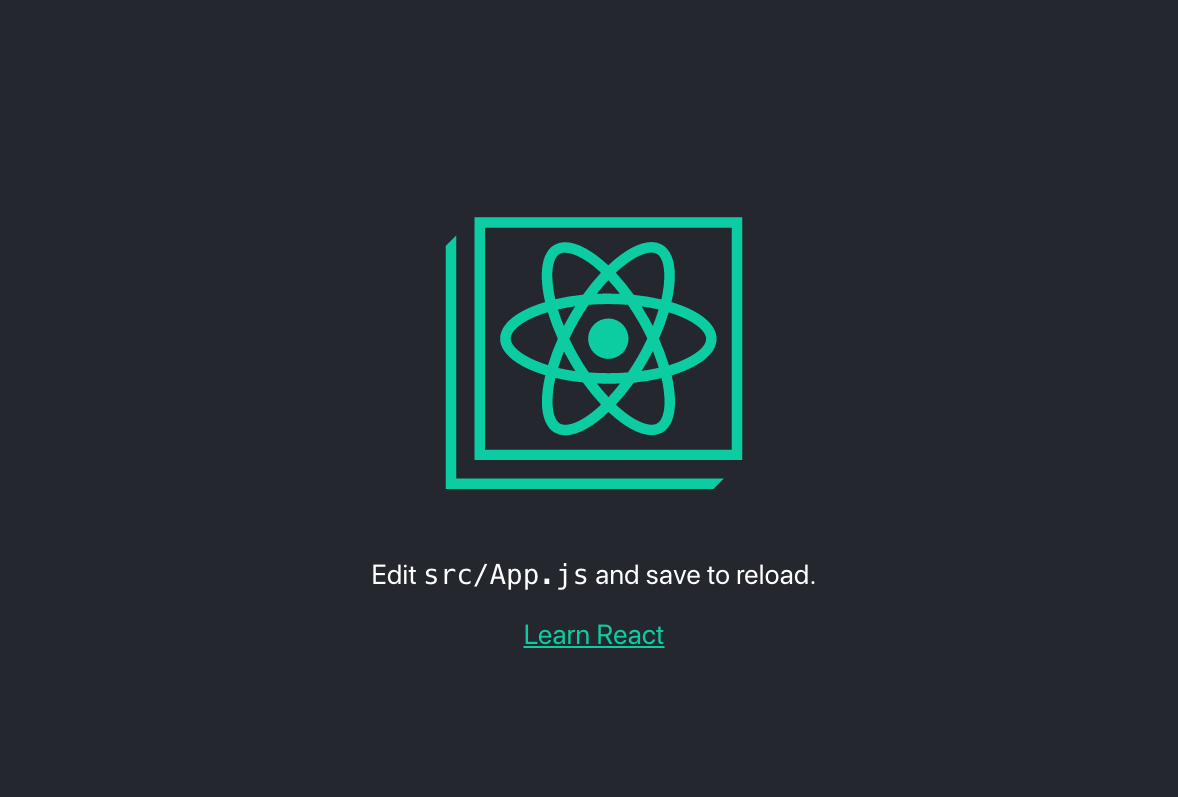 And in your command line you will see the following information: 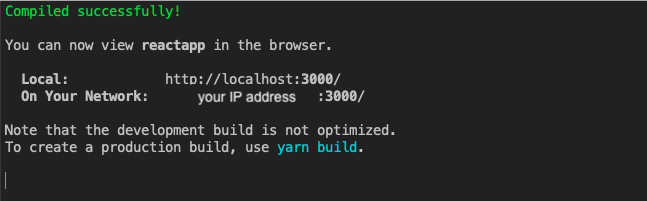 It seems like our first application is running, now let’s get some data from the API. <h4>4. Creating API call</h4> Let’s open the code of the application in your favorite code editor. Inside the ./src folder, there are our main component App.js. Let’s open it and take a look what’s inside. We can see there the code which we see at https://localhost:3000. ```javascript import React from 'react'; import logo from './logo.svg'; import './App.css'; function App() { return ( <div className="App"> <header className="App-header"> <p> Edit <code>src/App.js</code> and save to reload. </p> <a className="App-link" href="https://reactjs.org" target="_blank" rel="noopener noreferrer" > Learn React </a> </header> </div> ); } export default App; ``` Let’s start by modifying the component to change it into a class component, which will be much more convenient in our case. We want our App.js component looks in the following way: ```javascript import React, { Component } from 'react'; class App extends Component { render() { return ( <p>Hello world!</p> ); } } export default App; ``` I removed the App.css and logo.svg imports because we don’t need them anymore. Also, I imported Component from “react”, which I used to create a class component. Let’s add some custom JSX code in return () statement and reload the page to see the result! 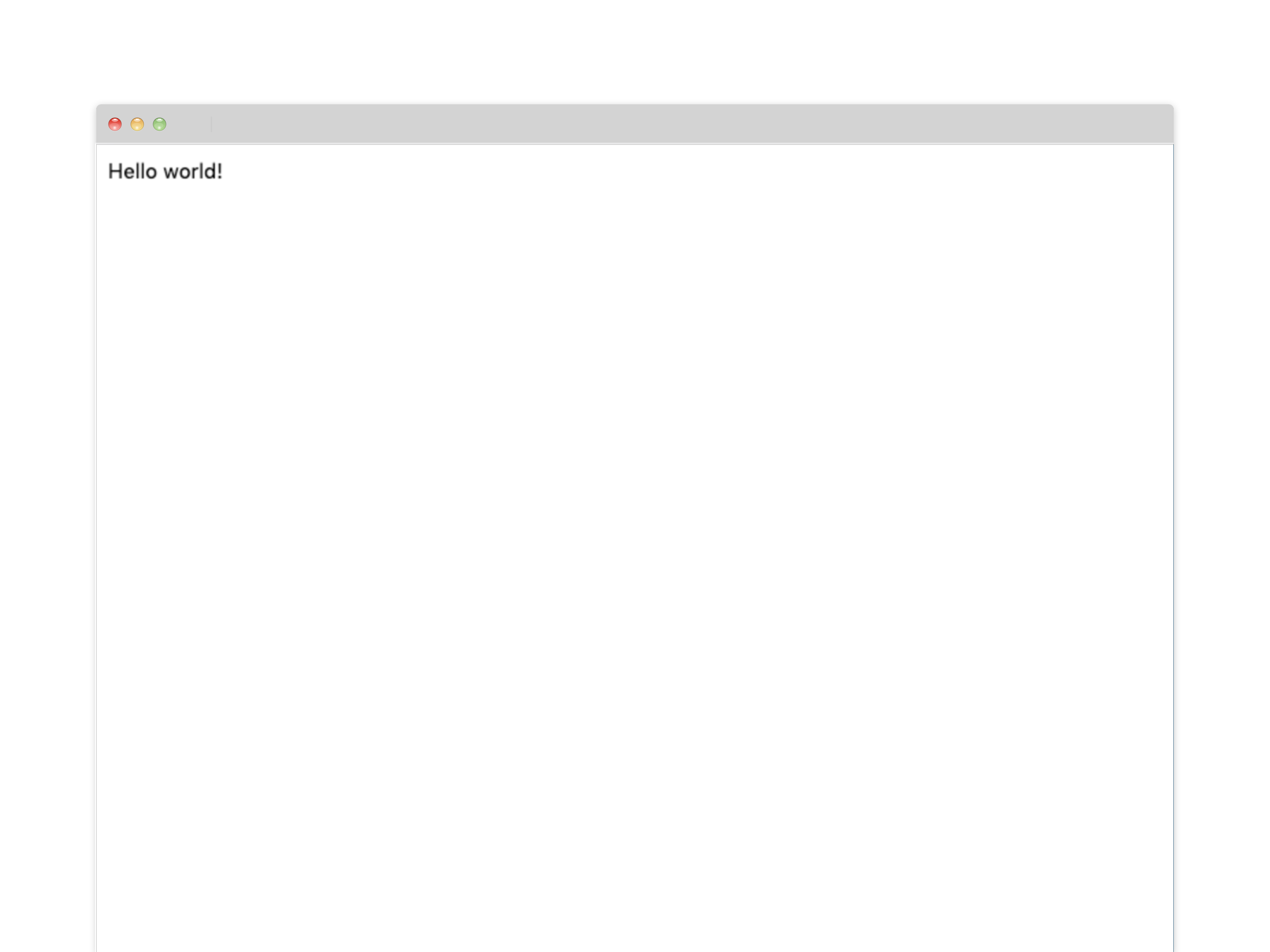 Now, let’s set a local state, where we are going to save our data from API. ```javascript import React, { Component } from 'react'; class App extends Component { constructor(props) { super(props); this.state = { posts: [] } } render() { return ( <p>Hello world!</p> ); } } export default App; ``` I’ve added a constructor and passed props, then I set a local state with posts as an empty array because we are going to get some posts from the API. Fine, now I’m are ready to create a call to the API. I’m going to use a faked API from the JSONPlaceholder website (https://jsonplaceholder.typicode.com/). To get the data, I’ll use the .fetch method from Javascript. Let’s create a call: ```javascript import React, { Component } from 'react'; class App extends Component { constructor(props) { super(props); this.state = { posts: [] } } componentDidMount() { const url = "https://jsonplaceholder.typicode.com/posts"; fetch(url) .then(response => response.json()) .then(json => this.setState({ posts: json })) } render() { return ( <p>Hello world!</p> ); } } export default App; ``` In the code above, I fetched data from the API and saved in our state. Let’s take a look at what is the format of our data before we display our posts: ```javascript [ { "userId": 1, "id": 1, "title": "sunt aut facere repellat provident occaecati excepturi optio reprehenderit", "body": "quia et suscipit\nsuscipit recusandae consequuntur expedita et cum\nreprehenderit molestiae ut ut quas totam\nnostrum rerum est autem sunt rem eveniet architecto" }, { "userId": 1, "id": 2, "title": "qui est esse", "body": "est rerum tempore vitae\nsequi sint nihil reprehenderit dolor beatae ea dolores neque\nfugiat blanditiis voluptate porro vel nihil molestiae ut reiciendis\nqui aperiam non debitis possimus qui neque nisi nulla" }, { "userId": 1, "id": 3, "title": "ea molestias quasi exercitationem repellat qui ipsa sit aut", "body": "et iusto sed quo iure\nvoluptatem occaecati omnis eligendi aut ad\nvoluptatem doloribus vel accusantium quis pariatur\nmolestiae porro eius odio et labore et velit aut" }, ... ] ``` <h4>5. Displaying the data</h4> Now, we have some posts data, and we would like to display them. To make it good looking without a tone of styling, let’s add Bootstrap CDN to our application. From Bootstrap website, we get a CDN, and we have to place it in ./public/index.html file head section. ```html .... <!-- Bootstrap --> <link rel="stylesheet" href="https://stackpath.bootstrapcdn.com/bootstrap/4.3.1/css/bootstrap.min.css" integrity="sha384-ggOyR0iXCbMQv3Xipma34MD+dH/1fQ784/j6cY/iJTQUOhcWr7x9JvoRxT2MZw1T" crossorigin="anonymous"> <title>React App</title> </head> <body> .... ``` And that’s it, we can use Bootstrap now. Let’s create a JSX code for our data. ```javascript .... render() { return ( <div className="container"> <div class="jumbotron"> <h1 class="display-4">Blog posts</h1> </div> <div className="card"> <div className="card-header"> Featured </div> <div className="card-body"> <h5 className="card-title">Special title treatment</h5> <p className="card-text">With supporting text below as a natural lead-in to additional content.</p> <a href="#" className="btn btn-primary">Go somewhere</a> </div> </div> </div> ); } .... ``` I’ve added a container, header, and a card where I’m going to display the data from this.state. Let’s use the data with map() method and display them as posts. ```javascript import React, { Component } from 'react'; class App extends Component { constructor(props) { super(props); this.state = { posts: [] } } componentDidMount() { const url = "https://jsonplaceholder.typicode.com/posts"; fetch(url) .then(response => response.json()) .then(json => this.setState({ posts: json })) } render() { const { posts } = this.state; return ( <div className="container"> <div class="jumbotron"> <h1 class="display-4">Blog posts</h1> </div> {posts.map((post) => ( <div className="card" key={post.id}> <div className="card-header"> #{post.id} {post.title} </div> <div className="card-body"> <p className="card-text">{post.body}</p> </div> </div> ))} </div> ); } } export default App; ``` We passed data from the posts to a card element and set post.title, post.body, and post.id as a key for an element. <h4>6. Add some styling</h4> We can see our app is almost ready now. 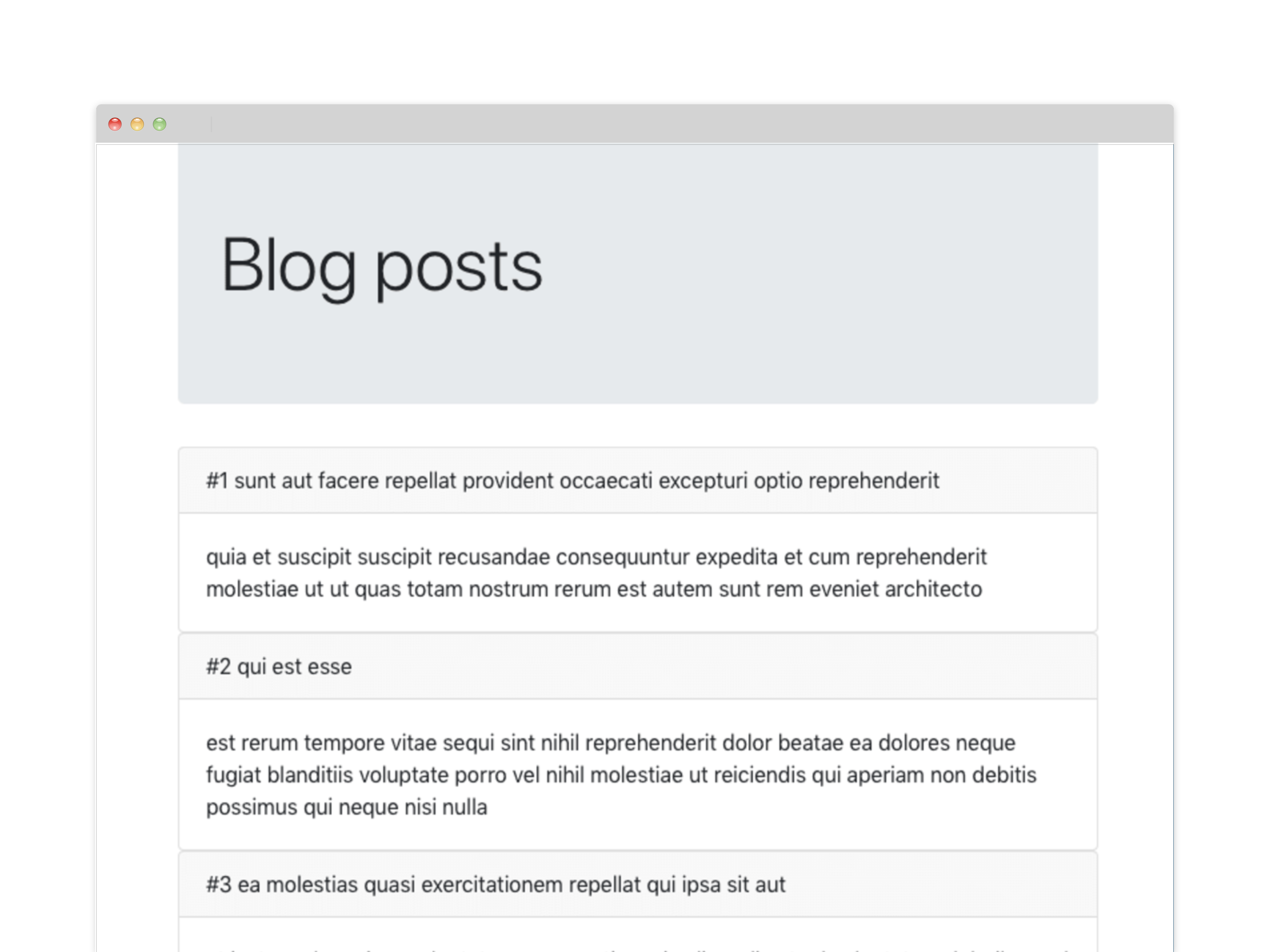 But it still doesn’t look stunning, so we will add some styling. Let’s import an App.css file again, and set there some paddings and margins to make our blog posts look nice. ```css .app { padding: 10px; } .app .jumbotron { text-align: center; } .app .card { margin-bottom: 10px; } .app .card-header { color: white; font-weight: bold; } ``` Woohoo! Our app seems to be ready! Fast and easy. 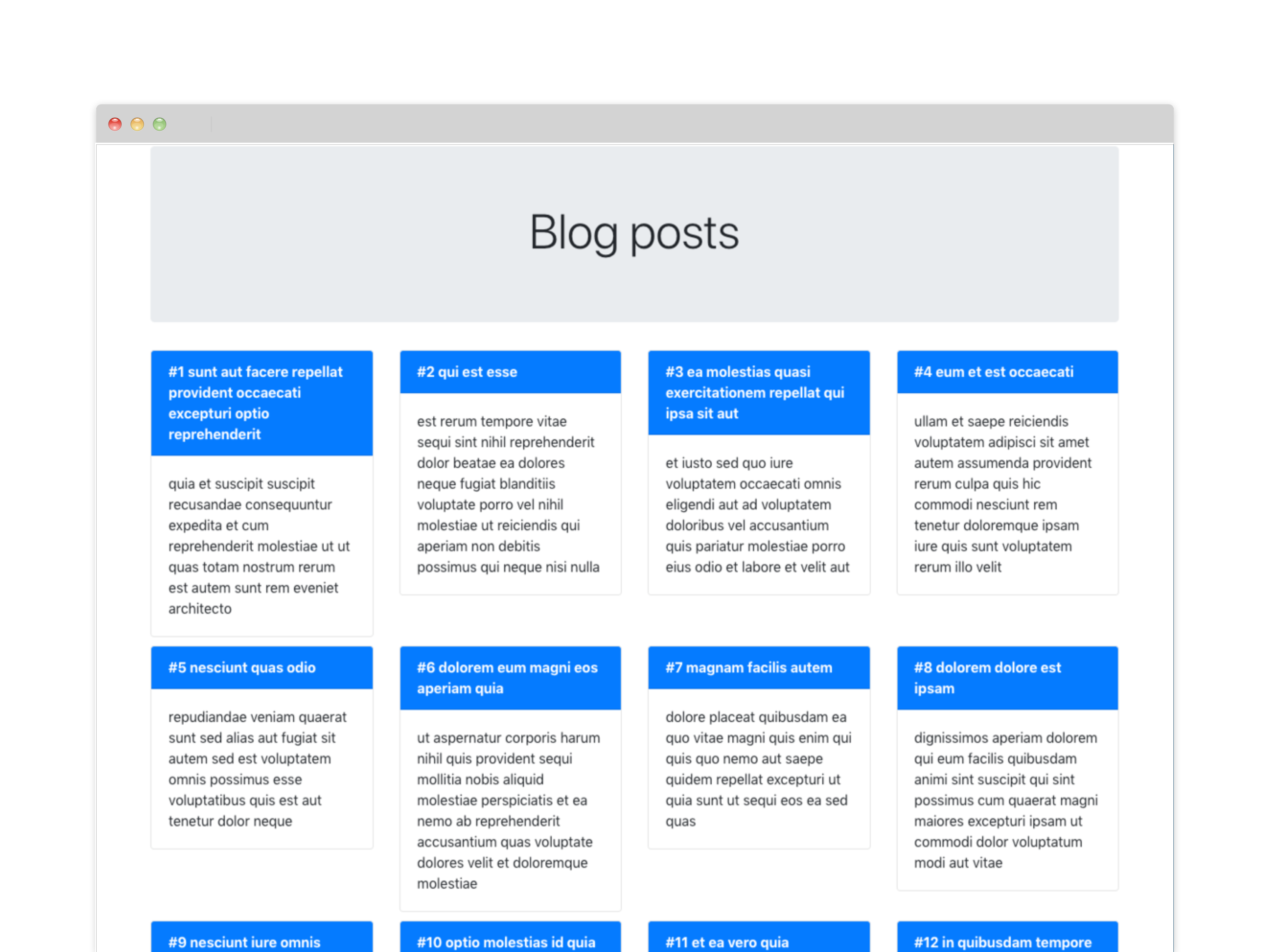 <h4>Conclusion</h4> In this article, we created a simple React.js application with fetching data from the REST API. We’ve built a simple listing, displaying short blog posts. We used a create-react-app to set a ready React.js application easily and Bootstrap for styling. I hope you will find this tutorial helpful and use it as a base for your first React.js application training! If you would like to master your React.js knowledge, join us at duomly.com and complete React.js course! Have a nice coding!  Thank you for reading! This article was provided by our teammate Anna. |
| json metadata | {"tags":["programming","javascript","reactjs","react","frontend","js","es","coding"],"image":["https://cdn.steemitimages.com/DQmS8soNjXSiVQ3JK8KSdeoxMQKBmqKh3myZR2cB5C5wgta/how%20to%20create-react-app%20in%205%20minutes.png","https://cdn.steemitimages.com/DQmNktk72VBhFk4viYQ2W1BRGuCnPX4wdniaFxtTm9KPUqh/create-react-app%20duomly.png","https://cdn.steemitimages.com/DQmPg4PuG1X7bTaE3TrrL8DiQfcpLgJvXnyuSU2yTSN6ThD/duomly%20-%20programming%20online%20courses%20react%20app.png","https://cdn.steemitimages.com/DQmbhEoAjXcqe8EvxU8ZR66ETuzg8RvNEUtK3GJyYLEHAJo/duomly-create-react-app.png","https://cdn.steemitimages.com/DQmXbM9kA6RKFkZBJUtyf6htq3ZxKkiJgnhf8PaYN9D3zGg/duomly-programming-online-courses-react.png","https://cdn.steemitimages.com/DQmYMwvBQJjA2Myq8HBmqiLHPd1eYKeXgwg6K7Cr9Rt3A4S/Duomly%20Reactjs%20tutorial.png","https://cdn.steemitimages.com/DQmTm2b9YJWxz6yJRxeXUWEARdj3AxruqKEL1VLRMFa5DZf/Cover.png"],"links":["https://localhost:3000","https://jsonplaceholder.typicode.com/"],"app":"steemit/0.1","format":"markdown"} |
| Transaction Info | Block #37271651/Trx cce2e158dffb2b87e2cb76b8bad5c5c54b10a6a9 |
View Raw JSON Data
{
"trx_id": "cce2e158dffb2b87e2cb76b8bad5c5c54b10a6a9",
"block": 37271651,
"trx_in_block": 0,
"op_in_trx": 0,
"virtual_op": 0,
"timestamp": "2019-10-14T08:31:57",
"op": [
"comment",
{
"parent_author": "",
"parent_permlink": "programming",
"author": "duomly",
"permlink": "how-to-create-react-app-in-5-minutes",
"title": "How to create React app in 5 minutes?",
"body": "\n\nReact.js is one of the most popular front-end frameworks nowadays, which lots of people find useful to learn. After mastering the theory, it comes the time to start the practice, and then it may seem a little bit difficult, how to start, how to get data, how to display it. But creating your first React.js application doesn’t have to be so complicated.\nIn this article, I’m going to create a simple React.js application with fetching data from the API in 5 minutes, step by step.\nTo create this application, it would be a plus to have basics of React.js, Javascript, HTML, and CSS. Also, to install the tool, I’m going to use you have to install Node.js and npm on your computer.\n\nLet’s start.\n\n<h4>1. Install create-react-app</h4>\n\nIn the beginning, we have to install create-react-app tool. It’s a tool provided by React.js creators, which allows installing ready to use React.js application, with all needed dependencies. To install the tool, we have to use the following command in the command line:\n\n```javascript\nnpm install -g create-react-app\n```\n\nAfter the process finished successfully, you have it installed. Let’s create our app!\n\n<h4>2. Create the application</h4>\n\nNow, it’s super easy to create our first application using the create-react-app tool. We can do it with a single command in our command line. First, navigate to the folder where you want to have your application through the command line, and then run the following command, where reactapp is the name of our application:\n\n```javascript\nnpx create-react-app reactapp\n```\n\nYou can feel free to set a different name for your application. If the process finished successful, you should have your folder with the app ready! Let’s start the application now!\n\n<h4>3. Start the application</h4>\n\nLet’s start our reactapp with the following commands:\n\n```javascript\ncd reactapp\nnpm start\n```\n\nThe first command is used to enter the folder of our application, and the second one starts our app. By default, the application is open at localhost:3000, but we can change the port in the settings.\nAfter the app is started, the browser window will popup at the proper address, and you will see the following image in the browser:\n\n\n\n\nAnd in your command line you will see the following information:\n\n\n\nIt seems like our first application is running, now let’s get some data from the API.\n\n<h4>4. Creating API call</h4>\n\nLet’s open the code of the application in your favorite code editor. Inside the ./src folder, there are our main component App.js. Let’s open it and take a look what’s inside. We can see there the code which we see at https://localhost:3000.\n\n```javascript\nimport React from 'react';\nimport logo from './logo.svg';\nimport './App.css';\n\nfunction App() {\n return (\n <div className=\"App\">\n <header className=\"App-header\">\n <p>\n Edit <code>src/App.js</code> and save to reload.\n </p>\n <a\n className=\"App-link\"\n href=\"https://reactjs.org\"\n target=\"_blank\"\n rel=\"noopener noreferrer\"\n >\n Learn React\n </a>\n </header>\n </div>\n );\n}\nexport default App;\n```\n\nLet’s start by modifying the component to change it into a class component, which will be much more convenient in our case. We want our App.js component looks in the following way:\n\n\n```javascript\nimport React, { Component } from 'react';\n\nclass App extends Component {\n render() {\n return (\n <p>Hello world!</p>\n );\n }\n}\nexport default App;\n```\n\nI removed the App.css and logo.svg imports because we don’t need them anymore. Also, I imported Component from “react”, which I used to create a class component. Let’s add some custom JSX code in return () statement and reload the page to see the result!\n\n\n\nNow, let’s set a local state, where we are going to save our data from API.\n\n```javascript\nimport React, { Component } from 'react';\n\nclass App extends Component {\nconstructor(props) {\n super(props);\n this.state = {\n posts: []\n }\n }\n render() {\n return (\n <p>Hello world!</p>\n );\n }\n}\nexport default App;\n```\n\nI’ve added a constructor and passed props, then I set a local state with posts as an empty array because we are going to get some posts from the API. \n\nFine, now I’m are ready to create a call to the API. I’m going to use a faked API from the JSONPlaceholder website (https://jsonplaceholder.typicode.com/). To get the data, I’ll use the .fetch method from Javascript. Let’s create a call:\n\n```javascript\nimport React, { Component } from 'react';\n\nclass App extends Component {\nconstructor(props) {\n super(props);\n this.state = {\n posts: []\n }\n }\n componentDidMount() {\n const url = \"https://jsonplaceholder.typicode.com/posts\";\n fetch(url)\n .then(response => response.json())\n .then(json => this.setState({ posts: json }))\n }\n render() {\n return (\n <p>Hello world!</p>\n );\n }\n}\nexport default App;\n```\n\nIn the code above, I fetched data from the API and saved in our state. Let’s take a look at what is the format of our data before we display our posts:\n\n```javascript\n[\n {\n \"userId\": 1,\n \"id\": 1,\n \"title\": \"sunt aut facere repellat provident occaecati excepturi optio reprehenderit\",\n \"body\": \"quia et suscipit\\nsuscipit recusandae consequuntur expedita et cum\\nreprehenderit molestiae ut ut quas totam\\nnostrum rerum est autem sunt rem eveniet architecto\"\n },\n {\n \"userId\": 1,\n \"id\": 2,\n \"title\": \"qui est esse\",\n \"body\": \"est rerum tempore vitae\\nsequi sint nihil reprehenderit dolor beatae ea dolores neque\\nfugiat blanditiis voluptate porro vel nihil molestiae ut reiciendis\\nqui aperiam non debitis possimus qui neque nisi nulla\"\n },\n {\n \"userId\": 1,\n \"id\": 3,\n \"title\": \"ea molestias quasi exercitationem repellat qui ipsa sit aut\",\n \"body\": \"et iusto sed quo iure\\nvoluptatem occaecati omnis eligendi aut ad\\nvoluptatem doloribus vel accusantium quis pariatur\\nmolestiae porro eius odio et labore et velit aut\"\n },\n...\n]\n```\n\n<h4>5. Displaying the data</h4>\n\nNow, we have some posts data, and we would like to display them. To make it good looking without a tone of styling, let’s add Bootstrap CDN to our application. From Bootstrap website, we get a CDN, and we have to place it in ./public/index.html file head section.\n\n```html\n....\n <!-- Bootstrap -->\n <link rel=\"stylesheet\" href=\"https://stackpath.bootstrapcdn.com/bootstrap/4.3.1/css/bootstrap.min.css\" integrity=\"sha384-ggOyR0iXCbMQv3Xipma34MD+dH/1fQ784/j6cY/iJTQUOhcWr7x9JvoRxT2MZw1T\" crossorigin=\"anonymous\">\n <title>React App</title>\n </head>\n <body>\n....\n```\n\nAnd that’s it, we can use Bootstrap now. Let’s create a JSX code for our data.\n\n```javascript\n....\nrender() {\n return (\n <div className=\"container\">\n <div class=\"jumbotron\">\n <h1 class=\"display-4\">Blog posts</h1>\n </div>\n <div className=\"card\">\n <div className=\"card-header\">\n Featured\n </div>\n <div className=\"card-body\">\n <h5 className=\"card-title\">Special title treatment</h5>\n <p className=\"card-text\">With supporting text below as a natural lead-in to additional content.</p>\n <a href=\"#\" className=\"btn btn-primary\">Go somewhere</a>\n </div>\n </div>\n </div>\n );\n }\n....\n```\n\nI’ve added a container, header, and a card where I’m going to display the data from this.state.\n\nLet’s use the data with map() method and display them as posts.\n\n```javascript\nimport React, { Component } from 'react';\n\nclass App extends Component {\n constructor(props) {\n super(props);\n this.state = {\n posts: []\n }\n }\n\n componentDidMount() {\n const url = \"https://jsonplaceholder.typicode.com/posts\";\n fetch(url)\n .then(response => response.json())\n .then(json => this.setState({ posts: json }))\n }\n\n render() {\n const { posts } = this.state;\n return (\n <div className=\"container\">\n <div class=\"jumbotron\">\n <h1 class=\"display-4\">Blog posts</h1>\n </div>\n {posts.map((post) => (\n <div className=\"card\" key={post.id}>\n <div className=\"card-header\">\n #{post.id} {post.title}\n </div>\n <div className=\"card-body\">\n <p className=\"card-text\">{post.body}</p>\n </div>\n </div>\n ))}\n </div>\n );\n }\n}\nexport default App;\n```\n\nWe passed data from the posts to a card element and set post.title, post.body, and post.id as a key for an element.\n\n<h4>6. Add some styling</h4>\n\nWe can see our app is almost ready now.\n\n\n\nBut it still doesn’t look stunning, so we will add some styling. Let’s import an App.css file again, and set there some paddings and margins to make our blog posts look nice.\n\n```css\n.app {\n padding: 10px;\n}\n\n.app .jumbotron {\n text-align: center;\n}\n\n.app .card {\n margin-bottom: 10px;\n}\n\n.app .card-header {\n color: white;\n font-weight: bold;\n}\n```\n\nWoohoo! Our app seems to be ready! Fast and easy.\n\n\n\n<h4>Conclusion</h4>\n\nIn this article, we created a simple React.js application with fetching data from the REST API. We’ve built a simple listing, displaying short blog posts. We used a create-react-app to set a ready React.js application easily and Bootstrap for styling.\n\nI hope you will find this tutorial helpful and use it as a base for your first React.js application training! If you would like to master your React.js knowledge, join us at duomly.com and complete React.js course!\n\nHave a nice coding!\n\n\n\nThank you for reading!\n\nThis article was provided by our teammate Anna.",
"json_metadata": "{\"tags\":[\"programming\",\"javascript\",\"reactjs\",\"react\",\"frontend\",\"js\",\"es\",\"coding\"],\"image\":[\"https://cdn.steemitimages.com/DQmS8soNjXSiVQ3JK8KSdeoxMQKBmqKh3myZR2cB5C5wgta/how%20to%20create-react-app%20in%205%20minutes.png\",\"https://cdn.steemitimages.com/DQmNktk72VBhFk4viYQ2W1BRGuCnPX4wdniaFxtTm9KPUqh/create-react-app%20duomly.png\",\"https://cdn.steemitimages.com/DQmPg4PuG1X7bTaE3TrrL8DiQfcpLgJvXnyuSU2yTSN6ThD/duomly%20-%20programming%20online%20courses%20react%20app.png\",\"https://cdn.steemitimages.com/DQmbhEoAjXcqe8EvxU8ZR66ETuzg8RvNEUtK3GJyYLEHAJo/duomly-create-react-app.png\",\"https://cdn.steemitimages.com/DQmXbM9kA6RKFkZBJUtyf6htq3ZxKkiJgnhf8PaYN9D3zGg/duomly-programming-online-courses-react.png\",\"https://cdn.steemitimages.com/DQmYMwvBQJjA2Myq8HBmqiLHPd1eYKeXgwg6K7Cr9Rt3A4S/Duomly%20Reactjs%20tutorial.png\",\"https://cdn.steemitimages.com/DQmTm2b9YJWxz6yJRxeXUWEARdj3AxruqKEL1VLRMFa5DZf/Cover.png\"],\"links\":[\"https://localhost:3000\",\"https://jsonplaceholder.typicode.com/\"],\"app\":\"steemit/0.1\",\"format\":\"markdown\"}"
}
]
}2019/10/12 12:52:03
2019/10/12 12:52:03
| parent author | duomly |
| parent permlink | how-to-create-a-chatbot-in-python |
| author | steemitboard |
| permlink | steemitboard-notify-duomly-20191012t125205000z |
| title | |
| body | Congratulations @duomly! You have completed the following achievement on the Steem blockchain and have been rewarded with new badge(s) : <table><tr><td><img src="https://steemitimages.com/60x60/http://steemitboard.com/img/notifications/firstcomment.png"></td><td>You made your First Comment</td></tr> </table> <sub>_You can view [your badges on your Steem Board](https://steemitboard.com/@duomly) and compare to others on the [Steem Ranking](https://steemitboard.com/ranking/index.php?name=duomly)_</sub> <sub>_If you no longer want to receive notifications, reply to this comment with the word_ `STOP`</sub> **Do not miss the last post from @steemitboard:** <table><tr><td><a href="https://steemit.com/steemfest/@steemitboard/the-new-steemfest-badge-is-ready"><img src="https://steemitimages.com/64x128/https://cdn.steemitimages.com/DQmRUkELn2Fd13pWFkmWU2wBMMx39EBX5V3cHBEZ2d7f3Ve/image.png"></a></td><td><a href="https://steemit.com/steemfest/@steemitboard/the-new-steemfest-badge-is-ready">The new SteemFest⁴ badge is ready</a></td></tr></table> ###### [Vote for @Steemitboard as a witness](https://v2.steemconnect.com/sign/account-witness-vote?witness=steemitboard&approve=1) to get one more award and increased upvotes! |
| json metadata | {"image":["https://steemitboard.com/img/notify.png"]} |
| Transaction Info | Block #37219360/Trx b9927ae5dfdde0bfaecfb3a8a84fd9205f0206b9 |
View Raw JSON Data
{
  "trx_id": "b9927ae5dfdde0bfaecfb3a8a84fd9205f0206b9",
  "block": 37219360,
  "trx_in_block": 32,
  "op_in_trx": 0,
  "virtual_op": 0,
  "timestamp": "2019-10-12T12:52:03",
  "op": [
    "comment",
    {
      "parent_author": "duomly",
      "parent_permlink": "how-to-create-a-chatbot-in-python",
      "author": "steemitboard",
      "permlink": "steemitboard-notify-duomly-20191012t125205000z",
      "title": "",
      "body": "Congratulations @duomly! You have completed the following achievement on the Steem blockchain and have been rewarded with new badge(s) :\n\n<table><tr><td><img src=\"https://steemitimages.com/60x60/http://steemitboard.com/img/notifications/firstcomment.png\"></td><td>You made your First Comment</td></tr>\n</table>\n\n<sub>_You can view [your badges on your Steem Board](https://steemitboard.com/@duomly) and compare to others on the [Steem Ranking](https://steemitboard.com/ranking/index.php?name=duomly)_</sub>\n<sub>_If you no longer want to receive notifications, reply to this comment with the word_ `STOP`</sub>\n\n\n\n**Do not miss the last post from @steemitboard:**\n<table><tr><td><a href=\"https://steemit.com/steemfest/@steemitboard/the-new-steemfest-badge-is-ready\"><img src=\"https://steemitimages.com/64x128/https://cdn.steemitimages.com/DQmRUkELn2Fd13pWFkmWU2wBMMx39EBX5V3cHBEZ2d7f3Ve/image.png\"></a></td><td><a href=\"https://steemit.com/steemfest/@steemitboard/the-new-steemfest-badge-is-ready\">The new SteemFest⁴  badge is ready</a></td></tr></table>\n\n###### [Vote for @Steemitboard as a witness](https://v2.steemconnect.com/sign/account-witness-vote?witness=steemitboard&approve=1) to get one more award and increased upvotes!",
      "json_metadata": "{\"image\":[\"https://steemitboard.com/img/notify.png\"]}"
    }
  ]
}2019/10/12 11:27:45
2019/10/12 11:27:45
| parent author | cheetah |
| parent permlink | cheetah-re-duomlyhow-to-create-a-chatbot-in-python |
| author | duomly |
| permlink | pz9eia |
| title | |
| body | Hi Robot, thanks! Actually post from your link is our post as well :) |
| json metadata | {"app":"steemit/0.1"} |
| Transaction Info | Block #37217678/Trx 1b0e049f8ba89b06f3e36899b54b8a2d346f3d8c |
View Raw JSON Data
{
  "trx_id": "1b0e049f8ba89b06f3e36899b54b8a2d346f3d8c",
  "block": 37217678,
  "trx_in_block": 20,
  "op_in_trx": 0,
  "virtual_op": 0,
  "timestamp": "2019-10-12T11:27:45",
  "op": [
    "comment",
    {
      "parent_author": "cheetah",
      "parent_permlink": "cheetah-re-duomlyhow-to-create-a-chatbot-in-python",
      "author": "duomly",
      "permlink": "pz9eia",
      "title": "",
      "body": "Hi Robot, thanks! Actually post from your link is our post as well :)",
      "json_metadata": "{\"app\":\"steemit/0.1\"}"
    }
  ]
}duomlyupvoted (100.00%) @duomly / git-and-github-basic-tutorial2019/10/12 11:26:45
duomlyupvoted (100.00%) @duomly / git-and-github-basic-tutorial
2019/10/12 11:26:45
| voter | duomly |
| author | duomly |
| permlink | git-and-github-basic-tutorial |
| weight | 10000 (100.00%) |
| Transaction Info | Block #37217658/Trx 74dc3ef9469b62a7ee63a25fd802f962580caf60 |
View Raw JSON Data
{
  "trx_id": "74dc3ef9469b62a7ee63a25fd802f962580caf60",
  "block": 37217658,
  "trx_in_block": 7,
  "op_in_trx": 0,
  "virtual_op": 0,
  "timestamp": "2019-10-12T11:26:45",
  "op": [
    "vote",
    {
      "voter": "duomly",
      "author": "duomly",
      "permlink": "git-and-github-basic-tutorial",
      "weight": 10000
    }
  ]
}duomlyupvoted (100.00%) @duomly / 13-useful-vs-code-extensions-for-front-end-development2019/10/12 11:26:39
duomlyupvoted (100.00%) @duomly / 13-useful-vs-code-extensions-for-front-end-development
2019/10/12 11:26:39
| voter | duomly |
| author | duomly |
| permlink | 13-useful-vs-code-extensions-for-front-end-development |
| weight | 10000 (100.00%) |
| Transaction Info | Block #37217656/Trx a6553733ab72e14ee4026d16dc388cdd1be8cfde |
View Raw JSON Data
{
  "trx_id": "a6553733ab72e14ee4026d16dc388cdd1be8cfde",
  "block": 37217656,
  "trx_in_block": 7,
  "op_in_trx": 0,
  "virtual_op": 0,
  "timestamp": "2019-10-12T11:26:39",
  "op": [
    "vote",
    {
      "voter": "duomly",
      "author": "duomly",
      "permlink": "13-useful-vs-code-extensions-for-front-end-development",
      "weight": 10000
    }
  ]
}2019/10/11 10:12:51
2019/10/11 10:12:51
| parent author | duomly |
| parent permlink | how-to-create-a-chatbot-in-python |
| author | cheetah |
| permlink | cheetah-re-duomlyhow-to-create-a-chatbot-in-python |
| title | |
| body | Hi! I am a robot. I just upvoted you! I found similar content that readers might be interested in: https://chatbotslife.com/how-to-create-an-intelligent-chatbot-in-python-c655eb39d6b1 |
| json metadata | |
| Transaction Info | Block #37187448/Trx 7d99dce43dc9a19d0fc71fbabe3cab5e456cf573 |
View Raw JSON Data
{
  "trx_id": "7d99dce43dc9a19d0fc71fbabe3cab5e456cf573",
  "block": 37187448,
  "trx_in_block": 21,
  "op_in_trx": 0,
  "virtual_op": 0,
  "timestamp": "2019-10-11T10:12:51",
  "op": [
    "comment",
    {
      "parent_author": "duomly",
      "parent_permlink": "how-to-create-a-chatbot-in-python",
      "author": "cheetah",
      "permlink": "cheetah-re-duomlyhow-to-create-a-chatbot-in-python",
      "title": "",
      "body": "Hi! I am a robot. I just upvoted you! I found similar content that readers might be interested in:\nhttps://chatbotslife.com/how-to-create-an-intelligent-chatbot-in-python-c655eb39d6b1",
      "json_metadata": ""
    }
  ]
}cheetahupvoted (0.08%) @duomly / how-to-create-a-chatbot-in-python2019/10/11 10:12:48
cheetahupvoted (0.08%) @duomly / how-to-create-a-chatbot-in-python
2019/10/11 10:12:48
| voter | cheetah |
| author | duomly |
| permlink | how-to-create-a-chatbot-in-python |
| weight | 8 (0.08%) |
| Transaction Info | Block #37187447/Trx a5a82a807cc4cc8caa575b66e3ab3d9bb1a1ae72 |
View Raw JSON Data
{
  "trx_id": "a5a82a807cc4cc8caa575b66e3ab3d9bb1a1ae72",
  "block": 37187447,
  "trx_in_block": 24,
  "op_in_trx": 0,
  "virtual_op": 0,
  "timestamp": "2019-10-11T10:12:48",
  "op": [
    "vote",
    {
      "voter": "cheetah",
      "author": "duomly",
      "permlink": "how-to-create-a-chatbot-in-python",
      "weight": 8
    }
  ]
}duomlypublished a new post: how-to-create-a-chatbot-in-python2019/10/11 10:12:33
duomlypublished a new post: how-to-create-a-chatbot-in-python
2019/10/11 10:12:33
| parent author | |
| parent permlink | programming |
| author | duomly |
| permlink | how-to-create-a-chatbot-in-python |
| title | How to create a chatbot in Python |
| body | <a href="https://www.duomly.com"><a/> Natural language processing (NLP) is one of the most promising fields of artificial intelligence that uses natural languages to enable human interactions with machines. There are two main approaches to NLP: – rule-based methods, – statistical methods, i.e., methods related to machine learning. There are several exciting Python libraries for NLP, such as Natural Language Toolkit (NLTK), spaCy, TextBlob, etc. A chatbot is a computer software able to interact with humans using a natural language. They usually rely on machine learning, especially on NLP. Apple’s Siri, Amazon’s Alexa, Google Assitant, and Microsoft’s Cortana are some well-known examples of software able to process natural languages. This article shows how to create a simple chatbot in Python using the library ChatterBot. Our bot will be used for small talk, as well as to answer some math questions. Here, we’ll scratch the surface of what’s possible in building custom chatbots and NLP in general. <h4>Preparing Dependencies</h4> You’re only going to install the library ChatterBot for now. I recommend creating and using a new Python virtual environment for this purpose. Execute the following commands in your Python (or Anaconda) terminal: <pre>pip install chatterbot pip install chatterbot_corpus</pre> You can also try upgrading them: <pre>pip install --upgrade chatterbot_corpus pip install --upgrade chatterbot</pre> That’s it. We’re ready to go. <h4>Importing Classes</h4> You’ll need to import two classes for this purpose: ChatBot from chatterbot and ListTrainer from chatterbot.trainers: <pre>from chatterbot import ChatBot from chatterbot.trainers import ListTrainer</pre> We’re now prepared to create and train our math bot. <h4>Creating and Training a Bot</h4> Our bot will be an instance of the class ChatBot: <pre> my_bot = ChatBot(name='PyBot', read_only=True, logic_adapters= ['chatterbot.logic.MathematicalEvaluation', 'chatterbot.logic.BestMatch']) </pre> The only required argument corresponds to the parameter name. It represents the name of the bot. You can provide read_only=True if you want to disable the bot’s ability to learn after the training (i.e. from actual conversations). logic_adapters is the list of adapters used to train the bot. There are several of them provided by chatterbot, like the two from our example. chatterbot.logic.MathematicalEvaluation enables the bot to solve math problems, while chatterbot.logic.BestMatch chooses the best match from the already provided responses. So, we have to provide responses. We do that by specifying the lists of strings later used to train the bot and find the best match for each question. This is what I want our bot to learn for now: <pre> small_talk = ['hi there!', 'hi!', 'how do you do?', 'how are you?', 'i\'m cool.', 'fine, you?', 'always cool.', 'i\'m ok', 'glad to hear that.', 'i\'m fine', 'glad to hear that.', 'i feel awesome', 'excellent, glad to hear that.', 'not so good', 'sorry to hear that.', 'what\'s your name?', 'i\'m pybot. ask me a math question, please.'] math_talk_1 = ['pythagorean theorem', 'a squared plus b squared equals c squared.'] math_talk_2 = ['law of cosines', 'c**2 = a**2 + b**2 - 2 * a * b * cos(gamma)'] </pre> We can create and train the bot by creating an instance of ListTrainer and supplying it with the lists of strings: <pre> list_trainer = ListTrainer(my_bot) for item in (small_talk, math_talk_1, math_talk_2): list_trainer.train(item) </pre> The bot should now be trained and ready to communicate. <h4>Communicating with a Bot</h4> You can communicate with your bot using its method .get_response(). Here’s an example of how that might look like: <pre> >>> print(my_bot.get_response("hi")) how do you do? >>> print(my_bot.get_response("i feel awesome today")) excellent, glad to hear that. >>> print(my_bot.get_response("what's your name?")) i'm pybot. ask me a math question, please. >>> print(my_bot.get_response("show me the pythagorean theorem")) a squared plus b squared equals c squared. >>> print(my_bot.get_response("do you know the law of cosines?")) c**2 = a**2 + b**2 - 2 * a * b * cos(gamma) </pre> Don’t expect the bot to answer each question well! Its knowledge is limited to the stuff similar to what it has learned. Many times, you’ll find it answering nonsense, especially if you don’t provide comprehensive training. Training a Bot with a Corpus of Data You can use your own or an existing corpus of data to train a bot. For example, you can use some corpus provided by chatterbot: <pre> from chatterbot.trainers import ChatterBotCorpusTrainer corpus_trainer = ChatterBotCorpusTrainer(my_bot) corpus_trainer.train('chatterbot.corpus.english') </pre> chatterbot offers this functionality in several languages. You can also specify a subset of a corpus you’d like to use. <h4>Conclusion</h4> Now you know how to create and use a simple chatbot. This is just a small illustration of what you can do with natural language processing and chatbots. There are many more possibilities out there. If you’re interested in exploring them, you can start by getting familiar with NLTK and ChatterBot. <a href="https://www.duomly.com"> </a> |
| json metadata | {"tags":["programming","python","chatbot","coding","dev","tech","ai","machinelearning"],"image":["https://cdn.steemitimages.com/DQmXRsgXwcqMwvW8TfdzxaFj6hqgBQukg9gVCtBMdK2Pzkh/how-to-create-chatbot-in-python.png","https://cdn.steemitimages.com/DQmTm2b9YJWxz6yJRxeXUWEARdj3AxruqKEL1VLRMFa5DZf/Cover.png"],"links":["https://www.duomly.com"],"app":"steemit/0.1","format":"markdown"} |
| Transaction Info | Block #37187442/Trx 2d1400b569ef093172f9cae978d5bb48ef62e028 |
View Raw JSON Data
{
"trx_id": "2d1400b569ef093172f9cae978d5bb48ef62e028",
"block": 37187442,
"trx_in_block": 23,
"op_in_trx": 0,
"virtual_op": 0,
"timestamp": "2019-10-11T10:12:33",
"op": [
"comment",
{
"parent_author": "",
"parent_permlink": "programming",
"author": "duomly",
"permlink": "how-to-create-a-chatbot-in-python",
"title": "How to create a chatbot in Python",
"body": "<a href=\"https://www.duomly.com\"><a/>\n\nNatural language processing (NLP) is one of the most promising fields of artificial intelligence that uses natural languages to enable human interactions with machines.\nThere are two main approaches to NLP:\n– rule-based methods,\n– statistical methods, i.e., methods related to machine learning.\n\nThere are several exciting Python libraries for NLP, such as Natural Language Toolkit (NLTK), spaCy, TextBlob, etc.\n\nA chatbot is a computer software able to interact with humans using a natural language. They usually rely on machine learning, especially on NLP. Apple’s Siri, Amazon’s Alexa, Google Assitant, and Microsoft’s Cortana are some well-known examples of software able to process natural languages.\n\nThis article shows how to create a simple chatbot in Python using the library ChatterBot. Our bot will be used for small talk, as well as to answer some math questions. Here, we’ll scratch the surface of what’s possible in building custom chatbots and NLP in general.\n\n<h4>Preparing Dependencies</h4>\nYou’re only going to install the library ChatterBot for now. I recommend creating and using a new Python virtual environment for this purpose. Execute the following commands in your Python (or Anaconda) terminal:\n\n<pre>pip install chatterbot\npip install chatterbot_corpus</pre>\n\nYou can also try upgrading them:\n\n<pre>pip install --upgrade chatterbot_corpus\npip install --upgrade chatterbot</pre>\n\nThat’s it. We’re ready to go.\n\n<h4>Importing Classes</h4>\nYou’ll need to import two classes for this purpose: ChatBot from chatterbot and ListTrainer from chatterbot.trainers:\n\n<pre>from chatterbot import ChatBot\nfrom chatterbot.trainers import ListTrainer</pre>\nWe’re now prepared to create and train our math bot.\n\n<h4>Creating and Training a Bot</h4>\nOur bot will be an instance of the class ChatBot:\n<pre>\nmy_bot = ChatBot(name='PyBot', read_only=True,\n logic_adapters=\n['chatterbot.logic.MathematicalEvaluation',\n 'chatterbot.logic.BestMatch'])\n</pre>\nThe only required argument corresponds to the parameter name. It represents the name of the bot. You can provide read_only=True if you want to disable the bot’s ability to learn after the training (i.e. from actual conversations). logic_adapters is the list of adapters used to train the bot. There are several of them provided by chatterbot, like the two from our example. chatterbot.logic.MathematicalEvaluation enables the bot to solve math problems, while chatterbot.logic.BestMatch chooses the best match from the already provided responses.\n\nSo, we have to provide responses. We do that by specifying the lists of strings later used to train the bot and find the best match for each question. This is what I want our bot to learn for now:\n<pre>\nsmall_talk = ['hi there!',\n 'hi!',\n 'how do you do?',\n 'how are you?',\n 'i\\'m cool.',\n 'fine, you?',\n 'always cool.',\n 'i\\'m ok',\n 'glad to hear that.',\n 'i\\'m fine',\n 'glad to hear that.',\n 'i feel awesome',\n 'excellent, glad to hear that.',\n 'not so good',\n 'sorry to hear that.',\n 'what\\'s your name?',\n 'i\\'m pybot. ask me a math question, please.']\nmath_talk_1 = ['pythagorean theorem',\n 'a squared plus b squared equals c squared.']\nmath_talk_2 = ['law of cosines',\n 'c**2 = a**2 + b**2 - 2 * a * b * cos(gamma)']\n</pre>\nWe can create and train the bot by creating an instance of ListTrainer and supplying it with the lists of strings:\n<pre>\nlist_trainer = ListTrainer(my_bot)\n\nfor item in (small_talk, math_talk_1, math_talk_2):\n list_trainer.train(item)\n</pre>\nThe bot should now be trained and ready to communicate.\n\n<h4>Communicating with a Bot</h4>\nYou can communicate with your bot using its method .get_response(). Here’s an example of how that might look like:\n<pre>\n>>> print(my_bot.get_response(\"hi\"))\nhow do you do?\n>>> print(my_bot.get_response(\"i feel awesome today\"))\nexcellent, glad to hear that.\n>>> print(my_bot.get_response(\"what's your name?\"))\ni'm pybot. ask me a math question, please.\n>>> print(my_bot.get_response(\"show me the pythagorean theorem\"))\na squared plus b squared equals c squared.\n>>> print(my_bot.get_response(\"do you know the law of cosines?\"))\nc**2 = a**2 + b**2 - 2 * a * b * cos(gamma)\n</pre>\nDon’t expect the bot to answer each question well! Its knowledge is limited to the stuff similar to what it has learned. Many times, you’ll find it answering nonsense, especially if you don’t provide comprehensive training.\n\nTraining a Bot with a Corpus of Data\nYou can use your own or an existing corpus of data to train a bot. For example, you can use some corpus provided by chatterbot:\n\n<pre>\nfrom chatterbot.trainers import ChatterBotCorpusTrainer\n\ncorpus_trainer = ChatterBotCorpusTrainer(my_bot)\ncorpus_trainer.train('chatterbot.corpus.english')\n</pre>\n\nchatterbot offers this functionality in several languages. You can also specify a subset of a corpus you’d like to use.\n\n<h4>Conclusion</h4>\nNow you know how to create and use a simple chatbot.\n\nThis is just a small illustration of what you can do with natural language processing and chatbots. There are many more possibilities out there. If you’re interested in exploring them, you can start by getting familiar with NLTK and ChatterBot.\n\n<a href=\"https://www.duomly.com\">\n</a>",
"json_metadata": "{\"tags\":[\"programming\",\"python\",\"chatbot\",\"coding\",\"dev\",\"tech\",\"ai\",\"machinelearning\"],\"image\":[\"https://cdn.steemitimages.com/DQmXRsgXwcqMwvW8TfdzxaFj6hqgBQukg9gVCtBMdK2Pzkh/how-to-create-chatbot-in-python.png\",\"https://cdn.steemitimages.com/DQmTm2b9YJWxz6yJRxeXUWEARdj3AxruqKEL1VLRMFa5DZf/Cover.png\"],\"links\":[\"https://www.duomly.com\"],\"app\":\"steemit/0.1\",\"format\":\"markdown\"}"
}
]
}anomalyupvoted (1.00%) @duomly / git-and-github-basic-tutorial2019/10/10 08:32:12
anomalyupvoted (1.00%) @duomly / git-and-github-basic-tutorial
2019/10/10 08:32:12
| voter | anomaly |
| author | duomly |
| permlink | git-and-github-basic-tutorial |
| weight | 100 (1.00%) |
| Transaction Info | Block #37156697/Trx 37a968c069119901acd34e9fdb2a388649ceb42e |
View Raw JSON Data
{
  "trx_id": "37a968c069119901acd34e9fdb2a388649ceb42e",
  "block": 37156697,
  "trx_in_block": 3,
  "op_in_trx": 0,
  "virtual_op": 0,
  "timestamp": "2019-10-10T08:32:12",
  "op": [
    "vote",
    {
      "voter": "anomaly",
      "author": "duomly",
      "permlink": "git-and-github-basic-tutorial",
      "weight": 100
    }
  ]
}duomlypublished a new post: git-and-github-basic-tutorial2019/10/10 08:31:09
duomlypublished a new post: git-and-github-basic-tutorial
2019/10/10 08:31:09
| parent author | |
| parent permlink | javascript |
| author | duomly |
| permlink | git-and-github-basic-tutorial |
| title | Git and Github basic tutorial |
| body | Git is an essential tool for every programmer, and this is why we want to show you how to use it, in a simple way. This video will cover the primary usage of Git and GitHub, creating a new repository, a few simple commands, and git GUIs. Let's watch it! <iframe width="560" height="315" src="https://www.youtube.com/embed/70e58se9lHk" frameborder="0" allow="accelerometer; autoplay; encrypted-media; gyroscope; picture-in-picture" allowfullscreen></iframe> |
| json metadata | {"tags":["javascript","git","programming","github","repository","repo","bitbucket"],"image":["https://img.youtube.com/vi/70e58se9lHk/0.jpg"],"links":["https://www.youtube.com/embed/70e58se9lHk"],"app":"steemit/0.1","format":"markdown"} |
| Transaction Info | Block #37156676/Trx c423d3e84b0fdd165d4089b5a698c37a4672fa9d |
View Raw JSON Data
{
  "trx_id": "c423d3e84b0fdd165d4089b5a698c37a4672fa9d",
  "block": 37156676,
  "trx_in_block": 9,
  "op_in_trx": 0,
  "virtual_op": 0,
  "timestamp": "2019-10-10T08:31:09",
  "op": [
    "comment",
    {
      "parent_author": "",
      "parent_permlink": "javascript",
      "author": "duomly",
      "permlink": "git-and-github-basic-tutorial",
      "title": "Git and Github basic tutorial",
      "body": "Git is an essential tool for every programmer, and this is why we want to show you how to use it, in a simple way. This video will cover the primary usage of Git and GitHub, creating a new repository, a few simple commands, and git GUIs. Let's watch it!\n\n<iframe width=\"560\" height=\"315\" src=\"https://www.youtube.com/embed/70e58se9lHk\" frameborder=\"0\" allow=\"accelerometer; autoplay; encrypted-media; gyroscope; picture-in-picture\" allowfullscreen></iframe>",
      "json_metadata": "{\"tags\":[\"javascript\",\"git\",\"programming\",\"github\",\"repository\",\"repo\",\"bitbucket\"],\"image\":[\"https://img.youtube.com/vi/70e58se9lHk/0.jpg\"],\"links\":[\"https://www.youtube.com/embed/70e58se9lHk\"],\"app\":\"steemit/0.1\",\"format\":\"markdown\"}"
    }
  ]
}duomlypublished a new post: 13-useful-vs-code-extensions-for-front-end-development2019/10/09 10:00:06
duomlypublished a new post: 13-useful-vs-code-extensions-for-front-end-development
2019/10/09 10:00:06
| parent author | |
| parent permlink | frontend |
| author | duomly |
| permlink | 13-useful-vs-code-extensions-for-front-end-development |
| title | 13 useful VS Code extensions for front-end development |
| body |  Since some time Visual Studio Code becomes a very popular IDE for Javascript developers. I started using it two years ago, and in my opinion, it’s a fantastic code editor. It allows me to customize it just as I want. VS Code also has a build-in git integration and terminal, so you don’t have to jump from one window to another. There are tones of plugins and even themes, where everyone can find something that he or she needs. The proper setup of VSC can improve our productivity; also, there are some plugins that will help developers to create better, clean code. Because there are so many plugins that can be used for Visual Studio Code, it’s easy to get lost and forget about some useful extensions. This is the reason I would like to share with you ma favorite extensions for VSC for front-end development. <h3>1. HTML snippets (Visual Studio Code HTML Snippets)</h3> This is an essential extension for every front-end developer. You don’t have to waste more time writing every HTML tag manually; it’s enough to put only tag name like div and press enter. Or you can even add a few tags which you would like to be nested like ul>li>a and press enter. What’s important, this extension has all HTML5 snippets. <a href="https://www.duomly.com">  </a> <h3>2. JavaScript (ES6) code snippets</h3> In the previous point, you could notice that snippets are handy and can help to prevent lots of spelling bugs and can make coding much faster. Each front-end developer works mostly with JavaScript. To speed up my Javascript coding, I use Javascript code snippets. It also supports .ts, .tsx and .jsx files. Here it works similar, for example, to create export default class ClassName {} code it’s enough to put ecl and press tab. Easy, right? To find out more code shortcuts take a look at the extension documentation. <a href="https://www.duomly.com">  </a> <h3>3. CSS Peek</h3> As we have something for HTML and something for Javascript, something for CSS would be useful as well for front-end development. CSS Peek is an extension supporting .html and .js files. It helps to quickly find and check styles applied for selected class or id. It’s beneficial for developers who don’t like to switch between different files or split the screen. <a href="https://www.duomly.com">  </a> <h3>4. Angular/React/Vue</h3> If we are in the code snippets area, it would also be good to mention about extensions for the selected framework. A lot depends on which framework you are using. – For Angular, there is an extension called Angular Snippets (Version 8) because currently, we have Angular 8, but Angular has a new release for every version of the framework. It provides us code snippets for Typescript and HTML. <a href="https://www.duomly.com">  </a> – For React.js, there is an excellent extension ES7 React/Redux/GraphQL/React-Native snippets. It provides code snippets for React and Redux using ES7, and it works in a similar way to JavaScript snippets with a tab button. <a href="https://www.duomly.com">  </a> – For Vue.js development, there is a great extension called Vetur. It has almost 20mln downloads, and it brings a lot of functionalities like code snippets, linking and errors checking, formatting, debugging or highlighting the syntax. It looks very impressive. <a href="https://www.duomly.com">  </a> <h3>5. ESLint</h3> If you want to create a friendly, readable, clean code, it’s a great idea to install ESLint into your VS Code. This will help you to stick to standard practices like indentation, for example. <a href="https://www.duomly.com">  </a> <h3>6. Prettier – Code formatter</h3> If we talk about pretty code, it’s worth to install the Prettier extension in your code editor. Prettier is excellent, especially if you are working on the project with other developers. It removes original styling and puts on the consistent code style. Thanks to consistent formatting the code is much more readable. <a href="https://www.duomly.com">  </a> <h3>7. GitLens</h3> As I mentioned at the beginning, the Visual Studio Code has a git integration. We can make it even better installing GitLens extension. It allows checking who created each line of code when it was created, and it allows us to go to commit details quickly. It’s beneficial in case of working in a team of developers to understand the code history easily. <a href="https://www.duomly.com">  </a> <h3>8. Auto import</h3> Auto import is a great extension that automatically imports files; you don’t have to do it manually anymore. It’s excellent primarily if you work on a component-based project. It’s enough to put the component name, and the plugin will import it. <a href="https://www.duomly.com">  </a> <h3>9. Path autocomplete</h3> If we are in the area of imports, there is another great extension that will help you if you need to import something manually or place a link to a different file. Path autocomplete extension provides paths completion. While you start typing your path probably with ./ you will notice a dropdown with folders to select. It’s crazy helpful because you don’t have to dig in your files and search the correct path. <a href="https://www.duomly.com">  </a> <h3>10. Final newline</h3> Sometimes you have to remember about adding a new line to your document, and final-newline comes with a helping hand here. Every time you will save the file, it will insert a new line at the end of the document. <a href="https://www.duomly.com">  </a> <h3>11. Bracket pair colorizer</h3> Bracket pair colorizer helps us to find the closing bracket of the current block of code. It sometimes happens that at the end of your file or function, you have more than one or two closing brackets, and it’s not so easy to find the correct one then. If you are using the Bracket Pair Colorizer plugin, every starting and closing bracket has the same color for one block of code. So if your opening tag is blue, your closing tag will be blue as well. <a href="https://www.duomly.com">  </a> <h3>12. Indenticator</h3> Indeticator is an extension for VS Code which visually highlights current intend depth. It allows distinguishing easily different levels of a different block of codes. Depth is marked with small dots and lines. <a href="https://www.duomly.com">  </a> <h3>13. Debugger for Chrome</h3> And at the end an excellent plugin for debugging. Wouldn’t it be perfect if we could debug in the console like in the Chrome browser? It’s possible with Debugger for Chrome plugin; it supports setting breakpoints, stepping, debugging evil scripts, and more. If you are tired of switching from files in the code editor to debugging console in the browser, it’s a great plugin for you. <a href="https://www.duomly.com">  </a> <h3>Conclusion</h3> In the above article, I shared with you my favorite extensions for Visual Studio Code. I hope you it’s a great tip on how to set your code editor and improve your performance of your development. Also, if you are a beginner, it may help you to focus on learning programming then on looking for a closing tag, or closing bracket. Have a nice coding! <a href="https://www.duomly.com">  </a> |
| json metadata | {"tags":["frontend","programming","javascript","vsc","react","angular"],"image":["https://cdn.steemitimages.com/DQmNyvLJoaCRyAhUQVVfGskCYVSLrKWRbAdBcTBx5fqWVxr/VS%20code%20extensions%20for%20front-end%20development.png","https://thepracticaldev.s3.amazonaws.com/i/23ju9a32zmn4d3lfdo0h.png","https://thepracticaldev.s3.amazonaws.com/i/s8lyu7uu0v1fb5bo5qjs.png","https://thepracticaldev.s3.amazonaws.com/i/ug1dg857sj7epbvth9no.png","https://thepracticaldev.s3.amazonaws.com/i/ucoag2xq0n71n8eblmki.png","https://thepracticaldev.s3.amazonaws.com/i/gj2ndh81bfvuobrs9q9y.png","https://thepracticaldev.s3.amazonaws.com/i/t9ula6luww3nk5rgvds0.png","https://thepracticaldev.s3.amazonaws.com/i/l535j29shy2pdrz30pem.png","https://thepracticaldev.s3.amazonaws.com/i/5ass6n9dty5nxijcro7e.png","https://thepracticaldev.s3.amazonaws.com/i/3xc5cd56l5ppgba3kt7w.png","https://thepracticaldev.s3.amazonaws.com/i/xgug8nhnl71ghsrmlwqz.png","https://thepracticaldev.s3.amazonaws.com/i/ulb9ud9jd9lzd89opywc.png","https://thepracticaldev.s3.amazonaws.com/i/p6g7m0jf9n9ujb7arwnf.png","https://thepracticaldev.s3.amazonaws.com/i/ac1skwau6sw0vksknkar.png","https://thepracticaldev.s3.amazonaws.com/i/x6kx0kd6lzclcc61ssnt.png","https://thepracticaldev.s3.amazonaws.com/i/vlols0v6ii13b91j4bip.png","https://thepracticaldev.s3.amazonaws.com/i/o2lhidb1od45dug8kb4z.png"],"links":["https://www.duomly.com"],"app":"steemit/0.1","format":"markdown"} |
| Transaction Info | Block #37129709/Trx e5730c68f7e975f6b15bf661e98894d3da0d7cb8 |
View Raw JSON Data
{
"trx_id": "e5730c68f7e975f6b15bf661e98894d3da0d7cb8",
"block": 37129709,
"trx_in_block": 43,
"op_in_trx": 0,
"virtual_op": 0,
"timestamp": "2019-10-09T10:00:06",
"op": [
"comment",
{
"parent_author": "",
"parent_permlink": "frontend",
"author": "duomly",
"permlink": "13-useful-vs-code-extensions-for-front-end-development",
"title": "13 useful VS Code extensions for front-end development",
"body": "\n\nSince some time Visual Studio Code becomes a very popular IDE for Javascript developers. I started using it two years ago, and in my opinion, it’s a fantastic code editor. It allows me to customize it just as I want. VS Code also has a build-in git integration and terminal, so you don’t have to jump from one window to another.\n\nThere are tones of plugins and even themes, where everyone can find something that he or she needs. The proper setup of VSC can improve our productivity; also, there are some plugins that will help developers to create better, clean code.\n\nBecause there are so many plugins that can be used for Visual Studio Code, it’s easy to get lost and forget about some useful extensions. This is the reason I would like to share with you ma favorite extensions for VSC for front-end development.\n\n<h3>1. HTML snippets (Visual Studio Code HTML Snippets)</h3>\nThis is an essential extension for every front-end developer. You don’t have to waste more time writing every HTML tag manually; it’s enough to put only tag name like div and press enter. Or you can even add a few tags which you would like to be nested like ul>li>a and press enter. What’s important, this extension has all HTML5 snippets.\n<a href=\"https://www.duomly.com\">\n\n</a>\n<h3>2. JavaScript (ES6) code snippets</h3>\nIn the previous point, you could notice that snippets are handy and can help to prevent lots of spelling bugs and can make coding much faster. Each front-end developer works mostly with JavaScript. To speed up my Javascript coding, I use Javascript code snippets. It also supports .ts, .tsx and .jsx files.\n\nHere it works similar, for example, to create export default class ClassName {} code it’s enough to put ecl and press tab. Easy, right? To find out more code shortcuts take a look at the extension documentation.\n<a href=\"https://www.duomly.com\">\n\n</a>\n\n<h3>3. CSS Peek</h3>\nAs we have something for HTML and something for Javascript, something for CSS would be useful as well for front-end development. CSS Peek is an extension supporting .html and .js files. It helps to quickly find and check styles applied for selected class or id. It’s beneficial for developers who don’t like to switch between different files or split the screen.\n<a href=\"https://www.duomly.com\">\n\n</a>\n\n<h3>4. Angular/React/Vue</h3>\nIf we are in the code snippets area, it would also be good to mention about extensions for the selected framework. A lot depends on which framework you are using.\n\n– For Angular, there is an extension called Angular Snippets (Version 8) because currently, we have Angular 8, but Angular has a new release for every version of the framework. It provides us code snippets for Typescript and HTML.\n\n<a href=\"https://www.duomly.com\">\n\n</a>\n\n– For React.js, there is an excellent extension ES7 React/Redux/GraphQL/React-Native snippets. It provides code snippets for React and Redux using ES7, and it works in a similar way to JavaScript snippets with a tab button.\n\n<a href=\"https://www.duomly.com\">\n\n</a>\n\n– For Vue.js development, there is a great extension called Vetur. It has almost 20mln downloads, and it brings a lot of functionalities like code snippets, linking and errors checking, formatting, debugging or highlighting the syntax. It looks very impressive.\n\n<a href=\"https://www.duomly.com\">\n\n</a>\n\n<h3>5. ESLint</h3>\nIf you want to create a friendly, readable, clean code, it’s a great idea to install ESLint into your VS Code. This will help you to stick to standard practices like indentation, for example.\n\n<a href=\"https://www.duomly.com\">\n\n</a>\n\n<h3>6. Prettier – Code formatter</h3>\nIf we talk about pretty code, it’s worth to install the Prettier extension in your code editor. Prettier is excellent, especially if you are working on the project with other developers. It removes original styling and puts on the consistent code style. Thanks to consistent formatting the code is much more readable.\n\n<a href=\"https://www.duomly.com\">\n\n</a>\n\n<h3>7. GitLens</h3>\nAs I mentioned at the beginning, the Visual Studio Code has a git integration. We can make it even better installing GitLens extension. It allows checking who created each line of code when it was created, and it allows us to go to commit details quickly. It’s beneficial in case of working in a team of developers to understand the code history easily.\n\n<a href=\"https://www.duomly.com\">\n\n</a>\n\n<h3>8. Auto import</h3>\nAuto import is a great extension that automatically imports files; you don’t have to do it manually anymore. It’s excellent primarily if you work on a component-based project. It’s enough to put the component name, and the plugin will import it.\n\n<a href=\"https://www.duomly.com\">\n\n</a>\n\n<h3>9. Path autocomplete</h3>\nIf we are in the area of imports, there is another great extension that will help you if you need to import something manually or place a link to a different file. Path autocomplete extension provides paths completion. While you start typing your path probably with ./ you will notice a dropdown with folders to select. It’s crazy helpful because you don’t have to dig in your files and search the correct path.\n\n<a href=\"https://www.duomly.com\">\n\n</a>\n\n<h3>10. Final newline</h3>\nSometimes you have to remember about adding a new line to your document, and final-newline comes with a helping hand here. Every time you will save the file, it will insert a new line at the end of the document.\n\n<a href=\"https://www.duomly.com\">\n\n</a>\n\n<h3>11. Bracket pair colorizer</h3>\nBracket pair colorizer helps us to find the closing bracket of the current block of code. It sometimes happens that at the end of your file or function, you have more than one or two closing brackets, and it’s not so easy to find the correct one then. If you are using the Bracket Pair Colorizer plugin, every starting and closing bracket has the same color for one block of code. So if your opening tag is blue, your closing tag will be blue as well.\n\n<a href=\"https://www.duomly.com\">\n\n</a>\n\n<h3>12. Indenticator</h3>\nIndeticator is an extension for VS Code which visually highlights current intend depth. It allows distinguishing easily different levels of a different block of codes. Depth is marked with small dots and lines.\n\n<a href=\"https://www.duomly.com\">\n\n</a>\n\n<h3>13. Debugger for Chrome</h3>\nAnd at the end an excellent plugin for debugging. Wouldn’t it be perfect if we could debug in the console like in the Chrome browser? It’s possible with Debugger for Chrome plugin; it supports setting breakpoints, stepping, debugging evil scripts, and more. If you are tired of switching from files in the code editor to debugging console in the browser, it’s a great plugin for you.\n\n<a href=\"https://www.duomly.com\">\n\n</a>\n\n<h3>Conclusion</h3>\nIn the above article, I shared with you my favorite extensions for Visual Studio Code. I hope you it’s a great tip on how to set your code editor and improve your performance of your development. Also, if you are a beginner, it may help you to focus on learning programming then on looking for a closing tag, or closing bracket.\n\nHave a nice coding!\n\n\n<a href=\"https://www.duomly.com\">\n\n</a>",
"json_metadata": "{\"tags\":[\"frontend\",\"programming\",\"javascript\",\"vsc\",\"react\",\"angular\"],\"image\":[\"https://cdn.steemitimages.com/DQmNyvLJoaCRyAhUQVVfGskCYVSLrKWRbAdBcTBx5fqWVxr/VS%20code%20extensions%20for%20front-end%20development.png\",\"https://thepracticaldev.s3.amazonaws.com/i/23ju9a32zmn4d3lfdo0h.png\",\"https://thepracticaldev.s3.amazonaws.com/i/s8lyu7uu0v1fb5bo5qjs.png\",\"https://thepracticaldev.s3.amazonaws.com/i/ug1dg857sj7epbvth9no.png\",\"https://thepracticaldev.s3.amazonaws.com/i/ucoag2xq0n71n8eblmki.png\",\"https://thepracticaldev.s3.amazonaws.com/i/gj2ndh81bfvuobrs9q9y.png\",\"https://thepracticaldev.s3.amazonaws.com/i/t9ula6luww3nk5rgvds0.png\",\"https://thepracticaldev.s3.amazonaws.com/i/l535j29shy2pdrz30pem.png\",\"https://thepracticaldev.s3.amazonaws.com/i/5ass6n9dty5nxijcro7e.png\",\"https://thepracticaldev.s3.amazonaws.com/i/3xc5cd56l5ppgba3kt7w.png\",\"https://thepracticaldev.s3.amazonaws.com/i/xgug8nhnl71ghsrmlwqz.png\",\"https://thepracticaldev.s3.amazonaws.com/i/ulb9ud9jd9lzd89opywc.png\",\"https://thepracticaldev.s3.amazonaws.com/i/p6g7m0jf9n9ujb7arwnf.png\",\"https://thepracticaldev.s3.amazonaws.com/i/ac1skwau6sw0vksknkar.png\",\"https://thepracticaldev.s3.amazonaws.com/i/x6kx0kd6lzclcc61ssnt.png\",\"https://thepracticaldev.s3.amazonaws.com/i/vlols0v6ii13b91j4bip.png\",\"https://thepracticaldev.s3.amazonaws.com/i/o2lhidb1od45dug8kb4z.png\"],\"links\":[\"https://www.duomly.com\"],\"app\":\"steemit/0.1\",\"format\":\"markdown\"}"
}
]
}2019/10/08 16:48:12
2019/10/08 16:48:12
| delegator | steem |
| delegatee | duomly |
| vesting shares | 29659.208216 VESTS |
| Transaction Info | Block #37109117/Trx 94c8c341dbcf5afb9624d6aec5c9c5b8e55bd1f6 |
View Raw JSON Data
{
  "trx_id": "94c8c341dbcf5afb9624d6aec5c9c5b8e55bd1f6",
  "block": 37109117,
  "trx_in_block": 7,
  "op_in_trx": 0,
  "virtual_op": 0,
  "timestamp": "2019-10-08T16:48:12",
  "op": [
    "delegate_vesting_shares",
    {
      "delegator": "steem",
      "delegatee": "duomly",
      "vesting_shares": "29659.208216 VESTS"
    }
  ]
}2019/10/08 16:46:21
2019/10/08 16:46:21
| parent author | duomly |
| parent permlink | how-to-start-with-machine-learning |
| author | steemitboard |
| permlink | steemitboard-notify-duomly-20191008t164620000z |
| title | |
| body | Congratulations @duomly! You have completed the following achievement on the Steem blockchain and have been rewarded with new badge(s) : <table><tr><td><img src="https://steemitimages.com/60x60/http://steemitboard.com/img/notifications/firstpost.png"></td><td>You published your First Post</td></tr> <tr><td><img src="https://steemitimages.com/60x60/http://steemitboard.com/img/notifications/firstvote.png"></td><td>You made your First Vote</td></tr> <tr><td><img src="https://steemitimages.com/60x60/http://steemitboard.com/img/notifications/firstvoted.png"></td><td>You got a First Vote</td></tr> </table> <sub>_You can view [your badges on your Steem Board](https://steemitboard.com/@duomly) and compare to others on the [Steem Ranking](https://steemitboard.com/ranking/index.php?name=duomly)_</sub> <sub>_If you no longer want to receive notifications, reply to this comment with the word_ `STOP`</sub> **Do not miss the last post from @steemitboard:** <table><tr><td><a href="https://steemit.com/steemfest/@steemitboard/the-new-steemfest-badge-is-ready"><img src="https://steemitimages.com/64x128/https://cdn.steemitimages.com/DQmRUkELn2Fd13pWFkmWU2wBMMx39EBX5V3cHBEZ2d7f3Ve/image.png"></a></td><td><a href="https://steemit.com/steemfest/@steemitboard/the-new-steemfest-badge-is-ready">The new SteemFest⁴ badge is ready</a></td></tr></table> ###### [Vote for @Steemitboard as a witness](https://v2.steemconnect.com/sign/account-witness-vote?witness=steemitboard&approve=1) to get one more award and increased upvotes! |
| json metadata | {"image":["https://steemitboard.com/img/notify.png"]} |
| Transaction Info | Block #37109080/Trx 0ded96d8d95febc9d269210de906d3bfd9283785 |
View Raw JSON Data
{
  "trx_id": "0ded96d8d95febc9d269210de906d3bfd9283785",
  "block": 37109080,
  "trx_in_block": 0,
  "op_in_trx": 0,
  "virtual_op": 0,
  "timestamp": "2019-10-08T16:46:21",
  "op": [
    "comment",
    {
      "parent_author": "duomly",
      "parent_permlink": "how-to-start-with-machine-learning",
      "author": "steemitboard",
      "permlink": "steemitboard-notify-duomly-20191008t164620000z",
      "title": "",
      "body": "Congratulations @duomly! You have completed the following achievement on the Steem blockchain and have been rewarded with new badge(s) :\n\n<table><tr><td><img src=\"https://steemitimages.com/60x60/http://steemitboard.com/img/notifications/firstpost.png\"></td><td>You published your First Post</td></tr>\n<tr><td><img src=\"https://steemitimages.com/60x60/http://steemitboard.com/img/notifications/firstvote.png\"></td><td>You made your First Vote</td></tr>\n<tr><td><img src=\"https://steemitimages.com/60x60/http://steemitboard.com/img/notifications/firstvoted.png\"></td><td>You got a First Vote</td></tr>\n</table>\n\n<sub>_You can view [your badges on your Steem Board](https://steemitboard.com/@duomly) and compare to others on the [Steem Ranking](https://steemitboard.com/ranking/index.php?name=duomly)_</sub>\n<sub>_If you no longer want to receive notifications, reply to this comment with the word_ `STOP`</sub>\n\n\n\n**Do not miss the last post from @steemitboard:**\n<table><tr><td><a href=\"https://steemit.com/steemfest/@steemitboard/the-new-steemfest-badge-is-ready\"><img src=\"https://steemitimages.com/64x128/https://cdn.steemitimages.com/DQmRUkELn2Fd13pWFkmWU2wBMMx39EBX5V3cHBEZ2d7f3Ve/image.png\"></a></td><td><a href=\"https://steemit.com/steemfest/@steemitboard/the-new-steemfest-badge-is-ready\">The new SteemFest⁴  badge is ready</a></td></tr></table>\n\n###### [Vote for @Steemitboard as a witness](https://v2.steemconnect.com/sign/account-witness-vote?witness=steemitboard&approve=1) to get one more award and increased upvotes!",
      "json_metadata": "{\"image\":[\"https://steemitboard.com/img/notify.png\"]}"
    }
  ]
}droidaupvoted (100.00%) @duomly / how-to-start-with-machine-learning2019/10/08 16:06:48
droidaupvoted (100.00%) @duomly / how-to-start-with-machine-learning
2019/10/08 16:06:48
| voter | droida |
| author | duomly |
| permlink | how-to-start-with-machine-learning |
| weight | 10000 (100.00%) |
| Transaction Info | Block #37108290/Trx a920b56c93a45e17eb68c16f7e02d7be7187a51c |
View Raw JSON Data
{
  "trx_id": "a920b56c93a45e17eb68c16f7e02d7be7187a51c",
  "block": 37108290,
  "trx_in_block": 17,
  "op_in_trx": 0,
  "virtual_op": 0,
  "timestamp": "2019-10-08T16:06:48",
  "op": [
    "vote",
    {
      "voter": "droida",
      "author": "duomly",
      "permlink": "how-to-start-with-machine-learning",
      "weight": 10000
    }
  ]
}yeheyupvoted (10.00%) @duomly / how-to-start-with-machine-learning2019/10/08 16:03:33
yeheyupvoted (10.00%) @duomly / how-to-start-with-machine-learning
2019/10/08 16:03:33
| voter | yehey |
| author | duomly |
| permlink | how-to-start-with-machine-learning |
| weight | 1000 (10.00%) |
| Transaction Info | Block #37108226/Trx dc57a4d7e81caf0d7031c50918d95e574c9918eb |
View Raw JSON Data
{
  "trx_id": "dc57a4d7e81caf0d7031c50918d95e574c9918eb",
  "block": 37108226,
  "trx_in_block": 2,
  "op_in_trx": 0,
  "virtual_op": 0,
  "timestamp": "2019-10-08T16:03:33",
  "op": [
    "vote",
    {
      "voter": "yehey",
      "author": "duomly",
      "permlink": "how-to-start-with-machine-learning",
      "weight": 1000
    }
  ]
}duomlyupvoted (100.00%) @droida / john-mcafee-launches-a-decentralized-exchange-on-ethereum-tomorrow2019/10/08 15:16:15
duomlyupvoted (100.00%) @droida / john-mcafee-launches-a-decentralized-exchange-on-ethereum-tomorrow
2019/10/08 15:16:15
| voter | duomly |
| author | droida |
| permlink | john-mcafee-launches-a-decentralized-exchange-on-ethereum-tomorrow |
| weight | 10000 (100.00%) |
| Transaction Info | Block #37107282/Trx 681477772adb61ca23d916c53bcc09e5d4f87c0b |
View Raw JSON Data
{
  "trx_id": "681477772adb61ca23d916c53bcc09e5d4f87c0b",
  "block": 37107282,
  "trx_in_block": 10,
  "op_in_trx": 0,
  "virtual_op": 0,
  "timestamp": "2019-10-08T15:16:15",
  "op": [
    "vote",
    {
      "voter": "duomly",
      "author": "droida",
      "permlink": "john-mcafee-launches-a-decentralized-exchange-on-ethereum-tomorrow",
      "weight": 10000
    }
  ]
}duomlyupvoted (100.00%) @droida / facebook-forced-by-court-to-delete-a-post2019/10/08 15:16:09
duomlyupvoted (100.00%) @droida / facebook-forced-by-court-to-delete-a-post
2019/10/08 15:16:09
| voter | duomly |
| author | droida |
| permlink | facebook-forced-by-court-to-delete-a-post |
| weight | 10000 (100.00%) |
| Transaction Info | Block #37107280/Trx e54b7e0d01e1531902806c4cae104a0b07d7b3ac |
View Raw JSON Data
{
  "trx_id": "e54b7e0d01e1531902806c4cae104a0b07d7b3ac",
  "block": 37107280,
  "trx_in_block": 8,
  "op_in_trx": 0,
  "virtual_op": 0,
  "timestamp": "2019-10-08T15:16:09",
  "op": [
    "vote",
    {
      "voter": "duomly",
      "author": "droida",
      "permlink": "facebook-forced-by-court-to-delete-a-post",
      "weight": 10000
    }
  ]
}duomlyupvoted (100.00%) @duomly / how-to-start-with-machine-learning2019/10/08 15:12:51
duomlyupvoted (100.00%) @duomly / how-to-start-with-machine-learning
2019/10/08 15:12:51
| voter | duomly |
| author | duomly |
| permlink | how-to-start-with-machine-learning |
| weight | 10000 (100.00%) |
| Transaction Info | Block #37107215/Trx 67a55cd22e0924c5e0153d8e4b3e86d39a18c7a4 |
View Raw JSON Data
{
  "trx_id": "67a55cd22e0924c5e0153d8e4b3e86d39a18c7a4",
  "block": 37107215,
  "trx_in_block": 25,
  "op_in_trx": 0,
  "virtual_op": 0,
  "timestamp": "2019-10-08T15:12:51",
  "op": [
    "vote",
    {
      "voter": "duomly",
      "author": "duomly",
      "permlink": "how-to-start-with-machine-learning",
      "weight": 10000
    }
  ]
}duomlypublished a new post: how-to-start-with-machine-learning2019/10/08 15:12:18
duomlypublished a new post: how-to-start-with-machine-learning
2019/10/08 15:12:18
| parent author | |
| parent permlink | programming |
| author | duomly |
| permlink | how-to-start-with-machine-learning |
| title | How to Start with Machine Learning? |
| body |  Machine learning is about using sample data to build mathematical models that enable computer systems to perform tasks without obtaining explicit instructions. Image recognition, self-driving vehicles, Internet search engines, computer vision, spam email filtering, and many other systems use machine learning. It’s also applied in financial forecasts, medical diagnostics, fraud detection, and so on. Machine learning is a vast and promising area. It offers exciting solutions to real-world problems as well as a variety of well-paid jobs. This article is about learning and starting a career in this field. First, you should learn the fundamentals: Learn mathematics Learn the theory and intuition behind data science and machine learning Learn programming Learn libraries for data science and machine learning Practice by playing with data Once you’ve got the foundations, you should always learn more and keep yourself up-to-date by following the progress in the area: Read data science, machine learning, and artificial intelligence blogs and papers Follow interesting people, groups, companies, and organizations on Twitter and other social networks Include yourself in discussions, ask questions, give the answers to other people’s questions The rest of the article is about the first part: building the fundaments of your knowledge. Learn Mathematics The knowledge of mathematics is very important for people into data science and machine learning. It allows them to understand in-depth how and why the machine learning methods function. It also allows one to correctly design experiments, test hypotheses, combine methods, optimize hyperparameters, an so on. Three main branches of mathematics required for machine learning are: Calculus Linear algebra Probability and statistics Calculus is important because everything else relies on it, especially probability theory, statistical methods, and convex optimization. There are many potentially useful calculus books like: Calculus by J. Stewart Thomas’ Calculus by G.B. Thomas, M.D. Weir, and J.R. Hass; please note that the latest edition of this book is authored by J.R. Hass, C.E. Heil, and M.D. Weir If you’re a complete beginner, you can try the tutorial Calculus for Beginners and Artists from the Massachusetts Institute of Technology. Linear algebra is the basis of many machine learning methods and approaches such as linear regression and linear discriminant analysis. It’ll teach you how to handle multi-dimensional data and how to find relations between them. Some recommended books in linear algebra are: Linear Algebra and Its Applications by D.C. Lay, S.R. Lay, and J.J. McDonald Introduction to Linear Algebra by G. Strang Linear Algebra and Its Applications by G. Strang Linear Algebra and Learning from Data by G. Strang You might also find beneficial the YouTube lectures of prof. G. Strang from the Massachusetts Institute of Technology available on YouTube. The theory of probability and statistics have many concepts used in machine learning. Conditional probability, the Bayes theorem, the central limit theorem, hypothesis testing, regression techniques, and the entropy of information are just several examples of such concepts. Some convenient books about probability and statistics are: Introduction to Probability and Statistics for Engineers and Scientists by S.M. Ross Probability and Statistics for Engineering and the Sciences by J.L. Devore You don’t need a high knowledge level in mathematics to start with machine learning, but once you want to understand and perform some serious stuff, you’ll feel the need for it. Learn the Theory and Intuition behind Data Science and Machine Learning You’ll also need to get the insight in the applied aspect of mathematical concepts, that is to understand precisely how machine learning methods are designed. Some good books about these concepts are: An Introduction to Statistical Learning by P. Forrest An Introduction to Statistical Learning with Applications in R by G. James, D. Witten, T. Hastie, and R. Tibshriani The Elements of Statistical Learning: Data Mining, Inference, and Prediction by T. Hastie, R. Tibshirani, and J. Friedman There are also two fantastic, free, online books: Deep Learning by I. Goodfellow, Y. Bengio, and A. Courville Neural Networks and Deep Learning by M. Nielsen You’ll find many good explanations and visual representations there.The notes from the machine learning courses are freely available from the Web sites of the Stanford University and Massachusetts Institute of Technology. The lectures of these courses are also freely available on YouTube. [Duomly](https://www.duomly.com) offers a comprehensive course on machine learning, as well as several articles you might find useful: [How to create a chatbot in Python?](https://www.blog.duomly.com/how-to-create-an-intelligent-chatbot-in-python/) [How to create image recognition with Python?](https://www.blog.duomly.com/how-to-create-image-recognition-with-python/) [Differences between Artificial Intelligence and Machine Learning and why it’s important for us](https://www.blog.duomly.com/differences-between-artificial-intelligence-and-machine-learning-and-why-its-important-for-us/) [How to pass the machine learning interview?](https://www.blog.duomly.com/how-to-pass-machine-learning-interview/) They explain the intuition behind the machine learning methods and provide their step-by-step implementations. Learn Libraries for Data Science and Machine Learning One of the most important things is to master programming libraries for data science and machine learning. The leading Python libraries for this purpose are: NumPy is a fundamental and high-performance Python library for manipulating arrays and numerical computing SciPy is a comprehensive library for numerical computing based on and extending NumPy Pandas is a library for easy and intuitive manipulation of one- and two-dimensional labeled data, also related to NumPy Scikit-learn is a comprehensive and widely-used machine learning library built on top NumPy and SciPy for data preprocessing, regression, classification, cluster analysis, model selection, and dimensionality reduction TensorFlow is a deep learning library focused primarily on neural networks by Google Keras is a library for creating and training neural networks that can be used with the TensorFlow, CNTK, or Theano backends Matplotlib is a powerful and widely-used library for data visualization Bokeh is a library for interactive data visualization and presentation in the Web browsers The official Web sites usually provide good and free documentation and tutorials for each of these libraries. One additional especially good tutorial is the Anatomy of Matplotlib. It’s freely available on GitHub. To find more about JavaScript machine learning libraries, please, check Duomly’s article called [6 Top Machine Learning Libraries For Javascript in 2019.](https://www.blog.duomly.com/6-top-machine-learning-libraries-for-javascript-in-2019/) Practice by Playing with Data If you want to become an expert in any area, you have to practice a lot. You should get an interesting dataset. It may be related to sports, medicine, weather, finances, government, just anything you’re passionate about. Then, you can use it to do some data cleaning, data standardization, regression, classification, cluster analysis, pattern recognition, association rule learning, dimensionality reduction, and more. You can download free datasets from many websites like Kaggle, FiveThirtyEight, Socrata OpenData, Wikipedia, UCI Machine Learning Repository, data.world, data.gov, Google Trends, Google’s BigQuery public datasets, the British government’s official data portal, Reddit, Nord Pool electricity market, and many more. In addition, the libraries such as scikit-learn, TensorFlow, and Keras provide the datasets suitable for practice. One more interesting resource is the TensorFlow Neural Network Playground that allows you to create and use neural networks visually from your browser. For more information on the datasets, check Duomly’s article [15 Best Machine Learning Datasets For Free.](https://www.blog.duomly.com/15-best-machine-learning-datasets-for-free) Conclusion Learning machine learning is a challenging and interesting task. It requires knowledge in many areas. Once you master it, it offers huge possibilities to apply it and finds interesting and well-paid jobs. This article presents some resources for learning data science and machine learning, get data to practice with, as well as a few general advises. There are many more fascinating books, courses, tutorials, blog posts, videos, and so on. Maybe more than one could read or watch during an average human lifetime. There are many average or low-quality stuff, as well. There are some new resources appearing every day. Machine learning is just at its beginning. It grows and develops. If you want to be involved with it, you should too.  [Duomly - Programming courses online](https://www.duomly.com) Thank you for reading! This article was provided by our teammate Mirko. |
| json metadata | {"tags":["programming","machinelearning","tech","coding","python"],"image":["https://cdn.steemitimages.com/DQmPiuu7XbkGyxssSEGNfWmbecuw5Zrk4gfQUa6c3KUS1tf/how%20to%20start%20with%20machine%20learning.png","https://cdn.steemitimages.com/DQmTDti29VNZHfxe5gCV3aKPdUnQbcgS3NNdY3gCfyx5YFe/duomly%20programming%20online%20courses.png"],"links":["https://www.duomly.com","https://www.blog.duomly.com/how-to-create-an-intelligent-chatbot-in-python/","https://www.blog.duomly.com/how-to-create-image-recognition-with-python/","https://www.blog.duomly.com/differences-between-artificial-intelligence-and-machine-learning-and-why-its-important-for-us/","https://www.blog.duomly.com/how-to-pass-machine-learning-interview/","https://www.blog.duomly.com/6-top-machine-learning-libraries-for-javascript-in-2019/","https://www.blog.duomly.com/15-best-machine-learning-datasets-for-free"],"app":"steemit/0.1","format":"markdown"} |
| Transaction Info | Block #37107204/Trx 8fc4fc284fbead8a72cebcfcc4ddfd7ad524d9a8 |
View Raw JSON Data
{
"trx_id": "8fc4fc284fbead8a72cebcfcc4ddfd7ad524d9a8",
"block": 37107204,
"trx_in_block": 7,
"op_in_trx": 0,
"virtual_op": 0,
"timestamp": "2019-10-08T15:12:18",
"op": [
"comment",
{
"parent_author": "",
"parent_permlink": "programming",
"author": "duomly",
"permlink": "how-to-start-with-machine-learning",
"title": "How to Start with Machine Learning?",
"body": "\n\nMachine learning is about using sample data to build mathematical models that enable computer systems to perform tasks without obtaining explicit instructions. Image recognition, self-driving vehicles, Internet search engines, computer vision, spam email filtering, and many other systems use machine learning. It’s also applied in financial forecasts, medical diagnostics, fraud detection, and so on.\n\nMachine learning is a vast and promising area. It offers exciting solutions to real-world problems as well as a variety of well-paid jobs.\n\nThis article is about learning and starting a career in this field.\n\nFirst, you should learn the fundamentals:\n\nLearn mathematics\nLearn the theory and intuition behind data science and machine learning\nLearn programming\nLearn libraries for data science and machine learning\nPractice by playing with data\nOnce you’ve got the foundations, you should always learn more and keep yourself up-to-date by following the progress in the area:\n\nRead data science, machine learning, and artificial intelligence blogs and papers\nFollow interesting people, groups, companies, and organizations on Twitter and other social networks\nInclude yourself in discussions, ask questions, give the answers to other people’s questions\nThe rest of the article is about the first part: building the fundaments of your knowledge.\n\nLearn Mathematics\nThe knowledge of mathematics is very important for people into data science and machine learning. It allows them to understand in-depth how and why the machine learning methods function. It also allows one to correctly design experiments, test hypotheses, combine methods, optimize hyperparameters, an so on.\n\nThree main branches of mathematics required for machine learning are:\n\nCalculus\nLinear algebra\nProbability and statistics\nCalculus is important because everything else relies on it, especially probability theory, statistical methods, and convex optimization. There are many potentially useful calculus books like:\n\nCalculus by J. Stewart\nThomas’ Calculus by G.B. Thomas, M.D. Weir, and J.R. Hass; please note that the latest edition of this book is authored by J.R. Hass, C.E. Heil, and M.D. Weir\nIf you’re a complete beginner, you can try the tutorial Calculus for Beginners and Artists from the Massachusetts Institute of Technology.\n\nLinear algebra is the basis of many machine learning methods and approaches such as linear regression and linear discriminant analysis. It’ll teach you how to handle multi-dimensional data and how to find relations between them. Some recommended books in linear algebra are:\n\nLinear Algebra and Its Applications by D.C. Lay, S.R. Lay, and J.J. McDonald\nIntroduction to Linear Algebra by G. Strang\nLinear Algebra and Its Applications by G. Strang\nLinear Algebra and Learning from Data by G. Strang\nYou might also find beneficial the YouTube lectures of prof. G. Strang from the Massachusetts Institute of Technology available on YouTube.\n\nThe theory of probability and statistics have many concepts used in machine learning. Conditional probability, the Bayes theorem, the central limit theorem, hypothesis testing, regression techniques, and the entropy of information are just several examples of such concepts. Some convenient books about probability and statistics are:\n\nIntroduction to Probability and Statistics for Engineers and Scientists by S.M. Ross\nProbability and Statistics for Engineering and the Sciences by J.L. Devore\nYou don’t need a high knowledge level in mathematics to start with machine learning, but once you want to understand and perform some serious stuff, you’ll feel the need for it.\n\nLearn the Theory and Intuition behind Data Science and Machine Learning\nYou’ll also need to get the insight in the applied aspect of mathematical concepts, that is to understand precisely how machine learning methods are designed. Some good books about these concepts are:\n\nAn Introduction to Statistical Learning by P. Forrest\nAn Introduction to Statistical Learning with Applications in R by G. James, D. Witten, T. Hastie, and R. Tibshriani\nThe Elements of Statistical Learning: Data Mining, Inference, and Prediction by T. Hastie, R. Tibshirani, and J. Friedman\nThere are also two fantastic, free, online books:\n\nDeep Learning by I. Goodfellow, Y. Bengio, and A. Courville\nNeural Networks and Deep Learning by M. Nielsen\nYou’ll find many good explanations and visual representations there.The notes from the machine learning courses are freely available from the Web sites of the Stanford University and Massachusetts Institute of Technology. The lectures of these courses are also freely available on YouTube. [Duomly](https://www.duomly.com) offers a comprehensive course on machine learning, as well as several articles you might find useful:\n[How to create a chatbot in Python?](https://www.blog.duomly.com/how-to-create-an-intelligent-chatbot-in-python/)\n[How to create image recognition with Python?](https://www.blog.duomly.com/how-to-create-image-recognition-with-python/)\n[Differences between Artificial Intelligence and Machine Learning and why it’s important for us](https://www.blog.duomly.com/differences-between-artificial-intelligence-and-machine-learning-and-why-its-important-for-us/)\n[How to pass the machine learning interview?](https://www.blog.duomly.com/how-to-pass-machine-learning-interview/)\nThey explain the intuition behind the machine learning methods and provide their step-by-step implementations.\n\nLearn Libraries for Data Science and Machine Learning\nOne of the most important things is to master programming libraries for data science and machine learning. The leading Python libraries for this purpose are:\n\nNumPy is a fundamental and high-performance Python library for manipulating arrays and numerical computing\nSciPy is a comprehensive library for numerical computing based on and extending NumPy\nPandas is a library for easy and intuitive manipulation of one- and two-dimensional labeled data, also related to NumPy\nScikit-learn is a comprehensive and widely-used machine learning library built on top NumPy and SciPy for data preprocessing, regression, classification, cluster analysis, model selection, and dimensionality reduction\nTensorFlow is a deep learning library focused primarily on neural networks by Google\nKeras is a library for creating and training neural networks that can be used with the TensorFlow, CNTK, or Theano backends\nMatplotlib is a powerful and widely-used library for data visualization\nBokeh is a library for interactive data visualization and presentation in the Web browsers\nThe official Web sites usually provide good and free documentation and tutorials for each of these libraries. One additional especially good tutorial is the Anatomy of Matplotlib. It’s freely available on GitHub.\n\nTo find more about JavaScript machine learning libraries, please, check Duomly’s article called [6 Top Machine Learning Libraries For Javascript in 2019.](https://www.blog.duomly.com/6-top-machine-learning-libraries-for-javascript-in-2019/)\n\nPractice by Playing with Data\nIf you want to become an expert in any area, you have to practice a lot.\n\nYou should get an interesting dataset. It may be related to sports, medicine, weather, finances, government, just anything you’re passionate about. Then, you can use it to do some data cleaning, data standardization, regression, classification, cluster analysis, pattern recognition, association rule learning, dimensionality reduction, and more.\n\nYou can download free datasets from many websites like Kaggle, FiveThirtyEight, Socrata OpenData, Wikipedia, UCI Machine Learning Repository, data.world, data.gov, Google Trends, Google’s BigQuery public datasets, the British government’s official data portal, Reddit, Nord Pool electricity market, and many more.\n\nIn addition, the libraries such as scikit-learn, TensorFlow, and Keras provide the datasets suitable for practice.\n\nOne more interesting resource is the TensorFlow Neural Network Playground that allows you to create and use neural networks visually from your browser.\n\nFor more information on the datasets, check Duomly’s article [15 Best Machine Learning Datasets For Free.](https://www.blog.duomly.com/15-best-machine-learning-datasets-for-free)\n\nConclusion\nLearning machine learning is a challenging and interesting task. It requires knowledge in many areas. Once you master it, it offers huge possibilities to apply it and finds interesting and well-paid jobs.\n\nThis article presents some resources for learning data science and machine learning, get data to practice with, as well as a few general advises.\n\nThere are many more fascinating books, courses, tutorials, blog posts, videos, and so on. Maybe more than one could read or watch during an average human lifetime. There are many average or low-quality stuff, as well. There are some new resources appearing every day.\n\nMachine learning is just at its beginning. It grows and develops. If you want to be involved with it, you should too.\n\n\n[Duomly - Programming courses online](https://www.duomly.com)\n\nThank you for reading!\n\nThis article was provided by our teammate Mirko.",
"json_metadata": "{\"tags\":[\"programming\",\"machinelearning\",\"tech\",\"coding\",\"python\"],\"image\":[\"https://cdn.steemitimages.com/DQmPiuu7XbkGyxssSEGNfWmbecuw5Zrk4gfQUa6c3KUS1tf/how%20to%20start%20with%20machine%20learning.png\",\"https://cdn.steemitimages.com/DQmTDti29VNZHfxe5gCV3aKPdUnQbcgS3NNdY3gCfyx5YFe/duomly%20programming%20online%20courses.png\"],\"links\":[\"https://www.duomly.com\",\"https://www.blog.duomly.com/how-to-create-an-intelligent-chatbot-in-python/\",\"https://www.blog.duomly.com/how-to-create-image-recognition-with-python/\",\"https://www.blog.duomly.com/differences-between-artificial-intelligence-and-machine-learning-and-why-its-important-for-us/\",\"https://www.blog.duomly.com/how-to-pass-machine-learning-interview/\",\"https://www.blog.duomly.com/6-top-machine-learning-libraries-for-javascript-in-2019/\",\"https://www.blog.duomly.com/15-best-machine-learning-datasets-for-free\"],\"app\":\"steemit/0.1\",\"format\":\"markdown\"}"
}
]
}2019/10/08 15:01:12
2019/10/08 15:01:12
| delegator | steem |
| delegatee | duomly |
| vesting shares | 30300.000000 VESTS |
| Transaction Info | Block #37106982/Trx 2d919acd837b95183483bdcbe84a19548d161769 |
View Raw JSON Data
{
  "trx_id": "2d919acd837b95183483bdcbe84a19548d161769",
  "block": 37106982,
  "trx_in_block": 5,
  "op_in_trx": 0,
  "virtual_op": 0,
  "timestamp": "2019-10-08T15:01:12",
  "op": [
    "delegate_vesting_shares",
    {
      "delegator": "steem",
      "delegatee": "duomly",
      "vesting_shares": "30300.000000 VESTS"
    }
  ]
}2019/10/08 15:01:12
2019/10/08 15:01:12
| creator | steem |
| new account name | duomly |
| owner | {"weight_threshold":1,"account_auths":[],"key_auths":[["STM7kdL9bDbP5wo3pAykrw4Cj3RYBEjMreCoaACUgLkuxGBMGjCWS",1]]} |
| active | {"weight_threshold":1,"account_auths":[],"key_auths":[["STM6WsGUroAzwEa62VvwmNse2zY6qYF11qq3jmymKBg7PBeo35ajs",1]]} |
| posting | {"weight_threshold":1,"account_auths":[],"key_auths":[["STM75mzsDKEhx4NWT8bVwnM9H6KPXv51sH9hrGsd3kXtcTW8Jwn2e",1]]} |
| memo key | STM8ZdbzxMn5NqVCayopYkWNTgvdyhsA1PNindrhgKWNMHre9PYRr |
| json metadata | {} |
| extensions | [] |
| Transaction Info | Block #37106982/Trx 2d919acd837b95183483bdcbe84a19548d161769 |
View Raw JSON Data
{
  "trx_id": "2d919acd837b95183483bdcbe84a19548d161769",
  "block": 37106982,
  "trx_in_block": 5,
  "op_in_trx": 0,
  "virtual_op": 0,
  "timestamp": "2019-10-08T15:01:12",
  "op": [
    "create_claimed_account",
    {
      "creator": "steem",
      "new_account_name": "duomly",
      "owner": {
        "weight_threshold": 1,
        "account_auths": [],
        "key_auths": [
          [
            "STM7kdL9bDbP5wo3pAykrw4Cj3RYBEjMreCoaACUgLkuxGBMGjCWS",
            1
          ]
        ]
      },
      "active": {
        "weight_threshold": 1,
        "account_auths": [],
        "key_auths": [
          [
            "STM6WsGUroAzwEa62VvwmNse2zY6qYF11qq3jmymKBg7PBeo35ajs",
            1
          ]
        ]
      },
      "posting": {
        "weight_threshold": 1,
        "account_auths": [],
        "key_auths": [
          [
            "STM75mzsDKEhx4NWT8bVwnM9H6KPXv51sH9hrGsd3kXtcTW8Jwn2e",
            1
          ]
        ]
      },
      "memo_key": "STM8ZdbzxMn5NqVCayopYkWNTgvdyhsA1PNindrhgKWNMHre9PYRr",
      "json_metadata": "{}",
      "extensions": []
    }
  ]
}Manabar
Voting Power100.00%
Downvote Power100.00%
Resource Credits100.00%
Reputation Progress63.05%
{
  "voting_manabar": {
    "current_mana": "8143659806",
    "last_update_time": 1779061488
  },
  "downvote_manabar": {
    "current_mana": 2035914951,
    "last_update_time": 1779061488
  },
  "rc_account": {
    "account": "duomly",
    "rc_manabar": {
      "current_mana": "14075526803",
      "last_update_time": 1779061488
    },
    "max_rc_creation_adjustment": {
      "amount": "5931866997",
      "precision": 6,
      "nai": "@@000000037"
    },
    "max_rc": "14075526803"
  }
}
Account Metadata
| POSTING JSON METADATA | |
| None | |
| JSON METADATA | |
| None |
{
  "posting_json_metadata": {},
  "json_metadata": {}
}
Auth Keys
Owner
Single Signature
Public Keys
STM7kdL9bDbP5wo3pAykrw4Cj3RYBEjMreCoaACUgLkuxGBMGjCWS1/1
Active
Single Signature
Public Keys
STM6WsGUroAzwEa62VvwmNse2zY6qYF11qq3jmymKBg7PBeo35ajs1/1
Posting
Single Signature
Public Keys
STM75mzsDKEhx4NWT8bVwnM9H6KPXv51sH9hrGsd3kXtcTW8Jwn2e1/1
Memo
STM8ZdbzxMn5NqVCayopYkWNTgvdyhsA1PNindrhgKWNMHre9PYRr
{
  "owner": {
    "weight_threshold": 1,
    "account_auths": [],
    "key_auths": [
      [
        "STM7kdL9bDbP5wo3pAykrw4Cj3RYBEjMreCoaACUgLkuxGBMGjCWS",
        1
      ]
    ]
  },
  "active": {
    "weight_threshold": 1,
    "account_auths": [],
    "key_auths": [
      [
        "STM6WsGUroAzwEa62VvwmNse2zY6qYF11qq3jmymKBg7PBeo35ajs",
        1
      ]
    ]
  },
  "posting": {
    "weight_threshold": 1,
    "account_auths": [],
    "key_auths": [
      [
        "STM75mzsDKEhx4NWT8bVwnM9H6KPXv51sH9hrGsd3kXtcTW8Jwn2e",
        1
      ]
    ]
  },
  "memo": "STM8ZdbzxMn5NqVCayopYkWNTgvdyhsA1PNindrhgKWNMHre9PYRr"
}
Witness Votes
0 / 30
No active witness votes.
[]