

VOTING POWER100.00%
DOWNVOTE POWER100.00%
RESOURCE CREDITS100.00%
REPUTATION PROGRESS0.00%
Net Worth
0.007USD
STEEM
0.000STEEM
SBD
0.000SBD
Effective Power
5.007SP
├── Own SP
0.125SP
└── Incoming DelegationsDeleg
+4.882SP
Detailed Balance
| STEEM | ||
| balance | 0.000STEEM | STEEM |
| market_balance | 0.000STEEM | STEEM |
| savings_balance | 0.000STEEM | STEEM |
| reward_steem_balance | 0.000STEEM | STEEM |
| STEEM POWER | ||
| Own SP | 0.125SP | SP |
| Delegated Out | 0.000SP | SP |
| Delegation In | 4.882SP | SP |
| Effective Power | 5.007SP | SP |
| Reward SP (pending) | 0.000SP | SP |
| SBD | ||
| sbd_balance | 0.000SBD | SBD |
| sbd_conversions | 0.000SBD | SBD |
| sbd_market_balance | 0.000SBD | SBD |
| savings_sbd_balance | 0.000SBD | SBD |
| reward_sbd_balance | 0.000SBD | SBD |
{
  "balance": "0.000 STEEM",
  "savings_balance": "0.000 STEEM",
  "reward_steem_balance": "0.000 STEEM",
  "vesting_shares": "203.244409 VESTS",
  "delegated_vesting_shares": "0.000000 VESTS",
  "received_vesting_shares": "7940.415397 VESTS",
  "sbd_balance": "0.000 SBD",
  "savings_sbd_balance": "0.000 SBD",
  "reward_sbd_balance": "0.000 SBD",
  "conversions": []
}
Account Info
| name | cleanemail |
| id | 1035807 |
| rank | 224,586 |
| reputation | 326700689 |
| created | 2018-06-08T10:07:27 |
| recovery_account | steem |
| proxy | None |
| post_count | 9 |
| comment_count | 0 |
| lifetime_vote_count | 0 |
| witnesses_voted_for | 0 |
| last_post | 2019-03-07T14:42:06 |
| last_root_post | 2019-03-07T14:42:06 |
| last_vote_time | 1970-01-01T00:00:00 |
| proxied_vsf_votes | 0, 0, 0, 0 |
| can_vote | 1 |
| voting_power | 0 |
| delayed_votes | 0 |
| balance | 0.000 STEEM |
| savings_balance | 0.000 STEEM |
| sbd_balance | 0.000 SBD |
| savings_sbd_balance | 0.000 SBD |
| vesting_shares | 203.244409 VESTS |
| delegated_vesting_shares | 0.000000 VESTS |
| received_vesting_shares | 7940.415397 VESTS |
| reward_vesting_balance | 0.000000 VESTS |
| vesting_balance | 0.000 STEEM |
| vesting_withdraw_rate | 0.000000 VESTS |
| next_vesting_withdrawal | 1969-12-31T23:59:59 |
| withdrawn | 0 |
| to_withdraw | 0 |
| withdraw_routes | 0 |
| savings_withdraw_requests | 0 |
| last_account_recovery | 1970-01-01T00:00:00 |
| reset_account | null |
| last_owner_update | 1970-01-01T00:00:00 |
| last_account_update | 2018-06-08T13:14:06 |
| mined | No |
| sbd_seconds | 0 |
| sbd_last_interest_payment | 1970-01-01T00:00:00 |
| savings_sbd_last_interest_payment | 1970-01-01T00:00:00 |
{
  "id": 1035807,
  "name": "cleanemail",
  "owner": {
    "weight_threshold": 1,
    "account_auths": [],
    "key_auths": [
      [
        "STM4wTdvN2JtyFidG7yaxBckJz3PBuiQceE4aYU35YVVAMi8f8zTE",
        1
      ]
    ]
  },
  "active": {
    "weight_threshold": 1,
    "account_auths": [],
    "key_auths": [
      [
        "STM7NaU8hzF7ZfjryeJgU4gyQckBApAgM7PkoRTMkESsQg7nzxu4u",
        1
      ]
    ]
  },
  "posting": {
    "weight_threshold": 1,
    "account_auths": [],
    "key_auths": [
      [
        "STM6MxtNF18qyH51QeQUhVUQbv2EQNFTWqP1Dc1GRyJ665rHdNcHB",
        1
      ]
    ]
  },
  "memo_key": "STM7gkPLfGu5msuAmeHzYRu2pexPJmzaesBEWYaHxBJrPWGnLMNF2",
  "json_metadata": "{\"profile\":{\"profile_image\":\"https://cdn.steemitimages.com/DQmQuUJGYhxA7aVEwFFy8N2w4dxktPZCTgxZW4izU3htPw3/_MG_7975%20(1)2.jpg\",\"name\":\"JuliaF\",\"website\":\"https://clean.email\"}}",
  "posting_json_metadata": "{\"profile\":{\"profile_image\":\"https://cdn.steemitimages.com/DQmQuUJGYhxA7aVEwFFy8N2w4dxktPZCTgxZW4izU3htPw3/_MG_7975%20(1)2.jpg\",\"name\":\"JuliaF\",\"website\":\"https://clean.email\"}}",
  "proxy": "",
  "last_owner_update": "1970-01-01T00:00:00",
  "last_account_update": "2018-06-08T13:14:06",
  "created": "2018-06-08T10:07:27",
  "mined": false,
  "recovery_account": "steem",
  "last_account_recovery": "1970-01-01T00:00:00",
  "reset_account": "null",
  "comment_count": 0,
  "lifetime_vote_count": 0,
  "post_count": 9,
  "can_vote": true,
  "voting_manabar": {
    "current_mana": "8143659806",
    "last_update_time": 1779057990
  },
  "downvote_manabar": {
    "current_mana": 2035914951,
    "last_update_time": 1779057990
  },
  "voting_power": 0,
  "balance": "0.000 STEEM",
  "savings_balance": "0.000 STEEM",
  "sbd_balance": "0.000 SBD",
  "sbd_seconds": "0",
  "sbd_seconds_last_update": "1970-01-01T00:00:00",
  "sbd_last_interest_payment": "1970-01-01T00:00:00",
  "savings_sbd_balance": "0.000 SBD",
  "savings_sbd_seconds": "0",
  "savings_sbd_seconds_last_update": "1970-01-01T00:00:00",
  "savings_sbd_last_interest_payment": "1970-01-01T00:00:00",
  "savings_withdraw_requests": 0,
  "reward_sbd_balance": "0.000 SBD",
  "reward_steem_balance": "0.000 STEEM",
  "reward_vesting_balance": "0.000000 VESTS",
  "reward_vesting_steem": "0.000 STEEM",
  "vesting_shares": "203.244409 VESTS",
  "delegated_vesting_shares": "0.000000 VESTS",
  "received_vesting_shares": "7940.415397 VESTS",
  "vesting_withdraw_rate": "0.000000 VESTS",
  "next_vesting_withdrawal": "1969-12-31T23:59:59",
  "withdrawn": 0,
  "to_withdraw": 0,
  "withdraw_routes": 0,
  "curation_rewards": 0,
  "posting_rewards": 0,
  "proxied_vsf_votes": [
    0,
    0,
    0,
    0
  ],
  "witnesses_voted_for": 0,
  "last_post": "2019-03-07T14:42:06",
  "last_root_post": "2019-03-07T14:42:06",
  "last_vote_time": "1970-01-01T00:00:00",
  "post_bandwidth": 0,
  "pending_claimed_accounts": 0,
  "vesting_balance": "0.000 STEEM",
  "reputation": 326700689,
  "transfer_history": [],
  "market_history": [],
  "post_history": [],
  "vote_history": [],
  "other_history": [],
  "witness_votes": [],
  "tags_usage": [],
  "guest_bloggers": [],
  "rank": 224586
}
Withdraw Routes
| Incoming | Outgoing |
|---|---|
Empty | Empty |
{
  "incoming": [],
  "outgoing": []
}From Date
To Date
steemdelegated 4.882 SP to @cleanemail2026/05/17 22:46:30
steemdelegated 4.882 SP to @cleanemail
2026/05/17 22:46:30
| delegator | steem |
| delegatee | cleanemail |
| vesting shares | 7940.415397 VESTS |
| Transaction Info | Block #106141682/Trx 00ea0ba46fbe8e416f39d233658fb66eca275704 |
View Raw JSON Data
{
  "trx_id": "00ea0ba46fbe8e416f39d233658fb66eca275704",
  "block": 106141682,
  "trx_in_block": 2,
  "op_in_trx": 0,
  "virtual_op": 0,
  "timestamp": "2026-05-17T22:46:30",
  "op": [
    "delegate_vesting_shares",
    {
      "delegator": "steem",
      "delegatee": "cleanemail",
      "vesting_shares": "7940.415397 VESTS"
    }
  ]
}steemdelegated 3.214 SP to @cleanemail2026/05/11 21:58:12
steemdelegated 3.214 SP to @cleanemail
2026/05/11 21:58:12
| delegator | steem |
| delegatee | cleanemail |
| vesting shares | 5228.204992 VESTS |
| Transaction Info | Block #105968683/Trx 7ffb8cd2ff0a65b43c02ee08bc1798b2a0cec301 |
View Raw JSON Data
{
  "trx_id": "7ffb8cd2ff0a65b43c02ee08bc1798b2a0cec301",
  "block": 105968683,
  "trx_in_block": 0,
  "op_in_trx": 0,
  "virtual_op": 0,
  "timestamp": "2026-05-11T21:58:12",
  "op": [
    "delegate_vesting_shares",
    {
      "delegator": "steem",
      "delegatee": "cleanemail",
      "vesting_shares": "5228.204992 VESTS"
    }
  ]
}steemdelegated 4.889 SP to @cleanemail2026/04/25 22:09:48
steemdelegated 4.889 SP to @cleanemail
2026/04/25 22:09:48
| delegator | steem |
| delegatee | cleanemail |
| vesting shares | 7952.931153 VESTS |
| Transaction Info | Block #105509377/Trx b4e2bb3f11ba6b41033de81a8d89a9a847629ae3 |
View Raw JSON Data
{
  "trx_id": "b4e2bb3f11ba6b41033de81a8d89a9a847629ae3",
  "block": 105509377,
  "trx_in_block": 0,
  "op_in_trx": 0,
  "virtual_op": 0,
  "timestamp": "2026-04-25T22:09:48",
  "op": [
    "delegate_vesting_shares",
    {
      "delegator": "steem",
      "delegatee": "cleanemail",
      "vesting_shares": "7952.931153 VESTS"
    }
  ]
}steemdelegated 3.240 SP to @cleanemail2026/01/23 03:54:42
steemdelegated 3.240 SP to @cleanemail
2026/01/23 03:54:42
| delegator | steem |
| delegatee | cleanemail |
| vesting shares | 5269.751811 VESTS |
| Transaction Info | Block #102847155/Trx efd34ef6be598f5821928ad4e7b79077a18b6e5d |
View Raw JSON Data
{
  "trx_id": "efd34ef6be598f5821928ad4e7b79077a18b6e5d",
  "block": 102847155,
  "trx_in_block": 0,
  "op_in_trx": 0,
  "virtual_op": 0,
  "timestamp": "2026-01-23T03:54:42",
  "op": [
    "delegate_vesting_shares",
    {
      "delegator": "steem",
      "delegatee": "cleanemail",
      "vesting_shares": "5269.751811 VESTS"
    }
  ]
}steemdelegated 3.341 SP to @cleanemail2024/12/16 23:13:42
steemdelegated 3.341 SP to @cleanemail
2024/12/16 23:13:42
| delegator | steem |
| delegatee | cleanemail |
| vesting shares | 5433.971008 VESTS |
| Transaction Info | Block #91293555/Trx 278e95f4d990429f66f48fd42e48ce69b60af7ab |
View Raw JSON Data
{
  "trx_id": "278e95f4d990429f66f48fd42e48ce69b60af7ab",
  "block": 91293555,
  "trx_in_block": 1,
  "op_in_trx": 0,
  "virtual_op": 0,
  "timestamp": "2024-12-16T23:13:42",
  "op": [
    "delegate_vesting_shares",
    {
      "delegator": "steem",
      "delegatee": "cleanemail",
      "vesting_shares": "5433.971008 VESTS"
    }
  ]
}steemdelegated 3.445 SP to @cleanemail2023/11/13 14:58:30
steemdelegated 3.445 SP to @cleanemail
2023/11/13 14:58:30
| delegator | steem |
| delegatee | cleanemail |
| vesting shares | 5603.104540 VESTS |
| Transaction Info | Block #79847811/Trx 2a073c293e325073cd0920ac120e81dd5c86445a |
View Raw JSON Data
{
  "trx_id": "2a073c293e325073cd0920ac120e81dd5c86445a",
  "block": 79847811,
  "trx_in_block": 2,
  "op_in_trx": 0,
  "virtual_op": 0,
  "timestamp": "2023-11-13T14:58:30",
  "op": [
    "delegate_vesting_shares",
    {
      "delegator": "steem",
      "delegatee": "cleanemail",
      "vesting_shares": "5603.104540 VESTS"
    }
  ]
}steemdelegated 5.251 SP to @cleanemail2023/09/21 20:06:54
steemdelegated 5.251 SP to @cleanemail
2023/09/21 20:06:54
| delegator | steem |
| delegatee | cleanemail |
| vesting shares | 8540.383326 VESTS |
| Transaction Info | Block #78345782/Trx 76bf9a82b5b26cd3001106f2f95f9d3e451795a9 |
View Raw JSON Data
{
  "trx_id": "76bf9a82b5b26cd3001106f2f95f9d3e451795a9",
  "block": 78345782,
  "trx_in_block": 3,
  "op_in_trx": 0,
  "virtual_op": 0,
  "timestamp": "2023-09-21T20:06:54",
  "op": [
    "delegate_vesting_shares",
    {
      "delegator": "steem",
      "delegatee": "cleanemail",
      "vesting_shares": "8540.383326 VESTS"
    }
  ]
}steemdelegated 5.387 SP to @cleanemail2022/11/03 10:06:21
steemdelegated 5.387 SP to @cleanemail
2022/11/03 10:06:21
| delegator | steem |
| delegatee | cleanemail |
| vesting shares | 8762.064764 VESTS |
| Transaction Info | Block #69111354/Trx 167bdd2168197868ff751dd7d969ec7d51a0cfad |
View Raw JSON Data
{
  "trx_id": "167bdd2168197868ff751dd7d969ec7d51a0cfad",
  "block": 69111354,
  "trx_in_block": 6,
  "op_in_trx": 0,
  "virtual_op": 0,
  "timestamp": "2022-11-03T10:06:21",
  "op": [
    "delegate_vesting_shares",
    {
      "delegator": "steem",
      "delegatee": "cleanemail",
      "vesting_shares": "8762.064764 VESTS"
    }
  ]
}steemdelegated 5.522 SP to @cleanemail2022/01/17 09:29:57
steemdelegated 5.522 SP to @cleanemail
2022/01/17 09:29:57
| delegator | steem |
| delegatee | cleanemail |
| vesting shares | 8982.597995 VESTS |
| Transaction Info | Block #60807675/Trx c8f65a31847e6688f69fb53b19d936615d4bc9f6 |
View Raw JSON Data
{
  "trx_id": "c8f65a31847e6688f69fb53b19d936615d4bc9f6",
  "block": 60807675,
  "trx_in_block": 14,
  "op_in_trx": 0,
  "virtual_op": 0,
  "timestamp": "2022-01-17T09:29:57",
  "op": [
    "delegate_vesting_shares",
    {
      "delegator": "steem",
      "delegatee": "cleanemail",
      "vesting_shares": "8982.597995 VESTS"
    }
  ]
}steemdelegated 5.635 SP to @cleanemail2021/06/13 23:28:33
steemdelegated 5.635 SP to @cleanemail
2021/06/13 23:28:33
| delegator | steem |
| delegatee | cleanemail |
| vesting shares | 9166.366653 VESTS |
| Transaction Info | Block #54606133/Trx 382d6da03fd10242104f33d92cfe0cf8c05cafd6 |
View Raw JSON Data
{
  "trx_id": "382d6da03fd10242104f33d92cfe0cf8c05cafd6",
  "block": 54606133,
  "trx_in_block": 0,
  "op_in_trx": 0,
  "virtual_op": 0,
  "timestamp": "2021-06-13T23:28:33",
  "op": [
    "delegate_vesting_shares",
    {
      "delegator": "steem",
      "delegatee": "cleanemail",
      "vesting_shares": "9166.366653 VESTS"
    }
  ]
}steemdelegated 5.751 SP to @cleanemail2020/12/11 09:49:18
steemdelegated 5.751 SP to @cleanemail
2020/12/11 09:49:18
| delegator | steem |
| delegatee | cleanemail |
| vesting shares | 9353.788627 VESTS |
| Transaction Info | Block #49353643/Trx 1114a896d19e167cebc603a3ef49ac8d1d241fbc |
View Raw JSON Data
{
  "trx_id": "1114a896d19e167cebc603a3ef49ac8d1d241fbc",
  "block": 49353643,
  "trx_in_block": 2,
  "op_in_trx": 0,
  "virtual_op": 0,
  "timestamp": "2020-12-11T09:49:18",
  "op": [
    "delegate_vesting_shares",
    {
      "delegator": "steem",
      "delegatee": "cleanemail",
      "vesting_shares": "9353.788627 VESTS"
    }
  ]
}steemdelegated 1.176 SP to @cleanemail2020/12/06 03:26:33
steemdelegated 1.176 SP to @cleanemail
2020/12/06 03:26:33
| delegator | steem |
| delegatee | cleanemail |
| vesting shares | 1912.543513 VESTS |
| Transaction Info | Block #49205211/Trx b3902939a3a01e1119c1de68abe231e25faea862 |
View Raw JSON Data
{
  "trx_id": "b3902939a3a01e1119c1de68abe231e25faea862",
  "block": 49205211,
  "trx_in_block": 6,
  "op_in_trx": 0,
  "virtual_op": 0,
  "timestamp": "2020-12-06T03:26:33",
  "op": [
    "delegate_vesting_shares",
    {
      "delegator": "steem",
      "delegatee": "cleanemail",
      "vesting_shares": "1912.543513 VESTS"
    }
  ]
}steemdelegated 5.755 SP to @cleanemail2020/12/05 11:23:42
steemdelegated 5.755 SP to @cleanemail
2020/12/05 11:23:42
| delegator | steem |
| delegatee | cleanemail |
| vesting shares | 9360.155266 VESTS |
| Transaction Info | Block #49186316/Trx 514d10aac8d5c20f44947ae207a88a84bfb01cc5 |
View Raw JSON Data
{
  "trx_id": "514d10aac8d5c20f44947ae207a88a84bfb01cc5",
  "block": 49186316,
  "trx_in_block": 1,
  "op_in_trx": 0,
  "virtual_op": 0,
  "timestamp": "2020-12-05T11:23:42",
  "op": [
    "delegate_vesting_shares",
    {
      "delegator": "steem",
      "delegatee": "cleanemail",
      "vesting_shares": "9360.155266 VESTS"
    }
  ]
}steemdelegated 1.180 SP to @cleanemail2020/11/02 12:45:42
steemdelegated 1.180 SP to @cleanemail
2020/11/02 12:45:42
| delegator | steem |
| delegatee | cleanemail |
| vesting shares | 1920.017158 VESTS |
| Transaction Info | Block #48254417/Trx e15e6b2c1230194272ef44cb401ef49d6be0ff7a |
View Raw JSON Data
{
  "trx_id": "e15e6b2c1230194272ef44cb401ef49d6be0ff7a",
  "block": 48254417,
  "trx_in_block": 0,
  "op_in_trx": 0,
  "virtual_op": 0,
  "timestamp": "2020-11-02T12:45:42",
  "op": [
    "delegate_vesting_shares",
    {
      "delegator": "steem",
      "delegatee": "cleanemail",
      "vesting_shares": "1920.017158 VESTS"
    }
  ]
}steemdelegated 5.879 SP to @cleanemail2020/05/09 04:22:30
steemdelegated 5.879 SP to @cleanemail
2020/05/09 04:22:30
| delegator | steem |
| delegatee | cleanemail |
| vesting shares | 9562.801840 VESTS |
| Transaction Info | Block #43215438/Trx e51a16da887387586be97f13c54ae283d018cd18 |
View Raw JSON Data
{
  "trx_id": "e51a16da887387586be97f13c54ae283d018cd18",
  "block": 43215438,
  "trx_in_block": 2,
  "op_in_trx": 0,
  "virtual_op": 0,
  "timestamp": "2020-05-09T04:22:30",
  "op": [
    "delegate_vesting_shares",
    {
      "delegator": "steem",
      "delegatee": "cleanemail",
      "vesting_shares": "9562.801840 VESTS"
    }
  ]
}steemdelegated 1.201 SP to @cleanemail2020/05/08 07:46:45
steemdelegated 1.201 SP to @cleanemail
2020/05/08 07:46:45
| delegator | steem |
| delegatee | cleanemail |
| vesting shares | 1953.311140 VESTS |
| Transaction Info | Block #43191302/Trx 720e9218276404eddf9ea2d10c1faf3bd256bf59 |
View Raw JSON Data
{
  "trx_id": "720e9218276404eddf9ea2d10c1faf3bd256bf59",
  "block": 43191302,
  "trx_in_block": 2,
  "op_in_trx": 0,
  "virtual_op": 0,
  "timestamp": "2020-05-08T07:46:45",
  "op": [
    "delegate_vesting_shares",
    {
      "delegator": "steem",
      "delegatee": "cleanemail",
      "vesting_shares": "1953.311140 VESTS"
    }
  ]
}2019/06/08 11:33:51
2019/06/08 11:33:51
| parent author | cleanemail |
| parent permlink | how-to-become-more-productive |
| author | steemitboard |
| permlink | steemitboard-notify-cleanemail-20190608t113351000z |
| title | |
| body | Congratulations @cleanemail! You received a personal award! <table><tr><td>https://steemitimages.com/70x70/https://steemitboard.com/@cleanemail/birthday1.png</td><td>Happy Birthday! - You are on the Steem blockchain for 1 year!</td></tr></table> <sub>_You can view [your badges on your Steem Board](https://steemitboard.com/@cleanemail) and compare to others on the [Steem Ranking](https://steemitboard.com/ranking/index.php?name=cleanemail)_</sub> ###### [Vote for @Steemitboard as a witness](https://v2.steemconnect.com/sign/account-witness-vote?witness=steemitboard&approve=1) to get one more award and increased upvotes! |
| json metadata | {"image":["https://steemitboard.com/img/notify.png"]} |
| Transaction Info | Block #33618403/Trx f77bc5dd6a9339eb43024b88363d221097024170 |
View Raw JSON Data
{
  "trx_id": "f77bc5dd6a9339eb43024b88363d221097024170",
  "block": 33618403,
  "trx_in_block": 5,
  "op_in_trx": 0,
  "virtual_op": 0,
  "timestamp": "2019-06-08T11:33:51",
  "op": [
    "comment",
    {
      "parent_author": "cleanemail",
      "parent_permlink": "how-to-become-more-productive",
      "author": "steemitboard",
      "permlink": "steemitboard-notify-cleanemail-20190608t113351000z",
      "title": "",
      "body": "Congratulations @cleanemail! You received a personal award!\n\n<table><tr><td>https://steemitimages.com/70x70/https://steemitboard.com/@cleanemail/birthday1.png</td><td>Happy Birthday! - You are on the Steem blockchain for 1 year!</td></tr></table>\n\n<sub>_You can view [your badges on your Steem Board](https://steemitboard.com/@cleanemail) and compare to others on the [Steem Ranking](https://steemitboard.com/ranking/index.php?name=cleanemail)_</sub>\n\n\n###### [Vote for @Steemitboard as a witness](https://v2.steemconnect.com/sign/account-witness-vote?witness=steemitboard&approve=1) to get one more award and increased upvotes!",
      "json_metadata": "{\"image\":[\"https://steemitboard.com/img/notify.png\"]}"
    }
  ]
}steemdelegated 5.998 SP to @cleanemail2019/06/06 14:54:24
steemdelegated 5.998 SP to @cleanemail
2019/06/06 14:54:24
| delegator | steem |
| delegatee | cleanemail |
| vesting shares | 9756.831034 VESTS |
| Transaction Info | Block #33564888/Trx 634c26a6f60ef5657c60b1c4fa696d3b9c351d8e |
View Raw JSON Data
{
  "trx_id": "634c26a6f60ef5657c60b1c4fa696d3b9c351d8e",
  "block": 33564888,
  "trx_in_block": 7,
  "op_in_trx": 0,
  "virtual_op": 0,
  "timestamp": "2019-06-06T14:54:24",
  "op": [
    "delegate_vesting_shares",
    {
      "delegator": "steem",
      "delegatee": "cleanemail",
      "vesting_shares": "9756.831034 VESTS"
    }
  ]
}steemdelegated 18.293 SP to @cleanemail2019/04/23 13:45:48
steemdelegated 18.293 SP to @cleanemail
2019/04/23 13:45:48
| delegator | steem |
| delegatee | cleanemail |
| vesting shares | 29754.117453 VESTS |
| Transaction Info | Block #32297218/Trx 1e3316c68f0e554187af1258092081737989d65f |
View Raw JSON Data
{
  "trx_id": "1e3316c68f0e554187af1258092081737989d65f",
  "block": 32297218,
  "trx_in_block": 9,
  "op_in_trx": 0,
  "virtual_op": 0,
  "timestamp": "2019-04-23T13:45:48",
  "op": [
    "delegate_vesting_shares",
    {
      "delegator": "steem",
      "delegatee": "cleanemail",
      "vesting_shares": "29754.117453 VESTS"
    }
  ]
}cleanemailpublished a new post: how-to-become-more-productive2019/03/07 15:02:30
cleanemailpublished a new post: how-to-become-more-productive
2019/03/07 15:02:30
| parent author | |
| parent permlink | |
| author | cleanemail |
| permlink | how-to-become-more-productive |
| title | How to Become More Productive in 2019 |
| body | Are you annoyed with getting unwanted and unnecessary emails on a daily basis? This definitely wastes time on reading them and unsubscribing from. Moreover, if you get an email from a professional spammer, replying to it or unsubscribing can become really dangerous. They will understand that your account is active and continue to send even more emails or try to compromise your login details. Here are the tips on how to become more productive at work including email management, time management, etc.: 1. Start Every Day by Eating a Frog. Productivity isn’t about how many things you checked off your list but about the results you were able to achieve in the time you had. 2. Always Have a Plan. You don’t need to meticulously plan every minute of your life, but you should know what you want to accomplish some time before the time for accomplishing that thing comes. If you’re happy with a paper planner, keep using it but keep an eye out for other software options as well. 3. Curb Your Perfectionism. Perfectionism is an enemy of productivity! The truth is that we all make mistakes and work best when we accept this fact and refuse to let it bring our productivity to a crawl. 4. Keep Your Inbox Always Clean. There are about 125 billion business emails sent and received each day, with the average office worker receiving about 90 emails a day and sending around 40. No wonder that inboxes are overflowing with unread and unwanted emails, making it difficult to use email for its intended purpose. Source article - https://clean.email/how-to-be-more-productive |
| json metadata | {"tags":["email","software","unsubscribe","gmail","productivity"],"links":["https://clean.email/how-to-be-more-productive"],"app":"steemit/0.1","format":"markdown"} |
| Transaction Info | Block #30947584/Trx 7ed62c278d6f4d9df7c6d7a2e2ae4552f7a448c1 |
View Raw JSON Data
{
  "trx_id": "7ed62c278d6f4d9df7c6d7a2e2ae4552f7a448c1",
  "block": 30947584,
  "trx_in_block": 1,
  "op_in_trx": 0,
  "virtual_op": 0,
  "timestamp": "2019-03-07T15:02:30",
  "op": [
    "comment",
    {
      "parent_author": "",
      "parent_permlink": "email",
      "author": "cleanemail",
      "permlink": "how-to-become-more-productive",
      "title": "How to Become More Productive in 2019",
      "body": "Are you annoyed with getting unwanted and unnecessary emails on a daily basis? This definitely wastes time on reading them and unsubscribing from. Moreover, if you get an email from a professional spammer, replying to it or unsubscribing can become really dangerous. They will understand that your account is active and continue to send even more emails or try to compromise your login details.\n\nHere are the tips on how to become more productive at work including email management, time management, etc.:\n\n1. Start Every Day by Eating a Frog. Productivity isn’t about how many things you checked off your list but about the results you were able to achieve in the time you had.\n\n2. Always Have a Plan. You don’t need to meticulously plan every minute of your life, but you should know what you want to accomplish some time before the time for accomplishing that thing comes. If you’re happy with a paper planner, keep using it but keep an eye out for other software options as well.\n\n3. Curb Your Perfectionism. Perfectionism is an enemy of productivity! The truth is that we all make mistakes and work best when we accept this fact and refuse to let it bring our productivity to a crawl.\n\n4. Keep Your Inbox Always Clean. There are about 125 billion business emails sent and received each day, with the average office worker receiving about 90 emails a day and sending around 40. No wonder that inboxes are overflowing with unread and unwanted emails, making it difficult to use email for its intended purpose.\n\nSource article - https://clean.email/how-to-be-more-productive",
      "json_metadata": "{\"tags\":[\"email\",\"software\",\"unsubscribe\",\"gmail\",\"productivity\"],\"links\":[\"https://clean.email/how-to-be-more-productive\"],\"app\":\"steemit/0.1\",\"format\":\"markdown\"}"
    }
  ]
}banzzaraupvoted (100.00%) @cleanemail / how-to-become-more-productive2019/03/07 14:50:18
banzzaraupvoted (100.00%) @cleanemail / how-to-become-more-productive
2019/03/07 14:50:18
| voter | banzzara |
| author | cleanemail |
| permlink | how-to-become-more-productive |
| weight | 10000 (100.00%) |
| Transaction Info | Block #30947340/Trx c638305dd159e2a21600bdcee63e819676adedb5 |
View Raw JSON Data
{
  "trx_id": "c638305dd159e2a21600bdcee63e819676adedb5",
  "block": 30947340,
  "trx_in_block": 14,
  "op_in_trx": 0,
  "virtual_op": 0,
  "timestamp": "2019-03-07T14:50:18",
  "op": [
    "vote",
    {
      "voter": "banzzara",
      "author": "cleanemail",
      "permlink": "how-to-become-more-productive",
      "weight": 10000
    }
  ]
}cleanemailpublished a new post: how-to-become-more-productive2019/03/07 14:42:06
cleanemailpublished a new post: how-to-become-more-productive
2019/03/07 14:42:06
| parent author | |
| parent permlink | |
| author | cleanemail |
| permlink | how-to-become-more-productive |
| title | How to become more productive |
| body | Are you annoyed with getting unwanted and unnecessary emails on a daily basis? This definitely wastes time on reading them and unsubscribing from. Moreover, if you get an email from a professional spammer, replying to it or unsubscribing can become really dangerous. They will understand that your account is active and continue to send even more emails or try to compromise your login details. Here are the tips on how to become more productive at work including email management, time management, etc.: 1. Start Every Day by Eating a Frog. Productivity isn’t about how many things you checked off your list but about the results you were able to achieve in the time you had. 2. Always Have a Plan. You don’t need to meticulously plan every minute of your life, but you should know what you want to accomplish some time before the time for accomplishing that thing comes. If you’re happy with a paper planner, keep using it but keep an eye out for other software options as well. 3. Curb Your Perfectionism. Perfectionism is an enemy of productivity! The truth is that we all make mistakes and work best when we accept this fact and refuse to let it bring our productivity to a crawl. 4. Keep Your Inbox Always Clean. There are about 125 billion business emails sent and received each day, with the average office worker receiving about 90 emails a day and sending around 40. No wonder that inboxes are overflowing with unread and unwanted emails, making it difficult to use email for its intended purpose. Source article - https://clean.email/how-to-be-more-productive |
| json metadata | {"tags":["email","software","unsubscribe","gmail","productivity"],"links":["https://clean.email/how-to-be-more-productive"],"app":"steemit/0.1","format":"markdown"} |
| Transaction Info | Block #30947177/Trx 2d6a78bb2e53aada03a7e0c2ff3b7d105ea288ed |
View Raw JSON Data
{
  "trx_id": "2d6a78bb2e53aada03a7e0c2ff3b7d105ea288ed",
  "block": 30947177,
  "trx_in_block": 1,
  "op_in_trx": 0,
  "virtual_op": 0,
  "timestamp": "2019-03-07T14:42:06",
  "op": [
    "comment",
    {
      "parent_author": "",
      "parent_permlink": "email",
      "author": "cleanemail",
      "permlink": "how-to-become-more-productive",
      "title": "How to become more productive",
      "body": "Are you annoyed with getting unwanted and unnecessary emails on a daily basis? This definitely wastes time on reading them and unsubscribing from. Moreover, if you get an email from a professional spammer, replying to it or unsubscribing can become really dangerous. They will understand that your account is active and continue to send even more emails or try to compromise your login details.\n\nHere are the tips on how to become more productive at work including email management, time management, etc.:\n\n1. Start Every Day by Eating a Frog. Productivity isn’t about how many things you checked off your list but about the results you were able to achieve in the time you had.\n\n2. Always Have a Plan. You don’t need to meticulously plan every minute of your life, but you should know what you want to accomplish some time before the time for accomplishing that thing comes. If you’re happy with a paper planner, keep using it but keep an eye out for other software options as well.\n\n3. Curb Your Perfectionism. Perfectionism is an enemy of productivity! The truth is that we all make mistakes and work best when we accept this fact and refuse to let it bring our productivity to a crawl.\n\n4. Keep Your Inbox Always Clean. There are about 125 billion business emails sent and received each day, with the average office worker receiving about 90 emails a day and sending around 40. No wonder that inboxes are overflowing with unread and unwanted emails, making it difficult to use email for its intended purpose.\n\nSource article - https://clean.email/how-to-be-more-productive",
      "json_metadata": "{\"tags\":[\"email\",\"software\",\"unsubscribe\",\"gmail\",\"productivity\"],\"links\":[\"https://clean.email/how-to-be-more-productive\"],\"app\":\"steemit/0.1\",\"format\":\"markdown\"}"
    }
  ]
}shawnna.morrisupvoted (100.00%) @cleanemail / how-to-block-an-email-address-on-gmail-yahoo-and-outlook2019/01/25 21:07:24
shawnna.morrisupvoted (100.00%) @cleanemail / how-to-block-an-email-address-on-gmail-yahoo-and-outlook
2019/01/25 21:07:24
| voter | shawnna.morris |
| author | cleanemail |
| permlink | how-to-block-an-email-address-on-gmail-yahoo-and-outlook |
| weight | 10000 (100.00%) |
| Transaction Info | Block #29775007/Trx 30876c6a226e0ff1240ba2f38792c2ca0cea193b |
View Raw JSON Data
{
  "trx_id": "30876c6a226e0ff1240ba2f38792c2ca0cea193b",
  "block": 29775007,
  "trx_in_block": 14,
  "op_in_trx": 0,
  "virtual_op": 0,
  "timestamp": "2019-01-25T21:07:24",
  "op": [
    "vote",
    {
      "voter": "shawnna.morris",
      "author": "cleanemail",
      "permlink": "how-to-block-an-email-address-on-gmail-yahoo-and-outlook",
      "weight": 10000
    }
  ]
}cleanemailpublished a new post: how-to-block-an-email-address-on-gmail-yahoo-and-outlook2019/01/25 21:03:36
cleanemailpublished a new post: how-to-block-an-email-address-on-gmail-yahoo-and-outlook
2019/01/25 21:03:36
| parent author | |
| parent permlink | |
| author | cleanemail |
| permlink | how-to-block-an-email-address-on-gmail-yahoo-and-outlook |
| title | How to Block an Email Address on Gmail, Yahoo, and Outlook |
| body | Because email spam has reached alarming numbers, with about 14.5 billion spam emails sent every single day, many people wonder how to block an email address in Gmail, Yahoo, Outlook, and other email service providers. How to Block Emails on Gmail To learn how to block someone on Gmail and move all future emails you receive from the address to the Spam folder: 1. Open an email from the sender you would like to block. 2. Click on the little arrow next to the reply button and select the “Block [sender’s name]” option. 3. A pop-up window will appear and ask you if you want to block the sender’s email address and move all future emails from it to the Spam folder. Click on the Block button to confirm. 4. A confirmation message should appear, telling you that you’ve successfully blocked the sender. How to Block Email on Yahoo Yahoo gives you the option to block as many as 500 email addresses. When you block an email address on Yahoo, all emails from it get automatically moved to the Spam folder, leaving you with a clean inbox. To block an email address on Yahoo: 1. Hover the mouse cursor over the settings icon and select the Settings option from the pop-up menu. 2. Navigate to the Blocked Addresses category. 3. Under Add an address, type the email address you would like to block. 4. Click on the Block button. 5. Finally, click on the Save button. How to Block an Email Address in ProtonMail 1. Go to your ProtonMail inbox and click on the Settings option located in the top-right corner. 2. From the menu on the left, select the option entitled Filters. There, you can mark specific email addresses as spam. 3. Type the email address you would like to block into the filed under the Blacklist section. 4. Click on the Save button. Full article about how to [block an email address](https://clean.email/how-to-block-an-email-address) on various email service providers. |
| json metadata | {"tags":["email","software","unsubscribe","gmail","productivity"],"links":["https://clean.email/how-to-block-an-email-address"],"app":"steemit/0.1","format":"markdown"} |
| Transaction Info | Block #29774931/Trx e8e418e5e7ccbe2e0dbc0d69db2336bec8bd8096 |
View Raw JSON Data
{
  "trx_id": "e8e418e5e7ccbe2e0dbc0d69db2336bec8bd8096",
  "block": 29774931,
  "trx_in_block": 6,
  "op_in_trx": 0,
  "virtual_op": 0,
  "timestamp": "2019-01-25T21:03:36",
  "op": [
    "comment",
    {
      "parent_author": "",
      "parent_permlink": "email",
      "author": "cleanemail",
      "permlink": "how-to-block-an-email-address-on-gmail-yahoo-and-outlook",
      "title": "How to Block an Email Address on Gmail, Yahoo, and Outlook",
      "body": "Because email spam has reached alarming numbers, with about 14.5 billion spam emails sent every single day, many people wonder how to block an email address in Gmail, Yahoo, Outlook, and other email service providers.\n\nHow to Block Emails on Gmail\nTo learn how to block someone on Gmail and move all future emails you receive from the address to the Spam folder:\n1. Open an email from the sender you would like to block.\n2. Click on the little arrow next to the reply button and select the “Block [sender’s name]” option.\n3. A pop-up window will appear and ask you if you want to block the sender’s email address and move all future emails from it to the Spam folder. Click on the Block button to confirm.\n4. A confirmation message should appear, telling you that you’ve successfully blocked the sender.\n\nHow to Block Email on Yahoo\nYahoo gives you the option to block as many as 500 email addresses. When you block an email address on Yahoo, all emails from it get automatically moved to the Spam folder, leaving you with a clean inbox. To block an email address on Yahoo:\n\n1. Hover the mouse cursor over the settings icon and select the Settings option from the pop-up menu.\n2. Navigate to the Blocked Addresses category.\n3. Under Add an address, type the email address you would like to block.\n4. Click on the Block button.\n5. Finally, click on the Save button.\n\nHow to Block an Email Address in ProtonMail\n1. Go to your ProtonMail inbox and click on the Settings option located in the top-right corner.\n2. From the menu on the left, select the option entitled Filters. There, you can mark specific email addresses as spam.\n3. Type the email address you would like to block into the filed under the Blacklist section.\n4. Click on the Save button.\n\nFull article about how to [block an email address](https://clean.email/how-to-block-an-email-address) on various email service providers.",
      "json_metadata": "{\"tags\":[\"email\",\"software\",\"unsubscribe\",\"gmail\",\"productivity\"],\"links\":[\"https://clean.email/how-to-block-an-email-address\"],\"app\":\"steemit/0.1\",\"format\":\"markdown\"}"
    }
  ]
}2019/01/18 05:58:24
2019/01/18 05:58:24
| parent author | cleanemail |
| parent permlink | tips-and-tricks-for-effective-email-management |
| author | partiko |
| permlink | partiko-re-cleanemail-tips-and-tricks-for-effective-email-management-20190118t055824958z |
| title | |
| body | Thank you so much for sharing this amazing post with us! Have you heard about Partiko? It’s a really convenient mobile app for Steem! With Partiko, you can easily see what’s going on in the Steem community, make posts and comments (no beneficiary cut forever!), and always stayed connected with your followers via push notification! Partiko also rewards you with Partiko Points (3000 Partiko Point bonus when you first use it!), and Partiko Points can be converted into Steem tokens. You can earn Partiko Points easily by making posts and comments using Partiko. We also noticed that your Steem Power is low. We will be very happy to delegate 15 Steem Power to you once you have made a post using Partiko! With more Steem Power, you can make more posts and comments, and earn more rewards! If that all sounds interesting, you can: - Download Partiko Android at [Google Play](http://bit.ly/2SRFIta) - Or Download Partiko iOS on the [App Store](https://apple.co/2PcXkSd) Thank you so much for reading this message! |
| json metadata | {"app":"partiko"} |
| Transaction Info | Block #29555474/Trx 76a2893b4152d3e4e2eab63fc27f6dad055ce17f |
View Raw JSON Data
{
  "trx_id": "76a2893b4152d3e4e2eab63fc27f6dad055ce17f",
  "block": 29555474,
  "trx_in_block": 37,
  "op_in_trx": 0,
  "virtual_op": 0,
  "timestamp": "2019-01-18T05:58:24",
  "op": [
    "comment",
    {
      "parent_author": "cleanemail",
      "parent_permlink": "tips-and-tricks-for-effective-email-management",
      "author": "partiko",
      "permlink": "partiko-re-cleanemail-tips-and-tricks-for-effective-email-management-20190118t055824958z",
      "title": "",
      "body": "Thank you so much for sharing this amazing post with us!\n\nHave you heard about Partiko? It’s a really convenient mobile app for Steem! With Partiko, you can easily see what’s going on in the Steem community, make posts and comments (no beneficiary cut forever!), and always stayed connected with your followers via push notification!\n\nPartiko also rewards you with Partiko Points (3000 Partiko Point bonus when you first use it!), and Partiko Points can be converted into Steem tokens. You can earn Partiko Points easily by making posts and comments using Partiko.\n\nWe also noticed that your Steem Power is low. We will be very happy to delegate 15 Steem Power to you once you have made a post using Partiko! With more Steem Power, you can make more posts and comments, and earn more rewards!\n\nIf that all sounds interesting, you can: \n\n- Download Partiko Android at [Google Play](http://bit.ly/2SRFIta)\n- Or Download Partiko iOS on the [App Store](https://apple.co/2PcXkSd)\n\nThank you so much for reading this message!",
      "json_metadata": "{\"app\":\"partiko\"}"
    }
  ]
}seanlloydupvoted (35.00%) @cleanemail / tips-and-tricks-for-effective-email-management2018/12/29 00:38:21
seanlloydupvoted (35.00%) @cleanemail / tips-and-tricks-for-effective-email-management
2018/12/29 00:38:21
| voter | seanlloyd |
| author | cleanemail |
| permlink | tips-and-tricks-for-effective-email-management |
| weight | 3500 (35.00%) |
| Transaction Info | Block #28973607/Trx 1e9d92be3b5ba168d2fecbed8614546619c35b94 |
View Raw JSON Data
{
  "trx_id": "1e9d92be3b5ba168d2fecbed8614546619c35b94",
  "block": 28973607,
  "trx_in_block": 27,
  "op_in_trx": 0,
  "virtual_op": 0,
  "timestamp": "2018-12-29T00:38:21",
  "op": [
    "vote",
    {
      "voter": "seanlloyd",
      "author": "cleanemail",
      "permlink": "tips-and-tricks-for-effective-email-management",
      "weight": 3500
    }
  ]
}2018/12/29 00:38:15
2018/12/29 00:38:15
| parent author | cleanemail |
| parent permlink | tips-and-tricks-for-effective-email-management |
| author | seanlloyd |
| permlink | re-cleanemail-tips-and-tricks-for-effective-email-management-20181229t003814666z |
| title | |
| body | +1 on the email filters. They are critical. I follow a good number of them, but at any given time I only read maybe 25% of them. It's best when then skip the inbox altogether. |
| json metadata | {"tags":["email"],"app":"steemit/0.1"} |
| Transaction Info | Block #28973605/Trx d123a0560e58c64ff3af15a77aeb54b3f0467872 |
View Raw JSON Data
{
  "trx_id": "d123a0560e58c64ff3af15a77aeb54b3f0467872",
  "block": 28973605,
  "trx_in_block": 3,
  "op_in_trx": 0,
  "virtual_op": 0,
  "timestamp": "2018-12-29T00:38:15",
  "op": [
    "comment",
    {
      "parent_author": "cleanemail",
      "parent_permlink": "tips-and-tricks-for-effective-email-management",
      "author": "seanlloyd",
      "permlink": "re-cleanemail-tips-and-tricks-for-effective-email-management-20181229t003814666z",
      "title": "",
      "body": "+1 on the email filters. They are critical. I follow a good number of them, but at any given time I only read maybe 25% of them. It's best when then skip the inbox altogether.",
      "json_metadata": "{\"tags\":[\"email\"],\"app\":\"steemit/0.1\"}"
    }
  ]
}steemdelegated 18.415 SP to @cleanemail2018/12/27 23:00:03
steemdelegated 18.415 SP to @cleanemail
2018/12/27 23:00:03
| delegator | steem |
| delegatee | cleanemail |
| vesting shares | 29953.987418 VESTS |
| Transaction Info | Block #28942850/Trx 6948c939837c88911cb98481cbee334e6c0d1413 |
View Raw JSON Data
{
  "trx_id": "6948c939837c88911cb98481cbee334e6c0d1413",
  "block": 28942850,
  "trx_in_block": 24,
  "op_in_trx": 0,
  "virtual_op": 0,
  "timestamp": "2018-12-27T23:00:03",
  "op": [
    "delegate_vesting_shares",
    {
      "delegator": "steem",
      "delegatee": "cleanemail",
      "vesting_shares": "29953.987418 VESTS"
    }
  ]
}magpieloverupvoted (100.00%) @cleanemail / tips-and-tricks-for-effective-email-management2018/12/27 21:32:00
magpieloverupvoted (100.00%) @cleanemail / tips-and-tricks-for-effective-email-management
2018/12/27 21:32:00
| voter | magpielover |
| author | cleanemail |
| permlink | tips-and-tricks-for-effective-email-management |
| weight | 10000 (100.00%) |
| Transaction Info | Block #28941091/Trx 4c630ef51d0da74f43ac62a2d9098d92be74f6cd |
View Raw JSON Data
{
  "trx_id": "4c630ef51d0da74f43ac62a2d9098d92be74f6cd",
  "block": 28941091,
  "trx_in_block": 6,
  "op_in_trx": 0,
  "virtual_op": 0,
  "timestamp": "2018-12-27T21:32:00",
  "op": [
    "vote",
    {
      "voter": "magpielover",
      "author": "cleanemail",
      "permlink": "tips-and-tricks-for-effective-email-management",
      "weight": 10000
    }
  ]
}cleanemailupvoted (100.00%) @percyjules / myziuoas2018/12/27 20:49:36
cleanemailupvoted (100.00%) @percyjules / myziuoas
2018/12/27 20:49:36
| voter | cleanemail |
| author | percyjules |
| permlink | myziuoas |
| weight | 10000 (100.00%) |
| Transaction Info | Block #28940243/Trx c6924701f90b0b1c94cc319b619d9108b3e69a82 |
View Raw JSON Data
{
  "trx_id": "c6924701f90b0b1c94cc319b619d9108b3e69a82",
  "block": 28940243,
  "trx_in_block": 10,
  "op_in_trx": 0,
  "virtual_op": 0,
  "timestamp": "2018-12-27T20:49:36",
  "op": [
    "vote",
    {
      "voter": "cleanemail",
      "author": "percyjules",
      "permlink": "myziuoas",
      "weight": 10000
    }
  ]
}cleanemailpublished a new post: tips-and-tricks-for-effective-email-management2018/12/27 20:48:30
cleanemailpublished a new post: tips-and-tricks-for-effective-email-management
2018/12/27 20:48:30
| parent author | |
| parent permlink | |
| author | cleanemail |
| permlink | tips-and-tricks-for-effective-email-management |
| title | Tips and tricks for effective email management |
| body | Whether you like it or not, the chances are that email is an inseparable part of your daily routine. Not that things were radically different ten years ago, but now we’re also bombarded with social media messages, app notifications, and many other sources of distraction. As such, the importance of effective email management has never been more obvious. **Check Your Email Regularly** Are you one of those people who shiver in disgust at the sight of an email notification? We recommend you check your emails at least twice a day: once early in the morning and at the end of the day. It’s also a good idea to use your smartphone to reply to new emails throughout the day whenever you have a few minutes of free time. **Organize Your Emails with Labels and Folders** Modern email clients and services provide you with a whole arsenal of handy email management software tools, and you should take as much advantage of them as possible. Create folders for each category of emails you receive and use smart filters to move new emails to appropriate folders for you. Prioritize the folders and always check the most important ones before you move on to those you deem to be less important. **Minimize the Number of Emails You Send** There’s one easy trick how to receive fewer emails: minimize the number of emails you send. As you might expect, the fewer emails you send to other people, the fewer replies you will likely get. Once you start thinking about it, you might be surprised by just how many emails you send are unnecessary. Some things don’t need to be said at all, while others are better handled in person as it would take dozens and dozens of replies to say what can be said during a minute-long discussion. **Set Up Multiple Mailboxes** There’s a number of reputable email providers offering their services for free. Some focus on features and convenience, others try to entice users with unlimited storage space, and some are privacy-oriented, featuring strong end-to-end encryption and robust 2-factor authentication. As such, there’s really no reason to have just one mailbox for everything. Managing email becomes much easier when you can use one mailbox for work, another one for personal matters, and yet another one for shopping and online services, for example. Check out the full article [here](https://clean.email/email-management-tips). |
| json metadata | {"tags":["email","software","unsubscribe","gmail","productivity"],"links":["https://clean.email/email-management-tips"],"app":"steemit/0.1","format":"markdown"} |
| Transaction Info | Block #28940221/Trx 58eabfd29d7102275cb80dc9b175a3afb9de1c77 |
View Raw JSON Data
{
  "trx_id": "58eabfd29d7102275cb80dc9b175a3afb9de1c77",
  "block": 28940221,
  "trx_in_block": 4,
  "op_in_trx": 0,
  "virtual_op": 0,
  "timestamp": "2018-12-27T20:48:30",
  "op": [
    "comment",
    {
      "parent_author": "",
      "parent_permlink": "email",
      "author": "cleanemail",
      "permlink": "tips-and-tricks-for-effective-email-management",
      "title": "Tips and tricks for effective email management",
      "body": "Whether you like it or not, the chances are that email is an inseparable part of your daily routine. Not that things were radically different ten years ago, but now we’re also bombarded with social media messages, app notifications, and many other sources of distraction. As such, the importance of effective email management has never been more obvious.\n\n**Check Your Email Regularly**\nAre you one of those people who shiver in disgust at the sight of an email notification? We recommend you check your emails at least twice a day: once early in the morning and at the end of the day. It’s also a good idea to use your smartphone to reply to new emails throughout the day whenever you have a few minutes of free time.\n\n**Organize Your Emails with Labels and Folders**\nModern email clients and services provide you with a whole arsenal of handy email management software tools, and you should take as much advantage of them as possible. Create folders for each category of emails you receive and use smart filters to move new emails to appropriate folders for you. Prioritize the folders and always check the most important ones before you move on to those you deem to be less important.\n\n**Minimize the Number of Emails You Send**\nThere’s one easy trick how to receive fewer emails: minimize the number of emails you send. As you might expect, the fewer emails you send to other people, the fewer replies you will likely get. Once you start thinking about it, you might be surprised by just how many emails you send are unnecessary. Some things don’t need to be said at all, while others are better handled in person as it would take dozens and dozens of replies to say what can be said during a minute-long discussion.\n\n**Set Up Multiple Mailboxes**\nThere’s a number of reputable email providers offering their services for free. Some focus on features and convenience, others try to entice users with unlimited storage space, and some are privacy-oriented, featuring strong end-to-end encryption and robust 2-factor authentication. As such, there’s really no reason to have just one mailbox for everything. Managing email becomes much easier when you can use one mailbox for work, another one for personal matters, and yet another one for shopping and online services, for example.\n\nCheck out the full article [here](https://clean.email/email-management-tips).",
      "json_metadata": "{\"tags\":[\"email\",\"software\",\"unsubscribe\",\"gmail\",\"productivity\"],\"links\":[\"https://clean.email/email-management-tips\"],\"app\":\"steemit/0.1\",\"format\":\"markdown\"}"
    }
  ]
}steemdelegated 6.082 SP to @cleanemail2018/10/09 20:41:39
steemdelegated 6.082 SP to @cleanemail
2018/10/09 20:41:39
| delegator | steem |
| delegatee | cleanemail |
| vesting shares | 9892.776541 VESTS |
| Transaction Info | Block #26666339/Trx c0d5202e86682f56bd1bb5df820ffbd6d144f0a4 |
View Raw JSON Data
{
  "trx_id": "c0d5202e86682f56bd1bb5df820ffbd6d144f0a4",
  "block": 26666339,
  "trx_in_block": 24,
  "op_in_trx": 0,
  "virtual_op": 0,
  "timestamp": "2018-10-09T20:41:39",
  "op": [
    "delegate_vesting_shares",
    {
      "delegator": "steem",
      "delegatee": "cleanemail",
      "vesting_shares": "9892.776541 VESTS"
    }
  ]
}fastresteemupvoted (1.00%) @cleanemail / flexible-email-cleaner2018/07/10 19:34:15
fastresteemupvoted (1.00%) @cleanemail / flexible-email-cleaner
2018/07/10 19:34:15
| voter | fastresteem |
| author | cleanemail |
| permlink | flexible-email-cleaner |
| weight | 100 (1.00%) |
| Transaction Info | Block #24061758/Trx 845d3e764b54bda823a960642974ab25e4112840 |
View Raw JSON Data
{
  "trx_id": "845d3e764b54bda823a960642974ab25e4112840",
  "block": 24061758,
  "trx_in_block": 20,
  "op_in_trx": 0,
  "virtual_op": 0,
  "timestamp": "2018-07-10T19:34:15",
  "op": [
    "vote",
    {
      "voter": "fastresteem",
      "author": "cleanemail",
      "permlink": "flexible-email-cleaner",
      "weight": 100
    }
  ]
}cleanemailpublished a new post: flexible-email-cleaner2018/07/10 19:34:03
cleanemailpublished a new post: flexible-email-cleaner
2018/07/10 19:34:03
| parent author | |
| parent permlink | |
| author | cleanemail |
| permlink | flexible-email-cleaner |
| title | Flexible email cleaner |
| body | What Can an Email List Cleaner Do? The purpose of all email cleaners is to rid your email account of unneeded messages. Most cleaners come with a bulk email cleaner functionality, allowing you to delete hundreds of emails with a single click. You can, for example, instantly delete all emails from selected senders or throw away all emails sent to you before, let’s say, 2015. Email cleaners also commonly feature a duplicate email cleaner functionality, which can instantly help you reclaim dozens, if not hundreds, of megabytes of storage space by finding and deleting duplicate emails. Duplicate emails usually come from automatic email bots that are configured to send the same email over and over again until you pay attention to it. They may, however, also come from real people who lack the patience to wait a while for your reply. Some of the best email cleaner apps can intelligently categorize emails by analyzing their content. If you, for example, receive most emails from your social media accounts, you could use an email cleaner app to easily sort them all into a folder to separate them from your personal and professional communication. The same can be said about travel emails, finance emails, and emails from various online stores and services. Just like it’s important to get rid of spam and old emails that are no longer needed, you should also have the ability to differentiate important emails from ordinary emails. Imagine you receive an email containing an important legal document that you absolutely can’t afford to lose. A good email cleaner lets you mark all such emails as important and move them all at once to a special folder, away from ordinary emails. If an email cleaner app takes this even further and has the ability to apply labels to multiple emails at once, that’s even better. In that case, there’s really no limit on how you can sort your inbox. You can group senders according to various criteria, you could mark emails according to their priority, or you could mark emails according to their type. Last but not least, it’s great to have the option to display inbox statistics with information about your top senders. You may discover that you spend most of your time dealing with emails from just a handful of senders even though you communicate with hundreds of different people every month. The one bulk email cleaner solution that has all the above-described features and much more is CleanEmail. Read full article - https://clean.email/email-cleaner |
| json metadata | {"tags":["email","software","utilities","gmail","yahoo"],"links":["https://clean.email/email-cleaner"],"app":"steemit/0.1","format":"markdown"} |
| Transaction Info | Block #24061754/Trx ddb800bb2ee764f6e3a849f5d2e8e73985ced53b |
View Raw JSON Data
{
  "trx_id": "ddb800bb2ee764f6e3a849f5d2e8e73985ced53b",
  "block": 24061754,
  "trx_in_block": 4,
  "op_in_trx": 0,
  "virtual_op": 0,
  "timestamp": "2018-07-10T19:34:03",
  "op": [
    "comment",
    {
      "parent_author": "",
      "parent_permlink": "email",
      "author": "cleanemail",
      "permlink": "flexible-email-cleaner",
      "title": "Flexible email cleaner",
      "body": "What Can an Email List Cleaner Do?\n\nThe purpose of all email cleaners is to rid your email account of unneeded messages. Most cleaners come with a bulk email cleaner functionality, allowing you to delete hundreds of emails with a single click. You can, for example, instantly delete all emails from selected senders or throw away all emails sent to you before, let’s say, 2015.\n\nEmail cleaners also commonly feature a duplicate email cleaner functionality, which can instantly help you reclaim dozens, if not hundreds, of megabytes of storage space by finding and deleting duplicate emails. Duplicate emails usually come from automatic email bots that are configured to send the same email over and over again until you pay attention to it. They may, however, also come from real people who lack the patience to wait a while for your reply.\n\nSome of the best email cleaner apps can intelligently categorize emails by analyzing their content. If you, for example, receive most emails from your social media accounts, you could use an email cleaner app to easily sort them all into a folder to separate them from your personal and professional communication. The same can be said about travel emails, finance emails, and emails from various online stores and services.\n\nJust like it’s important to get rid of spam and old emails that are no longer needed, you should also have the ability to differentiate important emails from ordinary emails. Imagine you receive an email containing an important legal document that you absolutely can’t afford to lose. A good email cleaner lets you mark all such emails as important and move them all at once to a special folder, away from ordinary emails.\n\nIf an email cleaner app takes this even further and has the ability to apply labels to multiple emails at once, that’s even better. In that case, there’s really no limit on how you can sort your inbox. You can group senders according to various criteria, you could mark emails according to their priority, or you could mark emails according to their type.\n\nLast but not least, it’s great to have the option to display inbox statistics with information about your top senders. You may discover that you spend most of your time dealing with emails from just a handful of senders even though you communicate with hundreds of different people every month.\n\nThe one bulk email cleaner solution that has all the above-described features and much more is CleanEmail.\nRead full article - https://clean.email/email-cleaner",
      "json_metadata": "{\"tags\":[\"email\",\"software\",\"utilities\",\"gmail\",\"yahoo\"],\"links\":[\"https://clean.email/email-cleaner\"],\"app\":\"steemit/0.1\",\"format\":\"markdown\"}"
    }
  ]
}anomalyupvoted (1.00%) @cleanemail / what-are-the-best-free-email-service-providers2018/07/03 14:10:03
anomalyupvoted (1.00%) @cleanemail / what-are-the-best-free-email-service-providers
2018/07/03 14:10:03
| voter | anomaly |
| author | cleanemail |
| permlink | what-are-the-best-free-email-service-providers |
| weight | 100 (1.00%) |
| Transaction Info | Block #23853989/Trx 831b6a0be0671ddefb48e31cefb7727f1a63d7ba |
View Raw JSON Data
{
  "trx_id": "831b6a0be0671ddefb48e31cefb7727f1a63d7ba",
  "block": 23853989,
  "trx_in_block": 69,
  "op_in_trx": 0,
  "virtual_op": 0,
  "timestamp": "2018-07-03T14:10:03",
  "op": [
    "vote",
    {
      "voter": "anomaly",
      "author": "cleanemail",
      "permlink": "what-are-the-best-free-email-service-providers",
      "weight": 100
    }
  ]
}cleanemailpublished a new post: what-are-the-best-free-email-service-providers2018/07/03 13:38:21
cleanemailpublished a new post: what-are-the-best-free-email-service-providers
2018/07/03 13:38:21
| parent author | |
| parent permlink | |
| author | cleanemail |
| permlink | what-are-the-best-free-email-service-providers |
| title | What are the Best Free Email Service Providers |
| body | Regardless the email service provider you are currently using, it’s always a good time to switch to a better email service provider. In this article, we introduce and compare 5 popular free email service providers to help you decide which one is the best for your use. https://clean.email/best-free-email-service-providers How To Keep Multiple Email Accounts Organized? When you register a few new email addresses and use them to subscribe for a handful of newsletters, it doesn’t take much time at all before you find yourself staring at a huge, steaming pile of junk emails mixed with a few important messages buried somewhere deep below the stinky stuff. After comparing a number of inbox cleaning methods and solutions, we’ve found CleanEmail to be, by far, the easiest and most effective way how to maintain clean inbox. CleanEmail automatically organizes all your emails into easy to review bundles by analyzing email headers that contain subject line, sender and recipient information, dates, email size, and similar metadata. You can then easily remove, archive, move, label, and do other things with your emails to keep your inbox organized and clean. |
| json metadata | {"tags":["email","software","utilities","gmail","yahoo"],"links":["https://clean.email/best-free-email-service-providers"],"app":"steemit/0.1","format":"markdown"} |
| Transaction Info | Block #23853397/Trx 82c8d2d11aff93b48f4992593ba9475ddd184f78 |
View Raw JSON Data
{
  "trx_id": "82c8d2d11aff93b48f4992593ba9475ddd184f78",
  "block": 23853397,
  "trx_in_block": 21,
  "op_in_trx": 0,
  "virtual_op": 0,
  "timestamp": "2018-07-03T13:38:21",
  "op": [
    "comment",
    {
      "parent_author": "",
      "parent_permlink": "email",
      "author": "cleanemail",
      "permlink": "what-are-the-best-free-email-service-providers",
      "title": "What are the Best Free Email Service Providers",
      "body": "Regardless the email service provider you are currently using, it’s always a good time to switch to a better email service provider. In this article, we introduce and compare 5 popular free email service providers to help you decide which one is the best for your use.\n\nhttps://clean.email/best-free-email-service-providers\n\nHow To Keep Multiple Email Accounts Organized?\nWhen you register a few new email addresses and use them to subscribe for a handful of newsletters, it doesn’t take much time at all before you find yourself staring at a huge, steaming pile of junk emails mixed with a few important messages buried somewhere deep below the stinky stuff.\n\nAfter comparing a number of inbox cleaning methods and solutions, we’ve found CleanEmail to be, by far, the easiest and most effective way how to maintain clean inbox. CleanEmail automatically organizes all your emails into easy to review bundles by analyzing email headers that contain subject line, sender and recipient information, dates, email size, and similar metadata. You can then easily remove, archive, move, label, and do other things with your emails to keep your inbox organized and clean.",
      "json_metadata": "{\"tags\":[\"email\",\"software\",\"utilities\",\"gmail\",\"yahoo\"],\"links\":[\"https://clean.email/best-free-email-service-providers\"],\"app\":\"steemit/0.1\",\"format\":\"markdown\"}"
    }
  ]
}cleanemailfollowed @introduce.bot2018/07/03 13:33:12
cleanemailfollowed @introduce.bot
2018/07/03 13:33:12
| required auths | [] |
| required posting auths | ["cleanemail"] |
| id | follow |
| json | ["follow",{"follower":"cleanemail","following":"introduce.bot","what":["blog"]}] |
| Transaction Info | Block #23853301/Trx e519a77a1dd59c94508475128cdd20c57ab12686 |
View Raw JSON Data
{
  "trx_id": "e519a77a1dd59c94508475128cdd20c57ab12686",
  "block": 23853301,
  "trx_in_block": 49,
  "op_in_trx": 0,
  "virtual_op": 0,
  "timestamp": "2018-07-03T13:33:12",
  "op": [
    "custom_json",
    {
      "required_auths": [],
      "required_posting_auths": [
        "cleanemail"
      ],
      "id": "follow",
      "json": "[\"follow\",{\"follower\":\"cleanemail\",\"following\":\"introduce.bot\",\"what\":[\"blog\"]}]"
    }
  ]
}2018/06/27 16:49:39
2018/06/27 16:49:39
| parent author | cleanemail |
| parent permlink | top-10-email-organization-mistakes-to-avoid |
| author | introduce.bot |
| permlink | introduce-bot-re-cleanemailtop-10-email-organization-mistakes-to-avoid |
| title | |
| body | ✅ @cleanemail, I gave you an upvote on your post! **Please give me a follow** and I will give you a follow in return and possible future votes!<br><br>Thank you in advance! |
| json metadata | |
| Transaction Info | Block #23694064/Trx c8f64dfd704b2b19d8de0e4bfb195679ce842edf |
View Raw JSON Data
{
  "trx_id": "c8f64dfd704b2b19d8de0e4bfb195679ce842edf",
  "block": 23694064,
  "trx_in_block": 27,
  "op_in_trx": 0,
  "virtual_op": 0,
  "timestamp": "2018-06-27T16:49:39",
  "op": [
    "comment",
    {
      "parent_author": "cleanemail",
      "parent_permlink": "top-10-email-organization-mistakes-to-avoid",
      "author": "introduce.bot",
      "permlink": "introduce-bot-re-cleanemailtop-10-email-organization-mistakes-to-avoid",
      "title": "",
      "body": "✅  @cleanemail, I gave you an upvote on your post! **Please give me a follow** and I will give you a follow in return and possible future votes!<br><br>Thank you in advance!",
      "json_metadata": ""
    }
  ]
}introduce.botupvoted (0.38%) @cleanemail / top-10-email-organization-mistakes-to-avoid2018/06/27 16:49:24
introduce.botupvoted (0.38%) @cleanemail / top-10-email-organization-mistakes-to-avoid
2018/06/27 16:49:24
| voter | introduce.bot |
| author | cleanemail |
| permlink | top-10-email-organization-mistakes-to-avoid |
| weight | 38 (0.38%) |
| Transaction Info | Block #23694059/Trx 1c097a188fdbaf8f6aeb2b609371bca2019737c0 |
View Raw JSON Data
{
  "trx_id": "1c097a188fdbaf8f6aeb2b609371bca2019737c0",
  "block": 23694059,
  "trx_in_block": 22,
  "op_in_trx": 0,
  "virtual_op": 0,
  "timestamp": "2018-06-27T16:49:24",
  "op": [
    "vote",
    {
      "voter": "introduce.bot",
      "author": "cleanemail",
      "permlink": "top-10-email-organization-mistakes-to-avoid",
      "weight": 38
    }
  ]
}cleanemailpublished a new post: top-10-email-organization-mistakes-to-avoid2018/06/27 16:19:45
cleanemailpublished a new post: top-10-email-organization-mistakes-to-avoid
2018/06/27 16:19:45
| parent author | |
| parent permlink | |
| author | cleanemail |
| permlink | top-10-email-organization-mistakes-to-avoid |
| title | Top 10 Email Organization Mistakes To Avoid |
| body | Email can either be an indispensable tool in your communication toolbox, or it can be a huge burden—it all depends on whether you avoid making these common email organization mistakes and learn how to organize your email for maximum productivity. We compiled the top of email organization mistakes to help you with email management and taking control over your mailbox. https://clean.email/email-organization-mistakes-to-avoid |
| json metadata | {"tags":["email","software","utilities","gmail","yahoo"],"links":["https://clean.email/email-organization-mistakes-to-avoid"],"app":"steemit/0.1","format":"markdown"} |
| Transaction Info | Block #23693466/Trx 27c3d2310a5f4136e601d8b6da7bf9d0982b0282 |
View Raw JSON Data
{
  "trx_id": "27c3d2310a5f4136e601d8b6da7bf9d0982b0282",
  "block": 23693466,
  "trx_in_block": 17,
  "op_in_trx": 0,
  "virtual_op": 0,
  "timestamp": "2018-06-27T16:19:45",
  "op": [
    "comment",
    {
      "parent_author": "",
      "parent_permlink": "email",
      "author": "cleanemail",
      "permlink": "top-10-email-organization-mistakes-to-avoid",
      "title": "Top 10 Email Organization Mistakes To Avoid",
      "body": "Email can either be an indispensable tool in your communication toolbox, or it can be a huge burden—it all depends on whether you avoid making these common email organization mistakes and learn how to organize your email for maximum productivity.\n\nWe compiled the top of email organization mistakes to help you with email management and taking control over your mailbox.\n\nhttps://clean.email/email-organization-mistakes-to-avoid",
      "json_metadata": "{\"tags\":[\"email\",\"software\",\"utilities\",\"gmail\",\"yahoo\"],\"links\":[\"https://clean.email/email-organization-mistakes-to-avoid\"],\"app\":\"steemit/0.1\",\"format\":\"markdown\"}"
    }
  ]
}cleanemailpublished a new post: top-10-email-organization-mistakes-to-avoid2018/06/27 16:18:54
cleanemailpublished a new post: top-10-email-organization-mistakes-to-avoid
2018/06/27 16:18:54
| parent author | |
| parent permlink | |
| author | cleanemail |
| permlink | top-10-email-organization-mistakes-to-avoid |
| title | Top 10 Email Organization Mistakes To Avoid |
| body | Email can either be an indispensable tool in your communication toolbox, or it can be a huge burden—it all depends on whether you avoid making these common email organization mistakes and learn how to organize your email for maximum productivity. We compiled the top of email organization mistakes to help you with email management and taking control over your mailbox. https://clean.email/email-organization-mistakes-to-avoid |
| json metadata | {"tags":["email"],"links":["https://clean.email/email-organization-mistakes-to-avoid"],"app":"steemit/0.1","format":"markdown"} |
| Transaction Info | Block #23693449/Trx d396d4b5899167001c9ffe9c643c92efd8e81d09 |
View Raw JSON Data
{
  "trx_id": "d396d4b5899167001c9ffe9c643c92efd8e81d09",
  "block": 23693449,
  "trx_in_block": 5,
  "op_in_trx": 0,
  "virtual_op": 0,
  "timestamp": "2018-06-27T16:18:54",
  "op": [
    "comment",
    {
      "parent_author": "",
      "parent_permlink": "email",
      "author": "cleanemail",
      "permlink": "top-10-email-organization-mistakes-to-avoid",
      "title": "Top 10 Email Organization Mistakes To Avoid",
      "body": "Email can either be an indispensable tool in your communication toolbox, or it can be a huge burden—it all depends on whether you avoid making these common email organization mistakes and learn how to organize your email for maximum productivity.\n\nWe compiled the top of email organization mistakes to help you with email management and taking control over your mailbox.\n\nhttps://clean.email/email-organization-mistakes-to-avoid",
      "json_metadata": "{\"tags\":[\"email\"],\"links\":[\"https://clean.email/email-organization-mistakes-to-avoid\"],\"app\":\"steemit/0.1\",\"format\":\"markdown\"}"
    }
  ]
}2018/06/21 18:50:48
2018/06/21 18:50:48
| parent author | cleanemail |
| parent permlink | how-to-unsubscribe-from-emails-effectively |
| author | a-a-a |
| permlink | re-cleanemail-how-to-unsubscribe-from-emails-effectively-20180621t185048311z |
| title | |
| body | # Follow @bible.com |
| json metadata | {"tags":["email"],"users":["bible.com"],"app":"steemit/0.1"} |
| Transaction Info | Block #23523715/Trx 9b439684a4295a840f664d81979d3c0d4e022aa0 |
View Raw JSON Data
{
  "trx_id": "9b439684a4295a840f664d81979d3c0d4e022aa0",
  "block": 23523715,
  "trx_in_block": 15,
  "op_in_trx": 0,
  "virtual_op": 0,
  "timestamp": "2018-06-21T18:50:48",
  "op": [
    "comment",
    {
      "parent_author": "cleanemail",
      "parent_permlink": "how-to-unsubscribe-from-emails-effectively",
      "author": "a-a-a",
      "permlink": "re-cleanemail-how-to-unsubscribe-from-emails-effectively-20180621t185048311z",
      "title": "",
      "body": "# Follow @bible.com",
      "json_metadata": "{\"tags\":[\"email\"],\"users\":[\"bible.com\"],\"app\":\"steemit/0.1\"}"
    }
  ]
}cleanemailpublished a new post: how-to-unsubscribe-from-emails-effectively2018/06/21 18:50:30
cleanemailpublished a new post: how-to-unsubscribe-from-emails-effectively
2018/06/21 18:50:30
| parent author | |
| parent permlink | |
| author | cleanemail |
| permlink | how-to-unsubscribe-from-emails-effectively |
| title | How to unsubscribe from emails effectively |
| body | Emails have become an integral part of life today, and email correspondence is now essential in most lines of work. A messy mailbox is inefficient and can slow your computer down unless you unsubscribe from emails. Nowadays we receive tons of unwanted emails, including from newsletters, mailing lists and other unsolicited sources. All this junk bloat the mailbox and can make important email harder to find. If you want to learn how to unsubscribe from emails efficiently, read this article. https://clean.email/how-to-unsubscribe-from-emails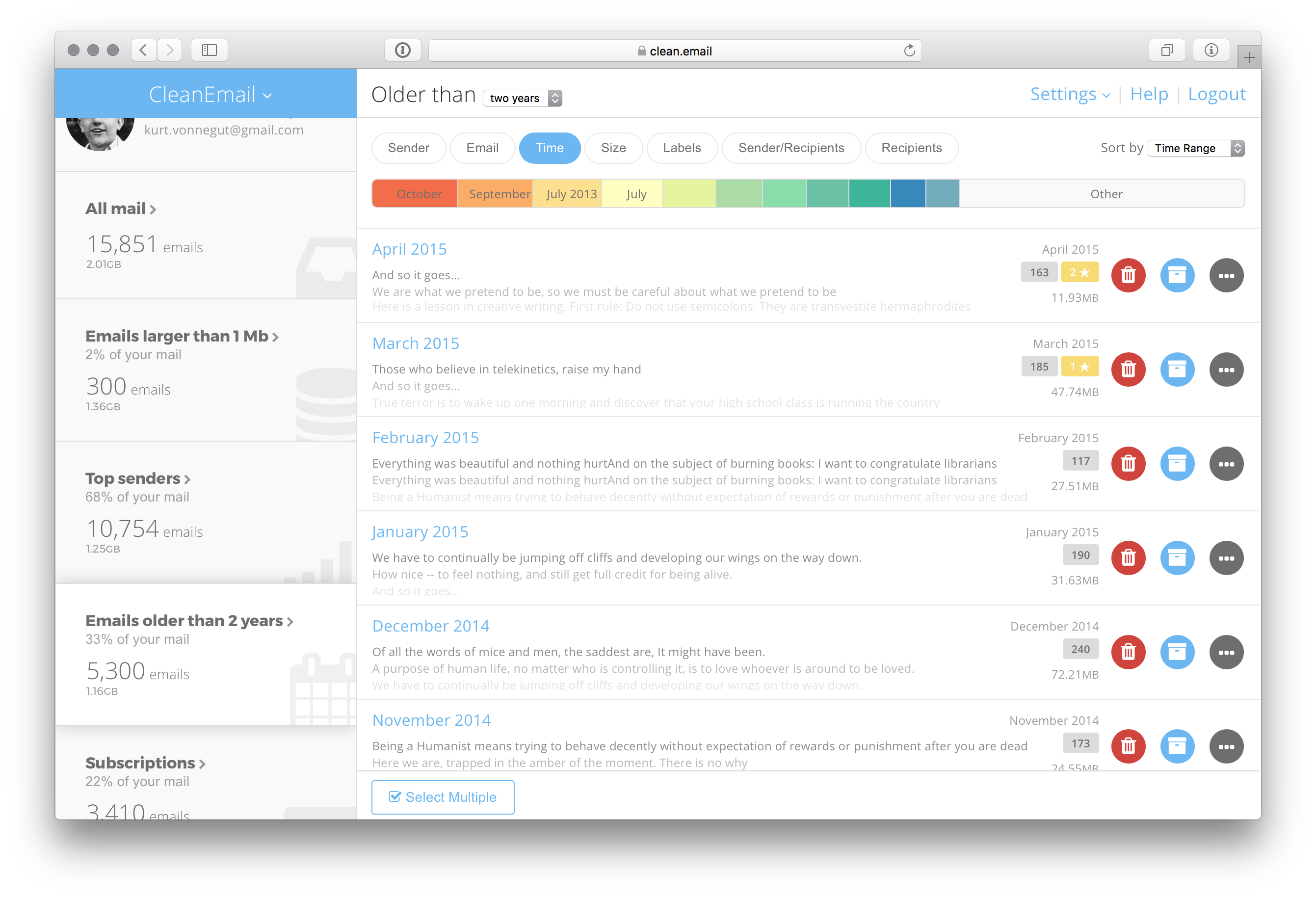 |
| json metadata | {"tags":["email","software","utility","gmail"],"image":["https://cdn.steemitimages.com/DQmf7a5uSZRnrJwR99heEWPdSbZS3iCiw7ConPDopetgfq5/Screenshot%202017-04-24%2020.43.58.png"],"links":["https://clean.email/how-to-unsubscribe-from-emails"],"app":"steemit/0.1","format":"markdown"} |
| Transaction Info | Block #23523709/Trx 42429ad138c292b4756cf734b12fcb43889e8f7d |
View Raw JSON Data
{
"trx_id": "42429ad138c292b4756cf734b12fcb43889e8f7d",
"block": 23523709,
"trx_in_block": 35,
"op_in_trx": 0,
"virtual_op": 0,
"timestamp": "2018-06-21T18:50:30",
"op": [
"comment",
{
"parent_author": "",
"parent_permlink": "email",
"author": "cleanemail",
"permlink": "how-to-unsubscribe-from-emails-effectively",
"title": "How to unsubscribe from emails effectively",
"body": "Emails have become an integral part of life today, and email correspondence is now essential in most lines of work. A messy mailbox is inefficient and can slow your computer down unless you unsubscribe from emails. Nowadays we receive tons of unwanted emails, including from newsletters, mailing lists and other unsolicited sources. All this junk bloat the mailbox and can make important email harder to find.\n\nIf you want to learn how to unsubscribe from emails efficiently, read this article. \nhttps://clean.email/how-to-unsubscribe-from-emails",
"json_metadata": "{\"tags\":[\"email\",\"software\",\"utility\",\"gmail\"],\"image\":[\"https://cdn.steemitimages.com/DQmf7a5uSZRnrJwR99heEWPdSbZS3iCiw7ConPDopetgfq5/Screenshot%202017-04-24%2020.43.58.png\"],\"links\":[\"https://clean.email/how-to-unsubscribe-from-emails\"],\"app\":\"steemit/0.1\",\"format\":\"markdown\"}"
}
]
}cleanemailpublished a new post: how-to-delete-all-emails-on-iphone2018/06/14 14:00:57
cleanemailpublished a new post: how-to-delete-all-emails-on-iphone
2018/06/14 14:00:57
| parent author | |
| parent permlink | |
| author | cleanemail |
| permlink | how-to-delete-all-emails-on-iphone |
| title | How to Delete All Emails on iPhone |
| body | How to Remove an Email Account from iPhone Removing an email account from the Mail app is arguably the simplest way how to instantly mass delete emails on iPhone. Yes, this option is what some would call “nuclear” as it means that you will no longer be able to receive new emails. 1. Open the settings app 2. Click on the Mail category (it may also be called Contacts or Calendars, depending on your version of iOS). 3. Select the email account you wish to remove. 4. Click on Delete Account. 5. Confirm your choice by clicking on the Delete Account option again. How to Delete Emails on iPhone Individually Although being very time-consuming, removing emails individually gives you the most control over which emails you keep and which you remove. This method is best for those with relatively small inboxes, but we wouldn’t recommend it for anyone else. Today. There are much better ways how to delete emails on iPhone, including those described later in this article. But if you want to prune your inbox one-by-one, this is how to do it: 1. Open the Mail app. 2. Find an email you wish to delete. 3. Swipe over the email from the right side of the message to the left with one finder. 4. Tap on the Delete button. How to Delete Multiple Emails on iPhone Usually, it’s easy to tell which emails can be deleted just by reading the subject. If your inbox consists of a mix of personal conversations and marketing garbage, you might find it useful to know how to delete multiple emails at once: 1. Open the Mail app. 2. Click any folder that contains emails that you would like to delete. 3. Click on the Edit button. 4. Click on each email that you would like to delete to mark it. 5. Click on the Trash button in the bottom-right corner to deleted selected emails. This will move your emails to the Trash folder. To delete them from the Trash folder, navigate to it and repeat the process. Yes, this means that you have to repeat the same procedure twice, but the second round should be quicker since the Trash folder contains only the email you wish to delete. Read the full article: https://clean.email/how-to-delete-all-emails-on-iphone |
| json metadata | {"tags":["email","software","utility","iphone"],"links":["https://clean.email/how-to-delete-all-emails-on-iphone"],"app":"steemit/0.1","format":"markdown"} |
| Transaction Info | Block #23316384/Trx 627a01967b3c4f8deeda03da18807f7211eae51f |
View Raw JSON Data
{
  "trx_id": "627a01967b3c4f8deeda03da18807f7211eae51f",
  "block": 23316384,
  "trx_in_block": 3,
  "op_in_trx": 0,
  "virtual_op": 0,
  "timestamp": "2018-06-14T14:00:57",
  "op": [
    "comment",
    {
      "parent_author": "",
      "parent_permlink": "email",
      "author": "cleanemail",
      "permlink": "how-to-delete-all-emails-on-iphone",
      "title": "How to Delete All Emails on iPhone",
      "body": "How to Remove an Email Account from iPhone\nRemoving an email account from the Mail app is arguably the simplest way how to instantly mass delete emails on iPhone. Yes, this option is what some would call “nuclear” as it means that you will no longer be able to receive new emails.\n\n1. Open the settings app\n2. Click on the Mail category (it may also be called Contacts or Calendars, depending on your version of iOS).\n3. Select the email account you wish to remove.\n4. Click on Delete Account.\n5. Confirm your choice by clicking on the Delete Account option again.\n\nHow to Delete Emails on iPhone Individually\nAlthough being very time-consuming, removing emails individually gives you the most control over which emails you keep and which you remove. This method is best for those with relatively small inboxes, but we wouldn’t recommend it for anyone else. Today. There are much better ways how to delete emails on iPhone, including those described later in this article. But if you want to prune your inbox one-by-one, this is how to do it:\n\n1. Open the Mail app.\n2. Find an email you wish to delete.\n3. Swipe over the email from the right side of the message to the left with one finder.\n4. Tap on the Delete button.\n\nHow to Delete Multiple Emails on iPhone\nUsually, it’s easy to tell which emails can be deleted just by reading the subject. If your inbox consists of a mix of personal conversations and marketing garbage, you might find it useful to know how to delete multiple emails at once:\n\n1. Open the Mail app.\n2. Click any folder that contains emails that you would like to delete.\n3. Click on the Edit button.\n4. Click on each email that you would like to delete to mark it.\n5. Click on the Trash button in the bottom-right corner to deleted selected emails.\n\nThis will move your emails to the Trash folder. To delete them from the Trash folder, navigate to it and repeat the process. Yes, this means that you have to repeat the same procedure twice, but the second round should be quicker since the Trash folder contains only the email you wish to delete.\n\nRead the full article: https://clean.email/how-to-delete-all-emails-on-iphone",
      "json_metadata": "{\"tags\":[\"email\",\"software\",\"utility\",\"iphone\"],\"links\":[\"https://clean.email/how-to-delete-all-emails-on-iphone\"],\"app\":\"steemit/0.1\",\"format\":\"markdown\"}"
    }
  ]
}ubgupvoted (1.00%) @cleanemail / how-to-delete-all-emails-on-iphone2018/06/14 13:59:36
ubgupvoted (1.00%) @cleanemail / how-to-delete-all-emails-on-iphone
2018/06/14 13:59:36
| voter | ubg |
| author | cleanemail |
| permlink | how-to-delete-all-emails-on-iphone |
| weight | 100 (1.00%) |
| Transaction Info | Block #23316357/Trx 4763a78ff1b4ad896ef9e1e536f1b1843bdffb8b |
View Raw JSON Data
{
  "trx_id": "4763a78ff1b4ad896ef9e1e536f1b1843bdffb8b",
  "block": 23316357,
  "trx_in_block": 31,
  "op_in_trx": 0,
  "virtual_op": 0,
  "timestamp": "2018-06-14T13:59:36",
  "op": [
    "vote",
    {
      "voter": "ubg",
      "author": "cleanemail",
      "permlink": "how-to-delete-all-emails-on-iphone",
      "weight": 100
    }
  ]
}cleanemailpublished a new post: how-to-delete-all-emails-on-iphone2018/06/14 13:58:30
cleanemailpublished a new post: how-to-delete-all-emails-on-iphone
2018/06/14 13:58:30
| parent author | |
| parent permlink | |
| author | cleanemail |
| permlink | how-to-delete-all-emails-on-iphone |
| title | How to Delete All Emails on iPhone |
| body | How to Remove an Email Account from iPhone Removing an email account from the Mail app is arguably the simplest way how to instantly mass delete emails on iPhone. Yes, this option is what some would call “nuclear” as it means that you will no longer be able to receive new emails. 1. Open the settings app 2. Click on the Mail category (it may also be called Contacts or Calendars, depending on your version of iOS). 3. Select the email account you wish to remove. 4. Click on Delete Account. 5. Confirm your choice by clicking on the Delete Account option again. How to Mass Delete Emails on iPhone with CleanEmail All the above-described email cleanup methods have their limitations. If your inbox contains years’ worth of emails from many different senders—some worth keeping and some not—neither deleting everything at once nor deleting individual emails one-by-one is a good option. Instead, we recommend CleanEmail for iOS, which is a powerful email cleanup utility designed to help you organize, remove, label, and archive your emails with a simple click. CleanEmail is smart. It can understand and automatically sort out your inbox without infringing on your privacy. By analyzing email headers that contain subject line, sender and recipient information, dates, email size, and similar metadata, CleanEmail groups similar emails together, allowing you to manage them in bulk without any effort at all. For example, it can separate bounced emails notifications from notifications from project management tools, large emails from emails from dead ends, junk emails and spam from social network notifications, emails you’ve sent to yourself from emails you replied to, or subscriptions and newsletters from finance emails, and much more. CleanEmail also has the so-called Smart Unsubscribe feature to make sure that newsletters, unwanted subscriptions, and other unwanted emails will not show up in your mailbox. In other words, CleanEmail is a one-stop-shop for email management, and we strongly recommend it anyone who is wondering how to delete emails on iPhone. Best of all, CleanEmail supports a number of different email services, including but not limited to Gmail and other services that use a protocol called OAuth2 to control inbox access. Read the full article: https://clean.email/how-to-delete-all-emails-on-iphone |
| json metadata | {"tags":["email","software","utility","iphone"],"links":["https://clean.email/how-to-delete-all-emails-on-iphone"],"app":"steemit/0.1","format":"markdown"} |
| Transaction Info | Block #23316335/Trx b65c30abb76966c0f7a773c07b9ac67da1bab7d3 |
View Raw JSON Data
{
  "trx_id": "b65c30abb76966c0f7a773c07b9ac67da1bab7d3",
  "block": 23316335,
  "trx_in_block": 4,
  "op_in_trx": 0,
  "virtual_op": 0,
  "timestamp": "2018-06-14T13:58:30",
  "op": [
    "comment",
    {
      "parent_author": "",
      "parent_permlink": "email",
      "author": "cleanemail",
      "permlink": "how-to-delete-all-emails-on-iphone",
      "title": "How to Delete All Emails on iPhone",
      "body": "How to Remove an Email Account from iPhone\nRemoving an email account from the Mail app is arguably the simplest way how to instantly mass delete emails on iPhone. Yes, this option is what some would call “nuclear” as it means that you will no longer be able to receive new emails.\n\n1. Open the settings app\n2. Click on the Mail category (it may also be called Contacts or Calendars, depending on your version of iOS).\n3. Select the email account you wish to remove.\n4. Click on Delete Account.\n5. Confirm your choice by clicking on the Delete Account option again.\n\nHow to Mass Delete Emails on iPhone with CleanEmail\nAll the above-described email cleanup methods have their limitations. If your inbox contains years’ worth of emails from many different senders—some worth keeping and some not—neither deleting everything at once nor deleting individual emails one-by-one is a good option. Instead, we recommend CleanEmail for iOS, which is a powerful email cleanup utility designed to help you organize, remove, label, and archive your emails with a simple click.\n\nCleanEmail is smart. It can understand and automatically sort out your inbox without infringing on your privacy. By analyzing email headers that contain subject line, sender and recipient information, dates, email size, and similar metadata, CleanEmail groups similar emails together, allowing you to manage them in bulk without any effort at all.\n\nFor example, it can separate bounced emails notifications from notifications from project management tools, large emails from emails from dead ends, junk emails and spam from social network notifications, emails you’ve sent to yourself from emails you replied to, or subscriptions and newsletters from finance emails, and much more. CleanEmail also has the so-called Smart Unsubscribe feature to make sure that newsletters, unwanted subscriptions, and other unwanted emails will not show up in your mailbox.\n\nIn other words, CleanEmail is a one-stop-shop for email management, and we strongly recommend it anyone who is wondering how to delete emails on iPhone. Best of all, CleanEmail supports a number of different email services, including but not limited to Gmail and other services that use a protocol called OAuth2 to control inbox access.\n\nRead the full article: https://clean.email/how-to-delete-all-emails-on-iphone",
      "json_metadata": "{\"tags\":[\"email\",\"software\",\"utility\",\"iphone\"],\"links\":[\"https://clean.email/how-to-delete-all-emails-on-iphone\"],\"app\":\"steemit/0.1\",\"format\":\"markdown\"}"
    }
  ]
}cleanemailpublished a new post: how-to-clean-gmail-inbox2018/06/14 13:54:30
cleanemailpublished a new post: how-to-clean-gmail-inbox
2018/06/14 13:54:30
| parent author | |
| parent permlink | |
| author | cleanemail |
| permlink | how-to-clean-gmail-inbox |
| title | How to Clean Gmail Inbox? |
| body | @@ -24,63 +24,8 @@ sers - and 20 percent of the global email client market share , Gm @@ -229,32 +229,41 @@ 15 gigabytes of +the free storage space fo @@ -259,25 +259,16 @@ ge space - for free .%0A%0A!%5BScr @@ -428,18 +428,23 @@ Why -You Should +It Is Better to Cle @@ -517,25 +517,20 @@ ers -sometimes neglect +usually skip inb @@ -573,83 +573,8 @@ ails - and seldom unsubscribing from newsletters they are no longer interested in . Be @@ -1094,222 +1094,8 @@ ss. -Hidden among advertisement, social media notification emails, and various one-time confirmation emails are old bank account statements, login credentials to various accounts, and personal and work-related messages. To @@ -1300,13 +1300,12 @@ ail -Using +With Cle @@ -2122,563 +2122,883 @@ s.%0A%0A -CleanEmail allows you to label an entire segment, move it, delete it, or archive it. Once you start organizing emails by hundreds and thousands, you%E2%80%99ll understand what makes CleanEmail such an effective tool for Gmail cleanup, and how much time it can save you compared to doing the same thing manually.%0A%0ABefore you know it, your Gmail inbox will be sorted out, and you%E2%80%99ll finally be able to find important old messages without going through hundreds of junk emails. With CleanEmail, even something as tedious as inbox cleaning can be fun and take no time +With any email cleaner app, there%E2%80%99s always the question of trust and security. In order for any email cleaner for Gmail clean up old messages, you must give it your permission to access your inbox. However, not all cleaners require the same level of trust.%0A%0ASome, such as CleanEmail, only analyze email headers that contain subject line, sender and recipient information, dates, email size, and similar metadata, while others access email contents or attachments contents, as well. CleanEmail removes all logged user data from its servers after 24 hours as an additional security measure. The connection between CleanEmail and your Gmail account is secured using 128-bit encryption and an authentication protocol called OAuth2.%0A%0ACleanEmail users never wonder how to clean out Gmail because the app is so well-designed that it%E2%80%99s immediately obvious how to use all its features .%0A%0AL |
| json metadata | {"tags":["email","software","utility","gmail"],"image":["https://cdn.steemitimages.com/DQmScQCLa9EbRqLdH2yEnp4tS4JnkQVF67CTXT5pNi4zYPK/Screenshot%202017-04-24%2020.42.03.png"],"links":["https://clean.email/clean-gmail-inbox"],"app":"steemit/0.1","format":"markdown"} |
| Transaction Info | Block #23316255/Trx 569f6d4492a6f50f019bcd5a4b6fef6bcb9c9807 |
View Raw JSON Data
{
  "trx_id": "569f6d4492a6f50f019bcd5a4b6fef6bcb9c9807",
  "block": 23316255,
  "trx_in_block": 83,
  "op_in_trx": 0,
  "virtual_op": 0,
  "timestamp": "2018-06-14T13:54:30",
  "op": [
    "comment",
    {
      "parent_author": "",
      "parent_permlink": "email",
      "author": "cleanemail",
      "permlink": "how-to-clean-gmail-inbox",
      "title": "How to Clean Gmail Inbox?",
      "body": "@@ -24,63 +24,8 @@\n sers\n- and 20 percent of the global email client market share\n , Gm\n@@ -229,32 +229,41 @@\n 15 gigabytes of \n+the free \n storage space fo\n@@ -259,25 +259,16 @@\n ge space\n- for free\n .%0A%0A!%5BScr\n@@ -428,18 +428,23 @@\n Why \n-You Should\n+It Is Better to\n  Cle\n@@ -517,25 +517,20 @@\n ers \n-sometimes neglect\n+usually skip\n  inb\n@@ -573,83 +573,8 @@\n ails\n- and seldom unsubscribing from newsletters they are no longer interested in\n . Be\n@@ -1094,222 +1094,8 @@\n ss. \n-Hidden among advertisement, social media notification emails, and various one-time confirmation emails are old bank account statements, login credentials to various accounts, and personal and work-related messages.\n  To \n@@ -1300,13 +1300,12 @@\n ail \n-Using\n+With\n  Cle\n@@ -2122,563 +2122,883 @@\n s.%0A%0A\n-CleanEmail allows you to label an entire segment, move it, delete it, or archive it. Once you start organizing emails by hundreds and thousands, you%E2%80%99ll understand what makes CleanEmail such an effective tool for Gmail cleanup, and how much time it can save you compared to doing the same thing manually.%0A%0ABefore you know it, your Gmail inbox will be sorted out, and you%E2%80%99ll finally be able to find important old messages without going through hundreds of junk emails. With CleanEmail, even something as tedious as inbox cleaning can be fun and take no time\n+With any email cleaner app, there%E2%80%99s always the question of trust and security. In order for any email cleaner for Gmail clean up old messages, you must give it your permission to access your inbox. However, not all cleaners require the same level of trust.%0A%0ASome, such as CleanEmail, only analyze email headers that contain subject line, sender and recipient information, dates, email size, and similar metadata, while others access email contents or attachments contents, as well. CleanEmail removes all logged user data from its servers after 24 hours as an additional security measure. The connection between CleanEmail and your Gmail account is secured using 128-bit encryption and an authentication protocol called OAuth2.%0A%0ACleanEmail users never wonder how to clean out Gmail because the app is so well-designed that it%E2%80%99s immediately obvious how to use all its features\n .%0A%0AL\n",
      "json_metadata": "{\"tags\":[\"email\",\"software\",\"utility\",\"gmail\"],\"image\":[\"https://cdn.steemitimages.com/DQmScQCLa9EbRqLdH2yEnp4tS4JnkQVF67CTXT5pNi4zYPK/Screenshot%202017-04-24%2020.42.03.png\"],\"links\":[\"https://clean.email/clean-gmail-inbox\"],\"app\":\"steemit/0.1\",\"format\":\"markdown\"}"
    }
  ]
}2018/06/08 19:36:03
2018/06/08 19:36:03
| parent author | cleanemail |
| parent permlink | how-to-clean-gmail-inbox |
| author | steemitboard |
| permlink | steemitboard-notify-cleanemail-20180608t193603000z |
| title | |
| body | Congratulations @cleanemail! You have completed some achievement on Steemit and have been rewarded with new badge(s) : [](http://steemitboard.com/@cleanemail) You published your First Post [](http://steemitboard.com/@cleanemail) You got a First Vote <sub>_Click on the badge to view your Board of Honor._</sub> <sub>_If you no longer want to receive notifications, reply to this comment with the word_ `STOP`</sub> > Do you like [SteemitBoard's project](https://steemit.com/@steemitboard)? Then **[Vote for its witness](https://v2.steemconnect.com/sign/account-witness-vote?witness=steemitboard&approve=1)** and **get one more award**! |
| json metadata | {"image":["https://steemitboard.com/img/notify.png"]} |
| Transaction Info | Block #23150888/Trx d0e7ba0ba4e3a9fe2ad356a5642be89bcf08cf7c |
View Raw JSON Data
{
"trx_id": "d0e7ba0ba4e3a9fe2ad356a5642be89bcf08cf7c",
"block": 23150888,
"trx_in_block": 3,
"op_in_trx": 0,
"virtual_op": 0,
"timestamp": "2018-06-08T19:36:03",
"op": [
"comment",
{
"parent_author": "cleanemail",
"parent_permlink": "how-to-clean-gmail-inbox",
"author": "steemitboard",
"permlink": "steemitboard-notify-cleanemail-20180608t193603000z",
"title": "",
"body": "Congratulations @cleanemail! You have completed some achievement on Steemit and have been rewarded with new badge(s) :\n\n[](http://steemitboard.com/@cleanemail) You published your First Post\n[](http://steemitboard.com/@cleanemail) You got a First Vote\n\n<sub>_Click on the badge to view your Board of Honor._</sub>\n<sub>_If you no longer want to receive notifications, reply to this comment with the word_ `STOP`</sub>\n\n\n\n> Do you like [SteemitBoard's project](https://steemit.com/@steemitboard)? Then **[Vote for its witness](https://v2.steemconnect.com/sign/account-witness-vote?witness=steemitboard&approve=1)** and **get one more award**!",
"json_metadata": "{\"image\":[\"https://steemitboard.com/img/notify.png\"]}"
}
]
}ubgupvoted (1.00%) @cleanemail / how-to-clean-gmail-inbox2018/06/08 13:34:21
ubgupvoted (1.00%) @cleanemail / how-to-clean-gmail-inbox
2018/06/08 13:34:21
| voter | ubg |
| author | cleanemail |
| permlink | how-to-clean-gmail-inbox |
| weight | 100 (1.00%) |
| Transaction Info | Block #23143656/Trx 96d9ee99f8ec6cde39fe7a397c0ad09d1ff37ccc |
View Raw JSON Data
{
  "trx_id": "96d9ee99f8ec6cde39fe7a397c0ad09d1ff37ccc",
  "block": 23143656,
  "trx_in_block": 72,
  "op_in_trx": 0,
  "virtual_op": 0,
  "timestamp": "2018-06-08T13:34:21",
  "op": [
    "vote",
    {
      "voter": "ubg",
      "author": "cleanemail",
      "permlink": "how-to-clean-gmail-inbox",
      "weight": 100
    }
  ]
}cleanemailpublished a new post: how-to-clean-gmail-inbox2018/06/08 13:33:09
cleanemailpublished a new post: how-to-clean-gmail-inbox
2018/06/08 13:33:09
| parent author | |
| parent permlink | |
| author | cleanemail |
| permlink | how-to-clean-gmail-inbox |
| title | How to Clean Gmail Inbox? |
| body | With over 1.2 billion users and 20 percent of the global email client market share, Gmail is easily one of the most popular email services out there. The service started as a limited beta release on April 1, 2004, offering 1 gigabyte of storage space and Gmail users can enjoy up to 15 gigabytes of storage space for free. 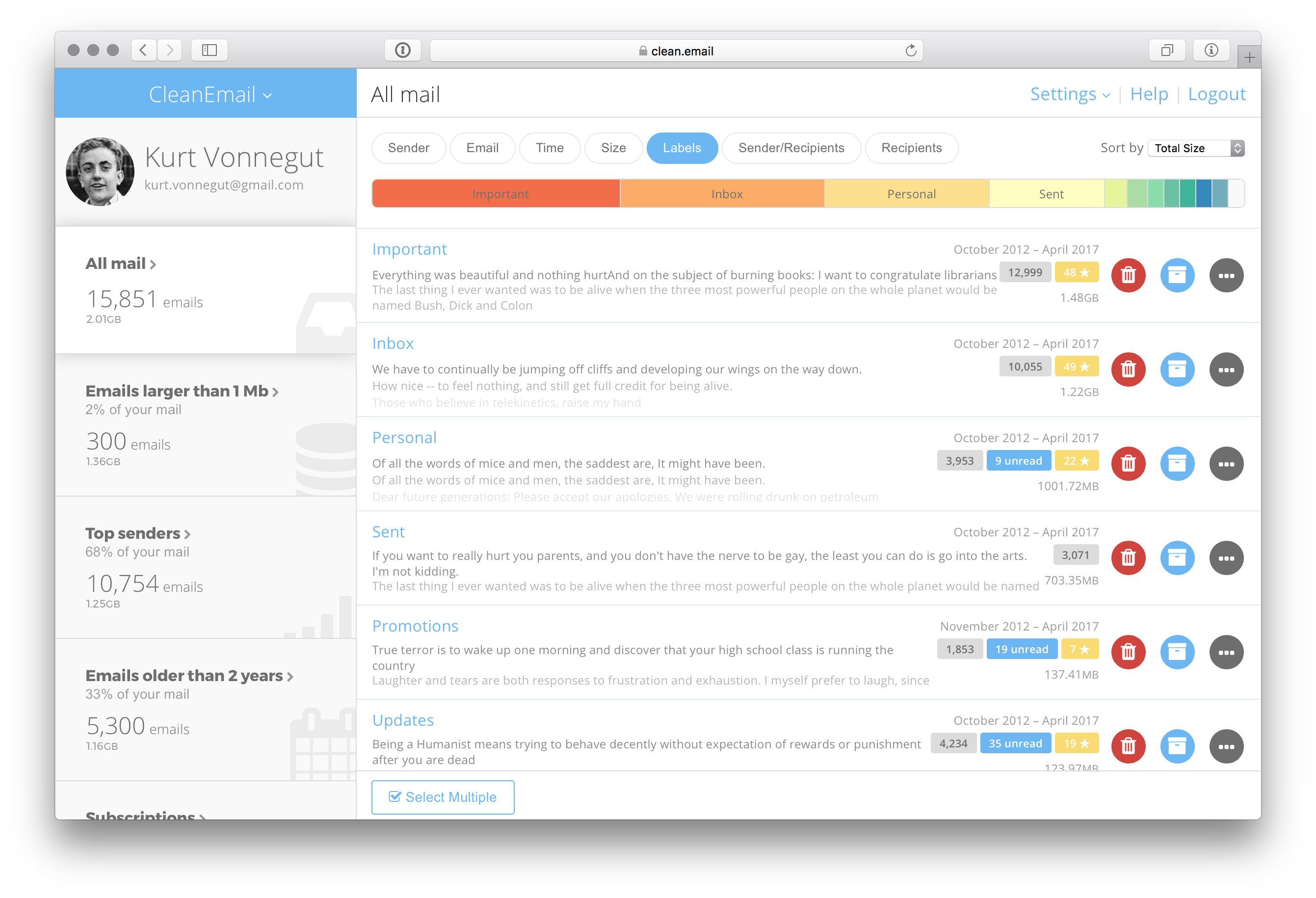 Why You Should Clean Up Gmail With so much free space, it’s no wonder that Gmail users sometimes neglect inbox management, never deleting old emails and seldom unsubscribing from newsletters they are no longer interested in. Because those 15 gigabytes of storage space that all Gmail users get to enjoy for free are shared across all Google services, including Google Drive and Google Photos, a Gmail inbox can reach its capacity quicker than it might seem at first. When that happens, the natural reaction of most Gmail users is to delete as many old and useless emails as possible. However, Gmail users typically discover that deleting old emails in bulk is easier said than done. The problem is that not all old emails are equally useless. Hidden among advertisement, social media notification emails, and various one-time confirmation emails are old bank account statements, login credentials to various accounts, and personal and work-related messages. To avoid deleting anything valuable, Gmail users have to manually select each email they wish to delete and go through thousands of emails page-by-page, which can take hours and days. How to Clean Gmail Using CleanEmail It takes just a few minutes to perform a Gmail cleanup using CleanEmail. First, sign up for CleanEmail. Next, connect CleanMail to your Gmail account. CleanEmail will then analyze your inbox and give you several options how to clean it up. When it comes to inbox cleaning, email segments and advanced filters are your two best friends. Email segments allow you to stop thinking about your inbox in terms of individual emails, and start thinking about it in terms of email categories. Some of the many examples of possible email categories with CleanEmail include old emails, unread emails, starred emails, emails from dead ends, junk emails and spam, bounced email notifications, large emails, subscriptions, travel emails, drafts, emails to yourself, emails where you are in the copy, and many others. CleanEmail allows you to label an entire segment, move it, delete it, or archive it. Once you start organizing emails by hundreds and thousands, you’ll understand what makes CleanEmail such an effective tool for Gmail cleanup, and how much time it can save you compared to doing the same thing manually. Before you know it, your Gmail inbox will be sorted out, and you’ll finally be able to find important old messages without going through hundreds of junk emails. With CleanEmail, even something as tedious as inbox cleaning can be fun and take no time. Learn more about how to Clean Gmail Inbox here - https://clean.email/clean-gmail-inbox |
| json metadata | {"tags":["email","software","utility","gmail"],"image":["https://cdn.steemitimages.com/DQmScQCLa9EbRqLdH2yEnp4tS4JnkQVF67CTXT5pNi4zYPK/Screenshot%202017-04-24%2020.42.03.png"],"links":["https://clean.email/clean-gmail-inbox"],"app":"steemit/0.1","format":"markdown"} |
| Transaction Info | Block #23143632/Trx 356eed9042d2f2ca0bc8c4173068b2f243e78c25 |
View Raw JSON Data
{
"trx_id": "356eed9042d2f2ca0bc8c4173068b2f243e78c25",
"block": 23143632,
"trx_in_block": 2,
"op_in_trx": 0,
"virtual_op": 0,
"timestamp": "2018-06-08T13:33:09",
"op": [
"comment",
{
"parent_author": "",
"parent_permlink": "email",
"author": "cleanemail",
"permlink": "how-to-clean-gmail-inbox",
"title": "How to Clean Gmail Inbox?",
"body": "With over 1.2 billion users and 20 percent of the global email client market share, Gmail is easily one of the most popular email services out there. The service started as a limited beta release on April 1, 2004, offering 1 gigabyte of storage space and Gmail users can enjoy up to 15 gigabytes of storage space for free.\n\n\n\n\nWhy You Should Clean Up Gmail\n\nWith so much free space, it’s no wonder that Gmail users sometimes neglect inbox management, never deleting old emails and seldom unsubscribing from newsletters they are no longer interested in. Because those 15 gigabytes of storage space that all Gmail users get to enjoy for free are shared across all Google services, including Google Drive and Google Photos, a Gmail inbox can reach its capacity quicker than it might seem at first.\n\nWhen that happens, the natural reaction of most Gmail users is to delete as many old and useless emails as possible. However, Gmail users typically discover that deleting old emails in bulk is easier said than done. The problem is that not all old emails are equally useless. Hidden among advertisement, social media notification emails, and various one-time confirmation emails are old bank account statements, login credentials to various accounts, and personal and work-related messages. To avoid deleting anything valuable, Gmail users have to manually select each email they wish to delete and go through thousands of emails page-by-page, which can take hours and days.\n\n\nHow to Clean Gmail Using CleanEmail\n\nIt takes just a few minutes to perform a Gmail cleanup using CleanEmail. First, sign up for CleanEmail. Next, connect CleanMail to your Gmail account. CleanEmail will then analyze your inbox and give you several options how to clean it up.\n\nWhen it comes to inbox cleaning, email segments and advanced filters are your two best friends. Email segments allow you to stop thinking about your inbox in terms of individual emails, and start thinking about it in terms of email categories. Some of the many examples of possible email categories with CleanEmail include old emails, unread emails, starred emails, emails from dead ends, junk emails and spam, bounced email notifications, large emails, subscriptions, travel emails, drafts, emails to yourself, emails where you are in the copy, and many others.\n\nCleanEmail allows you to label an entire segment, move it, delete it, or archive it. Once you start organizing emails by hundreds and thousands, you’ll understand what makes CleanEmail such an effective tool for Gmail cleanup, and how much time it can save you compared to doing the same thing manually.\n\nBefore you know it, your Gmail inbox will be sorted out, and you’ll finally be able to find important old messages without going through hundreds of junk emails. With CleanEmail, even something as tedious as inbox cleaning can be fun and take no time.\n\nLearn more about how to Clean Gmail Inbox here - https://clean.email/clean-gmail-inbox",
"json_metadata": "{\"tags\":[\"email\",\"software\",\"utility\",\"gmail\"],\"image\":[\"https://cdn.steemitimages.com/DQmScQCLa9EbRqLdH2yEnp4tS4JnkQVF67CTXT5pNi4zYPK/Screenshot%202017-04-24%2020.42.03.png\"],\"links\":[\"https://clean.email/clean-gmail-inbox\"],\"app\":\"steemit/0.1\",\"format\":\"markdown\"}"
}
]
}cleanemailfollowed @pressfortruth2018/06/08 13:25:27
cleanemailfollowed @pressfortruth
2018/06/08 13:25:27
| required auths | [] |
| required posting auths | ["cleanemail"] |
| id | follow |
| json | ["follow",{"follower":"cleanemail","following":"pressfortruth","what":["blog"]}] |
| Transaction Info | Block #23143478/Trx 99a0da14e8b40e7e95ad9eb5e6ee519832ef05ef |
View Raw JSON Data
{
  "trx_id": "99a0da14e8b40e7e95ad9eb5e6ee519832ef05ef",
  "block": 23143478,
  "trx_in_block": 21,
  "op_in_trx": 0,
  "virtual_op": 0,
  "timestamp": "2018-06-08T13:25:27",
  "op": [
    "custom_json",
    {
      "required_auths": [],
      "required_posting_auths": [
        "cleanemail"
      ],
      "id": "follow",
      "json": "[\"follow\",{\"follower\":\"cleanemail\",\"following\":\"pressfortruth\",\"what\":[\"blog\"]}]"
    }
  ]
}cleanemailfollowed @teamsteem2018/06/08 13:24:36
cleanemailfollowed @teamsteem
2018/06/08 13:24:36
| required auths | [] |
| required posting auths | ["cleanemail"] |
| id | follow |
| json | ["follow",{"follower":"cleanemail","following":"teamsteem","what":["blog"]}] |
| Transaction Info | Block #23143461/Trx dc075b8729ffc3ed7e8b0d451c48335adc99d62a |
View Raw JSON Data
{
  "trx_id": "dc075b8729ffc3ed7e8b0d451c48335adc99d62a",
  "block": 23143461,
  "trx_in_block": 84,
  "op_in_trx": 0,
  "virtual_op": 0,
  "timestamp": "2018-06-08T13:24:36",
  "op": [
    "custom_json",
    {
      "required_auths": [],
      "required_posting_auths": [
        "cleanemail"
      ],
      "id": "follow",
      "json": "[\"follow\",{\"follower\":\"cleanemail\",\"following\":\"teamsteem\",\"what\":[\"blog\"]}]"
    }
  ]
}cleanemailupdated their account properties2018/06/08 13:14:06
cleanemailupdated their account properties
2018/06/08 13:14:06
| account | cleanemail |
| memo key | STM7gkPLfGu5msuAmeHzYRu2pexPJmzaesBEWYaHxBJrPWGnLMNF2 |
| json metadata | {"profile":{"profile_image":"https://cdn.steemitimages.com/DQmQuUJGYhxA7aVEwFFy8N2w4dxktPZCTgxZW4izU3htPw3/_MG_7975%20(1)2.jpg","name":"JuliaF","website":"https://clean.email"}} |
| Transaction Info | Block #23143251/Trx c8af2c0fd2617809952f30e228a941e9c6aed9eb |
View Raw JSON Data
{
  "trx_id": "c8af2c0fd2617809952f30e228a941e9c6aed9eb",
  "block": 23143251,
  "trx_in_block": 29,
  "op_in_trx": 0,
  "virtual_op": 0,
  "timestamp": "2018-06-08T13:14:06",
  "op": [
    "account_update",
    {
      "account": "cleanemail",
      "memo_key": "STM7gkPLfGu5msuAmeHzYRu2pexPJmzaesBEWYaHxBJrPWGnLMNF2",
      "json_metadata": "{\"profile\":{\"profile_image\":\"https://cdn.steemitimages.com/DQmQuUJGYhxA7aVEwFFy8N2w4dxktPZCTgxZW4izU3htPw3/_MG_7975%20(1)2.jpg\",\"name\":\"JuliaF\",\"website\":\"https://clean.email\"}}"
    }
  ]
}steemdelegated 18.618 SP to @cleanemail2018/06/08 12:16:36
steemdelegated 18.618 SP to @cleanemail
2018/06/08 12:16:36
| delegator | steem |
| delegatee | cleanemail |
| vesting shares | 30283.280713 VESTS |
| Transaction Info | Block #23142101/Trx 5f702bc7353307d98f7fc84c43f8249bea175cb8 |
View Raw JSON Data
{
  "trx_id": "5f702bc7353307d98f7fc84c43f8249bea175cb8",
  "block": 23142101,
  "trx_in_block": 59,
  "op_in_trx": 0,
  "virtual_op": 0,
  "timestamp": "2018-06-08T12:16:36",
  "op": [
    "delegate_vesting_shares",
    {
      "delegator": "steem",
      "delegatee": "cleanemail",
      "vesting_shares": "30283.280713 VESTS"
    }
  ]
}steemcreated a new account: @cleanemail2018/06/08 10:07:27
steemcreated a new account: @cleanemail
2018/06/08 10:07:27
| fee | 0.100 STEEM |
| delegation | 30690.000000 VESTS |
| creator | steem |
| new account name | cleanemail |
| owner | {"weight_threshold":1,"account_auths":[],"key_auths":[["STM4wTdvN2JtyFidG7yaxBckJz3PBuiQceE4aYU35YVVAMi8f8zTE",1]]} |
| active | {"weight_threshold":1,"account_auths":[],"key_auths":[["STM7NaU8hzF7ZfjryeJgU4gyQckBApAgM7PkoRTMkESsQg7nzxu4u",1]]} |
| posting | {"weight_threshold":1,"account_auths":[],"key_auths":[["STM6MxtNF18qyH51QeQUhVUQbv2EQNFTWqP1Dc1GRyJ665rHdNcHB",1]]} |
| memo key | STM7gkPLfGu5msuAmeHzYRu2pexPJmzaesBEWYaHxBJrPWGnLMNF2 |
| json metadata | {} |
| extensions | [] |
| Transaction Info | Block #23139519/Trx 6d198c8d008f4f1886ddfae503545acde8721adf |
View Raw JSON Data
{
  "trx_id": "6d198c8d008f4f1886ddfae503545acde8721adf",
  "block": 23139519,
  "trx_in_block": 5,
  "op_in_trx": 0,
  "virtual_op": 0,
  "timestamp": "2018-06-08T10:07:27",
  "op": [
    "account_create_with_delegation",
    {
      "fee": "0.100 STEEM",
      "delegation": "30690.000000 VESTS",
      "creator": "steem",
      "new_account_name": "cleanemail",
      "owner": {
        "weight_threshold": 1,
        "account_auths": [],
        "key_auths": [
          [
            "STM4wTdvN2JtyFidG7yaxBckJz3PBuiQceE4aYU35YVVAMi8f8zTE",
            1
          ]
        ]
      },
      "active": {
        "weight_threshold": 1,
        "account_auths": [],
        "key_auths": [
          [
            "STM7NaU8hzF7ZfjryeJgU4gyQckBApAgM7PkoRTMkESsQg7nzxu4u",
            1
          ]
        ]
      },
      "posting": {
        "weight_threshold": 1,
        "account_auths": [],
        "key_auths": [
          [
            "STM6MxtNF18qyH51QeQUhVUQbv2EQNFTWqP1Dc1GRyJ665rHdNcHB",
            1
          ]
        ]
      },
      "memo_key": "STM7gkPLfGu5msuAmeHzYRu2pexPJmzaesBEWYaHxBJrPWGnLMNF2",
      "json_metadata": "{}",
      "extensions": []
    }
  ]
}Manabar
Voting Power100.00%
Downvote Power100.00%
Resource Credits100.00%
Reputation Progress0.00%
{
  "voting_manabar": {
    "current_mana": "8143659806",
    "last_update_time": 1779057990
  },
  "downvote_manabar": {
    "current_mana": 2035914951,
    "last_update_time": 1779057990
  },
  "rc_account": {
    "account": "cleanemail",
    "rc_manabar": {
      "current_mana": "10164408779",
      "last_update_time": 1779057990
    },
    "max_rc_creation_adjustment": {
      "amount": "2020748973",
      "precision": 6,
      "nai": "@@000000037"
    },
    "max_rc": "10164408779"
  }
}
Account Metadata
| POSTING JSON METADATA | |
| profile | {"profile_image":"https://cdn.steemitimages.com/DQmQuUJGYhxA7aVEwFFy8N2w4dxktPZCTgxZW4izU3htPw3/_MG_7975%20(1)2.jpg","name":"JuliaF","website":"https://clean.email"} |
| JSON METADATA | |
| profile | {"profile_image":"https://cdn.steemitimages.com/DQmQuUJGYhxA7aVEwFFy8N2w4dxktPZCTgxZW4izU3htPw3/_MG_7975%20(1)2.jpg","name":"JuliaF","website":"https://clean.email"} |
{
  "posting_json_metadata": {
    "profile": {
      "profile_image": "https://cdn.steemitimages.com/DQmQuUJGYhxA7aVEwFFy8N2w4dxktPZCTgxZW4izU3htPw3/_MG_7975%20(1)2.jpg",
      "name": "JuliaF",
      "website": "https://clean.email"
    }
  },
  "json_metadata": {
    "profile": {
      "profile_image": "https://cdn.steemitimages.com/DQmQuUJGYhxA7aVEwFFy8N2w4dxktPZCTgxZW4izU3htPw3/_MG_7975%20(1)2.jpg",
      "name": "JuliaF",
      "website": "https://clean.email"
    }
  }
}
Auth Keys
Owner
Single Signature
Public Keys
STM4wTdvN2JtyFidG7yaxBckJz3PBuiQceE4aYU35YVVAMi8f8zTE1/1
Active
Single Signature
Public Keys
STM7NaU8hzF7ZfjryeJgU4gyQckBApAgM7PkoRTMkESsQg7nzxu4u1/1
Posting
Single Signature
Public Keys
STM6MxtNF18qyH51QeQUhVUQbv2EQNFTWqP1Dc1GRyJ665rHdNcHB1/1
Memo
STM7gkPLfGu5msuAmeHzYRu2pexPJmzaesBEWYaHxBJrPWGnLMNF2
{
  "owner": {
    "weight_threshold": 1,
    "account_auths": [],
    "key_auths": [
      [
        "STM4wTdvN2JtyFidG7yaxBckJz3PBuiQceE4aYU35YVVAMi8f8zTE",
        1
      ]
    ]
  },
  "active": {
    "weight_threshold": 1,
    "account_auths": [],
    "key_auths": [
      [
        "STM7NaU8hzF7ZfjryeJgU4gyQckBApAgM7PkoRTMkESsQg7nzxu4u",
        1
      ]
    ]
  },
  "posting": {
    "weight_threshold": 1,
    "account_auths": [],
    "key_auths": [
      [
        "STM6MxtNF18qyH51QeQUhVUQbv2EQNFTWqP1Dc1GRyJ665rHdNcHB",
        1
      ]
    ]
  },
  "memo": "STM7gkPLfGu5msuAmeHzYRu2pexPJmzaesBEWYaHxBJrPWGnLMNF2"
}
Witness Votes
0 / 30
No active witness votes.
[]