

VOTING POWER100.00%
DOWNVOTE POWER100.00%
RESOURCE CREDITS100.00%
REPUTATION PROGRESS3.02%
Net Worth
0.013USD
STEEM
0.000STEEM
SBD
0.000SBD
Effective Power
5.009SP
├── Own SP
0.220SP
└── Incoming DelegationsDeleg
+4.789SP
Detailed Balance
| STEEM | ||
| balance | 0.000STEEM | STEEM |
| market_balance | 0.000STEEM | STEEM |
| savings_balance | 0.000STEEM | STEEM |
| reward_steem_balance | 0.000STEEM | STEEM |
| STEEM POWER | ||
| Own SP | 0.220SP | SP |
| Delegated Out | 0.000SP | SP |
| Delegation In | 4.789SP | SP |
| Effective Power | 5.009SP | SP |
| Reward SP (pending) | 0.000SP | SP |
| SBD | ||
| sbd_balance | 0.000SBD | SBD |
| sbd_conversions | 0.000SBD | SBD |
| sbd_market_balance | 0.000SBD | SBD |
| savings_sbd_balance | 0.000SBD | SBD |
| reward_sbd_balance | 0.000SBD | SBD |
{
  "balance": "0.000 STEEM",
  "savings_balance": "0.000 STEEM",
  "reward_steem_balance": "0.000 STEEM",
  "vesting_shares": "357.887903 VESTS",
  "delegated_vesting_shares": "0.000000 VESTS",
  "received_vesting_shares": "7785.771903 VESTS",
  "sbd_balance": "0.000 SBD",
  "savings_sbd_balance": "0.000 SBD",
  "reward_sbd_balance": "0.000 SBD",
  "conversions": []
}
Account Info
| name | chu68yaw |
| id | 876522 |
| rank | 454,377 |
| reputation | 2171146855 |
| created | 2018-03-19T06:57:03 |
| recovery_account | steem |
| proxy | None |
| post_count | 6 |
| comment_count | 0 |
| lifetime_vote_count | 0 |
| witnesses_voted_for | 0 |
| last_post | 2018-10-01T06:08:30 |
| last_root_post | 2018-10-01T06:08:30 |
| last_vote_time | 2018-08-25T01:48:48 |
| proxied_vsf_votes | 0, 0, 0, 0 |
| can_vote | 1 |
| voting_power | 0 |
| delayed_votes | 0 |
| balance | 0.000 STEEM |
| savings_balance | 0.000 STEEM |
| sbd_balance | 0.000 SBD |
| savings_sbd_balance | 0.000 SBD |
| vesting_shares | 357.887903 VESTS |
| delegated_vesting_shares | 0.000000 VESTS |
| received_vesting_shares | 7785.771903 VESTS |
| reward_vesting_balance | 0.000000 VESTS |
| vesting_balance | 0.000 STEEM |
| vesting_withdraw_rate | 0.000000 VESTS |
| next_vesting_withdrawal | 1969-12-31T23:59:59 |
| withdrawn | 0 |
| to_withdraw | 0 |
| withdraw_routes | 0 |
| savings_withdraw_requests | 0 |
| last_account_recovery | 1970-01-01T00:00:00 |
| reset_account | null |
| last_owner_update | 2021-01-10T11:50:45 |
| last_account_update | 2021-01-10T11:50:45 |
| mined | No |
| sbd_seconds | 0 |
| sbd_last_interest_payment | 1970-01-01T00:00:00 |
| savings_sbd_last_interest_payment | 1970-01-01T00:00:00 |
{
  "id": 876522,
  "name": "chu68yaw",
  "owner": {
    "weight_threshold": 1,
    "account_auths": [],
    "key_auths": [
      [
        "STM6wvvmsbMsV1an5Q3uar6WbY88xnQYsxGFVuM6h1pmuEaozK13c",
        1
      ]
    ]
  },
  "active": {
    "weight_threshold": 1,
    "account_auths": [],
    "key_auths": [
      [
        "STM6EdpoBWDgMwiLJVvZygoYPq6Dq7FwtBh19YPdZAwfCpyB1TQvB",
        1
      ]
    ]
  },
  "posting": {
    "weight_threshold": 1,
    "account_auths": [],
    "key_auths": [
      [
        "STM6fGCVKGLZ5sMUayrrfRVGpZzHLKXUFiFmLFurmqzLRBHiAdKZG",
        1
      ]
    ]
  },
  "memo_key": "STM7RS5CWFVzZAsP4VuPpptLTxYc4dayrADCJg4b7pD3obVvosd4o",
  "json_metadata": "{}",
  "posting_json_metadata": "{}",
  "proxy": "",
  "last_owner_update": "2021-01-10T11:50:45",
  "last_account_update": "2021-01-10T11:50:45",
  "created": "2018-03-19T06:57:03",
  "mined": false,
  "recovery_account": "steem",
  "last_account_recovery": "1970-01-01T00:00:00",
  "reset_account": "null",
  "comment_count": 0,
  "lifetime_vote_count": 0,
  "post_count": 6,
  "can_vote": true,
  "voting_manabar": {
    "current_mana": "8143659806",
    "last_update_time": 1779057810
  },
  "downvote_manabar": {
    "current_mana": 2035914951,
    "last_update_time": 1779057810
  },
  "voting_power": 0,
  "balance": "0.000 STEEM",
  "savings_balance": "0.000 STEEM",
  "sbd_balance": "0.000 SBD",
  "sbd_seconds": "0",
  "sbd_seconds_last_update": "2020-08-12T00:48:48",
  "sbd_last_interest_payment": "1970-01-01T00:00:00",
  "savings_sbd_balance": "0.000 SBD",
  "savings_sbd_seconds": "0",
  "savings_sbd_seconds_last_update": "1970-01-01T00:00:00",
  "savings_sbd_last_interest_payment": "1970-01-01T00:00:00",
  "savings_withdraw_requests": 0,
  "reward_sbd_balance": "0.000 SBD",
  "reward_steem_balance": "0.000 STEEM",
  "reward_vesting_balance": "0.000000 VESTS",
  "reward_vesting_steem": "0.000 STEEM",
  "vesting_shares": "357.887903 VESTS",
  "delegated_vesting_shares": "0.000000 VESTS",
  "received_vesting_shares": "7785.771903 VESTS",
  "vesting_withdraw_rate": "0.000000 VESTS",
  "next_vesting_withdrawal": "1969-12-31T23:59:59",
  "withdrawn": 0,
  "to_withdraw": 0,
  "withdraw_routes": 0,
  "curation_rewards": 0,
  "posting_rewards": 152,
  "proxied_vsf_votes": [
    0,
    0,
    0,
    0
  ],
  "witnesses_voted_for": 0,
  "last_post": "2018-10-01T06:08:30",
  "last_root_post": "2018-10-01T06:08:30",
  "last_vote_time": "2018-08-25T01:48:48",
  "post_bandwidth": 0,
  "pending_claimed_accounts": 0,
  "vesting_balance": "0.000 STEEM",
  "reputation": 2171146855,
  "transfer_history": [],
  "market_history": [],
  "post_history": [],
  "vote_history": [],
  "other_history": [],
  "witness_votes": [],
  "tags_usage": [],
  "guest_bloggers": [],
  "rank": 454377
}
Withdraw Routes
| Incoming | Outgoing |
|---|---|
Empty | Empty |
{
  "incoming": [],
  "outgoing": []
}From Date
To Date
2026/05/17 22:43:30
2026/05/17 22:43:30
| delegator | steem |
| delegatee | chu68yaw |
| vesting shares | 7785.771903 VESTS |
| Transaction Info | Block #106141623/Trx 2d7978ea9bf2be5526fb667d3c6337918da89af0 |
View Raw JSON Data
{
  "trx_id": "2d7978ea9bf2be5526fb667d3c6337918da89af0",
  "block": 106141623,
  "trx_in_block": 0,
  "op_in_trx": 0,
  "virtual_op": 0,
  "timestamp": "2026-05-17T22:43:30",
  "op": [
    "delegate_vesting_shares",
    {
      "delegator": "steem",
      "delegatee": "chu68yaw",
      "vesting_shares": "7785.771903 VESTS"
    }
  ]
}2026/05/11 21:45:51
2026/05/11 21:45:51
| delegator | steem |
| delegatee | chu68yaw |
| vesting shares | 5073.561498 VESTS |
| Transaction Info | Block #105968436/Trx c298123182e6562c741da0dc83dfa7c85579e81c |
View Raw JSON Data
{
  "trx_id": "c298123182e6562c741da0dc83dfa7c85579e81c",
  "block": 105968436,
  "trx_in_block": 0,
  "op_in_trx": 0,
  "virtual_op": 0,
  "timestamp": "2026-05-11T21:45:51",
  "op": [
    "delegate_vesting_shares",
    {
      "delegator": "steem",
      "delegatee": "chu68yaw",
      "vesting_shares": "5073.561498 VESTS"
    }
  ]
}2026/04/25 22:06:51
2026/04/25 22:06:51
| delegator | steem |
| delegatee | chu68yaw |
| vesting shares | 7798.287659 VESTS |
| Transaction Info | Block #105509318/Trx 1cf7466bff1a3e7e14bd592ca8c0e11a75c003bd |
View Raw JSON Data
{
  "trx_id": "1cf7466bff1a3e7e14bd592ca8c0e11a75c003bd",
  "block": 105509318,
  "trx_in_block": 1,
  "op_in_trx": 0,
  "virtual_op": 0,
  "timestamp": "2026-04-25T22:06:51",
  "op": [
    "delegate_vesting_shares",
    {
      "delegator": "steem",
      "delegatee": "chu68yaw",
      "vesting_shares": "7798.287659 VESTS"
    }
  ]
}2026/01/23 03:46:30
2026/01/23 03:46:30
| delegator | steem |
| delegatee | chu68yaw |
| vesting shares | 5115.108317 VESTS |
| Transaction Info | Block #102846993/Trx a6e46fb4cb198a9dd8e01bba3182553f44946172 |
View Raw JSON Data
{
  "trx_id": "a6e46fb4cb198a9dd8e01bba3182553f44946172",
  "block": 102846993,
  "trx_in_block": 5,
  "op_in_trx": 0,
  "virtual_op": 0,
  "timestamp": "2026-01-23T03:46:30",
  "op": [
    "delegate_vesting_shares",
    {
      "delegator": "steem",
      "delegatee": "chu68yaw",
      "vesting_shares": "5115.108317 VESTS"
    }
  ]
}2024/12/16 23:05:36
2024/12/16 23:05:36
| delegator | steem |
| delegatee | chu68yaw |
| vesting shares | 5279.327514 VESTS |
| Transaction Info | Block #91293393/Trx 63102098cd9d197b3520bc5e0cb7bbd1aa51a108 |
View Raw JSON Data
{
  "trx_id": "63102098cd9d197b3520bc5e0cb7bbd1aa51a108",
  "block": 91293393,
  "trx_in_block": 2,
  "op_in_trx": 0,
  "virtual_op": 0,
  "timestamp": "2024-12-16T23:05:36",
  "op": [
    "delegate_vesting_shares",
    {
      "delegator": "steem",
      "delegatee": "chu68yaw",
      "vesting_shares": "5279.327514 VESTS"
    }
  ]
}2023/11/13 14:50:21
2023/11/13 14:50:21
| delegator | steem |
| delegatee | chu68yaw |
| vesting shares | 5448.461046 VESTS |
| Transaction Info | Block #79847648/Trx 1da930428138c7a102104fbb76bb03426f7cda65 |
View Raw JSON Data
{
  "trx_id": "1da930428138c7a102104fbb76bb03426f7cda65",
  "block": 79847648,
  "trx_in_block": 6,
  "op_in_trx": 0,
  "virtual_op": 0,
  "timestamp": "2023-11-13T14:50:21",
  "op": [
    "delegate_vesting_shares",
    {
      "delegator": "steem",
      "delegatee": "chu68yaw",
      "vesting_shares": "5448.461046 VESTS"
    }
  ]
}2023/09/21 20:03:18
2023/09/21 20:03:18
| delegator | steem |
| delegatee | chu68yaw |
| vesting shares | 8385.739832 VESTS |
| Transaction Info | Block #78345710/Trx 860dda4da26c719767592a8143d913d691bcd1d1 |
View Raw JSON Data
{
  "trx_id": "860dda4da26c719767592a8143d913d691bcd1d1",
  "block": 78345710,
  "trx_in_block": 1,
  "op_in_trx": 0,
  "virtual_op": 0,
  "timestamp": "2023-09-21T20:03:18",
  "op": [
    "delegate_vesting_shares",
    {
      "delegator": "steem",
      "delegatee": "chu68yaw",
      "vesting_shares": "8385.739832 VESTS"
    }
  ]
}2022/11/03 10:03:12
2022/11/03 10:03:12
| delegator | steem |
| delegatee | chu68yaw |
| vesting shares | 8607.421270 VESTS |
| Transaction Info | Block #69111291/Trx 8aaa1fd3a87fc0b463b2018af2146756b7bc5cd6 |
View Raw JSON Data
{
  "trx_id": "8aaa1fd3a87fc0b463b2018af2146756b7bc5cd6",
  "block": 69111291,
  "trx_in_block": 0,
  "op_in_trx": 0,
  "virtual_op": 0,
  "timestamp": "2022-11-03T10:03:12",
  "op": [
    "delegate_vesting_shares",
    {
      "delegator": "steem",
      "delegatee": "chu68yaw",
      "vesting_shares": "8607.421270 VESTS"
    }
  ]
}2022/01/17 09:27:00
2022/01/17 09:27:00
| delegator | steem |
| delegatee | chu68yaw |
| vesting shares | 8827.954501 VESTS |
| Transaction Info | Block #60807617/Trx 82f10cefa65fd58326456cdca1c9f14dcf785a07 |
View Raw JSON Data
{
  "trx_id": "82f10cefa65fd58326456cdca1c9f14dcf785a07",
  "block": 60807617,
  "trx_in_block": 14,
  "op_in_trx": 0,
  "virtual_op": 0,
  "timestamp": "2022-01-17T09:27:00",
  "op": [
    "delegate_vesting_shares",
    {
      "delegator": "steem",
      "delegatee": "chu68yaw",
      "vesting_shares": "8827.954501 VESTS"
    }
  ]
}2021/06/13 23:25:45
2021/06/13 23:25:45
| delegator | steem |
| delegatee | chu68yaw |
| vesting shares | 9011.723159 VESTS |
| Transaction Info | Block #54606078/Trx c64c8d082b40093647f892af8fcf1115c617e20e |
View Raw JSON Data
{
  "trx_id": "c64c8d082b40093647f892af8fcf1115c617e20e",
  "block": 54606078,
  "trx_in_block": 1,
  "op_in_trx": 0,
  "virtual_op": 0,
  "timestamp": "2021-06-13T23:25:45",
  "op": [
    "delegate_vesting_shares",
    {
      "delegator": "steem",
      "delegatee": "chu68yaw",
      "vesting_shares": "9011.723159 VESTS"
    }
  ]
}chu68yawupdated their account properties2021/01/10 11:50:45
chu68yawupdated their account properties
2021/01/10 11:50:45
| account | chu68yaw |
| owner | {"weight_threshold":1,"account_auths":[],"key_auths":[["STM6wvvmsbMsV1an5Q3uar6WbY88xnQYsxGFVuM6h1pmuEaozK13c",1]]} |
| active | {"weight_threshold":1,"account_auths":[],"key_auths":[["STM6EdpoBWDgMwiLJVvZygoYPq6Dq7FwtBh19YPdZAwfCpyB1TQvB",1]]} |
| posting | {"weight_threshold":1,"account_auths":[],"key_auths":[["STM6fGCVKGLZ5sMUayrrfRVGpZzHLKXUFiFmLFurmqzLRBHiAdKZG",1]]} |
| memo key | STM7RS5CWFVzZAsP4VuPpptLTxYc4dayrADCJg4b7pD3obVvosd4o |
| json metadata | {} |
| Transaction Info | Block #50208762/Trx ce89fc198da8d1320a0e55b0f7a96b154efd2efc |
View Raw JSON Data
{
  "trx_id": "ce89fc198da8d1320a0e55b0f7a96b154efd2efc",
  "block": 50208762,
  "trx_in_block": 1,
  "op_in_trx": 0,
  "virtual_op": 0,
  "timestamp": "2021-01-10T11:50:45",
  "op": [
    "account_update",
    {
      "account": "chu68yaw",
      "owner": {
        "weight_threshold": 1,
        "account_auths": [],
        "key_auths": [
          [
            "STM6wvvmsbMsV1an5Q3uar6WbY88xnQYsxGFVuM6h1pmuEaozK13c",
            1
          ]
        ]
      },
      "active": {
        "weight_threshold": 1,
        "account_auths": [],
        "key_auths": [
          [
            "STM6EdpoBWDgMwiLJVvZygoYPq6Dq7FwtBh19YPdZAwfCpyB1TQvB",
            1
          ]
        ]
      },
      "posting": {
        "weight_threshold": 1,
        "account_auths": [],
        "key_auths": [
          [
            "STM6fGCVKGLZ5sMUayrrfRVGpZzHLKXUFiFmLFurmqzLRBHiAdKZG",
            1
          ]
        ]
      },
      "memo_key": "STM7RS5CWFVzZAsP4VuPpptLTxYc4dayrADCJg4b7pD3obVvosd4o",
      "json_metadata": "{}"
    }
  ]
}2020/12/11 09:46:33
2020/12/11 09:46:33
| delegator | steem |
| delegatee | chu68yaw |
| vesting shares | 9199.145133 VESTS |
| Transaction Info | Block #49353589/Trx d32d76df5e99980988544100f0faa4acdf05483d |
View Raw JSON Data
{
  "trx_id": "d32d76df5e99980988544100f0faa4acdf05483d",
  "block": 49353589,
  "trx_in_block": 1,
  "op_in_trx": 0,
  "virtual_op": 0,
  "timestamp": "2020-12-11T09:46:33",
  "op": [
    "delegate_vesting_shares",
    {
      "delegator": "steem",
      "delegatee": "chu68yaw",
      "vesting_shares": "9199.145133 VESTS"
    }
  ]
}2020/12/06 03:23:54
2020/12/06 03:23:54
| delegator | steem |
| delegatee | chu68yaw |
| vesting shares | 1912.543513 VESTS |
| Transaction Info | Block #49205158/Trx fd6ead009a5a40b3cf504385e7943087e3c30083 |
View Raw JSON Data
{
  "trx_id": "fd6ead009a5a40b3cf504385e7943087e3c30083",
  "block": 49205158,
  "trx_in_block": 3,
  "op_in_trx": 0,
  "virtual_op": 0,
  "timestamp": "2020-12-06T03:23:54",
  "op": [
    "delegate_vesting_shares",
    {
      "delegator": "steem",
      "delegatee": "chu68yaw",
      "vesting_shares": "1912.543513 VESTS"
    }
  ]
}2020/12/05 11:20:57
2020/12/05 11:20:57
| delegator | steem |
| delegatee | chu68yaw |
| vesting shares | 9205.511772 VESTS |
| Transaction Info | Block #49186264/Trx 2b1bab844ac17fda99bc9e72d6bd2179eeb51ccb |
View Raw JSON Data
{
  "trx_id": "2b1bab844ac17fda99bc9e72d6bd2179eeb51ccb",
  "block": 49186264,
  "trx_in_block": 11,
  "op_in_trx": 0,
  "virtual_op": 0,
  "timestamp": "2020-12-05T11:20:57",
  "op": [
    "delegate_vesting_shares",
    {
      "delegator": "steem",
      "delegatee": "chu68yaw",
      "vesting_shares": "9205.511772 VESTS"
    }
  ]
}2020/11/02 12:40:12
2020/11/02 12:40:12
| delegator | steem |
| delegatee | chu68yaw |
| vesting shares | 1920.017158 VESTS |
| Transaction Info | Block #48254310/Trx 364ebe28c50da623a5634d869b3e62628430d7ae |
View Raw JSON Data
{
  "trx_id": "364ebe28c50da623a5634d869b3e62628430d7ae",
  "block": 48254310,
  "trx_in_block": 4,
  "op_in_trx": 0,
  "virtual_op": 0,
  "timestamp": "2020-11-02T12:40:12",
  "op": [
    "delegate_vesting_shares",
    {
      "delegator": "steem",
      "delegatee": "chu68yaw",
      "vesting_shares": "1920.017158 VESTS"
    }
  ]
}2020/08/12 04:46:39
2020/08/12 04:46:39
| delegator | steem |
| delegatee | chu68yaw |
| vesting shares | 9332.227998 VESTS |
| Transaction Info | Block #45914853/Trx 963d5d09eee1eb209e944ff1d19cfda02b581cae |
View Raw JSON Data
{
  "trx_id": "963d5d09eee1eb209e944ff1d19cfda02b581cae",
  "block": 45914853,
  "trx_in_block": 0,
  "op_in_trx": 0,
  "virtual_op": 0,
  "timestamp": "2020-08-12T04:46:39",
  "op": [
    "delegate_vesting_shares",
    {
      "delegator": "steem",
      "delegatee": "chu68yaw",
      "vesting_shares": "9332.227998 VESTS"
    }
  ]
}chu68yawsent 0.076 STEEM to @user.dunamu- "f27d5934-4b15-4bf4-8964-08445daf958b"2020/08/12 00:50:15
chu68yawsent 0.076 STEEM to @user.dunamu- "f27d5934-4b15-4bf4-8964-08445daf958b"
2020/08/12 00:50:15
| from | chu68yaw |
| to | user.dunamu |
| amount | 0.076 STEEM |
| memo | f27d5934-4b15-4bf4-8964-08445daf958b |
| Transaction Info | Block #45910169/Trx 249844e403f010dbd9351359da46c83cfe06924a |
View Raw JSON Data
{
  "trx_id": "249844e403f010dbd9351359da46c83cfe06924a",
  "block": 45910169,
  "trx_in_block": 0,
  "op_in_trx": 0,
  "virtual_op": 0,
  "timestamp": "2020-08-12T00:50:15",
  "op": [
    "transfer",
    {
      "from": "chu68yaw",
      "to": "user.dunamu",
      "amount": "0.076 STEEM",
      "memo": "f27d5934-4b15-4bf4-8964-08445daf958b"
    }
  ]
}chu68yawclaimed reward balance: 0.076 STEEM, 0.095 SP2020/08/12 00:48:48
chu68yawclaimed reward balance: 0.076 STEEM, 0.095 SP
2020/08/12 00:48:48
| account | chu68yaw |
| reward steem | 0.076 STEEM |
| reward sbd | 0.000 SBD |
| reward vests | 153.780432 VESTS |
| Transaction Info | Block #45910140/Trx 2d5e016508efeef4b559a613451a10e557129e7a |
View Raw JSON Data
{
  "trx_id": "2d5e016508efeef4b559a613451a10e557129e7a",
  "block": 45910140,
  "trx_in_block": 3,
  "op_in_trx": 0,
  "virtual_op": 0,
  "timestamp": "2020-08-12T00:48:48",
  "op": [
    "claim_reward_balance",
    {
      "account": "chu68yaw",
      "reward_steem": "0.076 STEEM",
      "reward_sbd": "0.000 SBD",
      "reward_vests": "153.780432 VESTS"
    }
  ]
}2020/05/09 04:19:42
2020/05/09 04:19:42
| delegator | steem |
| delegatee | chu68yaw |
| vesting shares | 9561.938778 VESTS |
| Transaction Info | Block #43215384/Trx 6a789ad24292b0fb7224ef0dd4001fe3388ff89e |
View Raw JSON Data
{
  "trx_id": "6a789ad24292b0fb7224ef0dd4001fe3388ff89e",
  "block": 43215384,
  "trx_in_block": 18,
  "op_in_trx": 0,
  "virtual_op": 0,
  "timestamp": "2020-05-09T04:19:42",
  "op": [
    "delegate_vesting_shares",
    {
      "delegator": "steem",
      "delegatee": "chu68yaw",
      "vesting_shares": "9561.938778 VESTS"
    }
  ]
}2020/05/08 07:43:33
2020/05/08 07:43:33
| delegator | steem |
| delegatee | chu68yaw |
| vesting shares | 1953.311140 VESTS |
| Transaction Info | Block #43191239/Trx 372b7699694eb87a5c981a56519510da2d2479b1 |
View Raw JSON Data
{
  "trx_id": "372b7699694eb87a5c981a56519510da2d2479b1",
  "block": 43191239,
  "trx_in_block": 4,
  "op_in_trx": 0,
  "virtual_op": 0,
  "timestamp": "2020-05-08T07:43:33",
  "op": [
    "delegate_vesting_shares",
    {
      "delegator": "steem",
      "delegatee": "chu68yaw",
      "vesting_shares": "1953.311140 VESTS"
    }
  ]
}2019/12/03 11:26:36
2019/12/03 11:26:36
| delegator | steem |
| delegatee | chu68yaw |
| vesting shares | 9649.343841 VESTS |
| Transaction Info | Block #38712360/Trx 372ec39cab4142ed46f7c083651acb65380e868f |
View Raw JSON Data
{
  "trx_id": "372ec39cab4142ed46f7c083651acb65380e868f",
  "block": 38712360,
  "trx_in_block": 15,
  "op_in_trx": 0,
  "virtual_op": 0,
  "timestamp": "2019-12-03T11:26:36",
  "op": [
    "delegate_vesting_shares",
    {
      "delegator": "steem",
      "delegatee": "chu68yaw",
      "vesting_shares": "9649.343841 VESTS"
    }
  ]
}2019/03/19 07:45:27
2019/03/19 07:45:27
| parent author | chu68yaw |
| parent permlink | fossil-coin-masternode |
| author | steemitboard |
| permlink | steemitboard-notify-chu68yaw-20190319t074526000z |
| title | |
| body | Congratulations @chu68yaw! You received a personal award! <table><tr><td>https://steemitimages.com/70x70/http://steemitboard.com/@chu68yaw/birthday1.png</td><td>Happy Birthday! - You are on the Steem blockchain for 1 year!</td></tr></table> <sub>_You can view [your badges on your Steem Board](https://steemitboard.com/@chu68yaw) and compare to others on the [Steem Ranking](http://steemitboard.com/ranking/index.php?name=chu68yaw)_</sub> ###### [Vote for @Steemitboard as a witness](https://v2.steemconnect.com/sign/account-witness-vote?witness=steemitboard&approve=1) to get one more award and increased upvotes! |
| json metadata | {"image":["https://steemitboard.com/img/notify.png"]} |
| Transaction Info | Block #31284189/Trx 5f04fa03da1912c73843da2dbcc35b17088a5af1 |
View Raw JSON Data
{
  "trx_id": "5f04fa03da1912c73843da2dbcc35b17088a5af1",
  "block": 31284189,
  "trx_in_block": 13,
  "op_in_trx": 0,
  "virtual_op": 0,
  "timestamp": "2019-03-19T07:45:27",
  "op": [
    "comment",
    {
      "parent_author": "chu68yaw",
      "parent_permlink": "fossil-coin-masternode",
      "author": "steemitboard",
      "permlink": "steemitboard-notify-chu68yaw-20190319t074526000z",
      "title": "",
      "body": "Congratulations @chu68yaw! You received a personal award!\n\n<table><tr><td>https://steemitimages.com/70x70/http://steemitboard.com/@chu68yaw/birthday1.png</td><td>Happy Birthday! - You are on the Steem blockchain for 1 year!</td></tr></table>\n\n<sub>_You can view [your badges on your Steem Board](https://steemitboard.com/@chu68yaw) and compare to others on the [Steem Ranking](http://steemitboard.com/ranking/index.php?name=chu68yaw)_</sub>\n\n\n###### [Vote for @Steemitboard as a witness](https://v2.steemconnect.com/sign/account-witness-vote?witness=steemitboard&approve=1) to get one more award and increased upvotes!",
      "json_metadata": "{\"image\":[\"https://steemitboard.com/img/notify.png\"]}"
    }
  ]
}2019/02/18 02:27:33
2019/02/18 02:27:33
| required auths | [] |
| required posting auths | ["chu68yaw"] |
| id | follow |
| json | ["follow",{"follower":"chu68yaw","following":"sifnax","what":["blog"]}] |
| Transaction Info | Block #30443234/Trx 3f451c7763388952c10a3f8e427aa8d765af568f |
View Raw JSON Data
{
  "trx_id": "3f451c7763388952c10a3f8e427aa8d765af568f",
  "block": 30443234,
  "trx_in_block": 2,
  "op_in_trx": 0,
  "virtual_op": 0,
  "timestamp": "2019-02-18T02:27:33",
  "op": [
    "custom_json",
    {
      "required_auths": [],
      "required_posting_auths": [
        "chu68yaw"
      ],
      "id": "follow",
      "json": "[\"follow\",{\"follower\":\"chu68yaw\",\"following\":\"sifnax\",\"what\":[\"blog\"]}]"
    }
  ]
}2018/12/31 06:31:30
2018/12/31 06:31:30
| delegator | steem |
| delegatee | chu68yaw |
| vesting shares | 9846.449100 VESTS |
| Transaction Info | Block #29038239/Trx 3ed2c2148ea6b95cd38bdfe719b4e11e66d078f5 |
View Raw JSON Data
{
  "trx_id": "3ed2c2148ea6b95cd38bdfe719b4e11e66d078f5",
  "block": 29038239,
  "trx_in_block": 30,
  "op_in_trx": 0,
  "virtual_op": 0,
  "timestamp": "2018-12-31T06:31:30",
  "op": [
    "delegate_vesting_shares",
    {
      "delegator": "steem",
      "delegatee": "chu68yaw",
      "vesting_shares": "9846.449100 VESTS"
    }
  ]
}2018/12/25 13:25:36
2018/12/25 13:25:36
| delegator | steem |
| delegatee | chu68yaw |
| vesting shares | 29957.148134 VESTS |
| Transaction Info | Block #28873795/Trx f45cabc0189dddb4f9f5ccc21a0cb9dfba5e1607 |
View Raw JSON Data
{
  "trx_id": "f45cabc0189dddb4f9f5ccc21a0cb9dfba5e1607",
  "block": 28873795,
  "trx_in_block": 12,
  "op_in_trx": 0,
  "virtual_op": 0,
  "timestamp": "2018-12-25T13:25:36",
  "op": [
    "delegate_vesting_shares",
    {
      "delegator": "steem",
      "delegatee": "chu68yaw",
      "vesting_shares": "29957.148134 VESTS"
    }
  ]
}chu68yawfollowed @oscarpark2018/10/02 06:22:24
chu68yawfollowed @oscarpark
2018/10/02 06:22:24
| required auths | [] |
| required posting auths | ["chu68yaw"] |
| id | follow |
| json | ["follow",{"follower":"chu68yaw","following":"oscarpark","what":["blog"]}] |
| Transaction Info | Block #26447687/Trx a73a73e3106f1efe5f6c840de86e436b2dd823c8 |
View Raw JSON Data
{
  "trx_id": "a73a73e3106f1efe5f6c840de86e436b2dd823c8",
  "block": 26447687,
  "trx_in_block": 3,
  "op_in_trx": 0,
  "virtual_op": 0,
  "timestamp": "2018-10-02T06:22:24",
  "op": [
    "custom_json",
    {
      "required_auths": [],
      "required_posting_auths": [
        "chu68yaw"
      ],
      "id": "follow",
      "json": "[\"follow\",{\"follower\":\"chu68yaw\",\"following\":\"oscarpark\",\"what\":[\"blog\"]}]"
    }
  ]
}chu68yawpublished a new post: fossil-coin-masternode2018/10/01 11:27:15
chu68yawpublished a new post: fossil-coin-masternode
2018/10/01 11:27:15
| parent author | |
| parent permlink | fossil |
| author | chu68yaw |
| permlink | fossil-coin-masternode |
| title | Fossil Coin masternode |
| body | @@ -1777,17 +1777,17 @@ %EC%9C%84%ED%95%B4 1%EB%85%B8%EB%93%9C%EB%8B%B9 -5 +1 ,000%EA%B0%9C%EC%9D%98 %EC%BD%94 @@ -1817,17 +1817,17 @@ we need -5 +1 ,000 coi |
| json metadata | {"tags":["fossil","masternode","vps","root","sudo"],"image":["https://cdn.steemitimages.com/DQmcfbRKVFv7xTyTELwFrm94xm9wj6BPDRQnx9AQPtoWF7E/image.png","https://cdn.steemitimages.com/DQmX3QmcNg8jn2LcHmSeEx5dUaf3kP11CTBbxkqw91cA9yB/image.png","https://cdn.steemitimages.com/DQmVBXxnaNBQx8VMW5DnoQmZACwMsxBEQfTdRW7ThmWHhzp/image.png","https://cdn.steemitimages.com/DQmXGx3gzB714LWREwWxLb1QYXeoPydVSJrB83rvgoPtNm5/image.png","https://cdn.steemitimages.com/DQmWnoaj4bvoXLbNHBC8PXsahqdmCNkiPiEHudu9WNgAL7U/image.png","https://cdn.steemitimages.com/DQmaUDYX3jiTBdM38FjQhVmbTSUFUnfsqJYBbiZsddDgbce/image.png","https://cdn.steemitimages.com/DQmaDFbP64w882CXavswkiwRgLCSCGJRDoH3gyxrmPJTkQv/image.png","https://cdn.steemitimages.com/DQmTxnwUcAdepiSdk7GUgp373FByFadeM8GAhMHS4hNBRmG/image.png","https://cdn.steemitimages.com/DQmPdZcAUTFGC51yEPSgLsud7gAaheAshaCffR6TF8UMoMN/image.png","https://cdn.steemitimages.com/DQmZVYuc2ybwZz6UMaCtGK3wQrV1u5XCRBmkRVSzgRarkKW/image.png","https://cdn.steemitimages.com/DQmZiXDusq2KjVZx2jCVfyvgPPYZHRGZKioXWC7qi2tVpgR/image.png","https://cdn.steemitimages.com/DQmXnmJzPDWc7cJj1cQzB1dzN947DGxHnCDYRoR1DBs5mSa/image.png","https://cdn.steemitimages.com/DQmQXc82t7psYJJVWMHke1MHsTao3jjMmQLJLUS4YvWSuj2/image.png","https://cdn.steemitimages.com/DQmeXaSTDQK1HU927MwvALS4dA3mzbEGFvTk31KWW6DK5JF/image.png","https://cdn.steemitimages.com/DQmQfoqBAWzFo2VypBSvMzNFAi4fd7kJ9E6BtuAe23jmNv8/image.png","https://cdn.steemitimages.com/DQmXNVxnjhEPRrqJYjcmrFSh21SH5pR2ocjTv7Mqrp59b8y/image.png","https://cdn.steemitimages.com/DQmSsfHH56MvXRLKkNKgWwreha3WtEguCqg9NU4apFCySq7/image.png","https://cdn.steemitimages.com/DQmZM95KRxQHdPvUwRoZ8nFY313YGTEcMKfi7wXE5S3frva/image.png","https://cdn.steemitimages.com/DQmTKULupEaiXnVWmZZpuz85hgZzTsRvWeLhJTwTEE5wpD7/image.png","https://cdn.steemitimages.com/DQmXStBB6cuQk9UxPjzMUwmbiobGMPbBjJicAWMq4KGkEn2/image.png","https://cdn.steemitimages.com/DQmYajpyTKMdPUEjFpk8HqQTP73t2fshifgyNbaYTF2fk9F/image.png","https://cdn.steemitimages.com/DQmeNWsfrkQ3MHPzjKk36UMuRRcTLHAWkQnng3w713LF83E/image.png","https://cdn.steemitimages.com/DQmeX6nMENpXEVoqtefgCmo4emsGGEmJMwc776g9XjkRogx/image.png","https://cdn.steemitimages.com/DQmX94V4JiPKVNAtYugDdqgUhNMMj6U1tMi849yNbLgeLWP/image.png","https://cdn.steemitimages.com/DQmQz6Go9MfY7WTiyKR22eXLR9DqitRi3X7VaFqzpYMADZY/image.png","https://cdn.steemitimages.com/DQmY9pU6KnXZxaXcu46ceD3fhPuDe6yJaxLUTa74w7qb9VR/image.png","https://cdn.steemitimages.com/DQmWB7W1ZmHn9yyUurdxv15QhUpzJFgd2tDWtQCmR3baX3D/image.png","https://cdn.steemitimages.com/DQmXhi8fzYhxfSvM3zpGSLWo9pkPWFiJiz8u7zMvsrFd52C/image.png","https://cdn.steemitimages.com/DQmPVDUKxW5ugeDzHLaGdtvs33krkLPvGp2xqmbwEPTpM7z/image.png","https://cdn.steemitimages.com/DQmVVbpwtmsfFL1Pmv18Di6Y5BUEVcD3DEvon6JBLKXvj7H/image.png","https://cdn.steemitimages.com/DQmdorMNxVTZPeBJEFF3vdNSE8eZk79R7xFjcycBCJD7UpG/image.png","https://cdn.steemitimages.com/DQmTBjSz1CG2w9a8crw2ba4LQfys3688TKpRw6cvgYJE3uN/image.png","https://cdn.steemitimages.com/DQmcHfahJg21hG78PbCXSeEzLhgEJA8Jv4DYHzcea4YmYuU/image.png","https://cdn.steemitimages.com/DQmXZYFRZNkzAZg9bXL6B6pDAPKvaaEPCFcUVew45XVzmJt/image.png","https://cdn.steemitimages.com/DQmQ2jCvko6LjxcitUAKpD3DCnyENvZDCceeCnH5ay4rGbV/image.png","https://cdn.steemitimages.com/DQmcr6x9FEHHFQV6TMsfjpmNKGpRB1j9BNj8UVzppdsd6NW/image.png","https://cdn.steemitimages.com/DQmeg1uLdRRvGLBPJ3bt43Cw4mUGwBbMyTPLUmU4QR5MVA5/image.png","https://cdn.steemitimages.com/DQmdwiFpPXEdXP33Ddv7z1GjmTeu3dosjqC8aNgvsMBs4S4/image.png","https://cdn.steemitimages.com/DQmcKLQTkUyKRBiLjsdvp2L4RX5AF4fQ58Cu14dNba2hDUU/image.png"],"links":["https://github.com/FOScoin/Masternode-Setup-Guide","https://raw.githubusercontent.com/zoldur/Fossil/master/fossil_install.sh"],"app":"steemit/0.1","format":"markdown"} |
| Transaction Info | Block #26424993/Trx eb7dc0c07432d05a1c1b43fffb302d2610b3a8d1 |
View Raw JSON Data
{
  "trx_id": "eb7dc0c07432d05a1c1b43fffb302d2610b3a8d1",
  "block": 26424993,
  "trx_in_block": 13,
  "op_in_trx": 0,
  "virtual_op": 0,
  "timestamp": "2018-10-01T11:27:15",
  "op": [
    "comment",
    {
      "parent_author": "",
      "parent_permlink": "fossil",
      "author": "chu68yaw",
      "permlink": "fossil-coin-masternode",
      "title": "Fossil Coin masternode",
      "body": "@@ -1777,17 +1777,17 @@\n %EC%9C%84%ED%95%B4 1%EB%85%B8%EB%93%9C%EB%8B%B9 \n-5\n+1\n ,000%EA%B0%9C%EC%9D%98 %EC%BD%94\n@@ -1817,17 +1817,17 @@\n we need \n-5\n+1\n ,000 coi\n",
      "json_metadata": "{\"tags\":[\"fossil\",\"masternode\",\"vps\",\"root\",\"sudo\"],\"image\":[\"https://cdn.steemitimages.com/DQmcfbRKVFv7xTyTELwFrm94xm9wj6BPDRQnx9AQPtoWF7E/image.png\",\"https://cdn.steemitimages.com/DQmX3QmcNg8jn2LcHmSeEx5dUaf3kP11CTBbxkqw91cA9yB/image.png\",\"https://cdn.steemitimages.com/DQmVBXxnaNBQx8VMW5DnoQmZACwMsxBEQfTdRW7ThmWHhzp/image.png\",\"https://cdn.steemitimages.com/DQmXGx3gzB714LWREwWxLb1QYXeoPydVSJrB83rvgoPtNm5/image.png\",\"https://cdn.steemitimages.com/DQmWnoaj4bvoXLbNHBC8PXsahqdmCNkiPiEHudu9WNgAL7U/image.png\",\"https://cdn.steemitimages.com/DQmaUDYX3jiTBdM38FjQhVmbTSUFUnfsqJYBbiZsddDgbce/image.png\",\"https://cdn.steemitimages.com/DQmaDFbP64w882CXavswkiwRgLCSCGJRDoH3gyxrmPJTkQv/image.png\",\"https://cdn.steemitimages.com/DQmTxnwUcAdepiSdk7GUgp373FByFadeM8GAhMHS4hNBRmG/image.png\",\"https://cdn.steemitimages.com/DQmPdZcAUTFGC51yEPSgLsud7gAaheAshaCffR6TF8UMoMN/image.png\",\"https://cdn.steemitimages.com/DQmZVYuc2ybwZz6UMaCtGK3wQrV1u5XCRBmkRVSzgRarkKW/image.png\",\"https://cdn.steemitimages.com/DQmZiXDusq2KjVZx2jCVfyvgPPYZHRGZKioXWC7qi2tVpgR/image.png\",\"https://cdn.steemitimages.com/DQmXnmJzPDWc7cJj1cQzB1dzN947DGxHnCDYRoR1DBs5mSa/image.png\",\"https://cdn.steemitimages.com/DQmQXc82t7psYJJVWMHke1MHsTao3jjMmQLJLUS4YvWSuj2/image.png\",\"https://cdn.steemitimages.com/DQmeXaSTDQK1HU927MwvALS4dA3mzbEGFvTk31KWW6DK5JF/image.png\",\"https://cdn.steemitimages.com/DQmQfoqBAWzFo2VypBSvMzNFAi4fd7kJ9E6BtuAe23jmNv8/image.png\",\"https://cdn.steemitimages.com/DQmXNVxnjhEPRrqJYjcmrFSh21SH5pR2ocjTv7Mqrp59b8y/image.png\",\"https://cdn.steemitimages.com/DQmSsfHH56MvXRLKkNKgWwreha3WtEguCqg9NU4apFCySq7/image.png\",\"https://cdn.steemitimages.com/DQmZM95KRxQHdPvUwRoZ8nFY313YGTEcMKfi7wXE5S3frva/image.png\",\"https://cdn.steemitimages.com/DQmTKULupEaiXnVWmZZpuz85hgZzTsRvWeLhJTwTEE5wpD7/image.png\",\"https://cdn.steemitimages.com/DQmXStBB6cuQk9UxPjzMUwmbiobGMPbBjJicAWMq4KGkEn2/image.png\",\"https://cdn.steemitimages.com/DQmYajpyTKMdPUEjFpk8HqQTP73t2fshifgyNbaYTF2fk9F/image.png\",\"https://cdn.steemitimages.com/DQmeNWsfrkQ3MHPzjKk36UMuRRcTLHAWkQnng3w713LF83E/image.png\",\"https://cdn.steemitimages.com/DQmeX6nMENpXEVoqtefgCmo4emsGGEmJMwc776g9XjkRogx/image.png\",\"https://cdn.steemitimages.com/DQmX94V4JiPKVNAtYugDdqgUhNMMj6U1tMi849yNbLgeLWP/image.png\",\"https://cdn.steemitimages.com/DQmQz6Go9MfY7WTiyKR22eXLR9DqitRi3X7VaFqzpYMADZY/image.png\",\"https://cdn.steemitimages.com/DQmY9pU6KnXZxaXcu46ceD3fhPuDe6yJaxLUTa74w7qb9VR/image.png\",\"https://cdn.steemitimages.com/DQmWB7W1ZmHn9yyUurdxv15QhUpzJFgd2tDWtQCmR3baX3D/image.png\",\"https://cdn.steemitimages.com/DQmXhi8fzYhxfSvM3zpGSLWo9pkPWFiJiz8u7zMvsrFd52C/image.png\",\"https://cdn.steemitimages.com/DQmPVDUKxW5ugeDzHLaGdtvs33krkLPvGp2xqmbwEPTpM7z/image.png\",\"https://cdn.steemitimages.com/DQmVVbpwtmsfFL1Pmv18Di6Y5BUEVcD3DEvon6JBLKXvj7H/image.png\",\"https://cdn.steemitimages.com/DQmdorMNxVTZPeBJEFF3vdNSE8eZk79R7xFjcycBCJD7UpG/image.png\",\"https://cdn.steemitimages.com/DQmTBjSz1CG2w9a8crw2ba4LQfys3688TKpRw6cvgYJE3uN/image.png\",\"https://cdn.steemitimages.com/DQmcHfahJg21hG78PbCXSeEzLhgEJA8Jv4DYHzcea4YmYuU/image.png\",\"https://cdn.steemitimages.com/DQmXZYFRZNkzAZg9bXL6B6pDAPKvaaEPCFcUVew45XVzmJt/image.png\",\"https://cdn.steemitimages.com/DQmQ2jCvko6LjxcitUAKpD3DCnyENvZDCceeCnH5ay4rGbV/image.png\",\"https://cdn.steemitimages.com/DQmcr6x9FEHHFQV6TMsfjpmNKGpRB1j9BNj8UVzppdsd6NW/image.png\",\"https://cdn.steemitimages.com/DQmeg1uLdRRvGLBPJ3bt43Cw4mUGwBbMyTPLUmU4QR5MVA5/image.png\",\"https://cdn.steemitimages.com/DQmdwiFpPXEdXP33Ddv7z1GjmTeu3dosjqC8aNgvsMBs4S4/image.png\",\"https://cdn.steemitimages.com/DQmcKLQTkUyKRBiLjsdvp2L4RX5AF4fQ58Cu14dNba2hDUU/image.png\"],\"links\":[\"https://github.com/FOScoin/Masternode-Setup-Guide\",\"https://raw.githubusercontent.com/zoldur/Fossil/master/fossil_install.sh\"],\"app\":\"steemit/0.1\",\"format\":\"markdown\"}"
    }
  ]
}councilupvoted (10.00%) @chu68yaw / fossil-coin-masternode2018/10/01 07:13:09
councilupvoted (10.00%) @chu68yaw / fossil-coin-masternode
2018/10/01 07:13:09
| voter | council |
| author | chu68yaw |
| permlink | fossil-coin-masternode |
| weight | 1000 (10.00%) |
| Transaction Info | Block #26419912/Trx 34d48192a12fff0b45907ad1eaa306bf93424ab6 |
View Raw JSON Data
{
  "trx_id": "34d48192a12fff0b45907ad1eaa306bf93424ab6",
  "block": 26419912,
  "trx_in_block": 11,
  "op_in_trx": 0,
  "virtual_op": 0,
  "timestamp": "2018-10-01T07:13:09",
  "op": [
    "vote",
    {
      "voter": "council",
      "author": "chu68yaw",
      "permlink": "fossil-coin-masternode",
      "weight": 1000
    }
  ]
}sensationupvoted (100.00%) @chu68yaw / fossil-coin-masternode2018/10/01 06:54:12
sensationupvoted (100.00%) @chu68yaw / fossil-coin-masternode
2018/10/01 06:54:12
| voter | sensation |
| author | chu68yaw |
| permlink | fossil-coin-masternode |
| weight | 10000 (100.00%) |
| Transaction Info | Block #26419533/Trx cd70de2f2beb4e1f2ab3e89551884fd7b897a487 |
View Raw JSON Data
{
  "trx_id": "cd70de2f2beb4e1f2ab3e89551884fd7b897a487",
  "block": 26419533,
  "trx_in_block": 11,
  "op_in_trx": 0,
  "virtual_op": 0,
  "timestamp": "2018-10-01T06:54:12",
  "op": [
    "vote",
    {
      "voter": "sensation",
      "author": "chu68yaw",
      "permlink": "fossil-coin-masternode",
      "weight": 10000
    }
  ]
}2018/10/01 06:23:57
2018/10/01 06:23:57
| parent author | chu68yaw |
| parent permlink | fossil-coin-masternode |
| author | introduce.bot |
| permlink | introduce-bot-re-chu68yawfossil-coin-masternode |
| title | |
| body | @chu68yaw, I gave you a vote!<br>If you follow me, I will also follow you in return! |
| json metadata | |
| Transaction Info | Block #26418929/Trx 5808cd2b415ea25542597d75a8ab8205f29f6792 |
View Raw JSON Data
{
  "trx_id": "5808cd2b415ea25542597d75a8ab8205f29f6792",
  "block": 26418929,
  "trx_in_block": 20,
  "op_in_trx": 0,
  "virtual_op": 0,
  "timestamp": "2018-10-01T06:23:57",
  "op": [
    "comment",
    {
      "parent_author": "chu68yaw",
      "parent_permlink": "fossil-coin-masternode",
      "author": "introduce.bot",
      "permlink": "introduce-bot-re-chu68yawfossil-coin-masternode",
      "title": "",
      "body": " @chu68yaw, I gave you a vote!<br>If you follow me, I will also follow you in return!",
      "json_metadata": ""
    }
  ]
}introduce.botupvoted (1.00%) @chu68yaw / fossil-coin-masternode2018/10/01 06:23:36
introduce.botupvoted (1.00%) @chu68yaw / fossil-coin-masternode
2018/10/01 06:23:36
| voter | introduce.bot |
| author | chu68yaw |
| permlink | fossil-coin-masternode |
| weight | 100 (1.00%) |
| Transaction Info | Block #26418922/Trx bc3cb4d041a314217f754d84c754ccbca200d5a4 |
View Raw JSON Data
{
  "trx_id": "bc3cb4d041a314217f754d84c754ccbca200d5a4",
  "block": 26418922,
  "trx_in_block": 16,
  "op_in_trx": 0,
  "virtual_op": 0,
  "timestamp": "2018-10-01T06:23:36",
  "op": [
    "vote",
    {
      "voter": "introduce.bot",
      "author": "chu68yaw",
      "permlink": "fossil-coin-masternode",
      "weight": 100
    }
  ]
}chu68yawpublished a new post: fossil-coin-masternode2018/10/01 06:23:03
chu68yawpublished a new post: fossil-coin-masternode
2018/10/01 06:23:03
| parent author | |
| parent permlink | fossil |
| author | chu68yaw |
| permlink | fossil-coin-masternode |
| title | Fossil Coin masternode |
| body | 안녕하세요. 오늘은 Fossil coin masternode 를 살펴보도록 하겠습니다. Good morning. Let's take a look at the Fossil coin masternode. masternode online 에서 fossil coin을 검색합니다. Search the masternode online for the fossil coin. 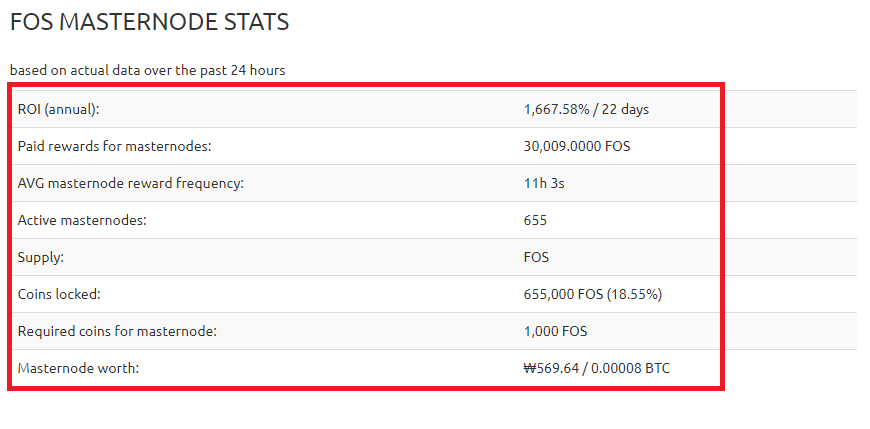 자 현재 이 코인은 흔히 말하는 먼지코인입니다. 매우 싼편이죠. Now this coin is what we call a dust coin. It's very cheap. 저는 ROI 도 중요하지만 코인 갯수를 최대한 늘려야 하기 때문에 일단 이 코인을 선택했습니다. I chose this coin because ROI is important, but I need to increase the number of coins as much as possible. Fossil coin 은 11시간 3초 정도의 보상간격을 유지하고 있습니다. The Fossil Coin maintains a reward interval of 11 hours and 3 seconds. Fossil coin 에서 제공하는 masternode guide입니다. This is the masternode guide provided by the Fossil coin. https://github.com/FOScoin/Masternode-Setup-Guide 자 그럼 지갑을 설치해 봅시다. Let's set up a wallet. 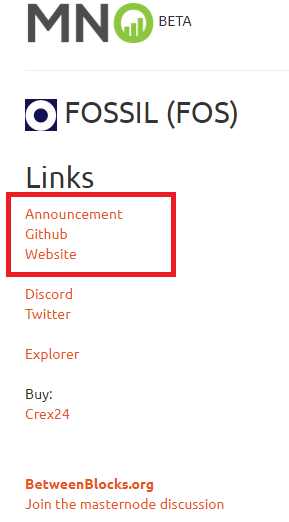 세번째 Website를 클릭합시다. 참고로 github 는 놓치지 마시고 꼭 들어가셔서 확인하셔야 합니다. Let's click on the third Website. For your information, please do not miss the github and check it out. 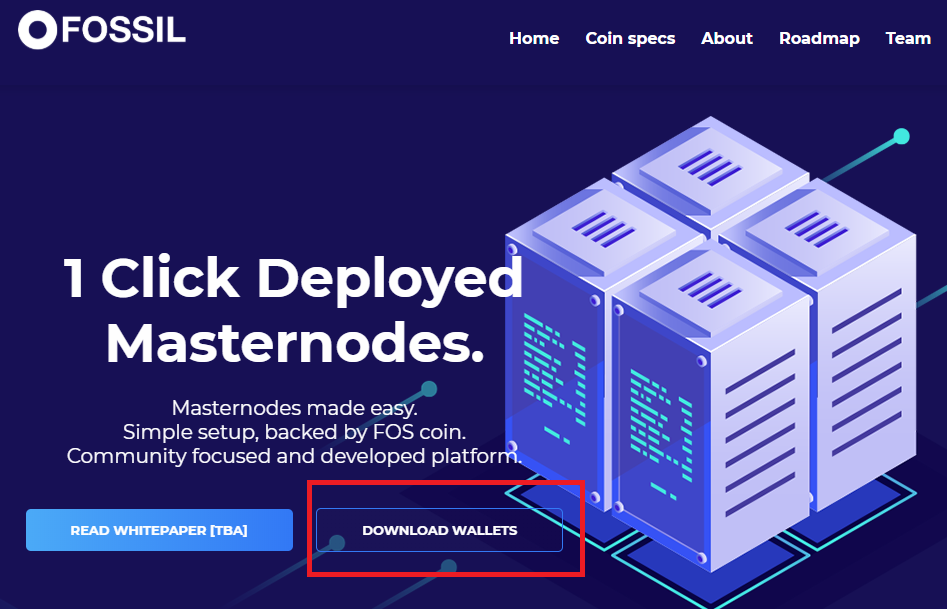 download wallet 를 클릭하시면 자연스럽게 github가 열립니다. Click Download pallet to open the github naturally 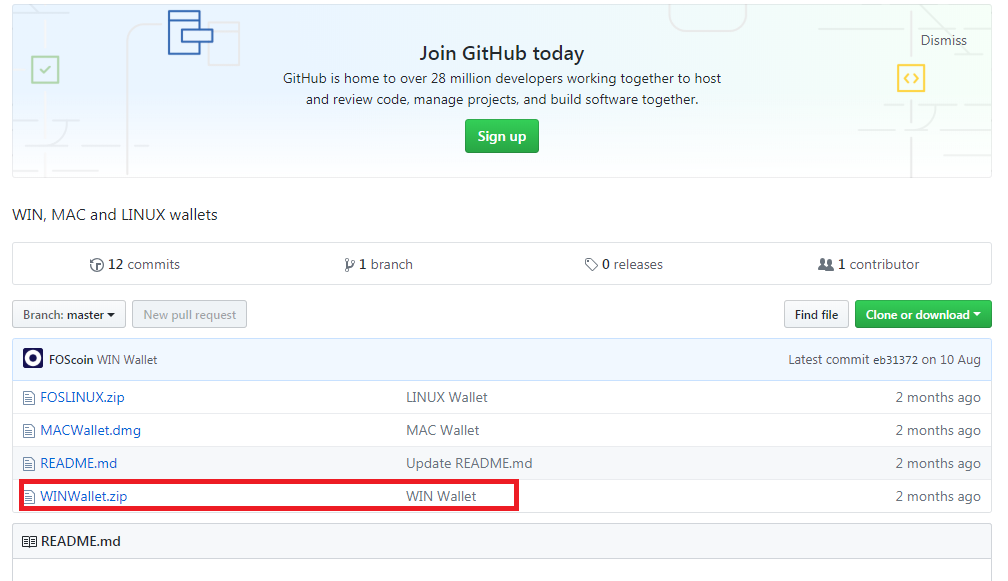 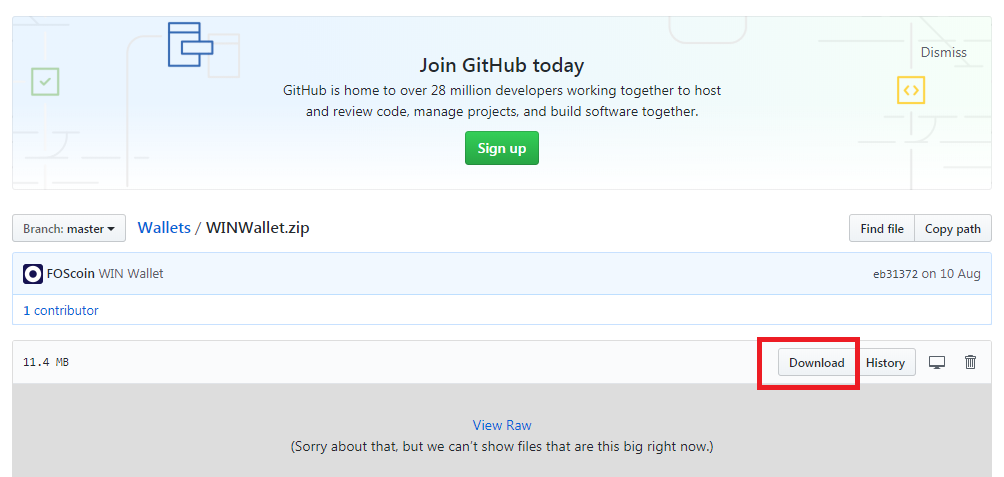 지갑을 다운받으신후 실행합시다. Let's do it after you download the wallet. 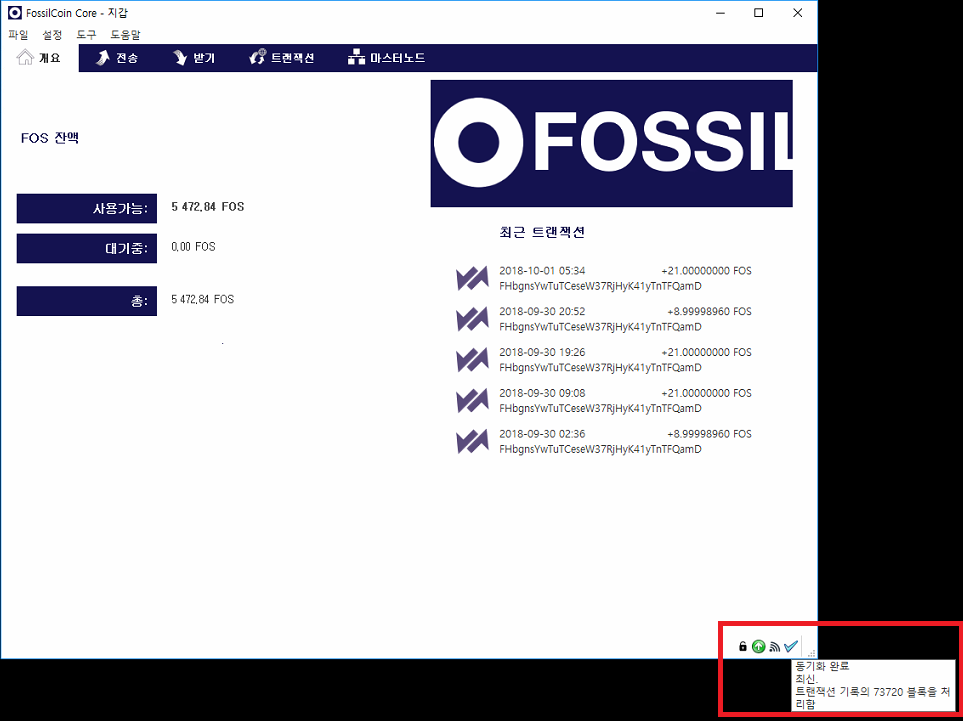 반드시 동기화를 완료하신 후에 마스터노드 작업을 하셔야 합니다. You must perform the master node after completing the synchronization. 자 이제 마스터노드를 구축하기 위해 1노드당 5,000개의 코인이 필요하니 코인을 구입합시다. Now we need 5,000 coins per node to build a master node. 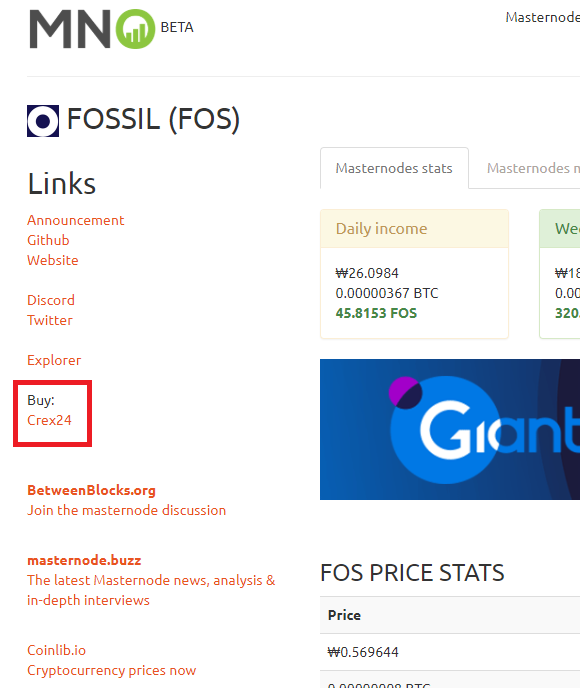 crex24 거래소에서 구입이 가능하네요. 거래소로 갑시다. You can buy it at the crex24 exchange. Let's go to the exchange. 1노드당 1,000개의 코인이 필요하지만 거래소에서 지갑으로 코인을 송금할때 수수료가 발생합니다. You need 1,000 coins per node, but charges are incurred when you transfer coins from the exchange to your wallet. 이점을 유의해서 여유있게 구입하세요 Take advantage of this and buy it at your leisure. 자 개인지갑으로 돌아와 받기 탭으로 이동하여 라벨에 mn1(본인취향) 마스터노드 지갑명을 쓰시고 결제요청 클릭 Now go to the Receiving tab and write the name of the mn1 master node wallet on the label and click Request payment. 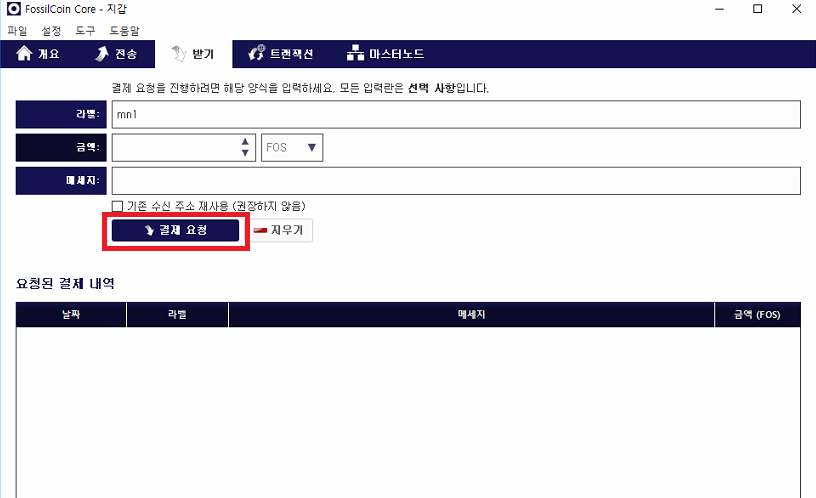 mn1 지갑이 추가로 생성되었을 겁니다. mn1 The extra wallet must have been created. 그 후에 코인을 상세히 볼수 있도록 작업하나를 더 하겠습니다. After that, I'll do one more thing to look at the coin in detail. 설정에서 옵션을 클릭합니다. Under Settings, click Options. 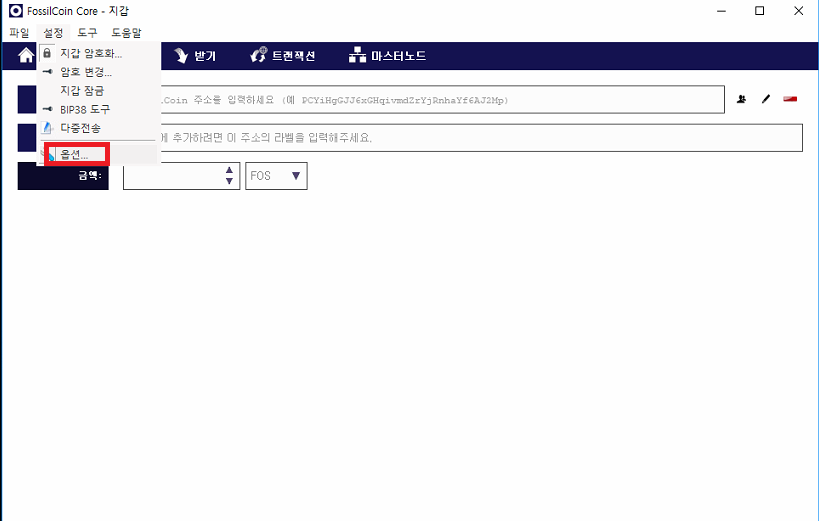 지갑탭에서 코인제어기능 사용을 활성화 시킨후 ok 클릭하세요 Activate coin control function on the wallet tab and click OK 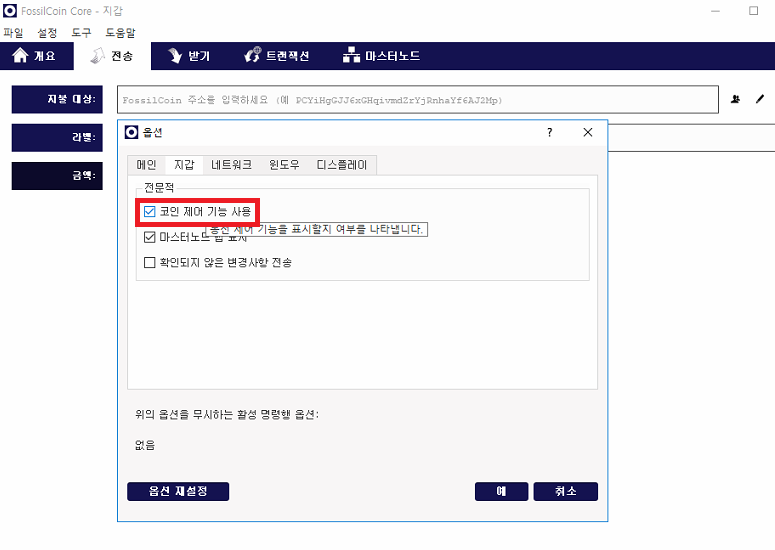 자 다음은 거래소에서 구입한 코인을 지갑으로 옮겨오는 작업을 합시다. Next, let's move the coin we bought from the exchange into the wallet. 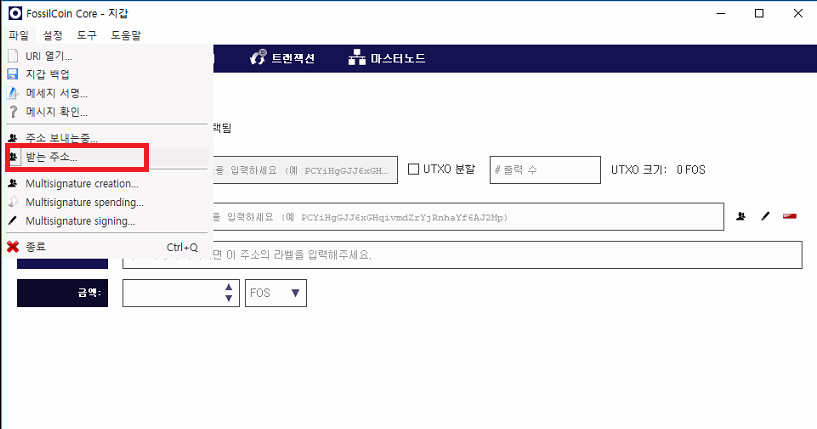 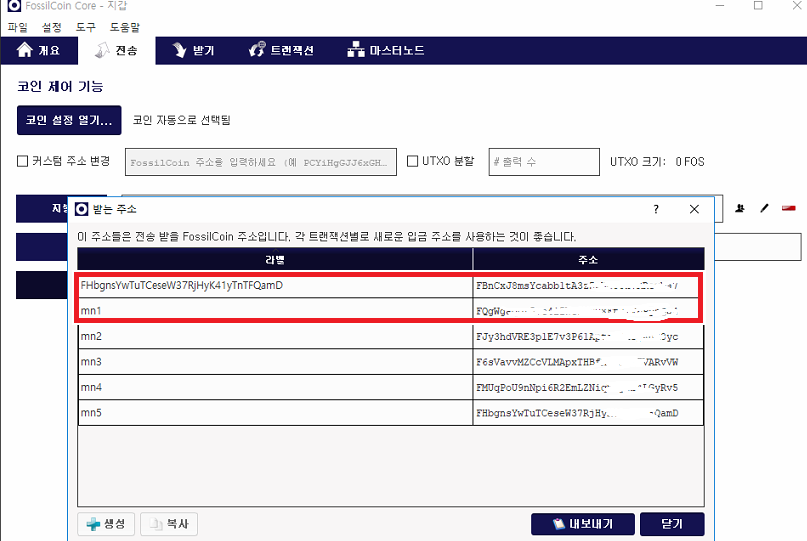 기본 지갑한개와 추가로 생성했던 mn1 라벨의 지갑이 보이실겁니다. You can see a basic wallet and an extra mn1 label. 저는 5개를 만들었기 때문에 5개가 보이는 것이니 염려마세요. I made five, so don't worry. 보통 2가지 방법중 1가지를 선택할수 있습니다. You can usually choose one of two ways. 첫번째 작업은 기본주소로 보낸 코인을 mn1로 옮기는 작업입니다. The first task is to move the coin sent to the primary address to mn1. 처음 작업하시는 분께는 이 방법을 권해드립니다. This is recommended for the first time working. 두번째 방법은 거래소에서 생성한 mn1 지갑으로 바로 보내는 작업입니다. The second option is to send it directly to the mn1 wallet created by the exchange. 숙달된 후에 이 방법을 선택하세요. Select this method after you have mastered it. 첫번째 방법을 통해 설명을 이어가겠습니다. So I'm going to go on with that first thing. 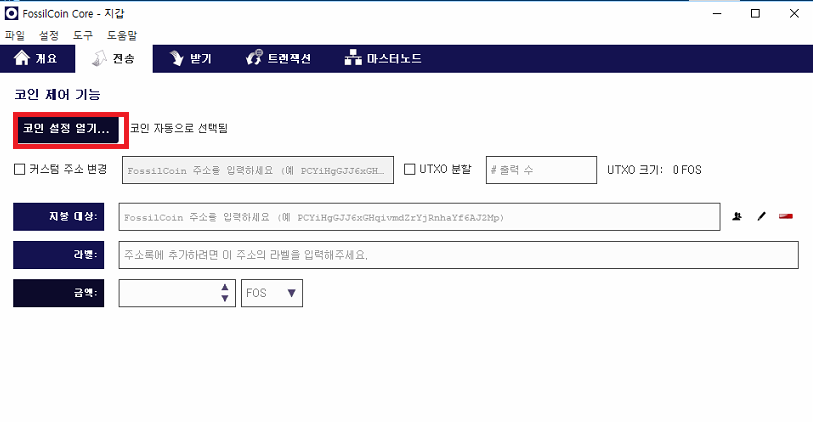 코인 설정 열기를 클릭하세요. Click Open coin settings. 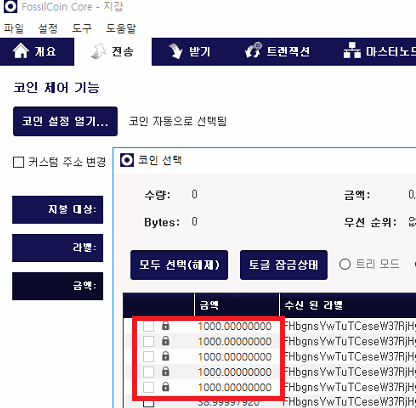 저는 이미 마노를 운용중이기 때문에 보시는 사진과는 다르게 뜰겁니다. I'm already working on Masternode, so it's going to look different from this picture. 하지만 거래소에서 옮겨온 코인의 갯수를 보시면 바로 알수 있으실겁니다. 선택해주시고 ok 클릭하세요. But if you look at the number of coins you've transferred from the exchange, you'll see. Please select and click OK. 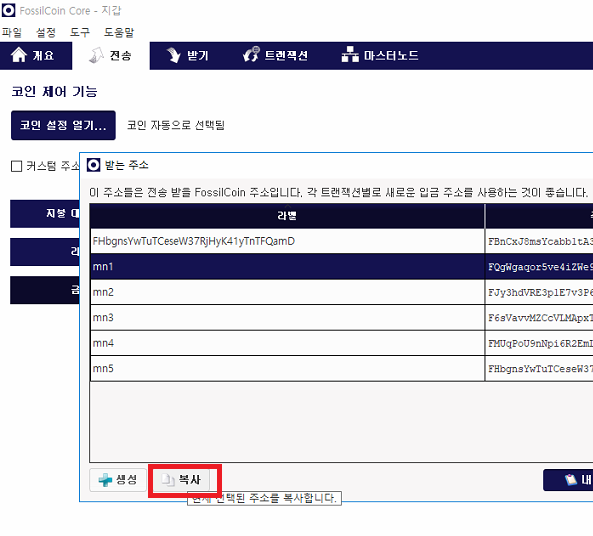 mn1 지갑으로 옮겨야 하기 때문에 mn1 지갑주소를 복사합니다. mn1 Copy the mn1 wallet address because you need to move it to your wallet. 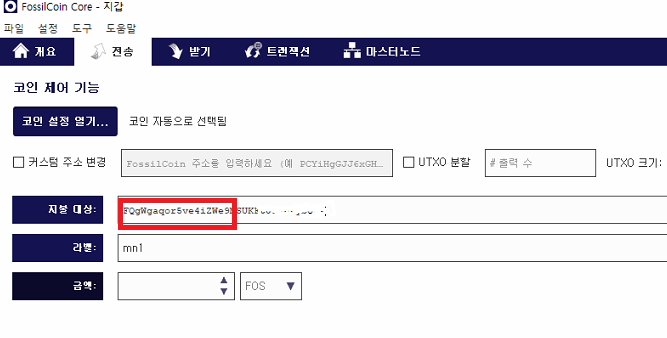 주소를 지불대상 에 붙여넣기 해주시면 자동으로 라벨에는 mn1 이 뜰겁니다. Paste the address into the payment target and the label will automatically display mn1. 이제 전송을 눌러주세요. Now press Send. 자 이제 절반 끝났습니다. 힘내세요~ Now it's half done. Cheer up. Fosiil coin 은 개발자가 친절하게 리눅스 VPS 에서 번거러운 작업을 도와줄수 있는 sh 을 제공합니다. Fosil coin provides a show that developers are kind enough to help with the hassle-free operation of Linux VPS. VPS 는 무엇인지 헷갈리실 겁니다. 마스터노드는 채굴기 처럼 항상 켜놓는 시스템이 아닙니다. You may be confused about VPS. The master node is not a system that always turns on like an miner. VPS를 지갑주소와 연동시키고 지갑이 설치된 컴퓨터를 꺼도 VPS는 계속 켜져있기 때문이죠 If you link the VPS to the wallet address and turn off the computer with the wallet, the VPS will remain on. 반드시 필요한 작업이므로 VPS 를 잘 공부해야 겠습니다. You must study VPS well as it is essential. VPS는 보통 vultr 과 digital ocean 에서 많이 골라 쓰시는 편입니다. VPS is usually used by Vultr and Digital Ocean. vultr를 통해 vps를 셋팅해 봅시다. Let's set up the vps through the vultr. 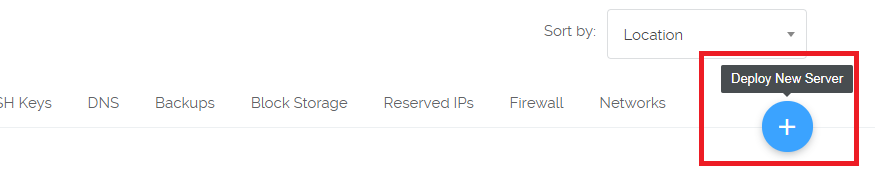 서버추가하기 버턴을 클릭합니다. Click Add Server button. 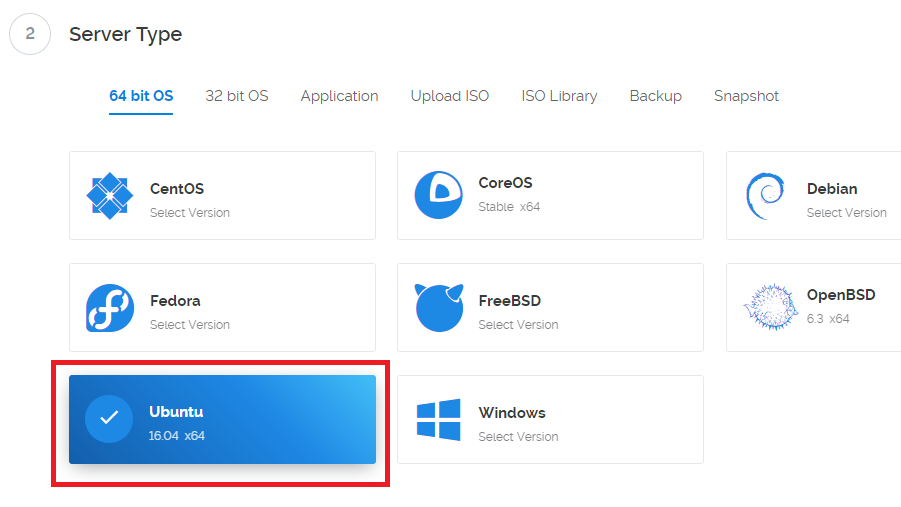 반드시 ubuntu 16.04버전을 선택하세요. Please make sure to select ubuntu 16.04 version. 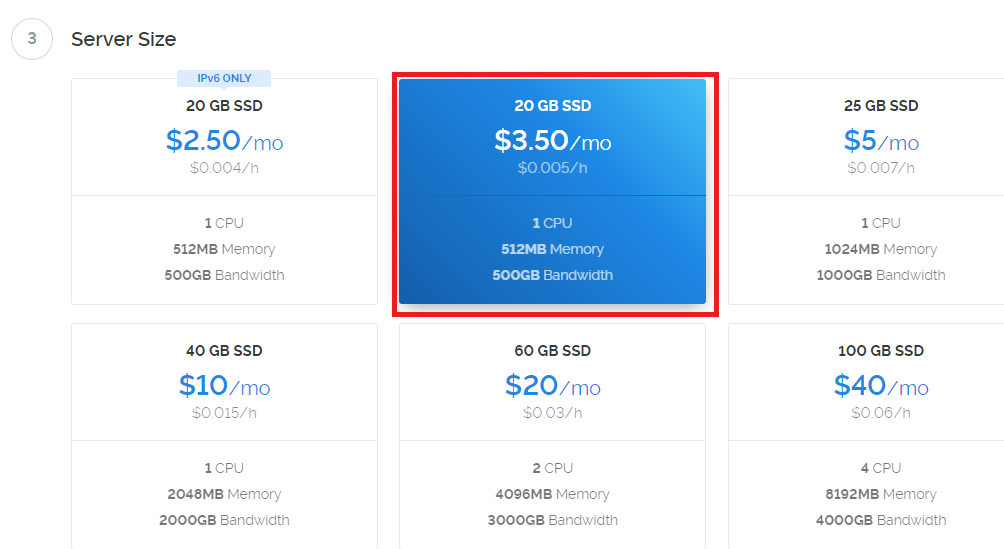 3.5달러 서버면 충분합니다. A $3.5 server is enough. 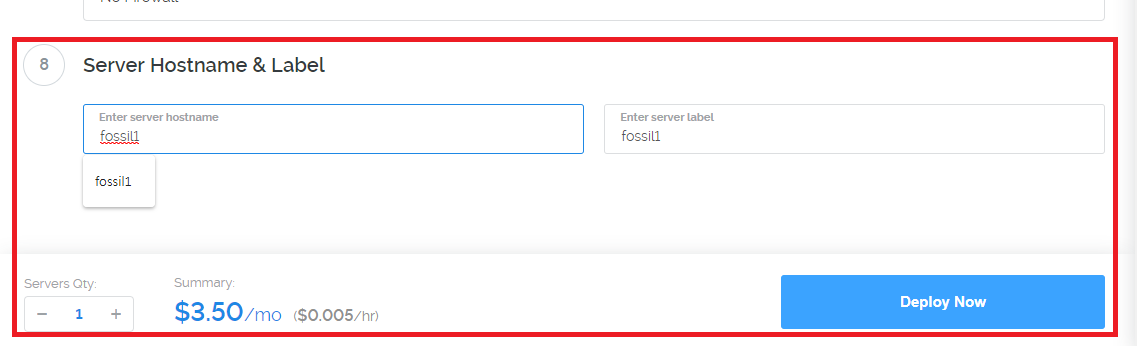 서버명은 앞으로도 계속해서 마스터노드를 구축할테니 시인성이 좋게 이름을 주시고 Deploy now 클릭! Server name will continue to build master node, so please give me a name and click Deploy now! 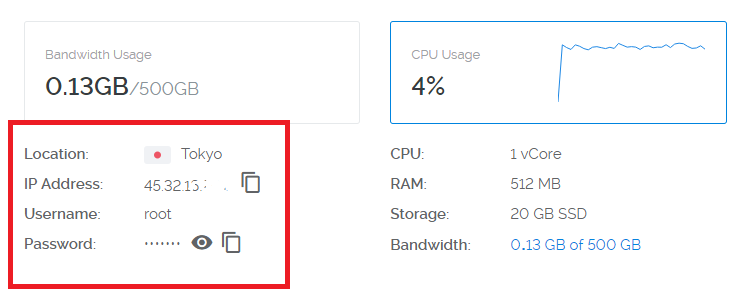 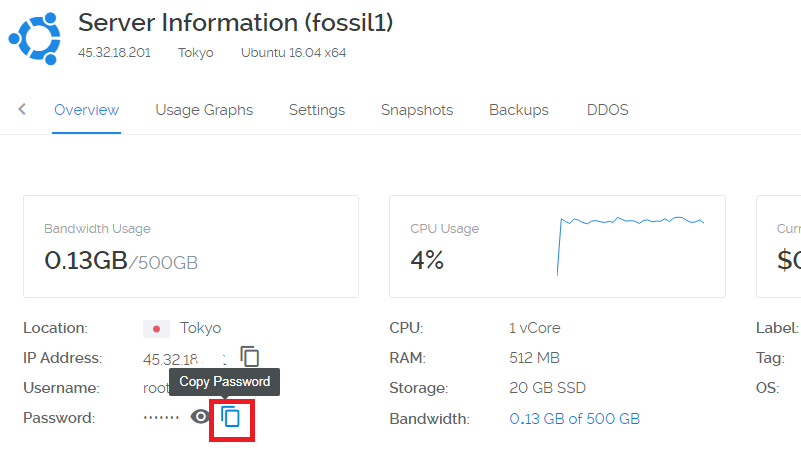 copy passwd 버턴을 꼭 눌러주세요~.,~ Please press copy passwd button. 자 이제 vps에 접속을 합시다. Now let's go to vps. 접속은 보통 putty 프로그램을 사용합니다. Connection usually uses a putty program. google에 putty 프로그램을 검색해서 설치후 실행하세요~ Search the putty program in Google and run it after installation. 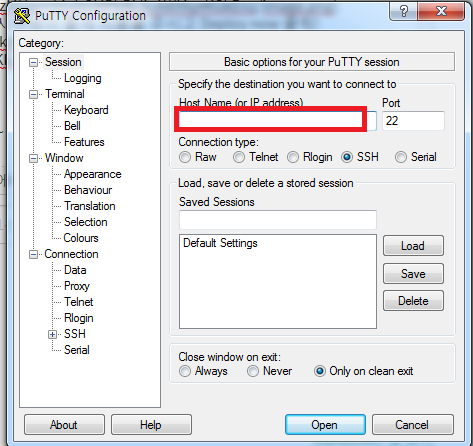 자 VPS 아이피를 입력하시고 open 버턴 클릭! Now enter the VPS iphone and click open button! 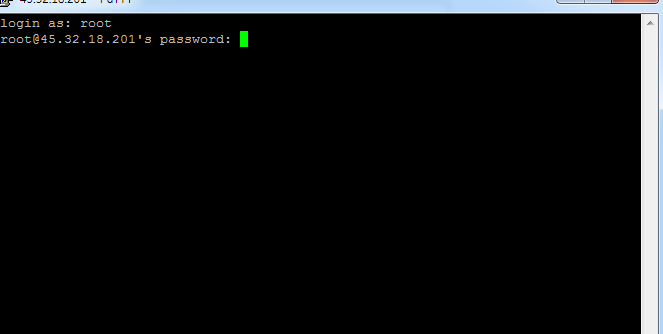 자 도스창이 열릴텐데요 놀라지 마시고 login as: root 입력한 뒤 엔터 Don't be surprised : root enter 비밀번호는 복사한 비밀번호를 붙여넣기 하면 됩니다. !!(리눅스에서는 붙여넣기가 shift+insert 입니다. You can paste the copied password!(InLinux, paste is shift+insert). 붙여넣기를 해도 표시가 되지 않으니 놀라지마시고 엔터! Don't be surprised when you paste it and it won't show up! 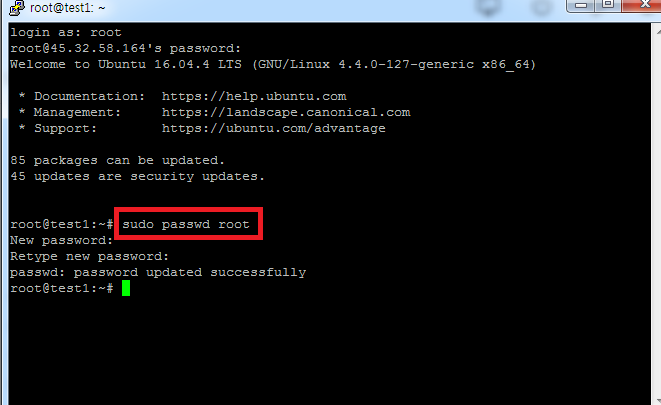 VPS작업도 중요하지만 일단 비밀번호를 바꿉시다. VPS work is important, but let's change the password. sudo passwd root 입력후 원하는 비밀번호로 바꿔주세요. 확인절차있으니 두번! Enter sudo passwd root and change to the desired password. Check, double! 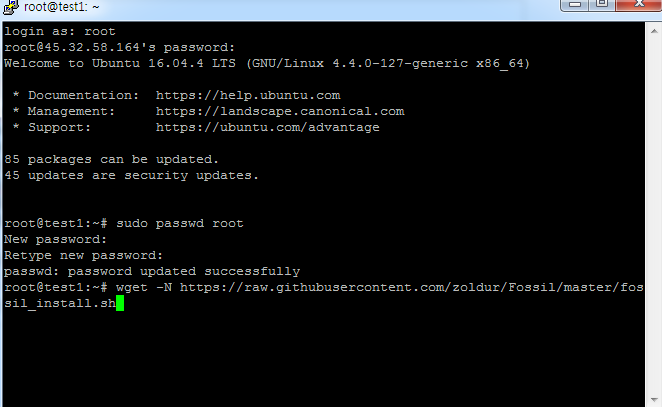 wget -N https://raw.githubusercontent.com/zoldur/Fossil/master/fossil_install.sh 붙여넣기 후 엔터 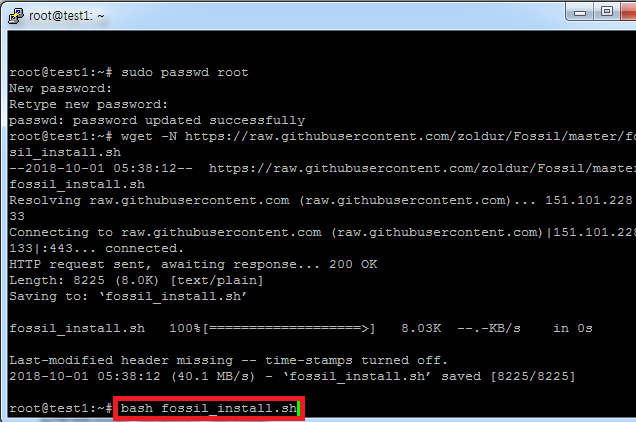 bash fossil_install.sh 붙여넣기 후 엔터! 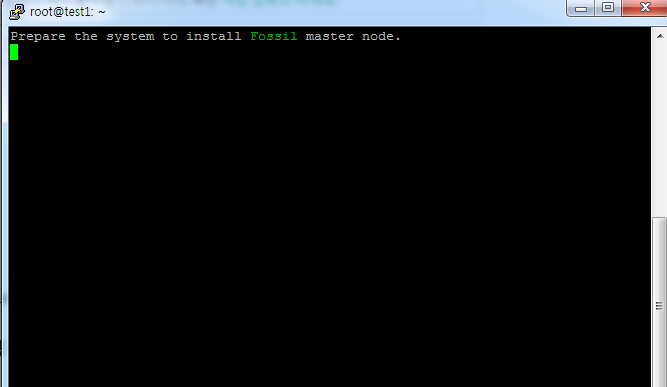 처리중이니 기다립시다. 자 지갑에서 작업을 또 해야겠죠. 지갑으로 이동합시다. Let's wait for it since it's being processed. Now I'm going to have to work on my wallet again. Let's move to your wallet. 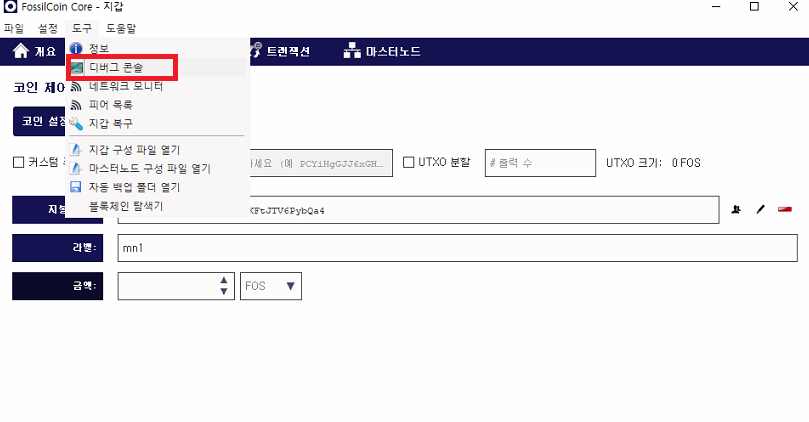 debug console 클릭합시다. Click Debug console. 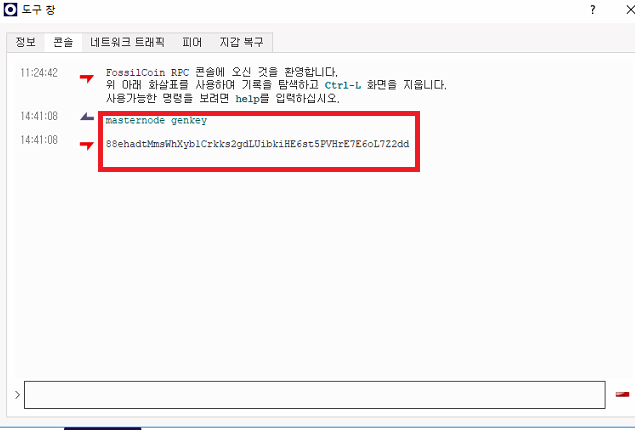 masternode genkey 를 실행하면 고유번호가 뜹니다. 메모장에 붙여넣기 해주세요. 분실하면 다시해야함 Run the masternode genkey to get a unique number. Please paste it into Notepad. Should be lost again 그리고 mn1주소로 보낸 코인의 output값과 index를 확인합시다. And check the output of the coin sent to the mn1 address and the index. 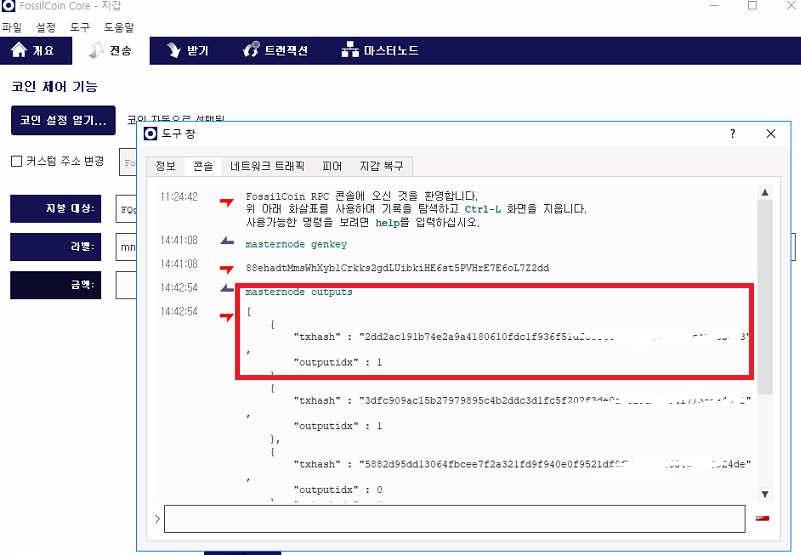 masternode outputs 명령어 실행하면 mn1 에 대한 값이 뜹니다. The masternode output command raises the value for mn1. 저는 이미 해놓은 마노가 있기때문에 여러개 보이지만 1개가 보이실겁니다. I have a mano that I've already done, so you can see a lot, but you can see a lot. 마찬가지로 메모장 저장~ Likewise, save Notepad~ 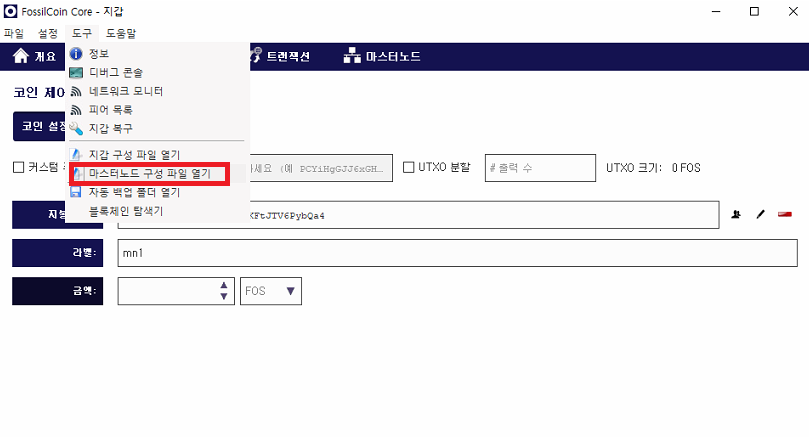 자 마스터노드 구성현황을 클릭하세요. Now click MasterNodes configuration status.  # 표시는 주석이므로 놔두셔도 되구요 example 를 보시면 쉽게 이해하실겁니다. # marks are annotations, so you can leave them as they are easy to understand. 저희가 작업한 마스터노드 mn1(space bar)VPS address:2727(space bar)masternode genkey(space bar)output(space bar)index ---> 인덱스 값은 0 혹은 1 입니다. 그리고 저장후 지갑 재실행~~~ 반드시 지갑 재실행 잊지마세요. And please don't forget to redo your wallet after saving. 다시 putty 로 가봅시다. Let's go back to putty. 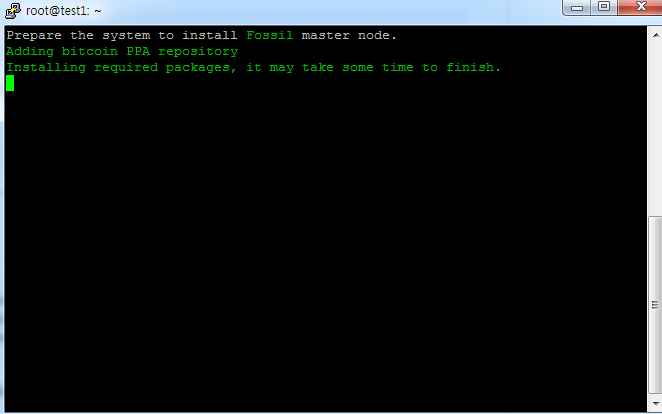 아직 설치중이네요 기다립시다;;;; We're still installing. Let's wait.;;;; 기다리는 중 아까전 메모장에 적었던 마스터노드 값만 복사해 두세요. While you're waiting, just copy the master node you wrote in your notebook.  자 마스터노드 값을 넣어주세요 붙여넣기 (shift+insert) 엔터 Now add the master node. Shift+insert enter 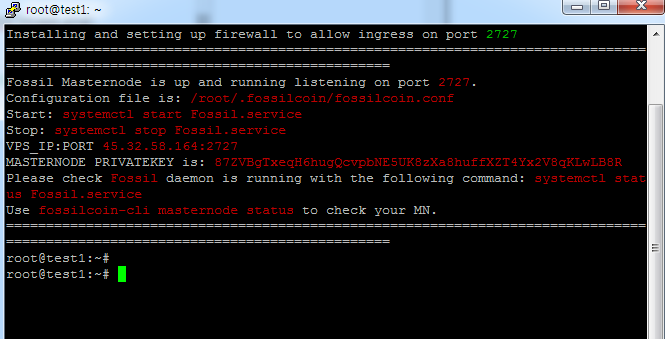 자 이제 거의 다 왔네요. VPS에 저희가 입력한 값이 자동으로 셋팅되었습니다. Here we are almost there. The value we entered in the VPS has been set automatically. fossilcoin-cli getinfo 명령어를 실행시킵니다. Run the lossilcoin-cli getinfo command. 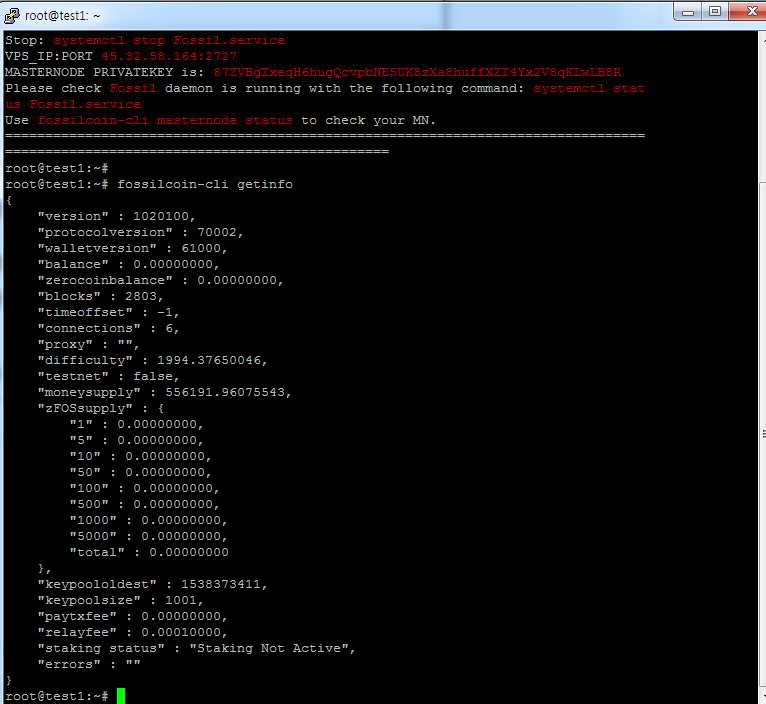 Blocks 이 동기화 될때까지 기다립니다;;;;; Blocks wait for it to synchronize.;;;;; 기다리시면 올라갑니다....;;;; Please wait and I'll be up....;;;; 자 블럭이 올라간 뒤 지갑에서 debug console을 클릭하세요 Now click on the Debug console in your wallet after the block goes up. startmasternode alias 0 mn1(mn1은 본인의 마스터노드 이름입니다.) 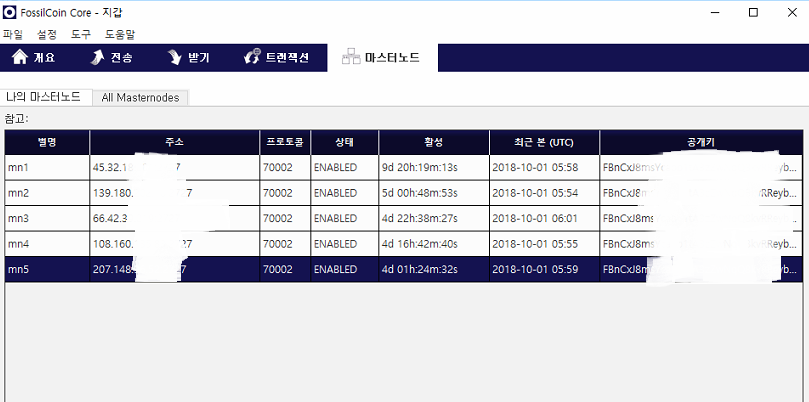 작업을 마친뒤 masternode tab에 가시면 enable 로 표시 되었을겁니다. When you go to the masternode tab after work, it will be marked as enabled. VPS에서 마지막으로 점검해봅시다. Let's take a final look at the VPS. 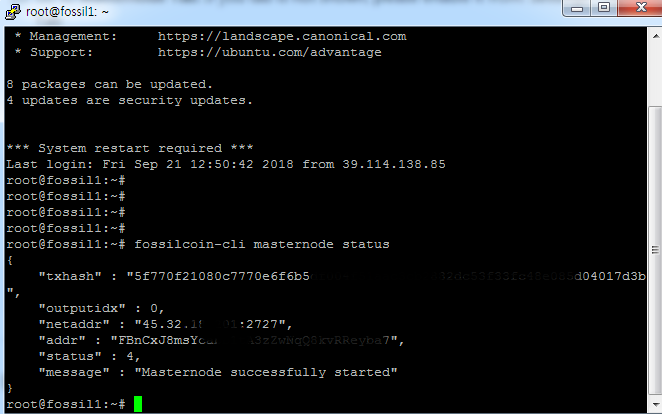 fossilcoin-cli masternode status 명령어를 입력하세요. Please enter the fossilcoin-cli masternode status command. masternode successfully started 나오면 성공입니다. If the masternode successfully started, it is a success. 긴시간 고생하셨습니다. ^^ You've been through a long time. ^^ VPS에서 사용하는 명령어를 함께 사용하시면서 이것저것 공부해보시기 바랍니다. Please study this and that while using the commands used in the VPS. |
| json metadata | {"tags":["fossil","masternode","vps","root","sudo"],"image":["https://cdn.steemitimages.com/DQmcfbRKVFv7xTyTELwFrm94xm9wj6BPDRQnx9AQPtoWF7E/image.png","https://cdn.steemitimages.com/DQmX3QmcNg8jn2LcHmSeEx5dUaf3kP11CTBbxkqw91cA9yB/image.png","https://cdn.steemitimages.com/DQmVBXxnaNBQx8VMW5DnoQmZACwMsxBEQfTdRW7ThmWHhzp/image.png","https://cdn.steemitimages.com/DQmXGx3gzB714LWREwWxLb1QYXeoPydVSJrB83rvgoPtNm5/image.png","https://cdn.steemitimages.com/DQmWnoaj4bvoXLbNHBC8PXsahqdmCNkiPiEHudu9WNgAL7U/image.png","https://cdn.steemitimages.com/DQmaUDYX3jiTBdM38FjQhVmbTSUFUnfsqJYBbiZsddDgbce/image.png","https://cdn.steemitimages.com/DQmaDFbP64w882CXavswkiwRgLCSCGJRDoH3gyxrmPJTkQv/image.png","https://cdn.steemitimages.com/DQmTxnwUcAdepiSdk7GUgp373FByFadeM8GAhMHS4hNBRmG/image.png","https://cdn.steemitimages.com/DQmPdZcAUTFGC51yEPSgLsud7gAaheAshaCffR6TF8UMoMN/image.png","https://cdn.steemitimages.com/DQmZVYuc2ybwZz6UMaCtGK3wQrV1u5XCRBmkRVSzgRarkKW/image.png","https://cdn.steemitimages.com/DQmZiXDusq2KjVZx2jCVfyvgPPYZHRGZKioXWC7qi2tVpgR/image.png","https://cdn.steemitimages.com/DQmXnmJzPDWc7cJj1cQzB1dzN947DGxHnCDYRoR1DBs5mSa/image.png","https://cdn.steemitimages.com/DQmQXc82t7psYJJVWMHke1MHsTao3jjMmQLJLUS4YvWSuj2/image.png","https://cdn.steemitimages.com/DQmeXaSTDQK1HU927MwvALS4dA3mzbEGFvTk31KWW6DK5JF/image.png","https://cdn.steemitimages.com/DQmQfoqBAWzFo2VypBSvMzNFAi4fd7kJ9E6BtuAe23jmNv8/image.png","https://cdn.steemitimages.com/DQmXNVxnjhEPRrqJYjcmrFSh21SH5pR2ocjTv7Mqrp59b8y/image.png","https://cdn.steemitimages.com/DQmSsfHH56MvXRLKkNKgWwreha3WtEguCqg9NU4apFCySq7/image.png","https://cdn.steemitimages.com/DQmZM95KRxQHdPvUwRoZ8nFY313YGTEcMKfi7wXE5S3frva/image.png","https://cdn.steemitimages.com/DQmTKULupEaiXnVWmZZpuz85hgZzTsRvWeLhJTwTEE5wpD7/image.png","https://cdn.steemitimages.com/DQmXStBB6cuQk9UxPjzMUwmbiobGMPbBjJicAWMq4KGkEn2/image.png","https://cdn.steemitimages.com/DQmYajpyTKMdPUEjFpk8HqQTP73t2fshifgyNbaYTF2fk9F/image.png","https://cdn.steemitimages.com/DQmeNWsfrkQ3MHPzjKk36UMuRRcTLHAWkQnng3w713LF83E/image.png","https://cdn.steemitimages.com/DQmeX6nMENpXEVoqtefgCmo4emsGGEmJMwc776g9XjkRogx/image.png","https://cdn.steemitimages.com/DQmX94V4JiPKVNAtYugDdqgUhNMMj6U1tMi849yNbLgeLWP/image.png","https://cdn.steemitimages.com/DQmQz6Go9MfY7WTiyKR22eXLR9DqitRi3X7VaFqzpYMADZY/image.png","https://cdn.steemitimages.com/DQmY9pU6KnXZxaXcu46ceD3fhPuDe6yJaxLUTa74w7qb9VR/image.png","https://cdn.steemitimages.com/DQmWB7W1ZmHn9yyUurdxv15QhUpzJFgd2tDWtQCmR3baX3D/image.png","https://cdn.steemitimages.com/DQmXhi8fzYhxfSvM3zpGSLWo9pkPWFiJiz8u7zMvsrFd52C/image.png","https://cdn.steemitimages.com/DQmPVDUKxW5ugeDzHLaGdtvs33krkLPvGp2xqmbwEPTpM7z/image.png","https://cdn.steemitimages.com/DQmVVbpwtmsfFL1Pmv18Di6Y5BUEVcD3DEvon6JBLKXvj7H/image.png","https://cdn.steemitimages.com/DQmdorMNxVTZPeBJEFF3vdNSE8eZk79R7xFjcycBCJD7UpG/image.png","https://cdn.steemitimages.com/DQmTBjSz1CG2w9a8crw2ba4LQfys3688TKpRw6cvgYJE3uN/image.png","https://cdn.steemitimages.com/DQmcHfahJg21hG78PbCXSeEzLhgEJA8Jv4DYHzcea4YmYuU/image.png","https://cdn.steemitimages.com/DQmXZYFRZNkzAZg9bXL6B6pDAPKvaaEPCFcUVew45XVzmJt/image.png","https://cdn.steemitimages.com/DQmQ2jCvko6LjxcitUAKpD3DCnyENvZDCceeCnH5ay4rGbV/image.png","https://cdn.steemitimages.com/DQmcr6x9FEHHFQV6TMsfjpmNKGpRB1j9BNj8UVzppdsd6NW/image.png","https://cdn.steemitimages.com/DQmeg1uLdRRvGLBPJ3bt43Cw4mUGwBbMyTPLUmU4QR5MVA5/image.png","https://cdn.steemitimages.com/DQmdwiFpPXEdXP33Ddv7z1GjmTeu3dosjqC8aNgvsMBs4S4/image.png","https://cdn.steemitimages.com/DQmcKLQTkUyKRBiLjsdvp2L4RX5AF4fQ58Cu14dNba2hDUU/image.png"],"links":["https://github.com/FOScoin/Masternode-Setup-Guide","https://raw.githubusercontent.com/zoldur/Fossil/master/fossil_install.sh"],"app":"steemit/0.1","format":"markdown"} |
| Transaction Info | Block #26418911/Trx ad8f5006af456601337a86989d5a316cd7dc2c50 |
View Raw JSON Data
{
"trx_id": "ad8f5006af456601337a86989d5a316cd7dc2c50",
"block": 26418911,
"trx_in_block": 17,
"op_in_trx": 0,
"virtual_op": 0,
"timestamp": "2018-10-01T06:23:03",
"op": [
"comment",
{
"parent_author": "",
"parent_permlink": "fossil",
"author": "chu68yaw",
"permlink": "fossil-coin-masternode",
"title": "Fossil Coin masternode",
"body": "안녕하세요. 오늘은 Fossil coin masternode 를 살펴보도록 하겠습니다.\nGood morning. Let's take a look at the Fossil coin masternode.\nmasternode online 에서 fossil coin을 검색합니다.\nSearch the masternode online for the fossil coin.\n\n\n자 현재 이 코인은 흔히 말하는 먼지코인입니다. 매우 싼편이죠.\nNow this coin is what we call a dust coin. It's very cheap.\n저는 ROI 도 중요하지만 코인 갯수를 최대한 늘려야 하기 때문에 일단 이 코인을 선택했습니다.\nI chose this coin because ROI is important, but I need to increase the number of coins as much as possible.\nFossil coin 은 11시간 3초 정도의 보상간격을 유지하고 있습니다.\nThe Fossil Coin maintains a reward interval of 11 hours and 3 seconds.\nFossil coin 에서 제공하는 masternode guide입니다. \nThis is the masternode guide provided by the Fossil coin.\nhttps://github.com/FOScoin/Masternode-Setup-Guide\n\n자 그럼 지갑을 설치해 봅시다.\nLet's set up a wallet.\n\n\n세번째 Website를 클릭합시다. 참고로 github 는 놓치지 마시고 꼭 들어가셔서 확인하셔야 합니다.\nLet's click on the third Website. For your information, please do not miss the github and check it out.\n\n\ndownload wallet 를 클릭하시면 자연스럽게 github가 열립니다.\nClick Download pallet to open the github naturally\n\n\n\n\n지갑을 다운받으신후 실행합시다.\nLet's do it after you download the wallet.\n\n\n반드시 동기화를 완료하신 후에 마스터노드 작업을 하셔야 합니다. \nYou must perform the master node after completing the synchronization.\n자 이제 마스터노드를 구축하기 위해 1노드당 5,000개의 코인이 필요하니 코인을 구입합시다.\nNow we need 5,000 coins per node to build a master node.\n\n\ncrex24 거래소에서 구입이 가능하네요. 거래소로 갑시다.\nYou can buy it at the crex24 exchange. Let's go to the exchange.\n1노드당 1,000개의 코인이 필요하지만 거래소에서 지갑으로 코인을 송금할때 수수료가 발생합니다.\nYou need 1,000 coins per node, but charges are incurred when you transfer coins from the exchange to your wallet.\n이점을 유의해서 여유있게 구입하세요\nTake advantage of this and buy it at your leisure.\n자 개인지갑으로 돌아와 받기 탭으로 이동하여 라벨에 mn1(본인취향) 마스터노드 지갑명을 쓰시고 결제요청 클릭\nNow go to the Receiving tab and write the name of the mn1 master node wallet on the label and click Request payment.\n\n\n\nmn1 지갑이 추가로 생성되었을 겁니다.\nmn1 The extra wallet must have been created.\n그 후에 코인을 상세히 볼수 있도록 작업하나를 더 하겠습니다.\nAfter that, I'll do one more thing to look at the coin in detail.\n설정에서 옵션을 클릭합니다.\nUnder Settings, click Options.\n\n\n지갑탭에서 코인제어기능 사용을 활성화 시킨후 ok 클릭하세요\nActivate coin control function on the wallet tab and click OK\n\n\n자 다음은 거래소에서 구입한 코인을 지갑으로 옮겨오는 작업을 합시다. \nNext, let's move the coin we bought from the exchange into the wallet.\n\n\n\n기본 지갑한개와 추가로 생성했던 mn1 라벨의 지갑이 보이실겁니다.\nYou can see a basic wallet and an extra mn1 label.\n저는 5개를 만들었기 때문에 5개가 보이는 것이니 염려마세요.\nI made five, so don't worry.\n보통 2가지 방법중 1가지를 선택할수 있습니다.\nYou can usually choose one of two ways.\n첫번째 작업은 기본주소로 보낸 코인을 mn1로 옮기는 작업입니다.\nThe first task is to move the coin sent to the primary address to mn1.\n처음 작업하시는 분께는 이 방법을 권해드립니다.\nThis is recommended for the first time working.\n두번째 방법은 거래소에서 생성한 mn1 지갑으로 바로 보내는 작업입니다.\nThe second option is to send it directly to the mn1 wallet created by the exchange.\n숙달된 후에 이 방법을 선택하세요.\nSelect this method after you have mastered it.\n첫번째 방법을 통해 설명을 이어가겠습니다.\nSo I'm going to go on with that first thing.\n\n\n코인 설정 열기를 클릭하세요.\nClick Open coin settings.\n\n저는 이미 마노를 운용중이기 때문에 보시는 사진과는 다르게 뜰겁니다.\nI'm already working on Masternode, so it's going to look different from this picture.\n하지만 거래소에서 옮겨온 코인의 갯수를 보시면 바로 알수 있으실겁니다. 선택해주시고 ok 클릭하세요.\nBut if you look at the number of coins you've transferred from the exchange, you'll see. Please select and click OK.\n\nmn1 지갑으로 옮겨야 하기 때문에 mn1 지갑주소를 복사합니다.\nmn1 Copy the mn1 wallet address because you need to move it to your wallet.\n\n주소를 지불대상 에 붙여넣기 해주시면 자동으로 라벨에는 mn1 이 뜰겁니다.\nPaste the address into the payment target and the label will automatically display mn1.\n이제 전송을 눌러주세요.\nNow press Send.\n자 이제 절반 끝났습니다. 힘내세요~\nNow it's half done. Cheer up.\nFosiil coin 은 개발자가 친절하게 리눅스 VPS 에서 번거러운 작업을 도와줄수 있는 sh 을 제공합니다.\nFosil coin provides a show that developers are kind enough to help with the hassle-free operation of Linux VPS.\nVPS 는 무엇인지 헷갈리실 겁니다. 마스터노드는 채굴기 처럼 항상 켜놓는 시스템이 아닙니다.\nYou may be confused about VPS. The master node is not a system that always turns on like an miner.\nVPS를 지갑주소와 연동시키고 지갑이 설치된 컴퓨터를 꺼도 VPS는 계속 켜져있기 때문이죠\nIf you link the VPS to the wallet address and turn off the computer with the wallet, the VPS will remain on.\n반드시 필요한 작업이므로 VPS 를 잘 공부해야 겠습니다.\nYou must study VPS well as it is essential.\nVPS는 보통 vultr 과 digital ocean 에서 많이 골라 쓰시는 편입니다.\nVPS is usually used by Vultr and Digital Ocean.\nvultr를 통해 vps를 셋팅해 봅시다.\nLet's set up the vps through the vultr.\n\n서버추가하기 버턴을 클릭합니다.\nClick Add Server button.\n\n반드시 ubuntu 16.04버전을 선택하세요.\nPlease make sure to select ubuntu 16.04 version.\n\n3.5달러 서버면 충분합니다. \nA $3.5 server is enough.\n\n서버명은 앞으로도 계속해서 마스터노드를 구축할테니 시인성이 좋게 이름을 주시고 Deploy now 클릭!\nServer name will continue to build master node, so please give me a name and click Deploy now!\n\n\ncopy passwd 버턴을 꼭 눌러주세요~.,~\nPlease press copy passwd button.\n자 이제 vps에 접속을 합시다.\nNow let's go to vps.\n접속은 보통 putty 프로그램을 사용합니다.\nConnection usually uses a putty program.\ngoogle에 putty 프로그램을 검색해서 설치후 실행하세요~\nSearch the putty program in Google and run it after installation.\n\n자 VPS 아이피를 입력하시고 open 버턴 클릭!\nNow enter the VPS iphone and click open button!\n\n자 도스창이 열릴텐데요 놀라지 마시고 login as: root 입력한 뒤 엔터\nDon't be surprised : root enter\n비밀번호는 복사한 비밀번호를 붙여넣기 하면 됩니다. !!(리눅스에서는 붙여넣기가 shift+insert 입니다.\nYou can paste the copied password!(InLinux, paste is shift+insert).\n붙여넣기를 해도 표시가 되지 않으니 놀라지마시고 엔터!\nDon't be surprised when you paste it and it won't show up!\n\nVPS작업도 중요하지만 일단 비밀번호를 바꿉시다.\nVPS work is important, but let's change the password.\nsudo passwd root 입력후 원하는 비밀번호로 바꿔주세요. 확인절차있으니 두번!\nEnter sudo passwd root and change to the desired password. Check, double!\n\nwget -N https://raw.githubusercontent.com/zoldur/Fossil/master/fossil_install.sh 붙여넣기 후 엔터\n\n\nbash fossil_install.sh 붙여넣기 후 엔터!\n\n\n처리중이니 기다립시다. 자 지갑에서 작업을 또 해야겠죠. 지갑으로 이동합시다.\nLet's wait for it since it's being processed. Now I'm going to have to work on my wallet again. Let's move to your wallet.\n\ndebug console 클릭합시다.\nClick Debug console.\n\nmasternode genkey 를 실행하면 고유번호가 뜹니다. 메모장에 붙여넣기 해주세요. 분실하면 다시해야함\nRun the masternode genkey to get a unique number. Please paste it into Notepad. Should be lost again\n그리고 mn1주소로 보낸 코인의 output값과 index를 확인합시다.\nAnd check the output of the coin sent to the mn1 address and the index.\n\nmasternode outputs 명령어 실행하면 mn1 에 대한 값이 뜹니다.\nThe masternode output command raises the value for mn1.\n저는 이미 해놓은 마노가 있기때문에 여러개 보이지만 1개가 보이실겁니다.\nI have a mano that I've already done, so you can see a lot, but you can see a lot.\n마찬가지로 메모장 저장~\nLikewise, save Notepad~\n\n자 마스터노드 구성현황을 클릭하세요.\nNow click MasterNodes configuration status.\n\n# 표시는 주석이므로 놔두셔도 되구요 example 를 보시면 쉽게 이해하실겁니다.\n# marks are annotations, so you can leave them as they are easy to understand.\n저희가 작업한 마스터노드 mn1(space bar)VPS address:2727(space bar)masternode genkey(space bar)output(space bar)index ---> 인덱스 값은 0 혹은 1 입니다. \n그리고 저장후 지갑 재실행~~~ 반드시 지갑 재실행 잊지마세요.\nAnd please don't forget to redo your wallet after saving.\n다시 putty 로 가봅시다.\nLet's go back to putty.\n\n아직 설치중이네요 기다립시다;;;;\nWe're still installing. Let's wait.;;;;\n기다리는 중 아까전 메모장에 적었던 마스터노드 값만 복사해 두세요.\nWhile you're waiting, just copy the master node you wrote in your notebook.\n\n자 마스터노드 값을 넣어주세요 붙여넣기 (shift+insert) 엔터\nNow add the master node. Shift+insert enter\n\n자 이제 거의 다 왔네요. VPS에 저희가 입력한 값이 자동으로 셋팅되었습니다.\nHere we are almost there. The value we entered in the VPS has been set automatically.\nfossilcoin-cli getinfo 명령어를 실행시킵니다.\nRun the lossilcoin-cli getinfo command.\n\nBlocks 이 동기화 될때까지 기다립니다;;;;; \nBlocks wait for it to synchronize.;;;;;\n기다리시면 올라갑니다....;;;;\nPlease wait and I'll be up....;;;;\n자 블럭이 올라간 뒤 지갑에서 debug console을 클릭하세요\nNow click on the Debug console in your wallet after the block goes up.\nstartmasternode alias 0 mn1(mn1은 본인의 마스터노드 이름입니다.)\n\n작업을 마친뒤 masternode tab에 가시면 enable 로 표시 되었을겁니다.\nWhen you go to the masternode tab after work, it will be marked as enabled.\nVPS에서 마지막으로 점검해봅시다.\nLet's take a final look at the VPS.\n\nfossilcoin-cli masternode status 명령어를 입력하세요.\nPlease enter the fossilcoin-cli masternode status command.\nmasternode successfully started 나오면 성공입니다.\nIf the masternode successfully started, it is a success.\n긴시간 고생하셨습니다. ^^\nYou've been through a long time. ^^\nVPS에서 사용하는 명령어를 함께 사용하시면서 이것저것 공부해보시기 바랍니다.\nPlease study this and that while using the commands used in the VPS.",
"json_metadata": "{\"tags\":[\"fossil\",\"masternode\",\"vps\",\"root\",\"sudo\"],\"image\":[\"https://cdn.steemitimages.com/DQmcfbRKVFv7xTyTELwFrm94xm9wj6BPDRQnx9AQPtoWF7E/image.png\",\"https://cdn.steemitimages.com/DQmX3QmcNg8jn2LcHmSeEx5dUaf3kP11CTBbxkqw91cA9yB/image.png\",\"https://cdn.steemitimages.com/DQmVBXxnaNBQx8VMW5DnoQmZACwMsxBEQfTdRW7ThmWHhzp/image.png\",\"https://cdn.steemitimages.com/DQmXGx3gzB714LWREwWxLb1QYXeoPydVSJrB83rvgoPtNm5/image.png\",\"https://cdn.steemitimages.com/DQmWnoaj4bvoXLbNHBC8PXsahqdmCNkiPiEHudu9WNgAL7U/image.png\",\"https://cdn.steemitimages.com/DQmaUDYX3jiTBdM38FjQhVmbTSUFUnfsqJYBbiZsddDgbce/image.png\",\"https://cdn.steemitimages.com/DQmaDFbP64w882CXavswkiwRgLCSCGJRDoH3gyxrmPJTkQv/image.png\",\"https://cdn.steemitimages.com/DQmTxnwUcAdepiSdk7GUgp373FByFadeM8GAhMHS4hNBRmG/image.png\",\"https://cdn.steemitimages.com/DQmPdZcAUTFGC51yEPSgLsud7gAaheAshaCffR6TF8UMoMN/image.png\",\"https://cdn.steemitimages.com/DQmZVYuc2ybwZz6UMaCtGK3wQrV1u5XCRBmkRVSzgRarkKW/image.png\",\"https://cdn.steemitimages.com/DQmZiXDusq2KjVZx2jCVfyvgPPYZHRGZKioXWC7qi2tVpgR/image.png\",\"https://cdn.steemitimages.com/DQmXnmJzPDWc7cJj1cQzB1dzN947DGxHnCDYRoR1DBs5mSa/image.png\",\"https://cdn.steemitimages.com/DQmQXc82t7psYJJVWMHke1MHsTao3jjMmQLJLUS4YvWSuj2/image.png\",\"https://cdn.steemitimages.com/DQmeXaSTDQK1HU927MwvALS4dA3mzbEGFvTk31KWW6DK5JF/image.png\",\"https://cdn.steemitimages.com/DQmQfoqBAWzFo2VypBSvMzNFAi4fd7kJ9E6BtuAe23jmNv8/image.png\",\"https://cdn.steemitimages.com/DQmXNVxnjhEPRrqJYjcmrFSh21SH5pR2ocjTv7Mqrp59b8y/image.png\",\"https://cdn.steemitimages.com/DQmSsfHH56MvXRLKkNKgWwreha3WtEguCqg9NU4apFCySq7/image.png\",\"https://cdn.steemitimages.com/DQmZM95KRxQHdPvUwRoZ8nFY313YGTEcMKfi7wXE5S3frva/image.png\",\"https://cdn.steemitimages.com/DQmTKULupEaiXnVWmZZpuz85hgZzTsRvWeLhJTwTEE5wpD7/image.png\",\"https://cdn.steemitimages.com/DQmXStBB6cuQk9UxPjzMUwmbiobGMPbBjJicAWMq4KGkEn2/image.png\",\"https://cdn.steemitimages.com/DQmYajpyTKMdPUEjFpk8HqQTP73t2fshifgyNbaYTF2fk9F/image.png\",\"https://cdn.steemitimages.com/DQmeNWsfrkQ3MHPzjKk36UMuRRcTLHAWkQnng3w713LF83E/image.png\",\"https://cdn.steemitimages.com/DQmeX6nMENpXEVoqtefgCmo4emsGGEmJMwc776g9XjkRogx/image.png\",\"https://cdn.steemitimages.com/DQmX94V4JiPKVNAtYugDdqgUhNMMj6U1tMi849yNbLgeLWP/image.png\",\"https://cdn.steemitimages.com/DQmQz6Go9MfY7WTiyKR22eXLR9DqitRi3X7VaFqzpYMADZY/image.png\",\"https://cdn.steemitimages.com/DQmY9pU6KnXZxaXcu46ceD3fhPuDe6yJaxLUTa74w7qb9VR/image.png\",\"https://cdn.steemitimages.com/DQmWB7W1ZmHn9yyUurdxv15QhUpzJFgd2tDWtQCmR3baX3D/image.png\",\"https://cdn.steemitimages.com/DQmXhi8fzYhxfSvM3zpGSLWo9pkPWFiJiz8u7zMvsrFd52C/image.png\",\"https://cdn.steemitimages.com/DQmPVDUKxW5ugeDzHLaGdtvs33krkLPvGp2xqmbwEPTpM7z/image.png\",\"https://cdn.steemitimages.com/DQmVVbpwtmsfFL1Pmv18Di6Y5BUEVcD3DEvon6JBLKXvj7H/image.png\",\"https://cdn.steemitimages.com/DQmdorMNxVTZPeBJEFF3vdNSE8eZk79R7xFjcycBCJD7UpG/image.png\",\"https://cdn.steemitimages.com/DQmTBjSz1CG2w9a8crw2ba4LQfys3688TKpRw6cvgYJE3uN/image.png\",\"https://cdn.steemitimages.com/DQmcHfahJg21hG78PbCXSeEzLhgEJA8Jv4DYHzcea4YmYuU/image.png\",\"https://cdn.steemitimages.com/DQmXZYFRZNkzAZg9bXL6B6pDAPKvaaEPCFcUVew45XVzmJt/image.png\",\"https://cdn.steemitimages.com/DQmQ2jCvko6LjxcitUAKpD3DCnyENvZDCceeCnH5ay4rGbV/image.png\",\"https://cdn.steemitimages.com/DQmcr6x9FEHHFQV6TMsfjpmNKGpRB1j9BNj8UVzppdsd6NW/image.png\",\"https://cdn.steemitimages.com/DQmeg1uLdRRvGLBPJ3bt43Cw4mUGwBbMyTPLUmU4QR5MVA5/image.png\",\"https://cdn.steemitimages.com/DQmdwiFpPXEdXP33Ddv7z1GjmTeu3dosjqC8aNgvsMBs4S4/image.png\",\"https://cdn.steemitimages.com/DQmcKLQTkUyKRBiLjsdvp2L4RX5AF4fQ58Cu14dNba2hDUU/image.png\"],\"links\":[\"https://github.com/FOScoin/Masternode-Setup-Guide\",\"https://raw.githubusercontent.com/zoldur/Fossil/master/fossil_install.sh\"],\"app\":\"steemit/0.1\",\"format\":\"markdown\"}"
}
]
}chu68yawpublished a new post: fossil-coin-masternode2018/10/01 06:08:30
chu68yawpublished a new post: fossil-coin-masternode
2018/10/01 06:08:30
| parent author | |
| parent permlink | fossil |
| author | chu68yaw |
| permlink | fossil-coin-masternode |
| title | Fossil Coin masternode |
| body | 안녕하세요. 오늘은 Fossil coin masternode 를 살펴보도록 하겠습니다. masternode online 에서 fossil coin을 검색합니다.  자 현재 이 코인은 흔히 말하는 먼지코인입니다. 매우 싼편이죠. 저는 ROI 도 중요하지만 코인 갯수를 최대한 늘려야 하기 때문에 일단 이 코인을 선택했습니다. Fossil coin 은 11시간 3초 정도의 보상간격을 유지하고 있습니다. Fossil coin 에서 제공하는 masternode guide입니다. https://github.com/FOScoin/Masternode-Setup-Guide 자 그럼 지갑을 설치해 봅시다.  세번째 Website를 클릭합시다. 참고로 github 는 놓치지 마시고 꼭 들어가셔서 확인하셔야 합니다. 이유는 나중에 말씀드리겠습니다.  download wallet 를 클릭하시면 자연스럽게 github가 열립니다.   지갑을 다운받으신후 실행합시다.  반드시 동기화를 완료하신 후에 마스터노드 작업을 하셔야 합니다. 자 이제 마스터노드를 구축하기 위해 1노드당 5,000개의 코인이 필요하니 코인을 구입합시다.  crex24 거래소에서 구입이 가능하네요. 거래소로 갑시다. 1노드당 1,000개의 코인이 필요하지만 거래소에서 지갑으로 코인을 송금할때 수수료가 발생합니다. 이점을 유의해서 여유있게 구입하세요 자 개인지갑으로 돌아와 받기 탭으로 이동하여 라벨에 mn1(본인취향) 마스터노드 지갑명을 쓰시고 결제요청 클릭  mn1 지갑이 추가로 생성되었을 겁니다. 그 후에 코인을 상세히 볼수 있도록 작업하나를 더 하겠습니다. 설정에서 옵션을 클릭합니다.  지갑탭에서 코인제어기능 사용을 활성화 시킨후 ok 클릭하세요  자 다음은 거래소에서 구입한 코인을 지갑으로 옮겨오는 작업을 합시다.   기본 지갑한개와 추가로 생성했던 mn1 라벨의 지갑이 보이실겁니다. 저는 5개를 만들었기 때문에 5개가 보이는 것이니 염려마세요. 보통 2가지 방법중 1가지를 선택할수 있습니다. 첫번째 작업은 기본주소로 보낸 코인을 mn1로 옮기는 작업입니다. 처음 작업하시는 분께는 이 방법을 권해드립니다. 두번째 방법은 거래소에서 생성한 mn1 지갑으로 바로 보내는 작업입니다. 숙달된 후에 이 방법을 선택하세요. 첫번째 방법을 통해 설명을 이어가겠습니다.  코인 설정 열기를 클릭하세요.  저는 이미 마노를 운용중이기 때문에 보시는 사진과는 다르게 뜰겁니다. 하지만 거래소에서 옮겨온 코인의 갯수를 보시면 바로 알수 있으실겁니다. 선택해주시고 ok 클릭하세요.  mn1 지갑으로 옮겨야 하기 때문에 mn1 지갑주소를 복사합니다.  주소를 지불대상 에 붙여넣기 해주시면 자동으로 라벨에는 mn1 이 뜰겁니다. 이제 전송을 눌러주세요. 자 이제 절반 끝났습니다. 힘내세요~ Fosiil coin 은 개발자가 친절하게 리눅스 VPS 에서 번거러운 작업을 도와줄수 있는 sh 을 제공합니다. VPS 는 무엇인지 헷갈리실 겁니다. 마스터노드는 채굴기 처럼 항상 켜놓는 시스템이 아닙니다. VPS를 지갑주소와 연동시키고 지갑이 설치된 컴퓨터를 꺼도 VPS는 계속 켜져있기 때문이죠 반드시 필요한 작업이므로 VPS 를 잘 공부해야 겠습니다. VPS는 보통 vultr 과 digital ocean 에서 많이 골라 쓰시는 편입니다. vultr를 통해 vps를 셋팅해 봅시다.  서버추가하기 버턴을 클릭합니다.  반드시 ubuntu 16.04버전을 선택하세요.  3.5달러 서버면 충분합니다.  서버명은 앞으로도 계속해서 마스터노드를 구축할테니 시인성이 좋게 이름을 주시고 Deploy now 클릭!   copy passwd 버턴을 꼭 눌러주세요~.,~ 자 이제 vps에 접속을 합시다. 접속은 보통 putty 프로그램을 사용합니다. google에 putty 프로그램을 검색해서 설치후 실행하세요~  자 VPS 아이피를 입력하시고 open 버턴 클릭!  자 도스창이 열릴텐데요 놀라지 마시고 login as: root 입력한 뒤 엔터 비밀번호는 복사한 비밀번호를 붙여넣기 하면 됩니다. !!(리눅스에서는 붙여넣기가 shift+insert 입니다. 붙여넣기를 해도 표시가 되지 않으니 놀라지마시고 엔터!  VPS작업도 중요하지만 일단 비밀번호를 바꿉시다. sudo passwd root 입력후 원하는 비밀번호로 바꿔주세요. 확인절차있으니 두번!  wget -N https://raw.githubusercontent.com/zoldur/Fossil/master/fossil_install.sh 붙여넣기 후 엔터  bash fossil_install.sh 붙여넣기 후 엔터!  처리중이니 기다립시다. 자 지갑에서 작업을 또 해야겠죠. 지갑으로 이동합시다.  debug console 클릭합시다.  masternode genkey 를 실행하면 고유번호가 뜹니다. 메모장에 붙여넣기 해주세요. 분실하면 다시해야함 그리고 mn1주소로 보낸 코인의 output값과 index를 확인합시다.  masternode outputs 명령어 실행하면 mn1 에 대한 값이 뜹니다. 저는 이미 해놓은 마노가 있기때문에 여러개 보이지만 1개가 보이실겁니다. 마찬가지로 메모장 저장~  자 마스터노드 구성현황을 클릭하세요.  # 표시는 주석이므로 놔두셔도 되구요 example 를 보시면 쉽게 이해하실겁니다. 저희가 작업한 마스터노드 mn1(space bar)VPS address:2727(space bar)masternode genkey(space bar)output(space bar)index ---> 인덱스 값은 0 혹은 1 입니다. 그리고 저장후 지갑 재실행~~~ 반드시 지갑 재실행 잊지마세요. 다시 putty 로 가봅시다.  아직 설치중이네요 기다립시다;;;; 기다리는 중 아까전 메모장에 적었던 마스터노드 값만 복사해 두세요.  자 마스터노드 값을 넣어주세요 붙여넣기 (shift+insert) 엔터  자 이제 거의 다 왔네요. VPS에 저희가 입력한 값이 자동으로 셋팅되었습니다. fossilcoin-cli getinfo 명령어를 실행시킵니다.  Blocks 이 동기화 될때까지 기다립니다;;;;; 기다리시면 올라갑니다....;;;; 자 블럭이 올라간 뒤 지갑에서 debug console을 클릭하세요 startmasternode alias 0 mn1(mn1은 본인의 마스터노드 이름입니다.)  작업을 마친뒤 masternode tab에 가시면 enable 로 표시 되었을겁니다. VPS에서 마지막으로 점검해봅시다.  fossilcoin-cli masternode status 명령어를 입력하세요. masternode successfully started 나오면 성공입니다. 긴시간 고생하셨습니다. ^^ VPS에서 사용하는 명령어를 함께 사용하시면서 이것저것 공부해보시기 바랍니다. |
| json metadata | {"tags":["fossil","masternode","vps","root","sudo"],"image":["https://cdn.steemitimages.com/DQmcfbRKVFv7xTyTELwFrm94xm9wj6BPDRQnx9AQPtoWF7E/image.png","https://cdn.steemitimages.com/DQmX3QmcNg8jn2LcHmSeEx5dUaf3kP11CTBbxkqw91cA9yB/image.png","https://cdn.steemitimages.com/DQmVBXxnaNBQx8VMW5DnoQmZACwMsxBEQfTdRW7ThmWHhzp/image.png","https://cdn.steemitimages.com/DQmXGx3gzB714LWREwWxLb1QYXeoPydVSJrB83rvgoPtNm5/image.png","https://cdn.steemitimages.com/DQmWnoaj4bvoXLbNHBC8PXsahqdmCNkiPiEHudu9WNgAL7U/image.png","https://cdn.steemitimages.com/DQmaUDYX3jiTBdM38FjQhVmbTSUFUnfsqJYBbiZsddDgbce/image.png","https://cdn.steemitimages.com/DQmaDFbP64w882CXavswkiwRgLCSCGJRDoH3gyxrmPJTkQv/image.png","https://cdn.steemitimages.com/DQmTxnwUcAdepiSdk7GUgp373FByFadeM8GAhMHS4hNBRmG/image.png","https://cdn.steemitimages.com/DQmPdZcAUTFGC51yEPSgLsud7gAaheAshaCffR6TF8UMoMN/image.png","https://cdn.steemitimages.com/DQmZVYuc2ybwZz6UMaCtGK3wQrV1u5XCRBmkRVSzgRarkKW/image.png","https://cdn.steemitimages.com/DQmZiXDusq2KjVZx2jCVfyvgPPYZHRGZKioXWC7qi2tVpgR/image.png","https://cdn.steemitimages.com/DQmXnmJzPDWc7cJj1cQzB1dzN947DGxHnCDYRoR1DBs5mSa/image.png","https://cdn.steemitimages.com/DQmQXc82t7psYJJVWMHke1MHsTao3jjMmQLJLUS4YvWSuj2/image.png","https://cdn.steemitimages.com/DQmeXaSTDQK1HU927MwvALS4dA3mzbEGFvTk31KWW6DK5JF/image.png","https://cdn.steemitimages.com/DQmQfoqBAWzFo2VypBSvMzNFAi4fd7kJ9E6BtuAe23jmNv8/image.png","https://cdn.steemitimages.com/DQmXNVxnjhEPRrqJYjcmrFSh21SH5pR2ocjTv7Mqrp59b8y/image.png","https://cdn.steemitimages.com/DQmSsfHH56MvXRLKkNKgWwreha3WtEguCqg9NU4apFCySq7/image.png","https://cdn.steemitimages.com/DQmZM95KRxQHdPvUwRoZ8nFY313YGTEcMKfi7wXE5S3frva/image.png","https://cdn.steemitimages.com/DQmTKULupEaiXnVWmZZpuz85hgZzTsRvWeLhJTwTEE5wpD7/image.png","https://cdn.steemitimages.com/DQmXStBB6cuQk9UxPjzMUwmbiobGMPbBjJicAWMq4KGkEn2/image.png","https://cdn.steemitimages.com/DQmYajpyTKMdPUEjFpk8HqQTP73t2fshifgyNbaYTF2fk9F/image.png","https://cdn.steemitimages.com/DQmeNWsfrkQ3MHPzjKk36UMuRRcTLHAWkQnng3w713LF83E/image.png","https://cdn.steemitimages.com/DQmeX6nMENpXEVoqtefgCmo4emsGGEmJMwc776g9XjkRogx/image.png","https://cdn.steemitimages.com/DQmX94V4JiPKVNAtYugDdqgUhNMMj6U1tMi849yNbLgeLWP/image.png","https://cdn.steemitimages.com/DQmQz6Go9MfY7WTiyKR22eXLR9DqitRi3X7VaFqzpYMADZY/image.png","https://cdn.steemitimages.com/DQmY9pU6KnXZxaXcu46ceD3fhPuDe6yJaxLUTa74w7qb9VR/image.png","https://cdn.steemitimages.com/DQmWB7W1ZmHn9yyUurdxv15QhUpzJFgd2tDWtQCmR3baX3D/image.png","https://cdn.steemitimages.com/DQmXhi8fzYhxfSvM3zpGSLWo9pkPWFiJiz8u7zMvsrFd52C/image.png","https://cdn.steemitimages.com/DQmPVDUKxW5ugeDzHLaGdtvs33krkLPvGp2xqmbwEPTpM7z/image.png","https://cdn.steemitimages.com/DQmVVbpwtmsfFL1Pmv18Di6Y5BUEVcD3DEvon6JBLKXvj7H/image.png","https://cdn.steemitimages.com/DQmdorMNxVTZPeBJEFF3vdNSE8eZk79R7xFjcycBCJD7UpG/image.png","https://cdn.steemitimages.com/DQmTBjSz1CG2w9a8crw2ba4LQfys3688TKpRw6cvgYJE3uN/image.png","https://cdn.steemitimages.com/DQmcHfahJg21hG78PbCXSeEzLhgEJA8Jv4DYHzcea4YmYuU/image.png","https://cdn.steemitimages.com/DQmXZYFRZNkzAZg9bXL6B6pDAPKvaaEPCFcUVew45XVzmJt/image.png","https://cdn.steemitimages.com/DQmQ2jCvko6LjxcitUAKpD3DCnyENvZDCceeCnH5ay4rGbV/image.png","https://cdn.steemitimages.com/DQmcr6x9FEHHFQV6TMsfjpmNKGpRB1j9BNj8UVzppdsd6NW/image.png","https://cdn.steemitimages.com/DQmeg1uLdRRvGLBPJ3bt43Cw4mUGwBbMyTPLUmU4QR5MVA5/image.png","https://cdn.steemitimages.com/DQmdwiFpPXEdXP33Ddv7z1GjmTeu3dosjqC8aNgvsMBs4S4/image.png","https://cdn.steemitimages.com/DQmcKLQTkUyKRBiLjsdvp2L4RX5AF4fQ58Cu14dNba2hDUU/image.png"],"links":["https://github.com/FOScoin/Masternode-Setup-Guide","https://raw.githubusercontent.com/zoldur/Fossil/master/fossil_install.sh"],"app":"steemit/0.1","format":"markdown"} |
| Transaction Info | Block #26418620/Trx 1348cd5be318bc9b83bca7dc969519c0715bbf50 |
View Raw JSON Data
{
"trx_id": "1348cd5be318bc9b83bca7dc969519c0715bbf50",
"block": 26418620,
"trx_in_block": 11,
"op_in_trx": 0,
"virtual_op": 0,
"timestamp": "2018-10-01T06:08:30",
"op": [
"comment",
{
"parent_author": "",
"parent_permlink": "fossil",
"author": "chu68yaw",
"permlink": "fossil-coin-masternode",
"title": "Fossil Coin masternode",
"body": "안녕하세요. 오늘은 Fossil coin masternode 를 살펴보도록 하겠습니다.\n\nmasternode online 에서 fossil coin을 검색합니다.\n\n\n\n자 현재 이 코인은 흔히 말하는 먼지코인입니다. 매우 싼편이죠.\n\n저는 ROI 도 중요하지만 코인 갯수를 최대한 늘려야 하기 때문에 일단 이 코인을 선택했습니다.\n\nFossil coin 은 11시간 3초 정도의 보상간격을 유지하고 있습니다.\n\nFossil coin 에서 제공하는 masternode guide입니다. \nhttps://github.com/FOScoin/Masternode-Setup-Guide\n\n자 그럼 지갑을 설치해 봅시다.\n\n\n\n세번째 Website를 클릭합시다. 참고로 github 는 놓치지 마시고 꼭 들어가셔서 확인하셔야 합니다.\n\n이유는 나중에 말씀드리겠습니다.\n\n\n\ndownload wallet 를 클릭하시면 자연스럽게 github가 열립니다.\n\n\n\n\n\n지갑을 다운받으신후 실행합시다.\n\n\n\n반드시 동기화를 완료하신 후에 마스터노드 작업을 하셔야 합니다. \n\n자 이제 마스터노드를 구축하기 위해 1노드당 5,000개의 코인이 필요하니 코인을 구입합시다.\n\n\n\ncrex24 거래소에서 구입이 가능하네요. 거래소로 갑시다.\n\n1노드당 1,000개의 코인이 필요하지만 거래소에서 지갑으로 코인을 송금할때 수수료가 발생합니다.\n\n이점을 유의해서 여유있게 구입하세요\n\n자 개인지갑으로 돌아와 받기 탭으로 이동하여 라벨에 mn1(본인취향) 마스터노드 지갑명을 쓰시고 결제요청 클릭\n\n\n\n\nmn1 지갑이 추가로 생성되었을 겁니다.\n\n그 후에 코인을 상세히 볼수 있도록 작업하나를 더 하겠습니다.\n설정에서 옵션을 클릭합니다.\n\n\n지갑탭에서 코인제어기능 사용을 활성화 시킨후 ok 클릭하세요\n\n\n자 다음은 거래소에서 구입한 코인을 지갑으로 옮겨오는 작업을 합시다. \n\n\n\n\n기본 지갑한개와 추가로 생성했던 mn1 라벨의 지갑이 보이실겁니다.\n저는 5개를 만들었기 때문에 5개가 보이는 것이니 염려마세요.\n\n보통 2가지 방법중 1가지를 선택할수 있습니다.\n\n첫번째 작업은 기본주소로 보낸 코인을 mn1로 옮기는 작업입니다.\n\n처음 작업하시는 분께는 이 방법을 권해드립니다.\n\n두번째 방법은 거래소에서 생성한 mn1 지갑으로 바로 보내는 작업입니다.\n\n숙달된 후에 이 방법을 선택하세요.\n\n첫번째 방법을 통해 설명을 이어가겠습니다.\n\n\n\n코인 설정 열기를 클릭하세요.\n\n\n저는 이미 마노를 운용중이기 때문에 보시는 사진과는 다르게 뜰겁니다.\n\n하지만 거래소에서 옮겨온 코인의 갯수를 보시면 바로 알수 있으실겁니다. 선택해주시고 ok 클릭하세요.\n\n\nmn1 지갑으로 옮겨야 하기 때문에 mn1 지갑주소를 복사합니다.\n\n\n주소를 지불대상 에 붙여넣기 해주시면 자동으로 라벨에는 mn1 이 뜰겁니다.\n\n이제 전송을 눌러주세요.\n\n자 이제 절반 끝났습니다. 힘내세요~\n\nFosiil coin 은 개발자가 친절하게 리눅스 VPS 에서 번거러운 작업을 도와줄수 있는 sh 을 제공합니다.\n\nVPS 는 무엇인지 헷갈리실 겁니다. 마스터노드는 채굴기 처럼 항상 켜놓는 시스템이 아닙니다.\n\nVPS를 지갑주소와 연동시키고 지갑이 설치된 컴퓨터를 꺼도 VPS는 계속 켜져있기 때문이죠\n\n반드시 필요한 작업이므로 VPS 를 잘 공부해야 겠습니다.\n\nVPS는 보통 vultr 과 digital ocean 에서 많이 골라 쓰시는 편입니다.\n\nvultr를 통해 vps를 셋팅해 봅시다.\n\n\n서버추가하기 버턴을 클릭합니다.\n\n반드시 ubuntu 16.04버전을 선택하세요.\n\n3.5달러 서버면 충분합니다. \n\n서버명은 앞으로도 계속해서 마스터노드를 구축할테니 시인성이 좋게 이름을 주시고 Deploy now 클릭!\n\n\ncopy passwd 버턴을 꼭 눌러주세요~.,~\n자 이제 vps에 접속을 합시다.\n접속은 보통 putty 프로그램을 사용합니다.\ngoogle에 putty 프로그램을 검색해서 설치후 실행하세요~\n\n자 VPS 아이피를 입력하시고 open 버턴 클릭!\n\n자 도스창이 열릴텐데요 놀라지 마시고 login as: root 입력한 뒤 엔터\n비밀번호는 복사한 비밀번호를 붙여넣기 하면 됩니다. !!(리눅스에서는 붙여넣기가 shift+insert 입니다.\n붙여넣기를 해도 표시가 되지 않으니 놀라지마시고 엔터!\n\nVPS작업도 중요하지만 일단 비밀번호를 바꿉시다.\nsudo passwd root 입력후 원하는 비밀번호로 바꿔주세요. 확인절차있으니 두번!\n\nwget -N https://raw.githubusercontent.com/zoldur/Fossil/master/fossil_install.sh 붙여넣기 후 엔터\n\nbash fossil_install.sh 붙여넣기 후 엔터!\n\n처리중이니 기다립시다. 자 지갑에서 작업을 또 해야겠죠. 지갑으로 이동합시다.\n\ndebug console 클릭합시다.\n\nmasternode genkey 를 실행하면 고유번호가 뜹니다. 메모장에 붙여넣기 해주세요. 분실하면 다시해야함\n그리고 mn1주소로 보낸 코인의 output값과 index를 확인합시다.\n\nmasternode outputs 명령어 실행하면 mn1 에 대한 값이 뜹니다.\n저는 이미 해놓은 마노가 있기때문에 여러개 보이지만 1개가 보이실겁니다.\n마찬가지로 메모장 저장~\n\n자 마스터노드 구성현황을 클릭하세요.\n\n# 표시는 주석이므로 놔두셔도 되구요 example 를 보시면 쉽게 이해하실겁니다.\n저희가 작업한 마스터노드 mn1(space bar)VPS address:2727(space bar)masternode genkey(space bar)output(space bar)index ---> 인덱스 값은 0 혹은 1 입니다. \n그리고 저장후 지갑 재실행~~~ 반드시 지갑 재실행 잊지마세요.\n다시 putty 로 가봅시다.\n\n아직 설치중이네요 기다립시다;;;;\n기다리는 중 아까전 메모장에 적었던 마스터노드 값만 복사해 두세요.\n\n자 마스터노드 값을 넣어주세요 붙여넣기 (shift+insert) 엔터\n\n자 이제 거의 다 왔네요. VPS에 저희가 입력한 값이 자동으로 셋팅되었습니다.\nfossilcoin-cli getinfo 명령어를 실행시킵니다.\n\nBlocks 이 동기화 될때까지 기다립니다;;;;; \n기다리시면 올라갑니다....;;;;\n자 블럭이 올라간 뒤 지갑에서 debug console을 클릭하세요\nstartmasternode alias 0 mn1(mn1은 본인의 마스터노드 이름입니다.)\n\n작업을 마친뒤 masternode tab에 가시면 enable 로 표시 되었을겁니다.\nVPS에서 마지막으로 점검해봅시다.\n\nfossilcoin-cli masternode status 명령어를 입력하세요.\nmasternode successfully started 나오면 성공입니다.\n긴시간 고생하셨습니다. ^^\nVPS에서 사용하는 명령어를 함께 사용하시면서 이것저것 공부해보시기 바랍니다.",
"json_metadata": "{\"tags\":[\"fossil\",\"masternode\",\"vps\",\"root\",\"sudo\"],\"image\":[\"https://cdn.steemitimages.com/DQmcfbRKVFv7xTyTELwFrm94xm9wj6BPDRQnx9AQPtoWF7E/image.png\",\"https://cdn.steemitimages.com/DQmX3QmcNg8jn2LcHmSeEx5dUaf3kP11CTBbxkqw91cA9yB/image.png\",\"https://cdn.steemitimages.com/DQmVBXxnaNBQx8VMW5DnoQmZACwMsxBEQfTdRW7ThmWHhzp/image.png\",\"https://cdn.steemitimages.com/DQmXGx3gzB714LWREwWxLb1QYXeoPydVSJrB83rvgoPtNm5/image.png\",\"https://cdn.steemitimages.com/DQmWnoaj4bvoXLbNHBC8PXsahqdmCNkiPiEHudu9WNgAL7U/image.png\",\"https://cdn.steemitimages.com/DQmaUDYX3jiTBdM38FjQhVmbTSUFUnfsqJYBbiZsddDgbce/image.png\",\"https://cdn.steemitimages.com/DQmaDFbP64w882CXavswkiwRgLCSCGJRDoH3gyxrmPJTkQv/image.png\",\"https://cdn.steemitimages.com/DQmTxnwUcAdepiSdk7GUgp373FByFadeM8GAhMHS4hNBRmG/image.png\",\"https://cdn.steemitimages.com/DQmPdZcAUTFGC51yEPSgLsud7gAaheAshaCffR6TF8UMoMN/image.png\",\"https://cdn.steemitimages.com/DQmZVYuc2ybwZz6UMaCtGK3wQrV1u5XCRBmkRVSzgRarkKW/image.png\",\"https://cdn.steemitimages.com/DQmZiXDusq2KjVZx2jCVfyvgPPYZHRGZKioXWC7qi2tVpgR/image.png\",\"https://cdn.steemitimages.com/DQmXnmJzPDWc7cJj1cQzB1dzN947DGxHnCDYRoR1DBs5mSa/image.png\",\"https://cdn.steemitimages.com/DQmQXc82t7psYJJVWMHke1MHsTao3jjMmQLJLUS4YvWSuj2/image.png\",\"https://cdn.steemitimages.com/DQmeXaSTDQK1HU927MwvALS4dA3mzbEGFvTk31KWW6DK5JF/image.png\",\"https://cdn.steemitimages.com/DQmQfoqBAWzFo2VypBSvMzNFAi4fd7kJ9E6BtuAe23jmNv8/image.png\",\"https://cdn.steemitimages.com/DQmXNVxnjhEPRrqJYjcmrFSh21SH5pR2ocjTv7Mqrp59b8y/image.png\",\"https://cdn.steemitimages.com/DQmSsfHH56MvXRLKkNKgWwreha3WtEguCqg9NU4apFCySq7/image.png\",\"https://cdn.steemitimages.com/DQmZM95KRxQHdPvUwRoZ8nFY313YGTEcMKfi7wXE5S3frva/image.png\",\"https://cdn.steemitimages.com/DQmTKULupEaiXnVWmZZpuz85hgZzTsRvWeLhJTwTEE5wpD7/image.png\",\"https://cdn.steemitimages.com/DQmXStBB6cuQk9UxPjzMUwmbiobGMPbBjJicAWMq4KGkEn2/image.png\",\"https://cdn.steemitimages.com/DQmYajpyTKMdPUEjFpk8HqQTP73t2fshifgyNbaYTF2fk9F/image.png\",\"https://cdn.steemitimages.com/DQmeNWsfrkQ3MHPzjKk36UMuRRcTLHAWkQnng3w713LF83E/image.png\",\"https://cdn.steemitimages.com/DQmeX6nMENpXEVoqtefgCmo4emsGGEmJMwc776g9XjkRogx/image.png\",\"https://cdn.steemitimages.com/DQmX94V4JiPKVNAtYugDdqgUhNMMj6U1tMi849yNbLgeLWP/image.png\",\"https://cdn.steemitimages.com/DQmQz6Go9MfY7WTiyKR22eXLR9DqitRi3X7VaFqzpYMADZY/image.png\",\"https://cdn.steemitimages.com/DQmY9pU6KnXZxaXcu46ceD3fhPuDe6yJaxLUTa74w7qb9VR/image.png\",\"https://cdn.steemitimages.com/DQmWB7W1ZmHn9yyUurdxv15QhUpzJFgd2tDWtQCmR3baX3D/image.png\",\"https://cdn.steemitimages.com/DQmXhi8fzYhxfSvM3zpGSLWo9pkPWFiJiz8u7zMvsrFd52C/image.png\",\"https://cdn.steemitimages.com/DQmPVDUKxW5ugeDzHLaGdtvs33krkLPvGp2xqmbwEPTpM7z/image.png\",\"https://cdn.steemitimages.com/DQmVVbpwtmsfFL1Pmv18Di6Y5BUEVcD3DEvon6JBLKXvj7H/image.png\",\"https://cdn.steemitimages.com/DQmdorMNxVTZPeBJEFF3vdNSE8eZk79R7xFjcycBCJD7UpG/image.png\",\"https://cdn.steemitimages.com/DQmTBjSz1CG2w9a8crw2ba4LQfys3688TKpRw6cvgYJE3uN/image.png\",\"https://cdn.steemitimages.com/DQmcHfahJg21hG78PbCXSeEzLhgEJA8Jv4DYHzcea4YmYuU/image.png\",\"https://cdn.steemitimages.com/DQmXZYFRZNkzAZg9bXL6B6pDAPKvaaEPCFcUVew45XVzmJt/image.png\",\"https://cdn.steemitimages.com/DQmQ2jCvko6LjxcitUAKpD3DCnyENvZDCceeCnH5ay4rGbV/image.png\",\"https://cdn.steemitimages.com/DQmcr6x9FEHHFQV6TMsfjpmNKGpRB1j9BNj8UVzppdsd6NW/image.png\",\"https://cdn.steemitimages.com/DQmeg1uLdRRvGLBPJ3bt43Cw4mUGwBbMyTPLUmU4QR5MVA5/image.png\",\"https://cdn.steemitimages.com/DQmdwiFpPXEdXP33Ddv7z1GjmTeu3dosjqC8aNgvsMBs4S4/image.png\",\"https://cdn.steemitimages.com/DQmcKLQTkUyKRBiLjsdvp2L4RX5AF4fQ58Cu14dNba2hDUU/image.png\"],\"links\":[\"https://github.com/FOScoin/Masternode-Setup-Guide\",\"https://raw.githubusercontent.com/zoldur/Fossil/master/fossil_install.sh\"],\"app\":\"steemit/0.1\",\"format\":\"markdown\"}"
}
]
}davidfnckupvoted (30.00%) @chu68yaw / masternode-1st-coin-is2018/09/30 12:01:09
davidfnckupvoted (30.00%) @chu68yaw / masternode-1st-coin-is
2018/09/30 12:01:09
| voter | davidfnck |
| author | chu68yaw |
| permlink | masternode-1st-coin-is |
| weight | 3000 (30.00%) |
| Transaction Info | Block #26396891/Trx 22920a7967bb9ffd200323c09dd550ee0b5b02be |
View Raw JSON Data
{
  "trx_id": "22920a7967bb9ffd200323c09dd550ee0b5b02be",
  "block": 26396891,
  "trx_in_block": 0,
  "op_in_trx": 0,
  "virtual_op": 0,
  "timestamp": "2018-09-30T12:01:09",
  "op": [
    "vote",
    {
      "voter": "davidfnck",
      "author": "chu68yaw",
      "permlink": "masternode-1st-coin-is",
      "weight": 3000
    }
  ]
}chu68yawpublished a new post: masternode-1st-coin-is2018/09/30 11:30:30
chu68yawpublished a new post: masternode-1st-coin-is
2018/09/30 11:30:30
| parent author | |
| parent permlink | masternode |
| author | chu68yaw |
| permlink | masternode-1st-coin-is |
| title | Masternode 1st coin is........ |
| body | 안녕하세요 오랜만에 인사드립니다. Hi. Long time no see. 자 이제 마스터노드를 통해 코인을 얻게 되는 과정을 스팀잇에 게시하면서 함께 코인을 얻었으면 합니다. Now, I want you to join me by posting to my Steam the process of getting a coin through the master node. 코인을 소개하는건 주관적이며 절대 책임지지 않기 때문에 본인의 결정에 책임을 지셔야 합니다. Introducing coin is subjective and never takes responsibility for your decision. 마스터 노드로 코인을 얻을수 있는 종류로써 1세대는 아무래도 DASH COIN 이 아닐까 싶습니다. As the type of coin can be obtained using the master node, the first generation may be DASH COIN. 일단 마스터노드의 정보를 볼수 있는 여러 싸이트 중에 masternodeonline 홈페이지를 이용합니다. First, among many sites where you can view information of master node, use masternodeonline homepage. https://masternodes.online/?convert=KRW (저는 한국인 이므로 화폐를 KRW 로 바꾸었습니다 ) As I am Korean, I changed money to KRW. 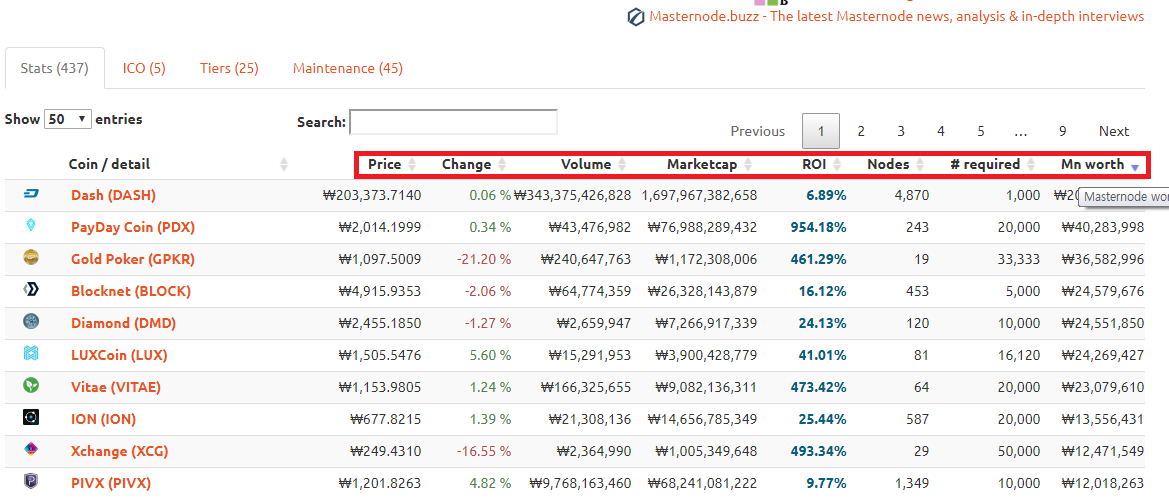 빨간 네모를 보시면 클릭을 통해 정렬을 할수 있습니다. 일단 Mn worth 로 정렬을 해봅시다. If you look at the red squares, you can sort them by clicking on them. Let's sort by Mn Worth. 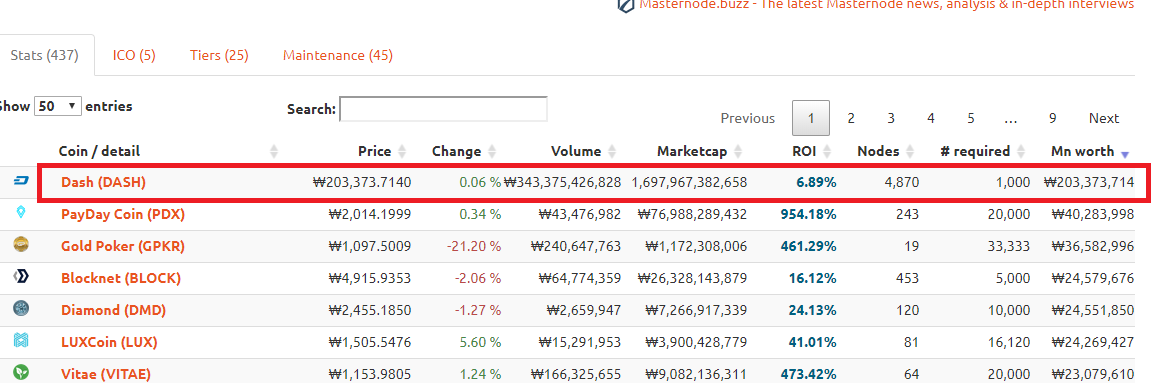 DASH COIN 은 현재 4,870개의 마스터노드가 활성화 중이고 1개의 노드구성을 위한 필요코인은 1,000개이며 The DASH COIN is currently active for 4,870 master nodes, and 1,000 are required for one node configuration. 1개의 마노구성을 위한 코인가격은 대략 2억원이군요;;;; 자 DASH 를 클릭해서 상세페이지를 열어보도록 하겠습니다. Let's click DASH to open the details page. 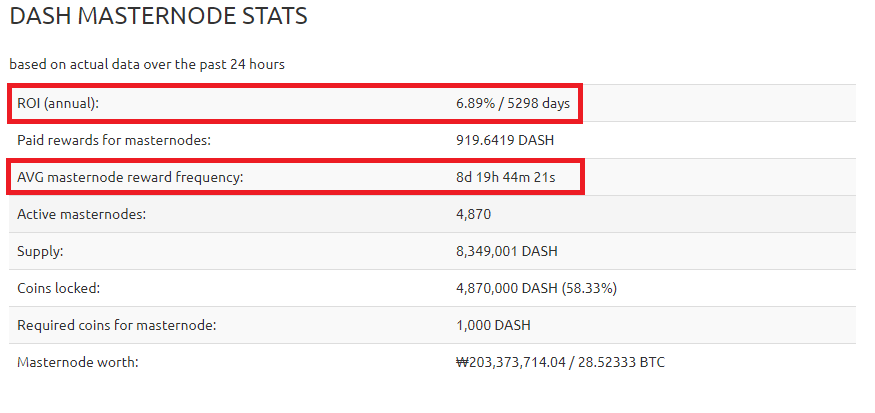 ROI 는 쉽게말해 마노를 구성하기위해 지출한 비용을 되찾을수 있는 손익분기점이라고 보시면 됩니다. ROI is, in short, a gain or loss point to recover the cost of organizing the Mano. 5298일 이군요.......... 1년은 365일이니까..... 14년....입니다..... 5298 days.......... there are 365 days in a year... 14 years... 두번째 는 평균보상기일이라고 생각하시면 되겠습니다. 대략 8일 정도네요.... The second is the average compensation period. About eight days.... DASH COIN 을 설명해드리는 이유는 말씀드렸지만 마스터노드를 통해 코인을 얻는 1세대 코인이라고 보셔도 무관하기 때문입니다. 또한 마스터노드를 이용하는 코인의 대부분은 DASH COIN 에서 파생되었다라고 생각합니다. 자 이제 수많은 코인들중 앞으로 DASH COIN 처럼 올라갈만한 코인을 찾아보겠습니다. Now, let's look for a coin that's going to go up like a DASH COIN. 다시한번 말씀드리지만 코인의 선택은 절대 본인에게 있으며 누구도 책임지지 않기 때문에 Again, the choice of Coin is something that no one is responsible for. 현명하게 판단하시기 바랍니다. Please judge wisely. 그러면 다음 포스팅에서는 코인을 선택해 마노를 구성하도록 하겠습니다. In the next posting, we will select a coin to configure the mano. 감사합니다. thx~~~~ |
| json metadata | {"tags":["masternode","dash"],"image":["https://cdn.steemitimages.com/DQmXJH63FK15bqyQjJSRwKLfJeKsWVHiS7jaa6NHYnBzTrG/image.png","https://cdn.steemitimages.com/DQmNnBZZBMBQp1WfMjkYKTSMb2qPTLQzCFpKpLJY9ckpnRv/image.png","https://cdn.steemitimages.com/DQmQDBaN9NCj6BvhJSQV8AbhxwvkDVwZpa56McmRrtTtPPx/image.png"],"links":["https://masternodes.online/?convert=KRW"],"app":"steemit/0.1","format":"markdown"} |
| Transaction Info | Block #26396278/Trx 05b4bff8c2f2f95769f85935aa5b477c31440d0f |
View Raw JSON Data
{
"trx_id": "05b4bff8c2f2f95769f85935aa5b477c31440d0f",
"block": 26396278,
"trx_in_block": 8,
"op_in_trx": 0,
"virtual_op": 0,
"timestamp": "2018-09-30T11:30:30",
"op": [
"comment",
{
"parent_author": "",
"parent_permlink": "masternode",
"author": "chu68yaw",
"permlink": "masternode-1st-coin-is",
"title": "Masternode 1st coin is........",
"body": "안녕하세요 오랜만에 인사드립니다.\nHi. Long time no see.\n\n자 이제 마스터노드를 통해 코인을 얻게 되는 과정을 스팀잇에 게시하면서 함께 코인을 얻었으면 합니다.\nNow, I want you to join me by posting to my Steam the process of getting a coin through the master node.\n\n코인을 소개하는건 주관적이며 절대 책임지지 않기 때문에 본인의 결정에 책임을 지셔야 합니다.\nIntroducing coin is subjective and never takes responsibility for your decision.\n\n마스터 노드로 코인을 얻을수 있는 종류로써 1세대는 아무래도 DASH COIN 이 아닐까 싶습니다.\nAs the type of coin can be obtained using the master node, the first generation may be DASH COIN.\n\n일단 마스터노드의 정보를 볼수 있는 여러 싸이트 중에 masternodeonline 홈페이지를 이용합니다.\nFirst, among many sites where you can view information of master node, use masternodeonline homepage.\nhttps://masternodes.online/?convert=KRW (저는 한국인 이므로 화폐를 KRW 로 바꾸었습니다 )\nAs I am Korean, I changed money to KRW.\n\n\n빨간 네모를 보시면 클릭을 통해 정렬을 할수 있습니다. 일단 Mn worth 로 정렬을 해봅시다.\nIf you look at the red squares, you can sort them by clicking on them. Let's sort by Mn Worth.\n\n\nDASH COIN 은 현재 4,870개의 마스터노드가 활성화 중이고 1개의 노드구성을 위한 필요코인은 1,000개이며\nThe DASH COIN is currently active for 4,870 master nodes, and 1,000 are required for one node configuration.\n\n1개의 마노구성을 위한 코인가격은 대략 2억원이군요;;;;\n\n자 DASH 를 클릭해서 상세페이지를 열어보도록 하겠습니다.\nLet's click DASH to open the details page.\n\n\nROI 는 쉽게말해 마노를 구성하기위해 지출한 비용을 되찾을수 있는 손익분기점이라고 보시면 됩니다.\nROI is, in short, a gain or loss point to recover the cost of organizing the Mano.\n\n5298일 이군요.......... 1년은 365일이니까..... 14년....입니다.....\n5298 days.......... there are 365 days in a year... 14 years...\n\n두번째 는 평균보상기일이라고 생각하시면 되겠습니다. 대략 8일 정도네요....\nThe second is the average compensation period. About eight days....\n\nDASH COIN 을 설명해드리는 이유는 말씀드렸지만 마스터노드를 통해 코인을 얻는 1세대 코인이라고 \n\n보셔도 무관하기 때문입니다. 또한 마스터노드를 이용하는 코인의 대부분은 DASH COIN 에서 파생되었다라고\n\n생각합니다.\n\n자 이제 수많은 코인들중 앞으로 DASH COIN 처럼 올라갈만한 코인을 찾아보겠습니다.\nNow, let's look for a coin that's going to go up like a DASH COIN.\n\n다시한번 말씀드리지만 코인의 선택은 절대 본인에게 있으며 누구도 책임지지 않기 때문에\nAgain, the choice of Coin is something that no one is responsible for.\n\n현명하게 판단하시기 바랍니다.\nPlease judge wisely.\n\n그러면 다음 포스팅에서는 코인을 선택해 마노를 구성하도록 하겠습니다. \nIn the next posting, we will select a coin to configure the mano.\n\n감사합니다.\nthx~~~~",
"json_metadata": "{\"tags\":[\"masternode\",\"dash\"],\"image\":[\"https://cdn.steemitimages.com/DQmXJH63FK15bqyQjJSRwKLfJeKsWVHiS7jaa6NHYnBzTrG/image.png\",\"https://cdn.steemitimages.com/DQmNnBZZBMBQp1WfMjkYKTSMb2qPTLQzCFpKpLJY9ckpnRv/image.png\",\"https://cdn.steemitimages.com/DQmQDBaN9NCj6BvhJSQV8AbhxwvkDVwZpa56McmRrtTtPPx/image.png\"],\"links\":[\"https://masternodes.online/?convert=KRW\"],\"app\":\"steemit/0.1\",\"format\":\"markdown\"}"
}
]
}nuclieusupvoted (100.00%) @chu68yaw / bean-cash-sprouting2018/09/25 05:44:48
nuclieusupvoted (100.00%) @chu68yaw / bean-cash-sprouting
2018/09/25 05:44:48
| voter | nuclieus |
| author | chu68yaw |
| permlink | bean-cash-sprouting |
| weight | 10000 (100.00%) |
| Transaction Info | Block #26245648/Trx 0492d8c4608d60e7d8400ba09933a9d870513098 |
View Raw JSON Data
{
  "trx_id": "0492d8c4608d60e7d8400ba09933a9d870513098",
  "block": 26245648,
  "trx_in_block": 3,
  "op_in_trx": 0,
  "virtual_op": 0,
  "timestamp": "2018-09-25T05:44:48",
  "op": [
    "vote",
    {
      "voter": "nuclieus",
      "author": "chu68yaw",
      "permlink": "bean-cash-sprouting",
      "weight": 10000
    }
  ]
}chu68yawreceived 0.076 STEEM, 0.095 SP author reward for @chu68yaw / bean-cash-sprouting2018/08/31 15:25:30
chu68yawreceived 0.076 STEEM, 0.095 SP author reward for @chu68yaw / bean-cash-sprouting
2018/08/31 15:25:30
| author | chu68yaw |
| permlink | bean-cash-sprouting |
| sbd payout | 0.000 SBD |
| steem payout | 0.076 STEEM |
| vesting payout | 153.780432 VESTS |
| Transaction Info | Block #25553212/Virtual Operation #11 |
View Raw JSON Data
{
  "trx_id": "0000000000000000000000000000000000000000",
  "block": 25553212,
  "trx_in_block": 4294967295,
  "op_in_trx": 0,
  "virtual_op": 11,
  "timestamp": "2018-08-31T15:25:30",
  "op": [
    "author_reward",
    {
      "author": "chu68yaw",
      "permlink": "bean-cash-sprouting",
      "sbd_payout": "0.000 SBD",
      "steem_payout": "0.076 STEEM",
      "vesting_payout": "153.780432 VESTS"
    }
  ]
}2018/08/28 08:40:27
2018/08/28 08:40:27
| parent author | chu68yaw |
| parent permlink | hycon-coin-mining |
| author | steemitboard |
| permlink | steemitboard-notify-chu68yaw-20180828t084026000z |
| title | |
| body | Congratulations @chu68yaw! You have completed the following achievement on Steemit and have been rewarded with new badge(s) : [](http://steemitboard.com/@chu68yaw) Award for the number of upvotes received <sub>_Click on the badge to view your Board of Honor._</sub> <sub>_If you no longer want to receive notifications, reply to this comment with the word_ `STOP`</sub> > Do you like [SteemitBoard's project](https://steemit.com/@steemitboard)? Then **[Vote for its witness](https://v2.steemconnect.com/sign/account-witness-vote?witness=steemitboard&approve=1)** and **get one more award**! |
| json metadata | {"image":["https://steemitboard.com/img/notify.png"]} |
| Transaction Info | Block #25458762/Trx 2711302c9d2e48e0ddf5da28db1016f2833a20d5 |
View Raw JSON Data
{
"trx_id": "2711302c9d2e48e0ddf5da28db1016f2833a20d5",
"block": 25458762,
"trx_in_block": 2,
"op_in_trx": 0,
"virtual_op": 0,
"timestamp": "2018-08-28T08:40:27",
"op": [
"comment",
{
"parent_author": "chu68yaw",
"parent_permlink": "hycon-coin-mining",
"author": "steemitboard",
"permlink": "steemitboard-notify-chu68yaw-20180828t084026000z",
"title": "",
"body": "Congratulations @chu68yaw! You have completed the following achievement on Steemit and have been rewarded with new badge(s) :\n\n[](http://steemitboard.com/@chu68yaw) Award for the number of upvotes received\n\n<sub>_Click on the badge to view your Board of Honor._</sub>\n<sub>_If you no longer want to receive notifications, reply to this comment with the word_ `STOP`</sub>\n\n\n\n> Do you like [SteemitBoard's project](https://steemit.com/@steemitboard)? Then **[Vote for its witness](https://v2.steemconnect.com/sign/account-witness-vote?witness=steemitboard&approve=1)** and **get one more award**!",
"json_metadata": "{\"image\":[\"https://steemitboard.com/img/notify.png\"]}"
}
]
}pinoyupvoted (10.00%) @chu68yaw / hycon-coin-mining2018/08/28 06:42:33
pinoyupvoted (10.00%) @chu68yaw / hycon-coin-mining
2018/08/28 06:42:33
| voter | pinoy |
| author | chu68yaw |
| permlink | hycon-coin-mining |
| weight | 1000 (10.00%) |
| Transaction Info | Block #25456407/Trx 700890e832341e02965869e989a887e3a5738afb |
View Raw JSON Data
{
  "trx_id": "700890e832341e02965869e989a887e3a5738afb",
  "block": 25456407,
  "trx_in_block": 8,
  "op_in_trx": 0,
  "virtual_op": 0,
  "timestamp": "2018-08-28T06:42:33",
  "op": [
    "vote",
    {
      "voter": "pinoy",
      "author": "chu68yaw",
      "permlink": "hycon-coin-mining",
      "weight": 1000
    }
  ]
}magpieloverupvoted (100.00%) @chu68yaw / hycon-coin-mining2018/08/28 06:31:54
magpieloverupvoted (100.00%) @chu68yaw / hycon-coin-mining
2018/08/28 06:31:54
| voter | magpielover |
| author | chu68yaw |
| permlink | hycon-coin-mining |
| weight | 10000 (100.00%) |
| Transaction Info | Block #25456195/Trx 674bfc4b306e9effb298f12d9ac86d9cb2f0e8f5 |
View Raw JSON Data
{
  "trx_id": "674bfc4b306e9effb298f12d9ac86d9cb2f0e8f5",
  "block": 25456195,
  "trx_in_block": 20,
  "op_in_trx": 0,
  "virtual_op": 0,
  "timestamp": "2018-08-28T06:31:54",
  "op": [
    "vote",
    {
      "voter": "magpielover",
      "author": "chu68yaw",
      "permlink": "hycon-coin-mining",
      "weight": 10000
    }
  ]
}obakuupvoted (0.60%) @chu68yaw / hycon-coin-mining2018/08/28 06:09:06
obakuupvoted (0.60%) @chu68yaw / hycon-coin-mining
2018/08/28 06:09:06
| voter | obaku |
| author | chu68yaw |
| permlink | hycon-coin-mining |
| weight | 60 (0.60%) |
| Transaction Info | Block #25455740/Trx 6446d61128251604e2d6f0296bc012344533471a |
View Raw JSON Data
{
  "trx_id": "6446d61128251604e2d6f0296bc012344533471a",
  "block": 25455740,
  "trx_in_block": 9,
  "op_in_trx": 0,
  "virtual_op": 0,
  "timestamp": "2018-08-28T06:09:06",
  "op": [
    "vote",
    {
      "voter": "obaku",
      "author": "chu68yaw",
      "permlink": "hycon-coin-mining",
      "weight": 60
    }
  ]
}raise-me-upupvoted (0.02%) @chu68yaw / hycon-coin-mining2018/08/28 06:08:06
raise-me-upupvoted (0.02%) @chu68yaw / hycon-coin-mining
2018/08/28 06:08:06
| voter | raise-me-up |
| author | chu68yaw |
| permlink | hycon-coin-mining |
| weight | 2 (0.02%) |
| Transaction Info | Block #25455720/Trx a17eb7164767057dda9edfadb2c79367ea18aad3 |
View Raw JSON Data
{
  "trx_id": "a17eb7164767057dda9edfadb2c79367ea18aad3",
  "block": 25455720,
  "trx_in_block": 23,
  "op_in_trx": 0,
  "virtual_op": 0,
  "timestamp": "2018-08-28T06:08:06",
  "op": [
    "vote",
    {
      "voter": "raise-me-up",
      "author": "chu68yaw",
      "permlink": "hycon-coin-mining",
      "weight": 2
    }
  ]
}chu68yawpublished a new post: hycon-coin-mining2018/08/28 06:01:12
chu68yawpublished a new post: hycon-coin-mining
2018/08/28 06:01:12
| parent author | |
| parent permlink | hycon |
| author | chu68yaw |
| permlink | hycon-coin-mining |
| title | hycon coin mining 하이콘 채굴에 관해 |
| body | 안녕하세요. 오늘은 HYCON COIN 에 관해 알아보고 채굴하는 법에 대해 글을 적도록 하겠습니다. Hello, today we will learn about HYCON COIN and write about how to mine. https://hycon.io/ hycon 홈페이지 하이콘의 백서를 살펴봅시다. 1. 블록체인 개발현황과 해결해야할 문제 2. 인피니트 프로젝트의 목표 3. 블록체인 한계를 극복하기 위해 제안하는 방법 4. 하이콘의 기술사양 천천히 읽어보시면서 이 코인의 채굴 여부를 판단하시면 될것 같습니다. Read slowly to see if you can mine this coin. 많은 채굴러 분들이 자신이 캐고 있는 코인에 대해 여러가지 의미를 가지고 계실겁니다. Many of the miners have different meanings about the coins they're digging for. 하이콘 코인에 대한 큰 기대는 없는건 사실입니다. 백서에서도 눈이 휘둥그레질 정도의 엄청나게 신선한 무언가가 보여지는 것 같진 않고 하이콘에 대한 주위의 뜨거운 반응도 없는것 같지만 기본에 충실하고 개념을 잡고 움직이겠다라는 의지가 보여 꾸준히 캐려고 합니다. 또 자주 기사를 접하고 관심있게 보다보니 다른 코인을 캐는 것보다 유익하지 않을까 하는 마음뿐이네요. 아직 걸음마 단계라고 생각하는 블록체인 기술에 대한 기대감을 하이콘과 함께 가는 느낌 정도 인것 같습니다. 최근 기사 http://news.inews24.com/php/news_view.php?g_serial=1120585&g_menu=020200&rrf=nv http://www.zdnet.co.kr/news/news_view.asp?artice_id=20180803182102&type=det&re=zdk 그래서 현재 저는 하이콘 코인을 1050ti 22개 750ti 53개를 물려서 캐고 있습니다. 자 하이콘 코인 마이닝을 해볼까요? let's hycon coin mining. google 에서 hycon coin 을 검색후 coinmarketcap 을 들어가봅시다 Let's search for the hycon coin in the go Google and enter the coinmarketcap.  빨간 블럭의 소스코드를 클릭하시면 하이콘 깃허브가 열리게 됩니다. Click on the red block of the source code to open the Hicon flag hub. https://github.com/Team-Hycon  hycon-gui ---> wallet 입니다. xmrig --->CPU마이너입니다. xmrig-nvidia -> nvidia 계열 그래픽카드 마이너입니다. xmrig-amd ---> amd 계열 그래픽카드 마이너입니다. 우선 지갑을 받아볼까요? Let's get a wallet first.  빨간 블럭을 클릭하세요 Click on the red block.  빨간 블럭 2 release 를 클릭하세요 Click on the red block 2 release. 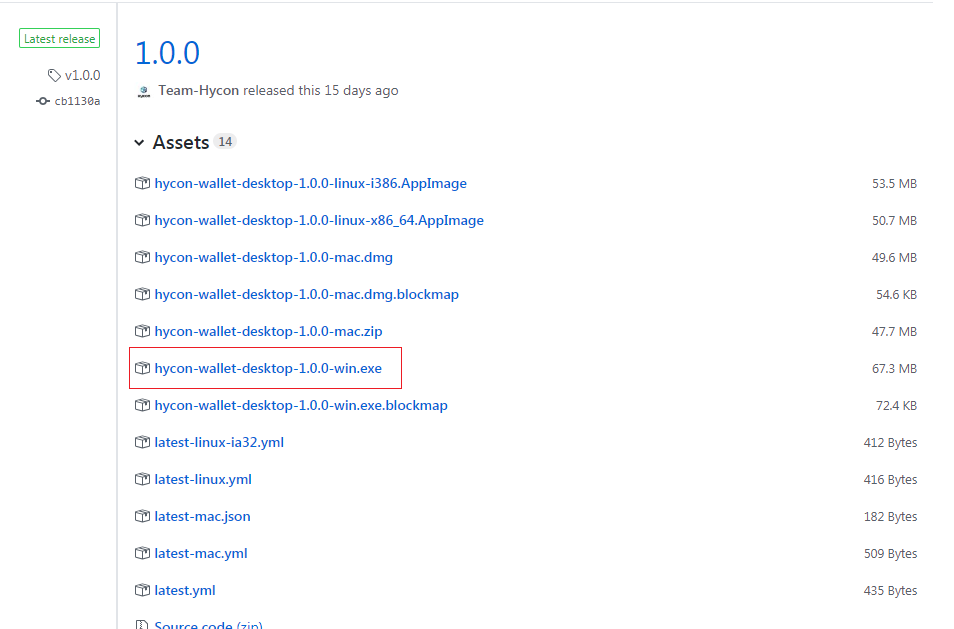 저는 윈도우용 지갑을 받아야 합니다. 빨간블럭을 받아서 압축을 풀고 실행합시다. I need to get a wallet for Windows. Let's take a red block, extract it, and run it. 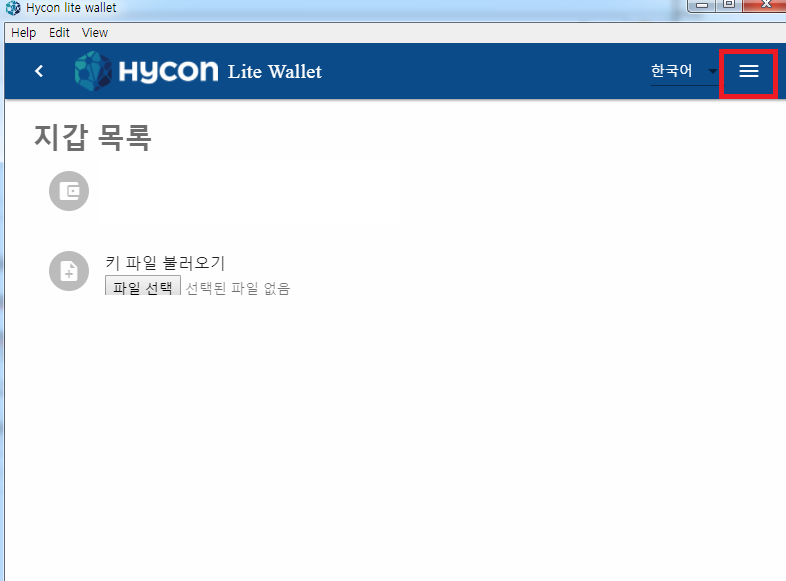 우측상단에 하얀줄을 클릭하시면 지갑생성이 보입니다. 클릭하세요 Click on the white line in the upper right corner to see your wallet creation. Click 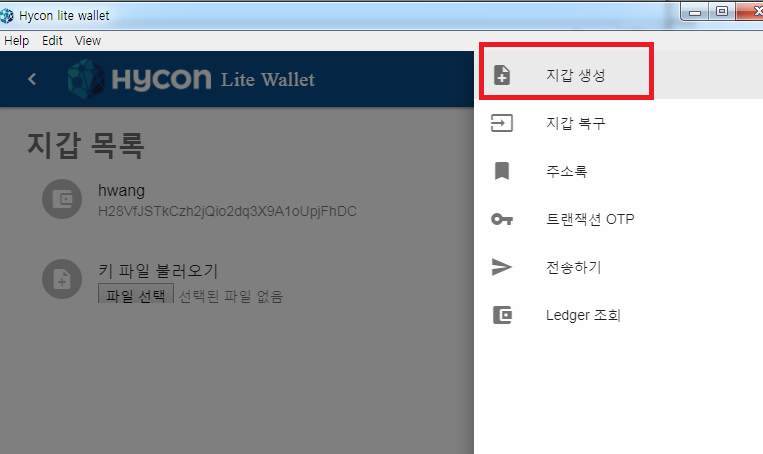 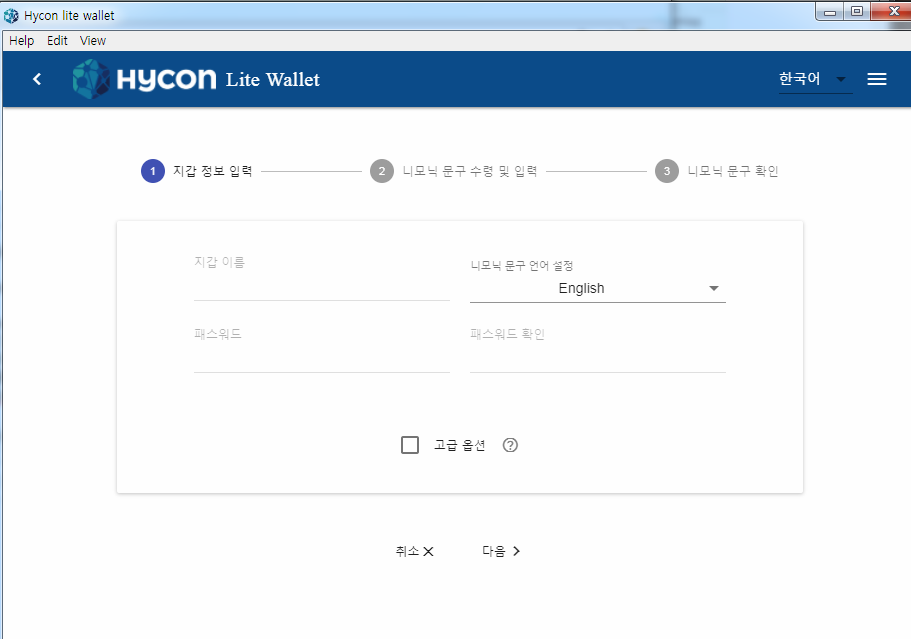 지갑이름과 패스워드 그리고 패스워드 확인 꼼꼼히 넣으시면 됩니다. Just enter your wallet name, password and password carefully. 니모닉은 지갑을 분실했을때 찾을수 있도록하는 기능이라고 보시면 되구요. Nemonic can be found when you lose your wallet. hycon coin 측에서 니모닉문구도 언어를 설정할수 있게 해줬네요 친절합니다. The hycon coin allows you to set up a language. Kind. 저는 기본기능인 영어로 체크했습니다. I checked the basic function in English. 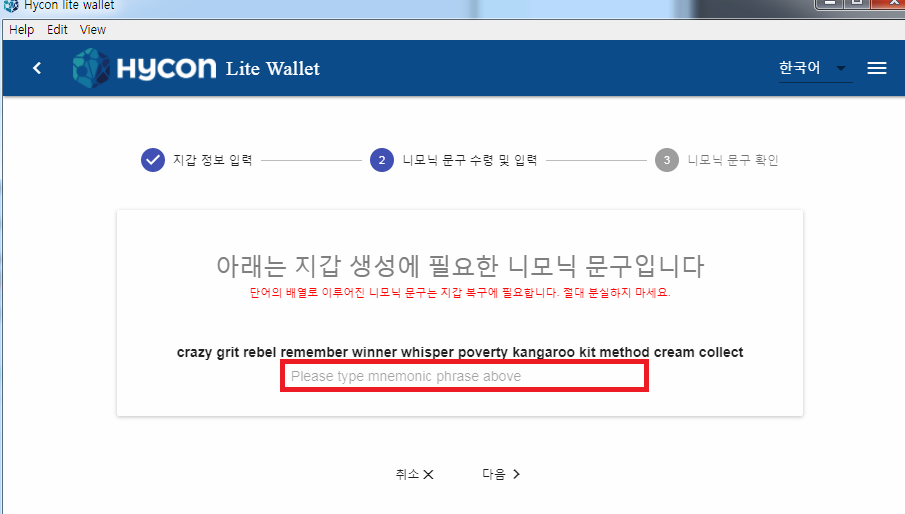 자 위에 나타난 니모닉은 핸드폰으로 사진을 찍어 저장을 하시거나 따로 메모를 해 놓으시면 분실후에도 되찾을수 있습니다. Now, the mnemonic shown above can be taken with a mobile phone, saved with a mobile phone, or taken with a separate note and recovered after loss. 빨간 블럭에 위에 나타난 니모닉을 그대로 적어주신후 다음을 클릭하시고 문구를 다시한번 확인하는데 마찬가지로 니모닉을 적어주시면 지갑생성이 완료 됩니다. In the red block, write the mnemonic that appears above, and then click Next to check the wording again. 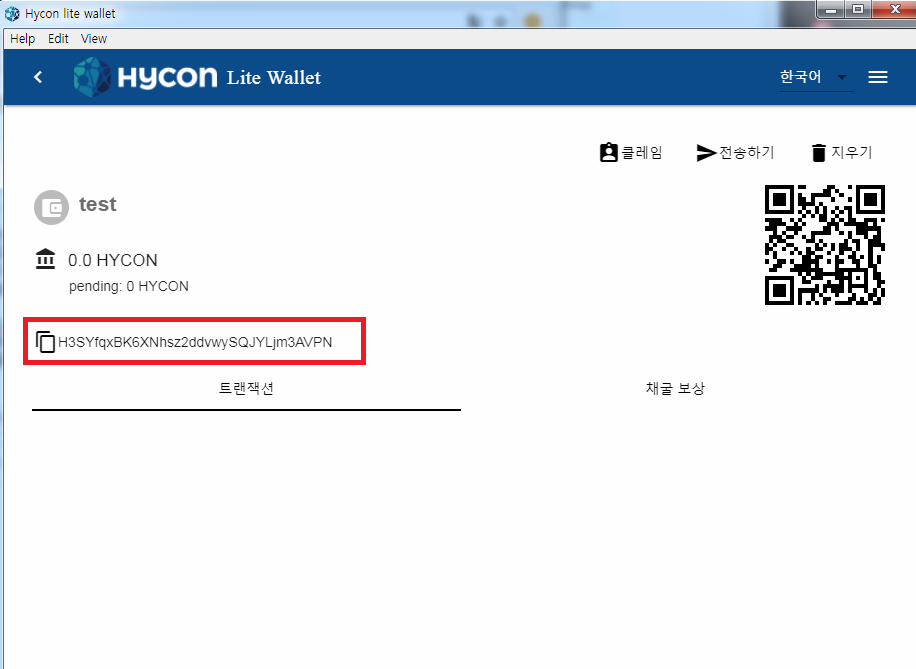 수고하셨습니다. 지갑이 만들어졌습니다. 빨간 블럭은 제 지갑주소가 되겠습니다. 이 지갑주소를 통해 마이너셋팅의 주소로 쓰시면 되겠습니다. Thank you for your efforts. My wallet was made. The red block will be my wallet address. Through this wallet You can use the address for minor setting 저는 amd 그래픽카드가 없기 때문에 CPU마이너와 nvidia그래픽카드 마이너를 사용하고 있습니다. Because I do not have an amd graphics card, I use CPU minor and nvidia graphics card minor. 일단 CPU 마이너부터 살펴봅시다. xmrig cpu miner를 클릭합시다. Let's start with CPU minor. Click on the xmrig cpu miner. 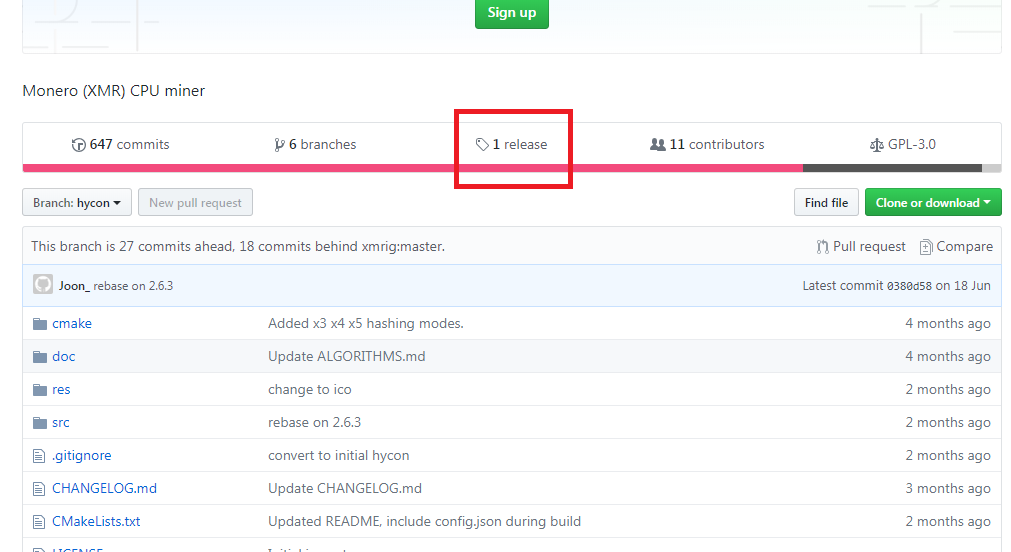 빨간블럭 1 release 를 클릭합시다. Let's click on red block 1 release. 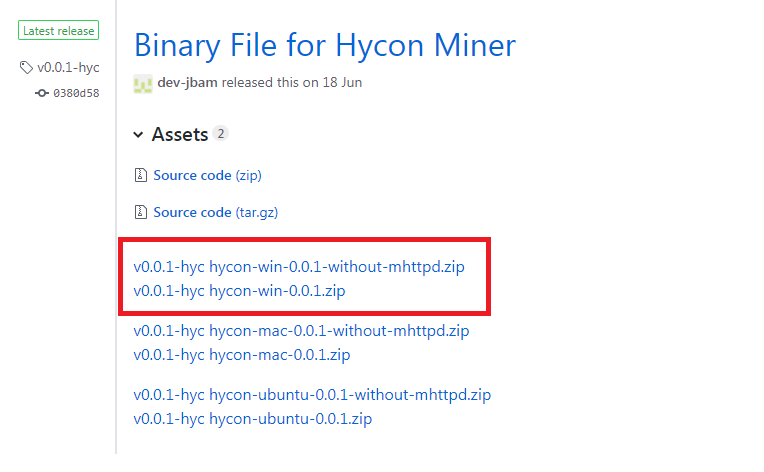 저는 첫번째 파일을 받았구요 압축을 푸시게 되면 두개의 파일이 나타납니다. I got the first file. When extracted, two files appear. 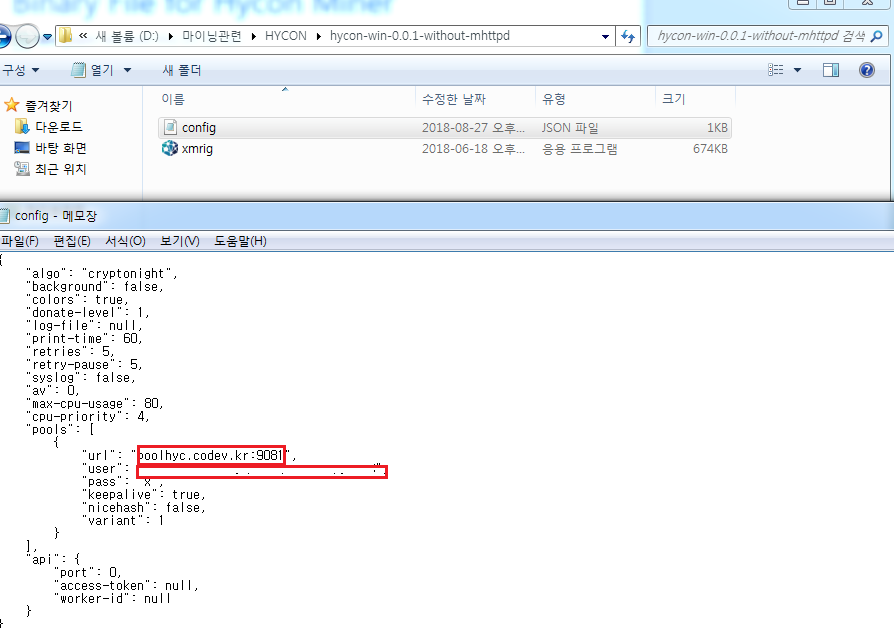 config.json 파일을 메모장을 통해 열어보시면 상세한 내용이 나옵니다. Please open the config.json file through the Notepad for details. 거기에 빨간블럭을 보시면 url은 마이너를 어느풀에 물릴것인지 정해주시면 됩니다. 반드시 포트도 함께! If you look at the red block there, you can decide which glue the minor is going to be bitten by. Port must be with you! user는 hycon 지갑 주소를 적어주시면 되구요. You can write down the address of the hycon wallet. pass는 보통 x 입니다. 저장후 xmrig 파일을 실행합시다. Pass is usually x. Save and run the xmrig file. 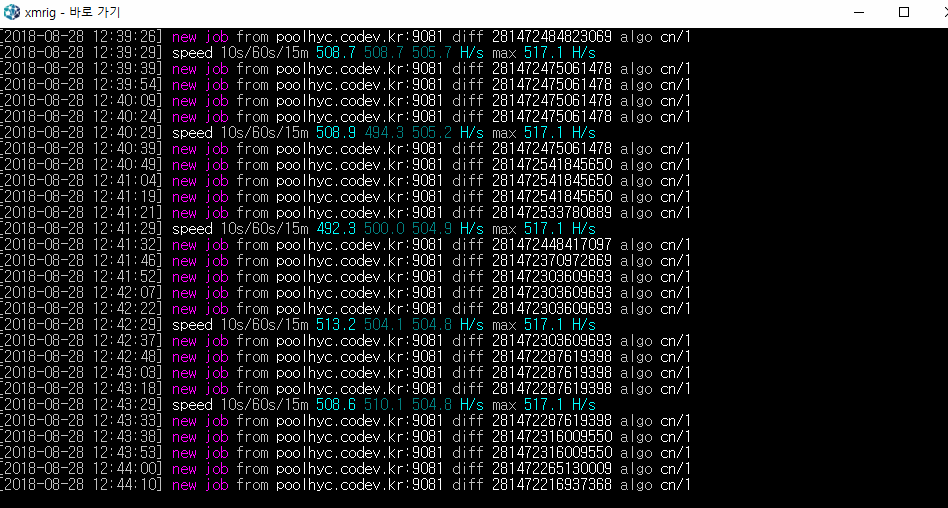 new job 이 뜨고난뒤 speed 에 해쉬가 표시가 됩니다. 그럼 성공입니다. After the new job is opened, the speed shows a hash. Then it's a success. hycon coin은 알고리즘이 cryptonight 7입니다. 즉 cryptonight 계열인지라 cpu 채굴도 가능하긴 하지만 고사양의 cpu가 아니라면 권하고 싶진 않습니다. The hycon coin has an algorithm called Cryptonight 7. Therefore, we can mine the cpu as it is in the Cryptonight family, but I would not recommend it if it is not high quality cpu. 참고로 보시는 이미지는 라이젠1700 입니다. For your information, the image you see is Ryzen1700. 자 그럼 nvidia 그래픽카드를 셋팅해봅시다. So let's set up the nvidia graphics card. 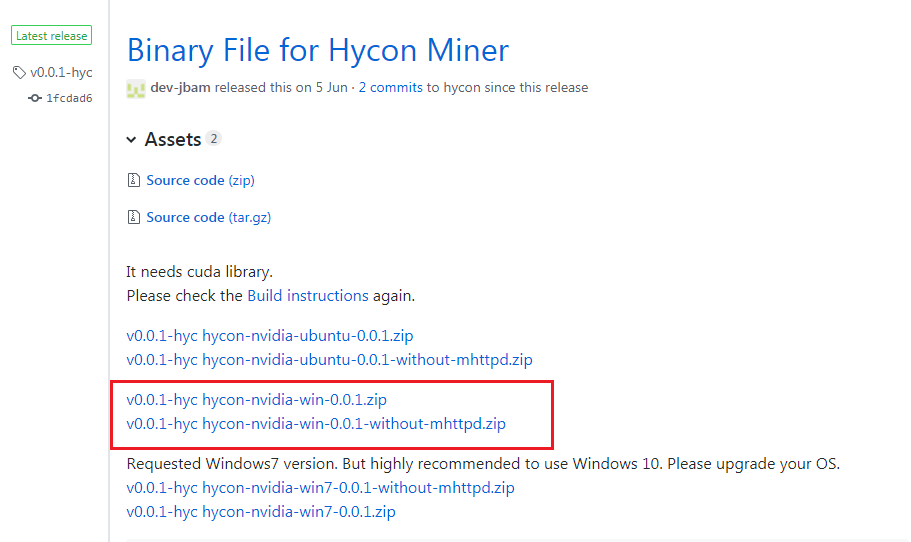 hycon 깃허브에서 xmrig-nvidia를 클릭하시고 1release 를 클릭하시면 빨간블럭에 있는 프로그램이 겠죠? If you click xmrig-nvidia in the hycon flag hub and click Release, the program will be on the red block, right? 요구에 의해 윈도우7용 마이너도 개발되었지만 가급적 윈도우10을 사용하시길 바랍니다. A minor for Windows 7 has also been developed on demand, but we hope you can use Windows 10. 압축을 푸신후 config.json 파일을 메모장을 통해 열어봅시다. Let's unpack and open the config.json file through Notepad. 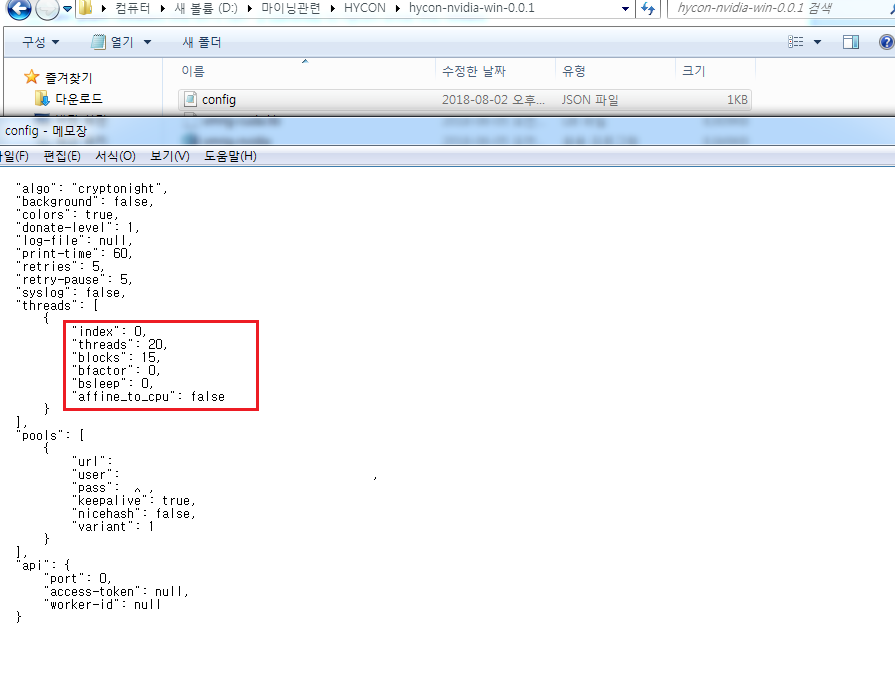 하단의 url 과 user 는 cpu마이너와 같겠죠? url and user at the bottom are like cpuminer, right? 빨간블럭을 보시게 되면 index 가 초기값은 0으로 되어있습니다. If you see a red block, the index is set to zero. 이부분을 바꿔주시면 되는데 만일 자신의 GPU마이너의 갯수를 넣으시면 됩니다. You can change this. If you add the number of GPUminers you can add. 쓰레드와 블럭 등등은 일단 기본값으로 놓으시구요. 저장후 xmrig-nvidia을 실행합시다. Put the threads, blocks, etc. at the default. After saving, run xmrig-nvidia. 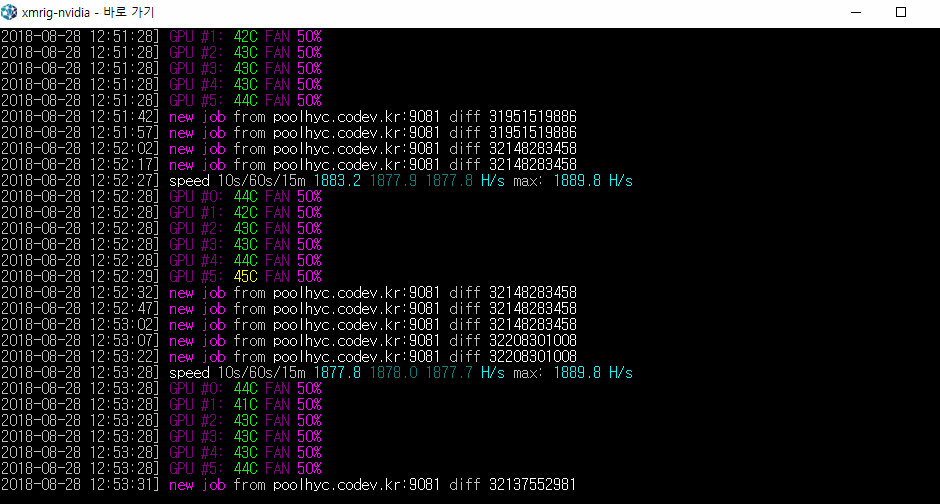 보시는 결과값은 1050ti 6way 입니다. 크립토계열의 알고리즘인지라 발열이 심하지 않습니다. The result is 1050 Ti 6way. It's a Krypto algorithm, so the heat is not serious. 궁금하신점은 댓글주시면 상세히 설명해드리겠습니다 그럼 즐거운 마이닝 하세요 ^^ If you have any questions, I will explain them in detail. Then have fun mining. ^^ |
| json metadata | {"tags":["hycon","coin","mining","xmrig"],"image":["https://cdn.steemitimages.com/DQmcsgBp7qn6YabeKjB5HxHeYMjn5hVsbFrnjRH5N5ybZaB/image.png","https://cdn.steemitimages.com/DQme4tPWKTRZZgAxpVsiNdXcvEMGxW3byEMGBQxZbW7auZQ/image.png","https://cdn.steemitimages.com/DQma7xitkjNs4vMjosfGijwiQYgbJPDLcNxgL5H6rCMMyPP/image.png","https://cdn.steemitimages.com/DQmW2s7v9jTD6ahQHhzAZoBoXG41wfgakr7gY8GdQCXx4eM/image.png","https://cdn.steemitimages.com/DQmVkFH97zAJvZz461rxgMv7BFwH2p1TPVrw4zdfSs9rJZs/image.png","https://cdn.steemitimages.com/DQmcrM6PXa3d8oRrMGEj2TzB6vBW2rgGZ1VV5bfqsWridE4/image.png","https://cdn.steemitimages.com/DQmWYvWvSQPpYXxKJ3AK9Qxf33iMtqWyjWRRyeaoiYHq2RM/image.png","https://cdn.steemitimages.com/DQmTxQgpnbr1rP8SNJjJfo3je59webVT9Q5bUKZCfnhZRUe/image.png","https://cdn.steemitimages.com/DQmXERVUnGL9nT79GXUkm2jAudwwrv1mhhjEWKf1nXeH1De/image.png","https://cdn.steemitimages.com/DQmfXWR2eTMjwnzspsN3zkYZPkAbsJP1F7vjLYMCE1H2p6M/image.png","https://cdn.steemitimages.com/DQmZTRUEVU3P6HUozPuVS7F82PTt3gV5LPr4pSwuPDh33Er/image.png","https://cdn.steemitimages.com/DQmbGznfHLjeBysmso2W89UbvXP7azM87Wv9RAfZGQG97XT/image.png","https://cdn.steemitimages.com/DQmXmTHMvgAb1mmpcqF3msEyTNi74WtDfEnvW2AzUDKuiXq/image.png","https://cdn.steemitimages.com/DQmTKFKPJ2nCs4kyoL6FhbrZ8TWCmSVi3pGepHRg1pU6US8/image.png","https://cdn.steemitimages.com/DQmU8hBfRghRS5dKbeh17cQXtn4im1XgnKxNRFDHYeAHtBV/image.png","https://cdn.steemitimages.com/DQmZqL1RmSs4KF1gi8GVfk1k3RZZLpymbCNjnrXgmkdSj5S/image.png","https://cdn.steemitimages.com/DQmfSBjkav3tfYGNBcKnKQQytQxRgf2CtwpsVmoaYsnXNAD/image.png"],"links":["https://hycon.io/","http://news.inews24.com/php/news_view.php?g_serial=1120585&g_menu=020200&rrf=nv","http://www.zdnet.co.kr/news/news_view.asp?artice_id=20180803182102&type=det&re=zdk","https://github.com/Team-Hycon"],"app":"steemit/0.1","format":"markdown"} |
| Transaction Info | Block #25455582/Trx f3f96be8bb677e3477a79a1d8c989f381843b5de |
View Raw JSON Data
{
"trx_id": "f3f96be8bb677e3477a79a1d8c989f381843b5de",
"block": 25455582,
"trx_in_block": 0,
"op_in_trx": 0,
"virtual_op": 0,
"timestamp": "2018-08-28T06:01:12",
"op": [
"comment",
{
"parent_author": "",
"parent_permlink": "hycon",
"author": "chu68yaw",
"permlink": "hycon-coin-mining",
"title": "hycon coin mining 하이콘 채굴에 관해",
"body": "안녕하세요. 오늘은 HYCON COIN 에 관해 알아보고 채굴하는 법에 대해 글을 적도록 하겠습니다.\nHello, today we will learn about HYCON COIN and write about how to mine.\n\nhttps://hycon.io/ hycon 홈페이지\n\n하이콘의 백서를 살펴봅시다.\n1. 블록체인 개발현황과 해결해야할 문제\n2. 인피니트 프로젝트의 목표\n3. 블록체인 한계를 극복하기 위해 제안하는 방법\n4. 하이콘의 기술사양\n천천히 읽어보시면서 이 코인의 채굴 여부를 판단하시면 될것 같습니다.\nRead slowly to see if you can mine this coin.\n\n많은 채굴러 분들이 자신이 캐고 있는 코인에 대해 여러가지 의미를 가지고 계실겁니다. \nMany of the miners have different meanings about the coins they're digging for.\n\n하이콘 코인에 대한 큰 기대는 없는건 사실입니다. 백서에서도 눈이 휘둥그레질 정도의 엄청나게 신선한 무언가가 보여지는 것 같진 않고 하이콘에 대한 주위의 뜨거운 반응도 없는것 같지만 기본에 충실하고 개념을 잡고 움직이겠다라는 의지가 보여 꾸준히 캐려고 합니다. 또 자주 기사를 접하고 관심있게 보다보니 다른 코인을 캐는 것보다 유익하지 않을까 하는 마음뿐이네요. 아직 걸음마 단계라고 생각하는 블록체인 기술에 대한 기대감을 하이콘과 함께 가는 느낌 정도 인것 같습니다.\n최근 기사 http://news.inews24.com/php/news_view.php?g_serial=1120585&g_menu=020200&rrf=nv\n http://www.zdnet.co.kr/news/news_view.asp?artice_id=20180803182102&type=det&re=zdk\n그래서 현재 저는 하이콘 코인을 1050ti 22개 750ti 53개를 물려서 캐고 있습니다.\n\n자 하이콘 코인 마이닝을 해볼까요?\nlet's hycon coin mining.\n google 에서 hycon coin 을 검색후 coinmarketcap 을 들어가봅시다\nLet's search for the hycon coin in the go Google and enter the coinmarketcap.\n\n\n\n빨간 블럭의 소스코드를 클릭하시면 하이콘 깃허브가 열리게 됩니다.\nClick on the red block of the source code to open the Hicon flag hub.\n https://github.com/Team-Hycon\n\nhycon-gui ---> wallet 입니다.\nxmrig --->CPU마이너입니다.\nxmrig-nvidia -> nvidia 계열 그래픽카드 마이너입니다.\nxmrig-amd ---> amd 계열 그래픽카드 마이너입니다.\n\n우선 지갑을 받아볼까요?\nLet's get a wallet first.\n\n\n빨간 블럭을 클릭하세요\nClick on the red block.\n\n\n빨간 블럭 2 release 를 클릭하세요\nClick on the red block 2 release.\n\n\n저는 윈도우용 지갑을 받아야 합니다. 빨간블럭을 받아서 압축을 풀고 실행합시다.\nI need to get a wallet for Windows. Let's take a red block, extract it, and run it.\n\n\n우측상단에 하얀줄을 클릭하시면 지갑생성이 보입니다. 클릭하세요\nClick on the white line in the upper right corner to see your wallet creation. Click\n\n\n\n지갑이름과 패스워드 그리고 패스워드 확인 꼼꼼히 넣으시면 됩니다. \n\nJust enter your wallet name, password and password carefully.\n니모닉은 지갑을 분실했을때 찾을수 있도록하는 기능이라고 보시면 되구요. \nNemonic can be found when you lose your wallet.\n\nhycon coin 측에서 니모닉문구도 언어를 설정할수 있게 해줬네요 친절합니다.\nThe hycon coin allows you to set up a language. Kind.\n\n저는 기본기능인 영어로 체크했습니다.\nI checked the basic function in English.\n\n\n자 위에 나타난 니모닉은 핸드폰으로 사진을 찍어 저장을 하시거나 따로 메모를 해 놓으시면 분실후에도 되찾을수 있습니다. \nNow, the mnemonic shown above can be taken with a mobile phone, saved with a mobile phone, or taken with a separate note and recovered after loss.\n\n빨간 블럭에 위에 나타난 니모닉을 그대로 적어주신후 다음을 클릭하시고 문구를 다시한번 확인하는데 마찬가지로 니모닉을 적어주시면 지갑생성이 완료 됩니다.\nIn the red block, write the mnemonic that appears above, and then click Next to check the wording again.\n\n\n수고하셨습니다. 지갑이 만들어졌습니다. 빨간 블럭은 제 지갑주소가 되겠습니다. 이 지갑주소를 통해\n마이너셋팅의 주소로 쓰시면 되겠습니다.\nThank you for your efforts. My wallet was made. The red block will be my wallet address. Through this wallet\nYou can use the address for minor setting\n\n저는 amd 그래픽카드가 없기 때문에 CPU마이너와 nvidia그래픽카드 마이너를 사용하고 있습니다.\nBecause I do not have an amd graphics card, I use CPU minor and nvidia graphics card minor.\n\n일단 CPU 마이너부터 살펴봅시다. xmrig cpu miner를 클릭합시다.\nLet's start with CPU minor. Click on the xmrig cpu miner.\n\n\n빨간블럭 1 release 를 클릭합시다.\nLet's click on red block 1 release.\n\n\n저는 첫번째 파일을 받았구요 압축을 푸시게 되면 두개의 파일이 나타납니다.\nI got the first file. When extracted, two files appear.\n\n\nconfig.json 파일을 메모장을 통해 열어보시면 상세한 내용이 나옵니다.\nPlease open the config.json file through the Notepad for details.\n\n거기에 빨간블럭을 보시면 url은 마이너를 어느풀에 물릴것인지 정해주시면 됩니다. 반드시 포트도 함께!\nIf you look at the red block there, you can decide which glue the minor is going to be bitten by. Port must be with you!\n\nuser는 hycon 지갑 주소를 적어주시면 되구요.\nYou can write down the address of the hycon wallet.\n\npass는 보통 x 입니다. 저장후 xmrig 파일을 실행합시다.\nPass is usually x. Save and run the xmrig file.\n\n\nnew job 이 뜨고난뒤 speed 에 해쉬가 표시가 됩니다. 그럼 성공입니다. \nAfter the new job is opened, the speed shows a hash. Then it's a success.\n\nhycon coin은 알고리즘이 cryptonight 7입니다. 즉 cryptonight 계열인지라 cpu 채굴도 가능하긴 하지만 고사양의 cpu가 아니라면 권하고 싶진 않습니다.\nThe hycon coin has an algorithm called Cryptonight 7. Therefore, we can mine the cpu as it is in the Cryptonight family, but I would not recommend it if it is not high quality cpu.\n\n참고로 보시는 이미지는 라이젠1700 입니다.\nFor your information, the image you see is Ryzen1700.\n\n자 그럼 nvidia 그래픽카드를 셋팅해봅시다.\nSo let's set up the nvidia graphics card.\n\n\nhycon 깃허브에서 xmrig-nvidia를 클릭하시고 1release 를 클릭하시면 빨간블럭에 있는 프로그램이 겠죠?\nIf you click xmrig-nvidia in the hycon flag hub and click Release, the program will be on the red block, right?\n\n요구에 의해 윈도우7용 마이너도 개발되었지만 가급적 윈도우10을 사용하시길 바랍니다.\nA minor for Windows 7 has also been developed on demand, but we hope you can use Windows 10.\n\n압축을 푸신후 config.json 파일을 메모장을 통해 열어봅시다.\nLet's unpack and open the config.json file through Notepad.\n\n\n하단의 url 과 user 는 cpu마이너와 같겠죠?\nurl and user at the bottom are like cpuminer, right?\n\n 빨간블럭을 보시게 되면 index 가 초기값은 0으로 되어있습니다.\nIf you see a red block, the index is set to zero.\n\n이부분을 바꿔주시면 되는데 만일 자신의 GPU마이너의 갯수를 넣으시면 됩니다. \nYou can change this. If you add the number of GPUminers you can add.\n\n쓰레드와 블럭 등등은 일단 기본값으로 놓으시구요. 저장후 xmrig-nvidia을 실행합시다.\nPut the threads, blocks, etc. at the default. After saving, run xmrig-nvidia.\n\n\n보시는 결과값은 1050ti 6way 입니다. 크립토계열의 알고리즘인지라 발열이 심하지 않습니다.\nThe result is 1050 Ti 6way. It's a Krypto algorithm, so the heat is not serious.\n\n궁금하신점은 댓글주시면 상세히 설명해드리겠습니다 그럼 즐거운 마이닝 하세요 ^^\nIf you have any questions, I will explain them in detail. Then have fun mining. ^^",
"json_metadata": "{\"tags\":[\"hycon\",\"coin\",\"mining\",\"xmrig\"],\"image\":[\"https://cdn.steemitimages.com/DQmcsgBp7qn6YabeKjB5HxHeYMjn5hVsbFrnjRH5N5ybZaB/image.png\",\"https://cdn.steemitimages.com/DQme4tPWKTRZZgAxpVsiNdXcvEMGxW3byEMGBQxZbW7auZQ/image.png\",\"https://cdn.steemitimages.com/DQma7xitkjNs4vMjosfGijwiQYgbJPDLcNxgL5H6rCMMyPP/image.png\",\"https://cdn.steemitimages.com/DQmW2s7v9jTD6ahQHhzAZoBoXG41wfgakr7gY8GdQCXx4eM/image.png\",\"https://cdn.steemitimages.com/DQmVkFH97zAJvZz461rxgMv7BFwH2p1TPVrw4zdfSs9rJZs/image.png\",\"https://cdn.steemitimages.com/DQmcrM6PXa3d8oRrMGEj2TzB6vBW2rgGZ1VV5bfqsWridE4/image.png\",\"https://cdn.steemitimages.com/DQmWYvWvSQPpYXxKJ3AK9Qxf33iMtqWyjWRRyeaoiYHq2RM/image.png\",\"https://cdn.steemitimages.com/DQmTxQgpnbr1rP8SNJjJfo3je59webVT9Q5bUKZCfnhZRUe/image.png\",\"https://cdn.steemitimages.com/DQmXERVUnGL9nT79GXUkm2jAudwwrv1mhhjEWKf1nXeH1De/image.png\",\"https://cdn.steemitimages.com/DQmfXWR2eTMjwnzspsN3zkYZPkAbsJP1F7vjLYMCE1H2p6M/image.png\",\"https://cdn.steemitimages.com/DQmZTRUEVU3P6HUozPuVS7F82PTt3gV5LPr4pSwuPDh33Er/image.png\",\"https://cdn.steemitimages.com/DQmbGznfHLjeBysmso2W89UbvXP7azM87Wv9RAfZGQG97XT/image.png\",\"https://cdn.steemitimages.com/DQmXmTHMvgAb1mmpcqF3msEyTNi74WtDfEnvW2AzUDKuiXq/image.png\",\"https://cdn.steemitimages.com/DQmTKFKPJ2nCs4kyoL6FhbrZ8TWCmSVi3pGepHRg1pU6US8/image.png\",\"https://cdn.steemitimages.com/DQmU8hBfRghRS5dKbeh17cQXtn4im1XgnKxNRFDHYeAHtBV/image.png\",\"https://cdn.steemitimages.com/DQmZqL1RmSs4KF1gi8GVfk1k3RZZLpymbCNjnrXgmkdSj5S/image.png\",\"https://cdn.steemitimages.com/DQmfSBjkav3tfYGNBcKnKQQytQxRgf2CtwpsVmoaYsnXNAD/image.png\"],\"links\":[\"https://hycon.io/\",\"http://news.inews24.com/php/news_view.php?g_serial=1120585&g_menu=020200&rrf=nv\",\"http://www.zdnet.co.kr/news/news_view.asp?artice_id=20180803182102&type=det&re=zdk\",\"https://github.com/Team-Hycon\"],\"app\":\"steemit/0.1\",\"format\":\"markdown\"}"
}
]
}pinoyupvoted (10.00%) @chu68yaw / bean-cash-sprouting-sprouting2018/08/26 11:42:06
pinoyupvoted (10.00%) @chu68yaw / bean-cash-sprouting-sprouting
2018/08/26 11:42:06
| voter | pinoy |
| author | chu68yaw |
| permlink | bean-cash-sprouting-sprouting |
| weight | 1000 (10.00%) |
| Transaction Info | Block #25404817/Trx da74915be037b2677929b2cbd500e9a576e2441b |
View Raw JSON Data
{
  "trx_id": "da74915be037b2677929b2cbd500e9a576e2441b",
  "block": 25404817,
  "trx_in_block": 15,
  "op_in_trx": 0,
  "virtual_op": 0,
  "timestamp": "2018-08-26T11:42:06",
  "op": [
    "vote",
    {
      "voter": "pinoy",
      "author": "chu68yaw",
      "permlink": "bean-cash-sprouting-sprouting",
      "weight": 1000
    }
  ]
}raise-me-upupvoted (0.02%) @chu68yaw / bean-cash-sprouting-sprouting2018/08/26 11:12:27
raise-me-upupvoted (0.02%) @chu68yaw / bean-cash-sprouting-sprouting
2018/08/26 11:12:27
| voter | raise-me-up |
| author | chu68yaw |
| permlink | bean-cash-sprouting-sprouting |
| weight | 2 (0.02%) |
| Transaction Info | Block #25404224/Trx 2453ce70104db0be4cf7285a98c14eb0ba0227a2 |
View Raw JSON Data
{
  "trx_id": "2453ce70104db0be4cf7285a98c14eb0ba0227a2",
  "block": 25404224,
  "trx_in_block": 1,
  "op_in_trx": 0,
  "virtual_op": 0,
  "timestamp": "2018-08-26T11:12:27",
  "op": [
    "vote",
    {
      "voter": "raise-me-up",
      "author": "chu68yaw",
      "permlink": "bean-cash-sprouting-sprouting",
      "weight": 2
    }
  ]
}steeming-hotupvoted (1.00%) @chu68yaw / bean-cash-sprouting-sprouting2018/08/26 11:11:15
steeming-hotupvoted (1.00%) @chu68yaw / bean-cash-sprouting-sprouting
2018/08/26 11:11:15
| voter | steeming-hot |
| author | chu68yaw |
| permlink | bean-cash-sprouting-sprouting |
| weight | 100 (1.00%) |
| Transaction Info | Block #25404200/Trx 652ab23c3fa8d69191b10e986f454655d1aaf038 |
View Raw JSON Data
{
  "trx_id": "652ab23c3fa8d69191b10e986f454655d1aaf038",
  "block": 25404200,
  "trx_in_block": 28,
  "op_in_trx": 0,
  "virtual_op": 0,
  "timestamp": "2018-08-26T11:11:15",
  "op": [
    "vote",
    {
      "voter": "steeming-hot",
      "author": "chu68yaw",
      "permlink": "bean-cash-sprouting-sprouting",
      "weight": 100
    }
  ]
}alphabotupvoted (1.00%) @chu68yaw / bean-cash-sprouting-sprouting2018/08/26 11:10:06
alphabotupvoted (1.00%) @chu68yaw / bean-cash-sprouting-sprouting
2018/08/26 11:10:06
| voter | alphabot |
| author | chu68yaw |
| permlink | bean-cash-sprouting-sprouting |
| weight | 100 (1.00%) |
| Transaction Info | Block #25404177/Trx 763d00acbb7c7370bbf09939ca8030d408d3f90e |
View Raw JSON Data
{
  "trx_id": "763d00acbb7c7370bbf09939ca8030d408d3f90e",
  "block": 25404177,
  "trx_in_block": 7,
  "op_in_trx": 0,
  "virtual_op": 0,
  "timestamp": "2018-08-26T11:10:06",
  "op": [
    "vote",
    {
      "voter": "alphabot",
      "author": "chu68yaw",
      "permlink": "bean-cash-sprouting-sprouting",
      "weight": 100
    }
  ]
}chu68yawpublished a new post: bean-cash-sprouting-sprouting2018/08/26 11:09:54
chu68yawpublished a new post: bean-cash-sprouting-sprouting
2018/08/26 11:09:54
| parent author | |
| parent permlink | beancash |
| author | chu68yaw |
| permlink | bean-cash-sprouting-sprouting |
| title | bean cash Sprouting 빈캐시 Sprouting |
| body | 이번엔 Beancash Sprouing 을 진행해 보도록 하겠습니다. Now, let's proceed with the Beancash Sprouding. POS 를 하기 위해선 당연히 코인이 필요합니다. 코인을 구입하러 갑시다. Of course you need a coin to do a POS. Let's go get a coin. 구글에서 beancash 를 검색합니다. Search for beancash in Google. 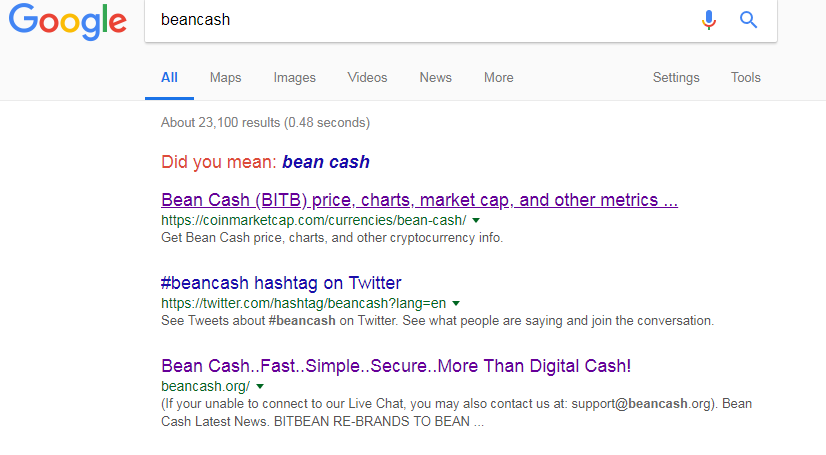 일반적으로 POS 혹은 마스터노드를 가용하는 COIN은 coinmarketcap에 등록이 되어 있습니다. Typically, a COIN that can be POS or master node is registered in the coinmarketcap. 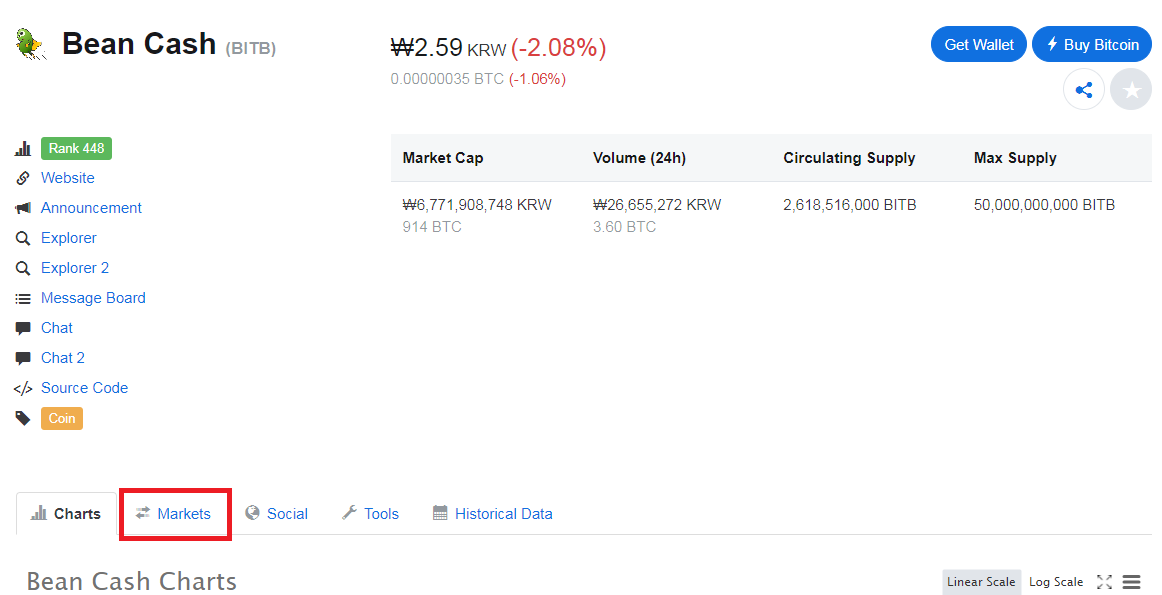 코인에 대한 자세한 사항은 천천히 살펴보시고 빨간 네모로 표시된 market를 클릭합시다. Take a slow look at the details of the coin and click on the marker marked with a red square. 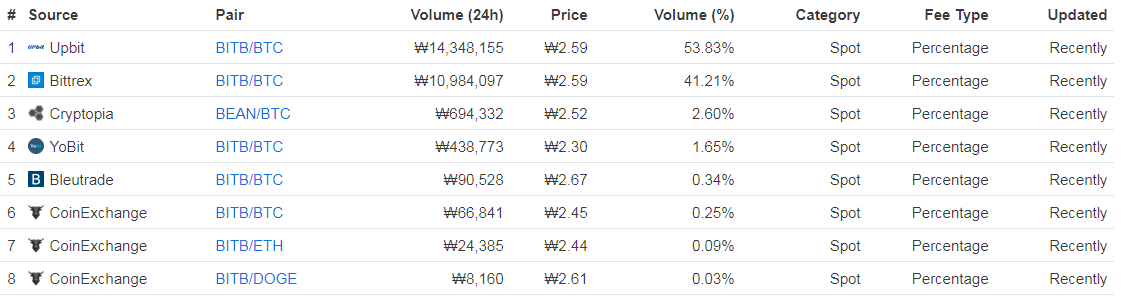 현재 beancash를 거래할수 있는 거래소들이 나열되어 있습니다. 여러거래소중 계정을 소유하고 있는 곳에서 구입하시면 좋겠죠? Currently, there are exchanges where you can trade beancash. If he owns an account on multiple exchanges, Would you like to buy it? 저는 크립토피아를 이용해 코인을 구입하도록 하겠습니다. I will use cryptopia to buy coins. 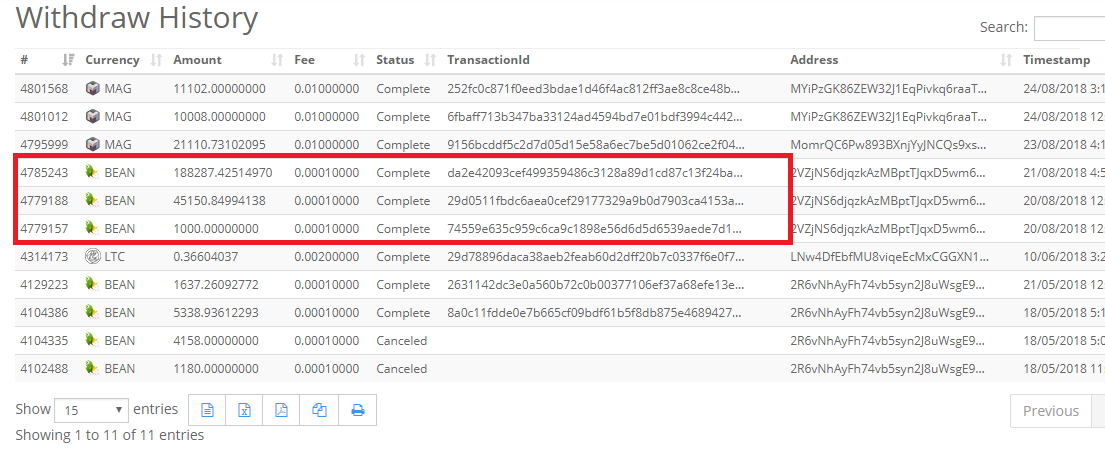 한가지 팁은 크립토피아는 with draw 를 시도후 이메일로 컨펌 여부를 묻게 됩니다. One tip is that cryptopia tries with Draw and asks if it can confirm by email. 클릭할 곳이 보이지 않는데 본문을 드래그 하시면 보입니다. If you don't see where to click, drag the text to see it. 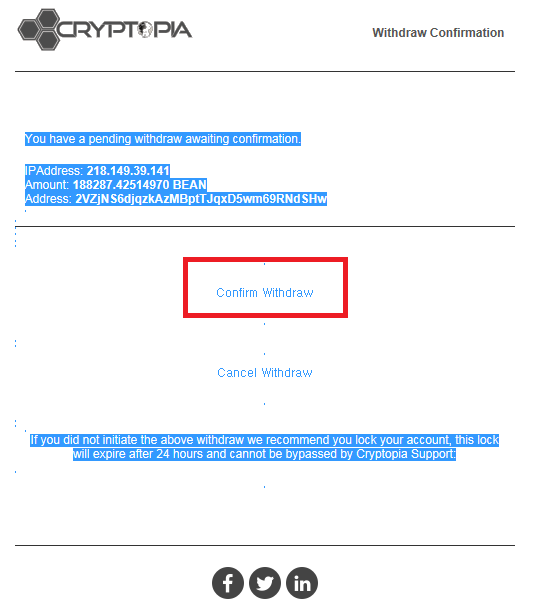 드래그 잊지마세요. Don't forget to drag. 그 다음은 너무나도 간단합니다. And then it's so simple. 지갑에 코인이 정상적으로 들어왔는지 확인합시다. Let's make sure the coin is in your wallet as normal. 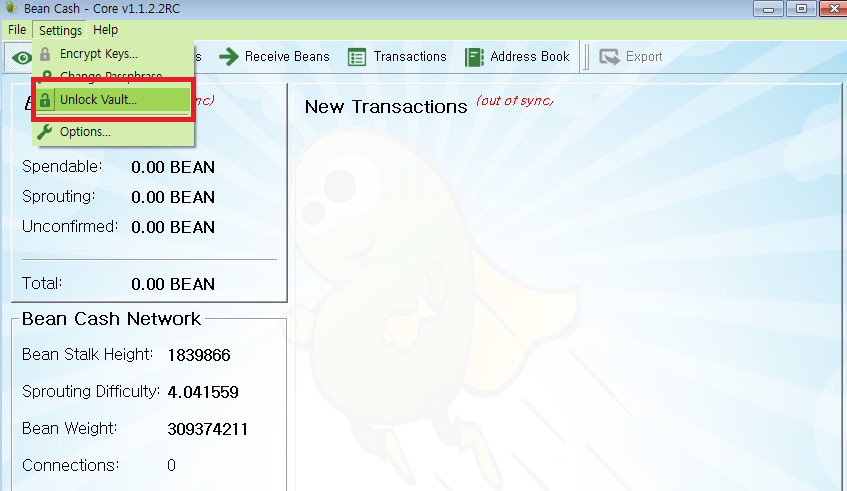 지갑의 비밀번호를 풀기위해 unlock vault 버턴을 누릅니다. Press unlock vault button to unlock your wallet's password. 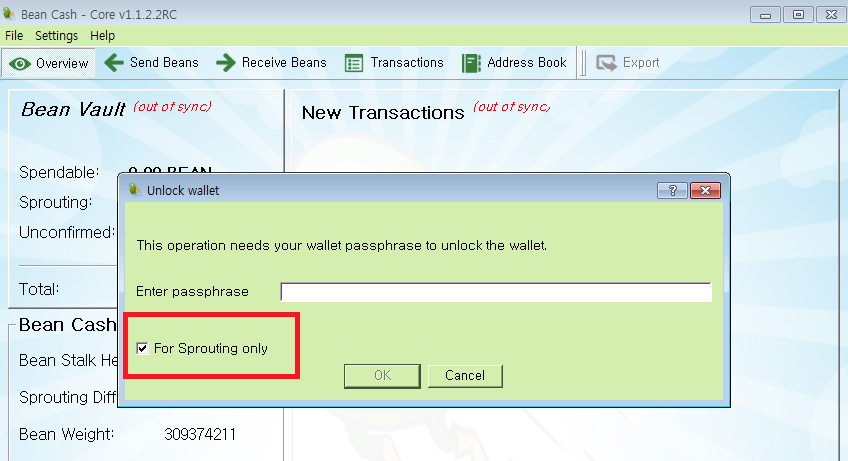 반드시 for sprouting only 체크 해 주시고 확인을 누릅니다. Make sure to check the for sprouting only and press OK. 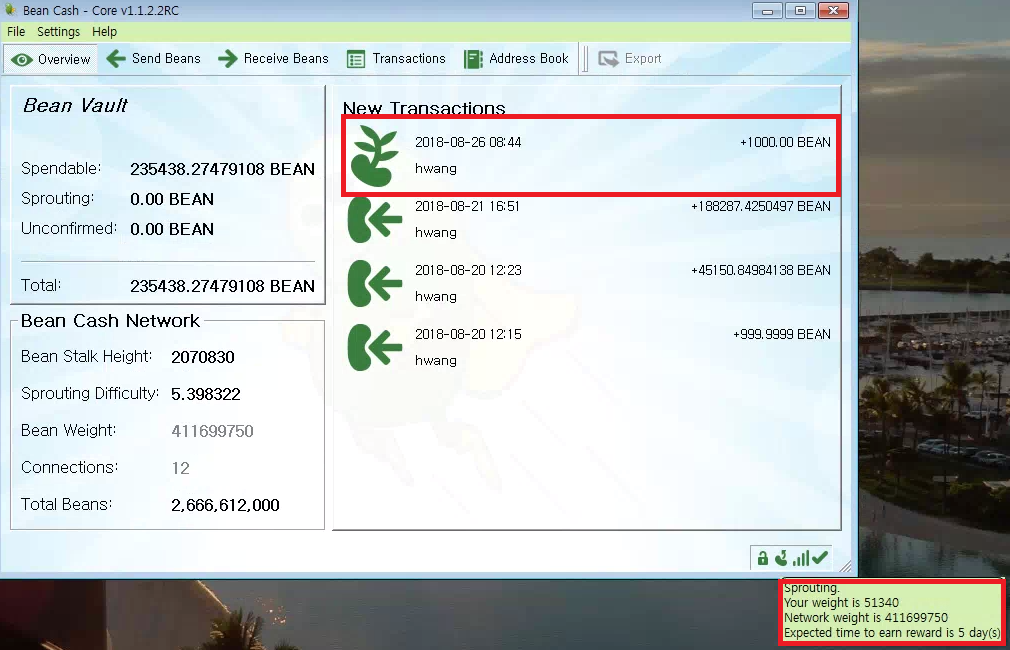 저는 총 235,000여개를 이용해서 sprouting 중이고 우측하단을 보시면 콩모양에 커서를 놓으면 대략 5일 정도에 한번씩 콩을 받을수 있을것이라고 명시되어 있습니다. I'm working on 235,000 of them, and if you look at the bottom right, I'm going to put the cursor in the shape of the beans. It says you can get the beans once in about five days. 따라하시느라 고생하셨습니다. Thank you for following me. 대략 코인 소유량에 따른 채굴량을 알아보는 사이트입니다. The site looks at the amount of mining by coinage. http://sproutingcalculator.com/ 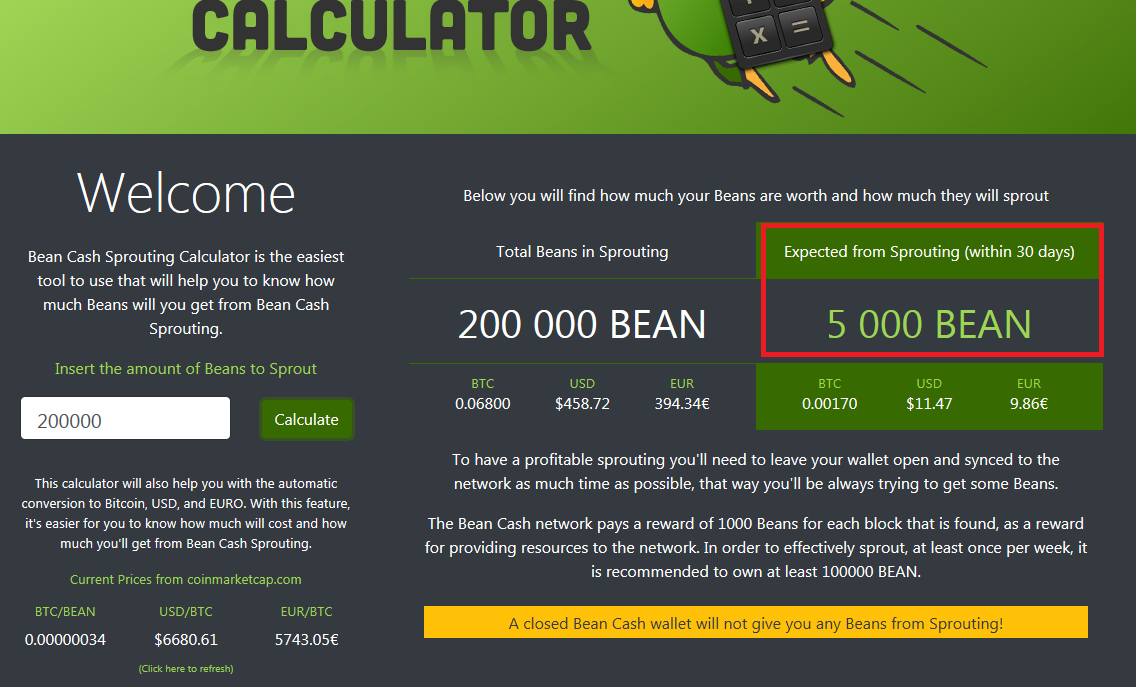 20만개의 코인은 30일 기준 평균 5,000개를 얻게 됩니다. If you add 200000 coins, you get an average of 5,000 coins per 30 days. 코인이 30일이 지난후 한번에 5000개를 받는것이 아니라 1000개를 얻게 되는 날짜로 들어오는 것으로 생각하시면 됩니다. Think of it as the date when you get 1,000 coins instead of 5,000 coins at a time after 30 days. 그래서 5천개가 30일에 나누어 들어오기 때문에 대략 5-6일 정도에 한번씩 코인이 들어온다고 보시면 되겠습니다. So, 5,000 come in on 30 days, so you have a coin coming in about five or six days. 저는 현재 쓰지 않는 노트북을 통해 bean cash core 만을 가동하고 있습니다. I'm running the bean Cash core only through a laptop that I don't currently use. 그런데 잠시 다른 업무를 위해 컴퓨터를 사용하니 코인이 들어오는 날짜가 늘어나 있더군요. But after using the computer for another job for a while, I found that the days of coin coming in increased. 즉 컴퓨터의 성능과 회선에도 영향을 받는지도 모르겠습니다. It might affect your computer's performance and lines. 그럼 bean cash 재미있게 채굴하세요 ^^ Then, have fun mining ^^ |
| json metadata | {"tags":["beancash","sprouting","beancoin","bitb"],"image":["https://cdn.steemitimages.com/DQmWu8Jtqur1MXjZeBNrWj5KNambv9kyAAY3yjykwspZbt6/image.png","https://cdn.steemitimages.com/DQmSUgVmdYNNWfSv3AT7D7ak5CEeTrCU9wMTCfeYLvc2Dqm/image.png","https://cdn.steemitimages.com/DQmQECbvHYyXWNEWo18LEN8RxaqN7MtNFYoTNpKcp7CNkBu/image.png","https://cdn.steemitimages.com/DQmaZYcGimMEamnSwvWgWDHpxDAaeJZwiSuYPBkDaDrz7YD/image.png","https://cdn.steemitimages.com/DQmW4AjkbRUo95eEhPGXZDtmMceSpm75L1zFBKrxd48uL75/image.png","https://cdn.steemitimages.com/DQmbCtgkr4U5fdy3SXrCQyjdsgjZwgbGW2BVfoq9EDsCwGM/image.png","https://cdn.steemitimages.com/DQmPS8mqhd9mNgUAWkM9URzpNcNyd9CjFunjMhYaAnD8rFD/image.png","https://cdn.steemitimages.com/DQmcCvacayMcy8JQdvSgyH1yuVmYn1GY2LE2EfTmTRw1KTh/image.png","https://cdn.steemitimages.com/DQmTcmBDyR7QsSMmKojQSkxi85QMMXcW7fWJ2tYPXCHESas/image.png"],"links":["http://sproutingcalculator.com/"],"app":"steemit/0.1","format":"markdown"} |
| Transaction Info | Block #25404173/Trx fac25af45b436ad527625e7619c735eb001d9774 |
View Raw JSON Data
{
"trx_id": "fac25af45b436ad527625e7619c735eb001d9774",
"block": 25404173,
"trx_in_block": 55,
"op_in_trx": 0,
"virtual_op": 0,
"timestamp": "2018-08-26T11:09:54",
"op": [
"comment",
{
"parent_author": "",
"parent_permlink": "beancash",
"author": "chu68yaw",
"permlink": "bean-cash-sprouting-sprouting",
"title": "bean cash Sprouting 빈캐시 Sprouting",
"body": "이번엔 Beancash Sprouing 을 진행해 보도록 하겠습니다. \nNow, let's proceed with the Beancash Sprouding.\n\nPOS 를 하기 위해선 당연히 코인이 필요합니다. 코인을 구입하러 갑시다.\nOf course you need a coin to do a POS. Let's go get a coin.\n\n구글에서 beancash 를 검색합니다.\nSearch for beancash in Google.\n\n\n일반적으로 POS 혹은 마스터노드를 가용하는 COIN은 coinmarketcap에 등록이 되어 있습니다.\nTypically, a COIN that can be POS or master node is registered in the coinmarketcap.\n\n\n코인에 대한 자세한 사항은 천천히 살펴보시고 빨간 네모로 표시된 market를 클릭합시다.\nTake a slow look at the details of the coin and click on the marker marked with a red square.\n\n\n현재 beancash를 거래할수 있는 거래소들이 나열되어 있습니다. 여러거래소중 계정을 소유하고 있는 곳에서\n구입하시면 좋겠죠?\nCurrently, there are exchanges where you can trade beancash. If he owns an account on multiple exchanges,\nWould you like to buy it?\n\n저는 크립토피아를 이용해 코인을 구입하도록 하겠습니다.\nI will use cryptopia to buy coins.\n\n\n한가지 팁은 크립토피아는 with draw 를 시도후 이메일로 컨펌 여부를 묻게 됩니다.\nOne tip is that cryptopia tries with Draw and asks if it can confirm by email.\n\n클릭할 곳이 보이지 않는데 본문을 드래그 하시면 보입니다.\nIf you don't see where to click, drag the text to see it.\n\n\n드래그 잊지마세요.\nDon't forget to drag.\n\n그 다음은 너무나도 간단합니다.\nAnd then it's so simple.\n\n지갑에 코인이 정상적으로 들어왔는지 확인합시다. \nLet's make sure the coin is in your wallet as normal.\n\n\n지갑의 비밀번호를 풀기위해 unlock vault 버턴을 누릅니다.\nPress unlock vault button to unlock your wallet's password.\n\n\n반드시 for sprouting only 체크 해 주시고 확인을 누릅니다.\nMake sure to check the for sprouting only and press OK.\n\n\n저는 총 235,000여개를 이용해서 sprouting 중이고 우측하단을 보시면 콩모양에 커서를 놓으면\n대략 5일 정도에 한번씩 콩을 받을수 있을것이라고 명시되어 있습니다.\nI'm working on 235,000 of them, and if you look at the bottom right, I'm going to put the cursor in the shape of the beans. It says you can get the beans once in about five days.\n\n따라하시느라 고생하셨습니다.\nThank you for following me.\n\n대략 코인 소유량에 따른 채굴량을 알아보는 사이트입니다.\nThe site looks at the amount of mining by coinage.\n\nhttp://sproutingcalculator.com/\n\n20만개의 코인은 30일 기준 평균 5,000개를 얻게 됩니다. \nIf you add 200000 coins, you get an average of 5,000 coins per 30 days.\n\n코인이 30일이 지난후 한번에 5000개를 받는것이 아니라 1000개를 얻게 되는 날짜로 들어오는 것으로 생각하시면 됩니다. \nThink of it as the date when you get 1,000 coins instead of 5,000 coins at a time after 30 days.\n\n그래서 5천개가 30일에 나누어 들어오기 때문에 대략 5-6일 정도에 한번씩 코인이 들어온다고 보시면 되겠습니다.\nSo, 5,000 come in on 30 days, so you have a coin coming in about five or six days.\n\n저는 현재 쓰지 않는 노트북을 통해 bean cash core 만을 가동하고 있습니다. \nI'm running the bean Cash core only through a laptop that I don't currently use.\n\n그런데 잠시 다른 업무를 위해 컴퓨터를 사용하니 코인이 들어오는 날짜가 늘어나 있더군요. \nBut after using the computer for another job for a while, I found that the days of coin coming in increased.\n\n즉 컴퓨터의 성능과 회선에도 영향을 받는지도 모르겠습니다.\nIt might affect your computer's performance and lines.\n\n그럼 bean cash 재미있게 채굴하세요 ^^\nThen, have fun mining ^^",
"json_metadata": "{\"tags\":[\"beancash\",\"sprouting\",\"beancoin\",\"bitb\"],\"image\":[\"https://cdn.steemitimages.com/DQmWu8Jtqur1MXjZeBNrWj5KNambv9kyAAY3yjykwspZbt6/image.png\",\"https://cdn.steemitimages.com/DQmSUgVmdYNNWfSv3AT7D7ak5CEeTrCU9wMTCfeYLvc2Dqm/image.png\",\"https://cdn.steemitimages.com/DQmQECbvHYyXWNEWo18LEN8RxaqN7MtNFYoTNpKcp7CNkBu/image.png\",\"https://cdn.steemitimages.com/DQmaZYcGimMEamnSwvWgWDHpxDAaeJZwiSuYPBkDaDrz7YD/image.png\",\"https://cdn.steemitimages.com/DQmW4AjkbRUo95eEhPGXZDtmMceSpm75L1zFBKrxd48uL75/image.png\",\"https://cdn.steemitimages.com/DQmbCtgkr4U5fdy3SXrCQyjdsgjZwgbGW2BVfoq9EDsCwGM/image.png\",\"https://cdn.steemitimages.com/DQmPS8mqhd9mNgUAWkM9URzpNcNyd9CjFunjMhYaAnD8rFD/image.png\",\"https://cdn.steemitimages.com/DQmcCvacayMcy8JQdvSgyH1yuVmYn1GY2LE2EfTmTRw1KTh/image.png\",\"https://cdn.steemitimages.com/DQmTcmBDyR7QsSMmKojQSkxi85QMMXcW7fWJ2tYPXCHESas/image.png\"],\"links\":[\"http://sproutingcalculator.com/\"],\"app\":\"steemit/0.1\",\"format\":\"markdown\"}"
}
]
}johnnycopper1upvoted (100.00%) @chu68yaw / bean-cash-sprouting2018/08/25 23:33:12
johnnycopper1upvoted (100.00%) @chu68yaw / bean-cash-sprouting
2018/08/25 23:33:12
| voter | johnnycopper1 |
| author | chu68yaw |
| permlink | bean-cash-sprouting |
| weight | 10000 (100.00%) |
| Transaction Info | Block #25390246/Trx 6115460ccc81ff56ffc92c2c4efd10beb366a410 |
View Raw JSON Data
{
  "trx_id": "6115460ccc81ff56ffc92c2c4efd10beb366a410",
  "block": 25390246,
  "trx_in_block": 1,
  "op_in_trx": 0,
  "virtual_op": 0,
  "timestamp": "2018-08-25T23:33:12",
  "op": [
    "vote",
    {
      "voter": "johnnycopper1",
      "author": "chu68yaw",
      "permlink": "bean-cash-sprouting",
      "weight": 10000
    }
  ]
}2018/08/25 06:27:54
2018/08/25 06:27:54
| parent author | chu68yaw |
| parent permlink | bean-cash-sprouting |
| author | steemitboard |
| permlink | steemitboard-notify-chu68yaw-20180825t062756000z |
| title | |
| body | Congratulations @chu68yaw! You have completed the following achievement on Steemit and have been rewarded with new badge(s) : [](http://steemitboard.com/@chu68yaw) You made your First Vote <sub>_Click on the badge to view your Board of Honor._</sub> <sub>_If you no longer want to receive notifications, reply to this comment with the word_ `STOP`</sub> **Do not miss the last post from @steemitboard:** [SteemitBoard and the Veterans on Steemit - The First Community Badge.](https://steemit.com/veterans/@steemitboard/steemitboard-and-the-veterans-on-steemit-the-first-community-badge) > Do you like [SteemitBoard's project](https://steemit.com/@steemitboard)? Then **[Vote for its witness](https://v2.steemconnect.com/sign/account-witness-vote?witness=steemitboard&approve=1)** and **get one more award**! |
| json metadata | {"image":["https://steemitboard.com/img/notify.png"]} |
| Transaction Info | Block #25369746/Trx a07a37d7665eab4796d4093f6a3863babd8db533 |
View Raw JSON Data
{
"trx_id": "a07a37d7665eab4796d4093f6a3863babd8db533",
"block": 25369746,
"trx_in_block": 20,
"op_in_trx": 0,
"virtual_op": 0,
"timestamp": "2018-08-25T06:27:54",
"op": [
"comment",
{
"parent_author": "chu68yaw",
"parent_permlink": "bean-cash-sprouting",
"author": "steemitboard",
"permlink": "steemitboard-notify-chu68yaw-20180825t062756000z",
"title": "",
"body": "Congratulations @chu68yaw! You have completed the following achievement on Steemit and have been rewarded with new badge(s) :\n\n[](http://steemitboard.com/@chu68yaw) You made your First Vote\n\n<sub>_Click on the badge to view your Board of Honor._</sub>\n<sub>_If you no longer want to receive notifications, reply to this comment with the word_ `STOP`</sub>\n\n\n\n**Do not miss the last post from @steemitboard:**\n[SteemitBoard and the Veterans on Steemit - The First Community Badge.](https://steemit.com/veterans/@steemitboard/steemitboard-and-the-veterans-on-steemit-the-first-community-badge)\n\n> Do you like [SteemitBoard's project](https://steemit.com/@steemitboard)? Then **[Vote for its witness](https://v2.steemconnect.com/sign/account-witness-vote?witness=steemitboard&approve=1)** and **get one more award**!",
"json_metadata": "{\"image\":[\"https://steemitboard.com/img/notify.png\"]}"
}
]
}chu68yawremoved vote from (0.00%) @chu68yaw / bean-cash-sprouting2018/08/25 01:48:48
chu68yawremoved vote from (0.00%) @chu68yaw / bean-cash-sprouting
2018/08/25 01:48:48
| voter | chu68yaw |
| author | chu68yaw |
| permlink | bean-cash-sprouting |
| weight | 0 (0.00%) |
| Transaction Info | Block #25364174/Trx b1d084b6a9f0b4cb3bc66d06d00aa5ce08385109 |
View Raw JSON Data
{
  "trx_id": "b1d084b6a9f0b4cb3bc66d06d00aa5ce08385109",
  "block": 25364174,
  "trx_in_block": 12,
  "op_in_trx": 0,
  "virtual_op": 0,
  "timestamp": "2018-08-25T01:48:48",
  "op": [
    "vote",
    {
      "voter": "chu68yaw",
      "author": "chu68yaw",
      "permlink": "bean-cash-sprouting",
      "weight": 0
    }
  ]
}chu68yawupvoted (100.00%) @chu68yaw / bean-cash-sprouting2018/08/25 01:48:30
chu68yawupvoted (100.00%) @chu68yaw / bean-cash-sprouting
2018/08/25 01:48:30
| voter | chu68yaw |
| author | chu68yaw |
| permlink | bean-cash-sprouting |
| weight | 10000 (100.00%) |
| Transaction Info | Block #25364168/Trx f3287cdac3224106926bb981931213641b3f8e6f |
View Raw JSON Data
{
  "trx_id": "f3287cdac3224106926bb981931213641b3f8e6f",
  "block": 25364168,
  "trx_in_block": 29,
  "op_in_trx": 0,
  "virtual_op": 0,
  "timestamp": "2018-08-25T01:48:30",
  "op": [
    "vote",
    {
      "voter": "chu68yaw",
      "author": "chu68yaw",
      "permlink": "bean-cash-sprouting",
      "weight": 10000
    }
  ]
}2018/08/24 16:32:15
2018/08/24 16:32:15
| delegator | steem |
| delegatee | chu68yaw |
| vesting shares | 30158.342047 VESTS |
| Transaction Info | Block #25353057/Trx a9fa3a89fcb71e837a32b5ebc2a937e9829da31d |
View Raw JSON Data
{
  "trx_id": "a9fa3a89fcb71e837a32b5ebc2a937e9829da31d",
  "block": 25353057,
  "trx_in_block": 5,
  "op_in_trx": 0,
  "virtual_op": 0,
  "timestamp": "2018-08-24T16:32:15",
  "op": [
    "delegate_vesting_shares",
    {
      "delegator": "steem",
      "delegatee": "chu68yaw",
      "vesting_shares": "30158.342047 VESTS"
    }
  ]
}hr1upvoted (0.02%) @chu68yaw / bean-cash-sprouting2018/08/24 15:55:24
hr1upvoted (0.02%) @chu68yaw / bean-cash-sprouting
2018/08/24 15:55:24
| voter | hr1 |
| author | chu68yaw |
| permlink | bean-cash-sprouting |
| weight | 2 (0.02%) |
| Transaction Info | Block #25352321/Trx 3f147c0a05208b8b1a2d5f9a4f98dbac2e1b9487 |
View Raw JSON Data
{
  "trx_id": "3f147c0a05208b8b1a2d5f9a4f98dbac2e1b9487",
  "block": 25352321,
  "trx_in_block": 48,
  "op_in_trx": 0,
  "virtual_op": 0,
  "timestamp": "2018-08-24T15:55:24",
  "op": [
    "vote",
    {
      "voter": "hr1",
      "author": "chu68yaw",
      "permlink": "bean-cash-sprouting",
      "weight": 2
    }
  ]
}fastresteemupvoted (1.00%) @chu68yaw / bean-cash-sprouting2018/08/24 15:25:39
fastresteemupvoted (1.00%) @chu68yaw / bean-cash-sprouting
2018/08/24 15:25:39
| voter | fastresteem |
| author | chu68yaw |
| permlink | bean-cash-sprouting |
| weight | 100 (1.00%) |
| Transaction Info | Block #25351726/Trx e60dec8e77ed9b9f6fca2b16befb7b8cae30a32e |
View Raw JSON Data
{
  "trx_id": "e60dec8e77ed9b9f6fca2b16befb7b8cae30a32e",
  "block": 25351726,
  "trx_in_block": 14,
  "op_in_trx": 0,
  "virtual_op": 0,
  "timestamp": "2018-08-24T15:25:39",
  "op": [
    "vote",
    {
      "voter": "fastresteem",
      "author": "chu68yaw",
      "permlink": "bean-cash-sprouting",
      "weight": 100
    }
  ]
}chu68yawpublished a new post: bean-cash-sprouting2018/08/24 15:25:30
chu68yawpublished a new post: bean-cash-sprouting
2018/08/24 15:25:30
| parent author | |
| parent permlink | beancash |
| author | chu68yaw |
| permlink | bean-cash-sprouting |
| title | bean cash Sprouting 빈캐시 채굴을 위한 지갑설치 및 동기화 준비과정 |
| body | POS 와 마스터노드를 공부하고 있는 요즘 예전에 관심이 있었던 Bean cash를 POS 해봐야 겠다 생각했습니다. While studying POS and MasterNodes, I thought I should try Bean Cash, which I was interested in. 글을 적으면서 저도 어려웠던 부분은 좀더 스크린샷과 함께 설명을 적겠습니다. As I write, I will write down the difficult part with a screenshot. 관심이 있으신 분들은 천천히 따라하셔도 될정도로 상세히 글을 적겠습니다. If you are interested, I will write in detail as much as you can slowly follow. 현재 2018년 8월 24일 coinmarketcap.com 에 정보로 2.47원 이군요. It is 34satosi at Koinmarketcap on August 24, 2018 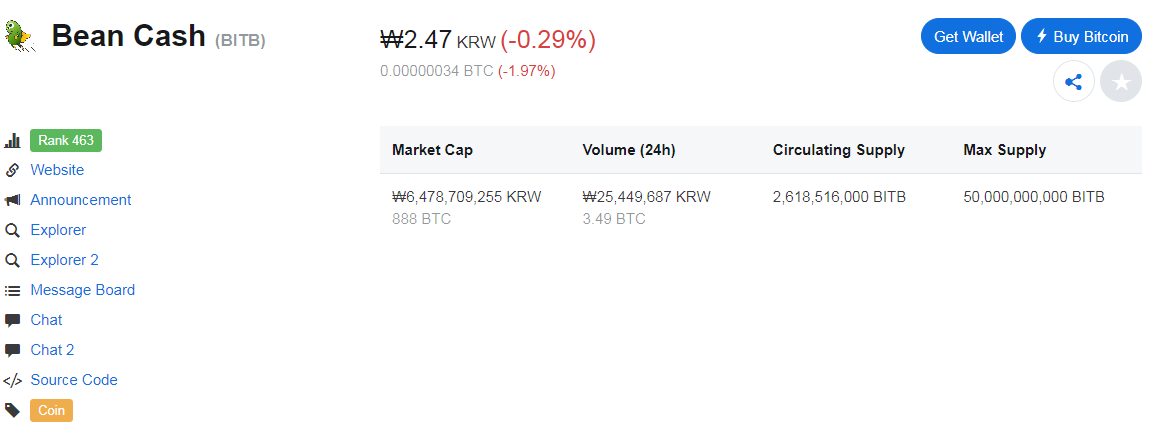 일단 지갑을 다운받기 위해 bean cash 홈페이지로 이동합시다. Let's go to the bean Cash homepage to download the wallet. http://beancash.org/ 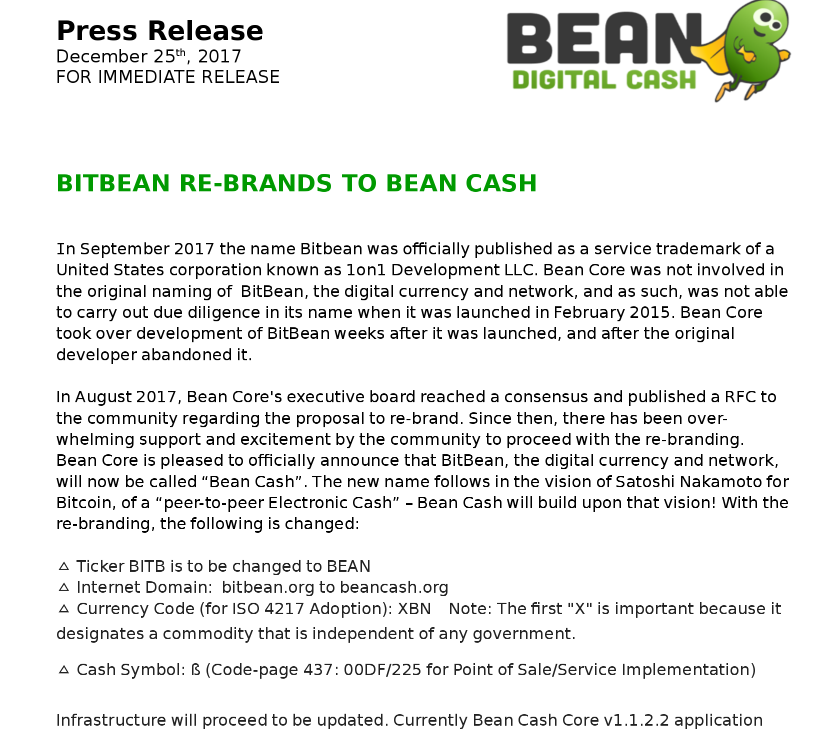 코인명칭이 변경되었습니다. The sign name has been changed. 다운로드 탭으로 이동 하면 아래와 같이 여러가지 지갑이 보입니다. Go to the Download tab and see the various wallets below. 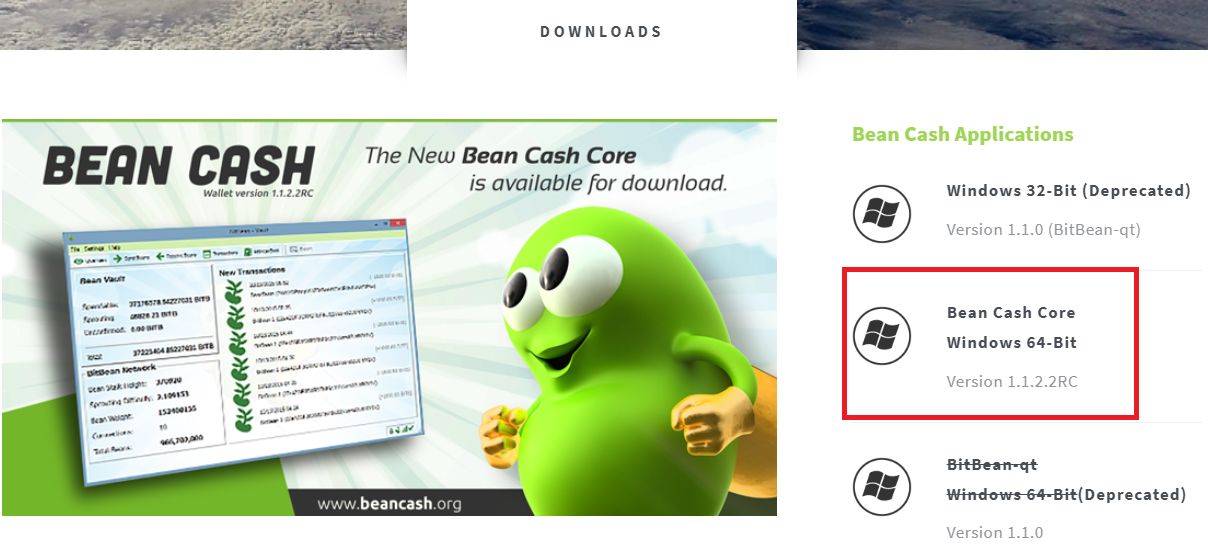 Bean Cash Core windows 64-bit Version 1.1.2.2.RC 를 선택합니다. choose to Bean Cash Core windows 64-bit Version 1.1.2.2.RC 다운로드 후 압축을 해제한 뒤 Beancash-qt 실행파일을 실행합니다. 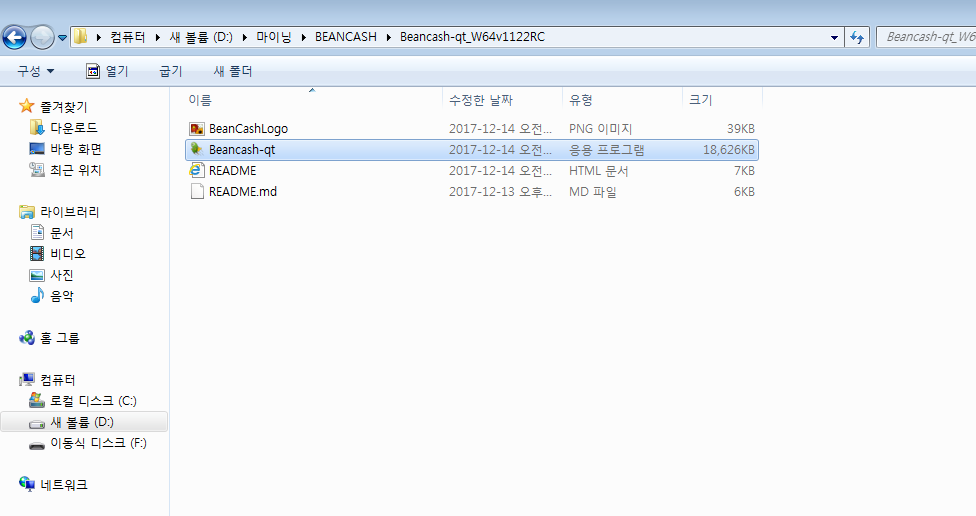 중요한점은 앞으로도 지갑을 실행시키는 프로그램은 방금 클릭한 파일이지만 실제 지갑의 설정값은 다른곳에 저장이 됩니다. 일단 실행을 합니다. The important thing is that the program that keeps your wallet running is a file that you just clicked on, but the actual value of your wallet is saved elsewhere. Run it once. 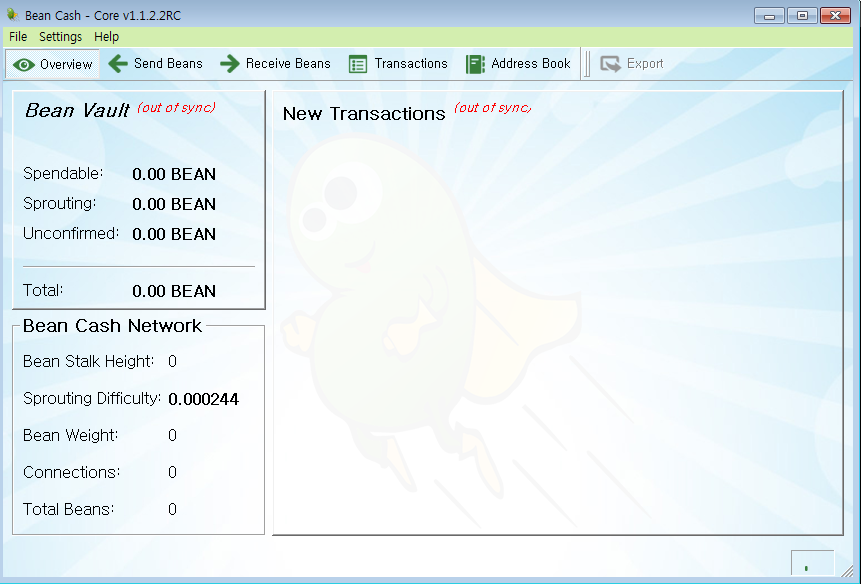 모든 가상화폐 하드웨어 지갑과 마찬가지로 블럭체인을 동기화 시키기를 기다려주어야 합니다. Like all virtual currency hardware wallets, you should wait for the block chain to be synchronized. 그런데 이시간이 굉장히 오래 걸리는 작업이며 홈페이지에서 시간을 줄일수 있는 방법을 제시하고 있습니다. However, it takes a long time and it suggests a way to save time on the homepage. 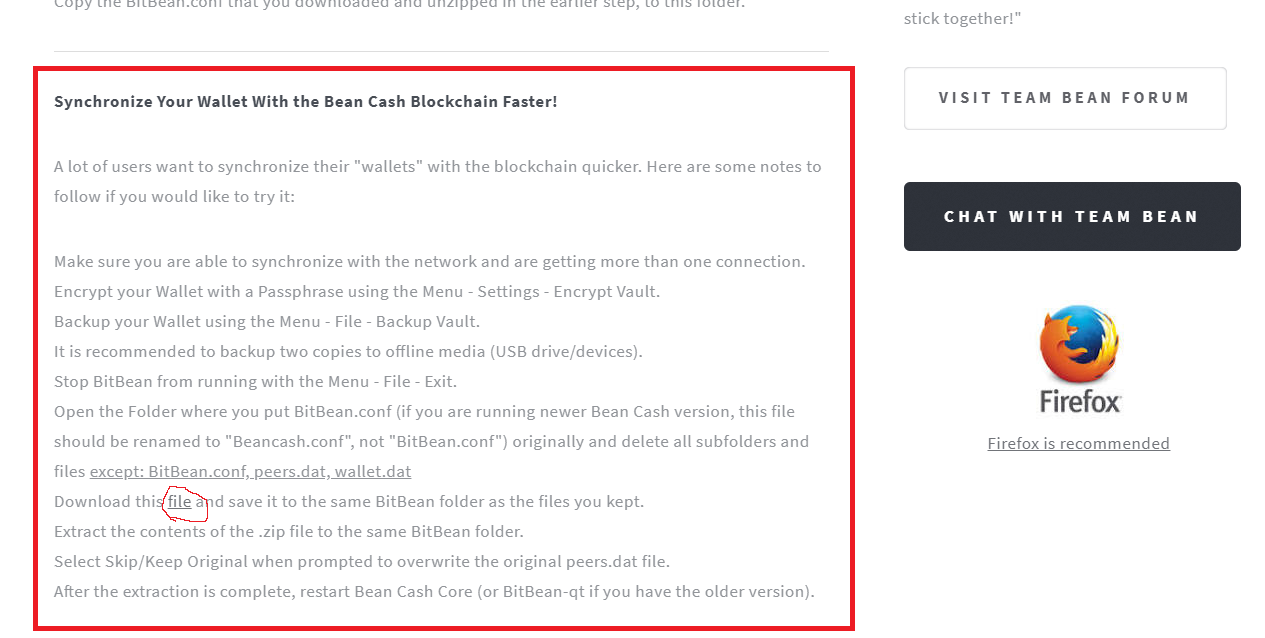 파일을 다운받고 기다리는 동안 설명을 읽어보도록 합시다. Let's download the file and read the description while we wait. 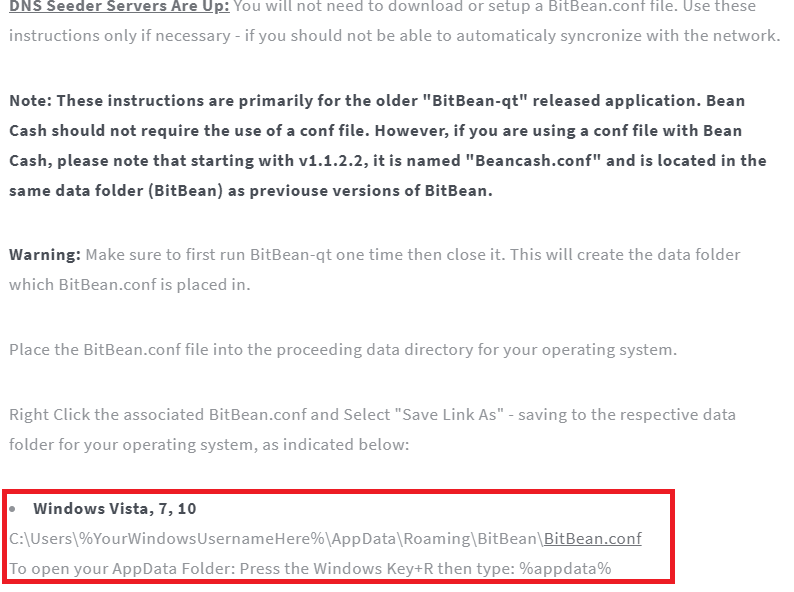 버전 1.1.2.2이상을 받게 되면 DNS Seeder 와 관련된 큰 무리는 없을 것이라고 합니다. If you receive version 1.1.2.2, there will be no large group of DNS Seeders. 나중에 배우게 될 마스터노드와도 관련이 있지만 가급적 노드는 많이 걸어놓는것이 좋습니다. 끝부분에 bitbean.conf 를 클릭해줍시다. It's also related to the master node you'll learn later, but it's better to have as many nodes as possible. Let's click bitbean.conf at the end. 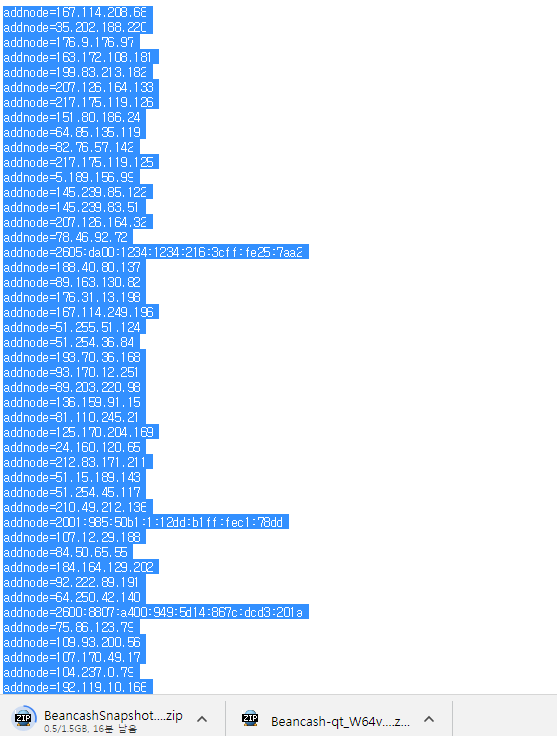 전부다 복사한뒤 지갑설정폴더에 가서 beancash.conf 로 저장을 해줘야 합니다. After copying everything, go to the wallet setting folder and save it as a beancash.conf. 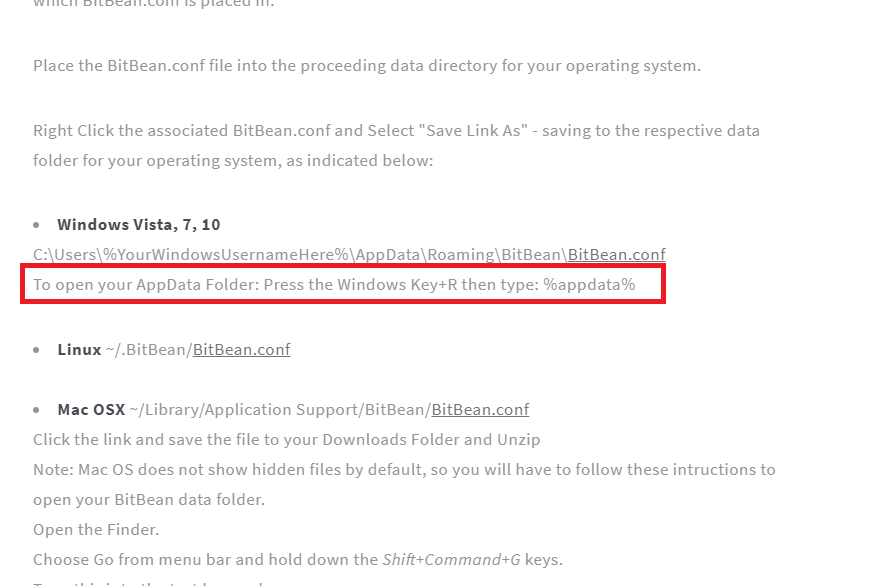 저는 현재 윈도우7을 쓰고 있습니다. 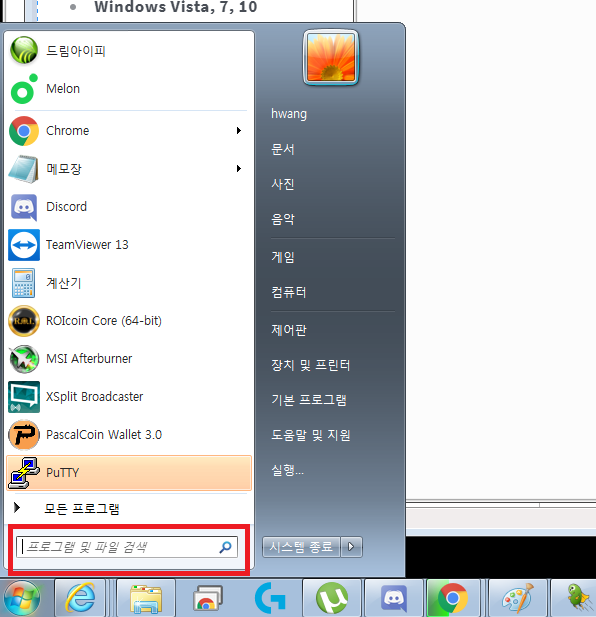 한글로 "실행" 두글자만 쓰고 엔터를 누릅니다. 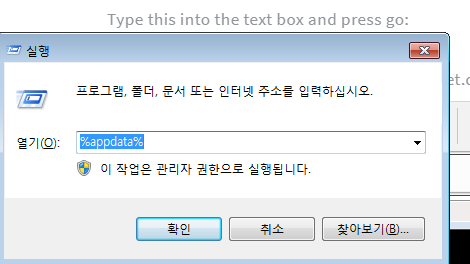 그럼 현재 이 컴퓨터에 설치된 지갑들이 폴더형식으로 보이게 됩니다. So the wallets that are currently installed on this computer will look like folders. 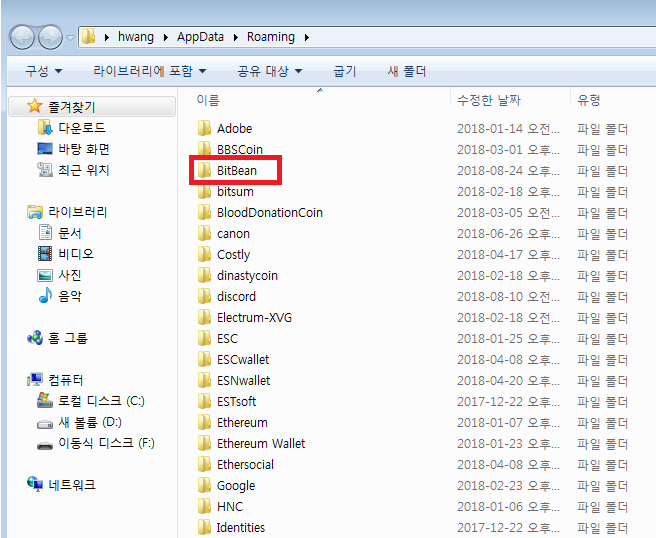 그런데 개발진에게 좀 아쉬운점은 리브렌딩을 했으면 Beancash 로 폴더명을 바꿔야 하는거 아닌가요? But what's missing for the development team is, shouldn't we change the folder name to Beancash if we've had a rebranding? 여기서 잠깐 실행시킨 지갑을 한번 살펴봅시다. Let's take a look at the wallet that we just ran here. 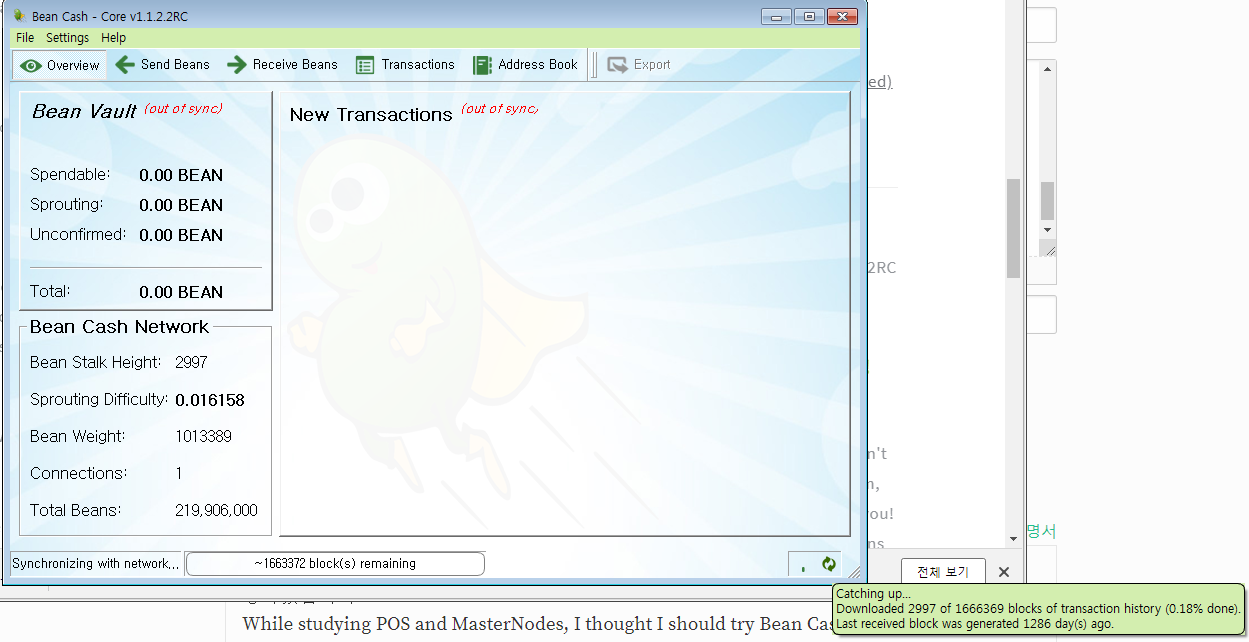 동기화중입니다. 예상시간은 1286일 입니다.다음 작업을 위해 지갑을 종료합시다 Synchronizing. The estimated time is 1286 days.Let's close our wallet for the next job. 그리고 Beancash.conf 파일을 메모장으로 열어주세요. 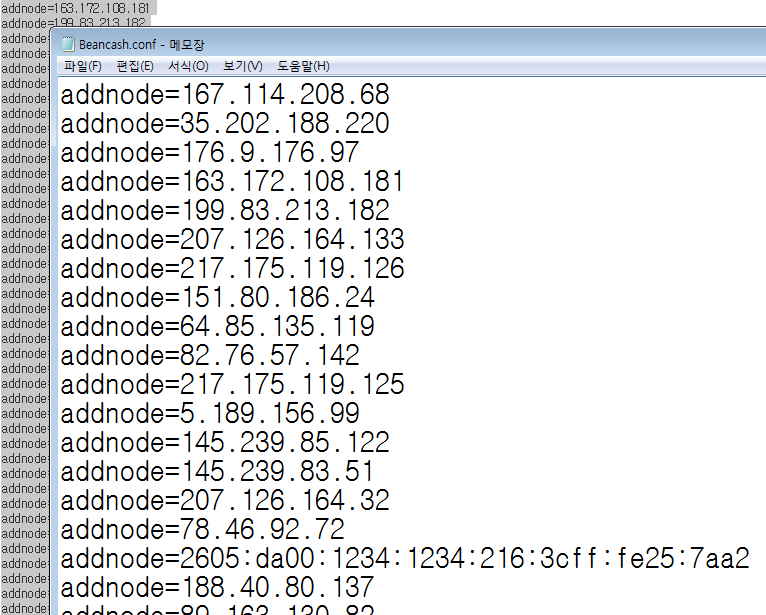 그리고 모든 노드를 추가해준뒤 저장해줍시다. And let's add all the nodes and save them. 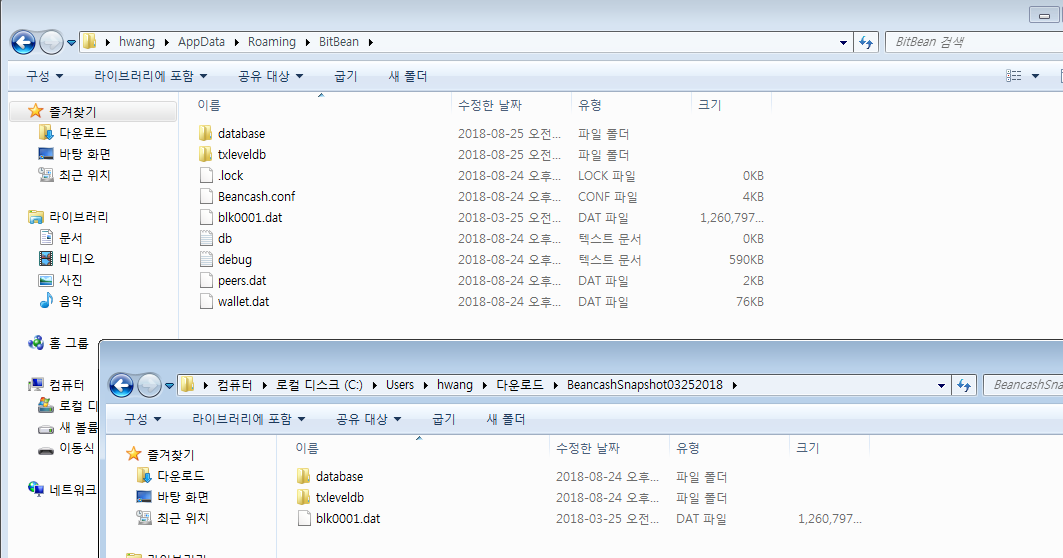 빠른 동기화를 위해 받았던 1.5GB 파일을 압축을 푸시면 아래와 같이 두개폴더와 1개의 파일이 보입니다. Extract the 1.5GB file you received for quick sync and you will see the folder and one file as shown below. 모두 덮어쓰기를 해주세요. Please overwrite them all. 그리고 지갑을 재 실행해 보겠습니다. And I'll try to redo my wallet. 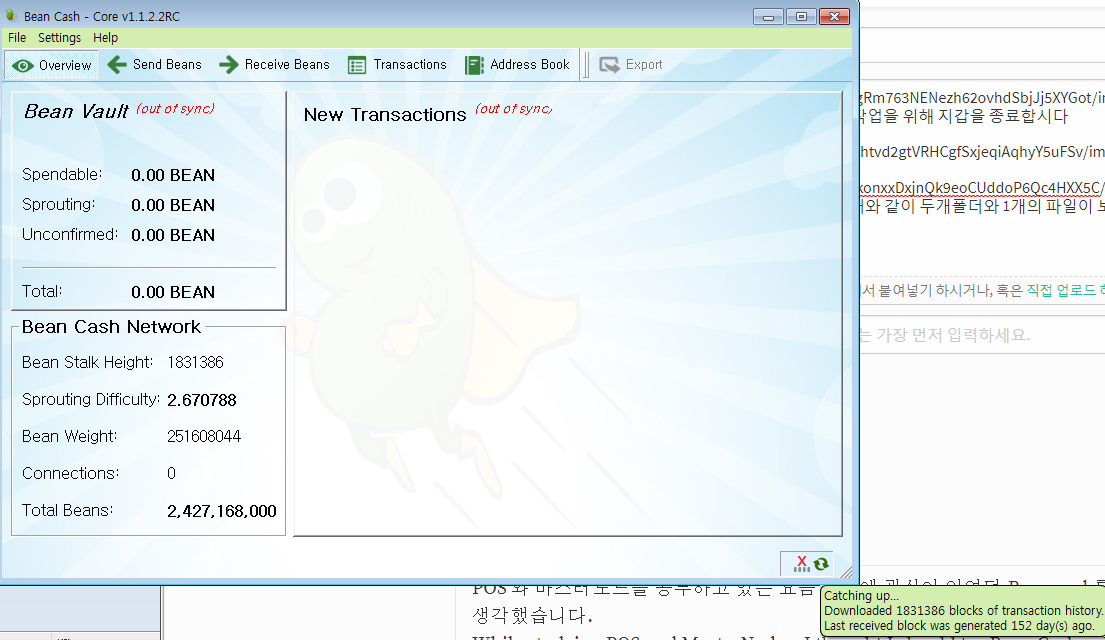 152일로 많이 줄었군요 ^^;; 불편하시더라도 싱크가 완료 될때까지는 기다려야만 합니다. Even if it's inconvenient, you should wait until the sink is complete. 보통 1-2일 정도는 걸리는것 같습니다. 다음편에서는 코인구매와 지갑으로 옮기고 난뒤 sprouting 에 관해 다루겠습니다. |
| json metadata | {"tags":["beancash","bitbean","sprouting"],"image":["https://cdn.steemitimages.com/DQmV2GiwVHjJMYdvEtz6ja17keQHMNjQGrjtiHWhQDNxqkc/image.png","https://cdn.steemitimages.com/DQmaN16gLKmxfuBEarUhGFHsvbqnn7hk7AMdBbyBjd3N7j1/image.png","https://cdn.steemitimages.com/DQmSakwUQREWjMbcRBkQrM9WdX7nbdBWxMpmayMGciNHLhf/image.png","https://cdn.steemitimages.com/DQmRqq7BYikS2XCYpTSDHPm8S5f7pomuxwGht2GRBspd1ax/image.png","https://cdn.steemitimages.com/DQmdAgBPic3Mf5qkEMdD93XQnh9ubgiKKUj5FsHQS3LFaFy/image.png","https://cdn.steemitimages.com/DQmRLNf2ytBsPVCftETnG8PjnRHqZJky5NL9SBQEjD88pox/image.png","https://cdn.steemitimages.com/DQmRBG3CPLG9s6eXuBLxRYEQe9F39qjZ2vmgZot8u9JLcaz/image.png","https://cdn.steemitimages.com/DQmX6coTuDPLuwT1k9NCGEiFVphxsnK7sYYb3ftChViHTkN/image.png","https://cdn.steemitimages.com/DQmfC4wCwFkTLvyer9q3dnL7tfApSmkQnj3CQnANV65NRUV/image.png","https://cdn.steemitimages.com/DQmexSvDWGPdMcoVS1K684pvqWvLaeHU8RQWSqGCfswLnrZ/image.png","https://cdn.steemitimages.com/DQmb7QiLnNqmsaWLtuCNvVQ6oG7EN5GGnZRCnapbxASa5zY/image.png","https://cdn.steemitimages.com/DQmbYHmjSomcn6cNk41JwuCwi4hGHiJEz5B2pKiDTMCARbH/image.png","https://cdn.steemitimages.com/DQmTmoyLYYZCnyeT15gRm763NENezh62ovhdSbjJj5XYGot/image.png","https://cdn.steemitimages.com/DQmaUQvMRErjEMy3U7htvd2gtVRHCgfSxjeqiAqhyY5uFSv/image.png","https://cdn.steemitimages.com/DQmfPZqhde6vFmLuZSkonxxDxjnQk9eoCUddoP6Qc4HXX5C/image.png","https://cdn.steemitimages.com/DQmUwM8GUS9JPoeydwMaawpd66m6P7mu2dhSL4sM9Zf8wPE/image.png"],"links":["http://beancash.org/"],"app":"steemit/0.1","format":"markdown"} |
| Transaction Info | Block #25351723/Trx dd75bfdbef7ab019b5ce7cb0e83817dc997a94e4 |
View Raw JSON Data
{
"trx_id": "dd75bfdbef7ab019b5ce7cb0e83817dc997a94e4",
"block": 25351723,
"trx_in_block": 39,
"op_in_trx": 0,
"virtual_op": 0,
"timestamp": "2018-08-24T15:25:30",
"op": [
"comment",
{
"parent_author": "",
"parent_permlink": "beancash",
"author": "chu68yaw",
"permlink": "bean-cash-sprouting",
"title": "bean cash Sprouting 빈캐시 채굴을 위한 지갑설치 및 동기화 준비과정",
"body": "POS 와 마스터노드를 공부하고 있는 요즘 예전에 관심이 있었던 Bean cash를 POS 해봐야 겠다 생각했습니다.\nWhile studying POS and MasterNodes, I thought I should try Bean Cash, which I was interested in.\n\n글을 적으면서 저도 어려웠던 부분은 좀더 스크린샷과 함께 설명을 적겠습니다.\nAs I write, I will write down the difficult part with a screenshot.\n\n관심이 있으신 분들은 천천히 따라하셔도 될정도로 상세히 글을 적겠습니다.\nIf you are interested, I will write in detail as much as you can slowly follow.\n\n현재 2018년 8월 24일 coinmarketcap.com 에 정보로 2.47원 이군요.\nIt is 34satosi at Koinmarketcap on August 24, 2018\n\n일단 지갑을 다운받기 위해 bean cash 홈페이지로 이동합시다.\nLet's go to the bean Cash homepage to download the wallet.\n\nhttp://beancash.org/\n\n코인명칭이 변경되었습니다.\nThe sign name has been changed.\n\n다운로드 탭으로 이동 하면 아래와 같이 여러가지 지갑이 보입니다.\nGo to the Download tab and see the various wallets below.\n\n\nBean Cash Core windows 64-bit Version 1.1.2.2.RC 를 선택합니다.\nchoose to Bean Cash Core windows 64-bit Version 1.1.2.2.RC\n다운로드 후 압축을 해제한 뒤 Beancash-qt 실행파일을 실행합니다.\n\n\n중요한점은 앞으로도 지갑을 실행시키는 프로그램은 방금 클릭한 파일이지만 실제 지갑의 설정값은 다른곳에 저장이 됩니다. 일단 실행을 합니다.\nThe important thing is that the program that keeps your wallet running is a file that you just clicked on, but the actual value of your wallet is saved elsewhere. Run it once.\n\n\n모든 가상화폐 하드웨어 지갑과 마찬가지로 블럭체인을 동기화 시키기를 기다려주어야 합니다.\nLike all virtual currency hardware wallets, you should wait for the block chain to be synchronized.\n\n그런데 이시간이 굉장히 오래 걸리는 작업이며 홈페이지에서 시간을 줄일수 있는 방법을 제시하고 있습니다.\nHowever, it takes a long time and it suggests a way to save time on the homepage.\n\n파일을 다운받고 기다리는 동안 설명을 읽어보도록 합시다. \nLet's download the file and read the description while we wait.\n\n\n버전 1.1.2.2이상을 받게 되면 DNS Seeder 와 관련된 큰 무리는 없을 것이라고 합니다.\nIf you receive version 1.1.2.2, there will be no large group of DNS Seeders.\n\n나중에 배우게 될 마스터노드와도 관련이 있지만 가급적 노드는 많이 걸어놓는것이 좋습니다.\n끝부분에 bitbean.conf 를 클릭해줍시다.\nIt's also related to the master node you'll learn later, but it's better to have as many nodes as possible.\nLet's click bitbean.conf at the end.\n\n\n전부다 복사한뒤 지갑설정폴더에 가서 beancash.conf 로 저장을 해줘야 합니다.\nAfter copying everything, go to the wallet setting folder and save it as a beancash.conf.\n\n저는 현재 윈도우7을 쓰고 있습니다.\n\n한글로 \"실행\" 두글자만 쓰고 엔터를 누릅니다.\n\n그럼 현재 이 컴퓨터에 설치된 지갑들이 폴더형식으로 보이게 됩니다.\nSo the wallets that are currently installed on this computer will look like folders.\n\n\n그런데 개발진에게 좀 아쉬운점은 리브렌딩을 했으면 Beancash 로 폴더명을 바꿔야 하는거 아닌가요?\nBut what's missing for the development team is, shouldn't we change the folder name to Beancash if we've had a rebranding?\n\n여기서 잠깐 실행시킨 지갑을 한번 살펴봅시다.\nLet's take a look at the wallet that we just ran here.\n\n동기화중입니다. 예상시간은 1286일 입니다.다음 작업을 위해 지갑을 종료합시다\nSynchronizing. The estimated time is 1286 days.Let's close our wallet for the next job.\n그리고 Beancash.conf 파일을 메모장으로 열어주세요.\n\n그리고 모든 노드를 추가해준뒤 저장해줍시다.\nAnd let's add all the nodes and save them.\n\n\n빠른 동기화를 위해 받았던 1.5GB 파일을 압축을 푸시면 아래와 같이 두개폴더와 1개의 파일이 보입니다.\nExtract the 1.5GB file you received for quick sync and you will see the folder and one file as shown below.\n모두 덮어쓰기를 해주세요.\nPlease overwrite them all.\n\n그리고 지갑을 재 실행해 보겠습니다.\nAnd I'll try to redo my wallet.\n\n152일로 많이 줄었군요 ^^;; 불편하시더라도 싱크가 완료 될때까지는 기다려야만 합니다.\nEven if it's inconvenient, you should wait until the sink is complete.\n보통 1-2일 정도는 걸리는것 같습니다. 다음편에서는 코인구매와 지갑으로 옮기고 난뒤 sprouting 에 관해 다루겠습니다.",
"json_metadata": "{\"tags\":[\"beancash\",\"bitbean\",\"sprouting\"],\"image\":[\"https://cdn.steemitimages.com/DQmV2GiwVHjJMYdvEtz6ja17keQHMNjQGrjtiHWhQDNxqkc/image.png\",\"https://cdn.steemitimages.com/DQmaN16gLKmxfuBEarUhGFHsvbqnn7hk7AMdBbyBjd3N7j1/image.png\",\"https://cdn.steemitimages.com/DQmSakwUQREWjMbcRBkQrM9WdX7nbdBWxMpmayMGciNHLhf/image.png\",\"https://cdn.steemitimages.com/DQmRqq7BYikS2XCYpTSDHPm8S5f7pomuxwGht2GRBspd1ax/image.png\",\"https://cdn.steemitimages.com/DQmdAgBPic3Mf5qkEMdD93XQnh9ubgiKKUj5FsHQS3LFaFy/image.png\",\"https://cdn.steemitimages.com/DQmRLNf2ytBsPVCftETnG8PjnRHqZJky5NL9SBQEjD88pox/image.png\",\"https://cdn.steemitimages.com/DQmRBG3CPLG9s6eXuBLxRYEQe9F39qjZ2vmgZot8u9JLcaz/image.png\",\"https://cdn.steemitimages.com/DQmX6coTuDPLuwT1k9NCGEiFVphxsnK7sYYb3ftChViHTkN/image.png\",\"https://cdn.steemitimages.com/DQmfC4wCwFkTLvyer9q3dnL7tfApSmkQnj3CQnANV65NRUV/image.png\",\"https://cdn.steemitimages.com/DQmexSvDWGPdMcoVS1K684pvqWvLaeHU8RQWSqGCfswLnrZ/image.png\",\"https://cdn.steemitimages.com/DQmb7QiLnNqmsaWLtuCNvVQ6oG7EN5GGnZRCnapbxASa5zY/image.png\",\"https://cdn.steemitimages.com/DQmbYHmjSomcn6cNk41JwuCwi4hGHiJEz5B2pKiDTMCARbH/image.png\",\"https://cdn.steemitimages.com/DQmTmoyLYYZCnyeT15gRm763NENezh62ovhdSbjJj5XYGot/image.png\",\"https://cdn.steemitimages.com/DQmaUQvMRErjEMy3U7htvd2gtVRHCgfSxjeqiAqhyY5uFSv/image.png\",\"https://cdn.steemitimages.com/DQmfPZqhde6vFmLuZSkonxxDxjnQk9eoCUddoP6Qc4HXX5C/image.png\",\"https://cdn.steemitimages.com/DQmUwM8GUS9JPoeydwMaawpd66m6P7mu2dhSL4sM9Zf8wPE/image.png\"],\"links\":[\"http://beancash.org/\"],\"app\":\"steemit/0.1\",\"format\":\"markdown\"}"
}
]
}2018/08/16 14:06:45
2018/08/16 14:06:45
| delegator | steem |
| delegatee | chu68yaw |
| vesting shares | 9921.138912 VESTS |
| Transaction Info | Block #25119838/Trx eae75ee36aaa511e49c7bb916a8eb925b6e9513e |
View Raw JSON Data
{
  "trx_id": "eae75ee36aaa511e49c7bb916a8eb925b6e9513e",
  "block": 25119838,
  "trx_in_block": 5,
  "op_in_trx": 0,
  "virtual_op": 0,
  "timestamp": "2018-08-16T14:06:45",
  "op": [
    "delegate_vesting_shares",
    {
      "delegator": "steem",
      "delegatee": "chu68yaw",
      "vesting_shares": "9921.138912 VESTS"
    }
  ]
}2018/07/24 13:22:51
2018/07/24 13:22:51
| delegator | steem |
| delegatee | chu68yaw |
| vesting shares | 30208.935526 VESTS |
| Transaction Info | Block #24457293/Trx 3a715720c7a876ef2917b9a8cfd07a99ada198c9 |
View Raw JSON Data
{
  "trx_id": "3a715720c7a876ef2917b9a8cfd07a99ada198c9",
  "block": 24457293,
  "trx_in_block": 30,
  "op_in_trx": 0,
  "virtual_op": 0,
  "timestamp": "2018-07-24T13:22:51",
  "op": [
    "delegate_vesting_shares",
    {
      "delegator": "steem",
      "delegatee": "chu68yaw",
      "vesting_shares": "30208.935526 VESTS"
    }
  ]
}ax3upvoted (1.00%) @chu68yaw / 1700-1050ti-8way-2ea-750ti-8way-750ti-5way2018/05/17 13:29:00
ax3upvoted (1.00%) @chu68yaw / 1700-1050ti-8way-2ea-750ti-8way-750ti-5way
2018/05/17 13:29:00
| voter | ax3 |
| author | chu68yaw |
| permlink | 1700-1050ti-8way-2ea-750ti-8way-750ti-5way |
| weight | 100 (1.00%) |
| Transaction Info | Block #22510477/Trx 141dfe44064fb9aa6de7a6e8d845144d9f61c645 |
View Raw JSON Data
{
  "trx_id": "141dfe44064fb9aa6de7a6e8d845144d9f61c645",
  "block": 22510477,
  "trx_in_block": 4,
  "op_in_trx": 0,
  "virtual_op": 0,
  "timestamp": "2018-05-17T13:29:00",
  "op": [
    "vote",
    {
      "voter": "ax3",
      "author": "chu68yaw",
      "permlink": "1700-1050ti-8way-2ea-750ti-8way-750ti-5way",
      "weight": 100
    }
  ]
}chu68yawpublished a new post: 1700-1050ti-8way-2ea-750ti-8way-750ti-5way2018/05/17 13:28:48
chu68yawpublished a new post: 1700-1050ti-8way-2ea-750ti-8way-750ti-5way
2018/05/17 13:28:48
| parent author | |
| parent permlink | ryzen-mining |
| author | chu68yaw |
| permlink | 1700-1050ti-8way-2ea-750ti-8way-750ti-5way |
| title | 라이젠1700 , 1050ti 8way 2EA + 750ti 8way + 750ti 5way 진행사항 |
| body | 2018년 2월 Mining 시작 이더리움에서 시작해서 현재까지의 진행사항에 대해 글을 적습니다. 갈수록 Asic 이 보편화 되는 느낌이 드는데 있어 안타까운 마음이 앞서긴 하지만 시대 흐름이니..... 1050ti 는 총 22개로 8way 2EA, 6way는 라이젠 1700으로 구성하였습니다.  가장 편히 사용하는 팀뷰어를 통해 4대를 컨트롤 하고 있습니다.  지금이 5월 17일 좀 더운 날씨긴 하지만 현재까지는 큰 걱정없이 발열또한 양호한것 같네요 문제는 더욱 더워지는 6,7,8월 입니다. 그때는 배기에 대해서 고민을 해봐야 겠습니다.  이더리움을 꾸준히 캐내다가 신생코인에 대한 관심이 높아졌습니다. 물론 그전엔 1050ti 는 이더리움 750ti 및 라이젠은 모네로였지요. 고민을 하다 ESN 코인을 대략 7-800개 채굴을 하고난뒤 p2p를 통해 매도후 (대략 35만원) 칼리스토코인을 3주간 붙였습니다. 물론 칼리스토 코인또한 아직 미상장 코인 이며 언제 터질지 모르는(상장후 폭등) 반면 스캠으로 전락할지 모르기때문에 소규모로 채굴하는 입장에서 꾸준히 걸어놓기에는 부담이 되었습니다. 현재 만개 정도 채굴 상태로 폰어플 지갑을 통해 보관하고 있습니다.  750ti 와 라이젠 1700을 통해 마찬가지로 모네로에서 뺀후 가장 채굴량이 많은 코인으로 순차적 투입을 결정했습니다. 첫번째는 스텔라잇코인으로 제가 가진 해시로 코인채굴의 재미를 느낄수 있는 량이 뽑아지는군요 현재 가격이야 만족스럽진 않지만 어서어서 펌핑이 됐으면 하는 바램입니다. 아직까지는 POW 방식의 채굴이 주를 이루고 있는듯 하지만 POS 도 무시하지 못할듯 합니다. 현재 장비구입에 들어간 총 금액은 구입시점에 따라 650만원 정도 소비했습니다. 일단 지켜봅시다! |
| json metadata | {"tags":["ryzen-mining"],"image":["https://steemitimages.com/DQmYjqMbGn6DUtXo1RJP4D7CZbGLvoHL7XgkZEiJVKtfiMD/Screenshot_20180517-214814.png","https://steemitimages.com/DQmTPV2AAyXqVimDoRMcrViAw1sfV8JwnVTgHvBJ8FQzXo1/Screenshot_20180517-214838.png","https://steemitimages.com/DQmaKynvqo4hjDdbvcjBoVcmzv8Xep5WwNnVe1BzfvMirtw/Screenshot_20180517-215015.png","https://steemitimages.com/DQmPJyTzsseR76sZzjMd9y2NLsiETYBZXciv1YcyM6VdvEm/xtl.jpg"],"app":"steemit/0.1","format":"markdown"} |
| Transaction Info | Block #22510473/Trx 52c28552e36aa7e5238f02c5484666a89f7b6939 |
View Raw JSON Data
{
"trx_id": "52c28552e36aa7e5238f02c5484666a89f7b6939",
"block": 22510473,
"trx_in_block": 1,
"op_in_trx": 0,
"virtual_op": 0,
"timestamp": "2018-05-17T13:28:48",
"op": [
"comment",
{
"parent_author": "",
"parent_permlink": "ryzen-mining",
"author": "chu68yaw",
"permlink": "1700-1050ti-8way-2ea-750ti-8way-750ti-5way",
"title": "라이젠1700 , 1050ti 8way 2EA + 750ti 8way + 750ti 5way 진행사항",
"body": "2018년 2월 Mining 시작 이더리움에서 시작해서 현재까지의 진행사항에 대해 글을 적습니다.\n갈수록 Asic 이 보편화 되는 느낌이 드는데 있어 안타까운 마음이 앞서긴 하지만 시대 흐름이니.....\n1050ti 는 총 22개로 8way 2EA, 6way는 라이젠 1700으로 구성하였습니다.\n\n가장 편히 사용하는 팀뷰어를 통해 4대를 컨트롤 하고 있습니다.\n\n지금이 5월 17일 좀 더운 날씨긴 하지만 현재까지는 큰 걱정없이 발열또한 양호한것 같네요\n문제는 더욱 더워지는 6,7,8월 입니다. 그때는 배기에 대해서 고민을 해봐야 겠습니다.\n\n이더리움을 꾸준히 캐내다가 신생코인에 대한 관심이 높아졌습니다. 물론 그전엔 1050ti 는 이더리움 750ti 및 라이젠은 모네로였지요. 고민을 하다 ESN 코인을 대략 7-800개 채굴을 하고난뒤 p2p를 통해 매도후 (대략 35만원) 칼리스토코인을 3주간 붙였습니다. 물론 칼리스토 코인또한 아직 미상장 코인 이며 언제 터질지 모르는(상장후 폭등) 반면 스캠으로 전락할지 모르기때문에 소규모로 채굴하는 입장에서 꾸준히 걸어놓기에는 부담이 되었습니다.\n현재 만개 정도 채굴 상태로 폰어플 지갑을 통해 보관하고 있습니다.\n\n750ti 와 라이젠 1700을 통해 마찬가지로 모네로에서 뺀후 가장 채굴량이 많은 코인으로 순차적 투입을 결정했습니다. 첫번째는 스텔라잇코인으로 제가 가진 해시로 코인채굴의 재미를 느낄수 있는 량이 뽑아지는군요\n현재 가격이야 만족스럽진 않지만 어서어서 펌핑이 됐으면 하는 바램입니다.\n아직까지는 POW 방식의 채굴이 주를 이루고 있는듯 하지만 POS 도 무시하지 못할듯 합니다.\n현재 장비구입에 들어간 총 금액은 구입시점에 따라 650만원 정도 소비했습니다.\n일단 지켜봅시다!",
"json_metadata": "{\"tags\":[\"ryzen-mining\"],\"image\":[\"https://steemitimages.com/DQmYjqMbGn6DUtXo1RJP4D7CZbGLvoHL7XgkZEiJVKtfiMD/Screenshot_20180517-214814.png\",\"https://steemitimages.com/DQmTPV2AAyXqVimDoRMcrViAw1sfV8JwnVTgHvBJ8FQzXo1/Screenshot_20180517-214838.png\",\"https://steemitimages.com/DQmaKynvqo4hjDdbvcjBoVcmzv8Xep5WwNnVe1BzfvMirtw/Screenshot_20180517-215015.png\",\"https://steemitimages.com/DQmPJyTzsseR76sZzjMd9y2NLsiETYBZXciv1YcyM6VdvEm/xtl.jpg\"],\"app\":\"steemit/0.1\",\"format\":\"markdown\"}"
}
]
}2018/03/19 10:55:42
2018/03/19 10:55:42
| delegator | steem |
| delegatee | chu68yaw |
| vesting shares | 30411.749351 VESTS |
| Transaction Info | Block #20810001/Trx bc8a4fc5fdbcbb7bb2160bfae2189b0c1286a846 |
View Raw JSON Data
{
  "trx_id": "bc8a4fc5fdbcbb7bb2160bfae2189b0c1286a846",
  "block": 20810001,
  "trx_in_block": 38,
  "op_in_trx": 0,
  "virtual_op": 0,
  "timestamp": "2018-03-19T10:55:42",
  "op": [
    "delegate_vesting_shares",
    {
      "delegator": "steem",
      "delegatee": "chu68yaw",
      "vesting_shares": "30411.749351 VESTS"
    }
  ]
}chu68yawupdated their account properties2018/03/19 06:58:51
chu68yawupdated their account properties
2018/03/19 06:58:51
| account | chu68yaw |
| owner | {"weight_threshold":1,"account_auths":[],"key_auths":[["STM7kV7QMaKdtykFgBZFrW3JP3Zr2w3MpeoFbQ4coUcn3m9nTpCtb",1]]} |
| active | {"weight_threshold":1,"account_auths":[],"key_auths":[["STM6KjMGfuPycjbs6hJRWCgvstcErbMHx2wFLPCBtzquLQcz5Wv7J",1]]} |
| posting | {"weight_threshold":1,"account_auths":[],"key_auths":[["STM6oahVnEtTNJZYjyHCPzGthbuLpDUiUxjcdoyNXmhHQ99j7Wth4",1]]} |
| memo key | STM69z9rhJSPQVxKCyrjN8durPYFsjro1PAnNtMNnr1Ny3zGbsXvz |
| json metadata | {} |
| Transaction Info | Block #20805264/Trx 761574d1971f080701b5d5bba8d501740364bd2a |
View Raw JSON Data
{
  "trx_id": "761574d1971f080701b5d5bba8d501740364bd2a",
  "block": 20805264,
  "trx_in_block": 50,
  "op_in_trx": 0,
  "virtual_op": 0,
  "timestamp": "2018-03-19T06:58:51",
  "op": [
    "account_update",
    {
      "account": "chu68yaw",
      "owner": {
        "weight_threshold": 1,
        "account_auths": [],
        "key_auths": [
          [
            "STM7kV7QMaKdtykFgBZFrW3JP3Zr2w3MpeoFbQ4coUcn3m9nTpCtb",
            1
          ]
        ]
      },
      "active": {
        "weight_threshold": 1,
        "account_auths": [],
        "key_auths": [
          [
            "STM6KjMGfuPycjbs6hJRWCgvstcErbMHx2wFLPCBtzquLQcz5Wv7J",
            1
          ]
        ]
      },
      "posting": {
        "weight_threshold": 1,
        "account_auths": [],
        "key_auths": [
          [
            "STM6oahVnEtTNJZYjyHCPzGthbuLpDUiUxjcdoyNXmhHQ99j7Wth4",
            1
          ]
        ]
      },
      "memo_key": "STM69z9rhJSPQVxKCyrjN8durPYFsjro1PAnNtMNnr1Ny3zGbsXvz",
      "json_metadata": "{}"
    }
  ]
}2018/03/19 06:57:03
2018/03/19 06:57:03
| fee | 0.100 STEEM |
| delegation | 30690.000000 VESTS |
| creator | steem |
| new account name | chu68yaw |
| owner | {"weight_threshold":1,"account_auths":[],"key_auths":[["STM87UsiTSFYqEL1By4XyZxFzcqsiSSTKAGxy2HZ5QjgjcZRSCU3L",1]]} |
| active | {"weight_threshold":1,"account_auths":[],"key_auths":[["STM6MGSfo2Br7WK5tCV7nFLm7ZdukyKXcNjFrf8mTTCSe5KJVek3G",1]]} |
| posting | {"weight_threshold":1,"account_auths":[],"key_auths":[["STM5NM3mVCvKedF8SyJfS9H1bCcz4tGNRZ1TEsaUvRkTsMN1tnKWU",1]]} |
| memo key | STM63SRYpmzFo5nc4ZDccdodHFbSzvgPbA22stjD4M1hmhMpX1sVE |
| json metadata | {} |
| extensions | [] |
| Transaction Info | Block #20805228/Trx 934280e55c0197928022588e953bf72cdb56b5dc |
View Raw JSON Data
{
  "trx_id": "934280e55c0197928022588e953bf72cdb56b5dc",
  "block": 20805228,
  "trx_in_block": 7,
  "op_in_trx": 0,
  "virtual_op": 0,
  "timestamp": "2018-03-19T06:57:03",
  "op": [
    "account_create_with_delegation",
    {
      "fee": "0.100 STEEM",
      "delegation": "30690.000000 VESTS",
      "creator": "steem",
      "new_account_name": "chu68yaw",
      "owner": {
        "weight_threshold": 1,
        "account_auths": [],
        "key_auths": [
          [
            "STM87UsiTSFYqEL1By4XyZxFzcqsiSSTKAGxy2HZ5QjgjcZRSCU3L",
            1
          ]
        ]
      },
      "active": {
        "weight_threshold": 1,
        "account_auths": [],
        "key_auths": [
          [
            "STM6MGSfo2Br7WK5tCV7nFLm7ZdukyKXcNjFrf8mTTCSe5KJVek3G",
            1
          ]
        ]
      },
      "posting": {
        "weight_threshold": 1,
        "account_auths": [],
        "key_auths": [
          [
            "STM5NM3mVCvKedF8SyJfS9H1bCcz4tGNRZ1TEsaUvRkTsMN1tnKWU",
            1
          ]
        ]
      },
      "memo_key": "STM63SRYpmzFo5nc4ZDccdodHFbSzvgPbA22stjD4M1hmhMpX1sVE",
      "json_metadata": "{}",
      "extensions": []
    }
  ]
}Manabar
Voting Power100.00%
Downvote Power100.00%
Resource Credits100.00%
Reputation Progress3.02%
{
  "voting_manabar": {
    "current_mana": "8143659806",
    "last_update_time": 1779057810
  },
  "downvote_manabar": {
    "current_mana": 2035914951,
    "last_update_time": 1779057810
  },
  "rc_account": {
    "account": "chu68yaw",
    "rc_manabar": {
      "current_mana": "10164408779",
      "last_update_time": 1779057810
    },
    "max_rc_creation_adjustment": {
      "amount": "2020748973",
      "precision": 6,
      "nai": "@@000000037"
    },
    "max_rc": "10164408779"
  }
}
Account Metadata
| POSTING JSON METADATA | |
| None | |
| JSON METADATA | |
| None |
{
  "posting_json_metadata": {},
  "json_metadata": {}
}
Auth Keys
Owner
Single Signature
Public Keys
STM6wvvmsbMsV1an5Q3uar6WbY88xnQYsxGFVuM6h1pmuEaozK13c1/1
Active
Single Signature
Public Keys
STM6EdpoBWDgMwiLJVvZygoYPq6Dq7FwtBh19YPdZAwfCpyB1TQvB1/1
Posting
Single Signature
Public Keys
STM6fGCVKGLZ5sMUayrrfRVGpZzHLKXUFiFmLFurmqzLRBHiAdKZG1/1
Memo
STM7RS5CWFVzZAsP4VuPpptLTxYc4dayrADCJg4b7pD3obVvosd4o
{
  "owner": {
    "weight_threshold": 1,
    "account_auths": [],
    "key_auths": [
      [
        "STM6wvvmsbMsV1an5Q3uar6WbY88xnQYsxGFVuM6h1pmuEaozK13c",
        1
      ]
    ]
  },
  "active": {
    "weight_threshold": 1,
    "account_auths": [],
    "key_auths": [
      [
        "STM6EdpoBWDgMwiLJVvZygoYPq6Dq7FwtBh19YPdZAwfCpyB1TQvB",
        1
      ]
    ]
  },
  "posting": {
    "weight_threshold": 1,
    "account_auths": [],
    "key_auths": [
      [
        "STM6fGCVKGLZ5sMUayrrfRVGpZzHLKXUFiFmLFurmqzLRBHiAdKZG",
        1
      ]
    ]
  },
  "memo": "STM7RS5CWFVzZAsP4VuPpptLTxYc4dayrADCJg4b7pD3obVvosd4o"
}
Witness Votes
0 / 30
No active witness votes.
[]