

@ajose01
39Blockchain / bot builder / engineering lead for @sensay / http://makesense.com . Exploring crypto, blockchains and bots :) #EOS_IO $SENSE
steemit.com/@ajose01VOTING POWER100.00%
DOWNVOTE POWER100.00%
RESOURCE CREDITS100.00%
REPUTATION PROGRESS81.01%
Net Worth
1.927USD
STEEM
0.397STEEM
SBD
1.883SBD
Own SP
18.051SP
Detailed Balance
| STEEM | ||
| balance | 0.000STEEM | STEEM |
| market_balance | 0.000STEEM | STEEM |
| savings_balance | 0.000STEEM | STEEM |
| reward_steem_balance | 0.397STEEM | STEEM |
| STEEM POWER | ||
| Own SP | 18.051SP | SP |
| Delegated Out | 0.000SP | SP |
| Delegation In | 0.000SP | SP |
| Effective Power | 18.051SP | SP |
| Reward SP (pending) | 1.365SP | SP |
| SBD | ||
| sbd_balance | 0.000SBD | SBD |
| sbd_conversions | 0.000SBD | SBD |
| sbd_market_balance | 0.000SBD | SBD |
| savings_sbd_balance | 0.000SBD | SBD |
| reward_sbd_balance | 1.883SBD | SBD |
{
  "balance": "0.000 STEEM",
  "savings_balance": "0.000 STEEM",
  "reward_steem_balance": "0.397 STEEM",
  "vesting_shares": "29393.378778 VESTS",
  "delegated_vesting_shares": "0.000000 VESTS",
  "received_vesting_shares": "0.000000 VESTS",
  "sbd_balance": "0.000 SBD",
  "savings_sbd_balance": "0.000 SBD",
  "reward_sbd_balance": "1.883 SBD",
  "conversions": []
}
Account Info
| name | ajose01 |
| id | 967825 |
| rank | 83,915 |
| reputation | 34233416634 |
| created | 2018-05-07T18:52:27 |
| recovery_account | steemcreate |
| proxy | None |
| post_count | 9 |
| comment_count | 0 |
| lifetime_vote_count | 0 |
| witnesses_voted_for | 0 |
| last_post | 2019-04-12T07:30:15 |
| last_root_post | 2019-04-12T07:30:15 |
| last_vote_time | 1970-01-01T00:00:00 |
| proxied_vsf_votes | 0, 0, 0, 0 |
| can_vote | 1 |
| voting_power | 0 |
| delayed_votes | 0 |
| balance | 0.000 STEEM |
| savings_balance | 0.000 STEEM |
| sbd_balance | 0.000 SBD |
| savings_sbd_balance | 0.000 SBD |
| vesting_shares | 29393.378778 VESTS |
| delegated_vesting_shares | 0.000000 VESTS |
| received_vesting_shares | 0.000000 VESTS |
| reward_vesting_balance | 2772.564472 VESTS |
| vesting_balance | 0.000 STEEM |
| vesting_withdraw_rate | 0.000000 VESTS |
| next_vesting_withdrawal | 1969-12-31T23:59:59 |
| withdrawn | 0 |
| to_withdraw | 0 |
| withdraw_routes | 0 |
| savings_withdraw_requests | 0 |
| last_account_recovery | 1970-01-01T00:00:00 |
| reset_account | null |
| last_owner_update | 1970-01-01T00:00:00 |
| last_account_update | 2018-05-17T00:06:54 |
| mined | No |
| sbd_seconds | 0 |
| sbd_last_interest_payment | 1970-01-01T00:00:00 |
| savings_sbd_last_interest_payment | 1970-01-01T00:00:00 |
{
  "id": 967825,
  "name": "ajose01",
  "owner": {
    "weight_threshold": 1,
    "account_auths": [],
    "key_auths": [
      [
        "STM7wd6bDHaccjZtVcEh4MRby2qkv23sWR5XXrVyynLabG7uHackF",
        1
      ]
    ]
  },
  "active": {
    "weight_threshold": 1,
    "account_auths": [],
    "key_auths": [
      [
        "STM5cb2xX7FRdEZvwUBLsJvTVkzieSDpStJbF16T2g4BxF9WFSxZi",
        1
      ]
    ]
  },
  "posting": {
    "weight_threshold": 1,
    "account_auths": [
      [
        "dlive.app",
        1
      ]
    ],
    "key_auths": [
      [
        "STM7e2edM8YhV6vM6zASK33AGXCWijwvexKYvnsrXzMjcKjJiw5Qm",
        1
      ]
    ]
  },
  "memo_key": "STM6yYFUmm4tg74FNeZ5QMioTq45hyuhvW9opk4cEZ3UYpZStWLac",
  "json_metadata": "{\"profile\":{\"profile_image\":\"https://steemitimages.com/DQmQKiEhpoZV9oVgEMpkFji1M8CxVsaUQ7qSki3HhZkuVZQ/angel_social.JPG\",\"name\":\"Angel Jose\",\"about\":\"Blockchain / bot builder / engineering lead for @sensay / http://makesense.com . Exploring crypto, blockchains and bots :) #EOS_IO $SENSE\"}}",
  "posting_json_metadata": "{\"profile\":{\"profile_image\":\"https://steemitimages.com/DQmQKiEhpoZV9oVgEMpkFji1M8CxVsaUQ7qSki3HhZkuVZQ/angel_social.JPG\",\"name\":\"Angel Jose\",\"about\":\"Blockchain / bot builder / engineering lead for @sensay / http://makesense.com . Exploring crypto, blockchains and bots :) #EOS_IO $SENSE\"}}",
  "proxy": "",
  "last_owner_update": "1970-01-01T00:00:00",
  "last_account_update": "2018-05-17T00:06:54",
  "created": "2018-05-07T18:52:27",
  "mined": false,
  "recovery_account": "steemcreate",
  "last_account_recovery": "1970-01-01T00:00:00",
  "reset_account": "null",
  "comment_count": 0,
  "lifetime_vote_count": 0,
  "post_count": 9,
  "can_vote": true,
  "voting_manabar": {
    "current_mana": "29393378778",
    "last_update_time": 1555054128
  },
  "downvote_manabar": {
    "current_mana": 0,
    "last_update_time": 1525719147
  },
  "voting_power": 0,
  "balance": "0.000 STEEM",
  "savings_balance": "0.000 STEEM",
  "sbd_balance": "0.000 SBD",
  "sbd_seconds": "0",
  "sbd_seconds_last_update": "1970-01-01T00:00:00",
  "sbd_last_interest_payment": "1970-01-01T00:00:00",
  "savings_sbd_balance": "0.000 SBD",
  "savings_sbd_seconds": "0",
  "savings_sbd_seconds_last_update": "1970-01-01T00:00:00",
  "savings_sbd_last_interest_payment": "1970-01-01T00:00:00",
  "savings_withdraw_requests": 0,
  "reward_sbd_balance": "1.883 SBD",
  "reward_steem_balance": "0.397 STEEM",
  "reward_vesting_balance": "2772.564472 VESTS",
  "reward_vesting_steem": "1.365 STEEM",
  "vesting_shares": "29393.378778 VESTS",
  "delegated_vesting_shares": "0.000000 VESTS",
  "received_vesting_shares": "0.000000 VESTS",
  "vesting_withdraw_rate": "0.000000 VESTS",
  "next_vesting_withdrawal": "1969-12-31T23:59:59",
  "withdrawn": 0,
  "to_withdraw": 0,
  "withdraw_routes": 0,
  "curation_rewards": 0,
  "posting_rewards": 2727,
  "proxied_vsf_votes": [
    0,
    0,
    0,
    0
  ],
  "witnesses_voted_for": 0,
  "last_post": "2019-04-12T07:30:15",
  "last_root_post": "2019-04-12T07:30:15",
  "last_vote_time": "1970-01-01T00:00:00",
  "post_bandwidth": 0,
  "pending_claimed_accounts": 0,
  "vesting_balance": "0.000 STEEM",
  "reputation": "34233416634",
  "transfer_history": [],
  "market_history": [],
  "post_history": [],
  "vote_history": [],
  "other_history": [],
  "witness_votes": [],
  "tags_usage": [],
  "guest_bloggers": [],
  "rank": 83915
}
Withdraw Routes
| Incoming | Outgoing |
|---|---|
Empty | Empty |
{
  "incoming": [],
  "outgoing": []
}From Date
To Date
2020/05/13 19:15:36
2020/05/13 19:15:36
| voter | brunogama23 |
| author | ajose01 |
| permlink | re-facer-re-ajose01-scatter-and-the-jungle-testnet-20180605t170243529z |
| weight | 10000 (100.00%) |
| Transaction Info | Block #43345485/Trx 4d8c13089140059b9d9640aa1a539317d5c498a6 |
View Raw JSON Data
{
  "trx_id": "4d8c13089140059b9d9640aa1a539317d5c498a6",
  "block": 43345485,
  "trx_in_block": 3,
  "op_in_trx": 0,
  "virtual_op": 0,
  "timestamp": "2020-05-13T19:15:36",
  "op": [
    "vote",
    {
      "voter": "brunogama23",
      "author": "ajose01",
      "permlink": "re-facer-re-ajose01-scatter-and-the-jungle-testnet-20180605t170243529z",
      "weight": 10000
    }
  ]
}2019/05/07 20:08:27
2019/05/07 20:08:27
| parent author | ajose01 |
| parent permlink | 4qpcsr-eos-signature-verification-with-elixir |
| author | steemitboard |
| permlink | steemitboard-notify-ajose01-20190507t200827000z |
| title | |
| body | Congratulations @ajose01! You received a personal award! <table><tr><td>https://steemitimages.com/70x70/http://steemitboard.com/@ajose01/birthday1.png</td><td>Happy Birthday! - You are on the Steem blockchain for 1 year!</td></tr></table> <sub>_You can view [your badges on your Steem Board](https://steemitboard.com/@ajose01) and compare to others on the [Steem Ranking](http://steemitboard.com/ranking/index.php?name=ajose01)_</sub> **Do not miss the last post from @steemitboard:** <table><tr><td><a href="https://steemit.com/steemitboard/@steemitboard/steemitboard-witness-update-2019-05"><img src="https://steemitimages.com/64x128/http://i.cubeupload.com/7CiQEO.png"></a></td><td><a href="https://steemit.com/steemitboard/@steemitboard/steemitboard-witness-update-2019-05">SteemitBoard - Witness Update</a></td></tr><tr><td><a href="https://steemit.com/steemmeetupaachen/@steemitboard/steemitboard-to-support-the-german-speaking-community-meetups"><img src="https://steemitimages.com/64x128/https://cdn.steemitimages.com/DQmeoNp9iCaCfd2D6TqnWa3Aky2mU4Fm3xaSmjTM91YoNBS/image.png"></a></td><td><a href="https://steemit.com/steemmeetupaachen/@steemitboard/steemitboard-to-support-the-german-speaking-community-meetups">SteemitBoard to support the german speaking community meetups</a></td></tr></table> ###### [Vote for @Steemitboard as a witness](https://v2.steemconnect.com/sign/account-witness-vote?witness=steemitboard&approve=1) to get one more award and increased upvotes! |
| json metadata | {"image":["https://steemitboard.com/img/notify.png"]} |
| Transaction Info | Block #32707822/Trx 1b2fd5978978cccabc7b29a4c0bf8f380a010190 |
View Raw JSON Data
{
  "trx_id": "1b2fd5978978cccabc7b29a4c0bf8f380a010190",
  "block": 32707822,
  "trx_in_block": 6,
  "op_in_trx": 0,
  "virtual_op": 0,
  "timestamp": "2019-05-07T20:08:27",
  "op": [
    "comment",
    {
      "parent_author": "ajose01",
      "parent_permlink": "4qpcsr-eos-signature-verification-with-elixir",
      "author": "steemitboard",
      "permlink": "steemitboard-notify-ajose01-20190507t200827000z",
      "title": "",
      "body": "Congratulations @ajose01! You received a personal award!\n\n<table><tr><td>https://steemitimages.com/70x70/http://steemitboard.com/@ajose01/birthday1.png</td><td>Happy Birthday! - You are on the Steem blockchain for 1 year!</td></tr></table>\n\n<sub>_You can view [your badges on your Steem Board](https://steemitboard.com/@ajose01) and compare to others on the [Steem Ranking](http://steemitboard.com/ranking/index.php?name=ajose01)_</sub>\n\n\n**Do not miss the last post from @steemitboard:**\n<table><tr><td><a href=\"https://steemit.com/steemitboard/@steemitboard/steemitboard-witness-update-2019-05\"><img src=\"https://steemitimages.com/64x128/http://i.cubeupload.com/7CiQEO.png\"></a></td><td><a href=\"https://steemit.com/steemitboard/@steemitboard/steemitboard-witness-update-2019-05\">SteemitBoard - Witness Update</a></td></tr><tr><td><a href=\"https://steemit.com/steemmeetupaachen/@steemitboard/steemitboard-to-support-the-german-speaking-community-meetups\"><img src=\"https://steemitimages.com/64x128/https://cdn.steemitimages.com/DQmeoNp9iCaCfd2D6TqnWa3Aky2mU4Fm3xaSmjTM91YoNBS/image.png\"></a></td><td><a href=\"https://steemit.com/steemmeetupaachen/@steemitboard/steemitboard-to-support-the-german-speaking-community-meetups\">SteemitBoard to support the german speaking community meetups</a></td></tr></table>\n\n###### [Vote for @Steemitboard as a witness](https://v2.steemconnect.com/sign/account-witness-vote?witness=steemitboard&approve=1) to get one more award and increased upvotes!",
      "json_metadata": "{\"image\":[\"https://steemitboard.com/img/notify.png\"]}"
    }
  ]
}ajose01published a new post: 4qpcsr-eos-signature-verification-with-elixir2019/04/12 07:30:15
ajose01published a new post: 4qpcsr-eos-signature-verification-with-elixir
2019/04/12 07:30:15
| parent author | |
| parent permlink | eosio |
| author | ajose01 |
| permlink | 4qpcsr-eos-signature-verification-with-elixir |
| title | EOS Signature verification with Elixir 😍 |
| body | # EOS Signature Verification and ECDSA Tooling with Elixir  Photo by Kelly Sikkema on Unsplash Elixir is one of my favorite programming languages. It's a wonderful backend languages and it really lends itself to glueing many of the backend processes that support synchronizing blockchain world to current infrastructures. A recent task I worked on requires verifying using an EOS signature to prove a request on our services. After plenty google-fu and reading through the [eosjs-ecc](https://github.com/EOSIO/eosjs-ecc) library here's what I came up with: First, to simplify things for the elixir side we'll grab the EOS signature in hex format vs. the standard `SIG_K1_` format. Doing so isn't too difficult with `eosjs-ecc`: ``` const sig = ecc.Signature.sign('helloworld', privateKey).toHex(); // or if you already have a signature const sig = ecc.Signature.fromString('SIG_K1_....'); sig.toHex(); //sample hex: //'1f529f1b2b1373565975c7cfaf4e1217c5d24bbd26ebab6f9186c6c5cd26ad1b004b4f6d329f4e1ed2e5ee2bbf60d99ce4ef8ee4726699580c45c31ddff227821b' ``` The signature hex is what we'll use below. Everything else is in the standard form, i.e.: ``` defmodule EOSClient.KeyTool do use Bitwise def address_match?(eos_pub, msg, signature_hex) do {:ok, recovered_pub} = recover_eos_pub(msg, signature_hex) eos_pub == recovered_pub end def recover_eos_pub(msg, eos_signature) do msg_hash = :crypto.hash(:sha256, msg) # Here R, S are the same as ETH. V for EOS is found at the beginning of the # hash {r, s, v} = destructure_sig(eos_signature) signature = BitHelper.pad(:binary.encode_unsigned(r), 32) <> BitHelper.pad(:binary.encode_unsigned(s), 32) # Calculate i # https://github.com/EOSIO/eosjs-ecc/blob/master/src/signature.js#L109 i = (v - 27) &&& 3 IO.inspect ["i", i] case :libsecp256k1.ecdsa_recover_compact(msg_hash, signature, :compressed, i) do {:ok, pub} -> {:ok, Base.encode16(pub, case: :lower) |> pub_hex_to_eos} {:error, err} -> {:error, err} end end def destructure_sig(sig) do { String.slice(sig, 2, 64) |> EthClient.Hex.decode_hex |> :binary.decode_unsigned, String.slice(sig, 66,64) |> EthClient.Hex.decode_hex |> :binary.decode_unsigned, String.slice(sig, 0, 2) |> EthClient.Hex.decode_hex |> :binary.decode_unsigned } end def eth_to_eos_sig(eth_hex) do {sig, pad} = eth_hex |> String.slice(2..-1) |> String.split_at(-2) {int, _} = Integer.parse(pad, 16) prefix = Integer.to_string(int + 4, 16) raw_sig = prefix <> sig "SIG_K1_" <> check_encode(raw_sig, "K1") end def pub_hex_to_eos(pubkey, key_type \\ nil) do IO.inspect pubkey pub_bin = pubkey |> Base.decode16!(case: :lower) check = case key_type do nil -> [pub_bin] key -> [pub_bin, key] end check_bin = check |> :erlang.iolist_to_binary checksum = hash(check_bin, :ripemd160) |> :binary.part(0, 4) "EOS" <> EthClient.Base58.encode(pub_bin <> checksum) end def check_encode(key, key_type \\ nil) do bin = key |> Base.decode16!(case: :lower) check = case key_type do nil -> [bin] key -> [bin, key] end check_bin = check |> :erlang.iolist_to_binary checksum = hash(check_bin, :ripemd160) |> :binary.part(0, 4) EthClient.Base58.encode(bin <> checksum) end def hash(data, algorithm) do :crypto.hash(algorithm, data) end end ``` There's some helpers along with this that I had written before for Ethereum sig validation. Since it's the same encryption under the hood, those work here as well. (Yes I should rename these). Hex helper ``` defmodule EthClient.Hex do @moduledoc """ Helpers for Compound to encode and decode to Ethereum's hex format. """ require Integer @spec encode_hex(binary()) :: String.t def encode_hex(hex), do: "0x" <> Base.encode16(hex, case: :lower) # TODO: This should be shorten for odd length strings? @spec decode_hex(String.t) :: binary() def decode_hex("0x" <> hex_data), do: decode_hex(hex_data) def decode_hex(hex_data) when Integer.is_odd(byte_size(hex_data)), do: decode_hex("0" <> hex_data) def decode_hex(hex_data) do Base.decode16!(hex_data, case: :mixed) end @spec maybe_decode_hex(String.t | nil) :: binary() | nil def maybe_decode_hex(nil), do: nil def maybe_decode_hex(hex), do: decode_hex(hex) @spec maybe_decode_hex_int(String.t | nil) :: integer() | nil def maybe_decode_hex_int(hex) do case maybe_decode_hex(hex) do nil -> nil bin -> :binary.decode_unsigned(bin) end end end ``` Base58 helper: ``` defmodule EthClient.Base58 do @alphabet '123456789ABCDEFGHJKLMNPQRSTUVWXYZabcdefghijkmnopqrstuvwxyz' def encode(data, hash \\ "") def encode(data, hash) when is_binary(data) do encode_zeros(data) <> encode(:binary.decode_unsigned(data), hash) end def encode(0, hash), do: hash def encode(data, hash) do character = <<Enum.at(@alphabet, rem(data, 58))>> encode(div(data, 58), character <> hash) end defp encode_zeros(data) do <<Enum.at(@alphabet, 0)>> |> String.duplicate(leading_zeros(data)) end defp leading_zeros(data) do :binary.bin_to_list(data) |> Enum.find_index(&(&1 != 0)) end end ``` Most of the steps to get here have been derived from reading some excellent blog posts on Bitcoin, and reading through some elixir crypto libraries that deal with either bitcoin or ethereum. I've just managed to glue them together to apply them to EOSIO. 🚀 Some of the posts and/or repos that are helpful (and many more that I lost the chrome tab to): https://blog.lelonek.me/how-to-calculate-bitcoin-address-in-elixir-68939af4f0e9 https://github.com/KamilLelonek/ex_wallet http://www.petecorey.com/blog/2018/01/08/bitcoins-base58check-in-pure-elixir/ https://github.com/exthereum/exth_crypto/blob/master/lib/signature/signature.ex Until next time! Angel [twitter](https://twitter.com/ajose01) [sense.chat](https://my.sense.chat/amazingangel) |
| json metadata | {"tags":["eosio","elixir","ecdsa","ecc","libsecp256k1"],"image":["https://cdn.steemitimages.com/DQmX3cUD6T2ZEQDfPLzFVBf9hbMr8EvWoMTGjKRzFbPvFwX/kelly-sikkema-1485308-unsplash.jpg"],"links":["https://github.com/EOSIO/eosjs-ecc","https://blog.lelonek.me/how-to-calculate-bitcoin-address-in-elixir-68939af4f0e9","https://github.com/KamilLelonek/ex_wallet","http://www.petecorey.com/blog/2018/01/08/bitcoins-base58check-in-pure-elixir/","https://github.com/exthereum/exth_crypto/blob/master/lib/signature/signature.ex","https://twitter.com/ajose01","https://my.sense.chat/amazingangel"],"app":"steemit/0.1","format":"markdown"} |
| Transaction Info | Block #31974302/Trx 54896c313eaee44f0f42d193af816affb14d202e |
View Raw JSON Data
{
"trx_id": "54896c313eaee44f0f42d193af816affb14d202e",
"block": 31974302,
"trx_in_block": 25,
"op_in_trx": 0,
"virtual_op": 0,
"timestamp": "2019-04-12T07:30:15",
"op": [
"comment",
{
"parent_author": "",
"parent_permlink": "eosio",
"author": "ajose01",
"permlink": "4qpcsr-eos-signature-verification-with-elixir",
"title": "EOS Signature verification with Elixir 😍",
"body": "# EOS Signature Verification and ECDSA Tooling with Elixir\n\n\nPhoto by Kelly Sikkema on Unsplash\n\n\nElixir is one of my favorite programming languages. It's a wonderful backend languages and it really lends itself to glueing many of the backend processes that support synchronizing blockchain world to current infrastructures. A recent task I worked on requires verifying using an EOS signature to prove a request on our services. After plenty google-fu and reading through the [eosjs-ecc](https://github.com/EOSIO/eosjs-ecc) library here's what I came up with:\n\nFirst, to simplify things for the elixir side we'll grab the EOS signature in hex format vs. the standard `SIG_K1_` format. Doing so isn't too difficult with `eosjs-ecc`:\n```\nconst sig = ecc.Signature.sign('helloworld', privateKey).toHex();\n// or if you already have a signature\nconst sig = ecc.Signature.fromString('SIG_K1_....');\nsig.toHex();\n//sample hex:\n//'1f529f1b2b1373565975c7cfaf4e1217c5d24bbd26ebab6f9186c6c5cd26ad1b004b4f6d329f4e1ed2e5ee2bbf60d99ce4ef8ee4726699580c45c31ddff227821b'\n```\n\nThe signature hex is what we'll use below. Everything else is in the standard form, i.e.:\n\n```\ndefmodule EOSClient.KeyTool do\n use Bitwise\n\n def address_match?(eos_pub, msg, signature_hex) do\n {:ok, recovered_pub} = recover_eos_pub(msg, signature_hex)\n eos_pub == recovered_pub\n end\n\n def recover_eos_pub(msg, eos_signature) do\n msg_hash = :crypto.hash(:sha256, msg)\n\n # Here R, S are the same as ETH. V for EOS is found at the beginning of the\n # hash\n {r, s, v} = destructure_sig(eos_signature)\n signature = BitHelper.pad(:binary.encode_unsigned(r), 32) <> BitHelper.pad(:binary.encode_unsigned(s), 32)\n\n # Calculate i\n # https://github.com/EOSIO/eosjs-ecc/blob/master/src/signature.js#L109\n i = (v - 27) &&& 3\n IO.inspect [\"i\", i]\n\n case :libsecp256k1.ecdsa_recover_compact(msg_hash, signature, :compressed, i) do\n {:ok, pub} ->\n {:ok, Base.encode16(pub, case: :lower)\n |> pub_hex_to_eos}\n {:error, err} ->\n {:error, err}\n end\n end\n\n def destructure_sig(sig) do\n {\n String.slice(sig, 2, 64)\n |> EthClient.Hex.decode_hex\n |> :binary.decode_unsigned,\n String.slice(sig, 66,64)\n |> EthClient.Hex.decode_hex\n |> :binary.decode_unsigned,\n String.slice(sig, 0, 2)\n |> EthClient.Hex.decode_hex\n |> :binary.decode_unsigned\n }\n end\n\n def eth_to_eos_sig(eth_hex) do\n {sig, pad} =\n eth_hex\n |> String.slice(2..-1)\n |> String.split_at(-2)\n\n {int, _} = Integer.parse(pad, 16)\n\n prefix = Integer.to_string(int + 4, 16)\n raw_sig = prefix <> sig\n \"SIG_K1_\" <> check_encode(raw_sig, \"K1\")\n end\n\n def pub_hex_to_eos(pubkey, key_type \\\\ nil) do\n IO.inspect pubkey\n pub_bin = pubkey\n |> Base.decode16!(case: :lower)\n\n\n check = case key_type do\n nil -> [pub_bin]\n key -> [pub_bin, key]\n end\n\n check_bin =\n check\n |> :erlang.iolist_to_binary\n\n checksum =\n hash(check_bin, :ripemd160)\n |> :binary.part(0, 4)\n\n \"EOS\" <> EthClient.Base58.encode(pub_bin <> checksum)\n end\n\n\n def check_encode(key, key_type \\\\ nil) do\n bin = key\n |> Base.decode16!(case: :lower)\n\n check = case key_type do\n nil -> [bin]\n key -> [bin, key]\n end\n\n check_bin =\n check\n |> :erlang.iolist_to_binary\n\n checksum =\n hash(check_bin, :ripemd160)\n |> :binary.part(0, 4)\n\n EthClient.Base58.encode(bin <> checksum)\n end\n\n def hash(data, algorithm) do\n :crypto.hash(algorithm, data)\n end\n\nend\n```\n\nThere's some helpers along with this that I had written before for Ethereum sig validation. Since it's the same encryption under the hood, those work here as well. (Yes I should rename these).\n\nHex helper\n```\ndefmodule EthClient.Hex do\n @moduledoc \"\"\"\n Helpers for Compound to encode and decode to Ethereum's\n hex format.\n \"\"\"\n\n require Integer\n\n @spec encode_hex(binary()) :: String.t\n def encode_hex(hex), do: \"0x\" <> Base.encode16(hex, case: :lower) # TODO: This should be shorten for odd length strings?\n\n @spec decode_hex(String.t) :: binary()\n def decode_hex(\"0x\" <> hex_data), do: decode_hex(hex_data)\n def decode_hex(hex_data) when Integer.is_odd(byte_size(hex_data)), do: decode_hex(\"0\" <> hex_data)\n def decode_hex(hex_data) do\n Base.decode16!(hex_data, case: :mixed)\n end\n\n @spec maybe_decode_hex(String.t | nil) :: binary() | nil\n def maybe_decode_hex(nil), do: nil\n def maybe_decode_hex(hex), do: decode_hex(hex)\n\n @spec maybe_decode_hex_int(String.t | nil) :: integer() | nil\n def maybe_decode_hex_int(hex) do\n case maybe_decode_hex(hex) do\n nil -> nil\n bin -> :binary.decode_unsigned(bin)\n end\n end\nend\n```\nBase58 helper:\n```\ndefmodule EthClient.Base58 do\n @alphabet '123456789ABCDEFGHJKLMNPQRSTUVWXYZabcdefghijkmnopqrstuvwxyz'\n\n def encode(data, hash \\\\ \"\")\n\n def encode(data, hash) when is_binary(data) do\n encode_zeros(data) <> encode(:binary.decode_unsigned(data), hash)\n end\n\n def encode(0, hash), do: hash\n\n def encode(data, hash) do\n character = <<Enum.at(@alphabet, rem(data, 58))>>\n encode(div(data, 58), character <> hash)\n end\n\n defp encode_zeros(data) do\n <<Enum.at(@alphabet, 0)>>\n |> String.duplicate(leading_zeros(data))\n end\n\n defp leading_zeros(data) do\n :binary.bin_to_list(data)\n |> Enum.find_index(&(&1 != 0))\n end\nend\n```\n\nMost of the steps to get here have been derived from reading some excellent blog posts on Bitcoin, and reading through some elixir crypto libraries that deal with either bitcoin or ethereum. I've just managed to glue them together to apply them to EOSIO. 🚀\n\nSome of the posts and/or repos that are helpful (and many more that I lost the chrome tab to):\nhttps://blog.lelonek.me/how-to-calculate-bitcoin-address-in-elixir-68939af4f0e9\nhttps://github.com/KamilLelonek/ex_wallet\nhttp://www.petecorey.com/blog/2018/01/08/bitcoins-base58check-in-pure-elixir/\nhttps://github.com/exthereum/exth_crypto/blob/master/lib/signature/signature.ex\n\nUntil next time!\n\nAngel\n[twitter](https://twitter.com/ajose01)\n[sense.chat](https://my.sense.chat/amazingangel)",
"json_metadata": "{\"tags\":[\"eosio\",\"elixir\",\"ecdsa\",\"ecc\",\"libsecp256k1\"],\"image\":[\"https://cdn.steemitimages.com/DQmX3cUD6T2ZEQDfPLzFVBf9hbMr8EvWoMTGjKRzFbPvFwX/kelly-sikkema-1485308-unsplash.jpg\"],\"links\":[\"https://github.com/EOSIO/eosjs-ecc\",\"https://blog.lelonek.me/how-to-calculate-bitcoin-address-in-elixir-68939af4f0e9\",\"https://github.com/KamilLelonek/ex_wallet\",\"http://www.petecorey.com/blog/2018/01/08/bitcoins-base58check-in-pure-elixir/\",\"https://github.com/exthereum/exth_crypto/blob/master/lib/signature/signature.ex\",\"https://twitter.com/ajose01\",\"https://my.sense.chat/amazingangel\"],\"app\":\"steemit/0.1\",\"format\":\"markdown\"}"
}
]
}blocktradespowered up 11.652 STEEM to @ajose012019/04/12 07:28:48
blocktradespowered up 11.652 STEEM to @ajose01
2019/04/12 07:28:48
| from | blocktrades |
| to | ajose01 |
| amount | 11.652 STEEM |
| Transaction Info | Block #31974273/Trx 0e483be2d618f6c5e6a7d876774892fd57853586 |
View Raw JSON Data
{
  "trx_id": "0e483be2d618f6c5e6a7d876774892fd57853586",
  "block": 31974273,
  "trx_in_block": 1,
  "op_in_trx": 0,
  "virtual_op": 0,
  "timestamp": "2019-04-12T07:28:48",
  "op": [
    "transfer_to_vesting",
    {
      "from": "blocktrades",
      "to": "ajose01",
      "amount": "11.652 STEEM"
    }
  ]
}ajose01published a new post: eos-signature-verification-with-elixir2019/04/12 06:44:12
ajose01published a new post: eos-signature-verification-with-elixir
2019/04/12 06:44:12
| parent author | |
| parent permlink | elixir |
| author | ajose01 |
| permlink | eos-signature-verification-with-elixir |
| title | EOS Signature verification with Elixir 😍 |
| body | # EOS Signature Verification and ECDSA Tooling with Elixir  Photo by Kelly Sikkema on Unsplash Elixir is one of my favorite programming languages. It's a wonderful backend languages and it really lends itself to glueing many of the backend processes that support synchronizing blockchain world to current infrastructures. A recent task I worked on requires verifying using an EOS signature to prove a request on our services. After plenty google-fu and reading through the [eosjs-ecc](https://github.com/EOSIO/eosjs-ecc) library here's what I came up with: First, to simplify things for the elixir side we'll grab the EOS signature in hex format vs. the standard `SIG_K1_` format. Doing so isn't too difficult with `eosjs-ecc`: ``` const sig = ecc.Signature.sign('helloworld', privateKey).toHex(); // or if you already have a signature const sig = ecc.Signature.fromString('SIG_K1_....'); sig.toHex(); //sample hex: //'1f529f1b2b1373565975c7cfaf4e1217c5d24bbd26ebab6f9186c6c5cd26ad1b004b4f6d329f4e1ed2e5ee2bbf60d99ce4ef8ee4726699580c45c31ddff227821b' ``` The signature hex is what we'll use below. Everything else is in the standard form, i.e.: ``` defmodule EOSClient.KeyTool do use Bitwise def address_match?(eos_pub, msg, signature_hex) do {:ok, recovered_pub} = recover_eos_pub(msg, signature_hex) eos_pub == recovered_pub end def recover_eos_pub(msg, eos_signature) do msg_hash = :crypto.hash(:sha256, msg) # Here R, S are the same as ETH. V for EOS is found at the beginning of the # hash {r, s, v} = destructure_sig(eos_signature) signature = BitHelper.pad(:binary.encode_unsigned(r), 32) <> BitHelper.pad(:binary.encode_unsigned(s), 32) # Calculate i # https://github.com/EOSIO/eosjs-ecc/blob/master/src/signature.js#L109 i = (v - 27) &&& 3 IO.inspect ["i", i] case :libsecp256k1.ecdsa_recover_compact(msg_hash, signature, :compressed, i) do {:ok, pub} -> {:ok, Base.encode16(pub, case: :lower) |> pub_hex_to_eos} {:error, err} -> {:error, err} end end def destructure_sig(sig) do { String.slice(sig, 2, 64) |> EthClient.Hex.decode_hex |> :binary.decode_unsigned, String.slice(sig, 66,64) |> EthClient.Hex.decode_hex |> :binary.decode_unsigned, String.slice(sig, 0, 2) |> EthClient.Hex.decode_hex |> :binary.decode_unsigned } end def eth_to_eos_sig(eth_hex) do {sig, pad} = eth_hex |> String.slice(2..-1) |> String.split_at(-2) {int, _} = Integer.parse(pad, 16) prefix = Integer.to_string(int + 4, 16) raw_sig = prefix <> sig "SIG_K1_" <> check_encode(raw_sig, "K1") end def pub_hex_to_eos(pubkey, key_type \\ nil) do IO.inspect pubkey pub_bin = pubkey |> Base.decode16!(case: :lower) check = case key_type do nil -> [pub_bin] key -> [pub_bin, key] end check_bin = check |> :erlang.iolist_to_binary checksum = hash(check_bin, :ripemd160) |> :binary.part(0, 4) "EOS" <> EthClient.Base58.encode(pub_bin <> checksum) end def check_encode(key, key_type \\ nil) do bin = key |> Base.decode16!(case: :lower) check = case key_type do nil -> [bin] key -> [bin, key] end check_bin = check |> :erlang.iolist_to_binary checksum = hash(check_bin, :ripemd160) |> :binary.part(0, 4) EthClient.Base58.encode(bin <> checksum) end def hash(data, algorithm) do :crypto.hash(algorithm, data) end end ``` There's some helpers along with this that I had written before for Ethereum sig validation. Since it's the same encryption under the hood, those work here as well. (Yes I should rename these). Hex helper ``` defmodule EthClient.Hex do @moduledoc """ Helpers for Compound to encode and decode to Ethereum's hex format. """ require Integer @spec encode_hex(binary()) :: String.t def encode_hex(hex), do: "0x" <> Base.encode16(hex, case: :lower) # TODO: This should be shorten for odd length strings? @spec decode_hex(String.t) :: binary() def decode_hex("0x" <> hex_data), do: decode_hex(hex_data) def decode_hex(hex_data) when Integer.is_odd(byte_size(hex_data)), do: decode_hex("0" <> hex_data) def decode_hex(hex_data) do Base.decode16!(hex_data, case: :mixed) end @spec maybe_decode_hex(String.t | nil) :: binary() | nil def maybe_decode_hex(nil), do: nil def maybe_decode_hex(hex), do: decode_hex(hex) @spec maybe_decode_hex_int(String.t | nil) :: integer() | nil def maybe_decode_hex_int(hex) do case maybe_decode_hex(hex) do nil -> nil bin -> :binary.decode_unsigned(bin) end end end ``` Base58 helper: ``` defmodule EthClient.Base58 do @alphabet '123456789ABCDEFGHJKLMNPQRSTUVWXYZabcdefghijkmnopqrstuvwxyz' def encode(data, hash \\ "") def encode(data, hash) when is_binary(data) do encode_zeros(data) <> encode(:binary.decode_unsigned(data), hash) end def encode(0, hash), do: hash def encode(data, hash) do character = <<Enum.at(@alphabet, rem(data, 58))>> encode(div(data, 58), character <> hash) end defp encode_zeros(data) do <<Enum.at(@alphabet, 0)>> |> String.duplicate(leading_zeros(data)) end defp leading_zeros(data) do :binary.bin_to_list(data) |> Enum.find_index(&(&1 != 0)) end end ``` Most of the steps to get here have been derived from reading some excellent blog posts on Bitcoin, and reading through some elixir crypto libraries that deal with either bitcoin or ethereum. I've just managed to glue them together to apply them to EOSIO. 🚀 Some of the posts and/or repos that are helpful (and many more that I lost the chrome tab to): https://blog.lelonek.me/how-to-calculate-bitcoin-address-in-elixir-68939af4f0e9 https://github.com/KamilLelonek/ex_wallet http://www.petecorey.com/blog/2018/01/08/bitcoins-base58check-in-pure-elixir/ https://github.com/exthereum/exth_crypto/blob/master/lib/signature/signature.ex Until next time! Angel [twitter](https://twitter.com/ajose01) [sense.chat](https://my.sense.chat/amazingangel) |
| json metadata | {"tags":["elixir","eosio","ecdsa","ecc","libsecp256k1"],"image":["https://cdn.steemitimages.com/DQmX3cUD6T2ZEQDfPLzFVBf9hbMr8EvWoMTGjKRzFbPvFwX/kelly-sikkema-1485308-unsplash.jpg"],"links":["https://github.com/EOSIO/eosjs-ecc","https://blog.lelonek.me/how-to-calculate-bitcoin-address-in-elixir-68939af4f0e9","https://github.com/KamilLelonek/ex_wallet","http://www.petecorey.com/blog/2018/01/08/bitcoins-base58check-in-pure-elixir/","https://github.com/exthereum/exth_crypto/blob/master/lib/signature/signature.ex","https://twitter.com/ajose01","https://my.sense.chat/amazingangel"],"app":"steemit/0.1","format":"markdown"} |
| Transaction Info | Block #31973382/Trx 6e79939fbd19c92986956df616cbac0eeb689ee5 |
View Raw JSON Data
{
"trx_id": "6e79939fbd19c92986956df616cbac0eeb689ee5",
"block": 31973382,
"trx_in_block": 9,
"op_in_trx": 0,
"virtual_op": 0,
"timestamp": "2019-04-12T06:44:12",
"op": [
"comment",
{
"parent_author": "",
"parent_permlink": "elixir",
"author": "ajose01",
"permlink": "eos-signature-verification-with-elixir",
"title": "EOS Signature verification with Elixir 😍",
"body": "# EOS Signature Verification and ECDSA Tooling with Elixir\n\n\nPhoto by Kelly Sikkema on Unsplash\n\n\nElixir is one of my favorite programming languages. It's a wonderful backend languages and it really lends itself to glueing many of the backend processes that support synchronizing blockchain world to current infrastructures. A recent task I worked on requires verifying using an EOS signature to prove a request on our services. After plenty google-fu and reading through the [eosjs-ecc](https://github.com/EOSIO/eosjs-ecc) library here's what I came up with:\n\nFirst, to simplify things for the elixir side we'll grab the EOS signature in hex format vs. the standard `SIG_K1_` format. Doing so isn't too difficult with `eosjs-ecc`:\n```\nconst sig = ecc.Signature.sign('helloworld', privateKey).toHex();\n// or if you already have a signature\nconst sig = ecc.Signature.fromString('SIG_K1_....');\nsig.toHex();\n//sample hex:\n//'1f529f1b2b1373565975c7cfaf4e1217c5d24bbd26ebab6f9186c6c5cd26ad1b004b4f6d329f4e1ed2e5ee2bbf60d99ce4ef8ee4726699580c45c31ddff227821b'\n```\n\nThe signature hex is what we'll use below. Everything else is in the standard form, i.e.:\n\n```\ndefmodule EOSClient.KeyTool do\n use Bitwise\n\n def address_match?(eos_pub, msg, signature_hex) do\n {:ok, recovered_pub} = recover_eos_pub(msg, signature_hex)\n eos_pub == recovered_pub\n end\n\n def recover_eos_pub(msg, eos_signature) do\n msg_hash = :crypto.hash(:sha256, msg)\n\n # Here R, S are the same as ETH. V for EOS is found at the beginning of the\n # hash\n {r, s, v} = destructure_sig(eos_signature)\n signature = BitHelper.pad(:binary.encode_unsigned(r), 32) <> BitHelper.pad(:binary.encode_unsigned(s), 32)\n\n # Calculate i\n # https://github.com/EOSIO/eosjs-ecc/blob/master/src/signature.js#L109\n i = (v - 27) &&& 3\n IO.inspect [\"i\", i]\n\n case :libsecp256k1.ecdsa_recover_compact(msg_hash, signature, :compressed, i) do\n {:ok, pub} ->\n {:ok, Base.encode16(pub, case: :lower)\n |> pub_hex_to_eos}\n {:error, err} ->\n {:error, err}\n end\n end\n\n def destructure_sig(sig) do\n {\n String.slice(sig, 2, 64)\n |> EthClient.Hex.decode_hex\n |> :binary.decode_unsigned,\n String.slice(sig, 66,64)\n |> EthClient.Hex.decode_hex\n |> :binary.decode_unsigned,\n String.slice(sig, 0, 2)\n |> EthClient.Hex.decode_hex\n |> :binary.decode_unsigned\n }\n end\n\n def eth_to_eos_sig(eth_hex) do\n {sig, pad} =\n eth_hex\n |> String.slice(2..-1)\n |> String.split_at(-2)\n\n {int, _} = Integer.parse(pad, 16)\n\n prefix = Integer.to_string(int + 4, 16)\n raw_sig = prefix <> sig\n \"SIG_K1_\" <> check_encode(raw_sig, \"K1\")\n end\n\n def pub_hex_to_eos(pubkey, key_type \\\\ nil) do\n IO.inspect pubkey\n pub_bin = pubkey\n |> Base.decode16!(case: :lower)\n\n\n check = case key_type do\n nil -> [pub_bin]\n key -> [pub_bin, key]\n end\n\n check_bin =\n check\n |> :erlang.iolist_to_binary\n\n checksum =\n hash(check_bin, :ripemd160)\n |> :binary.part(0, 4)\n\n \"EOS\" <> EthClient.Base58.encode(pub_bin <> checksum)\n end\n\n\n def check_encode(key, key_type \\\\ nil) do\n bin = key\n |> Base.decode16!(case: :lower)\n\n check = case key_type do\n nil -> [bin]\n key -> [bin, key]\n end\n\n check_bin =\n check\n |> :erlang.iolist_to_binary\n\n checksum =\n hash(check_bin, :ripemd160)\n |> :binary.part(0, 4)\n\n EthClient.Base58.encode(bin <> checksum)\n end\n\n def hash(data, algorithm) do\n :crypto.hash(algorithm, data)\n end\n\nend\n```\n\nThere's some helpers along with this that I had written before for Ethereum sig validation. Since it's the same encryption under the hood, those work here as well. (Yes I should rename these).\n\nHex helper\n```\ndefmodule EthClient.Hex do\n @moduledoc \"\"\"\n Helpers for Compound to encode and decode to Ethereum's\n hex format.\n \"\"\"\n\n require Integer\n\n @spec encode_hex(binary()) :: String.t\n def encode_hex(hex), do: \"0x\" <> Base.encode16(hex, case: :lower) # TODO: This should be shorten for odd length strings?\n\n @spec decode_hex(String.t) :: binary()\n def decode_hex(\"0x\" <> hex_data), do: decode_hex(hex_data)\n def decode_hex(hex_data) when Integer.is_odd(byte_size(hex_data)), do: decode_hex(\"0\" <> hex_data)\n def decode_hex(hex_data) do\n Base.decode16!(hex_data, case: :mixed)\n end\n\n @spec maybe_decode_hex(String.t | nil) :: binary() | nil\n def maybe_decode_hex(nil), do: nil\n def maybe_decode_hex(hex), do: decode_hex(hex)\n\n @spec maybe_decode_hex_int(String.t | nil) :: integer() | nil\n def maybe_decode_hex_int(hex) do\n case maybe_decode_hex(hex) do\n nil -> nil\n bin -> :binary.decode_unsigned(bin)\n end\n end\nend\n```\nBase58 helper:\n```\ndefmodule EthClient.Base58 do\n @alphabet '123456789ABCDEFGHJKLMNPQRSTUVWXYZabcdefghijkmnopqrstuvwxyz'\n\n def encode(data, hash \\\\ \"\")\n\n def encode(data, hash) when is_binary(data) do\n encode_zeros(data) <> encode(:binary.decode_unsigned(data), hash)\n end\n\n def encode(0, hash), do: hash\n\n def encode(data, hash) do\n character = <<Enum.at(@alphabet, rem(data, 58))>>\n encode(div(data, 58), character <> hash)\n end\n\n defp encode_zeros(data) do\n <<Enum.at(@alphabet, 0)>>\n |> String.duplicate(leading_zeros(data))\n end\n\n defp leading_zeros(data) do\n :binary.bin_to_list(data)\n |> Enum.find_index(&(&1 != 0))\n end\nend\n```\n\nMost of the steps to get here have been derived from reading some excellent blog posts on Bitcoin, and reading through some elixir crypto libraries that deal with either bitcoin or ethereum. I've just managed to glue them together to apply them to EOSIO. 🚀\n\nSome of the posts and/or repos that are helpful (and many more that I lost the chrome tab to):\nhttps://blog.lelonek.me/how-to-calculate-bitcoin-address-in-elixir-68939af4f0e9\nhttps://github.com/KamilLelonek/ex_wallet\nhttp://www.petecorey.com/blog/2018/01/08/bitcoins-base58check-in-pure-elixir/\nhttps://github.com/exthereum/exth_crypto/blob/master/lib/signature/signature.ex\n\nUntil next time!\n\nAngel\n[twitter](https://twitter.com/ajose01)\n[sense.chat](https://my.sense.chat/amazingangel)",
"json_metadata": "{\"tags\":[\"elixir\",\"eosio\",\"ecdsa\",\"ecc\",\"libsecp256k1\"],\"image\":[\"https://cdn.steemitimages.com/DQmX3cUD6T2ZEQDfPLzFVBf9hbMr8EvWoMTGjKRzFbPvFwX/kelly-sikkema-1485308-unsplash.jpg\"],\"links\":[\"https://github.com/EOSIO/eosjs-ecc\",\"https://blog.lelonek.me/how-to-calculate-bitcoin-address-in-elixir-68939af4f0e9\",\"https://github.com/KamilLelonek/ex_wallet\",\"http://www.petecorey.com/blog/2018/01/08/bitcoins-base58check-in-pure-elixir/\",\"https://github.com/exthereum/exth_crypto/blob/master/lib/signature/signature.ex\",\"https://twitter.com/ajose01\",\"https://my.sense.chat/amazingangel\"],\"app\":\"steemit/0.1\",\"format\":\"markdown\"}"
}
]
}makesenseupvoted (100.00%) @ajose01 / securing-messages-using-eos-and-ecdh-and-aes2019/03/13 22:13:09
makesenseupvoted (100.00%) @ajose01 / securing-messages-using-eos-and-ecdh-and-aes
2019/03/13 22:13:09
| voter | makesense |
| author | ajose01 |
| permlink | securing-messages-using-eos-and-ecdh-and-aes |
| weight | 10000 (100.00%) |
| Transaction Info | Block #31128883/Trx 2b1443b71d000a906398b6d1b9ad0d48454daeb1 |
View Raw JSON Data
{
  "trx_id": "2b1443b71d000a906398b6d1b9ad0d48454daeb1",
  "block": 31128883,
  "trx_in_block": 0,
  "op_in_trx": 0,
  "virtual_op": 0,
  "timestamp": "2019-03-13T22:13:09",
  "op": [
    "vote",
    {
      "voter": "makesense",
      "author": "ajose01",
      "permlink": "securing-messages-using-eos-and-ecdh-and-aes",
      "weight": 10000
    }
  ]
}2019/02/25 22:38:42
2019/02/25 22:38:42
| parent author | ajose01 |
| parent permlink | securing-messages-using-eos-and-ecdh-and-aes |
| author | partiko |
| permlink | partiko-re-ajose01-securing-messages-using-eos-and-ecdh-and-aes-20190225t223842089z |
| title | |
| body | Hello @ajose01! This is a friendly reminder that you have 3000 Partiko Points unclaimed in your Partiko account! Partiko is a fast and beautiful mobile app for Steem, and it’s the most popular Steem mobile app out there! Download Partiko using the link below and login using SteemConnect to claim your 3000 Partiko points! You can easily convert them into Steem token! https://partiko.app/referral/partiko  |
| json metadata | {"app":"partiko"} |
| Transaction Info | Block #30668896/Trx e4c4b37cdc113acc8ff63db7a695aea82561f5b4 |
View Raw JSON Data
{
"trx_id": "e4c4b37cdc113acc8ff63db7a695aea82561f5b4",
"block": 30668896,
"trx_in_block": 14,
"op_in_trx": 0,
"virtual_op": 0,
"timestamp": "2019-02-25T22:38:42",
"op": [
"comment",
{
"parent_author": "ajose01",
"parent_permlink": "securing-messages-using-eos-and-ecdh-and-aes",
"author": "partiko",
"permlink": "partiko-re-ajose01-securing-messages-using-eos-and-ecdh-and-aes-20190225t223842089z",
"title": "",
"body": "Hello @ajose01! This is a friendly reminder that you have 3000 Partiko Points unclaimed in your Partiko account!\n\nPartiko is a fast and beautiful mobile app for Steem, and it’s the most popular Steem mobile app out there! Download Partiko using the link below and login using SteemConnect to claim your 3000 Partiko points! You can easily convert them into Steem token!\n\nhttps://partiko.app/referral/partiko\n\n",
"json_metadata": "{\"app\":\"partiko\"}"
}
]
}2019/02/12 21:38:30
2019/02/12 21:38:30
| parent author | ajose01 |
| parent permlink | securing-messages-using-eos-and-ecdh-and-aes |
| author | steemitboard |
| permlink | steemitboard-notify-ajose01-20190212t213832000z |
| title | |
| body | Congratulations @ajose01! You have completed the following achievement on the Steem blockchain and have been rewarded with new badge(s) : <table><tr><td>https://steemitimages.com/60x60/http://steemitboard.com/notifications/firstvote.png</td><td>You made your First Vote</td></tr> </table> <sub>_[Click here to view your Board](https://steemitboard.com/@ajose01)_</sub> <sub>_If you no longer want to receive notifications, reply to this comment with the word_ `STOP`</sub> > Support [SteemitBoard's project](https://steemit.com/@steemitboard)! **[Vote for its witness](https://v2.steemconnect.com/sign/account-witness-vote?witness=steemitboard&approve=1)** and **get one more award**! |
| json metadata | {"image":["https://steemitboard.com/img/notify.png"]} |
| Transaction Info | Block #30293582/Trx 698f9a965241c028f661f23b662db328552b73c9 |
View Raw JSON Data
{
  "trx_id": "698f9a965241c028f661f23b662db328552b73c9",
  "block": 30293582,
  "trx_in_block": 54,
  "op_in_trx": 0,
  "virtual_op": 0,
  "timestamp": "2019-02-12T21:38:30",
  "op": [
    "comment",
    {
      "parent_author": "ajose01",
      "parent_permlink": "securing-messages-using-eos-and-ecdh-and-aes",
      "author": "steemitboard",
      "permlink": "steemitboard-notify-ajose01-20190212t213832000z",
      "title": "",
      "body": "Congratulations @ajose01! You have completed the following achievement on the Steem blockchain and have been rewarded with new badge(s) :\n\n<table><tr><td>https://steemitimages.com/60x60/http://steemitboard.com/notifications/firstvote.png</td><td>You made your First Vote</td></tr>\n</table>\n\n<sub>_[Click here to view your Board](https://steemitboard.com/@ajose01)_</sub>\n<sub>_If you no longer want to receive notifications, reply to this comment with the word_ `STOP`</sub>\n\n\n\n> Support [SteemitBoard's project](https://steemit.com/@steemitboard)! **[Vote for its witness](https://v2.steemconnect.com/sign/account-witness-vote?witness=steemitboard&approve=1)** and **get one more award**!",
      "json_metadata": "{\"image\":[\"https://steemitboard.com/img/notify.png\"]}"
    }
  ]
}ajose01upvoted (100.00%) @befractal / we-are-fractal-and-we-love-you2019/02/12 20:11:42
ajose01upvoted (100.00%) @befractal / we-are-fractal-and-we-love-you
2019/02/12 20:11:42
| voter | ajose01 |
| author | befractal |
| permlink | we-are-fractal-and-we-love-you |
| weight | 10000 (100.00%) |
| Transaction Info | Block #30291846/Trx 5c648c95de69b382d4c5171e4f61c97690831b54 |
View Raw JSON Data
{
  "trx_id": "5c648c95de69b382d4c5171e4f61c97690831b54",
  "block": 30291846,
  "trx_in_block": 8,
  "op_in_trx": 0,
  "virtual_op": 0,
  "timestamp": "2019-02-12T20:11:42",
  "op": [
    "vote",
    {
      "voter": "ajose01",
      "author": "befractal",
      "permlink": "we-are-fractal-and-we-love-you",
      "weight": 10000
    }
  ]
}ajose01received 0.047 STEEM, 0.059 SP author reward for @ajose01 / securing-messages-using-eos-and-ecdh-and-aes2019/01/15 06:17:18
ajose01received 0.047 STEEM, 0.059 SP author reward for @ajose01 / securing-messages-using-eos-and-ecdh-and-aes
2019/01/15 06:17:18
| author | ajose01 |
| permlink | securing-messages-using-eos-and-ecdh-and-aes |
| sbd payout | 0.000 SBD |
| steem payout | 0.047 STEEM |
| vesting payout | 96.406418 VESTS |
| Transaction Info | Block #29469554/Virtual Operation #4 |
View Raw JSON Data
{
  "trx_id": "0000000000000000000000000000000000000000",
  "block": 29469554,
  "trx_in_block": 4294967295,
  "op_in_trx": 0,
  "virtual_op": 4,
  "timestamp": "2019-01-15T06:17:18",
  "op": [
    "author_reward",
    {
      "author": "ajose01",
      "permlink": "securing-messages-using-eos-and-ecdh-and-aes",
      "sbd_payout": "0.000 SBD",
      "steem_payout": "0.047 STEEM",
      "vesting_payout": "96.406418 VESTS"
    }
  ]
}virtualgrowthupvoted (100.00%) @ajose01 / securing-messages-using-eos-and-ecdh-and-aes2019/01/08 08:16:30
virtualgrowthupvoted (100.00%) @ajose01 / securing-messages-using-eos-and-ecdh-and-aes
2019/01/08 08:16:30
| voter | virtualgrowth |
| author | ajose01 |
| permlink | securing-messages-using-eos-and-ecdh-and-aes |
| weight | 10000 (100.00%) |
| Transaction Info | Block #29270468/Trx 0b36f496ca305f02428f77238877bf412af7b2c4 |
View Raw JSON Data
{
  "trx_id": "0b36f496ca305f02428f77238877bf412af7b2c4",
  "block": 29270468,
  "trx_in_block": 0,
  "op_in_trx": 0,
  "virtual_op": 0,
  "timestamp": "2019-01-08T08:16:30",
  "op": [
    "vote",
    {
      "voter": "virtualgrowth",
      "author": "ajose01",
      "permlink": "securing-messages-using-eos-and-ecdh-and-aes",
      "weight": 10000
    }
  ]
}fyrstikkenupvoted (1.00%) @ajose01 / securing-messages-using-eos-and-ecdh-and-aes2019/01/08 06:37:18
fyrstikkenupvoted (1.00%) @ajose01 / securing-messages-using-eos-and-ecdh-and-aes
2019/01/08 06:37:18
| voter | fyrstikken |
| author | ajose01 |
| permlink | securing-messages-using-eos-and-ecdh-and-aes |
| weight | 100 (1.00%) |
| Transaction Info | Block #29268484/Trx c8ea1174e749d0b2708f7db1fffac5ce8b1d328b |
View Raw JSON Data
{
  "trx_id": "c8ea1174e749d0b2708f7db1fffac5ce8b1d328b",
  "block": 29268484,
  "trx_in_block": 88,
  "op_in_trx": 0,
  "virtual_op": 0,
  "timestamp": "2019-01-08T06:37:18",
  "op": [
    "vote",
    {
      "voter": "fyrstikken",
      "author": "ajose01",
      "permlink": "securing-messages-using-eos-and-ecdh-and-aes",
      "weight": 100
    }
  ]
}raise-me-upupvoted (0.01%) @ajose01 / securing-messages-using-eos-and-ecdh-and-aes2019/01/08 06:22:36
raise-me-upupvoted (0.01%) @ajose01 / securing-messages-using-eos-and-ecdh-and-aes
2019/01/08 06:22:36
| voter | raise-me-up |
| author | ajose01 |
| permlink | securing-messages-using-eos-and-ecdh-and-aes |
| weight | 1 (0.01%) |
| Transaction Info | Block #29268190/Trx a7af61815801190902a19443febf672fb28e5e01 |
View Raw JSON Data
{
  "trx_id": "a7af61815801190902a19443febf672fb28e5e01",
  "block": 29268190,
  "trx_in_block": 2,
  "op_in_trx": 0,
  "virtual_op": 0,
  "timestamp": "2019-01-08T06:22:36",
  "op": [
    "vote",
    {
      "voter": "raise-me-up",
      "author": "ajose01",
      "permlink": "securing-messages-using-eos-and-ecdh-and-aes",
      "weight": 1
    }
  ]
}ajose01published a new post: securing-messages-using-eos-and-ecdh-and-aes2019/01/08 06:17:18
ajose01published a new post: securing-messages-using-eos-and-ecdh-and-aes
2019/01/08 06:17:18
| parent author | |
| parent permlink | eos |
| author | ajose01 |
| permlink | securing-messages-using-eos-and-ecdh-and-aes |
| title | Securing messages using EOS (and ECDH and AES) |
| body |  [Photo - @neonbrand via unsplash](https://unsplash.com/@neonbrand) # Securing messages using EOS (and ECDH and AES) _Disclaimer: I'm sharing as I'm learning... please use at your own risk, or better yet share in comments how to improve! Also, I will use terms as seed / password loosely, to illustrate the process._ Can we encrypt communication between two EOS users using the private / public keys already in our possession? YES! Well... with some caveats. ECC in itself is not an encryption algorithm. In EOS and other blockchains it is used to sign transactions, but not to obscure what is being signed. However, it can be leveraged to encrypt communications if we take a couple steps. ## Preface We are going to do this first the long way, to learn a bit about the process. We'll finish with a simpler (and quicker) way using some existing EOS tooling (Skip to Step 5 if you want to just see that). This is in Javascript, so here's what we'll need: ```Javascript const EC = require('elliptic').ec; const hkdf = require('futoin-hkdf'); const aesjs = require('aes-js'); const ecc = require('eosjs-ecc'); ``` We'll also generate some EOS keys for ourselves: ```Javascript let eosPk1 = await PrivateKey.randomKey(); let eosPk2 = await PrivateKey.randomKey() let eosPub1 = ecc.privateToPublic(eosPk1); let eosPub2 = ecc.privateToPublic(eosPk2); console.log("EOS USER 1: ", eosPub1); console.log("EOS USER 2: ", eosPub2); ``` ## Step 1 - Generate a shared encryption seed. In order to encrypt our communications, we would usually need an encryption seed (for us encryption noobs, think something like a password) that we use to secure our communication. As long as both parties know the password, we can decrypt our message. The trick is having a common seed / pass that we never have to communicate to the other party. In crypto world, we already have enough keys to worry about! How can we accomplish this? Enter [ECDH](https://en.wikipedia.org/wiki/Elliptic-curve_Diffie%E2%80%93Hellman). Using this protocol, we can use our EOS (or any ECC) private key and the other parties EOS public key. Here's the process assuming we are EOS user 1: ```Javascript // EOS KEY1 - Generating shared key console.log("Scenario 1. EOS User 1 generating shared key via own PK, and User 2 public key\n") const key1 = ec.keyFromPrivate(eosPk1.toBuffer()); // We simulate not knowing the other parties PK. let eosPubBuffer2 = ecc.PublicKey(eosPub2).toBuffer(); const ecpub2 = ec.keyFromPublic(eosPubBuffer2); const pub2 = ecpub2.getPublic(); console.log("PubKey2: ", pub2); const shared1 = key1.derive(pub2).toString(16); console.log("Shared key derived by EOS USER 1: ", shared1); ``` We'd do the reverse for the other user, and we would end up generating the same shared key #winning. ## Step 2 - Convert our shared key to a valid AES key / encryption seed. Our shared key here needs to be converted to a seed we can use with AES. To do that we use a Key Derivation Function, in this case [HKDF](https://en.wikipedia.org/wiki/HKDF). ```Javascript // Convert shared key to AES valid key let key = hkdf(shared1, 16) ``` ## Step 3 - Encrypt our message via AES Now that we have a valid key to use for AES encryption, we can finally get to making our messages secret. ```Javascript let text = "Let's encrypt... secret taco meetup!" console.log("Test string: ", text) let textBytes = aesjs.utils.utf8.toBytes(text); let aesCtr = new aesjs.ModeOfOperation.ctr(key); let encryptedBytes = aesCtr.encrypt(textBytes); // We convert to hex to make it easy to transmit as text let encryptedHex = aesjs.utils.hex.fromBytes(encryptedBytes); console.log("Encrypted text as it would be transmitted:\n", encryptedHex); // Encrypted text as it would be transmitted: // 9c27303372372cda33c70441f0960fde77fff9b118ddc64f2bcf027f3823da142f5e6baa ``` Here we could have used a nonce or a counter to add a bit more security to the messages we are sending or receiving. ```Javascript // The counter is optional, and if omitted will begin at 1 let aesCtr = new aesjs.ModeOfOperation.ctr(key, new aesjs.Counter(5)); ``` ## Step 4 - Decrypting message The other user would have been able to generate the same shared key using the steps above. On receiving this message, they would now use that key to decrypt the message. ```Javascript // Time to decrypt console.log("Now going to decrypt...:\n", encryptedHex); let encryptedBytes2 = aesjs.utils.hex.toBytes(encryptedHex); // Use same shared key to decrypt let aesCtr2 = new aesjs.ModeOfOperation.ctr(key); let decryptedBytes = aesCtr2.decrypt(encryptedBytes2); let decryptedText = aesjs.utils.utf8.fromBytes(decryptedBytes); console.log("Decrypted text result: ", decryptedText); //Now going to decrypt...: // 9c27303372372cda33c70441f0960fde77fff9b118ddc64f2bcf027f3823da142f5e6baa //Decrypted text result: Let's encrypt... secret taco meetup! ``` Wooohooo! We have communicated without letting prying eyes know what we wrote. 🌮🌮🌮 The full code to test this out is [here](https://github.com/ajose01/eos_ecdh/blob/master/eosEncrypt.js). Feel free to give it a try. ## Step 5 - EOS tooling makes it (somewhat) simpler. Going through the steps above was a good exercise for me to learn how things are working under the hood, especially because I am interested in learning more about cryptography. However, there is a [simpler way](https://github.com/EOSIO/eosjs-ecc/issues/19) to do this via `eosjs-ecc`. Let's give it a whirl: ###### First we encrypt using the same keys generated earlier. ```Javascript // Message let message = "Tacos via EOS"; console.log("Message to encrypt: ", message); // EOS KEY1 - Encrypting console.log("EOS User 1 encrypting the message\n") let encryptedMessage = ecc.Aes.encrypt(eosPk1, eosPub2, message) let nonce = encryptedMessage.nonce.toString(); let checksum = encryptedMessage.checksum; let messageHex = encryptedMessage.message.toString('hex'); console.log("Items to send to user 2:\n", messageHex,nonce,checksum); // Items to send to user 2: // 28e2fa0c4bc8a339a5b7e096883e51fa 101379311011030238 1143290642 ``` You'll notice that we will have to send over some additional items with the user aside from the message: nonce and checksum. ###### Now we can decrypt with the other user. ```Javascript // EOS KEY2 - Decrypting the message console.log("EOS User 2 decrypting the message\n"); let messageBuffer = Buffer.from(messageHex, 'hex'); let decryptedMessageBuffer = ecc.Aes.decrypt(eosPk2, eosPub1, nonce, messageBuffer, checksum); let decryptedMessage = decryptedMessageBuffer.toString(); console.log("decrypted message: ", decryptedMessage); console.log("message match?: ", (message == decryptedMessage)); //decrypted message: Tacos via EOS //message match?: true ``` This takes care of generating the shared keys under the hood, so it let's us write less code. You can see or download the code [here](https://github.com/ajose01/eos_ecdh/blob/master/eosOnlyEncrypt.js). ## Conclusion Learning the tools that are already available is super valuable. It opens up different options on dapp design, encryption and communications. I hope this was post was helpful 🙏 Angel Jose / @ajose01 - I poke at the blockchain with the [Sense team](https://makesense.com/), host [EOS meetups](https://www.meetup.com/EOS-Dapp-Development-Meetup/), learn and share about crypto and eat 🌮🌮. * [sense.chat](https://sense.chat) * [steemit](https://steemit.com/@ajose01/) * [twitter](https://twitter.com/ajose01) * [youtube](https://www.youtube.com/channel/UC3TaA9_obCreXZrhECmKs2Q) * [past meetups](https://www.youtube.com/channel/UCN2TfO4zmz1PaezhBMtZXrw/videos) * [github](https://github.com/ajose01) |
| json metadata | {"tags":["eos","blockchain","encryption","tutorial","dapps"],"users":["ajose01"],"image":["https://cdn.steemitimages.com/DQmYb1GYUm6iRAksGi3acW36fVwfs6GQahioZjoMMSmuME3/image.png"],"links":["https://unsplash.com/@neonbrand","https://en.wikipedia.org/wiki/Elliptic-curve_Diffie%E2%80%93Hellman","https://en.wikipedia.org/wiki/HKDF","https://github.com/ajose01/eos_ecdh/blob/master/eosEncrypt.js","https://github.com/EOSIO/eosjs-ecc/issues/19","https://github.com/ajose01/eos_ecdh/blob/master/eosOnlyEncrypt.js","https://makesense.com/","https://www.meetup.com/EOS-Dapp-Development-Meetup/","https://sense.chat","https://steemit.com/@ajose01/","https://twitter.com/ajose01","https://www.youtube.com/channel/UC3TaA9_obCreXZrhECmKs2Q","https://www.youtube.com/channel/UCN2TfO4zmz1PaezhBMtZXrw/videos","https://github.com/ajose01"],"app":"steemit/0.1","format":"markdown"} |
| Transaction Info | Block #29268084/Trx b81d971f217871b1a866a5306ca5d0707a4bca18 |
View Raw JSON Data
{
"trx_id": "b81d971f217871b1a866a5306ca5d0707a4bca18",
"block": 29268084,
"trx_in_block": 40,
"op_in_trx": 0,
"virtual_op": 0,
"timestamp": "2019-01-08T06:17:18",
"op": [
"comment",
{
"parent_author": "",
"parent_permlink": "eos",
"author": "ajose01",
"permlink": "securing-messages-using-eos-and-ecdh-and-aes",
"title": "Securing messages using EOS (and ECDH and AES)",
"body": "\n[Photo - @neonbrand via unsplash](https://unsplash.com/@neonbrand)\n\n# Securing messages using EOS (and ECDH and AES)\n\n_Disclaimer: I'm sharing as I'm learning... please use at your own risk, or better yet share in comments how to improve! Also, I will use terms as seed / password loosely, to illustrate the process._\n\nCan we encrypt communication between two EOS users using the private / public keys already in our possession? YES! Well... with some caveats. ECC in itself is not an encryption algorithm. In EOS and other blockchains it is used to sign transactions, but not to obscure what is being signed. However, it can be leveraged to encrypt communications if we take a couple steps.\n\n## Preface\nWe are going to do this first the long way, to learn a bit about the process. We'll finish with a simpler (and quicker) way using some existing EOS tooling (Skip to Step 5 if you want to just see that). This is in Javascript, so here's what we'll need:\n```Javascript\nconst EC = require('elliptic').ec;\nconst hkdf = require('futoin-hkdf');\nconst aesjs = require('aes-js');\nconst ecc = require('eosjs-ecc');\n```\nWe'll also generate some EOS keys for ourselves:\n```Javascript\nlet eosPk1 = await PrivateKey.randomKey();\nlet eosPk2 = await PrivateKey.randomKey()\nlet eosPub1 = ecc.privateToPublic(eosPk1);\nlet eosPub2 = ecc.privateToPublic(eosPk2);\nconsole.log(\"EOS USER 1: \", eosPub1);\nconsole.log(\"EOS USER 2: \", eosPub2);\n```\n\n## Step 1 - Generate a shared encryption seed.\n\nIn order to encrypt our communications, we would usually need an encryption seed (for us encryption noobs, think something like a password) that we use to secure our communication. As long as both parties know the password, we can decrypt our message. The trick is having a common seed / pass that we never have to communicate to the other party. In crypto world, we already have enough keys to worry about! How can we accomplish this?\n\nEnter [ECDH](https://en.wikipedia.org/wiki/Elliptic-curve_Diffie%E2%80%93Hellman). Using this protocol, we can use our EOS (or any ECC) private key and the other parties EOS public key.\n\nHere's the process assuming we are EOS user 1:\n```Javascript\n// EOS KEY1 - Generating shared key\nconsole.log(\"Scenario 1. EOS User 1 generating shared key via own PK, and User 2 public key\\n\")\nconst key1 = ec.keyFromPrivate(eosPk1.toBuffer());\n// We simulate not knowing the other parties PK.\nlet eosPubBuffer2 = ecc.PublicKey(eosPub2).toBuffer();\nconst ecpub2 = ec.keyFromPublic(eosPubBuffer2);\nconst pub2 = ecpub2.getPublic();\nconsole.log(\"PubKey2: \", pub2);\nconst shared1 = key1.derive(pub2).toString(16);\nconsole.log(\"Shared key derived by EOS USER 1: \", shared1);\n```\nWe'd do the reverse for the other user, and we would end up generating the same shared key #winning.\n\n## Step 2 - Convert our shared key to a valid AES key / encryption seed.\n\nOur shared key here needs to be converted to a seed we can use with AES. To do that we use a Key Derivation Function, in this case [HKDF](https://en.wikipedia.org/wiki/HKDF).\n\n```Javascript\n// Convert shared key to AES valid key\nlet key = hkdf(shared1, 16)\n```\n\n## Step 3 - Encrypt our message via AES\n\nNow that we have a valid key to use for AES encryption, we can finally get to making our messages secret.\n```Javascript\nlet text = \"Let's encrypt... secret taco meetup!\"\nconsole.log(\"Test string: \", text)\nlet textBytes = aesjs.utils.utf8.toBytes(text);\nlet aesCtr = new aesjs.ModeOfOperation.ctr(key);\nlet encryptedBytes = aesCtr.encrypt(textBytes);\n// We convert to hex to make it easy to transmit as text\nlet encryptedHex = aesjs.utils.hex.fromBytes(encryptedBytes);\nconsole.log(\"Encrypted text as it would be transmitted:\\n\", encryptedHex);\n// Encrypted text as it would be transmitted:\n// 9c27303372372cda33c70441f0960fde77fff9b118ddc64f2bcf027f3823da142f5e6baa\n\n```\nHere we could have used a nonce or a counter to add a bit more security to the messages we are sending or receiving.\n```Javascript\n// The counter is optional, and if omitted will begin at 1\nlet aesCtr = new aesjs.ModeOfOperation.ctr(key, new aesjs.Counter(5));\n```\n\n## Step 4 - Decrypting message\n\nThe other user would have been able to generate the same shared key using the steps above. On receiving this message, they would now use that key to decrypt the message.\n```Javascript\n// Time to decrypt\nconsole.log(\"Now going to decrypt...:\\n\", encryptedHex);\n\nlet encryptedBytes2 = aesjs.utils.hex.toBytes(encryptedHex);\n// Use same shared key to decrypt\nlet aesCtr2 = new aesjs.ModeOfOperation.ctr(key);\nlet decryptedBytes = aesCtr2.decrypt(encryptedBytes2);\nlet decryptedText = aesjs.utils.utf8.fromBytes(decryptedBytes);\nconsole.log(\"Decrypted text result: \", decryptedText);\n//Now going to decrypt...:\n// 9c27303372372cda33c70441f0960fde77fff9b118ddc64f2bcf027f3823da142f5e6baa\n//Decrypted text result: Let's encrypt... secret taco meetup!\n```\nWooohooo! We have communicated without letting prying eyes know what we wrote. 🌮🌮🌮\n\nThe full code to test this out is [here](https://github.com/ajose01/eos_ecdh/blob/master/eosEncrypt.js). Feel free to give it a try.\n\n## Step 5 - EOS tooling makes it (somewhat) simpler.\nGoing through the steps above was a good exercise for me to learn how things are working under the hood, especially because I am interested in learning more about cryptography. However, there is a [simpler way](https://github.com/EOSIO/eosjs-ecc/issues/19) to do this via `eosjs-ecc`. Let's give it a whirl:\n\n###### First we encrypt using the same keys generated earlier.\n```Javascript\n// Message\nlet message = \"Tacos via EOS\";\nconsole.log(\"Message to encrypt: \", message);\n\n// EOS KEY1 - Encrypting\nconsole.log(\"EOS User 1 encrypting the message\\n\")\nlet encryptedMessage = ecc.Aes.encrypt(eosPk1, eosPub2, message)\nlet nonce = encryptedMessage.nonce.toString();\nlet checksum = encryptedMessage.checksum;\nlet messageHex = encryptedMessage.message.toString('hex');\nconsole.log(\"Items to send to user 2:\\n\", messageHex,nonce,checksum);\n// Items to send to user 2:\n// 28e2fa0c4bc8a339a5b7e096883e51fa 101379311011030238 1143290642\n```\nYou'll notice that we will have to send over some additional items with the user aside from the message: nonce and checksum.\n###### Now we can decrypt with the other user.\n```Javascript\n// EOS KEY2 - Decrypting the message\nconsole.log(\"EOS User 2 decrypting the message\\n\");\nlet messageBuffer = Buffer.from(messageHex, 'hex');\nlet decryptedMessageBuffer = ecc.Aes.decrypt(eosPk2, eosPub1, nonce, messageBuffer, checksum);\nlet decryptedMessage = decryptedMessageBuffer.toString();\nconsole.log(\"decrypted message: \", decryptedMessage);\nconsole.log(\"message match?: \", (message == decryptedMessage));\n//decrypted message: Tacos via EOS\n//message match?: true\n```\nThis takes care of generating the shared keys under the hood, so it let's us write less code. You can see or download the code [here](https://github.com/ajose01/eos_ecdh/blob/master/eosOnlyEncrypt.js).\n\n## Conclusion\nLearning the tools that are already available is super valuable. It opens up different options on dapp design, encryption and communications. I hope this was post was helpful 🙏\n\nAngel Jose / @ajose01 - I poke at the blockchain with the [Sense team](https://makesense.com/), host [EOS meetups](https://www.meetup.com/EOS-Dapp-Development-Meetup/), learn and share about crypto and eat 🌮🌮.\n* [sense.chat](https://sense.chat)\n* [steemit](https://steemit.com/@ajose01/)\n* [twitter](https://twitter.com/ajose01)\n* [youtube](https://www.youtube.com/channel/UC3TaA9_obCreXZrhECmKs2Q)\n* [past meetups](https://www.youtube.com/channel/UCN2TfO4zmz1PaezhBMtZXrw/videos)\n* [github](https://github.com/ajose01)",
"json_metadata": "{\"tags\":[\"eos\",\"blockchain\",\"encryption\",\"tutorial\",\"dapps\"],\"users\":[\"ajose01\"],\"image\":[\"https://cdn.steemitimages.com/DQmYb1GYUm6iRAksGi3acW36fVwfs6GQahioZjoMMSmuME3/image.png\"],\"links\":[\"https://unsplash.com/@neonbrand\",\"https://en.wikipedia.org/wiki/Elliptic-curve_Diffie%E2%80%93Hellman\",\"https://en.wikipedia.org/wiki/HKDF\",\"https://github.com/ajose01/eos_ecdh/blob/master/eosEncrypt.js\",\"https://github.com/EOSIO/eosjs-ecc/issues/19\",\"https://github.com/ajose01/eos_ecdh/blob/master/eosOnlyEncrypt.js\",\"https://makesense.com/\",\"https://www.meetup.com/EOS-Dapp-Development-Meetup/\",\"https://sense.chat\",\"https://steemit.com/@ajose01/\",\"https://twitter.com/ajose01\",\"https://www.youtube.com/channel/UC3TaA9_obCreXZrhECmKs2Q\",\"https://www.youtube.com/channel/UCN2TfO4zmz1PaezhBMtZXrw/videos\",\"https://github.com/ajose01\"],\"app\":\"steemit/0.1\",\"format\":\"markdown\"}"
}
]
}2018/12/04 10:03:39
2018/12/04 10:03:39
| parent author | ajose01 |
| parent permlink | scatter-and-the-jungle-testnet |
| author | cryptolions |
| permlink | re-ajose01-scatter-and-the-jungle-testnet-20181204t100326492z |
| title | |
| body | @@ -75,10 +75,4 @@ 4k90 -&t=27s |
| json metadata | {"tags":["eos"],"image":["https://img.youtube.com/vi/6Yf-cHg4k90/0.jpg"],"links":["https://www.youtube.com/watch?v=6Yf-cHg4k90"],"app":"steemit/0.1"} |
| Transaction Info | Block #28265334/Trx 509e66749d96bb72f6cbe1c5adfb0ad102760de2 |
View Raw JSON Data
{
  "trx_id": "509e66749d96bb72f6cbe1c5adfb0ad102760de2",
  "block": 28265334,
  "trx_in_block": 17,
  "op_in_trx": 0,
  "virtual_op": 0,
  "timestamp": "2018-12-04T10:03:39",
  "op": [
    "comment",
    {
      "parent_author": "ajose01",
      "parent_permlink": "scatter-and-the-jungle-testnet",
      "author": "cryptolions",
      "permlink": "re-ajose01-scatter-and-the-jungle-testnet-20181204t100326492z",
      "title": "",
      "body": "@@ -75,10 +75,4 @@\n 4k90\n-&t=27s\n",
      "json_metadata": "{\"tags\":[\"eos\"],\"image\":[\"https://img.youtube.com/vi/6Yf-cHg4k90/0.jpg\"],\"links\":[\"https://www.youtube.com/watch?v=6Yf-cHg4k90\"],\"app\":\"steemit/0.1\"}"
    }
  ]
}2018/12/04 10:03:27
2018/12/04 10:03:27
| parent author | ajose01 |
| parent permlink | scatter-and-the-jungle-testnet |
| author | cryptolions |
| permlink | re-ajose01-scatter-and-the-jungle-testnet-20181204t100326492z |
| title | |
| body | This video tutorial may help too: https://www.youtube.com/watch?v=6Yf-cHg4k90&t=27s |
| json metadata | {"tags":["eos"],"image":["https://img.youtube.com/vi/6Yf-cHg4k90/0.jpg"],"links":["https://www.youtube.com/watch?v=6Yf-cHg4k90&t=27s"],"app":"steemit/0.1"} |
| Transaction Info | Block #28265330/Trx 93bcb6bccd4462970b9ef61c613af63398f6802c |
View Raw JSON Data
{
  "trx_id": "93bcb6bccd4462970b9ef61c613af63398f6802c",
  "block": 28265330,
  "trx_in_block": 21,
  "op_in_trx": 0,
  "virtual_op": 0,
  "timestamp": "2018-12-04T10:03:27",
  "op": [
    "comment",
    {
      "parent_author": "ajose01",
      "parent_permlink": "scatter-and-the-jungle-testnet",
      "author": "cryptolions",
      "permlink": "re-ajose01-scatter-and-the-jungle-testnet-20181204t100326492z",
      "title": "",
      "body": "This video tutorial may help too:  https://www.youtube.com/watch?v=6Yf-cHg4k90&t=27s",
      "json_metadata": "{\"tags\":[\"eos\"],\"image\":[\"https://img.youtube.com/vi/6Yf-cHg4k90/0.jpg\"],\"links\":[\"https://www.youtube.com/watch?v=6Yf-cHg4k90&t=27s\"],\"app\":\"steemit/0.1\"}"
    }
  ]
}2018/09/01 03:58:54
2018/09/01 03:58:54
| parent author | ajose01 |
| parent permlink | eos-and-scatter-part-1 |
| author | ekkis |
| permlink | re-ajose01-eos-and-scatter-part-1-20180901t035853062z |
| title | |
| body | "Step 2: You'll need to create an account and create an identity. Easiest way is to click on "Play Around"" in Scatter? there's no such button or link there. I've created an account on EOS via zeos and I can create an identity in Scatter but how do I bind the two together? |
| json metadata | {"tags":["eos"],"app":"steemit/0.1"} |
| Transaction Info | Block #25568274/Trx e3e66320a789aea0cb000a5f76bce41ae30df7cc |
View Raw JSON Data
{
  "trx_id": "e3e66320a789aea0cb000a5f76bce41ae30df7cc",
  "block": 25568274,
  "trx_in_block": 1,
  "op_in_trx": 0,
  "virtual_op": 0,
  "timestamp": "2018-09-01T03:58:54",
  "op": [
    "comment",
    {
      "parent_author": "ajose01",
      "parent_permlink": "eos-and-scatter-part-1",
      "author": "ekkis",
      "permlink": "re-ajose01-eos-and-scatter-part-1-20180901t035853062z",
      "title": "",
      "body": "\"Step 2: You'll need to create an account and create an identity. Easiest way is to click on \"Play Around\"\"\n\nin Scatter? there's no such button or link there.  I've created an account on EOS via zeos and I can create an identity in Scatter but how do I bind the two together?",
      "json_metadata": "{\"tags\":[\"eos\"],\"app\":\"steemit/0.1\"}"
    }
  ]
}smitopblockchain operation: transfer from savings2018/08/01 17:58:51
smitopblockchain operation: transfer from savings
2018/08/01 17:58:51
| from | smitop |
| request id | 15887 |
| to | ajose01 |
| amount | 0.001 SBD |
| memo | Hi, it looks like you're not voting for any witnesses. Witnesses help secure the Steem network. You should vote for some, at https://steemit.com/~witnesses, or by pressing 'Vote for witnesses' in the Steemit sidebar (top right corner). I'm a bot. |
| Transaction Info | Block #24692632/Trx 4906b0759dd5480d6e3f2e5805d9539d227f20cd |
View Raw JSON Data
{
  "trx_id": "4906b0759dd5480d6e3f2e5805d9539d227f20cd",
  "block": 24692632,
  "trx_in_block": 1,
  "op_in_trx": 0,
  "virtual_op": 0,
  "timestamp": "2018-08-01T17:58:51",
  "op": [
    "transfer_from_savings",
    {
      "from": "smitop",
      "request_id": 15887,
      "to": "ajose01",
      "amount": "0.001 SBD",
      "memo": "Hi, it looks like you're not voting for any witnesses. Witnesses help secure the Steem network. You should vote for some, at https://steemit.com/~witnesses, or by pressing 'Vote for witnesses' in the Steemit sidebar (top right corner). I'm a bot."
    }
  ]
}2018/07/27 07:02:36
2018/07/27 07:02:36
| parent author | ajose01 |
| parent permlink | eos-and-scatter-part-1 |
| author | amolm |
| permlink | re-ajose01-eos-and-scatter-part-1-20180727t070234271z |
| title | |
| body | Hello ajose01, After scatter.getIndentity, does it returns the imported public key from the created identity in scatter or something else ? |
| json metadata | {"tags":["eos"],"app":"steemit/0.1"} |
| Transaction Info | Block #24535997/Trx 50dadd941d2f3f20cfb030995882e06e41e8dbc4 |
View Raw JSON Data
{
  "trx_id": "50dadd941d2f3f20cfb030995882e06e41e8dbc4",
  "block": 24535997,
  "trx_in_block": 4,
  "op_in_trx": 0,
  "virtual_op": 0,
  "timestamp": "2018-07-27T07:02:36",
  "op": [
    "comment",
    {
      "parent_author": "ajose01",
      "parent_permlink": "eos-and-scatter-part-1",
      "author": "amolm",
      "permlink": "re-ajose01-eos-and-scatter-part-1-20180727t070234271z",
      "title": "",
      "body": "Hello ajose01,\n   After scatter.getIndentity, does it returns the imported public key from the created identity in scatter or something else ?",
      "json_metadata": "{\"tags\":[\"eos\"],\"app\":\"steemit/0.1\"}"
    }
  ]
}amolmupvoted (100.00%) @ajose01 / scatter-and-the-jungle-testnet2018/07/24 06:34:09
amolmupvoted (100.00%) @ajose01 / scatter-and-the-jungle-testnet
2018/07/24 06:34:09
| voter | amolm |
| author | ajose01 |
| permlink | scatter-and-the-jungle-testnet |
| weight | 10000 (100.00%) |
| Transaction Info | Block #24449122/Trx 28aa8fe8883672579c3e4b14b97b01aa11f88ac9 |
View Raw JSON Data
{
  "trx_id": "28aa8fe8883672579c3e4b14b97b01aa11f88ac9",
  "block": 24449122,
  "trx_in_block": 22,
  "op_in_trx": 0,
  "virtual_op": 0,
  "timestamp": "2018-07-24T06:34:09",
  "op": [
    "vote",
    {
      "voter": "amolm",
      "author": "ajose01",
      "permlink": "scatter-and-the-jungle-testnet",
      "weight": 10000
    }
  ]
}fher98upvoted (100.00%) @ajose01 / scatter-and-the-jungle-testnet2018/07/04 16:49:27
fher98upvoted (100.00%) @ajose01 / scatter-and-the-jungle-testnet
2018/07/04 16:49:27
| voter | fher98 |
| author | ajose01 |
| permlink | scatter-and-the-jungle-testnet |
| weight | 10000 (100.00%) |
| Transaction Info | Block #23885754/Trx 2f23b44213afdf433153321a6092ed6217eabcdf |
View Raw JSON Data
{
  "trx_id": "2f23b44213afdf433153321a6092ed6217eabcdf",
  "block": 23885754,
  "trx_in_block": 36,
  "op_in_trx": 0,
  "virtual_op": 0,
  "timestamp": "2018-07-04T16:49:27",
  "op": [
    "vote",
    {
      "voter": "fher98",
      "author": "ajose01",
      "permlink": "scatter-and-the-jungle-testnet",
      "weight": 10000
    }
  ]
}mishantiupvoted (100.00%) @ajose01 / eos-and-scatter-part-12018/06/22 09:52:42
mishantiupvoted (100.00%) @ajose01 / eos-and-scatter-part-1
2018/06/22 09:52:42
| voter | mishanti |
| author | ajose01 |
| permlink | eos-and-scatter-part-1 |
| weight | 10000 (100.00%) |
| Transaction Info | Block #23541751/Trx c22212bdb305447f1799e9ee10e364514b8dcf25 |
View Raw JSON Data
{
  "trx_id": "c22212bdb305447f1799e9ee10e364514b8dcf25",
  "block": 23541751,
  "trx_in_block": 29,
  "op_in_trx": 0,
  "virtual_op": 0,
  "timestamp": "2018-06-22T09:52:42",
  "op": [
    "vote",
    {
      "voter": "mishanti",
      "author": "ajose01",
      "permlink": "eos-and-scatter-part-1",
      "weight": 10000
    }
  ]
}krulighupvoted (100.00%) @ajose01 / re-kruligh-re-ajose01-eos-and-scatter-part-1-20180601t173840149z2018/06/18 15:12:27
krulighupvoted (100.00%) @ajose01 / re-kruligh-re-ajose01-eos-and-scatter-part-1-20180601t173840149z
2018/06/18 15:12:27
| voter | kruligh |
| author | ajose01 |
| permlink | re-kruligh-re-ajose01-eos-and-scatter-part-1-20180601t173840149z |
| weight | 10000 (100.00%) |
| Transaction Info | Block #23432993/Trx e7c5ec3e0ea2428eb1c24930b2ad9cee4869f9b6 |
View Raw JSON Data
{
  "trx_id": "e7c5ec3e0ea2428eb1c24930b2ad9cee4869f9b6",
  "block": 23432993,
  "trx_in_block": 36,
  "op_in_trx": 0,
  "virtual_op": 0,
  "timestamp": "2018-06-18T15:12:27",
  "op": [
    "vote",
    {
      "voter": "kruligh",
      "author": "ajose01",
      "permlink": "re-kruligh-re-ajose01-eos-and-scatter-part-1-20180601t173840149z",
      "weight": 10000
    }
  ]
}2018/06/14 19:17:30
2018/06/14 19:17:30
| parent author | ajose01 |
| parent permlink | ethereum-addresses-vs-eos-accounts-a-long-ish-explainer |
| author | kruligh |
| permlink | re-ajose01-ethereum-addresses-vs-eos-accounts-a-long-ish-explainer-20180614t191729399z |
| title | |
| body | Good article. I have one question. Currently i don't have eos token. After mainnet launch, I have to create account. Some KYC will be required? What will I have to do this? |
| json metadata | {"tags":["eos"],"app":"steemit/0.1"} |
| Transaction Info | Block #23322714/Trx 8c805d45f025097e82db94094d9d846337fcc01e |
View Raw JSON Data
{
  "trx_id": "8c805d45f025097e82db94094d9d846337fcc01e",
  "block": 23322714,
  "trx_in_block": 32,
  "op_in_trx": 0,
  "virtual_op": 0,
  "timestamp": "2018-06-14T19:17:30",
  "op": [
    "comment",
    {
      "parent_author": "ajose01",
      "parent_permlink": "ethereum-addresses-vs-eos-accounts-a-long-ish-explainer",
      "author": "kruligh",
      "permlink": "re-ajose01-ethereum-addresses-vs-eos-accounts-a-long-ish-explainer-20180614t191729399z",
      "title": "",
      "body": "Good article. I have one question. Currently i don't have eos token. After mainnet launch, I have to create account. Some KYC will be required? What will I have to do this?",
      "json_metadata": "{\"tags\":[\"eos\"],\"app\":\"steemit/0.1\"}"
    }
  ]
}ajose01received 0.255 STEEM, 1.063 SBD, 1.034 SP author reward for @ajose01 / ethereum-addresses-vs-eos-accounts-a-long-ish-explainer2018/06/13 06:24:27
ajose01received 0.255 STEEM, 1.063 SBD, 1.034 SP author reward for @ajose01 / ethereum-addresses-vs-eos-accounts-a-long-ish-explainer
2018/06/13 06:24:27
| author | ajose01 |
| permlink | ethereum-addresses-vs-eos-accounts-a-long-ish-explainer |
| sbd payout | 1.063 SBD |
| steem payout | 0.255 STEEM |
| vesting payout | 1684.484613 VESTS |
| Transaction Info | Block #23278463/Virtual Operation #12 |
View Raw JSON Data
{
  "trx_id": "0000000000000000000000000000000000000000",
  "block": 23278463,
  "trx_in_block": 4294967295,
  "op_in_trx": 0,
  "virtual_op": 12,
  "timestamp": "2018-06-13T06:24:27",
  "op": [
    "author_reward",
    {
      "author": "ajose01",
      "permlink": "ethereum-addresses-vs-eos-accounts-a-long-ish-explainer",
      "sbd_payout": "1.063 SBD",
      "steem_payout": "0.255 STEEM",
      "vesting_payout": "1684.484613 VESTS"
    }
  ]
}ajose01received 0.093 STEEM, 0.769 SBD, 0.579 SP author reward for @ajose01 / scatter-and-the-jungle-testnet2018/06/12 04:41:09
ajose01received 0.093 STEEM, 0.769 SBD, 0.579 SP author reward for @ajose01 / scatter-and-the-jungle-testnet
2018/06/12 04:41:09
| author | ajose01 |
| permlink | scatter-and-the-jungle-testnet |
| sbd payout | 0.769 SBD |
| steem payout | 0.093 STEEM |
| vesting payout | 942.876736 VESTS |
| Transaction Info | Block #23247602/Virtual Operation #9 |
View Raw JSON Data
{
  "trx_id": "0000000000000000000000000000000000000000",
  "block": 23247602,
  "trx_in_block": 4294967295,
  "op_in_trx": 0,
  "virtual_op": 9,
  "timestamp": "2018-06-12T04:41:09",
  "op": [
    "author_reward",
    {
      "author": "ajose01",
      "permlink": "scatter-and-the-jungle-testnet",
      "sbd_payout": "0.769 SBD",
      "steem_payout": "0.093 STEEM",
      "vesting_payout": "942.876736 VESTS"
    }
  ]
}pelvieroupvoted (100.00%) @ajose01 / eos-and-scatter-part-12018/06/11 10:42:18
pelvieroupvoted (100.00%) @ajose01 / eos-and-scatter-part-1
2018/06/11 10:42:18
| voter | pelviero |
| author | ajose01 |
| permlink | eos-and-scatter-part-1 |
| weight | 10000 (100.00%) |
| Transaction Info | Block #23226298/Trx a3aab0430f4846caa041172e66167217b203dc70 |
View Raw JSON Data
{
  "trx_id": "a3aab0430f4846caa041172e66167217b203dc70",
  "block": 23226298,
  "trx_in_block": 31,
  "op_in_trx": 0,
  "virtual_op": 0,
  "timestamp": "2018-06-11T10:42:18",
  "op": [
    "vote",
    {
      "voter": "pelviero",
      "author": "ajose01",
      "permlink": "eos-and-scatter-part-1",
      "weight": 10000
    }
  ]
}ajose01received 0.002 STEEM, 0.032 SBD, 0.021 SP author reward for @ajose01 / re-kruligh-re-ajose01-eos-and-scatter-part-1-20180601t173840149z2018/06/08 17:38:39
ajose01received 0.002 STEEM, 0.032 SBD, 0.021 SP author reward for @ajose01 / re-kruligh-re-ajose01-eos-and-scatter-part-1-20180601t173840149z
2018/06/08 17:38:39
| author | ajose01 |
| permlink | re-kruligh-re-ajose01-eos-and-scatter-part-1-20180601t173840149z |
| sbd payout | 0.032 SBD |
| steem payout | 0.002 STEEM |
| vesting payout | 34.551274 VESTS |
| Transaction Info | Block #23148539/Virtual Operation #5 |
View Raw JSON Data
{
  "trx_id": "0000000000000000000000000000000000000000",
  "block": 23148539,
  "trx_in_block": 4294967295,
  "op_in_trx": 0,
  "virtual_op": 5,
  "timestamp": "2018-06-08T17:38:39",
  "op": [
    "author_reward",
    {
      "author": "ajose01",
      "permlink": "re-kruligh-re-ajose01-eos-and-scatter-part-1-20180601t173840149z",
      "sbd_payout": "0.032 SBD",
      "steem_payout": "0.002 STEEM",
      "vesting_payout": "34.551274 VESTS"
    }
  ]
}chiliecupvoted (100.00%) @ajose01 / scatter-and-the-jungle-testnet2018/06/08 04:27:09
chiliecupvoted (100.00%) @ajose01 / scatter-and-the-jungle-testnet
2018/06/08 04:27:09
| voter | chiliec |
| author | ajose01 |
| permlink | scatter-and-the-jungle-testnet |
| weight | 10000 (100.00%) |
| Transaction Info | Block #23132714/Trx b5cf8cb956b699f927d3fe106a3fb309b8f90331 |
View Raw JSON Data
{
  "trx_id": "b5cf8cb956b699f927d3fe106a3fb309b8f90331",
  "block": 23132714,
  "trx_in_block": 36,
  "op_in_trx": 0,
  "virtual_op": 0,
  "timestamp": "2018-06-08T04:27:09",
  "op": [
    "vote",
    {
      "voter": "chiliec",
      "author": "ajose01",
      "permlink": "scatter-and-the-jungle-testnet",
      "weight": 10000
    }
  ]
}leordevupvoted (100.00%) @ajose01 / ethereum-addresses-vs-eos-accounts-a-long-ish-explainer2018/06/08 01:29:54
leordevupvoted (100.00%) @ajose01 / ethereum-addresses-vs-eos-accounts-a-long-ish-explainer
2018/06/08 01:29:54
| voter | leordev |
| author | ajose01 |
| permlink | ethereum-addresses-vs-eos-accounts-a-long-ish-explainer |
| weight | 10000 (100.00%) |
| Transaction Info | Block #23129170/Trx 39d4394694d77c4fb9650d2137dc2766c261afa0 |
View Raw JSON Data
{
  "trx_id": "39d4394694d77c4fb9650d2137dc2766c261afa0",
  "block": 23129170,
  "trx_in_block": 15,
  "op_in_trx": 0,
  "virtual_op": 0,
  "timestamp": "2018-06-08T01:29:54",
  "op": [
    "vote",
    {
      "voter": "leordev",
      "author": "ajose01",
      "permlink": "ethereum-addresses-vs-eos-accounts-a-long-ish-explainer",
      "weight": 10000
    }
  ]
}slavixupvoted (100.00%) @ajose01 / scatter-and-the-jungle-testnet2018/06/07 18:26:27
slavixupvoted (100.00%) @ajose01 / scatter-and-the-jungle-testnet
2018/06/07 18:26:27
| voter | slavix |
| author | ajose01 |
| permlink | scatter-and-the-jungle-testnet |
| weight | 10000 (100.00%) |
| Transaction Info | Block #23120709/Trx 08b1d496c812898311b89e3ef65fecb1608194fb |
View Raw JSON Data
{
  "trx_id": "08b1d496c812898311b89e3ef65fecb1608194fb",
  "block": 23120709,
  "trx_in_block": 57,
  "op_in_trx": 0,
  "virtual_op": 0,
  "timestamp": "2018-06-07T18:26:27",
  "op": [
    "vote",
    {
      "voter": "slavix",
      "author": "ajose01",
      "permlink": "scatter-and-the-jungle-testnet",
      "weight": 10000
    }
  ]
}tomaszbupvoted (100.00%) @ajose01 / ethereum-addresses-vs-eos-accounts-a-long-ish-explainer2018/06/07 08:25:57
tomaszbupvoted (100.00%) @ajose01 / ethereum-addresses-vs-eos-accounts-a-long-ish-explainer
2018/06/07 08:25:57
| voter | tomaszb |
| author | ajose01 |
| permlink | ethereum-addresses-vs-eos-accounts-a-long-ish-explainer |
| weight | 10000 (100.00%) |
| Transaction Info | Block #23108708/Trx 831fe18be4a7aaa2dc31f708ba5848dfe668beab |
View Raw JSON Data
{
  "trx_id": "831fe18be4a7aaa2dc31f708ba5848dfe668beab",
  "block": 23108708,
  "trx_in_block": 29,
  "op_in_trx": 0,
  "virtual_op": 0,
  "timestamp": "2018-06-07T08:25:57",
  "op": [
    "vote",
    {
      "voter": "tomaszb",
      "author": "ajose01",
      "permlink": "ethereum-addresses-vs-eos-accounts-a-long-ish-explainer",
      "weight": 10000
    }
  ]
}ne0thrillupvoted (100.00%) @ajose01 / ethereum-addresses-vs-eos-accounts-a-long-ish-explainer2018/06/07 05:15:00
ne0thrillupvoted (100.00%) @ajose01 / ethereum-addresses-vs-eos-accounts-a-long-ish-explainer
2018/06/07 05:15:00
| voter | ne0thrill |
| author | ajose01 |
| permlink | ethereum-addresses-vs-eos-accounts-a-long-ish-explainer |
| weight | 10000 (100.00%) |
| Transaction Info | Block #23104889/Trx 4e15bc7778d51379125e9242991f1758a8ab48ac |
View Raw JSON Data
{
  "trx_id": "4e15bc7778d51379125e9242991f1758a8ab48ac",
  "block": 23104889,
  "trx_in_block": 69,
  "op_in_trx": 0,
  "virtual_op": 0,
  "timestamp": "2018-06-07T05:15:00",
  "op": [
    "vote",
    {
      "voter": "ne0thrill",
      "author": "ajose01",
      "permlink": "ethereum-addresses-vs-eos-accounts-a-long-ish-explainer",
      "weight": 10000
    }
  ]
}2018/06/07 01:08:12
2018/06/07 01:08:12
| parent author | ajose01 |
| parent permlink | ethereum-addresses-vs-eos-accounts-a-long-ish-explainer |
| author | fundinggym |
| permlink | re-ajose01-ethereum-addresses-vs-eos-accounts-a-long-ish-explainer-20180607t010811344z |
| title | |
| body | This is great info! Thanks! I upvoted 100%. I am friends with Gustavo and Kirill. We are neighbors. I hope we cross paths soon! Check out my first blog here. Thanks! https://steemit.com/fundinggym/@fundinggym/iprn4yf1 |
| json metadata | {"tags":["eos"],"links":["https://steemit.com/fundinggym/@fundinggym/iprn4yf1"],"app":"steemit/0.1"} |
| Transaction Info | Block #23099955/Trx e581882492d6b8dfaee8c6a0c0a4cb7e02e4dfea |
View Raw JSON Data
{
  "trx_id": "e581882492d6b8dfaee8c6a0c0a4cb7e02e4dfea",
  "block": 23099955,
  "trx_in_block": 10,
  "op_in_trx": 0,
  "virtual_op": 0,
  "timestamp": "2018-06-07T01:08:12",
  "op": [
    "comment",
    {
      "parent_author": "ajose01",
      "parent_permlink": "ethereum-addresses-vs-eos-accounts-a-long-ish-explainer",
      "author": "fundinggym",
      "permlink": "re-ajose01-ethereum-addresses-vs-eos-accounts-a-long-ish-explainer-20180607t010811344z",
      "title": "",
      "body": "This is great info! Thanks! I upvoted 100%.\nI am friends with Gustavo and Kirill. We are neighbors. I hope we cross paths soon!\nCheck out my first blog here. Thanks!\nhttps://steemit.com/fundinggym/@fundinggym/iprn4yf1",
      "json_metadata": "{\"tags\":[\"eos\"],\"links\":[\"https://steemit.com/fundinggym/@fundinggym/iprn4yf1\"],\"app\":\"steemit/0.1\"}"
    }
  ]
}fundinggymupvoted (100.00%) @ajose01 / ethereum-addresses-vs-eos-accounts-a-long-ish-explainer2018/06/07 01:06:33
fundinggymupvoted (100.00%) @ajose01 / ethereum-addresses-vs-eos-accounts-a-long-ish-explainer
2018/06/07 01:06:33
| voter | fundinggym |
| author | ajose01 |
| permlink | ethereum-addresses-vs-eos-accounts-a-long-ish-explainer |
| weight | 10000 (100.00%) |
| Transaction Info | Block #23099922/Trx 36add1efe19e64209ee4018912e4548eb875f2b1 |
View Raw JSON Data
{
  "trx_id": "36add1efe19e64209ee4018912e4548eb875f2b1",
  "block": 23099922,
  "trx_in_block": 9,
  "op_in_trx": 0,
  "virtual_op": 0,
  "timestamp": "2018-06-07T01:06:33",
  "op": [
    "vote",
    {
      "voter": "fundinggym",
      "author": "ajose01",
      "permlink": "ethereum-addresses-vs-eos-accounts-a-long-ish-explainer",
      "weight": 10000
    }
  ]
}2018/06/06 20:39:54
2018/06/06 20:39:54
| parent author | eosvenezuela |
| parent permlink | re-ajose01-ethereum-addresses-vs-eos-accounts-a-long-ish-explainer-20180606t191741048z |
| author | ajose01 |
| permlink | re-eosvenezuela-re-ajose01-ethereum-addresses-vs-eos-accounts-a-long-ish-explainer-20180606t203940786z |
| title | |
| body | Hola amigos! 🇲🇽👋🇻🇪 |
| json metadata | {"tags":["eos"],"app":"steemit/0.1"} |
| Transaction Info | Block #23094589/Trx 8d276621d30b36523e88e9fbd308e122ee682da6 |
View Raw JSON Data
{
  "trx_id": "8d276621d30b36523e88e9fbd308e122ee682da6",
  "block": 23094589,
  "trx_in_block": 41,
  "op_in_trx": 0,
  "virtual_op": 0,
  "timestamp": "2018-06-06T20:39:54",
  "op": [
    "comment",
    {
      "parent_author": "eosvenezuela",
      "parent_permlink": "re-ajose01-ethereum-addresses-vs-eos-accounts-a-long-ish-explainer-20180606t191741048z",
      "author": "ajose01",
      "permlink": "re-eosvenezuela-re-ajose01-ethereum-addresses-vs-eos-accounts-a-long-ish-explainer-20180606t203940786z",
      "title": "",
      "body": "Hola amigos! 🇲🇽👋🇻🇪",
      "json_metadata": "{\"tags\":[\"eos\"],\"app\":\"steemit/0.1\"}"
    }
  ]
}2018/06/06 20:39:39
2018/06/06 20:39:39
| parent author | eosvenezuela |
| parent permlink | re-ajose01-ethereum-addresses-vs-eos-accounts-a-long-ish-explainer-20180606t191741048z |
| author | ajose01 |
| permlink | re-eosvenezuela-re-ajose01-ethereum-addresses-vs-eos-accounts-a-long-ish-explainer-20180606t203940786z |
| title | |
| body | Hola amigos! 🇲🇽 |
| json metadata | {"tags":["eos"],"app":"steemit/0.1"} |
| Transaction Info | Block #23094584/Trx 38a797c28fd9ce3070f524e44afd71521f5ee6a8 |
View Raw JSON Data
{
  "trx_id": "38a797c28fd9ce3070f524e44afd71521f5ee6a8",
  "block": 23094584,
  "trx_in_block": 40,
  "op_in_trx": 0,
  "virtual_op": 0,
  "timestamp": "2018-06-06T20:39:39",
  "op": [
    "comment",
    {
      "parent_author": "eosvenezuela",
      "parent_permlink": "re-ajose01-ethereum-addresses-vs-eos-accounts-a-long-ish-explainer-20180606t191741048z",
      "author": "ajose01",
      "permlink": "re-eosvenezuela-re-ajose01-ethereum-addresses-vs-eos-accounts-a-long-ish-explainer-20180606t203940786z",
      "title": "",
      "body": "Hola amigos! 🇲🇽",
      "json_metadata": "{\"tags\":[\"eos\"],\"app\":\"steemit/0.1\"}"
    }
  ]
}2018/06/06 19:17:42
2018/06/06 19:17:42
| parent author | ajose01 |
| parent permlink | ethereum-addresses-vs-eos-accounts-a-long-ish-explainer |
| author | eosvenezuela |
| permlink | re-ajose01-ethereum-addresses-vs-eos-accounts-a-long-ish-explainer-20180606t191741048z |
| title | |
| body | Great post @ajose01. Greetings from #EOSVenezuela https://s33.postimg.cc/nnqmdgzwf/instagram_format_32.jpg |
| json metadata | {"tags":["eos","eosvenezuela"],"users":["ajose01"],"image":["https://s33.postimg.cc/nnqmdgzwf/instagram_format_32.jpg"],"app":"steemit/0.1"} |
| Transaction Info | Block #23092945/Trx c1b6960a13110f408ffd7c48c9c10e9b0391a0af |
View Raw JSON Data
{
  "trx_id": "c1b6960a13110f408ffd7c48c9c10e9b0391a0af",
  "block": 23092945,
  "trx_in_block": 8,
  "op_in_trx": 0,
  "virtual_op": 0,
  "timestamp": "2018-06-06T19:17:42",
  "op": [
    "comment",
    {
      "parent_author": "ajose01",
      "parent_permlink": "ethereum-addresses-vs-eos-accounts-a-long-ish-explainer",
      "author": "eosvenezuela",
      "permlink": "re-ajose01-ethereum-addresses-vs-eos-accounts-a-long-ish-explainer-20180606t191741048z",
      "title": "",
      "body": "Great post @ajose01. Greetings from #EOSVenezuela \n\nhttps://s33.postimg.cc/nnqmdgzwf/instagram_format_32.jpg",
      "json_metadata": "{\"tags\":[\"eos\",\"eosvenezuela\"],\"users\":[\"ajose01\"],\"image\":[\"https://s33.postimg.cc/nnqmdgzwf/instagram_format_32.jpg\"],\"app\":\"steemit/0.1\"}"
    }
  ]
}eosvenezuelaupvoted (100.00%) @ajose01 / ethereum-addresses-vs-eos-accounts-a-long-ish-explainer2018/06/06 19:17:21
eosvenezuelaupvoted (100.00%) @ajose01 / ethereum-addresses-vs-eos-accounts-a-long-ish-explainer
2018/06/06 19:17:21
| voter | eosvenezuela |
| author | ajose01 |
| permlink | ethereum-addresses-vs-eos-accounts-a-long-ish-explainer |
| weight | 10000 (100.00%) |
| Transaction Info | Block #23092938/Trx c860e3c3fa14f1326286c289e1de8c6c74694a28 |
View Raw JSON Data
{
  "trx_id": "c860e3c3fa14f1326286c289e1de8c6c74694a28",
  "block": 23092938,
  "trx_in_block": 22,
  "op_in_trx": 0,
  "virtual_op": 0,
  "timestamp": "2018-06-06T19:17:21",
  "op": [
    "vote",
    {
      "voter": "eosvenezuela",
      "author": "ajose01",
      "permlink": "ethereum-addresses-vs-eos-accounts-a-long-ish-explainer",
      "weight": 10000
    }
  ]
}mariusfebruaryupvoted (100.00%) @ajose01 / ethereum-addresses-vs-eos-accounts-a-long-ish-explainer2018/06/06 14:52:36
mariusfebruaryupvoted (100.00%) @ajose01 / ethereum-addresses-vs-eos-accounts-a-long-ish-explainer
2018/06/06 14:52:36
| voter | mariusfebruary |
| author | ajose01 |
| permlink | ethereum-addresses-vs-eos-accounts-a-long-ish-explainer |
| weight | 10000 (100.00%) |
| Transaction Info | Block #23087644/Trx 2f325661044ce48b75588f1c87751c109cfb93a1 |
View Raw JSON Data
{
  "trx_id": "2f325661044ce48b75588f1c87751c109cfb93a1",
  "block": 23087644,
  "trx_in_block": 78,
  "op_in_trx": 0,
  "virtual_op": 0,
  "timestamp": "2018-06-06T14:52:36",
  "op": [
    "vote",
    {
      "voter": "mariusfebruary",
      "author": "ajose01",
      "permlink": "ethereum-addresses-vs-eos-accounts-a-long-ish-explainer",
      "weight": 10000
    }
  ]
}antimeticaupvoted (100.00%) @ajose01 / ethereum-addresses-vs-eos-accounts-a-long-ish-explainer2018/06/06 08:16:36
antimeticaupvoted (100.00%) @ajose01 / ethereum-addresses-vs-eos-accounts-a-long-ish-explainer
2018/06/06 08:16:36
| voter | antimetica |
| author | ajose01 |
| permlink | ethereum-addresses-vs-eos-accounts-a-long-ish-explainer |
| weight | 10000 (100.00%) |
| Transaction Info | Block #23079725/Trx 8e3a1e8f0536810b5c10be5ec86196f9e38b91d7 |
View Raw JSON Data
{
  "trx_id": "8e3a1e8f0536810b5c10be5ec86196f9e38b91d7",
  "block": 23079725,
  "trx_in_block": 22,
  "op_in_trx": 0,
  "virtual_op": 0,
  "timestamp": "2018-06-06T08:16:36",
  "op": [
    "vote",
    {
      "voter": "antimetica",
      "author": "ajose01",
      "permlink": "ethereum-addresses-vs-eos-accounts-a-long-ish-explainer",
      "weight": 10000
    }
  ]
}2018/06/06 07:52:03
2018/06/06 07:52:03
| parent author | ajose01 |
| parent permlink | ethereum-addresses-vs-eos-accounts-a-long-ish-explainer |
| author | ivrmakers |
| permlink | re-ajose01-ethereum-addresses-vs-eos-accounts-a-long-ish-explainer-20180606t075200104z |
| title | |
| body | thats gives a good understanding why generating key pairs wasnt working on scatter & always gave the error.. "no account" |
| json metadata | {"tags":["eos"],"app":"steemit/0.1"} |
| Transaction Info | Block #23079234/Trx d1cb65caeb5011d27c7a3bbc8b6fbbcd244c0a88 |
View Raw JSON Data
{
  "trx_id": "d1cb65caeb5011d27c7a3bbc8b6fbbcd244c0a88",
  "block": 23079234,
  "trx_in_block": 68,
  "op_in_trx": 0,
  "virtual_op": 0,
  "timestamp": "2018-06-06T07:52:03",
  "op": [
    "comment",
    {
      "parent_author": "ajose01",
      "parent_permlink": "ethereum-addresses-vs-eos-accounts-a-long-ish-explainer",
      "author": "ivrmakers",
      "permlink": "re-ajose01-ethereum-addresses-vs-eos-accounts-a-long-ish-explainer-20180606t075200104z",
      "title": "",
      "body": "thats gives a good understanding why generating key pairs wasnt working on scatter & always gave the error.. \"no account\"",
      "json_metadata": "{\"tags\":[\"eos\"],\"app\":\"steemit/0.1\"}"
    }
  ]
}ivrmakersupvoted (33.00%) @ajose01 / ethereum-addresses-vs-eos-accounts-a-long-ish-explainer2018/06/06 07:44:54
ivrmakersupvoted (33.00%) @ajose01 / ethereum-addresses-vs-eos-accounts-a-long-ish-explainer
2018/06/06 07:44:54
| voter | ivrmakers |
| author | ajose01 |
| permlink | ethereum-addresses-vs-eos-accounts-a-long-ish-explainer |
| weight | 3300 (33.00%) |
| Transaction Info | Block #23079091/Trx 665bf842fe4868cb8e2ae939a19ec4735892b997 |
View Raw JSON Data
{
  "trx_id": "665bf842fe4868cb8e2ae939a19ec4735892b997",
  "block": 23079091,
  "trx_in_block": 28,
  "op_in_trx": 0,
  "virtual_op": 0,
  "timestamp": "2018-06-06T07:44:54",
  "op": [
    "vote",
    {
      "voter": "ivrmakers",
      "author": "ajose01",
      "permlink": "ethereum-addresses-vs-eos-accounts-a-long-ish-explainer",
      "weight": 3300
    }
  ]
}anomalyupvoted (1.00%) @ajose01 / ethereum-addresses-vs-eos-accounts-a-long-ish-explainer2018/06/06 06:56:27
anomalyupvoted (1.00%) @ajose01 / ethereum-addresses-vs-eos-accounts-a-long-ish-explainer
2018/06/06 06:56:27
| voter | anomaly |
| author | ajose01 |
| permlink | ethereum-addresses-vs-eos-accounts-a-long-ish-explainer |
| weight | 100 (1.00%) |
| Transaction Info | Block #23078122/Trx c263202440df48877afec4b9d4e89d6142489c8b |
View Raw JSON Data
{
  "trx_id": "c263202440df48877afec4b9d4e89d6142489c8b",
  "block": 23078122,
  "trx_in_block": 73,
  "op_in_trx": 0,
  "virtual_op": 0,
  "timestamp": "2018-06-06T06:56:27",
  "op": [
    "vote",
    {
      "voter": "anomaly",
      "author": "ajose01",
      "permlink": "ethereum-addresses-vs-eos-accounts-a-long-ish-explainer",
      "weight": 100
    }
  ]
}virtualgrowthupvoted (100.00%) @ajose01 / scatter-and-the-jungle-testnet2018/06/06 06:41:15
virtualgrowthupvoted (100.00%) @ajose01 / scatter-and-the-jungle-testnet
2018/06/06 06:41:15
| voter | virtualgrowth |
| author | ajose01 |
| permlink | scatter-and-the-jungle-testnet |
| weight | 10000 (100.00%) |
| Transaction Info | Block #23077818/Trx 035c002d7ac13d3530020fd4fd636e800d72b53e |
View Raw JSON Data
{
  "trx_id": "035c002d7ac13d3530020fd4fd636e800d72b53e",
  "block": 23077818,
  "trx_in_block": 21,
  "op_in_trx": 0,
  "virtual_op": 0,
  "timestamp": "2018-06-06T06:41:15",
  "op": [
    "vote",
    {
      "voter": "virtualgrowth",
      "author": "ajose01",
      "permlink": "scatter-and-the-jungle-testnet",
      "weight": 10000
    }
  ]
}virtualgrowthupvoted (100.00%) @ajose01 / ethereum-addresses-vs-eos-accounts-a-long-ish-explainer2018/06/06 06:40:54
virtualgrowthupvoted (100.00%) @ajose01 / ethereum-addresses-vs-eos-accounts-a-long-ish-explainer
2018/06/06 06:40:54
| voter | virtualgrowth |
| author | ajose01 |
| permlink | ethereum-addresses-vs-eos-accounts-a-long-ish-explainer |
| weight | 10000 (100.00%) |
| Transaction Info | Block #23077811/Trx 4e94bbf6b39cd9de78a84e6e69915210858549dc |
View Raw JSON Data
{
  "trx_id": "4e94bbf6b39cd9de78a84e6e69915210858549dc",
  "block": 23077811,
  "trx_in_block": 22,
  "op_in_trx": 0,
  "virtual_op": 0,
  "timestamp": "2018-06-06T06:40:54",
  "op": [
    "vote",
    {
      "voter": "virtualgrowth",
      "author": "ajose01",
      "permlink": "ethereum-addresses-vs-eos-accounts-a-long-ish-explainer",
      "weight": 10000
    }
  ]
}cybercodetwinsupvoted (100.00%) @ajose01 / ethereum-addresses-vs-eos-accounts-a-long-ish-explainer2018/06/06 06:37:00
cybercodetwinsupvoted (100.00%) @ajose01 / ethereum-addresses-vs-eos-accounts-a-long-ish-explainer
2018/06/06 06:37:00
| voter | cybercodetwins |
| author | ajose01 |
| permlink | ethereum-addresses-vs-eos-accounts-a-long-ish-explainer |
| weight | 10000 (100.00%) |
| Transaction Info | Block #23077733/Trx ffab2e751551315ce074b46950a789f06002687b |
View Raw JSON Data
{
  "trx_id": "ffab2e751551315ce074b46950a789f06002687b",
  "block": 23077733,
  "trx_in_block": 29,
  "op_in_trx": 0,
  "virtual_op": 0,
  "timestamp": "2018-06-06T06:37:00",
  "op": [
    "vote",
    {
      "voter": "cybercodetwins",
      "author": "ajose01",
      "permlink": "ethereum-addresses-vs-eos-accounts-a-long-ish-explainer",
      "weight": 10000
    }
  ]
}2018/06/06 06:24:57
2018/06/06 06:24:57
| parent author | ajose01 |
| parent permlink | ethereum-addresses-vs-eos-accounts-a-long-ish-explainer |
| author | a-0-0 |
| permlink | re-ajose01-ethereum-addresses-vs-eos-accounts-a-long-ish-explainer-20180606t062458024z |
| title | |
| body | Check out https://steemit.com/@a-0-0 |
| json metadata | {"tags":["eos"],"links":["https://steemit.com/@a-0-0"],"app":"steemit/0.1"} |
| Transaction Info | Block #23077492/Trx 20a49b04ad00d64517ca312ff39862bc89a7660f |
View Raw JSON Data
{
  "trx_id": "20a49b04ad00d64517ca312ff39862bc89a7660f",
  "block": 23077492,
  "trx_in_block": 41,
  "op_in_trx": 0,
  "virtual_op": 0,
  "timestamp": "2018-06-06T06:24:57",
  "op": [
    "comment",
    {
      "parent_author": "ajose01",
      "parent_permlink": "ethereum-addresses-vs-eos-accounts-a-long-ish-explainer",
      "author": "a-0-0",
      "permlink": "re-ajose01-ethereum-addresses-vs-eos-accounts-a-long-ish-explainer-20180606t062458024z",
      "title": "",
      "body": "Check out https://steemit.com/@a-0-0",
      "json_metadata": "{\"tags\":[\"eos\"],\"links\":[\"https://steemit.com/@a-0-0\"],\"app\":\"steemit/0.1\"}"
    }
  ]
}ajose01published a new post: ethereum-addresses-vs-eos-accounts-a-long-ish-explainer2018/06/06 06:24:27
ajose01published a new post: ethereum-addresses-vs-eos-accounts-a-long-ish-explainer
2018/06/06 06:24:27
| parent author | |
| parent permlink | eos |
| author | ajose01 |
| permlink | ethereum-addresses-vs-eos-accounts-a-long-ish-explainer |
| title | Ethereum Addresses vs. EOS Accounts - A (long-ish) explainer |
| body |  Photo by [Steve Johnson](https://unsplash.com/photos/WVUrbhWtRNM?utm_source=unsplash&utm_medium=referral&utm_content=creditCopyText) on [Unsplash](https://unsplash.com/search/photos/currency?utm_source=unsplash&utm_medium=referral&utm_content=creditCopyText) ## Learning how to use your EOS account starts with understanding your Ethereum address Welcome to your new EOS currency. We are no longer bound to those erc-20 EOS tokens of that thing called Ethereum. Now before we can start trading, sending, using, voting and all the other things that EOS will bring us we have to discuss this thing called our EOS account. It's important that we understand some fundamental differences on how EOS handles interacting with the blockchain in contrast to Ethereum. To understand this, let's discuss Ethereum 'accounts' first. #### Ethereum There are NO accounts. Huh? Yup. No accounts. There are only records of public key transactions. And all you need to access your tokens, contracts, ethereum is the corresponding private key to sign for a public key (also known as your ETH address). How does this magic work? Without going into all the crypto details, an encryption algorithm will generate key pair combos that can be used to validate information. So in simple terms, a private key "abcd" will always generate the public key "0xangelsEthAddress". So if I generate a transaction on ethereum, without knowing my private key we can run the transaction against the signature and it will spit out my public key... thus validating that it was indeed me who generated that transaction. ``` // PSEUDO CODE: myPrivateKey = "abcd" transactionData = "Send 10 tokens to 'theOtherAngel'" signature = encryptFunction(transactionData, myPrivateKey) // This generates a signature. "0xThisIsASignature" transmitToEthNodeFunction(transactionData, signature) // Notice that my private key never leaves my possession. Only the data and signature ``` If this `transactionData` and `signature` is received then we can run a verification function on this data, without ever knowing the private key of the user. ``` publicAddress = recoverPublicAddress(transactionData, signture) // publicAddress > "0xangelsEthAddress" ``` This is why tools like Metamask or a Ledger Nano can create "accounts" for you on the fly. Because all they are doing is creating key pairs as shown above that can be used to sign transactions. All that ever leaves the "wallet" are the signatures and the transaction data, thus keeping your private keys secure. #### EOS A key distinction in EOS is that accounts ARE created. A private and public key pair can't do anything on their own without being assigned to an account. This is a very important distinction. It changes how 'wallets' can be used. When a new EOS account are created, the _public_ keys for that account are specified with the respective permission levels. The two basic requirements are the Owner and Active keys. EOS public key pairs are generated in a similar fashion to Eth pairs, with the difference that the algorithm produces EOS prefixed public keys. Here is a sample generated from [this site](https://nadejde.github.io/eos-token-sale/) 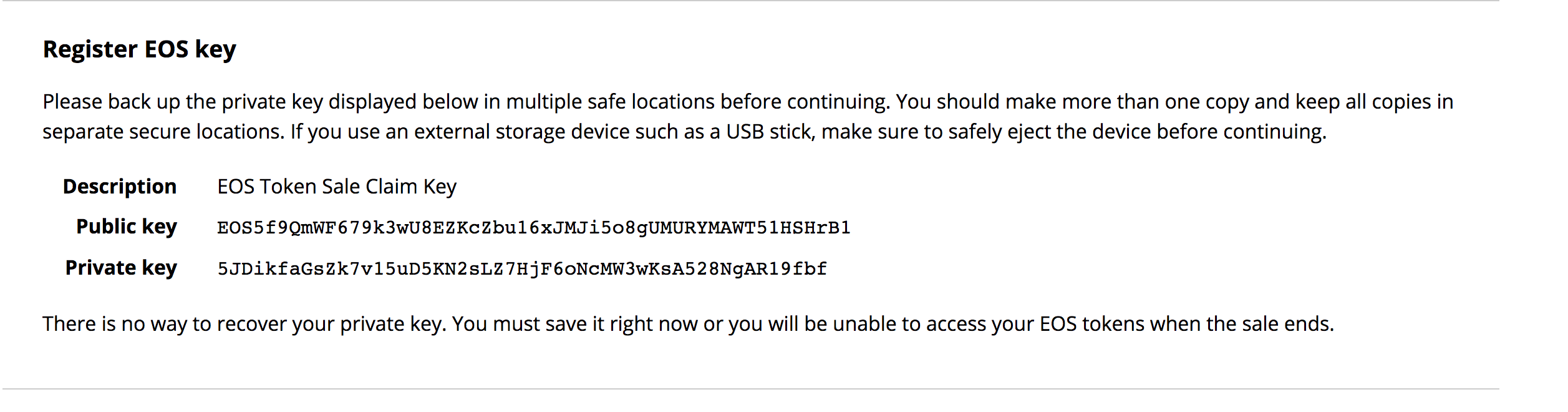 If you registered your EOS tokens (_remember that thing you were supposed to do before June 1st_) you had to take a few steps. Step 1 - Generate a public / private EOS keypair (like the sample above) Step 2 - Use your ethereum account which holds your EOS and register the _public_ key you generated with the contract. (EOS5f9...HrB1) Why? So that when the final snapshot was taken and the new EOS mainnet is launched, an EOS account can be created automatically for you with your token balance and with your Owner key set to the one you submitted in the registration process. That's why it is important to have saved your private key. That's how we'll be able to sign transactions and validate that it is indeed you doing so. A transaction can be anything from transferring tokens, interacting with smart contracts or voting for Block Producers. Your EOS private key _IS NOT_ the same private key that your Metamask or Ledger Nano or XYZ wallet was using. It is the private key that was generated when you went through the steps of obtaining it in your registration process. This leads us to another sub-topic: ###### EOS Wallets Currently I've only seen the cleos cli which is very unlikely to be used by end-users OR something like [Scatter](https://scatter-eos.com/) (chrome / firefox extension). To use any wallet CLI / Extension / Mobile with your EOS account you _WILL_ need to import your private key. Why? Because the only way to interact with the account that was assigned to you during the Mainnet launch is to have access to the private key that corresponds to your Owner public key. Why can't Scatter or XYZ wallet just generate a public / private key pair for me like Metamask? Metamask doesn't ask me to import keys! Actually Scatter _can_... But they wouldn't be assigned to ANY account, so they'd be useless. This isn't a limitation of Scatter or any other wallet that comes around. It's a difference in blockchain design.... EOS vs. Ethereum. Although it may seem like an inconvenience, dig around a bit and you'll see how having accounts with permission levels is an advantage and opens up different [dApp design possibilities](https://github.com/EOSIO/Documentation/blob/master/TechnicalWhitePaper.md#named-permission-levels). So what does this mean? That in order to access your initial account a level of trust will be required. Whatever wallet you choose to use, you'll have to import your private key so that it can sign transactions on your behalf. The most reliable / trustworthy source would be to just go ahead and use the EOS provided [cleos cli](https://github.com/EOSIO/eos/wiki/Programs-&-Tools#cleos). That will require a level of bootstrapping that most end-users will not go through. The alternative? Be patient and wait for the EOS community to start giving validation to trustworthy wallets. So far, the only one that has some community trust behind it is [Scatter](https://scatter-eos.com/). I'm a fan, but even then there is no harm in waiting a few and letting the dust settle. ### Summary EOS is exciting, but it's also new. Keep your private key safe, and only import it into a wallet that you feel 100% comfortable with. Take some time to understand how EOS accounts work and what you need to have ready to go when the mainnet launches 🚀! -- [@ajose01](https://steemit.com/@ajose01/) https://ether.dm/0x2794d1321035f0ef2faad52e21cad2ef82362835 Helpful links: https://github.com/EOSIO/Documentation/blob/master/TechnicalWhitePaper.md#accounts https://hackernoon.com/eos-101-getting-started-with-eos-part-2-2afbce4a8a05 |
| json metadata | {"tags":["eos","scatter","blockchain","ethereum","dapps"],"image":["https://cdn.steemitimages.com/DQmbdKRZyLoTbSncex8BsoqbuvArcX1yS9Qmf4S9HD7HNSu/steve-johnson-605822-unsplash.jpg","https://cdn.steemitimages.com/DQmctBL8qa1nWsbZbc7EcAT68tmfpin6s4aejkZg9drDU9M/Screen%20Shot%202018-06-04%20at%207.48.53%20PM.png"],"links":["https://unsplash.com/photos/WVUrbhWtRNM?utm_source=unsplash&utm_medium=referral&utm_content=creditCopyText","https://unsplash.com/search/photos/currency?utm_source=unsplash&utm_medium=referral&utm_content=creditCopyText","https://nadejde.github.io/eos-token-sale/","https://scatter-eos.com/","https://github.com/EOSIO/Documentation/blob/master/TechnicalWhitePaper.md#named-permission-levels","https://github.com/EOSIO/eos/wiki/Programs-&-Tools#cleos","https://steemit.com/@ajose01/","https://ether.dm/0x2794d1321035f0ef2faad52e21cad2ef82362835","https://github.com/EOSIO/Documentation/blob/master/TechnicalWhitePaper.md#accounts","https://hackernoon.com/eos-101-getting-started-with-eos-part-2-2afbce4a8a05"],"app":"steemit/0.1","format":"markdown"} |
| Transaction Info | Block #23077482/Trx 8faa811a2dab244313249ee4d7b513ff48cad7bf |
View Raw JSON Data
{
"trx_id": "8faa811a2dab244313249ee4d7b513ff48cad7bf",
"block": 23077482,
"trx_in_block": 41,
"op_in_trx": 0,
"virtual_op": 0,
"timestamp": "2018-06-06T06:24:27",
"op": [
"comment",
{
"parent_author": "",
"parent_permlink": "eos",
"author": "ajose01",
"permlink": "ethereum-addresses-vs-eos-accounts-a-long-ish-explainer",
"title": "Ethereum Addresses vs. EOS Accounts - A (long-ish) explainer",
"body": "\nPhoto by [Steve Johnson](https://unsplash.com/photos/WVUrbhWtRNM?utm_source=unsplash&utm_medium=referral&utm_content=creditCopyText) on [Unsplash](https://unsplash.com/search/photos/currency?utm_source=unsplash&utm_medium=referral&utm_content=creditCopyText)\n## Learning how to use your EOS account starts with understanding your Ethereum address\n\nWelcome to your new EOS currency. We are no longer bound to those erc-20 EOS tokens of that thing called Ethereum. Now before we can start trading, sending, using, voting and all the other things that EOS will bring us we have to discuss this thing called our EOS account.\n\nIt's important that we understand some fundamental differences on how EOS handles interacting with the blockchain in contrast to Ethereum. To understand this, let's discuss Ethereum 'accounts' first.\n\n#### Ethereum\nThere are NO accounts. Huh? Yup. No accounts. There are only records of public key transactions. And all you need to access your tokens, contracts, ethereum is the corresponding private key to sign for a public key (also known as your ETH address). How does this magic work?\n\nWithout going into all the crypto details, an encryption algorithm will generate key pair combos that can be used to validate information. So in simple terms, a private key \"abcd\" will always generate the public key \"0xangelsEthAddress\". So if I generate a transaction on ethereum, without knowing my private key we can run the transaction against the signature and it will spit out my public key... thus validating that it was indeed me who generated that transaction.\n\n```\n// PSEUDO CODE:\nmyPrivateKey = \"abcd\"\ntransactionData = \"Send 10 tokens to 'theOtherAngel'\"\nsignature = encryptFunction(transactionData, myPrivateKey)\n// This generates a signature. \"0xThisIsASignature\"\n\ntransmitToEthNodeFunction(transactionData, signature) // Notice that my private key never leaves my possession. Only the data and signature\n\n```\n\nIf this `transactionData` and `signature` is received then we can run a verification function on this data, without ever knowing the private key of the user.\n\n```\npublicAddress = recoverPublicAddress(transactionData, signture)\n// publicAddress > \"0xangelsEthAddress\"\n\n```\n\nThis is why tools like Metamask or a Ledger Nano can create \"accounts\" for you on the fly. Because all they are doing is creating key pairs as shown above that can be used to sign transactions. All that ever leaves the \"wallet\" are the signatures and the transaction data, thus keeping your private keys secure.\n\n#### EOS\n\nA key distinction in EOS is that accounts ARE created. A private and public key pair can't do anything on their own without being assigned to an account. This is a very important distinction. It changes how 'wallets' can be used.\n\nWhen a new EOS account are created, the _public_ keys for that account are specified with the respective permission levels. The two basic requirements are the Owner and Active keys.\n\nEOS public key pairs are generated in a similar fashion to Eth pairs, with the difference that the algorithm produces EOS prefixed public keys. Here is a sample generated from [this site](https://nadejde.github.io/eos-token-sale/)\n\n\nIf you registered your EOS tokens (_remember that thing you were supposed to do before June 1st_) you had to take a few steps.\n\nStep 1 - Generate a public / private EOS keypair (like the sample above)\n\nStep 2 - Use your ethereum account which holds your EOS and register the _public_ key you generated with the contract. (EOS5f9...HrB1)\n\nWhy? So that when the final snapshot was taken and the new EOS mainnet is launched, an EOS account can be created automatically for you with your token balance and with your Owner key set to the one you submitted in the registration process.\n\nThat's why it is important to have saved your private key. That's how we'll be able to sign transactions and validate that it is indeed you doing so. A transaction can be anything from transferring tokens, interacting with smart contracts or voting for Block Producers.\n\nYour EOS private key _IS NOT_ the same private key that your Metamask or Ledger Nano or XYZ wallet was using. It is the private key that was generated when you went through the steps of obtaining it in your registration process.\n\nThis leads us to another sub-topic:\n\n###### EOS Wallets\n\nCurrently I've only seen the cleos cli which is very unlikely to be used by end-users OR something like [Scatter](https://scatter-eos.com/) (chrome / firefox extension). To use any wallet CLI / Extension / Mobile with your EOS account you _WILL_ need to import your private key. Why? Because the only way to interact with the account that was assigned to you during the Mainnet launch is to have access to the private key that corresponds to your Owner public key.\n\nWhy can't Scatter or XYZ wallet just generate a public / private key pair for me like Metamask? Metamask doesn't ask me to import keys! Actually Scatter _can_... But they wouldn't be assigned to ANY account, so they'd be useless.\n\nThis isn't a limitation of Scatter or any other wallet that comes around. It's a difference in blockchain design.... EOS vs. Ethereum. Although it may seem like an inconvenience, dig around a bit and you'll see how having accounts with permission levels is an advantage and opens up different [dApp design possibilities](https://github.com/EOSIO/Documentation/blob/master/TechnicalWhitePaper.md#named-permission-levels).\n\nSo what does this mean? That in order to access your initial account a level of trust will be required. Whatever wallet you choose to use, you'll have to import your private key so that it can sign transactions on your behalf. The most reliable / trustworthy source would be to just go ahead and use the EOS provided [cleos cli](https://github.com/EOSIO/eos/wiki/Programs-&-Tools#cleos). That will require a level of bootstrapping that most end-users will not go through.\n\nThe alternative? Be patient and wait for the EOS community to start giving validation to trustworthy wallets. So far, the only one that has some community trust behind it is [Scatter](https://scatter-eos.com/). I'm a fan, but even then there is no harm in waiting a few and letting the dust settle.\n\n### Summary\n\nEOS is exciting, but it's also new. Keep your private key safe, and only import it into a wallet that you feel 100% comfortable with. Take some time to understand how EOS accounts work and what you need to have ready to go when the mainnet launches 🚀!\n\n-- [@ajose01](https://steemit.com/@ajose01/)\n\nhttps://ether.dm/0x2794d1321035f0ef2faad52e21cad2ef82362835\n\nHelpful links:\nhttps://github.com/EOSIO/Documentation/blob/master/TechnicalWhitePaper.md#accounts\nhttps://hackernoon.com/eos-101-getting-started-with-eos-part-2-2afbce4a8a05",
"json_metadata": "{\"tags\":[\"eos\",\"scatter\",\"blockchain\",\"ethereum\",\"dapps\"],\"image\":[\"https://cdn.steemitimages.com/DQmbdKRZyLoTbSncex8BsoqbuvArcX1yS9Qmf4S9HD7HNSu/steve-johnson-605822-unsplash.jpg\",\"https://cdn.steemitimages.com/DQmctBL8qa1nWsbZbc7EcAT68tmfpin6s4aejkZg9drDU9M/Screen%20Shot%202018-06-04%20at%207.48.53%20PM.png\"],\"links\":[\"https://unsplash.com/photos/WVUrbhWtRNM?utm_source=unsplash&utm_medium=referral&utm_content=creditCopyText\",\"https://unsplash.com/search/photos/currency?utm_source=unsplash&utm_medium=referral&utm_content=creditCopyText\",\"https://nadejde.github.io/eos-token-sale/\",\"https://scatter-eos.com/\",\"https://github.com/EOSIO/Documentation/blob/master/TechnicalWhitePaper.md#named-permission-levels\",\"https://github.com/EOSIO/eos/wiki/Programs-&-Tools#cleos\",\"https://steemit.com/@ajose01/\",\"https://ether.dm/0x2794d1321035f0ef2faad52e21cad2ef82362835\",\"https://github.com/EOSIO/Documentation/blob/master/TechnicalWhitePaper.md#accounts\",\"https://hackernoon.com/eos-101-getting-started-with-eos-part-2-2afbce4a8a05\"],\"app\":\"steemit/0.1\",\"format\":\"markdown\"}"
}
]
}steemitboardupvoted (1.00%) @ajose01 / scatter-and-the-jungle-testnet2018/06/06 01:58:21
steemitboardupvoted (1.00%) @ajose01 / scatter-and-the-jungle-testnet
2018/06/06 01:58:21
| voter | steemitboard |
| author | ajose01 |
| permlink | scatter-and-the-jungle-testnet |
| weight | 100 (1.00%) |
| Transaction Info | Block #23072162/Trx 4c7a6307dafafd0e3c86213d1444c62f6bba234e |
View Raw JSON Data
{
  "trx_id": "4c7a6307dafafd0e3c86213d1444c62f6bba234e",
  "block": 23072162,
  "trx_in_block": 11,
  "op_in_trx": 0,
  "virtual_op": 0,
  "timestamp": "2018-06-06T01:58:21",
  "op": [
    "vote",
    {
      "voter": "steemitboard",
      "author": "ajose01",
      "permlink": "scatter-and-the-jungle-testnet",
      "weight": 100
    }
  ]
}2018/06/06 01:58:18
2018/06/06 01:58:18
| parent author | ajose01 |
| parent permlink | scatter-and-the-jungle-testnet |
| author | steemitboard |
| permlink | steemitboard-notify-ajose01-20180606t015820000z |
| title | |
| body | Congratulations @ajose01! You have completed some achievement on Steemit and have been rewarded with new badge(s) : [](http://steemitboard.com/@ajose01) Award for the number of upvotes received <sub>_Click on the badge to view your Board of Honor._</sub> <sub>_If you no longer want to receive notifications, reply to this comment with the word_ `STOP`</sub> To support your work, I also upvoted your post! > Do you like [SteemitBoard's project](https://steemit.com/@steemitboard)? Then **[Vote for its witness](https://v2.steemconnect.com/sign/account-witness-vote?witness=steemitboard&approve=1)** and **get one more award**! |
| json metadata | {"image":["https://steemitboard.com/img/notify.png"]} |
| Transaction Info | Block #23072161/Trx ef48233c8febe7401707ffa53713ff4670e3dfaa |
View Raw JSON Data
{
"trx_id": "ef48233c8febe7401707ffa53713ff4670e3dfaa",
"block": 23072161,
"trx_in_block": 50,
"op_in_trx": 0,
"virtual_op": 0,
"timestamp": "2018-06-06T01:58:18",
"op": [
"comment",
{
"parent_author": "ajose01",
"parent_permlink": "scatter-and-the-jungle-testnet",
"author": "steemitboard",
"permlink": "steemitboard-notify-ajose01-20180606t015820000z",
"title": "",
"body": "Congratulations @ajose01! You have completed some achievement on Steemit and have been rewarded with new badge(s) :\n\n[](http://steemitboard.com/@ajose01) Award for the number of upvotes received\n\n<sub>_Click on the badge to view your Board of Honor._</sub>\n<sub>_If you no longer want to receive notifications, reply to this comment with the word_ `STOP`</sub>\n\n\nTo support your work, I also upvoted your post!\n\n\n> Do you like [SteemitBoard's project](https://steemit.com/@steemitboard)? Then **[Vote for its witness](https://v2.steemconnect.com/sign/account-witness-vote?witness=steemitboard&approve=1)** and **get one more award**!",
"json_metadata": "{\"image\":[\"https://steemitboard.com/img/notify.png\"]}"
}
]
}2018/06/05 23:11:30
2018/06/05 23:11:30
| required auths | [] |
| required posting auths | ["ajose01"] |
| id | follow |
| json | ["follow",{"follower":"ajose01","following":"leordev","what":["blog"]}] |
| Transaction Info | Block #23068825/Trx 63c5ea281de67d9452a57559a972506ddc6d0328 |
View Raw JSON Data
{
  "trx_id": "63c5ea281de67d9452a57559a972506ddc6d0328",
  "block": 23068825,
  "trx_in_block": 30,
  "op_in_trx": 0,
  "virtual_op": 0,
  "timestamp": "2018-06-05T23:11:30",
  "op": [
    "custom_json",
    {
      "required_auths": [],
      "required_posting_auths": [
        "ajose01"
      ],
      "id": "follow",
      "json": "[\"follow\",{\"follower\":\"ajose01\",\"following\":\"leordev\",\"what\":[\"blog\"]}]"
    }
  ]
}wpuriczupvoted (100.00%) @ajose01 / scatter-and-the-jungle-testnet2018/06/05 19:43:36
wpuriczupvoted (100.00%) @ajose01 / scatter-and-the-jungle-testnet
2018/06/05 19:43:36
| voter | wpuricz |
| author | ajose01 |
| permlink | scatter-and-the-jungle-testnet |
| weight | 10000 (100.00%) |
| Transaction Info | Block #23064668/Trx a5afec70a57658be68bb8169ba46dc276450748f |
View Raw JSON Data
{
  "trx_id": "a5afec70a57658be68bb8169ba46dc276450748f",
  "block": 23064668,
  "trx_in_block": 23,
  "op_in_trx": 0,
  "virtual_op": 0,
  "timestamp": "2018-06-05T19:43:36",
  "op": [
    "vote",
    {
      "voter": "wpuricz",
      "author": "ajose01",
      "permlink": "scatter-and-the-jungle-testnet",
      "weight": 10000
    }
  ]
}2018/06/05 17:02:42
2018/06/05 17:02:42
| parent author | facer |
| parent permlink | re-ajose01-scatter-and-the-jungle-testnet-20180605t052310208z |
| author | ajose01 |
| permlink | re-facer-re-ajose01-scatter-and-the-jungle-testnet-20180605t170243529z |
| title | |
| body | That's pending at the moment. Once the mainnet goes live, I'll dig in and write something for it :) |
| json metadata | {"tags":["eos"],"app":"steemit/0.1"} |
| Transaction Info | Block #23061451/Trx d8adb622514256f407f26cbc582586a618258383 |
View Raw JSON Data
{
  "trx_id": "d8adb622514256f407f26cbc582586a618258383",
  "block": 23061451,
  "trx_in_block": 55,
  "op_in_trx": 0,
  "virtual_op": 0,
  "timestamp": "2018-06-05T17:02:42",
  "op": [
    "comment",
    {
      "parent_author": "facer",
      "parent_permlink": "re-ajose01-scatter-and-the-jungle-testnet-20180605t052310208z",
      "author": "ajose01",
      "permlink": "re-facer-re-ajose01-scatter-and-the-jungle-testnet-20180605t170243529z",
      "title": "",
      "body": "That's pending at the moment. Once the mainnet goes live, I'll dig in and write something for it :)",
      "json_metadata": "{\"tags\":[\"eos\"],\"app\":\"steemit/0.1\"}"
    }
  ]
}2018/06/05 09:16:24
2018/06/05 09:16:24
| parent author | ajose01 |
| parent permlink | scatter-and-the-jungle-testnet |
| author | leordev |
| permlink | re-ajose01-scatter-and-the-jungle-testnet-20180605t091622640z |
| title | |
| body | Nice job @ajose01! I'm going to utilize this post for mine! :D |
| json metadata | {"tags":["eos"],"users":["ajose01"],"app":"steemit/0.1"} |
| Transaction Info | Block #23052130/Trx f4f9528afa3b5000cd11b17a859cfe5be1a8a603 |
View Raw JSON Data
{
  "trx_id": "f4f9528afa3b5000cd11b17a859cfe5be1a8a603",
  "block": 23052130,
  "trx_in_block": 2,
  "op_in_trx": 0,
  "virtual_op": 0,
  "timestamp": "2018-06-05T09:16:24",
  "op": [
    "comment",
    {
      "parent_author": "ajose01",
      "parent_permlink": "scatter-and-the-jungle-testnet",
      "author": "leordev",
      "permlink": "re-ajose01-scatter-and-the-jungle-testnet-20180605t091622640z",
      "title": "",
      "body": "Nice job @ajose01! I'm going to utilize this post for mine! :D",
      "json_metadata": "{\"tags\":[\"eos\"],\"users\":[\"ajose01\"],\"app\":\"steemit/0.1\"}"
    }
  ]
}leordevupvoted (100.00%) @ajose01 / scatter-and-the-jungle-testnet2018/06/05 09:15:03
leordevupvoted (100.00%) @ajose01 / scatter-and-the-jungle-testnet
2018/06/05 09:15:03
| voter | leordev |
| author | ajose01 |
| permlink | scatter-and-the-jungle-testnet |
| weight | 10000 (100.00%) |
| Transaction Info | Block #23052103/Trx 8556aea081526f681ebc59a981e74afcf23831fa |
View Raw JSON Data
{
  "trx_id": "8556aea081526f681ebc59a981e74afcf23831fa",
  "block": 23052103,
  "trx_in_block": 25,
  "op_in_trx": 0,
  "virtual_op": 0,
  "timestamp": "2018-06-05T09:15:03",
  "op": [
    "vote",
    {
      "voter": "leordev",
      "author": "ajose01",
      "permlink": "scatter-and-the-jungle-testnet",
      "weight": 10000
    }
  ]
}debraycodesupvoted (100.00%) @ajose01 / scatter-and-the-jungle-testnet2018/06/05 06:33:18
debraycodesupvoted (100.00%) @ajose01 / scatter-and-the-jungle-testnet
2018/06/05 06:33:18
| voter | debraycodes |
| author | ajose01 |
| permlink | scatter-and-the-jungle-testnet |
| weight | 10000 (100.00%) |
| Transaction Info | Block #23048868/Trx 9a3acf20f9dab90fb1ffabf201f8717da155098e |
View Raw JSON Data
{
  "trx_id": "9a3acf20f9dab90fb1ffabf201f8717da155098e",
  "block": 23048868,
  "trx_in_block": 7,
  "op_in_trx": 0,
  "virtual_op": 0,
  "timestamp": "2018-06-05T06:33:18",
  "op": [
    "vote",
    {
      "voter": "debraycodes",
      "author": "ajose01",
      "permlink": "scatter-and-the-jungle-testnet",
      "weight": 10000
    }
  ]
}conceptskipupvoted (100.00%) @ajose01 / scatter-and-the-jungle-testnet2018/06/05 06:07:30
conceptskipupvoted (100.00%) @ajose01 / scatter-and-the-jungle-testnet
2018/06/05 06:07:30
| voter | conceptskip |
| author | ajose01 |
| permlink | scatter-and-the-jungle-testnet |
| weight | 10000 (100.00%) |
| Transaction Info | Block #23048352/Trx d62f26f618cba475379028be3549786c6177a3c4 |
View Raw JSON Data
{
  "trx_id": "d62f26f618cba475379028be3549786c6177a3c4",
  "block": 23048352,
  "trx_in_block": 28,
  "op_in_trx": 0,
  "virtual_op": 0,
  "timestamp": "2018-06-05T06:07:30",
  "op": [
    "vote",
    {
      "voter": "conceptskip",
      "author": "ajose01",
      "permlink": "scatter-and-the-jungle-testnet",
      "weight": 10000
    }
  ]
}sensationupvoted (100.00%) @ajose01 / scatter-and-the-jungle-testnet2018/06/05 05:54:06
sensationupvoted (100.00%) @ajose01 / scatter-and-the-jungle-testnet
2018/06/05 05:54:06
| voter | sensation |
| author | ajose01 |
| permlink | scatter-and-the-jungle-testnet |
| weight | 10000 (100.00%) |
| Transaction Info | Block #23048084/Trx 296c64de0fd65330a2b90fbf2d0ce9019567f6b0 |
View Raw JSON Data
{
  "trx_id": "296c64de0fd65330a2b90fbf2d0ce9019567f6b0",
  "block": 23048084,
  "trx_in_block": 43,
  "op_in_trx": 0,
  "virtual_op": 0,
  "timestamp": "2018-06-05T05:54:06",
  "op": [
    "vote",
    {
      "voter": "sensation",
      "author": "ajose01",
      "permlink": "scatter-and-the-jungle-testnet",
      "weight": 10000
    }
  ]
}cybercodetwinsupvoted (100.00%) @ajose01 / scatter-and-the-jungle-testnet2018/06/05 05:25:36
cybercodetwinsupvoted (100.00%) @ajose01 / scatter-and-the-jungle-testnet
2018/06/05 05:25:36
| voter | cybercodetwins |
| author | ajose01 |
| permlink | scatter-and-the-jungle-testnet |
| weight | 10000 (100.00%) |
| Transaction Info | Block #23047514/Trx 0ff9a777402a495ff7d0ec68994b2b22d1a30bb2 |
View Raw JSON Data
{
  "trx_id": "0ff9a777402a495ff7d0ec68994b2b22d1a30bb2",
  "block": 23047514,
  "trx_in_block": 24,
  "op_in_trx": 0,
  "virtual_op": 0,
  "timestamp": "2018-06-05T05:25:36",
  "op": [
    "vote",
    {
      "voter": "cybercodetwins",
      "author": "ajose01",
      "permlink": "scatter-and-the-jungle-testnet",
      "weight": 10000
    }
  ]
}2018/06/05 05:24:36
2018/06/05 05:24:36
| parent author | ajose01 |
| parent permlink | scatter-and-the-jungle-testnet |
| author | eosphere |
| permlink | re-ajose01-scatter-and-the-jungle-testnet-20180605t052435364z |
| title | |
| body | Great tutorial, and perfectly complements the 'EOS Voter' voting site we have published which currently connects to the Jungle Testnet - feel free to try it out with your newly created Jungle test account - details are all here https://steemit.com/eos/@eosphere/eos-voter-eos-voting-portal-with-scatter |
| json metadata | {"tags":["eos"],"links":["https://steemit.com/eos/@eosphere/eos-voter-eos-voting-portal-with-scatter"],"app":"steemit/0.1"} |
| Transaction Info | Block #23047494/Trx 7a2ad30ff1b9cb5b155688b4520dec4f55e353ef |
View Raw JSON Data
{
  "trx_id": "7a2ad30ff1b9cb5b155688b4520dec4f55e353ef",
  "block": 23047494,
  "trx_in_block": 66,
  "op_in_trx": 0,
  "virtual_op": 0,
  "timestamp": "2018-06-05T05:24:36",
  "op": [
    "comment",
    {
      "parent_author": "ajose01",
      "parent_permlink": "scatter-and-the-jungle-testnet",
      "author": "eosphere",
      "permlink": "re-ajose01-scatter-and-the-jungle-testnet-20180605t052435364z",
      "title": "",
      "body": "Great tutorial, and perfectly complements the 'EOS Voter' voting site we have published which currently connects to the Jungle Testnet - feel free to try it out with your newly created Jungle test account - details are all here https://steemit.com/eos/@eosphere/eos-voter-eos-voting-portal-with-scatter",
      "json_metadata": "{\"tags\":[\"eos\"],\"links\":[\"https://steemit.com/eos/@eosphere/eos-voter-eos-voting-portal-with-scatter\"],\"app\":\"steemit/0.1\"}"
    }
  ]
}2018/06/05 05:23:18
2018/06/05 05:23:18
| parent author | ajose01 |
| parent permlink | scatter-and-the-jungle-testnet |
| author | facer |
| permlink | re-ajose01-scatter-and-the-jungle-testnet-20180605t052310208z |
| title | |
| body | great post! do you know how to register account on mainnet? |
| json metadata | {"tags":["eos"],"app":"steemit/0.1"} |
| Transaction Info | Block #23047469/Trx f944e60c9ca3947e6b75d6bd22ba7c588df38dd9 |
View Raw JSON Data
{
  "trx_id": "f944e60c9ca3947e6b75d6bd22ba7c588df38dd9",
  "block": 23047469,
  "trx_in_block": 37,
  "op_in_trx": 0,
  "virtual_op": 0,
  "timestamp": "2018-06-05T05:23:18",
  "op": [
    "comment",
    {
      "parent_author": "ajose01",
      "parent_permlink": "scatter-and-the-jungle-testnet",
      "author": "facer",
      "permlink": "re-ajose01-scatter-and-the-jungle-testnet-20180605t052310208z",
      "title": "",
      "body": "great post!  do you know how to register account on mainnet?",
      "json_metadata": "{\"tags\":[\"eos\"],\"app\":\"steemit/0.1\"}"
    }
  ]
}facerupvoted (100.00%) @ajose01 / scatter-and-the-jungle-testnet2018/06/05 05:13:48
facerupvoted (100.00%) @ajose01 / scatter-and-the-jungle-testnet
2018/06/05 05:13:48
| voter | facer |
| author | ajose01 |
| permlink | scatter-and-the-jungle-testnet |
| weight | 10000 (100.00%) |
| Transaction Info | Block #23047279/Trx fa4f33e12397405f2198996a54592826f76a17df |
View Raw JSON Data
{
  "trx_id": "fa4f33e12397405f2198996a54592826f76a17df",
  "block": 23047279,
  "trx_in_block": 15,
  "op_in_trx": 0,
  "virtual_op": 0,
  "timestamp": "2018-06-05T05:13:48",
  "op": [
    "vote",
    {
      "voter": "facer",
      "author": "ajose01",
      "permlink": "scatter-and-the-jungle-testnet",
      "weight": 10000
    }
  ]
}eosphereupvoted (100.00%) @ajose01 / scatter-and-the-jungle-testnet2018/06/05 04:54:27
eosphereupvoted (100.00%) @ajose01 / scatter-and-the-jungle-testnet
2018/06/05 04:54:27
| voter | eosphere |
| author | ajose01 |
| permlink | scatter-and-the-jungle-testnet |
| weight | 10000 (100.00%) |
| Transaction Info | Block #23046892/Trx a42d04a1481c15e95962f561851e37b3c2637d47 |
View Raw JSON Data
{
  "trx_id": "a42d04a1481c15e95962f561851e37b3c2637d47",
  "block": 23046892,
  "trx_in_block": 31,
  "op_in_trx": 0,
  "virtual_op": 0,
  "timestamp": "2018-06-05T04:54:27",
  "op": [
    "vote",
    {
      "voter": "eosphere",
      "author": "ajose01",
      "permlink": "scatter-and-the-jungle-testnet",
      "weight": 10000
    }
  ]
}ajose01published a new post: scatter-and-the-jungle-testnet2018/06/05 04:41:39
ajose01published a new post: scatter-and-the-jungle-testnet
2018/06/05 04:41:39
| parent author | |
| parent permlink | eos |
| author | ajose01 |
| permlink | scatter-and-the-jungle-testnet |
| title | Scatter and the EOS JUNGLE (testnet)! |
| body |  ## Using Scatter with the Jungle EOS Testnet We are oh so close to the EOS Mainnet launch! However, while the kinks are worked out or while you are testing your dApps having a trusty testnet to hook into is extremely valuable. In this quick tutorial we'll be connecting our Scatter dApp to the [Jungle testnet](dev.cryptolions.io). We'll be taking the following steps: 1. Create an account on the Testnet * This requires generating two private / public key combos to assign as Owner and Active keys. We can do this in many ways, but for brevity we'll do so [here](https://nadejde.github.io/eos-token-sale/) 2. Add the Jungle Testnet to our [Scatter Extension](scatter_link.com) * If you're building a dApp you can "suggest" the testnet automatically to your users. 3. Import our private / public keys into Scatter and create an identity. ### Step One - Creating a Jungle Testnet account Every EOS account requires an Owner and an Active key. The Owner key has superpowers, and as such it should be stored as safely as possible. The Active key is your day to day usage key. You shouldn't be careless with it, but it's the key you'll be using to interact with most dApps. Hence, we'll be generating two private / public key combinations. Please store and keep your private keys _private_. Alright, head over to https://nadejde.github.io/eos-token-sale/ and click on "Generate EOS Key". This will spit out a new private / public key combo. Save this somewhere safe... and then refresh the page and repeat the process.  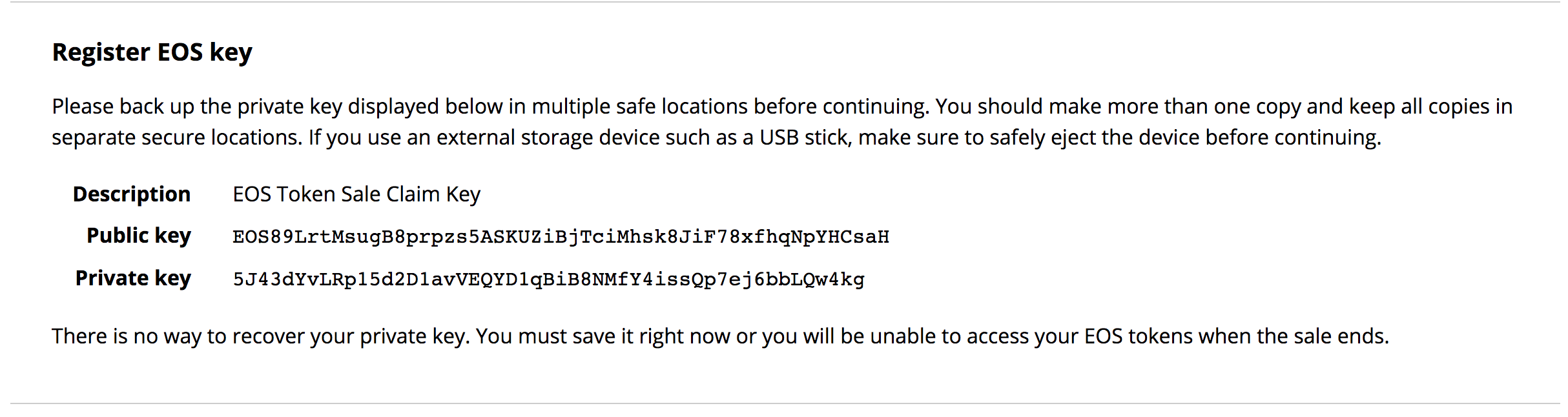 Now that we have our keys, let's head over to the [Jungle testnet site](dev.cryptolions.io) and click on "Create account". 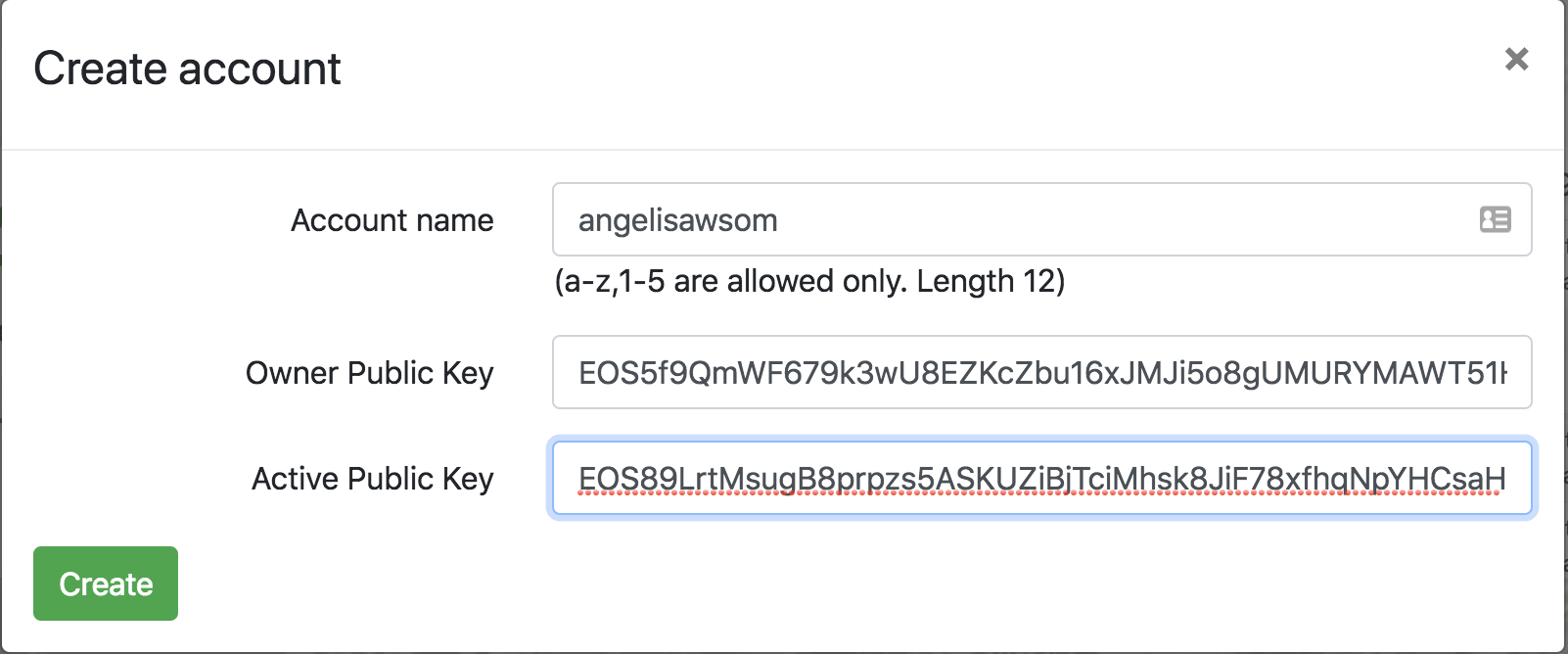 Here we'll be asked for an account name. Take note of the very specific account name restrictions specified for EOS. Once you choose your name, go ahead and enter it. Now it's time to paste in your Owner _public_ key and your Active _public_ key. Again... make sure you are pasting in your _public_ keys. They'll start with "EOS...". Once you've done this go ahead and click create. If all goes well and the name is available you'll see something like this: 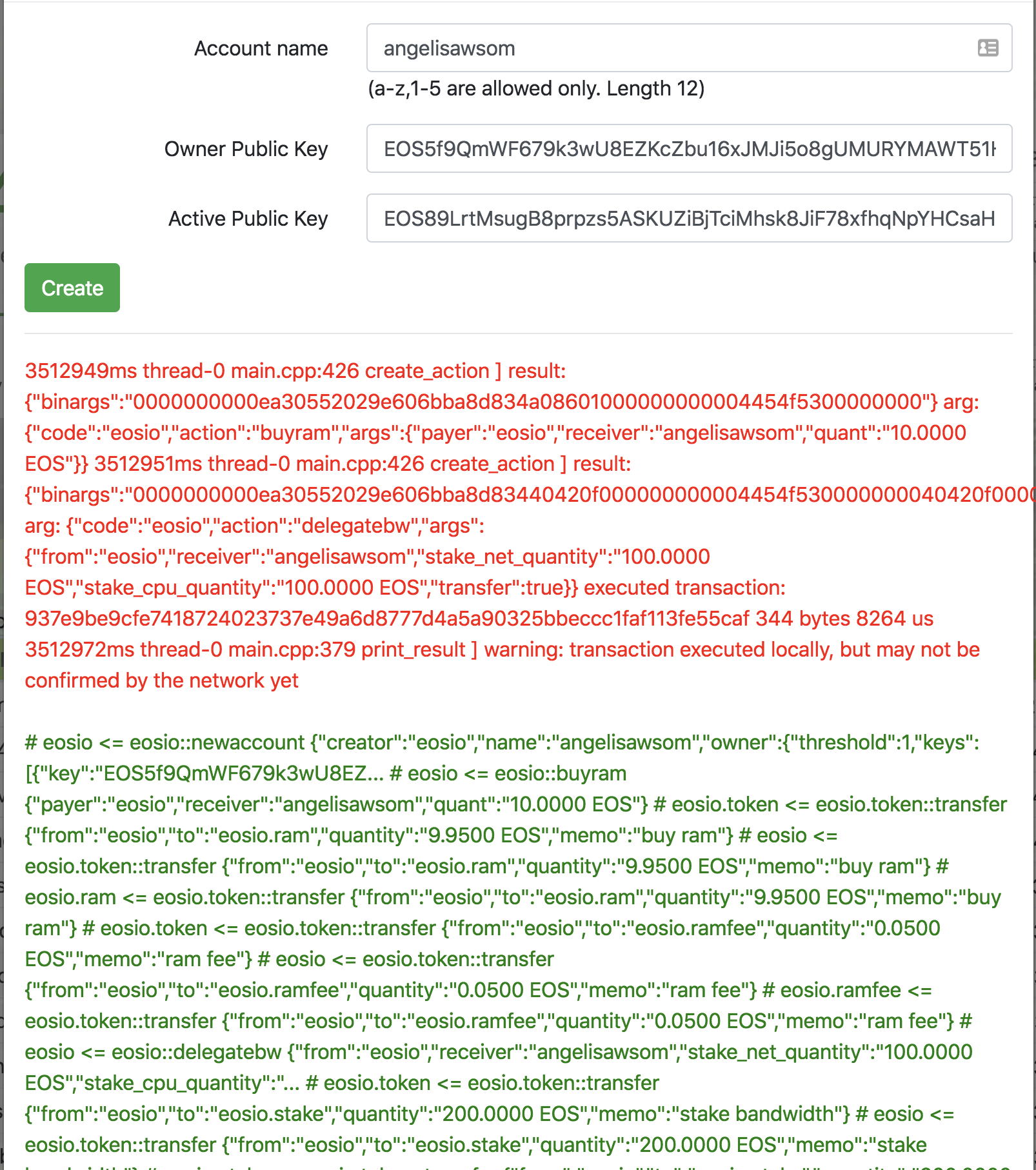 Now let's double-check that the account was created. Close that window and on the home page click on "Account info" and type in your new account name and click "Get". You should see the information of your newly created account, unfortunately with zero balance. We'll fix that in a sec. (Special note here: As of this writing, the testnet is creating the account with the same Owner and Active key. Double check this under account info and we'll use that when importing to Scatter). Let's get some test EOS and Jungle tokens into this account. Hit the "Faucet" link and type in your account name and click "Send coins". If you go to account info again, you'll see you now have some EOS and JUNGLE to play with :). ### Step Two - Adding the Jungle testnet to scatter There are two ways to add the testnet to Scatter. One of them is as a user, where we'll manually add it. The other way is programmatically as a dApp developer and suggest adding it automatically for your users. First let's cover the manual option. We'll go to the Scatter extension, then choose "Settings > Networks > New". We should see a menu like this: 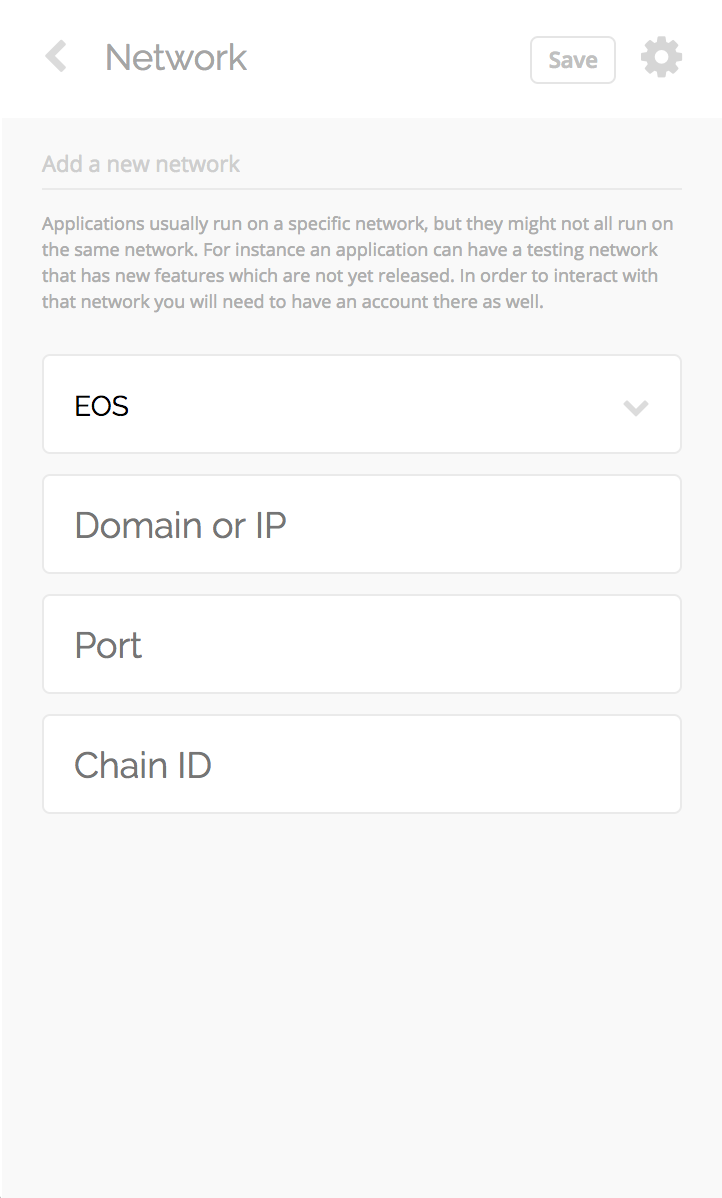 Add in the address "dev.cryptolions.io" and the port "38888" and hit "Save". 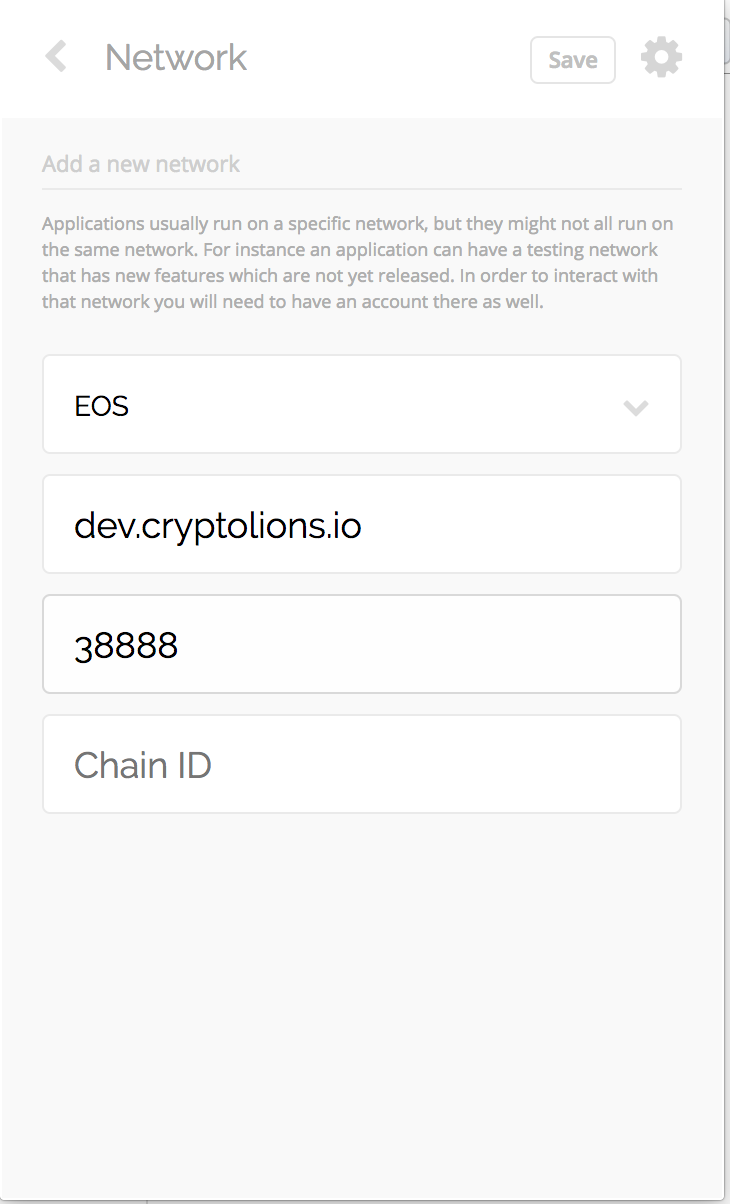 This will add the testnet to your list of networks. 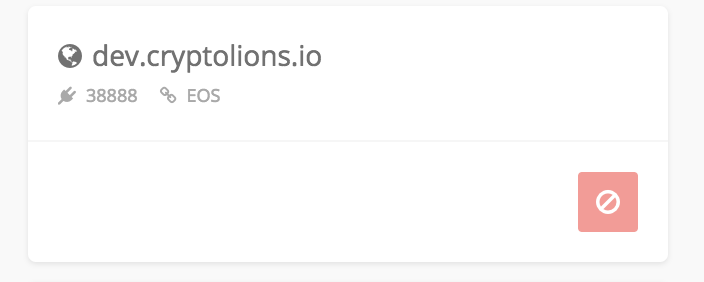 ##### dApp developer sidebar - suggesting network automatically. To suggest a testnet to your users automatically, we can reference [this](https://github.com/EOSEssentials/Scatter#networks) from the Scatter documentation. We'll configure the network options as so: ``` const network = { blockchain: 'eos', host: 'dev.cryptolions.io', port: 38888 } scatter.suggestNetwork(network); ``` This will prompt the user via Scatter to add this network to their extension automatically. 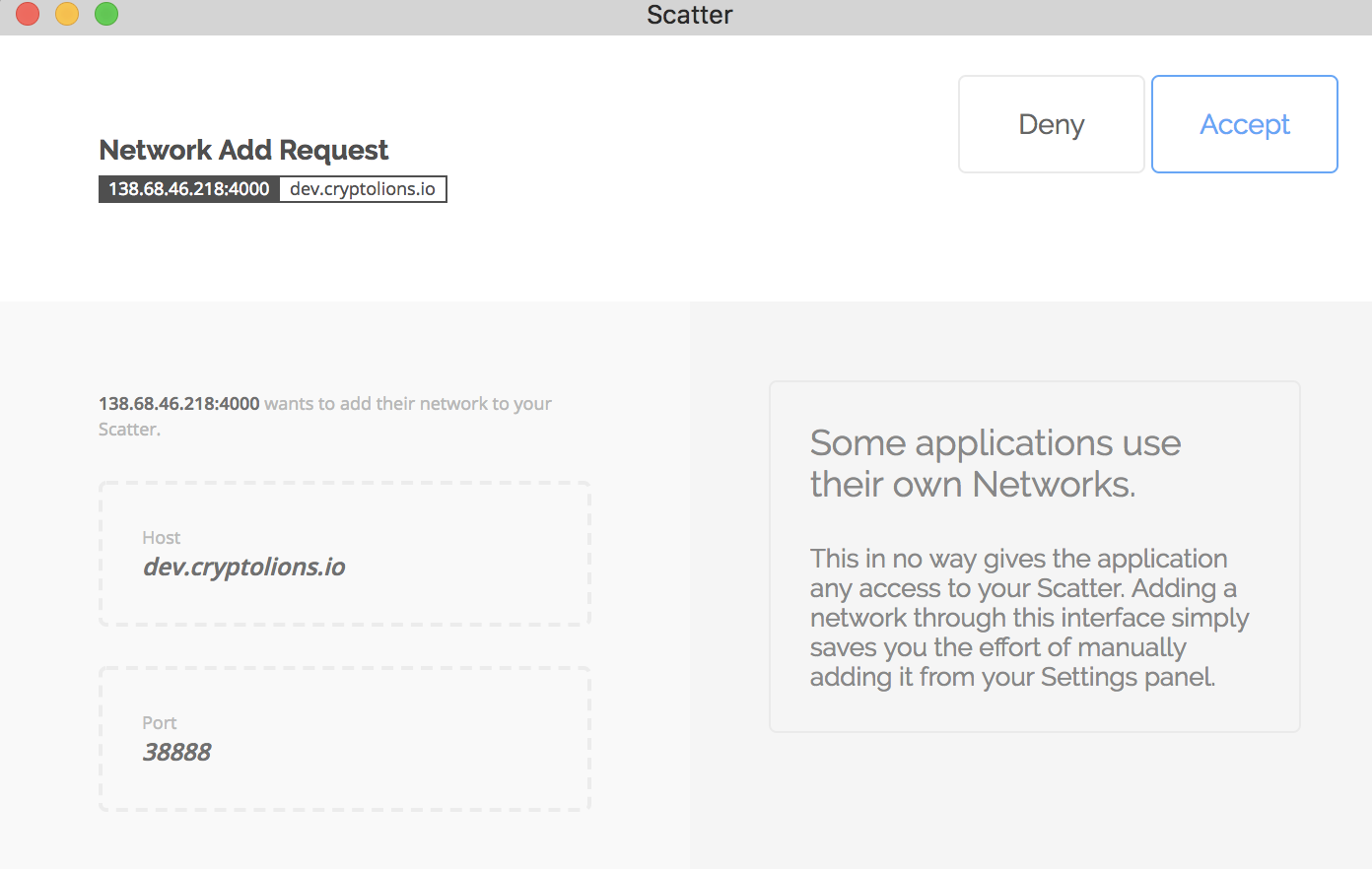 ### Step Three - Importing our keys into Scatter and creating an Identity This will be our last step to have Scatter and the Jungle testnet playing nice. Typically I'd suggest importing your "Active" key here. Unfortunately, the Jungle testnet as of this writing ends up duplicating one of your keys and using it for both Owner and Active. Let's double-check which key our account ended up with. We go back to the [Jungle testnet site](dev.cryptolions.io) and click on "Account info". If you look just a couple of lines down you'll see your Owner and Active public keys. 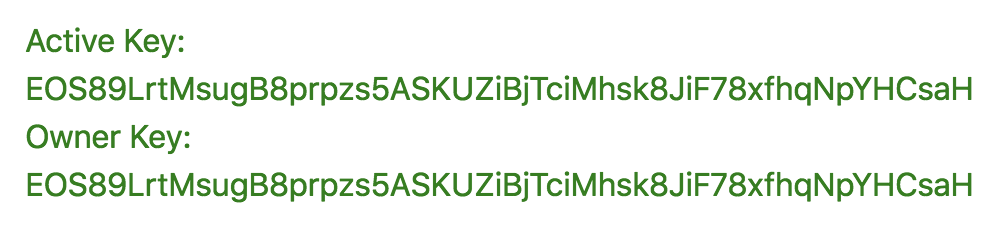 You'll notice that it's unfortunately the same. That's ok. Let's look up which of our private keys corresponds to the pubic key listed. Once you have it, let's add it to Scatter. In Scatter, select the "Key Pairs" option. You can name it whatever will help you remember the combo. Once you add the name, copy / paste the private key that corresponds to the public key we checked earlier and click "Save" This will add it to your list of key pairs. 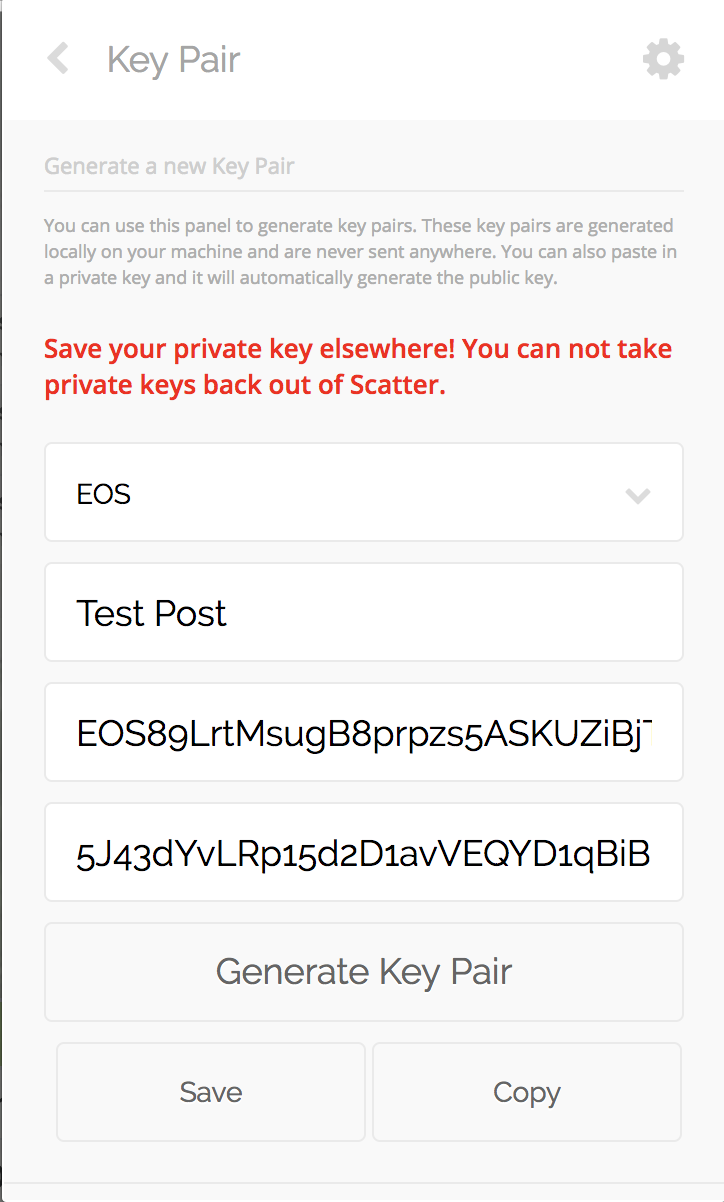  Alright... now for the final step. Creating a Scatter identity! Let's go ahead and select the "Identities > New" option in Scatter. Under accounts make sure you select the "EOS:dev.cryptolions.io" network we added earlier. Under the "None" dropdown select the named Key Pair we also added earlier and click on "Import" 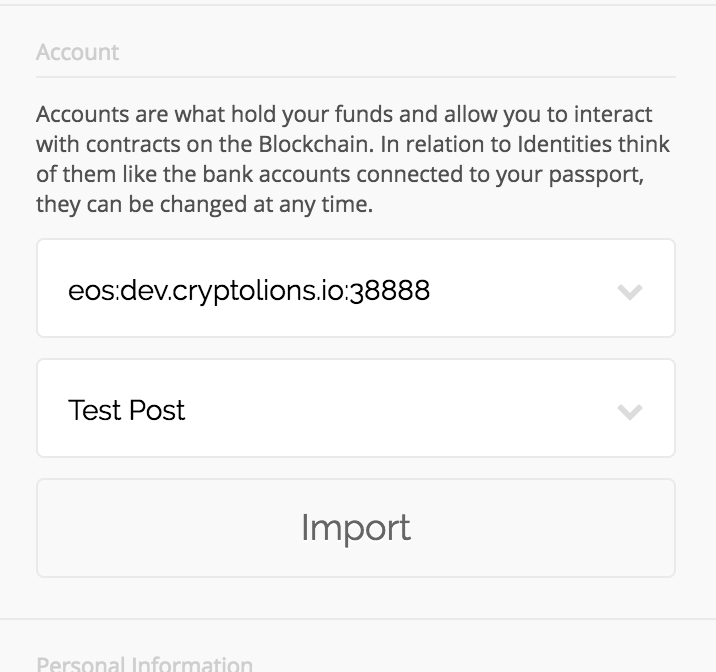 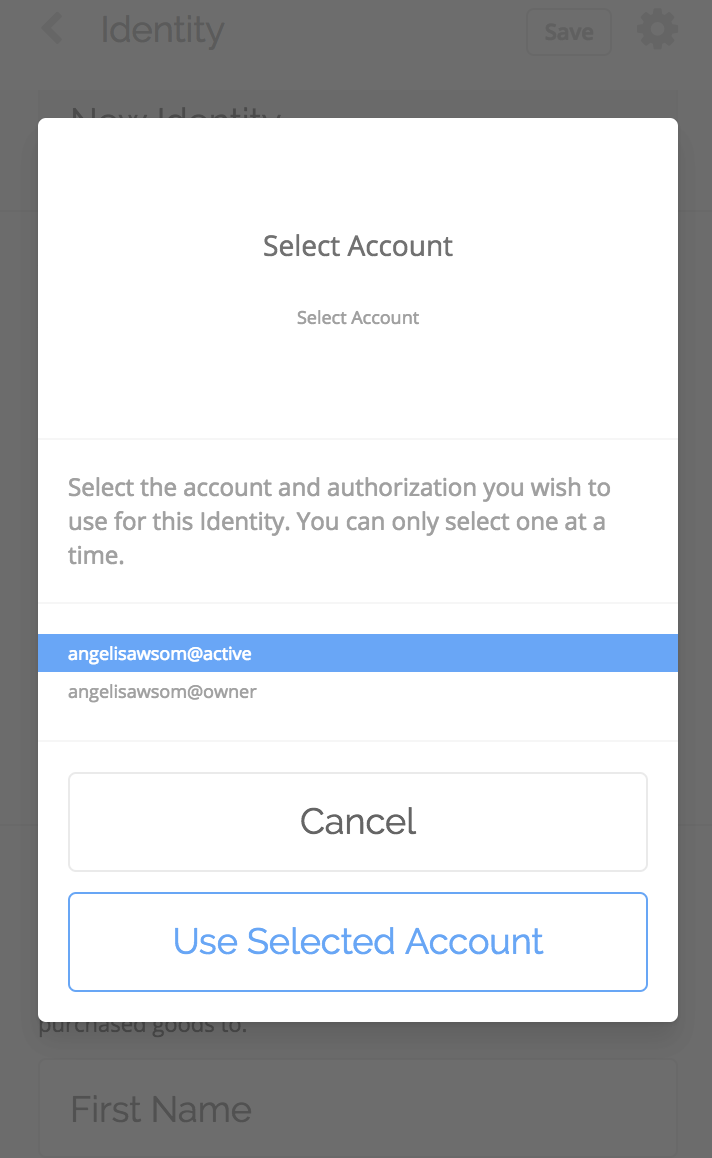 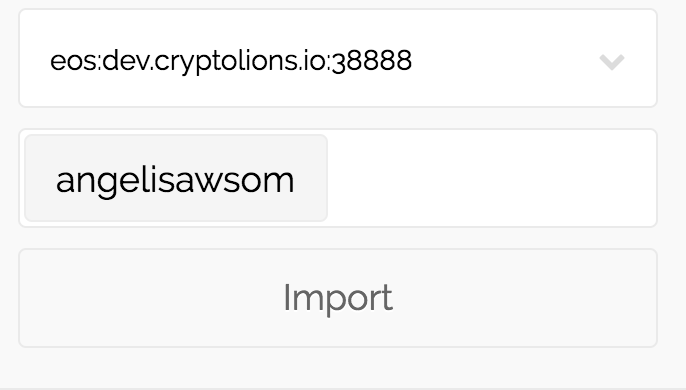 Here go ahead and select the "Active" account. Click on "Use Selected Account". You'll see the account name being added. What is happening here is that the same public key is assigned for both Owner and Active and Scatter wants us to select which of the permissions levels to use. As you can see, there are other options that can be added for your Scatter / RIDL identity. These are very neat and the applications are interesting. Go ahead and read up on those on the Scatter site. Think of a single oAuth across many sites (dApps) via EOS. For now we'll leave those blank and hit "Save" on the top right corner. 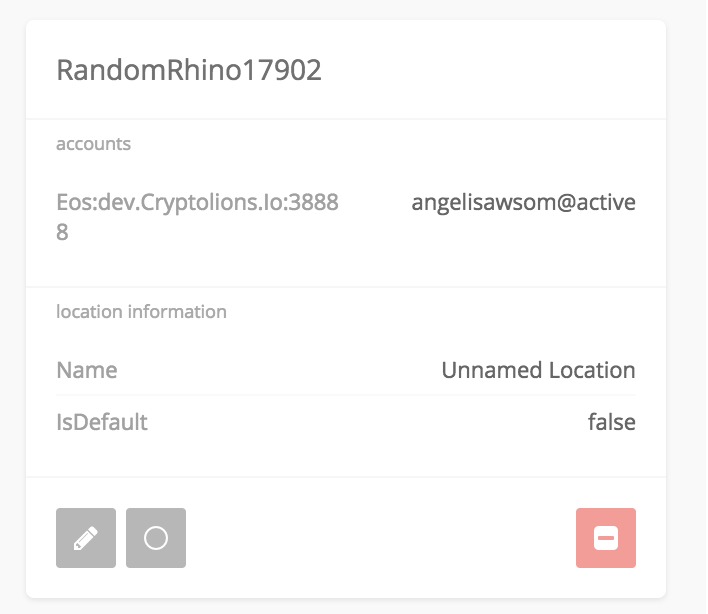 You'll see that a random identity is created for you. In my case here it's "RandomRhyno...". We are all setup! One way we can quickly confirm this is by using the token balance feature of Scatter. In the bottom-left corner, you'll see a "circle" button. Click on that and you'll see your token balances appear! 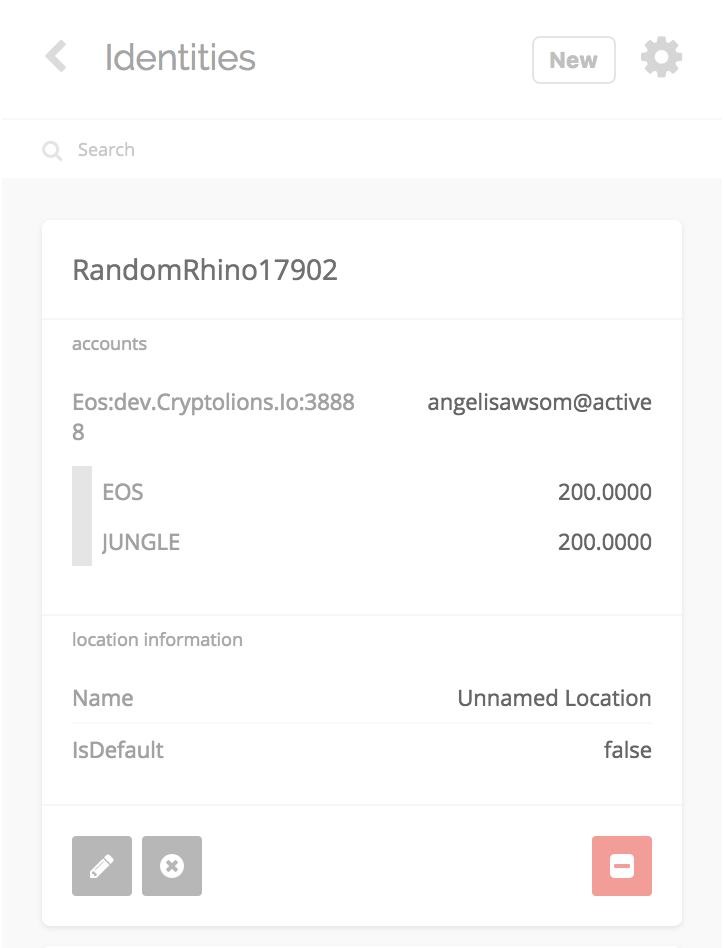 SWEET! We are all setup to use Scatter with any dApps on the Jungle testnet. That's it for now. If this was helpful and you want to show some thanks via Eth for now... you can do so via an ETH dApp that me and the Sense team worked on here: https://ether.dm/0x2794d1321035f0ef2faad52e21cad2ef82362835 (And of course the EOS version is in the works 🚀) PS: Sorry for the unresized images... figured it was better to get this out than to spend all night figuring this out 😛 |
| json metadata | {"tags":["eos","scatter","jungle","testnet","cryptolions"],"image":["https://cdn.steemitimages.com/DQmejAq3dYv4cYbXQspKczaoGocRkcmeUnM5DieFVtbFPu2/lion.jpg","https://cdn.steemitimages.com/DQmctBL8qa1nWsbZbc7EcAT68tmfpin6s4aejkZg9drDU9M/Screen%20Shot%202018-06-04%20at%207.48.53%20PM.png","https://cdn.steemitimages.com/DQmZGTiuG1JJLug6Y5LHZvWY3wspaFLHSdr36UiJTLWQP2j/Screen%20Shot%202018-06-04%20at%207.49.39%20PM.png","https://cdn.steemitimages.com/DQmfAjGqTGxGCDE5683izRC7VYfLiqrJos5iJ6gVssihx3k/Screen%20Shot%202018-06-04%20at%207.58.20%20PM.png","https://cdn.steemitimages.com/DQmPBP9HtezroZajRbzJfM4WDGCwoqPFbmZtG153szeZgpB/Screen%20Shot%202018-06-04%20at%207.58.38%20PM.png","https://cdn.steemitimages.com/DQmSSbosX4fj4LAnHgTm6d354FTFCsRBFV8Yz7DyLsjknbr/Screen%20Shot%202018-06-04%20at%208.08.04%20PM.png","https://cdn.steemitimages.com/DQmRc75rTer87opmBrHiLb15V5kSdRUuHcFhXMZaVUbb3WJ/Screen%20Shot%202018-06-04%20at%208.10.38%20PM.png","https://cdn.steemitimages.com/DQmWUKAp7N6H5Z6DXogbG8E9yQLxrmYSoSGWsAbcVjskMa8/Screen%20Shot%202018-06-04%20at%208.11.58%20PM.png","https://cdn.steemitimages.com/DQmYsSXK5NAm3EPKjRDz7FJjyEaASMUXtjLxgM4VrYsJZAk/Screen%20Shot%202018-06-04%20at%208.18.53%20PM.png","https://cdn.steemitimages.com/DQmNdRTz2V5P1m3AZnGdooBXNeHPYK2y3iT3PL8pALE8dhf/Screen%20Shot%202018-06-04%20at%208.23.24%20PM.png","https://cdn.steemitimages.com/DQmWxo5sqdpdSHhoRBKXaiYf5YdaCY14wjWj4QyGx3uLtJw/Screen%20Shot%202018-06-04%20at%208.26.37%20PM.png","https://cdn.steemitimages.com/DQmXPNvyLG851AaVPWg2pjETazX78QARYs1FFE8DDt1bAVs/Screen%20Shot%202018-06-04%20at%208.41.31%20PM.png","https://cdn.steemitimages.com/DQmarYwFZNygExE3ZDdPycTSC3dvVbeHhT5DySczrvTLtVx/Screen%20Shot%202018-06-04%20at%208.49.47%20PM.png","https://cdn.steemitimages.com/DQmWyqswxCyU297KzpbTk1iMW5X5sBLK1rxMjU1BM2pND6w/Screen%20Shot%202018-06-04%20at%209.03.02%20PM.png","https://cdn.steemitimages.com/DQmTFz4iHoLM5HgkpAwRNZ5oTokMRTV1GtEmh9HSyJqS6Yc/Screen%20Shot%202018-06-04%20at%209.11.13%20PM.png","https://cdn.steemitimages.com/DQmfXgM9ooc61XhbpCHyxDE8scrqGCc1bQmGsLJG8m6ihsy/Screen%20Shot%202018-06-04%20at%209.11.36%20PM.png","https://cdn.steemitimages.com/DQmVrYqrqMaZCqdyFNGt6dARUbE1th6oniWj9aziquVNeTc/Screen%20Shot%202018-06-04%20at%209.13.37%20PM.png"],"links":["dev.cryptolions.io","https://nadejde.github.io/eos-token-sale/","scatter_link.com","https://github.com/EOSEssentials/Scatter#networks","https://ether.dm/0x2794d1321035f0ef2faad52e21cad2ef82362835"],"app":"steemit/0.1","format":"markdown"} |
| Transaction Info | Block #23046636/Trx 65f71bfce361c82a8edc8612750669b9c2f2f25b |
View Raw JSON Data
{
"trx_id": "65f71bfce361c82a8edc8612750669b9c2f2f25b",
"block": 23046636,
"trx_in_block": 5,
"op_in_trx": 0,
"virtual_op": 0,
"timestamp": "2018-06-05T04:41:39",
"op": [
"comment",
{
"parent_author": "",
"parent_permlink": "eos",
"author": "ajose01",
"permlink": "scatter-and-the-jungle-testnet",
"title": "Scatter and the EOS JUNGLE (testnet)!",
"body": "\n\n## Using Scatter with the Jungle EOS Testnet\n\nWe are oh so close to the EOS Mainnet launch! However, while the kinks are worked out or while you are testing your dApps having a trusty testnet to hook into is extremely valuable.\n\nIn this quick tutorial we'll be connecting our Scatter dApp to the [Jungle testnet](dev.cryptolions.io). We'll be taking the following steps:\n1. Create an account on the Testnet\n * This requires generating two private / public key combos to assign as Owner and Active keys. We can do this in many ways, but for brevity we'll do so [here](https://nadejde.github.io/eos-token-sale/)\n2. Add the Jungle Testnet to our [Scatter Extension](scatter_link.com)\n * If you're building a dApp you can \"suggest\" the testnet automatically to your users.\n3. Import our private / public keys into Scatter and create an identity.\n\n### Step One - Creating a Jungle Testnet account\n\nEvery EOS account requires an Owner and an Active key. The Owner key has superpowers, and as such it should be stored as safely as possible. The Active key is your day to day usage key. You shouldn't be careless with it, but it's the key you'll be using to interact with most dApps. Hence, we'll be generating two private / public key combinations. Please store and keep your private keys _private_.\n\nAlright, head over to https://nadejde.github.io/eos-token-sale/ and click on \"Generate EOS Key\". This will spit out a new private / public key combo. Save this somewhere safe... and then refresh the page and repeat the process.\n\n\n\n\nNow that we have our keys, let's head over to the [Jungle testnet site](dev.cryptolions.io) and click on \"Create account\".\n\n\n\nHere we'll be asked for an account name. Take note of the very specific account name restrictions specified for EOS. Once you choose your name, go ahead and enter it. Now it's time to paste in your Owner _public_ key and your Active _public_ key. Again... make sure you are pasting in your _public_ keys. They'll start with \"EOS...\". Once you've done this go ahead and click create. If all goes well and the name is available you'll see something like this:\n\n\n\nNow let's double-check that the account was created. Close that window and on the home page click on \"Account info\" and type in your new account name and click \"Get\". You should see the information of your newly created account, unfortunately with zero balance. We'll fix that in a sec. (Special note here: As of this writing, the testnet is creating the account with the same Owner and Active key. Double check this under account info and we'll use that when importing to Scatter).\n\nLet's get some test EOS and Jungle tokens into this account. Hit the \"Faucet\" link and type in your account name and click \"Send coins\".\n\nIf you go to account info again, you'll see you now have some EOS and JUNGLE to play with :).\n\n### Step Two - Adding the Jungle testnet to scatter\n\nThere are two ways to add the testnet to Scatter. One of them is as a user, where we'll manually add it. The other way is programmatically as a dApp developer and suggest adding it automatically for your users.\n\nFirst let's cover the manual option. We'll go to the Scatter extension, then choose \"Settings > Networks > New\". We should see a menu like this:\n\n\n\nAdd in the address \"dev.cryptolions.io\" and the port \"38888\" and hit \"Save\".\n\n\n\nThis will add the testnet to your list of networks.\n\n\n\n##### dApp developer sidebar - suggesting network automatically.\n\nTo suggest a testnet to your users automatically, we can reference [this](https://github.com/EOSEssentials/Scatter#networks) from the Scatter documentation.\n\nWe'll configure the network options as so:\n\n```\nconst network = {\n blockchain: 'eos',\n host: 'dev.cryptolions.io',\n port: 38888\n}\n\nscatter.suggestNetwork(network);\n```\n\nThis will prompt the user via Scatter to add this network to their extension automatically.\n\n\n\n\n### Step Three - Importing our keys into Scatter and creating an Identity\n\nThis will be our last step to have Scatter and the Jungle testnet playing nice. Typically I'd suggest importing your \"Active\" key here. Unfortunately, the Jungle testnet as of this writing ends up duplicating one of your keys and using it for both Owner and Active.\n\nLet's double-check which key our account ended up with. We go back to the [Jungle testnet site](dev.cryptolions.io) and click on \"Account info\". If you look just a couple of lines down you'll see your Owner and Active public keys.\n\n\n\nYou'll notice that it's unfortunately the same. That's ok. Let's look up which of our private keys corresponds to the pubic key listed. Once you have it, let's add it to Scatter.\n\nIn Scatter, select the \"Key Pairs\" option. You can name it whatever will help you remember the combo. Once you add the name, copy / paste the private key that corresponds to the public key we checked earlier and click \"Save\"\n\nThis will add it to your list of key pairs.\n\n\n\n\n\nAlright... now for the final step. Creating a Scatter identity!\n\nLet's go ahead and select the \"Identities > New\" option in Scatter. Under accounts make sure you select the \"EOS:dev.cryptolions.io\" network we added earlier. Under the \"None\" dropdown select the named Key Pair we also added earlier and click on \"Import\"\n\n\n\n\n\n\n\nHere go ahead and select the \"Active\" account. Click on \"Use Selected Account\". You'll see the account name being added. What is happening here is that the same public key is assigned for both Owner and Active and Scatter wants us to select which of the permissions levels to use. As you can see, there are other options that can be added for your Scatter / RIDL identity. These are very neat and the applications are interesting. Go ahead and read up on those on the Scatter site. Think of a single oAuth across many sites (dApps) via EOS. For now we'll leave those blank and hit \"Save\" on the top right corner.\n\n\n\nYou'll see that a random identity is created for you. In my case here it's \"RandomRhyno...\". We are all setup! One way we can quickly confirm this is by using the token balance feature of Scatter.\n\nIn the bottom-left corner, you'll see a \"circle\" button. Click on that and you'll see your token balances appear!\n\n\n\nSWEET! We are all setup to use Scatter with any dApps on the Jungle testnet. That's it for now. If this was helpful and you want to show some thanks via Eth for now... you can do so via an ETH dApp that me and the Sense team worked on here:\n\nhttps://ether.dm/0x2794d1321035f0ef2faad52e21cad2ef82362835\n\n(And of course the EOS version is in the works 🚀)\n\nPS: Sorry for the unresized images... figured it was better to get this out than to spend all night figuring this out 😛",
"json_metadata": "{\"tags\":[\"eos\",\"scatter\",\"jungle\",\"testnet\",\"cryptolions\"],\"image\":[\"https://cdn.steemitimages.com/DQmejAq3dYv4cYbXQspKczaoGocRkcmeUnM5DieFVtbFPu2/lion.jpg\",\"https://cdn.steemitimages.com/DQmctBL8qa1nWsbZbc7EcAT68tmfpin6s4aejkZg9drDU9M/Screen%20Shot%202018-06-04%20at%207.48.53%20PM.png\",\"https://cdn.steemitimages.com/DQmZGTiuG1JJLug6Y5LHZvWY3wspaFLHSdr36UiJTLWQP2j/Screen%20Shot%202018-06-04%20at%207.49.39%20PM.png\",\"https://cdn.steemitimages.com/DQmfAjGqTGxGCDE5683izRC7VYfLiqrJos5iJ6gVssihx3k/Screen%20Shot%202018-06-04%20at%207.58.20%20PM.png\",\"https://cdn.steemitimages.com/DQmPBP9HtezroZajRbzJfM4WDGCwoqPFbmZtG153szeZgpB/Screen%20Shot%202018-06-04%20at%207.58.38%20PM.png\",\"https://cdn.steemitimages.com/DQmSSbosX4fj4LAnHgTm6d354FTFCsRBFV8Yz7DyLsjknbr/Screen%20Shot%202018-06-04%20at%208.08.04%20PM.png\",\"https://cdn.steemitimages.com/DQmRc75rTer87opmBrHiLb15V5kSdRUuHcFhXMZaVUbb3WJ/Screen%20Shot%202018-06-04%20at%208.10.38%20PM.png\",\"https://cdn.steemitimages.com/DQmWUKAp7N6H5Z6DXogbG8E9yQLxrmYSoSGWsAbcVjskMa8/Screen%20Shot%202018-06-04%20at%208.11.58%20PM.png\",\"https://cdn.steemitimages.com/DQmYsSXK5NAm3EPKjRDz7FJjyEaASMUXtjLxgM4VrYsJZAk/Screen%20Shot%202018-06-04%20at%208.18.53%20PM.png\",\"https://cdn.steemitimages.com/DQmNdRTz2V5P1m3AZnGdooBXNeHPYK2y3iT3PL8pALE8dhf/Screen%20Shot%202018-06-04%20at%208.23.24%20PM.png\",\"https://cdn.steemitimages.com/DQmWxo5sqdpdSHhoRBKXaiYf5YdaCY14wjWj4QyGx3uLtJw/Screen%20Shot%202018-06-04%20at%208.26.37%20PM.png\",\"https://cdn.steemitimages.com/DQmXPNvyLG851AaVPWg2pjETazX78QARYs1FFE8DDt1bAVs/Screen%20Shot%202018-06-04%20at%208.41.31%20PM.png\",\"https://cdn.steemitimages.com/DQmarYwFZNygExE3ZDdPycTSC3dvVbeHhT5DySczrvTLtVx/Screen%20Shot%202018-06-04%20at%208.49.47%20PM.png\",\"https://cdn.steemitimages.com/DQmWyqswxCyU297KzpbTk1iMW5X5sBLK1rxMjU1BM2pND6w/Screen%20Shot%202018-06-04%20at%209.03.02%20PM.png\",\"https://cdn.steemitimages.com/DQmTFz4iHoLM5HgkpAwRNZ5oTokMRTV1GtEmh9HSyJqS6Yc/Screen%20Shot%202018-06-04%20at%209.11.13%20PM.png\",\"https://cdn.steemitimages.com/DQmfXgM9ooc61XhbpCHyxDE8scrqGCc1bQmGsLJG8m6ihsy/Screen%20Shot%202018-06-04%20at%209.11.36%20PM.png\",\"https://cdn.steemitimages.com/DQmVrYqrqMaZCqdyFNGt6dARUbE1th6oniWj9aziquVNeTc/Screen%20Shot%202018-06-04%20at%209.13.37%20PM.png\"],\"links\":[\"dev.cryptolions.io\",\"https://nadejde.github.io/eos-token-sale/\",\"scatter_link.com\",\"https://github.com/EOSEssentials/Scatter#networks\",\"https://ether.dm/0x2794d1321035f0ef2faad52e21cad2ef82362835\"],\"app\":\"steemit/0.1\",\"format\":\"markdown\"}"
}
]
}ajose01published a new post: scatter-and-the-jungle-testnet2018/06/05 04:41:09
ajose01published a new post: scatter-and-the-jungle-testnet
2018/06/05 04:41:09
| parent author | |
| parent permlink | eos |
| author | ajose01 |
| permlink | scatter-and-the-jungle-testnet |
| title | Scatter and the JUNGLE (testnet)! |
| body |  ## Using Scatter with the Jungle EOS Testnet We are oh so close to the EOS Mainnet launch! However, while the kinks are worked out or while you are testing your dApps having a trusty testnet to hook into is extremely valuable. In this quick tutorial we'll be connecting our Scatter dApp to the [Jungle testnet](dev.cryptolions.io). We'll be taking the following steps: 1. Create an account on the Testnet * This requires generating two private / public key combos to assign as Owner and Active keys. We can do this in many ways, but for brevity we'll do so [here](https://nadejde.github.io/eos-token-sale/) 2. Add the Jungle Testnet to our [Scatter Extension](scatter_link.com) * If you're building a dApp you can "suggest" the testnet automatically to your users. 3. Import our private / public keys into Scatter and create an identity. ### Step One - Creating a Jungle Testnet account Every EOS account requires an Owner and an Active key. The Owner key has superpowers, and as such it should be stored as safely as possible. The Active key is your day to day usage key. You shouldn't be careless with it, but it's the key you'll be using to interact with most dApps. Hence, we'll be generating two private / public key combinations. Please store and keep your private keys _private_. Alright, head over to https://nadejde.github.io/eos-token-sale/ and click on "Generate EOS Key". This will spit out a new private / public key combo. Save this somewhere safe... and then refresh the page and repeat the process.   Now that we have our keys, let's head over to the [Jungle testnet site](dev.cryptolions.io) and click on "Create account".  Here we'll be asked for an account name. Take note of the very specific account name restrictions specified for EOS. Once you choose your name, go ahead and enter it. Now it's time to paste in your Owner _public_ key and your Active _public_ key. Again... make sure you are pasting in your _public_ keys. They'll start with "EOS...". Once you've done this go ahead and click create. If all goes well and the name is available you'll see something like this:  Now let's double-check that the account was created. Close that window and on the home page click on "Account info" and type in your new account name and click "Get". You should see the information of your newly created account, unfortunately with zero balance. We'll fix that in a sec. (Special note here: As of this writing, the testnet is creating the account with the same Owner and Active key. Double check this under account info and we'll use that when importing to Scatter). Let's get some test EOS and Jungle tokens into this account. Hit the "Faucet" link and type in your account name and click "Send coins". If you go to account info again, you'll see you now have some EOS and JUNGLE to play with :). ### Step Two - Adding the Jungle testnet to scatter There are two ways to add the testnet to Scatter. One of them is as a user, where we'll manually add it. The other way is programmatically as a dApp developer and suggest adding it automatically for your users. First let's cover the manual option. We'll go to the Scatter extension, then choose "Settings > Networks > New". We should see a menu like this:  Add in the address "dev.cryptolions.io" and the port "38888" and hit "Save".  This will add the testnet to your list of networks.  ##### dApp developer sidebar - suggesting network automatically. To suggest a testnet to your users automatically, we can reference [this](https://github.com/EOSEssentials/Scatter#networks) from the Scatter documentation. We'll configure the network options as so: ``` const network = { blockchain: 'eos', host: 'dev.cryptolions.io', port: 38888 } scatter.suggestNetwork(network); ``` This will prompt the user via Scatter to add this network to their extension automatically.  ### Step Three - Importing our keys into Scatter and creating an Identity This will be our last step to have Scatter and the Jungle testnet playing nice. Typically I'd suggest importing your "Active" key here. Unfortunately, the Jungle testnet as of this writing ends up duplicating one of your keys and using it for both Owner and Active. Let's double-check which key our account ended up with. We go back to the [Jungle testnet site](dev.cryptolions.io) and click on "Account info". If you look just a couple of lines down you'll see your Owner and Active public keys.  You'll notice that it's unfortunately the same. That's ok. Let's look up which of our private keys corresponds to the pubic key listed. Once you have it, let's add it to Scatter. In Scatter, select the "Key Pairs" option. You can name it whatever will help you remember the combo. Once you add the name, copy / paste the private key that corresponds to the public key we checked earlier and click "Save" This will add it to your list of key pairs.   Alright... now for the final step. Creating a Scatter identity! Let's go ahead and select the "Identities > New" option in Scatter. Under accounts make sure you select the "EOS:dev.cryptolions.io" network we added earlier. Under the "None" dropdown select the named Key Pair we also added earlier and click on "Import"    Here go ahead and select the "Active" account. Click on "Use Selected Account". You'll see the account name being added. What is happening here is that the same public key is assigned for both Owner and Active and Scatter wants us to select which of the permissions levels to use. As you can see, there are other options that can be added for your Scatter / RIDL identity. These are very neat and the applications are interesting. Go ahead and read up on those on the Scatter site. Think of a single oAuth across many sites (dApps) via EOS. For now we'll leave those blank and hit "Save" on the top right corner.  You'll see that a random identity is created for you. In my case here it's "RandomRhyno...". We are all setup! One way we can quickly confirm this is by using the token balance feature of Scatter. In the bottom-left corner, you'll see a "circle" button. Click on that and you'll see your token balances appear!  SWEET! We are all setup to use Scatter with any dApps on the Jungle testnet. That's it for now. If this was helpful and you want to show some thanks via Eth for now... you can do so via an ETH dApp that me and the Sense team worked on here: https://ether.dm/0x2794d1321035f0ef2faad52e21cad2ef82362835 (And of course the EOS version is in the works 🚀) PS: Sorry for the unresized images... figured it was better to get this out than to spend all night figuring this out 😛 |
| json metadata | {"tags":["eos","scatter","jungle","testnet","cryptolions"],"image":["https://cdn.steemitimages.com/DQmejAq3dYv4cYbXQspKczaoGocRkcmeUnM5DieFVtbFPu2/lion.jpg","https://cdn.steemitimages.com/DQmctBL8qa1nWsbZbc7EcAT68tmfpin6s4aejkZg9drDU9M/Screen%20Shot%202018-06-04%20at%207.48.53%20PM.png","https://cdn.steemitimages.com/DQmZGTiuG1JJLug6Y5LHZvWY3wspaFLHSdr36UiJTLWQP2j/Screen%20Shot%202018-06-04%20at%207.49.39%20PM.png","https://cdn.steemitimages.com/DQmfAjGqTGxGCDE5683izRC7VYfLiqrJos5iJ6gVssihx3k/Screen%20Shot%202018-06-04%20at%207.58.20%20PM.png","https://cdn.steemitimages.com/DQmPBP9HtezroZajRbzJfM4WDGCwoqPFbmZtG153szeZgpB/Screen%20Shot%202018-06-04%20at%207.58.38%20PM.png","https://cdn.steemitimages.com/DQmSSbosX4fj4LAnHgTm6d354FTFCsRBFV8Yz7DyLsjknbr/Screen%20Shot%202018-06-04%20at%208.08.04%20PM.png","https://cdn.steemitimages.com/DQmRc75rTer87opmBrHiLb15V5kSdRUuHcFhXMZaVUbb3WJ/Screen%20Shot%202018-06-04%20at%208.10.38%20PM.png","https://cdn.steemitimages.com/DQmWUKAp7N6H5Z6DXogbG8E9yQLxrmYSoSGWsAbcVjskMa8/Screen%20Shot%202018-06-04%20at%208.11.58%20PM.png","https://cdn.steemitimages.com/DQmYsSXK5NAm3EPKjRDz7FJjyEaASMUXtjLxgM4VrYsJZAk/Screen%20Shot%202018-06-04%20at%208.18.53%20PM.png","https://cdn.steemitimages.com/DQmNdRTz2V5P1m3AZnGdooBXNeHPYK2y3iT3PL8pALE8dhf/Screen%20Shot%202018-06-04%20at%208.23.24%20PM.png","https://cdn.steemitimages.com/DQmWxo5sqdpdSHhoRBKXaiYf5YdaCY14wjWj4QyGx3uLtJw/Screen%20Shot%202018-06-04%20at%208.26.37%20PM.png","https://cdn.steemitimages.com/DQmXPNvyLG851AaVPWg2pjETazX78QARYs1FFE8DDt1bAVs/Screen%20Shot%202018-06-04%20at%208.41.31%20PM.png","https://cdn.steemitimages.com/DQmarYwFZNygExE3ZDdPycTSC3dvVbeHhT5DySczrvTLtVx/Screen%20Shot%202018-06-04%20at%208.49.47%20PM.png","https://cdn.steemitimages.com/DQmWyqswxCyU297KzpbTk1iMW5X5sBLK1rxMjU1BM2pND6w/Screen%20Shot%202018-06-04%20at%209.03.02%20PM.png","https://cdn.steemitimages.com/DQmTFz4iHoLM5HgkpAwRNZ5oTokMRTV1GtEmh9HSyJqS6Yc/Screen%20Shot%202018-06-04%20at%209.11.13%20PM.png","https://cdn.steemitimages.com/DQmfXgM9ooc61XhbpCHyxDE8scrqGCc1bQmGsLJG8m6ihsy/Screen%20Shot%202018-06-04%20at%209.11.36%20PM.png","https://cdn.steemitimages.com/DQmVrYqrqMaZCqdyFNGt6dARUbE1th6oniWj9aziquVNeTc/Screen%20Shot%202018-06-04%20at%209.13.37%20PM.png"],"links":["dev.cryptolions.io","https://nadejde.github.io/eos-token-sale/","scatter_link.com","https://github.com/EOSEssentials/Scatter#networks","https://ether.dm/0x2794d1321035f0ef2faad52e21cad2ef82362835"],"app":"steemit/0.1","format":"markdown"} |
| Transaction Info | Block #23046626/Trx b4b9b6ed9737e457721713939bcd8428a9af989f |
View Raw JSON Data
{
"trx_id": "b4b9b6ed9737e457721713939bcd8428a9af989f",
"block": 23046626,
"trx_in_block": 1,
"op_in_trx": 0,
"virtual_op": 0,
"timestamp": "2018-06-05T04:41:09",
"op": [
"comment",
{
"parent_author": "",
"parent_permlink": "eos",
"author": "ajose01",
"permlink": "scatter-and-the-jungle-testnet",
"title": "Scatter and the JUNGLE (testnet)!",
"body": "\n\n## Using Scatter with the Jungle EOS Testnet\n\nWe are oh so close to the EOS Mainnet launch! However, while the kinks are worked out or while you are testing your dApps having a trusty testnet to hook into is extremely valuable.\n\nIn this quick tutorial we'll be connecting our Scatter dApp to the [Jungle testnet](dev.cryptolions.io). We'll be taking the following steps:\n1. Create an account on the Testnet\n * This requires generating two private / public key combos to assign as Owner and Active keys. We can do this in many ways, but for brevity we'll do so [here](https://nadejde.github.io/eos-token-sale/)\n2. Add the Jungle Testnet to our [Scatter Extension](scatter_link.com)\n * If you're building a dApp you can \"suggest\" the testnet automatically to your users.\n3. Import our private / public keys into Scatter and create an identity.\n\n### Step One - Creating a Jungle Testnet account\n\nEvery EOS account requires an Owner and an Active key. The Owner key has superpowers, and as such it should be stored as safely as possible. The Active key is your day to day usage key. You shouldn't be careless with it, but it's the key you'll be using to interact with most dApps. Hence, we'll be generating two private / public key combinations. Please store and keep your private keys _private_.\n\nAlright, head over to https://nadejde.github.io/eos-token-sale/ and click on \"Generate EOS Key\". This will spit out a new private / public key combo. Save this somewhere safe... and then refresh the page and repeat the process.\n\n\n\n\nNow that we have our keys, let's head over to the [Jungle testnet site](dev.cryptolions.io) and click on \"Create account\".\n\n\n\nHere we'll be asked for an account name. Take note of the very specific account name restrictions specified for EOS. Once you choose your name, go ahead and enter it. Now it's time to paste in your Owner _public_ key and your Active _public_ key. Again... make sure you are pasting in your _public_ keys. They'll start with \"EOS...\". Once you've done this go ahead and click create. If all goes well and the name is available you'll see something like this:\n\n\n\nNow let's double-check that the account was created. Close that window and on the home page click on \"Account info\" and type in your new account name and click \"Get\". You should see the information of your newly created account, unfortunately with zero balance. We'll fix that in a sec. (Special note here: As of this writing, the testnet is creating the account with the same Owner and Active key. Double check this under account info and we'll use that when importing to Scatter).\n\nLet's get some test EOS and Jungle tokens into this account. Hit the \"Faucet\" link and type in your account name and click \"Send coins\".\n\nIf you go to account info again, you'll see you now have some EOS and JUNGLE to play with :).\n\n### Step Two - Adding the Jungle testnet to scatter\n\nThere are two ways to add the testnet to Scatter. One of them is as a user, where we'll manually add it. The other way is programmatically as a dApp developer and suggest adding it automatically for your users.\n\nFirst let's cover the manual option. We'll go to the Scatter extension, then choose \"Settings > Networks > New\". We should see a menu like this:\n\n\n\nAdd in the address \"dev.cryptolions.io\" and the port \"38888\" and hit \"Save\".\n\n\n\nThis will add the testnet to your list of networks.\n\n\n\n##### dApp developer sidebar - suggesting network automatically.\n\nTo suggest a testnet to your users automatically, we can reference [this](https://github.com/EOSEssentials/Scatter#networks) from the Scatter documentation.\n\nWe'll configure the network options as so:\n\n```\nconst network = {\n blockchain: 'eos',\n host: 'dev.cryptolions.io',\n port: 38888\n}\n\nscatter.suggestNetwork(network);\n```\n\nThis will prompt the user via Scatter to add this network to their extension automatically.\n\n\n\n\n### Step Three - Importing our keys into Scatter and creating an Identity\n\nThis will be our last step to have Scatter and the Jungle testnet playing nice. Typically I'd suggest importing your \"Active\" key here. Unfortunately, the Jungle testnet as of this writing ends up duplicating one of your keys and using it for both Owner and Active.\n\nLet's double-check which key our account ended up with. We go back to the [Jungle testnet site](dev.cryptolions.io) and click on \"Account info\". If you look just a couple of lines down you'll see your Owner and Active public keys.\n\n\n\nYou'll notice that it's unfortunately the same. That's ok. Let's look up which of our private keys corresponds to the pubic key listed. Once you have it, let's add it to Scatter.\n\nIn Scatter, select the \"Key Pairs\" option. You can name it whatever will help you remember the combo. Once you add the name, copy / paste the private key that corresponds to the public key we checked earlier and click \"Save\"\n\nThis will add it to your list of key pairs.\n\n\n\n\n\nAlright... now for the final step. Creating a Scatter identity!\n\nLet's go ahead and select the \"Identities > New\" option in Scatter. Under accounts make sure you select the \"EOS:dev.cryptolions.io\" network we added earlier. Under the \"None\" dropdown select the named Key Pair we also added earlier and click on \"Import\"\n\n\n\n\n\n\n\nHere go ahead and select the \"Active\" account. Click on \"Use Selected Account\". You'll see the account name being added. What is happening here is that the same public key is assigned for both Owner and Active and Scatter wants us to select which of the permissions levels to use. As you can see, there are other options that can be added for your Scatter / RIDL identity. These are very neat and the applications are interesting. Go ahead and read up on those on the Scatter site. Think of a single oAuth across many sites (dApps) via EOS. For now we'll leave those blank and hit \"Save\" on the top right corner.\n\n\n\nYou'll see that a random identity is created for you. In my case here it's \"RandomRhyno...\". We are all setup! One way we can quickly confirm this is by using the token balance feature of Scatter.\n\nIn the bottom-left corner, you'll see a \"circle\" button. Click on that and you'll see your token balances appear!\n\n\n\nSWEET! We are all setup to use Scatter with any dApps on the Jungle testnet. That's it for now. If this was helpful and you want to show some thanks via Eth for now... you can do so via an ETH dApp that me and the Sense team worked on here:\n\nhttps://ether.dm/0x2794d1321035f0ef2faad52e21cad2ef82362835\n\n(And of course the EOS version is in the works 🚀)\n\nPS: Sorry for the unresized images... figured it was better to get this out than to spend all night figuring this out 😛",
"json_metadata": "{\"tags\":[\"eos\",\"scatter\",\"jungle\",\"testnet\",\"cryptolions\"],\"image\":[\"https://cdn.steemitimages.com/DQmejAq3dYv4cYbXQspKczaoGocRkcmeUnM5DieFVtbFPu2/lion.jpg\",\"https://cdn.steemitimages.com/DQmctBL8qa1nWsbZbc7EcAT68tmfpin6s4aejkZg9drDU9M/Screen%20Shot%202018-06-04%20at%207.48.53%20PM.png\",\"https://cdn.steemitimages.com/DQmZGTiuG1JJLug6Y5LHZvWY3wspaFLHSdr36UiJTLWQP2j/Screen%20Shot%202018-06-04%20at%207.49.39%20PM.png\",\"https://cdn.steemitimages.com/DQmfAjGqTGxGCDE5683izRC7VYfLiqrJos5iJ6gVssihx3k/Screen%20Shot%202018-06-04%20at%207.58.20%20PM.png\",\"https://cdn.steemitimages.com/DQmPBP9HtezroZajRbzJfM4WDGCwoqPFbmZtG153szeZgpB/Screen%20Shot%202018-06-04%20at%207.58.38%20PM.png\",\"https://cdn.steemitimages.com/DQmSSbosX4fj4LAnHgTm6d354FTFCsRBFV8Yz7DyLsjknbr/Screen%20Shot%202018-06-04%20at%208.08.04%20PM.png\",\"https://cdn.steemitimages.com/DQmRc75rTer87opmBrHiLb15V5kSdRUuHcFhXMZaVUbb3WJ/Screen%20Shot%202018-06-04%20at%208.10.38%20PM.png\",\"https://cdn.steemitimages.com/DQmWUKAp7N6H5Z6DXogbG8E9yQLxrmYSoSGWsAbcVjskMa8/Screen%20Shot%202018-06-04%20at%208.11.58%20PM.png\",\"https://cdn.steemitimages.com/DQmYsSXK5NAm3EPKjRDz7FJjyEaASMUXtjLxgM4VrYsJZAk/Screen%20Shot%202018-06-04%20at%208.18.53%20PM.png\",\"https://cdn.steemitimages.com/DQmNdRTz2V5P1m3AZnGdooBXNeHPYK2y3iT3PL8pALE8dhf/Screen%20Shot%202018-06-04%20at%208.23.24%20PM.png\",\"https://cdn.steemitimages.com/DQmWxo5sqdpdSHhoRBKXaiYf5YdaCY14wjWj4QyGx3uLtJw/Screen%20Shot%202018-06-04%20at%208.26.37%20PM.png\",\"https://cdn.steemitimages.com/DQmXPNvyLG851AaVPWg2pjETazX78QARYs1FFE8DDt1bAVs/Screen%20Shot%202018-06-04%20at%208.41.31%20PM.png\",\"https://cdn.steemitimages.com/DQmarYwFZNygExE3ZDdPycTSC3dvVbeHhT5DySczrvTLtVx/Screen%20Shot%202018-06-04%20at%208.49.47%20PM.png\",\"https://cdn.steemitimages.com/DQmWyqswxCyU297KzpbTk1iMW5X5sBLK1rxMjU1BM2pND6w/Screen%20Shot%202018-06-04%20at%209.03.02%20PM.png\",\"https://cdn.steemitimages.com/DQmTFz4iHoLM5HgkpAwRNZ5oTokMRTV1GtEmh9HSyJqS6Yc/Screen%20Shot%202018-06-04%20at%209.11.13%20PM.png\",\"https://cdn.steemitimages.com/DQmfXgM9ooc61XhbpCHyxDE8scrqGCc1bQmGsLJG8m6ihsy/Screen%20Shot%202018-06-04%20at%209.11.36%20PM.png\",\"https://cdn.steemitimages.com/DQmVrYqrqMaZCqdyFNGt6dARUbE1th6oniWj9aziquVNeTc/Screen%20Shot%202018-06-04%20at%209.13.37%20PM.png\"],\"links\":[\"dev.cryptolions.io\",\"https://nadejde.github.io/eos-token-sale/\",\"scatter_link.com\",\"https://github.com/EOSEssentials/Scatter#networks\",\"https://ether.dm/0x2794d1321035f0ef2faad52e21cad2ef82362835\"],\"app\":\"steemit/0.1\",\"format\":\"markdown\"}"
}
]
}wpuriczupvoted (100.00%) @ajose01 / eos-and-scatter-part-12018/06/03 13:11:33
wpuriczupvoted (100.00%) @ajose01 / eos-and-scatter-part-1
2018/06/03 13:11:33
| voter | wpuricz |
| author | ajose01 |
| permlink | eos-and-scatter-part-1 |
| weight | 10000 (100.00%) |
| Transaction Info | Block #22999250/Trx 411db7f39a95df396291cdbc06b6cc9f15effa04 |
View Raw JSON Data
{
  "trx_id": "411db7f39a95df396291cdbc06b6cc9f15effa04",
  "block": 22999250,
  "trx_in_block": 7,
  "op_in_trx": 0,
  "virtual_op": 0,
  "timestamp": "2018-06-03T13:11:33",
  "op": [
    "vote",
    {
      "voter": "wpuricz",
      "author": "ajose01",
      "permlink": "eos-and-scatter-part-1",
      "weight": 10000
    }
  ]
}methodiseupvoted (100.00%) @ajose01 / re-kruligh-re-ajose01-eos-and-scatter-part-1-20180601t173840149z2018/06/01 18:34:15
methodiseupvoted (100.00%) @ajose01 / re-kruligh-re-ajose01-eos-and-scatter-part-1-20180601t173840149z
2018/06/01 18:34:15
| voter | methodise |
| author | ajose01 |
| permlink | re-kruligh-re-ajose01-eos-and-scatter-part-1-20180601t173840149z |
| weight | 10000 (100.00%) |
| Transaction Info | Block #22948127/Trx b3e6ce1c843d89b4a9bebe734a12f58cffc41033 |
View Raw JSON Data
{
  "trx_id": "b3e6ce1c843d89b4a9bebe734a12f58cffc41033",
  "block": 22948127,
  "trx_in_block": 2,
  "op_in_trx": 0,
  "virtual_op": 0,
  "timestamp": "2018-06-01T18:34:15",
  "op": [
    "vote",
    {
      "voter": "methodise",
      "author": "ajose01",
      "permlink": "re-kruligh-re-ajose01-eos-and-scatter-part-1-20180601t173840149z",
      "weight": 10000
    }
  ]
}methodiseupvoted (100.00%) @ajose01 / eos-and-scatter-part-12018/06/01 18:34:00
methodiseupvoted (100.00%) @ajose01 / eos-and-scatter-part-1
2018/06/01 18:34:00
| voter | methodise |
| author | ajose01 |
| permlink | eos-and-scatter-part-1 |
| weight | 10000 (100.00%) |
| Transaction Info | Block #22948122/Trx e9c58fa0e5a266a56ac20abe807e3de04d76e471 |
View Raw JSON Data
{
  "trx_id": "e9c58fa0e5a266a56ac20abe807e3de04d76e471",
  "block": 22948122,
  "trx_in_block": 44,
  "op_in_trx": 0,
  "virtual_op": 0,
  "timestamp": "2018-06-01T18:34:00",
  "op": [
    "vote",
    {
      "voter": "methodise",
      "author": "ajose01",
      "permlink": "eos-and-scatter-part-1",
      "weight": 10000
    }
  ]
}2018/06/01 17:38:39
2018/06/01 17:38:39
| parent author | kruligh |
| parent permlink | re-ajose01-eos-and-scatter-part-1-20180529t215856644z |
| author | ajose01 |
| permlink | re-kruligh-re-ajose01-eos-and-scatter-part-1-20180601t173840149z |
| title | |
| body | Yes I am... Been busy getting some dApps ready for launch, but there's lessons learned that I'll include in the next post. :) |
| json metadata | {"tags":["eos"],"app":"steemit/0.1"} |
| Transaction Info | Block #22947016/Trx 790b4128eef94cac9e0af908e16f33c03565a4a3 |
View Raw JSON Data
{
  "trx_id": "790b4128eef94cac9e0af908e16f33c03565a4a3",
  "block": 22947016,
  "trx_in_block": 28,
  "op_in_trx": 0,
  "virtual_op": 0,
  "timestamp": "2018-06-01T17:38:39",
  "op": [
    "comment",
    {
      "parent_author": "kruligh",
      "parent_permlink": "re-ajose01-eos-and-scatter-part-1-20180529t215856644z",
      "author": "ajose01",
      "permlink": "re-kruligh-re-ajose01-eos-and-scatter-part-1-20180601t173840149z",
      "title": "",
      "body": "Yes I am... Been busy getting some dApps ready for launch, but there's lessons learned that I'll include in the next post. :)",
      "json_metadata": "{\"tags\":[\"eos\"],\"app\":\"steemit/0.1\"}"
    }
  ]
}2018/05/29 21:58:57
2018/05/29 21:58:57
| parent author | ajose01 |
| parent permlink | eos-and-scatter-part-1 |
| author | kruligh |
| permlink | re-ajose01-eos-and-scatter-part-1-20180529t215856644z |
| title | |
| body | Coool, are you going to make next parts here? Is there any additional tools/wraps/frameworks (js <3) ready or at least under development? Waiting for next parts |
| json metadata | {"tags":["eos"],"app":"steemit/0.1"} |
| Transaction Info | Block #22865847/Trx e428e144a0e218dc7c064b0f9aba4dbbe72e66c2 |
View Raw JSON Data
{
  "trx_id": "e428e144a0e218dc7c064b0f9aba4dbbe72e66c2",
  "block": 22865847,
  "trx_in_block": 28,
  "op_in_trx": 0,
  "virtual_op": 0,
  "timestamp": "2018-05-29T21:58:57",
  "op": [
    "comment",
    {
      "parent_author": "ajose01",
      "parent_permlink": "eos-and-scatter-part-1",
      "author": "kruligh",
      "permlink": "re-ajose01-eos-and-scatter-part-1-20180529t215856644z",
      "title": "",
      "body": "Coool, are you going to make next parts here? Is there any additional tools/wraps/frameworks (js <3) ready or at least under development?\n\nWaiting for next parts",
      "json_metadata": "{\"tags\":[\"eos\"],\"app\":\"steemit/0.1\"}"
    }
  ]
}krulighupvoted (100.00%) @ajose01 / eos-and-scatter-part-12018/05/29 21:56:30
krulighupvoted (100.00%) @ajose01 / eos-and-scatter-part-1
2018/05/29 21:56:30
| voter | kruligh |
| author | ajose01 |
| permlink | eos-and-scatter-part-1 |
| weight | 10000 (100.00%) |
| Transaction Info | Block #22865798/Trx b110a756a06bbed5b342e1478ad9223d90f1468c |
View Raw JSON Data
{
  "trx_id": "b110a756a06bbed5b342e1478ad9223d90f1468c",
  "block": 22865798,
  "trx_in_block": 34,
  "op_in_trx": 0,
  "virtual_op": 0,
  "timestamp": "2018-05-29T21:56:30",
  "op": [
    "vote",
    {
      "voter": "kruligh",
      "author": "ajose01",
      "permlink": "eos-and-scatter-part-1",
      "weight": 10000
    }
  ]
}truth-art-loveupvoted (100.00%) @ajose01 / eos-and-scatter-part-12018/05/17 16:25:54
truth-art-loveupvoted (100.00%) @ajose01 / eos-and-scatter-part-1
2018/05/17 16:25:54
| voter | truth-art-love |
| author | ajose01 |
| permlink | eos-and-scatter-part-1 |
| weight | 10000 (100.00%) |
| Transaction Info | Block #22514015/Trx 6423c9f24b5f107a171fcdd81f7066d0d4f75d91 |
View Raw JSON Data
{
  "trx_id": "6423c9f24b5f107a171fcdd81f7066d0d4f75d91",
  "block": 22514015,
  "trx_in_block": 42,
  "op_in_trx": 0,
  "virtual_op": 0,
  "timestamp": "2018-05-17T16:25:54",
  "op": [
    "vote",
    {
      "voter": "truth-art-love",
      "author": "ajose01",
      "permlink": "eos-and-scatter-part-1",
      "weight": 10000
    }
  ]
}ajose01followed @eosdallas2018/05/17 00:20:06
ajose01followed @eosdallas
2018/05/17 00:20:06
| required auths | [] |
| required posting auths | ["ajose01"] |
| id | follow |
| json | ["follow",{"follower":"ajose01","following":"eosdallas","what":["blog"]}] |
| Transaction Info | Block #22494703/Trx 0cbf8a31ce13633f24efed9a387684e049fd251a |
View Raw JSON Data
{
  "trx_id": "0cbf8a31ce13633f24efed9a387684e049fd251a",
  "block": 22494703,
  "trx_in_block": 11,
  "op_in_trx": 0,
  "virtual_op": 0,
  "timestamp": "2018-05-17T00:20:06",
  "op": [
    "custom_json",
    {
      "required_auths": [],
      "required_posting_auths": [
        "ajose01"
      ],
      "id": "follow",
      "json": "[\"follow\",{\"follower\":\"ajose01\",\"following\":\"eosdallas\",\"what\":[\"blog\"]}]"
    }
  ]
}ajose01updated their account properties2018/05/17 00:06:54
ajose01updated their account properties
2018/05/17 00:06:54
| account | ajose01 |
| posting | {"weight_threshold":1,"account_auths":[["dlive.app",1]],"key_auths":[["STM7e2edM8YhV6vM6zASK33AGXCWijwvexKYvnsrXzMjcKjJiw5Qm",1]]} |
| memo key | STM6yYFUmm4tg74FNeZ5QMioTq45hyuhvW9opk4cEZ3UYpZStWLac |
| json metadata | {"profile":{"profile_image":"https://steemitimages.com/DQmQKiEhpoZV9oVgEMpkFji1M8CxVsaUQ7qSki3HhZkuVZQ/angel_social.JPG","name":"Angel Jose","about":"Blockchain / bot builder / engineering lead for @sensay / http://makesense.com . Exploring crypto, blockchains and bots :) #EOS_IO $SENSE"}} |
| Transaction Info | Block #22494439/Trx 361fab765dc934f31ad9e196327b694466109bc8 |
View Raw JSON Data
{
  "trx_id": "361fab765dc934f31ad9e196327b694466109bc8",
  "block": 22494439,
  "trx_in_block": 36,
  "op_in_trx": 0,
  "virtual_op": 0,
  "timestamp": "2018-05-17T00:06:54",
  "op": [
    "account_update",
    {
      "account": "ajose01",
      "posting": {
        "weight_threshold": 1,
        "account_auths": [
          [
            "dlive.app",
            1
          ]
        ],
        "key_auths": [
          [
            "STM7e2edM8YhV6vM6zASK33AGXCWijwvexKYvnsrXzMjcKjJiw5Qm",
            1
          ]
        ]
      },
      "memo_key": "STM6yYFUmm4tg74FNeZ5QMioTq45hyuhvW9opk4cEZ3UYpZStWLac",
      "json_metadata": "{\"profile\":{\"profile_image\":\"https://steemitimages.com/DQmQKiEhpoZV9oVgEMpkFji1M8CxVsaUQ7qSki3HhZkuVZQ/angel_social.JPG\",\"name\":\"Angel Jose\",\"about\":\"Blockchain / bot builder / engineering lead for @sensay / http://makesense.com . Exploring crypto, blockchains and bots :) #EOS_IO $SENSE\"}}"
    }
  ]
}Manabar
Voting Power100.00%
Downvote Power100.00%
Resource Credits100.00%
Reputation Progress81.01%
{
  "voting_manabar": {
    "current_mana": "29393378778",
    "last_update_time": 1555054128
  },
  "downvote_manabar": {
    "current_mana": 0,
    "last_update_time": 1525719147
  },
  "rc_account": {
    "account": "ajose01",
    "rc_manabar": {
      "current_mana": "21521805665",
      "last_update_time": 1555054215
    },
    "max_rc_creation_adjustment": {
      "amount": "2020748973",
      "precision": 6,
      "nai": "@@000000037"
    },
    "max_rc": "31414127751"
  }
}
Account Metadata
| POSTING JSON METADATA | |
| profile | {"profile_image":"https://steemitimages.com/DQmQKiEhpoZV9oVgEMpkFji1M8CxVsaUQ7qSki3HhZkuVZQ/angel_social.JPG","name":"Angel Jose","about":"Blockchain / bot builder / engineering lead for @sensay / http://makesense.com . Exploring crypto, blockchains and bots :) #EOS_IO $SENSE"} |
| JSON METADATA | |
| profile | {"profile_image":"https://steemitimages.com/DQmQKiEhpoZV9oVgEMpkFji1M8CxVsaUQ7qSki3HhZkuVZQ/angel_social.JPG","name":"Angel Jose","about":"Blockchain / bot builder / engineering lead for @sensay / http://makesense.com . Exploring crypto, blockchains and bots :) #EOS_IO $SENSE"} |
{
  "posting_json_metadata": {
    "profile": {
      "profile_image": "https://steemitimages.com/DQmQKiEhpoZV9oVgEMpkFji1M8CxVsaUQ7qSki3HhZkuVZQ/angel_social.JPG",
      "name": "Angel Jose",
      "about": "Blockchain / bot builder / engineering lead for @sensay / http://makesense.com . Exploring crypto, blockchains and bots :) #EOS_IO $SENSE"
    }
  },
  "json_metadata": {
    "profile": {
      "profile_image": "https://steemitimages.com/DQmQKiEhpoZV9oVgEMpkFji1M8CxVsaUQ7qSki3HhZkuVZQ/angel_social.JPG",
      "name": "Angel Jose",
      "about": "Blockchain / bot builder / engineering lead for @sensay / http://makesense.com . Exploring crypto, blockchains and bots :) #EOS_IO $SENSE"
    }
  }
}
Auth Keys
Owner
Single Signature
Public Keys
STM7wd6bDHaccjZtVcEh4MRby2qkv23sWR5XXrVyynLabG7uHackF1/1
Active
Single Signature
Public Keys
STM5cb2xX7FRdEZvwUBLsJvTVkzieSDpStJbF16T2g4BxF9WFSxZi1/1
Posting
Single Signature
Public Keys
STM7e2edM8YhV6vM6zASK33AGXCWijwvexKYvnsrXzMjcKjJiw5Qm1/1
App Permissions
@dlive.app1/1
Memo
STM6yYFUmm4tg74FNeZ5QMioTq45hyuhvW9opk4cEZ3UYpZStWLac
{
  "owner": {
    "weight_threshold": 1,
    "account_auths": [],
    "key_auths": [
      [
        "STM7wd6bDHaccjZtVcEh4MRby2qkv23sWR5XXrVyynLabG7uHackF",
        1
      ]
    ]
  },
  "active": {
    "weight_threshold": 1,
    "account_auths": [],
    "key_auths": [
      [
        "STM5cb2xX7FRdEZvwUBLsJvTVkzieSDpStJbF16T2g4BxF9WFSxZi",
        1
      ]
    ]
  },
  "posting": {
    "weight_threshold": 1,
    "account_auths": [
      [
        "dlive.app",
        1
      ]
    ],
    "key_auths": [
      [
        "STM7e2edM8YhV6vM6zASK33AGXCWijwvexKYvnsrXzMjcKjJiw5Qm",
        1
      ]
    ]
  },
  "memo": "STM6yYFUmm4tg74FNeZ5QMioTq45hyuhvW9opk4cEZ3UYpZStWLac"
}
Witness Votes
0 / 30
No active witness votes.
[]