

@adrai
43Founder, CTO, Software Architect, Bachelor in Computer Science #serverless #nodejs #javascript Always in search for #innovative and #disruptive stuff
steemit.com/@adraiVOTING POWER100.00%
DOWNVOTE POWER100.00%
RESOURCE CREDITS100.00%
REPUTATION PROGRESS11.95%
Net Worth
2.374USD
STEEM
1.907STEEM
SBD
3.770SBD
Own SP
7.631SP
Detailed Balance
| STEEM | ||
| balance | 1.907STEEM | STEEM |
| market_balance | 0.000STEEM | STEEM |
| savings_balance | 0.000STEEM | STEEM |
| reward_steem_balance | 0.000STEEM | STEEM |
| STEEM POWER | ||
| Own SP | 7.631SP | SP |
| Delegated Out | 0.000SP | SP |
| Delegation In | 0.000SP | SP |
| Effective Power | 7.631SP | SP |
| Reward SP (pending) | 0.016SP | SP |
| SBD | ||
| sbd_balance | 3.764SBD | SBD |
| sbd_conversions | 0.000SBD | SBD |
| sbd_market_balance | 0.000SBD | SBD |
| savings_sbd_balance | 0.000SBD | SBD |
| reward_sbd_balance | 0.006SBD | SBD |
{
  "balance": "1.907 STEEM",
  "savings_balance": "0.000 STEEM",
  "reward_steem_balance": "0.000 STEEM",
  "vesting_shares": "12425.769889 VESTS",
  "delegated_vesting_shares": "0.000000 VESTS",
  "received_vesting_shares": "0.000000 VESTS",
  "sbd_balance": "3.764 SBD",
  "savings_sbd_balance": "0.000 SBD",
  "reward_sbd_balance": "0.006 SBD",
  "conversions": []
}
Account Info
| name | adrai |
| id | 273119 |
| rank | 152,903 |
| reputation | 103105330012 |
| created | 2017-07-21T14:06:00 |
| recovery_account | steem |
| proxy | None |
| post_count | 191 |
| comment_count | 0 |
| lifetime_vote_count | 0 |
| witnesses_voted_for | 0 |
| last_post | 2025-03-03T09:05:12 |
| last_root_post | 2025-03-03T09:05:12 |
| last_vote_time | 2021-12-07T14:17:45 |
| proxied_vsf_votes | 0, 0, 0, 0 |
| can_vote | 1 |
| voting_power | 9,799 |
| delayed_votes | 0 |
| balance | 1.907 STEEM |
| savings_balance | 0.000 STEEM |
| sbd_balance | 3.764 SBD |
| savings_sbd_balance | 0.000 SBD |
| vesting_shares | 12425.769889 VESTS |
| delegated_vesting_shares | 0.000000 VESTS |
| received_vesting_shares | 0.000000 VESTS |
| reward_vesting_balance | 29.486634 VESTS |
| vesting_balance | 0.000 STEEM |
| vesting_withdraw_rate | 0.000000 VESTS |
| next_vesting_withdrawal | 1969-12-31T23:59:59 |
| withdrawn | 0 |
| to_withdraw | 0 |
| withdraw_routes | 0 |
| savings_withdraw_requests | 0 |
| last_account_recovery | 1970-01-01T00:00:00 |
| reset_account | null |
| last_owner_update | 1970-01-01T00:00:00 |
| last_account_update | 2021-04-15T06:53:42 |
| mined | No |
| sbd_seconds | 0 |
| sbd_last_interest_payment | 2018-10-04T13:54:57 |
| savings_sbd_last_interest_payment | 1970-01-01T00:00:00 |
{
  "id": 273119,
  "name": "adrai",
  "owner": {
    "weight_threshold": 1,
    "account_auths": [],
    "key_auths": [
      [
        "STM5HBRDhTup7xmcMPb9HKkHrGS8QjpMv6UaJaexhAanBns4AB8Qx",
        1
      ]
    ]
  },
  "active": {
    "weight_threshold": 1,
    "account_auths": [],
    "key_auths": [
      [
        "STM5tzo1gFGMFWFLoPv9WLyiWfYNT1H7YJbGjA2HjEvm3rzwKGYE4",
        1
      ]
    ]
  },
  "posting": {
    "weight_threshold": 1,
    "account_auths": [],
    "key_auths": [
      [
        "STM7fqPmbURS1iZhaVwQhtR6BUMFyteN1FBZj53MAEBQacSGxA9FJ",
        1
      ]
    ]
  },
  "memo_key": "STM7bDk2NChsXp8vuGVNcVG7ihvGLP1QdwcYjCvZoMR3xEr6qzKJr",
  "json_metadata": "{\"profile\":{\"profile_image\":\"http://1.gravatar.com/avatar/8bd9919f4d104ebb917c13ee44655553\",\"name\":\"adrai\",\"about\":\"dormakaba '#cloud labs'; Software Architect, Bachelor of Science in Computer Science #nodejs #cqrs #ddd always in search for #innovative and #disruptive stuff\",\"website\":\"https://twitter.com/adrirai\",\"cover_image\":\"https://pbs.twimg.com/profile_banners/533054923/1476249722/1500x500\"}}",
  "posting_json_metadata": "{\"profile\":{\"profile_image\":\"http://1.gravatar.com/avatar/8bd9919f4d104ebb917c13ee44655553\",\"name\":\"adrai\",\"about\":\"Founder, CTO, Software Architect, Bachelor in Computer Science #serverless #nodejs #javascript Always in search for #innovative and #disruptive stuff\",\"website\":\"https://twitter.com/adrirai\",\"cover_image\":\"https://pbs.twimg.com/profile_banners/533054923/1476249722/1500x500\",\"version\":2}}",
  "proxy": "",
  "last_owner_update": "1970-01-01T00:00:00",
  "last_account_update": "2021-04-15T06:53:42",
  "created": "2017-07-21T14:06:00",
  "mined": false,
  "recovery_account": "steem",
  "last_account_recovery": "1970-01-01T00:00:00",
  "reset_account": "null",
  "comment_count": 0,
  "lifetime_vote_count": 0,
  "post_count": 191,
  "can_vote": true,
  "voting_manabar": {
    "current_mana": "12177254491",
    "last_update_time": 1638886665
  },
  "downvote_manabar": {
    "current_mana": 3106442472,
    "last_update_time": 1638886665
  },
  "voting_power": 9799,
  "balance": "1.907 STEEM",
  "savings_balance": "0.000 STEEM",
  "sbd_balance": "3.764 SBD",
  "sbd_seconds": "0",
  "sbd_seconds_last_update": "2018-10-04T13:54:57",
  "sbd_last_interest_payment": "2018-10-04T13:54:57",
  "savings_sbd_balance": "0.000 SBD",
  "savings_sbd_seconds": "0",
  "savings_sbd_seconds_last_update": "1970-01-01T00:00:00",
  "savings_sbd_last_interest_payment": "1970-01-01T00:00:00",
  "savings_withdraw_requests": 0,
  "reward_sbd_balance": "0.006 SBD",
  "reward_steem_balance": "0.000 STEEM",
  "reward_vesting_balance": "29.486634 VESTS",
  "reward_vesting_steem": "0.016 STEEM",
  "vesting_shares": "12425.769889 VESTS",
  "delegated_vesting_shares": "0.000000 VESTS",
  "received_vesting_shares": "0.000000 VESTS",
  "vesting_withdraw_rate": "0.000000 VESTS",
  "next_vesting_withdrawal": "1969-12-31T23:59:59",
  "withdrawn": 0,
  "to_withdraw": 0,
  "withdraw_routes": 0,
  "curation_rewards": 32,
  "posting_rewards": 11062,
  "proxied_vsf_votes": [
    0,
    0,
    0,
    0
  ],
  "witnesses_voted_for": 0,
  "last_post": "2025-03-03T09:05:12",
  "last_root_post": "2025-03-03T09:05:12",
  "last_vote_time": "2021-12-07T14:17:45",
  "post_bandwidth": 0,
  "pending_claimed_accounts": 0,
  "vesting_balance": "0.000 STEEM",
  "reputation": "103105330012",
  "transfer_history": [],
  "market_history": [],
  "post_history": [],
  "vote_history": [],
  "other_history": [],
  "witness_votes": [],
  "tags_usage": [],
  "guest_bloggers": [],
  "rank": 152903
}
Withdraw Routes
| Incoming | Outgoing |
|---|---|
Empty | Empty |
{
  "incoming": [],
  "outgoing": []
}From Date
To Date
adraipublished a new post: how-to-easily-add-internationalization-i18n-to-your-new-software-project2025/03/03 09:05:12
adraipublished a new post: how-to-easily-add-internationalization-i18n-to-your-new-software-project
2025/03/03 09:05:12
| parent author | |
| parent permlink | webdev |
| author | adrai |
| permlink | how-to-easily-add-internationalization-i18n-to-your-new-software-project |
| title | How to Easily Add Internationalization (i18n) to Your New Software Project |
| body |  Starting a new software project? One crucial step that many developers overlook is internationalization (i18n). If you plan to support multiple languages, it's best to integrate i18n from the beginning—otherwise, refactoring your code later can be time-consuming and complex. In this guide, we’ll walk you through the step-by-step process of setting up internationalization in a new project using i18next (one of the most popular i18n frameworks). By the end, you’ll have a fully functional, scalable, and real-time translation setup for your app. ## 0. Why should you start internationalization early? Many developers delay i18n, thinking they’ll add it “later.” However, starting early has key benefits: - ✅ **No need for major refactoring** – Your code is ready for localization from day one. - ✅ **Easier testing** – You can check how your app behaves in different languages early on. - ✅ **Better user experience** – Serve global users with localized content right from launch. - ✅ **Powerful i18n features** – Use automatic language detection, missing key handling, and more. Now, let’s dive into how to set up **i18next** to build a **continuous localization workflow** for your project. ## 1. What is the best way to start with internationalization? When adding internationalization to your project, the first decision is choosing the right i18n framework. A good i18n solution should be: - ✅ **Flexible** – Works across different platforms and frameworks. - ✅ **Feature-rich** – Supports pluralization, interpolation, and context-based translations. - ✅ **Scalable** – Easy to manage as your app grows. ### Why choose i18next? For this guide, we’ll use i18next, one of the most widely adopted i18n frameworks. It’s a battle-tested solution with: - **Support for multiple environments** – Works in browsers, Node.js, React, React Native, and more. - **Powerful features** – Provides automatic missing key handling, language detection, and async loading. - **Large ecosystem** – Integrates seamlessly with localization tools like **locize** for continuous translation updates. 📌 For a full list of supported platforms, check out the [i18next documentation](https://www.i18next.com/overview/supported-frameworks). _📋 Since **i18next** is the most popular and flexible solution, we'll use it for our example setup._ ## 2. For which environment are you looking for an i18n solution? Before setting up i18next, consider **where** you’re building your app. The setup may vary slightly depending on the platform: - **Web Apps** (React, Vue, Angular, plain JavaScript) - **Mobile Apps** (React Native, iOS, Android) - **Server-Side** (Node.js, Deno, serverless functions… In [this article](https://www.locize.com/blog/how-does-server-side-internationalization-look-like) you can find some examples) 👉 To see i18next’s supported frameworks, visit [this page](https://www.i18next.com/overview/supported-frameworks). > Interested in server side web apps, like Next.js or Gatsby, etc? Then have a look at [this article](https://www.locize.com/blog/i18next-for-react-exploring-the-right-module-for-your-project). _📋 For this guide, we’ll focus on a **React** application using **TypeScript**._ ## 3. Do you need a language detector for your environment? When implementing internationalization, your application needs a way to determine which language to use for each user. This can be done automatically based on various factors, such as browser settings, URL parameters, or stored user preferences. Using a language detector can help provide a **better user experience** by ensuring that users see the correct language **without having to manually select it**. ### How to Detect a User's Language? Different environments require different methods for detecting the user’s preferred language. i18next provides several plugins that handle language detection automatically: 🔹 **For Web Browsers**: Use [i18next-browser-languageDetector](https://github.com/i18next/i18next-browser-languageDetector) Detects the language from the browser settings, URL query parameters, cookies, or localStorage. Ideal for React, Vue, Angular, and plain JavaScript web apps. 🔹 **For HTTP Servers** (Node.js, Express, Fastify, etc.): Use [i18next-http-middleware](https://github.com/i18next/i18next-http-middleware) Detects the language from request headers, cookies, or query parameters. Ideal for backend applications that serve localized content dynamically. 🔹 For Other Environments: **React Native**: Uses [@os-team/i18next-react-native-language-detector](https://gitlab.com/os-team/libs/utils/-/tree/main/packages/i18next-react-native-language-detector). **Electron Apps**: The browser detector generally works well, but you can also use [i18next-electron-language-detector](https://github.com/neruchev/i18next-electron-language-detector). **Command-line tools or scripts**: In some cases, you might need to set the language based on system environment variables, like: [i18next-cli-language-detector](https://github.com/neet/i18next-cli-language-detector) for others have a look at: https://www.i18next.com/overview/plugins-and-utils#language-detector ### When Is a Language Detector Not Necessary? While language detection is useful, there are cases where you might **not** need it: - ❌ If your app only supports one language (no internationalization needed). - ❌ If the language is always determined by user settings (e.g., a user selects their preferred language in an account settings page). - ❌ If you're building a static site where translations are pre-rendered based on different language versions. _📋 Since we are building a **React** application that runs in the browser, we will use **i18next-browser-languageDetector** to automatically detect and store the user’s language preferences._ ## 4. How do you want to load your translations? After determining how to detect the user’s language, the next step is deciding **how to provide translations to your app**. There are multiple ways to do this, depending on your project’s requirements. ### Do you want to bundle translations with your app? Bundling translations means including all language files inside your application, making them available immediately at runtime. There are different ways to handle this: - 🔹 **Adding translations on initialization** – Load all translations inside your i18next configuration when initializing the library. (https://www.i18next.com/how-to/add-or-load-translations#add-on-init) - 🔹 **Adding translations dynamically after initialization** – Fetch translations when needed and add them at runtime. (https://www.i18next.com/how-to/add-or-load-translations#add-after-init) - 🔹 **Loading translations from the filesystem** (server-side apps) – Use local JSON files when running on a backend like Node.js or Deno. (https://github.com/i18next/i18next-fs-backend) This approach works well if your translations don’t change often or if you need an offline-capable application. However, it requires **redeploying the app whenever translations are updated**. ### Do you want to load translations separately via HTTP? Instead of bundling translations, you can load them dynamically from an external source using an HTTP backend. This allows for **real-time translation updates** without redeploying your app. There are two main ways to serve translations over HTTP: 1️⃣ **Load translations from your own server**: Use [i18next-http-backend](https://github.com/i18next/i18next-http-backend) to serve translation files from your backend or API. 2️⃣ **Load translations from a professional CDN & TMS**: Use [i18next-locize-backend](https://github.com/locize/i18next-locize-backend) to manage translations in [locize](https://locize.com/), a powerful **Translation Management System (TMS)** that supports real-time updates. 💡 There are many other backend options available depending on your needs. You can find a full list of i18next backends (also non-HTTP) [here](https://www.i18next.com/overview/plugins-and-utils#backends). _📋 For this tutorial, we will **not bundle translations** within the app. Instead, we **will load them dynamically using i18next-locize-backend**. This enables real-time translation updates, making localization much more efficient._ In the next section, we’ll explore **why using locize is beneficial** and how it simplifies the translation management process. ## 5. Do you want to manage your translations with a Translation Management System? Once your app is set up to load translations dynamically, the next step is deciding **how to manage and update those translations efficiently**. Instead of manually handling JSON files, a **Translation Management System (TMS)** can streamline the localization process. ### Why use a Translation Management System? Using a TMS like **locize** provides several key benefits: - ✅ **No more redeployments** – Update translations in real time without modifying your app’s code. - ✅ **Collaborate efficiently** – Multiple translators can work on translations without needing access to the codebase. - ✅ **Automated translation workflows** – Use **machine translation** or **[AI translation](https://www.locize.com/features/ai-localization)** to speed up the process and manually refine translations where needed. - ✅ **Version control & rollback** – Keep track of translation changes and restore previous versions if needed. - ✅ **Seamless integration with i18next** – Since locize was created by the same team as i18next, it offers native support for the framework. ### How does locize work? locize acts as a **translation storage & delivery service**. Instead of keeping translations inside your app, they are stored in locize and **fetched dynamically at runtime**, if you want to. - 🔹 **Missing translations?** locize can **automatically detect and store them**, so you never forget to translate anything. - 🔹 **Need instant updates?** Translations are **fetched in real time** without requiring a new deployment. - 🔹 **Multiple environments?** Manage **staging and production translations separately** to avoid breaking changes. _📋 For this tutorial, we will: 1️⃣ Use locize as our translation management system 2️⃣ Enable automatic detection of missing translations (so new keys are instantly added to locize) 3️⃣ Use machine translation to generate initial translations automatically 4️⃣ Fetch translations dynamically using i18next-locize-backend_ ## 6. Hands-On: How to prepare the code? Now that we’ve decided on our internationalization strategy, it’s time to start coding! In this section, we’ll **set up a React project**, configure **i18next with locize**, and ensure that translations are loaded dynamically. ### Step 0: Create a new React project For this tutorial, we’ll use **Vite** with **TypeScript**, as it provides a fast and modern development experience. #### Initialize the Project Run the following command to create a new React project using Vite: ```sh npm create vite@latest my-i18n-app -- --template react-ts cd my-i18n-app npm install ``` This sets up a React project with TypeScript. ### Step 1: Install i18next and required packages To integrate internationalization, we need to install the following packages: - 🔹 **[i18next](https://www.i18next.com/)** – The core internationalization framework. - 🔹 **[react-i18next](https://react.i18next.com/)** – React bindings for i18next. - 🔹 **[i18next-browser-languagedetector](https://github.com/i18next/i18next-browser-languageDetector)** – Automatically detects the user’s preferred language. - 🔹 **[i18next-locize-backend](https://github.com/locize/i18next-locize-backend)** – Fetches translations from locize in real time. - 🔹 **[locize-lastused](https://github.com/locize/locize-lastused)** – Updates last used timestamps on reference keys in locize. (optional) - 🔹 **[locize](https://github.com/locize/locize)** – Handles integration with the In-Context editor. (optional) - 🔹 **[i18next-resources-for-ts](https://github.com/i18next/i18next-resources-for-ts)** – Helps to transform resources to be used in a type safe i18next project. (optional) - 🔹 **[locize-cli](https://github.com/locize/locize-cli)** – Help to download the translations during dev for type safe translations. (optional) Install these dependencies: ```sh npm install i18next react-i18next i18next-browser-languagedetector i18next-locize-backend locize-lastused locize npm install --save-dev i18next-resources-for-ts locize-cli ``` Step 2: Set Up i18next Configuration Now, let’s configure **i18next** to: - ✅ Use locize as the translation backend - ✅ Automatically detect the user’s language - ✅ Fallback to English if a translation is missing Create a new file: `src/i18n.ts` and add the following setup: ```ts import i18n from 'i18next' import { initReactI18next } from 'react-i18next' import LanguageDetector from 'i18next-browser-languageDetector' import LocizeBackend from 'i18next-locize-backend' import LastUsed from 'locize-lastused' import { locizePlugin } from 'locize' const isDev = import.meta.env.DEV const locizeOptions = { projectId: import.meta.env.VITE_LOCIZE_PROJECTID, apiKey: import.meta.env.VITE_LOCIZE_APIKEY // // YOU should not expose your apps API key to production!!! } if (isDev) { // locize-lastused // sets a timestamp of last access on every translation segment on locize // -> safely remove the ones not being touched for weeks/months // https://github.com/locize/locize-lastused i18n.use(LastUsed) } i18n // i18next-locize-backend // loads translations from your project, saves new keys to it (saveMissing: true) // https://github.com/locize/i18next-locize-backend .use(LocizeBackend) // detect user language // learn more: https://github.com/i18next/i18next-browser-languageDetector .use(LanguageDetector) // Bind i18next to React .use(initReactI18next) // InContext Editor of locize .use(locizePlugin) // init i18next // for all options read: https://www.i18next.com/overview/configuration-options .init({ debug: isDev, // Enable logging for development fallbackLng: 'en', // Default language backend: locizeOptions, locizeLastUsed: locizeOptions, saveMissing: isDev // you should not use saveMissing in production }) export default i18n In src/main.tsx, import the i18n.ts configuration before rendering the app: ``` `import './i18n' // Import i18next configuration` ### Step 3: Create a new locize project First you need to signup at [locize](https://locize.app/register) and login. Then [create a new project](https://www.locize.com/docs/add-a-new-project) in locize and copy your project id and api key to your env files in your project. The api key is only used for the save missing and the last used functionality. 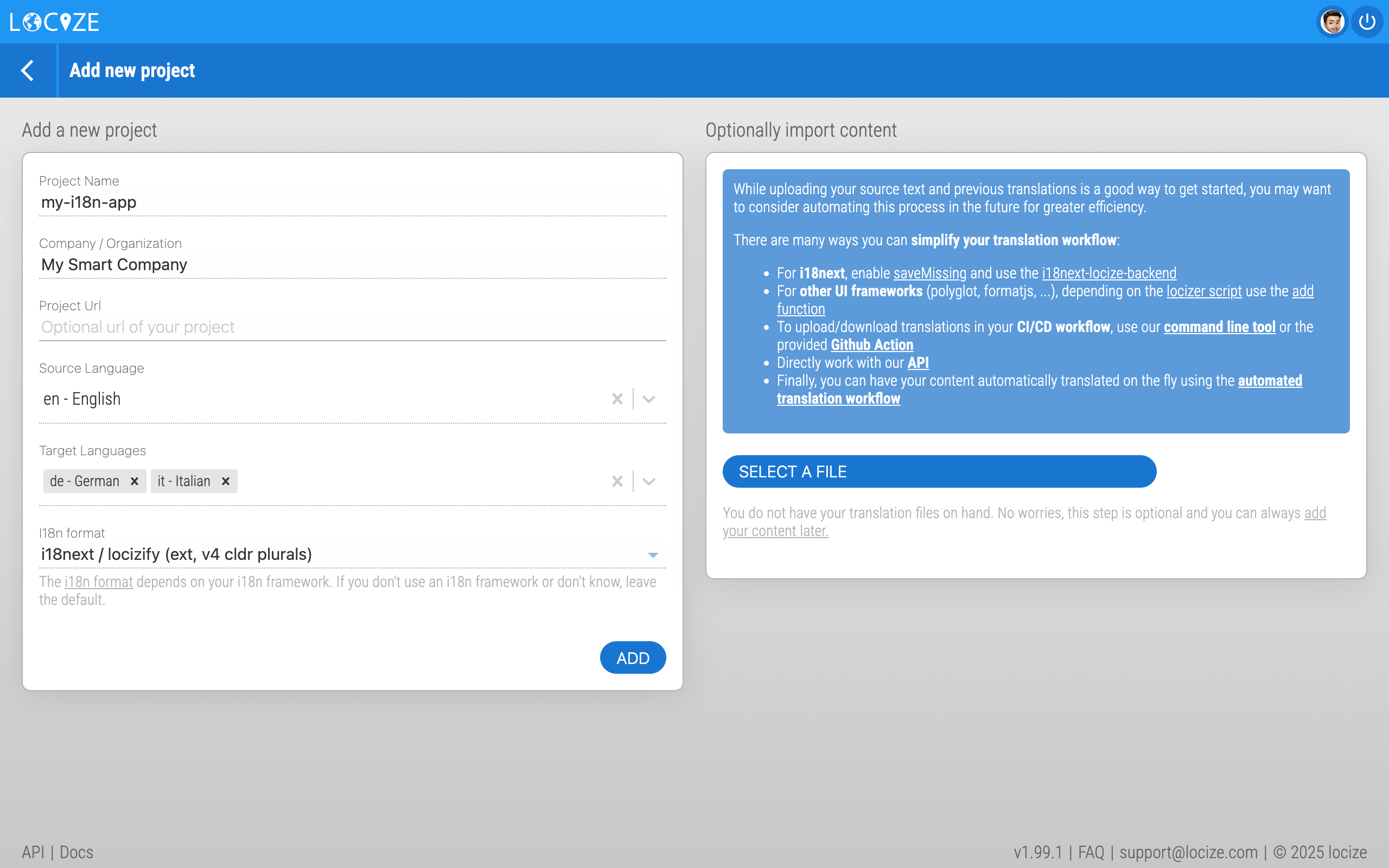 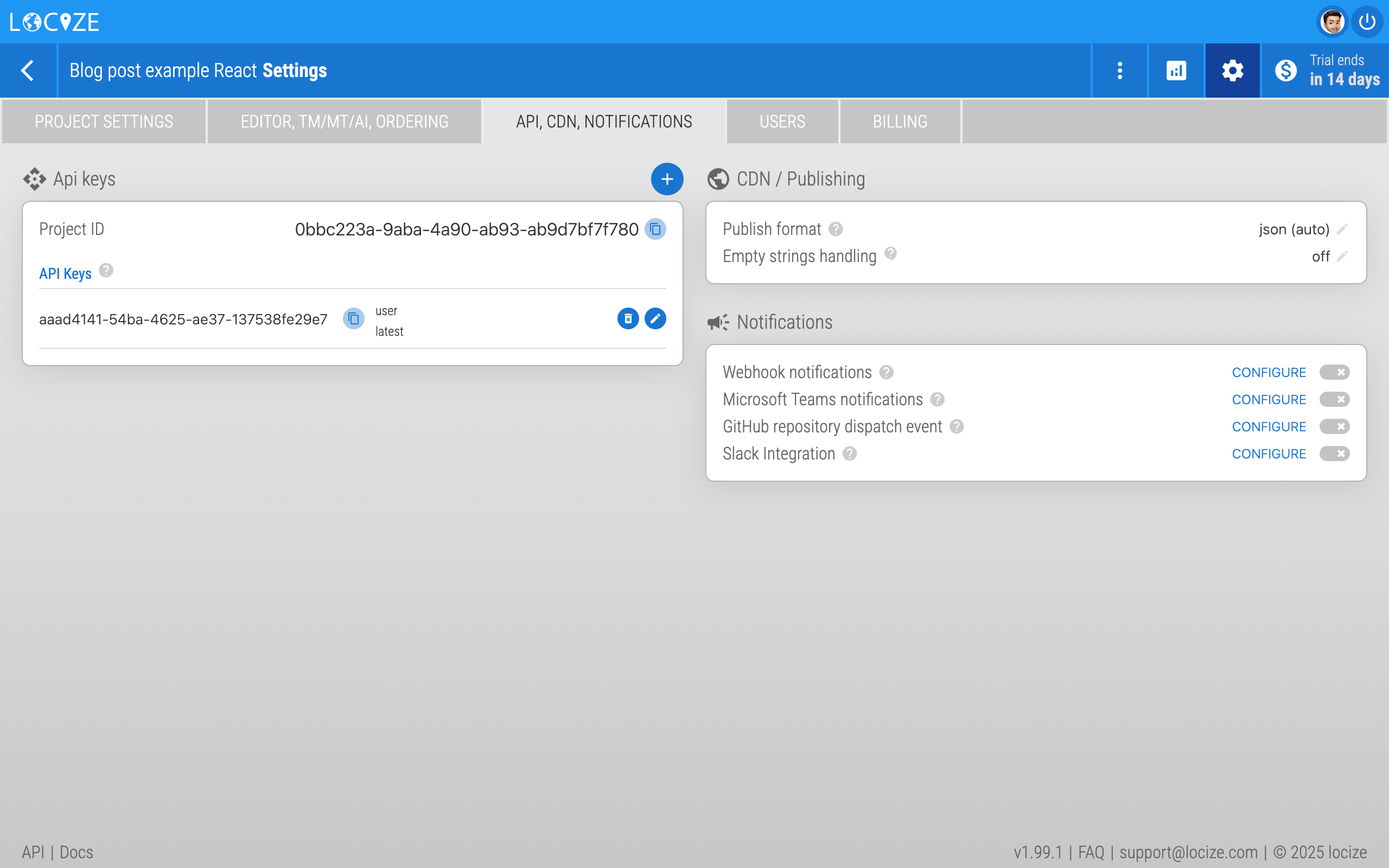 Optionally, enable the [auto-machine translation workflow](https://www.locize.com/docs/automatic-translation), and if you like, you can also configure a generative AI service. 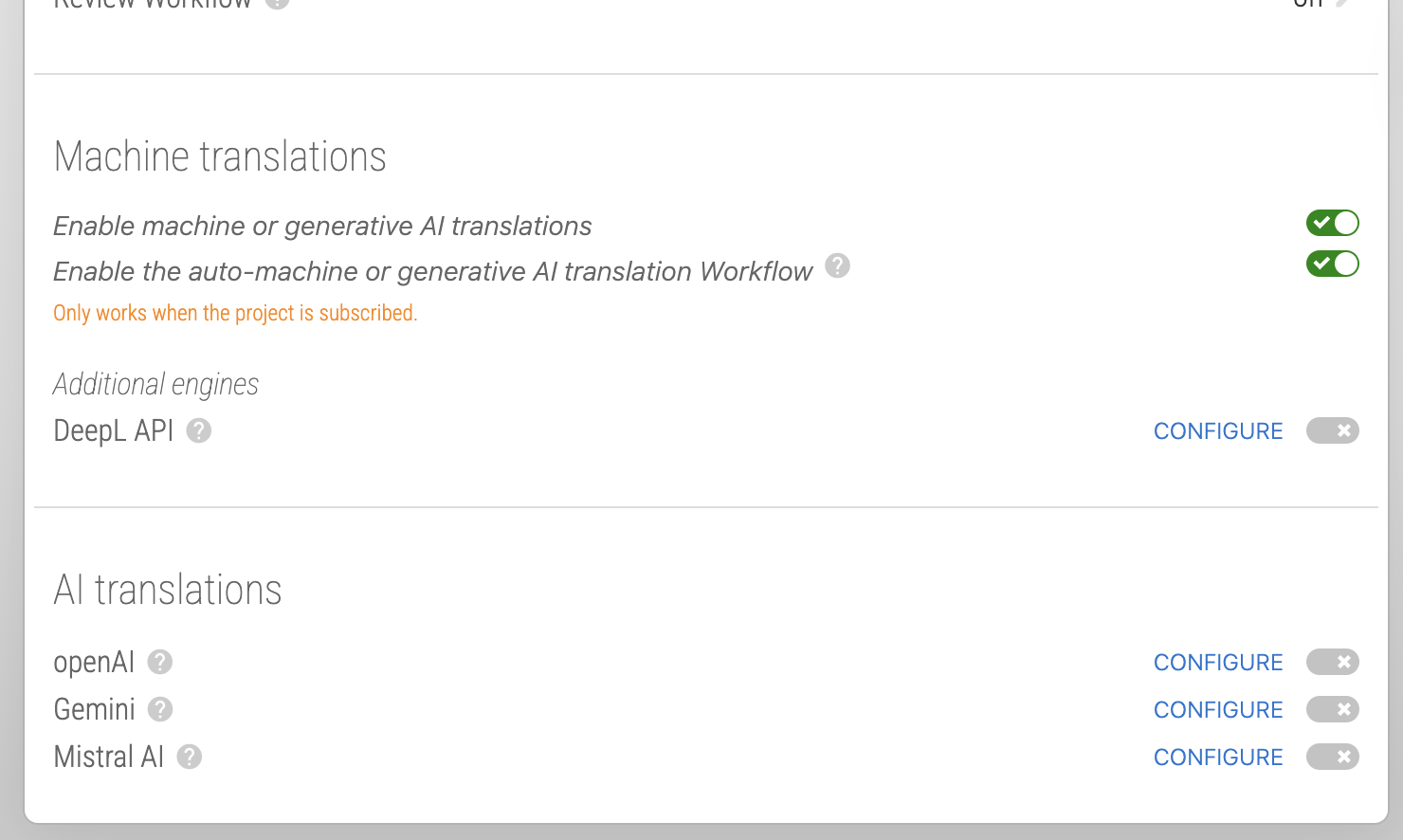 ### Step 4: Start to internationalize with i18next Import the [useTranslation hook](https://react.i18next.com/latest/usetranslation-hook) and try to use the resulting t function to write some simple text: ```js // ... import { useTranslation, Trans } from 'react-i18next' // ... const { t, i18n } = useTranslation() // ... <p className="read-the-docs"> {t('clickLogos', 'Click on the logos to learn more!')} </p> // ... ``` The first argument of the `t` function is the i18n key, and the optional second argument can be some options or the default value. And use the [Trans component](https://react.i18next.com/latest/trans-component) for sections having some nested elements: ```js <Trans i18nKey="editCode"> Edit <code>src/App.tsx</code> and save to test HMR </Trans> ``` > By default i18next uses the translation namespace, but you can decide yourself how you want to structure the namespaces. > On [this page](https://www.locize.com/docs/namespaces) you can find more information about this topic. Now the translations will be loaded asynchronously, so make sure you wrap your app with a [Suspense](https://reactjs.org/docs/react-api.html#reactsuspense) component to prevent this error: `Uncaught Error: App suspended while rendering, but no fallback UI was specified.` ```js import { Suspense } from 'react' function App() { // your app's code... } // here app catches the suspense from page in case translations are not yet loaded export default function WrappedApp() { return ( <Suspense fallback="...is loading"> <App /> </Suspense> ) } ``` By visiting your app’s local host (npm run dev), i18next will detect your new keys and send them to locize: 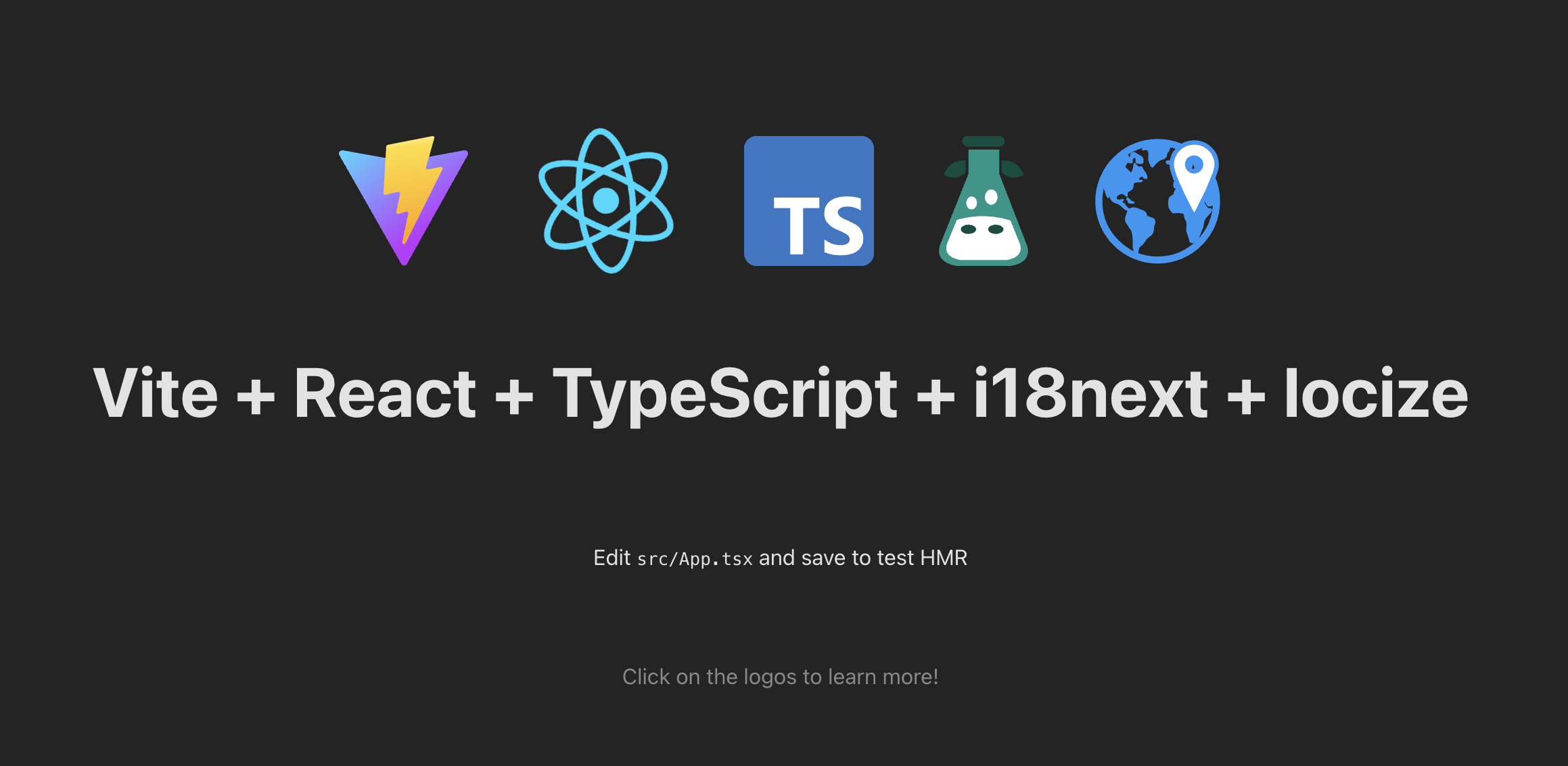 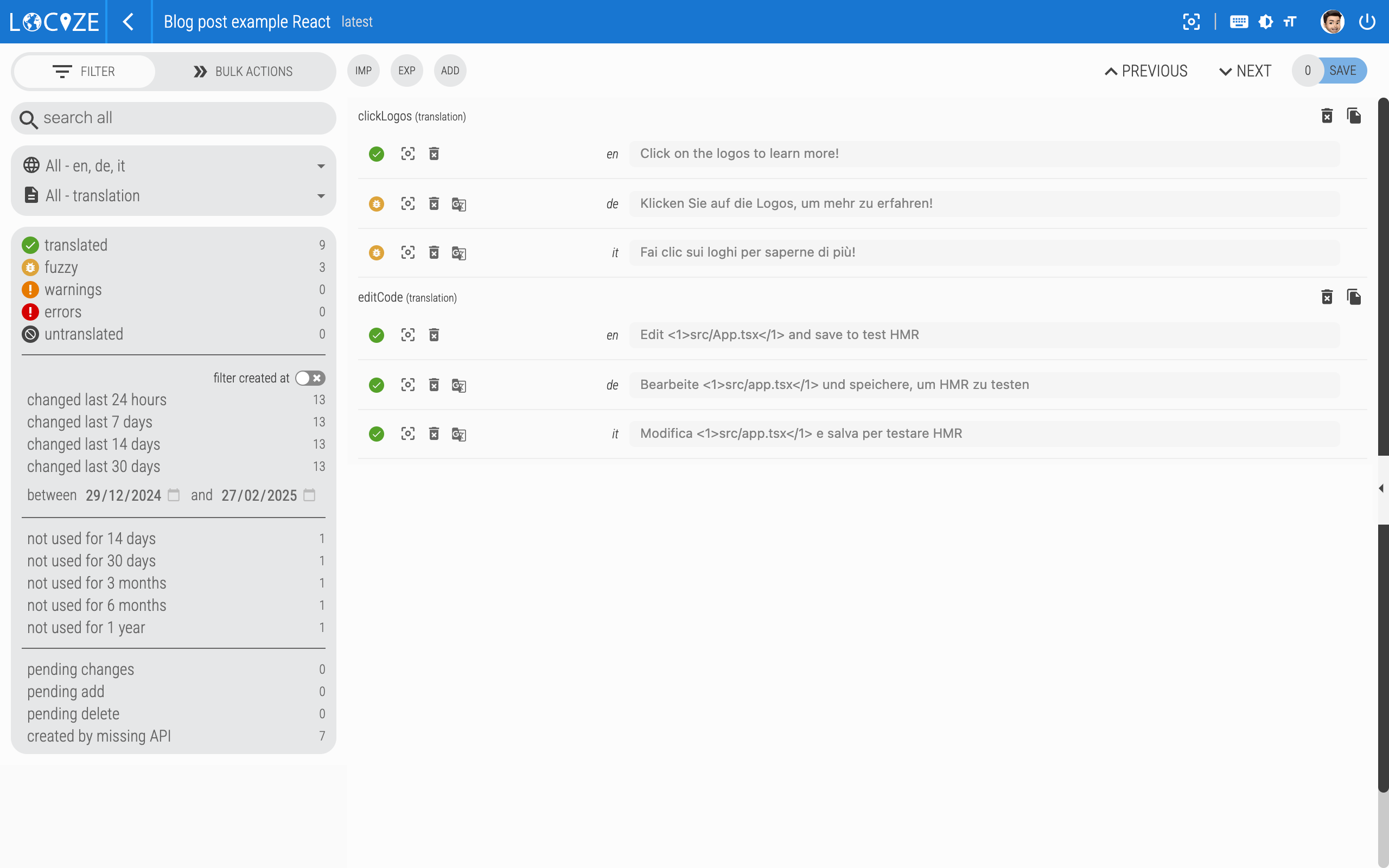 If the automatic machine translation workflow is enabled, the keys gets automatically translated. But you can always manually translate the content. ### Step 5: Language switcher Currently, the i18next-browser-languageDetector plugin detects the browser language, but there is currently no nice way to manually switch the language. So create something like this: ```ts // ... type LngRet = { [lng: string]: { nativeName: string } } const lngs: LngRet = { en: { nativeName: 'English' }, de: { nativeName: 'Deutsch' }, it: { nativeName: 'Italiano' } } // ... {Object.keys(lngs).map((lng) => { const isSelected = i18n.resolvedLanguage === lng return ( <button key={lng} type="submit" disabled={isSelected} onClick={() => { i18n.changeLanguage(lng) }} > {lngs[lng].nativeName} </button> ) })} // ... ``` Or even better, fetch the available languages directly from locize: ```ts // ... const [lngs, setLngs] = useState<LngRet>({ en: { nativeName: 'English' }}) // ... useEffect(() => { i18n.services.backendConnector.backend.getLanguages().then((ret: LngRet) => setLngs(ret)) }, [i18n]) // ... ``` Clicking one of these language buttons, now calls the changeLanguage function of i18next and the new language code is stored in the localStorage. So when you refresh the page it remembers the last used language: 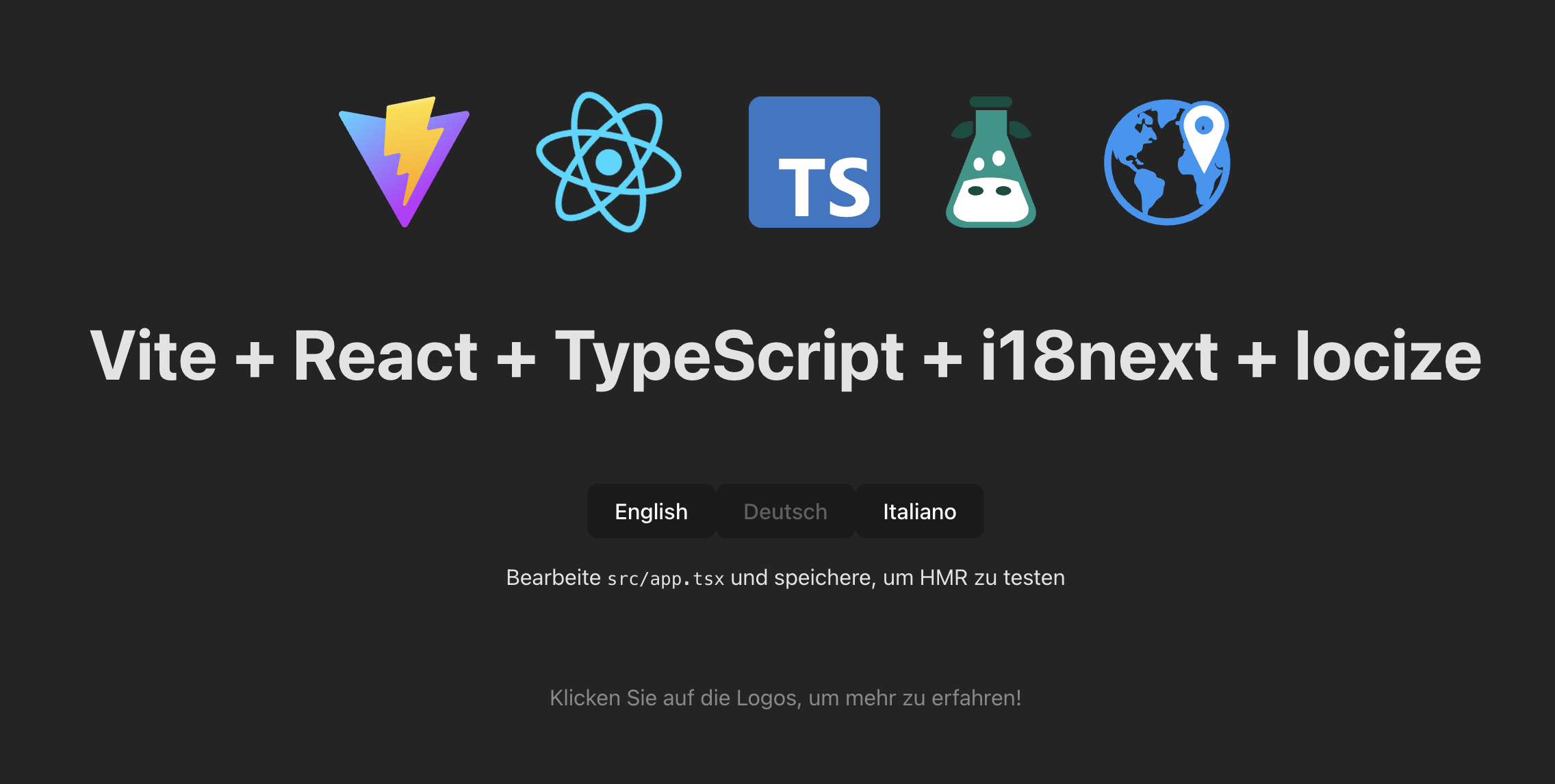 ### Step 6: Type safe translations Mastering i18next for type-safe translations empowers TypeScript developers to unlock the full potential of their applications. By ensuring accurate localization, eliminating runtime errors, and leveraging the seamless integration between i18next and TypeScript, developers can create robust, localized applications that cater to diverse language preferences. At runtime we load the translation directly from the [locize CDN](https://www.locize.com/docs/cdn-content-delivery-network). So how do we get type-safe translations during development? We create some npm scripts to help us: 1️⃣ Download the published translations (in reference language) to a temporary directory, i.e.: downloadEn: `locize download --project-id=8f6dc428-303c-463f-9995-f4957cdcc145 --language=en --ver=latest --clean=true --path=./src/@types/locales` 2️⃣ Create the appropriate interface definition file, i.e.: interface: `i18next-resources-for-ts interface -i ./src/@types/locales -o ./src/@types/resources.d.ts` 3️⃣ Final script: download, create interface and delete the temporary files, i.e.: update-interface: `npm run downloadEn && npm run interface && rm -rf ./src/@types/locales` We now can just import that interface in our `./src/@types/i18next.d.ts` file: ```ts import Resources from './resources' declare module 'i18next' { interface CustomTypeOptions { resources: Resources } } ``` That's it! 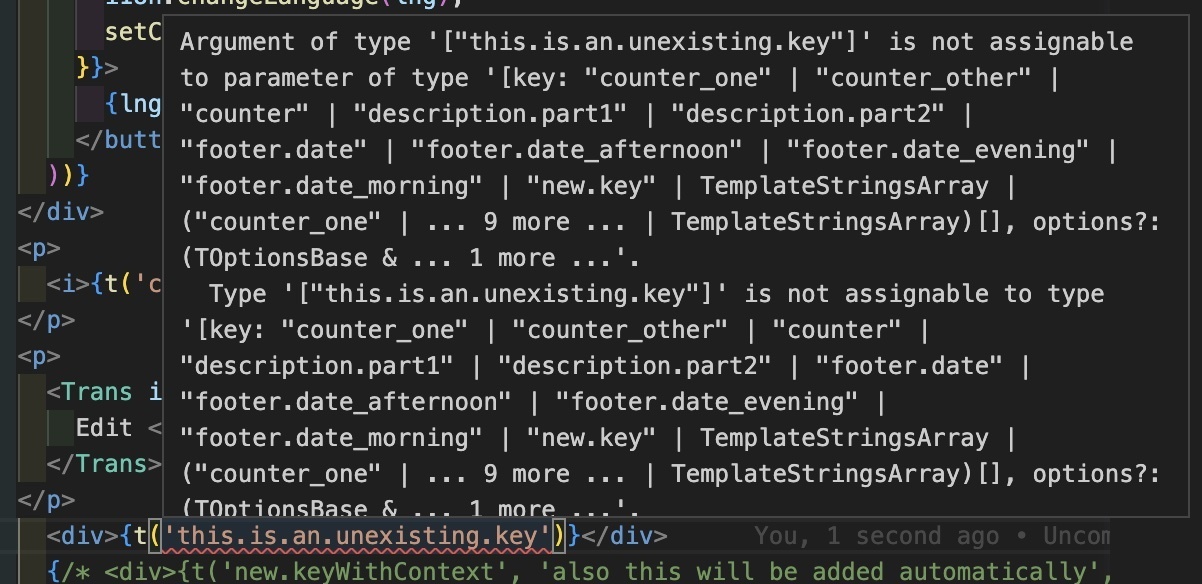 The translations are separated from our code repository and at the same time we maintain type safety with the help of an interface. ### Step 7: Add more languages Since we’re fetching automatically all available languages directly from locize, we can add new languages without having to adapt the code or without do redeploy our app. Just navigate to your locize project and add a new language: 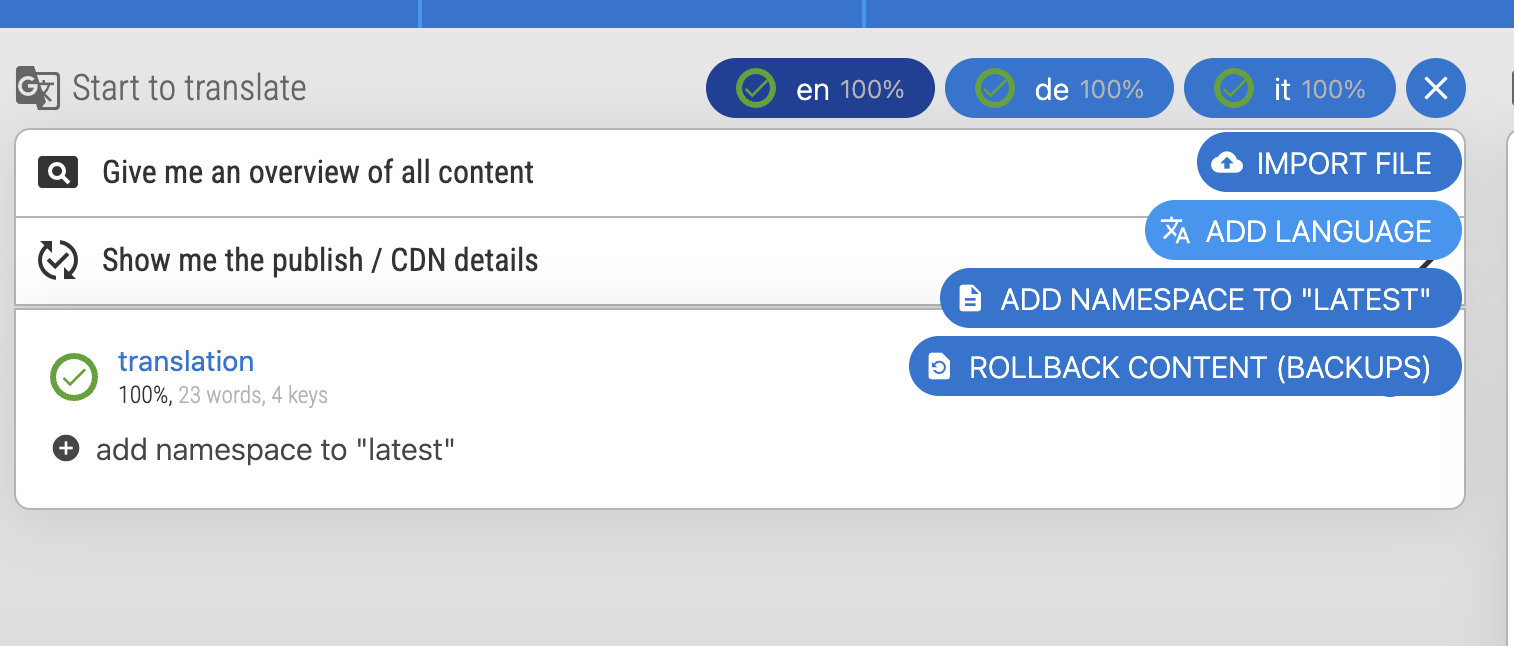 Open the cat and translate everything with the bulk actions and click save: 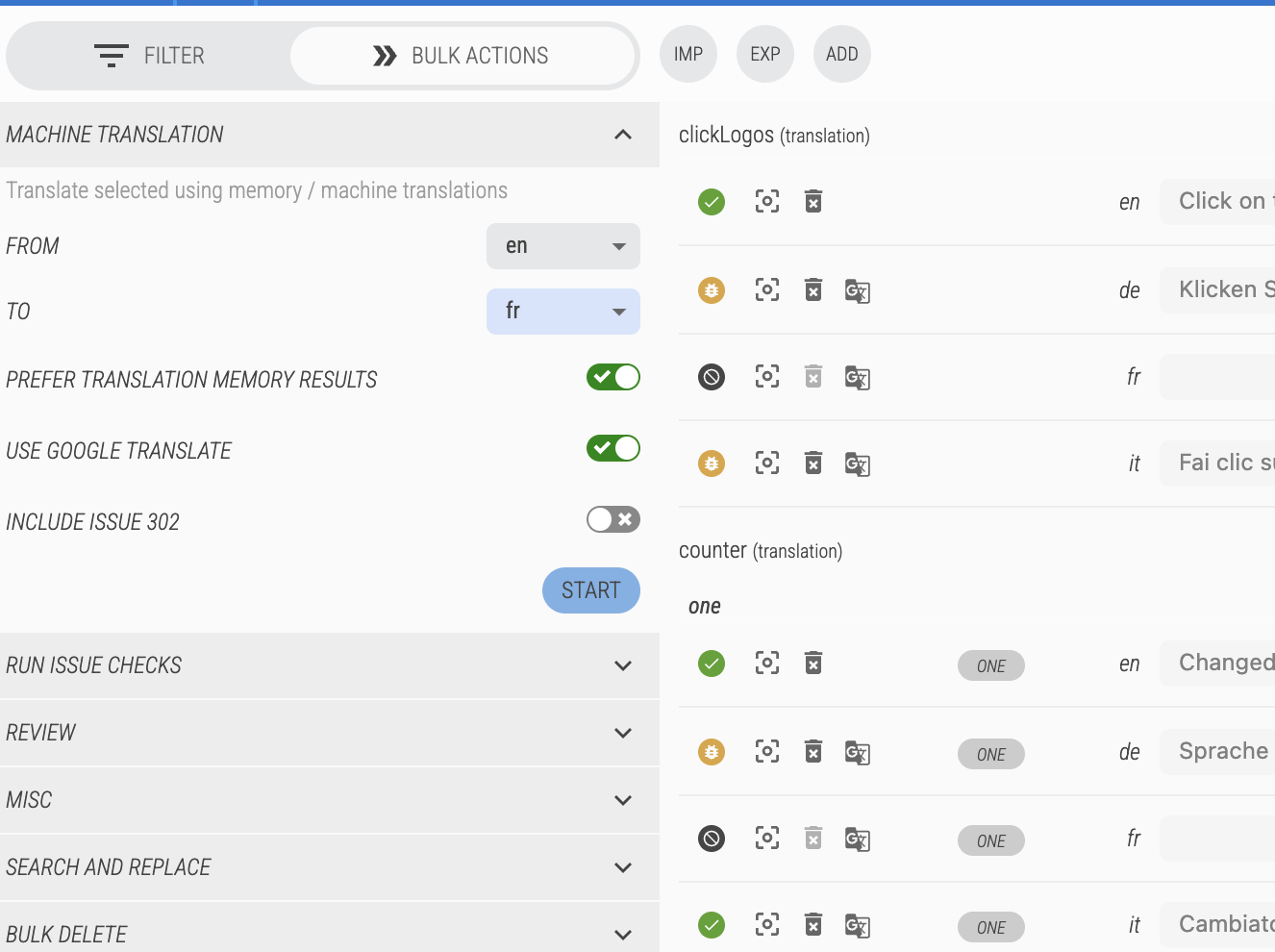 Now refresh your app’s page, and voilà: 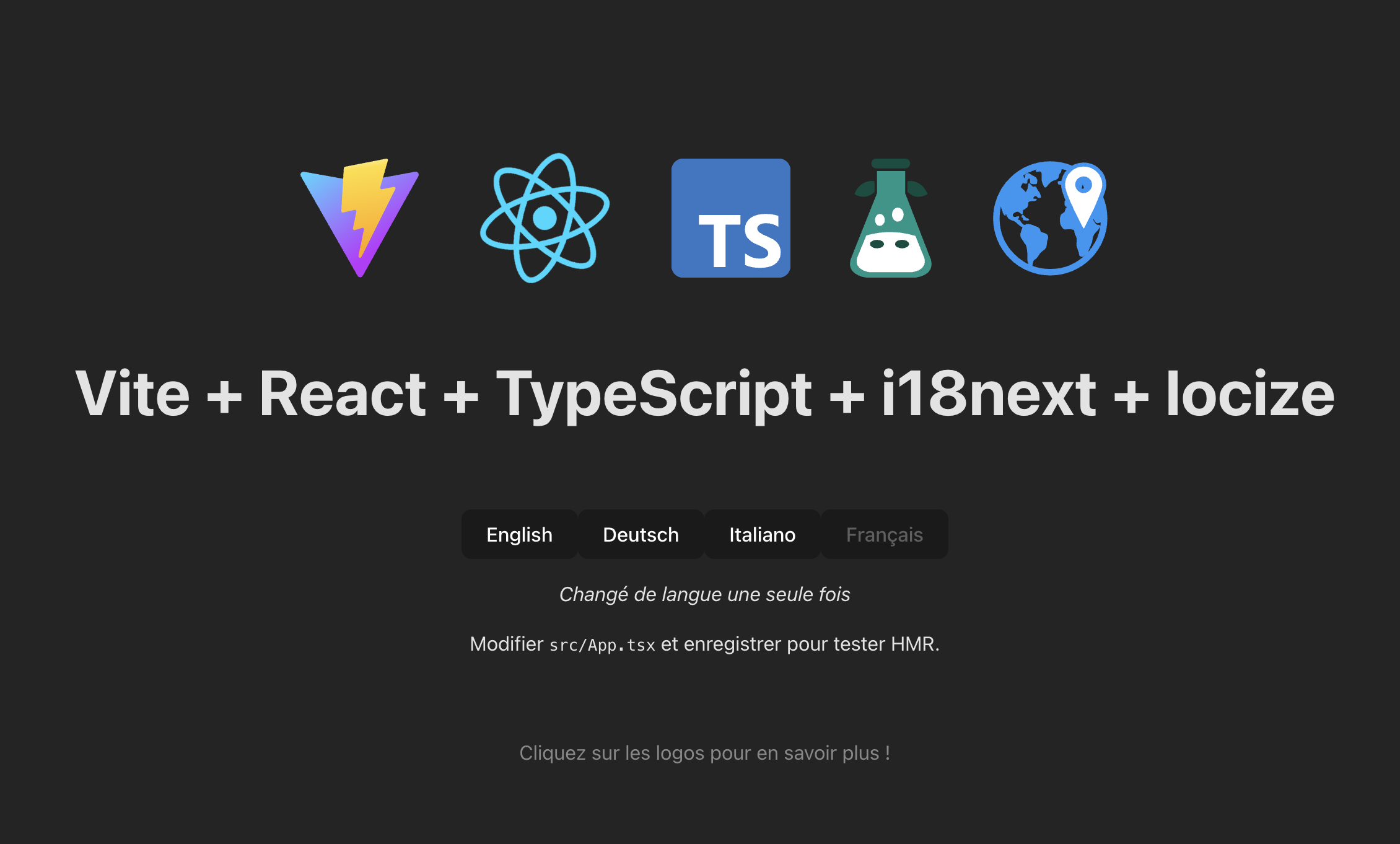 ### Step 8: More fancy stuff Thanks to the [locize-last-used](https://github.com/locize/locize-lastused) plugin, you'll be able to [find and filter in locize which keys are used or not used anymore](https://www.locize.com/docs/find-unused-translations). 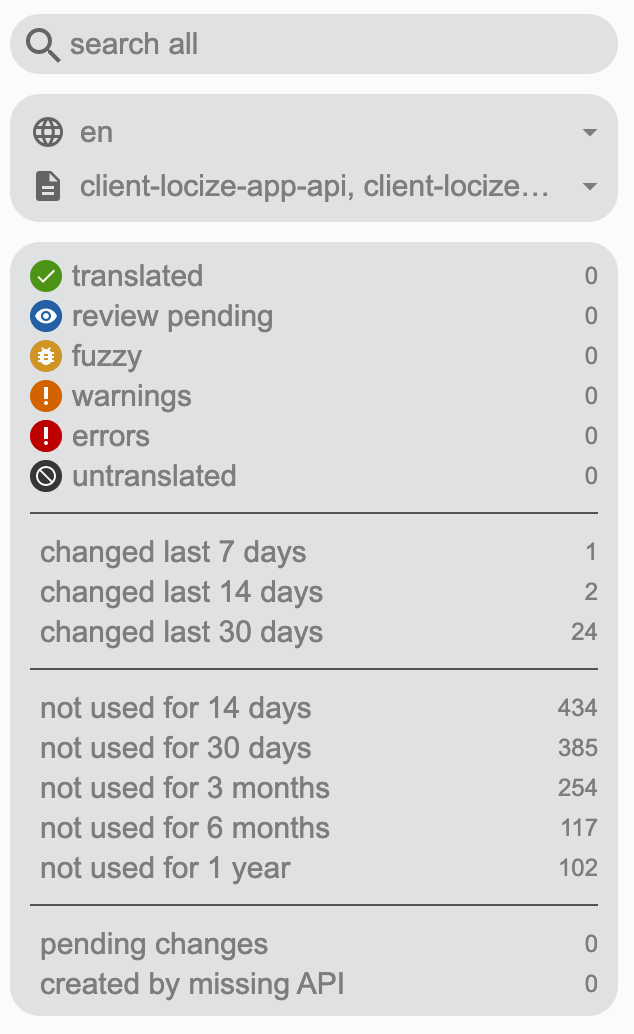 With the help of the locize plugin, you'll be able to use your app within the locize [InContext Editor](https://www.locize.com/docs/context#incontext). Just add the `?incontext=true` query parameter in your app’s url, then a popup will show up, login to locize and then: 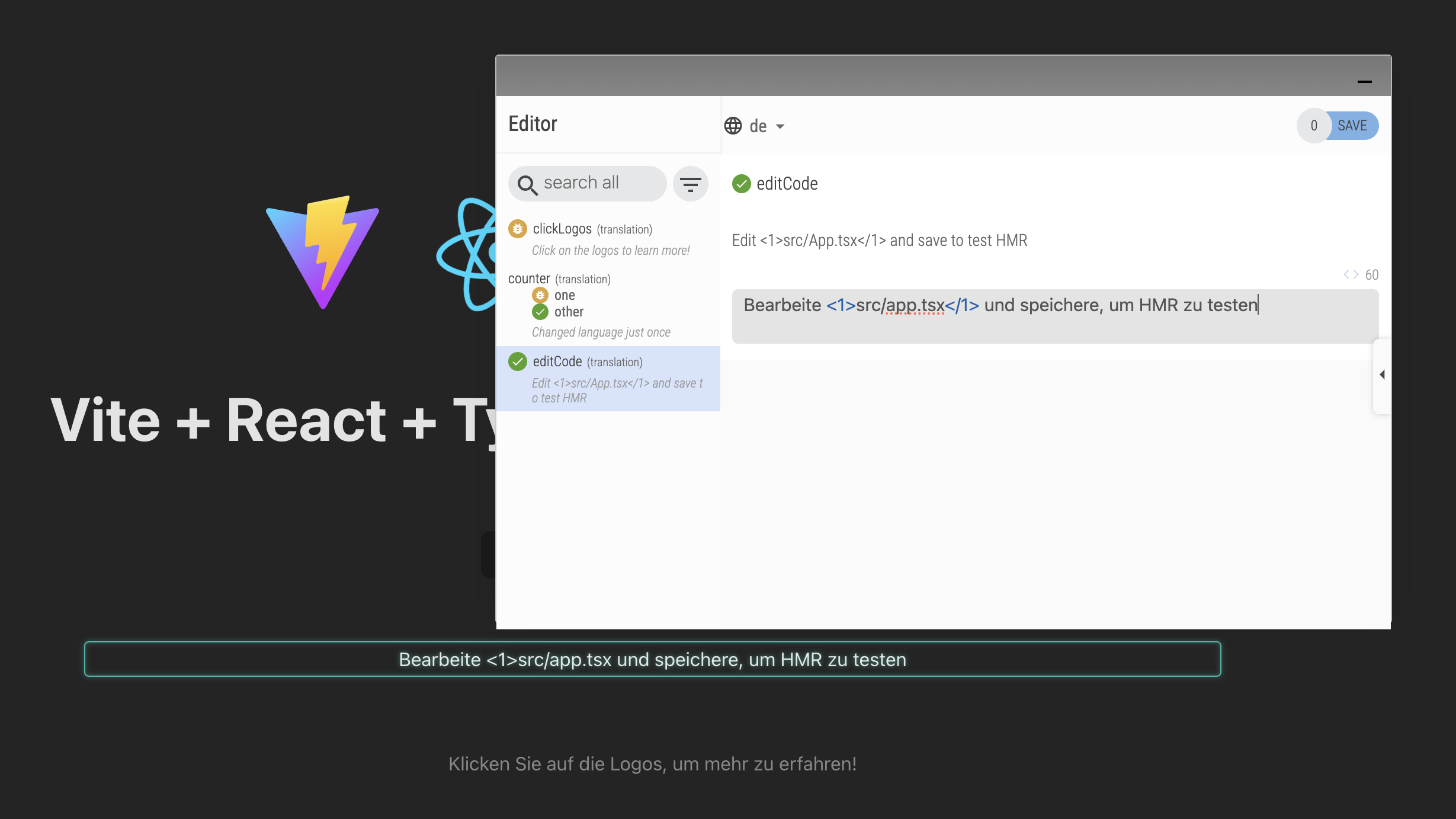 And there’s a lot more you can do with locize… For a sneak peek have a look at [this video](https://www.youtube.com/watch?v=TFV_vhJs5DY). _🧑💻 The complete code for this React example can be found [here](https://github.com/locize/vite-react-ts-i18next-locize). And feel free to have a look at [this video](https://youtu.be/37rcHVcQ6t0) that shows the whole Hans-On section._ ## 🎉🥳 Congratulations 🎊🎁 I hope you’ve learned a few new things. So if you want to take your i18n topic to the next level, it's worth trying the [localization management platform - locize](https://www.locize.com/). By using locize, you directly support the future of i18next, as the founders of locize are also the founders of [i18next](https://www.i18next.com/). |
| json metadata | {"tags":["webdev","react","typescript","javascript"],"image":["https://dev-to-uploads.s3.amazonaws.com/uploads/articles/i7ohqkvak038m6m3ath2.jpg","https://dev-to-uploads.s3.amazonaws.com/uploads/articles/1m85eosent3mcv7pum4t.png","https://dev-to-uploads.s3.amazonaws.com/uploads/articles/p710a6n3oomncqj33gqv.png","https://dev-to-uploads.s3.amazonaws.com/uploads/articles/wobfb25hocr4neg39or9.png","https://dev-to-uploads.s3.amazonaws.com/uploads/articles/fkup4cshjw1l5yy4bztn.png","https://dev-to-uploads.s3.amazonaws.com/uploads/articles/50imgdfxmpgbhtmy84vl.png","https://dev-to-uploads.s3.amazonaws.com/uploads/articles/sigf5iqg79b9vuf2tfos.png","https://dev-to-uploads.s3.amazonaws.com/uploads/articles/5ciulkzu9otnxig7slpz.jpeg","https://dev-to-uploads.s3.amazonaws.com/uploads/articles/ldjup8v3pyc9r7yuzzs3.png","https://dev-to-uploads.s3.amazonaws.com/uploads/articles/lxehjtfxrcmyth7p0tqa.png","https://dev-to-uploads.s3.amazonaws.com/uploads/articles/qzf07ogooxs5f6m37uyt.png","https://dev-to-uploads.s3.amazonaws.com/uploads/articles/u85f1en6s1it35a2mpcr.png","https://dev-to-uploads.s3.amazonaws.com/uploads/articles/bp3a3agui099ty4khjk1.png"],"links":["https://www.i18next.com/overview/supported-frameworks","https://www.locize.com/blog/how-does-server-side-internationalization-look-like","https://www.locize.com/blog/i18next-for-react-exploring-the-right-module-for-your-project","https://github.com/i18next/i18next-browser-languageDetector","https://github.com/i18next/i18next-http-middleware","https://gitlab.com/os-team/libs/utils/-/tree/main/packages/i18next-react-native-language-detector","https://github.com/neruchev/i18next-electron-language-detector","https://github.com/neet/i18next-cli-language-detector","https://www.i18next.com/overview/plugins-and-utils#language-detector","https://www.i18next.com/how-to/add-or-load-translations#add-on-init","https://www.i18next.com/how-to/add-or-load-translations#add-after-init","https://github.com/i18next/i18next-fs-backend","https://github.com/i18next/i18next-http-backend","https://github.com/locize/i18next-locize-backend","https://locize.com/","https://www.i18next.com/overview/plugins-and-utils#backends","https://www.locize.com/features/ai-localization","https://www.i18next.com/","https://react.i18next.com/","https://github.com/locize/locize-lastused","https://github.com/locize/locize","https://github.com/i18next/i18next-resources-for-ts","https://github.com/locize/locize-cli","https://locize.app/register","https://www.locize.com/docs/add-a-new-project","https://www.locize.com/docs/automatic-translation","https://react.i18next.com/latest/usetranslation-hook","https://react.i18next.com/latest/trans-component","https://www.locize.com/docs/namespaces","https://reactjs.org/docs/react-api.html#reactsuspense","https://www.locize.com/docs/cdn-content-delivery-network","https://www.locize.com/docs/find-unused-translations","https://www.locize.com/docs/context#incontext","https://www.youtube.com/watch?v=TFV_vhJs5DY","https://github.com/locize/vite-react-ts-i18next-locize","https://youtu.be/37rcHVcQ6t0","https://www.locize.com/"],"app":"steemit/0.2","format":"markdown"} |
| Transaction Info | Block #93488542/Trx f626fe9d7782f6ed4157eec17ecc7d47027debb5 |
View Raw JSON Data
{
"trx_id": "f626fe9d7782f6ed4157eec17ecc7d47027debb5",
"block": 93488542,
"trx_in_block": 0,
"op_in_trx": 0,
"virtual_op": 0,
"timestamp": "2025-03-03T09:05:12",
"op": [
"comment",
{
"parent_author": "",
"parent_permlink": "webdev",
"author": "adrai",
"permlink": "how-to-easily-add-internationalization-i18n-to-your-new-software-project",
"title": "How to Easily Add Internationalization (i18n) to Your New Software Project",
"body": "\n\nStarting a new software project? One crucial step that many developers overlook is internationalization (i18n). If you plan to support multiple languages, it's best to integrate i18n from the beginning—otherwise, refactoring your code later can be time-consuming and complex.\n\nIn this guide, we’ll walk you through the step-by-step process of setting up internationalization in a new project using i18next (one of the most popular i18n frameworks). By the end, you’ll have a fully functional, scalable, and real-time translation setup for your app.\n\n\n## 0. Why should you start internationalization early?\n\nMany developers delay i18n, thinking they’ll add it “later.” However, starting early has key benefits:\n\n- ✅ **No need for major refactoring** – Your code is ready for localization from day one.\n- ✅ **Easier testing** – You can check how your app behaves in different languages early on.\n- ✅ **Better user experience** – Serve global users with localized content right from launch.\n- ✅ **Powerful i18n features** – Use automatic language detection, missing key handling, and more.\n\nNow, let’s dive into how to set up **i18next** to build a **continuous localization workflow** for your project.\n\n## 1. What is the best way to start with internationalization?\nWhen adding internationalization to your project, the first decision is choosing the right i18n framework. A good i18n solution should be:\n\n- ✅ **Flexible** – Works across different platforms and frameworks.\n- ✅ **Feature-rich** – Supports pluralization, interpolation, and context-based translations.\n- ✅ **Scalable** – Easy to manage as your app grows.\n\n### Why choose i18next?\nFor this guide, we’ll use i18next, one of the most widely adopted i18n frameworks. It’s a battle-tested solution with:\n\n- **Support for multiple environments** – Works in browsers, Node.js, React, React Native, and more.\n- **Powerful features** – Provides automatic missing key handling, language detection, and async loading.\n- **Large ecosystem** – Integrates seamlessly with localization tools like **locize** for continuous translation updates.\n\n📌 For a full list of supported platforms, check out the [i18next documentation](https://www.i18next.com/overview/supported-frameworks).\n\n_📋 Since **i18next** is the most popular and flexible solution, we'll use it for our example setup._\n\n## 2. For which environment are you looking for an i18n solution?\nBefore setting up i18next, consider **where** you’re building your app. The setup may vary slightly depending on the platform:\n\n- **Web Apps** (React, Vue, Angular, plain JavaScript)\n- **Mobile Apps** (React Native, iOS, Android)\n- **Server-Side** (Node.js, Deno, serverless functions… In [this article](https://www.locize.com/blog/how-does-server-side-internationalization-look-like) you can find some examples)\n\n👉 To see i18next’s supported frameworks, visit [this page](https://www.i18next.com/overview/supported-frameworks).\n\n> Interested in server side web apps, like Next.js or Gatsby, etc? Then have a look at [this article](https://www.locize.com/blog/i18next-for-react-exploring-the-right-module-for-your-project).\n\n_📋 For this guide, we’ll focus on a **React** application using **TypeScript**._\n\n## 3. Do you need a language detector for your environment?\nWhen implementing internationalization, your application needs a way to determine which language to use for each user. This can be done automatically based on various factors, such as browser settings, URL parameters, or stored user preferences.\n\nUsing a language detector can help provide a **better user experience** by ensuring that users see the correct language **without having to manually select it**.\n\n### How to Detect a User's Language?\nDifferent environments require different methods for detecting the user’s preferred language. i18next provides several plugins that handle language detection automatically:\n\n🔹 **For Web Browsers**: Use [i18next-browser-languageDetector](https://github.com/i18next/i18next-browser-languageDetector)\nDetects the language from the browser settings, URL query parameters, cookies, or localStorage.\nIdeal for React, Vue, Angular, and plain JavaScript web apps.\n\n🔹 **For HTTP Servers** (Node.js, Express, Fastify, etc.): Use [i18next-http-middleware](https://github.com/i18next/i18next-http-middleware)\n\nDetects the language from request headers, cookies, or query parameters.\nIdeal for backend applications that serve localized content dynamically.\n\n🔹 For Other Environments:\n**React Native**: Uses [@os-team/i18next-react-native-language-detector](https://gitlab.com/os-team/libs/utils/-/tree/main/packages/i18next-react-native-language-detector).\n**Electron Apps**: The browser detector generally works well, but you can also use [i18next-electron-language-detector](https://github.com/neruchev/i18next-electron-language-detector).\n**Command-line tools or scripts**: In some cases, you might need to set the language based on system environment variables, like: [i18next-cli-language-detector](https://github.com/neet/i18next-cli-language-detector)\nfor others have a look at: https://www.i18next.com/overview/plugins-and-utils#language-detector\n\n### When Is a Language Detector Not Necessary?\nWhile language detection is useful, there are cases where you might **not** need it:\n\n- ❌ If your app only supports one language (no internationalization needed).\n- ❌ If the language is always determined by user settings (e.g., a user selects their preferred language in an account settings page).\n- ❌ If you're building a static site where translations are pre-rendered based on different language versions.\n\n_📋 Since we are building a **React** application that runs in the browser, we will use **i18next-browser-languageDetector** to automatically detect and store the user’s language preferences._\n\n## 4. How do you want to load your translations?\nAfter determining how to detect the user’s language, the next step is deciding **how to provide translations to your app**. There are multiple ways to do this, depending on your project’s requirements.\n\n### Do you want to bundle translations with your app?\nBundling translations means including all language files inside your application, making them available immediately at runtime. There are different ways to handle this:\n\n- 🔹 **Adding translations on initialization** – Load all translations inside your i18next configuration when initializing the library. (https://www.i18next.com/how-to/add-or-load-translations#add-on-init)\n- 🔹 **Adding translations dynamically after initialization** – Fetch translations when needed and add them at runtime. (https://www.i18next.com/how-to/add-or-load-translations#add-after-init)\n- 🔹 **Loading translations from the filesystem** (server-side apps) – Use local JSON files when running on a backend like Node.js or Deno. (https://github.com/i18next/i18next-fs-backend)\n\nThis approach works well if your translations don’t change often or if you need an offline-capable application. However, it requires **redeploying the app whenever translations are updated**.\n\n### Do you want to load translations separately via HTTP?\nInstead of bundling translations, you can load them dynamically from an external source using an HTTP backend. This allows for **real-time translation updates** without redeploying your app.\n\nThere are two main ways to serve translations over HTTP:\n\n1️⃣ **Load translations from your own server**: Use [i18next-http-backend](https://github.com/i18next/i18next-http-backend) to serve translation files from your backend or API.\n\n2️⃣ **Load translations from a professional CDN & TMS**: Use [i18next-locize-backend](https://github.com/locize/i18next-locize-backend) to manage translations in [locize](https://locize.com/), a powerful **Translation Management System (TMS)** that supports real-time updates.\n\n💡 There are many other backend options available depending on your needs. You can find a full list of i18next backends (also non-HTTP) [here](https://www.i18next.com/overview/plugins-and-utils#backends).\n\n_📋 For this tutorial, we will **not bundle translations** within the app. Instead, we **will load them dynamically using i18next-locize-backend**. This enables real-time translation updates, making localization much more efficient._\n\nIn the next section, we’ll explore **why using locize is beneficial** and how it simplifies the translation management process.\n\n## 5. Do you want to manage your translations with a Translation Management System?\nOnce your app is set up to load translations dynamically, the next step is deciding **how to manage and update those translations efficiently**. Instead of manually handling JSON files, a **Translation Management System (TMS)** can streamline the localization process.\n\n### Why use a Translation Management System?\nUsing a TMS like **locize** provides several key benefits:\n\n- ✅ **No more redeployments** – Update translations in real time without modifying your app’s code.\n- ✅ **Collaborate efficiently** – Multiple translators can work on translations without needing access to the codebase.\n- ✅ **Automated translation workflows** – Use **machine translation** or **[AI translation](https://www.locize.com/features/ai-localization)** to speed up the process and manually refine translations where needed.\n- ✅ **Version control & rollback** – Keep track of translation changes and restore previous versions if needed.\n- ✅ **Seamless integration with i18next** – Since locize was created by the same team as i18next, it offers native support for the framework.\n\n### How does locize work?\nlocize acts as a **translation storage & delivery service**. Instead of keeping translations inside your app, they are stored in locize and **fetched dynamically at runtime**, if you want to.\n\n- 🔹 **Missing translations?** locize can **automatically detect and store them**, so you never forget to translate anything.\n- 🔹 **Need instant updates?** Translations are **fetched in real time** without requiring a new deployment.\n- 🔹 **Multiple environments?** Manage **staging and production translations separately** to avoid breaking changes.\n\n_📋 For this tutorial, we will:\n1️⃣ Use locize as our translation management system\n2️⃣ Enable automatic detection of missing translations (so new keys are instantly added to locize)\n3️⃣ Use machine translation to generate initial translations automatically\n4️⃣ Fetch translations dynamically using i18next-locize-backend_\n\n## 6. Hands-On: How to prepare the code?\nNow that we’ve decided on our internationalization strategy, it’s time to start coding! In this section, we’ll **set up a React project**, configure **i18next with locize**, and ensure that translations are loaded dynamically.\n\n### Step 0: Create a new React project\nFor this tutorial, we’ll use **Vite** with **TypeScript**, as it provides a fast and modern development experience.\n\n#### Initialize the Project\nRun the following command to create a new React project using Vite:\n\n```sh\nnpm create vite@latest my-i18n-app -- --template react-ts\ncd my-i18n-app\nnpm install\n```\nThis sets up a React project with TypeScript.\n\n### Step 1: Install i18next and required packages\nTo integrate internationalization, we need to install the following packages:\n\n- 🔹 **[i18next](https://www.i18next.com/)** – The core internationalization framework.\n- 🔹 **[react-i18next](https://react.i18next.com/)** – React bindings for i18next.\n- 🔹 **[i18next-browser-languagedetector](https://github.com/i18next/i18next-browser-languageDetector)** – Automatically detects the user’s preferred language.\n- 🔹 **[i18next-locize-backend](https://github.com/locize/i18next-locize-backend)** – Fetches translations from locize in real time.\n- 🔹 **[locize-lastused](https://github.com/locize/locize-lastused)** – Updates last used timestamps on reference keys in locize. (optional)\n- 🔹 **[locize](https://github.com/locize/locize)** – Handles integration with the In-Context editor. (optional)\n- 🔹 **[i18next-resources-for-ts](https://github.com/i18next/i18next-resources-for-ts)** – Helps to transform resources to be used in a type safe i18next project. (optional)\n- 🔹 **[locize-cli](https://github.com/locize/locize-cli)** – Help to download the translations during dev for type safe translations. (optional)\n\nInstall these dependencies:\n\n```sh\nnpm install i18next react-i18next i18next-browser-languagedetector i18next-locize-backend locize-lastused locize\nnpm install --save-dev i18next-resources-for-ts locize-cli\n```\n\nStep 2: Set Up i18next Configuration\nNow, let’s configure **i18next** to:\n\n- ✅ Use locize as the translation backend\n- ✅ Automatically detect the user’s language\n- ✅ Fallback to English if a translation is missing\n\nCreate a new file: `src/i18n.ts` and add the following setup:\n\n```ts\nimport i18n from 'i18next'\nimport { initReactI18next } from 'react-i18next'\nimport LanguageDetector from 'i18next-browser-languageDetector'\nimport LocizeBackend from 'i18next-locize-backend'\nimport LastUsed from 'locize-lastused'\nimport { locizePlugin } from 'locize'\n\nconst isDev = import.meta.env.DEV\n\nconst locizeOptions = {\n projectId: import.meta.env.VITE_LOCIZE_PROJECTID,\n apiKey: import.meta.env.VITE_LOCIZE_APIKEY // // YOU should not expose your apps API key to production!!!\n}\n\nif (isDev) {\n // locize-lastused\n // sets a timestamp of last access on every translation segment on locize\n // -> safely remove the ones not being touched for weeks/months\n // https://github.com/locize/locize-lastused\n i18n.use(LastUsed)\n}\n\ni18n\n // i18next-locize-backend\n // loads translations from your project, saves new keys to it (saveMissing: true)\n // https://github.com/locize/i18next-locize-backend\n .use(LocizeBackend)\n // detect user language\n // learn more: https://github.com/i18next/i18next-browser-languageDetector\n .use(LanguageDetector)\n // Bind i18next to React\n .use(initReactI18next)\n // InContext Editor of locize\n .use(locizePlugin)\n // init i18next\n // for all options read: https://www.i18next.com/overview/configuration-options\n .init({\n debug: isDev, // Enable logging for development\n fallbackLng: 'en', // Default language\n backend: locizeOptions,\n locizeLastUsed: locizeOptions,\n saveMissing: isDev // you should not use saveMissing in production\n })\n\nexport default i18n\nIn src/main.tsx, import the i18n.ts configuration before rendering the app:\n```\n\n`import './i18n' // Import i18next configuration`\n\n### Step 3: Create a new locize project\nFirst you need to signup at [locize](https://locize.app/register) and login. Then [create a new project](https://www.locize.com/docs/add-a-new-project) in locize and copy your project id and api key to your env files in your project. The api key is only used for the save missing and the last used functionality.\n\n\n\n\n\nOptionally, enable the [auto-machine translation workflow](https://www.locize.com/docs/automatic-translation), and if you like, you can also configure a generative AI service.\n\n\n\n\n### Step 4: Start to internationalize with i18next\nImport the [useTranslation hook](https://react.i18next.com/latest/usetranslation-hook) and try to use the resulting t function to write some simple text:\n\n```js\n// ...\nimport { useTranslation, Trans } from 'react-i18next'\n// ...\nconst { t, i18n } = useTranslation()\n// ...\n<p className=\"read-the-docs\">\n {t('clickLogos', 'Click on the logos to learn more!')}\n</p>\n// ...\n```\n\nThe first argument of the `t` function is the i18n key, and the optional second argument can be some options or the default value.\n\nAnd use the [Trans component](https://react.i18next.com/latest/trans-component) for sections having some nested elements:\n\n```js\n<Trans i18nKey=\"editCode\">\n Edit <code>src/App.tsx</code> and save to test HMR\n</Trans>\n```\n\n> By default i18next uses the translation namespace, but you can decide yourself how you want to structure the namespaces.\n> On [this page](https://www.locize.com/docs/namespaces) you can find more information about this topic.\n\nNow the translations will be loaded asynchronously, so make sure you wrap your app with a [Suspense](https://reactjs.org/docs/react-api.html#reactsuspense) component to prevent this error: `Uncaught Error: App suspended while rendering, but no fallback UI was specified.`\n\n```js\nimport { Suspense } from 'react'\n\nfunction App() {\n // your app's code...\n}\n\n// here app catches the suspense from page in case translations are not yet loaded\nexport default function WrappedApp() {\n return (\n <Suspense fallback=\"...is loading\">\n <App />\n </Suspense>\n )\n}\n```\n\nBy visiting your app’s local host (npm run dev), i18next will detect your new keys and send them to locize:\n\n\n\n\n\n\nIf the automatic machine translation workflow is enabled, the keys gets automatically translated. But you can always manually translate the content.\n\n### Step 5: Language switcher\nCurrently, the i18next-browser-languageDetector plugin detects the browser language, but there is currently no nice way to manually switch the language.\n\nSo create something like this:\n\n```ts\n// ...\ntype LngRet = { [lng: string]: { nativeName: string } }\nconst lngs: LngRet = {\n en: { nativeName: 'English' },\n de: { nativeName: 'Deutsch' },\n it: { nativeName: 'Italiano' }\n}\n// ...\n{Object.keys(lngs).map((lng) => {\n const isSelected = i18n.resolvedLanguage === lng\n return (\n <button\n key={lng}\n type=\"submit\"\n disabled={isSelected}\n onClick={() => {\n i18n.changeLanguage(lng)\n }}\n >\n {lngs[lng].nativeName}\n </button>\n )\n})}\n// ...\n```\n\nOr even better, fetch the available languages directly from locize:\n\n```ts\n// ...\nconst [lngs, setLngs] = useState<LngRet>({ en: { nativeName: 'English' }})\n// ...\nuseEffect(() => {\n i18n.services.backendConnector.backend.getLanguages().then((ret: LngRet) => setLngs(ret))\n}, [i18n])\n// ...\n```\n\nClicking one of these language buttons, now calls the changeLanguage function of i18next and the new language code is stored in the localStorage. So when you refresh the page it remembers the last used language:\n\n\n\n### Step 6: Type safe translations\nMastering i18next for type-safe translations empowers TypeScript developers to unlock the full potential of their applications. By ensuring accurate localization, eliminating runtime errors, and leveraging the seamless integration between i18next and TypeScript, developers can create robust, localized applications that cater to diverse language preferences.\n\nAt runtime we load the translation directly from the [locize CDN](https://www.locize.com/docs/cdn-content-delivery-network). So how do we get type-safe translations during development?\n\nWe create some npm scripts to help us:\n\n1️⃣ Download the published translations (in reference language) to a temporary directory, i.e.:\ndownloadEn: `locize download --project-id=8f6dc428-303c-463f-9995-f4957cdcc145 --language=en --ver=latest --clean=true --path=./src/@types/locales`\n\n2️⃣ Create the appropriate interface definition file, i.e.:\ninterface: `i18next-resources-for-ts interface -i ./src/@types/locales -o ./src/@types/resources.d.ts`\n\n3️⃣ Final script: download, create interface and delete the temporary files, i.e.:\nupdate-interface: `npm run downloadEn && npm run interface && rm -rf ./src/@types/locales`\n\nWe now can just import that interface in our `./src/@types/i18next.d.ts` file:\n\n```ts\nimport Resources from './resources'\n\ndeclare module 'i18next' {\n interface CustomTypeOptions {\n resources: Resources\n }\n}\n```\n\nThat's it!\n\n\n\nThe translations are separated from our code repository and at the same time we maintain type safety with the help of an interface.\n\n### Step 7: Add more languages\nSince we’re fetching automatically all available languages directly from locize, we can add new languages without having to adapt the code or without do redeploy our app.\n\nJust navigate to your locize project and add a new language:\n\n\n\n\nOpen the cat and translate everything with the bulk actions and click save:\n\n\n\n\nNow refresh your app’s page, and voilà:\n\n\n\n### Step 8: More fancy stuff\nThanks to the [locize-last-used](https://github.com/locize/locize-lastused) plugin, you'll be able to [find and filter in locize which keys are used or not used anymore](https://www.locize.com/docs/find-unused-translations).\n\n\n\n\nWith the help of the locize plugin, you'll be able to use your app within the locize [InContext Editor](https://www.locize.com/docs/context#incontext).\nJust add the `?incontext=true` query parameter in your app’s url, then a popup will show up, login to locize and then:\n\n\n\nAnd there’s a lot more you can do with locize…\n\nFor a sneak peek have a look at [this video](https://www.youtube.com/watch?v=TFV_vhJs5DY).\n\n\n_🧑💻 The complete code for this React example can be found [here](https://github.com/locize/vite-react-ts-i18next-locize). And feel free to have a look at [this video](https://youtu.be/37rcHVcQ6t0) that shows the whole Hans-On section._\n\n\n\n## 🎉🥳 Congratulations 🎊🎁\nI hope you’ve learned a few new things.\n\nSo if you want to take your i18n topic to the next level, it's worth trying the [localization management platform - locize](https://www.locize.com/).\n\nBy using locize, you directly support the future of i18next, as the founders of locize are also the founders of [i18next](https://www.i18next.com/).",
"json_metadata": "{\"tags\":[\"webdev\",\"react\",\"typescript\",\"javascript\"],\"image\":[\"https://dev-to-uploads.s3.amazonaws.com/uploads/articles/i7ohqkvak038m6m3ath2.jpg\",\"https://dev-to-uploads.s3.amazonaws.com/uploads/articles/1m85eosent3mcv7pum4t.png\",\"https://dev-to-uploads.s3.amazonaws.com/uploads/articles/p710a6n3oomncqj33gqv.png\",\"https://dev-to-uploads.s3.amazonaws.com/uploads/articles/wobfb25hocr4neg39or9.png\",\"https://dev-to-uploads.s3.amazonaws.com/uploads/articles/fkup4cshjw1l5yy4bztn.png\",\"https://dev-to-uploads.s3.amazonaws.com/uploads/articles/50imgdfxmpgbhtmy84vl.png\",\"https://dev-to-uploads.s3.amazonaws.com/uploads/articles/sigf5iqg79b9vuf2tfos.png\",\"https://dev-to-uploads.s3.amazonaws.com/uploads/articles/5ciulkzu9otnxig7slpz.jpeg\",\"https://dev-to-uploads.s3.amazonaws.com/uploads/articles/ldjup8v3pyc9r7yuzzs3.png\",\"https://dev-to-uploads.s3.amazonaws.com/uploads/articles/lxehjtfxrcmyth7p0tqa.png\",\"https://dev-to-uploads.s3.amazonaws.com/uploads/articles/qzf07ogooxs5f6m37uyt.png\",\"https://dev-to-uploads.s3.amazonaws.com/uploads/articles/u85f1en6s1it35a2mpcr.png\",\"https://dev-to-uploads.s3.amazonaws.com/uploads/articles/bp3a3agui099ty4khjk1.png\"],\"links\":[\"https://www.i18next.com/overview/supported-frameworks\",\"https://www.locize.com/blog/how-does-server-side-internationalization-look-like\",\"https://www.locize.com/blog/i18next-for-react-exploring-the-right-module-for-your-project\",\"https://github.com/i18next/i18next-browser-languageDetector\",\"https://github.com/i18next/i18next-http-middleware\",\"https://gitlab.com/os-team/libs/utils/-/tree/main/packages/i18next-react-native-language-detector\",\"https://github.com/neruchev/i18next-electron-language-detector\",\"https://github.com/neet/i18next-cli-language-detector\",\"https://www.i18next.com/overview/plugins-and-utils#language-detector\",\"https://www.i18next.com/how-to/add-or-load-translations#add-on-init\",\"https://www.i18next.com/how-to/add-or-load-translations#add-after-init\",\"https://github.com/i18next/i18next-fs-backend\",\"https://github.com/i18next/i18next-http-backend\",\"https://github.com/locize/i18next-locize-backend\",\"https://locize.com/\",\"https://www.i18next.com/overview/plugins-and-utils#backends\",\"https://www.locize.com/features/ai-localization\",\"https://www.i18next.com/\",\"https://react.i18next.com/\",\"https://github.com/locize/locize-lastused\",\"https://github.com/locize/locize\",\"https://github.com/i18next/i18next-resources-for-ts\",\"https://github.com/locize/locize-cli\",\"https://locize.app/register\",\"https://www.locize.com/docs/add-a-new-project\",\"https://www.locize.com/docs/automatic-translation\",\"https://react.i18next.com/latest/usetranslation-hook\",\"https://react.i18next.com/latest/trans-component\",\"https://www.locize.com/docs/namespaces\",\"https://reactjs.org/docs/react-api.html#reactsuspense\",\"https://www.locize.com/docs/cdn-content-delivery-network\",\"https://www.locize.com/docs/find-unused-translations\",\"https://www.locize.com/docs/context#incontext\",\"https://www.youtube.com/watch?v=TFV_vhJs5DY\",\"https://github.com/locize/vite-react-ts-i18next-locize\",\"https://youtu.be/37rcHVcQ6t0\",\"https://www.locize.com/\"],\"app\":\"steemit/0.2\",\"format\":\"markdown\"}"
}
]
}alexmove.witnesssent 0.001 STEEM to @adrai- "Hi, adrai! If you like contests, then I invite you to take part in a series of contests "Workplace" from SelfDevelopment Club. Total prize fund: 375 STEEM. Details in the SelfDevelopment Club communit..."2023/06/22 09:21:06
alexmove.witnesssent 0.001 STEEM to @adrai- "Hi, adrai! If you like contests, then I invite you to take part in a series of contests "Workplace" from SelfDevelopment Club. Total prize fund: 375 STEEM. Details in the SelfDevelopment Club communit..."
2023/06/22 09:21:06
| from | alexmove.witness |
| to | adrai |
| amount | 0.001 STEEM |
| memo | Hi, adrai! If you like contests, then I invite you to take part in a series of contests "Workplace" from SelfDevelopment Club. Total prize fund: 375 STEEM. Details in the SelfDevelopment Club community. Have a good day, adrai! Good luck! 20230622 |
| Transaction Info | Block #75726394/Trx b5a15402c3ceea5df53c453c1b09524e4b6f3bff |
View Raw JSON Data
{
  "trx_id": "b5a15402c3ceea5df53c453c1b09524e4b6f3bff",
  "block": 75726394,
  "trx_in_block": 2,
  "op_in_trx": 0,
  "virtual_op": 0,
  "timestamp": "2023-06-22T09:21:06",
  "op": [
    "transfer",
    {
      "from": "alexmove.witness",
      "to": "adrai",
      "amount": "0.001 STEEM",
      "memo": "Hi, adrai! If you like contests, then I invite you to take part in a series of contests \"Workplace\" from SelfDevelopment Club. Total prize fund: 375 STEEM. Details in the SelfDevelopment Club community. Have a good day, adrai! Good luck! 20230622"
    }
  ]
}adraipublished a new post: supercharge-your-typescript-app-mastering-i18next-for-type-safe-translations2023/06/22 08:04:39
adraipublished a new post: supercharge-your-typescript-app-mastering-i18next-for-type-safe-translations
2023/06/22 08:04:39
| parent author | |
| parent permlink | i18n |
| author | adrai |
| permlink | supercharge-your-typescript-app-mastering-i18next-for-type-safe-translations |
| title | Supercharge Your TypeScript App: Mastering i18next for Type-Safe Translations |
| body |  As our world becomes increasingly interconnected, the development of web applications that cater to a [global audience](https://locize.com/blog/grow-online-business/) takes precedence among developers. If you're a TypeScript developer, you're likely acquainted with the advantages of static typing and the assurance it provides in your codebase. When it comes to internationalization ([i18n](https://locize.com/blog/what-is-i18n/)) and localization ([l10n](https://locize.com/blog/what-is-software-localization/)), maintaining the same level of type safety becomes crucial. This is precisely where [i18next](https://www.i18next.com), an influential i18n framework, enters the picture. In the past, i18next already furnished TypeScript definitions for its API, enabling developers to benefit from type checking while utilizing the library. However, a significant limitation persisted, specifically the absence of type safety for translation keys. Consequently, if a translation resource was missing or underwent a name change, the TypeScript compiler failed to detect it, resulting in potential errors during runtime. 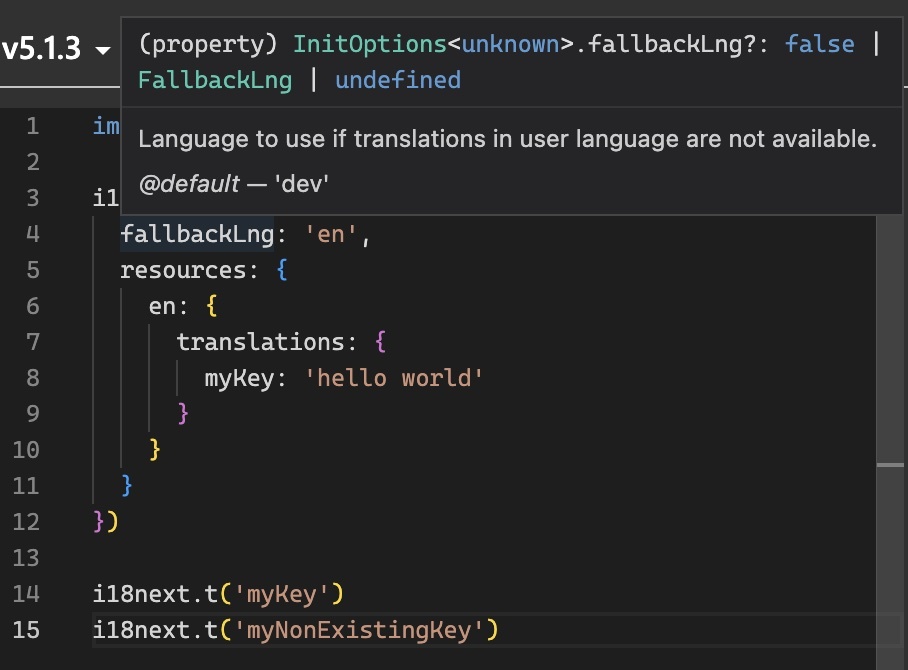 Nevertheless, with the advent of the new iterations of i18next, that limitation has been overcome *(thanks largely to [Pedro Durek](https://github.com/pedrodurek))*. Now, i18n keys boast complete type safety. Whenever a developer employs a non-existent or modified i18n key, the TypeScript compiler immediately raises an error, promptly alerting you to the issue before it gives rise to runtime complications. In addition, there is also an improved intellisense experience. Within this guide, we will delve into the art of leveraging the latest version of i18next to attain translations that are impervious to type-related errors in your TypeScript applications. We will encompass everything from the fundamentals of i18next setup to advanced techniques. All the while, you will benefit from the added safety net of type checking for your translation keys. By the conclusion of this guide, you will possess a profound comprehension of how to harness the force of i18next's type-safe translations within your TypeScript projects. You will be equipped to ensure that your translations are not only precise and adaptable but also consistently error-free, courtesy of the seamless integration between i18next and TypeScript. Let us embark on this journey together and furnish you with the knowledge and tools necessary to create localized applications that effortlessly cater to diverse language preferences while maintaining the robustness of your codebase. ## In-Memory translations <a name="in-memory-translations"></a> For a simple i18next setup, you probably have something like this: ```ts import i18next from 'i18next'; import enNs1 from './locales/en/ns1.json'; import enNs2 from './locales/en/ns2.json'; import deNs1 from './locales/de/ns1.json'; import deNs2 from './locales/de/ns2.json'; i18next.init({ debug: true, fallbackLng: 'en', defaultNS: 'ns1', resources: { en: { ns1: enNs1, ns2: enNs2, }, de: { ns1: deNs1, ns2: deNs2, }, }, }); ``` You import the translation resources and your adding them via i18next [init](https://www.i18next.com/overview/api#init) function. To make the translation type-safe, we create an `i18next.d.ts` file preferably in a `@types` folder and we import the translation resources of our reference language: ```ts import enNs1 from '../locales/en/ns1.json'; import enNs2 from '../locales/en/ns2.json'; declare module 'i18next' { interface CustomTypeOptions { defaultNS: 'ns1'; resources: { ns1: typeof enNs1; ns2: typeof enNs2; }; } } ``` 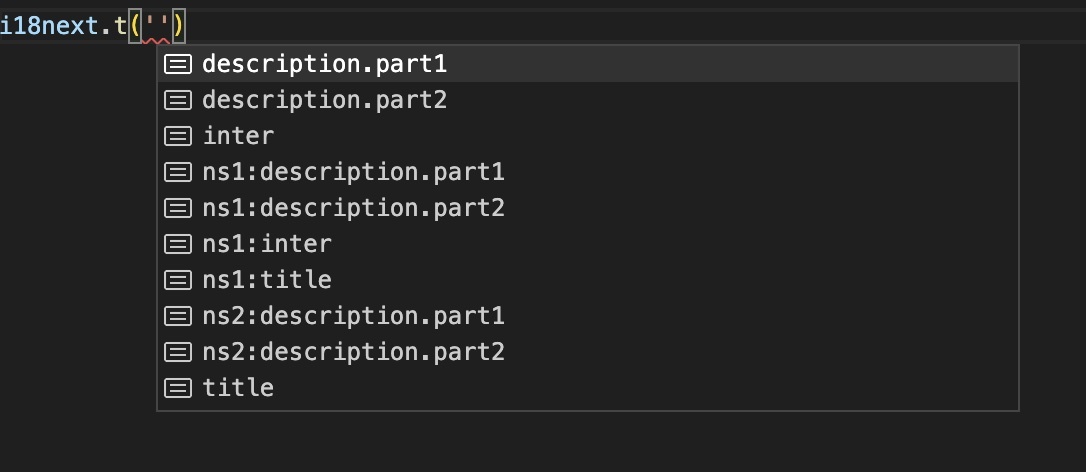 <p> That's already great! But: <a target="_blank" rel="noopener" href="https://youtu.be/m-lSlJc_5NE">We Can Do Better</a>! 😜 <a target="_blank" rel="noopener" href="https://youtu.be/m-lSlJc_5NE"> <img class="ignore-gallery-item" src="https://dev-to-uploads.s3.amazonaws.com/uploads/articles/rrrpwswl46lab0xzoe9l.gif" loading="lazy" width="480" height="176" style="float: right; margin: 0 0 0 15px;"> </a> </p> <br style="clear: both;" /> With the help of [i18next-resources-for-ts](https://github.com/i18next/i18next-resources-for-ts) we can generate a single resource file that we can use. So install `i18next-resources-for-ts` and execute the `toc` command, i.e. something like: `i18next-resources-for-ts toc -i ./locales/en -o ./@types/resources.ts` So we can modify the `i18next.d.ts` file like this: ```ts import resources from './resources'; declare module 'i18next' { interface CustomTypeOptions { defaultNS: 'ns1'; resources: typeof resources; } } ``` 🧑💻 A complete code example can be found [here](https://github.com/locize/i18next-typescript-examples/tree/main/1). ### Plurals <a name="plurals"></a> btw: also plural keys works: 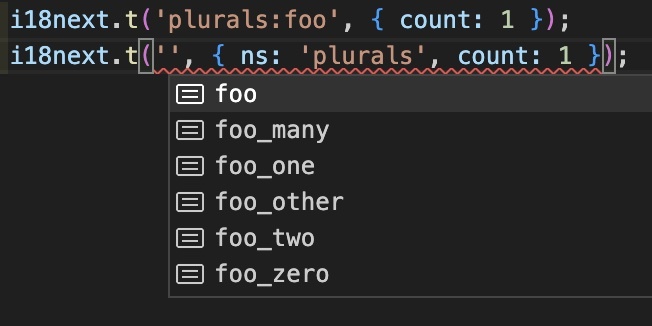 ### Fallback Namespace <a name="fallbackns"></a> And also fallback namespace handling works: ```ts // @types/i18next.d.ts import resources from './resources'; declare module 'i18next' { interface CustomTypeOptions { defaultNS: 'ns1'; fallbackNS: 'fallback'; resources: typeof resources; } } ``` ```js // works because of fallbackNS i18next.t('fallbackKey') ``` ### Interpolation <a name="interpolation"></a> Unfortunately, automatic interpolation inference won't work if your translations are placed in JSON files, only in TS files using `as const` keyword or an interface in a `d.ts` file, as long as [this TypeScript issue](https://github.com/microsoft/TypeScript/issues/32063) is not addressed. 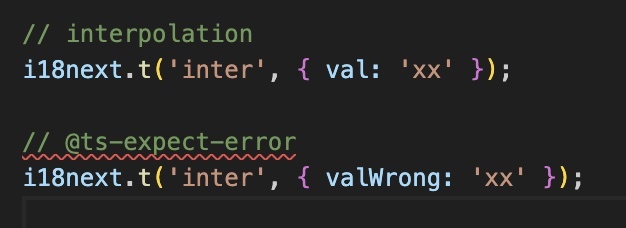 ### Interface <a name="in-memory-translations-interface"></a> To address this, let's make use of the `interface` command, i.e. something like: `i18next-resources-for-ts interface -i ./locales/en -o ./@types/resources.d.ts` This way we can change the `i18next.d.ts` file like this: ```ts import Resources from './resources'; declare module 'i18next' { interface CustomTypeOptions { defaultNS: 'ns1'; resources: Resources; } } ``` Now the interpolation inference works and fails if the passed variable name does not match: 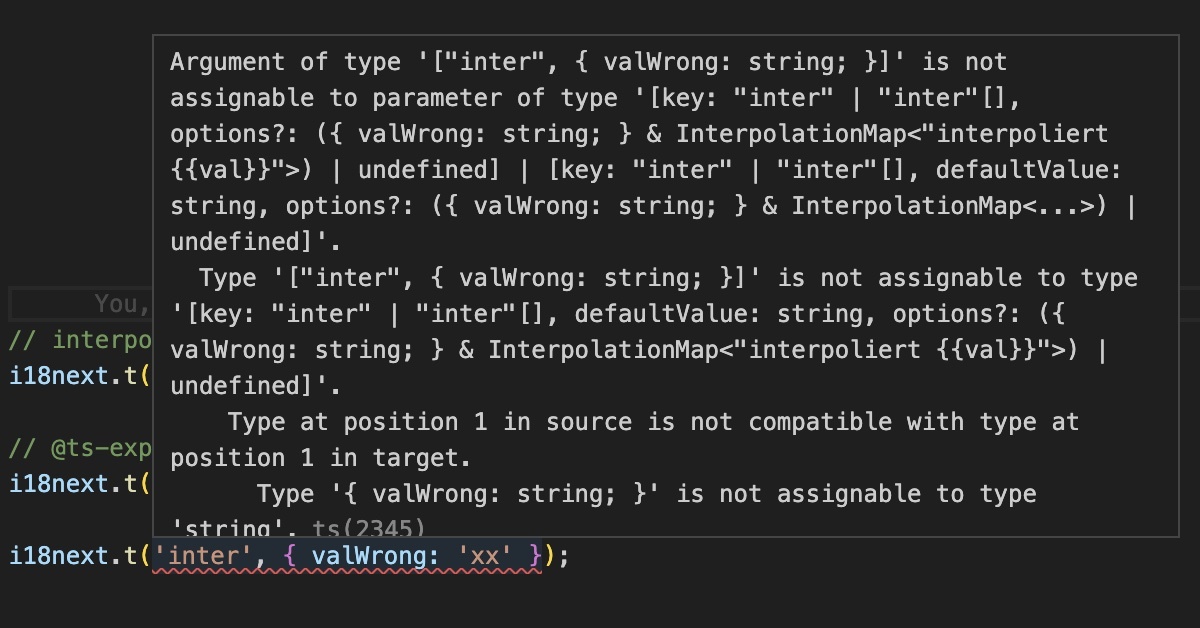 🧑💻 A complete code example can be found [here](https://github.com/locize/i18next-typescript-examples/tree/main/2). ## React.js <a name="react"></a> A React.js based i18next setup with in-memory translation resources could also [look very similar](https://github.com/locize/i18next-typescript-examples/tree/main/3) to the above example, so let's raise the bar a little bit and see what a setup with lazy loading translations like with [i18next-http-backend](https://github.com/i18next/i18next-http-backend) looks like: ```ts import i18next from 'i18next'; import { initReactI18next } from 'react-i18next'; import HttpApi from 'i18next-http-backend'; i18next .use(initReactI18next) .use(HttpApi) .init({ debug: true, fallbackLng: 'en', defaultNS: 'ns1', backend: { loadPath: '/locales/{{lng}}/{{ns}}.json' } }); export default i18next; ``` To make the translation type-safe, we again create an `i18next.d.ts` file preferably in a `@types` folder like this: ```ts import Resources from './resources'; declare module 'i18next' { interface CustomTypeOptions { defaultNS: 'ns1'; resources: Resources; } } ``` And again we make use of the `interface` command, i.e. something like: `i18next-resources-for-ts interface -i ./public/locales/en -o ./src/@types/resources.d.ts` This way, the translations are loaded at runtime, but the translations are type-checked during development. With the new [react-i18next](https://react.i18next.com) version, when loading multiple namespaces, `t` function will infer and accept the keys for the first namespace. So this pattern is now accepted: ```ts import { useTranslation } from 'react-i18next'; function Comp2() { const {t} = useTranslation(['ns1', 'ns2']); return ( <div className="App"> <p>{t('description.part1')}</p> <p>{t('description.part1', { ns: 'ns1' })}</p> <p>{t('description.part2', { ns: 'ns2' })}</p> </div> ); } export default Comp2; ``` ### Trans component <a name="trans"></a> And also the [`Trans` component](https://react.i18next.com/latest/trans-component) is type-safe: ```ts import { useTranslation, Trans } from 'react-i18next'; function Comp1() { const {t} = useTranslation(); return ( <div className="App"> <p> <Trans i18nKey="title"> Welcome to react using <code>react-i18next</code> fully type-safe </Trans> </p> <p>{t('description.part1')}</p> <p>{t('description.part2')}</p> </div> ); } export default Comp1; ``` 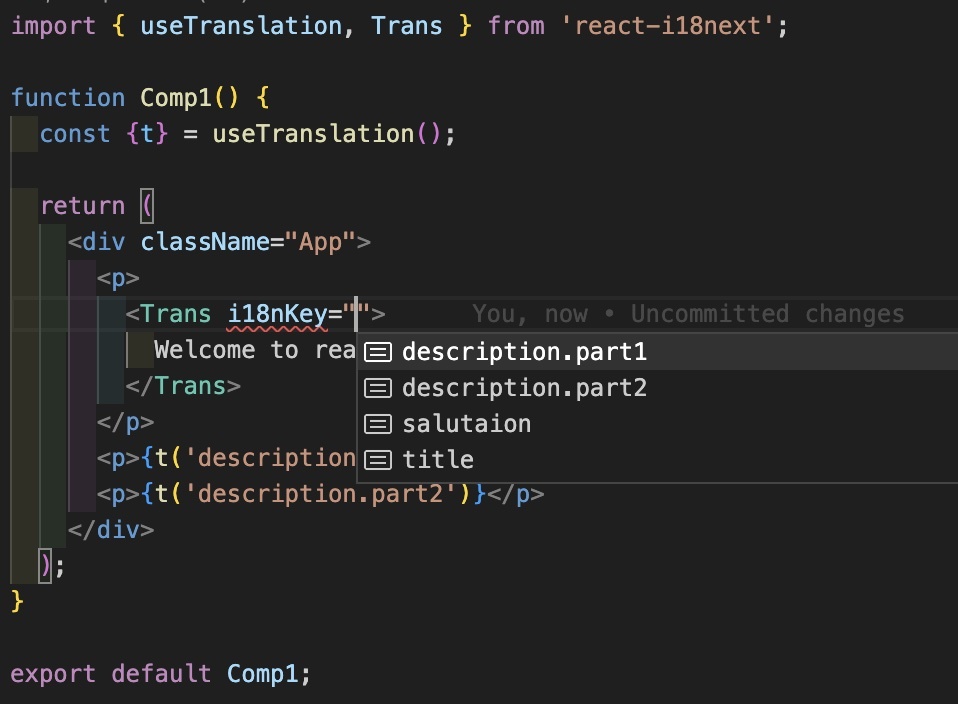 🧑💻 A complete code example can be found [here](https://github.com/locize/i18next-typescript-examples/tree/main/4). ## No app-bundled/provided translations <a name="locize"></a> There is also a way to keep the translations completely separate from your code repository while maintaining type safety. Let's take the React.js project used in [this awesome guide](https://locize.com/blog/react-i18next/)... The final i18next setup in this example looks like this: ```ts import i18n from 'i18next'; import { initReactI18next } from 'react-i18next'; import LanguageDetector from 'i18next-browser-languagedetector'; import Backend from 'i18next-locize-backend'; import LastUsed from 'locize-lastused'; import { locizePlugin } from 'locize'; import { DateTime } from 'luxon'; const isProduction = process.env.NODE_ENV === 'production'; const locizeOptions = { projectId: process.env.REACT_APP_LOCIZE_PROJECTID as string, apiKey: process.env.REACT_APP_LOCIZE_APIKEY as string, referenceLng: process.env.REACT_APP_LOCIZE_REFLNG as string, version: process.env.REACT_APP_LOCIZE_VERSION as string }; if (!isProduction) { i18n.use(LastUsed); } i18n .use(locizePlugin) .use(Backend) .use(LanguageDetector) .use(initReactI18next) .init({ debug: true, fallbackLng: 'en', interpolation: { escapeValue: false }, backend: locizeOptions, locizeLastUsed: locizeOptions, saveMissing: !isProduction }); i18n.services.formatter?.add('DATE_HUGE', (value, lng, options) => { return DateTime.fromJSDate(value).setLocale(lng as string).toLocaleString(DateTime.DATE_HUGE) }); export default i18n; ``` So at runtime we load the translation directly from the [locize CDN](https://docs.locize.com/whats-inside/cdn-content-delivery-network). >So how do we get type-safe translations during development? We create some npm scripts to help us: 1. Download the published translations (in reference language) to a temporary directory, i.e.: `downloadEn`: `locize download --project-id=0bbc223a-9aba-4a90-ab93-ab9d7bf7f780 --language=en --ver=latest --clean=true --path=./src/@types/locales` 2. Create the appropriate interface definition file, i.e.: `interface`: `i18next-resources-for-ts interface -i ./src/@types/locales -o ./src/@types/resources.d.ts` 3. Final script: download, create interface and delete the temporary files, i.e.: `update-interface`: `npm run downloadEn && npm run interface && rm -rf ./src/@types/locales` Like in the previous example, we now can just import that interface in our `i18next.d.ts` file: ```ts import Resources from './resources'; declare module 'i18next' { interface CustomTypeOptions { resources: Resources; } } ``` That's it! 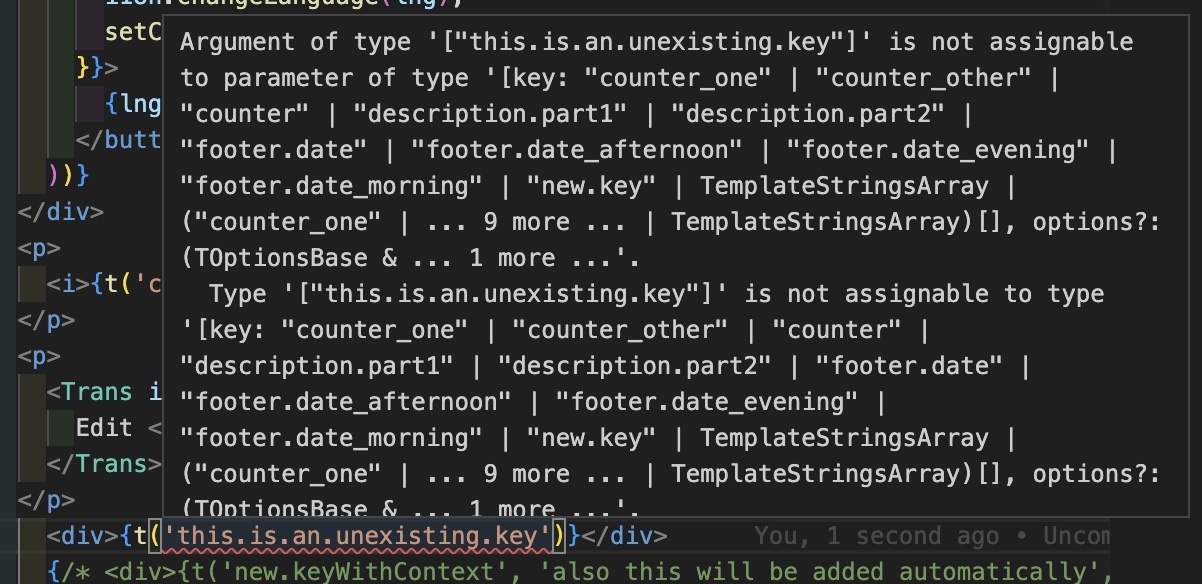 The translations are separated from our code repository and at the same time we maintain type safety with the help of an interface. 🧑💻 A complete code example can be found [here](https://github.com/locize/i18next-typescript-examples/tree/main/5). ## 🎉🥳 Congratulations 🎊🎁 <a name="congratulations"></a> In conclusion, mastering i18next for type-safe translations empowers TypeScript developers to unlock the full potential of their applications. By ensuring accurate localization, eliminating runtime errors, and leveraging the seamless integration between i18next and TypeScript, developers can create robust, localized applications that cater to diverse language preferences. With the knowledge and tools provided in this guide, you are equipped to supercharge your TypeScript app and deliver exceptional user experiences on a global scale.<br />**Happy coding!** So if you want to take your i18n topic to the next level, it's worth trying the [localization management platform - locize](https://locize.com). The founders of [locize](https://locize.com) are also the creators of [i18next](https://www.i18next.com). So by using [locize](https://locize.com) you directly support the future of [i18next](https://www.i18next.com). ## 👍 |
| json metadata | {"tags":["typescript","javascript","webdev"],"image":["https://locize.com/blog/i18next-typescript/title.jpg","https://dev-to-uploads.s3.amazonaws.com/uploads/articles/66gxapfn4ilvf4mg4x02.jpg","https://dev-to-uploads.s3.amazonaws.com/uploads/articles/82x3jhex9gcm7joxg5ja.jpg","https://dev-to-uploads.s3.amazonaws.com/uploads/articles/rrrpwswl46lab0xzoe9l.gif","https://dev-to-uploads.s3.amazonaws.com/uploads/articles/uxh8n04yrkzp9s5vmlp5.jpg","https://dev-to-uploads.s3.amazonaws.com/uploads/articles/rvwgeg2fzzx534qzq2lk.jpg","https://dev-to-uploads.s3.amazonaws.com/uploads/articles/a4g6qpxsij8y99blnx6j.jpg","https://dev-to-uploads.s3.amazonaws.com/uploads/articles/j6eywxlxt37oio2fp167.jpg","https://dev-to-uploads.s3.amazonaws.com/uploads/articles/thbfjhhf1px7lg9vmfll.jpg"],"links":["https://locize.com/blog/grow-online-business/","https://locize.com/blog/what-is-i18n/","https://locize.com/blog/what-is-software-localization/","https://www.i18next.com","https://github.com/pedrodurek","https://www.i18next.com/overview/api#init","https://youtu.be/m-lSlJc_5NE","https://github.com/i18next/i18next-resources-for-ts","https://github.com/locize/i18next-typescript-examples/tree/main/1","https://github.com/microsoft/TypeScript/issues/32063","https://github.com/locize/i18next-typescript-examples/tree/main/2","https://github.com/locize/i18next-typescript-examples/tree/main/3","https://github.com/i18next/i18next-http-backend","https://react.i18next.com","https://react.i18next.com/latest/trans-component","https://github.com/locize/i18next-typescript-examples/tree/main/4","https://locize.com/blog/react-i18next/","https://docs.locize.com/whats-inside/cdn-content-delivery-network","https://github.com/locize/i18next-typescript-examples/tree/main/5","https://locize.com"],"app":"steemit/0.2","format":"markdown"} |
| Transaction Info | Block #75724873/Trx ecf6a211c7614df48317cabb3cf694add47aa36c |
View Raw JSON Data
{
"trx_id": "ecf6a211c7614df48317cabb3cf694add47aa36c",
"block": 75724873,
"trx_in_block": 3,
"op_in_trx": 0,
"virtual_op": 0,
"timestamp": "2023-06-22T08:04:39",
"op": [
"comment",
{
"parent_author": "",
"parent_permlink": "i18n",
"author": "adrai",
"permlink": "supercharge-your-typescript-app-mastering-i18next-for-type-safe-translations",
"title": "Supercharge Your TypeScript App: Mastering i18next for Type-Safe Translations",
"body": "\n\nAs our world becomes increasingly interconnected, the development of web applications that cater to a [global audience](https://locize.com/blog/grow-online-business/) takes precedence among developers. If you're a TypeScript developer, you're likely acquainted with the advantages of static typing and the assurance it provides in your codebase. When it comes to internationalization ([i18n](https://locize.com/blog/what-is-i18n/)) and localization ([l10n](https://locize.com/blog/what-is-software-localization/)), maintaining the same level of type safety becomes crucial. This is precisely where [i18next](https://www.i18next.com), an influential i18n framework, enters the picture.\n\nIn the past, i18next already furnished TypeScript definitions for its API, enabling developers to benefit from type checking while utilizing the library. However, a significant limitation persisted, specifically the absence of type safety for translation keys. Consequently, if a translation resource was missing or underwent a name change, the TypeScript compiler failed to detect it, resulting in potential errors during runtime.\n\n\n\nNevertheless, with the advent of the new iterations of i18next, that limitation has been overcome *(thanks largely to [Pedro Durek](https://github.com/pedrodurek))*. Now, i18n keys boast complete type safety. Whenever a developer employs a non-existent or modified i18n key, the TypeScript compiler immediately raises an error, promptly alerting you to the issue before it gives rise to runtime complications. In addition, there is also an improved intellisense experience.\n\nWithin this guide, we will delve into the art of leveraging the latest version of i18next to attain translations that are impervious to type-related errors in your TypeScript applications. We will encompass everything from the fundamentals of i18next setup to advanced techniques. All the while, you will benefit from the added safety net of type checking for your translation keys.\n\nBy the conclusion of this guide, you will possess a profound comprehension of how to harness the force of i18next's type-safe translations within your TypeScript projects. You will be equipped to ensure that your translations are not only precise and adaptable but also consistently error-free, courtesy of the seamless integration between i18next and TypeScript. Let us embark on this journey together and furnish you with the knowledge and tools necessary to create localized applications that effortlessly cater to diverse language preferences while maintaining the robustness of your codebase.\n\n\n## In-Memory translations <a name=\"in-memory-translations\"></a>\n\nFor a simple i18next setup, you probably have something like this:\n\n```ts\nimport i18next from 'i18next';\nimport enNs1 from './locales/en/ns1.json';\nimport enNs2 from './locales/en/ns2.json';\nimport deNs1 from './locales/de/ns1.json';\nimport deNs2 from './locales/de/ns2.json';\n\ni18next.init({\n debug: true,\n fallbackLng: 'en',\n defaultNS: 'ns1',\n resources: {\n en: {\n ns1: enNs1,\n ns2: enNs2,\n },\n de: {\n ns1: deNs1,\n ns2: deNs2,\n },\n },\n});\n```\n\nYou import the translation resources and your adding them via i18next [init](https://www.i18next.com/overview/api#init) function.\n\nTo make the translation type-safe, we create an `i18next.d.ts` file preferably in a `@types` folder and we import the translation resources of our reference language:\n\n```ts\nimport enNs1 from '../locales/en/ns1.json';\nimport enNs2 from '../locales/en/ns2.json';\n\ndeclare module 'i18next' {\n interface CustomTypeOptions {\n defaultNS: 'ns1';\n resources: {\n ns1: typeof enNs1;\n ns2: typeof enNs2;\n };\n }\n}\n```\n\n\n\n\n<p>\n That's already great! But: <a target=\"_blank\" rel=\"noopener\" href=\"https://youtu.be/m-lSlJc_5NE\">We Can Do Better</a>! 😜\n <a target=\"_blank\" rel=\"noopener\" href=\"https://youtu.be/m-lSlJc_5NE\">\n <img class=\"ignore-gallery-item\" src=\"https://dev-to-uploads.s3.amazonaws.com/uploads/articles/rrrpwswl46lab0xzoe9l.gif\" loading=\"lazy\" width=\"480\" height=\"176\" style=\"float: right; margin: 0 0 0 15px;\">\n </a>\n</p>\n\n<br style=\"clear: both;\" />\n\nWith the help of [i18next-resources-for-ts](https://github.com/i18next/i18next-resources-for-ts) we can generate a single resource file that we can use.\n\nSo install `i18next-resources-for-ts` and execute the `toc` command, i.e. something like: `i18next-resources-for-ts toc -i ./locales/en -o ./@types/resources.ts`\n\nSo we can modify the `i18next.d.ts` file like this:\n\n```ts\nimport resources from './resources';\n\ndeclare module 'i18next' {\n interface CustomTypeOptions {\n defaultNS: 'ns1';\n resources: typeof resources;\n }\n}\n```\n\n🧑💻 A complete code example can be found [here](https://github.com/locize/i18next-typescript-examples/tree/main/1).\n\n### Plurals <a name=\"plurals\"></a>\n\nbtw: also plural keys works:\n\n\n\n### Fallback Namespace <a name=\"fallbackns\"></a>\n\nAnd also fallback namespace handling works:\n\n```ts\n// @types/i18next.d.ts\nimport resources from './resources';\n\ndeclare module 'i18next' {\n interface CustomTypeOptions {\n defaultNS: 'ns1';\n fallbackNS: 'fallback';\n resources: typeof resources;\n }\n}\n```\n\n```js\n// works because of fallbackNS\ni18next.t('fallbackKey')\n```\n\n### Interpolation <a name=\"interpolation\"></a>\n\nUnfortunately, automatic interpolation inference won't work if your translations are placed in JSON files, only in TS files using `as const` keyword or an interface in a `d.ts` file, as long as [this TypeScript issue](https://github.com/microsoft/TypeScript/issues/32063) is not addressed.\n\n\n\n### Interface <a name=\"in-memory-translations-interface\"></a>\n\nTo address this, let's make use of the `interface` command, i.e. something like: `i18next-resources-for-ts interface -i ./locales/en -o ./@types/resources.d.ts`\n\nThis way we can change the `i18next.d.ts` file like this:\n\n```ts\nimport Resources from './resources';\n\ndeclare module 'i18next' {\n interface CustomTypeOptions {\n defaultNS: 'ns1';\n resources: Resources;\n }\n}\n```\n\nNow the interpolation inference works and fails if the passed variable name does not match:\n\n\n\n🧑💻 A complete code example can be found [here](https://github.com/locize/i18next-typescript-examples/tree/main/2).\n\n\n## React.js <a name=\"react\"></a>\n\nA React.js based i18next setup with in-memory translation resources could also [look very similar](https://github.com/locize/i18next-typescript-examples/tree/main/3) to the above example, so let's raise the bar a little bit and see what a setup with lazy loading translations like with [i18next-http-backend](https://github.com/i18next/i18next-http-backend) looks like:\n\n```ts\nimport i18next from 'i18next';\nimport { initReactI18next } from 'react-i18next';\nimport HttpApi from 'i18next-http-backend';\n\ni18next\n .use(initReactI18next)\n .use(HttpApi)\n .init({\n debug: true,\n fallbackLng: 'en',\n defaultNS: 'ns1',\n backend: {\n loadPath: '/locales/{{lng}}/{{ns}}.json'\n }\n });\n\nexport default i18next;\n```\n\nTo make the translation type-safe, we again create an `i18next.d.ts` file preferably in a `@types` folder like this:\n\n```ts\nimport Resources from './resources';\n\ndeclare module 'i18next' {\n interface CustomTypeOptions {\n defaultNS: 'ns1';\n resources: Resources;\n }\n}\n```\n\nAnd again we make use of the `interface` command, i.e. something like: `i18next-resources-for-ts interface -i ./public/locales/en -o ./src/@types/resources.d.ts`\n\nThis way, the translations are loaded at runtime, but the translations are type-checked during development.\n\nWith the new [react-i18next](https://react.i18next.com) version, when loading multiple namespaces, `t` function will infer and accept the keys for the first namespace. So this pattern is now accepted:\n\n```ts\nimport { useTranslation } from 'react-i18next';\n\nfunction Comp2() {\n const {t} = useTranslation(['ns1', 'ns2']);\n\n return (\n <div className=\"App\">\n <p>{t('description.part1')}</p>\n <p>{t('description.part1', { ns: 'ns1' })}</p>\n <p>{t('description.part2', { ns: 'ns2' })}</p>\n </div>\n );\n}\n\nexport default Comp2;\n```\n\n### Trans component <a name=\"trans\"></a>\n\nAnd also the [`Trans` component](https://react.i18next.com/latest/trans-component) is type-safe:\n\n```ts\nimport { useTranslation, Trans } from 'react-i18next';\n\nfunction Comp1() {\n const {t} = useTranslation();\n\n return (\n <div className=\"App\">\n <p>\n <Trans i18nKey=\"title\">\n Welcome to react using <code>react-i18next</code> fully type-safe\n </Trans>\n </p>\n <p>{t('description.part1')}</p>\n <p>{t('description.part2')}</p>\n </div>\n );\n}\n\nexport default Comp1;\n```\n\n\n\n🧑💻 A complete code example can be found [here](https://github.com/locize/i18next-typescript-examples/tree/main/4).\n\n\n## No app-bundled/provided translations <a name=\"locize\"></a>\n\nThere is also a way to keep the translations completely separate from your code repository while maintaining type safety.\n\nLet's take the React.js project used in [this awesome guide](https://locize.com/blog/react-i18next/)...\n\nThe final i18next setup in this example looks like this:\n\n```ts\nimport i18n from 'i18next';\nimport { initReactI18next } from 'react-i18next';\nimport LanguageDetector from 'i18next-browser-languagedetector';\nimport Backend from 'i18next-locize-backend';\nimport LastUsed from 'locize-lastused';\nimport { locizePlugin } from 'locize';\nimport { DateTime } from 'luxon';\n\nconst isProduction = process.env.NODE_ENV === 'production';\n\nconst locizeOptions = {\n projectId: process.env.REACT_APP_LOCIZE_PROJECTID as string,\n apiKey: process.env.REACT_APP_LOCIZE_APIKEY as string,\n referenceLng: process.env.REACT_APP_LOCIZE_REFLNG as string,\n version: process.env.REACT_APP_LOCIZE_VERSION as string\n};\n\nif (!isProduction) {\n i18n.use(LastUsed);\n}\n\ni18n\n .use(locizePlugin)\n .use(Backend)\n .use(LanguageDetector)\n .use(initReactI18next)\n .init({\n debug: true,\n fallbackLng: 'en',\n interpolation: {\n escapeValue: false\n },\n backend: locizeOptions,\n locizeLastUsed: locizeOptions,\n saveMissing: !isProduction\n });\n\ni18n.services.formatter?.add('DATE_HUGE', (value, lng, options) => {\n return DateTime.fromJSDate(value).setLocale(lng as string).toLocaleString(DateTime.DATE_HUGE)\n});\n\nexport default i18n;\n```\n\nSo at runtime we load the translation directly from the [locize CDN](https://docs.locize.com/whats-inside/cdn-content-delivery-network).\n\n>So how do we get type-safe translations during development?\n\nWe create some npm scripts to help us:\n\n1. Download the published translations (in reference language) to a temporary directory, i.e.:\n `downloadEn`: `locize download --project-id=0bbc223a-9aba-4a90-ab93-ab9d7bf7f780 --language=en --ver=latest --clean=true --path=./src/@types/locales`\n\n2. Create the appropriate interface definition file, i.e.: `interface`:\n `i18next-resources-for-ts interface -i ./src/@types/locales -o ./src/@types/resources.d.ts`\n\n3. Final script: download, create interface and delete the temporary files, i.e.:\n `update-interface`: `npm run downloadEn && npm run interface && rm -rf ./src/@types/locales`\n\n\nLike in the previous example, we now can just import that interface in our `i18next.d.ts` file:\n\n```ts\nimport Resources from './resources';\n\ndeclare module 'i18next' {\n interface CustomTypeOptions {\n resources: Resources;\n }\n}\n```\n\nThat's it!\n\n\n\nThe translations are separated from our code repository and at the same time we maintain type safety with the help of an interface.\n\n🧑💻 A complete code example can be found [here](https://github.com/locize/i18next-typescript-examples/tree/main/5).\n\n\n## 🎉🥳 Congratulations 🎊🎁 <a name=\"congratulations\"></a>\n\nIn conclusion, mastering i18next for type-safe translations empowers TypeScript developers to unlock the full potential of their applications. By ensuring accurate localization, eliminating runtime errors, and leveraging the seamless integration between i18next and TypeScript, developers can create robust, localized applications that cater to diverse language preferences. With the knowledge and tools provided in this guide, you are equipped to supercharge your TypeScript app and deliver exceptional user experiences on a global scale.<br />**Happy coding!**\n\nSo if you want to take your i18n topic to the next level, it's worth trying the [localization management platform - locize](https://locize.com).\n\nThe founders of [locize](https://locize.com) are also the creators of [i18next](https://www.i18next.com). So by using [locize](https://locize.com) you directly support the future of [i18next](https://www.i18next.com).\n\n## 👍",
"json_metadata": "{\"tags\":[\"typescript\",\"javascript\",\"webdev\"],\"image\":[\"https://locize.com/blog/i18next-typescript/title.jpg\",\"https://dev-to-uploads.s3.amazonaws.com/uploads/articles/66gxapfn4ilvf4mg4x02.jpg\",\"https://dev-to-uploads.s3.amazonaws.com/uploads/articles/82x3jhex9gcm7joxg5ja.jpg\",\"https://dev-to-uploads.s3.amazonaws.com/uploads/articles/rrrpwswl46lab0xzoe9l.gif\",\"https://dev-to-uploads.s3.amazonaws.com/uploads/articles/uxh8n04yrkzp9s5vmlp5.jpg\",\"https://dev-to-uploads.s3.amazonaws.com/uploads/articles/rvwgeg2fzzx534qzq2lk.jpg\",\"https://dev-to-uploads.s3.amazonaws.com/uploads/articles/a4g6qpxsij8y99blnx6j.jpg\",\"https://dev-to-uploads.s3.amazonaws.com/uploads/articles/j6eywxlxt37oio2fp167.jpg\",\"https://dev-to-uploads.s3.amazonaws.com/uploads/articles/thbfjhhf1px7lg9vmfll.jpg\"],\"links\":[\"https://locize.com/blog/grow-online-business/\",\"https://locize.com/blog/what-is-i18n/\",\"https://locize.com/blog/what-is-software-localization/\",\"https://www.i18next.com\",\"https://github.com/pedrodurek\",\"https://www.i18next.com/overview/api#init\",\"https://youtu.be/m-lSlJc_5NE\",\"https://github.com/i18next/i18next-resources-for-ts\",\"https://github.com/locize/i18next-typescript-examples/tree/main/1\",\"https://github.com/microsoft/TypeScript/issues/32063\",\"https://github.com/locize/i18next-typescript-examples/tree/main/2\",\"https://github.com/locize/i18next-typescript-examples/tree/main/3\",\"https://github.com/i18next/i18next-http-backend\",\"https://react.i18next.com\",\"https://react.i18next.com/latest/trans-component\",\"https://github.com/locize/i18next-typescript-examples/tree/main/4\",\"https://locize.com/blog/react-i18next/\",\"https://docs.locize.com/whats-inside/cdn-content-delivery-network\",\"https://github.com/locize/i18next-typescript-examples/tree/main/5\",\"https://locize.com\"],\"app\":\"steemit/0.2\",\"format\":\"markdown\"}"
}
]
}adraipublished a new post: supercharge-your-typescript-app-mastering-i18next-for-type-safe-translations2023/06/22 08:04:06
adraipublished a new post: supercharge-your-typescript-app-mastering-i18next-for-type-safe-translations
2023/06/22 08:04:06
| parent author | |
| parent permlink | i18n |
| author | adrai |
| permlink | supercharge-your-typescript-app-mastering-i18next-for-type-safe-translations |
| title | Supercharge Your TypeScript App: Mastering i18next for Type-Safe Translations |
| body |  As our world becomes increasingly interconnected, the development of web applications that cater to a [global audience](https://locize.com/blog/grow-online-business/) takes precedence among developers. If you're a TypeScript developer, you're likely acquainted with the advantages of static typing and the assurance it provides in your codebase. When it comes to internationalization ([i18n](https://locize.com/blog/what-is-i18n/)) and localization ([l10n](https://locize.com/blog/what-is-software-localization/)), maintaining the same level of type safety becomes crucial. This is precisely where [i18next](https://www.i18next.com), an influential i18n framework, enters the picture. In the past, i18next already furnished TypeScript definitions for its API, enabling developers to benefit from type checking while utilizing the library. However, a significant limitation persisted, specifically the absence of type safety for translation keys. Consequently, if a translation resource was missing or underwent a name change, the TypeScript compiler failed to detect it, resulting in potential errors during runtime.  Nevertheless, with the advent of the new iterations of i18next, that limitation has been overcome *(thanks largely to [Pedro Durek](https://github.com/pedrodurek))*. Now, i18n keys boast complete type safety. Whenever a developer employs a non-existent or modified i18n key, the TypeScript compiler immediately raises an error, promptly alerting you to the issue before it gives rise to runtime complications. In addition, there is also an improved intellisense experience. Within this guide, we will delve into the art of leveraging the latest version of i18next to attain translations that are impervious to type-related errors in your TypeScript applications. We will encompass everything from the fundamentals of i18next setup to advanced techniques. All the while, you will benefit from the added safety net of type checking for your translation keys. By the conclusion of this guide, you will possess a profound comprehension of how to harness the force of i18next's type-safe translations within your TypeScript projects. You will be equipped to ensure that your translations are not only precise and adaptable but also consistently error-free, courtesy of the seamless integration between i18next and TypeScript. Let us embark on this journey together and furnish you with the knowledge and tools necessary to create localized applications that effortlessly cater to diverse language preferences while maintaining the robustness of your codebase. ## In-Memory translations <a name="in-memory-translations"></a> For a simple i18next setup, you probably have something like this: ```ts import i18next from 'i18next'; import enNs1 from './locales/en/ns1.json'; import enNs2 from './locales/en/ns2.json'; import deNs1 from './locales/de/ns1.json'; import deNs2 from './locales/de/ns2.json'; i18next.init({ debug: true, fallbackLng: 'en', defaultNS: 'ns1', resources: { en: { ns1: enNs1, ns2: enNs2, }, de: { ns1: deNs1, ns2: deNs2, }, }, }); ``` You import the translation resources and your adding them via i18next [init](https://www.i18next.com/overview/api#init) function. To make the translation type-safe, we create an `i18next.d.ts` file preferably in a `@types` folder and we import the translation resources of our reference language: ```ts import enNs1 from '../locales/en/ns1.json'; import enNs2 from '../locales/en/ns2.json'; declare module 'i18next' { interface CustomTypeOptions { defaultNS: 'ns1'; resources: { ns1: typeof enNs1; ns2: typeof enNs2; }; } } ```  <p> That's already great! But: <a target="_blank" rel="noopener" href="https://youtu.be/m-lSlJc_5NE">We Can Do Better</a>! 😜 <a target="_blank" rel="noopener" href="https://youtu.be/m-lSlJc_5NE"> <img class="ignore-gallery-item" src="https://dev-to-uploads.s3.amazonaws.com/uploads/articles/rrrpwswl46lab0xzoe9l.gif" loading="lazy" width="480" height="176" style="float: right; margin: 0 0 0 15px;"> </a> </p> <br style="clear: both;" /> With the help of [i18next-resources-for-ts](https://github.com/i18next/i18next-resources-for-ts) we can generate a single resource file that we can use. So install `i18next-resources-for-ts` and execute the `toc` command, i.e. something like: `i18next-resources-for-ts toc -i ./locales/en -o ./@types/resources.ts` So we can modify the `i18next.d.ts` file like this: ```ts import resources from './resources'; declare module 'i18next' { interface CustomTypeOptions { defaultNS: 'ns1'; resources: typeof resources; } } ``` 🧑💻 A complete code example can be found [here](https://github.com/locize/i18next-typescript-examples/tree/main/1). ### Plurals <a name="plurals"></a> btw: also plural keys works:  ### Fallback Namespace <a name="fallbackns"></a> And also fallback namespace handling works: ```ts // @types/i18next.d.ts import resources from './resources'; declare module 'i18next' { interface CustomTypeOptions { defaultNS: 'ns1'; fallbackNS: 'fallback'; resources: typeof resources; } } ``` ```js // works because of fallbackNS i18next.t('fallbackKey') ``` ### Interpolation <a name="interpolation"></a> Unfortunately, automatic interpolation inference won't work if your translations are placed in JSON files, only in TS files using `as const` keyword or an interface in a `d.ts` file, as long as [this TypeScript issue](https://github.com/microsoft/TypeScript/issues/32063) is not addressed.  ### Interface <a name="in-memory-translations-interface"></a> To address this, let's make use of the `interface` command, i.e. something like: `i18next-resources-for-ts interface -i ./locales/en -o ./@types/resources.d.ts` This way we can change the `i18next.d.ts` file like this: ```ts import Resources from './resources'; declare module 'i18next' { interface CustomTypeOptions { defaultNS: 'ns1'; resources: Resources; } } ``` Now the interpolation inference works and fails if the passed variable name does not match:  🧑💻 A complete code example can be found [here](https://github.com/locize/i18next-typescript-examples/tree/main/2). ## React.js <a name="react"></a> A React.js based i18next setup with in-memory translation resources could also [look very similar](https://github.com/locize/i18next-typescript-examples/tree/main/3) to the above example, so let's raise the bar a little bit and see what a setup with lazy loading translations like with [i18next-http-backend](https://github.com/i18next/i18next-http-backend) looks like: ```ts import i18next from 'i18next'; import { initReactI18next } from 'react-i18next'; import HttpApi from 'i18next-http-backend'; i18next .use(initReactI18next) .use(HttpApi) .init({ debug: true, fallbackLng: 'en', defaultNS: 'ns1', backend: { loadPath: '/locales/{{lng}}/{{ns}}.json' } }); export default i18next; ``` To make the translation type-safe, we again create an `i18next.d.ts` file preferably in a `@types` folder like this: ```ts import Resources from './resources'; declare module 'i18next' { interface CustomTypeOptions { defaultNS: 'ns1'; resources: Resources; } } ``` And again we make use of the `interface` command, i.e. something like: `i18next-resources-for-ts interface -i ./public/locales/en -o ./src/@types/resources.d.ts` This way, the translations are loaded at runtime, but the translations are type-checked during development. With the new [react-i18next](https://react.i18next.com) version, when loading multiple namespaces, `t` function will infer and accept the keys for the first namespace. So this pattern is now accepted: ```ts import { useTranslation } from 'react-i18next'; function Comp2() { const {t} = useTranslation(['ns1', 'ns2']); return ( <div className="App"> <p>{t('description.part1')}</p> <p>{t('description.part1', { ns: 'ns1' })}</p> <p>{t('description.part2', { ns: 'ns2' })}</p> </div> ); } export default Comp2; ``` ### Trans component <a name="trans"></a> And also the [`Trans` component](https://react.i18next.com/latest/trans-component) is type-safe: ```ts import { useTranslation, Trans } from 'react-i18next'; function Comp1() { const {t} = useTranslation(); return ( <div className="App"> <p> <Trans i18nKey="title"> Welcome to react using <code>react-i18next</code> fully type-safe </Trans> </p> <p>{t('description.part1')}</p> <p>{t('description.part2')}</p> </div> ); } export default Comp1; ```  🧑💻 A complete code example can be found [here](https://github.com/locize/i18next-typescript-examples/tree/main/4). ## No app-bundled/provided translations <a name="locize"></a> There is also a way to keep the translations completely separate from your code repository while maintaining type safety. Let's take the React.js project used in [this awesome guide](https://locize.com/blog/react-i18next/)... The final i18next setup in this example looks like this: ```ts import i18n from 'i18next'; import { initReactI18next } from 'react-i18next'; import LanguageDetector from 'i18next-browser-languagedetector'; import Backend from 'i18next-locize-backend'; import LastUsed from 'locize-lastused'; import { locizePlugin } from 'locize'; import { DateTime } from 'luxon'; const isProduction = process.env.NODE_ENV === 'production'; const locizeOptions = { projectId: process.env.REACT_APP_LOCIZE_PROJECTID as string, apiKey: process.env.REACT_APP_LOCIZE_APIKEY as string, referenceLng: process.env.REACT_APP_LOCIZE_REFLNG as string, version: process.env.REACT_APP_LOCIZE_VERSION as string }; if (!isProduction) { i18n.use(LastUsed); } i18n .use(locizePlugin) .use(Backend) .use(LanguageDetector) .use(initReactI18next) .init({ debug: true, fallbackLng: 'en', interpolation: { escapeValue: false }, backend: locizeOptions, locizeLastUsed: locizeOptions, saveMissing: !isProduction }); i18n.services.formatter?.add('DATE_HUGE', (value, lng, options) => { return DateTime.fromJSDate(value).setLocale(lng as string).toLocaleString(DateTime.DATE_HUGE) }); export default i18n; ``` So at runtime we load the translation directly from the [locize CDN](https://docs.locize.com/whats-inside/cdn-content-delivery-network). >So how do we get type-safe translations during development? We create some npm scripts to help us: 1. Download the published translations (in reference language) to a temporary directory, i.e.: `downloadEn`: `locize download --project-id=0bbc223a-9aba-4a90-ab93-ab9d7bf7f780 --language=en --ver=latest --clean=true --path=./src/@types/locales` 2. Create the appropriate interface definition file, i.e.: `interface`: `i18next-resources-for-ts interface -i ./src/@types/locales -o ./src/@types/resources.d.ts` 3. Final script: download, create interface and delete the temporary files, i.e.: `update-interface`: `npm run downloadEn && npm run interface && rm -rf ./src/@types/locales` Like in the previous example, we now can just import that interface in our `i18next.d.ts` file: ```ts import Resources from './resources'; declare module 'i18next' { interface CustomTypeOptions { resources: Resources; } } ``` That's it!  The translations are separated from our code repository and at the same time we maintain type safety with the help of an interface. 🧑💻 A complete code example can be found [here](https://github.com/locize/i18next-typescript-examples/tree/main/5). ## 🎉🥳 Congratulations 🎊🎁 <a name="congratulations"></a> In conclusion, mastering i18next for type-safe translations empowers TypeScript developers to unlock the full potential of their applications. By ensuring accurate localization, eliminating runtime errors, and leveraging the seamless integration between i18next and TypeScript, developers can create robust, localized applications that cater to diverse language preferences. With the knowledge and tools provided in this guide, you are equipped to supercharge your TypeScript app and deliver exceptional user experiences on a global scale.<br />**Happy coding!** So if you want to take your i18n topic to the next level, it's worth trying the [localization management platform - locize](https://locize.com). The founders of [locize](https://locize.com) are also the creators of [i18next](https://www.i18next.com). So by using [locize](https://locize.com) you directly support the future of [i18next](https://www.i18next.com). ## 👍 |
| json metadata | {"tags":["i18n","typescript","javascript","webdev"],"image":["https://locize.com/blog/i18next-typescript/title.jpg","https://dev-to-uploads.s3.amazonaws.com/uploads/articles/66gxapfn4ilvf4mg4x02.jpg","https://dev-to-uploads.s3.amazonaws.com/uploads/articles/82x3jhex9gcm7joxg5ja.jpg","https://dev-to-uploads.s3.amazonaws.com/uploads/articles/rrrpwswl46lab0xzoe9l.gif","https://dev-to-uploads.s3.amazonaws.com/uploads/articles/uxh8n04yrkzp9s5vmlp5.jpg","https://dev-to-uploads.s3.amazonaws.com/uploads/articles/rvwgeg2fzzx534qzq2lk.jpg","https://dev-to-uploads.s3.amazonaws.com/uploads/articles/a4g6qpxsij8y99blnx6j.jpg","https://dev-to-uploads.s3.amazonaws.com/uploads/articles/j6eywxlxt37oio2fp167.jpg","https://dev-to-uploads.s3.amazonaws.com/uploads/articles/thbfjhhf1px7lg9vmfll.jpg"],"links":["https://locize.com/blog/grow-online-business/","https://locize.com/blog/what-is-i18n/","https://locize.com/blog/what-is-software-localization/","https://www.i18next.com","https://github.com/pedrodurek","https://www.i18next.com/overview/api#init","https://youtu.be/m-lSlJc_5NE","https://github.com/i18next/i18next-resources-for-ts","https://github.com/locize/i18next-typescript-examples/tree/main/1","https://github.com/microsoft/TypeScript/issues/32063","https://github.com/locize/i18next-typescript-examples/tree/main/2","https://github.com/locize/i18next-typescript-examples/tree/main/3","https://github.com/i18next/i18next-http-backend","https://react.i18next.com","https://react.i18next.com/latest/trans-component","https://github.com/locize/i18next-typescript-examples/tree/main/4","https://locize.com/blog/react-i18next/","https://docs.locize.com/whats-inside/cdn-content-delivery-network","https://github.com/locize/i18next-typescript-examples/tree/main/5","https://locize.com"],"app":"steemit/0.2","format":"markdown"} |
| Transaction Info | Block #75724862/Trx 258a0622a8ec84e2487aeb5d69ce2bb058b981d3 |
View Raw JSON Data
{
"trx_id": "258a0622a8ec84e2487aeb5d69ce2bb058b981d3",
"block": 75724862,
"trx_in_block": 8,
"op_in_trx": 0,
"virtual_op": 0,
"timestamp": "2023-06-22T08:04:06",
"op": [
"comment",
{
"parent_author": "",
"parent_permlink": "i18n",
"author": "adrai",
"permlink": "supercharge-your-typescript-app-mastering-i18next-for-type-safe-translations",
"title": "Supercharge Your TypeScript App: Mastering i18next for Type-Safe Translations",
"body": "\n\nAs our world becomes increasingly interconnected, the development of web applications that cater to a [global audience](https://locize.com/blog/grow-online-business/) takes precedence among developers. If you're a TypeScript developer, you're likely acquainted with the advantages of static typing and the assurance it provides in your codebase. When it comes to internationalization ([i18n](https://locize.com/blog/what-is-i18n/)) and localization ([l10n](https://locize.com/blog/what-is-software-localization/)), maintaining the same level of type safety becomes crucial. This is precisely where [i18next](https://www.i18next.com), an influential i18n framework, enters the picture.\n\nIn the past, i18next already furnished TypeScript definitions for its API, enabling developers to benefit from type checking while utilizing the library. However, a significant limitation persisted, specifically the absence of type safety for translation keys. Consequently, if a translation resource was missing or underwent a name change, the TypeScript compiler failed to detect it, resulting in potential errors during runtime.\n\n\n\nNevertheless, with the advent of the new iterations of i18next, that limitation has been overcome *(thanks largely to [Pedro Durek](https://github.com/pedrodurek))*. Now, i18n keys boast complete type safety. Whenever a developer employs a non-existent or modified i18n key, the TypeScript compiler immediately raises an error, promptly alerting you to the issue before it gives rise to runtime complications. In addition, there is also an improved intellisense experience.\n\nWithin this guide, we will delve into the art of leveraging the latest version of i18next to attain translations that are impervious to type-related errors in your TypeScript applications. We will encompass everything from the fundamentals of i18next setup to advanced techniques. All the while, you will benefit from the added safety net of type checking for your translation keys.\n\nBy the conclusion of this guide, you will possess a profound comprehension of how to harness the force of i18next's type-safe translations within your TypeScript projects. You will be equipped to ensure that your translations are not only precise and adaptable but also consistently error-free, courtesy of the seamless integration between i18next and TypeScript. Let us embark on this journey together and furnish you with the knowledge and tools necessary to create localized applications that effortlessly cater to diverse language preferences while maintaining the robustness of your codebase.\n\n\n## In-Memory translations <a name=\"in-memory-translations\"></a>\n\nFor a simple i18next setup, you probably have something like this:\n\n```ts\nimport i18next from 'i18next';\nimport enNs1 from './locales/en/ns1.json';\nimport enNs2 from './locales/en/ns2.json';\nimport deNs1 from './locales/de/ns1.json';\nimport deNs2 from './locales/de/ns2.json';\n\ni18next.init({\n debug: true,\n fallbackLng: 'en',\n defaultNS: 'ns1',\n resources: {\n en: {\n ns1: enNs1,\n ns2: enNs2,\n },\n de: {\n ns1: deNs1,\n ns2: deNs2,\n },\n },\n});\n```\n\nYou import the translation resources and your adding them via i18next [init](https://www.i18next.com/overview/api#init) function.\n\nTo make the translation type-safe, we create an `i18next.d.ts` file preferably in a `@types` folder and we import the translation resources of our reference language:\n\n```ts\nimport enNs1 from '../locales/en/ns1.json';\nimport enNs2 from '../locales/en/ns2.json';\n\ndeclare module 'i18next' {\n interface CustomTypeOptions {\n defaultNS: 'ns1';\n resources: {\n ns1: typeof enNs1;\n ns2: typeof enNs2;\n };\n }\n}\n```\n\n\n\n\n<p>\n That's already great! But: <a target=\"_blank\" rel=\"noopener\" href=\"https://youtu.be/m-lSlJc_5NE\">We Can Do Better</a>! 😜\n <a target=\"_blank\" rel=\"noopener\" href=\"https://youtu.be/m-lSlJc_5NE\">\n <img class=\"ignore-gallery-item\" src=\"https://dev-to-uploads.s3.amazonaws.com/uploads/articles/rrrpwswl46lab0xzoe9l.gif\" loading=\"lazy\" width=\"480\" height=\"176\" style=\"float: right; margin: 0 0 0 15px;\">\n </a>\n</p>\n\n<br style=\"clear: both;\" />\n\nWith the help of [i18next-resources-for-ts](https://github.com/i18next/i18next-resources-for-ts) we can generate a single resource file that we can use.\n\nSo install `i18next-resources-for-ts` and execute the `toc` command, i.e. something like: `i18next-resources-for-ts toc -i ./locales/en -o ./@types/resources.ts`\n\nSo we can modify the `i18next.d.ts` file like this:\n\n```ts\nimport resources from './resources';\n\ndeclare module 'i18next' {\n interface CustomTypeOptions {\n defaultNS: 'ns1';\n resources: typeof resources;\n }\n}\n```\n\n🧑💻 A complete code example can be found [here](https://github.com/locize/i18next-typescript-examples/tree/main/1).\n\n### Plurals <a name=\"plurals\"></a>\n\nbtw: also plural keys works:\n\n\n\n### Fallback Namespace <a name=\"fallbackns\"></a>\n\nAnd also fallback namespace handling works:\n\n```ts\n// @types/i18next.d.ts\nimport resources from './resources';\n\ndeclare module 'i18next' {\n interface CustomTypeOptions {\n defaultNS: 'ns1';\n fallbackNS: 'fallback';\n resources: typeof resources;\n }\n}\n```\n\n```js\n// works because of fallbackNS\ni18next.t('fallbackKey')\n```\n\n### Interpolation <a name=\"interpolation\"></a>\n\nUnfortunately, automatic interpolation inference won't work if your translations are placed in JSON files, only in TS files using `as const` keyword or an interface in a `d.ts` file, as long as [this TypeScript issue](https://github.com/microsoft/TypeScript/issues/32063) is not addressed.\n\n\n\n### Interface <a name=\"in-memory-translations-interface\"></a>\n\nTo address this, let's make use of the `interface` command, i.e. something like: `i18next-resources-for-ts interface -i ./locales/en -o ./@types/resources.d.ts`\n\nThis way we can change the `i18next.d.ts` file like this:\n\n```ts\nimport Resources from './resources';\n\ndeclare module 'i18next' {\n interface CustomTypeOptions {\n defaultNS: 'ns1';\n resources: Resources;\n }\n}\n```\n\nNow the interpolation inference works and fails if the passed variable name does not match:\n\n\n\n🧑💻 A complete code example can be found [here](https://github.com/locize/i18next-typescript-examples/tree/main/2).\n\n\n## React.js <a name=\"react\"></a>\n\nA React.js based i18next setup with in-memory translation resources could also [look very similar](https://github.com/locize/i18next-typescript-examples/tree/main/3) to the above example, so let's raise the bar a little bit and see what a setup with lazy loading translations like with [i18next-http-backend](https://github.com/i18next/i18next-http-backend) looks like:\n\n```ts\nimport i18next from 'i18next';\nimport { initReactI18next } from 'react-i18next';\nimport HttpApi from 'i18next-http-backend';\n\ni18next\n .use(initReactI18next)\n .use(HttpApi)\n .init({\n debug: true,\n fallbackLng: 'en',\n defaultNS: 'ns1',\n backend: {\n loadPath: '/locales/{{lng}}/{{ns}}.json'\n }\n });\n\nexport default i18next;\n```\n\nTo make the translation type-safe, we again create an `i18next.d.ts` file preferably in a `@types` folder like this:\n\n```ts\nimport Resources from './resources';\n\ndeclare module 'i18next' {\n interface CustomTypeOptions {\n defaultNS: 'ns1';\n resources: Resources;\n }\n}\n```\n\nAnd again we make use of the `interface` command, i.e. something like: `i18next-resources-for-ts interface -i ./public/locales/en -o ./src/@types/resources.d.ts`\n\nThis way, the translations are loaded at runtime, but the translations are type-checked during development.\n\nWith the new [react-i18next](https://react.i18next.com) version, when loading multiple namespaces, `t` function will infer and accept the keys for the first namespace. So this pattern is now accepted:\n\n```ts\nimport { useTranslation } from 'react-i18next';\n\nfunction Comp2() {\n const {t} = useTranslation(['ns1', 'ns2']);\n\n return (\n <div className=\"App\">\n <p>{t('description.part1')}</p>\n <p>{t('description.part1', { ns: 'ns1' })}</p>\n <p>{t('description.part2', { ns: 'ns2' })}</p>\n </div>\n );\n}\n\nexport default Comp2;\n```\n\n### Trans component <a name=\"trans\"></a>\n\nAnd also the [`Trans` component](https://react.i18next.com/latest/trans-component) is type-safe:\n\n```ts\nimport { useTranslation, Trans } from 'react-i18next';\n\nfunction Comp1() {\n const {t} = useTranslation();\n\n return (\n <div className=\"App\">\n <p>\n <Trans i18nKey=\"title\">\n Welcome to react using <code>react-i18next</code> fully type-safe\n </Trans>\n </p>\n <p>{t('description.part1')}</p>\n <p>{t('description.part2')}</p>\n </div>\n );\n}\n\nexport default Comp1;\n```\n\n\n\n🧑💻 A complete code example can be found [here](https://github.com/locize/i18next-typescript-examples/tree/main/4).\n\n\n## No app-bundled/provided translations <a name=\"locize\"></a>\n\nThere is also a way to keep the translations completely separate from your code repository while maintaining type safety.\n\nLet's take the React.js project used in [this awesome guide](https://locize.com/blog/react-i18next/)...\n\nThe final i18next setup in this example looks like this:\n\n```ts\nimport i18n from 'i18next';\nimport { initReactI18next } from 'react-i18next';\nimport LanguageDetector from 'i18next-browser-languagedetector';\nimport Backend from 'i18next-locize-backend';\nimport LastUsed from 'locize-lastused';\nimport { locizePlugin } from 'locize';\nimport { DateTime } from 'luxon';\n\nconst isProduction = process.env.NODE_ENV === 'production';\n\nconst locizeOptions = {\n projectId: process.env.REACT_APP_LOCIZE_PROJECTID as string,\n apiKey: process.env.REACT_APP_LOCIZE_APIKEY as string,\n referenceLng: process.env.REACT_APP_LOCIZE_REFLNG as string,\n version: process.env.REACT_APP_LOCIZE_VERSION as string\n};\n\nif (!isProduction) {\n i18n.use(LastUsed);\n}\n\ni18n\n .use(locizePlugin)\n .use(Backend)\n .use(LanguageDetector)\n .use(initReactI18next)\n .init({\n debug: true,\n fallbackLng: 'en',\n interpolation: {\n escapeValue: false\n },\n backend: locizeOptions,\n locizeLastUsed: locizeOptions,\n saveMissing: !isProduction\n });\n\ni18n.services.formatter?.add('DATE_HUGE', (value, lng, options) => {\n return DateTime.fromJSDate(value).setLocale(lng as string).toLocaleString(DateTime.DATE_HUGE)\n});\n\nexport default i18n;\n```\n\nSo at runtime we load the translation directly from the [locize CDN](https://docs.locize.com/whats-inside/cdn-content-delivery-network).\n\n>So how do we get type-safe translations during development?\n\nWe create some npm scripts to help us:\n\n1. Download the published translations (in reference language) to a temporary directory, i.e.:\n `downloadEn`: `locize download --project-id=0bbc223a-9aba-4a90-ab93-ab9d7bf7f780 --language=en --ver=latest --clean=true --path=./src/@types/locales`\n\n2. Create the appropriate interface definition file, i.e.: `interface`:\n `i18next-resources-for-ts interface -i ./src/@types/locales -o ./src/@types/resources.d.ts`\n\n3. Final script: download, create interface and delete the temporary files, i.e.:\n `update-interface`: `npm run downloadEn && npm run interface && rm -rf ./src/@types/locales`\n\n\nLike in the previous example, we now can just import that interface in our `i18next.d.ts` file:\n\n```ts\nimport Resources from './resources';\n\ndeclare module 'i18next' {\n interface CustomTypeOptions {\n resources: Resources;\n }\n}\n```\n\nThat's it!\n\n\n\nThe translations are separated from our code repository and at the same time we maintain type safety with the help of an interface.\n\n🧑💻 A complete code example can be found [here](https://github.com/locize/i18next-typescript-examples/tree/main/5).\n\n\n## 🎉🥳 Congratulations 🎊🎁 <a name=\"congratulations\"></a>\n\nIn conclusion, mastering i18next for type-safe translations empowers TypeScript developers to unlock the full potential of their applications. By ensuring accurate localization, eliminating runtime errors, and leveraging the seamless integration between i18next and TypeScript, developers can create robust, localized applications that cater to diverse language preferences. With the knowledge and tools provided in this guide, you are equipped to supercharge your TypeScript app and deliver exceptional user experiences on a global scale.<br />**Happy coding!**\n\nSo if you want to take your i18n topic to the next level, it's worth trying the [localization management platform - locize](https://locize.com).\n\nThe founders of [locize](https://locize.com) are also the creators of [i18next](https://www.i18next.com). So by using [locize](https://locize.com) you directly support the future of [i18next](https://www.i18next.com).\n\n## 👍",
"json_metadata": "{\"tags\":[\"i18n\",\"typescript\",\"javascript\",\"webdev\"],\"image\":[\"https://locize.com/blog/i18next-typescript/title.jpg\",\"https://dev-to-uploads.s3.amazonaws.com/uploads/articles/66gxapfn4ilvf4mg4x02.jpg\",\"https://dev-to-uploads.s3.amazonaws.com/uploads/articles/82x3jhex9gcm7joxg5ja.jpg\",\"https://dev-to-uploads.s3.amazonaws.com/uploads/articles/rrrpwswl46lab0xzoe9l.gif\",\"https://dev-to-uploads.s3.amazonaws.com/uploads/articles/uxh8n04yrkzp9s5vmlp5.jpg\",\"https://dev-to-uploads.s3.amazonaws.com/uploads/articles/rvwgeg2fzzx534qzq2lk.jpg\",\"https://dev-to-uploads.s3.amazonaws.com/uploads/articles/a4g6qpxsij8y99blnx6j.jpg\",\"https://dev-to-uploads.s3.amazonaws.com/uploads/articles/j6eywxlxt37oio2fp167.jpg\",\"https://dev-to-uploads.s3.amazonaws.com/uploads/articles/thbfjhhf1px7lg9vmfll.jpg\"],\"links\":[\"https://locize.com/blog/grow-online-business/\",\"https://locize.com/blog/what-is-i18n/\",\"https://locize.com/blog/what-is-software-localization/\",\"https://www.i18next.com\",\"https://github.com/pedrodurek\",\"https://www.i18next.com/overview/api#init\",\"https://youtu.be/m-lSlJc_5NE\",\"https://github.com/i18next/i18next-resources-for-ts\",\"https://github.com/locize/i18next-typescript-examples/tree/main/1\",\"https://github.com/microsoft/TypeScript/issues/32063\",\"https://github.com/locize/i18next-typescript-examples/tree/main/2\",\"https://github.com/locize/i18next-typescript-examples/tree/main/3\",\"https://github.com/i18next/i18next-http-backend\",\"https://react.i18next.com\",\"https://react.i18next.com/latest/trans-component\",\"https://github.com/locize/i18next-typescript-examples/tree/main/4\",\"https://locize.com/blog/react-i18next/\",\"https://docs.locize.com/whats-inside/cdn-content-delivery-network\",\"https://github.com/locize/i18next-typescript-examples/tree/main/5\",\"https://locize.com\"],\"app\":\"steemit/0.2\",\"format\":\"markdown\"}"
}
]
}adraipublished a new post: the-joy-the-pride-and-the-burden-of-maintaining-open-source2023/02/01 07:08:24
adraipublished a new post: the-joy-the-pride-and-the-burden-of-maintaining-open-source
2023/02/01 07:08:24
| parent author | |
| parent permlink | opensource |
| author | adrai |
| permlink | the-joy-the-pride-and-the-burden-of-maintaining-open-source |
| title | The joy, the pride and the burden of maintaining open source |
| body |  As a [maintainer](https://github.com/i18next/i18next/graphs/contributors) of [i18next](https://www.i18next.com), an open-source localization library, I can attest that there is nothing quite like the feeling of joy and pride that comes from contributing to the open-source community. Seeing others use and appreciate your work is a feeling like no other. But with great power comes great responsibility, and maintaining an open-source project can sometimes be a heavy burden at times. Let me paint you a picture: It's a sunny Sunday afternoon, and you're ready to relax and enjoy the weekend. But then, your phone starts buzzing. It's a notification from [GitHub](https://github.com), alerting you to a new issue or pull request. You try to ignore it, but the nagging **sense of responsibility** sets in. You can't help but wonder, "What if this is a critical bug that needs to be fixed ASAP?" And so, you reluctantly open your laptop, ready to tackle the problem at hand. That, my friends, is the joy and the burden of maintaining open source.  But it's not just the constant **influx of issues and pull requests** that can be overwhelming. It's also the pressure to **constantly improve** and update the project to keep up with the ever-changing technology landscape. With i18next, for example, we need to stay on top of new localization trends and technologies, as well as ensure **compatibility with the latest versions of popular frameworks and libraries**. It can be a lot to keep up with, especially when you're also **trying to balance** a full-time job, family, and other commitments.  Despite the challenges, maintaining an open-source project is a **rewarding experience** that I wouldn't trade for anything. The sense of community and collaboration is truly special, and it's an **honor to be a part** of something that helps so many people. Plus, there's nothing quite like the **feeling of satisfaction** when you finally fix that tricky bug or implement a new feature that makes the project even better.  Another aspect of maintaining an open source project that can be challenging is **dealing with demanding users**. While most users understand and appreciate the hard work that goes into maintaining a project, some can be quite demanding, even threatening to stop using the library if their special request isn't implemented. It can be difficult to navigate these situations, as you want to keep your users happy, but you also need to consider the overall direction and goals of the project. It's important to remember that, as the maintainer, you have the final say over what gets added to the project, and what doesn't. It's also important to communicate with your users, and explain your reasoning behind certain decisions. When maintaining an open source project, remember that **no one is forcing anyone to use it**. While it's important to listen to feedback and try to meet your users' needs, it's also important to remember that the project is open source and free to use. This means that users have the freedom to use the project or not, and they also have the ability to contribute to it, or even fork it if they want to make significant changes. As maintainers, we should always be open to feedback and suggestions, but we must also be confident in our decisions and the direction of the project. We should also remember that most of us are volunteering, and that for most of us, this is a hobby, passion, or side project, not a paid job. We should not burn ourselves out trying to please every user. When users start insisting on **free and ongoing support**, that's not good. A common challenge in maintaining an open source project is dealing with users who report GitHub **issues without enough information** to reproduce and investigate the problem. Unfortunately, it's not uncommon for users to simply say "there's a bug" or "it doesn't work" without providing any additional details or context. This can make it extremely difficult for maintainers to understand and fix the problem. This is where the concept of a [**minimal reproducible example**](https://minimum-reproduction.wtf/) comes in. A minimal reproducible example is a small, self-contained snippet of code that demonstrates the problem. It should include all the information necessary for the maintainer to reproduce the problem, including the version of the library, the environment, and any relevant configuration. Providing a minimal reproducible example can greatly reduce the time and effort required to investigate and fix a problem. Without it, the maintainer may have to spend hours trying to understand and reproduce the problem, which can be frustrating for both the maintainer and the user. It's important to educate users about the importance of providing a minimal reproducible example, and to communicate this clearly in your project's documentation. Some maintainers even have a **template for issues** and/or pull requests that requires the user to provide such an example.  It's also important to be patient and understanding when dealing with users who may not be familiar with the concept of a minimal reproducible example. Maintaining an open source project is a community effort, and it's important to work together to make the project better. Also, a pull request that includes a **negative test case** is very valuable. Sometimes it is useful to write a larger guide or blog post that users can go through to avoid basic problems. For example, for using i18next in a React application, we wrote [this blog post](https://locize.com/blog/react-i18next/) that covers all the initial issues and hurdles. Remember that as a user of an open source library, you have the power to contribute to its development and make it even better. Don't be afraid to jump in and make a contribution, no matter how small. Every little bit helps, and it's a great way to **give back to the community**. Even if you are not a developer, you can contribute in other ways, such as writing documentation, or helping answer other users' questions. In fact, the best way to get a bug in an open source library fixed is to **fix it yourself and submit a pull request**. It's not only a great way to give back to the community, but it also helps you learn new skills and understand the codebase better and learn new skills. So don't hesitate to roll up your sleeves and get involved. In conclusion, maintaining an open source project is a challenging but rewarding experience. It takes dedication, hard work, and a lot of patience to keep an open source project running smoothly. But the **sense of community and collaboration** that comes with open source makes it all worthwhile. As a maintainer, it's important to remember that **you're not alone** in this journey, and that there are always other maintainers and contributors willing to help. As a user, remember that you have the **power to contribute** and make a difference.  Open source is a community effort, and **everyone plays a role** in its success. Maintainers, contributors, and users all have a responsibility to work together to improve the project. Maintainers should be open to feedback and suggestions, and users should provide clear, detailed information about their problems and, if possible, suggest solutions or provide minimal reproducible examples. In short, maintaining an open source project is a challenging but rewarding experience that brings people together to work toward a common goal. It's important for everyone to work together. So let's continue to support and **contribute to open source projects** and make the world a better place, one line of code at a time.  Finally, I would like to thank [locize](https://locize.com/i18next.html#official-sponsor) for giving us the opportunity to support our i18next community and allowing us to invest in open source activities. Without this support, i18next would not be where it is today. |
| json metadata | {"tags":["opensource","github","javascript","web"],"image":["https://cdn.steemitimages.com/DQmR8QRfJLDNX2FdTMznyvtKvGWXNGag3SkCURZDS71W5YS/opensource-title.jpg","https://dev-to-uploads.s3.amazonaws.com/uploads/articles/fm6txzfxik1tgidmc4od.jpg","https://dev-to-uploads.s3.amazonaws.com/uploads/articles/adf6xrjmhf3tgc8zu5y4.jpg","https://dev-to-uploads.s3.amazonaws.com/uploads/articles/no4t8svhuztmw8up8nq7.jpg","https://dev-to-uploads.s3.amazonaws.com/uploads/articles/73v488mydl45a3l21wxr.jpg","https://dev-to-uploads.s3.amazonaws.com/uploads/articles/xg2iqi99wcn365hybs6v.jpg","https://dev-to-uploads.s3.amazonaws.com/uploads/articles/vqafxlalmep16mssd22l.jpg"],"links":["https://github.com/i18next/i18next/graphs/contributors","https://www.i18next.com","https://github.com","https://minimum-reproduction.wtf/","https://locize.com/blog/react-i18next/","https://locize.com/i18next.html#official-sponsor"],"app":"steemit/0.2","format":"markdown"} |
| Transaction Info | Block #71684855/Trx 4e197bfae7456e632a7e13f1e4557280443a61c1 |
View Raw JSON Data
{
"trx_id": "4e197bfae7456e632a7e13f1e4557280443a61c1",
"block": 71684855,
"trx_in_block": 1,
"op_in_trx": 0,
"virtual_op": 0,
"timestamp": "2023-02-01T07:08:24",
"op": [
"comment",
{
"parent_author": "",
"parent_permlink": "opensource",
"author": "adrai",
"permlink": "the-joy-the-pride-and-the-burden-of-maintaining-open-source",
"title": "The joy, the pride and the burden of maintaining open source",
"body": "\n\nAs a [maintainer](https://github.com/i18next/i18next/graphs/contributors) of [i18next](https://www.i18next.com), an open-source localization library, I can attest that there is nothing quite like the feeling of joy and pride that comes from contributing to the open-source community. Seeing others use and appreciate your work is a feeling like no other. But with great power comes great responsibility, and maintaining an open-source project can sometimes be a heavy burden at times.\n\nLet me paint you a picture: It's a sunny Sunday afternoon, and you're ready to relax and enjoy the weekend. But then, your phone starts buzzing. It's a notification from [GitHub](https://github.com), alerting you to a new issue or pull request. You try to ignore it, but the nagging **sense of responsibility** sets in. You can't help but wonder, \"What if this is a critical bug that needs to be fixed ASAP?\" And so, you reluctantly open your laptop, ready to tackle the problem at hand. That, my friends, is the joy and the burden of maintaining open source.\n\n\n\nBut it's not just the constant **influx of issues and pull requests** that can be overwhelming. It's also the pressure to **constantly improve** and update the project to keep up with the ever-changing technology landscape. With i18next, for example, we need to stay on top of new localization trends and technologies, as well as ensure **compatibility with the latest versions of popular frameworks and libraries**. It can be a lot to keep up with, especially when you're also **trying to balance** a full-time job, family, and other commitments.\n\n\n\nDespite the challenges, maintaining an open-source project is a **rewarding experience** that I wouldn't trade for anything. The sense of community and collaboration is truly special, and it's an **honor to be a part** of something that helps so many people. Plus, there's nothing quite like the **feeling of satisfaction** when you finally fix that tricky bug or implement a new feature that makes the project even better.\n\n\n\nAnother aspect of maintaining an open source project that can be challenging is **dealing with demanding users**. While most users understand and appreciate the hard work that goes into maintaining a project, some can be quite demanding, even threatening to stop using the library if their special request isn't implemented. It can be difficult to navigate these situations, as you want to keep your users happy, but you also need to consider the overall direction and goals of the project. It's important to remember that, as the maintainer, you have the final say over what gets added to the project, and what doesn't. It's also important to communicate with your users, and explain your reasoning behind certain decisions.\n\nWhen maintaining an open source project, remember that **no one is forcing anyone to use it**. While it's important to listen to feedback and try to meet your users' needs, it's also important to remember that the project is open source and free to use. This means that users have the freedom to use the project or not, and they also have the ability to contribute to it, or even fork it if they want to make significant changes. As maintainers, we should always be open to feedback and suggestions, but we must also be confident in our decisions and the direction of the project. We should also remember that most of us are volunteering, and that for most of us, this is a hobby, passion, or side project, not a paid job. We should not burn ourselves out trying to please every user. When users start insisting on **free and ongoing support**, that's not good.\n\nA common challenge in maintaining an open source project is dealing with users who report GitHub **issues without enough information** to reproduce and investigate the problem. Unfortunately, it's not uncommon for users to simply say \"there's a bug\" or \"it doesn't work\" without providing any additional details or context. This can make it extremely difficult for maintainers to understand and fix the problem.\n\nThis is where the concept of a [**minimal reproducible example**](https://minimum-reproduction.wtf/) comes in. A minimal reproducible example is a small, self-contained snippet of code that demonstrates the problem. It should include all the information necessary for the maintainer to reproduce the problem, including the version of the library, the environment, and any relevant configuration.\n\nProviding a minimal reproducible example can greatly reduce the time and effort required to investigate and fix a problem. Without it, the maintainer may have to spend hours trying to understand and reproduce the problem, which can be frustrating for both the maintainer and the user.\n\nIt's important to educate users about the importance of providing a minimal reproducible example, and to communicate this clearly in your project's documentation. Some maintainers even have a **template for issues** and/or pull requests that requires the user to provide such an example.\n\n\n\nIt's also important to be patient and understanding when dealing with users who may not be familiar with the concept of a minimal reproducible example. Maintaining an open source project is a community effort, and it's important to work together to make the project better. Also, a pull request that includes a **negative test case** is very valuable.\n\nSometimes it is useful to write a larger guide or blog post that users can go through to avoid basic problems.\nFor example, for using i18next in a React application, we wrote [this blog post](https://locize.com/blog/react-i18next/) that covers all the initial issues and hurdles.\n\nRemember that as a user of an open source library, you have the power to contribute to its development and make it even better. Don't be afraid to jump in and make a contribution, no matter how small. Every little bit helps, and it's a great way to **give back to the community**. Even if you are not a developer, you can contribute in other ways, such as writing documentation, or helping answer other users' questions.\n\nIn fact, the best way to get a bug in an open source library fixed is to **fix it yourself and submit a pull request**. It's not only a great way to give back to the community, but it also helps you learn new skills and understand the codebase better and learn new skills. So don't hesitate to roll up your sleeves and get involved.\n\nIn conclusion, maintaining an open source project is a challenging but rewarding experience. It takes dedication, hard work, and a lot of patience to keep an open source project running smoothly. But the **sense of community and collaboration** that comes with open source makes it all worthwhile. As a maintainer, it's important to remember that **you're not alone** in this journey, and that there are always other maintainers and contributors willing to help. As a user, remember that you have the **power to contribute** and make a difference.\n\n\n\nOpen source is a community effort, and **everyone plays a role** in its success. Maintainers, contributors, and users all have a responsibility to work together to improve the project. Maintainers should be open to feedback and suggestions, and users should provide clear, detailed information about their problems and, if possible, suggest solutions or provide minimal reproducible examples.\n\nIn short, maintaining an open source project is a challenging but rewarding experience that brings people together to work toward a common goal. It's important for everyone to work together. So let's continue to support and **contribute to open source projects** and make the world a better place, one line of code at a time.\n\n\n\nFinally, I would like to thank [locize](https://locize.com/i18next.html#official-sponsor) for giving us the opportunity to support our i18next community and allowing us to invest in open source activities.\nWithout this support, i18next would not be where it is today.",
"json_metadata": "{\"tags\":[\"opensource\",\"github\",\"javascript\",\"web\"],\"image\":[\"https://cdn.steemitimages.com/DQmR8QRfJLDNX2FdTMznyvtKvGWXNGag3SkCURZDS71W5YS/opensource-title.jpg\",\"https://dev-to-uploads.s3.amazonaws.com/uploads/articles/fm6txzfxik1tgidmc4od.jpg\",\"https://dev-to-uploads.s3.amazonaws.com/uploads/articles/adf6xrjmhf3tgc8zu5y4.jpg\",\"https://dev-to-uploads.s3.amazonaws.com/uploads/articles/no4t8svhuztmw8up8nq7.jpg\",\"https://dev-to-uploads.s3.amazonaws.com/uploads/articles/73v488mydl45a3l21wxr.jpg\",\"https://dev-to-uploads.s3.amazonaws.com/uploads/articles/xg2iqi99wcn365hybs6v.jpg\",\"https://dev-to-uploads.s3.amazonaws.com/uploads/articles/vqafxlalmep16mssd22l.jpg\"],\"links\":[\"https://github.com/i18next/i18next/graphs/contributors\",\"https://www.i18next.com\",\"https://github.com\",\"https://minimum-reproduction.wtf/\",\"https://locize.com/blog/react-i18next/\",\"https://locize.com/i18next.html#official-sponsor\"],\"app\":\"steemit/0.2\",\"format\":\"markdown\"}"
}
]
}alexmove.witnesssent 0.001 STEEM to @adrai- "Please support me @alexmove.witness as witness on site https://steemitwallet.com/~witnesses. I send daily Witness vote STEEM reward and voted for some posts of those who voted. Your vote is very impor..."2022/12/08 15:50:06
alexmove.witnesssent 0.001 STEEM to @adrai- "Please support me @alexmove.witness as witness on site https://steemitwallet.com/~witnesses. I send daily Witness vote STEEM reward and voted for some posts of those who voted. Your vote is very impor..."
2022/12/08 15:50:06
| from | alexmove.witness |
| to | adrai |
| amount | 0.001 STEEM |
| memo | Please support me @alexmove.witness as witness on site https://steemitwallet.com/~witnesses. I send daily Witness vote STEEM reward and voted for some posts of those who voted. Your vote is very important to me, adrai! Good luck! 20221208 |
| Transaction Info | Block #70120820/Trx e398666771770df9aa8010e380223e545dc9a29f |
View Raw JSON Data
{
  "trx_id": "e398666771770df9aa8010e380223e545dc9a29f",
  "block": 70120820,
  "trx_in_block": 1,
  "op_in_trx": 0,
  "virtual_op": 0,
  "timestamp": "2022-12-08T15:50:06",
  "op": [
    "transfer",
    {
      "from": "alexmove.witness",
      "to": "adrai",
      "amount": "0.001 STEEM",
      "memo": "Please support me @alexmove.witness as witness on site https://steemitwallet.com/~witnesses. I send daily Witness vote STEEM reward and voted for some posts of those who voted. Your vote is very important to me, adrai! Good luck! 20221208"
    }
  ]
}gruntomegaupvoted (100.00%) @adrai / i18n-with-next-js-13-and-app-directory2022/12/08 15:40:48
gruntomegaupvoted (100.00%) @adrai / i18n-with-next-js-13-and-app-directory
2022/12/08 15:40:48
| voter | gruntomega |
| author | adrai |
| permlink | i18n-with-next-js-13-and-app-directory |
| weight | 10000 (100.00%) |
| Transaction Info | Block #70120636/Trx 51dd33c27180ada47e7f41d6df9664a6a9fcbd0e |
View Raw JSON Data
{
  "trx_id": "51dd33c27180ada47e7f41d6df9664a6a9fcbd0e",
  "block": 70120636,
  "trx_in_block": 1,
  "op_in_trx": 0,
  "virtual_op": 0,
  "timestamp": "2022-12-08T15:40:48",
  "op": [
    "vote",
    {
      "voter": "gruntomega",
      "author": "adrai",
      "permlink": "i18n-with-next-js-13-and-app-directory",
      "weight": 10000
    }
  ]
}gruntprimeupvoted (100.00%) @adrai / i18n-with-next-js-13-and-app-directory2022/12/08 15:40:15
gruntprimeupvoted (100.00%) @adrai / i18n-with-next-js-13-and-app-directory
2022/12/08 15:40:15
| voter | gruntprime |
| author | adrai |
| permlink | i18n-with-next-js-13-and-app-directory |
| weight | 10000 (100.00%) |
| Transaction Info | Block #70120625/Trx 155c5d32dc3b6161fe3c7df54ef02fdddf52a160 |
View Raw JSON Data
{
  "trx_id": "155c5d32dc3b6161fe3c7df54ef02fdddf52a160",
  "block": 70120625,
  "trx_in_block": 1,
  "op_in_trx": 0,
  "virtual_op": 0,
  "timestamp": "2022-12-08T15:40:15",
  "op": [
    "vote",
    {
      "voter": "gruntprime",
      "author": "adrai",
      "permlink": "i18n-with-next-js-13-and-app-directory",
      "weight": 10000
    }
  ]
}gruntupvoted (100.00%) @adrai / i18n-with-next-js-13-and-app-directory2022/12/08 15:39:42
gruntupvoted (100.00%) @adrai / i18n-with-next-js-13-and-app-directory
2022/12/08 15:39:42
| voter | grunt |
| author | adrai |
| permlink | i18n-with-next-js-13-and-app-directory |
| weight | 10000 (100.00%) |
| Transaction Info | Block #70120614/Trx 0b2676d036b3a5c2adc9322218a6c4dcff066010 |
View Raw JSON Data
{
  "trx_id": "0b2676d036b3a5c2adc9322218a6c4dcff066010",
  "block": 70120614,
  "trx_in_block": 0,
  "op_in_trx": 0,
  "virtual_op": 0,
  "timestamp": "2022-12-08T15:39:42",
  "op": [
    "vote",
    {
      "voter": "grunt",
      "author": "adrai",
      "permlink": "i18n-with-next-js-13-and-app-directory",
      "weight": 10000
    }
  ]
}adraipublished a new post: i18n-with-next-js-13-and-app-directory2022/12/08 15:35:51
adraipublished a new post: i18n-with-next-js-13-and-app-directory
2022/12/08 15:35:51
| parent author | |
| parent permlink | javascript |
| author | adrai |
| permlink | i18n-with-next-js-13-and-app-directory |
| title | i18n with Next.js 13 and app directory |
| body | @@ -1,8 +1,142 @@ +!%5Bnext-13-app-dir-i18n.jpg%5D(https://cdn.steemitimages.com/DQmUWQnmTb1rtF1Bt42ksYdJ8Pn9UKaq2q1U46tum4WB8N9/next-13-app-dir-i18n.jpg)%0A%0A%0A At %5BNext |
| json metadata | {"tags":["next","react","i18n"],"image":["https://cdn.steemitimages.com/DQmUWQnmTb1rtF1Bt42ksYdJ8Pn9UKaq2q1U46tum4WB8N9/next-13-app-dir-i18n.jpg","https://dev-to-uploads.s3.amazonaws.com/uploads/articles/8bw6x9s91ar4eqgsefm4.jpg","https://dev-to-uploads.s3.amazonaws.com/uploads/articles/aqnqyhwtjlq9y1unur9c.gif","https://dev-to-uploads.s3.amazonaws.com/uploads/articles/vxn1hwrj06zkz0t57y0w.jpg","https://dev-to-uploads.s3.amazonaws.com/uploads/articles/md6kbw6hqcpzepoa6y1z.gif","https://dev-to-uploads.s3.amazonaws.com/uploads/articles/jx6motnf0sdoug55nxnn.gif","https://dev-to-uploads.s3.amazonaws.com/uploads/articles/te7dd46j5pr3nntg41y3.jpg"],"links":["https://nextjs.org/conf","https://vercel.com","https://nextjs.org/blog/next-13","https://beta.nextjs.org/docs/app-directory-roadmap","https://nextjs.org/blog/next-13#layouts","https://nextjs.org/blog/next-13#server-components","https://nextjs.org/blog/next-13#streaming","https://nextjs.org/blog/next-13#data-fetching","https://beta.nextjs.org/docs/app-directory-roadmap#not-planned-features","https://next.i18next.com","https://locize.com/blog/next-i18next/","https://locize.com/blog/next-i18n-static/","https://www.i18next.com","https://react.i18next.com","https://github.com/i18next/i18next-resources-to-backend","#step-1","#step-2","#step-3","#step-4","#step-5","#step-6","https://beta.nextjs.org/docs/routing/defining-routes#dynamic-segments","https://react.i18next.com/latest/trans-component","https://github.com/i18next/next-13-app-dir-i18next-example","https://locize.com/blog/tms/","https://locize.com","https://locize.app/register","https://docs.locize.com/integration/getting-started/create-a-user-account","https://docs.locize.com/integration/getting-started/add-a-new-project","https://github.com/locize/locize-cli","https://docs.locize.com/integration/api#add-new-language","https://github.com/i18next/next-13-app-dir-i18next-example/blob/main/package.json#L10","https://github.com/i18next/next-13-app-dir-i18next-example/blob/main/package.json#L11","https://github.com/i18next/next-13-app-dir-i18next-example/blob/main/package.json#L12","https://nextjs.org"],"app":"steemit/0.2","format":"markdown"} |
| Transaction Info | Block #70120538/Trx ad5f93ac294bcc424bc6eedf7054a0448c5d7fc6 |
View Raw JSON Data
{
  "trx_id": "ad5f93ac294bcc424bc6eedf7054a0448c5d7fc6",
  "block": 70120538,
  "trx_in_block": 0,
  "op_in_trx": 0,
  "virtual_op": 0,
  "timestamp": "2022-12-08T15:35:51",
  "op": [
    "comment",
    {
      "parent_author": "",
      "parent_permlink": "javascript",
      "author": "adrai",
      "permlink": "i18n-with-next-js-13-and-app-directory",
      "title": "i18n with Next.js 13 and app directory",
      "body": "@@ -1,8 +1,142 @@\n+!%5Bnext-13-app-dir-i18n.jpg%5D(https://cdn.steemitimages.com/DQmUWQnmTb1rtF1Bt42ksYdJ8Pn9UKaq2q1U46tum4WB8N9/next-13-app-dir-i18n.jpg)%0A%0A%0A\n At %5BNext\n",
      "json_metadata": "{\"tags\":[\"next\",\"react\",\"i18n\"],\"image\":[\"https://cdn.steemitimages.com/DQmUWQnmTb1rtF1Bt42ksYdJ8Pn9UKaq2q1U46tum4WB8N9/next-13-app-dir-i18n.jpg\",\"https://dev-to-uploads.s3.amazonaws.com/uploads/articles/8bw6x9s91ar4eqgsefm4.jpg\",\"https://dev-to-uploads.s3.amazonaws.com/uploads/articles/aqnqyhwtjlq9y1unur9c.gif\",\"https://dev-to-uploads.s3.amazonaws.com/uploads/articles/vxn1hwrj06zkz0t57y0w.jpg\",\"https://dev-to-uploads.s3.amazonaws.com/uploads/articles/md6kbw6hqcpzepoa6y1z.gif\",\"https://dev-to-uploads.s3.amazonaws.com/uploads/articles/jx6motnf0sdoug55nxnn.gif\",\"https://dev-to-uploads.s3.amazonaws.com/uploads/articles/te7dd46j5pr3nntg41y3.jpg\"],\"links\":[\"https://nextjs.org/conf\",\"https://vercel.com\",\"https://nextjs.org/blog/next-13\",\"https://beta.nextjs.org/docs/app-directory-roadmap\",\"https://nextjs.org/blog/next-13#layouts\",\"https://nextjs.org/blog/next-13#server-components\",\"https://nextjs.org/blog/next-13#streaming\",\"https://nextjs.org/blog/next-13#data-fetching\",\"https://beta.nextjs.org/docs/app-directory-roadmap#not-planned-features\",\"https://next.i18next.com\",\"https://locize.com/blog/next-i18next/\",\"https://locize.com/blog/next-i18n-static/\",\"https://www.i18next.com\",\"https://react.i18next.com\",\"https://github.com/i18next/i18next-resources-to-backend\",\"#step-1\",\"#step-2\",\"#step-3\",\"#step-4\",\"#step-5\",\"#step-6\",\"https://beta.nextjs.org/docs/routing/defining-routes#dynamic-segments\",\"https://react.i18next.com/latest/trans-component\",\"https://github.com/i18next/next-13-app-dir-i18next-example\",\"https://locize.com/blog/tms/\",\"https://locize.com\",\"https://locize.app/register\",\"https://docs.locize.com/integration/getting-started/create-a-user-account\",\"https://docs.locize.com/integration/getting-started/add-a-new-project\",\"https://github.com/locize/locize-cli\",\"https://docs.locize.com/integration/api#add-new-language\",\"https://github.com/i18next/next-13-app-dir-i18next-example/blob/main/package.json#L10\",\"https://github.com/i18next/next-13-app-dir-i18next-example/blob/main/package.json#L11\",\"https://github.com/i18next/next-13-app-dir-i18next-example/blob/main/package.json#L12\",\"https://nextjs.org\"],\"app\":\"steemit/0.2\",\"format\":\"markdown\"}"
    }
  ]
}adraipublished a new post: i18n-with-next-js-13-and-app-directory2022/12/08 15:35:21
adraipublished a new post: i18n-with-next-js-13-and-app-directory
2022/12/08 15:35:21
| parent author | |
| parent permlink | javascript |
| author | adrai |
| permlink | i18n-with-next-js-13-and-app-directory |
| title | i18n with Next.js 13 and app directory |
| body | At [Next.js Conf](https://nextjs.org/conf), the [Vercel](https://vercel.com) team [announced Next.js 13](https://nextjs.org/blog/next-13) which introduced the new [app directory](https://beta.nextjs.org/docs/app-directory-roadmap). <br /> It includes support for [Layouts](https://nextjs.org/blog/next-13#layouts), [Server Components](https://nextjs.org/blog/next-13#server-components), [Streaming](https://nextjs.org/blog/next-13#streaming) and [Support for Data Fetching](https://nextjs.org/blog/next-13#data-fetching). > Awesome! **Next.js 13** has been [released](https://nextjs.org/blog/next-13)! <br /> It seems pretty fast and it lays the foundations to be dynamic without limits. ## Afterthoughts... This sounds good, but looking more into the app directory, it looks like this is a complete new Next.js setup... not really comparable to the old one... > What does this mean regarding i18n? Looking at the [docs](https://beta.nextjs.org/docs/app-directory-roadmap#not-planned-features) it seems our old approaches will no work anymore.  Nice features provided by [next-i18next](https://next.i18next.com) *(and other Next.js related i18n modules)*, like described [here](https://locize.com/blog/next-i18next/) and [here](https://locize.com/blog/next-i18n-static/) are not suited to this new app directory setup. ## A new approach In this section you'll see how we can internationalize the new app directory with the use of [i18next](https://www.i18next.com), [react-i18next](https://react.i18next.com) and [i18next-resources-to-backend](https://github.com/i18next/i18next-resources-to-backend). <br /> `npm install i18next react-i18next i18next-resources-to-backend` 1. [Folder structure](#step-1) 2. [Language detection](#step-2) 3. [i18n instrumentation](#step-3) 4. [Language switcher](#step-4) 5. [Client side](#step-5) 6. [Bonus](#step-6) ### 1. Folder structure <a name="step-1"></a> Let's start by creating a new folder structure that uses the language as url parameter. A so called [dynamic segment](https://beta.nextjs.org/docs/routing/defining-routes#dynamic-segments): ``` . └── app └── [lng] ├── second-page | └── page.js ├── layout.js └── page.js ``` The `app/[lng]/page.js` file could look like this: ```js import Link from 'next/link' export default function Page({ params: { lng } }) { return ( <> <h1>Hi there!</h1> <Link href={`/${lng}/second-page`}> second page </Link> </> ) } ``` And the `app/[lng]/second-page/page.js` file could look like this: ```js import Link from 'next/link' export default function Page({ params: { lng } }) { return ( <> <h1>Hi from second page!</h1> <Link href={`/${lng}`}> back </Link> </> ) } ``` Last the `app/[lng]/layout.js` file could look like this: ```js import { dir } from 'i18next' const languages = ['en', 'de'] export async function generateStaticParams() { return languages.map((lng) => ({ lng })) } export default function RootLayout({ children, params: { lng } }) { return ( <html lang={lng} dir={dir(lng)}> <head /> <body> {children} </body> </html> ) } ``` ## 2. Language detection <a name="step-2"></a> Now navigating to `http://localhost:3000/en` or `http://localhost:3000/de` should show something, and also the links to the second page and back should work, but navigating to `http://localhost:3000` will return a 404 error. <br /> To fix that we'll create a Next.js middleware and refactor a bit of code: Let's first create a new file `app/i18n/settings.js`: ```js export const fallbackLng = 'en' export const languages = [fallbackLng, 'de'] ``` Then adapt the `app/[lng]/layout.js` file: ```js import { dir } from 'i18next' import { languages } from '../i18n/settings' export async function generateStaticParams() { return languages.map((lng) => ({ lng })) } export default function RootLayout({ children, params: { lng } }) { return ( <html lang={lng} dir={dir(lng)}> <head /> <body> {children} </body> </html> ) } ``` And finally create a `middleware.js` file: <br /> `npm install accept-language` ```js import { NextResponse } from 'next/server' import acceptLanguage from 'accept-language' import { fallbackLng, languages } from './app/i18n/settings' acceptLanguage.languages(languages) export const config = { matcher: '/:lng*' } const cookieName = 'i18next' export function middleware(req) { let lng if (req.cookies.has(cookieName)) lng = acceptLanguage.get(req.cookies.get(cookieName).value) if (!lng) lng = acceptLanguage.get(req.headers.get('Accept-Language')) if (!lng) lng = fallbackLng if (req.nextUrl.pathname === '/') { return NextResponse.redirect(new URL(`/${lng}`, req.url)) } if (req.headers.has('referer')) { const refererUrl = new URL(req.headers.get('referer')) const lngInReferer = languages.find((l) => refererUrl.pathname.startsWith(`/${l}`)) const response = NextResponse.next() if (lngInReferer) response.cookies.set(cookieName, lngInReferer) return response } return NextResponse.next() } ```  Navigating to the root path `/` will now check if there's already a cookie with the last chosen language, as fallback it will check the `Accept-Language` header and the last fallback is the defined fallback language. <br /> The detected language will be used to redirect to the appropriate page. ## 3. i18n instrumentation <a name="step-3"></a> Let's prepare i18next in the `app/i18n/index.js` file: <br /> We're not using the i18next singleton here but create a new instance on each `useTranslation` call, because during compilation everything seems to be executed in parallel. Having a separate instance will keep the translations consistent. ```js import { createInstance } from 'i18next' import resourcesToBackend from 'i18next-resources-to-backend' import { initReactI18next } from 'react-i18next/initReactI18next' import { getOptions } from './settings' const initI18next = async (lng, ns) => { const i18nInstance = createInstance() await i18nInstance .use(initReactI18next) .use(resourcesToBackend((language, namespace) => import(`./locales/${language}/${namespace}.json`))) .init(getOptions(lng, ns)) return i18nInstance } export async function useTranslation(lng, ns, options = {}) { const i18nextInstance = await initI18next(lng, ns) return { t: i18nextInstance.getFixedT(lng, Array.isArray(ns) ? ns[0] : ns, options.keyPrefix), i18n: i18nextInstance } } ``` In the `app/i18n/settings.js` file we'll add the i18next options: <br /> ```js export const fallbackLng = 'en' export const languages = [fallbackLng, 'de'] export const defaultNS = 'translation' export function getOptions (lng = fallbackLng, ns = defaultNS) { return { // debug: true, supportedLngs: languages, fallbackLng, lng, fallbackNS: defaultNS, defaultNS, ns } } ``` Let's prepare some translation files: ``` . └── app └── i18n └── locales ├── en | ├── translation.json | └── second-page.json └── de ├── translation.json └── second-page.json ``` `app/i18n/locales/en/translation.json`: ```json { "title": "Hi there!", "to-second-page": "To second page" } ``` `app/i18n/locales/de/translation.json`: ```json { "title": "Hallo Leute!", "to-second-page": "Zur zweiten Seite" } ``` `app/i18n/locales/en/second-page.json`: ```json { "title": "Hi from second page!", "back-to-home": "Back to home" } ``` `app/i18n/locales/de/second-page.json`: ```json { "title": "Hallo von der zweiten Seite!", "back-to-home": "Zurück zur Hauptseite" } ``` Now we're ready to use that in our pages... <br /> Server pages can by `async` this way we can await the `useTranslation` response. `app/[lng]/page.js`: ```js import Link from 'next/link' import { useTranslation } from '../i18n' export default async function Page({ params: { lng } }) { const { t } = await useTranslation(lng) return ( <> <h1>{t('title')}</h1> <Link href={`/${lng}/second-page`}> {t('to-second-page')} </Link> </> ) } ``` `app/[lng]/second-page/page.js`: ```js import Link from 'next/link' import { useTranslation } from '../../i18n' export default async function Page({ params: { lng } }) { const { t } = await useTranslation(lng, 'second-page') return ( <> <h1>{t('title')}</h1> <Link href={`/${lng}`}> {t('back-to-home')} </Link> </> ) } ```  ### 4. Language switcher <a name="step-4"></a> Now let's define a language switcher in a Footer component: `app/[lng]/components/Footer/index.js`: ```js import Link from 'next/link' import { Trans } from 'react-i18next/TransWithoutContext' import { languages } from '../../../i18n/settings' import { useTranslation } from '../../../i18n' export const Footer = async ({ lng }) => { const { t } = await useTranslation(lng, 'footer') return ( <footer style={{ marginTop: 50 }}> <Trans i18nKey="languageSwitcher" t={t}> Switch from <strong>{{lng}}</strong> to:{' '} </Trans> {languages.filter((l) => lng !== l).map((l, index) => { return ( <span key={l}> {index > 0 && (' or ')} <Link href={`/${l}`}> {l} </Link> </span> ) })} </footer> ) } ``` You see we can also use the [react-i18next Trans component](https://react.i18next.com/latest/trans-component). A new namespace: `app/i18n/locales/en/footer.json`: ```json { "languageSwitcher": "Switch from <1>{{lng}}</1> to: " } ``` `app/i18n/locales/de/footer.json`: ```json { "languageSwitcher": "Wechseln von <1>{{lng}}</1> nach: " } ``` And add that Footer component to the pages: `app/[lng]/page.js`: ```js import Link from 'next/link' import { useTranslation } from '../i18n' import { Footer } from './components/Footer' export default async function Page({ params: { lng } }) { const { t } = await useTranslation(lng) return ( <> <h1>{t('title')}</h1> <Link href={`/${lng}/second-page`}> {t('to-second-page')} </Link> <Footer lng={lng}/> </> ) } ``` `app/[lng]/second-page/page.js`: ```js import Link from 'next/link' import { useTranslation } from '../../i18n' import { Footer } from '../components/Footer' export default async function Page({ params: { lng } }) { const { t } = await useTranslation(lng, 'second-page') return ( <> <h1>{t('title')}</h1> <Link href={`/${lng}`}> {t('back-to-home')} </Link> <Footer lng={lng}/> </> ) } ``` 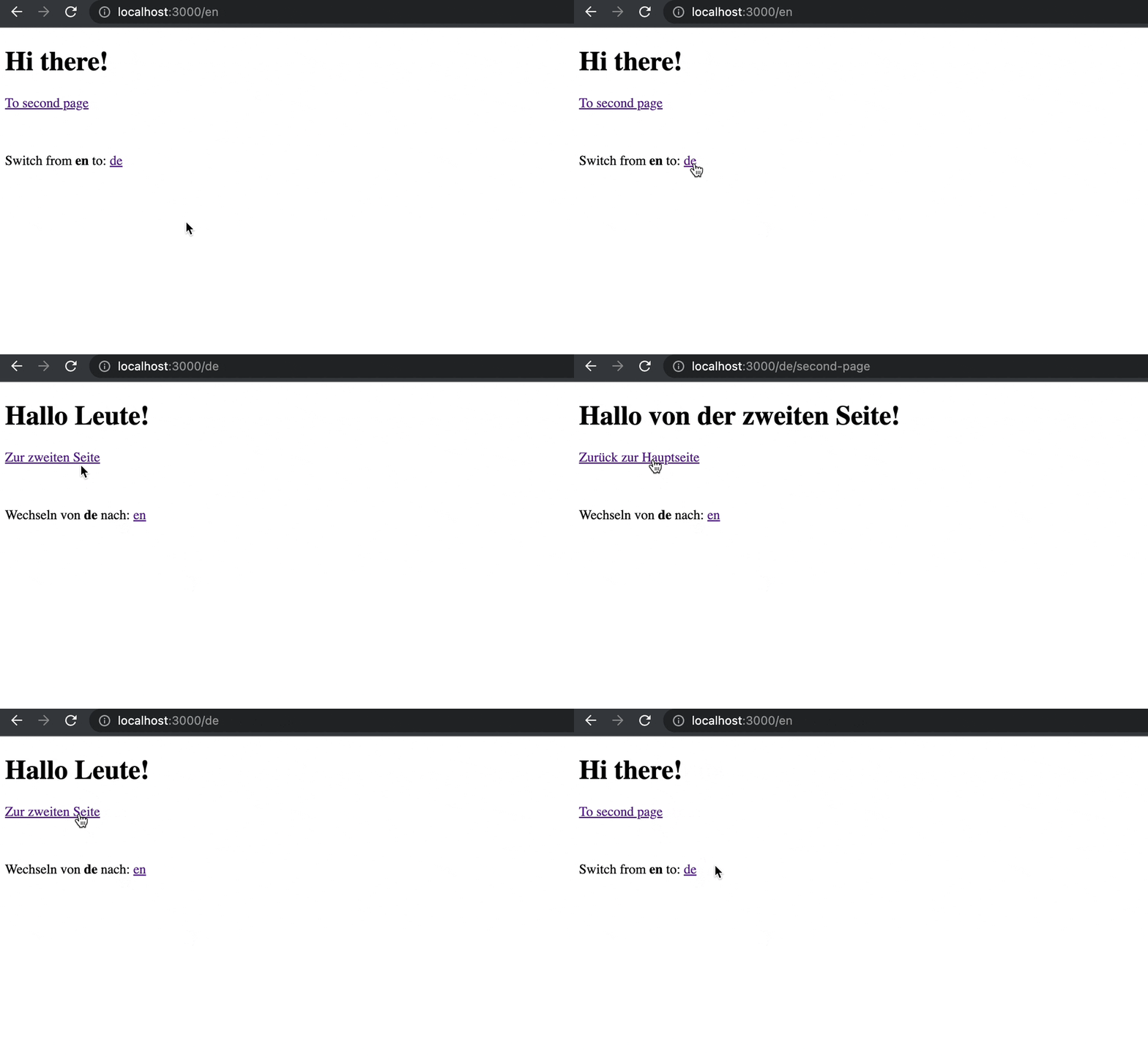 **🥳 Awesome, you've just created your first language switcher!** ### 5. Client side <a name="step-5"></a> So far we've created serverside pages only. <br /> So how does clientside pages look like? Since clientside react components can't `async` we need to do some adjustments. Let's introduce the `app/i18n/client.js` file: ```js 'use client' import i18next from 'i18next' import { initReactI18next, useTranslation as useTranslationOrg } from 'react-i18next' import resourcesToBackend from 'i18next-resources-to-backend' import { getOptions } from './settings' // i18next .use(initReactI18next) .use(resourcesToBackend((language, namespace) => import(`./locales/${language}/${namespace}.json`))) .init(getOptions()) export function useTranslation(lng, ns, options) { if (i18next.resolvedLanguage !== lng) i18next.changeLanguage(lng) return useTranslationOrg(ns, options) } ``` On clientside the normal i18next singleton is ok. It will be initialized just once. And we can make use of the "normal" useTranslation hook. We just wrap it to have the possibility to pass in the language. We also need to create 2 versions of the Footer component. ``` . └── app └── [lng] └── components └── Footer ├── client.js ├── FooterBase.js └── index.js ``` `app/[lng]/components/Footer/FooterBase.js`: ```js import Link from 'next/link' import { Trans } from 'react-i18next/TransWithoutContext' import { languages } from '../../../i18n/settings' export const FooterBase = ({ t, lng }) => { return ( <footer style={{ marginTop: 50 }}> <Trans i18nKey="languageSwitcher" t={t}> Switch from <strong>{{lng}}</strong> to:{' '} </Trans> {languages.filter((l) => lng !== l).map((l, index) => { return ( <span key={l}> {index > 0 && (' or ')} <Link href={`/${l}`}> {l} </Link> </span> ) })} </footer> ) } ``` The serverside part continuous to use the `async` version, `app/[lng]/components/Footer/index.js`: ```js import { useTranslation } from '../../../i18n' import { FooterBase } from './FooterBase' export const Footer = async ({ lng }) => { const { t } = await useTranslation(lng, 'footer') return <FooterBase t={t} lng={lng} /> } ``` The clientside part will use the new `i18n/client` version, `app/[lng]/components/Footer/client.js`: ```js 'use client' import { FooterBase } from './FooterBase' import { useTranslation } from '../../../i18n/client' export const Footer = ({ lng }) => { const { t } = useTranslation(lng, 'footer') return <FooterBase t={t} lng={lng} /> } ``` A clientside page could look like this - `app/[lng]/client-page/page.js`: ```js 'use client' import Link from 'next/link' import { useTranslation } from '../../i18n/client' import { Footer } from '../components/Footer/client' import { useState } from 'react' export default function Page({ params: { lng } }) { const { t } = useTranslation(lng, 'client-page') const [counter, setCounter] = useState(0) return ( <> <h1>{t('title')}</h1> <p>{t('counter', { count: counter })}</p> <div> <button onClick={() => setCounter(Math.max(0, counter - 1))}>-</button> <button onClick={() => setCounter(Math.min(10, counter + 1))}>+</button> </div> <Link href={`/${lng}`}> <button type="button"> {t('back-to-home')} </button> </Link> <Footer lng={lng} /> </> ) } ``` With some translation resources: `app/i18n/locales/en/client-page.json`: ```json { "title": "Client page", "counter_one": "one selected", "counter_other": "{{count}} selected", "counter_zero": "none selected", "back-to-home": "Back to home" } ``` `app/i18n/locales/de/client-page.json`: ```json { "title": "Client Seite", "counter_one": "eines ausgewählt", "counter_other": "{{count}} ausgewählt", "counter_zero": "keines ausgewählt", "back-to-home": "Zurück zur Hauptseite" } ``` And a link in our initial page - `app/[lng]/page.js`: ```js import Link from 'next/link' import { useTranslation } from '../i18n' import { Footer } from './components/Footer' export default async function Page({ params: { lng } }) { const { t } = await useTranslation(lng) return ( <> <h1>{t('title')}</h1> <Link href={`/${lng}/second-page`}> {t('to-second-page')} </Link> <br /> <Link href={`/${lng}/client-page`}> {t('to-client-page')} </Link> <Footer lng={lng}/> </> ) } ``` ...with translation resources: `app/i18n/locales/en/translation.json`: ```json { "title": "Hi there!", "to-second-page": "To second page", "to-client-page": "To client page" } ``` `app/i18n/locales/de/translation.json`: ```json { "title": "Hallo Leute!", "to-second-page": "Zur zweiten Seite", "to-client-page": "Zur clientseitigen Seite" } ``` **🎉🥳 Congratulations 🎊🎁** The result should look like this: 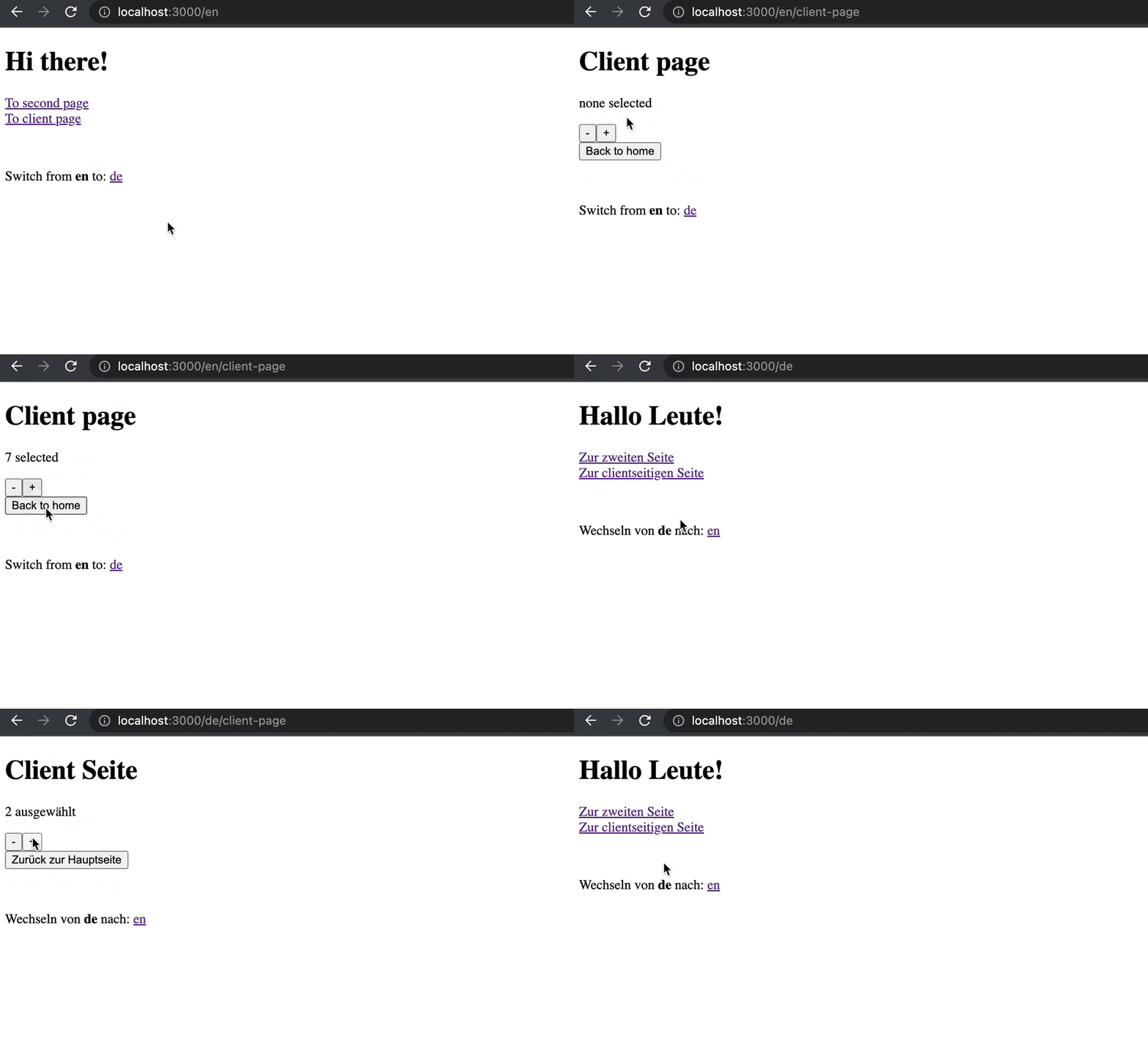 *🧑💻 The complete code of an example app can be found [here](https://github.com/i18next/next-13-app-dir-i18next-example).* ### 6. Bonus <a name="step-6"></a>  Connect to an awesome [translation management system](https://locize.com/blog/tms/) and manage your translations outside of your code. Let's synchronize the translation files with [locize](https://locize.com). This can be done on-demand or on the CI-Server or before deploying the app. #### What to do to reach this step: 1. in locize: signup at https://locize.app/register and [login](https://docs.locize.com/integration/getting-started/create-a-user-account) 2. in locize: [create a new project](https://docs.locize.com/integration/getting-started/add-a-new-project) 3. install the [locize-cli](https://github.com/locize/locize-cli) (`npm i locize-cli`) 4. in locize: add all your additional languages (this can also be done via [API](https://docs.locize.com/integration/api#add-new-language) or with using the [migrate command](https://github.com/i18next/next-13-app-dir-i18next-example/blob/main/package.json#L10) of the locize-cli) #### Use the [locize-cli](https://github.com/locize/locize-cli) Use the `locize download` command to always download the published locize translations to your local repository (`app/i18n/locales`) before bundling your app. *[example](https://github.com/i18next/next-13-app-dir-i18next-example/blob/main/package.json#L11)* Alternatively, you can also use the `locize sync` command to synchronize your local repository (`app/i18n/locales`) with what is published on locize. *[example](https://github.com/i18next/next-13-app-dir-i18next-example/blob/main/package.json#L12)* ## 🎉🥳 Congratulations 🎊🎁 <a name="congratulations"></a> I hope you’ve learned a few new things about i18n in the new app directory setup, [Next.js](https://nextjs.org), [i18next](https://www.i18next.com), [react-i18next](https://react.i18next.com), [react-i18next](https://react.i18next.com), [i18next-resources-to-backend](https://github.com/i18next/i18next-resources-to-backend) and [modern localization workflows](https://locize.com). So if you want to take your i18n topic to the next level, it's worth to try the [localization management platform - locize](https://locize.com). The founders of [locize](https://locize.com) are also the creators of [i18next](https://www.i18next.com). So with using [locize](https://locize.com) you directly support the future of [i18next](https://www.i18next.com). ## 👍 |
| json metadata | {"tags":["javascript","next","react","i18n"],"image":["https://dev-to-uploads.s3.amazonaws.com/uploads/articles/8bw6x9s91ar4eqgsefm4.jpg","https://dev-to-uploads.s3.amazonaws.com/uploads/articles/aqnqyhwtjlq9y1unur9c.gif","https://dev-to-uploads.s3.amazonaws.com/uploads/articles/vxn1hwrj06zkz0t57y0w.jpg","https://dev-to-uploads.s3.amazonaws.com/uploads/articles/md6kbw6hqcpzepoa6y1z.gif","https://dev-to-uploads.s3.amazonaws.com/uploads/articles/jx6motnf0sdoug55nxnn.gif","https://dev-to-uploads.s3.amazonaws.com/uploads/articles/te7dd46j5pr3nntg41y3.jpg"],"links":["https://nextjs.org/conf","https://vercel.com","https://nextjs.org/blog/next-13","https://beta.nextjs.org/docs/app-directory-roadmap","https://nextjs.org/blog/next-13#layouts","https://nextjs.org/blog/next-13#server-components","https://nextjs.org/blog/next-13#streaming","https://nextjs.org/blog/next-13#data-fetching","https://beta.nextjs.org/docs/app-directory-roadmap#not-planned-features","https://next.i18next.com","https://locize.com/blog/next-i18next/","https://locize.com/blog/next-i18n-static/","https://www.i18next.com","https://react.i18next.com","https://github.com/i18next/i18next-resources-to-backend","#step-1","#step-2","#step-3","#step-4","#step-5","#step-6","https://beta.nextjs.org/docs/routing/defining-routes#dynamic-segments","https://react.i18next.com/latest/trans-component","https://github.com/i18next/next-13-app-dir-i18next-example","https://locize.com/blog/tms/","https://locize.com","https://locize.app/register","https://docs.locize.com/integration/getting-started/create-a-user-account","https://docs.locize.com/integration/getting-started/add-a-new-project","https://github.com/locize/locize-cli","https://docs.locize.com/integration/api#add-new-language","https://github.com/i18next/next-13-app-dir-i18next-example/blob/main/package.json#L10","https://github.com/i18next/next-13-app-dir-i18next-example/blob/main/package.json#L11","https://github.com/i18next/next-13-app-dir-i18next-example/blob/main/package.json#L12","https://nextjs.org"],"app":"steemit/0.2","format":"markdown"} |
| Transaction Info | Block #70120528/Trx dc7c2464617bda633b9fa972b407beedc632cc57 |
View Raw JSON Data
{
"trx_id": "dc7c2464617bda633b9fa972b407beedc632cc57",
"block": 70120528,
"trx_in_block": 3,
"op_in_trx": 0,
"virtual_op": 0,
"timestamp": "2022-12-08T15:35:21",
"op": [
"comment",
{
"parent_author": "",
"parent_permlink": "javascript",
"author": "adrai",
"permlink": "i18n-with-next-js-13-and-app-directory",
"title": "i18n with Next.js 13 and app directory",
"body": "At [Next.js Conf](https://nextjs.org/conf), the [Vercel](https://vercel.com) team [announced Next.js 13](https://nextjs.org/blog/next-13) which introduced the new [app directory](https://beta.nextjs.org/docs/app-directory-roadmap).\n<br />\nIt includes support for [Layouts](https://nextjs.org/blog/next-13#layouts), [Server Components](https://nextjs.org/blog/next-13#server-components), [Streaming](https://nextjs.org/blog/next-13#streaming) and [Support for Data Fetching](https://nextjs.org/blog/next-13#data-fetching).\n\n> Awesome! **Next.js 13** has been [released](https://nextjs.org/blog/next-13)!\n<br />\nIt seems pretty fast and it lays the foundations to be dynamic without limits.\n\n## Afterthoughts...\n\nThis sounds good, but looking more into the app directory, it looks like this is a complete new Next.js setup... not really comparable to the old one...\n\n> What does this mean regarding i18n?\n\nLooking at the [docs](https://beta.nextjs.org/docs/app-directory-roadmap#not-planned-features) it seems our old approaches will no work anymore.\n\n\n\nNice features provided by [next-i18next](https://next.i18next.com) *(and other Next.js related i18n modules)*, like described [here](https://locize.com/blog/next-i18next/) and [here](https://locize.com/blog/next-i18n-static/) are not suited to this new app directory setup.\n\n## A new approach\n\nIn this section you'll see how we can internationalize the new app directory with the use of [i18next](https://www.i18next.com), [react-i18next](https://react.i18next.com) and [i18next-resources-to-backend](https://github.com/i18next/i18next-resources-to-backend).\n<br />\n`npm install i18next react-i18next i18next-resources-to-backend`\n\n1. [Folder structure](#step-1)\n2. [Language detection](#step-2)\n3. [i18n instrumentation](#step-3)\n4. [Language switcher](#step-4)\n5. [Client side](#step-5)\n6. [Bonus](#step-6)\n\n\n### 1. Folder structure <a name=\"step-1\"></a>\n\nLet's start by creating a new folder structure that uses the language as url parameter. A so called [dynamic segment](https://beta.nextjs.org/docs/routing/defining-routes#dynamic-segments):\n\n```\n.\n└── app\n └── [lng]\n ├── second-page\n | └── page.js\n ├── layout.js\n └── page.js\n```\n\nThe `app/[lng]/page.js` file could look like this:\n\n```js\nimport Link from 'next/link'\n\nexport default function Page({ params: { lng } }) {\n return (\n <>\n <h1>Hi there!</h1>\n <Link href={`/${lng}/second-page`}>\n second page\n </Link>\n </>\n )\n}\n```\n\nAnd the `app/[lng]/second-page/page.js` file could look like this:\n\n```js\nimport Link from 'next/link'\n\nexport default function Page({ params: { lng } }) {\n return (\n <>\n <h1>Hi from second page!</h1>\n <Link href={`/${lng}`}>\n back\n </Link>\n </>\n )\n}\n```\n\nLast the `app/[lng]/layout.js` file could look like this:\n\n```js\nimport { dir } from 'i18next'\n\nconst languages = ['en', 'de']\n\nexport async function generateStaticParams() {\n return languages.map((lng) => ({ lng }))\n}\n\nexport default function RootLayout({\n children,\n params: {\n lng\n }\n}) {\n return (\n <html lang={lng} dir={dir(lng)}>\n <head />\n <body>\n {children}\n </body>\n </html>\n )\n}\n```\n\n## 2. Language detection <a name=\"step-2\"></a>\n\nNow navigating to `http://localhost:3000/en` or `http://localhost:3000/de` should show something, and also the links to the second page and back should work, but navigating to `http://localhost:3000` will return a 404 error.\n<br />\nTo fix that we'll create a Next.js middleware and refactor a bit of code:\n\nLet's first create a new file `app/i18n/settings.js`:\n\n```js\nexport const fallbackLng = 'en'\nexport const languages = [fallbackLng, 'de']\n```\n\nThen adapt the `app/[lng]/layout.js` file:\n\n```js\nimport { dir } from 'i18next'\nimport { languages } from '../i18n/settings'\n\nexport async function generateStaticParams() {\n return languages.map((lng) => ({ lng }))\n}\n\nexport default function RootLayout({\n children,\n params: {\n lng\n }\n}) {\n return (\n <html lang={lng} dir={dir(lng)}>\n <head />\n <body>\n {children}\n </body>\n </html>\n )\n}\n```\n\nAnd finally create a `middleware.js` file:\n<br />\n`npm install accept-language`\n\n```js\nimport { NextResponse } from 'next/server'\nimport acceptLanguage from 'accept-language'\nimport { fallbackLng, languages } from './app/i18n/settings'\n\nacceptLanguage.languages(languages)\n\nexport const config = {\n matcher: '/:lng*'\n}\n\nconst cookieName = 'i18next'\n\nexport function middleware(req) {\n let lng\n if (req.cookies.has(cookieName)) lng = acceptLanguage.get(req.cookies.get(cookieName).value)\n if (!lng) lng = acceptLanguage.get(req.headers.get('Accept-Language'))\n if (!lng) lng = fallbackLng\n\n if (req.nextUrl.pathname === '/') {\n return NextResponse.redirect(new URL(`/${lng}`, req.url))\n }\n\n if (req.headers.has('referer')) {\n const refererUrl = new URL(req.headers.get('referer'))\n const lngInReferer = languages.find((l) => refererUrl.pathname.startsWith(`/${l}`))\n const response = NextResponse.next()\n if (lngInReferer) response.cookies.set(cookieName, lngInReferer)\n return response\n }\n\n return NextResponse.next()\n}\n```\n\n\n\nNavigating to the root path `/` will now check if there's already a cookie with the last chosen language, as fallback it will check the `Accept-Language` header and the last fallback is the defined fallback language.\n<br />\nThe detected language will be used to redirect to the appropriate page.\n\n\n## 3. i18n instrumentation <a name=\"step-3\"></a>\n\nLet's prepare i18next in the `app/i18n/index.js` file:\n<br />\nWe're not using the i18next singleton here but create a new instance on each `useTranslation` call, because during compilation everything seems to be executed in parallel. Having a separate instance will keep the translations consistent.\n\n```js\nimport { createInstance } from 'i18next'\nimport resourcesToBackend from 'i18next-resources-to-backend'\nimport { initReactI18next } from 'react-i18next/initReactI18next'\nimport { getOptions } from './settings'\n\nconst initI18next = async (lng, ns) => {\n const i18nInstance = createInstance()\n await i18nInstance\n .use(initReactI18next)\n .use(resourcesToBackend((language, namespace) => import(`./locales/${language}/${namespace}.json`)))\n .init(getOptions(lng, ns))\n return i18nInstance\n}\n\nexport async function useTranslation(lng, ns, options = {}) {\n const i18nextInstance = await initI18next(lng, ns)\n return {\n t: i18nextInstance.getFixedT(lng, Array.isArray(ns) ? ns[0] : ns, options.keyPrefix),\n i18n: i18nextInstance\n }\n}\n```\n\nIn the `app/i18n/settings.js` file we'll add the i18next options:\n<br />\n\n```js\nexport const fallbackLng = 'en'\nexport const languages = [fallbackLng, 'de']\nexport const defaultNS = 'translation'\n\nexport function getOptions (lng = fallbackLng, ns = defaultNS) {\n return {\n // debug: true,\n supportedLngs: languages,\n fallbackLng,\n lng,\n fallbackNS: defaultNS,\n defaultNS,\n ns\n }\n}\n```\n\nLet's prepare some translation files:\n\n```\n.\n└── app\n └── i18n\n └── locales\n ├── en\n | ├── translation.json\n | └── second-page.json\n └── de\n ├── translation.json\n └── second-page.json\n```\n\n`app/i18n/locales/en/translation.json`:\n```json\n{\n \"title\": \"Hi there!\",\n \"to-second-page\": \"To second page\"\n}\n```\n\n`app/i18n/locales/de/translation.json`:\n```json\n{\n \"title\": \"Hallo Leute!\",\n \"to-second-page\": \"Zur zweiten Seite\"\n}\n```\n\n`app/i18n/locales/en/second-page.json`:\n```json\n{\n \"title\": \"Hi from second page!\",\n \"back-to-home\": \"Back to home\"\n}\n```\n\n`app/i18n/locales/de/second-page.json`:\n```json\n{\n \"title\": \"Hallo von der zweiten Seite!\",\n \"back-to-home\": \"Zurück zur Hauptseite\"\n}\n```\n\n\nNow we're ready to use that in our pages...\n<br />\nServer pages can by `async` this way we can await the `useTranslation` response.\n\n`app/[lng]/page.js`:\n\n```js\nimport Link from 'next/link'\nimport { useTranslation } from '../i18n'\n\nexport default async function Page({ params: { lng } }) {\n const { t } = await useTranslation(lng)\n return (\n <>\n <h1>{t('title')}</h1>\n <Link href={`/${lng}/second-page`}>\n {t('to-second-page')}\n </Link>\n </>\n )\n}\n```\n\n`app/[lng]/second-page/page.js`:\n\n```js\nimport Link from 'next/link'\nimport { useTranslation } from '../../i18n'\n\nexport default async function Page({ params: { lng } }) {\n const { t } = await useTranslation(lng, 'second-page')\n return (\n <>\n <h1>{t('title')}</h1>\n <Link href={`/${lng}`}>\n {t('back-to-home')}\n </Link>\n </>\n )\n}\n```\n\n\n\n### 4. Language switcher <a name=\"step-4\"></a>\n\nNow let's define a language switcher in a Footer component:\n\n`app/[lng]/components/Footer/index.js`:\n\n```js\nimport Link from 'next/link'\nimport { Trans } from 'react-i18next/TransWithoutContext'\nimport { languages } from '../../../i18n/settings'\nimport { useTranslation } from '../../../i18n'\n\nexport const Footer = async ({ lng }) => {\n const { t } = await useTranslation(lng, 'footer')\n return (\n <footer style={{ marginTop: 50 }}>\n <Trans i18nKey=\"languageSwitcher\" t={t}>\n Switch from <strong>{{lng}}</strong> to:{' '}\n </Trans>\n {languages.filter((l) => lng !== l).map((l, index) => {\n return (\n <span key={l}>\n {index > 0 && (' or ')}\n <Link href={`/${l}`}>\n {l}\n </Link>\n </span>\n )\n })}\n </footer>\n )\n}\n```\n\nYou see we can also use the [react-i18next Trans component](https://react.i18next.com/latest/trans-component).\n\nA new namespace:\n\n`app/i18n/locales/en/footer.json`:\n\n```json\n{\n \"languageSwitcher\": \"Switch from <1>{{lng}}</1> to: \"\n}\n```\n\n`app/i18n/locales/de/footer.json`:\n\n```json\n{\n \"languageSwitcher\": \"Wechseln von <1>{{lng}}</1> nach: \"\n}\n```\n\nAnd add that Footer component to the pages:\n\n`app/[lng]/page.js`:\n\n```js\nimport Link from 'next/link'\nimport { useTranslation } from '../i18n'\nimport { Footer } from './components/Footer'\n\nexport default async function Page({ params: { lng } }) {\n const { t } = await useTranslation(lng)\n return (\n <>\n <h1>{t('title')}</h1>\n <Link href={`/${lng}/second-page`}>\n {t('to-second-page')}\n </Link>\n <Footer lng={lng}/>\n </>\n )\n}\n```\n\n`app/[lng]/second-page/page.js`:\n\n```js\nimport Link from 'next/link'\nimport { useTranslation } from '../../i18n'\nimport { Footer } from '../components/Footer'\n\nexport default async function Page({ params: { lng } }) {\n const { t } = await useTranslation(lng, 'second-page')\n return (\n <>\n <h1>{t('title')}</h1>\n <Link href={`/${lng}`}>\n {t('back-to-home')}\n </Link>\n <Footer lng={lng}/>\n </>\n )\n}\n```\n\n\n\n**🥳 Awesome, you've just created your first language switcher!**\n\n\n### 5. Client side <a name=\"step-5\"></a>\n\nSo far we've created serverside pages only.\n<br />\nSo how does clientside pages look like?\n\nSince clientside react components can't `async` we need to do some adjustments.\n\n\nLet's introduce the `app/i18n/client.js` file:\n\n```js\n'use client'\n\nimport i18next from 'i18next'\nimport { initReactI18next, useTranslation as useTranslationOrg } from 'react-i18next'\nimport resourcesToBackend from 'i18next-resources-to-backend'\nimport { getOptions } from './settings'\n\n// \ni18next\n .use(initReactI18next)\n .use(resourcesToBackend((language, namespace) => import(`./locales/${language}/${namespace}.json`)))\n .init(getOptions())\n\nexport function useTranslation(lng, ns, options) {\n if (i18next.resolvedLanguage !== lng) i18next.changeLanguage(lng)\n return useTranslationOrg(ns, options)\n}\n```\n\nOn clientside the normal i18next singleton is ok. It will be initialized just once. And we can make use of the \"normal\" useTranslation hook. We just wrap it to have the possibility to pass in the language.\n\nWe also need to create 2 versions of the Footer component.\n\n\n```\n.\n└── app\n └── [lng]\n └── components\n └── Footer\n ├── client.js\n ├── FooterBase.js\n └── index.js\n```\n\n`app/[lng]/components/Footer/FooterBase.js`:\n\n```js\nimport Link from 'next/link'\nimport { Trans } from 'react-i18next/TransWithoutContext'\nimport { languages } from '../../../i18n/settings'\n\nexport const FooterBase = ({ t, lng }) => {\n return (\n <footer style={{ marginTop: 50 }}>\n <Trans i18nKey=\"languageSwitcher\" t={t}>\n Switch from <strong>{{lng}}</strong> to:{' '}\n </Trans>\n {languages.filter((l) => lng !== l).map((l, index) => {\n return (\n <span key={l}>\n {index > 0 && (' or ')}\n <Link href={`/${l}`}>\n {l}\n </Link>\n </span>\n )\n })}\n </footer>\n )\n}\n```\n\nThe serverside part continuous to use the `async` version, `app/[lng]/components/Footer/index.js`:\n\n```js\nimport { useTranslation } from '../../../i18n'\nimport { FooterBase } from './FooterBase'\n\nexport const Footer = async ({ lng }) => {\n const { t } = await useTranslation(lng, 'footer')\n return <FooterBase t={t} lng={lng} />\n}\n```\n\nThe clientside part will use the new `i18n/client` version, `app/[lng]/components/Footer/client.js`:\n\n```js\n'use client'\n\nimport { FooterBase } from './FooterBase'\nimport { useTranslation } from '../../../i18n/client'\n\nexport const Footer = ({ lng }) => {\n const { t } = useTranslation(lng, 'footer')\n return <FooterBase t={t} lng={lng} />\n}\n```\n\nA clientside page could look like this - `app/[lng]/client-page/page.js`:\n\n```js\n'use client'\n\nimport Link from 'next/link'\nimport { useTranslation } from '../../i18n/client'\nimport { Footer } from '../components/Footer/client'\nimport { useState } from 'react'\n\nexport default function Page({ params: { lng } }) {\n const { t } = useTranslation(lng, 'client-page')\n const [counter, setCounter] = useState(0)\n return (\n <>\n <h1>{t('title')}</h1>\n <p>{t('counter', { count: counter })}</p>\n <div>\n <button onClick={() => setCounter(Math.max(0, counter - 1))}>-</button>\n <button onClick={() => setCounter(Math.min(10, counter + 1))}>+</button>\n </div>\n <Link href={`/${lng}`}>\n <button type=\"button\">\n {t('back-to-home')}\n </button>\n </Link>\n <Footer lng={lng} />\n </>\n )\n}\n```\n\nWith some translation resources:\n\n`app/i18n/locales/en/client-page.json`:\n\n```json\n{\n \"title\": \"Client page\",\n \"counter_one\": \"one selected\",\n \"counter_other\": \"{{count}} selected\",\n \"counter_zero\": \"none selected\",\n \"back-to-home\": \"Back to home\"\n}\n```\n\n`app/i18n/locales/de/client-page.json`:\n\n```json\n{\n \"title\": \"Client Seite\",\n \"counter_one\": \"eines ausgewählt\",\n \"counter_other\": \"{{count}} ausgewählt\",\n \"counter_zero\": \"keines ausgewählt\",\n \"back-to-home\": \"Zurück zur Hauptseite\"\n}\n```\n\nAnd a link in our initial page - `app/[lng]/page.js`:\n\n```js\nimport Link from 'next/link'\nimport { useTranslation } from '../i18n'\nimport { Footer } from './components/Footer'\n\nexport default async function Page({ params: { lng } }) {\n const { t } = await useTranslation(lng)\n return (\n <>\n <h1>{t('title')}</h1>\n <Link href={`/${lng}/second-page`}>\n {t('to-second-page')}\n </Link>\n <br />\n <Link href={`/${lng}/client-page`}>\n {t('to-client-page')}\n </Link>\n <Footer lng={lng}/>\n </>\n )\n}\n```\n\n...with translation resources:\n\n`app/i18n/locales/en/translation.json`:\n```json\n{\n \"title\": \"Hi there!\",\n \"to-second-page\": \"To second page\",\n \"to-client-page\": \"To client page\"\n}\n```\n\n`app/i18n/locales/de/translation.json`:\n```json\n{\n \"title\": \"Hallo Leute!\",\n \"to-second-page\": \"Zur zweiten Seite\",\n \"to-client-page\": \"Zur clientseitigen Seite\"\n}\n```\n\n**🎉🥳 Congratulations 🎊🎁**\n\n\nThe result should look like this:\n\n\n\n*🧑💻 The complete code of an example app can be found [here](https://github.com/i18next/next-13-app-dir-i18next-example).*\n\n\n### 6. Bonus <a name=\"step-6\"></a>\n\n\n\nConnect to an awesome [translation management system](https://locize.com/blog/tms/) and manage your translations outside of your code.\n\nLet's synchronize the translation files with [locize](https://locize.com).\nThis can be done on-demand or on the CI-Server or before deploying the app.\n\n#### What to do to reach this step:\n1. in locize: signup at https://locize.app/register and [login](https://docs.locize.com/integration/getting-started/create-a-user-account)\n2. in locize: [create a new project](https://docs.locize.com/integration/getting-started/add-a-new-project)\n3. install the [locize-cli](https://github.com/locize/locize-cli) (`npm i locize-cli`)\n4. in locize: add all your additional languages (this can also be done via [API](https://docs.locize.com/integration/api#add-new-language) or with using the [migrate command](https://github.com/i18next/next-13-app-dir-i18next-example/blob/main/package.json#L10) of the locize-cli)\n\n#### Use the [locize-cli](https://github.com/locize/locize-cli)\nUse the `locize download` command to always download the published locize translations to your local repository (`app/i18n/locales`) before bundling your app. *[example](https://github.com/i18next/next-13-app-dir-i18next-example/blob/main/package.json#L11)*\n\nAlternatively, you can also use the `locize sync` command to synchronize your local repository (`app/i18n/locales`) with what is published on locize. *[example](https://github.com/i18next/next-13-app-dir-i18next-example/blob/main/package.json#L12)*\n\n\n## 🎉🥳 Congratulations 🎊🎁 <a name=\"congratulations\"></a>\n\nI hope you’ve learned a few new things about i18n in the new app directory setup, [Next.js](https://nextjs.org), [i18next](https://www.i18next.com), [react-i18next](https://react.i18next.com), [react-i18next](https://react.i18next.com), [i18next-resources-to-backend](https://github.com/i18next/i18next-resources-to-backend) and [modern localization workflows](https://locize.com).\n\nSo if you want to take your i18n topic to the next level, it's worth to try the [localization management platform - locize](https://locize.com).\n\nThe founders of [locize](https://locize.com) are also the creators of [i18next](https://www.i18next.com). So with using [locize](https://locize.com) you directly support the future of [i18next](https://www.i18next.com).\n\n## 👍",
"json_metadata": "{\"tags\":[\"javascript\",\"next\",\"react\",\"i18n\"],\"image\":[\"https://dev-to-uploads.s3.amazonaws.com/uploads/articles/8bw6x9s91ar4eqgsefm4.jpg\",\"https://dev-to-uploads.s3.amazonaws.com/uploads/articles/aqnqyhwtjlq9y1unur9c.gif\",\"https://dev-to-uploads.s3.amazonaws.com/uploads/articles/vxn1hwrj06zkz0t57y0w.jpg\",\"https://dev-to-uploads.s3.amazonaws.com/uploads/articles/md6kbw6hqcpzepoa6y1z.gif\",\"https://dev-to-uploads.s3.amazonaws.com/uploads/articles/jx6motnf0sdoug55nxnn.gif\",\"https://dev-to-uploads.s3.amazonaws.com/uploads/articles/te7dd46j5pr3nntg41y3.jpg\"],\"links\":[\"https://nextjs.org/conf\",\"https://vercel.com\",\"https://nextjs.org/blog/next-13\",\"https://beta.nextjs.org/docs/app-directory-roadmap\",\"https://nextjs.org/blog/next-13#layouts\",\"https://nextjs.org/blog/next-13#server-components\",\"https://nextjs.org/blog/next-13#streaming\",\"https://nextjs.org/blog/next-13#data-fetching\",\"https://beta.nextjs.org/docs/app-directory-roadmap#not-planned-features\",\"https://next.i18next.com\",\"https://locize.com/blog/next-i18next/\",\"https://locize.com/blog/next-i18n-static/\",\"https://www.i18next.com\",\"https://react.i18next.com\",\"https://github.com/i18next/i18next-resources-to-backend\",\"#step-1\",\"#step-2\",\"#step-3\",\"#step-4\",\"#step-5\",\"#step-6\",\"https://beta.nextjs.org/docs/routing/defining-routes#dynamic-segments\",\"https://react.i18next.com/latest/trans-component\",\"https://github.com/i18next/next-13-app-dir-i18next-example\",\"https://locize.com/blog/tms/\",\"https://locize.com\",\"https://locize.app/register\",\"https://docs.locize.com/integration/getting-started/create-a-user-account\",\"https://docs.locize.com/integration/getting-started/add-a-new-project\",\"https://github.com/locize/locize-cli\",\"https://docs.locize.com/integration/api#add-new-language\",\"https://github.com/i18next/next-13-app-dir-i18next-example/blob/main/package.json#L10\",\"https://github.com/i18next/next-13-app-dir-i18next-example/blob/main/package.json#L11\",\"https://github.com/i18next/next-13-app-dir-i18next-example/blob/main/package.json#L12\",\"https://nextjs.org\"],\"app\":\"steemit/0.2\",\"format\":\"markdown\"}"
}
]
}alexmove.witnesssent 0.001 STEEM to @adrai- "Please support me @alexmove.witness as witness on site https://steemitwallet.com/~witnesses. I send daily Witness vote STEEM reward and voted for some posts of those who voted. Your vote is very impor..."2022/09/21 13:37:06
alexmove.witnesssent 0.001 STEEM to @adrai- "Please support me @alexmove.witness as witness on site https://steemitwallet.com/~witnesses. I send daily Witness vote STEEM reward and voted for some posts of those who voted. Your vote is very impor..."
2022/09/21 13:37:06
| from | alexmove.witness |
| to | adrai |
| amount | 0.001 STEEM |
| memo | Please support me @alexmove.witness as witness on site https://steemitwallet.com/~witnesses. I send daily Witness vote STEEM reward and voted for some posts of those who voted. Your vote is very important to me, adrai! Good luck! 20220921 |
| Transaction Info | Block #67883394/Trx 95d476652bb9d4cd79e4961df6f8701589aaa632 |
View Raw JSON Data
{
  "trx_id": "95d476652bb9d4cd79e4961df6f8701589aaa632",
  "block": 67883394,
  "trx_in_block": 8,
  "op_in_trx": 0,
  "virtual_op": 0,
  "timestamp": "2022-09-21T13:37:06",
  "op": [
    "transfer",
    {
      "from": "alexmove.witness",
      "to": "adrai",
      "amount": "0.001 STEEM",
      "memo": "Please support me @alexmove.witness as witness on site https://steemitwallet.com/~witnesses. I send daily Witness vote STEEM reward and voted for some posts of those who voted. Your vote is very important to me, adrai! Good luck! 20220921"
    }
  ]
}billshiphrreplied to @adrai / rgwq6h2022/08/20 09:25:30
billshiphrreplied to @adrai / rgwq6h
2022/08/20 09:25:30
| parent author | adrai |
| parent permlink | translate-my-website-please |
| author | billshiphr |
| permlink | rgwq6h |
| title | |
| body | You're right, but I can say it's not impossible. I manged to find <a href="https://circletranslations.com/content/technical-translation-agency">circle translations technical translation services</a> not so long ago, but these specialists served all my needs pretty fast, so I think if you're looking for something reliable, you have to check them out, you won't regret it for sure. And they provide many services, so you'll definitely find them useful. |
| json metadata | {"links":["https://circletranslations.com/content/technical-translation-agency"],"app":"steemit/0.2"} |
| Transaction Info | Block #66963908/Trx 387a0ff59d501c513d61ee2062631b37abe0efad |
View Raw JSON Data
{
  "trx_id": "387a0ff59d501c513d61ee2062631b37abe0efad",
  "block": 66963908,
  "trx_in_block": 1,
  "op_in_trx": 0,
  "virtual_op": 0,
  "timestamp": "2022-08-20T09:25:30",
  "op": [
    "comment",
    {
      "parent_author": "adrai",
      "parent_permlink": "translate-my-website-please",
      "author": "billshiphr",
      "permlink": "rgwq6h",
      "title": "",
      "body": "You're right, but I can say it's not impossible. I manged to find <a href=\"https://circletranslations.com/content/technical-translation-agency\">circle translations technical translation services</a> not so long ago, but these specialists served all my needs pretty fast, so I think if you're looking for something reliable, you have to check them out, you won't regret it for sure. And they provide many services, so you'll definitely find them useful.",
      "json_metadata": "{\"links\":[\"https://circletranslations.com/content/technical-translation-agency\"],\"app\":\"steemit/0.2\"}"
    }
  ]
}2022/08/20 09:13:03
2022/08/20 09:13:03
| parent author | adrai |
| parent permlink | translate-my-website-please |
| author | bilanio |
| permlink | rgwplq |
| title | |
| body | I can say that I still haven't managed to discover a reliable agency to work with because it's hard to find a reliable one. |
| json metadata | {"app":"steemit/0.2"} |
| Transaction Info | Block #66963660/Trx 08279d56a6e7e70313df278fe772f409b6de5d76 |
View Raw JSON Data
{
  "trx_id": "08279d56a6e7e70313df278fe772f409b6de5d76",
  "block": 66963660,
  "trx_in_block": 3,
  "op_in_trx": 0,
  "virtual_op": 0,
  "timestamp": "2022-08-20T09:13:03",
  "op": [
    "comment",
    {
      "parent_author": "adrai",
      "parent_permlink": "translate-my-website-please",
      "author": "bilanio",
      "permlink": "rgwplq",
      "title": "",
      "body": "I can say that I still haven't managed to discover a reliable agency to work with because it's hard to find a reliable one.",
      "json_metadata": "{\"app\":\"steemit/0.2\"}"
    }
  ]
}gruntprimeupvoted (100.00%) @adrai / best-internationalization-for-gatsby2022/08/09 13:16:42
gruntprimeupvoted (100.00%) @adrai / best-internationalization-for-gatsby
2022/08/09 13:16:42
| voter | gruntprime |
| author | adrai |
| permlink | best-internationalization-for-gatsby |
| weight | 10000 (100.00%) |
| Transaction Info | Block #66653886/Trx 9c024c385aa1ae0bf18b9401a581fa794e6f7f9e |
View Raw JSON Data
{
  "trx_id": "9c024c385aa1ae0bf18b9401a581fa794e6f7f9e",
  "block": 66653886,
  "trx_in_block": 3,
  "op_in_trx": 0,
  "virtual_op": 0,
  "timestamp": "2022-08-09T13:16:42",
  "op": [
    "vote",
    {
      "voter": "gruntprime",
      "author": "adrai",
      "permlink": "best-internationalization-for-gatsby",
      "weight": 10000
    }
  ]
}gruntupvoted (100.00%) @adrai / best-internationalization-for-gatsby2022/08/09 13:16:09
gruntupvoted (100.00%) @adrai / best-internationalization-for-gatsby
2022/08/09 13:16:09
| voter | grunt |
| author | adrai |
| permlink | best-internationalization-for-gatsby |
| weight | 10000 (100.00%) |
| Transaction Info | Block #66653875/Trx ce40256d96de1e0ef447326ab7fed1d98b845ea7 |
View Raw JSON Data
{
  "trx_id": "ce40256d96de1e0ef447326ab7fed1d98b845ea7",
  "block": 66653875,
  "trx_in_block": 5,
  "op_in_trx": 0,
  "virtual_op": 0,
  "timestamp": "2022-08-09T13:16:09",
  "op": [
    "vote",
    {
      "voter": "grunt",
      "author": "adrai",
      "permlink": "best-internationalization-for-gatsby",
      "weight": 10000
    }
  ]
}gruntalphaupvoted (100.00%) @adrai / best-internationalization-for-gatsby2022/08/09 13:15:36
gruntalphaupvoted (100.00%) @adrai / best-internationalization-for-gatsby
2022/08/09 13:15:36
| voter | gruntalpha |
| author | adrai |
| permlink | best-internationalization-for-gatsby |
| weight | 10000 (100.00%) |
| Transaction Info | Block #66653864/Trx 37e29f84c2c230f22f11d4765bd05eb19b2a60ec |
View Raw JSON Data
{
  "trx_id": "37e29f84c2c230f22f11d4765bd05eb19b2a60ec",
  "block": 66653864,
  "trx_in_block": 6,
  "op_in_trx": 0,
  "virtual_op": 0,
  "timestamp": "2022-08-09T13:15:36",
  "op": [
    "vote",
    {
      "voter": "gruntalpha",
      "author": "adrai",
      "permlink": "best-internationalization-for-gatsby",
      "weight": 10000
    }
  ]
}adraipublished a new post: best-internationalization-for-gatsby2022/08/09 13:11:21
adraipublished a new post: best-internationalization-for-gatsby
2022/08/09 13:11:21
| parent author | |
| parent permlink | javascript |
| author | adrai |
| permlink | best-internationalization-for-gatsby |
| title | Best internationalization for Gatsby |
| body |  You know [Gatsby](https://www.gatsbyjs.com), right? - If not, stop reading this article and make something else. Yes, Gatsby the an open-source framework that combines functionality from React, GraphQL and Webpack into a single tool for building static websites and apps. > But how does internationalization (i18n) looks like in Gatsby? There are some plugins/libraries that may help instrumenting the Gatsby code for internationalization. In this article we will use a plugin based on the famous i18n framework [i18next](https://www.i18next.com), respectively its great extension for [React.js](https://reactjs.org) - [react-i18next](https://react.i18next.com). <br /> The Gatsby plugin we're using is [gatsby-plugin-react-i18next](https://github.com/microapps/gatsby-plugin-react-i18next) created by [Dmitriy Nevzorov](https://twitter.com/nevzorov_d). ## TOC * [So first of all: "Why i18next?"](#why-i18next) * [Let's get into it...](#start) - [Prerequisites](#prerequisites) - [Getting started](#getting-started) - [Language Switcher](#language-switcher) - [Internationalized links](#i18n-link) - [Interpolation and Pluralization](#interpolation-pluralization) - [Formatting](#formatting) - [Context](#context) - [Key extraction](#extract) - [For sure!](#for-sure) - [How does this look like?](#how-look) - [👀 but there's more... (InContext Editor)](#more) * [🎉🥳 Congratulations 🎊🎁](#congratulations) # So first of all: "Why i18next?" <a name="why-i18next"></a> When it comes to React localization. One of the most popular i18n framework is [i18next](https://www.i18next.com) with it's react extension [react-i18next](https://react.i18next.com), and for good reasons: *i18next was created in late 2011. It's older than most of the libraries you will use nowadays, including your main frontend technology (react, vue, ...).* **➡️ sustainable** *Based on how long i18next already is available open source, there is no real i18n case that could not be solved with i18next.* **➡️ mature** *i18next can be used in any javascript (and a few non-javascript - .net, elm, iOS, android, ruby, ...) environment, with any UI framework, with any i18n format, ... [the possibilities are endless](https://www.i18next.com/overview/supported-frameworks).* **➡️ extensible** *There is a plenty of features and possibilities you'll get with i18next compared to other regular i18n frameworks.* **➡️ rich** [Here](https://www.i18next.com/overview/comparison-to-others) you can find more information about why i18next is special and [how it works](https://locize.com/i18next.html#how-does-i18next-work). # Let's get into it... <a name="start"></a> ## Prerequisites <a name="prerequisites"></a> Make sure you have Node.js and npm installed. It's best, if you have some experience with simple HTML, JavaScript, React.js and basic Gatsby, before jumping to [gatsby-plugin-react-i18next](https://github.com/microapps/gatsby-plugin-react-i18next). This Gatsby localization example is not intended to be a Gatsby or React beginner tutorial. ## Getting started <a name="getting-started"></a> Take your own Gatsby project or create a new one, i.e. with the [gatsby-cli](https://www.gatsbyjs.com/docs/reference/gatsby-cli/#new). `npx gatsby-cli new` We will create a language switcher to make the content change between different languages. Let's install some i18next dependencies: - [gatsby-plugin-react-i18next](https://github.com/microapps/gatsby-plugin-react-i18next) - [i18next](https://www.i18next.com) - [react-i18next](https://react.i18next.com) `npm install gatsby-plugin-react-i18next i18next react-i18next` Create a `locales` directory and add a subfolder for your default/reference language (i.e. `en` for English). <br /> There we will then add our namespace files, like: ``` |-- en |-- common.json |-- index.json ``` Let's add a `languages.js` file: ```javascript const { join } = require('path') const { readdirSync, lstatSync } = require('fs') const defaultLanguage = 'en'; // based on the directories get the language codes const languages = readdirSync(join(__dirname, 'locales')).filter((fileName) => { const joinedPath = join(join(__dirname, 'locales'), fileName) const isDirectory = lstatSync(joinedPath).isDirectory() return isDirectory }); // defaultLanguage as first languages.splice(languages.indexOf(defaultLanguage), 1); languages.unshift(defaultLanguage); module.exports = { languages, defaultLanguage, }; ``` Import the `languages.js` file in the `gatsby-config.js` file and configure some plugins: ```javascript const { languages, defaultLanguage } = require('./languages'); // somewhere in your plugins add: module.exports = { // ... plugins: [ { resolve: `gatsby-source-filesystem`, options: { path: `${__dirname}/locales`, name: `locale` } }, { resolve: 'gatsby-plugin-react-i18next', options: { languages, defaultLanguage, siteUrl, i18nextOptions: { // debug: true, fallbackLng: defaultLanguage, supportedLngs: languages, defaultNS: 'common', interpolation: { escapeValue: false, // not needed for react as it escapes by default } }, }, }, // ... ] } ``` Now let's start to instrument our first internationalized text. <br /> Since [gatsby-plugin-react-i18next](https://github.com/microapps/gatsby-plugin-react-i18next) is exporting all methods and components of [react-i18next](https://react.i18next.com), we can do this: <br /> In a page file: ```javascript import { Trans, useTranslation } from 'gatsby-plugin-react-i18next'; import { graphql } from 'gatsby'; import React from 'react'; // ... const IndexPage = () => { const { t } = useTranslation(); return ( <Layout> <Seo title={t('seo')} /> <h1> <Trans i18nKey="title">Hi people</Trans> </h1> { /* ... */} </Layout> ) } export default IndexPage; export const query = graphql` query ($language: String!) { locales: allLocale( filter: { ns: { in: ["index"] }, language: { eq: $language } } ) { edges { node { ns data language } } } } `; ``` Now also define an `locales/en/index.json` namespace file, like this: ```json { "seo": "Home", "title": "Hi people" } ``` And maybe also another one for German? `locales/de/index.json`: ```json { "seo": "Startseite", "title": "Hallo Leute" } ``` ## Language Switcher <a name="language-switcher"></a> To be able to switch between different languages, we need a language switcher: ```javascript import { Link, useI18next } from 'gatsby-plugin-react-i18next'; import React from 'react'; const Header = ({ siteTitle }) => { const { languages, originalPath, t, i18n } = useI18next(); return ( <header className="main-header"> {/* ... */} <ul className="languages"> {languages.map((lng) => ( <li key={lng}> <Link to={originalPath} language={lng} style={{ textDecoration: i18n.resolvedLanguage === lng ? 'underline' : 'none' }}> {lng} </Link> </li> ))} </ul> </header> ); }; export default Header; ``` You should now see something like this: 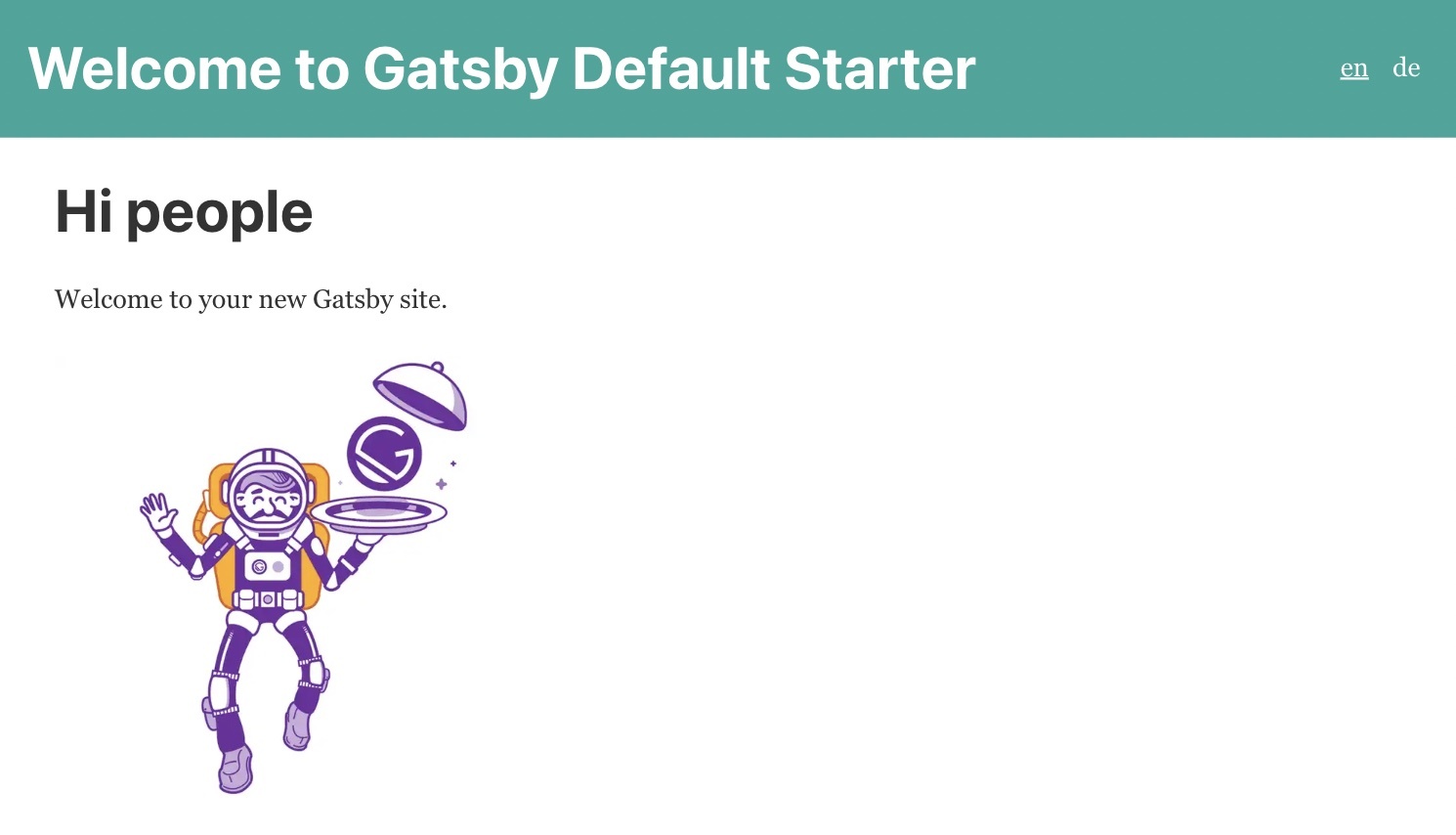 By default, on first load, [gatsby-plugin-react-i18next](https://github.com/microapps/gatsby-plugin-react-i18next) will fallback to the `defaultLanguage` if the browser's detected language is not included in the array of `languages`. If you want to fallback to a different language in the `languages` array, you can set the `fallbackLanguage` option. Now switching to `de` (German) should also work: 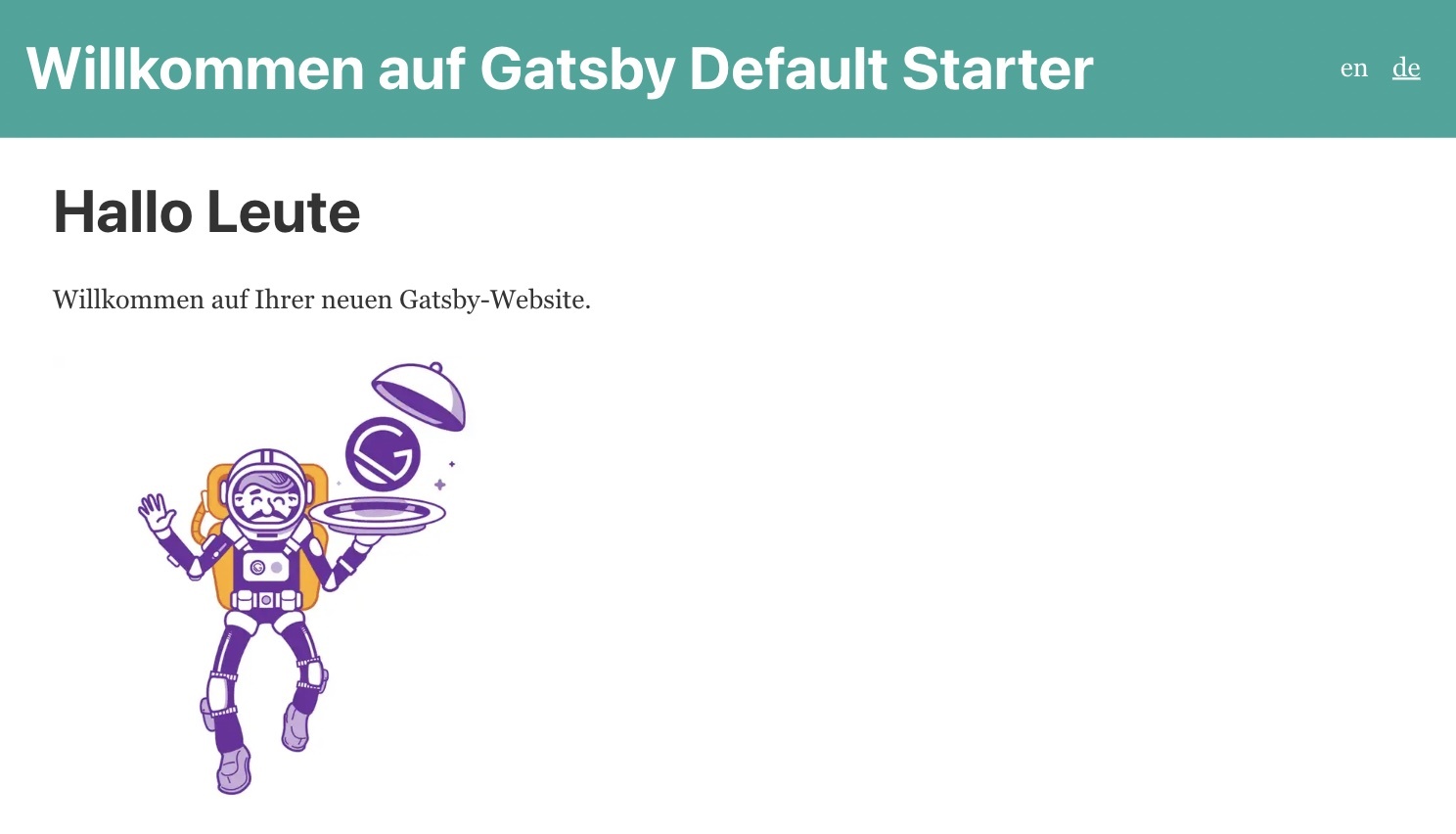 **🥳 Awesome, you've just created your first language switcher!** ## Internationalized links <a name="i18n-link"></a> Let's create a second page... ```javascript import { graphql } from 'gatsby'; import React, { useState } from 'react'; import Layout from '../components/layout'; import { useTranslation } from 'gatsby-plugin-react-i18next'; const SecondPage = (props) => { const { t } = useTranslation(); const [count, setCounter] = useState(0); return ( <Layout> <Seo title={t('title')} /> <h1> <Trans i18nKey="title">Page two</Trans> </h1> <p> <Trans i18nKey="welcome">Welcome to page 2</Trans> ({props.path}) </p> {/* ... */} </Layout> ); }; export default SecondPage; export const query = graphql` query ($language: String!) { locales: allLocale( filter: { ns: { in: ["page-2"] }, language: { eq: $language } } ) { edges { node { ns data language } } } } `; ``` A new namespace:<br />`locales/en/page-2.json` ```json { "title": "Page two", "welcome": "Welcome to page 2" } ``` `locales/de/page-2.json` ```json { "title": "Seite zwei", "welcome": "Willkommen auf Seite 2" } ``` ...and link to that page from the first one: ```javascript import { Link, Trans, useTranslation } from 'gatsby-plugin-react-i18next'; import { graphql } from 'gatsby'; import React from 'react'; // ... const IndexPage = () => { const { t } = useTranslation(); return ( <Layout> <Seo title={t('seo')} /> <h1> <Trans i18nKey="title">Hi people</Trans> </h1> { /* ... */} <p> <Link to="/page-2/"> <Trans i18nKey="goToPage2">Go to page 2</Trans> </Link> </p> </Layout> ) } export default IndexPage; export const query = graphql` query ($language: String!) { locales: allLocale( filter: { ns: { in: ["index"] }, language: { eq: $language } } ) { edges { node { ns data language } } } } `; ``` A new translation key for `locales/en/index.json`: ```json { "seo": "Home", "title": "Hi people", "goToPage2": "Go to page 2" } ``` `locales/de/index.json`: ```json { "seo": "Startseite", "title": "Hallo Leute", "goToPage2": "Gehen Sie zu Seite 2" } ``` The `Link` component exported from `gatsby-plugin-react-i18next`automatically links to the correct language. <br /> The `Link` component is identical to Gatsby Link component except that you can provide additional language prop to create a link to a page with different language. ## Interpolation and Pluralization <a name="interpolation-pluralization"></a> i18next goes beyond just providing the standard i18n features. But for sure it's able to handle [plurals](https://www.i18next.com/translation-function/plurals) and [interpolation](https://www.i18next.com/translation-function/interpolation). Let's count each time a button gets clicked: ```javascript import { graphql } from 'gatsby'; import React, { useState } from 'react'; import Layout from '../components/layout'; import { useTranslation } from 'gatsby-plugin-react-i18next'; const SecondPage = (props) => { const { t } = useTranslation(); const [count, setCounter] = useState(0); return ( <Layout> <Seo title={t('title')} /> <h1> <Trans i18nKey="title">Page two</Trans> </h1> <p> <Trans i18nKey="welcome">Welcome to page 2</Trans> ({props.path}) </p> <p> <button onClick={() => { setCounter(count + 1); }}>{ t('counter', { count }) }</button> </p> {/* ... */} </Layout> ); }; export default SecondPage; export const query = graphql` query ($language: String!) { locales: allLocale( filter: { ns: { in: ["page-2"] }, language: { eq: $language } } ) { edges { node { ns data language } } } } `; ``` ...and extending the translation resources:<br />`locales/en/page-2.json` ```json { "title": "Page two", "welcome": "Welcome to page 2", "counter_one": "clicked one time", "counter_other": "clicked {{count}} time", "counter_zero": "Click me!" } ``` `locales/de/page-2.json` ```json { "title": "Seite zwei", "welcome": "Willkommen auf Seite 2", "counter_one": "einmal angeklickt", "counter_other": "{{count}} Mal geklickt", "counter_zero": "Klick mich!" } ``` Based on the count value i18next will choose the correct plural form. i18next provides also the ability to have special translation for `{count: 0}`, so that a more natural language can be used. If the `count` is `0`, and a `_zero` entry is present, then it will be used instead of the regular language plural suffix (`_other`). Read more about [pluralization](https://www.i18next.com/translation-function/plurals) and [interpolation](https://www.i18next.com/translation-function/interpolation) in the [official i18next documentation](https://www.i18next.com/). 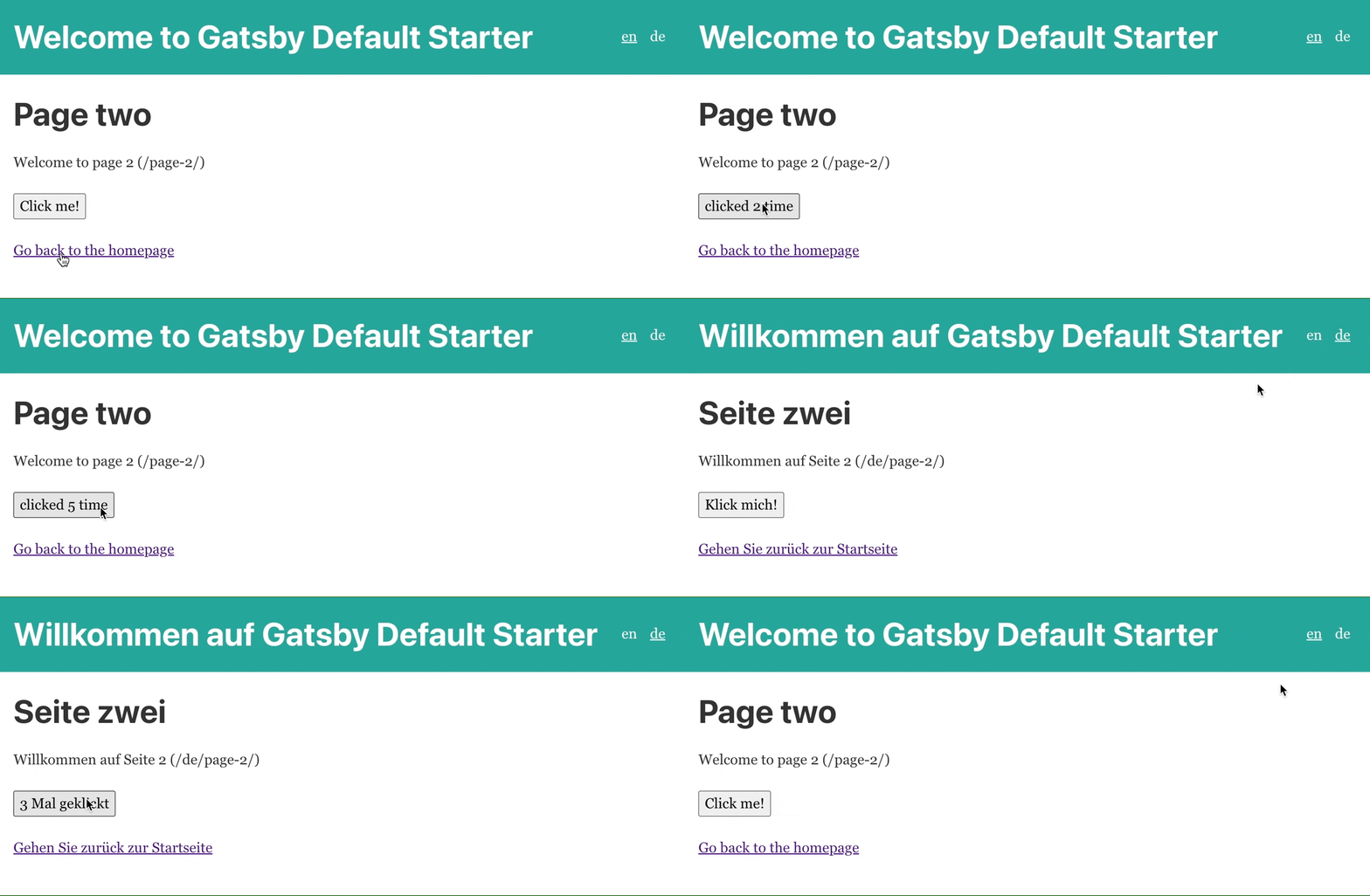 *💡 i18next is also able to handle languages with multiple plural forms, like arabic:* ```javascript // translation resources: { "key_zero": "zero", "key_one": "singular", "key_two": "two", "key_few": "few", "key_many": "many", "key_other": "other" } // usage: t('key', {count: 0}); // -> "zero" t('key', {count: 1}); // -> "singular" t('key', {count: 2}); // -> "two" t('key', {count: 3}); // -> "few" t('key', {count: 4}); // -> "few" t('key', {count: 5}); // -> "few" t('key', {count: 11}); // -> "many" t('key', {count: 99}); // -> "many" t('key', {count: 100}); // -> "other" ``` ### Why are my plural keys not working? <a name="pluralsv4"></a> Are you seeing this warning in the development console (`debug: true`)? > i18next::pluralResolver: Your environment seems not to be Intl API compatible, use an Intl.PluralRules polyfill. Will fallback to the compatibilityJSON v3 format handling. With [v21](https://www.i18next.com/misc/migration-guide#v20.x.x-to-v21.0.0) i18next streamlined the suffix with the one used in the [Intl API](https://developer.mozilla.org/en-US/docs/Web/JavaScript/Reference/Global_Objects/Intl/PluralRules/PluralRules). In environments where the [Intl.PluralRules](https://developer.mozilla.org/en-US/docs/Web/JavaScript/Reference/Global_Objects/PluralRules) API is not available (like older Android devices), you may need to [polyfill](https://github.com/eemeli/intl-pluralrules) the [Intl.PluralRules](https://developer.mozilla.org/en-US/docs/Web/JavaScript/Reference/Global_Objects/PluralRules) API. In case it is not available it will fallback to the [i18next JSON format v3](https://www.i18next.com/misc/json-format#i-18-next-json-v3) plural handling. And if your json is already using the new suffixes, your plural keys will probably not be shown. *tldr;* `npm install intl-pluralrules` ```javascript import 'intl-pluralrules' ``` ## Formatting <a name="formatting"></a> Now, let’s check out how we can use different date formats with the help of [i18next](https://www.i18next.com) and [Luxon](https://moment.github.io/luxon) to handle date and time. `npm install luxon` We like to have a footer displaying the current date: ```javascript import React from 'react'; import { DateTime } from 'luxon'; import { useI18next } from 'gatsby-plugin-react-i18next'; // ... const Layout = ({ children }) => { const { t, i18n } = useI18next(); // defining custom formatters is normally done immediately after the i18next.init call, but with gatsby-plugin-react-i18next is not possible, so let's add it here if (!i18n.services.formatter.date_huge) { i18n.services.formatter.add('date_huge', (value, lng, options) => { return DateTime.fromJSDate(value).setLocale(lng).toLocaleString(DateTime.DATE_HUGE) }); } return ( <> <Header /> <div style={{ margin: '0 auto', maxWidth: 960, padding: '0 1.0875rem 1.45rem', }} > <main>{children}</main> <footer style={{ marginTop: 50 }}> <i> { t('footer', { date: new Date() }) } </i> </footer> </div> </> ); }; export default Layout; ``` Import luxon and define a format function, like documented in the [documentation](https://www.i18next.com/translation-function/formatting) and add the new translation key: `locales/en/common.json` ```json { "footer": "Today is {{date, date_huge}}" } ``` `locales/de/common.json` ```json { "footer": "Heute ist {{date, date_huge}}" } ``` **😎 Cool, now we have a language specific date formatting!** English: 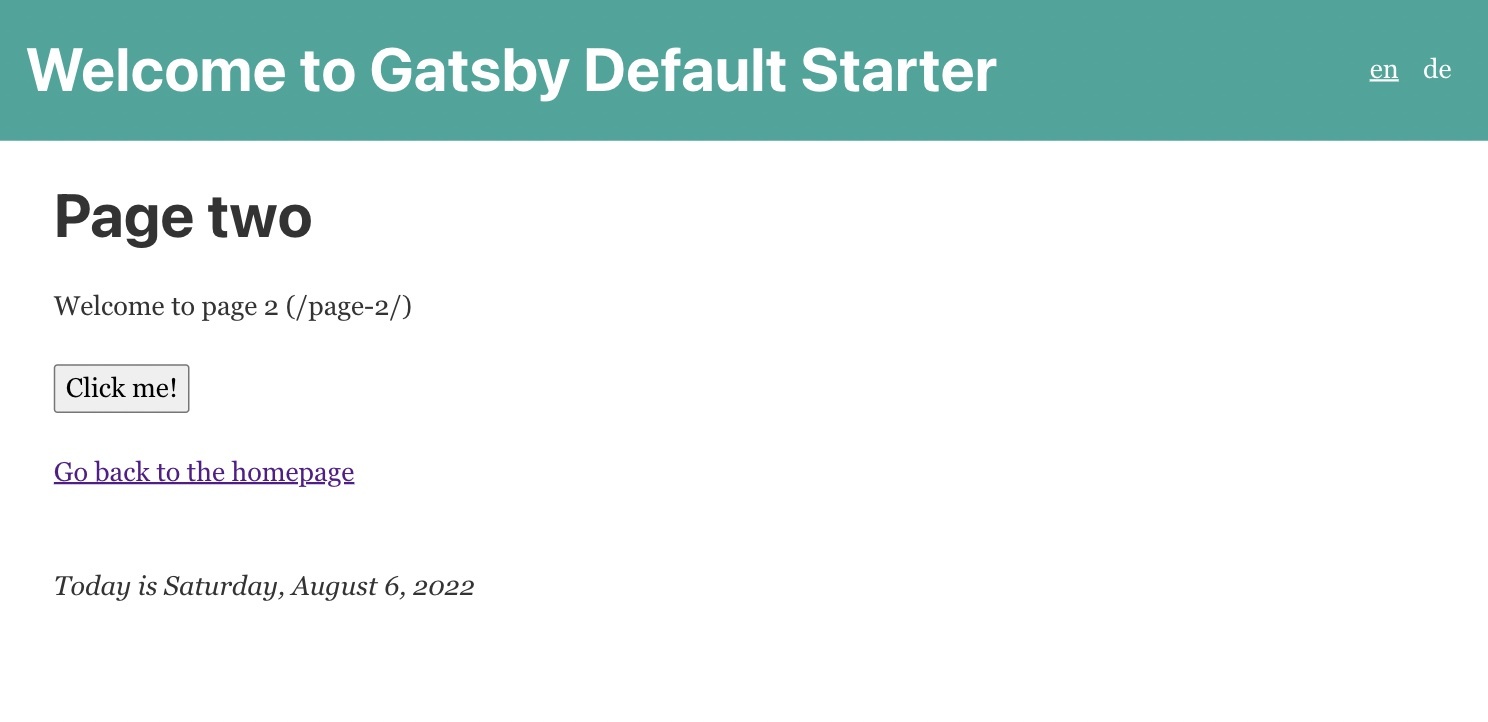 German: 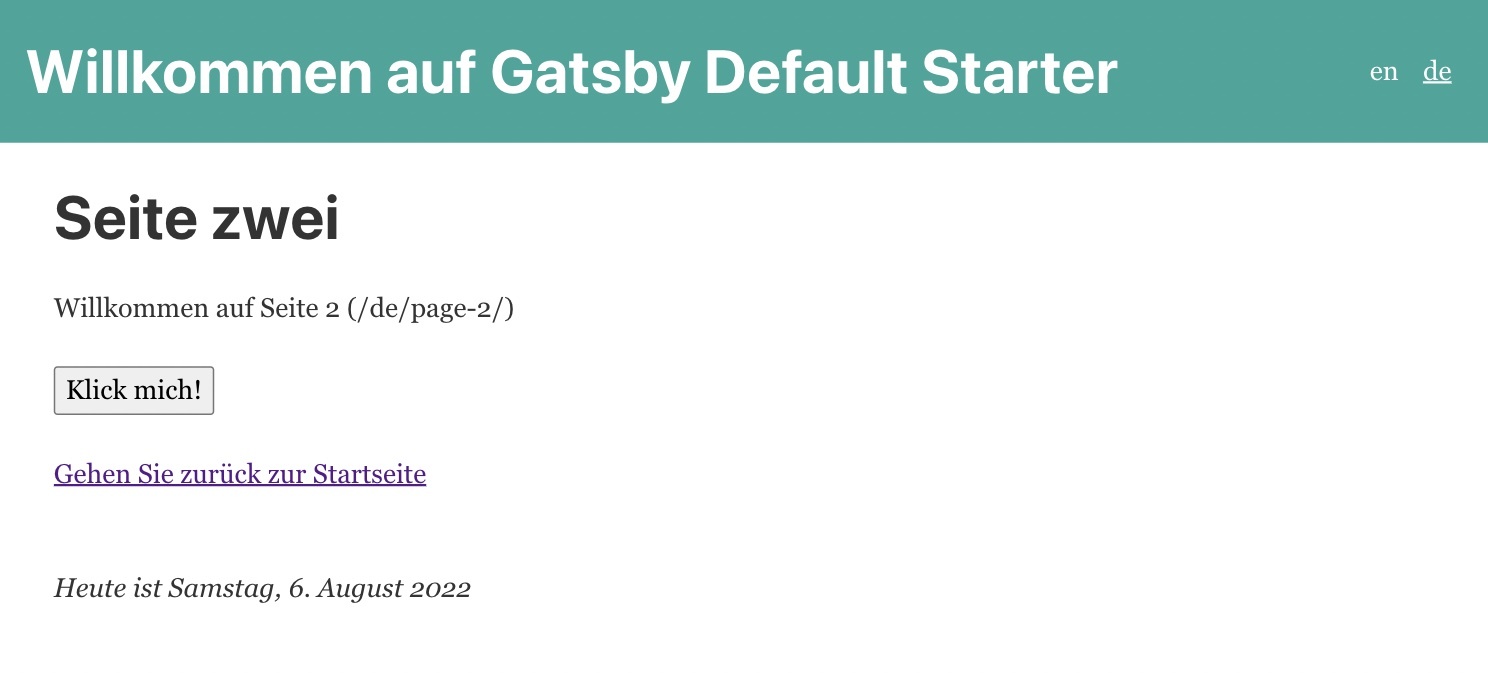 ## Context <a name="context"></a> What about a specific greeting message based on the current day time? i.e. morning, evening, etc. This is possible thanks to the [context](https://www.i18next.com/translation-function/context) feature of i18next. Let's create a `getGreetingTime` function and use the result as context information for our footer translation: ```javascript import React from 'react'; import { DateTime } from 'luxon'; import { useI18next } from 'gatsby-plugin-react-i18next'; // ... const getGreetingTime = (d = DateTime.now()) => { const split_afternoon = 12; // 24hr time to split the afternoon const split_evening = 17; // 24hr time to split the evening const currentHour = parseFloat(d.toFormat('hh')); if (currentHour >= split_afternoon && currentHour <= split_evening) { return 'afternoon'; } else if (currentHour >= split_evening) { return 'evening'; } return 'morning'; } const Layout = ({ children }) => { const { t, i18n } = useI18next(); // defining custom formatters is normally done immediately after the i18next.init call, but with gatsby-plugin-react-i18next is not possible, so let's add it here if (!i18n.services.formatter.date_huge) { i18n.services.formatter.add('date_huge', (value, lng, options) => { return DateTime.fromJSDate(value).setLocale(lng).toLocaleString(DateTime.DATE_HUGE) }); } return ( <> <Header /> <div style={{ margin: '0 auto', maxWidth: 960, padding: '0 1.0875rem 1.45rem', }} > <main>{children}</main> <footer style={{ marginTop: 50 }}> <i> { t('footer', { date: new Date(), context: getGreetingTime() }) } </i> </footer> </div> </> ); }; export default Layout; ``` And add some context specific translations keys: `locales/en/common.json` ```json { "footer": "Today is {{date, date_huge}}", "footer_afternoon": "Good afternoon! It's {{date, date_huge}}", "footer_evening": "Good evening! Today was the {{date, date_huge}}", "footer_morning": "Good morning! Today is {{date, date_huge}} | Have a nice day!" } ``` `locales/de/common.json` ```json { "footer": "Heute ist {{date, date_huge}}", "footer_afternoon": "Guten Nachmittag! Es ist {{date, date_huge}}", "footer_evening": "Guten Abend! Heute war der {{date, date_huge}}", "footer_morning": "Guten Morgen! Heute ist {{date, date_huge}} | Einen schönen Tag noch!" } ``` **😁 Yeah, It works!** 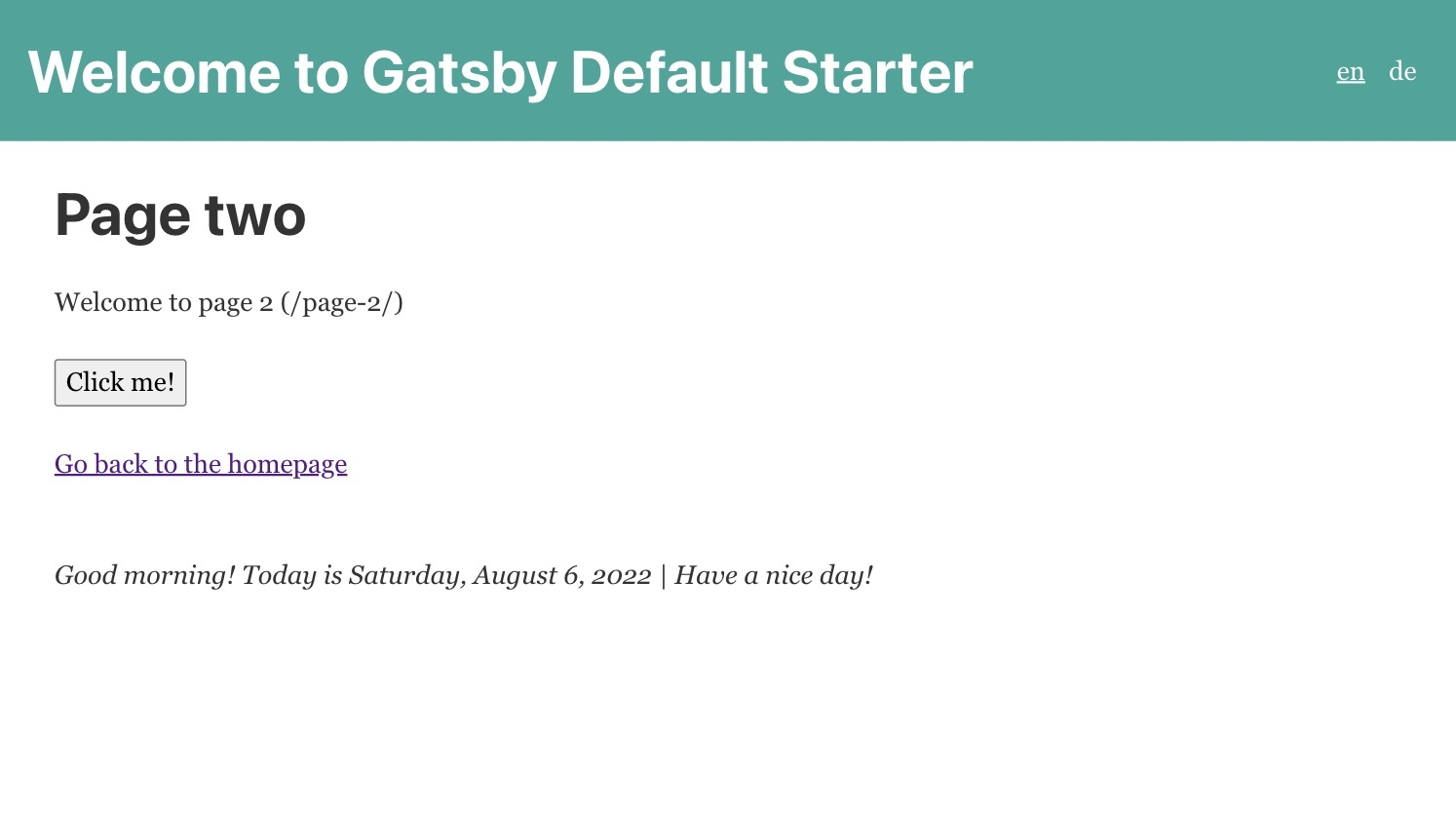 ## Key extraction <a name="extract"></a> Thanks to the [babel-plugin-i18next-extract](https://i18next-extract.netlify.app) you can automatically extract translations inside the `t` function and `Trans` component from your pages and save them in the namespace files. It works like this: First install the required dependencies: `npm install @babel/cli @babel/plugin-transform-typescript babel-plugin-i18next-extract` Create or update the `babel-extract.config.js` file (do NOT name it `babel.config.js`, or it will be used by gatsby): ```javascript const { defaultLanguage } = require('./languages'); process.env.NODE_ENV = 'test'; module.exports = { presets: ['babel-preset-gatsby'], plugins: [ [ 'i18next-extract', { keyAsDefaultValue: [defaultLanguage], useI18nextDefaultValue: [defaultLanguage], // discardOldKeys: true, defaultNS: 'common', outputPath: 'locales/{{locale}}/{{ns}}.json', customTransComponents: [['gatsby-plugin-react-i18next', 'Trans']], compatibilityJSON: 'v4', } ] ], overrides: [ { test: [`**/*.ts`, `**/*.tsx`], plugins: [[`@babel/plugin-transform-typescript`, {isTSX: true}]] } ] }; ``` Add a script to your `package.json`: ```json "scripts": { "extract": "babel --config-file ./babel-extract.config.js -o tmp/chunk.js 'src/**/*.{js,jsx,ts,tsx}' && rm -rf tmp" } ``` If you want to extract translations per page for a specific namespace, you can add a special comment at the beginning of the page: ```javascript // i18next-extract-mark-ns-start index import React from 'react'; // ... ``` fyi: There are also other [comment hints](https://i18next-extract.netlify.app/#/comment-hints) you can use. Prepared all your pages? Nice, so let's try that: ```javascript // i18next-extract-mark-ns-start index import React from 'react'; import { Link, Trans, useTranslation } from 'gatsby-plugin-react-i18next'; import { graphql, Link as GatsbyLink } from 'gatsby'; import { StaticImage } from 'gatsby-plugin-image'; import Layout from '../components/layout'; import Seo from '../components/seo'; const IndexPage = () => { const { t } = useTranslation(); return ( <Layout> <Seo title={t('seo')} /> <h1> <Trans i18nKey="title">Hi people</Trans> </h1> <p> <Trans i18nKey="welcome">Welcome to your new Gatsby site.</Trans> </p> <p> <Trans i18nKey="cta">Now go build something great.</Trans> </p> <p> <Link to="/page-2/"> <Trans i18nKey="goToPage2">Go to page 2</Trans> </Link> </p> </Layout> ); }; export default IndexPage; export const query = graphql` query ($language: String!) { locales: allLocale( filter: { ns: { in: ["common", "index"] }, language: { eq: $language } } ) { edges { node { ns data language } } } } `; ``` Running `npm run extract` will now add that new `cta` key to the namespace file: ```json { "cta": "Now go build something great.", "goToPage2": "Go to page 2", "seo": "Home", "title": "Hi people", "welcome": "Welcome to your new Gatsby site." } ``` ## Extra power <a name="extra-power"></a> **This is all already great, but we can do even more!** It would be nice, to have an overview showing which translations are missing and which files are completely translated... <br /> And think about when having extracted new keys, they would automatically be translated? <br /> To make this true we need a [translation management](https://locize.com/blog/i18n-l10n-t9n-tms/)... By sending the translations to some translators or translator agency you have more control and a direct contact with them. But this also means more work for you. This is the traditional way. But be aware, sending files around creates always an overhead. > Does a better option exist? ### For sure! <a name="for-sure"></a> i18next helps to get the application translated, and this is great - but there is more to it. - How do you integrate any translation services / agency? - How do you keep track of new or removed content? - How you handle proper versioning? - and a lot more... **Looking for something like this❓** - [Easy to integrate](https://docs.locize.com/integration/instrumenting-your-code#i-18-next) - Continuous deployment? [Continuous localization](https://locize.com/how-it-works.html#continouslocalization)! - Manage the translation files with ease - [Order professional translations](https://docs.locize.com/guides-tips-and-tricks/working-with-translators/localistars) - Analytics & Statistics - [Versioning of your translations](https://docs.locize.com/more/versioning) - [Automatic and On-Demand Machine Translation](https://docs.locize.com/whats-inside/auto-machine-translation) - [Riskfree: Take your data with you](https://docs.locize.com/more/general-questions/how-is-locize-different-from-the-alternatives#service-lock-in) - [Transparent and fair pricing](https://locize.com/pricing.html) - and a lot more...  ### How does this look like? <a name="how-look"></a> First you need to signup at [locize](https://locize.app/register) and [login](https://docs.locize.com/integration/getting-started/create-a-user-account). Then [create a new project](https://docs.locize.com/integration/getting-started/add-a-new-project) in locize and add all required languages. And finally you can add your translations either by using the [cli](https://github.com/locize/react-tutorial#use-the-locize-cli) or by [importing the individual json files](https://docs.locize.com/more/general-questions/how-to-import-translations-from-a-file) or via [API](https://docs.locize.com/integration/api#update-remove-translations). Now let's install the [locize-cli](https://github.com/locize/locize-cli): `npm install -g locize-cli` We'll prepare a new script that will synchronize our local changes with locize. And also an optional second script that will just download the newest translations from locize. Make sure you use your project-id and api-key: ```json "scripts": { "syncLocales": "locize sync --project-id=5d47a999-5c34-4161-a389-bc2189507a50 --ver=latest --api-key=42ca9d58-18da-44c7-8dd3-8f59b8c35bda --path=./locales", "downloadLocales": "locize download --project-id=5d47a999-5c34-4161-a389-bc2189507a50 --ver=latest --clean=true --path=./locales" } ``` Use the `npm run syncLocales` script to synchronize your local repository with what is published on locize. Alternatively, you can also use the `npm run downloadLocales` script to always download the published locize translations to your local repository before bundling your app. If we now add a new translation key, like this: ```javascript <Trans i18nKey="newKey">this will be added automatically after "extract" and "syncLocales"</Trans> ``` and run `npm run export` and then `npm run syncLocales`, we get this: `locales/en/page-2.json`: ```json { "back": "Go back to the homepage", "counter_one": "clicked one time", "counter_other": "clicked {{count}} time", "counter_zero": "Click me!", "title": "Page two", "welcome": "Welcome to page 2", "newKey": "this will be added automatically after \"extract\" and \"syncLocales\"" } ``` `locales/de/page-2.json`: ```json { "back": "Gehen Sie zurück zur Startseite", "counter_one": "einmal angeklickt", "counter_other": "{{count}} Mal geklickt", "counter_zero": "Klick mich!", "title": "Seite zwei", "welcome": "Willkommen auf Seite 2", "newKey": "dies wird automatisch nach \"extract\" und \"syncLocales\" hinzugefügt" } ``` 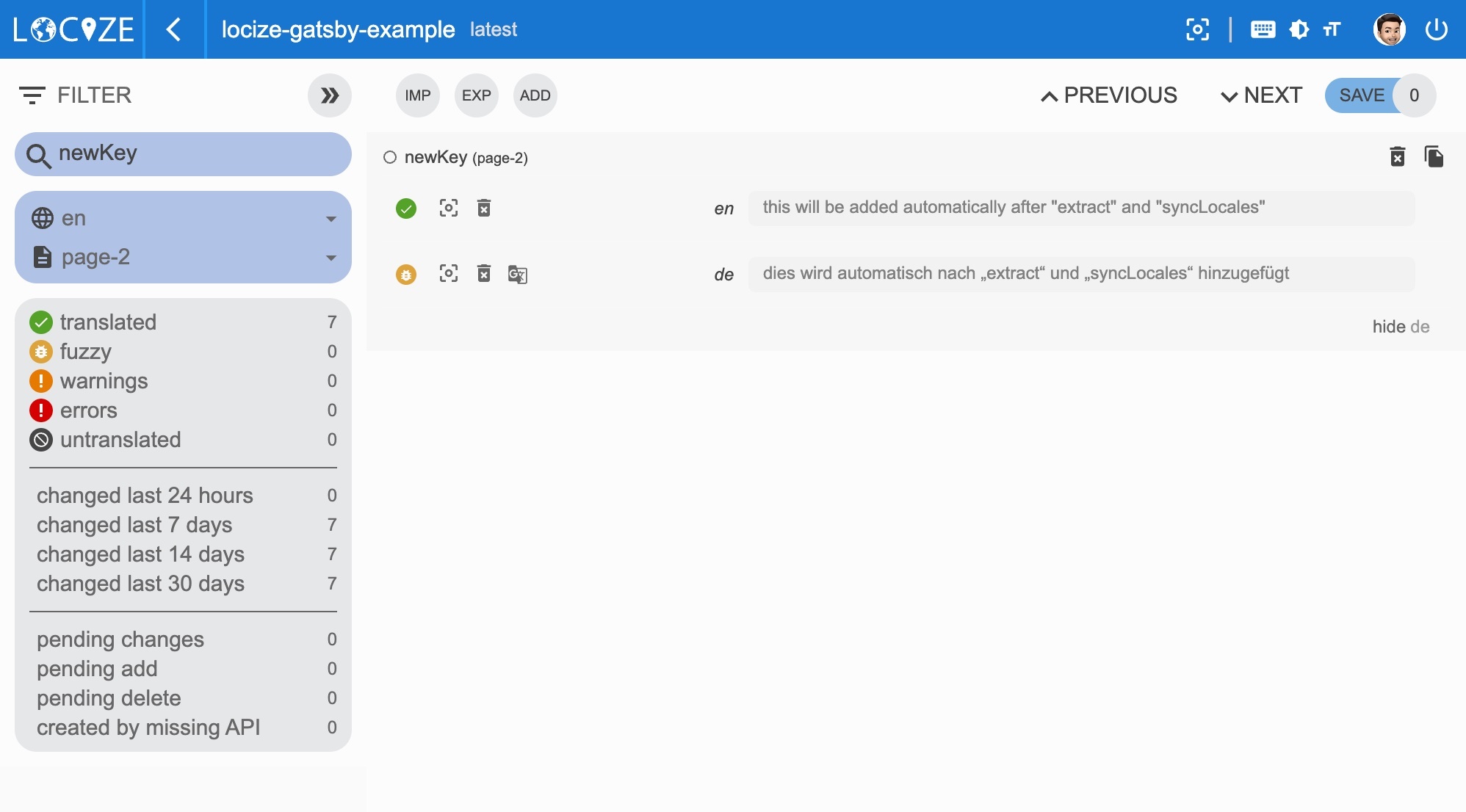 *Thanks to the optionally enabled [automatic machine translation](https://docs.locize.com/whats-inside/auto-machine-translation) option, new keys not only gets added to locize, while developing the app, but are also automatically translated into the target languages using machine translation.* 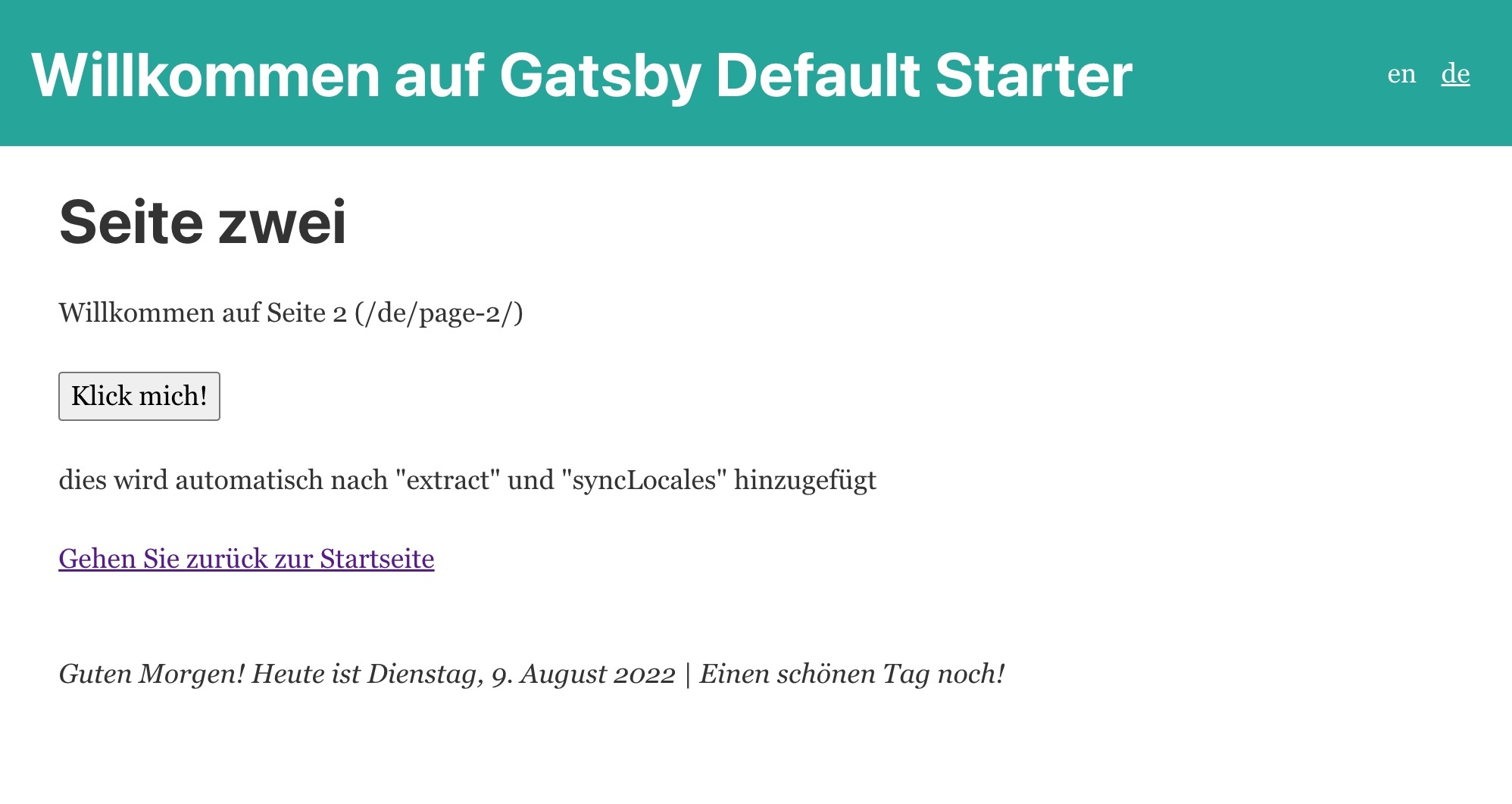 ### 👀 but there's more... (InContext Editor) <a name="more"></a> With the help of the [locize](https://github.com/locize/locize) plugin, you'll be able to use your app within the locize [InContext Editor](https://docs.locize.com/more/incontext-editor). Want to see how this looks like? Ok, first install the locize dependency: `npm install locize` Then in the code (we choose our `layout.js` file) add this: ```javascript import React from 'react'; import { useI18next } from 'gatsby-plugin-react-i18next'; import { locizePlugin, setEditorLng } from 'locize'; // ... const Layout = ({ children }) => { const { t, i18n } = useI18next(); // defining custom formatters is normally done immediately after the i18next.init call, but with gatsby-plugin-react-i18next is not possible, so let's add it here if (!i18n.services.formatter.date_huge) { i18n.services.formatter.add('date_huge', (value, lng, options) => { return DateTime.fromJSDate(value).setLocale(lng).toLocaleString(DateTime.DATE_HUGE) }); // also the locize plugin normally is automatically configured, but here we need to do it that way locizePlugin.init(i18n); setEditorLng(i18n.resolvedLanguage); } return ( <> <Header /> <div style={{ margin: '0 auto', maxWidth: 960, padding: '0 1.0875rem 1.45rem', }} > <main>{children}</main> <footer style={{ marginTop: 50 }}> <i> { t('footer', { date: new Date(), context: getGreetingTime() }) } </i> </footer> </div> </> ); }; export default Layout; ``` And in the `gatsby-config.js` add some new react options: ```javascript const { languages, defaultLanguage } = require('./languages'); module.exports = { // ... plugins: [ { resolve: `gatsby-source-filesystem`, options: { path: `${__dirname}/locales`, name: `locale` } }, { resolve: 'gatsby-plugin-react-i18next', options: { languages, defaultLanguage, siteUrl, i18nextOptions: { // debug: true, fallbackLng: defaultLanguage, supportedLngs: languages, defaultNS: 'common', interpolation: { escapeValue: false, // not needed for react as it escapes by default }, react: { bindI18n: 'languageChanged editorSaved', // the editorSaved event will trigger a rerender } }, }, }, // ... ] } ``` Then go to your locize project and define your in-context editor urls, like described [here](https://docs.locize.com/different-views/incontext#setup-and-configuration). **The result will look like this:** 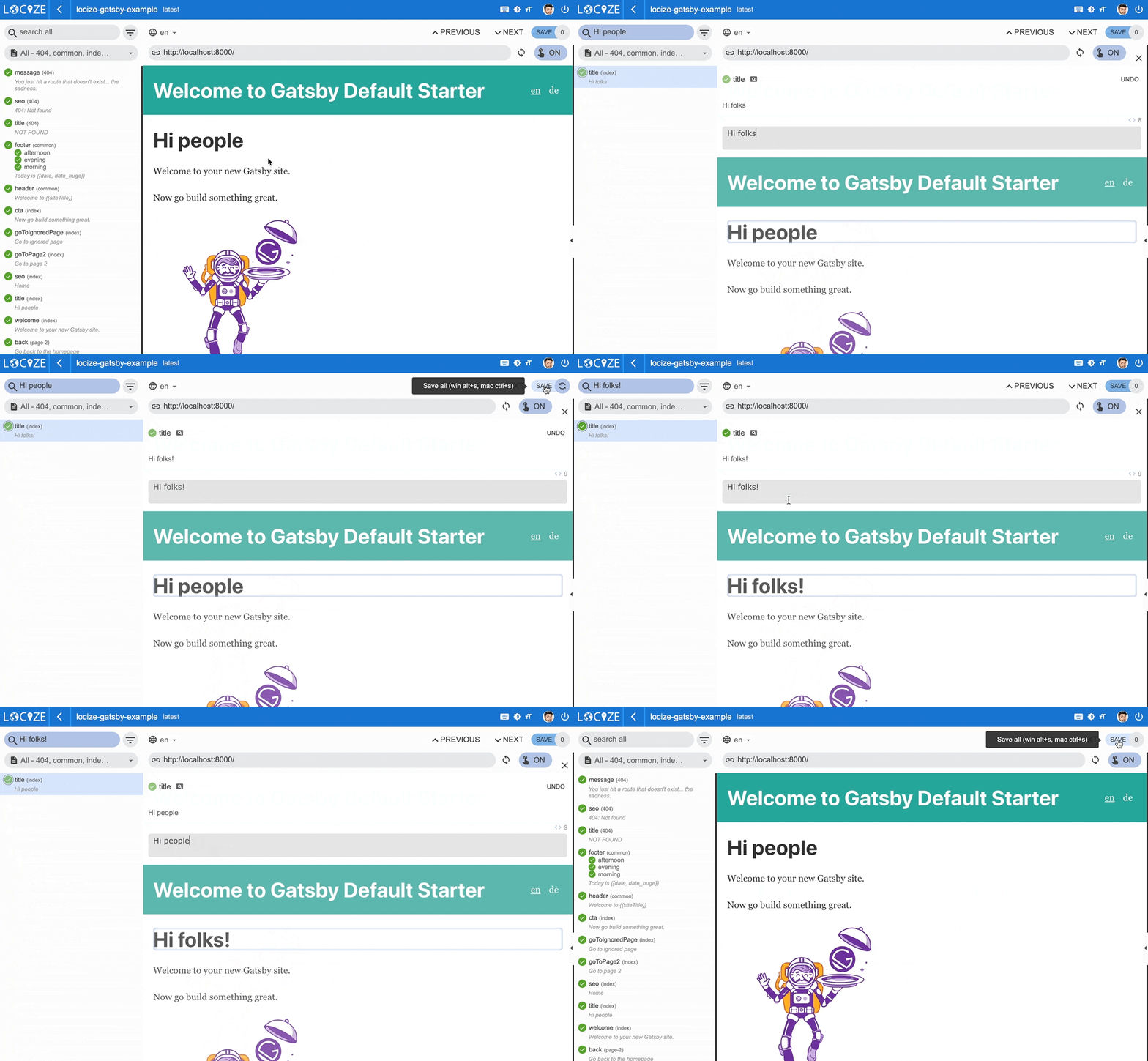 >Isn't this great? *🧑💻 The complete code can be found [here](https://github.com/locize/locize-gatsby-example).* If you want to learn more basics about i18next, there's also an [i18next crash course video](https://youtu.be/SA_9i4TtxLQ). {% youtube SA_9i4TtxLQ %} # 🎉🥳 Congratulations 🎊🎁 <a name="congratulations"></a> I hope you’ve learned a few new things about [gatsby-plugin-react-i18next](https://github.com/microapps/gatsby-plugin-react-i18next), [i18next](https://www.i18next.com), [React.js localization](https://react.i18next.com) and [modern localization workflows](https://locize.com). So if you want to take your i18n topic to the next level, it's worth to try the [localization management platform - locize](https://locize.com). The founders of [locize](https://locize.com) are also the creators of [i18next](https://www.i18next.com). So with using [locize](https://locize.com) you directly support the future of [i18next](https://www.i18next.com). # 👍 |
| json metadata | {"tags":["javascript","react","web","code","i18n"],"image":["https://cdn.steemitimages.com/DQmabjspVFGyzdCBM6di77m7a4vZJriTs9TSmBtJmce4CJw/gatsby-i18next.jpg","https://dev-to-uploads.s3.amazonaws.com/uploads/articles/ocw1jtc96k3e84bn0rxm.jpg","https://dev-to-uploads.s3.amazonaws.com/uploads/articles/dmpvznd9sjp8ja4zw7qf.jpg","https://dev-to-uploads.s3.amazonaws.com/uploads/articles/4ongoohm0mmrvcj1l2is.gif","https://dev-to-uploads.s3.amazonaws.com/uploads/articles/75g1xvquldxdohjnyhnf.jpg","https://dev-to-uploads.s3.amazonaws.com/uploads/articles/e6m5w5fsr59z2w3u9sdo.jpg","https://dev-to-uploads.s3.amazonaws.com/uploads/articles/d94pdc0z92rr7gk8ls25.jpg","https://dev-to-uploads.s3.amazonaws.com/uploads/articles/d4ar8q9ug3zjaoz7ak7m.jpg","https://dev-to-uploads.s3.amazonaws.com/uploads/articles/4qeasou1p79krlhkbrpv.jpg","https://dev-to-uploads.s3.amazonaws.com/uploads/articles/zjf2rsi4el4qcsqr25kl.jpg","https://dev-to-uploads.s3.amazonaws.com/uploads/articles/ixr2winv5rq689efo07g.gif"],"links":["https://www.gatsbyjs.com","https://www.i18next.com","https://reactjs.org","https://react.i18next.com","https://github.com/microapps/gatsby-plugin-react-i18next","https://twitter.com/nevzorov_d","#why-i18next","#start","#prerequisites","#getting-started","#language-switcher","#i18n-link","#interpolation-pluralization","#formatting","#context","#extract","#for-sure","#how-look","#more","#congratulations","https://www.i18next.com/overview/supported-frameworks","https://www.i18next.com/overview/comparison-to-others","https://locize.com/i18next.html#how-does-i18next-work","https://www.gatsbyjs.com/docs/reference/gatsby-cli/#new","https://www.i18next.com/translation-function/plurals","https://www.i18next.com/translation-function/interpolation","https://www.i18next.com/","https://www.i18next.com/misc/migration-guide#v20.x.x-to-v21.0.0","https://developer.mozilla.org/en-US/docs/Web/JavaScript/Reference/Global_Objects/Intl/PluralRules/PluralRules","https://developer.mozilla.org/en-US/docs/Web/JavaScript/Reference/Global_Objects/PluralRules","https://github.com/eemeli/intl-pluralrules","https://www.i18next.com/misc/json-format#i-18-next-json-v3","https://moment.github.io/luxon","https://www.i18next.com/translation-function/formatting","https://www.i18next.com/translation-function/context","https://i18next-extract.netlify.app","https://i18next-extract.netlify.app/#/comment-hints","https://locize.com/blog/i18n-l10n-t9n-tms/","https://docs.locize.com/integration/instrumenting-your-code#i-18-next","https://locize.com/how-it-works.html#continouslocalization","https://docs.locize.com/guides-tips-and-tricks/working-with-translators/localistars","https://docs.locize.com/more/versioning","https://docs.locize.com/whats-inside/auto-machine-translation","https://docs.locize.com/more/general-questions/how-is-locize-different-from-the-alternatives#service-lock-in","https://locize.com/pricing.html","https://locize.app/register","https://docs.locize.com/integration/getting-started/create-a-user-account","https://docs.locize.com/integration/getting-started/add-a-new-project","https://github.com/locize/react-tutorial#use-the-locize-cli","https://docs.locize.com/more/general-questions/how-to-import-translations-from-a-file","https://docs.locize.com/integration/api#update-remove-translations","https://github.com/locize/locize-cli","https://github.com/locize/locize","https://docs.locize.com/more/incontext-editor","https://docs.locize.com/different-views/incontext#setup-and-configuration","https://github.com/locize/locize-gatsby-example","https://youtu.be/SA_9i4TtxLQ","https://locize.com"],"app":"steemit/0.2","format":"markdown"} |
| Transaction Info | Block #66653780/Trx 194a4fa047748a4e4aca79a2018c8501f6cd0f29 |
View Raw JSON Data
{
"trx_id": "194a4fa047748a4e4aca79a2018c8501f6cd0f29",
"block": 66653780,
"trx_in_block": 2,
"op_in_trx": 0,
"virtual_op": 0,
"timestamp": "2022-08-09T13:11:21",
"op": [
"comment",
{
"parent_author": "",
"parent_permlink": "javascript",
"author": "adrai",
"permlink": "best-internationalization-for-gatsby",
"title": "Best internationalization for Gatsby",
"body": "\n\n\nYou know [Gatsby](https://www.gatsbyjs.com), right? - If not, stop reading this article and make something else.\n\nYes, Gatsby the an open-source framework that combines functionality from React, GraphQL and Webpack into a single tool for building static websites and apps.\n\n> But how does internationalization (i18n) looks like in Gatsby?\n\nThere are some plugins/libraries that may help instrumenting the Gatsby code for internationalization.\nIn this article we will use a plugin based on the famous i18n framework [i18next](https://www.i18next.com), respectively its great extension for [React.js](https://reactjs.org) - [react-i18next](https://react.i18next.com).\n<br />\nThe Gatsby plugin we're using is [gatsby-plugin-react-i18next](https://github.com/microapps/gatsby-plugin-react-i18next) created by [Dmitriy Nevzorov](https://twitter.com/nevzorov_d).\n\n## TOC\n * [So first of all: \"Why i18next?\"](#why-i18next)\n * [Let's get into it...](#start)\n - [Prerequisites](#prerequisites)\n - [Getting started](#getting-started)\n - [Language Switcher](#language-switcher)\n - [Internationalized links](#i18n-link)\n - [Interpolation and Pluralization](#interpolation-pluralization)\n - [Formatting](#formatting)\n - [Context](#context)\n - [Key extraction](#extract)\n - [For sure!](#for-sure)\n - [How does this look like?](#how-look)\n - [👀 but there's more... (InContext Editor)](#more)\n * [🎉🥳 Congratulations 🎊🎁](#congratulations)\n\n# So first of all: \"Why i18next?\" <a name=\"why-i18next\"></a>\n\nWhen it comes to React localization. One of the most popular i18n framework is [i18next](https://www.i18next.com) with it's react extension [react-i18next](https://react.i18next.com), and for good reasons:\n\n*i18next was created in late 2011. It's older than most of the libraries you will use nowadays, including your main frontend technology (react, vue, ...).*\n\n**➡️ sustainable**\n\n\n*Based on how long i18next already is available open source, there is no real i18n case that could not be solved with i18next.*\n\n**➡️ mature**\n\n\n*i18next can be used in any javascript (and a few non-javascript - .net, elm, iOS, android, ruby, ...) environment, with any UI framework, with any i18n format, ... [the possibilities are endless](https://www.i18next.com/overview/supported-frameworks).*\n\n**➡️ extensible**\n\n\n*There is a plenty of features and possibilities you'll get with i18next compared to other regular i18n frameworks.*\n\n**➡️ rich**\n\n\n[Here](https://www.i18next.com/overview/comparison-to-others) you can find more information about why i18next is special and [how it works](https://locize.com/i18next.html#how-does-i18next-work).\n\n\n# Let's get into it... <a name=\"start\"></a>\n\n## Prerequisites <a name=\"prerequisites\"></a>\n\nMake sure you have Node.js and npm installed. It's best, if you have some experience with simple HTML, JavaScript, React.js and basic Gatsby, before jumping to [gatsby-plugin-react-i18next](https://github.com/microapps/gatsby-plugin-react-i18next). This Gatsby localization example is not intended to be a Gatsby or React beginner tutorial.\n\n\n## Getting started <a name=\"getting-started\"></a>\n\nTake your own Gatsby project or create a new one, i.e. with the [gatsby-cli](https://www.gatsbyjs.com/docs/reference/gatsby-cli/#new).\n\n`npx gatsby-cli new`\n\nWe will create a language switcher to make the content change between different languages.\n\nLet's install some i18next dependencies:\n\n- [gatsby-plugin-react-i18next](https://github.com/microapps/gatsby-plugin-react-i18next)\n- [i18next](https://www.i18next.com)\n- [react-i18next](https://react.i18next.com)\n\n`npm install gatsby-plugin-react-i18next i18next react-i18next`\n\nCreate a `locales` directory and add a subfolder for your default/reference language (i.e. `en` for English).\n<br />\nThere we will then add our namespace files, like:\n```\n|-- en\n |-- common.json\n |-- index.json\n```\n\nLet's add a `languages.js` file:\n```javascript\nconst { join } = require('path')\nconst { readdirSync, lstatSync } = require('fs')\n\nconst defaultLanguage = 'en';\n\n// based on the directories get the language codes\nconst languages = readdirSync(join(__dirname, 'locales')).filter((fileName) => {\n const joinedPath = join(join(__dirname, 'locales'), fileName)\n const isDirectory = lstatSync(joinedPath).isDirectory()\n return isDirectory\n});\n// defaultLanguage as first\nlanguages.splice(languages.indexOf(defaultLanguage), 1);\nlanguages.unshift(defaultLanguage);\n\nmodule.exports = {\n languages,\n defaultLanguage,\n};\n```\n\nImport the `languages.js` file in the `gatsby-config.js` file and configure some plugins:\n```javascript\nconst { languages, defaultLanguage } = require('./languages');\n// somewhere in your plugins add:\nmodule.exports = {\n // ...\n plugins: [\n {\n resolve: `gatsby-source-filesystem`,\n options: {\n path: `${__dirname}/locales`,\n name: `locale`\n }\n },\n {\n resolve: 'gatsby-plugin-react-i18next',\n options: {\n languages,\n defaultLanguage,\n siteUrl,\n i18nextOptions: {\n // debug: true,\n fallbackLng: defaultLanguage,\n supportedLngs: languages,\n defaultNS: 'common',\n interpolation: {\n escapeValue: false, // not needed for react as it escapes by default\n }\n },\n },\n },\n // ...\n ]\n}\n```\n\nNow let's start to instrument our first internationalized text.\n<br />\nSince [gatsby-plugin-react-i18next](https://github.com/microapps/gatsby-plugin-react-i18next) is exporting all methods and components of [react-i18next](https://react.i18next.com), we can do this:\n<br />\nIn a page file:\n\n```javascript\nimport { Trans, useTranslation } from 'gatsby-plugin-react-i18next';\nimport { graphql } from 'gatsby';\nimport React from 'react';\n// ...\n\nconst IndexPage = () => {\n const { t } = useTranslation();\n return (\n <Layout>\n <Seo title={t('seo')} />\n <h1>\n <Trans i18nKey=\"title\">Hi people</Trans>\n </h1>\n { /* ... */}\n </Layout>\n )\n}\n\nexport default IndexPage;\n\nexport const query = graphql`\n query ($language: String!) {\n locales: allLocale(\n filter: { ns: { in: [\"index\"] }, language: { eq: $language } }\n ) {\n edges {\n node {\n ns\n data\n language\n }\n }\n }\n }\n`;\n```\n\nNow also define an `locales/en/index.json` namespace file, like this:\n```json\n{\n \"seo\": \"Home\",\n \"title\": \"Hi people\"\n}\n```\n\nAnd maybe also another one for German?\n\n`locales/de/index.json`:\n```json\n{\n \"seo\": \"Startseite\",\n \"title\": \"Hallo Leute\"\n}\n```\n\n\n## Language Switcher <a name=\"language-switcher\"></a>\n\nTo be able to switch between different languages, we need a language switcher:\n\n```javascript\nimport { Link, useI18next } from 'gatsby-plugin-react-i18next';\nimport React from 'react';\n\nconst Header = ({ siteTitle }) => {\n const { languages, originalPath, t, i18n } = useI18next();\n return (\n <header className=\"main-header\">\n {/* ... */}\n <ul className=\"languages\">\n {languages.map((lng) => (\n <li key={lng}>\n <Link to={originalPath} language={lng} style={{ textDecoration: i18n.resolvedLanguage === lng ? 'underline' : 'none' }}>\n {lng}\n </Link>\n </li>\n ))}\n </ul>\n </header>\n );\n};\n\nexport default Header;\n```\n\nYou should now see something like this:\n\n\n\nBy default, on first load, [gatsby-plugin-react-i18next](https://github.com/microapps/gatsby-plugin-react-i18next) will fallback to the `defaultLanguage` if the browser's detected language is not included in the array of `languages`.\n\nIf you want to fallback to a different language in the `languages` array, you can set the `fallbackLanguage` option.\n\nNow switching to `de` (German) should also work:\n\n\n\n**🥳 Awesome, you've just created your first language switcher!**\n\n## Internationalized links <a name=\"i18n-link\"></a>\n\nLet's create a second page...\n\n```javascript\nimport { graphql } from 'gatsby';\nimport React, { useState } from 'react';\nimport Layout from '../components/layout';\nimport { useTranslation } from 'gatsby-plugin-react-i18next';\n\nconst SecondPage = (props) => {\n const { t } = useTranslation();\n const [count, setCounter] = useState(0);\n return (\n <Layout>\n <Seo title={t('title')} />\n <h1>\n <Trans i18nKey=\"title\">Page two</Trans>\n </h1>\n <p>\n <Trans i18nKey=\"welcome\">Welcome to page 2</Trans> ({props.path})\n </p>\n {/* ... */}\n </Layout>\n );\n};\n\nexport default SecondPage;\n\nexport const query = graphql`\n query ($language: String!) {\n locales: allLocale(\n filter: { ns: { in: [\"page-2\"] }, language: { eq: $language } }\n ) {\n edges {\n node {\n ns\n data\n language\n }\n }\n }\n }\n`;\n```\n\nA new namespace:<br />`locales/en/page-2.json`\n```json\n{\n \"title\": \"Page two\",\n \"welcome\": \"Welcome to page 2\"\n}\n```\n\n`locales/de/page-2.json`\n```json\n{\n \"title\": \"Seite zwei\",\n \"welcome\": \"Willkommen auf Seite 2\"\n}\n```\n\n...and link to that page from the first one:\n\n```javascript\nimport { Link, Trans, useTranslation } from 'gatsby-plugin-react-i18next';\nimport { graphql } from 'gatsby';\nimport React from 'react';\n// ...\n\nconst IndexPage = () => {\n const { t } = useTranslation();\n return (\n <Layout>\n <Seo title={t('seo')} />\n <h1>\n <Trans i18nKey=\"title\">Hi people</Trans>\n </h1>\n { /* ... */}\n <p>\n <Link to=\"/page-2/\">\n <Trans i18nKey=\"goToPage2\">Go to page 2</Trans>\n </Link>\n </p>\n </Layout>\n )\n}\n\nexport default IndexPage;\n\nexport const query = graphql`\n query ($language: String!) {\n locales: allLocale(\n filter: { ns: { in: [\"index\"] }, language: { eq: $language } }\n ) {\n edges {\n node {\n ns\n data\n language\n }\n }\n }\n }\n`;\n```\n\nA new translation key for `locales/en/index.json`:\n```json\n{\n \"seo\": \"Home\",\n \"title\": \"Hi people\",\n \"goToPage2\": \"Go to page 2\"\n}\n```\n\n`locales/de/index.json`:\n```json\n{\n \"seo\": \"Startseite\",\n \"title\": \"Hallo Leute\",\n \"goToPage2\": \"Gehen Sie zu Seite 2\"\n}\n```\n\nThe `Link` component exported from `gatsby-plugin-react-i18next`automatically links to the correct language.\n<br />\nThe `Link` component is identical to Gatsby Link component except that you can provide additional language prop to create a link to a page with different language.\n\n\n## Interpolation and Pluralization <a name=\"interpolation-pluralization\"></a>\n\ni18next goes beyond just providing the standard i18n features.\nBut for sure it's able to handle [plurals](https://www.i18next.com/translation-function/plurals) and [interpolation](https://www.i18next.com/translation-function/interpolation).\n\nLet's count each time a button gets clicked:\n\n```javascript\nimport { graphql } from 'gatsby';\nimport React, { useState } from 'react';\nimport Layout from '../components/layout';\nimport { useTranslation } from 'gatsby-plugin-react-i18next';\n\nconst SecondPage = (props) => {\n const { t } = useTranslation();\n const [count, setCounter] = useState(0);\n return (\n <Layout>\n <Seo title={t('title')} />\n <h1>\n <Trans i18nKey=\"title\">Page two</Trans>\n </h1>\n <p>\n <Trans i18nKey=\"welcome\">Welcome to page 2</Trans> ({props.path})\n </p>\n <p>\n <button onClick={() => {\n setCounter(count + 1);\n }}>{\n t('counter', { count })\n }</button>\n </p>\n {/* ... */}\n </Layout>\n );\n};\n\nexport default SecondPage;\n\nexport const query = graphql`\n query ($language: String!) {\n locales: allLocale(\n filter: { ns: { in: [\"page-2\"] }, language: { eq: $language } }\n ) {\n edges {\n node {\n ns\n data\n language\n }\n }\n }\n }\n`;\n```\n\n...and extending the translation resources:<br />`locales/en/page-2.json`\n```json\n{\n \"title\": \"Page two\",\n \"welcome\": \"Welcome to page 2\",\n \"counter_one\": \"clicked one time\",\n \"counter_other\": \"clicked {{count}} time\",\n \"counter_zero\": \"Click me!\"\n}\n```\n\n`locales/de/page-2.json`\n```json\n{\n \"title\": \"Seite zwei\",\n \"welcome\": \"Willkommen auf Seite 2\",\n \"counter_one\": \"einmal angeklickt\",\n \"counter_other\": \"{{count}} Mal geklickt\",\n \"counter_zero\": \"Klick mich!\"\n}\n```\n\nBased on the count value i18next will choose the correct plural form.\n\ni18next provides also the ability to have special translation for `{count: 0}`, so that a more natural language can be used. If the `count` is `0`, and a `_zero` entry is present, then it will be used instead of the regular language plural suffix (`_other`).\n\nRead more about [pluralization](https://www.i18next.com/translation-function/plurals) and [interpolation](https://www.i18next.com/translation-function/interpolation) in the [official i18next documentation](https://www.i18next.com/).\n\n\n\n*💡 i18next is also able to handle languages with multiple plural forms, like arabic:*\n\n```javascript\n// translation resources:\n{\n \"key_zero\": \"zero\",\n \"key_one\": \"singular\",\n \"key_two\": \"two\",\n \"key_few\": \"few\",\n \"key_many\": \"many\",\n \"key_other\": \"other\"\n}\n\n// usage:\nt('key', {count: 0}); // -> \"zero\"\nt('key', {count: 1}); // -> \"singular\"\nt('key', {count: 2}); // -> \"two\"\nt('key', {count: 3}); // -> \"few\"\nt('key', {count: 4}); // -> \"few\"\nt('key', {count: 5}); // -> \"few\"\nt('key', {count: 11}); // -> \"many\"\nt('key', {count: 99}); // -> \"many\"\nt('key', {count: 100}); // -> \"other\"\n```\n\n### Why are my plural keys not working? <a name=\"pluralsv4\"></a>\n\nAre you seeing this warning in the development console (`debug: true`)?\n\n> i18next::pluralResolver: Your environment seems not to be Intl API compatible, use an Intl.PluralRules polyfill. Will fallback to the compatibilityJSON v3 format handling.\n\nWith [v21](https://www.i18next.com/misc/migration-guide#v20.x.x-to-v21.0.0) i18next streamlined the suffix with the one used in the [Intl API](https://developer.mozilla.org/en-US/docs/Web/JavaScript/Reference/Global_Objects/Intl/PluralRules/PluralRules).\nIn environments where the [Intl.PluralRules](https://developer.mozilla.org/en-US/docs/Web/JavaScript/Reference/Global_Objects/PluralRules) API is not available (like older Android devices), you may need to [polyfill](https://github.com/eemeli/intl-pluralrules) the [Intl.PluralRules](https://developer.mozilla.org/en-US/docs/Web/JavaScript/Reference/Global_Objects/PluralRules) API.\nIn case it is not available it will fallback to the [i18next JSON format v3](https://www.i18next.com/misc/json-format#i-18-next-json-v3) plural handling. And if your json is already using the new suffixes, your plural keys will probably not be shown.\n\n*tldr;*\n\n`npm install intl-pluralrules`\n\n```javascript\nimport 'intl-pluralrules'\n```\n\n\n## Formatting <a name=\"formatting\"></a>\n\nNow, let’s check out how we can use different date formats with the help of [i18next](https://www.i18next.com) and [Luxon](https://moment.github.io/luxon) to handle date and time.\n\n`npm install luxon`\n\nWe like to have a footer displaying the current date:\n\n```javascript\nimport React from 'react';\nimport { DateTime } from 'luxon';\nimport { useI18next } from 'gatsby-plugin-react-i18next';\n// ...\n\nconst Layout = ({ children }) => {\n const { t, i18n } = useI18next();\n\n // defining custom formatters is normally done immediately after the i18next.init call, but with gatsby-plugin-react-i18next is not possible, so let's add it here\n if (!i18n.services.formatter.date_huge) {\n i18n.services.formatter.add('date_huge', (value, lng, options) => {\n return DateTime.fromJSDate(value).setLocale(lng).toLocaleString(DateTime.DATE_HUGE)\n });\n }\n\n return (\n <>\n <Header />\n <div\n style={{\n margin: '0 auto',\n maxWidth: 960,\n padding: '0 1.0875rem 1.45rem',\n }}\n >\n <main>{children}</main>\n <footer style={{ marginTop: 50 }}>\n <i>\n {\n t('footer', { date: new Date() })\n }\n </i>\n </footer>\n </div>\n </>\n );\n};\n\nexport default Layout;\n```\n\nImport luxon and define a format function, like documented in the [documentation](https://www.i18next.com/translation-function/formatting) and add the new translation key:\n\n`locales/en/common.json`\n```json\n{\n \"footer\": \"Today is {{date, date_huge}}\"\n}\n```\n\n`locales/de/common.json`\n```json\n{\n \"footer\": \"Heute ist {{date, date_huge}}\"\n}\n```\n\n**😎 Cool, now we have a language specific date formatting!**\n\nEnglish:\n\n\nGerman:\n\n\n\n## Context <a name=\"context\"></a>\n\nWhat about a specific greeting message based on the current day time? i.e. morning, evening, etc.\nThis is possible thanks to the [context](https://www.i18next.com/translation-function/context) feature of i18next.\n\nLet's create a `getGreetingTime` function and use the result as context information for our footer translation:\n\n```javascript\nimport React from 'react';\nimport { DateTime } from 'luxon';\nimport { useI18next } from 'gatsby-plugin-react-i18next';\n// ...\n\nconst getGreetingTime = (d = DateTime.now()) => {\n const split_afternoon = 12; // 24hr time to split the afternoon\n const split_evening = 17; // 24hr time to split the evening\n const currentHour = parseFloat(d.toFormat('hh'));\n\t\n if (currentHour >= split_afternoon && currentHour <= split_evening) {\n return 'afternoon';\n } else if (currentHour >= split_evening) {\n return 'evening';\n }\n return 'morning';\n}\n\nconst Layout = ({ children }) => {\n const { t, i18n } = useI18next();\n\n // defining custom formatters is normally done immediately after the i18next.init call, but with gatsby-plugin-react-i18next is not possible, so let's add it here\n if (!i18n.services.formatter.date_huge) {\n i18n.services.formatter.add('date_huge', (value, lng, options) => {\n return DateTime.fromJSDate(value).setLocale(lng).toLocaleString(DateTime.DATE_HUGE)\n });\n }\n\n return (\n <>\n <Header />\n <div\n style={{\n margin: '0 auto',\n maxWidth: 960,\n padding: '0 1.0875rem 1.45rem',\n }}\n >\n <main>{children}</main>\n <footer style={{ marginTop: 50 }}>\n <i>\n {\n t('footer', { date: new Date(), context: getGreetingTime() })\n }\n </i>\n </footer>\n </div>\n </>\n );\n};\n\nexport default Layout;\n```\n\nAnd add some context specific translations keys:\n\n`locales/en/common.json`\n```json\n{\n \"footer\": \"Today is {{date, date_huge}}\",\n \"footer_afternoon\": \"Good afternoon! It's {{date, date_huge}}\",\n \"footer_evening\": \"Good evening! Today was the {{date, date_huge}}\",\n \"footer_morning\": \"Good morning! Today is {{date, date_huge}} | Have a nice day!\"\n}\n```\n\n`locales/de/common.json`\n```json\n{\n \"footer\": \"Heute ist {{date, date_huge}}\",\n \"footer_afternoon\": \"Guten Nachmittag! Es ist {{date, date_huge}}\",\n \"footer_evening\": \"Guten Abend! Heute war der {{date, date_huge}}\",\n \"footer_morning\": \"Guten Morgen! Heute ist {{date, date_huge}} | Einen schönen Tag noch!\"\n}\n```\n\n**😁 Yeah, It works!**\n\n\n\n\n## Key extraction <a name=\"extract\"></a>\n\nThanks to the [babel-plugin-i18next-extract](https://i18next-extract.netlify.app) you can automatically extract translations inside the `t` function and `Trans` component from your pages and save them in the namespace files.\n\nIt works like this:\n\nFirst install the required dependencies:\n\n`npm install @babel/cli @babel/plugin-transform-typescript babel-plugin-i18next-extract`\n\nCreate or update the `babel-extract.config.js` file (do NOT name it `babel.config.js`, or it will be used by gatsby):\n\n```javascript\nconst { defaultLanguage } = require('./languages');\nprocess.env.NODE_ENV = 'test';\nmodule.exports = {\n presets: ['babel-preset-gatsby'],\n plugins: [\n [\n 'i18next-extract',\n {\n keyAsDefaultValue: [defaultLanguage],\n useI18nextDefaultValue: [defaultLanguage],\n // discardOldKeys: true,\n defaultNS: 'common',\n outputPath: 'locales/{{locale}}/{{ns}}.json',\n customTransComponents: [['gatsby-plugin-react-i18next', 'Trans']],\n compatibilityJSON: 'v4',\n }\n ]\n ],\n overrides: [\n {\n test: [`**/*.ts`, `**/*.tsx`],\n plugins: [[`@babel/plugin-transform-typescript`, {isTSX: true}]]\n }\n ]\n};\n```\n\nAdd a script to your `package.json`:\n\n```json\n\"scripts\": {\n \"extract\": \"babel --config-file ./babel-extract.config.js -o tmp/chunk.js 'src/**/*.{js,jsx,ts,tsx}' && rm -rf tmp\"\n}\n```\n\nIf you want to extract translations per page for a specific namespace, you can add a special comment at the beginning of the page:\n\n```javascript\n// i18next-extract-mark-ns-start index\n\nimport React from 'react';\n// ...\n```\n\nfyi: There are also other [comment hints](https://i18next-extract.netlify.app/#/comment-hints) you can use.\n\nPrepared all your pages? Nice, so let's try that:\n\n```javascript\n// i18next-extract-mark-ns-start index\n\nimport React from 'react';\nimport { Link, Trans, useTranslation } from 'gatsby-plugin-react-i18next';\nimport { graphql, Link as GatsbyLink } from 'gatsby';\nimport { StaticImage } from 'gatsby-plugin-image';\nimport Layout from '../components/layout';\nimport Seo from '../components/seo';\n\nconst IndexPage = () => {\n const { t } = useTranslation();\n return (\n <Layout>\n <Seo title={t('seo')} />\n <h1>\n <Trans i18nKey=\"title\">Hi people</Trans>\n </h1>\n <p>\n <Trans i18nKey=\"welcome\">Welcome to your new Gatsby site.</Trans>\n </p>\n <p>\n <Trans i18nKey=\"cta\">Now go build something great.</Trans>\n </p>\n <p>\n <Link to=\"/page-2/\">\n <Trans i18nKey=\"goToPage2\">Go to page 2</Trans>\n </Link>\n </p>\n </Layout>\n );\n};\n\nexport default IndexPage;\n\nexport const query = graphql`\n query ($language: String!) {\n locales: allLocale(\n filter: { ns: { in: [\"common\", \"index\"] }, language: { eq: $language } }\n ) {\n edges {\n node {\n ns\n data\n language\n }\n }\n }\n }\n`;\n```\n\nRunning `npm run extract` will now add that new `cta` key to the namespace file:\n\n```json\n{\n \"cta\": \"Now go build something great.\",\n \"goToPage2\": \"Go to page 2\",\n \"seo\": \"Home\",\n \"title\": \"Hi people\",\n \"welcome\": \"Welcome to your new Gatsby site.\"\n}\n```\n\n## Extra power <a name=\"extra-power\"></a>\n\n**This is all already great, but we can do even more!**\n\nIt would be nice, to have an overview showing which translations are missing and which files are completely translated...\n<br />\nAnd think about when having extracted new keys, they would automatically be translated?\n<br />\nTo make this true we need a [translation management](https://locize.com/blog/i18n-l10n-t9n-tms/)...\n\n\nBy sending the translations to some translators or translator agency you have more control and a direct contact with them. But this also means more work for you.\nThis is the traditional way. But be aware, sending files around creates always an overhead.\n\n> Does a better option exist?\n\n### For sure! <a name=\"for-sure\"></a>\n\ni18next helps to get the application translated, and this is great - but there is more to it.\n- How do you integrate any translation services / agency?\n- How do you keep track of new or removed content?\n- How you handle proper versioning?\n- and a lot more...\n\n**Looking for something like this❓**\n\n- [Easy to integrate](https://docs.locize.com/integration/instrumenting-your-code#i-18-next)\n- Continuous deployment? [Continuous localization](https://locize.com/how-it-works.html#continouslocalization)!\n- Manage the translation files with ease\n- [Order professional translations](https://docs.locize.com/guides-tips-and-tricks/working-with-translators/localistars)\n- Analytics & Statistics\n- [Versioning of your translations](https://docs.locize.com/more/versioning)\n- [Automatic and On-Demand Machine Translation](https://docs.locize.com/whats-inside/auto-machine-translation)\n- [Riskfree: Take your data with you](https://docs.locize.com/more/general-questions/how-is-locize-different-from-the-alternatives#service-lock-in)\n- [Transparent and fair pricing](https://locize.com/pricing.html)\n- and a lot more...\n\n\n\n\n### How does this look like? <a name=\"how-look\"></a>\n\nFirst you need to signup at [locize](https://locize.app/register) and [login](https://docs.locize.com/integration/getting-started/create-a-user-account).\nThen [create a new project](https://docs.locize.com/integration/getting-started/add-a-new-project) in locize and add all required languages. And finally you can add your translations either by using the [cli](https://github.com/locize/react-tutorial#use-the-locize-cli) or by [importing the individual json files](https://docs.locize.com/more/general-questions/how-to-import-translations-from-a-file) or via [API](https://docs.locize.com/integration/api#update-remove-translations).\n\nNow let's install the [locize-cli](https://github.com/locize/locize-cli):\n\n`npm install -g locize-cli`\n\nWe'll prepare a new script that will synchronize our local changes with locize.\nAnd also an optional second script that will just download the newest translations from locize.\nMake sure you use your project-id and api-key:\n\n```json\n\"scripts\": {\n \"syncLocales\": \"locize sync --project-id=5d47a999-5c34-4161-a389-bc2189507a50 --ver=latest --api-key=42ca9d58-18da-44c7-8dd3-8f59b8c35bda --path=./locales\",\n \"downloadLocales\": \"locize download --project-id=5d47a999-5c34-4161-a389-bc2189507a50 --ver=latest --clean=true --path=./locales\"\n}\n```\n\nUse the `npm run syncLocales` script to synchronize your local repository with what is published on locize.\n\nAlternatively, you can also use the `npm run downloadLocales` script to always download the published locize translations to your local repository before bundling your app.\n\n\nIf we now add a new translation key, like this:\n\n```javascript\n<Trans i18nKey=\"newKey\">this will be added automatically after \"extract\" and \"syncLocales\"</Trans>\n```\n\nand run `npm run export` and then `npm run syncLocales`, we get this:\n\n`locales/en/page-2.json`:\n```json\n{\n \"back\": \"Go back to the homepage\",\n \"counter_one\": \"clicked one time\",\n \"counter_other\": \"clicked {{count}} time\",\n \"counter_zero\": \"Click me!\",\n \"title\": \"Page two\",\n \"welcome\": \"Welcome to page 2\",\n \"newKey\": \"this will be added automatically after \\\"extract\\\" and \\\"syncLocales\\\"\"\n}\n```\n\n`locales/de/page-2.json`:\n```json\n{\n \"back\": \"Gehen Sie zurück zur Startseite\",\n \"counter_one\": \"einmal angeklickt\",\n \"counter_other\": \"{{count}} Mal geklickt\",\n \"counter_zero\": \"Klick mich!\",\n \"title\": \"Seite zwei\",\n \"welcome\": \"Willkommen auf Seite 2\",\n \"newKey\": \"dies wird automatisch nach \\\"extract\\\" und \\\"syncLocales\\\" hinzugefügt\"\n}\n```\n\n\n\n*Thanks to the optionally enabled [automatic machine translation](https://docs.locize.com/whats-inside/auto-machine-translation) option, new keys not only gets added to locize, while developing the app, but are also automatically translated into the target languages using machine translation.*\n\n\n\n\n### 👀 but there's more... (InContext Editor) <a name=\"more\"></a>\n\nWith the help of the [locize](https://github.com/locize/locize) plugin, you'll be able to use your app within the locize [InContext Editor](https://docs.locize.com/more/incontext-editor).\n\nWant to see how this looks like?\n\nOk, first install the locize dependency:\n\n`npm install locize`\n\nThen in the code (we choose our `layout.js` file) add this:\n\n```javascript\nimport React from 'react';\nimport { useI18next } from 'gatsby-plugin-react-i18next';\nimport { locizePlugin, setEditorLng } from 'locize';\n// ...\n\nconst Layout = ({ children }) => {\n const { t, i18n } = useI18next();\n\n // defining custom formatters is normally done immediately after the i18next.init call, but with gatsby-plugin-react-i18next is not possible, so let's add it here\n if (!i18n.services.formatter.date_huge) {\n i18n.services.formatter.add('date_huge', (value, lng, options) => {\n return DateTime.fromJSDate(value).setLocale(lng).toLocaleString(DateTime.DATE_HUGE)\n });\n // also the locize plugin normally is automatically configured, but here we need to do it that way\n locizePlugin.init(i18n);\n setEditorLng(i18n.resolvedLanguage);\n }\n\n return (\n <>\n <Header />\n <div\n style={{\n margin: '0 auto',\n maxWidth: 960,\n padding: '0 1.0875rem 1.45rem',\n }}\n >\n <main>{children}</main>\n <footer style={{ marginTop: 50 }}>\n <i>\n {\n t('footer', { date: new Date(), context: getGreetingTime() })\n }\n </i>\n </footer>\n </div>\n </>\n );\n};\n\nexport default Layout;\n```\n\nAnd in the `gatsby-config.js` add some new react options:\n\n```javascript\nconst { languages, defaultLanguage } = require('./languages');\nmodule.exports = {\n // ...\n plugins: [\n {\n resolve: `gatsby-source-filesystem`,\n options: {\n path: `${__dirname}/locales`,\n name: `locale`\n }\n },\n {\n resolve: 'gatsby-plugin-react-i18next',\n options: {\n languages,\n defaultLanguage,\n siteUrl,\n i18nextOptions: {\n // debug: true,\n fallbackLng: defaultLanguage,\n supportedLngs: languages,\n defaultNS: 'common',\n interpolation: {\n escapeValue: false, // not needed for react as it escapes by default\n },\n react: {\n bindI18n: 'languageChanged editorSaved', // the editorSaved event will trigger a rerender\n }\n },\n },\n },\n // ...\n ]\n}\n```\n\nThen go to your locize project and define your in-context editor urls, like described [here](https://docs.locize.com/different-views/incontext#setup-and-configuration).\n\n**The result will look like this:**\n\n\n\n>Isn't this great?\n\n\n*🧑💻 The complete code can be found [here](https://github.com/locize/locize-gatsby-example).*\n\nIf you want to learn more basics about i18next, there's also an [i18next crash course video](https://youtu.be/SA_9i4TtxLQ).\n{% youtube SA_9i4TtxLQ %}\n\n# 🎉🥳 Congratulations 🎊🎁 <a name=\"congratulations\"></a>\n\nI hope you’ve learned a few new things about [gatsby-plugin-react-i18next](https://github.com/microapps/gatsby-plugin-react-i18next), [i18next](https://www.i18next.com), [React.js localization](https://react.i18next.com) and [modern localization workflows](https://locize.com).\n\nSo if you want to take your i18n topic to the next level, it's worth to try the [localization management platform - locize](https://locize.com).\n\nThe founders of [locize](https://locize.com) are also the creators of [i18next](https://www.i18next.com). So with using [locize](https://locize.com) you directly support the future of [i18next](https://www.i18next.com).\n\n# 👍",
"json_metadata": "{\"tags\":[\"javascript\",\"react\",\"web\",\"code\",\"i18n\"],\"image\":[\"https://cdn.steemitimages.com/DQmabjspVFGyzdCBM6di77m7a4vZJriTs9TSmBtJmce4CJw/gatsby-i18next.jpg\",\"https://dev-to-uploads.s3.amazonaws.com/uploads/articles/ocw1jtc96k3e84bn0rxm.jpg\",\"https://dev-to-uploads.s3.amazonaws.com/uploads/articles/dmpvznd9sjp8ja4zw7qf.jpg\",\"https://dev-to-uploads.s3.amazonaws.com/uploads/articles/4ongoohm0mmrvcj1l2is.gif\",\"https://dev-to-uploads.s3.amazonaws.com/uploads/articles/75g1xvquldxdohjnyhnf.jpg\",\"https://dev-to-uploads.s3.amazonaws.com/uploads/articles/e6m5w5fsr59z2w3u9sdo.jpg\",\"https://dev-to-uploads.s3.amazonaws.com/uploads/articles/d94pdc0z92rr7gk8ls25.jpg\",\"https://dev-to-uploads.s3.amazonaws.com/uploads/articles/d4ar8q9ug3zjaoz7ak7m.jpg\",\"https://dev-to-uploads.s3.amazonaws.com/uploads/articles/4qeasou1p79krlhkbrpv.jpg\",\"https://dev-to-uploads.s3.amazonaws.com/uploads/articles/zjf2rsi4el4qcsqr25kl.jpg\",\"https://dev-to-uploads.s3.amazonaws.com/uploads/articles/ixr2winv5rq689efo07g.gif\"],\"links\":[\"https://www.gatsbyjs.com\",\"https://www.i18next.com\",\"https://reactjs.org\",\"https://react.i18next.com\",\"https://github.com/microapps/gatsby-plugin-react-i18next\",\"https://twitter.com/nevzorov_d\",\"#why-i18next\",\"#start\",\"#prerequisites\",\"#getting-started\",\"#language-switcher\",\"#i18n-link\",\"#interpolation-pluralization\",\"#formatting\",\"#context\",\"#extract\",\"#for-sure\",\"#how-look\",\"#more\",\"#congratulations\",\"https://www.i18next.com/overview/supported-frameworks\",\"https://www.i18next.com/overview/comparison-to-others\",\"https://locize.com/i18next.html#how-does-i18next-work\",\"https://www.gatsbyjs.com/docs/reference/gatsby-cli/#new\",\"https://www.i18next.com/translation-function/plurals\",\"https://www.i18next.com/translation-function/interpolation\",\"https://www.i18next.com/\",\"https://www.i18next.com/misc/migration-guide#v20.x.x-to-v21.0.0\",\"https://developer.mozilla.org/en-US/docs/Web/JavaScript/Reference/Global_Objects/Intl/PluralRules/PluralRules\",\"https://developer.mozilla.org/en-US/docs/Web/JavaScript/Reference/Global_Objects/PluralRules\",\"https://github.com/eemeli/intl-pluralrules\",\"https://www.i18next.com/misc/json-format#i-18-next-json-v3\",\"https://moment.github.io/luxon\",\"https://www.i18next.com/translation-function/formatting\",\"https://www.i18next.com/translation-function/context\",\"https://i18next-extract.netlify.app\",\"https://i18next-extract.netlify.app/#/comment-hints\",\"https://locize.com/blog/i18n-l10n-t9n-tms/\",\"https://docs.locize.com/integration/instrumenting-your-code#i-18-next\",\"https://locize.com/how-it-works.html#continouslocalization\",\"https://docs.locize.com/guides-tips-and-tricks/working-with-translators/localistars\",\"https://docs.locize.com/more/versioning\",\"https://docs.locize.com/whats-inside/auto-machine-translation\",\"https://docs.locize.com/more/general-questions/how-is-locize-different-from-the-alternatives#service-lock-in\",\"https://locize.com/pricing.html\",\"https://locize.app/register\",\"https://docs.locize.com/integration/getting-started/create-a-user-account\",\"https://docs.locize.com/integration/getting-started/add-a-new-project\",\"https://github.com/locize/react-tutorial#use-the-locize-cli\",\"https://docs.locize.com/more/general-questions/how-to-import-translations-from-a-file\",\"https://docs.locize.com/integration/api#update-remove-translations\",\"https://github.com/locize/locize-cli\",\"https://github.com/locize/locize\",\"https://docs.locize.com/more/incontext-editor\",\"https://docs.locize.com/different-views/incontext#setup-and-configuration\",\"https://github.com/locize/locize-gatsby-example\",\"https://youtu.be/SA_9i4TtxLQ\",\"https://locize.com\"],\"app\":\"steemit/0.2\",\"format\":\"markdown\"}"
}
]
}adraicustom json: notify2022/08/09 08:22:12
adraicustom json: notify
2022/08/09 08:22:12
| required auths | [] |
| required posting auths | ["adrai"] |
| id | notify |
| json | ["setLastRead",{"date":"2022-08-09T08:22:13"}] |
| Transaction Info | Block #66648036/Trx 5fe36498ee7573e8bf7c3bbd13ae1fb705f578d4 |
View Raw JSON Data
{
  "trx_id": "5fe36498ee7573e8bf7c3bbd13ae1fb705f578d4",
  "block": 66648036,
  "trx_in_block": 8,
  "op_in_trx": 0,
  "virtual_op": 0,
  "timestamp": "2022-08-09T08:22:12",
  "op": [
    "custom_json",
    {
      "required_auths": [],
      "required_posting_auths": [
        "adrai"
      ],
      "id": "notify",
      "json": "[\"setLastRead\",{\"date\":\"2022-08-09T08:22:13\"}]"
    }
  ]
}nellahusnareplied to @adrai / re0yzr2022/06/25 08:45:30
nellahusnareplied to @adrai / re0yzr
2022/06/25 08:45:30
| parent author | adrai |
| parent permlink | i18next-crash-course-or-the-javascript-i18n-framework |
| author | nellahusna |
| permlink | re0yzr |
| title | |
| body | # 🚨🚨🚨Airdrop Alert 🚨🚨🚨  # UHIVE Metaverse Adoption Airdrop **GET 100 STEEM and 30000 HVE2 Token Airdrop**  On 20th June Uhive Started Their Official partnership with Hive and Steemit community. For mass adoption towards metaverse they announced their Community Airdrop. All the members from Hive and Steemit are Eligible for this airdrop. **Airdrop breakdown** >Hive user will get 100 HIVE and 30000 HVE2 Airdrop >Steemit users will get 100 STEEM and 30000 HEV2 Airdrop This airdrop whitelist will be closed in 28th June [CLICK HERE TO JOIN AIRDROP WHITELIST NOW](https://kinrnightx.monster/ff4bc) |
| json metadata | {"image":["https://cdn.steemitimages.com/DQmSAitDuedCaaxixVp11dBhPKzDMdDV9NKSfRQ5MHjziFp/uhive-airdrop.jpg","https://cdn.steemitimages.com/DQmcmuYFTANAhP6kt9XjHpn9HNjuAwjeL6tKDoKWSm1E5nA/uhive-1.png"],"links":["https://kinrnightx.monster/ff4bc"],"app":"steemit/0.2"} |
| Transaction Info | Block #65361084/Trx 7593307f1815cbf3ae9a992a5be1c535b99927f5 |
View Raw JSON Data
{
"trx_id": "7593307f1815cbf3ae9a992a5be1c535b99927f5",
"block": 65361084,
"trx_in_block": 4,
"op_in_trx": 0,
"virtual_op": 0,
"timestamp": "2022-06-25T08:45:30",
"op": [
"comment",
{
"parent_author": "adrai",
"parent_permlink": "i18next-crash-course-or-the-javascript-i18n-framework",
"author": "nellahusna",
"permlink": "re0yzr",
"title": "",
"body": "# 🚨🚨🚨Airdrop Alert 🚨🚨🚨\n\n\n\n# UHIVE Metaverse Adoption Airdrop\n**GET 100 STEEM and 30000 HVE2 Token Airdrop**\n\n\n\nOn 20th June Uhive Started Their Official partnership with Hive and Steemit community.\nFor mass adoption towards metaverse they announced their Community Airdrop.\nAll the members from Hive and Steemit are Eligible for this airdrop.\n\n**Airdrop breakdown**\n>Hive user will get 100 HIVE and 30000 HVE2 Airdrop\n>Steemit users will get 100 STEEM and 30000 HEV2 Airdrop\n\nThis airdrop whitelist will be closed in 28th June\n[CLICK HERE TO JOIN AIRDROP WHITELIST NOW](https://kinrnightx.monster/ff4bc)",
"json_metadata": "{\"image\":[\"https://cdn.steemitimages.com/DQmSAitDuedCaaxixVp11dBhPKzDMdDV9NKSfRQ5MHjziFp/uhive-airdrop.jpg\",\"https://cdn.steemitimages.com/DQmcmuYFTANAhP6kt9XjHpn9HNjuAwjeL6tKDoKWSm1E5nA/uhive-1.png\"],\"links\":[\"https://kinrnightx.monster/ff4bc\"],\"app\":\"steemit/0.2\"}"
}
]
}adraipublished a new post: i18next-crash-course-or-the-javascript-i18n-framework2022/06/25 08:30:45
adraipublished a new post: i18next-crash-course-or-the-javascript-i18n-framework
2022/06/25 08:30:45
| parent author | |
| parent permlink | web |
| author | adrai |
| permlink | i18next-crash-course-or-the-javascript-i18n-framework |
| title | i18next Crash Course | the JavaScript i18n framework |
| body | @@ -160,29 +160,8 @@ p.%0A%0A -Published also here: http |
| json metadata | {"tags":["code","javascript","js"],"image":["https://img.youtube.com/vi/SA_9i4TtxLQ/0.jpg"],"links":["https://youtu.be/SA_9i4TtxLQ","https://github.com/i18next/i18next","https://github.com/i18next/react-i18next","https://www.i18next.com","https://react.i18next.com","https://locize.com/blog/how-to-internationalize-react-i18next/","https://locize.com/blog/how-does-server-side-internationalization-look-like/","https://locize.com/blog/i18n-for-deno-with-i18next/","https://locize.com/blog/next-i18next/","https://locize.com/blog/remix-i18next/","https://locize.com/blog/i18next-vue/","https://locize.com/blog/how-to-jquery-i18next/","https://locize.com/blog/unleash-the-full-power-of-angular-i18next/"],"app":"steemit/0.2","format":"markdown"} |
| Transaction Info | Block #65360790/Trx 1c58db492e3550178b064b3ae5d6db4be337ea03 |
View Raw JSON Data
{
  "trx_id": "1c58db492e3550178b064b3ae5d6db4be337ea03",
  "block": 65360790,
  "trx_in_block": 0,
  "op_in_trx": 0,
  "virtual_op": 0,
  "timestamp": "2022-06-25T08:30:45",
  "op": [
    "comment",
    {
      "parent_author": "",
      "parent_permlink": "web",
      "author": "adrai",
      "permlink": "i18next-crash-course-or-the-javascript-i18n-framework",
      "title": "i18next Crash Course | the JavaScript i18n framework",
      "body": "@@ -160,29 +160,8 @@\n p.%0A%0A\n-Published also here: \n http\n",
      "json_metadata": "{\"tags\":[\"code\",\"javascript\",\"js\"],\"image\":[\"https://img.youtube.com/vi/SA_9i4TtxLQ/0.jpg\"],\"links\":[\"https://youtu.be/SA_9i4TtxLQ\",\"https://github.com/i18next/i18next\",\"https://github.com/i18next/react-i18next\",\"https://www.i18next.com\",\"https://react.i18next.com\",\"https://locize.com/blog/how-to-internationalize-react-i18next/\",\"https://locize.com/blog/how-does-server-side-internationalization-look-like/\",\"https://locize.com/blog/i18n-for-deno-with-i18next/\",\"https://locize.com/blog/next-i18next/\",\"https://locize.com/blog/remix-i18next/\",\"https://locize.com/blog/i18next-vue/\",\"https://locize.com/blog/how-to-jquery-i18next/\",\"https://locize.com/blog/unleash-the-full-power-of-angular-i18next/\"],\"app\":\"steemit/0.2\",\"format\":\"markdown\"}"
    }
  ]
}adraipublished a new post: i18next-crash-course-or-the-javascript-i18n-framework2022/06/25 08:30:15
adraipublished a new post: i18next-crash-course-or-the-javascript-i18n-framework
2022/06/25 08:30:15
| parent author | |
| parent permlink | web |
| author | adrai |
| permlink | i18next-crash-course-or-the-javascript-i18n-framework |
| title | i18next Crash Course | the JavaScript i18n framework |
| body | i18next is one of the most used "i18n" JavaScript frameworks. In this video, we will check out the basic features of i18next and internationalize a React.js app. Published also here: https://youtu.be/SA_9i4TtxLQ Code: https://github.com/i18next/i18next https://github.com/i18next/react-i18next Website & Docs: https://www.i18next.com https://react.i18next.com Articles: React.js: https://locize.com/blog/how-to-internationalize-react-i18next/ Node.js: https://locize.com/blog/how-does-server-side-internationalization-look-like/ Deno: https://locize.com/blog/i18n-for-deno-with-i18next/ Next.js: https://locize.com/blog/next-i18next/ Remix: https://locize.com/blog/remix-i18next/ Vue.js: https://locize.com/blog/i18next-vue/ jQuery: https://locize.com/blog/how-to-jquery-i18next/ Angular: https://locize.com/blog/unleash-the-full-power-of-angular-i18next/ |
| json metadata | {"tags":["web","code","javascript","js"],"image":["https://img.youtube.com/vi/SA_9i4TtxLQ/0.jpg"],"links":["https://youtu.be/SA_9i4TtxLQ","https://github.com/i18next/i18next","https://github.com/i18next/react-i18next","https://www.i18next.com","https://react.i18next.com","https://locize.com/blog/how-to-internationalize-react-i18next/","https://locize.com/blog/how-does-server-side-internationalization-look-like/","https://locize.com/blog/i18n-for-deno-with-i18next/","https://locize.com/blog/next-i18next/","https://locize.com/blog/remix-i18next/","https://locize.com/blog/i18next-vue/","https://locize.com/blog/how-to-jquery-i18next/","https://locize.com/blog/unleash-the-full-power-of-angular-i18next/"],"app":"steemit/0.2","format":"markdown"} |
| Transaction Info | Block #65360780/Trx e5206422cc45ea32f8020ddc2a20dce926420981 |
View Raw JSON Data
{
  "trx_id": "e5206422cc45ea32f8020ddc2a20dce926420981",
  "block": 65360780,
  "trx_in_block": 16,
  "op_in_trx": 0,
  "virtual_op": 0,
  "timestamp": "2022-06-25T08:30:15",
  "op": [
    "comment",
    {
      "parent_author": "",
      "parent_permlink": "web",
      "author": "adrai",
      "permlink": "i18next-crash-course-or-the-javascript-i18n-framework",
      "title": "i18next Crash Course | the JavaScript i18n framework",
      "body": "i18next is one of the most used \"i18n\" JavaScript frameworks.\nIn this video, we will check out the basic features of i18next and internationalize a React.js app.\n\nPublished also here: https://youtu.be/SA_9i4TtxLQ\n\nCode:\nhttps://github.com/i18next/i18next\nhttps://github.com/i18next/react-i18next\n\nWebsite & Docs:\nhttps://www.i18next.com\nhttps://react.i18next.com\n\nArticles:\nReact.js: https://locize.com/blog/how-to-internationalize-react-i18next/\nNode.js: https://locize.com/blog/how-does-server-side-internationalization-look-like/\nDeno: https://locize.com/blog/i18n-for-deno-with-i18next/\nNext.js: https://locize.com/blog/next-i18next/\nRemix: https://locize.com/blog/remix-i18next/\nVue.js: https://locize.com/blog/i18next-vue/\njQuery: https://locize.com/blog/how-to-jquery-i18next/\nAngular: https://locize.com/blog/unleash-the-full-power-of-angular-i18next/",
      "json_metadata": "{\"tags\":[\"web\",\"code\",\"javascript\",\"js\"],\"image\":[\"https://img.youtube.com/vi/SA_9i4TtxLQ/0.jpg\"],\"links\":[\"https://youtu.be/SA_9i4TtxLQ\",\"https://github.com/i18next/i18next\",\"https://github.com/i18next/react-i18next\",\"https://www.i18next.com\",\"https://react.i18next.com\",\"https://locize.com/blog/how-to-internationalize-react-i18next/\",\"https://locize.com/blog/how-does-server-side-internationalization-look-like/\",\"https://locize.com/blog/i18n-for-deno-with-i18next/\",\"https://locize.com/blog/next-i18next/\",\"https://locize.com/blog/remix-i18next/\",\"https://locize.com/blog/i18next-vue/\",\"https://locize.com/blog/how-to-jquery-i18next/\",\"https://locize.com/blog/unleash-the-full-power-of-angular-i18next/\"],\"app\":\"steemit/0.2\",\"format\":\"markdown\"}"
    }
  ]
}adraicustom json: notify2022/06/25 08:27:12
adraicustom json: notify
2022/06/25 08:27:12
| required auths | [] |
| required posting auths | ["adrai"] |
| id | notify |
| json | ["setLastRead",{"date":"2022-06-25T08:27:13"}] |
| Transaction Info | Block #65360719/Trx 7f351be03b2ca7c24cb94aea3eb84a406d17eadb |
View Raw JSON Data
{
  "trx_id": "7f351be03b2ca7c24cb94aea3eb84a406d17eadb",
  "block": 65360719,
  "trx_in_block": 4,
  "op_in_trx": 0,
  "virtual_op": 0,
  "timestamp": "2022-06-25T08:27:12",
  "op": [
    "custom_json",
    {
      "required_auths": [],
      "required_posting_auths": [
        "adrai"
      ],
      "id": "notify",
      "json": "[\"setLastRead\",{\"date\":\"2022-06-25T08:27:13\"}]"
    }
  ]
}2022/05/17 23:57:15
2022/05/17 23:57:15
| voter | ahmedabdulhamid |
| author | adrai |
| permlink | how-to-properly-internationalize-a-vue-application-using-i18next |
| weight | 10000 (100.00%) |
| Transaction Info | Block #64261376/Trx 96ecfdc9ac744341e10b14b94c0c7ef73127993a |
View Raw JSON Data
{
  "trx_id": "96ecfdc9ac744341e10b14b94c0c7ef73127993a",
  "block": 64261376,
  "trx_in_block": 1,
  "op_in_trx": 0,
  "virtual_op": 0,
  "timestamp": "2022-05-17T23:57:15",
  "op": [
    "vote",
    {
      "voter": "ahmedabdulhamid",
      "author": "adrai",
      "permlink": "how-to-properly-internationalize-a-vue-application-using-i18next",
      "weight": 10000
    }
  ]
}schoolofminnowsreplied to @adrai / som3wz0z9lob0u2022/05/16 06:16:06
schoolofminnowsreplied to @adrai / som3wz0z9lob0u
2022/05/16 06:16:06
| parent author | adrai |
| parent permlink | how-to-properly-internationalize-a-vue-application-using-i18next |
| author | schoolofminnows |
| permlink | som3wz0z9lob0u |
| title | |
| body | This is a one-time notice from SCHOOL OF MINNOWS, a free value added service on steem. Getting started on steem can be super hard on these social platforms 😪 but luckily there is some communities that help support the little guy 😊, you might like school of minnows, we join forces with lots of other small accounts to help each other grow! Finally a good curation trail that helps its users achieve rapid growth, its fun on a bun! check it out. https://som-landing.glitch.me/ |
| json metadata | {} |
| Transaction Info | Block #64211522/Trx 79d2d0f596fecde33754a035492761b47cb406ba |
View Raw JSON Data
{
  "trx_id": "79d2d0f596fecde33754a035492761b47cb406ba",
  "block": 64211522,
  "trx_in_block": 5,
  "op_in_trx": 0,
  "virtual_op": 0,
  "timestamp": "2022-05-16T06:16:06",
  "op": [
    "comment",
    {
      "parent_author": "adrai",
      "parent_permlink": "how-to-properly-internationalize-a-vue-application-using-i18next",
      "author": "schoolofminnows",
      "permlink": "som3wz0z9lob0u",
      "title": "",
      "body": "This is a one-time notice from SCHOOL OF MINNOWS, a free value added service on steem.\nGetting started on steem can be super hard on these social platforms 😪 but luckily there is some communities that help support the little guy 😊, you might like school of minnows, we join forces with lots of other small accounts to help each other grow! \nFinally a good curation trail that helps its users achieve rapid growth, its fun on a bun! check it out. https://som-landing.glitch.me/",
      "json_metadata": "{}"
    }
  ]
}gruntalphaupvoted (100.00%) @adrai / how-to-properly-internationalize-a-vue-application-using-i18next2022/05/16 05:23:33
gruntalphaupvoted (100.00%) @adrai / how-to-properly-internationalize-a-vue-application-using-i18next
2022/05/16 05:23:33
| voter | gruntalpha |
| author | adrai |
| permlink | how-to-properly-internationalize-a-vue-application-using-i18next |
| weight | 10000 (100.00%) |
| Transaction Info | Block #64210474/Trx 03484b3729f27ba4bfa4b79dee292d0c1d8f77f0 |
View Raw JSON Data
{
  "trx_id": "03484b3729f27ba4bfa4b79dee292d0c1d8f77f0",
  "block": 64210474,
  "trx_in_block": 2,
  "op_in_trx": 0,
  "virtual_op": 0,
  "timestamp": "2022-05-16T05:23:33",
  "op": [
    "vote",
    {
      "voter": "gruntalpha",
      "author": "adrai",
      "permlink": "how-to-properly-internationalize-a-vue-application-using-i18next",
      "weight": 10000
    }
  ]
}gruntbetaupvoted (100.00%) @adrai / how-to-properly-internationalize-a-vue-application-using-i18next2022/05/16 05:23:00
gruntbetaupvoted (100.00%) @adrai / how-to-properly-internationalize-a-vue-application-using-i18next
2022/05/16 05:23:00
| voter | gruntbeta |
| author | adrai |
| permlink | how-to-properly-internationalize-a-vue-application-using-i18next |
| weight | 10000 (100.00%) |
| Transaction Info | Block #64210463/Trx fc8b6f37cbec16e8f244f2e603b4ab28b396a518 |
View Raw JSON Data
{
  "trx_id": "fc8b6f37cbec16e8f244f2e603b4ab28b396a518",
  "block": 64210463,
  "trx_in_block": 7,
  "op_in_trx": 0,
  "virtual_op": 0,
  "timestamp": "2022-05-16T05:23:00",
  "op": [
    "vote",
    {
      "voter": "gruntbeta",
      "author": "adrai",
      "permlink": "how-to-properly-internationalize-a-vue-application-using-i18next",
      "weight": 10000
    }
  ]
}gruntomegaupvoted (100.00%) @adrai / how-to-properly-internationalize-a-vue-application-using-i18next2022/05/16 05:22:30
gruntomegaupvoted (100.00%) @adrai / how-to-properly-internationalize-a-vue-application-using-i18next
2022/05/16 05:22:30
| voter | gruntomega |
| author | adrai |
| permlink | how-to-properly-internationalize-a-vue-application-using-i18next |
| weight | 10000 (100.00%) |
| Transaction Info | Block #64210453/Trx d5b62c208d6873a9d79ce747c92df59bd41bad27 |
View Raw JSON Data
{
  "trx_id": "d5b62c208d6873a9d79ce747c92df59bd41bad27",
  "block": 64210453,
  "trx_in_block": 2,
  "op_in_trx": 0,
  "virtual_op": 0,
  "timestamp": "2022-05-16T05:22:30",
  "op": [
    "vote",
    {
      "voter": "gruntomega",
      "author": "adrai",
      "permlink": "how-to-properly-internationalize-a-vue-application-using-i18next",
      "weight": 10000
    }
  ]
}adraipublished a new post: how-to-properly-internationalize-a-vue-application-using-i18next2022/05/16 05:18:18
adraipublished a new post: how-to-properly-internationalize-a-vue-application-using-i18next
2022/05/16 05:18:18
| parent author | |
| parent permlink | vue |
| author | adrai |
| permlink | how-to-properly-internationalize-a-vue-application-using-i18next |
| title | How to properly internationalize a Vue application using i18next |
| body |  Since [Vue.js](https://vuejs.org/) is an approachable, performant and versatile framework for building web user interfaces, it also needs a best-in-class internationalization solution. You may know [vue-i18n](https://dev.to/adrai/give-vue-i18n-more-superpowers-12la), but for those already knowing [i18next](https://www.i18next.com) a Vue.js adapted version of i18next would be more appropriate. In this tutorial we'll make use of the [i18next-vue](https://github.com/i18next/i18next-vue) module. ## TOC * [So first of all: "Why i18next?"](#why-i18next) * [Let's get into it...](#start) - [Prerequisites](#prerequisites) - [Getting started](#getting-started) - [Language Switcher](#language-switcher) - [How to get the current language?](#current-language) - [Interpolation and Pluralization](#interpolation-pluralization) - [Formatting](#formatting) - [Context](#context) - [Separate translations from code](#separate) - [Better translation management](#better-translation-management) - [For sure!](#for-sure) - [How does this look like?](#how-look) - [save missing translations](#save-missing) - [👀 but there's more...](#more) - [📦 Let's prepare for production 🚀](#production) - [🎉🥳 Congratulations 🎊🎁](#congratulations) # So first of all: "Why i18next?" <a name="why-i18next"></a> When it comes to React localization. One of the most popular is [i18next](https://www.i18next.com) with it's Vue extension [i18next-vue](https://i18next.github.io/i18next-vue/), and for good reasons: *i18next was created in late 2011. It's older than most of the libraries you will use nowadays, including your main frontend technology ([React](https://dev.to/adrai/how-to-properly-internationalize-a-react-application-using-i18next-3hdb), Angular, Vue, ...).* **➡️ sustainable** *Based on how long i18next already is available open source, there is no real i18n case that could not be solved with i18next.* **➡️ mature** *i18next can be used in any javascript (and a few non-javascript - .net, elm, iOS, android, ruby, ...) environment, with any UI framework, with any [i18n format](https://dev.to/adrai/i18n-in-the-multiverse-of-formats-1nip), ... [the possibilities are endless](https://www.i18next.com/overview/supported-frameworks).* **➡️ extensible** *There is a plenty of features and possibilities you'll get with i18next compared to other regular 18n frameworks.* **➡️ rich** [Here](https://www.i18next.com/overview/comparison-to-others) you can find more information about why i18next is special and [how it works](https://locize.com/i18next.html#how-does-i18next-work). # Let's get into it... <a name="start"></a> ## Prerequisites <a name="prerequisites"></a> Make sure you have Node.js and npm installed. It's best, if you have some experience with simple HTML, JavaScript and basic Vue.js, before jumping to [i18next-vue](https://i18next.github.io/i18next-vue/). ## Getting started <a name="getting-started"></a> Take your own Vue project or create a new one, new one, i.e. with [the vue create cli command](https://cli.vuejs.org/guide/creating-a-project.html#vue-create). `npx @vue/cli create vue-starter-project`  We are going to adapt the app to detect the language according to the user’s preference. And we will create a language switcher to make the content change between different languages. Let's install some i18next dependencies: - [i18next](https://www.i18next.com) - [i18next-vue](https://github.com/i18next/i18next-vue) - [i18next-browser-languagedetector](https://github.com/i18next/i18next-browser-languageDetector) `npm install i18next i18next-vue i18next-browser-languagedetector` Let's prepare an `i18n.js` file: ```javascript import i18next from 'i18next' import I18NextVue from 'i18next-vue' import LanguageDetector from 'i18next-browser-languagedetector' i18next // detect user language // learn more: https://github.com/i18next/i18next-browser-languageDetector .use(LanguageDetector) // init i18next // for all options read: https://www.i18next.com/overview/configuration-options .init({ debug: true, fallbackLng: 'en', resources: { en: { translation: { // here we will place our translations... } } } }); export default function (app) { app.use(I18NextVue, { i18next }) return app } ``` Let's import that file in our `main.js` file: ```javascript import { createApp } from 'vue' import i18n from './i18n' import App from './App.vue' i18n(createApp(App)).mount('#app') ``` Now let's try to move some hard coded text out to the translations. For the first text we just use a simple `welcome` key to directly invoke the `$t` function. The `$t` is more or less the same as [`i18next.t`](https://www.i18next.com/overview/api#t). For the second text we will use the [`v-html` directive](https://vuejs.org/guide/essentials/template-syntax.html#raw-html) to directly output real HTML. >**Security Warning**<br />Dynamically rendering arbitrary HTML on your website can be very dangerous because it can easily lead to XSS vulnerabilities. Only use v-html on trusted content and never on user-provided content. ```javascript <template> <div class="hello"> <h1>{{ $t('welcome') }}</h1> <p v-html="$t('descr')"></p> </div> </template> <script> export default { name: 'TranslationShowCase' } </script> ``` The texts are now part of the translation resources: ```javascript import i18next from 'i18next' import I18NextVue from 'i18next-vue' import LanguageDetector from 'i18next-browser-languagedetector' i18next // detect user language // learn more: https://github.com/i18next/i18next-browser-languageDetector .use(LanguageDetector) // init i18next // for all options read: https://www.i18next.com/overview/configuration-options .init({ debug: true, fallbackLng: 'en', resources: { en: { translation: { welcome: 'Welcome to Your Vue.js App', descr: 'For a guide and recipes on how to configure / customize ' + 'this project,<br>check out the ' + '<a href="https://cli.vuejs.org" target="_blank" ' + 'rel="noopener">vue-cli documentation</a>.' } } } }); export default function (app) { app.use(I18NextVue, { i18next }) return app } ``` ## Language Switcher <a name="language-switcher"></a> Now let's define a language switcher: ```javascript <template> <div class="hello"> <h1>{{ $t('welcome') }}</h1> <p v-html="$t('descr')"></p> <hr /> <div> <div v-if="languages"> <span v-for="(lng, index) in Object.keys(languages)" :key="lng"> <a v-if="$i18next.resolvedLanguage !== lng" v-on:click="$i18next.changeLanguage(lng)"> {{ languages[lng].nativeName }} </a> <strong v-if="$i18next.resolvedLanguage === lng"> {{ languages[lng].nativeName }} </strong> <span v-if="index < (Object.keys(languages).length - 1)"> | </span> </span> </div> </div> </div> </template> <script> export default { name: 'TranslationShowCase', data () { return { languages: { en: { nativeName: 'English' }, de: { nativeName: 'Deutsch' } } } } } </script> ``` And also add some translations for the new language: ```javascript import i18next from 'i18next' import I18NextVue from 'i18next-vue' import LanguageDetector from 'i18next-browser-languagedetector' i18next // detect user language // learn more: https://github.com/i18next/i18next-browser-languageDetector .use(LanguageDetector) // init i18next // for all options read: https://www.i18next.com/overview/configuration-options .init({ debug: true, fallbackLng: 'en', resources: { en: { translation: { welcome: 'Welcome to Your Vue.js App', descr: 'For a guide and recipes on how to configure / customize ' + 'this project,<br>check out the ' + '<a href="https://cli.vuejs.org" target="_blank" ' + 'rel="noopener">vue-cli documentation</a>.' } }, de: { translation: { welcome: 'Willkommen zu Deiner Vue.js App', descr: 'Eine Anleitung und Rezepte zum Konfigurieren/Anpassen ' + 'dieses Projekts findest du<br>in der ' + '<a href="https://cli.vuejs.org" target="_blank" ' + 'rel="noopener">vue-cli-Dokumentation</a>.' } } } }); export default function (app) { app.use(I18NextVue, { i18next }) return app } ```  **🥳 Awesome, you've just created your first language switcher!** Thanks to [i18next-browser-languagedetector](https://github.com/i18next/i18next-browser-languageDetector) now it tries to detect the browser language and automatically use that language if you've provided the translations for it. The manually selected language in the language switcher is persisted in the localStorage, next time you visit the page, that language is used as preferred language. ### How to get the current language? <a name="current-language"></a> Since i18next v21 there is [`i18next.resolvedLanguage`](https://www.i18next.com/overview/api#resolvedlanguage). It is set to the current resolved language and it can be used as primary used language, for example in a language switcher. If your detected language for example is `en-US` and you provided translations only for `en` *(fallbackLng)* instead `i18next.resolvedLanguage` will return `en`. #### i18next.language vs. i18next.languages vs. i18next.resolvedLanguage ```javascript /* language */ i18next.language; // Is set to the current detected or set language. /* language */ i18next.languages; // Is set to an array of language codes that will be used to look up the translation value. // When the language is set, this array is populated with the new language codes. // Unless overridden, this array is populated with less-specific versions of that code for fallback purposes, followed by the list of fallback languages // initialize with fallback languages i18next.init({ fallbackLng: ["es", "fr", "en-US", "dev"] }); // change the language i18next.changeLanguage("en-US-xx"); // new language and its more generic forms, followed by fallbacks i18next.languages; // ["en-US-xx", "en-US", "en", "es", "fr", "dev"] // change the language again i18next.changeLanguage("de-DE"); // previous language is not retained i18next.languages; // ["de-DE", "de", "es", "fr", "en-US", "dev"] /* resolvedLanguage */ i18next.resolvedLanguage; // Is set to the current resolved language. // It can be used as primary used language, // for example in a language switcher. ``` ## Interpolation and Pluralization <a name="interpolation-pluralization"></a> i18next goes beyond just providing the standard i18n features. But for sure it's able to handle [plurals](https://www.i18next.com/translation-function/plurals) and [interpolation](https://www.i18next.com/translation-function/interpolation). If you like to see how this works, have a look at [this section in that other blog post](https://dev.to/adrai/how-to-properly-internationalize-a-react-application-using-i18next-3hdb#interpolation-pluralization). ## Formatting <a name="formatting"></a> Also [formatting](https://www.i18next.com/translation-function/formatting) can be done. If you like to see how this works, have a look at [this section in that other blog post](https://dev.to/adrai/how-to-properly-internationalize-a-react-application-using-i18next-3hdb#formatting). ## Context <a name="context"></a> What about a specific greeting message based on the current day time? i.e. morning, evening, etc. This is possible thanks to the [context](https://www.i18next.com/translation-function/context) feature of i18next. If you like to see how this works, have a look at [this section in that other blog post](https://dev.to/adrai/how-to-properly-internationalize-a-react-application-using-i18next-3hdb#context). ## Separate translations from code <a name="separate"></a> Having the translations in our `i18n.js` file works, but is not that suitable to work with, for translators. Let's separate the translations from the code and pleace them in dedicated json files. Because this is a web application, [i18next-http-backend](https://github.com/i18next/i18next-http-backend) will help us to do so. `npm install i18next-http-backend` Move the translations to the public folder: 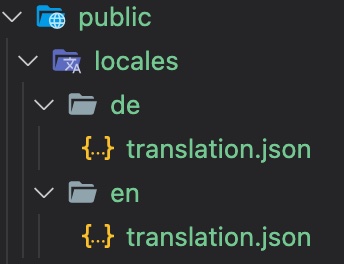 Adapt the `i18n.js` file to use the `i18next-http-backend`: ```javascript import i18next from 'i18next' import I18NextVue from 'i18next-vue' import LanguageDetector from 'i18next-browser-languagedetector' import Backend from 'i18next-http-backend' i18next // i18next-http-backend // loads translations from your server // https://github.com/i18next/i18next-http-backend .use(Backend) // detect user language // learn more: https://github.com/i18next/i18next-browser-languageDetector .use(LanguageDetector) // init i18next // for all options read: https://www.i18next.com/overview/configuration-options .init({ debug: true, fallbackLng: 'en' }); export default function (app) { app.use(I18NextVue, { i18next }) return app } ``` Now the translations are loaded asynchronously. If you have a slow network connectivity, you may notice until the translations are loaded only the i18n keys are shown. To prevent this, we make use of the new [Suspense](https://vuejs.org/guide/built-ins/suspense.html) functionality of Vue.js. First let's adapt the `i18n.js` file, by exporting the i18next init promise: ```javascript import i18next from 'i18next' import I18NextVue from 'i18next-vue' import LanguageDetector from 'i18next-browser-languagedetector' import Backend from 'i18next-http-backend' export const i18nextPromise = i18next // i18next-http-backend // loads translations from your server // https://github.com/i18next/i18next-http-backend .use(Backend) // detect user language // learn more: https://github.com/i18next/i18next-browser-languageDetector .use(LanguageDetector) // init i18next // for all options read: https://www.i18next.com/overview/configuration-options .init({ debug: true, fallbackLng: 'en' }); export default function (app) { app.use(I18NextVue, { i18next }) return app } ``` ...and use that promise in the `App.vue`: ```javascript <template> <TranslationShowCase /> </template> <script> import TranslationShowCase from './components/TranslationShowCase.vue' import { i18nextPromise } from './i18n.js' export default { name: 'App', components: { TranslationShowCase }, // used in combination with Suspense. // useful when translations are not in-memory... async setup() { await i18nextPromise return {} } } </script> ``` Let's create a new file: i.e. `Suspenser.vue`: ```javascript <template> <Suspense> <template #default> <App /> </template> <template #fallback> <div> <h1>Loading...</h1> </div> </template> </Suspense> </template> <script> import App from './App.vue' export default { name: 'Suspenser', components: { App } } </script> ``` And use that in your `main.js` file: ```javascript import { createApp } from 'vue' import i18n from './i18n' import App from './Suspenser.vue' i18n(createApp(App)).mount('#app') ``` Now, as long your translations gets loaded you'll see the fallback template:  Now your app looks still the same, but your translations are separated. If you want to support a new language, you just create a new folder and a new translation json file. This gives you the possibility to send the translations to some translators. Or if you're working with a translation management system you can just [synchronize the files with a cli](https://github.com/locize/react-tutorial#use-the-locize-cli). ## Better translation management <a name="better-translation-management"></a> By sending the translations to some translators or translator agency you have more control and a direct contact with them. But this also means more work for you. This is a traditional way. But be aware sending files around creates always an overhead. > Does a better option exist? ### For sure! <a name="for-sure"></a> i18next helps to get the application translated, and this is great - but there is more to it. - How do you integrate any translation services / agency? - How do you keep track of new or removed content? - How you handle proper versioning? - How you deploy translation changes without deploying your complete application? - and a lot more... **Looking for something like this❓** - [Easy to integrate](https://docs.locize.com/integration/instrumenting-your-code#i-18-next) - Continuous deployment? [Continuous localization](https://locize.com/how-it-works.html#continouslocalization)! - Manage the translation files with ease - [Order professional translations](https://docs.locize.com/guides-tips-and-tricks/working-with-translators/localistars) - Analytics & Statistics - [Profit from our content delivery network (CDN)](https://docs.locize.com/whats-inside/cdn-content-delivery-network) - [Versioning of your translations](https://docs.locize.com/more/versioning) - [Automatic and On-Demand Machine Translation](https://docs.locize.com/whats-inside/auto-machine-translation) - [Riskfree: Take your data with you](https://docs.locize.com/more/general-questions/how-is-locize-different-from-the-alternatives#service-lock-in) - [Transparent and fair pricing](https://locize.com/pricing.html) - and a lot more...  ### How does this look like? <a name="how-look"></a> First you need to signup at [locize](https://locize.app/register) and [login](https://docs.locize.com/integration/getting-started/create-a-user-account). Then [create a new project](https://docs.locize.com/integration/getting-started/add-a-new-project) in locize and add your translations. You can add your translations either by using the [cli](https://github.com/locize/react-tutorial#use-the-locize-cli) or by [importing the individual json files](https://docs.locize.com/more/general-questions/how-to-import-translations-from-a-file) or via [API](https://docs.locize.com/integration/api#update-remove-translations). Done so, we're going to replace [i18next-http-backend](https://github.com/i18next/i18next-http-backend) with [i18next-locize-backend](https://github.com/locize/i18next-locize-backend). `npm install i18next-locize-backend` After having imported the translations to locize, delete the locales folder. Adapt the `i18n.js` file to use the `i18next-locize-backend` and make sure you copy the project-id and api-key from within your locize project: ```javascript import I18NextVue from 'i18next-vue' import i18next from 'i18next' import Backend from 'i18next-locize-backend' import LanguageDetector from 'i18next-browser-languagedetector' const locizeOptions = { projectId: '94c21299-0cf5-4ad3-92eb-91f36fc3f20f', apiKey: 'bc8586d9-fceb-489c-86ac-2985393ed955', // YOU should not expose your apps API key to production!!! version: 'latest' } export const i18nextPromise = i18next // i18next-locize-backend // loads translations from your project, saves new keys to it (saveMissing: true) // https://github.com/locize/i18next-locize-backend .use(Backend) // detect user language // learn more: https://github.com/i18next/i18next-browser-languageDetector .use(LanguageDetector) // init i18next // for all options read: https://www.i18next.com/overview/configuration-options .init({ debug: true, fallbackLng: 'en', backend: locizeOptions }) export default function (app) { app.use(I18NextVue, { i18next }) return app } ``` [i18next-locize-backend](https://github.com/locize/i18next-locize-backend) offers a functionality to retrieve the available languages directly from locize, let's use it: ```javascript <template> <div class="hello"> <h1>{{ $t('welcome') }}</h1> <p v-html="$t('descr')"></p> <i>{{ $t('new.key', 'this will be added automatically') }}</i> <hr /> <div> <div v-if="languages"> <span v-for="(lng, index) in Object.keys(languages)" :key="lng"> <a v-if="$i18next.resolvedLanguage !== lng" v-on:click="$i18next.changeLanguage(lng)"> {{ languages[lng].nativeName }} </a> <strong v-if="$i18next.resolvedLanguage === lng"> {{ languages[lng].nativeName }} </strong> <span v-if="index < (Object.keys(languages).length - 1)"> | </span> </span> </div> </div> </div> </template> <script> import i18next from 'i18next' export default { name: 'TranslationShowCase', data () { return { languages: [] } }, async mounted () { this.languages = await i18next.services.backendConnector.backend.getLanguages() } } </script> ``` ### save missing translations <a name="save-missing"></a> Thanks to the use of the [saveMissing functionality](https://www.i18next.com/overview/configuration-options#missing-keys), new keys gets added to locize automatically, while developing the app. Just pass `saveMissing: true` in the i18next options: ```javascript import I18NextVue from 'i18next-vue' import i18next from 'i18next' import Backend from 'i18next-locize-backend' import LanguageDetector from 'i18next-browser-languagedetector' const locizeOptions = { projectId: '94c21299-0cf5-4ad3-92eb-91f36fc3f20f', apiKey: 'bc8586d9-fceb-489c-86ac-2985393ed955', // YOU should not expose your apps API key to production!!! version: 'latest' } export const i18nextPromise = i18next // i18next-locize-backend // loads translations from your project, saves new keys to it (saveMissing: true) // https://github.com/locize/i18next-locize-backend .use(Backend) // detect user language // learn more: https://github.com/i18next/i18next-browser-languageDetector .use(LanguageDetector) // init i18next // for all options read: https://www.i18next.com/overview/configuration-options .init({ debug: true, fallbackLng: 'en', backend: locizeOptions, saveMissing: true }) export default function (app) { app.use(I18NextVue, { i18next }) return app } ``` Each time you'll use a new key, it will be sent to locize, i.e.: ```javascript <i>{{ $t('new.key', 'this will be added automatically') }}</i> ``` will result in locize like this: 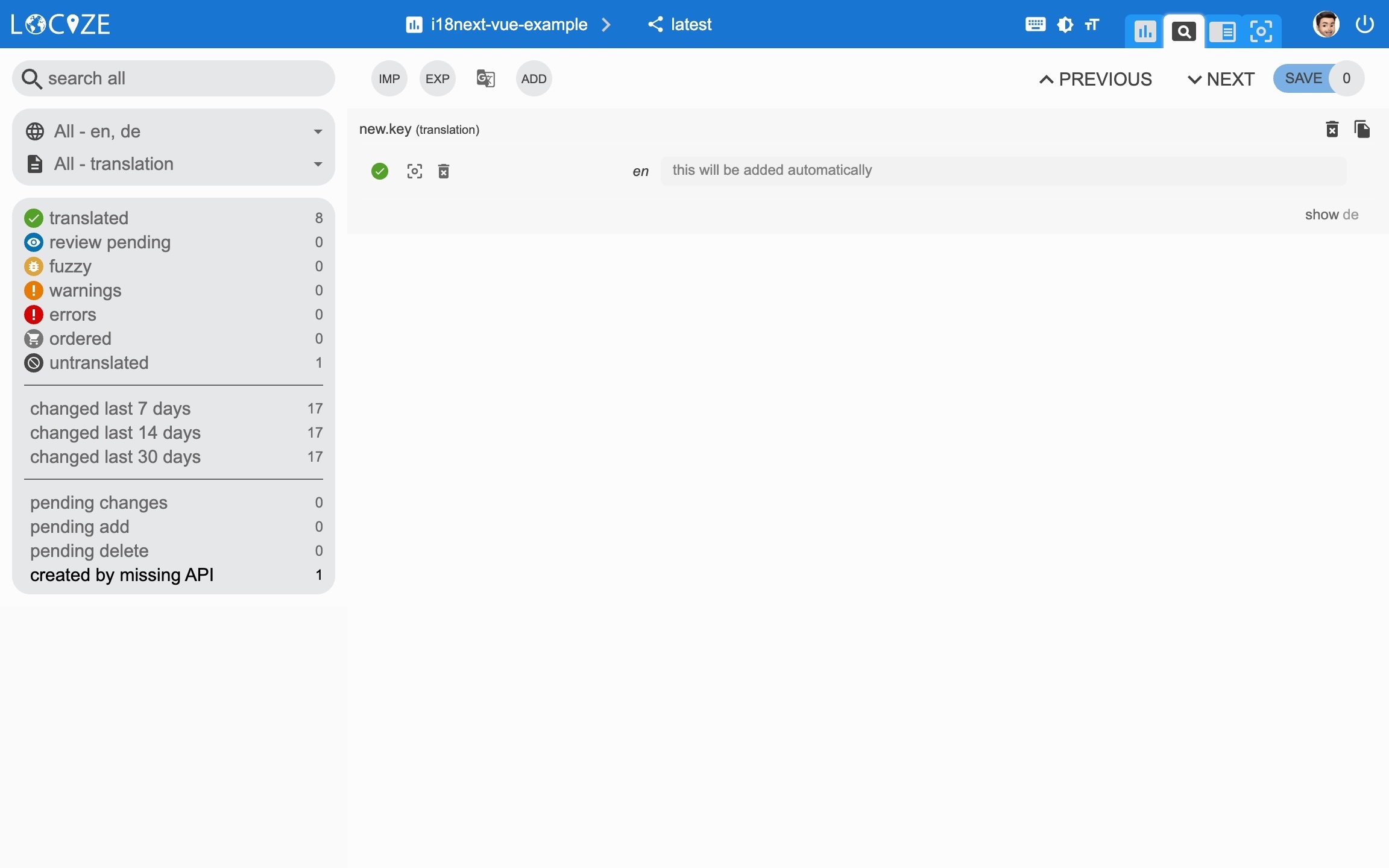 ### 👀 but there's more... <a name="more"></a> Thanks to the [locize-lastused](https://github.com/locize/locize-lastused) plugin, you'll be able to [find and filter in locize which keys are used or not used anymore](https://docs.locize.com/guides-tips-and-tricks/unused-translations). With the help of the [locize](https://github.com/locize/locize) plugin, you'll be able to use your app within the locize [InContext Editor](https://docs.locize.com/more/incontext-editor). Lastly, with the help of the [auto-machinetranslation workflow](https://docs.locize.com/whats-inside/auto-machine-translation) and the use of the [saveMissing functionality](https://www.i18next.com/overview/configuration-options#missing-keys), new keys not only gets added to locize automatically, while developing the app, but are also automatically translated into the target languages using machine translation. *Check out this [video](https://youtu.be/VfxBpSXarlU) to see how the automatic machine translation workflow looks like!* {% youtube VfxBpSXarlU %} `npm install locize-lastused locize` use them in `i18n.js`: ```javascript import I18NextVue from 'i18next-vue' import i18next from 'i18next' import Backend from 'i18next-locize-backend' import LanguageDetector from 'i18next-browser-languagedetector' import LastUsed from 'locize-lastused' import { locizePlugin } from 'locize' const locizeOptions = { projectId: '94c21299-0cf5-4ad3-92eb-91f36fc3f20f', apiKey: 'bc8586d9-fceb-489c-86ac-2985393ed955', // YOU should not expose your apps API key to production!!! version: 'latest' } export const i18nextPromise = i18next // locize-lastused // sets a timestamp of last access on every translation segment on locize // -> safely remove the ones not being touched for weeks/months // https://github.com/locize/locize-lastused .use(LastUsed) // locize-editor // InContext Editor of locize .use(locizePlugin) // i18next-locize-backend // loads translations from your project, saves new keys to it (saveMissing: true) // https://github.com/locize/i18next-locize-backend .use(Backend) // detect user language // learn more: https://github.com/i18next/i18next-browser-languageDetector .use(LanguageDetector) // init i18next // for all options read: https://www.i18next.com/overview/configuration-options .init({ debug: true, fallbackLng: 'en', saveMissing: true, backend: locizeOptions, locizeLastUsed: locizeOptions }) export default function (app) { app.use(I18NextVue, { i18next }) return app } ``` [Automatic machine translation](https://docs.locize.com/whats-inside/auto-machine-translation): 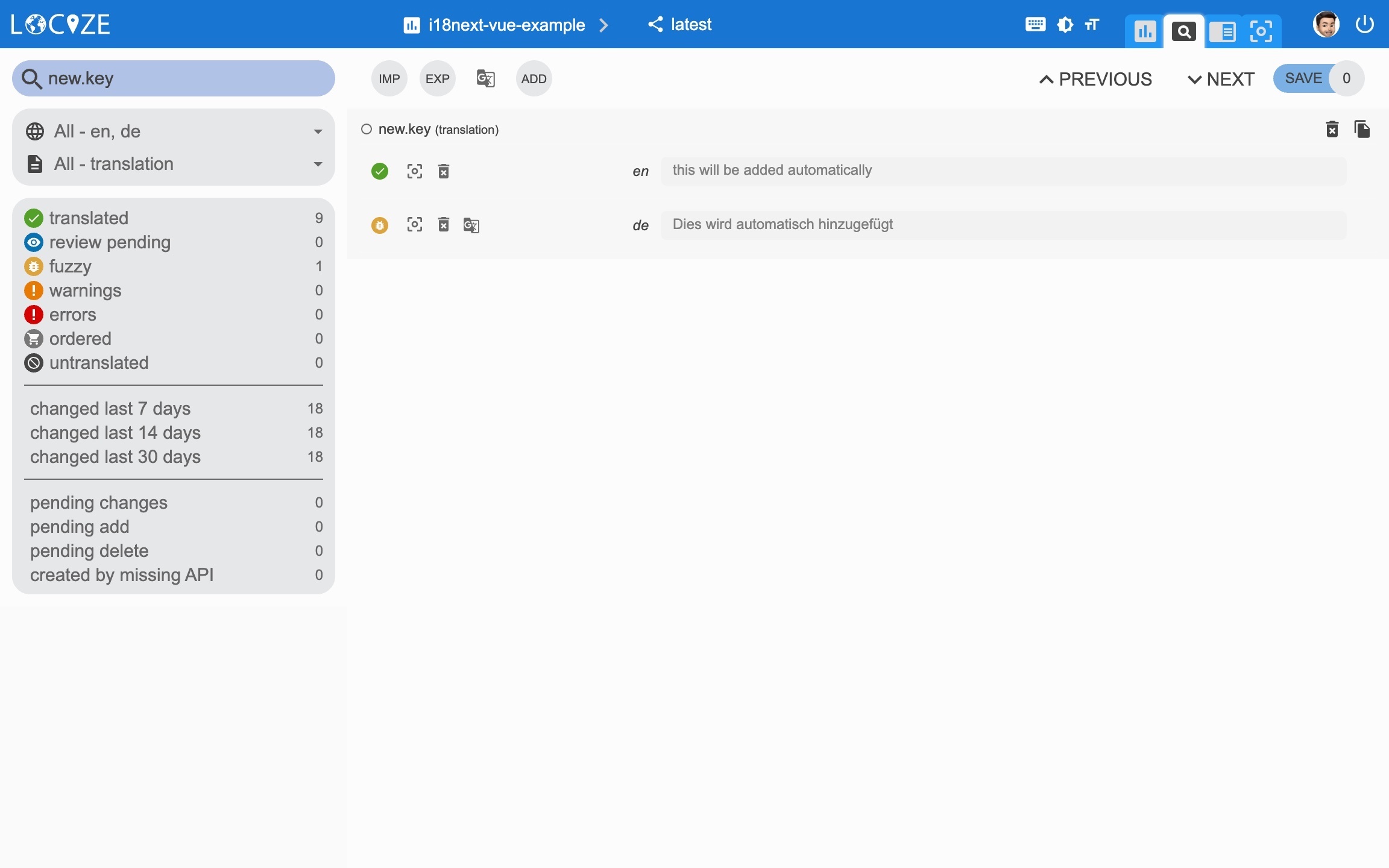 [Last used translations filter]((https://docs.locize.com/guides-tips-and-tricks/unused-translations)): 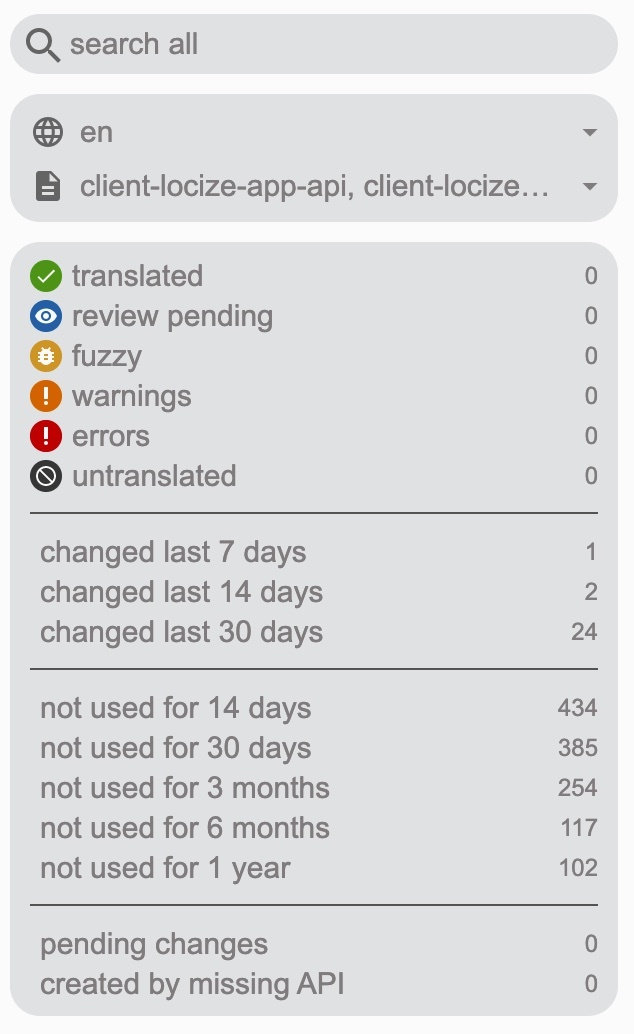 [InContext Editor](https://docs.locize.com/more/incontext-editor): 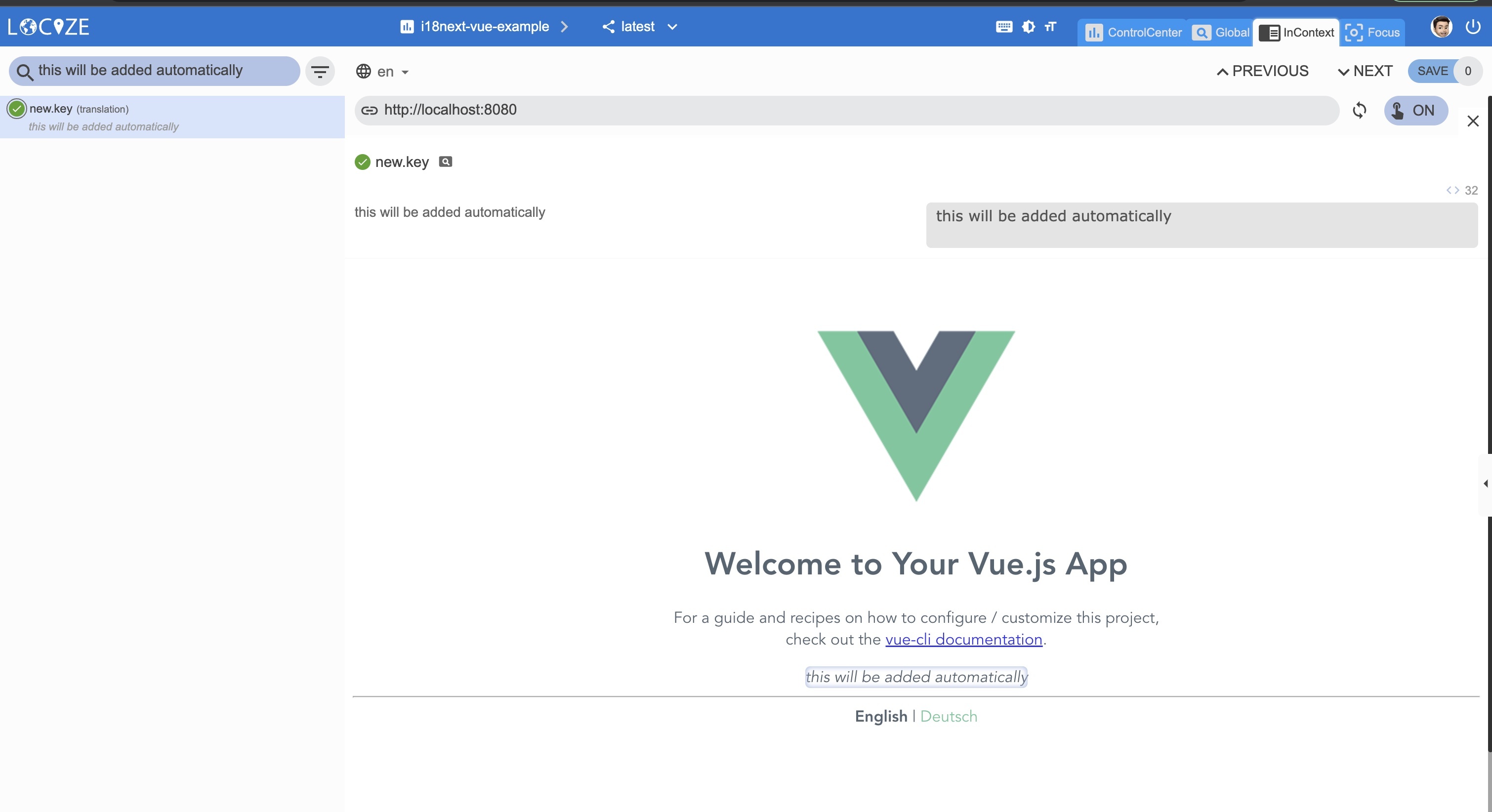 ### 📦 Let's prepare for production 🚀 <a name="production"></a> Now, we prepare the app for [going to production](https://docs.locize.com/guides-tips-and-tricks/going-production). First in locize, create a dedicated version for production. Do not enable auto publish for that version but publish manually or via [API](https://docs.locize.com/integration/api#publish-version) or via [CLI](https://github.com/locize/locize-cli#publish-version). Lastly, [enable Cache-Control max-age](https://docs.locize.com/more/caching) for that production version. Let's making use of the [environment feature of react-scripts](https://create-react-app.dev/docs/adding-custom-environment-variables/). Lets' create a default environment file and one for development and one for production: `.env`: ``` VUE_APP_LOCIZE_PROJECTID=94c21299-0cf5-4ad3-92eb-91f36fc3f20f ``` `.env.development`: ``` VUE_APP_LOCIZE_VERSION=latest VUE_APP_LOCIZE_APIKEY=bc8586d9-fceb-489c-86ac-2985393ed955 ``` `.env.production`: ``` VUE_APP_LOCIZE_VERSION=production ``` Now let's adapt the i18n.js file: ```javascript import I18NextVue from 'i18next-vue' import i18next from 'i18next' import Backend from 'i18next-locize-backend' import LanguageDetector from 'i18next-browser-languagedetector' import LastUsed from 'locize-lastused' import { locizePlugin } from 'locize' const isProduction = process.env.NODE_ENV === 'production' const locizeOptions = { projectId: process.env.VUE_APP_LOCIZE_PROJECTID, apiKey: process.env.VUE_APP_LOCIZE_APIKEY, // YOU should not expose your apps API key to production!!! version: process.env.VUE_APP_LOCIZE_VERSION } if (!isProduction) { // locize-lastused // sets a timestamp of last access on every translation segment on locize // -> safely remove the ones not being touched for weeks/months // https://github.com/locize/locize-lastused i18next.use(LastUsed); } export const i18nextPromise = i18next // locize-editor // InContext Editor of locize .use(locizePlugin) // i18next-locize-backend // loads translations from your project, saves new keys to it (saveMissing: true) // https://github.com/locize/i18next-locize-backend .use(Backend) // detect user language // learn more: https://github.com/i18next/i18next-browser-languageDetector .use(LanguageDetector) // init i18next // for all options read: https://www.i18next.com/overview/configuration-options .init({ debug: !isProduction, fallbackLng: 'en', saveMissing: !isProduction, backend: locizeOptions, locizeLastUsed: locizeOptions }) export default function (app) { app.use(I18NextVue, { i18next }) return app } ``` Now, during development, you'll continue to save missing keys and to make use of lastused feature. => npm run serve And in production environment, saveMissing and lastused are disabled, and also the api-key is not exposed. => npm run build [Caching](https://docs.locize.com/more/caching): 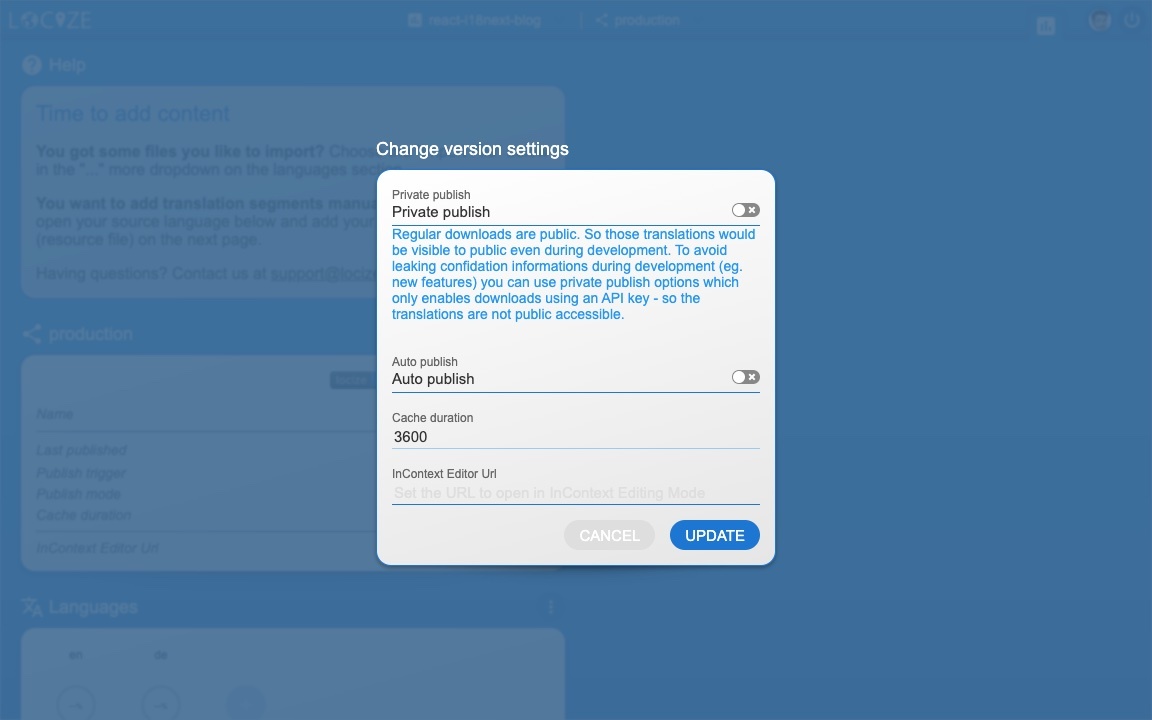 [Merging versions](https://docs.locize.com/more/versioning#merging-versions): 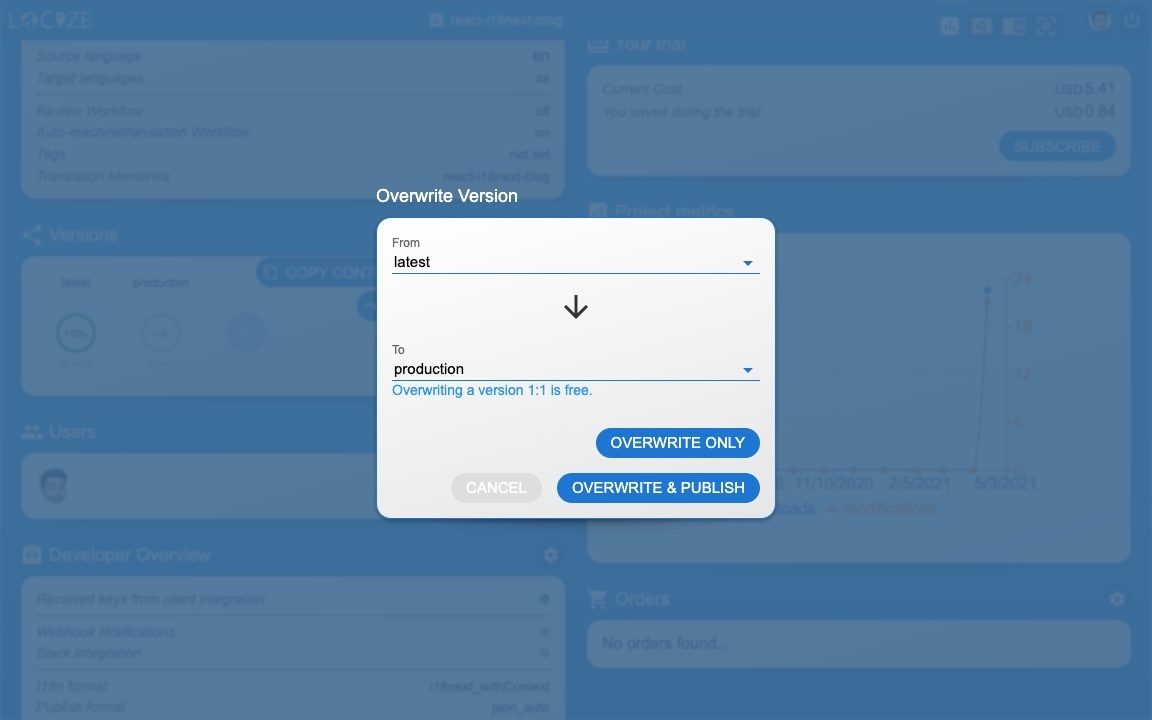 *🧑💻 The complete code can be found [here](https://github.com/locize/locize-i18next-vue-example).* *Check also the [code integration part](https://www.youtube.com/watch?v=ds-yEEYP1Ks&t=423s) in this [YouTube video](https://www.youtube.com/watch?v=ds-yEEYP1Ks).* # 🎉🥳 Congratulations 🎊🎁 <a name="congratulations"></a> I hope you’ve learned a few new things about [i18next](https://www.i18next.com), [Vue.js localization](https://i18next.github.io/i18next-vue/) and [modern localization workflows](https://locize.com). So if you want to take your i18n topic to the next level, it's worth to try the [localization management platform - locize](https://locize.com). The founders of [locize](https://locize.com) are also the creators of [i18next](https://www.i18next.com). So with using [locize](https://locize.com) you directly support the future of [i18next](https://www.i18next.com). # 👍 |
| json metadata | {"tags":["vue","web","code","i18n"],"image":["https://cdn.steemitimages.com/DQmckKh1FRMWP3rD8VsHQfYDfe2x2i8xsGRqi4FbpKYFyNt/i18next-vue.jpg","https://cdn.steemitimages.com/DQmcgE27KR8MQH8ug3JKag66GeNZ33kR8gd5YTPeFts5gGo/app_0.jpg","https://cdn.steemitimages.com/DQmXZ5Zn74A8w6kq8KgrkXgFMS4Ppza8mpsFi59svFMMYcZ/app_1.jpg","https://cdn.steemitimages.com/DQmVHrkuDXM3caaLFqvTJoFmFhrkGfCad9LRRbE2FAsGR6s/public_locales.jpg","https://dev-to-uploads.s3.amazonaws.com/uploads/articles/s6dirsf7797i7fzukju5.jpg","https://dev-to-uploads.s3.amazonaws.com/uploads/articles/m2tcnem9xy7ec9fb4jbs.jpg","https://dev-to-uploads.s3.amazonaws.com/uploads/articles/msem7coe9l5ma9q1flnf.jpg","https://dev-to-uploads.s3.amazonaws.com/uploads/articles/yxubftr17rwvnuoexk8c.jpg","https://dev-to-uploads.s3.amazonaws.com/uploads/articles/433p1hl1inwswmdqq8p0.jpg","https://dev-to-uploads.s3.amazonaws.com/uploads/articles/bjwudtwy233otrs696jl.jpg","https://dev-to-uploads.s3.amazonaws.com/uploads/articles/4pedjwjyjgss0p7iekn1.jpg","https://dev-to-uploads.s3.amazonaws.com/uploads/articles/0s57egh47eic5fh0j0pu.jpg"],"links":["https://vuejs.org/","https://dev.to/adrai/give-vue-i18n-more-superpowers-12la","https://www.i18next.com","https://github.com/i18next/i18next-vue","#why-i18next","#start","#prerequisites","#getting-started","#language-switcher","#current-language","#interpolation-pluralization","#formatting","#context","#separate","#better-translation-management","#for-sure","#how-look","#save-missing","#more","#production","#congratulations","https://i18next.github.io/i18next-vue/","https://dev.to/adrai/how-to-properly-internationalize-a-react-application-using-i18next-3hdb","https://dev.to/adrai/i18n-in-the-multiverse-of-formats-1nip","https://www.i18next.com/overview/supported-frameworks","https://www.i18next.com/overview/comparison-to-others","https://locize.com/i18next.html#how-does-i18next-work","https://cli.vuejs.org/guide/creating-a-project.html#vue-create","https://github.com/i18next/i18next-browser-languageDetector","https://www.i18next.com/overview/api#t","https://vuejs.org/guide/essentials/template-syntax.html#raw-html","https://www.i18next.com/overview/api#resolvedlanguage","https://www.i18next.com/translation-function/plurals","https://www.i18next.com/translation-function/interpolation","https://dev.to/adrai/how-to-properly-internationalize-a-react-application-using-i18next-3hdb#interpolation-pluralization","https://www.i18next.com/translation-function/formatting","https://dev.to/adrai/how-to-properly-internationalize-a-react-application-using-i18next-3hdb#formatting","https://www.i18next.com/translation-function/context","https://dev.to/adrai/how-to-properly-internationalize-a-react-application-using-i18next-3hdb#context","https://github.com/i18next/i18next-http-backend","https://vuejs.org/guide/built-ins/suspense.html","https://github.com/locize/react-tutorial#use-the-locize-cli","https://docs.locize.com/integration/instrumenting-your-code#i-18-next","https://locize.com/how-it-works.html#continouslocalization","https://docs.locize.com/guides-tips-and-tricks/working-with-translators/localistars","https://docs.locize.com/whats-inside/cdn-content-delivery-network","https://docs.locize.com/more/versioning","https://docs.locize.com/whats-inside/auto-machine-translation","https://docs.locize.com/more/general-questions/how-is-locize-different-from-the-alternatives#service-lock-in","https://locize.com/pricing.html","https://locize.app/register","https://docs.locize.com/integration/getting-started/create-a-user-account","https://docs.locize.com/integration/getting-started/add-a-new-project","https://docs.locize.com/more/general-questions/how-to-import-translations-from-a-file","https://docs.locize.com/integration/api#update-remove-translations","https://github.com/locize/i18next-locize-backend","https://www.i18next.com/overview/configuration-options#missing-keys","https://github.com/locize/locize-lastused","https://docs.locize.com/guides-tips-and-tricks/unused-translations","https://github.com/locize/locize","https://docs.locize.com/more/incontext-editor","https://youtu.be/VfxBpSXarlU","(https://docs.locize.com/guides-tips-and-tricks/unused-translations)","https://docs.locize.com/guides-tips-and-tricks/going-production","https://docs.locize.com/integration/api#publish-version","https://github.com/locize/locize-cli#publish-version","https://docs.locize.com/more/caching","https://create-react-app.dev/docs/adding-custom-environment-variables/","https://docs.locize.com/more/versioning#merging-versions","https://github.com/locize/locize-i18next-vue-example","https://www.youtube.com/watch?v=ds-yEEYP1Ks&t=423s","https://www.youtube.com/watch?v=ds-yEEYP1Ks","https://locize.com"],"app":"steemit/0.2","format":"markdown"} |
| Transaction Info | Block #64210369/Trx 0105df037a32cdfb221afc26f4f5631c029f199c |
View Raw JSON Data
{
"trx_id": "0105df037a32cdfb221afc26f4f5631c029f199c",
"block": 64210369,
"trx_in_block": 5,
"op_in_trx": 0,
"virtual_op": 0,
"timestamp": "2022-05-16T05:18:18",
"op": [
"comment",
{
"parent_author": "",
"parent_permlink": "vue",
"author": "adrai",
"permlink": "how-to-properly-internationalize-a-vue-application-using-i18next",
"title": "How to properly internationalize a Vue application using i18next",
"body": "\n\nSince [Vue.js](https://vuejs.org/) is an approachable, performant and versatile framework for building web user interfaces, it also needs a best-in-class internationalization solution.\nYou may know [vue-i18n](https://dev.to/adrai/give-vue-i18n-more-superpowers-12la), but for those already knowing [i18next](https://www.i18next.com) a Vue.js adapted version of i18next would be more appropriate.\n\nIn this tutorial we'll make use of the [i18next-vue](https://github.com/i18next/i18next-vue) module.\n\n\n## TOC\n * [So first of all: \"Why i18next?\"](#why-i18next)\n * [Let's get into it...](#start)\n - [Prerequisites](#prerequisites)\n - [Getting started](#getting-started)\n - [Language Switcher](#language-switcher)\n - [How to get the current language?](#current-language)\n - [Interpolation and Pluralization](#interpolation-pluralization)\n - [Formatting](#formatting)\n - [Context](#context)\n - [Separate translations from code](#separate)\n - [Better translation management](#better-translation-management)\n - [For sure!](#for-sure)\n - [How does this look like?](#how-look)\n - [save missing translations](#save-missing)\n - [👀 but there's more...](#more)\n - [📦 Let's prepare for production 🚀](#production)\n - [🎉🥳 Congratulations 🎊🎁](#congratulations)\n\n# So first of all: \"Why i18next?\" <a name=\"why-i18next\"></a>\n\nWhen it comes to React localization. One of the most popular is [i18next](https://www.i18next.com) with it's Vue extension [i18next-vue](https://i18next.github.io/i18next-vue/), and for good reasons:\n\n*i18next was created in late 2011. It's older than most of the libraries you will use nowadays, including your main frontend technology ([React](https://dev.to/adrai/how-to-properly-internationalize-a-react-application-using-i18next-3hdb), Angular, Vue, ...).*\n\n**➡️ sustainable**\n\n\n*Based on how long i18next already is available open source, there is no real i18n case that could not be solved with i18next.*\n\n**➡️ mature**\n\n\n*i18next can be used in any javascript (and a few non-javascript - .net, elm, iOS, android, ruby, ...) environment, with any UI framework, with any [i18n format](https://dev.to/adrai/i18n-in-the-multiverse-of-formats-1nip), ... [the possibilities are endless](https://www.i18next.com/overview/supported-frameworks).*\n\n**➡️ extensible**\n\n\n*There is a plenty of features and possibilities you'll get with i18next compared to other regular 18n frameworks.*\n\n**➡️ rich**\n\n\n[Here](https://www.i18next.com/overview/comparison-to-others) you can find more information about why i18next is special and [how it works](https://locize.com/i18next.html#how-does-i18next-work).\n\n\n# Let's get into it... <a name=\"start\"></a>\n\n## Prerequisites <a name=\"prerequisites\"></a>\n\nMake sure you have Node.js and npm installed. It's best, if you have some experience with simple HTML, JavaScript and basic Vue.js, before jumping to [i18next-vue](https://i18next.github.io/i18next-vue/).\n\n\n## Getting started <a name=\"getting-started\"></a>\n\nTake your own Vue project or create a new one, new one, i.e. with [the vue create cli command](https://cli.vuejs.org/guide/creating-a-project.html#vue-create).\n\n`npx @vue/cli create vue-starter-project`\n\n\n\n\nWe are going to adapt the app to detect the language according to the user’s preference.\nAnd we will create a language switcher to make the content change between different languages.\n\nLet's install some i18next dependencies:\n\n- [i18next](https://www.i18next.com)\n- [i18next-vue](https://github.com/i18next/i18next-vue)\n- [i18next-browser-languagedetector](https://github.com/i18next/i18next-browser-languageDetector)\n\n`npm install i18next i18next-vue i18next-browser-languagedetector`\n\nLet's prepare an `i18n.js` file:\n```javascript\nimport i18next from 'i18next'\nimport I18NextVue from 'i18next-vue'\nimport LanguageDetector from 'i18next-browser-languagedetector'\n\ni18next\n // detect user language\n // learn more: https://github.com/i18next/i18next-browser-languageDetector\n .use(LanguageDetector)\n // init i18next\n // for all options read: https://www.i18next.com/overview/configuration-options\n .init({\n debug: true,\n fallbackLng: 'en',\n resources: {\n en: {\n translation: {\n // here we will place our translations...\n }\n }\n }\n });\n\nexport default function (app) {\n app.use(I18NextVue, { i18next })\n return app\n}\n```\n\nLet's import that file in our `main.js` file:\n\n```javascript\nimport { createApp } from 'vue'\nimport i18n from './i18n'\nimport App from './App.vue'\n\ni18n(createApp(App)).mount('#app')\n```\n\nNow let's try to move some hard coded text out to the translations.\n\nFor the first text we just use a simple `welcome` key to directly invoke the `$t` function. The `$t` is more or less the same as [`i18next.t`](https://www.i18next.com/overview/api#t).\n\nFor the second text we will use the [`v-html` directive](https://vuejs.org/guide/essentials/template-syntax.html#raw-html) to directly output real HTML.\n\n>**Security Warning**<br />Dynamically rendering arbitrary HTML on your website can be very dangerous because it can easily lead to XSS vulnerabilities. Only use v-html on trusted content and never on user-provided content.\n\n\n```javascript\n<template>\n <div class=\"hello\">\n <h1>{{ $t('welcome') }}</h1>\n <p v-html=\"$t('descr')\"></p>\n </div>\n</template>\n\n<script>\nexport default {\n name: 'TranslationShowCase'\n}\n</script>\n```\n\nThe texts are now part of the translation resources:\n\n```javascript\nimport i18next from 'i18next'\nimport I18NextVue from 'i18next-vue'\nimport LanguageDetector from 'i18next-browser-languagedetector'\n\ni18next\n // detect user language\n // learn more: https://github.com/i18next/i18next-browser-languageDetector\n .use(LanguageDetector)\n // init i18next\n // for all options read: https://www.i18next.com/overview/configuration-options\n .init({\n debug: true,\n fallbackLng: 'en',\n resources: {\n en: {\n translation: {\n welcome: 'Welcome to Your Vue.js App',\n descr: 'For a guide and recipes on how to configure / customize '\n + 'this project,<br>check out the '\n + '<a href=\"https://cli.vuejs.org\" target=\"_blank\" '\n + 'rel=\"noopener\">vue-cli documentation</a>.'\n }\n }\n }\n });\n\nexport default function (app) {\n app.use(I18NextVue, { i18next })\n return app\n}\n```\n\n\n## Language Switcher <a name=\"language-switcher\"></a>\n\nNow let's define a language switcher:\n\n```javascript\n<template>\n <div class=\"hello\">\n <h1>{{ $t('welcome') }}</h1>\n <p v-html=\"$t('descr')\"></p>\n <hr />\n <div>\n <div v-if=\"languages\">\n <span v-for=\"(lng, index) in Object.keys(languages)\" :key=\"lng\">\n <a v-if=\"$i18next.resolvedLanguage !== lng\" v-on:click=\"$i18next.changeLanguage(lng)\">\n {{ languages[lng].nativeName }}\n </a>\n <strong v-if=\"$i18next.resolvedLanguage === lng\">\n {{ languages[lng].nativeName }}\n </strong>\n <span v-if=\"index < (Object.keys(languages).length - 1)\"> | </span>\n </span>\n </div>\n </div>\n </div>\n</template>\n\n<script>\nexport default {\n name: 'TranslationShowCase',\n data () {\n return {\n languages: {\n en: { nativeName: 'English' },\n de: { nativeName: 'Deutsch' }\n }\n }\n }\n}\n</script>\n```\n\nAnd also add some translations for the new language:\n\n```javascript\nimport i18next from 'i18next'\nimport I18NextVue from 'i18next-vue'\nimport LanguageDetector from 'i18next-browser-languagedetector'\n\ni18next\n // detect user language\n // learn more: https://github.com/i18next/i18next-browser-languageDetector\n .use(LanguageDetector)\n // init i18next\n // for all options read: https://www.i18next.com/overview/configuration-options\n .init({\n debug: true,\n fallbackLng: 'en',\n resources: {\n en: {\n translation: {\n welcome: 'Welcome to Your Vue.js App',\n descr: 'For a guide and recipes on how to configure / customize '\n + 'this project,<br>check out the '\n + '<a href=\"https://cli.vuejs.org\" target=\"_blank\" '\n + 'rel=\"noopener\">vue-cli documentation</a>.'\n }\n },\n de: {\n translation: {\n welcome: 'Willkommen zu Deiner Vue.js App',\n descr: 'Eine Anleitung und Rezepte zum Konfigurieren/Anpassen '\n + 'dieses Projekts findest du<br>in der '\n + '<a href=\"https://cli.vuejs.org\" target=\"_blank\" '\n + 'rel=\"noopener\">vue-cli-Dokumentation</a>.'\n }\n }\n }\n });\n\nexport default function (app) {\n app.use(I18NextVue, { i18next })\n return app\n}\n```\n\n\n\n\n\n**🥳 Awesome, you've just created your first language switcher!**\n\nThanks to [i18next-browser-languagedetector](https://github.com/i18next/i18next-browser-languageDetector) now it tries to detect the browser language and automatically use that language if you've provided the translations for it. The manually selected language in the language switcher is persisted in the localStorage, next time you visit the page, that language is used as preferred language.\n\n### How to get the current language? <a name=\"current-language\"></a>\n\nSince i18next v21 there is [`i18next.resolvedLanguage`](https://www.i18next.com/overview/api#resolvedlanguage).\nIt is set to the current resolved language and it can be used as primary used language, for example in a language switcher.\n\nIf your detected language for example is `en-US` and you provided translations only for `en` *(fallbackLng)* instead `i18next.resolvedLanguage` will return `en`.\n\n#### i18next.language vs. i18next.languages vs. i18next.resolvedLanguage\n\n```javascript\n/* language */\ni18next.language;\n// Is set to the current detected or set language.\n\n/* language */\ni18next.languages;\n// Is set to an array of language codes that will be used to look up the translation value.\n// When the language is set, this array is populated with the new language codes.\n// Unless overridden, this array is populated with less-specific versions of that code for fallback purposes, followed by the list of fallback languages\n\n// initialize with fallback languages\ni18next.init({\n fallbackLng: [\"es\", \"fr\", \"en-US\", \"dev\"]\n});\n// change the language\ni18next.changeLanguage(\"en-US-xx\");\n// new language and its more generic forms, followed by fallbacks\ni18next.languages; // [\"en-US-xx\", \"en-US\", \"en\", \"es\", \"fr\", \"dev\"]\n// change the language again\ni18next.changeLanguage(\"de-DE\");\n// previous language is not retained\ni18next.languages; // [\"de-DE\", \"de\", \"es\", \"fr\", \"en-US\", \"dev\"]\n\n/* resolvedLanguage */\ni18next.resolvedLanguage;\n// Is set to the current resolved language.\n// It can be used as primary used language,\n// for example in a language switcher.\n```\n\n## Interpolation and Pluralization <a name=\"interpolation-pluralization\"></a>\n\ni18next goes beyond just providing the standard i18n features.\nBut for sure it's able to handle [plurals](https://www.i18next.com/translation-function/plurals) and [interpolation](https://www.i18next.com/translation-function/interpolation).\n\nIf you like to see how this works, have a look at [this section in that other blog post](https://dev.to/adrai/how-to-properly-internationalize-a-react-application-using-i18next-3hdb#interpolation-pluralization).\n\n\n## Formatting <a name=\"formatting\"></a>\n\nAlso [formatting](https://www.i18next.com/translation-function/formatting) can be done.\n\nIf you like to see how this works, have a look at [this section in that other blog post](https://dev.to/adrai/how-to-properly-internationalize-a-react-application-using-i18next-3hdb#formatting).\n\n\n## Context <a name=\"context\"></a>\n\nWhat about a specific greeting message based on the current day time? i.e. morning, evening, etc.\nThis is possible thanks to the [context](https://www.i18next.com/translation-function/context) feature of i18next.\n\nIf you like to see how this works, have a look at [this section in that other blog post](https://dev.to/adrai/how-to-properly-internationalize-a-react-application-using-i18next-3hdb#context).\n\n\n## Separate translations from code <a name=\"separate\"></a>\n\nHaving the translations in our `i18n.js` file works, but is not that suitable to work with, for translators.\nLet's separate the translations from the code and pleace them in dedicated json files.\n\nBecause this is a web application, [i18next-http-backend](https://github.com/i18next/i18next-http-backend) will help us to do so.\n\n`npm install i18next-http-backend`\n\nMove the translations to the public folder:\n\n\n\n\n\nAdapt the `i18n.js` file to use the `i18next-http-backend`:\n\n```javascript\nimport i18next from 'i18next'\nimport I18NextVue from 'i18next-vue'\nimport LanguageDetector from 'i18next-browser-languagedetector'\nimport Backend from 'i18next-http-backend'\n\ni18next\n // i18next-http-backend\n // loads translations from your server\n // https://github.com/i18next/i18next-http-backend\n .use(Backend)\n // detect user language\n // learn more: https://github.com/i18next/i18next-browser-languageDetector\n .use(LanguageDetector)\n // init i18next\n // for all options read: https://www.i18next.com/overview/configuration-options\n .init({\n debug: true,\n fallbackLng: 'en'\n });\n\nexport default function (app) {\n app.use(I18NextVue, { i18next })\n return app\n}\n```\n\nNow the translations are loaded asynchronously.\nIf you have a slow network connectivity, you may notice until the translations are loaded only the i18n keys are shown.\n\nTo prevent this, we make use of the new [Suspense](https://vuejs.org/guide/built-ins/suspense.html) functionality of Vue.js.\n\nFirst let's adapt the `i18n.js` file, by exporting the i18next init promise:\n```javascript\nimport i18next from 'i18next'\nimport I18NextVue from 'i18next-vue'\nimport LanguageDetector from 'i18next-browser-languagedetector'\nimport Backend from 'i18next-http-backend'\n\nexport const\n i18nextPromise = i18next\n // i18next-http-backend\n // loads translations from your server\n // https://github.com/i18next/i18next-http-backend\n .use(Backend)\n // detect user language\n // learn more: https://github.com/i18next/i18next-browser-languageDetector\n .use(LanguageDetector)\n // init i18next\n // for all options read: https://www.i18next.com/overview/configuration-options\n .init({\n debug: true,\n fallbackLng: 'en'\n });\n\nexport default function (app) {\n app.use(I18NextVue, { i18next })\n return app\n}\n```\n\n...and use that promise in the `App.vue`:\n```javascript\n<template>\n <TranslationShowCase />\n</template>\n\n<script>\nimport TranslationShowCase from './components/TranslationShowCase.vue'\nimport { i18nextPromise } from './i18n.js'\n\nexport default {\n name: 'App',\n components: {\n TranslationShowCase\n },\n // used in combination with Suspense.\n // useful when translations are not in-memory...\n async setup() {\n await i18nextPromise\n return {}\n }\n}\n</script>\n```\n\nLet's create a new file: i.e. `Suspenser.vue`:\n\n```javascript\n<template>\n <Suspense>\n <template #default>\n <App />\n </template>\n <template #fallback>\n <div>\n <h1>Loading...</h1>\n </div>\n </template>\n </Suspense>\n</template>\n\n<script>\nimport App from './App.vue'\n\nexport default {\n name: 'Suspenser',\n components: {\n App\n }\n}\n</script>\n```\n\nAnd use that in your `main.js` file:\n\n```javascript\nimport { createApp } from 'vue'\nimport i18n from './i18n'\nimport App from './Suspenser.vue'\n\ni18n(createApp(App)).mount('#app')\n```\n\nNow, as long your translations gets loaded you'll see the fallback template:\n\n\nNow your app looks still the same, but your translations are separated.\nIf you want to support a new language, you just create a new folder and a new translation json file.\nThis gives you the possibility to send the translations to some translators.\nOr if you're working with a translation management system you can just [synchronize the files with a cli](https://github.com/locize/react-tutorial#use-the-locize-cli).\n\n\n## Better translation management <a name=\"better-translation-management\"></a>\n\nBy sending the translations to some translators or translator agency you have more control and a direct contact with them. But this also means more work for you.\nThis is a traditional way. But be aware sending files around creates always an overhead.\n\n> Does a better option exist?\n\n### For sure! <a name=\"for-sure\"></a>\n\ni18next helps to get the application translated, and this is great - but there is more to it.\n- How do you integrate any translation services / agency?\n- How do you keep track of new or removed content?\n- How you handle proper versioning?\n- How you deploy translation changes without deploying your complete application?\n- and a lot more...\n\n**Looking for something like this❓**\n\n- [Easy to integrate](https://docs.locize.com/integration/instrumenting-your-code#i-18-next)\n- Continuous deployment? [Continuous localization](https://locize.com/how-it-works.html#continouslocalization)!\n- Manage the translation files with ease\n- [Order professional translations](https://docs.locize.com/guides-tips-and-tricks/working-with-translators/localistars)\n- Analytics & Statistics\n- [Profit from our content delivery network (CDN)](https://docs.locize.com/whats-inside/cdn-content-delivery-network)\n- [Versioning of your translations](https://docs.locize.com/more/versioning)\n- [Automatic and On-Demand Machine Translation](https://docs.locize.com/whats-inside/auto-machine-translation)\n- [Riskfree: Take your data with you](https://docs.locize.com/more/general-questions/how-is-locize-different-from-the-alternatives#service-lock-in)\n- [Transparent and fair pricing](https://locize.com/pricing.html)\n- and a lot more...\n\n\n\n### How does this look like? <a name=\"how-look\"></a>\n\nFirst you need to signup at [locize](https://locize.app/register) and [login](https://docs.locize.com/integration/getting-started/create-a-user-account).\nThen [create a new project](https://docs.locize.com/integration/getting-started/add-a-new-project) in locize and add your translations. You can add your translations either by using the [cli](https://github.com/locize/react-tutorial#use-the-locize-cli) or by [importing the individual json files](https://docs.locize.com/more/general-questions/how-to-import-translations-from-a-file) or via [API](https://docs.locize.com/integration/api#update-remove-translations).\n\nDone so, we're going to replace [i18next-http-backend](https://github.com/i18next/i18next-http-backend) with [i18next-locize-backend](https://github.com/locize/i18next-locize-backend).\n\n`npm install i18next-locize-backend`\n\nAfter having imported the translations to locize, delete the locales folder.\n\nAdapt the `i18n.js` file to use the `i18next-locize-backend` and make sure you copy the project-id and api-key from within your locize project:\n\n```javascript\nimport I18NextVue from 'i18next-vue'\nimport i18next from 'i18next'\nimport Backend from 'i18next-locize-backend'\nimport LanguageDetector from 'i18next-browser-languagedetector'\n\nconst locizeOptions = {\n projectId: '94c21299-0cf5-4ad3-92eb-91f36fc3f20f',\n apiKey: 'bc8586d9-fceb-489c-86ac-2985393ed955', // YOU should not expose your apps API key to production!!!\n version: 'latest'\n}\n\nexport const\n i18nextPromise = i18next\n // i18next-locize-backend\n // loads translations from your project, saves new keys to it (saveMissing: true)\n // https://github.com/locize/i18next-locize-backend\n .use(Backend)\n // detect user language\n // learn more: https://github.com/i18next/i18next-browser-languageDetector\n .use(LanguageDetector)\n // init i18next\n // for all options read: https://www.i18next.com/overview/configuration-options\n .init({\n debug: true,\n fallbackLng: 'en',\n backend: locizeOptions\n })\n\nexport default function (app) {\n app.use(I18NextVue, { i18next })\n return app\n}\n```\n\n[i18next-locize-backend](https://github.com/locize/i18next-locize-backend) offers a functionality to retrieve the available languages directly from locize, let's use it:\n\n```javascript\n<template>\n <div class=\"hello\">\n <h1>{{ $t('welcome') }}</h1>\n <p v-html=\"$t('descr')\"></p>\n <i>{{ $t('new.key', 'this will be added automatically') }}</i>\n <hr />\n <div>\n <div v-if=\"languages\">\n <span v-for=\"(lng, index) in Object.keys(languages)\" :key=\"lng\">\n <a v-if=\"$i18next.resolvedLanguage !== lng\" v-on:click=\"$i18next.changeLanguage(lng)\">\n {{ languages[lng].nativeName }}\n </a>\n <strong v-if=\"$i18next.resolvedLanguage === lng\">\n {{ languages[lng].nativeName }}\n </strong>\n <span v-if=\"index < (Object.keys(languages).length - 1)\"> | </span>\n </span>\n </div>\n </div>\n </div>\n</template>\n\n<script>\nimport i18next from 'i18next'\n\nexport default {\n name: 'TranslationShowCase',\n data () {\n return {\n languages: []\n }\n },\n async mounted () {\n this.languages = await i18next.services.backendConnector.backend.getLanguages()\n }\n}\n</script>\n```\n\n### save missing translations <a name=\"save-missing\"></a>\n\nThanks to the use of the [saveMissing functionality](https://www.i18next.com/overview/configuration-options#missing-keys), new keys gets added to locize automatically, while developing the app.\n\nJust pass `saveMissing: true` in the i18next options:\n\n```javascript\nimport I18NextVue from 'i18next-vue'\nimport i18next from 'i18next'\nimport Backend from 'i18next-locize-backend'\nimport LanguageDetector from 'i18next-browser-languagedetector'\n\nconst locizeOptions = {\n projectId: '94c21299-0cf5-4ad3-92eb-91f36fc3f20f',\n apiKey: 'bc8586d9-fceb-489c-86ac-2985393ed955', // YOU should not expose your apps API key to production!!!\n version: 'latest'\n}\n\nexport const\n i18nextPromise = i18next\n // i18next-locize-backend\n // loads translations from your project, saves new keys to it (saveMissing: true)\n // https://github.com/locize/i18next-locize-backend\n .use(Backend)\n // detect user language\n // learn more: https://github.com/i18next/i18next-browser-languageDetector\n .use(LanguageDetector)\n // init i18next\n // for all options read: https://www.i18next.com/overview/configuration-options\n .init({\n debug: true,\n fallbackLng: 'en',\n backend: locizeOptions,\n saveMissing: true\n })\n\nexport default function (app) {\n app.use(I18NextVue, { i18next })\n return app\n}\n```\n\nEach time you'll use a new key, it will be sent to locize, i.e.:\n\n```javascript\n<i>{{ $t('new.key', 'this will be added automatically') }}</i>\n```\n\nwill result in locize like this:\n\n\n\n\n### 👀 but there's more... <a name=\"more\"></a>\n\nThanks to the [locize-lastused](https://github.com/locize/locize-lastused) plugin, you'll be able to [find and filter in locize which keys are used or not used anymore](https://docs.locize.com/guides-tips-and-tricks/unused-translations).\n\nWith the help of the [locize](https://github.com/locize/locize) plugin, you'll be able to use your app within the locize [InContext Editor](https://docs.locize.com/more/incontext-editor).\n\nLastly, with the help of the [auto-machinetranslation workflow](https://docs.locize.com/whats-inside/auto-machine-translation) and the use of the [saveMissing functionality](https://www.i18next.com/overview/configuration-options#missing-keys), new keys not only gets added to locize automatically, while developing the app, but are also automatically translated into the target languages using machine translation.\n\n*Check out this [video](https://youtu.be/VfxBpSXarlU) to see how the automatic machine translation workflow looks like!*\n\n{% youtube VfxBpSXarlU %}\n\n`npm install locize-lastused locize`\n\nuse them in `i18n.js`:\n\n```javascript\nimport I18NextVue from 'i18next-vue'\nimport i18next from 'i18next'\nimport Backend from 'i18next-locize-backend'\nimport LanguageDetector from 'i18next-browser-languagedetector'\nimport LastUsed from 'locize-lastused'\nimport { locizePlugin } from 'locize'\n\nconst locizeOptions = {\n projectId: '94c21299-0cf5-4ad3-92eb-91f36fc3f20f',\n apiKey: 'bc8586d9-fceb-489c-86ac-2985393ed955', // YOU should not expose your apps API key to production!!!\n version: 'latest'\n}\n\nexport const\n i18nextPromise = i18next\n // locize-lastused\n // sets a timestamp of last access on every translation segment on locize\n // -> safely remove the ones not being touched for weeks/months\n // https://github.com/locize/locize-lastused\n .use(LastUsed)\n // locize-editor\n // InContext Editor of locize\n .use(locizePlugin)\n // i18next-locize-backend\n // loads translations from your project, saves new keys to it (saveMissing: true)\n // https://github.com/locize/i18next-locize-backend\n .use(Backend)\n // detect user language\n // learn more: https://github.com/i18next/i18next-browser-languageDetector\n .use(LanguageDetector)\n // init i18next\n // for all options read: https://www.i18next.com/overview/configuration-options\n .init({\n debug: true,\n fallbackLng: 'en',\n saveMissing: true,\n backend: locizeOptions,\n locizeLastUsed: locizeOptions\n })\n\nexport default function (app) {\n app.use(I18NextVue, { i18next })\n return app\n}\n```\n\n[Automatic machine translation](https://docs.locize.com/whats-inside/auto-machine-translation):\n\n\n\n[Last used translations filter]((https://docs.locize.com/guides-tips-and-tricks/unused-translations)):\n\n\n\n[InContext Editor](https://docs.locize.com/more/incontext-editor):\n\n\n\n\n### 📦 Let's prepare for production 🚀 <a name=\"production\"></a>\n\nNow, we prepare the app for [going to production](https://docs.locize.com/guides-tips-and-tricks/going-production).\n\nFirst in locize, create a dedicated version for production. Do not enable auto publish for that version but publish manually or via [API](https://docs.locize.com/integration/api#publish-version) or via [CLI](https://github.com/locize/locize-cli#publish-version).\nLastly, [enable Cache-Control max-age](https://docs.locize.com/more/caching) for that production version.\n\nLet's making use of the [environment feature of react-scripts](https://create-react-app.dev/docs/adding-custom-environment-variables/).\n\nLets' create a default environment file and one for development and one for production:\n\n`.env`:\n```\nVUE_APP_LOCIZE_PROJECTID=94c21299-0cf5-4ad3-92eb-91f36fc3f20f\n```\n\n`.env.development`:\n```\nVUE_APP_LOCIZE_VERSION=latest\nVUE_APP_LOCIZE_APIKEY=bc8586d9-fceb-489c-86ac-2985393ed955\n```\n\n`.env.production`:\n```\nVUE_APP_LOCIZE_VERSION=production\n```\n\nNow let's adapt the i18n.js file:\n\n```javascript\nimport I18NextVue from 'i18next-vue'\nimport i18next from 'i18next'\nimport Backend from 'i18next-locize-backend'\nimport LanguageDetector from 'i18next-browser-languagedetector'\nimport LastUsed from 'locize-lastused'\nimport { locizePlugin } from 'locize'\n\nconst isProduction = process.env.NODE_ENV === 'production'\n\nconst locizeOptions = {\n projectId: process.env.VUE_APP_LOCIZE_PROJECTID,\n apiKey: process.env.VUE_APP_LOCIZE_APIKEY, // YOU should not expose your apps API key to production!!!\n version: process.env.VUE_APP_LOCIZE_VERSION\n}\n\nif (!isProduction) {\n // locize-lastused\n // sets a timestamp of last access on every translation segment on locize\n // -> safely remove the ones not being touched for weeks/months\n // https://github.com/locize/locize-lastused\n i18next.use(LastUsed);\n}\n\nexport const\n i18nextPromise = i18next\n // locize-editor\n // InContext Editor of locize\n .use(locizePlugin)\n // i18next-locize-backend\n // loads translations from your project, saves new keys to it (saveMissing: true)\n // https://github.com/locize/i18next-locize-backend\n .use(Backend)\n // detect user language\n // learn more: https://github.com/i18next/i18next-browser-languageDetector\n .use(LanguageDetector)\n // init i18next\n // for all options read: https://www.i18next.com/overview/configuration-options\n .init({\n debug: !isProduction,\n fallbackLng: 'en',\n saveMissing: !isProduction,\n backend: locizeOptions,\n locizeLastUsed: locizeOptions\n })\n\nexport default function (app) {\n app.use(I18NextVue, { i18next })\n return app\n}\n```\n\nNow, during development, you'll continue to save missing keys and to make use of lastused feature. => npm run serve\n\nAnd in production environment, saveMissing and lastused are disabled, and also the api-key is not exposed. => npm run build\n\n\n[Caching](https://docs.locize.com/more/caching):\n\n\n\n[Merging versions](https://docs.locize.com/more/versioning#merging-versions):\n\n\n\n*🧑💻 The complete code can be found [here](https://github.com/locize/locize-i18next-vue-example).*\n\n*Check also the [code integration part](https://www.youtube.com/watch?v=ds-yEEYP1Ks&t=423s) in this [YouTube video](https://www.youtube.com/watch?v=ds-yEEYP1Ks).*\n\n\n# 🎉🥳 Congratulations 🎊🎁 <a name=\"congratulations\"></a>\n\nI hope you’ve learned a few new things about [i18next](https://www.i18next.com), [Vue.js localization](https://i18next.github.io/i18next-vue/) and [modern localization workflows](https://locize.com).\n\nSo if you want to take your i18n topic to the next level, it's worth to try the [localization management platform - locize](https://locize.com).\n\nThe founders of [locize](https://locize.com) are also the creators of [i18next](https://www.i18next.com). So with using [locize](https://locize.com) you directly support the future of [i18next](https://www.i18next.com).\n\n# 👍",
"json_metadata": "{\"tags\":[\"vue\",\"web\",\"code\",\"i18n\"],\"image\":[\"https://cdn.steemitimages.com/DQmckKh1FRMWP3rD8VsHQfYDfe2x2i8xsGRqi4FbpKYFyNt/i18next-vue.jpg\",\"https://cdn.steemitimages.com/DQmcgE27KR8MQH8ug3JKag66GeNZ33kR8gd5YTPeFts5gGo/app_0.jpg\",\"https://cdn.steemitimages.com/DQmXZ5Zn74A8w6kq8KgrkXgFMS4Ppza8mpsFi59svFMMYcZ/app_1.jpg\",\"https://cdn.steemitimages.com/DQmVHrkuDXM3caaLFqvTJoFmFhrkGfCad9LRRbE2FAsGR6s/public_locales.jpg\",\"https://dev-to-uploads.s3.amazonaws.com/uploads/articles/s6dirsf7797i7fzukju5.jpg\",\"https://dev-to-uploads.s3.amazonaws.com/uploads/articles/m2tcnem9xy7ec9fb4jbs.jpg\",\"https://dev-to-uploads.s3.amazonaws.com/uploads/articles/msem7coe9l5ma9q1flnf.jpg\",\"https://dev-to-uploads.s3.amazonaws.com/uploads/articles/yxubftr17rwvnuoexk8c.jpg\",\"https://dev-to-uploads.s3.amazonaws.com/uploads/articles/433p1hl1inwswmdqq8p0.jpg\",\"https://dev-to-uploads.s3.amazonaws.com/uploads/articles/bjwudtwy233otrs696jl.jpg\",\"https://dev-to-uploads.s3.amazonaws.com/uploads/articles/4pedjwjyjgss0p7iekn1.jpg\",\"https://dev-to-uploads.s3.amazonaws.com/uploads/articles/0s57egh47eic5fh0j0pu.jpg\"],\"links\":[\"https://vuejs.org/\",\"https://dev.to/adrai/give-vue-i18n-more-superpowers-12la\",\"https://www.i18next.com\",\"https://github.com/i18next/i18next-vue\",\"#why-i18next\",\"#start\",\"#prerequisites\",\"#getting-started\",\"#language-switcher\",\"#current-language\",\"#interpolation-pluralization\",\"#formatting\",\"#context\",\"#separate\",\"#better-translation-management\",\"#for-sure\",\"#how-look\",\"#save-missing\",\"#more\",\"#production\",\"#congratulations\",\"https://i18next.github.io/i18next-vue/\",\"https://dev.to/adrai/how-to-properly-internationalize-a-react-application-using-i18next-3hdb\",\"https://dev.to/adrai/i18n-in-the-multiverse-of-formats-1nip\",\"https://www.i18next.com/overview/supported-frameworks\",\"https://www.i18next.com/overview/comparison-to-others\",\"https://locize.com/i18next.html#how-does-i18next-work\",\"https://cli.vuejs.org/guide/creating-a-project.html#vue-create\",\"https://github.com/i18next/i18next-browser-languageDetector\",\"https://www.i18next.com/overview/api#t\",\"https://vuejs.org/guide/essentials/template-syntax.html#raw-html\",\"https://www.i18next.com/overview/api#resolvedlanguage\",\"https://www.i18next.com/translation-function/plurals\",\"https://www.i18next.com/translation-function/interpolation\",\"https://dev.to/adrai/how-to-properly-internationalize-a-react-application-using-i18next-3hdb#interpolation-pluralization\",\"https://www.i18next.com/translation-function/formatting\",\"https://dev.to/adrai/how-to-properly-internationalize-a-react-application-using-i18next-3hdb#formatting\",\"https://www.i18next.com/translation-function/context\",\"https://dev.to/adrai/how-to-properly-internationalize-a-react-application-using-i18next-3hdb#context\",\"https://github.com/i18next/i18next-http-backend\",\"https://vuejs.org/guide/built-ins/suspense.html\",\"https://github.com/locize/react-tutorial#use-the-locize-cli\",\"https://docs.locize.com/integration/instrumenting-your-code#i-18-next\",\"https://locize.com/how-it-works.html#continouslocalization\",\"https://docs.locize.com/guides-tips-and-tricks/working-with-translators/localistars\",\"https://docs.locize.com/whats-inside/cdn-content-delivery-network\",\"https://docs.locize.com/more/versioning\",\"https://docs.locize.com/whats-inside/auto-machine-translation\",\"https://docs.locize.com/more/general-questions/how-is-locize-different-from-the-alternatives#service-lock-in\",\"https://locize.com/pricing.html\",\"https://locize.app/register\",\"https://docs.locize.com/integration/getting-started/create-a-user-account\",\"https://docs.locize.com/integration/getting-started/add-a-new-project\",\"https://docs.locize.com/more/general-questions/how-to-import-translations-from-a-file\",\"https://docs.locize.com/integration/api#update-remove-translations\",\"https://github.com/locize/i18next-locize-backend\",\"https://www.i18next.com/overview/configuration-options#missing-keys\",\"https://github.com/locize/locize-lastused\",\"https://docs.locize.com/guides-tips-and-tricks/unused-translations\",\"https://github.com/locize/locize\",\"https://docs.locize.com/more/incontext-editor\",\"https://youtu.be/VfxBpSXarlU\",\"(https://docs.locize.com/guides-tips-and-tricks/unused-translations)\",\"https://docs.locize.com/guides-tips-and-tricks/going-production\",\"https://docs.locize.com/integration/api#publish-version\",\"https://github.com/locize/locize-cli#publish-version\",\"https://docs.locize.com/more/caching\",\"https://create-react-app.dev/docs/adding-custom-environment-variables/\",\"https://docs.locize.com/more/versioning#merging-versions\",\"https://github.com/locize/locize-i18next-vue-example\",\"https://www.youtube.com/watch?v=ds-yEEYP1Ks&t=423s\",\"https://www.youtube.com/watch?v=ds-yEEYP1Ks\",\"https://locize.com\"],\"app\":\"steemit/0.2\",\"format\":\"markdown\"}"
}
]
}gruntomegaupvoted (100.00%) @adrai / i18n-in-the-multiverse-of-formats2022/02/18 07:24:00
gruntomegaupvoted (100.00%) @adrai / i18n-in-the-multiverse-of-formats
2022/02/18 07:24:00
| voter | gruntomega |
| author | adrai |
| permlink | i18n-in-the-multiverse-of-formats |
| weight | 10000 (100.00%) |
| Transaction Info | Block #61721146/Trx 3d837d5c86c76dc40574f87058b8311ece82832d |
View Raw JSON Data
{
  "trx_id": "3d837d5c86c76dc40574f87058b8311ece82832d",
  "block": 61721146,
  "trx_in_block": 17,
  "op_in_trx": 0,
  "virtual_op": 0,
  "timestamp": "2022-02-18T07:24:00",
  "op": [
    "vote",
    {
      "voter": "gruntomega",
      "author": "adrai",
      "permlink": "i18n-in-the-multiverse-of-formats",
      "weight": 10000
    }
  ]
}adraicustom json: notify2022/02/18 07:20:03
adraicustom json: notify
2022/02/18 07:20:03
| required auths | [] |
| required posting auths | ["adrai"] |
| id | notify |
| json | ["setLastRead",{"date":"2022-02-18T07:20:02"}] |
| Transaction Info | Block #61721070/Trx 9fa68d251eea078ebe39329a92491dcf729a0667 |
View Raw JSON Data
{
  "trx_id": "9fa68d251eea078ebe39329a92491dcf729a0667",
  "block": 61721070,
  "trx_in_block": 12,
  "op_in_trx": 0,
  "virtual_op": 0,
  "timestamp": "2022-02-18T07:20:03",
  "op": [
    "custom_json",
    {
      "required_auths": [],
      "required_posting_auths": [
        "adrai"
      ],
      "id": "notify",
      "json": "[\"setLastRead\",{\"date\":\"2022-02-18T07:20:02\"}]"
    }
  ]
}adraipublished a new post: i18n-in-the-multiverse-of-formats2022/02/18 07:19:48
adraipublished a new post: i18n-in-the-multiverse-of-formats
2022/02/18 07:19:48
| parent author | |
| parent permlink | javascript |
| author | adrai |
| permlink | i18n-in-the-multiverse-of-formats |
| title | I18N in the Multiverse of Formats |
| body |  *Every night... I dream the same dream. And then... the nightmare begins.*<br />*I do what I have to do... to protect i18n.*<br />*With this blog post I open a doorway between universes, and I don't know who or what will walk through it...* >What do you know about the i18n format multiverse? Some folks have their theories... they believe it is dangerous.<br />I think they are right... but I want you at least to know that other parallel universes exist and what they look like. ### Clarification There are far more i18n formats than the ones I am listing here. In order not to get lost in the madness of the infinite i18n format universes, I limit myself here to the first eight formats used in the JavaScript ecosystem that I was able to find. To define some sort of sorting, the formats are listed based on their weekly [downloads](https://www.npmtrends.com/i18next-vs-intl-messageformat-vs-vue-i18n-vs-i18n-js-vs-node-polyglot-vs-jed-vs-fbt-vs-@fluent/bundle): 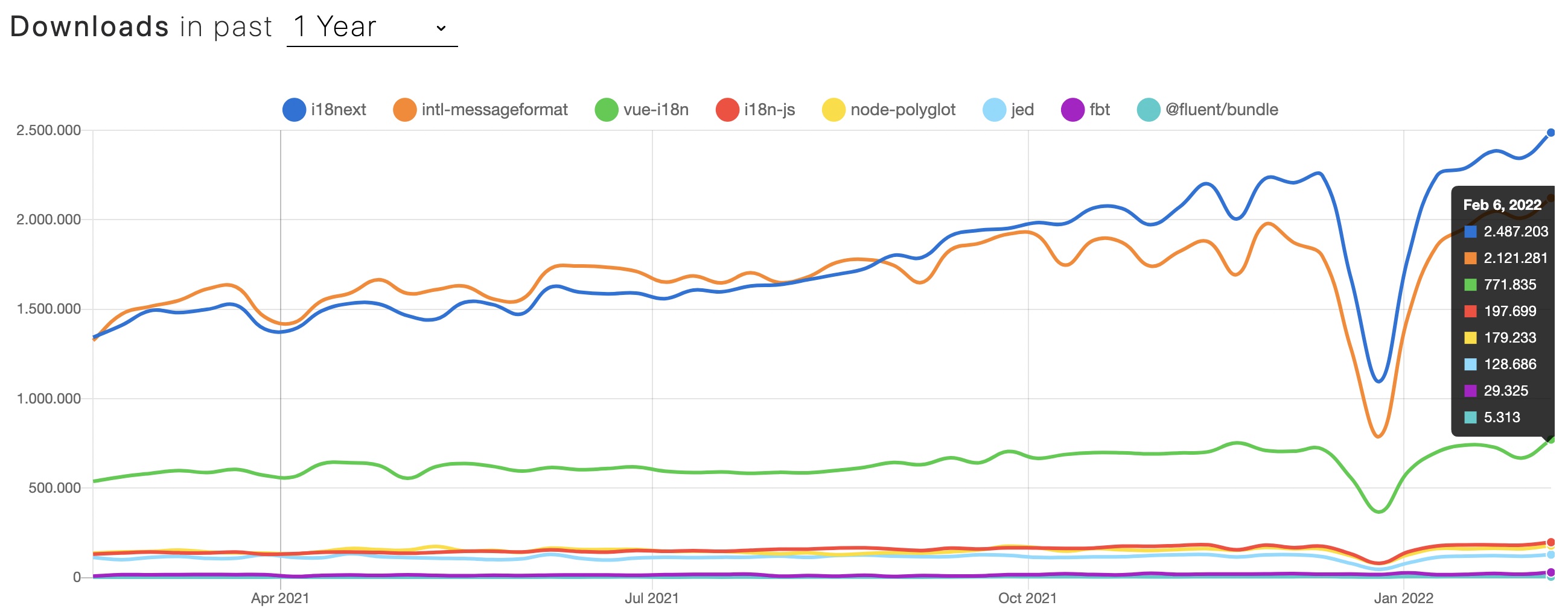 * [i18next](#i18next) * [ICU Message Format](#icu) * [vue-i18n](#vue-i18n) * [i18n-js](#i18n-js) * [Polyglot.js](#polyglot) * [Gettext](#gettext) * [FBT](#fbt) * [Fluent](#fluent) ## i18next <a name="i18next"></a> One of the most popular i18n format is the one used by the i18n framework [i18next](https://www.i18next.com).<br />It is usually a [JSON based format](https://www.i18next.com/misc/json-format) with ability to do [plurals](https://www.i18next.com/translation-function/plurals) (also for languages with [multiple plural forms](https://www.i18next.com/translation-function/plurals#languages-with-multiple-plurals)), [context](https://www.i18next.com/translation-function/context), [interpolation](https://www.i18next.com/translation-function/interpolation), [formatting](https://www.i18next.com/translation-function/formatting), [nesting](https://www.i18next.com/translation-function/nesting) and more. Let's imagine, we would like to show these text based on how many of which dessert I would like to eat: - I would like to eat a cake. - I would like to eat 3 muffins. - I would like to eat something. So we can choose to eat what and how much to eat. With this format it would look like this: ```json { "dessert_cake_one": "I would like to eat a cake.", "dessert_muffin_one": "I would like to eat a muffin.", "dessert_cake_other": "I would like to eat {{count}} cakes.", "dessert_muffin_other": "I would like to eat {{count}} muffins.", "dessert": "I would like to eat something." } ``` And the instrumented code may look like this *(may differ, based on your chosen technology)*: ```js i18next.t('dessert', { context: 'cake', count: 1 }) // -> "I would like to eat a cake." i18next.t('dessert', { context: 'muffin', count: 1 }) // -> "I would like to eat a muffin." i18next.t('dessert', { context: 'cake', count: 5 }) // -> "I would like to eat 5 cakes." i18next.t('dessert', { context: 'muffin', count: 5 }) // -> "I would like to eat 5 muffins." i18next.t('dessert') // -> "I would like to eat something." ``` You see the translation key remains the same for each invocation, and the `context` and `count` option differs. btw: for a languages with multiple plural forms, the instrumented code keeps as is, but the translation json would be different.<br />This is an "englishified" example for Arabic plural rules *(so most people can read it)*:<br />*The [plural rule](https://unicode-org.github.io/cldr-staging/charts/37/supplemental/language_plural_rules.html) for arabic is like this:* | plural form | example count | |---|---| | zero | 0 | | one | 1 | | two | 2 | | few | 3-10, 103-110, 1003, … | | many | 11-26, 111, 1011, … | | other | 100-102, 200-202, 300-302, 400-402, 500-502, 600, 1000, 10000, 100000, 1000000, … | ```json { "dessert_cake_zero": "I would like to eat no cake.", "dessert_muffin_zero": "I would like to eat no muffin.", "dessert_cake_one": "I would like to eat a cake.", "dessert_muffin_one": "I would like to eat a muffin.", "dessert_cake_two": "I would like to eat two cakes.", "dessert_muffin_two": "I would like to eat two muffins.", "dessert_cake_few": "I would like to eat a few cakes.", "dessert_muffin_few": "I would like to eat a few muffins.", "dessert_cake_many": "I would like to eat many cakes.", "dessert_muffin_many": "I would like to eat many muffins.", "dessert_cake_other": "I would like to eat {{count}} cakes.", "dessert_muffin_other": "I would like to eat {{count}} muffins.", "dessert": "I would like to eat something." } ``` ```js i18next.t('dessert', { context: 'cake', count: 1 }) // -> "I would like to eat a cake." i18next.t('dessert', { context: 'muffin', count: 2 }) // -> "I would like to eat two muffins." i18next.t('dessert', { context: 'cake', count: 5 }) // -> "I would like to eat a few cakes." i18next.t('dessert', { context: 'muffin', count: 13 }) // -> "I would like to eat many muffins." i18next.t('dessert', { context: 'cake', count: 100 }) // -> "I would like to eat 100 cakes." i18next.t('dessert') // -> "I would like to eat something." ``` With nesting we can also reduce the repetitions: ```json { "eat": "I would like to eat", "dessert_cake_one": "$t(eat) a cake.", "dessert_muffin_one": "$t(eat) a muffin.", "dessert_cake_other": "$t(eat) {{count}} cakes.", "dessert_muffin_other": "$t(eat) {{count}} muffins.", "dessert": "$t(eat) something." } ``` But it may be that the translators like this nesting substitution less. ## ICU Message Format <a name="icu"></a> The second format is the [ICU Message Format](https://unicode-org.github.io/icu/userguide/format_parse/messages/).<br />There are multiple JavaScript modules implementing the ICU message syntax. One of the most used is [intl-messageformat](https://formatjs.io/docs/core-concepts/icu-syntax/) by [Format.js](https://formatjs.io). It is used behind the scenes also in [react-intl](https://formatjs.io/docs/react-intl). It is also a key/value based format that could be stored in a JSON or however you like: ```js import { createIntl } from '@formatjs/intl' const intl = createIntl({ locale: 'en', messages: { dessert: `I would like to eat {what, select, cake {{count, plural, one {a cake} other {{count} cakes} }} muffin {{count, plural, one {a muffin} other {{count} muffins} }} other {something} }.`, }, }) ``` It also offers plural and select, and the instrumented code may look like this *(may differ, based on your chosen technology)*:<br />Compared to the previous format, this one uses only 1 key to generate all variations. So the value may look a bit more complex. ```js intl.formatMessage({ id: 'dessert' }, { what: 'cake', count: 1 }) // -> "I would like to eat a cake." intl.formatMessage({ id: 'dessert' }, { what: 'muffin', count: 1 }) // -> "I would like to eat a muffin." intl.formatMessage({ id: 'dessert' }, { what: 'cake', count: 5 }) // -> "I would like to eat 5 cakes." intl.formatMessage({ id: 'dessert' }, { what: 'muffin', count: 5 }) // -> "I would like to eat 5 muffins." intl.formatMessage({ id: 'dessert' }, { what: undefined }) // -> "I would like to eat something." ``` Also here the translation key remains the same for each invocation, and the context and count option differs. ## vue-i18n <a name="vue-i18n"></a> The next found format, while exploring the multiverse, is the [vue-i18n format](https://kazupon.github.io/vue-i18n/guide/messages.html#structure). It is used practically only in the [vue-i18n](https://kazupon.github.io/vue-i18n/) framework itself.<br />It is also able to do some [interpolation with formatting](https://kazupon.github.io/vue-i18n/guide/formatting.html#named-formatting), [pluralization](https://kazupon.github.io/vue-i18n/guide/pluralization.html) and more. But a context feature is missing. This is how our example would look like: ```js import { createI18n } from 'vue-i18n' const i18n = createI18n({ fallbackLocale: 'en', messages: { en: { dessert_cake: 'I would like to eat a cake. | I would like to eat {count} cakes.', dessert_muffin: 'I would like to eat a muffin. | I would like to eat {count} muffins.', dessert: 'I would like to eat something.' } } }) ``` And the corresponding invocation: ```js $t('dessert_cake', { count: 1 }) // -> "I would like to eat a cake." $t('dessert_muffin', { count: 1 }) // -> "I would like to eat a muffin." $t('dessert_cake', { count: 5 }) // -> "I would like to eat 5 cakes." $t('dessert_muffin', { count: 5 }) // -> "I would like to eat 5 muffins." $t('dessert') // -> "I would like to eat something." ``` Compared the the previous formats, this one needs to change the translation key to accomplish a context like feature. ## i18n-js <a name="i18n-js"></a> The origin of this format start Ruby. The [i18n-js format](https://www.npmjs.com/package/i18n-js) is a direct export of translations defined by [Ruby on Rails](https://guides.rubyonrails.org/i18n.html).<br />To export the translations, a [Ruby gem](https://github.com/fnando/i18n-js) can be used, that's completely disconnected from Rails and that can be used for the solely purpose of exporting the translations, even if your project is written in a different language.<br />For JavaScript there's a companion JavaScript [package](https://www.npmjs.com/package/i18n-js). It comes bundled with all base translations made available by [rails-i18n](https://github.com/svenfuchs/rails-i18n/tree/master/rails/locale). Base translations allow formatting date, numbers, and sentence connectors, among other things. The used JSON based format will look like this: ```json { "dessert_cake": { "one": "I would like to eat a cake.", "other": "I would like to eat %{count} cakes." }, "dessert_muffin": { "one": "I would like to eat a muffin.", "other": "I would like to eat %{count} muffins." }, "dessert": "I would like to eat something." } ``` The pluralization keys are organiized nested under the normal translation key. And the corresponding invocation: ```js i18n.t('dessert_cake', { count: 1 }); // -> "I would like to eat a cake." i18n.t('dessert_muffin', { count: 1 }); // -> "I would like to eat a muffin." i18n.t('dessert_cake', { count: 5 }); // -> "I would like to eat 5 cakes." i18n.t('dessert_muffin', { count: 5 }); // -> "I would like to eat 5 muffins." i18n.t('dessert'); // -> "I would like to eat something." ``` Also this format needs to change the translation key to accomplish a context like feature. ## Polyglot.js <a name="polyglot"></a> This older format provides a solution for interpolation and pluralization, based off of [Airbnb](https://www.airbnb.com)’s experience.<br />[Polyglot.js](https://airbnb.io/polyglot.js/) adds basic i18n functionality to Airbnb's Backbone.js and Node.js apps. This format uses only 3 keys, but... ```json { "dessert_cake": "I would like to eat a cake. |||| I would like to eat %{smart_count} cakes.", "dessert_muffin": "I would like to eat a muffin. |||| I would like to eat %{smart_count} muffins.", "dessert": "I would like to eat something." } ``` The plural forms are merged in a single value separated by the delimiter `||||` *(4 vertical pipe characters)*. And the corresponding invocation: ```js polyglot.t('dessert_cake', { smart_count: 1 }) // -> "I would like to eat a cake." polyglot.t('dessert_muffin', { smart_count: 1 }) // -> "I would like to eat a muffin." polyglot.t('dessert_cake', { smart_count: 5 }) // -> "I would like to eat 5 cakes." polyglot.t('dessert_muffin', { smart_count: 5 }) // -> "I would like to eat 5 muffins." polyglot.t('dessert') // -> "I would like to eat something." ``` Also this format needs to change the translation key to accomplish a context like feature. ## Gettext <a name="gettext"></a> [Gettext](http://www.gnu.org/software/gettext/) is a very old translation standard. There are implementations of Gettext in a lot of programming languages.<br />[Jed](https://messageformat.github.io/Jed/) is one of the most used gettext implementations for JavaScript. Jed doesn't include a Gettext file parser, but several third-party parsers exist that can have their output adapted for Jed. So an original Gettext po format... ```txt msgid "" msgstr "" "MIME-Version: 1.0\n" "Content-Type: text/plain; charset=UTF-8\n" "Content-Transfer-Encoding: 8bit\n" "lang: en\n" "plural_forms: nplurals=2; plural=(n != 1);\n" #: msgid "dessert" msgstr "I would like to eat something." #: msgctxt "cake" msgid "dessert" msgid_plural "I would like to eat %d cakes." msgstr[0] "I would like to eat a cake." msgstr[1] "I would like to eat %d cakes." #: msgctxt "muffin" msgid "dessert" msgid_plural "I would like to eat %d muffins." msgstr[0] "I would like to eat a muffin." msgstr[1] "I would like to eat %d muffins." ``` ...would look like this when used in Jed: ```js const i18n = new Jed({ locale_data: { messages: { "": { domain: "messages", lang: "en", plural_forms: "nplurals=2; plural=(n != 1);" }, "cake\u0004dessert": [ "I would like to eat a cake.", "I would like to eat %d cakes." ], "muffin\u0004dessert": [ "I would like to eat a muffin.", "I would like to eat %d muffins." ], dessert: ["I would like to eat something."] } } }) ``` Not very intuitive, but it works. ```js i18n.translate('dessert').withContext('cake').fetch() // -> "I would like to eat a cake." i18n.translate('dessert').withContext('muffin').fetch() // -> "I would like to eat a muffin." i18n.translate('dessert').withContext('cake').ifPlural(5).fetch(5) // -> "I would like to eat 5 cakes." i18n.translate('dessert').withContext('muffin').ifPlural(5).fetch(5) // -> "I would like to eat 5 muffins." i18n.translate('dessert').fetch() // -> "I would like to eat something." ``` This format offers, pluralization, interpolation and a context feature, but a strange API in my opinion. ## FBT <a name="fbt"></a> Of all the formats encountered in the i18n multiverse, this format is arguably the most distant universe, or should I say: most distant "metaverse" ;-)<br />[FBT](https://facebook.github.io/fbt/) is invented, used and maintained by [Facebook](https://www.facebook.com).<br />It is... special. It comes with text extraction and at the center are not the translations but your code. So first you need to instrument your code: ```jsx <fbt desc="eating cake"> I would like to eat <fbt:plural count={1} name="number of cakes" showCount="ifMany" many="cakes"> a cake </fbt:plural>. </fbt> <!-- "I would like to eat a cake." --> <fbt desc="eating muffin"> I would like to eat <fbt:plural count={5} name="number of muffins" showCount="ifMany" many="muffins"> a muffin </fbt:plural>. </fbt> <!-- "I would like to eat 5 muffins." --> <fbt desc="eating something"> I would like to eat something. </fbt> <!-- "I would like to eat something." --> ``` Run some scripts, and then you can use the prepared translation files: ```json { "fb-locale": "en", "translations": { "bxFNG7FeHhfvzOcxJ4WpXA==": { "tokens": [], "translations": [ { "translation": "I would like to eat {number of cakes} cakes.", "variations": {} } ], "types": [] }, "1kfdpAZKBoeV6P/6/jU9BQ==": { "tokens": [], "translations": [ { "translation": "I would like to eat a cake.", "variations": {} } ], "types": [] }, "Yglr/cfclqA86jmKXJXtjg==": { "tokens": [], "translations": [ { "translation": "I would like to eat {number of muffins} muffins.", "variations": {} } ], "types": [] }, "Ic2KkQ3gBr6AUcgtsH576g==": { "tokens": [], "translations": [ { "translation": "I would like to eat a muffin.", "variations": {} } ], "types": [] }, "r2YYz0TzAkH0b0TSwFMEAw==": { "tokens": [], "translations": [ { "translation": "I would like to eat something.", "variations": {} } ], "types": [] } } } ``` Each instrumented code part is mapped with a hash to the translations.<br />Like said... it's really different then all other formats. ## Fluent <a name="fluent"></a> The last format in this multiverse trip is [Fluent](https://projectfluent.org) a [Mozilla](https://mozilla.org) project.<br />The Fluent format shares a lot of philosophy that drove the design of [ICU Message Format](#icu). It's also a key/value based format: ```js import { FluentBundle, FluentResource } from "@fluent/bundle"; const resource = new FluentResource(` dessert = I would like to eat {$toEat -> [cake] {$count -> [one] a cake *[other] {$count} cakes } [muffin] {$count -> [one] a muffin *[other] {$count} muffins } *[other] something }. `) const bundle = new FluentBundle('en') bundle.addResource(resource) bundle.formatPattern(bundle.getMessage('dessert').value, { toEat: 'cake', count: 1 }) // -> "I would like to eat a cake." bundle.formatPattern(bundle.getMessage('dessert').value, { toEat: 'muffin', count: 1 }) // -> "I would like to eat a muffin." bundle.formatPattern(bundle.getMessage('dessert').value, { toEat: 'cake', count: 5 }) // -> "I would like to eat 5 cakes." bundle.formatPattern(bundle.getMessage('dessert').value, { toEat: 'muffin', count: 5 }) // -> "I would like to eat 5 muffins." bundle.formatPattern(bundle.getMessage('dessert').value, { toEat: '' }) // -> "I would like to eat something." ``` Like [ICU Message Format](#icu) it uses only 1 key to generate all variations. So the value may look a bit more complex, like language on its own. # Coming back home  We looked through the portals of the i18n multiverse and got a few small first impressions about the various formats.<br />Some are very similar and some others are really different. In the end it's a matter of taste.<br />Which format do you feel comfortable with? The most important thing is that all team members are comfortable with it, and that all tools in the localization process supports that format.<br />So choose your translation management system (TMS) carefully. Looking at the [history](https://www.i18next.com/misc/the-history-of-i18next) of the currently most used i18n format, we can see the the creators of [i18next](#i18next) are also the founders of a great [translation management system](https://locize.com).<br />So with choosing [locize](https://locize.com) you directly support the future of [i18next](https://www.i18next.com).<br />➡️ [i18next](https://www.i18next.com) + [locize](https://locize.com) = true [continuous localization](https://locize.com/how-it-works.html#continouslocalization) Watch the demo [video](https://youtu.be/ds-yEEYP1Ks) to learn more. |
| json metadata | {"tags":["javascript","webdev","react","programming"],"image":["https://cdn.steemitimages.com/DQmTsssL3616774wuXZyWMcztYDBegPtq9PkaRNS8u8gsBC/i18n_in_the_multiverse_of_madness.jpg","https://cdn.steemitimages.com/DQmX8h8xUd4Th4DR4wGhsymXpi7mZEUXkNdni66p7dZtACQ/npmtrends.jpg","https://cdn.steemitimages.com/DQmfXu4tCdvyKk6RqofnHBy4JR38y9Jhest8Vibapt16X5f/portal.jpg"],"links":["https://www.npmtrends.com/i18next-vs-intl-messageformat-vs-vue-i18n-vs-i18n-js-vs-node-polyglot-vs-jed-vs-fbt-vs-@fluent/bundle","#i18next","#icu","#vue-i18n","#i18n-js","#polyglot","#gettext","#fbt","#fluent","https://www.i18next.com","https://www.i18next.com/misc/json-format","https://www.i18next.com/translation-function/plurals","https://www.i18next.com/translation-function/plurals#languages-with-multiple-plurals","https://www.i18next.com/translation-function/context","https://www.i18next.com/translation-function/interpolation","https://www.i18next.com/translation-function/formatting","https://www.i18next.com/translation-function/nesting","https://unicode-org.github.io/cldr-staging/charts/37/supplemental/language_plural_rules.html","https://unicode-org.github.io/icu/userguide/format_parse/messages/","https://formatjs.io/docs/core-concepts/icu-syntax/","https://formatjs.io","https://formatjs.io/docs/react-intl","https://kazupon.github.io/vue-i18n/guide/messages.html#structure","https://kazupon.github.io/vue-i18n/","https://kazupon.github.io/vue-i18n/guide/formatting.html#named-formatting","https://kazupon.github.io/vue-i18n/guide/pluralization.html","https://www.npmjs.com/package/i18n-js","https://guides.rubyonrails.org/i18n.html","https://github.com/fnando/i18n-js","https://github.com/svenfuchs/rails-i18n/tree/master/rails/locale","https://www.airbnb.com","https://airbnb.io/polyglot.js/","http://www.gnu.org/software/gettext/","https://messageformat.github.io/Jed/","https://facebook.github.io/fbt/","https://www.facebook.com","https://projectfluent.org","https://mozilla.org","https://www.i18next.com/misc/the-history-of-i18next","https://locize.com","https://locize.com/how-it-works.html#continouslocalization","https://youtu.be/ds-yEEYP1Ks"],"app":"steemit/0.2","format":"markdown"} |
| Transaction Info | Block #61721065/Trx 2442f043d87e087a379e8c6a9ab86acb0e35a84c |
View Raw JSON Data
{
"trx_id": "2442f043d87e087a379e8c6a9ab86acb0e35a84c",
"block": 61721065,
"trx_in_block": 1,
"op_in_trx": 0,
"virtual_op": 0,
"timestamp": "2022-02-18T07:19:48",
"op": [
"comment",
{
"parent_author": "",
"parent_permlink": "javascript",
"author": "adrai",
"permlink": "i18n-in-the-multiverse-of-formats",
"title": "I18N in the Multiverse of Formats",
"body": "\n\n\n*Every night... I dream the same dream. And then... the nightmare begins.*<br />*I do what I have to do... to protect i18n.*<br />*With this blog post I open a doorway between universes, and I don't know who or what will walk through it...*\n\n\n>What do you know about the i18n format multiverse?\n\nSome folks have their theories... they believe it is dangerous.<br />I think they are right... but I want you at least to know that other parallel universes exist and what they look like.\n\n\n### Clarification\n\nThere are far more i18n formats than the ones I am listing here.\nIn order not to get lost in the madness of the infinite i18n format universes, I limit myself here to the first eight formats used in the JavaScript ecosystem that I was able to find.\n\nTo define some sort of sorting, the formats are listed based on their weekly [downloads](https://www.npmtrends.com/i18next-vs-intl-messageformat-vs-vue-i18n-vs-i18n-js-vs-node-polyglot-vs-jed-vs-fbt-vs-@fluent/bundle):\n\n\n\n\n\n* [i18next](#i18next)\n* [ICU Message Format](#icu)\n* [vue-i18n](#vue-i18n)\n* [i18n-js](#i18n-js)\n* [Polyglot.js](#polyglot)\n* [Gettext](#gettext)\n* [FBT](#fbt)\n* [Fluent](#fluent)\n\n\n## i18next <a name=\"i18next\"></a>\n\nOne of the most popular i18n format is the one used by the i18n framework [i18next](https://www.i18next.com).<br />It is usually a [JSON based format](https://www.i18next.com/misc/json-format) with ability to do [plurals](https://www.i18next.com/translation-function/plurals) (also for languages with [multiple plural forms](https://www.i18next.com/translation-function/plurals#languages-with-multiple-plurals)), [context](https://www.i18next.com/translation-function/context), [interpolation](https://www.i18next.com/translation-function/interpolation), [formatting](https://www.i18next.com/translation-function/formatting), [nesting](https://www.i18next.com/translation-function/nesting) and more.\n\nLet's imagine, we would like to show these text based on how many of which dessert I would like to eat:\n\n- I would like to eat a cake.\n- I would like to eat 3 muffins.\n- I would like to eat something.\n\nSo we can choose to eat what and how much to eat.\n\nWith this format it would look like this:\n```json\n{\n \"dessert_cake_one\": \"I would like to eat a cake.\",\n \"dessert_muffin_one\": \"I would like to eat a muffin.\",\n \"dessert_cake_other\": \"I would like to eat {{count}} cakes.\",\n \"dessert_muffin_other\": \"I would like to eat {{count}} muffins.\",\n \"dessert\": \"I would like to eat something.\"\n}\n```\n\nAnd the instrumented code may look like this *(may differ, based on your chosen technology)*:\n```js\ni18next.t('dessert', { context: 'cake', count: 1 }) // -> \"I would like to eat a cake.\"\ni18next.t('dessert', { context: 'muffin', count: 1 }) // -> \"I would like to eat a muffin.\"\ni18next.t('dessert', { context: 'cake', count: 5 }) // -> \"I would like to eat 5 cakes.\"\ni18next.t('dessert', { context: 'muffin', count: 5 }) // -> \"I would like to eat 5 muffins.\"\ni18next.t('dessert') // -> \"I would like to eat something.\"\n```\n\nYou see the translation key remains the same for each invocation, and the `context` and `count` option differs.\n\nbtw: for a languages with multiple plural forms, the instrumented code keeps as is, but the translation json would be different.<br />This is an \"englishified\" example for Arabic plural rules *(so most people can read it)*:<br />*The [plural rule](https://unicode-org.github.io/cldr-staging/charts/37/supplemental/language_plural_rules.html) for arabic is like this:*\n\n| plural form | example count |\n|---|---|\n| zero | 0 |\n| one | 1 |\n| two | 2 |\n| few | 3-10, 103-110, 1003, … |\n| many | 11-26, 111, 1011, … |\n| other | 100-102, 200-202, 300-302, 400-402, 500-502, 600, 1000, 10000, 100000, 1000000, … |\n\n```json\n{\n \"dessert_cake_zero\": \"I would like to eat no cake.\",\n \"dessert_muffin_zero\": \"I would like to eat no muffin.\",\n \"dessert_cake_one\": \"I would like to eat a cake.\",\n \"dessert_muffin_one\": \"I would like to eat a muffin.\",\n \"dessert_cake_two\": \"I would like to eat two cakes.\",\n \"dessert_muffin_two\": \"I would like to eat two muffins.\",\n \"dessert_cake_few\": \"I would like to eat a few cakes.\",\n \"dessert_muffin_few\": \"I would like to eat a few muffins.\",\n \"dessert_cake_many\": \"I would like to eat many cakes.\",\n \"dessert_muffin_many\": \"I would like to eat many muffins.\",\n \"dessert_cake_other\": \"I would like to eat {{count}} cakes.\",\n \"dessert_muffin_other\": \"I would like to eat {{count}} muffins.\",\n \"dessert\": \"I would like to eat something.\"\n}\n```\n\n```js\ni18next.t('dessert', { context: 'cake', count: 1 }) // -> \"I would like to eat a cake.\"\ni18next.t('dessert', { context: 'muffin', count: 2 }) // -> \"I would like to eat two muffins.\"\ni18next.t('dessert', { context: 'cake', count: 5 }) // -> \"I would like to eat a few cakes.\"\ni18next.t('dessert', { context: 'muffin', count: 13 }) // -> \"I would like to eat many muffins.\"\ni18next.t('dessert', { context: 'cake', count: 100 }) // -> \"I would like to eat 100 cakes.\"\ni18next.t('dessert') // -> \"I would like to eat something.\"\n```\n\nWith nesting we can also reduce the repetitions:\n```json\n{\n \"eat\": \"I would like to eat\",\n \"dessert_cake_one\": \"$t(eat) a cake.\",\n \"dessert_muffin_one\": \"$t(eat) a muffin.\",\n \"dessert_cake_other\": \"$t(eat) {{count}} cakes.\",\n \"dessert_muffin_other\": \"$t(eat) {{count}} muffins.\",\n \"dessert\": \"$t(eat) something.\"\n}\n```\nBut it may be that the translators like this nesting substitution less.\n\n\n## ICU Message Format <a name=\"icu\"></a>\n\nThe second format is the [ICU Message Format](https://unicode-org.github.io/icu/userguide/format_parse/messages/).<br />There are multiple JavaScript modules implementing the ICU message syntax. One of the most used is [intl-messageformat](https://formatjs.io/docs/core-concepts/icu-syntax/) by [Format.js](https://formatjs.io). It is used behind the scenes also in [react-intl](https://formatjs.io/docs/react-intl).\n\nIt is also a key/value based format that could be stored in a JSON or however you like:\n```js\nimport { createIntl } from '@formatjs/intl'\n\nconst intl = createIntl({\n locale: 'en',\n messages: {\n dessert: `I would like to eat {what, select,\n cake {{count, plural,\n one {a cake}\n other {{count} cakes}\n }}\n muffin {{count, plural,\n one {a muffin}\n other {{count} muffins}\n }}\n other {something}\n }.`,\n },\n})\n```\n\nIt also offers plural and select, and the instrumented code may look like this *(may differ, based on your chosen technology)*:<br />Compared to the previous format, this one uses only 1 key to generate all variations. So the value may look a bit more complex.\n\n```js\nintl.formatMessage({ id: 'dessert' }, { what: 'cake', count: 1 }) // -> \"I would like to eat a cake.\"\nintl.formatMessage({ id: 'dessert' }, { what: 'muffin', count: 1 }) // -> \"I would like to eat a muffin.\"\nintl.formatMessage({ id: 'dessert' }, { what: 'cake', count: 5 }) // -> \"I would like to eat 5 cakes.\"\nintl.formatMessage({ id: 'dessert' }, { what: 'muffin', count: 5 }) // -> \"I would like to eat 5 muffins.\"\nintl.formatMessage({ id: 'dessert' }, { what: undefined }) // -> \"I would like to eat something.\"\n```\n\nAlso here the translation key remains the same for each invocation, and the context and count option differs.\n\n\n## vue-i18n <a name=\"vue-i18n\"></a>\n\nThe next found format, while exploring the multiverse, is the [vue-i18n format](https://kazupon.github.io/vue-i18n/guide/messages.html#structure). It is used practically only in the [vue-i18n](https://kazupon.github.io/vue-i18n/) framework itself.<br />It is also able to do some [interpolation with formatting](https://kazupon.github.io/vue-i18n/guide/formatting.html#named-formatting), [pluralization](https://kazupon.github.io/vue-i18n/guide/pluralization.html) and more. But a context feature is missing.\n\nThis is how our example would look like:\n\n```js\nimport { createI18n } from 'vue-i18n'\n\nconst i18n = createI18n({\n fallbackLocale: 'en',\n messages: {\n en: {\n dessert_cake: 'I would like to eat a cake. | I would like to eat {count} cakes.',\n dessert_muffin: 'I would like to eat a muffin. | I would like to eat {count} muffins.',\n dessert: 'I would like to eat something.'\n }\n }\n})\n```\n\nAnd the corresponding invocation:\n```js\n$t('dessert_cake', { count: 1 }) // -> \"I would like to eat a cake.\"\n$t('dessert_muffin', { count: 1 }) // -> \"I would like to eat a muffin.\"\n$t('dessert_cake', { count: 5 }) // -> \"I would like to eat 5 cakes.\"\n$t('dessert_muffin', { count: 5 }) // -> \"I would like to eat 5 muffins.\"\n$t('dessert') // -> \"I would like to eat something.\"\n```\n\nCompared the the previous formats, this one needs to change the translation key to accomplish a context like feature.\n\n\n## i18n-js <a name=\"i18n-js\"></a>\n\nThe origin of this format start Ruby. The [i18n-js format](https://www.npmjs.com/package/i18n-js) is a direct export of translations defined by [Ruby on Rails](https://guides.rubyonrails.org/i18n.html).<br />To export the translations, a [Ruby gem](https://github.com/fnando/i18n-js) can be used, that's completely disconnected from Rails and that can be used for the solely purpose of exporting the translations, even if your project is written in a different language.<br />For JavaScript there's a companion JavaScript [package](https://www.npmjs.com/package/i18n-js).\nIt comes bundled with all base translations made available by [rails-i18n](https://github.com/svenfuchs/rails-i18n/tree/master/rails/locale). Base translations allow formatting date, numbers, and sentence connectors, among other things.\n\nThe used JSON based format will look like this:\n\n```json\n{\n \"dessert_cake\": {\n \"one\": \"I would like to eat a cake.\",\n \"other\": \"I would like to eat %{count} cakes.\"\n },\n \"dessert_muffin\": {\n \"one\": \"I would like to eat a muffin.\",\n \"other\": \"I would like to eat %{count} muffins.\"\n },\n \"dessert\": \"I would like to eat something.\"\n}\n```\n\nThe pluralization keys are organiized nested under the normal translation key.\n\nAnd the corresponding invocation:\n```js\ni18n.t('dessert_cake', { count: 1 }); // -> \"I would like to eat a cake.\"\ni18n.t('dessert_muffin', { count: 1 }); // -> \"I would like to eat a muffin.\"\ni18n.t('dessert_cake', { count: 5 }); // -> \"I would like to eat 5 cakes.\"\ni18n.t('dessert_muffin', { count: 5 }); // -> \"I would like to eat 5 muffins.\"\ni18n.t('dessert'); // -> \"I would like to eat something.\"\n```\n\nAlso this format needs to change the translation key to accomplish a context like feature.\n\n\n## Polyglot.js <a name=\"polyglot\"></a>\n\nThis older format provides a solution for interpolation and pluralization, based off of [Airbnb](https://www.airbnb.com)’s experience.<br />[Polyglot.js](https://airbnb.io/polyglot.js/) adds basic i18n functionality to Airbnb's Backbone.js and Node.js apps.\n\nThis format uses only 3 keys, but...\n\n```json\n{\n \"dessert_cake\": \"I would like to eat a cake. |||| I would like to eat %{smart_count} cakes.\",\n \"dessert_muffin\": \"I would like to eat a muffin. |||| I would like to eat %{smart_count} muffins.\",\n \"dessert\": \"I would like to eat something.\"\n}\n```\n\nThe plural forms are merged in a single value separated by the delimiter `||||` *(4 vertical pipe characters)*.\n\nAnd the corresponding invocation:\n```js\npolyglot.t('dessert_cake', { smart_count: 1 }) // -> \"I would like to eat a cake.\"\npolyglot.t('dessert_muffin', { smart_count: 1 }) // -> \"I would like to eat a muffin.\"\npolyglot.t('dessert_cake', { smart_count: 5 }) // -> \"I would like to eat 5 cakes.\"\npolyglot.t('dessert_muffin', { smart_count: 5 }) // -> \"I would like to eat 5 muffins.\"\npolyglot.t('dessert') // -> \"I would like to eat something.\"\n```\n\nAlso this format needs to change the translation key to accomplish a context like feature.\n\n\n## Gettext <a name=\"gettext\"></a>\n\n[Gettext](http://www.gnu.org/software/gettext/) is a very old translation standard. There are implementations of Gettext in a lot of programming languages.<br />[Jed](https://messageformat.github.io/Jed/) is one of the most used gettext implementations for JavaScript. Jed doesn't include a Gettext file parser, but several third-party parsers exist that can have their output adapted for Jed.\n\nSo an original Gettext po format...\n\n```txt\nmsgid \"\"\nmsgstr \"\"\n\"MIME-Version: 1.0\\n\"\n\"Content-Type: text/plain; charset=UTF-8\\n\"\n\"Content-Transfer-Encoding: 8bit\\n\"\n\"lang: en\\n\"\n\"plural_forms: nplurals=2; plural=(n != 1);\\n\"\n\n#: \nmsgid \"dessert\"\nmsgstr \"I would like to eat something.\"\n\n#: \nmsgctxt \"cake\"\nmsgid \"dessert\"\nmsgid_plural \"I would like to eat %d cakes.\"\nmsgstr[0] \"I would like to eat a cake.\"\nmsgstr[1] \"I would like to eat %d cakes.\"\n\n#: \nmsgctxt \"muffin\"\nmsgid \"dessert\"\nmsgid_plural \"I would like to eat %d muffins.\"\nmsgstr[0] \"I would like to eat a muffin.\"\nmsgstr[1] \"I would like to eat %d muffins.\"\n```\n\n...would look like this when used in Jed:\n\n```js\nconst i18n = new Jed({\n locale_data: {\n messages: {\n \"\": {\n domain: \"messages\",\n lang: \"en\",\n plural_forms: \"nplurals=2; plural=(n != 1);\"\n },\n\n \"cake\\u0004dessert\": [\n \"I would like to eat a cake.\",\n \"I would like to eat %d cakes.\"\n ],\n \"muffin\\u0004dessert\": [\n \"I would like to eat a muffin.\",\n \"I would like to eat %d muffins.\"\n ],\n dessert: [\"I would like to eat something.\"]\n }\n }\n})\n```\n\nNot very intuitive, but it works.\n\n```js\ni18n.translate('dessert').withContext('cake').fetch() // -> \"I would like to eat a cake.\"\ni18n.translate('dessert').withContext('muffin').fetch() // -> \"I would like to eat a muffin.\"\ni18n.translate('dessert').withContext('cake').ifPlural(5).fetch(5) // -> \"I would like to eat 5 cakes.\"\ni18n.translate('dessert').withContext('muffin').ifPlural(5).fetch(5) // -> \"I would like to eat 5 muffins.\"\ni18n.translate('dessert').fetch() // -> \"I would like to eat something.\"\n```\n\nThis format offers, pluralization, interpolation and a context feature, but a strange API in my opinion.\n\n\n## FBT <a name=\"fbt\"></a>\n\nOf all the formats encountered in the i18n multiverse, this format is arguably the most distant universe, or should I say: most distant \"metaverse\" ;-)<br />[FBT](https://facebook.github.io/fbt/) is invented, used and maintained by [Facebook](https://www.facebook.com).<br />It is... special. It comes with text extraction and at the center are not the translations but your code.\n\nSo first you need to instrument your code:\n```jsx\n<fbt desc=\"eating cake\">\n I would like to eat\n <fbt:plural\n count={1}\n name=\"number of cakes\"\n showCount=\"ifMany\"\n many=\"cakes\">\n a cake\n </fbt:plural>.\n</fbt> <!-- \"I would like to eat a cake.\" -->\n<fbt desc=\"eating muffin\">\n I would like to eat\n <fbt:plural\n count={5}\n name=\"number of muffins\"\n showCount=\"ifMany\"\n many=\"muffins\">\n a muffin\n </fbt:plural>.\n</fbt> <!-- \"I would like to eat 5 muffins.\" -->\n<fbt desc=\"eating something\">\n I would like to eat something.\n</fbt> <!-- \"I would like to eat something.\" -->\n```\n\nRun some scripts, and then you can use the prepared translation files:\n```json\n{\n \"fb-locale\": \"en\",\n \"translations\": {\n \"bxFNG7FeHhfvzOcxJ4WpXA==\": {\n \"tokens\": [],\n \"translations\": [\n {\n \"translation\": \"I would like to eat {number of cakes} cakes.\",\n \"variations\": {}\n }\n ],\n \"types\": []\n },\n \"1kfdpAZKBoeV6P/6/jU9BQ==\": {\n \"tokens\": [],\n \"translations\": [\n {\n \"translation\": \"I would like to eat a cake.\",\n \"variations\": {}\n }\n ],\n \"types\": []\n },\n \"Yglr/cfclqA86jmKXJXtjg==\": {\n \"tokens\": [],\n \"translations\": [\n {\n \"translation\": \"I would like to eat {number of muffins} muffins.\",\n \"variations\": {}\n }\n ],\n \"types\": []\n },\n \"Ic2KkQ3gBr6AUcgtsH576g==\": {\n \"tokens\": [],\n \"translations\": [\n {\n \"translation\": \"I would like to eat a muffin.\",\n \"variations\": {}\n }\n ],\n \"types\": []\n },\n \"r2YYz0TzAkH0b0TSwFMEAw==\": {\n \"tokens\": [],\n \"translations\": [\n {\n \"translation\": \"I would like to eat something.\",\n \"variations\": {}\n }\n ],\n \"types\": []\n }\n }\n}\n```\n\nEach instrumented code part is mapped with a hash to the translations.<br />Like said... it's really different then all other formats.\n\n\n## Fluent <a name=\"fluent\"></a>\n\nThe last format in this multiverse trip is [Fluent](https://projectfluent.org) a [Mozilla](https://mozilla.org) project.<br />The Fluent format shares a lot of philosophy that drove the design of [ICU Message Format](#icu).\n\nIt's also a key/value based format:\n```js\nimport { FluentBundle, FluentResource } from \"@fluent/bundle\";\n\nconst resource = new FluentResource(`\ndessert =\n I would like to eat \n {$toEat ->\n [cake] {$count ->\n [one] a cake\n *[other] {$count} cakes\n }\n [muffin] {$count ->\n [one] a muffin\n *[other] {$count} muffins\n }\n *[other] something\n }.\n`)\n\nconst bundle = new FluentBundle('en')\nbundle.addResource(resource)\n\nbundle.formatPattern(bundle.getMessage('dessert').value, { toEat: 'cake', count: 1 }) // -> \"I would like to eat a cake.\"\nbundle.formatPattern(bundle.getMessage('dessert').value, { toEat: 'muffin', count: 1 }) // -> \"I would like to eat a muffin.\"\nbundle.formatPattern(bundle.getMessage('dessert').value, { toEat: 'cake', count: 5 }) // -> \"I would like to eat 5 cakes.\"\nbundle.formatPattern(bundle.getMessage('dessert').value, { toEat: 'muffin', count: 5 }) // -> \"I would like to eat 5 muffins.\"\nbundle.formatPattern(bundle.getMessage('dessert').value, { toEat: '' }) // -> \"I would like to eat something.\"\n```\n\nLike [ICU Message Format](#icu) it uses only 1 key to generate all variations. So the value may look a bit more complex, like language on its own.\n\n\n# Coming back home\n\n\n\n\n\nWe looked through the portals of the i18n multiverse and got a few small first impressions about the various formats.<br />Some are very similar and some others are really different. In the end it's a matter of taste.<br />Which format do you feel comfortable with?\n\nThe most important thing is that all team members are comfortable with it, and that all tools in the localization process supports that format.<br />So choose your translation management system (TMS) carefully.\n\nLooking at the [history](https://www.i18next.com/misc/the-history-of-i18next) of the currently most used i18n format, we can see the the creators of [i18next](#i18next) are also the founders of a great [translation management system](https://locize.com).<br />So with choosing [locize](https://locize.com) you directly support the future of [i18next](https://www.i18next.com).<br />➡️ [i18next](https://www.i18next.com) + [locize](https://locize.com) = true [continuous localization](https://locize.com/how-it-works.html#continouslocalization)\n\nWatch the demo [video](https://youtu.be/ds-yEEYP1Ks) to learn more.",
"json_metadata": "{\"tags\":[\"javascript\",\"webdev\",\"react\",\"programming\"],\"image\":[\"https://cdn.steemitimages.com/DQmTsssL3616774wuXZyWMcztYDBegPtq9PkaRNS8u8gsBC/i18n_in_the_multiverse_of_madness.jpg\",\"https://cdn.steemitimages.com/DQmX8h8xUd4Th4DR4wGhsymXpi7mZEUXkNdni66p7dZtACQ/npmtrends.jpg\",\"https://cdn.steemitimages.com/DQmfXu4tCdvyKk6RqofnHBy4JR38y9Jhest8Vibapt16X5f/portal.jpg\"],\"links\":[\"https://www.npmtrends.com/i18next-vs-intl-messageformat-vs-vue-i18n-vs-i18n-js-vs-node-polyglot-vs-jed-vs-fbt-vs-@fluent/bundle\",\"#i18next\",\"#icu\",\"#vue-i18n\",\"#i18n-js\",\"#polyglot\",\"#gettext\",\"#fbt\",\"#fluent\",\"https://www.i18next.com\",\"https://www.i18next.com/misc/json-format\",\"https://www.i18next.com/translation-function/plurals\",\"https://www.i18next.com/translation-function/plurals#languages-with-multiple-plurals\",\"https://www.i18next.com/translation-function/context\",\"https://www.i18next.com/translation-function/interpolation\",\"https://www.i18next.com/translation-function/formatting\",\"https://www.i18next.com/translation-function/nesting\",\"https://unicode-org.github.io/cldr-staging/charts/37/supplemental/language_plural_rules.html\",\"https://unicode-org.github.io/icu/userguide/format_parse/messages/\",\"https://formatjs.io/docs/core-concepts/icu-syntax/\",\"https://formatjs.io\",\"https://formatjs.io/docs/react-intl\",\"https://kazupon.github.io/vue-i18n/guide/messages.html#structure\",\"https://kazupon.github.io/vue-i18n/\",\"https://kazupon.github.io/vue-i18n/guide/formatting.html#named-formatting\",\"https://kazupon.github.io/vue-i18n/guide/pluralization.html\",\"https://www.npmjs.com/package/i18n-js\",\"https://guides.rubyonrails.org/i18n.html\",\"https://github.com/fnando/i18n-js\",\"https://github.com/svenfuchs/rails-i18n/tree/master/rails/locale\",\"https://www.airbnb.com\",\"https://airbnb.io/polyglot.js/\",\"http://www.gnu.org/software/gettext/\",\"https://messageformat.github.io/Jed/\",\"https://facebook.github.io/fbt/\",\"https://www.facebook.com\",\"https://projectfluent.org\",\"https://mozilla.org\",\"https://www.i18next.com/misc/the-history-of-i18next\",\"https://locize.com\",\"https://locize.com/how-it-works.html#continouslocalization\",\"https://youtu.be/ds-yEEYP1Ks\"],\"app\":\"steemit/0.2\",\"format\":\"markdown\"}"
}
]
}adraicustom json: notify2022/02/18 07:19:06
adraicustom json: notify
2022/02/18 07:19:06
| required auths | [] |
| required posting auths | ["adrai"] |
| id | notify |
| json | ["setLastRead",{"date":"2022-02-18T07:19:05"}] |
| Transaction Info | Block #61721052/Trx 08d8d8125f6f2b5ae2bc2ed309222e794ca372ea |
View Raw JSON Data
{
  "trx_id": "08d8d8125f6f2b5ae2bc2ed309222e794ca372ea",
  "block": 61721052,
  "trx_in_block": 5,
  "op_in_trx": 0,
  "virtual_op": 0,
  "timestamp": "2022-02-18T07:19:06",
  "op": [
    "custom_json",
    {
      "required_auths": [],
      "required_posting_auths": [
        "adrai"
      ],
      "id": "notify",
      "json": "[\"setLastRead\",{\"date\":\"2022-02-18T07:19:05\"}]"
    }
  ]
}adraireceived 0.006 SBD, 0.018 SP author reward for @adrai / static-html-export-with-i18n-compatibility-in-next-js2021/12/14 14:17:36
adraireceived 0.006 SBD, 0.018 SP author reward for @adrai / static-html-export-with-i18n-compatibility-in-next-js
2021/12/14 14:17:36
| author | adrai |
| permlink | static-html-export-with-i18n-compatibility-in-next-js |
| sbd payout | 0.006 SBD |
| steem payout | 0.000 STEEM |
| vesting payout | 29.486634 VESTS |
| Transaction Info | Block #59841232/Virtual Operation #4 |
View Raw JSON Data
{
  "trx_id": "0000000000000000000000000000000000000000",
  "block": 59841232,
  "trx_in_block": 4294967295,
  "op_in_trx": 0,
  "virtual_op": 4,
  "timestamp": "2021-12-14T14:17:36",
  "op": [
    "author_reward",
    {
      "author": "adrai",
      "permlink": "static-html-export-with-i18n-compatibility-in-next-js",
      "sbd_payout": "0.006 SBD",
      "steem_payout": "0.000 STEEM",
      "vesting_payout": "29.486634 VESTS"
    }
  ]
}ikrambhattiupvoted (100.00%) @adrai / static-html-export-with-i18n-compatibility-in-next-js2021/12/13 11:49:45
ikrambhattiupvoted (100.00%) @adrai / static-html-export-with-i18n-compatibility-in-next-js
2021/12/13 11:49:45
| voter | ikrambhatti |
| author | adrai |
| permlink | static-html-export-with-i18n-compatibility-in-next-js |
| weight | 10000 (100.00%) |
| Transaction Info | Block #59811169/Trx aa2b886df73e9248be0bb55ebea625fbfe1a0fcb |
View Raw JSON Data
{
  "trx_id": "aa2b886df73e9248be0bb55ebea625fbfe1a0fcb",
  "block": 59811169,
  "trx_in_block": 43,
  "op_in_trx": 0,
  "virtual_op": 0,
  "timestamp": "2021-12-13T11:49:45",
  "op": [
    "vote",
    {
      "voter": "ikrambhatti",
      "author": "adrai",
      "permlink": "static-html-export-with-i18n-compatibility-in-next-js",
      "weight": 10000
    }
  ]
}teamupvoted (20.00%) @adrai / static-html-export-with-i18n-compatibility-in-next-js2021/12/07 14:36:45
teamupvoted (20.00%) @adrai / static-html-export-with-i18n-compatibility-in-next-js
2021/12/07 14:36:45
| voter | team |
| author | adrai |
| permlink | static-html-export-with-i18n-compatibility-in-next-js |
| weight | 2000 (20.00%) |
| Transaction Info | Block #59644952/Trx 87be4e392ae43c82b38c232cc87a9d8bb0e57e60 |
View Raw JSON Data
{
  "trx_id": "87be4e392ae43c82b38c232cc87a9d8bb0e57e60",
  "block": 59644952,
  "trx_in_block": 3,
  "op_in_trx": 0,
  "virtual_op": 0,
  "timestamp": "2021-12-07T14:36:45",
  "op": [
    "vote",
    {
      "voter": "team",
      "author": "adrai",
      "permlink": "static-html-export-with-i18n-compatibility-in-next-js",
      "weight": 2000
    }
  ]
}adraiupvoted (100.00%) @adrai / static-html-export-with-i18n-compatibility-in-next-js2021/12/07 14:17:45
adraiupvoted (100.00%) @adrai / static-html-export-with-i18n-compatibility-in-next-js
2021/12/07 14:17:45
| voter | adrai |
| author | adrai |
| permlink | static-html-export-with-i18n-compatibility-in-next-js |
| weight | 10000 (100.00%) |
| Transaction Info | Block #59644575/Trx 434fbf97dbd2a14f688c1ffc3d6215f2af4ca258 |
View Raw JSON Data
{
  "trx_id": "434fbf97dbd2a14f688c1ffc3d6215f2af4ca258",
  "block": 59644575,
  "trx_in_block": 4,
  "op_in_trx": 0,
  "virtual_op": 0,
  "timestamp": "2021-12-07T14:17:45",
  "op": [
    "vote",
    {
      "voter": "adrai",
      "author": "adrai",
      "permlink": "static-html-export-with-i18n-compatibility-in-next-js",
      "weight": 10000
    }
  ]
}adraipublished a new post: static-html-export-with-i18n-compatibility-in-next-js2021/12/07 14:17:36
adraipublished a new post: static-html-export-with-i18n-compatibility-in-next-js
2021/12/07 14:17:36
| parent author | |
| parent permlink | nextjs |
| author | adrai |
| permlink | static-html-export-with-i18n-compatibility-in-next-js |
| title | 😱 Static HTML Export with i18n compatibility in Next.js 😱 |
| body |  You know [Next.js](https://nextjs.org), right? - If not, stop reading this article and make something else. Next.js is awesome! It gives you the best developer experience with all the features you need... ## TOC * [BUT, you may have heared about this](#but) * [So what can we do now?](#what-do) * [The recipe](#recipe) * [The outcome](#outcome) * [The voluntary part](#voluntary) * [🎉🥳 Congratulations 🎊🎁](#congratulations) # **BUT**, you may have heard about this: <a name="but"></a> >Error: i18n support is not compatible with next export. See here for more info on deploying: https://nextjs.org/docs/deployment This happens if you're using the [internationalized routing](https://nextjs.org/docs/advanced-features/i18n-routing) feature and are trying to generate a [static HTML export](https://nextjs.org/docs/advanced-features/static-html-export) by executing `next export`. Well, this features requires a Node.js server, or dynamic logic that cannot be computed during the build process, that's why it is [unsupported](https://nextjs.org/docs/advanced-features/static-html-export#unsupported-features). This is the case if you're using [next-i18next](https://github.com/isaachinman/next-i18next) for example. # So what can we do now? <a name="what-do"></a>  An obvious option is, to renounce to the static HTML export and use a Node.js server or [Vercel](https://vercel.com) as deployment environment. But sometimes, due to company or architectural guidelines it is mandatory to use a static web server. <br/> Ok then renounce to i18n? - Not really, if we are here, it seems like to be a requirement. <br/> So then do it without [Next.js](https://nextjs.org)? - But this usually means to rewrite the whole project. Executing `next export` when not using i18n seems to work. What if we do not try to use the [internationalized routing](https://nextjs.org/docs/advanced-features/i18n-routing) feature and do the i18n routing on our own? # The recipe <a name="recipe"></a>  To "cook" this recipe you will need the following ingredients: - use the [dynamic route segments](https://nextjs.org/docs/routing/introduction#dynamic-route-segments) feature - willingness to change the structure of your project files - willingness to adapt a bit of code - a logic to detect the user language and redirect accordingly Sounds feasible. Let's start! **1. Remove the i18n options from `next.config.js`.** ```diff - const { i18n } = require('./next-i18next.config') - module.exports = { - i18n, trailingSlash: true, } ``` **2. Create a `[locale]` folder inside your pages directory.** a) Move all your pages files to that folder *(not `_app.js` or `_document.js` etc..)*. b) Adapt your imports, if needed. **3. Create a `getStatic.js` file and place it for example in a `lib` directory.** ```js import { serverSideTranslations } from 'next-i18next/serverSideTranslations'; import i18nextConfig from '../next-i18next.config' export const getI18nPaths = () => i18nextConfig.i18n.locales.map((lng) => ({ params: { locale: lng } })) export const getStaticPaths = () => ({ fallback: false, paths: getI18nPaths() }) export async function getI18nProps(ctx, ns = ['common']) { const locale = ctx?.params?.locale let props = { ...(await serverSideTranslations(locale, ns)) } return props } export function makeStaticProps(ns = {}) { return async function getStaticProps(ctx) { return { props: await getI18nProps(ctx, ns) } } } ``` **4. Use `getStaticPaths` and `makeStaticProps` in your pages, like this:** ```diff import { useTranslation } from 'next-i18next' import { getStaticPaths, makeStaticProps } from '../../lib/getStatic' import { Header } from '../../components/Header' import { Footer } from '../../components/Footer' import Link from '../../components/Link' + const getStaticProps = makeStaticProps(['common', 'footer']) + export { getStaticPaths, getStaticProps } const Homepage = () => { const { t } = useTranslation('common') return ( <> <main> <Header heading={t('h1')} title={t('title')} /> <div> <Link href='/second-page'><button type='button'>{t('to-second-page')}</button></Link> </div> </main> <Footer /> </> ) } export default Homepage ``` **5. Install [next-language-detector](https://github.com/adrai/next-language-detector).** `npm i next-language-detector` **6. Create a `languageDetector.js` file and place it for example in the `lib` directory.** ```js import languageDetector from 'next-language-detector' import i18nextConfig from '../next-i18next.config' export default languageDetector({ supportedLngs: i18nextConfig.i18n.locales, fallbackLng: i18nextConfig.i18n.defaultLocale }) ``` **7. Create a `redirect.js` file and place it for example in the `lib` directory.** ```js import { useEffect } from 'react' import { useRouter } from 'next/router' import languageDetector from './languageDetector' export const useRedirect = (to) => { const router = useRouter() to = to || router.asPath // language detection useEffect(() => { const detectedLng = languageDetector.detect() if (to.startsWith('/' + detectedLng) && router.route === '/404') { // prevent endless loop router.replace('/' + detectedLng + router.route) return } languageDetector.cache(detectedLng) router.replace('/' + detectedLng + to) }) return <></> }; export const Redirect = () => { useRedirect() return <></> } // eslint-disable-next-line react/display-name export const getRedirect = (to) => () => { useRedirect(to) return <></> } ``` **8. For each of your pages files in your `[locale]` directory, but especially for the `index.js` file, create a file with the same name with this content:** ```js import { Redirect } from '../lib/redirect' export default Redirect ``` **9. Create a `Link.js` component and place it for example in the `components` directory.** ```js import React from 'react' import Link from 'next/link' import { useRouter } from 'next/router' const LinkComponent = ({ children, skipLocaleHandling, ...rest }) => { const router = useRouter() const locale = rest.locale || router.query.locale || '' let href = rest.href || router.asPath if (href.indexOf('http') === 0) skipLocaleHandling = true if (locale && !skipLocaleHandling) { href = href ? `/${locale}${href}` : router.pathname.replace('[locale]', locale) } return ( <> <Link href={href}> <a {...rest}>{children}</a> </Link> </> ) } export default LinkComponent ``` **10. Replace al `next/link` `Link` imports with the appropriate `../components/Link` `Link` import:** ```diff - import Link from 'next/link' + import Link from '../../components/Link' ``` **11. Add or modify your `_document.js` file to set the correct html `lang` attribute:** ```js import Document, { Html, Head, Main, NextScript } from 'next/document' import i18nextConfig from '../next-i18next.config' class MyDocument extends Document { render() { const currentLocale = this.props.__NEXT_DATA__.query.locale || i18nextConfig.i18n.defaultLocale return ( <Html lang={currentLocale}> <Head /> <body> <Main /> <NextScript /> </body> </Html> ) } } export default MyDocument ``` **12. In case you have a language switcher, create or adapt it:** ```js // components/LanguageSwitchLink.js import languageDetector from '../lib/languageDetector' import { useRouter } from 'next/router' import Link from 'next/link' const LanguageSwitchLink = ({ locale, ...rest }) => { const router = useRouter() let href = rest.href || router.asPath let pName = router.pathname Object.keys(router.query).forEach((k) => { if (k === 'locale') { pName = pName.replace(`[${k}]`, locale) return } pName = pName.replace(`[${k}]`, router.query[k]) }) if (locale) { href = rest.href ? `/${locale}${rest.href}` : pName } return ( <Link href={href} onClick={() => languageDetector.cache(locale)} > <button style={{ fontSize: 'small' }}>{locale}</button> </Link> ); }; export default LanguageSwitchLink ``` ```js // components/Footer.js import { useTranslation } from 'next-i18next' import { useRouter } from 'next/router' import LanguageSwitchLink from './LanguageSwitchLink' import i18nextConfig from '../next-i18next.config' export const Footer = () => { const router = useRouter() const { t } = useTranslation('footer') const currentLocale = router.query.locale || i18nextConfig.i18n.defaultLocale return ( <footer> <p> <span style={{ lineHeight: '4.65em', fontSize: 'small' }}>{t('change-locale')}</span> {i18nextConfig.i18n.locales.map((locale) => { if (locale === currentLocale) return null return ( <LanguageSwitchLink locale={locale} key={locale} /> ) })} </p> </footer> ) } ``` # The outcome <a name="outcome"></a>  If you know start your project (`next dev`) you should see, more or less, the same behaviour as before. So what's the benefit? Try: `next build && next export` You should see something like this at the end: ```sh ● (SSG) automatically generated as static HTML + JSON (uses getStaticProps) info - using build directory: /Users/usr/projects/my-awesome-project/.next info - Copying "static build" directory info - No "exportPathMap" found in "/Users/usr/projects/my-awesome-project/next.config.js". Generating map from "./pages" info - Launching 9 workers info - Copying "public" directory info - Exporting (3/3) Export successful. Files written to /Users/usr/projects/my-awesome-project/out ``` **Yeah no `i18n support is not compatible with next export` error anymore!!!** **Congratulations! Now you can "deploy" the content of your `out` directory to any static web server.** *🧑💻 The complete code can be found [here](https://github.com/adrai/next-language-detector/tree/main/example).* # The voluntary part <a name="voluntary"></a>  Connect to an awesome translation management system and manage your translations outside of your code. Let's synchronize the translation files with [locize](https://locize.com). This can be done on-demand or on the CI-Server or before deploying the app. ## What to do to reach this step: 1. in locize: signup at https://locize.com/register and [login](https://docs.locize.com/integration/getting-started/create-a-user-account) 2. in locize: [create a new project](https://docs.locize.com/integration/getting-started/add-a-new-project) 3. in locize: add all your additional languages (this can also be done via [API](https://docs.locize.com/integration/api#add-new-language)) 4. install the [locize-cli](https://github.com/locize/locize-cli) (`npm i locize-cli`) ## Use the [locize-cli](https://github.com/locize/locize-cli) Use the `locize sync` command to synchronize your local repository (`public/locales`) with what is published on locize. Alternatively, you can also use the `locize download` command to always download the published locize translations to your local repository (`public/locales`) before bundling your app. # 🎉🥳 Congratulations 🎊🎁 <a name="congratulations"></a> I hope you’ve learned a few new things about static site generation (SSG), [Next.js](https://nextjs.org), [next-i18next](https://github.com/isaachinman/next-i18next), [i18next](https://www.i18next.com) and [modern localization workflows](https://locize.com). So if you want to take your i18n topic to the next level, it's worth to try the [localization management platform - locize](https://locize.com). The founders of [locize](https://locize.com) are also the creators of [i18next](https://www.i18next.com). So with using [locize](https://locize.com) you directly support the future of [i18next](https://www.i18next.com). # 👍 |
| json metadata | {"tags":["nextjs","javascript","web","code","i18n"],"image":["https://res.cloudinary.com/practicaldev/image/fetch/s--S7C_-iuq--/c_imagga_scale,f_auto,fl_progressive,h_420,q_auto,w_1000/https://dev-to-uploads.s3.amazonaws.com/uploads/articles/zf59uwqe1263nh466911.jpg","https://res.cloudinary.com/practicaldev/image/fetch/s--An1489aN--/c_limit%2Cf_auto%2Cfl_progressive%2Cq_auto%2Cw_880/https://dev-to-uploads.s3.amazonaws.com/uploads/articles/sxvvwq4isdg7uw9357en.jpg","https://res.cloudinary.com/practicaldev/image/fetch/s--1Km3cNKZ--/c_limit%2Cf_auto%2Cfl_progressive%2Cq_auto%2Cw_880/https://dev-to-uploads.s3.amazonaws.com/uploads/articles/r7ocgtio6v78cj6bq42v.jpg","https://res.cloudinary.com/practicaldev/image/fetch/s--RiE03E3B--/c_limit%2Cf_auto%2Cfl_progressive%2Cq_auto%2Cw_880/https://dev-to-uploads.s3.amazonaws.com/uploads/articles/dtfv2qm923g4cwtfhabr.jpg","https://res.cloudinary.com/practicaldev/image/fetch/s--oHioS-pu--/c_limit%2Cf_auto%2Cfl_progressive%2Cq_auto%2Cw_880/https://dev-to-uploads.s3.amazonaws.com/uploads/articles/ciyxpusc2tf2mqirgvtz.jpg"],"links":["https://nextjs.org","#but","#what-do","#recipe","#outcome","#voluntary","#congratulations","https://nextjs.org/docs/deployment","https://nextjs.org/docs/advanced-features/i18n-routing","https://nextjs.org/docs/advanced-features/static-html-export","https://nextjs.org/docs/advanced-features/static-html-export#unsupported-features","https://github.com/isaachinman/next-i18next","https://vercel.com","https://nextjs.org/docs/routing/introduction#dynamic-route-segments","https://github.com/adrai/next-language-detector","https://github.com/adrai/next-language-detector/tree/main/example","https://locize.com","https://locize.com/register","https://docs.locize.com/integration/getting-started/create-a-user-account","https://docs.locize.com/integration/getting-started/add-a-new-project","https://docs.locize.com/integration/api#add-new-language","https://github.com/locize/locize-cli","https://www.i18next.com"],"app":"steemit/0.2","format":"markdown"} |
| Transaction Info | Block #59644572/Trx 9cd7d89358209e16cc27b51e824739bab390c233 |
View Raw JSON Data
{
"trx_id": "9cd7d89358209e16cc27b51e824739bab390c233",
"block": 59644572,
"trx_in_block": 15,
"op_in_trx": 0,
"virtual_op": 0,
"timestamp": "2021-12-07T14:17:36",
"op": [
"comment",
{
"parent_author": "",
"parent_permlink": "nextjs",
"author": "adrai",
"permlink": "static-html-export-with-i18n-compatibility-in-next-js",
"title": "😱 Static HTML Export with i18n compatibility in Next.js 😱",
"body": "\n\nYou know [Next.js](https://nextjs.org), right? - If not, stop reading this article and make something else.\n\nNext.js is awesome! It gives you the best developer experience with all the features you need...\n\n\n## TOC\n * [BUT, you may have heared about this](#but)\n * [So what can we do now?](#what-do)\n * [The recipe](#recipe)\n * [The outcome](#outcome)\n * [The voluntary part](#voluntary)\n * [🎉🥳 Congratulations 🎊🎁](#congratulations)\n \n\n# **BUT**, you may have heard about this: <a name=\"but\"></a>\n\n>Error: i18n support is not compatible with next export. See here for more info on deploying: https://nextjs.org/docs/deployment\n\nThis happens if you're using the [internationalized routing](https://nextjs.org/docs/advanced-features/i18n-routing) feature and are trying to generate a [static HTML export](https://nextjs.org/docs/advanced-features/static-html-export) by executing `next export`.\nWell, this features requires a Node.js server, or dynamic logic that cannot be computed during the build process, that's why it is [unsupported](https://nextjs.org/docs/advanced-features/static-html-export#unsupported-features).\n\nThis is the case if you're using [next-i18next](https://github.com/isaachinman/next-i18next) for example.\n\n# So what can we do now? <a name=\"what-do\"></a>\n\n\n\nAn obvious option is, to renounce to the static HTML export and use a Node.js server or [Vercel](https://vercel.com) as deployment environment.\n\nBut sometimes, due to company or architectural guidelines it is mandatory to use a static web server.\n<br/>\nOk then renounce to i18n? - Not really, if we are here, it seems like to be a requirement.\n<br/>\nSo then do it without [Next.js](https://nextjs.org)? - But this usually means to rewrite the whole project.\n\nExecuting `next export` when not using i18n seems to work.\nWhat if we do not try to use the [internationalized routing](https://nextjs.org/docs/advanced-features/i18n-routing) feature and do the i18n routing on our own?\n\n\n# The recipe <a name=\"recipe\"></a>\n\n\n\nTo \"cook\" this recipe you will need the following ingredients:\n\n- use the [dynamic route segments](https://nextjs.org/docs/routing/introduction#dynamic-route-segments) feature\n- willingness to change the structure of your project files\n- willingness to adapt a bit of code\n- a logic to detect the user language and redirect accordingly\n\nSounds feasible. Let's start!\n\n\n**1. Remove the i18n options from `next.config.js`.**\n\n ```diff\n - const { i18n } = require('./next-i18next.config')\n - \n module.exports = {\n - i18n,\n trailingSlash: true,\n }\n ```\n\n**2. Create a `[locale]` folder inside your pages directory.**\n\n a) Move all your pages files to that folder *(not `_app.js` or `_document.js` etc..)*.\n\n b) Adapt your imports, if needed.\n\n**3. Create a `getStatic.js` file and place it for example in a `lib` directory.**\n\n ```js\n import { serverSideTranslations } from 'next-i18next/serverSideTranslations';\n import i18nextConfig from '../next-i18next.config'\n\n export const getI18nPaths = () =>\n i18nextConfig.i18n.locales.map((lng) => ({\n params: {\n locale: lng\n }\n }))\n\n export const getStaticPaths = () => ({\n fallback: false,\n paths: getI18nPaths()\n })\n\n export async function getI18nProps(ctx, ns = ['common']) {\n const locale = ctx?.params?.locale\n let props = {\n ...(await serverSideTranslations(locale, ns))\n }\n return props\n }\n\n export function makeStaticProps(ns = {}) {\n return async function getStaticProps(ctx) {\n return {\n props: await getI18nProps(ctx, ns)\n }\n }\n }\n ```\n\n**4. Use `getStaticPaths` and `makeStaticProps` in your pages, like this:**\n\n ```diff\n import { useTranslation } from 'next-i18next'\n import { getStaticPaths, makeStaticProps } from '../../lib/getStatic'\n import { Header } from '../../components/Header'\n import { Footer } from '../../components/Footer'\n import Link from '../../components/Link'\n\n + const getStaticProps = makeStaticProps(['common', 'footer'])\n + export { getStaticPaths, getStaticProps }\n\n const Homepage = () => {\n const { t } = useTranslation('common')\n\n return (\n <>\n <main>\n <Header heading={t('h1')} title={t('title')} />\n <div>\n <Link href='/second-page'><button type='button'>{t('to-second-page')}</button></Link>\n </div>\n </main>\n <Footer />\n </>\n )\n }\n\n export default Homepage\n ```\n\n**5. Install [next-language-detector](https://github.com/adrai/next-language-detector).**\n\n `npm i next-language-detector`\n\n**6. Create a `languageDetector.js` file and place it for example in the `lib` directory.**\n\n ```js\n import languageDetector from 'next-language-detector'\n import i18nextConfig from '../next-i18next.config'\n\n export default languageDetector({\n supportedLngs: i18nextConfig.i18n.locales,\n fallbackLng: i18nextConfig.i18n.defaultLocale\n })\n ```\n\n**7. Create a `redirect.js` file and place it for example in the `lib` directory.**\n\n ```js\n import { useEffect } from 'react'\n import { useRouter } from 'next/router'\n import languageDetector from './languageDetector'\n\n export const useRedirect = (to) => {\n const router = useRouter()\n to = to || router.asPath\n\n // language detection\n useEffect(() => {\n const detectedLng = languageDetector.detect()\n if (to.startsWith('/' + detectedLng) && router.route === '/404') { // prevent endless loop\n router.replace('/' + detectedLng + router.route)\n return\n }\n\n languageDetector.cache(detectedLng)\n router.replace('/' + detectedLng + to)\n })\n\n return <></>\n };\n\n export const Redirect = () => {\n useRedirect()\n return <></>\n }\n\n // eslint-disable-next-line react/display-name\n export const getRedirect = (to) => () => {\n useRedirect(to)\n return <></>\n }\n ```\n\n**8. For each of your pages files in your `[locale]` directory, but especially for the `index.js` file, create a file with the same name with this content:**\n\n ```js\n import { Redirect } from '../lib/redirect'\n export default Redirect\n ```\n\n**9. Create a `Link.js` component and place it for example in the `components` directory.**\n\n ```js\n import React from 'react'\n import Link from 'next/link'\n import { useRouter } from 'next/router'\n\n const LinkComponent = ({ children, skipLocaleHandling, ...rest }) => {\n const router = useRouter()\n const locale = rest.locale || router.query.locale || ''\n\n let href = rest.href || router.asPath\n if (href.indexOf('http') === 0) skipLocaleHandling = true\n if (locale && !skipLocaleHandling) {\n href = href\n ? `/${locale}${href}`\n : router.pathname.replace('[locale]', locale)\n }\n\n return (\n <>\n <Link href={href}>\n <a {...rest}>{children}</a>\n </Link>\n </>\n )\n }\n\n export default LinkComponent\n ```\n\n**10. Replace al `next/link` `Link` imports with the appropriate `../components/Link` `Link` import:**\n\n ```diff\n - import Link from 'next/link'\n + import Link from '../../components/Link'\n ```\n\n**11. Add or modify your `_document.js` file to set the correct html `lang` attribute:**\n\n ```js\n import Document, { Html, Head, Main, NextScript } from 'next/document'\n import i18nextConfig from '../next-i18next.config'\n\n class MyDocument extends Document {\n render() {\n const currentLocale = this.props.__NEXT_DATA__.query.locale || i18nextConfig.i18n.defaultLocale\n return (\n <Html lang={currentLocale}>\n <Head />\n <body>\n <Main />\n <NextScript />\n </body>\n </Html>\n )\n }\n }\n\n export default MyDocument\n ```\n\n**12. In case you have a language switcher, create or adapt it:**\n\n ```js\n // components/LanguageSwitchLink.js\n import languageDetector from '../lib/languageDetector'\n import { useRouter } from 'next/router'\n import Link from 'next/link'\n\n const LanguageSwitchLink = ({ locale, ...rest }) => {\n const router = useRouter()\n\n let href = rest.href || router.asPath\n let pName = router.pathname\n Object.keys(router.query).forEach((k) => {\n if (k === 'locale') {\n pName = pName.replace(`[${k}]`, locale)\n return\n }\n pName = pName.replace(`[${k}]`, router.query[k])\n })\n if (locale) {\n href = rest.href ? `/${locale}${rest.href}` : pName\n }\n\n return (\n <Link\n href={href}\n onClick={() => languageDetector.cache(locale)}\n >\n <button style={{ fontSize: 'small' }}>{locale}</button>\n </Link>\n );\n };\n\n export default LanguageSwitchLink\n ```\n\n ```js\n // components/Footer.js\n import { useTranslation } from 'next-i18next'\n import { useRouter } from 'next/router'\n import LanguageSwitchLink from './LanguageSwitchLink'\n import i18nextConfig from '../next-i18next.config'\n\n export const Footer = () => {\n const router = useRouter()\n const { t } = useTranslation('footer')\n const currentLocale = router.query.locale || i18nextConfig.i18n.defaultLocale\n\n return (\n <footer>\n <p>\n <span style={{ lineHeight: '4.65em', fontSize: 'small' }}>{t('change-locale')}</span>\n {i18nextConfig.i18n.locales.map((locale) => {\n if (locale === currentLocale) return null\n return (\n <LanguageSwitchLink\n locale={locale}\n key={locale}\n />\n )\n })}\n </p>\n </footer>\n )\n }\n ```\n\n\n# The outcome <a name=\"outcome\"></a>\n\n\n\nIf you know start your project (`next dev`) you should see, more or less, the same behaviour as before.\n\nSo what's the benefit?\n\nTry: `next build && next export`\n\nYou should see something like this at the end:\n\n```sh\n● (SSG) automatically generated as static HTML + JSON (uses getStaticProps)\n\ninfo - using build directory: /Users/usr/projects/my-awesome-project/.next\ninfo - Copying \"static build\" directory\ninfo - No \"exportPathMap\" found in \"/Users/usr/projects/my-awesome-project/next.config.js\". Generating map from \"./pages\"\ninfo - Launching 9 workers\ninfo - Copying \"public\" directory\ninfo - Exporting (3/3)\nExport successful. Files written to /Users/usr/projects/my-awesome-project/out\n```\n\n**Yeah no `i18n support is not compatible with next export` error anymore!!!**\n\n**Congratulations! Now you can \"deploy\" the content of your `out` directory to any static web server.**\n\n*🧑💻 The complete code can be found [here](https://github.com/adrai/next-language-detector/tree/main/example).*\n\n\n# The voluntary part <a name=\"voluntary\"></a>\n\n\n\nConnect to an awesome translation management system and manage your translations outside of your code.\n\nLet's synchronize the translation files with [locize](https://locize.com).\nThis can be done on-demand or on the CI-Server or before deploying the app.\n\n## What to do to reach this step:\n1. in locize: signup at https://locize.com/register and [login](https://docs.locize.com/integration/getting-started/create-a-user-account)\n2. in locize: [create a new project](https://docs.locize.com/integration/getting-started/add-a-new-project)\n3. in locize: add all your additional languages (this can also be done via [API](https://docs.locize.com/integration/api#add-new-language))\n4. install the [locize-cli](https://github.com/locize/locize-cli) (`npm i locize-cli`)\n\n## Use the [locize-cli](https://github.com/locize/locize-cli)\nUse the `locize sync` command to synchronize your local repository (`public/locales`) with what is published on locize.\n\nAlternatively, you can also use the `locize download` command to always download the published locize translations to your local repository (`public/locales`) before bundling your app.\n\n\n# 🎉🥳 Congratulations 🎊🎁 <a name=\"congratulations\"></a>\n\nI hope you’ve learned a few new things about static site generation (SSG), [Next.js](https://nextjs.org), [next-i18next](https://github.com/isaachinman/next-i18next), [i18next](https://www.i18next.com) and [modern localization workflows](https://locize.com).\n\nSo if you want to take your i18n topic to the next level, it's worth to try the [localization management platform - locize](https://locize.com).\n\nThe founders of [locize](https://locize.com) are also the creators of [i18next](https://www.i18next.com). So with using [locize](https://locize.com) you directly support the future of [i18next](https://www.i18next.com).\n\n# 👍",
"json_metadata": "{\"tags\":[\"nextjs\",\"javascript\",\"web\",\"code\",\"i18n\"],\"image\":[\"https://res.cloudinary.com/practicaldev/image/fetch/s--S7C_-iuq--/c_imagga_scale,f_auto,fl_progressive,h_420,q_auto,w_1000/https://dev-to-uploads.s3.amazonaws.com/uploads/articles/zf59uwqe1263nh466911.jpg\",\"https://res.cloudinary.com/practicaldev/image/fetch/s--An1489aN--/c_limit%2Cf_auto%2Cfl_progressive%2Cq_auto%2Cw_880/https://dev-to-uploads.s3.amazonaws.com/uploads/articles/sxvvwq4isdg7uw9357en.jpg\",\"https://res.cloudinary.com/practicaldev/image/fetch/s--1Km3cNKZ--/c_limit%2Cf_auto%2Cfl_progressive%2Cq_auto%2Cw_880/https://dev-to-uploads.s3.amazonaws.com/uploads/articles/r7ocgtio6v78cj6bq42v.jpg\",\"https://res.cloudinary.com/practicaldev/image/fetch/s--RiE03E3B--/c_limit%2Cf_auto%2Cfl_progressive%2Cq_auto%2Cw_880/https://dev-to-uploads.s3.amazonaws.com/uploads/articles/dtfv2qm923g4cwtfhabr.jpg\",\"https://res.cloudinary.com/practicaldev/image/fetch/s--oHioS-pu--/c_limit%2Cf_auto%2Cfl_progressive%2Cq_auto%2Cw_880/https://dev-to-uploads.s3.amazonaws.com/uploads/articles/ciyxpusc2tf2mqirgvtz.jpg\"],\"links\":[\"https://nextjs.org\",\"#but\",\"#what-do\",\"#recipe\",\"#outcome\",\"#voluntary\",\"#congratulations\",\"https://nextjs.org/docs/deployment\",\"https://nextjs.org/docs/advanced-features/i18n-routing\",\"https://nextjs.org/docs/advanced-features/static-html-export\",\"https://nextjs.org/docs/advanced-features/static-html-export#unsupported-features\",\"https://github.com/isaachinman/next-i18next\",\"https://vercel.com\",\"https://nextjs.org/docs/routing/introduction#dynamic-route-segments\",\"https://github.com/adrai/next-language-detector\",\"https://github.com/adrai/next-language-detector/tree/main/example\",\"https://locize.com\",\"https://locize.com/register\",\"https://docs.locize.com/integration/getting-started/create-a-user-account\",\"https://docs.locize.com/integration/getting-started/add-a-new-project\",\"https://docs.locize.com/integration/api#add-new-language\",\"https://github.com/locize/locize-cli\",\"https://www.i18next.com\"],\"app\":\"steemit/0.2\",\"format\":\"markdown\"}"
}
]
}adraipublished a new post: how-does-server-side-internationalization-i18n-look-like2021/06/28 06:26:12
adraipublished a new post: how-does-server-side-internationalization-i18n-look-like
2021/06/28 06:26:12
| parent author | |
| parent permlink | node |
| author | adrai |
| permlink | how-does-server-side-internationalization-i18n-look-like |
| title | How does server side internationalization (i18n) look like? |
| body |  You may already know how to properly internationalize a client side application, like described in this [React based tutorial](https://dev.to/adrai/how-to-properly-internationalize-a-react-application-using-i18next-3hdb), this [Angular based tutorial](https://dev.to/adrai/unleash-the-full-power-of-angular-i18next-4b7o) or this [Vue based tutorial](https://dev.to/adrai/give-vue-i18n-more-superpowers-12la). In this blog post we will shed light on the server side. > Why do I need to handle i18n in my application's backend? Think of all user faced content not directly rendered in your browser... - For example you're building a [command line interface (CLI)](#cli)? - You're [sending some emails](#email)? - Or you're using [server side rendering (SSR)](#ssr)? - etc. # Let's check that out... We will show some examples that uses [i18next](https://www.i18next.com) as i18n framework. If you're curious to know why we suggest i18next, have a look at [this page](https://locize.com/i18next.html). # Command line interface (CLI) <a name="cli"></a> Let's start with something simple: a verry small CLI app. For this example let's use [commander](https://github.com/tj/commander.js), originally created by [TJ Holowaychuk](https://twitter.com/tjholowaychuk). We are defining a `sayhi` command with optional language and name parameters that should respond with a salutation in the appropriate language. ```javascript #!/usr/bin/env node const program = require('commander') program .command('sayhi') .alias('s') .option('-l, --language <lng>', 'by default the system language is used') .option('-n, --name <name>', 'your name') .action((options) => { // options.language => optional language // options.name => optional name // TODO: log the salutation to the console... }) .on('--help', () => { console.log(' Examples:') console.log() console.log(' $ mycli sayhi') console.log(' $ mycli sayhi --language de') console.log(' $ mycli sayhi --language de --name John') console.log() }) program.parse(process.argv) if (!process.argv.slice(2).length) { program.outputHelp() } ``` Ok, now let's create a new `i18n.js` file and setup i18next accordingly: ```javascript const i18next = require('i18next') // if no language parameter is passed, let's try to use the node.js system's locale const systemLocale = Intl.DateTimeFormat().resolvedOptions().locale i18next .init({ fallbackLng: 'en', resources: { en: { translation: require('./locales/en/translation.json') }, de: { translation: require('./locales/de/translation.json') } } }) module.exports = (lng) => i18next.getFixedT(lng || systemLocale) ``` And also our translation resources: ```javascript // locales/en/translations.json { "salutation": "Hello World!", "salutationWithName": "Hello {{name}}!" } // locales/de/translations.json { "salutation": "Hallo Welt!", "salutationWithName": "Hallo {{name}}!" } ``` Now we can use the `i18n.js` export like that: ```javascript #!/usr/bin/env node const program = require('commander') const i18n = require('../i18n.js') program .command('sayhi') .alias('s') .option('-l, --language <lng>', 'by default the system language is used') .option('-n, --name <name>', 'your name') .action((options) => { const t = i18n(options.language) if (options.name) { console.log(t('salutationWithName', { name: options.name })) } else { console.log(t('salutation')) } }) .on('--help', () => { console.log(' Examples:') console.log() console.log(' $ mycli sayhi') console.log(' $ mycli sayhi --language de') console.log(' $ mycli sayhi --language de --name John') console.log() }) program.parse(process.argv) if (!process.argv.slice(2).length) { program.outputHelp() } ``` Ok, what's the result? ```sh # if we execute the cli command without any parameters... mycli sayhi # result: Hello World! # if we execute the cli command with a language parameter... mycli sayhi --language de # result: Hallo Welt! # if we execute the cli command with a language parameter and a name parameter... mycli sayhi --language de --name John # result: Hallo John! ``` **Easy, isn't it?** If you don't bundle your CLI app in a single executable, for example by using [pkg](https://github.com/vercel/pkg), you can also i.e. use the [i18next-fs-backend](https://github.com/i18next/i18next-fs-backend) to dynamically load your translations, for example like this: ```javascript const i18next = require('i18next') const Backend = require('i18next-fs-backend') const { join } = require('path') const { readdirSync, lstatSync } = require('fs') // if no language parameter is passed, let's try to use the node.js system's locale const systemLocale = Intl.DateTimeFormat().resolvedOptions().locale const localesFolder = join(__dirname, './locales') i18next .use(Backend) .init({ initImmediate: false, // setting initImediate to false, will load the resources synchronously fallbackLng: 'en', preload: readdirSync(localesFolder).filter((fileName) => { const joinedPath = join(localesFolder, fileName) return lstatSync(joinedPath).isDirectory() }), backend: { loadPath: join(localesFolder, '{{lng}}/{{ns}}.json') } }) module.exports = (lng) => i18next.getFixedT(lng || systemLocale) ``` *🧑💻 A code example can be found [here](https://github.com/i18next/i18next-cli-app-example).* ## A possible next step... A possible next step could be to professionalize the translation management. This means the translations would be "managed" (add new languages, new translations etc...) in a translation management system (TMS), like [locize](https://www.locize.com) and synchronized with your code. To see how this could look like, check out [**Step 1** in this tutorial](https://github.com/locize/react-tutorial#step-1---keep-existing-code-setup-but-synchronize-with-locize). # Generate Emails <a name="email"></a> Another typical server side use case that requires internationalization is the generation of emails. To achieve this goal, you usually need to transform some raw data to html content (or text) to be shown in the user's preferred language. In this example we will use [pug](https://pugjs.org) (formerly known as "Jade", and also originally created by [TJ Holowaychuk](https://twitter.com/tjholowaychuk)) to define some templates that should be filled with the data needed in the email, and [mjml](https://mjml.io) to actually design the email content. Let's create a new `mail.js` file, which we can use, to accomplish this. ```javascript import pug from 'pug' import mjml2html from 'mjml' export default (data) => { // first let's compile and render the mail template that will include the data needed to show in the mail content const mjml = pug.renderFile('./mailTemplate.pug', data) // then transform the mjml syntax to normal html const { html, errors } = mjml2html(mjml) if (errors && errors.length > 0) throw new Error(errors[0].message) // and return the html, if there where no errors return html } ``` The `mailTemplate.pug` could look like this: ```jade mjml mj-body(background-color='#F4F4F4' color='#55575d' font-family='Arial, sans-serif') mj-section(background-color='#024b3f' background-repeat='repeat' padding='20px 0' text-align='center' vertical-align='top') mj-column mj-image(align='center' padding='10px 25px' src='https://raw.githubusercontent.com/i18next/i18next/master/assets/i18next-ecosystem.jpg') mj-section(background-color='#ffffff' background-repeat='repeat' padding='20px 0' text-align='center' vertical-align='top') mj-column mj-section(background-color='#ffffff' background-repeat='repeat' background-size='auto' padding='20px 0px 20px 0px' text-align='center' vertical-align='top') mj-column mj-text(align='center' color='#55575d' font-family='Arial, sans-serif' font-size='20px' line-height='28px' padding='0px 25px 0px 25px') span=t('greeting', { name: name || 'there' }) br br mj-text(align='center' color='#55575d' font-family='Arial, sans-serif' font-size='16px' line-height='28px' padding='0px 25px 0px 25px') =t('text') mj-section(background-color='#024b3f' background-repeat='repeat' padding='20px 0' text-align='center' vertical-align='top') mj-column mj-text(align='center' color='#ffffff' font-family='Arial, sans-serif' font-size='13px' line-height='22px' padding='10px 25px') =t('ending') a(style='color:#ffffff' href='https://www.i18next.com') b www.i18next.com ``` Now let's define some translations... ```javascript // locales/en/translations.json { "greeting": "Hi {{name}}!", "text": "You were invited to try i18next.", "ending": "Internationalized with" } // locales/de/translations.json { "greeting": "Hallo {{name}}!", "text": "Du bist eingeladen worden i18next auszuprobieren.", "ending": "Internationalisiert mit" } ``` ...and use them in an `i18n.js` file: ```javascript import { dirname, join } from 'path' import { readdirSync, lstatSync } from 'fs' import { fileURLToPath } from 'url' import i18next from 'i18next' import Backend from 'i18next-fs-backend' const __dirname = dirname(fileURLToPath(import.meta.url)) const localesFolder = join(__dirname, './locales') i18next .use(Backend) // you can also use any other i18next backend, like i18next-http-backend or i18next-locize-backend .init({ // debug: true, initImmediate: false, // setting initImediate to false, will load the resources synchronously fallbackLng: 'en', preload: readdirSync(localesFolder).filter((fileName) => { const joinedPath = join(localesFolder, fileName) return lstatSync(joinedPath).isDirectory() }), backend: { loadPath: join(localesFolder, '{{lng}}/{{ns}}.json') } }) export default i18next ``` So finally, all the above can be used like that: ```javascript import mail from './mail.js' import i18next from './i18n.js' const html = mail({ t: i18next.t, name: 'John' }) // that html now can be sent via some mail provider... ``` This is how the resulting html could look like:  *🧑💻 A code example can be found [here](https://github.com/i18next/i18next-fs-backend/blob/master/example/fastify/app.js#L14-L19).* # Server Side Rendering (SSR) <a name="ssr"></a> We will try 2 different SSR examples, a classic one using [Fastify with pug](#pug) and a more trendy one using [Next.js](#nextjs). ## Fastify with Pug example <a name="pug"></a> For this example we will use my favorite http framework [Fastify](https://www.fastify.io) (created by [Matteo Collina](https://twitter.com/matteocollina) and [Tomas Della Vedova](https://twitter.com/delvedor)), but any other framework will also work. This time we will use a different i18next module, [i18next-http-middleware](https://github.com/i18next/i18next-http-middleware). It can be used for all Node.js web frameworks, like [express](https://expressjs.com) or [Fastify](https://www.fastify.io), but also for Deno web frameworks, like [abc](https://github.com/zhmushan/abc) or [ServestJS](https://github.com/keroxp/servest). As already said, here we will use [Fastify](https://www.fastify.io), my favorite 😉. Let's again start with the `i18n.js` file: ```javascript import { dirname, join } from 'path' import { readdirSync, lstatSync } from 'fs' import { fileURLToPath } from 'url' import i18next from 'i18next' import Backend from 'i18next-fs-backend' import i18nextMiddleware from 'i18next-http-middleware' const __dirname = dirname(fileURLToPath(import.meta.url)) const localesFolder = join(__dirname, '../locales') i18next .use(i18nextMiddleware.LanguageDetector) // the language detector, will automatically detect the users language, by some criteria... like the query parameter ?lng=en or http header, etc... .use(Backend) // you can also use any other i18next backend, like i18next-http-backend or i18next-locize-backend .init({ initImmediate: false, // setting initImediate to false, will load the resources synchronously fallbackLng: 'en', preload: readdirSync(localesFolder).filter((fileName) => { const joinedPath = join(localesFolder, fileName) return lstatSync(joinedPath).isDirectory() }), backend: { loadPath: join(localesFolder, '{{lng}}/{{ns}}.json') } }) export { i18next, i18nextPlugin: i18nextMiddleware.plugin } ``` And our translation resources... ```javascript // locales/en/translations.json { "home": { "title": "Hello World!" }, "server": { "started": "Server is listening on port {{port}}." } } // locales/de/translations.json { "home": { "title": "Hallo Welt!" }, "server": { "started": "Der server lauscht auf dem Port {{port}}." } } // locales/it/translations.json { "home": { "title": "Ciao Mondo!" }, "server": { "started": "Il server sta aspettando sul port {{port}}." } } ``` A simple pug template: ```jade html head title i18next - fastify with pug body h1=t('home.title') div a(href="/?lng=en") english | | a(href="/?lng=it") italiano | | a(href="/?lng=de") deutsch ``` Our "main" file `app.js`: ```javascript import fastify from 'fastify' import pov from 'point-of-view' import pug from 'pug' import { i18next, i18nextPlugin } from './lib/i18n.js' const port = process.env.PORT || 8080 const app = fastify() app.register(pov, { engine: { pug } }) app.register(i18nextPlugin, { i18next }) app.get('/raw', (request, reply) => { reply.send(request.t('home.title')) }) app.get('/', (request, reply) => { reply.view('/views/index.pug') }) app.listen(port, (err) => { if (err) return console.error(err) // if you like you can also internationalize your log statements ;-) console.log(i18next.t('server.started', { port })) console.log(i18next.t('server.started', { port, lng: 'de' })) console.log(i18next.t('server.started', { port, lng: 'it' })) }) ``` Now start the app and check what language you're seeing... 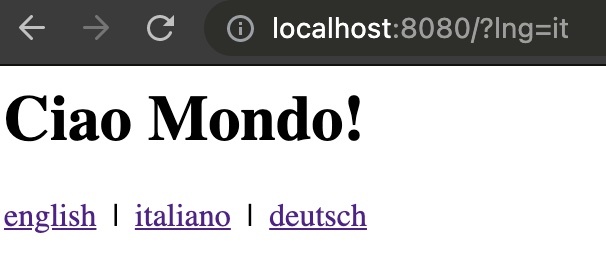 If you check the console output you'll also see something like this: ```sh node app.js # Server is listening on port 8080. # Der server lauscht auf dem Port 8080. # Il server sta aspettando sul port 8080. ``` *Yes, if you like, you can also internationalize your log statements 😁* *🧑💻 A code example can be found [here](https://github.com/i18next/i18next-fs-backend/tree/master/example/fastify).* ### A possible next step... Do you wish to manage your translations in a translation management system (TMS), like [locize](https://www.locize.com)? Just use [this cli](https://github.com/locize/locize-cli) to synchronize the translations with your code. To see how this could look like check out [**Step 1** in this tutorial](https://github.com/locize/react-tutorial#step-1---keep-existing-code-setup-but-synchronize-with-locize). Alternatively, use [i18next-locize-backend](https://github.com/locize/i18next-locize-backend) instead of the [i18next-fs-backend](https://github.com/i18next/i18next-fs-backend). If you're running your code in a serverless environment, make sure you [read this advice first](https://github.com/locize/i18next-locize-backend#important-advice-for-serverless-environments---aws-lambda-google-cloud-functions-azure-functions-etc)! **btw: Did you know, you can easily adapt your Fastify app to be used in [AWS Lambda](https://aws.amazon.com/lambda/) AND locally.** This can be achieved with the help of [aws-lambda-fastify](https://github.com/fastify/aws-lambda-fastify). Just create a new `lambda.js` that imports your modified `app.js` file: ```javascript // lambda.js import awsLambdaFastify from 'aws-lambda-fastify' import app from './app.js' export const handler = awsLambdaFastify(app) ``` make sure your Fastify app is exported... (`export default app`) And only start to listen on a port, if not executed in AWS Lambda (`import.meta.url === 'file://${process.argv[1]}'` or `require.main === module` for CommonJS) ```javascript // app.js import fastify from 'fastify' import pov from 'point-of-view' import pug from 'pug' import { i18next, i18nextPlugin } from './lib/i18n.js' const port = process.env.PORT || 8080 const app = fastify() app.register(pov, { engine: { pug } }) app.register(i18nextPlugin, { i18next }) app.get('/raw', (request, reply) => { reply.send(request.t('home.title')) }) app.get('/', (request, reply) => { reply.view('/views/index.pug') }) if (import.meta.url === `file://${process.argv[1]}`) { // called directly (node app.js) app.listen(port, (err) => { if (err) return console.error(err) console.log(i18next.t('server.started', { port })) console.log(i18next.t('server.started', { port, lng: 'de' })) console.log(i18next.t('server.started', { port, lng: 'it' })) }) } else { // imported as a module, i.e. when executed in AWS Lambda } export default app ``` **😎 Cool, right?** ## Next.js example <a name="nextjs"></a> Now it's time for [Next.js](https://nextjs.org)... When it comes to internationalization of Next.js apps one of the most popular choices is [next-i18next](https://github.com/isaachinman/next-i18next). It is based on [react-i18next](https://react.i18next.com) and users of [next-i18next](https://github.com/isaachinman/next-i18next) by default simply need to include their translation content as JSON files and don't have to worry about much else. [Here](https://github.com/isaachinman/next-i18next/tree/master/examples/simple) you'll find a simple example. You just need a `next-i18next.config.js` file that provides the configuration for `next-i18next` and wrapping your app with the `appWithTranslation` function, which allows to use the `t` (translate) function in your components via hooks. ```javascript // _app.js import { appWithTranslation } from 'next-i18next' const MyApp = ({ Component, pageProps }) => <Component {...pageProps} /> export default appWithTranslation(MyApp) ``` ```javascript // index.js import { useTranslation } from 'next-i18next' import { serverSideTranslations } from 'next-i18next/serverSideTranslations' // This is an async function that you need to include on your page-level components, via either getStaticProps or getServerSideProps (depending on your use case) const Homepage = () => { const { t } = useTranslation('common') return ( <> <main> <p> {t('description')} </p> </main> </> ) } export const getStaticProps = async ({ locale }) => ({ props: { ...await serverSideTranslations(locale, ['common']), // Will be passed to the page component as props }, }) export default Homepage ``` By default, `next-i18next` expects your translations to be organised as such: ``` . └── public └── locales ├── en | └── common.json └── de └── common.json ``` A demo of how such an app looks like when it is deployed, can be found [here](https://next-i18next.com). [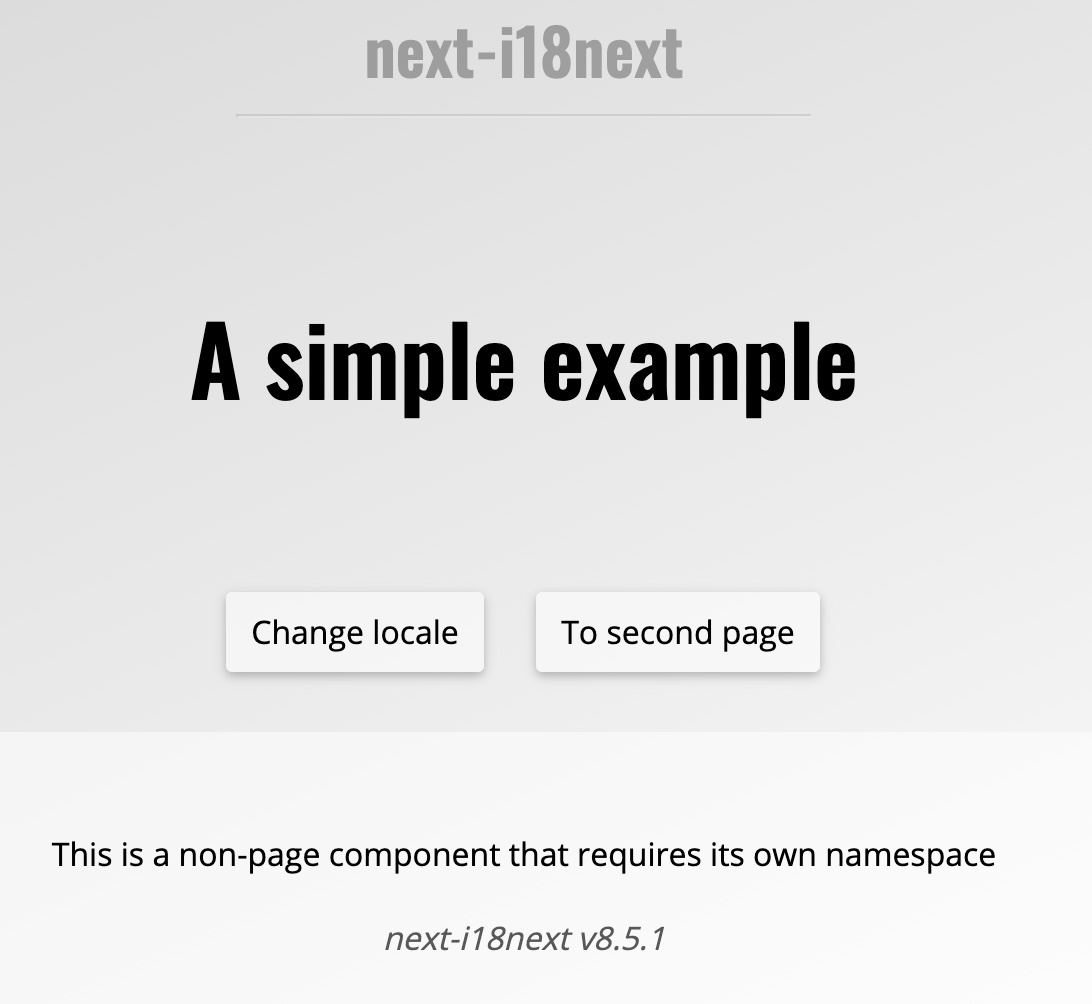](https://next-i18next.com) **This looks really simple, right?** ## Manage the translations outside of the code To best manage the translations there are 2 different approaches: ### POSSIBILITY 1: live translation download When using [locize](https://www.locize.com), you can configure your next-i18next project to load the translations from the [CDN](https://docs.locize.com/whats-inside/cdn-content-delivery-network) (on server and client side). Such a configuration could look like this: ```javascript // next-i18next.config.js module.exports = { i18n: { defaultLocale: 'en', locales: ['en', 'de'], }, backend: { projectId: 'd3b405cf-2532-46ae-adb8-99e88d876733', // apiKey: 'myApiKey', // to not add the api-key in production, used for saveMissing feature referenceLng: 'en' }, use: [ require('i18next-locize-backend/cjs') ], ns: ['common', 'footer', 'second-page'], // the namespaces needs to be listed here, to make sure they got preloaded serializeConfig: false, // because of the custom use i18next plugin // debug: true, // saveMissing: true, // to not saveMissing to true for production } ``` [Here](https://github.com/locize/next-i18next-locize#possibility-1-config-for-locize-live-download-usage) you'll find more information and an example on how this looks like. There is also the possibility to cache the translations locally thanks to [i18next-chained-backend](https://github.com/i18next/i18next-chained-backend). [Here](https://github.com/locize/next-i18next-locize#optional-server-side-caching-to-filesystem) you can find more information about this option. *If you're deploying your Next.js app in a serverless environment, consider to use the second possibility...* *More information about the reason for this can be found [here](https://github.com/locize/i18next-locize-backend#important-advice-for-serverless-environments---aws-lambda-google-cloud-functions-azure-functions-etc).* ### POSSIBILITY 2: bundle translations and keep in sync **If you're not sure, choose this way.** This option will not change the configuration of your "normal" next-i18next project: ```javascript // next-i18next.config.js module.exports = { i18n: { defaultLocale: 'en', locales: ['en', 'de'], } } ``` Just download or sync your local translations before "deploying" your app. [Here](https://github.com/locize/next-i18next-locize#possibility-2-bundle-translations-with-app) you'll find more information and an example on how this looks like. You can, for example, run an [npm script script](https://github.com/locize/next-i18next-locize/blob/main/package.json#L6) (or similar), which will use the [cli](https://github.com/locize/locize-cli) to download the translations from locize into the appropriate folder next-i18next is looking in to (i.e. `./public/locales`). This way the translations are bundled in your app and you will not generate any CDN downloads during runtime. i.e. `locize download --project-id=d3b405cf-2532-46ae-adb8-99e88d876733 --ver=latest --clean=true --path=./public/locales` # 🎉🥳 Conclusion 🎊🎁 As you see i18n is also important on server side. I hope you’ve learned a few new things about server side internationalization and modern localization workflows. So if you want to take your i18n topic to the next level, it's worth to try [i18next](https://www.i18next.com) and also [locize](https://www.locize.com). 👍 |
| json metadata | {"tags":["node","web","code","i18n"],"image":["https://cdn.steemitimages.com/DQmUJoJURgnQhED8d1qcrjSqefrzUjDbKVtJBEBpquaSAsB/server_side_backend.jpg","https://dev-to-uploads.s3.amazonaws.com/uploads/articles/4av1ofgjv26s8bv1vkr2.jpg","https://dev-to-uploads.s3.amazonaws.com/uploads/articles/1zwm75bcdtymz7kctjws.jpg","https://dev-to-uploads.s3.amazonaws.com/uploads/articles/pdibehzdsumw0tzj41l5.jpg"],"links":["https://dev.to/adrai/how-to-properly-internationalize-a-react-application-using-i18next-3hdb","https://dev.to/adrai/unleash-the-full-power-of-angular-i18next-4b7o","https://dev.to/adrai/give-vue-i18n-more-superpowers-12la","#cli","#email","#ssr","https://www.i18next.com","https://locize.com/i18next.html","https://github.com/tj/commander.js","https://twitter.com/tjholowaychuk","https://github.com/vercel/pkg","https://github.com/i18next/i18next-fs-backend","https://github.com/i18next/i18next-cli-app-example","https://www.locize.com","https://github.com/locize/react-tutorial#step-1---keep-existing-code-setup-but-synchronize-with-locize","https://pugjs.org","https://mjml.io","https://github.com/i18next/i18next-fs-backend/blob/master/example/fastify/app.js#L14-L19","#pug","#nextjs","https://www.fastify.io","https://twitter.com/matteocollina","https://twitter.com/delvedor","https://github.com/i18next/i18next-http-middleware","https://expressjs.com","https://github.com/zhmushan/abc","https://github.com/keroxp/servest","https://github.com/i18next/i18next-fs-backend/tree/master/example/fastify","https://github.com/locize/locize-cli","https://github.com/locize/i18next-locize-backend","https://github.com/locize/i18next-locize-backend#important-advice-for-serverless-environments---aws-lambda-google-cloud-functions-azure-functions-etc","https://aws.amazon.com/lambda/","https://github.com/fastify/aws-lambda-fastify","https://nextjs.org","https://github.com/isaachinman/next-i18next","https://react.i18next.com","https://github.com/isaachinman/next-i18next/tree/master/examples/simple","https://next-i18next.com","https://docs.locize.com/whats-inside/cdn-content-delivery-network","https://github.com/locize/next-i18next-locize#possibility-1-config-for-locize-live-download-usage","https://github.com/i18next/i18next-chained-backend","https://github.com/locize/next-i18next-locize#optional-server-side-caching-to-filesystem","https://github.com/locize/next-i18next-locize#possibility-2-bundle-translations-with-app","https://github.com/locize/next-i18next-locize/blob/main/package.json#L6"],"app":"steemit/0.2","format":"markdown"} |
| Transaction Info | Block #55013202/Trx bdf361148156eaec86d52b03469e8356f59460bb |
View Raw JSON Data
{
"trx_id": "bdf361148156eaec86d52b03469e8356f59460bb",
"block": 55013202,
"trx_in_block": 5,
"op_in_trx": 0,
"virtual_op": 0,
"timestamp": "2021-06-28T06:26:12",
"op": [
"comment",
{
"parent_author": "",
"parent_permlink": "node",
"author": "adrai",
"permlink": "how-does-server-side-internationalization-i18n-look-like",
"title": "How does server side internationalization (i18n) look like?",
"body": "\n\nYou may already know how to properly internationalize a client side application, like described in this [React based tutorial](https://dev.to/adrai/how-to-properly-internationalize-a-react-application-using-i18next-3hdb), this [Angular based tutorial](https://dev.to/adrai/unleash-the-full-power-of-angular-i18next-4b7o) or this [Vue based tutorial](https://dev.to/adrai/give-vue-i18n-more-superpowers-12la).\n\nIn this blog post we will shed light on the server side.\n\n> Why do I need to handle i18n in my application's backend?\n\nThink of all user faced content not directly rendered in your browser...\n\n- For example you're building a [command line interface (CLI)](#cli)?\n- You're [sending some emails](#email)?\n- Or you're using [server side rendering (SSR)](#ssr)?\n- etc.\n\n# Let's check that out...\n\nWe will show some examples that uses [i18next](https://www.i18next.com) as i18n framework. If you're curious to know why we suggest i18next, have a look at [this page](https://locize.com/i18next.html).\n\n\n# Command line interface (CLI) <a name=\"cli\"></a>\n\nLet's start with something simple: a verry small CLI app. For this example let's use [commander](https://github.com/tj/commander.js), originally created by [TJ Holowaychuk](https://twitter.com/tjholowaychuk).\nWe are defining a `sayhi` command with optional language and name parameters that should respond with a salutation in the appropriate language.\n\n```javascript\n#!/usr/bin/env node\n\nconst program = require('commander')\n\nprogram\n .command('sayhi')\n .alias('s')\n .option('-l, --language <lng>', 'by default the system language is used')\n .option('-n, --name <name>', 'your name')\n .action((options) => {\n // options.language => optional language\n // options.name => optional name\n // TODO: log the salutation to the console...\n })\n .on('--help', () => {\n console.log(' Examples:')\n console.log()\n console.log(' $ mycli sayhi')\n console.log(' $ mycli sayhi --language de')\n console.log(' $ mycli sayhi --language de --name John')\n console.log()\n })\n\nprogram.parse(process.argv)\n\nif (!process.argv.slice(2).length) {\n program.outputHelp()\n}\n```\n\nOk, now let's create a new `i18n.js` file and setup i18next accordingly:\n\n```javascript\nconst i18next = require('i18next')\n\n// if no language parameter is passed, let's try to use the node.js system's locale\nconst systemLocale = Intl.DateTimeFormat().resolvedOptions().locale\n\ni18next\n .init({\n fallbackLng: 'en',\n resources: {\n en: {\n translation: require('./locales/en/translation.json')\n },\n de: {\n translation: require('./locales/de/translation.json')\n }\n }\n })\n\nmodule.exports = (lng) => i18next.getFixedT(lng || systemLocale)\n```\n\nAnd also our translation resources:\n\n```javascript\n// locales/en/translations.json\n{\n \"salutation\": \"Hello World!\",\n \"salutationWithName\": \"Hello {{name}}!\"\n}\n\n// locales/de/translations.json\n{\n \"salutation\": \"Hallo Welt!\",\n \"salutationWithName\": \"Hallo {{name}}!\"\n}\n```\n\nNow we can use the `i18n.js` export like that:\n\n```javascript\n#!/usr/bin/env node\n\nconst program = require('commander')\nconst i18n = require('../i18n.js')\n\nprogram\n .command('sayhi')\n .alias('s')\n .option('-l, --language <lng>', 'by default the system language is used')\n .option('-n, --name <name>', 'your name')\n .action((options) => {\n const t = i18n(options.language)\n if (options.name) {\n console.log(t('salutationWithName', { name: options.name }))\n } else {\n console.log(t('salutation'))\n }\n })\n .on('--help', () => {\n console.log(' Examples:')\n console.log()\n console.log(' $ mycli sayhi')\n console.log(' $ mycli sayhi --language de')\n console.log(' $ mycli sayhi --language de --name John')\n console.log()\n })\n\nprogram.parse(process.argv)\n\nif (!process.argv.slice(2).length) {\n program.outputHelp()\n}\n```\n\nOk, what's the result?\n\n```sh\n# if we execute the cli command without any parameters...\nmycli sayhi\n# result: Hello World!\n\n# if we execute the cli command with a language parameter...\nmycli sayhi --language de\n# result: Hallo Welt!\n\n# if we execute the cli command with a language parameter and a name parameter...\nmycli sayhi --language de --name John\n# result: Hallo John!\n```\n\n**Easy, isn't it?**\n\nIf you don't bundle your CLI app in a single executable, for example by using [pkg](https://github.com/vercel/pkg), you can also i.e. use the [i18next-fs-backend](https://github.com/i18next/i18next-fs-backend) to dynamically load your translations, for example like this:\n\n```javascript\nconst i18next = require('i18next')\nconst Backend = require('i18next-fs-backend')\nconst { join } = require('path')\nconst { readdirSync, lstatSync } = require('fs')\n\n// if no language parameter is passed, let's try to use the node.js system's locale\nconst systemLocale = Intl.DateTimeFormat().resolvedOptions().locale\n\nconst localesFolder = join(__dirname, './locales')\n\ni18next\n .use(Backend)\n .init({\n initImmediate: false, // setting initImediate to false, will load the resources synchronously\n fallbackLng: 'en',\n preload: readdirSync(localesFolder).filter((fileName) => {\n const joinedPath = join(localesFolder, fileName)\n return lstatSync(joinedPath).isDirectory()\n }),\n backend: {\n loadPath: join(localesFolder, '{{lng}}/{{ns}}.json')\n }\n })\n\nmodule.exports = (lng) => i18next.getFixedT(lng || systemLocale)\n```\n\n*🧑💻 A code example can be found [here](https://github.com/i18next/i18next-cli-app-example).*\n\n## A possible next step...\n\nA possible next step could be to professionalize the translation management.\nThis means the translations would be \"managed\" (add new languages, new translations etc...) in a translation management system (TMS), like [locize](https://www.locize.com) and synchronized with your code. To see how this could look like, check out [**Step 1** in this tutorial](https://github.com/locize/react-tutorial#step-1---keep-existing-code-setup-but-synchronize-with-locize).\n\n\n# Generate Emails <a name=\"email\"></a>\n\nAnother typical server side use case that requires internationalization is the generation of emails.\n\nTo achieve this goal, you usually need to transform some raw data to html content (or text) to be shown in the user's preferred language.\n\nIn this example we will use [pug](https://pugjs.org) (formerly known as \"Jade\", and also originally created by [TJ Holowaychuk](https://twitter.com/tjholowaychuk)) to define some templates that should be filled with the data needed in the email, and [mjml](https://mjml.io) to actually design the email content.\n\nLet's create a new `mail.js` file, which we can use, to accomplish this.\n\n```javascript\nimport pug from 'pug'\nimport mjml2html from 'mjml'\n\nexport default (data) => {\n // first let's compile and render the mail template that will include the data needed to show in the mail content\n const mjml = pug.renderFile('./mailTemplate.pug', data)\n \n // then transform the mjml syntax to normal html\n const { html, errors } = mjml2html(mjml)\n if (errors && errors.length > 0) throw new Error(errors[0].message)\n\n // and return the html, if there where no errors\n return html\n}\n```\n\nThe `mailTemplate.pug` could look like this:\n\n```jade\nmjml\n mj-body(background-color='#F4F4F4' color='#55575d' font-family='Arial, sans-serif')\n mj-section(background-color='#024b3f' background-repeat='repeat' padding='20px 0' text-align='center' vertical-align='top')\n mj-column\n mj-image(align='center' padding='10px 25px' src='https://raw.githubusercontent.com/i18next/i18next/master/assets/i18next-ecosystem.jpg')\n mj-section(background-color='#ffffff' background-repeat='repeat' padding='20px 0' text-align='center' vertical-align='top')\n mj-column\n mj-section(background-color='#ffffff' background-repeat='repeat' background-size='auto' padding='20px 0px 20px 0px' text-align='center' vertical-align='top')\n mj-column\n mj-text(align='center' color='#55575d' font-family='Arial, sans-serif' font-size='20px' line-height='28px' padding='0px 25px 0px 25px')\n span=t('greeting', { name: name || 'there' })\n br\n br\n mj-text(align='center' color='#55575d' font-family='Arial, sans-serif' font-size='16px' line-height='28px' padding='0px 25px 0px 25px')\n =t('text')\n mj-section(background-color='#024b3f' background-repeat='repeat' padding='20px 0' text-align='center' vertical-align='top')\n mj-column\n mj-text(align='center' color='#ffffff' font-family='Arial, sans-serif' font-size='13px' line-height='22px' padding='10px 25px')\n =t('ending') \n a(style='color:#ffffff' href='https://www.i18next.com')\n b www.i18next.com\n```\n\nNow let's define some translations...\n\n```javascript\n// locales/en/translations.json\n{\n \"greeting\": \"Hi {{name}}!\",\n \"text\": \"You were invited to try i18next.\",\n \"ending\": \"Internationalized with\"\n}\n\n// locales/de/translations.json\n{\n \"greeting\": \"Hallo {{name}}!\",\n \"text\": \"Du bist eingeladen worden i18next auszuprobieren.\",\n \"ending\": \"Internationalisiert mit\"\n}\n```\n\n...and use them in an `i18n.js` file:\n\n```javascript\nimport { dirname, join } from 'path'\nimport { readdirSync, lstatSync } from 'fs'\nimport { fileURLToPath } from 'url'\nimport i18next from 'i18next'\nimport Backend from 'i18next-fs-backend'\n\nconst __dirname = dirname(fileURLToPath(import.meta.url))\nconst localesFolder = join(__dirname, './locales')\n\ni18next\n .use(Backend) // you can also use any other i18next backend, like i18next-http-backend or i18next-locize-backend\n .init({\n // debug: true,\n initImmediate: false, // setting initImediate to false, will load the resources synchronously\n fallbackLng: 'en',\n preload: readdirSync(localesFolder).filter((fileName) => {\n const joinedPath = join(localesFolder, fileName)\n return lstatSync(joinedPath).isDirectory()\n }),\n backend: {\n loadPath: join(localesFolder, '{{lng}}/{{ns}}.json')\n }\n })\n\nexport default i18next\n```\n\nSo finally, all the above can be used like that:\n\n```javascript\nimport mail from './mail.js'\n\nimport i18next from './i18n.js'\n\nconst html = mail({\n t: i18next.t,\n name: 'John'\n})\n// that html now can be sent via some mail provider...\n```\n\nThis is how the resulting html could look like:\n\n\n\n*🧑💻 A code example can be found [here](https://github.com/i18next/i18next-fs-backend/blob/master/example/fastify/app.js#L14-L19).*\n\n\n# Server Side Rendering (SSR) <a name=\"ssr\"></a>\n\nWe will try 2 different SSR examples, a classic one using [Fastify with pug](#pug) and a more trendy one using [Next.js](#nextjs).\n\n## Fastify with Pug example <a name=\"pug\"></a>\n\nFor this example we will use my favorite http framework [Fastify](https://www.fastify.io) (created by [Matteo Collina](https://twitter.com/matteocollina) and [Tomas Della Vedova](https://twitter.com/delvedor)), but any other framework will also work.\n\nThis time we will use a different i18next module, [i18next-http-middleware](https://github.com/i18next/i18next-http-middleware).\nIt can be used for all Node.js web frameworks, like [express](https://expressjs.com) or [Fastify](https://www.fastify.io), but also for Deno web frameworks, like [abc](https://github.com/zhmushan/abc) or [ServestJS](https://github.com/keroxp/servest).\n\nAs already said, here we will use [Fastify](https://www.fastify.io), my favorite 😉.\n\nLet's again start with the `i18n.js` file:\n\n```javascript\nimport { dirname, join } from 'path'\nimport { readdirSync, lstatSync } from 'fs'\nimport { fileURLToPath } from 'url'\nimport i18next from 'i18next'\nimport Backend from 'i18next-fs-backend'\nimport i18nextMiddleware from 'i18next-http-middleware'\n\nconst __dirname = dirname(fileURLToPath(import.meta.url))\nconst localesFolder = join(__dirname, '../locales')\n\ni18next\n .use(i18nextMiddleware.LanguageDetector) // the language detector, will automatically detect the users language, by some criteria... like the query parameter ?lng=en or http header, etc...\n .use(Backend) // you can also use any other i18next backend, like i18next-http-backend or i18next-locize-backend\n .init({\n initImmediate: false, // setting initImediate to false, will load the resources synchronously\n fallbackLng: 'en',\n preload: readdirSync(localesFolder).filter((fileName) => {\n const joinedPath = join(localesFolder, fileName)\n return lstatSync(joinedPath).isDirectory()\n }),\n backend: {\n loadPath: join(localesFolder, '{{lng}}/{{ns}}.json')\n }\n })\n\nexport { i18next, i18nextPlugin: i18nextMiddleware.plugin }\n```\n\nAnd our translation resources...\n\n```javascript\n// locales/en/translations.json\n{\n \"home\": {\n \"title\": \"Hello World!\"\n },\n \"server\": {\n \"started\": \"Server is listening on port {{port}}.\"\n }\n}\n\n// locales/de/translations.json\n{\n \"home\": {\n \"title\": \"Hallo Welt!\"\n },\n \"server\": {\n \"started\": \"Der server lauscht auf dem Port {{port}}.\"\n }\n}\n\n// locales/it/translations.json\n{\n \"home\": {\n \"title\": \"Ciao Mondo!\"\n },\n \"server\": {\n \"started\": \"Il server sta aspettando sul port {{port}}.\"\n }\n}\n```\n\nA simple pug template:\n\n```jade\nhtml\n head\n title i18next - fastify with pug\n body\n h1=t('home.title')\n div\n a(href=\"/?lng=en\") english\n | | \n a(href=\"/?lng=it\") italiano\n | | \n a(href=\"/?lng=de\") deutsch\n```\n\nOur \"main\" file `app.js`:\n\n```javascript\nimport fastify from 'fastify'\nimport pov from 'point-of-view'\nimport pug from 'pug'\nimport { i18next, i18nextPlugin } from './lib/i18n.js'\n\nconst port = process.env.PORT || 8080\n\nconst app = fastify()\napp.register(pov, { engine: { pug } })\napp.register(i18nextPlugin, { i18next })\n\napp.get('/raw', (request, reply) => {\n reply.send(request.t('home.title'))\n})\n\napp.get('/', (request, reply) => {\n reply.view('/views/index.pug')\n})\n\napp.listen(port, (err) => {\n if (err) return console.error(err)\n // if you like you can also internationalize your log statements ;-)\n console.log(i18next.t('server.started', { port }))\n console.log(i18next.t('server.started', { port, lng: 'de' }))\n console.log(i18next.t('server.started', { port, lng: 'it' }))\n})\n```\n\nNow start the app and check what language you're seeing...\n\n\nIf you check the console output you'll also see something like this:\n\n```sh\nnode app.js\n# Server is listening on port 8080.\n# Der server lauscht auf dem Port 8080.\n# Il server sta aspettando sul port 8080.\n```\n\n*Yes, if you like, you can also internationalize your log statements 😁*\n\n*🧑💻 A code example can be found [here](https://github.com/i18next/i18next-fs-backend/tree/master/example/fastify).*\n\n### A possible next step...\n\nDo you wish to manage your translations in a translation management system (TMS), like [locize](https://www.locize.com)?\n\nJust use [this cli](https://github.com/locize/locize-cli) to synchronize the translations with your code. To see how this could look like check out [**Step 1** in this tutorial](https://github.com/locize/react-tutorial#step-1---keep-existing-code-setup-but-synchronize-with-locize).\n\nAlternatively, use [i18next-locize-backend](https://github.com/locize/i18next-locize-backend) instead of the [i18next-fs-backend](https://github.com/i18next/i18next-fs-backend).\nIf you're running your code in a serverless environment, make sure you [read this advice first](https://github.com/locize/i18next-locize-backend#important-advice-for-serverless-environments---aws-lambda-google-cloud-functions-azure-functions-etc)!\n\n**btw: Did you know, you can easily adapt your Fastify app to be used in [AWS Lambda](https://aws.amazon.com/lambda/) AND locally.**\n\nThis can be achieved with the help of [aws-lambda-fastify](https://github.com/fastify/aws-lambda-fastify).\nJust create a new `lambda.js` that imports your modified `app.js` file:\n\n```javascript\n// lambda.js\nimport awsLambdaFastify from 'aws-lambda-fastify'\nimport app from './app.js'\nexport const handler = awsLambdaFastify(app)\n```\n\nmake sure your Fastify app is exported... (`export default app`)\nAnd only start to listen on a port, if not executed in AWS Lambda (`import.meta.url === 'file://${process.argv[1]}'` or `require.main === module` for CommonJS)\n\n```javascript\n// app.js\nimport fastify from 'fastify'\nimport pov from 'point-of-view'\nimport pug from 'pug'\nimport { i18next, i18nextPlugin } from './lib/i18n.js'\n\nconst port = process.env.PORT || 8080\n\nconst app = fastify()\napp.register(pov, { engine: { pug } })\napp.register(i18nextPlugin, { i18next })\n\napp.get('/raw', (request, reply) => {\n reply.send(request.t('home.title'))\n})\n\napp.get('/', (request, reply) => {\n reply.view('/views/index.pug')\n})\n\nif (import.meta.url === `file://${process.argv[1]}`) {\n // called directly (node app.js)\n app.listen(port, (err) => {\n if (err) return console.error(err)\n console.log(i18next.t('server.started', { port }))\n console.log(i18next.t('server.started', { port, lng: 'de' }))\n console.log(i18next.t('server.started', { port, lng: 'it' }))\n })\n} else {\n // imported as a module, i.e. when executed in AWS Lambda\n}\n\nexport default app\n```\n\n**😎 Cool, right?**\n\n\n## Next.js example <a name=\"nextjs\"></a>\n\nNow it's time for [Next.js](https://nextjs.org)...\n\nWhen it comes to internationalization of Next.js apps one of the most popular choices is [next-i18next](https://github.com/isaachinman/next-i18next). It is based on [react-i18next](https://react.i18next.com) and users of [next-i18next](https://github.com/isaachinman/next-i18next) by default simply need to include their translation content as JSON files and don't have to worry about much else.\n\n[Here](https://github.com/isaachinman/next-i18next/tree/master/examples/simple) you'll find a simple example.\n\nYou just need a `next-i18next.config.js` file that provides the configuration for `next-i18next` and wrapping your app with the `appWithTranslation` function, which allows to use the `t` (translate) function in your components via hooks.\n\n```javascript\n// _app.js\nimport { appWithTranslation } from 'next-i18next'\n\nconst MyApp = ({ Component, pageProps }) => <Component {...pageProps} />\n\nexport default appWithTranslation(MyApp)\n```\n\n```javascript\n// index.js\nimport { useTranslation } from 'next-i18next'\nimport { serverSideTranslations } from 'next-i18next/serverSideTranslations'\n// This is an async function that you need to include on your page-level components, via either getStaticProps or getServerSideProps (depending on your use case)\n\nconst Homepage = () => {\n const { t } = useTranslation('common')\n\n return (\n <>\n <main>\n <p>\n {t('description')}\n </p>\n </main>\n </>\n )\n}\n\nexport const getStaticProps = async ({ locale }) => ({\n props: {\n ...await serverSideTranslations(locale, ['common']),\n // Will be passed to the page component as props\n },\n})\n\nexport default Homepage\n```\n\nBy default, `next-i18next` expects your translations to be organised as such:\n\n```\n.\n└── public\n └── locales\n ├── en\n | └── common.json\n └── de\n └── common.json\n```\n\nA demo of how such an app looks like when it is deployed, can be found [here](https://next-i18next.com).\n\n[](https://next-i18next.com)\n\n**This looks really simple, right?**\n\n## Manage the translations outside of the code\n\nTo best manage the translations there are 2 different approaches:\n\n### POSSIBILITY 1: live translation download\n\nWhen using [locize](https://www.locize.com), you can configure your next-i18next project to load the translations from the [CDN](https://docs.locize.com/whats-inside/cdn-content-delivery-network) (on server and client side).\n\nSuch a configuration could look like this:\n\n```javascript\n// next-i18next.config.js\nmodule.exports = {\n i18n: {\n defaultLocale: 'en',\n locales: ['en', 'de'],\n },\n backend: {\n projectId: 'd3b405cf-2532-46ae-adb8-99e88d876733',\n // apiKey: 'myApiKey', // to not add the api-key in production, used for saveMissing feature\n referenceLng: 'en'\n },\n use: [\n require('i18next-locize-backend/cjs')\n ],\n ns: ['common', 'footer', 'second-page'], // the namespaces needs to be listed here, to make sure they got preloaded\n serializeConfig: false, // because of the custom use i18next plugin\n // debug: true,\n // saveMissing: true, // to not saveMissing to true for production\n}\n```\n\n[Here](https://github.com/locize/next-i18next-locize#possibility-1-config-for-locize-live-download-usage) you'll find more information and an example on how this looks like.\n\nThere is also the possibility to cache the translations locally thanks to [i18next-chained-backend](https://github.com/i18next/i18next-chained-backend). [Here](https://github.com/locize/next-i18next-locize#optional-server-side-caching-to-filesystem) you can find more information about this option.\n\n*If you're deploying your Next.js app in a serverless environment, consider to use the second possibility...*\n*More information about the reason for this can be found [here](https://github.com/locize/i18next-locize-backend#important-advice-for-serverless-environments---aws-lambda-google-cloud-functions-azure-functions-etc).*\n\n\n### POSSIBILITY 2: bundle translations and keep in sync\n\n**If you're not sure, choose this way.**\n\nThis option will not change the configuration of your \"normal\" next-i18next project:\n\n```javascript\n// next-i18next.config.js\nmodule.exports = {\n i18n: {\n defaultLocale: 'en',\n locales: ['en', 'de'],\n }\n}\n```\n\nJust download or sync your local translations before \"deploying\" your app.\n\n[Here](https://github.com/locize/next-i18next-locize#possibility-2-bundle-translations-with-app) you'll find more information and an example on how this looks like.\n\nYou can, for example, run an [npm script script](https://github.com/locize/next-i18next-locize/blob/main/package.json#L6) (or similar), which will use the [cli](https://github.com/locize/locize-cli) to download the translations from locize into the appropriate folder next-i18next is looking in to (i.e. `./public/locales`). This way the translations are bundled in your app and you will not generate any CDN downloads during runtime.\n\ni.e. `locize download --project-id=d3b405cf-2532-46ae-adb8-99e88d876733 --ver=latest --clean=true --path=./public/locales`\n\n\n# 🎉🥳 Conclusion 🎊🎁\n\nAs you see i18n is also important on server side.\n\nI hope you’ve learned a few new things about server side internationalization and modern localization workflows.\n\nSo if you want to take your i18n topic to the next level, it's worth to try [i18next](https://www.i18next.com) and also [locize](https://www.locize.com).\n\n👍",
"json_metadata": "{\"tags\":[\"node\",\"web\",\"code\",\"i18n\"],\"image\":[\"https://cdn.steemitimages.com/DQmUJoJURgnQhED8d1qcrjSqefrzUjDbKVtJBEBpquaSAsB/server_side_backend.jpg\",\"https://dev-to-uploads.s3.amazonaws.com/uploads/articles/4av1ofgjv26s8bv1vkr2.jpg\",\"https://dev-to-uploads.s3.amazonaws.com/uploads/articles/1zwm75bcdtymz7kctjws.jpg\",\"https://dev-to-uploads.s3.amazonaws.com/uploads/articles/pdibehzdsumw0tzj41l5.jpg\"],\"links\":[\"https://dev.to/adrai/how-to-properly-internationalize-a-react-application-using-i18next-3hdb\",\"https://dev.to/adrai/unleash-the-full-power-of-angular-i18next-4b7o\",\"https://dev.to/adrai/give-vue-i18n-more-superpowers-12la\",\"#cli\",\"#email\",\"#ssr\",\"https://www.i18next.com\",\"https://locize.com/i18next.html\",\"https://github.com/tj/commander.js\",\"https://twitter.com/tjholowaychuk\",\"https://github.com/vercel/pkg\",\"https://github.com/i18next/i18next-fs-backend\",\"https://github.com/i18next/i18next-cli-app-example\",\"https://www.locize.com\",\"https://github.com/locize/react-tutorial#step-1---keep-existing-code-setup-but-synchronize-with-locize\",\"https://pugjs.org\",\"https://mjml.io\",\"https://github.com/i18next/i18next-fs-backend/blob/master/example/fastify/app.js#L14-L19\",\"#pug\",\"#nextjs\",\"https://www.fastify.io\",\"https://twitter.com/matteocollina\",\"https://twitter.com/delvedor\",\"https://github.com/i18next/i18next-http-middleware\",\"https://expressjs.com\",\"https://github.com/zhmushan/abc\",\"https://github.com/keroxp/servest\",\"https://github.com/i18next/i18next-fs-backend/tree/master/example/fastify\",\"https://github.com/locize/locize-cli\",\"https://github.com/locize/i18next-locize-backend\",\"https://github.com/locize/i18next-locize-backend#important-advice-for-serverless-environments---aws-lambda-google-cloud-functions-azure-functions-etc\",\"https://aws.amazon.com/lambda/\",\"https://github.com/fastify/aws-lambda-fastify\",\"https://nextjs.org\",\"https://github.com/isaachinman/next-i18next\",\"https://react.i18next.com\",\"https://github.com/isaachinman/next-i18next/tree/master/examples/simple\",\"https://next-i18next.com\",\"https://docs.locize.com/whats-inside/cdn-content-delivery-network\",\"https://github.com/locize/next-i18next-locize#possibility-1-config-for-locize-live-download-usage\",\"https://github.com/i18next/i18next-chained-backend\",\"https://github.com/locize/next-i18next-locize#optional-server-side-caching-to-filesystem\",\"https://github.com/locize/next-i18next-locize#possibility-2-bundle-translations-with-app\",\"https://github.com/locize/next-i18next-locize/blob/main/package.json#L6\"],\"app\":\"steemit/0.2\",\"format\":\"markdown\"}"
}
]
}adraipublished a new post: unleash-the-full-power-of-angular-i18next2021/06/14 06:30:03
adraipublished a new post: unleash-the-full-power-of-angular-i18next
2021/06/14 06:30:03
| parent author | |
| parent permlink | javascript |
| author | adrai |
| permlink | unleash-the-full-power-of-angular-i18next |
| title | Unleash the full power of angular-i18next |
| body | @@ -11779,16 +11779,17 @@ arated f +r om the a @@ -11826,17 +11826,17 @@ ased sep -e +a rately.%0A |
| json metadata | {"tags":["angular","web","code","i18n"],"image":["https://cdn.steemitimages.com/DQmdpGpf5dAGusg15ijAwZotnvGt2whHyjyuJiwwna66neb/title.jpg","https://dev-to-uploads.s3.amazonaws.com/uploads/articles/vlwvwcs502aawu3tj3y5.jpg","https://dev-to-uploads.s3.amazonaws.com/uploads/articles/96q4exvnqo4g251aa5v8.jpg","https://dev-to-uploads.s3.amazonaws.com/uploads/articles/jusyge0m8tdk14dmpizj.jpg","https://dev-to-uploads.s3.amazonaws.com/uploads/articles/sxnb3ktc285nvbd2rotj.jpg","https://dev-to-uploads.s3.amazonaws.com/uploads/articles/4zp7ac849dcyj0em81k6.jpg","https://dev-to-uploads.s3.amazonaws.com/uploads/articles/fkuuj8ostc9obj968p1p.jpg","https://dev-to-uploads.s3.amazonaws.com/uploads/articles/18pcfn8xhfxv6djysqtk.jpg","https://dev-to-uploads.s3.amazonaws.com/uploads/articles/iy4mqpppyli41nwibnpm.jpg","https://dev-to-uploads.s3.amazonaws.com/uploads/articles/8rfusrzhuty28zl5z425.jpg","https://dev-to-uploads.s3.amazonaws.com/uploads/articles/38quv5tsh5fomnx77wt1.jpg","https://dev-to-uploads.s3.amazonaws.com/uploads/articles/dyyulpudnldjnoof24j8.jpg","https://dev-to-uploads.s3.amazonaws.com/uploads/articles/93baqmfar972iqf1kffz.jpg","https://dev-to-uploads.s3.amazonaws.com/uploads/articles/lpv70wwqwpkzjua9z155.jpg"],"links":["https://www.i18next.com","https://github.com/Romanchuk/angular-i18next/","https://github.com/Romanchuk","#why-i18next","#start","#prerequisites","#getting-started","#language-switcher","#separate","#how-look","#save-missing","#more","#congratulations","https://www.i18next.com/overview/supported-frameworks","https://www.i18next.com/overview/comparison-to-others","https://angular.io/guide/setup-local#install-the-angular-cli","https://github.com/i18next/i18next-browser-languageDetector","https://www.i18next.com/translation-function/interpolation#unescape","https://github.com/locize/i18next-locize-backend","../how-to-internationalize-react-i18next/#for-sure","https://locize.com/register","https://docs.locize.com/integration/getting-started/create-a-user-account","https://docs.locize.com/integration/getting-started/add-a-new-project","https://docs.locize.com/more/general-questions/how-to-import-translations-from-a-file","https://docs.locize.com/integration/api#update-remove-translations","https://github.com/locize/locize-cli","https://www.i18next.com/overview/configuration-options#missing-keys","https://github.com/locize/locize-lastused","https://docs.locize.com/guides-tips-and-tricks/unused-translations","https://github.com/locize/locize","https://docs.locize.com/more/incontext-editor","https://docs.locize.com/whats-inside/auto-machine-translation","(https://docs.locize.com/guides-tips-and-tricks/unused-translations)","https://docs.locize.com/more/caching","https://docs.locize.com/more/versioning#merging-versions","https://github.com/locize/locize-angular-example","https://locize.com"],"app":"steemit/0.2","format":"markdown"} |
| Transaction Info | Block #54614499/Trx cf2e5c4df98f7fe56dcc71dd135fce22e817319d |
View Raw JSON Data
{
  "trx_id": "cf2e5c4df98f7fe56dcc71dd135fce22e817319d",
  "block": 54614499,
  "trx_in_block": 17,
  "op_in_trx": 0,
  "virtual_op": 0,
  "timestamp": "2021-06-14T06:30:03",
  "op": [
    "comment",
    {
      "parent_author": "",
      "parent_permlink": "javascript",
      "author": "adrai",
      "permlink": "unleash-the-full-power-of-angular-i18next",
      "title": "Unleash the full power of angular-i18next",
      "body": "@@ -11779,16 +11779,17 @@\n arated f\n+r\n om the a\n@@ -11826,17 +11826,17 @@\n ased sep\n-e\n+a\n rately.%0A\n",
      "json_metadata": "{\"tags\":[\"angular\",\"web\",\"code\",\"i18n\"],\"image\":[\"https://cdn.steemitimages.com/DQmdpGpf5dAGusg15ijAwZotnvGt2whHyjyuJiwwna66neb/title.jpg\",\"https://dev-to-uploads.s3.amazonaws.com/uploads/articles/vlwvwcs502aawu3tj3y5.jpg\",\"https://dev-to-uploads.s3.amazonaws.com/uploads/articles/96q4exvnqo4g251aa5v8.jpg\",\"https://dev-to-uploads.s3.amazonaws.com/uploads/articles/jusyge0m8tdk14dmpizj.jpg\",\"https://dev-to-uploads.s3.amazonaws.com/uploads/articles/sxnb3ktc285nvbd2rotj.jpg\",\"https://dev-to-uploads.s3.amazonaws.com/uploads/articles/4zp7ac849dcyj0em81k6.jpg\",\"https://dev-to-uploads.s3.amazonaws.com/uploads/articles/fkuuj8ostc9obj968p1p.jpg\",\"https://dev-to-uploads.s3.amazonaws.com/uploads/articles/18pcfn8xhfxv6djysqtk.jpg\",\"https://dev-to-uploads.s3.amazonaws.com/uploads/articles/iy4mqpppyli41nwibnpm.jpg\",\"https://dev-to-uploads.s3.amazonaws.com/uploads/articles/8rfusrzhuty28zl5z425.jpg\",\"https://dev-to-uploads.s3.amazonaws.com/uploads/articles/38quv5tsh5fomnx77wt1.jpg\",\"https://dev-to-uploads.s3.amazonaws.com/uploads/articles/dyyulpudnldjnoof24j8.jpg\",\"https://dev-to-uploads.s3.amazonaws.com/uploads/articles/93baqmfar972iqf1kffz.jpg\",\"https://dev-to-uploads.s3.amazonaws.com/uploads/articles/lpv70wwqwpkzjua9z155.jpg\"],\"links\":[\"https://www.i18next.com\",\"https://github.com/Romanchuk/angular-i18next/\",\"https://github.com/Romanchuk\",\"#why-i18next\",\"#start\",\"#prerequisites\",\"#getting-started\",\"#language-switcher\",\"#separate\",\"#how-look\",\"#save-missing\",\"#more\",\"#congratulations\",\"https://www.i18next.com/overview/supported-frameworks\",\"https://www.i18next.com/overview/comparison-to-others\",\"https://angular.io/guide/setup-local#install-the-angular-cli\",\"https://github.com/i18next/i18next-browser-languageDetector\",\"https://www.i18next.com/translation-function/interpolation#unescape\",\"https://github.com/locize/i18next-locize-backend\",\"../how-to-internationalize-react-i18next/#for-sure\",\"https://locize.com/register\",\"https://docs.locize.com/integration/getting-started/create-a-user-account\",\"https://docs.locize.com/integration/getting-started/add-a-new-project\",\"https://docs.locize.com/more/general-questions/how-to-import-translations-from-a-file\",\"https://docs.locize.com/integration/api#update-remove-translations\",\"https://github.com/locize/locize-cli\",\"https://www.i18next.com/overview/configuration-options#missing-keys\",\"https://github.com/locize/locize-lastused\",\"https://docs.locize.com/guides-tips-and-tricks/unused-translations\",\"https://github.com/locize/locize\",\"https://docs.locize.com/more/incontext-editor\",\"https://docs.locize.com/whats-inside/auto-machine-translation\",\"(https://docs.locize.com/guides-tips-and-tricks/unused-translations)\",\"https://docs.locize.com/more/caching\",\"https://docs.locize.com/more/versioning#merging-versions\",\"https://github.com/locize/locize-angular-example\",\"https://locize.com\"],\"app\":\"steemit/0.2\",\"format\":\"markdown\"}"
    }
  ]
}adraipublished a new post: unleash-the-full-power-of-angular-i18next2021/06/14 06:13:45
adraipublished a new post: unleash-the-full-power-of-angular-i18next
2021/06/14 06:13:45
| parent author | |
| parent permlink | javascript |
| author | adrai |
| permlink | unleash-the-full-power-of-angular-i18next |
| title | Unleash the full power of angular-i18next |
| body |  Let's talk about internationalization (i18n) for Angular (not AngularJS, not Angular 2, just Angular 😉). When it comes to JavaScript localization. One of the most popular frameworks is [i18next](https://www.i18next.com). One of the most famous Angular extension for i18next is [angular-i18next](https://github.com/Romanchuk/angular-i18next/). It was created back in April 2017 by [Sergey Romanchuk](https://github.com/Romanchuk). ## TOC * [So first of all: "Why i18next?"](#why-i18next) * [Let's get into it...](#start) - [Prerequisites](#prerequisites) - [Getting started](#getting-started) - [Language Switcher](#language-switcher) - [Separate translations from code](#separate) - [How does this look like?](#how-look) - [save missing translations](#save-missing) - [👀 but there's more...](#more) - [🎉🥳 Congratulations 🎊🎁](#congratulations) # So first of all: "Why i18next?" <a name="why-i18next"></a> *i18next was created in late 2011. It's older than most of the libraries you will use nowadays, including your main frontend technology (angular, react, vue, ...).* **➡️ sustainable** *Based on how long i18next already is available open source, there is no real i18n case that could not be solved with i18next.* **➡️ mature** *i18next can be used in any javascript (and a few non-javascript - .net, elm, iOS, android, ruby, ...) environment, with any UI framework, with any i18n format, ... [the possibilities are endless](https://www.i18next.com/overview/supported-frameworks).* **➡️ extensible** *There is a plenty of features and possibilities you'll get with i18next compared to other regular 18n frameworks.* **➡️ rich** [Here you can find more information about why i18next is special.](https://www.i18next.com/overview/comparison-to-others) # Let's get into it... <a name="start"></a> ## Prerequisites <a name="prerequisites"></a> Make sure you have Node.js and npm installed. It's best, if you have some experience with simple HTML, JavaScript and basic Angular, before jumping to [angular-i18next](https://github.com/Romanchuk/angular-i18next/). ## Getting started <a name="getting-started"></a> Take your own Angular project or create a new one, i.e. with [the Angular cli](https://angular.io/guide/setup-local#install-the-angular-cli). `npx @angular/cli new my-app` *To simplify let's remove the "generated" content of the angular-cli:*  We are going to adapt the app to detect the language according to the user’s preference. And we will create a language switcher to make the content change between different languages. Let's install some i18next dependencies: - [i18next](https://www.i18next.com) - [angular-i18next](https://github.com/Romanchuk/angular-i18next/) - [i18next-browser-languagedetector](https://github.com/i18next/i18next-browser-languageDetector) `npm install i18next angular-i18next i18next-browser-languagedetector` Let's modify our `app.module.ts` to integrate and initialize the i18next config: ```javascript import { APP_INITIALIZER, NgModule, LOCALE_ID } from '@angular/core'; import { BrowserModule } from '@angular/platform-browser'; import { I18NEXT_SERVICE, I18NextModule, I18NextLoadResult, ITranslationService, defaultInterpolationFormat } from 'angular-i18next'; import LanguageDetector from 'i18next-browser-languagedetector'; import { AppComponent } from './app.component'; const i18nextOptions = { debug: true, fallbackLng: 'en', resources: { en: { translation: { "welcome": "Welcome to Your Angular App" } }, de: { translation: { "welcome": "Willkommen zu Deiner Vue.js App" } } }, interpolation: { format: I18NextModule.interpolationFormat(defaultInterpolationFormat) } }; export function appInit(i18next: ITranslationService) { return () => { let promise: Promise<I18NextLoadResult> = i18next .use(LocizeApi) .use<any>(LanguageDetector) .init(i18nextOptions); return promise; }; } export function localeIdFactory(i18next: ITranslationService) { return i18next.language; } export const I18N_PROVIDERS = [ { provide: APP_INITIALIZER, useFactory: appInit, deps: [I18NEXT_SERVICE], multi: true }, { provide: LOCALE_ID, deps: [I18NEXT_SERVICE], useFactory: localeIdFactory }, ]; @NgModule({ declarations: [ AppComponent ], imports: [ BrowserModule, I18NextModule.forRoot() ], providers: [ I18N_PROVIDERS ], bootstrap: [AppComponent] }) export class AppModule { } ``` Ok, now let's update the `app.component.html`: ```html <!-- Toolbar --> <div class="toolbar" role="banner"> <span>{{ 'welcome' | i18next }}</span> </div> <div class="content" role="main"> <!-- Highlight Card --> <div class="card highlight-card card-small"> <span>{{ 'welcome' | i18next }}</span> </div> </div> ``` You should now see something like this: 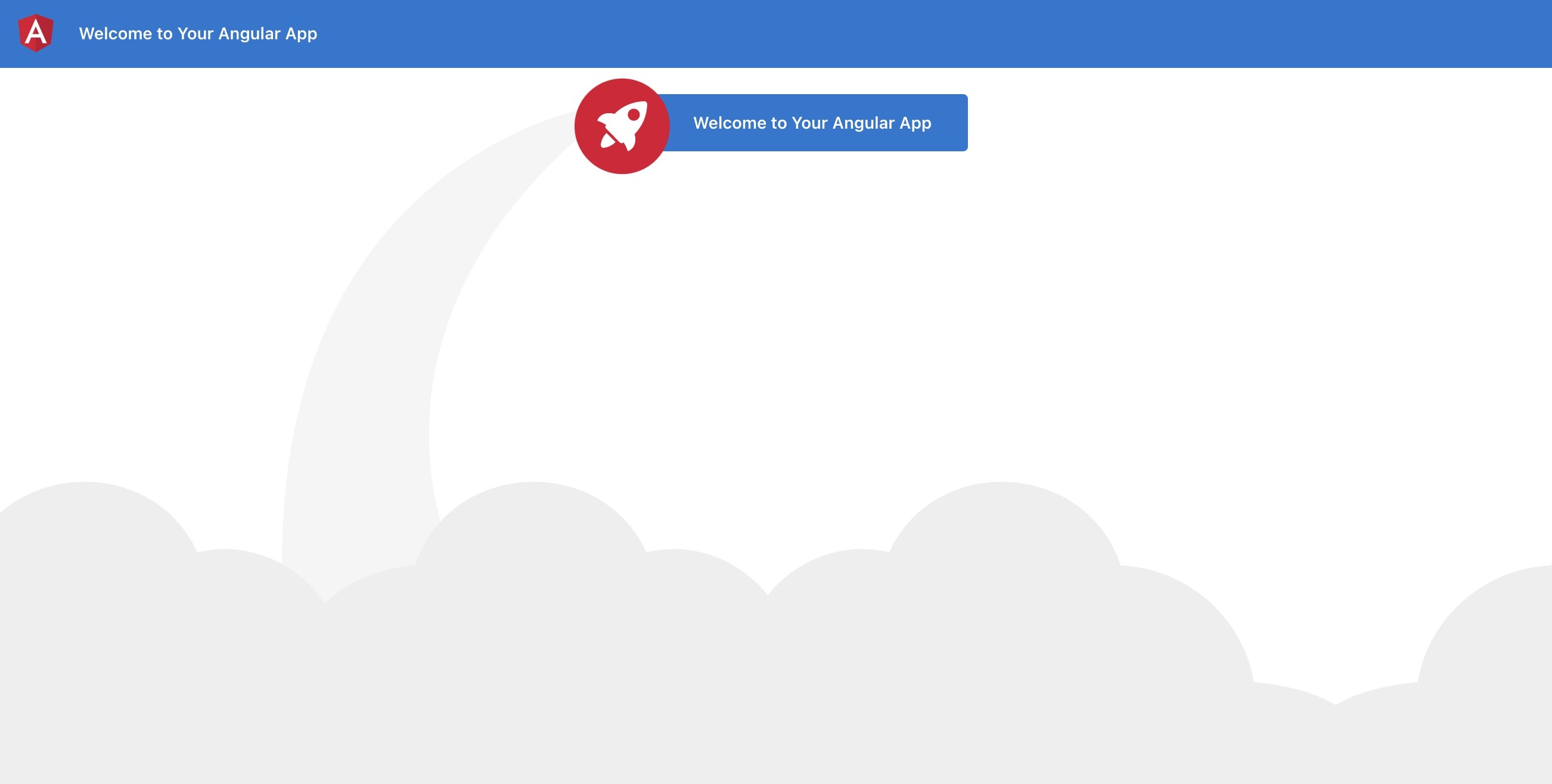 Nice! So let's add an additional text, with an [interpolated unescaped](https://www.i18next.com/translation-function/interpolation#unescape) value: ```html <!-- Toolbar --> <div class="toolbar" role="banner"> <span>{{ 'welcome' | i18next }}</span> </div> <div class="content" role="main"> <!-- Highlight Card --> <div class="card highlight-card card-small"> <span>{{ 'welcome' | i18next }}</span> </div> <br /> <p>{{ 'descr' | i18next: { url: 'https://github.com/Romanchuk/angular-i18next' } }}</p> </div> ``` Do not forget to add the new key also to the resources: ```javascript const i18nextOptions = { debug: true, fallbackLng: 'en', resources: { en: { translation: { "welcome": "Welcome to Your Angular App", "descr": "For a guide and recipes on how to configure / customize this project, check out {{-url}}." } }, de: { translation: { "welcome": "Willkommen zu Deiner Vue.js App", "descr": "Eine Anleitung und Rezepte für das Konfigurieren / Anpassen dieses Projekts findest du in {{-url}}." } } }, interpolation: { format: I18NextModule.interpolationFormat(defaultInterpolationFormat) } }; ``` Does it work? - Of course! 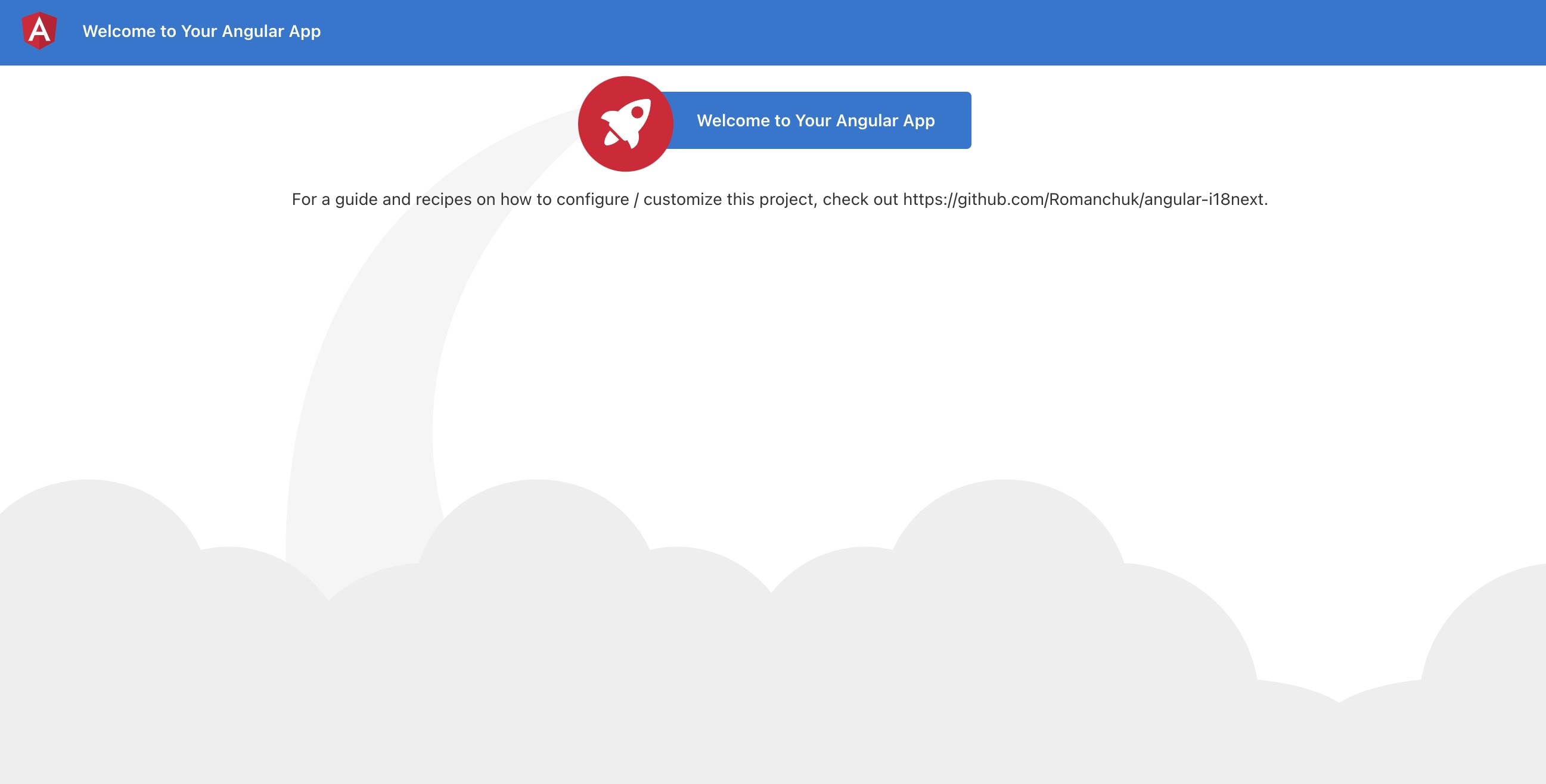 And thanks to the language-detector, you can also try to switch the language with the query parameter `?lng=de`: 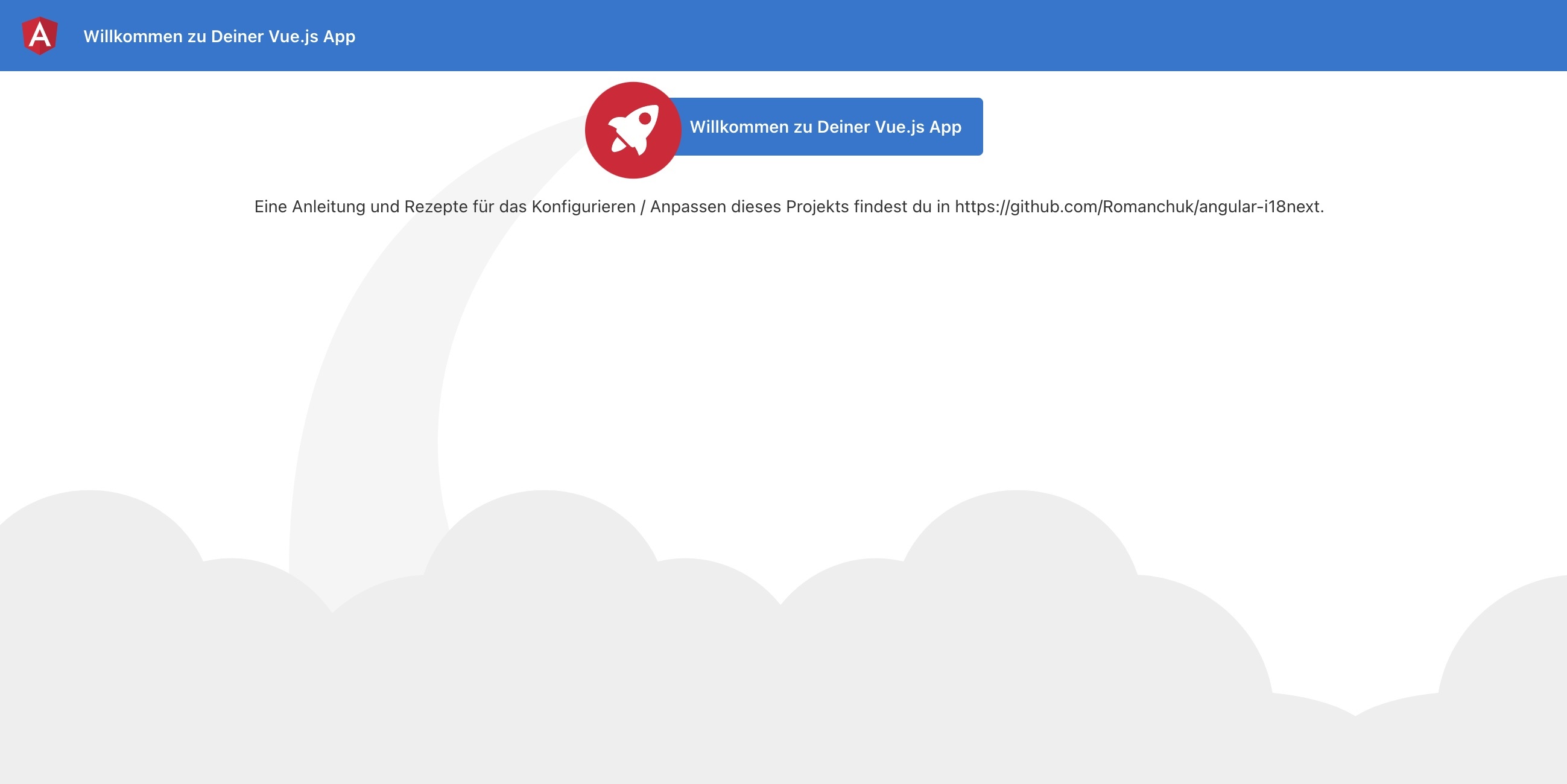 ## Language Switcher <a name="language-switcher"></a> We like to offer the possibility to change the language via some sort of language switcher. So let's add a footer section in our `app.component.html` file: ```html <!-- Footer --> <footer> <ng-template ngFor let-lang [ngForOf]="languages" let-i="index"> <span *ngIf="i !== 0"> | </span> <a *ngIf="language !== lang" href="javascript:void(0)" class="link lang-item {{lang}}" (click)="changeLanguage(lang)">{{ lang.toUpperCase() }}</a> <span *ngIf="language === lang" class="current lang-item {{lang}}">{{ lang.toUpperCase() }}</span> </ng-template> </footer> ``` And we need also to update the `app.components.ts` file: ```javascript import { Component, Inject } from '@angular/core'; import { I18NEXT_SERVICE, ITranslationService } from 'angular-i18next'; @Component({ selector: 'app-root', templateUrl: './app.component.html', styleUrls: ['./app.component.less'] }) export class AppComponent { language: string = 'en'; languages: string[] = ['en', 'de']; constructor( @Inject(I18NEXT_SERVICE) private i18NextService: ITranslationService ) {} ngOnInit() { this.i18NextService.events.initialized.subscribe((e) => { if (e) { this.updateState(this.i18NextService.language); } }); } changeLanguage(lang: string){ if (lang !== this.i18NextService.language) { this.i18NextService.changeLanguage(lang).then(x => { this.updateState(lang); document.location.reload(); }); } } private updateState(lang: string) { this.language = lang; } } ``` 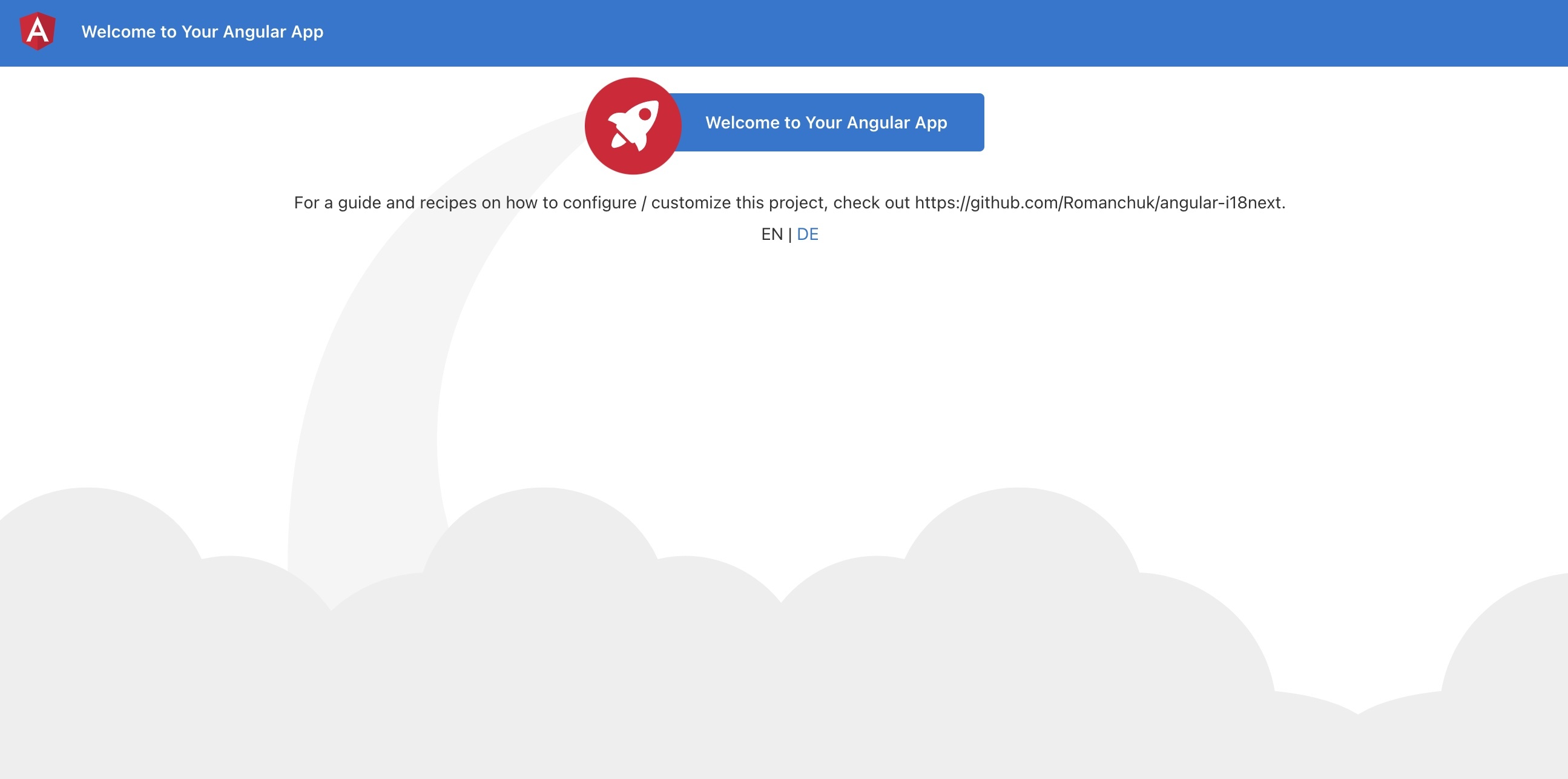 **🥳 Awesome, you've just created your first language switcher!** Thanks to [i18next-browser-languagedetector](https://github.com/i18next/i18next-browser-languageDetector) now it tries to detect the browser language and automatically use that language if you've provided the translations for it. The manually selected language in the language switcher is persisted in the localStorage, next time you visit the page, that language is used as preferred language. ## Separate translations from code <a name="separate"></a> Having the translations in our code works, but is not that suitable to work with, for translators. Let's separate the translations from the code and pleace them in dedicated json files. [i18next-locize-backend](https://github.com/locize/i18next-locize-backend) will help us to do so. > [What is locize?](../how-to-internationalize-react-i18next/#for-sure) ### How does this look like? <a name="how-look"></a> First you need to signup at [locize](https://locize.com/register) and [login](https://docs.locize.com/integration/getting-started/create-a-user-account). Then [create a new project](https://docs.locize.com/integration/getting-started/add-a-new-project) in locize and add your translations. You can add your translations either by [importing the individual json files](https://docs.locize.com/more/general-questions/how-to-import-translations-from-a-file) or via [API](https://docs.locize.com/integration/api#update-remove-translations) or by using the [CLI](https://github.com/locize/locize-cli). `npm install i18next-locize-backend` Adapt the `app.modules.ts` file to use the i18next-locize-backend and make sure you copy the project-id from within your locize project: ```javascript import { APP_INITIALIZER, NgModule, LOCALE_ID } from '@angular/core'; import { BrowserModule } from '@angular/platform-browser'; import { I18NEXT_SERVICE, I18NextModule, I18NextLoadResult, ITranslationService, defaultInterpolationFormat } from 'angular-i18next'; import LanguageDetector from 'i18next-browser-languagedetector'; import LocizeApi from 'i18next-locize-backend'; import { AppComponent } from './app.component'; const i18nextOptions = { debug: true, fallbackLng: 'en', backend: { projectId: 'your-locize-project-id' }, interpolation: { format: I18NextModule.interpolationFormat(defaultInterpolationFormat) } }; export function appInit(i18next: ITranslationService) { return () => { let promise: Promise<I18NextLoadResult> = i18next .use(LocizeApi) .use<any>(LanguageDetector) .init(i18nextOptions); return promise; }; } export function localeIdFactory(i18next: ITranslationService) { return i18next.language; } export const I18N_PROVIDERS = [ { provide: APP_INITIALIZER, useFactory: appInit, deps: [I18NEXT_SERVICE], multi: true }, { provide: LOCALE_ID, deps: [I18NEXT_SERVICE], useFactory: localeIdFactory }, ]; @NgModule({ declarations: [ AppComponent ], imports: [ BrowserModule, I18NextModule.forRoot() ], providers: [ I18N_PROVIDERS ], bootstrap: [AppComponent] }) export class AppModule { } ``` The app looks still the same, but the translations are now completely separated fom the app and can be managed and released seperately. 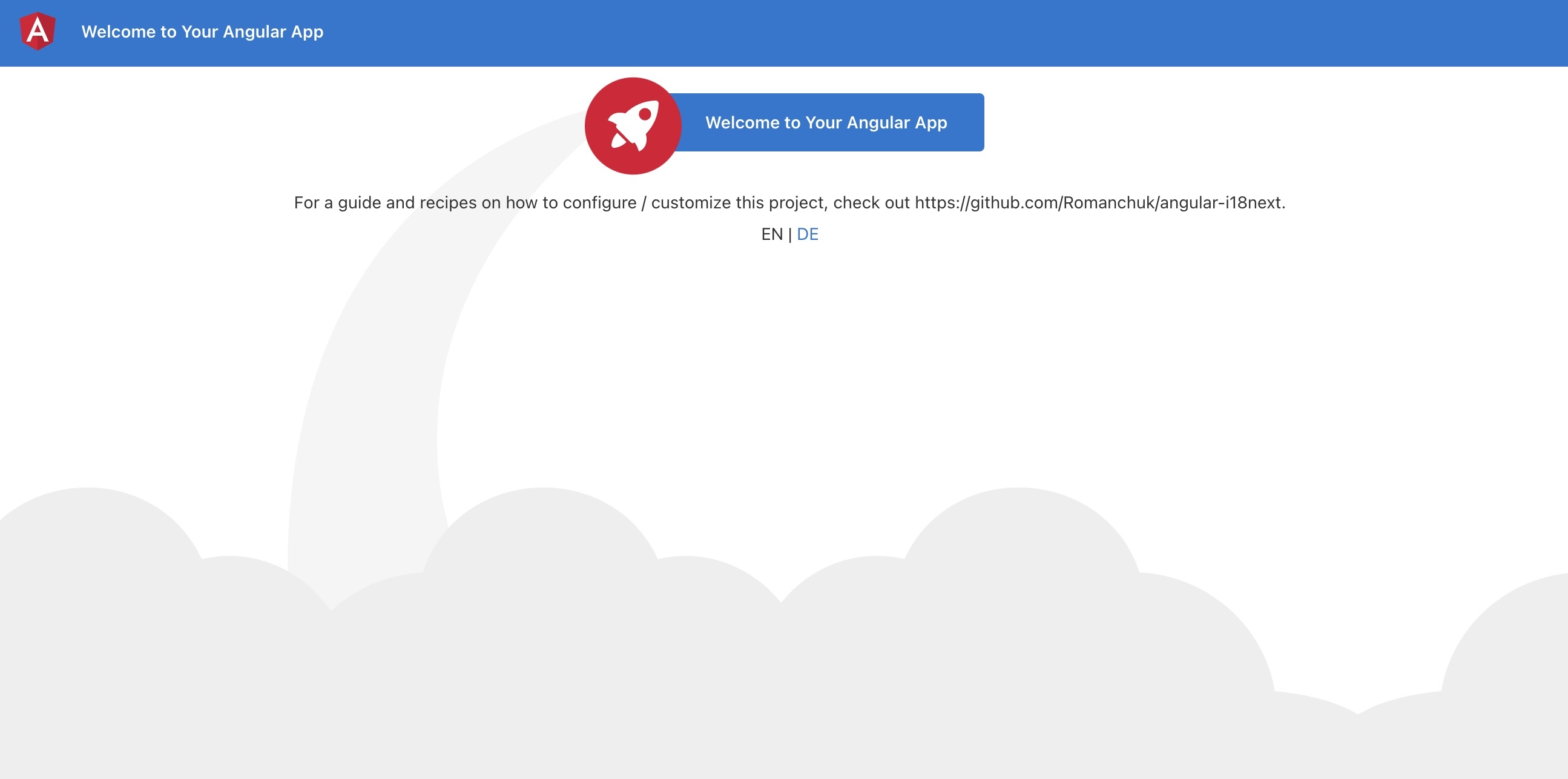 ### save missing translations <a name="save-missing"></a> Thanks to the use of the [saveMissing functionality](https://www.i18next.com/overview/configuration-options#missing-keys), new keys gets added to locize automatically, while developing the app. Just pass `saveMissing: true` in the i18next options and make sure you copy the api-key from within your locize project: ```javascript const i18nextOptions = { debug: true, saveMissing: true, // do not use the saveMissing functionality in production: https://docs.locize.com/guides-tips-and-tricks/going-production fallbackLng: 'en', backend: { projectId: 'my-locize-project-id', apiKey: 'my-api-key' // used for handleMissing functionality, do not add your api-key in a production build }, interpolation: { format: I18NextModule.interpolationFormat(defaultInterpolationFormat) } }; ``` Each time you'll use a new key, it will be sent to locize, i.e.: ```javascript <p>{{ 'cool' | i18next: { defaultValue: 'This is very cool!' } }}</p> ``` will result in locize like this: 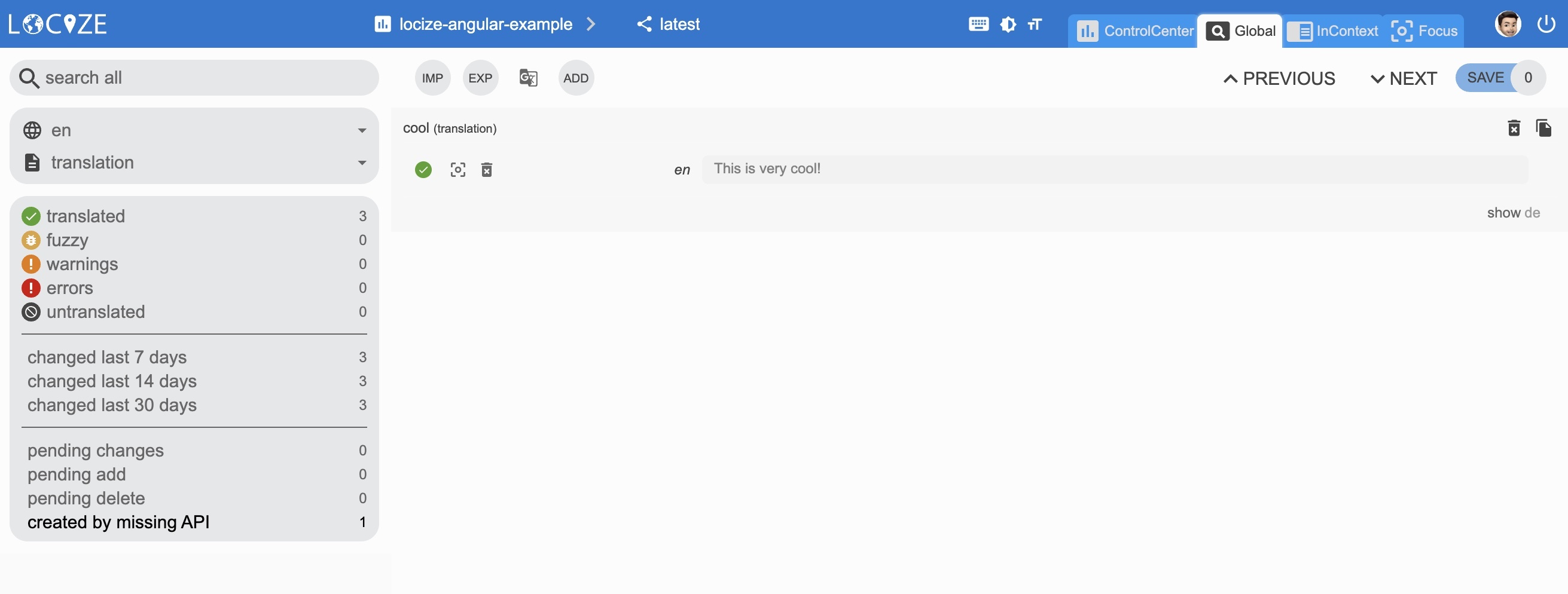 ### 👀 but there's more... <a name="more"></a> Thanks to the [locize-lastused](https://github.com/locize/locize-lastused) plugin, you'll be able to [find and filter in locize which keys are used or not used anymore](https://docs.locize.com/guides-tips-and-tricks/unused-translations). With the help of the [locize](https://github.com/locize/locize) plugin, you'll be able to use your app within the locize [InContext Editor](https://docs.locize.com/more/incontext-editor). Lastly, with the help of the [auto-machinetranslation workflow](https://docs.locize.com/whats-inside/auto-machine-translation), new keys not only gets added to locize automatically, while developing the app, but are also automatically translated into the target languages using machine translation: 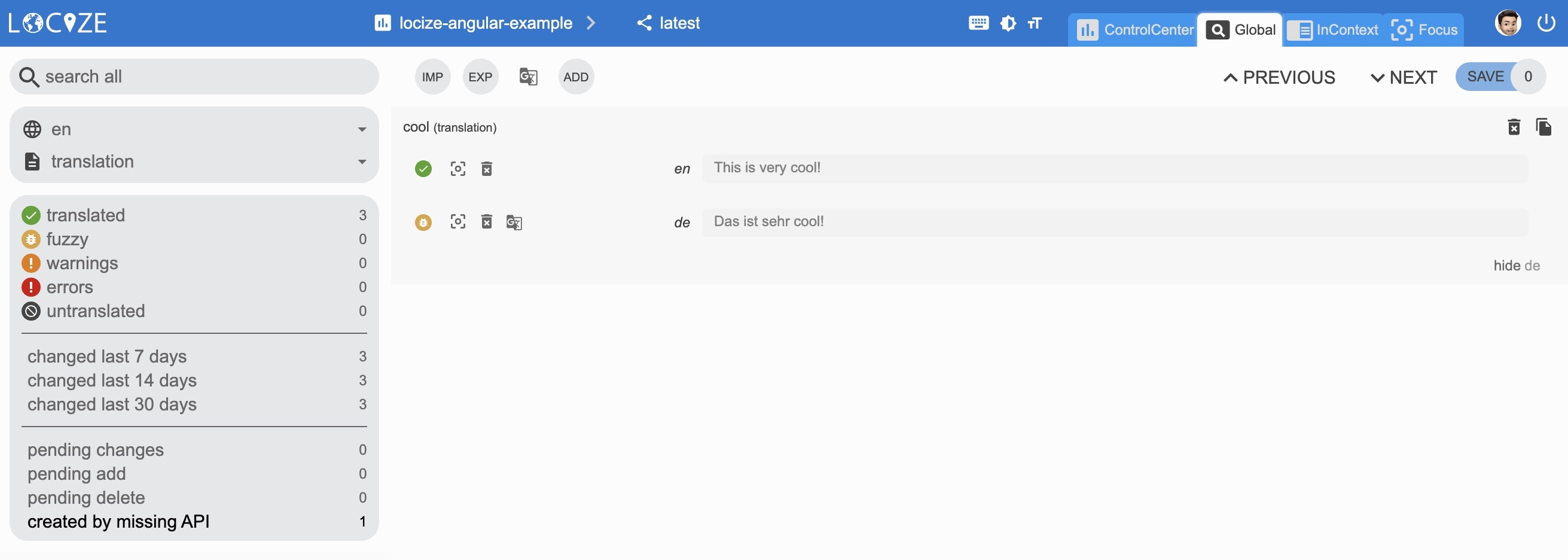 `npm install locize-lastused locize` use them in `app.modules.ts`: ```javascript import { APP_INITIALIZER, NgModule, LOCALE_ID } from '@angular/core'; import { BrowserModule } from '@angular/platform-browser'; import { I18NEXT_SERVICE, I18NextModule, I18NextLoadResult, ITranslationService, defaultInterpolationFormat } from 'angular-i18next'; import LanguageDetector from 'i18next-browser-languagedetector'; import LocizeApi from 'i18next-locize-backend'; import LastUsed from 'locize-lastused'; import { locizePlugin } from 'locize'; import { AppComponent } from './app.component'; const locizeOptions = { projectId: 'my-locize-project-id', apiKey: 'my-api-key' // used for handleMissing functionality, do not add your api-key in a production buildyour }; const i18nextOptions = { debug: true, fallbackLng: 'en', saveMissing: true, // do not use the saveMissing functionality in production: https://docs.locize.com/guides-tips-and-tricks/going-production backend: locizeOptions, locizeLastUsed: locizeOptions, interpolation: { format: I18NextModule.interpolationFormat(defaultInterpolationFormat) } }; export function appInit(i18next: ITranslationService) { return () => { let promise: Promise<I18NextLoadResult> = i18next // locize-lastused // sets a timestamp of last access on every translation segment on locize // -> safely remove the ones not being touched for weeks/months // https://github.com/locize/locize-lastused // do not use the lastused functionality in production: https://docs.locize.com/guides-tips-and-tricks/going-production .use(LastUsed) // locize-editor // InContext Editor of locize .use(locizePlugin) // i18next-locize-backend // loads translations from your project, saves new keys to it (saveMissing: true) // https://github.com/locize/i18next-locize-backend .use(LocizeApi) .use<any>(LanguageDetector) .init(i18nextOptions); return promise; }; } export function localeIdFactory(i18next: ITranslationService) { return i18next.language; } export const I18N_PROVIDERS = [ { provide: APP_INITIALIZER, useFactory: appInit, deps: [I18NEXT_SERVICE], multi: true }, { provide: LOCALE_ID, deps: [I18NEXT_SERVICE], useFactory: localeIdFactory }, ]; @NgModule({ declarations: [ AppComponent ], imports: [ BrowserModule, I18NextModule.forRoot() ], providers: [ I18N_PROVIDERS ], bootstrap: [AppComponent] }) export class AppModule { } ``` [Automatic machine translation](https://docs.locize.com/whats-inside/auto-machine-translation):  [Last used translations filter]((https://docs.locize.com/guides-tips-and-tricks/unused-translations)): 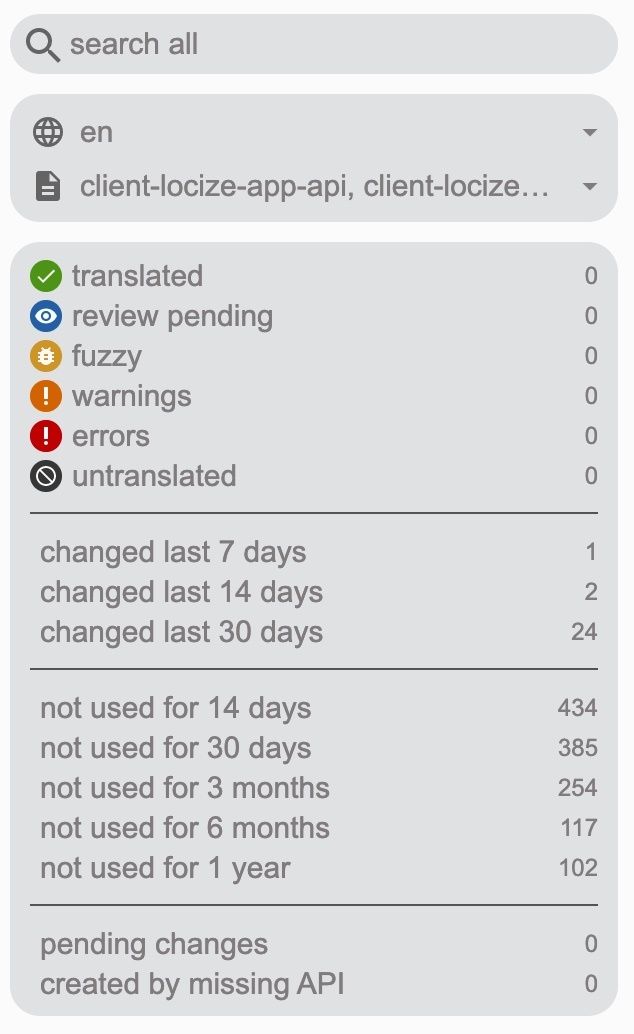 [InContext Editor](https://docs.locize.com/more/incontext-editor): 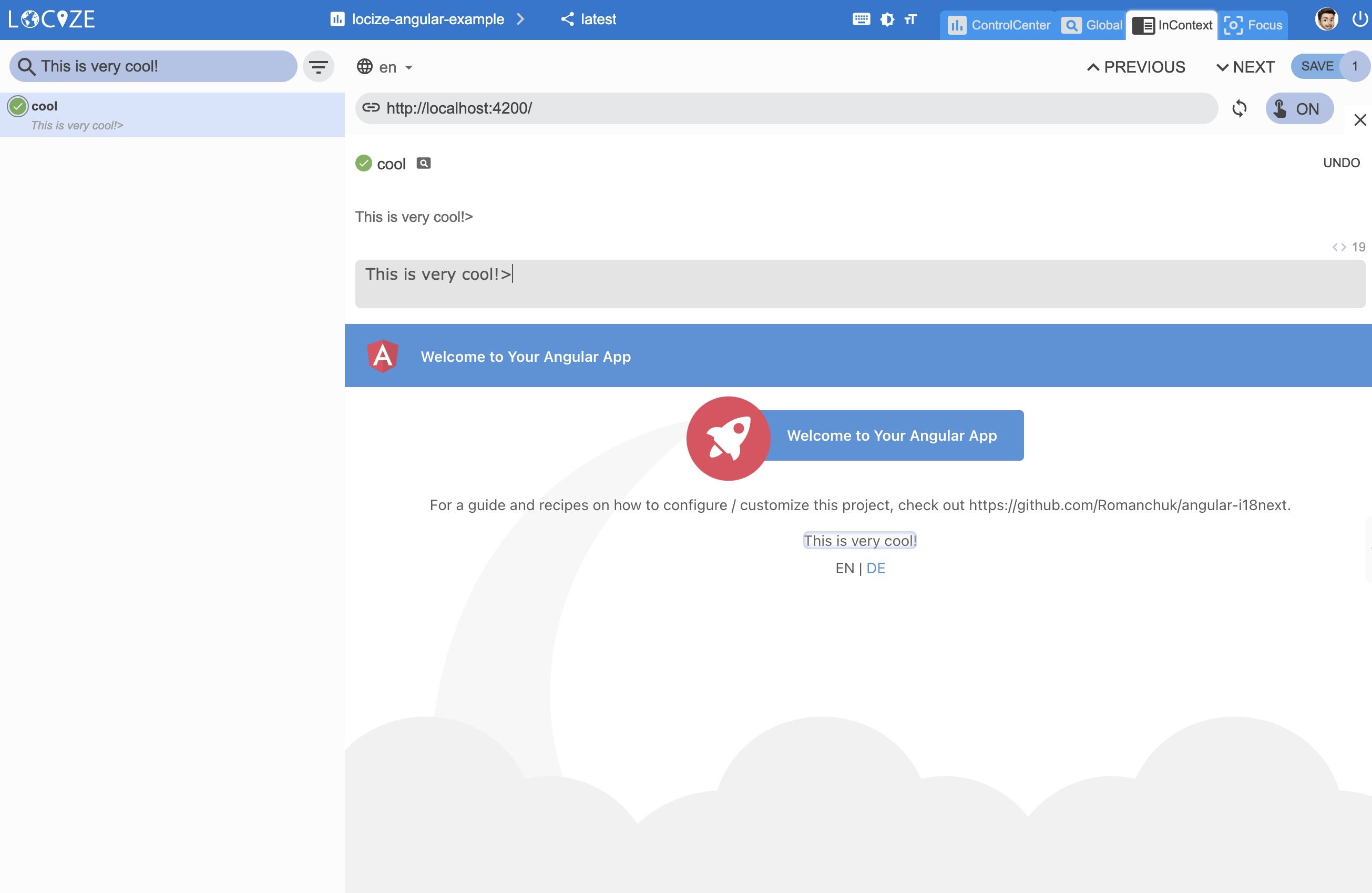 [Caching](https://docs.locize.com/more/caching): 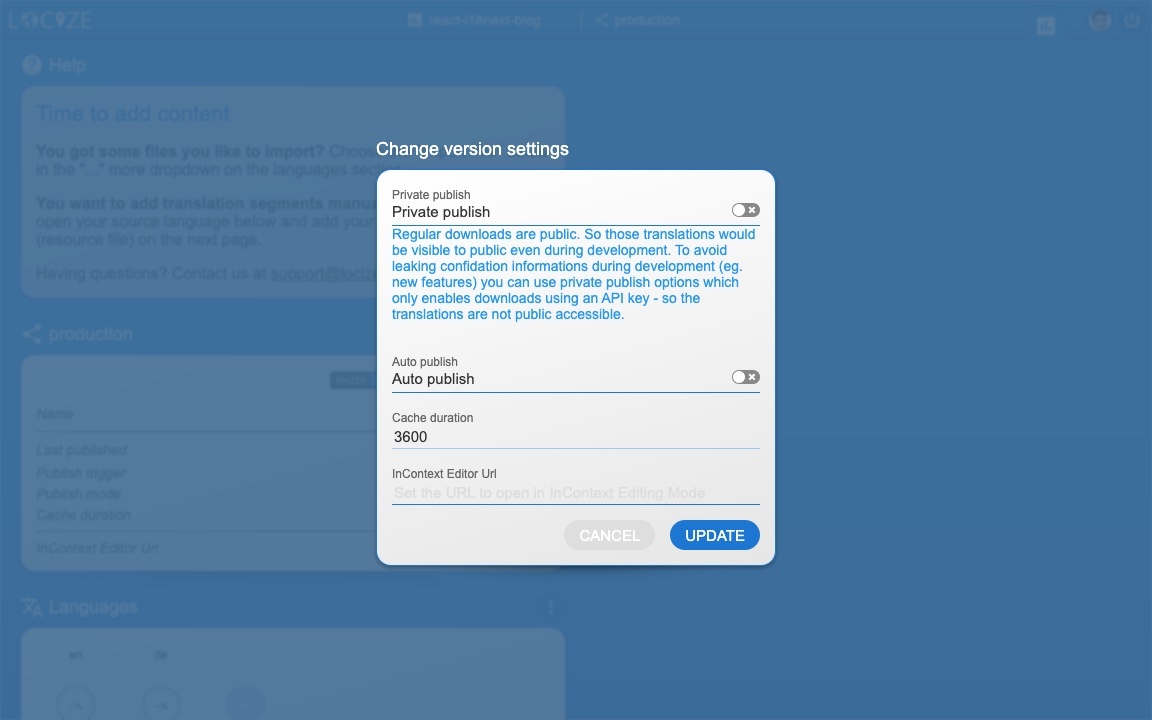 [Merging versions](https://docs.locize.com/more/versioning#merging-versions): 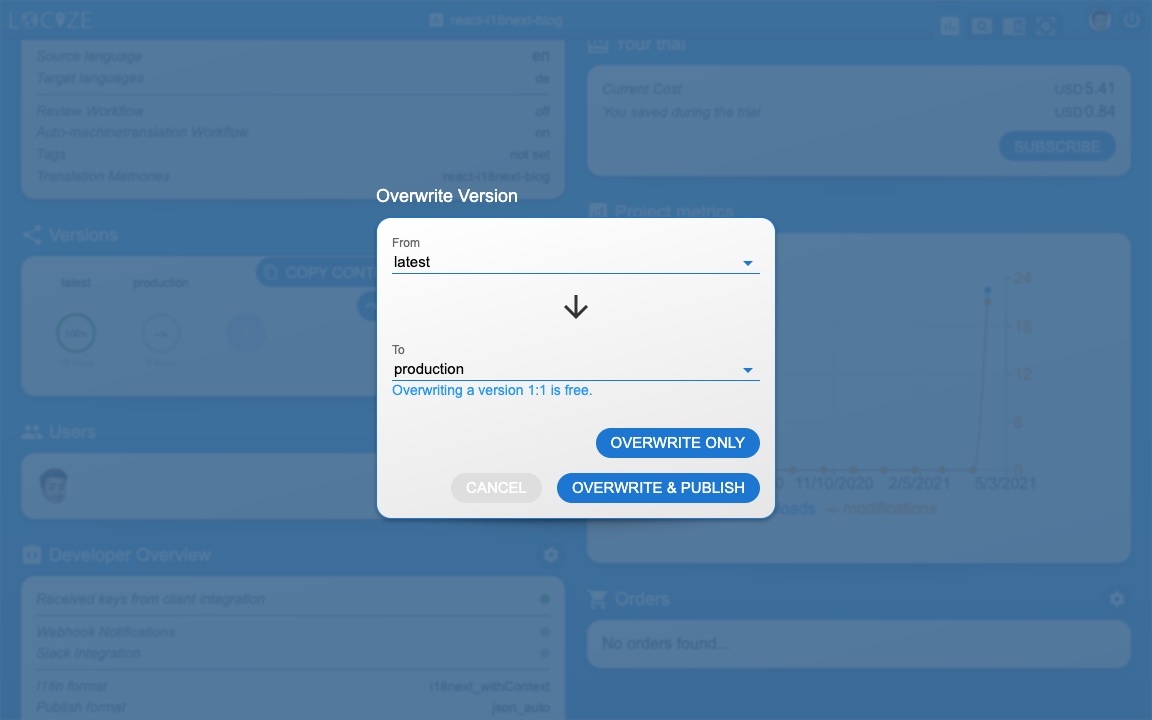 *🧑💻 The complete code can be found [here](https://github.com/locize/locize-angular-example).* # 🎉🥳 Congratulations 🎊🎁 <a name="congratulations"></a> I hope you’ve learned a few new things about [i18next](https://www.i18next.com), [angular-i18next](https://github.com/Romanchuk/angular-i18next/) and [modern localization workflows](https://locize.com). So if you want to take your i18n topic to the next level, it's worth to try [locize](https://locize.com). The founders of [locize](https://locize.com) are also the creators of [i18next](https://www.i18next.com). So with using [locize](https://locize.com) you directly support the future of [i18next](https://www.i18next.com). # 👍 |
| json metadata | {"tags":["javascript","angular","web","code","i18n"],"image":["https://cdn.steemitimages.com/DQmdpGpf5dAGusg15ijAwZotnvGt2whHyjyuJiwwna66neb/title.jpg","https://dev-to-uploads.s3.amazonaws.com/uploads/articles/vlwvwcs502aawu3tj3y5.jpg","https://dev-to-uploads.s3.amazonaws.com/uploads/articles/96q4exvnqo4g251aa5v8.jpg","https://dev-to-uploads.s3.amazonaws.com/uploads/articles/jusyge0m8tdk14dmpizj.jpg","https://dev-to-uploads.s3.amazonaws.com/uploads/articles/sxnb3ktc285nvbd2rotj.jpg","https://dev-to-uploads.s3.amazonaws.com/uploads/articles/4zp7ac849dcyj0em81k6.jpg","https://dev-to-uploads.s3.amazonaws.com/uploads/articles/fkuuj8ostc9obj968p1p.jpg","https://dev-to-uploads.s3.amazonaws.com/uploads/articles/18pcfn8xhfxv6djysqtk.jpg","https://dev-to-uploads.s3.amazonaws.com/uploads/articles/iy4mqpppyli41nwibnpm.jpg","https://dev-to-uploads.s3.amazonaws.com/uploads/articles/8rfusrzhuty28zl5z425.jpg","https://dev-to-uploads.s3.amazonaws.com/uploads/articles/38quv5tsh5fomnx77wt1.jpg","https://dev-to-uploads.s3.amazonaws.com/uploads/articles/dyyulpudnldjnoof24j8.jpg","https://dev-to-uploads.s3.amazonaws.com/uploads/articles/93baqmfar972iqf1kffz.jpg","https://dev-to-uploads.s3.amazonaws.com/uploads/articles/lpv70wwqwpkzjua9z155.jpg"],"links":["https://www.i18next.com","https://github.com/Romanchuk/angular-i18next/","https://github.com/Romanchuk","#why-i18next","#start","#prerequisites","#getting-started","#language-switcher","#separate","#how-look","#save-missing","#more","#congratulations","https://www.i18next.com/overview/supported-frameworks","https://www.i18next.com/overview/comparison-to-others","https://angular.io/guide/setup-local#install-the-angular-cli","https://github.com/i18next/i18next-browser-languageDetector","https://www.i18next.com/translation-function/interpolation#unescape","https://github.com/locize/i18next-locize-backend","../how-to-internationalize-react-i18next/#for-sure","https://locize.com/register","https://docs.locize.com/integration/getting-started/create-a-user-account","https://docs.locize.com/integration/getting-started/add-a-new-project","https://docs.locize.com/more/general-questions/how-to-import-translations-from-a-file","https://docs.locize.com/integration/api#update-remove-translations","https://github.com/locize/locize-cli","https://www.i18next.com/overview/configuration-options#missing-keys","https://github.com/locize/locize-lastused","https://docs.locize.com/guides-tips-and-tricks/unused-translations","https://github.com/locize/locize","https://docs.locize.com/more/incontext-editor","https://docs.locize.com/whats-inside/auto-machine-translation","(https://docs.locize.com/guides-tips-and-tricks/unused-translations)","https://docs.locize.com/more/caching","https://docs.locize.com/more/versioning#merging-versions","https://github.com/locize/locize-angular-example","https://locize.com"],"app":"steemit/0.2","format":"markdown"} |
| Transaction Info | Block #54614173/Trx 4d590a89f2c1e276dfa37d9cbcc083c98604f237 |
View Raw JSON Data
{
"trx_id": "4d590a89f2c1e276dfa37d9cbcc083c98604f237",
"block": 54614173,
"trx_in_block": 5,
"op_in_trx": 0,
"virtual_op": 0,
"timestamp": "2021-06-14T06:13:45",
"op": [
"comment",
{
"parent_author": "",
"parent_permlink": "javascript",
"author": "adrai",
"permlink": "unleash-the-full-power-of-angular-i18next",
"title": "Unleash the full power of angular-i18next",
"body": "\n\nLet's talk about internationalization (i18n) for Angular (not AngularJS, not Angular 2, just Angular 😉).\n\nWhen it comes to JavaScript localization. One of the most popular frameworks is [i18next](https://www.i18next.com). One of the most famous Angular extension for i18next is [angular-i18next](https://github.com/Romanchuk/angular-i18next/).\nIt was created back in April 2017 by [Sergey Romanchuk](https://github.com/Romanchuk).\n\n\n## TOC\n * [So first of all: \"Why i18next?\"](#why-i18next)\n * [Let's get into it...](#start)\n - [Prerequisites](#prerequisites)\n - [Getting started](#getting-started)\n - [Language Switcher](#language-switcher)\n - [Separate translations from code](#separate)\n - [How does this look like?](#how-look)\n - [save missing translations](#save-missing)\n - [👀 but there's more...](#more)\n - [🎉🥳 Congratulations 🎊🎁](#congratulations)\n\n# So first of all: \"Why i18next?\" <a name=\"why-i18next\"></a>\n\n*i18next was created in late 2011. It's older than most of the libraries you will use nowadays, including your main frontend technology (angular, react, vue, ...).*\n\n**➡️ sustainable**\n\n\n*Based on how long i18next already is available open source, there is no real i18n case that could not be solved with i18next.*\n\n**➡️ mature**\n\n\n*i18next can be used in any javascript (and a few non-javascript - .net, elm, iOS, android, ruby, ...) environment, with any UI framework, with any i18n format, ... [the possibilities are endless](https://www.i18next.com/overview/supported-frameworks).*\n\n**➡️ extensible**\n\n\n*There is a plenty of features and possibilities you'll get with i18next compared to other regular 18n frameworks.*\n\n**➡️ rich**\n\n\n[Here you can find more information about why i18next is special.](https://www.i18next.com/overview/comparison-to-others)\n\n\n# Let's get into it... <a name=\"start\"></a>\n\n## Prerequisites <a name=\"prerequisites\"></a>\n\nMake sure you have Node.js and npm installed. It's best, if you have some experience with simple HTML, JavaScript and basic Angular, before jumping to [angular-i18next](https://github.com/Romanchuk/angular-i18next/).\n\n\n## Getting started <a name=\"getting-started\"></a>\n\nTake your own Angular project or create a new one, i.e. with [the Angular cli](https://angular.io/guide/setup-local#install-the-angular-cli).\n\n`npx @angular/cli new my-app`\n\n*To simplify let's remove the \"generated\" content of the angular-cli:*\n\n\nWe are going to adapt the app to detect the language according to the user’s preference.\nAnd we will create a language switcher to make the content change between different languages.\n\nLet's install some i18next dependencies:\n\n- [i18next](https://www.i18next.com)\n- [angular-i18next](https://github.com/Romanchuk/angular-i18next/)\n- [i18next-browser-languagedetector](https://github.com/i18next/i18next-browser-languageDetector)\n\n`npm install i18next angular-i18next i18next-browser-languagedetector`\n\n\nLet's modify our `app.module.ts` to integrate and initialize the i18next config:\n```javascript\nimport { APP_INITIALIZER, NgModule, LOCALE_ID } from '@angular/core';\nimport { BrowserModule } from '@angular/platform-browser';\nimport { I18NEXT_SERVICE, I18NextModule, I18NextLoadResult, ITranslationService, defaultInterpolationFormat } from 'angular-i18next';\nimport LanguageDetector from 'i18next-browser-languagedetector';\n\nimport { AppComponent } from './app.component';\n\nconst i18nextOptions = {\n debug: true,\n fallbackLng: 'en',\n resources: {\n en: {\n translation: {\n \"welcome\": \"Welcome to Your Angular App\"\n }\n },\n de: {\n translation: {\n \"welcome\": \"Willkommen zu Deiner Vue.js App\"\n }\n }\n },\n interpolation: {\n format: I18NextModule.interpolationFormat(defaultInterpolationFormat)\n }\n};\n\nexport function appInit(i18next: ITranslationService) {\n return () => {\n let promise: Promise<I18NextLoadResult> = i18next\n .use(LocizeApi)\n .use<any>(LanguageDetector)\n .init(i18nextOptions);\n return promise;\n };\n}\n\nexport function localeIdFactory(i18next: ITranslationService) {\n return i18next.language;\n}\n\nexport const I18N_PROVIDERS = [\n {\n provide: APP_INITIALIZER,\n useFactory: appInit,\n deps: [I18NEXT_SERVICE],\n multi: true\n },\n {\n provide: LOCALE_ID,\n deps: [I18NEXT_SERVICE],\n useFactory: localeIdFactory\n },\n];\n\n@NgModule({\n declarations: [\n AppComponent\n ],\n imports: [\n BrowserModule,\n I18NextModule.forRoot()\n ],\n providers: [\n I18N_PROVIDERS\n ],\n bootstrap: [AppComponent]\n})\nexport class AppModule { }\n```\n\nOk, now let's update the `app.component.html`:\n```html\n<!-- Toolbar -->\n<div class=\"toolbar\" role=\"banner\">\n <span>{{ 'welcome' | i18next }}</span>\n</div>\n\n<div class=\"content\" role=\"main\">\n\n <!-- Highlight Card -->\n <div class=\"card highlight-card card-small\">\n <span>{{ 'welcome' | i18next }}</span>\n </div>\n</div>\n```\n\nYou should now see something like this:\n\n\n\nNice! So let's add an additional text, with an [interpolated unescaped](https://www.i18next.com/translation-function/interpolation#unescape) value:\n```html\n<!-- Toolbar -->\n<div class=\"toolbar\" role=\"banner\">\n <span>{{ 'welcome' | i18next }}</span>\n</div>\n\n<div class=\"content\" role=\"main\">\n\n <!-- Highlight Card -->\n <div class=\"card highlight-card card-small\">\n <span>{{ 'welcome' | i18next }}</span>\n </div>\n\n <br />\n <p>{{ 'descr' | i18next: { url: 'https://github.com/Romanchuk/angular-i18next' } }}</p>\n</div>\n```\n\nDo not forget to add the new key also to the resources:\n```javascript\nconst i18nextOptions = {\n debug: true,\n fallbackLng: 'en',\n resources: {\n en: {\n translation: {\n \"welcome\": \"Welcome to Your Angular App\",\n \"descr\": \"For a guide and recipes on how to configure / customize this project, check out {{-url}}.\"\n }\n },\n de: {\n translation: {\n \"welcome\": \"Willkommen zu Deiner Vue.js App\",\n \"descr\": \"Eine Anleitung und Rezepte für das Konfigurieren / Anpassen dieses Projekts findest du in {{-url}}.\"\n }\n }\n },\n interpolation: {\n format: I18NextModule.interpolationFormat(defaultInterpolationFormat)\n }\n};\n```\n\nDoes it work? - Of course!\n\n\n\nAnd thanks to the language-detector, you can also try to switch the language with the query parameter `?lng=de`:\n\n\n\n## Language Switcher <a name=\"language-switcher\"></a>\n\nWe like to offer the possibility to change the language via some sort of language switcher.\n\nSo let's add a footer section in our `app.component.html` file:\n```html\n<!-- Footer -->\n<footer>\n <ng-template ngFor let-lang [ngForOf]=\"languages\" let-i=\"index\">\n <span *ngIf=\"i !== 0\"> | </span>\n <a *ngIf=\"language !== lang\" href=\"javascript:void(0)\" class=\"link lang-item {{lang}}\" (click)=\"changeLanguage(lang)\">{{ lang.toUpperCase() }}</a>\n <span *ngIf=\"language === lang\" class=\"current lang-item {{lang}}\">{{ lang.toUpperCase() }}</span>\n </ng-template>\n</footer>\n```\n\nAnd we need also to update the `app.components.ts` file:\n```javascript\nimport { Component, Inject } from '@angular/core';\nimport { I18NEXT_SERVICE, ITranslationService } from 'angular-i18next';\n\n@Component({\n selector: 'app-root',\n templateUrl: './app.component.html',\n styleUrls: ['./app.component.less']\n})\nexport class AppComponent {\n language: string = 'en';\n languages: string[] = ['en', 'de'];\n\n constructor(\n @Inject(I18NEXT_SERVICE) private i18NextService: ITranslationService\n )\n {}\n\n ngOnInit() {\n this.i18NextService.events.initialized.subscribe((e) => {\n if (e) {\n this.updateState(this.i18NextService.language);\n }\n });\n }\n\n changeLanguage(lang: string){\n if (lang !== this.i18NextService.language) {\n this.i18NextService.changeLanguage(lang).then(x => {\n this.updateState(lang);\n document.location.reload();\n });\n }\n }\n\n private updateState(lang: string) {\n this.language = lang;\n }\n}\n```\n\n\n\n**🥳 Awesome, you've just created your first language switcher!**\n\nThanks to [i18next-browser-languagedetector](https://github.com/i18next/i18next-browser-languageDetector) now it tries to detect the browser language and automatically use that language if you've provided the translations for it. The manually selected language in the language switcher is persisted in the localStorage, next time you visit the page, that language is used as preferred language.\n\n\n## Separate translations from code <a name=\"separate\"></a>\n\nHaving the translations in our code works, but is not that suitable to work with, for translators.\nLet's separate the translations from the code and pleace them in dedicated json files.\n\n[i18next-locize-backend](https://github.com/locize/i18next-locize-backend) will help us to do so.\n\n> [What is locize?](../how-to-internationalize-react-i18next/#for-sure)\n\n### How does this look like? <a name=\"how-look\"></a>\n\nFirst you need to signup at [locize](https://locize.com/register) and [login](https://docs.locize.com/integration/getting-started/create-a-user-account).\nThen [create a new project](https://docs.locize.com/integration/getting-started/add-a-new-project) in locize and add your translations. You can add your translations either by [importing the individual json files](https://docs.locize.com/more/general-questions/how-to-import-translations-from-a-file) or via [API](https://docs.locize.com/integration/api#update-remove-translations) or by using the [CLI](https://github.com/locize/locize-cli).\n\n`npm install i18next-locize-backend`\n\nAdapt the `app.modules.ts` file to use the i18next-locize-backend and make sure you copy the project-id from within your locize project:\n\n```javascript\nimport { APP_INITIALIZER, NgModule, LOCALE_ID } from '@angular/core';\nimport { BrowserModule } from '@angular/platform-browser';\nimport { I18NEXT_SERVICE, I18NextModule, I18NextLoadResult, ITranslationService, defaultInterpolationFormat } from 'angular-i18next';\nimport LanguageDetector from 'i18next-browser-languagedetector';\nimport LocizeApi from 'i18next-locize-backend';\n\nimport { AppComponent } from './app.component';\n\nconst i18nextOptions = {\n debug: true,\n fallbackLng: 'en',\n backend: {\n projectId: 'your-locize-project-id'\n },\n interpolation: {\n format: I18NextModule.interpolationFormat(defaultInterpolationFormat)\n }\n};\n\nexport function appInit(i18next: ITranslationService) {\n return () => {\n let promise: Promise<I18NextLoadResult> = i18next\n .use(LocizeApi)\n .use<any>(LanguageDetector)\n .init(i18nextOptions);\n return promise;\n };\n}\n\nexport function localeIdFactory(i18next: ITranslationService) {\n return i18next.language;\n}\n\nexport const I18N_PROVIDERS = [\n {\n provide: APP_INITIALIZER,\n useFactory: appInit,\n deps: [I18NEXT_SERVICE],\n multi: true\n },\n {\n provide: LOCALE_ID,\n deps: [I18NEXT_SERVICE],\n useFactory: localeIdFactory\n },\n];\n\n@NgModule({\n declarations: [\n AppComponent\n ],\n imports: [\n BrowserModule,\n I18NextModule.forRoot()\n ],\n providers: [\n I18N_PROVIDERS\n ],\n bootstrap: [AppComponent]\n})\nexport class AppModule { }\n```\n\nThe app looks still the same, but the translations are now completely separated fom the app and can be managed and released seperately.\n\n\n\n### save missing translations <a name=\"save-missing\"></a>\n\nThanks to the use of the [saveMissing functionality](https://www.i18next.com/overview/configuration-options#missing-keys), new keys gets added to locize automatically, while developing the app.\n\nJust pass `saveMissing: true` in the i18next options and make sure you copy the api-key from within your locize project:\n\n```javascript\nconst i18nextOptions = {\n debug: true,\n saveMissing: true, // do not use the saveMissing functionality in production: https://docs.locize.com/guides-tips-and-tricks/going-production\n fallbackLng: 'en',\n backend: {\n projectId: 'my-locize-project-id',\n apiKey: 'my-api-key' // used for handleMissing functionality, do not add your api-key in a production build\n },\n interpolation: {\n format: I18NextModule.interpolationFormat(defaultInterpolationFormat)\n }\n};\n```\n\nEach time you'll use a new key, it will be sent to locize, i.e.:\n\n```javascript\n<p>{{ 'cool' | i18next: { defaultValue: 'This is very cool!' } }}</p>\n```\n\nwill result in locize like this:\n\n\n\n\n### 👀 but there's more... <a name=\"more\"></a>\n\nThanks to the [locize-lastused](https://github.com/locize/locize-lastused) plugin, you'll be able to [find and filter in locize which keys are used or not used anymore](https://docs.locize.com/guides-tips-and-tricks/unused-translations).\n\nWith the help of the [locize](https://github.com/locize/locize) plugin, you'll be able to use your app within the locize [InContext Editor](https://docs.locize.com/more/incontext-editor).\n\nLastly, with the help of the [auto-machinetranslation workflow](https://docs.locize.com/whats-inside/auto-machine-translation), new keys not only gets added to locize automatically, while developing the app, but are also automatically translated into the target languages using machine translation:\n\n\n`npm install locize-lastused locize`\n\nuse them in `app.modules.ts`:\n\n```javascript\nimport { APP_INITIALIZER, NgModule, LOCALE_ID } from '@angular/core';\nimport { BrowserModule } from '@angular/platform-browser';\nimport { I18NEXT_SERVICE, I18NextModule, I18NextLoadResult, ITranslationService, defaultInterpolationFormat } from 'angular-i18next';\nimport LanguageDetector from 'i18next-browser-languagedetector';\nimport LocizeApi from 'i18next-locize-backend';\nimport LastUsed from 'locize-lastused';\nimport { locizePlugin } from 'locize';\n\nimport { AppComponent } from './app.component';\n\nconst locizeOptions = {\n projectId: 'my-locize-project-id',\n apiKey: 'my-api-key' // used for handleMissing functionality, do not add your api-key in a production buildyour\n};\n\nconst i18nextOptions = {\n debug: true,\n fallbackLng: 'en',\n saveMissing: true, // do not use the saveMissing functionality in production: https://docs.locize.com/guides-tips-and-tricks/going-production\n backend: locizeOptions,\n locizeLastUsed: locizeOptions,\n interpolation: {\n format: I18NextModule.interpolationFormat(defaultInterpolationFormat)\n }\n};\n\nexport function appInit(i18next: ITranslationService) {\n return () => {\n let promise: Promise<I18NextLoadResult> = i18next\n // locize-lastused\n // sets a timestamp of last access on every translation segment on locize\n // -> safely remove the ones not being touched for weeks/months\n // https://github.com/locize/locize-lastused\n // do not use the lastused functionality in production: https://docs.locize.com/guides-tips-and-tricks/going-production\n .use(LastUsed)\n // locize-editor\n // InContext Editor of locize\n .use(locizePlugin)\n // i18next-locize-backend\n // loads translations from your project, saves new keys to it (saveMissing: true)\n // https://github.com/locize/i18next-locize-backend\n .use(LocizeApi)\n .use<any>(LanguageDetector)\n .init(i18nextOptions);\n return promise;\n };\n}\n\nexport function localeIdFactory(i18next: ITranslationService) {\n return i18next.language;\n}\n\nexport const I18N_PROVIDERS = [\n {\n provide: APP_INITIALIZER,\n useFactory: appInit,\n deps: [I18NEXT_SERVICE],\n multi: true\n },\n {\n provide: LOCALE_ID,\n deps: [I18NEXT_SERVICE],\n useFactory: localeIdFactory\n },\n];\n\n@NgModule({\n declarations: [\n AppComponent\n ],\n imports: [\n BrowserModule,\n I18NextModule.forRoot()\n ],\n providers: [\n I18N_PROVIDERS\n ],\n bootstrap: [AppComponent]\n})\nexport class AppModule { }\n```\n\n[Automatic machine translation](https://docs.locize.com/whats-inside/auto-machine-translation):\n\n\n\n[Last used translations filter]((https://docs.locize.com/guides-tips-and-tricks/unused-translations)):\n\n\n\n[InContext Editor](https://docs.locize.com/more/incontext-editor):\n\n\n\n[Caching](https://docs.locize.com/more/caching):\n\n\n\n[Merging versions](https://docs.locize.com/more/versioning#merging-versions):\n\n\n\n*🧑💻 The complete code can be found [here](https://github.com/locize/locize-angular-example).*\n\n\n# 🎉🥳 Congratulations 🎊🎁 <a name=\"congratulations\"></a>\n\nI hope you’ve learned a few new things about [i18next](https://www.i18next.com), [angular-i18next](https://github.com/Romanchuk/angular-i18next/) and [modern localization workflows](https://locize.com).\n\nSo if you want to take your i18n topic to the next level, it's worth to try [locize](https://locize.com).\n\nThe founders of [locize](https://locize.com) are also the creators of [i18next](https://www.i18next.com). So with using [locize](https://locize.com) you directly support the future of [i18next](https://www.i18next.com).\n\n# 👍",
"json_metadata": "{\"tags\":[\"javascript\",\"angular\",\"web\",\"code\",\"i18n\"],\"image\":[\"https://cdn.steemitimages.com/DQmdpGpf5dAGusg15ijAwZotnvGt2whHyjyuJiwwna66neb/title.jpg\",\"https://dev-to-uploads.s3.amazonaws.com/uploads/articles/vlwvwcs502aawu3tj3y5.jpg\",\"https://dev-to-uploads.s3.amazonaws.com/uploads/articles/96q4exvnqo4g251aa5v8.jpg\",\"https://dev-to-uploads.s3.amazonaws.com/uploads/articles/jusyge0m8tdk14dmpizj.jpg\",\"https://dev-to-uploads.s3.amazonaws.com/uploads/articles/sxnb3ktc285nvbd2rotj.jpg\",\"https://dev-to-uploads.s3.amazonaws.com/uploads/articles/4zp7ac849dcyj0em81k6.jpg\",\"https://dev-to-uploads.s3.amazonaws.com/uploads/articles/fkuuj8ostc9obj968p1p.jpg\",\"https://dev-to-uploads.s3.amazonaws.com/uploads/articles/18pcfn8xhfxv6djysqtk.jpg\",\"https://dev-to-uploads.s3.amazonaws.com/uploads/articles/iy4mqpppyli41nwibnpm.jpg\",\"https://dev-to-uploads.s3.amazonaws.com/uploads/articles/8rfusrzhuty28zl5z425.jpg\",\"https://dev-to-uploads.s3.amazonaws.com/uploads/articles/38quv5tsh5fomnx77wt1.jpg\",\"https://dev-to-uploads.s3.amazonaws.com/uploads/articles/dyyulpudnldjnoof24j8.jpg\",\"https://dev-to-uploads.s3.amazonaws.com/uploads/articles/93baqmfar972iqf1kffz.jpg\",\"https://dev-to-uploads.s3.amazonaws.com/uploads/articles/lpv70wwqwpkzjua9z155.jpg\"],\"links\":[\"https://www.i18next.com\",\"https://github.com/Romanchuk/angular-i18next/\",\"https://github.com/Romanchuk\",\"#why-i18next\",\"#start\",\"#prerequisites\",\"#getting-started\",\"#language-switcher\",\"#separate\",\"#how-look\",\"#save-missing\",\"#more\",\"#congratulations\",\"https://www.i18next.com/overview/supported-frameworks\",\"https://www.i18next.com/overview/comparison-to-others\",\"https://angular.io/guide/setup-local#install-the-angular-cli\",\"https://github.com/i18next/i18next-browser-languageDetector\",\"https://www.i18next.com/translation-function/interpolation#unescape\",\"https://github.com/locize/i18next-locize-backend\",\"../how-to-internationalize-react-i18next/#for-sure\",\"https://locize.com/register\",\"https://docs.locize.com/integration/getting-started/create-a-user-account\",\"https://docs.locize.com/integration/getting-started/add-a-new-project\",\"https://docs.locize.com/more/general-questions/how-to-import-translations-from-a-file\",\"https://docs.locize.com/integration/api#update-remove-translations\",\"https://github.com/locize/locize-cli\",\"https://www.i18next.com/overview/configuration-options#missing-keys\",\"https://github.com/locize/locize-lastused\",\"https://docs.locize.com/guides-tips-and-tricks/unused-translations\",\"https://github.com/locize/locize\",\"https://docs.locize.com/more/incontext-editor\",\"https://docs.locize.com/whats-inside/auto-machine-translation\",\"(https://docs.locize.com/guides-tips-and-tricks/unused-translations)\",\"https://docs.locize.com/more/caching\",\"https://docs.locize.com/more/versioning#merging-versions\",\"https://github.com/locize/locize-angular-example\",\"https://locize.com\"],\"app\":\"steemit/0.2\",\"format\":\"markdown\"}"
}
]
}crypto.piotrsent 0.003 STEEM to @adrai- "Regarding the latest information and development of Steemauto. Old SteemAuto is already being switched off. Today, I would like to introduce you to new version of SteemAuto launched by one of most rep..."2021/06/11 09:42:36
crypto.piotrsent 0.003 STEEM to @adrai- "Regarding the latest information and development of Steemauto. Old SteemAuto is already being switched off. Today, I would like to introduce you to new version of SteemAuto launched by one of most rep..."
2021/06/11 09:42:36
| from | crypto.piotr |
| to | adrai |
| amount | 0.003 STEEM |
| memo | Regarding the latest information and development of Steemauto. Old SteemAuto is already being switched off. Today, I would like to introduce you to new version of SteemAuto launched by one of most reputable witness. You can find it here: https://worldofxpilar.com/dash.php . I've helped testing it and it's WORKING GREAT so far (In case if you would have any questions, consider joining their discord channel: https://discord.com/invite/VAHHsmnNaJ ) |
| Transaction Info | Block #54532557/Trx ca59045d376d888a4019921441f635e1ec9616c6 |
View Raw JSON Data
{
  "trx_id": "ca59045d376d888a4019921441f635e1ec9616c6",
  "block": 54532557,
  "trx_in_block": 23,
  "op_in_trx": 0,
  "virtual_op": 0,
  "timestamp": "2021-06-11T09:42:36",
  "op": [
    "transfer",
    {
      "from": "crypto.piotr",
      "to": "adrai",
      "amount": "0.003 STEEM",
      "memo": "Regarding the latest information and development of Steemauto. Old SteemAuto is already being switched off. Today, I would like to introduce you to new version of SteemAuto launched by one of most reputable witness. You can find it here: https://worldofxpilar.com/dash.php . I've helped testing it and it's WORKING GREAT so far (In case if you would have any questions, consider joining their discord channel: https://discord.com/invite/VAHHsmnNaJ )"
    }
  ]
}adraipublished a new post: give-vue-i18n-more-superpowers2021/06/08 05:22:18
adraipublished a new post: give-vue-i18n-more-superpowers
2021/06/08 05:22:18
| parent author | |
| parent permlink | javascript |
| author | adrai |
| permlink | give-vue-i18n-more-superpowers |
| title | Give vue-i18n more superpowers❕ |
| body |  It’s joyful to work with [Vue.js](https://vuejs.org/). The design is elegant and the robust first-party additions which can be coupled with, make building browser apps a pleasure. The most famous i18n plugin for the progressive JavaScript framework [Vue.js](https://vuejs.org/) is probably [Vue I18n](https://kazupon.github.io/vue-i18n/). >[Kazuya](https://github.com/kazupon), thank you for this great i18n plugin! 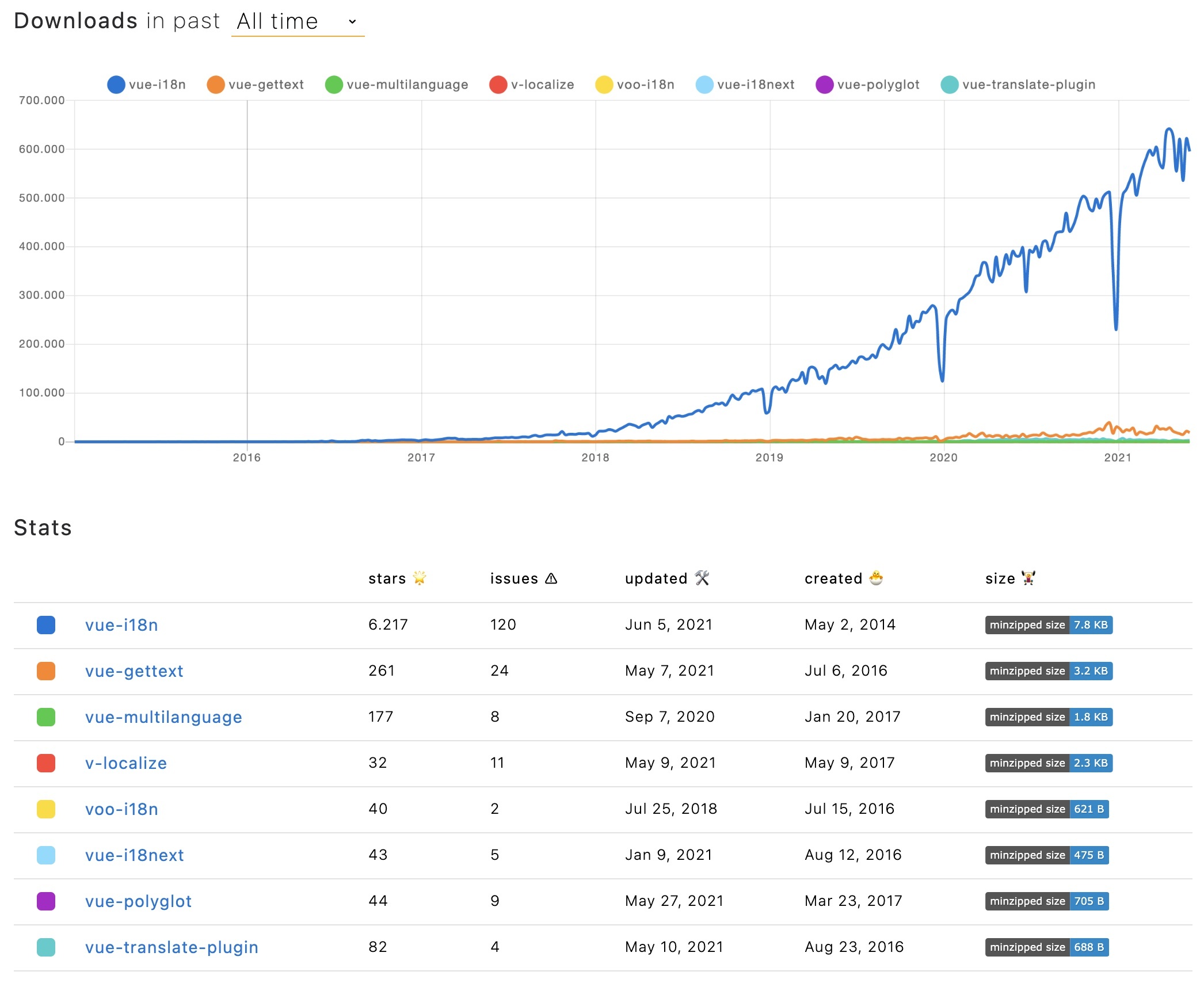 ## TOC * [New versions](#new-versions) * [So how does a basic vue-i18n setup look like? Let's get into it...](#start) * [Is it possible to make a vue-18n setup even better?](#vue-i18n-better) - [Prerequisites](#prerequisites) - [Getting started](#getting-started) - [Language Switcher](#language-switcher) - [Component interpolation and directive](#component-directive) - [Where are the additional superpowers?](#superpowers) - [How does this look like?](#how-look) - [save missing translations](#save-missing) - [👀 but there's more...](#more) - [🎉🥳 Congratulations 🎊🎁](#congratulations) # New versions <a name="new-versions"></a> Beside templates, directives, data binding, event handling, etc... with v3 Vue.js is now introducing also [Composition API](https://v3.vuejs.org/guide/composition-api-introduction.html), [Teleport](https://v3.vuejs.org/guide/teleport.html), [Fragments](https://v3.vuejs.org/guide/migration/fragments.html)... and [Suspense](https://v3.vuejs.org/guide/migration/suspense.html). The appropriate version to Vue.js v3 for Vue I18n is [v9](https://blog.intlify.dev/posts/vue-i18n-9.html). # So how does a basic vue-i18n setup look like? <a name="start"></a> ## Let's get into it... ## Prerequisites <a name="prerequisites"></a> Make sure you have Node.js and npm installed. It's best, if you have some experience with simple HTML, JavaScript and basic Vue.js, before jumping to [vue-i18n](https://kazupon.github.io/vue-i18n/). ## Getting started <a name="getting-started"></a> Take your own Vue.js project or create a new one, i.e. with [the vue create cli command](https://cli.vuejs.org/guide/creating-a-project.html#vue-create). ```sh npx @vue/cli create vue-starter-project # select vue 3 preset ``` Let's install the vue-i18n dependency: `npm install vue-i18n@9` Let's prepare the `main.js` file: ```javascript import { createApp } from 'vue' import { createI18n } from 'vue-i18n'; import App from './App.vue' export const i18n = createI18n({ locale: 'en', // set locale fallbackLocale: 'en', // set fallback locale messages: { en: { message: { welcome: 'Welcome to Your Vue.js App' } }, de: { message: { welcome: 'Willkommen zu Deiner Vue.js App' } } } // If you need to specify other options, you can set other options // ... }) createApp(App).use(i18n).mount('#app') ``` Now let's create a first component `TranslationShowCase.vue`: ```javascript <template> <div class="hello"> <h1>{{ $t("welcome") }}</h1> </div> </template> <script> export default { name: 'TranslationShowCase' } </script> ``` ...and use that component in `App.vue`: ```javascript <template> <TranslationShowCase /> </template> <script> import TranslationShowCase from './components/TranslationShowCase.vue' export default { name: 'App', components: { TranslationShowCase } } </script> <style> #app { font-family: Avenir, Helvetica, Arial, sans-serif; -webkit-font-smoothing: antialiased; -moz-osx-font-smoothing: grayscale; text-align: center; color: #2c3e50; margin-top: 60px; } </style> ``` You should now see something like this:  ## Language Switcher <a name="language-switcher"></a> Now we will create a language switcher to make the content change between different languages. ```javascript <template> <div class="hello"> <h1>{{ $t("welcome") }}</h1> </div> <hr /> <div> <div> <a v-if="$i18n.locale !== 'de'" v-on:click="changeLanguage('de')">DE</a> <strong v-if="$i18n.locale === 'de'">DE</strong> | <a v-if="$i18n.locale !== 'en'" v-on:click="changeLanguage('en')">EN</a> <strong v-if="$i18n.locale === 'en'">EN</strong> </div> </div> </template> <script> export default { name: 'TranslationShowCase', methods: { changeLanguage(lang) { this.$i18n.locale = lang } } } </script> ```  **🥳 Awesome, you've just created your first language switcher!** ## Component interpolation and directive <a name="component-directive"></a> Now let's try [component interpolation](https://vue-i18n.intlify.dev/guide/advanced/component.html#basic-usage) and the [translation directive](https://vue-i18n.intlify.dev/api/directive.html#translationdirective): ```javascript <template> <div class="hello"> <h1>{{ $t("welcome") }}</h1> </div> <p> <i18n-t keypath="descr" tag="label" for="doc"> <a href="https://cli.vuejs.org" target="_blank">{{ $t('doc') }}</a> </i18n-t> </p> <div> <div> <span v-t="{path:'end'}" /> <!-- can also be written like: <i v-t="'end'" /> --> </div> </div> <hr /> <div> <div> <a v-if="$i18n.locale !== 'de'" v-on:click="changeLanguage('de')">DE</a> <strong v-if="$i18n.locale === 'de'">DE</strong> | <a v-if="$i18n.locale !== 'en'" v-on:click="changeLanguage('en')">EN</a> <strong v-if="$i18n.locale === 'en'">EN</strong> </div> </div> </template> <script> export default { name: 'TranslationShowCase', methods: { changeLanguage(lang) { this.$i18n.locale = lang } } } </script> ``` ...and add the new keys to your translations: ```javascript import { createApp } from 'vue' import { createI18n } from 'vue-i18n' import App from './App.vue' export const i18n = createI18n({ locale: 'en', // set locale fallbackLocale: 'en', // set fallback locale messages: { en: { message: { welcome: 'Welcome to Your Vue.js App', descr: 'For a guide and recipes on how to configure / customize this project, check out the {0}.', doc: 'vue-cli documentation', end: 'have fun!' } }, de: { message: { welcome: 'Willkommen zu Deiner Vue.js App', descr: 'Eine Anleitung und Rezepte für das Konfigurieren / Anpassen dieses Projekts findest du in der {0}.', doc: 'vue-cli Dokumentation', end: 'habe Spass!' } } } // If you need to specify other options, you can set other options // ... }) createApp(App).use(i18n).mount('#app') ``` This should be the result: 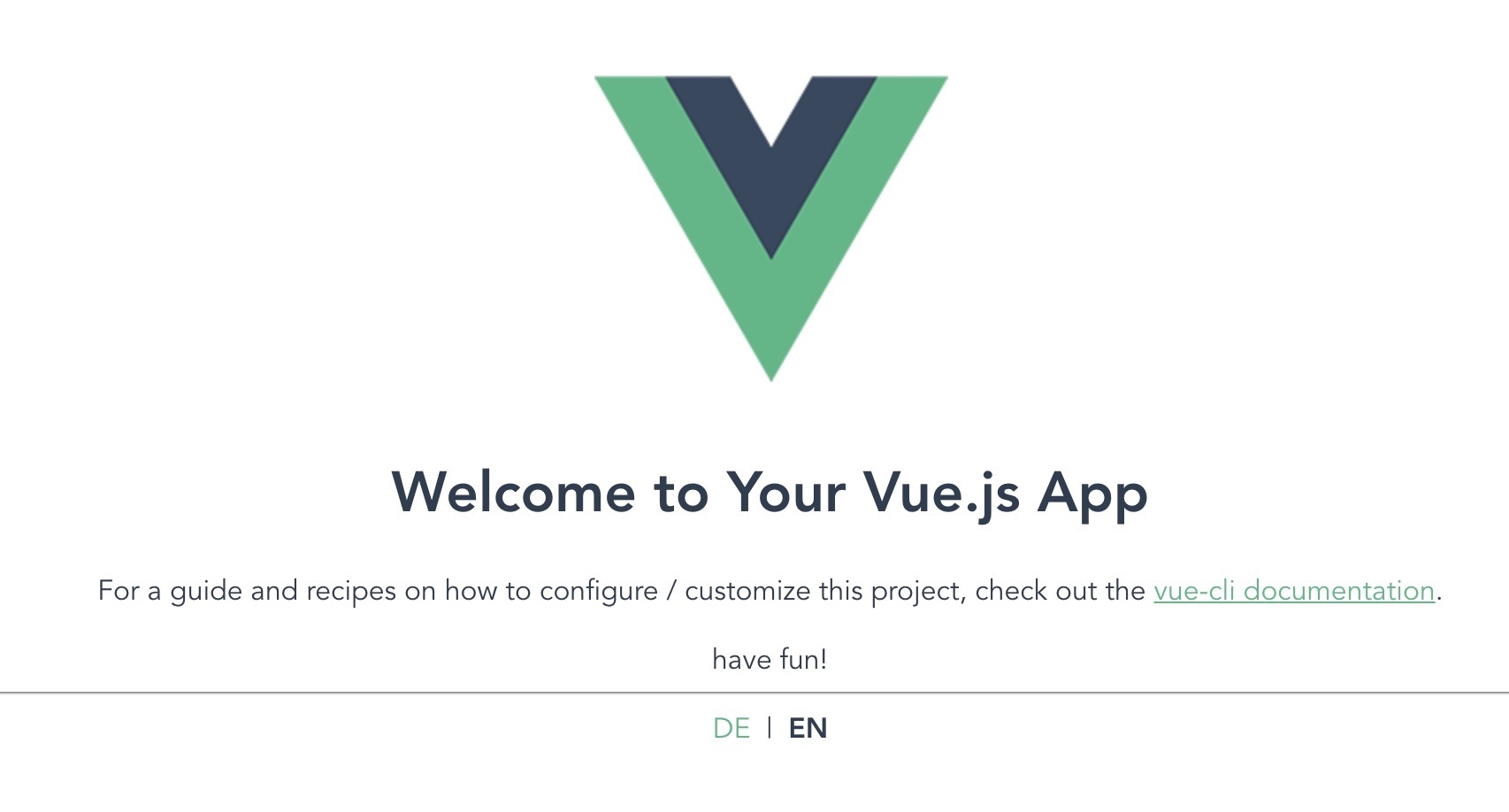 ## Where are the additional superpowers? <a name="superpowers"></a> Let's meet [locizer](https://github.com/locize/locizer)... [locizer](https://github.com/locize/locizer) is a lightweight module to access data from your [locize](https://www.locize.com) project and use that inside your application. > [What is locize?](../2021-04-14-how-to-internationalize-react-i18next/#for-sure) ### How does this look like? <a name="how-look"></a> First you need to signup at [locize](https://locize.com/register) and [login](https://docs.locize.com/integration/getting-started/create-a-user-account). Then [create a new project](https://docs.locize.com/integration/getting-started/add-a-new-project) in locize and add your translations. You can add your translations either by [importing the individual json files](https://docs.locize.com/more/general-questions/how-to-import-translations-from-a-file) or via [API](https://docs.locize.com/integration/api#update-remove-translations) or by using the [CLI](https://github.com/locize/locize-cli). Having the translations in your code file works, but is not that suitable to work with, for translators. Using locize separates the translations from the code. Having imported all translations should look like this: 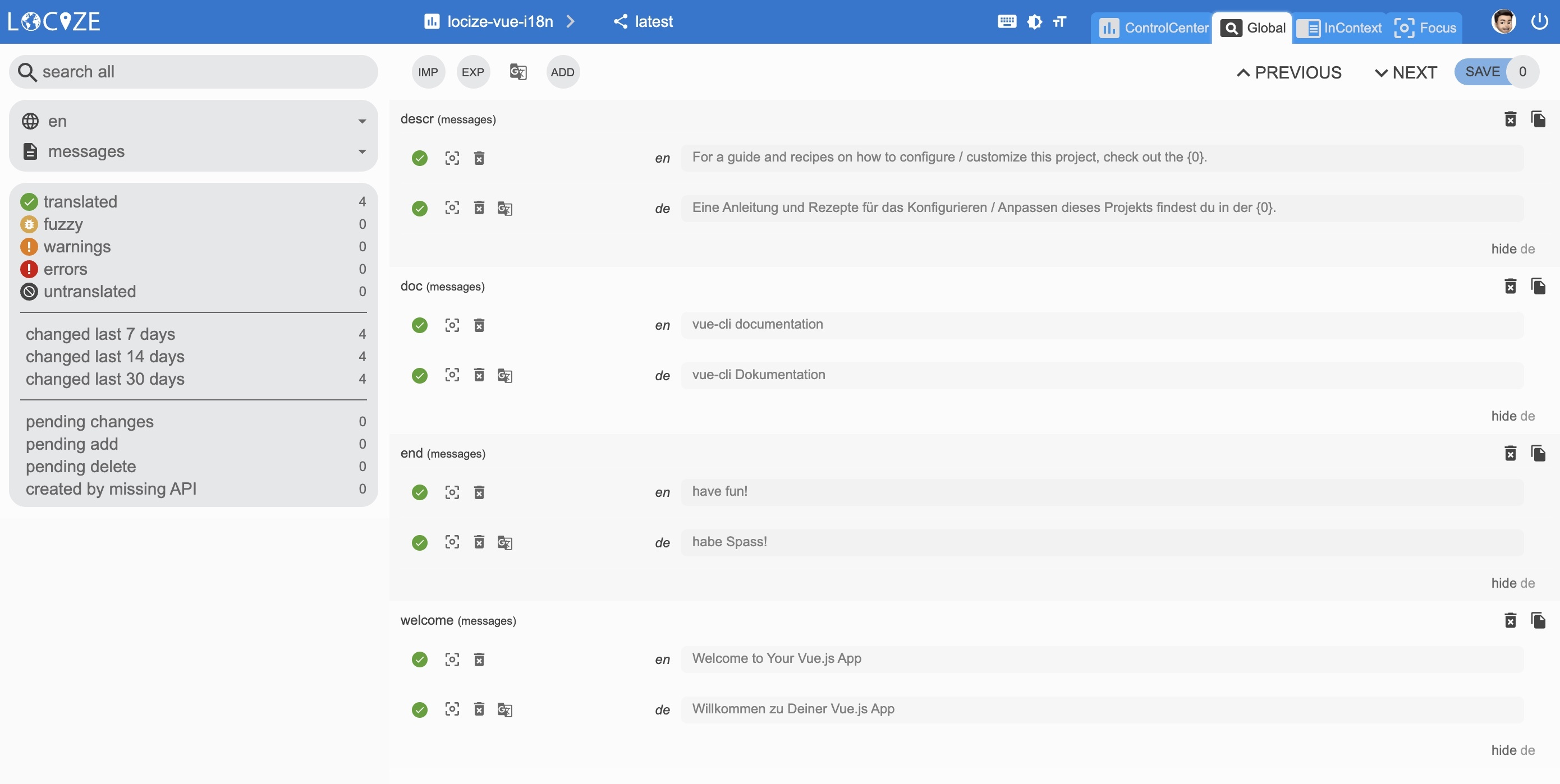 Done so, we're going to install [locizer](https://github.com/locize/locizer). `npm install locizer` Let's create a dedicated `i18n.js` file: ```javascript import { createI18n } from 'vue-i18n' import locizer from 'locizer' const namespace = 'messages' // your namespace name added in locize locizer.init({ projectId: 'your-locize-project-id' }) export const i18n = createI18n({ locale: locizer.lng, // locizer.lng is the language detected in your browser. fallbackLocale: 'en' // set fallback locale // If you need to specify other options, you can set other options // ... }) // called from within setup hook in App.vue export const loadMessagesPromise = new Promise((resolve, reject) => { locizer.loadAll(namespace, (err, messages) => { if (err) return reject(err); Object.keys(messages).forEach((l) => { i18n.global.setLocaleMessage(l, messages[l]) }) resolve(messages) }) }) ``` The translations are now loaded asynchronously, that's why we export the `loadMessagesPromise` and use it in your `App.vue`: ```javascript <template> <TranslationShowCase /> </template> <script> import { loadMessagesPromise } from './i18n' import TranslationShowCase from './components/TranslationShowCase.vue' export default { name: 'App', components: { TranslationShowCase }, // used in combination with Suspense. // useful when translations are not in-memory... async setup() { await loadMessagesPromise return {} } } </script> <style> #app { font-family: Avenir, Helvetica, Arial, sans-serif; -webkit-font-smoothing: antialiased; -moz-osx-font-smoothing: grayscale; text-align: center; color: #2c3e50; margin-top: 60px; } </style> ``` Additionally, we make use of the new [Suspense](https://v3.vuejs.org/guide/migration/suspense.html) functionality of Vue.js. Let's create a new file: i.e. `Suspenser.vue`: ```javascript <template> <Suspense> <template #default> <App /> </template> <template #fallback> <span>Loading...</span> </template> </Suspense> </template> <script> import App from './App.vue' export default { name: 'Suspenser', components: { App } } </script> ``` And use that in your `main.js` file: ```javascript import { createApp } from 'vue' import { i18n } from './i18n' import App from './Suspenser.vue' createApp(App).use(i18n).mount('#app') ``` Now, as long your translations gets loaded you'll see the fallback template:  If your browser is configured with german language, you may now have seen the language automatically was set to german by default. This is because of the language detection feature of locizer. You can configure the language detection with other [options](https://github.com/locize/locizer#init-options) By default the language detection also is looking for the query parameter lng, so you can also type this url to test this: http://localhost:8080/?lng=de 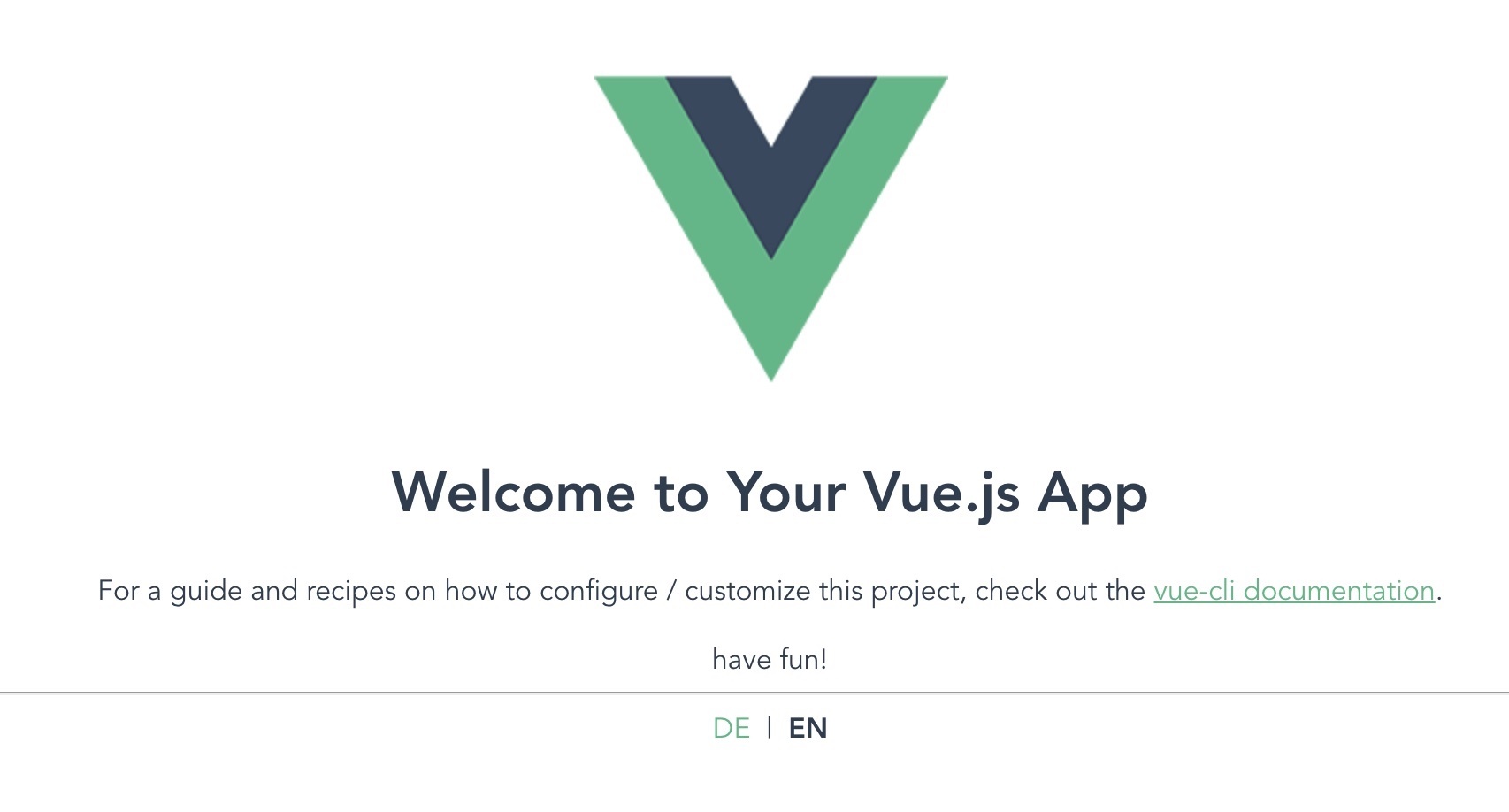 ### save missing translations <a name="save-missing"></a> >I wish newly added keys in the code, would automatically be saved to locize. **Your wish is my command!** Extend the `i18n.js` file with the locize api-key and the handleMissing function: ```javascript import { createI18n } from 'vue-i18n' import locizer from 'locizer' const namespace = 'messages' // your namespace name added in locize const apiKey = 'my-api-key' // used for handleMissing functionality, do not add your api-key in a production build locizer.init({ projectId: 'your-locize-project-id', apiKey }) export const i18n = createI18n({ locale: locizer.lng, // locizer.lng is the language detected in your browser. fallbackLocale: 'en' // set fallback locale // If you need to specify other options, you can set other options // ... }) // called from within setup hook in App.vue export const loadMessagesPromise = new Promise((resolve, reject) => { locizer.loadAll(namespace, (err, messages) => { if (err) return reject(err); Object.keys(messages).forEach((l) => { i18n.global.setLocaleMessage(l, messages[l]) }) resolve(messages) }) }) export function handleMissing (locale, key) { if (!apiKey) return if (locale !== locizer.referenceLng) return locizer.add(namespace, key, key) } ``` And use it in the component: ```javascript <template> <TranslationShowCase /> </template> <script> import { useI18n } from 'vue-i18n' import { loadMessagesPromise, handleMissing } from './i18n' import TranslationShowCase from './components/TranslationShowCase.vue' export default { name: 'App', components: { TranslationShowCase }, // used in combination with Suspense. // useful when translations are not in-memory... async setup() { useI18n().setMissingHandler(handleMissing) await loadMessagesPromise return {} } } </script> <style> #app { font-family: Avenir, Helvetica, Arial, sans-serif; -webkit-font-smoothing: antialiased; -moz-osx-font-smoothing: grayscale; text-align: center; color: #2c3e50; margin-top: 60px; } </style> ``` Now, if you add a new key in your templates, `<h2>{{ $t("How are you?") }}</h2>`: ```javascript <template> <div class="hello"> <h1>{{ $t("welcome") }}</h1> <h2>{{ $t("How are you?") }}</h2> </div> <p> <i18n-t keypath="descr" tag="label" for="doc"> <a href="https://cli.vuejs.org" target="_blank">{{ $t('doc') }}</a> </i18n-t> </p> <div> <div> <span v-t="{path:'end'}" /> <!-- can also be written like: <i v-t="'end'" /> --> </div> </div> <hr /> <div> <div> <a v-if="$i18n.locale !== 'de'" v-on:click="changeLanguage('de')">DE</a> <strong v-if="$i18n.locale === 'de'">DE</strong> | <a v-if="$i18n.locale !== 'en'" v-on:click="changeLanguage('en')">EN</a> <strong v-if="$i18n.locale === 'en'">EN</strong> </div> </div> </template> <script> export default { name: 'TranslationShowCase', methods: { changeLanguage(lang) { this.$i18n.locale = lang } } } </script> ``` It gets automatically saved to locize: 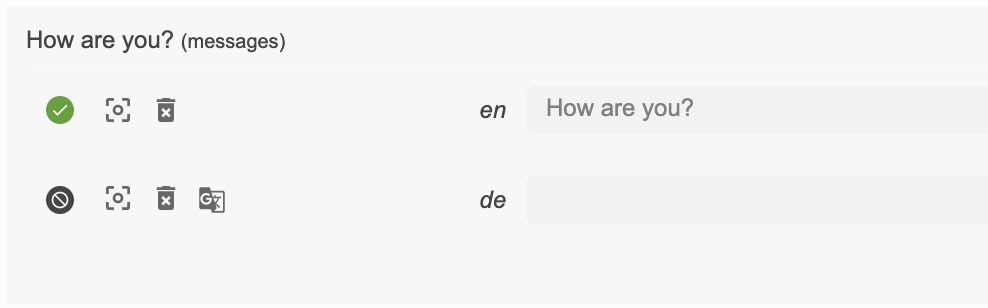 Lastly, with the help of the [auto-machinetranslation workflow](https://docs.locize.com/whats-inside/auto-machine-translation), new keys not only gets added to locize automatically, while developing the app, but are also automatically translated into the target languages using machine translation: 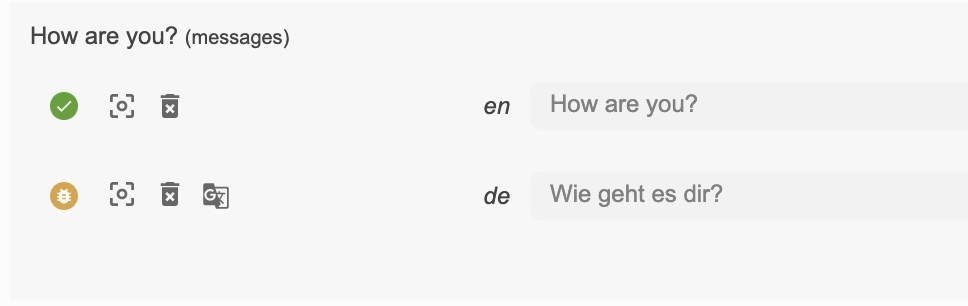  ### 👀 but there's more... <a name="more"></a> [Caching](https://docs.locize.com/more/caching): 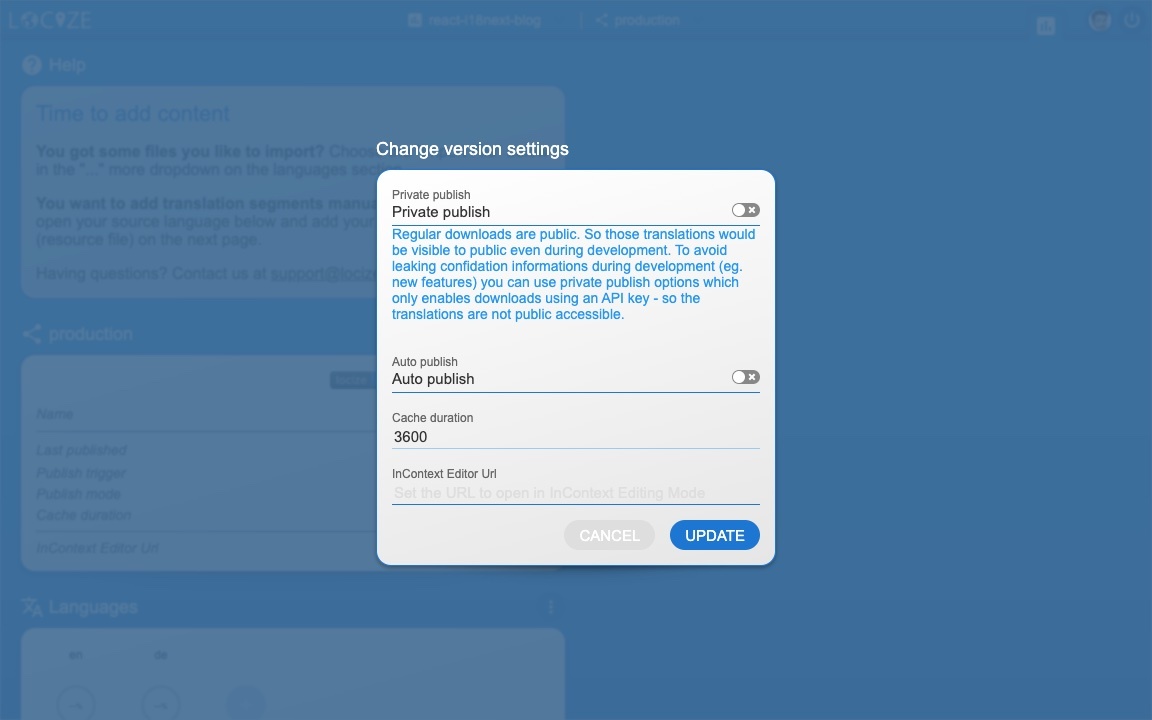 [Merging versions](https://docs.locize.com/more/versioning#merging-versions): 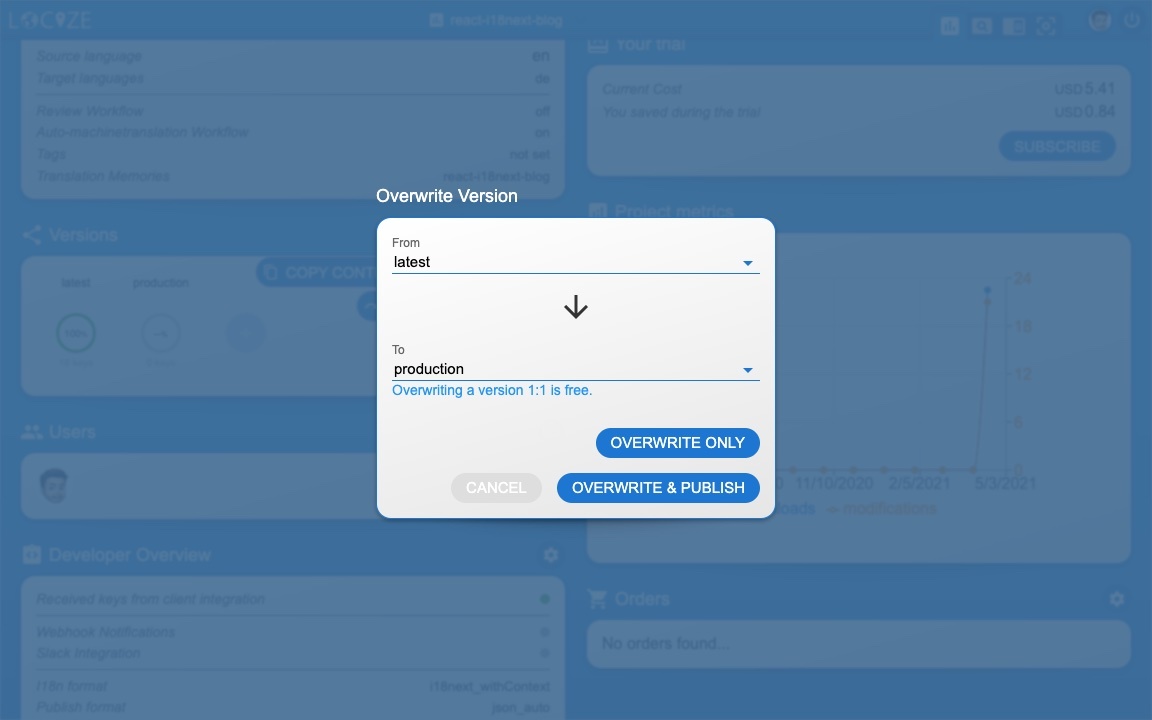 *🧑💻 The code can be found [here](https://github.com/locize/locizer/tree/master/example/vue).* # 🎉🥳 Congratulations 🎊🎁 <a name="congratulations"></a> I hope you’ve learned a few new things about [Vue.js localization](https://kazupon.github.io/vue-i18n/) and [modern localization workflows](https://locize.com). So if you want to take your i18n topic to the next level, it's worth to try [locize](https://locize.com). # 👍 |
| json metadata | {"tags":["javascript","vue","i18n","web"],"image":["https://res.cloudinary.com/practicaldev/image/fetch/s--0_ZFoJSf--/c_imagga_scale,f_auto,fl_progressive,h_420,q_auto,w_1000/https://dev-to-uploads.s3.amazonaws.com/uploads/articles/cvs4ecb5t83dbuphizf4.jpg","https://dev-to-uploads.s3.amazonaws.com/uploads/articles/gfui8d7c8a2jsr3xnit4.jpg","https://dev-to-uploads.s3.amazonaws.com/uploads/articles/ryewad8wgv89oy0i5fl3.jpg","https://dev-to-uploads.s3.amazonaws.com/uploads/articles/rzc2zptoayij78iwndgs.jpg","https://dev-to-uploads.s3.amazonaws.com/uploads/articles/gi4dq7bdd45miasp7yev.jpg","https://dev-to-uploads.s3.amazonaws.com/uploads/articles/aaw2k9ak7n1iohgyw6ee.jpg","https://dev-to-uploads.s3.amazonaws.com/uploads/articles/kc04m16j8u1jiiaiukpb.jpg","https://dev-to-uploads.s3.amazonaws.com/uploads/articles/vot6nrv9ozhqmt786uh7.jpg","https://dev-to-uploads.s3.amazonaws.com/uploads/articles/veoo6pcq7qwt1lg53y2f.jpg","https://dev-to-uploads.s3.amazonaws.com/uploads/articles/ckafj57v362osxu850vk.jpg","https://dev-to-uploads.s3.amazonaws.com/uploads/articles/p3758w9edjuji10zacad.jpg","https://dev-to-uploads.s3.amazonaws.com/uploads/articles/bvg7kh84bt8zmu5hxhwq.jpg","https://dev-to-uploads.s3.amazonaws.com/uploads/articles/tl63h2jryuyyk9f34tx2.jpg"],"links":["https://vuejs.org/","https://kazupon.github.io/vue-i18n/","https://github.com/kazupon","#new-versions","#start","#vue-i18n-better","#prerequisites","#getting-started","#language-switcher","#component-directive","#superpowers","#how-look","#save-missing","#more","#congratulations","https://v3.vuejs.org/guide/composition-api-introduction.html","https://v3.vuejs.org/guide/teleport.html","https://v3.vuejs.org/guide/migration/fragments.html","https://v3.vuejs.org/guide/migration/suspense.html","https://blog.intlify.dev/posts/vue-i18n-9.html","https://cli.vuejs.org/guide/creating-a-project.html#vue-create","https://vue-i18n.intlify.dev/guide/advanced/component.html#basic-usage","https://vue-i18n.intlify.dev/api/directive.html#translationdirective","https://github.com/locize/locizer","https://www.locize.com","../2021-04-14-how-to-internationalize-react-i18next/#for-sure","https://locize.com/register","https://docs.locize.com/integration/getting-started/create-a-user-account","https://docs.locize.com/integration/getting-started/add-a-new-project","https://docs.locize.com/more/general-questions/how-to-import-translations-from-a-file","https://docs.locize.com/integration/api#update-remove-translations","https://github.com/locize/locize-cli","https://github.com/locize/locizer#init-options","http://localhost:8080/?lng=de","https://docs.locize.com/whats-inside/auto-machine-translation","https://docs.locize.com/more/caching","https://docs.locize.com/more/versioning#merging-versions","https://github.com/locize/locizer/tree/master/example/vue","https://locize.com"],"app":"steemit/0.2","format":"markdown"} |
| Transaction Info | Block #54441636/Trx eb6bc9ebd7a040db10b2bc7850d2270c5f5534fc |
View Raw JSON Data
{
"trx_id": "eb6bc9ebd7a040db10b2bc7850d2270c5f5534fc",
"block": 54441636,
"trx_in_block": 9,
"op_in_trx": 0,
"virtual_op": 0,
"timestamp": "2021-06-08T05:22:18",
"op": [
"comment",
{
"parent_author": "",
"parent_permlink": "javascript",
"author": "adrai",
"permlink": "give-vue-i18n-more-superpowers",
"title": "Give vue-i18n more superpowers❕",
"body": "\nIt’s joyful to work with [Vue.js](https://vuejs.org/). The design is elegant and the robust first-party additions which can be coupled with, make building browser apps a pleasure.\n\nThe most famous i18n plugin for the progressive JavaScript framework [Vue.js](https://vuejs.org/) is probably [Vue I18n](https://kazupon.github.io/vue-i18n/).\n\n>[Kazuya](https://github.com/kazupon), thank you for this great i18n plugin!\n\n\n\n## TOC\n * [New versions](#new-versions)\n * [So how does a basic vue-i18n setup look like? Let's get into it...](#start)\n * [Is it possible to make a vue-18n setup even better?](#vue-i18n-better)\n - [Prerequisites](#prerequisites)\n - [Getting started](#getting-started)\n - [Language Switcher](#language-switcher)\n - [Component interpolation and directive](#component-directive)\n - [Where are the additional superpowers?](#superpowers)\n - [How does this look like?](#how-look)\n - [save missing translations](#save-missing)\n - [👀 but there's more...](#more)\n - [🎉🥳 Congratulations 🎊🎁](#congratulations)\n\n\n# New versions <a name=\"new-versions\"></a>\n\nBeside templates, directives, data binding, event handling, etc... with v3 Vue.js is now introducing also [Composition API](https://v3.vuejs.org/guide/composition-api-introduction.html), [Teleport](https://v3.vuejs.org/guide/teleport.html), [Fragments](https://v3.vuejs.org/guide/migration/fragments.html)... and [Suspense](https://v3.vuejs.org/guide/migration/suspense.html).\nThe appropriate version to Vue.js v3 for Vue I18n is [v9](https://blog.intlify.dev/posts/vue-i18n-9.html).\n\n\n# So how does a basic vue-i18n setup look like? <a name=\"start\"></a>\n## Let's get into it...\n\n## Prerequisites <a name=\"prerequisites\"></a>\n\nMake sure you have Node.js and npm installed. It's best, if you have some experience with simple HTML, JavaScript and basic Vue.js, before jumping to [vue-i18n](https://kazupon.github.io/vue-i18n/).\n\n\n## Getting started <a name=\"getting-started\"></a>\n\nTake your own Vue.js project or create a new one, i.e. with [the vue create cli command](https://cli.vuejs.org/guide/creating-a-project.html#vue-create).\n\n```sh\nnpx @vue/cli create vue-starter-project\n# select vue 3 preset\n```\n\nLet's install the vue-i18n dependency:\n\n`npm install vue-i18n@9`\n\nLet's prepare the `main.js` file:\n\n```javascript\nimport { createApp } from 'vue'\nimport { createI18n } from 'vue-i18n';\nimport App from './App.vue'\n\nexport const i18n = createI18n({\n locale: 'en', // set locale\n fallbackLocale: 'en', // set fallback locale\n messages: {\n en: {\n message: {\n welcome: 'Welcome to Your Vue.js App'\n }\n },\n de: {\n message: {\n welcome: 'Willkommen zu Deiner Vue.js App'\n }\n }\n }\n // If you need to specify other options, you can set other options\n // ...\n})\n\ncreateApp(App).use(i18n).mount('#app')\n```\n\nNow let's create a first component `TranslationShowCase.vue`:\n\n```javascript\n<template>\n <div class=\"hello\">\n <h1>{{ $t(\"welcome\") }}</h1>\n </div>\n</template>\n\n<script>\nexport default {\n name: 'TranslationShowCase'\n}\n</script>\n```\n\n...and use that component in `App.vue`:\n\n```javascript\n<template>\n <TranslationShowCase />\n</template>\n\n<script>\nimport TranslationShowCase from './components/TranslationShowCase.vue'\n\nexport default {\n name: 'App',\n components: {\n TranslationShowCase\n }\n}\n</script>\n\n<style>\n#app {\n font-family: Avenir, Helvetica, Arial, sans-serif;\n -webkit-font-smoothing: antialiased;\n -moz-osx-font-smoothing: grayscale;\n text-align: center;\n color: #2c3e50;\n margin-top: 60px;\n}\n</style>\n```\n\nYou should now see something like this:\n\n\n\n## Language Switcher <a name=\"language-switcher\"></a>\n\nNow we will create a language switcher to make the content change between different languages.\n\n```javascript\n<template>\n <div class=\"hello\">\n <h1>{{ $t(\"welcome\") }}</h1>\n </div>\n <hr />\n <div>\n <div>\n <a v-if=\"$i18n.locale !== 'de'\" v-on:click=\"changeLanguage('de')\">DE</a>\n <strong v-if=\"$i18n.locale === 'de'\">DE</strong>\n | \n <a v-if=\"$i18n.locale !== 'en'\" v-on:click=\"changeLanguage('en')\">EN</a>\n <strong v-if=\"$i18n.locale === 'en'\">EN</strong>\n </div>\n </div>\n</template>\n\n<script>\nexport default {\n name: 'TranslationShowCase',\n methods: {\n changeLanguage(lang) {\n this.$i18n.locale = lang\n }\n }\n}\n</script>\n```\n\n\n\n**🥳 Awesome, you've just created your first language switcher!**\n\n## Component interpolation and directive <a name=\"component-directive\"></a>\n\nNow let's try [component interpolation](https://vue-i18n.intlify.dev/guide/advanced/component.html#basic-usage) and the [translation directive](https://vue-i18n.intlify.dev/api/directive.html#translationdirective):\n\n```javascript\n<template>\n <div class=\"hello\">\n <h1>{{ $t(\"welcome\") }}</h1>\n </div>\n <p>\n <i18n-t keypath=\"descr\" tag=\"label\" for=\"doc\">\n <a href=\"https://cli.vuejs.org\" target=\"_blank\">{{ $t('doc') }}</a>\n </i18n-t>\n </p>\n <div>\n <div>\n <span v-t=\"{path:'end'}\" /> <!-- can also be written like: <i v-t=\"'end'\" /> -->\n </div>\n </div>\n <hr />\n <div>\n <div>\n <a v-if=\"$i18n.locale !== 'de'\" v-on:click=\"changeLanguage('de')\">DE</a>\n <strong v-if=\"$i18n.locale === 'de'\">DE</strong>\n | \n <a v-if=\"$i18n.locale !== 'en'\" v-on:click=\"changeLanguage('en')\">EN</a>\n <strong v-if=\"$i18n.locale === 'en'\">EN</strong>\n </div>\n </div>\n</template>\n\n<script>\nexport default {\n name: 'TranslationShowCase',\n methods: {\n changeLanguage(lang) {\n this.$i18n.locale = lang\n }\n }\n}\n</script>\n```\n\n...and add the new keys to your translations:\n\n```javascript\nimport { createApp } from 'vue'\nimport { createI18n } from 'vue-i18n'\nimport App from './App.vue'\n\nexport const i18n = createI18n({\n locale: 'en', // set locale\n fallbackLocale: 'en', // set fallback locale\n messages: {\n en: {\n message: {\n welcome: 'Welcome to Your Vue.js App',\n descr: 'For a guide and recipes on how to configure / customize this project, check out the {0}.',\n doc: 'vue-cli documentation',\n end: 'have fun!'\n }\n },\n de: {\n message: {\n welcome: 'Willkommen zu Deiner Vue.js App',\n descr: 'Eine Anleitung und Rezepte für das Konfigurieren / Anpassen dieses Projekts findest du in der {0}.',\n doc: 'vue-cli Dokumentation',\n end: 'habe Spass!'\n }\n }\n }\n // If you need to specify other options, you can set other options\n // ...\n})\n\ncreateApp(App).use(i18n).mount('#app')\n```\n\nThis should be the result:\n\n\n\n\n## Where are the additional superpowers? <a name=\"superpowers\"></a>\n\nLet's meet [locizer](https://github.com/locize/locizer)...\n\n[locizer](https://github.com/locize/locizer) is a lightweight module to access data from your [locize](https://www.locize.com) project and use that inside your application.\n\n> [What is locize?](../2021-04-14-how-to-internationalize-react-i18next/#for-sure)\n\n### How does this look like? <a name=\"how-look\"></a>\n\nFirst you need to signup at [locize](https://locize.com/register) and [login](https://docs.locize.com/integration/getting-started/create-a-user-account).\nThen [create a new project](https://docs.locize.com/integration/getting-started/add-a-new-project) in locize and add your translations. You can add your translations either by [importing the individual json files](https://docs.locize.com/more/general-questions/how-to-import-translations-from-a-file) or via [API](https://docs.locize.com/integration/api#update-remove-translations) or by using the [CLI](https://github.com/locize/locize-cli).\n\nHaving the translations in your code file works, but is not that suitable to work with, for translators.\nUsing locize separates the translations from the code.\n\nHaving imported all translations should look like this:\n\n\nDone so, we're going to install [locizer](https://github.com/locize/locizer).\n\n`npm install locizer`\n\nLet's create a dedicated `i18n.js` file:\n\n```javascript\nimport { createI18n } from 'vue-i18n'\nimport locizer from 'locizer'\n\nconst namespace = 'messages' // your namespace name added in locize\nlocizer.init({\n projectId: 'your-locize-project-id'\n})\n\nexport const i18n = createI18n({\n locale: locizer.lng, // locizer.lng is the language detected in your browser.\n fallbackLocale: 'en' // set fallback locale\n // If you need to specify other options, you can set other options\n // ...\n})\n\n// called from within setup hook in App.vue\nexport const loadMessagesPromise = new Promise((resolve, reject) => {\n locizer.loadAll(namespace, (err, messages) => {\n if (err) return reject(err);\n Object.keys(messages).forEach((l) => {\n i18n.global.setLocaleMessage(l, messages[l])\n })\n resolve(messages)\n })\n})\n```\n\nThe translations are now loaded asynchronously, that's why we export the `loadMessagesPromise` and use it in your `App.vue`:\n\n```javascript\n<template>\n <TranslationShowCase />\n</template>\n\n<script>\nimport { loadMessagesPromise } from './i18n'\nimport TranslationShowCase from './components/TranslationShowCase.vue'\n\nexport default {\n name: 'App',\n components: {\n TranslationShowCase\n },\n // used in combination with Suspense.\n // useful when translations are not in-memory...\n async setup() {\n await loadMessagesPromise\n return {}\n }\n}\n</script>\n\n<style>\n#app {\n font-family: Avenir, Helvetica, Arial, sans-serif;\n -webkit-font-smoothing: antialiased;\n -moz-osx-font-smoothing: grayscale;\n text-align: center;\n color: #2c3e50;\n margin-top: 60px;\n}\n</style>\n```\n\nAdditionally, we make use of the new [Suspense](https://v3.vuejs.org/guide/migration/suspense.html) functionality of Vue.js.\nLet's create a new file: i.e. `Suspenser.vue`:\n\n```javascript\n<template>\n <Suspense>\n <template #default>\n <App />\n </template>\n <template #fallback>\n <span>Loading...</span>\n </template>\n </Suspense>\n</template>\n\n<script>\nimport App from './App.vue'\n\nexport default {\n name: 'Suspenser',\n components: {\n App\n }\n}\n</script>\n```\n\nAnd use that in your `main.js` file:\n\n```javascript\nimport { createApp } from 'vue'\nimport { i18n } from './i18n'\nimport App from './Suspenser.vue'\n\ncreateApp(App).use(i18n).mount('#app')\n```\n\nNow, as long your translations gets loaded you'll see the fallback template:\n\n\nIf your browser is configured with german language, you may now have seen the language automatically was set to german by default. This is because of the language detection feature of locizer. You can configure the language detection with other [options](https://github.com/locize/locizer#init-options)\nBy default the language detection also is looking for the query parameter lng, so you can also type this url to test this: http://localhost:8080/?lng=de\n\n\n\n### save missing translations <a name=\"save-missing\"></a>\n\n>I wish newly added keys in the code, would automatically be saved to locize.\n\n**Your wish is my command!**\n\nExtend the `i18n.js` file with the locize api-key and the handleMissing function:\n\n```javascript\nimport { createI18n } from 'vue-i18n'\nimport locizer from 'locizer'\n\nconst namespace = 'messages' // your namespace name added in locize\nconst apiKey = 'my-api-key' // used for handleMissing functionality, do not add your api-key in a production build\nlocizer.init({\n projectId: 'your-locize-project-id',\n apiKey\n})\n\nexport const i18n = createI18n({\n locale: locizer.lng, // locizer.lng is the language detected in your browser.\n fallbackLocale: 'en' // set fallback locale\n // If you need to specify other options, you can set other options\n // ...\n})\n\n// called from within setup hook in App.vue\nexport const loadMessagesPromise = new Promise((resolve, reject) => {\n locizer.loadAll(namespace, (err, messages) => {\n if (err) return reject(err);\n Object.keys(messages).forEach((l) => {\n i18n.global.setLocaleMessage(l, messages[l])\n })\n resolve(messages)\n })\n})\n\nexport function handleMissing (locale, key) {\n if (!apiKey) return\n if (locale !== locizer.referenceLng) return\n locizer.add(namespace, key, key)\n}\n```\n\nAnd use it in the component:\n\n```javascript\n<template>\n <TranslationShowCase />\n</template>\n\n<script>\nimport { useI18n } from 'vue-i18n'\nimport { loadMessagesPromise, handleMissing } from './i18n'\nimport TranslationShowCase from './components/TranslationShowCase.vue'\n\nexport default {\n name: 'App',\n components: {\n TranslationShowCase\n },\n // used in combination with Suspense.\n // useful when translations are not in-memory...\n async setup() {\n useI18n().setMissingHandler(handleMissing)\n await loadMessagesPromise\n return {}\n }\n}\n</script>\n\n<style>\n#app {\n font-family: Avenir, Helvetica, Arial, sans-serif;\n -webkit-font-smoothing: antialiased;\n -moz-osx-font-smoothing: grayscale;\n text-align: center;\n color: #2c3e50;\n margin-top: 60px;\n}\n</style>\n```\n\nNow, if you add a new key in your templates, `<h2>{{ $t(\"How are you?\") }}</h2>`:\n\n```javascript\n<template>\n <div class=\"hello\">\n <h1>{{ $t(\"welcome\") }}</h1>\n <h2>{{ $t(\"How are you?\") }}</h2>\n </div>\n <p>\n <i18n-t keypath=\"descr\" tag=\"label\" for=\"doc\">\n <a href=\"https://cli.vuejs.org\" target=\"_blank\">{{ $t('doc') }}</a>\n </i18n-t>\n </p>\n <div>\n <div>\n <span v-t=\"{path:'end'}\" /> <!-- can also be written like: <i v-t=\"'end'\" /> -->\n </div>\n </div>\n <hr />\n <div>\n <div>\n <a v-if=\"$i18n.locale !== 'de'\" v-on:click=\"changeLanguage('de')\">DE</a>\n <strong v-if=\"$i18n.locale === 'de'\">DE</strong>\n | \n <a v-if=\"$i18n.locale !== 'en'\" v-on:click=\"changeLanguage('en')\">EN</a>\n <strong v-if=\"$i18n.locale === 'en'\">EN</strong>\n </div>\n </div>\n</template>\n\n<script>\nexport default {\n name: 'TranslationShowCase',\n methods: {\n changeLanguage(lang) {\n this.$i18n.locale = lang\n }\n }\n}\n</script>\n```\n\nIt gets automatically saved to locize:\n\n\nLastly, with the help of the [auto-machinetranslation workflow](https://docs.locize.com/whats-inside/auto-machine-translation), new keys not only gets added to locize automatically, while developing the app, but are also automatically translated into the target languages using machine translation:\n\n\n\n\n### 👀 but there's more... <a name=\"more\"></a>\n\n[Caching](https://docs.locize.com/more/caching):\n\n\n\n[Merging versions](https://docs.locize.com/more/versioning#merging-versions):\n\n\n\n*🧑💻 The code can be found [here](https://github.com/locize/locizer/tree/master/example/vue).*\n\n\n# 🎉🥳 Congratulations 🎊🎁 <a name=\"congratulations\"></a>\n\nI hope you’ve learned a few new things about [Vue.js localization](https://kazupon.github.io/vue-i18n/) and [modern localization workflows](https://locize.com).\n\nSo if you want to take your i18n topic to the next level, it's worth to try [locize](https://locize.com).\n\n# 👍",
"json_metadata": "{\"tags\":[\"javascript\",\"vue\",\"i18n\",\"web\"],\"image\":[\"https://res.cloudinary.com/practicaldev/image/fetch/s--0_ZFoJSf--/c_imagga_scale,f_auto,fl_progressive,h_420,q_auto,w_1000/https://dev-to-uploads.s3.amazonaws.com/uploads/articles/cvs4ecb5t83dbuphizf4.jpg\",\"https://dev-to-uploads.s3.amazonaws.com/uploads/articles/gfui8d7c8a2jsr3xnit4.jpg\",\"https://dev-to-uploads.s3.amazonaws.com/uploads/articles/ryewad8wgv89oy0i5fl3.jpg\",\"https://dev-to-uploads.s3.amazonaws.com/uploads/articles/rzc2zptoayij78iwndgs.jpg\",\"https://dev-to-uploads.s3.amazonaws.com/uploads/articles/gi4dq7bdd45miasp7yev.jpg\",\"https://dev-to-uploads.s3.amazonaws.com/uploads/articles/aaw2k9ak7n1iohgyw6ee.jpg\",\"https://dev-to-uploads.s3.amazonaws.com/uploads/articles/kc04m16j8u1jiiaiukpb.jpg\",\"https://dev-to-uploads.s3.amazonaws.com/uploads/articles/vot6nrv9ozhqmt786uh7.jpg\",\"https://dev-to-uploads.s3.amazonaws.com/uploads/articles/veoo6pcq7qwt1lg53y2f.jpg\",\"https://dev-to-uploads.s3.amazonaws.com/uploads/articles/ckafj57v362osxu850vk.jpg\",\"https://dev-to-uploads.s3.amazonaws.com/uploads/articles/p3758w9edjuji10zacad.jpg\",\"https://dev-to-uploads.s3.amazonaws.com/uploads/articles/bvg7kh84bt8zmu5hxhwq.jpg\",\"https://dev-to-uploads.s3.amazonaws.com/uploads/articles/tl63h2jryuyyk9f34tx2.jpg\"],\"links\":[\"https://vuejs.org/\",\"https://kazupon.github.io/vue-i18n/\",\"https://github.com/kazupon\",\"#new-versions\",\"#start\",\"#vue-i18n-better\",\"#prerequisites\",\"#getting-started\",\"#language-switcher\",\"#component-directive\",\"#superpowers\",\"#how-look\",\"#save-missing\",\"#more\",\"#congratulations\",\"https://v3.vuejs.org/guide/composition-api-introduction.html\",\"https://v3.vuejs.org/guide/teleport.html\",\"https://v3.vuejs.org/guide/migration/fragments.html\",\"https://v3.vuejs.org/guide/migration/suspense.html\",\"https://blog.intlify.dev/posts/vue-i18n-9.html\",\"https://cli.vuejs.org/guide/creating-a-project.html#vue-create\",\"https://vue-i18n.intlify.dev/guide/advanced/component.html#basic-usage\",\"https://vue-i18n.intlify.dev/api/directive.html#translationdirective\",\"https://github.com/locize/locizer\",\"https://www.locize.com\",\"../2021-04-14-how-to-internationalize-react-i18next/#for-sure\",\"https://locize.com/register\",\"https://docs.locize.com/integration/getting-started/create-a-user-account\",\"https://docs.locize.com/integration/getting-started/add-a-new-project\",\"https://docs.locize.com/more/general-questions/how-to-import-translations-from-a-file\",\"https://docs.locize.com/integration/api#update-remove-translations\",\"https://github.com/locize/locize-cli\",\"https://github.com/locize/locizer#init-options\",\"http://localhost:8080/?lng=de\",\"https://docs.locize.com/whats-inside/auto-machine-translation\",\"https://docs.locize.com/more/caching\",\"https://docs.locize.com/more/versioning#merging-versions\",\"https://github.com/locize/locizer/tree/master/example/vue\",\"https://locize.com\"],\"app\":\"steemit/0.2\",\"format\":\"markdown\"}"
}
]
}adraiupdated their account properties2021/04/15 06:53:42
adraiupdated their account properties
2021/04/15 06:53:42
| account | adrai |
| json metadata | |
| posting json metadata | {"profile":{"profile_image":"http://1.gravatar.com/avatar/8bd9919f4d104ebb917c13ee44655553","name":"adrai","about":"Founder, CTO, Software Architect, Bachelor in Computer Science #serverless #nodejs #javascript Always in search for #innovative and #disruptive stuff","website":"https://twitter.com/adrirai","cover_image":"https://pbs.twimg.com/profile_banners/533054923/1476249722/1500x500","version":2}} |
| extensions | [] |
| Transaction Info | Block #52901619/Trx 00af7db73ea3847a8b9952bf19aea9f85afce24f |
View Raw JSON Data
{
  "trx_id": "00af7db73ea3847a8b9952bf19aea9f85afce24f",
  "block": 52901619,
  "trx_in_block": 4,
  "op_in_trx": 0,
  "virtual_op": 0,
  "timestamp": "2021-04-15T06:53:42",
  "op": [
    "account_update2",
    {
      "account": "adrai",
      "json_metadata": "",
      "posting_json_metadata": "{\"profile\":{\"profile_image\":\"http://1.gravatar.com/avatar/8bd9919f4d104ebb917c13ee44655553\",\"name\":\"adrai\",\"about\":\"Founder, CTO, Software Architect, Bachelor in Computer Science #serverless #nodejs #javascript Always in search for #innovative and #disruptive stuff\",\"website\":\"https://twitter.com/adrirai\",\"cover_image\":\"https://pbs.twimg.com/profile_banners/533054923/1476249722/1500x500\",\"version\":2}}",
      "extensions": []
    }
  ]
}fragozarupvoted (100.00%) @adrai / how-to-properly-internationalize-a-react-application-using-i18next2021/04/15 06:51:21
fragozarupvoted (100.00%) @adrai / how-to-properly-internationalize-a-react-application-using-i18next
2021/04/15 06:51:21
| voter | fragozar |
| author | adrai |
| permlink | how-to-properly-internationalize-a-react-application-using-i18next |
| weight | 10000 (100.00%) |
| Transaction Info | Block #52901573/Trx 8e49f876ac2303c90703455b0872205b0ba10100 |
View Raw JSON Data
{
  "trx_id": "8e49f876ac2303c90703455b0872205b0ba10100",
  "block": 52901573,
  "trx_in_block": 8,
  "op_in_trx": 0,
  "virtual_op": 0,
  "timestamp": "2021-04-15T06:51:21",
  "op": [
    "vote",
    {
      "voter": "fragozar",
      "author": "adrai",
      "permlink": "how-to-properly-internationalize-a-react-application-using-i18next",
      "weight": 10000
    }
  ]
}2021/04/15 06:45:45
2021/04/15 06:45:45
| voter | gruntprime |
| author | adrai |
| permlink | how-to-properly-internationalize-a-react-application-using-i18next |
| weight | 5000 (50.00%) |
| Transaction Info | Block #52901461/Trx f69b552f288ef2796264e0eeeb9e1fe29ec1f30a |
View Raw JSON Data
{
  "trx_id": "f69b552f288ef2796264e0eeeb9e1fe29ec1f30a",
  "block": 52901461,
  "trx_in_block": 6,
  "op_in_trx": 0,
  "virtual_op": 0,
  "timestamp": "2021-04-15T06:45:45",
  "op": [
    "vote",
    {
      "voter": "gruntprime",
      "author": "adrai",
      "permlink": "how-to-properly-internationalize-a-react-application-using-i18next",
      "weight": 5000
    }
  ]
}gruntupvoted (50.00%) @adrai / how-to-properly-internationalize-a-react-application-using-i18next2021/04/15 06:45:15
gruntupvoted (50.00%) @adrai / how-to-properly-internationalize-a-react-application-using-i18next
2021/04/15 06:45:15
| voter | grunt |
| author | adrai |
| permlink | how-to-properly-internationalize-a-react-application-using-i18next |
| weight | 5000 (50.00%) |
| Transaction Info | Block #52901451/Trx 8b3fe016e8780d9ddde37ab93eb57e0d85c3df7b |
View Raw JSON Data
{
  "trx_id": "8b3fe016e8780d9ddde37ab93eb57e0d85c3df7b",
  "block": 52901451,
  "trx_in_block": 0,
  "op_in_trx": 0,
  "virtual_op": 0,
  "timestamp": "2021-04-15T06:45:15",
  "op": [
    "vote",
    {
      "voter": "grunt",
      "author": "adrai",
      "permlink": "how-to-properly-internationalize-a-react-application-using-i18next",
      "weight": 5000
    }
  ]
}adraipublished a new post: how-to-properly-internationalize-a-react-application-using-i18next2021/04/15 06:41:03
adraipublished a new post: how-to-properly-internationalize-a-react-application-using-i18next
2021/04/15 06:41:03
| parent author | |
| parent permlink | javascript |
| author | adrai |
| permlink | how-to-properly-internationalize-a-react-application-using-i18next |
| title | How to properly internationalize a React application using i18next |
| body |  Overcoming the language barrier for users who use your software is an important topic. English is no longer the universal language of the internet. As of [March 2020](https://www.internetworldstats.com/stats7.htm), only 25.9% of internet users were English speakers. The chances are high that your users will skip past your website if non-localized. Therefore, without a multilingual website you might missing out on a large share of potential users. In the JavaScript ecosystem, there are a lot of internationalization frameworks. [Here](https://medium.com/@jamuhl/i18n-frameworks-the-unfair-showdown-8d436cd6f470) you can find some details about some JavaScript internationalization frameworks. In this article, we will be using the [i18next](https://www.i18next.com) framework to internationalize a [React.js](https://reactjs.org) app. # So first of all: "Why i18next?" When it comes to React localization. One of the most popular is [i18next](https://www.i18next.com) with it's react extension [react-i18next](https://react.i18next.com), and for good reasons: *i18next was created in late 2011. It's older than most of the libraries you will use nowadays, including your main frontend technology (react, vue, ...).* **➡️ sustainable** *Based on how long i18next already is available open source, there is no real i18n case that could not be solved with i18next.* **➡️ mature** *i18next can be used in any javascript (and a few non-javascript - .net, elm, iOS, android, ruby, ...) environment, with any UI framework, with any i18n format, ... [the possibilities are endless](https://www.i18next.com/overview/supported-frameworks).* **➡️ extensible** *There is a plenty of features and possibilities you'll get with i18next compared to other regular 18n frameworks.* **➡️ rich** [Here you can find more information about why i18next is special.](https://www.i18next.com/overview/comparison-to-others) # Let's get into it... ## Prerequisites Make sure you have Node.js and npm installed. It's best, if you have some experience with simple HTML, JavaScript and basic React.js, before jumping to [react-i18next](https://react.i18next.com). ## Getting started Take your own React project or create a new one, i.e. with [create-react-app](https://create-react-app.dev). `npx create-react-app my-app` 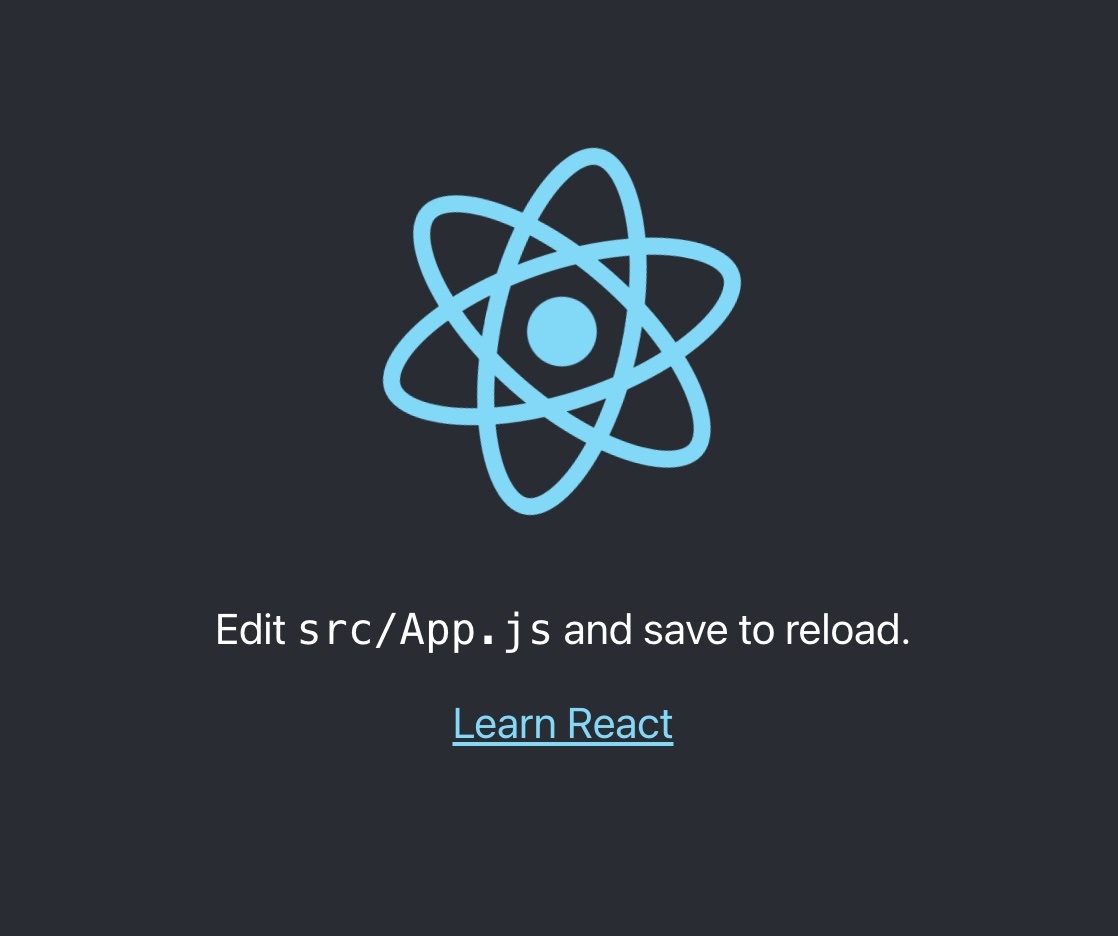 We are going to adapt the app to detect the language according to the user’s preference. And we will create a language switcher to make the content change between different languages. Let's install some i18next dependencies: - [i18next](https://www.i18next.com) - [react-i18next](https://react.i18next.com) - [i18next-browser-languagedetector](https://github.com/i18next/i18next-browser-languageDetector) `npm install i18next react-i18next i18next-browser-languagedetector` Let's prepare an i18n.js file: ```javascript import i18n from 'i18next'; import { initReactI18next } from 'react-i18next'; import LanguageDetector from 'i18next-browser-languagedetector'; i18n // detect user language // learn more: https://github.com/i18next/i18next-browser-languageDetector .use(LanguageDetector) // pass the i18n instance to react-i18next. .use(initReactI18next) // init i18next // for all options read: https://www.i18next.com/overview/configuration-options .init({ debug: true, fallbackLng: 'en', interpolation: { escapeValue: false, // not needed for react as it escapes by default }, resources: { en: { translation: { // here we will place our translations... } } } }); export default i18n; ``` Let's import that file somewhere in our index.js file: ```javascript import React from 'react'; import ReactDOM from 'react-dom'; import './index.css'; import App from './App'; // import i18n (needs to be bundled ;)) import './i18n'; ReactDOM.render( <React.StrictMode> <App /> </React.StrictMode>, document.getElementById('root') ); ``` Now let's try to move some hard coded text out to the translations. We have used the [Trans component](https://react.i18next.com/latest/trans-component) for the first text and the [useTranslation hook](https://react.i18next.com/latest/usetranslation-hook) for the second text: ```javascript import './App.css'; import { useTranslation, Trans } from 'react-i18next'; function App() { const { t } = useTranslation(); return ( <div className="App"> <header className="App-header"> <p> <Trans i18nKey="description.part1"> Edit <code>src/App.js</code> and save to reload. </Trans> </p> <a className="App-link" href="https://reactjs.org" target="_blank" rel="noopener noreferrer" > {t('description.part2')} </a> </header> </div> ); } export default App; ``` The texts are now part of the translation resources: ```javascript import i18n from 'i18next'; import { initReactI18next } from 'react-i18next'; import LanguageDetector from 'i18next-browser-languagedetector'; i18n // detect user language // learn more: https://github.com/i18next/i18next-browser-languageDetector .use(LanguageDetector) // pass the i18n instance to react-i18next. .use(initReactI18next) // init i18next // for all options read: https://www.i18next.com/overview/configuration-options .init({ debug: true, fallbackLng: 'en', interpolation: { escapeValue: false, // not needed for react as it escapes by default }, resources: { en: { translation: { description: { part1: 'Edit <1>src/App.js</1> and save to reload.', part2: 'Learn React' } } } } }); export default i18n; ``` ## Language Switcher Now let's define a language switcher: ```javascript import './App.css'; import { useTranslation, Trans } from 'react-i18next'; const lngs = { en: { nativeName: 'English' }, de: { nativeName: 'Deutsch' } }; function App() { const { t, i18n } = useTranslation(); return ( <div className="App"> <header className="App-header"> <div> {Object.keys(lngs).map((lng) => ( <button key={lng} style={{ fontWeight: i18n.language === lng ? 'bold' : 'normal' }} type="submit" onClick={() => i18n.changeLanguage(lng)}> {lngs[lng].nativeName} </button> ))} </div> <p> <Trans i18nKey="description.part1"> Edit <code>src/App.js</code> and save to reload. </Trans> </p> <a className="App-link" href="https://reactjs.org" target="_blank" rel="noopener noreferrer" > {t('description.part2')} </a> </header> </div> ); } export default App; ``` And also add some translations for the new language: ```javascript import i18n from 'i18next'; import { initReactI18next } from 'react-i18next'; import LanguageDetector from 'i18next-browser-languagedetector'; i18n // detect user language // learn more: https://github.com/i18next/i18next-browser-languageDetector .use(LanguageDetector) // pass the i18n instance to react-i18next. .use(initReactI18next) // init i18next // for all options read: https://www.i18next.com/overview/configuration-options .init({ debug: true, fallbackLng: 'en', interpolation: { escapeValue: false, // not needed for react as it escapes by default }, resources: { en: { translation: { description: { part1: 'Edit <1>src/App.js</1> and save to reload.', part2: 'Learn React' } } }, de: { translation: { description: { part1: 'Ändere <1>src/App.js</1> und speichere um neu zu laden.', part2: 'Lerne React' } } } } }); export default i18n; ``` 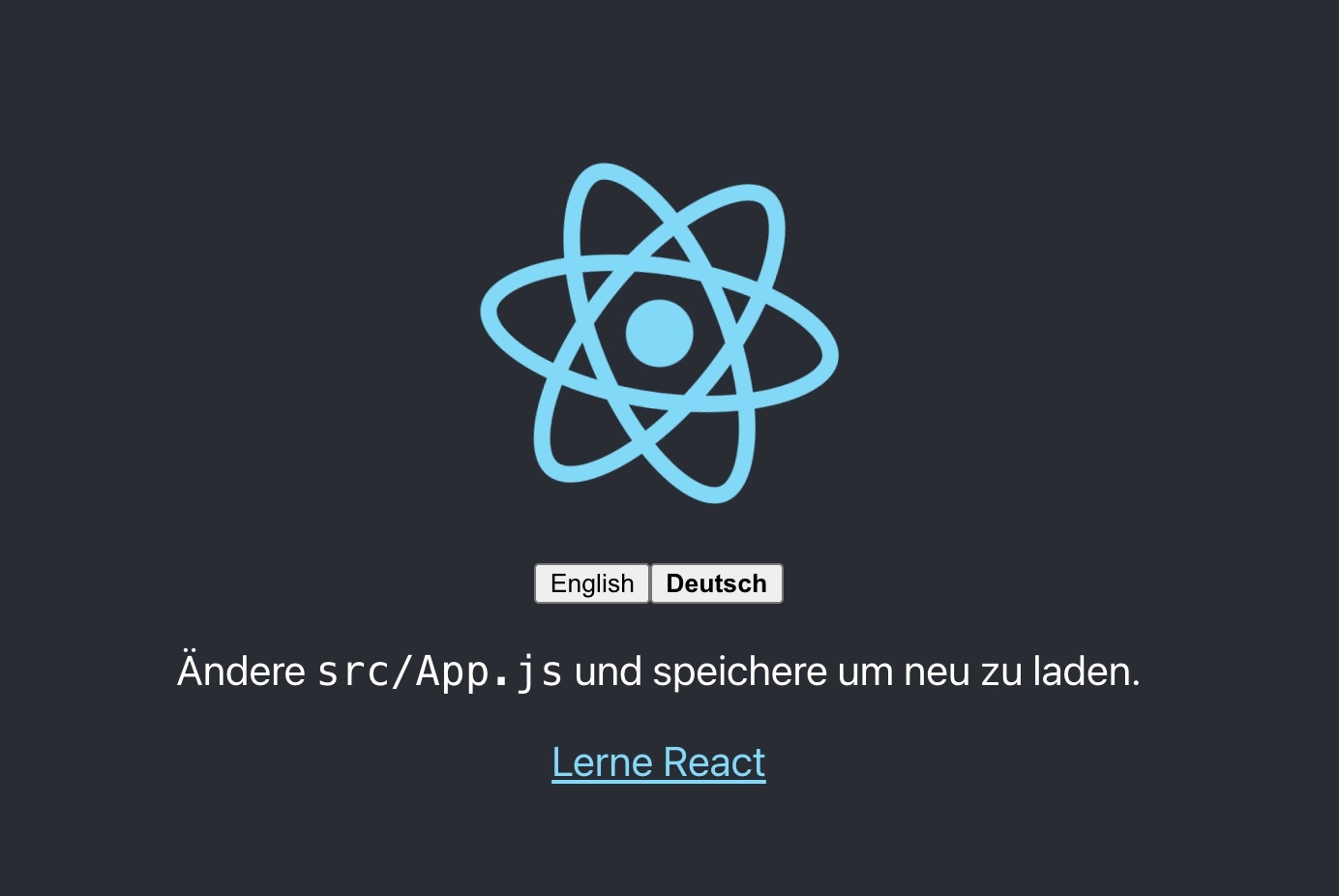 **🥳 Awesome, you've just created your first language switcher!** Thanks to [i18next-browser-languagedetector](https://github.com/i18next/i18next-browser-languageDetector) now it tries to detect the browser language and automatically use that language if you've provided the translations for it. The manually selected language in the language switcher is persistet in the localStorage, next time you visit the page, that language is used as preferred language. ## Interpolation and Pluralization i18next goes beyond just providing the standard i18n features. But for sure it's able to handle [plurals](https://www.i18next.com/translation-function/plurals) and [interpolation](https://www.i18next.com/translation-function/interpolation). Let's count each time the language gets changed: ```javascript import './App.css'; import { useTranslation, Trans } from 'react-i18next'; import { useState } from 'react'; const lngs = { en: { nativeName: 'English' }, de: { nativeName: 'Deutsch' } }; function App() { const { t, i18n } = useTranslation(); const [count, setCounter] = useState(0); return ( <div className="App"> <header className="App-header"> <div> {Object.keys(lngs).map((lng) => ( <button key={lng} style={{ fontWeight: i18n.language === lng ? 'bold' : 'normal' }} type="submit" onClick={() => { i18n.changeLanguage(lng); setCounter(count + 1); }}> {lngs[lng].nativeName} </button> ))} </div> <p> <i>{t('counter', { count })}</i> </p> <p> <Trans i18nKey="description.part1"> Edit <code>src/App.js</code> and save to reload. </Trans> </p> <a className="App-link" href="https://reactjs.org" target="_blank" rel="noopener noreferrer" > {t('description.part2')} </a> </header> </div> ); } export default App; ``` ...and extending the translation resources: ```javascript import i18n from 'i18next'; import { initReactI18next } from 'react-i18next'; import LanguageDetector from 'i18next-browser-languagedetector'; i18n // detect user language // learn more: https://github.com/i18next/i18next-browser-languageDetector .use(LanguageDetector) // pass the i18n instance to react-i18next. .use(initReactI18next) // init i18next // for all options read: https://www.i18next.com/overview/configuration-options .init({ debug: true, fallbackLng: 'en', interpolation: { escapeValue: false, // not needed for react as it escapes by default }, resources: { en: { translation: { description: { part1: 'Edit <1>src/App.js</1> and save to reload.', part2: 'Learn React' }, counter: 'Changed language just once', counter_plural: 'Changed language already {{count}} times' } }, de: { translation: { description: { part1: 'Ändere <1>src/App.js</1> und speichere um neu zu laden.', part2: 'Lerne React' }, counter: 'Die Sprache wurde erst ein mal gewechselt', counter_plural: 'Die Sprache wurde {{count}} mal gewechselt' } } } }); export default i18n; ``` Based on the count value i18next will choose the correct plural form. Read more about [pluralization](https://www.i18next.com/translation-function/plurals) and [interpolation](https://www.i18next.com/translation-function/interpolation) in the [official i18next documentation](https://www.i18next.com/). 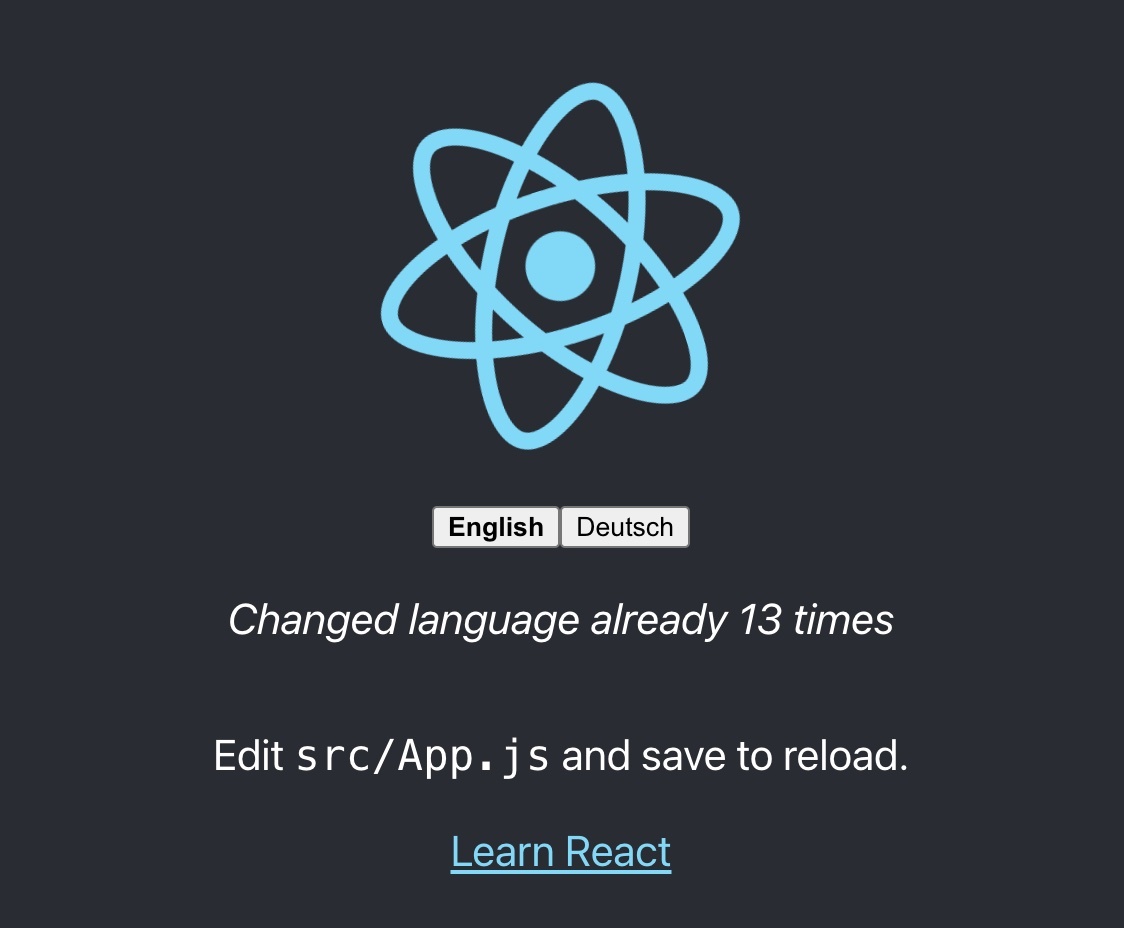 *💡 i18next is also able to handle languages with multiple plural forms, like arabic:* ```javascript // translation resources: { "key_0": "zero", "key_1": "singular", "key_2": "two", "key_3": "few", "key_4": "many", "key_5": "other" } // usage: t('key', {count: 0}); // -> "zero" t('key', {count: 1}); // -> "singular" t('key', {count: 2}); // -> "two" t('key', {count: 3}); // -> "few" t('key', {count: 4}); // -> "few" t('key', {count: 5}); // -> "few" t('key', {count: 11}); // -> "many" t('key', {count: 99}); // -> "many" t('key', {count: 100}); // -> "other" ``` ## Formatting Now, let’s check out how we can use different date formats with the help of [i18next](https://www.i18next.com) and [Luxon](https://moment.github.io/luxon) to handle date and time. `npm install luxon` We like to have a footer displaying the current date: ```javascript import './Footer.css'; const Footer = ({ t }) => ( <div className="Footer"> <div>{t('footer.date', { date: new Date() })}</div> </div> ); export default Footer; // imported in our App.js and used like this // <Footer t={t} /> ``` import luxon and define a format function in the interpolation options of i18next, like documented in the [documentation](https://www.i18next.com/translation-function/formatting) and add the new translation key: ```javascript import i18n from 'i18next'; import { initReactI18next } from 'react-i18next'; import LanguageDetector from 'i18next-browser-languagedetector'; import { DateTime } from 'luxon'; i18n // detect user language // learn more: https://github.com/i18next/i18next-browser-languageDetector .use(LanguageDetector) // pass the i18n instance to react-i18next. .use(initReactI18next) // init i18next // for all options read: https://www.i18next.com/overview/configuration-options .init({ debug: true, fallbackLng: 'en', interpolation: { escapeValue: false, // not needed for react as it escapes by default format: (value, format, lng) => { if (value instanceof Date) { return DateTime.fromJSDate(value).setLocale(lng).toLocaleString(DateTime[format]) } return value; } }, resources: { en: { translation: { description: { part1: 'Edit <1>src/App.js</1> and save to reload.', part2: 'Learn React' }, counter: 'Changed language just once', counter_plural: 'Changed language already {{count}} times', footer: { date: 'Today is {{date, DATE_HUGE}}' } } }, de: { translation: { description: { part1: 'Ändere <1>src/App.js</1> und speichere um neu zu laden.', part2: 'Lerne React' }, counter: 'Die Sprache wurde erst ein mal gewechselt', counter_plural: 'Die Sprache wurde {{count}} mal gewechselt', footer: { date: 'Heute ist {{date, DATE_HUGE}}' } } } } }); export default i18n; ``` **😎 Cool, now we have a language specific date formatting!** English: 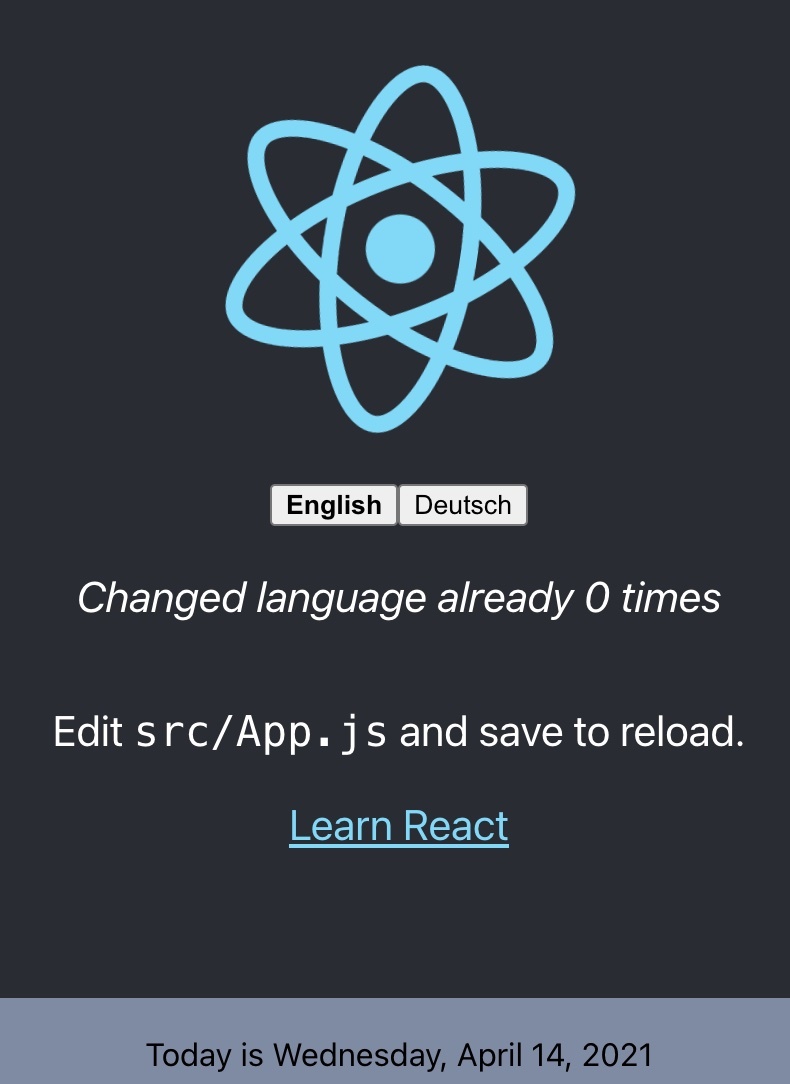 German: 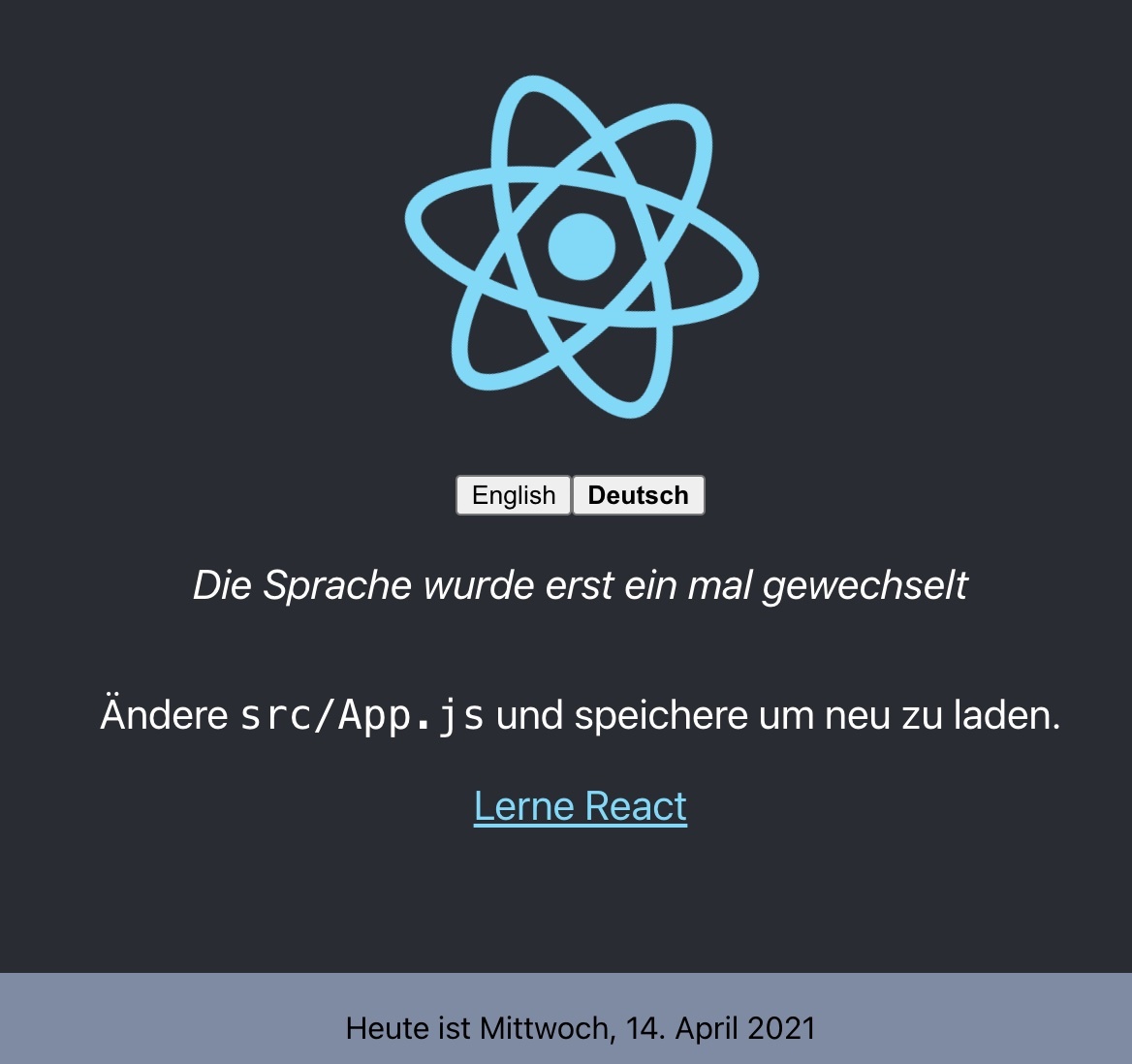 ## Context What about a specific greeting message based on the current day time? i.e. morning, evening, etc. This is possible thanks to the [context](https://www.i18next.com/translation-function/context) feature of i18next. Let's create a getGreetingTime function and use the result as context information for our footer translation: ```javascript import { DateTime } from 'luxon'; import './Footer.css'; const getGreetingTime = (d = DateTime.now()) => { const split_afternoon = 12; // 24hr time to split the afternoon const split_evening = 17; // 24hr time to split the evening const currentHour = parseFloat(d.toFormat('hh')); if (currentHour >= split_afternoon && currentHour <= split_evening) { return 'afternoon'; } else if (currentHour >= split_evening) { return 'evening'; } return 'morning'; } const Footer = ({ t }) => ( <div className="Footer"> <div>{t('footer.date', { date: new Date(), context: getGreetingTime() })}</div> </div> ); export default Footer; ``` And add some context specific translations keys: ```javascript import i18n from 'i18next'; import { initReactI18next } from 'react-i18next'; import LanguageDetector from 'i18next-browser-languagedetector'; import Backend from 'i18next-http-backend'; import { DateTime } from 'luxon'; i18n // i18next-http-backend // loads translations from your server // https://github.com/i18next/i18next-http-backend .use(Backend) // detect user language // learn more: https://github.com/i18next/i18next-browser-languageDetector .use(LanguageDetector) // pass the i18n instance to react-i18next. .use(initReactI18next) // init i18next // for all options read: https://www.i18next.com/overview/configuration-options .init({ debug: true, fallbackLng: 'en', interpolation: { escapeValue: false, // not needed for react as it escapes by default format: (value, format, lng) => { if (value instanceof Date) { return DateTime.fromJSDate(value).setLocale(lng).toLocaleString(DateTime[format]) } return value; } }, resources: { en: { translation: { description: { part1: 'Edit <1>src/App.js</1> and save to reload.', part2: 'Learn React' }, counter: 'Changed language just once', counter_plural: 'Changed language already {{count}} times', footer: { date: 'Today is {{date, DATE_HUGE}}', date_morning: 'Good morning! Today is {{date, DATE_HUGE}} | Have a nice day!', date_afternoon: 'Good afternoon! It\'s {{date, DATE_HUGE}}', date_evening: 'Good evening! Today was the {{date, DATE_HUGE}}' } } }, de: { translation: { description: { part1: 'Ändere <1>src/App.js</1> und speichere um neu zu laden.', part2: 'Lerne React' }, counter: 'Die Sprache wurde erst ein mal gewechselt', counter_plural: 'Die Sprache wurde {{count}} mal gewechselt', footer: { date: 'Heute ist {{date, DATE_HUGE}}', date_morning: 'Guten Morgen! Heute ist {{date, DATE_HUGE}} | Wünsche einen schönen Tag!', date_afternoon: 'Guten Tag! Es ist {{date, DATE_HUGE}}', date_evening: 'Guten Abend! Heute war {{date, DATE_HUGE}}' } } } } }); export default i18n; ``` **😁 Yeah, It works!** 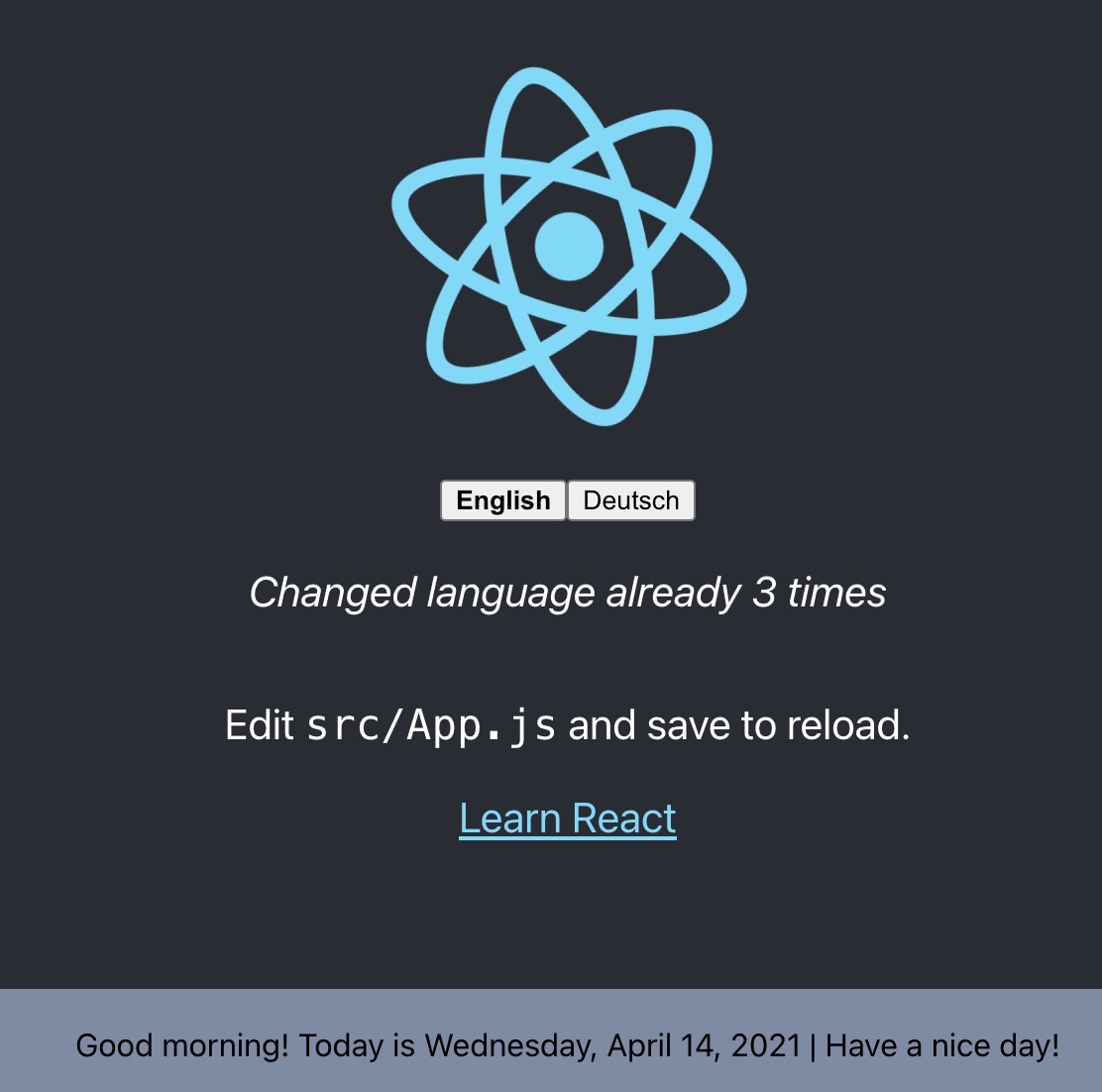 ## Separate translations from code Having the translations in our i18n.js file works, but is not that suitable to work with, for translators. Let's separate the translations from the code and pleace them in dedicated json files. Because this is a web application, [i18next-http-backend](https://github.com/i18next/i18next-http-backend) will help us to do so. `npm install i18next-http-backend` Move the translations to the public folder: 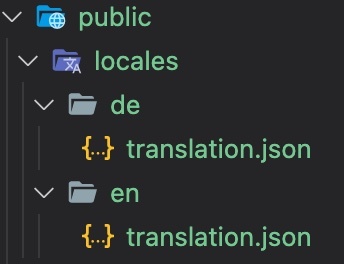 Adapt the i18n.js file to use the i18next-http-backend: ```javascript import i18n from 'i18next'; import { initReactI18next } from 'react-i18next'; import LanguageDetector from 'i18next-browser-languagedetector'; import Backend from 'i18next-http-backend'; import { DateTime } from 'luxon'; i18n // i18next-http-backend // loads translations from your server // https://github.com/i18next/i18next-http-backend .use(Backend) // detect user language // learn more: https://github.com/i18next/i18next-browser-languageDetector .use(LanguageDetector) // pass the i18n instance to react-i18next. .use(initReactI18next) // init i18next // for all options read: https://www.i18next.com/overview/configuration-options .init({ debug: true, fallbackLng: 'en', interpolation: { escapeValue: false, // not needed for react as it escapes by default format: (value, format, lng) => { if (value instanceof Date) { return DateTime.fromJSDate(value).setLocale(lng).toLocaleString(DateTime[format]) } return value; } } }); export default i18n; ``` Now the translations are loaded asynchronously, so make sure you wrap your app with a [Suspense](https://reactjs.org/docs/react-api.html#reactsuspense) component to prevent this error: `Uncaught Error: App suspended while rendering, but no fallback UI was specified.` ```javascript import { Suspense } from 'react'; function App() { // your app's code... } // here app catches the suspense from page in case translations are not yet loaded export default function WrappedApp() { return ( <Suspense fallback="...is loading"> <App /> </Suspense> ); } ``` Now your app looks still the same, but your translations are separated. If you want to support a new language, you just create a new folder and a new translation json file. This gives you the possibility to send the translations to some translators. Or if you're working with a translation management system you can just [synchronize the files with a cli](https://github.com/locize/react-tutorial#use-the-locize-cli). *💡 btw: you can also have [multiple translation files](https://react.i18next.com/guides/multiple-translation-files) thanks to the [namespaces](https://www.i18next.com/principles/namespaces) feature of i18next* *🧑💻 The code of this first part can be found [here](https://github.com/locize/react-i18next-example-app/tree/i18next).* ## Better translation management By sending the translations to some translators or translator agency you have more control and a direct contact with them. But this also means more work for you. This is a traditional way. But be aware sending files around creates always an overhead. > Does a better option exist? ### For sure! i18next helps to get the application translated, and this is great - but there is more to it. - How do you integrate any translation services / agency? - How do you keep track of new or removed content? - How you handle proper versioning? - How you deploy translation changes without deploying your complete application? - and a lot more... **Looking for something like this❓** - [Easy to integrate](https://docs.locize.com/integration/instrumenting-your-code#i-18-next) - Continuous deployment? [Continuous localization](https://locize.com//how-it-works.html#continouslocalization)! - Manage the translation files with ease - [Order professional translations](https://docs.locize.com/guides-tips-and-tricks/working-with-translators/localistars) - Analytics & Statistics - [Profit from our content delivery network (CDN)](https://docs.locize.com/whats-inside/cdn-content-delivery-network) - [Versioning of your translations](https://docs.locize.com/more/versioning) - [Automatic and On-Demand Machine Translation](https://docs.locize.com/whats-inside/auto-machine-translation) - [Riskfree: Take your data with you](https://docs.locize.com/more/general-questions/how-is-locize-different-from-the-alternatives#service-lock-in) - [Transparent and fair pricing](https://locize.com/pricing.html) - and a lot more...  ### How does this look like? First you need to signup at [locize](https://locize.com/register) and [login](https://docs.locize.com/integration/getting-started/create-a-user-account). Then [create a new project](https://docs.locize.com/integration/getting-started/add-a-new-project) in locize and add your translations. You can add your translations either by using the [cli](https://github.com/locize/react-tutorial#use-the-locize-cli) or by [importing the individual json files](https://docs.locize.com/more/general-questions/how-to-import-translations-from-a-file) or via [API](https://docs.locize.com/integration/api#update-remove-translations). Done so, we're going to replace [i18next-http-backend](https://github.com/i18next/i18next-http-backend) with [i18next-locize-backend](https://github.com/locize/i18next-locize-backend). `npm install i18next-locize-backend` After having imported the translations to locize, delete the locales folder: 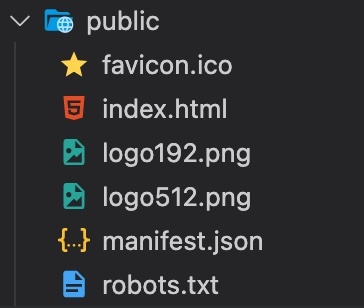 Adapt the i18n.js file to use the i18next-locize-backend and make sure you copy the project-id and api-key from within your locize project: ```javascript import i18n from 'i18next'; import { initReactI18next } from 'react-i18next'; import LanguageDetector from 'i18next-browser-languagedetector'; import Backend from 'i18next-locize-backend'; import { DateTime } from 'luxon'; const locizeOptions = { projectId: '0bbc223a-9aba-4a90-ab93-ab9d7bf7f780', apiKey: 'aaad4141-54ba-4625-ae37-657538fe29e7', // YOU should not expose your apps API key to production!!! referenceLng: 'en', }; i18n // i18next-locize-backend // loads translations from your project, saves new keys to it (saveMissing: true) // https://github.com/locize/i18next-locize-backend .use(Backend) // detect user language // learn more: https://github.com/i18next/i18next-browser-languageDetector .use(LanguageDetector) // pass the i18n instance to react-i18next. .use(initReactI18next) // init i18next // for all options read: https://www.i18next.com/overview/configuration-options .init({ debug: true, fallbackLng: 'en', interpolation: { escapeValue: false, // not needed for react as it escapes by default format: (value, format, lng) => { if (value instanceof Date) { return DateTime.fromJSDate(value).setLocale(lng).toLocaleString(DateTime[format]) } return value; } }, backend: locizeOptions }); export default i18n; ``` [i18next-locize-backend](https://github.com/locize/i18next-locize-backend) offers a functionality to retrieve the available languages directly from locize, let's use it: ```javascript import './App.css'; import { useTranslation, Trans } from 'react-i18next'; import { useState, Suspense, useEffect } from 'react'; import Footer from './Footer' function App() { const { t, i18n } = useTranslation(); const [count, setCounter] = useState(0); const [lngs, setLngs] = useState({ en: { nativeName: 'English' }}); useEffect(() => { i18n.services.backendConnector.backend.getLanguages((err, ret) => { if (err) return // TODO: handle err... setLngs(ret); }); }, []); return ( <div className="App"> <header className="App-header"> <div> {Object.keys(lngs).map((lng) => ( <button key={lng} style={{ fontWeight: i18n.language === lng ? 'bold' : 'normal' }} type="submit" onClick={() => { i18n.changeLanguage(lng); setCounter(count + 1); }}> {lngs[lng].nativeName} </button> ))} </div> <p> <i>{t('counter', { count })}</i> </p> <p> <Trans i18nKey="description.part1"> Edit <code>src/App.js</code> and save to reload. </Trans> </p> <a className="App-link" href="https://reactjs.org" target="_blank" rel="noopener noreferrer" > {t('description.part2')} </a> </header> <Footer t={t} /> </div> ); } // here app catches the suspense from page in case translations are not yet loaded export default function WrappedApp() { return ( <Suspense fallback="...is loading"> <App /> </Suspense> ); } ``` ### save missing translations Thanks to the use of the [saveMissing functionality](https://www.i18next.com/overview/configuration-options#missing-keys), new keys gets added to locize automatically, while developing the app. Just pass `saveMissing: true` in the i18next options: ```javascript import i18n from 'i18next'; import { initReactI18next } from 'react-i18next'; import LanguageDetector from 'i18next-browser-languagedetector'; import Backend from 'i18next-locize-backend'; import { DateTime } from 'luxon'; const locizeOptions = { projectId: '0bbc223a-9aba-4a90-ab93-ab9d7bf7f780', apiKey: 'aaad4141-54ba-4625-ae37-657538fe29e7', // YOU should not expose your apps API key to production!!! referenceLng: 'en', }; i18n // i18next-locize-backend // loads translations from your project, saves new keys to it (saveMissing: true) // https://github.com/locize/i18next-locize-backend .use(Backend) // detect user language // learn more: https://github.com/i18next/i18next-browser-languageDetector .use(LanguageDetector) // pass the i18n instance to react-i18next. .use(initReactI18next) // init i18next // for all options read: https://www.i18next.com/overview/configuration-options .init({ debug: true, fallbackLng: 'en', interpolation: { escapeValue: false, // not needed for react as it escapes by default format: (value, format, lng) => { if (value instanceof Date) { return DateTime.fromJSDate(value).setLocale(lng).toLocaleString(DateTime[format]) } return value; } }, backend: locizeOptions, saveMissing: true }); export default i18n; ``` Each time you'll use a new key, it will be sent to locize, i.e.: ```javascript <div>{t('new.key', 'this will be added automatically')}</div> ``` will result in locize like this: 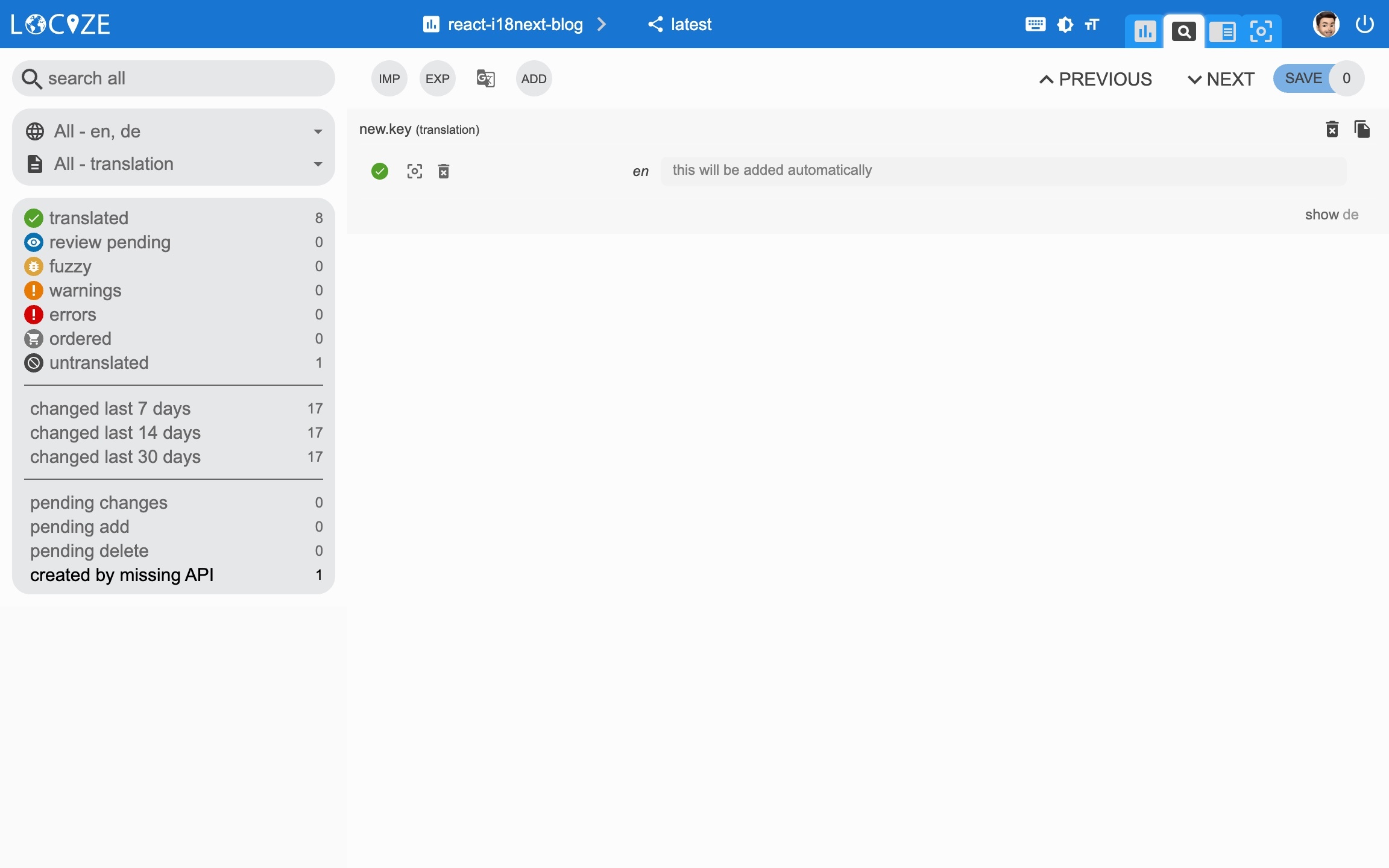 ### 👀 but there's more... Thanks to the [locize-lastused](https://github.com/locize/locize-lastused) plugin, you'll be able to [find and filter in locize which keys are used or not used anymore](https://docs.locize.com/guides-tips-and-tricks/unused-translations). With the help of the [locize](https://github.com/locize/locize) plugin, you'll be able to use your app within the locize [InContext Editor](https://docs.locize.com/more/incontext-editor). Lastly, with the help of the [auto-machinetranslation workflow](https://docs.locize.com/whats-inside/auto-machine-translation) and the use of the [saveMissing functionality](https://www.i18next.com/overview/configuration-options#missing-keys), new keys not only gets added to locize automatically, while developing the app, but are also automatically translated into the target languages using machine translation. *Check out this [video](https://youtu.be/VfxBpSXarlU) to see how the automatic machine translation workflow looks like!* {% youtube VfxBpSXarlU %} `npm install locize-lastused locize` use them in i18n.js: ```javascript import i18n from 'i18next'; import { initReactI18next } from 'react-i18next'; import LanguageDetector from 'i18next-browser-languagedetector'; import Backend from 'i18next-locize-backend'; import LastUsed from 'locize-lastused'; import { locizePlugin } from 'locize'; import { DateTime } from 'luxon'; const locizeOptions = { projectId: '0bbc223a-9aba-4a90-ab93-ab9d7bf7f780', apiKey: 'aaad4141-54ba-4625-ae37-657538fe29e7', // YOU should not expose your apps API key to production!!! referenceLng: 'en', }; i18n // locize-lastused // sets a timestamp of last access on every translation segment on locize // -> safely remove the ones not being touched for weeks/months // https://github.com/locize/locize-lastused .use(LastUsed) // locize-editor // InContext Editor of locize .use(locizePlugin) // i18next-locize-backend // loads translations from your project, saves new keys to it (saveMissing: true) // https://github.com/locize/i18next-locize-backend .use(Backend) // detect user language // learn more: https://github.com/i18next/i18next-browser-languageDetector .use(LanguageDetector) // pass the i18n instance to react-i18next. .use(initReactI18next) // init i18next // for all options read: https://www.i18next.com/overview/configuration-options .init({ debug: true, fallbackLng: 'en', interpolation: { escapeValue: false, // not needed for react as it escapes by default format: (value, format, lng) => { if (value instanceof Date) { return DateTime.fromJSDate(value).setLocale(lng).toLocaleString(DateTime[format]) } return value; } }, backend: locizeOptions, locizeLastUsed: locizeOptions, saveMissing: true }); export default i18n; ``` [Automatic machine translation](https://docs.locize.com/whats-inside/auto-machine-translation): 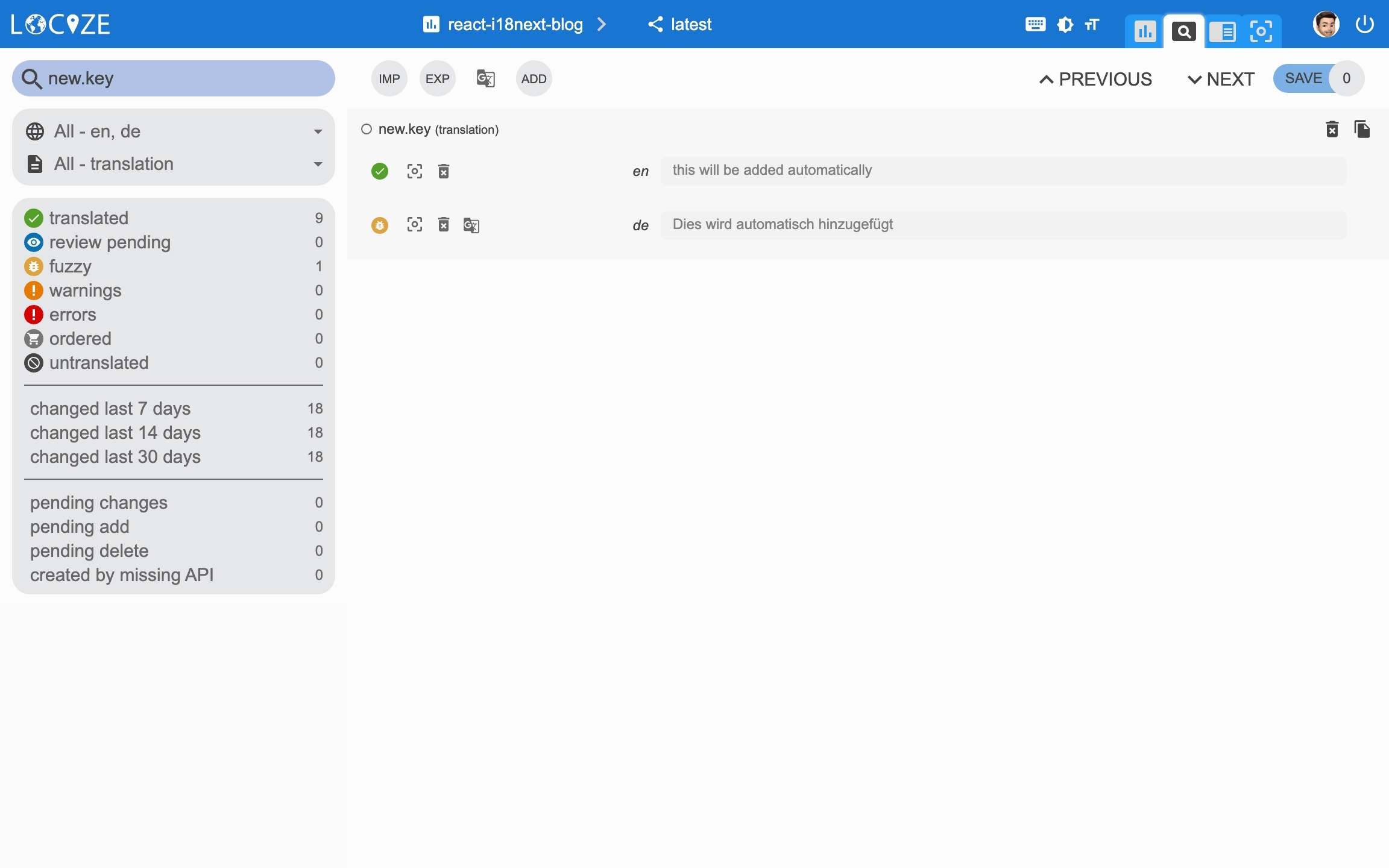 [Last used translations filter]((https://docs.locize.com/guides-tips-and-tricks/unused-translations)): 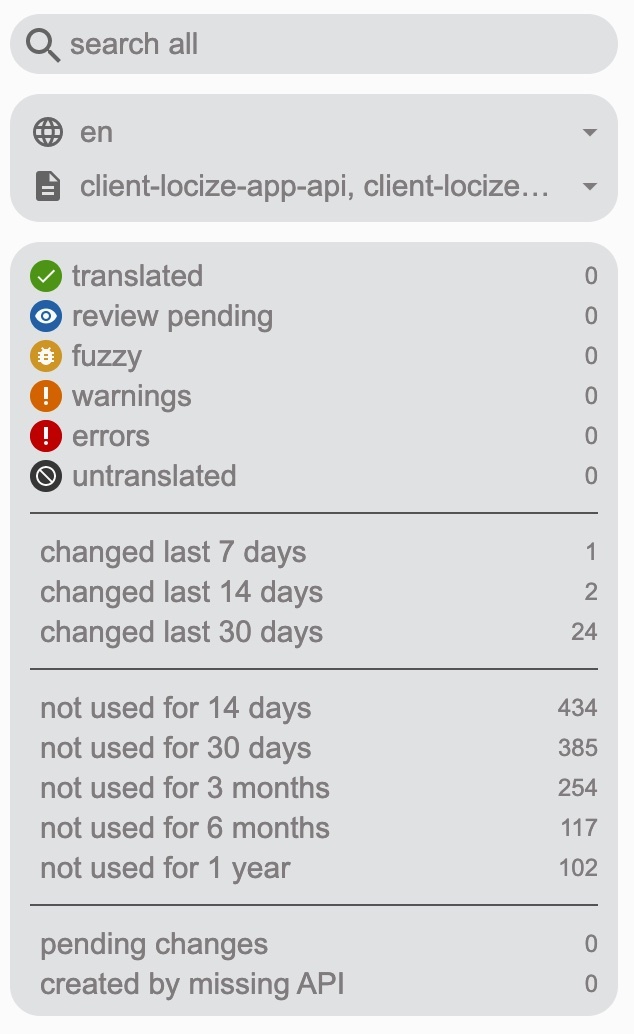 [InContext Editor](https://docs.locize.com/more/incontext-editor): 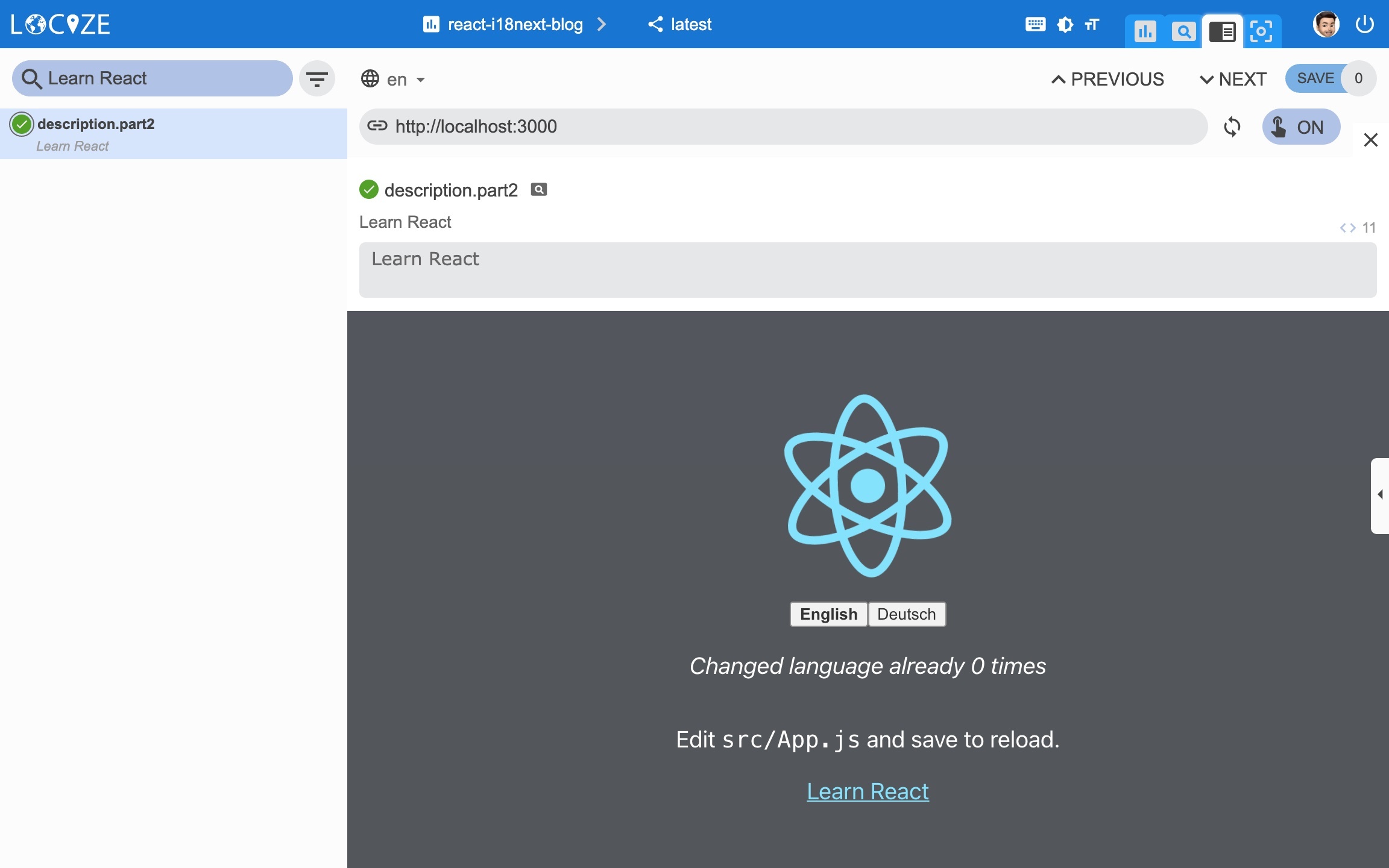 ### 📦 Let's prepare for production 🚀 Now, we prepare the app for [going to production](https://docs.locize.com/guides-tips-and-tricks/going-production). First in locize, create a dedicated version for production. Do not enable auto publish for that version but publish manually or via [API](https://docs.locize.com/integration/api#publish-version) or via [CLI](https://github.com/locize/locize-cli#publish-version). Lastly, [enable Cache-Control max-age](https://docs.locize.com/more/caching) for that production version. Let's making use of the [environment feature of react-scripts](https://create-react-app.dev/docs/adding-custom-environment-variables/). Lets' create a default environment file and one for development and one for production: .env: ``` SKIP_PREFLIGHT_CHECK=true REACT_APP_VERSION=$npm_package_version # locize REACT_APP_LOCIZE_PROJECTID=0bbc223a-9aba-4a90-ab93-ab9d7bf7f780 REACT_APP_LOCIZE_REFLNG=en ``` .env.development: ``` REACT_APP_LOCIZE_VERSION=latest REACT_APP_LOCIZE_APIKEY=aaad4141-54ba-4625-ae37-657538fe29e7 ``` .env.production: ``` REACT_APP_LOCIZE_VERSION=production ``` Now let's adapt the i18n.js file: ```javascript import i18n from 'i18next'; import { initReactI18next } from 'react-i18next'; import LanguageDetector from 'i18next-browser-languagedetector'; import Backend from 'i18next-locize-backend'; import LastUsed from 'locize-lastused'; import { locizePlugin } from 'locize'; import { DateTime } from 'luxon'; const isProduction = process.env.NODE_ENV === 'production'; const locizeOptions = { projectId: process.env.REACT_APP_LOCIZE_PROJECTID, apiKey: process.env.REACT_APP_LOCIZE_APIKEY, // YOU should not expose your apps API key to production!!! referenceLng: process.env.REACT_APP_LOCIZE_REFLNG, version: process.env.REACT_APP_LOCIZE_VERSION }; if (!isProduction) { // locize-lastused // sets a timestamp of last access on every translation segment on locize // -> safely remove the ones not being touched for weeks/months // https://github.com/locize/locize-lastused i18n.use(LastUsed); } i18n // locize-editor // InContext Editor of locize .use(locizePlugin) // i18next-locize-backend // loads translations from your project, saves new keys to it (saveMissing: true) // https://github.com/locize/i18next-locize-backend .use(Backend) // detect user language // learn more: https://github.com/i18next/i18next-browser-languageDetector .use(LanguageDetector) // pass the i18n instance to react-i18next. .use(initReactI18next) // init i18next // for all options read: https://www.i18next.com/overview/configuration-options .init({ debug: true, fallbackLng: 'en', interpolation: { escapeValue: false, // not needed for react as it escapes by default format: (value, format, lng) => { if (value instanceof Date) { return DateTime.fromJSDate(value).setLocale(lng).toLocaleString(DateTime[format]) } return value; } }, backend: locizeOptions, locizeLastUsed: locizeOptions, saveMissing: !isProduction // you should not use saveMissing in production }); export default i18n; ``` Now, during development, you'll continue to save missing keys and to make use of lastused feature. => npm run start And in production environment, saveMissing and lastused are disabled, and also the api-key is not exposed. => npm run build && npm run serve [Caching](https://docs.locize.com/more/caching): 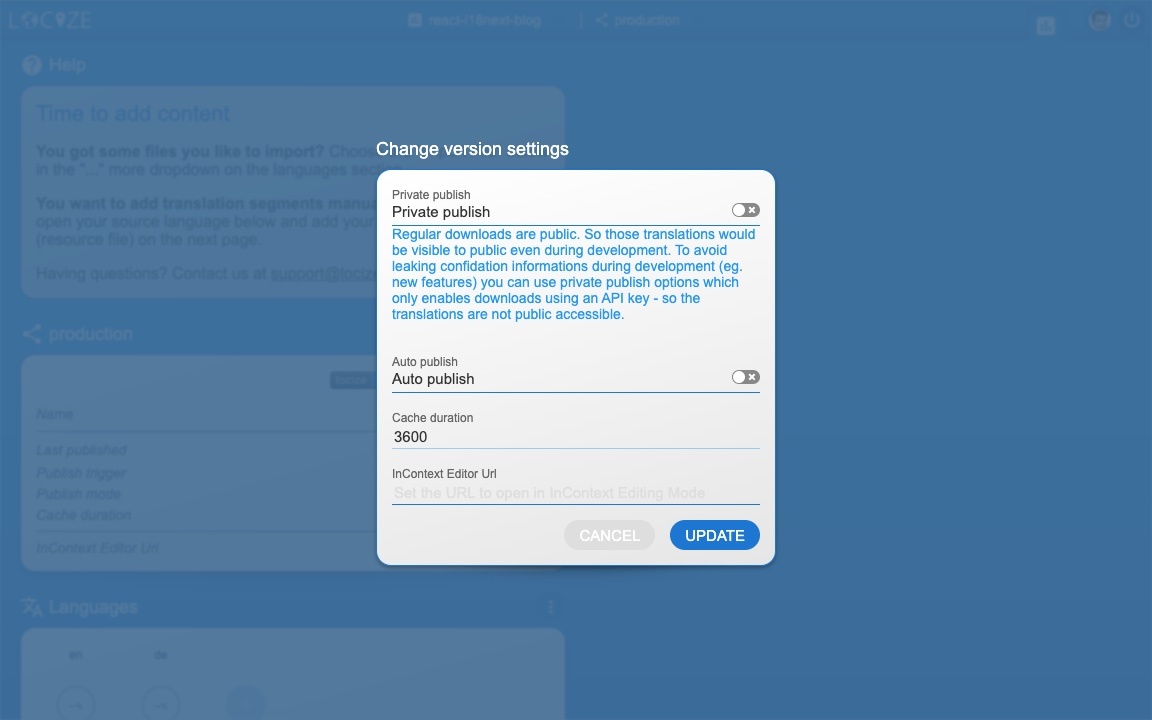 [Merging versions](https://docs.locize.com/more/versioning#merging-versions): 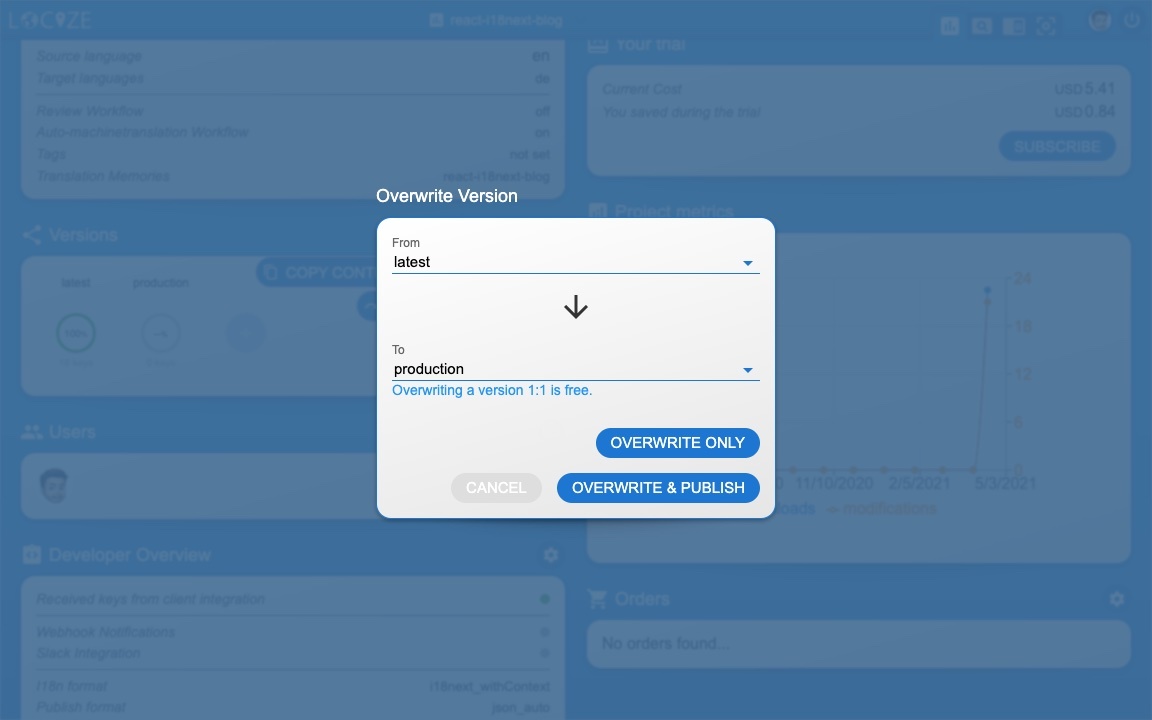 *🧑💻 The complete code can be found [here](https://github.com/locize/react-i18next-example-app).* # 🎉🥳 Congratulations 🎊🎁 I hope you’ve learned a few new things about [i18next](https://www.i18next.com), [React.js localization](https://react.i18next.com) and [modern localization workflows](https://locize.com). So if you want to take your i18n topic to the next level, it's worth to try [locize](https://locize.com). The founders of [locize](https://locize.com) are also the creators of [i18next](https://www.i18next.com). So with using [locize](https://locize.com) you directly support the future of [i18next](https://www.i18next.com). # 👍 |
| json metadata | {"tags":["javascript","react","web","code","i18n"],"image":["https://res.cloudinary.com/practicaldev/image/fetch/s--atA6HNxT--/c_imagga_scale,f_auto,fl_progressive,h_420,q_auto,w_1000/https://dev-to-uploads.s3.amazonaws.com/uploads/articles/60sahgkpaddj63vx5vvy.jpg","https://dev-to-uploads.s3.amazonaws.com/uploads/articles/behkgqzaft71yt6tqx2b.jpg","https://dev-to-uploads.s3.amazonaws.com/uploads/articles/nati88kes3cunyloe14u.jpg","https://dev-to-uploads.s3.amazonaws.com/uploads/articles/oea8k15w9c6fimylzz0y.jpg","https://dev-to-uploads.s3.amazonaws.com/uploads/articles/hygxtoyvd4sq78eyq0d9.jpg","https://dev-to-uploads.s3.amazonaws.com/uploads/articles/5ojw60veamph3zryhtmq.jpg","https://dev-to-uploads.s3.amazonaws.com/uploads/articles/5t3y33huyvgb2bd2523f.jpg","https://dev-to-uploads.s3.amazonaws.com/uploads/articles/b7ypguazy354fj68vt0d.jpg","https://dev-to-uploads.s3.amazonaws.com/uploads/articles/4swz621j09hpzxvoaool.jpg","https://dev-to-uploads.s3.amazonaws.com/uploads/articles/bb1flgntpzob5ox20som.jpg","https://dev-to-uploads.s3.amazonaws.com/uploads/articles/mc3wk09plpn70hd6nsi1.jpg","https://dev-to-uploads.s3.amazonaws.com/uploads/articles/ggk14cqolabfihcsxgyi.jpg","https://dev-to-uploads.s3.amazonaws.com/uploads/articles/cn7yj68s5a2x181pwks6.jpg","https://dev-to-uploads.s3.amazonaws.com/uploads/articles/b85nmyt3idgr4qmsbsz6.jpg","https://dev-to-uploads.s3.amazonaws.com/uploads/articles/kinbszgowhcmm1dj3mfk.jpg","https://dev-to-uploads.s3.amazonaws.com/uploads/articles/y35mdc3v4e8ji6w4h1ke.jpg"],"links":["https://www.internetworldstats.com/stats7.htm","https://medium.com/@jamuhl/i18n-frameworks-the-unfair-showdown-8d436cd6f470","https://www.i18next.com","https://reactjs.org","https://react.i18next.com","https://www.i18next.com/overview/supported-frameworks","https://www.i18next.com/overview/comparison-to-others","https://create-react-app.dev","https://github.com/i18next/i18next-browser-languageDetector","https://react.i18next.com/latest/trans-component","https://react.i18next.com/latest/usetranslation-hook","https://www.i18next.com/translation-function/plurals","https://www.i18next.com/translation-function/interpolation","https://www.i18next.com/","https://moment.github.io/luxon","https://www.i18next.com/translation-function/formatting","https://www.i18next.com/translation-function/context","https://github.com/i18next/i18next-http-backend","https://reactjs.org/docs/react-api.html#reactsuspense","https://github.com/locize/react-tutorial#use-the-locize-cli","https://react.i18next.com/guides/multiple-translation-files","https://www.i18next.com/principles/namespaces","https://github.com/locize/react-i18next-example-app/tree/i18next","https://docs.locize.com/integration/instrumenting-your-code#i-18-next","https://locize.com//how-it-works.html#continouslocalization","https://docs.locize.com/guides-tips-and-tricks/working-with-translators/localistars","https://docs.locize.com/whats-inside/cdn-content-delivery-network","https://docs.locize.com/more/versioning","https://docs.locize.com/whats-inside/auto-machine-translation","https://docs.locize.com/more/general-questions/how-is-locize-different-from-the-alternatives#service-lock-in","https://locize.com/pricing.html","https://locize.com/register","https://docs.locize.com/integration/getting-started/create-a-user-account","https://docs.locize.com/integration/getting-started/add-a-new-project","https://docs.locize.com/more/general-questions/how-to-import-translations-from-a-file","https://docs.locize.com/integration/api#update-remove-translations","https://github.com/locize/i18next-locize-backend","https://www.i18next.com/overview/configuration-options#missing-keys","https://github.com/locize/locize-lastused","https://docs.locize.com/guides-tips-and-tricks/unused-translations","https://github.com/locize/locize","https://docs.locize.com/more/incontext-editor","https://youtu.be/VfxBpSXarlU","(https://docs.locize.com/guides-tips-and-tricks/unused-translations)","https://docs.locize.com/guides-tips-and-tricks/going-production","https://docs.locize.com/integration/api#publish-version","https://github.com/locize/locize-cli#publish-version","https://docs.locize.com/more/caching","https://create-react-app.dev/docs/adding-custom-environment-variables/","https://docs.locize.com/more/versioning#merging-versions","https://github.com/locize/react-i18next-example-app","https://locize.com"],"app":"steemit/0.2","format":"markdown"} |
| Transaction Info | Block #52901367/Trx 26c0ce11a2c463a3c5abe976c18c0c564687eca9 |
View Raw JSON Data
{
"trx_id": "26c0ce11a2c463a3c5abe976c18c0c564687eca9",
"block": 52901367,
"trx_in_block": 3,
"op_in_trx": 0,
"virtual_op": 0,
"timestamp": "2021-04-15T06:41:03",
"op": [
"comment",
{
"parent_author": "",
"parent_permlink": "javascript",
"author": "adrai",
"permlink": "how-to-properly-internationalize-a-react-application-using-i18next",
"title": "How to properly internationalize a React application using i18next",
"body": "\n\nOvercoming the language barrier for users who use your software is an important topic.\nEnglish is no longer the universal language of the internet.\nAs of [March 2020](https://www.internetworldstats.com/stats7.htm), only 25.9% of internet users were English speakers.\nThe chances are high that your users will skip past your website if non-localized.\nTherefore, without a multilingual website you might missing out on a large share of potential users.\n\nIn the JavaScript ecosystem, there are a lot of internationalization frameworks. [Here](https://medium.com/@jamuhl/i18n-frameworks-the-unfair-showdown-8d436cd6f470) you can find some details about some JavaScript internationalization frameworks.\nIn this article, we will be using the [i18next](https://www.i18next.com) framework to internationalize a [React.js](https://reactjs.org) app.\n\n\n# So first of all: \"Why i18next?\"\n\nWhen it comes to React localization. One of the most popular is [i18next](https://www.i18next.com) with it's react extension [react-i18next](https://react.i18next.com), and for good reasons:\n\n*i18next was created in late 2011. It's older than most of the libraries you will use nowadays, including your main frontend technology (react, vue, ...).*\n\n**➡️ sustainable**\n\n\n*Based on how long i18next already is available open source, there is no real i18n case that could not be solved with i18next.*\n\n**➡️ mature**\n\n\n*i18next can be used in any javascript (and a few non-javascript - .net, elm, iOS, android, ruby, ...) environment, with any UI framework, with any i18n format, ... [the possibilities are endless](https://www.i18next.com/overview/supported-frameworks).*\n\n**➡️ extensible**\n\n\n*There is a plenty of features and possibilities you'll get with i18next compared to other regular 18n frameworks.*\n\n**➡️ rich**\n\n\n[Here you can find more information about why i18next is special.](https://www.i18next.com/overview/comparison-to-others)\n\n\n# Let's get into it...\n\n## Prerequisites\n\nMake sure you have Node.js and npm installed. It's best, if you have some experience with simple HTML, JavaScript and basic React.js, before jumping to [react-i18next](https://react.i18next.com).\n\n\n## Getting started\n\nTake your own React project or create a new one, i.e. with [create-react-app](https://create-react-app.dev).\n\n`npx create-react-app my-app`\n\n\n\nWe are going to adapt the app to detect the language according to the user’s preference.\nAnd we will create a language switcher to make the content change between different languages.\n\nLet's install some i18next dependencies:\n\n- [i18next](https://www.i18next.com)\n- [react-i18next](https://react.i18next.com)\n- [i18next-browser-languagedetector](https://github.com/i18next/i18next-browser-languageDetector)\n\n`npm install i18next react-i18next i18next-browser-languagedetector`\n\nLet's prepare an i18n.js file:\n```javascript\nimport i18n from 'i18next';\nimport { initReactI18next } from 'react-i18next';\nimport LanguageDetector from 'i18next-browser-languagedetector';\n\ni18n\n // detect user language\n // learn more: https://github.com/i18next/i18next-browser-languageDetector\n .use(LanguageDetector)\n // pass the i18n instance to react-i18next.\n .use(initReactI18next)\n // init i18next\n // for all options read: https://www.i18next.com/overview/configuration-options\n .init({\n debug: true,\n fallbackLng: 'en',\n interpolation: {\n escapeValue: false, // not needed for react as it escapes by default\n },\n resources: {\n en: {\n translation: {\n // here we will place our translations...\n }\n }\n }\n });\n\nexport default i18n;\n```\n\nLet's import that file somewhere in our index.js file:\n\n```javascript\nimport React from 'react';\nimport ReactDOM from 'react-dom';\nimport './index.css';\nimport App from './App';\n\n// import i18n (needs to be bundled ;))\nimport './i18n';\n\nReactDOM.render(\n <React.StrictMode>\n <App />\n </React.StrictMode>,\n document.getElementById('root')\n);\n```\n\nNow let's try to move some hard coded text out to the translations.\n\nWe have used the [Trans component](https://react.i18next.com/latest/trans-component) for the first text and the [useTranslation hook](https://react.i18next.com/latest/usetranslation-hook) for the second text:\n\n```javascript\nimport './App.css';\nimport { useTranslation, Trans } from 'react-i18next';\n\nfunction App() {\n const { t } = useTranslation();\n\n return (\n <div className=\"App\">\n <header className=\"App-header\">\n <p>\n <Trans i18nKey=\"description.part1\">\n Edit <code>src/App.js</code> and save to reload.\n </Trans>\n </p>\n <a\n className=\"App-link\"\n href=\"https://reactjs.org\"\n target=\"_blank\"\n rel=\"noopener noreferrer\"\n >\n {t('description.part2')}\n </a>\n </header>\n </div>\n );\n}\n\nexport default App;\n```\n\nThe texts are now part of the translation resources:\n\n```javascript\nimport i18n from 'i18next';\nimport { initReactI18next } from 'react-i18next';\nimport LanguageDetector from 'i18next-browser-languagedetector';\n\ni18n\n // detect user language\n // learn more: https://github.com/i18next/i18next-browser-languageDetector\n .use(LanguageDetector)\n // pass the i18n instance to react-i18next.\n .use(initReactI18next)\n // init i18next\n // for all options read: https://www.i18next.com/overview/configuration-options\n .init({\n debug: true,\n fallbackLng: 'en',\n interpolation: {\n escapeValue: false, // not needed for react as it escapes by default\n },\n resources: {\n en: {\n translation: {\n description: {\n part1: 'Edit <1>src/App.js</1> and save to reload.',\n part2: 'Learn React'\n }\n }\n }\n }\n });\n\nexport default i18n;\n```\n\n\n## Language Switcher\n\nNow let's define a language switcher:\n\n```javascript\nimport './App.css';\nimport { useTranslation, Trans } from 'react-i18next';\n\nconst lngs = {\n en: { nativeName: 'English' },\n de: { nativeName: 'Deutsch' }\n};\n\nfunction App() {\n const { t, i18n } = useTranslation();\n\n return (\n <div className=\"App\">\n <header className=\"App-header\">\n <div>\n {Object.keys(lngs).map((lng) => (\n <button key={lng} style={{ fontWeight: i18n.language === lng ? 'bold' : 'normal' }} type=\"submit\" onClick={() => i18n.changeLanguage(lng)}>\n {lngs[lng].nativeName}\n </button>\n ))}\n </div>\n <p>\n <Trans i18nKey=\"description.part1\">\n Edit <code>src/App.js</code> and save to reload.\n </Trans>\n </p>\n <a\n className=\"App-link\"\n href=\"https://reactjs.org\"\n target=\"_blank\"\n rel=\"noopener noreferrer\"\n >\n {t('description.part2')}\n </a>\n </header>\n </div>\n );\n}\n\nexport default App;\n```\n\nAnd also add some translations for the new language:\n\n```javascript\nimport i18n from 'i18next';\nimport { initReactI18next } from 'react-i18next';\nimport LanguageDetector from 'i18next-browser-languagedetector';\n\ni18n\n // detect user language\n // learn more: https://github.com/i18next/i18next-browser-languageDetector\n .use(LanguageDetector)\n // pass the i18n instance to react-i18next.\n .use(initReactI18next)\n // init i18next\n // for all options read: https://www.i18next.com/overview/configuration-options\n .init({\n debug: true,\n fallbackLng: 'en',\n interpolation: {\n escapeValue: false, // not needed for react as it escapes by default\n },\n resources: {\n en: {\n translation: {\n description: {\n part1: 'Edit <1>src/App.js</1> and save to reload.',\n part2: 'Learn React'\n }\n }\n },\n de: {\n translation: {\n description: {\n part1: 'Ändere <1>src/App.js</1> und speichere um neu zu laden.',\n part2: 'Lerne React'\n }\n }\n }\n }\n });\n\nexport default i18n;\n```\n\n\n\n**🥳 Awesome, you've just created your first language switcher!**\n\nThanks to [i18next-browser-languagedetector](https://github.com/i18next/i18next-browser-languageDetector) now it tries to detect the browser language and automatically use that language if you've provided the translations for it. The manually selected language in the language switcher is persistet in the localStorage, next time you visit the page, that language is used as preferred language.\n\n\n## Interpolation and Pluralization\n\ni18next goes beyond just providing the standard i18n features.\nBut for sure it's able to handle [plurals](https://www.i18next.com/translation-function/plurals) and [interpolation](https://www.i18next.com/translation-function/interpolation).\n\nLet's count each time the language gets changed:\n\n```javascript\nimport './App.css';\nimport { useTranslation, Trans } from 'react-i18next';\nimport { useState } from 'react';\n\nconst lngs = {\n en: { nativeName: 'English' },\n de: { nativeName: 'Deutsch' }\n};\n\nfunction App() {\n const { t, i18n } = useTranslation();\n const [count, setCounter] = useState(0);\n\n return (\n <div className=\"App\">\n <header className=\"App-header\">\n <div>\n {Object.keys(lngs).map((lng) => (\n <button key={lng} style={{ fontWeight: i18n.language === lng ? 'bold' : 'normal' }} type=\"submit\" onClick={() => {\n i18n.changeLanguage(lng);\n setCounter(count + 1);\n }}>\n {lngs[lng].nativeName}\n </button>\n ))}\n </div>\n <p>\n <i>{t('counter', { count })}</i>\n </p>\n <p>\n <Trans i18nKey=\"description.part1\">\n Edit <code>src/App.js</code> and save to reload.\n </Trans>\n </p>\n <a\n className=\"App-link\"\n href=\"https://reactjs.org\"\n target=\"_blank\"\n rel=\"noopener noreferrer\"\n >\n {t('description.part2')}\n </a>\n </header>\n </div>\n );\n}\n\nexport default App;\n```\n\n...and extending the translation resources:\n\n```javascript\nimport i18n from 'i18next';\nimport { initReactI18next } from 'react-i18next';\nimport LanguageDetector from 'i18next-browser-languagedetector';\n\ni18n\n // detect user language\n // learn more: https://github.com/i18next/i18next-browser-languageDetector\n .use(LanguageDetector)\n // pass the i18n instance to react-i18next.\n .use(initReactI18next)\n // init i18next\n // for all options read: https://www.i18next.com/overview/configuration-options\n .init({\n debug: true,\n fallbackLng: 'en',\n interpolation: {\n escapeValue: false, // not needed for react as it escapes by default\n },\n resources: {\n en: {\n translation: {\n description: {\n part1: 'Edit <1>src/App.js</1> and save to reload.',\n part2: 'Learn React'\n },\n counter: 'Changed language just once',\n counter_plural: 'Changed language already {{count}} times'\n }\n },\n de: {\n translation: {\n description: {\n part1: 'Ändere <1>src/App.js</1> und speichere um neu zu laden.',\n part2: 'Lerne React'\n },\n counter: 'Die Sprache wurde erst ein mal gewechselt',\n counter_plural: 'Die Sprache wurde {{count}} mal gewechselt'\n }\n }\n }\n });\n\nexport default i18n;\n```\n\nBased on the count value i18next will choose the correct plural form.\nRead more about [pluralization](https://www.i18next.com/translation-function/plurals) and [interpolation](https://www.i18next.com/translation-function/interpolation) in the [official i18next documentation](https://www.i18next.com/).\n\n\n\n*💡 i18next is also able to handle languages with multiple plural forms, like arabic:*\n\n```javascript\n// translation resources:\n{\n \"key_0\": \"zero\",\n \"key_1\": \"singular\",\n \"key_2\": \"two\",\n \"key_3\": \"few\",\n \"key_4\": \"many\",\n \"key_5\": \"other\"\n}\n\n// usage:\nt('key', {count: 0}); // -> \"zero\"\nt('key', {count: 1}); // -> \"singular\"\nt('key', {count: 2}); // -> \"two\"\nt('key', {count: 3}); // -> \"few\"\nt('key', {count: 4}); // -> \"few\"\nt('key', {count: 5}); // -> \"few\"\nt('key', {count: 11}); // -> \"many\"\nt('key', {count: 99}); // -> \"many\"\nt('key', {count: 100}); // -> \"other\"\n```\n\n\n## Formatting\n\nNow, let’s check out how we can use different date formats with the help of [i18next](https://www.i18next.com) and [Luxon](https://moment.github.io/luxon) to handle date and time.\n\n`npm install luxon`\n\nWe like to have a footer displaying the current date:\n\n```javascript\nimport './Footer.css';\n\nconst Footer = ({ t }) => (\n <div className=\"Footer\">\n <div>{t('footer.date', { date: new Date() })}</div>\n </div>\n);\n\nexport default Footer;\n\n// imported in our App.js and used like this\n// <Footer t={t} />\n```\n\nimport luxon and define a format function in the interpolation options of i18next, like documented in the [documentation](https://www.i18next.com/translation-function/formatting) and add the new translation key:\n\n```javascript\nimport i18n from 'i18next';\nimport { initReactI18next } from 'react-i18next';\nimport LanguageDetector from 'i18next-browser-languagedetector';\nimport { DateTime } from 'luxon';\n\ni18n\n // detect user language\n // learn more: https://github.com/i18next/i18next-browser-languageDetector\n .use(LanguageDetector)\n // pass the i18n instance to react-i18next.\n .use(initReactI18next)\n // init i18next\n // for all options read: https://www.i18next.com/overview/configuration-options\n .init({\n debug: true,\n fallbackLng: 'en',\n interpolation: {\n escapeValue: false, // not needed for react as it escapes by default\n format: (value, format, lng) => {\n if (value instanceof Date) {\n return DateTime.fromJSDate(value).setLocale(lng).toLocaleString(DateTime[format])\n }\n return value;\n }\n },\n resources: {\n en: {\n translation: {\n description: {\n part1: 'Edit <1>src/App.js</1> and save to reload.',\n part2: 'Learn React'\n },\n counter: 'Changed language just once',\n counter_plural: 'Changed language already {{count}} times',\n footer: {\n date: 'Today is {{date, DATE_HUGE}}'\n }\n }\n },\n de: {\n translation: {\n description: {\n part1: 'Ändere <1>src/App.js</1> und speichere um neu zu laden.',\n part2: 'Lerne React'\n },\n counter: 'Die Sprache wurde erst ein mal gewechselt',\n counter_plural: 'Die Sprache wurde {{count}} mal gewechselt',\n footer: {\n date: 'Heute ist {{date, DATE_HUGE}}'\n }\n }\n }\n }\n });\n\nexport default i18n;\n```\n\n**😎 Cool, now we have a language specific date formatting!**\n\nEnglish:\n\n\nGerman:\n\n\n\n## Context\n\nWhat about a specific greeting message based on the current day time? i.e. morning, evening, etc.\nThis is possible thanks to the [context](https://www.i18next.com/translation-function/context) feature of i18next.\n\nLet's create a getGreetingTime function and use the result as context information for our footer translation:\n\n```javascript\nimport { DateTime } from 'luxon';\nimport './Footer.css';\n\nconst getGreetingTime = (d = DateTime.now()) => {\n\tconst split_afternoon = 12; // 24hr time to split the afternoon\n\tconst split_evening = 17; // 24hr time to split the evening\n\tconst currentHour = parseFloat(d.toFormat('hh'));\n\t\n\tif (currentHour >= split_afternoon && currentHour <= split_evening) {\n\t\treturn 'afternoon';\n\t} else if (currentHour >= split_evening) {\n\t\treturn 'evening';\n }\n\treturn 'morning';\n}\n\nconst Footer = ({ t }) => (\n <div className=\"Footer\">\n <div>{t('footer.date', { date: new Date(), context: getGreetingTime() })}</div>\n </div>\n);\n\nexport default Footer;\n```\n\nAnd add some context specific translations keys:\n\n```javascript\nimport i18n from 'i18next';\nimport { initReactI18next } from 'react-i18next';\nimport LanguageDetector from 'i18next-browser-languagedetector';\nimport Backend from 'i18next-http-backend';\nimport { DateTime } from 'luxon';\n\ni18n\n // i18next-http-backend\n // loads translations from your server\n // https://github.com/i18next/i18next-http-backend\n .use(Backend)\n // detect user language\n // learn more: https://github.com/i18next/i18next-browser-languageDetector\n .use(LanguageDetector)\n // pass the i18n instance to react-i18next.\n .use(initReactI18next)\n // init i18next\n // for all options read: https://www.i18next.com/overview/configuration-options\n .init({\n debug: true,\n fallbackLng: 'en',\n interpolation: {\n escapeValue: false, // not needed for react as it escapes by default\n format: (value, format, lng) => {\n if (value instanceof Date) {\n return DateTime.fromJSDate(value).setLocale(lng).toLocaleString(DateTime[format])\n }\n return value;\n }\n },\n resources: {\n en: {\n translation: {\n description: {\n part1: 'Edit <1>src/App.js</1> and save to reload.',\n part2: 'Learn React'\n },\n counter: 'Changed language just once',\n counter_plural: 'Changed language already {{count}} times',\n footer: {\n date: 'Today is {{date, DATE_HUGE}}',\n date_morning: 'Good morning! Today is {{date, DATE_HUGE}} | Have a nice day!',\n date_afternoon: 'Good afternoon! It\\'s {{date, DATE_HUGE}}',\n date_evening: 'Good evening! Today was the {{date, DATE_HUGE}}'\n }\n }\n },\n de: {\n translation: {\n description: {\n part1: 'Ändere <1>src/App.js</1> und speichere um neu zu laden.',\n part2: 'Lerne React'\n },\n counter: 'Die Sprache wurde erst ein mal gewechselt',\n counter_plural: 'Die Sprache wurde {{count}} mal gewechselt',\n footer: {\n date: 'Heute ist {{date, DATE_HUGE}}',\n date_morning: 'Guten Morgen! Heute ist {{date, DATE_HUGE}} | Wünsche einen schönen Tag!',\n date_afternoon: 'Guten Tag! Es ist {{date, DATE_HUGE}}',\n date_evening: 'Guten Abend! Heute war {{date, DATE_HUGE}}'\n }\n }\n }\n }\n });\n\nexport default i18n;\n```\n\n**😁 Yeah, It works!**\n\n\n\n\n## Separate translations from code\n\nHaving the translations in our i18n.js file works, but is not that suitable to work with, for translators.\nLet's separate the translations from the code and pleace them in dedicated json files.\n\nBecause this is a web application, [i18next-http-backend](https://github.com/i18next/i18next-http-backend) will help us to do so.\n\n`npm install i18next-http-backend`\n\nMove the translations to the public folder:\n\n\n\nAdapt the i18n.js file to use the i18next-http-backend:\n\n```javascript\nimport i18n from 'i18next';\nimport { initReactI18next } from 'react-i18next';\nimport LanguageDetector from 'i18next-browser-languagedetector';\nimport Backend from 'i18next-http-backend';\nimport { DateTime } from 'luxon';\n\ni18n\n // i18next-http-backend\n // loads translations from your server\n // https://github.com/i18next/i18next-http-backend\n .use(Backend)\n // detect user language\n // learn more: https://github.com/i18next/i18next-browser-languageDetector\n .use(LanguageDetector)\n // pass the i18n instance to react-i18next.\n .use(initReactI18next)\n // init i18next\n // for all options read: https://www.i18next.com/overview/configuration-options\n .init({\n debug: true,\n fallbackLng: 'en',\n interpolation: {\n escapeValue: false, // not needed for react as it escapes by default\n format: (value, format, lng) => {\n if (value instanceof Date) {\n return DateTime.fromJSDate(value).setLocale(lng).toLocaleString(DateTime[format])\n }\n return value;\n }\n }\n });\n\nexport default i18n;\n```\n\nNow the translations are loaded asynchronously, so make sure you wrap your app with a [Suspense](https://reactjs.org/docs/react-api.html#reactsuspense) component to prevent this error: `Uncaught Error: App suspended while rendering, but no fallback UI was specified.`\n\n```javascript\nimport { Suspense } from 'react';\n\nfunction App() {\n // your app's code...\n}\n\n// here app catches the suspense from page in case translations are not yet loaded\nexport default function WrappedApp() {\n return (\n <Suspense fallback=\"...is loading\">\n <App />\n </Suspense>\n );\n}\n```\n\nNow your app looks still the same, but your translations are separated.\nIf you want to support a new language, you just create a new folder and a new translation json file.\nThis gives you the possibility to send the translations to some translators.\nOr if you're working with a translation management system you can just [synchronize the files with a cli](https://github.com/locize/react-tutorial#use-the-locize-cli).\n\n\n*💡 btw: you can also have [multiple translation files](https://react.i18next.com/guides/multiple-translation-files) thanks to the [namespaces](https://www.i18next.com/principles/namespaces) feature of i18next*\n\n*🧑💻 The code of this first part can be found [here](https://github.com/locize/react-i18next-example-app/tree/i18next).*\n\n\n## Better translation management\n\nBy sending the translations to some translators or translator agency you have more control and a direct contact with them. But this also means more work for you.\nThis is a traditional way. But be aware sending files around creates always an overhead.\n\n> Does a better option exist?\n\n### For sure!\n\ni18next helps to get the application translated, and this is great - but there is more to it.\n- How do you integrate any translation services / agency?\n- How do you keep track of new or removed content?\n- How you handle proper versioning?\n- How you deploy translation changes without deploying your complete application?\n- and a lot more...\n\n**Looking for something like this❓**\n\n- [Easy to integrate](https://docs.locize.com/integration/instrumenting-your-code#i-18-next)\n- Continuous deployment? [Continuous localization](https://locize.com//how-it-works.html#continouslocalization)!\n- Manage the translation files with ease\n- [Order professional translations](https://docs.locize.com/guides-tips-and-tricks/working-with-translators/localistars)\n- Analytics & Statistics\n- [Profit from our content delivery network (CDN)](https://docs.locize.com/whats-inside/cdn-content-delivery-network)\n- [Versioning of your translations](https://docs.locize.com/more/versioning)\n- [Automatic and On-Demand Machine Translation](https://docs.locize.com/whats-inside/auto-machine-translation)\n- [Riskfree: Take your data with you](https://docs.locize.com/more/general-questions/how-is-locize-different-from-the-alternatives#service-lock-in)\n- [Transparent and fair pricing](https://locize.com/pricing.html)\n- and a lot more...\n\n\n\n### How does this look like?\n\nFirst you need to signup at [locize](https://locize.com/register) and [login](https://docs.locize.com/integration/getting-started/create-a-user-account).\nThen [create a new project](https://docs.locize.com/integration/getting-started/add-a-new-project) in locize and add your translations. You can add your translations either by using the [cli](https://github.com/locize/react-tutorial#use-the-locize-cli) or by [importing the individual json files](https://docs.locize.com/more/general-questions/how-to-import-translations-from-a-file) or via [API](https://docs.locize.com/integration/api#update-remove-translations).\n\nDone so, we're going to replace [i18next-http-backend](https://github.com/i18next/i18next-http-backend) with [i18next-locize-backend](https://github.com/locize/i18next-locize-backend).\n\n`npm install i18next-locize-backend`\n\nAfter having imported the translations to locize, delete the locales folder:\n\n\n\nAdapt the i18n.js file to use the i18next-locize-backend and make sure you copy the project-id and api-key from within your locize project:\n\n```javascript\nimport i18n from 'i18next';\nimport { initReactI18next } from 'react-i18next';\nimport LanguageDetector from 'i18next-browser-languagedetector';\nimport Backend from 'i18next-locize-backend';\nimport { DateTime } from 'luxon';\n\nconst locizeOptions = {\n projectId: '0bbc223a-9aba-4a90-ab93-ab9d7bf7f780',\n apiKey: 'aaad4141-54ba-4625-ae37-657538fe29e7', // YOU should not expose your apps API key to production!!!\n referenceLng: 'en',\n};\n\ni18n\n // i18next-locize-backend\n // loads translations from your project, saves new keys to it (saveMissing: true)\n // https://github.com/locize/i18next-locize-backend\n .use(Backend)\n // detect user language\n // learn more: https://github.com/i18next/i18next-browser-languageDetector\n .use(LanguageDetector)\n // pass the i18n instance to react-i18next.\n .use(initReactI18next)\n // init i18next\n // for all options read: https://www.i18next.com/overview/configuration-options\n .init({\n debug: true,\n fallbackLng: 'en',\n interpolation: {\n escapeValue: false, // not needed for react as it escapes by default\n format: (value, format, lng) => {\n if (value instanceof Date) {\n return DateTime.fromJSDate(value).setLocale(lng).toLocaleString(DateTime[format])\n }\n return value;\n }\n },\n backend: locizeOptions\n });\n\nexport default i18n;\n```\n\n[i18next-locize-backend](https://github.com/locize/i18next-locize-backend) offers a functionality to retrieve the available languages directly from locize, let's use it:\n\n```javascript\nimport './App.css';\nimport { useTranslation, Trans } from 'react-i18next';\nimport { useState, Suspense, useEffect } from 'react';\nimport Footer from './Footer'\n\nfunction App() {\n const { t, i18n } = useTranslation();\n const [count, setCounter] = useState(0);\n\n const [lngs, setLngs] = useState({ en: { nativeName: 'English' }});\n\n useEffect(() => {\n i18n.services.backendConnector.backend.getLanguages((err, ret) => {\n if (err) return // TODO: handle err...\n setLngs(ret);\n });\n }, []);\n\n return (\n <div className=\"App\">\n <header className=\"App-header\">\n <div>\n {Object.keys(lngs).map((lng) => (\n <button key={lng} style={{ fontWeight: i18n.language === lng ? 'bold' : 'normal' }} type=\"submit\" onClick={() => {\n i18n.changeLanguage(lng);\n setCounter(count + 1);\n }}>\n {lngs[lng].nativeName}\n </button>\n ))}\n </div>\n <p>\n <i>{t('counter', { count })}</i>\n </p>\n <p>\n <Trans i18nKey=\"description.part1\">\n Edit <code>src/App.js</code> and save to reload.\n </Trans>\n </p>\n <a\n className=\"App-link\"\n href=\"https://reactjs.org\"\n target=\"_blank\"\n rel=\"noopener noreferrer\"\n >\n {t('description.part2')}\n </a>\n </header>\n <Footer t={t} />\n </div>\n );\n}\n\n// here app catches the suspense from page in case translations are not yet loaded\nexport default function WrappedApp() {\n return (\n <Suspense fallback=\"...is loading\">\n <App />\n </Suspense>\n );\n}\n```\n\n### save missing translations\n\nThanks to the use of the [saveMissing functionality](https://www.i18next.com/overview/configuration-options#missing-keys), new keys gets added to locize automatically, while developing the app.\n\nJust pass `saveMissing: true` in the i18next options:\n\n```javascript\nimport i18n from 'i18next';\nimport { initReactI18next } from 'react-i18next';\nimport LanguageDetector from 'i18next-browser-languagedetector';\nimport Backend from 'i18next-locize-backend';\nimport { DateTime } from 'luxon';\n\nconst locizeOptions = {\n projectId: '0bbc223a-9aba-4a90-ab93-ab9d7bf7f780',\n apiKey: 'aaad4141-54ba-4625-ae37-657538fe29e7', // YOU should not expose your apps API key to production!!!\n referenceLng: 'en',\n};\n\ni18n\n // i18next-locize-backend\n // loads translations from your project, saves new keys to it (saveMissing: true)\n // https://github.com/locize/i18next-locize-backend\n .use(Backend)\n // detect user language\n // learn more: https://github.com/i18next/i18next-browser-languageDetector\n .use(LanguageDetector)\n // pass the i18n instance to react-i18next.\n .use(initReactI18next)\n // init i18next\n // for all options read: https://www.i18next.com/overview/configuration-options\n .init({\n debug: true,\n fallbackLng: 'en',\n interpolation: {\n escapeValue: false, // not needed for react as it escapes by default\n format: (value, format, lng) => {\n if (value instanceof Date) {\n return DateTime.fromJSDate(value).setLocale(lng).toLocaleString(DateTime[format])\n }\n return value;\n }\n },\n backend: locizeOptions,\n saveMissing: true\n });\n\nexport default i18n;\n```\n\nEach time you'll use a new key, it will be sent to locize, i.e.:\n\n```javascript\n<div>{t('new.key', 'this will be added automatically')}</div>\n```\n\nwill result in locize like this:\n\n\n\n\n### 👀 but there's more...\n\nThanks to the [locize-lastused](https://github.com/locize/locize-lastused) plugin, you'll be able to [find and filter in locize which keys are used or not used anymore](https://docs.locize.com/guides-tips-and-tricks/unused-translations).\n\nWith the help of the [locize](https://github.com/locize/locize) plugin, you'll be able to use your app within the locize [InContext Editor](https://docs.locize.com/more/incontext-editor).\n\nLastly, with the help of the [auto-machinetranslation workflow](https://docs.locize.com/whats-inside/auto-machine-translation) and the use of the [saveMissing functionality](https://www.i18next.com/overview/configuration-options#missing-keys), new keys not only gets added to locize automatically, while developing the app, but are also automatically translated into the target languages using machine translation.\n\n*Check out this [video](https://youtu.be/VfxBpSXarlU) to see how the automatic machine translation workflow looks like!*\n\n{% youtube VfxBpSXarlU %}\n\n`npm install locize-lastused locize`\n\nuse them in i18n.js:\n\n```javascript\nimport i18n from 'i18next';\nimport { initReactI18next } from 'react-i18next';\nimport LanguageDetector from 'i18next-browser-languagedetector';\nimport Backend from 'i18next-locize-backend';\nimport LastUsed from 'locize-lastused';\nimport { locizePlugin } from 'locize';\nimport { DateTime } from 'luxon';\n\nconst locizeOptions = {\n projectId: '0bbc223a-9aba-4a90-ab93-ab9d7bf7f780',\n apiKey: 'aaad4141-54ba-4625-ae37-657538fe29e7', // YOU should not expose your apps API key to production!!!\n referenceLng: 'en',\n};\n\ni18n\n // locize-lastused\n // sets a timestamp of last access on every translation segment on locize\n // -> safely remove the ones not being touched for weeks/months\n // https://github.com/locize/locize-lastused\n .use(LastUsed)\n // locize-editor\n // InContext Editor of locize\n .use(locizePlugin)\n // i18next-locize-backend\n // loads translations from your project, saves new keys to it (saveMissing: true)\n // https://github.com/locize/i18next-locize-backend\n .use(Backend)\n // detect user language\n // learn more: https://github.com/i18next/i18next-browser-languageDetector\n .use(LanguageDetector)\n // pass the i18n instance to react-i18next.\n .use(initReactI18next)\n // init i18next\n // for all options read: https://www.i18next.com/overview/configuration-options\n .init({\n debug: true,\n fallbackLng: 'en',\n interpolation: {\n escapeValue: false, // not needed for react as it escapes by default\n format: (value, format, lng) => {\n if (value instanceof Date) {\n return DateTime.fromJSDate(value).setLocale(lng).toLocaleString(DateTime[format])\n }\n return value;\n }\n },\n backend: locizeOptions,\n locizeLastUsed: locizeOptions,\n saveMissing: true\n });\n\nexport default i18n;\n```\n\n[Automatic machine translation](https://docs.locize.com/whats-inside/auto-machine-translation):\n\n\n\n[Last used translations filter]((https://docs.locize.com/guides-tips-and-tricks/unused-translations)):\n\n\n\n[InContext Editor](https://docs.locize.com/more/incontext-editor):\n\n\n\n\n### 📦 Let's prepare for production 🚀\n\nNow, we prepare the app for [going to production](https://docs.locize.com/guides-tips-and-tricks/going-production).\n\nFirst in locize, create a dedicated version for production. Do not enable auto publish for that version but publish manually or via [API](https://docs.locize.com/integration/api#publish-version) or via [CLI](https://github.com/locize/locize-cli#publish-version).\nLastly, [enable Cache-Control max-age](https://docs.locize.com/more/caching) for that production version.\n\nLet's making use of the [environment feature of react-scripts](https://create-react-app.dev/docs/adding-custom-environment-variables/).\n\nLets' create a default environment file and one for development and one for production:\n\n.env:\n```\nSKIP_PREFLIGHT_CHECK=true\n\nREACT_APP_VERSION=$npm_package_version\n\n# locize\nREACT_APP_LOCIZE_PROJECTID=0bbc223a-9aba-4a90-ab93-ab9d7bf7f780\nREACT_APP_LOCIZE_REFLNG=en\n```\n\n.env.development:\n```\nREACT_APP_LOCIZE_VERSION=latest\nREACT_APP_LOCIZE_APIKEY=aaad4141-54ba-4625-ae37-657538fe29e7\n```\n\n.env.production:\n```\nREACT_APP_LOCIZE_VERSION=production\n```\n\nNow let's adapt the i18n.js file:\n\n```javascript\nimport i18n from 'i18next';\nimport { initReactI18next } from 'react-i18next';\nimport LanguageDetector from 'i18next-browser-languagedetector';\nimport Backend from 'i18next-locize-backend';\nimport LastUsed from 'locize-lastused';\nimport { locizePlugin } from 'locize';\nimport { DateTime } from 'luxon';\n\nconst isProduction = process.env.NODE_ENV === 'production';\n\nconst locizeOptions = {\n projectId: process.env.REACT_APP_LOCIZE_PROJECTID,\n apiKey: process.env.REACT_APP_LOCIZE_APIKEY, // YOU should not expose your apps API key to production!!!\n referenceLng: process.env.REACT_APP_LOCIZE_REFLNG,\n version: process.env.REACT_APP_LOCIZE_VERSION\n};\n\nif (!isProduction) {\n // locize-lastused\n // sets a timestamp of last access on every translation segment on locize\n // -> safely remove the ones not being touched for weeks/months\n // https://github.com/locize/locize-lastused\n i18n.use(LastUsed);\n}\n\ni18n\n // locize-editor\n // InContext Editor of locize\n .use(locizePlugin)\n // i18next-locize-backend\n // loads translations from your project, saves new keys to it (saveMissing: true)\n // https://github.com/locize/i18next-locize-backend\n .use(Backend)\n // detect user language\n // learn more: https://github.com/i18next/i18next-browser-languageDetector\n .use(LanguageDetector)\n // pass the i18n instance to react-i18next.\n .use(initReactI18next)\n // init i18next\n // for all options read: https://www.i18next.com/overview/configuration-options\n .init({\n debug: true,\n fallbackLng: 'en',\n interpolation: {\n escapeValue: false, // not needed for react as it escapes by default\n format: (value, format, lng) => {\n if (value instanceof Date) {\n return DateTime.fromJSDate(value).setLocale(lng).toLocaleString(DateTime[format])\n }\n return value;\n }\n },\n backend: locizeOptions,\n locizeLastUsed: locizeOptions,\n saveMissing: !isProduction // you should not use saveMissing in production\n });\n\nexport default i18n;\n```\n\nNow, during development, you'll continue to save missing keys and to make use of lastused feature. => npm run start\n\nAnd in production environment, saveMissing and lastused are disabled, and also the api-key is not exposed. => npm run build && npm run serve\n\n\n[Caching](https://docs.locize.com/more/caching):\n\n\n\n[Merging versions](https://docs.locize.com/more/versioning#merging-versions):\n\n\n\n*🧑💻 The complete code can be found [here](https://github.com/locize/react-i18next-example-app).*\n\n\n# 🎉🥳 Congratulations 🎊🎁\n\nI hope you’ve learned a few new things about [i18next](https://www.i18next.com), [React.js localization](https://react.i18next.com) and [modern localization workflows](https://locize.com).\n\nSo if you want to take your i18n topic to the next level, it's worth to try [locize](https://locize.com).\n\nThe founders of [locize](https://locize.com) are also the creators of [i18next](https://www.i18next.com). So with using [locize](https://locize.com) you directly support the future of [i18next](https://www.i18next.com).\n\n# 👍",
"json_metadata": "{\"tags\":[\"javascript\",\"react\",\"web\",\"code\",\"i18n\"],\"image\":[\"https://res.cloudinary.com/practicaldev/image/fetch/s--atA6HNxT--/c_imagga_scale,f_auto,fl_progressive,h_420,q_auto,w_1000/https://dev-to-uploads.s3.amazonaws.com/uploads/articles/60sahgkpaddj63vx5vvy.jpg\",\"https://dev-to-uploads.s3.amazonaws.com/uploads/articles/behkgqzaft71yt6tqx2b.jpg\",\"https://dev-to-uploads.s3.amazonaws.com/uploads/articles/nati88kes3cunyloe14u.jpg\",\"https://dev-to-uploads.s3.amazonaws.com/uploads/articles/oea8k15w9c6fimylzz0y.jpg\",\"https://dev-to-uploads.s3.amazonaws.com/uploads/articles/hygxtoyvd4sq78eyq0d9.jpg\",\"https://dev-to-uploads.s3.amazonaws.com/uploads/articles/5ojw60veamph3zryhtmq.jpg\",\"https://dev-to-uploads.s3.amazonaws.com/uploads/articles/5t3y33huyvgb2bd2523f.jpg\",\"https://dev-to-uploads.s3.amazonaws.com/uploads/articles/b7ypguazy354fj68vt0d.jpg\",\"https://dev-to-uploads.s3.amazonaws.com/uploads/articles/4swz621j09hpzxvoaool.jpg\",\"https://dev-to-uploads.s3.amazonaws.com/uploads/articles/bb1flgntpzob5ox20som.jpg\",\"https://dev-to-uploads.s3.amazonaws.com/uploads/articles/mc3wk09plpn70hd6nsi1.jpg\",\"https://dev-to-uploads.s3.amazonaws.com/uploads/articles/ggk14cqolabfihcsxgyi.jpg\",\"https://dev-to-uploads.s3.amazonaws.com/uploads/articles/cn7yj68s5a2x181pwks6.jpg\",\"https://dev-to-uploads.s3.amazonaws.com/uploads/articles/b85nmyt3idgr4qmsbsz6.jpg\",\"https://dev-to-uploads.s3.amazonaws.com/uploads/articles/kinbszgowhcmm1dj3mfk.jpg\",\"https://dev-to-uploads.s3.amazonaws.com/uploads/articles/y35mdc3v4e8ji6w4h1ke.jpg\"],\"links\":[\"https://www.internetworldstats.com/stats7.htm\",\"https://medium.com/@jamuhl/i18n-frameworks-the-unfair-showdown-8d436cd6f470\",\"https://www.i18next.com\",\"https://reactjs.org\",\"https://react.i18next.com\",\"https://www.i18next.com/overview/supported-frameworks\",\"https://www.i18next.com/overview/comparison-to-others\",\"https://create-react-app.dev\",\"https://github.com/i18next/i18next-browser-languageDetector\",\"https://react.i18next.com/latest/trans-component\",\"https://react.i18next.com/latest/usetranslation-hook\",\"https://www.i18next.com/translation-function/plurals\",\"https://www.i18next.com/translation-function/interpolation\",\"https://www.i18next.com/\",\"https://moment.github.io/luxon\",\"https://www.i18next.com/translation-function/formatting\",\"https://www.i18next.com/translation-function/context\",\"https://github.com/i18next/i18next-http-backend\",\"https://reactjs.org/docs/react-api.html#reactsuspense\",\"https://github.com/locize/react-tutorial#use-the-locize-cli\",\"https://react.i18next.com/guides/multiple-translation-files\",\"https://www.i18next.com/principles/namespaces\",\"https://github.com/locize/react-i18next-example-app/tree/i18next\",\"https://docs.locize.com/integration/instrumenting-your-code#i-18-next\",\"https://locize.com//how-it-works.html#continouslocalization\",\"https://docs.locize.com/guides-tips-and-tricks/working-with-translators/localistars\",\"https://docs.locize.com/whats-inside/cdn-content-delivery-network\",\"https://docs.locize.com/more/versioning\",\"https://docs.locize.com/whats-inside/auto-machine-translation\",\"https://docs.locize.com/more/general-questions/how-is-locize-different-from-the-alternatives#service-lock-in\",\"https://locize.com/pricing.html\",\"https://locize.com/register\",\"https://docs.locize.com/integration/getting-started/create-a-user-account\",\"https://docs.locize.com/integration/getting-started/add-a-new-project\",\"https://docs.locize.com/more/general-questions/how-to-import-translations-from-a-file\",\"https://docs.locize.com/integration/api#update-remove-translations\",\"https://github.com/locize/i18next-locize-backend\",\"https://www.i18next.com/overview/configuration-options#missing-keys\",\"https://github.com/locize/locize-lastused\",\"https://docs.locize.com/guides-tips-and-tricks/unused-translations\",\"https://github.com/locize/locize\",\"https://docs.locize.com/more/incontext-editor\",\"https://youtu.be/VfxBpSXarlU\",\"(https://docs.locize.com/guides-tips-and-tricks/unused-translations)\",\"https://docs.locize.com/guides-tips-and-tricks/going-production\",\"https://docs.locize.com/integration/api#publish-version\",\"https://github.com/locize/locize-cli#publish-version\",\"https://docs.locize.com/more/caching\",\"https://create-react-app.dev/docs/adding-custom-environment-variables/\",\"https://docs.locize.com/more/versioning#merging-versions\",\"https://github.com/locize/react-i18next-example-app\",\"https://locize.com\"],\"app\":\"steemit/0.2\",\"format\":\"markdown\"}"
}
]
}executive-boardsent 0.001 STEEM to @adrai- "❗ Hello adrai, great that you are using the STEEM blockchain. The Executive Board hereby invites you to https://discord.gg/KyBbmhh where you will get some insider infos on how you will earn the most c..."2020/10/28 09:28:06
executive-boardsent 0.001 STEEM to @adrai- "❗ Hello adrai, great that you are using the STEEM blockchain. The Executive Board hereby invites you to https://discord.gg/KyBbmhh where you will get some insider infos on how you will earn the most c..."
2020/10/28 09:28:06
| from | executive-board |
| to | adrai |
| amount | 0.001 STEEM |
| memo | ❗ Hello adrai, great that you are using the STEEM blockchain. The Executive Board hereby invites you to https://discord.gg/KyBbmhh where you will get some insider infos on how you will earn the most coins. It's easy, just follow the instructions. Warm regards, The Executive Board. |
| Transaction Info | Block #48109210/Trx 78011678731ec4246af6fe9c7a3d031ed75507de |
View Raw JSON Data
{
  "trx_id": "78011678731ec4246af6fe9c7a3d031ed75507de",
  "block": 48109210,
  "trx_in_block": 3,
  "op_in_trx": 0,
  "virtual_op": 0,
  "timestamp": "2020-10-28T09:28:06",
  "op": [
    "transfer",
    {
      "from": "executive-board",
      "to": "adrai",
      "amount": "0.001 STEEM",
      "memo": "❗ Hello adrai, great that you are using the STEEM blockchain. The Executive Board hereby invites you to https://discord.gg/KyBbmhh where you will get some insider infos on how you will earn the most coins. It's easy, just follow the instructions. Warm regards, The Executive Board."
    }
  ]
}beemenginesent 0.001 STEEM to @adrai- "🚀 The Best Blockchain Companion, 200+ Users, 50+ Curator and Passive Earnings. Promoting all your upcoming posts 24/24. Subscribe today and we do all the rest for you, checkout it out on http://beem..."2020/10/28 09:27:06
beemenginesent 0.001 STEEM to @adrai- "🚀 The Best Blockchain Companion, 200+ Users, 50+ Curator and Passive Earnings. Promoting all your upcoming posts 24/24. Subscribe today and we do all the rest for you, checkout it out on http://beem..."
2020/10/28 09:27:06
| from | beemengine |
| to | adrai |
| amount | 0.001 STEEM |
| memo | 🚀 The Best Blockchain Companion, 200+ Users, 50+ Curator and Passive Earnings. Promoting all your upcoming posts 24/24. Subscribe today and we do all the rest for you, checkout it out on http://beemengine.live |
| Transaction Info | Block #48109190/Trx 6426abf9eda5f4985284999db52703f768d2c62c |
View Raw JSON Data
{
  "trx_id": "6426abf9eda5f4985284999db52703f768d2c62c",
  "block": 48109190,
  "trx_in_block": 19,
  "op_in_trx": 0,
  "virtual_op": 0,
  "timestamp": "2020-10-28T09:27:06",
  "op": [
    "transfer",
    {
      "from": "beemengine",
      "to": "adrai",
      "amount": "0.001 STEEM",
      "memo": "🚀 The Best Blockchain Companion, 200+ Users, 50+ Curator and Passive Earnings. Promoting all your upcoming posts 24/24. Subscribe today and we do all the rest for you, checkout it out on  http://beemengine.live"
    }
  ]
}adraipublished a new post: the-importance-of-multilingualism-in-today-s-digital-society2020/10/28 09:25:54
adraipublished a new post: the-importance-of-multilingualism-in-today-s-digital-society
2020/10/28 09:25:54
| parent author | |
| parent permlink | localization |
| author | adrai |
| permlink | the-importance-of-multilingualism-in-today-s-digital-society |
| title | The importance of multilingualism in today's digital society |
| body | Do you already offer your website in several languages? Find out why you should do this: => https://www.linkedin.com/pulse/importance-multilingualism-todays-digital-society-adriano-raiano  |
| json metadata | {"tags":["localization","internationalization","translation","website","community"],"image":["https://cdn.steemitimages.com/DQmbv3cPA9tJCVQfu27PXmGEcSvKadQ4rNeu9sDWMxjPBCi/image.png"],"links":["https://www.linkedin.com/pulse/importance-multilingualism-todays-digital-society-adriano-raiano"],"app":"steemit/0.2","format":"markdown"} |
| Transaction Info | Block #48109167/Trx 8ac6aa076c283c087253f036880281b1ca92ea88 |
View Raw JSON Data
{
"trx_id": "8ac6aa076c283c087253f036880281b1ca92ea88",
"block": 48109167,
"trx_in_block": 4,
"op_in_trx": 0,
"virtual_op": 0,
"timestamp": "2020-10-28T09:25:54",
"op": [
"comment",
{
"parent_author": "",
"parent_permlink": "localization",
"author": "adrai",
"permlink": "the-importance-of-multilingualism-in-today-s-digital-society",
"title": "The importance of multilingualism in today's digital society",
"body": "Do you already offer your website in several languages?\n\nFind out why you should do this: => https://www.linkedin.com/pulse/importance-multilingualism-todays-digital-society-adriano-raiano\n\n\n",
"json_metadata": "{\"tags\":[\"localization\",\"internationalization\",\"translation\",\"website\",\"community\"],\"image\":[\"https://cdn.steemitimages.com/DQmbv3cPA9tJCVQfu27PXmGEcSvKadQ4rNeu9sDWMxjPBCi/image.png\"],\"links\":[\"https://www.linkedin.com/pulse/importance-multilingualism-todays-digital-society-adriano-raiano\"],\"app\":\"steemit/0.2\",\"format\":\"markdown\"}"
}
]
}2020/05/08 05:52:27
2020/05/08 05:52:27
| delegator | steem |
| delegatee | adrai |
| vesting shares | 0.000000 VESTS |
| Transaction Info | Block #43189068/Trx c83ba0a1c47191964047747961f3b6de56a3690f |
View Raw JSON Data
{
  "trx_id": "c83ba0a1c47191964047747961f3b6de56a3690f",
  "block": 43189068,
  "trx_in_block": 25,
  "op_in_trx": 0,
  "virtual_op": 0,
  "timestamp": "2020-05-08T05:52:27",
  "op": [
    "delegate_vesting_shares",
    {
      "delegator": "steem",
      "delegatee": "adrai",
      "vesting_shares": "0.000000 VESTS"
    }
  ]
}2019/11/19 15:08:57
2019/11/19 15:08:57
| parent author | adrai |
| parent permlink | a-tale-of-the-last-10-years-in-web-development |
| author | imcowboy |
| permlink | q1822v |
| title | |
| body | Web development has evolved remarkably since the mid-90s era. In the beginning, websites were often written by individuals and were text-only affairs but now a days sites are mostly created by professional teams of houses.These teams consists of developers, graphic artists, usability and accessibility specialists, search engine and database specialists. These teams collaborate with each other to produce and increase websites annual revenue for the owners. But still there are millions of websites created by individuals. If you are looking for a professional and top skilled web development company then visit following site: https://wordsphere.com/ |
| json metadata | {"links":["https://wordsphere.com/"],"app":"steemit/0.1"} |
| Transaction Info | Block #38314328/Trx cc974a5b12c766502ad05d517695f18eb8ac1ca9 |
View Raw JSON Data
{
  "trx_id": "cc974a5b12c766502ad05d517695f18eb8ac1ca9",
  "block": 38314328,
  "trx_in_block": 18,
  "op_in_trx": 0,
  "virtual_op": 0,
  "timestamp": "2019-11-19T15:08:57",
  "op": [
    "comment",
    {
      "parent_author": "adrai",
      "parent_permlink": "a-tale-of-the-last-10-years-in-web-development",
      "author": "imcowboy",
      "permlink": "q1822v",
      "title": "",
      "body": "Web development has evolved remarkably since the mid-90s era. In the beginning, websites were often written by individuals and were text-only affairs but now a days sites are mostly created by professional teams of  houses.These teams consists of developers, graphic artists, usability and accessibility specialists, search engine and database specialists. These teams collaborate with each other to produce and increase websites annual revenue for the owners. But still there are millions of websites created by individuals. If you are looking for a professional and top skilled web development company then visit following site:\nhttps://wordsphere.com/",
      "json_metadata": "{\"links\":[\"https://wordsphere.com/\"],\"app\":\"steemit/0.1\"}"
    }
  ]
}2019/11/14 14:45:21
2019/11/14 14:45:21
| delegator | steem |
| delegatee | adrai |
| vesting shares | 1972.915247 VESTS |
| Transaction Info | Block #38170146/Trx 1cbe0b4332674f0b1ff2e8951d5757ef4db4d2c7 |
View Raw JSON Data
{
  "trx_id": "1cbe0b4332674f0b1ff2e8951d5757ef4db4d2c7",
  "block": 38170146,
  "trx_in_block": 6,
  "op_in_trx": 0,
  "virtual_op": 0,
  "timestamp": "2019-11-14T14:45:21",
  "op": [
    "delegate_vesting_shares",
    {
      "delegator": "steem",
      "delegatee": "adrai",
      "vesting_shares": "1972.915247 VESTS"
    }
  ]
}hasanraza90replied to @adrai / pz7m952019/10/11 12:19:54
hasanraza90replied to @adrai / pz7m95
2019/10/11 12:19:54
| parent author | adrai |
| parent permlink | a-tale-of-the-last-10-years-in-web-development |
| author | hasanraza90 |
| permlink | pz7m95 |
| title | |
| body | The story of web development was a bumpy one from the start, but till the end things become much much better, especially after the arrival awesome <a href="https://www.goodcore.co.uk/blog/best-ide-for-web-development/">web development IDE's</a>, which were basically like a Swiss knife providing all possible type of functionality on one platform. From that point on wards things took off to overall improvement. |
| json metadata | {"links":["https://www.goodcore.co.uk/blog/best-ide-for-web-development/"],"app":"steemit/0.1"} |
| Transaction Info | Block #37189985/Trx f551f29e4499f1fda86b186bbfe211a8e323a93a |
View Raw JSON Data
{
  "trx_id": "f551f29e4499f1fda86b186bbfe211a8e323a93a",
  "block": 37189985,
  "trx_in_block": 16,
  "op_in_trx": 0,
  "virtual_op": 0,
  "timestamp": "2019-10-11T12:19:54",
  "op": [
    "comment",
    {
      "parent_author": "adrai",
      "parent_permlink": "a-tale-of-the-last-10-years-in-web-development",
      "author": "hasanraza90",
      "permlink": "pz7m95",
      "title": "",
      "body": "The story of web development was a bumpy one from the start, but till the end things become much much better, especially after the arrival awesome <a href=\"https://www.goodcore.co.uk/blog/best-ide-for-web-development/\">web development IDE's</a>, which were basically like a Swiss knife providing all possible type of functionality on one platform. From that point on wards things took off to overall improvement.",
      "json_metadata": "{\"links\":[\"https://www.goodcore.co.uk/blog/best-ide-for-web-development/\"],\"app\":\"steemit/0.1\"}"
    }
  ]
}2019/09/06 14:02:18
2019/09/06 14:02:18
| delegator | steem |
| delegatee | adrai |
| vesting shares | 23504.167236 VESTS |
| Transaction Info | Block #36186479/Trx 06c5989d1322052cbfb8c37bc33e4896300f4443 |
View Raw JSON Data
{
  "trx_id": "06c5989d1322052cbfb8c37bc33e4896300f4443",
  "block": 36186479,
  "trx_in_block": 26,
  "op_in_trx": 0,
  "virtual_op": 0,
  "timestamp": "2019-09-06T14:02:18",
  "op": [
    "delegate_vesting_shares",
    {
      "delegator": "steem",
      "delegatee": "adrai",
      "vesting_shares": "23504.167236 VESTS"
    }
  ]
}2019/08/15 13:27:33
2019/08/15 13:27:33
| voter | steemitboard |
| author | adrai |
| permlink | this-is-the-reason-why-http-locize-com-is-a-pay-as-you-use-model |
| weight | 100 (1.00%) |
| Transaction Info | Block #35574911/Trx caa50ca1613d7d736797ca5fe6f5f8eba3f5e9fa |
View Raw JSON Data
{
  "trx_id": "caa50ca1613d7d736797ca5fe6f5f8eba3f5e9fa",
  "block": 35574911,
  "trx_in_block": 2,
  "op_in_trx": 0,
  "virtual_op": 0,
  "timestamp": "2019-08-15T13:27:33",
  "op": [
    "vote",
    {
      "voter": "steemitboard",
      "author": "adrai",
      "permlink": "this-is-the-reason-why-http-locize-com-is-a-pay-as-you-use-model",
      "weight": 100
    }
  ]
}2019/08/15 13:27:30
2019/08/15 13:27:30
| parent author | adrai |
| parent permlink | this-is-the-reason-why-http-locize-com-is-a-pay-as-you-use-model |
| author | steemitboard |
| permlink | steemitboard-notify-adrai-20190815t132729000z |
| title | |
| body | Congratulations @adrai! You have completed the following achievement on the Steem blockchain and have been rewarded with new badge(s) : <table><tr><td><img src="https://steemitimages.com/60x70/http://steemitboard.com/@adrai/posts.png?201908151302"></td><td>You published more than 80 posts. Your next target is to reach 90 posts.</td></tr> </table> <sub>_You can view [your badges on your Steem Board](https://steemitboard.com/@adrai) and compare to others on the [Steem Ranking](https://steemitboard.com/ranking/index.php?name=adrai)_</sub> <sub>_If you no longer want to receive notifications, reply to this comment with the word_ `STOP`</sub> To support your work, I also upvoted your post! ###### [Vote for @Steemitboard as a witness](https://v2.steemconnect.com/sign/account-witness-vote?witness=steemitboard&approve=1) to get one more award and increased upvotes! |
| json metadata | {"image":["https://steemitboard.com/img/notify.png"]} |
| Transaction Info | Block #35574910/Trx 0489717c2536672b15b1b529ccb675e0cea252e9 |
View Raw JSON Data
{
  "trx_id": "0489717c2536672b15b1b529ccb675e0cea252e9",
  "block": 35574910,
  "trx_in_block": 7,
  "op_in_trx": 0,
  "virtual_op": 0,
  "timestamp": "2019-08-15T13:27:30",
  "op": [
    "comment",
    {
      "parent_author": "adrai",
      "parent_permlink": "this-is-the-reason-why-http-locize-com-is-a-pay-as-you-use-model",
      "author": "steemitboard",
      "permlink": "steemitboard-notify-adrai-20190815t132729000z",
      "title": "",
      "body": "Congratulations @adrai! You have completed the following achievement on the Steem blockchain and have been rewarded with new badge(s) :\n\n<table><tr><td><img src=\"https://steemitimages.com/60x70/http://steemitboard.com/@adrai/posts.png?201908151302\"></td><td>You published more than 80 posts. Your next target is to reach 90 posts.</td></tr>\n</table>\n\n<sub>_You can view [your badges on your Steem Board](https://steemitboard.com/@adrai) and compare to others on the [Steem Ranking](https://steemitboard.com/ranking/index.php?name=adrai)_</sub>\n<sub>_If you no longer want to receive notifications, reply to this comment with the word_ `STOP`</sub>\n\n\nTo support your work, I also upvoted your post!\n\n\n###### [Vote for @Steemitboard as a witness](https://v2.steemconnect.com/sign/account-witness-vote?witness=steemitboard&approve=1) to get one more award and increased upvotes!",
      "json_metadata": "{\"image\":[\"https://steemitboard.com/img/notify.png\"]}"
    }
  ]
}2019/08/15 12:43:00
2019/08/15 12:43:00
| delegator | steem |
| delegatee | adrai |
| vesting shares | 17330.181113 VESTS |
| Transaction Info | Block #35574021/Trx ed8ee06c8700e90df2d9197a085a93a69415f94c |
View Raw JSON Data
{
  "trx_id": "ed8ee06c8700e90df2d9197a085a93a69415f94c",
  "block": 35574021,
  "trx_in_block": 13,
  "op_in_trx": 0,
  "virtual_op": 0,
  "timestamp": "2019-08-15T12:43:00",
  "op": [
    "delegate_vesting_shares",
    {
      "delegator": "steem",
      "delegatee": "adrai",
      "vesting_shares": "17330.181113 VESTS"
    }
  ]
}adraipublished a new post: this-is-the-reason-why-http-locize-com-is-a-pay-as-you-use-model2019/08/15 12:38:03
adraipublished a new post: this-is-the-reason-why-http-locize-com-is-a-pay-as-you-use-model
2019/08/15 12:38:03
| parent author | |
| parent permlink | life |
| author | adrai |
| permlink | this-is-the-reason-why-http-locize-com-is-a-pay-as-you-use-model |
| title | This is the reason why locize.com is a "pay-as-you-use" model. |
| body | 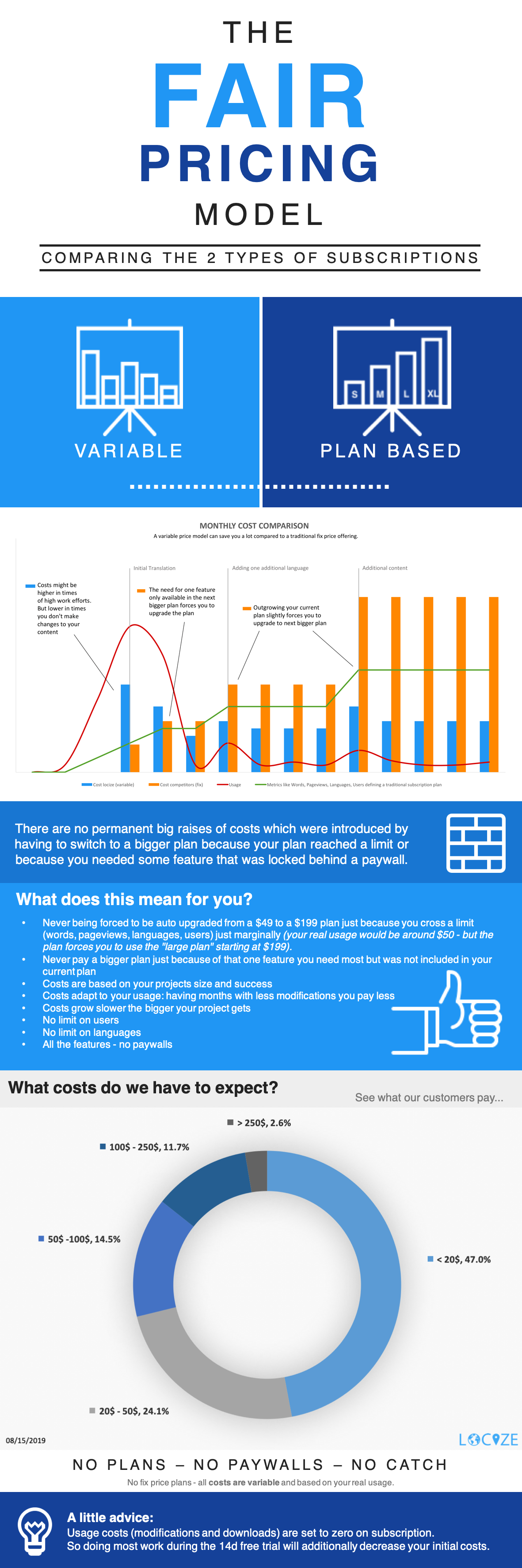 An example calculation can be found here: https://faq.locize.com/#/general-questions/why-is-the-pricing-so-complicated! |
| json metadata | {"tags":["life","technology","work","blog","web"],"image":["https://cdn.steemitimages.com/DQmc7WwnYBrfzxX7vXATrNeeNGrFsdehPmzXoAGbtDqfDQ4/fair_pricing.png"],"links":["https://faq.locize.com/#/general-questions/why-is-the-pricing-so-complicated!"],"app":"steemit/0.1","format":"markdown"} |
| Transaction Info | Block #35573922/Trx 59af6321fa01347e0e8bb7e8dae49b59e41d437d |
View Raw JSON Data
{
"trx_id": "59af6321fa01347e0e8bb7e8dae49b59e41d437d",
"block": 35573922,
"trx_in_block": 24,
"op_in_trx": 0,
"virtual_op": 0,
"timestamp": "2019-08-15T12:38:03",
"op": [
"comment",
{
"parent_author": "",
"parent_permlink": "life",
"author": "adrai",
"permlink": "this-is-the-reason-why-http-locize-com-is-a-pay-as-you-use-model",
"title": "This is the reason why locize.com is a \"pay-as-you-use\" model.",
"body": "\n\nAn example calculation can be found here: https://faq.locize.com/#/general-questions/why-is-the-pricing-so-complicated!",
"json_metadata": "{\"tags\":[\"life\",\"technology\",\"work\",\"blog\",\"web\"],\"image\":[\"https://cdn.steemitimages.com/DQmc7WwnYBrfzxX7vXATrNeeNGrFsdehPmzXoAGbtDqfDQ4/fair_pricing.png\"],\"links\":[\"https://faq.locize.com/#/general-questions/why-is-the-pricing-so-complicated!\"],\"app\":\"steemit/0.1\",\"format\":\"markdown\"}"
}
]
}adraiupvoted (100.00%) @adrai / this-is-the-reason-why-http-locize-com-is-a-pay-as-you-use-model2019/08/15 12:37:27
adraiupvoted (100.00%) @adrai / this-is-the-reason-why-http-locize-com-is-a-pay-as-you-use-model
2019/08/15 12:37:27
| voter | adrai |
| author | adrai |
| permlink | this-is-the-reason-why-http-locize-com-is-a-pay-as-you-use-model |
| weight | 10000 (100.00%) |
| Transaction Info | Block #35573910/Trx 48fbe4a7241468001ba77426a0e231d1bc180bd7 |
View Raw JSON Data
{
  "trx_id": "48fbe4a7241468001ba77426a0e231d1bc180bd7",
  "block": 35573910,
  "trx_in_block": 5,
  "op_in_trx": 0,
  "virtual_op": 0,
  "timestamp": "2019-08-15T12:37:27",
  "op": [
    "vote",
    {
      "voter": "adrai",
      "author": "adrai",
      "permlink": "this-is-the-reason-why-http-locize-com-is-a-pay-as-you-use-model",
      "weight": 10000
    }
  ]
}adraipublished a new post: this-is-the-reason-why-http-locize-com-is-a-pay-as-you-use-model2019/08/15 12:36:54
adraipublished a new post: this-is-the-reason-why-http-locize-com-is-a-pay-as-you-use-model
2019/08/15 12:36:54
| parent author | |
| parent permlink | life |
| author | adrai |
| permlink | this-is-the-reason-why-http-locize-com-is-a-pay-as-you-use-model |
| title | This is the reason why http://locize.com is a "pay-as-you-use" model. |
| body |  An example calculation can be found here: https://faq.locize.com/#/general-questions/why-is-the-pricing-so-complicated! |
| json metadata | {"tags":["life","technology","work","blog","web"],"image":["https://cdn.steemitimages.com/DQmc7WwnYBrfzxX7vXATrNeeNGrFsdehPmzXoAGbtDqfDQ4/fair_pricing.png"],"links":["https://faq.locize.com/#/general-questions/why-is-the-pricing-so-complicated!"],"app":"steemit/0.1","format":"markdown"} |
| Transaction Info | Block #35573899/Trx 4106dd00793c8c562efb0d36f81784348ca8aba7 |
View Raw JSON Data
{
"trx_id": "4106dd00793c8c562efb0d36f81784348ca8aba7",
"block": 35573899,
"trx_in_block": 21,
"op_in_trx": 0,
"virtual_op": 0,
"timestamp": "2019-08-15T12:36:54",
"op": [
"comment",
{
"parent_author": "",
"parent_permlink": "life",
"author": "adrai",
"permlink": "this-is-the-reason-why-http-locize-com-is-a-pay-as-you-use-model",
"title": "This is the reason why http://locize.com is a \"pay-as-you-use\" model.",
"body": "\n\nAn example calculation can be found here: https://faq.locize.com/#/general-questions/why-is-the-pricing-so-complicated!",
"json_metadata": "{\"tags\":[\"life\",\"technology\",\"work\",\"blog\",\"web\"],\"image\":[\"https://cdn.steemitimages.com/DQmc7WwnYBrfzxX7vXATrNeeNGrFsdehPmzXoAGbtDqfDQ4/fair_pricing.png\"],\"links\":[\"https://faq.locize.com/#/general-questions/why-is-the-pricing-so-complicated!\"],\"app\":\"steemit/0.1\",\"format\":\"markdown\"}"
}
]
}2019/07/21 14:53:12
2019/07/21 14:53:12
| parent author | adrai |
| parent permlink | a-tale-of-the-last-10-years-in-web-development |
| author | steemitboard |
| permlink | steemitboard-notify-adrai-20190721t145312000z |
| title | |
| body | Congratulations @adrai! You received a personal award! <table><tr><td>https://steemitimages.com/70x70/http://steemitboard.com/@adrai/birthday2.png</td><td>Happy Birthday! - You are on the Steem blockchain for 2 years!</td></tr></table> <sub>_You can view [your badges on your Steem Board](https://steemitboard.com/@adrai) and compare to others on the [Steem Ranking](https://steemitboard.com/ranking/index.php?name=adrai)_</sub> ###### [Vote for @Steemitboard as a witness](https://v2.steemconnect.com/sign/account-witness-vote?witness=steemitboard&approve=1) to get one more award and increased upvotes! |
| json metadata | {"image":["https://steemitboard.com/img/notify.png"]} |
| Transaction Info | Block #34859063/Trx 7e20c4f8a95b0436b5b2871d49f1775645c7e442 |
View Raw JSON Data
{
  "trx_id": "7e20c4f8a95b0436b5b2871d49f1775645c7e442",
  "block": 34859063,
  "trx_in_block": 29,
  "op_in_trx": 0,
  "virtual_op": 0,
  "timestamp": "2019-07-21T14:53:12",
  "op": [
    "comment",
    {
      "parent_author": "adrai",
      "parent_permlink": "a-tale-of-the-last-10-years-in-web-development",
      "author": "steemitboard",
      "permlink": "steemitboard-notify-adrai-20190721t145312000z",
      "title": "",
      "body": "Congratulations @adrai! You received a personal award!\n\n<table><tr><td>https://steemitimages.com/70x70/http://steemitboard.com/@adrai/birthday2.png</td><td>Happy Birthday! - You are on the Steem blockchain for 2 years!</td></tr></table>\n\n<sub>_You can view [your badges on your Steem Board](https://steemitboard.com/@adrai) and compare to others on the [Steem Ranking](https://steemitboard.com/ranking/index.php?name=adrai)_</sub>\n\n\n###### [Vote for @Steemitboard as a witness](https://v2.steemconnect.com/sign/account-witness-vote?witness=steemitboard&approve=1) to get one more award and increased upvotes!",
      "json_metadata": "{\"image\":[\"https://steemitboard.com/img/notify.png\"]}"
    }
  ]
}2018/11/27 11:37:48
2018/11/27 11:37:48
| delegator | steem |
| delegatee | adrai |
| vesting shares | 2013.894094 VESTS |
| Transaction Info | Block #28065684/Trx b0bfc196909f094d77a6b5c6bf67389b7c8abf4e |
View Raw JSON Data
{
  "trx_id": "b0bfc196909f094d77a6b5c6bf67389b7c8abf4e",
  "block": 28065684,
  "trx_in_block": 11,
  "op_in_trx": 0,
  "virtual_op": 0,
  "timestamp": "2018-11-27T11:37:48",
  "op": [
    "delegate_vesting_shares",
    {
      "delegator": "steem",
      "delegatee": "adrai",
      "vesting_shares": "2013.894094 VESTS"
    }
  ]
}2018/10/08 15:33:39
2018/10/08 15:33:39
| delegator | steem |
| delegatee | adrai |
| vesting shares | 17864.274883 VESTS |
| Transaction Info | Block #26631397/Trx 463c4ace0c33019b99822d718a4b4b929d4eeac8 |
View Raw JSON Data
{
  "trx_id": "463c4ace0c33019b99822d718a4b4b929d4eeac8",
  "block": 26631397,
  "trx_in_block": 16,
  "op_in_trx": 0,
  "virtual_op": 0,
  "timestamp": "2018-10-08T15:33:39",
  "op": [
    "delegate_vesting_shares",
    {
      "delegator": "steem",
      "delegatee": "adrai",
      "vesting_shares": "17864.274883 VESTS"
    }
  ]
}2018/10/04 13:57:06
2018/10/04 13:57:06
| required auths | [] |
| required posting auths | ["adrai"] |
| id | follow |
| json | ["follow",{"follower":"adrai","following":"busy.org","what":["blog"]}] |
| Transaction Info | Block #26514347/Trx f33545c5f8b3b3a096f01746f65f5dbd7346e50c |
View Raw JSON Data
{
  "trx_id": "f33545c5f8b3b3a096f01746f65f5dbd7346e50c",
  "block": 26514347,
  "trx_in_block": 9,
  "op_in_trx": 0,
  "virtual_op": 0,
  "timestamp": "2018-10-04T13:57:06",
  "op": [
    "custom_json",
    {
      "required_auths": [],
      "required_posting_auths": [
        "adrai"
      ],
      "id": "follow",
      "json": "[\"follow\",{\"follower\":\"adrai\",\"following\":\"busy.org\",\"what\":[\"blog\"]}]"
    }
  ]
}adraifollowed @gregory.latinier2018/10/04 13:56:39
adraifollowed @gregory.latinier
2018/10/04 13:56:39
| required auths | [] |
| required posting auths | ["adrai"] |
| id | follow |
| json | ["follow",{"follower":"adrai","following":"gregory.latinier","what":["blog"]}] |
| Transaction Info | Block #26514338/Trx 6a1ad407a84d8eee536f2a7a3a5e048cc51733b6 |
View Raw JSON Data
{
  "trx_id": "6a1ad407a84d8eee536f2a7a3a5e048cc51733b6",
  "block": 26514338,
  "trx_in_block": 16,
  "op_in_trx": 0,
  "virtual_op": 0,
  "timestamp": "2018-10-04T13:56:39",
  "op": [
    "custom_json",
    {
      "required_auths": [],
      "required_posting_auths": [
        "adrai"
      ],
      "id": "follow",
      "json": "[\"follow\",{\"follower\":\"adrai\",\"following\":\"gregory.latinier\",\"what\":[\"blog\"]}]"
    }
  ]
}adraifollowed @followbtcnews2018/10/04 13:56:09
adraifollowed @followbtcnews
2018/10/04 13:56:09
| required auths | [] |
| required posting auths | ["adrai"] |
| id | follow |
| json | ["follow",{"follower":"adrai","following":"followbtcnews","what":["blog"]}] |
| Transaction Info | Block #26514328/Trx d18e521d11455a1368add311b1991df3c0abc981 |
View Raw JSON Data
{
  "trx_id": "d18e521d11455a1368add311b1991df3c0abc981",
  "block": 26514328,
  "trx_in_block": 30,
  "op_in_trx": 0,
  "virtual_op": 0,
  "timestamp": "2018-10-04T13:56:09",
  "op": [
    "custom_json",
    {
      "required_auths": [],
      "required_posting_auths": [
        "adrai"
      ],
      "id": "follow",
      "json": "[\"follow\",{\"follower\":\"adrai\",\"following\":\"followbtcnews\",\"what\":[\"blog\"]}]"
    }
  ]
}adraiclaimed reward balance: 1.898 STEEM, 2.358 SP2018/10/04 13:54:57
adraiclaimed reward balance: 1.898 STEEM, 2.358 SP
2018/10/04 13:54:57
| account | adrai |
| reward steem | 1.898 STEEM |
| reward sbd | 0.000 SBD |
| reward vests | 3839.713192 VESTS |
| Transaction Info | Block #26514304/Trx 3107d26c8e62630708a8d7a5236f5dad6a7d26d0 |
View Raw JSON Data
{
  "trx_id": "3107d26c8e62630708a8d7a5236f5dad6a7d26d0",
  "block": 26514304,
  "trx_in_block": 18,
  "op_in_trx": 0,
  "virtual_op": 0,
  "timestamp": "2018-10-04T13:54:57",
  "op": [
    "claim_reward_balance",
    {
      "account": "adrai",
      "reward_steem": "1.898 STEEM",
      "reward_sbd": "0.000 SBD",
      "reward_vests": "3839.713192 VESTS"
    }
  ]
}adraireceived 1.898 STEEM, 2.358 SP author reward for @adrai / a-tale-of-the-last-10-years-in-web-development2018/09/04 07:23:00
adraireceived 1.898 STEEM, 2.358 SP author reward for @adrai / a-tale-of-the-last-10-years-in-web-development
2018/09/04 07:23:00
| author | adrai |
| permlink | a-tale-of-the-last-10-years-in-web-development |
| sbd payout | 0.000 SBD |
| steem payout | 1.898 STEEM |
| vesting payout | 3839.713192 VESTS |
| Transaction Info | Block #25658689/Virtual Operation #19 |
View Raw JSON Data
{
  "trx_id": "0000000000000000000000000000000000000000",
  "block": 25658689,
  "trx_in_block": 4294967295,
  "op_in_trx": 0,
  "virtual_op": 19,
  "timestamp": "2018-09-04T07:23:00",
  "op": [
    "author_reward",
    {
      "author": "adrai",
      "permlink": "a-tale-of-the-last-10-years-in-web-development",
      "sbd_payout": "0.000 SBD",
      "steem_payout": "1.898 STEEM",
      "vesting_payout": "3839.713192 VESTS"
    }
  ]
}roelandpupvoted (2.50%) @adrai / a-tale-of-the-last-10-years-in-web-development2018/09/03 11:31:24
roelandpupvoted (2.50%) @adrai / a-tale-of-the-last-10-years-in-web-development
2018/09/03 11:31:24
| voter | roelandp |
| author | adrai |
| permlink | a-tale-of-the-last-10-years-in-web-development |
| weight | 250 (2.50%) |
| Transaction Info | Block #25634868/Trx c59d3269034904f5d2548574a044b914276030ea |
View Raw JSON Data
{
  "trx_id": "c59d3269034904f5d2548574a044b914276030ea",
  "block": 25634868,
  "trx_in_block": 4,
  "op_in_trx": 0,
  "virtual_op": 0,
  "timestamp": "2018-09-03T11:31:24",
  "op": [
    "vote",
    {
      "voter": "roelandp",
      "author": "adrai",
      "permlink": "a-tale-of-the-last-10-years-in-web-development",
      "weight": 250
    }
  ]
}minnowboostersent 0.001 SBD to @adrai- "Congrats! You have been accepted to the @minnowbooster Community driven Whitelist. You now have access to some nice perks, such as bigger upvote limits and the potential to earn bonus payments! Want t..."2018/08/31 15:04:48
minnowboostersent 0.001 SBD to @adrai- "Congrats! You have been accepted to the @minnowbooster Community driven Whitelist. You now have access to some nice perks, such as bigger upvote limits and the potential to earn bonus payments! Want t..."
2018/08/31 15:04:48
| from | minnowbooster |
| to | adrai |
| amount | 0.001 SBD |
| memo | Congrats! You have been accepted to the @minnowbooster Community driven Whitelist. You now have access to some nice perks, such as bigger upvote limits and the potential to earn bonus payments! Want to contribute? Click here: https://www.minnowbooster.net/whitelist |
| Transaction Info | Block #25552799/Trx 48d84a8e23757e14bf288d0d8afa90631980b52f |
View Raw JSON Data
{
  "trx_id": "48d84a8e23757e14bf288d0d8afa90631980b52f",
  "block": 25552799,
  "trx_in_block": 2,
  "op_in_trx": 0,
  "virtual_op": 0,
  "timestamp": "2018-08-31T15:04:48",
  "op": [
    "transfer",
    {
      "from": "minnowbooster",
      "to": "adrai",
      "amount": "0.001 SBD",
      "memo": "Congrats! You have been accepted to the @minnowbooster Community driven Whitelist. You now have access to some nice perks, such as bigger upvote limits and the potential to earn bonus payments! Want to contribute? Click here: https://www.minnowbooster.net/whitelist"
    }
  ]
}frangipaniupvoted (100.00%) @adrai / a-tale-of-the-last-10-years-in-web-development2018/08/28 17:41:09
frangipaniupvoted (100.00%) @adrai / a-tale-of-the-last-10-years-in-web-development
2018/08/28 17:41:09
| voter | frangipani |
| author | adrai |
| permlink | a-tale-of-the-last-10-years-in-web-development |
| weight | 10000 (100.00%) |
| Transaction Info | Block #25469570/Trx 1b30fb3781f09c76cd7a387c119eff18051674e1 |
View Raw JSON Data
{
  "trx_id": "1b30fb3781f09c76cd7a387c119eff18051674e1",
  "block": 25469570,
  "trx_in_block": 28,
  "op_in_trx": 0,
  "virtual_op": 0,
  "timestamp": "2018-08-28T17:41:09",
  "op": [
    "vote",
    {
      "voter": "frangipani",
      "author": "adrai",
      "permlink": "a-tale-of-the-last-10-years-in-web-development",
      "weight": 10000
    }
  ]
}2018/08/28 11:14:03
2018/08/28 11:14:03
| parent author | adrai |
| parent permlink | a-tale-of-the-last-10-years-in-web-development |
| author | steemitboard |
| permlink | steemitboard-notify-adrai-20180828t111403000z |
| title | |
| body | Congratulations @adrai! You have completed the following achievement on Steemit and have been rewarded with new badge(s) : [](http://steemitboard.com/@adrai) Award for the number of upvotes received <sub>_Click on the badge to view your Board of Honor._</sub> <sub>_If you no longer want to receive notifications, reply to this comment with the word_ `STOP`</sub> > Do you like [SteemitBoard's project](https://steemit.com/@steemitboard)? Then **[Vote for its witness](https://v2.steemconnect.com/sign/account-witness-vote?witness=steemitboard&approve=1)** and **get one more award**! |
| json metadata | {"image":["https://steemitboard.com/img/notify.png"]} |
| Transaction Info | Block #25461830/Trx fe96d76f73ec287f6aa25108efecb85bbef559d7 |
View Raw JSON Data
{
"trx_id": "fe96d76f73ec287f6aa25108efecb85bbef559d7",
"block": 25461830,
"trx_in_block": 20,
"op_in_trx": 0,
"virtual_op": 0,
"timestamp": "2018-08-28T11:14:03",
"op": [
"comment",
{
"parent_author": "adrai",
"parent_permlink": "a-tale-of-the-last-10-years-in-web-development",
"author": "steemitboard",
"permlink": "steemitboard-notify-adrai-20180828t111403000z",
"title": "",
"body": "Congratulations @adrai! You have completed the following achievement on Steemit and have been rewarded with new badge(s) :\n\n[](http://steemitboard.com/@adrai) Award for the number of upvotes received\n\n<sub>_Click on the badge to view your Board of Honor._</sub>\n<sub>_If you no longer want to receive notifications, reply to this comment with the word_ `STOP`</sub>\n\n\n\n> Do you like [SteemitBoard's project](https://steemit.com/@steemitboard)? Then **[Vote for its witness](https://v2.steemconnect.com/sign/account-witness-vote?witness=steemitboard&approve=1)** and **get one more award**!",
"json_metadata": "{\"image\":[\"https://steemitboard.com/img/notify.png\"]}"
}
]
}adraiupvoted (100.00%) @adrai / a-tale-of-the-last-10-years-in-web-development2018/08/28 10:40:57
adraiupvoted (100.00%) @adrai / a-tale-of-the-last-10-years-in-web-development
2018/08/28 10:40:57
| voter | adrai |
| author | adrai |
| permlink | a-tale-of-the-last-10-years-in-web-development |
| weight | 10000 (100.00%) |
| Transaction Info | Block #25461168/Trx 227e98682f5ff4dba96eccf84a732de12753dd9a |
View Raw JSON Data
{
  "trx_id": "227e98682f5ff4dba96eccf84a732de12753dd9a",
  "block": 25461168,
  "trx_in_block": 13,
  "op_in_trx": 0,
  "virtual_op": 0,
  "timestamp": "2018-08-28T10:40:57",
  "op": [
    "vote",
    {
      "voter": "adrai",
      "author": "adrai",
      "permlink": "a-tale-of-the-last-10-years-in-web-development",
      "weight": 10000
    }
  ]
}Manabar
Voting Power100.00%
Downvote Power100.00%
Resource Credits100.00%
Reputation Progress11.95%
{
  "voting_manabar": {
    "current_mana": "12177254491",
    "last_update_time": 1638886665
  },
  "downvote_manabar": {
    "current_mana": 3106442472,
    "last_update_time": 1638886665
  },
  "rc_account": {
    "account": "adrai",
    "rc_manabar": {
      "current_mana": "5461126746",
      "last_update_time": 1740992712
    },
    "max_rc_creation_adjustment": {
      "amount": "2020748973",
      "precision": 6,
      "nai": "@@000000037"
    },
    "max_rc": "14446518862"
  }
}
Account Metadata
| POSTING JSON METADATA | |
| profile | {"profile_image":"http://1.gravatar.com/avatar/8bd9919f4d104ebb917c13ee44655553","name":"adrai","about":"Founder, CTO, Software Architect, Bachelor in Computer Science #serverless #nodejs #javascript Always in search for #innovative and #disruptive stuff","website":"https://twitter.com/adrirai","cover_image":"https://pbs.twimg.com/profile_banners/533054923/1476249722/1500x500","version":2} |
| JSON METADATA | |
| profile | {"profile_image":"http://1.gravatar.com/avatar/8bd9919f4d104ebb917c13ee44655553","name":"adrai","about":"dormakaba '#cloud labs'; Software Architect, Bachelor of Science in Computer Science #nodejs #cqrs #ddd always in search for #innovative and #disruptive stuff","website":"https://twitter.com/adrirai","cover_image":"https://pbs.twimg.com/profile_banners/533054923/1476249722/1500x500"} |
{
  "posting_json_metadata": {
    "profile": {
      "profile_image": "http://1.gravatar.com/avatar/8bd9919f4d104ebb917c13ee44655553",
      "name": "adrai",
      "about": "Founder, CTO, Software Architect, Bachelor in Computer Science #serverless #nodejs #javascript Always in search for #innovative and #disruptive stuff",
      "website": "https://twitter.com/adrirai",
      "cover_image": "https://pbs.twimg.com/profile_banners/533054923/1476249722/1500x500",
      "version": 2
    }
  },
  "json_metadata": {
    "profile": {
      "profile_image": "http://1.gravatar.com/avatar/8bd9919f4d104ebb917c13ee44655553",
      "name": "adrai",
      "about": "dormakaba '#cloud labs'; Software Architect, Bachelor of Science in Computer Science #nodejs #cqrs #ddd always in search for #innovative and #disruptive stuff",
      "website": "https://twitter.com/adrirai",
      "cover_image": "https://pbs.twimg.com/profile_banners/533054923/1476249722/1500x500"
    }
  }
}
Auth Keys
Owner
Single Signature
Public Keys
STM5HBRDhTup7xmcMPb9HKkHrGS8QjpMv6UaJaexhAanBns4AB8Qx1/1
Active
Single Signature
Public Keys
STM5tzo1gFGMFWFLoPv9WLyiWfYNT1H7YJbGjA2HjEvm3rzwKGYE41/1
Posting
Single Signature
Public Keys
STM7fqPmbURS1iZhaVwQhtR6BUMFyteN1FBZj53MAEBQacSGxA9FJ1/1
Memo
STM7bDk2NChsXp8vuGVNcVG7ihvGLP1QdwcYjCvZoMR3xEr6qzKJr
{
  "owner": {
    "weight_threshold": 1,
    "account_auths": [],
    "key_auths": [
      [
        "STM5HBRDhTup7xmcMPb9HKkHrGS8QjpMv6UaJaexhAanBns4AB8Qx",
        1
      ]
    ]
  },
  "active": {
    "weight_threshold": 1,
    "account_auths": [],
    "key_auths": [
      [
        "STM5tzo1gFGMFWFLoPv9WLyiWfYNT1H7YJbGjA2HjEvm3rzwKGYE4",
        1
      ]
    ]
  },
  "posting": {
    "weight_threshold": 1,
    "account_auths": [],
    "key_auths": [
      [
        "STM7fqPmbURS1iZhaVwQhtR6BUMFyteN1FBZj53MAEBQacSGxA9FJ",
        1
      ]
    ]
  },
  "memo": "STM7bDk2NChsXp8vuGVNcVG7ihvGLP1QdwcYjCvZoMR3xEr6qzKJr"
}
Witness Votes
0 / 30
No active witness votes.
[]